#✂challenges-feedback
1 messages · Page 26 of 1
 young karma
 nimble shardBOT
Gave +1 Creative Carma to Deven Design
 true storm
Nice work @silk wind!
 hearty wharf
@astral turret yes, you are right, when you click on it and go to 'original' it looks fine ... just sizing it down to the thumbnails pixelates it ... very strange. still looks cool though!
 astral turret
thanks @hearty wharf I didn't know about the 'original' view option.
nimble shardBOT
Gave +1 Creative Carma to Tan_2019
 noble glen
Hey guys
I am Ram from India https://www.behance.net/gallery/82726317/Photoshop-Daily-Creative-Challenge feedback guys. Here are mu entries for 2nd and 3rd Day

Behance
Daily Creative ChallengeTo build Photoshop skills in just 9 challenges | July 8 - July 19
entry for 3rd day
@young karma I like the simplicity.
@fallow bough Hey Ken this is nice poster. I love the beatles.
true storm
@blazing quail I think you should simplify this. Remove the seagull and make the top look like storm clouds. The seagull is now the focal point on the piece, which is conflicting with the paper cut which should be the focus. Also bump up the message, so it's more visible.
noble glen
@young karma nice effect but a little dark colors. 😄
@true storm Hey. Can you please give the feedback on my entries.
 past crag
My day 3 challenge poster! Any comments?
true storm
@noble glen Nice work! Try removing the darker cloud and making the lighter one a little larger to simplify the design.
@noble glen Also make the F more visible from behind the cut. It’s reading as either an F or an E.
 stark swan
Thank you so much @hot swallow
nimble shardBOT
Gave +1 Creative Carma to SomendraFX
 limber nimbus
Hit me with it
 snow knoll
day 3 challenge😀
 icy cargoBOT
 Tan_2019, this command is disabled in this channel
hearty wharf
@icy cargo sorry! i'm new here and had this message ...
 coral stone
@hearty wharf if you need any commands you can use #🤖bot-commands 😃
hearty wharf
@coral stone thanks valdair, it's very confusing! i don't think i need commands ...
nimble shardBOT
Gave +1 Creative Carma to Valdair Leonardo
coral stone
No problem 😄
hearty wharf
i'll get the hang of it ... signing off, see you tomorrow!
coral stone
Sure! See ya 😃 👋
 fallow bough
Found paper texture that made it look like construction paper when using Linear Burn. Also came across Yellow Submarine font.
 blazing quail
Revised poster, thanks to @true storm for the imput
nimble shardBOT
Gave +1 Creative Carma to ballardstudio
 kindred kernel
😃 Inspired by Ms. Victoria Pavlov
 grand dove
 trail kiln
@grand dove I really like the color palette. I especially like the mountains!
fallow bough
@dull tangle Both look good. Poster number a bit heard to read though. You might try a 1px stroke to help/
 dull tangle
Thanks @fallow bough! I will do that!
nimble shardBOT
Gave +1 Creative Carma to Ken Cawley
young karma
Day 3: contour lines
fallow bough
@grand dove Both look great. I feel the dark blue and green on the bottom is more unique. though
 sterile bane
@young karma awesome! I love how the design extends past the frame in a couple places. it helps your eye move around the piece
 odd python
Ok, here is my day 1 poster, and first ever challenge. I'm new so it takes me awhile to find the tools I want to use, and how to use them. But I've learned a lot with this first challenge.
 strong plover
I just realized mine is real basic, but y’all’s are GREAT!!!
 blissful wolf
Day 3 - Paper effect
 uncut valley
odd python
uncut valley
odd python
This is the raw photo, shot by me.
stark swan
@silk wind This looks like a travel ad!
Eye/I love this @uncut valley 😄
@grand dove I really like the colors of the first one with the tan/pink border
 zinc lava
Day 3 challenge
Had some hard time making the paper texture visible, also have mixed feelings about the colours kinda think they are too bright
So what do you think?
nimble shardBOT
Gave +1 Creative Carma to mshellvp
nimble shardBOT
Gave +1 Creative Carma to Sharri
 wispy fjord
I had a great time with the textures. I think I could work some more on placement??
young karma
My belated project cover...
 onyx rock
Day 3 - Add Paper Effect 😀
 urban berry
Hello everyone, here is my Day 3 challenge. Feedback is welcome.
coral stone
@wispy fjord I loved the background texture, it suits the color too. Great job!
@onyx rock awesome color palette!
 silk oracle
Here's my Day 3 based off of the hot springs at Yellowstone. I'm still learning so feedback is definitely welcome!
 scenic forge
The curves reminded me of contours on a map.
 dusty pond
 slate vault
I thought I had a fairly firm grasp on PS, but this challenge has easily proven me wrong and I am REALLY enjoying the tutorials!
My Day2 ^_^
Oh shoot. Please forgive me, didn't realize there was another channel for "past challenge!"
 queen onyx
Day 3 Drop Shadows - super fun!
dusty pond
@YORKRLED that's really nice
slate vault
@dusty pond Thank you! 😃
nimble shardBOT
Gave +1 Creative Carma to Diamondblade
 forest aspen
Day 3 Poster. This one brings back lots of memories for me. I was a pleasant trip down memory lane. Lots of paper and book cover textures to go with the drop shadows.
 vagrant egret
@forest aspen really great work.
dusty pond
@forest aspen very nice work. I'll be glad when I can get past newbie stage.
vagrant egret
Day 2 was simple enough that I was able to complete it quickly. (Day 1 took hours of replaying the class to even get close.) PS is definitely a challenge for a newbie like me.
dusty pond
@vagrant egret I hear you. the first one was painful for me too. lol
dusty pond
@lunar mango I like the way you divided it up. Great colors
 lunar mango
@dusty pond Thank you so much .. This was my first time doing this .. been working on this since 1PM .. at first I was like what did I get myself into but I challenged myself to see where it would go. The nose Im not proud of as that was the tricky part. I might go back and revisit that area! Thanks again for the comment!
nimble shardBOT
Gave +1 Creative Carma to Diamondblade
young karma
Here is my paper cut version 😃 hope you like it guys
 dawn mountain
Sooo..I took this paper cut out poster idea in a rather silly direction. Probably going to make a more serious one later when I have the time but, here's what I came up with thus far. 😅
vagrant egret
@dusty pond did you use the photo as a layer over which you applied the shapes ?
@dusty pond did you use the photo as a layer over which you applied the shapes ?
dusty pond
no, I used the red as a background color and then used the curve pen tool
vagrant egret
@dawn mountain not silly at all. I really like the lined page look you applied to the clouds. It makes me think this is the cover for a kid's book. (Can you point me to any tutorials on poster borders? For some reason they're giving me a ton of trouble.)
dusty pond
It looked more like paint than cut paper to me lol
vagrant egret
@dusty pond I'm really impressed with your level of skill. Great work.
dusty pond
@vagrant egret thank you, I'm just a newbie trying to learn.
nimble shardBOT
Gave +1 Creative Carma to Paul B
dusty pond
@dawn mountain that's cool what you did with the trees
 bold valley
Day 3 Getting wild!
 upbeat laurel
Day 2 - Photoshop layers
bold valley
Day 3 Getting wild with paper texture added.
 finite hull
Day 3 - glad with the output, discovered many things accidentally, lol. Can't wait to talk to you tomorrow.
 void ermine
@lunar mango awesome job! I do agree with you about the nose though. I try to tell myself that even if I don’t like something about what I’ve done. The fact that I can see what’s wrong with it is a good thing. It means my skill just has to catch up to my ideas. That’s reachable and learnable.
 rustic pumice
Day 1: I'm a bit behind but enjoyed day 1! I couldn't think of what to add in the white space below the interesting individual (me) wearing the flamingo "hat".
 wind jolt
Got carried away and forgot the cut paper bit 🙄
fallow bough
Can't make up my mind on which Drop Shadow works best.
coral stone
Both of them are cool but I like the first one @fallow bough the shadows seems to be more subtle and the light has a direction 😃
 lone hare
Day 3!
fallow bough
@coral stone Thanks. On the right I was going for a harder light directly from above. I have to agree with you though. Subtle is always better.
nimble shardBOT
Gave +1 Creative Carma to Valdair Leonardo
 fringe thicket
@fallow bough They're close but I'd go with the first one
@silk oracle I like it! Like that the letters are behind some of the paper layers
Here's my first attempt on the day 3 challenge. I was making something completely different (more abstract kind of thing) but was inspired by the waterlily's when I went out with my dog 😂
I will probably post the abstract piece tomorrow.
@wispy fjord i like it! About placement, maybe bring the boy and the dog (?) closer together? And the text a bit bigger and move it slightly down?
 hexed kayak
Day3
 prime basin
Here is my Day 3 poster 😊
 glacial path
@prime basin Niiice! I love the paper texture 😄 The drop shadows of the clouds could be a bit more soft if you ask me but that's just personal preference. It looks like the shadow cuts off to early. To get around this issue, you could extend the shape behind the poster border
urban berry
I did another one for Day 2 challenge. https://www.behance.net/gallery/82627057/Photoshop-Daily-Creative-Challenge-July-8-19
 glacial path
@hexed kayak woah there's a lot going on in your poster! I don't think you have to put "Daily Creative Challenge" on your poster. I would rather explain it in your Behance project. My advice is to reduce the content of your poster.
@hexed kayak so either go with less busy textures or you could try removing some of the objects like the glass at the top
The diagonal text is a lovely idea by the way 😃
hexed kayak
Sorry about that. I went over board on trying to be creative. Should I blend my letters in with the background textures so that it wont look too busy?
glacial path
@fringe thicket The shapes of the petals look very organic and smooth 😃 The texture almost looks like it's a stone texture from a big brick wall. This could be distracting if you really want to sell the paper look-and-feel. The blue color is really rich and deep and I think it harmonizes with the orange flower petals nicely.
@hexed kayak haha I know how feel! You just want to bring all your ideas to the poster 😄
@hexed kayak Hmmm if you blend them in, you would probably sacrifice legibility
if you remove one of the objects, you could make the type really big and bold
that could tie the whole poster together
give it a try, see if it works - if it doesn't work just undo 😃
sometimes you just have to experiment with different versions of your design
see what works and what doesn't
hexed kayak
ok.Thanks so much for the feedback!! Im getting on it right now. You can tell from my poster that my brain is so full of ideas, and a world of imagination bigger than space lol...😂 😁
glacial path
@urban berry lol, that's a fun poster 😄 You did a great job cutting out the ... uh... subjects 😛 There is a teeny-tiny white fringe around them (I will post a pro tip on how to clean those up soon-ish)!
@hexed kayak same! sometimes I want to put every single idea into a design... but you have to keep yourself from cluttering your work ^^
@urban berry I think you could take a look at the latest post in the #🔨resources channel. Some of your colors don't quite match. For example I would expect the dolphin to have a red/purple-ish color wash because of the sunset in the background. 😃 Paul did a great job explaining how to do exactly that. So if you have about 30 minutes (or less if you skip through the video), check out the replay
urban berry
@glacial path Thank you for the feedback, will watch the video
nimble shardBOT
Gave +1 Creative Carma to evil
glacial path
awesome!
for a shorter and less detailed version, check out my post on Behance https://www.behance.net/gallery/78745567/Photoshop-Protip-Match-Colors @urban berry - it's a slightly different technique but it works 😄

Behance
original Photoshop Protips, shared on the official Photoshop Discord Server
@fleet pecan Great color scheme in your third poster! I especially like this part! The dark shape feels a bit like a liquid dripping down with plays nicely with the paper theme 😄
@fleet pecan The only think I would change is the black border. I feel like you could go with a dark maroon similar to the topmost shape. A warm earthy color
@prisma raven yes! Excellent use of the orange-blue color contrast and I'm also a fan of your rounded shapes. They are pretty round but not too round... you know? The shape in the middle could be some kind of proto lifeform? Did you have anything in mind when drawing the shapes?
@lone hare wow! well done 😄
@lone hare I feel like you need something in the foreground though. something that's very close to the "camera". it could be the rocket
 rare ocean
For Day 3 I wanted to use the paper effect and shadows to bring one of my recent pieces to life. The final of this recent work was actually layered with actual paper so it is cool to now have a digital "paper" version now :)
glacial path
@fallow bough I agree with @coral stone - the left version looks more natural 😃
@rare ocean that's a beautiful design! great job 😄
@rare ocean you should try adding a title 😃 see if it fits below the head
maybe a serif font?
@rustic pumice dude! now that's what I call a hat
lone hare
@glacial path yeah I wasn’t sure what else to add before I had to leave work. So I just posted and waited for a wise person to suggest a good idea 😃
glacial path
@rustic pumice your design is reminiscent of an old polaroid photo! I feel like the sans serif font (futura?) is way to serious for this. you need something hand-written. ideally in your own handwriting (you could use Adobe capture to vectorize it)
I love the glow, bokeh and blur. nicely done! and super clean too
rare ocean
@glacial path I'll try that, thanks for the feedback! 😀
nimble shardBOT
Gave +1 Creative Carma to evil
 kindred pendant
Here is my Day 3. Critiques Welcomed 🙂
glacial path
@kindred pendant cool! this has a retro vibe to it 😄 I like the punchy colors but I wish you would have applied the paper texture to the element in the center as well. It would help integrate the design with the background 😃 - and maybe you can also ditch the gray color and use something slightly more vibrant. could be a lighter shade of blue or red
kindred pendant
@glacial path Im on it! thanx
glacial path
@wind jolt cool! I would go with a darker shade of purple instead of the black 😃
perfect!
@finite hull wow! well done 😄 Your poster is very clean and the colors just work 👍
you should try adding some textures to the other shapes and see if you like them 😃
ooooor you could try some of those memphis patterns for a 90s retro vibe
kindred pendant
Here is the updated version
fringe thicket
Thanks @glacial path ! I did use a texture of paper though, but I guess it doesn't come out like I hoped it would 🤔 I'll see if I can find a better paper texture
nimble shardBOT
Gave +1 Creative Carma to evil
 raven atlas
Here's my contribution to the Day 3 Photoshop Challenge.
As always, I totally welcome all constructive feedback.
Took this at day 2 of Wimbledon Tennis Championships, this year.
lunar mango
Revision - reworked the nose and made a couple of tweaks. Posting both to give reference ...
Below was the first try ...
 grave needle
PSDailyChallenge 3 July 11, 2019
 prisma raven
@glacial path I just was playing but it did remind me of a fetus and I felt bad using the word cut but I was rushing and just went with it....
raven atlas
@onyx rock, that is a beautiful piece of art! I'd be proud of it (and myself) if I had done it!
 mint kayak
Day 2 Challenge... Totally inspired by Temi
 minor basalt
Here's my Day 2, very happy to discover the freeform pen tool!
 thin jetty
A few days late, but here is my day 1 poster
 zinc birch
Day 2 Poster - Let me know what you guys think!
 spark wharf
My Day 3. Input appreciated. I chose to leave the flower "paper" smooth like index stock.
zinc birch
@spark wharf Beautiful!!
dull tangle
Day 3 layered paper...enjoyed this challenge!
 bleak fossil
@grave needle Great effect, the texture gives it a rough almost plastic/vinyl look. I liked how you handled the green tones in the lily pads, it really makes the fish pop as a focal point. I think perhaps the text could be a bit bigger or thicker. At first glance it almost read as a watermark. Maybe something to make it contrast a bit more?
@lunar mango Really interesting effect! It almost looks like really thick strokes of paint. I also like the paper texture you added in. I think you could even push that more, maybe on the right side. Nice work!
 lunar abyss
Trying to play catch up but here's mine from the Day 1 challenge.
void ermine
Poster #3 I wasn't really completely happy with the last one so I kept with the same elements and am trying to work out my issues with the imagery. I think I like it. Still not sure completely though. Feedback always welcome 😃
@spark wharf I like the contrast between the really textured background and the smoother paper texture of the flower. I think it was a good choice.
nimble shardBOT
Gave +1 Creative Carma to SamPetersonArt
lunar mango
@bleak fossil Thanks for the feedback! 😀
void ermine
@minor basalt Very magic horse! I like all the different textures. The only issue I think is that because the image is so ineresting and has so many different textures, the border is kind of lost. The purpose of a border or frame is to hold the viewers gaze on the image. I think your border becomes sort of useless in that respect. I would try to make it darker and add some textue (maybe). Maybe the colour of the horse ? Very nice.
 trail rose
@bleak fossil @sterile bane day 3 it was very difficult for me to do this challenge, i am a humble photoshop student! please feedback😃
 blissful badge
Here is day 3, I think I may try and work in some textures.
 lilac minnow
Day 3: Going Strong with lucky fish. 💪
void ermine
@lilac minnow love the extreme closeup crop. And the paper effect and colors remind me of a Matisse !
 blazing lily
Veered from the brief again!
rustic pumice
Thank you @glacial path my own handwriting is a wonderful suggestion!
nimble shardBOT
Gave +1 Creative Carma to evil
 red verge
burning some midnight oil, any input?
 cerulean spruce
It's late. I'm super tired. This is my attempt in making an onion. Does it look like an onion? eeeeeeehhhhhhh... idk Why an onion? 'Cause ya know... onions have layers. Pleeeeeeeeaaaaassseee let me know on how to improve it. Until then, good night.
trail rose
@bleak fossil @sterile bane finally I understood the concept of the challenge. 😅
bleak fossil
@raven atlas Very nice Ess, I like what you did with the overlapping/masking of the letters! Definitely adds some of that paper feel and depth. I think you could maybe push that look of it being paper by adding a bit of a texture to all of it.
 queen flower
Day 2 layers, shapes and colors design
bleak fossil
@kindred pendant Really cool effect and use of texture in the background. I like the way the yellow text sort of leads into the yellow of the center image. I almost get a bit of a 90s feel from the design for whatever reason. Very nice 😄
@rare ocean I really like how you handled the texture in this, definitely gives it that paper feel. The sharp edge and subtle shadow help a lot as well. I feel like it could be nice to see a title or something down below, it almost seems like it’s missing an element down there. Maybe some fairly small/thin/subtle text. Looks good!
@fleet pecan Looking good! I agree with Tim, I think for Day 3 a more dark maroon color for the border would help this image, the black is almost a little too overpowering. I think you could maybe increase the darkness of the shadows a bit as well, and shorten them up to not quite be as long. Nice job with masking the letters!
@urban berry Great work Cindy! I think these are both looking solid! Two quick suggestions, for the portrait I think brightening up the center of the face between the two circles a little might make it look a little bit more natural. Currently the contrast with the dark spot in the center doesn't quite fit the mood of the rest of the image. And for the dolphin piece, I think applying a simple warming photo filter to the dolphin and the head of the seal above water might make it fit the coloration of the scene of it better. Always great to see what you're working on!
@prime basin You definitely got that paper feel down with your shapes, well done. The text also contrasts nicely against the darker background, nice work!
@hexed kayak You got some really interesting textures going on with this! Nice work on getting a sense of depth with those drop shadows. My suggestion would be to make the image of little bit less busy. A lot of times for colors and patterns less is more. when you have too many different colors going on, into many different types of textures the image can often lose a sense of cohesiveness. Often times it's easiest to start simple with a primary, secondary, and then maybe an accent color. Keep it up!
@fringe thicket Great movement and variation in your shapes with this one! The color scheme works well too. I think it might help to separate the values between the Green and blue. Currently there a little close together sow making one brighter might make the whole thing read a bit better. that way throughout the whole piece you'll have a nice dark, medium, and lighter tone. Great work as usual!
@prisma raven Very cool, I like how you curved the text along the edge. I think it might help to have that Orange point more towards the center in that blue space next to the text. That orange is one of the highest points of contrast in this image so it might help to have it a little bit closer to the center to bring the focal point near the text. Nice work!
raven atlas
Texture.... I forgot about texture!
Thanks for the reminder, @bleak fossil, and for the feedback.
nimble shardBOT
Gave +1 Creative Carma to SamPetersonArt
 white temple
Well, again I technically finished the day after, my poster is done. I realized that after adding the paper image to multiple layers, there was a line where they overlapped, but I thought they looked like cool wrinkles. Some I got rid of with a combo of the eraser and lasso tool.
 rain monolith
raven atlas
rain monolith
raven atlas
Here's the updated version, @bleak fossil... with added crinkle. 😀
Thanks again for the reminder.
nimble shardBOT
Gave +1 Creative Carma to SamPetersonArt
bleak fossil
@lone hare Great take on this challenge! I like how you used subtle changes in the dark grey for the black hole. You really got some good depth it this image while still keeping that cut out paper feel. I really like the text as well. One suggestion would be to maybe play with size variation more in terms of having a big, medium, and small shape. I think there could be a little more size separation between them. Perhaps even the rocket being the biggest might make the most sense narrative wise? Well done!
@fallow bough Well done, that guy is creepy. It’s so subtle, but I think I might prefer the shadow on the left side. Nice work!
@spark wharf Very nice, I think the contrast in texture works really well to make the flower stand out! It might be interesting to try a levels adjustment on the flower and see how it looks with the brights turned up a little bit. Though this definitely has a sort of calm/relaxed feel in its own right. Fantastic job and great depth on this!
@zinc birch This is awesome! I love the way you used the graphic shapes with a blur effect to really draw crispness and contrast into the center area. Very cool effect! My only suggestion is the way you masked the “O” in the top text. I would either make the O completely overlapped by the unblurred part of the billboard too, or if it’s only overlapped by the blurred shape have the bottom section of the “O” still show through, but be blurred as well. Great work!
raven atlas
I said to @versed wharf, a few days ago, I'm too conservative for my own good...
MORE CRINKLE!
bleak fossil
@dull tangle You really got a good sense of that cut out paper effect on this, nice job! The drop shadows are really effective. I like the complementary color scheme too!
@thin jetty Nice work! That's really cool, is that an art installation at a park? I think you could blur the background even more to really separate the contrast between the foreground and background and make the object on the right side read even better. Currently the texture of the background is competing with the texture of the object.
 vale merlin
bleak fossil
vale merlin
bleak fossil
@minor basalt Very nice! Did you use the freeform pen tool for all those shapes?It seems like a really handy tool if you have a tablet. Really great textures and patterns you have on this, gives a really interesting feel. I think perhaps lightening up the blue of the background could separate the values a bit better to let all those center images stand out more. Nice work!
@mint kayak Lovin it, digging that 80s/90s vibe with those colors! Perhaps adding a drop shadow to the shoe like you did with the other layers could help give it a little more punch and sense of depth. Looking good!
 tulip fern
My Day 3 entry. I am trying to use the same image for all 9 days. That in itself is a challenge 😃 I hope I can keep to it.
lunar abyss
Day 2 Shapes. This one was hard for me, started and restarted from scratch a few times.
tulip fern
I think you did great @lunar abyss !! I can see the tongue sticking out saying 'blah' so the text is spot on 😃
 thick vale
Hello my day 3 challenge!!! 😀
 woeful storm
day 3 - I was going for a paper cut out book vibe, let me know what I can improve on... Thanks (Shadows, shadows, and more shadows 😃
fringe thicket
Thanks @bleak fossil for the feedback. I changed the paper texture and lightened the green of the leafs
nimble shardBOT
Gave +1 Creative Carma to SamPetersonArt
 ruby panther
My first attempt. I'm learning though.
young karma
Running a bit behind - here is my LAYERS poster (day 2) 😬
 mint sorrel
Day 3...😀 wohooo!!
 pulsar walrus
Day 03
 lofty dragon
My insta version of poster #01.
Better late than never 😬
Would be happy about Feedback ❤
wind jolt
Thank you for advice - Have played with colours to try and balance it
minor basalt
Here's my day 3 for paper cut.
young karma
Here's my day 3 😁
@lunar abyss Flashback !! “The Heart of the Matter”a book by Graham Greene. A very good book as well. Have you read it. I think Greene would have liked it for the cover of his book too .
 leaden peak
This came out so...Strange...Personally,I didn't like it 😕
kindred pendant
@bleak fossil thank you so much
nimble shardBOT
Gave +1 Creative Carma to SamPetersonArt
glacial path
@leaden peak you know it is strange.... but in a super cool way 😄 It feels like one of these light boxes
@leaden peak if you reduce the opacity of the drop shadow, it will look more friendly though
@young karma lovely illustration! I think a night sky (since the light house is emitting light) would make more sense and it also could enhance the colors 😄
young karma
 dull tangle
@cerulean spruce I think you did a great job with the onion! Not sure is someone already mentioned this, but maybe add some depth to the text as well with drop shadows?
young karma
@glacial path Thanks for your feedback 😁 . To be honest i had thought about it, but since i used the night sky for yesterdays challenge, I wanted to try something else. I will though take your suggestion and repost a "night" version of it 😃
nimble shardBOT
Gave +1 Creative Carma to evil
dull tangle
Appreciate your feedback @bleak fossil
glacial path
@young karma I see - it's just an idea 😃
leaden peak
@lime anvil Very interesting,maybe try to play with the colours a little bit?
@glacial path Thanks!
nimble shardBOT
Gave +1 Creative Carma to evil
 lime anvil
@leaden peak play with the colours as in modify the colour palette or as in add more colour?
leaden peak
@lime anvil Both.Try to do both(and then pick the one pleases you most)
nimble shardBOT
Gave +1 Creative Carma to evil
glacial path
wow! well done 😄
leaden peak
@young karma Your illustration is so easy on the eyes!I LOVE IT
young karma
Cheers 🍻
 burnt wadi
day 3 challenge, what do you think? 😁
lime anvil
Version 2.0 - now with added birds (feedback welcome)
 fair wedge
 bold hatch
 orchid plank
Day 2 challenge. would love to see your feedback.
@glacial path @bleak fossil @sterile bane
red verge
I fixed an error I found in the grass and tweaked my text a bit I made it smaller toward the bottom I thought it help add some depth. Any feedback welcome .
prime basin
Thank you very much @bleak fossil
nimble shardBOT
Gave +1 Creative Carma to SamPetersonArt
 restive otter
Challenge #3
coral stone
Cool compositing on your day 1 @severe flame, great job!
@red verge I love the color palette and how the words overlap the layers. Nice depth! 😃
young karma
This is my Day 1 Contribution Blur a Background
 severe flame
@coral stone thanks !!
nimble shardBOT
Gave +1 Creative Carma to Valdair Leonardo
red verge
@coral stone thank you!
nimble shardBOT
Gave +1 Creative Carma to Valdair Leonardo
red verge
@lime anvil love the birds adds a little whimsy
lime anvil
thanks @red verge !
nimble shardBOT
Gave +1 Creative Carma to iBuddhaiMan
blazing quail
Off-topic but I was playing with Kyle's brushes on a mask and am rather pleased with the results, any comments or tips welcome
spark wharf
@lime anvil I love the addition of the birds. 💜💜💜
@lilac minnow I absolutely love what you did. Well done.
young karma
spark wharf
@zinc birch I am really digging the vibe of your poster. Cool but poppy.
@void ermine Thanks for the input on the contrast in texture! Id send ya creative karma but I don't know how. 😊
nimble shardBOT
Gave +1 Creative Carma to Jon Leo
spark wharf
@bleak fossil Thank you. I am curious about a levels adjustment, too, now!
 quick mesa
Day 1 - Blurred Background
thin jetty
@bleak fossil It was an installation at the American Visionary Art Museum in Baltimore, Maryland. I was walking around looking for things to photography for my photography final when I stumbled upon it. Is this better? I also blurred the background on the poster to really have the object pop
quick mesa
Day 2 - Building with Layers
 copper tree
This is my number three 😃
 high mesa
vagrant egret
high mesa
vagrant egret
@severe flame Great stuff. What's the children's story that 01 arises from?
@burnt wadi simple, effective; you've got the paper cut look just right
high mesa
@fair wedge - great idea but it is a bit dark, try a layer adjustment to brighten the image or lift some colours maybe?
vagrant egret
@young karma It's interesting how you kept part of the path and mountains clear, instead of blurring them out. What I'd like to see now is how you would place this on a poster. I'd like to see how you would arrange it. (But I also want to learn how to work with horizontal photos in a poster format. I've been doing terribly at that myself.)
#✂challenges-feedback I'm totally new to this aspect of Photoshop and new to graphic design, so I've been impressed and inspired by all the work that folks are sharing. I'm blown away by your creativity.
high mesa
@tulip fern - this cat is gonna get famous and have a following...awesome idea
trail rose
@high mesa @sterile bane day 2/ it took me a long time to understand how to do this challenge. Love to know what you think💪
high mesa
@spark wharf @zinc birch - Luv your ideas and execution. @spark wharf - great piece of design, colors are super!
@trail rose - I often watch the video several times, partly to watch the technique but really because @sterile bane is so cool 😊
@spark shadow - great ideas, the word 'cut' looks as if your are trying to introduce point perspective and it conflicts with the word 'paper'. Are these two different typefonts?
burnt wadi
@vagrant egret thanks a lot, appreciate the feedback
nimble shardBOT
Gave +1 Creative Carma to Paul B
mint kayak
Day 3 Challenge
lunar abyss
@young karma I have not read it but that is a wonderful compliment, thanks!
nimble shardBOT
Gave +1 Creative Carma to lani
trail rose
@high mesa couldn't agree more !!!!
red verge
@mint kayak i can see this being a flappy bird style game moving the ship through caverns
 median quarry
My gift for everyone love BEHNACE.NET ❤️
hearty wharf
hello everybody - here is day 3, keeping it simple ... please let me know what you think!
@coral stone hiya valdair, how's things? i'll try not to upset the bots today ...
spark wharf
@high mesa Thanks! I apprecite the feedback.
nimble shardBOT
Gave +1 Creative Carma to Mykul
coral stone
Hey @hearty wharf, I'm great and you? I'm pretty sure the bots have no hard feelings 😂
Also, I love the texture of your poster 😄
hearty wharf
@coral stone thanks so much for feedback, much appreciated!
nimble shardBOT
Gave +1 Creative Carma to Valdair Leonardo
lunar abyss
okay will work on the next few challenges this weekend, but had to resubmit my day 2 challenge . when looking over the design this morning i realized you couldn't really see the layering with text as i had intended. i think the addition of the new typeface also lends itself well to the 'smile' idea
 umbral laurel
Day one daily challenge
hearty wharf
@spark wharf @dull tangle love your day 3s, they are great!
thin jetty
Day 2 Challange
hearty wharf
@young karma love the doggie - super cute!
@coral stone i'll miss the live stream for today's challenge - kids' swimming lesson! have a good weekend ...
young karma
Hi guys! Im still on day one!
zinc birch
@young karma Love it, can't wait to see your other stuff!
coral stone
Thanks @hearty wharf feel free to watch the replay. Good weekend for you too 😉
nimble shardBOT
Gave +1 Creative Carma to Tan_2019
spark wharf
@young karma I love this. Super cute!
void ermine
I added some different paper, wood, cardboard etc. textures. Feedback always welcome 😃
umbral laurel
@ Kathleen Martin I love your poster with the film strip and I remember years a go as I started with Photoshop learn with tutorials and one of them was this film strip, so I use it now
young karma
@spark wharf thank you
nimble shardBOT
Gave +1 Creative Carma to Michele
young karma
thank you @hearty wharf
zinc birch
@lunar abyss I like your take on this, using effect instead of drop shadows to show the different layers, it's really well done!
young karma
Finally finished the day 3 challenge - just in time for day 4. At least I will not be behind come Monday - I have the entire weekend to work on it. 🙃
strong plover
void ermine
@young karma Hey... very cool. I love how the birds connect with the border. Also I really like the text with that old architecture/castle. Works well I think. Nice!
young karma
Many thanks @void ermine 😊
nimble shardBOT
Gave +1 Creative Carma to Jon Leo
void ermine
No problem @young karma . And I'm with you in just being able to get these done in time. Weekend!
zinc birch
@young karma Whoa! Love this, I would love to see your process for day 02.
lunar abyss
Thank you for the feedback!
 magic rampart
Here's my day 2, I liked this challenge as I'm not great at freehand drawing, but using shapes is a fun way to do it, hope you like it.
 sturdy vault
@woeful storm i like your concept and I feel the booke vibe action. for me maybe a little too much shadow in the spine or maybe more on one side.
@wicked nexus, I really enjoyed this. It looks like you captured my Koi Pond with the lilies.
median quarry
BEHANCE
woeful storm
@sturdy vault thank you I’ll play with the shadow.
nimble shardBOT
Gave +1 Creative Carma to pfordie
 loud zephyr
This one is called "Layer Cake". What do you guys think? 😏
 subtle nexus
Hi everyone, here is my Day 3 😃 happy weekend to all 😃
loud zephyr
This is my day 3 poster. I love Get Out! 😅
 hoary tartan
my day 1 poster... this is kinnda fun :))
magic rampart
My day 3
 scenic anchor
My Day 2 ~Four Mile Lake Southern Oregon
 shut latch
Day 3 - Cut Paper (minimalistic)
dawn mountain
Whoops. Wrong copy. Anyway, would love feedback or any suggestions. 😅 💜
 spark shadow
lilac minnow
spark shadow
lilac minnow
Thanks @void ermine Oooo Matisse I've gotta study him more 😃
nimble shardBOT
Gave +1 Creative Carma to Jon Leo
lilac minnow
Thanks @spark wharf
nimble shardBOT
Gave +1 Creative Carma to Michele
coral stone
Great colors @dawn mountain Also I love the depth created by the shadows!
young karma
Day 4 - What do you think?
stark swan
Here is my Day 4!
 wide cradle
day 4:
wide cradle
@snow knoll Your Idea is great but the conent focus is very low..
 pale lichen
Another version of Day-1 PS challenge
 quartz notch
PS Day 3 Challenge
 tribal oak
I think my sand dune idea is a bust 😂
young karma
Day 4 - Edit an image
lunar abyss
@tribal oak I like it but get more of a tilled field vibe 🚜
 main jungle
@young karma i love the color scheme!
kindred kernel
Day 4 Poster
 wicked nexus
@sterile bane and @bleak fossil I saw the stream early but some how I think my art wasb banned I dont know why 😢 did I made something wrong!???
bleak fossil
Not that I'm aware of. Did you get any message?
nimble shardBOT
Gave +1 Creative Carma to Worthie08
wicked nexus
@bleak fossil if you see the stream (here is a pic) i dont appear 😰 😢
urban berry
@bleak fossil Thanks for the detailed feedback, will fix the both poster
nimble shardBOT
Gave +1 Creative Carma to SamPetersonArt
blazing quail
Day 4 Challenge, Its needs something but I don't know what, any suggestion?
lime anvil
Day 4 - feedback welcome!
astral turret
Day 4
lime anvil
original
 silk wind
Shout. I missed the live 😮
Day 04 Edit an image.
Customize an image by replacing the background and editing the subject. Standard
Full framed
void ermine
@blazing quail I think the issue is that all the design elements are on the top so the composition as a whole seems a bit lopsided or unbalanced. Also the bottoms of those two rectangular shapes line up horizontally further making the top separate from the bottom. I love the Turkey through ! And the shapes I think they just need to be moved around a bit maybe add another small one. Not sure.
 sand current
I've been so inspired by Anna Daviscourt and her illustrations in PhotoShop. I decided to try to do my own little illustration. I am not finished but here is what I've been working on.
prime basin
Day 4 poster...nothing special
woeful storm
day 4 - Feedbacks?
 heady pebble
Is it ok to post here challenges from earlier this week?
sturdy vault
#4 Happy Father's day pic. Feedbacks welcome.
scenic forge
So could do with some pointers with this one, I feel like I cant get my boy looking organic to the scene behind... any suggestions?
high mesa
@blazing quail - Your composite needs Don Trump
young karma
@scenic forge it might be that the wall is at a different angle than your son and makes your brain feel something is not quite right. Maybe transforming the wall such that the bricks are at a similar angle to how he is standing will help. A very cute composition either way!
scenic forge
thank you
 sick flame
I came in mid-week to the challenges, so Day 4 is my first one. Here it is.
heady pebble
Would make a good magazine cover
young karma
Challenge 3
zinc lava
Here's my day 4 poster. Feedback welcomed
restive otter
@zinc lava Is that edited one or the original one?
pale lichen
Photoshop Daily Challenge #4 - Layers, Brushes, blend modes, shapes, masking...
zinc lava
@restive otter it the edited one here is the subject's original image
young karma
creative challenge 4
 humble terrace
mommy's little girl 😘
white temple
@subtle nexus It looks like we had similar ideas! Where do you get the waffle cone picture/texture? I love it!
tulip fern
My Day 4 entry. Have a nice weekend all!
 ebon merlin
Day 3 Poster. I have used Photoshop for years but mostly to edit and not create from scratch. I used a sand texture instead of paper texture and tried warping the text too. I made the flower - does it look ok? Thanks!
trail rose
@bleak fossil @sterile bane day 4 : please can you give me a feedback? thanks in advance!!😃
nimble shardBOT
Gave +1 Creative Carma to SamPetersonArt
spark wharf
Day 4. Input appreciated. 😃
sterile bane
@trail rose sure! is there anything specific you'd like feedback on? I think you could probably make the figure just a TAD larger and move it down a bit so that the feet start to overlap into that black space at the bottom. Right now, the bottom feels a bit empty and moving the figure might help 😃
lone hare
Day 4
 wet thistle
young karma
wet thistle
young karma
PS Challenge 3
slate vault
Day 4 - In the books!
grave needle
PSdailychallenge 4 July 12, 2019
onyx rock
Day 4 - Edit an Image. 🙃
icy cargoBOT
RaphaelleB, this command is disabled in this channel
spark wharf
I just realized i totally missed the mark on Day 4. 😬
void ermine
@spark wharf why do you say that? Looks good !
spark wharf
@void ermine i think the challenge was to replace the background with a graphical image and I did more of a composite with the girl on top of the unicorn image. 😬
 real fossil
void ermine
real fossil
void ermine
@spark wharf oh right. Well I was thinking you added the patterned diagonal lines?
spark wharf
@void ermine I did, actually. I think I am going to revisit this. 🤗 😊
void ermine
I think it works. The rules are t so strict I don’t think. But go for it!
spark wharf
@void ermine ha! You're probably right. Thanks! 🙂
nimble shardBOT
Gave +1 Creative Carma to Jon Leo
void ermine
Lol I don’t want to discourage you from doing g more work !
spark wharf
Ha! Right? Practice makes perfect. 🙂
mint sorrel
Day 4! 😍
zinc lava
@spark wharf ooh boy looks like I made the same mistake 😩
spark wharf
@zinc lava i think Jon is right. Its not so strict of a challenge. I am going to go with that. I am still going to do one more graphical though. 🙂 cuz thats how i am rolling today. Haha
forest aspen
Day 4 Poster: Queen
young karma
one day behind, but just finished the poster for the second challenge: build with layers
forest aspen
Day 4 Poster: Queen from Pixabay.com
zinc lava
@spark wharf yeh I think thats a good idea, am most likely going to make another graphical one 😀
spark wharf
@forest aspen beautiful! Love!
coral stone
@mint sorrel I love the mood and the colors of your poster. To increase the contrast of the number, especially on the frame, you can pick a color of her dress. Awesome job 👏🏻
high mesa
Don't know what happened here...
young karma
PS Daily Challenge #4
mint sorrel
Thanks for the feedback @coral stone! I'll change the color of the number 😀
nimble shardBOT
Gave +1 Creative Carma to Valdair Leonardo
coral stone
@high mesa I like the first one. It has an intense mood from the red tones 😃
raven atlas
Here's my Day 4 Photoshop Challenge.
All constructive feedback welcome.
This is the original photo, which I made on my visit to Dusseldorf, Germany.
high mesa
@coral stone - thanks 😀
nimble shardBOT
Gave +1 Creative Carma to Valdair Leonardo
sick flame
@raven atlas Haha, that's cool! Type choice REALLY ties it all together. Good job.
raven atlas
Thanks, @sick flame. Really do appreciate your comment.
nimble shardBOT
Gave +1 Creative Carma to cavi
zinc lava
Day 4 challenge
I made another one after realising I had made a mistake in the first one. Could really use your feesback.
raven atlas
@sick flame, your contribution is DOPE! Love it!
How did you do the 'paint' on the face?
sick flame
@raven atlas Thank you! Haha, that amazing paint effect is just me being lucky finding an awesome stock photo. The paint is actually in the photograph on the model. Once I saw a shot like that I knew I had to use it, since it's pretty interesting to look at. Would be an interesting thing to learn how to create that effect though!
nimble shardBOT
Gave +1 Creative Carma to Ess
raven atlas
@sick flame
Would be an interesting thing to learn how to create that effect though
Right?
 river harbor
I am a day late, but here is yesterday's.
sick flame
@river harbor That's awesome! I like it. Very detailed and looks really cool. I'd suggest putting a little sailboat or something at the top on the surface of the water to add a cool "finishing touch".
onyx rock
@raven atlas @coral stone one day late but thank you both for your comments on my Day 3 !
nimble shardBOT
Gave +1 Creative Carma to Ess
river harbor
I was thinking the same thing @sick flame thanks for reassuring me!
nimble shardBOT
Gave +1 Creative Carma to cavi
coral stone
No problem @onyx rock 😃
raven atlas
@river harbor, very nice. I like the masking effect you used to make the tentacle seem like it's going through the O. Brilliant!
river harbor
I am trying to really challenge myself and get into the details @raven atlas this has been so fun.
Thoughts @sick flame ???
sick flame
@river harbor yeah thats pretty much what I had in mind! I think it's better now
river harbor
Hey @young karma It looks great. I would throw a box blur on the shadow of the subject, right now it just looks a bit harsh. But overall love the graphic elements and the peach splash is so striking. I love it!
high mesa
Tried it again and got a different result
zinc lava
@high mesa nice design I love the colour choice
thick vale
Day 4 , Edit-Photo
coral stone
@thick vale WOW! This is amazing! I like how you applied the blur to the plant in the front, it really gave a sense of depth and dimension to your poster. Great job!
thick vale
Thank you @coral stone You right with the effect of depth, that was the idea.
nimble shardBOT
Gave +1 Creative Carma to Valdair Leonardo
void ermine
Poster 4! I generally like this one, but wondering if you think it's too busy looking ? Or does the foreground go too unnoticed ?
I will just add that it doesn't look quite as good as it does on my screen... not as a jpg. Maybe I reduced size too much... will have to play with that..
Looks kind of foggy here...
 frozen junco
Day 4 challenge. Playing around with filters and brushes.
lilac minnow
Day 4: Been feeling the celebration spirit since 4th of July 😗 ✨ 🎆
woeful storm
Day 4 in the books
raven atlas
@lilac minnow, I like the fact that the subject is seemingly enjoying the 4th of July celebrations.
It might be a good idea to mask out the fireworks from the face, hair and body, in order to give the overall image more depth. As it stands, it looks like you've just reduced the opacity of the subject layer.
@woeful storm, that's a brilliant composition! I like the effect of the paper being peeled back to reveal... and this is what I think: it's begging for something to be revealed... maybe try putting Leputo (or something else) in that space?
past crag
Day 4; She likes bubbles, so I added bubbles
trail rose
@sterile bane thanks a lot !! I’ll trie that!
nimble shardBOT
Gave +1 Creative Carma to Kathleen
woeful storm
@raven atlas yeah I was thinking that, maybe reveal like an article underneath. I will add that tomorrow and see how it looks. Thank you.
nimble shardBOT
Gave +1 Creative Carma to Ess
raven atlas
Did some refining, like making the stars pop a bit more and increasing the luminance (Camera Raw) on the couple so they don't look too much like cardboard.
https://www.behance.net/quaverlove
 split frigate
Day 3 challenge. I am a little behind. Let me know what you think.
@raven atlas Nice work!
raven atlas
Thank you, @split frigate.
nimble shardBOT
Gave +1 Creative Carma to nmdesigns
raven atlas
@split frigate , I like your use of the shadow effect and the way some of WAVES is partially hidden behind one of them. Great job!
Suggestion: I'd probably make the shadow on the top. wave (before the grey area) a little lighter.
sick flame
I'm gonna go back through the days I missed this week over the weekend and catch up. Here's what I got for Day 1.
subtle nexus
Hey guys 😃 my Day 4 - what do you think? 😃
vagrant egret
wide cradle
@mint sorrel Your work is great but A little dodge and burn is required for the subject..
 chilly matrix
day 1
sorry i am late for the submit i have some imp work to do
from now will be doing all the challenges on time
high mesa
@zinc lava - hey thanks for the note, appreciate it
nimble shardBOT
Gave +1 Creative Carma to Panashe
ruby panther
Just having fun!
raven atlas
@subtle nexus, that's a really nice piece of work!
Suggestion: put a few of the clouds behind the subjects, e.g. the one to the left of the little girl's feet. You could also try masking a bit of the 'v' behind the cloud it's in front of.... just to give the overall image more depth.
Great choice of colours, too!
pulsar walrus
snow knoll
@wide cradle thank you.
nimble shardBOT
Gave +1 Creative Carma to GauravBarai
young karma
Darius love ❤️ the hair
 buoyant fractal
day day two 😀
blazing quail
Revised Day 4 with a big thanks to @void ermine for his suggestions
nimble shardBOT
Gave +1 Creative Carma to Jon Leo
fair wedge

 buoyant fractal
Wow
young karma
Day 3- Add paper effect
void ermine
@blazing quail thanks. It looks so much better I think! Great job!
nimble shardBOT
Gave +1 Creative Carma to Ant
void ermine
@young karma love that! I Especially like how parts of her disappear into the background. I also like the simplicity of it.
young karma
@void ermine thank you 😊
nimble shardBOT
Gave +1 Creative Carma to Jon Leo
 signal minnow
Photoshop Daily Creative Challenge #01 👍 👌
young karma
Here is my entry for Day 4
raven atlas
@young karma: BRILLIANT! Very good!
The only thing I could suggest is not having gaps between the words, to give it that real overlapping look.
Excellent, though!
split frigate
Hello everyone! This is my Day 4 submit.
 magic lark
I used to love Photoshop when I was younger. It's been years since I've done anything with it but I'd like to get back into realistic photomanipulations 😃 any comments and criticism are welcome!
blazing lily
 night sleet
Just some I did for myself
 modest nimbus
Here's my take on day 4's challenge . I'm open to everyone's input.
lilac minnow
@raven atlas This "edit image" challenge was difficult for me. Thank you for giving feedback because I'm sensing that it isn't as strong as it could be. I'll work it over the weekend and post again soon.
nimble shardBOT
Gave +1 Creative Carma to Ess
lilac minnow
@raven atlas not sure what order these will upload but the one with her face not covered is the updated version. What'ch'ya think?
@raven atlas UPdated version.
raven atlas
@lilac minnow, it makes a great difference, wouldn't you agree?
lilac minnow
Thanks @raven atlas I agree. right away there's that gut feeling of "Yea this is better." Versus when I first uploaded it, I kinda "knew" something wasn't working. I'm gonna continue working with this because now I found this more intriguing.
nimble shardBOT
Gave +1 Creative Carma to Ess
raven atlas
@lilac minnow
I'm gonna continue working with this because now I found this more intriguing
You go, girl!
void ermine
@lilac minnow Cool image! If you’re looking to re work it still I think the elbow on the left looks a bit weird not resting on anything. It could just be me though. I’m wondering what she’s doing if not leaning on something. Maybe crop off the bottom or cover that space with something. Slide her down and make the number over top ? Not sure of solution. Just looked odd to me. Awesome job though !
noble glen
My entry for 4th day
coral stone
Very nice @noble glen! How about you create some overlap with the model? Like the basketballs behind her, for example. Good job! 😃
noble glen
Thanks @coral stone Nice idea
nimble shardBOT
Gave +1 Creative Carma to Valdair Leonardo
coral stone
Yes, very nice @noble glen! I like the organic shapes you added too 😃
raven atlas
@void ermine
still I think the elbow on the left looks a bit weird not resting on anything
... she might be putting in/taking out/adjusting an ear bud... just saying...
noble glen
Yea I made it was a square I wrapped it using wrap tool 😅 @coral stone Thaks
coral stone
No problem 😄
noble glen
@fair wedge Cool I like the card as poster.
void ermine
@raven atlas yes I guess you’re right lol. I’m just a bit too old to think of that without thinking about it lol.
There’s no wires!
So crazy!
 fiery trail
Hello everyone!😀 I'm falling a bit behind when it comes to the photoshop challenges this week, but I"m working hard to catch up😁 . I was wondering if anyone could give me feedback on the 3rd project tilted Adding paper effect ? I was going for a sea theme and I was wondering if I adding enough dark shadows to the shapes and if I should change my color choices because I'm wondering if I added too much dark blue to the poster.
prisma raven
Day 4. Edit an image.
raven atlas
@void ermine
There’s no wires!
So crazy!
You made me laugh out loud... just as well I'm home alone, else I would have probably been dubbed as crazy!
But you're right... maybe I should have pointed out that the imaginary earbuds are also Bluetooth.
glacial path
@prisma raven Hey that's a really cool effect 😃 The black pattern in the background could be a bit less dark since it shouldn't be the main focus anyway. You could darken the text instead- maybe even add some saturation 😃
raven atlas
@prisma raven
Brilliant! If you could just mask the white bit that's to the right of the face...
glacial path
@fiery trail I like the color theme, it reminds be a bit of the classic northern lights colors 😃 Nice and clean - right to the point, well done
 fallen bluff
so sooo late because of the office work
i will post all of them in morning
cuz yeahh ee its weekend
plz review 😃
glacial path
@noble glen pretty cool! you could think about adding a shadow below the model so it looks like she is sitting on something (draw a black shape, blur it and put it below the model layer to simulate a shadow). Unless of course you don't want to go for that effect 😃
prisma raven
@glacial path
glacial path
@fallen bluff ok I have no Idea what's going on in the original photo 😮
what a cool shot
@prisma raven love it!
red verge
here what I have so far Appreciate any feed back. Probably going to add a quote as well
prisma raven
@glacial path thanks for all your feedback
nimble shardBOT
Gave +1 Creative Carma to evil
fallen bluff
how about now sir?
glacial path
I was just wondering what that guy is doing 😄
Good idea with the shadow on the floor. What's that giant glowing thing behind him?
fallen bluff
idk i just found it cool 😄
glacial path
¯_(ツ)_/¯
hm
guess we'll never know
@red verge hey, just one thing to keep in mind: don't scale up low resolution images too much or you will lose quality 😃
@red verge In your poster I can see a train, a crane, some sparkles, the leaves and the buildings and the dark background. maybe you can focus on one object.?
and then you can make that object your centerpiece of the poster
bold valley
Day 4 Edit an image
glacial path
I know it can be tempting to put as much content as possible into your work, but that can become rather overwhelming
red verge
@glacial path hmm idk why that tower got so pixelated it’s originally a lot bigger I might just table this idea for later
 harsh charm
Just started this challenge and finished number 03 Paper cut.
What do you think, first time i understand how to work with masking layers.
raven atlas
@harsh charm
Very nice! Simple and effective!
I like the shadow on the inner edge of the P, which makes the layers of green (which I also like) seemingly sunk.
harsh charm
@raven atlas Thanks! 😊
nimble shardBOT
Gave +1 Creative Carma to Ess
kindred pendant
ok so here is my day 4. My ideas changed a few times during this design... Feedback PLZ
Original
glacial path
@kindred pendant I can see where you're going with this. IMO, the having the flag show through instead of a solid color decreases the legibility. even more so since the text is already partly covered. I like the idea of covering the text to add some depth so I would get rid of the flag design. The flag around the border is also super saturated which distracts from the main focus (the girl and the text). Instead of removing the flag entirely, you can also try reducing the opacity.
@kindred pendant I think you could also try moving the F further back. This would align all the letters nicely and make it more legible
The compositing work of the girl is very clean! just darken the grass around this area slightly so it looks like she's actually sitting there 😃
@harsh charm that's a beautiful and subtle paper texture! bravo!
wispy fjord
Had a blast with brushes and blending modes. Plus, that awesome vintage cap...
red verge
@glacial path just the leaves and this space background maybe thinking I should make the leaves solid might just start over
harsh charm
@glacial path Thanks for your feedback! 😊
nimble shardBOT
Gave +1 Creative Carma to evil
glacial path
@red verge oooh I like this idea! But that's not quite a finished poster 🤔 hmmm....
I think you have to add some text. but I'm not sure how
queen flower
day-3 A cut paper effect.
red verge
@woven bane hmm Need to find the words first and hope they inspire me on how to lay them out I guess
whoops wrong Tim
@queen flower i really like how you did your sky
kindred pendant
ok here is my draft with the suggestions corrected... im not 100% sold on the type color...
lilac minnow
@young karma this is giving me romantic grudge mood!
@kindred pendant You nailed the message.. Very strong imagery. Work more on the letter placement. Right now the letters are spaced well and neatly however they are also "hiding."
@young karma This is such a soothing background poster
bleak fossil
@kindred pendant Really nice work on the masking and getting that sense of depth. Really nice compositing overall too! I think perhaps adding a little lighting gradient on the top of the letters might fit it in with the scene a bit more. Here's a really quick example, it's subtle but I think it can help a bit. Nice work!
kindred pendant
@bleak fossil Awe okay I get it...
 harsh helm
Ok so I am really late to the party and am just posting Day 1 and the cover photo. Hoping to catch up to Day4 or 3 by the end of tomorrow. So fingers crossed that i'll make it there. I kind of have been just playing around with designs atm.
trail rose
@sterile bane I gave it another try!!:💪 😃
blissful wolf
Day 4 - Edit an image
bleak fossil
@trail rose Looking good A. Marie! I like the ghostly feel the figure gets with that monochromatic color scheme. Both the figure and background are fairly dark, it might give it a stronger read and focal point to boost the values of the middle figure? Here's a quick example. Nice work!
@queen flower Well done! Those textures and drop shadows really push that paper cut look. Looks good!
@harsh helm Very nice, glad to see you joining us! I really like the simple and cohesive color schemes and graphic shapes you got going with this. Nice work!
@blissful wolf Really cool styling on this one! I like how you used contrast color in this image. The figure contrasts nicely against the background and the accent colors on the face work really well. Solid work!
@night sleet Really liking the clean graphic style of this! Nice job on drawing focus into the center as well. Though I think perhaps the "white" text and graphics to the sides could be brightened up just a bit to read better. I think they're dark enough that brightening them up would help them read better without drawing focus away from the center. Looks good!
trail rose
@bleak fossil thanks a lot!!!! for your comments!!!! I did that a t the beginning. but changed then. i will do it as you suggest.
nimble shardBOT
Gave +1 Creative Carma to SamPetersonArt
bleak fossil
@trail rose Just a suggestion! Often times it really just depends what look you're shooting for.
 wraith surge
Inspiration for version 2
Version 2
Really like these series of posters that Golden Gate National Parks Conservatory have put out. Wanted to try and replicate.
bleak fossil
@wispy fjord I like how you repeated the green and yellow colors from the hair into the text above. It gives the whole image a nice cohesive color palette. It might be cool to see if you could repeat the red in a small way somewhere near the top? Might balance out the image even more. Nice work!
@harsh charm I think you did a really nice job on this, looks good! Those drop shadows and paper textures definitely go a long way for selling this effect. I really like the contrast of the textured letter with the simple background. Well done 😄
@bold valley You got some really nice contrast in the face which is working really well! I also really like the splash of color in the background, adds nicely to the image. Even the direction of splatter works to draw focus into the face. Looks great!
@fallen bluff Looks great! Really cool original photo too. That cast shadow on the floor really sells the effect of him floating. The sharpness of the text and figure contrasts nicely with the blurred background too. Great work 😄
harsh helm
@bleak fossil Thank you! Glad to be here and thank you as well for the feedback. I am a complete photoshop noob so it's kind of fun to play around with things atm haha. Good to have a project that I can use to focus on learning the program with.
nimble shardBOT
Gave +1 Creative Carma to SamPetersonArt
bleak fossil
@harsh helm For sure! I think that's really the best thing you can do when learning. Just experiment, play around, and have fun with it to discover new things. And challenges like this are great to introduce you to new ideas and techniques.
 timid pasture
Playing catch-up over the weekend..... Crazy busy here.... Here's my day 3 attempt. Comments / feedback / suggestions welcome. Have a nice weekend!
blissful wolf
@bleak fossil, thank you very much!
nimble shardBOT
Gave +1 Creative Carma to SamPetersonArt
wispy fjord
Thank you @bleak fossil I agree that it needs a bit of red. Will work on it
nimble shardBOT
Gave +1 Creative Carma to SamPetersonArt
wispy fjord
@blissful wolf The black and white photo works really well with the color background. I like the touch of pink on the cheeks. Nice work
blissful wolf
@wispy fjord , thank you!
nimble shardBOT
Gave +1 Creative Carma to MP
void ermine
@red verge awesome image. I love the quote. I think it’s a bit hard to read. The biggest thing that stands out to me is what at first looks like a space between through and forest. I’m not sure what it looked like before. I scrolled up a bit and couldn’t find it but I think it would be better if the spacing seemed more consistent. Putting “is through” and “a forest” on same line.
Maybe. I’m not sure if that will work but the spacing of the text is a bit off to me
bold valley
@bleak fossil Thanks for the comments.
nimble shardBOT
Gave +1 Creative Carma to SamPetersonArt
trail rose
@harsh helm I like the cover photo! 😊
 hasty coral
Here's my day 3. This one was really difficult for me. I really don't care for the turn out. Is the composition or colors wonky....i can't figure it out.
timid pasture
A bit o' messin' with the Day 4 concept. I used a photo of a model I shot a few years ago, separated her from the original background, and added some funky-grungy effects. The splatters are a couple brushes I made using paint dribbles on a piece of paper. Comments / feedback / suggestions welcome and appreciated.
Also desaturated the photo of the model a bit to better match the rest of the image.
urban berry
Hello everyone, I just fixed my Day 1 challenge, any feedback is welcome.
Hello everyone, I just fixed my Day 2 challenge, any feedback is welcome.
 scarlet hill
Hello everyone!! Just finished a few pieces and I appreciate any feedback 😃 @sterile bane @jolly quest @glacial path
Day 2 poster 😃
Day 3 😃
timid pasture
My entries for the July 2019 Challenge in case anyone wants to have a look: https://www.behance.net/gallery/82693861/Photoshop-Daily-Challenge-07-2019-A-Poster-A-Day

Behance
Photoshop Daily Challenge - 07-19: A Poster A Day
coral stone
Hi @timid pasture, the link is not working for me 😶
tribal oak
hasty coral
@harsh helm (Great name btw) I really like your use of negative space. Something i never could grasp 😆 I did overlook the "a" on your cover as a period. was that intentional? Really nice work for real 💯
trail rose
@bleak fossil thanks for taking the time for a follow up!
nimble shardBOT
Gave +1 Creative Carma to SamPetersonArt
timid pasture
@coral stone Give this one a try.... https://www.behance.net/gallery/82693861/Photoshop-Daily-Challenge-07-2019-A-Poster-A-Day
Behance
Photoshop Daily Challenge - 07-19: A Poster A Day
I also edited the first one, so both should work.
coral stone
All great now @timid pasture! Awesome job, I love your Day 3 and 4 posters 😄
timid pasture
Thank you @coral stone ! I had fun putting those together! 😁
nimble shardBOT
Gave +1 Creative Carma to Valdair Leonardo
 cold cedar
PsDCC3 Paper Texture. Took a while to get to the challenges. Been a bit busy down here in Louisiana with our fickle friend Barry who showed up UNinvited waaaay too early in the season. Working on #4 next and then hope to read through the posts and enjoy the work everyone has posted. Our world is wet and whirling but so far as I know, no loss of life. A wonderful thing. Look forward to your suggestions on ways to improve this one and the next one.
 exotic raptor
Poster of Day 2
exotic raptor
Thank you! @chilly matrix
nimble shardBOT
Gave +1 Creative Carma to street roamer
raven atlas
@timid pasture
Very nice work!
Do you think it might be worth reducing the highlight on the model? Compared to the background, she seems (to me) just a little too 'bright'... particularly the top of her hair and her feet.
@hasty coral
It might be the strokes on the wings... maybe a lighter shade of blue?
It's still is a lovely piece of art, though. I love how you've incorporated the i, with he wings to make your own butterfly-like creature.
cold cedar
Ah, I see I did my post incorrectly so here it is again along with a revision
young karma
Little behind on schedule, but here is my 2nd poster!
raven atlas
@young karma
Very nice! You've got land and sea creatures. Great choice of colours, too.
Might be an idea to add some form of a horizon to show the link between above and below sea level.
young karma
@raven atlas Great idea, thanks for the feedback!
nimble shardBOT
Gave +1 Creative Carma to Ess
raven atlas
@young karma
Pleasure!
 covert osprey
Finally got around to day 2!!!
 formal lava
PS Daily Creative Challenge
From last weeks photoshop Daily Creative Challenge please give the feedback
Daily Creative Challenge
night sleet
just starting the with this, please give the feedback.
 vivid wadi
I like this And I like your colours, yet I see “Van Gogh” and I expect to see some yellow somewhere. The top section reminds me of starry night (which has yellow and blue). Maybe you could sneak those colours in the title in a subtle way? Just to experiment 😎
orchid plank
@cold cedar very nice!
@signal minnow this is amazing!!!
Mine looks very childish tho 😃 I tried to make a clean paper cut effect. Your feedback is welcome.
harsh helm
@trail rose Thank you!! Haha.
nimble shardBOT
Gave +1 Creative Carma to A. MARIE
harsh helm
@hasty coral The small 'a' was intentional yes. I just felt that it looked more interesting if there was a variance in the sizes of the words. Ofc I might have traded off the actual message but I guess it gets people more focused on it at the same time. Also Thank you for the neg. space comments, glad you like them haha. Idk what tips to give unfortunately, I normally just mess around with the shapes till it looks appealing or I think it works. Sometimes the mistakes give rise to the best ideas.
nimble shardBOT
Gave +1 Creative Carma to SamZilla
 drowsy sand
void ermine
drowsy sand
void ermine
@night sleet I really like the idea here. I don’t think you need the pencil there. The idea is clear without it. That space maybe empty looking wotrhout it but I don’t think the pencil is the answer. I think it would feel more dynamic if the pencil drawing slowly transitioned into the real photo instead of having a hard line. But that is a bit of a different look and not sure if that’s what you’re going for. Like if parts of the drawing were over the picture
@young karma Really like your land and sea image. Just a different viewpoint from @raven atlas . I think I like the lack of a horizon line. I like the ambiguity of it like the relationship is unclear. But I like that sort of thing lol. Depends what you like. 😀
trail rose
@night sleet I love it!!! Very clever !
void ermine
@raven atlas sorry I didn’t respond earlier but I’m glad I made you laugh out loud at my old school ways lol. I mean really. Headphones without wires! What’ll they think of next? Driverless cars?
night sleet
@void ermine and @trail rose thanks you all for the reaction and the comments to my design and I think that I'm really liking this place, I means telling me the mistake in my work is a nice thing
nimble shardBOT
Gave +1 Creative Carma to Jon Leo
void ermine
Thanks @night sleet I’m glad you’re liking this place! I’m pretty new here too so I’m still not quite sure if that’s what people want to hear or not lol. But I figure most people probably know lots of people who will tell them how great their work is ( most peoples moms and friends are good for that ;). But just to clarify what I said about your work. Im not saying what you did was a mistake. It’s just my opinion. It’s up to you to figure out if what someone says about your work makes sense for you and your work 😀
nimble shardBOT
Gave +1 Creative Carma to Varfee Kanneh
night sleet
Okay @void ermine
fallen bluff
reviews for day 2 plz
young karma
My take on day 3 poster
trail rose
@night sleet i said i liked very much your work!! I am new here too. 😊
kindred pendant
Ok here is my latest go with Day 4. Thoughts?
night sleet
Okay @trail rose thanks
nimble shardBOT
Gave +1 Creative Carma to A. MARIE
night sleet
But @trail rose can you design too.
hasty coral
@harsh helm awesome. I like the tiny a.
@raven atlas thank you. I will try a lighter shade of blue and see if that's better. Honestly making the I into the butterfly like creature was a last min. Thought. Haha I like the idea. The I that I used is one of the shapes that I then edited slightly.
nimble shardBOT
Gave +1 Creative Carma to Ess
uncut valley
 latent lion
@uncut valley Texture on the pawprint to the right of the fox head appears to be missing
uncut valley
@latent lion thank you man, I overlooked it.
nimble shardBOT
Gave +1 Creative Carma to RetireeRick
exotic raptor
@uncut valley Good idea to using a simple line to have a clean edge, clever!
main jungle
@night sleet i think it would make more sense if the pencil was touching the sketch but its a really cool idea!!
trail rose
@night sleet I do. My last design is this. day 4
spark wharf
@cold cedar I love the message on your poster. 💜
main jungle
just having some fun but any thoughts are appreciated!
coral stone
@spark wharf Very creative! Great job 😍
night sleet
Lovely @trail rose and I can't wait to learn from you cuz I'm new in everything.
river harbor
For day 4, I am taking any and all feedback....
queen flower
Thank you @red verge, I had created it from my own idea.
nimble shardBOT
Gave +1 Creative Carma to iBuddhaiMan
humble terrace
What do you think about this?
trail rose
thanks @night sleet!!! i am a photoshop student. just learning! but I think I can appreciate something well done.
river harbor
Hey @humble terrace I would switch the drop shadow to the fame, to give it more depth, the drop shadow on the main image is in conflict with the frame so i sticks out.
I love the color palate though! 👏 @humble terrace
dusty pond
raven atlas
@valid crow
That's very nice! Loving those colours! Loving the contours! It's magic, alright!
coral stone
Good Job @humble terrace! My only suggestion is that you could put the text a little bit more inside the wave edge preserving the legibility. So you will avoid tangent (touching edges) especially on the B, K and A letters 😄
heady pebble
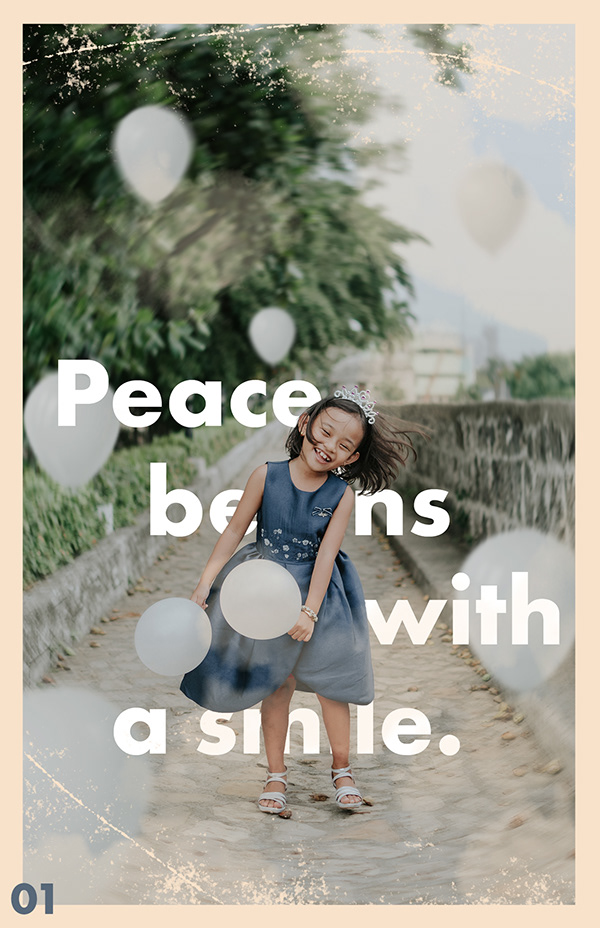 magic lark
I'm so so late to starting this but I tried the first challenge yesterday and I like how it turned out 😃
 plain sable
Finished challenge #2
magic lark
@plain sable I really like the warm tones! Very minimal and clean. Nice!
magic lark
@storm horizon Wow! I love the 4th challenge! Your use of color is awesome. Day 3 kind of reminds me of melting ice cream. Haha
Just finished challenge 2!
 thorn geyser
Day 4
magic lark
@thorn geyser I am a sucker for photomanipulations! I feel like the foreground sticks out a little compared to the background but I love the concept! Nice work!
😃
queen flower
day-4 Customize an image by replacing the background and editing the subject.
 valid crow
Day 3 Welcome to Kyushu Island in Japan
harsh charm
Soon i will be ready for next weeks task, just two more to go.
Just finished #01 and would be happy for feedback! Thanks in advanced.
The original photo
magic lark
@harsh charm You did a great job blurring the background and adding in some bokeh. Personally I liked the colors from the original photo but you did a great job adding the effects!
harsh charm
@magic lark Thanks, loved the color too, but the bokeh didnt feel so smooth, so i tried to ad more light from above and with a nice duotone.
nimble shardBOT
Gave +1 Creative Carma to elishagraceh
queen flower
original photo @queen flower
tribal oak
@queen flower i love it... my only thoughts would be should the shadow be infront of her vs behind her since it looks like the sun is setting behind her?
trail rose
@queen flower I like it ! How did you do the woman’s shadow?
@river harbor beautiful!!!
 deep jay
I'm a little late to the party. Here is my day 1. what do you guys think?
void ermine
@harsh charm really cool treatment of the image. I like the tight crop! I think you could go even tighter though. There’s a line that divides the image diagonally top left to bottom right. And there’s not much in the top right . Which really is half the image. I would go tighter and keep the camera cut off roughly where it is still. Nice job with the b and w conversion!
zinc lava
@queen flower hey there really love the image. Am not yet very good at compositing but I think the model is too bright compared to her soroundings. You can try a little colour correction to make it more realistic
valid crow
Day 4 Stripe Girl
 iron needle
Day 1 - blurred background
sick flame
Day 2
void ermine
@sick flame love the day 2 poster! Really like thr simplicity of the whole thing and how@the landscape becomes part of@the border ! Cool
sand current
Finally getting day 4 poster up.
fringe thicket
Here's my poster for day 4. Been struggling with the dark lines/shadows of the paper 😅
fiery trail
I'm finally finished the 4th photoshop challenge can anyone give me feedback? any thoughts are appreciated😀
fallow bough
Day 4. Was busy all day Friday and Saturday so am a bit behind.
Has a bit of blue fringe from the shirt that I have to leave until tomorrow.
spark wharf
@fiery trail I love your background! Very creative. How about adding something to the lower part of the background that makes it appear the model is standing on something? I feel like he's floating and not anchored.
urban berry
Hello everyone, here is my Day 4 challenge, any feedback is appreciated.
mint kayak
Day 4 Challenge
nimble shardBOT
Gave +1 Creative Carma to Jon Leo
sick flame
@void ermine Thank you! I like that effect too haha
loud zephyr
@iron needle Nice Day one entry! I love the purple colors of the piece and the geometric shapes in the background really make the picture pop! Great job!
@fringe thicket The hard work you did paid off. This could pass for a movie poster given the right titles. It looks mysterious like the picture has a story. I love the colors and the texture you chose. Fantastic work!
@sand current I'm not really big on skulls, but with all the pastels you added it doesn't look creepy, it looks intentionally cool. The textures and shapes of the poster look really good. Nice job!
@sick flame @ that looks fantastic! I love the silhouette of the person it really makes the piece come together. Awesometastic!
@magic lark I love this. I can see you really put a lot of effort and craft into this poster. It looks like something a client would pay hundreds of dollars for. Totally impressed!
scenic anchor
My Day 3
thorn geyser
@magic lark Thanks! I agree about the foreground, tricky to blend it with the photo, especially with it being a night background!
nimble shardBOT
Gave +1 Creative Carma to elishagraceh
exotic raptor
There it go Poster 3!
 green violet
Guys
raven atlas
@scenic anchor
Amazing! I've always loved that kind of visual play on words; you've done it brilliantly! As simple as it looks, it's effective as heck... to the point where the eagle (as symbolic as it may be) could have been anything else! Well done, indeed!
young karma
@raven atlas - thank you so much. I´ll try.
nimble shardBOT
Gave +1 Creative Carma to Ess
young karma
This is day 04.
I´m pretty sure there are better brushes to use for dispersion. If you know where to find them, please let me know.
hearty wharf
@young karma hiya - that looks cool! have you downloaded kyle's brushes?
young karma
@hearty wharf - thank you. I did, yeah. I was acutally looking for something a little more pixel looking.
nimble shardBOT
Gave +1 Creative Carma to Tan_2019
hearty wharf
@young karma have you tried making your own?
young karma
Not yet. I think that might be the best thing to do.
I just need to find the time for it. Maybe i redo the whole thing tonight.
With my own brush 😃
hearty wharf
there is only so much time in the day ... it's worth doing if you use it a lot. i think you get the idea with the one you've used though!
 haughty granite
Hello everyone. I am new here and a newbie wt Photoshop. I have access to Photoshop 2017 and I want to know how I can make effective and easily select a subject. The video I watched, Photoshop 2019 was used and I couldn't find a place for select subject
magic rampart
@young karma that looks awesome. If you search you tube for dispersion effect some of them (like https://www.youtube.com/watch?v=4xgOWWfurpU) give away the brushes they use.

In this Photoshop Tutorial, I will teach you how to create a dispersion effect. This effect has become very popular. It looks fairly complicated, but it's ac...
young karma
@magic rampart - thank you. I found one already. I´d go for this one. http://www.photoshoptutorials.tv/chilling-decay-effect-in-photoshop/

In this Photoshop episode, I will share some great techniques on how to create a cool shatter decay effect. Learn how to create a decay effect with particle Photoshop brushes. Some of the tools we’ll be using are filters, masks, smart objects, the liquify tool, textures and...
nimble shardBOT
Gave +1 Creative Carma to Jmada
magic rampart
@young karma no problem, I've watched that one too, they're really good..
raven atlas
@magic rampart and @young karma
Thank you both for sharing those. tutorials. Very helpful.
nimble shardBOT
Gave +1 Creative Carma to bene_dicht
hearty wharf
@young karma @magic rampart oh yes, brilliant - thanks so much for sharing, those tutorials are super!
nimble shardBOT
Gave +1 Creative Carma to bene_dicht
young karma
the speed skaters are a bit small unfortunately...😞
 manic ocean
heady pebble
manic ocean
heady pebble
@manic ocean That's a very creative approach! Have you tried also adding a pool reflection texture on top? I think it would bring it to the next level 😄
manic ocean
Thanx @heady pebble i'll try that 😃
fallen bluff
plz reviews for day 3 challenge
young karma
Hi guys, this is my day 3 poster. Let me know what you think.
And my day 4 poster. Advice is always welcome.
fallen bluff
day4 challenge
plz reviews 😃
young karma
04.2.
Thank to all of your feedback.
void ermine
@young karma nice job! I’ve always wanted to do one of those images but never tried. They look so cool!
fallen bluff
this is the final image for day 4 challenge
 storm horizon
thanks @magic lark 😃
nimble shardBOT
Gave +1 Creative Carma to elishagraceh
fringe thicket
Thank you @loud zephyr !
nimble shardBOT
Gave +1 Creative Carma to KayJay
formal lava

 fallow bough
Day 4 Fixed fringing. Not sure if I like the brown shirt with subtle colors. .
Or the cyan shirt with single bright color
scenic anchor
I altered it a bit. Which do you think is better? Thank you
I welcome feedback. Altered a bit, Which do you think is better. Thank you.
 fast moth
Day 4 challenge
 limber stag
Day 1 Challenge
quick mesa
Day 3 - Add Paper Effect (better late than never... 🙂 )
loud zephyr
Day 4 Challenge Entry
fallow bough
Changed to portrait orientation.
hearty wharf
hello all, hope you've had a good weekend! here is my day4, please let me know what you think ...
young karma
Day 4 - edit an image
subtle nexus
Hi guys 😃 plz, check my works, comments are very welcomed 😃 have great week everyone;) https://www.behance.net/gallery/82791649/PS-Daily-Creative-Challenge
 wet thistle
Just to make sure you all know what I made, I wrote it down...😂 I am not really good in drawing I guess....
harsh helm
So yesterday did not go as planned, got literally no time to work on any of my projects so I am desperately trying to catch up. This is my Day 2. Day 3 is already on the way.
heady pebble
hearty wharf
@heady pebble wow, cool - that was super quick!
 sacred aspen
Daily Creative Challenge 2
Daily creative challenge 3
daily creative challenge 1
daily creative challenge 4
Daily Creative Challenge-Welcome
sorry my posters are all out of order i was already doing a poster a day for the summer before school started
heady pebble
@sacred aspen very nice work! Your 4th day looks fantastic. I also love the gradients in the 2nd one.
sacred aspen
@heady pebble Thank you very much! this is my first time posting my designs, so I really appreciate your feed back
nimble shardBOT
Gave +1 Creative Carma to tcsanda
sacred aspen
@heady pebble I love how you used coral in your design instead!
silk wind
@sacred aspen day 02 is so Draplin 😃
heady pebble
thanks @sacred aspen
nimble shardBOT
Gave +1 Creative Carma to dee
hearty wharf
hi all - loved today's challenge! can't wait to try it out!
@sterile bane such a cool jacket ...!
fallow bough
Another Day 4
dull tangle
Day 4 Poster...used some brush images I purchased along with using basic artistic brushes to alter those images further
hearty wharf
@dull tangle aahw, cute!
 novel escarp
@dull tangle really nicely done.
wide cradle
Day 5 Goes here...
young karma
Day 5 - Composite plants
hearty wharf
@stark swan love the name!
plain sable
Challenge #3 - Learning so much!
stark swan
Thank you @hearty wharf 😊
nimble shardBOT
Gave +1 Creative Carma to Tan_2019
kindred kernel
😃
fast moth
Day 5 Ostrya hippcastamon
 valid ocean
Day 5 with a twist.
blazing quail
Day 5 Botanical composition
 dreamy hatch
Here's my day five challenge
young karma
This is my entry for Day 5
noble glen
Here is my entry for 5th day. Feedback please
@young karma nice pink theme
@blazing quail I like this. It's different.
silk wind
DAY 05
noble glen
@valid ocean Love this
severe flame
Hello !! here is my post as a DAY3.
noble glen
@silk wind Cool work
silk wind
DAY 05 full framed - a bit minimal effort
severe flame
Hello!! I tried DAY5!! I'm waiting for some advices.
young karma
@plain sable Wow, love the paper city 👌
 fringe sable
spark wharf
fringe sable
spark wharf
My Day 5 so far.
hearty wharf
@spark wharf aaahw - that's beautiful!
young karma
@noble glen Thanks
nimble shardBOT
Gave +1 Creative Carma to ram
young karma
been playing catch-up! Decided to make them into movie posters
@sterile bane I am not able to isolate my plants 😢
after i removed all other plants from the image to just work with one, the magic wand tool doesn't select just the plant but the entire page. What am I doing wrong?
sterile bane
Are you using a layer mask? That could be it.. if you could send a screenshot of your entire workspace that might help diagnose the issue!
@young karma
fringe sable
you might have the tolerance set too high, or you might not be on the right layer
young karma
a stupid qiestion maybe, but once i have lassooed around my plant , am I correct in thinking that by inversing the selection and hitting delete I get rid of the stuff i dont want?
sterile bane
@violet mist should work! If your layer is a Smart Object, you'll need to Rasterize it first
fringe sable
that should work, but it will only delete what is visible, if anything else in the layer is off the workspace, it will remain
young karma
this is the workspace. with layer rasterised
sterile bane
Thanks! If you're using the Stock previews provided in today's starter file, then that tolerance might be too high. You could also try using the Select and Mask workspace and selecting by hand 😃 LMK if that helps!
lime anvil
Day 5 - feedback welcome!
Forgot to change the number. Eh. Never mind.
Also, can I just say how much I love the refine edge tool? It's definitely part magic. 😄
sterile bane
@lime anvil very nice! i love how saturated the flowers are while keeping an aged/textured look. feels fresh
@young karma cool idea about the movie posters!
lime anvil
@sterile bane thanks!
nimble shardBOT
Gave +1 Creative Carma to Kathleen
young karma
@sterile bane Thanks! Haven't used photoshop for a long time 😅
nimble shardBOT
Gave +1 Creative Carma to Kathleen
young karma
challenge 5
dull tangle
Day 5 - Actually found a fake name that kind of matches my own...haha. Tried to use every technique @sterile bane showed us today. 😃
sterile bane
@dull tangle haha! what are the chances? nicely done 😃
@fringe sable that is TRULY a hybrid creation!
@severe flame hi! is there anything specific you'd like advice on? I'd love to see a flower name 😄
@noble glen really nice composition. anything specific you'd like feedback on?
@valid ocean love to graphic nature of this design and how you played with type! very cool.
blazing quail
Day 5 after the constructive comments in Brooke Shaden’s stream
coral stone
I loved the mood of your poster @outer roost ❤
young karma
Number 3! Let me know what you think!
 outer roost
@coral stone thanks!
nimble shardBOT
Gave +1 Creative Carma to Valdair Leonardo
outer roost
😁
scenic anchor
Day 4 ~ I'm getting caught up. 😃
young karma
i originally wanted to use wildflowers but they turned out too delicate for the magic masking tools. So more of a jungle theme 😁
 fleet pecan
poster Numero 4
fallow bough
bold valley
Day 5 From my wife's garden.
 lucid moss
@fallow bough love it!
thick vale
Day 5 / Flowers and plants
frozen junco
Day 5. I used a stock stem (modified with puppet tool) and two flower photos of my own. Feedback welcome!
young karma
Hi, this is my day 5 challenge. Advice is always welcome.
sterile bane
@young karma nice job using multiple techniques! The looks like a true illuminated letter. I notice that the dark leaves start to blend in with the maroon color at the top of the L since they are similar values. Maybe some lighter highlights on the leaves would help? anyone else have any thoughts?
wet thistle
covert osprey
My attempt at paper cut out effect, feedback appreciated! I'm really new to illustrations especially on photoshop so any advice is welcome 😃
queen onyx
Day 5 Challenge. Fun. I can't wait to use the puppet warp some more. 😃
covert osprey
@queen onyx that is just gorgeous, well done!
@pulsar walrus love the green version, it's slightly ethereal and suits the subject matter 😃
pulsar walrus
@covert osprey Thanks
nimble shardBOT
Gave +1 Creative Carma to Wendy
coral stone
@wet thistle Nice colors! I also like the texture you applied to the background, feels like a painting. 😍
lime anvil
@pulsar walrus I like the blue and gold one best. Lovely saturation and contrast
scenic forge
Simple but I like it 😊