#✂challenges-feedback
1 messages · Page 16 of 1
 grand patio
 tulip fern
Thanks again for the feedback & tips @bleak fossil and @glacial path ! Here is an updated version and an extra. I can't stop creating 😂
 young karma
I used this poster to place my husband's face into.
I couldn't get him to open his eyes while trying to act like the Hulk. It was a fun challenge and took me a couple of goes to get it somewhat right.
young karma
@dark quiver Thank you. 😃
 dark quiver
The original has darker shadows have you tried to darken them? Could make it blend in even better.
young karma
No @dark quiver, I didn't. I will have a go at that later. I need to also try and adjust the colour a little to try and remove the red. Thanks for the suggestion.
dark quiver
Yeah my pleasure. I had to adjust the color in mine. Making an adjustment layer and masking out everything but the specific area you're working on is a great way to adjust a specific part non-destructively.
Apologies if I'm telling you something you already know.
young karma
Tips are always useful and really appreciate them. No apologies necessary
Adjustment to colour and darkening of eyes and shadow on neck. Thanks for the tip @dark quiver
young karma
@unreal hornet very baroque interpretation. I understand you need a rest. So much work! Great!
young karma
Iconic Australian animal. This koala was captured close by to where I live. I thought it made a good subject for this challenge. Not sure how best to do the tree that it was climbing though.
 wind pond
My work now is uploaded on behance have a look !!! https://www.behance.net/gallery/80083311/Face-Swap-Techniques

Behance
Photoshop Daily Creative Challenge !Movie Scene.Place your face into a movie scene or movie poster using face swap techniques in Photoshop.
 stray totem
Give your comment guys!! CR7 the magnificent. #📣creative-challenges #PSdailychallenge #PSdailychallenge09
 thick arrow
Pop out Mountain
 dapper basin
Day 9 - Movie Title (try one) 😫 #📣creative-challenges #✂challenges-feedback @glacial path @bleak fossil
dark quiver
@young karma Def. bumped it up a notch! Good job 😉
It could go even darker if you wanted it to. The original poster seems to go all the way to black in its shadows. That's your choice cause it looks cool both ways.
 glacial path
@wind pond nicely done!
dapper basin
Original photography @glacial path @bleak fossil @lethal mural #📣creative-challenges #✂challenges-feedback
After! = Me and the Shadowhunters (SelfPortrait) 😍 😱 @glacial path @bleak fossil @lethal mural #📣creative-challenges #✂challenges-feedback
 grave hound
Did a second txt pop
 cold cedar
@severe flame Daily Challenge 9 - Nice. Perhaps you could adjust the guy so his legs show a little better. Right now he looks cut-off at the knees. Also, a small typo - chaMpionship.
 bleak sparrow
im playing catch up with al the challanges heres my Daily Challange 1
the comic book challange
 silk wigeon
Whoo! Just updated my latest project named Xtreme Travel on Behance. New pages are added. If you like, check it out! Feedback is always welcome. Please send it in a message on Discord or on Behance!
https://www.behance.net/gallery/77867489/Xtreme-Travel-Agancy

Behance
Xtreme travel is is a travel agency that organizes trips to distant destinations.From U.S.A to Indonesia and from Belgium to the arctic. With Xtreme Travel you can go to all destination around the world.
cold cedar
@young karma Love the type! This is just a thought: Perhaps you could mask the top part of the tree and slide the koala down so his top paw in hanging on to the "a." And maybe adjust the mask around him to reduce the fringe highlight? Can you make the tree look like the text? Don't know if it would look good but Photoshop is all about experimentation, right? Just thinking here. Mind running amok looking at all the fabulous work.
 lethal mural
@grave hound great job! I would consider using a different color for life. It gets lost a bit. Maybe orange? Great job overall!!
@dapper basin great job! I would maybe do some retouching on the face. It looks a bit too saturated and dark. Treat it a a regular photo. Good job overall
grave hound
@lethal mural there was a plan to do a darker back round the life pops like sand... but those palm leaves were killing me
lethal mural
@obtuse haven lol love it!
@dapper basin great job on addition the Soccer balls. I also like your positioning better than. What I did in the demonstration!
 tall spade
Album Cover PS Daily Challenge 02 - I decided to do my album cover a bit more subtle. Thoughts, comments, suggestions are are welcome. https://www.behance.net/gallery/80095277/Sentimental-Album-Cover
 lethal mural
@thick arrow looks great! Fantastic job!
grave hound
@lethal mural this was the first one I did
lethal mural
@stray totem Great job. My only suggestion would be maybe a different background. I don't think it matches the foreground. Maybe something darker? Also, why not a Juve image! 😋
@wind pond Great poster and good job! It looks great. Thanks for sharing it on Behance!!
@thick arrowthe elephants work great! Also, I was thinking, since you have a lot of depth in your image consider making the text in perspective. Just transform the text so that it looks like it's laying on a surface. I think it might make it more dynamic and interesting
@severe flame great job! I like the color palate. My only suggestion would be to get the entire boy in the image. But great job overall
@coral stone Really good work! I love the colors, the depth, and the wording and image choice. I wish I had more to say besides Great work!!!
@unreal hornet Great final result! I can tell you put a lot of work into it!!
@grave houndgreat choice of background! I think it looks good. I would consider darkening the background a bit so that the Vegas part stands out more. But great job overall
@dark quiver excellent game of thrones face swap! The smile is great! Lol
 rancid pivot
Thank you so much for our mentor. I do not know how to tag people :p I have finished my project already https://www.behance.net/gallery/79641247/Photoshop-Daily-Creative-Challenge-April-29-May10

Behance
Photoshop Daily Creative Challenge April 29-May10
young karma
This is my day 9 challenge. Still 1 behind. Pls cc thank you
Composite
Background
Eagle
What do you think ?
I modified the tones, the blur and I created a shadow for the eagle (3D + displacement)
young karma
@cold cedar, thank you for the suggestions. I will have a try later today and see what I can come up with
dapper basin
thanks for the feedback Jesús @lethal mural 😊
 severe flame
@lethal mural sure. Thanks for your advice!!
 vagrant sorrel
Another work with the technique of the dailychallenge.
cold cedar
@Ghostly Love the red wine!
dark quiver
Last daily challenge! I took some techniques I learned here plus my challenge from Day 5 and upped my movie title game.
Overlayed the text on top of an embossed layer and a concrete texture layer.
Using non-destructive stuff I learned here - creating a clipping mask etc.
Here's the day-4 version
 remote nebula
just experimenting
young karma
Day 9 - Movie Title
 rain monolith
last challenge, hehe yaa i know this different
 vale merlin
Just dance - had fun with this one
cold cedar
@vale merlin Fabulous dance image.
 prisma gazelle
how come i cant upload all my work from jesus ramires
i thought we had till the thirteenth
this is really sucks now that ive finished and wanted to upload all my works
young karma
So I took some feedback on board and I am pretty happy with the way my koala looks now.
young karma
PSdailychallenge #09 - JUMP
 urban cypress
Color correction challenge. That's my 4 year-old chasing me...is that action packed enough? haha
original
Did I make myself too orange?
My first gif..hopefully it works lol
 blazing quail
Daily Challenge day 9
 loud zephyr
Last one! I'm finally done. What do you guys think?
tall spade
I am a bit late on working through the challenges. Below is Day 3 and my take on the double exposure project. Any suggestions or feedback is welcome! https://www.behance.net/gallery/80120451/Double-Exposure
 tall spade
Building upon Day 3, I have added the text to the double exposure image, but I can't seem to find a color overlay that I like. Any suggestions? https://www.behance.net/gallery/80123937/Movie-Poster
 urban cypress
How do I make the eyes not so dark? Can I adjust the auto-blend? Or did I mess something up?
stray totem
This is what I have come with after Jesús Ramirez suggestion.Please tell me how is it now. Everyone's feedback is welcome. @lethal mural #📣creative-challenges #PSdailychallange09 Note: I used the Real Madrid background because his jersey here is of Real Madrid's.
 obtuse haven
Got a lot done today! 3 Days work of challenges!

Behance
Adobe Photoshop Daily Challenge May 2019 - Day 7

Behance
Adobe Photoshop Daily Challenge May 2019 - Day 9
Already shared Day 8 wit hteh pikachu
stray totem
@young karma I think both the photos are too bright and the colors are too much saturated. Otherwise I like the first one as the text effect is awesome and just like a movie poster text!
young karma
@stray totem thx! I try to make the colors softer and maybe a little darker.
@stray totem I lowered the brightness and the saturation and i added a subtle gradient. It is true that i have more depth in the image and the cloud looks more real. Thanks for the advice
stray totem
@young karma I like the last one more. Let's see what other thinks. But I think this deep colour suits most. And you are welcome.
young karma
@stray totem thx. An external eye always helps
stray totem
@young karma Yes truly helps. You are welcome 😃
 late sparrow
Day 9 - Movie Title
vagrant sorrel
Photoshop Daily Creative Challenge #09
loud zephyr
@young karma Thanks!
@grand patio Oh MJ! That is by far my favorite movie in the whole wide world.
grand patio
@loud zephyr same
thick arrow
Elephants pop out. Thanks for the feedback Jesús, I made changes to text and would like to hear your thoughts. @lethal mural
thick arrow
Updated
 hallow terrace
 velvet axle
Instagram @_twc_daily My first double exposure in photoshop. What you think about it?
Instagram @_twc_daily My second double exposure in photoshop. What you think about it?
glacial path
@velvet axle there are a lot of things going on in your second image. I think you should concentrate more on one object/person/animal because having a dog, a woman with long hair, a guy jumping around, a cabin in the woods and people in a boat on the lake all in one image can be a bit overwhelming 😃
velvet axle
I know what you mean @glacial path the problem is not the amount of detail (having a lot of people etc) its the composition/visual hierarchy (story). I will keep your feedback in mind for the next one 👍 — Its not that easy to find a story and the right images 😅 #lessismore
 sour ingot
Hi Guys! Need your feedback!, i still think there's 50% of work that needs to be completed. Thanks in advance.
glacial path
@hallow terrace nicely done! I like both versions 😃 The flag could be a bit brighter in the first one 👍
urban cypress
Movie Title Day 9 Thoughts? I tried to pick a 40's style font that I had (Gill Sans) but it may look a little "star wars" if that makes sense with the glow. Any way to make the dances pop out of the words a little more?
 brave pewter
one of my first mockups, any feedback??
 agile ruin
You guys did such an awesome job with this PS challenge!!! 💖💖💖 Looking forward to the next one
@brave pewter looking nice and slick. If your direction allows it, I would stretch the brand a bit further. for items like the note pad or the complimentary slip, I would make the logo larger and show only a side of it making sure both colours and key elements of the shapes are there. It will still recall the brand consistently and look part of the series. it will also add a modern feel to it! Hope this helps. If you try any variation feel free to give me a shout 😎👍
brave pewter
that is honestly the best feedback i ever gotten thank you so much!! will definitley keep that in mind! @agile ruin
glacial path
@sour ingot yeah! you're almost there 😄 I would darken the red stain on the ground a bit. Go for a more brown-ish dark-red tone 😃
 uncut ginkgo
We're going to review your designs shared in #✂challenges-feedback during Adobe Live this week! Tune in tomorrow and Wednesday at 12:30pm PT!
 main talon
Day 9 - Pop out text
 light nebula
@main talon Maybe a stroke on the word PACE
main talon
Thanks! I was trying to play with saturation also to try to make it less busy.
light nebula
@main talon Maybe stay with the theme of the team colors. Also consider making the stroke a bit thicker?
uncut ginkgo
Nicely done Shanny! Did you adjust the spacing between letters? It seems like there is more space between the P and A than the ACE.
 blissful wolf
PSdailychallenge Day 9
 urban berry
Hello, here is my Day 6 Brush challenge. https://www.behance.net/gallery/79794157/Photoshop-Daily-Creative-Challenge-April-30-May-10

 cyan socket
Experimentations, can I please have some feedback? 😃
https://www.behance.net/gallery/79947929/Typography-Poster-Collection

Behance
Typography Poster Collection that is done out of boredom, practice, and experimentation. Trying out different styles of typographic treatment, layout, and colours.
 mint mortar
#📣creative-challenges PS daily challenge
 calm lance
Hello everyone! New to Behance and these Daily Challenges. Before getting the live video training, here's my first attempt at Daily Challenge #1. Did I share this correctly? https://www.behance.net/gallery/80212907/Daily-Creative-Challenges-Photography
 velvet axle
@glacial path What you think? — Better? 😎
uncut ginkgo
@calm lance awesome job! I really love the moody vibe. After you watch Terry's stream today, you might want to go back in and revisit with any new skills you learn - but I like it!
young karma
My first day with the Photoshop challenge! I've been using photoshop/lightroom to augment my photography hobby for years, but it's great to be apart of this community and get some feedback. 😃
uncut ginkgo
Very nicely done @young karma !
 zealous bloom
My first attempt 😃
 sick dew
@zealous bloom Nice. It is softer than the original.
I went in the other direction for something darker.
zealous bloom
@sick dew Nice!
light nebula
Trying to get a defined look. Will post an artistic one later
 glacial solstice
I am new to Behance, Discord, and the Daily Photoshop challenges. Feedback is appreciated. Thanks.
 wet kettle
Went for a moody tone and made the icebergs pop with color
 peak warren
@light nebula The red and blue images above look like they are single channels of an RGB image. Maybe because they are one on top of the other.
light nebula
I did gradient maps on each with custom gradients @peak warren Let me check the channel resutls
peak warren
@light nebula I did not think they were actually channels. They made me think of channels. Sorry to be unclear.
light nebula
@peak warren Got it... that is the vision. Monochrome 🙃
 tawdry fossil
day 09 , pulling image through text
 summer mica
i do no know how my water got dirty. like i said...just learning
and I can't type...
or upload properly
cold cedar
@velvet axle I think it reads a little better.
 viscid aurora
 golden parcel
@tawdry fossil I like it. You might consider adjusting your kerning a little so the space between each letter is more uniform.
young karma
D1-Adjust Lighting
light nebula
@summer mica Apply a clipping mask on that to adjust the water
 fast belfry
lol... I've been there too
late sparrow
Day 1 - Adjust Lighting
uncut ginkgo
@sick dew I like the dark moody vibe! Nice job playing with the shadows and contrast. @light nebula looking good! I like the defined look a lot, it could totally be an epic instagram shot.
@glacial solstice nice job keeping it subtle, super cool car by the way!
@wet kettle awesome! Did you add some blue hues to the icebergs? looks nice!
@tawdry fossil nice job with that image/text - great movement! It would be awesome to play with the bird so some of the A overlaps it.
@summer mica good job! I actually like the warm 'dirty' water - keep going!
@viscid aurora good job lightening it up, I'd like to see a little bit more contrast or shadows!
@stone willow nice 'cool' tones - same as Breezy, it feels a little flat so I'd love to see a little more contrast.
@late sparrow very artsy! I like it 😃
light nebula
Thank you @uncut ginkgo Too bad it isn't my picture. 😃
uncut ginkgo
We can thank @gloomy flare for the epic shots 😄
tulip fern
Day 1 Challenge - Adjust Lighting
young karma
I take a photo from mine....
light nebula
Own Pic
 kindred kernel
cold cedar
kindred kernel
cold cedar
The before is what my camera saw. The after is what I saw.
 coral stone
Hi guys :D. I took this photo with the Lightroom CC app last month
After the techniques that @gloomy flare taught us:
 gloomy tapir
Hello, I would love some feedback on these photos! This photo is the original.
wet kettle
Here's one I did right after getting lightroom for the first time. Took the photo in Rocky Mountain National Park 😅
gloomy tapir
Hey I would love some feedback! This second photo is how I usually edit on Photoshop.
This third photo is my first try using the Camera Raw Filter after the daily challenge video today. What do you guys think?
tulip fern
@gloomy tapir I like the sky in the second one better (your usual edit on Photoshop) and maybe the bottom part of the CRF because of the lighter reflection of the ice and details of the rocky beach. Maybe you can combine them?
 wispy sand
I design beadwoven jewelry that I teach others how to make. It's important the finished product is eye-chatching. It's so difficult to capture well. Thanks for this class. Heres my post from today's lighting class challenge
this is the pre
light nebula
@fast moth Tough working with fog. Great job on the color correction
cold cedar
@wet kettle Reminds me of the days of Fuji film. Very nice.
wet kettle
@fast moth Looks cool! I'd loved to see it a different sky
 candid sage
Heres my go at todays challenge
 oak finch
cold cedar
oak finch
cold cedar
@candid sage Looks like a page from a magazine! Nice.
candid sage
@cold cedar Thanks 😃
 tropic cove
Mt Baker, Deming, WA
tulip fern
Again more cats ;).
 raven meadow

Behance
Color Correction and Photo EditingLocation: Superstition Mountains, Superstition Arizona
cold cedar
@timid pasture just caught your messages. Thanks.
 jovial jolt
Tried it!
candid sage
@raven meadow that looks awesome! love the clouds!
 upbeat cosmos
day one
gloomy tapir
@tulip fern Thanks! That would be great, I will try to mess around with it a little bit.
 gusty vessel
First try, i was testing 2 kinds of feelings and environnement
glacial path
@upbeat cosmos I like how you went for a darker look! You could absolutely enhance the saturation in the sky 😃
glacial path
@gusty vessel that's a pretty noisy picture! But you somehow removed the noise 😮 I like the subtle edit with the hints of purple. you could easily go for a more extreme look like in the 3rd picture. That one reminds me of the exact moment, when a lightning bolt strikes the earth.
 unreal hornet
Before and After. I took this photo on my old iPhone 5s and it's just been sitting in my photos for 4 years
peak warren
@fast moth Nice work. That is more moody with the blue.
glacial path
@unreal hornet great job! The colors really pop now 😃 You should absolutely try even more looks - how about a nice shade of red 😮 ?
light nebula
@dark lotus great work
peak warren
Original. Shot by my wife on her iPhone 5
gusty vessel
@glacial path Thank you for your feedback :p I will do my best for better pictures ^^
glacial path
@dark lotus wow! That's an awesome shot ^^ I wonder if you somehow could enhance the sun ray in the background? It absolutely is a cool feature 😃
peak warren
color corrected & exposure corrected with Adobe Camera Raw filter
 dark lotus
thanks. I was thinking of working on the "god rays" as we all them. I might give it a try. Thanks
 lofty saddle
peak warren
lofty saddle
peak warren
With perspective corrected, by hand. Not the best correction, but better than original.
unreal hornet
@dark lotus That is a gorgeous photo. The edits really make everything stand out especially the sky
 young drift
daily challenge
cold cedar
@tropic cove I like the original, too. It has a holiday card feel. Perhaps you want to challenge yourself to remove the road sign using content-aware replacement.. Just for fun and practice.
glacial path
@peak warren obviously you would crop the corrected image, right?
peak warren
@glacial path Yes, I would. It displays differently in export and in PS, for some reason. Actually, I am redoing perspective in Lightroom. I am more familiar with those tools.
glacial path
@peak warren Right! I think the perspective is still a bit off
peak warren
@glacial path 100% agree
glacial path
@young drift I see you're going for a high-contrast version 😃 But be careful with the highlights. right now they're a bit blown out (you can't see a lot of detail in the sky)
cold cedar
@dark lotus This is such a lovely image! Was it shot in Arizona?
unreal hornet
pushed the colors more red like @glacial path suggested, very interesting effect
dark lotus
@unreal hornet thanks . Deep in the Grand Canyon after a storm
glacial path
@unreal hornet wooooah! That looks like the sky is on fire 😄 I love it
summer mica
one more time.
coral stone
Before/after
light nebula
Did some RAW manipulation along with some other flows 😃
 proper egret
Is it too green?
glacial path
@summer mica That would look fantastic on a big poster - just reduce the saturation of the blue a bit. it is rather oversaturated right now 😃
@coral stone so... which one is the original 😛 ?
coral stone
@glacial path the first one is the original 😂
glacial path
@light nebula waaaait a second
 calm crane
How do you get your photo on here?
glacial path
@coral stone you never know 😄 The first one has a pretty cool look to it. But I like the clearer version where you can really see the blue of the ocean 😃 Good job
 woven brook
Hello. Am I still on time to show my photo edditing?
viscid aurora
coral stone
Thanks @glacial path 😃
glacial path
@proper egret good eye! a bit too green, yes. But you nailed the exposure! Much better now
woven brook
@calm crane, guess you just drag it onto here
calm crane
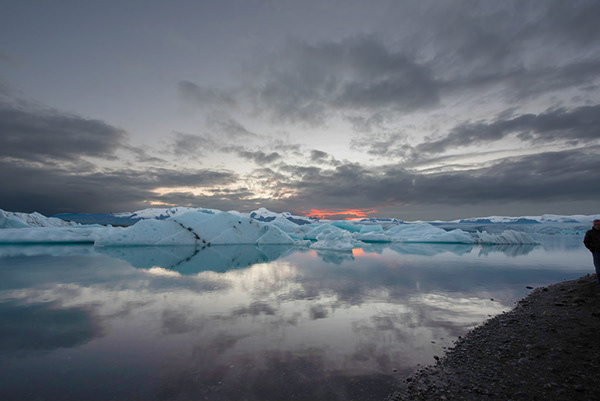
 high mesa
Day 1 - you only know what you know....until PSdailychallenge give you something xtra
https://www.behance.net/gallery/80226527/PS-Daily-Challenge-01?
 glacial path
@woven brook yes, you're still one time 😄
calm crane
Thanks @woven brook
dark lotus
@jovial jolt looks like you did it!
glacial path
@light nebula I think you're the first one who gave this image a warm look. It totally works! But the colors are getting a bit muddy at the horizon
 timid pasture
Before... This is definitely NOT what I saw... I saw the moon partially obscured by some spooky looking clouds..
woven brook
@glacial path so do I have to do anything else today? Do I need to put this image somewhere? This is my first time trying to participate in the daily creative challenge
stray totem
Here is my piece. Feedback appreciated. #✂challenges-feedback #PSdailychallenge
glacial path
@woven brook if you're looking for feedback, you have already shared it at the right place! You can also upload it as a Behance project. Details on how to do that are here: https://www.behance.net/dailycreativechallenge/photo

Daily Creative Challenge
timid pasture
After. This is more like what I saw - after some fiddling in Camera Raw and a few other tweaks..
woven brook
Thx a lot @glacial path
 stark kayak
Original Photo - Shade Sails Over a Pool
glacial path
@woven brook I like the green-ish bleak look of the picture and how you got rid of the red sunset. It almost looks like a scene from a movie 😃 Nicely done
stark kayak
PS Daily Challenge, lighting photo
woven brook
Thanks a lot @glacial path , that was exactly what I was aimming for. 😄
glacial path
@light nebula and I think the guy on the right is a bit too bright. (nothing the spot healing brush couldn't fix in two clicks 😉 )
 clear rain
glacial path
clear rain
glacial path
@viscid aurora going for a subtle hint of purple, nice! You should totally try out more experimental looks 😃
@calm crane you should totally show the before and after in your Behance project 😉
@high mesa wow! I'm really impressed with the level of detail you've revealed! Super cool 😃
high mesa
@proper egret I see what u mean, but there is alot of green in the image
woven brook
@clear rain I find it a little bit too contrasty. But yet I've been much more into low contrast sharp images. I like the sky and how you handled the water. But find the shadows in the foreground land a little bit too dark. Same applies for the ice. I think the ice could be lighter
glacial path
@high mesa but I wouldn't make the sun darker. right now it just looks gray :/
@high mesa unfortunately the original image is blown out at that spot and you can't easily fix that 🤔
proper egret
@high mesa yes, I have been playing with the colors and the green background is overpowering
glacial path
@stray totem lovely red tones! But the sky is pretty white, do you think you could bring back some detail?
cold cedar
@young karma nice job on the exposure. I think it may be a little flat. I played with your image (so I could play with Camera Raw) and bumped the shadows and whites fairly high.
glacial path
@timid pasture No way! That looks like a completely different image! Mad props to you!
 upbeat owl
Not sure how to show the photo--no drastic light changes
 storm rock
high mesa
storm rock
high mesa
@glacial path Hey Tim, cool feedback thanks for that appreciate it
glacial path
@stark kayak I like the brighter shadows and more saturated colors! The blues are very saturated, I would tone them down so they're not too overwhelming 😃
stray totem
@glacial path Thanks for the feedback. Yes ,I wanted to I mean if I had the flexibility I would have but it's a jpeg image my camera can't shoot raw so, the informations were not there. That's why could not bring it out. Thanks again for te feedback .
glacial path
@blazing quail the first one is the original?
glacial path
@upbeat owl please post a jpg image, unfortunately discord can't display tif 😃
@storm rock so the second one is the original?
@storm rock (also make sure to publish your behance project before sharing the link 😉 )
@stray totem ah I see. If it was a real client project, you would probably have to reshoot it or replace the entire sky. (just FYI)
young karma
@cold cedar thank you. I feared so much, you are absolutely right! I didn’t wnt to overdo it so i underdid it 😊
 hybrid bronze
I went for a darker mood
stark kayak
@glacial path Thanks Tim! I bumped the saturation down a bit, are the blues a bit better now? Is there a better way to adjust the blue besides the saturation slider? Thanks!
stray totem
@glacial path yep you are totally right but even then I belive skyreplacement would have been the choice cause the day was already dull so was the weather haha. But thanks for notifying me! Appreciate it!
peak warren
Perspective tweaked in Lightroom instead of PS.
glacial path
using the hue/saturation adjustment layer
@stark kayak yes indeed! this is one way to do it
peak warren
@glacial path Thank you for the help
 fierce zinc
I am now going back and retouching tons of photos from old vacations...
This is the Castillo De San Marcos in St. Augustine (1st Original, 2nd My Edit).
glacial path
another option is the camera Raw filter @stark kayak
fierce zinc
 fringe mauve
Hope you like it. Waiting for your feedback.
upbeat owl
Nothing drastic--added light to rocky shore other minor light adjustments
viscid aurora
@glacial path Thank you!
glacial path
@blazing quail I like the idea! The image feels much more balanced. But you also lose the focus because of the lacking contrast. It's just something to keep in mind - maybe you can go 50% between the original and your version. that way you can still see some detail in the background but you don't lose the brightness contrast 😃
glacial path
@dusty eagle is that Comic Sans 😱
stark kayak
Went a little extreme with this one...
 dusty eagle
@glacial path But of course!
glacial path
@fierce zinc lovely contrast 😄 You could reduce the saturation of the second cannon slightly. It is almost popping out of the image right now ^^
cold cedar
@young karma I understand. I played with quite a few sliders and adjustments before I decided.
glacial path
@dusty eagle oof...
young karma
Before & After - PS Daily Creative Challenge Day 01
light nebula
@glacial path Thank you sir. I need to work on the FINER details on masking
 halcyon zinc
lighting edit, focused on bringing in more pinks into the clouds
dusty eagle
@glacial path Hmm perhaps I'll dilute it with papyrus tomorrow....
 orchid void
Just a quick edit
 loud bridge
glacial path
loud bridge
glacial path
@dusty eagle why... Howard Pinsky, is that you?
brave pewter
decided to smoothen photo and give it a tad bit more light
bottom-before
top-after
glacial path
@stark kayak I like the extreme one 😃 maybe a bit too black on the left, but I like the direction you're going!
fierce zinc
@glacial path Something more like this? I am still getting used to how all of this works. I just used the selection tool and did a rough pull down on the contrast of that back cannon.
glacial path
@young karma yup! it works, it looks good but you went the safe route 😉 Try something experimental, go for a completely new look ^^
blazing quail
Thanks for the feedback @glacial path , here is a adjusted version and I see what you mean
fierce zinc
Oddly enough...the cannon was really bright in person compared to the other one. LOL
glacial path
@halcyon zinc that shade of pink is lovely and works really well with the darker cyan shadows. nice 😃
young karma
@cold cedar thx i’ll give it a try
halcyon zinc
thanks @glacial path
 bold valley
Your template Day 1
young karma
@glacial path thanks, i'll try something new 😀
glacial path
@blazing quail nice 😄
bold valley
glacial path
@fierce zinc yup! that works 😄
uncut ginkgo
@fringe mauve nice job! I like the deep contrast and dark foreground.
fierce zinc
@glacial path Right on man! Thanks for the advice. 😁
fringe mauve
@uncut ginkgo Thank you so much for the feedback 😄
high mesa
@storm rock wow, what a great image
brave pewter
sorry wrong photo lol, but like i said i smoothen the statue but a bit too much, advice to find that middle ground?
 bold owl
I’m trying to learn PS for an internship this summer 😬
bold valley
My photo for Day Before and After
brave pewter
FINAL UPDATE, decided to sharpen the statue a tad bit more but some of the edges give too much white
 mighty crag
My Day 1 edit, let me know what y'all think..
 gritty mortar

 amber idol
Adjusted like the live challenge:👌
dark lotus
@dusty eagle nice. I would keep the darker versions on the pebbles and bring up the highlighted light s on the buildings. Awesome capture
dusty eagle
@dark lotus Thanks! That would definitely help the contrast. I sourced that picture from
Vitor Gusmão Shimabukuro on Pexels!
 fallow bough
Original Lodi Field
young karma
Hello! That's my attempt in the challenge...
fallow bough
After Camera Raw filer auto plus tweaks.
 mellow ether
From last week's trip. The clouds were a challenge 🌥
timid pasture
@glacial path Yep - It's amazing how much you can pull out of a RAW image! It blew me away when I was able to get that much out of what I thought was an un-salvageable shot.
dusty eagle
@dark lotus I think it definitely helps! Though I'm hesitant to replace 100% of the darkness. Thanks again!
fallow bough
Cameea Raw filter Auto plus slight Blacks and Yellow adjust
dark lotus
@dusty eagle nice. Now just PS in a moon 😁
fallow bough
 still harness
 unkempt field
Today's Challenge - Before and after adjusting lighting using Adobe Camera Raw Filter
 thorny jewel
I'm not sure I was supposed to edit it at all, but wanted an otherworldly feel so played around until I liked it.
cold cedar
@eternal cypress That giraffe gives me hope for some of my too-dark images. Perhaps a little bit of shadow and whites in Camera Raw will bring out the giraffe more, give him a bit more definition?
 indigo panther
Went for a more whimsical feeling to it.
cold cedar
@vagrant sorrel Lovely!
 valid raft
blissful wolf
valid raft
blissful wolf
👌
 dusk crown
Here's mine on Behance: 😃 https://www.behance.net/gallery/80234065/PS-Daily-Creative-Challenge-Day-1-Lighting

Behance
Day 1 of the May 2019 Adobe Photography Daily Creative Challenge
Original
 uneven shoal
My take.
 heady dawn
PSdailychallenge Adjust Lighting
 rustic tree
https://www.behance.net/gallery/80226021/PS-Daily-Challenge-1 Hello, here is my project for the frist daily challenge. 😀 Follow the link above to see the finished work.
 gloomy tapir
Here is the final product for my Photoshop Daily Challenge for Day 1! #PSdailychallenge
young karma
 past canopy
young karma
past canopy
young karma
oohhohho
 torn rock
 gentle elk
day one challenge https://www.behance.net/gallery/80237321/PSdailychallenge

 fickle cargo

 thorn narwhal
Hey y'all! Excited to dive into these first challenge images. Apologies for my slight delay in chiming in--busy day! Ok, here goes:
@gentle elk I love the “warmth” you’ve added to the water in contrast to the glaciers! It adds a nice balance with the spot of sunset as well.
@torn rock Wow, really nice adjustments in exposure without losing any detail! I love the natural effect in the new edit. Could be in a catalog!
@past canopy I actually really like both the before and after here! Two totally different vibes with the same base photo, but either are just as successful in their own right. Kudos!
@young karma Loving these purple tones! I think people shy away from using purple too much in photo and design so I love this unique tonal take especially as it applies to photography 😃 The yellow in the sun adds a perfect complimentary contrast in color as well.
@oblique bramble Funny how adjusting tones can make an image appear like it was taken in a totally different time of the year. One thing I’d consider is watching blowing out your highlights/whites too much in the sky. It loses some detail, which could be the desired effect, but could also be cool to bring the overall brightest value down a tad to see what the impact would be if a little muted.
@rustic tree Good job bringing some of the detail back with the sky in this pic! I’d consider playing around with the tones in the shadows from cooler to warmer to see if the landscape could be rendered a bit more naturally to balance out with the rest of the image.
@solar zinc Fun edit! Love the surreal colors without losing any of the details in the imagery. There’s a really great contrast between those oranges and cyans. Only thing I’d consider is playing around to prevent the spotting you’re getting vignetting in the sky around the edges of the frame a bit.
rustic tree
Thanks for the feed back hungryboy.😀
thorn narwhal
@glass bridge Nice subtle edits in the lighting here to really bring out all the textures going on in the boardwalk photo (especially in the sand and grass!). Great realistic control in midtones as well!
@half estuary Nice to see you bringing back some of the details in the image but keeping its overall bright feel! Love the slight warmth added back in as well.
@amber idol I want to dive into that newly blue-green water! Really pops nicely with the rest of the image in contrast. Good save in the highlights in the wood beams as well.
 eternal cypress
@ValentinePierce#6533 You may be right. I was struggling with getting more definition on the giraffe but I am super happy you can at least see that it is a giraffe.lol
gentle elk
thanks for the great feedback @thorn narwhal, any tips to make it better? Thank you
thorn narwhal
@gentle elk I wonder what it would look like if you added a touch more contrast in the midtones? The range you have around the edges with a slight vignette is really strong, so I would consider playing around with pushing that effect more in the glaciers. You could also play around with darkening the sunset a bit to make that warm bit even more of a focal point by having it pop more. But overall the edit is a really nice display of great control!
gentle elk
thank you for the tips, I appreciate it, I'll be sure to see how it looks with those changes and practice that. Thanks!
thorn narwhal
@eternal cypress I can't believe how much detail you were able to pull out of that giraffe image! In photography, it is helpful to remember that darker images are safer as they still hold detail (whereas overexposed, brighter images lose detail) that can be recovered in post, as you showed us here. I wonder if there's anything you could do now to preserve the nice tones in the sky from the original without losing the new details of the giraffe?
 analog drift

 solar canopy
Before and After: https://www.behance.net/gallery/80238057/Ps-Daily-Challenge-1

Before
 gloomy arch
After and before
eternal cypress
@hungryboy#2944 I am sure there must be a way. I would suspect it would involved a more targeted approach when making adjustments in raw camera mode. I confess I played it fast and loose with my corrections and that my obvious focus was recovering that beautiful giraffe.
gentle elk
that looks great @gloomy arch I really like both but I think you pulled it off well
 jolly epoch
gentle elk
jolly epoch
gentle elk
nice man
cold cedar
@past canopy Postcard pretty.
gentle elk
@thorn narwhal, I tried out those suggestions, thanks for making them, I think it looks a lot better in my opinion. Once again, can't thank you guys enough, this is a super cool challenge!
 signal peak
the little guy on right was little distracting.
signal peak
thanks i can't wait for next project 😄
 covert mason
I didnt crop the guy out or try to remove him, I think were doing that class next!
I also decided to use warmer tones, and make the icebergs more cyan. Overall soft image
signal peak
oh sweet love to learn more about cleaning that up better don't like doing it blind and hoping for best 😄
grave hound
Wasn't happy with my first double exposure so decided to do a new one
 solar zinc
Thanks for the feedback @thorn narwhal!!! and yes, I tend to overuse the vignette tool, Would you mind giving me some tips on how to improve?
 dusky raven
I did the main practice image. Then I decided to do another one. Here is my version of the daily challenge, day 1, lighting. I am very new to PS, just by the way. This is actually my first photography challenge ever.
young karma
Day 1 - Lighting
 tall sequoia

Behance
Day 1 of a Photoshop Challenge that I am taking to help improve my retouching skills.
 ember aurora
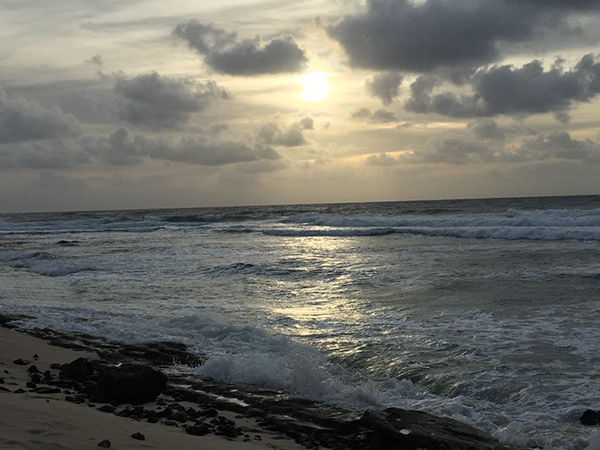
 frank basin
 somber rampart
I follow the intro with provided image, and then play with my own photos (maybe I should spend more time to find a "better" one for this practice). I've uploaded the before & after, thanks in advance for any feedback/suggestions! https://www.behance.net/gallery/80242445/PS-Daily-Creative-Challenge-1-PhotographyMay

Behance
PS Daily Creative Challenge #1 - Photography~May
 analog bobcat
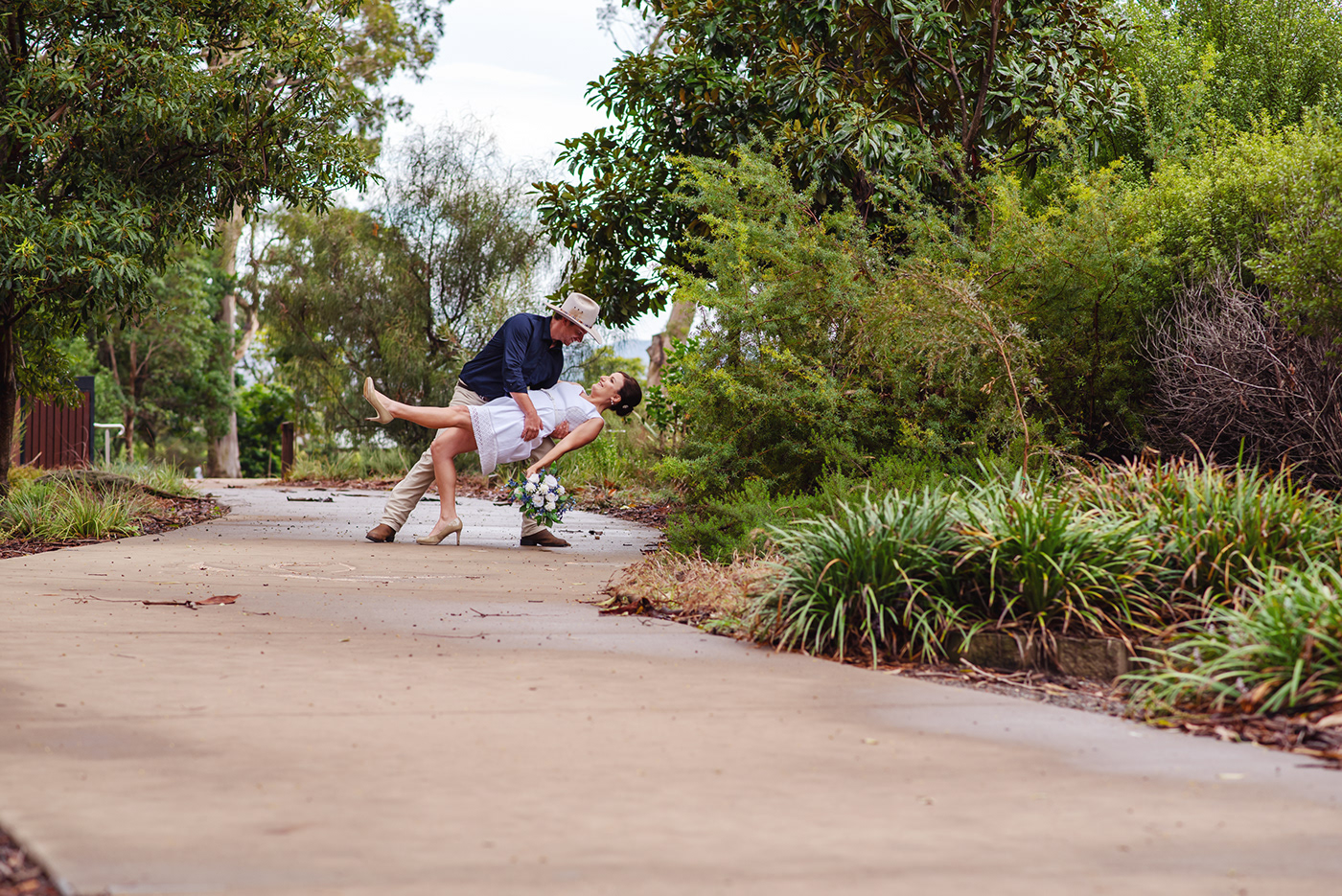
 umbral laurel
gentle elk
umbral laurel
gentle elk
nice
 naive yew
young karma
naive yew
young karma
Here is the sample file and my own image from Komodo Islands in Indonesia.
After
Komodo Before
Komodo After
 rose lagoon
Hello Everyone! Here is my submission for Ps daily challenge. Please share your feedback 😃
After
 wind isle
fast belfry
wind isle
fast belfry
Good job everyone!
 hazy frigate
 covert osprey
 ornate oriole
silk wigeon
ornate oriole
silk wigeon
@covert osprey I really like you after photo. It looks way better than the first. The colors pops out way better and there is so much more ambiance on the photo. It also makes it easier to see whats on the under side of the photo 👍
young karma
My first challenge.
 proven pewter
well done keep on @young karma
young karma
thankx
 cinder vessel
Hi All,
Here's my submission for Day 1
 proper trout
 warm kestrel
#✂challenges-feedback , Adjust Lighting - Before
#✂challenges-feedback , adjust lighting - After
#✂challenges-feedback , Adjust lighting - Before
#✂challenges-feedback , Adjust Lighting _ After
young karma
This is the original image I took of our local Court House a couple of years ago when we had the most snow that Bathurst has seen in a lot of years. Snow is not a normal occurrence for Bathurst.
This is the same image after adjustment in PS using the Camera Raw Filter. I cropped the image to remove the cars.
 polar glade
PS Daily Challenge 1
young karma
@proven pewter great. I wonder why not leaving everything dark but increase the light where it is already lit. Creating more suspense. What do you think
proven pewter
@young karma yes , it will be better but here i tried to show more details which hidden in poor light
 vestal tendon
Daily Challengeee
young karma
Yes i know, it is a thin line and a lot has to do with personal preferences! I make mistakes on light all the time and than my image falls flat. Like the one i posted for this challenge. I have to remedy it later today

 floral viper
 rotund flint
my day-01 challenge
 rain parrot
nice
 limpid spindle
Here is mine
gloomy arch
@young karma nice one! I’m not far, in Mudgee
young karma
Hi, I can't seem to find Terry's first tutorial on the Ps daily creative challenge. Can someone please link it here?
summer mica
Thanks for all the great feedback. Just a student. I learned something. YAY
silk wigeon
@weary mirage The after version of that picture is breathtaking. It feels like paradise does excist
 weary mirage
Thanks!
thorn narwhal
@covert mason love the contrast between the cyans and the warmth in the rest of the image!
@solar zinc it’s a tool you can use to your own discretion! Sometimes with more extreme edits I’ll step away from my screen for 5-10 minutes and come back to it with “fresh eyes” before finalizing and exporting. I tend to pick up on things I hadn’t noticed before and if there’s anything distracting or that needs to be adjusted a bit more.
@floral viper @weary mirage love how you both managed to bring out extremely lush greens in both of your images!
@uneven lark love the consistency of the blues here! I think you’re now losing some of the contrast from the original image now, though. I’d play around in warming the midtone values up a bit to add some of that back in- I don’t think it would impact your blue palette much. I’m also missing some of that natural vignetting I see in the water, so I’d consider trying to add that back in a little more as well!
 uneven lark
Thank you!
weary mirage
Thank you! @thorn narwhal
 brave whale
Here is my Day01 edit
bold valley
Hi
young karma
This is my version of tuesday challenge - before and after
After
@cold cedar, @glacial path tried some local adjustments in CR. I hope to have gotten rid ??? of tve flatness of the picture and made it come alive again. Thx for reviewing
 fresh salmon
I went into HDR and played with the settings a bit.
light nebula

 north arrow
Here is my day 1 challenge submission. ☀ #📣creative-challenges
viscid aurora
peak warren
@light nebula Nice! I like the depth of the blacks on your monochrome images. This one is sharp.
light nebula
Thank you @peak warren
wet kettle
I made a couple of versions. This one is my black and white only
 marsh prairie
wet kettle
marsh prairie
wet kettle
Here is one with a splash of color. Went with autumn hues
wet kettle
@marsh prairie Looks good! I think the colors are slightly oversaturated in the sky and trees, but the building pops a lot more. Maybe try using the HSL sliders to bring back the saturation on the greens and blues a little
 trail turret
Hello, here is my PS DCC 1 Adjust Lighting. Not sure the reflection of the hot air balloon on the right is accurate or not. I feel like it should be skewed but idk and I prob need to working on lighting a bit more too. Thanks for for looking and for any feedback! 😄
wet kettle
@young karma I love the contrast!
north arrow
The original #📣creative-challenges
and the after - beefed up the shadows a bit and saturation to show the growths on the tree.
 rustic pumice
rain parrot
rustic pumice
rain parrot
its beautiful
light nebula
Personal pic
uncut ginkgo
@gloomy flare  👍
👍
tulip fern
Day 2 PSdailychallenge - Black & White
summer mica
My attempt at b&w. I love the depth in the clouds. what say ye?
peak warren
My version of Terry's Eiffel Tower image. The sky is still a bit hot in the upper left, I think.
 orchid plank
Hello Guys!
My attempt on challeng #1. Look forward to your feedback :)
@gloomy flare @uncut ginkgo @bleak fossil
before
@rustic pumice Very well done on this one! Really nice color settings ❤
better quality image here.
After
@north arrow Very well done!!
 rigid bobcat
A little late but here is my #📣creative-challenges from yesterday!
calm crane
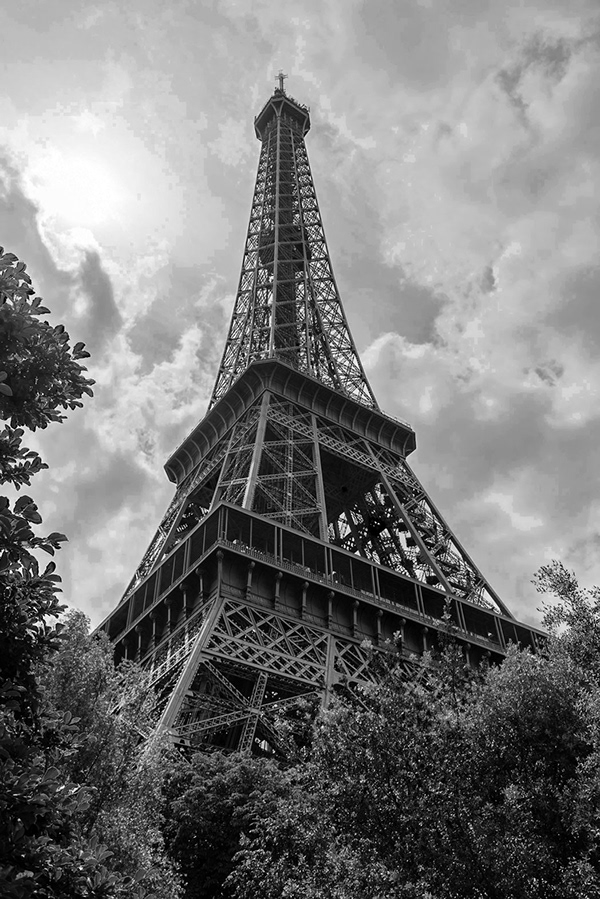 orchid plank
@dark lotus very well done. I just feel the cloude could be a bit more contrasted/sharpen. Its just my view. You did great!! 😃
peak warren
Could not resist a B&W conversion of Tokyo Tower. Sky converted separately from the rest of the image.
calm crane
Before
 chilly holly
 rain flower
I utilized the Lasso Tool to select the skyline and below, minus the rocks on the lower right and then played with the Image Levels.
 vale burrow
PSdailychallenge - Lighting
cold cedar
@orchid plank I like the before and the after.
velvet axle
😁 Done.
cold cedar
@tulip fern Good job!
 versed wharf
my first go at this, what do you think? i used a gradient map
clouds are a bit washed out
:/
dark lotus
@orchid plank thanks. I can probably work a bit with a graduated filter but I don't want to get too grainey. J find with distant LS shots that you battle with haze.
 stone mantle
Eiffel tower.
rustic tree
https://www.behance.net/gallery/80269919/PS-Creative-Daily-Challenge Here is my 2nd Challenge making a black and white picture. The link above wiill take you to the project with black and white finished photo.😀

 zealous iron
Camera Raw with a minor Exposure Offset
stone mantle
Second try, using JPEG instead of TIFF
 pastel vessel
 tawny dagger
I really want to bring this sky texture, put a lot of dehaze and add a little bit of blue tone 💙 (5% actually) (add before\after version)
 turbid quail

Instagram
15 Likes, 1 Comments - MonsteRX (@monsterx_115) on Instagram: “"Don't be afraid to build your own world" . . Simple Photoshop work Hope you like it 😊 Photo by &…”
 lunar mango
stone mantle
lunar mango
stone mantle
Angel
young karma
Hey guys, the moment I wan't to apply the Camera Raw filter, Photoshop closes and I have to start all over again. It seems that I can't use that filter. How can I solve this?
light nebula
@rustic tree Good stuff. You reminded me of a shot and edit I did years ago.
rustic tree
@young karma Make sure you save your work before going to raw camera filter, then you go to layers tab and use the saturation tool there or image tab and use the mode option to grayscale if the camera raw filter dose not work.
cold cedar
@lunar mango Good colors!
rustic tree
@light nebula Thanks for your comment.
light nebula
Here it is @rustic tree
cold cedar
Nice work @stone mantle I would maybe brighten his face a little.
rustic tree
@light nebula Cool image Cadillac Ranch is a fun place to visit.
fallow bough
Not part of challenge but did this for fun
light nebula
That it is @rustic tree
summer mica
better I think
 sly turtle
Still figuring all this out, so here is my #📣creative-challenges from Day 1 for #✂challenges-feedback!
brave pewter
day 2, decided to use toronto as my stock 😃
 vague slate
#📣creative-challenges Day01-AdjustLighting from yesterday
 cunning summit
Day 1 complete
young karma
I made an accidental picture (I wanted to start a video, but you have to fiddle more on your phone).
I was able to make this out of it
You have to have some atmosphere in an office, to make it look human 😃
 tidal token
sometimes an amazing photo is just a happy accident we didnt mean to do 😄 it looks great
gentle elk
that's a great description of how I happened to... in fact it's exactly what my parents said...
before
after
summer mica
Thank you. It's in raw and I haven't converted it..sorry working on it now
dusk crown
Here's my Day 2 on Behance 😃 https://www.behance.net/gallery/80275635/PS-Daily-Challenge-Day-2-Black-White

Original:
summer mica
here it is.
peak warren
@rustic tree @light nebula I was going to say Radiator Springs, instead of Cadillac Ranch. 😊
light nebula
Someone has watched CARS too many times @peak warren
peak warren
@light nebula Yes, true. But Radiator Springs is derived from Cadillac Ranch, no?
 maiden fable
PS Daily Challenge 1 #✂challenges-feedback
summer mica
why can I comment on some photos and not on others?
 placid trout
 light nebula
Knowledge bomb from @peak warren
"Cadillac Range" is a large north-to-south mountain range with many fin-backed jagged peaks, a reference to the famous Cadillac Ranch sculpture in Amarillo, Texas.
proper egret
wet kettle
A series I did with a nice stock image of Dublin
Original photo
B&W version
B&W Color splash (I like doing these a little too much 😂 )
 obtuse compass
I'm a little late, but here's yesterday's photo. 😃 #psdailychallenge
 tardy tinsel
Day 1
 novel pawn
gentle elk
novel pawn
gentle elk

Behance
Portrait of @kingjayfran (IG) for PSdailychallege day 2, black and white. Before and after shown.
 oak coral
oak coral
oak coral
thank you @gentle elk
gentle elk
edit to my other one, I don't know why but the original showed first on the Behance link, sorry
peak warren
@oak coral That's lovely. Looks vintage, like platinum or selenium (I can't remember which is which). How did you process that?
 true storm
young karma
true storm
young karma
Black and white power!
bold valley
Camera Filter, orange filter profile with a lot of deglaze.
obtuse compass
Day 2 - Black and White Photo Challenge
young karma
The second one can be always better
 tacit oak
#psdailychallenge
Quick edit 😍
 quartz ridge
Think it is alright.🌓
stark kayak
Original
raven meadow
This is the original
stark kayak
B&W
raven meadow
@peak warren yeah that is what I meant.
halcyon zinc
tardy tinsel
PS daily challenge 2 - B&W
valid raft
young karma
The last one I promise.. but in honor to Wu 😉 only a little adjustment
tacit oak
#psdailychallenge`
Making a yellow chair into a black one.
(luv the bw adjustmentlayer, great feature with the colormasking channels).
Didn't mentioned it, but the original color of the chair is black, but converted it to yellow 😉
 fast moth
Day 2 Black & White Photo
 zealous viper
 eager barn
cold cedar
eager barn
cold cedar
Ok. Here it is. I used the same photo from challenge 1. I also did some clean up on yesterday's image — things that jumped out in b/w that I should have seen in the color.
maiden fable
PS Daily Challenge 2 #✂challenges-feedback
jovial jolt
B&W Daily Challenge using the Camera Raw Filter #✂challenges-feedback
@maiden fable i love the sky! how did you get that
north arrow
My entry for the day 2 challenge. #📣creative-challenges
 rich sequoia
Any feedback?
stray totem
BW conversion on my own shot. Feedbacks are appreciated! #📣creative-challenges #dailychallange02
maiden fable
Hi, thanks @jovial jolt I wanted to give them a softer look. I use the camera raw filter and then made adjustments with the texture, dehaze and clarity sliders.
 torpid jasper
Hello.
This was my first time making a Adobe Challenge.
This is from yesterday.
https://www.behance.net/gallery/80270259/Photoshop-Adobe-Creative-Challenges
Would love your feedback 😉
 young karma
Hello everyone! 🙂
dark lotus
B&W Daily Challenge (Compnion "After" is below
dark lotus
Companion "Before" is above.
peak warren
@candid sage I like the conversion to monochrome. But the sky reflection that spices up the color image? It's lost in the B&W. Somehow you need to pull that out, I think.
 sweet anchor
fierce zinc
sweet anchor
fierce zinc
@peak warren It helps that your model is absolutely stunning. Lol!!
dark lotus
B&W Daily Chlallenge with a bit of color for fun.
peak warren
@fierce zinc Seen on the street in Tokyo. I don't recall any other details. 😃
candid sage
thanks for the feedback @peak warren I agree it does get lost in there a bit, I tend to struggle with b&w to be fair as I feel all my images look like they're just colour images that have been changed, rather than something that was intentionally supposed to be black and white to begin with, if that makes sense
 tropic herald
greco paris
dark lotus
@blazing quail The B&W is so much more dramatic!
 thin finch
summer mica
thin finch
summer mica
@tropic herald awesome
thin finch
dark lotus
@thin finch The cloud contrast is powerful.
thin finch
@dark lotus I adore black & white photos! My favorite to do 😄
sly turtle
 cold cedar
Here is the cleaned up version of yesterday's lighting challenge image. I know there is more to be done but these were glaring when I changed to b/w. Your comments, recommendations, suggestions welcome.
mellow ether
Before and after. I think I prefer the second to the last technique he showed us - the adjustment layer with the sliders for each color in the original photo. Anyone else use this method?
young karma
 gleaming palm
cold cedar
gleaming palm
cold cedar
@sly turtle Really cool! I have a car image in my collection. I love the color of it but I might try b/w just to see.
placid trout
https://www.behance.net/gallery/80280403/PSdailychallenge-WiP-more-human-that-humans-B-W a lot with masks and gradients etc....

 mellow quail
young karma
mellow quail
young karma
on a sunday morning walk...
tropic herald
nice @young karma!
young karma
thank you!! 😃
weary mirage
young karma
White water
 jagged birch
Here is my design challenge photo. 😀
 ember cairn
Hi guys ! Here is my work for day 1 and day 2 😃 I used personal pictures of a trip in Amsterdam
rain parrot
i thought it would be cute😍
fast belfry
It is 😉
@ember cairn Nice work
How was Amsterdam?
@rain parrot Very nice work too
rain parrot
thanks
rain parrot
ya i guess
 misty kindle
OK, let's see what happens if I link to Behance project - https://www.behance.net/gallery/80280969/PS-Challenge - OK that only showed the before 😦 https://mir-s3-cdn-cf.behance.net/project_modules/max_1200/badd7d80280969.5cdc79f12acf0.jpg - I didn't realize my notes would show with the link. Good to know and better to learn here with something innocent. I'm totally new to using Behance. The good thing is if you click on link yo ucan see more about the photo, why I picked it and how I edited it.

Behance
Using filter to convert to B&W in PSAlso learned about GradientGrayscaleDesaturation
 ember cairn
Thanks @fast belfry ! It was cool i really enjoyed that place 😄
rain parrot
wow
fast belfry
Well not in Amsterdan but I live in the Netherlands
sly turtle
@cold cedar I'd love to see how yours turns out if you do one! Tag me if you post it!
cold cedar
@sly turtle now I must try it!
ember cairn
Oh really ? That's awesome ! Btw when i went to Amsterdam it was very cold so im looking forward to go back here when the weather will be better ahah
 austere turret
timid pasture
austere turret
timid pasture
2 done with the B&W profiles in the camera raw filter. This is my favorite.
 uncut lagoon
Hi everyone, here is my submission for the Ps Daily Challenge... looking forward to feedbacks!
timid pasture
3 was with a curves layer added to bring out her eyes, but it looks a little too flat to me..
stray totem
Black and White conversion on my own photo. Feedbacks are most appreciated! #📣creative-challenges #✂challenges-feedback #PSdailychallange #Day2
 late musk
fast belfry
late musk
fast belfry
Finally good 😛 @uneven lark
sly turtle
@uncut lagoon stunning in black and white!
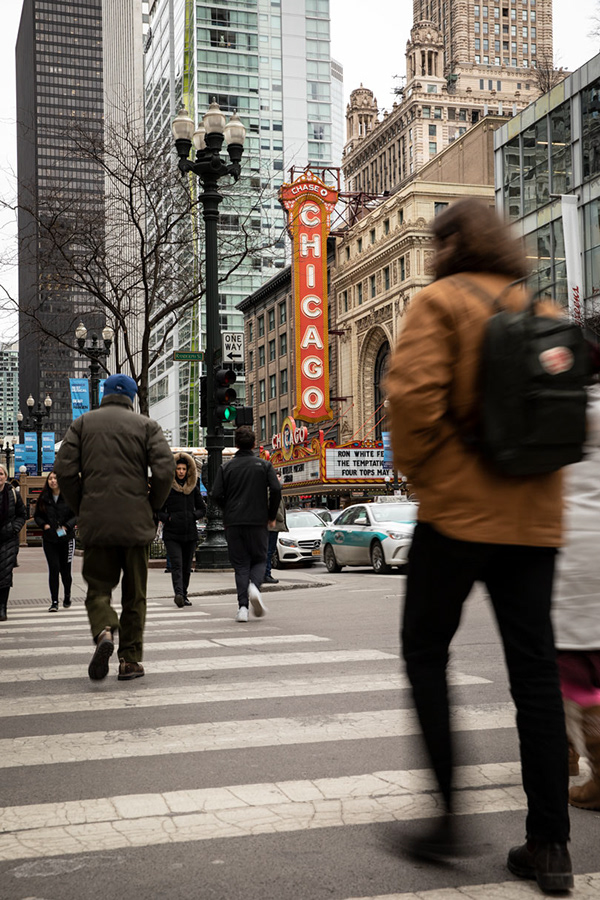
 clear mason
Chicago Union Station. I used one of the profiles in camera raw to make the initial conversion
light nebula
@clear mason Good job fellow Chitown
 shut anchor
my quick try for todays challenge !
uncut lagoon
@sly turtle thank you 😃 I kinda thought this pic looked better in black and white too.. more dramatic
somber rampart
Here's my work on Day02
https://www.behance.net/gallery/80281835/PS-Daily-Creative-Challenge-2-PhotographyMay

Behance
PS Daily Creative Challenge #2 - Photography~May
 foggy gorge
Good shot
 grizzled goblet
 dire grail
timid pasture
dire grail
timid pasture
Color original
B&W #1 - Adjustment layer.
B&W #2 - Camera raw B&W profile 6. My favorite!
 jagged kraken
timid pasture
jagged kraken
timid pasture
B&W #3 - Gradient map just for fun.
fierce zinc

 silver ore
Hey! I'm a day behind but here's the lighting adjustment I did using Brightness/Contrast and Curves --- conveniently I just learned about Curves in my Filmmaking class for Premiere! Nice that there's some transfer of skills!
Think I still need to mess around with it
It doesn't look good lol
 gaunt forge
Black&White
 outer lantern
PS Daily Challenge Day 2; Shanghai Can Opener building
glacial path
@vital fjord Great work! The details are still very clear and the exposure is also good! Unfortunately we lose the color contrast of the magenta colored blossoms. Maybe you can increase the luminance of the magenta tones?
@outer lantern ah classic! I love this architecture shot with the grain in the background. You should totally go for more contrast. You could also try out the Clarity and Texture slider in Camera Raw Filter 😃
 vital fjord
thanks!
 dense wind
Hi Guys a bit behind the schedule as only starting the challange today but here is my before and after for the first lighting challange. (I also used selective colour tool as I find sometimes it adds a little bit extra to the shot )
glacial path
@true pewter lovely! Did you apply a two-strip color lookup table? It almost looks like those old film stocks 😃 I think you could brighten up the sky even more!
@dense wind great work! you went from a neutral image to a more stylized version with the purple color wash. Is this one of your shots, of so: is it for a project or client?
@young karma I love this one! I wonder if you could apply a gradient to the sky, so it is slightly darker at the top. this could add to the dramatic perspective. Just something to try out 😃
vestal tendon
A personal photo for daily challenge #2
dense wind
@glacial path thank you and yes one of my shots from doing a bit of street photography with friends. Was just in a right place at a right time
dense wind
@gentle elk thank you!!!
glacial path
@vestal tendon nice one! Since you've nailed the black and white conversion, you could add a gradient map with one of these gradients. I think it could bring some fun color to the composition 😃
@oblique bramble that's a cool shot! I think it would be even more dramatic if you crop in on the two birds! Well done 😃
vestal tendon
i'll play around with it ^^
dense wind
@oblique bramble OMG THATS SOO NICE!!! and definitelly works better as black and white photo 😃 really nice shot!!!!
glacial path
@gaunt forge those clouds combined with the sun rays is an EPIC composition 😮 🎉 ! I think you should add some clarity or Texture (via Camera Raw filter) to enhance the ... uhm.... epicness 😄
@young karma another epic shot 😄 You could add even more light to the clouds to balance the image. Or you could crop in on the bright spot 😃
@silver ore ha, yes! if you know how to use Lumetri, Camera Raw becomes super easy to use 😃
@silver ore but I think you have slightly overexposed sky. there is a lot of white in there
 oblique bramble
Cropped version 😀
cold cedar
@sly turtle here it is.
silver ore
OK I will try Lumetri! @glacial path I'll show you my results when I'm done
glacial path
@silver ore the equivalent to Lumetri in Premiere, is Camera Raw in Photoshop (Filter -> Camera Raw Filter)
silver ore
Oh that makes sense, thank you @glacial path 😄
vestal tendon
i love the touch of purple
young karma
nice
glacial path
@young karma wow! that's such a cool look - the magenta really pops! I love how you kept the sky nice and bright. Just a itty bitty hint of clarity and you're ready to print that image 😄
young karma
ok
glacial path
@young karma *kept the sky nice and bright. sorry for the typo 😛
Hey @rustic tree can you post the original please 😃 ?
young karma
PS Daily Challenge Convert an Image to Black and White Before and After
This is the before image
cold cedar
@timid pasture I agree with you, #2 works best.
glacial path
@young karma I think you did the right thing. While you could fix the cold color temperature, making it black & white fixes the whole issue. Given the motive, it also makes total sense 😃
rustic tree
https://mir-s3-cdn-cf.behance.net/project_modules/1400/4eab5c80269919.5cdc8d017c3bf.jpg Cleanup photo from earlier today and used the method that Terry White showed us in Camera raw filter. I really like this method.

 true pewter
@glacial path Thanks! I applied split toning and played with the color saturation and hue. I hope to learn more about using gradients so I can adjust the sky separate from the ocean.
dark quiver
Day 1 here we go!
 dusk tusk
after
dark quiver
Solid tips by the way I love all the different ways you showed us to do this. You obviously know your stuff!
Original:
 deep mango
Here's my Day 1 photos before and after 😃
dark quiver
After playing around with Camera Raw:
deep mango
Before
deep mango
After
dark quiver
@deep mango wow! That's a huge improvement on the photo. It went from grey to vibrant! I like the higher contrast on the "after" photo too. Props.
high mesa
PS Daily Challenge #02 - before and after B&W
The original was taken at nightfall on the beach sheltering from a rain storm
deep mango
Thanks @dark quiver 😃
eternal cypress
Stockholm Color/B&W. Original file/size looks better. Looks slightly degraded this way.🤔
high mesa
@young karma - what a cool image in B&W, well done
 hearty prism
What do you think?
young karma
nice
hearty prism
thanks!
eternal cypress
@grizzled goblet I love your B&W! It's so crisp and clear.
 blissful patrol
Hi everyone here is the first challenge from adobe https://www.behance.net/gallery/80282425/Ps-Daily-Challenge-Day-01-Adjust-lighting #✂challenges-feedback #📣creative-challenges
 young karma
thank you
tall sequoia

Behance
We had to turn a photo into a black and white image.
proper egret
young karma
@glacial path idk what you mean by "clarity" so i guessed what you meant and sharpened it
glacial path
@young karma oh sorry, I should have clarified (hehe). one moment, let me start Photoshop
young karma
wow nice pun
glacial path
@young karma if you open camera Raw
 glass bridge
Original
young karma
ok
glass bridge
Black and White
glacial path
@young karma there are three sliders:
glacial path
@young karma it is an awesome part of Photoshop and great fun to play around with 😄
young karma
ok
 warm cloud
glacial path
warm cloud
glacial path
@young karma this is how it could look. Keep in mind, you should not crank up all three sliders to the max like I did here. I just wanted to show a difference 😃 Instead, you can keep the effect quite subtle
glacial path
@young karma Have some fun with the sliders, see where they take you 😄 (before applying the filter, I have selected the sky so I don't affect the foreground)
deep mango
I was just lookng for the Profile option in the Camera Raw filter but it's not showing up
blissful patrol
https://www.behance.net/gallery/80286549/PsDailyChallenge todays challenge #📣creative-challenges #✂challenges-feedback
 hearty prism
@high mesa why the middle finger lol
rigid bobcat
Before and after! I love learning more efficient ways to do photo editing in Photoshop! Thank you for doing this!
dark lotus
@mellow quail Very nice use of B&W. Otherwise a fairly uninteresting image.
deep mango
Alright, here's my before and after for Day 2, looking forward to your feedback 😃
Before
After
 crisp swan
Went with two copies. One all black and white while the other one has the coster left in.
 errant talon
golden parcel
errant talon
golden parcel
PSdailychallenge #1
 half estuary
thorn narwhal
half estuary
thorn narwhal
@gritty mortar I like your varied tones in the range of shadows on both of these, while keeping the highlights a bit muted and less of a contrast. It's a very controlled approach which looks like a taste you've developed in processing between your two edits!
@indigo panther Funny how converting to black and white can bring the details back a bit into the highlights! I would consider playing with the less contrasty, more muted approach even more, or seeing if you can fully vignette the rose in a deeper black. You should be able to achieve this by combining with some of the techniques in lighting from yesterday, either with curves or levels!
light nebula
@glacial path Hadn't updated my CameraRaw I also now have texture, thought was with PS not RAW. But alas, I used it and is smoothed the clous out.
thorn narwhal
@deep mango I love both versions of this photograph! You have seem to done a great job keeping the integrity in the levels nearly perfectly between the two. Only thing I would considering is muting your range of darker tones in the ground running in the lower bit of the image. For me it competes with the light feel I get from the rest of the photograph (the only other darker bits of the photo being the beaks/faces of the swans).
@blissful patrol Awesome edit! Curious how you achieved the black for the sky -- did you use the B&W adjustment layer, or mask out the original sky?
@glass bridge Cool to see you use the same image from Day 1 (I think? Or I'm getting super tired). Everything looks really nice here again. I would consider pushing the highlights in the wood/boardwalk to see how it plays with those little pops of white in the sky. Could balance the image out even more nicely without losing the overall tonal feel.
@tall sequoia this looks nice! Good job keeping the detail in the softness of the water flowing without blowing it out too much. Only thing I'd say is that in the B&W version I'm losing the tree and contrast in the greenery around the waterfall. I'd consider trying to darken those "green" values to see how that impacts the overall result, or selectively burning in select spots to control the focus of the image.
@grizzled goblet Much stronger in B&W! Are you using the shadows/highlights tool in your edit before converting the grayscale, or achieving these levels in directly in your B&W conversion?
@hearty prism This is nice! It might be a tad too harsh for my taste personally, but I think that might only be because of that bright light highlight where the sun is. I wonder what the image would look like if you muted that part of the photo a little?
@eternal cypress I can see what you mean in your Stockholm skyline here! For me, the depth of levels in the bridge and in its shadows look really nice. It falls a bit flat to me in B&W in the blues of the sky/water in the reflection. Since you have the extreme highlights in the clouds towards that surround the buildings, I'd play around with adding a bit of the vignetting back in that you're seeing on the edges of the color photograph (but not too much so you're not losing the overall tonal effect of the B&W version).
@high mesa funny how your B&W makes it look like daytime instead of nighttime! Super cool. For me the vignette is a bit harsh, mainly in the top left corner. I'd consider lessening it or masking it out to create such a perfected faded gradient in that area. It Works really nicely for me in the lower left + right corners in the sand!
@dark quiver Good job adjusting the levels in this photo! Two things stick out to me, which could be easily fixed with a little masking: the harsh whites in the clouds are a bit distracting from the main subject in the image, and the skin tone of the figure looks a tad too unnaturally warm/saturated to me. This might be from pushing the adjustments in the rest of the image, which I think works nicely everywhere else. Could be a fun photo to work with for the remainder of the challenges as well!
hearty prism
reduced highlights and lifted shadows and a few other changes
blissful wolf
PSdailychallenge Black and White photography Day2
 daring charm
blissful patrol
daring charm
blissful patrol
@thorn narwhal you have to use the black and white option and adjust the blues until you get that result. You need a blue sky to get that result.
 thin jetty
Behance
Photography Daily Creative Challenge: Rediscovering Photography and Photoshop

Behance
Photography Daily Creative Challenge: Rediscovering Photography and Photoshop
thorn narwhal
@blissful wolf I love how light these leaves are. I wonder what it'd look like if you tried darkening the background to nearly full black?
 upper notch
dark quiver
upper notch
dark quiver
@thorn narwhal thanks for the suggestions! I'll mask those sections off and see what I can do.
thorn narwhal
@thin jetty For day one, nice subtle changes in warmth for making the overall image pop a bit more! Day two is nice as well - I'd consider increasing your highlights and maybe even a bit of the mid levels a bit to achieve a similar feel in contrast a bit more effectively. You could even play with leaving all of the product in color and darkening/desaturating the background for a similarly cool effect in that second edit.
 icy mirage
I'd love to be able to add more texture in the sky, but not sure it is there.
thorn narwhal
@errant talon How cool do those lines in the flower look, especially in b&w? Overall I'd consider deepening your black/dark values to make things pop a bit more overall.
@icy mirage You could play around with the shadows/highlights tool (Images > Adjustments > Shadows/Highlights) to try to recover even more of the sky information, then masking in just the bits where you want to add a bit more of the texture.
oblique bramble
I combined day 1 and 2- Original 😊
I combined day 1 and 2- Adjusted lighting
I combined day 1 and 2- black and white
 outer sleet
thorn narwhal
outer sleet
thorn narwhal
@oblique bramble Both look nice! I'd consider in both darkening your green values to give more contrast against those pure white petals. Could add a bit more of a "punch" that way!
obtuse haven
I'm sorry. I kinda couldn't resist having some fun with face manipulation in Photoshop
 sudden mesa


