#site-support
1 messages · Page 246 of 1
 crystal marlin
 thick oak
will try that ty
crystal marlin
thick oak
Gonna cry
Could you try nmap -e tun0 *yourtargetIP*

 wide oasis
Is this windows box that you are trying to scan?
crystal marlin
thick oak
Have you checked if there is any firewall blocking your outgoing traffic from nmap?
thick oak
crystal marlin
Have you checked if there is any firewall blocking your outgoing traffic from nm...
I have, and nmap works fine for anything other than THM
crystal marlin
thick oak
I have, and nmap works fine for anything other than THM
Also have you restarted the vpn after reinstalling nmap?
thick oak
ok I got the "simple ctf" box working again
I didnt do anything tho
gonna go try the room I want again
brainstorm room still isnt working tho... I am lost.. I have scanned this room in the past
I dont really need to scan it, just wanna know whats up. I already gathered all I needed
crystal marlin
thick oak
I dont really need to scan it, just wanna know whats up. I already gathered all...
Oh well, I should have checked that room myself. Have you always tried to scan this room? As it states that this room is not responding to ICMP pings, so obviously it's been shown as not up ^^
thick oak
i know im doing -sS
 wet violet
So i am trying to access ssh on the attack box. I type the ssh tryhackme@1.1.1.1 and then I continue by saying yes. When it prompts me asking for the password it will not allow me to type any text. Any suggestions? I've closed and tried it multiple times. I am also a subscribed member. I am also using a macbook pro...not sure if that makes a difference.
crystal marlin
thick oak
i know im doing -sS
Yes, that doesn't matter. Add -Pn to your nmap command if the target machine is not responding to ICMP pings, as stated in the nmap notice 🙂
crystal marlin
Great 😄
crystal marlin
wet violet
So i am trying to access ssh on the attack box. I type the ssh tryhackme@1.1.1.1...
The terminal does not show any password typing. So just type the password and press enter
wet violet
@crystal marlin thank you!
 scenic torrentBOT
Gave +1 Rep to @crystal marlin
thick oak
crystal marlin
Great 😄
Thanks, Im an impatient jackass. Its working fine.....
scenic torrentBOT
Gave +1 Rep to @crystal marlin
 glossy current
Hi, I just lost my 96 days streak today, had lost a streak of 130 days earlier this year just because I got confused with the time. Was really working hard to maintain the streak. Is there any provision to get it back coz it keeps me motivated to keep working everyday.Any help will be highly appreciated.
wide oasis
Yes!. Drop a mail at support@tryhackme.com with following contents:
username: your_username
streak: Streak_number
email: email_ID
Thanksss 💯💯
 dusk walrus
do i install openvpn on my host insted of vm since i am using windows?
 stoic crescent
dusk walrus
do i install openvpn on my host insted of vm since i am using windows?
stoic crescent
dusk walrus
do i install openvpn on my host insted of vm since i am using windows?
You can install openvpn on the machine you're working on. So if you have a Kali VM in windows, you'd install it in the Kali VM itself (but it should be pre-installed on Kali 🙂)
 bronze vale
If you're using a VM, run it on the VM:)
 cinder dock
still having issues with connecting to tryhackme using openvpn. even redownloaded vm virtualbox version of kali right from offensive security
bronze vale
Send a screenshot of your OpenVPN output log?
And could you describe how you know you’re having issues connecting
cinder dock
when getting to access tab to download the config file it never reads as connected or has an ip address.
bronze vale
Access page lies
Verify by running: curl 10.10.10.10/whoami in your terminal
Should return your tun0 IP
cinder dock
i never see a tun connection i see a loopback and an ethernet connection
 keen scroll
bronze vale
Send a screenshot of your OpenVPN output log?
keen scroll
bronze vale
Send a screenshot of your OpenVPN output log?
You should post your output log then, from openvpn
stoic crescent
Maybe your VM doesn't have internet connectivity?
If it's on an internal nat network
cinder dock
it has lo eth0 and eth1
bronze vale
I literally can't do anything until I see your OpenVPN output log:)
cinder dock
i also just did the thm-troubleshoot from github. tun0 didn't exist i have an ip now and it verified though tryhackme. so you have to setup a tun connection?
swear everyday i feel like there is a lot more I do not know...
stoic crescent
bronze vale
I literally can't do anything until I see your OpenVPN output log:)
^^^
Maybe, regenerating your key. Killing all instances of openvpn and launching it again, making sure you're running it as a privileged user etc
crystal marlin
cinder dock
i also just did the thm-troubleshoot from github. tun0 didn't exist i have an ip...
Is the VPN running directly in the VM or on your host machine?
cinder dock
crystal marlin
Is the VPN running directly in the VM or on your host machine?
from vm
crystal marlin
cinder dock
from vm
Well then you should have a tun0. Ye would go ahead and send the OpenVPN output which gets printed when starting openvpn and let it have Jabba 🙂
cinder dock
crystal marlin
Well then you should have a tun0. Ye would go ahead and send the OpenVPN output ...
i see something finally just trying to show you proof. even vpn login notification from the network manager.
this was from vm
crystal marlin
cinder dock
this was from vm
Please if you send any log data just copy paste the text from it instead of sending a file to download, but either way this log.txt shows 0kb so it's empty. You simply have to send the OpenVPN log from your terminal when you do sudo openvpn yourconfig
 gilded echo
The openvpn config file downloads as an empty file. Is this an issue?
bronze vale
US-West?
bronze vale
Please use another server temporarily 🙂
gilded echo
ive hit several road blocks, but wow you guys are fast on the support.
 eager harbor
When trying download the config file for VPN I get the following message:
**404 - An error occured. **
Uh-oh, something has gone wrong
I try to download it from https://tryhackme.com/access
I have verified my email and tried all the servers that are not VIP.
wide oasis
EU server is also giving you the error while downloading the config file?
eager harbor
yeah
It seems like I can't post screenshots here, but no matter which one i choose i get routed to the /404 page. I have tried to regen the config file but the error still persists
 tacit forge
You need to auth to post pictures - https://help.tryhackme.com/community/discord
TryHackMe
The largest part of the TryHackMe community is the very active Discord server. You can use this invite link to join the server: https://discord.gg/tryhackm
You also get a nice colored name :p
eager harbor
ty! I don't think it helps with the VPN status tho, the page is jus their /404 route ;-;
crystal marlin
eager harbor
ty! I don't think it helps with the VPN status tho, the page is jus their /404 r...
What server you try to get the config file?
eager harbor
EU-regular-1
EU-regular-2
crystal marlin
eager harbor
EU-regular-1
EU-regular-2
Reselect the server, regenerate the file, wait 3+ mins before trying to download it. If that doesn't help try a ctrl + F5 (hard refresh) and try to download, if that doesn't help do the same above again.. If that also doesn't help log out of your account, log back in. Try if you can download it then, if not do the reselect again, regenerate, wait 3+ mins and then try to download.
eager harbor
crystal marlin
Reselect the server, regenerate the file, wait 3+ mins before trying to download...
ight! i'll get back to you
 spare otter
I'm also 404'ing so it may just be busted
I'll follow the same steps
it's only hololive that's busted for me 😄
bronze vale
If holo vpn is giving you a 404 error
Go to the room, press “options” -> leave room
Then click -> https://tryhackme.com/jr/holo

TryHackMe
An online platform for learning and teaching cyber security, all through your browser.
eager harbor
crystal marlin
Reselect the server, regenerate the file, wait 3+ mins before trying to download...
I have tried the combinations now, doesn't seem to work...
crystal marlin
eager harbor
I have tried the combinations now, doesn't seem to work...
Have you also tried it with changing the VPN server to the other EU-Regular one and doing the regenerate, wait 3+ mins and then try to download, or always with the same server? Even tho it's not the best choice for your, I would also try it with US-East meanwhile.
spare otter
bronze vale
Then click -> https://tryhackme.com/jr/holo
that link takes me to a rather random page :p
 eager harbor
crystal marlin
Have you also tried it with changing the VPN server to the other EU-Regular one ...
eager harbor
crystal marlin
Have you also tried it with changing the VPN server to the other EU-Regular one ...
I tried all the EU (free) once and the free one in the US and asia. All give the same error
not asia, sorry, AU (australia?)
ight, I got one from the US-West-Regular-1 to download. I still think you guys have some bug or issue with your EU servers you probably should take a look at @crystal marlin
crystal marlin
eager harbor
ight, I got one from the US-West-Regular-1 to download. I still think you guys h...
I'm not from the staff, so I can't look into anything ^^ But ye, these issues with the VPN are well known lately.
eager harbor
oh shit, sorry 😂 thought you where staff 😛
crystal marlin
eager harbor
oh shit, sorry 😂 thought you where staff 😛
No problem 😄
spare otter
Any staff know how to fix the 404 with the holo vpn pack?
crystal marlin
spare otter
Any staff know how to fix the 404 with the holo vpn pack?
Maybe also ask in #holo-network to get someone to help.
 median loom
Jabba posted a solution above
median loom
bronze vale
If holo vpn is giving you a 404 error
☝️
spare otter
yeah, I tried the solution and it unfortunately didnt work
huh, it worked 2nd time around, how odd 😄
Thanks 🙂
 simple smelt
can anyone tell me solution of Error:404 in TryHackMe.? (white downloading OpenVPN config file)
 karmic crow
bronze vale
Then click -> https://tryhackme.com/jr/holo
karmic crow
bronze vale
Then click -> https://tryhackme.com/jr/holo
TryHackMe
An online platform for learning and teaching cyber security, all through your browser.
karmic crow
oh okay really sorry :(
simple smelt
bronze vale
They got the correct url if you scroll down
Bro?
can you tell me solution of it?
bronze vale
Check chat pins, I don't know, I'm not working atm
simple smelt
Alright
crystal marlin
simple smelt
can you tell me solution of it?
 trim harness
um can I get help for installation on VirtualBox in pop os if possible. please?
it says I have a few pakages missing. but even if I reinstall them. it still throws the same error
 novel kindle
any one?
 plush bay
trim harness
it says I have a few pakages missing. but even if I reinstall them. it still thr...
plush bay
trim harness
it says I have a few pakages missing. but even if I reinstall them. it still thr...
could we have a copy of the output in here to more exactly see what has happened????
trim harness
yes I'll provide with one. let my machine start. it's slow
trim harness
here
trim harness
plush bay
could we have a copy of the output in here to more exactly see what has happened...
 plush bay
https://www.tecmint.com/dpkg-reconfigure-installed-package-in-ubuntu-debian/ this source sounds like it could help with the thingy you need to do.... i.e configure the virtualbox-dkms package
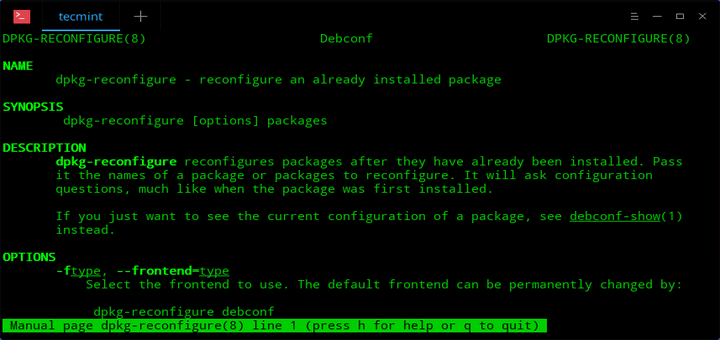
dpkg-reconfigure is a powerful command line tool used to reconfigure an already installed package or an entire Ubuntu or Debian system installation.
@trim harness ⬆️
trim harness
ok ill look into it. thankss
plush bay
this is just guessing but it feels like that might be the problem
trim harness
im using pop os so it wont be a problem regarding that right?
regardless ill give this a shot thenn
thankss
plush bay
yeah that guide that shadow sent should work
pop os is based on ubuntu which is based on debian so it should work out with the same command for dpkg
to configure them
plush bay
good luck
trim harness
dpkg-query: package 'phpmyadmin' is not installed and no information is available
Use dpkg --info (= dpkg-deb --info) to examine archive files.
/usr/sbin/dpkg-reconfigure: phpmyadmin is not installed
harshitmohan@pop-os:~$
so i need to install phpmyadmin here?
plush bay
because the dkms package seems installed but not configured from your picture
trim harness
 plush bay
well you obviously have held broken packages and now have half installed stuff on that system... which is bad and shadow is now out of their depth on how to fix
trim harness
soo do i ? lmao reinstall the whole os? 
plush bay
yeah a reinstall should fix it
just make sure to save any important work before you reinstall though
most of which should be in the home folder
reinstall and then follow this to install virtualbox on pop os: https://daylifetips.com/how-to-install-virtualbox-6-1-on-pop_os/
plush bay
good luck and hope this solves the problem
 vagrant flame
Hey guys when i try to download my openvpn conf file i am getting an error 404, i tried switch the server, but still not working.... hope you can help me
 nimble comet
@vagrant flame including changing the VPN server, clicking regenerate, waiting 5 minutes and trying to download?
nimble comet
hmm strange.. regen usually takes a bit
vagrant flame
yes i know, i read this somewhere else but i still cant download my openVpn file
At beginning i thought it could be a session problem or smth like this, because i was logged in on my mac and on my kali at the same time. But i logged out and tried it again and it still doesnt work
nimble comet
shouldn't be related at all
vagrant flame
serverside problem?
nimble comet
I'll ask, but usually it's caused by the slow regen (could always try waiting longer after regen), so I'm at a bit of a loss.
vagrant flame
hm okay thanks anyways
nimble comet
we'll see if anyone else has a better idea here later on 🙂
@vagrant flame which VPN servers are giving you the 404 btw?
there might be a few that could be having issues (not sure which)
trim harness
um so pop os didn't work so good on my system ig. lmao. any other debian based Linux system that's reliable?
vagrant flame
nimble comet
we'll see if anyone else has a better idea here later on 🙂
EU-Regular-1 and 2
 solar rapids
i also get 404 on those servers
nimble comet
hmm. feel free to try another location temporarily to see if it works. I'll let the staff know these are giving ppl problems 🙂
plush bay
trim harness
um so pop os didn't work so good on my system ig. lmao. any other debian based L...
would go with linux mint if pop os is not doing it for you.... if that does not work either try one of the ubuntu flavours
trim harness
ok I'll do that thenn
bronze vale
EU OpenVPN errors should be fixed now^^
Thank you all for being patient.
@solar rapids @vagrant flame
scenic torrentBOT
Gave +1 Rep to @solar rapids
solar rapids
bronze vale
EU OpenVPN errors should be fixed now^^
Thank you all for being patient.
<@!395...
thank you👍
scenic torrentBOT
Gave +1 Rep to @bronze vale
vagrant flame
bronze vale
EU OpenVPN errors should be fixed now^^
Thank you all for being patient.
<@!395...
thank you
scenic torrentBOT
Gave +1 Rep to @bronze vale
plush bay
bronze vale
EU OpenVPN errors should be fixed now^^
Thank you all for being patient.
<@!395...
thanks so very much for this
scenic torrentBOT
Gave +1 Rep to @bronze vale
nimble comet
thanks @bronze vale
scenic torrentBOT
Gave +1 Rep to @bronze vale
nimble comet
XD
 gritty kernel
i can't download openvpn configuration , it's show 404 error.how can i fix it?
crystal marlin
gritty kernel
i can't download openvpn configuration , it's show 404 error.how can i fix it?
trim harness
guys gdm3 or sdmm?
 whole hamlet
Hi! Paid the subscription but I still can't access the content. Money has been deducted from my credit card. Please help. I want to hack.
wide oasis
Drop a mail at support@tryhackme.com (:
whole hamlet
Thanks. I couldn't find a support link anywhere on the website. Perhaps THM should make it prominent for people like me hahaha.
wide oasis
Support is one mail away from you. (:
whole hamlet
Thanks. Will drop a mail.
 fading cypress
@bronze vale as you said to mail @support on student subscription discount and i did.
But no response yet. Can you please let me know the update.
bronze vale
When did you email?
fading cypress
2 or 3 days ago
approximately 24 or 25 Aug
because of timezone this could be different
bronze vale
Ah, yeah, I should respond to it soon.
we had a massive amount of emails and I'm doing my best to catchup:)
bronze vale
When I respond:)
fading cypress
😆
 last summit
anyone here?
 near linden
I am trying to run the HackBox so I can complete the tutorials, but it just stopped showing in my browser even though it says it's running. Any idea?
Switched from Edge to Chrome and same thing. I've used it for less than 1 hour today.
near linden
"active machine information" shows but the AttackBox doesn't show on the right side of the browser.
Yes sorry, Attackbox
bronze vale
You should be able to access it from the my-machine page https://tryhackme.com/my-machine :)
TryHackMe
An online platform for learning and teaching cyber security, all through your browser.
near linden
I guess you can only "start it" once a day; even if you are at less than an hour. Will try again tomorrow. Thanks
 urban meteor
Hi, a network i purchased access for is not showing up for vpn access.
bronze vale
Which one? :)
bronze vale
Is it resolved or are you still having the issue? :)
 bronze vale
Alright go to https://tryhackme.com/throwback and press “options” in the top right corner -> leave room
Then go to https://tryhackme.com/jr/throwback
TryHackMe
An online platform for learning and teaching cyber security, all through your browser.
If you can access the room from the first link, skip that step and just go to /jr/throwback
bronze vale
@cursive crescent What's up with your VPN? :)
 cursive crescent
So I downloaded the configuration file. When I type: sudo openvpn "ConfigName.ovpn" I get the following error: Cipher negotiation is disabled since neither P2MP client nor server mode is enabled
Options error: You must define TUN/TAP device (--dev)
bronze vale
Have you added --dev to your command? :)
cursive crescent
where do I add it?
bronze vale
Just at the end
cursive crescent
Options error: I'm trying to parse "FlowsTired.ovpn" as an --option parameter but I don't see a leading '--'
bronze vale
Try moving it after openvpn
cursive crescent
2021-08-26 21:05:28 Cipher negotiation is disabled since neither P2MP client nor server mode is enabled
2021-08-26 21:05:28 OpenVPN 2.5.1 x86_64-pc-linux-gnu [SSL (OpenSSL)] [LZO] [LZ4] [EPOLL] [PKCS11] [MH/PKTINFO] [AEAD] built on May 14 2021
2021-08-26 21:05:28 library versions: OpenSSL 1.1.1k 25 Mar 2021, LZO 2.10
2021-08-26 21:05:28 ******* WARNING *******: All encryption and authentication features disabled -- All data will be tunnelled as clear text and will not be protected against man-in-the-middle changes. PLEASE DO RECONSIDER THIS CONFIGURATION!
2021-08-26 21:05:28 I don't recognize device FlowsTired.ovpn as a tun or tap device
2021-08-26 21:05:28 Exiting due to fatal error
the p2mp error I always get
bronze vale
One moment, let me remember the command syntax
cursive crescent
Alrighty
bronze vale
Uhh try sudo openvpn --dev tun0 file.ovpn while I do a quick google search
cursive crescent
Should I be in the directory where my config file is downloaded?
cursive crescent
Options error: Unrecognized option or missing or extra parameter(s) in [CMD-LINE]:1: dev (2.5.1)
Use --help for more information.
bronze vale
cursive crescent
So I downloaded the configuration file. When I type: sudo openvpn "ConfigName.ov...
What command were you using when you got this error
cursive crescent
sudo openvpn "FlowsTired.ovpn"
 hollow otter
With quotation marks?
cursive crescent
Yep
bronze vale
Alright go to https://tryhackme.com/access
TryHackMe
An online platform for learning and teaching cyber security, all through your browser.
Press the little "regenerate" icon
Wait ~30 seconds and re-download
Looks like your OpenVPN file is missing some lines
if not sudo openvpn --config file.ovpn --dev tun0 should also work
Sorry, this error isn't as common so I have to go through my notes 😅
cursive crescent
Haha no worries man. Ill try it. Thank you sm
should it say 0 bytes next to the download?
bronze vale
US-West?
cursive crescent
Yep
cursive crescent
FlowsTired
bronze vale
@deep trellis Hey, site user: FlowsTired ( @cursive crescent ) is getting an empty configuration file after regenerating. This is US-West-Reg. Few users were reporting this a few days ago, I think Ashu may have fixed it
bronze vale
Alright, for now all I can suggest is to use the AttackBox or use another server that is close to you, Skidy should be in contact* soon:)
cursive crescent
Let me try europe
Ahh. 8 bytes
Looks like europe configuration file it working fine
 naive dust
hey, i just had a quick doubt. if i subscribe for premium in tryhackme would i get charged every month (like netflix subscriptions). if so, can i cancel it?
wide oasis
If you didn't manually cancel the subscription, you will be charged. You can cancel the subscription manually though. (:
naive dust
Thanks
 crimson iron
Hey, i wanted to know if there's any reason for Indian .ovpn file download page showing 404 but EU seems to work fine
and does this have anything to do with my account region ? cause im unable to change that as well
crystal marlin
crimson iron
Hey, i wanted to know if there's any reason for Indian .ovpn file download page ...
Have you tried to select a different server, regenerate the file, wait 3+ mins before trying to download and then switch back to indian server, regenerate, wait 3+ mins before trying to download?
wide oasis
crimson iron
Hey, i wanted to know if there's any reason for Indian .ovpn file download page ...
Many users reported the config file of IN server of being a problem, so you can try EU servers as they work fine. But I think the team is working on it.
crimson iron
wide oasis
Many users reported the config file of IN server of being a problem, so you can ...
okay thanks 👍
scenic torrentBOT
Gave +1 Rep to @wide oasis
crimson iron
crystal marlin
Have you tried to select a different server, regenerate the file, wait 3+ mins b...
i'll try this as well and check if this works for me ..thanks
crystal marlin
crimson iron
i'll try this as well and check if this works for me ..thanks
Ye if that also doesn't help you could try to log out of your account and back in, then try the above again. If that also doesn't help, then like hellfire said you just have to wait until the VPN server get fixed, as many people report issues with the VPNs these days.
 split turret
Hello. I deleted my old discord account during a really bad mental breakdown. I’m having difficulty verifying my thm account. Could I please get some assistance?
crimson iron
crystal marlin
Ye if that also doesn't help you could try to log out of your account and back i...
actually tbh EU works fine for me but i am not able to change my region ..due to which my name show's up on different country's leader board ..so i thought it had something to do with the EU config i use .
crystal marlin
crimson iron
actually tbh EU works fine for me but i am not able to change my region ..due to...
Regarding your region. Disable any VPN or incognito modus so that your correct region matches your IP and use this link to update it to the correct region you are in: https://tryhackme.com/api/user/update-timezone
TryHackMe
An online platform for learning and teaching cyber security, all through your browser.
wide oasis
split turret
Hello. I deleted my old discord account during a really bad mental breakdown. I’...
You need to ask a mod (dont ping them) to unlink your THM token from your old discord account if possible and then you can verify yourself. (:
split turret
Ok! Thank you
Could a mod please unlink my THM token from my old discord account? Thank you in advance
 flint cave
Talk about feeling stupid, but how do I add an image to a message on discord. At 51 I think I am getting to old for this:-)
wide oasis
You need to get verified to be able to include images. Follow the link down below.
!docs verify
 sharp bisonBOT

 TryHackMe
Verify your TryHackMe Profile!
From TryHackMe with ❤!
flint cave
Thanks, thought I was verified, maybe I need to have my token unlinked.
It says my token is already taken:-(
wide oasis
No worries, you just need to ask a mod to unlink the token from your account. And after that you can verify yourself again. (:
flint cave
Thank you Hellfore0x01 for your advice, will do
Could a mod please unlink my THM token from my discord account. Many thanks.
 pulsar oak
My bank keep on denying my payment for subscription .
Did anyone faced same problem ?
I have tried different cards but same issue .
When I first subscribed at that moment there wasn't a such a issue but while renewing it I faced this issue . Did anyone faced same problem ?
crystal marlin
pulsar oak
My bank keep on denying my payment for subscription .
Did anyone faced same pro...
Well if the bank keep denying, I would suggest to reach out to them and ask what's going on in order to fix it, probably not related to THM in any way to get that solved. But maybe someone replys to you about that.
pulsar oak
crystal marlin
Well if the bank keep denying, I would suggest to reach out to them and ask what...
Hm i did but still no response .
crystal marlin
pulsar oak
Hm i did but still no response .
That's unfortunate :/ Then you just have to wait until your bank replies I guess.
pulsar oak
crystal marlin
That's unfortunate :/ Then you just have to wait until your bank replies I guess...
Ya
But now I have opened a new account in a new bank . Hope so their card will work . Have to wait untill it arrives
 sand olive
crystal marlin
Reselect the server, regenerate the file, wait 3+ mins before trying to download...
sand olive
crystal marlin
Reselect the server, regenerate the file, wait 3+ mins before trying to download...
@tawny pivot this should help you
naive dust
I am new in this platform. So I wanted to download OpenVpn configuration file but everytime when I click the download button. It gives me an 404 Error. Can someone help me about this situation
Okay I tried another servers and worked. But still Eu Regular -1 and 2 is not working
 hollow otter
Try google with the exact error code. Here's what I found, but not sure if it's the fix

This brief guide explains how to fix "Kernel driver not installed (rc=-1908)" VirtualBox error in Ubuntu 18.04 desktop system.
 deep trellis
bronze vale
<@!243160021674754048> Hey, site user: `FlowsTired` ( <@!654642606629978113> ) i...
deep trellis
bronze vale
<@!243160021674754048> Hey, site user: `FlowsTired` ( <@!654642606629978113> ) i...
It there are any other reports of this, please let me know and I'll look into it.
bronze vale
Awesome, will do:)
naive dust
cannot download vpn configuration file. 404 error occurred
crystal marlin
naive dust
cannot download vpn configuration file. 404 error occurred
What server? Try a different server, regenerate config file, wait 3+ mins before downloading. If that doesn't help try another server and do the previous stuff again. Seems there are some issues lately with some VPN servers, so you meanwhile might have to use a server that doesn't match you region.
naive dust
i tried 2 different. i tried Eu-regular-1 and Eu-regular-2
non of them seem to work
for somereason
well au worked
crystal marlin
naive dust
i tried 2 different. i tried Eu-regular-1 and Eu-regular-2
Ok, ye regarding to previous messages in this channel some others had issues with them as well. So like I said, try a different server that doesn't even match your region meanwhile.
naive dust
US-west-regular-1 works and au-regular-1 works too
 crystal marlin
trim harness
crystal marlin
trim harness
What machine/operating system you are trying to start there?
crystal marlin
trim harness
for University related purpose
So basically has nothing to do with THM?
hollow otter
How about how to install seed lab
crystal marlin
trim harness
I just didn't know any other place to ask for help
Ye, this channel is actually just for THM related stuff. So I would suggest to use #general and maybe you are lucky to find someone who knows how to help you 🙂
trim harness
okk thankss
trim harness
hollow otter
How about `how to install seed lab`
I'll do thatt
 severe bridge
Can someone enlighten me how to put Downloadable files from a task inside my web based kali machine (txt file)
crystal marlin
severe bridge
Can someone enlighten me how to put Downloadable files from a task inside my web...
Well if it's a text file you could just copy the contents and use the clipboard in the middle of the splittscreen to paste it towards the web attackbox and create a new txt file on the attackbox and insert it in it.
severe bridge
crystal marlin
Well if it's a text file you could just copy the contents and use the clipboard ...
Thank you for the tip
scenic torrentBOT
Gave +1 Rep to @crystal marlin
 hasty kestrel
I was on attackbox listening on port 5555. Got connection from external address. Is it normal?
hasty kestrel
connection automatically drops after 10-15 seconds
 timber rapids
Hello everyone! I hope you are having an excellent day. I have this problem with my outlook account. I logged in other device but forgot to sign out and I tried to change the password but still, in my other devices like my phone, my account is visible so I suppose is the same thing with the other device. Sooo, can someone pls help me? I have been on the internet for a while for an answer but the possible ones don't work for me :C
bronze vale
Have you tried asking outlook? :)

Get help with Outlook for Windows, the Outlook app, Outlook.com, and more. Find training videos, how-to articles, and support content.
timber rapids
I haven't, because I saw that other people already asked the same question- I tried the outlook responses, but didnt work.
Maybe I should give it a try still.
 tropic quarry
where can you ask questions about problems with kali?
bronze vale
#general or #infosec-general :)
tropic quarry
thx
 wind mortar
Hello so uh is it just me or is the Linux Fundamentals pt. 1 VM not working?
 plush bay
it worked for shadow about 3-4 days ago so dunno if it is you or for everyone
wind mortar
It worked for me once but I had to reset it and now it won't work anymore 
 tawdry orbit
wind mortar
Hello so uh is it just me or is the Linux Fundamentals pt. 1 VM not working?
tawdry orbit
wind mortar
Hello so uh is it just me or is the Linux Fundamentals pt. 1 VM not working?
Let me check for you. 🙂
 vagrant jungle
please help for the first time i finished the first, but i didn't get my points .. ??? whyy
 bronze vale
Box was removed from release
It has been made private:)
#announcements New machine
scenic torrentBOT
Gave +1 Rep to @bronze vale
 lament violet
I'm having some trouble with Windows10/Immunity Debugger that I'm using for the Brainstorm room: Trying to find the offset for the buffer overflow, I have to restart the entire windows vm just to reconnect to the chatserver. Restarting the chatserver and re-attaching in Immunity isn't enough. What am I missing?
crystal marlin
wind mortar
Hello so uh is it just me or is the Linux Fundamentals pt. 1 VM not working?
No it's not just you, tried it as well and I also only get a blank white screen. Tried it on chrome and firefox.
wind mortar
crystal marlin
No it's not just you, tried it as well and I also only get a blank white screen....
Well that sucks :/ hope it gets fixed
tawdry orbit
wind mortar
Well that sucks :/ hope it gets fixed
We're looking at it. 🙂
 molten cipher
hi can you make Eu 1, Eu 2 accesible?
 ripe vine
molten cipher
hi can you make Eu 1, Eu 2 accesible?
ripe vine
molten cipher
hi can you make Eu 1, Eu 2 accesible?
Wdym?
molten cipher
vpn servers
ripe vine
I know but do you have trouble connecting? I can't read your mind.
molten cipher
can ı send link?
crystal marlin
molten cipher
hi can you make Eu 1, Eu 2 accesible?
I'm pretty sure they are working on it as they aware of the issues with the VPN
molten cipher
when ı click the download ı see 404
crystal marlin
molten cipher
when ı click the download ı see 404
Meanwhile use a VPN from a different region
molten cipher
thanks.
ripe vine
molten cipher
when ı click the download ı see 404
So you mean that.
Try refreshing the page or using a different region as someone above said.
molten cipher
ripe vine
Try refreshing the page or using a different region as someone above said.
yes ı saw it,ı have already said him thanks.
naive dust
ripe vine
Try refreshing the page or using a different region as someone above said.
I was having a similar issue, but changing region worked.
tawdry orbit
That's the strength of AWS, Availability Zones. 🙂
vagrant jungle
bronze vale
It has been made private:)
please can you tell me why the room became private ?
bronze vale
Released at the wrong time:)
 ember anchor
naive dust
ember anchor
naive dust
yo homies
I keep trying to download an ovpn file
and it keeps being 0 bytes lol
help
pwease
ya boy literally cannot connect to the vpn as I am only getting a totally empty .ovpn file 💔
hollow otter
crystal marlin
Reselect the server, regenerate the file, wait 3+ mins before trying to download...
@naive dust try this first. If it doesn't work, wait for THM support
naive dust
thx bruv will give it a try 💪
 jovial pagoda
Hello! I'm working on the Upload Vulnerabilities room and keep getting a 503 error when trying to navigate to the vm ip and the overwrite.uploadvulns.thm site never loads. Is this by design or is there something going on with my instance potentially?
 warm axle
What is the name of the career function that is legally employed to find vulnerabilities in applications? and What is the name of whose role it is to identify attacks against an organization? ;-;
 red lance
Hey, does my account not auto renew? I just logged in and says I am not premium anymore...
red lance
@golden yacht this page will help: https://www.iana.org/assignments/service-names-port-numbers/service-names-port-numbers.xhtml
Think of ports as doors
if you want to host a website on a server, you need to open port 80 as that is the default port (door) you have to open.
if you want to host a website with an SSL certificate, you need to open port 443 as that is the default port (door) to open
different services use different ports (doors) that need to be opened for a user to "get into them"
Keep in mind though, that an admin can change the default port (door) used for a service
Common defaults are:
http (web): 80
https (web:secure): 443
ftp: 21
ssh: 22
 golden yacht
Thank you!
red lance
look at the link it will show a lot of the list of common ports
nmap or rustscan will be your friend for finding open ports, but also open ports that might not be the default port.
For example, some web services run on port 8080
however, I could chose to host a SSL website (normally port 443) on port 4242
 hushed herald
Hi! Can I change name on my "Offensive Pentesting Learning Path" certificate? I didn't have full name in my profile when I download certificate.
wide oasis
hushed herald
Thank you.
naive dust
Hello 🙂
Maybe is a common question: how i can have the conf file to activate the openvpn... i having always 404 page
sorry, now it is working ....
 abstract cedar
Question, the smbmap command is not recognized on my attack box, i tried installing it using "apt install smbmap" but that had no luck either, any idea what might be going on here?
 finite aurora
abstract cedar
Question, the smbmap command is not recognized on my attack box, i tried install...
finite aurora
abstract cedar
Question, the smbmap command is not recognized on my attack box, i tried install...
It can be installed through its github repo
abstract cedar
finite aurora
It can be installed through its github repo
thank you
 keen owl
is it possible that the OWASP Top 10 room misses a machine on task 11?
wrong channel i guess 😄
 wanton parrot
Heya 🙂 I saw that it's being looked into, just wanted to say I'm having issues with linuxfund1's VM today, too.
It boots up & then straight into a blank white screen. Issue is there with Chrome & Edge with no plugins installed.
regards.
 strange night
Cipher negotiation is disabled since neither P2MP client nor server mode is enabled
Options error: You must define TUN/TAP device (--dev)
this is showing when i try to connect to the open vpn
hollow otter
wanton parrot
Heya 🙂 I saw that it's being looked into, just wanted to say I'm having issues ...
try to restart the machine (terminate > start machine). I get the same result as yours at first, but on second try I get the terminal
strange night
strange night
Cipher negotiation is disabled since neither P2MP client nor server mode is enab...
I try other vpn servers it is showing an 404 error
crystal marlin
strange night
I try other vpn servers it is showing an 404 error
If you choose a different server, regenerate the config file and then wait 3+ mins before trying to download. You might even have to change the VPN to a region that's not matching to you as there are some issues with some regions lately.
 regal crane
Hi, i'm beginning on THM, i'm doing the root me ctf and i have to upload a reverse shell but the upload panel is crashing when i upload any php, php5, phtml file but doesn't when i upload txt file... any idea?
 ember flint
Hey can you remove friends from your list? One of mine doesnt really use the platform and want to add someone more active but I've reached max friends
bronze vale
If you hover over the person you want to remove, an x should appear.
Warning: There is no confirmation screen, it will just remove them.
 ember flint
bronze vale
If you hover over the person you want to remove, an `x` should appear.
Warning: ...
ember flint
bronze vale
If you hover over the person you want to remove, an `x` should appear.
Warning: ...
Ah ok when I hoover I can see the x but its to the side so when I move my mouse to it it disappears and I cant click it lol
bronze vale
Have you tried a different browser? 🙂
ember flint
no will do now, I didnt even notice the x before lol
bronze vale
Ping me if you have anymore issues:)
ember flint
is there any plans to increase the number of friend you can have. Our uni cybersecurity group wanted to have a little leader board between us but there are more of use than the max friends allowed
 snow ginkgo
hi! is there a way to copy a file from pc to attackbox? or to download it directly in the attackbox? it's a file from tHM
bronze vale
ember flint
is there any plans to increase the number of friend you can have. Our uni cybers...
I'll ask the site team :)
ember flint
bronze vale
I'll ask the site team :)
thank you 🙂
scenic torrentBOT
Gave +1 Rep to @bronze vale
bronze vale
snow ginkgo
hi! is there a way to copy a file from pc to attackbox? or to download it direct...
SCP, webserver + wget/ curl, upload it to your google drive and download it (only works if you are a subscriber)
snow ginkgo
Thank you 🙂
ember flint
bronze vale
Ping me if you have anymore issues:)
I was able to do it in edge but had to change the alignment of the friend-delete through devtools to get it in a position I could click it
naive dust
Hello, why wreath machine network shows as Destination Host Unreachable? I am connected to the wreath vpn and also regenerate and restart VM but still doesn't work. is there a fix on this?
when i am using my broweser based attackbox it is showing root@ip while it have to show try@hackme what can i do ? and all my answers are going wrong any solution
in try hack me site please mention me if you got any answers
 arctic fox
naive dust
when i am using my broweser based attackbox it is showing root@ip while it have ...
arctic fox
naive dust
when i am using my broweser based attackbox it is showing root@ip while it have ...
why does it have to show try@hackme?
it will always be root@ip
naive dust
then why my all answers are getting wrong ?
 thorny dock
naive dust
then why my all answers are getting wrong ?
thorny dock
naive dust
then why my all answers are getting wrong ?
which room?
finite aurora
Linux fundamental room doesn't require attack box in the first place .
It have a browser based machine to complete the tasks
naive dust
finite aurora
Linux fundamental room doesn't require attack box in the first place .
It have ...
so i have to select start kali linux option
finite aurora
naive dust
so i have to select start kali linux option
No
The machine provided in the tasks would show up in split screen mode when you start it
All the commands shown in the other tasks are meant to be used there
finite aurora
Should load after a while..
Or maybe it is the same bug other people are reporting today
Maybe ask a mod about it
wanton parrot
wanton parrot
Heya 🙂 I saw that it's being looked into, just wanted to say I'm having issues ...
Just to add, the same thing is happening with Windows Fundamentals 1.
wanton parrot
hollow otter
try to restart the machine (terminate > start machine). I get the same result as...
it took 5 goes, but this worked eventually!
crystal marlin
regal crane
Hi, i'm beginning on THM, i'm doing the root me ctf and i have to upload a rever...
Room related help you find here #room-help
spare otter
heya, I found a bug in the XSS room, where you can fulfil the condition of the question and not be presented with a flag. I have a video of the bug which shows how to reproduce, where can I send it?
bronze vale
Hey 👋
The XXS room has these issues more often* than not.
You can report it in #room-bugs but it's pretty much down to the payload you're using.
I would suggest restarting the machine and looking at some write-ups to see what they used or just trying again:)
spare otter
yeah it worked with a payload in a writeup I saw, but I'm pretty sure it should've worked here
Thanks for the tip
naive dust
Hi, how can i disable the “learning path” screen on the dashboard, please ?
here is a screenshot of what i have

is it possible to get back to the summary of the rooms in wip please ?
finite aurora
There is a small "show recents" Under the "complete the beginner path".
 midnight lava
I could not get my access machines to work. Any help?
I kept getting the darth vader face and return to my dashboard error.
midnight lava
naive dust
Hello, I was two minutes too late to keep my 46 days streak. Is there any way to get it back ( I think I once saw some kind of achievement that allowed to skip one day but I can't find it anymore ). RIP?
crystal marlin
naive dust
Hello, I was two minutes too late to keep my 46 days streak. Is there any way to...
Yes you can reach out to support@tryhackme.com asking about restoring your streak. Include your username, streak number and email address.
naive dust
crystal marlin
Yes you can reach out to support@tryhackme.com asking about restoring your strea...
Thank you very much !
scenic torrentBOT
Gave +1 Rep to @crystal marlin
 small zenith
Guys I'm trying to import modules from search sploit to Metasploit but I'm getting this error
Oops can't share pics
hollow otter
!docs verify
sharp bisonBOT
TryHackMe
Verify your TryHackMe Profile!
From TryHackMe with ❤!
small zenith
Got it!
Yes
But in search sploit you can get more
I believe
But I'm having a hard time importing to Metasploit
I've tried everything and nothing :(
I'll send Pic in a sec
I'll send tomorrow.. It's like 3 am and this is not working..
XD
Gonna get some rest
Goodnight guys
 short cave
Linux Fundamentals 1 attackmachine is not loading in PreSecurity and every task keeps White screen. Please help?

 woven swan
short cave
Linux Fundamentals 1 attackmachine is not loading in PreSecurity and every task...
woven swan
short cave
Linux Fundamentals 1 attackmachine is not loading in PreSecurity and every task...
The room appears to be broken, the machine doesn't seem to boot up for me neither
 pine cedar
Is TryHackMe acting up today? I did 4 answers and it's not updating on my profile and says I did 0 today 
 slow sonnet
Hi guys, I am from India. But my name is showing in Singapore wall of fame! 😶. I didn't find how to change country.. Could you guys help me.

 viscid frost
slow sonnet
Hi guys, I am from India. But my name is showing in Singapore wall of fame! 😶. ...
viscid frost
slow sonnet
Hi guys, I am from India. But my name is showing in Singapore wall of fame! 😶. ...
TryHackMe
An online platform for learning and teaching cyber security, all through your browser.
your country should reset if you visit this page
strange night
I started a machine and tried to nmap it but it is showing that the host is down
hollow otter
- The target machine have not fully boot up yet
- The target cannot be ping, hence nmap said its down. Add
-Pnto your nmap command
or you have not fully connected to thm vpn
strange night
okay so when i connect to the openvpn it shows me it's connected in the access page but after some time it gets disconnected maybe thats why the nmap scan isn't working
pls help
hollow otter
you mean the vpn just disconnected without you doing anything other than scanning target IP with nmap?
strange night
yeah I connect with openvpn and it shows that i have been connected and then i start the nmap but then i refresh the access page and it shows a cross
strange night
alright
crystal marlin
strange night
alright
The "Connected" on the access page isn't too reliable. Are you on the web based attackbox or on your own machine / own VM?
strange night
crystal marlin
The "Connected" on the access page isn't too reliable. Are you on the web based ...
I was on my VM trying to hack the mr. Robot challenge
crystal marlin
strange night
I was on my VM trying to hack the mr. Robot challenge
Is the VPN running directly in your VM or on your host machine?
strange night
It's running in the vm
crystal marlin
strange night
It's running in the vm
Do you keep the terminal open where you have started the VPN or do you close it?
strange night
I start the vpn it, it tells me it's connected and then I press control c to exit that and write the nmap command on the same terminal
crystal marlin
strange night
I start the vpn it, it tells me it's connected and then I press control c to exi...
There is the issue I guess. After starting the VPN, do not press ctrl + c . Just minimize this terminal and start nmap in a new terminal
strange night
Ah okay I'll try that
crystal marlin
strange night
Ah okay I'll try that
Any updates, is it working now :)?
 spare flare
jabba I think my streak freeze is used. But I think didn't misssed any day.
I think.
Can this is possible that streak freeze is silently used?
I don't know when my streak freeze is used as I was hacking machine everyday. And suddenly I realised that it's goneeeee... 😭😭
 tawny pivot
hello, I am trying to download the open vpn configuration file but it's giving 404
I have tried changing to all the servers but still 404
it's been 4 days and I also lost my streak due to this 😦
UPDATE: it's working again
crystal marlin
tawny pivot
hello, I am trying to download the open vpn configuration file but it's giving 4...
Have you always pressed regenerate when you changed the server? Also make sure you are waiting 3+ mins before trying to download. If that also doesn't help try to log out of your account and back in and try the regenerating and waiting 3+ mins with various servers.
Oh well, glad it's working then ^^
tawny pivot
thanks
small zenith
Guys I'm trying to do the room "simple ctf" and I'm trying to exploit an openSSH vulnerability
So I searched for an exploit for it on the search sploit dB and I'm trying to import it to Metasploit
But it gives me this error

I've been reading, maybe the script is not compatible with Metasploit? Since it's a python script
 timber badge
looks like the site is having issues again. i'm on a 8 day streak but don't have access to networks and getting a 404 page when trying to download new VPN config file
 haughty glacier
small zenith
I've been reading, maybe the script is not compatible with Metasploit? Since it'...
haughty glacier
small zenith
I've been reading, maybe the script is not compatible with Metasploit? Since it'...
do you have a non-screenshot version of the error you are talking about, maybe copy paste?
not really the right place for this kind of tech support either as it's not a VPN / technical THM related issue but a 'how to metasploit module' kind of issue
so either #room-help if you want help with the room or just #infosec-general if you want to learn how to load a module in metasploit
small zenith
OK thanks
 green steeple
i used express vpn while i doing register my account! now my account set to romania. im not sure its because of my endpoint server or its my vpn server location in thm. im from iran and i want change that to 🇮🇷 flag if its possible.
bronze vale
-warn @green steeple You we’re told not to ping THM staff. Please stop.
scenic torrentBOT
⚠ Warned HOPain#0127
 spring birch
There seems to be an issue with the Attackbox in the "Fundamentals of Linux Part 1" room. I cannot proceed at all since the box creates a machine with out a username, it simply shows as ROOT, and there is a metric ton of tools on the machine that are very much not for beginners like myself...
spare flare
Jabba can you pls help?
spare flare
spare flare
`jabba` I think my streak freeze is used. But I think didn't misssed any day.
...
Here
thorny dock
spring birch
There seems to be an issue with the Attackbox in the "Fundamentals of Linux Part...
AttackBoxes are the same for every room. And you always will be root in there.
crystal marlin
spring birch
There seems to be an issue with the Attackbox in the "Fundamentals of Linux Part...
I guess you didn't wanted to start the attackbox, I think you wanted to start the attached machine for the linux tasks, right?
crystal marlin
green steeple
i used express vpn while i doing register my account! now my account set to roma...
To update your region/timezone make sure you use the following link on a machine which has an IP that matches the location of the country you want to have your account set to. https://tryhackme.com/api/user/update-timezone
TryHackMe
An online platform for learning and teaching cyber security, all through your browser.
green steeple
crystal marlin
To update your region/timezone make sure you use the following link on a machine...
thanks my friend, works lite a charm 👍 👏
scenic torrentBOT
Gave +1 Rep to @crystal marlin
spring birch
crystal marlin
I guess you didn't wanted to start the attackbox, I think you wanted to start th...
I assume so, I am following the instructions. I've tried this with different browsers, different OS. VPN on and off, resetting the config of the vpn that the site gives.
crystal marlin
spring birch
I assume so, I am following the instructions. I've tried this with different bro...
So for this room, the target/learning machine will be a web based machine in split screen. But it's not the attackbox, so don't use the blue button on top of the page called "Start attackbox". Shut down the attackbox if you haven't already done so, go to task 3 and press the green button "Start machine". This will boot up the target/learning machine in your browser in a split screen and you will have the same machine as in the tasks shown.
naive dust
I am trying to verify myself on discord by it says "token already in use by someone" how can i fix this?
crystal marlin
naive dust
I am trying to verify myself on discord by it says "token already in use by some...
You have to reach out to a mod/thm staff. Not sure if it's okay to ping them for something like that, so I would just write it in chat that you need your token unlinked.
naive dust
Yes please.
spring birch
crystal marlin
So for this room, the target/learning machine will be a web based machine in spl...
Ah ha ! You mad genius.... who would have thought that if just read the bloody instructions properly I would not have spent the whole bloody day trying everything up to and including trying VM's.... What a spanner.
And now that is just white block... FML>
 eager fulcrum
naive dust
I am trying to verify myself on discord by it says "token already in use by some...
eager fulcrum
naive dust
I am trying to verify myself on discord by it says "token already in use by some...
Please dm me your token
crystal marlin
spring birch
Ah ha ! You mad genius.... who would have thought that if just read the bloody i...
lol well, maybe it was already a good first lesson to always read the instructions properly 😄 Ye that issue with the white screen is pretty new, just shut down the machine and try to boot up again.
eager fulcrum
crystal marlin
You have to reach out to a mod/thm staff. Not sure if it's okay to ping them for...
Not THM staff
Again, fine to ping mods for that but just be sensible about it
crystal marlin
Alright, noted Ninja
naive dust
eager fulcrum
Please dm me your token
Ok.
 viscid moth
How do i purchase premium membership using Indian currency? I'm not able to make purchases.
 wild sigil
When starting machin on Linux Fundamentals Part 1 i'm getting a plank page why?
 regal silo
How long does it usually take to start a windows box on thm? I know the linux boxes can take like 5-10 minutes before you connect but I've been sitting here for about half an hour now and it still doesn't come up anything more than "You don't have access to this connection...".
crystal marlin
wild sigil
When starting machin on Linux Fundamentals Part 1 i'm getting a plank page why?
That's a pretty new issue with the white plank page. I would just terminate the machine and boot it up again until it works. At least for me it worked this way.
wild sigil
so boring
crystal marlin
regal silo
How long does it usually take to start a windows box on thm? I know the linux bo...
What room?
regal silo
Blank page was caused by "I don't like cookies addon" for me
@crystal marlin Windows Fundamentals 1
I tried connecting to openvpn on my side and accessing through rdp aswell, but it complains about credentials
crystal marlin
regal silo
I tried connecting to openvpn on my side and accessing through rdp aswell, but i...
Have you used remmina to rdp into it?
regal silo
Yes
crystal marlin
regal silo
Yes
Ok well, that's unfortunate then that it's not working
regal silo
[11:29:41:551] [10754:10780] [WARN][com.freerdp.core.nla] - SPNEGO received NTSTATUS: STATUS_LOGON_FAILURE [0xC000006D] from server
Is the remmina response to trying
regal silo
Was it the cookie addon?
wild sigil
🥰
crystal marlin
regal silo
`[11:29:41:551] [10754:10780] [WARN][com.freerdp.core.nla] - SPNEGO received NTS...
But you are successfully connected to the VPN when trying to rdp into the machine, right?
regal silo
Yup
flag{connection_verified}
I can ping 10.10.10.10 but not the WINFUN box though
Ah well, I will go make dinner and try later
Thanks
crystal marlin
regal silo
I can ping 10.10.10.10 but not the WINFUN box though
I just tried it right now, even tho it gives me a blank white page on the website, I can connect to the machine using remmina. Have a good one 🙂 If you come back, let me know if you are using a VM and if the VPN runs directly in your VM or on your host machine.
 wise geyser
HI there, Having issues login also try to reset pass but I didn't receive email 😦, someone could have a look?
regal silo
@crystal marlin Im running Kali in VMWare as my lab machine.
OpenVPN is running inside the guest machine. For clarity.
@wise geyser Did you check the spam folder? Sometimes that happens for me.
@crystal marlin Got it to work now through RDP, not sure what was wrong before. Website still not connecting though. Thanks again 🙂
scenic torrentBOT
Gave +1 Rep to @crystal marlin
naive dust
I'm in the network services room and on task 4 - exploiting smb, and I can't get past question 3 because every time I tried to used the syntaxt I get "Error NT_STATUS_To_Timeout. Any help would be appreciated
*and I'm using kali linux virtualbox as well
crystal marlin
naive dust
I'm in the network services room and on task 4 - exploiting smb, and I can't get...
Could you send a screenshot of what you are doing and what the output is?
You just have to verify first
!docs verify
sharp bisonBOT
TryHackMe
Verify your TryHackMe Profile!
From TryHackMe with ❤!
naive dust
sure, one moment
naive dust
crystal marlin
Could you send a screenshot of what you are doing and what the output is?

RE:
 bronze vale
Where's your OpenVPN running?
naive dust
I'm using my own vpn
bronze vale
wut
You need to use OpenVPN
You use OpenVPN to connect to our network, without it you cannot communicate with our machines:)
!vpn
sharp bisonBOT
TryHackMe
Learn how to use OpenVPN to connect to our network!

From TryHackMe with ❤!
naive dust
Oh, whoops, lol. I thought it was optional. I'll try it a bit later on and i'll provide a follow up, thanks for the help ❤️
naive dust
Does anyone know how to set up openvpn with the current windows 10 settings? I can't right click the network icon import files, any work arounds?
 edgy seal
Im working on the cc pentest room,
Task 10 section 3 : Metasploit.
If i terminate the previous machine and i wanna start my "new machine" it keeps saying that i already have a machine running and that i should terminate it before starting a new one... Any one who can help me out?
i refreshed, closed browser and tried again... still not working out for me
forgot to mention: i terminated all the machines above from all the other tasks.
edgy seal
naive dust
Does anyone know how to set up openvpn with the current windows 10 settings? I c...
you are using kali in a virual box?
download openvpn on your box and download your ovpn file from the tryhackme website?
naive dust
edgy seal
download openvpn on your box and download your ovpn file from the tryhackme webs...
I'm just following the instructions from tryhackme
I have it downloaded, but when it's asking me to right click in the bottom right network internet icon, it doesn't give me the one screen option to import
edgy seal
follow these steps:
on your virtualbox download the ovpn file and install openvpn
in terminal type apt -get install openvpn
once that is installed, type : sudo openvpn location/of/your/downloadedfile.ovpn
edgy seal
naive dust
I have it downloaded, but when it's asking me to right click in the bottom right...
that should be it bro
naive dust
edgy seal
that should be it bro
what's a faster way to find the path to openvpn
crystal marlin
naive dust
Does anyone know how to set up openvpn with the current windows 10 settings? I c...
Regarding your previous picture, I saw you are using kali linux. So why are you asking to set up openvpn on windows 10?
naive dust
if you click on the link that someone sent me from tryhackme's site, it instructs the user on how to set it up on their normal desktop. Also, scroll back to my earlier inquiry on that because I couldn't use the smb labs without openvpn
crystal marlin
naive dust
if you click on the link that someone sent me from tryhackme's site, it instruct...
Right, but for most of the labs you will use your kali linux on your VM, right?
naive dust
No, the attack box
crystal marlin
naive dust
No, the attack box
Alright, was just trying to safe you further issues in case you are trying to set up openvpn on your usual windows machine and afterwards trying to use your kali linux VM. But in that case it should be fine. Otherwise you have to set up openvpn directly in your VM 🙂
naive dust
Right, but now I need to know the file location of openvpn to run it
crystal marlin
naive dust
Right, but now I need to know the file location of openvpn to run it
What file you mean? The openvpn installer or the openvpn config file?
naive dust
 crystal marlin
naive dust
crystal marlin
naive dust
So you are talking about the openvpn config file I guess. You have to download it on tryhackme first. tryhackme.com/access
naive dust
No, i'm trying to find where the pathway to the openvpn app is at, so I can properly execute the latter part of the block of instructions
crystal marlin
naive dust
No, i'm trying to find where the pathway to the openvpn app is at, so I can prop...
If you are talking about the block of instructions from Bloodmoney, they are used for linux.
But you could just use the guide from here: https://tryhackme.com/room/openvpn - Task 2 is explaining how to set up openvpn on windows
edgy seal
oh i assumed you used linux.. my bad :
edgy seal
naive dust
No, i'm trying to find where the pathway to the openvpn app is at, so I can prop...
pathway to your openvpn app?
you mean where you program is after you downloaded it? not following here ..
naive dust
edgy seal
you mean where you program is after you downloaded it? not following here ..
yes
edgy seal
Downloads folder?
naive dust
Am I gonna type in sudo openvpn location/of/your/downloadedfile.ovpn word for word?
edgy seal
naive dust
Am I gonna type in sudo openvpn location/of/your/downloadedfile.ovpn word for w...
No
if you are using windows not
naive dust
i'm still using kali linux
crystal marlin
naive dust
i'm still using kali linux
lol, I mean I just asked you before 😄 what a mess
edgy seal
but you just said you wanna use windows?
If you use the attackbox on the website you dont need a vpn
yeah but i think he is trying to install it on the attackbox on the website..
you dont need the path to openvpn on kali, cause once it is installed you can run it with the command?
you just need your file.ovpn? am i wrong?
Bro i cant even follow anymore 😄
(Please note the browser-based machine will be able to access this machine, you will not need to connect to the VPN.)
naive dust
I didn't clarify some things, didn't look closely to the icons from the windows installation process, I confused the openvpn icons for the windows network status icon on the windows pane on the bottom right. Then, I decided to try it via kali linux
where i was getting stuck
I looked closely and noticed the open vpn icon is not the same as the network icon. I got the vpn up and running, that was my bad
 naive dust
Sorry for the confusions, I appreciate all the help I've gotten
naive dust

red lance
Any mods on?
Never got an answer to my question on why my account expired. Just wondering if my account doesn't auto renew
haughty glacier
red lance
Never got an answer to my question on why my account expired. Just wondering if ...
you might need to email support@tryhackme.com for something like that, not quite something they can help with over discord I suspect (if you mean subscription?)
naive dust
where does the minimized terminal goes in tryhackme browser based attackbox
wide oasis
You can try Alt + Tab to bring the terminal back.
 pine ivy
hey, anybody using kali on virtualbox right here?
wide oasis
Yeah..
pine ivy
wide oasis
Yeah..
did u use that 3d accel?
wide oasis
No.
Also, please move to #infosec-general if your problem is not concerned about site and vpn issue. (:
pine ivy
okay
 median gazelle
Are there any known problems with the OWASP Juiceshop Task 7? I have succesfully executed the XSS but wont get the flag for the task... Tried again just now with a new machine.
finite aurora
median gazelle
Are there any known problems with the OWASP Juiceshop Task 7? I have succesfully...
Try clearing cache and cookies and do the task again
median gazelle
Hey @finite aurora thanks. Got the flag.
scenic torrentBOT
Gave +1 Rep to @finite aurora
finite aurora
median gazelle
Hey <@!709841693473636403> thanks. Got the flag.
Great😃
crystal marlin
 warm gyro
hey , i'm seeking for advice.
warm gyro
hey , i'm seeking for advice.
I would suggest to just ask the question, if it's a technical question related to THM then that's the right channel. Other than that you should ask your question in the appropriate channel 🙂
warm gyro
crystal marlin
I would suggest to just ask the question, if it's a technical question related t...
fine
whenever i try to download the configration file , that's what it says :
Uh-oh, this page has been lost in the matrix.
crystal marlin
warm gyro
whenever i try to download the configration file , that's what it says :
On what page you try to download the config file ?
crystal marlin
warm gyro
https://tryhackme.com/access
Try to change to a different VPN server, press regenerate, wait 3+ mins before trying to download. If that doesn't help try to log out of your account and back in. Start all over with changing to a different VPN server. If that also doesn't help you maybe even have to change to a VPN that doesn't match your region meanwhile, as there are issues with some VPN lately. But make sure to always regenerate after changing server and wait 3 + mins before downloading.
warm gyro
Understood , i will try applying your advice . In case none of them worked , I will mention you out to let you know.
crystal marlin
warm gyro
Understood , i will try applying your advice . In case none of them worked , I w...
Sure 🙂
warm gyro
crystal marlin
Sure 🙂
it worked thanks for the support.
scenic torrentBOT
Gave +1 Rep to @crystal marlin
wise geyser
regal silo
<@!401153154634219543> Got it to work now through RDP, not sure what was wrong b...
nothing on Spam/junk folder :S 😦 who can help me out??
crystal marlin
wise geyser
nothing on Spam/junk folder :S 😦 who can help me out??
Are you sure you used the right email when signing up? If you already signed up, you could check the first emails you received from THM. There should be some emails like "Thanks for signing up" or "Verify Email" . In case you don't have any of these emails you might used the wrong email while singing up. In that case you might have to create an account with the correct email first.
wise geyser
yeah the odd thing is that me account looks like deleted, as I can use again that email to sign up 😦 :S
crystal marlin
wise geyser
yeah the odd thing is that me account looks like deleted, as I can use again tha...
Like I said, check if you had any emails regarding "Thanks for signing up" or "Verify Email"
wide oasis
wise geyser
yeah the odd thing is that me account looks like deleted, as I can use again tha...
Yes, you can use the same email to sign up again
wise geyser
yeah already check that 100% that, it's my email with I signed up
but the meaning is that may I lost all my progress :S 😦
crystal marlin
wise geyser
but the meaning is that may I lost all my progress :S 😦
Well then maybe reach out to support@tryhackme.com and explain your issue.
wide oasis
wise geyser
but the meaning is that may I lost all my progress :S 😦
Is your account deleted permanently by any chance?
wise geyser
wide oasis
Is your account deleted permanently by any chance?
well not from me gonna email support then
wide oasis
Hmm,, good luck.
wise geyser
Ta!
 lunar holly
Hello people, how can I reset my account on THM site, I want to start from the beginning.
bronze vale
Either reset all the rooms one by one or make a new accounts:)
lunar holly
bronze vale
Either reset all the rooms one by one or make a new accounts:)
Thank you!
scenic torrentBOT
Gave +1 Rep to @bronze vale
tacit forge
Is there any way to tell when you initially registered on TryHackMe?
bronze vale
I can check if you want?
Signed up: 01/10/2019, 19:13:52 (699 days ago)
It used to be on your profile iirc
tacit forge
Thanks - Much appreciated!
naive dust
bronze vale
I can check if you want?
May I have mine please ? Just for curiosity sake 
bronze vale
Signed up: 24/10/2020, 15:15:11 (310 days ago)
naive dust
Oh almost a year, thank you Jabba
 neat lantern
Hi all,
I kind of stuck with one question in Windows Fundamentals 1, Task 6 (User Accounts, Profiles, and Permissions).
Question is "What is the account status?"
Has anyone done this before, the question is not clear for me
bronze vale
Please only post in one chat 🙂
We are aware of the EU VPN issue, the site team have been notified:)
 flat halo
guys, why in this room
https://tryhackme.com/room/activedirectorybasics
the command provided on task 8 don't work ?
TryHackMe
An online platform for learning and teaching cyber security, all through your browser.
Get-NetUser doesn't work
same for Get-NetGroup
spare flare
Jabba. Can this is possible that my streak freeze is silently applied even if I didn't lose any streak???
Pls reply.
 severe jetty
flat halo
guys, why in this room
https://tryhackme.com/room/activedirectorybasics
the comm...
severe jetty
flat halo
guys, why in this room
https://tryhackme.com/room/activedirectorybasics
the comm...
I think it may cause by the edition of PowerView you used
I guess you may try Get-DomainUser / Get-DomainGroup
 lapis hazel
Can anyone help me with tech support, pm me please, about my account.
crystal marlin
lapis hazel
Can anyone help me with tech support, pm me please, about my account.
I think it's easier to just ask the question and if neccessary because of private information they will tell you to DM for that anyways 🙂
lapis hazel
Can anyone help me with a username change, messed up due to autofill?
lapis hazel
crystal marlin
I think it's easier to just ask the question and if neccessary because of privat...
Cheers 🙂
crystal marlin
lapis hazel
Can anyone help me with a username change, messed up due to autofill?
Send them an email to support@tryhackme.com with your current username, current email and to what username you want to change it 🙂
lapis hazel
crystal marlin
Send them an email to support@tryhackme.com with your current username, current ...
ty ty @crystal marlin
scenic torrentBOT
Gave +1 Rep to @crystal marlin
bronze vale
How to connect to TryHackMe with OpenVPN (Ubuntu).
If you are struggling to get your VPN up and running, or you do not understand the steps on the website, here are some steps to using our services:
(These commands should also work for Kali Linux)
Open your Ubuntu terminal, and install OpenVPN with: sudo apt install openvpn -- if this has already been installed, you can skip this step.
When it prompts you to type your password, type it. If you are new to linux, you will notice that no text appears when you type in the password section, this is a security feature! You are typing, you just cannot see it:)
Next, download your OpenVPN file from the access page. (https://tryhackme.com/access)
You will need to select your closest server from the drop-down list, then simply press "Download".
After that, navigate to the folder that your VPN file has been downloaded to.
If you are a non-root user, it should be in your Downloads file. You can navigate there with this simple command: cd ~/Downloads
The ~ stands for your home directory, for example /user/jabba. If you chose a different directory, you will need to go there instead.
Finally, run the command with: sudo openvpn username.ovpn where "username" is your TryHackMe username.
If you are not running as root, we use sudo to run with the highest privileges, this allows the VPN service to enable some things that are required to run properly.
(If you are using root, using sudo is not necessary).
Finally, wait for it to say "Initialization Sequence Completed" -- or something on those lines, this means it has worked.
Sometimes this can be instant, or sometimes this can take 5-10 minutes, just be patient!
If you are unable to type/ do not have your prompt back, that means it's still running.
As soon as you see "Initialization Sequence Completed", open a new terminal Window and get to hacking!
If these commands do not work or these steps are outdated, please ping me and I will update them:)
bronze vale
bronze vale
**How to connect to TryHackMe with OpenVPN (Ubuntu).**
If you are struggling to ...
 lost ledge
Hello, I'm having constant and regular VPN resets. It's causing issues with most scanning tools, etc...
2021-08-30 13:47:43 [server] Inactivity timeout (--ping restart), restarting
2021-08-30 13:47:43 SIGUSR1 [soft,ping-restart] received, process restarting
This happens every few minutes. Currently using US-West-VIP-1. I would try switching servers but don't see any other US-based VIP server
 trail linden
when i try to download the vpn config file i get 404 page, how do i fix this?
 trim moat
lost ledge
Hello, I'm having constant and regular VPN resets. It's causing issues with most...
trim moat
lost ledge
Hello, I'm having constant and regular VPN resets. It's causing issues with most...
check your mtu settings, there is a pin for it
lost ledge
trim moat
check your mtu settings, there is a pin for it
Thanks, just gave it a shot and changed it to 1200. See how it goes...
scenic torrentBOT
Gave +1 Rep to @trim moat
lost ledge
Nope... just reset again
crystal marlin
trail linden
when i try to download the vpn config file i get 404 page, how do i fix this?
crystal marlin
lost ledge
Nope... just reset again
Could you send a screenshot of your initial openvpn output right after starting it?
lost ledge
Sure, sec
sharp bisonBOT
TryHackMe
Verify your TryHackMe Profile!
From TryHackMe with ❤!
lost ledge
verified
crystal marlin
lost ledge
verified
Great, so you going to send the screenshot now or ^^?
 quaint garden
Hey, I just subscribed only for the nmap course on https://tryhackme.com/room/furthernmap
so I could deploy the target machine but im dumb
I can deploy my Attackbox but I need the Target Machine for Task 14 :/ but there is just a placeholder in the instrutions on which ip to scan saying "MACHINE_IP"
haughty glacier
 quaint garden
I thought I have to subscribe for a Target but then realized there is a notice "If you're not a subscriber, make sure that this machine has had around ten minutes to start" but how do I start it 😄
oof
ouch
haughty glacier
you probably don't need staff for that just click that specific "start machine" button
once it's up and running the "MACHINE_IP" references should change to the actual ip address automatically
quaint garden
Omg thank you... it took me so long to read everything that the time ran out and I forgot about the first section... so this is possible without subscribing? oof..
Anyways, I start to love THM so the subscription is still worth 😄
haughty glacier
"This is a free room, which means anyone can deploy virtual machines in the room (without being subscribed)! 89744 users are in here and this room is 301 days old."
quaint garden
...
haughty glacier
there are other rooms that are great and not free however, I think you should try out the learning paths pre-security and complete beginner to get a feel for the site too
haughty glacier
np, good luck
quaint garden
Guess I need it xd ty
 hollow ruin
Hey guys I getting an error as 404 , the page has be lost , while i am downloading the Configure file Can anyone Help me out in this matter
quaint garden
Try an another Server, solved it for me 🙂
hollow ruin
i tried and the connection was not established
I was showing as connection failure
in the OpenVpn software
finite aurora
Which servers you tried out yet?
hollow ruin
EU Regurlar 2 is the defalt one and It was saying as Matrix lost
And then I tried EU Regular 1 then The configuration file got downloaded but the conncetion was refused !
finite aurora
Try Au or us -west
finite aurora
Can you send a ss?
hollow ruin
in this I was unable to send the ss
sharp bisonBOT
TryHackMe
Verify your TryHackMe Profile!
From TryHackMe with ❤!
hollow ruin
Okay
 graceful garden
-mute @brave lake
scenic torrentBOT
🔇 Muted ursquared#1065 for 1 day
 frank thunder
Guys I need little help om something
I am trying to start up my listener and it's not responding
Listening on [any] 65456
crystal marlin
frank thunder
I am trying to start up my listener and it's not responding
Responding to what?
frank thunder
I am trying to listen to an XSS attack and get the session ID
crystal marlin
frank thunder
I am trying to listen to an XSS attack and get the session ID
Could you let me have the room url and the task you are on?
frank thunder
And it is stuck on this after this
nc -lvp -80
Listening kn [any] 65456
crystal marlin
frank thunder
And it is stuck on this after this
nc -lvp -80
Listening kn [any] 65456
Please let me have the room url and the task number you are on
 pale lantern
I get a 503 service error at the Upload Vulnerabilities Room. I have restart the server and the THM attackbox several times but still got the 503 error. Can someone help me with with problem. I cant find the right solution for this problem.
TryHackMe
An online platform for learning and teaching cyber security, all through your browser.
crystal marlin
pale lantern
I get a 503 service error at the Upload Vulnerabilities Room. I have restart the...
What task is it? Also room related help would be here #room-help unless you think it's not a user failure 🙂
median loom
Not sure if 503 would be a response if you didn't set your /etc/hosts correctly?
crystal marlin
median loom
Not sure if 503 would be a response if you didn't set your /etc/hosts correctly?
Yes it would regarding to previous times I saw someone having issues with it
 somber pike
 stoic crescent
Maybe hard reload? Ctrl/CMD shift R
 honest lotus
Hello, when I use the machine tutorial, I cannot type the IP address on Firefox, because it tells me that connection doesn't work in the machine
 honest charm
can you give me a hacking course ??
 unkempt mesa
honest lotus
Hello, when I use the machine tutorial, I cannot type the IP address on Firefox,...
unkempt mesa
honest lotus
Hello, when I use the machine tutorial, I cannot type the IP address on Firefox,...
Make sure your OpenVPN is configured correctly, TryHackMe has a page to set up the VPN
honest lotus
no I use the AttackBox
honest lotus
unkempt mesa
Have you tried restarting the target machine?
I cannot
and there's a new problem, it doesn't appear on the right side of the page
unkempt mesa
Wtf
honest lotus
I think I will use OpenVPN, how to use it ?
 delicate sky
what tutorial are u doing
honest lotus
delicate sky
what tutorial are u doing
the 1st
Hmm i passed the hour, I must use openvpn, how to do ?
honest lotus
delicate sky
what tutorial are u doing
do you know ?
delicate sky
If you click your avatar on the website, u get a dropdown menu, select acces, on the acces page u can dl your cfg file for openvpn there.
 patent magnet
@stray cove
honest lotus
I don't have glock but I will take on in the light of what's happening
honest lotus
delicate sky
If you click your avatar on the website, u get a dropdown menu, select acces, on...
thx
scenic torrentBOT
Gave +1 Rep to @delicate sky
honest lotus
but how openvpn work ?
honest lotus
delicate sky
If you click your avatar on the website, u get a dropdown menu, select acces, on...
Page when I want to download my cfg : https://www.tryhackme.com/404
no
Now i'm connected
I did : openvpn TiWiX.ovpn
Now?
ssh ?
you're tired of me it's that ? 😂
delicate sky
honest lotus
Now?
idk, continue what u were doing before?
honest lotus
delicate sky
idk, continue what u were doing before?
naturally, but now I'm connected in the VPN, how to connect in the machine ?
honest lotus
delicate sky
idk, continue what u were doing before?
so?
 supple warren
Realized I didnt have my actual name attached to my account after the certification posted my username
 tranquil zealot
good afternoon
looking for some support to change vouchers to a classroom account
is that possible?
 novel thunder
might there be something wrong with the Corp room (Offensive Pentesting Path)? I've followed the instructions and even looked at a writeup, and they both assume the box has access to the internet (or at least to github) but that doesn't seem to be the case...
I mean, I can transfer the file I need using MS RDP, but it just seems that's not the expected way of doing it..
viscid frost
novel thunder
might there be something wrong with the Corp room (Offensive Pentesting Path)? I...
Attackboxes have access to the internet, but not the target machines
quaint garden
Hiii, so I aquired my first ceritificate, and saw that i forgot to put my last name on my profile before downloading it
Then I changed it but the certificate still says only the old name :/ can i force a regenerating with the new informations?
haughty glacier
definitely not worth pinging staff/or the admins about
and no, currently you can not do that
@quaint garden
just finish the complete beginner one now and you can have your name on that however 😄
also I'd say as a general rule, if you aren't sure about something and feel it's urgent ping an online status mod, they can engage staff or admins if required
quaint garden
yeah, really felt uncomfortable with pinging skidy, your're right
But for the next certificate im gonna get my "new" name?
The Complete Beginner feels a bit boring ^^ i dont want to get that certificate . The next one is gonna by cyber defense but after I got some sleep and some time outside ^^
nevermind complete beginner looks cool, many things i never played with. I shouldnt write faster then I think @haughty glacier
haughty glacier
quaint garden
nevermind complete beginner looks cool, many things i never played with. I shoul...
hah, yeah next certs will have your full name, I imagnie they do this to stop people printing certificiates with whoevers names they like, which would completely erase any value or work it takes to get them
complete beginner is just more funadmentals and if you know it, it will be fast
haughty glacier
makes is good there
quaint garden
Guess my first name needs to be enough for myself ^^
aight ty ^^
Is it worth to put a THM certificate to your application for an IT job? Or is it more like fun
haughty glacier
depends what else you have
I included my profile link recently with an application but not the certificate itself
haughty glacier
time will tell! might be waiting a few weeks, hah hah
quaint garden
I wish you luck ^^
haughty glacier
quaint garden
I wish you luck ^^
thanks
scenic torrentBOT
Gave +1 Rep to @quaint garden
quaint garden
oh ^^ that's cute
quaint garden
haughty glacier
complete beginner is just more funadmentals and if you know it, it will be fast
thanks
scenic torrentBOT
Gave +1 Rep to @haughty glacier
 subtle oar
I can not access wreath machine. I am subscriber of try hack me.this room not showing any network state.can you help me

 subtle oar
hollow otter
leave the room and rejoin
subtle oar
hollow otter
leave the room and rejoin
working,thank you so much buddy.
hollow otter
subtle oar
working,thank you so much buddy.
glhf
subtle oar
sure
 merry loom
hi! I am attempting to download my vpn file but i am getting a 404 error code, any ideas what might be causing it? thank u
crystal marlin
merry loom
hi! I am attempting to download my vpn file but i am getting a 404 error code, a...
Reselect the server, regenerate the file, wait 3+ mins before trying to download it. If that doesn't help try a ctrl + F5 (hard refresh) and try to download, if that doesn't help do the same above again.. If that also doesn't help log out of your account, log back in. Try if you can download it then, if not do the reselect again, regenerate, wait 3+ mins and then try to download. If that also doesn't help you might even have to change to a region that doesn't match your location and do the regenerate and wait 3+ mins again.
merry loom
hm tried all the aboves i should probably change region, thx for the help
crystal marlin
Mh, is it just me or is the search function in discord not showing any results anymore ? 🤔
merry loom
nah, it says we dropped the magnifying glass....
crystal marlin
Ye ^^
 old aspen
where is the king.txt located on windows machines?
ok found it
c:\Shares\King\king.txt
 timid mirage
Hey my THM account password got changed and so did the email and i cant get back in but it wasnt me tht changed it
my username was learnall
subtle oar
root user password hash showing error after putting
root:$6$hlOGzVl7VI17Ij8Y$bvLi6CRKA/MWT8Wbnr9RxsgTD4wXm76nCX01vZu/VP0qb4ceFng.pakE6KybHOw8jLF8HO8yBu09BnzWdj/yn1:18870:0:99999:7:::
$6$hlOGzVl7VI17Ij8Y$bvLi6CRKA/MWT8Wbnr9RxsgTD4wXm76nCX01vZu/VP0qb4ceFng.pakE6KybHOw8jLF8HO8yBu09BnzWdj/yn1 , but I put this one
showing error
please helpme
 sonic falcon
hey guys, is anyone having trouble getting ssh2john to work in the attack box? the box doesn't seem to recognize the command
 regal bison
There seems to be multiple interfaces in Tryhackme website. Is there a way to switch between them? I made a new account and I don't like the interface much
regal bison
sonic falcon
hey guys, is anyone having trouble getting ssh2john to work in the attack box? ...
try to locate it using locate ssh2john or find / -type f -name ssh2john 2>/dev/null
naive dust
sonic falcon
hey guys, is anyone having trouble getting ssh2john to work in the attack box? ...
try with the absolute path like /usr/share/john/ssh2john.py iirc
 celest moat
Hi all, I'm working on Docker rodeo room using the attackbox and can't type backtick `` , I changed the keyboard layout to Azerty french but even from system settings this key isn't detected when I type ALT GR + backtick
 unkempt summit
recently i asked about how to change my due date, it was answered to me that i needed to cancel my subscription and then subscribe again, when i cancel, my sub remains available until my old due date (every 17) - will i have to stay cancelled until my desired due date?
 graceful girder
Hi, Is it possible to change the currence from pounds to dollar ?
 rocky wraith
hello here.I have no time right now for the platform.I have a subscription for about +-25 days remaining.If i cancel my sub could i continue after a month with the days remaining?
haughty glacier
rocky wraith
hello here.I have no time right now for the platform.I have a subscription for a...
unfortunately it won't work like that 😦
rocky wraith
so if i cancel i will lose the days remaining?
haughty glacier
no, it will remain active for those 25 days
and then lapse afterwards
cancelling stops the auto-renew
rocky wraith
ok thank you very much!
crystal marlin
unkempt summit
recently i asked about how to change my due date, it was answered to me that i n...
As far as I know, yes you will have to stay cancelled until your desired due date
 glacial star
eu vip1 vpn seems quite broken tonight
2021-09-01 18:20:06 TLS Error: Unroutable control packet received from [AF_INET]34.253.19.14:1194 (si=3 op=P_CONTROL_V1)
 pale narwhal
do the tryhackme stickers would come back in stock??
 regal narwhal
Hey support,
The machine of Task 3 in the room Linux Fundamentals part 1 won't start properly. I'm getting an error that the connection is lost over and over again.

I already tried rebooting it several times
novel thunder
glacial star
eu vip1 vpn seems quite broken tonight
regenerating the VPN tends to help... I've found that I need to regenerate every couple of weeks to keep connections stable.
 zealous yoke
regal narwhal
Hey support,
The machine of Task 3 in the room Linux Fundamentals part 1 won't ...
zealous yoke
regal narwhal
Hey support,
The machine of Task 3 in the room Linux Fundamentals part 1 won't ...
Hey, would you mind waiting another minute or two before pressing the "Reconnect" button please?
The machine just needs a little bit more time to boot up -- it's like turning on your PC
regal narwhal
zealous yoke
Hey, would you mind waiting another minute or two before pressing the "Reconnec...
It automatically reconnects after 15 seconds.. but I will try and wait a little bit longer as you said 🙃
zealous yoke
Ah okies! Or that 😄 Either way, allowing a bit more time should allow for it to startup properly
I will see if I can increase the timer/delay before it tries to connect so that the error is no longer present
 radiant pike
hey! i have a problem where my commands from my vm trying to ssh into a tryhackme maching take too much time
what can i do to solve this problem?
nevermind it solved on its own after a lot of tries
trim moat
you can also check your mtu settings, there is a pin on it
 cobalt rock
im currently having an issue with a wireless adapter, i added it to the usb list on virtual box and kali reads it when i put ifconfig but under wifi networks on kali its shows no networks.. not sure what the issue is
 dry lagoon
I want to change my country flag any help
crystal marlin
dry lagoon
I want to change my country flag any help
Make sure your actual IP matches your region, in case you want to change to the country flag of it and use that link: https://tryhackme.com/api/user/update-timezone
Note that this will also update the timezone to it regarding the time until you have to answer a question for the daily streak to not being reset.
TryHackMe
An online platform for learning and teaching cyber security, all through your browser.
 edgy vector
not sure, where to ask, is there a way to add rooms on a " to do list" on try hackme so I can remember which one to do next?
crystal marlin
edgy vector
not sure, where to ask, is there a way to add rooms on a " to do list" on try ha...
You can just join a room and then find them in "My rooms" https://tryhackme.com/rooms
TryHackMe
An online platform for learning and teaching cyber security, all through your browser.
edgy vector
ty
dry lagoon
crystal marlin
Make sure your actual IP matches your region, in case you want to change to the ...
Thanks a lot 🤍🤍
scenic torrentBOT
Gave +1 Rep to @crystal marlin
sonic falcon
regal bison
try to locate it using `locate ssh2john` or `find / -type f -name ssh2john 2>/d...
i was looking in the /usr/share/john path.... thank you
scenic torrentBOT
Gave +1 Rep to @regal bison
sonic falcon
naive dust
try with the absolute path like /usr/share/john/ssh2john.py iirc
just checked. it is actually in the /opt/john/ssh2john.py path. i was trying with the path you mentioned for a while with no dice ... i found it using locate
naive dust
Could i get my THM token unlinked from a previous account?
keen scroll
If you weren't banned🤔
 grave ginkgo
Has anyone ever had someone else trying to connect to their THM IP?
haughty glacier
grave ginkgo
Has anyone ever had someone else trying to connect to their THM IP?
I haven't but if it seems more than an accident then you should probably report it to staff, though I'm not sure the best way to do that?
grave ginkgo
haughty glacier
I haven't but if it seems more than an accident then you should probably report ...
I do think it's an accident, I have logs of the source IP too. I'll give it some time and if it persists I'll run it up the flag pole.
haughty glacier
seems smart
grave ginkgo
Yeah fun stuff lol
keen scroll
I too had someone attack my IP in KoTH but I don't have any logs now😂
viscid frost
interesting
 surreal mist
uploaded ubuntu server 20.04.3 vmdk file and it failed to convert

 full iron
Heloo there!
crystal marlin
Maybe that would be something for you: https://tryhackme.com/games/koth
TryHackMe
An online platform for learning and teaching cyber security, all through your browser.
I mean you can also just spin up a target machine and give him the IP of it, so both of you can scan or ssh into the same machine? So if you are looking for something like that, that would be a possibility. But I would first make sure that it is allowed to do so.
Oh nono everyone could possible access any other machine. But for sure without asking that's not allowed at all. So it's just to clarify for you if it's allowed to do so if you give someone permission to access your target machine.
 spare mason
Can anyone help please?
It seems I have been locked out of the THM server on my VM running Linux Parrot
I have been in and out of THM most days for weeks now, but yesterday and today I was looking at Anon and accessed THM while it was running.
So I think the THM server did not like that and blocked me.
What can I do it get unblocked?
crystal marlin
spare mason
Can anyone help please?
It seems I have been locked out of the THM server on my...
As far as I know you don't get blocked out. Are you successfully connected to the THM VPN?
 teal lark
How come that my streak has been reset even if yesterday I had 15?
 crystal marlin
teal lark
How come that my streak has been reset even if yesterday I had 15?
crystal marlin
teal lark
How come that my streak has been reset even if yesterday I had 15?
You haven't answered a question in time?
crystal marlin
teal lark
the last question I answered was less than 10 hours ago
Well I think it depends on the timezone you are in. What I know you have to answer a question until 23:59 each day in order for the streak not to reset. But you could reach out to support@tryhackme.com and ask for your streak to be restored.
 spare mason
crystal marlin
As far as I know you don't get blocked out. Are you successfully connected to th...
spare mason
crystal marlin
As far as I know you don't get blocked out. Are you successfully connected to th...
No, nothing from my VM is connecting to THM today. I can connect from my pc main, but not from my VM and everything I need, VPN and Linux etc is in my VM. All other sites can be accessed but not THM.
crystal marlin
spare mason
No, nothing from my VM is connecting to THM today. I can connect from my pc ma...
I mean if you can access the THM site from your main pc then you are not blocked I guess, as when the VPN is not running in your VM I highly doubt they would detect if you are right now connecting via your main pc or your VM. So I would suggest to check your /etc/hosts file if something is messed up or try switching VPN server.
crystal marlin
teal lark
IT GOT RESTORED!
lol, maybe the 7 was just hidding before 😄
teal lark
crystal marlin
lol, maybe the 7 was just hidding before 😄
lol maybe but I was so sad at first
spare mason
crystal marlin
I mean if you can access the THM site from your main pc then you are not blocked...
Thanks, I will try.
scenic torrentBOT
Gave +1 Rep to @crystal marlin
crystal marlin
spare mason
No, nothing from my VM is connecting to THM today. I can connect from my pc ma...
And also try to clear the cache from your VM's browser
spare mason
crystal marlin
And also try to clear the cache from your VM's browser
Ahh, cache, that is a good point
full iron
.
 unique raft
hello there
i'm trying to ssh into sarah of the linux strength training room from my kali machine.
I hit "Start Machine", copy ip from "Active machine", hit sudo openvpn MYFILE.OVPN , ssh sarah@ip and it always show connection timed out.
What should i do?😥
fading cypress
@support
@bronze vale I recently changed my regular email with my edu mail
but nothing changed to the 'why-subscribe' page
it shows me $10 per month
crystal marlin
unique raft
hello there
i'm trying to ssh into sarah of the linux strength training room fro...
Tried it right now and it works flawless. Where you able to login as topson from the previous task?
unique raft
yes, topson works absolutely fine
fading cypress
shouldn't it shows me the student discount
unique raft
crystal marlin
Tried it right now and it works flawless. Where you able to login as topson from...
i noticed it now that 1 in about 5 times, i got connected to it. But why is this?
should i update my kali machine?
crystal marlin
unique raft
i noticed it now that 1 in about 5 times, i got connected to it. But why is this...
I don't know why. Have you tried restarting the target machine to see if this issue will still occur?
unique raft
crystal marlin
I don't know why. Have you tried restarting the target machine to see if this is...
i have tried different ip's over an hour, but got connected only once by trying for 3-4 times
crystal marlin
unique raft
i have tried different ip's over an hour, but got connected only once by trying ...
But while you are being connected over ssh you are not getting any timeouts?
crystal marlin
unique raft
timeout only shows when i try to ssh
Are you on a VM ? And if yes, is openvpn running directly in the VM or on your host machine?
crystal marlin
unique raft
and the openvpn got configured properly everytime
So where is it running, directly in your VM or on your host machine?
unique raft
directly in vm
crystal marlin
unique raft
directly in vm
Well you could try sudo ifconfig tun0 mtu 1200 to see if that will solve your issue, in case it doesn't just put it back to 1500. Other then that you could also try to change VPN server and check if the issue will still occur.
unique raft
will do so, thanks
crystal marlin
unique raft
will do so, thanks
Have you already tried and if yes, did any of these solutions work?
unique raft
i didn't tried it yet, because no it is opening very smoothly
no timeout, hitting the ssh and i get the acknowledge message
 novel inlet
I'm having issues with stopping a machine from the thm web UI
unique raft
i will try this whenever i got stuck
novel inlet
or well, in general. it wont connect
crystal marlin
unique raft
i will try this whenever i got stuck
Sounds good 🙂
unique raft
crystal marlin
Sounds good 🙂
again, THANKS
scenic torrentBOT
Gave +1 Rep to @crystal marlin
 fading crest
Hey guys - I'm fairly new Linux and I've set up a Kali Linux VM (recommended version in Kali homepage) in Oracle VirtualBox to use tryhackme - I plugged the .ovpn into openvpn in the VM and when I visit tryhackme in the VM it shows me an IP and says I'm connected. I can ping the Linux Fundamentals Part 2 Box - I also tried downloading the thm-troubleshoot to verify / troubleshoot. All this to me looks like my connection to the VPN and network are ok
now whenever I try to ssh into the Box my command prompt just doesn't advance - so the ssh is running but not connecting fully right?
I also tried just using openvpn on my real Windows PC and sshing with powershell - this almost gets me into the box but it just hangs mid connection too
any ideas on how to advance / troubleshoot this are appreciated
haughty glacier
it might be the mtu settings giving you grief @fading crest there is a fix in the pins above
that being said, whne you run the openvpn make sure you do it from the terminal command line, don't use the inbuilt vpn manager as it's harder to detect issues and also causes a few problems in the past
fading crest
yes I'm running it with sudo openvpn configfilelocation