I'd love the possibility to close a ticket after a certain amount of time if no further messages are being send.
For example: I use the command $close 1d, the bot sends a (customizable) message and if there are no responses, the bot automatically closes the ticket after 24 hours. If the user responds, the bot will send a message that the automated closing has been cancelled
#🆘│community-support
1 messages · Page 337 of 1
 verbal matrix
 eager cargo
We used to have that feature but rate limits don’t like us
 humble sequoiaBOT
Automation disabled
There's currently no ETA for when automation will be enabled again. The issue that's caused it to be disabled, us hitting rate limits, is tied to the increased load on Discord's servers. The situation's currently unpredictable, which makes it so we can't give you a fixed time.
verbal matrix
Oh 
Not even for Premium Servers?
eager cargo
No, apologies
verbal matrix
Oh okay..
It is kind of anoying to go through every ticket (we have easily 20-30 opened) every day to check if the user has responded to the last message or to finally close the ticket
eager cargo
Apologies, but we can’t risk the bot getting rate limited for everyone and then it’s down
The feature may or may not come back, only time will tell
verbal matrix
Yes I understand that, I justed hoped there would be a solution 🙃
 barren mesa

I get this message when I try to log in to dash via discord auth. I have the bot in my servers, however, when I added I did discord auth so dont have account login.
 scenic plinth
You are trying to login to the docs. Login to the link below.
humble sequoiaBOT
barren mesa
scenic plinth
You are trying to login to the docs. Login to the link below.
appreciate you!
 craggy geyser
$help ping
humble sequoiaBOT
How to make Ticket Tool ping a role
To make ticket tool ping a role when a ticket is opened, go to the Dashboard -> Panel Configs -> Settings -> Ticket Options -> Ticket Message -> Message Text and do this:
{@Role name} This is case sensitive and the role must have @mentions enabled

 stable pebble
Hi
 robust sandalBOT
قذيفة الخادم
 Russian (ru) → Arabic (ar)
 silk moth
.
 iron nightBOT
Edit this to change the output of the command!
Edit this to change the output of the command!
Edit this to change the output of the custom command 7!
 prime bridgeBOT
 !Jè{DR}𝐇𝐄(FI)GUMBALL#6691 has been warned!

 They were notified via dms.
Successful Mutes: 1
 Unsuccessful Mutes:
 0
 Reason: spam and pinging support
 Moderator: @pale pilot
 whole mica
hi i was wondering if u can help me i am trying to restrick tickets from everyone seeing them how can i do that???
 tribal cedar
$kv
humble sequoiaBOT
**How to turn off Keep Visible**
**About Keep Visible**
"Keep Visible" will disable any permission changes to the @everyone role, allowing everyone to see into tickets.
**How to disable/enable it**
Head over to your Dashboard -> Panel Configs -> Settings --> General Options -> Keep Visible

NOTE that @everyone can type aswell if it has permissions to send messages
tribal cedar
Nvm that was changed
@whole mica in permission options of the panel config there is the everyone role at the bottom of the options.
whole mica
tribal cedar
Nvm that was changed
i turn that bit of for everyone
 whole mica
tribal cedar
Ok the next ticket should reflect the change
whole mica
tribal cedar
Ok the next ticket should reflect the change
do i restrick all of them for it
tribal cedar
Yes I would. Though read messages should be enough
The user open perms would be for the single user opening the ticket so they would be unaffected by the everyone perms
whole mica
okay thank you so much
tribal cedar
Anytime
 autumn solstice
is there a way to notify the people with the reason why their ticket was closed?
I see its with the premium one, no worries thanks in advance!
 jade topaz
$help ping
humble sequoiaBOT
How to make Ticket Tool ping a role
To make ticket tool ping a role when a ticket is opened, go to the Dashboard -> Panel Configs -> Settings -> Ticket Options -> Ticket Message -> Message Text and do this:
{@Role name} This is case sensitive and the role must have @mentions enabled
 tribal cedar
Nornally because their ticket didn't open correctly
Could be any number of reasons why thats happening
 unique anvil
Reactions aren't removed anymore because reactions are outdated
Resend your panel to use the new buttons that Ticket Tool uses now
iron nightBOT
Gave 1 Rep to TheShadow (current: #30 - 5)
autumn solstice
unique anvil
Resend your panel to use the new buttons that Ticket Tool uses now
how exactly how I do so?
tribal cedar
Step 3 in #573205317870157855
Or $panel #
Where # is the # of the panel on your panel configs page
That always seemed odd saying to me.
iron nightBOT
Gave 1 Rep to Enigma (current: #12 - 53)
tribal cedar
Anytime
scenic plinth
You can have them update their discord app. However if you wish to use reactions use the command $oldpanel <panelid>
tribal cedar
Ty @scenic plinth I didn't know that myself. About $oldpanel
iron nightBOT
Gave 1 Rep to 𝘝𝘶𝘹𝘪𝘢♡ (current: #6 - 118)
 tribal lynx
Does anyone else have problems at the moment with the Tickettool?
Can't reach the website either.
tribal cedar
tribal lynx
Yes
tribal cedar
I also seem unable to access lemme try pc
tribal lynx
Also the ticket system in my Discord is fully down.
scenic plinth
$dashboard
tribal cedar
Full down on premium as well
tribal cedar
Page didn't send any data
tribal lynx
I can't open and close, get a automatic reply in Discord what says: You don't have premium.
tribal cedar
Is what it says to me
tribal lynx
Or something like that, just deleted the messages XD
scenic plinth
They have to fully update their apps. If it still doesn't work you need to resend the panel.
tribal cedar
@solid stream is looking into it rn
scenic plinth
tribal lynx
Or something like that, just deleted the messages XD
Make sure you have premium enabled on the server.
scenic plinth
tribal cedar
<@279639060996292609> is looking into it rn
Avoid pinging him although I'll confirm it for you.
tribal lynx
It is, for more than a year by now.
tribal cedar
It is full down though for me. He says discord side but will update us
jade topaz
is the website working?
jade topaz
ok, thaks
tribal cedar
Nps
tribal lynx
No problem at all, happy that I'm not the only one.
tribal lynx
👍
scenic plinth
Is premium completely unresponsive?
tribal cedar
Yes
 covert fiber
Same ^

 still spear
Regular users can’t make tickets in my discord
still spear
Oh
scenic plinth
K both bots just went offline. Please be patient.
still spear
How do I give permission to specific roles like for them to just open a ticket
tribal cedar
Hmm. I've never tried that but once its back up we can work through that
I'm sure we will figure out a way
still spear
Well I just mean in general my friends are getting you don’t have permission message every time they try to just open a ticket
Idk it’s weird
 safe osprey
I just cant open a new ticket 
 tribal cedar
@safe osprey right bots are down atm. Devs are aware.
 fallow mauve
Why Ticket Tool is offline?
jade topaz
^^^^
fallow mauve
Ok
tribal cedar
Ty
scenic plinth
⚠️ Developers have been notified of an outage with both bots as well as the Ticket Tool site. Please be patient while they work to recover the bots and site. Until then all services will remain unavailable.
humble sequoiaBOT
Pong! Latency is 267ms. API Latency is 80ms [-]
tribal cedar
Website up
 sacred plaza
why is ticket tool offline
tribal cedar
My premium just came back
scenic plinth
scenic plinth
⚠️ Developers have been notified of an outage with both bots as well as the Tick...
@sacred plaza
sacred plaza
thanks sir
scenic plinth
Opposite but its fine.
humble sequoiaBOT
Pong! Latency is 370ms. API Latency is 79ms [-]
tribal cedar
Ty ❤
 dire coral
Just glad you guys are quick on it. ahaha.
dire coral
did webhost go down?
 solid stream
It was good timing, I've got home not 30 minutes ago.
 keen saddle
hola
 vapid pecan
any error in bot?
scenic plinth
scenic plinth
⚠️ Developers have been notified of an outage with both bots as well as the Tick...
@vapid pecan
tribal cedar
Lol good deal!
solid stream
dire coral
did webhost go down?
not 100% the cause, but whatever it was caused all the database connections to get used and locked out.
vapid pecan
@scenic plinth when will be back
scenic plinth
solid stream
eta 20 minutes for 100% back online
Also avoid ping me please.
vapid pecan
vapid pecan
<@615207454443044904> when will be back
@scenic plinth
tribal cedar
Wow lol
dire coral
solid stream
not 100% the cause, but whatever it was caused all the database connections to g...
Sounds like it could of been just a webhost connection error.
I even got error page when trying to go to your website.
jade topaz
vapid pecan
<@615207454443044904>
now that was funny
tribal cedar
Not really.
scenic plinth
vapid pecan
<@615207454443044904>
K I'm going to ask once more not to ping me please.
tribal cedar
This is a place of business. No room for trolls
solid stream
mute him.. 5 minutes.
dire coral
oof
scenic plinth
jade topaz
bots back up right?
Premium is
dire coral

 light geode

solid stream
dire coral
Stitch!
tribal cedar
Love new stickers
dire coral
me too.
jade topaz
scenic plinth
Premium is
really, I am in the manager menu for the regular one?
and I just added the bot
to my server
jade topaz
jade topaz
really, I am in the manager menu for the regular one?
try and send or save somthing
scenic plinth
Yes. Doesn't mean its fully online.
solid stream
We are 1/4 online for the free bot.
tribal cedar
I have to duck out sorry but you guys got this. Bbiab
dire coral
solid stream
We are 1/4 online for the free bot.
is the bot connected via your website webhost? Cause I am still getting error screen for the website. Maybe it is just on my side.
 grand sleet
Hello, ticket bot is down in my server
jade topaz
grand sleet
Hello, ticket bot is down in my server
you should read before you umm yeah nvm
scenic plinth
scenic plinth
⚠️ Developers have been notified of an outage with both bots as well as the Tick...
@grand sleet
grand sleet
Thanks
jade topaz
quick question but when you mentioned the prem bot was online does this mean just the bot and not site
solid stream
jade topaz
quick question but when you mentioned the prem bot was online does this mean jus...
both should be
 dire coral
jade topaz
quick question but when you mentioned the prem bot was online does this mean jus...
dire coral
jade topaz
quick question but when you mentioned the prem bot was online does this mean jus...
^ im getting the same issue
solid stream
jade topaz
That's due to a cloudflare error
try starting from https://tickettool.xyz
jade topaz
ight
 maiden needle
How come the bot is offline?
dire coral
scenic plinth
⚠️ Developers have been notified of an outage with both bots as well as the Tick...
@maiden needle
jade topaz
cause it needed to rest
dire coral
Lel
the bot overworked its self. you wouldn't want to work for over 24 hours without a break either.
maiden needle
Any idea on how long till it is back on
scenic plinth
Developers have stated 20 minutes.
maiden needle
No worries thanks for your help
jade topaz
it went like this when i tried to log in with discord ;-;
 solid stream
 slow hemlock
does anyone know why my servers are not poping up
slow hemlock
does anyone know why my servers are not poping up
iF the bots offline in that server it's not going to show
slow hemlock
solid stream
iF the bots offline in that server it's not going to show
why is it of line
solid stream
jade topaz
it went like this when i tried to log in with discord ;-;
YOu can't login to the docs.
scenic plinth
jade topaz
it went like this when i tried to log in with discord ;-;
You're logging into the docs. Login to the dashboard.
solid stream
slow hemlock
why is it of line
It crashed.
slow hemlock
in just my server?
solid stream
solid stream
slow hemlock
in just my server?
All of them
slow hemlock
damn
solid stream
it's about 50% online
jade topaz
solid stream
YOu can't login to the docs.
aah thank you
fallow mauve

iron nightBOT
Gave 1 Rep to BattleEye (current: #10 - 70)
 slow hemlock
solid stream
it's about 50% online
slow hemlock
solid stream
it's about 50% online
when is it coming back on line
scenic plinth
slow hemlock
when is it coming back on line
20 minutes.
solid stream
slow hemlock
when is it coming back on line
should be around 10 minutes.
 mystic socket

 slow hemlock
solid stream
should be around 10 minutes.
slow hemlock
solid stream
should be around 10 minutes.
thanks
iron nightBOT
Gave 1 Rep to BattleEye (current: #10 - 71)
solid stream
takes about 5 minutes each 1/4
 jade topaz
hola
jade topaz
jade topaz
hola
ahre
solid stream
The last 1/4 is coming online.. eta 5 minutes for everything.
jade topaz
scenic plinth
Hola, ¿alguno de ustedes necesita ayuda?
no ya esta bien xd
scenic plinth
...
jade topaz
mmm?
 earnest lava
Ok so I added the bot in my server, but im having issues adding a ticket desk to a chanell.
Nvm got it
 frank anchor
earnest lava
Ok so I added the bot in my server, but im having issues adding a ticket desk to...
frank anchor
earnest lava
Ok so I added the bot in my server, but im having issues adding a ticket desk to...
how did u fix it
earnest lava
I found the side bar
 languid oyster
Does tickettool.xyz do anything against servers that use this bot and break discord tos?
 rough moth
languid oyster
Does tickettool.xyz do anything against servers that use this bot and break disc...
rough moth
languid oyster
Does tickettool.xyz do anything against servers that use this bot and break disc...
I’m not sure, but they could possibly disable the bot for their server
But you would have to report them in #🎫│make-a-ticket
And see what they want to do
frank anchor
I just added the bot to my server and don't know how to set it up
rough moth
frank anchor
I just added the bot to my server and don't know how to set it up
check out #573205317870157855
or this
humble sequoiaBOT
 compact plume
" it says invalid from body"its only happing to the members who dnt have the admin Permission
rough moth
compact plume
" it says invalid from body"its only happing to the members who dnt have the ad...
tell them to update discord, r u sure its only non admin users
compact plume
rough moth
tell them to update discord, r u sure its only non admin users
yes i have asked a members he said its a imvalid form and i tried it came for me i was a admjn
rough moth
compact plume
yes i have asked a members he said its a imvalid form and i tried it came for m...
tell them to update discord
should solve the problem
compact plume
How is update solve the problem of bot?
rough moth
its not a bot issue
just tell them to update their client and it should solve the problem
unique anvil
Discord when they first implemented buttons did it differently than now, they need to update Discord to use the new way that Discord needs buttons to work
rough moth
^^
jade topaz
how can i add a user to a ticket
humble sequoiaBOT
-- moved to ticket --
 rose ermine
Hey When I create a ticket it goes to the top of my server instead of the open ticket section. How can I fix that?
scenic plinth
How many channels are in the category?
 pallid narwhal
$vote redeem
scenic plinth
rose ermine
I have the Category of open tickets and then the option to create a ticket.
Does ticket tool have access to that category?
pallid narwhal
$help vote
humble sequoiaBOT
Help Options
$help commands - Information on commands
$help setup - Information on bot setup
$help faq - Frequently asked questions
pallid narwhal
$vote
humble sequoiaBOT
Votes
Current Votes: 7
Lifetime Votes: 7
Linked Votes: 0
Vote Links
Linking Info
Linked User: Not Linked
You can give your future votes to another user by linking with that user.
To link use $vote link (@user or userId)
To unlink use $vote unlink
Redeeming
Each vote is worth 12 hours of premium and can be redeemed once you have atleast 6 votes.
Your current votes are worth 3 days, 12h, 0m
To redeem your current votes use $vote redeem
pallid narwhal
pallid narwhal
$vote redeem
This does not work
rough moth
try redeeming now
iron nightBOT
Gave 1 Rep to DisguisedBaby (current: #9 - 96)
rough moth
np
pallid narwhal
Wut?
rough moth
this is a scam
rough moth
dont bother, i reported it already
pallid narwhal
How do I use the premium key?
pallid narwhal
Link pls
humble sequoiaBOT
scenic plinth
rough moth
this is a scam
Already being taken care of, sorry about that.
rough moth
scenic plinth
Already being taken care of, sorry about that.
no worries
steam scammers come frequently here
prime bridgeBOT
Successful bans: 1
Unsuccessful bans: 0
Reason: steam scam
Moderator: @mystic hound
 golden shoal
Hi! I am receiving invalid form body error. How can I fix this? Greatly appreciate the advisement.

I don't think I ever got my premium key
rough moth
golden shoal
Hi! I am receiving invalid form body error. How can I fix this? Greatly apprecia...
update your discord client
rough moth
golden shoal
I'm not following
yes update your app
golden shoal
Understood thank you
 golden shoal
Same thing I got.
rough moth
compact plume
update your discord app
compact plume
Its updated
rough moth
compact plume
Its updated
and did it work?
compact plume
Nope
rough moth
compact plume
Nope
are you all good now?
 fallow bone
I need help with ticket bot in my server
rough moth
fallow bone
I need help with ticket bot in my server
what do you need help
fallow bone
rough moth
what do you need help
How r work it
rough moth
compact plume
And the Screenshot was not mjne
did the other users problem get solved
rough moth
fallow bone
How r work it
how to set it up?
fallow bone
rough moth
how to set it up?
Yes dms
compact plume
rough moth
did the other users problem get solved
No they r having the problem i am admjn of the server the admins are able but the members with member role cant do
humble sequoiaBOT
rough moth
@fallow bone I dont respond to dms regarding ticket tool support, it can all be done here
this is the basic setup for ticket tool
rough moth
compact plume
No they r having the problem i am admjn of the server the admins are able bu...
tell them to update discord
that is the problem
rough moth
fallow bone
I just need help
with what specifically
i cant help if you dont give me context
fallow bone
Can anyone that answers dms help me set up the ticket bot in my server pls
rough moth
fallow bone
Can anyone that answers dms help me set up the ticket bot in my server pls
Not through dms, do it through here
 spark hound
fallow bone
Can anyone that answers dms help me set up the ticket bot in my server pls
spark hound
fallow bone
Can anyone that answers dms help me set up the ticket bot in my server pls
Don't dm staff if you need help with something. Just tell them what you need help with
Here
rough moth
What do you need help with
fallow bone
It’s not working
rough moth
tell us that
fallow bone
My bot
fallow bone
How to set it up
humble sequoiaBOT
fallow bone
Bruh
rough moth
this tells you how to set it up
rough moth
#573205317870157855 read over this
fallow bone
Still taking me to same thing
spark hound
humble sequoia
https://docs.tickettool.xyz/en/general/setup
@dense mural here
I need a little help. I know to ping the support role, you have to write their name. But my support role, looks like this : » 𝐬𝐮𝐩𝐩𝐨𝐫𝐭 ღ
What do I do? Do I write it like that?
rough moth
spark hound
What do I do? Do I write it like that?
use the id instead
spark hound
@rough moth thank you
iron nightBOT
Gave 1 Rep to DisguisedBaby (current: #9 - 97)
scenic plinth
What is this for?
scenic plinth
Oh ok, well sorry we can't help you with that.
rough moth
it was some other game, related to eth mining, but yeah this is for tts and tts only
jade topaz
The bot isn't logging in my server ;-; I'm so confused I allowed the bot to see the channel and send messages.
scenic plinth
Can you use $debug and send me the link here it will send.
jade topaz
scenic plinth
Do you have a logging channel set?
jade topaz
Yes
scenic plinth
What actions is it not logging?
jade topaz
I don't know but it isn't logging after it sent this message
 scenic plinth
Can I get your server ID?
jade topaz
861159483556364308
scenic plinth
Which panel is this?
jade topaz
like the number? It is #1
 shell depot
Can I make it so that the tickets will get created in a specific category?
scenic plinth
So for here it is showing me you have nothing enabled to log. All these are red which means it will not log them, although you do have a transcript channel which would not be the issue.
 scenic plinth
shell depot
Can I make it so that the tickets will get created in a specific category?
scenic plinth
shell depot
Can I make it so that the tickets will get created in a specific category?
$help category
humble sequoiaBOT
How to set the open category
To set a open category go to the Dashboard -> Panel Configs -> Settings -> Category Options -> Category Open
 robust sandalBOT
 quiet monolith
في سيرفر انا فيه اونر بس ما يبين
quiet monolith
في سيرفر انا فيه اونر بس ما يبين
 ! 𝐑𝐋 | I love you Hinata
There is a server I am in it an honor but it does not show
Arabic (ar) → English (en)
jade topaz
scenic plinth
So for here it is showing me you have nothing enabled to log. All these are red ...
Oooooh wow thank you so much where can I find that?
iron nightBOT
Gave 1 Rep to 𝘝𝘶𝘹𝘪𝘢♡ (current: #6 - 120)
scenic plinth
jade topaz
Oooooh wow thank you so much where can I find that?
Panel Configs ---> Logging Options
jade topaz
scenic plinth
Panel Configs ---> Logging Options
Thank you thank you
iron nightBOT
@jade topaz :: You can't rep 𝘝𝘶𝘹𝘪𝘢♡#0443 for 59 minutes and 28 seconds. Try coming back later?
scenic plinth
/ar Relogin to the dashboard please @quiet monolith
robust sandalBOT
إعادة تسجيل الدخول إلى لوحة المعلومات يرجى @quiet monolith
English (en) → Arabic (ar)
scenic plinth
jade topaz
Thank you thank you
Np
quiet monolith
حاولت ما منفعش
robust sandalBOT
quiet monolith
حاولت ما منفعش
! 𝐑𝐋 | I love you Hinata
I tried, it did not work
Arabic (ar) → English (en)
scenic plinth
/ar Use $level in your server and tell me what number it gives you
robust sandalBOT
استخدام $level في الخادم الخاص بك ويقول لي ما هو الرقم الذي يعطيك
English (en) → Arabic (ar)
shell depot
So if I create a category, all those members who create a ticket will be able to see each others tickets?
Or should I just make that category Private?
scenic plinth
shell depot
So if I create a category, all those members who create a ticket will be able to...
No, whatever you have your permissions on your panel as is what Ticket Tool will give when a ticket is open. Category permissions will not sync with channels created by the bot.
robust sandalBOT
quiet monolith
ما طلعلي رقم
! 𝐑𝐋 | I love you Hinata
I don't get a number.
Arabic (ar) → English (en)
scenic plinth
/ar First off let's not ping staff for support. Secondly I will create a ticket for you and one of the Arabic Support Team Members will assist you.
robust sandalBOT
أولا دعونا لا بينغ الموظفين للحصول على الدعم. ثانيا، سأنشئ تذكرة لك، وسيساعدك أحد أعضاء فريق الدعم العربي.
English (en) → Arabic (ar)
 tribal cedar
What do your button options looks like?
Its either they were done wrong or you need to update discord
jade topaz
Ok
tribal cedar
Interested to find out
iron nightBOT
Gave 1 Rep to Enigma (current: #12 - 54)
jade topaz
Bye i AM going to update
tribal cedar
Kk

 desert summit
 violet laurel
this is happening
violet laurel
this is happening
You have to Update Your Discord i guess
desert summit
In Play/ AppStore
desert summit
violet laurel
how to update?
.
violet laurel
desert summit
.
nvm that
desert summit
Yeah #🎫│make-a-ticket
desert summit
Their is the Support
violet laurel
i posted the query
tribal cedar
Thats 100÷ update client @violet laurel
violet laurel
?
tribal cedar
Go to app store and update discord
violet laurel
im dumb
tribal cedar
No your not
tribal cedar
Then what was it? I'm not good with browsers settings
violet laurel
they told that i should tell others to update discord
but i dont think that is prob
humble sequoiaBOT
-- moved to ticket --
tribal cedar
Believe me we've had the same support request for that error going on almost a week now
Just scroll up you'll see
rough moth
try updating your discord
jade topaz
Everywhere
rough moth
yep, then you need to update your discord
go to the app or google play store
and update it from there
jade topaz
Ok
 jade topaz
how can i contact the support staff about the bot?
scenic plinth
If you want I can assist you here or a ticket can be made.
tribal cedar
 slender hound
bot is setup bot it wont work
slender hound
bot is setup bot it wont work
Check to make sure you didn't blacklist everyone role in server configs and also in your button options in panel configs isn't restricted on the create ticket section
 hard heath
I have this issue even when the role of the Bot and the Bot (added as a Member) has that permission active
 rough moth
hard heath
I have this issue even when the role of the Bot and the Bot (added as a Member) ...
rough moth
hard heath
I have this issue even when the role of the Bot and the Bot (added as a Member) ...
It’s missing it in a certain channel try giving it admin
 snow birch
how do I make animated emojis appear in the panel name?
tribal cedar
Panel name? I think impossible. Do you mean panel message?
humble sequoiaBOT
Help Options
$help commands - Information on commands
$help setup - Information on bot setup
$help faq - Frequently asked questions
 sudden gulch
hello
tribal cedar
Hi
sudden gulch
How I can mention in tecet?
jade topaz
How can i Made a ticket?
rough moth
jade topaz
How can i Made a ticket?
here or for your server?
humble sequoiaBOT
How to make Ticket Tool ping a role
To make ticket tool ping a role when a ticket is opened, go to the Dashboard -> Panel Configs -> Settings -> Ticket Options -> Ticket Message -> Message Text and do this:
{@Role name} This is case sensitive and the role must have @mentions enabled
jade topaz
rough moth
here or for your server?
My server
humble sequoiaBOT
jade topaz
it does not work. I did the setup but I don't check the letter to click
rough moth
jade topaz
it does not work. I did the setup but I don't check the letter to click
you dont see the letter or it doesnt work?
jade topaz
@rough moth i don't see letter
rough moth
jade topaz
<@813459470168227851> i don't see letter
does ticket tool have correct permissions
jade topaz
@rough moth has all the permissions. I put it admin, I enabled the room with all checked
rough moth
check if your discord is updated
jade topaz
if you want I invite you to my server so you can check it out. ok?
jade topaz
Is uptade
rough moth
can u send me a screenshot of what it looks like
jade topaz
 rough moth
jade topaz
rough moth
jade topaz
try resending the panel
 rough moth
jade topaz
Nope
rough moth
jade topaz
Nope
are you sure you updated discord
go to the google play store and go todiscord
rough moth
yes what?
if your client is up to date and no reactions show up
it may be a permission issue or a mistake in the dashboard when setting up the buttons
jade topaz
rough moth
yes what?
I have discord update
jade topaz
jade topaz
82.20 Stable
This is my version
 worn bear
Is there any other way for users to see the ticket emoji again?
Because there are people who do not see them and others who do
They make me Ping please
rough moth
worn bear
They make me Ping please
tell them to update discord
 ocean nova
With ticket tool, if the logs channel is deleted.
Is there any way I can go back and see the transcripts for tickets?
rough moth
ocean nova
With ticket tool, if the logs channel is deleted.
Is there any way I can go back...
Did u have them saved to your dms
ocean nova
rough moth
Did u have them saved to your dms
No, they were only saved in the specific channel.
Just called #ticket-logs.
rough moth
I’m not sure if you can go back and find them yourself
But possibly someone here might have the power to see all your transcript logs
I’d #🎫│make-a-ticket and ask there
ocean nova
Alr ty.
rough moth
Np
rough moth
 jolly spindle
I have A problem
jolly spindle
I have A problem
What’s up
jolly spindle
Is not visible to me the server who i invite the bot on the dashboard
rough moth
Log out and log back in
humble sequoiaBOT
Don't see your server in the dashboard?
You will possibly need to relog. Look below to see steps on how to relog.
How to relog the Dashboard.
First, you will need to go to the dashboard. Once your there, click on your avatar on the top right. after you clicked it, you will see button that says Logout. You must click that. Once you have logged out, you can log back in.
Note:
You need one of these 3 things to access the dashboard.
1. Server Owner (Level: 6)
2. Server Administrator (Level: 4)
3. Dashboard Role (Level: 2)
You can check your level using $level on your Discord Server
jolly spindle
Ok
rough moth
Read this for further detail
jolly spindle

rough moth
jolly spindle
<a:emoji_8:725988132918657056>
All good?
jolly spindle
Yes
prime bridgeBOT
𝒞𝓁𝒶𝓎𝓉𝑜𝓃𝓃𝑜𝓇𝓉𝒽 has been silenced for 10m 
Reason: Posting Discord Server Invites
𝒞𝓁𝒶𝓎𝓉𝑜𝓃𝓃𝑜𝓇𝓉𝒽#2031 | 800923165580197938
 surreal pagoda
.
 weary plank
Hola, hay alguien de habla hispana qur me pueda ayudar?
robust sandalBOT
weary plank
Hola, hay alguien de habla hispana qur me pueda ayudar?
 _Bratva
Hello, is there anyone Spanish speaking who can help me?
Spanish (es) → English (en)
tribal cedar
/es I can try through here if it's not too hard a question
robust sandalBOT
Puedo probar a través de aquí si no es demasiado difícil una pregunta
English (en) → Spanish (es)
tribal cedar
/es using this for more than a couple messages get confusing on mobile lol
robust sandalBOT
El uso de esto para más de un par de mensajes se vuelve confuso en el móvil lol
English (en) → Spanish (es)
scenic plinth
Oye, ¿cómo puedo ayudarte?
 near sierra
/Hola, disculpen por la pregunta tonta, pero ¿como se hace un ticke y para que sirve?
 quasi shell
How don do I get my key and loader
weary plank
scenic plinth
Oye, ¿cómo puedo ayudarte?
Buenas, quiero saber como puedo poner un enter en el nombre o panel de los ticket, si no sd entendió bien, me refiero a esto.
Hola, puedes abrir un ticket si se trata de esto.
- Reporte de bug
- Reporte a usuario
- Etc
scenic plinth
weary plank
Buenas, quiero saber como puedo poner un enter en el nombre o panel de los ticke...
tendría que hacer varios paneles, a menos que tenga una prima que le permite hacer todos los paneles en un mensaje, cada uno por una razón diferente.
weary plank
Expliqueme más como es eso de la prima que permita hacer todo en un mensaje por favor.
Con prima se refiere a premium?
scenic plinth
weary plank
Expliqueme más como es eso de la prima que permita hacer todo en un mensaje por ...
Básicamente, esto le permite enviar todos sus paneles en un mensaje. Esto se llama multipanel, que luego enviaría como $panel<id><id>
 keen gyro
i tried to send a panel to a specific channel but it tells me to do $debug in that channel and when i do it the bot doesn't respond and also the bot has administrator perms
weary plank
Osea, yo puedo crear varios paneles que luego unificaria en un solo mensaje?
scenic plinth
keen gyro
i tried to send a panel to a specific channel but it tells me to do `$debug` in ...
Give it permission to send messages in the channel.
scenic plinth
weary plank
Osea, yo puedo crear varios paneles que luego unificaria en un solo mensaje?
Correcto te permitiría hacer eso
weary plank
Ok, una última duda. Con lo de id, se refiere a la id del panel verdad?
scenic plinth
sí
weary plank
Y luego ejecutaría el comando $panel (id de un panel) (id de otro) y todo se enviaria en uno solo.
keen gyro
scenic plinth
Give it permission to send messages in the channel.
it still wont respond to the $debug command
scenic plinth
Apologies I left to do something
scenic plinth
keen gyro
it still wont respond to the `$debug` command
Can I get your server ID please
keen gyro
its ok i found out what was wrong
scenic plinth
weary plank
Y luego ejecutaría el comando $panel (id de un panel) (id de otro) y todo se env...
Sí
keen gyro
it was that i had selected that i am using the premium bot when i did not have premium
scenic plinth
Oh alright
@quasi shell, in relation to your message in #📈│reviews, have you tried below?
humble sequoiaBOT
How to redeem premium
To redeem your premium key, go to the dashboard, select your server, then click "Redeem Premium" under the server's icon and name.
 scenic plinth
jade topaz
Ok so I invited the ticket to my server now what?
scenic plinth
jade topaz
Ok so I invited the ticket to my server now what?
If your asking how to set up the bot visit the website below:
humble sequoiaBOT
scenic plinth
near sierra
/Hola, disculpen por la pregunta tonta, pero ¿como se hace un ticke y para que s...
Puede visitar los documentos que envié anteriormente, sin embargo, este bot es para facilitar la comunicación entre el personal y los miembros de su servidor.
keen gyro
so when i save transcipt it sends this
`<Server-Info>
Server: Cosmic Anime (813884644897325096)
Channel: ticket-022 (865751599652798534)
Messages: 3
<User-Info>
Expand
transcript-ticket-022.html
3 KB`
How do i make it not send this part?
weary plank
@scenic plinth Disculpe, donde puedo ver la id de un panel?
scenic plinth
keen gyro
so when i save transcipt it sends this
`<Server-Info>
Server: Cosmic Anime (...
You can't, is sends all it regardless.
scenic plinth
weary plank
<@615207454443044904> Disculpe, donde puedo ver la id de un panel?
la identificación del panel se mostrará a la izquierda de la opción de edición, si está en el tablero. Debería ser algo así como el # 1
weary plank
Ok
weary plank
scenic plinth
la identificación del panel se mostrará a la izquierda de la opción de edición, ...
Ya me perdí, disculpa. Puedo enviar una imagen de ejemplo, para que pueda ver como quiero que quede el panel?
Bueno, dejaré la imagen para que cuando estes conectad@ de nuevo puedas verla y explicarme. Gracias.

 patent forge
How do I make the tickets 🎟 like above to have multiple options?
humble sequoiaBOT
Multipanels are a premium feature  that allow for a single panel with multiple reactions to open different tickets.
How to create a Multipanel
Premium users can combine multiple panels into one multipanel.
First of all you will need to assign a different Create Ticket Reaction for each Panel. Run $help reaction to learn how to do it.
Next, find the IDs of each panel you wish to combine. You can find them in your Panel Configs in the Dashboard
Next, send the multipanel to a channel using $panel [id1] [id2] {id3} ....
e.g. $panel 1 2 4 17 35 to combine panels 1, 2, 4, 17 and 35.
Up to 20 panels may be combined.
 eager cargo
^^
near sierra
scenic plinth
Puede visitar los documentos que envié anteriormente, sin embargo, este bot es p...
Aa muchas gracias por la explicación y el consejo
quasi shell
How do i get my key
humble sequoiaBOT
Redeeming premium
Redeeming premium on your server is really simple. Just head over to your Subscriptions Page. There you can select a server of your choice, which will get premium. You can change the server at any point.
 eager cargo
^^
jade topaz
Aye
golden shoal
How can I create multiple create ticket buttons like the #🎫│make-a-ticket channel? For example, Billing, Account, Other Issues
golden shoal
Oh goodness. I am sorry! Idk how I missed that post. Thanks @spark hound
iron nightBOT
Gave 1 Rep to RheaDoesExist (current: #37 - 2)
spark hound
golden shoal
Oh goodness. I am sorry! Idk how I missed that post. Thanks <@!743062969956696...
It's okay though. I probably would've missed it too
golden shoal
Another question. What if I have multipanels to have multiple reactions for different tickets, can I still follow this guide?
Or is that just to much?
spark hound
golden shoal
Another question. What if I have multipanels to have multiple reactions for dif...
Can you elaborate a little? Sorry I just woke up so I'm kinda slow right now.
golden shoal
NO worries and I am way passed by bedtime here lol
i host 3 servers. serverA, serverB, serverC. Is it possible to have multi reactions in each of my servers support ticket channels
In other words, can I have 3 "make-a-ticket" panels and multi reactions
spark hound
golden shoal
i host 3 servers. serverA, serverB, serverC. Is it possible to have multi react...
Each 3 servers need to have premium added for that.
humble sequoiaBOT
spark hound
humble sequoia
https://docs.tickettool.xyz/en/general/setup
@wanton cipher sorry for the ping but here
 wanton cipher
ye but still dont u nderstand
golden shoal
spark hound
<@630646026411442187> sorry for the ping but here
Oh yes. I have done the basic set up. I am just editing panels now .. I have 3
no worries. I will simplfiy and follow the doc
wanton cipher
spark hound
<@630646026411442187> sorry for the ping but here
it makes no sense
spark hound
As I don't have premium, I made 4 panels in the same channel
spark hound
spark hound
As I don't have premium, I made 4 panels in the same channel
It's easier
spark hound
wanton cipher
it makes no sense
Well, which part do you need help with?
wanton cipher
everything i got the ticket tool in my server right it just doesent right the ticket thing
golden shoal
spark hound
As I don't have premium, I made 4 panels in the same channel
aah! I thought about that too
spark hound
wanton cipher
everything i got the ticket tool in my server right it just doesent right the ti...
Do you mean it doesn't open tickets for you?
golden shoal
@spark hound so in that one channel you have 4 create ticket panels... server users and just click 1 of the 4
wanton cipher
spark hound
Do you mean it doesn't open tickets for you?
i just dont understand
spark hound
golden shoal
<@!743062969956696077> so in that one channel you have 4 create ticket panels......
The one they need. As all of the tickets would've been under the same category, I edited the open ticket embed so that it says which panel they used
As I can't change the name
golden shoal
got cha! Ok thank ya
spark hound
wanton cipher
i just dont understand
Yes, but can elaborate what you need help with?
wanton cipher
i just cant get ticket tool to say that #🎫│make-a-ticket on my server
spark hound
wanton cipher
i just cant get ticket tool to say that <#571706435449257997> on my server
The panel's name?
wanton cipher
?
spark hound
This is hard
golden shoal
spark hound
The one they need. As all of the tickets would've been under the same category, ...
Can you send me a screenshot of how you have yours titled?
spark hound
golden shoal
Can you send me a screenshot of how you have yours titled?
Can we even send images here?
Like, is it allowed?
spark hound
wanton cipher
i just cant get ticket tool to say that <#571706435449257997> on my server
Do you want to change the message in like in #🎫│make-a-ticket ?
 rotund kite
spark hound
Can we even send images here?
rotund kite
spark hound
Can we even send images here?
Yes, for helping purposes (just nothing that violates the #546557408902905896 )
spark hound
rotund kite
Yes, for helping purposes (just nothing that violates the <#546557408902905896> ...
Oh okay then
Thanks
spark hound
golden shoal
Can you send me a screenshot of how you have yours titled?
Here


This is how I did mine
jade topaz
How can I put the emojis under the ticket tool message and make a ticket open for me?
spark hound
jade topaz
How can I put the emojis under the ticket tool message and make a ticket open fo...
Under the ticket tool message as in to open a ticket?
jade topaz
Yes
spark hound
jade topaz
Yes
Oh, they use buttons now
spark hound
spark hound
Here
Like these
 spark hound
jade topaz
Like this
spark hound
jade topaz
Like this
Did you set the bot up yet?
jade topaz
Yes
spark hound
jade topaz
Yes
Well, it should already have the buttons under the message
Do you want multiple reaction buttons under one message?
jade topaz
@spark hound yes
 torn cape
How to get custom emojies in "edit panel message"
jade topaz
jade topaz
How can I let the bot mention me when someone open a ticket
Is it possible 👀
 mystic hound
$help ping
humble sequoiaBOT
How to make Ticket Tool ping a role
To make ticket tool ping a role when a ticket is opened, go to the Dashboard -> Panel Configs -> Settings -> Ticket Options -> Ticket Message -> Message Text and do this:
{@Role name} This is case sensitive and the role must have @mentions enabled
mystic hound
@jade topaz ^
instead of using a role, if you want it to ping only you, use <@ 532696546462924820> without the space
 spark hound
jade topaz
spark hound
jade topaz
So you have premium?
jade topaz
@spark hound yes
spark hound
jade topaz
You can wait for a staff member to help you as I don't know much
jade topaz
Ok
jade topaz
mystic hound
instead of using a role, if you want it to ping only you, use <@ 532696546462924...
Ty
iron nightBOT
Gave 1 Rep to Light (current: #5 - 130)
jade topaz
Ok i do it
jade topaz

 burnt berry
Hopefully a really simple question: I own premium, can't find the invite to the premium bot.
humble sequoiaBOT
Inviting and Enabling Premium Bot
The first thing you will need to do is invite the premium bot, an invite can be found here
Once the bot is in your server we will head to the dashboard and manage your server. When you are managing your server, you want to head into "Server Configs" then click the drop down menu under "Select the bot you would like to use on this server" then click "Ticket Tool#6207" and then save.
craggy geyser
burnt berry
Hopefully a really simple question: I own premium, can't find the invite to the ...
The first blue hyperlink
burnt berry
Thank you 🙂
craggy geyser
No worries
 crisp wave
Is there a suggestions channel?
If not, I'd like a feature to transfer tickets between panels
So if a user creates a ticket on the wrong panel I can move it
 dense tide
hello
craggy geyser
crisp wave
So if a user creates a ticket on the wrong panel I can move it
Suggestion noted and passed to the developers
 fresh jay
jade topaz
fresh jay
jade topaz
server
 solemn grove
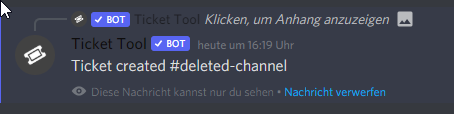
where can i turn off this function https://imgur.com/oZfwiDY
wo kann ich diese funktion abschalten https://imgur.com/oZfwiDY
 jade topaz
dashboard not working
 leaden temple
How do i make it so that the tickets are created in a specific category
spark hound
leaden temple
How do i make it so that the tickets are created in a specific category
As in, they're opened and closed in a specific category?
leaden temple
spark hound
As in, they're opened and closed in a specific category?
they r opened at the top
 spark hound
leaden temple
they r opened at the top
spark hound
leaden temple
they r opened at the top
You want them to be under a category, right?
leaden temple
spark hound
You want them to be under a category, right?
yeah
spark hound
$help category
humble sequoiaBOT
How to set the open category
To set a open category go to the Dashboard -> Panel Configs -> Settings -> Category Options -> Category Open
spark hound
humble sequoia
Here
 dim ruin
هل هناك هنا مساعدين عرب
 shadow axle
$arabic
humble sequoiaBOT
فريق الدعم الفني العربي
عميلنا العزيز ان كنت تبحث عن مساعدة يرجى فتح تكت خاص بفريق الدعم الفني العربي
اذهب الى#🎫│make-a-ticket
ثم قم بلضغط على الايموجي الاتي (🇯🇴)
dim ruin
واذا ابغا اختار انجليزي ما اختار
 shy cairn
is there a feature on tickets to let the ticket creators add people to a ticket, even if they are not the discord server owners/moderators?
humble sequoiaBOT
Help Options
$help commands - Information on commands
$help setup - Information on bot setup
$help faq - Frequently asked questions
shy cairn
$help faq
humble sequoiaBOT
====== FAQ ======
If a question interests you run the command to see the answer.
Q: What is the prefix and how do I change it?
A: $help prefix
Q: How do I let my support team see into a ticket?
A: $help support
Q: How do I make a ticket ping my support when it's created?
A: $help ping
Q: How do I set a transcript channel?
A: $help transcript
Q: How do I limit the number of tickets a user can create?
A: $help limit
Q: How do I set what category tickets are created in?
A: $help category
Q: How do I set what category tickets are moved to when closed?
A: $help closed
Q: How do I set a custom reaction?
A: $help reaction
Q: How do I set the permissions for the tickets?
A: $help perms
Q: How do I create a panel?
A: $help panel
Q: How do I get the panel in my discord?
A: $help send
Q: How do I add or remove users from a ticket?
A: $help add
Q: A panel of mine won't update with the new settings, How do I fix it?
A: $help update
Q: Ticket Tool isn't responding to my commands, How do I fix it?
A: $help offline
Q: How does the claim command work?
A: $help claim
shy cairn
$help add
humble sequoiaBOT
How to add or remove users on tickets
To add a user to a ticket use $add <user>
To remove a user from a ticket use $remove <user>
shy cairn
$help perms
humble sequoiaBOT
How to set the permissions for tickets
To set a change permissions go to the Dashboard -> Panel Configs -> Settings -> Permission Options
 shy cairn
zilch on that...
tribal cedar
@shy cairn are you talking about $add ?
 humble fiber
/en سلام عليكم
robust sandalBOT
Peace be upon you
Arabic (ar) → English (en)
humble fiber
/en هاي
robust sandalBOT
Of
Persian (fa) → English (en)
humble fiber
@tribal cedar @shy cairn
shadow axle
don't ping people
scenic plinth
/ar Let's not ping people, do you need help?
robust sandalBOT
دعنا لا ننهم الناس، هل تحتاج إلى مساعدة؟
English (en) → Arabic (ar)
robust sandalBOT
shadow axle
don't ping people
 nance
nance
لا بينغ الناس
English (en) → Arabic (ar)
humble fiber
scenic plinth
/ar Let's not ping people, do you need help?
yes
scenic plinth
/ar Ok, do you want Arabic Support?
robust sandalBOT
حسنا، هل تريد الدعم العربي؟
English (en) → Arabic (ar)
humble fiber
yes
jade topaz
how do you um
robust sandalBOT
jade topaz
how do you um
 𝔀𝓱𝓲𝓽𝓮𝓫𝓮𝓪𝓻𝓭
كيف يمكنك أم
English (en) → Arabic (ar)
jade topaz
enable transcript
scenic plinth
humble fiber
yes
/ar I'll make a ticket for you.
robust sandalBOT
سأصنع لك تذكرة
English (en) → Arabic (ar)
robust sandalBOT
jade topaz
enable transcript
𝔀𝓱𝓲𝓽𝓮𝓫𝓮𝓪𝓻𝓭
تمكين نسخة
English (en) → Arabic (ar)
scenic plinth
jade topaz
enable transcript
$help transcript
humble sequoiaBOT
How do I save transcript to a channel?
To save transcripts to a channel go to the Dashboard -> Panel Configs -> Settings -> Logging Options -> Transcript Channel
 humble fiber
@scenic plinth ok
jade topaz
i have done that, selected my channels but it still doesnt log it
robust sandalBOT
jade topaz
i have done that, selected my channels but it still doesnt log it
𝔀𝓱𝓲𝓽𝓮𝓫𝓮𝓪𝓻𝓭
لقد فعلت ذلك ، اختار قنوات بلدي لكنه لا يزال لا يسجل ذلك
English (en) → Arabic (ar)
scenic plinth
jade topaz
i have done that, selected my channels but it still doesnt log it
/ar Let's quit pinging
robust sandalBOT
دعونا نتوقف عن الأزيز
English (en) → Arabic (ar)
jade topaz
 scenic plinth
jade topaz
i have done that, selected my channels but it still doesnt log it
scenic plinth
jade topaz
i have done that, selected my channels but it still doesnt log it
Does it have permissions to access the channel?
jade topaz
yeah it was working like 2-3 weeks ago
i only just noticed it stopped logging the tickets and idk why
humble fiber
/en كيف اغير اسم لوحة
robust sandalBOT
How do I change the name of a painting
Arabic (ar) → English (en)
scenic plinth
jade topaz
i only just noticed it stopped logging the tickets and idk why
Is two step close / ticket enabled for the panel?
scenic plinth
humble fiber
/en كيف اغير اسم لوحة
/ar Refer to your ticket that was made for you.
robust sandalBOT
ارجع إلى تذكرتك التي صنعت لك.
English (en) → Arabic (ar)
jade topaz
wym
humble fiber
ok @scenic plinth
scenic plinth
jade topaz
wym
Does it give you the ability to save the transcript when closing or does it just delete?
jade topaz
it used to just, when the ticket was closed + deleted at the same time, it would just save it then in the log channel and then the ticket would be deleted
prime bridgeBOT
! d3s،R3B#0001 has been warned!
They were notified via dms.
humble fiber
prime bridge
ok
scenic plinth
jade topaz
<@!615207454443044904>
Don't ping me, you need to explain your issue instead of saying "I need help"

 scenic plinth
Use $debug in that channel
rough moth
those are two different types of logs
jade topaz
?
rough moth
nvm
scenic plinth
rough moth
those are two different types of logs
They have both enabled.
Yes please
rough moth
scenic plinth
They have both enabled.
ye i figured
jade topaz
maybe this will do
 scenic plinth
Can you send the server ID separately here? On mobile doesn't allow me to copy and paste from embeds.
jade topaz
I believe it had something to do with this premium option but im not sure

809586990520991754
scenic plinth
That would mean if it is closed it would automatically save it instead of having a staff do it.
jade topaz
whats the command to save the transcript
btw what they did here, is this premium like different options
 unique anvil
its a multipanel
jade topaz
free?
unique anvil
Premium
scenic plinth
jade topaz
whats the command to save the transcriot
$transcript
Also try to enable 2 step close and 2 step ticket in you general options on the panel.
jade topaz
what would be the purpose of them
scenic plinth
Well first when you close it is it allowing you to see a red embed giving you the option to "save transcript"?
jade topaz
i have it done now, i just need to use the command before deleting the ticket and it'll save
scenic plinth
"Two step close" is disabling the ability to use transcript saving, as with it disabled it does not give the option to save it, as per it just deleting the ticket.
tribal cedar
@jade topaz general options in panel configs
 robust sandalBOT
What the
Arabic (ar) → English (en)
rough moth
/ar Give Ticket took the correct permissions it needs. Giving it admin is easier if you would prefer.
robust sandalBOT
أخذ إعطاء تذكرة الأذونات الصحيحة التي يحتاجها. إعطائها المشرف هو أسهل إذا كنت تفضل ذلك.
English (en) → Arabic (ar)
robust sandalBOT
robust sandal
@tribal cedar Trying to translate to English but detected as English.
Please don't waste translations by trying to translate to the same language.
tribal cedar
Haha oops
jade topaz
Hi
tribal cedar
Hello
jade topaz
I am using ticketool on my server, and there is something strange. The button "create ticket" appears below the panel message, but not the envelope reaction emoji. Therefore, users on mobile can't react to the panel, so they can't open a ticket. Is this a known bug ? In a previous version i used i hadn't any issue like this. Thanks.
tribal cedar
Is it invalid form body?
jade topaz
No, i see the panel well, i see the button below.
The only thing missing is the reaction envelope.
tribal cedar
Well thats just an option in the button config
Show emoji in panel configs button options
jade topaz
i activated it
tribal cedar
Because they need to update their discord client
jade topaz
oh okay
tribal cedar
You can see it right?
tribal cedar
Ok if not come on back were like McDonald's. Always open.
jade topaz
haha thanks a lot !
tribal cedar
Nps another thing to try if that doesn't solve the issue is to resend the panel message
Step 3 in #573205317870157855
jade topaz
it solved it !
tribal cedar
Awesome!
jade topaz
but okay, so what i need to do is to tell my clients to update their discord app
but before that, the old version of ticketool was working perfectly fine
there was an update on your side ?
tribal cedar
Yes what i do is I send a message to my channel below the panel message
that informs them of that
jade topaz
okay
tribal cedar
jade topaz
there was an update on your side ?
There was a massive update . Tt is always improving for its customers
jade topaz
you are working for ticketool ?
tribal cedar
I am not
jade topaz
ah ok
tribal cedar
;) just helpful
jade topaz
because i have an amelioration to propose
when you have a chanel where you put your panel
if a client react, there will be a bot message on the same chanel
informing only the client
but after the ticket is close, the message stay below the panel
it's only visible for the client but
if a client has to open 1 ticket every day for example
the chanel will be flooder
tribal cedar
Yea the only way to remove those is to client dismiss
tribal cedar
Or restart client
jade topaz
it should be automatic no?
tribal cedar
Thats discord afaik it can't auto remove it yet
tribal cedar
But I fully understand and thought that myself and talked to TT owner about it and heard its discord limits
If they close their clients the messages go away but the alternative is not having that message which is so helpful
So imo its better this way. They get the channel linking to their ticket channel as well in that message which for most is super helpful
tribal cedar
Ah you can use $add with a userID or a @rolename
Its to be used inside the ticket channel you wish to grant access to
jade topaz
Is the bot down? doesn’t join my sever
tribal cedar
The bot is not down
golden shoal
humble sequoia
is there a tutorial video for this ..
tribal cedar
There isn't but its simple enough with the great supporters here
Use #573205317870157855 to get through first couple steps
Load the dashboard up and click the question mark near options for extended help and as always specific questions can come here for answers
Just noticed what you replied to. Do you specifically need help with multi panels?
scenic plinth
No
jade topaz
fuck it
i want to do the transcripts but i don't have anywhere to start
im so bad with web development
oh
ofc it isn't open source there is premium stuff
tribal cedar
In panel configs -> button options restrict close to support staff only @frail copper

 frail copper
tribal cedar
In panel configs -> button options restrict close to support staff only <@852658...
frail copper
tribal cedar
In panel configs -> button options restrict close to support staff only <@852658...
enable support team only and forbidden
tribal cedar
Forbidden? Just enabling support team only should be enough
Only the people listed on that panels support roles on the general options would be able to close
tribal cedar
Sorry I'm not sure if your asking another question or not.
Either way after setting support team only the roles listed will only be able to $close or to use the close button
frail copper
tribal cedar
Sorry I'm not sure if your asking another question or not.
my problem is solved ty
iron nightBOT
Gave 1 Rep to Enigma (current: #12 - 55)
tribal cedar
Awesome and anytime 😊
tribal cedar
English?
golden shoal
Hey. I created a #ticket-queue channel for open/pending tickets. Is there a way to point new tickets to that channel?
Example:
 rough moth
golden shoal
Hey. I created a #ticket-queue channel for open/pending tickets. Is there a wa...
rough moth
golden shoal
Hey. I created a #ticket-queue channel for open/pending tickets. Is there a wa...
u can appoint tickets to a category
and then once it is claimed u can appoint it to another
$help category
humble sequoiaBOT
How to set the open category
To set a open category go to the Dashboard -> Panel Configs -> Settings -> Category Options -> Category Open
golden shoal
Awesome. Probably something I overlooked. I can do this from the panel config, right?
rough moth
yes
iron nightBOT
Gave 1 Rep to DisguisedBaby (current: #9 - 98)
rough moth
anytime
golden shoal
tribal cedar
Just noticed what you replied to. Do you specifically need help with multi panel...
I do need help with multi-panels
humble sequoiaBOT
Multipanels are a premium feature that allow for a single panel with multiple reactions to open different tickets.
How to create a Multipanel
Premium users can combine multiple panels into one multipanel.
First of all you will need to assign a different Create Ticket Reaction for each Panel. Run $help reaction to learn how to do it.
Next, find the IDs of each panel you wish to combine. You can find them in your Panel Configs in the Dashboard
Next, send the multipanel to a channel using $panel [id1] [id2] {id3} ....
e.g. $panel 1 2 4 17 35 to combine panels 1, 2, 4, 17 and 35.
Up to 20 panels may be combined.
eager cargo
^
golden shoal
Iam following it. I have already created the first panel where I need to disable the create ticket button .. but, I don't see where.
@rough moth
btw like this?

This is where I am stuck:
e.g. $panel 1 2 4 17 35 to combine panels 1, 2, 4, 17 and 35.```yes that works
rough moth
golden shoal
This is where I am stuck:
```Next, send the multipanel to a channel using $pane...
have you made multiple panels
golden shoal
yes ..
rough moth
did u change the create ticket reactions
golden shoal
that's the next step .. that's in the panel config, too
rough moth
yes
eager cargo
golden shoal
Iam following it. I have already created the first panel where I need to disabl...
Go into your panel settings, button options, create ticket settings, and select  on the Enable Button option
golden shoal
Got it @eager cargo
I am premo @rough moth
rough moth
ok just making sure
tribal cedar
Sorry just seeing ping now
golden shoal
no worries
so, performing this command $panel 1 2 4 17 35, the 1 2 4 17 35 are just examples. so, in my case I have total of 4 or #1, #2, #3, #4
tribal cedar
You have 4 panels?
So just $panel 1 2 3 4
Or $panel 3 4 1 2 whatever order you want buttons to appear in
golden shoal
Makes sense .. thanks @tribal cedar
iron nightBOT
Gave 1 Rep to Enigma (current: #11 - 56)
tribal cedar
Nps
golden shoal
should i run that command in my main support channel or any channel where I have bot added to. I have a private #admin channel where I run commands from
for my other bots
tribal cedar
I keep the number listing in a private channel I have pinned cuz I'm working 21 panels with 2 panel messages between them
Gets a bit confusing $panel 1 2 3 17 18 4 5 6 7 20
Or somesuch
golden shoal
Sheesh that is a lot
tribal cedar
Theres an easier way to do it
golden shoal
Another question .. I just tested with my client. And the option to close is not showing on their end. That's a button feature right?
tribal cedar
Easier in the sense of sending the panel multiple times this is easiest if your new tho
golden shoal
I did that too .. another admin suggested it to me.
golden shoal
it shows for me when I create my own ticket
tribal cedar
You could still use $close
Hmm they may need to update their client
Cuz buttons aren't user dependent
They are all or none
golden shoal
That worked .. actually easier than waiting on them to close it out
tribal cedar
:p
golden shoal
lol
tribal cedar
But if they say they don't see buttons in future
Have them update client and try
Massive discord update and seems like 99.999÷ of discord users don't update lol
golden shoal
That's true
Especially my older clients I had to drag from Facebook over to Discord
tribal cedar
I'm at 10÷ battery though any more quick ones?
iron nightBOT
@golden shoal :: You can't rep Enigma#0007 for 53 minutes and 42 seconds. Try coming back later?
tribal cedar
🖖
tribal cedar
rough moth
 wraith relic
Are staff apps open?
wraith relic
Are staff apps open?
This is your first time chatting here
rough moth
tribal cedar
https://discord.com/channels/509192800865353738/509770538051305493/8486757578189...
but yes, here u can find where to apply, and the info for it.
wraith relic
Mmh, I am looking into become a Support Member here.
rough moth
Alright, well best of luck
golden shoal
can i edit the name of the bot?

 pine wadi
for some reason, non-admin users in my server are not able to create a ticket
this is what shows up
 humble sequoiaBOT
-- moved to ticket --
stable pebble
@humble sequoia
spark hound
stable pebble
<@722196398635745312>
That's not going to do anything. What do you need help with though?
stable pebble
I spoke to your sales team.
I was not feeling well I found I had typhoid and I was in the hospital hospital of place today is my last day in the hospital but your sales team don't understand my situation and question me to pay you
rough moth
stable pebble
I was not feeling well I found I had typhoid and I was in the hospital hospital ...
Just because you are not feeling well, doesn’t mean you’ll get the premium bot for free
stable pebble
This is not for the just feeling well I am have a serious typhoid in the typhoid is not adjust fever
rough moth
That doesn’t mean you’ll get exceptions
Everyone needs to pay for the premium bot
Or vote for it
Or win it somehow
stable pebble
I did not sad Avon organic I said to them let me come back from hospital I will sold out they are only pushing me have to pay RBI for go to hospital in typhoid condition how can I do these things
rough moth
Not sure what you just said or meant
stable pebble
I did not denied to pay I said to them let me come back from hospital