#🆘│community-support
1 messages · Page 317 of 1
 tribal cedar
 strong kindle
So here's my dilemma. I'm setting up/admining a rust server for a streamer. He has his "admin" role in discord have the administrator rights, which overrides basically everything. I have a separate "Rust Server Admin" role, which also has administrator rights. When a ticket is created, it adds every role with administrator rights to the channel.
i'm dumb
never mind. figured out my own issue.
thanks for responding
strong kindle
thanks @tribal cedar
 iron nightBOT
Gave 1 Rep to Enigma (current: #17 - 12)
 storm minnow
I'm having issues with my new panel perms - everyone is able to see the channels when they are created, even though they are not in a support role or addional support field
I even tried copying an existing panel that does make private tickets but that didn't seem to resolve the issue
tribal cedar
$kv
 humble sequoiaBOT
**How to turn off Keep Visible**
**About Keep Visible**
"Keep Visible" will disable any permission changes to the @everyone role, allowing everyone to see into tickets.
**How to disable/enable it**
Head over to your Dashboard -> Panel Configs -> Settings --> General Options -> Keep Visible

NOTE that @everyone can type aswell if it has permissions to send messages
tribal cedar
Disable this option @storm minnow
storm minnow
ahhhh, thank you
tribal cedar
Anytime
 meager delta
Howw do i change it from $ to -
 storm minnow
this one on the side
 iron nightBOT
Gave 1 Rep to vagithug (current: #42 - 1)
meager delta
🙂
storm minnow
@tribal cedar thanks (for cred)
iron nightBOT
Gave 1 Rep to Enigma (current: #17 - 13)
iron nightBOT
Gave 1 Rep to vagithug (current: #33 - 2)
 torn ermine
الو
 robust sandalBOT
torn ermine
الو
robust sandalBOT
torn ermine
الو
 Hi ..
Hi ..
Hello
 Arabic (ar) → English (en)
torn ermine
Arabic (ar) → English (en)
torn ermine
ar
 scenic plinth
/ar Hello, is there something I can help you with?
robust sandalBOT
مرحبا، هل هناك شيء يمكنني مساعدتك به؟
English (en) → Arabic (ar)
torn ermine
انا أدخلت البوت إلى سيرفري لاكن عندما ادخل إلى اللوحه التحكم لايظهر السيرفر
robust sandalBOT
torn ermine
انا أدخلت البوت إلى سيرفري لاكن عندما ادخل إلى اللوحه التحكم لايظهر السيرفر
Hi ..
I put the bot into Cervery, but when I get into the control board, the server doesn't show up.
Arabic (ar) → English (en)
torn ermine
اتمنى انك فهمت
scenic plinth
/ar Please relog into the dashboard. This is the best way to fix it.
robust sandalBOT
يرجى إعادة تسجيل الدخول إلى لوحة المعلومات. هذه هي أفضل طريقة لإصلاحه.
English (en) → Arabic (ar)
robust sandalBOT
torn ermine
اتمنى انك فهمت
Hi ..
I hope you get it.
Arabic (ar) → English (en)
torn ermine
شكرا لك
robust sandalBOT
torn ermine
شكرا لك
Hi ..
Thank you
Arabic (ar) → English (en)
scenic plinth
/ar No problem, have a great day!
robust sandalBOT
لا مشكلة، يكون يوم عظيم!
English (en) → Arabic (ar)
torn ermine
كيف يمكنني تقيمك
robust sandalBOT
torn ermine
كيف يمكنني تقيمك
Hi ..
How can I evaluate you?
Arabic (ar) → English (en)
scenic plinth
/ar What do you mean by "evaluate"?
robust sandalBOT
ماذا تعني ب "تقييم"؟
English (en) → Arabic (ar)
torn ermine
تقييم الخدمة
robust sandalBOT
torn ermine
تقييم الخدمة
Hi ..
Service evaluation
Arabic (ar) → English (en)
scenic plinth
/ar If you want to leave a review, try #📈│reviews although that is mainly for support.
robust sandalBOT
إذا كنت ترغب في ترك مراجعة، حاول #📈│reviews على الرغم من أن ذلك هو أساسا للدعم.
English (en) → Arabic (ar)
 teal smelt
I can't add any user to ticket it's showing missing perms
 pulsar breach
How do I set up the chat to open tickets
scenic plinth
teal smelt
I can't add any user to ticket it's showing missing perms
Make sure the bot has permission to manage channels / manage permissions please. Also make sure the command is enabled in your command configuration.
$help setup
humble sequoiaBOT
Setting up Ticket Tool
Visit the docs for setup info
General Setup
scenic plinth
@pulsar breach Visit that link to setup
 hard moth
Hello
 swift lava
yo i’m trying to create a ticket and it keeps removing my reaction and not creating is there a reason why??
scenic plinth
swift lava
yo i’m trying to create a ticket and it keeps removing my reaction and not creat...
Run $debug on the server please
Provide the link it sends
swift lava
i am unable too… i’m not an admin i just wanted to see if it wasn’t working or something…
scenic plinth
Alright. Usually this will consist of invalid permissions or blacklisted roles. There also could be a possibility the server has reached the 500 channel limit. If the issue persists let one of the server admins know in that server.
 glacial fern
hi
 novel dagger
Is there a way to make an event panel of sorts? Where everyone who reacts gets sent to the same ticket channel?
 craggy geyser
That is probably the best way of doing it with ticket tool. There are other options with other bots though. Something like is done in #735589367027859457 where reacting gives a role, and that role can see the ticket channel
 wide rover
hey
Is there a way enable bots to make tickets? Right now it ignores reactions added by bots but I'm hoping if there's a way to turn that off
 atomic solstice
wide rover
hey
Is there a way enable bots to make tickets? Right now it ignores reactions a...
atomic solstice
wide rover
hey
Is there a way enable bots to make tickets? Right now it ignores reactions a...
HI, this is not possible, most Discord bots ignore other bots, its the same with Ticket Tool. It will ignore anything done by other bots
wide rover
atomic solstice
HI, this is not possible, most Discord bots ignore other bots, its the same with...
aight thx
iron nightBOT
Gave 1 Rep to Satisfy (current: #4 - 70)
atomic solstice
no problem
 marble plank
How to use ticket tool?
 wicked marlin
Hello
 craggy hare
How to set that when ever a ticket opens we get ping? (to a role)
 austere plaza
Wassup
 low knot
Hi, my problem is that I cannot set the ticket tool because my server is not visible in the panel.
humble sequoiaBOT
Don't see your server in the dashboard?
You will possibly need to relog. Look below to see steps on how to relog.
How to relog the Dashboard.
First, you will need to go to the dashboard. Once your there, click on your avatar on the top right. after you clicked it, you will see button that says Logout. You must click that. Once you have logged out, you can log back in.
Note:
You need one of these 3 things to access the dashboard.
1. Server Owner (Level: 6)
2. Server Administrator (Level: 4)
3. Dashboard Role (Level: 2)
You can check your level using $level on your Discord Server
atomic solstice
low knot
Hi, my problem is that I cannot set the ticket tool because my server is not vis...
try to log out and log back in to the dashboard, that reloads the servers
 thin dune
Hi. How I make it so that members cannot close their own tickets?
 abstract wigeon
You can make the close reaction Support Team only.
humble sequoiaBOT
How to change reactions
To set a custom reaction Dashboard -> Panel Configs -> Settings -> Reaction Options -> <Reaction to change> -> Reaction

NOTE you need premium to do this.
abstract wigeon
thin dune
Hi. How I make it so that members cannot close their own tickets?
Follow the instructions show above ^^
thin dune
Tysm @abstract wigeon
abstract wigeon
thin dune
Tysm <@!546305697130872833>
My pleasure, have a good one
 unkempt lake
Is the bot down? I typed $help and nothing happened
atomic solstice
unkempt lake
Is the bot down? I typed $help and nothing happened
try to run @ticket tool debug
basically mention the bot and debug after that
unkempt lake
Ohhh im an idiot apparently i already had the bot in my server and the prefix was chamged xd ok thx
atomic solstice
np
unkempt lake
Ok now how do i change the prefix cuz i had made the prefix / but when i do /help a different bot for some reason overwrites it and ticket tool doesn't respond xd
atomic solstice
$help prefix
humble sequoiaBOT
How to change Ticket tool's prefix
The default prefix for ticket tool is $ and @Ticket Tool#4843 however that can be changed on the Dashboard under Server Configs -> Command Prefix.

NOTE that @Ticket Tool#4843 will always work as a prefix even if there is a custom prefix.
 strong hamlet
hey does someone knows why the servers i invited ticket tool aren't working ?
atomic solstice
humble sequoia
here ^^ @unkempt lake
strong hamlet
like i can't manage them that show me nothing
unkempt lake
Ok
atomic solstice
strong hamlet
hey does someone knows why the servers i invited ticket tool aren't working ?
please try to log out and log back in, that reloads the server list
strong hamlet
perfect thx youu
atomic solstice
np
unkempt lake
Ok 1 more question. Is there a way to make the bot ping a role in the ticket when it is created?
atomic solstice
unkempt lake
Ok 1 more question. Is there a way to make the bot ping a role in the ticket whe...
yes
$help ping
humble sequoiaBOT
How to make Ticket Tool ping a role
To make ticket tool ping a role when a ticket is opened, go to the Dashboard -> Panel Configs -> Settings -> Ticket Options -> Ticket Message -> Message Text and do this:
{@Role name} This is case sensitive and the role must have @mentions enabled

 jade topaz
Hello, my phone was stolen and now I have no way to log in to my stake cube account. what can i do to regain access?
humble sequoiaBOT
You're in the wrong place
We provide support for @pseudo glen discord bot and cannot help you with whatever issue you have.
Please make sure to contact the appropriate support team.
If you don't have any further questions regarding our bot Ticket Tool, please close this ticket
_ _
 white ferry
My bot doesn't save the transcrips
atomic solstice
white ferry
My bot doesn't save the transcrips
Does it say Transcript failed to save?
white ferry
Yes
atomic solstice
That means that the bot doesn't have permission to view or send messages in the channel that you set as the one where transcripts should save
white ferry
ok I'll see, if I have problems with something I'll ask
Thanks
Thanks @atomic solstice
iron nightBOT
Gave 1 Rep to Satisfy (current: #4 - 71)
atomic solstice
no problem
scenic plinth
$tts
humble sequoiaBOT
You're in the wrong place
We provide support for @pseudo glen discord bot and cannot help you with whatever issue you have.
Please make sure to contact the appropriate support team.
If you don't have any further questions regarding our bot Ticket Tool, please close this ticket
_ _
 wraith forum
I'm not sure if its because we're getting like 200 tickets a day
But
Around half of the tickets are being created in the wrong spot
They're supposed to save here

But some of them are saving at the top not under a category

 fair crown
Hi, when im adding Ticket tool to my server, it still says that i have to invite it. So i can't manage it.
Can someone help? :)
Its in my server, an it still wan't me to invite Ticket Tool..
austere plaza
@tidal ocean dude
tribal cedar
wraith forum
Around half of the tickets are being created in the wrong spot
Are your categories setup right for a panels?
atomic solstice
It can also be because the Categories get overfilled
wraith forum
Yeah
atomic solstice
Discord limit is 50 channels per category
wraith forum
@atomic solstice its random tickets tho
atomic solstice
if there is more then they open at the top of the server
atomic solstice
wraith forum
Does ticket manager premium have a work around?
no, its a Discord limit, we cannot change it. The most you can do is set multiple categories for the tickets which will work when one is overfilled then the other one starts getting tickets
iron nightBOT
Gave 1 Rep to Satisfy (current: #4 - 72)
atomic solstice
no problem
tribal cedar
fair crown
Hi, when im adding Ticket tool to my server, it still says that i have to invite...
Hows it telling you that? Do you mean the dashboard isn't showing your server?
atomic solstice
it is just a problem fixable by relogging
basically the browser saved the information when the bot wasn't in the server yet
when you relog the information updates
atomic solstice
they left the server
tribal cedar
Nope
 tribal cedar
Yea I gathered that thanks again
atomic solstice
np
white ferry
I have another problem: 'c
I enter from my other account to test the bot on the server that I am configuring and when I want to open the ticket it comes out as if it had been opened but nothing :c
scenic plinth
What do you mean by that? Does the ticket not open?
 timid dirge
Hello, who can I talk to about continuing our partnership with TicketTool? Because Dev doesn't answer :/
 scenic plinth
timid dirge
Hello, who can I talk to about continuing our partnership with TicketTool? Becau...
scenic plinth
timid dirge
Hello, who can I talk to about continuing our partnership with TicketTool? Becau...
Create a ticket and contact them about that, the support can answer your questions about that.
atomic solstice
 tacit echo
Can you guys help
tacit echo
Can you guys help
We can't help you unless you explain what you need help with
tacit echo
I did not buy ticket bot premium but why can I still put the premium bot in my sever
atomic solstice
You can add the bot, it just won't do anything
it won't respond to any commands unless you pay for premium
tacit echo
Oh I thought I bot it
 prime bridgeBOT
 !legos#4436 has been warned!

 They were notified via dms.
 wicked scroll
tacit echo
<@!261346621369876501> can you help me
wicked scroll
tacit echo
<@!261346621369876501> can you help me
Please, do not ping staff, check #546557408902905896 😄
tacit echo
And on the premium does the i month stay blue
tribal cedar
Whats the I month?
tacit echo
On my page it has the 1 month premium blue does that mean I bought it
tacit echo
Douse that mean I bought it
 tribal cedar
Np it doesnt.
tacit echo
Ok
tribal cedar

See where it says premium status?
Thats how would you know if premium is active in your server
tribal cedar
You're welcome but you are missing out on some great features
jade topaz
hey anyone here knows why ticket tool is showing ticket limit reached
tacit echo
I will think about buying it for my birthday
jade topaz
how can I know who deleted the ticket?
tribal cedar
jade topaz
hey anyone here knows why ticket tool is showing ticket limit reached
Tickets have no limits besides what discord enforces. Are you talking about maximum tickets allowed at one time per user?
jade topaz
tribal cedar
Tickets have no limits besides what discord enforces. Are you talking about maxi...
nah anyone creating ticket in my server gets a dm from ticket tool saying ticket limit reached
Ticket limit reached. 1/1
like this
tribal cedar
jade topaz
how can I know who deleted the ticket?
Under panel settings setup logging options specifically logging channel
tribal cedar
jade topaz
nah anyone creating ticket in my server gets a dm from ticket tool saying ticket...
In panel options general whats ticket limit set to?
And do the users already have one ticket open no matter its closed status?
@jade topaz find it?
jade topaz
tribal cedar
And do the users already have one ticket open no matter its closed status?
yeah some do have some dosent
tribal cedar
The ones who do are the ones getting a dm?
Like I asked please check if your panel settings -> general -> ticket limit is set to 1
 remote peak
How can I send a ticket log to a channel via commands?
jade topaz
tribal cedar
Like I asked please check if your panel settings -> general -> ticket limit is s...
yes it was set to one i set it to 50 still its dming me
tribal cedar
You should #🎫│make-a-ticket because that's not normal
jade topaz
tribal cedar
<@456226577798135808> find it?
yes ty
iron nightBOT
Gave 1 Rep to Enigma (current: #17 - 14)
tribal cedar
remote peak
How can I send a ticket log to a channel via commands?
$transcript but I believe it adds it to the channel
atomic solstice
jade topaz
yes it was set to one i set it to 50 still its dming me
Edits apply to new tickets, since the bot has to update, close that open ticket and then try opening a new one again
then the limit should be 50
tribal cedar
With premium you can specify a channel to send transcript to in panel settings -> logging options
tribal cedar
jade topaz
yes ty
Awesome np
atomic solstice
you can specify a channel without premium as well
it just won't automatically save there
you have to use the reaction
tribal cedar
The reaction sends to channel and not to ticket channel if there's one set?
atomic solstice
tribal cedar
The reaction sends to channel and not to ticket channel if there's one set?
yes
tribal cedar
I have non premium for... oh 2 minutes lol
atomic solstice
when a transcript channel is set then the reaction sends to that channel
command sends to the ticket itself
tribal cedar
Awesome
jade topaz
atomic solstice
Edits apply to new tickets, since the bot has to update, close that open ticket ...
thanks
iron nightBOT
Gave 1 Rep to Satisfy (current: #4 - 73)
atomic solstice
no problem
 marsh canopy
Why does Premium not open the ticket
<@&642118166243311646>
 tribal cedar
Check your perms
scenic plinth
@marsh canopy Run $debug in the server
tribal cedar
@marsh canopy
marsh canopy
Ok whait
tribal cedar
Does that bot have read send and message history perms in the channel your trying this in?
marsh canopy
@tribal cedar @scenic plinth
 tribal cedar
You dont
Need to ping us
Does the premium not have read and message history perms in that channel
 scenic plinth
Invite me to the server in DMs
tribal cedar
Gl
marsh canopy
@scenic plinth اك
robust sandalBOT
marsh canopy
<@615207454443044904> اك
 𝐇𝐎 • M3IL9A
@scenic plinth
Arabic (ar) → English (en)
tribal cedar
$arabic
humble sequoiaBOT
فريق الدعم الفني العربي
عميلنا العزيز ان كنت تبحث عن مساعدة يرجى فتح تكت خاص بفريق الدعم الفني العربي
اذهب الى#🎫│make-a-ticket
ثم قم بلضغط على الايموجي الاتي (🇯🇴)
tribal cedar
Your native language might be easier to understand
marsh canopy
@tribal cedar I am an Arab
jade topaz
can someone help i want to use the bot but i have no idea how it works eventho i read the help
scenic plinth
jade topaz
can someone help i want to use the bot but i have no idea how it works eventho i...
What exactly are you having trouble with?
jade topaz
idk how to make the bot working in the server
scenic plinth
Is something not working or are you just having trouble setting it up.
 dense notch
the ticket bot isnt being set up
scenic plinth
What do you mean by that?
dense notch
I added to meh server and it won't do the ticket thingy
humble sequoiaBOT
tribal cedar
Its not an automatic process
dense notch
I dont know how to remember well
tribal cedar
Click the link bro and follow the steps in order
We can help with any specific questions you have.
dense notch
Ok
tribal cedar
Gl but its easy as long as you follow the steps
Any options that are confusing you can also click the ? Next to the name of the option for a brief description
dense notch
.
jade topaz
Hello, my phone was stolen and now I have no way to log in to my stake cube account. what can i do to regain access?
where should I go for help
atomic solstice
jade topaz
Hello, my phone was stolen and now I have no way to log in to my stake cube acco...
Hi, please contact the support team of Stake cube, we are only a support team for the @pseudo glen bot, so we cannot help you with anything related to stake cube
jade topaz
scenic plinth
Is something not working or are you just having trouble setting it up.
trouble setting it up
scenic plinth
What part(s) seem difficult to you?
tribal cedar
@jade topaz we can help you but you may have to spend some time chatting and working on it with us.
If you can't I welcome you to come back at a better time for you. We are here more or less 24/7
tribal cedar
We will be here without doubt
 iron nightBOT
Gave 1 Rep to Enigma (current: #17 - 15)
jade topaz
waw
tribal cedar
Thanks @scenic plinth
iron nightBOT
Gave 1 Rep to zLoveMySkills (current: #6 - 61)
tribal cedar
She started it. :)
iron nightBOT
Error: You're still on cooldown
jade topaz

tribal cedar
No worries I gave her the rep
jade topaz
thank to both tho
 urban galleon
Hi there! I began my 7-day free premium trial, and after that I want to vote for the bot.. How would I redeem my premium after i voted?
humble sequoiaBOT
Votes
Current Votes: 0
Lifetime Votes: 0
Linked Votes: 0
Vote Links
Linking Info
Linked User: Not Linked
You can give your future votes to another user by linking with that user.
To link use $vote link (@user or userId)
To unlink use $vote unlink
Redeeming
Each vote is worth 12 hours of premium and can be redeemed once you have atleast 6 votes.
Your current votes are worth 0m
To redeem your current votes use $vote redeem
iron nightBOT
Gave 1 Rep to Enigma (current: #16 - 16)
tribal cedar
Np
scenic plinth
It will give you the option to redeem like Enigma said, you can claim the votes whenever. During the free trial, if you purchase or add any premium key to the week long key (Ex. 1 month) it will just add it to the current duration.
 autumn acorn
How do I level up to see ticket
scenic plinth
autumn acorn
How do I level up to see ticket
What do you mean?
autumn acorn
scenic plinth
What do you mean?
For example, the rank of member I want to show her the ticket, how do I do that?
humble sequoiaBOT
-- moved to ticket --
scenic plinth
👍
 unreal minnow
Hello, to my mother an error appears in which when I get a ticket I get that it says that the ticket has reached its limit, how can I solve it?
tribal cedar
By increasing the ticket limit in panel settings -> general options
That option only allows users to open a specific number of tickets which corresponds to the # in the option
@unreal minnow
 inland rapids
where do i go to invite premium ticket tool?
humble sequoiaBOT
Inviting and Enabling Premium Bot
The first thing you will need to do is invite the premium bot, an invite can be found here
Once the bot is in your server we will head to the dashboard and manage your server. When you are managing your server, you want to head into "Server Configs" then click the drop down menu under "Select the bot you would like to use on this server" then click "Ticket Tool#6207" and then save.
 safe prairie
@inland rapids 
inland rapids
sounds good
 subtle summit
I added Ticket Tool into my server, logged out of the dashboard, logged back in and reloaded yet my server won't show up. Pretty sure the bots perms are ok. Is this a bug or (?)
tribal cedar
Are you an admin
subtle summit
yes
tribal cedar
I haven't heard of a bug like this personally I would try clearing your cookies and cache
subtle summit
mkk.
tribal cedar
As long as you logged out by clicking your avatar picture then logged back in it should work fine.
Lemme know if this solved your issue.
subtle summit
aight. thx!
tribal cedar
Anytime
 loud burrow
Hello, I would like to see if you can help me with this, I do not understand why it appears, I am trying to open a ticket but it does not let me and this appears, it would be of great help, if you can solve it for me
 tribal cedar
That is because your ticket limit is set to one so a user can only open 1 ticket at a time.
To change go to panel settings -> general options and change ticket limit
@loud burrow
loud burrow
Thanks!
tribal cedar
Anytime
unreal minnow
and as I enter the settings panel, I am sorry that I am new to this discord
tribal cedar
Go general options -> ticket limit
Tt only allows a certain # of tickets per person
This is how you specify that #
@unreal minnow
scenic plinth
Two different people...
subtle summit
Oh yea it worked! Thank you Enigma for helping me 
tribal cedar
Anytime
Oh good. I'm glad it worked. I had forgotten how I helper and was like wha what?
jade topaz
Help meh ;-;
scenic plinth
How can I help?
jade topaz
Um, i only got one problem I think I pannel config's tbh I dont even know where that it says ''Next, click on the server you invited the bot to, then click “Panel Configs” on the sidebar.'' I was looking for that but I can't find that
i Cant type for shit
;-;
scenic plinth
When you log into the dashboard. You will see a list of servers. (If you see a screen saying "ticket tool" click the blue "manage servers" button.
The servers you can manage will show up in list, with a gray button saying "manage server"
When you get to the page on that, click the 3 lines you will see on the top left of your screen. This will give you the "panel configs" option you are looking for.
 tribal cedar
Click top right on your picture then click manage servers
 fair turret
The bot is glitched for my 750+ players server.
People hit the ticket it does not work.
tribal cedar
fair turret
The bot is glitched for my 750+ players server.
How?
tribal cedar
Run $debug
fair turret
Just did.
jade topaz
this is all i see ;-;
tribal cedar
Everything looks find there. Did you blacklist everyone?
jade topaz
 fair turret
.Lemme check.
tribal cedar
@jade topaz do you have admin in the server if your servers not listed?
jade topaz
tribal cedar
<@456226577798135808> do you have admin in the server if your servers not listed...
i have like mod trainer and event cord
tribal cedar
Then an admin may need to add your role to dashboard perms
humble sequoiaBOT
Don't see your server in the dashboard?
You will possibly need to relog. Look below to see steps on how to relog.
How to relog the Dashboard.
First, you will need to go to the dashboard. Once your there, click on your avatar on the top right. after you clicked it, you will see button that says Logout. You must click that. Once you have logged out, you can log back in.
Note:
You need one of these 3 things to access the dashboard.
1. Server Owner (Level: 6)
2. Server Administrator (Level: 4)
3. Dashboard Role (Level: 2)
You can check your level using $level on your Discord Server
tribal cedar
Check out the note section
jade topaz
oh
tribal cedar
Once you get that done click your pic again then logoff
then login to reset the servers available to manage to you
Once you can manage your server you'll see panel configs which is where your at in the steps.
jade topaz
tribal cedar
Once you can manage your server you'll see panel configs which is where your at ...
i might need more help
tribal cedar
I'm making dinner but ask away
jade topaz
Nothing worked
Im now onwer of the server and nothing worked
You know what
ima not make a ticket thingy bc it aint even working for me but thanks for yalls help
tribal cedar
I can certainly walk you through it
You need to click your picture top right and logout
Then log back in to see the server on your manage list
jade topaz
i did it
tribal cedar
You see your server listed now?
jade topaz
yeah but what i do now
tribal cedar
Click manage
 tribal cedar
Idk what your server name is
ok now see panel configs?
Thats where you were in your steps I believe
jade topaz
Wait it worked
tribal cedar
Cool!
 quaint heath
hello community
can anyone help me set up ticket transcripts for premium?
i swear i read everything
jade topaz
SHAJHASJHS THANK YOU SO MUCH @tribal cedar
iron nightBOT
Gave 1 Rep to Enigma (current: #16 - 17)
tribal cedar
Click panel configs->logging options-> then setup the transcript channel
tribal cedar
jade topaz
SHAJHASJHS THANK YOU SO MUCH <@!297419611350106133>
Anytime
quaint heath
fk i cant read
tribal cedar
I gotcha no worries
quaint heath
thank you sir
 thorn sonnet
how can you send closed ticket logs to a channel? or is that only a premium thing
tribal cedar
$transcript
 amber rampart
Hello! Moderator's are not given the "read message history" permission in my support channels automatically. How can I change that?
tribal cedar
Panel configs -> settings -> permissions
May be support team perms or may also be additional roles depending on how you set it uo
thorn sonnet
tribal cedar
$transcript
also how can i do this from the dashboard if it isnt a premium feature ^
OOPS wrong reply
jade topaz
welp i need help again
iron nightBOT
Gave 1 Rep to Enigma (current: #16 - 18)
tribal cedar
thorn sonnet
also how can i do this from the dashboard if it isnt a premium feature ^
By setting up panel configs -> settings -> logging options
thorn sonnet
oh i see, i did that but when i close tickets it doesnt send to the channel :/
jade topaz
It says ''The channel you select will have your newly created panel instantly displayed.'' but i dont see the one i put as support
tribal cedar
jade topaz
It says ''The channel you select will have your newly created panel instantly di...
Select it from the drop down menu
jade topaz
tribal cedar
Select it from the drop down menu
i still dont see it ;-;
 tribal cedar
Ah if you just made it refresh page
iron nightBOT
@jade topaz :: You can't rep Enigma#0007 for 41 minutes and 39 seconds. Try coming back later?
tribal cedar
Anytime
 bright rose
🇪🇸
 ocean cave
Do i need to have the free version of the bot still in my server when I go Premium?
scenic plinth
ocean cave
Do i need to have the free version of the bot still in my server when I go Premi...
No. Everything will be transferred to the premium bot.
ocean cave
scenic plinth
No. Everything will be transferred to the premium bot.
Thank you so much
iron nightBOT
Gave 1 Rep to zLoveMySkills (current: #6 - 62)
scenic plinth
No problem. Have a nice day!
tribal cedar
bright rose
🇪🇸
No need to post this in every channel your allowed to post in. Once is enough to show your flag my man
 little dirge
how do i need to doe doos
 tribal cedar
What?
 green marten
Any one speak Arabic here!
tribal cedar
$arabic
humble sequoiaBOT
فريق الدعم الفني العربي
عميلنا العزيز ان كنت تبحث عن مساعدة يرجى فتح تكت خاص بفريق الدعم الفني العربي
اذهب الى#🎫│make-a-ticket
ثم قم بلضغط على الايموجي الاتي (🇯🇴)
green marten
OK
scenic plinth
bright rose
🇪🇸
¿Necesitas soporte en español? No es necesario publicar la bandera en los chats.
jade topaz
I need help again
scenic plinth
How can I help you?
jade topaz
I did everything yall said
But when i pressed the reaction button its not making me get a ticket
scenic plinth
Run $debug in the server for me please
jade topaz
kk
jade topaz
scenic plinth
Run $debug in the server for me please
i did
scenic plinth
So I just tested this myself, try allowing it the permission to "manage messages"
jade topaz
oh okay
jade topaz
scenic plinth
So I just tested this myself, try allowing it the permission to "manage messages...
how do i do that
scenic plinth
Run it through the role permissions.
Server Settings --> Roles --> "Manage Server" ---> Hit the checkmark
 simple root
hello good I have a very big problem because I don't remember the prefix I put that I can do
????
@wicked scroll
storm minnow
It's in your server configs on teh side panel
 simple root
already but I think I'll change it
storm minnow
if you go there
and look at the panel you will see it

so if you changed it, that's where you will see what you changed it to
 eager cargo
$help prefix
humble sequoiaBOT
How to change Ticket tool's prefix
The default prefix for ticket tool is $ and @Ticket Tool#4843 however that can be changed on the Dashboard under Server Configs -> Command Prefix.
NOTE that @Ticket Tool#4843 will always work as a prefix even if there is a custom prefix.
simple root
ok thanks
bright rose
scenic plinth
¿Necesitas soporte en español? No es necesario publicar la bandera en los chats.
Ya me di cuenta, pero igual gracias
scenic plinth
bright rose
Ya me di cuenta, pero igual gracias
No hay problema, ¡que tengas un gran día!
 rough moth
Are u guys allowed to tell us on things you are currently working on for the bot
Such as new features and etc
 wet mulch
how do i have it so i the ticket has like
instructions
when u open a ticket it says
Support will be with you shortly.
To close this ticket react with 🔒
in the embed
how can i change it?
humble sequoiaBOT
**Ticket Message**
The Ticket Message is the first message sent by the bot in a new ticket. To customise it head over to your Dashboard -> Panel Configs -> Settings -> Ticket Options -> Edit Ticket Message
 eager cargo
^
 verbal tartan
Hola, que necesito para poder personalizar un bot de estos?
 robust sandalBOT
verbal tartan
Hola, que necesito para poder personalizar un bot de estos?
robust sandalBOT
verbal tartan
Hola, que necesito para poder personalizar un bot de estos?
 🦜El pajaro Feliz🦜
Hello, what do I need to be able to customize a bot of these?
Spanish (es) → English (en)
verbal tartan
que es eso? que hago?
tribal cedar
verbal tartan
Hola, que necesito para poder personalizar un bot de estos?
/es mostly all that's needed is time and drive. Its pretty easy to setup check the link below for setup info
robust sandalBOT
sobre todo todo lo que se necesita es tiempo y conducir. Su bastante fácil de configurar comprobar el siguiente enlace para obtener información sobre la configuración
English (en) → Spanish (es)
humble sequoiaBOT
 ashen tapir
I was just wondering how ticket tool generates links if you could share some insight, is it attachment/channelId/???/channelName ?
 mild verge
Hello - I'm trying to make the ticket transcript archive channel searchable, but keywords in the transcripts aren't bringing them up in discord searches. Is there a way to make them searchable?
tribal cedar
Words from within the transcript no but I've found searching for mention: username will at least be able to give you a listing of all users tickets
tribal cedar
ashen tapir
I was just wondering how ticket tool generates links if you could share some ins...
Not sure what your looking for but maybe a manager can help with specifics
tribal cedar
mild verge
Hello - I'm trying to make the ticket transcript archive channel searchable, but...
I also do by ticket names since I categorize my reactions to "nornal" ticket reasons. Helps with auditing what kind of tickets how many etc
 prime blade
Hi!!! i've added the BOT to my server and it is set up in the channel i want
how can i make it so it is private ticket channel between the person who created it and the MOD team?
Hi! please disregard above, it is working now
jade topaz
Heyo how do I make multiple tickets on one panel?
Something such as this:
 humble sequoiaBOT
Multipanels are a premium feature  that allow for a single panel with multiple reactions to open different tickets.
How to create a Multipanel
Premium users can combine multiple panels into one multipanel.
First of all you will need to assign a different Create Ticket Reaction for each Panel. Run $help reaction to learn how to do it.
Next, find the IDs of each panel you wish to combine. You can find them in your Panel Configs in the Dashboard
Next, send the multipanel to a channel using $panel [id1] [id2] {id3} ....
e.g. $panel 1 2 4 17 35 to combine panels 1, 2, 4, 17 and 35.
Up to 20 panels may be combined.
 eager cargo
^
jade topaz
Thanks
eager cargo
My pleasure
 meager surge
i want an Arab assistant
humble sequoiaBOT
فريق الدعم الفني العربي
عميلنا العزيز ان كنت تبحث عن مساعدة يرجى فتح تكت خاص بفريق الدعم الفني العربي
اذهب الى#🎫│make-a-ticket
ثم قم بلضغط على الايموجي الاتي (🇯🇴)
 velvet remnant
hey guys
how do I upload image as a footer like this
 humble sequoiaBOT
**Panel Message**
The panel message is where people react to make a ticket. To customize it head over to your Dashboard --> Panel Configs -> Settings -> Panel Options -> Edit Panel Message
 velvet remnant
yeah but it's saying image link right? I want to upload it from local directory not from somewhere on the internet
 shadow axle
upload it on imgur or something
 severe burrow
Why is general chat closed?
craggy geyser
It's moved to the community server
velvet remnant
shadow axle
upload it on imgur or something
thanks
iron nightBOT
Gave 1 Rep to nance (current: #18 - 11)
craggy geyser
severe burrow
Why is general chat closed?
The link to Ticket Tool Lounge in general chat will take you to a new general chat plus more
shadow axle
$help setup
humble sequoiaBOT
Setting up Ticket Tool
Visit the docs for setup info
General Setup
jade topaz
i came in a better time
 stray rampart
how can i mention ticket support when i open a ticket
shadow axle
?
shadow axle
stray rampart
how can i mention ticket support when i open a ticket
$help ping
humble sequoiaBOT
How to make Ticket Tool ping a role
To make ticket tool ping a role when a ticket is opened, go to the Dashboard -> Panel Configs -> Settings -> Ticket Options -> Ticket Message -> Message Text and do this:
{@Role name} This is case sensitive and the role must have @mentions enabled
stray rampart
Aha ok ty very much
 humble sequoiaBOT
Don't see your server in the dashboard?
You will possibly need to relog. Look below to see steps on how to relog.
How to relog the Dashboard.
First, you will need to go to the dashboard. Once your there, click on your avatar on the top right. after you clicked it, you will see button that says Logout. You must click that. Once you have logged out, you can log back in.
Note:
You need one of these 3 things to access the dashboard.
1. Server Owner (Level: 6)
2. Server Administrator (Level: 4)
3. Dashboard Role (Level: 2)
You can check your level using $level on your Discord Server
 forest goblet
@wild valve Don't ghost ping me please.
 wild valve
forest goblet
<@!768012716392185896> Don't ghost ping me please.
wild valve
forest goblet
<@!768012716392185896> Don't ghost ping me please.
i dont see the bot's message sorry
forest goblet
Don't see your server in the dashboard?
You will possibly need to relog. Look below to see steps on how to relog.
How to relog the Dashboard.
First, you will need to go to the dashboard (https://tickettool.xyz/) . Once your there, click on your avatar on the top right. after you clicked it, you will see button that says Logout. You must click that. Once you have logged out, you can log back in.
Note:
You need one of these 3 things to access the dashboard.
1. Server Owner (Level: 6)
2. Server Administrator (Level: 4)
3. Dashboard Role (Level: 2)
You can check your level using $level on your Discord Server

 long lake
А почему у меня иногда текст не меняется?
robust sandalBOT
long lake
А почему у меня иногда текст не меняется?
 леди гага
Why doesn't my text change sometimes?
Russian (ru) → English (en)
scenic plinth
 humble anchor
how do i make a transcript channel
humble anchor
how do i make a transcript channel
You will have to create one, or use an existing one.
Below will tell you how to save a transcript channel.
$help transcript
humble sequoiaBOT
How do I save transcript to a channel?
To save transcripts to a channel go to the Dashboard -> Panel Configs -> Settings -> Logging Options -> Transcript Channel
 iron nightBOT
Gave 1 Rep to zLoveMySkills (current: #6 - 63)
humble anchor
lol
scenic plinth
Your welcome, have a nice day!
scenic plinth
long lake
А почему у меня иногда текст не меняется?
Что вы подразумеваете под "не меняет текст?"
humble anchor
scenic plinth
Your welcome, have a nice day!
when i put a message in the opening ticket, how can I ping a staff member in it?
urban galleon
If I redeem my premium by voting, do I get only 1 server with premium or as many servers as I want?
scenic plinth
humble anchor
when i put a message in the opening ticket, how can I ping a staff member in it?
$help ping
humble sequoiaBOT
How to make Ticket Tool ping a role
To make ticket tool ping a role when a ticket is opened, go to the Dashboard -> Panel Configs -> Settings -> Ticket Options -> Ticket Message -> Message Text and do this:
{@Role name} This is case sensitive and the role must have @mentions enabled
humble anchor
kk
urban galleon
urban galleon
If I redeem my premium by voting, do I get only 1 server with premium or as many...
@scenic plinth are you able to help with this>
scenic plinth
urban galleon
If I redeem my premium by voting, do I get only 1 server with premium or as many...
Hey so I just checked this for you. When you buy (or redeem) a premium key it will give you a set duration to how long that key lasts for (Ex. 1 month purchase = 1 month premium)
You can only have the key set to one server. So therefore to answer your question, no.
urban galleon
scenic plinth
Hey so I just checked this for you. When you buy (or redeem) a premium key it wi...
Alright. Thanks, @scenic plinth! Your answer was extremely helpful :)
iron nightBOT
Gave 1 Rep to zLoveMySkills (current: #6 - 64)
scenic plinth
No problem, glad I could help you! Have a great day!
humble anchor
scenic plinth
No problem, glad I could help you! Have a great day!
btw, how do I put a channel in it?
{#channel name} doesn't work
scenic plinth
humble anchor
btw, how do I put a channel in it?
Try <#channelid>
So like [#🆘│community-support](/guild/509192800865353738/channel/776680605517742090/) #🆘│community-support
scenic plinth
Yeah, sometimes discord glitches with the "new lines" thing and doesn't "ping" channels, glad I could help!
 charred skiff
how can i do transcript but when i send this command the bot send the message to a certain room?
scenic plinth
charred skiff
how can i do transcript but when i send this command the bot send the message to...
With the command it sends it to the room it was used in as like a "text and respond" command. To save it to a certain channel you have to use the reaction.
iron nightBOT
Gave 1 Rep to zLoveMySkills (current: #6 - 65)
scenic plinth
Glad I could help. Have a great day!
 autumn solstice
$help ping
humble sequoiaBOT
How to make Ticket Tool ping a role
To make ticket tool ping a role when a ticket is opened, go to the Dashboard -> Panel Configs -> Settings -> Ticket Options -> Ticket Message -> Message Text and do this:
{@Role name} This is case sensitive and the role must have @mentions enabled
 hidden escarp
The bot does not work on my server
@wicked scroll
@pale pilot
@fleet lantern
@hybrid dagger
atomic solstice
hidden escarp
The bot does not work on my server
Please don't randomly ping staff
humble sequoiaBOT
If the bot is not working properly, try the following steps:
-
Run the $debug command in your server, to check the permissions of the bot. Send the link you get to us.
-
Check if you have any Blacklisted Roles in your Server Configs. Any roles listed there will not be able to use the bot / create tickets.
-
While you're in your Server Configs , make sure that you don't have the premium bot enabled, without actually having premium or the bot on the server.
These are the most common issues. If your problem still exists, you can go to our Troubleshooting Page for more fixes.
prime bridgeBOT
' Raqd.#0001 has been warned!
They were notified via dms.
 small tulip
How to set the bot
humble sequoiaBOT
atomic solstice
humble sequoia
https://docs.tickettool.xyz/en/general/setup
here ^^ @small tulip
small tulip
ty 
atomic solstice
np
 fading mauve
Does anyone know when the reactions fix is coming? Its been like a few weeks and i'm still waiting for it 
dense notch
I need help
rough moth
dense notch
I need help
What do you need
rough moth
fading mauve
Does anyone know when the reactions fix is coming? Its been like a few weeks and...
What reaction fix?
 pale pilot
Discord is really slow when it comes to this issue
craggy geyser
rough moth
What reaction fix?
The fix for the below issue
humble sequoiaBOT
Reaction disappeared
This problem is not directly related to Ticket Tool.
That's a known Discord bug. Unfortunately, all you can do is be patient while they are trying to fix the issue.
_ _
_ _
Temporary Solution
You can resend the panel by going to your dashboard or using the command $panel ID
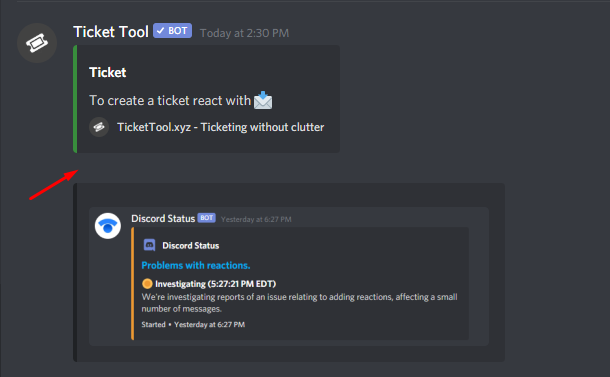 rough moth
craggy geyser
The fix for the below issue
rough moth
craggy geyser
The fix for the below issue
I’ve never had that problem
rough moth
pale pilot
Discord is really slow when it comes to this issue
Discord is slow for everything lol
Takes a while to get something fixed or solve an issue you have
craggy geyser
It's quite common. More common the more tickets that are created with the given reaction
 old gulch
is it possible to customize the reactions for panel upon someone's msg
shadow axle
$help reaction
humble sequoiaBOT
How to change reactions
To set a custom reaction Dashboard -> Panel Configs -> Settings -> Reaction Options -> <Reaction to change> -> Reaction
NOTE you need premium to do this.
old gulch
shadow axle
$help reaction
I mean is it possible to link a panel reaction on other msg
jade topaz
hello
how do i make a ticket? like that people will be able to make a ticket
in here

 thick kindle
Hey
I have a problem
As soon as a member tries to open a ticket on my server, no ticket will open. But the bot reacts to the reaction that the member reacted to, but nothing happens afterwards.
The bot has all permissions and I have set everything correctly as far as I know.
I wanted to ask whether this was due to the bot or whether I had overlooked something.
Andrin
craggy geyser
The bot doesn't react to reactions so that isn't an issue. Does it open tickets for you at least?
thick kindle
The bot only makes tickets for administrators and not for any other role or member who has administrator rights
 sacred river
انا بدي اذا احد فتح تكت يلاقي رسالة كيف؟
craggy geyser
thick kindle
The bot only makes tickets for administrators and not for any other role or memb...
Double check that you haven't set the open ticket reactions to support team only
robust sandalBOT
sacred river
انا بدي اذا احد فتح تكت يلاقي رسالة كيف؟
 ღ𝓗𝓐𝓟𝓟𝓨ღ
I want if someone open a book to find a message how?
Arabic (ar) → English (en)
sacred river
I want if any one opens a ticket find a massage how?
humble sequoiaBOT
**Ticket Message**
The Ticket Message is the first message sent by the bot in a new ticket. To customise it head over to your Dashboard -> Panel Configs -> Settings -> Ticket Options -> Edit Ticket Message
sacred river
اوك
robust sandalBOT
sacred river
اوك
ღ𝓗𝓐𝓟𝓟𝓨ღ
Okay
Arabic (ar) → English (en)
 stone thicket
the bot doesnt mention the selected role

this but no ping
@safe prairie can you help me pls?
sacred river
الرابط معلق او ما ادري ايش في
 safe prairie
stone thicket
<@!452872995438985227> can you help me pls?
safe prairie
stone thicket
<@!452872995438985227> can you help me pls?
Roles or member, that was ping in a embed will not be pinged. You have to write the roles, that you will ping in the message text, not in the embed
stone thicket
oh ok ty
sacred river
sacred river
الرابط معلق او ما ادري ايش في
robust sandalBOT
sacred river
الرابط معلق او ما ادري ايش في
ღ𝓗𝓐𝓟𝓟𝓨ღ
The link is suspended or I don't know what is going on
Arabic (ar) → English (en)
 pseudo ether
Hello
scenic plinth
sacred river
-
/ar I don't know what link you are trying to go to, but click the link I will have the bot send below please.
robust sandalBOT
أنا لا أعرف ما الرابط الذي تحاول الذهاب إليه، ولكن انقر على الرابط سيكون لي بوت إرسال أدناه من فضلك.
English (en) → Arabic (ar)
pseudo ether
I added the ticket tool bot to a server
humble sequoiaBOT
pseudo ether
and when i go to the manage section the server does not pop up there
humble sequoiaBOT
Don't see your server in the dashboard?
You will possibly need to relog. Look below to see steps on how to relog.
How to relog the Dashboard.
First, you will need to go to the dashboard. Once your there, click on your avatar on the top right. after you clicked it, you will see button that says Logout. You must click that. Once you have logged out, you can log back in.
Note:
You need one of these 3 things to access the dashboard.
1. Server Owner (Level: 6)
2. Server Administrator (Level: 4)
3. Dashboard Role (Level: 2)
You can check your level using $level on your Discord Server
scenic plinth
Relog into the dashboard please. It's a common thing.
jade topaz
hello i have a question, how can i make i so that when someone creates a ticket the "support team" gets pinged
pseudo ether
I appreciate all your help
scenic plinth
jade topaz
hello i have a question, how can i make i so that when someone creates a ticket ...
$help ping
humble sequoiaBOT
How to make Ticket Tool ping a role
To make ticket tool ping a role when a ticket is opened, go to the Dashboard -> Panel Configs -> Settings -> Ticket Options -> Ticket Message -> Message Text and do this:
{@Role name} This is case sensitive and the role must have @mentions enabled
pseudo ether
it works now, thanks!
scenic plinth
Try that Electra :)
scenic plinth
pseudo ether
it works now, thanks!
No probs, have a great day!
jade topaz
scenic plinth
Try that Electra :)
works thankyou <3 have a nice day
scenic plinth
No problem have a great day :)
 sonic yacht
what is the command?
 brave jackal
Is tickettool working correctly, for some reason it completely stopped working for me.
Reactions to close a ticket don't work
any close, reopen, etc commands don't function
scenic plinth
sonic yacht
what is the command?
Your "prefix" should be $
If you changed it and can't find it, run @Ticket Tool#6207 debug
scenic plinth
brave jackal
any close, reopen, etc commands don't function
Run $debug in the server for me please
Provide the link as well please
 golden drum
I am having a issue similar to this, my closed tickets can not be viewed by any role except ones with administrator, even though discord channel permissions are set up correctly. I have looked in the panel for 30 minutes and can not find where to fix this issue. The bot is overriding my channel permissions.
brave jackal
scenic plinth
Run $debug in the server for me please
No Response from the bot.
scenic plinth
golden drum
I am having a issue similar to this, my closed tickets can not be viewed by any ...
$help support
humble sequoiaBOT
How to let support team see into a ticket
About support roles
A support role lets your support team see into tickets with out having to add them manually to each and every ticket.
You can add as many support roles as you like per panel.
NOTE that the way discord works all admins can see into tickets regardless of this.
How to set a support role
To set a Support role go to the Dashboard -> Panel Configs -> Settings -> General Options -> Support Team Roles.

NOTE that the support role will not be able to see into tickets that are already created..
scenic plinth
Make sure to configure those options
scenic plinth
brave jackal
No Response from the bot.
Invite me to the server in DMs please
golden drum
they are configured correctly, it's only the closed tickets i am having issues with. will triple check this though, and update you ASAP. Thank you
scenic plinth
@brave jackal
Can you ensure you have enabled premium bot on your server please? Seeing you have premium bot invited.
brave jackal
We believe we have found the issue, we missed the payment.
Thank you @scenic plinth
iron nightBOT
Gave 1 Rep to zLoveMySkills (current: #5 - 67)
scenic plinth
brave jackal
Thank you <@!615207454443044904>
Alright let me know if there is further issues. Have a great day!
golden drum
Kenzie, so when i go into the panel config closed tickets isn't even one listed, yet the bot is still overriding my permissions on it
scenic plinth
golden drum
Kenzie, so when i go into the panel config closed tickets isn't even one listed,...
The bot overrides set category permissions. What you can do is go to "support team closed options" and configure them. Those are the default permissions given when a ticket is closed. Just like how it also has the "open" permissions.
humble sequoiaBOT
-- moved to ticket --
scenic plinth
It was resolved 👍
prime bridgeBOT
KNGJonyOld has been silenced for 10m 
Reason: Posting Discord Server Invites
KNGJonyOld#6580 | 750760027169751181
scenic plinth
Try an advertising server next time :)
 raw blaze
Can anyone help me with ticket tools?
I add the bot to the server, but when I click on the reaction, nothing happens
 static geyser
what is this error?
 tribal cedar
raw blaze
I add the bot to the server, but when I click on the reaction, nothing happens
tribal cedar
raw blaze
I add the bot to the server, but when I click on the reaction, nothing happens
Run $debug in your channel. It may be missing perms
static geyser
im still able to open a ticket just get that error
tribal cedar
Right. You need view channel perm for the #feedback channel for the bot
static geyser
honeslty some other mod set this up in my discord and now they are gone
wdym by #feedback
we have a channel where everything gets logged and another for members to react in
tribal cedar
Do you have a category feedback?
Ah ok well maybe #🎫│make-a-ticket is a better idea for you.
scenic plinth
It cannot view that channel or "category" as it is trying to say. Therefore it will not create a ticket in that category until you allow it to view it.
jade topaz
Hi, I want my ticket tool to ping the moderators and admins when someone opens a ticket. How can i do that?
eager cargo
$help ping
humble sequoiaBOT
How to make Ticket Tool ping a role
To make ticket tool ping a role when a ticket is opened, go to the Dashboard -> Panel Configs -> Settings -> Ticket Options -> Ticket Message -> Message Text and do this:
{@Role name} This is case sensitive and the role must have @mentions enabled
eager cargo
:)
eager cargo
Don't be sorry! Also my pleasure
jade topaz
@eager cargo Sorry for the ping, it didn't ping the staff team.
do I have to put the {?
eager cargo
Yes
jade topaz
Fixed, @eager cargo one more thing I promise ill leave you alone for some reason the mods cant see the channel how can i fix this?
eager cargo
$help support
humble sequoiaBOT
How to let support team see into a ticket
About support roles
A support role lets your support team see into tickets with out having to add them manually to each and every ticket.
You can add as many support roles as you like per panel.
NOTE that the way discord works all admins can see into tickets regardless of this.
How to set a support role
To set a Support role go to the Dashboard -> Panel Configs -> Settings -> General Options -> Support Team Roles.
NOTE that the support role will not be able to see into tickets that are already created..
eager cargo
:)
jade topaz
i did that its still not letting them see
eager cargo
Whats your server ID
jade topaz
817300393066496000
eager cargo
Thats because you don't have any set
 jade topaz
@eager cargo question how were u able to look my info up that easy?
eager cargo
It's a support team feature
scenic plinth
Support Team members have access to find your servers easier.
jade topaz
Oh, cool.
eager cargo
Indeed, ya got everything in place?
jade topaz
eager cargo
Indeed, ya got everything in place?
Yep, thank you for the help Quo.
iron nightBOT
Gave 1 Rep to Quo (current: #2 - 97)
eager cargo
My pleasure Koop
jade topaz
Hi, is there support
 timber monolith
I want to make certain roles be able to see opened tickets. how?
scenic plinth
$help support
humble sequoiaBOT
How to let support team see into a ticket
About support roles
A support role lets your support team see into tickets with out having to add them manually to each and every ticket.
You can add as many support roles as you like per panel.
NOTE that the way discord works all admins can see into tickets regardless of this.
How to set a support role
To set a Support role go to the Dashboard -> Panel Configs -> Settings -> General Options -> Support Team Roles.
NOTE that the support role will not be able to see into tickets that are already created..
scenic plinth
@timber monolith Try the above please^
iron nightBOT
Gave 1 Rep to zLoveMySkills (current: #5 - 68)
scenic plinth
No problem. Have a great night!
scenic plinth
jade topaz
Hi, is there support
Stating your issue gets help faster, I can help you.
jade topaz
scenic plinth
Stating your issue gets help faster, I can help you.
How to invite someone to receive a ticket
scenic plinth
I don't necessarily know what you mean by this, but you can create a channel invite where the panel is posted or simple send the message link.
jade topaz
scenic plinth
I don't necessarily know what you mean by this, but you can create a channel inv...
I mean, how can I let the person collect the ticket
Also, where is the Arab support?
scenic plinth
$arabic
humble sequoiaBOT
فريق الدعم الفني العربي
عميلنا العزيز ان كنت تبحث عن مساعدة يرجى فتح تكت خاص بفريق الدعم الفني العربي
اذهب الى#🎫│make-a-ticket
ثم قم بلضغط على الايموجي الاتي (🇯🇴)
jade topaz
Thank
scenic plinth
jade topaz
I mean, how can I let the person collect the ticket
Also your feature would be "claiming" a ticket tool premium feature.
humble sequoiaBOT
Claiming Options
Claiming allows you to change the ticket name, category and permissions. To use it you have to enable it first on your Dashboard > Panel Configs > Claiming Options.

 Note: This is a premium feature
 frosty fox
Como agente usa o bot ticket?
scenic plinth
frosty fox
Como agente usa o bot ticket?
Este es un bot de tickets ...
frosty fox
scenic plinth
Este es un bot de tickets ...
Eu não sei usar
Sei q o prefixo é $ mas n sei qual comando eu uso
Para usar
scenic plinth
frosty fox
Eu não sei usar
Faça login no painel. Um link será deixado abaixo. você também pode visitar os documentos que mostram como configurar a inicialização
$help setup
frosty fox
Vou usar outro bot
raw blaze
Hello Goodnight. Could you let me know if it is possible to change the message of deleting a ticket?
That message
 jade topaz
I open a german Ticket I have a problem with the Ticket Tool
raw blaze
Kenzie, pode me ajudar?
scenic plinth
raw blaze
Hello Goodnight. Could you let me know if it is possible to change the message o...
Not to my knowledge no, sorry.
scenic plinth
jade topaz
I open a german Ticket I have a problem with the Ticket Tool
If you can speak here I can try to help you but if you opened a ticket it's probably better to wait
scenic plinth
raw blaze
Obrigadooo
Não tem problema, tenha uma boa noite!
atomic solstice
raw blaze
Hello Goodnight. Could you let me know if it is possible to change the message o...
Hi, It's not possible to change that message
raw blaze
Ahhh, ty
atomic solstice
np
robust sandalBOT
raw blaze
Ahhh, ty
 GempkA
آه، أنت
Albanian (sq) → Arabic (ar)
old gulch
is it possible to link a panel reaction on other msg
 misty geode
hiii i already configured the category where i want the ticket to be sent and closed but it still won't work :((( i already gave the bot permissions.
scenic plinth
old gulch
is it possible to link a panel reaction on other msg
No sorry this isn't a feature
scenic plinth
misty geode
hiii i already configured the category where i want the ticket to be sent and cl...
Is the bot giving you any errors when you open the ticket? Example [ERROR: Missing Permission in #Category View_Channel]
If not make sure there isn't 50 channels in the category. Discord limits 50 channels per category.
misty geode
scenic plinth
Is the bot giving you any errors when you open the ticket? Example [ERROR: Missi...
hmm it isn't. there's only 3 channels under the category.
misty geode
scenic plinth
Ok and you are sure you have the category saved?
hmm yes but let me do it again just to be sure
scenic plinth
Alright
misty geode

it's already saved but it keeps appearing on the very top of all the categories
oh right is it ok if i delete this? hehe
(additional: when we close the ticket, it appears under the category i assigned but only when we close it :< )
craggy geyser
misty geode
(additional: when we close the ticket, it appears under the category i assigned ...
How many tickets are in the category for open? If there is 50 then that is why, as discord has a limit of 50 channels per category
Oh, Nevermind. That was asked
craggy geyser
misty geode
oh right is it ok if i delete this? hehe
Yep. If needed again you can also just send the link as it let's proficient/support see that embed (it links to a message sent in a private channel here)
 shadow grove
здравствуйте мне нужен администратор
robust sandalBOT
shadow grove
здравствуйте мне нужен администратор
 Soap-2017
Hello I need an administrator
Russian (ru) → English (en)
shadow axle
@shadow grove ?
shadow grove
куда могу обжаловать на запрет
куда можно подать обжаловать запрет при входе на игровой сервер
robust sandalBOT
shadow grove
куда могу обжаловать на запрет
Soap-2017
where I can appeal against the ban
Russian (ru) → English (en)
robust sandalBOT
shadow grove
куда можно подать обжаловать запрет при входе на игровой сервер
Soap-2017
where you can file to appeal the ban when entering the gaming server
Russian (ru) → English (en)
 mystic hound
/ru @shadow grove this server is not related to any games, you are in the wrong place
robust sandalBOT
@shadow grove этот сервер не связан ни с какими играми, вы находитесь не в том месте
English (en) → Russian (ru)
shadow grove
robust sandal
тогда скажите куда можно обратиться насчет этого
robust sandalBOT
shadow grove
тогда скажите куда можно обратиться насчет этого
Soap-2017
then tell me where you can turn about it
Russian (ru) → English (en)
scenic plinth
/ru Try contacting the games Support, we can't help you with that.
robust sandalBOT
Попробуйте связаться с поддержкой игр, мы не можем помочь вам в этом.
English (en) → Russian (ru)
shadow grove
какой канал поддержки дай ссылку описания пожалуйста чтобы я мог обратится
robust sandalBOT
shadow grove
какой канал поддержки дай ссылку описания пожалуйста чтобы я мог обратится
Soap-2017
which support channel give link descriptions please so I can contact
Russian (ru) → English (en)
scenic plinth
/ru Well what game were you banned from?
robust sandalBOT
Ну, в какую игру тебе запретили?
English (en) → Russian (ru)
shadow grove
battlefield 3
scenic plinth
/ru So search "how to appeal ban on battlefield 3" that's all I can help you with. This server is for ticket tool, not battlefield 3 support.
robust sandalBOT
Так что ищите "как обжаловать запрет на поле боя 3", вот и все, что я могу вам помочь. Этот сервер для билетного инструмента, а не для поддержки Battlefield 3.
English (en) → Russian (ru)
misty geode
craggy geyser
Yep. If needed again you can also just send the link as it let's proficient/supp...
ooh I seee.
 formal dust
How do I setup ticket tool bot logs
misty geode
hmm is there anything else i can do about it? oof.
scenic plinth
formal dust
How do I setup ticket tool bot logs
$help transcript
humble sequoiaBOT
How do I save transcript to a channel?
To save transcripts to a channel go to the Dashboard -> Panel Configs -> Settings -> Logging Options -> Transcript Channel
scenic plinth
The option next to it is the "logging" such as ticket creation, ticket deletion, etc. Below thay you will see the options you can log.
scenic plinth
Avoid pinging for support please, but put the channel you would like the logs to be in.
formal dust
So I put transcript as modmail log and logging channel as modmail log
scenic plinth
"Transcripts" are basically just the last 200 words saved, allowing you to come back to it later.
formal dust
Oh ok
scenic plinth
formal dust
So I put transcript as modmail log and logging channel as modmail log
If thats what you wish to do yes 👍
scenic plinth
No it is not, saving transcripts are optional, but if you want to save them than yes it is.
jade topaz
J'ai une question
robust sandalBOT
jade topaz
J'ai une question
Trying to translate to French but detected as French.
Please don't waste translations by trying to translate to the same language.
robust sandalBOT
jade topaz
J'ai une question
Trying to translate to French but detected as French.
Please don't waste translations by trying to translate to the same language.
jade topaz
Oups
 junior grotto
How to open a close ticket
misty geode
hello! after tweaking around with it a bit more, i finally got it to work  thank you for your help hehe
mystic hound
junior grotto
How to open a close ticket
you can click on the 🔓 reaction that'll pop up once a ticket is closed
(this only works if you have two step ticket enabled)
 hearty coral
the server i want to activate ticket tool in wont pop up on dashboard
craggy geyser
Also you have to have visibility to the ticket. You can't open your own ticket if you can't see it
humble sequoiaBOT
Don't see your server in the dashboard?
You will possibly need to relog. Look below to see steps on how to relog.
How to relog the Dashboard.
First, you will need to go to the dashboard. Once your there, click on your avatar on the top right. after you clicked it, you will see button that says Logout. You must click that. Once you have logged out, you can log back in.
Note:
You need one of these 3 things to access the dashboard.
1. Server Owner (Level: 6)
2. Server Administrator (Level: 4)
3. Dashboard Role (Level: 2)
You can check your level using $level on your Discord Server
craggy geyser
hearty coral
the server i want to activate ticket tool in wont pop up on dashboard
Two of us posted that together. Follow this. Make sure it is relog not refresh
hearty coral
craggy geyser
Two of us posted that together. Follow this. Make sure it is relog not refresh
thank you so much! i love you all, thank you for the help
iron nightBOT
Gave 1 Rep to Swiftgale (current: #8 - 38)
 hollow yoke
How to ping a role when ticket opens?
 upper flower
$help ping
humble sequoiaBOT
How to make Ticket Tool ping a role
To make ticket tool ping a role when a ticket is opened, go to the Dashboard -> Panel Configs -> Settings -> Ticket Options -> Ticket Message -> Message Text and do this:
{@Role name} This is case sensitive and the role must have @mentions enabled
 vivid bone
السَلٱمٌ عـَلـْيگمّ-ۈرحـْمّـٌة ٱللـّہ ﯙبُرگـّاتہ
robust sandalBOT
vivid bone
السَلٱمٌ عـَلـْيگمّ-ۈرحـْمّـٌة ٱللـّہ ﯙبُرگـّاتہ
Azure Quota Exceeded
Cannot translate 48 characters because this server's Azure quota has been exceeded.
Azure Quota Remaining
10
Azure Quota Total
22000
shadow axle
/en السَلٱمٌ عـَلـْيگمّ-ۈرحـْمّـٌة ٱللـّہ ﯙبُرگـّاتہ
robust sandalBOT
vivid bone
السَلٱمٌ عـَلـْيگمّ-ۈرحـْمّـٌة ٱللـّہ ﯙبُرگـّاتہ
Azure Quota Exceeded
Cannot translate 48 characters because this server's Azure quota has been exceeded.
Azure Quota Remaining
10
Azure Quota Total
22000
 twin nacelle
I made a ticket panel. When someone opens a ticket, all people can see the ticket and send messages there. Why does this happen?
I only want my support team (co-owner, owner, and mod) to see the ticket, but others can as well 
autumn solstice
twin nacelle
I made a ticket panel. When someone opens a ticket, all people can see the ticke...
$kv
humble sequoiaBOT
**How to turn off Keep Visible**
**About Keep Visible**
"Keep Visible" will disable any permission changes to the @everyone role, allowing everyone to see into tickets.
**How to disable/enable it**
Head over to your Dashboard -> Panel Configs -> Settings --> General Options -> Keep Visible
NOTE that @everyone can type aswell if it has permissions to send messages
twin nacelle
autumn solstice
$kv
and one more thing. How do i delete my ticket by just pressing the 🔒emoji
and then the ✅
because us mods, they need to delete the channels to delete the ticket so .....
autumn solstice
twin nacelle
and then the ✅
yes
twin nacelle
autumn solstice
yes
but it doesn't delete
craggy geyser
It closes. If you turn of two step ticket in general setting it will delete
craggy geyser
The current way you are doing it, there should be a new embed with reactions at the bottom. One of those reactions is ⛔ which deletes it. But if you turn off two step ticket, the tick will delete the ticket
twin nacelle
craggy geyser
The current way you are doing it, there should be a new embed with reactions at ...
ok thanks
iron nightBOT
Gave 1 Rep to Swiftgale (current: #8 - 39)
dense notch
Dead chat
 true oxide
how do i make that only the user who opened the ticket can see it?
prime bridgeBOT
Tdøt has been silenced for 10m
Reason: Posting Walls Of Text
Tdøt#9123 | 643207116219219978
scenic plinth
$kv
humble sequoiaBOT
**How to turn off Keep Visible**
**About Keep Visible**
"Keep Visible" will disable any permission changes to the @everyone role, allowing everyone to see into tickets.
**How to disable/enable it**
Head over to your Dashboard -> Panel Configs -> Settings --> General Options -> Keep Visible
NOTE that @everyone can type aswell if it has permissions to send messages
scenic plinth
@true oxide ^
 scenic plinth
Who can see it?
twin nacelle
scenic plinth
Who can see it?
he wants to know how to make the person who opened the ticket see it
true oxide
without the others seeing it
humble sequoiaBOT
How to let support team see into a ticket
About support roles
A support role lets your support team see into tickets with out having to add them manually to each and every ticket.
You can add as many support roles as you like per panel.
NOTE that the way discord works all admins can see into tickets regardless of this.
How to set a support role
To set a Support role go to the Dashboard -> Panel Configs -> Settings -> General Options -> Support Team Roles.
NOTE that the support role will not be able to see into tickets that are already created..
scenic plinth
Wrong one... but after you define a support team role, you can go under "permission options" and see the list of permissions.
This will give you options such as "Support Team Open" and "User opened"
Deny "support team open" to "read messages" and they will not be able to view the channel, however placing "user opened permissions" allowed will allow the user to see the channel.
craggy geyser
One thing to add to this. Anyone with the administrator permission (and also the server owner regardless of permission) will still see all tickets
 plain horizon
hola buenas como se pone un ticket para una devolucion
robust sandalBOT
plain horizon
hola buenas como se pone un ticket para una devolucion
Azure Quota Exceeded
Cannot translate 54 characters because this server's Azure quota has been exceeded.
Azure Quota Remaining
10
Azure Quota Total
22000
scenic plinth
plain horizon
hola buenas como se pone un ticket para una devolucion
Hola, no creo que ofrezcan reembolsos por primas. Sin embargo, puede visitar #🎫│make-a-ticket y hacer clic en la reacción para ver qué puede hacer el soporte de facturación por usted.
humble sequoiaBOT
If the bot is not working properly, try the following steps:
-
Run the $debug command in your server, to check the permissions of the bot. Send the link you get to us.
-
Check if you have any Blacklisted Roles in your Server Configs. Any roles listed there will not be able to use the bot / create tickets.
-
While you're in your Server Configs , make sure that you don't have the premium bot enabled, without actually having premium or the bot on the server.
These are the most common issues. If your problem still exists, you can go to our Troubleshooting Page for more fixes.
atomic solstice
 ruby roost
how i can find ticket tool code
ruby roost
how i can find ticket tool code
if you mean the code of how the bot works then the easy answer is You can't
if you mean other code then please elaborate
ruby roost
atomic solstice
if you mean the code of how the bot works then the easy answer is `You can't`
no i remember you put the bot code if i want create one
but i cant find it
pale pilot
For a reason
atomic solstice
^^
ruby roost
pale pilot
For a reason
nope
scenic plinth
Are you talking about creating a bot or claiming premium?
ruby roost
pale pilot
Tell me then
i like to upgrade my program skills
abstract wigeon
What do you mean?
pale pilot
Nobody is stopping you
abstract wigeon
Do you mean you want to upgrade to Premium?
humble sequoiaBOT
Ticket Tool Premium
Get premium at https://tickettool.xyz/premium
Manage your subscriptions at https://tickettool.xyz/subscriptions
Why Premium?
Premium lets you customize the bot just how you want it. It also helps keep the bot running.
abstract wigeon
Here are the links ^^
humble sequoiaBOT
 Faster Premium Bot
Automatic Transcripts
Full Customization
Custom Reactions
Direct Messages
Ticket Automation
Multipanels
Premium Support
You can purchase premium here:
Price
$6 - Monthly
$66 - Yearly
 Premium
atomic solstice
abstract wigeon
Do you mean you want to upgrade to Premium?
Premium
atomic solstice
abstract wigeon
Do you mean you want to upgrade to Premium?
no they literally mean the bot's code
ruby roost
i want to upgrade my program skills so i found bot cods and create it
atomic solstice
nobody is stopping you from improving
pale pilot
As I said, you can't find our code for a reason
scenic plinth
There are YouTube videos to help you with creating bots. Search "discord developer portal"
ruby roost
abstract wigeon
Well your not getting TTs code.
👍
ruby roost
scenic plinth
There are YouTube videos to help you with creating bots. Search "discord develop...
no i want the bot code
mystic hound
We cannot give you ticket tool's code. Its private for a reason
scenic plinth
Oh well they answered that.
ruby roost
mystic hound
We cannot give you ticket tool's code. Its private for a reason
oh okay
 ember fern
Peace be upon you. I have a problem with the reaction. The member presses the reaction and does not open the tick
humble sequoiaBOT
If the bot is not working properly, try the following steps:
-
Run the $debug command in your server, to check the permissions of the bot. Send the link you get to us.
-
Check if you have any Blacklisted Roles in your Server Configs. Any roles listed there will not be able to use the bot / create tickets.
-
While you're in your Server Configs , make sure that you don't have the premium bot enabled, without actually having premium or the bot on the server.
These are the most common issues. If your problem still exists, you can go to our Troubleshooting Page for more fixes.
ruby roost
scenic plinth
There are YouTube videos to help you with creating bots. Search "discord develop...
i thinki found system code
 radiant moss
ruby roost
i thinki found system code
radiant moss
ruby roost
i thinki found system code
You didn’t and you won’t. Ticket tool’s code will not be found anywhere. Please stop asking and talking about it
ruby roost
radiant moss
You didn’t and you won’t. Ticket tool’s code will not be found anywhere. Please ...
okay
jade topaz
I've lost access to my discord account with an active subscription for @humble sequoia on it.
I still have email-access to the email used for tickettool.xyz.
I think some menu somewhere said I can change the account the sub is on? How?
humble sequoiaBOT
Ticket Tool Premium
Get premium at https://tickettool.xyz/premium
Manage your subscriptions at https://tickettool.xyz/subscriptions
Why Premium?
Premium lets you customize the bot just how you want it. It also helps keep the bot running.
atomic solstice
jade topaz
I've lost access to my discord account with an active subscription for <@!722196...
Hi you should be able to change it from the subscriptions page, the second link in the embed above ^^
jade topaz
That page tells me to login with discord... do I login with my new discord then?
atomic solstice
yes, you should be able to log in witht your new discord and then hit the manage subscriptions button and there login with the email
jade topaz
Changed these, but it still tells me I have no subscriptions to manage (?)
 pale pilot
Did you refresh the page?
jade topaz
Works now. Thank you!
pale pilot
No problem! 🙂
jade topaz
But there's no way (except for manually) to get the config from my old server without having the key saved.. right? D:
jade topaz
😮
old server ID: 833337743898574938
new server ID: 846532485286592542 (the one I just moved my premium subscription to)
 soft geyser
humble sequoiaBOT
soft geyser
humble sequoiaBOT
How to make Ticket Tool ping a role
To make ticket tool ping a role when a ticket is opened, go to the Dashboard -> Panel Configs -> Settings -> Ticket Options -> Ticket Message -> Message Text and do this:
{@Role name} This is case sensitive and the role must have @mentions enabled
pale pilot
@jade topaz done 🙂
jade topaz
pale pilot
<@456226577798135808> done 🙂
Actual legend
11/10 great support! 😄
pale pilot
Thanks! That would fit perfectly in #📈│reviews if you don't mind 😄
 reef tusk
can someone help me to set up the bot
pale pilot
iron nightBOT
Gave 1 Rep to Simple (current: #5 - 68)
 wise kestrel
Hi! I have a problem. when the people make a ticket, all the rest of the server can read and write in that chanel, how can i set the option of see chanel for @ everyone off?
tribal cedar
$kv
humble sequoiaBOT
**How to turn off Keep Visible**
**About Keep Visible**
"Keep Visible" will disable any permission changes to the @everyone role, allowing everyone to see into tickets.
**How to disable/enable it**
Head over to your Dashboard -> Panel Configs -> Settings --> General Options -> Keep Visible
NOTE that @everyone can type aswell if it has permissions to send messages
wise kestrel
yes, its in red, but dont work
craggy geyser
It won't change existing tickets. Only new ones
wise kestrel
i know, we made like 10 tickets whit my team to test that XD
scenic plinth
Run $debug in the server for me please and send me the link.
wise kestrel
dm or here?
scenic plinth
Works either way
 proven void
Hello... Can anyone think of a reason why a particular user would not see the react emoji for a ticket panel?
wise kestrel
tribal cedar
Seems like you missing read messages
proven void
No one else seems to be having the issue
scenic plinth
wise kestrel
https://discordapp.com/channels/509192800865353738/662692902245498910/8471938227...
Allow the bot to read messages please. The bot cannot manage categories it cannot see.
tribal cedar
proven void
No one else seems to be having the issue
Is their role blacklisted? Though I think they would still see reaction.
proven void
not that I can see...
they have only a few roles and they are no different from others that have created tickets even this morning
tribal cedar
That doesn't even seem like its possible. Not too sure sorry.
Let's see what Kenzie has
proven void
I had them send me a screenshot of the channel
scenic plinth
They would be able to see the reaction. It can be a problem with their discord which can be solved usually by restarting the device and in most cases uninstalling and re-installing the app.
tribal cedar
Yea thats all I can think of too.
proven void
oof
I might be able to get him to restart but trying to walk him through installing the app again is going to be a no from me dawg
lol
wise kestrel
that was the problem? damn, it was so easy, im very stupid, thanks people
tribal cedar
Anytime
tribal cedar
wise kestrel
that was the problem? damn, it was so easy, im very stupid, thanks people
If the issue still occurs come on back
scenic plinth
If they can't see more than just that channels reactions that they will need to check their user settings most likely.
proven void
their user settings? What could they set that would disable that?
I'm asking because off the top of my head, I can't think of one
not saying your wrong just trying to help this guy out
oh wait..
he's in the browser
is there any known issues with browsers?
scenic plinth
Well first can he see any other reactions?
scenic plinth
Yes
proven void
checking
I just logged in with an alt and I see the react emoji for the ticket with no issue
so he doesn't see any react emoji
wtf
scenic plinth
So there can be one of two things here.
Either he has an extension blocking reactions or his user settings prevent this.
proven void
yeah... I'm right there with you since it's the browser
 scenic plinth
Since desktop is different, please have him go to "User Settings" ---> "Text and Images" ---> I want you to see if he has "show emojos on messages" enabled
scenic plinth
It's a desktop feature, glad we found the issue!
proven void
umm... thanks @scenic plinth
iron nightBOT
Gave 1 Rep to zLoveMySkills (current: #5 - 70)
proven void
Thanks @mystic hound
iron nightBOT
Error: You're still on cooldown
proven void
whatever... I thank who I want!
mystic hound
its good no worries, kenzie did all the work anyways
iron nightBOT
@proven void :: You can't rep Light#1591 for 59 minutes and 37 seconds. Try coming back later?