
#🆘│community-support
1 messages · Page 262 of 1
 humble sequoiaBOT
 restive condor
See above please ^
restive condor
 twilit shoal
how can i also make it so the user can send a reason?
twilit shoal
how can i also make it so the user can send a reason?
As ia form?
 jade topaz
ไทยแลน
 jolly star
tysm
 rough wren
Yo what’s up??
 sleek bison
Alt account...
humble sequoiaBOT

⚠️ You're in the wrong place
We provide support for Ticket Tool Discord bot and cannot help you with whatever issue you have.
- We don't know which Support Team you should contact to get this issue resolved, and unfortunately we won't be able to accurately tell you.
If you don't have any further questions regarding our bot Ticket Tool, please close this ticket
 sand root
humble sequoiaBOT
sand root
humble sequoiaBOT
Don't see your server in the dashboard?
Try using the Sync Servers button on your top center of the Dashboard page
If this doesn't work
You should relog from the dashboard, you can do this by clicking here to log out immediately, and then log back in
Note:
You need one of these 3 things to access the dashboard.
1. Server Owner (Level: 6)
2. Server Administrator (Level: 4)
3. Dashboard Role (Level: 2)
:warning: You can check your level using the </permissionlevel:1029797400174399542> command on your Discord Server
If the bot's response is:
- @User is permission level: 0 (User)
You don't have any of the 3 levels required to access the server's dashboard

 steady ether
humble sequoia
steady ether
humble sequoia
Whats the command for this?
 scenic forum
steady ether
Whats the command for this?
scenic forum
steady ether
Whats the command for this?
$relog
steady ether
scenic forum
``$relog``
Thanks
 haughty hinge
Uhh how do I make the tickets go to a certain channel? Like if I open it in support channel I‘d like the tickets to stacck up underneath
steady ether
haughty hinge
Uhh how do I make the tickets go to a certain channel? Like if I open it in supp...
You can add it to a category
And make the category down
Once a ticket is created it will automatically be put in the category you choose
You mean that?
haughty hinge
steady ether
You mean that?
Probably yeah
How can I add it to a category though
?
twilit shoal
restive condor
As ia form?
like am putting the reason why am making a ticket and it shows it when the ticket was made
humble sequoiaBOT

Ticket Tool - Ticketing without clutter - The #1 Discord support bot
steady ether
Choose the server you wana do in it
Then go to category
And u will find
Category opend/ closed
This is used when you create a ticket it will automatically open and be added to the category
Category closed
When a ticket is closed it will put it in a different category you selected
@haughty hinge i hope i have helped 
haughty hinge
steady ether
Then go to `category`
And u will find
**Category opend/ closed**
This is used w...
Alr thx
 iron nightBOT
Gave +1 Rep to @steady ether (current: #61 - 34)
haughty hinge
steady ether
<@1232017218934538241> i hope i have helped <:PabloTiphat:983791053842837624>
I have a multi panels and new tickets from every ticket ae just named ticket 0001 0002 or something is it also possible to automatically give them a name like general support-0001 and partnership-0001?
Based on what ticket they open
steady ether
haughty hinge
I have a multi panels and new tickets from every ticket ae just named ticket 000...
Its a premium future
steady ether
So u want the ticket name be custom?
haughty hinge
Then
steady ether
haughty hinge
Imma just manually name them them
Its $rename
steady ether
haughty hinge
Imma just manually name them them
K
haughty hinge
steady ether
Its `$rename`
I just change the channel namr
steady ether
K
steady ether
haughty hinge
I just change the channel namr
There are short cuts like
/rename
$rename (or your prefix you choosed)
haughty hinge
Ok
 raven iris
Yoo
raven iris
Alr
twilit shoal
HELP! i can't make a ticket on my alt on my main (the sevrer owner account) it works but my alt doesn't work. can someone help me with this?
steady ether
Hey
steady ether
twilit shoal
HELP! i can't make a ticket on my alt on my main (the sevrer owner account) it ...
Can u send a screenshot?
 twilit shoal
and this is my main
steady ether
Think*
twilit shoal
 steady ether
Are you admin/owner?
twilit shoal
sevrer owner
steady ether
Ok so
I think you added by mistake a role uf u don't have the role
You can't open a ticket
twilit shoal
?
steady ether
I will tell u how to fix it
steady ether
Go to dashboard
twilit shoal
ok
steady ether
Go to panel
twilit shoal
am there
steady ether
Amd click on edit panel message
twilit shoal
ok
steady ether
You will scroll down and you will see create ticket
twilit shoal
ok
steady ether
Also  support team only
 twilit shoal
ok
steady ether
And the allowed roles to make a ticket who u want to make a ticket
Disabled like blacklisted roles to create tickets
twilit shoal
k
steady ether
steady ether
Disabled like blacklisted roles to create tickets
If u add a role in disabled and they have that role they can't open a ticket
twilit shoal
ima go try
steady ether
K
iron nightBOT
Gave +1 Rep to @steady ether (current: #61 - 35)
twilit shoal
how can i make it so a user can't close a ticket like members and modertor can close ticket?
steady ether
Ohhh
Srry was doing
Smth
Go to ticket
Then you will find ticket message
Scroll down you will see
Message buttons
Click
close ticket
 support team only
 steady ether
@twilit shoal here is the turturiol
 flat trellis
Category Issues
Failed to find a valid category.
Ticket Tool is missing Manage Channels on "#1369077284971085914"
Fix the issues or remove the categories
You can add additional categories
51699b5e-f50c-11ed-a05b-0242ac120003
Hey can someone help me with this the tickets are not going into the category they are linked to instead to the top of the server channels.
 astral vector
Alguém sabe se aquele card do you até Noah que tem um lobo sentando e raro?
twilit shoal
and how to i make it so i can let the user senda reason why they made the ticket and it shows?
twilit shoal
steady ether
<@1324334762323738635> here is the turturiol
thanks @steady ether
iron nightBOT
Gave +1 Rep to @steady ether (current: #60 - 36)
twilit shoal
how do i make it so i can let the user sends a reason why they made the ticket and it shows?
steady ether
twilit shoal
thanks <@1373172465752084530>
Happy to help
humble sequoiaBOT
A Discord Form lets the user answer individual questions in a pop-up Form, which then displays the answers in the ticket message. This can save time if you already know what you want to ask the user.
Setup Forms
Forms can be enabled under Panel Settings > Form Options > Edit Forms Options. In the new pop-up window, you can now enable and edit your own Form.
Form Options
You can add up to 5 questions in the Discord form. This is a Discord limitation. Each question can have a placeholder in the input field, a minimum and maximum input, multi-line, and also the option to have the answer required.
Options
Question Title ➞ Your Question goes here
Question Placeholder ➞ The placeholder text in the input field
Required ➞ If enabled, the user has to answer this question, to submit the form
Multi-Line Input ➞ Allows the user to input multiple lines
Minimum and Maximum Input ➞ Set a minimum and maximum input value for the user
Displaying the Answer
To display the answers from the user, you need to enable Auto display form results on the ticket message as an additional embed
If you don't want a second embed, go into your Panel Configs > Ticket Options > Edit Ticket Message. You use the variable {create.form.x} and replace x with the number of your question. For example, the response to Question 5 can be displayed with {create.form.5}.
 steady ether
You mean this @twilit shoal
humble sequoiaBOT
When first invited to your server, Ticket Tool should have the permissions shown below in order to ensure an appropriate functioning:
When customizing permissions for the different ticket participants, you must make sure Ticket Tool has the permissions you want it to grant to others, you can learn more about this here.
Missing Permissions
This error is a direct outcome of the bot missing permissions as depicted above. When troubleshooting this error we suggest you go through these steps:
- Use the </debug:1029783024264564765> command to check if the bot is lacking core role or channel permissions.
- Compare the category/channel's overrides and contrast them with the bot's roles to identify any permission denial that is breaking the functioning
- If you can't still figure it out, let our <@&540295656720302081> know so they can guide you through
Additional Resources
- If you are a server administrator and would like to understand more how to set up your server's permissions, we suggest checking the Discord Support Knowledge Base
- If you are a bot developer and are interested in the internal permission hierarchy we suggest you this part of the Discord Developer Docs
Important Note
- Giving Administrator permissions is NOT required and we do NOT encourage you to do unless you are trying to troubleshoot your permissions setup.
 twilit shoal
steady ether
You mean this <@1324334762323738635>
twilit shoal
steady ether
You mean this <@1324334762323738635>
yep
 austere forge
flat trellis
Category Issues
Failed to find a valid category.
Ticket Tool is missing Manag...
austere forge
flat trellis
Category Issues
Failed to find a valid category.
Ticket Tool is missing Manag...
As stated in the message, Ticket Tool does not have Manage channels permissions for the category. You must grant it the permission
steady ether
humble sequoia
@flat trellis refer to the embed
steady ether
austere forge
As stated in the message, Ticket Tool does not have `Manage channels` permission...
Sorry for interrupting
steady ether
twilit shoal
yep
Got any issues lmk
 subtle stratus
I constantly get this alerts when I try to "send".
I even tried to give "administrator" and still didn't work. What am I missing?

 humble sequoiaBOT
This error indicates you have selected an invalid emoji, i.e. an emoji the bot isn't capable of using, in a button field
Which Emoji?
This depends upon which action the error is appearing, the most common cases are the Create Ticket button or one of your Dropdown emojis. You can visit your Button's List to find all available buttons and find the conflicting one by yourself.
Why doesn't the bot accept it as valid?
- You selected an emoji that doesn't exist anymore, i.e. that has been deleted
- You wrote text there, instead of an emoji (or in addition to an emoji)
- You entered a code for a custom emoji from a server that the bot is not a member of
- You entered a custom emoji code incorrectly
- You're on iPhone and entered an emoji using the phone's emoji pad (use the emoji selector in the website instead)
 austere forge
subtle stratus
I constantly get this alerts when I try to "send".
I even tried to give "adminis...
austere forge
subtle stratus
I constantly get this alerts when I try to "send".
I even tried to give "adminis...
Refer to the embed above please!
subtle stratus
austere forge
Refer to the embed above please!
Thanks, I'll try and get back to you.
iron nightBOT
Gave +1 Rep to @austere forge (current: #4 - 1312)
steady ether
austere forge
Refer to the embed above please!
Hey how did you do this custom message?
austere forge
By our custom command, check pins in #🤖│bot-spam
steady ether
Can't you just tell me cause there are alot and i get lost
austere forge
$emoji
steady ether
austere forge
`$emoji`
Tysm
 steep mica
ohh, i also have another question -
does auto delete have an online transcript saving feature like tickets v2 ?
subtle stratus
austere forge
Refer to the embed above please!
It worked, have a good one.
steady ether
steep mica
ohh, i also have another question -
does auto delete have an online transcript ...
Hey
steady ether
steep mica
ohh, i also have another question -
does auto delete have an online transcript ...
I believe iam not sure
You can #🎫│make-a-ticket or wait for a more expirenced person to help u
steep mica
austere forge
`$emoji`
yes he might help me
steep mica
steady ether
I believe iam not sure
alr np ty
iron nightBOT
Gave +1 Rep to @steady ether (current: #59 - 37)
steady ether
steep mica
alr np ty
Np
austere forge
steep mica
ohh, i also have another question -
does auto delete have an online transcript ...
What exactly does this bot do for these transcript features?
steep mica
austere forge
What exactly does this bot do for these transcript features?
like whenever we close a ticket, it automatically deletes the ticket and an online transcript is saved of the conversation
austere forge
steep mica
like whenever we close a ticket, it automatically deletes the ticket and an onli...
Its possible with Ticket tool, but you need a premium subcription
subtle stratus
I want everyone to open tickets but non-moderator roles cannot open tickets right now. How do I make it right?
 austere forge
steep mica
like whenever we close a ticket, it automatically deletes the ticket and an onli...
austere forge
steep mica
like whenever we close a ticket, it automatically deletes the ticket and an onli...
However, the transcript features already exists and you don't need premium subscription
steep mica
austere forge
Its possible with Ticket tool, but you need a premium subcription
ohk, so manual transcript is free but auto transcript is paid
austere forge
subtle stratus
I want everyone to open tickets but non-moderator roles cannot open tickets righ...
Dashboard > Panel configs > Buttons - Create ticket, disabled the option Support team only
steep mica
thanks @austere forge
iron nightBOT
Gave +1 Rep to @austere forge (current: #4 - 1313)
austere forge
No worries! 
 finite tundra
How to add claim and close with reason in the ticket
steady ether
Hey
steady ether
finite tundra
How to add claim and close with reason in the ticket
Do /close it will give u reason
humble sequoiaBOT
Claiming allows you to change the ticket name, category and permissions. To use it you have to enable it first on your Dashboard > Panel Configs > Claiming

 Note: This is a premium feature
finite tundra
steady ether
Do `/close` it will give u reason
Note: This is a premium feature
finite tundra
steady ether
Do `/close` it will give u reason
If I can't make claim
steady ether
humble sequoia
You mean this
finite tundra
steady ether
You mean this
Yea
steady ether
steady ether
Do `/close` it will give u reason
I think you can do it its premium iam not sure you can #🎫│make-a-ticket so I don't bring wrong support about the close thing
finite tundra
I don't have claim and close with reason bottoms
 austere forge
claiming button is a premium feature
To add a reason when closing, you must use the /close command and the reason option
 royal oracle
humble sequoiaBOT
royal oracle
humble sequoiaBOT
⚠️ You're in the wrong place
We provide support for Ticket Tool Discord bot and cannot help you with whatever issue you have.
- We don't know which Support Team you should contact to get this issue resolved, and unfortunately we won't be able to accurately tell you.
If you don't have any further questions regarding our bot Ticket Tool, please close this ticket
 rocky flame
cant close tickets nor cant make them, do anyone knows about this?

 scenic forum
rocky flame
cant close tickets nor cant make them, do anyone knows about this?
scenic forum
rocky flame
cant close tickets nor cant make them, do anyone knows about this?
use /debug
rocky flame
it doesnt show any debug command for the ticket bot
 scenic forum
rocky flame
it doesnt show any debug command for the ticket bot
scenic forum
rocky flame
it doesnt show any debug command for the ticket bot
Might wanna check your security bot over there
It most likely kicked it
rocky flame
ohhh yes
 scenic forum
rocky flame
scenic forum
rocky flame
thank you, do will i have to config the permission for the ticket bot so it wont kick my bot in future?
scenic forum
rocky flame
thank you, do will i have to config the permission for the ticket bot so it wont...
The ticket bot isnt the problem here
Its the security bot
You might want to join their support server on how to whitelist a bot
rocky flame
okay thank you bro
twilit shoal
rocky flame
okay thank you bro
say thanks and ping them
iron nightBOT
Gave +1 Rep to @rocky flame (current: #445 - 1)
 vocal arrow
Howdy friends! I would like to give access to the command /new to both a "Community Manager" role and "Mods" role.
Right now I fixed my setup so that the community manager can do them, but not the Mods. Which part of the dashboard do I need to revisit to make the Mods be able to create tickets on their own through the commands?
 narrow stone
If I buy premium do I get 1 custom bot or unlimited?
jade topaz
Good morning, has anyone here been banned by the Fibula server project? I need help.
scenic forum
narrow stone
If I buy premium do I get 1 custom bot or unlimited?
You can customize the bots look, not a custom bot and what do you mean with "unlimited"?
scenic forum
vocal arrow
Right now I fixed my setup so that the community manager can do them, but not th...
Is the mods role marked as support team role?
scenic forum
jade topaz
Good morning, has anyone here been banned by the Fibula server project? I need h...
Youre in the wrong server
narrow stone
scenic forum
You can customize the bots look, not a custom bot and what do you mean with "unl...
Like I need it on 3 different servers
scenic forum
narrow stone
Like I need it on 3 different servers
Each premium is for one server
narrow stone
scenic forum
Each premium is for one server
Oh so I can buy many premium
vocal arrow
scenic forum
Is the mods role marked as support team role?
Yes and I've also made sure to give them specific permissions in Allowed Roles


(I've also went through the specific commands I would like them to have access to and added the role in the "Allowed roles" part)
scenic forum
vocal arrow
Yes and I've also made sure to give them specific permissions in Allowed Roles
The second screenshot you showed is not relevant
Please send one of the New/Ticket option
vocal arrow
My apologies, here are the 3 specifc commands setup that I would like the mods to have


 scenic forum
vocal arrow
My apologies, here are the 3 specifc commands setup that I would like the mods t...
scenic forum
vocal arrow
My apologies, here are the 3 specifc commands setup that I would like the mods t...
What error do mods receive when trying?
vocal arrow
"You don't have permissions to use this"
scenic forum
vocal arrow
Yes and I've also made sure to give them specific permissions in Allowed Roles
Can you show command style being enabled on the ticket?
vocal arrow
scenic forum
Can you show command style being enabled on the ticket?
yupp!
 scenic forum
vocal arrow
yupp!
scenic forum
vocal arrow
yupp!
Does the permission error only come when trying to use the /new command?
 pseudo ravine
Sorry to interrupt
Please check your Blacklist Roles, as you have quite a few roles blacklisted
 keen quest
How can i make the bot ping my staff team when an ticket is opened?
humble sequoiaBOT
Any role you assign as a blacklisted role won't be able to use commands or buttons.
Selecting a blacklisted role
Go to your Dashboard ➞ Server Configs. There you will find the option to select blacklisted roles.
Note: Don't forget to save.
 keen quest
How can i make the bot ping my staff team when som1 creates a ticket?
humble sequoiaBOT
1. Open your Panel Configs tab in your server's dashboard
2. Select the panel you want to ping your support team on
3. Open the Ticket options menu
4. Click on Edit Ticket Message
5. In the Message Content use one of the role mention syntax ({@Role Name}/{Role ID})
6. Save changes
Note: For this to work properly, Ticket Tool requires the Mention Everyone permission. Or the role must have the Allow anyone to @mention this role setting enabled 
 restive condor
keen quest
How can i make the bot ping my staff team when som1 creates a ticket?
restive condor
keen quest
How can i make the bot ping my staff team when som1 creates a ticket?
Hi there, see above please ^
keen quest
restive condor
Hi there, see above please ^
Ty
iron nightBOT
Gave +1 Rep to @restive condor (current: #1 - 2929)
keen quest
restive condor
Hi there, see above please ^
Do i have to do @ on the role id to?
vocal arrow
pseudo ravine
*Sorry to interrupt*
Please check your Blacklist Roles, as you have quite a few...
thank you for the pointer! I've made sure to remove em from the black list as most of our community has one of those roles for either vanity flair reasons or for functional ones.
But now that they are removed, they aren't able to use the commands unless I specify it in the dashboard right?
iron nightBOT
Gave +1 Rep to @pseudo ravine (current: #2 - 1680)
scenic forum
vocal arrow
thank you for the pointer! I've made sure to remove em from the black list as mo...
If youre worried about that you can simply toggle on Support team only on the commands you dont want them to perform
 torpid vortex
@scenic forum bro
torpid vortex
scenic forum
If youre worried about that you can simply toggle on ``Support team only`` on th...
What is dead

Can you come and edit it yourself?
scenic forum
torpid vortex
What is dead
- Dont ping me
- The channel for your thread tickets either doesnt exist anymore or ticket tool doesnt have permission to see it
jade topaz
hello?
restive condor
keen quest
Do i have to do @ on the role id to?
No, not for the role ID
keen quest
restive condor
No, not for the role ID
Alr ty i have one more question
iron nightBOT
Gave +1 Rep to @restive condor (current: #1 - 2930)
keen quest
Bc when som1 creates ticket no one can claim it the button is not there only the close button
restive condor
keen quest
Bc when som1 creates ticket no one can claim it the button is not there only the...
Claiming is a premium feature
humble sequoiaBOT
Claiming allows you to change the ticket name, category and permissions. To use it you have to enable it first on your Dashboard > Panel Configs > Claiming
Note: This is a premium feature
torpid vortex
scenic forum
1. Dont ping me
2. The channel for your thread tickets either doesnt exist anymo...
You can come and fix it, I don't understand. Please
torpid vortex
torpid vortex
You can come and fix it, I don't understand. Please
@restive condor
scenic forum
torpid vortex
<@795710289425334303>
STOP pinging for help
keen quest
restive condor
Claiming is a premium feature<:Premium:1192403074157912144>
Oh is it any way to add it without premium?
Like with command
torpid vortex
scenic forum
**STOP** pinging for help
Why
jade topaz
I would appreciate it if someone could help me.
humble sequoiaBOT

فريق الدعم الفني العربي
عميلنا العزيز ان كنت تبحث عن مساعدة يرجى فتح تكت خاص بفريق الدعم الفني العربي
اذهب الى#🎫│make-a-ticket
ثم قم بلضغط على الايموجي الاتي (🇯🇴)
restive condor
keen quest
Oh is it any way to add it without premium?
Well, the claim command is also premium I'm afraid. What exactly are you looking to achieve? You can rename tickets with the /rename command for free
scenic forum
humble sequoia
@torpid vortex read this
keen quest
restive condor
Well, the claim command is also premium I'm afraid. What exactly are you looking...
No im looking to achive that my suport team can claim suport tickets
torpid vortex
scenic forum
<@1271196419839234141> read this
Okay, I want to know what the solution is, or if someone else can come instead of me.
restive condor
keen quest
No im looking to achive that my suport team can claim suport tickets
That's a premium feature
 novel raven
jade topaz
Good morning, has anyone here been banned by the Fibula server project? I need h...
novel raven
jade topaz
Good morning, has anyone here been banned by the Fibula server project? I need h...
This is a support server for the Ticket Tool bot only.
keen quest
restive condor
That's a premium feature
Alr
scenic forum
torpid vortex
Okay, I want to know what the solution is, or if someone else can come instead o...
- I have already told you the cause
- You need to fix it yourself we can only tell you how to
keen quest
restive condor
That's a premium feature
How much does premium cost?
restive condor
keen quest
How much does premium cost?
$7.99/monthly or $66/yearly
humble sequoiaBOT
 Faster Premium Bot
Automatic Transcripts
Full Customization
Direct Messages
Ticket Automation
Thread Style Ticketing
Premium Support
Scheduled Panel Availability
Integrations
Claiming
Advanced Ticket Statistics
You can purchase premium here:
Price
$7.99 - Monthly
$66 - Yearly
iron nightBOT
Gave +1 Rep to @restive condor (current: #1 - 2932)
novel raven
humble sequoia
I may need to upgrade mine to yearly, haha.
jade topaz
I would like a ticket to access a server because I can't connect to it. I'm suspended, but I haven't done anything wrong. I just haven't played in 14 years, and I honestly don't know if I did something wrong. I really need help.
humble sequoiaBOT
⚠️ You're in the wrong place
We provide support for Ticket Tool Discord bot and cannot help you with whatever issue you have.
- We don't know which Support Team you should contact to get this issue resolved, and unfortunately we won't be able to accurately tell you.
If you don't have any further questions regarding our bot Ticket Tool, please close this ticket
novel raven
jade topaz
I would like a ticket to access a server because I can't connect to it. I'm susp...
Please read the above Embed Message.
rocky flame
twilit shoal
say thanks and ping them
thank you @scenic forum
iron nightBOT
Gave +1 Rep to @scenic forum (current: #9 - 791)
 hidden rivet
Good day, I hope you can help me. I was banned when I tried to transfer to the mainland. I'm level 8 and I'm banned until February 23rd. What can I do?
humble sequoiaBOT
⚠️ You're in the wrong place
We provide support for Ticket Tool Discord bot and cannot help you with whatever issue you have.
- We don't know which Support Team you should contact to get this issue resolved, and unfortunately we won't be able to accurately tell you.
If you don't have any further questions regarding our bot Ticket Tool, please close this ticket
 radiant valve
hidden rivet
Good day, I hope you can help me. I was banned when I tried to transfer to the m...
radiant valve
hidden rivet
Good day, I hope you can help me. I was banned when I tried to transfer to the m...
Refer to the embed above^
 mystic wharf
How to we go about when we lock out acct
humble sequoiaBOT
⚠️ You're in the wrong place
We provide support for Ticket Tool Discord bot and cannot help you with whatever issue you have.
- We don't know which Support Team you should contact to get this issue resolved, and unfortunately we won't be able to accurately tell you.
If you don't have any further questions regarding our bot Ticket Tool, please close this ticket
 fathom flicker
hi, when i try to log in with discord it says i have to verify my account,how do i do it?
 humble hearth
How do you add sbdy to a ticket
 ruby hamlet
hi everyone, i am wondering how do i add other moderators to access tickets without me having to add them to every individual ticket, as you can see in the picture i have 3 roles added to access it but only 2 members can actually see it (me and the person requesting a ticket) so how do i fix that
 humble hearth
ruby hamlet
hi everyone, i am wondering how do i add other moderators to access tickets with...
humble hearth
ruby hamlet
hi everyone, i am wondering how do i add other moderators to access tickets with...
Check dm
pseudo ravine
Please keep all support to support channels
humble hearth
pseudo ravine
Please keep all support to support channels
How do you add sbdy to a ticket!!!
humble sequoiaBOT
1. Open your Panel Configs tab in your server's dashboard
2. Select the panel you want to grant access to
3. Open the General options menu
4. Select your Support Team Roles
5. Save changes
 pseudo ravine
Next time please be patient and wait for someone to assist you
pseudo ravine
You’re just trying to add a member after a ticket has already been created?
 hushed shell
i have a problem guys
i want to access my server in the dashboard but i couldn't see it listed there
steady ether
humble hearth
How do you add sbdy to a ticket
/add
steady ether
hushed shell
i want to access my server in the dashboard but i couldn't see it listed there
Hey
hushed shell
steady ether
Hey
hi : )
humble sequoiaBOT
Don't see your server in the dashboard?
Try using the Sync Servers button on your top center of the Dashboard page
If this doesn't work
You should relog from the dashboard, you can do this by clicking here to log out immediately, and then log back in
Note:
You need one of these 3 things to access the dashboard.
1. Server Owner (Level: 6)
2. Server Administrator (Level: 4)
3. Dashboard Role (Level: 2)
:warning: You can check your level using the </permissionlevel:1029797400174399542> command on your Discord Server
If the bot's response is:
- @User is permission level: 0 (User)
You don't have any of the 3 levels required to access the server's dashboard
steady ether
Refer to the embed
hushed shell
steady ether
Refer to the embed
i saw it before still same problem and i'm the server owner
pseudo ravine
steady ether
`/add`
Please do not interrupt, especially if it’s a support member assisting
hushed shell
i did that but let me try it again
steady ether
pseudo ravine
Please do not interrupt, especially if it’s a support member assisting
Oh were did u support i thought you didn't?
Sorry tho
hushed shell
finally it worked thank you @steady ether
iron nightBOT
Gave +1 Rep to @steady ether (current: #59 - 38)
pseudo ravine
steady ether
Oh were did u support i thought you didn't?
You could see I was in the middle of giving support
steady ether
pseudo ravine
You could see I was in the middle of giving support
Srry i didn't realize i will pay attention next time
 fierce palm
Uhh, who can tell me what Serves this server ???
steady ether
fierce palm
Uhh, who can tell me what Serves this server ???
This is a support server for a bot named @pseudo glen @humble sequoia
This server provides support
You can get support in #🎫│make-a-ticket or #🆘│community-support
 next cobalt
uh hi how can i make it so that my mbers get image and link perms
when they create a ticket
humble sequoiaBOT
━━ User's inquiry has been moved to a ticket ━━
 lost vault
Hi i was removed after my sub was up can you add back
fierce palm
steady ether
This is a support server for a bot named <@557628352828014614> <@722196398635745...
Ok thanks
iron nightBOT
Gave +1 Rep to @steady ether (current: #59 - 39)
steady ether
lost vault
Hi i was removed after my sub was up can you add back
You mean premium subscription
If premium subscription of ticket tool you can #🎫│make-a-ticket of billing
And tell them
 flint dirge
Hello, why I can't I turn on the ticket claiming option?
steady ether
Cause ots a premium future
humble sequoiaBOT
Claiming allows you to change the ticket name, category and permissions. To use it you have to enable it first on your Dashboard > Panel Configs > Claiming
Note: This is a premium feature
flint dirge
thanks
steady ether
Happy to help
 sharp pivot
hi all, i have ticket tool up and running on my discord but when running a test and opening a ticket with the admin role, when i switch over to the member role which is standard and has no permissions to view etc the ticket is appearing to view in that role? does it just do this or have i missed something? ive checked my permissions too and nothing looks out the ordinary, thanks
restive condor
sharp pivot
hi all, i have ticket tool up and running on my discord but when running a test ...
Hey there! Are you testing this with Discord's View As Role feature?
sharp pivot
restive condor
Hey there! Are you testing this with Discord's View As Role feature?
Yes, ive set up a role for new members (pretty standard permissions eyc) and set so that the catergory a ticket goes in is private too but for some reason in that role i can see a ticket that i opened with another role (admin)
restive condor
sharp pivot
Yes, ive set up a role for new members (pretty standard permissions eyc) and set...
Discord's View As Role feature is not good for Ticket Tool testing. Please test with an alt account or ask somebody else to try it
iron nightBOT
Gave +1 Rep to @restive condor (current: #1 - 2934)
restive condor
No problem!
next cobalt
howto set ticket category
restive condor
next cobalt
howto set ticket category
Hi there, see below please
next cobalt
restive condor
Hi there, see below please
below?
humble sequoiaBOT
1. Open your Panel Configs tab in the server's dashboard
2. Select the panel you want to grant access to
3. Open the Category options menu
4. Select the categories of your preference
5. Save changes
 restive condor
How many channels are currently in the category you have selected?
next cobalt
restive condor
How many channels are currently in the category you have selected?
like 3
restive condor
Have you selected a category for all your panels?
restive condor
As in all your ticket panels on the Dashboard
In the case of having more than one panel
next cobalt
restive condor
In the case of having more than one panel
i have 4 panels
i only selected for one since its dropdown
restive condor
next cobalt
i only selected for one since its dropdown
No, you have to select a category for all panels individually
next cobalt
restive condor
No, you have to select a category for all panels individually
oh alr
 vestal parcel
Is it a 1 limit of 1 ticket per panel?
restive condor
vestal parcel
Is it a 1 limit of 1 ticket per panel?
Hi there! Yes, that's the default limit, but it can be changed from the Dashboard
 timber glade
can sm1 help me with smt
restive condor
timber glade
can sm1 help me with smt
Hey there! How can I help?
timber glade
restive condor
Hey there! How can I help?
it says this when i try to go to dashboard
 restive condor
timber glade
it says this when i try to go to dashboard
restive condor
timber glade
it says this when i try to go to dashboard
Please try the steps below
humble sequoiaBOT
Don't see your server in the dashboard?
Try using the Sync Servers button on your top center of the Dashboard page
If this doesn't work
You should relog from the dashboard, you can do this by clicking here to log out immediately, and then log back in
Note:
You need one of these 3 things to access the dashboard.
1. Server Owner (Level: 6)
2. Server Administrator (Level: 4)
3. Dashboard Role (Level: 2)
:warning: You can check your level using the </permissionlevel:1029797400174399542> command on your Discord Server
If the bot's response is:
- @User is permission level: 0 (User)
You don't have any of the 3 levels required to access the server's dashboard
timber glade
restive condor
Please try the steps below
thank you
iron nightBOT
Gave +1 Rep to @restive condor (current: #1 - 2935)
vestal parcel
So I have 4 tickets in a panel right now, I want to add another ticket. I have it added the new ticket in the dropdown menu. But I need to change the permissions for that specific ticket I just added. Permission like roles that can view it and a channel it opens up in
next cobalt
restive condor
No, you have to select a category for all panels individually
thanks @restive condor
iron nightBOT
Gave +1 Rep to @restive condor (current: #1 - 2936)
restive condor
next cobalt
i also enabled images but it aint working
What exactly do you mean by that?
restive condor
vestal parcel
So I have 4 tickets in a panel right now, I want to add another ticket. I have i...
Hey there! Simply go into the panel associated to the new dropdown option, and edit the support roles & category
next cobalt
restive condor
What exactly do you mean by that?
i enabled images but the guy who opens it cant send images
restive condor
next cobalt
i enabled images but the guy who opens it cant send images
From Dashboard > Panel Configs > Permissions > Ticket Owner Permissions - Edit Opened?
vestal parcel
I have the new panel (Administration), But all other tickets are under RCSD Ticket Center. I created a new dropdown in the Ticket Center Panel named Administration just can't figure out how to connect the two
 next cobalt
restive condor
From Dashboard > Panel Configs > Permissions > Ticket Owner Permissions - Edit O...
next cobalt
restive condor
From Dashboard > Panel Configs > Permissions > Ticket Owner Permissions - Edit O...
huh
restive condor
next cobalt
huh
Have you enabled the images permission from there?
restive condor
vestal parcel
I have the new panel (Administration), But all other tickets are under RCSD Tick...
Could you screenshot the current dropdown settings for the RCSD Ticket Center panel please
vestal parcel
I just don't know how to get the Admin panel to Connect to the dropdown on the Ticket Center panel
 next cobalt
restive condor
Have you enabled the images permission from there?
next cobalt
restive condor
Have you enabled the images permission from there?
lemme check
restive condor
vestal parcel
I just don't know how to get the Admin panel to Connect to the dropdown on the T...
Select the correct panel for the 'Administration' option and that's it done correctly 😄
You would just need to re-send or update your panel to reflect the changes
vestal parcel
Got it now. Thank you so much! I didn't even see that option
Thank you! @restive condor
iron nightBOT
Gave +1 Rep to @restive condor (current: #1 - 2937)
 sturdy mulch
It keeps saying this when I’m trying to make a drop-down panel and I don’t know what to do to solve it as the bot has admin perms
 restive condor
sturdy mulch
It keeps saying this when I’m trying to make a drop-down panel and I don’t know ...
restive condor
sturdy mulch
It keeps saying this when I’m trying to make a drop-down panel and I don’t know ...
Hey there! Please try the /debug command in the same channel where you're tryign to send the panel in
sturdy mulch
restive condor
Hey there! Please try the ``/debug`` command in the same channel where you're tr...
It’s still not worked to fix the problem
 clever stream
what could be the cause for ticket tool to not go into a server for support??
restive condor
sturdy mulch
It’s still not worked to fix the problem
Dashboard > Panel Configs > Dropdown Style
You have additional spaces after the emojis for both options, making them invalid. Please remove them
restive condor
clever stream
what could be the cause for ticket tool to not go into a server for support??
Hey there! Please check your Server Settings > Audit Log. A security bot may be kicking it
clever stream
it's still in the server but when i go to send the bot to the channel it's saying access denied
sturdy mulch
restive condor
Dashboard > Panel Configs > Dropdown Style
You have additional spaces after the ...
Yep worked now thanks
iron nightBOT
Gave +1 Rep to @restive condor (current: #1 - 2938)
restive condor
clever stream
it's still in the server but when i go to send the bot to the channel it's sayin...
Ah, my apologies. Could you use the /debug command in the same channel where you're trying to send your panel in please
clever stream
ofc
clever stream
restive condor
Ah, my apologies. Could you use the ``/debug`` command in the same channel where...
done it
restive condor
clever stream
done it
Dashboard > Panel Configs > Buttons > Create Ticket Button
You have text in the ''Button Emoji'' field. You can't have text there - only an emoji. Text goes in the field below: ''Button Text''
clever stream
do i remove the text in that section??
restive condor
Yes
clever stream
it's sorted now thank you
 azure tide
hello so when i create a panel on TT dashboard. When i go to select catagory my created panel isn't in the drop down menu? idk how to fix this or what i did wrong
 thorn halo
azure tide
hello so when i create a panel on TT dashboard. When i go to select catagory my ...
thorn halo
azure tide
hello so when i create a panel on TT dashboard. When i go to select catagory my ...
please send a screenshot of what you mean
 thorn halo
azure tide
thorn halo
azure tide
well, thats where you select the category you want to create tickets in
azure tide
thorn halo
well, thats where you select the category you want to create tickets in
right but isn't that where you're supposed to add the panel you created?
thorn halo
azure tide
right but isn't that where you're supposed to add the panel you created?
no .. the panel is the very top dropdown
in that screenshot its panel 1, general support
next cobalt
restive condor
From Dashboard > Panel Configs > Permissions > Ticket Owner Permissions - Edit O...
yes i have
attach files ticked
but its still not working tho
 remote ivy
hi
restive condor
next cobalt
but its still not working tho
For all panels?
next cobalt
restive condor
For all panels?
i have to do that?
restive condor
Yes
next cobalt
restive condor
Yes
works thanks
iron nightBOT
Gave +1 Rep to @restive condor (current: #1 - 2939)
 peak granite
Hi, I'm having a little problem. I added the ticket tool to my Discord, but every time someone opens a ticket, other people can view the ticket and send messages. Could someone help me? I'm Portuguese
scenic forum
peak granite
Hi, I'm having a little problem. I added the ticket tool to my Discord, but ever...
Show me a screenshot of
Panel config -> permissions -> Everyone role permissions -> Edit opened AND Closed
 proper knoll
Can someone tell me if they help unban accounts here?
humble sequoiaBOT
⚠️ You're in the wrong place
We provide support for Ticket Tool Discord bot and cannot help you with whatever issue you have.
- We don't know which Support Team you should contact to get this issue resolved, and unfortunately we won't be able to accurately tell you.
If you don't have any further questions regarding our bot Ticket Tool, please close this ticket
scenic forum
@proper knoll read above
proper knoll
Could you help me bro, it's just that I don't know English, I'm translating
scenic forum
proper knoll
Could you help me bro, it's just that I don't know English, I'm translating
Youre on the wrong server.
 near patio
How do you make the bot ping roles when people open a ticket ?
humble sequoiaBOT
1. Open your Panel Configs tab in your server's dashboard
2. Select the panel you want to ping your support team on
3. Open the Ticket options menu
4. Click on Edit Ticket Message
5. In the Message Content use one of the role mention syntax ({@Role Name}/{Role ID})
6. Save changes
Note: For this to work properly, Ticket Tool requires the Mention Everyone permission. Or the role must have the Allow anyone to @mention this role setting enabled
scenic forum
@near patio read above
 rare maple
Hi guys, apparently there's a bug which is allowing some exploiters to get ticket numbers and access some tickets where they don't have access to do so
can you please check if this is a known issue and is being worked on?
scenic forum
rare maple
Hi guys, apparently there's a bug which is allowing some exploiters to get ticke...
There are some illegal discord plugins that make any channel NAME visible
The contents of the channel are NOT visible
So if anything inside the ticket gets outside of the ticket someone with access to the ticket is sharing it
rare maple
scenic forum
There are some illegal discord plugins that make any channel **NAME** visible
Th...
so is there any way to not let them see the channel name?
scenic forum
rare maple
so is there any way to not let them see the channel name?
Simple answer
no
rare maple
scenic forum
Simple answer
no
Would using some other ticket tool resolve it... or this is a discord issue that just using that tool they can see all channels that exist?
scenic forum
rare maple
Would using some other ticket tool resolve it... or this is a discord issue that...
Its a discord issue
They can see ANY channel created by ANYONE if they use said plugin
rare maple
Not sure that’s really it because the exploiters they had the users name and were able to dm them. If all they could see was the ticket number they couldn’t do anything really.... does that said plugin allow to see the users who have access to it too @scenic forum ?
scenic forum
rare maple
Not sure that’s really it because the exploiters they had the users name and wer...
Im afraid im not sure what else they can see besides the channels name
If they know what happens INSIDE the channel a staff member might assist them
scenic forum
rare maple
Not sure that’s really it because the exploiters they had the users name and wer...
Apparently its possible for them to see which roles would have access so id assume it could be possible to see which users specifically if its a specific user channel override
 sudden idol
rare maple
scenic forum
Apparently its possible for them to see which roles would have access so id assu...
sudden idol
rare maple
scenic forum
Apparently its possible for them to see which roles would have access so id assu...
Damn thats insane, discord really has to do something about this
Thanks so much tho! Guess there isn't much we can do then in this case
iron nightBOT
Gave +1 Rep to @scenic forum (current: #9 - 793)
scenic forum
rare maple
Damn thats insane, discord really has to do something about this
Thanks so much...
Sadly been a known problem since alot of years so we can just hope
 jagged fiber
Olá, fui banido por EXPLOITING | AC344, mas nunca usei script nesse jogo.
Fui banido em duas contas ao mesmo tempo, acredito que tenha sido falso positivo do anti-cheat.
Jogo normalmente e gostaria que revisassem o ban, por favor.
 scenic plinth
Não podemos ajudar. Não somos a equipe de suporte do seu jogo Roblox.
 cinder cloud
Can't open a support ticket here with ticket tool support? lol

This isn't working on my server.
cinder cloud
where? in my panel channel?
steady ether
No a command
steady ether
 flat dirge
Hey my bot isnt showing up in the dashboard
flat dirge
Hey my bot isnt showing up in the dashboard
Hey can u explain more?
steady ether
cinder cloud
where? in my panel channel?
In any place
steady ether
cinder cloud
where? in my panel channel?
Did u give ticket tool this perms
humble sequoiaBOT
When first invited to your server, Ticket Tool should have the permissions shown below in order to ensure an appropriate functioning:
When customizing permissions for the different ticket participants, you must make sure Ticket Tool has the permissions you want it to grant to others, you can learn more about this here.
Missing Permissions
This error is a direct outcome of the bot missing permissions as depicted above. When troubleshooting this error we suggest you go through these steps:
- Use the </debug:1029783024264564765> command to check if the bot is lacking core role or channel permissions.
- Compare the category/channel's overrides and contrast them with the bot's roles to identify any permission denial that is breaking the functioning
- If you can't still figure it out, let our <@&540295656720302081> know so they can guide you through
Additional Resources
- If you are a server administrator and would like to understand more how to set up your server's permissions, we suggest checking the Discord Support Knowledge Base
- If you are a bot developer and are interested in the internal permission hierarchy we suggest you this part of the Discord Developer Docs
Important Note
- Giving Administrator permissions is NOT required and we do NOT encourage you to do unless you are trying to troubleshoot your permissions setup.
it was working yesterday stopped working today. When I type /debug nothing happens or shows up
steady ether
Can i see a screenshot?

 steady ether
cinder cloud
didn't realize this happened.
steady ether
cinder cloud
didn't realize this happened.
Ohh security made ticlet tool get kicked cause it was doing chanels
 cinder cloud
steady ether
Also u didn't do the command right
cinder cloud
steady ether
Also u didn't do the command right
yeah I figured it out after checking audit logs. I did do the /debug but if the bot isn't in the server because the security bot kicked it then the /debug wouldn't work lol
appreciate the help
 pine hinge
Me pueden desbanear por favor mi primo tenia mi cuenta y uso haks😓😓
 marble tree
Hi how do I do a ticket
 distant sun
Hey
marble tree
Hi
distant sun
Wsp bro
marble tree
How do I do a ticket?
I got banned for no reason by evading ban with another account
And I do not use exploits
🙁
marble tree
How??
distant sun
1s
distant sun
marble tree
How??
Go to serever guide at the top
distant sun
Yh bro
 icy stone
Is the system down?
distant sun
Idk
steady ether
icy stone
Is the system down?
No why?
humble sequoiaBOT
⚠️ You're in the wrong place
We provide support for Ticket Tool Discord bot and cannot help you with whatever issue you have.
- We don't know which Support Team you should contact to get this issue resolved, and unfortunately we won't be able to accurately tell you.
If you don't have any further questions regarding our bot Ticket Tool, please close this ticket
steady ether
@marble tree
 wet elm
really quick question, is using custom emojy for the buttons reactions under a ticket system considered a PREMIUM feature? I just don't wanna invite the bot and do all the stuff and then ending up realising I can't without paying
i dont see myself paying 7$ a month simply for custom emojies, so I was wondering
scenic forum
wet elm
really quick question, is using custom emojy for the buttons reactions under a t...
Can be done with free
wet elm
scenic forum
Can be done with free
I'M so happy to hear this
scenic forum
 scenic forum
wet elm
<@186523978729259009>
scenic forum
wet elm
<@186523978729259009>
No clue.
iron nightBOT
Gave +1 Rep to @scenic forum (current: #9 - 794)
 gentle swallow
Can my account be unbanned? I want to play normally. I know I used a script and I regret it, so please unban my account. I really want to play my beloved game 😢

Help plis
humble sequoiaBOT
⚠️ You're in the wrong place
We provide support for Ticket Tool Discord bot and cannot help you with whatever issue you have.
- We don't know which Support Team you should contact to get this issue resolved, and unfortunately we won't be able to accurately tell you.
If you don't have any further questions regarding our bot Ticket Tool, please close this ticket
scenic forum
@gentle swallow read above
 bronze stirrup
I banned for no reason i played yesterday and today is ban
 humble sequoiaBOT
⚠️ You're in the wrong place
We provide support for Ticket Tool Discord bot and cannot help you with whatever issue you have.
- We don't know which Support Team you should contact to get this issue resolved, and unfortunately we won't be able to accurately tell you.
If you don't have any further questions regarding our bot Ticket Tool, please close this ticket
steady ether
@bronze stirrup read the above
twilit shoal
bronze stirrup
I banned for no reason i played yesterday and today is ban
go to the games sevrer bro not here
gentle swallow
where can i find an option like this? because i want to recover my account
 twilit shoal
gentle swallow
where can i find an option like this? because i want to recover my account
twilit shoal
gentle swallow
where can i find an option like this? because i want to recover my account
wdym
you want to make like this?
gentle swallow
Why?
gentle swallow
Ya
twilit shoal
k
gentle swallow
can't it?
twilit shoal
idk
scenic forum
gentle swallow
where can i find an option like this? because i want to recover my account
Youre in the wrong server
We only provide support for the ticket tool bot.
Nothing else
twilit shoal
gentle swallow
where can i find an option like this? because i want to recover my account
data loss report
 molten harness
 compact lintel
how to put this message
 humble sequoiaBOT
━━ User's inquiry has been moved to a ticket ━━
 kind lagoon
Hi guys,i dont have my picture on the document how to fix it?
humble sequoiaBOT
⚠️ You're in the wrong place
We provide support for Ticket Tool Discord bot and cannot help you with whatever issue you have.
- We don't know which Support Team you should contact to get this issue resolved, and unfortunately we won't be able to accurately tell you.
If you don't have any further questions regarding our bot Ticket Tool, please close this ticket
steady ether
humble sequoia
@kind lagoon read the embed
steady ether
So basically
Your in the wrong server we bring the support for thoose bots
@humble sequoia
@stark rune
And we don't bring support for thoose stuff
jagged fiber
Olá, fui banido por EXPLOITING | AC344, mas nunca usei script nesse jogo.
Fui banido em duas contas ao mesmo tempo, acredito que tenha sido falso positivo do anti-cheat.
Jogo normalmente e gostaria que revisassem o ban, por favor.
I was banned for EXPLOITING | AC344, but I never used scripts in this game.
Multiple accounts were banned at the same time, so I believe this was a false positive from the anti-cheat.
I would like to request a review of my ban. Thank you.
humble sequoiaBOT
⚠️ You're in the wrong place
We provide support for Ticket Tool Discord bot and cannot help you with whatever issue you have.
- We don't know which Support Team you should contact to get this issue resolved, and unfortunately we won't be able to accurately tell you.
If you don't have any further questions regarding our bot Ticket Tool, please close this ticket
steady ether
Read the embed above @jagged fiber
jagged fiber
humble sequoia
Pls me ajuda
I was banned for EXPLOITING | AC344, but I never used scripts in this game.
Multiple accounts were banned at the same time, so I believe this was a false positive from the anti-cheat.
I would like to request a review of my ban. Thank you.
kind lagoon
@steady ether can u help me anyway please??
kind lagoon
I want the photo on my document
Because smth happening and i cant see my photo on it
steady ether
We don't bring that help here
steady ether
Nope
 foggy sparrow
How can I add someone to the ticket and they get notified by it?
 noble niche
foggy sparrow
How can I add someone to the ticket and they get notified by it?
noble niche
foggy sparrow
How can I add someone to the ticket and they get notified by it?
/add
I have a question so im a dev for a server but for some reason when i go to the dashboard their server doesnt show even if i sync it how can i fix that?
humble sequoiaBOT
Don't see your server in the dashboard?
Try using the Sync Servers button on your top center of the Dashboard page
If this doesn't work
You should relog from the dashboard, you can do this by clicking here to log out immediately, and then log back in
Note:
You need one of these 3 things to access the dashboard.
1. Server Owner (Level: 6)
2. Server Administrator (Level: 4)
3. Dashboard Role (Level: 2)
:warning: You can check your level using the </permissionlevel:1029797400174399542> command on your Discord Server
If the bot's response is:
- @User is permission level: 0 (User)
You don't have any of the 3 levels required to access the server's dashboard
 worldly helm
@noble niche ^
noble niche
Thank you
 subtle comet
I admit my fault and I've been reflecting on myself for a year I won't do that from now on Unlock the van, please (name: Qxjxxx
Plssss..
humble sequoiaBOT
⚠️ You're in the wrong place
We provide support for Ticket Tool Discord bot and cannot help you with whatever issue you have.
- We don't know which Support Team you should contact to get this issue resolved, and unfortunately we won't be able to accurately tell you.
If you don't have any further questions regarding our bot Ticket Tool, please close this ticket
subtle comet
I admit my fault and I've been reflecting on myself for a year I won't do that from now on Unlock the van, please (name: Qxjxxx
Plss
scenic forum
subtle comet
I admit my fault and I've been reflecting on myself for a year I won't do that f...
No matter how often you ask we cannot help you
Youre on the wrong server
 opaque coral
Help me?
subtle comet
Help me..
opaque coral
I need help with something.
scenic forum
@subtle comet youre STILL in the wrong server
scenic forum
opaque coral
I need help with something.
We cannot help you unless you tell us what you need help with
opaque coral
scenic forum
We cannot help you unless you tell us what you need help with
I want to add the bot to a friend's server, but I can't.
scenic forum
opaque coral
I want to add the bot to a friend's server, but I can't.
Click @pseudo glen and press Add App
scenic forum
opaque coral
I did it, but the panel doesn't appear.
That does not tell me anything
What error do you receive
 limpid rose
If i want to make this message ping a role such as recruiter how do I do that?
 restive condor
limpid rose
If i want to make this message ping a role such as recruiter how do I do that?
restive condor
limpid rose
If i want to make this message ping a role such as recruiter how do I do that?
Hey there! Put {} around that, and make sure the role name is exact (i.e. capitalised the same ...etc)
 eager barn
Have had issues linking my tradecopia and tradovate prop firm accounts anyone know how to solve this?
 humble sequoiaBOT
⚠️ You're in the wrong place
We provide support for Ticket Tool Discord bot and cannot help you with whatever issue you have.
- We don't know which Support Team you should contact to get this issue resolved, and unfortunately we won't be able to accurately tell you.
If you don't have any further questions regarding our bot Ticket Tool, please close this ticket
limpid rose
restive condor
Hey there! Put {} around that, and make sure the role name is exact (i.e. capita...
thanks!
iron nightBOT
Gave +1 Rep to @restive condor (current: #1 - 2941)
 bold cairn
Why developer role can't have asset to setup ticket tools bot is it only allowed owner?
 molten yacht
Hola
opaque coral
scenic forum
That does not tell me anything
What error do you receive
I do everything right, but when I try to add it, the panel doesn't appear on the website, nor does the server.
molten yacht
I need help 🙏, my account has been banned from UBG because I used an anti-lag script for my phone since it was very old and didn't run well. I need help please.
humble sequoiaBOT
⚠️ You're in the wrong place
We provide support for Ticket Tool Discord bot and cannot help you with whatever issue you have.
- We don't know which Support Team you should contact to get this issue resolved, and unfortunately we won't be able to accurately tell you.
If you don't have any further questions regarding our bot Ticket Tool, please close this ticket
scenic forum
opaque coral
I do everything right, but when I try to add it, the panel doesn't appear on the...
Can you show what you mean
opaque coral
scenic forum
Can you show what you mean
Can I send you a video?
scenic forum
opaque coral
Can I send you a video?
Thats fine too
scenic forum
opaque coral
Can I send you a video?
use /debug on your server
scenic forum
opaque coral
and now
Ticket Tool - Ticketing without clutter - The #1 Discord support bot
Use this to access your dashboard
opaque coral
 scenic forum
opaque coral
scenic forum
opaque coral
Ticket Tool - Ticketing without clutter - The #1 Discord support bot
sorry created the wrong one
 humble sequoiaBOT
Don't see your server in the dashboard?
Try using the Sync Servers button on your top center of the Dashboard page
If this doesn't work
You should relog from the dashboard, you can do this by clicking here to log out immediately, and then log back in
Note:
You need one of these 3 things to access the dashboard.
1. Server Owner (Level: 6)
2. Server Administrator (Level: 4)
3. Dashboard Role (Level: 2)
:warning: You can check your level using the </permissionlevel:1029797400174399542> command on your Discord Server
If the bot's response is:
- @User is permission level: 0 (User)
You don't have any of the 3 levels required to access the server's dashboard
scenic forum
@opaque coral read the embed above
 gloomy canopy
can smb help
 scenic forum
gloomy canopy
can smb help
scenic forum
gloomy canopy
can smb help
use /debug in the same channel the error appears in
bold cairn
Can anyone help why my dashboard only show 1 server
restive condor
bold cairn
Can anyone help why my dashboard only show 1 server
Hi there, please try the steps below
humble sequoiaBOT
Don't see your server in the dashboard?
Try using the Sync Servers button on your top center of the Dashboard page
If this doesn't work
You should relog from the dashboard, you can do this by clicking here to log out immediately, and then log back in
Note:
You need one of these 3 things to access the dashboard.
1. Server Owner (Level: 6)
2. Server Administrator (Level: 4)
3. Dashboard Role (Level: 2)
:warning: You can check your level using the </permissionlevel:1029797400174399542> command on your Discord Server
If the bot's response is:
- @User is permission level: 0 (User)
You don't have any of the 3 levels required to access the server's dashboard
bold cairn
restive condor
Hi there, please try the steps below
Then how to level up I'm wanna help my friend some stuff with ticket tools
restive condor
bold cairn
Then how to level up I'm wanna help my friend some stuff with ticket tools
You will need administrator permissions enabled in your role settings or Dashboard role
humble sequoiaBOT
Any role you put there will have full access to the ticket tool dashboard. The server owner and users with admin permissions already have access to the dashboard.
Be careful of which roles to put here

 agile cradle
What should i do
 steady ether
Hey
humble sequoiaBOT
When first invited to your server, Ticket Tool should have the permissions shown below in order to ensure an appropriate functioning:
When customizing permissions for the different ticket participants, you must make sure Ticket Tool has the permissions you want it to grant to others, you can learn more about this here.
Missing Permissions
This error is a direct outcome of the bot missing permissions as depicted above. When troubleshooting this error we suggest you go through these steps:
- Use the </debug:1029783024264564765> command to check if the bot is lacking core role or channel permissions.
- Compare the category/channel's overrides and contrast them with the bot's roles to identify any permission denial that is breaking the functioning
- If you can't still figure it out, let our <@&540295656720302081> know so they can guide you through
Additional Resources
- If you are a server administrator and would like to understand more how to set up your server's permissions, we suggest checking the Discord Support Knowledge Base
- If you are a bot developer and are interested in the internal permission hierarchy we suggest you this part of the Discord Developer Docs
Important Note
- Giving Administrator permissions is NOT required and we do NOT encourage you to do unless you are trying to troubleshoot your permissions setup.
No
Read the error correctly.
scenic forum
Where does it state a rate limit?
 meager mountain
When i click on dashboard the server doesnt show up please i need help!
humble sequoiaBOT
Don't see your server in the dashboard?
Try using the Sync Servers button on your top center of the Dashboard page
If this doesn't work
You should relog from the dashboard, you can do this by clicking here to log out immediately, and then log back in
Note:
You need one of these 3 things to access the dashboard.
1. Server Owner (Level: 6)
2. Server Administrator (Level: 4)
3. Dashboard Role (Level: 2)
:warning: You can check your level using the </permissionlevel:1029797400174399542> command on your Discord Server
If the bot's response is:
- @User is permission level: 0 (User)
You don't have any of the 3 levels required to access the server's dashboard
scenic forum
@meager mountain refer to the embed above
meager mountain
Because i am owener and nothing of this works
scenic forum
meager mountain
Because i am owener and nothing of this works
So you logged out and logged back already?
iron nightBOT
Gave +1 Rep to @scenic forum (current: #9 - 795)
 gentle pebble
Hey I have a question i´ve invited the tick tool to a server but i don´t see it in my dashboard
humble sequoiaBOT
Don't see your server in the dashboard?
Try using the Sync Servers button on your top center of the Dashboard page
If this doesn't work
You should relog from the dashboard, you can do this by clicking here to log out immediately, and then log back in
Note:
You need one of these 3 things to access the dashboard.
1. Server Owner (Level: 6)
2. Server Administrator (Level: 4)
3. Dashboard Role (Level: 2)
:warning: You can check your level using the </permissionlevel:1029797400174399542> command on your Discord Server
If the bot's response is:
- @User is permission level: 0 (User)
You don't have any of the 3 levels required to access the server's dashboard
steady ether
Refer to the embed@gentle pebble
steady ether
Did it work?
gentle pebble
I have to try it later
 stone ingot
Would anyone know why the real names of each section is not showing?

 steady ether
Hey
stone ingot
hi
stone ingot
I have saved and resent it, still showing the same issue
steady ether
Ohh
So u didn't change the ticket message you only did the panel name so go to
panel >edit panel message > create ticket
Change the create a ticket to the name u want

Do that in every panel
make sure to save the changes and resend panel
@stone ingot
stone ingot
just did it and tested it, Tysm!! Seems like an unclear feature
steady ether
stone ingot
just did it and tested it, Tysm!! Seems like an unclear feature
Happy to help
 winter mantle
how can I add a description to a ticket
winter mantle
steady ether
You mean a description when a ticket is opened?
like before they click to open it so they know what it is about
steady ether
messages > panel messages
winter mantle
thanks @steady ether
iron nightBOT
Gave +1 Rep to @steady ether (current: #58 - 40)
winter mantle
:)
steady ether
 winter mantle
okay
steady ether
ChangeTo create a ticket use the create ticket button to what u desire
steady ether
Ohh i side the ticket
winter mantle
yes

 winter mantle
 steady ether
Wrong one
winter mantle
so which is right


 iron nightBOT
Gave +1 Rep to @steady ether (current: #58 - 41)
steady ether
Thanks for choosing ticket tool 
 dark star
i have ticket tool on my server but it doesnt appear on servers (i synced it like 50 times)

 restive condor
dark star
i have ticket tool on my server but it doesnt appear on servers (i synced it lik...
restive condor
dark star
i have ticket tool on my server but it doesnt appear on servers (i synced it lik...
Hi there, please try the steps below
humble sequoiaBOT
Don't see your server in the dashboard?
Try using the Sync Servers button on your top center of the Dashboard page
If this doesn't work
You should relog from the dashboard, you can do this by clicking here to log out immediately, and then log back in
Note:
You need one of these 3 things to access the dashboard.
1. Server Owner (Level: 6)
2. Server Administrator (Level: 4)
3. Dashboard Role (Level: 2)
:warning: You can check your level using the </permissionlevel:1029797400174399542> command on your Discord Server
If the bot's response is:
- @User is permission level: 0 (User)
You don't have any of the 3 levels required to access the server's dashboard
dark star
thanks a lot it works @restive condor
iron nightBOT
Gave +1 Rep to @restive condor (current: #1 - 2942)
restive condor
 lean hull
Can somone help me to creat small mid and big ticket
lean hull
Can somone help me to creat small mid and big ticket
Hey there1 Here's a setup guide for you
 stark runeBOT
1. Invite Ticket Tool to your server
First you will want to invite the bot to your server. Once the bot is in your server, you can manage your server in the dashboard.

2. Create a Panel
To create a panel we are going to need to head over to the panel configs on the dashboard.
Once at the dashboard we will need to click Create Panel.
Enter a panel name (Fill in any optional settings you want).
Click Create Panel and your ready to get started with configuring your panel.
An example of a creating a panel is shown below.

3. Send the Panel to a Channel
Once you've created a panel on the dashboard you will need to send it to a channel using send on the dashboard.
Select the channel you want your panel to be created in and click send.
For other questions checkout $help faq.
An example of a sending a panel is shown below.
Having a Problem Sending the Panel?
Do $debug in a channel with Ticket Tool and make sure it has all the necessary Discord permissions.
lean hull
Ty
 oblique bramble
Hey so i was wondering how do i fix on my ticket that people make on my server and when they do. I text and they do it the messages on there end delete and not my end how do i fix that? I also have history on
 warped tinsel
No me deja crear un ticket
 quaint steeple
my ticket tool bot quote on quote "this application didnt respond" how do i fix that?
 cunning needle
Hey guys how do I allow people to send images in tickets?
restive condor
warped tinsel
No me deja crear un ticket
¡Hola, buenas tardes! Tendrás que entrar en contacto con el staff de ese servidor
restive condor
quaint steeple
my ticket tool bot quote on quote "this application didnt respond" how do i fix ...
Hey there! Please use the /debug command in that same channel
restive condor
cunning needle
Hey guys how do I allow people to send images in tickets?
Hey there! Dashboard > Panel Configs > Permissions > Ticket Owner Permissions - Edit Opened >  Attach Files
 swift egret
hi so I got premium 7 days free trial but it doesn’t let me switch to premium bot
restive condor
swift egret
hi so I got premium 7 days free trial but it doesn’t let me switch to premium bo...
Hey there! Please use the  button above your server name, then invite the premium bot before enabling it, as shown below
humble sequoiaBOT
The first thing you will need to do is invite the premium bot, an invite can be found here
Once the bot is in your server we will head to the dashboard and manage your server. When you are managing your server, you want to head into "Server Configs" then click the drop down menu under "Select the bot you would like to use on this server" then click "Ticket Tool#6207" and then save.
 cunning needle
restive condor
Hey there! ``Dashboard`` > ``Panel Configs`` > ``Permissions`` > ``Ticket Owner ...
cunning needle
restive condor
Hey there! ``Dashboard`` > ``Panel Configs`` > ``Permissions`` > ``Ticket Owner ...
Hey i just did that but im still having issue they cant send images / files. anything you think that could be not allowing it?
swift egret
restive condor
Hey there! Please use the <:sync:1265738463534387301> button above your server n...
I invited it but it’s not working
restive condor
cunning needle
Hey i just did that but im still having issue they cant send images / files. any...
Are you testing this with a brand new ticket?
cunning needle
restive condor
Are you testing this with a brand new ticket?
Yeah
restive condor
swift egret
I invited it but it’s not working
Have you enabled it?
swift egret
restive condor
Have you enabled it?
How
restive condor
cunning needle
Yeah
Have you applied the permission to the correct panel(s)?
restive condor
swift egret
How
Dashboard > Server Configs > Premium bot. As shown on the guide above sent.
swift egret
restive condor
Dashboard > Server Configs > Premium bot. As shown on the guide above sent.
It doesn’t let me select
restive condor
swift egret
It doesn’t let me select
Have you used the button above your server name like previously mentioned?
swift egret
restive condor
Have you used the <:sync:1265738463534387301> button above your server name like...
Ok it fixed thanks
iron nightBOT
Gave +1 Rep to @restive condor (current: #1 - 2943)
 meager fossil
اريد جواهر لقد ربحت
 quartz tinsel
 blissful lance
Guys when i go to dashboard on the website i dont see the server i added the bot to how i fix it ?
humble sequoiaBOT
Don't see your server in the dashboard?
Try using the Sync Servers button on your top center of the Dashboard page
If this doesn't work
You should relog from the dashboard, you can do this by clicking here to log out immediately, and then log back in
Note:
You need one of these 3 things to access the dashboard.
1. Server Owner (Level: 6)
2. Server Administrator (Level: 4)
3. Dashboard Role (Level: 2)
:warning: You can check your level using the </permissionlevel:1029797400174399542> command on your Discord Server
If the bot's response is:
- @User is permission level: 0 (User)
You don't have any of the 3 levels required to access the server's dashboard
blissful lance
I use the permissionlevel but it say it dont respond also i try to do /setup but it doesnt let me it say app not responding
 covert swallow
The bot most likely cant send messages in that channel
 naive juniper
Is the bot having issues? No one can open tickets currently - no changes since earlier when they could.
humble sequoiaBOT
━━ User's inquiry has been moved to a ticket ━━
 lethal wind
Hey people how are you? so i need help. i opened a ticket on a server and the admins replied, i replied back and now i just went to check if they replied back but the ticket on the side menu is no longer there among the chat rooms. where can i see what the admins ended up replying?
 sour scarab
thorn halo
lethal wind
Hey people how are you? so i need help. i opened a ticket on a server and the ad...
sour scarab
thorn halo
lethal wind
Hey people how are you? so i need help. i opened a ticket on a server and the ad...
either you have the ticket not shown in your channel list or your ticket was closed
if it was closed and you do not have a transcript in your dms with ticket tool, unfortunately there is no way to know without you asking the admins for it
lethal wind
It might have been closed by admins then, because i used to be able to see it in the channels list when it was opened and I was chatting
thorn halo
lethal wind
It might have been closed by admins then, because i used to be able to see it in...
theres a chance its still there but you dont have show all channels enabled

 gentle dragon
Says this then when I debug it says all permissions enabled

 ember surge
Then the starting embed is gone and the channel isn't considered a ticket.
 scenic forum
ember surge
Then the starting embed is gone and the channel isn't considered a ticket.
scenic forum
ember surge
Then the starting embed is gone and the channel isn't considered a ticket.
Shoe me a screenshot of
Panel config -> Buttons -> close ticket
scenic forum
gentle dragon
Says this then when I debug it says all permissions enabled
Automation is a premium feature hence it probably doesn't respond
ember surge
scenic forum
Shoe me a screenshot of
Panel config -> Buttons -> close ticket
Nevermind I don't have the perms in this server 😔
gentle dragon
scenic forum
Automation is a premium feature hence it probably doesn't respond
Wdym how do I just have it normal and if somone wants to create a ticket they can
stark runeBOT
1. Invite Ticket Tool to your server
First you will want to invite the bot to your server. Once the bot is in your server, you can manage your server in the dashboard.
2. Create a Panel
To create a panel we are going to need to head over to the panel configs on the dashboard.
Once at the dashboard we will need to click Create Panel.
Enter a panel name (Fill in any optional settings you want).
Click Create Panel and your ready to get started with configuring your panel.
An example of a creating a panel is shown below.
3. Send the Panel to a Channel
Once you've created a panel on the dashboard you will need to send it to a channel using send on the dashboard.
Select the channel you want your panel to be created in and click send.
For other questions checkout $help faq.
An example of a sending a panel is shown below.
Having a Problem Sending the Panel?
Do $debug in a channel with Ticket Tool and make sure it has all the necessary Discord permissions.
scenic forum
@gentle dragon check above
gentle dragon
stark rune
I did all and then it said that
scenic forum
gentle dragon
I did all and then it said that
Then it said what?
gentle dragon
scenic forum
Then it said what?
 scenic forum
gentle dragon
scenic forum
gentle dragon
Did you select a ticket category?
gentle dragon
scenic forum
Did you select a ticket category?
Yes for open/start and close I choose same category maybe cuz of that
scenic forum
gentle dragon
Yes for open/start and close I choose same category maybe cuz of that
Make sure the bot has all permissions mentioned in debug inside the category too
gentle dragon
It does when I did debug it had all check
scenic forum
gentle dragon
It does when I did debug it had all check
You cannot run /debug inside a CATEGORY
Make sure the bot has the correct permissions inside the category too
gentle dragon
scenic forum
Make sure the bot has the correct permissions inside the category too
It does
scenic forum
gentle dragon
It does
Could you show a screenshot?
pseudo ravine
Please ensure Ticket Tool also has the Send Text-to-Speech Messages and Mention Everyone and All Roles permissions on its integrated Ticket Tool role
gentle dragon
scenic forum
Could you show a screenshot?
Never mind I fixed it thank you
iron nightBOT
Gave +1 Rep to @scenic forum (current: #9 - 797)
 nocturne hornet
For the love of god can someone help me
On my ticket tool panel
It Js says create ticket not the ticket panels name
@scenic forum
@pseudo ravine
Someone please
Oh mb
 winter widget
In my server the ticket tool has the highest role with administrator, but its saying that it doesnt have permission its saying this - Transcript failed to save to 🎫〢ticket-transcripts Transcript channel #🎫〢ticket-transcripts missing permission
thorn halo
winter widget
In my server the ticket tool has the highest role with administrator, but its sa...
please double check that the bot actually has administrator or permissions in that channel
winter widget
@thorn halo It does, are we maybe able to get in a call and i can show u?
thorn halo
winter widget
<@999102134727495702> It does, are we maybe able to get in a call and i can show...
you can just send a screenshot


 thorn halo
winter widget
thorn halo
winter widget
can you try to run /debug and clear the caches using both buttons in the response, and then re add the transcripts channel to the panel
im assuming that is ticket tool just customized
winter widget
yes
winter widget
thorn halo
can you try to run /debug and clear the caches using both buttons in the respons...
i did this and still not working, comes up with the same thing
thorn halo
winter widget
i did this and still not working, comes up with the same thing
weird, was it able to send transcripts there just fine before?
winter widget
I hadn’t tested. I created new panels, new channels and it just still does the same thing and doesn’t work
thorn halo
winter widget
I hadn’t tested. I created new panels, new channels and it just still does the s...
what happens when you do $transcript #testchannel (create a new test channel for this please)
winter widget

Still does the same thing
I have made plenty of servers just like this following the same steps and I don’t know what I have done differently to cause this problem
thorn halo
winter widget
I have made plenty of servers just like this following the same steps and I don’...
can you please run /debug inside that transcript channel its failing to save to?
winter widget

Is this what u want to see?
I did clear cache and the other one and it still isn’t working
thorn halo
winter widget
not in the ticket, in the transcript channel
that screenshot shows the channel is ticket-007
if the bot responds to the debug command fine in there too, can you test if any other user is able to send attachments in the transcript channel?
winter widget
I have it so only staff team role can see but can’t see text, then administrator roles obviously have everything
thorn halo
winter widget
I have it so only staff team role can see but can’t see text, then administrator...
temporarily grant some staff member permissions to send messages there or an admin to do so, as long as it isnt the guild owner
so if youre not the owner then you can try that too
winter widget
It’s letting people type in there perfectly fine as if it’s just a normal channel
thorn halo
winter widget
It’s letting people type in there perfectly fine as if it’s just a normal channe...
i meant to send attachments there, not just messages, but no matter
checking the server invite that was pretty conviently the bot username, turns out the guild was limited

specifically limited from sending attachments
thats why ticket tool was unable to send the transcript
winter widget
Ahh so is this the reason?
thorn halo
this would also fail for users
winter widget
Oh thank you, I appreciate your time taken to help me. Now I know why.
thorn halo
winter widget
thanks @thorn halo
iron nightBOT
Gave +1 Rep to @thorn halo (current: #76 - 23)
 stray imp
I’ve been trying to set up ticket tool for my server and I’ve invited the app but on the dashboard it is not showing up and I don’t know what to do
 steady ether
Hey
humble sequoiaBOT
Don't see your server in the dashboard?
Try using the Sync Servers button on your top center of the Dashboard page
If this doesn't work
You should relog from the dashboard, you can do this by clicking here to log out immediately, and then log back in
Note:
You need one of these 3 things to access the dashboard.
1. Server Owner (Level: 6)
2. Server Administrator (Level: 4)
3. Dashboard Role (Level: 2)
:warning: You can check your level using the </permissionlevel:1029797400174399542> command on your Discord Server
If the bot's response is:
- @User is permission level: 0 (User)
You don't have any of the 3 levels required to access the server's dashboard
steady ether

Refer to the embed
stray imp
Thanks @steady ether
iron nightBOT
Gave +1 Rep to @steady ether (current: #58 - 42)
 zenith elbow
How can I make it so when a ticket opened it ping two roles
humble sequoiaBOT
1. Open your Panel Configs tab in your server's dashboard
2. Select the panel you want to ping your support team on
3. Open the Ticket options menu
4. Click on Edit Ticket Message
5. In the Message Content use one of the role mention syntax ({@Role Name}/{Role ID})
6. Save changes
Note: For this to work properly, Ticket Tool requires the Mention Everyone permission. Or the role must have the Allow anyone to @mention this role setting enabled
scenic forum
@zenith elbow refer to the embed above. Simply use 2 roles like that
 tropic wagon
Is it possible to make the bot adapt the button into a reaction/emoji? And have it added to a previously created message?
also how does exactly the temporary premium feature works? most of the features stays locked
scenic forum
tropic wagon
Is it possible to make the bot adapt the button into a reaction/emoji? And have ...
No
scenic forum
tropic wagon
also how does exactly the temporary premium feature works? most of the features ...
Most of the premium features will revert to the free configs once it's expired
iron nightBOT
Gave +1 Rep to @scenic forum (current: #9 - 798)
zenith elbow
scenic forum
<@1233753753279266858> refer to the embed above. Simply use 2 roles like that
Do I do {Role 1471232661963014174}
scenic forum
zenith elbow
Do I do {Role 1471232661963014174}
Remove the word Role from that
Only the ID needs to be in it
 rapid bane
I got kicked from a discord which i had a premium subscription to in ticket tool?
How do i cancel it?
tropic wagon
anyone can /escalate tickets or only specific users w permission?
 serene anvil
is the bot down or wha ?
i cant even add it to my own server
isnt showing up in the dashboard
even tho bot has admin perms and shi
humble sequoiaBOT
Don't see your server in the dashboard?
Try using the Sync Servers button on your top center of the Dashboard page
If this doesn't work
You should relog from the dashboard, you can do this by clicking here to log out immediately, and then log back in
Note:
You need one of these 3 things to access the dashboard.
1. Server Owner (Level: 6)
2. Server Administrator (Level: 4)
3. Dashboard Role (Level: 2)
:warning: You can check your level using the </permissionlevel:1029797400174399542> command on your Discord Server
If the bot's response is:
- @User is permission level: 0 (User)
You don't have any of the 3 levels required to access the server's dashboard
steady ether
Refer to the embed @serene anvil
rapid bane
I got kicked from a discord which i had a premium subscription to in ticket tool?
How do i cancel it?
restive condor
tropic wagon
anyone can /escalate tickets or only specific users w permission?
Hey there! By default, only support team roles can use it
tropic wagon
Thanks @restive condor
restive condor
rapid bane
I got kicked from a discord which i had a premium subscription to in ticket tool...
Hey there! Are you trying to cancel it or transfer it to another server?
rapid bane
For now cancel, cuz I don't really need it but definitly will buy another one in the future
restive condor
rapid bane
For now cancel, cuz I don't really need it but definitly will buy another one in...
Alrighty, see below please
humble sequoiaBOT
<:TicketToolOffline:1018980643092312155> Cancel your subscription
We're sorry to see you go!
To cancel your Ticket Tool Premium Subscription, head over to your Billing Page. Once there click Manage for the subscription you wish to cancel, and press the Cancel Subscription button. You will no longer be charged at the end of your billing cycle, however, your premium features will remain active until then.
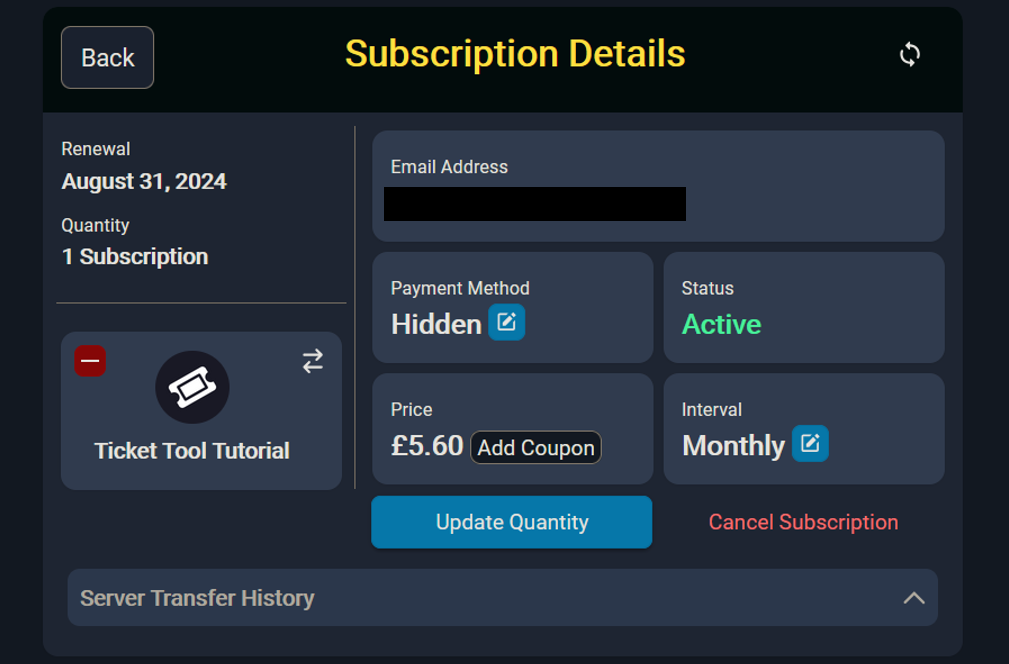
Dashboard > Subscriptions > Manage > Cancel
 midnight igloo
Hey guys if I deleted a ticket mistakenly without saving transcript is there any way to retrieve it back
scenic forum
midnight igloo
Hey guys if I deleted a ticket mistakenly without saving transcript is there any...
Nope
Once the ticket is deleted without a transcripts it's gone for good
midnight igloo
scenic forum
Nope
Once the ticket is deleted without a transcripts it's gone for good
Ohh 😓 thts bad
midnight igloo
scenic forum
Nope
Once the ticket is deleted without a transcripts it's gone for good
Any data can be retrieved from inside it?
austere forge
No
scenic forum
Stop spamming the channels with flags
 dim osprey
scenic forum
Stop spamming the channels with flags
dim osprey
scenic forum
Stop spamming the channels with flags
Tukiş
scenic forum
dim osprey
Tukiş
It doesnt matter where you are from
STOP spamming the channel
dim osprey
Speak Turkish, my friend.
keen quest
Can i add an option to choose between 4 options b4 the form so my staff team can get pinged for different things so if they want help with that only the staff members with that role gets pinged and not all of them?
scenic forum
keen quest
Can i add an option to choose between 4 options b4 the form so my staff team can...
You can create 4 different ticket types and fuse them together via multipanel
Example in #🎫│make-a-ticket
dim osprey
Formdan önce 4 seçenek arasından seçim yapma olanağı ekleyebilir miyim? Böylece personel ekibim farklı konularda bilgilendirilebilir ve yardım istediklerinde yalnızca o role sahip personel bilgilendirilir, diğerleri bilgilendirilmez.
Speak Turkish 🇹🇷🇹🇷🇹🇷🇹🇷🇹🇷🇹🇷🇹🇷🇹🇷🇹🇷🇹🇷🇹🇷🇹🇷🇹🇷
dim osprey
scenic forum
It doesnt matter where you are from
**STOP** spamming the channel
What's your name, friend?
What is your name, Dan?
Is anyone there?
Are you writing an epic poem, Lias0_0?
worldly helm
dim osprey
Formdan önce 4 seçenek arasından seçim yapma olanağı ekleyebilir miyim? Böylece ...
Hello! 👋
Ticket Tool doesn't support Dropdown menus in Modules/Forms yet.
In addition please keep this channel dedicated to support only.
dim osprey
Sorry friend, I didn't know.
It won't happen again.
And could you take a look at the general chat?
keen quest
scenic forum
You can create 4 different ticket types and fuse them together via multipanel
Ex...
Alr tysm
dim osprey
I couldn't install this bot on my own server.
stark runeBOT
1. Invite Ticket Tool to your server
First you will want to invite the bot to your server. Once the bot is in your server, you can manage your server in the dashboard.
2. Create a Panel
To create a panel we are going to need to head over to the panel configs on the dashboard.
Once at the dashboard we will need to click Create Panel.
Enter a panel name (Fill in any optional settings you want).
Click Create Panel and your ready to get started with configuring your panel.
An example of a creating a panel is shown below.
3. Send the Panel to a Channel
Once you've created a panel on the dashboard you will need to send it to a channel using send on the dashboard.
Select the channel you want your panel to be created in and click send.
For other questions checkout $help faq.
An example of a sending a panel is shown below.
Having a Problem Sending the Panel?
Do $debug in a channel with Ticket Tool and make sure it has all the necessary Discord permissions.
worldly helm
dim osprey
I couldn't install this bot on my own server.
Here's a guide for you^
dim osprey
Is that you?
I'm not English, I'm Turkish, and I'm speaking to you through translation; I didn't understand anything from that photo.
Could you please help me? I'm Turkish and I don't understand; I'm speaking through translation.
worldly helm
What exactly do you not understand?
dim osprey
Your language
I don't understand what's written there because I'm Turkish.
I'm speaking to you with the help of translation.
worldly helm
Are you able to translate the guide?
 rugged laurel
Can somone help me i did the setup but not the make ticket thing
dim osprey
I don't know, but I would be very grateful if you could help me, and I use a phone, would that be a problem?
rugged laurel
Can somone help me i did the setup but not the make ticket thing
I speak german and i'm on phone
dim osprey
worldly helm
Are you able to translate the guide?
Can you come to my server, set up the bot, and then leave? Is that something you can do?
worldly helm
rugged laurel
Can somone help me i did the setup but not the *make ticket* thing
Hello! 👋
What steps have you done so far?
rugged laurel
The /setup
worldly helm
dim osprey
Can you come to my server, set up the bot, and then leave? Is that something you...
That's not something we do.
worldly helm
rugged laurel
The /setup
And what seems to be the issue?
dim osprey
But I can't do it.
rugged laurel
I dont see the create ticket button
worldly helm
Can you please try setting it up via the dashboard. I can give you a english or a german guide. Let me know which one you want
worldly helm
dim osprey
But I can't do it.
I recently sent a guide. If you follow the steps you'll have a working ticket system.
rugged laurel
I want german
stark runeBOT
1. Lade Ticket Tool auf deinen Server ein
Im ersten Schritt laden wir den Bot auf deinen Server ein. Sobald du dies gemacht hast und der Bot auf deinem Server ist, kannst du über das Dashboard deinen Server verwalten.
2. Erstelle ein Panel
Um ein Panel zu erstellen gehen wir im Dashboard zu den Panel Configs.
Dort angekommen, klicken wir auf Create Panel.
Tippe nun einen Namen für das neue Panel ein (du kannst gerne noch weitere optionale Einstellungen vornehmen).
Nachdem du auf Create Panel geklickt hast, kann es mit der Konfiguration des Panels im nächsten Schritt weitergehen.
Ein Beispiel, um ein Panel zu erstellen, ist in der Abbildung unterhalb dieses Textes zu sehen.
3. Sende das Panel in einen Kanal
Nachdem du nun ein Panel über das Dashboard erstellt hast, müssen wir dieses noch über den send Knopf im Dashboard in einen Kanal schicken.
Wähle den Kanal aus, welchen du für dieses Panel verwenden möchtest und klicke anschließend auf send.
Um weitere Hilfe zu erhalten, verwende den Befehl $help faq.
Ein Beispiel um ein Panel in einen Kanal zu senden, findest du in der Abbildung unter diesem Text.
Hast du Probleme das Panel in einen Kanal zu schicken?
Um zu überprüfen ob alle notwendigen Berechtigungen vergeben sind, verwende den Befehl $debug.
Dies musst du in einem Kanal machen, in welchem der Ticket Tool Bot ist.
worldly helm
Bitteschön^
dim osprey
You are serving very nicely, but I don't speak English and I don't understand.
worldly helm
You can translate the guide I sent.
dim osprey
Well, I probably won't be able to do that, I'll try to find other solutions. Good luck!
It won't happen.
Gudbay
rugged laurel
Lias can u speak german
worldly helm
Yeah, I'm from the german support team.
rugged laurel
Ich habe nur setup full aber ich sehe nicht den knopf wo steht ticket erstellen
I can invite u to my server then u can setup it and then u leave ?
worldly helm
Kann ich dich in ein Ticket hinzufügen? Dann können wir das da klären.
rugged laurel
Ja
 lament estuary
hi there i have the bot in my discord server but when i go online to try and configure it on the dashboard it doesnt show up so i cant configure it for my server just other servers its in, what should i do
steady ether
Hey
humble sequoiaBOT
Don't see your server in the dashboard?
Try using the Sync Servers button on your top center of the Dashboard page
If this doesn't work
You should relog from the dashboard, you can do this by clicking here to log out immediately, and then log back in
Note:
You need one of these 3 things to access the dashboard.
1. Server Owner (Level: 6)
2. Server Administrator (Level: 4)
3. Dashboard Role (Level: 2)
:warning: You can check your level using the </permissionlevel:1029797400174399542> command on your Discord Server
If the bot's response is:
- @User is permission level: 0 (User)
You don't have any of the 3 levels required to access the server's dashboard
steady ether
Refer to the embed @lament estuary
lament estuary
ill try this thank you!
lament estuary
that worked 🙏
steady ether
Great!
 umbral ermine
/help it says i already have a ticket open but i cant find it
steady ether
Hey
steady ether
umbral ermine
/help it says i already have a ticket open but i cant find it
So you opend a ticket here or in anthore server?
umbral ermine
steady ether
So you opend a ticket here or in anthore server?
in another server
steady ether
 steady ether
umbral ermine
in another server
steady ether
umbral ermine
in another server
It might be deleted or
 coral scroll
Is there technical support available in Arabic?
steady ether
coral scroll
Is there technical support available in Arabic?
Yes
You mean ticket tool support
humble sequoiaBOT
فريق الدعم الفني العربي
عميلنا العزيز ان كنت تبحث عن مساعدة يرجى فتح تكت خاص بفريق الدعم الفني العربي
اذهب الى#🎫│make-a-ticket
ثم قم بلضغط على الايموجي الاتي (🇯🇴)
 humble sequoiaBOT
⚠️ You're in the wrong place
We provide support for Ticket Tool Discord bot and cannot help you with whatever issue you have.
- We don't know which Support Team you should contact to get this issue resolved, and unfortunately we won't be able to accurately tell you.
If you don't have any further questions regarding our bot Ticket Tool, please close this ticket
coral scroll
Can I submit a second problem in the same place as the first one, or should I create a ticket?
 weak vale
why does it say “application didn’t respond” when i go to setup a ticket?
worldly helm
coral scroll
Can I submit a second problem in the same place as the first one, or should I cr...
If you need help with Ticket Tool please #🎫│make-a-ticket
humble sequoiaBOT
When first invited to your server, Ticket Tool should have the permissions shown below in order to ensure an appropriate functioning:
When customizing permissions for the different ticket participants, you must make sure Ticket Tool has the permissions you want it to grant to others, you can learn more about this here.
Missing Permissions
This error is a direct outcome of the bot missing permissions as depicted above. When troubleshooting this error we suggest you go through these steps:
- Use the </debug:1029783024264564765> command to check if the bot is lacking core role or channel permissions.
- Compare the category/channel's overrides and contrast them with the bot's roles to identify any permission denial that is breaking the functioning
- If you can't still figure it out, let our <@&540295656720302081> know so they can guide you through
Additional Resources
- If you are a server administrator and would like to understand more how to set up your server's permissions, we suggest checking the Discord Support Knowledge Base
- If you are a bot developer and are interested in the internal permission hierarchy we suggest you this part of the Discord Developer Docs
Important Note
- Giving Administrator permissions is NOT required and we do NOT encourage you to do unless you are trying to troubleshoot your permissions setup.
^
The bot is most likely missing permissions
coral scroll
worldly helm
If you need help with Ticket Tool please <#571706435449257997>
That means send it on the first ticket.
or open new ticket ?
worldly helm
Please wait for a response in your ticket.
weak vale
worldly helm
The bot is most likely missing permissions
it wasn’t that, i’ma just make a ticket
worldly helm
weak vale
it wasn’t that, i’ma just make a ticket
Can you try using the /debug command?
 worldly helm
It doesn’t have Administrator perms
weak vale
It did
h-how would you know if you don’t mind me asking are u like looking through my servers?
worldly helm
Well, you need to give the bot the permissions in the channel marked with ❌
worldly helm
weak vale
h-how would you know if you don’t mind me asking are u like looking through my s...
We have debug logs
coral scroll
I have one last question
How do I get it the ticket tool Gold ?
worldly helm
Please wait for a response in your ticket.
worldly helm
weak vale
i gave it the perms
Try using the debug command again.
weak vale
alr
humble sequoiaBOT
━━ User's inquiry has been moved to a ticket ━━
 burnt stag
Hi, I’m trying to add a “Open Ticket” button to the channel again (re-add it). All commands are getting the error: “The application is not responding.”


 steady ether
Hey
humble sequoiaBOT
When first invited to your server, Ticket Tool should have the permissions shown below in order to ensure an appropriate functioning:
When customizing permissions for the different ticket participants, you must make sure Ticket Tool has the permissions you want it to grant to others, you can learn more about this here.
Missing Permissions
This error is a direct outcome of the bot missing permissions as depicted above. When troubleshooting this error we suggest you go through these steps:
- Use the </debug:1029783024264564765> command to check if the bot is lacking core role or channel permissions.
- Compare the category/channel's overrides and contrast them with the bot's roles to identify any permission denial that is breaking the functioning
- If you can't still figure it out, let our <@&540295656720302081> know so they can guide you through
Additional Resources
- If you are a server administrator and would like to understand more how to set up your server's permissions, we suggest checking the Discord Support Knowledge Base
- If you are a bot developer and are interested in the internal permission hierarchy we suggest you this part of the Discord Developer Docs
Important Note
- Giving Administrator permissions is NOT required and we do NOT encourage you to do unless you are trying to troubleshoot your permissions setup.
Refer to the embed @burnt stag
 weary linden
Hi, i added ticket tool in my sever and i cant see it in the dashboard how can i fix that?
humble sequoiaBOT
Don't see your server in the dashboard?
Try using the Sync Servers button on your top center of the Dashboard page
If this doesn't work
You should relog from the dashboard, you can do this by clicking here to log out immediately, and then log back in
Note:
You need one of these 3 things to access the dashboard.
1. Server Owner (Level: 6)
2. Server Administrator (Level: 4)
3. Dashboard Role (Level: 2)
:warning: You can check your level using the </permissionlevel:1029797400174399542> command on your Discord Server
If the bot's response is:
- @User is permission level: 0 (User)
You don't have any of the 3 levels required to access the server's dashboard
burnt stag
hey! Thank you @steady ether - I'm stupid and I change premissions 😄
iron nightBOT
Gave +1 Rep to @steady ether (current: #56 - 44)
steady ether
humble sequoia
@weary linden refer to the embed
steady ether
burnt stag
hey! Thank you <@1373172465752084530> - I'm stupid and I change premissions 😄
Ofc happy to help
Thanks for choosing ticket tool
burnt stag
steady ether
Thanks for choosing ticket tool <:TicketToolWhite:1073948900056105060>
the best tool! Take care! 🙂
bronze stirrup
Hi guys so i sented message ticket and admin is so along is don't say any what i can make?
weary linden
I just needed to relog from the dashboard! Thank you for the help.
thanks @humble sequoia
iron nightBOT
Gave +1 Rep to @humble sequoia (current: #18 - 419)
steady ether
bronze stirrup
Hi guys so i sented message ticket and admin is so along is don't say any what i...
Hey
bronze stirrup
?
steady ether
bronze stirrup
Hi guys so i sented message ticket and admin is so along is don't say any what i...
In this server or anthore
If anthore
We can't do anything
We only can help u if u find issues with @pseudo glen / @humble sequoia
weary linden
How can i create multiple categories
restive condor
weary linden
How can i create multiple categories
Hi there! As in, multiple buttons like in #🎫│make-a-ticket?
weary linden
No. Like this.
 restive condor
weary linden
No. Like this.
restive condor
weary linden
No. Like this.
Ah, alrighty. See below please
humble sequoiaBOT
The Drop-down menu or Select Menu replaces the buttons on your panel message and uses a drop-down menu with all of your panels. To set this up, go to your Panel Configs and select your main Panel.
<:Numbericons1:1018864164032225340> Enable Select Style
First you enable Select Style. Then you add an item in the Dropdown Editor. Now you can start editing your dropdown!
<:Numbericons2:1018864168041971712> Dropdown Editor
Each line in the dropdown editor represents a line in the drop down menu on discord. You can add more "Items", by clicking on 

First you select a panel. That's the panel this option will open a ticket for.  DONT select the same panel twice. Each option should have a different Panel
After that, you can put a Display. This is the title of this option and will appear in the drop down menu. The *Description can be set right after that, which will be below the title in grey.
Additionally you can select an emoji, that will be shown in front of each option. You can either manually input the ID of an emoji or select it in the selector.
Common Issues ⚠️
- Panel doesn't send? Make sure you have a valid emoji selected
- Option doesn't show up? Check if two options have the same panel in the DropDown Editor

$dropdown
restive condor
Let me know if you have any questions please 🙏
weary linden
restive condor
Let me know if you have any questions please 🙏
I’m completely confused. I know where it is, but I don’t know exactly what I’m supposed to write in that panel.
restive condor
weary linden
I’m completely confused. I know where it is, but I don’t know exactly what I’m s...
Each dropdown option needs its own panel. Have you made all your panels yet?
weary linden
I don’t know how to create one.
humble sequoiaBOT
A panel is the core of Ticket Tool, so its important to do the adequate process:
1. Open your Panel Configs tab in your server's dashboard
2. Click on the+or in theCreatebutton
3. Fill in the blanks
4. Create the panel
restive condor
See above how to create panels ^
 steady ether
Hey
You have way to many chanels
So you need to delete chanels so you can open tickets
Try deleting chanels and then try opening a ticket
Also i realized you can ask a mod or an administrator to tell them this prob
In the server your opening a ticket in
Hope i have helped @fringe barn
 fringe barn
@steady ether Thank you for your help
iron nightBOT
Gave +1 Rep to @steady ether (current: #56 - 45)
steady ether
Ofc!
 worn cypress
Hola, tengo una duda. Para crear un ticket, yo uso $new userid Support
Pero quiero hacer una opción extra en la que se pueda usar otro panel totalmente diferente. Este panel sería de reportes, pueden ser reportes explícitos +16 o reportes seguros -16. El problema es que no sé cómo utilizar el comando para crear tickets con otros paneles
restive condor
worn cypress
Hola, tengo una duda. Para crear un ticket, yo uso $new `userid` Support
Pero ...
¡Hola, buenas tardes! 👋
Tendrás que seleccionar otro canal para ese panel, entonces dependiendo de donde se use el comando $new, será un panel u otro
Panel de Control > Panel Configs > Command Style
 shrewd geyser
Each time im done with my config, and i try to send it to my server i keep gerring "Failed to send: Access Denied (Ticket Tool doesn't have permission to view or send into this channel)"
steady ether
Hey
worldly helm
shrewd geyser
Each time im done with my config, and i try to send it to my server i keep gerri...
Hello! 👋
Can you please try using the /debug command in the channel you're trying to send the panel to?
steady ether
Ok nvm
shrewd geyser
it say "The application did not respond"
worldly helm
The bot is missing the View Channel permission for that channel.
shrewd geyser
Ahh great it works now, thanks for you help 🙂
 strange badger
I try setting up the ticket tool in my server but it‘s not in the dashboard when I invite it. I refreshed like 5 times. (ping/tagg me when u react otherwise I forget to check lol)
scenic forum
strange badger
I try setting up the ticket tool in my server but it‘s not in the dashboard when...
Did you also log out and log back in?