#🆘│community-support
1 messages · Page 247 of 1
 lilac junco
 lyric star
Yes
lyric star
Ok, thanks!
 scenic forum
lyric star
Yes
scenic forum
lyric star
Yes
Could you use /debug on your server?
lyric star
scenic forum
Could you use /debug on your server?
I will test
scenic forum
lyric star
I will test
You need either Administrator or a dashboard role set by an Administrator to have access to the dashboard
You don't have administrator
lyric star
I have
scenic forum
You don't
 pliant stone
Hallo hab admin und alles weis nicht was ich alles angeben muss und wo damit es funktioniert
Also so das die Tickets angezeigt werden
 stark runeBOT
1. Lade Ticket Tool auf deinen Server ein
Im ersten Schritt laden wir den Bot auf deinen Server ein. Sobald du dies gemacht hast und der Bot auf deinem Server ist, kannst du über das Dashboard deinen Server verwalten.

2. Erstelle ein Panel
Um ein Panel zu erstellen gehen wir im Dashboard zu den Panel Configs.
Dort angekommen, klicken wir auf Create Panel.
Tippe nun einen Namen für das neue Panel ein (du kannst gerne noch weitere optionale Einstellungen vornehmen).
Nachdem du auf Create Panel geklickt hast, kann es mit der Konfiguration des Panels im nächsten Schritt weitergehen.
Ein Beispiel, um ein Panel zu erstellen, ist in der Abbildung unterhalb dieses Textes zu sehen.

3. Sende das Panel in einen Kanal
Nachdem du nun ein Panel über das Dashboard erstellt hast, müssen wir dieses noch über den send Knopf im Dashboard in einen Kanal schicken.
Wähle den Kanal aus, welchen du für dieses Panel verwenden möchtest und klicke anschließend auf send.
Um weitere Hilfe zu erhalten, verwende den Befehl $help faq.
Ein Beispiel um ein Panel in einen Kanal zu senden, findest du in der Abbildung unter diesem Text.
Hast du Probleme das Panel in einen Kanal zu schicken?
Um zu überprüfen ob alle notwendigen Berechtigungen vergeben sind, verwende den Befehl $debug.
Dies musst du in einem Kanal machen, in welchem der Ticket Tool Bot ist.
 scenic forum
pliant stone
Also so das die Tickets angezeigt werden
scenic forum
pliant stone
Also so das die Tickets angezeigt werden
Folge dem embed oben
 humble sequoiaBOT
━━ Jacobpl02's inquiry has been moved to a ticket ━━
 void raven
how would i get something like this to open up when making a ticket?
 humble sequoiaBOT
A Discord Form lets the user answer individual questions in a pop-up Form, which then displays the answers in the ticket message. This can save time if you already know what you want to ask the user.
Setup Forms
Forms can be enabled under Panel Settings > Form Options > Edit Forms Options. In the new pop-up window, you can now enable and edit your own Form.
Form Options
You can add up to 5 questions in the Discord form. This is a Discord limitation. Each question can have a placeholder in the input field, a minimum and maximum input, multi-line, and also the option to have the answer required.
Options
Question Title ➞ Your Question goes here
Question Placeholder ➞ The placeholder text in the input field
Required ➞ If enabled, the user has to answer this question, to submit the form
Multi-Line Input ➞ Allows the user to input multiple lines
Minimum and Maximum Input ➞ Set a minimum and maximum input value for the user
Displaying the Answer
To display the answers from the user, you need to enable Auto display form results on the ticket message as an additional embed
If you don't want a second embed, go into your Panel Configs > Ticket Options > Edit Ticket Message. You use the variable {create.form.x} and replace x with the number of your question. For example, the response to Question 5 can be displayed with {create.form.5}.
 scenic forum
void raven
how would i get something like this to open up when making a ticket?
scenic forum
void raven
how would i get something like this to open up when making a ticket?
Refer to the embed above
 unborn girder
Hello, my ticket is bugged. When I click to close the ticket, the options to store, open, and delete disappear from the panel, and I can't use the functions. I don't know why this is happening.
 mystic dew
SOS
lilac junco
unborn girder
Hello, my ticket is bugged. When I click to close the ticket, the options to sto...
I suggest you #🎫│make-a-ticket
humble sequoiaBOT
@mystic dew, we would love to help you, but if you don't tell us what you need help with we can't help you :(
mystic dew
Whenever I make a ticket, I click count as the most there is and then it says there is only one
humble sequoiaBOT
━━ User's inquiry has been moved to a ticket ━━
 arctic elk
I need help with how to get it
 slate skiff
Gm
 dapper apex
is there a way to transfer a panel from one server to another
humble sequoiaBOT
The Backup and Restore feature allows you to transfer your panels, tags, and all settings to a new server, even if the server the settings were created has been deleted! You will want to copy the whole key.
First, go to your server's Dashboard ➞ then Server Configs ➞ under Config Backup & Restore (Server Owner Only) click on Old version can be found here and generate a new backup key by pressing the green button. Now, a key should be generated in the box above. You may need to refresh the page to see this.
Once you have your backup key, navigate to the same page on the new server. Copy the key on the Restore from backup key field.
Now you can choose what you want to copy. Finally, press the green Restore Configs button.
IMPORTANT NOTE
- We suggest you keep this backup key somewhere safe, in case your server is deleted so you are able to recover your panel's settings.
- This feature is only usable by the server's owner
$backup
lilac junco
dapper apex
is there a way to transfer a panel from one server to another
Refer to the embed above
dapper apex
of course its server owner only
lilac junco
dapper apex
of course its server owner only
Yep.
You can always ask the server owner for the key
dapper apex
lilac junco
You can always ask the server owner for the key
yeah that would be great if the server owner wasnt an alt i lost access to
lilac junco
dapper apex
yeah that would be great if the server owner wasnt an alt i lost access to
Oof.
 somber dawn
Would anyone know what would cause Automation in the tickets to spam like multiple messages for the same automated message within a ticket when it should only be sending it once? 💀
 jaunty egret
how invite gold ticket tool
humble sequoiaBOT
The first thing you will need to do is invite the premium bot, an invite can be found here
Once the bot is in your server we will head to the dashboard and manage your server. When you are managing your server, you want to head into "Server Configs" then click the drop down menu under "Select the bot you would like to use on this server" then click "Ticket Tool#6207" and then save.
 lilac junco
jaunty egret
how invite gold ticket tool
lilac junco
jaunty egret
how invite gold ticket tool
Refer to the embed above.
 crystal flame
how to see the ticket claimed by someone in different panels
 lean condor
@humble sequoia
 sly stump
whenever i try to close a ticket or send a command in a certain channel the commands doesn’t go through but it does in others, is it a permission(s) issue?
 gentle goblet
sly stump
whenever i try to close a ticket or send a command in a certain channel the comm...
gentle goblet
sly stump
whenever i try to close a ticket or send a command in a certain channel the comm...
Do you have permission in the server to run those commands?
gentle goblet
sly stump
whenever i try to close a ticket or send a command in a certain channel the comm...
What does it show when it doesn’t go through?
sly stump
gentle goblet
What does it show when it doesn’t go through?
the first screenshot is in a channel it doesnt send in and the second screenshot is a different channel that lets the command run

 gentle goblet
sly stump
the first screenshot is in a channel it doesnt send in and the second screenshot...
gentle goblet
sly stump
the first screenshot is in a channel it doesnt send in and the second screenshot...
Can you try running the /debug command in that channel?
sly stump
gentle goblet
Can you try running the `/debug` command in that channel?
it shows the same message
gentle goblet
sly stump
it shows the same message
Can you make sure ticket tool has the SEND MESSAGES permission in that channel?
sly stump
gentle goblet
Can you make sure ticket tool has the `SEND MESSAGES` permission in that channel...
it was a problem with the view channel permission, thank you for your help
 iron nightBOT
Gave +1 Rep to @gentle goblet (current: #254 - 2)
gentle goblet
crystal flame
how to see the ticket claimed by someone in different panels
Can you explain your issue in more detail? What do you mean by this?
crystal flame
gentle goblet
Can you explain your issue in more detail? What do you mean by this?
so we have 3 panels
gentle goblet
somber dawn
Would anyone know what would cause Automation in the tickets to spam like multip...
Can you share your automation?
crystal flame
3 buttons for our tickets. and everyone that pressed the button in a particular panel. how can we limit it to jsut that
how can we limit the view of our statistics to see the ticket claimed per panel and not the total ticket claimed for all panel
gentle goblet
Can you show me what it looks like now?
crystal flame
ill just make a ticket
gentle goblet
👍
 worthy drift
gentle goblet
worthy drift
/help https://discord.com/channels/1334786141530095636/1448538766389022765/14485...
worthy drift
gentle goblet
worthy drift
/help https://discord.com/channels/1334786141530095636/1448538766389022765/14485...
Hi, how can I help you?
 marsh swan
how long does it take if i do cashout on paypal?
humble sequoiaBOT
@marsh swan

⚠️ You're in the wrong place
We provide support for Ticket Tool Discord bot and cannot help you with whatever issue you have.
- We don't know which Support Team you should contact to get this issue resolved, and unfortunately we won't be able to accurately tell you.
If you don't have any further questions regarding our bot Ticket Tool, please close this ticket
 onyx nebula
Hello any support ?
humble sequoiaBOT
@onyx nebula, we would love to help you, but if you don't tell us what you need help with we can't help you :(
onyx nebula
i want to assign the claim mod username next to the channel name
scenic forum
onyx nebula
i want to assign the claim mod username next to the channel name
{claim.user.name}
onyx nebula
scenic forum
``{claim.user.name}``
is there a way to clear all closed tickets
alltogether like purge the channels
scenic forum
onyx nebula
is there a way to clear all closed tickets
The server owner can use
/purge
Note no transcripts or logs will be made
onyx nebula
okay thanks
 granite belfry
Hello, may I ask, I can't trade on STK, I don't know why, even though I've never done any duping or fraud, and I've just returned to playing the game. Is there anyone who can help me?
humble sequoiaBOT
@granite belfry
⚠️ You're in the wrong place
We provide support for Ticket Tool Discord bot and cannot help you with whatever issue you have.
- We don't know which Support Team you should contact to get this issue resolved, and unfortunately we won't be able to accurately tell you.
If you don't have any further questions regarding our bot Ticket Tool, please close this ticket
 warm lantern
humble sequoiaBOT
warm lantern
humble sequoiaBOT
@warm lantern
⚠️ You're in the wrong place
We provide support for Ticket Tool Discord bot and cannot help you with whatever issue you have.
- We don't know which Support Team you should contact to get this issue resolved, and unfortunately we won't be able to accurately tell you.
If you don't have any further questions regarding our bot Ticket Tool, please close this ticket
 split sparrow
whats up
my ticket bot just says not responding
whatever command i try
how do i fix
lilac junco
split sparrow
whats up
my ticket bot just says not responding
whatever command i try
how do i...
Bot Permissions ឵ ឵឵ ឵ ឵឵ ឵ ឵឵ ឵ ឵឵
- Read Channels
- Send Messages
- Embed Links
- Attach Files
- Manage Roles
- Manage Channels
- Manage Messages
- Read History
Channel Permissions ឵ ឵឵ ឵ ឵឵ ឵ ឵឵ ឵ ឵឵
- Read Channels
- Send Messages
- Embed Links
- Attach Files
- Manage Roles
- Manage Channels
- Manage Messages
- Read History
Make sure the bot has these permissions.
split sparrow
it has all of thoose
scenic forum
split sparrow
it has all of thoose
Its missing the View Channel permission inside the channel
 simple orbit
Could someone tell me if it's possible to use the command "$new {userid}" with an argument that calls up the form, similar to when I click the "create ticket" button?
scenic forum
simple orbit
Could someone tell me if it's possible to use the command "$new {userid}" with a...
Thats not possible
 tribal cedar
Hey happy!
simple orbit
Do you know of any other bot that can handle this? I only have one variable, which is "name," could I use the "reason" field to pass this name? However, I would still need another bot to act as an intermediary between Sapphire and Ticket Tool. Does anyone know of another bot that could solve this problem?
scenic forum
simple orbit
Do you know of any other bot that can handle this? I only have one variable, whi...
It is not possible due to discords limitation
The user needs to open the ticket themself via a button or interaction for forms to be able to appear
simple orbit
scenic forum
It is not possible due to discords limitation
The user needs to open the ticket ...
Is there anything similar to Sapphire that allows text input?
scenic forum
simple orbit
Is there anything similar to Sapphire that allows text input?
I dont know
Nontheless you wont be able to make forms appear with a third party bot
simple orbit
scenic forum
I dont know
Nontheless you wont be able to make forms appear with a third party ...
In that case, I would mitigate the issue by passing the "name" in the "reason" field, so any form of text input would work for me. And I would use $new {userid} "name"
scenic forum
Im afraid i dont understand the question inside that message
 patent plume
is the bot down for anyone?
scenic forum
patent plume
is the bot down for anyone?
The bot is not down
Can you elaborate your issue
patent plume
bot is not working in multiple of our servers
commands do nothing and interactions are all failing.
scenic forum
Can you use /debug server the issue appears in
scenic forum
Which bot is on the server
Ticket tool gold or white
patent plume
gold
scenic forum
Are you sure that the premium didn't expire?
patent plume
I mean we have it in like 18 servers so I dont think so
 upper flower
which server of urs

 patent plume
ok so sub is not active?
upper flower
Correct. You had premium, and premium/gold bot was active, premium went away, gold bot stopped working in ur server
patent plume
perf ill have it fixed then
upper flower
so i'd double check ur subscription
patent plume
thank you!
upper flower
Anytime
 dense idol
For some reason I can't see ads which limits me quite a bit since I can't get weapons for days or experience weapons);
humble sequoiaBOT
⚠️ You're in the wrong place
We provide support for Ticket Tool Discord bot and cannot help you with whatever issue you have.
- We don't know which Support Team you should contact to get this issue resolved, and unfortunately we won't be able to accurately tell you.
If you don't have any further questions regarding our bot Ticket Tool, please close this ticket
 near crane
why doesnt the dashboard update until i logout and log back in
near crane
@upper flower
gentle goblet
near crane
why doesnt the dashboard update until i logout and log back in
Wdym?
near crane
gentle goblet
Wdym?
like in the dashboard nothing updates my avtar,servers ect
 eager trellis
Can i get help for being Blocked by my Crew leader for unknown reasons?
near crane
until i logout and log in
tribal cedar
eager trellis
Can i get help for being Blocked by my Crew leader for unknown reasons?
Hello. Please use #🎫│make-a-ticket we dont need to hear specifics
 foggy sparrow
near crane
<@771750914616852490>
foggy sparrow
near crane
<@771750914616852490>
Stop tagging staff
 midnight geyser
How do I set ticket tool up I made a vrc group and im working on the discord of the group and im unsure on how to set it up
stark runeBOT
1. Invite Ticket Tool to your server
First you will want to invite the bot to your server. Once the bot is in your server, you can manage your server in the dashboard.
2. Create a Panel
To create a panel we are going to need to head over to the panel configs on the dashboard.
Once at the dashboard we will need to click Create Panel.
Enter a panel name (Fill in any optional settings you want).
Click Create Panel and your ready to get started with configuring your panel.
An example of a creating a panel is shown below.
3. Send the Panel to a Channel
Once you've created a panel on the dashboard you will need to send it to a channel using send on the dashboard.
Select the channel you want your panel to be created in and click send.
For other questions checkout $help faq.
An example of a sending a panel is shown below.
Having a Problem Sending the Panel?
Do $debug in a channel with Ticket Tool and make sure it has all the necessary Discord permissions.
 restive condor
midnight geyser
How do I set ticket tool up I made a vrc group and im working on the discord of ...
restive condor
midnight geyser
How do I set ticket tool up I made a vrc group and im working on the discord of ...
Hey there! Please see above ^
 green sage
hi my sub auto renewd didnt even realisecan i cancel and refund?
humble sequoiaBOT
━━ User's inquiry has been moved to a ticket ━━
 native wigeon
وين سبورت عرب؟
humble sequoiaBOT

فريق الدعم الفني العربي
عميلنا العزيز ان كنت تبحث عن مساعدة يرجى فتح تكت خاص بفريق الدعم الفني العربي
اذهب الى#🎫│make-a-ticket
ثم قم بلضغط على الايموجي الاتي (🇯🇴)
 humble sequoiaBOT
فريق الدعم الفني العربي
عميلنا العزيز ان كنت تبحث عن مساعدة يرجى فتح تكت خاص بفريق الدعم الفني العربي
اذهب الى#🎫│make-a-ticket
ثم قم بلضغط على الايموجي الاتي (🇯🇴)
 zenith bridge
i have the transcript channel set, and in the channel, the bot has every permission?? i cant see the issue
 scenic forum
zenith bridge
i have the transcript channel set, and in the channel, the bot has every permiss...
scenic forum
zenith bridge
i have the transcript channel set, and in the channel, the bot has every permiss...
Can you use /debug inside the transcript channel?
zenith bridge
let me try
worthy drift
Hola
 scenic forum
zenith bridge
scenic forum
zenith bridge
The bot is missing the View Channel permission inside the channel
zenith bridge
definitely not
 scenic forum
zenith bridge
definitely not
scenic forum
zenith bridge
definitely not
The last time i checked we talked about Ticket Tool not Discohook
zenith bridge
OH OMG IM SO SORRY HELLO
scenic forum
scenic forum
Youre welcome 
midnight geyser
restive condor
Hey there! Please see above ^
Thank you
iron nightBOT
Gave +1 Rep to @restive condor (current: #1 - 2849)
worthy drift
Me reportaron injusta mentalmente por 10 día en ningún momento hice AI
humble sequoiaBOT
⚠️ Está en el lugar equivocado
Brindamos soporte para el bot de Discord Ticket Tool y no le podemos ayudar con el problema que presenta.
- No sabemos a que equipo de soporte debería contactar para solucionar este problema, y desafortunadamente no podremos ayudarle acertadamente.
Si no tiene alguna duda relacionada a nuestro bot, Ticket Tool, por favor cierre este ticket.
worthy drift
@humble sequoia
gentle goblet
worthy drift
<@722196398635745312>
Need any help?
worthy drift
Yes
worthy drift
gentle goblet
Need any help?
Yes
gentle goblet
worthy drift
Yes
What do you need help with?
worthy drift
I received a report for AI for 10 days, which I never did AI at any time; here is the evidence. https://drive.google.com/drive/folders/1-N5dUz2-w1ZvQ8rDcEmB5SHr7mmlvSFm
humble sequoiaBOT
@worthy drift
⚠️ You're in the wrong place
We provide support for Ticket Tool Discord bot and cannot help you with whatever issue you have.
- We don't know which Support Team you should contact to get this issue resolved, and unfortunately we won't be able to accurately tell you.
If you don't have any further questions regarding our bot Ticket Tool, please close this ticket
worthy drift
gentle goblet
What do you need help with?
I received a report for AI for 10 days, which I never did AI at any time; here is the evidence. https://drive.google.com/drive/folders/1-N5dUz2-w1ZvQ8rDcEmB5SHr7mmlvSFm
scenic forum
worthy drift
I received a report for AI for 10 days, which I never did AI at any time; here i...
As stated multiple times now
youre on the wrong server
worthy drift
Ok y cuál el servidor entonces
worthy drift
scenic forum
As stated multiple times now
youre on the wrong server
Okay, so which server is it then?
scenic forum
worthy drift
Okay, so which server is it then?
We don't know which Support Team you should contact to get this issue resolved, and unfortunately we won't be able to accurately tell you.
worthy drift
Ok ok
humble sequoiaBOT
@upper apex
⚠️ You're in the wrong place
We provide support for Ticket Tool Discord bot and cannot help you with whatever issue you have.
- We don't know which Support Team you should contact to get this issue resolved, and unfortunately we won't be able to accurately tell you.
If you don't have any further questions regarding our bot Ticket Tool, please close this ticket
 minor hollow
Hi
lilac junco
minor hollow
Hi
Hey there! Do you need help?
minor hollow
Yes
lilac junco
minor hollow
Yes
Explain your issue
minor hollow
 humble sequoiaBOT
@minor hollow
⚠️ You're in the wrong place
We provide support for Ticket Tool Discord bot and cannot help you with whatever issue you have.
- We don't know which Support Team you should contact to get this issue resolved, and unfortunately we won't be able to accurately tell you.
If you don't have any further questions regarding our bot Ticket Tool, please close this ticket
minor hollow
Ok
 gray parrot
How do I change this text?

 austere forge
Description field in the Dropdown option
gray parrot
austere forge
Description field in the Dropdown option
Are you talking to me? Yes, I want to change it, but I can't find the command on the dashboard.
austere forge
Yep, refer to the message I sent
gray parrot
austere forge
Yep, refer to the message I sent
Yes, I want to change it, how? 
austere forge
Dashboard > Panel configs > Dropdown - Description field
gray parrot
austere forge
Dashboard > Panel configs > Dropdown - Description field
Okay, I'll try it and get back to you. Thank you. 
iron nightBOT
Gave +1 Rep to @austere forge (current: #4 - 1223)
 drifting prairie
The verification button doesn't work?
 austere forge
You are already verified, so it doesn't matter
drifting prairie
Why am I unable to edit the text inside here?

Trying to edit the default message but it wont let me
 lilac junco
drifting prairie
Trying to edit the default message but it wont let me
lilac junco
drifting prairie
Trying to edit the default message but it wont let me
If you don't have premium you can only edit the message where it says To create a ticket react with
drifting prairie
lilac junco
If you don't have premium you can only edit the message where it says ``To creat...
That's what I'm trying to edit, but it wont
Oh - I'm in the wrong field
I'm trying to edit "Message content" - but the actual content is in "Embed Description"
 lilac junco
drifting prairie
I'm trying to edit "Message content" - but the actual content is in "Embed Descr...
lilac junco
drifting prairie
I'm trying to edit "Message content" - but the actual content is in "Embed Descr...
Message Content can't be edited.
Unless you have premium.
drifting prairie
Yup - figuring it out slowly, Seems quite complicated / confusing for a first timer 🙂
lilac junco
drifting prairie
Yup - figuring it out slowly, Seems quite complicated / confusing for a first ti...
This is an example of what Message Content does
Hey there!
To create a ticket react with ✉️
It basically just adds a message before the embed
drifting prairie
lilac junco
This is an example of what Message Content does
Hey there!
```To create a ticke...
How do we get it to update on the discord?
 vocal ginkgo
Guys i did everything but idk why my staff members can't see the ticket still
They can only see the ticket which is made by me not the members
lilac junco
drifting prairie
How do we get it to update on the discord?
Resend the panel.
lilac junco
vocal ginkgo
Guys i did everything but idk why my staff members can't see the ticket still
Hey there!
👉 Server Configs -> Blacklist Roles
Any roles there will be unable to interact with the bot in any way, including creating tickets.👉 Panel Configs -> Buttons -> Create Ticket -> Support team only
If this is enabled, only your staff will be able to use the button.
👉 Panel Configs -> Buttons -> Create Ticket -> Disabled Roles
Any roles there will be unable to use the button.
Refer to the 1st and 3rd step
vocal ginkgo
lilac junco
Hey there!
> 👉 **Server Configs -> Blacklist Roles**
> Any roles there will be...
If i enable this doesn't this mean only staff members will be able to create it ?
lilac junco
vocal ginkgo
If i enable this doesn't this mean only staff members will be able to create it ...
I know, that's why I said ignore the 2nd instruction. Refer to the 1st and 3rd
vocal ginkgo
lilac junco
Hey there!
> 👉 **Server Configs -> Blacklist Roles**
> Any roles there will be...
I haven't disabled any roles, i just want to know why my staff members are unable to see the tickets
 idle skiff
Why no matter what I do the bot ALWAYS doesn’t respond
vocal ginkgo
vocal ginkgo
I haven't disabled any roles, i just want to know why my staff members are unabl...
Everything is setup but the only problem is that they can't see the tickets created by members
lilac junco
vocal ginkgo
I haven't disabled any roles, i just want to know why my staff members are unabl...
Panel Configs > General > Support Team roles
Make sure your staff roles are in there.
vocal ginkgo
lilac junco
``Panel Configs > General > Support Team roles``
Yea i did this too
Still not working
lilac junco
idle skiff
Why no matter what I do the bot ALWAYS doesn’t respond
Hey there! Refer to the embed below.
humble sequoiaBOT
When first invited to your server, Ticket Tool should have the permissions shown below in order to ensure an appropriate functioning:
When customizing permissions for the different ticket participants, you must make sure Ticket Tool has the permissions you want it to grant to others, you can learn more about this here.
Missing Permissions
This error is a direct outcome of the bot missing permissions as depicted above. When troubleshooting this error we suggest you go through these steps:
- Use the </debug:1029783024264564765> command to check if the bot is lacking core role or channel permissions.
- Compare the category/channel's overrides and contrast them with the bot's roles to identify any permission denial that is breaking the functioning
- If you can't still figure it out, let our <@&540295656720302081> know so they can guide you through
Additional Resources
- If you are a server administrator and would like to understand more how to set up your server's permissions, we suggest checking the Discord Support Knowledge Base
- If you are a bot developer and are interested in the internal permission hierarchy we suggest you this part of the Discord Developer Docs
Important Note
- Giving Administrator permissions is NOT required and we do NOT encourage you to do unless you are trying to troubleshoot your permissions setup.
 lilac junco
vocal ginkgo
Still not working
lilac junco
vocal ginkgo
Still not working
Hmm, no disabled roles you say?
vocal ginkgo
lilac junco
Hmm, no disabled roles you say?
Is there any problem ? Because i did everything correctly but still my staff members can't see the tickets
lilac junco
vocal ginkgo
Is there any problem ? Because i did everything correctly but still my staff mem...
Panel Configs > Permissions > Support Team Permissions
Click on open permissions. Can they view channel?
vocal ginkgo
lilac junco
``Panel Configs > Permissions > Support Team Permissions``
Click on open permis...
Yes they can
lilac junco
vocal ginkgo
Yes they can
I'm unsure of the issue. Please #🎫│make-a-ticket
vocal ginkgo
 vocal ginkgo
lilac junco
I'm unsure of the issue. Please <#571706435449257997>
vocal ginkgo
lilac junco
I'm unsure of the issue. Please <#571706435449257997>
Umm how do i copy my server id ?
lilac junco
vocal ginkgo
Umm how do i copy my server id ?
Click and hold on your server, then scroll down you'll see the option.
I can show you a video.
vocal ginkgo
Ok
lilac junco
vocal ginkgo
Ok
Should I send a video?
lilac junco
vocal ginkgo
I'm using phone btw
vocal ginkgo
lilac junco
Ohh thanks
iron nightBOT
Gave +1 Rep to @lilac junco (current: #58 - 35)
lilac junco
vocal ginkgo
Ohh thanks
You're welcome!
vocal ginkgo
Tysm for the help
drifting prairie
Is there a character limit for the description field on the embed?
lilac junco
drifting prairie
Is there a character limit for the description field on the embed?
Yes.
drifting prairie
lilac junco
Yes.
Is there a way to increase it?
lilac junco
drifting prairie
Is there a way to increase it?
With premium.
 opaque otter
Probably a dumb question but how do you get the delete ticket open pop up to be in the tickets?
lilac junco
opaque otter
Probably a dumb question but how do you get the delete ticket open pop up to be ...
Could you explain what you mean?
opaque otter
lilac junco
Could you explain what you mean?
Like the support ticket controls like how do I get the delete button in stuff to show up so I don’t have to manually type in delete ticket
 lilac junco
opaque otter
Like the support ticket controls like how do I get the delete button in stuff to...
lilac junco
opaque otter
Like the support ticket controls like how do I get the delete button in stuff to...
Can you go to Panel Configs > Buttons > Delete Ticket
Is Show this button enabled?
opaque otter
lilac junco
Can you go to ``Panel Configs > Buttons > Delete Ticket``
Is ``Show this button...
Yes it is enabled
lilac junco
opaque otter
Yes it is enabled
Was it already enabled or did you just enable it?
opaque otter
lilac junco
Was it already enabled or did you just enable it?
It was already enabled
lilac junco
opaque otter
It was already enabled
Hmm
lilac junco
opaque otter
It was already enabled
Try resending your panel then test it again.
opaque otter
lilac junco
Try resending your panel then test it again.
So resend it or update it ?
lilac junco
opaque otter
So resend it or update it ?
Either one.
opaque otter
lilac junco
Either one.
So now it’s saying it doesn’t have the permission to view the channel but I gave it all the permissions ?
lilac junco
opaque otter
So now it’s saying it doesn’t have the permission to view the channel but I gave...
Alright
Bot Permissions ឵ ឵឵ ឵ ឵឵ ឵ ឵឵ ឵ ឵឵
- Read Channels
- Send Messages
- Embed Links
- Attach Files
- Manage Roles
- Manage Channels
- Manage Messages
- Read History
Channel Permissions ឵ ឵឵ ឵ ឵឵ ឵ ឵឵ ឵ ឵឵
- Read Channels
- Send Messages
- Embed Links
- Attach Files
- Manage Roles
- Manage Channels
- Manage Messages
- Read History
All these permissions are required, make sure it has these
opaque otter
lilac junco
All these permissions are required, make sure it has these
Where would I go to edit the bots permission?
lilac junco
opaque otter
Where would I go to edit the bots permission?
Server settings > Roles > Ticket Tool
For the channel just edit channel permissions and add the bot, give it the permissions listed.
opaque otter
lilac junco
Server settings > Roles > Ticket Tool
For the channel just edit channel permiss...
Gave it every permission this is what is says

 harsh epoch
opaque otter
Gave it every permission this is what is says
harsh epoch
opaque otter
Gave it every permission this is what is says
Hey there!
Try referring to the embed below
humble sequoiaBOT
This error indicates you have selected an invalid emoji, i.e. an emoji the bot isn't capable of using, in a button field
Which Emoji?
This depends upon which action the error is appearing, the most common cases are the Create Ticket button or one of your Dropdown emojis. You can visit your Button's List to find all available buttons and find the conflicting one by yourself.
Why doesn't the bot accept it as valid?
- You selected an emoji that doesn't exist anymore, i.e. that has been deleted
- You wrote text there, instead of an emoji (or in addition to an emoji)
- You entered a code for a custom emoji from a server that the bot is not a member of
- You entered a custom emoji code incorrectly
- You're on iPhone and entered an emoji using the phone's emoji pad (use the emoji selector in the website instead)
 opaque otter
harsh epoch
Hey there!
Try referring to the embed below
opaque otter
harsh epoch
Hey there!
Try referring to the embed below
Thanks i appreciate it I have no idea which emoji was wrong but i figured it out thanks
iron nightBOT
Gave +1 Rep to @harsh epoch (current: #30 - 166)
harsh epoch
opaque otter
Thanks i appreciate it I have no idea which emoji was wrong but i figured it out...
Glad you got it working!
 simple canopy
.
 molten cliff
How do I let another role (moderator for example) view all tickets even though that role doesn't have Administrator
(I know how to give access to that role to each opened ticket, but is there a way to automatically do that for each and every ticket opened from ticket tool)
lilac junco
molten cliff
How do I let another role (moderator for example) view all tickets even though t...
Panel Configs > General > Additional Roles
molten cliff
lilac junco
``Panel Configs > General > Additional Roles``
What command exactly?
 lilac junco
molten cliff
What command exactly?
lilac junco
molten cliff
What command exactly?
Go to the link I'm going to send below.
humble sequoiaBOT

Ticket Tool - Ticketing without clutter - The #1 Discord support bot
lilac junco
@molten cliff let me know when you clicked on the link.
molten cliff
lilac junco
<@974205288200695871> let me know when you clicked on the link.
Is this correct?

And what's the difference between support team role and additional role?
lilac junco
molten cliff
And what's the difference between support team role and additional role?
Support team roles are those who handles tickets. Additional roles can be of your choice, for example if you want someone to see tickets but they don't need to handle it and you don't want them to have admin perms, they should be placed in additional roles. They can view tickets.
lilac junco
molten cliff
Is this correct?
And yes this is correct.
molten cliff
lilac junco
Support team roles are those who handles tickets. Additional roles can be of you...
How can I let them talk in it? Should those roles be in Support Team roles instead?
lilac junco
molten cliff
How can I let them talk in it? Should those roles be in Support Team roles inste...
They can talk in tickets with additional roles.
molten cliff
lilac junco
Support team roles are those who handles tickets. Additional roles can be of you...
What exactly does "handle" mean? To be able to close tickets?
lilac junco
molten cliff
What exactly does "handle" mean? To be able to close tickets?
Handle means to take care of tickets that has been opened. Basically let's say you open a ticket for support and I help you in the ticket, that means I handled the ticket.
iron nightBOT
Gave +1 Rep to @lilac junco (current: #58 - 36)
lilac junco
molten cliff
thanks <@1086519848999329903>
 warped depot
Hi everyone, could someone help me figure out how to get ticket authorization so I can contact game support?
scenic forum
warped depot
Hi everyone, could someone help me figure out how to get ticket authorization so...
Hi i think youre on the wrong server
warped depot
scenic forum
Hi i think youre on the wrong server
Oh, thank you for letting me know.
iron nightBOT
Gave +1 Rep to @scenic forum (current: #13 - 557)
 dusk elbow
I added the Ticket Tool to my server, but when I open the Dash panel, the server I added it to doesn't appear. It has all the permissions, and I have them too, but when I try to use a command, it says I don't have permission, or the app didn't respond.
scenic forum
dusk elbow
I added the Ticket Tool to my server, but when I open the Dash panel, the server...
Can you use /debug?
 scenic forum
dusk elbow
scenic forum
dusk elbow
- The bot is missing the
View Channelpermission inside the channel - You need Administrator or a dashboard role to access the dashboard
dusk elbow
I will check
 violet lark
How can i make an specific role see this? Cuz whenever someone closes the ticket they cant see this message, they js get kicked out.
 scenic forum
violet lark
How can i make an specific role see this? Cuz whenever someone closes the ticket...
scenic forum
violet lark
How can i make an specific role see this? Cuz whenever someone closes the ticket...
Any role marked as support team role should be able to see it by default
Panel config -> General -> Support team role
violet lark
scenic forum
Any role marked as support team role should be able to see it by default
Panel c...
What if i also added it by additional roles, would that make any difference?
scenic forum
violet lark
What if i also added it by additional roles, would that make any difference?
If you want them to handle tickets you should put them into support team roles
violet lark
scenic forum
If you want them to handle tickets you should put them into support team roles
this right?
 scenic forum
correct
violet lark
that still aint working tho
scenic forum
It doesnt work on existing tickets only on new created tickets
Can you show me a screenshot of
Panel config -> permissions -> Support team permissions -> Edit closed
violet lark
scenic forum
Can you show me a screenshot of
Panel config -> permissions -> Support team perm...


that?
scenic forum
on newly created tickets the support team roles still cant see the closed state?
violet lark
scenic forum
on newly created tickets the support team roles still cant see the closed state?
it still aint working..
scenic forum
violet lark
it still aint working..
Are you sure you're editing the correct panel?
violet lark
scenic forum
Are you sure you're editing the correct panel?
Yea, its added on all the tickets

they have staff team role, but still cant do it
scenic forum
Please remove it out of the additional roles
You shouldn't have the same role in both
violet lark
scenic forum
Please remove it out of the additional roles
what does additional roles?
humble sequoiaBOT
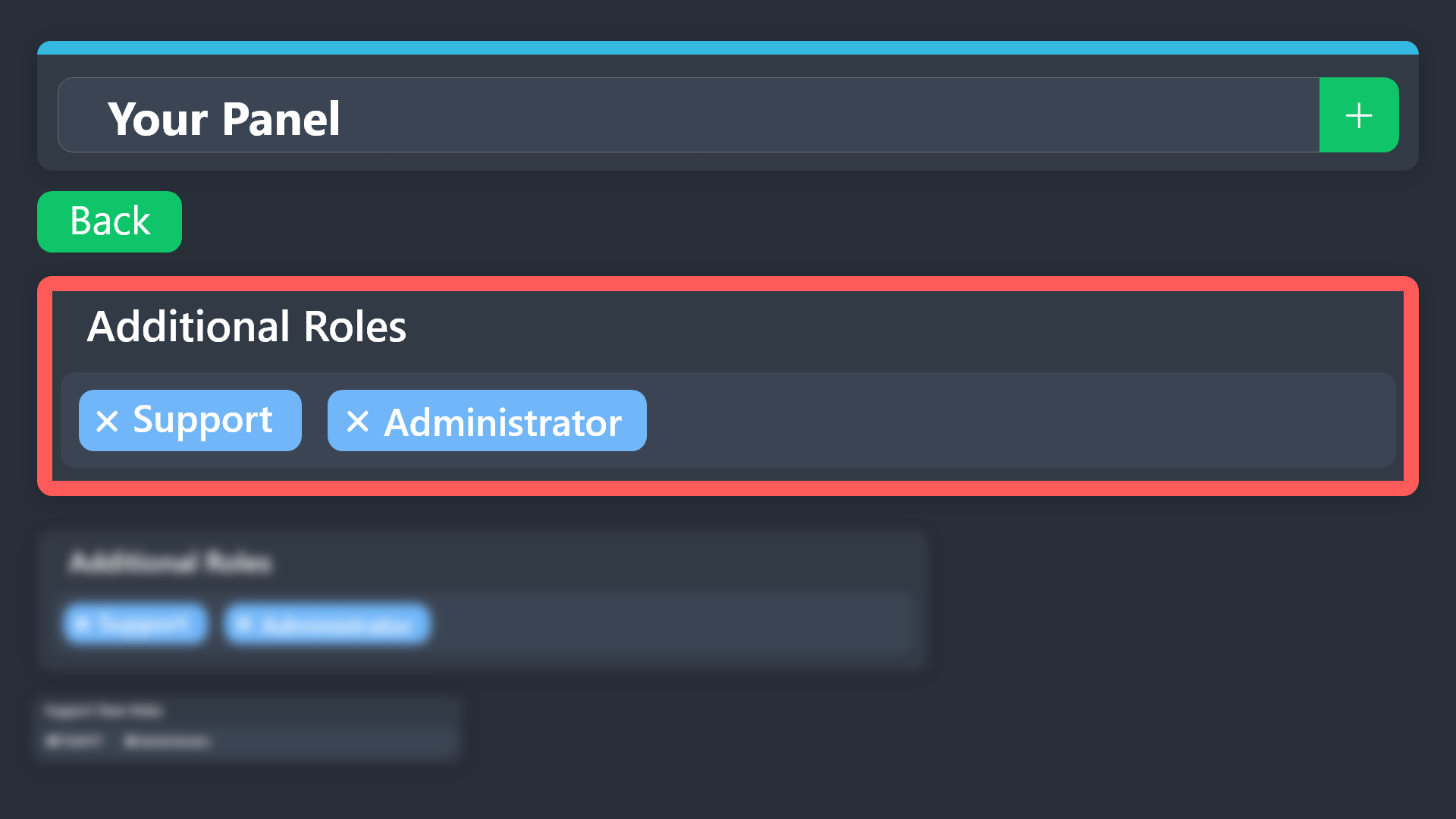
Additional Roles are roles that are independent of Support Roles. You can assign unique permissions for roles defined as additional roles in tickets.
To choose your additional roles head to your Panel Configs ➞ General Settings ➞ Additional Roles
To assign permissions for additional roles, go to Dashboard ➞ Panel Configs ➞ Permission Options ➞ Additional Opened/Closed Permissions.
Note: Additional Roles do NOT get affected by the Change other support team permissions when claimed feature under Claiming Options, meaning they don't gain/lose any permissions set in that feature once a ticket is claimed.
$addroles
scenic forum
violet lark
what does additional roles?
Refer to the embed above
violet lark
scenic forum
Refer to the embed above
I still dont know what it means, BUT the other thing works now
Thank u
 hollow reef
Hi, I have a question about the bot. When members of my server create a ticket, can it be created as a private channel that only moderators and the server creator have access to? If so, please help.
lilac junco
hollow reef
Hi, I have a question about the bot. When members of my server create a ticket, ...
Hey there! So yes. I'll explain the steps briefly below.
lilac junco
hollow reef
Hi, I have a question about the bot. When members of my server create a ticket, ...
-
Create a category only for tickets and only allow your moderators to see it.
-
Go to Dashboard,
Panel Configs > General > Support Team Rolesin that section add your support team roles (aka your moderator roles) -
Go to dashboard
Panel Configs > Category > Category created/opened
There set the category you created in the first step, and tickets that are opened will automatically be sent there allowing your moderators to see tickets.
hollow reef
okay thank you sm!!!!
lilac junco
hollow reef
okay thank you sm!!!!
hollow reef
thanks @lilac junco
iron nightBOT
Gave +1 Rep to @lilac junco (current: #57 - 37)
lilac junco
hollow reef
thanks <@1086519848999329903>
Glad I could help! Let me know if it works. 
 verbal tinsel
i got scammed where do i go?
humble sequoiaBOT
@verbal tinsel
⚠️ You're in the wrong place
We provide support for Ticket Tool Discord bot and cannot help you with whatever issue you have.
- We don't know which Support Team you should contact to get this issue resolved, and unfortunately we won't be able to accurately tell you.
If you don't have any further questions regarding our bot Ticket Tool, please close this ticket
verbal tinsel
i got scammed where do i go? to blacklist there server
 pseudo ravine
If this is related to the Ticket Tool Discord bot, then please make a ticket in #🎫│make-a-ticket
 pseudo cliff
How to make ticket tool ping the staff when the ticket is opened
humble sequoiaBOT
━━ User's inquiry has been moved to a ticket ━━
 barren elm
whats the cmd to @ a role in the ticket mesaage
humble sequoiaBOT
1. Open your Panel Configs tab in your server's dashboard
2. Select the panel you want to ping your support team on
3. Open the Ticket options menu
4. Click on Edit Ticket Message
5. In the Message Content use one of the role mention syntax ({@Role Name}/{Role ID})
6. Save changes
Note: For this to work properly, Ticket Tool requires the Mention Everyone permission. Or the role must have the Allow anyone to @mention this role setting enabled
 austere forge
barren elm
whats the cmd to @ a role in the ticket mesaage
austere forge
barren elm
whats the cmd to @ a role in the ticket mesaage
Refer to the embed above please
barren elm
@austere forge it doenst show what role
 scenic forum
barren elm
<@225349654974431232> it doenst show what role
scenic forum
barren elm
<@225349654974431232> it doenst show what role
That is just the dashboard preview it will work once you actually open a ticket.
barren elm
I got it thank yall
 civic aspen
Yo
civic aspen
Yo I need help
humble sequoiaBOT
@civic aspen, we would love to help you, but if you don't tell us what you need help with we can't help you :(
scenic forum
Are you staff on the server youre having issues on?
scenic forum
Then we arent able to help you
Youd need to reach out to their server staff
civic aspen
It keeps saying channel is full
scenic forum
As stated above youd need to reach out to their servers staff
civic aspen
Ok
 kind raft
I just edited a ticket dropdown menu in the web editor but in the discord server its still showing the old version despite me hitting the save button in the web editor
Am i missing something?
scenic forum
You need to either resend the panel or update it
kind raft
Such a simple subtle fix lol, thanks a ton
 flint portal
How do you use a ticket?
 wise gyro
so i invited my bot to my server but on the dashboard it still says its not in the server
scenic forum
wise gyro
so i invited my bot to my server but on the dashboard it still says its not in t...
Can you use /debug on the server?
scenic forum
wise gyro
it says application did not respond
- The bot is missing the
View Channelpermission inside the channel - You need Administrator to access the dashboard
wise gyro
scenic forum
1. The bot is missing the ``View Channel`` permission inside the channel
2. You ...
i got it to debug
scenic forum
wise gyro
i got it to debug
Refer to point 2 of my message
wise gyro
scenic forum
Refer to point 2 of my message
yea im thinking that might be the issue
scenic forum
It is the issue
You do not have Administrator nor a Dashboard role
humble sequoiaBOT
Any role you put there will have full access to the ticket tool dashboard. The server owner and users with admin permissions already have access to the dashboard.
Be careful of which roles to put here

 modest horizon
How do I edit the “create ticket”
scenic forum
modest horizon
How do I edit the “create ticket”
Panel config -> Buttons -> Create ticket
modest horizon
Thanks @scenic forum
iron nightBOT
Gave +1 Rep to @scenic forum (current: #13 - 558)
wise gyro
scenic forum
It is the issue
You do not have Administrator nor a Dashboard role
Alr thanks for the help
iron nightBOT
Gave +1 Rep to @scenic forum (current: #13 - 559)
modest horizon
Now what?
 modest horizon
How do I do that?
scenic forum
with these at the main panel menu

 prime moon
Appeals slap battles
humble sequoiaBOT
@prime moon
⚠️ You're in the wrong place
We provide support for Ticket Tool Discord bot and cannot help you with whatever issue you have.
- We don't know which Support Team you should contact to get this issue resolved, and unfortunately we won't be able to accurately tell you.
If you don't have any further questions regarding our bot Ticket Tool, please close this ticket
prime moon
 humble sequoiaBOT
⚠️ Please read the messages previously sent by our team ⚠️
 pure plank
 humble sequoiaBOT
@pure plank
⚠️ You're in the wrong place
We provide support for Ticket Tool Discord bot and cannot help you with whatever issue you have.
- We don't know which Support Team you should contact to get this issue resolved, and unfortunately we won't be able to accurately tell you.
If you don't have any further questions regarding our bot Ticket Tool, please close this ticket
 scenic forum
modest horizon
I still only see this
scenic forum
modest horizon
I still only see this
Did you resend or update the panel?
modest horizon
How do I get the link
 scenic forum
Just use the Send function instead
humble sequoiaBOT
1. Open your Panel Configs tab in your server's dashboard
2. Select the panel you want to ping your support team on
3. Open the Ticket options menu
4. Click on Edit Ticket Message
5. In the Message Content use one of the role mention syntax ({@Role Name}/{Role ID})
6. Save changes
Note: For this to work properly, Ticket Tool requires the Mention Everyone permission. Or the role must have the Allow anyone to @mention this role setting enabled
scenic forum
@modest horizon refer to the embed above
iron nightBOT
Gave +1 Rep to @scenic forum (current: #13 - 560)
 placid prairie
Guys,I wanna report a hacker
How do I report?
I tried to report but they didn't send me the ticket
tribal cedar
placid prairie
Guys,I wanna report a hacker
Hello. This is a ticket tool support discord. They have no affiliatons with whatever game you are playing.
placid prairie
I thought this is for tsb only?
tribal cedar
placid prairie
I thought this is for tsb only?
Idek what that is mate
Sorry wrong place
placid prairie
.
 last elm
.
 naive whale
If I have ticket tool premium inside my server do I still need regular ticket took there
lilac junco
naive whale
If I have ticket tool premium inside my server do I still need regular ticket to...
Thats your choice.
 worldly helm
naive whale
If I have ticket tool premium inside my server do I still need regular ticket to...
worldly helm
naive whale
If I have ticket tool premium inside my server do I still need regular ticket to...
That depends on if you have an active subscription and if yes how you are subscribed.
 cinder bough
Some of my discord members get the message "No Permission" when trying to create a ticket and can not figure out why.
lilac junco
cinder bough
Some of my discord members get the message "No Permission" when trying to create...
Hey there!
«You don't have permissions to use this»
👉 Server Configs -> Blacklist Roles
Any roles there will be unable to interact with the bot in any way, including creating tickets.👉 Panel Configs -> Buttons -> Create Ticket -> Support team only
If this is enabled👉 Panel Configs -> Buttons -> Create Ticket -> Disabled Roles
Any roles there will be unable to use the button.
cinder bough
I will check those, thank you @lilac junco
lilac junco
cinder bough
I will check those, thank you <@1086519848999329903>
Let me know if it works
cinder bough
@lilac junco I had Blacklist Roles set as I thought the referred to the setting commands.
lilac junco
cinder bough
<@1086519848999329903> I had Blacklist Roles set as I thought the referred to th...
Blacklisted roles will remove the ability to be able to use create ticket buttons etc.
So yeah remove the members role from there
 rustic yarrow
If someone makes a ticket and it gets manually deleted it now says they cant make a new one because they already have one open
How do i fix that
austere forge
rustic yarrow
How do i fix that
Run the /debug command and clear cache with the boutton attached
if doesn't work after this, please #🎫│make-a-ticket
 scenic forum
 glass ibex
Idk whats wrong with it
glass ibex
Idk whats wrong with it
Can you use /debug?
glass ibex
Also same
scenic forum
glass ibex
Also same
The bot is missing the View Channel permission inside that channel

 sterile badge
How can I make it so ticket tool reads bot messages to check for commands
Like if a bot sends $close instead of me, how can I have it read that
humble sequoiaBOT
Integrating an External Bot x Ticket Tool <:TicketToolGold:1073948897673748490>
Integrating Ticket Tool with an external bot allows you to customize your server's Ticket System further!
- The external bot must output the
$newor$ticketcommands with the user's ID to start a ticket. Preferably in a private channel.
Eg.
$new 12345678901234567890
-
Your ticket panel must be Command Style enabled
-
You must whitelist that bot's ID in your Dashboard ➞ Server Configs ➞ Bot section.
Otherwise Ticket Tool will not react to the command and a ticket will not be created.
- If you'd like to include a reason in the command usage, feel free to do so after the user ID.
Eg.
$new 12345678901234567890 Your reason goes here
This reason can then be shown anywhere in the Ticket Message with the{create.reason}variable
**  Note:** If you have changed Ticket Tool's default prefix (
$) please ensure to amend the prefix for the $new or $ticket commands.
Eg. If your prefix is
-, then what you're looking for the bot to use is-newor-ticket

$botintegration
scenic forum
@sterile badge refer to step 3 above
sterile badge
thanks
 dull charm
My sub runs out tomorrow. Any deals pls boys 🙌🏻
humble sequoiaBOT
@high spear
⚠️ You're in the wrong place
We provide support for Ticket Tool Discord bot and cannot help you with whatever issue you have.
- We don't know which Support Team you should contact to get this issue resolved, and unfortunately we won't be able to accurately tell you.
If you don't have any further questions regarding our bot Ticket Tool, please close this ticket
 wise kernel
Q: How to make tickets auto close?
 high spear
I can't log in to Meridian
lilac junco
wise kernel
Q: How to make tickets auto close?
Technically you can remove the "are you sure you want to close this ticket" message.
So when you press close it closes without asking any question.
humble sequoiaBOT
@high spear
⚠️ You're in the wrong place
We provide support for Ticket Tool Discord bot and cannot help you with whatever issue you have.
- We don't know which Support Team you should contact to get this issue resolved, and unfortunately we won't be able to accurately tell you.
If you don't have any further questions regarding our bot Ticket Tool, please close this ticket
lilac junco
Panel Configs > General > Two Step Close 
This will removed the Are you sure you want to close this ticket message.
@wise kernel
 daring citrus
Hi for some reason whenever I run any commands it just comes up with the error the application did not respond
worldly helm
daring citrus
Hi for some reason whenever I run any commands it just comes up with the error t...
Hey!
Please try using the /debug command.
daring citrus
worldly helm
Hey!
Please try using the /debug command.
Not Working
worldly helm
The bot is missing some permissions.
 daring citrus
worldly helm
The bot is missing some permissions.
daring citrus
worldly helm
The bot is missing some permissions.
Which perms are needed?
 gritty flare
Opa
worldly helm
You need to add the permissions with a ❌ next to them.
daring citrus
worldly helm
You need to add the permissions with a ❌ next to them.
All of these are given
worldly helm
Make sure they are given in the Channel.
daring citrus
worldly helm
Make sure they are given in the Channel.
It's working now thanks
iron nightBOT
Gave +1 Rep to @worldly helm (current: #5 - 1039)
worldly helm
 fleet badger
hi! Im trying to set up an ID verification in my server (its not nsfw just 18+). I have seen ticket tool used for it before. does anyone have any tips for setting it up? thank you in advance
austere forge
fleet badger
hi! Im trying to set up an ID verification in my server (its not nsfw just 18+)....
Refer to the embed below, that's surely what you're looking for
humble sequoiaBOT
Creating a verification system with Ticket Tool <:TicketToolWhite:1073948900056105060>
Using Discord's permission system you can create a setup that allows your team to manually verify new server members while keeping the rest of the server hidden!
Please configure the permissions of your server's channel as depicted below:
Category Permissions
- Go to your category permissions, or channel permissions in case they are not synced with the category.
- Set the View Channels permission to
 for the @everyone role.
 - Set the View Channels permission to
 for your
 @Memberor@Verifiedrole. - Repeat this process for all of your server's categories.
Ticket Panel Channel
- Set the View Channel permission to for the @everyone role.
- (Optional) If you'd like for verified members to not be able to see that ticket channel anymore, set the View Channel permission to for your
@Memberor@Verifiedrole.
-# Note: Your staff team will still need to grant a verification role. If you have premium, you can check our Ticket Closed Roles feature
$manualverification
 willow sedge
How to open a ticket here
 latent dawn
willow sedge
How to open a ticket here
latent dawn
willow sedge
How to open a ticket here
You can ask your issue here or just open a ticket on #🎫│make-a-ticket
willow sedge
latent dawn
You can ask your issue here or just open a ticket on <#571706435449257997>
I just opened a ticket
Thanks
harsh epoch
 proper brook
when i try and set up the bot it says the application denied
proper brook
when i try and set up the bot it says the application denied
Hi there!
Could you check that the bot has the following in the channel you're trying to use the command in
View ChannelSend MessagesEmbed Links
 pliant cedar
 next warren
Hello everyone, what should I do if I get a 407 proxy error?
scenic forum
next warren
Hello everyone, what should I do if I get a 407 proxy error?
Could you show a screenshot?
next warren
humble sequoiaBOT
@next warren
⚠️ You're in the wrong place
We provide support for Ticket Tool Discord bot and cannot help you with whatever issue you have.
- We don't know which Support Team you should contact to get this issue resolved, and unfortunately we won't be able to accurately tell you.
If you don't have any further questions regarding our bot Ticket Tool, please close this ticket
scenic forum
@next warren please do not dm me
Youre on the wrong server we cannot help you
 plush patrol
Hola alguien puede ayudarme, debo completar misión diaria debo hablar con galinda pero no está o está bug no puedo hacer la misión
 jade topaz
I tried to setup the ticket thing and it didn’t work it said the application didn’t respond
foggy sparrow
plush patrol
Hola alguien puede ayudarme, debo completar misión diaria debo hablar con galind...
Lugar equivocado
 zinc osprey
I’ve tried to setup the ticket for my server and it didn’t work and I donr know what to do
 tranquil bison
jade topaz
I tried to setup the ticket thing and it didn’t work it said the application did...
tranquil bison
jade topaz
I tried to setup the ticket thing and it didn’t work it said the application did...
which one there's two bots, one doesn't work if the other one is active in the server... Or perhaps a permission issue in the server
gentle goblet
jade topaz
I tried to setup the ticket thing and it didn’t work it said the application did...
Does the bot have the view channels permission in that channel?
gentle goblet
zinc osprey
I’ve tried to setup the ticket for my server and it didn’t work and I donr know...
Does the bot have the view channels permission in that channel?
Please check and make sure, and then let me know
jade topaz
Is there a way to give a member access to the dashboard without giving them admin perms?
lilac junco
jade topaz
Is there a way to give a member access to the dashboard without giving them admi...
Server configs > Dashboard Roles
jade topaz
lilac junco
``Server configs > Dashboard Roles``
Thank you. Also, would that be enough or should I give the user more permissions?
iron nightBOT
Gave +1 Rep to @lilac junco (current: #57 - 39)
lilac junco
jade topaz
Thank you. Also, would that be enough or should I give the user more permissions...
That should be enough I believe.
jade topaz
Alright, preciate it!
lilac junco
jade topaz
Alright, preciate it!
 fleet bronze
Is there a way to offer service and take paid on discord with discord bot?
 sweet parcel
Yo how do I add questions?
 neon warren
How do I go about taking the buttons on a default ticket panel and putting them on a webhook?
humble sequoiaBOT
A Discord Form lets the user answer individual questions in a pop-up Form, which then displays the answers in the ticket message. This can save time if you already know what you want to ask the user.
Setup Forms
Forms can be enabled under Panel Settings > Form Options > Edit Forms Options. In the new pop-up window, you can now enable and edit your own Form.
Form Options
You can add up to 5 questions in the Discord form. This is a Discord limitation. Each question can have a placeholder in the input field, a minimum and maximum input, multi-line, and also the option to have the answer required.
Options
Question Title ➞ Your Question goes here
Question Placeholder ➞ The placeholder text in the input field
Required ➞ If enabled, the user has to answer this question, to submit the form
Multi-Line Input ➞ Allows the user to input multiple lines
Minimum and Maximum Input ➞ Set a minimum and maximum input value for the user
Displaying the Answer
To display the answers from the user, you need to enable Auto display form results on the ticket message as an additional embed
If you don't want a second embed, go into your Panel Configs > Ticket Options > Edit Ticket Message. You use the variable {create.form.x} and replace x with the number of your question. For example, the response to Question 5 can be displayed with {create.form.5}.
latent dawn
sweet parcel
Yo how do I add questions?
Refer to the embded above ^^
 severe gulch
Somthing problem with my server
 rose nova
Hi friend, I have a question. How can I see how many tickets each administrator has closed on my server?
 inner kernel
INDICATOR KAISE MILEG please help
 tidal minnow
rose nova
Hi friend, I have a question. How can I see how many tickets each administrator ...
tidal minnow
rose nova
Hi friend, I have a question. How can I see how many tickets each administrator ...
Tickets logs
rose nova
tidal minnow
Tickets logs
From the website, then?
tidal minnow
rose nova
From the website, then?
Yes, choose a private channel where the bot will send the logs


@rose nova
rose nova
tidal minnow
<@906239906442006568>
thank you bro
iron nightBOT
Gave +1 Rep to @tidal minnow (current: #436 - 1)
tidal minnow
rose nova
thank you bro
You're welcome
jade topaz
tranquil bison
which one there's two bots, one doesn't work if the other one is active in the s...
The ticket tool
jade topaz
Nvm I found the bug
tranquil bison

 fading oak
hi why the application doesn’t respond?
lilac junco
fading oak
hi why the application doesn’t respond?
Hey there! Refer to the embed below.
humble sequoiaBOT
When first invited to your server, Ticket Tool should have the permissions shown below in order to ensure an appropriate functioning:
When customizing permissions for the different ticket participants, you must make sure Ticket Tool has the permissions you want it to grant to others, you can learn more about this here.
Missing Permissions
This error is a direct outcome of the bot missing permissions as depicted above. When troubleshooting this error we suggest you go through these steps:
- Use the </debug:1029783024264564765> command to check if the bot is lacking core role or channel permissions.
- Compare the category/channel's overrides and contrast them with the bot's roles to identify any permission denial that is breaking the functioning
- If you can't still figure it out, let our <@&540295656720302081> know so they can guide you through
Additional Resources
- If you are a server administrator and would like to understand more how to set up your server's permissions, we suggest checking the Discord Support Knowledge Base
- If you are a bot developer and are interested in the internal permission hierarchy we suggest you this part of the Discord Developer Docs
Important Note
- Giving Administrator permissions is NOT required and we do NOT encourage you to do unless you are trying to troubleshoot your permissions setup.
 round wigeon
Help! I've tried everything, but this keeps appearing.
 humble sequoiaBOT
This error indicates you have selected an invalid emoji, i.e. an emoji the bot isn't capable of using, in a button field
Which Emoji?
This depends upon which action the error is appearing, the most common cases are the Create Ticket button or one of your Dropdown emojis. You can visit your Button's List to find all available buttons and find the conflicting one by yourself.
Why doesn't the bot accept it as valid?
- You selected an emoji that doesn't exist anymore, i.e. that has been deleted
- You wrote text there, instead of an emoji (or in addition to an emoji)
- You entered a code for a custom emoji from a server that the bot is not a member of
- You entered a custom emoji code incorrectly
- You're on iPhone and entered an emoji using the phone's emoji pad (use the emoji selector in the website instead)
lilac junco
round wigeon
Help! I've tried everything, but this keeps appearing.
Hey there! Refer to the embed above.
lilac junco
fading oak
how can i change the nome of the panel?
Press the rename option.
 austere forge
fading oak
how can i change the nome of the panel?
austere forge
fading oak
how can i change the nome of the panel?
Dashboard > Panel configs > And use the bouton rename
round wigeon
lilac junco
Hey there! Refer to the embed above.
now he was forced
lilac junco
round wigeon
now he was forced
What do you mean?
fading oak
lilac junco
Press the rename option.
wait i didn’t find that
round wigeon
lilac junco
What do you mean?
I meant to say thank you, but the translator misunderstood.
iron nightBOT
Gave +1 Rep to @lilac junco (current: #56 - 40)
 unkempt gazelle
 lilac junco
austere forge
Dashboard > Panel configs > And use the bouton `rename`
lilac junco
austere forge
Dashboard > Panel configs > And use the bouton `rename`
@fading oak refer to this.
unkempt gazelle
How tk fix this
worldly helm
unkempt gazelle
Hey there 👋 Please try doing the /debug command in that channel.
fading oak
lilac junco
<@648261235342573569> refer to this.
where i can find the dashboard?
humble sequoiaBOT
Ticket Tool - Ticketing without clutter - The #1 Discord support bot
fading oak
sorry is the first time whit this bot
unkempt gazelle
worldly helm
Hey there 👋 Please try doing the `/debug` command in that channel.
I have tried
 worldly helm
Did you use the command just now?
unkempt gazelle
worldly helm
Did you use the command just now?
Yes
lilac junco
fading oak
sorry is the first time whit this bot
I've linked the dashboard above.
worldly helm
unkempt gazelle
Yes
What's the name of the channel you used the command in?
worldly helm
I don't see any debug command being used in a channel named Marox.
unkempt gazelle
worldly helm
I don't see any debug command being used in a channel named Marox.
Idk how I will fix it just say please
worldly helm
The bot is most likely missing permissions in the channel. Make sure the bot has all of these permissions.
 unkempt gazelle
How I will enable these things
unkempt gazelle
worldly helm
The bot is most likely missing permissions in the channel. Make sure the bot has...
?
unkempt gazelle
worldly helm
Thank u sm done
iron nightBOT
Gave +1 Rep to @worldly helm (current: #5 - 1040)
unkempt gazelle
One more thing how I will edit my ticket section like this

 humble sequoiaBOT
The Drop-down menu or Select Menu replaces the buttons on your panel message and uses a drop-down menu with all of your panels. To set this up, go to your Panel Configs and select your main Panel.
<:Numbericons1:1018864164032225340> Enable Select Style
First you enable Select Style. Then you add an item in the Dropdown Editor. Now you can start editing your dropdown!
<:Numbericons2:1018864168041971712> Dropdown Editor
Each line in the dropdown editor represents a line in the drop down menu on discord. You can add more "Items", by clicking on 

First you select a panel. That's the panel this option will open a ticket for.  DONT select the same panel twice. Each option should have a different Panel
After that, you can put a Display. This is the title of this option and will appear in the drop down menu. The *Description can be set right after that, which will be below the title in grey.
Additionally you can select an emoji, that will be shown in front of each option. You can either manually input the ID of an emoji or select it in the selector.
Common Issues ⚠️
- Panel doesn't send? Make sure you have a valid emoji selected
- Option doesn't show up? Check if two options have the same panel in the DropDown Editor

$dropdown
lilac junco
@unkempt gazelle refer to the embed above.
unkempt gazelle
lilac junco
<@1323977021054783529> refer to the embed above.
I have not understand 🥲 pls send recording
@lilac junco
@lilac junco
 torpid zenith
I need help updating my registration to access the classes
lilac junco
unkempt gazelle
<@1086519848999329903>
Please stop pinging me. I'm recording a video to show you. Be patient.
humble sequoiaBOT
@torpid zenith
⚠️ You're in the wrong place
We provide support for Ticket Tool Discord bot and cannot help you with whatever issue you have.
- We don't know which Support Team you should contact to get this issue resolved, and unfortunately we won't be able to accurately tell you.
If you don't have any further questions regarding our bot Ticket Tool, please close this ticket
unkempt gazelle
lilac junco
Please stop pinging me. I'm recording a video to show you. Be patient.
Ok bro please show from the beginning
 brittle scaffold
how can i make the ticket tool ask questions before creating the ticket
humble sequoiaBOT
A Discord Form lets the user answer individual questions in a pop-up Form, which then displays the answers in the ticket message. This can save time if you already know what you want to ask the user.
Setup Forms
Forms can be enabled under Panel Settings > Form Options > Edit Forms Options. In the new pop-up window, you can now enable and edit your own Form.
Form Options
You can add up to 5 questions in the Discord form. This is a Discord limitation. Each question can have a placeholder in the input field, a minimum and maximum input, multi-line, and also the option to have the answer required.
Options
Question Title ➞ Your Question goes here
Question Placeholder ➞ The placeholder text in the input field
Required ➞ If enabled, the user has to answer this question, to submit the form
Multi-Line Input ➞ Allows the user to input multiple lines
Minimum and Maximum Input ➞ Set a minimum and maximum input value for the user
Displaying the Answer
To display the answers from the user, you need to enable Auto display form results on the ticket message as an additional embed
If you don't want a second embed, go into your Panel Configs > Ticket Options > Edit Ticket Message. You use the variable {create.form.x} and replace x with the number of your question. For example, the response to Question 5 can be displayed with {create.form.5}.
worldly helm
brittle scaffold
how can i make the ticket tool ask questions before creating the ticket
Hey! 👋
Please refer to the embed above^
brittle scaffold
lilac junco
@unkempt gazelle
unkempt gazelle
Ok I am doing thanks
 brazen ruin
Switched to premium and I now nolonger have access to manage my servers.
What command do I need to run to have access again?
worldly helm
Hey 👋
What's the server ID of your server? I'll take a quick look at your dashboard.
brazen ruin
2 servers.
worldly helm
Please send the server ID of the server you don't have access to currently.
brazen ruin
Where are the server IDs?
worldly helm
You right click the server name and click on Server ID.
worldly helm
It seems like you have the premium bot enabled on both servers but didn't invite them yet. Please see below on how to invite the bot 😄
humble sequoiaBOT
The first thing you will need to do is invite the premium bot, an invite can be found here
Once the bot is in your server we will head to the dashboard and manage your server. When you are managing your server, you want to head into "Server Configs" then click the drop down menu under "Select the bot you would like to use on this server" then click "Ticket Tool#6207" and then save.
brazen ruin
Yeah, it’s now giving me “You don’t have access to this server” and I am unable to manage them.
Perhaps you can share a command with me to enter in the server chat channel?
Last time I was given a command to use that worked and allowed me to regain access.
worldly helm
You can either invite the premium bot using the "here" link above or use the /botswitcher command to switch to the default bot.
brazen ruin
Okay, I will run the command to regain access and then follow the steps above.
harsh epoch
 torpid hamlet
somone please tell me how to set up the panel
torpid hamlet
somone please tell me how to set up the panel
Hey there!
Please try referring to step 2 and 3 of the embed below
humble sequoiaBOT
First you will want to invite the bot to your server. Once the bot is in your server, you can manage your server in the dashboard.
To create a panel we are going to need to head over to the Panel Configs Tab on the Dashboard.
Once at the dashboard we will need to click Create Panel.
Enter a panel name (Fill in any optional settings you want).
Click Create Panel and you are ready to get started with configuring your panel.
An example of a creating a panel is shown below.
Once the panel has been created, use the blue Send button and select the channel you want the panel to be sent to.
The Panel wasn't send
Use the </debug:1029783024264564765> command to diagnose possible permission issues with the bot.
torpid hamlet
thank you so much @harsh epoch
 rugged blade
How do you remove bots from being able to access tickets? ( trying to remove pluralkits access )
scenic forum
rugged blade
How do you remove bots from being able to access tickets? ( trying to remove plu...
The bot cant have administrator or a support team role
rugged blade
scenic forum
The bot cant have administrator or a support team role
Ahhh okay
 zenith vapor
Gm the site isn't working. It's showing some kind of big red error
lilac junco
zenith vapor
Gm the site isn't working. It's showing some kind of big red error
Can you send a screenshot?
zenith vapor
Yes
 zenith vapor
lilac junco
Can you send a screenshot?
zenith vapor
lilac junco
Can you send a screenshot?
That's it
humble sequoiaBOT
@zenith vapor
⚠️ You're in the wrong place
We provide support for Ticket Tool Discord bot and cannot help you with whatever issue you have.
- We don't know which Support Team you should contact to get this issue resolved, and unfortunately we won't be able to accurately tell you.
If you don't have any further questions regarding our bot Ticket Tool, please close this ticket
zenith vapor
Ok thanks
 onyx solar
How to setup who can delete closed tickets?
lilac junco
onyx solar
How to setup who can delete closed tickets?
What you mean is to stop members from closing their own ticket?
onyx solar
lilac junco
What you mean is to stop members from closing their own ticket?
If ticket is closed i want allow role to delete tickets
lilac junco
onyx solar
If ticket is closed i want allow role to delete tickets
Panel Configs > General > Support Team Roles
 lilac junco
onyx solar
lilac junco
onyx solar
Update your panel. Now the role you set as support team roles will be able to delete tickets.
 ionic iron
why does it say i have the free ticket tool when i pay for it every month?
@lilac junco
 lilac junco
ionic iron
<@1086519848999329903>
lilac junco
ionic iron
<@1086519848999329903>
Hey there don't ping me please! That Free indicates the 7 days free trial not your current subscription.
lilac junco
 stable rivet
what do i do if i didnt get a transcript
stable rivet
what do i do if i didnt get a transcript
Did you open the ticket?
ionic iron
lilac junco
Hey there don't ping me please! That Free indicates the 7 days free trial not yo...
yeah but it says i dont have a subscription at all
stable rivet
lilac junco
Did you open the ticket?
yeah
i opened a ticket on a server and i got only the message it got closed
didnt goot a transcript
ionic iron
i even had a custom pfp and banner for my server and it took it away it even says “purchase premium” when i pay for it
stable rivet
just wanna know if it was an error from tickettool or if it was just deleted
lilac junco
stable rivet
i opened a ticket on a server and i got only the message it got closed
Reach out to the server staff. They most likely did not enable send transcripts to ticket owner.
stable rivet
lilac junco
Reach out to the server staff. They most likely did not enable send transcripts ...
they do have transcripts on cus they need logs, this its the first time i didnt got a transcript
ig ill just need t o wait for staff response
lilac junco
ionic iron
i even had a custom pfp and banner for my server and it took it away it even say...
Can you use /botswitcher in the channel of your panel?
 smoky tartan
How long does it take for staff to respond to my ticket?
lilac junco
stable rivet
ig ill just need t o wait for staff response
Reach out to their staff. As you're not on the staff team we can't help you.
lilac junco
smoky tartan
How long does it take for staff to respond to my ticket?
Please be patient. An English support ticket estimates around 30 minutes. That's an average response time.
lilac junco
smoky tartan
What’s the longest it will take
As I said, the average response is within 30 mins. Be patient, support staffs must be busy.
stable rivet
lilac junco
Reach out to their staff. As you're not on the staff team we can't help you.
oke
pseudo ravine
smoky tartan
How long does it take for staff to respond to my ticket?
You don't have an open ticket in this server. You will need to be patient and wait for the staff of the server you opened a ticket in
 minor osprey
Im trying to setup a Server and when I try to set up the Ticket bot, none of the Commands are working and when I try to Look up the help command and use it the same thing keeps popping up, which is this
 scenic forum
minor osprey
Im trying to setup a Server and when I try to set up the Ticket bot, none of the...
scenic forum
minor osprey
Im trying to setup a Server and when I try to set up the Ticket bot, none of the...
Can you use /debug?
 scenic forum
minor osprey
No I can't
scenic forum
minor osprey
No I can't
Ticket tool is missing the View Channel permission inside the channel
minor osprey
scenic forum
Ticket tool is missing the ``View Channel`` permission inside the channel
Ohhhhh
Okay thank you so much I Appericiate it
jade topaz
Hello there, for some reason, the Claim Ticket option doesn't appear even though I enabled all buttons.
humble sequoiaBOT
Claiming allows you to change the ticket name, category and permissions. To use it you have to enable it first on your Dashboard > Panel Configs > Claiming

 Note: This is a premium feature
scenic forum
Note: This is a premium feature
scenic forum
@jade topaz refer to the embed above
jade topaz
scenic forum
<@456226577798135808> refer to the embed above
Oh, it's a premium feature?
scenic forum
jade topaz
Oh, it's a premium feature?
correct
jade topaz
Ah, that makes sense now. I previously administrated a server and they had this option. When I set up a friend's server however, I didn't see it. So, I suppose that server had premium.
Have a good day!
 grizzled summit
jade topaz
Have a good day!
grizzled summit
jade topaz
Have a good day!
You may. You just can not use markdown here.
jade topaz
grizzled summit
You may. You just can not use markdown here.
Are you referring to the text that got blocked by the bot?
grizzled summit
jade topaz
Are you referring to the text that got blocked by the bot?
Yes. If you reply or @ someone with thanking them it will add rep to the user. We allow that.
jade topaz
grizzled summit
Yes. If you reply or @ someone with thanking them it will add rep to the user. W...
Oh, alright. Thanks.
iron nightBOT
Gave +1 Rep to @grizzled summit (current: #45 - 79)
jade topaz
scenic forum
correct
Thank you as well.
iron nightBOT
Gave +1 Rep to @scenic forum (current: #13 - 563)
grizzled summit
 shy kettle
Guys when I type /setup it just says the application didn't respond
scenic forum
shy kettle
Guys when I type /setup it just says the application didn't respond
Can you use /debug?
shy kettle
Ill try sorry im.new to it
 shell shard
Why does it say this?
 shy kettle
Same here
scenic forum
shell shard
Why does it say this?
The bot is missing all permissions with an X inside the channel
 scenic forum
shy kettle
Same here
scenic forum
shy kettle
Same here
The bot is missing the Send Message permission inside the channel
shy kettle
Ohhhh
 crystal gorge
I’m trying to make it ping the staff role so I put that in on the dashboard to try and make it to ping what do I need to do to make it work?
 scenic forum
crystal gorge
I’m trying to make it ping the staff role so I put that in on the dashboard to t...
scenic forum
crystal gorge
I’m trying to make it ping the staff role so I put that in on the dashboard to t...
Youd need to use <@&RoleID> if youre going with discords formatting
crystal gorge
scenic forum
Youd need to use ``<@&RoleID>`` if youre going with discords formatting
Ty
iron nightBOT
Gave +1 Rep to @scenic forum (current: #13 - 564)
shy kettle
What do i do for this
 scenic forum
shy kettle
What do i do for this
scenic forum
shy kettle
What do i do for this
You select the channel where the ticket creation menu will be sent in
torpid zenith
/close
jade topaz
What do I do if I wanna make a channel for requesting tickets ticket tool is in my server but isn’t working
torpid zenith
Hola, ya no necesito asistencia.
¿Podrían cerrar este ticket por favor?
Gracias.
latent dawn
torpid zenith
Hola, ya no necesito asistencia.
¿Podrían cerrar este ticket por favor?
Gracias.
Esto no es un ticket.
latent dawn
jade topaz
What do I do if I wanna make a channel for requesting tickets ticket tool is in ...
Maybe the bot doesn't have permissions to view the channel you want to. Refer to the embded for giving the neccesary permissions.
humble sequoiaBOT
When first invited to your server, Ticket Tool should have the permissions shown below in order to ensure an appropriate functioning:
When customizing permissions for the different ticket participants, you must make sure Ticket Tool has the permissions you want it to grant to others, you can learn more about this here.
Missing Permissions
This error is a direct outcome of the bot missing permissions as depicted above. When troubleshooting this error we suggest you go through these steps:
- Use the </debug:1029783024264564765> command to check if the bot is lacking core role or channel permissions.
- Compare the category/channel's overrides and contrast them with the bot's roles to identify any permission denial that is breaking the functioning
- If you can't still figure it out, let our <@&540295656720302081> know so they can guide you through
Additional Resources
- If you are a server administrator and would like to understand more how to set up your server's permissions, we suggest checking the Discord Support Knowledge Base
- If you are a bot developer and are interested in the internal permission hierarchy we suggest you this part of the Discord Developer Docs
Important Note
- Giving Administrator permissions is NOT required and we do NOT encourage you to do unless you are trying to troubleshoot your permissions setup.
Can u go on dms
latent dawn
jade topaz
Can u go on dms
I would like to mantain the support on this channel.
jade topaz
Ok
latent dawn
Please, do not dm me.
latent dawn
You can just send a picture here.
jade topaz
Like I wanna make a channel to create ticket but my members can’t request tickets

Ticket tool is added
latent dawn
Did you setup the bot?
jade topaz
No how
latent dawn
$help
humble sequoiaBOT
latent dawn
$help
First you will want to invite the bot to your server. Once the bot is in your server, you can manage your server in the dashboard.
To create a panel we are going to need to head over to the Panel Configs Tab on the Dashboard.
Once at the dashboard we will need to click Create Panel.
Enter a panel name (Fill in any optional settings you want).
Click Create Panel and you are ready to get started with configuring your panel.
An example of a creating a panel is shown below.
Once the panel has been created, use the blue Send button and select the channel you want the panel to be sent to.
The Panel wasn't send
Use the </debug:1029783024264564765> command to diagnose possible permission issues with the bot.
latent dawn
jade topaz
No how
Refer to the embded above ^^
torpid zenith
I would just like to close the ticket.
jade topaz
Yo wait can u do it for me I don’t know how
latent dawn
torpid zenith
I would just like to close the ticket.
If you have a ticket opened, just close the ticket with the button "Close" or ask on your ticket to be closed. This channel isn't a "ticket" and it can't be closed.
latent dawn
jade topaz
Yo wait can u do it for me I don’t know how
Im sorry but I am not going to do that.
jade topaz
Bro it’s not letting me create a panel
latent dawn
I recommend you opening a ticket on #🎫│make-a-ticket so they can see it deeply.
torpid zenith
Okay, thank you for your help.
 lofty hamlet
Bonjour j’ai vue sur YouTube une vidéo promotionnelle pour un lobby bot gratuit en rejoignant le serveur Discord comment faire pour en profiter s’il vous plaît merci 🙏🏻
 grand sparrow
how do i make it to where when people open a ticket it makes them fill out questions?
humble sequoiaBOT
A Discord Form lets the user answer individual questions in a pop-up Form, which then displays the answers in the ticket message. This can save time if you already know what you want to ask the user.
Setup Forms
Forms can be enabled under Panel Settings > Form Options > Edit Forms Options. In the new pop-up window, you can now enable and edit your own Form.
Form Options
You can add up to 5 questions in the Discord form. This is a Discord limitation. Each question can have a placeholder in the input field, a minimum and maximum input, multi-line, and also the option to have the answer required.
Options
Question Title ➞ Your Question goes here
Question Placeholder ➞ The placeholder text in the input field
Required ➞ If enabled, the user has to answer this question, to submit the form
Multi-Line Input ➞ Allows the user to input multiple lines
Minimum and Maximum Input ➞ Set a minimum and maximum input value for the user
Displaying the Answer
To display the answers from the user, you need to enable Auto display form results on the ticket message as an additional embed
If you don't want a second embed, go into your Panel Configs > Ticket Options > Edit Ticket Message. You use the variable {create.form.x} and replace x with the number of your question. For example, the response to Question 5 can be displayed with {create.form.5}.
latent dawn
grand sparrow
how do i make it to where when people open a ticket it makes them fill out quest...
Refer to the embded above ^^
grand sparrow
latent dawn
Refer to the embded above ^^
is it a desktop only type of thing or can it be done from mobile?
latent dawn
It can be done on mobile.
 true dune
I feel so dumb asking this but i just cant find the reason regular members "dont have the permission to create a ticket"
where can i change that ;(
pseudo cliff
latent dawn
It can be done on mobile.
how to make multiple selections pop up?
 vocal oriole
I would like help requesting a refund for Gold Coins.
gentle goblet
vocal oriole
I would like help requesting a refund for Gold Coins.
Huh? Gold coins?
gentle goblet
true dune
I feel so dumb asking this but i just cant find the reason regular members "dont...
Try this maybe?
 fleet fractal
setup?
stark runeBOT
1. Invite Ticket Tool to your server
First you will want to invite the bot to your server. Once the bot is in your server, you can manage your server in the dashboard.
2. Create a Panel
To create a panel we are going to need to head over to the panel configs on the dashboard.
Once at the dashboard we will need to click Create Panel.
Enter a panel name (Fill in any optional settings you want).
Click Create Panel and your ready to get started with configuring your panel.
An example of a creating a panel is shown below.
3. Send the Panel to a Channel
Once you've created a panel on the dashboard you will need to send it to a channel using send on the dashboard.
Select the channel you want your panel to be created in and click send.
For other questions checkout $help faq.
An example of a sending a panel is shown below.
Having a Problem Sending the Panel?
Do $debug in a channel with Ticket Tool and make sure it has all the necessary Discord permissions.
true dune
gentle goblet
Try this maybe?
i will try it
gentle goblet
true dune
i will try it
lmk
gentle goblet
stark rune
@fleet fractal
fleet fractal
gentle goblet
<@1129865179543388272>
K
gentle goblet
lmk if you need anything else
true dune
gentle goblet
lmk
"You don't have permissions to use this." is there any permission i am missing that a user needs ?
gentle goblet
true dune
"You don't have permissions to use this." is there any permission i am missing t...
Did you toggle support team only off?

 feral radish
- I want to change the panel name of the ticket, but it doesn't let me?
- How do we change the colour of the sidebar for the panel?
 gentle goblet
feral radish
1. I want to change the panel name of the ticket, but it doesn't let me?
2. How ...
gentle goblet
feral radish
1. I want to change the panel name of the ticket, but it doesn't let me?
2. How ...
Premium I think
For option two
feral radish
gentle goblet
Premium I think
What about changing the name of the panel?
 gentle goblet
true dune
gentle goblet
true dune
Hey there!
«You don't have permissions to use this»
👉 Server Configs -> Blacklist Roles
Any roles there will be unable to interact with the bot in any way, including creating tickets.👉 Panel Configs -> Buttons -> Create Ticket -> Support team only
If this is enabled👉 Panel Configs -> Buttons -> Create Ticket -> Disabled Roles
Any roles there will be unable to use the button.
Try all of these
feral radish
gentle goblet
For option one
Got it. What if I want to change the name of the "verification" part?
 gentle goblet
feral radish
Got it. What if I want to change the name of the "verification" part?
gentle goblet
feral radish
Got it. What if I want to change the name of the "verification" part?
Isn't that the panel name?
feral radish
gentle goblet
Isn't that the panel name?
Yes. Also it worked for me this time so nevermind lmao
Thank you for the help
gentle goblet
feral radish
Thank you for the help
Np
 maiden lichen
How do I make it where there’s a button to create ticket
pseudo cliff
gentle goblet
Np <:3v_smile:1187282191630204958>
hey can you help me please?
gentle goblet
pseudo cliff
hey can you help me please?
Wassup
stark runeBOT
1. Invite Ticket Tool to your server
First you will want to invite the bot to your server. Once the bot is in your server, you can manage your server in the dashboard.
2. Create a Panel
To create a panel we are going to need to head over to the panel configs on the dashboard.
Once at the dashboard we will need to click Create Panel.
Enter a panel name (Fill in any optional settings you want).
Click Create Panel and your ready to get started with configuring your panel.
An example of a creating a panel is shown below.
3. Send the Panel to a Channel
Once you've created a panel on the dashboard you will need to send it to a channel using send on the dashboard.
Select the channel you want your panel to be created in and click send.
For other questions checkout $help faq.
An example of a sending a panel is shown below.
Having a Problem Sending the Panel?
Do $debug in a channel with Ticket Tool and make sure it has all the necessary Discord permissions.
gentle goblet
@maiden lichen does this help you?
pseudo cliff
gentle goblet
Wassup
so i did these but it just shows this

 gentle goblet
You want to get rid of the button?
maiden lichen
gentle goblet
<@1323402064734195865> does this help you?
Tysm
pseudo cliff
gentle goblet
You want to get rid of the button?
i already did but it doesnt show the options
gentle goblet
pseudo cliff
i already did but it doesnt show the options
What happens when you tap on it?
The dropdown ^
pseudo cliff
gentle goblet
What happens when you tap on it?
 gentle goblet
maiden lichen
Tysm
gentle goblet
maiden lichen
Tysm
🙂↕️
pseudo cliff
this happens
gentle goblet
pseudo cliff
Try removing the button from it first
pseudo cliff
gentle goblet
Try removing the button from it first
how do i do that tho?
gentle goblet
pseudo cliff
how do i do that tho?
Copy message link of the panel > click update button on site > paste link and click uodate
 gentle goblet
 nocturne elbow
- The bot is missing the
View Channelpermission inside the channel
 errant cradle
We're the cagen the code for plss
gentle goblet
Try that
nocturne elbow
Kk
gentle goblet
@pseudo cliff like so
nocturne elbow
gentle goblet
Try that
Didn’t work

 gentle goblet
nocturne elbow
Didn’t work
gentle goblet
nocturne elbow
Didn’t work
Can you try running /debug and lmk what happens?
nocturne elbow
I already did that but I’ll try again
pseudo cliff
gentle goblet
Try removing the button from it first
did i do something wrong (i might have messed up copying the link of the message)
 nocturne elbow
It doesn’t respond to any command
gentle goblet
errant cradle
I am speak spanish
Please go to #🎫│make-a-ticket and select Spanish
pseudo cliff
pseudo cliff
did i do something wrong (i might have messed up copying the link of the message...
@gentle goblet my bad i fixed it
gentle goblet
@nocturne elbow try this
pseudo cliff
gentle goblet
<@1131725461345546320> try this
its still like this tho
 gentle goblet
pseudo cliff
<@713434612503937095> my bad i fixed it
gentle goblet
pseudo cliff
<@713434612503937095> my bad i fixed it
Is everything good now?
gentle goblet
pseudo cliff
its still like this tho
Are you selecting the right panel when you click update?
nocturne elbow
gentle goblet
<@1131725461345546320> try this
K
gentle goblet
pseudo cliff
its still like this tho
Make sure you select the right panel

If you have multiple
btw a faster way is you can also just delete and resend if you want
pseudo cliff
gentle goblet
btw a faster way is you can also just delete and resend if you want
- Setting the display value and panel are required, missing either will result in the item not showing i might be missing on this rule
how can i fix it
because it doesnt show any of them
nocturne elbow
gentle goblet
<@1131725461345546320> try this
K I fixed it!
gentle goblet
nocturne elbow
K I fixed it!
Awesome, anything else you need?
pseudo cliff
gentle goblet
You need a diff panel for each slect option
i have it
 gentle goblet
pseudo cliff
* Setting the display value and panel are required, missing either will result i...
gentle goblet
pseudo cliff
* Setting the display value and panel are required, missing either will result i...
Display value = orange
Panel = purple
Do you have all this?
 pseudo cliff
gentle goblet
Display value = orange
Panel = purple
Do you have all this?
pseudo cliff
gentle goblet
Display value = orange
Panel = purple
Do you have all this?
dont i have it it hink i do
 gentle goblet
Not sure how to help further, sorry. You can try #🎫│make-a-ticket
 fallow veldt
Yoo, can someone help me maybe ?
gentle goblet
fallow veldt
Yoo, can someone help me maybe ?
wassup
nocturne elbow
gentle goblet
Awesome, anything else you need?
Nope!
pseudo cliff
gentle goblet
Not sure how to help further, sorry. You can try <#571706435449257997>
alright, thanks for ur time
iron nightBOT
Gave +1 Rep to @gentle goblet (current: #128 - 7)
gentle goblet
nocturne elbow
Nope!
Awesome! Have a great day!
fallow veldt
gentle goblet
wassup
Yo, if i do /setup, it says: The Application is not responding
idk what to do
gentle goblet
@fallow veldt Make sure it has View Channels permissions and all other relevant perms in the channel
See embed for more info
fallow veldt
is this right ?
 gentle goblet
Looks like it's working now
fallow veldt
but how can other people create a ticket now ? I think im to stupid for ts
stark runeBOT
1. Invite Ticket Tool to your server
First you will want to invite the bot to your server. Once the bot is in your server, you can manage your server in the dashboard.
2. Create a Panel
To create a panel we are going to need to head over to the panel configs on the dashboard.
Once at the dashboard we will need to click Create Panel.
Enter a panel name (Fill in any optional settings you want).
Click Create Panel and your ready to get started with configuring your panel.
An example of a creating a panel is shown below.
3. Send the Panel to a Channel
Once you've created a panel on the dashboard you will need to send it to a channel using send on the dashboard.
Select the channel you want your panel to be created in and click send.
For other questions checkout $help faq.
An example of a sending a panel is shown below.
Having a Problem Sending the Panel?
Do $debug in a channel with Ticket Tool and make sure it has all the necessary Discord permissions.
gentle goblet
@fallow veldt
pseudo cliff
gentle goblet
Not sure how to help further, sorry. You can try <#571706435449257997>
i think it was a bug, when i refreshed the dropdowns reseted and when i entered them again they started working again
gentle goblet
pseudo cliff
i think it was a bug, when i refreshed the dropdowns reseted and when i entered ...
Okay awesome!
gentle goblet
fallow veldt
<@713434612503937095>
Awesome! Glad to help!
pseudo cliff
gentle goblet
Awesome! Glad to help!
is there a way to tag a role without id?
because i do it like this ''{ID} and it takes long
gentle goblet
pseudo cliff
is there a way to tag a role without id?
Do you want to tag the ticket user?
I need some more context
pseudo cliff
gentle goblet
Do you want to tag the ticket user?
no a role
gentle goblet
You'll need to put the ID of the role, otherwise, how is ticket tool suposed to know lol
pseudo cliff
gentle goblet
You'll need to put the ID of the role, otherwise, how is ticket tool suposed to ...
like i thought there was a way to write the roles name or something
gentle goblet
Where is this
gentle goblet
pseudo cliff
like i thought there was a way to write the roles name or something
{@Role Name} perhaps
feral radish
I'm trying to add a custom, animated emote on the button, but I'm doing something wrong since it's not working. Is this how you do it?
 lilac junco
feral radish
I'm trying to add a custom, animated emote on the button, but I'm doing somethin...
lilac junco
feral radish
I'm trying to add a custom, animated emote on the button, but I'm doing somethin...
Yes. That's how you do it.
 humble sequoiaBOT
This error indicates you have selected an invalid emoji, i.e. an emoji the bot isn't capable of using, in a button field
Which Emoji?
This depends upon which action the error is appearing, the most common cases are the Create Ticket button or one of your Dropdown emojis. You can visit your Button's List to find all available buttons and find the conflicting one by yourself.
Why doesn't the bot accept it as valid?
- You selected an emoji that doesn't exist anymore, i.e. that has been deleted
- You wrote text there, instead of an emoji (or in addition to an emoji)
- You entered a code for a custom emoji from a server that the bot is not a member of
- You entered a custom emoji code incorrectly
- You're on iPhone and entered an emoji using the phone's emoji pad (use the emoji selector in the website instead)
lilac junco
@feral radish refer to the embed above.
 wicked citrus
I am receiving a message "You don't have access to this server" when trying to access the dashboard.
991019321021063208
 strange spire
How do I let everyone access and make tickets
lilac junco
wicked citrus
I am receiving a message "You don't have access to this server" when trying to a...
Your role in the server doesn't have administrator perms or isn't part of dashboard roles.
lilac junco
strange spire
How do I let everyone access and make tickets
Did you create a panel?
 hollow mist
Hey im seeing this in the category area

I don't see option of the same category in close one
lilac junco
hollow mist
I don't see option of the same category in close one
Do you mean you want to set a category where closed tickets go to?
hollow mist
lilac junco
Do you mean you want to set a category where closed tickets go to?
yes closed one and opened one
lilac junco
hollow mist
yes closed one and opened one
Just create a category for closed tickets.
Then go to Panel Configs > Category >
wicked citrus
lilac junco
Your role in the server doesn't have administrator perms or isn't part of dashbo...
Er.. I own the server. I'm not sure which role it needs.
lilac junco
wicked citrus
Er.. I own the server. I'm not sure which role it needs.
Can you screenshot the message you get.
wicked citrus
lilac junco
Can you screenshot the message you get.

 neat willow
hollow mist
lilac junco
Just create a category for closed tickets.
Then go to ``Panel Configs > Categor...
neat willow
hollow mist
lilac junco
Just create a category for closed tickets.
Then go to ``Panel Configs > Categor...
i did
in close ticket i don't see the options of tickets category
 lilac junco
hollow mist
in close ticket i don't see the options of tickets category
lilac junco
hollow mist
in close ticket i don't see the options of tickets category
Select one.
 exotic crown
Hello ya'll, I'm looking to see if there is a way to mass export transcripts and batch to a text file, is this possible?
 rose trench
Hello I am trying to either change the category name in a ticket, or create a new one. When I create one it does not add it to my list in ticket category. And I don't know how to change the name of one that already exists
lilac junco
rose trench
Hello I am trying to either change the category name in a ticket, or create a ne...
So basically you want to change your category name?
 lilac junco
rose trench
I want to just change the name of one
lilac junco
rose trench
I want to just change the name of one
The choose a category message?
rose trench
No
lilac junco
rose trench
<@1086519848999329903>
Don't ping me please
lilac junco
rose trench
No
Then?
rose trench
I want to change the name of one of the choices
Like it says appeal and punishment, store related, I want to change those names one of them
lilac junco
Ah I see.
lilac junco
rose trench
Like it says appeal and punishment, store related, I want to change those names ...
Head over to your dashboard, then choose the panel, for example if you want to change the "appeal a punishment" name, go to that panel, and go to panel configs. Press the "rename" button.

Then resend your panel.
rose trench
So when I click on panel and then I click on the category I want to edit, I don't see anywhere where it says rename at all I'm sorry
 lilac junco
rose trench
So when I click on panel and then I click on the category I want to edit, I don'...
lilac junco
rose trench
So when I click on panel and then I click on the category I want to edit, I don'...
Don't click on category. Go to panel configs.
rose trench
Ok I'm in there

 lilac junco
rose trench
lilac junco
rose trench
Scroll up.
rose trench
I'm all the way at the bottom that's as far as it goes down there, the very bottom says ticket tool by battleeye
lilac junco
rose trench
I'm all the way at the bottom that's as far as it goes down there, the very bott...
Scroll up. To the top.
rose trench
Okay I changed it, now how do I resend my ticket thing like you said? Sorry
lilac junco
rose trench
Okay I changed it, now how do I resend my ticket thing like you said? Sorry
Click the blue button that says Send.
rose trench
I don't know what I did but now it doesn't look the same oh my God
I want the top one, I don't want the new one at the bottom I don't know what I did

Lol😭
I fixeddd
No that didn't change it it still looks the same
Even after changing the name and sending it it does not change the name of the actual topic in the category list
These are the category choices that I want in the list. And I have changed the one that says bug report to general issues. And when I save it and send it it does not change anything


Please help
It is not changing the name
I changed it in the panel config, I saved it, and then I hit the send button and it doesn't change it.
All it does is change the layout in the Discord on how it looks.
Can you please help me what you told me to do is not working
@lilac junco
Can somebody please help me and not give up on me after 2 minutes
The last person I asked I did exactly what they told me to do and it still didn't work.
Bro....
Why people help yet when what I'm doing isn't working you just totally stop helping 😒
lilac junco
rose trench
Why people help yet when what I'm doing isn't working you just totally stop help...
Can you please be patient? We also have lives. I'm currently eating so I can't help as of now.
rose trench
Now they all just say create a ticket that's it
Every single category 😒

I want to only change the ( report a bug ) name to General Issues. I do not want to change anything else. and when I click anything and rename it, it changes they entire look of the ticket lay out. I want the one chosen to be 'Talk to Neverwinter Knights Staff'' like it does at the top of this picture, and only change the category choice 'report a bug' to 'General Issues'
 lilac junco
rose trench
Every single category 😒
lilac junco
rose trench
Every single category 😒
Since I'm going to take a while, I don't want to keep you waiting. #🎫│make-a-ticket in your corresponding language.
And please, be patient in the ticket.
rose trench
its in 'dropdown style' I figured it out .
 nimble galleon
Is there a way to make the ticket have a name like if all the tickets are under one channel but depending on if it’s a ( ban , support , trader appointment . Custom base ) show instead of ticket - 0000 also if it’s possible to show whom creates the ticket would be awesome
rose trench
nimble galleon
Is there a way to make the ticket have a name like if all the tickets are under ...
I just had the same problem where I wanted to edit the name of the category choices, it is in drop-down style
lilac junco
nimble galleon
Is there a way to make the ticket have a name like if all the tickets are under ...
Hey there! Note that editing ticket names is a premium feature but yes it is possible for what you're saying! 
Would you like me to tell you?
lilac junco
rose trench
I just had the same problem where I wanted to edit the name of the category choi...
That is not the same problem. Don't spread misinformation please.
 somber umbra
Hello, I would like to ask if this is a premium feature or not, if it's not then, how to make it like this when we click at the "create a ticket" button ?
 lilac junco
That's a drop-down menu, it looks like this.
 humble sequoiaBOT
The Drop-down menu or Select Menu replaces the buttons on your panel message and uses a drop-down menu with all of your panels. To set this up, go to your Panel Configs and select your main Panel.
<:Numbericons1:1018864164032225340> Enable Select Style
First you enable Select Style. Then you add an item in the Dropdown Editor. Now you can start editing your dropdown!
<:Numbericons2:1018864168041971712> Dropdown Editor
Each line in the dropdown editor represents a line in the drop down menu on discord. You can add more "Items", by clicking on
First you select a panel. That's the panel this option will open a ticket for. DONT select the same panel twice. Each option should have a different Panel
After that, you can put a Display. This is the title of this option and will appear in the drop down menu. The *Description can be set right after that, which will be below the title in grey.
Additionally you can select an emoji, that will be shown in front of each option. You can either manually input the ID of an emoji or select it in the selector.
Common Issues ⚠️
- Panel doesn't send? Make sure you have a valid emoji selected
- Option doesn't show up? Check if two options have the same panel in the DropDown Editor
$dropdown
lilac junco
@somber umbra refer to the embed above.
somber umbra
lilac junco
<@881159193904676924> refer to the embed above.
Okay tysm !
lilac junco
somber umbra
Okay tysm !
 slim veldt
Hello | i just wanted to ask if i can make the bot claim automaticly when ever it triggers a messeg like استلام
brittle scaffold
how can i make the bot ask questions like that?
 humble sequoiaBOT
The Drop-down menu or Select Menu replaces the buttons on your panel message and uses a drop-down menu with all of your panels. To set this up, go to your Panel Configs and select your main Panel.
<:Numbericons1:1018864164032225340> Enable Select Style
First you enable Select Style. Then you add an item in the Dropdown Editor. Now you can start editing your dropdown!
<:Numbericons2:1018864168041971712> Dropdown Editor
Each line in the dropdown editor represents a line in the drop down menu on discord. You can add more "Items", by clicking on
First you select a panel. That's the panel this option will open a ticket for. DONT select the same panel twice. Each option should have a different Panel
After that, you can put a Display. This is the title of this option and will appear in the drop down menu. The *Description can be set right after that, which will be below the title in grey.
Additionally you can select an emoji, that will be shown in front of each option. You can either manually input the ID of an emoji or select it in the selector.
Common Issues ⚠️
- Panel doesn't send? Make sure you have a valid emoji selected
- Option doesn't show up? Check if two options have the same panel in the DropDown Editor
$dropdown
scenic forum
@brittle scaffold refer to the embed above
brittle scaffold
scenic forum
<@1115054989111468072> refer to the embed above
thx
iron nightBOT
Gave +1 Rep to @scenic forum (current: #13 - 565)
scenic forum
slim veldt
Hello | i just wanted to ask if i can make the bot claim automaticly when ever i...
Thats not possible
To claim a ticket either a button or command would need to be used
brittle scaffold
humble sequoia
if it is one option per panel how can i make them in only one?
scenic forum
brittle scaffold
if it is one option per panel how can i make them in only one?
If you want multiple options youd need to have multiple panels
brittle scaffold
brittle scaffold
how can i make the bot ask questions like that?
here there is 5 options for one panel
scenic forum
brittle scaffold
here there is 5 options for one panel
They still have 5 overall panels
Once you have 2 panels
You can have 2 options inside your dropdown menu
And so on
brittle scaffold
scenic forum
Once you have 2 panels
You can have 2 options inside your dropdown menu
oh thx
iron nightBOT
Gave +1 Rep to @scenic forum (current: #12 - 566)
brittle scaffold
scenic forum
Once you have 2 panels
You can have 2 options inside your dropdown menu
how can i make them in the same dropdown?
nvm i did it
 fervent shard
How to make it so that when a ticket is made it @ moderators and the owner
lilac junco
fervent shard
How to make it so that when a ticket is made it @ moderators and the owner
1. Open your Panel Configs tab in your server's dashboard
2. Select the panel you want to ping your support team on
3. Open the Ticket options menu
4. Click on Edit Ticket Message
5. In the Message Content use one of the role mention syntax ({@Role Name}/{Role ID})
6. Save changes
Note: For this to work properly, Ticket Tool requires the Mention Everyone permission. Or the role must have the Allow anyone to @mention this role setting enabled
fervent shard
Ok tysm
 cold shard
Our ticket tool used to move tickets from to closed when we closed them. It stopped doing this (they are still in "support"). Did something change in the configuration, or do we need to do something on our end?
rose trench
lilac junco
That is not the same problem. Don't spread misinformation please. <:3v_smile:118...
I'm not spreading misinformation, he's asking to add categories of similar things like the ban support trade r appointments, does literally the same thing I was trying to change the names of.
scenic forum
cold shard
Our ticket tool used to move tickets from to closed when we closed them. It stop...
Nothing changed ticket tool wise
Something had to change on your end
cold shard
scenic forum
Nothing changed ticket tool wise
Something had to change on your end
Ok, thanks-- I'll poke around somemore in the settings.
iron nightBOT
Gave +1 Rep to @scenic forum (current: #12 - 567)
scenic forum
rose trench
I'm not spreading misinformation, he's asking to add categories of similar thing...
The dropdown style has nothing to do with the ticket channel name settings
scenic forum
cold shard
Ok, thanks-- I'll poke around somemore in the settings.
Maybe permissions inside the closed ticket category got changed?
 shadow knot
Is there any way to make the ticket name the answer from the form?
For example, my question is: “What is your name?”
If the answer is “David”, then the ticket name should be: David.
humble sequoiaBOT
A Discord Form lets the user answer individual questions in a pop-up Form, which then displays the answers in the ticket message. This can save time if you already know what you want to ask the user.
Setup Forms
Forms can be enabled under Panel Settings > Form Options > Edit Forms Options. In the new pop-up window, you can now enable and edit your own Form.
Form Options
You can add up to 5 questions in the Discord form. This is a Discord limitation. Each question can have a placeholder in the input field, a minimum and maximum input, multi-line, and also the option to have the answer required.
Options
Question Title ➞ Your Question goes here
Question Placeholder ➞ The placeholder text in the input field
Required ➞ If enabled, the user has to answer this question, to submit the form
Multi-Line Input ➞ Allows the user to input multiple lines
Minimum and Maximum Input ➞ Set a minimum and maximum input value for the user
Displaying the Answer
To display the answers from the user, you need to enable Auto display form results on the ticket message as an additional embed
If you don't want a second embed, go into your Panel Configs > Ticket Options > Edit Ticket Message. You use the variable {create.form.x} and replace x with the number of your question. For example, the response to Question 5 can be displayed with {create.form.5}.
scenic forum
@shadow knot refer to the very bottom of the embed above
Simply insert the form variable into the ticket name
Panel config -> Ticket
shadow knot
scenic forum
<@317740642664972288> refer to the very bottom of the embed above
Simply insert ...
this?
 scenic forum
shadow knot
this?
scenic forum
shadow knot
this?
replace the X with the form question number
QUestion 1 = 1
Question 2 = 2 and so on
humble sequoiaBOT
━━ Michi's inquiry has been moved to a ticket ━━
 stable elm
Where could you add members to the dashboard?
scenic forum
stable elm
Where could you add members to the dashboard?
They would either need Administrator or a dashboard role
humble sequoiaBOT
Any role you put there will have full access to the ticket tool dashboard. The server owner and users with admin permissions already have access to the dashboard.
Be careful of which roles to put here
 lilac junco
stable elm
I'm getting this do I just wait for some time or?
lilac junco
stable elm
I'm getting this do I just wait for some time or?
Hey! Can you make sure the bot has all these permissions.
Bot Permissions ឵ ឵឵ ឵ ឵឵ ឵ ឵឵ ឵ ឵឵
- Read Channels
- Send Messages
- Embed Links
- Attach Files
- Manage Roles
- Manage Channels
- Manage Messages
- Read History
Channel Permissions ឵ ឵឵ ឵ ឵឵ ឵ ឵឵ ឵ ឵឵
- Read Channels
- Send Messages
- Embed Links
- Attach Files
- Manage Roles
- Manage Channels
- Manage Messages
- Read History
stable elm
Okay!
fervent shard
How to add a claim button in the ticket so that one staff works on that ticket?
humble sequoiaBOT
Claiming allows you to change the ticket name, category and permissions. To use it you have to enable it first on your Dashboard > Panel Configs > Claiming
Note: This is a premium feature
lilac junco
@fervent shard refer to the embed above.
stable elm
lilac junco
Hey! Can you make sure the bot has all these permissions.
**Bot Permissions** ឵...
Not working
lilac junco
stable elm
Not working
Make sure the bot has VIEW CHANNEL permissions for channel permissions.
lilac junco
stable elm
I've enabled every permision for it
Unfortunately I can't access logs for debugs, #🎫│make-a-ticket and they'll point out the exact missing permissions.
stable elm
Ok
humble sequoiaBOT
━━ User's inquiry has been moved to a ticket ━━
 prime elk
hello anyone able to help i have a large amount of unverified bots in my server how or what do i use to get rid off them my verify is ticket tool TIA
they are all unverified
worldly helm
That’s not something regarding Ticket Tool.
prime elk
oh okay how do i do this do you know been googling everywhere
foggy sparrow
prime elk
hello anyone able to help i have a large amount of unverified bots in my server ...
Easy, get a mod bot, kick the rest of it
prime elk
sorry im quite new to being an owner of a server how and which bot i use for that as i have ticketool and discohook atm
 lilac junco
hollow mist
I mean can't edit it
lilac junco
hollow mist
I mean can't edit it
Click the arrow on Embed editor 1
hollow mist
lilac junco
Click the arrow on ``Embed editor 1``
how many words are allowed?
lilac junco
hollow mist
how many words are allowed?
I don't know exactly but there is a limit. The limit won't be applied if you have premium.
hollow mist
lilac junco
I don't know exactly but there is a limit. The limit won't be applied if you hav...
im a free user for now
lilac junco
hollow mist
im a free user for now
Then there's a limit for you.
hollow mist
ohk got it
thanks!
how do i update the panel message again
i copied the message id it shows not found
 hollow mist
lilac junco
hollow mist
lilac junco
nvm i fixed it
lilac junco
hollow mist
nvm i fixed it
Glad to hear!
hollow mist
lilac junco
Glad to hear!
one more issue
how do i manage the tickets like im thinking to create a category for it and that's where ticket will be create
and also thinking to add transcript channel
lilac junco
hollow mist
how do i manage the tickets like im thinking to create a category for it and tha...
Panel Configs > Category > Category opened/created
 lilac junco
hollow mist
and also thinking to add transcript channel
lilac junco
hollow mist
and also thinking to add transcript channel
Panel configs > Transcript
lilac junco
hollow mist
Yes the option next to General.
lilac junco
lilac junco
``Panel configs > Transcript``
Here
hollow mist
lilac junco
Here
ohk
and i can't mention staff

@bold zinc will assist you shortly.
 ivory finch
Hi, I was robbed when I created a ticket. I paid and received nothing. Is there anything I can do?
lilac junco
hollow mist
and i can't mention staff
1. Open your Panel Configs tab in your server's dashboard
2. Select the panel you want to ping your support team on
3. Open the Ticket options menu
4. Click on Edit Ticket Message
5. In the Message Content use one of the role mention syntax ({@Role Name}/{Role ID})
6. Save changes
Note: For this to work properly, Ticket Tool requires the Mention Everyone permission. Or the role must have the Allow anyone to @mention this role setting enabled
ivory finch
Hi, I was robbed when I created a ticket. I paid and received nothing. Is there anything I can do?
hollow mist
lilac junco
> **1.** Open your **Panel Configs tab** in your server's dashboard
> **2.** Sel...
if i update in the panel will it be update in the channel also?
lilac junco
hollow mist
if i update in the panel will it be update in the channel also?
You'll have to create a new ticket.
 stuck comet
ivory finch
Hi, I was robbed when I created a ticket. I paid and received nothing. Is there ...
stuck comet
ivory finch
Hi, I was robbed when I created a ticket. I paid and received nothing. Is there ...
I want to believe you are in the wrong server
hollow mist
lilac junco
You'll have to create a new ticket.
can i move that channel to ticket category
like it's not in a category right now
 unique prism
Hey guys I got a quick question, how do I make it so only Support can close a ticket? I currently have it like this but normal members can still close it?
 lilac junco
hollow mist
can i move that channel to ticket category
lilac junco
hollow mist
can i move that channel to ticket category
It will be automatically opened in the category you set.
hollow mist
ivory finch
Hi, I was robbed when I created a ticket. I paid and received nothing. Is there ...
no you just got scammed all you can do is just report that server and forget about the money
harsh epoch
unique prism
Hey guys I got a quick question, how do I make it so only Support can close a ti...
Hey!
Are your members using the button by chance?
hollow mist
lilac junco
It will be automatically opened in the category you set.
someone created ticket before i added the category option
unique prism
harsh epoch
Hey!
Are your members using the button by chance?
by button you mean the red close button? then yes
lilac junco
hollow mist
someone created ticket before i added the category option
You can manually move the channel.
harsh epoch
unique prism
by button you mean the red close button? then yes
I do
In that case you'll have to enable "Support Team Only" there too
Panel Configs -> Buttons -> Close Ticket -> Support Team Only 
At the moment you've only disabled the command