#🆘│community-support
1 messages · Page 237 of 1
 analog orbit
 stray bobcat
Yup
analog orbit
stray bobcat
Yup
is this a bug 😭
stray bobcat
You are not authorized. You need to be Admin or Have a Dashboard Role.
 iron nightBOT
Gave +1 Rep to @stray bobcat (current: #31 - 145)
analog orbit
i gotta ask my friend bcs he owner of this server
stray bobcat
Yup. Best thing to do
analog orbit
👍
stray bobcat
Either they give you admin, or they give you a role, and add it in the dashboard like I sent above - Only then you will see the dashboard 🙂
 nimble galleon

 digital cliff
How do i update this again? (I wanna change the general support--- for general inquiry

 restive condor
digital cliff
How do i update this again? (I wanna change the general support--- for general i...
restive condor
digital cliff
How do i update this again? (I wanna change the general support--- for general i...
Hey there! You can edit the message from your Dashboard > Panel Configs > Messages > Edit Panel Message
 humble sequoiaBOT
The panel message is where people react to make a ticket. To customize it head over to your Dashboard --> Panel Configs -> Panel -> Edit Panel Message

 latent dawn
Can you describe your issue?
 mild sluice
i dont knwo how to make ticket tool on my server
 median ravine
latent dawn
Can you describe your issue?
median ravine
latent dawn
Can you describe your issue?
^
humble sequoiaBOT
━━ ! VA9SH's inquiry has been moved to a ticket ━━
restive condor
mild sluice
i dont knwo how to make ticket tool on my server
Hey there! Here's a setup guide for you
 stark runeBOT
1. Invite Ticket Tool to your server
First you will want to invite the bot to your server. Once the bot is in your server, you can manage your server in the dashboard.

2. Create a Panel
To create a panel we are going to need to head over to the panel configs on the dashboard.
Once at the dashboard we will need to click Create Panel.
Enter a panel name (Fill in any optional settings you want).
Click Create Panel and your ready to get started with configuring your panel.
An example of a creating a panel is shown below.

3. Send the Panel to a Channel
Once you've created a panel on the dashboard you will need to send it to a channel using send on the dashboard.
Select the channel you want your panel to be created in and click send.
For other questions checkout $help faq.
An example of a sending a panel is shown below.
Having a Problem Sending the Panel?
Do $debug in a channel with Ticket Tool and make sure it has all the necessary Discord permissions.
 restive condor
Please wait on your ticket to be replied to
iron nightBOT
Gave +1 Rep to @restive condor (current: #1 - 2797)
restive condor
You're welcome! 
 sweet scaffold
احتاج عربي
 vast walrus
i need opend ticket arab ?
humble sequoiaBOT

فريق الدعم الفني العربي
عميلنا العزيز ان كنت تبحث عن مساعدة يرجى فتح تكت خاص بفريق الدعم الفني العربي
اذهب الى#🎫│make-a-ticket
ثم قم بلضغط على الايموجي الاتي (🇯🇴)
 shadow idol
hey
humble sequoiaBOT

please don't say just hello in chat
 vague halo
I may i found a bug with attached support team role.
i expected that when role A/B/D are put on Support of : PANNEL_1, only them can do support action.
But if PANNEL_2 has C in the dedicated support team, C can now also do support team work in PANNEL_1 not just PANNEL_2.
Is it a known bug (then how do i fix it pls) or do i do a bug repport?
 scenic forum
vague halo
I may i found a bug with attached support team role.
i expected that when role *...
scenic forum
vague halo
I may i found a bug with attached support team role.
i expected that when role *...
I just ran testing with your explanation but couldnt reproduce the bug
Could you elaborate it more in detail?
vague halo
scenic forum
I just ran testing with your explanation but couldnt reproduce the bug
Could you...
here the video showing the issue
scenic forum
vague halo
here the video showing the issue
There is no issue in this video
vague halo
?, so all the panel are supposed to have interconnected support team role, if so, yeah mb then
and is there a way to not interconnect the support team then ?
scenic forum
vague halo
?, so all the panel are supposed to have interconnected support team role, if s...
They do not have interconnected support team role
vague halo
?, im using a pannel named repport mod that does not have MODO TEST in it support role, but when im adding MODO TEST to any pannel other then report mod MODO TEST is able to do support related command in any report mod ticket. So yes it's interconned or there is a bug with /escalete or im just not clever
scenic forum
vague halo
?, im using a pannel named **repport mod** that does not have MODO TEST in it su...
Ill check with the staff but i think due to the special nature of the /escalate feature to fully move a ticket/panel somewhere else any role marked as support team role is able to use that command
Note in your case your alt can only see the ticket due to it having opened it themself
Otherwise they couldnt see/write in it
scenic forum
vague halo
?, im using a pannel named **repport mod** that does not have MODO TEST in it su...
Okay i got confirmation
For the /escalate command a support team role in any panel is sufficient enough
 gleaming lava
I am not able to buy premium We are unable to take payment at this time. Please try again, or use a different payment method. but in morning i purchased for a server it worked and now for 2nd server it is not working
scenic forum
gleaming lava
I am not able to buy premium **We are unable to take payment at this time. Pleas...
Please open a billing ticket at #🎫│make-a-ticket
 twin valve
Hi, I was able to set up the ticket tool on a test server but when trying to apply the same thing to a live server, the dashboard doesn't seem to be able to detect the bot for me. It's in the server, with all the correct permissions. Do I need to have admin permissions on the live server (one found at the bottom of permissions settings) or what could be the cause of this?
scenic forum
twin valve
Hi, I was able to set up the ticket tool on a test server but when trying to app...
Hey
To access the dashboard you either need Administrator or a dashboard role
humble sequoiaBOT
Any role you put there will have full access to the ticket tool dashboard. The server owner and users with admin permissions already have access to the dashboard.
Be careful of which roles to put here
 twin valve
thank you
 icy hawk
The issue I am having is when I am creating an ticket in my server it says ticket created #unknown I am owner in my server and I can't see the ticket?
humble sequoiaBOT
━━ User's inquiry has been moved to a ticket ━━
 static geyser
I was Boost X8, but suddenly the server went out and X8 disappeared, Can anyone help me?
static geyser
static geyser
I was Boost X8, but suddenly the server went out and X8 disappeared, Can anyone ...
Please give me a ticket to report this
@humble sequoia
humble sequoiaBOT
@static geyser

⚠️ You're in the wrong place
We provide support for Ticket Tool Discord bot and cannot help you with whatever issue you have.
- We don't know which Support Team you should contact to get this issue resolved, and unfortunately we won't be able to accurately tell you.
If you don't have any further questions regarding our bot Ticket Tool, please close this ticket
icy hawk
icy hawk
The issue I am having is when I am creating an ticket in my server it says ticke...
Please
@humble sequoia
humble sequoiaBOT
━━ User's inquiry has been moved to a ticket ━━
stark runeBOT
<:emote:1362933269762543708> Available commands
Use
/help <command>to get more information
help
info
list
ping
guildmembercount
searchdocumentation
report
warns
setup
frsetup
desetup
essetup
 harsh epoch
 ruby moon
Hello, How to enable Claim?
ruby moon
Hello, How to enable Claim?
Hey there!
Panel -> Claiming -> Enable ticket claiming
Note: claiming is a premium feature
 vestal hemlock
Hello
harsh epoch
 ivory condor
I can't create my ticket theres some but
ivory condor
I can't create my ticket theres some but
Hi! Are you a staff member in the server with the issue?
ivory condor
harsh epoch
Hi! Are you a staff member in the server with the issue?
Hiii im not a staff member x
harsh epoch
ivory condor
Hiii im not a staff member x
unfourtauntely if you're not a staff member that's not much we can do, you would be better off to let that servers team know about thie issue by some other means if you can
 tribal shadow
hii anyone have a tutorial on how I can do this on ticket tool? idk how to do thus without it having to have an embedded message on top of the buttons

 whole stump
i wanna appeal a ban but cant find the ticket area can someone help?
harsh epoch
tribal shadow
hii anyone have a tutorial on how I can do this on ticket tool? idk how to do th...
They would have either removed the embed on the dashboard, or once sent have removed the embed but im not sure on how reliable the second method is, i've never used it for ticket tool
 tribal shadow
harsh epoch
They would have either removed the embed on the dashboard, or once sent have rem...
tribal shadow
harsh epoch
They would have either removed the embed on the dashboard, or once sent have rem...
so they probably used premium for it
harsh epoch
tribal shadow
so they probably used premium for it<:kermitthink:1270850186121576519>
I couldn't say for certain, but that's one of doing it
tribal shadow
alr tysm
whole stump
why cant i see the support channel to make a ticket?
harsh epoch
whole stump
why cant i see the support channel to make a ticket?
You can make a ticket here if you need to -> #🎫│make-a-ticket
harsh epoch
whole stump
i got banned for no reason:((((
If you were banned from here, my best guess would be the report option maybe
scenic forum
tribal shadow
so they probably used premium for it<:kermitthink:1270850186121576519>
Yes they needed premium for that
 half mortar
My stick doesn’t seem to be working? Can anybody help please? It just seems to keep displaying the circle of death 😂
humble sequoiaBOT
@half mortar
⚠️ You're in the wrong place
We provide support for Ticket Tool Discord bot and cannot help you with whatever issue you have.
- We don't know which Support Team you should contact to get this issue resolved, and unfortunately we won't be able to accurately tell you.
If you don't have any further questions regarding our bot Ticket Tool, please close this ticket
 jade topaz
I am struggling to set it up can someone help?
latent dawn
stark rune
latent dawn
jade topaz
I am struggling to set it up can someone help?
Use this. ^^
jade topaz
latent dawn
Use this. ^^
Ok I will do this
 scenic forum
jade topaz
<@1340323274453815317> ?
scenic forum
jade topaz
<@1340323274453815317> ?
Can you run /debug inside the channel you want to send it into?
 scenic forum
jade topaz
Nope
scenic forum
jade topaz
Nope
The bot is missing the Send Message permission inside the channel

 scenic forum
jade topaz
scenic forum
jade topaz
Now you can send your panel into the channel
jade topaz
Ok

 woven spear
how do i setup please it keeps yelling at me for typing “/setup”
scenic forum
woven spear
how do i setup please it keeps yelling at me for typing “/setup”
Can you elaborate what you mean with "yelling"?
woven spear
error over and over again
scenic forum
Can you type /debug inside the channel?
woven spear
or like “dismiss this message” i’m being dramatic
yea 1 sec
it keeps saying “the application did not respond”
scenic forum
The bot is missing the View channel permission inside the channel
woven spear
for both setup and debug
alright 1 sec
i gave it admin and it works fine… kill me ˙◠˙
 woven spear
jade topaz
https://tenor.com/view/reeee-reeeee-angry-pepe-the-frog-gif-15576677
woven spear
jade topaz
https://tenor.com/view/reeee-reeeee-angry-pepe-the-frog-gif-15576677
sometimes being this slow is kinda tiring. i wouldn’t even be mad if i got banned for being dumb
jade topaz
woven spear
sometimes being this slow is kinda tiring. i wouldn’t even be mad if i got banne...

 pseudo ravine
jade topaz
https://tenor.com/view/bane-no-banned-and-you-are-explode-gif-16047504
pseudo ravine
jade topaz
https://tenor.com/view/bane-no-banned-and-you-are-explode-gif-16047504
Please keep this channel strictly for support with Ticket Tool. GIFs aren't necessary
 misty canopy
I have any isue, my girlfriend give me luxury create but the create didn't come, i then i cek histori transaction on roblox website that was use 99 robux
humble sequoiaBOT
⚠️ You're in the wrong place
We provide support for Ticket Tool Discord bot and cannot help you with whatever issue you have.
- We don't know which Support Team you should contact to get this issue resolved, and unfortunately we won't be able to accurately tell you.
If you don't have any further questions regarding our bot Ticket Tool, please close this ticket
 tribal cedar
 rain burrow
I need hlep
rain burrow
I need hlep
Ask away
tribal cedar
rain burrow
My friend needs to get unbanned pls
Im not sure that the mod/admin staff will deal with you as a third party for unbans but you can make a ticket and maybe...
rain burrow
Can get them
tribal cedar
 heavy quail
 jade topaz
is their anyway to temporarily pause tickets from being opened
scenic forum
heavy quail
Can you run /debug in that channel?
scenic forum
jade topaz
is their anyway to temporarily pause tickets from being opened
You could make the Create button support team only and put a note at the channel that they are temporarily closed
heavy quail
scenic forum
Can you run ``/debug`` in that channel?
its already been resolved in a ticket, but thanks 🙂
iron nightBOT
Gave +1 Rep to @scenic forum (current: #17 - 419)
 patent spruce
@heavy quail how do i make a command to close ticket and rename and transcript
without the slash like just write
heavy quail
$close
patent spruce
i have seen in a server they do $close and it closes
patent spruce
heavy quail
$close
doesn't work for me
heavy quail
open a ticket im not really sure
patent spruce
heavy quail
open a ticket im not really sure
oh nvm worked now
thanks
thanks @heavy quail
iron nightBOT
Gave +1 Rep to @heavy quail (current: #429 - 1)
heavy quail
nws
patent spruce
heavy quail
nws
another help needed
so i have 2 channel 1 ticket where we get the popup to open ticket and the ticket log but transcripts are saving in ticket how do i change it in ticket logs?
scenic forum
patent spruce
so i have 2 channel 1 ticket where we get the popup to open ticket and the ticke...
Panel config -> Transcript -> Select transcript channel
patent spruce
scenic forum
Panel config -> Transcript -> Select transcript channel
ok
patent spruce
scenic forum
Panel config -> Transcript -> Select transcript channel
do i use the /panel command
scenic forum
patent spruce
do i use the /panel command
Only if you need another ticket creation menu
patent spruce
scenic forum
Only if you need another ticket creation menu
no i gotta transfer the transcript to another channel
what command do i start with
scenic forum
patent spruce
no i gotta transfer the transcript to another channel
Then you need to use the /transcript command
patent spruce
ok
patent spruce
scenic forum
Then you need to use the ``/transcript`` command
uhh still confused
do i js open a ticket here for helps from official
scenic forum
You can do that if youd like
patent spruce
scenic forum
You can do that if youd like
hmm also fyi inshort i wanna setup so like all the transcript go to ticket logs but it all are going to tickets where the ticket open window is
and i have to manually do transcript them only transcript are saving i have seen in other server they fo $close transcript get saved automatically
scenic forum
patent spruce
hmm also fyi inshort i wanna setup so like all the transcript go to ticket logs ...
Panel config -> Transcript -> Select transcript channel
scenic forum
patent spruce
and i have to manually do transcript them only transcript are saving i have see...
Panel config -> Transcript -> Auto Save Transcript 
Note this is a premium feature
 drowsy otter
need if a person joins the server a ticket is created automatically
if a person gets a role a ticket is created automatically
scenic forum
drowsy otter
need if a person joins the server a ticket is created automatically
if a person ...
Im afraid thats not possible.
drowsy otter
scenic forum
Im afraid thats not possible.
cringe
drowsy otter
scenic forum
Im afraid thats not possible.
any other way?
scenic forum
drowsy otter
any other way?
Tickets can not be automatically opened/created they can only be manually opened
drowsy otter
scenic forum
Tickets can not be automatically opened/created they can only be manually opened

 deep summit
How to make this? i tried many time's
 humble sequoiaBOT
The Drop-down menu or Select Menu replaces the buttons on your panel message and uses a drop-down menu with all of your panels. To set this up, go to your Panel Configs and select your main Panel.
<:Numbericons1:1018864164032225340> Enable Select Style
First you enable Select Style. Then you add an item in the Dropdown Editor. Now you can start editing your dropdown!
<:Numbericons2:1018864168041971712> Dropdown Editor
Each line in the dropdown editor represents a line in the drop down menu on discord. You can add more "Items", by clicking on 

First you select a panel. That's the panel this option will open a ticket for.  DONT select the same panel twice. Each option should have a different Panel
After that, you can put a Display. This is the title of this option and will appear in the drop down menu. The *Description can be set right after that, which will be below the title in grey.
Additionally you can select an emoji, that will be shown in front of each option. You can either manually input the ID of an emoji or select it in the selector.
Common Issues ⚠️
- Panel doesn't send? Make sure you have a valid emoji selected
- Option doesn't show up? Check if two options have the same panel in the DropDown Editor

$dropdown
scenic forum
@deep summit refer to the embed above
deep summit
scenic forum
<@713268836937367603> refer to the embed above
Ok thank you
iron nightBOT
Gave +1 Rep to @scenic forum (current: #17 - 420)
 dreamy bone
Ticket tool continuously saying application did not respond. Gave it all rights it asked for, not working
scenic forum
dreamy bone
Ticket tool continuously saying application did not respond. Gave it all rights ...
Can you use /debug in your server
dreamy bone
 scenic forum
dreamy bone
scenic forum
dreamy bone
Ticket tool is missing these permissions inside the channel

 wraith quest
Hey was wondering how to change the bots name, I have premium
scenic forum
wraith quest
Hey was wondering how to change the bots name, I have premium
Right click on it -> Change Nickname
dreamy bone
scenic forum
Ticket tool is missing these permissions inside the channel
It doesn't

 wraith quest
scenic forum
Right click on it -> Change Nickname
wraith quest
scenic forum
Right click on it -> Change Nickname
Ah okay and on phone?
scenic forum
dreamy bone
It doesn't
It does not have these permissions inside the channel
dreamy bone
Ohh, okay
scenic forum
wraith quest
Ah okay and on phone?
Click on the bot on the server -> Manage -> Add nickname
wraith quest
Ty🙏
 viscid yoke
Hello, I just bought Norecoil Bloody, I received payment confirmation via email but I did not receive the download link.
humble sequoiaBOT
@viscid yoke
⚠️ You're in the wrong place
We provide support for Ticket Tool Discord bot and cannot help you with whatever issue you have.
- We don't know which Support Team you should contact to get this issue resolved, and unfortunately we won't be able to accurately tell you.
If you don't have any further questions regarding our bot Ticket Tool, please close this ticket
scenic forum
patent spruce
Can you run /debug in the tickz logs channel
and please dont ping me the next time
patent spruce
scenic forum
and please dont ping me the next time
kk sorry
 regal solstice
Yo is there anyone that can help me
How do i make it so all ticjets made come upp in the support category? In my server
Cuz they show upp as uncatagorized and then when u click on it and click out its gone
And i want it to stay
@scenic forum
I see u giving out advicr can u help me?
humble sequoiaBOT
1. Open your Panel Configs tab in the server's dashboard
2. Select the panel you want to grant access to
3. Open the Category options menu
4. Select the categories of your preference
5. Save changes
 scenic forum
@regal solstice refer to the embed above
and please dont ping me the next time
regal solstice
scenic forum
<@1111365102571106335> refer to the embed above
and please dont ping me the next...
Oh sorry i didnt know my bad
/help
regal solstice
scenic forum
<@1111365102571106335> refer to the embed above
and please dont ping me the next...
Ehh ut kinda didnt work✨
Or wait
If u reply to u thats pinging
Sry man
scenic forum
regal solstice
Ehh ut kinda didnt work✨
Can you show how it looks like?
regal solstice
Okay

Its up there

I want it here
And i did as the guide said but uhh
Idk what to do now
scenic forum
regal solstice
Thats in the Suggested tab means you didnt Follow the category
Press at the very top on Channels & Roles and follow the Support Category
regal solstice
scenic forum
Press at the very top on ``Channels & Roles`` and follow the ``Support`` Categor...
Do u mean like ta

Cuz its been like that always

And ts is right? I think
regal solstice
scenic forum
Press at the very top on ``Channels & Roles`` and follow the ``Support`` Categor...
But thanks anyway❤️
iron nightBOT
Gave +1 Rep to @scenic forum (current: #17 - 421)
scenic forum
regal solstice
But thanks anyway❤️
Can you enter your server settings and press Show all channels
Where does the ticket show then?
regal solstice
Ilk check
 nova pier
Hello,
I created a new Ticket configuration, and when I try to save a ticket, it tells me that there is no “transcript” channel, even though there is. The bot has admin permissions and access to the channel... I don't know why this is happening.
Here is the debug link: https://discordapp.com/channels/509192800865353738/662692902245498910/1432004167441973318


 lunar solar
nova pier
Hello,
I created a new Ticket configuration, and when I try to save a ticket, i...
lunar solar
nova pier
Hello,
I created a new Ticket configuration, and when I try to save a ticket, i...
Can you do the /debug command in the actual transcript channel?
 regal solstice
scenic forum
Can you enter your server settings and press ``Show all channels``
Where does t...
regal solstice
scenic forum
Can you enter your server settings and press ``Show all channels``
Where does t...
Still up there

 scenic forum
regal solstice
scenic forum
regal solstice
Do you have multiple ticket panels?
lunar solar
nova pier
https://discordapp.com/channels/509192800865353738/662692902245498910/1432005317...
Try opening a new ticket and see if the same error occurs
 scenic forum
And when you create another ticket it also wont open inside the category?
nova pier
lunar solar
Try opening a new ticket and see if the same error occurs
Ah, thank you. Thanks to your test, I now understand. The ticket I was trying to close was from the old configuration that I deleted. Thank you 🙂
iron nightBOT
Gave +1 Rep to @lunar solar (current: #15 - 464)
regal solstice
scenic forum
And when you create another ticket it also wont open inside the category?
Nope
lunar solar
nova pier
Ah, thank you. Thanks to your test, I now understand. The ticket I was trying to...
No worries, have a good day 🙂
regal solstice
I can tey again tho
scenic forum
And you dont receive any error when opening the ticket?
regal solstice
I revive ts but i didnt pay any atebtion to it
scenic forum
Whats the error?
 scenic forum
regal solstice
Do u think ts is it?
scenic forum
regal solstice
Do u think ts is it?
it is that
make sure ticket tool has permission to View channel and Manage channels in the support categry
regal solstice
scenic forum
it is that
make sure ticket tool has permission to ``View channel`` and ``Manage...
THANKS IT WORKED
iron nightBOT
Gave +1 Rep to @scenic forum (current: #17 - 422)
regal solstice
scenic forum
it is that
make sure ticket tool has permission to ``View channel`` and ``Manage...
THANKS THANKS
Ily so much rn
scenic forum
Youre very welcome
regal solstice
❤️
 somber kite
How can I make it when someone opens a ticket staff gets pinged?
humble sequoiaBOT
1. Open your Panel Configs tab in your server's dashboard
2. Select the panel you want to ping your support team on
3. Open the Ticket options menu
4. Click on Edit Ticket Message
5. In the Message Content use one of the role mention syntax ({@Role Name}/{Role ID})
6. Save changes
Note: For this to work properly, Ticket Tool requires the Mention Everyone permission. Or the role must have the Allow anyone to @mention this role setting enabled 

 austere forge
somber kite
How can I make it when someone opens a ticket staff gets pinged?
austere forge
somber kite
How can I make it when someone opens a ticket staff gets pinged?
Refer to the embed above
somber kite
austere forge
Refer to the embed above
ty
iron nightBOT
Gave +1 Rep to @austere forge (current: #4 - 1185)
 tulip iris
I feel like I’ve been scammed
I got a a account off
Fortnite market
And it’s been a hour and still
Got nothin
humble sequoiaBOT
@tulip iris
⚠️ You're in the wrong place
We provide support for Ticket Tool Discord bot and cannot help you with whatever issue you have.
- We don't know which Support Team you should contact to get this issue resolved, and unfortunately we won't be able to accurately tell you.
If you don't have any further questions regarding our bot Ticket Tool, please close this ticket
 maiden phoenix
how can i change this colour of embed
 humble sequoiaBOT
━━ User's inquiry has been moved to a ticket ━━
latent dawn
$help
humble sequoiaBOT
latent dawn
$help
First you will want to invite the bot to your server. Once the bot is in your server, you can manage your server in the dashboard.
To create a panel we are going to need to head over to the Panel Configs Tab on the Dashboard.
Once at the dashboard we will need to click Create Panel.
Enter a panel name (Fill in any optional settings you want).
Click Create Panel and you are ready to get started with configuring your panel.
An example of a creating a panel is shown below.
Once the panel has been created, use the blue Send button and select the channel you want the panel to be sent to.
The Panel wasn't send
Use the </debug:1029783024264564765> command to diagnose possible permission issues with the bot.
ivory condor
Can someone please set ticket bot for me? I cant
 vague ember
I have a question: if I have Server Manager permissions, why am I unable to log into the dashboard for that server and manage the bot?
ivory condor
ivory condor
Can someone please set ticket bot for me? I cant
anyone please?
harsh epoch
ivory condor
Can someone please set ticket bot for me? I cant
Hey!
We can't set it up for you, but we can try help you if you tell us what is it that you're stuck on?
ivory condor
everything
harsh epoch
vague ember
I have a question: if I have Server Manager permissions, why am I unable to log ...
You'll the Administrator permission on one of your roles, or an allowed dashboard role to access the dashboard
humble sequoiaBOT
Any role you put there will have full access to the ticket tool dashboard. The server owner and users with admin permissions already have access to the dashboard.
Be careful of which roles to put here
stark runeBOT
1. Invite Ticket Tool to your server
First you will want to invite the bot to your server. Once the bot is in your server, you can manage your server in the dashboard.
2. Create a Panel
To create a panel we are going to need to head over to the panel configs on the dashboard.
Once at the dashboard we will need to click Create Panel.
Enter a panel name (Fill in any optional settings you want).
Click Create Panel and your ready to get started with configuring your panel.
An example of a creating a panel is shown below.
3. Send the Panel to a Channel
Once you've created a panel on the dashboard you will need to send it to a channel using send on the dashboard.
Select the channel you want your panel to be created in and click send.
For other questions checkout $help faq.
An example of a sending a panel is shown below.
Having a Problem Sending the Panel?
Do $debug in a channel with Ticket Tool and make sure it has all the necessary Discord permissions.
vague ember
harsh epoch
You'll the `Administrator` permission on one of your roles, or an allowed dashbo...
Why when the bot dose not have that
harsh epoch
@ivory condor Try using the embed above to help if you're stuck on where to start
ivory condor
thats what i did
 leaden vale
ارحبو يرجال
vague ember
and whats a dashboard role?
ivory condor
It didnt work
harsh epoch
vague ember
Why when the bot dose not have that
It's not the bot that needs it, one of your own roles needs it
leaden vale
How are you
harsh epoch
vague ember
and whats a dashboard role?
A dashboard role is a role that someone with permission to access it can add to allow others to view the dashboard
harsh epoch
ivory condor
It didnt work
Do you have a screenshot of the issue?
leaden vale
Am I talking alone?
ivory condor
yes but no its in discord
harsh epoch
leaden vale
Am I talking alone?
Please keep this channel free for support.
Use https://discord.com/channels/509192800865353738/509238831547940885 or https://discord.com/channels/509192800865353738/956946297087197184 to chat
ivory condor
I did these and it didnt create
 harsh epoch
ivory condor
I did these and it didnt create
harsh epoch
ivory condor
I did these and it didnt create
Did you get any errors either in discord or on the dashboard when trying to send it
ivory condor
no it didnt had nothing i did it and it was like nothing
harsh epoch
ivory condor
no it didnt had nothing i did it and it was like nothing
Could you try sending it again and seeing if you do get any errors this time?
ivory condor
yeah sure in maybe 30 mins? My pizza order arrived
harsh epoch
ivory condor
yeah sure in maybe 30 mins? My pizza order arrived
No worries!
 uncut aurora
Hi guys, i have ur bot on my server and i want to reset number of tickets(i mean start to counting from zero), how can i do that?
 mighty thistle
uncut aurora
Hi guys, i have ur bot on my server and i want to reset number of tickets(i mean...
mighty thistle
uncut aurora
Hi guys, i have ur bot on my server and i want to reset number of tickets(i mean...
At Panel Configs, there's a button at the top for Count, I believe. Just enter that and set it to 0000.
Yeah, Set Count!
uncut aurora
Okey,thanks a lot
uncut aurora
mighty thistle
At Panel Configs, there's a button at the top for Count, I believe. Just enter t...
If i do that, would i close all opened ticket(which are opened rn)?
mighty thistle
No, I don't believe they'ld automatically close.
Just know that the next one will send with respect to the count.
uncut aurora
Bro, i set count to 0, but when i open a new ticket its still 7051?
uncut aurora
mighty thistle
Just know that the next one will send with respect to the count.
.
I fix it, thanks a lot
mighty thistle
Oh good to hear!
 unborn fulcrum


 ember plaza
Hi there, would like to ask on what multi-line here means?

 thorn mirage
Hey I wanted to know if I could get sponsored by starpets by any chance if yes what should I do?🙇♀️
 tepid sandal
guys i cant find Category Options in tools to fix my problem, there is it?
harsh epoch
ember plaza
Hi there, would like to ask on what multi-line here means?
Hey! Multi-line just means you have a larger field to type in for that form
 ember plaza
Ahh okay thank you
harsh epoch
tepid sandal
guys i cant find Category Options in tools to fix my problem, there is it?
Panel Configs -> Category
 humble sequoiaBOT
@thorn mirage
⚠️ You're in the wrong place
We provide support for Ticket Tool Discord bot and cannot help you with whatever issue you have.
- We don't know which Support Team you should contact to get this issue resolved, and unfortunately we won't be able to accurately tell you.
If you don't have any further questions regarding our bot Ticket Tool, please close this ticket
tepid sandal
harsh epoch
Panel Configs -> Category
thanks
iron nightBOT
Gave +1 Rep to @harsh epoch (current: #34 - 128)
 north ridge
Wie kann ich den ticket bot so einstellen das Mitglieder nur einen Knopf drücken müssen um ein privates ticket in einem extra chat öffnen zu können?
north ridge
north ridge
Wie kann ich den ticket bot so einstellen das Mitglieder nur einen Knopf drücken...
How can I configure the ticket bot so that members only have to press a button to open a private ticket in a separate chat?
jade topaz
How would I set up the bot to do this?

I have them all as separate rn but I wanna put them all together like that
 faint totem
How to automatically delete a ticket if the person leaves the server? Does this require automation ?
 rich dirge
J'aimerais parler pour DG
 topaz urchin
ticket tool does not respond to any commands
 harsh epoch
north ridge
How can I configure the ticket bot so that members only have to press a button t...
harsh epoch
north ridge
How can I configure the ticket bot so that members only have to press a button t...
Hey there!
Try using the embed below to set up the basics of ticket tool
stark runeBOT
1. Invite Ticket Tool to your server
First you will want to invite the bot to your server. Once the bot is in your server, you can manage your server in the dashboard.
2. Create a Panel
To create a panel we are going to need to head over to the panel configs on the dashboard.
Once at the dashboard we will need to click Create Panel.
Enter a panel name (Fill in any optional settings you want).
Click Create Panel and your ready to get started with configuring your panel.
An example of a creating a panel is shown below.
3. Send the Panel to a Channel
Once you've created a panel on the dashboard you will need to send it to a channel using send on the dashboard.
Select the channel you want your panel to be created in and click send.
For other questions checkout $help faq.
An example of a sending a panel is shown below.
Having a Problem Sending the Panel?
Do $debug in a channel with Ticket Tool and make sure it has all the necessary Discord permissions.
restive condor
topaz urchin
ticket tool does not respond to any commands
Hey there! Please try the /debug command in that same channel
 restive condor
faint totem
How to automatically delete a ticket if the person leaves the server? Does this ...
restive condor
faint totem
How to automatically delete a ticket if the person leaves the server? Does this ...
Hey there! Dashboard > Panel Configs > Automations > Missing User Check
Please note this is a premium feature 
restive condor
topaz urchin
Ticket Tool is missing the SEND MESSAGES permission for that channel
faint totem
restive condor
Hey there! Dashboard > Panel Configs > Automations > Missing User Check
Thank you!
iron nightBOT
Gave +1 Rep to @restive condor (current: #1 - 2798)
topaz urchin
restive condor
Ticket Tool is missing the ``SEND MESSAGES`` permission for that channel
Thank you, it works now
iron nightBOT
Gave +1 Rep to @restive condor (current: #1 - 2799)
restive condor
Glad to hear!
 restive condor
 analog estuary
<@795710289425334303> <:kinspikalove:1166562062558838894>
analog estuary
<@795710289425334303> <:kinspikalove:1166562062558838894>
Please make sure your premium subscription is still active
analog estuary
restive condor
Please make sure your premium subscription is still active
Lemme go ask
 compact brook
im trying to choose the channel to send the panel in but it wont let me choose the channel i want bc ig it cant find it, what do i do
@restive condor 
oops, sry
harsh epoch
compact brook
im trying to choose the channel to send the panel in but it wont let me choose t...
Hey!
Does it show if you begin to type the channel name when selecting? If not, try using the  sync button by the server logo
 compact brook
harsh epoch
Hey!
Does it show if you begin to type the channel name when selecting? If not,...
compact brook
harsh epoch
Hey!
Does it show if you begin to type the channel name when selecting? If not,...
thats the thing, i have 2 channels. one called help and the other called troller help but the only one showing up is troller help
harsh epoch
compact brook
thats the thing, i have 2 channels. one called help and the other called troller...
Can you check if Ticket Tool has access to both see and send messages inside that channel?
compact brook
harsh epoch
Can you check if Ticket Tool has access to both see and send messages inside tha...
it does
harsh epoch
and its not showing even after using the sync button?
compact brook
harsh epoch
and its not showing even after using the sync button?
there isnt a sync button
harsh epoch
compact brook
there isnt a sync button
Should be in the top corner of your dashboard
 compact brook
harsh epoch
Should be in the top corner of your dashboard
compact brook
harsh epoch
Should be in the top corner of your dashboard
just pressed refresh and nothing changed
harsh epoch
compact brook
just pressed refresh and nothing changed
In that case you might be best off to use the $panel command followed by the ID to send your panel. As for the channel not showing i'm not entirely sure why then
compact brook
harsh epoch
In that case you might be best off to use the $panel command followed by the ID ...
ok, thank u
iron nightBOT
Gave +1 Rep to @harsh epoch (current: #34 - 129)
 alpine anvil
hello
is it possible to have some sort of a 2 step creating ticket? for example, i click this one button for creating ticket then:
- it asks between 2 options
- then like a followup question with another 2 options
or
there's a dropdown menu, and whichever option u choose, it asks u a followup question and lets u choose between 2 options
 prime sinew
hi does anyone knows if i can change the hex code of the ticket, i dont want it to be green

@covert swallow
restive condor
alpine anvil
is it possible to have some sort of a 2 step creating ticket? for example, i cli...
Hey there! No, this isn't possible unfortunately. You can have a form before opening the ticket but that's about it sadly
humble sequoiaBOT
A Discord Form lets the user answer individual questions in a pop-up Form, which then displays the answers in the ticket message. This can save time if you already know what you want to ask the user.
Setup Forms
Forms can be enabled under Panel Settings > Form Options > Edit Forms Options. In the new pop-up window, you can now enable and edit your own Form.
Form Options
You can add up to 5 questions in the Discord form. This is a Discord limitation. Each question can have a placeholder in the input field, a minimum and maximum input, multi-line, and also the option to have the answer required.
Options
Question Title ➞ Your Question goes here
Question Placeholder ➞ The placeholder text in the input field
Required ➞ If enabled, the user has to answer this question, to submit the form
Multi-Line Input ➞ Allows the user to input multiple lines
Minimum and Maximum Input ➞ Set a minimum and maximum input value for the user
Displaying the Answer
To display the answers from the user, you need to enable Auto display form results on the ticket message as an additional embed
If you don't want a second embed, go into your Panel Configs > Ticket Options > Edit Ticket Message. You use the variable {create.form.x} and replace x with the number of your question. For example, the response to Question 5 can be displayed with {create.form.5}.
 restive condor
prime sinew
hi does anyone knows if i can change the hex code of the ticket, i dont want it ...
restive condor
prime sinew
hi does anyone knows if i can change the hex code of the ticket, i dont want it ...
Hey there! Dashboard > Panel Configs > Messages > Edit Panel Message
Open up the embed editor and you will be able to edit the embed's colour from there
prime sinew
restive condor
Hey there! Dashboard > Panel Configs > Messages > Edit Panel Message
Open up th...
thank u!
iron nightBOT
Gave +1 Rep to @restive condor (current: #1 - 2801)
restive condor
No problem!
 nimble bear
Everytime I try and use the /setup it says it doesn't respond, is there a way to fix it or is it just down right now
scenic forum
nimble bear
Everytime I try and use the /setup it says it doesn't respond, is there a way to...
Can you use /debug on your server?
nimble bear
scenic forum
Can you use /debug on your server?
I figured out how to make the ticket but how do I change the panel name (Whenever I click on it it does not let me customize), I want it to say General Ticket
 scenic forum
nimble bear
I figured out how to make the ticket but how do I change the panel name (Wheneve...
scenic forum
nimble bear
I figured out how to make the ticket but how do I change the panel name (Wheneve...
All greyed fields are premium only
To change the panel name you'd need to go to panel config and click "rename" at the top
nimble bear
scenic forum
All greyed fields are premium only
To change the panel name you'd need to go to ...
Perfect, thank you
iron nightBOT
Gave +1 Rep to @scenic forum (current: #17 - 423)
nimble bear
scenic forum
All greyed fields are premium only
To change the panel name you'd need to go to ...
Do you know why one is a dropdown and the other is just a message?
 scenic forum
nimble bear
Do you know why one is a dropdown and the other is just a message?
scenic forum
nimble bear
Do you know why one is a dropdown and the other is just a message?
Because one has dropdown enabled and the other one doesnt
nimble bear
scenic forum
Because one has dropdown enabled and the other one doesnt
Where do I disable it?
scenic forum
nimble bear
Where do I disable it?
Panel config -> Dropdown -> Toggle at the top 
nimble bear
scenic forum
Panel config -> Dropdown -> Toggle at the top <:Switch_disabled_neutral:10417346...
Thanks again, should be my last ping, apologies.
iron nightBOT
Gave +1 Rep to @scenic forum (current: #17 - 424)
scenic forum
nimble bear
Thanks again, should be my last ping, apologies.
All good. This server is here to help
 hybrid oak
Alright, So when someone clicks Claim i made the message so it would say "Hey {user}, I'm {staff} and I'll be handling your issue today!"
But why does it ping whoever claims it, not the opener of the ticket.
I can't find the variable.
Please someone help me!
This is stressful!
scenic forum
hybrid oak
Alright, So when someone clicks `Claim` i made the message so it would say "Hey ...
{ticket.owner} should be the correct variable to ping the user opening it
hybrid oak
scenic forum
{ticket.owner} should be the correct variable to ping the user opening it
Ohhh, Thank you! Also one more thing if that's alright how to make it so when someone claims it, It goes "claimed-{staff member name that claimed it}
iron nightBOT
Gave +1 Rep to @scenic forum (current: #17 - 425)
scenic forum
hybrid oak
Ohhh, Thank you! Also one more thing **if that's alright** how to make it so whe...
In the ticket channel name?
Either {claim.user.name} or {claim.user.nickname}
Depending if you want the actual user or display name
hybrid oak
scenic forum
In the ticket channel name?
Alright, Thank you so much again!
iron nightBOT
Gave +1 Rep to @scenic forum (current: #17 - 426)
 high mirage
how to make ticket for my own discord so people can put tickets or apply for jobs
 cinder rock
is it possible to have a guest open tickets on a website that intergate with tickets in discord
 outer bough
Hello, my username is: (haainibazf)
I'm really sorry I did exploit, and I regret from my acts caused harm to lots of players, I would like to request another chance, I really like this game.
 ebon dagger
How can I change these upper texts centrum pomocy permrp because I can't edit them?
 stark runeBOT
1. Invite Ticket Tool to your server
First you will want to invite the bot to your server. Once the bot is in your server, you can manage your server in the dashboard.
2. Create a Panel
To create a panel we are going to need to head over to the panel configs on the dashboard.
Once at the dashboard we will need to click Create Panel.
Enter a panel name (Fill in any optional settings you want).
Click Create Panel and your ready to get started with configuring your panel.
An example of a creating a panel is shown below.
3. Send the Panel to a Channel
Once you've created a panel on the dashboard you will need to send it to a channel using send on the dashboard.
Select the channel you want your panel to be created in and click send.
For other questions checkout $help faq.
An example of a sending a panel is shown below.
Having a Problem Sending the Panel?
Do $debug in a channel with Ticket Tool and make sure it has all the necessary Discord permissions.
austere forge
high mirage
how to make ticket for my own discord so people can put tickets or apply for job...
Please refer to the embed above, this is a quick guide to setup Ticket tool bot on your server
austere forge
cinder rock
is it possible to have a guest open tickets on a website that intergate with tic...
This is not possible currently
austere forge
ebon dagger
How can I change these upper texts centrum pomocy permrp because I can't edit th...
You will need a premium subscription for edit this field, but If you do not have a subscription, you can easily do so by renaming the panel you created and resending the panel
 dense moon
@austere forge i'm so sorry, just one quick thing if you're free
austere forge
sure
dense moon
this is the way with this server's set up, so just a quick question, when you've run that command, it pings the user nd they can close it and it auto-transcripts and deletes it
is there a guide or any sort of thing I can follow to set that up?
austere forge
dense moon
this is the way with this server's set up, so just a quick question, when you've...
You can do this with the $ca / $closeask command, which already exists by default. It allows you to send a confirmation message to close the ticket (you can edit the message for this command in your Dashboard > Panel configs > Message - Edit close question)
Regarding the auto-transcript, you must do this from Panel configs > Transcript - and enable the option Auto Save Transcript
And to delete the ticket, do so via the Automation option (Panel configs > Automation)
Add automation > Trigger - Closed ticket and for the action set to Delete Ticket
if you still do not figure out, let me know :)
dense moon
alright
and the part where it asks if you're sure to close the ticket, should I let the ticket owner (aka person who created the ticket) use the close ticket button?
and all I gotta do is just edit the embed message for the close message so it looks similar to how it is here
austere forge
dense moon
and the part where it asks if you're sure to close the ticket, should I let the ...
Regardless of who uses it, the process will remain the same afterwards : Ticket Closed > Auto-transcript > Deleted
dense moon
I see, thank you
i'll let you know once I'm finished with this, either way thanks @austere forge
iron nightBOT
Gave +1 Rep to @austere forge (current: #4 - 1186)
dense moon
forgot about the vouch
austere forge
No problem! 
dense moon
if i'm allowed, may I use this server's close message embed as a ref?
if not that's okay, just wanted to know
austere forge
dense moon
if not that's okay, just wanted to know
Sure, I'll move you to a ticket to show you
 sweet crow
Little question, can we add a mandatory reason when we close a ticket as a support team ?
austere forge
sweet crow
Little question, can we add a mandatory reason when we close a ticket as a suppo...
Malheureusement, tu ne peux pas obligé à ton équipe de fermer le ticket avec une raison, mais tu peux fermer le ticket avec la commande /close en utilisant l'option reason
sweet crow
austere forge
Malheureusement, tu ne peux pas obligé à ton équipe de fermer le ticket avec une...
Ah mince, l’alternative me plait, est ce que la raison sera évoquée avec la notification de fermeture ? En gros j ai un salon de controle des logs qui me notifie l ouverture, le panel et la fermeture du ticket et si ca apparaît dedans ce serait genial
austere forge
sweet crow
Ah mince, l’alternative me plait, est ce que la raison sera évoquée avec la noti...
Comme tu ne peux pas modifier (pour le moment) les message de l'option Logging l'idéal serait que tu insère la variable {close.reason} dans le message de transcription, ce qui affichera la raison donner lors de la fermeture du ticket
sweet crow
D accord, je peux pas modifier ca de suite mais je m y penche dessus ce midi
Merci de l’aide !
austere forge
Pas de soucis, si vous avez d'autres questions, n'hésite pas à créer un ticket FR :)
latent dawn
$help
humble sequoiaBOT
latent dawn
$help
First you will want to invite the bot to your server. Once the bot is in your server, you can manage your server in the dashboard.
To create a panel we are going to need to head over to the Panel Configs Tab on the Dashboard.
Once at the dashboard we will need to click Create Panel.
Enter a panel name (Fill in any optional settings you want).
Click Create Panel and you are ready to get started with configuring your panel.
An example of a creating a panel is shown below.
Once the panel has been created, use the blue Send button and select the channel you want the panel to be sent to.
The Panel wasn't send
Use the </debug:1029783024264564765> command to diagnose possible permission issues with the bot.
latent dawn
Use this to Setup Ticket tool in your server.
 dusk steppe
Ah I see so all panels have to be sent from the dashboard? Thank you!
 hollow sail
Is there any way i can setup to auto delete tickets after X number of inactivity?
 slender minnow
hollow sail
Is there any way i can setup to auto delete tickets after X number of inactivity...
slender minnow
hollow sail
Is there any way i can setup to auto delete tickets after X number of inactivity...
You can use automations to create a watcher.
humble sequoiaBOT
With Ticket Tool's automation, you'll be able to customize your ticket system workflow! Using the Automation Editor you can:
- Chose out of 6 different triggers
- Set a Message Watcher to wait for a message for a given time, or to wait for the absence of them
- Add delays on the execution of actions after the trigger or watcher finds a message!
Automation Command
Automations can be stopped, by running the /automation stop command inside the ticket you want it to stop in. Restart it with /automation start You'll also be able to view the current status of the automations with /automation.
__Important Notes__
- Automation is on ALPHA TESTING PHASE, things might work unexpectedly or not at all.
- Any automation will run for a maximum of 7 days or until the ticket is closed, afterward, it will stop checking
+ You can have 5 automations per panel

$auto
 azure abyss
Hey, I'd like purchase annual subscription for Ticket Tool. Where can I enter VAT ID to get company invoice?
 glacial nova
guys i am having this proble how can i fix this
 harsh epoch
glacial nova
guys i am having this proble how can i fix this
harsh epoch
glacial nova
guys i am having this proble how can i fix this
Hey!
Could you run /permissionlevel somewhere in your server?
glacial nova
how to do that
harsh epoch
glacial nova
how to do that
Its just a command, so in any channel you can send messages in type /permissionlevel and select the command from ticket tool
glacial nova
ok i will try
harsh epoch
 glacial nova
sent me this
 harsh epoch
glacial nova
sent me this
harsh epoch
glacial nova
sent me this
That means you dont have any of the permissions needed to use Ticket Tool. You need at least level 2 to access the dashboard.
You can either ask the server owner or someone higher than you to grant the Administrator permission on one of your roles, or ask them to set up an allowed dashboard role
humble sequoiaBOT
Any role you put there will have full access to the ticket tool dashboard. The server owner and users with admin permissions already have access to the dashboard.
Be careful of which roles to put here
glacial nova
thank for helping
harsh epoch
glacial nova
thank for helping
No worries!

 serene quest
 buoyant hare
Hello ! Can you please translate in english ?
buoyant hare
I am Arabic
serene quest
buoyant hare
I am Arabic
Put your navigator in english and send again a screen.
 woven cradle
Hallo, ich habe Problem in der APP Dream Girl
 dusk garnet
hi, I just add the ticket bot to my server and idk how does it work?
harsh epoch
dusk garnet
hi, I just add the ticket bot to my server and idk how does it work?
Hey there!
Refer to steps two and three in the embed below to set up the basics of ticket tool
stark runeBOT
1. Invite Ticket Tool to your server
First you will want to invite the bot to your server. Once the bot is in your server, you can manage your server in the dashboard.
2. Create a Panel
To create a panel we are going to need to head over to the panel configs on the dashboard.
Once at the dashboard we will need to click Create Panel.
Enter a panel name (Fill in any optional settings you want).
Click Create Panel and your ready to get started with configuring your panel.
An example of a creating a panel is shown below.
3. Send the Panel to a Channel
Once you've created a panel on the dashboard you will need to send it to a channel using send on the dashboard.
Select the channel you want your panel to be created in and click send.
For other questions checkout $help faq.
An example of a sending a panel is shown below.
Having a Problem Sending the Panel?
Do $debug in a channel with Ticket Tool and make sure it has all the necessary Discord permissions.
dusk garnet
harsh epoch
Hey there!
Refer to steps two and three in the embed below to set up the basics ...
sorry for asking, but what do I do now? I named the ticket

I haven't made a server before so... idk what to do(sorry if I sound stupid)
harsh epoch
dusk garnet
I haven't made a server before so... idk what to do(sorry if I sound stupid)
That's alright! Do you have a channel in your discord server already you'd like to use?
dusk garnet
harsh epoch
That's alright! Do you have a channel in your discord server already you'd like ...
yes I made a channel
 harsh epoch
dusk garnet
yes I made a channel
harsh epoch
dusk garnet
yes I made a channel
in that case you'll want to press the Blue "Send" button at the top and select the support channel
humble sequoiaBOT
@woven cradle
⚠️ Du bist hier falsch
Wir bieten hier ausschließlich Support für den Ticket Tool Discord Bot an und können dir leider nicht mit irgendetwas anderem weiterhelfen.
- Bitte melde dich bei einem, für dein Problem geeigneten, Support Team.
Wenn du keine weiteren Fragen hast, die das Ticket Tool betreffen, schließe bitte dieses Ticket.
harsh epoch
 sour vigil
im trying to set up the ticket thingy but my server doesnt come up??
sour vigil
im trying to set up the ticket thingy but my server doesnt come up??
Could you use /permissionlevel somewhere in your server and tell me the response from that?
sour vigil
harsh epoch
Could you use `/permissionlevel` somewhere in your server and tell me the respon...
ok!!
woven cradle
Ok danke
sour vigil
harsh epoch
Could you use `/permissionlevel` somewhere in your server and tell me the respon...
 harsh epoch
sour vigil
harsh epoch
sour vigil
Could you try using the Sync Servers button on the dashboard and seeing if it appears?
sour vigil
harsh epoch
Could you try using the <:sync:1265738463534387301>`Sync Servers` button on the ...
okk
sour vigil
harsh epoch
Could you try using the <:sync:1265738463534387301>`Sync Servers` button on the ...
oh if it worked
sorry if I wasted your time!!😓
harsh epoch
sour vigil
sorry if I wasted your time!!😓
That's alright! Glad it worked
dusk garnet
harsh epoch
in that case you'll want to press the Blue "Send" button at the top and select t...
tysm now I done it, I made a ticket
thanks for helping ❤️
 grave abyss
Hi is there a way to have the tickets not auto close?
harsh epoch
grave abyss
Hi is there a way to have the tickets not auto close?
What do you mean by auto closing?
 limpid flame
Good morning, a quick question: Is there something like an autoclose that, after a few hours of no response from the ticket maker, closes the ticket?
humble sequoiaBOT

Ticket Tool is the only ticketing bot you'll ever need! Explore its features and set the best ticket system for your server!
<:CommandIcon:1018980659064221746> Commands
Browse through Ticket Tool's commands list and find new utilities!
<:TextIcon:1018980662881030144> FAQ
Solutions for the most frequent questions our users have when implementing the bot on their server.
<:Setup:1034174646788030664> Setup
The steps to follow when setting the bot for the first time on any server
latent dawn
humble sequoia
@limpid flame Use this.
limpid flame
latent dawn
<@1147278521287315636> Use this.
thank you, understand better now
iron nightBOT
Gave +1 Rep to @latent dawn (current: #195 - 3)
woven cradle
Hallo, ich komme mit dem Ticket erstellen nicht klar, ich werde auch immer wieder hier her verwiesen
grave abyss
harsh epoch
What do you mean by auto closing?
In a server im a mod in the tickets kinda disappear if there hasn't been anything said in them for a while, when this happens only moderaters can see them and the user that openend it can't
 main flame
hi i use Transcript section as completed post in my server but it add a button named direct link by auto that has no privacy and shows all the chats is there any way to remove direct link button from transcript posts ?
 harsh epoch
grave abyss
In a server im a mod in the tickets kinda disappear if there hasn't been anythin...
harsh epoch
grave abyss
In a server im a mod in the tickets kinda disappear if there hasn't been anythin...
I'm assuming yes, but do you know if the tickets are being closed?
grave abyss
harsh epoch
I'm assuming yes, but do you know if the tickets are being closed?
So what happens is after a certain amount of time of inactivity (not sure the exact amount of time) the ticket gets moved to a "hidden" folder, which can still be accessed by staff (on desktop, not mobile) but is hidden to the user.
And then after a month in the "hidden" folder it is totally closed
Description I got from the server owner/the one running into the problem
harsh epoch
grave abyss
So what happens is after a certain amount of time of inactivity (not sure the ex...
only thing i can think of is theyre manually being moved so im not too sure, sorry
grave abyss
harsh epoch
only thing i can think of is theyre manually being moved so im not too sure, sor...
Np thanks for trying ill wait to see if someone else might know, there is no rush
 paper loom
New user of Ticket Tool, trying to /setup but it keeps timing out?
harsh epoch
paper loom
New user of Ticket Tool, trying to /setup but it keeps timing out?
Could you make sure that ticket tool has permissions to View channel Send Messages and Embed Links inside that channel and retry?
paper loom
harsh epoch
Could you make sure that ticket tool has permissions to `View channel` `Send Mes...
Ty, that was the problem 😄
iron nightBOT
Gave +1 Rep to @harsh epoch (current: #34 - 130)
main flame
no one help me ?
serene quest
main flame
no one help me ? <:kermitthink:1270850186121576519>
Im not sure but you can try,
Store Transcript on Google Drive
- Only the user who setup the google drive can change the folder.
- transcript files with the same name will be replaced with the newest
Disable attaching an html copy to the transcripts message.
main flame
serene quest
Im not sure but you can try,
<:Switch_disabled_neutral:1041734624163934299> Sto...
didnt worked 
its not in Message Transcript edit section at all it comes auto hard coded looks like
 tacit dome
yo guys i need help
latent dawn
tacit dome
yo guys i need help
Can u describe ur issue?
tacit dome
Im on the Dash board and i want to add the button to open a ticket in my dc server but i dont find it
i need to find it here right ?

i did everything i think and i dont find it here

its empty
@latent dawn
limpid flame
Could someone help me? The car and custom commands aren't working.
I want to create something that will warn me if the ticker maker doesn't respond for 5 minutes and close after 10 minutes.


 molten creek
How can I set up a transcript to be automatically sent to ticket owners via DM?
humble sequoiaBOT
latent dawn
$help
First you will want to invite the bot to your server. Once the bot is in your server, you can manage your server in the dashboard.
To create a panel we are going to need to head over to the Panel Configs Tab on the Dashboard.
Once at the dashboard we will need to click Create Panel.
Enter a panel name (Fill in any optional settings you want).
Click Create Panel and you are ready to get started with configuring your panel.
An example of a creating a panel is shown below.
Once the panel has been created, use the blue Send button and select the channel you want the panel to be sent to.
The Panel wasn't send
Use the </debug:1029783024264564765> command to diagnose possible permission issues with the bot.
latent dawn
Like there^^
 mellow escarp
Hi, I have some problems with the bot.
I receive this message: The application did not respond or Missing Permissions 🙁
tacit dome
latent dawn
Click on "Send panel"
how ?
latent dawn
mellow escarp
Hi, I have some problems with the bot.
I receive this message: *The applicatio...
Can you use the command /debug
mellow escarp
latent dawn
Can you use the command /debug
same message
tacit dome
/debug
latent dawn
mellow escarp
same message
Trying give Admin commands to the bot.
latent dawn
tacit dome
oh wait
Did you solve the problem?
 plush fog
latent dawn
Can you use the command /debug
plush fog
latent dawn
Can you use the command /debug
can i also get help with something?
tacit dome
latent dawn
Did you solve the problem?
yes sir
latent dawn
plush fog
can i also get help with something?
Just ask your problem here and someone will answer you
plush fog
latent dawn
Just ask your problem here and someone will answer you
what access shall i give to Ticket Tool if the bot will handle tickets?
latent dawn
plush fog
what access shall i give to Ticket Tool if the bot will handle tickets?
What do you mean with "acces"?
The permission the bot needs?
plush fog
yes
latent dawn
You just need the bot to Send messages in the ticket channels, and to create, edit and close channels.
latent dawn
When you add the bot to your server it gets the perms automaticly
plush fog
alr wish me luck
latent dawn
I hope you resolve your issue soon!
plush fog
latent dawn
I hope you resolve your issue soon!
i think it's working so far
tacit dome
ty @latent dawn for helping
iron nightBOT
Gave +1 Rep to @latent dawn (current: #166 - 4)
latent dawn
tacit dome
ty <@1340323274453815317> for helping
No problem
plush fog
ty @latent dawn for helping
iron nightBOT
Gave +1 Rep to @latent dawn (current: #152 - 5)
tacit dome
plush fog
ty <@1340323274453815317> for helping
Dont copy me ;-;
plush fog
tacit dome
Dont copy me ;-;
you copied me ;-;
latent dawn
lol
tacit dome
plush fog
you copied me ;-;
huh ;-;
plush fog
latent dawn
lol
yall own the bot called ticket too
 mossy blade
 orchid lodge
How do I get ticket back from the ticket bot dashboard history
scenic forum
orchid lodge
How do I get ticket back from the ticket bot dashboard history
Once a ticket has been deleted it cannot be reinstated
 slim basalt
Can someone help me
I have a simple problem I think
I have this set as my ticket message but it's still not tagging me when people make tickets.
{user} Welcome! {@👑 Owner} Will be with you soon!
scenic forum
slim basalt
I have a simple problem I think
I have this set as my ticket message but it's st...
Does it visually ping the role and the ping is just not getting through?
scenic forum
slim basalt
Nope
Can you show a screenshot of how it looks like

 scenic forum
Are you sure you edited the correct panel?
scenic forum
slim basalt
Since these 2 must be different panels
slim basalt
I clicked the green button on bottom right
 slim basalt
 scenic forum
Yes
Are you sure you edited the correct panel?
scenic forum
slim basalt
scenic forum
<:PabloTiphat:983791053842837624>
Worked tthank you, I guess thats what I get for paying someone to build the server instead of doing myself, I didnt learn nothing for changes
scenic forum
slim basalt
Worked tthank you, I guess thats what I get for paying someone to build the serv...
Don't worry
This server is here to help
 proven flame
hi! i am trying to use a ticket in my server but it keeps saying that we do not have the right permissions? how do i know what are th right permissions? i am trying to debug as well as it says the application isn't responding...
 zealous swallow
Was just clicking the create ticket bottom and it says this interaction failed
Any idea oh how to fix it
scenic forum
zealous swallow
Was just clicking the create ticket bottom and it says this interaction failed
are you staff on the server?
stark runeBOT
1. Invite Ticket Tool to your server
First you will want to invite the bot to your server. Once the bot is in your server, you can manage your server in the dashboard.
2. Create a Panel
To create a panel we are going to need to head over to the panel configs on the dashboard.
Once at the dashboard we will need to click Create Panel.
Enter a panel name (Fill in any optional settings you want).
Click Create Panel and your ready to get started with configuring your panel.
An example of a creating a panel is shown below.
3. Send the Panel to a Channel
Once you've created a panel on the dashboard you will need to send it to a channel using send on the dashboard.
Select the channel you want your panel to be created in and click send.
For other questions checkout $help faq.
An example of a sending a panel is shown below.
Having a Problem Sending the Panel?
Do $debug in a channel with Ticket Tool and make sure it has all the necessary Discord permissions.
scenic forum
@loud mural refer to the embed above
zealous swallow
scenic forum
are you staff on the server?
Nope just a member and they need verify
scenic forum
zealous swallow
Nope just a member and they need verify
Im afraid we cannot help you in that case
Youd need to reach out to a staff on their srever
zealous swallow
scenic forum
Im afraid we cannot help you in that case
Youd need to reach out to a staff on t...
I see thanks
iron nightBOT
Gave +1 Rep to @scenic forum (current: #17 - 428)
humble sequoiaBOT
@steel bobcat, we would love to help you, but if you don't tell us what you need help with we can't help you :(
 steel bobcat
my issue is
My issue is I gave all permission to Ticket Tool but still it shows Failed to send: Access Denied (Ticket Tool doesn't have permission to view or send into this channel) when I try to send.
scenic forum
steel bobcat
My issue is I gave all permission to Ticket Tool but still it shows Failed to se...
Can you run /debug in the channel you want to send the panel into
steel bobcat
ok
 steel bobcat
scenic forum
Can you run ``/debug`` in the channel you want to send the panel into
steel bobcat
scenic forum
Can you run ``/debug`` in the channel you want to send the panel into
i do it shows
 scenic forum
steel bobcat
i do it shows
scenic forum
steel bobcat
i do it shows
Which panel ID are you trying to send?
The number infront of the panel name on the dashboard
scenic forum
 loud mural
Can you run /debug on your server?
 scenic forum
steel bobcat
1
scenic forum
steel bobcat
1
What does the bot respond if you type $panel 1 in the channel you want the panel in
loud mural
scenic forum
Can you run ``/debug`` on your server?
No I can’t
steel bobcat
scenic forum
What does the bot respond if you type ``$panel 1`` in the channel you want the p...
 humble sequoiaBOT
This error indicates you have selected an invalid emoji, i.e. an emoji the bot isn't capable of using, in a button field
Which Emoji?
This depends upon which action the error is appearing, the most common cases are the Create Ticket button or one of your Dropdown emojis. You can visit your Button's List to find all available buttons and find the conflicting one by yourself.
Why doesn't the bot accept it as valid?
- You selected an emoji that doesn't exist anymore, i.e. that has been deleted
- You wrote text there, instead of an emoji (or in addition to an emoji)
- You entered a code for a custom emoji from a server that the bot is not a member of
- You entered a custom emoji code incorrectly
- You're on iPhone and entered an emoji using the phone's emoji pad (use the emoji selector in the website instead)
 scenic forum
@steel bobcat refer to the embed above
scenic forum
loud mural
No I can’t
You need either Administrator or a dashboard role set by an Administrator to have access to the dashboard
humble sequoiaBOT
Any role you put there will have full access to the ticket tool dashboard. The server owner and users with admin permissions already have access to the dashboard.
Be careful of which roles to put here
zealous swallow
steel bobcat
can anyone help me
I got the same problem man
scenic forum
zealous swallow
I got the same problem man
Your issue is not related to this
The server youre on hasn't set up ticket tool properly resulting in an error.
 pallid knot
yo how do i make it to where when i make a ticket intsead of it naming what number ticket it is i need it to name the desired thing thats needed


 molten creek
How can I set up a transcript to be automatically sent to ticket owners via DM?
 misty flame
How to add ticket tool to other severs?
 swift portal
swift portal
swift portal
Anyone know?
 jolly fulcrum
I need help
 violet dagger
I need to renew my subscription
 lavish falcon
@misty flame
 night jetty
Hi i need help
swift portal
swift portal
Anyone?
restive condor
violet dagger
I need to renew my subscription
Hey there! You can do so from the "Premium" tab of your server Dashboard
humble sequoiaBOT
You can purchase Ticket Tool Premium here! Buying it on our website allows you to have full control over your subscription:
 Cancel your subscription at any time
Change your billing interval (yearly/monthly)
Change your payment method
Add or remove server slots to your subscription
 Transfer the subscription between servers
Note: This level of control is only available when purchasing the subscription from our website.
You can manage your current subscriptions here, any billing questions or concerns, feel free to create a Billing Ticket via #🎫│make-a-ticket
 restive condor
night jetty
Hi i need help
restive condor
night jetty
Hi i need help
Hey there! How can I help?
lavish falcon
Hi Support Team,
I opened this ticket because I can’t activate my account.
It says “Ticket Tool isn’t online” and my US30 price is $600 lower than other brokers.
Please check my account or confirm if this is normal.
humble sequoiaBOT
⚠️ You're in the wrong place
We provide support for Ticket Tool Discord bot and cannot help you with whatever issue you have.
- We don't know which Support Team you should contact to get this issue resolved, and unfortunately we won't be able to accurately tell you.
If you don't have any further questions regarding our bot Ticket Tool, please close this ticket
night jetty
restive condor
Hey there! How can I help?
Oh nothing sorry
latent dawn
$help
humble sequoiaBOT
latent dawn
$help
First you will want to invite the bot to your server. Once the bot is in your server, you can manage your server in the dashboard.
To create a panel we are going to need to head over to the Panel Configs Tab on the Dashboard.
Once at the dashboard we will need to click Create Panel.
Enter a panel name (Fill in any optional settings you want).
Click Create Panel and you are ready to get started with configuring your panel.
An example of a creating a panel is shown below.
Once the panel has been created, use the blue Send button and select the channel you want the panel to be sent to.
The Panel wasn't send
Use the </debug:1029783024264564765> command to diagnose possible permission issues with the bot.
latent dawn
misty flame
How to add ticket tool to other severs?
^^
latent dawn
jolly fulcrum
I need help
Can you describe your issue?
latent dawn
night jetty
Hi i need help
Can you describe your issue?
jolly fulcrum
How to fill information for pay out in bank account
night jetty
latent dawn
Can you describe your issue?
I dont yall now
latent dawn
jolly fulcrum
How to fill information for pay out in bank account
- We don't know which Support Team you should contact to get this issue resolved, and unfortunately we won't be able to accurately tell you.
restive condor
latent dawn
Can you describe your issue?
They've all been heloed
latent dawn
restive condor
They've all been heloed
like always, dan helping
 ember harbor
hii my ticket tool doesnt work and keeps saying ‘application did not respond’ but im not sure why , could someone tell me how to fix this?
latent dawn
ember harbor
hii my ticket tool doesnt work and keeps saying ‘application did not respond’ bu...
Can you give the bot permission to send messages in that channel?
ember harbor
latent dawn
Can you give the bot permission to send messages in that channel?
ohh tysmm i thought i’d given permissions already !
 scenic gull
how do i create a button for new tickets
 vague skiff
How do I make the bot send a message as the ticket is created?
plush fog
does Ticket Tool own Ticket v2?
stark runeBOT
1. Invite Ticket Tool to your server
First you will want to invite the bot to your server. Once the bot is in your server, you can manage your server in the dashboard.
2. Create a Panel
To create a panel we are going to need to head over to the panel configs on the dashboard.
Once at the dashboard we will need to click Create Panel.
Enter a panel name (Fill in any optional settings you want).
Click Create Panel and your ready to get started with configuring your panel.
An example of a creating a panel is shown below.
3. Send the Panel to a Channel
Once you've created a panel on the dashboard you will need to send it to a channel using send on the dashboard.
Select the channel you want your panel to be created in and click send.
For other questions checkout $help faq.
An example of a sending a panel is shown below.
Having a Problem Sending the Panel?
Do $debug in a channel with Ticket Tool and make sure it has all the necessary Discord permissions.
scenic forum
@scenic gull refer to the embed above
scenic forum
vague skiff
How do I make the bot send a message as the ticket is created?
Every ticket will by default have a ticket message
scenic forum
plush fog
does Ticket Tool own Ticket v2?
no that are 2 seperate bots
plush fog
scenic forum
no that are 2 seperate bots
alr thx
iron nightBOT
Gave +1 Rep to @scenic forum (current: #17 - 429)
plush fog
scenic forum
no that are 2 seperate bots
whats best ticket tool or ticket v2?
what do you prefer?
scenic forum
Ticket tool
plush fog
alr
 vital ferry
Someone can help? Users get a form when opening a ticket, but for some categories the form isnt being sent within the ticke
harsh epoch
vital ferry
Someone can help? Users get a form when opening a ticket, but for some categorie...
Hey there!
On the panels with the issue could you check that auto display form results is enabled under the form settings
vital ferry
harsh epoch
Hey there!
On the panels with the issue could you check that auto display form ...
oops that was turned off for 2 of them haha, thank you!
iron nightBOT
Gave +1 Rep to @harsh epoch (current: #34 - 131)
harsh epoch
vital ferry
oops that was turned off for 2 of them haha, thank you!
No worries!
 queen bridge
Hi chat. I'm stumped on this one. When a user makes a ticket they aren't seeing any replies in it. I am able to see everything. Help please.
 scenic forum
queen bridge
Hi chat. I'm stumped on this one. When a user makes a ticket they aren't seeing ...
scenic forum
queen bridge
Hi chat. I'm stumped on this one. When a user makes a ticket they aren't seeing ...
Seems to be an error on their end
queen bridge
scenic forum
Seems to be an error on their end
I'm pretty sure it's a permission I'm missing. It works for the admins, just not everyone else. lol
scenic forum
queen bridge
I'm pretty sure it's a permission I'm missing. It works for the admins, just not...
And they do have View Message History permission?
 tall moss
hey, I cant access to my dashboard anymore it says that I don't have access to the server while I'm the owner and I added the tool myself to it..
 jolly fulcrum
🆘
queen bridge
scenic forum
And they do have ``View Message History`` permission?
Yes.
I know it's a simple perm I'm missing somewhere. I've set TT up several times. 😭
scenic forum
tall moss
hey, I cant access to my dashboard anymore it says that I don't have access to t...
Can you use /debug on your server?
scenic forum
queen bridge
Yes.
I know it's a simple perm I'm missing somewhere. I've set TT up several ti...
Hmm can you invite me so i could see it myself? (Dont give me any permissions)
scenic forum
jolly fulcrum
🆘
How can we help you?
jolly fulcrum
I request for payout and my payout status was pending so how much time it will take
scenic forum
queen bridge
Yes.
I know it's a simple perm I'm missing somewhere. I've set TT up several ti...
View message history is missing in the ticket creation channel #1432544424944074752
scenic forum
jolly fulcrum
I request for payout and my payout status was pending so how much time it will t...
Is this related to ticket tool premium?
jolly fulcrum
No from my prop firm maven
scenic forum
jolly fulcrum
No from my prop firm maven
Then youre on the wrong server
jolly fulcrum
Ok
queen bridge
scenic forum
``View message history`` is missing in the ticket creation channel <#14325444249...
Thank you, I will look again when I have a chance.
iron nightBOT
Gave +1 Rep to @scenic forum (current: #17 - 430)
 unkempt patio
 heady marsh
How do you change who can and cannot view tickets? For some reason moderators can see in my discord and want to remove that ability specifically
 covert swallow
You most likely have the moderator role set as the support team role for the ticket
Generally the support team roles, additional roles, and the ticket owner can see any one individual ticket. All users with the administrator permission can also see all channels no matter what, including tickets
 marsh moat
Oi
 onyx solar
Can i do when ticket is closed bot dms user with transcript?
 wooden barn
alguém brasileiro poderia me ajudar em um problema aqui no tool
tipo tô querendo
fazer uma sessão de tickets
que mandaria o usuário para outro canal e lá
ele responderia um formulário
mas não consigo fazer essa função
estou usando a Sapphire e o ticket Tool para fazer isso
 mighty canyon
Hi All, I’m trying to open a ticket as an admin to talk with a member privately and I already have one open ticket - I go to open another ticket and I’m getting this error. But from what I understand, I should get 10 tickets per minute?

Wondering how I can rectify this?
Nvm I figured it out! Thanks
 tranquil sonnet
Hey everyone I'm trying to set up a ticket panel through the dashboard but it wont even let me get on the dashboard despite having all the correct permissions and settings, I even debugged

 stark runeBOT
1. Invite Ticket Tool to your server
First you will want to invite the bot to your server. Once the bot is in your server, you can manage your server in the dashboard.
2. Create a Panel
To create a panel we are going to need to head over to the panel configs on the dashboard.
Once at the dashboard we will need to click Create Panel.
Enter a panel name (Fill in any optional settings you want).
Click Create Panel and your ready to get started with configuring your panel.
An example of a creating a panel is shown below.
3. Send the Panel to a Channel
Once you've created a panel on the dashboard you will need to send it to a channel using send on the dashboard.
Select the channel you want your panel to be created in and click send.
For other questions checkout $help faq.
An example of a sending a panel is shown below.
Having a Problem Sending the Panel?
Do $debug in a channel with Ticket Tool and make sure it has all the necessary Discord permissions.
scenic forum
@charred sky refer to the embed above
scenic forum
tranquil sonnet
Hey everyone I'm trying to set up a ticket panel through the dashboard but it wo...
You need either Administrator or a dashboard role set by an Administrator to have access to the dashboard
 charred sky
Ouh thanks (≧▽≦)
scenic forum
onyx solar
Can i do when ticket is closed bot dms user with transcript?
Panel config -> Transcript -> Direct Message Transcript
Note this is a premium feature
 thick frost
Hello guys, some one can help me with uber eats ?
humble sequoiaBOT
@thick frost
⚠️ You're in the wrong place
We provide support for Ticket Tool Discord bot and cannot help you with whatever issue you have.
- We don't know which Support Team you should contact to get this issue resolved, and unfortunately we won't be able to accurately tell you.
If you don't have any further questions regarding our bot Ticket Tool, please close this ticket
 ancient spire
Guys
I need help urgently
My ticket thing is all setup but it’s public
Everyone can see the tickets made
 white wasp
set the category to private and for ticket tool / admin / support to see category
covert swallow
Permissions for tickets are managed on the Permission section of your dashboard, check there to make sure the view channel permission for @everyone is set to 
 earnest anchor
@scenic forum i need assistance
scenic forum
earnest anchor
<@186523978729259009> i need assistance
Please do not ping me for support
State your request within a support channel and someone will assist you once they have time.
earnest anchor
scenic forum
Please do not ping me for support
State your request within a support channel an...
okay😔😔
when creating my panel i cannot put more messages it’s limited how can i make it so i can put more words into my panel embed
tribal cedar
Embeds are limited but Ive used fields before to extend the amount of space I could type in
 glacial kestrel
need help for panel
tribal cedar
glacial kestrel
need help for panel
Ask questions
glacial kestrel
it dont send to my channel but idk why
tribal cedar
Does the bot have perms to send messages to channel?
glacial kestrel
i choose the channel
glacial kestrel
tribal cedar
Does the bot have perms to send messages to channel?
how can i give him the perms
tribal cedar
Do $debug
 distant stirrup
Hi so basically i have an issue
i have panels that all have 1 button, going to the correct category.
i have this one panel that has 2 buttons and one of the buttons goes to the correct category, and the other one doesn't. and if i take away the 1 button on the panel then it just takes it to the wrong category that i dont have specified in the "category created/opened" part of the dashboard
please ping me if you wanna help :3
tribal cedar
Sorry Im wrapping my head around this and you might just be better opening a ticket and seeing what they have to offer you in the way of options
 zinc perch
Can someone get my ticket
tribal cedar
zinc perch
Can someone get my ticket
Please be patient and dont ask for ppl to check your ticket. The staff will as soon as they have time ❤️
zinc perch
tribal cedar
Please be patient and dont ask for ppl to check your ticket. The staff will as s...
Its a ticket bug
zinc perch
tribal cedar
Ok and they will handle it as soon as they can.
Its just i can't make a Panel
tribal cedar
zinc perch
Its just i can't make a Panel
Why not?
zinc perch
tribal cedar
Why not?
Its not letting me
tribal cedar
I understand that but why? do you lack access?
zinc perch
tribal cedar
I understand that but why? do you lack access?
Look
tribal cedar
Well what does it say?
zinc perch
tribal cedar
Well what does it say?
It say Invalid panel ID "Report"
tribal cedar
Why use that? Use UI

Ticket Tool - Ticketing without clutter - The #1 Discord support bot
zinc perch
tribal cedar
Why use that? Use UI
That the bot im using
tribal cedar
Yes.. Load that url... They have a user interface which will make it easier for you
Imo
I have to go for a ride Ill be back soon!
zinc perch
tribal cedar
I have to go for a ride Ill be back soon!
Ok
humble sequoiaBOT
━━ User's inquiry has been moved to a ticket ━━
 potent vessel
How do i make tickettool tag people in a ticket?
zinc perch
potent vessel
How do i make tickettool tag people in a ticket?
Idk
If i was you I will tell google

 fleet ivy
Do u know where I can appeal bans?
potent vessel
 humble oriole
Hi guys, do you know why this is pinging the user but not the role ID that i put...
humble oriole
Hi guys, do you know why this is pinging the user but not the role ID that i put...
Put it as <@&12345 then close it with a >
zinc perch
How can I do this in my server
 glacial kestrel
how can i do if some one open a ticket all supporters of my Server will ping?
 errant seal
tf am i supposed to do when im owner of server and this shows up
 covert swallow
Did you by chance kick the free bot?
covert swallow
glacial kestrel
how can i do if some one open a ticket all supporters of my Server will ping?
You can edit the ticket message to ping your support team
 abstract matrix
Hey, i set up mi ticket tool with my sapphire bot, and the sapphire bot sends the userid as normal, but ticket tool doesnt open up tickets. Any idea why?
 humble sequoiaBOT
Integrating an External Bot x Ticket Tool <:TicketToolGold:1073948897673748490>
Integrating Ticket Tool with an external bot allows you to customize your server's Ticket System further!
- The external bot must output the
$newor$ticketcommands with the user's ID to start a ticket. Preferably in a private channel.
Eg.
$new 12345678901234567890
-
Your ticket panel must be Command Style enabled
-
You must whitelist that bot's ID in your Dashboard ➞ Server Configs ➞ Bot section.
Otherwise Ticket Tool will not react to the command and a ticket will not be created.
- If you'd like to include a reason in the command usage, feel free to do so after the user ID.
Eg.
$new 12345678901234567890 Your reason goes here
This reason can then be shown anywhere in the Ticket Message with the{create.reason}variable
**  Note:** If you have changed Ticket Tool's default prefix (
$) please ensure to amend the prefix for the $new or $ticket commands.
Eg. If your prefix is
-, then what you're looking for the bot to use is-newor-ticket

$botintegration
scenic forum
abstract matrix
Hey, i set up mi ticket tool with my sapphire bot, and the sapphire bot sends th...
refer to step 3 above
abstract matrix
scenic forum
refer to step 3 above
did it
had it before, and it didint work
'

default sapphire id there
scenic forum
abstract matrix
did it
Can you show me a screenshot of
Panel config -> COmmand style
abstract matrix
 scenic forum
abstract matrix
Hey, i set up mi ticket tool with my sapphire bot, and the sapphire bot sends th...
scenic forum
abstract matrix
Hey, i set up mi ticket tool with my sapphire bot, and the sapphire bot sends th...
And it does work if you type it yourself?
abstract matrix
scenic forum
And it does work if you type it yourself?
no
scenic forum
can you use /debug inside that channel
Ticket tool is missing the View Channel permission inside that channel
abstract matrix
scenic forum
Ticket tool is missing the ``View Channel`` permission inside that channel
welp, im stupid. I added the premissions for the ticket category, but not for the ticket logs channel. Thanks.
iron nightBOT
Gave +1 Rep to @scenic forum (current: #17 - 431)
abstract matrix
scenic forum
can you use ``/debug`` inside that channel
by the way, how to set the category where tickets are made?
humble sequoiaBOT
1. Open your Panel Configs tab in the server's dashboard
2. Select the panel you want to grant access to
3. Open the Category options menu
4. Select the categories of your preference
5. Save changes
scenic forum
@abstract matrix refer to the embed above
abstract matrix
scenic forum
<@486913180203876353> refer to the embed above
can i make my logs channel the channel for ticket logs? they wont interfere?
scenic forum
abstract matrix
can i make my logs channel the channel for ticket logs? they wont interfere?
It shouldnt interfere
Logs are usually inside an embed therefor they cannot start with $ aka the bots prefix
 night tendon
Hey I need help
humble sequoiaBOT
Hello, we would love to help you, but if you don't tell us what you need help with we can't help you :(
night tendon
I did my permission but my ticket tool still won’t make tickets
Why won’t my ticket tool make tickets
humble sequoiaBOT
━━ User's inquiry has been moved to a ticket ━━
glacial kestrel
covert swallow
You can edit the ticket message to ping your support team
But how i Search for it and don‘t find can you send me Maybe Picture
 idle marsh
zinc perch
idle marsh
zinc perch
How can I rename the crater ticket

 rocky lava
Alguém tem hack de brawl Star aí
humble sequoiaBOT
⚠️ You're in the wrong place
We provide support for Ticket Tool Discord bot and cannot help you with whatever issue you have.
- We don't know which Support Team you should contact to get this issue resolved, and unfortunately we won't be able to accurately tell you.
If you don't have any further questions regarding our bot Ticket Tool, please close this ticket
earnest anchor
tribal cedar
Embeds are limited but Ive used fields before to extend the amount of space I co...
and how to do that?
how can i make this?
 harsh epoch
zinc perch
How can I rename the crater ticket
harsh epoch
zinc perch
How can I rename the crater ticket
Hey!
Panel -> Buttons -> Edit Create Ticket -> Change emoji/button text
Repeat that process for each panel you want to change the button for and resend it
zinc perch
@harsh epoch I need it name to be charged
harsh epoch
zinc perch
<@1124651666650693774> I need it name to be charged
Then you'd need to change the button text
Panel -> Buttons -> Edit Create Ticket -> Button text
 humble sequoiaBOT
A Discord Form lets the user answer individual questions in a pop-up Form, which then displays the answers in the ticket message. This can save time if you already know what you want to ask the user.
Setup Forms
Forms can be enabled under Panel Settings > Form Options > Edit Forms Options. In the new pop-up window, you can now enable and edit your own Form.
Form Options
You can add up to 5 questions in the Discord form. This is a Discord limitation. Each question can have a placeholder in the input field, a minimum and maximum input, multi-line, and also the option to have the answer required.
Options
Question Title ➞ Your Question goes here
Question Placeholder ➞ The placeholder text in the input field
Required ➞ If enabled, the user has to answer this question, to submit the form
Multi-Line Input ➞ Allows the user to input multiple lines
Minimum and Maximum Input ➞ Set a minimum and maximum input value for the user
Displaying the Answer
To display the answers from the user, you need to enable Auto display form results on the ticket message as an additional embed
If you don't want a second embed, go into your Panel Configs > Ticket Options > Edit Ticket Message. You use the variable {create.form.x} and replace x with the number of your question. For example, the response to Question 5 can be displayed with {create.form.5}.
harsh epoch
Hey there@earnest anchor!
Refer to the embed above for information about forms
earnest anchor
harsh epoch
Hey there<@1368061236708773888>!
Refer to the embed above for information about ...
okay thank you
iron nightBOT
Gave +1 Rep to @harsh epoch (current: #34 - 132)
harsh epoch
 umbral apex
i cant see my transcripts anymore in my dms
Why?
umbral apex
i cant see my transcripts anymore in my dms
Why?
Hi!
The server you made the ticket in would have to have DM transcripts enabled, or manually send you through the transcript through a command.
If you weren't DMed it, then unfortunately there's not much we can do
umbral apex
harsh epoch
Hi!
The server you made the ticket in would have to have DM transcripts enabled,...
I had the dms…
But now they are gone
I really need the transcripts
harsh epoch
umbral apex
I had the dms…
But now they are gone
What do you mean by "gone"? Do they just not open?
umbral apex
The Chat from ticket tool is empty
But weeks ago I had all my transcripts in the dms
 harsh epoch
umbral apex
harsh epoch
umbral apex
out of curiosity, could you try checking your DMs from @humble sequoia
umbral apex
Yea its also empty
harsh epoch
umbral apex
Yea its also empty
only other thing I could think of is that its a visual bug perhaps? I've had it a couple times where my friends DMs have completely disappeared
Could you try closing completely out of Discord and restarting and seeing if that works?
umbral apex
harsh epoch
only other thing I could think of is that its a visual bug perhaps? I've had it ...
Yes, I tried it 5 times.
harsh epoch
umbral apex
Yes, I tried it 5 times.
I'm not too sure what could be the cause then, sorry
 left root
I have a ticket for both trades on madfut 26 and I’ve had nothing back What do I do now?
humble sequoiaBOT
@formal shoal @left root
⚠️ You're in the wrong place
We provide support for Ticket Tool Discord bot and cannot help you with whatever issue you have.
- We don't know which Support Team you should contact to get this issue resolved, and unfortunately we won't be able to accurately tell you.
If you don't have any further questions regarding our bot Ticket Tool, please close this ticket
 formal shoal
humble sequoia
<@1432689988923031658> <@723551757124370442>
formal shoal
humble sequoia
<@1432689988923031658> <@723551757124370442>
What is this sorry
 safe mica
No voice on NBC day 2
 paper roost
Can someone tell me how to change the text box right here to say something custom
 earnest anchor
paper roost
Can someone tell me how to change the text box right here to say something custo...
earnest anchor
paper roost
Can someone tell me how to change the text box right here to say something custo...


 paper roost
earnest anchor
paper roost
earnest anchor
Can’t do all that am on mobile
earnest anchor
paper roost
Can’t do all that am on mobile
you can do it on mobile.
paper roost
earnest anchor
you can do it on mobile.
Oh
 primal dagger
everytime i try to use the / commands it says the application did not respond
scenic forum
primal dagger
everytime i try to use the / commands it says the application did not respond
can you use /debug on your server
primal dagger
scenic forum
can you use ``/debug`` on your server
same issue.
 scenic forum
primal dagger
same issue.
scenic forum
primal dagger
same issue.
Ticket tool is missing the View Channel permission inside that channel
primal dagger
thank you
 opal bay
I have a problem: some people can't create a ticket because they don't have the necessary permissions. Do you have a solution?
scenic forum
opal bay
I have a problem: some people can't create a ticket because they don't have the ...
Whats the error they receive?
opal bay
scenic forum
Whats the error they receive?
You do not have permission to create a ticket
scenic forum
opal bay
You do not have permission to create a ticket
Hey there!
«You don't have permissions to use this»
👉 Server Configs -> Blacklist Roles
Any roles there will be unable to interact with the bot in any way, including creating tickets.👉 Panel Configs -> Buttons -> Create Ticket -> Support team only
If this is enabled👉 Panel Configs -> Buttons -> Create Ticket -> Disabled Roles
Any roles there will be unable to use the button.
opal bay
scenic forum
Hey there!
**__«You don't have permissions to use this»__**
> 👉 **Server Conf...

good like that?
scenic forum
opal bay
good like that?
yes now to the other 2 steps.
opal bay
scenic forum
yes now to the other 2 steps.
GOOD ?
 scenic forum
opal bay
GOOD ?
scenic forum
opal bay
GOOD ?
The error is inside the screenshot
Refer to step 2 of the guide i sent
opal bay
scenic forum
Refer to step 2 of the guide i sent
Well, I gave my permission.
Panel Configs -> Buttons -> Create Ticket -> Support team only
If this is enabled , only your staff will be able to use the button.

???
scenic forum
If this is enabled :onswitch:, only your staff will be able to use the button.
 scenic forum
Now it should work
 scenic forum
 grizzled mauve
How do I fix this?
grizzled mauve
How do I fix this?
Can you run /debug inside that channel?
scenic forum
grizzled mauve
I just did <@186523978729259009>
please run it inside the chat specified in the screenshot
grizzled mauve
 scenic forum
grizzled mauve
scenic forum
grizzled mauve
Ticket tool is missing the send message permission inside the channel
 tough relic
when it says this, what is the bot actually doing?

i just want a more understand of what it is doing when its saying this
scenic forum
tough relic
i just want a more understand of what it is doing when its saying this
Most likely retrieving stuff like user ID's and such
General information that is visible and publicly accessible to everyone
tough relic
alr
 small radish
erm :stand: would anyone know why i cant get on the website for ticket tool?
scenic forum
small radish
erm :stand: would anyone know why i cant get on the website for ticket tool?
Do you receive any sort of error?
small radish
scenic forum
Do you receive any sort of error?
no the screen just goes black and isnt loading
scenic forum
small radish
no the screen just goes black and isnt loading
What happens if you try another browser or incognito mode?
small radish
scenic forum
What happens if you try another browser or incognito mode?
:stand:let me try rq
yeahhhh same thing
scenic forum
small radish
yeahhhh same thing
Could you show a screenshot of what it looks like
small radish
 scenic forum
small radish
scenic forum
small radish
Hmm
And you don't have any sort of special ad or traffic blocker plugins installed on your browser?
small radish
scenic forum
Hmm
And you don't have any sort of special ad or traffic blocker plugins install...
no- all the other support websites work so im so confused rn
scenic forum
small radish
no- all the other support websites work so im so confused rn
I'm afraid I'm not really sure about the issue
Please open a ticket at #🎫│make-a-ticket to receive a staff members help
 merry abyss
yo does anyone know how to add images to a ticket
like when you make it it shoes an image with the text
 jovial gate
why can i put any ticket in server
humble sequoiaBOT
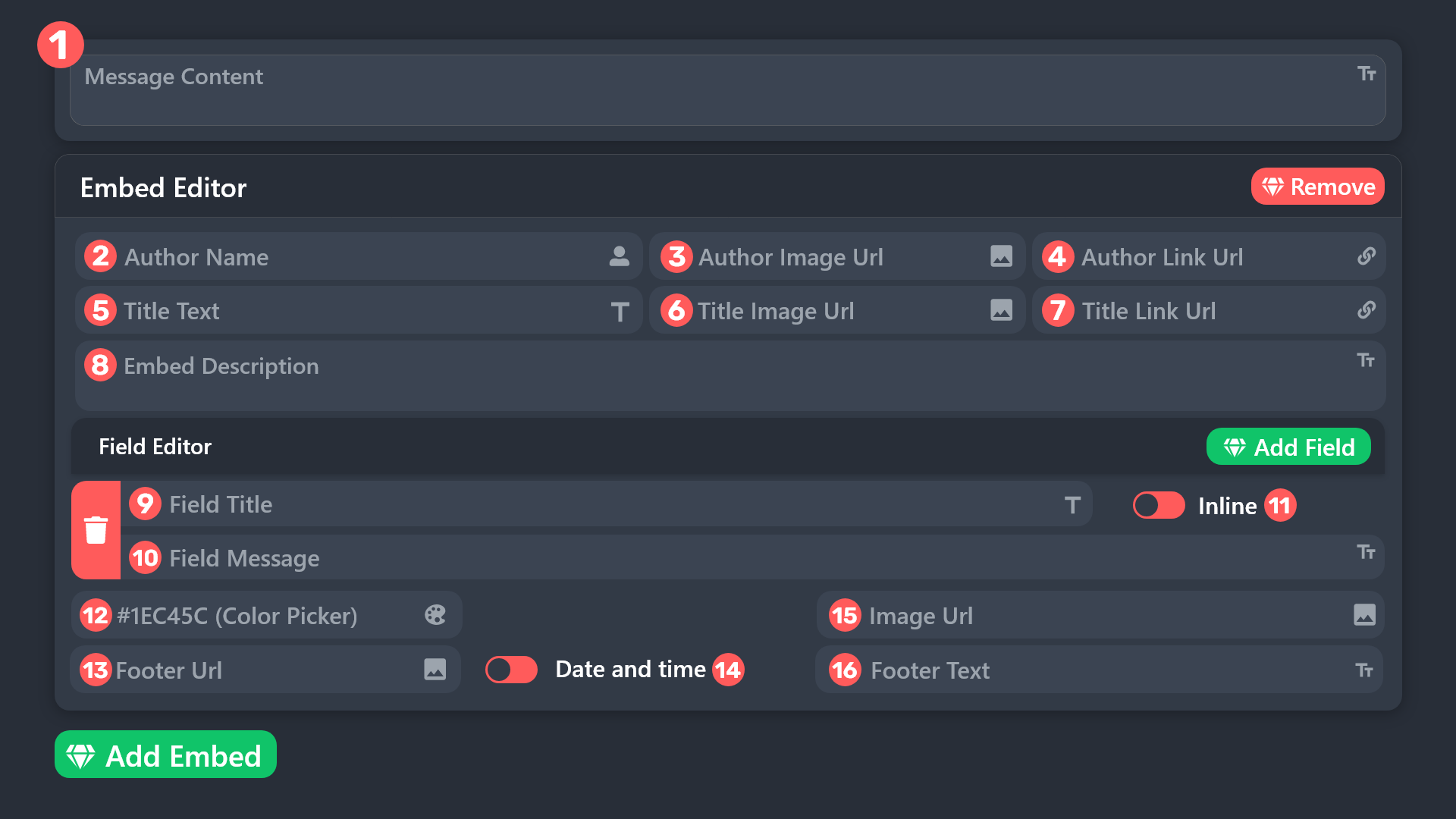
 scenic forum
merry abyss
yo does anyone know how to add images to a ticket
scenic forum
merry abyss
yo does anyone know how to add images to a ticket
refer to the embed above
Field 15
 sour panther
How to create forms using sapphire & ticket bot?
humble sequoiaBOT
A Discord Form lets the user answer individual questions in a pop-up Form, which then displays the answers in the ticket message. This can save time if you already know what you want to ask the user.
Setup Forms
Forms can be enabled under Panel Settings > Form Options > Edit Forms Options. In the new pop-up window, you can now enable and edit your own Form.
Form Options
You can add up to 5 questions in the Discord form. This is a Discord limitation. Each question can have a placeholder in the input field, a minimum and maximum input, multi-line, and also the option to have the answer required.
Options
Question Title ➞ Your Question goes here
Question Placeholder ➞ The placeholder text in the input field
Required ➞ If enabled, the user has to answer this question, to submit the form
Multi-Line Input ➞ Allows the user to input multiple lines
Minimum and Maximum Input ➞ Set a minimum and maximum input value for the user
Displaying the Answer
To display the answers from the user, you need to enable Auto display form results on the ticket message as an additional embed
If you don't want a second embed, go into your Panel Configs > Ticket Options > Edit Ticket Message. You use the variable {create.form.x} and replace x with the number of your question. For example, the response to Question 5 can be displayed with {create.form.5}.
Integrating an External Bot x Ticket Tool <:TicketToolGold:1073948897673748490>
Integrating Ticket Tool with an external bot allows you to customize your server's Ticket System further!
- The external bot must output the
$newor$ticketcommands with the user's ID to start a ticket. Preferably in a private channel.
Eg.
$new 12345678901234567890
-
Your ticket panel must be Command Style enabled
-
You must whitelist that bot's ID in your Dashboard ➞ Server Configs ➞ Bot section.
Otherwise Ticket Tool will not react to the command and a ticket will not be created.
- If you'd like to include a reason in the command usage, feel free to do so after the user ID.
Eg.
$new 12345678901234567890 Your reason goes here
This reason can then be shown anywhere in the Ticket Message with the{create.reason}variable
** Note:** If you have changed Ticket Tool's default prefix ($) please ensure to amend the prefix for the $new or $ticket commands.
Eg. If your prefix is
-, then what you're looking for the bot to use is-newor-ticket
$botintegration
scenic forum
@sour panther refer to the 2 embeds above
1 for forms
1 for how to use external bots on ticket tool
sour panther
scenic forum
<@1081113933252927488> refer to the 2 embeds above
1 for forms
1 for how to use ...
Is that 100% works?
scenic forum
sour panther
Is that 100% works?
Oh my bad
No forms cannot work using an external bot
sour panther
scenic forum
Oh my bad
No forms cannot work using an external bot
so can't use sapphire?
scenic forum
sour panther
so can't use sapphire?
If you want to use ticket tools forms correct
 waxen bramble
Automation:
I have this set up (see dashboard pic). If the ticket owner doesnt respond in 6 hours after ticket creation, it sends a message to remind them. But. It still sends the message even though the owner sent a message

 scenic forum
waxen bramble
Automation:
I have this set up (see dashboard pic). If the ticket owner doesnt ...
scenic forum
waxen bramble
Automation:
I have this set up (see dashboard pic). If the ticket owner doesnt ...

This needs to display NOT found
Your automation is running the custom command IF they sent a message
waxen bramble
scenic forum
Ive made the change, I’ll get back to you if anything goes wrong, thanks.
iron nightBOT
Gave +1 Rep to @scenic forum (current: #17 - 432)
scenic forum
waxen bramble
Ive made the change, I’ll get back to you if anything goes wrong, thanks.
To test it you can simply change it to 300 seconds and open a ticket yourself
merry abyss
scenic forum
refer to the embed above
Field 15
I get that but my image is from my computer and doesn’t load when I convert to url
scenic forum
merry abyss
I get that but my image is from my computer and doesn’t load when I convert to u...
Can you send the link here?
waxen bramble
scenic forum
To test it you can simply change it to 300 seconds and open a ticket yourself
It works! Appreciate it!
sour panther
humble sequoia
Can userid be changed to usernametion?
scenic forum
sour panther
Can userid be changed to usernametion?
yes
scenic forum
jade topaz
<@186523978729259009>
Dont ping me for help
jade topaz
Ok
humble sequoiaBOT
@finite marlin, we would love to help you, but if you don't tell us what you need help with we can't help you :(
jade topaz
humble sequoia
I need help bro
humble sequoiaBOT
⚠️ Please read the messages previously sent by our team ⚠️
jade topaz
humble sequoia
?
Need help I just want to know how display forum.1 as the ticket name
humble sequoiaBOT
The ticket name is the default channel name of all tickets. To edit it, go to your Dashboard > Panel Configs > Ticket. There you can edit the channel name of opened and closed tickets. You can also use variables in there.

 Note: This is a premium feature
scenic forum
jade topaz
Need help I just want to know how display forum.1 as the ticket name
Note: This is a premium feature
scenic forum
jade topaz
Need help I just want to know how display forum.1 as the ticket name
Add {create.form.1} to the ticket name
Refer to embed above
sour panther
scenic forum
yes
Oh my sapphire already uses a dropdown menu. How do I get the dropdown menu from sapphire to go straight to the question?
scenic forum
sour panther
Oh my sapphire already uses a dropdown menu. How do I get the dropdown menu from...
External bots cannot use forms
sour panther
scenic forum
External bots cannot use forms
Ah got it
sour panther
Why doesn't my ticket tool have a claim button?
humble sequoiaBOT
Claiming allows you to change the ticket name, category and permissions. To use it you have to enable it first on your Dashboard > Panel Configs > Claiming

 Note: This is a premium feature
scenic forum
Note: This is a premium feature
scenic forum
@sour panther refer to the embed above
sour panther
humble sequoia
You need premium just for claim button?
scenic forum
sour panther
You need premium just for claim button?
Correct
sour panther
scenic forum
Correct
Ticket bot better then this🗿
 stoic spire
how do i make it so whenever someone opens a ticket it pings a certain role.
 frosty shadow
I need help with a purchase I made on HBO that can't be completed because the password doesn't exist.
 worn ridge
i cant use any command with the bot in a server and it says that the app didnt respond. any suggestions?
 modest moon
hi
humble sequoiaBOT
@frosty shadow
⚠️ You're in the wrong place
We provide support for Ticket Tool Discord bot and cannot help you with whatever issue you have.
- We don't know which Support Team you should contact to get this issue resolved, and unfortunately we won't be able to accurately tell you.
If you don't have any further questions regarding our bot Ticket Tool, please close this ticket
 buoyant kindle
stoic spire
how do i make it so whenever someone opens a ticket it pings a certain role.
buoyant kindle
stoic spire
how do i make it so whenever someone opens a ticket it pings a certain role.
please read the below.
$help
humble sequoiaBOT
buoyant kindle
$help
1. Open your Panel Configs tab in your server's dashboard
2. Select the panel you want to ping your support team on
3. Open the Ticket options menu
4. Click on Edit Ticket Message
5. In the Message Content use one of the role mention syntax ({@Role Name}/{Role ID})
6. Save changes
Note: For this to work properly, Ticket Tool requires the Mention Everyone permission. Or the role must have the Allow anyone to @mention this role setting enabled
 limpid totem
Hello, when i setup the bot on my server, he's saying : New command not monitoring this channel
To see what channel is monitored visit the Dashboard -> Panel Configs -> Settings -> Command Style Tickets -> Channel to monitor for command $new. But i already setup my channel in dashboard
 nimble locust
Can anyone please assist me, I am trying to edit a giveaway that has already ended, because I want to extend the time cuz I think it ended way too early.
humble sequoiaBOT
@nimble locust
⚠️ You're in the wrong place
We provide support for Ticket Tool Discord bot and cannot help you with whatever issue you have.
- We don't know which Support Team you should contact to get this issue resolved, and unfortunately we won't be able to accurately tell you.
If you don't have any further questions regarding our bot Ticket Tool, please close this ticket
 winged nebula
I was told to access support so im here looking how to redeem my code
I have a 7 day free trial code that won't work cuz I need to speak to support
So here I am. 🫠
scenic forum
winged nebula
I have a 7 day free trial code that won't work cuz I need to speak to support
Just to clarify
You do have a code?
winged nebula
scenic forum
Just to clarify
You do have a code?
Well, at least im 90% sure i do. I pressed redeem for the 7 day free trial, and it still wouldn't let me do any of the premium stuff, so I look again and see a code at the top, unless thats there for everyone, then yes I have a code.
scenic forum
winged nebula
Well, at least im 90% sure i do. I pressed redeem for the 7 day free trial, and ...
You do not receive a code when you press the 7 day free trial
It will automatically enable for 7 days on your server.
Press on the servers dashboard
winged nebula
scenic forum
You do not receive a code when you press the 7 day free trial
It will automatica...
Love ❤️
Also, will the permissions i set up, reset after the trial?
Or do the options stay even if you don't have premium anymore
scenic forum
winged nebula
Also, will the permissions i set up, reset after the trial?
most premium related settings will revert to the free toggle once its over
winged nebula
scenic forum
most premium related settings will revert to the free toggle once its over
Bro.. 🥲
Most" what about claiming tickets
Will that turn off after the free trial?
scenic forum
winged nebula
Will that turn off after the free trial?
yes
winged nebula
I hope not 🥲
scenic forum
winged nebula
Bro trying to rinse my fudging money...
Bots offer premium for certain features to in the best case cover hosting/maintaining costs
winged nebula
scenic forum
Bots offer premium for certain features to in the best case cover hosting/mainta...
Idk what u mean. But im guessing it's something along the lines of "there forcing you to pay them so they can keep the bot running"
Anyway i gtg, thanks for your help btw
Thanks @scenic forum
iron nightBOT
Gave +1 Rep to @scenic forum (current: #17 - 433)
jade topaz
Hi guys! Anyone knows how to make the tickets that are "Closed" by me or the person who opened it once resolved. Auto close after?
latent dawn
$help
humble sequoiaBOT
latent dawn
$help
First you will want to invite the bot to your server. Once the bot is in your server, you can manage your server in the dashboard.
To create a panel we are going to need to head over to the Panel Configs Tab on the Dashboard.
Once at the dashboard we will need to click Create Panel.
Enter a panel name (Fill in any optional settings you want).
Click Create Panel and you are ready to get started with configuring your panel.
An example of a creating a panel is shown below.
Once the panel has been created, use the blue Send button and select the channel you want the panel to be sent to.
The Panel wasn't send
Use the </debug:1029783024264564765> command to diagnose possible permission issues with the bot.
latent dawn
 cobalt junco
guys can anyone help me to set up the ticket tool bot?
cobalt junco
guys can anyone help me to set up the ticket tool bot?
Use this ^^
 hoary bane
Opa
 opaque sparrow
Why can I never delete the last panel or the last custom command in the dashboard?
I wanted to create completely new panels and delete everything beforehand, and I don't need CC at all, but I can't delete it.
 cobalt crystal
can someone help me add a role to a ticket
scenic forum
opaque sparrow
Why can I never delete the last panel or the last custom command in the dashboar...
You cannot have 0 panels
Youd need to create one in order to delete the old one
scenic forum
cobalt crystal
can someone help me add a role to a ticket
As in support team role or just for one specific open ticket?
 dusty wolf
Why

 snow heath
is there a way to automatically make a ticket when someone joins a server?
scenic forum
dusty wolf
Why
Are you staff on the server?
scenic forum
snow heath
is there a way to automatically make a ticket when someone joins a server?
Im afraid thats not possible
dusty wolf
scenic forum
Are you staff on the server?
No I'm just participant
scenic forum
dusty wolf
No I'm just participant
Then we are unable to help you
You'd need to contact a staff member of their server
snow heath
scenic forum
Im afraid thats not possible
any make shift ideas to make it possible 🤔
scenic forum
snow heath
any make shift ideas to make it possible 🤔
Theres no workaround
No tickets can be automatically opened in any way
EIther via buttons/Dropdown or using a command of the user aka command style
dusty wolf
scenic forum
Then we are unable to help you
You'd need to contact a staff member of their ser...
What i should ask
scenic forum
Send them the screenshot you sent here
snow heath
scenic forum
Theres no workaround
No tickets can be automatically opened in any way
EIther vi...
hmmm cool
maybe if i use a bot to do the
/new {user} command
for every new user who joins might work
scenic forum
snow heath
hmmm cool
maybe if i use a bot to do the
``/new {user} command``
for every new ...
If you use prefixes, yes
Bots cannot use slash commands
snow heath
oh right
humble sequoiaBOT
Integrating an External Bot x Ticket Tool <:TicketToolGold:1073948897673748490>
Integrating Ticket Tool with an external bot allows you to customize your server's Ticket System further!
- The external bot must output the
$newor$ticketcommands with the user's ID to start a ticket. Preferably in a private channel.
Eg.
$new 12345678901234567890
-
Your ticket panel must be Command Style enabled
-
You must whitelist that bot's ID in your Dashboard ➞ Server Configs ➞ Bot section.
Otherwise Ticket Tool will not react to the command and a ticket will not be created.
- If you'd like to include a reason in the command usage, feel free to do so after the user ID.
Eg.
$new 12345678901234567890 Your reason goes here
This reason can then be shown anywhere in the Ticket Message with the{create.reason}variable
** Note:** If you have changed Ticket Tool's default prefix ($) please ensure to amend the prefix for the $new or $ticket commands.
Eg. If your prefix is
-, then what you're looking for the bot to use is-newor-ticket
$botintegration
scenic forum
@snow heath refer to embed above to use an external bot to open tickets
vestal hemlock
Hello
 turbid igloo
Ban me
scenic forum
Stop trolling and keep this channel for support requests.
opaque sparrow
scenic forum
You cannot have 0 panels
Youd need to create one in order to delete the old one
I was able to delete the last panel via /setup. The last custom command simply won't go away, no matter what I do.
scenic forum
opaque sparrow
I was able to delete the last panel via `/setup`. The last custom command simply...
Because you cannot have 0
 red kite
Help
humble sequoiaBOT
@red kite, we would love to help you, but if you don't tell us what you need help with we can't help you :(
red kite
Is there any chance that whenever someone's open a ticket and the bot will not allow the ticket owner to text it inside the ticket and they'll have to submit a modal form first which I'm using with my own bot, and once they have submitted the modal form the ticket tool will then open the channel and the ticket owner can chat?

 scenic forum
red kite
Is there any chance that whenever someone's open a ticket and the bot will not a...
scenic forum
red kite
Is there any chance that whenever someone's open a ticket and the bot will not a...
I wouldnt know how its possible however Ticket tool does offer forms up to 5 question aswell
 whole jay
 buoyant bobcat
message:
I want to create a live account of Dominion Markets but I am creating it for the first time but when I enter the mobile number it says This phone number already exists please help me
humble sequoiaBOT
@buoyant bobcat
⚠️ You're in the wrong place
We provide support for Ticket Tool Discord bot and cannot help you with whatever issue you have.
- We don't know which Support Team you should contact to get this issue resolved, and unfortunately we won't be able to accurately tell you.
If you don't have any further questions regarding our bot Ticket Tool, please close this ticket
 foggy wing
Is it possible to make it that only ppl with a certain role can only open a ticket?
regal solstice
Yo uh guys i cant close my tickets