#🆘│community-support
1 messages · Page 229 of 1
 worldly helm
 naive elk
worldly helm
The limit is 45 per category and 500 per server.
After you add a category on you...
naive elk
worldly helm
The limit is 45 per category and 500 per server.
After you add a category on you...
Sorry - can you clarify if there are different limits for number of tickets and number of ticket categories in a server?
worldly helm
naive elk
Sorry - can you clarify if there are different limits for number of tickets and ...
The limit, set by discord is 50 total categories per server. There is no limit of tickets set by us, only discords limit will apply there (500 channels).
Is that what you mean?
naive elk
worldly helm
The limit, set by discord is 50 total categories per server. There is no limit o...
Yes that is what I meant, thank you for clarifying, I think I was just misunderstanding. Trying to get up to speed with this server.
What do you recommend once we hit our ticket limit?
 iron nightBOT
Gave +1 Rep to @worldly helm (current: #6 - 983)
worldly helm
naive elk
Yes that is what I meant, thank you for clarifying, I think I was just misunders...
The only thing you can do to continue tickets being created is deleting some. To not hit the limit I suggest saving the transcript and deleting closed tickets. You can also use threads for tickets to not get a 500 limit. Thread tickets is a premium feature though.
 north veldt
I have maybe deleted some server emojis ig but dont know what this error is for like whats actually gone wrong and how do I fix it?

@iron night
 barren minnow
gng how do i fix the greetings zen i wanna change it into a diff word

 ionic sphinx
Why is this happening? @iron night

 humble sequoiaBOT
This error indicates you have selected an invalid emoji, i.e. an emoji the bot isn't capable of using, in a button field
Which Emoji?
This depends upon which action the error is appearing, the most common cases are the Create Ticket button or one of your Dropdown emojis. You can visit your Button's List to find all available buttons and find the conflicting one by yourself.
Why doesn't the bot accept it as valid?
- You selected an emoji that doesn't exist anymore, i.e. that has been deleted
- You wrote text there, instead of an emoji (or in addition to an emoji)
- You entered a code for a custom emoji from a server that the bot is not a member of
- You entered a custom emoji code incorrectly
- You're on iPhone and entered an emoji using the phone's emoji pad (use the emoji selector in the website instead)

 scenic forum
@north veldt refer to the embed above
humble sequoiaBOT
The Ticket Message is the first message sent by the bot on a new ticket. To customize it head over to your Dashboard ➞ Panel Configs ➞ Ticket ➞ Edit Ticket Message
 scenic forum
@barren minnow refer to the embed above
scenic forum
ionic sphinx
Why is this happening? <@204255221017214977>
Can you use /debug on your server?
ionic sphinx
scenic forum
Can you use ``/debug`` on your server?
I’ll give it a shot
ionic sphinx
scenic forum
Can you use ``/debug`` on your server?
It also doesn’t like it apparently
 scenic forum
ionic sphinx
It also doesn’t like it apparently
scenic forum
ionic sphinx
It also doesn’t like it apparently
The bot is missing the view channel permission inside the channel
ionic sphinx
OHHH
barren minnow
scenic forum
<@1392769224446840842> refer to the embed above
tysm
humble sequoiaBOT
Claiming allows you to change the ticket name, category and permissions. To use it you have to enable it first on your Dashboard > Panel Configs > Claiming

 Note: This is a premium feature
scenic forum
Note: This is a premium feature
scenic forum
 vague jungle
it becomes for premuim ?
vague jungle
it becomes for premuim ?
Claiming is a premium feature, yes
 crude token
Help Anyone
I opened a ticket
A mistake came out
I did something, there was no ticket
And when I want to open a ticket again

But this ticket is nowhere to be found

How to fix it
?


 harsh epoch
Hmm, must be specific to certain phones then.
But in that case what Ryan suggested is probably your best option if someone hasn't found a better way yet
 foggy umbra
 foggy umbra
foggy umbra
foggy umbra
How to solve
 arctic arch
Hi, I have something urgent. Woman who said are from world of woman made me pay them $2100 for advertising help and when I paid them they disappeared…. Can someone help me get my money back…?
harsh epoch
foggy umbra
Does ticket tool have permission to view channels inside your ticket category?
humble sequoiaBOT
@arctic arch

⚠️ You're in the wrong place
We provide support for Ticket Tool Discord bot and cannot help you with whatever issue you have.
- We don't know which Support Team you should contact to get this issue resolved, and unfortunately we won't be able to accurately tell you.
If you don't have any further questions regarding our bot Ticket Tool, please close this ticket
 exotic igloo
Please ban this person
humble sequoiaBOT
@exotic igloo
⚠️ You're in the wrong place
We provide support for Ticket Tool Discord bot and cannot help you with whatever issue you have.
- We don't know which Support Team you should contact to get this issue resolved, and unfortunately we won't be able to accurately tell you.
If you don't have any further questions regarding our bot Ticket Tool, please close this ticket
foggy umbra
 scenic forum
foggy umbra
scenic forum
foggy umbra
Are you staff on the server?
foggy umbra
scenic forum
Are you staff on the server?
Owner
scenic forum
foggy umbra
Can you run /debug in that channel?

 scenic forum
When you try to tag the ticket 20, does it appear or become clickable that way?
foggy umbra
scenic forum
When you try to tag the ticket 20, does it appear or become clickable that way?
Ticket was created but not show
scenic forum
foggy umbra
Ticket was created but not show
I'm afraid I'm not sure at all what's causing this
Please open a ticket at #🎫│make-a-ticket to receive a staff members help
Would appreciate if you tell me the solution once helped
exotic igloo
Please ban this person
humble sequoiaBOT
@exotic igloo
⚠️ You're in the wrong place
We provide support for Ticket Tool Discord bot and cannot help you with whatever issue you have.
- We don't know which Support Team you should contact to get this issue resolved, and unfortunately we won't be able to accurately tell you.
If you don't have any further questions regarding our bot Ticket Tool, please close this ticket
 static forum
Hi Guys, I created a category that members can see and cant do anything. And I made that the tickets get send in this category. But members can see them because the category apears when the ticket gets created or they can see it in „Suggested“. How do I get the tickets to do not appear for just members.
scenic forum
foggy umbra
Ticket was created but not show
Out of curiosity
Can you show me the audit log part of ticket tool creating the channel and maybe something that happens afterwards?
scenic forum
static forum
Hi Guys, I created a category that members can see and cant do anything. And I m...
Suggested means you need to subscribe to the category the tickets are in
Once you add this tick for your servers ticket category they should show inside the ticket as intended
 scenic forum
Can you check
Panel config -> permissions -> everyone role permissions -> edit closed and opened -> view channel ❎
 humble sequoiaBOT
@surreal vale
⚠️ You're in the wrong place
We provide support for Ticket Tool Discord bot and cannot help you with whatever issue you have.
- We don't know which Support Team you should contact to get this issue resolved, and unfortunately we won't be able to accurately tell you.
If you don't have any further questions regarding our bot Ticket Tool, please close this ticket
 surreal vale
can someone help me?
humble sequoiaBOT
⚠️ Please read the messages previously sent by our team ⚠️
foggy umbra
@scenic forum ANY BOT WAS REMOVED THE TICKET
 paper summit
Can anyone help? Can someone help please?
humble sequoiaBOT
Hello, we would love to help you, but if you don't tell us what you need help with we can't help you :(
paper summit
Can someone help me? I made a purchase here with you and you stopped responding to me and they won't send the robux.
humble sequoiaBOT
@paper summit
⚠️ You're in the wrong place
We provide support for Ticket Tool Discord bot and cannot help you with whatever issue you have.
- We don't know which Support Team you should contact to get this issue resolved, and unfortunately we won't be able to accurately tell you.
If you don't have any further questions regarding our bot Ticket Tool, please close this ticket
 neon yoke
Anyone knows to to set a message to be send when opening a ticket ?
 humble sequoiaBOT
The Ticket Message is the first message sent by the bot on a new ticket. To customize it head over to your Dashboard ➞ Panel Configs ➞ Ticket ➞ Edit Ticket Message
scenic forum
@neon yoke refer to the embed above
neon yoke
scenic forum
<@1287375627154096188> refer to the embed above
Thanks
iron nightBOT
Gave +1 Rep to @scenic forum (current: #24 - 306)
 bleak wharf
hello everyone
my dashboard has no servers, altho i have followed all the steps in docs
do i have to be an owner or is administrator enough?
 halcyon folio
bleak wharf
do i have to be an owner or is administrator enough?
halcyon folio
bleak wharf
do i have to be an owner or is administrator enough?
Owner I think.
bleak wharf
halcyon folio
Owner I think.
i am ower on my other acc, but i gave my self administrator perms and it worked, thanks
iron nightBOT
Gave +1 Rep to @halcyon folio (current: #421 - 1)
humble sequoiaBOT
@fluid trail
⚠️ You're in the wrong place
We provide support for Ticket Tool Discord bot and cannot help you with whatever issue you have.
- We don't know which Support Team you should contact to get this issue resolved, and unfortunately we won't be able to accurately tell you.
If you don't have any further questions regarding our bot Ticket Tool, please close this ticket
 trim ice
Bonjour
 mighty helm
i am having trouble with transcripts not going inot the transcripts channel. i made one and set it on the dashboard but still get this error
 harsh epoch
mighty helm
i am having trouble with transcripts not going inot the transcripts channel. i m...
harsh epoch
mighty helm
i am having trouble with transcripts not going inot the transcripts channel. i m...
Is the channel set for the correct panel?
mighty helm
harsh epoch
Is the channel set for the correct panel?
what do u mean
harsh epoch
mighty helm
what do u mean
Does the panel you're editing the settings for match the panel that the ticket was opened under?
 fluid trail
@humble sequoia Bonjour, désolé de passer par vous mais je n'arrive plus a accéder a mes service via mon compte et cela depuis le mois d'avril, pouvez vous m'aider je ne sais plus quoi faire ( je connais les règles et je sais qu'il faut ouvrir un ticket mais c'est une option a laquelle je n'ai plus accès depuis bien longtemps également et je voudrai pourvoir profiter des services de l'iptv)
harsh epoch
fluid trail
<@722196398635745312> Bonjour, désolé de passer par vous mais je n'arrive plus ...
Vous êtes au mauvais endroit. Nous ne pouvons offrir d'assistance que pour les problèmes liés à Ticket Tool
fluid trail
harsh epoch
Vous êtes au mauvais endroit. Nous ne pouvons offrir d'assistance que pour les p...
Je comprend mais je ne comprend pas où je peux ouvrir un nouveau ticket et comme je l'indique sur mon message je trouve aucune solution depuis avril , j'ai payer un service auquel je n'ai pas accès
harsh epoch
fluid trail
Je comprend mais je ne comprend pas où je peux ouvrir un nouveau ticket et comme...
Nous ne pouvons pas vous aider pour les problèmes qui ne sont pas liés à l'outil de ticket. Vous êtes au mauvais endroit
fluid trail
@harsh epoch ou dois je envoyer mon message , indiqué moi la bonne marche a suivre svp
mighty helm
harsh epoch
Does the panel you're editing the settings for match the panel that the ticket w...
you mean the catagory permissions?
im confused.
harsh epoch
fluid trail
<@1124651666650693774> ou dois je envoyer mon message , indiqué moi la bonne mar...
Nous ne savons pas quelle équipe d'assistance vous devez contacter pour résoudre ce problème, et nous ne pourrons malheureusement pas vous le dire.
harsh epoch
mighty helm
im confused.
On the dashboard you'll see a list of your panels, check the name of the selected panel.
Inside discord, at the top of your "Create a ticket" message, you'll see the panel name.
Check to see if these two match


 narrow sparrow
What can I do when the ticket tool keep saying “interaction failed”
scenic forum
narrow sparrow
What can I do when the ticket tool keep saying “interaction failed”
Can you use /debug on your server?
narrow sparrow
scenic forum
Can you use ``/debug`` on your server?
I don’t think I can..
scenic forum
narrow sparrow
I don’t think I can..
Youre not staff on the server?
narrow sparrow
scenic forum
Youre not staff on the server?
Yes
scenic forum
narrow sparrow
Yes
Then im afraid there's nothing we can do. You'd need to contact a staff on their server
narrow sparrow
scenic forum
Then im afraid there's nothing we can do. You'd need to contact a staff on their...
Okay..thank you though
mighty helm
harsh epoch
On the dashboard you'll see a list of your panels, check the name of the selecte...

i dont see panel name
harsh epoch
Can you show me what your ticket tool dashboard looks like?
mighty helm
 scenic forum
mighty helm
scenic forum
mighty helm
What happens when you run $transcript inside the ticket?
mighty helm
i think i figured it out
scenic forum
What was the issue?
mighty helm
i had 2 panels and didnt realize it

im using 1 and 4 only and only had 1 a set transcript channel and 4 wasnt set
so members who used the 4 it didnt allow to save transcripts
scenic forum
Aslong as it works now 
Also nice vi banner
mighty helm
thank you haha
 north bramble
Hi, any idea why I keep getting this message? The bot role and ticket tool role both have administrator permissions on.
 harsh epoch
north bramble
Hi, any idea why I keep getting this message? The bot role and ticket tool role ...
harsh epoch
north bramble
Hi, any idea why I keep getting this message? The bot role and ticket tool role ...
Do you have the administrator role or an allowed dashboard role, you'll need that to access the dashboard
north bramble
harsh epoch
Do you have the administrator role or an allowed dashboard role, you'll need tha...
On my server I have done the administrator role, I can't find a dashboard role
 harsh epoch
north bramble
On my server I have done the administrator role, I can't find a dashboard role
harsh epoch
north bramble
On my server I have done the administrator role, I can't find a dashboard role
Is that on your account?
north bramble
The owner of the group has switched the permission on, I'm a leader
harsh epoch
north bramble
The owner of the group has switched the permission on, I'm a leader
Can you use /debug in any channel please?
north bramble
harsh epoch
Can you use `/debug` in any channel please?

Sorry about this, and thanks for your help
harsh epoch
It looks like you don't have any permissions for ticket tool. Are you able to reach out to another staff member and ask if they can give you permissions to access it?
north bramble
harsh epoch
It looks like you don't have any permissions for ticket tool. Are you able to re...
Ah okay so they will need to log in and give me permission. Will give it a go thanks very much!
iron nightBOT
Gave +1 Rep to @harsh epoch (current: #56 - 39)
 ruby stone
could i get this with ticketool? Like, Each country gives you a different form
 harsh epoch
You can use the dropdowns feature to create the list, and then use the forms feature on each panel to create the forms for different languages. See the embeds below
humble sequoiaBOT
The Drop-down menu or Select Menu replaces the buttons on your panel message and uses a drop-down menu with all of your panels. To set this up, go to your Panel Configs and select your main Panel.
<:Numbericons1:1018864164032225340> Enable Select Style
First you enable Select Style. Then you add an item in the Dropdown Editor. Now you can start editing your dropdown!
<:Numbericons2:1018864168041971712> Dropdown Editor
Each line in the dropdown editor represents a line in the drop down menu on discord. You can add more "Items", by clicking on 

First you select a panel. That's the panel this option will open a ticket for.  DONT select the same panel twice. Each option should have a different Panel
After that, you can put a Display. This is the title of this option and will appear in the drop down menu. The *Description can be set right after that, which will be below the title in grey.
Additionally you can select an emoji, that will be shown in front of each option. You can either manually input the ID of an emoji or select it in the selector.
Common Issues ⚠️
- Panel doesn't send? Make sure you have a valid emoji selected
- Option doesn't show up? Check if two options have the same panel in the DropDown Editor

$dropdown
A Discord Form lets the user answer individual questions in a pop-up Form, which then displays the answers in the ticket message. This can save time if you already know what you want to ask the user.
Setup Forms
Forms can be enabled under Panel Settings > Form Options > Edit Forms Options. In the new pop-up window, you can now enable and edit your own Form.
Form Options
You can add up to 5 questions in the Discord form. This is a Discord limitation. Each question can have a placeholder in the input field, a minimum and maximum input, multi-line, and also the option to have the answer required.
Options
Question Title ➞ Your Question goes here
Question Placeholder ➞ The placeholder text in the input field
Required ➞ If enabled, the user has to answer this question, to submit the form
Multi-Line Input ➞ Allows the user to input multiple lines
Minimum and Maximum Input ➞ Set a minimum and maximum input value for the user
Displaying the Answer
To display the answers from the user, you need to enable Auto display form results on the ticket message as an additional embed
If you don't want a second embed, go into your Panel Configs > Ticket Options > Edit Ticket Message. You use the variable {create.form.x} and replace x with the number of your question. For example, the response to Question 5 can be displayed with {create.form.5}.
 ruby stone
Where can I find those functions on the website. Is Premium necessary?
harsh epoch
ruby stone
Where can I find those functions on the website. Is Premium necessary?
Both are available with the free bot. You can find the options here

 scenic plinth
well.
 jade topaz
Thank you.
 sudden oyster
where can i make an appeal
harsh epoch
sudden oyster
where can i make an appeal
Is this related to Ticket Tool?
sudden oyster
harsh epoch
Is this related to Ticket Tool?
mb , idk even, I got banned and want to contact the moderators
harsh epoch
sudden oyster
mb , idk even, I got banned and want to contact the moderators
If this is related to ticket tool, i'm assuming #🎫│make-a-ticket would be your best option. If it isn't related to this server, or this bot, then you're in the wrong place
sudden oyster
harsh epoch
If this is related to ticket tool, i'm assuming <#571706435449257997> would be y...
is there a chance that they will help me??
scenic plinth
If you were banned from this server, you need to fill out the appeal using the appeal button that was attached to your ban message in your direct messages. We cannot help you in regards to Roblox bans.
jade topaz
Sorry I don’t know why this is happening
 harsh epoch
jade topaz
Sorry I don’t know why this is happening
harsh epoch
jade topaz
Sorry I don’t know why this is happening
Discord seems not to like you for some reason 😭
But you can do that by going to Menu -> Tickets and change the Ticket Opened channel name to include the {ticket.user.name} variable.
Note: Changing ticket names is a premium feature, so this won't be possible on the free bot
sudden oyster
scenic plinth
If you were banned from this server, you need to fill out the appeal using the a...
wdym? I got banned from Fisch, can't the moderators help with this problem?
humble sequoiaBOT
⚠️ You're in the wrong place
We provide support for Ticket Tool Discord bot and cannot help you with whatever issue you have.
- We don't know which Support Team you should contact to get this issue resolved, and unfortunately we won't be able to accurately tell you.
If you don't have any further questions regarding our bot Ticket Tool, please close this ticket
scenic plinth
sudden oyster
wdym? I got banned from Fisch, can't the moderators help with this problem?
No, refer to above.
jade topaz
harsh epoch
Discord seems not to like you for some reason 😭
But you can do that by going t...
I’d like to show you something in a moment since I don’t have it with me right now. If it’s a premium feature, I’ll remove it, but do you know why my transcript format stays the same instead of changing to the more detailed version as shown?
harsh epoch
jade topaz
I’d like to show you something in a moment since I don’t have it with me right n...
Can you show me what you mean by "more detailed version"?
 harsh epoch
jade topaz
harsh epoch
jade topaz
What does it currently look like?
jade topaz
harsh epoch
What does it currently look like?
Just the basic one

 light moat
Excuse me, I am an Arab and I have a Discord server. I made a ticket to it, but it does not mention the administration. What is the problem? Or how do I make it mention the administration on the server?
harsh epoch
jade topaz
Just the basic one
that's just the Logging feature, in order to enable transcripts follow the instructions below
light moat
light moat
Excuse me, I am an Arab and I have a Discord server. I made a ticket to it, but ...
please help me
humble sequoiaBOT
1. Open your Panel Configs tab in your server's dashboard
2. Select the panel you want to grant access to
3. Open the Transcript options menu
4. Using the Transcript Channel selector, pick the channel you want your transcripts to be sent to
5. Save changes

1. Open your Panel Configs tab in your server's dashboard
2. Select the panel you want to ping your support team on
3. Open the Ticket options menu
4. Click on Edit Ticket Message
5. In the Message Content use one of the role mention syntax ({@Role Name}/{Role ID})
6. Save changes
Note: For this to work properly, Ticket Tool requires the Mention Everyone permission. Or the role must have the Allow anyone to @mention this role setting enabled 
light moat
Excuse me, I am an Arab and I have a Discord server. I made a ticket to it, but it does not mention the administration. What is the problem? Or how do I make it mention the administration on the server?
harsh epoch
@light moat Refer to the embed above named "How to automatically ping my support team on a ticket?"
light moat
harsh epoch
<@897866157065912370> Refer to the embed above named "How to automatically ping ...
Could you explain more to me please?
humble sequoiaBOT

فريق الدعم الفني العربي
عميلنا العزيز ان كنت تبحث عن مساعدة يرجى فتح تكت خاص بفريق الدعم الفني العربي
اذهب الى#🎫│make-a-ticket
ثم قم بلضغط على الايموجي الاتي (🇯🇴)
Identifiy the number of your question and select it using the menu at the end of the message
 - How do I create a panel?
 - How do I send a panel?
 - How can I grant my team access to tickets?
 - How do I add/remove users from a ticket?
 - How to automatically ping my support team on a ticket?
 - How do I set what category tickets are created in?
 - How does claiming work?
 - What is the prefix and how do I change it?
 - How do I limit the number of tickets a user can create?
 - How do I set a transcript channel?
 - How do I set permissions for tickets?
 coral saddle
I’m trying to set this up for a server I moderate for, I have added it to the server but it doesn’t show up on the webpage dash board. I also added it on my personal server, that one does show up on the dashboard.
Can only the actual server owner access the dashboard? I tried looking for this information elsewhere and was not able to find anything that said either way.
harsh epoch
coral saddle
I’m trying to set this up for a server I moderate for, I have added it to the se...
Only those with the Administrator permission, or an allowed dashboard role can access the dashbaord
coral saddle
harsh epoch
Only those with the Administrator permission, or an allowed dashboard role can a...
I do have full administrator permissions for the server in question
The server owner has no experience with discord so I have been working on setting it up for his community
harsh epoch
coral saddle
I do have full administrator permissions for the server in question
Can you run /debug in any channel and send a screenshot of it?
coral saddle
harsh epoch
Can you run `/debug` in any channel and send a screenshot of it?

Anything I try to do just says it cannot respond. I did have the server host confirm that my role was an administrator role and had full administrator capabilities.
harsh epoch
Looks like it could be missing some permissions. Make sure the bots got permission to Send Messages, View Channels and Embed Links and then re-run the command please?
sudden oyster
Lewis can we talk in private chat?
harsh epoch
sudden oyster
Lewis can we talk in private chat?
No, sorry. Please keep things to this server
sudden oyster
oh
coral saddle
harsh epoch
Looks like it could be missing some permissions. Make sure the bots got permissi...
Same issue is occurring


 smoky void
coral saddle
Same issue is occurring
smoky void
coral saddle
Same issue is occurring
do it on channel level to be 100% safe
jade topaz
harsh epoch
No, sorry. Please keep things to this server
Hi!!! I still have a few things I’d love to ask you and that’s if you don’t mind, it’s cause I have to go for now. Thank you so much for all your help today! Would you be available tomorrow to continue just a something small left?
iron nightBOT
Gave +1 Rep to @harsh epoch (current: #55 - 40)
harsh epoch
jade topaz
Hi!!! I still have a few things I’d love to ask you and that’s if you don’t mind...
If i'm around then of course! If i'm not then there's others here that are able to help too
smoky void
Hello, to my understanding support team roles are supposed to work by panel, right? which should also apply to /add, /remove, etc...
I made 2 different panels each have a different support role. A member with 1 of the support team role managed to use the commands in the other panel where the role shouldn't have access. is this intended? i triple checked /add configs, both panel general configs and there's not misconfigurations. It feels like a bug where it requires to have either of those roles and it'll work on whichever panel.
jade topaz
harsh epoch
If i'm around then of course! If i'm not then there's others here that are able ...
Thank you so much again I really appreciate it.
iron nightBOT
Gave +1 Rep to @harsh epoch (current: #55 - 41)
jade topaz
Byeee
coral saddle
harsh epoch
Looks like it could be missing some permissions. Make sure the bots got permissi...

 harsh epoch
smoky void
Hello, to my understanding support team roles are supposed to work by panel, rig...
harsh epoch
smoky void
Hello, to my understanding support team roles are supposed to work by panel, rig...
I believe having a support team role will give them permissions even outside of that ticket. If you don't want them to be able to run commands for the other category, you could make it so they can't type or see tickets from that category?
smoky void
Yeah that's what i did. But when they created a ticket in the other panel, they were able to use the commands. I assumed they wouldnt be able to since it's outside of their scope.
harsh epoch
smoky void
Yeah that's what i did. But when they created a ticket in the other panel, they ...
Does their role allow them to view all channels? If not, you could set the support team role for the first panel as an additional role for the second panel and then remove their permissions to type. Although it doesn't just stop commands but will stop them from typing anything.
Could be a potential solution but i'm not 100% certain
 harsh epoch
coral saddle
harsh epoch
coral saddle
Permission Level: 0 - User
You won't have any permissions to manage ticket tool. You'll need the administrator permission, or you can ask the server owner to follow the instructions below and allow your role
humble sequoiaBOT
Any role you put there will have full access to the ticket tool dashboard. The server owner and users with admin permissions already have access to the dashboard.
Be careful of which roles to put here
 smoky void
harsh epoch
Does their role allow them to view all channels? If not, you could set the suppo...
smoky void
harsh epoch
Does their role allow them to view all channels? If not, you could set the suppo...
actually... i got an idea, i could block slash commands in the channel from the integrations page on the server settings
is there a way to disable message commands though?
coral saddle
Hmm, I’ll see what I can get figured out. From what he showed I have full admin capabilities in the discord. But I’ll try to walk him through getting me access to the bot. Thank you!
harsh epoch
smoky void
actually... i got an idea, i could block slash commands in the channel from the ...
I don't think there is, but you might be better off to #🎫│make-a-ticket and someone will be able to give you some more detailed information
smoky void
harsh epoch
I don't think there is, but you might be better off to <#571706435449257997> and...
oh, alrightt. Thank you
iron nightBOT
Gave +1 Rep to @harsh epoch (current: #55 - 42)
 normal crag
scenic plinth
normal crag
scenic plinth
Your key?
humble sequoiaBOT
⚠️ You're in the wrong place
We provide support for Ticket Tool Discord bot and cannot help you with whatever issue you have.
- We don't know which Support Team you should contact to get this issue resolved, and unfortunately we won't be able to accurately tell you.
If you don't have any further questions regarding our bot Ticket Tool, please close this ticket
humble sequoiaBOT
⚠️ Please read the messages previously sent by our team ⚠️
humble sequoiaBOT
@normal crag
⚠️ You're in the wrong place
We provide support for Ticket Tool Discord bot and cannot help you with whatever issue you have.
- We don't know which Support Team you should contact to get this issue resolved, and unfortunately we won't be able to accurately tell you.
If you don't have any further questions regarding our bot Ticket Tool, please close this ticket
 terse nacelle
I need help
humble sequoiaBOT
Hello, we would love to help you, but if you don't tell us what you need help with we can't help you :(
terse nacelle
ok so I have invited the bot to my server and everything like that but it keeps saying when I go on the ticket tool that it isnt in my server (should I send pic)?

 lunar solar
Have you clicked sync servers at the top there?
lunar solar
Please do /permissionlevel in you a channel in your Discord server that Ticket Tool can respond in & or /debug
terse nacelle
ok thank u
lunar solar
Let me know the results please
terse nacelle
lunar solar
Let me know the results please
I am permission level 0
lunar solar
terse nacelle
I am permission level 0
In that case you will need someone with appropriate permissions to grant you access.
This can be done one of two ways, either a role that you already have or a role made specifically for this purpose can be added to Dashboard roles on the website and that will allow you access to the Dashboard.
The other not recommended way is to make you a Guild Administrator.
For reference the only people who can access the website:
- Guild Owner
- Guild Administrators
- User who have a Dashboard Role
See below details about adding Dashboard Roles
humble sequoiaBOT
Any role you put there will have full access to the ticket tool dashboard. The server owner and users with admin permissions already have access to the dashboard.
Be careful of which roles to put here
terse nacelle
lunar solar
In that case you will need someone with appropriate permissions to grant you acc...
thank u!!
iron nightBOT
Gave +1 Rep to @lunar solar (current: #15 - 445)
lunar solar
No worries, any further issues let us know. Have a good day.
terse nacelle
u too
 open oyster
Yo can sum1 help me out how do I get a ticket not for 2 other ticket vcs
scenic forum
open oyster
Yo can sum1 help me out how do I get a ticket not for 2 other ticket vcs
Could you elaborate what you mean?
open oyster
So I need to put a ticket bot in my support ticket and purchase ticket in my server
@scenic forum
scenic forum
Please dont ping me, ill respond when i can
 stark runeBOT
1. Invite Ticket Tool to your server
First you will want to invite the bot to your server. Once the bot is in your server, you can manage your server in the dashboard.

2. Create a Panel
To create a panel we are going to need to head over to the panel configs on the dashboard.
Once at the dashboard we will need to click Create Panel.
Enter a panel name (Fill in any optional settings you want).
Click Create Panel and your ready to get started with configuring your panel.
An example of a creating a panel is shown below.

3. Send the Panel to a Channel
Once you've created a panel on the dashboard you will need to send it to a channel using send on the dashboard.
Select the channel you want your panel to be created in and click send.
For other questions checkout $help faq.
An example of a sending a panel is shown below.
Having a Problem Sending the Panel?
Do $debug in a channel with Ticket Tool and make sure it has all the necessary Discord permissions.
 open oyster
Ok sorry mb bro
scenic forum
open oyster
So I need to put a ticket bot in my support ticket and purchase ticket in my ser...
Refer to the embed above
Create 2 panels one for Support and one for Purchase and adjust them as you like

 scenic forum
ruby stone
this think dont work
scenic forum
ruby stone
this think dont work
Each dropdown options needs their own panel
ruby stone
scenic forum
Each dropdown options needs their own panel
but i need the same panel bro
scenic forum
ruby stone
but i need the same panel bro
Its a discord limitation
Each dropdown needs its own panel
ruby stone
but they work to the same message?
scenic forum
ruby stone
but they work to the same message?
If you just copy the panel, that will work aswell as its a different panel aka different value
 scenic latch
Please I need a ticket tool
harsh epoch
scenic latch
Please I need a ticket tool
To invite and setup the bot follow the instructions below
humble sequoiaBOT
First you will want to invite the bot to your server. Once the bot is in your server, you can manage your server in the dashboard.
To create a panel we are going to need to head over to the Panel Configs Tab on the Dashboard.
Once at the dashboard we will need to click Create Panel.
Enter a panel name (Fill in any optional settings you want).
Click Create Panel and you are ready to get started with configuring your panel.
An example of a creating a panel is shown below.
Once the panel has been created, use the blue Send button and select the channel you want the panel to be sent to.
The Panel wasn't send
Use the </debug:1029783024264564765> command to diagnose possible permission issues with the bot.
scenic latch
Okay
 elfin lynx
I need to push my battles back for a bit
 royal ravine
How did you guys make two discord bots but are just one
@humble sequoia
@pseudo glen
 pale timber
What is Equity Edge? My account exploded at 320. Explain to me why I didn't break any rules.

 timid tapir
jade topaz
timid tapir
jade topaz
I cant see the ticket
jade topaz
timid tapir
I cant see the ticket
Did u scroll up and down?
Ask a moderator from that server to see where opened tickets end up
 safe edge
i made a category and put it in the dashboard but its not going to the category, when i drag ticket holder cant see
jade topaz
timid tapir
I cant see the ticket
They can delete your ticket if you can’t see it
Or remove you and add you back
 grand bobcat
the solution?
 scenic forum
grand bobcat
the solution?
scenic forum
grand bobcat
the solution?
Your account needs a verified email and or phone number
scenic forum
safe edge
i made a category and put it in the dashboard but its not going to the category,...
Can you show you having selected a category in the dashboard?
grand bobcat
@scenic forum
I’m clicking here to write the content I want in the panel, but the keyboard doesn’t appear or I can’t type.
 harsh epoch
grand bobcat
<@186523978729259009>
I’m clicking here to write the content I want in the panel...
harsh epoch
grand bobcat
<@186523978729259009>
I’m clicking here to write the content I want in the panel...
Editing the message content for panel messages needs a premium subscription
 pearl gorge
Hi can someone help me?
 sonic ocean
pearl gorge
Hi can someone help me?
sonic ocean
pearl gorge
Hi can someone help me?
?
humble sequoiaBOT
Hello, we would love to help you, but if you don't tell us what you need help with we can't help you :(
pearl gorge
sonic ocean
?
I am trying to set it up but it won’t work
sonic ocean
show
pearl gorge
sonic ocean
show
 sonic ocean
@harsh epoch
harsh epoch
sonic ocean
<@1124651666650693774>
Please avoid pinging me
sonic ocean
sorry
sonic ocean
lunar solar
Please do `/debug`
how do I apply for staff? (If possible)
humble sequoiaBOT
How do be I become a Support Member?
You can become a support member in 2 ways:
1. You can be really active in #🆘│community-support gain <@&799500225579712543> role and get chosen by a Manager
2. You can apply VIA our applications that would be sent in #📣│server-news
We currently have Support Teams for the following languages:
:flag_us: English
:flag_jo: Arabic
:flag_fr: French
:flag_de: German
:flag_es: Spanish
:flag_br: Portuguese
lunar solar
pearl gorge
What next?
 sonic ocean
How do I apply VIA applications?
lunar solar
lunar solar
All of these permissions are missing from how-to-hire
pearl gorge
lunar solar
All of these permissions are missing from `how-to-hire`
Thanks
iron nightBOT
Gave +1 Rep to @lunar solar (current: #15 - 446)
lunar solar
pearl gorge
Thanks
No worries
sonic ocean
lunar solar
No worries
How do I apply VIA applications?
lunar solar
sonic ocean
How do I apply VIA applications?
I was getting there, apps are posted in #📣│server-news when applications open so keep an eye out for the message for the respective language/s you speak and apply then. Apps are currently closed.
 dusty ice
how to connect a server? Please help me
humble sequoiaBOT
First you will want to invite the bot to your server. Once the bot is in your server, you can manage your server in the dashboard.
To create a panel we are going to need to head over to the Panel Configs Tab on the Dashboard.
Once at the dashboard we will need to click Create Panel.
Enter a panel name (Fill in any optional settings you want).
Click Create Panel and you are ready to get started with configuring your panel.
An example of a creating a panel is shown below.
Once the panel has been created, use the blue Send button and select the channel you want the panel to be sent to.
The Panel wasn't send
Use the </debug:1029783024264564765> command to diagnose possible permission issues with the bot.
harsh epoch
@dusty ice Refer to the embeds above
lunar solar
dusty ice
how to connect a server? Please help me
You have a ticket open #1417485839507652701, please respond in the ticket.
 lunar solar
dusty ice
lunar solar
dusty ice
Are you a Guild Owner or Guild Administrator? You at minimum need the Manage Server permission to add bots to a server.
dusty ice
So..what can i do now?
lunar solar
Have you tried selecting your server in the dropdown list?
 lunar solar
Then you do not have enough permissions to add it to the server.
You will need to ask someone with the correct permissions.
dusty ice
Is that a discord setting problem?
lunar solar
You need to contact someone from the Discord server you are trying to add Ticket Tool too that is either:
- Guild Owner
- Guild Administrator
- Or a user who has been granted the
Manage Serverpermission within one of their roles.
 willow crane
How to change the bots username?
harsh epoch
willow crane
How to change the bots username?
You can add a "nickname" to the bot, the same way as you would a regular user
willow crane
Thanks! @harsh epoch
harsh epoch
light moat
were ticket
Can you elaborate? What do you need help with?
 cinder patrol
when i use my bot and someone creates tickets, it says Ticket-0001 or 0003 like the numbers.
Is it possible to make it so that the ticket says the reason, that why was the ticket made??
humble sequoiaBOT
━━ ali's inquiry has been moved to a ticket ━━
harsh epoch
cinder patrol
when i use my bot and someone creates tickets, it says Ticket-0001 or 0003 like ...
It is possible, although it's a premium only feature.
You can use the {reason}variable inside your ticket name, by going to dashboard -> Ticket -> Ticket Opened channel name
cinder patrol
harsh epoch
It is possible, although it's a premium only feature.
You can use the `{reason}...
oof
 azure bone
the ticket bot wont let me only add certain rolls to the support team
humble sequoiaBOT
━━ User's inquiry has been moved to a ticket ━━
light moat
@upper flower
 raven flame
@humble sequoia @humble sequoia
 tender aspen
can someone help me so i got a ban on hoods of chiraq because they thought that i had spooft the native its like where yo spawn many cars and planes to the server and i dont know why they did that they refused to help me and pc check me they only sent a clip of me walking around can someone please help me and they bann me on their dc
humble sequoiaBOT
⚠️ You're in the wrong place
We provide support for Ticket Tool Discord bot and cannot help you with whatever issue you have.
- We don't know which Support Team you should contact to get this issue resolved, and unfortunately we won't be able to accurately tell you.
If you don't have any further questions regarding our bot Ticket Tool, please close this ticket
 bleak seal
Hi! Someone can help me? I try to enter in the app but there is a this message: “Your list is not valid. Please, check your list and try again”. I press the “change list” bottom, but the message is repeated.
The next message is in the app too: An error occured while getting data for your provider.
 harsh epoch
 wild barn
hello how do i make my ticket look like this for example
wild barn
hello how do i make my ticket look like this for example
Looks like it's just many panels sent one after another. So as long as you create a panel for each type and change the settings accordingly, it should be as simple as sending them one after another into that channel
wild barn
harsh epoch
Looks like it's just many panels sent one after another. So as long as you creat...
coulde u help me by chance
id be open to screenshare and u just tell me or type what i do ?!
if u can ?
harsh epoch
I wouldn't be able to join a call, but I can talk you through it here if you need help with parts of it
wild barn
harsh epoch
I wouldn't be able to join a call, but I can talk you through it here if you nee...
u can be on defen if that helps
ill just share my screen
no need to speak if your not willing to i have full respect for that
id be thankfull for any help
harsh epoch
Problem is i'm with someone else watching a movie at the moment, but if you let me know what parts you need help with i'll be able to help in this channel
wild barn
harsh epoch
Problem is i'm with someone else watching a movie at the moment, but if you let ...
i need a modorator mangement and admin ticket like tjhe pic but i got no clue how to
sorry for any misspelling type to fast xd sorry again
harsh epoch
That's alright!
You'd start by creating the panels itself, you can follow the instructions below for that
$help
humble sequoiaBOT
harsh epoch
$help
First you will want to invite the bot to your server. Once the bot is in your server, you can manage your server in the dashboard.
To create a panel we are going to need to head over to the Panel Configs Tab on the Dashboard.
Once at the dashboard we will need to click Create Panel.
Enter a panel name (Fill in any optional settings you want).
Click Create Panel and you are ready to get started with configuring your panel.
An example of a creating a panel is shown below.
Once the panel has been created, use the blue Send button and select the channel you want the panel to be sent to.
The Panel wasn't send
Use the </debug:1029783024264564765> command to diagnose possible permission issues with the bot.
harsh epoch
dwdw,
Once you've created the first panel i'd recommend making the second and then focus on changing the style and permissions
wild barn
harsh epoch
dwdw,
Once you've created the first panel i'd recommend making the second and t...
okay
wild barn
harsh epoch
dwdw,
Once you've created the first panel i'd recommend making the second and t...
i lowkey understand nothing coulde u ping me when u have time to explain in vc if u can ?
harsh epoch
wild barn
i lowkey understand nothing coulde u ping me when u have time to explain in vc i...
give me a second and i'll load discord on chrome
wild barn
harsh epoch
give me a second and i'll load discord on chrome
okay thank u sorry to waist your time very thankfull tho 😭 🙏
iron nightBOT
Gave +1 Rep to @harsh epoch (current: #55 - 43)
harsh epoch
wild barn
okay thank u sorry to waist your time very thankfull tho 😭 🙏
im going to assume you can screenshare, but try in the Community Support channel
wild barn
harsh epoch
im going to assume you can screenshare, but try in the Community Support channel
yes
wild barn
harsh epoch
im going to assume you can screenshare, but try in the Community Support channel
what do i do =!
harsh epoch
wild barn
what do i do =!
Start by creating the panels you want using the green + icon on the side
wild barn
harsh epoch
Start by creating the panels you want using the green `+` icon on the side
i made the once i need
harsh epoch
Now you've done that select the first panel that you created, do you want it to ping your support team or anything like that?
wild barn
harsh epoch
Now you've done that select the first panel that you created, do you want it to ...
yes it needs to ping
admin ticket ping only admin same for mod ticket
mangement pings both like owner and magement thingy
harsh epoch
wild barn
yes it needs to ping
Okay for that first open Messages -> Edit Ticket Message on the dashboard, and then inside your server can you run the command /id {Role} please?
Use the @ symbol, following by the role name
as if you were pinging it
As an example if your role was called "Test" you would use /id @Test
harsh epoch
Repeat that same process for any other roles you want to be pinged in those tickets too
harsh epoch
The description that would appear when they're creating a ticket, or once they're inside the ticket?
harsh epoch
For that, you'll want to go back to the "Messages" page (Dasboard -> Messages), and select "Edit Panel Message"
wild barn
i cant type there
harsh epoch
Make sure you press where it says ➡️ Embed Editor - 1
{panel_name} will say "Moderator Ticket" for that panel
You can edit where it says "To create a ticket use the Create ticket button" to say whatever you'd like though
wild barn
i cant whrite there tho
harsh epoch
You can in this section
 harsh epoch
wild barn
is that it now?
harsh epoch
wild barn
is that it now?
Unless there's anything else you want to do then yes
harsh epoch
wild barn
how do i put them in my server now?
For each panel, there's a row of buttons at the top. Use the blue "Send" button and select the channel you want to send them to
wild barn
how do i remove this
harsh epoch
wild barn
how do i remove this
You can't remove the branding on the free bot
wild barn
oh ok
i think i understand the bot better now
thank you so so so much for your time i am so thankful
harsh epoch
That's alright! Glad it's working how you want:)
wild barn
thanks @harsh epoch
iron nightBOT
Gave +1 Rep to @harsh epoch (current: #54 - 44)
harsh epoch
Byeee 👋
wild barn
byyee
wild barn
harsh epoch
Byeee 👋
can you make so it instaltly closes and dont need to press this

??
like removes and stuff
harsh epoch
wild barn
like removes and stuff
Dashboard -> Menu -> General -> " Two step Ticket" :)
 graceful gulch
When I send a ticket message, it is available to the people on the server, but when a new person enters, it does not appear to him.
 wild barn
harsh epoch
Dashboard -> Menu -> General -> "<:offswitch:836268364238290954> Two step Ticket...
wild barn
harsh epoch
Dashboard -> Menu -> General -> "<:offswitch:836268364238290954> Two step Ticket...

Witch one ?
graceful gulch
graceful gulch
When I send a ticket message, it is available to the people on the server, but w...
So what is the solution?
wild barn
nvm fixed
wild barn
harsh epoch
Dashboard -> Menu -> General -> "<:offswitch:836268364238290954> Two step Ticket...
ok how do i make so only the roles can close the ticket ?
@harsh epochso sorry to bother u again but other people cant see the tickets how do i fix that ??
 open geyser
Can ticket tool open ticket if a webhook sends $new?
harsh epoch
wild barn
ok how do i make so only the roles can close the ticket ?
Menu -> buttons -> Close ticket -> Allowed roles
Or use "support team only" if tags correct
As a side note, please avoid pinging me for support
harsh epoch
wild barn
<@1124651666650693774>so sorry to bother u again but other people cant see the t...
Who do you mean by "Other people", your staff members?
wild barn
harsh epoch
Who do you mean by "Other people", your staff members?
can i show you?
wild barn
harsh epoch
Menu -> buttons -> Close ticket -> Allowed roles
Or use "support team only" if...
sorry for pinging you
open geyser
open geyser
Can ticket tool open ticket if a webhook sends $new?
Yes no?
harsh epoch
wild barn
can i show you?
Im out grabbing dinner at the moment but after im back and ive eaten, then if im free of course
open geyser
Thanks for ignoring
harsh epoch
open geyser
Thanks for ignoring
You're not getting ignored, if youre patient with us you'll get a response at some point
open geyser
harsh epoch
You're not getting ignored, if youre patient with us you'll get a response at so...
Its a yes
Or a no. Not that hard
I know why i hate this server.
wild barn
harsh epoch
Im out grabbing dinner at the moment but after im back and ive eaten, then if im...
ok plsping me when
harsh epoch
open geyser
Its a yes
Im 90% certain it wont, as ticket tool needs a bot ID (or for it to be a user) for it to respond to commands.
Remember that we dont have to be here and are helping out of our own time. Getting annoyed at not getting a response in seconds is pointless
scenic plinth
open geyser
I know why i hate this server.
You need to be patient and respectful. Lewis was in the middle of helping someone else, you were not being ignored.
graceful gulch
graceful gulch
When I send a ticket message, it is available to the people on the server, but w...
What about my q ? @harsh epoch
open geyser
graceful gulch
When I send a ticket message, it is available to the people on the server, but w...
Like every message on this server. It got ignored
scenic plinth
...knock it off.
harsh epoch
graceful gulch
What about my q ? <@1124651666650693774>
Can you check that the roles have the Read Message History permission for your tickets?
graceful gulch
harsh epoch
Can you check that the roles have the `Read Message History` permission for your...
From the discord app or tickettool website?
harsh epoch
On the ticket tool website
graceful gulch
harsh epoch
On the ticket tool website
Where do i go
 wild barn
harsh epoch
On the ticket tool website
wild barn
harsh epoch
On the ticket tool website
are you done soon ?
graceful gulch
graceful gulch
Where do i go
@harsh epoch are u there?
harsh epoch
graceful gulch
Where do i go
Menu -> Permissions -> Ticket owner permissions
harsh epoch
wild barn
are you done soon ?
Back at my desk now if you still want the help
wild barn
harsh epoch
Back at my desk now if you still want the help
okay hop in vc ?
harsh epoch
I can hear
 cinder thunder
I have given the ticket-tool bot all possible permissions and i still get this message when i try to send the ticket panel to a channel
 harsh epoch
wild barn
okay hop in vc ?
harsh epoch
wild barn
okay hop in vc ?
Can you make sure that the member role has the permission to Read message history for your ticket channel?
Having View channel doesn't neccesarily mean they can read the history
Yep!
Make sure that's enabled
Remove the send messages option and it sohuld be fine
That should work now. Roles will take priority over the everyone role, so if you had read message history off for the member role it will take that
it's Two step Ticket you need to disable, not Two step close
Yep!
 lucid yew
hi, is it possible to assign a role once a user generates a ticket and then remove the role if the ticket is closed?
worldly helm
lucid yew
hi, is it possible to assign a role once a user generates a ticket and then remo...
Hello! 👋
Yes that is possible but it requires a premium subscription.
lucid yew
worldly helm
Hello! 👋
Yes that is possible but it requires a premium subscription.
oh
thanks for the support
worldly helm
harsh epoch
harsh epoch
Yep!
That's it for now for the stuff you've asked about.
Actual roles will take priority over everyone
that's fine! I'll see messages eventually, but there's others here too that are able to help just as much :)
it needs the ping i'm pretty sure
wild barn
thanks @harsh epoch
iron nightBOT
Gave +1 Rep to @harsh epoch (current: #54 - 45)
cinder thunder
I have given the ticket-tool bot all possible permissions and i still get this message when i try to send the ticket panel to a channel
 harsh epoch
cinder thunder
I have given the ticket-tool bot all possible permissions and i still get this m...
harsh epoch
cinder thunder
I have given the ticket-tool bot all possible permissions and i still get this m...
Can you run /debug in that channel please?
cinder thunder
lucid yew
thanks @worldly helm
iron nightBOT
Gave +1 Rep to @worldly helm (current: #6 - 984)
lucid yew
lucid yew
thanks <@972202754212782080>
do you also know of any altneratives to this issue lol
ik it's counterproductive to ask for altneratives because you work for ticket tool, but just wondering
cinder thunder
 harsh epoch
cinder thunder
https://discordapp.com/channels/509192800865353738/662692902245498910/1417588153...
harsh epoch
cinder thunder
https://discordapp.com/channels/509192800865353738/662692902245498910/1417588153...
Can you send me a screenshot of it? I don't have access to the links
It's failing because of an emoji by the looks of it
humble sequoiaBOT
This error indicates you have selected an invalid emoji, i.e. an emoji the bot isn't capable of using, in a button field
Which Emoji?
This depends upon which action the error is appearing, the most common cases are the Create Ticket button or one of your Dropdown emojis. You can visit your Button's List to find all available buttons and find the conflicting one by yourself.
Why doesn't the bot accept it as valid?
- You selected an emoji that doesn't exist anymore, i.e. that has been deleted
- You wrote text there, instead of an emoji (or in addition to an emoji)
- You entered a code for a custom emoji from a server that the bot is not a member of
- You entered a custom emoji code incorrectly
- You're on iPhone and entered an emoji using the phone's emoji pad (use the emoji selector in the website instead)
cinder thunder
ahh, can i not use custom emojis?
worldly helm
lucid yew
do you also know of any altneratives to this issue lol
Unfortunately I do not 😅
cinder thunder
it works now thanks @harsh epoch
iron nightBOT
Gave +1 Rep to @harsh epoch (current: #54 - 46)
harsh epoch
cinder thunder
it works now thanks <@1124651666650693774>
No worries!
lucid yew
worldly helm
Unfortunately I do not 😅
thanks @worldly helm LMAO
iron nightBOT
Gave +1 Rep to @worldly helm (current: #6 - 985)
worldly helm
lucid yew
thanks <@972202754212782080> LMAO
No worries! Have a nice day 
light moat
sonic ocean
if I boost server, do I get premium (if I don’t cancel it)
scenic forum
sonic ocean
if I boost server, do I get premium (if I don’t cancel it)
Premium can only be acquired via money or special giveaways done sometimes on the server
 icy drift
Hey, so Im using ticket tool in my server, and for one of the ticket panels, You can only make one ticket at a time, is there a way to change this or not?
scenic forum
icy drift
Hey, so Im using ticket tool in my server, and for one of the ticket panels, You...
Panel Config -> Limits -> Open tickets each user -> Increase to wanted amount
icy drift
Ok, Thanks @scenic forum
iron nightBOT
Gave +1 Rep to @scenic forum (current: #24 - 307)
icy drift
How do I access the Panel Config?
humble sequoiaBOT

Ticket Tool - Ticketing without clutter - The #1 Discord support bot
scenic forum
@icy drift via the dashboard, refer to link above
icy drift
scenic forum
<@968296686604656712> via the dashboard, refer to link above
Thanks so much @scenic forum
iron nightBOT
Gave +1 Rep to @scenic forum (current: #24 - 308)
 lethal lichen
can i only have 5 forms? even with premium
harsh epoch
lethal lichen
can i only have 5 forms? even with premium
It's a discord limitation so you can only have 5 questions per form no matter which bot you're using
 still lagoon
Hey I cant go online it says my vichele is not accepted in Amsterdam for few days I e-mailed randstad maked a ticket send message to coördinator but no help someone know what I need to do
humble sequoiaBOT
⚠️ You're in the wrong place
We provide support for Ticket Tool Discord bot and cannot help you with whatever issue you have.
- We don't know which Support Team you should contact to get this issue resolved, and unfortunately we won't be able to accurately tell you.
If you don't have any further questions regarding our bot Ticket Tool, please close this ticket
lethal lichen
harsh epoch
It's a discord limitation so you can only have 5 questions per form no matter wh...
Alr thank you
iron nightBOT
Gave +1 Rep to @harsh epoch (current: #54 - 47)
 glass bison
 humble sequoiaBOT
@glass bison
⚠️ You're in the wrong place
We provide support for Ticket Tool Discord bot and cannot help you with whatever issue you have.
- We don't know which Support Team you should contact to get this issue resolved, and unfortunately we won't be able to accurately tell you.
If you don't have any further questions regarding our bot Ticket Tool, please close this ticket
 foggy sparrow
Is there a way for an user to open multiple tickets?
 naive birch
s!
how do i add a suggestion?
s! add roles that can use Custom Commands. Right now there is Admin Only, but sometimes you want mods/support to be able to use commands and not everyone else
 midnight isle
every time my members try to open a ticket, it says You dont have permission to use this, how do i fix this
 mighty thistle
foggy sparrow
Is there a way for an user to open multiple tickets?
mighty thistle
foggy sparrow
Is there a way for an user to open multiple tickets?
You can set how many tickets a user can have open per panel!
Just head to Panel Configs > Limits.
mighty thistle
midnight isle
every time my members try to open a ticket, it says You dont have permission to ...
Check if your members are blacklisted from using the entire app in Server Configs, or check each panel's Create Ticket button to be sure either the button is not Support Team only or that members are not blacklisted!
 ornate torrent
Hi i was wondering how do i check my panel id?
scenic forum
ornate torrent
Hi i was wondering how do i check my panel id?
On your dashboard the number infront of the panels name represents its ID
 scenic forum
What did you try?
ornate torrent
Watch let me send video proof
Wut does that mean
Oh i cant send proof
I got blocked can i send u it in dms
@scenic forum
scenic forum
You can send the video in dms yes but i will respond on the server
scenic forum
Dont ping me, be patient please
scenic forum
ornate torrent
Done
- Does your server have ticket tool premium?
- The command would be
/panel panels:1 2 3 4the way you tried to input it isnt a valid option
ornate torrent
- Yes
- I tried it still had a bug
scenic forum
ornate torrent
1. Yes
2. I tried it still had a bug
Do you have Ticket tool Gold on your server?
Ticket tool white will not respond to any commands as you selected ticket tool gold as your main bot
ornate torrent
Yes
scenic forum
ornate torrent
Yes
If you perform the slash commands over ticket tool gold it should work
scenic forum
ornate torrent
This would be what it would show up for me.
Can you show me that the bot @humble sequoia is on your server?
scenic plinth
naive birch
s! add roles that can use Custom Commands. Right now there is Admin Only, but so...
Unfortunately for now there is no way for regular users to submit suggestions. The bot we used for suggestions shut down their services a while ago though we are looking into alternatives.
 scenic forum
ornate torrent
Its still white
scenic forum
ornate torrent
Its still white
All panels would need to be resent over Ticket Tool Gold if you want to use the bot instead
 remote steeple
Hi, could someone please guide me? Where should I go to recover my password to log into Meredian?
humble sequoiaBOT
⚠️ You're in the wrong place
We provide support for Ticket Tool Discord bot and cannot help you with whatever issue you have.
- We don't know which Support Team you should contact to get this issue resolved, and unfortunately we won't be able to accurately tell you.
If you don't have any further questions regarding our bot Ticket Tool, please close this ticket
 tame ridge
My ticket tool is saying I need mangeroles to delete a ticket when I’m trying to test it out
scenic forum
tame ridge
My ticket tool is saying I need mangeroles to delete a ticket when I’m trying to...
Because the bot needs the Manage Roles permission
tame ridge
How do I do that I don’t see that option?
scenic forum
Server Settings -> Roles -> Ticket Tool -> Manage Roles
tender aspen
I have a question, if someone told to hold my bann does he mean that I’m not going to get unbann or that I’m gonna be unbanned later
humble sequoiaBOT
⚠️ You're in the wrong place
We provide support for Ticket Tool Discord bot and cannot help you with whatever issue you have.
- We don't know which Support Team you should contact to get this issue resolved, and unfortunately we won't be able to accurately tell you.
If you don't have any further questions regarding our bot Ticket Tool, please close this ticket
 glossy locust
why whenever I delete it just changes the channel to another category and deletes every message
 astral robin
Ola
 ruby mantle
Been while since i used Tickettool. How can i make my tickets be numbered instead of named with the user who opened it?
astral robin
Acabei de compra uma kei só q não mim mandaram ainda
Can someone pass me my kei from the drip team mod that I just bought please?
?
harsh epoch
glossy locust
why whenever I delete it just changes the channel to another category and delete...
Can you check under server config and disable "Storage mode" if thats on and then retest please?
glossy locust
harsh epoch
Can you check under server config and disable "Storage mode" if thats on and the...
Alr ty
iron nightBOT
Gave +1 Rep to @harsh epoch (current: #54 - 48)
harsh epoch
ruby mantle
Been while since i used Tickettool. How can i make my tickets be numbered instea...
You can change the ticket name by going to Menu -> General -> Opened/closed ticket name
And changing it to include the {count} variable
humble sequoiaBOT
@astral robin
⚠️ You're in the wrong place
We provide support for Ticket Tool Discord bot and cannot help you with whatever issue you have.
- We don't know which Support Team you should contact to get this issue resolved, and unfortunately we won't be able to accurately tell you.
If you don't have any further questions regarding our bot Ticket Tool, please close this ticket
ruby mantle
harsh epoch
You can change the ticket name by going to Menu -> General -> Opened/closed tick...
Thank you 🫶
iron nightBOT
Gave +1 Rep to @harsh epoch (current: #53 - 49)
 round panther
Hey, in my server whenever a member tries to make a ticket, it says they do not have permission to do so. Does anyone know how I can give permission to everyone?
humble sequoiaBOT
━━ User's inquiry has been moved to a ticket ━━
 eternal birch
Hi, is there any way for me to create an faq message that the bot can send to a ticket the moment its opened?
harsh epoch
eternal birch
Hi, is there any way for me to create an faq message that the bot can send to a ...
If it'll fit, you could use the regular ticket message? Although that might not look the best
Alternatively, you could a custom command and the Automation feature?
Create your command, and then go to Menu -> Automation, and set it so that whenever a ticket is created it sends the command you made earlier
eternal birch
harsh epoch
If it'll fit, you could use the regular ticket message? Although that might not ...
Ah ok, ill need to do this through the dashboard i assume?
harsh epoch
eternal birch
Ah ok, ill need to do this through the dashboard i assume?
You'll have to use the dashboard. There's a lot more features on there.
Although, automation is a premium feature i forgot to mention that earlier
 tender adder
how do i go about renaming the ticket tool bot in my server?
worldly helm
tender adder
how do i go about renaming the ticket tool bot in my server?
Hey! 
Please elaborate!
tender adder
no worries i sorted it now, was overthinking it
 small bloom
Hey does this bot have any migration tools from other services?
 brazen sierra
Can you make ticket tool automatically delete closed tickets?
scenic forum
small bloom
Hey does this bot have any migration tools from other services?
Could you elaborate?
harsh epoch
brazen sierra
Can you make ticket tool automatically delete closed tickets?
Yes, Menu -> General -> "Two step Ticket"
 small bloom
scenic forum
Could you elaborate?
small bloom
scenic forum
Could you elaborate?
I use mee6 tickets and have a lot of opened tickets, over 100. Will
It be possible to migrate to your tool without loosing access to tickets opened with mee6 for both mods and users?
scenic forum
small bloom
I use mee6 tickets and have a lot of opened tickets, over 100. Will
It be possib...
I would personally say its not possible but please #🎫│make-a-ticket maybe staff know more
brazen sierra
harsh epoch
Yes, Menu -> General -> "<:offswitch:836268364238290954>`Two step Ticket`"
thx
iron nightBOT
Gave +1 Rep to @harsh epoch (current: #53 - 50)
brazen sierra
lol
 summer canyon
is it possible to have different embeds for different "kinds" of tickets
wait nvm i figured it out
 scenic forum
 slow rain
Panel config -> Dropdown -> Refer to screenshot below -> Change to desired language

 scenic forum
Did you resend the panel?

 scenic forum
Did you resend the panel after the change?
scenic forum
slow rain
How?
Either sending it entirely new via send or update an existing ones via update and the panels message link
 slow rain
It's still this
 scenic forum
slow rain
It's still this
scenic forum
slow rain
It's still this
Im unsure then
Please open a #premium-tickets to receive a staff members help
 torn wasp
Hello, I just wanted help on the claiming feature. Its enabled but doesnt appear on the panel, theres no diamond next to it so im assuming its still a free feature.
it let me customize it in the dashboard
harsh epoch
Claiming tickets is a premium feature unfortunately
torn wasp
oh okay, thank you for the help.
harsh epoch
You can edit the button and stuff for it, but when it comes to actually enabling the feature it'll be marked as premium
 torn wasp
ooh okok, gotcha.
 ebon loom
Hello!
Does anyone know why you need to fill in zip/post code when you buy premium
and what are the payment methods
when buying premium
scenic forum
ebon loom
Does anyone know why you need to fill in zip/post code when you buy premium
Thats the norm on online payments through official means made by the companies offering the payment methods
ebon loom
i see
ebon loom
what are the payment methods
humble sequoiaBOT
@summer wagon
⚠️ You're in the wrong place
We provide support for Ticket Tool Discord bot and cannot help you with whatever issue you have.
- We don't know which Support Team you should contact to get this issue resolved, and unfortunately we won't be able to accurately tell you.
If you don't have any further questions regarding our bot Ticket Tool, please close this ticket
ebon loom
for premium
 summer wagon
Wait How I make a ticket
harsh epoch
ebon loom
what are the payment methods
You'd be best of creating a billing ticket through #🎫│make-a-ticket for more information
scenic forum
summer wagon
Wait How I make a ticket
youre on the wrong server, this server cannot help you with your issue at hand
summer wagon
Oh
ebon loom
harsh epoch
You'd be best of creating a billing ticket through <#571706435449257997> for mor...
i found it already
ty for helping
summer wagon
scenic forum
youre on the wrong server, this server cannot help you with your issue at hand
Is it the appeal serv that can help me?
scenic forum
summer wagon
Is it the appeal serv that can help me?
We dont know which server is the right one for your issue at hand
This server is entirely unrelated to the issue youre having
 novel quest
I lost my mvp with the rollback do i make a ticket?
 valid dew
What we have here is a support ticket.
humble sequoiaBOT
@novel quest
⚠️ You're in the wrong place
We provide support for Ticket Tool Discord bot and cannot help you with whatever issue you have.
- We don't know which Support Team you should contact to get this issue resolved, and unfortunately we won't be able to accurately tell you.
If you don't have any further questions regarding our bot Ticket Tool, please close this ticket
novel quest
ok
valid dew
I don't understood.
scenic forum
valid dew
I don't understood.
That message was not for you, what can we help you with?
valid dew
I have a problem with a game.
scenic forum
valid dew
I have a problem with a game.
Youre in the wrong server this server only provides support for the discord bot Ticket Tool
valid dew
I understood.
 empty birch
I lost my mvp how do I get them back
humble sequoiaBOT
@empty birch
⚠️ You're in the wrong place
We provide support for Ticket Tool Discord bot and cannot help you with whatever issue you have.
- We don't know which Support Team you should contact to get this issue resolved, and unfortunately we won't be able to accurately tell you.
If you don't have any further questions regarding our bot Ticket Tool, please close this ticket
 wild needle
bro i closed my ticket bc it says im at the wrong place can i get my mvp emote smh?
humble sequoiaBOT
@wild needle
⚠️ You're in the wrong place
We provide support for Ticket Tool Discord bot and cannot help you with whatever issue you have.
- We don't know which Support Team you should contact to get this issue resolved, and unfortunately we won't be able to accurately tell you.
If you don't have any further questions regarding our bot Ticket Tool, please close this ticket
 wet raptor
So how do I get rin back?
humble sequoiaBOT
@wet raptor
⚠️ You're in the wrong place
We provide support for Ticket Tool Discord bot and cannot help you with whatever issue you have.
- We don't know which Support Team you should contact to get this issue resolved, and unfortunately we won't be able to accurately tell you.
If you don't have any further questions regarding our bot Ticket Tool, please close this ticket
 visual wren
i lost the mvp 499r too how to get it back?
humble sequoiaBOT
@visual wren
⚠️ You're in the wrong place
We provide support for Ticket Tool Discord bot and cannot help you with whatever issue you have.
- We don't know which Support Team you should contact to get this issue resolved, and unfortunately we won't be able to accurately tell you.
If you don't have any further questions regarding our bot Ticket Tool, please close this ticket
wet raptor
Im confused how to work this server
scenic forum
This server is only for support of the discord bot @pseudo glen
harsh epoch
wet raptor
Im confused how to work this server
you're in the wrong place. this is the support server for ticket tool itself, not indivudal games.
wet raptor
So where do I go or do?
harsh epoch
wet raptor
So where do I go or do?
We don't know and therefore can't tell you
wet raptor
Ok
wild needle
i cant even make a ticket anymore
wet raptor
I am in commands with the bot trying to verify my account, am I doing something wrong @harsh epoch ?
It won’t work
scenic forum
wild needle
i cant even make a ticket anymore
Youre on the wrong server, we cannot assist you
wild needle
what server shoud i go then🥺
scenic forum
wild needle
what server shoud i go then🥺
- We don't know which Support Team you should contact to get this issue resolved, and unfortunately we won't be able to accurately tell you.
harsh epoch
wet raptor
I am in commands with the bot trying to verify my account, am I doing something ...
You're still in the wrong server. You're better off looking for your games support team or server than here
 lyric drum
I lost my limited emote how do i get emote back?
humble sequoiaBOT
@lyric drum
⚠️ You're in the wrong place
We provide support for Ticket Tool Discord bot and cannot help you with whatever issue you have.
- We don't know which Support Team you should contact to get this issue resolved, and unfortunately we won't be able to accurately tell you.
If you don't have any further questions regarding our bot Ticket Tool, please close this ticket
⚠️ You're in the wrong place
We provide support for Ticket Tool Discord bot and cannot help you with whatever issue you have.
- We don't know which Support Team you should contact to get this issue resolved, and unfortunately we won't be able to accurately tell you.
If you don't have any further questions regarding our bot Ticket Tool, please close this ticket
 umbral sinew
how to put ticket pool to my server??
humble sequoiaBOT
First you will want to invite the bot to your server. Once the bot is in your server, you can manage your server in the dashboard.
To create a panel we are going to need to head over to the Panel Configs Tab on the Dashboard.
Once at the dashboard we will need to click Create Panel.
Enter a panel name (Fill in any optional settings you want).
Click Create Panel and you are ready to get started with configuring your panel.
An example of a creating a panel is shown below.
Once the panel has been created, use the blue Send button and select the channel you want the panel to be sent to.
The Panel wasn't send
Use the </debug:1029783024264564765> command to diagnose possible permission issues with the bot.
harsh epoch
@umbral sinew Follow the instructions in the embed above 
 hardy dirge
Hi, sorry if I am asking on a wrong server but what will happens if I click the close button on the ticket?
 harsh epoch
hardy dirge
Hi, sorry if I am asking on a wrong server but what will happens if I click the ...
harsh epoch
hardy dirge
Hi, sorry if I am asking on a wrong server but what will happens if I click the ...
If you're a member you'll lose access to see the ticket.
If you're a staff member and the setting hasn't been disabled, you'll be given the options to re-open the ticket, delete it, or generate a transcript
hardy dirge
ok, thanks
umbral sinew
hardy dirge
Hi, sorry if I am asking on a wrong server but what will happens if I click the ...
how to do that
 restive condor
umbral sinew
how to do that
restive condor
umbral sinew
how to do that
Hi there! Are you trying to set up Ticket Tool in your server?
stark runeBOT
1. Invite Ticket Tool to your server
First you will want to invite the bot to your server. Once the bot is in your server, you can manage your server in the dashboard.
2. Create a Panel
To create a panel we are going to need to head over to the panel configs on the dashboard.
Once at the dashboard we will need to click Create Panel.
Enter a panel name (Fill in any optional settings you want).
Click Create Panel and your ready to get started with configuring your panel.
An example of a creating a panel is shown below.
3. Send the Panel to a Channel
Once you've created a panel on the dashboard you will need to send it to a channel using send on the dashboard.
Select the channel you want your panel to be created in and click send.
For other questions checkout $help faq.
An example of a sending a panel is shown below.
Having a Problem Sending the Panel?
Do $debug in a channel with Ticket Tool and make sure it has all the necessary Discord permissions.
restive condor
umbral sinew
yea
Here's a guide for you ^
empty birch
Is there anyway for me to get my mvp back
humble sequoiaBOT
⚠️ You're in the wrong place
We provide support for Ticket Tool Discord bot and cannot help you with whatever issue you have.
- We don't know which Support Team you should contact to get this issue resolved, and unfortunately we won't be able to accurately tell you.
If you don't have any further questions regarding our bot Ticket Tool, please close this ticket
umbral sinew
restive condor
Here's a guide for you ^
thank you bro i set it on my server (sorry if my english is bad)
iron nightBOT
Gave +1 Rep to @restive condor (current: #1 - 2756)
 cold bolt
Guys, can you help me? About three days ago I got Kaiser and now they've taken it away. Can you help me?
humble sequoiaBOT
⚠️ You're in the wrong place
We provide support for Ticket Tool Discord bot and cannot help you with whatever issue you have.
- We don't know which Support Team you should contact to get this issue resolved, and unfortunately we won't be able to accurately tell you.
If you don't have any further questions regarding our bot Ticket Tool, please close this ticket
 graceful wharf
Hi, I joined this server to see if I can get Don Lorenzo back. I got him yesterday afternoon, but I lost him this afternoon, and I've always wanted him. Does anyone know what I need to do exactly?
 severe chasm
Hey question
humble sequoiaBOT
@graceful wharf
⚠️ You're in the wrong place
We provide support for Ticket Tool Discord bot and cannot help you with whatever issue you have.
- We don't know which Support Team you should contact to get this issue resolved, and unfortunately we won't be able to accurately tell you.
If you don't have any further questions regarding our bot Ticket Tool, please close this ticket
severe chasm
Can someone give me my goals back i was at 942 and now im at 843 rn
 languid coral
how i can get my mvp back???
humble sequoiaBOT
@severe chasm @languid coral
⚠️ You're in the wrong place
We provide support for Ticket Tool Discord bot and cannot help you with whatever issue you have.
- We don't know which Support Team you should contact to get this issue resolved, and unfortunately we won't be able to accurately tell you.
If you don't have any further questions regarding our bot Ticket Tool, please close this ticket
 broken creek
Hey i joined to see if i can get rin back i finally rolled him yesterday and lost him today what can i do to get him back
humble sequoiaBOT
⚠️ You're in the wrong place
We provide support for Ticket Tool Discord bot and cannot help you with whatever issue you have.
- We don't know which Support Team you should contact to get this issue resolved, and unfortunately we won't be able to accurately tell you.
If you don't have any further questions regarding our bot Ticket Tool, please close this ticket
 upper panther
how do i apply a ticket for my gamepasses i bought, that were rolled back.
humble sequoiaBOT
@upper panther
⚠️ You're in the wrong place
We provide support for Ticket Tool Discord bot and cannot help you with whatever issue you have.
- We don't know which Support Team you should contact to get this issue resolved, and unfortunately we won't be able to accurately tell you.
If you don't have any further questions regarding our bot Ticket Tool, please close this ticket
jade topaz
I was wondering how to make my tickets be named after the user who created them, and I also wanted to know how to make them automatically save a transcript when I use the $delete command.

 delicate talon
I want my emotes back I want my titles back I also want the bambietta mvp and vocaloid puppet emote back I spent real money on this game and lost it
humble sequoiaBOT
@delicate talon
⚠️ You're in the wrong place
We provide support for Ticket Tool Discord bot and cannot help you with whatever issue you have.
- We don't know which Support Team you should contact to get this issue resolved, and unfortunately we won't be able to accurately tell you.
If you don't have any further questions regarding our bot Ticket Tool, please close this ticket
 hearty shuttle
How do I make tickettool auto delete after auto transcript
harsh epoch
jade topaz
I was wondering how to make my tickets be named after the user who created them,...
Both would be premium features, but you can save a transcript automatically by going to Menu -> Transcript -> "Auto Save Transcript"
You can name a ticket after the user who created it by using the {ticket.user.name} variable under Menu -> Ticket -> Ticket opened channel name
jade topaz
harsh epoch
Both would be premium features, but you can save a transcript automatically by g...
Yes, I remember you saying those are premium features, but I’ve seen multiple servers using the free version that can do this.
harsh epoch
hearty shuttle
How do I make tickettool auto delete after auto transcript
I haven't testing it but i'm assuming you could disable the "Two step ticket" feature, and then enable the auto save transcript feature when a ticket is closed.
Two step ticket:
Menu -> General -> "Two step Ticket"
Auto Transcript:
Menu -> Transcript -> "Auto save Transcript"
Test it first though because i can't promise it will work how i'm imagining
hearty shuttle
harsh epoch
I haven't testing it but i'm assuming you could disable the "Two step ticket" fe...
Yeah I’ve done that but it’s still auto transcripting but not auto deleting
scenic plinth
Now normally I don't do this but this is getting annoying....
Azure Latch Rollback
Please note that we are not the support server for the Roblox game Azure Latch. While we normally would not be able to redirect you, this is a frequent occurrence. When you join the appeals server for Azure Latch, you need to scroll up in their verification channel to verify in order to gain access to the rest of the server to complete an appeal for your items back. Our servers support server link being sent there is a mistake. We cannot help you.
scenic plinth
scenic plinth
Now normally I don't do this but this is getting annoying....
## Azure Latch Ro...
harsh epoch
hearty shuttle
Yeah I’ve done that but it’s still auto transcripting but not auto deleting
Can you show me what it looks like under "Menu -> General" please?
 harsh epoch
hearty shuttle
harsh epoch
hearty shuttle
can you make sure you're on the "General" page?
 hearty shuttle
harsh epoch
can you make sure you're on the "General" page?
hearty shuttle
harsh epoch
can you make sure you're on the "General" page?
 harsh epoch
Can you swap these?
Two step close ->
Two step ticket ->
hearty shuttle
harsh epoch
Can you swap these?
`Two step close` -> <:onswitch:836268404309753876>
`Two ...
Done
jade topaz
harsh epoch
Both would be premium features, but you can save a transcript automatically by g...
I have turned on auto transcript but it still doesn’t show up and for the menu -> ticket -> all I see is in the picture given
 harsh epoch
hearty shuttle
Done
harsh epoch
hearty shuttle
Done
Try retesting inside a new ticket and see if it works, i'd be curious to know the result too
hearty shuttle
harsh epoch
Try retesting inside a new ticket and see if it works, i'd be curious to know th...
Just got it. Thanks 😉
iron nightBOT
Gave +1 Rep to @harsh epoch (current: #52 - 51)
harsh epoch
jade topaz
I have turned on auto transcript but it still doesn’t show up and for the menu -...
You shouldn't be able to enable the auto transcripts with the free bot. Can you show me the transcript settings a second?
jade topaz
harsh epoch
You shouldn't be able to enable the auto transcripts with the free bot. Can you ...
It was working and then I reset the dashboard using the thing given in the picture and it sadly turned back into diamond
 harsh epoch
jade topaz
It was working and then I reset the dashboard using the thing given in the pictu...
harsh epoch
jade topaz
It was working and then I reset the dashboard using the thing given in the pictu...
hm, weird
Both are premium features though, so it wouldn't be possible with the free bot
harsh epoch
i'm a bit lost, what settings is it that you can't access? The transcripts still?
jade topaz
harsh epoch
i'm a bit lost, what settings is it that you can't access? The transcripts still...
According to what you said, the transcript feature isn’t available on the free bot. I’m using the free version, and it was working perfectly until I reloaded the dashboard, which made all the premium features become unusable again.
harsh epoch
Transcripts can be used on the free version, however the auto transcripts aren't.
jade topaz
harsh epoch
Transcripts can be used on the free version, however the *auto* transcripts aren...
I was also able to turn that on.
But now it has the red diamond on it indicating I need premium.
restive condor
jade topaz
But now it has the red diamond on it indicating I need premium.
That's because it needs premium. That server doesn't have an active premium subscription, so you unfortunately can't use it
 silver imp
Is it possible idk how to explain this,
Are you able to have more then one person who can access the ticket tool dashboard to edit things etc. is that possible at all?
humble sequoiaBOT
Any role you put there will have full access to the ticket tool dashboard. The server owner and users with admin permissions already have access to the dashboard.
Be careful of which roles to put here
harsh epoch
@silver imp Refer to the embed above
silver imp
harsh epoch
<@699896166170755094> Refer to the embed above <:this:894279341108772914>
So dashboard roles will allow said person with that has the role I put in dashboard roles they will have access to the ticket panel on the website
harsh epoch
silver imp
So dashboard roles will allow said person with that has the role I put in dashbo...
yep! they'll be able to access and change (pretty much) all settings on the dashboard
 devout halo
سلام عليكم
naive elk
Hello ! I accidentally sent a new panel to my ticket channel - how do I remove it from that channel? I want the top panel to remain and remove the bottom panel.

 covert swallow
You can just delete the message
naive elk
covert swallow
You can just delete the message
That’s what I thought, but I do not see the option. My role has “manage messages” discord permissions but I’m wondering if there’s something I need to update in ticket tool dashboard about my role?
covert swallow
It must be a channel perm disabling it then
We cant stop you from deleting messages
naive elk
OK, thanks for that info.
I have another broader question. I've been trying to do my own research but still am confused (which resulted in that premature second panel issue above): what is the recommended way to use ticket tool so we can start to see data on types of reported issues? Is it best to use a different panel for each issue type so that at a glance we can see the breakdown in Statistics? Or, should we keep the single panel and insert a form with issue types in a dropdown so users can select their issue type when creating a ticket, and would we be able to see data of form responses in a clean way somewhere?
covert swallow
I would recommend seperate panels, there isnt an easy way to export form answers
 edgy forge
plz help i just paid for premium...
 covert swallow
Make sure the bot is in your server and you have the administrator permission
covert swallow
Did you kick the free bot before using the bot switcher command
edgy forge
yep
covert swallow
Thats your issue
humble sequoiaBOT
The first thing you will need to do is invite the premium bot, an invite can be found here
Once the bot is in your server we will head to the dashboard and manage your server. When you are managing your server, you want to head into "Server Configs" then click the drop down menu under "Select the bot you would like to use on this server" then click "Ticket Tool#6207" and then save.
 iron nightBOT
Gave +1 Rep to @covert swallow (current: #16 - 426)
naive elk
covert swallow
I would recommend seperate panels, there isnt an easy way to export form answers
Thank you! I'm play around with that. I see a dropdown panel option so I will mess with that. Is there a way to stage this experiment in a separate channel so I don't mess things up while I'm figuring it out? lol
iron nightBOT
Gave +1 Rep to @covert swallow (current: #16 - 427)
covert swallow
You can always send the panels into a different channel, but if you edit your current panel it will change your current ticket system
naive elk
thanks. I will create new panels and send them to a private channel for testing... But, can you tell me how to choose which channel to send the panels to? Can't seem to find that setting.
covert swallow
If you click the send button theres a dialog box
naive elk
Thank you! Thank you so much for your help.
 silent sedge
Hello
How do I transfer premium from one server to another
harsh epoch
silent sedge
Hello
How do I transfer premium from one server to another
You'd be best of to make a billing ticket for that -> #🎫│make-a-ticket
covert swallow
Not nessicarily
If you purchsed through our website you can manage it through https://tickettool.xyz/billing
Ticket Tool - Ticketing without clutter - The #1 Discord support bot
And if you purchased through Discord, you're gonna need to cancel and resubscribe sadly
harsh epoch
covert swallow
If you purchsed through our website you can manage it through https://tickettool...
didn't actually know that was a page, so noted
delicate talon
so how do I get my stuff back that I spent REAL money on
humble sequoiaBOT
@delicate talon
⚠️ You're in the wrong place
We provide support for Ticket Tool Discord bot and cannot help you with whatever issue you have.
- We don't know which Support Team you should contact to get this issue resolved, and unfortunately we won't be able to accurately tell you.
If you don't have any further questions regarding our bot Ticket Tool, please close this ticket
scenic forum
delicate talon
aye flip you bru
Please dont use such swear words
delicate talon
scenic forum
Please dont use such swear words
sorry I am quite frustrated I spent real money and lost it
scenic forum
delicate talon
sorry I am quite frustrated I spent real money and lost it
I can understand that but youre on the wrong server, we cannot assist as this is just the support server for the discord bot ticket Tool
scenic forum
delicate talon
the other server said this is where I resolve my problem
The mistakenly posted invite link in Azure Latch has been taken care of to avoid further confusion of their members
We received reports about it
delicate talon
scenic forum
The mistakenly posted invite link in Azure Latch has been taken care of to avoid...
ahh ty
iron nightBOT
Gave +1 Rep to @scenic forum (current: #24 - 309)
delicate talon
scenic forum
The mistakenly posted invite link in Azure Latch has been taken care of to avoid...
they wont respond to my actual evidence of me owning the things too
Its actually really annoying
scenic forum
Sadly thats nothing we can assist you with
scenic forum
Youre welcome Nyxk!
 peak perch
I’m running into an issue with my ticket tool on my server it’s coming up with a permission error however it as has permissions granted
 scenic forum
peak perch
scenic forum
peak perch
Can you use /debug on your server?
peak perch
I used debug says nothing is wrong
scenic forum
peak perch
I used debug says nothing is wrong
Does Ticket Tool have access to the category you want the tickets to created in?
peak perch
Yes
I had it all set up was working fine then I made my server a community server and now I can’t find the catorgoy at all
scenic forum
Can you show me the category permission on ticket tools ticket category?
peak perch
Yes bare with me
scenic forum
peak perch
I had it all set up was working fine then I made my server a community server an...
Enable show all channels if you click on the servers option

 scenic forum
peak perch
I wasn’t to sure exactly what your after but here’s these if they help
scenic forum
peak perch
I wasn’t to sure exactly what your after but here’s these if they help
Category permissions of discord
I assume the bot isnt able to view the Support Ticket 1 category
therefor it cannot create the ticket
 cinder void
I made a new panel for ticket tool and it said it's supposed to be its own channel but I didn't see it on my server thing
scenic forum
cinder void
I made a new panel for ticket tool and it said it's supposed to be its own chann...
The Panel isnt an own channel, you need to create a discord channel and send the panel into either via the dashboard or using $panel PANELID
peak perch
scenic forum
I assume the bot isnt able to view the ``Support Ticket 1`` category
I’ll try create a new one
scenic forum
peak perch
I’ll try create a new one
Youd just need to edit the permission settings of the category and grant the bot its permission inside it
cinder void
scenic forum
The ``Panel`` isnt an own channel, you need to create a discord channel and send...
Oh how do you do that
scenic forum
cinder void
Oh how do you do that
Is it the first panel you created on your server?
cinder void
Yes
scenic forum
cinder void
Yes
Type $panel 1 inside the channel you want your ticket creation menu in
peak perch
scenic forum
Youd just need to edit the permission settings of the category and grant the bot...
Didn’t work
scenic forum
peak perch
Didn’t work
Could you show me the permission for ticket tool in the category?
Dont send more than 3 images at once due to automoderator

 scenic forum
Click on Ticket tool -> View channel & Manage channels ✅
 tawdry mesa
i’m trying to do tickets for my server and i continued to add and readd the bot but the server that i’m trying to use isn’t showing up on the dashboard for some reason
 hard sedge
I never got got paid.i did 6 battles 40 hours of live 4 5 hrs. A day 7 days so what happened to my check i got paid last week help
scenic forum
tawdry mesa
i’m trying to do tickets for my server and i continued to add and readd the bot ...
Can you use /debug on your server?
humble sequoiaBOT
@hard sedge
⚠️ You're in the wrong place
We provide support for Ticket Tool Discord bot and cannot help you with whatever issue you have.
- We don't know which Support Team you should contact to get this issue resolved, and unfortunately we won't be able to accurately tell you.
If you don't have any further questions regarding our bot Ticket Tool, please close this ticket
tawdry mesa
scenic forum
Can you use ``/debug`` on your server?
let me try

this is what it says (don’t mind the name)😭
scenic forum
tawdry mesa
- The bot is missing the
View Channelpermission inside the channel - You need
Administratorto access the dashboard which isnt on your user
 weak stump
Good evening, where should I go to add a role that automatically sees tickets once they are created and/or in progress?
scenic forum
weak stump
Good evening, where should I go to add a role that automatically sees tickets on...
You mean as in Support Team Roles?
weak stump
scenic forum
You mean as in Support Team Roles?
I want my support staff to be able to see tickets on my Discord.
scenic forum
weak stump
I want my support staff to be able to see tickets on my Discord.
Panel Config -> General -> Support Team roles -> Add the roles that you want to have access on tickets
weak stump
i look
weak stump
scenic forum
Panel Config -> General -> Support Team roles -> Add the roles that you want to ...
I saved it, but they still can't see anything?

 scenic forum
weak stump
I saved it, but they still can't see anything?
scenic forum
weak stump
I saved it, but they still can't see anything?
The change wont affect existing tickets only newly created ones
Is it a new ticket youre testing it with?
 strong mulch
I could swear I have the transcript settings as well as role permissions correct on one of my servers, but for some reason I can't get one of my servers to send transcripts correctly. I keep getting an error message and it's super annoying.
 oblique viper
help how to delete ?
It looks like Ticket Tool isn't online or in any servers you have permission to access, Invite Ticket Tool or check it's status
Servers without Ticket Tool
 lilac aspen
 rustic veldt
Hey im wondering if anyone knows a way to maybe add the server profile pic or any other pic without paying?

cause i saw the varible {server.icon} but im not sure how to use it
ornate torrent
ornate torrent
Hi i was wondering how do i check my panel id?
im still dealing with this situation why isnt any server manager helping me
 swift turtle
How to i send a ticket to the ticket to go to the dedicated channel
rustic veldt
swift turtle
How to i send a ticket to the ticket to go to the dedicated channel
create a catagory and give the ticket bot permission to see and use it. just the catagory then go to the dashboard menu > catagory then select the catagory you made for the ticket bot
you can hide it from others so they dont see the catagory
rustic veldt
ornate torrent
im still dealing with this situation why isnt any server manager helping me
are you talking about the id of the create a ticket panel?

idk
scenic forum
scenic forum
On your dashboard the number infront of the panels name represents its ID
@ornate torrent refer to the reply
scenic forum
rustic veldt
Hey im wondering if anyone knows a way to maybe add the server profile pic or an...
I'm afraid the image fields are premium in the embed
rustic veldt
scenic forum
I'm afraid the image fields are premium in the embed
Can’t even like put the server icon?
scenic forum
rustic veldt
Can’t even like put the server icon?
I'm afraid no
rustic veldt
That’s unfortunate Ty tho
scenic forum
strong mulch
I could swear I have the transcript settings as well as role permissions correct...
Could you elaborate on the error message?
scenic forum
oblique viper
help how to delete ?
It looks like Ticket Tool isn't online or in any servers y...
You're trying to access the dashboard?
strong mulch
scenic forum
Could you elaborate on the error message?
And I feel like I have it set up correctly in the dashboard.


 shut sluice
humble sequoiaBOT
shut sluice
humble sequoiaBOT
━━ xenithsanguine's inquiry has been moved to a ticket ━━
 oak pivot
i added a new support team role, the bot says it will be automatically applied to tickets, but it does not seem to be automatically applied to existing tickets. is there a way to trigger the bot to update this for all existing tickets?
harsh epoch
oak pivot
i added a new support team role, the bot says it will be automatically applied t...
Not for existing tickets. Could you try testing it inside a new ticket?
oak pivot
yeah i can try that
oak pivot
harsh epoch
Not for existing tickets. Could you try testing it inside a new ticket?
yes it does work for new tickets. is there no way to apply it to existing ones? even with another bot you know of?
harsh epoch
oak pivot
yes it does work for new tickets. is there no way to apply it to existing ones? ...
Not that I know of with this bot.
You could try use an external bot to send a message in each ticket, but that would probably take longer than pinging them yourself.
If theres only a few, you could go through and manually ping your team for the existing ones
oak pivot
harsh epoch
Not that I know of with this bot.
You could try use an external bot to send a ...
send a message in each ticket? i just want to add the new role as allowed to view all tickets
it's just a permissions thing
but i can't do it manually because there are hundreds of tickets
harsh epoch
Ohh, in that case you'd have it do it manually. There's no way for the bot to update existing tickets
 regal maple
Hello
oak pivot
harsh epoch
Ohh, in that case you'd have it do it manually. There's no way for the bot to up...
oh damn ok, thanks for the help anyhow 🫡
iron nightBOT
Gave +1 Rep to @harsh epoch (current: #51 - 52)
regal maple
I have a question
oak pivot
iron night
Gave +1 Rep to **<@1124651666650693774>** (current: `#51` - `52`)
bro i was just about to ask if i could do something like give rep or something, how did the bot even know bruh
regal maple
I want someone to open a complaint so we can accept it. Come on, let it appear to him.
regal maple
regal maple
I want someone to open a complaint so we can accept it. Come on, let it appear t...
@oak pivot
oak pivot
regal maple
<@260369324567560192>
i don't even know what you're trying to ask, also i'm not a helper or anything
"Come on, let it appear to him." ???? is this google translate
anyway i'm gonna leave cuz that was all i wanted to ask 👍
harsh epoch
regal maple
I want someone to open a complaint so we can accept it. Come on, let it appear t...
Do you have any screenshots or anything that show what you're looking for? At the moment, i'm not sure what you're looking for help with
regal maple
harsh epoch
Do you have any screenshots or anything that show what you're looking for? At th...
.
humble sequoiaBOT
فريق الدعم الفني العربي
عميلنا العزيز ان كنت تبحث عن مساعدة يرجى فتح تكت خاص بفريق الدعم الفني العربي
اذهب الى#🎫│make-a-ticket
ثم قم بلضغط على الايموجي الاتي (🇯🇴)
 meager fjord
So I'm having a hard time trying to Open a ticket. All it gives me a error message saying "Channel limit". What do I do?
(Yes I tried all the solutions)
harsh epoch
Are you staff on that server?
 drowsy plaza
 pseudo ravine
Hey there! Unfortunately we don’t store any transcripts
 hoary forge
How to change ts msg
 harsh epoch
Menu -> Messages -> Edit Ticket Message
 hoary forge
+rep @harsh epoch
iron nightBOT
Gave +1 Rep to @harsh epoch (current: #51 - 53)
ornate torrent
scenic forum
<@1397809400650924042> refer to the reply
i STILL cant see the ids :/
scenic forum
ornate torrent
i STILL cant see the ids :/
Can you show me the top part of your dashboard in the panel config menu
 devout drum
 humble sequoiaBOT
A Discord Form lets the user answer individual questions in a pop-up Form, which then displays the answers in the ticket message. This can save time if you already know what you want to ask the user.
Setup Forms
Forms can be enabled under Panel Settings > Form Options > Edit Forms Options. In the new pop-up window, you can now enable and edit your own Form.
Form Options
You can add up to 5 questions in the Discord form. This is a Discord limitation. Each question can have a placeholder in the input field, a minimum and maximum input, multi-line, and also the option to have the answer required.
Options
Question Title ➞ Your Question goes here
Question Placeholder ➞ The placeholder text in the input field
Required ➞ If enabled, the user has to answer this question, to submit the form
Multi-Line Input ➞ Allows the user to input multiple lines
Minimum and Maximum Input ➞ Set a minimum and maximum input value for the user
Displaying the Answer
To display the answers from the user, you need to enable Auto display form results on the ticket message as an additional embed
If you don't want a second embed, go into your Panel Configs > Ticket Options > Edit Ticket Message. You use the variable {create.form.x} and replace x with the number of your question. For example, the response to Question 5 can be displayed with {create.form.5}.
harsh epoch
@devout drum refer to the embed above
harsh epoch
the instructions above work for the free bot so you should just be able to follow those
iron nightBOT
Gave +1 Rep to @harsh epoch (current: #51 - 54)
harsh epoch
No worries!
ornate torrent
scenic forum
Can you show me the top part of your dashboard in the panel config menu
nooe
scenic forum
ornate torrent
nooe
I'm not sure how to help you here
Please open a ticket at #premium-tickets
 pliant crypt
How to use this ticket tool and what is ticket system
 marsh trail
wild needle
marsh trail
wild needle
when do i get my mvp emote back?
humble sequoiaBOT
@wild needle
⚠️ You're in the wrong place
We provide support for Ticket Tool Discord bot and cannot help you with whatever issue you have.
- We don't know which Support Team you should contact to get this issue resolved, and unfortunately we won't be able to accurately tell you.
If you don't have any further questions regarding our bot Ticket Tool, please close this ticket
 uneven lily
.
 livid blade
Hello, how can I join the private server? I have my key license, but I don't know where to send it. I can't find the redemption channel. Please can somebody help me?
humble sequoiaBOT
⚠️ You're in the wrong place
We provide support for Ticket Tool Discord bot and cannot help you with whatever issue you have.
- We don't know which Support Team you should contact to get this issue resolved, and unfortunately we won't be able to accurately tell you.
If you don't have any further questions regarding our bot Ticket Tool, please close this ticket
 spark meadow
 daring sonnet
How do I cancel VIP subscription?
covert swallow
Did you purchase through Discord or our website?
livid blade
How can I refund the purchase? I've tried everything now, nothing works. Or do I have to do that somewhere else as well?
covert swallow
Is this for @humble sequoia premium?
 prime karma
Where do I go on my xbox to enter a ticket
humble sequoiaBOT
⚠️ You're in the wrong place
We provide support for Ticket Tool Discord bot and cannot help you with whatever issue you have.
- We don't know which Support Team you should contact to get this issue resolved, and unfortunately we won't be able to accurately tell you.
If you don't have any further questions regarding our bot Ticket Tool, please close this ticket
daring sonnet
covert swallow
Did you purchase through Discord or our website?
I purchased through website, it was through link on tik tok
covert swallow
We do not have any affiliations with any TikTok accounts, you are in the wrong place
daring sonnet
My bad
livid blade
covert swallow
Is this for <@722196398635745312> premium?
I don't think so because he told me I'm not in the right place for this
covert swallow
If your issue is not related to the Ticket Tool bot, you arent in the right server
livid blade
covert swallow
If your issue is not related to the Ticket Tool bot, you arent in the right serv...
Yes, that's why I want a refund, because I should be on the private server. But for some reason, this isn't working for me.
covert swallow
We don't know where to tell you to go unfortunately, we are the support team for the @pseudo glen bot, no where else
livid blade
covert swallow
We don't know where to tell you to go unfortunately, we are the support team for...
Thank you very much anyway. But if I could just ask one more question, do you think that if I reply to my purchase confirmation asking whether I could get a refund, I would get it?
iron nightBOT
Gave +1 Rep to @covert swallow (current: #16 - 428)
covert swallow
I have no idea, I have no affiliation with whoever you purchased the product/service from so I do not know how they funciton
livid blade
covert swallow
I have no idea, I have no affiliation with whoever you purchased the product/ser...
Okay, thanks anyway.
 cursive belfry
How do I use a ticket
I can’t even get the 30% off they’re providing for a purchase
covert swallow
I think you might be in the wrong place, is this related to @humble sequoia ?
 signal tendon
Hey guys
 elder knoll
Hello! I was wondering how the escalate system work, and what it actually does. I read the explanation, but was still confised.
 sand torrent
Quem pode me ajudar?
humble sequoiaBOT
⚠️ You're in the wrong place
We provide support for Ticket Tool Discord bot and cannot help you with whatever issue you have.
- We don't know which Support Team you should contact to get this issue resolved, and unfortunately we won't be able to accurately tell you.
If you don't have any further questions regarding our bot Ticket Tool, please close this ticket
restive condor
elder knoll
Hello! I was wondering how the escalate system work, and what it actually does. ...
Hey there! It's essentially a panel-switch command. See below for more information please
humble sequoiaBOT
Located in your Dashboard ➞ Panel Configs ➞ Escalate.
You can use the /escalate command to escalate a ticket, which will transfer a ticket between different panels.
Panel List
You can select up to 25 possible panels for which a ticket can be transferred to.
Update Options
Here you will be able to select which options are to be updated once the ticket is transferred:
- Category: By enabling this option, the ticket will be moved to the category for opened tickets for the selected target panel.
- Name: By enabling this option, the ticket will be renamed following the Ticket Name options of the selected target panel.
- Permissions: All Permission Options will be set as new, as if the ticket was opened via the selected target panel.
- Automatically unclaim ticket: Tickets must be unclaimed in order to be escalated. Enabling this option would automatically unclaim the ticket before escalating it.
Additional Settings
- Send Custom Message: Allows you to create a custom message to be sent in the ticket. Supports special escalation variables.
- Send Ticket Message: This will send the Ticket Message of the selected target panel in the ticket channel.
 Note: Thread Style tickets cannot be escalated
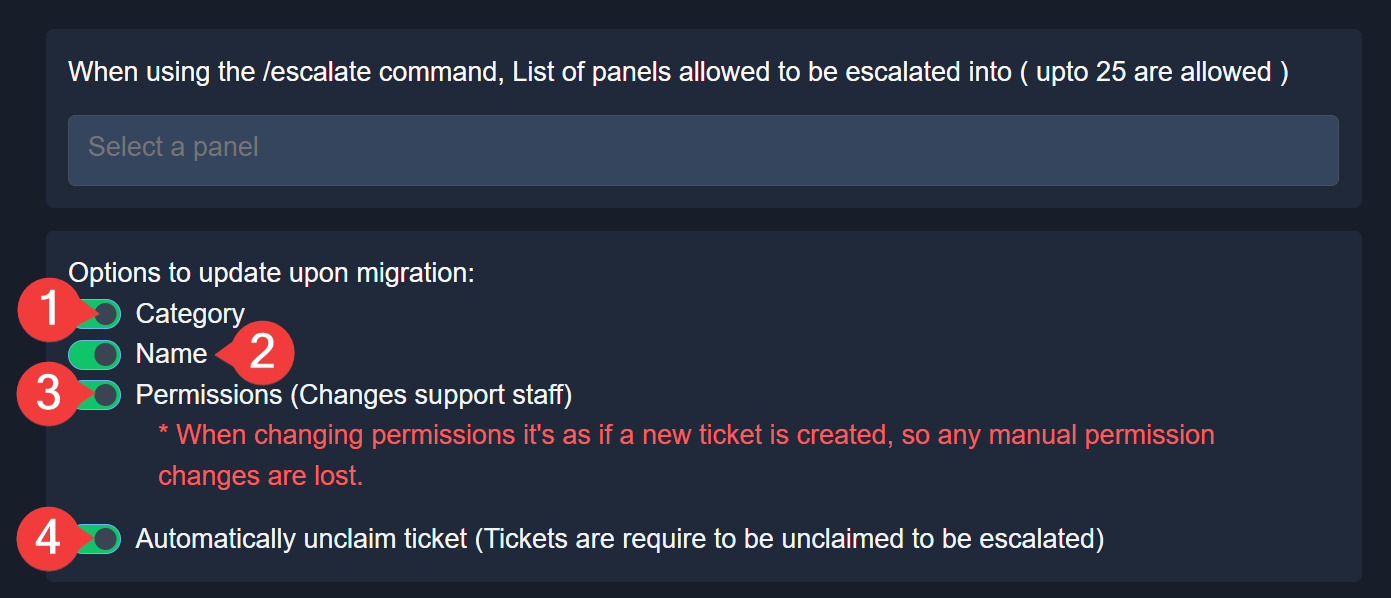
$escalation
restive condor
Let me know if you have any questions please 🙏
silent sedge
How to add ticket tool premium to a server
humble sequoiaBOT
You can purchase Ticket Tool Premium here! Buying it on our website allows you to have full control over your subscription:
 Cancel your subscription at any time
Change your billing interval (yearly/monthly)
Change your payment method
Add or remove server slots to your subscription
 Transfer the subscription between servers
Note: This level of control is only available when purchasing the subscription from our website.
You can manage your current subscriptions here, any billing questions or concerns, feel free to create a Billing Ticket via #🎫│make-a-ticket
 scenic forum
@silent sedge refer to the embed above
elder knoll
restive condor
Let me know if you have any questions please 🙏
I’m confused on what “panels” the ticket gets “transferred to”
silent sedge
scenic forum
<@557094217890005024> refer to the embed above
?
This is just for buying how do i add it to the server
Ive already bought it
scenic forum
silent sedge
This is just for buying how do i add it to the server
Did you mean ticket tool gold (the premium bot)?
silent sedge
Yes
humble sequoiaBOT
The first thing you will need to do is invite the premium bot, an invite can be found here
Once the bot is in your server we will head to the dashboard and manage your server. When you are managing your server, you want to head into "Server Configs" then click the drop down menu under "Select the bot you would like to use on this server" then click "Ticket Tool#6207" and then save.
restive condor
elder knoll
I’m confused on what “panels” the ticket gets “transferred to”
You can select which panel you'd like to transfer a ticket to when using the /escalate command
scenic forum
humble sequoia
@silent sedge refer to this embed now
My bad
silent sedge
scenic forum
<@557094217890005024> refer to this embed now
My bad
It says ticket tool gold
scenic forum
silent sedge
It says ticket tool gold
Thats correct
The template seems to be outdated
elder knoll
restive condor
You can select which panel you'd like to transfer a ticket to when using the ``/...
wdym by panel?
restive condor
elder knoll
wdym by panel?
A ticket option
elder knoll
restive condor
A ticket option
I’m so confused, i’m sorry for being dumb
restive condor
So if you have multiple ticket options (i.e. panels), you can transfer tickets between then
elder knoll
restive condor
So if you have multiple ticket options (i.e. panels), you can transfer tickets b...
when you say ticket options, do you mean like,
bug reports
moderations issues
user report
like these ticket options/panels?
restive condor
elder knoll
when you say ticket options, do you mean like,
bug reports
moderations issues
...
Yes
elder knoll
restive condor
Yes
okkk, now i got it😭
restive condor
Each of those ticket options, would be its own panel on the Dashboard
 final kayak
Hellow
worldly helm
final kayak
Hellow
Hey 👋
How can I help?
 marble harbor
how do i have transcripts dm people
harsh epoch
marble harbor
how do i have transcripts dm people
Menu -> Transcripts -> " Direct Message Transcript"
Note: This is a premium feature, and therefore isn't available on the free plan
 prime shale
how come i cant type in the title box
 scenic forum
prime shale
how come i cant type in the title box
scenic forum
prime shale
how come i cant type in the title box
All fields you cannot click/edit require Ticket Tool Premium
 grand slate
Hi I want transfer my data from magic to dream girl Ai character forge can you please help me with this
 outer valve
App não responde minha mensagem como resolver
humble sequoiaBOT
@grand slate
⚠️ You're in the wrong place
We provide support for Ticket Tool Discord bot and cannot help you with whatever issue you have.
- We don't know which Support Team you should contact to get this issue resolved, and unfortunately we won't be able to accurately tell you.
If you don't have any further questions regarding our bot Ticket Tool, please close this ticket
humble sequoiaBOT
Our claiming feature allows your support team to assign tickets to a support member. With this feature you will be able to change the ticket's name, it's category and permissions! We highly encourage you to explore this feature by checking our Claiming Options Documentation
Note: This is a 💎 Premium exclusive feature.
prime shale
scenic forum
All fields you cannot click/edit require Ticket Tool Premium
i have a mate who has the ticket tool white yet he is able to do it?
 native dagger
hii I was wondering if it's possible to have like 3 drop down options and everyone can see option 1 & 2 but only people with a specific role can see option 3 . but it's all part of the same drop down system , if that makes sense . if it exists could someone pls tell me and how I would make it happen 😖
 tough thunder
How to do a custom bot, like bot personalizer of ticket tool for your server ?
mighty thistle
prime shale
i have a mate who has the ticket tool white yet he is able to do it?
Are they paying for Premium and still using the White Ticket Tool app?
mighty thistle
native dagger
hii I was wondering if it's possible to have like 3 drop down options and everyo...
I don't think this is a feature. The dropdown is a Discord feature. This wouldn't be something Ticket Tool, nor any app developer, could control. But that sounds like a good feature!
I would recommend having separate panels, locking your third panel in a channel only those with the role can access. Or, that role is the only role which can use command style in a channel. Something like that!
mighty thistle
tough thunder
How to do a custom bot, like bot personalizer of ticket tool for your server ?
This is not currently a feature! Stay tuned for future updates. 
 deft rune
Do you have to pay to use the premium bot ticket tool?
mighty thistle
deft rune
Do you have to pay to use the premium bot ticket tool?
Ticket Tool Premium is a paid subscription service!
prime shale
mighty thistle
Are they paying for Premium and still using the White Ticket Tool app?
dunno
but the bot they're using is the white one
mighty thistle
It's fully possible to use either app while paying for Premium.
mighty thistle
prime shale
how come i cant type in the title box
As for this, you should be able to edit that.
prime shale
mighty thistle
As for this, you should be able to edit that.
yeah its not letting me
deft rune
mighty thistle
Ticket Tool Premium is a paid subscription service!
Oh, another question, what is the redeem code function on the ticket tool website?
mighty thistle
outer valve
App não responde minha mensagem como resolver
Se você está recebendo mensagens de erro, eu faria um chamado! #🎫│make-a-ticket
mighty thistle
deft rune
Oh, another question, what is the redeem code function on the ticket tool websit...
Premium subscriptions are unlocked with codes. The billing team would either give you your code upon receipt of a purchase, or set up the server for you. Other uses of manually entering a code would be Premium gifted to a user.
mighty thistle
prime shale
yeah its not letting me
You're simply editing the Ticket Message for one of your panels?
mighty thistle
Can you show a screenshot that is less cropped?
 mighty thistle
So when you attempt to set the Author Name or Title Text, you cannot?
deft rune
mighty thistle
Premium subscriptions are unlocked with codes. The billing team would either giv...
From what I saw there is an option that is 7 days free, right?
mighty thistle
prime shale
Oh okay yes, so that is a Premium feature. My apologies
You would have to purchase our Premium subscription to customize that aspect of your ticket!
mighty thistle
deft rune
From what I saw there is an option that is 7 days free, right?
We do offer a free trial!
deft rune
mighty thistle
We do offer a free trial!
Okay, well, thank you very much for answering my questions.
iron nightBOT
Gave +1 Rep to @mighty thistle (current: #52 - 53)
prime shale
mighty thistle
Oh okay yes, so that is a Premium feature. My apologies
You would have to purcha...
so whoever set up this bot is paying for premium?
 mighty thistle
deft rune
Okay, well, thank you very much for answering my questions.
mighty thistle
deft rune
Okay, well, thank you very much for answering my questions.
Of course!!
mighty thistle
prime shale
so whoever set up this bot is paying for premium?
Yes, they added multiple embeds and they have titles.
deft rune
mighty thistle
Of course!!
Hey, how do I do that? @iron night Do that because I want to leave you a reputation.
mighty thistle
When you said thank you in the reply, that gave me one!!