
#🆘│community-support
1 messages · Page 188 of 1
 spring canyon
 mighty thistle
spring canyon
Good?
mighty thistle
spring canyon
Good?
Yeah, that should work!
spring canyon
mighty thistle
Yeah, that should work!
When I press send this button still shows up.

What to do?
mighty thistle
Is the um- dropdown style actually turned on?
“Enable Select Style”
If so, then update your main panel with its message link.
spring canyon
Oh yeah, I need to do that. I am dum. Thank you
mighty thistle
No you’re not; it’s okay!
spring canyon
mighty thistle
No you’re not; it’s okay!
Another thing, how to make this?

 humble sequoiaBOT
A Discord Form lets the user answer individual questions in a pop-up Form, which then displays the answers in the ticket message. This can save time if you already know what you want to ask the user.
Setup Forms
Forms can be enabled under Panel Settings > Form Options > Edit Forms Options. In the new pop-up window, you can now enable and edit your own Form.
Form Options
You can add up to 5 questions in the Discord form. This is a Discord limitation. Each question can have a placeholder in the input field, a minimum and maximum input, multi-line, and also the option to have the answer required.
Options
Question Title ➞ Your Question goes here
Question Placeholder ➞ The placeholder text in the input field
Required ➞ If enabled, the user has to answer this question, to submit the form
Multi-Line Input ➞ Allows the user to input multiple lines
Minimum and Maximum Input ➞ Set a minimum and maximum input value for the user
Displaying the Answer
To display the answers from the user, you need to enable Auto display form results on the ticket message as an additional embed
If you don't want a second embed, go into your Panel Configs > Ticket Options > Edit Ticket Message. You use the variable {create.form.x} and replace x with the number of your question. For example, the response to Question 5 can be displayed with {create.form.5}.
 mighty thistle
spring canyon
Another thing, how to make this?
mighty thistle
spring canyon
Another thing, how to make this?
Those are modals! Make your panel a form.
 viscid herald
hello! I just logged into the server and was immediately banned.I had problems with the Internet and I teleported away, which probably affected my ban. I want my case reviewed and my ban lifted.
humble sequoiaBOT

⚠️ You're in the wrong place
We provide support for Ticket Tool Discord bot and cannot help you with whatever issue you have.
- We don't know which Support Team you should contact to get this issue resolved, and unfortunately we won't be able to accurately tell you.
If you don't have any further questions regarding our bot Ticket Tool, please close this ticket
spring canyon
How to change this color? I know it's dumb quiestion.

 restive condor
spring canyon
How to change this color? I know it's dumb quiestion.
restive condor
spring canyon
How to change this color? I know it's dumb quiestion.
Hey there! Editing the embed's colour is a premium feature 
spring canyon
restive condor
Hey there! Editing the embed's colour is a premium feature <:Premium:11924030741...
Sad
spring canyon
restive condor
Hey there! Editing the embed's colour is a premium feature <:Premium:11924030741...
How do I make that when you make a ticket and write your reason then on the created ticket show the forum with you reason and everything?

 restive condor
spring canyon
How do I make that when you make a ticket and write your reason then on the crea...
restive condor
spring canyon
How do I make that when you make a ticket and write your reason then on the crea...
Dashboard > Panel Configs > Forms > Please enable the 2nd switch at the top 
spring canyon
restive condor
Dashboard > Panel Configs > Forms > Please enable the 2nd switch at the top <:Sw...
How do I make that roles would be pinged when tickets created?
humble sequoiaBOT
1. Open your Panel Configs tab in your server's dashboard
2. Select the panel you want to ping your support team on
3. Open the Ticket options menu
4. Click on Edit Ticket Message
5. In the Message Content use one of the role mention syntax ({@Role Name}/{Role ID})
6. Save changes
Note: For this to work properly, Ticket Tool requires the Mention Everyone permission. Or the role must have the Allow anyone to @mention this role setting enabled 
 restive condor
spring canyon
How do I make that roles would be pinged when tickets created?
restive condor
spring canyon
How do I make that roles would be pinged when tickets created?
See above for that please ^
spring canyon
Is it possible to make those words bigger?
 restive condor
spring canyon
Is it possible to make those words bigger?
restive condor
spring canyon
Is it possible to make those words bigger?
Nope, that's the size of the text in the 'Author Name' field, it can't be changed unfortunately
With premium you can get rid of it altogether, and then use Discord markdown to enlarge it
spring canyon
restive condor
With premium you can get rid of it altogether, and then use Discord markdown to ...
What about getting stickers? Is it possible to put sticker?
 restive condor
spring canyon
What about getting stickers? Is it possible to put sticker?
restive condor
spring canyon
What about getting stickers? Is it possible to put sticker?
Not in the 'Author Name' field, you can put emojis in the embed's main field though
 charred crow
why do ticket deleting not work
restive condor
charred crow
why do ticket deleting not work
Hey there! What exactly seems to be the problem?
spring canyon
restive condor
Not in the 'Author Name' field, you can put emojis in the embed's main field tho...
I mean stickers not emoji. Like I showed you in the photo.
restive condor
spring canyon
I mean stickers not emoji. Like I showed you in the photo.
That's a custom emoji, not a sticker
restive condor
charred crow
on server i cant (delete tickets)
Do you get any error messages?
charred crow
idk bc it deletes almost istant
restive condor
The error message deletes almost instantly?
spring canyon
restive condor
That's a custom emoji, not a sticker
How do I put cs emoji?
charred crow
restive condor
The error message deletes almost instantly?
i cant even see the error message
restive condor
spring canyon
How do I put cs emoji?
You can use the $id command on your server to obtain the <:emojiname:emojiID> format.
Please copy & paste this format onto the Dashboard thereafter
$id 
humble sequoiaBOT
restive condor
$id <:smil:936485535403356221>
!smil
<:smil:936485535403356221>
restive condor
Like so ^
restive condor
charred crow
i cant even see the error message
Are you using the delete button or the command?
charred crow
restive condor
Are you using the delete button or the command?
cmd
restive condor
charred crow
cmd
Could use it once more & see if you can get a screenshot of the error
charred crow
and also not show in audit or logs
restive condor
The error wouldn't show up in audit logs
charred crow
it dont get me the command working
restive condor
How so? Are you using slash commands?
 restive condor
You're probably not using the correct prefix
charred crow
 restive condor
Can you use the /debug command in that same channel please
charred crow
 restive condor
Ticket Tool is missing the SEND MESSAGES permission for that channel
 iron nightBOT
Gave +1 Rep to @restive condor (current: #1 - 2225)
restive condor
No problem! 
spring canyon
To create new emblem need premium or what is it?
restive condor
spring canyon
To create new emblem need premium or what is it?
Hey there! To add an additional embed to your ticket/panel message, you mean?
spring canyon
restive condor
Hey there! To add an additional embed to your ticket/panel message, you mean?
Yeah, I am writting text and I can't write anymore, so I am deciding to make another emblem
Is it posible without premium
 restive condor
Additional embeds are a premium feature
 restive condor
 restive rivet
Hey there! Is this on a server you're staff in?
restive rivet
yeah i am the owner
restive condor
restive rivet
yeah i am the owner
Alrighty, could you #🎫│make-a-ticket please
 rancid current
How can I make selection?
restive condor
rancid current
How can I make selection?
Hey there! As in a dropdown menu?
rancid current
I do It and he didn’t work
spring canyon
humble sequoia
How do I write that {Role ID} ir {@Role Name}?
rancid current
In the website
restive condor
rancid current
I do It and he didn’t work
Could you screenshot what you have done on the Dashboard please
restive condor
spring canyon
How do I write that {Role ID} ir {@Role Name}?
It depends, use the first format if you're using the role ID, use the second one if you're using the role name
rancid current
1m
spring canyon
restive condor
It depends, use the first format if you're using the role ID, use the second one...
But how it does work? I have to paste id or how?
Could you make example with smth role or it's just that how it should be
restive condor
You just replace 'Role Name' with the role name or 'Role ID' with the role ID
So if you have a role called 'Staff', you would use {@Staff}
Or {ID}, replacing ID with the actual ID
 lunar bone
im trying to find an old screenshot i posted in a ticket, but i cant seem to find the ticket that i posted it in, what to do?
spring canyon
restive condor
So if you have a role called 'Staff', you would use ``{@Staff}``
and they get pinged?
restive condor
spring canyon
and they get pinged?
Yes, just ensure Ticket Tool has the MENTION EVERYONE & ALL ROLES permission in its role
restive condor
lunar bone
im trying to find an old screenshot i posted in a ticket, but i cant seem to fin...
Hey there! There's not much we can do unfortunately, you will need to find the ticket
rancid current
 lunar bone
restive condor
Hey there! There's not much we can do unfortunately, you will need to find the t...
lunar bone
restive condor
Hey there! There's not much we can do unfortunately, you will need to find the t...
yea ig its ggs then, because it only shows 2 tickets
spring canyon
restive condor
Yes, just ensure Ticket Tool has the ``MENTION EVERYONE & ALL ROLES`` permission...
Make that in channel settings?
restive condor
spring canyon
Make that in channel settings?
Server Settings > Roles > Ticket Tool > Permissions
restive condor
rancid current
See below how to make a dropdown menu please
humble sequoiaBOT
The Drop-down menu or Select Menu replaces the buttons on your panel message and uses a drop-down menu with all of your panels. To set this up, go to your Panel Configs and select your main Panel.
<:Numbericons1:1018864164032225340> Enable Select Style
First you enable Select Style. Then you add an item in the Dropdown Editor. Now you can start editing your dropdown!
<:Numbericons2:1018864168041971712> Dropdown Editor
Each line in the dropdown editor represents a line in the drop down menu on discord. You can add more "Items", by clicking on 

First you select a panel. That's the panel this option will open a ticket for.  DONT select the same panel twice. Each option should have a different Panel
After that, you can put a Display. This is the title of this option and will appear in the drop down menu. The *Description can be set right after that, which will be below the title in grey.
Additionally you can select an emoji, that will be shown in front of each option. You can either manually input the ID of an emoji or select it in the selector.
Common Issues ⚠️
- Panel doesn't send? Make sure you have a valid emoji selected
- Option doesn't show up? Check if two options have the same panel in the DropDown Editor

$dropdown
lunar bone
restive condor
Server Settings > Roles > Ticket Tool > Permissions
but isnt there a command to show further ticket history
spring canyon
restive condor
Or {ID}, replacing ID with the actual ID
Quick small question do I have to put like this {@13523778251134075}
restive condor
spring canyon
Quick small question do I have to put like this {@13523778251134075}
No
rancid current
Ok I gonna try
restive condor
lunar bone
but isnt there a command to show further ticket history
There isn't unfortunately. You will need to search it
spring canyon
restive condor
No
So how?
lunar bone
restive condor
There isn't unfortunately. You will need to search it
alr, thank for the help tho
iron nightBOT
Gave +1 Rep to @restive condor (current: #1 - 2226)
restive condor
spring canyon
So how?
Use {ID} if you're using the ID or {@Name} if you're using the name mate
spring canyon
restive condor
Use {ID} if you're using the ID or {@Name} if you're using the name mate
I am using ID then @ this is not needed?
restive condor
Correct
spring canyon
restive condor
Correct
Another question, how do I make that people that open ticket cannot close the ticet only role that can see the ticket
restive condor
Dashboard > Panel Configs > Buttons > Close Ticket Button > Please enable Support Team Only
 tepid sentinel
Can we buy the Ticket tool for lifetime?
 worldly helm
tepid sentinel
Can we buy the Ticket tool for lifetime?
worldly helm
tepid sentinel
Can we buy the Ticket tool for lifetime?
Hey. Nope. Only monthly and yearly.
 formal bronze
are all of these options premium only?
 mighty thistle
formal bronze
are all of these options premium only?
mighty thistle
formal bronze
are all of these options premium only?
Within that screenshot, yeah!
formal bronze
is the bot usable without premium
mighty thistle
Definitely!
formal bronze
how do i get my panel ID
mighty thistle
Yeah, that’s just the number by the name in the configurations menu.
In this demonstration server I have, the IDs are 1-4, respectively.

 tribal bone
how do i make it so only custom commands can be used in tickets
humble sequoiaBOT
User's issue has been solved in another channel.
spring canyon
mighty thistle
Yeah, that’s just the number by the name in the configurations menu.
How do I make that support role only can see that channel. Like I made on TICKET category perimissions where shows opened tickets ( eweryone view off) and only that role can see. But that role doesn't see. Do I have to do something from dashboard or smth?
 static maple
Yo, someone help me with echo I filled the thing out, but it won’t work.
humble sequoiaBOT
@static maple
⚠️ You're in the wrong place
We provide support for Ticket Tool Discord bot and cannot help you with whatever issue you have.
- We don't know which Support Team you should contact to get this issue resolved, and unfortunately we won't be able to accurately tell you.
If you don't have any further questions regarding our bot Ticket Tool, please close this ticket
static maple
Ok
spring canyon
restive condor
Dashboard > Panel Configs > Buttons > Close Ticket Button > Please enable <:Swit...
How do I make that support role only can see that channel. Like I made on TICKET category perimissions where shows opened tickets ( eweryone view off) and only that role can see. But that role doesn't see. Do I have to do something from dashboard or smth?
restive condor
Please stop replying to a staff members latest message, simply ask your question
humble sequoiaBOT
1. Open your Panel Configs tab in your server's dashboard
2. Select the panel you want to grant access to
3. Open the General options menu
4. Select your Support Team Roles
5. Save changes
 restive condor
See above ^
tribal bone
how do i make it so ticket tool custom commands cannot be used by members in certain channels (example: .done would ping staff saying "@staff im done") i dont think the mod understood me well earlier. i want it so ticket tool custom commands ONLY can be used in tickets
and i still want ticket tool to have admin perms
is there maybe a variable that only pings ticket staff
restive condor
tribal bone
how do i make it so ticket tool custom commands cannot be used by members in cer...
Hey there! There is not variable.
Unfortunately, there's currently no way to restrict custom commands to specific channels only (other than removing Ticket Tool's access altogether)
tribal bone
restive condor
Hey there! There is not variable.
Unfortunately, there's currently no way to re...
aw man, do you think i can make a suggestion for that so people can restrict usage of custom commands?
restive condor
tribal bone
aw man, do you think i can make a suggestion for that so people can restrict usa...
Of course! #1019685143046279208
tribal bone
restive condor
Of course! <#1019685143046279208>
okay i did thank you, one final one is i am wondering what variable i use so the ticket name is automatically someones display name like
viv-ticket
iron nightBOT
Gave +1 Rep to @restive condor (current: #1 - 2227)
restive condor
tribal bone
okay i did thank you, one final one is i am wondering what variable i use so the...
You can use the {ticket.user.nickname} variable for that
 stoic jewel
İs the ticket tool bot broken? It says the application did not respond
restive condor
stoic jewel
İs the ticket tool bot broken? It says the application did not respond
Hey there! Could you try the /debug command please
stoic jewel
Okay
 hallow elbow
Is the ticket tool down for me it says it can't sync into any server and it says theres no bot in the server when there is help
 willow blaze
it wont let the member that made the ticket see the message that @'s them

no idea how to fix it
tried messing with the ability to read message history but it doesnt do anything
 humble sequoiaBOT
Don't see your server in the dashboard?
Try using the Sync Servers button on your top center of the Dashboard page
If this doesn't work
You should relog from the dashboard, you can do this by clicking here to log out immediately, and then log back in
Note:
You need one of these 3 things to access the dashboard.
1. Server Owner (Level: 6)
2. Server Administrator (Level: 4)
3. Dashboard Role (Level: 2)
:warning: You can check your level using the </permissionlevel:1029797400174399542> command on your Discord Server
If the bot's response is:
- @User is permission level: 0 (User)
You don't have any of the 3 levels required to access the server's dashboard
 restive condor
hallow elbow
restive condor
hallow elbow
Hey there! See above please ^
restive condor
willow blaze
it wont let the member that made the ticket see the message that @'s them
Hey there! Dashboard > Panel Configs > Permissions > Ticket Owner Permissions - Edit Opened > 
READ MESSAGE HISTORY
willow blaze
ty
 amber gale
how to make an auto responder in ticket tool
 unique hull
How do i make it so i someone can create an ticket im on phone if that changes anything
 stark runeBOT
1. Invite Ticket Tool to your server
First you will want to invite the bot to your server. Once the bot is in your server, you can manage your server in the dashboard.

2. Create a Panel
To create a panel we are going to need to head over to the panel configs on the dashboard.
Once at the dashboard we will need to click Create Panel.
Enter a panel name (Fill in any optional settings you want).
Click Create Panel and your ready to get started with configuring your panel.
An example of a creating a panel is shown below.

3. Send the Panel to a Channel
Once you've created a panel on the dashboard you will need to send it to a channel using send on the dashboard.
Select the channel you want your panel to be created in and click send.
For other questions checkout $help faq.
An example of a sending a panel is shown below.
Having a Problem Sending the Panel?
Do $debug in a channel with Ticket Tool and make sure it has all the necessary Discord permissions.
 restive condor
unique hull
How do i make it so i someone can create an ticket im on phone if that changes a...
restive condor
unique hull
How do i make it so i someone can create an ticket im on phone if that changes a...
Hey there! See above how to set up Ticket Tool ^
humble sequoiaBOT
━━ S1's inquiry has been moved to a ticket ━━
unique hull
restive condor
Hey there! See above how to set up Ticket Tool ^
Thanks
iron nightBOT
Gave +1 Rep to @restive condor (current: #1 - 2229)
 covert whale
Hey, just asking, does the ticket tool bot auto delete ticket transcripts? My friend and I are in a game server and we suspect these 2 moderators deleted our tickets because we're both false banned and they're trying to hide evidence, the tickets are only a couple days old and other moderators also can't access our tickets
@pseudo ravine
Bruh
Sorry again, I just thought because you were online 😭
My bad
 pseudo ravine
Hey there! Technically yes, as Discord will delete attachments after a certain amount of time. The staff of that server should be able to generate a new link by clicking on the Direct Link button on the transcript
covert whale
Ah okay, I'll try see if that works!
But if that doesn't work, would it mean that a moderator has gone and deleted the ticket transcript?
pseudo ravine
More than likely, yep
pseudo ravine
You're welcome, glad I could help!
 fallen mirage
im looking to use ticket tool in play with apply bot. basically my vision is when we get a application it will open a ticket automatically with the applicants name on it. any ideas.
pseudo ravine
Hey there! If the bot can send a message when an application gets sent, then it's possible to do so
fallen mirage
pseudo ravine
Hey there! If the bot can send a message when an application gets sent, then it'...
yeah bot pings. and send messages

i don't like the built in ticket system but the application is A1
pseudo ravine
Can the bot send another message?
fallen mirage
i don't think so
pseudo ravine
Then unfortunately it's not possible
fallen mirage
when you say send message what exactly would it need to send also this bot can assign roles
no problem going premium if i need too
pseudo ravine
It just needs to send the $new command so that Ticket Tool can create a ticket for the applicant
fallen mirage
oh i can do that
pseudo ravine
Please refer to the embed below!
humble sequoiaBOT
Integrating an External Bot x Ticket Tool <:TicketToolGold:1073948897673748490>
Integrating Ticket Tool with an external bot allows you to customize your server's Ticket System further!
- The external bot must output the
$newor$ticketcommands with the user's ID to start a ticket. Preferably in a private channel.
Eg.
$new 12345678901234567890
-
Your ticket panel must be Command Style enabled
-
You must whitelist that bot's ID in your Dashboard ➞ Server Configs ➞ Bot section.
Otherwise Ticket Tool will not react to the command and a ticket will not be created.
- If you'd like to include a reason in the command usage, feel free to do so after the user ID.
Eg.
$new 12345678901234567890 Your reason goes here
This reason can then be shown anywhere in the Ticket Message with the{create.reason}variable
**  Note:** If you have changed Ticket Tool's default prefix (
$) please ensure to amend the prefix for the $new or $ticket commands.
Eg. If your prefix is
-, then what you're looking for the bot to use is-newor-ticket

$botintegration
worldly helm
Hey 👋
How can I help you?
Are you sure this is regarding the right ticket bot? We provide support for @pseudo glen
Yeah. That‘s the bot we provide support for.
humble sequoiaBOT
1. Open your Panel Configs tab in your server's dashboard
2. Select the panel you want to ping your support team on
3. Open the Ticket options menu
4. Click on Edit Ticket Message
5. In the Message Content use one of the role mention syntax ({@Role Name}/{Role ID})
6. Save changes
Note: For this to work properly, Ticket Tool requires the Mention Everyone permission. Or the role must have the Allow anyone to @mention this role setting enabled
stark runeBOT
1. Invite Ticket Tool to your server
First you will want to invite the bot to your server. Once the bot is in your server, you can manage your server in the dashboard.
2. Create a Panel
To create a panel we are going to need to head over to the panel configs on the dashboard.
Once at the dashboard we will need to click Create Panel.
Enter a panel name (Fill in any optional settings you want).
Click Create Panel and your ready to get started with configuring your panel.
An example of a creating a panel is shown below.
3. Send the Panel to a Channel
Once you've created a panel on the dashboard you will need to send it to a channel using send on the dashboard.
Select the channel you want your panel to be created in and click send.
For other questions checkout $help faq.
An example of a sending a panel is shown below.
Having a Problem Sending the Panel?
Do $debug in a channel with Ticket Tool and make sure it has all the necessary Discord permissions.
 timid mango
How does someone give access to edit the tickets bot? For example, my friend wants to let me setup the ticket bot and do all the panels and that.
humble sequoiaBOT
Don't see your server in the dashboard?
Try using the Sync Servers button on your top center of the Dashboard page
If this doesn't work
You should relog from the dashboard, you can do this by clicking here to log out immediately, and then log back in
Note:
You need one of these 3 things to access the dashboard.
1. Server Owner (Level: 6)
2. Server Administrator (Level: 4)
3. Dashboard Role (Level: 2)
:warning: You can check your level using the </permissionlevel:1029797400174399542> command on your Discord Server
If the bot's response is:
- @User is permission level: 0 (User)
You don't have any of the 3 levels required to access the server's dashboard
 limber portal
See above @timid mango
limber portal
@torn saffron As lias said, please avoid answering questions that have already been answered in future
 torn saffron
bye
limber portal
If you have the administrator permission in that server, then yes you can add the bot. If they don’t want to grant you that permission, they can add a dashboard role.
@timid mango ^^
torn saffron
limber portal
If you have the administrator permission in that server, then yes you can add th...
i answered that :c
then deleted -
timid mango
Thanks this should help! If that doesn’t work I’ll be back!
 queen ginkgo
hello,how can you use ticket bot to mass delete all the ticket massages?
 frozen estuary
Hi
Please I have a problem on my layeredge, the problem is that whenever I paste my key on CLI base node point it show successful but it will not show quantity even though I go to the task to claim it will still ask me to go and connect wallet. Wat should I do now?
 frozen hornet
Good morning,
I was looking for some assistance in setting up permissions for the bot. Previously, this was working as expected but recently it's stopped and I can't figure out why.
Basically, I can see the bot user on open tickets and it's working as expected, but closed tickets it isn't showing in the user list, nor can I run /debug from there or delete a ticket.
Can I have some assistance with this?
mighty thistle
queen ginkgo
hello,how can you use ticket bot to mass delete all the ticket massages?
Ticket Tool offers a purge command which removes all ticket channels. You’ll need to use another application to purge messages in particular!
mighty thistle
frozen hornet
Good morning,
I was looking for some assistance in setting up permissions for t...
Do you use channel categories? One for the open tickets, and one for the closed? If so, see if Ticket Tool gets View Channel denied for that closed category.
Or, if you have one ticket type uncategorized with the second in a category, check the server/category permissions respectively.
 rugged tree
Can you det
queen ginkgo
mighty thistle
Ticket Tool offers a purge command which removes all __ticket__ channels. You’ll...
hmm,is it listed in commands like /pruge or?
im just looking to delete all the old ticket channels
mighty thistle
queen ginkgo
im just looking to delete all the old ticket channels
Yeah, if you’re all good with any transcripts that you’d like to keep, use the /purge command!
mighty thistle
rugged tree
Can you det
What do you mean?
mighty thistle
frozen estuary
Please I have a problem on my layeredge, the problem is that whenever I paste my...
Hi, this is for Ticket Tool support.
humble sequoiaBOT
⚠️ You're in the wrong place
We provide support for Ticket Tool Discord bot and cannot help you with whatever issue you have.
- We don't know which Support Team you should contact to get this issue resolved, and unfortunately we won't be able to accurately tell you.
If you don't have any further questions regarding our bot Ticket Tool, please close this ticket
 jaunty stratus
Hey, is there a way to have multiple message buttons under ticket message once the ticket is created? I wanted to sort the requests into a catagory based on the button clicked. At the moment I have only claim ticket and close ticket
 viscid ivy
who is the owner of bot
 kindred hollow
viscid ivy
who is the owner of bot
kindred hollow
viscid ivy
who is the owner of bot
BattleEye.
 lavish orchid
jaunty stratus
Hey, is there a way to have multiple message buttons under ticket message once t...
lavish orchid
jaunty stratus
Hey, is there a way to have multiple message buttons under ticket message once t...
I Need that top
Too*
humble sequoiaBOT
For more convenient use of multipanels, you can now combine panels on the dashboard. This will allow you to directly send the multipanel from the dashboard or via the $panel ID command.
Where can I find this?
You can find this setting on the Dashboard -> Panel Configs -> Panel -> Attached Panels
Note: if you're attaching all the panels to a panel called English, don't include English in the attached panel's box (If you do this, it will create a duplicate)
This will put all buttons from all of your panels on one message. The message is the panel message from the panel you're combining these panels in.
 mighty thistle
I believe that Multipanels is the closest we can get! I don’t think there are custom buttons within the Ticket. Just close, claim, etc.
jaunty stratus
mighty thistle
I believe that Multipanels is the closest we can get! I don’t think there are cu...
Thanks.. Yes it does seem like that may be the case
iron nightBOT
Gave +1 Rep to @mighty thistle (current: #109 - 8)
mighty thistle
jaunty stratus
Thanks.. Yes it does seem like that may be the case
For sure!
 quaint eagle
Hii, sorry for the inconvenience, when people open a ticket, the message to close doesn't appear, like, the message when the ticket is opened, disappears
worldly helm
Moin! Wir können dir nicht helfen. Bitte lösche das Bild weil es persönliche Informationen beinhaltet. Dankeschön
worldly helm
quaint eagle
Hii, sorry for the inconvenience, when people open a ticket, the message to clos...
Hey there 👋
Sorry about the late reply, please #🎫│make-a-ticket
lavish orchid
mighty thistle
I believe that Multipanels is the closest we can get! I don’t think there are cu...
I cant Do that bc im Not verified it just says you Need to verifiy or smth i think it means the Account
timid mango
What was the steps to grant permissions to other people again? It got deleted.
worldly helm
timid mango
What was the steps to grant permissions to other people again? It got deleted.
Right click on the channel name (hold down instead, if on mobile) > Edit Channel > Permissions > Add Ticket Tool > All permissions needed
timid mango
worldly helm
Right click on the channel name (hold down instead, if on mobile) > Edit Channel...
What I mean is permissions for people to access to dashboard and edit the bot.
humble sequoiaBOT
Any role you put there will have full access to the ticket tool dashboard. The server owner and users with admin permissions already have access to the dashboard.
Be careful of which roles to put here
 worldly helm
timid mango
What I mean is permissions for people to access to dashboard and edit the bot.
worldly helm
timid mango
What I mean is permissions for people to access to dashboard and edit the bot.
They either need a dashboard role  or the administrator permission
timid mango
Are there steps on the link on how to grant those permissions?
worldly helm
Dashboard > Server Configs > Dashboard Roles
timid mango
worldly helm
Dashboard > Server Configs > Dashboard Roles
Thanks!
iron nightBOT
Gave +1 Rep to @worldly helm (current: #8 - 745)
 worldly helm
 desert venture
Hey! Does that happen on a ticket being closed or opened?
pseudo ravine
desert venture
Hey there! You can head to the Dashboard > Ticket > Ticket Opened Roles
desert venture
worldly helm
Hey! Does that happen on a ticket being closed or opened?
Not sure
pseudo ravine
You can also check the Dashboard > Claiming > Ticket Claimed Roles
desert venture
pseudo ravine
You can also check the Dashboard > Claiming > Ticket Claimed Roles
Okay I will check it out right now
desert venture
pseudo ravine
Hey there! You can head to the Dashboard > Ticket > Ticket Opened Roles
Its empty
pseudo ravine
What's the server ID?
desert venture
pseudo ravine
What's the server ID?
Ah, nvm. Sorry the issue is fixed. Apperantly someone fixed it already before me. Sorry for wasting you time.
desert venture
pseudo ravine
You can also check the Dashboard > Claiming > Ticket Claimed Roles
Yeah this was the issue
pseudo ravine
No worries, glad I could help! Thanks for supporting Ticket Tool!
desert venture
pseudo ravine
No worries, glad I could help! Thanks for supporting Ticket Tool!
Thanks
iron nightBOT
Gave +1 Rep to @pseudo ravine (current: #3 - 1218)
 grim pier
Does anyone know how to add multiple buttons on mobile
pseudo ravine
Hey there! Please refer to the embed below!
humble sequoiaBOT
For more convenient use of multipanels, you can now combine panels on the dashboard. This will allow you to directly send the multipanel from the dashboard or via the $panel ID command.
Where can I find this?
You can find this setting on the Dashboard -> Panel Configs -> Panel -> Attached Panels
Note: if you're attaching all the panels to a panel called English, don't include English in the attached panel's box (If you do this, it will create a duplicate)
This will put all buttons from all of your panels on one message. The message is the panel message from the panel you're combining these panels in.
grim pier
pseudo ravine
Hey there! Please refer to the embed below!
But how can i do it on mobile its hard to understa
pseudo ravine
It's the same way on mobile as on pc
 pseudo ravine
You can head to the Dashboard > Buttons > Create Ticket > Button Text
iron nightBOT
Gave +1 Rep to @pseudo ravine (current: #3 - 1219)
pseudo ravine
You're welcome, glad I could help! Thanks for choosing Ticket Tool!
 fervent canyon
How do i create this? With the different buttons and drops down for a different embed?
 pseudo ravine
Hey there! That's not Ticket Tool, that's a custom version of @obtuse kraken for this server only
pseudo ravine
You're welcome, glad I could help! Thanks for choosing Ticket Tool!
 twilit grove
Ahhh my ticket failed

 worldly helm
twilit grove
Ahhh my ticket failed
worldly helm
twilit grove
Ahhh my ticket failed
Hey there 👋
As you are just a regular member on that server there is nothing you can do. Please tell their staff about that issue.
twilit grove
worldly helm
Hey there 👋
As you are just a regular member on that server there is nothing yo...
Again 😭 tickets time 1 hours
worldly helm
There is nothing we can do, sorry.
grim pier
Does anyone know how to make the tickets go in a specific channel
twilit grove
worldly helm
There is nothing we can do, sorry.
😭 time me faill aura -9999
worldly helm
grim pier
Does anyone know how to make the tickets go in a specific channel
Hey 👋
Are you talking about categories?
worldly helm
twilit grove
😭 time me faill aura -9999
What do you mean?
grim pier
worldly helm
Hey 👋
Are you talking about categories?
Yes
humble sequoiaBOT
1. Open your Panel Configs tab in the server's dashboard
2. Select the panel you want to grant access to
3. Open the Category options menu
4. Select the categories of your preference
5. Save changes
 twilit grove
worldly helm
What do you mean?
twilit grove
worldly helm
What do you mean?

 worldly helm
As I just told you, there is nothing we can do.
twilit grove
grim pier
humble sequoia
I dont understand
worldly helm
grim pier
I dont understand
What exact part do you not understand.
grim pier
How do i make the tickets location in a certain category
worldly helm
Dashboard > Panel Configs > Category > Opened Tickets Category
grim pier
Thanks @worldly helm
iron nightBOT
Gave +1 Rep to @worldly helm (current: #8 - 746)
grim pier
restive condor
@turbid cosmos Hey, sorry about that
grim pier
Np
restive condor
Please post images individually or #🎫│make-a-ticket
iron nightBOT
Gave +1 Rep to @restive condor (current: #1 - 2230)
 left geyser
Hey there, I m just searching on how to make the claim ticket button appear on the panel
On free tier
restive condor
left geyser
Hey there, I m just searching on how to make the claim ticket button appear on ...
Hey there! Claiming is a premium feature
humble sequoiaBOT
Claiming allows you to change the ticket name, category and permissions. To use it you have to enable it first on your Dashboard > Panel Configs > Claiming

 Note: This is a premium feature
left geyser
restive condor
Hey there! Claiming is a premium feature <:Premium:1192403074157912144>
Note: This is a premium feature
left geyser
restive condor
Hey there! Claiming is a premium feature <:Premium:1192403074157912144>
oh no! but then why is the button available for display
restive condor
All buttons are shown in the Buttons section regardless if they're enabled/disabled, premium or free. You must then enable them from the corresponding section & the claiming section is premium
 knotty estuary
Is there anyway to change the default ticket tool message embed?
restive condor
knotty estuary
Is there anyway to change the default ticket tool message embed?
Hey there! Of course, are you looking to edit the panel message or the embed message?
left geyser
restive condor
All buttons are shown in the **Buttons** section regardless if they're enabled/d...
oh understood sir ! Thankyou for support, appreciate it :)
restive condor
No problem!
knotty estuary
restive condor
Hey there! Of course, are you looking to edit the panel message or the embed mes...
Main text
 restive condor
knotty estuary
Main text
restive condor
knotty estuary
Main text
Dashboard > Panel Configs > Messages > Edit Panel Message
humble sequoiaBOT
The panel message is where people react to make a ticket. To customize it head over to your Dashboard --> Panel Configs -> Panel -> Edit Panel Message
 knotty estuary
Thank you! Have a great day 
left geyser
thanks @restive condor
iron nightBOT
Gave +1 Rep to @restive condor (current: #1 - 2231)
knotty estuary
Thanks @restive condor
iron nightBOT
Gave +1 Rep to @restive condor (current: #1 - 2232)
restive condor
No problem!
 charred flume
I'm trying to find out if there is a way to get ticket transcripts from a ticket that was deleted but someone didn't save the trascript, don't know if that exists.
restive condor
charred flume
I'm trying to find out if there is a way to get ticket transcripts from a ticket...
Hey there! Unfortunately, no. If a ticket was deleted without saving a transcript, it's gone
iron nightBOT
Gave +1 Rep to @restive condor (current: #1 - 2233)
restive condor
No problem!
 jade topaz
what does it mean?
 restive condor
jade topaz
what does it mean?
restive condor
jade topaz
what does it mean?
Hey there! It means you have reached the limit of tickets allowed for that panel
jade topaz
Do you know how I can fix the problem
restive condor
jade topaz
Do you know how I can fix the problem
Use one of the tickets you have already opened. If you no longer have access to them, please contact server staff
They will either need to close them or re-add you to them
 royal crane
Can help me pls
 restive condor
royal crane
Can help me pls
restive condor
royal crane
Can help me pls
Hey there! Could you try the /debug command please
royal crane
restive condor
Hey there! Could you try the ``/debug`` command please
Same
 restive condor
royal crane
Same
restive condor
royal crane
Same
Ticket Tool seems to be missing the SEND MESSAGES & EMBED LINKS permissions for that channel
royal crane
restive condor
Ticket Tool seems to be missing the ``SEND MESSAGES`` & ``EMBED LINKS`` permissi...
How i can send that sir?
restive condor
Hold down on the channel's name (from the channel list) > Edit Channel > Permissions > Add Ticket Tool >  Send Messages & Embed Links
royal crane
restive condor
Hold down on the channel's name (from the channel list) > Edit Channel > Permiss...
Thanks 👌🏻
iron nightBOT
Gave +1 Rep to @restive condor (current: #1 - 2234)
jade topaz
restive condor
Use one of the tickets you have already opened. If you no longer have access to ...
allright, you told me to use an already opened ticket. whats the next step
i dont know what to do
restive condor
We don't know either, but you can't create any more tickets on that server
Wait for that server's staff I suppose
royal crane
@restive condor i have another issue , i cant enable the embed link
restive condor
royal crane
<@795710289425334303> i have another issue , i cant enable the embed link
How so?
royal crane
Sorry
royal crane
restive condor
How so?
When i click the ✅/🚫 , i click the green and it don't do anything
restive condor
Try going out & back in
royal crane
restive condor
Try going out & back in
Okkk
jade topaz
restive condor
Wait for that server's staff I suppose
where is the staff or are they offline right now?
Are they on a website
restive condor
I have no idea who the staff is unfortunately
Just wait on your ticket to be replied to
jade topaz
restive condor
Just wait on your ticket to be replied to
im a little confused about which ticket we are talking about. my self-made (on the image) or creating a request somewhere else or did they already received my request on this channel. sorry
 restive condor
jade topaz
im a little confused about which ticket we are talking about. my self-made (on t...
restive condor
jade topaz
im a little confused about which ticket we are talking about. my self-made (on t...
Ah, so this is on your server
Then what exactly is the issue? Are you looking to increase the limit?
jade topaz
if increasing is the solution then yes. normally my goal is to normally open tickets again
restive condor
No, the solution is simply closing the tickets you already have opened
Other users in your server wouldn't face this issue
jade topaz
so all of them, not some them. It would be a pity for to lose the numbering sequence (1, 2, 3, etc.) because these digits represent the first tickets that were opened. They are historically important for me.
hello?
@restive condor
restive condor
jade topaz
so all of them, not some them. It would be a pity for to lose the numbering sequ...
You can't have more than 1 ticket opened at once for the panel
You don't have to delete them, but if you wish to open a new ticket, you will need to close the previous one
 dire star
the game mission is not working pls help🤔
jade topaz
restive condor
You can't have more than 1 ticket opened at once for the panel
thank you sir. you fixed my problem
iron nightBOT
Gave +1 Rep to @restive condor (current: #1 - 2235)
dire star
No joke
humble sequoiaBOT
⚠️ You're in the wrong place
We provide support for Ticket Tool Discord bot and cannot help you with whatever issue you have.
- We don't know which Support Team you should contact to get this issue resolved, and unfortunately we won't be able to accurately tell you.
If you don't have any further questions regarding our bot Ticket Tool, please close this ticket
dire star
@restive condor ar you member of tower defens me found bug
dire star
can you help me find right server me bit lost 🤔
restive condor
We don't know where you should go unfortunately
humble sequoiaBOT
⚠️ Please read the messages previously sent by our team ⚠️
 civic crag
how can i make it auto Transcript
mighty thistle
civic crag
how can i make it auto Transcript
"Auto Save Transcript" is a panel option located in the panel's Advanced Settings under Transcript!

It is a Premium feature.
 fervent spear
Hi guys, had to upgrade to premium because my server has reached channel limit so that i could resort to the threads function.
I want all my support people added to a thread but i do not want them to be tagged, since only a few need to be active in those chats but many should be able to view it without getting tagged. Is there a setting for this? or did i miss something?
worldly helm
fervent spear
Hi guys, had to upgrade to premium because my server has reached channel limit s...
Hey there 👋
That's not possible as threads require a ping to get added to.
fervent spear
worldly helm
Hey there 👋
That's not possible as threads require a ping to get added to.
hmm okay, is that due to how threads are made? Or is it just inherited into the bot
worldly helm
That is a discord requirement.
fervent spear
aah sucks, thanks for the info tho!
worldly helm
fervent spear
aah sucks, thanks for the info tho!
You're welcome
 strong shoal
jw as me and my fellow admins are really confused when people open tickets where can we view that ticket too
humble sequoiaBOT
1. Open your Panel Configs tab in your server's dashboard
2. Select the panel you want to grant access to
3. Open the General options menu
4. Select your Support Team Roles
5. Save changes
worldly helm
strong shoal
jw as me and my fellow admins are really confused when people open tickets where...
Hey there. Please refer to the guide above
 winter goblet
How can I select that the supporters get pinged when ticket opens
humble sequoiaBOT
1. Open your Panel Configs tab in your server's dashboard
2. Select the panel you want to ping your support team on
3. Open the Ticket options menu
4. Click on Edit Ticket Message
5. In the Message Content use one of the role mention syntax ({@Role Name}/{Role ID})
6. Save changes
Note: For this to work properly, Ticket Tool requires the Mention Everyone permission. Or the role must have the Allow anyone to @mention this role setting enabled
restive condor
winter goblet
How can I select that the supporters get pinged when ticket opens
Hey there! See above please^
winter goblet
Thx
 hollow harness
Im on mobile and I created the ticket panel thing and I don’t know what to do next. For my server.
hollow harness
restive condor
Hey there! See above please^
Could you help me?
humble sequoiaBOT
1. Open your Panel Configs tab in your server's dashboard
2. Select the panel you want to send
3. Click the blueSendbutton
4. Indicate to which channel it should be sent to
5. Send the panel
restive condor
See above ^
 patent badge
it says i dont have any access.. when im owner of the server
 restive condor
patent badge
it says i dont have any access.. when im owner of the server
restive condor
patent badge
it says i dont have any access.. when im owner of the server
Hey there! It seems like your premium subscription has expired
You can renew your subscription from https://tickettool.xyz/premium-purchase
Otherwise you will need to re-invite the white bot & re-send all your panels
restive condor
Please invite the white bot first
Then use the /botswitcher command to enable it
After that, feel free to kick it
 pseudo ravine
Hey there! You do not need premium to send the Ticket Message, as it's the message Ticket Tool sends when a ticket gets created


 pseudo ravine
Please ensure Ticket Tool has the Send Messages permission in the category
 slate narwhal
 pseudo ravine
Please ensure that another bot isn't deleting the message
And also please ensure that your Close Ticket button emojis are valid

 covert phoenix
i cant remember how to enable ticket claiming can some one help me out
pseudo ravine
Hey there! Please refer to the embed below!
humble sequoiaBOT
Claiming allows you to change the ticket name, category and permissions. To use it you have to enable it first on your Dashboard > Panel Configs > Claiming
Note: This is a premium feature
covert phoenix
i cant find that section
pseudo ravine
Do you have a premium subscription? As claiming is a premium feature
 pseudo ravine
You're welcome, glad I could help! Thanks for choosing Ticket Tool!
 winter dove
how do I get permission to make tickets?
pseudo ravine
Hey there! Are you a staff member of that server?
winter dove
yup
pseudo ravine
What's the server ID?
winter dove
I don't know is it the one at the top in the link?
if it is thes 1334662084339695706
pseudo ravine
One moment please
winter dove
alright
pseudo ravine
It seems like you don't have any panels created for that server?
winter dove
how would I create them?
pseudo ravine
Please refer to the embeds below!
humble sequoiaBOT
First you will want to invite the bot to your server. Once the bot is in your server, you can manage your server in the dashboard.
To create a panel we are going to need to head over to the Panel Configs Tab on the Dashboard.
Once at the dashboard we will need to click Create Panel.
Enter a panel name (Fill in any optional settings you want).
Click Create Panel and you are ready to get started with configuring your panel.
An example of a creating a panel is shown below.
Once the panel has been created, use the blue Send button and select the channel you want the panel to be sent to.
The Panel wasn't send
Use the </debug:1029783024264564765> command to diagnose possible permission issues with the bot.
winter dove
okay thanks
pseudo ravine
You're welcome, glad I could help! Thanks for choosing Ticket Tool!
 proven palm
how can i do the permissions for the ticket owner (person who opened the ticket) for them to be able to add/remove people from the ticket
@pseudo ravine
 cloud fox
how to make ticket tool auto ping when someone makes a ticket?
mighty thistle
Simply put the mention in the ticket message!
mighty thistle
proven palm
how can i do the permissions for the ticket owner (person who opened the ticket)...
I'm pretty sure only the support team can use those commands. Why would this be necessary, if I can ask?
mighty thistle
cloud fox
how to make ticket tool auto ping when someone makes a ticket?
This is an example for a server I'm in. The {ID} is the role embed! You can also do {@name}.
 proven palm
mighty thistle
I'm pretty sure only the support team can use those commands. Why would this be ...
proven palm
mighty thistle
I'm pretty sure only the support team can use those commands. Why would this be ...
it said “ticket owner” in the permissions section in the dashboard and i wanted to see what it was, now i see its necessary for my server, i just want to know how to set it up
mighty thistle
So, you want the non-staff member who opens the ticket to be able to add people to the ticket?
proven palm
mighty thistle
So, you want the non-staff member who opens the ticket to be able to add people ...
yeah
mighty thistle
Could they just request that the staff member use the command?
proven palm
it wouldbe easier though
mighty thistle
Perhaps! That's outside my scope, though. I'd #🎫│make-a-ticket to get ahold of support!
proven palm
mighty thistle
Perhaps! That's outside my scope, though. I'd <#571706435449257997> to get ahold...
alright ty
iron nightBOT
Gave +1 Rep to @mighty thistle (current: #103 - 9)
mighty thistle
For sure!
cloud fox
what did i do wrong ?
 mighty thistle
cloud fox
what did i do wrong ?
mighty thistle
cloud fox
what did i do wrong ?
Probably a permissions level. Try using /debug!
cloud fox
alright, wait
humble sequoiaBOT
━━ samer's inquiry has been moved to a ticket ━━
cloud fox
mighty thistle
Probably a permissions level. Try using /debug!
how do i fix it?
mighty thistle
If you can run the /debug command, Support can help you!
 pseudo ravine
Hey there! Please give Ticket Tool the “Send Text-to-Speech Messages” permission on its Ticket Tool role
 void plover
For some reason when I put in the form information in a ticket like {create.form.x} (just an example idk if its the right variable), some of the output gets cut off in the last line.
Anyone encounter a similar issue?
pseudo ravine
Hey there! There's a limit of 250 characters in the Ticket Message with the free version
void plover
oh ok thanks
pseudo ravine
You're welcome, glad I could help! Thanks for choosing Ticket Tool!
 thick jewel
Hi, when people create tickets i see that another role is being added to the ticket. Where can i set the roles able to view tickets?
mighty thistle
You can configure the panel's permissions to add or remove support team and additional roles!
 orchid flame
help، When I get the ticket and do a test What is the reason and what is the solution?
 orchid flame
help، When I get the ticket and do a test What is the reason and what is the sol...
orchid flame
orchid flame
help، When I get the ticket and do a test What is the reason and what is the sol...
 pseudo ravine
Hey there! I’m assuming the form is not appearing?
orchid flame
pseudo ravine
Hey there! I’m assuming the form is not appearing?
yes
pseudo ravine
You need to enable the form, as it’s currently disabled
pseudo ravine
orchid flame
<@865714582613524491> Not set
Could you please elaborate?
 obtuse needle
I have a question, so when new people join my server, I give them the option to verify either by sending a photo or an audio recording, and I’m not sure why it’s not automatically giving new members the permission to send an audio because everything’s checked off on the ticket bot so I’m not sure what other setting I have to toggle
orchid flame
pseudo ravine
Could you please elaborate?
Okay, listen, give me the method, how do I do it, and the correct way?
pseudo ravine
obtuse needle
I have a question, so when new people join my server, I give them the option to ...
Hey there! You can head to the Dashboard > Permissions > Ticket Owner Permissions > Edit opened > Send Voice Messages >
pseudo ravine
orchid flame
Okay, listen, give me the method, how do I do it, and the correct way?
Please refer to the embed below!
humble sequoiaBOT
تتيح نماذج الدسكورد للمستخدم الإجابة على الأسئلة الفردية في النموذج المنبثق، والذي يعرض بعد ذلك الإجابات في رسالة التذكرة. يمكن أن يوفر هذا الوقت إذا كنت تعرف بالضبط ماذا تريد أن تطلبه من المستخدم.
إعداد النماذج
يمكنك تفعيل النماذج ضمن Panel Configs > Form Option > Edit Forms Option. في النافذه التي ظهرت، يمكنك الآن تفعيل وتعديل النموذج الخاص بك.
خيارات النموذج
يمكنك إضافة 5 أسئلة كحد أقصى في النماذج، وهو حد من قبل الدسكورد. ولكل سؤال يمكن أن يملك وصف يظهر في خانة الإجابة، حد أقصى وحد أدنى لعدد الحروف، متعدد الأسطر، وأيضًا الخيار لجعل السؤال مطلوب.
الخيارات
Question Title ➞ سؤالك هنا
Question Placeholder ➞ الوصف الذي سيظهر على خانة الإجابة
Required ➞ في حالة التفعيل، سيتوجّب على المستخدم الإجابة على هذا السؤال لإرسال النموذج
Multi-Line Input ➞ للسماح للمستخدم بإدخال نص متعدد الأسطر
Minimum and Maximum Input ➞ تعيين حد أدنى وحد أقصى للنص المُدخل بواسطة المستخدم
عرض الجواب
لعرض الإجابات من المستخدم، تحتاج إلى تفعيل
Auto display form results on the ticket message as an additional embed
إذا كنت لا تريد Embed آخر في رسالة التذكرة، فإنتقل إلى Panel Configs > Ticket Options > Edit Ticket Message. هناك ستستخدم المتغيّر (variable) {create.form.x} وإستبدل x برقم سؤالك. على سبيل المثال، يمكن عرض إجابة سؤال 1 بإستخدام المتغير {create.form.1}. إذا لم تستخدم هذا المتغير، فستفقد إجابة المستخدم على النموذج.
obtuse needle
pseudo ravine
Hey there! You can head to the Dashboard > Permissions > Ticket Owner Permission...
That setting is on
pseudo ravine
What’s the server ID?
obtuse needle
Can I open a ticket
pseudo ravine
Sure
obtuse needle
I can’t find it
pseudo ravine
I can open one for you, but it’s found in #🎫│make-a-ticket
mighty thistle
It's in the id:guide. When a channel is there, you don't see it in the channel list unless "Show all channels" is on.
humble sequoiaBOT
━━ User's inquiry has been moved to a ticket ━━
orchid flame
pseudo ravine
Please refer to the embed below!
Thanks
iron nightBOT
Gave +1 Rep to @pseudo ravine (current: #3 - 1221)
pseudo ravine
You’re welcome, glad I could help! Thanks for choosing Ticket Tool!
 dry light
Estou com bug visual no.meu personagem poderia resolve não aparece equipe nem nada MegaZorde meu Nick

 humble sequoiaBOT
Você está no lugar errado
Fornecemos suporte para Ticket Tool Discord bot e não podemos ajudá-lo com qualquer problema que você tenha.
- Não sabemos qual equipe de suporte você deve entrar em contato para resolver esse problema e, infelizmente, não poderemos informar com precisão.
Se você não tiver mais dúvidas sobre nossa ferramenta de ticket de bot, feche este ticket
 cedar cloak
I saw the message in bug reports (from my support that I couldn't see what it looks like message asking to talk here.)
pseudo ravine
Hey there! Have you sent the panel to the channel yet?
cedar cloak
Wdym
pseudo ravine
Have you tried sending the message that lets someone create a ticket yet?
cedar cloak
My other servers using ticket tool were fine but not this one:

When I was setting up the ⁅𝐀𝐥𝐥𝐲⁆—⁅𝐓𝐢𝐜𝐤𝐞𝐭𝐬⁆ (it's the channel name) I forgot to put ticket tool to send messages by the way 😦
pseudo ravine
Did everything get resolved then?
cedar cloak
I put it back to send messages but it didn't send a single message
humble sequoiaBOT
First you will want to invite the bot to your server. Once the bot is in your server, you can manage your server in the dashboard.
To create a panel we are going to need to head over to the Panel Configs Tab on the Dashboard.
Once at the dashboard we will need to click Create Panel.
Enter a panel name (Fill in any optional settings you want).
Click Create Panel and you are ready to get started with configuring your panel.
An example of a creating a panel is shown below.
Once the panel has been created, use the blue Send button and select the channel you want the panel to be sent to.
The Panel wasn't send
Use the </debug:1029783024264564765> command to diagnose possible permission issues with the bot.
pseudo ravine
Have you done this yet?
pseudo ravine
So you’ve sent the “Panel Message” from the dashboard?
cedar cloak
Idk how to
pseudo ravine
humble sequoia
The guide I sent above shows you how to
 wooden egret
Hi I need help
pseudo ravine
cedar cloak
Fixed it
That’s great to hear!
humble sequoiaBOT
@wooden egret, we would love to help you, but if you don't tell us what you need help with we can't help you :(
wooden egret
I made a ticket on my discord server for verification and how do I now verify the user? (They are on a ticket channel)
 hello?
pseudo ravine
Hey there! Are you just referring to giving them the verified role?
orchid flame
How do I do this?
 wooden egret
pseudo ravine
Hey there! Are you just referring to giving them the verified role?
wooden egret
pseudo ravine
Hey there! Are you just referring to giving them the verified role?
Yes. I am not sever owner only a mod but owners said I should be able to verify but I can't add roles the normal way?
pseudo ravine
orchid flame
How do I do this?
Please refer to the embed below!
humble sequoiaBOT
تحل قائمة الخيارات محل الأزرار الموجودة في رسالة لوحة التذاكر الخاصة بك وتستخدم القائمة مع جميع اللوحات الخاصة بك. لإعداد هذا، توجّه الى إعدادات اللوحة، وحدد لوحة التذاكر الرئيسية.
<:Numbericons1:1018864164032225340> تمكين نمط الخيارات
أولًا، عليك تفعيل نمط الخيارات. وبعدها يجب عليك إضافة عناصر في محرّر الخيارات. الآن يمكنك البدء بتعديل الخيارات الخاصة بك!
<:Numbericons2:1018864168041971712> محرر الخيارات
كل سطر في محرر الخيارات يمثّل سطر من قائمة الخيارات على الدسكورد. يمكنك إضافة المزيد من الخيارات، بواسطة الضغط على
أولًا، عليك إختيار لوحة تذاكر. هذه هي اللوحة التي سيفتح لها هذا الخيار تذكرة.
لا تقم بتحديد نفس اللوحة مرتين. يجب أن يكون لكل خيار لوحة مختلفة
وبعد ذلك يمكنك وضع عرض. هذا هو عنوان هذا الخيار وسيظهر في قائمة الخيارات. يمكن تعيين الوصف مباشرة بعد ذلك، والذي سيكون أسفل العنوان باللون الرمادي.
بالإضافة إلى ذلك، يمكنك تحديد رمز تعبيري (إيموجي) سيتم عرضه أمام كل خيار. يمكنك إما إدخال معرف الرمز التعبيري يدويًا أو تحديده في أداة التحديد.
المشاكل الشائعة ⚠️
- اللوحة لا تعمل؟ تأكد أنك قمت بإدخال رمز تعبيري صحيح.
- الخيار لا يظهر؟ تحقق مما إذا كان هناك خياران لهما نفس اللوحة في محرر الخيارات.
$ardropdown
pseudo ravine
wooden egret
Yes. I am not sever owner only a mod but owners said I should be able to verify ...
You should ask the owners then
wooden egret
They are not online, but thanks. Is there like a command or something?
orchid flame
humble sequoia
what
pseudo ravine
wooden egret
They are not online, but thanks. Is there like a command or something?
I’m not sure how the owners want things done in their server, but there’s no Ticket Tool command to verify a user
pseudo ravine
orchid flame
what
Were you not referring to the dropdown?
orchid flame
pseudo ravine
Were you not referring to the dropdown?
Please show me where to put the picture
pseudo ravine
Do you have a premium subscription?
orchid flame
pseudo ravine
Do you have a premium subscription?
No
pseudo ravine
It requires a premium subscription
 turbid cosmos
Role pings are the only way to bring the mod team into a private thread, right?
pseudo ravine
Hey there! Yep, that’s correct
 pseudo ravine
That shows that you don’t have an active premium subscription, unless you were referring to the 7 day free trial


 molten loom
molten loom
molten loom
I can't type more than this.
pseudo ravine
Hey there! Does the server have a premium subscription?
 hasty lake
i need help. i lost my job so i cant pay for Elyza $9.99 premium. i thought i canceled my subscription but i was still charged $9..99 today. thankfully i was broke so it didint take any money from me but i need to take my card off of the account. Someone please help me. i don't want to delete my account because i plan to come back in the future. SOMEONE PLEASE HELP ME!!!!!!!
humble sequoiaBOT
⚠️ You're in the wrong place
We provide support for Ticket Tool Discord bot and cannot help you with whatever issue you have.
- We don't know which Support Team you should contact to get this issue resolved, and unfortunately we won't be able to accurately tell you.
If you don't have any further questions regarding our bot Ticket Tool, please close this ticket
molten loom
pseudo ravine
Hey there! Does the server have a premium subscription?
How do I check?
pseudo ravine
It would say “Active” next to premium on the left side

 pseudo ravine
Seems like you may have activated your 7 day free trial, which will temporarily increase the character limit
pseudo ravine
No worries, glad I could help! Thanks for choosing Ticket Tool!
lavish orchid
Yo i was a question
worldly helm
lavish orchid
Yo i was a question
How can I help you?
lavish orchid
So i have logged in at the Ticket Tool Website and pressed on sync Server and i already have a discord Server With Ticket Tool where i have admin perms. But it just says it looks like Ticket Tool isnt online or in any Server you have permisson to acces
humble sequoiaBOT
Don't see your server in the dashboard?
Try using the Sync Servers button on your top center of the Dashboard page
If this doesn't work
You should relog from the dashboard, you can do this by clicking here to log out immediately, and then log back in
Note:
You need one of these 3 things to access the dashboard.
1. Server Owner (Level: 6)
2. Server Administrator (Level: 4)
3. Dashboard Role (Level: 2)
:warning: You can check your level using the </permissionlevel:1029797400174399542> command on your Discord Server
If the bot's response is:
- @User is permission level: 0 (User)
You don't have any of the 3 levels required to access the server's dashboard
worldly helm
lavish orchid
So i have logged in at the Ticket Tool Website and pressed on sync Server and i ...
Guide Should help
lavish orchid
worldly helm
<:this:894279341108772914> Guide Should help
Thanks it works finally
iron nightBOT
Gave +1 Rep to @worldly helm (current: #8 - 747)
lavish orchid
Tysm
worldly helm
You're welcome
torn saffron
how?

 sage hawk
where is the panel ID ?I can't find it
mighty thistle
torn saffron
how?
Ticket Tool is probably configured to close the ticket when that person leaves the server!
worldly helm
sage hawk
where is the panel ID ?I can't find it
Hey!
Its on the dashboard the number on the left of the panel name.
torn saffron
thanks @mighty thistle
iron nightBOT
Gave +1 Rep to @mighty thistle (current: #95 - 10)
sage hawk
where
 worldly helm
sage hawk
where
worldly helm
sage hawk
where
At the top, where it says Support ticket. In that case the panel has the ID 1
sage hawk
wow thanks!!!
torn saffron
hey, my mods aren't able to type in claimed tickets, how can i fix it?
 mighty thistle
torn saffron
hey, my mods aren't able to type in claimed tickets, how can i fix it?
mighty thistle
torn saffron
hey, my mods aren't able to type in claimed tickets, how can i fix it?
Can the person who claimed the ticket type and close?
torn saffron
mighty thistle
Can the person who claimed the ticket type and close?
yes.
mighty thistle
Okay, so that's the point of claiming.
torn saffron
but mods "additional roles" cannot
mighty thistle
Claiming denies the permission to all other roles. It is designed to reserve the ticket to the person who claimed it!
worldly helm
mighty thistle
Claiming denies the permission to all other roles. It is designed to reserve the...
Not completely right. It only changes the one for support team IF enabled, not additional roles. Should I take over?
worldly helm
mighty thistle
Then why are we claiming? 😭
What do you mean?
mighty thistle
I mean I'm newer to TT configs. But I thought claiming was for a single person.
worldly helm
There are lots of claiming features.
torn saffron
worldly helm
Not completely right. It only changes the one for support team IF enabled, not a...
Mods have their roles under additional roles, while exchangers are in support roles. If I change the permissions for support roles, it will also allow exchangers to view and send messages in claimed tickets, which I don’t want. I need a way to allow only mods to send messages in claimed tickets.
torn saffron
mighty thistle
Claiming denies the permission to all other roles. It is designed to reserve the...
If an exchanger claims deals above the limit and attempts to scam, mods are unable to type in the ticket. How can I allow mods to send messages in claimed tickets?
worldly helm
Correct, do any of the mods have the Exchanger role?
torn saffron
worldly helm
Correct, do any of the mods have the Exchanger role?
yes, some do, some not.
worldly helm
and the people that do not have it can't talk in there aswell?
torn saffron
yes
worldly helm
Do tickets get moved to a different category when claimed?
torn saffron
yes
worldly helm
Plesse check those category settings then.
Mod > Send Messages
If you want them to talk at all times
 torn saffron
worldly helm
Mod > Send Messages <:check_green:836268328640184380>
If you want them to talk ...
torn saffron
worldly helm
Mod > Send Messages <:check_green:836268328640184380>
If you want them to talk ...
bot won't override the category perms?
worldly helm
I dont know, that's why I am telling you to check settings
torn saffron
worldly helm
I dont know, that's why I am telling you to check settings
did, let me test now.
mighty thistle
This is why my support is just here in this channel. 😔
turbid cosmos
Why would Ticket Tool be unable to create ticket threads when at channel capacity? I can make threads manually but get an error about the channel cap when using the bot
torn saffron
worldly helm
I dont know, that's why I am telling you to check settings
worked!

thanks @worldly helm
iron nightBOT
Gave +1 Rep to @worldly helm (current: #8 - 748)
 rapid patio
How do I get an icon to show next to a member if they have a specific role
torn saffron
rapid patio
How do I get an icon to show next to a member if they have a specific role
role icons in server settings > roles > select role > role icons
worldly helm
rapid patio
How do I get an icon to show next to a member if they have a specific role
Hey. As this is not something regarding Ticket tool we can't help you.
rapid patio
worldly helm
Hey. As this is not something regarding Ticket tool we can't help you.
I know but it is community support after all, others can help me
worldly helm
turbid cosmos
Why would Ticket Tool be unable to create ticket **threads** when at **channel**...
Hey 👋
How manx Channels does your server have? Without counting threads.
torn saffron
rapid patio
I know but it is community support after all, others can help me
above.
worldly helm
rapid patio
I know but it is community support after all, others can help me
No. As this is not something regarding ticket tool.
iron nightBOT
Gave +1 Rep to @torn saffron (current: #378 - 1)
torn saffron
rapid patio
Thx <@1072918629038952469>
you cannot rep yourself.
rapid patio
It was worth a shot
torn saffron
☠️
 turbid cosmos
worldly helm
Hey 👋
How manx Channels does your server have? Without counting threads.
turbid cosmos
worldly helm
Hey 👋
How manx Channels does your server have? Without counting threads.
TicketTool server info shows 455, Dyno stats show 491ish, error message states channel cap of 500 is reached
rapid patio
Ticket tool can’t count
worldly helm
turbid cosmos
TicketTool server info shows 455, Dyno stats show 491ish, error message states c...
Sorry about that please #premium-tickets
worldly helm
rapid patio
Ticket tool can’t count
Ticket Tool does not provide such features.
turbid cosmos
worldly helm
Sorry about that please <#796568540311715870>
Thanks, will do so
iron nightBOT
Gave +1 Rep to @worldly helm (current: #8 - 749)
rapid patio
worldly helm
Ticket Tool does not provide such features.
Ignore the counting feature, ticket tool thinks that I have 13 closed tickets, and 14 total created tickets with no open tickets
worldly helm
Why do you think that?
rapid patio
worldly helm
Why do you think that?
I should have 14 closed tickets
turbid cosmos
rapid patio
Ignore the counting feature, ticket tool thinks that I have 13 closed tickets, a...
That's why I also included Dyno's opinion on channel count, and if Discord actually displayed a channel count, I'd include that too.
I'm completely open to the idea that TT can't see ALL channels, so the actual count is off
rapid patio
turbid cosmos
That's why I also included Dyno's opinion on channel count, and if Discord actua...
But ticket tool can see all tickets, no?
worldly helm
rapid patio
I should have 14 closed tickets
Because you opened 14 tickets?
Seems like one of them has been deleted
 warm isle
 humble sequoiaBOT
⚠️ You're in the wrong place
We provide support for Ticket Tool Discord bot and cannot help you with whatever issue you have.
- We don't know which Support Team you should contact to get this issue resolved, and unfortunately we won't be able to accurately tell you.
If you don't have any further questions regarding our bot Ticket Tool, please close this ticket
rapid patio
worldly helm
Because you opened 14 tickets?
Yes
rapid patio
worldly helm
Seems like one of them has been deleted
But all of them get deleted when Inclose the ticket
What is the difference between closed unclaimed tickets and closed tickets?
worldly helm
rapid patio
But all of them get deleted when Inclose the ticket
And you want to have closed tickets when you close them instead of them being deleted?
rapid patio
worldly helm
And you want to have closed tickets when you close them instead of them being de...
Forget about that for one sec, pls answer my recent question ^
worldly helm
Nothing, why?
rapid patio
I don’t have the ability to claim tickets since I don’t have premium, so the number of closed tickets should be the same as the number of closed unclaimed tickets correct?
 umbral pulsar
How do you change the role where it pings whenever a new ticket has opened in the dashboard?
 grave plover
i need help
sorry
i need help
when im trying to add my servers, i added it in ticket tool, but its not there
 rapid patio
Even the channel count is wrong
 hollow light
grave plover
when im trying to add my servers, i added it in ticket tool, but its not there
hollow light
grave plover
when im trying to add my servers, i added it in ticket tool, but its not there
I'm having this same issue
grave plover
rapid patio
Even the channel count is wrong
?
rapid patio
grave plover
?
I’m talking about my own issue, not urs
humble sequoiaBOT
━━ Brage's inquiry has been moved to a ticket ━━
worldly helm
rapid patio
Even the channel count is wrong
What channel count mate
humble sequoiaBOT
Don't see your server in the dashboard?
Try using the Sync Servers button on your top center of the Dashboard page
If this doesn't work
You should relog from the dashboard, you can do this by clicking here to log out immediately, and then log back in
Note:
You need one of these 3 things to access the dashboard.
1. Server Owner (Level: 6)
2. Server Administrator (Level: 4)
3. Dashboard Role (Level: 2)
:warning: You can check your level using the </permissionlevel:1029797400174399542> command on your Discord Server
If the bot's response is:
- @User is permission level: 0 (User)
You don't have any of the 3 levels required to access the server's dashboard
worldly helm
hollow light
I'm having this same issue
^
humble sequoiaBOT
1. Open your Panel Configs tab in your server's dashboard
2. Select the panel you want to ping your support team on
3. Open the Ticket options menu
4. Click on Edit Ticket Message
5. In the Message Content use one of the role mention syntax ({@Role Name}/{Role ID})
6. Save changes
Note: For this to work properly, Ticket Tool requires the Mention Everyone permission. Or the role must have the Allow anyone to @mention this role setting enabled
worldly helm
umbral pulsar
How do you change the role where it pings whenever a new ticket has opened in th...
^^
rapid patio
worldly helm
What channel count mate
 hollow light
humble sequoia
hollow light
humble sequoia
Thank you, Darling
iron nightBOT
Gave +1 Rep to @humble sequoia (current: #19 - 371)
worldly helm
rapid patio
How is that wrong?
worldly helm
hollow light
Thank you, Darling
You‘re welcome
worldly helm
worldly helm
rapid patio
I have 51
Please make a ticket^
 quiet acorn
worldly helm
Please make a ticket^
quiet acorn
worldly helm
Please make a ticket^
i get empty dms from ticket tool why so
@worldly helm
worldly helm
quiet acorn
i get empty dms from ticket tool why so
Please make a Screenshot of that
quiet acorn
worldly helm
Please make a Screenshot of that

 gentle granite
Yo
worldly helm
quiet acorn
When does that happen, if you close a ticket, close a ticket or do you type anything in a channel?
gentle granite
Where do I do multi panel
humble sequoiaBOT
For more convenient use of multipanels, you can now combine panels on the dashboard. This will allow you to directly send the multipanel from the dashboard or via the $panel ID command.
Where can I find this?
You can find this setting on the Dashboard -> Panel Configs -> Panel -> Attached Panels
Note: if you're attaching all the panels to a panel called English, don't include English in the attached panel's box (If you do this, it will create a duplicate)
This will put all buttons from all of your panels on one message. The message is the panel message from the panel you're combining these panels in.
gentle granite
Thx
quiet acorn
worldly helm
When does that happen, if you close a ticket, close a ticket or do you type anyt...
if i send something i my ticket '
worldly helm
gentle granite
Where do I do multi panel
Hey there. Please refer to the guide above
quiet acorn
messages
worldly helm
Dashboard > Panel Configs > Custom Commands > Please check them.
quiet acorn
worldly helm
Dashboard > Panel Configs > Custom Commands > Please check them.
thank you bro i turned off custom commands and it has been fixed
iron nightBOT
Gave +1 Rep to @worldly helm (current: #8 - 751)
 viral hound
I want to know why it is not working and what is the solution.

 timber kernel
viral hound
I want to know why it is not working and what is the solution.
timber kernel
viral hound
I want to know why it is not working and what is the solution.
If you want to claim your own ticket you need to enable this in Panel Configs -> Claiming


 quiet acorn
viral hound
ok wait
quiet acorn
viral hound
ok wait
might not have saved?
timber kernel
- use a new ticket to test it
viral hound
timber kernel
+ use a new ticket to test it
ok
viral hound
quiet acorn
might not have saved?
i saved
viral hound
timber kernel
+ use a new ticket to test it
not work
timber kernel
do you change permissions while claiming?
 oblique yoke
Tutorial?
worldly helm
oblique yoke
Tutorial?
Hey! What do you mean?
oblique yoke
how to use toll tickets
 simple shuttle
Can I set a category for closed tickets?
worldly helm
simple shuttle
Can I set a category for closed tickets?
Dashboard > Panel Configs > Category > Close Ticket Category.
stark runeBOT
1. Invite Ticket Tool to your server
First you will want to invite the bot to your server. Once the bot is in your server, you can manage your server in the dashboard.
2. Create a Panel
To create a panel we are going to need to head over to the panel configs on the dashboard.
Once at the dashboard we will need to click Create Panel.
Enter a panel name (Fill in any optional settings you want).
Click Create Panel and your ready to get started with configuring your panel.
An example of a creating a panel is shown below.
3. Send the Panel to a Channel
Once you've created a panel on the dashboard you will need to send it to a channel using send on the dashboard.
Select the channel you want your panel to be created in and click send.
For other questions checkout $help faq.
An example of a sending a panel is shown below.
Having a Problem Sending the Panel?
Do $debug in a channel with Ticket Tool and make sure it has all the necessary Discord permissions.
worldly helm
oblique yoke
how to use toll tickets
Please refer to the guide above

 vapid marten
Where can i find my ticket transcripts on the website
worldly helm
vapid marten
Where can i find my ticket transcripts on the website
Hey. They are not saved on the website.
humble sequoiaBOT
1. Open your Panel Configs tab in your server's dashboard
2. Select the panel you want to grant access to
3. Open the Transcript options menu
4. Using the Transcript Channel selector, pick the channel you want your transcripts to be sent to
5. Save changes
 worldly helm
 flint adder
I want to find the deleted message, can i do it
flint adder
I want to find the deleted message, can i do it
Hey.
Please elaborate.
worldly helm
 vapid sable
whats up with the bot?
vapid sable
whats up with the bot?
Hey. The bot is missing permissions for that Channel
twilit grove
Heyy @worldly helm
worldly helm
flint adder
i deleted the chat
You can only view deleted tickets if the transcript is saved.
twilit grove
How my ticket please failed?
worldly helm
twilit grove
How my ticket please failed?
Hey 👋
Please send a Screenshot of the error message
twilit grove
worldly helm
Hey 👋
Please send a Screenshot of the error message
Ok
twilit grove

 worldly helm
I dont see any errors
 fossil tiger
hi, anyone knows how to delete command $new after being used?
or if its even possible to do 😭
worldly helm
fossil tiger
hi, anyone knows how to delete command $new after being used?
Hey there 👋
Dashboard > Panel Configs > Command Style > Delete command after creating ticket
fossil tiger
im blind 😭
worldly helm
No worries, here to help
fossil tiger
also, idk if you could give me an idea or not
worldly helm
For what exactly?
fossil tiger
i am trying to do a ticket system using sapphire for the embed, and ticket tool for the tickets
i made a form with questions but users cant answer since sapphire only does $new userid reason
 still bear
How do I create channel?
fossil tiger
i only have 2 questions which can be simple to answer with just a word, so is there a way i could do smtg like that work or?
still bear
worldly helm
For what exactly?
I mean panel* how do I create panel
humble sequoiaBOT
A panel is the core of Ticket Tool, so its important to do the adequate process:
1. Open your Panel Configs tab in your server's dashboard
2. Click on the+or in theCreatebutton
3. Fill in the blanks
4. Create the panel
worldly helm
still bear
I mean panel* how do I create panel
^
worldly helm
fossil tiger
i only have 2 questions which can be simple to answer with just a word, so is th...
You have to somehow put the form results into the $new userid REASON and use the {create.reason} variable in the ticket message
fossil tiger
{create.reason} ?
worldly helm
Correct
fossil tiger
ill try, thank you
fossil tiger
worldly helm
You have to somehow put the form results into the `$new userid REASON` and use t...
"{create.reason}" and "{reason}" do the same thing no?
at least it seems like it
worldly helm
fossil tiger
"{create.reason}" and "{reason}" do the same thing no?
at least it seems like it
Reason is the given reason for the action triggered
fossil tiger
alright thanks
 rigid basin
Pls I'm unable to join the Doublezero discord server, it keeps failing
humble sequoiaBOT
⚠️ You're in the wrong place
We provide support for Ticket Tool Discord bot and cannot help you with whatever issue you have.
- We don't know which Support Team you should contact to get this issue resolved, and unfortunately we won't be able to accurately tell you.
If you don't have any further questions regarding our bot Ticket Tool, please close this ticket
 quasi ivy
with dropdowns if you press a button its checkmaqrked so you cant create a second ticket withiout selecting another panel is there a fix for that
mighty thistle
I think that's just a deal with cache. I think reloading the channel, server, or entire application will help?
That's just the nature of Discord drop downs.
 lucid dew
Anyone under moderator in my server can't make tickets. How can i fix that
As a server owner
With 100+ members
mighty thistle
Um, is the moderator role blacklisted?
Either for the server level, or per ticket.
lucid dew
mighty thistle
Um, is the moderator role blacklisted?
Anyone that is not a staff can't create ticket
mighty thistle
Ohh not staff
 lucid dew
I didn't blacklist the moderator role
mighty thistle
Inside Server Configs, see if anything is there!
Then check the allowed/ignored roles per panel.
lucid dew
mighty thistle
Then check the allowed/ignored roles per panel.
Ah thanks I'll fix later
iron nightBOT
Gave +1 Rep to @mighty thistle (current: #90 - 11)
fossil tiger
Hi, is it possible to change the channel name to a respective name?
for exemple the user of the person, or a custom name for each different painel
mighty thistle
lucid dew
Ah thanks I'll fix later
For sure! You'll be looking for the Create Ticket button pictured here:
 restive condor
fossil tiger
Hi, is it possible to change the channel name to a respective name?
for exemple ...
restive condor
fossil tiger
Hi, is it possible to change the channel name to a respective name?
for exemple ...
Hey there! Yes, custom ticket names are a premium feature though
humble sequoiaBOT
The ticket name is the default channel name of all tickets. To edit it, go to your Dashboard > Panel Configs > Ticket. There you can edit the channel name of opened and closed tickets. You can also use variables in there.

 Note: This is a premium feature
restive condor
Note: This is a premium feature
restive condor
No problem!
fossil tiger
@worldly helm thanks again hahah
better late than never !
iron nightBOT
Gave +1 Rep to @worldly helm (current: #8 - 753)
fossil tiger
@restive condor thanks
worldly helm
fossil tiger
<@972202754212782080> thanks again hahah
better late than never !
My bad 😭
 distant anchor
Hi.
I have a question, I want to set up custom commands but on free the text is limited to 250 characters.
How much characters do I have, when I am using the premium version?
worldly helm
fossil tiger
<@795710289425334303> thanks
there is a cooldown
fossil tiger
worldly helm
My bad 😭
nah its fine you were trying to help still hahaha
restive condor
distant anchor
Hi.
I have a question, I want to set up custom commands but on free the text is...
Hey there! The maximum with premium is as much as Discord allows - 6000 characters
But you can have additional embeds
distant anchor
Thank you very much! 🙂
restive condor
fossil tiger
is there a way to make it so when a ticket is closed, it automatically saves a transcript of it?
restive condor
fossil tiger
is there a way to make it so when a ticket is closed, it automatically saves a t...
Automatic transcripts are also a premium feature
mighty thistle
Automations my beloved 😍
fossil tiger
where do i turn it on if i have it?
restive condor
Dashboard > Panel Configs > Transcript > Auto-Save Transcript
iron nightBOT
Gave +1 Rep to @restive condor (current: #1 - 2239)
restive condor
 urban widget
I need to close a ticket but I don’t know how
I can’t get back to that ticket to close it
mighty thistle
Here? Or another server?
urban widget
Another server
mighty thistle
Are you the Staff member?
urban widget
No
mighty thistle
Okay, well if the ticket is not visible, you can try using "Show All Channels" if it's a Community Server. If it's not there, then maybe the Staff have already closed/deleted it.
urban widget
Ok
 serene harness
Hello is there a way to put the thing in my channel where it says create ticket?
pseudo ravine
Hey there! Please refer to the embeds below!
humble sequoiaBOT
First you will want to invite the bot to your server. Once the bot is in your server, you can manage your server in the dashboard.
To create a panel we are going to need to head over to the Panel Configs Tab on the Dashboard.
Once at the dashboard we will need to click Create Panel.
Enter a panel name (Fill in any optional settings you want).
Click Create Panel and you are ready to get started with configuring your panel.
An example of a creating a panel is shown below.
Once the panel has been created, use the blue Send button and select the channel you want the panel to be sent to.
The Panel wasn't send
Use the </debug:1029783024264564765> command to diagnose possible permission issues with the bot.
 swift crow
hey! does anyone know why its like this? i already tried /debug but it said everything is okay.
 pseudo ravine
Hey there! Please ensure that another bot isn't automatically deleting the ticket channel
swift crow
pseudo ravine
Hey there! Please ensure that another bot isn't automatically deleting the ticke...
alright thanks!
iron nightBOT
Gave +1 Rep to @pseudo ravine (current: #3 - 1223)
pseudo ravine
You're welcome, glad I could help! Thanks for choosing Ticket Tool!
proven palm
thanks @pseudo ravine
iron nightBOT
Gave +1 Rep to @pseudo ravine (current: #3 - 1224)
 tender plinth
Hey!
How can I make it so that only the support team and the ticket owner can see the ticket? Currently, everybody on the server seems to have access to it.
mighty thistle
Panel permissions!
So Panel Configs > Permissions > Owner/Support Permissions opened > view channel
And everyone role view channel ❌!

Then TT will make new tickets with those permissions.
For existing ones, you'll have to change them manually.
tender plinth
Gotcha!
Sorry if it was a dumb question lol kind of a dumbo in regard to these things
mighty thistle
No, that's okay! 😌
 median trout
 humble sequoiaBOT
━━ User's inquiry has been moved to a ticket ━━
 rigid chasm
I need help finding a transcript
 south fiber
How do I put tickets in my sever
stark runeBOT
1. Invite Ticket Tool to your server
First you will want to invite the bot to your server. Once the bot is in your server, you can manage your server in the dashboard.
2. Create a Panel
To create a panel we are going to need to head over to the panel configs on the dashboard.
Once at the dashboard we will need to click Create Panel.
Enter a panel name (Fill in any optional settings you want).
Click Create Panel and your ready to get started with configuring your panel.
An example of a creating a panel is shown below.
3. Send the Panel to a Channel
Once you've created a panel on the dashboard you will need to send it to a channel using send on the dashboard.
Select the channel you want your panel to be created in and click send.
For other questions checkout $help faq.
An example of a sending a panel is shown below.
Having a Problem Sending the Panel?
Do $debug in a channel with Ticket Tool and make sure it has all the necessary Discord permissions.
 echo yacht
@south fiber Here’s a basic guide for setting up Ticket Tool in your server. In case of any questions, feel free to ask here or reach us vía #🎫│make-a-ticket
 stuck storm
Hey is it possible for me to purchase premium then send the invite link to someone in the said server that I am purchasing premium for that has admin perms(I don't have admin perms atm and I am willing to pay for the bot is the problem)
pseudo ravine
Hey there! Yep, that's possible
stuck storm
pseudo ravine
Hey there! Yep, that's possible
Does it give me a link after I buy the premium?
pseudo ravine
You'll just need a Dashboard Role in order to access the dashboard
pseudo ravine
stuck storm
Does it give me a link after I buy the premium?
Nope, but it's not required to invite the gold bot
stuck storm
This is what I see when I go to purchase premium, I don't see the server that I want to have the bot in, does this mean I don't have a dashboard role?
 pseudo ravine
Yep
Please have the server owner or an admin with the Administrator permission add your role as a Dashboard Role
humble sequoiaBOT
Any role you put there will have full access to the ticket tool dashboard. The server owner and users with admin permissions already have access to the dashboard.
Be careful of which roles to put here
stuck storm
pseudo ravine
Yep
ok thanks
iron nightBOT
Gave +1 Rep to @pseudo ravine (current: #3 - 1225)
pseudo ravine
You're welcome, glad I could help! Thanks for supporting Ticket Tool!
 wheat frigate
How do i manage who can open tickets? i see who can moderate them but i cant find who can open them
mighty thistle
mighty thistle
Within the Panel Configs, do Permissions. Then you can set them up. You can also do Panel Configs > Buttons for who can actually use the open button.
wheat frigate
I see, i understand now
mighty thistle
Good to hear!
wheat frigate
i had set the who can open thinking it was the support team
mighty thistle
Ohh, haha
You can configure them to be only support team there!
If you ever need
 gritty brook
 mighty thistle
Claiming is a Premium feature!
humble sequoiaBOT
Buttons within Discord can have multiple functions and are used to control your tickets. With Ticket Tool, you can edit all the buttons however you like! Buttons can show emojis, text and can have 4 different colors.
Where can I edit them?
With the Panel Configs Editor, all button configurations can be found in the Button Options menu! You can also find their settings under the editor of each message that has a button!
Example: The Close and Claim Buttons are on the Ticket Message. Therefore, you can edit the buttons under Ticket > Edit Ticket Message. The buttons are below the message editor.
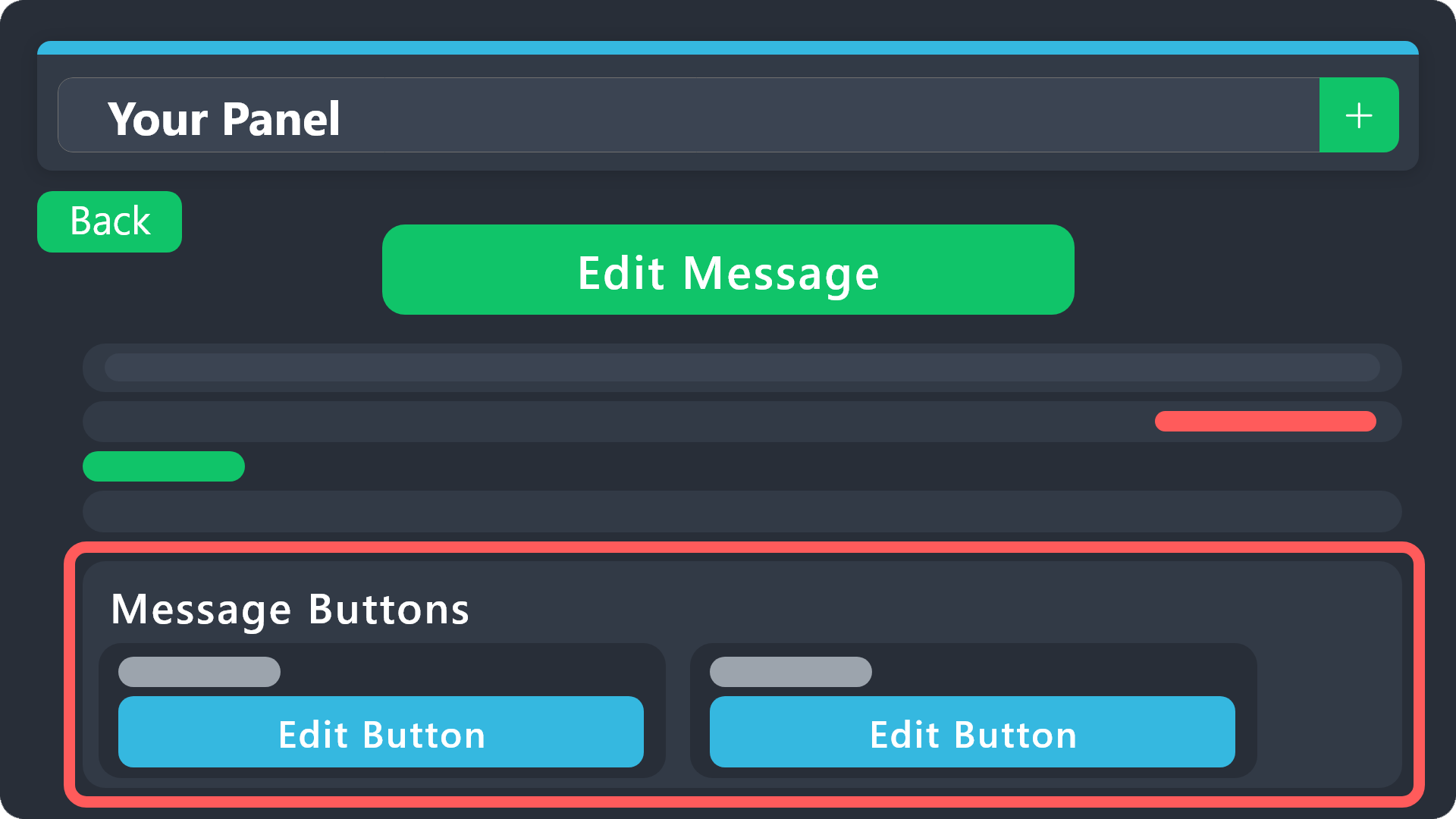 mighty thistle
If you purchase Ticket Tool Premium, you will be able to apply and edit the claiming button with this guide!
 median fern
mighty thistle
If you purchase Ticket Tool Premium, you will be able to apply and edit the clai...
median fern
mighty thistle
If you purchase Ticket Tool Premium, you will be able to apply and edit the clai...
ok bro how can i make trasfer auto
mighty thistle
Transfer an existing subscription?
median fern
no
mighty thistle
Oh, I'm sorry. What were you hoping to transfer?
mighty thistle
Are you referring to the transcript?
median fern
u can speak arabic?
mighty thistle
I cannot, but I will translate, if you'd like!
mighty thistle
حسنًا، أجل! هذه نسخة مكتوبة. إنها موجودة في
Panel configs > Transcript > Autosave Transcript
It's a premium feature!
 severe basalt
 woeful fulcrum
support ticket
woeful fulcrum
support ticket
Ok
 charred cobalt
How do I make my tickets so only my staff team can close the tickets ?
pseudo ravine
Hey there! You can head to the Dashboard > Buttons > Close Ticket > Support Team Only >
You should also head to the Dashboard > Command Configs > Close > Support Team Only >
 cerulean swallow
 mighty thistle
The issue there is the emoji! The text was probably entered incorrectly.
humble sequoiaBOT
This error indicates you have selected an invalid emoji, i.e. an emoji the bot isn't capable of using, in a button field
Which Emoji?
This depends upon which action the error is appearing, the most common cases are the Create Ticket button or one of your Dropdown emojis. You can visit your Button's List to find all available buttons and find the conflicting one by yourself.
Why doesn't the bot accept it as valid?
- You selected an emoji that doesn't exist anymore, i.e. that has been deleted
- You wrote text there, instead of an emoji (or in addition to an emoji)
- You entered a code for a custom emoji from a server that the bot is not a member of
- You entered a custom emoji code incorrectly
- You're on iPhone and entered an emoji using the phone's emoji pad (use the emoji selector in the website instead)
 jade topaz
@worldly helm So, what is the format. I keep trying but I do not know if it the proper format.
worldly helm
jade topaz
<@972202754212782080> So, what is the format. I keep trying but I do not know if...
<@&ROLE_ID>
jade topaz
worldly helm
<@&ROLE_ID>
The &too?
worldly helm
jade topaz
The &too?
Yep.
<#CHANNEL_ID> - Channels
<@USER_ID> - User
<@&ROLE_ID> - Role
iron nightBOT
Gave +1 Rep to @worldly helm (current: #8 - 754)
 wanton python
anyone know how to fix this? ive tried multiple emojis and its never done this before until someone jacked my server and messed it up
 woeful fulcrum
how doi do this

 devout isle
what should i do when some server using ticket tool for scam? i can prove it with screenshots.
 weak vine
I have a feeling that the Forms are broken?
I cloned a Panel and changed basically everything to a different language, different channels/category - now when i wanted to test it, it still shows the previous Language but only in the Forms and it sends me to the wrong Category
limber portal
weak vine
I have a feeling that the Forms are broken?
I cloned a Panel and changed basical...
Hiya, when you clone the pane, options such as the category remain the same.
You’ll have to change it to the one you want in the dashboard
weak vine
limber portal
Hiya, when you clone the pane, options such as the category remain the same.
yea, i also changed that - it used to work before with similar setup
i cloned the german panel, renamed and adjusted everything to english and it worked - now i have to make the same thing with greek but doesnt really work properly idk why
limber portal
Can I get your server id?
weak vine
sure
1106625123945025687
mighty thistle
@eager tide Hi, please use this channel for support! The ticket limit can be increased in Panel Configs > Limits! If you’re opening someone else’s ticket, then they’ve allowed you to only open one at a time.
limber portal
weak vine
sure
1106625123945025687
Apologies but I’ll be a bit busy for 45 mins or so as I have to drive in to work. Please make a #premium-tickets and myself or a colleague will be able to help when available
weak vine
limber portal
Apologies but I’ll be a bit busy for 45 mins or so as I have to drive in to work...
no worries! i'll try it and hope for the best 😄
 eager tide
mighty thistle
<@233980994976350208> Hi, please use this channel for support! The ticket limit ...
eager tide
mighty thistle
<@233980994976350208> Hi, please use this channel for support! The ticket limit ...
oh okay, thank you so much for your help!
iron nightBOT
Gave +1 Rep to @mighty thistle (current: #82 - 14)
mighty thistle
For sure, thank you!
 royal citrus
Hi
I was removed from the group and joined but now I can't generate a new ticket
What should I do now
 tough vortex
Is there a way for tickets to automatically delete upon closure?
worldly helm
 shadow hill
Is there anyway to fix the prefix
shadow hill
Is there anyway to fix the prefix
Dashboard > Server Configs > Prefix
worldly helm
royal citrus
Hi
I was removed from the group and joined but now I can't generate a new ticket
Hi. Whats the error message?
royal citrus
worldly helm
Hi. Whats the error message?
I can't get access to the creator course
worldly helm
royal citrus
I can't get access to the creator course
What do you mean
royal citrus
worldly helm
What do you mean
I was removed from the group but when I joined again I wasn't able to get the ticket
worldly helm
royal citrus
I was removed from the group but when I joined again I wasn't able to get the ti...
There is nothing we can do, please add their staff to use the /add command.
royal citrus
worldly helm
There is nothing we can do, please add their staff to use the /add command.
Okay
 glad perch
may i ask is there anywhere i can open a ticket ?
worldly helm
glad perch
may i ask is there anywhere i can open a ticket ?
Yep. #🎫│make-a-ticket
 mellow marsh
 floral hatch
Can someone help me whit the form making?
umbral pulsar
Random question but what's the purpose for transcripting tickets?
limber portal
umbral pulsar
Random question but what's the purpose for transcripting tickets?
Hiya! The purpose is to be able to check back later for the content of the ticket
umbral pulsar
Oh cool!
Like I knew it was to save tickets but never knew what the reasoning behind it was
humble sequoiaBOT
A Discord Form lets the user answer individual questions in a pop-up Form, which then displays the answers in the ticket message. This can save time if you already know what you want to ask the user.
Setup Forms
Forms can be enabled under Panel Settings > Form Options > Edit Forms Options. In the new pop-up window, you can now enable and edit your own Form.
Form Options
You can add up to 5 questions in the Discord form. This is a Discord limitation. Each question can have a placeholder in the input field, a minimum and maximum input, multi-line, and also the option to have the answer required.
Options
Question Title ➞ Your Question goes here
Question Placeholder ➞ The placeholder text in the input field
Required ➞ If enabled, the user has to answer this question, to submit the form
Multi-Line Input ➞ Allows the user to input multiple lines
Minimum and Maximum Input ➞ Set a minimum and maximum input value for the user
Displaying the Answer
To display the answers from the user, you need to enable Auto display form results on the ticket message as an additional embed
If you don't want a second embed, go into your Panel Configs > Ticket Options > Edit Ticket Message. You use the variable {create.form.x} and replace x with the number of your question. For example, the response to Question 5 can be displayed with {create.form.5}.
worldly helm
floral hatch
Can someone help me whit the form making?
^^
floral hatch
worldly helm
^^
Nvm i found out myself
umbral pulsar
How do you remove a warn from a user?
worldly helm
umbral pulsar
How do you remove a warn from a user?
Hey! Not something we can help with as this is not something regarding ticket tool.
umbral pulsar
sorry I asked in the wrong server my bad
 terse oracle
need help lowkey
humble sequoiaBOT
@terse oracle, we would love to help you, but if you don't tell us what you need help with we can't help you :(
 ionic swan

 stable fox
worldly helm
stable fox
worldly helm
 worthy elk
help
worthy elk
help
Please tell their staff about this issue
 digital pelican
Can somebody help me please, I have everything setup for my server with the ticket tool however the only one thing i need and cant figure out is when somebody opens a ticket, how do i get the ticket bot to also ping the desired role, example Support team or Internal Affairs team, I've seen it done in other servers but just cant figure out how to.
mighty thistle
digital pelican
Can somebody help me please, I have everything setup for my server with the tick...
You can write the mention inside the ticket message!
digital pelican
mighty thistle
You can write the mention inside the ticket message!
Thankyou, you would be able to Wip up a little instructional text would you?
mighty thistle
digital pelican
Thankyou, you would be able to Wip up a little instructional text would you?
So what I do is use the role ID. That would be done like this: {ID}
You can also do role name, but I think that’s less reliable. {@Name}
Notice how the name has the at symbol and the ID doesn’t.
Then you go to Panel Configs, and at the bottom you can find quick access to the ticket message. In there, you’ll find message content and embed content. Embeds don’t mention, so put it in the message content!
digital pelican
mighty thistle
So what I do is use the role ID. That would be done like this: {ID}
You can also...
Thank you.
iron nightBOT
Gave +1 Rep to @mighty thistle (current: #79 - 15)
mighty thistle
For sure!!
 gritty moon
timber kernel
gritty moon
timber kernel
Please stop pinging staff.
 magic cliff
dashboard isnt working and the bot is online and i have perms
humble sequoiaBOT
Don't see your server in the dashboard?
Try using the Sync Servers button on your top center of the Dashboard page
If this doesn't work
You should relog from the dashboard, you can do this by clicking here to log out immediately, and then log back in
Note:
You need one of these 3 things to access the dashboard.
1. Server Owner (Level: 6)
2. Server Administrator (Level: 4)
3. Dashboard Role (Level: 2)
:warning: You can check your level using the </permissionlevel:1029797400174399542> command on your Discord Server
If the bot's response is:
- @User is permission level: 0 (User)
You don't have any of the 3 levels required to access the server's dashboard
worldly helm
magic cliff
dashboard isnt working and the bot is online and i have perms
Hey. 👋
Please refer to
 hoary ocean
I am trying to help my buddy set up his server, but I cant figure out how to get the "make a selection" button that he has.
 humble sequoiaBOT
The Drop-down menu or Select Menu replaces the buttons on your panel message and uses a drop-down menu with all of your panels. To set this up, go to your Panel Configs and select your main Panel.
<:Numbericons1:1018864164032225340> Enable Select Style
First you enable Select Style. Then you add an item in the Dropdown Editor. Now you can start editing your dropdown!
<:Numbericons2:1018864168041971712> Dropdown Editor
Each line in the dropdown editor represents a line in the drop down menu on discord. You can add more "Items", by clicking on
First you select a panel. That's the panel this option will open a ticket for. DONT select the same panel twice. Each option should have a different Panel
After that, you can put a Display. This is the title of this option and will appear in the drop down menu. The *Description can be set right after that, which will be below the title in grey.
Additionally you can select an emoji, that will be shown in front of each option. You can either manually input the ID of an emoji or select it in the selector.
Common Issues ⚠️
- Panel doesn't send? Make sure you have a valid emoji selected
- Option doesn't show up? Check if two options have the same panel in the DropDown Editor
$dropdown
hoary ocean
If someone could show me how to get this option, that would be amazing
worldly helm
hoary ocean
I am trying to help my buddy set up his server, but I cant figure out how to get...
Hey there. Please refer to the guide above
restive condor
 grizzled spoke
I want to create a ticket
grizzled spoke
I want to create a ticket
Hey there! Are you looking to set up Ticket Tool in your server OR open a ticket in someone else's server?
grizzled spoke
restive condor
Hey there! Are you looking to set up Ticket Tool in your server **__OR__** open ...
Yes please
grizzled spoke
restive condor
Set up Ticket Tool in your server?
Yes
DUMP.FUN
Is that what you meant?
stark runeBOT
1. Invite Ticket Tool to your server
First you will want to invite the bot to your server. Once the bot is in your server, you can manage your server in the dashboard.
2. Create a Panel
To create a panel we are going to need to head over to the panel configs on the dashboard.
Once at the dashboard we will need to click Create Panel.
Enter a panel name (Fill in any optional settings you want).
Click Create Panel and your ready to get started with configuring your panel.
An example of a creating a panel is shown below.
3. Send the Panel to a Channel
Once you've created a panel on the dashboard you will need to send it to a channel using send on the dashboard.
Select the channel you want your panel to be created in and click send.
For other questions checkout $help faq.
An example of a sending a panel is shown below.
Having a Problem Sending the Panel?
Do $debug in a channel with Ticket Tool and make sure it has all the necessary Discord permissions.
restive condor
See above ^
grizzled spoke
Can't still get it
restive condor
What's wrong?
grizzled spoke
Select server but nothing I showing
humble sequoiaBOT
Don't see your server in the dashboard?
Try using the Sync Servers button on your top center of the Dashboard page
If this doesn't work
You should relog from the dashboard, you can do this by clicking here to log out immediately, and then log back in
Note:
You need one of these 3 things to access the dashboard.
1. Server Owner (Level: 6)
2. Server Administrator (Level: 4)
3. Dashboard Role (Level: 2)
:warning: You can check your level using the </permissionlevel:1029797400174399542> command on your Discord Server
If the bot's response is:
- @User is permission level: 0 (User)
You don't have any of the 3 levels required to access the server's dashboard
restive condor
See above please ^
grizzled spoke
Look what is showed me

 steel basalt
grizzled spoke
Look what is showed me
steel basalt
grizzled spoke
Look what is showed me
You have to select the server you want to add the bot into.
You can’t add it into this server… the bot is already here, and in addition, you don’t have permission to add bots here!
grizzled spoke
steel basalt
You have to select the server you want to add the bot into.
I don't know how to do that sir
steel basalt
See where it says “Ticket Tool Support” in the screenshot? Click that.
grizzled spoke
steel basalt
See where it says “Ticket Tool Support” in the screenshot? Click that.
It's showing blank
steel basalt
Screenshot?
 steel basalt
grizzled spoke
steel basalt
grizzled spoke
Possibly you don’t have permission to add the bot into the server. It could also be a wifi connection issue.
grizzled spoke
What's the way forward?
 ivory flower
Hi
 nocturne flume
Hello, does anyone know how I can create a support ticket?
 cedar umbra
Comment on fait pour activer le ticket sur notre serv ?
grizzled spoke
Hello @steel basalt @restive condor
Have just created it
I want to summit my address now
But I don't know how
steel basalt
grizzled spoke
Hello <@801839875305111563> <@795710289425334303>
Have just created it
I wan...
Number 1. Do not ping support staff.
Number 2. You should not need to insert your address to add the bot. You select the server you would like the bot to be added to, and then press authorize.
grizzled spoke
Check this out
 steel basalt
grizzled spoke
Check this out
steel basalt
grizzled spoke
Check this out
Okay so that’s on the staff within that server to handle your request: Ticket Tool staff do not handle external server inquiries.
You will need to exercise some much needed patience and wait for their staff to promptly handle your inquiry within their server.