#🆘│community-support
1 messages · Page 186 of 1
 worldly helm
 iron nightBOT
Gave +1 Rep to @worldly helm (current: #9 - 716)
worldly helm
 wild raven
thanks <@972202754212782080>
wild raven
thanks <@972202754212782080>
You're welcome, glad I could help 
 wheat frigate
How can i make the ticket include the message given in the ticket reason? i tried {reason} but that didnt work
worldly helm
wheat frigate
How can i make the ticket include the message given in the ticket reason? i trie...
Hey there 👋
You can use the {create.reason} variable.
Here is a full list of variables --> https://docs.tickettool.xyz/dashboard/panel-configs/variables
wheat frigate
Hmmm but create.reason says on description that its for command style tickets, and i'm using a panel
unless the description is innacurate
worldly helm
Ohh, are you talking about the form results then? (The results from the Pop-up form?)
wheat frigate
Yeah
its very simple, but i just want the reason to be placed into the ticket itself
 worldly helm
You can use {create.form.x} and replace the x with the number of the question. For example if you want the answer to the 1st Question you use{create.form.1}
wheat frigate
I see, thanks!
worldly helm
wheat frigate
I see, thanks!
You're welcome‼️Feel free to reach out again if you have any more questions 🙏
This server uses a reputation system, so if you think i did good, feel free to do +rep @lias1948 in #📈│reviews
wheat frigate
Yup it worked, will do
 foggy hemlock
If I had the ticket tool to a sever that I am the admin of (but no the owner) what will happen if I leave the server?
 glossy quartz
it will stay
foggy hemlock
I just want to make sure the owner will be able to access everything they need
@glossy quartz
glossy quartz
yes just like any other discord bot all settings will stay the same, it will remain in the server
if they have sufficient permissions, they can configure the panels etc. when you leave the server you will lose the access
foggy hemlock
👍
 worldly helm
 floral quartz
Hey. is this while trying to open A Ticket?
floral quartz
yes
worldly helm
floral quartz
yes
__ «You don't have permissions to use this»__
Are your members seeing this message when they try to create a ticket?
You may have accidentally denied them permission to use the Create Ticket button.
Look in the following places in your server's dashboard
👉 Server Configs > Blacklist Roles
Any roles there will be unable to interact with the bot in any way, including creating tickets.👉 Panel Configs > Buttons > Create Ticket > Support team only
If this is enabled, only your staff will be able to use the button.
👉 Panel Configs > Buttons > Create Ticket > Disabled Roles
Any roles there will be unable to use the button.
 tacit mason
Hey
Is ticket tool down right now because I have tickets tool gold and it’s not working
It states interaction failed
worldly helm
Ticket Tool seems down?
Yes. Please wait for the developers to fix this issue. Look in #📣│bot-news for more informations
 shut bolt

 prime bridgeBOT
<:notallowed:660789872600285184> #🆘│community-support has been locked!
You will gain access again once the lockdown is lifted.
 stark runeBOT
**Ticket Tool - All Systems are now __Online!__**
All Ticket Tool systems are fully online again! We apologize for any inconvenience this may have caused on your server.
If you are still experiencing any problem with Ticket Tool, please reach out to the <@&540295656720302081> within a ticket here, #🎫│make-a-ticket
 prime bridgeBOT
<:allowed:660789592647008258> #🆘│community-support has been unlocked!
Everyone now has access to this channel.
worldly helm
Heyy. Please try again.
 quaint sorrel
me to
quaint sorrel
worldly helm
Heyy. Please try again.
is it fixed ?
 restive condor
The bot is slowly coming back for the last few shards, please give it a few more minutes
worldly helm
quaint sorrel
is it fixed ?
should be, please try again or wait a few minutes
quaint sorrel
worldly helm
should be, please try again or wait a few minutes
lets go
 frank creek
w
quaint sorrel
ok il wait
frank creek
same
 jade topaz
when ever i go to close a icket in my server it says "This interaction failed" what should i do
 lime gyro
I’m guessing everyone is having a problem with opening tickets?
restive condor
The bot is slowly coming back for the last few shards, please give it a few more minutes
 wild pine
Why the bot is not responding?
restive condor
The bot is slowly coming back for the last few shards, please give it a few more minutes
 sweet tiger
lime gyro
I’m guessing everyone is having a problem with opening tickets?
sweet tiger
lime gyro
I’m guessing everyone is having a problem with opening tickets?
yeah...
lime gyro
Fair enough
 bright plover
Hello, is the fact that the dashboard shows that the bot is not on my Discord related to the incident?
 compact coral
restive condor
The bot is slowly coming back for the last few shards, please give it a few more...
compact coral
restive condor
The bot is slowly coming back for the last few shards, please give it a few more...
are you a bot
restive condor
No
The bot is slowly coming back for the last few shards, please give it a few more minutes
compact coral
just using control c a lot
restive condor
bright plover
Hello, is the fact that the dashboard shows that the bot is not on my Discord re...
Possibly, please re-try in a few minutes 😄
 livid wadi
Hay problemas con el ticket?
 cloud pawn
guys im inviting my bot to my server but its not saying its joined on the dashboard
restive condor
The bot is slowly coming back for the last few shards, please give it a few more minutes
cloud pawn
how long
 burnt panther
what happened?
 worldly helm
burnt panther
what happened?
worldly helm
burnt panther
what happened?
The bot is slowly coming back for the last few shards, please give it a few more minutes
restive condor
livid wadi
Hay problemas con el ticket?
Ha habido unos problemas, ya está todo solucionado. El bot volverá a estar funcional en unos minutos
 short knoll
worldly helm
The bot is slowly coming back for the last few shards, please give it a few more...
short knoll
worldly helm
The bot is slowly coming back for the last few shards, please give it a few more...
shards?
 frosty minnow
Im still running into issues with the ticket tool on my server
 willow vale
it says to invite the bot in my server when it's already there
cloud pawn
willow vale
it says to invite the bot in my server when it's already there
yeah i got the same problem
worldly helm
short knoll
shards?
Yeah, where your server is hosted
restive condor
The bot is slowly coming back for the last few shards, please give it a few more minutes
 covert swallow
Just wait a few more minutes
short knoll
worldly helm
Yeah, where your server is hosted
ohh
willow vale
I cannot open tickets aswell
cloud pawn
what is a "few"
restive condor
Depends on your shard. Please be patient
 pseudo imp
restive condor
The bot is slowly coming back for the last few shards, please give it a few more...
pseudo imp
restive condor
The bot is slowly coming back for the last few shards, please give it a few more...
Okay
frank creek
cloud pawn
what is a "few"
i think it means a few
 vocal pewter
i think we all have the same problem
pseudo imp
restive condor
Depends on your shard. Please be patient
👍
frank creek
just wait patient like a good boy!
 scenic plinth
There are 4 shards/servers coming online. You all will just need to wait a few minutes, we have no exact ETA on when those will come online.
pseudo imp
frank creek
just wait patient like a good boy!
??????,
frank creek
they are working very hard
cloud pawn
frank creek
just wait patient like a good boy!
who are you?
covert swallow
We cant give an exact answer because we don't know, its a large startup process that takes time
frank creek
cloud pawn
who are you?
im jp 😭
pseudo imp
covert swallow
We cant give an exact answer because we don't know, its a large startup process ...
Alright
 viral vapor
does anyone know why tickets don’t work?
 restive condor
The bot is slowly coming back for the last few shards, please give it a few more minutes
bright plover
For me, the dashboard shows again that the bot is on my discord, just now 🙂
jade topaz
Fixed for me, please wait a few minutes and retry.
viral vapor
gang I just joined
 ionic path
viral vapor
does anyone know why tickets don’t work?
ionic path
viral vapor
does anyone know why tickets don’t work?
the bot had an outage and is now slowly coming back, thanks for your patience.
iron nightBOT
Gave +1 Rep to @viral vapor (current: #376 - 1)
frank creek
iron night
Gave +1 Rep to **<@1333874169841975439>** (current: `#376` - `1`)
what does this mean
viral vapor
idk
bright plover
Can we expect a new down? Or can we announce to those concerned that the system is up and running for good?
covert swallow
Wait till you confirm your shard is running (aka you can open a ticket)
bright plover
Because currently on my Discord everything works again, but I want to be sure before reopening my tickets 🙂
ionic path
frank creek
what does this mean
it's the reputation here in this server that gets triggered by certain keywords, in this case accidentally.
 runic geyser
Broken
covert swallow
bright plover
Because currently on my Discord everything works again, but I want to be sure be...
You should be good to go then
ionic path
runic geyser
Broken
hey there! the bot recently had an outage and is slowly coming back, you can expect it to be online in a few minutes.
 lament vessel
covert swallow
Wait till you confirm your shard is running (aka you can open a ticket)
lament vessel
covert swallow
Wait till you confirm your shard is running (aka you can open a ticket)
is that somethin ticket side or discord?
bright plover
covert swallow
You should be good to go then
Thanks 🙂
iron nightBOT
Gave +1 Rep to @covert swallow (current: #18 - 377)
covert swallow
Im not sure of the root cause at the moment
 severe rain
hey
severe rain
ionic path
hey there! the bot recently had an outage and is slowly coming back, you can exp...
oh
willow vale
same problem
 worldly helm
The bot is slowly coming back for the last few shards, please give it a few more minutes
 fleet rose
Do we beed to update our bots, or it will come back itself?
 solid stream
We're about half way back online, we ran into some issues during the reboot that required the process to be restarted - extending the ourage.
lament vessel
sed :/
solid stream
fleet rose
Do we beed to update our bots, or it will come back itself?
There's nothing you need to do, once it's finally back online on our end, it will just start working.
fleet rose
Amazing
 gleaming mason
my bot completley bugged do i have to do everything again ?
worldly helm
gleaming mason
my bot completley bugged do i have to do everything again ?
Nope, there is just an outage right now
gleaming mason
thanks @worldly helm
 quick plume
Why can't I manage my server? It's like it's not logging in. Is it a bug?
restive condor
The bot is slowly coming back after the outage, please give it a few more minutes
-# 63% of servers Recovered
gleaming mason
if i kicked it and make it come back in my serv do i have to setup it back or nah because the pannel aint deleted ?
restive condor
Everything is saved on the Dashboard. Kicking the bot probably won't do much
Just wait
 fading coyote
why is bot down?
gleaming mason
restive condor
Everything is saved on the Dashboard. Kicking the bot probably won't do much
okay thanks
iron nightBOT
Gave +1 Rep to @restive condor (current: #1 - 2197)
restive condor
The bot is slowly coming back after the outage, please give it a few more minutes
-# 64.5% of servers Recovered
 woven cove
restive condor
The bot is slowly coming back after the outage, please give it a few more minute...
woven cove
restive condor
The bot is slowly coming back after the outage, please give it a few more minute...
Ty guys!
Amazing work from you guys.
iron nightBOT
Gave +1 Rep to @restive condor (current: #1 - 2198)
 compact turtle
Hello, when I run the app I get the error "Application is not responding". How can I fix this?
restive condor
The bot is slowly coming back after the outage, please give it a few more minutes
-# 65% of servers Recovered
compact turtle
Okay, thank you very much.
 random echo
Thanks Dan 🙏🙏
 vale panther
he guys dose anyone know if the toicket tool is down? am hsvinga few issues
restive condor
The bot is slowly coming back after the outage, please give it a few more minutes
-# 70% of servers Recovered
vale panther
nws mate
 candid swallow
restive condor
The bot is slowly coming back after the outage, please give it a few more minute...
candid swallow
restive condor
The bot is slowly coming back after the outage, please give it a few more minute...
What happened? DDoS?
gleaming mason
when does it come back ?
worldly helm
candid swallow
What happened? DDoS?
A simple bot outage
restive condor
The bot is slowly coming back after the outage, please give it a few more minutes
-# 78% of servers Recovered
quick plume
Why can't I manage my server? It's like it's not logging in. Is it a bug?
restive condor
The bot is slowly coming back after the outage, please give it a few more minutes
-# 84.5% of servers Recovered
quick plume
Ok
 dusty marsh
There is a problem with the bot. I can't open or close a ticket. What is the solution?
random echo
restive condor
The bot is slowly coming back after the outage, please give it a few more minute...
.
restive condor
The bot is slowly coming back after the outage, please give it a few more minutes
-# 88.5% of servers Recovered
dusty marsh
restive condor
The bot is slowly coming back after the outage, please give it a few more minute...
Sorry for the inconvenience. Thank you.
iron nightBOT
Gave +1 Rep to @restive condor (current: #1 - 2199)
 terse orbit
Sometime i have this problem what a solution ?
 restive condor
The bot is slowly coming back after the outage, please give it a few more minutes
-# 93.5% of servers Recovered
quick plume
I hit the invite button, accept everything, and it still doesn't show up as manager. I've tried others without people or anything, and it still works. Either that's why, or it has nothing to do with it.
 trail yarrow
Is there an estimation of how long the bot will take for it to come back completely online for all servers?
restive condor
The bot is slowly coming back after the outage, please give it a few more minutes
-# 96.5% of servers Recovered
100% recovered 
 slim cliff
Whenever i open a ticket it opens it 2 times?
restive condor
slim cliff
Whenever i open a ticket it opens it 2 times?
Hey there! Could you screenshot that please
 humble sequoiaBOT

فريق الدعم الفني العربي
عميلنا العزيز ان كنت تبحث عن مساعدة يرجى فتح تكت خاص بفريق الدعم الفني العربي
اذهب الى#🎫│make-a-ticket
ثم قم بلضغط على الايموجي الاتي (🇯🇴)
 fresh pumice

 iron vapor
yo, how do i make it so when the ticket gets created the bot pings a role like staff role?
humble sequoiaBOT
1. Open your Panel Configs tab in your server's dashboard
2. Select the panel you want to ping your support team on
3. Open the Ticket options menu
4. Click on Edit Ticket Message
5. In the Message Content use one of the role mention syntax ({@Role Name}/{Role ID})
6. Save changes
Note: For this to work properly, Ticket Tool requires the Mention Everyone permission. Or the role must have the Allow anyone to @mention this role setting enabled
 restive condor
iron vapor
yo, how do i make it so when the ticket gets created the bot pings a role like s...
restive condor
iron vapor
yo, how do i make it so when the ticket gets created the bot pings a role like s...
Hey there! See above please ^
restive condor
fresh pumice
Please try now 😄
 river sierra
Hi all, I apologize in advance for the possibly stupid question, help if anyone knows how to configure the support tickets to look like this:

I want to do the same on my server
restive condor
river sierra
Hi all, I apologize in advance for the possibly stupid question, help if anyone ...
Hey there! Ticket Tool doesn't support forum channels for tickets unfortunately
river sierra
Can you please tell me what can be used to do this?
restive condor
You can't use Ticket Tool to do tickets in there unfortunately
iron vapor
restive condor
Hey there! See above please ^
how do i make it so specific roles can see the tickets?
without having the administrator permission?
humble sequoiaBOT
1. Open your Panel Configs tab in your server's dashboard
2. Select the panel you want to grant access to
3. Open the General options menu
4. Select your Support Team Roles
5. Save changes
 restive condor
See above ^
restive condor
Are you testing this with a brand new ticket?
iron vapor
yes
restive condor
Was that ticket opened through the same panel you applied the changes in?
iron vapor
yes
they all have staff as support team role
i made sure before the panel message got sent
restive condor
Could I get your server name or ID please
iron vapor
1301571362313211954
restive condor
iron vapor
1301571362313211954
Are you sure they don't have access? How are you testing this?
restive condor
No worries, glad to hear it works now! 👌
 hard jacinth
restive condor
No worries, glad to hear it works now! 👌
hard jacinth
restive condor
No worries, glad to hear it works now! 👌
yo dan how to make blacklist ticket
or ticket ban
humble sequoiaBOT
Any role you assign as a blacklisted role won't be able to use commands or buttons.
Selecting a blacklisted role
Go to your Dashboard ➞ Server Configs. There you will find the option to select blacklisted roles.
Note: Don't forget to save.
 restive condor
See above ^
hard jacinth
ty
restive condor
jade topaz
Hello can someone help me
humble sequoiaBOT
Hello, we would love to help you, but if you don't tell us what you need help with we can't help you :(
jade topaz
restive condor
<:PabloTiphat:983791053842837624>
I see you helped someone else above would you mind helping me too
restive condor
jade topaz
I see you helped someone else above would you mind helping me too
Hey there! See below how to set up Ticket Tool
stark runeBOT
1. Invite Ticket Tool to your server
First you will want to invite the bot to your server. Once the bot is in your server, you can manage your server in the dashboard.

2. Create a Panel
To create a panel we are going to need to head over to the panel configs on the dashboard.
Once at the dashboard we will need to click Create Panel.
Enter a panel name (Fill in any optional settings you want).
Click Create Panel and your ready to get started with configuring your panel.
An example of a creating a panel is shown below.

3. Send the Panel to a Channel
Once you've created a panel on the dashboard you will need to send it to a channel using send on the dashboard.
Select the channel you want your panel to be created in and click send.
For other questions checkout $help faq.
An example of a sending a panel is shown below.
Having a Problem Sending the Panel?
Do $debug in a channel with Ticket Tool and make sure it has all the necessary Discord permissions.
 restive condor
Then see below how to set the channel permissions in order to prevent your members from accessing other channels but the ticket channel
humble sequoiaBOT
Creating a verification system with Ticket Tool <:TicketToolWhite:1073948900056105060>
Using Discord's permission system you can create a setup that allows your team to manually verify new server members while keeping the rest of the server hidden!
Please configure the permissions of your server's channel as depicted below:
Category Permissions
- Go to your category permissions, or channel permissions in case they are not synced with the category.
- Set the View Channels permission to
 for the @everyone role.
 - Set the View Channels permission to for your
@Memberor@Verifiedrole. - Repeat this process for all of your server's categories.
Ticket Panel Channel
- Set the View Channel permission to for the @everyone role.
- (Optional) If you'd like for verified members to not be able to see that ticket channel anymore, set the View Channel permission to for your
@Memberor@Verifiedrole.
-# Note: Your staff team will still need to grant a verification role. If you have premium, you can check our Ticket Closed Roles feature
$manualverification
 spring barn
I added the bot to a server and it doesnt show in the https://tt.bot/dashboard
restive condor
spring barn
I added the bot to a server and it doesnt show in the https://tt.bot/dashboard
Hey there! Please try the steps below
humble sequoiaBOT
Don't see your server in the dashboard?
Try using the Sync Servers button on your top center of the Dashboard page
If this doesn't work
You should relog from the dashboard, you can do this by clicking here to log out immediately, and then log back in
Note:
You need one of these 3 things to access the dashboard.
1. Server Owner (Level: 6)
2. Server Administrator (Level: 4)
3. Dashboard Role (Level: 2)
:warning: You can check your level using the </permissionlevel:1029797400174399542> command on your Discord Server
If the bot's response is:
- @User is permission level: 0 (User)
You don't have any of the 3 levels required to access the server's dashboard
 restive condor
 grizzled condor
Necesito ayuda
restive condor
grizzled condor
Necesito ayuda
Hola, cómo puedo ayudar?
 mellow root
Hey, I was wondering why when i click the edit ticket message or the closing message It doesnt work
to be clear im talking about the top two big green buttons


 frosty imp
says it at the top, Category
 dusty mica

 sullen crag
hello i want to change button with list
dusty mica
like this?
 sullen crag
how to do select topic ticket creation?
 daring bluff
Hey, how do I go about making a specific ticket category accessable by a specific role but also make it so that role only has access to that category not others
 molten pond
Good day, I need help im setting up a ticket but then It won't sync on the website even when all permission needed was given

 molten pond
then when syncing its like this
 molten pond
humble sequoia
molten pond
humble sequoia
WHy does mine Permission leve: 0 is there any way to solve this?
frosty imp
daring bluff
Hey, how do I go about making a specific ticket category accessable by a specifi...
wdym
daring bluff
I need certain people to handle specific tickets but not others. I would prefer they didnt even see the other tickets
So basically need to give X role perms to answer a specific panel without giving them access to every panel
restive condor
daring bluff
I need certain people to handle specific tickets but not others. I would prefer...
restive condor
dusty mica
restive condor
sullen crag
how to do select topic ticket creation?
frosty imp
restive condor
<#571706435449257997>
you have a fuck ton of roles
just had to say that
frosty imp
daring bluff
I need certain people to handle specific tickets but not others. I would prefer...
make a role and add it to the category of the tickets that you want them to see and give it to the person you want to have access to the category
idk if that made sense
 void meteor
Hello
frosty imp
 void meteor
any advisor is here ?
frosty imp
like this, just add the role to the category
frosty imp
void meteor
any advisor is here ?
not an advisor but i can probably help
void meteor
Alright. how i can add this ticket to my channel
frosty imp
wdym
void meteor
?
mellow root
mellow root
Hey, I was wondering why when i click the edit ticket message or the closing mes...
 harsh igloo
hey guys so im having an issue with my tickets not going into there correct category the support tickets still go to there correct category but my order tickets are just popping up above and idk why i have the ticket set to go into that category they just arent for some reason

 autumn nymph
how do i add a logo under the panel for ticket
 leaden thicket
i tried adding my backup key but it keeps saying missing permission
 slow torrent
autumn nymph
how do i add a logo under the panel for ticket
slow torrent
autumn nymph
how do i add a logo under the panel for ticket
At footer?
 proven berry
is it possible to schedule when to close a ticket (e.g a command that allows you to close a ticket in X amount of time if the user doesn't respond)
leaden thicket
can anyone help me some of my roles cant see the ticket catergories

 normal hinge
 silver vessel
Try this
Ticket Tool is missing the SEND MESSAGES permission for that channel
Right click on the channel's name > Edit Channel > Permissions > Add Ticket Tool >
If not try /debug and send results and wait for support to see
leaden thicket
normal hinge
Try this
can you help me if possible
can anyone help me some of my roles cant see the ticket catergories
leaden thicket
like i made new moderation roles
but they cant see ticket categories nor channels
humble sequoiaBOT
Any role you put there will have full access to the ticket tool dashboard. The server owner and users with admin permissions already have access to the dashboard.
Be careful of which roles to put here

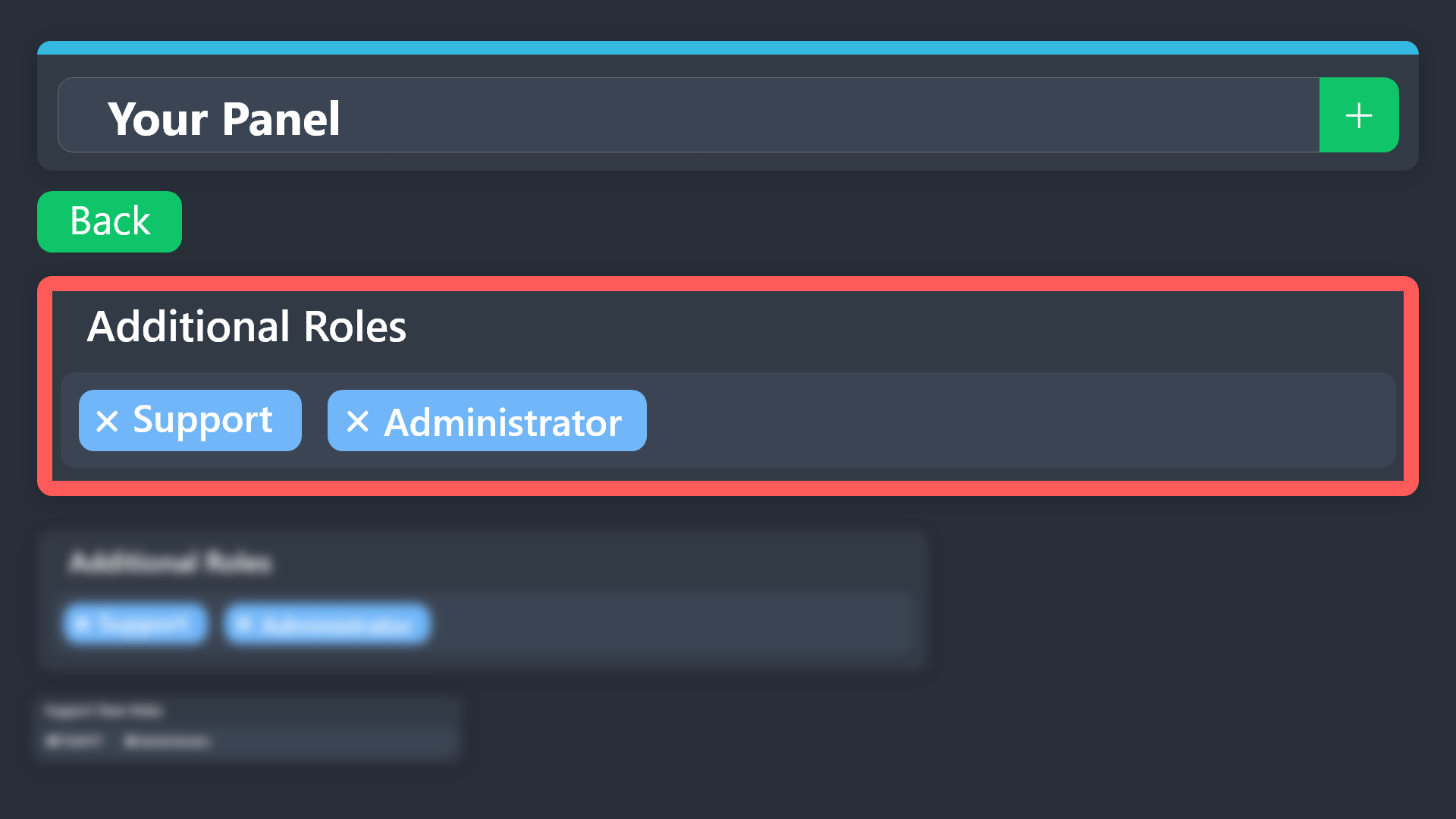
Additional Roles are roles that are independent of Support Roles. You can assign unique permissions for roles defined as additional roles in tickets.
To choose your additional roles head to your Panel Configs ➞ General Settings ➞ Additional Roles
To assign permissions for additional roles, go to Dashboard ➞ Panel Configs ➞ Permission Options ➞ Additional Opened/Closed Permissions.
Note: Additional Roles do NOT get affected by the Change other support team permissions when claimed feature under Claiming Options, meaning they don't gain/lose any permissions set in that feature once a ticket is claimed.
$addroles
normal hinge
@leaden thicket i think thats everything you need to know for roles
leaden thicket
normal hinge
<@925474085906034698> i think thats everything you need to know for roles
i did that but they still cant see
 rough peak
errrm how do i delete a pannel
that isnt assigned to a channel
do i need to assign it to delete it from the panel list
nvm im an idiot
 near knoll
Everytime I try to verify it says Interaction failed 😕
 serene zodiac
Hlo
When I create a ticket its automatically delete the inside message.
Like getting notifications but when open the ticket the text was not visible
humble sequoiaBOT
━━ User's inquiry has been moved to a ticket ━━
serene zodiac
leaden thicket
no one is willing to help me💔
 halcyon depot
Does anyone know how I can reset the ticket number? I have a few tickets already that I tested and I'd like for it to be reset when I release it for everyone
worldly helm
halcyon depot
Does anyone know how I can reset the ticket number? I have a few tickets already...
Hey there!
Dashboard > Panel Configs > Click the blue SET COUNT button.
halcyon depot
worldly helm
Hey there!
Dashboard > Panel Configs > Click the blue `SET COUNT` button.
TY
iron nightBOT
Gave +1 Rep to @worldly helm (current: #9 - 718)
worldly helm
 full marlin
Hey, can I add the bot to a custom message through webhook instead of a panel sent by Tickettool?
 fluid locust
Unable to save transcript: Transcript failed to save to transcripts Transcript channel #transcripts missing permission
fluid locust
fluid locust
Unable to save transcript: Transcript failed to save to transcripts Transcript ...
It worked on ticket-0001, but not ticket-0002, how do I fix this?
worldly helm
full marlin
Hey, can I add the bot to a custom message through webhook instead of a panel se...
Hey there. You can't use webhooks, sorry.
worldly helm
fluid locust
Unable to save transcript: Transcript failed to save to transcripts Transcript ...
please try doing the /debug command in the transcript channel.
 reef lava
is there anyway to setup the tickettoo so it sends an answer from a form in the chat.
E.g Form Q: Whats your name?
A: X
@xxx thank you for opening a ticket X what can I do for you
worldly helm
reef lava
is there anyway to setup the tickettoo so it sends an answer from a form in the ...
You can use {create.form.x} and replace the x with the number of the question. For example if you want the answer to the 1st Question you use{create.form.1}
 royal pawn
ฉันต้องการยืนยันตัวตนผ่าน SMS แต่ไม่ว่าจะรอนานแค่ไหนก็ยังไม่ได้รับ OTP จะใช้เวลานานแค่ไหนจึงจะมาถึง?
 tame bobcat
would it be possible to add more buttons next to close ticket?
worldly helm
tame bobcat
would it be possible to add more buttons next to close ticket?
Hey. What button for example?
tame bobcat
worldly helm
Hey. What button for example?
If a moderator needed an admin, press the admin button and it would rename the ticket to admin-#
worldly helm
That's not possible.
royal pawn
ฉันต้องการไปช้อปปิ้งที่แผงลอยริมถนน เลยต้องการใช้การยืนยันตัวตนผ่าน SMS แต่ฉันไม่ได้รับ OTP แม้ว่าฉันจะกรอกหมายเลขโทรศัพท์แล้วก็ตาม...
ไม่สามารถยืนยันตัวตนผ่าน SMS จากญี่ปุ่นได้หรือไม่?
worldly helm
royal pawn
ฉันต้องการไปช้อปปิ้งที่แผงลอยริมถนน เลยต้องการใช้การยืนยันตัวตนผ่าน SMS แต่ฉันไม...
Hello.
Is this regarding the Ticket Tool discord bot?
royal pawn
No, that's not true. I need SMS authentication to shop at street stalls, but I can't do it, so I'm in trouble.
worldly helm
royal pawn
No, that's not true. I need SMS authentication to shop at street stalls, but I c...
We can‘t help you then. This is a support server for the discord bot. We also don‘t know where u should go
 loud mulch
how do i give somebody on my staff team permission to close claimed tickets?
 torn wren
worldly helm
We can‘t help you then. This is a support server for the discord bot. We also do...
torn wren
worldly helm
We can‘t help you then. This is a support server for the discord bot. We also do...
I'm not able to ping ticket support when a new ticket is created
 wary warren
should I give any bot when add them to my discord server administrator???
 somber idol
guys application didnt respond error?how do i fix
 foggy flame
الو
السلام عليكم
هل يوجد احد استطييع التكلم معه لدي مشكلة في البوت
ارجوكم
anoyone speak arabic -_-
-{=-=
somber idol
speak english instead
 bold vigil
how come even though i have a automation set up for the set category, it refuses to run in that specific category yet it will run in others?


 long fractal
foggy flame
هل يوجد احد استطييع التكلم معه لدي مشكلة في البوت
long fractal
foggy flame
هل يوجد احد استطييع التكلم معه لدي مشكلة في البوت
تفضل
floral quartz
What do i do if other playwrs font have permision but i do im the owner but my members dont why?
???
jade topaz
i need hep, i cant claim a ticket as a owner , do anyone know how to do that as i started using this bot in our server 1 month ago
humble sequoiaBOT
━━ Lost Hindustani Gamer's inquiry has been moved to a ticket ━━
 worldly helm
floral quartz
What do i do if other playwrs font have permision but i do im the owner but my m...
worldly helm
floral quartz
What do i do if other playwrs font have permision but i do im the owner but my m...
Heyy there 👋
Any error messages?
worldly helm
 thorn cypress
Heyy. Please try doing the /debug command
 worldly helm
floral quartz
This
worldly helm
floral quartz
This
__ «You don't have permissions to use this»__
Are your members seeing this message when they try to create a ticket?
You may have accidentally denied them permission to use the Create Ticket button.
Look in the following places in your server's dashboard
👉 Server Configs > Blacklist Roles
Any roles there will be unable to interact with the bot in any way, including creating tickets.👉 Panel Configs > Buttons > Create Ticket > Support team only
If this is enabled👉 Panel Configs > Buttons > Create Ticket > Disabled Roles
Any roles there will be unable to use the button.
worldly helm
bold vigil
how come even though i have a automation set up for the set category, it refuses...
Please #🎫│make-a-ticket
thorn cypress
worldly helm
Heyy. Please try doing the /debug command
It tell me the same
worldly helm
thorn cypress
It tell me the same
The bot is missing the View Channel permission for that Channel.
worldly helm
somber idol
guys application didnt respond error?how do i fix
Heyy. Please try doing the /debug command
thorn cypress
Thanks
worldly helm
wary warren
should I give any bot when add them to my discord server administrator???
You could as it makes things easier. It only needs these following permissions
 floral quartz
Still not
worldly helm
floral quartz
Still not
Please send a Screenshot of the settings I told you to check.
 stone turtle
Why does it say this application did not respond when I try to setup the bot?

Please help
@worldly helm
worldly helm
stone turtle
The bot is missing permissions make sure it has all of these
 stone turtle
worldly helm
The bot is missing permissions make sure it has all of these
stone turtle
worldly helm
The bot is missing permissions make sure it has all of these
Tysm
floral quartz
can anyome come to call its very hard to explain and they could help me?
worldly helm
floral quartz
can anyome come to call its very hard to explain and they could help me?
Sure > https://discord.com/channels/509192800865353738/1070106933115240448
give me a minute
EDIT: Issue was solved
 icy oyster
hello
can you help me guys
my wallet
uh no, not my wallet
my server don't show in dashboard ticket tool?
 storm ridge
how to get 2 button in amone panel?
humble sequoiaBOT
For more convenient use of multipanels, you can now combine panels on the dashboard. This will allow you to directly send the multipanel from the dashboard or via the $panel ID command.
Where can I find this?
You can find this setting on the Dashboard -> Panel Configs -> Panel -> Attached Panels
Note: if you're attaching all the panels to a panel called English, don't include English in the attached panel's box (If you do this, it will create a duplicate)
This will put all buttons from all of your panels on one message. The message is the panel message from the panel you're combining these panels in.
 worldly helm
storm ridge
how to get 2 button in amone panel?
worldly helm
storm ridge
how to get 2 button in amone panel?
Hey there. ^^
worldly helm
icy oyster
my server don't show in dashboard ticket tool?
Heyy. Please refer to the guide below.
humble sequoiaBOT
Don't see your server in the dashboard?
Try using the Sync Servers button on your top center of the Dashboard page
If this doesn't work
You should relog from the dashboard, you can do this by clicking here to log out immediately, and then log back in
Note:
You need one of these 3 things to access the dashboard.
1. Server Owner (Level: 6)
2. Server Administrator (Level: 4)
3. Dashboard Role (Level: 2)
:warning: You can check your level using the </permissionlevel:1029797400174399542> command on your Discord Server
If the bot's response is:
- @User is permission level: 0 (User)
You don't have any of the 3 levels required to access the server's dashboard
icy oyster
worldly helm
Heyy. Please refer to the guide below.
mmh, these options didn't help, I still can't see my server on the dashboard....
im owner yes
storm ridge
worldly helm
Hey there. ^^
 worldly helm
icy oyster
mmh, these options didn't help, I still can't see my server on the dashboard....
worldly helm
icy oyster
mmh, these options didn't help, I still can't see my server on the dashboard....
Please log out and log in again.
humble sequoiaBOT
A panel is the core of Ticket Tool, so its important to do the adequate process:
1. Open your Panel Configs tab in your server's dashboard
2. Click on the+or in theCreatebutton
3. Fill in the blanks
4. Create the panel
worldly helm
storm ridge
Refer to this ^ before attaching one.
 worldly helm
icy oyster
ty
worldly helm
icy oyster
ty
You're welcome‼️Feel free to reach out again if you have any more questions 🙏
This server uses a reputation system, so if you think i did good, feel free to do +rep @lias1948 in #📈│reviews
 foggy hemlock
Can I make custom fields that the user has to fillout when making a ticket? I want them to click creat ticket and then have to put in say their Name, email, etc
 pale sapphire
Why ?
id server : 954794823741767800
 icy oyster
foggy hemlock
Can I make custom fields that the user has to fillout when making a ticket? I wa...
icy oyster
foggy hemlock
Can I make custom fields that the user has to fillout when making a ticket? I wa...
use forms option
worldly helm
Correct, here is a guide
humble sequoiaBOT
A Discord Form lets the user answer individual questions in a pop-up Form, which then displays the answers in the ticket message. This can save time if you already know what you want to ask the user.
Setup Forms
Forms can be enabled under Panel Settings > Form Options > Edit Forms Options. In the new pop-up window, you can now enable and edit your own Form.
Form Options
You can add up to 5 questions in the Discord form. This is a Discord limitation. Each question can have a placeholder in the input field, a minimum and maximum input, multi-line, and also the option to have the answer required.
Options
Question Title ➞ Your Question goes here
Question Placeholder ➞ The placeholder text in the input field
Required ➞ If enabled, the user has to answer this question, to submit the form
Multi-Line Input ➞ Allows the user to input multiple lines
Minimum and Maximum Input ➞ Set a minimum and maximum input value for the user
Displaying the Answer
To display the answers from the user, you need to enable Auto display form results on the ticket message as an additional embed
If you don't want a second embed, go into your Panel Configs > Ticket Options > Edit Ticket Message. You use the variable {create.form.x} and replace x with the number of your question. For example, the response to Question 5 can be displayed with {create.form.5}.
 worldly helm
pale sapphire
Why ?
id server : 954794823741767800
worldly helm
pale sapphire
Why ?
id server : 954794823741767800
Heyy. Do you have access to the Dashboard?
icy oyster
is there a way to be a staff member around here?
pale sapphire
worldly helm
Heyy. Do you have access to the Dashboard?
No , my friend
humble sequoiaBOT
How do be I become a Support Member?
You can become a support member in 2 ways:
1. You can be really active in #🆘│community-support gain <@&799500225579712543> role and get chosen by a Manager
2. You can apply VIA our applications that would be sent in #📣│server-news
We currently have Support Teams for the following languages:
:flag_us: English
:flag_jo: Arabic
:flag_fr: French
:flag_de: German
:flag_es: Spanish
:flag_br: Portuguese
worldly helm
icy oyster
is there a way to be a staff member around here?
^^
icy oyster
worldly helm
^^
ty 
iron nightBOT
Gave +1 Rep to @worldly helm (current: #8 - 720)
worldly helm
pale sapphire
No , my friend
Please send him this text:
__ «You don't have permissions to use this»__
Are your members seeing this message when they try to create a ticket?
You may have accidentally denied them permission to use the Create Ticket button.
Look in the following places in your server's dashboard
👉 Server Configs > Blacklist Roles
Any roles there will be unable to interact with the bot in any way, including creating tickets.👉 Panel Configs > Buttons > Create Ticket > Support team only
If this is enabled👉 Panel Configs > Buttons > Create Ticket > Disabled Roles
Any roles there will be unable to use the button.
foggy hemlock
Is there a way to have the ticket name be named after the user who created OR have it named after an answer in the form option?
worldly helm
foggy hemlock
Is there a way to have the ticket name be named after the user who created OR ha...
Hey there. That‘s a premium only feature.
humble sequoiaBOT
The ticket name is the default channel name of all tickets. To edit it, go to your Dashboard > Panel Configs > Ticket. There you can edit the channel name of opened and closed tickets. You can also use variables in there.

 Note: This is a premium feature
foggy hemlock
Note: This is a premium feature
foggy hemlock
👍
worldly helm
foggy flame
؟،؟؟؟ انا اريد المساعدة
Hey.
How can I help you?
stark runeBOT
1. Invite Ticket Tool to your server
First you will want to invite the bot to your server. Once the bot is in your server, you can manage your server in the dashboard.
2. Create a Panel
To create a panel we are going to need to head over to the panel configs on the dashboard.
Once at the dashboard we will need to click Create Panel.
Enter a panel name (Fill in any optional settings you want).
Click Create Panel and your ready to get started with configuring your panel.
An example of a creating a panel is shown below.
3. Send the Panel to a Channel
Once you've created a panel on the dashboard you will need to send it to a channel using send on the dashboard.
Select the channel you want your panel to be created in and click send.
For other questions checkout $help faq.
An example of a sending a panel is shown below.
Having a Problem Sending the Panel?
Do $debug in a channel with Ticket Tool and make sure it has all the necessary Discord permissions.
worldly helm
foggy flame
I don't know how to do this
Please refer to the guide above  ^^
^^
worldly helm
هذا ليس ما نفعله هنا. نحن نساعدك، لا نفعله نيابةً عنك.
foggy flame
Hey my friend ??
انا اعلم لاكن لا أعلم كيف استطيع ان اعمل هذا
انا اريد ان تدخل إلى سيرفر فقط وبعدها تخرج
worldly helm
As I said, I am not going to join your server and set-up the bot.
 still lavaBOT
worldly helm
As I said, I am not going to join your server and set-up the bot.
still lavaBOT
worldly helm
As I said, I am not going to join your server and set-up the bot.
 lias1948
From English (EN) To Arabic (AR)
كما قلت، لن أنضم إلى الخادم الخاص بك وأقوم بإعداد الروبوت.
Translation requested by Lias [Ping on reply] from Flag-Reaction Feature.
foggy flame
🥲 حسنا سوف احاول شكرا على مساعدتك
worldly helm
على الرحب والسعة
worldly helm
What do you mean?
 topaz stream
guys it’s not letting me choose the same ticket

 pseudo ravine
Hey there! Each dropdown option requires a separate panel
 broken fulcrum
i need help
humble sequoiaBOT
Hello, we would love to help you, but if you don't tell us what you need help with we can't help you :(
broken fulcrum
what to i do i have a ticket in my server before it said category issue error
pseudo ravine
Hey there! Could you please send a screenshot of this error?
broken fulcrum
 pseudo ravine
Your category has too many channels. You will need to delete some tickets in the category before new ones can be created
broken fulcrum
explain step by step what to do plz
pseudo ravine
All you need to do is close and save the transcripts and delete the tickets in your #support category
topaz stream
pseudo ravine
Hey there! Each dropdown option requires a separate panel
So i made it so a drop down button will bring you to a forum menu, but when you submit it the staff can’t see what you wrote inside the menu, how do i fix this?
pseudo ravine
Please refer to the embed below!
humble sequoiaBOT
A Discord Form lets the user answer individual questions in a pop-up Form, which then displays the answers in the ticket message. This can save time if you already know what you want to ask the user.
Setup Forms
Forms can be enabled under Panel Settings > Form Options > Edit Forms Options. In the new pop-up window, you can now enable and edit your own Form.
Form Options
You can add up to 5 questions in the Discord form. This is a Discord limitation. Each question can have a placeholder in the input field, a minimum and maximum input, multi-line, and also the option to have the answer required.
Options
Question Title ➞ Your Question goes here
Question Placeholder ➞ The placeholder text in the input field
Required ➞ If enabled, the user has to answer this question, to submit the form
Multi-Line Input ➞ Allows the user to input multiple lines
Minimum and Maximum Input ➞ Set a minimum and maximum input value for the user
Displaying the Answer
To display the answers from the user, you need to enable Auto display form results on the ticket message as an additional embed
If you don't want a second embed, go into your Panel Configs > Ticket Options > Edit Ticket Message. You use the variable {create.form.x} and replace x with the number of your question. For example, the response to Question 5 can be displayed with {create.form.5}.
topaz stream
pseudo ravine
Please refer to the embed below!
i know how to make a forum but how do i make it so the info the user wrote will also appear in the ticket?
Ohh
ik now
broken fulcrum
i closed the ticket is that what i was ment to do ?
i never use discord and this is my first time
pseudo ravine
If the ticket got deleted, then yep
broken fulcrum
AND NOW WHAT DO I DO
pseudo ravine
New tickets will be able to be created
broken fulcrum
ok thx
 plucky canyon
Can someone help me set up ticket?
pseudo ravine
Hey there! Please refer to the embeds below!
humble sequoiaBOT
First you will want to invite the bot to your server. Once the bot is in your server, you can manage your server in the dashboard.
To create a panel we are going to need to head over to the Panel Configs Tab on the Dashboard.
Once at the dashboard we will need to click Create Panel.
Enter a panel name (Fill in any optional settings you want).
Click Create Panel and you are ready to get started with configuring your panel.
An example of a creating a panel is shown below.
Once the panel has been created, use the blue Send button and select the channel you want the panel to be sent to.
The Panel wasn't send
Use the </debug:1029783024264564765> command to diagnose possible permission issues with the bot.
 ornate bone
claim button available for free verision ? or we have to buy membership ?
worldly helm
ornate bone
claim button available for free verision ? or we have to buy membership ?
Hey there!
Claiming is a premium only feature 
 graceful crane
Hey, can someone please help me?
So, I'd like to be pinged when someone opens a ticket. How can I do that?
pseudo ravine
Hey there! Please refer to the embed below!
humble sequoiaBOT
1. Open your Panel Configs tab in your server's dashboard
2. Select the panel you want to ping your support team on
3. Open the Ticket options menu
4. Click on Edit Ticket Message
5. In the Message Content use one of the role mention syntax ({@Role Name}/{Role ID})
6. Save changes
Note: For this to work properly, Ticket Tool requires the Mention Everyone permission. Or the role must have the Allow anyone to @mention this role setting enabled
graceful crane
Thx bro
pseudo ravine
You're welcome, glad I could help! Thanks for supporting Ticket Tool!
graceful crane
And how can I do if, for example, someone Press the category Replace then the ticket is also called that. How can I make the ticket channel also called that
pseudo ravine
Please refer to the embed below!
humble sequoiaBOT
The ticket name is the default channel name of all tickets. To edit it, go to your Dashboard > Panel Configs > Ticket. There you can edit the channel name of opened and closed tickets. You can also use variables in there.
Note: This is a premium feature
graceful crane
Thx
pseudo ravine

 tulip sigil
how fix it?


 cyan belfry
Why does the claim button not show up when your create a ticket?
worldly helm
cyan belfry
Why does the claim button not show up when your create a ticket?
Hey there. 👋
Claiming is a premium only feature.
worldly helm
tulip sigil
how fix it?
Hey 👋
Please #🎫│make-a-ticket
 plucky dock
Hello, my wallet has been hacked. Is there another wallet?
humble sequoiaBOT

⚠️ You're in the wrong place
We provide support for Ticket Tool Discord bot and cannot help you with whatever issue you have.
- We don't know which Support Team you should contact to get this issue resolved, and unfortunately we won't be able to accurately tell you.
If you don't have any further questions regarding our bot Ticket Tool, please close this ticket
 dusky citrus
Whats the ticket limit that can be opened
restive condor
dusky citrus
Whats the ticket limit that can be opened
Hey there! By default, it's 1 per panel but this limit can be changed
dusky citrus
Sorry i meant to say like how many tickets channels can be opened in the server
restive condor
dusky citrus
Sorry i meant to say like how many tickets channels can be opened in the server
Discord only allows up to 500 channels per server at once, as long as you stay within those limits, you can open as many as you'd like
No limits if using threads
 frank tartan
Hello. What should I do if the ticket deletes messages?
restive condor
frank tartan
Hello. What should I do if the ticket deletes messages?
Hey there! What exactly do you mean?
frank tartan
restive condor
Hey there! What exactly do you mean?
A person writes a message, but the ticket immediately deletes it.
restive condor
frank tartan
A person writes a message, but the ticket immediately deletes it.
Immediately after somebody sends a message?
frank tartan
restive condor
Immediately after somebody sends a message?
Yes
restive condor
frank tartan
Yes
Does Ticket Tool send any message in the ticket once that happens or does the channel just delete?
frank tartan
A person writes a message and it is deleted from the ticket and that's it.
restive condor
frank tartan
A person writes a message and it is deleted from the ticket and that's it.
Ah, please check your Server Settings > Audit Log
It's most likely another bot deleting the message
 charred maple
I had very experiences and I'm 17 years old, I would like become ST in Tickets Tool.
I can really help, I can?
worldly helm
charred maple
I had very experiences and I'm 17 years old, I would like become ST in Tickets T...
Hey!
What do you mean "ST" ?
charred maple
worldly helm
Hey!
What do you mean "ST" ?
Hey! I mean Support Team.
I know application is closed.
worldly helm
charred maple
Hey! I mean Support Team.
The applications are currently not opened but you can still help out in this channel as best as you can.
charred maple
But is my dream, and I can really help.
charred maple
worldly helm
The applications are currently not opened but you can still help out in this cha...
Okay.
charred maple
worldly helm
The applications are currently not opened but you can still help out in this cha...
Do you know when they will open?
worldly helm
charred maple
Do you know when they will open?
Nope, sorry!
charred maple
Is okay this could be far to your duties, I understand you, thanks for support, bye!
 maiden rapids
Is there any way to get to deleted ticket? Like logs on site or smth
worldly helm
maiden rapids
Is there any way to get to deleted ticket? Like logs on site or smth
Hey there 👋
The only way to access deleted Tickets is via transcripts.
maiden rapids
Can I get the transcripts for the tickets on the site?
worldly helm
Nope that is not possible.
 compact hearth
Yo
 grizzled silo
Hi how can I redeem my keys to see my order
humble sequoiaBOT
⚠️ You're in the wrong place
We provide support for Ticket Tool Discord bot and cannot help you with whatever issue you have.
- We don't know which Support Team you should contact to get this issue resolved, and unfortunately we won't be able to accurately tell you.
If you don't have any further questions regarding our bot Ticket Tool, please close this ticket
 tawny imp
I see a ticket tool premium free trial feature. When I hit activate does it send the ticket tool premium bot to the sever or do I need to put a credit card in or sum
restive condor
tawny imp
I see a ticket tool premium free trial feature. When I hit activate does it send...
Hey there! You need to invite the bot
humble sequoiaBOT
The first thing you will need to do is invite the premium bot, an invite can be found here
Once the bot is in your server we will head to the dashboard and manage your server. When you are managing your server, you want to head into "Server Configs" then click the drop down menu under "Select the bot you would like to use on this server" then click "Ticket Tool#6207" and then save.
 tawny imp
restive condor
Hey there! You need to invite the bot
tawny imp
restive condor
Hey there! You need to invite the bot
I got the ticket tool bot (regular) in the server
restive condor
You need to invite the premium bot, if you wish to use the premium bot
tawny imp
For the free trial?
restive condor
Are you looking to use the premium bot during your trial?
tawny imp
restive condor
Are you looking to use the premium bot during your trial?
Well not currently no
But I was gonna see how it is with the ticket tool premium bot first for 1 week (the trial)
restive condor
No worries then, premium features can be used through both
No, a credit card is not required to enable the trial
tawny imp
Alright ty
restive condor
If you're having trouble enabling premium features, use the  button above your server name please
 stark hawk
anyone know if i can somehow copy and passte my ticket tool for a different server
restive condor
stark hawk
anyone know if i can somehow copy and passte my ticket tool for a different serv...
Hey there! Yes, see below please
humble sequoiaBOT
The Backup and Restore feature allows you to transfer your panels, tags, and all settings to a new server, even if the server the settings were created has been deleted! You will want to copy the whole key.
First, go to your server's Dashboard ➞ then Server Configs ➞ under Config Backup & Restore (Server Owner Only) click on Old version can be found here and generate a new backup key by pressing the green button. Now, a key should be generated in the box above. You may need to refresh the page to see this.
Once you have your backup key, navigate to the same page on the new server. Copy the key on the Restore from backup key field.
Now you can choose what you want to copy. Finally, press the green Restore Configs button.
IMPORTANT NOTE
- We suggest you keep this backup key somewhere safe, in case your server is deleted so you are able to recover your panel's settings.
- This feature is only usable by the server's owner
$backup
stark hawk
appreciate you
restive condor
 slender crescent
Is the ticket tool dashboard online down?
I cant seem to interact with anything
humble sequoiaBOT
━━ User's inquiry has been moved to a ticket ━━
 potent robin
where can i do this?!
 restive condor
potent robin
where can i do this?!
restive condor
potent robin
where can i do this?!
Hey there! See below please
humble sequoiaBOT
The Drop-down menu or Select Menu replaces the buttons on your panel message and uses a drop-down menu with all of your panels. To set this up, go to your Panel Configs and select your main Panel.
<:Numbericons1:1018864164032225340> Enable Select Style
First you enable Select Style. Then you add an item in the Dropdown Editor. Now you can start editing your dropdown!
<:Numbericons2:1018864168041971712> Dropdown Editor
Each line in the dropdown editor represents a line in the drop down menu on discord. You can add more "Items", by clicking on 

First you select a panel. That's the panel this option will open a ticket for.  DONT select the same panel twice. Each option should have a different Panel
After that, you can put a Display. This is the title of this option and will appear in the drop down menu. The *Description can be set right after that, which will be below the title in grey.
Additionally you can select an emoji, that will be shown in front of each option. You can either manually input the ID of an emoji or select it in the selector.
Common Issues ⚠️
- Panel doesn't send? Make sure you have a valid emoji selected
- Option doesn't show up? Check if two options have the same panel in the DropDown Editor

$dropdown
potent robin
restive condor
Hey there! See below please
i want to make the picture not drop-down
picture like this
 restive condor
potent robin
i want to make the picture not drop-down
restive condor
potent robin
i want to make the picture not drop-down
Adding images to your embeds is a premium feature
potent robin
restive condor
Adding images to your embeds is a premium feature <:Premium:1192403074157912144>
okay
 trail yoke
humble sequoiaBOT
trail yoke
humble sequoiaBOT
How do be I become a Support Member?
You can become a support member in 2 ways:
1. You can be really active in #🆘│community-support gain <@&799500225579712543> role and get chosen by a Manager
2. You can apply VIA our applications that would be sent in #📣│server-news
We currently have Support Teams for the following languages:
:flag_us: English
:flag_jo: Arabic
:flag_fr: French
:flag_de: German
:flag_es: Spanish
:flag_br: Portuguese
 devout temple
How do you add a clear selection button?
 pseudo ravine
Hey there! Are you asking about clearing the selection of what was picked?
devout temple
Yes
pseudo ravine
Unfortunately that's not possible
pseudo ravine
Do you have a premium subscription?
pseudo ravine
Please refer to the embed below!
humble sequoiaBOT
The panel message is where people react to make a ticket. To customize it head over to your Dashboard --> Panel Configs -> Panel -> Edit Panel Message


 fleet robin
why bot ofline? @scenic plinth
pseudo ravine
devout temple
Any way to change this text? The create ticket one
You can head to the Dashboard > Buttons > Create Ticket > Button Text
Make sure you do that for all of your panels
pseudo ravine
fleet robin
why bot ofline? <@615207454443044904>
Hey there! Please ensure Ticket Tool has the View Channel and Send Messages permissions in the channel you're running commands in
pseudo ravine
humble sequoia
This embed shows how to
 pseudo ravine
The website is the dashboard
pseudo ravine
Under General Ticket Options
 devout temple
wow im blind
Uh now I need really big help xD
I have 3 sections, Create a Ticket, Support, and License redemption and I want the name at the top to say Create a ticket and I want 2 buttons Support and License Redemption how do I do that
 polar hedge
The bot is completely unresponsive in my server other mods tried using it and it just says “The application did not respond” how do i fix it?
devout temple
Ahhh there is a option that says Show this button! great
pseudo ravine
polar hedge
The bot is completely unresponsive in my server other mods tried using it and it...
Hey there! Please ensure Ticket Tool has the View Channel and Send Messages permissions in the channel you're running commands in
polar hedge
pseudo ravine
Hey there! Please ensure Ticket Tool has the `View Channel` and `Send Messages` ...
Ah thanks seems like one of my mods messed around w the permissions thanks!!
iron nightBOT
Gave +1 Rep to @pseudo ravine (current: #3 - 1194)
pseudo ravine
You're welcome, glad I could help! Thanks for choosing Ticket Tool!
pseudo ravine


 devout temple
got it
and now how do I edit what the ticket-4186 says? I want it to say Support - 4186

oop got it
 frozen cradle
I put the Ticket Tool on my server and I go to the website and it appears that the server is not there
 trim ibex
devout temple
trim ibex
devout temple
When a thread ticket gets open in my server, the user can not type in it.
 pseudo ravine
Please ensure your users have the “Send Message in Threads” permission in the parent channel
 heavy bay
@restive condor
sorry just wanted to see what bot sends that message
@restive condor
 pearl nest
how do i move where the tickets go into?
humble sequoiaBOT
1. Open your Panel Configs tab in the server's dashboard
2. Select the panel you want to grant access to
3. Open the Category options menu
4. Select the categories of your preference
5. Save changes

 austere forge
pearl nest
how do i move where the tickets go into?
austere forge
pearl nest
how do i move where the tickets go into?
Refer to the embed above please
 wintry fjord
how do I get the time command for the time right I am in? I want to use it for ticket tool and it should said the time that it opens
 austere forge
wintry fjord
how do I get the time command for the time right I am in? I want to use it for ...
austere forge
wintry fjord
how do I get the time command for the time right I am in? I want to use it for ...
You would have to use the variable <t:{time}:R> which shows a reletive timestamp to that user of ticket creation
Here is an example of when a ticket is opened
 austere forge
No problem!
wintry fjord
how about mention for certain id role?
it was some kind of <@> thing but I forgot..
humble sequoiaBOT
1. Open your Panel Configs tab in your server's dashboard
2. Select the panel you want to ping your support team on
3. Open the Ticket options menu
4. Click on Edit Ticket Message
5. In the Message Content use one of the role mention syntax ({@Role Name}/{Role ID})
6. Save changes
Note: For this to work properly, Ticket Tool requires the Mention Everyone permission. Or the role must have the Allow anyone to @mention this role setting enabled
austere forge
wintry fjord
how about mention for certain id role?
it was some kind of <@> thing but I forg...
Refer to the embed above please
 hazy dune
Is there a way to see the past tickets you created in servers that use the ticket tool
 timber kernel
hazy dune
Is there a way to see the past tickets you created in servers that use the ticke...
timber kernel
hazy dune
Is there a way to see the past tickets you created in servers that use the ticke...
Only if there are transcripts available. Otherwise not.
 smoky otter
Hey im probs just blind but i cant seem to find the setting to allow people to open more than 1 ticket ?. Could anyone direct me please Ty !
worldly helm
smoky otter
Hey im probs just blind but i cant seem to find the setting to allow people to o...
Dashboard > Panel Configs > Limits
smoky otter
worldly helm
Dashboard > Panel Configs > Limits
Thank you !
iron nightBOT
Gave +1 Rep to @worldly helm (current: #8 - 721)
smoky otter
Yeh im just blind omd
pale sapphire
Why?
 pale sapphire
Why?
pale sapphire
pale sapphire
Why?
id server : 954794823741767800
austere forge
pale sapphire
id server : 954794823741767800
Are you the owner of the server or just a regular member trying to create a ticket?
pale sapphire
austere forge
Are you the owner of the server or just a regular member trying to create a tick...
Yes i am owner
austere forge
Dashboard > Panel configs > Buttons > Create Ticket - Support team only  Disabled it
And delete your MEMBER role in the Disabled roles field, otherwise your members won't be able to press the button.

 brittle bluff
will switching to premium ticket tool bot reset any swttings?
 mild lion
 humble sequoiaBOT
━━ 𝐌𝐚𝐣𝐞𝐬𝐭𝐲👑's inquiry has been moved to a ticket ━━
austere forge
brittle bluff
will switching to premium ticket tool bot reset any swttings?
No, all your settings are saved on the Dashboard
 midnight onyx
What does {time} do?
austere forge
This sends the current Unix time in seconds
If you want to display the current time you should use the variable <t:{time}>
austere forge
Dashboard > Panel configs > Buttons - Edit button > Button Color
icy oyster
no option for colour yellow or pink ?
austere forge
Due to limitations Discord, no
icy oyster
austere forge
Due to limitations Discord, no
ok ty
iron nightBOT
Gave +1 Rep to @austere forge (current: #6 - 900)
austere forge
No problem! 
 fossil flower
كيف اعمل استلام تكتات و حذف تلقائيا
How do I receive tickets and delete them automatically?
humble sequoiaBOT
فريق الدعم الفني العربي
عميلنا العزيز ان كنت تبحث عن مساعدة يرجى فتح تكت خاص بفريق الدعم الفني العربي
اذهب الى#🎫│make-a-ticket
ثم قم بلضغط على الايموجي الاتي (🇯🇴)
fossil flower
How do I receive tickets and delete them automatically?
austere forge
You already have a ticket open, please wait while our team answers you
 fiery quarry
¿Cómo lograr que las personas escriban su propio motivo cuando crean un ticket?
humble sequoiaBOT
Un Formulario de Discord permite al usuario responder a preguntas individuales en un Formulario emergente, el cuál posteriormente muestra las respuestas en el mensaje del ticket. Esto puede ahorrar tiempo si ya sabes que preguntas quieres preguntarle al usuario de antemano.
¿Cómo Configurar los Formularios? / Configurar Formularios
Los formularios pueden ser activados en Panel Settings > Form Options > Edit Forms Option. Te aparecerá una ventana nueva, desde ahí puede activar y editar tu propio Formulario.
Opciones del Formulario
Puedes añadir hasta 5 preguntas en el formulario de Discord. Esto es una limitación de Discord. Cada pregunta puede tener su propio texto de marcador (placeholder) en el campo donde se introduce la información, un mínimo y un máximo de contenido, multiples líneas, y también la opción de que responder a la pregunta sea obligatorio.
Opciones
Question Title ➞ Tu pregunta va aquí
Question Placeholder ➞ El texto de marcador (placeholder) en la campo de escritura
Required ➞ Si es activado, el usuario deberá responder esta pregunta, para someter el formulario
Multi-Line Input ➞ Le permite al usuario escribir multiples líneas
Minimum and Maximum Input ➞ Establece un valor mínimo y máximo de caracteres para el usuario.
¿Cómo Mostrar las Respuestas? / Mostrando las Respuesta
Para mostrar las respuestas del usuario, debes activar Auto display form results on the ticket message as an additional embed - Esto añadirá las respuestas en un embed adicional* (op.)
Si no quieres un segundo embed, ves a tu Panel Configs > Ticket Options > Edit Ticket Message. Puedes usar la variable {create.form.x} y reemplazar x con el número de tu pregunta. Por ejemplo, la respuesta a la Pregunta 5 puede ser exhibida con {create.form.5}
worldly helm
fiery quarry
¿Cómo lograr que las personas escriban su propio motivo cuando crean un ticket?
Hey 👋 ^^^
 plucky sapphire
worldly helm
Hey 👋 ^^^
plucky sapphire
worldly helm
Hey 👋 ^^^
Dammit u was faster
fiery quarry
worldly helm
Hey 👋 ^^^
Gracias @worldly helm
worldly helm
De nada
 velvet umbra
How do i add so people can claim tickets?
worldly helm
velvet umbra
How do i add so people can claim tickets?
Hey there!
Claiming is a premium only feature.
velvet umbra
worldly helm
Hey there!
Claiming is a premium only feature. <:Premium:1192403074157912144>
Oh, okay. Thanks for the fast answer
iron nightBOT
Gave +1 Rep to @worldly helm (current: #8 - 722)
worldly helm
velvet umbra
Oh, okay. Thanks for the fast answer
You're welcome, glad I could help
velvet umbra
And how do u make so every time a person opens a ticket a role gets tagged, for example {user} pings the user that opened
humble sequoiaBOT
1. Open your Panel Configs tab in your server's dashboard
2. Select the panel you want to ping your support team on
3. Open the Ticket options menu
4. Click on Edit Ticket Message
5. In the Message Content use one of the role mention syntax ({@Role Name}/{Role ID})
6. Save changes
Note: For this to work properly, Ticket Tool requires the Mention Everyone permission. Or the role must have the Allow anyone to @mention this role setting enabled
worldly helm
velvet umbra
And how do u make so every time a person opens a ticket a role gets tagged, for ...
Please refer to the guide above ^^
(next time please ping reply to me)
fossil flower
How do I receive tickets and delete them automatically?
humble sequoiaBOT
━━ User's inquiry has been moved to a ticket ━━
 strong mural
@humble sequoia
 bright tusk
Hi! Does anyone know how to stop the bot from overflowing? We didn't have this previously.
We want a category to have a max of 40 tickets open at a time, so we set the limit to 40. Then when it has reached 40, the tickets continue but appear above all categories category less.
 nova forge
Why say this please I want help this is my server ??
 restive condor
nova forge
Why say this please I want help this is my server ??
restive condor
nova forge
Why say this please I want help this is my server ??
Hey there! Could I get your server name or ID please
restive condor
bright tusk
Hi! Does anyone know how to stop the bot from overflowing? We didn't have this p...
Hey there! So you're trying to limit it to 40 tickets for that panel? Or add additional categories?
nova forge
restive condor
Hey there! Could I get your server name or ID please
Ok coming DM
restive condor
No, DMing staff is against the server rules
I just need your server name or the ID
Feel free to #🎫│make-a-ticket if you don't want to post it here
bright tusk
restive condor
Hey there! So you're trying to limit it to 40 tickets for that panel? Or add add...
Limit! They should not be able to make any more tickets that belong to that specific category
nova forge
restive condor
No, DMing staff is against the server rules
1350098073161826314
restive condor
bright tusk
Limit! They should not be able to make any more tickets that belong to that spec...
Dashboard > Panel Configs > Limits > Open tickets all users
This would only apply to a specific panel though, so if you have multiple panels going to the same category, this wouldn't work
bright tusk
Yes so that is set to this. But then the tickets still appear above our categories
 restive condor
nova forge
1350098073161826314
restive condor
nova forge
1350098073161826314
Dashboard > Panel Configs > Buttons > Create Ticket Button > Please disable  Support Team Only
restive condor
bright tusk
Yes so that is set to this. But then the tickets still appear above our categori...
How many channels are currently in your category?
Discord only allows up to 50 channels per category
 errant kernel
Hello everyone, I need a solution for tickets on my server, where only the member who opened the ticket and the staff can see the ticket, and if necessary another member can see the ticket and it would have to be marked on the ticket, could someone help me with this?
bright tusk
There were 40 in the category, the rest showed up above the other categories
restive condor
bright tusk
There were 40 in the category, the rest showed up above the other categories
So there are no non-ticket channels in that category?
bright tusk
restive condor
So there are no non-ticket channels in that category?
Oh sorry, yes one! But that shouldnt add haha
restive condor
errant kernel
Hello everyone, I need a solution for tickets on my server, where only the membe...
Hey there! By default, only the ticket owner should have access to tickets. Let me know if that's not the case, let me know.
See below how to give your team access though
humble sequoiaBOT
1. Open your Panel Configs tab in your server's dashboard
2. Select the panel you want to grant access to
3. Open the General options menu
4. Select your Support Team Roles
5. Save changes
nova forge
restive condor
**Dashboard > Panel Configs > Buttons > Create Ticket Button** > Please disable ...
Ty
iron nightBOT
Gave +1 Rep to @restive condor (current: #1 - 2210)
restive condor
bright tusk
Oh sorry, yes one! But that shouldnt add haha
Are tickets still being created outside?
bright tusk
restive condor
Are tickets still being created outside?
Now i disabled the button but before yeah
restive condor
Could I get your server name or ID please
bright tusk
Ill make a ticket :)
restive condor
Alrighty!
errant kernel
restive condor
Hey there! By default, only the ticket owner should have access to tickets. Let ...
Currently on my server everyone can read and comment on tickets, and I would like to make something more private so that other members do not know the content, only me and the staff of my server, and eventually mark the member who the ticket was opened against.
restive condor
errant kernel
Currently on my server everyone can read and comment on tickets, and I would lik...
Dashboard > Panel Configs > Permisssions > Everyone Role Permissions (Edit Opened) > View Channel
errant kernel
restive condor
Dashboard > Panel Configs > Permisssions > Everyone Role Permissions (Edit Opene...
Thanks
iron nightBOT
Gave +1 Rep to @restive condor (current: #1 - 2211)
restive condor
No problem!
 brazen heron
i want xtream code. where can i get it.
humble sequoiaBOT
⚠️ You're in the wrong place
We provide support for Ticket Tool Discord bot and cannot help you with whatever issue you have.
- We don't know which Support Team you should contact to get this issue resolved, and unfortunately we won't be able to accurately tell you.
If you don't have any further questions regarding our bot Ticket Tool, please close this ticket
midnight onyx
Uhh me wanna do a ticket tool for my server but it keeps asking me for my email and i cant avoid it? what should i do??
anyone can help??
pseudo ravine
Hey there! Ticket Tool asks for your email in case you purchase a subscription, so it can be tied to your account
midnight onyx
Ohh!! but i dont want it to know my email tho...
pseudo ravine
If you wish to invite Ticket Tool to your server, you'll have to authorize the bot, which will give your email. The only thing it's used for is regarding subscriptions
midnight onyx
okay fine.
pseudo ravine
Thanks for choosing Ticket Tool!
fresh pumice
@pseudo glen
humble sequoiaBOT
Hello, we would love to help you, but if you don't tell us what you need help with we can't help you :(
 placid flame
i tried to add the ticket bot in server and when i invite it it tell me succses but still can't see it

 low crag
placid flame
i tried to add the ticket bot in server and when i invite it it tell me succses ...
low crag
placid flame
i tried to add the ticket bot in server and when i invite it it tell me succses ...
You checked the member list in server settings, right?
 warped field
I wanna verify in a server but I don't know how to tell the bot what verification method I'm using I'm really confused and I've tried almost all the commands.
humble sequoiaBOT
⚠️ You're in the wrong place
We provide support for Ticket Tool Discord bot and cannot help you with whatever issue you have.
- We don't know which Support Team you should contact to get this issue resolved, and unfortunately we won't be able to accurately tell you.
If you don't have any further questions regarding our bot Ticket Tool, please close this ticket
warped field
What
 pure niche
ti
worldly helm
pure niche
ti
Hello 👋 How can I assist you today?
 mighty kelp
I'm unable to create the ticket too. No server
placid flame
low crag
You checked the member list in server settings, right?
Yes
 untold shore
hi, is there a fix to stop new tickets from combining with my older tickets? everytime a new ticket openes it combines with the last ticket open?
pseudo ravine
Hey there! Please ensure you have Storage Mode disabled
Dashboard > Server Configs > Server Storage Options > Storage Mode Enabled >
untold shore
pseudo ravine
Hey there! Please ensure you have `Storage Mode` disabled
Dashboard > Server Co...
ah, thank you!
iron nightBOT
Gave +1 Rep to @pseudo ravine (current: #3 - 1198)
pseudo ravine
You're welcome, glad I could help! Thanks for supporting Ticket Tool!
 random parcel
Brazil?
humble sequoiaBOT
Equipa de Apoio Portuguesa
Se você está procurando ajuda, abra um ticket para entrar em contato com a equipe de suporte em português. Vá para #🎫│make-a-ticket e pressione o botão :flag_br:.
 true kiln
why cant i edit the message content when making a new panel? 😭 also, the red diamonds, thats for premium users?
pseudo ravine
Hey there! You'll need a premium subscription for that server if you'd like to edit the Message Content of the Panel Message
And yes, the red diamonds indicate it's a premium feature
true kiln
7 day trial doesnt count?
wanted to give it a shot before paying, but im not able to access any of those features 😦
pseudo ravine
Please click on the Sync button that's above your servers name and icon
true kiln
nevermind, yea its working now im sorry!
pseudo ravine
No worries, glad I could help! Thanks for choosing Ticket Tool!
foggy hemlock
Is there a way to pause my current ticket system. I want to keep all the setting in place just temporarily pause it so users cant create new tickets
pseudo ravine
Hey there! Please refer to the embed below!
humble sequoiaBOT
Any role you assign as a blacklisted role won't be able to use commands or buttons.
Selecting a blacklisted role
Go to your Dashboard ➞ Server Configs. There you will find the option to select blacklisted roles.
Note: Don't forget to save.
iron nightBOT
Gave +1 Rep to @pseudo ravine (current: #3 - 1200)
 brave nacelle
Hello, does anyone know where I modify this msng?
 pseudo ravine
foggy hemlock
thanks <@865714582613524491>
pseudo ravine
foggy hemlock
thanks <@865714582613524491>
You're welcome, glad I could help! Thanks for choosing Ticket Tool!
iron nightBOT
Gave +1 Rep to @foggy hemlock (current: #376 - 1)
pseudo ravine
brave nacelle
Hello, does anyone know where I modify this msng?
Hey there! Unfortunately it's not possible
brave nacelle
pseudo ravine
Hey there! Unfortunately it's not possible
:/ tsym
pseudo ravine
You're welcome, glad I could help! Thanks for supporting Ticket Tool!
 azure trench
 merry loom
can i get some help please
humble sequoiaBOT
Hello, we would love to help you, but if you don't tell us what you need help with we can't help you :(
stark hawk
hello guys, i am just curious as to how to make the ticket names support-persons username, i did Support-User which just did their id not user.
pseudo ravine
Hey there! You can use the {ticket.owner.name} variable
 sturdy light
New to server building
Finalising some final things before launch
Got ticket tool into my server
However I’m struggling with commands etc
I’ve made a separate channel for “make a ticket”
What do I then do to make ticket tool functional in that channel
pseudo ravine
Hey there! Please refer to the 3rd embed below!
humble sequoiaBOT
First you will want to invite the bot to your server. Once the bot is in your server, you can manage your server in the dashboard.
To create a panel we are going to need to head over to the Panel Configs Tab on the Dashboard.
Once at the dashboard we will need to click Create Panel.
Enter a panel name (Fill in any optional settings you want).
Click Create Panel and you are ready to get started with configuring your panel.
An example of a creating a panel is shown below.
Once the panel has been created, use the blue Send button and select the channel you want the panel to be sent to.
The Panel wasn't send
Use the </debug:1029783024264564765> command to diagnose possible permission issues with the bot.
 distant stratus
hello guyz, how i can see a tutorial how to use this Aimbot for Apex, it didnt works :S
humble sequoiaBOT
⚠️ You're in the wrong place
We provide support for Ticket Tool Discord bot and cannot help you with whatever issue you have.
- We don't know which Support Team you should contact to get this issue resolved, and unfortunately we won't be able to accurately tell you.
If you don't have any further questions regarding our bot Ticket Tool, please close this ticket
distant stratus
how can i activate it? i see this on my screen and press enable
humble sequoiaBOT
⚠️ Please read the messages previously sent by our team ⚠️
distant stratus
hello guyz, you knoiw how to activate apex bot ? in game any button? i see this screen for this bot but cant enable it.
humble sequoiaBOT
⚠️ Please read the messages previously sent by our team ⚠️
 calm holly
Hey! Is it possible to add a dropdown button to an already existing embed?
pseudo ravine
Hey there! If Ticket Tool sent the panel message, then yep
calm holly
pseudo ravine
Hey there! If Ticket Tool sent the panel message, then yep
Is there a way to get the embed that I made and use it has the panel message?
pseudo ravine
Unfortunately this isn’t possible
calm holly
Damn.
pseudo ravine
Sorry about that
 weak thistle
How to make a multiple selection ticket panel?
Ive created 6 panels on dashboard
Only 1 is getting sent or updated
worldly helm
weak thistle
Only 1 is getting sent or updated
Heyy.
Could you send a video of that please?
weak thistle
worldly helm
Heyy.
Could you send a video of that please?
No
humble sequoiaBOT
For more convenient use of multipanels, you can now combine panels on the dashboard. This will allow you to directly send the multipanel from the dashboard or via the $panel ID command.
Where can I find this?
You can find this setting on the Dashboard -> Panel Configs -> Panel -> Attached Panels
Note: if you're attaching all the panels to a panel called English, don't include English in the attached panel's box (If you do this, it will create a duplicate)
This will put all buttons from all of your panels on one message. The message is the panel message from the panel you're combining these panels in.
worldly helm
Please refer to this then^^
 vapid marten
Hi! How do i take away permissions for people to close the tickets? I would like it so only the support team can close them and not members
worldly helm
vapid marten
Hi! How do i take away permissions for people to close the tickets? I would like...
Hey 👋
Dashboard > Panel Configs > Buttons > Close Ticket > Support Team only 
Same goes for:
Dashboard > Panel Configs > Command Configs > Close Ticket > Support Team only
 late knot
where is the arabic support channel
worldly helm
late knot
where is the arabic support channel
Heyy there! You can ask in this channel in every language.
 plucky shard
Hello guys, is there a tutorial or anyone know how to stop this appearing when a ticket is open


 umbral pulsar
How do you make a dropdown menu for tickets I already have a panel?
jade topaz
umbral pulsar
How do you make a dropdown menu for tickets I already have a panel?
instead of making more panels you just click add item
 umbral pulsar
wanting to do something like this
 jade topaz
instead of making more panels you just click add item
jade topaz
jade topaz
instead of making more panels you just click add item
you do add item then you make panels and link it to the "select panel (required)" i think
umbral pulsar
jade topaz
instead of making more panels you just click add item
how do I get onto that menu?
jade topaz
umbral pulsar
how do I get onto that menu?
panel configs > then look for panel settings > then click drop down style
 jade topaz
umbral pulsar
am up to this bit
jade topaz
umbral pulsar
am up to this bit
click add item also how do i make it so it pings a role
 humble sequoiaBOT
1. Open your Panel Configs tab in your server's dashboard
2. Select the panel you want to ping your support team on
3. Open the Ticket options menu
4. Click on Edit Ticket Message
5. In the Message Content use one of the role mention syntax ({@Role Name}/{Role ID})
6. Save changes
Note: For this to work properly, Ticket Tool requires the Mention Everyone permission. Or the role must have the Allow anyone to @mention this role setting enabled
worldly helm
jade topaz
click add item also how do i make it so it pings a role
Refer to this^
umbral pulsar
would I need to make multiple panels for different reasons?
like Report a User, as one panel, General Support as a 2nd panel
worldly helm
Correct
jade topaz
humble sequoia
for 5. do i need to use role name and role id?
worldly helm
Nope, only one of them
timber kernel
jade topaz
for 5. do i need to use role name and role id?
both is possible
and what Lias wrote
jade topaz
ah i see thank you
worldly helm
jade topaz
ah i see thank you
you're welcome!
umbral pulsar
I think ive done it, how do I send it in a channel?
jade topaz
umbral pulsar
I think ive done it, how do I send it in a channel?
just click send on the top
humble sequoiaBOT
For more convenient use of multipanels, you can now combine panels on the dashboard. This will allow you to directly send the multipanel from the dashboard or via the $panel ID command.
Where can I find this?
You can find this setting on the Dashboard -> Panel Configs -> Panel -> Attached Panels
Note: if you're attaching all the panels to a panel called English, don't include English in the attached panel's box (If you do this, it will create a duplicate)
This will put all buttons from all of your panels on one message. The message is the panel message from the panel you're combining these panels in.
 dark kraken
umbral pulsar
is it possible to add 2 buttons on one panel?
dark kraken
umbral pulsar
is it possible to add 2 buttons on one panel?
Hey there, Check the embed
 indigo spade
i want delete all the tickets how
austere forge
You can use the /purge command
 coral lark
When i do the /add command it doesnt work, how do i fix that?
 tranquil dew
Yo it keeps saying ticket tool won’t respond what do I do
 blazing cedar
When do the results for moderator applications become disclosed?
floral quartz
cna anyone plz help me and go into a call?
 manic stratus
How can I do that?
 floral quartz
Like when other people create tickets other members can see it how do i fix?
???
can we go to call i will give rep
late knot
worldly helm
Heyy there! You can ask in this channel in every language.
How do I make the button emoji a server-specific emoji?
restive condor
late knot
How do I make the button emoji a server-specific emoji?
Hey there! You can use the <:emojiname:emojiID> format
The easiest way to get this is using the $id command on your server & then copying the response
$id 
humble sequoiaBOT
restive condor
$id <:smil:936485535403356221>
!smil
<:smil:936485535403356221>
restive condor
floral quartz
Like when other people create tickets other members can see it how do i fix?
Hey there! Dashboard > Panel Configs > Permissions > Everyone Role Permissions - Edit Opened > View Channel
restive condor
manic stratus
How can I do that?
Hey there! You will need to create one panel per button option, so if you'd like 5 options, you will need 5 different panels.
You can then combine your panels following the instructions below
humble sequoiaBOT
For more convenient use of multipanels, you can now combine panels on the dashboard. This will allow you to directly send the multipanel from the dashboard or via the $panel ID command.
Where can I find this?
You can find this setting on the Dashboard -> Panel Configs -> Panel -> Attached Panels
Note: if you're attaching all the panels to a panel called English, don't include English in the attached panel's box (If you do this, it will create a duplicate)
This will put all buttons from all of your panels on one message. The message is the panel message from the panel you're combining these panels in.
restive condor
tranquil dew
Yo it keeps saying ticket tool won’t respond what do I do
Hey there! Please try using the /debug command
restive condor
blazing cedar
When do the results for moderator applications become disclosed?
Hey there! Results will be announced in the upcoming days
restive condor
coral lark
When i do the /add command it doesnt work, how do i fix that?
Hey there! Any error message?
coral lark
restive condor
Hey there! Any error message?
It just says cannot complete action
restive condor
coral lark
It just says cannot complete action
Could you provide a screenshot of that please
umbral pulsar
Forgot how do you add a custom emoji from a server into the Button Emoji
on the panel dashboard
restive condor
umbral pulsar
Forgot how do you add a custom emoji from a server into the Button Emoji
Hey there! You can use the <:emojiname:emojiID> format
The easiest way to get this is using the $id command on your server & then copying the response
$id
humble sequoiaBOT
restive condor
$id <:smil:936485535403356221>
!smil
<:smil:936485535403356221>
restive condor
Like so ^
foggy hemlock
How can I limit how many tickets are open at once?
restive condor
foggy hemlock
How can I limit how many tickets are open at once?
Hey there! For each user or a server limit?
foggy hemlock
restive condor
Hey there! For each user or a server limit?
1 per user and 30 per server
ornate bone
can we send transcript to our member/customer in free verison ?
restive condor
ornate bone
can we send transcript to our member/customer in free verison ?
Hey there! You can manually send it with the transcript command. Automatic transcripts are a premium feature
restive condor
foggy hemlock
1 per user and 30 per server
See below how to make it one per user
humble sequoiaBOT
Unlike the regular Ticket Limit, the global limit will limit the amount of tickets a user can create at the same time for ALL Panels. When a ticket is closed again, the limit resets for that user.
To customize it head over to your Dashboard ➞ Server Configs ➞ Global Ticket Limit
Note: This is not a limit for how many tickets a user can open at all times or how many tickets you can have open on the server in total. This is just a limit per user for open tickets.
 restive condor
The only way to limit the ticket count serverwise is to limit it for each panel individually, there isn't a limit for all panels for the entire server
Dashboard > Panel Configs > Limits
foggy hemlock
Thanks @restive condor
iron nightBOT
Gave +1 Rep to @restive condor (current: #1 - 2212)
 grand coral
Hey, anyone know why I'm not able to edit any text? It's probably something I'm doing lol I've never used the bot before
I've already tried on Opera and Chrome. Same thing on both
Also, I have the Premium trial active
pseudo ravine
Hey there! Please click on the Sync button that's above your servers name and icon
grand coral
I looked through the documentation and didn't see anything about the issue
 naive roost
It's a very simple problem I think u can solve for me.
humble sequoiaBOT
Hello, we would love to help you, but if you don't tell us what you need help with we can't help you :(
naive roost
humble sequoia
I'm using ticket tool and problem is that only some people can see "create ticket" not everyone
pseudo ravine
Please ensure that all of your members can view the channel
pseudo ravine
grand coral
I looked through the documentation and didn't see anything about the issue
Did everything get resolved?
naive roost
pseudo ravine
Please ensure that all of your members can view the channel
They can see the channel but not the bot
pseudo ravine
Please ensure they have the Read Message History permission in the channel
umbral pulsar
How do you change the colours on the panels?
pseudo ravine
Hey there! I'm assuming you're referring to the Panel Message?
naive roost
pseudo ravine
Please ensure they have the `Read Message History` permission in the channel
It's on
umbral pulsar
pseudo ravine
Hey there! I'm assuming you're referring to the `Panel Message`?
yeah like the buttons
pseudo ravine
naive roost
It's on
Did you just enable it? Or was it enabled previously?
naive roost
It was previously
pseudo ravine
umbral pulsar
yeah like the buttons
You can head to the Dashboard > Buttons > Create Ticket > Button Color
naive roost
Enabled
pseudo ravine
Do you have a screenshot of what the members see?
grand coral
pseudo ravine
Did everything get resolved?
Yessir. Thank you 🙂
iron nightBOT
Gave +1 Rep to @pseudo ravine (current: #3 - 1202)
grand coral
Get ya rep
naive roost
pseudo ravine
Do you have a screenshot of what the members see?
They don't see any text
pseudo ravine
grand coral
Yessir. Thank you 🙂
You're welcome, glad I could help! Thanks for choosing Ticket Tool!
iron nightBOT
Gave +1 Rep to @grand coral (current: #376 - 1)
pseudo ravine
naive roost
They don't see any text
Please send a screenshot
 pseudo ravine
Could you have them send a screenshot of the channel list?
 pseudo ravine
Could you please send a screenshot of the permissions in the tickets channel?
naive roost
Ye sure
Oh extra note I cant see it (the owner) but an Admin can for some reason
He can see ""create ticket""
pseudo ravine
You're the server owner?
naive roost


 naive roost
pseudo ravine
You're the server owner?
naive roost
pseudo ravine
You're the server owner?
Yes
pseudo ravine
Please run the /permissionlevel command in your server
pseudo ravine
Yours
pseudo ravine
Please send a screenshot of it
naive roost
Here 🙂
 pseudo ravine
Then this seems like an issue with your Discord
naive roost
How do I fix it
pseudo ravine
Please clear your cache by heading to User Settings > Developer Settings > Cache Actions > Clear Caches
pseudo ravine
Please see if you can view the message in the channel
naive roost
Still nope
pseudo ravine
Could you send a screenshot of what your admin sees?
naive roost
He can just see (create ticket)
The normal button
But imma send it anyways
Sorry for low resolution if u need a better one tell me
 pseudo ravine
Those are 2 different channels
naive roost
Wait a second..
Your right.
Lemme check smth one sec
I can't see it
The channel..
Wait lemme try smth.
it worked
Sorry for wasting ur time and tysm!
Thanks @pseudo ravine that really helps
iron nightBOT
Gave +1 Rep to @pseudo ravine (current: #3 - 1203)
pseudo ravine
You're welcome, glad I could help! Thanks for choosing Ticket Tool!
naive roost
Me and my silly mistakes 😜
tranquil dew
restive condor
Hey there! Please try using the ``/debug`` command
I did it said this application didn’t respond
restive condor
tranquil dew
I did it said this application didn’t respond
Ticket Tool is missing the SEND MESSAGES, EMBED LINKS & READ MESSAGE HISTORY permissions for that channel
 kind hill
Hey, my tickettool bot seems to keep unsubscribing itself from the premium subscription, not too sure what's going on. Last week had the same error and had to resubscribe again
restive condor
kind hill
Hey, my tickettool bot seems to keep unsubscribing itself from the premium subsc...
Hi there, how are you subscribed?
kind hill
restive condor
Hi there, how are you subscribed?
nvm talking with the person who manages it, was user end error, thanks for the reply :)
iron nightBOT
Gave +1 Rep to @restive condor (current: #1 - 2213)
 mystic osprey
Hi! Is there a way for creating macros on TicketTool? For any repetitive questions/responses
worldly helm
mystic osprey
Hi! Is there a way for creating macros on TicketTool? For any repetitive questio...
Hey! What do you mean?
Are you refering to custom commands?
 strong wren
could someone show me how to make my ticket look like this with multiple different tickets? i understand how to make a panel but not multiple like options for it
 humble sequoiaBOT
The Drop-down menu or Select Menu replaces the buttons on your panel message and uses a drop-down menu with all of your panels. To set this up, go to your Panel Configs and select your main Panel.
<:Numbericons1:1018864164032225340> Enable Select Style
First you enable Select Style. Then you add an item in the Dropdown Editor. Now you can start editing your dropdown!
<:Numbericons2:1018864168041971712> Dropdown Editor
Each line in the dropdown editor represents a line in the drop down menu on discord. You can add more "Items", by clicking on
First you select a panel. That's the panel this option will open a ticket for. DONT select the same panel twice. Each option should have a different Panel
After that, you can put a Display. This is the title of this option and will appear in the drop down menu. The *Description can be set right after that, which will be below the title in grey.
Additionally you can select an emoji, that will be shown in front of each option. You can either manually input the ID of an emoji or select it in the selector.
Common Issues ⚠️
- Panel doesn't send? Make sure you have a valid emoji selected
- Option doesn't show up? Check if two options have the same panel in the DropDown Editor
$dropdown
worldly helm
strong wren
could someone show me how to make my ticket look like this with multiple differe...
Refer to this ^
strong wren
thankk u!
mystic osprey
worldly helm
Hey! What do you mean?
Like a way to store responses for repetitive questions or automate replies? We get a lot of the same questions, so having quick access to pre-made responses would be really helpful.
worldly helm
mystic osprey
Like a way to store responses for repetitive questions or automate replies? We g...
You can do that with custom commands
humble sequoiaBOT
Custom Commands
Custom Commands are used to send a predefined response to your channels. Commands will only respond if the command itself is used, it will not function if you put the tag into a sentence.
To create commands, go to: Dashboard > Custom Commands > New. After creating and naming one, you can edit the command trigger and behaviors. Tap on the edit message button to edit the response of the command.

 slow rover
 marsh thicket
<@795710289425334303>
marsh thicket
<@795710289425334303>
Hello, please do not ping any of the support members. If you need support, pls go to #🆘│community-support or #🎫│make-a-ticket . Thank you.
iron nightBOT
Gave +1 Rep to @marsh thicket (current: #376 - 1)
mystic osprey
worldly helm
You can do that with custom commands
thank youu!
iron nightBOT
Gave +1 Rep to @worldly helm (current: #8 - 723)
 jovial magnet
may i know if you need to transcript the channel first before closing it? i have been trying to close it and transcript it but everytime it auto deletes the messages (less than 100) and it is turned to a reuse channel
worldly helm
jovial magnet
may i know if you need to transcript the channel first before closing it? i have...
Dashboard > Server Configs > Storage mode Enable
Make sure it‘s disabled.
strong wren
am i able to change the colour of this? from green to another colour
 jovial magnet
worldly helm
Dashboard > Server Configs > Storage mode Enable <:Switch_disabled:1041734620770...
jovial magnet
worldly helm
Dashboard > Server Configs > Storage mode Enable <:Switch_disabled:1041734620770...
But when it is disabled the channel deletes when i close it, is there a way to close > transcript?
worldly helm
jovial magnet
But when it is disabled the channel deletes when i close it, is there a way to c...
Dashboard > Panel Configs > General > Two step ticket
jovial magnet
worldly helm
Dashboard > Panel Configs > General > Two step ticket <:check_green:836268328640...
Ahh, I forgot about that, quite a while since i configed this.. thank you so muchhhh :D
iron nightBOT
Gave +1 Rep to @worldly helm (current: #8 - 724)
 dusk tusk
Hey so I made a ticket for earthtog and redeemed it today, and I order more stuff today. Can I order another ticket today or can I tomorrow?
@iron night
strong wren
strong wren
am i able to change the colour of this? from green to another colour
please!
 fickle pewter
Help me
worldly helm
strong wren
please!
Hey! If you have premium, yes!
Dashboard > Panel Configs > Messages > Panel Message > Embed Editor
worldly helm
fickle pewter
Help me
How can I help?
worldly helm
dusk tusk
Hey so I made a ticket for earthtog and redeemed it today, and I order more stuf...
Heyy. Are you sure this is regarding the Bot itself?
 upbeat valve
Order Details:
Deposit Amount: 3100 INR
Order ID: F-1826666917127291028
Status: Processing
Created Time: 3/15/2025, 6:58:43 PM
humble sequoiaBOT
⚠️ You're in the wrong place
We provide support for Ticket Tool Discord bot and cannot help you with whatever issue you have.
- We don't know which Support Team you should contact to get this issue resolved, and unfortunately we won't be able to accurately tell you.
If you don't have any further questions regarding our bot Ticket Tool, please close this ticket
upbeat valve
@humble sequoia
humble sequoiaBOT
⚠️ Please read the messages previously sent by our team ⚠️
restive condor
You're in the wrong server, we can't help unfortunately
late knot
restive condor
Hey there! You can use the ``<:emojiname:emojiID>`` format
i wanna like that
 restive condor
late knot
i wanna like that
restive condor
late knot
i wanna like that
Yep, you can use that format in the Emoji section of your dropdown configuration
Dashboard > Panel Configs > Dropdown Style
 hasty vigil
I am trying to make the ticket tool assign a role after a command is run, but it also needs to assign it in another discord. is that something it can do?
 muted magnet
The bot isn’t responding to commands
humble sequoiaBOT
━━ Philler_03's inquiry has been moved to a ticket ━━
 gaunt sinew
how do i install it to where people can press make a ticket n it does
restive condor
muted magnet
The bot isn’t responding to commands
Hey there! #🎫│make-a-ticket please
restive condor
gaunt sinew
how do i install it to where people can press make a ticket n it does
Hey there! See below please
stark runeBOT
1. Invite Ticket Tool to your server
First you will want to invite the bot to your server. Once the bot is in your server, you can manage your server in the dashboard.
2. Create a Panel
To create a panel we are going to need to head over to the panel configs on the dashboard.
Once at the dashboard we will need to click Create Panel.
Enter a panel name (Fill in any optional settings you want).
Click Create Panel and your ready to get started with configuring your panel.
An example of a creating a panel is shown below.
3. Send the Panel to a Channel
Once you've created a panel on the dashboard you will need to send it to a channel using send on the dashboard.
Select the channel you want your panel to be created in and click send.
For other questions checkout $help faq.
An example of a sending a panel is shown below.
Having a Problem Sending the Panel?
Do $debug in a channel with Ticket Tool and make sure it has all the necessary Discord permissions.
gaunt sinew
restive condor
Hey there! See below please
Thank you so much
iron nightBOT
Gave +1 Rep to @restive condor (current: #1 - 2214)
blazing cedar
restive condor
Hey there! Results will be announced in the upcoming days
Hiya! Thanks for that response. It helps me coordinate my time.
iron nightBOT
Gave +1 Rep to @restive condor (current: #1 - 2215)
 naive shuttle
Help me please
 floral hamlet
hi for my tickets it says claiming isnt enabled but it is on the webiste?
humble sequoiaBOT
@naive shuttle, we would love to help you, but if you don't tell us what you need help with we can't help you :(
pseudo ravine
floral hamlet
hi for my tickets it says claiming isnt enabled but it is on the webiste?
Hey there! Please refer to the embed below!
humble sequoiaBOT
Claiming allows you to change the ticket name, category and permissions. To use it you have to enable it first on your Dashboard > Panel Configs > Claiming

 Note: This is a premium feature
 languid talon
Can I know that how this works?
pseudo ravine
Hey there! It seems like you have 2 bots that are running the $close and $transcript commands
languid talon
pseudo ravine
Hey there! It seems like you have 2 bots that are running the `$close` and `$tra...
It fixed (from dashboard) ty for helping
iron nightBOT
Gave +1 Rep to @pseudo ravine (current: #3 - 1206)
pseudo ravine
You're welcome, glad I could help! Thanks for choosing Ticket Tool!
 river pebble
Help!
You don't have access to this server.
But i own that server
 tranquil bison
damn one hour and no staff
tranquil bison
river pebble
Help!
You don't have access to this server.
But i own that server
are u having this issue when trying to log in on dashboard
river pebble
tranquil bison
are u having this issue when trying to log in on dashboard
No its shows up when i click my own server
humble sequoiaBOT
فريق الدعم الفني العربي
عميلنا العزيز ان كنت تبحث عن مساعدة يرجى فتح تكت خاص بفريق الدعم الفني العربي
اذهب الى#🎫│make-a-ticket
ثم قم بلضغط على الايموجي الاتي (🇯🇴)
tranquil bison
river pebble
No its shows up when i click my own server
on the website? send screenshot where u trying to do what
tranquil bison
 urban violet
Bruh the bot is offline
urban violet
Bruh the bot is offline
it's not
 tough relic
is it possible I can make ticket tool react to other bots ?
if another bot uses a prefix
e.g. Other bot says : "$close" | Ticket tool reacts to that command and closes the ticket
 slender minnow
tough relic
is it possible I can make ticket tool react to other bots ?
if another bot uses ...
slender minnow
tough relic
is it possible I can make ticket tool react to other bots ?
if another bot uses ...
Yes, you can make TT listen to command usage of another bot. You only have to add the Bot ID in the server configs.


 hybrid venture
Lucien31398P python
Pourriez vous m’ajouter plus de série des années 70 80 et 90 svp?
 cunning arrow
.
cunning arrow
cunning arrow
.
No response 😔