#🆘│community-support
1 messages · Page 181 of 1
 jade topaz
 worldly latch
is there anyone versed in private threads w/ ticket tool here, i need help
 woven pier
worldly latch
is there anyone versed in private threads w/ ticket tool here, i need help
woven pier
worldly latch
is there anyone versed in private threads w/ ticket tool here, i need help
I do not know, but I can help you here.
woven pier
worldly latch
is there anyone versed in private threads w/ ticket tool here, i need help
So, may you explain what you need help with? I really can't understand.
woven pier
worldly latch
is there anyone versed in private threads w/ ticket tool here, i need help
If you want a support ticket in threads then head to #demo-threads .
 jaunty sleet
dropdown is up instead of down
 worldly latch
woven pier
I do not know, but I can help you here.
worldly latch
woven pier
I do not know, but I can help you here.
ill dm you in a bit
if thats ok
woven pier
Alright, sounds good.
 pseudo ravine
Please keep all support to this channel
worldly latch
oh okay


i made sure the bot had perms to create private threads in the category its assigned to but it still wont make a thread for each ticket
oh nvm it works
 mighty thistle
Can panels be ordered in the dashboard? If I have panels 1-5, can I make 5 become the new 1?
 humble sequoiaBOT
For more convenient use of multipanels, you can now combine panels on the dashboard. This will allow you to directly send the multipanel from the dashboard or via the $panel ID command.
Where can I find this?
You can find this setting on the Dashboard -> Panel Configs -> Panel -> Attached Panels
Note: if you're attaching all the panels to a panel called English, don't include English in the attached panel's box (If you do this, it will create a duplicate)
This will put all buttons from all of your panels on one message. The message is the panel message from the panel you're combining these panels in.

 worldly helm
@mighty thistle ^^
worldly helm
Ohh that’s Not possible
mighty thistle
worldly helm
Ohh that’s Not possible
Alright, thank you for the response!
 iron nightBOT
Gave +1 Rep to @worldly helm (current: #9 - 660)
worldly helm
Hey there. Using the /purge Command you can only delete tickets. There is no other way.
 deep blade
what is the reason it didn't respond to /purge? do i have to grant permission? what kind of permission should i grant it? i'm the owner of the server
worldly helm
deep blade
what is the reason it didn't respond to /purge? do i have to grant permission? w...
whats the error message?
deep blade
worldly helm
whats the error message?
it's ok, i grant it administrator permission and it solved
 forest osprey
please make it so that the bot can handle more than 750 tickets it’s annoying when you have to open a ticket in a big server so it can pretty much NEVER be opened
maybe even over 1k
 idle flint
forest osprey
please make it so that the bot can handle more than 750 tickets it’s annoying wh...
idle flint
forest osprey
please make it so that the bot can handle more than 750 tickets it’s annoying wh...
The main issue here is that Discord limits servers to 500 channels, so it isnt a Ticket Tool issue, more of a Discord issue
 mossy breach
is there a way to automatically create and delete overflow categories?
worldly helm
mossy breach
is there a way to automatically create and delete overflow categories?
Hey there, no. You will have to add them in the dashboard.
humble sequoiaBOT
Discord only allows to stack up to 50 channels per category, meaning that if you have already 50 tickets in one category, the bot won't be able to place a ticket in that category, for such reason Ticket Tool counts with overflow categories, meaning that if your main category is filled, the bot will go ahead and place the ticket on the next one available, simply choose a second category in the category pickers:
 humble sequoiaBOT
The Drop-down menu or Select Menu replaces the buttons on your panel message and uses a drop-down menu with all of your panels. To set this up, go to your Panel Configs and select your main Panel.
<:Numbericons1:1018864164032225340> Enable Select Style
First you enable Select Style. Then you add an item in the Dropdown Editor. Now you can start editing your dropdown!
<:Numbericons2:1018864168041971712> Dropdown Editor
Each line in the dropdown editor represents a line in the drop down menu on discord. You can add more "Items", by clicking on 

First you select a panel. That's the panel this option will open a ticket for.  DONT select the same panel twice. Each option should have a different Panel
After that, you can put a Display. This is the title of this option and will appear in the drop down menu. The *Description can be set right after that, which will be below the title in grey.
Additionally you can select an emoji, that will be shown in front of each option. You can either manually input the ID of an emoji or select it in the selector.
Common Issues ⚠️
- Panel doesn't send? Make sure you have a valid emoji selected
- Option doesn't show up? Check if two options have the same panel in the DropDown Editor

$dropdown
worldly helm
 onyx mist
How to add drop down in my server?
onyx mist
How to add drop down in my server?
^^
onyx mist
Thanks 🙏
 spice idol
Can someone help me?
I dont see my server when I go to manage server on the dashboard
humble sequoiaBOT
Don't see your server in the dashboard?
Try using the Sync Servers button on your top center of the Dashboard page
If this doesn't work
You should relog from the dashboard, you can do this by clicking here to log out immediately, and then log back in
Note:
You need one of these 3 things to access the dashboard.
1. Server Owner (Level: 6)
2. Server Administrator (Level: 4)
3. Dashboard Role (Level: 2)
:warning: You can check your level using the </permissionlevel:1029797400174399542> command on your Discord Server
If the bot's response is:
- @User is permission level: 0 (User)
You don't have any of the 3 levels required to access the server's dashboard

 limber portal
spice idol
Can someone help me?
limber portal
spice idol
Can someone help me?
^^
spice idol
limber portal
^^
I appreciate it, thank you.
iron nightBOT
Gave +1 Rep to @limber portal (current: #11 - 634)
 heady cedar
worldly helm
Hey there. Using the `/purge` Command you can only delete tickets. There is no o...
heady cedar
worldly helm
Hey there. Using the `/purge` Command you can only delete tickets. There is no o...
Is there a way to set it so the owner can give him admins permission to do it
worldly helm
Nope, there's not. Sorry!
heady cedar
Dang
 lusty gorge
can you whitelabel the ticket bot? (Run it with your own name, description, ..)
 spare sleet
lusty gorge
can you whitelabel the ticket bot? (Run it with your own name, description, ..)
spare sleet
lusty gorge
can you whitelabel the ticket bot? (Run it with your own name, description, ..)
no
iron nightBOT
Gave +1 Rep to @spare sleet (current: #370 - 1)
worldly helm
spare sleet
no
Hello. That‘s not 100% correct. You can actually change the name.
humble sequoiaBOT
Ticket Tool Custom Avatar
As of now, you are not able to change Ticket Tool's profile picture, nonetheless, our Development Team is working on the release of white labels, this is your own custom bot!
For the time being, you can change the bot's nickname by right-clicking the bot in the user list on your server and clicking Change Nickname

$avatar
spare sleet
worldly helm
Hello. That‘s not 100% correct. You can actually change the name.
thats nickname he is talking about custom name + desc which is not possible
he is trying to make it as his own bot
worldly helm
spare sleet
thats nickname he is talking about custom name + desc which is not possible
Maybe he was even talking about the nickname, most people don‘t know "nicknames" exist. Next time just ask if they mean the nickname or normal name.
spare sleet
worldly helm
Maybe he was even talking about the nickname, most people don‘t know "nicknames"...
if you can see he mentioned "run it with your own name, description"
worldly helm
Not talking about the Description here. Next time just ask.
spare sleet
whatever lol

 violet owl
How do you make a ticket
worldly helm
violet owl
How do you make a ticket
worldly helm
 jolly mist
App dont react
jolly mist
App dont react
Hello. Let me check the debug logs real quick.
jolly mist
Ok
worldly helm
The bot is missing those permissions.
 jolly mist
worldly helm
The bot is missing those permissions.
jolly mist
worldly helm
The bot is missing those permissions.
Ohhh okay thanks
iron nightBOT
Gave +1 Rep to @worldly helm (current: #9 - 661)
violet owl
Bro it won't work
worldly helm
violet owl
Bro it won't work
Hey there! What do you mean?
humble sequoiaBOT
━━ ~marriedtoglockz~'s inquiry has been moved to a ticket ━━
 quiet nest
@worldly helm How do i fix?
 worldly helm
Is any message being sent in the channel where you are trying to send the panel to?
quiet nest
 humble sequoiaBOT
This error indicates you have selected an invalid emoji, i.e. an emoji the bot isn't capable of using, in a button field
Which Emoji?
This depends upon which action the error is appearing, the most common cases are the Create Ticket button or one of your Dropdown emojis. You can visit your Button's List to find all available buttons and find the conflicting one by yourself.
Why doesn't the bot accept it as valid?
- You selected an emoji that doesn't exist anymore, i.e. that has been deleted
- You wrote text there, instead of an emoji (or in addition to an emoji)
- You entered a code for a custom emoji from a server that the bot is not a member of
- You entered a custom emoji code incorrectly
- You're on iPhone and entered an emoji using the phone's emoji pad (use the emoji selector in the website instead)
 worldly helm
quiet nest
worldly helm
quiet nest
^^
 obsidian pulsar
 humble sequoiaBOT
━━ User's inquiry has been moved to a ticket ━━

 tulip reef
can someone help me.
worldly helm
tulip reef
can someone help me.
Hello 👋 How can I assist you today?
worldly helm
Make sure the bot has all of these permissions
 tulip reef
ok
quiet nest
worldly helm
Make sure the bot has all of these permissions
Is teher veribal for Roblox user?
tulip reef
worldly helm
Make sure the bot has all of these permissions
i done that but doesnt work.
humble sequoiaBOT
This feature requires you to have a Verified Bloxlink Account and enables Bloxlink variables. Enabling this feature will enable access to Bloxlink variables within the selected panel as well as the auto display feature explained below.
When having multiple accounts linked on Bloxlink, the variables will show the information for the main or primary account.
If the user doesn't count with a Roblox account linked to Bloxlink the bot will skip adding the embed even if this feature has been enabled.
To enable this feature, head over to Dashboard -> Menu -> Integrations -> Bloxlink for Roblox
Available Variables:
{roblox.name}- Roblox username
{roblox.display.name}- Roblox user display name
{roblox.id}- Roblox user id
{roblox.url}- Roblox user url
{roblox.created}- Date the account was created
{roblox.age}- How many years/months/days old the account is
{roblox.verified} true/false if the user has the verified badge
{roblox.banned}- true/false if the user is banned
 Note: This is a premium only feature
worldly helm
quiet nest
Is teher veribal for Roblox user?
Note: This is a premium only feature
worldly helm
quiet nest
Is teher veribal for Roblox user?
its premium only tho
worldly helm
tulip reef
i done that but doesnt work.
Please try giving the bot the administrator permission to test, if it works you can remove it again and then you know you are still missing permissions
tulip reef
ok.
quiet nest
worldly helm
<:this:894279341108772914> its premium only tho
how to make when if user open a ticket ask them why your opening ticket?
humble sequoiaBOT
A Discord Form lets the user answer individual questions in a pop-up Form, which then displays the answers in the ticket message. This can save time if you already know what you want to ask the user.
Setup Forms
Forms can be enabled under Panel Settings > Form Options > Edit Forms Options. In the new pop-up window, you can now enable and edit your own Form.
Form Options
You can add up to 5 questions in the Discord form. This is a Discord limitation. Each question can have a placeholder in the input field, a minimum and maximum input, multi-line, and also the option to have the answer required.
Options
Question Title ➞ Your Question goes here
Question Placeholder ➞ The placeholder text in the input field
Required ➞ If enabled, the user has to answer this question, to submit the form
Multi-Line Input ➞ Allows the user to input multiple lines
Minimum and Maximum Input ➞ Set a minimum and maximum input value for the user
Displaying the Answer
To display the answers from the user, you need to enable Auto display form results on the ticket message as an additional embed
If you don't want a second embed, go into your Panel Configs > Ticket Options > Edit Ticket Message. You use the variable {create.form.x} and replace x with the number of your question. For example, the response to Question 5 can be displayed with {create.form.5}.
 worldly helm
quiet nest
how to make when if user open a ticket ask them why your opening ticket?
worldly helm
quiet nest
how to make when if user open a ticket ask them why your opening ticket?
^^
tulip reef
worldly helm
Please try giving the bot the administrator permission to test, if it works you ...
it does open when they have administrator perms.
worldly helm
Great, now you know the bot is still missing permissions 👍
quiet nest
worldly helm
^^
W
 steep jackal
Hey Ticket Tool Team 🙂
I am currently running into an issue where we have a set number of tickets that exist in limbo due to a channel being deleted. Is there a way to manually delete these tickets if the purge function is not working?
More details:
- These are thread based tickets. They were created and opened, then the channel was deleted, so now we can no longer see the threads.
 quiet nest
Lias best
I Have active my premium but the {roblox.name} didn't works

@worldly helm
worldly helm
That's because they dont have the roblox account linked to the discord account
tulip reef
worldly helm
Great, now you know the bot is still missing permissions 👍
i forgot to do channel Permissions thanks .
iron nightBOT
Gave +1 Rep to @worldly helm (current: #9 - 662)
quiet nest
worldly helm
That's because they dont have the roblox account linked to the discord account
How to link?
worldly helm
tulip reef
i forgot to do channel Permissions thanks .
You're welcome, glad I could help 
worldly helm
steep jackal
Hey Ticket Tool Team 🙂
I am currently running into an issue where we have a se...
please make a premium ticket #premium-tickets :D
worldly helm
quiet nest
How to link?
That's not something we provide support with, we only provide support with the bot itself. Sorry
Im sure there are plenty of tutorials online
steep jackal
worldly helm
please make a premium ticket <#796568540311715870> :D
thank you, just did 🙂
iron nightBOT
Gave +1 Rep to @worldly helm (current: #9 - 663)
quiet nest
worldly helm
That's not something we provide support with, we only provide support with the b...
there havee linked its won't shown
@worldly helm Help me to fix this
 bold rapids
someone know how can i add more buttons on ticket support?
humble sequoiaBOT
For more convenient use of multipanels, you can now combine panels on the dashboard. This will allow you to directly send the multipanel from the dashboard or via the $panel ID command.
Where can I find this?
You can find this setting on the Dashboard -> Panel Configs -> Panel -> Attached Panels
Note: if you're attaching all the panels to a panel called English, don't include English in the attached panel's box (If you do this, it will create a duplicate)
This will put all buttons from all of your panels on one message. The message is the panel message from the panel you're combining these panels in.
bold rapids
 worldly helm
bold rapids
someone know how can i add more buttons on ticket support?
worldly helm
bold rapids
someone know how can i add more buttons on ticket support?
Hey there. Please refer to the guide above ^^
worldly helm
quiet nest
<@972202754212782080> Help me to fix this
Could you show me a screenshot of them being linked?
worldly helm
quiet nest
Please enable this.
 worldly helm
quiet nest
where can i enbale?
worldly helm
quiet nest
where can i enbale?
Bottom right
 worldly helm
Dashboard --> Panel Configs --> Integrations
 dark silo
hi so i have ticket tool in a server of mine but the member cant open a ticket how do i fix this
 austere forge
dark silo
hi so i have ticket tool in a server of mine but the member cant open a ticket h...
austere forge
dark silo
hi so i have ticket tool in a server of mine but the member cant open a ticket h...
Can i get the server ID /name please ?
dark silo
austere forge
Can i get the server ID /name please ?
uk connect
austere forge
I can't find any servers with this name, can you run the $id command on your server please
dark silo
austere forge
I can't find any servers with this name, can you run the `$id` command on your s...
how do i find the id
austere forge
you can run the $id command on your server
dark silo
austere forge
you can run the $id command on your server
i cant find it
austere forge
Can I get a screenshot when you do the command $id ?
dark silo
 dark silo
1320495692833361920
austere forge
Very well, on your Dashboard, on all your panels apart from the first, Dashboard > Panel configs > Buttons - Create Ticket, you have enabled Support Team only  which means that only your staff can click on this button.
dark silo
witch one needs changing
 austere forge
Buttons - Create Ticket > Disabled Support Team only  on alls your panels
dark silo
austere forge
Buttons - Create Ticket > Disabled `Support Team only` <:Switch_disabled:1041734...
iv done that and its still not working
austere forge
Based on your Dashboard, you haven't made any changes to the buttons on each of your panels, so make sure you save the changes.
 rich remnant
is there any way to backup ticket panels ? and then we can use them in any other server ?
austere forge
rich remnant
is there any way to backup ticket panels ? and then we can use them in any other...
Of course, refer to the embed below please ⬇️
humble sequoiaBOT
The Backup and Restore feature allows you to transfer your panels, tags, and all settings to a new server, even if the server the settings were created has been deleted! You will want to copy the whole key.
First, go to your server's Dashboard ➞ then Server Configs ➞ under Config Backup & Restore (Server Owner Only) click on Old version can be found here and generate a new backup key by pressing the green button. Now, a key should be generated in the box above. You may need to refresh the page to see this.
Once you have your backup key, navigate to the same page on the new server. Copy the key on the Restore from backup key field.
Now you can choose what you want to copy. Finally, press the green Restore Configs button.
IMPORTANT NOTE
- We suggest you keep this backup key somewhere safe, in case your server is deleted so you are able to recover your panel's settings.
- This feature is only usable by the server's owner
$backup
 quiet cedar
the setup dashboard is very confusing icl
rich remnant
austere forge
Of course, refer to the embed below please ⬇️
thank you
iron nightBOT
Gave +1 Rep to @austere forge (current: #6 - 868)
rich remnant
bot is down ig
austere forge
You're welcome, Thank you for choosing Ticket tool! 
austere forge
quiet cedar
the setup dashboard is very confusing icl
Do you need help with a Dashboard options?
quiet cedar
im still figuring it out. I recently transitioned to this bot as ticket bot has been shut down
thanks though!
austere forge
Perfect! Thank you for choosing Ticket tool!
austere forge
 ember mirage
The bot doesn't recognize his presence in my server
ember mirage
The bot doesn't recognize his presence in my server
If you don't see your server on the Dashboard please try the steps below ⬇️
humble sequoiaBOT
Don't see your server in the dashboard?
Try using the Sync Servers button on your top center of the Dashboard page
If this doesn't work
You should relog from the dashboard, you can do this by clicking here to log out immediately, and then log back in
Note:
You need one of these 3 things to access the dashboard.
1. Server Owner (Level: 6)
2. Server Administrator (Level: 4)
3. Dashboard Role (Level: 2)
:warning: You can check your level using the </permissionlevel:1029797400174399542> command on your Discord Server
If the bot's response is:
- @User is permission level: 0 (User)
You don't have any of the 3 levels required to access the server's dashboard
ember mirage
Ye thx..
austere forge
You're welcome, Thank you for choosing Ticket tool!
quiet cedar
is there a way to always send a transcript when the ticket closes?
 restive condor
quiet cedar
is there a way to always send a transcript when the ticket closes?
restive condor
quiet cedar
is there a way to always send a transcript when the ticket closes?
Hey there! Yes, but automatic transcripts are a premium feature 
quiet cedar
bruh ok
ember mirage
austere forge
You're welcome, Thank you for choosing Ticket tool! <a:catlove:1264643648130125...
Ofc, it's the best bot
dark silo
can someone help
 pseudo ravine
Hey there! Please refer to the embed below!
humble sequoiaBOT
This error indicates you have selected an invalid emoji, i.e. an emoji the bot isn't capable of using, in a button field
Which Emoji?
This depends upon which action the error is appearing, the most common cases are the Create Ticket button or one of your Dropdown emojis. You can visit your Button's List to find all available buttons and find the conflicting one by yourself.
Why doesn't the bot accept it as valid?
- You selected an emoji that doesn't exist anymore, i.e. that has been deleted
- You wrote text there, instead of an emoji (or in addition to an emoji)
- You entered a code for a custom emoji from a server that the bot is not a member of
- You entered a custom emoji code incorrectly
- You're on iPhone and entered an emoji using the phone's emoji pad (use the emoji selector in the website instead)
dark silo
can some one jump in voice call and help me
 nimble swan
how do i change which channel the button is seen at
 vague birch
How do I make the variables in the tickets work? Like {create.form.x}
pseudo ravine
dark silo
can some one jump in voice call and help me
Please refer to the embed I sent above
pseudo ravine
nimble swan
how do i change which channel the button is seen at
Hey there! Please refer to the last embed below!
humble sequoiaBOT
First you will want to invite the bot to your server. Once the bot is in your server, you can manage your server in the dashboard.

To create a panel we are going to need to head over to the Panel Configs Tab on the Dashboard.
Once at the dashboard we will need to click Create Panel.
Enter a panel name (Fill in any optional settings you want).
Click Create Panel and you are ready to get started with configuring your panel.
An example of a creating a panel is shown below.

Once the panel has been created, use the blue Send button and select the channel you want the panel to be sent to.
The Panel wasn't send
Use the </debug:1029783024264564765> command to diagnose possible permission issues with the bot.
 pseudo ravine
vague birch
How do I make the variables in the tickets work? Like {create.form.x}
pseudo ravine
vague birch
How do I make the variables in the tickets work? Like {create.form.x}
Hey there! You have to replace x with the question number
Example: {create.form.1}
dark silo
iv done that but now it wont le my members open a ticket
worldly helm
dark silo
can some one jump in voice call and help me
Hey there! sure
https://discord.com/channels/509192800865353738/1070106933115240448
EDIT: Everything is solved
 rich mountain
Friends, when I click the receive button, it doesn't appear at all.
 worldly helm
rich mountain
Friends, when I click the receive button, it doesn't appear at all.
worldly helm
rich mountain
Friends, when I click the receive button, it doesn't appear at all.
Hey there! Claiming is premium only feature
jade topaz
im owner of the serv
 worldly helm
jade topaz
im owner of the serv
worldly helm
jade topaz
im owner of the serv
Hey there! Did you recently active a premium subscription or the premium trail?
rich mountain
worldly helm
Hey there! Claiming is premium only feature <:Premium:1192403074157912144>
Ok thanks
iron nightBOT
Gave +1 Rep to @worldly helm (current: #9 - 665)
 stone basin
Can i dupe ticket tool settings from server to another ?
austere forge
stone basin
Can i dupe ticket tool settings from server to another ?
Of course, refer to the embed below for details please ⬇️
humble sequoiaBOT
The Backup and Restore feature allows you to transfer your panels, tags, and all settings to a new server, even if the server the settings were created has been deleted! You will want to copy the whole key.
First, go to your server's Dashboard ➞ then Server Configs ➞ under Config Backup & Restore (Server Owner Only) click on Old version can be found here and generate a new backup key by pressing the green button. Now, a key should be generated in the box above. You may need to refresh the page to see this.
Once you have your backup key, navigate to the same page on the new server. Copy the key on the Restore from backup key field.
Now you can choose what you want to copy. Finally, press the green Restore Configs button.
IMPORTANT NOTE
- We suggest you keep this backup key somewhere safe, in case your server is deleted so you are able to recover your panel's settings.
- This feature is only usable by the server's owner
$backup
jade topaz
worldly helm
Hey there! Did you recently active a premium subscription or the premium trail?
No
 steady lodge

 vale sundial
hey how do I make it that it pings a certain role when someone creates a ticket?
austere forge
jade topaz
No
Can i get the ID /name of the server you are trying to access?
austere forge
steady lodge
Could you run the /debug command please
steady lodge
austere forge
Could you run the /debug command please
Okay
austere forge
vale sundial
hey how do I make it that it pings a certain role when someone creates a ticket?
Refer to the embed below please ⬇️
humble sequoiaBOT
1. Go into your Dashboard
2. Open your Panel Configs tab
3. Select the panel you want to ping your support on
4. Open the Ticket options menu
5. Click on Edit Ticket Message
6. In the Message Content use one of the role mention syntax (**{@Role Name}**/**{Role ID}**)
7. Save changes
Note: For this to work properly, Ticket Tool requires the Mention Everyone permission. Or the role must have the Allow anyone to @mention this role setting enabled 
 vale sundial
austere forge
Refer to the embed below please ⬇️
vale sundial
austere forge
Refer to the embed below please ⬇️
tyyyy
austere forge
You're welcome, Thank you for choosing Ticket tool!
 steady lodge
austere forge
You're welcome, Thank you for choosing Ticket tool! <a:catlove:1264643648130125...
steady lodge
austere forge
You're welcome, Thank you for choosing Ticket tool! <a:catlove:1264643648130125...
Not Even that work (Debug)
austere forge
Make sure that the bot has : SEND MESSAGE perms in the channel where you try the commands
 vale sundial
humble sequoia
vale sundial
humble sequoia
sorry do I type it with the ** or?
steady lodge
austere forge
Make sure that the bot has : `SEND MESSAGE` <:Switch_enabled:10417346273306255...
How to look ?
austere forge
vale sundial
sorry do I type it with the ** or?
There is no need
austere forge
steady lodge
How to look ?
Right click on the channel name (hold down instead, if on mobile) > Edit Channel > Permissions > Add Ticket Tool > SEND MESSAGE
steady lodge
steady lodge
How to look ?
ehmm
vale sundial
austere forge
There is no need
alright ty again lol :)
iron nightBOT
Gave +1 Rep to @austere forge (current: #6 - 870)
austere forge
No problem!
jade topaz
why ?

 worldly helm
jade topaz
why ?
worldly helm
jade topaz
why ?
Hey there!
Claiming is a premium only feature
 open ice
can sm help?
 worldly helm
open ice
can sm help?
worldly helm
open ice
can sm help?
Hey! Discord has a limit of 50 channels per category, ticket tool limits to 45. Are you a normal member on the server that you are sending that error message from or a staff member?
humble sequoiaBOT
━━ User's inquiry has been moved to a ticket ━━
open ice
worldly helm
Hey! Discord has a limit of 50 channels per category, ticket tool limits to 45. ...
normal
worldly helm
Please wait for a reply on your already opened ticket.
open ice
alr ty
 deft otter
I activated the ticket tool premium for 7 days how do you implement it
worldly helm
deft otter
I activated the ticket tool premium for 7 days how do you implement it
Hey there 👋
Please elaborate, what do you mean "implement" it?
Like activate all the premium features on the dashboard?
deft otter
So i activated it but it wont let me use any of the mremium fetures
 strong dune
Yall how do I make the multiple ticket thing
worldly helm
deft otter
yea
Please click the  button above your server name to activate them
humble sequoiaBOT
For more convenient use of multipanels, you can now combine panels on the dashboard. This will allow you to directly send the multipanel from the dashboard or via the $panel ID command.
Where can I find this?
You can find this setting on the Dashboard -> Panel Configs -> Panel -> Attached Panels
Note: if you're attaching all the panels to a panel called English, don't include English in the attached panel's box (If you do this, it will create a duplicate)
This will put all buttons from all of your panels on one message. The message is the panel message from the panel you're combining these panels in.
worldly helm
strong dune
Yall how do I make the multiple ticket thing
Hey there. Please refer to the guide above ^^
 lavish cape
deft otter
worldly helm
Please click the <:sync:1265738463534387301> button above your server name to ac...
lavish cape
deft otter
worldly helm
Please click the <:sync:1265738463534387301> button above your server name to ac...
thank you
iron nightBOT
Gave +1 Rep to @worldly helm (current: #9 - 666)
worldly helm
deft otter
thank you
You're welcome, glad I could help
violet owl
How do you do a ticket
humble sequoiaBOT
━━ User's inquiry has been moved to a ticket ━━
 sullen trench
hi is it possible to have the bot automatically name tickets as "ticket - username"
worldly helm
sullen trench
hi is it possible to have the bot automatically name tickets as "ticket - userna...
Hey there. Yes but its a premium feature
sullen trench
worldly helm
Hey there. Yes but its a premium feature
😭 thank you
 rocky hearth
Can someone remind me how do I create the box thing where you can create a ticket
 stark runeBOT
1. Invite Ticket Tool to your server
First you will want to invite the bot to your server. Once the bot is in your server, you can manage your server in the dashboard.
2. Create a Panel
To create a panel we are going to need to head over to the panel configs on the dashboard.
Once at the dashboard we will need to click Create Panel.
Enter a panel name (Fill in any optional settings you want).
Click Create Panel and your ready to get started with configuring your panel.
An example of a creating a panel is shown below.
3. Send the Panel to a Channel
Once you've created a panel on the dashboard you will need to send it to a channel using send on the dashboard.
Select the channel you want your panel to be created in and click send.
For other questions checkout $help faq.
An example of a sending a panel is shown below.
Having a Problem Sending the Panel?
Do $debug in a channel with Ticket Tool and make sure it has all the necessary Discord permissions.
worldly helm
rocky hearth
Can someone remind me how do I create the box thing where you can create a ticke...
^^!
woven pier
+rep @worldly helm Very kind Person, helped me very well.
iron nightBOT
Gave +1 Rep to @worldly helm (current: #9 - 667)
rocky hearth
worldly helm
^^!
Yeah I still don’t know
 timber sky
Whose on for helping me rn?
I have a question
People's can close they tickets
I want only owner and moderator close their ticket
How to do this?
austere forge
Dashboard > Panel configs > Buttons - Close Ticket enabled Support team only
timber sky
austere forge
Dashboard > Panel configs > Buttons - Close Ticket enabled `Support team only` <...
From website?
austere forge
yes
timber sky
austere forge
yes

All I want to do is open the ticket and do the rest of the work either on the owner or mod. What situation should I fix?
austere forge
timber sky
Confirm close ticket is the same thing?
This is the confirmation message button when you press the close button. You can also enable Support team only on this option
timber sky
timber sky
All I want to do is open the ticket and do the rest of the work either on the ow...
.
austere forge
Well you don't have to do anything, just let your mods reply to open tickets
timber sky
austere forge
Well you don't have to do anything, just let your mods reply to open tickets
Create tickets turn off support team
Close tickets turn on support team
And what about the rest?
All i want is people can't close their tickets and the rest stuff for mod and owner
Can u type like on or off and i'll do it by one by one
austere forge
If you want to disable all actions of owner tickets, then enabled Support team only on all buttons except the first one - Create ticket
timber sky
timber sky
1-on
2-off
3-on
For example like this
the only thing i want is people's can create tickets and can't close tickets and what should i do with the rest
austere forge
You've done it for the Close button, so you don't have to do anything else
timber sky
Support team is off for create tickets and the rest is on is that ok for what i want?
austere forge
Everything is good 👍
woven pier
+rep @austere forge Watching him in #🆘│community-support helping someone, he's amazing. He derserves a promotion.
iron nightBOT
Gave +1 Rep to @austere forge (current: #6 - 871)
woven pier
..
 austere forge
timber sky
austere forge
timber sky
You will need a premium subscription
woven pier
timber sky
Ok ✅
Just so you know the premium subscription is free for a week trial!!!
timber sky
woven pier
Just so you know the premium subscription <:Premium:1192403074157912144> is free...
Thank i'll think about it
iron nightBOT
Gave +1 Rep to @woven pier (current: #370 - 1)
timber sky
Vouch for 3v
woven pier
timber sky
Thank i'll think about it
Alright,
Yeah!
I did +rep (hisuser)
Watched him help you, he was great.
timber sky
woven pier
Watched him help you, he was great.
Yep
Do u know someone for create a bot for me ?
timber sky
woven pier
Yes, I could find someone,
Can i send dm ?
woven pier
you may dm me,
austere forge
Let’s keep this channel focused on support. If you’re not seeking help with Ticket tool, please https://discord.com/channels/509192800865353738/509238831547940885
woven pier
Yeah, lets keep this focused on Support.
 hollow mason
Sürekli her komutta uygulama hata verdi yazısı alıyorum sorun nedir
woven pier
hollow mason
Sürekli her komutta uygulama hata verdi yazısı alıyorum sorun nedir
Bunu düzeltmek için, panonuzun bazı ayarlarının düzeltilmesi gerekiyor ve diğer sunucularda bilet oluşturmak için kullanılan bilet botu şu anda kapalı.
woven pier
austere forge
Let’s keep this channel focused on support. If you’re not seeking help with Tick...
Just so you know , i'm always active here helping , and the Community Support VC helping people there too.
hollow mason
woven pier
Bunu düzeltmek için, panonuzun bazı ayarlarının düzeltilmesi gerekiyor ve diğer ...
Bunu düzeltmek için ne yapabilirim
woven pier
hollow mason
Bunu düzeltmek için ne yapabilirim
Üzgünüm, yanlış söyledim, biletler şu anda botla bozulmuş/çökmüş durumda, yani geliştirici sorunu bulduğunda düzeltilecek ve düzelttiğinde,
 gilded flax
Im running this tool on my server and I dont understand how to make it to where ticket transcripts go to a different channel that only certain roles can view
pseudo ravine
Hey there! Please refer to the embed below!
humble sequoiaBOT
1. Go into your Dashboard
2. Open your Panel Configs tab
3. Select the panel you want to grant access to
4. Open the Transcript options menu
5. Using the Transcript Channel selector, pick the channel you want your transcripts to be sent to
6. Save changes

 echo geode
i have multiple tickets in my server , is it possible to create a specific type of ticket using the command
 still wagon
how do i make ticket tool have more drop downs?
pseudo ravine
Hey there! Please refer to the embed below!
humble sequoiaBOT
For more convenient use of multipanels, you can now combine panels on the dashboard. This will allow you to directly send the multipanel from the dashboard or via the $panel ID command.
Where can I find this?
You can find this setting on the Dashboard -> Panel Configs -> Panel -> Attached Panels
Note: if you're attaching all the panels to a panel called English, don't include English in the attached panel's box (If you do this, it will create a duplicate)
This will put all buttons from all of your panels on one message. The message is the panel message from the panel you're combining these panels in.
pseudo ravine
still wagon
how do i make ticket tool have more drop downs?
Hey there! Please refer to the embed below!
humble sequoiaBOT
The Drop-down menu or Select Menu replaces the buttons on your panel message and uses a drop-down menu with all of your panels. To set this up, go to your Panel Configs and select your main Panel.
<:Numbericons1:1018864164032225340> Enable Select Style
First you enable Select Style. Then you add an item in the Dropdown Editor. Now you can start editing your dropdown!
<:Numbericons2:1018864168041971712> Dropdown Editor
Each line in the dropdown editor represents a line in the drop down menu on discord. You can add more "Items", by clicking on
First you select a panel. That's the panel this option will open a ticket for. DONT select the same panel twice. Each option should have a different Panel
After that, you can put a Display. This is the title of this option and will appear in the drop down menu. The *Description can be set right after that, which will be below the title in grey.
Additionally you can select an emoji, that will be shown in front of each option. You can either manually input the ID of an emoji or select it in the selector.
Common Issues ⚠️
- Panel doesn't send? Make sure you have a valid emoji selected
- Option doesn't show up? Check if two options have the same panel in the DropDown Editor
$dropdown
still wagon
damn yall got everrything huh
still wagon
humble sequoia
ik this but when i try to add the ticket channel it dosent show up
pseudo ravine
Could you elaborate a little bit?
still wagon
pseudo ravine
Could you elaborate a little bit?
ill show you hold on
still wagon
pseudo ravine
Could you elaborate a little bit?

 quaint saddle
when a ticket by ticket tool is opened, is there a way to make it ping a role for example someone opens a support ticket, can it ping the support role? if so how
still wagon
is there a media channel anywhere?
pseudo ravine
still wagon
Each option requires a different panel
pseudo ravine
quaint saddle
when a ticket by ticket tool is opened, is there a way to make it ping a role fo...
Hey there! Please refer to the embed below!
humble sequoiaBOT
1. Go into your Dashboard
2. Open your Panel Configs tab
3. Select the panel you want to ping your support on
4. Open the Ticket options menu
5. Click on Edit Ticket Message
6. In the Message Content use one of the role mention syntax (**{@Role Name}**/**{Role ID}**)
7. Save changes
Note: For this to work properly, Ticket Tool requires the Mention Everyone permission. Or the role must have the Allow anyone to @mention this role setting enabled
echo geode
pseudo ravine
Hey there! Please refer to the embed below!
what i am trying to do is i have a different bot which sends the create new ticket command for 2 panels in 2 different channels so i was looking for options if both those commands could be sent in the same channel and ticket tool differentiates between the 2 commands and creates ticket accordingly
pseudo ravine
Ah. Unfortunately this isn't possible
echo geode
pseudo ravine
Ah. Unfortunately this isn't possible
Alr thank you
iron nightBOT
Gave +1 Rep to @pseudo ravine (current: #3 - 1144)
pseudo ravine
You're welcome, glad I could help! Thanks for choosing Ticket Tool!
quaint saddle
pseudo ravine
Hey there! Please refer to the embed below!
for some reason its not showing the role
pseudo ravine
Could you please send a screenshot of this?
quaint saddle
may i dm u?
pseudo ravine
Please do not DM me, as it's against the rules

 pseudo ravine
Did you update the correct panel?
quaint saddle
yes
sorry no i dindt im stupid thank you very much and sorry for dming u
thanks @pseudo ravine
iron nightBOT
Gave +1 Rep to @pseudo ravine (current: #3 - 1146)
pseudo ravine
You're welcome, glad I could help! Thanks for choosing Ticket Tool!
 spiral adder
Can you provide the support app/bot with an faq to provide walk through on how to solve tech issues?
jade topaz
Hello I am needing some help maybe someone from the community can help
humble sequoiaBOT
━━ Unknown's inquiry has been moved to a ticket ━━
 gusty pilot
@forest ember @forest ember @humble sequoia
worldly helm
spiral adder
Can you provide the support app/bot with an faq to provide walk through on how t...
Heyy 👋
How can I help you?
jade topaz
One message removed from a suspended account.
idle flint
jade topaz
One message removed from a suspended account.
We offer monthly and yearly subscriptions 🙂
jade topaz
idle flint
We offer monthly and yearly subscriptions 🙂
One message removed from a suspended account.
idle flint
Unfortunately not, if you are a "major" user, i.e. you have premium for 10+ servers or something similar, feel free to open up a Billing ticket in #🎫│make-a-ticket and we can discuss possibilities of discounts etc, but for single server subscriptions, please use our monthly/yearly subscription options 🙂
 severe lava
 forest ember
Is there anyone Arab?
فيه احد عربي ؟
forest ember
Is there anyone Arab?
فيه احد عربي ؟
انا
 proud osprey
Is there a way to see who made the ticket
Tired of ppl making ticket and not saying anything
 junior sand
I am not getting transcripts links in ticket bot . How I make it work
@humble sequoia
 timber kernel
proud osprey
Is there a way to see who made the ticket
timber kernel
proud osprey
Is there a way to see who made the ticket
Enable logging via the dashboard and you will see this.
timber kernel
junior sand
I am not getting transcripts links in ticket bot . How I make it work
Have you created the transcripts?
junior sand
timber kernel
Have you created the transcripts?
I was opening tickets in another server then I was getting transcripts in bot but after I leave and join that server . Ticket bot stopped send me transcripts links to me
timber kernel
 rich sparrow
is this bot shutting down
rich sparrow
is this bot shutting down
No. It isn't
rich sparrow
thank god
timber kernel
junior sand
I was opening tickets in another server then I was getting transcripts in bot bu...
Depending on your discord dm settings the bot is not able to send you dms anymore, after you left there server
junior sand
timber kernel
Depending on your discord dm settings the bot is not able to send you dms anymor...
Can I make work it again ? How which section that to able work it
How add it

 soft ravine
when making a ticket how can i make it so the bot asks a question? i've seen another server doing it 🙃 this is what i mean:
 humble sequoiaBOT
A Discord Form lets the user answer individual questions in a pop-up Form, which then displays the answers in the ticket message. This can save time if you already know what you want to ask the user.
Setup Forms
Forms can be enabled under Panel Settings > Form Options > Edit Forms Options. In the new pop-up window, you can now enable and edit your own Form.
Form Options
You can add up to 5 questions in the Discord form. This is a Discord limitation. Each question can have a placeholder in the input field, a minimum and maximum input, multi-line, and also the option to have the answer required.
Options
Question Title ➞ Your Question goes here
Question Placeholder ➞ The placeholder text in the input field
Required ➞ If enabled, the user has to answer this question, to submit the form
Multi-Line Input ➞ Allows the user to input multiple lines
Minimum and Maximum Input ➞ Set a minimum and maximum input value for the user
Displaying the Answer
To display the answers from the user, you need to enable Auto display form results on the ticket message as an additional embed
If you don't want a second embed, go into your Panel Configs > Ticket Options > Edit Ticket Message. You use the variable {create.form.x} and replace x with the number of your question. For example, the response to Question 5 can be displayed with {create.form.5}.
worldly helm
@soft ravine ^^
iron nightBOT
Gave +1 Rep to @worldly helm (current: #9 - 669)
 lean scroll
Hello, this is my first time using a ticket and i pressed create ticket. It generated one but it said ticket permission missing or smth like this. Now that i went back, I can't see that msg anymore nor can I create a new ticket.
 lean scroll
What to do @iron night

 gaunt citrus
lean scroll
What to do <@204255221017214977>
gaunt citrus
lean scroll
What to do <@204255221017214977>
the doesn't have permission to create channel
I prefer to give it a role with administration
gaunt citrus
 shadow grove
<@204255221017214977> I want to link a bot to my server, how can I do it?
shadow grove
<@204255221017214977> I want to link a bot to my server, how can I do it?
@pseudo glen
add it from here
shadow grove
@gaunt citrus bro you can help me
gaunt citrus
u can watch YouTube video
shadow grove
@gaunt citrus @gaunt citrus sent a best understandable videos sent link
humble sequoiaBOT
━━ User's inquiry has been moved to a ticket ━━
worldly helm
lean scroll
Hello, this is my first time using a ticket and i pressed create ticket. It gene...
Heyy there 👋
Could you show me a Screenshot of the channel?
lean scroll
Sorry sorry! It's resolved. I just needed to wait in the ticket created for the staff to reply. I thought something was wrong with my ticket since it said permission missing. Thank you for reaching out tho! @worldly helm
iron nightBOT
Gave +1 Rep to @worldly helm (current: #9 - 671)
worldly helm
lean scroll
Sorry sorry! It's resolved. I just needed to wait in the ticket created for the ...
You‘re Welcome
Have a nice day!
 strong iris
how can i ping a role its not working for me
 humble sequoiaBOT
1. Go into your Dashboard
2. Open your Panel Configs tab
3. Select the panel you want to ping your support on
4. Open the Ticket options menu
5. Click on Edit Ticket Message
6. In the Message Content use one of the role mention syntax (**{@Role Name}**/**{Role ID}**)
7. Save changes
Note: For this to work properly, Ticket Tool requires the Mention Everyone permission. Or the role must have the Allow anyone to @mention this role setting enabled
 dark kraken
^^
strong iris
thank you
dark kraken
Welcome Golem, Glad I could help you! 
 rough hound
I can't see my ticket bot on my server but I did invite it and added is to general I can't set it to make people one it please I need help
 gentle osprey
Hello there is anyway to get transcript of deleted ticket
 signal portal
How do I delete tickets quickly, and how do I use the command to delete all tickets?
gentle osprey
dark kraken
Welcome Golem, Glad I could help you! <:kinspikalove:1166562062558838894>
Help me bro
 wide goblet
hello. how can i rename my tickets (assuming they are bug related tickets) to bug-0001 bug-0002 etc..
austere forge
wide goblet
hello. how can i rename my tickets (assuming they are bug related tickets) to bu...
You will need a premium subscription
iron nightBOT
Gave +1 Rep to @austere forge (current: #6 - 872)
austere forge
signal portal
How do I delete tickets quickly, and how do I use the command to delete all tick...
You can use the /purge command to deletes all quickly
signal portal
I can't use it, it always gives an error
austere forge
gentle osprey
Hello there is anyway to get transcript of deleted ticket
If you haven't received any DMs from our bot, this means that you haven't received the transcript of your deleted ticket. Try contacting the staff of this server to request
signal portal
 austere forge
rough hound
I can't see my ticket bot on my server but I did invite it and added is to gener...
austere forge
rough hound
I can't see my ticket bot on my server but I did invite it and added is to gener...
If you don't see your server on the Dashboard please try the steps below ⬇️
signal portal
this error
humble sequoiaBOT
Don't see your server in the dashboard?
Try using the Sync Servers button on your top center of the Dashboard page
If this doesn't work
You should relog from the dashboard, you can do this by clicking here to log out immediately, and then log back in
Note:
You need one of these 3 things to access the dashboard.
1. Server Owner (Level: 6)
2. Server Administrator (Level: 4)
3. Dashboard Role (Level: 2)
:warning: You can check your level using the </permissionlevel:1029797400174399542> command on your Discord Server
If the bot's response is:
- @User is permission level: 0 (User)
You don't have any of the 3 levels required to access the server's dashboard
austere forge
signal portal
Make sure that the bot has : VIEW CHANNEL SEND MESSAGE and READ MESSAGE HISTORY perms in the channel
austere forge
signal portal
he has
Could you run the /debug instead please in the channel where you try the commands
signal portal
I went to use the debug command and got the same error as purge
austere forge
signal portal
I went to use the debug command and got the same error as purge
Ticket Tool is missing the VIEW CHANNEL permission for that channel
 rough hound
I did just that but still not seen can someone check what is wrong with my server
austere forge
What exactly is going wrong?
jade topaz
Failed:
Invalid Form Body components[0].components[1].emoji.name[BUTTON_COMPONENT_INVALID_EMOJI]: Invalid emoji
humble sequoiaBOT
This error indicates you have selected an invalid emoji, i.e. an emoji the bot isn't capable of using, in a button field
Which Emoji?
This depends upon which action the error is appearing, the most common cases are the Create Ticket button or one of your Dropdown emojis. You can visit your Button's List to find all available buttons and find the conflicting one by yourself.
Why doesn't the bot accept it as valid?
- You selected an emoji that doesn't exist anymore, i.e. that has been deleted
- You wrote text there, instead of an emoji (or in addition to an emoji)
- You entered a code for a custom emoji from a server that the bot is not a member of
- You entered a custom emoji code incorrectly
- You're on iPhone and entered an emoji using the phone's emoji pad (use the emoji selector in the website instead)
 lunar solar
@jade topaz Follow the above troubleshooting / common faults to resolve your issue
rough hound
austere forge
What exactly is going wrong?
Well I invited ticket bot to set my ticket bot then I was done it with that now I can't add ticket bot on my server
jade topaz
lunar solar
<@456226577798135808> Follow the above troubleshooting / common faults to resolv...
Thanks
iron nightBOT
Gave +1 Rep to @lunar solar (current: #15 - 410)
austere forge
rough hound
Well I invited ticket bot to set my ticket bot then I was done it with that now...
When you invite it to your server, it doesn't come right?
rough hound
austere forge
When you invite it to your server, it doesn't come right?
What should I do then because I really need ticket bot on my server
austere forge
If you invite him and he doesn't come check your Audit log (Server settings > Audit log) and see if a security bot doesn't kick him
If this is the case, then you need to whitelist Ticket tool
rough hound
There is nothing here see
 austere forge
It then seems to be able to be on your server, so you can now setup on your Dashboard 👍
austere forge
rough hound
Now how do I put ticket tool on my server
Refer to the embed below to setup Ticket tool on your server please ⬇️
stark runeBOT
1. Invite Ticket Tool to your server
First you will want to invite the bot to your server. Once the bot is in your server, you can manage your server in the dashboard.
2. Create a Panel
To create a panel we are going to need to head over to the panel configs on the dashboard.
Once at the dashboard we will need to click Create Panel.
Enter a panel name (Fill in any optional settings you want).
Click Create Panel and your ready to get started with configuring your panel.
An example of a creating a panel is shown below.
3. Send the Panel to a Channel
Once you've created a panel on the dashboard you will need to send it to a channel using send on the dashboard.
Select the channel you want your panel to be created in and click send.
For other questions checkout $help faq.
An example of a sending a panel is shown below.
Having a Problem Sending the Panel?
Do $debug in a channel with Ticket Tool and make sure it has all the necessary Discord permissions.
 manic viper
I need premium support channel
lunar solar
manic viper
I need premium support channel
Check now
 spring echo
Hey, couldnt find an answer to this in the documentations. Is there a way to make the tickets with the bot anonymous? So that we cant see the name of the person who made the ticket.
worldly helm
spring echo
Hey, couldnt find an answer to this in the documentations. Is there a way to mak...
Hey there! As in like if they type in the ticket something else deletes their message and types it for them in this case a bot?
spring echo
worldly helm
Hey there! As in like if they type in the ticket something else deletes their me...
Kinda yeah. Just looking for a way for members to anonymously create complaint tickets
worldly helm
spring echo
Kinda yeah. Just looking for a way for members to anonymously create complaint t...
That's not possible if they want to "type" in the ticket.
The way Im thinking it could work if you use the forms feature (see below) and simply display every information needed on the ticket message.
humble sequoiaBOT
A Discord Form lets the user answer individual questions in a pop-up Form, which then displays the answers in the ticket message. This can save time if you already know what you want to ask the user.
Setup Forms
Forms can be enabled under Panel Settings > Form Options > Edit Forms Options. In the new pop-up window, you can now enable and edit your own Form.
Form Options
You can add up to 5 questions in the Discord form. This is a Discord limitation. Each question can have a placeholder in the input field, a minimum and maximum input, multi-line, and also the option to have the answer required.
Options
Question Title ➞ Your Question goes here
Question Placeholder ➞ The placeholder text in the input field
Required ➞ If enabled, the user has to answer this question, to submit the form
Multi-Line Input ➞ Allows the user to input multiple lines
Minimum and Maximum Input ➞ Set a minimum and maximum input value for the user
Displaying the Answer
To display the answers from the user, you need to enable Auto display form results on the ticket message as an additional embed
If you don't want a second embed, go into your Panel Configs > Ticket Options > Edit Ticket Message. You use the variable {create.form.x} and replace x with the number of your question. For example, the response to Question 5 can be displayed with {create.form.5}.
spring echo
Oh hell yeah that might just be perfect. I'll look into implementing it. Thanks @worldly helm
worldly helm
spring echo
Oh hell yeah that might just be perfect. I'll look into implementing it. Thanks...
You're welcome, glad I could help
gentle osprey
I forgot to take transcript and i deleted the ticket there is any alternative way to get the transcript
worldly helm
gentle osprey
I forgot to take transcript and i deleted the ticket there is any alternative wa...
Hey there 👋
Nope, as Ticket Tool itself does not save transcripts.
 dry trellis
Hi Who can help me i have a acount for recivie
humble sequoiaBOT

⚠️ You're in the wrong place
We provide support for Ticket Tool Discord bot and cannot help you with whatever issue you have.
- We don't know which Support Team you should contact to get this issue resolved, and unfortunately we won't be able to accurately tell you.
If you don't have any further questions regarding our bot Ticket Tool, please close this ticket
 copper star
Hi, so I'm really confused. How do transcripts work? What is being sent to my google drive exactly, and is it only readable with the embed button in ticket log? How does that whole thing work.
Also, with using google drive, does this mean that I do sort of have unlimited storage?
pseudo ravine
Hey there! What gets sent to your google drive is the HTML transcript itself
The amount of storage is dependant on your google drive
copper star
Yeah that's essentially what I meant by "sort of".
Is the file useable without the ticket logs button? And if so, how?
 fringe gale
Opa como faço um denuncia aqui
humble sequoiaBOT
Equipa de Apoio Portuguesa
Se você está procurando ajuda, abra um ticket para entrar em contato com a equipe de suporte em português. Vá para #🎫│make-a-ticket e pressione o botão :flag_br:.
pseudo ravine
copper star
Yeah that's essentially what I meant by "sort of".
Is the file useable without t...
You can always download the HTML file itself, or also have it get sent to your Google Drive
 copper star
Oh
I am sort of stupid.
Right I see, it's literally an HTML file.
So if I figure out how to open them directly from drive we're set.
pseudo ravine
You should just be able to open it directly from the drive
If not, you can download the file
humble sequoiaBOT
Você está no lugar errado
Fornecemos suporte para Ticket Tool Discord bot e não podemos ajudá-lo com qualquer problema que você tenha.
- Não sabemos qual equipe de suporte você deve entrar em contato para resolver esse problema e, infelizmente, não poderemos informar com precisão.
Se você não tiver mais dúvidas sobre nossa ferramenta de ticket de bot, feche este ticket
fringe gale
Pode me ajudar
copper star
pseudo ravine
You should just be able to open it directly from the drive
It just opens in google doc. It seems that unfortunately, google drive doesn't support opening HTML files directly, so they have to be downloaded
 hollow pendant
hello a question have 2 panels for ticket if you already have a ticket at the top can you set it so that you can no longer create one at the bottom??
pseudo ravine
Hey there! You can head to the Dashboard > Server Configs > General Options > Global Ticket Limit > Set it to 1
 subtle root
what do i do here


i just had ticket tool gold and subscribtion expired now trying to revert it back to free version and it's giving me issues
 astral heron
subtle root
i just had ticket tool gold and subscribtion expired now trying to revert it bac...
astral heron
subtle root
i just had ticket tool gold and subscribtion expired now trying to revert it bac...
Same
pseudo ravine
Hey there! Could I get the server ID?
subtle root
pseudo ravine
Hey there! Could I get the server ID?
1236908239296139274
pseudo ravine
It seems like you have the gold bot as the active bot without an active subscription
Please invite the white bot to the server
subtle root
pseudo ravine
It seems like you have the gold bot as the active bot without an active subscrip...
i reset it back to the white bot like 50 times, kicked the gold bot, kicked the white bot 50 times and tried reinviting it
nothing is working
white bot is currently in the server again
pseudo ravine
It doesn't seem like the white bot is in the server on my end
subtle root
pseudo ravine
It doesn't seem like the white bot is in the server on my end

def in there
pseudo ravine
Could you please run the /botswitcher command
 pseudo ravine
Please ensure Ticket Tool has the View Channel and Send Messages permissions in that channel
subtle root
great that works
now how do i get this prompt message again
switch this to the white one
 pseudo ravine
The same way you did it with the gold bot
pseudo ravine
You can use the Send button on the dashboard
 iron nightBOT
Gave +1 Rep to @pseudo ravine (current: #3 - 1149)
subtle root
is there a way i can delete all currently opened tickets now
i have to be the owner? would it even work if all currently opened tickets are used from ticket premium?
worldly helm
subtle root
i have to be the owner? would it even work if all currently opened tickets are u...
Hey there! Correct, to use the /purge Command you have to be the server owner, what do you mean with your second question?
 gray umbra
Is there any way to put someone on a blacklist for a specific ticket form?
austere forge
gray umbra
Is there any way to put someone on a blacklist for a specific ticket form?
Refer to the embed below for details about blacklist ⬇️
humble sequoiaBOT
Any role you assign as a blacklisted role won't be able to use commands or buttons.
Selecting a blacklisted role
Go to your Dashboard ➞ Server Configs. There you will find the option to select blacklisted roles.
Note: Don't forget to save.
 rough hound
How to add the claim button
austere forge
rough hound
How to add the claim button
This is a premium feature
humble sequoiaBOT
Claiming allows you to change the ticket name, category and permissions. To use it you have to enable it first on your Dashboard > Panel Configs > Claiming
 Note: This is a premium feature
 stable geode
hello bug off ticket tool
restive condor
stable geode
hello bug off ticket tool
Hi there, what exactly seems to be the problem?
 restive condor
There is a ticket opened, you just no longer have access to it unfortunately
You will need to contact server staff
They will either need to close it or re-add you to it
stable geode
speak french but non speak englis verit hell
humble sequoiaBOT

L'équipe du support Français
Cher client,
Si vous avez besoin d'aide, ouvriez un ticket pour le support Français s'il vous plaît.
Allez au #🎫│make-a-ticket et tapez sur le bouton contenant l'emoji 🇫🇷
restive condor
See above ^
 open parrot
What can I do?
 restive condor
open parrot
What can I do?
restive condor
open parrot
What can I do?
Hi there, please ensure your Discord account is verified (both email & phone number)
If there issue persists, you will need to contact Discord support unfortunately https://dis.gd/request
open parrot
Where can I do this?
restive condor
User Settings > My Account
open parrot
I can only edit.
restive condor
open parrot
What can I do?
You will need to contact Discord support team then, as that's a Discord Oauth pop-up
humble sequoiaBOT
Hello, we would love to help you, but if you don't tell us what you need help with we can't help you :(
 cursive kestrel
If I already made transcripts to a certain channels, Will the ticket bot send the transcript to the user involved via DMS?
When I transcriptted a ticket will the transcript be sent to the user or not?
worldly helm
cursive kestrel
When I transcriptted a ticket will the transcript be sent to the user or not?
Hey there! 👋
Doing that automatic is a premium feature. You have to use the /transcript and then choose the user as an argument
cursive kestrel
worldly helm
Hey there! 👋
Doing that automatic is a premium feature. You have to use the /t...
Is manual free?
cursive kestrel
worldly helm
Hey there! 👋
Doing that automatic is a premium feature. You have to use the /t...
Ok
worldly helm
cursive kestrel
Is manual free?
Yes
cursive kestrel
worldly helm
Yes
Yea thanks @worldly helm
iron nightBOT
Gave +1 Rep to @worldly helm (current: #9 - 672)
worldly helm
cursive kestrel
Yea thanks <@972202754212782080>
You‘re welcome Glad I could help!
 oak meadow
Hi So i created forms within the ticket channel, and it works however i am not able to see the member's results of the form that they jsut filled out. I am copying the variable but it is not working. Is it because there is more than questions on the form? @restive condor
restive condor
oak meadow
Hi So i created forms within the ticket channel, and it works however i am not a...
Hi there, you can enable the 2nd switch in the forms section to automatically display form results without the need for variables
Alternatively, you can use the {create.form.x} variable indeed, replacing 'x' with your question number
oak meadow
restive condor
Hi there, you can enable the 2nd switch in the forms section to automatically di...
Okay will other members that have access to the ticket channel see the results if do the automatic option?
oak meadow
Okay. If i have more than 1 questions. how do i type the variable, do i need to copy and paste each one in the ticket message?
restive condor
oak meadow
Okay. If i have more than 1 questions. how do i type the variable, do i need t...
That's right
restive condor
Could you screensshot what you've put in into the Dashboard please
oak meadow
 restive condor
That looks correct, what exactly happens when you attempt to open a ticket?
oak meadow
Ticket open with no results
 restive condor
Did you get the form when you opened that ticket?
oak meadow
no. would it come attacked to the ticket being open?
restive condor
You should be prompted with the form prior to the ticket opening
Please make sure you're opening a ticket through the correct panel
And also make sure you have enabled the form in the Dashboard
oak meadow
The form is working I am just not getting the results by adding the variables
restive condor
oak meadow
Please make sure you have edited the ticket message for the correct panel
oak meadow
It is in the correct panel. Is it because it is 5 questions?
restive condor
No, please double check again that it is the correct panel. Those two ticket messages are different from each other
oak meadow
restive condor
No, please double check again that it is the correct panel. Those two ticket mes...
It works I had to refresh the page. Thanks!
Oops, is there a wy to see the questions and answers to the form when someone submits a ticket? I only get the answers. If so How do i set that up?
 austere forge
Dashboard > Panel Configs > Forms > Enabled - Auto display form results in the Ticket Message as an additional embed
jade topaz
@austere forge is there any ticket system? or smth i dont got a problem but is there any? i cant just say it publicly there if u can could u come in dms for a bit
austere forge
It's a bot based on a Ticket system, so yes
jade topaz
austere forge
It's a bot based on a Ticket system, so yes
where to make it?
like make a ticket in this server
austere forge
You want setup Ticket tool on your server right ?
jade topaz
austere forge
You want setup Ticket tool on your server right ?
no 💀
austere forge
So I don't understand what you want to do
jade topaz
austere forge
So I don't understand what you want to do
i want to report someone
austere forge
Ah i see, please #🎫│make-a-ticket > button report
austere forge
No problem, sorry for confusion
jade topaz
hi
 brazen tartan
yo i need help
sorry my english is not the best, but how i make a ticket whích one is private like a member make it ans only he see it and a admin or the support
austere forge
brazen tartan
sorry my english is not the best, but how i make a ticket whích one is private l...
Please refer to the embed below this is a quick easy guide to setup Ticket tool on your server ⬇️
stark runeBOT
1. Invite Ticket Tool to your server
First you will want to invite the bot to your server. Once the bot is in your server, you can manage your server in the dashboard.
2. Create a Panel
To create a panel we are going to need to head over to the panel configs on the dashboard.
Once at the dashboard we will need to click Create Panel.
Enter a panel name (Fill in any optional settings you want).
Click Create Panel and your ready to get started with configuring your panel.
An example of a creating a panel is shown below.
3. Send the Panel to a Channel
Once you've created a panel on the dashboard you will need to send it to a channel using send on the dashboard.
Select the channel you want your panel to be created in and click send.
For other questions checkout $help faq.
An example of a sending a panel is shown below.
Having a Problem Sending the Panel?
Do $debug in a channel with Ticket Tool and make sure it has all the necessary Discord permissions.
austere forge
You can #🎫│make-a-ticket we will assist you
brazen tartan
ok wait
humble sequoiaBOT
Hello, we would love to help you, but if you don't tell us what you need help with we can't help you :(
worldly helm
 zealous sparrow
Hello, could anyone help?
zealous sparrow
Hello, could anyone help?
How can I help?
zealous sparrow
worldly helm
How can I help?
Alright so, when someone makes a ticket in my server is it possible for me to set some message so when they make it the will be able to read it
worldly helm
you can change the ticket message
humble sequoiaBOT
The Ticket Message is the first message sent by the bot on a new ticket. To customize it head over to your Dashboard ➞ Panel Configs ➞ Ticket ➞ Edit Ticket Message
zealous sparrow
worldly helm
you can change the ticket message
other then that is there anything else i can use since that doesnot fit my message
worldly helm
not really, no. Feel free to buy tt premium or use the trail
zealous sparrow
worldly helm
not really, no. Feel free to buy tt premium or use the trail
well alright thanks for the help tho.
iron nightBOT
Gave +1 Rep to @worldly helm (current: #9 - 673)
worldly helm
You‘re welcome. Glad I could help
 sand fulcrum
How do i make this appear in my server as shown?
https://gyazo.com/637e81153b74d82d4da0caa27bd72bdb

@worldly helm
stark runeBOT
1. Invite Ticket Tool to your server
First you will want to invite the bot to your server. Once the bot is in your server, you can manage your server in the dashboard.
2. Create a Panel
To create a panel we are going to need to head over to the panel configs on the dashboard.
Once at the dashboard we will need to click Create Panel.
Enter a panel name (Fill in any optional settings you want).
Click Create Panel and your ready to get started with configuring your panel.
An example of a creating a panel is shown below.
3. Send the Panel to a Channel
Once you've created a panel on the dashboard you will need to send it to a channel using send on the dashboard.
Select the channel you want your panel to be created in and click send.
For other questions checkout $help faq.
An example of a sending a panel is shown below.
Having a Problem Sending the Panel?
Do $debug in a channel with Ticket Tool and make sure it has all the necessary Discord permissions.
worldly helm
sand fulcrum
How do i make this appear in my server as shown?
https://gyazo.com/637e81153b74d...
Hey. Please refer to
pseudo ravine
sand fulcrum
<@972202754212782080>
Next time, please don’t ping for support, unless someone explicitly says you can
sand fulcrum
Sorry
pseudo ravine
No worries
It’s not against the rules, but we’d just prefer if members didn’t ping
oak meadow
austere forge
Dashboard > Panel Configs > `Forms` > Enabled - Auto display form results in th...
Results are supposed to be private information between support team. When i do this option, does eveyone that has access to the ticket channel to submit a ticket will see these results?
pseudo ravine
The results will only appear in the ticket, between everyone that has access to the ticket itself
oak meadow
pseudo ravine
The results will only appear in the ticket, between everyone that has access to ...
Has access to the ticket when it’s opened? or the ticket channel?
pseudo ravine
The ticket itself, not the channel where users can open a ticket
 worldly rivet
why can i not edit the color?

or anything in this section
i apologise if this a stupid question im new to this bot
pseudo ravine
Hey there! You need a premium subscription in order to edit that
worldly rivet
pseudo ravine
Hey there! You need a premium subscription in order to edit that
i see! i already activated my free trial though unfortunately it still does not work
pseudo ravine
Please click on the sync button that's above your servers name and icon
worldly rivet
 worldly rivet
pseudo ravine
Please click on the sync button that's above your servers name and icon
worldly rivet
pseudo ravine
Please click on the sync button that's above your servers name and icon
okay! thank u
iron nightBOT
Gave +1 Rep to @pseudo ravine (current: #3 - 1150)
pseudo ravine
You're welcome, glad I could help! Thanks for choosing Ticket Tool!
worldly rivet
it works!! thank you so much @pseudo ravine
 vapid raptor
how can i do 3 or 4 panels in the same mssg?, like this
 worldly rivet
will my premium benefits disappear from my server after expiring? (for example, will the color change change back to default after my premium subscription expires?)
vapid raptor
worldly rivet
will my premium benefits disappear from my server after expiring? (for example, ...
i think it will
pseudo ravine
worldly rivet
will my premium benefits disappear from my server after expiring? (for example, ...
Which message are you trying to edit?
pseudo ravine
vapid raptor
how can i do 3 or 4 panels in the same mssg?, like this
Hey there! Please refer to the embed below!
humble sequoiaBOT
For more convenient use of multipanels, you can now combine panels on the dashboard. This will allow you to directly send the multipanel from the dashboard or via the $panel ID command.
Where can I find this?
You can find this setting on the Dashboard -> Panel Configs -> Panel -> Attached Panels
Note: if you're attaching all the panels to a panel called English, don't include English in the attached panel's box (If you do this, it will create a duplicate)
This will put all buttons from all of your panels on one message. The message is the panel message from the panel you're combining these panels in.
worldly rivet
pseudo ravine
Which message are you trying to edit?
panel message color, will it go away after my subscription expires?
pseudo ravine
As long as you don't re-send it, nope
worldly rivet
pseudo ravine
As long as you don't re-send it, nope
thank you!! i was afraid it would
iron nightBOT
Gave +1 Rep to @pseudo ravine (current: #3 - 1151)
pseudo ravine

vapid raptor
humble sequoia
thx man!
forest ember
Hi, I have premium. How do I get a premium bot?
pseudo ravine
Hey there! Please refer to the embed below!
humble sequoiaBOT
The first thing you will need to do is invite the premium bot, an invite can be found here
Once the bot is in your server we will head to the dashboard and manage your server. When you are managing your server, you want to head into "Server Configs" then click the drop down menu under "Select the bot you would like to use on this server" then click "Ticket Tool#6207" and then save.

 runic mauve
 humble sequoiaBOT
⚠️ You're in the wrong place
We provide support for Ticket Tool Discord bot and cannot help you with whatever issue you have.
- We don't know which Support Team you should contact to get this issue resolved, and unfortunately we won't be able to accurately tell you.
If you don't have any further questions regarding our bot Ticket Tool, please close this ticket
 stiff comet
how do i give basic members permission to open a ticket?
lunar solar
stiff comet
how do i give basic members permission to open a ticket?
They should have it normally unless you have imposed restrictions on your create ticket button
#🎫│make-a-ticket if you need further help
 paper tree
Hello, is there some sort of way to enable specific role permissions for when a ticket is claimed or per chance at least Support and Additional role settings?
 visual ivy
This keeps happening when I try and select the google drive option for transcripts. I only went into the settings again because I am having issues with transcripts not saving anymore when I do /transcript

 fallen kiln
how to fix this its my first time
 worldly helm
fallen kiln
how to fix this its my first time
worldly helm
fallen kiln
how to fix this its my first time
Hey there 👋
When are you getting that error message?
fallen kiln
worldly helm
Hey there 👋
When are you getting that error message?
like when i create a ticket
worldly helm
paper tree
Hello, is there some sort of way to enable specific role permissions for when a ...
Heyy there 👋
Dashboard > Panel Configs > Claiming > There is a setting where you can change the Support teams permission
worldly helm
fallen kiln
like when i create a ticket
__ «You don't have permissions to use this»__
Are your members seeing this message when they try to create a ticket?
You may have accidentally denied them permission to use the Create Ticket button.
Look in the following places in your server's dashboard
👉 Server Configs > Blacklist Roles
Any roles there will be unable to interact with the bot in any way, including creating tickets.👉 Panel Configs > Buttons > Create Ticket > Support team only
If this is enabled👉 Panel Configs > Buttons > Create Ticket > Disabled Roles
Any roles there will be unable to use the button.
fallen kiln
worldly helm
> __ **«You don't have permissions to use this»**__
>
> Are your members seeing...
alr
worldly helm
visual ivy
This keeps happening when I try and select the google drive option for transcrip...
Hey there. Sorry for the long wait, please #🎫│make-a-ticket
fallen kiln
its not on
fallen kiln
worldly helm
> __ **«You don't have permissions to use this»**__
>
> Are your members seeing...
tysm
 ornate widget
how do I set up a certain role to be able to see tickets when they are opened besides admins
 vital nest
Does anyone know why the assigned roles do not see the tickets?
worldly helm
ornate widget
how do I set up a certain role to be able to see tickets when they are opened be...
Heyy there.
Dashboard > Panel Configs > General > Support Team roles
vital nest
ornate widget
how do I set up a certain role to be able to see tickets when they are opened be...
Same question😂
worldly helm
vital nest
Does anyone know why the assigned roles do not see the tickets?
Heya! Is: Dashboard > Panel Configs > Permissions > Support Team > Open Ticket > View channel  enabled?
vital nest
worldly helm
Heyy there.
Dashboard > Panel Configs > General > Support Team roles
thank you. I have already set it up like this. The roles still don't see the tickets
iron nightBOT
Gave +1 Rep to @worldly helm (current: #9 - 674)
worldly helm
But they‘re added in:
Dashboard > Panel Configs > General > Support Team roles?
vital nest
Yes, they‘re added
worldly helm
Wierd, as I don’t have access to your Dashboard, please #🎫│make-a-ticket
vital nest
okey, I'll do it as soon as I get home
jade topaz
is the bot down? not working for me
worldly helm
jade topaz
is the bot down? not working for me
Hii. Nope, what makes you think that?
jade topaz
worldly helm
Hii. Nope, what makes you think that?
hey, when i try to do /setup it says interaction failed, then i checked in another server with the same bot to open a ticket, and it also said interaction failed
worldly helm
jade topaz
hey, when i try to do /setup it says interaction failed, then i checked in anoth...
Could you send a Screenshot of that :)
 gusty crest
i am not being able to create a ticket, when i try to do it says interaction failled and it sends me to a page where it tells me that i have reached max "channel limit". Nothing has happened in the last 20 min trying to do a ticket so i wanted help.
worldly helm
gusty crest
i am not being able to create a ticket, when i try to do it says interaction fai...
Hello there. Are you a normal member on that server?
gusty crest
yh
it worked rn sry for bothering
i had the same bug of the guy you talked to before me
idk what happened but it's working now
 timber kernel
 dreamy obsidian
how do i fix this
dreamy obsidian
how do i fix this
The bot is missing some permissions:

 mellow mango
How do I add this? Like the form thing.
 humble sequoiaBOT
A Discord Form lets the user answer individual questions in a pop-up Form, which then displays the answers in the ticket message. This can save time if you already know what you want to ask the user.
Setup Forms
Forms can be enabled under Panel Settings > Form Options > Edit Forms Options. In the new pop-up window, you can now enable and edit your own Form.
Form Options
You can add up to 5 questions in the Discord form. This is a Discord limitation. Each question can have a placeholder in the input field, a minimum and maximum input, multi-line, and also the option to have the answer required.
Options
Question Title ➞ Your Question goes here
Question Placeholder ➞ The placeholder text in the input field
Required ➞ If enabled, the user has to answer this question, to submit the form
Multi-Line Input ➞ Allows the user to input multiple lines
Minimum and Maximum Input ➞ Set a minimum and maximum input value for the user
Displaying the Answer
To display the answers from the user, you need to enable Auto display form results on the ticket message as an additional embed
If you don't want a second embed, go into your Panel Configs > Ticket Options > Edit Ticket Message. You use the variable {create.form.x} and replace x with the number of your question. For example, the response to Question 5 can be displayed with {create.form.5}.
worldly helm
mellow mango
How do I add this? Like the form thing.
^^
mellow mango
worldly helm
^^
Oh, thank you!
iron nightBOT
Gave +1 Rep to @worldly helm (current: #9 - 675)
mellow mango
How do I make it that it shows the person that opened the ticket ID, Ticket opener/owner and time opened for exmaple:
Ticket ID
0012
Ticket Owner
@
Opened
<t:time>

 restive condor
mellow mango
How do I make it that it shows the person that opened the ticket ID, Ticket open...
restive condor
mellow mango
How do I make it that it shows the person that opened the ticket ID, Ticket open...
Hi there!
You can use the {panel.count} variable for the ID, {ticket.owner} for the ticket owner, and <t:{time}> for the time
mellow mango
restive condor
Hi there!
You can use the ``{panel.count}`` variable for the ID, ``{ticket.owner...
Ohhh! Thank you dan
iron nightBOT
Gave +1 Rep to @restive condor (current: #1 - 2115)
restive condor
No problem!
worldly helm
jade topaz
here
The bot is missing permissions, try using the /debug command please
 wispy parcel
hi
worldly helm
wispy parcel
hi
Hello 👋 How can I assist you today?
 worldly helm
jade topaz
worldly helm
jade topaz
The bot is missing the Send Messages permission for that channel
wispy parcel
Lias. I have a problem with Ticket Tool
worldly helm
wispy parcel
Lias. I have a problem with Ticket Tool
Alright, what seems to be the issue?
wispy parcel
Ticket is supported on my server, but when I want to manage it, the server never appears to me
worldly helm
wispy parcel
Ticket is supported on my server, but when I want to manage it, the server never...
Are you refering to the dashboard?
 humble sequoiaBOT
Don't see your server in the dashboard?
Try using the Sync Servers button on your top center of the Dashboard page
If this doesn't work
You should relog from the dashboard, you can do this by clicking here to log out immediately, and then log back in
Note:
You need one of these 3 things to access the dashboard.
1. Server Owner (Level: 6)
2. Server Administrator (Level: 4)
3. Dashboard Role (Level: 2)
:warning: You can check your level using the </permissionlevel:1029797400174399542> command on your Discord Server
If the bot's response is:
- @User is permission level: 0 (User)
You don't have any of the 3 levels required to access the server's dashboard
worldly helm
wispy parcel
هذا هو
Please refer to the guide above ^^
wispy parcel
Do you mean that blue button?
worldly helm
Yes
Also please ping on reply.
wispy parcel
Nothing appeared after I clicked on it. I tried more than once, but it did not appear.
 worldly helm
Please refer to the rest of the guide. Also please ping me on reply
wispy parcel
Oh..it showed up for me thanks lais :3
humble sequoiaBOT
⚠️ You're in the wrong place
We provide support for Ticket Tool Discord bot and cannot help you with whatever issue you have.
- We don't know which Support Team you should contact to get this issue resolved, and unfortunately we won't be able to accurately tell you.
If you don't have any further questions regarding our bot Ticket Tool, please close this ticket
 vast fossil
aw
woven pier
uhm.
 worn forge
Is there a way to separate categories when creating tickets?
restive condor
worn forge
Is there a way to separate categories when creating tickets?
Hey there! Yes, Dashboard > Panel Configs > Category
worn forge
I want to divide it into multiple categories.
restive condor
You can select categories for each panel from that section.
Are you trying to make a a dropdown menu or multipanel, by any chance?
worn forge
After pressing the create button, I would like to make a question, purchase, exchange button again.
restive condor
Ah, it's not possible to prompt different options after pressing the create ticket button, but you can show them from the start
Like in #🎫│make-a-ticket
Is that something you'd like?
worn forge
restive condor
Like in <#571706435449257997>
I want it to look like this!
 lilac anchor
hello!! i have ticket tool set up in my server, but it seems like when someone makes a ticket, it doesn’t ping the support team role, but it is there in the message.
restive condor
worn forge
I want it to look like this!
Perfect, you will need to create one different panel per button option, so if you'd like 4 different options, you will need 4 different panels.
You can then combine all your panels using the instructions below
humble sequoiaBOT
For more convenient use of multipanels, you can now combine panels on the dashboard. This will allow you to directly send the multipanel from the dashboard or via the $panel ID command.
Where can I find this?
You can find this setting on the Dashboard -> Panel Configs -> Panel -> Attached Panels
Note: if you're attaching all the panels to a panel called English, don't include English in the attached panel's box (If you do this, it will create a duplicate)
This will put all buttons from all of your panels on one message. The message is the panel message from the panel you're combining these panels in.
restive condor
Pleaset let me know if you have any questions 🙏
worn forge
restive condor
Pleaset let me know if you have any questions 🙏
Thanks! ! ! !
iron nightBOT
Gave +1 Rep to @restive condor (current: #1 - 2117)
restive condor
lilac anchor
hello!! i have ticket tool set up in my server, but it seems like when someone m...
Hey there! Role mentions inside embeds don't actually ping.
Please make sure you introduce the role mention in the Message Content field of the ticket message
humble sequoiaBOT
The Ticket Message is the first message sent by the bot on a new ticket. To customize it head over to your Dashboard ➞ Panel Configs ➞ Ticket ➞ Edit Ticket Message
lilac anchor
restive condor
Hey there! Role mentions inside embeds don't actually ping.
Please make sure you...
The role isn’t inside the embed actually.
restive condor
lilac anchor
The role isn’t inside the embed actually.
Ah, disregard that then. Please double check that Ticket Tool has the MENTION EVERYONE & ALL ROLES permission in its role settings
iron nightBOT
Gave +1 Rep to @restive condor (current: #1 - 2118)
restive condor
No problem!
 bright whale
Why when I try to send it shows this?
 restive condor
bright whale
Why when I try to send it shows this?
restive condor
bright whale
Why when I try to send it shows this?
Hey there! Could you try using the /debug command in the channel where you're trying to send it please
restive condor
Ticket Tool seems to be missing the SEND MESSSAGES permission for that channel
Right click on the channel's name > Edit Channel > Permissions > Add Ticket Tool >
bright whale
It’s already there
restive condor
It's not. Please ensure you're checking the permissions for that channel specifically
It already has it in its role
restive condor
restive condor
> Right click on the channel's name > Edit Channel > Permissions > Add Ticket To...
^
bright whale
See
 restive condor
Go into 'Ticket Tool' and make sure ''SEND MESSAGES'' is set to
bright whale
Ok i did that now what i do
restive condor
Perfect, you should be able to send your panel on the Dashboard now
 restive condor
Dashboard > Panel Configs > Buttons > Create Ticket Button
You have text in the ''Button Emoji'' field
You can only have an emoji there
iron nightBOT
Gave +1 Rep to @restive condor (current: #1 - 2119)
restive condor
No problem!
 old fossil
i have the premiumn ticket tool, how i cancell in one server and change to and other sv
restive condor
old fossil
i have the premiumn ticket tool, how i cancell in one server and change to and o...
Hey there! 👋
You don't need to cancel your subscription, you can easily transfer it from your Dashboard Profile > Subscriptions or https://tickettool.xyz/billing directly
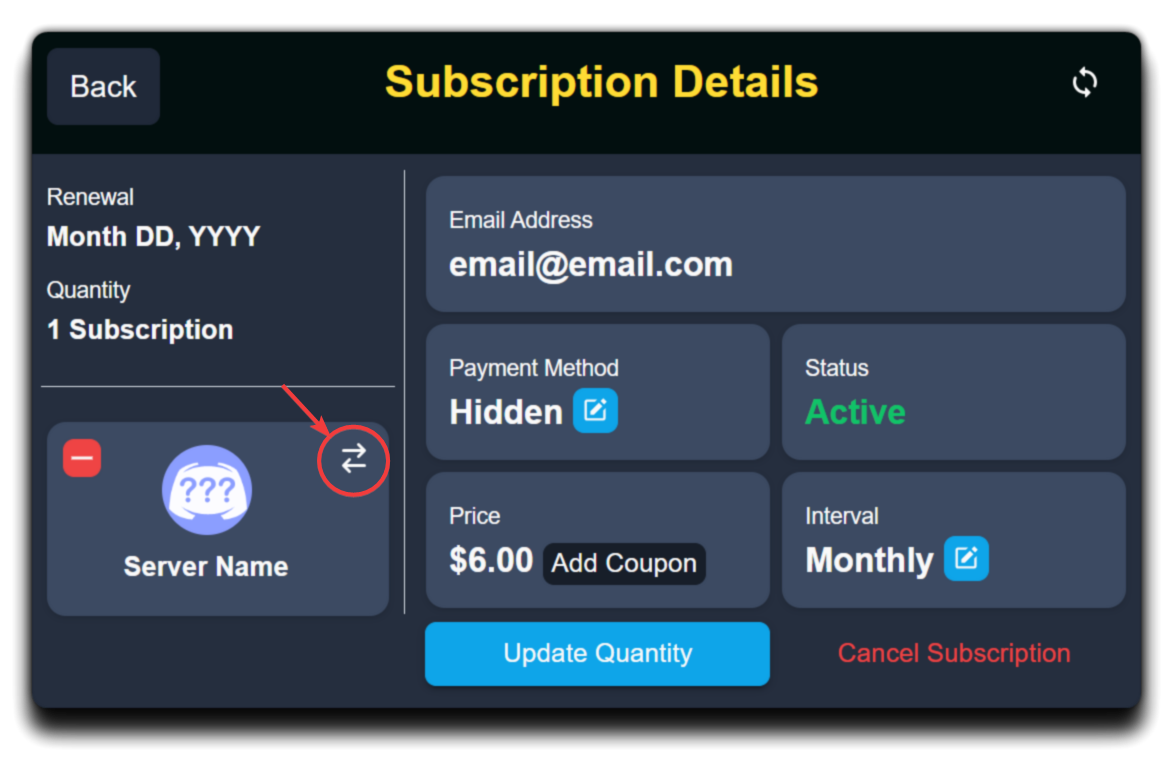 humble sequoiaBOT
The first thing you will need to do is invite the premium bot, an invite can be found here
Once the bot is in your server we will head to the dashboard and manage your server. When you are managing your server, you want to head into "Server Configs" then click the drop down menu under "Select the bot you would like to use on this server" then click "Ticket Tool#6207" and then save.
restive condor
See above ^
old fossil
 restive condor
You must invite the premium bot to the ''Sann Army'' server
restive condor
humble sequoia
A direct invite can be found on this embed, by clicking on ''here''
You will then need to re-invite and enable the white bot to the Los Santos server, as you have a bot error
 vestal sandal
How do I buy money on tha Bronx 3?
humble sequoiaBOT
⚠️ You're in the wrong place
We provide support for Ticket Tool Discord bot and cannot help you with whatever issue you have.
- We don't know which Support Team you should contact to get this issue resolved, and unfortunately we won't be able to accurately tell you.
If you don't have any further questions regarding our bot Ticket Tool, please close this ticket
 queen kite
Hello, I have created a message using your bot so that users of my server can contact technical support. But I ran into a problem: I have a ticket creation button displayed.
 restive condor
queen kite
Hello, I have created a message using your bot so that users of my server can co...
restive condor
queen kite
Hello, I have created a message using your bot so that users of my server can co...
Hey there! Please make sure you didn't accidentally disable the create ticket button
Dashboard > Panel Configs > Buttons > Create Ticket Button
queen kite
restive condor
Hey there! Please make sure you didn't accidentally disable the create ticket bu...
can you suggest a more detailed path to this function? I didn't really understand where it is located
restive condor
queen kite
can you suggest a more detailed path to this function? I didn't really understan...


 restive condor
queen kite
I'm sorry, I found it. I'll try it now
restive condor
queen kite
I'm sorry, I found it. I'll try it now
Dashbboard > Panel Configs > Dropdown Style > Please disable that 
 fallow yarrow
humble sequoiaBOT
fallow yarrow
humble sequoiaBOT
Hello, we would love to help you, but if you don't tell us what you need help with we can't help you :(
queen kite
restive condor
``Dashbboard`` > ``Panel Configs`` > ``Dropdown Style`` > Please disable that <:...
one second
Yes, that's it, thanks, it helped
restive condor
No problem, glad I could help!
 celest venture
can some one explain me how i can get this ticket bot in my server ?
stark runeBOT
1. Invite Ticket Tool to your server
First you will want to invite the bot to your server. Once the bot is in your server, you can manage your server in the dashboard.
2. Create a Panel
To create a panel we are going to need to head over to the panel configs on the dashboard.
Once at the dashboard we will need to click Create Panel.
Enter a panel name (Fill in any optional settings you want).
Click Create Panel and your ready to get started with configuring your panel.
An example of a creating a panel is shown below.
3. Send the Panel to a Channel
Once you've created a panel on the dashboard you will need to send it to a channel using send on the dashboard.
Select the channel you want your panel to be created in and click send.
For other questions checkout $help faq.
An example of a sending a panel is shown below.
Having a Problem Sending the Panel?
Do $debug in a channel with Ticket Tool and make sure it has all the necessary Discord permissions.
restive condor
celest venture
can some one explain me how i can get this ticket bot in my server ?
Hey there! Here's a setup guide for you ^
Please let me know if you have any questions 🙏
restive condor
No problem!
 obtuse needle
Hey so I tried the method
Dashboard > Panel configs > Permissions > Ticket Owner Permissions - EDIT OPENED > Send
Voice Messages
So that way, when people open tickets, they are able to send audio messages however that’s not working . It’s still not giving them permission and I’m not sure what else to do.
restive condor
obtuse needle
Hey so I tried the method
Dashboard > Panel configs > Permissions > Ticket Own...
Hey there! Could you screenshot the ticket channel's permission for the ticket owner please
restive condor
Yep, or you can #🎫│make-a-ticket
 lyric bluff
 dreamy bridge
On the dashboard it isn't showing up all of my servers
And when I click sync it still won't work
humble sequoiaBOT
━━ Rip_spoiler's inquiry has been moved to a ticket ━━
restive condor
dreamy bridge
On the dashboard it isn't showing up all of my servers
Hey there! See below please
humble sequoiaBOT
Don't see your server in the dashboard?
Try using the Sync Servers button on your top center of the Dashboard page
If this doesn't work
You should relog from the dashboard, you can do this by clicking here to log out immediately, and then log back in
Note:
You need one of these 3 things to access the dashboard.
1. Server Owner (Level: 6)
2. Server Administrator (Level: 4)
3. Dashboard Role (Level: 2)
:warning: You can check your level using the </permissionlevel:1029797400174399542> command on your Discord Server
If the bot's response is:
- @User is permission level: 0 (User)
You don't have any of the 3 levels required to access the server's dashboard
dreamy bridge
Tysm. I see the issue
 deft warren
Hello there, how do i add more buttons please?
 restive condor
deft warren
Hello there, how do i add more buttons please?
restive condor
deft warren
Hello there, how do i add more buttons please?
Hey there! 👋
You will need to create one panel per button option. So if you'd like 5 buttons, you will need 5 different panels.
You can then combine all your panels using the instructions below
humble sequoiaBOT
For more convenient use of multipanels, you can now combine panels on the dashboard. This will allow you to directly send the multipanel from the dashboard or via the $panel ID command.
Where can I find this?
You can find this setting on the Dashboard -> Panel Configs -> Panel -> Attached Panels
Note: if you're attaching all the panels to a panel called English, don't include English in the attached panel's box (If you do this, it will create a duplicate)
This will put all buttons from all of your panels on one message. The message is the panel message from the panel you're combining these panels in.
deft warren
Ohhh okay thanks!
restive condor
humble sequoiaBOT
⚠️ Está en el lugar equivocado
Brindamos soporte para el bot de Discord Ticket Tool y no le podemos ayudar con el problema que presenta.
- No sabemos a que equipo de soporte debería contactar para solucionar este problema, y desafortunadamente no podremos ayudarle acertadamente.
Si no tiene alguna duda relacionada a nuestro bot, Ticket Tool, por favor cierre este ticket.
 restive condor
jaunty sleet
restive condor
jaunty sleet
Hey there! What exactly were you trying to do?
jaunty sleet
restive condor
Hey there! What exactly were you trying to do?
google drive transcripts
"select google drive folder"
then the error pops up
restive condor
jaunty sleet
then the error pops up
Does the error message pop-up immediately or does it load for a while and then it gives you the error?
jaunty sleet
restive condor
Does the error message pop-up immediately or does it load for a while and then i...
immediately
restive condor
Could I get your server name or ID please
jaunty sleet
restive condor
Could I get your server name or ID please
sure
jaunty sleet
restive condor
Could I get your server name or ID please
1309295077641682984
restive condor
jaunty sleet
1309295077641682984
You are not that server's owner. You must be the server owner to select a folder
jaunty sleet
restive condor
You are not that server's owner. You must be the server owner to select a folder
Oh got it, ill go on the acc
wait
 mint sable
Hey, what means the following error while accessing transcripts (saved in google drive)?
{"error":"No refresh token found"}
im already on the owner account
restive condor
jaunty sleet
im already on the owner account
Which is different to this account, correct?
restive condor
mint sable
Hey, what means the following error while accessing transcripts (saved in google...
Hey there! Are you accessing the transcript through drive? Or on Discord?
mint sable
restive condor
Hey there! Are you accessing the transcript through drive? Or on Discord?
Via Discord, clicking the "Direct Link" Button and then the other one to open it.
restive condor
Could you provide a screenshot of the error message please
 restive condor
Could you try using the ''Direct Link'' button once more and then trying to open the linked button
mint sable
restive condor
Could you try using the ''Direct Link'' button once more and then trying to open...
Already did, also with different tickets. They all have the same error.
restive condor
Alright, could you check the selected folder for transcripts on your Drive please?
Are the HTML transcript files being saved there?
mint sable
restive condor
Alright, could you check the selected folder for transcripts on your Drive pleas...
Can do that later because I'm not the server owner so I didn't link it. Can get back to you then after that if that's okay.
restive condor
mint sable
Can do that later because I'm not the server owner so I didn't link it. Can get ...
Yeah, no worries. Feel free to ping me
 cedar swan
How do I make a ticket pop up
In a certain channel
Like for example a general support ticket pop up in a general support category
humble sequoiaBOT
1. Go into your Dashboard
2. Open your Panel Configs tab
3. Select the panel you want to grant access to
4. Open the Category options menu
5. Select the categories of your preference
6. Save changes
restive condor
cedar swan
Like for example a general support ticket pop up in a general support category
Hey there! See above please ^
restive condor
cedar swan
The channels are not popping up
Have you sent your panel yet?
 dawn arrow
How do I contact support?
worldly helm
dawn arrow
How do I contact support?
Hey. Is this regarding ticket tool?
restive condor
No sabemos, ya que este no es el servidor para eso
restive condor
Nosotros tampoco
 olive birch
😦
restive condor
Tendrás que unirte al servidor correcto
olive birch
Okey gracias de todos modos
 toxic arrow
Hello
humble sequoiaBOT
Hello, we would love to help you, but if you don't tell us what you need help with we can't help you :(
 restive rivet
for me it is not working even not with the support so how do you add a ticket
restive condor
restive rivet
for me it is not working even not with the support so how do you add a ticket
Hey there! What exactly seems to be the problem?
restive rivet
the ticket does not work i think i did everthing right but dont know for sure
restive condor
How exactly does it not work? Are you getting any error messages?
restive rivet
no it just not makes a ticket
restive condor
restive rivet
no it just not makes a ticket
Have you configured the bot yet?
restive rivet
i did something i made the ticket command but it still wont work
restive condor
The ticket isn't to set up the bot
stark runeBOT
1. Invite Ticket Tool to your server
First you will want to invite the bot to your server. Once the bot is in your server, you can manage your server in the dashboard.
2. Create a Panel
To create a panel we are going to need to head over to the panel configs on the dashboard.
Once at the dashboard we will need to click Create Panel.
Enter a panel name (Fill in any optional settings you want).
Click Create Panel and your ready to get started with configuring your panel.
An example of a creating a panel is shown below.
3. Send the Panel to a Channel
Once you've created a panel on the dashboard you will need to send it to a channel using send on the dashboard.
Select the channel you want your panel to be created in and click send.
For other questions checkout $help faq.
An example of a sending a panel is shown below.
Having a Problem Sending the Panel?
Do $debug in a channel with Ticket Tool and make sure it has all the necessary Discord permissions.
restive condor
Please see above how to configure Ticket Tool ^
 tidal star
How do I make it so that the tickets are opened with set permissions?
like I want the guy who opened the ticket to have attach image perms
restive condor
tidal star
like I want the guy who opened the ticket to have attach image perms
Hey there!
Dashboard > Panel Configs > Permissions > Ticket Owner Permissions - Edit Opened > Attach Files
tidal star
thanks @restive condor
iron nightBOT
Gave +1 Rep to @restive condor (current: #1 - 2122)
restive condor
No problem!
dawn arrow
worldly helm
Hey. Is this regarding ticket tool?
No, I just don't understand how to write to support.
mint sable
restive condor
Yeah, no worries. Feel free to ping me
I've checked now and all transcripts are saved there correctly. New ones from today are also saved. It seems to be solved after just linking the account again. Has this to be done regularly or just an error?
 placid rover
👋
 cinder jacinth
Is there any way to turn Ticket back on? I have tried many times but it always fails
 austere forge
cinder jacinth
Is there any way to turn Ticket back on? I have tried many times but it always f...
austere forge
cinder jacinth
Is there any way to turn Ticket back on? I have tried many times but it always f...
Refer to the embed below to invite bot premium on your server ⬇️
humble sequoiaBOT
The first thing you will need to do is invite the premium bot, an invite can be found here
Once the bot is in your server we will head to the dashboard and manage your server. When you are managing your server, you want to head into "Server Configs" then click the drop down menu under "Select the bot you would like to use on this server" then click "Ticket Tool#6207" and then save.
austere forge
You can simply click on "here" to invite him
cinder jacinth
austere forge
You can simply click on "here" to invite him
Ah ty
iron nightBOT
Gave +1 Rep to @austere forge (current: #6 - 879)
austere forge
No problem!
 granite spade
yo
ive got prem ticket tool yk how i can change the icon of it
humble sequoiaBOT
━━ User's inquiry has been moved to a ticket ━━

 polar ridge
 humble sequoiaBOT
━━ User's inquiry has been moved to a ticket ━━
mighty thistle
 sinful mural
can i add a image to the panel like this
sinful mural
can i add a image to the panel like this
That's either a Thumbnail or an Image within a Field. Adding either of those requires Premium.
sinful mural
ah alr ty
 keen hemlock
How can i make the delete ticket as auto delete, auto transcript after closing
In free version
worldly helm
dawn arrow
No, I just don't understand how to write to support.
We can’t help you then. we only provide Support for ticket tool
worldly helm
keen hemlock
In free version
You can‘t its premium
keen hemlock
worldly helm
You can‘t its premium
Ohk
 cedar flame
Guys, what happened to ticket tool
Transcript isn’t saving and it isn’t going to it’s category
lunar solar
Transcripts only save if you manually save them with free version
lunar solar
cedar flame
Transcript isn’t saving and it isn’t going to it’s category
How many channels in category?
cedar flame
lunar solar
How many channels in category?
Wdym
worldly helm
cedar flame
Wdym
How many Channels are in the category the ticket should be in?
worldly helm
cedar flame
1
Dashboard -> Panel Configs -> Category -> Ticket open category
Did you insert the category?
cedar flame
worldly helm
Dashboard -> Panel Configs -> Category -> Ticket open category
Did you insert t...
Yes
worldly helm
For every panel?
worldly helm
cedar flame
and now for some reason no
Try to give the bot the Administrator permission for testing. If it works you can remove it and then you can tell the bot is missing permissions
 mystic trail
Help please, i added this to my server, but than i tried to add it to another server which is not owned by me but I'm one of the admin after it is added, i opened the dashboard it doesn't show me that server even after sync
 oblique moth
Im having an issue where when a user creates a ticket and types in the body info and sends the message with all the info. After I receive the ticket I cant see the info how do i fix this?
humble sequoiaBOT
Don't see your server in the dashboard?
Try using the Sync Servers button on your top center of the Dashboard page
If this doesn't work
You should relog from the dashboard, you can do this by clicking here to log out immediately, and then log back in
Note:
You need one of these 3 things to access the dashboard.
1. Server Owner (Level: 6)
2. Server Administrator (Level: 4)
3. Dashboard Role (Level: 2)
:warning: You can check your level using the </permissionlevel:1029797400174399542> command on your Discord Server
If the bot's response is:
- @User is permission level: 0 (User)
You don't have any of the 3 levels required to access the server's dashboard
worldly helm
mystic trail
Help please, i added this to my server, but than i tried to add it to another se...
^
worldly helm
oblique moth
Im having an issue where when a user creates a ticket and types in the body info...
Dashboard > Panel Configs > Forms > There is a setting that automatic displays the form results on the ticket message
mystic trail
worldly helm
^
I taped it for 3-4 time even reopen the web but it still doesn't appear
worldly helm
Log out of the Dashboard, then log in again
oblique moth
worldly helm
Dashboard > Panel Configs > Forms > There is a setting that automatic displays t...
im there but I dont know where else to go?
I do see a {create.form.x} but dont know where that goes
mystic trail
worldly helm
Log out of the Dashboard, then log in again
I used the command and i have level 0 so what i can do now?
worldly helm
oblique moth
im there but I dont know where else to go?
I do see a {create.form.x} but dont ...
At the top there is a Setting called "Enable Form" enable the one below it.
worldly helm
mystic trail
I used the command and i have level 0 so what i can do now?
You either need a Dashboard role or the Administrator permission to access the Dashboard
humble sequoiaBOT
Any role you put there will have full access to the ticket tool dashboard. The server owner and users with admin permissions already have access to the dashboard.
Be careful of which roles to put here
 oblique moth
worldly helm
At the top there is a Setting called "Enable Form" enable the one **below** it.
oblique moth
worldly helm
At the top there is a Setting called "Enable Form" enable the one **below** it.
already enabled
 worldly helm
oblique moth
already enabled
worldly helm
oblique moth
already enabled
Im Talking about the one below
Auto display form results on the ticket message as an additional embed
oblique moth
Is there a way it can just be the text without being embed text?
worldly helm
oblique moth
Is there a way it can just be the text without being embed text?
Yes. Using {create.form.x} in your ticket message. Replace the X with your form number.
Also make sure to reply to every message to recieve a faster reply from me 😅
oblique moth
Am I leaving the auto display selected? @worldly helm
humble sequoiaBOT
@meager anvil
⚠️ You're in the wrong place
We provide support for Ticket Tool Discord bot and cannot help you with whatever issue you have.
- We don't know which Support Team you should contact to get this issue resolved, and unfortunately we won't be able to accurately tell you.
If you don't have any further questions regarding our bot Ticket Tool, please close this ticket
worldly helm
oblique moth
Am I leaving the auto display selected? <@972202754212782080>
What do you mean?
oblique moth
worldly helm
What do you mean?
I'm a bit confused myself. Can we start from the beguinning on how I can set this up and not have it as a embedded text for tickets? Also I might ask how do I reset the numbering?
worldly helm
We are talking about forms, right?
oblique moth
correct
humble sequoiaBOT
A Discord Form lets the user answer individual questions in a pop-up Form, which then displays the answers in the ticket message. This can save time if you already know what you want to ask the user.
Setup Forms
Forms can be enabled under Panel Settings > Form Options > Edit Forms Options. In the new pop-up window, you can now enable and edit your own Form.
Form Options
You can add up to 5 questions in the Discord form. This is a Discord limitation. Each question can have a placeholder in the input field, a minimum and maximum input, multi-line, and also the option to have the answer required.
Options
Question Title ➞ Your Question goes here
Question Placeholder ➞ The placeholder text in the input field
Required ➞ If enabled, the user has to answer this question, to submit the form
Multi-Line Input ➞ Allows the user to input multiple lines
Minimum and Maximum Input ➞ Set a minimum and maximum input value for the user
Displaying the Answer
To display the answers from the user, you need to enable Auto display form results on the ticket message as an additional embed
If you don't want a second embed, go into your Panel Configs > Ticket Options > Edit Ticket Message. You use the variable {create.form.x} and replace x with the number of your question. For example, the response to Question 5 can be displayed with {create.form.5}.
worldly helm
Here is a full guide about everything of forms^^
also Dashboard --> Panel Configs --> SET COUNT (Button) to set the count
oblique moth
I'm really confused on this part where do I put this?

 worldly helm
You use the variable {create.form.x} and replace x with the number of your question. For example, the response to Question 5 can be displayed with {create.form.5}.
oblique moth
Does that go at the start of the message in the message ticket?
worldly helm
Yes
oblique moth
Is there a way I can add the users ping for who opened the ticket?
so its like @oblique moth then {create.form.1} ?
worldly helm
You can use the {user} variable.
 maiden shoal
sorry I don't understand how to use this discord I bought a challenge but I still have to receive the login for the mt5
restive condor
You've been told multiple times that you are in the wrong server
We can't help unfortunately
maiden shoal
but what should I do? I don't understand English very well...I apologize for this...we are not all geniuses on earth..I don't understand discord server bot app...how can I ask for help?
restive condor
You will need to join the correct server for that
We only provide support for the Discord bot Ticket Tool
maiden shoal
but how do you join the server I really don't know how to do it...forgive me but I'm a bit behind on these things
mi puoi fare uno foto
restive condor
We don't know, we are not associated with that game in any way
maiden shoal
can you take a picture of me where I need to go please
dawn arrow
worldly helm
We can’t help you then. we only provide Support for ticket tool
It's a pity, but do you know how to write to support? I really need to write in support of the dandy world.
 raw python
how do i use ticket bot
humble sequoiaBOT
⚠️ You're in the wrong place
We provide support for Ticket Tool Discord bot and cannot help you with whatever issue you have.
- We don't know which Support Team you should contact to get this issue resolved, and unfortunately we won't be able to accurately tell you.
If you don't have any further questions regarding our bot Ticket Tool, please close this ticket
worldly helm
dawn arrow
It's a pity, but do you know how to write to support? I really need to write in ...
^^
stark runeBOT
1. Invite Ticket Tool to your server
First you will want to invite the bot to your server. Once the bot is in your server, you can manage your server in the dashboard.
2. Create a Panel
To create a panel we are going to need to head over to the panel configs on the dashboard.
Once at the dashboard we will need to click Create Panel.
Enter a panel name (Fill in any optional settings you want).
Click Create Panel and your ready to get started with configuring your panel.
An example of a creating a panel is shown below.
3. Send the Panel to a Channel
Once you've created a panel on the dashboard you will need to send it to a channel using send on the dashboard.
Select the channel you want your panel to be created in and click send.
For other questions checkout $help faq.
An example of a sending a panel is shown below.
Having a Problem Sending the Panel?
Do $debug in a channel with Ticket Tool and make sure it has all the necessary Discord permissions.
worldly helm
raw python
how do i use ticket bot
^^
raw python
worldly helm
^^
thx u
iron nightBOT
Gave +1 Rep to @worldly helm (current: #9 - 676)
jade topaz
I can't edit or change the color of the bar. What should I do?
 worldly helm
jade topaz
I can't edit or change the color of the bar. What should I do?
worldly helm
jade topaz
I can't edit or change the color of the bar. What should I do?
Howdy!
That‘s a premium feature!
jade topaz
worldly helm
Howdy!
That‘s a premium feature!
Hello! If I use the 7-day free premium trial and set up the bot in my server, will the settings disappear after 7 days, or will they remain?
worldly helm
jade topaz
Hello! If I use the 7-day free premium trial and set up the bot in my server, wi...
Heya!
All premium settings will disappear after the 7 days.
jade topaz
Will the colors and images be removed from my server, or will they remain but just not be editable anymore?
worldly helm
Are you refering to the panel message (the one that’s being sent to the channel)?
jade topaz
worldly helm
Are you refering to the panel message (the one that’s being sent to the channel)...
Yes, I want to change these. If I change them and send them to the channel, will they still be there after the premium subscription expires? And will other features still be available?
raw python
worldly helm
^^
it didnt work
worldly helm
jade topaz
Yes, I want to change these. If I change them and send them to the channel, will...
Well using the premium bot you won‘t be able to create tickets anymore. And no all the other premium features will be disabled
worldly helm
raw python
it didnt work
Alright.. please elaborate
raw python
worldly helm
Alright.. please elaborate
like its not showing up in the channel i chosen
humble sequoiaBOT
1. Go into your Dashboard
2. Open your Panel Configs tab
3. Select the panel you want to send
4. Indicate to which channel it should be sent to
5. Send the panel
raw python
like
worldly helm
raw python
like its not showing up in the channel i chosen
Please refer to the guide above
jade topaz
worldly helm
Well using the premium bot you won‘t be able to create tickets anymore. And no a...
Okay, thanks so much for the answer! I’m going to introduce this bot to my friends in Thailand.
iron nightBOT
Gave +1 Rep to @worldly helm (current: #9 - 677)
worldly helm
jade topaz
Okay, thanks so much for the answer! I’m going to introduce this bot to my frien...
You‘re welcome. Glad I could help you out. Thanks for the positive feedback. Have a nice day!
iron nightBOT
Gave +1 Rep to @hardy garden (current: #372 - 1)

 worldly helm
Click on  to create a Panel