#🆘│community-support
1 messages · Page 170 of 1
 night sun
 dreamy zealot
Hello i wanna know if you can change the name like "Ticket-0001" be changed into "EOV Verification 1#"
 worldly helm
dreamy zealot
Hello i wanna know if you can change the name like "Ticket-0001" be changed into...
worldly helm
dreamy zealot
Hello i wanna know if you can change the name like "Ticket-0001" be changed into...
Hello. You can use the /rename command. If you want it to be changed automatic you need premium.
dreamy zealot
oh premium uhh
 azure wharf
worldly helm
Hello. You can use the `/rename` command. If you want it to be changed automatic...
azure wharf
worldly helm
Hello. You can use the `/rename` command. If you want it to be changed automatic...
hey you able to help? because my bot is swet up but we cant create a ticket inside our server it keeps saying 'you have no permission'
worldly helm
azure wharf
hey you able to help? because my bot is swet up but we cant create a ticket insi...
Hey! Sure
__ «You don't have permissions to use this»__
Are your members seeing this message when they try to create a ticket?
You may have accidentally denied them permission to use the Create Ticket button.
Look in the following places in your server's dashboard
👉 Server Configs > Blacklist Roles
Any roles there will be unable to interact with the bot in any way, including creating tickets.👉 Panel Configs > Buttons > Create Ticket > Support team only
If this is enabled, only your staff will be able to use the button.
👉 Panel Configs > Buttons > Create Ticket > Disabled Roles
Any roles there will be unable to use the button.
azure wharf
worldly helm
Hey! Sure
> __ **«You don't have permissions to use this»**__
>
> Are your memb...
Look dm
worldly helm
azure wharf
Look dm
No sorry, its against the rules to help in dms. Lets just continue here :)
azure wharf
worldly helm
No sorry, its against the rules to help in dms. Lets just continue here :)
Mmh you mean inside the dashboard?
worldly helm
Correct!
azure wharf
worldly helm
Correct!
I see mothing is blocked and .gg/waveyy is allowed in everything
azure wharf
worldly helm
Correct!
It works now thank you
 iron nightBOT
Gave +1 Rep to @worldly helm (current: #12 - 504)
 jolly pivot
you need premium to edit the panel message
worldly helm
jolly pivot
you need premium to edit the panel message
Hey no you don't
 humble sequoiaBOT
The panel message is where people react to make a ticket. To customize it head over to your Dashboard --> Panel Configs -> Panel -> Edit Panel Message
 jolly pivot
worldly helm
Hey no you don't
jolly pivot
worldly helm
Hey no you don't
but when i got to messages --> message panel, i cant edit the content
like the blank space
worldly helm
For editing the "Message Content" you do, if you click on "Embed Editor" you can edit parts of it
 slim cliff
Ho can i add this? or make it when someone opens a ticket
 humble sequoiaBOT
A Discord Form lets the user answer individual questions in a pop-up Form, which then displays the answers in the ticket message. This can save time if you already know what you want to ask the user.
Setup Forms
Forms can be enabled under Panel Settings > Form Options > Edit Forms Options. In the new pop-up window, you can now enable and edit your own Form.
Form Options
You can add up to 5 questions in the Discord form. This is a Discord limitation. Each question can have a placeholder in the input field, a minimum and maximum input, multi-line, and also the option to have the answer required.
Options
Question Title ➞ Your Question goes here
Question Placeholder ➞ The placeholder text in the input field
Required ➞ If enabled, the user has to answer this question, to submit the form
Multi-Line Input ➞ Allows the user to input multiple lines
Minimum and Maximum Input ➞ Set a minimum and maximum input value for the user
Displaying the Answer
To display the answers from the user, you need to enable Auto display form results on the ticket message as an additional embed
If you don't want a second embed, go into your Panel Configs > Ticket Options > Edit Ticket Message. You use the variable {create.form.x} and replace x with the number of your question. For example, the response to Question 5 can be displayed with {create.form.5}.
 worldly helm
slim cliff
Ho can i add this? or make it when someone opens a ticket
worldly helm
slim cliff
Ho can i add this? or make it when someone opens a ticket
Hey. Please refer to 
jolly pivot
is it possible to change the opened ticket message without premium too?
humble sequoiaBOT
The Ticket Message is the first message sent by the bot on a new ticket. To customize it head over to your Dashboard ➞ Panel Configs ➞ Ticket ➞ Edit Ticket Message
 worldly helm
jolly pivot
is it possible to change the opened ticket message without premium too?
worldly helm
jolly pivot
is it possible to change the opened ticket message without premium too?
Yep, please refer to
jolly pivot
worldly helm
Yep, please refer to <:this:894279341108772914>
i cant change the text at the botton tho right? the field edit so it does not say "TicketTool.xyz - Ticketing without clutter"
worldly helm
Correct
 modest zenith
Where’s the dash board
humble sequoiaBOT

Ticket Tool - Ticketing without clutter - The #1 Discord support bot
worldly helm
modest zenith
Where’s the dash board
Hello. You can use link
 civic prairie
I owner the server
 civic prairie
worldly helm
Hello. You can use <:this:894279341108772914> link
civic prairie
worldly helm
Hello. You can use <:this:894279341108772914> link
.....
I ned support @slender minnow
civic prairie
civic prairie
I owner the server
.
worldly helm
civic prairie
I ned support <@776084862728667156>
Please don't ping me nor any other people.
civic prairie
worldly helm
Please don't ping me nor any other people.
Is there support here?
worldly helm
Yes, just be patient.
civic prairie
worldly helm
Yes, just be patient.
Can you help me now because I need the bot now
 ebon cape
Hello mods, I purchased premium but I still can't add more than 5 questions to the form option
worldly helm
ebon cape
Hello mods, I purchased premium but I still can't add more than 5 questions to t...
Hello. Correct, that is a discord limit, not one set by Ticket Tool.
civic prairie
Why don't you answer me?
 peak juniper
can anyone help me with the spoofer applying pls
humble sequoiaBOT

⚠️ You're in the wrong place
We provide support for Ticket Tool Discord bot and cannot help you with whatever issue you have.
- We don't know which Support Team you should contact to get this issue resolved, and unfortunately we won't be able to accurately tell you.
If you don't have any further questions regarding our bot Ticket Tool, please close this ticket
 worldly helm
civic prairie
worldly helm
civic prairie
Hello. Do you currently have the trail active or a premium sub?
civic prairie
worldly helm
Hello. Do you currently have the trail active or a premium sub?
I use regular, not premium
worldly helm
humble sequoiaBOT
━━ HN | N's inquiry has been moved to a ticket ━━
 elfin tendon
Make ticket
 graceful crane
Hey
Can someone please help me?
So how can I set my ticket to automatically rename itself to one of the 4 topics? So, for example, there is a topic called Support and if someone clicks on it, then a ticket is created with this name. I hope you understand
 austere forge
graceful crane
Hey
Can someone please help me?
So how can I set my ticket to automatically rena...
austere forge
graceful crane
Hey
Can someone please help me?
So how can I set my ticket to automatically rena...
Refer to the embed below please ⬇️
humble sequoiaBOT
The ticket name is the default channel name of all tickets. To edit it, go to your Dashboard > Panel Configs > Ticket. There you can edit the channel name of opened and closed tickets. You can also use variables in there.

 Note: This is a premium feature
graceful crane
Note: This is a premium feature
graceful crane
thx bro
austere forge
You're welcome, Thank you for supporting Ticket tool! 
 delicate nacelle
Hello, I have added a ticket tier on the server, but it is not showing on the website.

 austere forge
delicate nacelle
Hello, I have added a ticket tier on the server, but it is not showing on the we...
austere forge
delicate nacelle
Hello, I have added a ticket tier on the server, but it is not showing on the we...
Refer to the embed below please ⬇️
humble sequoiaBOT
Don't see your server in the dashboard?
Try using the Sync Servers button on your top center of the Dashboard page
If this doesn't work
You should relog from the dashboard, you can do this by clicking here to log out immediately, and then log back in
Note:
You need one of these 3 things to access the dashboard.
1. Server Owner (Level: 6)
2. Server Administrator (Level: 4)
3. Dashboard Role (Level: 2)
:warning: You can check your level using the </permissionlevel:1029797400174399542> command on your Discord Server
If the bot's response is:
- @User is permission level: 0 (User)
You don't have any of the 3 levels required to access the server's dashboard
 delicate nacelle
humble sequoia
delicate nacelle
humble sequoia
thanks
iron nightBOT
Gave +1 Rep to @humble sequoia (current: #18 - 365)
austere forge
You're welcome, Thank you for choosing Ticket tool!
 waxen scroll
is there a way for the response by the staff handling the ticket to be anonymous rather than showing their user?
 copper meteor
I Need help please
 plucky sapphire
copper meteor
I Need help please
plucky sapphire
copper meteor
I Need help please
whatsup?
plucky sapphire
waxen scroll
is there a way for the response by the staff handling the ticket to be anonymous...
what do you mean?
copper meteor
plucky sapphire
whatsup?
Wehre can Report on pet Simulator 99?
plucky sapphire
copper meteor
Wehre can Report on pet Simulator 99?
in roblox ...
copper meteor
plucky sapphire
in roblox ...
I have a Problem Its Bug all time Bit the dc Not Help for This
waxen scroll
so is there a way for my staff to be anonymous or behind a bot cover rather than having it look like a regular message. so intead of it showing "pipp" it would show "staff" or "ticket tool"
 humble sequoiaBOT
@copper meteor
⚠️ You're in the wrong place
We provide support for Ticket Tool Discord bot and cannot help you with whatever issue you have.
- We don't know which Support Team you should contact to get this issue resolved, and unfortunately we won't be able to accurately tell you.
If you don't have any further questions regarding our bot Ticket Tool, please close this ticket
copper meteor
Ok
plucky sapphire
waxen scroll
so is there a way for my staff to be anonymous or behind a bot cover rather than...
I am not sure, but you can ask in #🎫│make-a-ticket
worldly helm
waxen scroll
so is there a way for my staff to be anonymous or behind a bot cover rather than...
Hey. Nope there isnt.
waxen scroll
worldly helm
Hey. Nope there isnt.
okay thank you
iron nightBOT
Gave +1 Rep to @worldly helm (current: #12 - 505)
 echo karma
Hi I have a problem : Tickets arent going in the category anymore.

 plucky sapphire
echo karma
Hi I have a problem : Tickets arent going in the category anymore.
plucky sapphire
echo karma
Hi I have a problem : Tickets arent going in the category anymore.
Hi.
worldly helm
echo karma
Hi I have a problem : Tickets arent going in the category anymore.
Hello. How many tickets does the category have?
plucky sapphire
echo karma
Hi I have a problem : Tickets arent going in the category anymore.
Are you sure you have the right panel
plucky sapphire
worldly helm
Hello. How many tickets does the category have?
No need for double support
worldly helm
plucky sapphire
No need for double support
There is no need to "Claim" a users problem by saying "Hi" either be fast and help them or don't.
plucky sapphire
worldly helm
There is no need to "Claim" a users problem by saying "Hi" either be fast and he...
I dont claim, I help.
echo karma
worldly helm
Hello. How many tickets does the category have?
0 atm
worldly helm
plucky sapphire
I dont claim, I help.
The message I sent to actually help was before your "Helping" message.
worldly helm
echo karma
0 atm
Alright, does the bot have access to manage channels for that category?
plucky sapphire
echo karma
0 atm
Did you maybe change the catagory name?
plucky sapphire
worldly helm
The message I sent to actually help was before your "Helping" message.
No need to be rude
echo karma
plucky sapphire
Are you sure you have the right panel
Yes, Every panel is configured to this same category
plucky sapphire
echo karma
Yes, Every panel is configured to this same category
Is it only that panel
worldly helm
plucky sapphire
No need to be rude
I am not trying to be, it is a fact. You can't just "claim" people by saying "hi". So yeah, I was actually the first one to "help" that user.
plucky sapphire
that has problems?
echo karma
plucky sapphire
Did you maybe change the catagory name?
I dont think so
I've also tried to delete the category in the dashboard then put it back but nothing has changed
worldly helm
echo karma
I've also tried to delete the category in the dashboard then put it back but not...
Give the bot the administrator permission. Then try to do it again.
echo karma
worldly helm
Give the bot the administrator permission. Then try to do it again.
You were right thank you
iron nightBOT
Gave +1 Rep to @worldly helm (current: #12 - 506)
worldly helm
echo karma
You were right thank you
No worries, glad I could help 
 paper kelp
Hello, I invited the ticket bot in my friends server who gave me permissions for me and in the ticket tool dashboard i cant see the server im in. Please help me.
 pseudo ravine
Hey there. Please refer to the embed below!
humble sequoiaBOT
Don't see your server in the dashboard?
Try using the Sync Servers button on your top center of the Dashboard page
If this doesn't work
You should relog from the dashboard, you can do this by clicking here to log out immediately, and then log back in
Note:
You need one of these 3 things to access the dashboard.
1. Server Owner (Level: 6)
2. Server Administrator (Level: 4)
3. Dashboard Role (Level: 2)
:warning: You can check your level using the </permissionlevel:1029797400174399542> command on your Discord Server
If the bot's response is:
- @User is permission level: 0 (User)
You don't have any of the 3 levels required to access the server's dashboard
paper kelp
I see the problem i dont have the levels. Where can I get levels from?
thank you for the support!
 glacial crystal
I need help
worldly helm
glacial crystal
I need help
Hello. What do you need help with?
glacial crystal
Uh so i added another category giveaway claim
but it dosen't work?
i did everything right! but idk why...
worldly helm
"It doesn't work"
How exactly does it not work?
It does not work while trying to do what?
Please be more specific
 worldly helm
Please go to
Dashboard --> Panel Configs --> DropDown --> Take a screenshot of that whole page and send it here
glacial crystal
to ur dms?
worldly helm
This channel pls
glacial crystal
 worldly helm
Now of the same thing but from the 1st panel
worldly helm
glacial crystal
Please send a screenshot of that exact same setting but from the panel you did this with ^^
glacial crystal
what do you mean
worldly helm
How many panels do you have
worldly helm
Then please send the screenshot of the 1st panel
glacial crystal
 worldly helm
and that is from the general panel?
glacial crystal
Ye
worldly helm
glacial crystal
Ye
and thats where you made the dropdown panel you showed above?
glacial crystal
i think soooo
worldly helm
Click on 
 and then choose the giveaway panel for the required panel
glacial crystal
ty
 worldly helm
 narrow belfry
Please check your wifi conection
narrow belfry
worldly helm
Please check your wifi conection
it is on and working
worldly helm
if it looks good please try using a different browser
narrow belfry
oh thanks
narrow belfry
yes it does try yousing an another browser like edge
glacial crystal
narrow belfry
yes it does try yousing an another browser like edge
not ur stuff
narrow belfry
oh
glacial crystal
a ticket thing
worldly helm
glacial crystal
a ticket thing
I don't have access to your Dashboard. Please #🎫│make-a-ticket
humble sequoiaBOT
━━ Sigmaッ's inquiry has been moved to a ticket ━━
 signal timber
I need help
humble sequoiaBOT
Hello, we would love to help you, but if you don't tell us what you need help with we can't help you :(
 shadow shard
I need help with setting up the bot. When I attempt to set it up it says that the command is unavailable
austere forge
Make sure that the bot has : VIEW CHANNEL SEND MESSAGE and READ MESSAGE HISTORY  perms in the channel where you try the command
shadow shard
austere forge
Make sure that the bot has : `VIEW CHANNEL` `SEND MESSAGE` and `READ MESSAGE HIS...
Where do I do this please
austere forge
Right click on the channel name (hold down instead, if on mobile) > Edit Channel > Permissions > Add Ticket Tool > VIEW CHANNEL SEND MESSAGE and READ MESSAGE HISTORY
 austere forge
Could you use the /debug command instead please
shadow shard
Sorted cheers
austere forge
You're welcome, Thank you for choosing Ticket tool!
austere forge
Dashboard > Panel Configs > Buttons > Create Ticket Button
Disable the everyone role and allow the specific role

 slim cloak
yo, how do i control who can see ticket tool website
 hallow ledge
is it possible to make tickets close when the ticket owner leaves?
 waxen oxide
Hello
does the server Config Backup & Restore (Server Owner Only)............ Save my discord channel incase someone crashes out and deletes it, or does it only save the ticket tool panels
 heady cedar
Js it possible for me to buy lifetime tickettool
 heady scroll
hi, can I view all the transcripts from the ticket tool dashboard somewhere? or is it that I can only see one transcript at a time by clicking on the link from my transcript channel?
heady scroll
 woven compass
you have too many closed tickets saved under the designated channel it's referring to
 hybrid condor
how do i make it so ppl can claim the ticket? i only have the option to close and i can do /claim but i want it as a button that shows up under the panel in the ticket
 orchid perch
once i edit the ticket thing and save it it doesnt add what i added.So i added a role through the edit manage tab on the correct then and it wont add the role that i recently just added
humble sequoiaBOT
━━ User's inquiry has been moved to a ticket ━━
 wraith hearth
 humble sequoiaBOT
━━ User's inquiry has been moved to a ticket ━━
 wanton olive
@humble sequoia
 proud current
Is transcripting forwarded messages supported yet or is that still a pending feature?
signal timber
May I get help about how may I create a ticket for my own server
wanton olive
@humble sequoia
 stark runeBOT
1. Invite Ticket Tool to your server
First you will want to invite the bot to your server. Once the bot is in your server, you can manage your server in the dashboard.

2. Create a Panel
To create a panel we are going to need to head over to the panel configs on the dashboard.
Once at the dashboard we will need to click Create Panel.
Enter a panel name (Fill in any optional settings you want).
Click Create Panel and your ready to get started with configuring your panel.
An example of a creating a panel is shown below.

3. Send the Panel to a Channel
Once you've created a panel on the dashboard you will need to send it to a channel using send on the dashboard.
Select the channel you want your panel to be created in and click send.
For other questions checkout $help faq.
An example of a sending a panel is shown below.
Having a Problem Sending the Panel?
Do $debug in a channel with Ticket Tool and make sure it has all the necessary Discord permissions.
 worldly helm
signal timber
May I get help about how may I create a ticket for my own server
worldly helm
signal timber
May I get help about how may I create a ticket for my own server
Please refer to the guide above^^
worldly helm
wanton olive
<@722196398635745312>
Please don‘t ping random users/bots
worldly helm
proud current
Is transcripting forwarded messages supported yet or is that still a pending fea...
Hello. That's still not fixed. For more you can check out https://discord.com/channels/509192800865353738/1307729407955308614
 bright smelt
How can I make it so that only moderators can close the ticket?
proud current
worldly helm
Hello. That's still not fixed. For more you can check out https://discord.com/ch...
Alright ty!
iron nightBOT
Gave +1 Rep to @worldly helm (current: #12 - 507)
 full violet
Hi I need some help I have purchased ticket took premium and idk what else to do
worldly helm
bright smelt
How can I make it so that only moderators can close the ticket?
Dashboard —> Panel Configs —> Buttons —> close ticket —> Allowed roles
Dashboard —> Command Configs —> Close ticket —> Allowed roles
worldly helm
full violet
Hi I need some help I have purchased ticket took premium and idk what else to do
Hey. Do you want to invite the premium bot?
full violet
worldly helm
Hey. Do you want to invite the premium bot?
Yes
bright smelt
This?
 worldly helm
full violet
Yes
worldly helm
full violet
Yes
Alright. Please refer to the guide below
humble sequoiaBOT
The first thing you will need to do is invite the premium bot, an invite can be found here
Once the bot is in your server we will head to the dashboard and manage your server. When you are managing your server, you want to head into "Server Configs" then click the drop down menu under "Select the bot you would like to use on this server" then click "Ticket Tool#6207" and then save.
 bright smelt
This?
bright smelt
bright smelt
This?
I did this but it doesn't work
worldly helm
bright smelt
I did this but it doesn't work
That‘s not where you should go
bright smelt
worldly helm
That‘s not where you should go
O ok 🔥
full violet
worldly helm
That‘s not where you should go
Hi sorry but my ticket tool is glitched do you know how to fix
 worldly helm
I don't, sorry. Maybe check ur wifi Connection
 devout ore
How do I set up the Ticket Panel for Tickets on phone? I cant find the button + anywhere.
 soft sail
Idk how to set up a ticket i payed for vip and i have a video
worldly helm
soft sail
Idk how to set up a ticket i payed for vip and i have a video
Hey. What do you mean "VIP"?
soft sail
In the auction
worldly helm
Please send a Screenshot or Video of what you mean
signal timber
How may I make different name on report I want like staf report, leaders report or administrator report
worldly helm
signal timber
How may I make different name on report I want like staf report, leaders report ...
Hey. Are you talking about the ticket names
signal timber
worldly helm
Hey. Are you talking about the ticket names
Yes
worldly helm
signal timber
Yes
Its a premium only feature
humble sequoiaBOT
The ticket name is the default channel name of all tickets. To edit it, go to your Dashboard > Panel Configs > Ticket. There you can edit the channel name of opened and closed tickets. You can also use variables in there.
Note: This is a premium feature
signal timber
humble sequoia
Like this I mean
 humble sequoiaBOT
The Drop-down menu or Select Menu replaces the buttons on your panel message and uses a drop-down menu with all of your panels. To set this up, go to your Panel Configs and select your main Panel.
<:Numbericons1:1018864164032225340> Enable Select Style
First you enable Select Style. Then you add an item in the Dropdown Editor. Now you can start editing your dropdown!
<:Numbericons2:1018864168041971712> Dropdown Editor
Each line in the dropdown editor represents a line in the drop down menu on discord. You can add more "Items", by clicking on
First you select a panel. That's the panel this option will open a ticket for.  DONT select the same panel twice. Each option should have a different Panel
After that, you can put a Display. This is the title of this option and will appear in the drop down menu. The *Description can be set right after that, which will be below the title in grey.
Additionally you can select an emoji, that will be shown in front of each option. You can either manually input the ID of an emoji or select it in the selector.
Common Issues ⚠️
- Panel doesn't send? Make sure you have a valid emoji selected
- Option doesn't show up? Check if two options have the same panel in the DropDown Editor

$dropdown
worldly helm
signal timber
Like this I mean
Please refer to
signal timber
Like this names and giver perm roles
 worldly helm
Wdym perm roles
 high void
How do you set up a verification system ...
humble sequoiaBOT
Creating a verification system with Ticket Tool <:TicketToolWhite:1073948900056105060>
Using Discord's permission system you can create a setup that allows your team to manually verify new server members while keeping the rest of the server hidden!
Please configure the permissions of your server's channel as depicted below:
Category Permissions
- Go to your category permissions, or channel permissions in case they are not synced with the category.
- Set the View Channels permission to
 for the @everyone role.
 - Set the View Channels permission to
 for your
 @Memberor@Verifiedrole. - Repeat this process for all of your server's categories.
Ticket Panel Channel
- Set the View Channel permission to for the @everyone role.
- (Optional) If you'd like for verified members to not be able to see that ticket channel anymore, set the View Channel permission to for your
@Memberor@Verifiedrole.
-# Note: Your staff team will still need to grant a verification role. If you have premium, you can check our Ticket Closed Roles feature
$manualverification
 raven elm
why i can't use that :<
 worldly helm
raven elm
why i can't use that :<
worldly helm
raven elm
why i can't use that :<
That are premium features
raven elm
worldly helm
That are premium features
Yah i just trial it for 7 days…
worldly helm
Please click on the  Button then
raven elm
worldly helm
Please click on the <:sync:1265738463534387301> Button then
Hmm idk how to build like this
 humble sequoiaBOT
For more convenient use of multipanels, you can now combine panels on the dashboard. This will allow you to directly send the multipanel from the dashboard or via the $panel ID command.
Where can I find this?
You can find this setting on the Dashboard -> Panel Configs -> Panel -> Attached Panels
Note: if you're attaching all the panels to a panel called English, don't include English in the attached panel's box (If you do this, it will create a duplicate)
This will put all buttons from all of your panels on one message. The message is the panel message from the panel you're combining these panels in.
 worldly helm
raven elm
Hmm idk how to build like this
worldly helm
raven elm
Hmm idk how to build like this
Refer to
raven elm
Thx so much. I am trying it now
raven elm
worldly helm
Refer to <:this:894279341108772914>
so hard for me :<
worldly helm
If you have any questions lmk
raven elm
worldly helm
If you have any questions lmk
sorry for my excuse :<
 worldly helm
raven elm
sorry for my excuse :<
worldly helm
raven elm
sorry for my excuse :<
???
raven elm
worldly helm
???
i mean that sorry for bothering :> im not good at english :<
worldly helm
No worries, what's your question?
raven elm
raven elm
sorry for my excuse :<
@worldly helm idk :< idk what im wrong at this...
worldly helm
I can't help you if you don’t tell me ur issue
raven elm
worldly helm
I can't help you if you don’t tell me ur issue
idk how to tell you mate :<
worldly helm
raven elm
idk how to tell you mate :<
Please #🎫│make-a-ticket :D
raven elm
worldly helm
Please <#571706435449257997> :D
is it bothering :<
worldly helm
raven elm
is it bothering :<
No you're not bothering me, it‘s just that I can‘t help you. All good!
raven elm
worldly helm
No you're not bothering me, it‘s just that I can‘t help you. All good!
that means another one would help me.
 torn basin
How can I add more than one button?
worldly helm
raven elm
that means another one would help me.
Correct
humble sequoiaBOT
For more convenient use of multipanels, you can now combine panels on the dashboard. This will allow you to directly send the multipanel from the dashboard or via the $panel ID command.
Where can I find this?
You can find this setting on the Dashboard -> Panel Configs -> Panel -> Attached Panels
Note: if you're attaching all the panels to a panel called English, don't include English in the attached panel's box (If you do this, it will create a duplicate)
This will put all buttons from all of your panels on one message. The message is the panel message from the panel you're combining these panels in.
worldly helm
torn basin
How can I add more than one button?
Hey! Please refer to guide
raven elm
worldly helm
Hey! Please refer to <:this:894279341108772914> guide
what is message button mate...
 humble sequoiaBOT
━━ User's inquiry has been moved to a ticket ━━
 forest mist
Can i change color on the create ticket

 livid root
humble sequoia
livid root
humble sequoia
@sage rock
 twin skiff
humble sequoiaBOT
twin skiff
humble sequoiaBOT
━━ User's inquiry has been moved to a ticket ━━
 restive condor
forest mist
Can i change color on the create ticket
restive condor
forest mist
Can i change color on the create ticket
Hi there, changing the embed's colour is a premium feature
forest mist
restive condor
Hi there, changing the embed's colour is a premium feature<:Premium:119240307415...
Okejjj
 sage rock
we need help with the ticket support Forms 1 works but the other doesnt do u know how to fix it or please answer to this message then because we really need help with it.
livid root
@restive condor
pseudo ravine
sage rock
we need help with the ticket support Forms 1 works but the other doesnt do u kno...
Hey there. Please make sure you've enabled forms on all of your panels
sage rock
pseudo ravine
Hey there. Please make sure you've enabled forms on all of your panels
i did
restive condor
livid root
<@795710289425334303>
Please stop randomly pinging people, especially staff members
pseudo ravine
sage rock
i did
What's the server ID?
livid root
help me for the lvoe of god
humble sequoiaBOT
Hello, we would love to help you, but if you don't tell us what you need help with we can't help you :(
sage rock
pseudo ravine
What's the server ID?
1301351639013261433
pseudo ravine
So how exactly is it not working?
livid root
you see
1 form works the other does not
so how do we get the other catgaggory to work
pseudo ravine
Are you apart of the same server?
sage rock
pseudo ravine
Are you apart of the same server?
yes
i am his worker for now cuz he asked for help
pseudo ravine
So how exactly does the other form not work? Please be specific
sage rock
pseudo ravine
So how exactly does the other form not work? Please be specific
so the first one if we click it
the form pops out\
but if we click the second one
it doesnt pop up and then it opens a ticket regular
livid root
@pseudo ravine can we vc
pseudo ravine
Please stop pinging staff, you've already been told to stop
livid root
i asked a question
sage rock
livid root
i asked a question
try the staff report thing
pseudo ravine
You can still follow our rules, which are found in #📂│information
pseudo ravine
sage rock
it doesnt pop up and then it opens a ticket regular
Did you try to open a ticket after saving the changes on the dashboard?
sage rock
yes
livid root
pseudo ravine
Did you try to open a ticket after saving the changes on the dashboard?
HOW DO I CHANGE FORMATS FOR EACH CATAGORY
pseudo ravine
sage rock
yes
Could you try again?
sage rock
pseudo ravine
Could you try again?
its works now thanks!
iron nightBOT
Gave +1 Rep to @pseudo ravine (current: #3 - 1069)
pseudo ravine
You're welcome, glad I could help! Thanks for choosing Ticket Tool!
livid root
sage rock
its works now thanks!
mate it'st he same format that's not what we are tryna figure out ere
we tryna figure out how do we switch the format
sage rock
no i know
 jovial rampart
Como add o ticket Tool no servidor
humble sequoiaBOT
1. Convidando o Ticket Tool
A primeira coisa que você precisa fazer é convidar o bot, o convite pode ser encontrado aqui.
Quando o bot estiver no seu servidor, iremos para o painel e criaremos o painel
Um painel é usado para definir as configurações de cada ticket e as pessoas reagem para criar um ticket.
2. Criando um painel
Para criar um painel, precisaremos ir até as configurações do painel no painel
- Uma vez no painel, precisaremos clicar em Criar painel
- Digite o nome do painel (preencha as configurações opcionais que você deseja)
- Clique em Criar painel e você estará pronto para começar a configurar seu painel.
3. Enviando um painel
Depois de criar um painel no painel, você precisará enviá-lo para um canal usando enviar no painel
Selecione o canal em que você deseja criar seu painel e clique em enviar.
Para outras perguntas, consulte $help faq
Você está tendo problemas para enviar seu painel?
Use o comando $debug em um canal com o bot e certifique-se de que Ticket Tool tenha todas as permissões necessárias do Discord
restive condor
jovial rampart
Como add o ticket Tool no servidor
Olá, boa tarde! Aqui está um guia de configuração ^
restive condor
jovial rampart
<@795710289425334303> mais ta em inglês mais tbm aonde acessa esse sit
Ticket Tool - Ticketing without clutter - The #1 Discord support bot
É muito fácil de configurar. Se você não entende o site, você pode configurá-la usando o comando /setup no seu servidor
jovial rampart
Mais eu autorizei um monte de vezes e fala quem n tem permissão
restive condor
Pode fazer uma captura de tela por favor?
jovial rampart
Consegui
restive condor
Perfeito!
 ocean spade
I'm trying to summit a exploiter report for roblox the strongest battlegrounds but it wont work
 restive condor
ocean spade
I'm trying to summit a exploiter report for roblox the strongest battlegrounds b...
restive condor
ocean spade
I'm trying to summit a exploiter report for roblox the strongest battlegrounds b...
Hey there! 👋
That server has been rate limited by Discord.
There's nothing you can do.
Please reach out to server staff or try again in 24 hours
ocean spade
k ty
 inner hornet
so i don can nothing?
torn basin
Why is this happening ?

 rancid python
can i change how created tickets are automatically named? instead of "ticket XX", something of my choosing?
 cyan escarp
hey does anyone knows why ticket tool becomes removed from my discord every day? i need to invite it every day back to my server
restive condor
torn basin
Why is this happening ?
Hey there! Could you use the /debug command in the channel where you're trying to send this in?
restive condor
rancid python
can i change how created tickets are automatically named? instead of "ticket XX"...
Hey there! Yes, but custom ticket names are a premium feature
humble sequoiaBOT
The ticket name is the default channel name of all tickets. To edit it, go to your Dashboard > Panel Configs > Ticket. There you can edit the channel name of opened and closed tickets. You can also use variables in there.
Note: This is a premium feature
restive condor
cyan escarp
hey does anyone knows why ticket tool becomes removed from my discord every day?...
Hey there!
It's most likely a security bot interfering.
Please check your Server Settings > Audit Log to find out which bot it is, and whitelist Ticket Tool from it
rancid python
restive condor
Hey there! Yes, but custom ticket names are a premium feature <:Premium:11924030...
thanks!
 ripe elm
Hi, does forms works in combination with dropdowns?
worldly helm
ripe elm
Hi, does forms works in combination with dropdowns?
Hey. Yes they do!
ripe elm
where do i have to set it up? (found it)

 quaint nebula
😭 😭 😭 help me please
 humble sequoiaBOT
⚠️ You're in the wrong place
We provide support for Ticket Tool Discord bot and cannot help you with whatever issue you have.
- We don't know which Support Team you should contact to get this issue resolved, and unfortunately we won't be able to accurately tell you.
If you don't have any further questions regarding our bot Ticket Tool, please close this ticket

 humble sequoiaBOT
⚠️ Please read the messages previously sent by our team ⚠️
 digital hare

 restive girder
Hey guys i dont really need tickets on my server yet
but i want a verification system when people join the server
i understand its so easy for you but i am trying to learn this discord thing and can for the life of me not find the right command
 modest stump
yo can soomeone help
restive girder
its me and 6 bots on my serv! one i am trying out making my self
worldly helm
modest stump
yo can soomeone help
What do u need help with
worldly helm
modest stump
i invited 2 people and he said he gonna give me nessie
Is this regarding TICKET TOOL?
modest stump
yes
worldly helm
Please elaborate then
restive girder
@worldly helm i know it was super noob question but pls point me in the right direction
worldly helm
For what?
modest stump
worldly helm
Is this regarding TICKET TOOL?
wait no
restive girder
Can i use ticket tool for join auth
humble sequoiaBOT
Creating a verification system with Ticket Tool <:TicketToolWhite:1073948900056105060>
Using Discord's permission system you can create a setup that allows your team to manually verify new server members while keeping the rest of the server hidden!
Please configure the permissions of your server's channel as depicted below:
Category Permissions
- Go to your category permissions, or channel permissions in case they are not synced with the category.
- Set the View Channels permission to for the @everyone role.
- Set the View Channels permission to for your
@Memberor@Verifiedrole. - Repeat this process for all of your server's categories.
Ticket Panel Channel
- Set the View Channel permission to for the @everyone role.
- (Optional) If you'd like for verified members to not be able to see that ticket channel anymore, set the View Channel permission to for your
@Memberor@Verifiedrole.
-# Note: Your staff team will still need to grant a verification role. If you have premium, you can check our Ticket Closed Roles feature
$manualverification
restive girder
Thank you so much
worldly helm
restive girder
i understand its so easy for you but i am trying to learn this discord thing and...
^^^
worldly helm
We don't know as its not something regarding ticket tool.
 hollow idol
Is ticket tool down? It says application did not respond
 exotic terrace
How do I make a ticket that only me and other co owner of server can view so we can review there enquiries
 short basalt
hollow idol
Is ticket tool down? It says application did not respond
short basalt
hollow idol
Is ticket tool down? It says application did not respond
it says the same thing for me too
hollow idol
short basalt
it says the same thing for me too
Hmmmm that's odd might just be down then
short basalt
hollow idol
Hmmmm that's odd might just be down then
Most likely
 grim tiger
what even is this?
 austere forge
@hollow idol @short basalt 👋
Make sure that the bot has : VIEW CHANNEL SEND MESSAGE and READ MESSAGE HISTORY perms in the channel where you try the commands
austere forge
grim tiger
what even is this?
Do you need help with ours bot Discord Ticket tool?
short basalt
austere forge
<@728652488856567940> <@822515599695544391> 👋
Make sure that the bot has : `V...
I’ll check
That worked
short basalt
austere forge
<@728652488856567940> <@822515599695544391> 👋
Make sure that the bot has : `V...
Thanks
iron nightBOT
Gave +1 Rep to @austere forge (current: #6 - 784)
grim tiger
If I invite it its show up like that
austere forge
A pop-up window should appear on your Discord client to invite Ticket tool
 hushed bramble
Hello can someone help me I want to make this system but I don't know how to do it


It's in Spanish but I guess you understand what I mean
austere forge
hushed bramble
Hello can someone help me I want to make this system but I don't know how to do ...
Please refer to the embed below ⬇️
If you don't necessarily understand English, you can #🎫│make-a-ticket - 🇪🇸 to explain it to you as best
humble sequoiaBOT
The Drop-down menu or Select Menu replaces the buttons on your panel message and uses a drop-down menu with all of your panels. To set this up, go to your Panel Configs and select your main Panel.
<:Numbericons1:1018864164032225340> Enable Select Style
First you enable Select Style. Then you add an item in the Dropdown Editor. Now you can start editing your dropdown!
<:Numbericons2:1018864168041971712> Dropdown Editor
Each line in the dropdown editor represents a line in the drop down menu on discord. You can add more "Items", by clicking on
First you select a panel. That's the panel this option will open a ticket for. DONT select the same panel twice. Each option should have a different Panel
After that, you can put a Display. This is the title of this option and will appear in the drop down menu. The *Description can be set right after that, which will be below the title in grey.
Additionally you can select an emoji, that will be shown in front of each option. You can either manually input the ID of an emoji or select it in the selector.
Common Issues ⚠️
- Panel doesn't send? Make sure you have a valid emoji selected
- Option doesn't show up? Check if two options have the same panel in the DropDown Editor
$dropdown
hushed bramble
I will try to explain myself as best as posible
I want to make a panel with the bot as the drop down image but I dont know how to do it
austere forge
Yep, you can follow the instructions in the embed above your message ⬆️
iron nightBOT
Gave +1 Rep to @austere forge (current: #6 - 785)
austere forge
You're welcome, Thank you for choosing Ticket tool!
austere forge
Dashboard > Panel configs > Permissions > Ticket Owner Permissions - EDIT OPENED send messages
 glass island
pls help this hack
austere forge
You’re in the wrong place
We only provide support if you have a problem with the Discord Ticket tool bot, nothing else.
glass island
where do i report hacker
 edgy jewel
austere forge
You’re in the wrong place
We only provide support if you have a problem with the...
edgy jewel
austere forge
You’re in the wrong place
We only provide support if you have a problem with the...
i do have the discord tool bot
austere forge
On the server linked to this game, not here in any case.
austere forge
edgy jewel
i do have the discord tool bot
It wasn't for you :)
edgy jewel
austere forge
It wasn't for you :)
oh :/
austere forge
austere forge
Dashboard > Panel configs > Permissions > Ticket Owner Permissions - `EDIT OPENE...
here for you ⬆️
 austere forge
 edgy jewel
oh nvm wrong tab
edgy jewel
austere forge
yeah just figure it out
austere forge
austere forge
Dashboard > Panel configs > Permissions > Ticket Owner Permissions - `EDIT OPENE...
And follow this messsage please ⬆️
All good 👍
edgy jewel
still cant type

 austere forge
Could you try with the new ticket please
edgy jewel
all good thx @austere forge for the help
austere forge
You're welcome, Thank you for choosing Ticket tool!
 unborn gust
hello i need some help
i used to know this bot like crazy and i forgot cause its been so long..
how do i set tickets so the appear in a certain spot only..
like i want them in 1 location not just randomly appearing
humble sequoiaBOT
1. Go into your Dashboard
2. Open your Panel Configs tab
3. Select the panel you want to grant access to
4. Open the Category options menu
5. Select the categories of your preference
6. Save changes
 austere forge
unborn gust
hello i need some help
i used to know this bot like crazy and i forgot cause its...
austere forge
unborn gust
hello i need some help
i used to know this bot like crazy and i forgot cause its...
Refer to the embed above please ⬆️
unborn gust
thanks!
also any reason i cant access dashboard on pc? my phone works just fine.. useing google chrome
humble sequoiaBOT
Don't see your server in the dashboard?
Try using the Sync Servers button on your top center of the Dashboard page
If this doesn't work
You should relog from the dashboard, you can do this by clicking here to log out immediately, and then log back in
Note:
You need one of these 3 things to access the dashboard.
1. Server Owner (Level: 6)
2. Server Administrator (Level: 4)
3. Dashboard Role (Level: 2)
:warning: You can check your level using the </permissionlevel:1029797400174399542> command on your Discord Server
If the bot's response is:
- @User is permission level: 0 (User)
You don't have any of the 3 levels required to access the server's dashboard
austere forge
unborn gust
also any reason i cant access dashboard on pc? my phone works just fine.. useing...
try this steps above please ⬆️
austere forge
If you have extenstions remove them completely, or try a separate browser
unborn gust
 hybrid condor
how do i make it so ppl can claim the ticket? i only have the option to close an...
hybrid condor
hybrid condor
how do i make it so ppl can claim the ticket? i only have the option to close an...
can anyone help
austere forge
Claiming is a premium feature only
humble sequoiaBOT
Claiming allows you to change the ticket name, category and permissions. To use it you have to enable it first on your Dashboard > Panel Configs > Claiming

 Note: This is a premium feature
austere forge
Note: This is a premium feature
austere forge
 torpid hearth
How do I set up ticket tool?
torpid hearth
How do I set up ticket tool?
Please refer to the embed below to setup Ticket tool on your server ⬇️
stark runeBOT
1. Invite Ticket Tool to your server
First you will want to invite the bot to your server. Once the bot is in your server, you can manage your server in the dashboard.
2. Create a Panel
To create a panel we are going to need to head over to the panel configs on the dashboard.
Once at the dashboard we will need to click Create Panel.
Enter a panel name (Fill in any optional settings you want).
Click Create Panel and your ready to get started with configuring your panel.
An example of a creating a panel is shown below.
3. Send the Panel to a Channel
Once you've created a panel on the dashboard you will need to send it to a channel using send on the dashboard.
Select the channel you want your panel to be created in and click send.
For other questions checkout $help faq.
An example of a sending a panel is shown below.
Having a Problem Sending the Panel?
Do $debug in a channel with Ticket Tool and make sure it has all the necessary Discord permissions.
iron nightBOT
Gave +1 Rep to @austere forge (current: #6 - 787)
austere forge
You're welcome, Thank you for choosing Ticket tool!
 thorny moss
austere forge
You're welcome, Thank you for choosing Ticket tool! <a:catlove:1264643648130125...
thorny moss
austere forge
You're welcome, Thank you for choosing Ticket tool! <a:catlove:1264643648130125...
Hello sir can you help me
Do you have tut about that

 worldly helm
thorny moss
Hello sir can you help me
worldly helm
thorny moss
Hello sir can you help me
Please don‘t reply to the latest message of a staff member. Please refer to the embed below.
humble sequoiaBOT
For more convenient use of multipanels, you can now combine panels on the dashboard. This will allow you to directly send the multipanel from the dashboard or via the $panel ID command.
Where can I find this?
You can find this setting on the Dashboard -> Panel Configs -> Panel -> Attached Panels
Note: if you're attaching all the panels to a panel called English, don't include English in the attached panel's box (If you do this, it will create a duplicate)
This will put all buttons from all of your panels on one message. The message is the panel message from the panel you're combining these panels in.
thorny moss
worldly helm
Please don‘t reply to the latest message of a staff member. Please refer to the ...
I'm really sorry for that thank you
iron nightBOT
Gave +1 Rep to @worldly helm (current: #12 - 509)
 rapid moth
i have premium, and i invited the bot to my server. how do i setup this premium bot? the normal one is alr setupped
 restive condor
rapid moth
i have premium, and i invited the bot to my server. how do i setup this premium ...
restive condor
rapid moth
i have premium, and i invited the bot to my server. how do i setup this premium ...
Hey there! 👋
Simply click on the "Invite Premium Bot" button and invitw the premium bot
Then use the selector below to select the premium bot
And lastly re-send your panels
rapid moth
restive condor
Hey there! 👋
Simply click on the "Invite Premium Bot" button and invitw the pre...
i already did that, its not letting me open that list
its not letting me open the selector
 restive condor
That server doesn't have an active premium subscription
rapid moth
restive condor
That server doesn't have an active premium subscription
i activated the trial
restive condor
Use the button above your server name please
rapid moth
restive condor
Use the <:sync:1265738463534387301> button above your server name please
okay
rapid moth
restive condor
Use the <:sync:1265738463534387301> button above your server name please
okay, it worked. thank you. how do i set it up? the same way as the normal one?
iron nightBOT
Gave +1 Rep to @restive condor (current: #1 - 1925)
 stone kettle
@restive condor help me
restive condor
rapid moth
okay, it worked. thank you. how do i set it up? the same way as the normal one?
All your panels are saved on the Dashboard, so simply send them again
restive condor
stone kettle
<@795710289425334303> help me
Hi, how can I help?
rapid moth
restive condor
All your panels are saved on the Dashboard, so simply send them again
thanks!
+rep @restive condor
hm
stone kettle
restive condor
Hi, how can I help?
I need add ticket tool my team
example:
 stark runeBOT
1. Invite Ticket Tool to your server
First you will want to invite the bot to your server. Once the bot is in your server, you can manage your server in the dashboard.
2. Create a Panel
To create a panel we are going to need to head over to the panel configs on the dashboard.
Once at the dashboard we will need to click Create Panel.
Enter a panel name (Fill in any optional settings you want).
Click Create Panel and your ready to get started with configuring your panel.
An example of a creating a panel is shown below.
3. Send the Panel to a Channel
Once you've created a panel on the dashboard you will need to send it to a channel using send on the dashboard.
Select the channel you want your panel to be created in and click send.
For other questions checkout $help faq.
An example of a sending a panel is shown below.
Having a Problem Sending the Panel?
Do $debug in a channel with Ticket Tool and make sure it has all the necessary Discord permissions.
restive condor
stone kettle
I need add ticket tool my team
example:
Here's a setup guide for you ^
Let me know if you have any questions please
rapid moth
restive condor
All your panels are saved on the Dashboard, so simply send them again
sorry, but i dont understand. i added the premium bot, but now it isnt responding anymore. when i say $help it doesnt respond.
restive condor
rapid moth
sorry, but i dont understand. i added the premium bot, but now it isnt respondin...
Where exactly are you using that command?
restive condor
Please make sure to give the Premium bot all required permissions
rapid moth
okay, one sec
rapid moth
restive condor
Please make sure to give the Premium bot all required permissions
now it responded, but i dont know what to do now. the normal ticket is alr setupped
so did that change to the premium one?
automaticly
restive condor
Go to your Dashboard and simply send your panels again
humble sequoiaBOT
1. Go into your Dashboard
2. Open your Panel Configs tab
3. Select the panel you want to send
4. Indicate to which channel it should be sent to
5. Send the panel
rapid moth
okay
restive condor
The premium bot is already enabled, so they will be automatically sent with it
rapid moth
restive condor
The premium bot is already enabled, so they will be automatically sent with it
so this one is the premium one? i thought (i could be wrong ofc) that the icon of the premium one had an golden colour
 restive condor
rapid moth
restive condor
rapid moth
Did you select the premium bot here
rapid moth
restive condor
Did you select the premium bot here
yes, to this channel
restive condor
What do you mean to this channel?
Did you select the premium bot on the Ticket Tool Dashboard?
 restive condor
Did you save the changes
rapid moth
yes
restive condor
Alright, try sending it again please
rapid moth
and i sended the panel too
rapid moth
restive condor
Alright, try sending it again please
okay, you mean the panel right?
restive condor
Yep
restive condor
You haven't enabled the premium bot
rapid moth
restive condor
Please refresh your Dashboard and select it again
rapid moth
rapid moth
as you can see here, i activated the premium bot
did i do something wrong?
rapid moth
restive condor
Please refresh your Dashboard and select it again
i did that
i can make you owner for an few mins if you wanna try yourself
@restive condor
austere forge
rapid moth
as you can see here, i activated the premium bot
Please don't ping staff.
on your Dashboard, the Ticket tool premium bot is not selected.
Use the Sync button on top on your Dashboard and try again to select it and make sure you save it

 gray sail
humble sequoiaBOT
gray sail
humble sequoiaBOT
Equipa de Apoio Portuguesa
Se você está procurando ajuda, abra um ticket para entrar em contato com a equipe de suporte em português. Vá para #🎫│make-a-ticket e pressione o botão :flag_br:.
hollow idol
austere forge
<@728652488856567940> <@822515599695544391> 👋
Make sure that the bot has : `V...
Thank you!
iron nightBOT
Gave +1 Rep to @austere forge (current: #6 - 788)
austere forge
You're welcome, Thank you for choosing Ticket tool!
 devout frigate
Does anyone know how I find where my ticket goes when I click off it
 daring bluff
whats ebst route to get a bot access to tickets
 tacit plaza
trying to set up my automations
when a ticket owner leaves the server the ticket for some reason doesnt close, even tho the
"Missing user check" is enabled
my [Watcher] Check for message doesnt work as well, it is set to
If not found a message from ticket owner in 5 minutes close the ticket
when i do /automations it, for some reason, says that the automations are off, and when i try to press the enable button it does nothing
/automation option:start doesnt work too
please help 🙏
restive condor
devout frigate
Does anyone know how I find where my ticket goes when I click off it
Hey there! It should be in the server's channel list
If you can't find it, try looking in id:customize section of that server
restive condor
daring bluff
whats ebst route to get a bot access to tickets
Hey there! Are you trying to configure Ticket Tool in your server?
devout frigate
Ye it’s fine now but thanks for the help
daring bluff
restive condor
Hey there! Are you trying to configure Ticket Tool in your server?
no i have another bot I need access to utilize in ticket channels
devout frigate
Thanks @restive condor
iron nightBOT
Gave +1 Rep to @restive condor (current: #1 - 1926)
restive condor
tacit plaza
trying to set up my automations
when a ticket owner leaves the server the ticke...
Hey there! 👋
Make sure the ticket you are testing this with has been opened through the same panel you configured the automations for
restive condor
daring bluff
no i have another bot I need access to utilize in ticket channels
Oh, I see. You can add that bot as a support team role as well. Dashboard > Panel Configs > General
tacit plaza
restive condor
Hey there! 👋
Make sure the ticket you are testing this with has been opened thr...
damn im dumb, thanks a lot
Thanks @restive condor
iron nightBOT
Gave +1 Rep to @restive condor (current: #1 - 1927)
restive condor
No worries at all, glad I could help!
daring bluff
restive condor
Oh, I see. You can add that bot as a support team role as well. ``Dashboard`` > ...
once i save do i need to resend bot
or does saving automatically add
restive condor
It will be automatically added to new tickets
daring bluff
ok just not old ones i imagine
restive condor
That's right
daring bluff
ty
tacit plaza
can i somehow make the automations ignore some particular channels?
restive condor
tacit plaza
can i somehow make the automations ignore some particular channels?
As in particular tickets?
tacit plaza
yep
restive condor
You can use the /automation command in the ticket in question to stop all automations
tacit plaza
does it stop all the automations for the particular ticket, or for the whole panel?
restive condor
Just the ticket you used the command in
iron nightBOT
Gave +1 Rep to @restive condor (current: #1 - 1928)
daring bluff
thanks @restive condor
iron nightBOT
Gave +1 Rep to @restive condor (current: #1 - 1929)
restive condor
No problem!
 placid canopy
guys
how can i add a create a ticket button to channel?
@covert swallow
@austere forge
stark runeBOT
1. Invite Ticket Tool to your server
First you will want to invite the bot to your server. Once the bot is in your server, you can manage your server in the dashboard.
2. Create a Panel
To create a panel we are going to need to head over to the panel configs on the dashboard.
Once at the dashboard we will need to click Create Panel.
Enter a panel name (Fill in any optional settings you want).
Click Create Panel and your ready to get started with configuring your panel.
An example of a creating a panel is shown below.
3. Send the Panel to a Channel
Once you've created a panel on the dashboard you will need to send it to a channel using send on the dashboard.
Select the channel you want your panel to be created in and click send.
For other questions checkout $help faq.
An example of a sending a panel is shown below.
Having a Problem Sending the Panel?
Do $debug in a channel with Ticket Tool and make sure it has all the necessary Discord permissions.
restive condor
placid canopy
how can i add a create a ticket button to channel?
Hey there! Here's a setup guide ^
 gleaming dragon
Pie tv has gone down. All i have is this co fusing server that talka about tickets and bots. What the hell am i supposed to do??
humble sequoiaBOT
⚠️ You're in the wrong place
We provide support for Ticket Tool Discord bot and cannot help you with whatever issue you have.
- We don't know which Support Team you should contact to get this issue resolved, and unfortunately we won't be able to accurately tell you.
If you don't have any further questions regarding our bot Ticket Tool, please close this ticket
 vast bluff
gleaming dragon
Pie tv has gone down. All i have is this co fusing server that talka about ticke...
vast bluff
gleaming dragon
Pie tv has gone down. All i have is this co fusing server that talka about ticke...
This is the support discord for the ticket tool bot, people come here how have issues or need help setting up the bot system
Tickets allow direct contact with the members of your server to the admins/moderators
 idle mortar
Como eu falo com o supote
humble sequoiaBOT
Equipa de Apoio Portuguesa
Se você está procurando ajuda, abra um ticket para entrar em contato com a equipe de suporte em português. Vá para #🎫│make-a-ticket e pressione o botão :flag_br:.
 versed pecan
is there any way to add their name instead of numbers when the tickets opened ??
worldly helm
versed pecan
is there any way to add their name instead of numbers when the tickets opened ??
Hey. That's a premium only feature
versed pecan
thank you! I have premium i belive just can't find where to change it
humble sequoiaBOT
The ticket name is the default channel name of all tickets. To edit it, go to your Dashboard > Panel Configs > Ticket. There you can edit the channel name of opened and closed tickets. You can also use variables in there.
Note: This is a premium feature
worldly helm
versed pecan
thank you! I have premium i belive just can't find where to change it
Please refer to

 worldly helm
 thorny lagoon
You don't have access to this server.
thorny lagoon
You don't have access to this server.
Hello. Do you currently have an active premium subcription for That server?
thorny lagoon
worldly helm
Hello. Do you currently have an active premium subcription for That server?
yes
worldly helm
Please invite the golden bot
thorny lagoon
But I can't invite the other bot either
humble sequoiaBOT
The first thing you will need to do is invite the premium bot, an invite can be found here
Once the bot is in your server we will head to the dashboard and manage your server. When you are managing your server, you want to head into "Server Configs" then click the drop down menu under "Select the bot you would like to use on this server" then click "Ticket Tool#6207" and then save.
worldly helm
thorny lagoon
But I can't invite the other bot either
does it just get kicked?
thorny lagoon
yes
thorny lagoon
worldly helm
does it just get kicked?
Whatever I do, it kicks out the bot
worldly helm
Please check ur audit logs there might be another bot preventing the bot from entering ur server
thorny lagoon
I don't have anything to stop it There's even a free join bot on my server Ticket Tool
worldly helm
Mhm please invite the bot again and check ur audit logs. Most likely is a Security bot kicking it
thorny lagoon
worldly helm
Mhm please invite the bot again and check ur audit logs. Most likely is a Securi...
 worldly helm
So it is in the Server now
maybe it just doesn’t have access to view other channels yet. Give the bot Administrator permission
 worldly helm
Please #🎫│make-a-ticket
 jade topaz
Failed to send: Access Denied
(Ticket Tool doesn't have permission
to view or send into this channel)
hey, i encounter this issue
 hushed lark
hey guyswhat it mean when it says : System Failure: Expected the value to not be null
please someone help me
@austere forge
humble sequoiaBOT
━━ RAZE ・HAMA's inquiry has been moved to a ticket ━━
austere forge
jade topaz
Failed to send: Access Denied
(Ticket Tool doesn't have permission
to view or se...
Make sure that the bot has : VIEW CHANNEL SEND MESSAGE and READ MESSAGE HISTORY perms in the channel where you try send the panel
austere forge
hushed lark
hey guyswhat it mean when it says : System Failure: Expected the value to not be...
Can i get the server ID /name please ?
 kind pollen
hey, everyone can see the created ticket, how do i fix that?
worldly helm
kind pollen
hey, everyone can see the created ticket, how do i fix that?
Hey there! Please refer to the guide below.
humble sequoiaBOT
How to edit `@everyone`'s permissions
Head over to your Dashboard ➞ Panel Configs ➞ Permission Options ➞ Everyone Role Opened/Closed and customize the base permissions for everyone in your tickets.
Note: This set of permissions may be affected by the overrides of Support Team, Additional Roles, and User permissions.

 flat topaz
Hello, why can I only type so less characters in the message content embed for the message panel?
worldly helm
flat topaz
Hello, why can I only type so less characters in the message content embed for t...
Hello. If you buy premium that limit increases
kind pollen
worldly helm
Hey there! Please refer to the guide below.
so uh, my server has autorole, can i configure this on a specific role?
hushed lark
austere forge
Can i get the server ID /name please ?
Yes sorry for late response : 1309923856898588733
worldly helm
kind pollen
so uh, my server has autorole, can i configure this on a specific role?
wdym
kind pollen
worldly helm
wdym
the "everyone" part doesnt work
worldly helm
kind pollen
the "everyone" part doesnt work
Please elaborate and send a screenshot of what you mean.
kind pollen
 austere forge
hushed lark
Yes sorry for late response : 1309923856898588733
austere forge
hushed lark
Yes sorry for late response : 1309923856898588733
On your second panel, on the close button, the emoji doesn't seem to be valid or the ID doesn't correspond to one of your emoji. You need to replace it and/or use the SELECT button to select a valid emoji
Dashboard > Panel configs > Buttons - CLOSE TICKET
 austere forge
 autumn hound
How does ticket tool premium work?
autumn hound
How does ticket tool premium work?
Subscription is per server
austere forge
autumn hound
I see, how much?
Refer to the embed below please ⬇️
humble sequoiaBOT
You can purchase Ticket Tool Premium here! Buying it on our website allows you to have full control over your subscription:
 Cancel your subscription at any time
Change your billing interval (yearly/monthly)
Change your payment method
Add or remove server slots to your subscription
 Transfer the subscription between servers
Note: This level of control is only available when purchasing the subscription from our website.
You can manage your current subscriptions here, any billing questions or concerns, feel free to create a Billing Ticket via #🎫│make-a-ticket
 iron nightBOT
Gave +1 Rep to @austere forge (current: #6 - 790)
worldly helm
kind pollen
Great. Now @everyone can't see the ticket anymore.
kind pollen
i already fixed it
autumn hound
who’s the server owner?
hushed lark
austere forge
On your second panel, on the close button, the emoji doesn't seem to be valid or...
Tysm
 gaunt terrace
Hello
humble sequoiaBOT
Hello, we would love to help you, but if you don't tell us what you need help with we can't help you :(
jade topaz
What does it mean when ticket tool closes the ticket just like in photo?

 cinder heart
jade topaz
What does it mean when ticket tool closes the ticket just like in photo?
cinder heart
jade topaz
What does it mean when ticket tool closes the ticket just like in photo?
Tickets inactive
 vagrant breach
Recently the bot has been saying this when trying to add users. It was working fine and nothings been changed. What do I need to look for?
 restive condor
vagrant breach
Recently the bot has been saying this when trying to add users. It was working f...
restive condor
vagrant breach
Recently the bot has been saying this when trying to add users. It was working f...
Hey there! Could you try using the /debug command in that same ticket channel please
vagrant breach
restive condor
Hey there! Could you try using the ``/debug`` command in that same ticket channe...
Need the link?
restive condor
vagrant breach
Need the link?
Nope, give me two seconds
vagrant breach
restive condor
Nope, give me two seconds
Sure☺️
restive condor
vagrant breach
Sure☺️
Which panel is this happening with? Or is it all panels?
vagrant breach
restive condor
Which panel is this happening with? Or is it all panels?
Let me check if it’s with others too
vast bluff
If you do the survey how long do you get premium for?
restive condor
vast bluff
If you do the survey how long do you get premium for?
Hi there, what survey?
vagrant breach
restive condor
Which panel is this happening with? Or is it all panels?
I’ve tried two and it’s the same on both
vast bluff
I thought I saw something when setting it up about doing a survey for the premium features
restive condor
Nope, we don't offer that unfortunately. We do offer a free premium trial of 7 days
restive condor
vagrant breach
I’ve tried two and it’s the same on both
It looks like Ticket Tool is missing a few permissions you'd like for the ticket owner to receive (marked  )
)
You will need to give Ticket Tool those permissions in its role settings, or set them back to 
 jade topaz
cinder heart
Tickets inactive
jade topaz
cinder heart
Tickets inactive
They just opened the ticket though
 storm quartz
how do i change the colour of the embed please!
vagrant breach
restive condor
It looks like Ticket Tool is missing a few permissions you'd like for the ticket...
Amazing thank you!
iron nightBOT
Gave +1 Rep to @restive condor (current: #1 - 1932)
jade topaz
jade topaz
What does it mean when ticket tool closes the ticket just like in photo?
Can someone help they didn't even have ticket open for a hour then ticket tool closed it
restive condor
storm quartz
how do i change the colour of the embed please!
Hey there! You can change it from the embed editor of any message.
Please note editing the embed colour is a premium feature
restive condor
jade topaz
Can someone help they didn't even have ticket open for a hour then ticket tool c...
Hey there! Are you a staff member in this server?
storm quartz
restive condor
Hey there! You can change it from the embed editor of any message.
Please note ...
dw i can buy it im just asking
jade topaz
restive condor
Hey there! Are you a staff member in this server?
no, I'm a staff in another server. It says in my bio
restive condor
jade topaz
no, I'm a staff in another server. It says in my bio
Then the ticket was most likely close to an automation. Please open a new one or reach out to server staff
storm quartz
restive condor
Hey there! You can change it from the embed editor of any message.
Please note ...
may i ask where you can find the embed editor thing!
restive condor
storm quartz
may i ask where you can find the embed editor thing!
Of course, go to your Dashboard > Panel Configs > Messages and into the message you'd like to edit
Simply click on ''Embed Editor'' once there, and one of the fields is to edit the colour
jade topaz
restive condor
Then the ticket was most likely close to an automation. Please open a new one or...
That happened in the server I'm mod in btw not in this server
restive condor
jade topaz
That happened in the server I'm mod in btw not in this server
So you are a staff member in the server
What's the server name or ID please
 restive condor
That's not a server name nor an ID
 restive condor
Seems like you do not have Dashboard access to that server. I'm going to need the ID
But I do recommend reaching out to a staff member with Dashboard access, the automation is most likely there for a reason
jade topaz
restive condor
Seems like you do not have Dashboard access to that server. I'm going to need th...
What's dashboard access do anyway?
restive condor
Give you access to the Ticket Tool Dashboard (management page)
jade topaz
I just looked and ticket was 3 minutes then the ticket tool bot closed it. sus
restive condor
Reach out to a server administrator 👍
 jagged otter
hello, i bough premium subscription for 1 server on 26.01 and now somehow i payed again for another subscription for the same server
in my revolut app sayin that money will be refunded at 10 february
can u help me and send the money back faster?
i can show proofs etc
restive condor
jagged otter
in my revolut app sayin that money will be refunded at 10 february
Hey there! How exactly is it saying that? Did you back charge it?
jagged otter
restive condor
Hey there! How exactly is it saying that? Did you back charge it?
i ll send u dm
restive condor
Please don't. We can move to a ticket if you wish
jagged otter
move it
jagged otter
restive condor
Please don't. We can move to a ticket if you wish
pls
humble sequoiaBOT
━━ User's inquiry has been moved to a ticket ━━
 ionic tundra
having a hard time could be due to the way i have my roles set up. but currently im the only one on my sever who can make a ticket. i want it so anyone can make a ticket
worldly helm
ionic tundra
having a hard time could be due to the way i have my roles set up. but currently...
Hey! What is the error message the people are getting?
ionic tundra
no error just the create ticket is not showing up. i mean they could use / command for it but i want it how i see it where its just a button they press
worldly helm
Could you show me a screenshot of their prespective please
ionic tundra
k one moment
Sorry not a great picture

Show u what I want it to look like

Like that
worldly helm
Is that the exact same channel?
ionic tundra
Yes
worldly helm
ionic tundra
Sorry not a great picture
Could the person of this picture type something in that channel to check if it is the same one.
worldly helm
Alright, then make your alt type in that channel
ionic tundra
Yes it can but doesn't make a ticket like I mentioned could do slash command for it
But I want the button available
worldly helm
I'm sorry if I am confused. I've been helping a lot of people but never have seen this issue. Does your alt have the permission VIEW MESSAGE HISTORY for that channel?
ionic tundra
Should have as I even gave it admin ability but I'll double check
In channel settings it has the view history yes
worldly helm
Alright, please send the panel again and check if that error still occours
humble sequoiaBOT
1. Go into your Dashboard
2. Open your Panel Configs tab
3. Select the panel you want to send
4. Indicate to which channel it should be sent to
5. Send the panel
worldly helm
Great, glad I could help
iron nightBOT
Gave +1 Rep to @worldly helm (current: #12 - 510)
 mighty acorn
I’m having issues making it where members are allowed to send pictures in the ticket they open, how can I enable that?
restive condor
mighty acorn
I’m having issues making it where members are allowed to send pictures in the ti...
Hey there! 👋
Dashboard > Panel Configs > Permissions > Ticket Owner Permissions - Edit Opened > Attach Files
mighty acorn
Tyyy
versed pecan
is there a way i can get the staff to get pinged when a new tickets opened?
humble sequoiaBOT
1. Go into your Dashboard
2. Open your Panel Configs tab
3. Select the panel you want to ping your support on
4. Open the Ticket options menu
5. Click on Edit Ticket Message
6. In the Message Content use one of the role mention syntax (**{@Role Name}**/**{Role ID}**)
7. Save changes
Note: For this to work properly, Ticket Tool requires the Mention Everyone permission. Or the role must have the Allow anyone to @mention this role setting enabled
worldly helm
versed pecan
is there a way i can get the staff to get pinged when a new tickets opened?
Hey. Please refer to this ^^
versed pecan
worldly helm
Hey. Please refer to this ^^
thank you!
iron nightBOT
Gave +1 Rep to @worldly helm (current: #12 - 511)
worldly helm
versed pecan
thank you!
You're welcome, glad I could help
 wintry shoal
can someone help pls

 crystal wind
Hi, can I create "application style" tickets with this bot? For example; user is prompted to fill out questions in a direct message, it is then logged in a server on submission
 compact sparrow
Does anybody know how to change the message that shows here?
 compact sparrow
crystal wind
Hi, can I create "application style" tickets with this bot? For example; user is...
compact sparrow
crystal wind
Hi, can I create "application style" tickets with this bot? For example; user is...
The appy discord bot can do that as far as I know.
 frozen merlin
is there a way to make it to where people can have moer then one ticket open about the same subject?
versed pecan
how do you make it so they can't close the ticket and only staff can?
worldly helm
crystal wind
Hi, can I create "application style" tickets with this bot? For example; user is...
Hello. That's not something ticket tool can do.
humble sequoiaBOT
This error indicates you have selected an invalid emoji, i.e. an emoji the bot isn't capable of using, in a button field
Which Emoji?
This depends upon which action the error is appearing, the most common cases are the Create Ticket button or one of your Dropdown emojis. You can visit your Button's List to find all available buttons and find the conflicting one by yourself.
Why doesn't the bot accept it as valid?
- You selected an emoji that doesn't exist anymore, i.e. that has been deleted
- You wrote text there, instead of an emoji (or in addition to an emoji)
- You entered a code for a custom emoji from a server that the bot is not a member of
- You entered a custom emoji code incorrectly
- You're on iPhone and entered an emoji using the phone's emoji pad (use the emoji selector in the website instead)
 worldly helm
wintry shoal
can someone help pls
worldly helm
wintry shoal
can someone help pls
Hello. Please refer to
worldly helm
compact sparrow
Does anybody know how to change the message that shows here?
Hello. Is that the message that‘s being sent when a ticket is opened?
worldly helm
frozen merlin
is there a way to make it to where people can have moer then one ticket open abo...
Hello. Pls elaborate
worldly helm
 hard hollow
how do i add more buttons to the create ticket portion?
hard hollow
how do i add more buttons to the create ticket portion?
Hey. Please refer to the guide below!
humble sequoiaBOT
For more convenient use of multipanels, you can now combine panels on the dashboard. This will allow you to directly send the multipanel from the dashboard or via the $panel ID command.
Where can I find this?
You can find this setting on the Dashboard -> Panel Configs -> Panel -> Attached Panels
Note: if you're attaching all the panels to a panel called English, don't include English in the attached panel's box (If you do this, it will create a duplicate)
This will put all buttons from all of your panels on one message. The message is the panel message from the panel you're combining these panels in.
worldly helm
versed pecan
how do you make it so they can't close the ticket and only staff can?
Hey!
Dashboard —> Command Configs —> Close ticket —> Allowed roles
Dashboard —> Panel Configs —> Buttons —> Close ticket —> Allowed roles
versed pecan
worldly helm
Hey!
Dashboard —> Command Configs —> Close ticket —> Allowed roles
Dashboard —> ...
thank you!
iron nightBOT
Gave +1 Rep to @worldly helm (current: #12 - 512)
frozen merlin
worldly helm
Hello. Pls elaborate
 worldly helm
frozen merlin
worldly helm
frozen merlin
Dashboard —> Panel Configs —> Limits
 bright needle
hey if i want a specific team member to get tagged in every ticket that the community members open how do i do that?
@worldly helm
Maybe you can help, Thanks.
humble sequoiaBOT
1. Go into your Dashboard
2. Open your Panel Configs tab
3. Select the panel you want to grant access to
4. Open the General options menu
5. Select your Support Team Roles
6. Save changes
 austere forge
bright needle
hey if i want a specific team member to get tagged in every ticket that the comm...
austere forge
bright needle
hey if i want a specific team member to get tagged in every ticket that the comm...
Refer to the embed above please ⬆️
bright needle
austere forge
Refer to the embed above please ⬆️
They have the access i want them to be tagged in every ticket that is opened for example if someone open a ticket i want xyz member of my team to be tagged in it so they get notification everytime a ticket is opened.
humble sequoiaBOT
1. Go into your Dashboard
2. Open your Panel Configs tab
3. Select the panel you want to ping your support on
4. Open the Ticket options menu
5. Click on Edit Ticket Message
6. In the Message Content use one of the role mention syntax (**{@Role Name}**/**{Role ID}**)
7. Save changes
Note: For this to work properly, Ticket Tool requires the Mention Everyone permission. Or the role must have the Allow anyone to @mention this role setting enabled
austere forge
Refer to the embed above please ⬆️
 cunning frost
Is there a free way to ping mods in a ticket? And give them access to the ticket without giving them admin perms? Even when it’s closed
cunning frost
humble sequoia
I tried this, it doesn’t work
austere forge
For Ticket tool to send a ping to your mods, you can see the embed just above your message ⬆️
And for ticket access, if you try to give access when tickets are already open, it won't be possible, you'll have to do it manually - and make sure you do it for all your panels.
 sonic grove
I can't use this function to update the ticket panel that is in Discord. What could be the problem so that I can use this function ?
 worldly helm
sonic grove
I can't use this function to update the ticket panel that is in Discord. What co...
worldly helm
sonic grove
I can't use this function to update the ticket panel that is in Discord. What co...
Moin! Welchen link benutzt du dafür?
sonic grove
worldly helm
Moin! Welchen link benutzt du dafür?
ich habe den link von dem Panel genommen was ich in den ticket raum gesendet habe auf meinem server
worldly helm
Bitte schicke den link in diesen kanal mit dem: ` Txt here` format (Txt here)
 marble nest
Hello. I got an email saying I have to log into dashboard and invite myself to the new server.
Which server and how do I do this?
sonic grove
worldly helm
Bitte schicke den link in diesen kanal mit dem: \` Txt here\` format (`Txt here`...
bzw ich heb den kanal link genommen vo das ticket panel drin ist wo winde ich den palnel link um die funtion zu nutzen
worldly helm
Was meinst du
cunning frost
austere forge
For Ticket tool to send a ping to your mods, you can see the embed just above yo...
How? I’ve checked the dashboard, I’m not sure where it’s under
 silk idol
Bonjours , je recherche de l'aide car je n'arrive pas a configurer le bot sur mon discord
humble sequoiaBOT
━━ tsukara's inquiry has been moved to a ticket ━━
austere forge
humble sequoia
@cunning frost Please check this embed ⬆️ if you still don't understand please #🎫│make-a-ticket our support team will reply as soon as possible
cunning frost
austere forge
<@826078458890551327> Please check this embed ⬆️ if you still don't understand p...
Okay, thank you
iron nightBOT
Gave +1 Rep to @austere forge (current: #6 - 792)
sonic grove
#🆘│community-support message Welchen link muss ich dar für nutzen ? habe es mir dem kanal link probiert aber das geht nicht
humble sequoiaBOT

Deutsches Support-Team
Wenn du Hilfe vom Deutschen Support-Team erhalten möchtest gehe in #🎫│make-a-ticket und öffne durch einen Klick auf den :flag_de: Button ein Ticket.
worldly helm
sonic grove
https://discord.com/channels/509192800865353738/776680605517742090/1335586055243...
^^
cunning frost
austere forge
<@826078458890551327> Please check this embed ⬆️ if you still don't understand p...
I managed to get it to ping, but how do I let some roles see some tickets?
Like for example:
user creates a ticket, bot pings staff team, but they don’t have access to the channel.
How do I fix that?
austere forge
cunning frost
I managed to get it to ping, but how do I let some roles see some tickets?
Like...
Can i get your server Id /name where you try this please ?
cunning frost
austere forge
Can i get your server Id /name where you try this please ?
Sure!
cunning frost
austere forge
Can i get your server Id /name where you try this please ?
1323377197171478548
Name is House Of Yveltal
austere forge
please #🎫│make-a-ticket im busy at the moment 🙏
 strong cloak
Hey why the bot send this massage

 rose kraken
 last nova
how do you turn off this two step ticket close thing?
 humble sequoiaBOT
This error indicates you have selected an invalid emoji, i.e. an emoji the bot isn't capable of using, in a button field
Which Emoji?
This depends upon which action the error is appearing, the most common cases are the Create Ticket button or one of your Dropdown emojis. You can visit your Button's List to find all available buttons and find the conflicting one by yourself.
Why doesn't the bot accept it as valid?
- You selected an emoji that doesn't exist anymore, i.e. that has been deleted
- You wrote text there, instead of an emoji (or in addition to an emoji)
- You entered a code for a custom emoji from a server that the bot is not a member of
- You entered a custom emoji code incorrectly
- You're on iPhone and entered an emoji using the phone's emoji pad (use the emoji selector in the website instead)
worldly helm
strong cloak
Hey why the bot send this massage
Hey.
worldly helm
last nova
how do you turn off this two step ticket close thing?
Dashboard —> Panel Configs —> General —> Disable two step close
strong cloak
worldly helm
Hey. <:this:894279341108772914>
Thanks
iron nightBOT
Gave +1 Rep to @worldly helm (current: #12 - 513)
 worldly moat
I am just trying to find out what happened with a tx, do I have to create this bot to submit a service ticket? This is all new to me
 fringe geyser
Hello can someone help me here please?
I'm trying to figure out how if someone creates a ticket how just that member and staff and above are only able to view it and not other regular members
 empty lake
/debug
 main crown
hello. hwn i'm trying to use forms i can use text only.
I want to ask a question by using FORMs but the answer for specific question should be OPTION#1, OPTION#2, OPTION#3, other questions in the FORM can be usual or random text.
Is it possible or Im missing something ?
Thank you!!
humble sequoiaBOT
For more convenient use of multipanels, you can now combine panels on the dashboard. This will allow you to directly send the multipanel from the dashboard or via the $panel ID command.
Where can I find this?
You can find this setting on the Dashboard -> Panel Configs -> Panel -> Attached Panels
Note: if you're attaching all the panels to a panel called English, don't include English in the attached panel's box (If you do this, it will create a duplicate)
This will put all buttons from all of your panels on one message. The message is the panel message from the panel you're combining these panels in.
worldly helm
 frigid valley
how do u make a multi panel
frigid valley
how do u make a multi panel
Hey. Pls refer to this ^^
frigid valley
worldly helm
Hey. Pls refer to this ^^
Thank u
iron nightBOT
Gave +1 Rep to @worldly helm (current: #12 - 514)
worldly helm
fringe geyser
I'm trying to figure out how if someone creates a ticket how just that member an...
Hello. Is everyone currently viewing tickets?
fringe geyser
worldly helm
Hello. Is everyone currently viewing tickets?
Yes, the ticket owner created a ticket and then another regular member came in and started typing in it as well
humble sequoiaBOT
How to edit `@everyone`'s permissions
Head over to your Dashboard ➞ Panel Configs ➞ Permission Options ➞ Everyone Role Opened/Closed and customize the base permissions for everyone in your tickets.
Note: This set of permissions may be affected by the overrides of Support Team, Additional Roles, and User permissions.
worldly helm
fringe geyser
Yes, the ticket owner created a ticket and then another regular member came in a...
Please refer to
fringe geyser
worldly helm
Please refer to <:this:894279341108772914>
Ok thank you
iron nightBOT
Gave +1 Rep to @worldly helm (current: #12 - 515)
main crown
Sorry for my bad English and for confusion.
Is it possible to combine text fields and option fields like on this example ?
Thank you
 worldly helm
main crown
Sorry for my bad English and for confusion.
Is it possible to combine text field...
worldly helm
main crown
Sorry for my bad English and for confusion.
Is it possible to combine text field...
Heyy!
That's not possible, sorry!
iron nightBOT
Gave +1 Rep to @worldly helm (current: #12 - 516)
hushed lark
please what it means when it says : > Failed: Invalid Form Body
components[0].components[0].options[0].emoji.name[BUTTON_COMPONENT_INVALID_EMOJI]: Invalid emoji`
cause i cant find the button thing
 urban cliff
i set it to where the channel is supposed to go under a certain category but it isn't working
nvm i found the issue
humble sequoiaBOT
This error indicates you have selected an invalid emoji, i.e. an emoji the bot isn't capable of using, in a button field
Which Emoji?
This depends upon which action the error is appearing, the most common cases are the Create Ticket button or one of your Dropdown emojis. You can visit your Button's List to find all available buttons and find the conflicting one by yourself.
Why doesn't the bot accept it as valid?
- You selected an emoji that doesn't exist anymore, i.e. that has been deleted
- You wrote text there, instead of an emoji (or in addition to an emoji)
- You entered a code for a custom emoji from a server that the bot is not a member of
- You entered a custom emoji code incorrectly
- You're on iPhone and entered an emoji using the phone's emoji pad (use the emoji selector in the website instead)
worldly helm
hushed lark
please what it means when it says : > Failed: Invalid Form Body
components[0].co...
Hello. Please refer to guide
urban cliff
How can I ping a role within a ticket?
I used ticket tool and sapphire.
$new ${userid} Support
I just don't underrstand how I can make it ping @Support Team
i added support team to ticket tool but its not pinging the role its just pinging the user
compact sparrow
worldly helm
Hello. Is that the message that‘s being sent when a ticket is opened?
Yes when someone makes a ticket they see that message in the ticket.
humble sequoiaBOT
1. Go into your Dashboard
2. Open your Panel Configs tab
3. Select the panel you want to ping your support on
4. Open the Ticket options menu
5. Click on Edit Ticket Message
6. In the Message Content use one of the role mention syntax (**{@Role Name}**/**{Role ID}**)
7. Save changes
Note: For this to work properly, Ticket Tool requires the Mention Everyone permission. Or the role must have the Allow anyone to @mention this role setting enabled
worldly helm
urban cliff
How can I ping a role within a ticket?
I used ticket tool and sapphire.
$new ...
Please refer to
humble sequoiaBOT
The Ticket Message is the first message sent by the bot on a new ticket. To customize it head over to your Dashboard ➞ Panel Configs ➞ Ticket ➞ Edit Ticket Message
worldly helm
compact sparrow
Yes when someone makes a ticket they see that message in the ticket.
Please refer to this guide ^^
urban cliff
worldly helm
Please refer to <:this:894279341108772914>
ignore the id but its not pinging support


fixed nvm
 spark wind
Why is the bot offline
 cerulean elbow
<@&1335291932556922945>
restive condor
spark wind
Why is the bot offline
Hey there! What exactly seems to be the problem?
The bot is not offline
cerulean elbow
How to put a role in the ticket
restive condor
cerulean elbow
How to put a role in the ticket
Hey there! As in, give a role access to tickets?
urban cliff
how can i make the ticket go under a certain category?
i went to my panel and listed it but its not working
restive condor
urban cliff
how can i make the ticket go under a certain category?
Hey there! Dashboard > Panel Configs > Category
humble sequoiaBOT
1. Go into your Dashboard
2. Open your Panel Configs tab
3. Select the panel you want to grant access to
4. Open the Category options menu
5. Select the categories of your preference
6. Save changes
urban cliff
does the bot need access to the category
restive condor
It does
spark wind
restive condor
Hey there! What exactly seems to be the problem?
I cant do any commands
restive condor
spark wind
I cant do any commands
Could you use the /debug command please
 restive condor
Ticket Tool is missing the SEND MESSAGES permission for that channel
urban cliff
why isnt it logging in a certain channel, i tried to change the channel where it logs but its logging in the same channel
restive condor
Please make sure you're doing this for the correct panel
urban cliff
restive condor
Please make sure you're doing this for the correct panel
i changed all of them
but its still in the same channel that i dont want it in
ticket logs

but its login in discord logs
restive condor
urban cliff
i changed all of them
I see you have both Ticketsbot & Ticket Tool in the server. Please make sure this for the right bot
urban cliff
ticketsbot?
restive condor
spark wind
The one called 'Tickets' here
urban cliff
thats not me-
spark wind
urban cliff
thats not me-
Lmfao
restive condor
urban cliff
thats not me-
Oops, my apologies
urban cliff
no worries
restive condor
urban cliff
ticket logs
Just to confirm, those ticket actions are being logged in the wrong channel, correct?
(Those are not transcripts)
urban cliff
yes
restive condor
Alright, can I get your server name or ID please
urban cliff
they're logging in discord logs not ticket logs
urban cliff
restive condor
Alright, can I get your server name or ID please
1328219124274429995
 lethal stratus
guys a question is there any way to set that when a user opens a ticket instead of creating the chat named “ticket0000” it comes out like “ticket-user-name”
restive condor
urban cliff
1328219124274429995
Interesting. Could you try opening a brand new ticket and seeing if it's still logged incorrectly?
Your Dashboard setup looks good
urban cliff
yes
restive condor
lethal stratus
guys a question is there any way to set that when a user opens a ticket instead ...
Hey there! Yes, you can use the {ticket.user.name} variable in your ticket name.
Please note this is a premium feature
humble sequoiaBOT
The ticket name is the default channel name of all tickets. To edit it, go to your Dashboard > Panel Configs > Ticket. There you can edit the channel name of opened and closed tickets. You can also use variables in there.
Note: This is a premium feature
urban cliff
still logs in discord logs
 restive condor
Those logs are from another bot (seems like Sapphire). Ticket Tool logs don't look like that
urban cliff
oh
 wispy stream
Please give vc
humble sequoiaBOT
Hello, we would love to help you, but if you don't tell us what you need help with we can't help you :(
jade topaz
How do i make a ticket form
 sonic kernel
the panel has already been set up for that category, but my tickets keep spawning at the top of my channel list instead of the ticket category i have created
how can i fix this?
 worldly helm
sonic kernel
the panel has already been set up for that category, but my tickets keep spawnin...
worldly helm
sonic kernel
the panel has already been set up for that category, but my tickets keep spawnin...
Hello. How many tickets does that category currently have?
humble sequoiaBOT
A Discord Form lets the user answer individual questions in a pop-up Form, which then displays the answers in the ticket message. This can save time if you already know what you want to ask the user.
Setup Forms
Forms can be enabled under Panel Settings > Form Options > Edit Forms Options. In the new pop-up window, you can now enable and edit your own Form.
Form Options
You can add up to 5 questions in the Discord form. This is a Discord limitation. Each question can have a placeholder in the input field, a minimum and maximum input, multi-line, and also the option to have the answer required.
Options
Question Title ➞ Your Question goes here
Question Placeholder ➞ The placeholder text in the input field
Required ➞ If enabled, the user has to answer this question, to submit the form
Multi-Line Input ➞ Allows the user to input multiple lines
Minimum and Maximum Input ➞ Set a minimum and maximum input value for the user
Displaying the Answer
To display the answers from the user, you need to enable Auto display form results on the ticket message as an additional embed
If you don't want a second embed, go into your Panel Configs > Ticket Options > Edit Ticket Message. You use the variable {create.form.x} and replace x with the number of your question. For example, the response to Question 5 can be displayed with {create.form.5}.
worldly helm
jade topaz
How do i make a ticket form
Hello. Please refer to guide
sonic kernel
worldly helm
Hello. How many tickets does that category currently have?
i fixed it! the category appeared as "deleted", so i changed it to the correct category :)
jade topaz
worldly helm
Hello. Please refer to <:this:894279341108772914> guide
ok ty
iron nightBOT
Gave +1 Rep to @worldly helm (current: #12 - 517)
worldly helm
jade topaz
ok ty
You're welcome, glad I could help
humble sequoiaBOT
Ticket Tool - Ticketing without clutter - The #1 Discord support bot
worldly helm
jade topaz
where do i find the dashboard
^^
 hollow saddle
When I try to run the /setup Command it says the application didn’t respond I have kicked it added it back 5 times and it won’t work.
worldly helm
hollow saddle
When I try to run the /setup Command it says the application didn’t respond I ha...
Hey. Please try using the /debug command
hollow saddle
worldly helm
Hey. Please try using the /debug command
Tried
worldly helm
Give me a second
humble sequoiaBOT
━━ User's inquiry has been moved to a ticket ━━
 gloomy sandal
How do you make a Multi Ticket thing?
restive condor
gloomy sandal
How do you make a Multi Ticket thing?
Hey there! 👋
You will need to create one panel per button option. So if you'd like 5 buttons, you will need 5 different panels.
You can then combine all your panels using the instructions below
humble sequoiaBOT
For more convenient use of multipanels, you can now combine panels on the dashboard. This will allow you to directly send the multipanel from the dashboard or via the $panel ID command.
Where can I find this?
You can find this setting on the Dashboard -> Panel Configs -> Panel -> Attached Panels
Note: if you're attaching all the panels to a panel called English, don't include English in the attached panel's box (If you do this, it will create a duplicate)
This will put all buttons from all of your panels on one message. The message is the panel message from the panel you're combining these panels in.
restive condor
jade topaz
Can somebody guide me through how to make a ticket form?
Hey there! Of course, here's a guide on forms
humble sequoiaBOT
A Discord Form lets the user answer individual questions in a pop-up Form, which then displays the answers in the ticket message. This can save time if you already know what you want to ask the user.
Setup Forms
Forms can be enabled under Panel Settings > Form Options > Edit Forms Options. In the new pop-up window, you can now enable and edit your own Form.
Form Options
You can add up to 5 questions in the Discord form. This is a Discord limitation. Each question can have a placeholder in the input field, a minimum and maximum input, multi-line, and also the option to have the answer required.
Options
Question Title ➞ Your Question goes here
Question Placeholder ➞ The placeholder text in the input field
Required ➞ If enabled, the user has to answer this question, to submit the form
Multi-Line Input ➞ Allows the user to input multiple lines
Minimum and Maximum Input ➞ Set a minimum and maximum input value for the user
Displaying the Answer
To display the answers from the user, you need to enable Auto display form results on the ticket message as an additional embed
If you don't want a second embed, go into your Panel Configs > Ticket Options > Edit Ticket Message. You use the variable {create.form.x} and replace x with the number of your question. For example, the response to Question 5 can be displayed with {create.form.5}.
restive condor
Please let me know if you have any questions 🙏
 restive condor
Go into the ''Panel Configs'' section
restive condor
And then into the ''Forms'' section
jade topaz
Okay
gloomy sandal
It won’t show the multi panel thing
 uncut aurora
Guys
gloomy sandal
like support thing
uncut aurora
Can u please help me with this bot
gloomy sandal
the other ticket support
restive condor
uncut aurora
Can u please help me with this bot
Hi, how can I help?
restive condor
gloomy sandal
the other ticket support
Have you created all your panels yet?
gloomy sandal
Yeah
restive condor
And they don't appear in the selector for the attached panels?
gloomy sandal
It only showed
CREATE A TICKET CREATE A TICKET
TICKET
jade topaz
im so confused, i jst made the ticket panel, where do i go to make it a form
 solid breach
Is there a way to make that when ticktool and spahhire sends the message with
Buttons that each button creates diff channels? Cuz rn when Somone clicks on the buttons it creates one priavte channel (and maybe change the channels name cuz rn it’s ticket 0008) like for example I want it Somone clicks on support button it creates a priavte channel for it and if Somone click report it creates a priavte channel for that
jade topaz
that they have to fill out
uncut aurora
restive condor
Hi, how can I help?
I have ticket tool bot on my sever,and im using it also i have a discord role like "support" which answer on that ticket and closed it,but when that role close ticket they cant see it again and cant delete it how can I add premisions to them to delete close tickets and see them?
solid breach
solid breach
Is there a way to make that when ticktool and spahhire sends the message with
B...
Can Somone help me
restive condor
jade topaz
im so confused, i jst made the ticket panel, where do i go to make it a form
Into the ''FORMS'' section
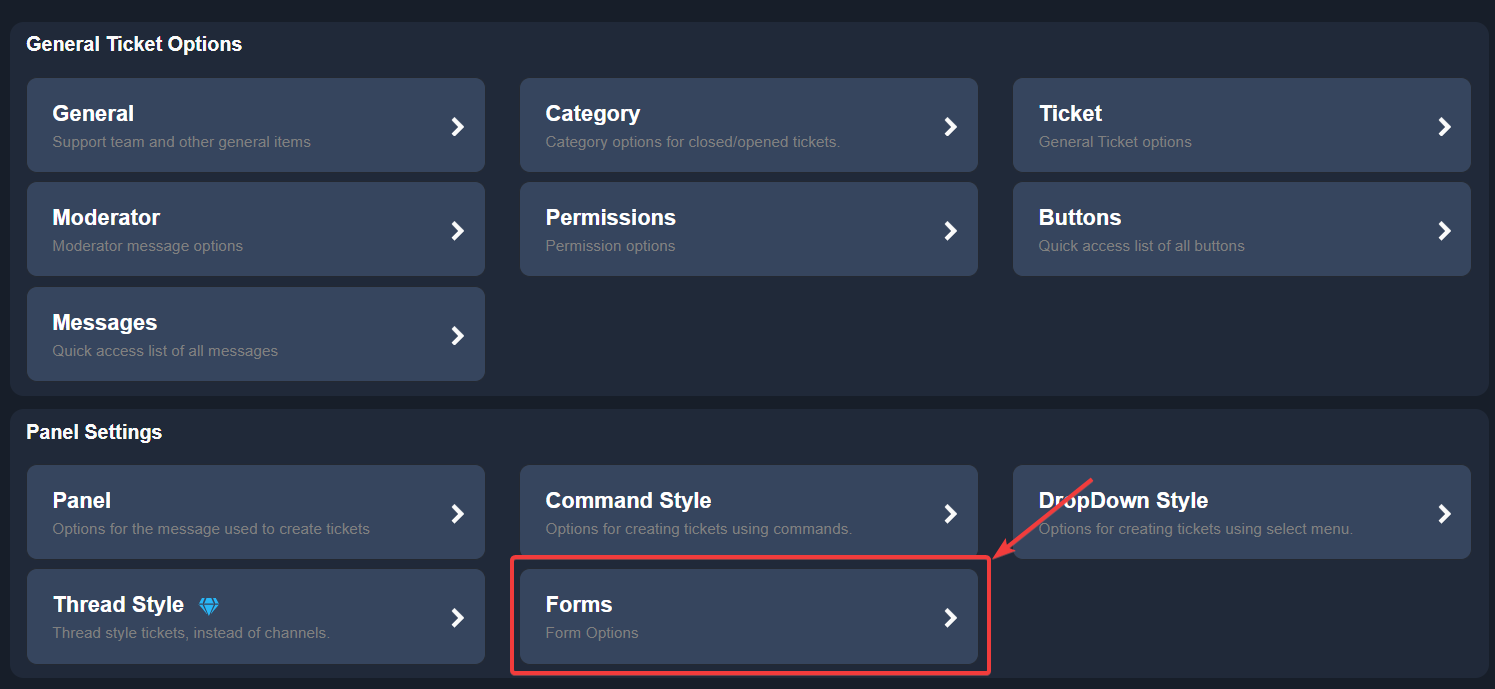 jade topaz
okay
restive condor
gloomy sandal
It only showed
CREATE A TICKET CREATE A TICKET
TICKET
Please use the button above your server name to refresh your Dashboard
Then try to attach the panels again
gloomy sandal
Ok
jade topaz
what do i do now
 restive condor
uncut aurora
I have ticket tool bot on my sever,and im using it also i have a discord role li...
restive condor
uncut aurora
I have ticket tool bot on my sever,and im using it also i have a discord role li...
Dashboard > Panel Configs > Permisssions > Support Team Permissions - Edit Closed > View Channel
solid breach
solid breach
Is there a way to make that when ticktool and spahhire sends the message with
B...
Can Somone help me
worldly helm
solid breach
Can Somone help me
Hello. Please be patient, please #🎫│make-a-ticket .
restive condor
jade topaz
what do i do now
Please enable the form at the top and use the green ''Add Question'' button to add questions
jade topaz
okay
solid breach
worldly helm
Hello. Please be patient, please <#571706435449257997> .
Ok thanks
iron nightBOT
Gave +1 Rep to @worldly helm (current: #12 - 518)
uncut aurora
restive condor
``Dashboard`` > ``Panel Configs`` > ``Permisssions`` > ``Support Team Permission...
But that not work that is already enabled
jade topaz
bro im so confused
restive condor
uncut aurora
But that not work that is already enabled
Is everyone in the support team being removed when the ticket is closed? Or just a specific person?
jade topaz
like why is this so confusing
restive condor
What are you confused about?
uncut aurora
restive condor
Is everyone in the support team being removed when the ticket is closed? Or just...
Everyone
jade topaz
whats this
 restive condor
uncut aurora
Everyone
restive condor
uncut aurora
Everyone
Could I get your server name or ID please
restive condor
jade topaz
whats this
You can ignore that, simply enable the 2nd switch at top as well and the answers will be automatically displayed
uncut aurora
restive condor
Could I get your server name or ID please
Belevate Club
jade topaz
ohhh okay
How do i make it that my admins can handle the tickets aswell?
so they can see whenever smb opens a ticket or get pinged
restive condor
uncut aurora
Belevate Club
Dashboard > Panel Configs > General
Remove the support role from the ''Additional Roles'' field. It does not need to be in both fields
uncut aurora
restive condor
``Dashboard`` > ``Panel Configs`` > ``General``
Remove the support role from the...
I do
restive condor
jade topaz
How do i make it that my admins can handle the tickets aswell?
You can give them access by going back to the main Panel Configs Page and into the General section
You can add the role to the ''Support Team Roles'' field
uncut aurora
And cant see it again
restive condor
uncut aurora
I do
You have the role as both a a support team role and an additional role. Remove it from additional roles
jade topaz
does the bot automatically make a role for ticket admins
restive condor
No
jade topaz
so what do i do
uncut aurora
restive condor
You have the role as both a a support team role and an additional role. Remove i...
I do i remove it from additional
restive condor
jade topaz
so what do i do
Go to your Discord server and create a staff/ticket admin role
jade topaz
Okay
restive condor
uncut aurora
I do i remove it from additional
Perfect, and are you testing this with a brand new ticket?
uncut aurora
restive condor
Perfect, and are you testing this with a brand new ticket?
I have already closed ticket and cant see it
restive condor
Please be patient and spare such comments
jade topaz
i just did that
restive condor
uncut aurora
I have already closed ticket and cant see it
Well you as a user won't see it, if you close it
jade topaz
i just made the role what do i do now
restive condor
Please test it with somebody elsse
jade topaz
omg i cant do ts
restive condor
jade topaz
omg i cant do ts
Now, go back to your Dashboard and select that role as a support role
uncut aurora
restive condor
Well you as a user won't see it, if you close it
I go on discord roles,pick that role and choose cmonad see in this role something like this
restive condor
jade topaz
bro
What's wrong?
 restive condor
uncut aurora
I go on discord roles,pick that role and choose cmonad see in this role somethin...
restive condor
uncut aurora
I go on discord roles,pick that role and choose cmonad see in this role somethin...
That feature doesn't work well for Ticket Tool testing. Please try it using an alt or asking somebody else
jade topaz
i jst want them to be able to put an answer
restive condor
jade topaz
i jst want them to be able to put an answer
You can leave all the fields as default then
uncut aurora
restive condor
That feature doesn't work well for Ticket Tool testing. Please try it using an a...
Okey,ty wait a bit
jade topaz
restive condor
You can leave all the fields as default then
okay
jade topaz
where do i test my ticket
jade topaz
how do i send it?
jade topaz
and how do my admins handle tickets, how do i allow them to do that
jade topaz
restive condor
Use the "SEND" button on the Dashboard
okay
restive condor
jade topaz
and how do my admins handle tickets, how do i allow them to do that
They should already have access to them, as you added their role as a support team role
jade topaz
restive condor
They should already have access to them, as you added their role as a support te...
yeah but i forgot how to add them as it
restive condor
You can give them access by going back to the main Panel Configs Page and into the General section
You can add the role to the ''Support Team Roles'' field
jade topaz
 uncut aurora
@restive condor i think its work now,thank u a looooot man love yyou
restive condor
No problem, have a nice day!
 restive condor
Add them in the ''Support Team Roles'' field
humble sequoiaBOT
1. Go into your Dashboard
2. Open your Panel Configs tab
3. Select the panel you want to send
4. Indicate to which channel it should be sent to
5. Send the panel
jade topaz
i sent it but how do i edit the message that shows in the ticket
 humble sequoiaBOT
The Ticket Message is the first message sent by the bot on a new ticket. To customize it head over to your Dashboard ➞ Panel Configs ➞ Ticket ➞ Edit Ticket Message
restive condor
See above ^
jade topaz
where do i go to find thattttttttttttttttttttttt
restive condor
Go to your Dashboard
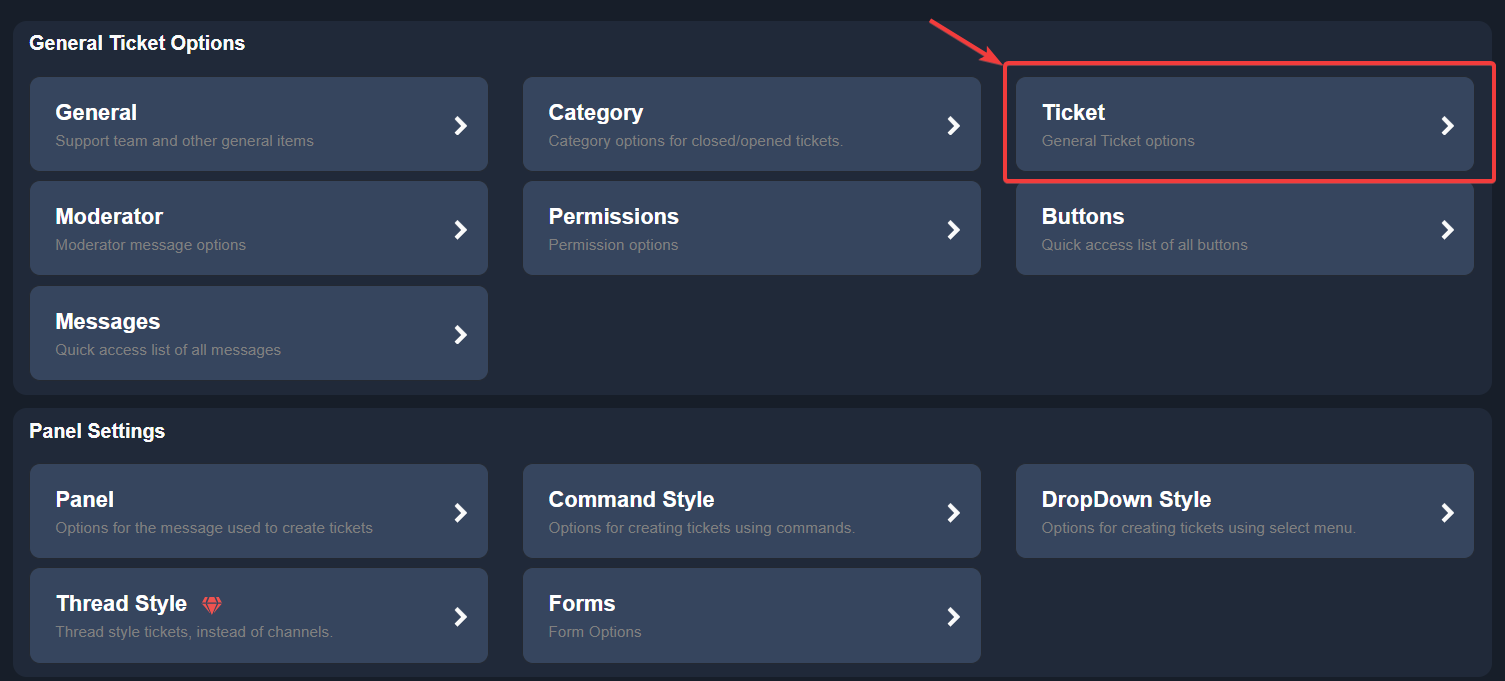
and into the Ticket section
Then click on ''Edit Ticket Message''

 slow rover
jade topaz
how do i edit that one
slow rover
jade topaz
how do i edit that one
Hiya there, just send the ticket into the channel again 🙂
jade topaz
i know but how do i edit the message that it says in the server
slow rover
restive condor
https://i.imgur.com/uUklj0i.png
Go on your Dashboard.
Click ticket.
Click on "Edit pannel message"
Then send the ticket into the channel again.
restive condor
Edit Panel Message*
restive condor
jade topaz
how do i edit that one
To edit this one
 hardy terrace
i cant change or type anything in the embed area, anyone know why or how to fix?

 still needle
can u not do custom emojis with ticket tool no more ?
 gloomy olive


 pseudo ravine
hardy terrace
i cant change or type anything in the embed area, anyone know why or how to fix?
pseudo ravine
hardy terrace
i cant change or type anything in the embed area, anyone know why or how to fix?
Hey there. You can still edit the description of the embed
pseudo ravine
still needle
can u not do custom emojis with ticket tool no more ?
Hey there. You can still use custom emojis
 plush sun
is there a way to change the name of the tickets?
pseudo ravine
Hey there. Please refer to the embed below!
humble sequoiaBOT
The ticket name is the default channel name of all tickets. To edit it, go to your Dashboard > Panel Configs > Ticket. There you can edit the channel name of opened and closed tickets. You can also use variables in there.
Note: This is a premium feature
plush sun
pseudo ravine
Hey there. Please refer to the embed below!
Oh ok crap its premium thanks Jstitch
iron nightBOT
Gave +1 Rep to @pseudo ravine (current: #3 - 1070)
still needle
pseudo ravine
Hey there. You can still use custom emojis
Why isn’t it showing up on the drop down style emoji ?