#🆘│community-support
1 messages · Page 142 of 1
 austere forge
 inland gazelle
austere forge
Ah, i see
unfortunately if you only have the transcript link and not the message...
inland gazelle
austere forge
Ah, i see
unfortunately if you only have the transcript link and not the message...
Alr thank you, but what's the exact reason in providing such an error?
 iron nightBOT
Gave +1 Rep to @austere forge (current: #9 - 597)
 humble sequoiaBOT
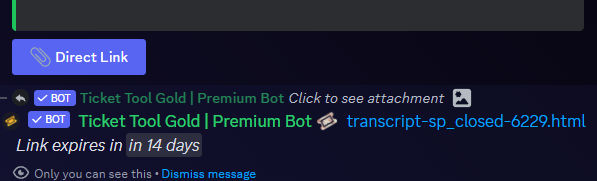
Due to an update Discord enforced on their API on December 15, the attachment URLs are valid only for a certain time. In order to ensure you can visualize your transcripts on our website Ticket Tool provides you a Direct Link button that will provide you with the last valid URL for you to see your tickets!
$transcripts
austere forge
inland gazelle
Alr thank you, but what's the exact reason in providing such an error?
see above ⬆️
inland gazelle
austere forge
see above ⬆️
Thank you again appreciate your work.
iron nightBOT
Gave +1 Rep to @austere forge (current: #9 - 598)
austere forge
You're welcome, I'm glad I could help! 
 valid roost
my bot payment is broken
 austere forge
valid roost
my bot payment is broken
austere forge
valid roost
my bot payment is broken
Hi there 🙂
What seems to be the problem? maybe you're referring to the price, which isn't displayed right?
 austere forge
valid roost
austere forge
valid roost
where you are located ?
valid roost
Belarus
austere forge
valid roost
Belarus
Unfortunately, our payment provider does not accept transactions from Russia
A VPN should do the trick
valid roost
so i turn on vpn it doesn't help
austere forge
 gusty ibex
Hello, can I specify a day that members cannot open tickets?
gusty ibex
Hello, can I specify a day that members cannot open tickets?
hi there 🙂
it's possible, but it's a premium feature
austere forge
valid roost
so i turn on vpn it doesn't help
do you still get the same error message when you try to purchase ?
gusty ibex
austere forge
hi there 🙂
it's possible, but it's a premium feature
May I know how 🙂
austere forge
gusty ibex
May I know how 🙂
sure, you can go to Dashboard > Panel configs > Limits - Time shedule at the bottom of the page
if you have any other questions about this let me know
austere forge
valid roost
yes
alr, we can find a solution, I'll open a ticket for you and explain
valid roost
of course
humble sequoiaBOT
━━ Bedepay's inquiry has been moved to a ticket ━━
 strange flame
Hi, is there a way to limit a user to using only any of the button once in case of a multipanel? As far as I can see, the limit option is set separately to different panels
 restive condor
strange flame
Hi, is there a way to limit a user to using only any of the button once in case ...
restive condor
strange flame
Hi, is there a way to limit a user to using only any of the button once in case ...
Hey there! Yes, Dashboard > Server Configs > Global Ticket Limit
humble sequoiaBOT
Unlike the regular Ticket Limit, the global limit will limit the amount of tickets a user can create at the same time for ALL Panels. When a ticket is closed again, the limit resets for that user.
To customize it head over to your Dashboard ➞ Server Configs ➞ Global Ticket Limit
Note: This is not a limit for how many tickets a user can open at all times or how many tickets you can have open on the server in total. This is just a limit per user for open tickets.
 strange flame
restive condor
Hey there! Yes, ``Dashboard`` > ``Server Configs`` > ``Global Ticket Limit``
strange flame
restive condor
Hey there! Yes, ``Dashboard`` > ``Server Configs`` > ``Global Ticket Limit``
Thank you!
iron nightBOT
Gave +1 Rep to @restive condor (current: #1 - 1496)
 peak hinge
come faccio a comunicare con lo staff per una questione su un utente che disturba in gioco e che e mentalmente instabile
 shell lantern
how do i reply to tickets?
 worldly helm
shell lantern
how do i reply to tickets?
worldly helm
shell lantern
how do i reply to tickets?
Hello! Please elaborate.
worldly helm
If a user opens a ticket, you type in the channel to reply to him.
 desert tide
Hello, can someone help me, and teach me how to do this ?
 humble sequoiaBOT
For more convenient use of multipanels, you can now combine panels on the dashboard. This will allow you to directly send the multipanel from the dashboard or via the $panel ID command.
Where can I find this?
You can find this setting on the Dashboard -> Panel Configs -> Panel -> Attached Panels
Note: if you're attaching all the panels to a panel called English, don't include English in the attached panel's box (If you do this, it will create a duplicate)
This will put all buttons from all of your panels on one message. The message is the panel message from the panel you're combining these panels in.

 slender minnow
@desert tide ^^]
desert tide
slender minnow
<@918637139338608672> ^^]
Thank You
iron nightBOT
Gave +1 Rep to @slender minnow (current: #13 - 418)
 dapper briar
How do I use ticket tool to create ticket channels when someone opens a ticket
worldly helm
dapper briar
How do I use ticket tool to create ticket channels when someone opens a ticket
Hello. Are you asking for how to setup ticket tool?
dapper briar
Yes
humble sequoiaBOT
First you will want to invite the bot to your server. Once the bot is in your server, you can manage your server in the dashboard.

To create a panel we are going to need to head over to the Panel Configs Tab on the Dashboard.
Once at the dashboard we will need to click Create Panel.
Enter a panel name (Fill in any optional settings you want).
Click Create Panel and you are ready to get started with configuring your panel.
An example of a creating a panel is shown below.

Once the panel has been created, use the blue Send button and select the channel you want the panel to be sent to.
The Panel wasn't send
Use the </debug:1029783024264564765> command to diagnose possible permission issues with the bot.
 worldly helm
Look above!
dapper briar
Thanks @lisa0_0
worldly helm
No problem 
 jade topaz
so like im not sure but when someone tried to make a ticket it says they dont have permission

 worldly helm
jade topaz
so like im not sure but when someone tried to make a ticket it says they dont ha...
worldly helm
jade topaz
so like im not sure but when someone tried to make a ticket it says they dont ha...
Hey there 🙂
__ «You don't have permissions to use this»__
Are your members seeing this message when they try to create a ticket?
You may have accidentally denied them permission to use the Create Ticket button.
Look in the following places in your server's dashboard ⬇️ ⬇️
Server Configs > Blacklist Roles
Any roles there will be unable to interact with the bot in any way, including creating tickets.Panel Configs > Buttons > Create Ticket > Support team only
If this is enabled, only your staff will be able to use the button.
Panel Configs > Buttons > Create Ticket > Disabled Roles
Any roles there will be unable to use the button.
jade topaz
bc i own the server its where there's 2 ppl cant make any ticket
worldly helm
Please check all of your settings i listed above and check if one of these are causing that issue.
jade topaz
does this have to be blank?
 worldly helm
It can be, you do not have to select a blacklisted role.
NOTE: Do not input your member role, then no one can create tickets anymore
jade topaz
ok ty @worldly helm
worldly helm
You're welcome! If you have any more questions feel free to reach out again 🙏
strange flame
Is there any way to sync permissions settings on the ticket chats with it's category?
restive condor
strange flame
Is there any way to sync permissions settings on the ticket chats with it's cate...
Hey there! No, but you can set permissions for both opened and closed tickets for the ticket owner, support team roles, additional roles...etc from the Dashboard > Panel Configs > Permissions tab
jade topaz
How do I change this color?

 pseudo ravine
Hey there. Do you have a premium subscription? You'll need one to change the embed color
pseudo ravine
You're welcome, glad I could help! Thanks for choosing Ticket Tool!
 humble obsidian
how do i do this?
pseudo ravine
Hey there. Please refer to the embeds below!
humble sequoiaBOT
First you will want to invite the bot to your server. Once the bot is in your server, you can manage your server in the dashboard.
To create a panel we are going to need to head over to the Panel Configs Tab on the Dashboard.
Once at the dashboard we will need to click Create Panel.
Enter a panel name (Fill in any optional settings you want).
Click Create Panel and you are ready to get started with configuring your panel.
An example of a creating a panel is shown below.
Once the panel has been created, use the blue Send button and select the channel you want the panel to be sent to.
The Panel wasn't send
Use the </debug:1029783024264564765> command to diagnose possible permission issues with the bot.
humble obsidian
pseudo ravine
Hey there. Please refer to the embeds below!
thanks
iron nightBOT
Gave +1 Rep to @pseudo ravine (current: #6 - 744)
pseudo ravine
You're welcome, glad I could help! Thanks for choosing Ticket Tool!
humble obsidian
pseudo ravine
You're welcome, glad I could help! Thanks for choosing Ticket Tool!
oh and after i do that i went on my alt and created a ticket so are mods or higher roles supposed to get a notification orrrrr
 pseudo ravine
You'll have to edit the Ticket Message to include their pings. Please refer to the embed below!
humble sequoiaBOT
1. Go into your Dashboard
2. Open your Panel Configs tab
3. Select the panel you want to ping your support on
4. Open the Ticket options menu
5. Click on Edit Ticket Message
6. In the Message Content use one of the role mention syntax (**{@Role Name}**/**{Role ID}**)
7. Save changes
Note: For this to work properly, Ticket Tool requires the Mention Everyone permission. Or the role must have the Allow anyone to @mention this role setting enabled

 warped remnant
 humble sequoiaBOT

⚠️ You're in the wrong place
We provide support for Ticket Tool Discord bot and cannot help you with whatever issue you have.
- We don't know which Support Team you should contact to get this issue resolved, and unfortunately we won't be able to accurately tell you.
If you don't have any further questions regarding our bot Ticket Tool, please close this ticket
humble obsidian
pseudo ravine
You'll have to edit the `Ticket Message` to include their pings. Please refer to...
im not sure what step 6 means
sorry
pseudo ravine
That's where you put the pings into the message, so that your mods get the notification
humble obsidian
in that text box or am i missing smth
 pseudo ravine
Yep
humble obsidian
geez im so sorry for being a pain but after someone makes a ticket will the person have to type in the private channel, DM's, or while making the ticket. ive never used a ticket tool and i don know how it works.
 quartz iron
Is ticket tool down?
 nova wharf
humble obsidian
geez im so sorry for being a pain but after someone makes a ticket will the pers...
nova wharf
humble obsidian
geez im so sorry for being a pain but after someone makes a ticket will the pers...
When someone opens a ticket, a new (private) channel will be created for them to chat with the support
humble obsidian
Understood
humble sequoiaBOT
Basil's issue has been solved in another channel.
 zinc nova
hi, when i try to transcript a ticket, it says there isnt one assigned but there is when i check the dashboard, what to do?

 restive condor
zinc nova
hi, when i try to transcript a ticket, it says there isnt one assigned but there...
restive condor
zinc nova
hi, when i try to transcript a ticket, it says there isnt one assigned but there...
Hey there! Make sure you've selected a transcript channel for the correct panel(s)

 pseudo ravine
Hey there. Are you a regular user in that server?
 frosty vine
pseudo ravine
Hey there. Are you a regular user in that server?
frosty vine
pseudo ravine
Hey there. Are you a regular user in that server?
I'm an admin
And yes, regular user.
pseudo ravine
You can go to the Dashboard > Limits > Open Tickets > Open tickets each user > Increase the limit
iron nightBOT
Gave +1 Rep to @pseudo ravine (current: #6 - 745)
pseudo ravine
You're welcome, glad I could help! Thanks for choosing Ticket Tool!
pseudo ravine
Hey there. Please refer to the embeds below!
humble sequoiaBOT
First you will want to invite the bot to your server. Once the bot is in your server, you can manage your server in the dashboard.
To create a panel we are going to need to head over to the Panel Configs Tab on the Dashboard.
Once at the dashboard we will need to click Create Panel.
Enter a panel name (Fill in any optional settings you want).
Click Create Panel and you are ready to get started with configuring your panel.
An example of a creating a panel is shown below.
Once the panel has been created, use the blue Send button and select the channel you want the panel to be sent to.
The Panel wasn't send
Use the </debug:1029783024264564765> command to diagnose possible permission issues with the bot.
pseudo ravine
Could you run the /debug command in the channel where you tried to send the Panel Message to
 pseudo ravine
Ticket Tool needs the Send Messages permission in that channel
 pseudo ravine
That's the permissions for the role, you need to give the permissions in your ticket channel
 pseudo ravine
Yep, you should be good
jade topaz
Did it thxs
pseudo ravine
You're welcome, glad I could help! Thanks for choosing Ticket Tool!
 lament prairie
Edit Channel -> Permissions -> Ticket Tool -> View Channel
-> Send Messages
 cerulean comet
How do I copy configuration and merge it to other discord server
humble sequoiaBOT
The Backup and Restore feature allows you to transfer your panels, tags, and all settings to a new server, even if the server the settings were created has been deleted! You will want to copy the whole key.
First, go to your server's Dashboard ➞ then Server Configs ➞ under Config Backup & Restore (Server Owner Only) click on Old version can be found here and generate a new backup key by pressing the green button. Now, a key should be generated in the box above. You may need to refresh the page to see this.
Once you have your backup key, navigate to the same page on the new server. Copy the key on the Restore from backup key field.
Now you can choose what you want to copy. Finally, press the green Restore Configs button.
IMPORTANT NOTE
- We suggest you keep this backup key somewhere safe, in case your server is deleted so you are able to recover your panel's settings.
- This feature is only usable by the server's owner
$backup
lament prairie
cerulean comet
How do I copy configuration and merge it to other discord server
Hello, see above ^
iron nightBOT
Gave +1 Rep to @lament prairie (current: #49 - 40)
lament prairie
cerulean comet
thanks <@967813001220599838>
You're welcome, glad to help 
 paper flume
how do i make the ticket bot open a ticket with the persons name who opened it instead of the ticket-0001 thing
worldly helm
paper flume
how do i make the ticket bot open a ticket with the persons name who opened it i...
Hello. Look below
humble sequoiaBOT
The ticket name is the default channel name of all tickets. To edit it, go to your Dashboard > Panel Configs > Ticket. There you can edit the channel name of opened and closed tickets. You can also use variables in there.

 Note: This is a premium feature
paper flume
worldly helm
Hello. Look below
Note: This is a premium feature
paper flume
worldly helm
Hello. Look below
ohh yeah noticed that after i ask for help lol
thanks
worldly helm
oh, okay great that you figured out on yourself :)
paper flume
yeah, i've been servers with bad support so its just muscle memory at this point to ask then go find out on my own and see who finds first.
 blissful cedar
hey @restive condor sry for ping but u helped me so many times before i just need u once more
restive condor
What's up?
blissful cedar
how do i make it so when someone wants to open ticket they get more then 1 option of what type of ticket they wanna make
such as suppor / claim / question
restive condor
blissful cedar
how do i make it so when someone wants to open ticket they get more then 1 optio...
As multiple buttons or a dropdown menu?
blissful cedar
and how do i claim my premium role as i bouht it XD
blissful cedar
restive condor
As multiple buttons or a dropdown menu?
dropdown
restive condor
blissful cedar
and how do i claim my premium role as i bouht it XD
Did you just buy it?
humble sequoiaBOT
The Drop-down menu or Select Menu replaces the buttons on your panel message and uses a drop-down menu with all of your panels. To set this up, go to your Panel Configs and select your main Panel.
<:Numbericons1:1018864164032225340> Enable Select Style
First you enable Select Style. Then you add an item in the Dropdown Editor. Now you can start editing your dropdown!
<:Numbericons2:1018864168041971712> Dropdown Editor
Each line in the dropdown editor represents a line in the drop down menu on discord. You can add more "Items", by clicking on 

First you select a panel. That's the panel this option will open a ticket for.  DONT select the same panel twice. Each option should have a different Panel
After that, you can put a Display. This is the title of this option and will appear in the drop down menu. The *Description can be set right after that, which will be below the title in grey.
Additionally you can select an emoji, that will be shown in front of each option. You can either manually input the ID of an emoji or select it in the selector.
Common Issues ⚠️
- Panel doesn't send? Make sure you have a valid emoji selected
- Option doesn't show up? Check if two options have the same panel in the DropDown Editor

$dropdown
blissful cedar
yes
blissful cedar
thanks @restive condor
iron nightBOT
Gave +1 Rep to @restive condor (current: #1 - 1502)
restive condor
No problem, let me know if you have any questions
blissful cedar
restive condor
No problem, let me know if you have any questions <:PabloTiphat:9837910538428376...
how do i make it so once they select what they need help whit they have to fill up a form or whats called XD
humble sequoiaBOT
A Discord Form lets the user answer individual questions in a pop-up Form, which then displays the answers in the ticket message. This can save time if you already know what you want to ask the user.
Setup Forms
Forms can be enabled under Panel Settings > Form Options > Edit Forms Options. In the new pop-up window, you can now enable and edit your own Form.
Form Options
You can add up to 5 questions in the Discord form. This is a Discord limitation. Each question can have a placeholder in the input field, a minimum and maximum input, multi-line, and also the option to have the answer required.
Options
Question Title ➞ Your Question goes here
Question Placeholder ➞ The placeholder text in the input field
Required ➞ If enabled, the user has to answer this question, to submit the form
Multi-Line Input ➞ Allows the user to input multiple lines
Minimum and Maximum Input ➞ Set a minimum and maximum input value for the user
Displaying the Answer
To display the answers from the user, you need to enable Auto display form results on the ticket message as an additional embed
If you don't want a second embed, go into your Panel Configs > Ticket Options > Edit Ticket Message. You use the variable {create.form.x} and replace x with the number of your question. For example, the response to Question 5 can be displayed with {create.form.5}.
 blissful cedar
ty @restive condor once again XD
iron nightBOT
Gave +1 Rep to @restive condor (current: #1 - 1503)
blissful cedar
to put emoji in i have to first make my own emoji then copy emoji id and paste it in right @restive condor
restive condor
$id
blissful cedar
thanks @restive condor
iron nightBOT
Gave +1 Rep to @restive condor (current: #1 - 1504)
 twin bane
where do i enable these creation forms?
humble sequoiaBOT
A Discord Form lets the user answer individual questions in a pop-up Form, which then displays the answers in the ticket message. This can save time if you already know what you want to ask the user.
Setup Forms
Forms can be enabled under Panel Settings > Form Options > Edit Forms Options. In the new pop-up window, you can now enable and edit your own Form.
Form Options
You can add up to 5 questions in the Discord form. This is a Discord limitation. Each question can have a placeholder in the input field, a minimum and maximum input, multi-line, and also the option to have the answer required.
Options
Question Title ➞ Your Question goes here
Question Placeholder ➞ The placeholder text in the input field
Required ➞ If enabled, the user has to answer this question, to submit the form
Multi-Line Input ➞ Allows the user to input multiple lines
Minimum and Maximum Input ➞ Set a minimum and maximum input value for the user
Displaying the Answer
To display the answers from the user, you need to enable Auto display form results on the ticket message as an additional embed
If you don't want a second embed, go into your Panel Configs > Ticket Options > Edit Ticket Message. You use the variable {create.form.x} and replace x with the number of your question. For example, the response to Question 5 can be displayed with {create.form.5}.
blissful cedar
@restive condor to make forms i have to go each of the ticket alone and edit it or ?

like this or what
restive condor
blissful cedar
<@795710289425334303> to make forms i have to go each of the ticket alone and e...
Correct
iron nightBOT
Gave +1 Rep to @restive condor (current: #1 - 1505)
twin bane
how do i make these creation forms but with categories?
restive condor
twin bane
how do i make these creation forms but with categories?
Hey there! Categories as in a dropdown menu?
twin bane
restive condor
Hey there! Categories as in a dropdown menu?
yea
humble sequoiaBOT
The Drop-down menu or Select Menu replaces the buttons on your panel message and uses a drop-down menu with all of your panels. To set this up, go to your Panel Configs and select your main Panel.
<:Numbericons1:1018864164032225340> Enable Select Style
First you enable Select Style. Then you add an item in the Dropdown Editor. Now you can start editing your dropdown!
<:Numbericons2:1018864168041971712> Dropdown Editor
Each line in the dropdown editor represents a line in the drop down menu on discord. You can add more "Items", by clicking on
First you select a panel. That's the panel this option will open a ticket for. DONT select the same panel twice. Each option should have a different Panel
After that, you can put a Display. This is the title of this option and will appear in the drop down menu. The *Description can be set right after that, which will be below the title in grey.
Additionally you can select an emoji, that will be shown in front of each option. You can either manually input the ID of an emoji or select it in the selector.
Common Issues ⚠️
- Panel doesn't send? Make sure you have a valid emoji selected
- Option doesn't show up? Check if two options have the same panel in the DropDown Editor
$dropdown
restive condor
See above how to make a dropdown menu ^
twin bane
restive condor
See above how to make a dropdown menu ^
i dont mean that
restive condor
Each dropdown choice has its own panel, so you can make individual/specific forms for each option
twin bane
restive condor
Each dropdown choice has its own panel, so you can make individual/specific form...
ah
twin bane
restive condor
Each dropdown choice has its own panel, so you can make individual/specific form...
but how do i make it like that its shows this: ?
 restive condor
twin bane
but how do i make it like that its shows this: ?
restive condor
twin bane
but how do i make it like that its shows this: ?
That's just the answer to the form
You can use the automatic embed option or use form variables
twin bane
restive condor
That's just the answer to the form
but how do i make it so i can see it
twin bane
restive condor
That's just the answer to the form
cuz when i tried it it ditn show up my anwser
restive condor
twin bane
cuz when i tried it it ditn show up my anwser
Did you enable the option to show the form answers?
twin bane
restive condor
Did you enable the option to show the form answers?
oh no
twin bane
restive condor
Did you enable the option to show the form answers?
thanks for help
iron nightBOT
Gave +1 Rep to @restive condor (current: #1 - 1507)
restive condor
No problem, it's the second option here 😄
 blissful cedar
@restive condor finnal question before i am done how do i add pfp and images to ticket ?
i know i need premium for it and i alr got it
humble sequoiaBOT

Thank you
Thank you for purchasing Ticket Tool Premium @blissful cedar. You have now been given the <@&535595160189403136> role!
Found 28 servers in total and 1 with premium and permission
restive condor
blissful cedar
<@795710289425334303> finnal question before i am done how do i add pfp and ima...
You can add images to your embed messages by putting in an image link in the image URL field
blissful cedar
nice
restive condor
Changing the bot's profile picture is not yet available 😄
humble sequoiaBOT
Ticket Tool Custom Avatar
As of now, you are not able to change Ticket Tool's profile picture, nonetheless, our Development Team is working on the release of white labels, this is your own custom bot!
For the time being, you can change the bot's nickname by right-clicking the bot in the user list on your server and clicking Change Nickname

$avatar
blissful cedar
is it in panel messages ?
restive condor
If you're looking to add an image onto your panel message, yes
blissful cedar
@restive condor i mean i want immage to be on this thing
 restive condor
Then, yes, panel message. Dashboard > Panel Configs > Messages > Edit Panel Message
blissful cedar
thanks @restive condor
iron nightBOT
Gave +1 Rep to @restive condor (current: #1 - 1508)
restive condor
No problem!
blissful cedar
bruh the image is not loading @restive condor
restive condor
Could you paste the image link you're using here please
 humble sequoiaBOT
Ticket Tool Custom Avatar
As of now, you are not able to change Ticket Tool's profile picture, nonetheless, our Development Team is working on the release of white labels, this is your own custom bot!
For the time being, you can change the bot's nickname by right-clicking the bot in the user list on your server and clicking Change Nickname
$avatar
lament prairie
 silent scarab
how i can customize my ticket tool bot for example profile picture etc.
silent scarab
how i can customize my ticket tool bot for example profile picture etc.
Hey there! see above ^
silent scarab
lament prairie
Hey there! see above ^
thanks so much so rn i can change only nickname ?
iron nightBOT
Gave +1 Rep to @lament prairie (current: #49 - 41)
lament prairie
silent scarab
thanks so much so rn i can change only nickname ?
you're welcome, that's right
 hard marsh
Anyone able give me a hand? Setting a server up for a friend and want to setup the bot but it says I dont have access to this server even though I have full admin? Do I have to be the server owner to setup the panel?
 turbid dune
I need help Creating the Panel 😭
restive condor
hard marsh
Anyone able give me a hand? Setting a server up for a friend and want to setup t...
Hey there! You don't. Please see these instructions:
humble sequoiaBOT
Don't see your server in the dashboard?
Try using the Sync Servers button on your top center of the Dashboard page
You will possibly need to relog. Look below to see the steps on how to relog.
If this doesn't work
You should relog from the dashboard, you can do this by clicking here to log out immediately, and then log back in
Note:
You need one of these 3 things to access the dashboard.
1. Server Owner (Level: 6)
2. Server Administrator (Level: 4)
3. Dashboard Role (Level: 2)
:warning: You can check your level using the </permissionlevel:1029797400174399542> command on your Discord Server
If the bot's response is:
- @User is permission level: 0 (User)
You don't have any of the 3 levels required to access the server's dashboard
 restive condor
turbid dune
I need help Creating the Panel 😭
restive condor
turbid dune
I need help Creating the Panel 😭
Hey there! See below
 stark runeBOT
1. Invite Ticket Tool to your server
First you will want to invite the bot to your server. Once the bot is in your server, you can manage your server in the dashboard.
2. Create a Panel
To create a panel we are going to need to head over to the panel configs on the dashboard.
Once at the dashboard we will need to click Create Panel.
Enter a panel name (Fill in any optional settings you want).
Click Create Panel and your ready to get started with configuring your panel.
An example of a creating a panel is shown below.
3. Send the Panel to a Channel
Once you've created a panel on the dashboard you will need to send it to a channel using send on the dashboard.
Select the channel you want your panel to be created in and click send.
For other questions checkout $help faq.
An example of a sending a panel is shown below.
Having a Problem Sending the Panel?
Do $debug in a channel with Ticket Tool and make sure it has all the necessary Discord permissions.
hard marsh
restive condor
Hey there! You don't. Please see these instructions:
Just getting an error
 restive condor
hard marsh
Just getting an error
restive condor
hard marsh
Just getting an error
Could you use the /debug command instead please 😄
hard marsh
Same message popped up
restive condor
hard marsh
Same message popped up
Ticket Tool is missing the VIEW CHANNEL permission for that channel
hard marsh
restive condor
Ticket Tool is missing the ``VIEW CHANNEL`` permission for that channel
That would explain it 🤣 and I'm level 0 so what does the server owner need to do to give me full access? I assume it's seperate from server roles
restive condor
hard marsh
That would explain it 🤣 and I'm level 0 so what does the server owner need to d...
You either need administrator permissions enabled in your role settings (Level 4)

Or a Dashboard role (Level 2):
humble sequoiaBOT
Any role you put there will have full access to the ticket tool dashboard. The server owner and users with admin permissions already have access to the dashboard.
Be careful of which roles to put here
 hard marsh
Ahh gotcha, appreciate ya
restive condor
 sonic grove
Is this https://prnt.sc/wYh1jYUaGn1O a premium feature or does it not work ?
 restive condor
sonic grove
Is this https://prnt.sc/wYh1jYUaGn1O a premium feature or does it not work ?
restive condor
sonic grove
Is this https://prnt.sc/wYh1jYUaGn1O a premium feature or does it not work ?
It's not a premium feature and it does work
Please make sure to provide a valid message link
jade topaz
when someone tried to create a ticket (it creates a private thread) they cant message. how do i fix it without making the channel (channel where they can create ticket) to be talked in
restive condor
jade topaz
when someone tried to create a ticket (it creates a private thread) they cant me...
Hey there! Go into the channel permissions for the channel threads are created from, and give the everyone role permission to SEND MESSAGES IN THREADS
jade topaz
restive condor
Hey there! Go into the channel permissions for the channel threads are created f...
like this?
 restive condor
jade topaz
like this?
restive condor
jade topaz
like this?
No, in the channel permissions for the Discord channel
jade topaz
oh i see, let me try that
jade topaz
restive condor
No, in the channel permissions for the Discord channel
worked, thanks man
iron nightBOT
Gave +1 Rep to @restive condor (current: #1 - 1509)
restive condor
Glad to hear!
hard marsh
What does multi line do on ticket forms and what does it look like guys?

Everytime I click the ? For info the drop menu toggles so I came here 🤣
pseudo ravine
Hey there. It allows the user to be able to use multiple lines in their answer
hard marsh
Ahh simple enough dunno why it confused me. Appreciate it
pseudo ravine
You're welcome, glad I could help! Thanks for choosing Ticket Tool!
humble sequoiaBOT
 round gulch
$help
round gulch
$help
1. Go into your Dashboard
2. Open your Panel Configs tab
3. Select the panel you want to ping your support on
4. Open the Ticket options menu
5. Click on Edit Ticket Message
6. In the Message Content use one of the role mention syntax (**{@Role Name}**/**{Role ID}**)
7. Save changes
Note: For this to work properly, Ticket Tool requires the Mention Everyone permission. Or the role must have the Allow anyone to @mention this role setting enabled

 tranquil bison
hi bro any mod online
 barren river
https://dht.chylex.com/ can you integate this feature to ticket tool, we want to export the ticket message😊 @upper flower @solid stream
Discord History Tracker - Save history of Discord servers and private conversations
 sterile dew
Hello so i have made 5 panels and one of them don't show when i try add all panels together, it just makes a duplicate of the first one i created


please @ me with response
 gilded verge
sterile dew
please @ me with response
gilded verge
sterile dew
please @ me with response
Hi, are you sure you have selected the right panel?
please remember that you cannot add the same panel to the panel you have selected, so, as in my example, "Pomoc1" is not visible in the second screenshot


 gilded verge
sometimes the Sync button can help, could you try?

*but if still nothing, then... 🤔
could you create another panel and check if the problem still exists?
 verbal gate
Hellp nr
humble sequoiaBOT
Hello, we would love to help you, but if you don't tell us what you need help with we can't help you :(
 cold heath
how do i increase the number of tickets a member can make of the same type
when I try to create another ticket of the same panel it says max ticket limit reached for the panel
austere forge
cold heath
when I try to create another ticket of the same panel it says max ticket limit r...
Hi there 🙂
Dashboard > Panel configs > Limits - Open tickets each user
 young ridge
Sod
worldly helm
tranquil bison
hi bro any mod online
Hello! What‘s your question?
tranquil bison
worldly helm
Hello! What‘s your question?
Ehh it's resolved
worldly helm
tranquil bison
Ehh it's resolved
Okay, great!
 edgy narwhal
Why it shows unknown channel in my server after setup
And tickets don't get created
worldly helm
Hello! Could you please provide a screenshot??
 worldly helm
Could you try to open another ticket and tell me if that issue still exits
edgy narwhal
worldly helm
Could you try to open another ticket and tell me if that issue still exits
Yup it does
I even tried setting up this whole thing from starting still didn't work
 nova wharf
You could try to run the debug command.
edgy narwhal
nova wharf
You could try to run the debug command.
What's that
worldly helm
nova wharf
You could try to run the debug command.
Hello. Please let only one user at a time help another.
worldly helm
edgy narwhal
What's that
Its a command. do /debug in that channel
edgy narwhal
Ok let me try
edgy narwhal
worldly helm
Its a command. do /debug in that channel
All permissions given
worldly helm
Just out of curiosity, does the bot have Administrator permission?
 silent smelt
how the heck do i change ticket names from "ticket-0001/0002 etc" to something else like "moderation-ticket" 😭
nova wharf
silent smelt
how the heck do i change ticket names from "ticket-0001/0002 etc" to something e...
Do you have TicketTool Premium?
nova wharf
silent smelt
soo i cant im guessing
You would need TicketTool Premium to modify the channel name, sorry
silent smelt
nova wharf
You would need TicketTool Premium to modify the channel name, sorry
totally fine
thanks
silent smelt
nova wharf
You would need TicketTool Premium to modify the channel name, sorry
are u able to help me out with something else?
would be nice if i could screenshare you :>>
nova wharf
silent smelt
are u able to help me out with something else?
What do you need help with?
silent smelt
nova wharf
What do you need help with?
having problems with 2 tickets
hard to explain, gotta show u
nova wharf
Are you able to send screenshots or videos into this channel?
silent smelt
ill vouch for u in here after we are done
okay look, im running a server about skincare & haircare, where people in need of advice can open a ticket-wheter thats skincare og haircare related question/concern. I need 2 seperate ticket system though, one for people that need skincare advice, and one for people that need haircare advice. Whenever i try and open a skincare ticket though, the ticket opens in the wrong place. It opens where the haircare tickets shoudl accumulate if u understand what i mean. on top of that, they get the welcome message that was meant for the haircare tickets, which could confuse some people. Dont know how else i can explain it.. @nova wharf
nova wharf
silent smelt
okay look, im running a server about skincare & haircare, where people in need o...
Okay, did you create two separate panels?
nova wharf
Where do you want to screenshare?
nova wharf
Can you try screensharing in the community support voice chat?
I'm not sure if it will work though
nova wharf
I can see your screen.
silent smelt
one moment
nova wharf
Sure
silent smelt
alr, does it still work
nova wharf
Yes
silent smelt
great
nova wharf
Okay, thanks.
nova wharf
Did you send one panel to the two ticket channels?
nova wharf
Sure
silent smelt
why the heck does i tgive that emssage
nova wharf
Did you clone a panel? Or did you create both from scratch?
 young spruce
Why i cant see the ticket channel?
young spruce
Thxxx
silent smelt
nova wharf
Did you clone a panel? Or did you create both from scratch?
scratch
nova wharf
silent smelt
scratch
Okay, can you screenshare your ticket message for both your panels?
nova wharf
Panel Configs > Ticket > Ticket Message
silent smelt
im sharing
nova wharf
Now open a ticket again
nova wharf
Did you send the skincare panel to the skincare channel?
silent smelt
yeah, lemme try again
ill do it slowly this time
u see it says "skincare" right?
so it should give that message when i open a skincare ticket
nova wharf
Can you now select panel 1, click on the button send and select the correct channel it should send the panel to. Repeat it for panel 2.
nova wharf
Yes
nova wharf
Great!
silent smelt
thanks @nova wharf
iron nightBOT
Gave +1 Rep to @nova wharf (current: #134 - 5)
silent smelt
thanks once again
silent smelt
@nova wharf another question ahha 😅, much simpler this time i think tho
nova wharf
silent smelt
<@489099275846942732> another question ahha 😅, much simpler this time i think t...
Sure
silent smelt
any way to make sure no one other than a specific role can close a ticket, then delete it?
as of now, everyone that has accese to the tickets are able to close the tikcet, including the member that made the ticket. I dont want that. Anyone other than the member that has accese to the ticket are able to both close and delete the ticket aswell
making me unable to reveiw the ticket after its done
nova wharf
Panel Configs > Buttons > select your button > allowed, disabled roles
silent smelt
i want to limit that deleting and closing ability to a few roles like manager, owner etc
silent smelt
nova wharf
Panel Configs > Buttons > select your button > allowed, disabled roles
lemme try that
nova wharf
silent smelt
lemme try that
Did it work?
silent smelt
yuhhhhh thanks @nova wharf
iron nightBOT
Gave +1 Rep to @nova wharf (current: #121 - 6)
silent smelt
lub u
worldly helm
Reported ^^
 steel pasture
Why when anyone opens ticket on my server that dont pings staff?
worldly helm
steel pasture
Why when anyone opens ticket on my server that dont pings staff?
Make sure the bot has the "ping everyone and all roles" permission
 golden nacelle
Can it be set so that when you close the ticket it sends a private message with the reason?
nova wharf
golden nacelle
Can it be set so that when you close the ticket it sends a private message with ...
You could close the ticket with a reason and then the bot can dm the user once it's closed
You will need TT Premium though
You would need to include {close.reason} in the DM
 misty flax
 limpid token
how do u like, make it when u click to open a ticket, it asks some information and then appears on a board
pseudo ravine
Hey there. Please refer to the embed below!
humble sequoiaBOT
A Discord Form lets the user answer individual questions in a pop-up Form, which then displays the answers in the ticket message. This can save time if you already know what you want to ask the user.
Setup Forms
Forms can be enabled under Panel Settings > Form Options > Edit Forms Options. In the new pop-up window, you can now enable and edit your own Form.
Form Options
You can add up to 5 questions in the Discord form. This is a Discord limitation. Each question can have a placeholder in the input field, a minimum and maximum input, multi-line, and also the option to have the answer required.
Options
Question Title ➞ Your Question goes here
Question Placeholder ➞ The placeholder text in the input field
Required ➞ If enabled, the user has to answer this question, to submit the form
Multi-Line Input ➞ Allows the user to input multiple lines
Minimum and Maximum Input ➞ Set a minimum and maximum input value for the user
Displaying the Answer
To display the answers from the user, you need to enable Auto display form results on the ticket message as an additional embed
If you don't want a second embed, go into your Panel Configs > Ticket Options > Edit Ticket Message. You use the variable {create.form.x} and replace x with the number of your question. For example, the response to Question 5 can be displayed with {create.form.5}.
limpid token
humble sequoia
tysmm
pseudo ravine
You're welcome, glad I could help! Thanks for choosing Ticket Tool!
pseudo ravine
Hey there. Have you refreshed the dashboard yet?
 granite marsh
pseudo ravine
Hey there. Have you refreshed the dashboard yet?
granite marsh
pseudo ravine
Hey there. Have you refreshed the dashboard yet?
indeed
pseudo ravine
What's the server ID? I'll take a quick look
granite marsh
914940544038346822
pseudo ravine
One moment
granite marsh
im using tickets not ticket tool btw, i js couldn't find any othr seever to hlp
pseudo ravine
You'll need to ask in their support server then
granite marsh
they doxtn have 1
pseudo ravine
I'm sure they do
 pseudo ravine
Hey there. Have you ran the /debug command yet?
 pseudo ravine
Ticket Tool is missing a lot of permissions

 ashen ore
pseudo ravine
Ticket Tool is missing a lot of permissions
ashen ore
pseudo ravine
Ticket Tool is missing a lot of permissions
what do i enable
pseudo ravine
All of the permissions that are ❌ in the screenshot I sent
ashen ore
what does it need roles for
ashen ore
pseudo ravine
All of the permissions that are ❌ in the screenshot I sent
where do i see the ss
pseudo ravine
ashen ore
what does it need roles for
That's how Ticket Tool can manage permissions of the channels
ashen ore
is it good now?
pseudo ravine
ashen ore
where do i see the ss
We get a copy of the response of the /debug command for debugging purposes
ashen ore
still
 pseudo ravine
Still needs permissions in the channel itself

 pearl fractal
Oi
ashen ore
ok
 sonic terrace
Hello. Can anyone here help me?
 hardy glacier
How do I make it to where when a member opens a ticket it pings a certain role so that the ticket support team can know there is an opened ticket?
humble sequoiaBOT
@sonic terrace, we would love to help you, but if you don't tell us what you need help with we can't help you :(
pseudo ravine
hardy glacier
How do I make it to where when a member opens a ticket it pings a certain role s...
Hey there. Please refer to the embed below!
humble sequoiaBOT
1. Go into your Dashboard
2. Open your Panel Configs tab
3. Select the panel you want to ping your support on
4. Open the Ticket options menu
5. Click on Edit Ticket Message
6. In the Message Content use one of the role mention syntax (**{@Role Name}**/**{Role ID}**)
7. Save changes
Note: For this to work properly, Ticket Tool requires the Mention Everyone permission. Or the role must have the Allow anyone to @mention this role setting enabled
hardy glacier
pseudo ravine
Hey there. Please refer to the embed below!
Ok thanks
pseudo ravine
You're welcome, glad I could help! Thanks for choosing Ticket Tool!
sonic terrace
pseudo ravine
Hey there. Please refer to the embed below!
Can you assist me?
humble sequoiaBOT
Hello, we would love to help you, but if you don't tell us what you need help with we can't help you :(
humble sequoiaBOT
Hello, we would love to help you, but if you don't tell us what you need help with we can't help you :(
how can i type more characters in panel message?, we would love to help you, but if you don't tell us what you need help with we can't help you :(
pseudo ravine
Hey there. You'll need a premium subscription in order to add more characters to the panel message
 eternal holly
uhmm
but i saw a server who doesn't have a premium subscription
but has many character in it
pseudo ravine
You don't need to have the gold bot to have a premium subscription. You can still use the white bot and have a premium subscription
eternal holly
oohhh
then there is no way is it?
nd how can i add animated emojis in panel message?
pseudo ravine
You can use the /id command and then copy paste what Ticket Tool returns
eternal holly
ok thnx
pseudo ravine
You're welcome, glad I could help! Thanks for choosing Ticket Tool!
 sullen remnant
Hi everyone, I am helping a friend of mine working on his discord server, and i have some knowlege with tickettool, he gave me the perms in de the server to invite the tool into the server but when i want to work on it on my dashboard but the server does not come up. Thanks
worldly helm
sullen remnant
Hi everyone, I am helping a friend of mine working on his discord server, and i ...
Hello there!
Please try pressing the  button and check if the server pops up
sullen remnant
I have tried it multiple time but still no succes
worldly helm
Please run the /permissionlevel command in that server
sullen remnant
it says that the application did not react to it
worldly helm
Make sure the bot has these following channel permissions.
 sullen remnant
so should when invite the bot or in the server
worldly helm
What exacly do you mean by that?
sullen remnant
it has all perms
but still not working
i have kicked the bot out already and invited him again still same problems
worldly helm
Please show me the permissions.
sullen remnant
i dont know how to show them, but i can see it has all perms
worldly helm
You can take a screenshot and sent it in this channel.
sullen remnant
it is dutch tho
worldly helm
Okay, please go to: Your channel --> Edit Channel --> Permissions --> Ticket tool --> Give the permissions needed
 agile trench
Hi guys, so I have a support team for my discord server. I want them to be able to answer the tickets. The problem is when I add them from my dashboard and add there role they still dont see the tickets. Can someone help me. Like should I edit there premisions?
worldly helm
agile trench
Hi guys, so I have a support team for my discord server. I want them to be able ...
Hello! Please check: Dashboard --> Panel Configs --> Permissions --> Support Team --> Open ticket --> View Channel 
And make sure to have the support team role selected at: Dashboard --> General --> Support Team
agile trench
Yes it is selected that is why im wlndering
But there discord role I did nöt check adminstartor
sullen remnant
worldly helm
Okay, please go to: Your channel --> Edit Channel --> Permissions --> Ticket too...
Now it the problem that my permissionlevel is 0
agile trench
Can I get help?
worldly helm
@agile trench and @sullen remnant both of yopu, please #🎫│make-a-ticket or wait for staff to assist you. Sorry!
nova wharf
@sullen remnant can you run the /debug command?
 terse sentinel
 humble sequoiaBOT
This error indicates you have selected an invalid emoji, i.e. an emoji the bot isn't capable of using, in a button field
Which Emoji?
This depends upon which action the error is appearing, the most common cases are the Create Ticket button or one of your Dropdown emojis. You can visit your Button's List to find all available buttons and find the conflicting one by yourself.
Why doesn't the bot accept it as valid?
- You selected an emoji that doesn't exist anymore, i.e. that has been deleted
- You wrote text there, instead of an emoji (or in addition to an emoji)
- You entered a code for a custom emoji from a server that the bot is not a member of
- You entered a custom emoji code incorrectly
- You're on iPhone and entered an emoji using the phone's emoji pad (use the emoji selector in the website instead)
 worldly helm
Hello!
Look above!
terse sentinel
my emoji true
worldly helm
terse sentinel
my emoji true
Above i've sent an embed to show you how to fix this issue.
sullen remnant
nova wharf
<@686265240769396762> can you run the /debug command?
yes
but still my permissionlevel is 0
i cant acces the dashboard even if i added the bot to the server
nova wharf
Run the command and send a screenshot please.
sullen remnant
 nova wharf
Are you the owner of the server?
nova wharf
Did someone add you to the dashboard?
nova wharf
Do you have administrator permissions?
nova wharf
agile trench
Hi guys, so I have a support team for my discord server. I want them to be able ...
Can you check if the roles are still on the dashboard? Maybe you forgot to click save?
agile trench
nova wharf
Can you check if the roles are still on the dashboard? Maybe you forgot to click...
yes they are
 pine pollen
where do i make a ticket
nova wharf
agile trench
yes they are
Okay. So your support team roles are on your dashboard and every support member has these roles?
humble sequoiaBOT
━━ Moneymaker's inquiry has been moved to a ticket ━━
━━ twitch kyeguns's inquiry has been moved to a ticket ━━
sullen remnant
nova wharf
Do you have administrator permissions?
so i only need to have administrator perms to work on it on the dashboard?
limpid token
hey
so i learned the form thing, but it doesnt show the results when the tickets created
nova wharf
sullen remnant
so i only need to have administrator perms to work on it on the dashboard?
I'm not quite sure since all the servers I use TT in I set it up myself, but you could give it a try.
worldly helm
limpid token
so i learned the form thing, but it doesnt show the results when the tickets cre...
Hello! Dashboard --> Panel Confgs --> Forms --> Enable form results show up on the ticket message
humble sequoiaBOT
━━ $be3's inquiry has been moved to a ticket ━━
limpid token
worldly helm
Hello! Dashboard --> Panel Confgs --> Forms --> Enable form results show up on t...
thankss
 river spire
Hello, I need help!
I need several options to appear on the ticket to be able to create a ticket
For example,
Donations
Report
etc...
I explain again, I need different buttons to appear in the ticket channel to make a ticket for a different reason
help me please!
I speak Spanish and I am using a translator xd
pseudo ravine
Hey there. Please refer to the embed below!
humble sequoiaBOT
For more convenient use of multipanels, you can now combine panels on the dashboard. This will allow you to directly send the multipanel from the dashboard or via the $panel ID command.
Where can I find this?
You can find this setting on the Dashboard -> Panel Configs -> Panel -> Attached Panels
Note: if you're attaching all the panels to a panel called English, don't include English in the attached panel's box (If you do this, it will create a duplicate)
This will put all buttons from all of your panels on one message. The message is the panel message from the panel you're combining these panels in.
 sweet coral
Hi guus
Someone can explain me how can i get transcript logs after being banned on server?
 faint skiff
hey how can i close tickets faster, it takes around 5 seconds to close
 old prism
Hello guys! How can translate the lenguage?
restive condor
faint skiff
hey how can i close tickets faster, it takes around 5 seconds to close
Hey there! Unfortunately, there's no way to speed up the process.
Sometimes it's immediately, sometimes it can take a bit longer
restive condor
old prism
Hello guys! How can translate the lenguage?
Hey there! It's not currently possible to change the entire bot's language, but you can edit most of the messages and buttons into your language
old prism
restive condor
Hey there! It's not currently possible to change the entire bot's language, but ...
How?
Idk
restive condor
Dashboard > Panel Configs > Messages for messages
Dashboard > Panel Configs > Messages for buttons
old prism
Você entende Português também?
restive condor
Sim
old prism
Ok.
old prism
restive condor
``Dashboard`` > ``Panel Configs`` > ``Messages`` for messages
``Dashboard`` > `...
Obrigado.
old prism
@restive condor Me desculpe por te marcar, mas eu já configurei tudo, agora o que falta fazer para lançar no Servidor ?
Eu fiz pelo chrome.
restive condor
Agora você pode usar o botão "SEND"
 old prism
restive condor
Agora você pode usar o botão "SEND"
old prism
restive condor
Agora você pode usar o botão "SEND"
Obrigado demais!!! Me ajudou muito. 😆
restive condor
De nada
jade topaz
Where can I open a ticket for support?
My previous Discord account is gone and I need to transfer my premium.
restive condor
jade topaz
Where can I open a ticket for support?
My previous Discord account is gone and ...
Hi there, please make a billing ticket #🎫│make-a-ticket
 thorn lava
hii i wanted to ask, what if i buy premium for a month, create a ticket panel (without this tickettool.xyz thing) with premium options and then a month passes.. will the messages be deleted or just changed? idk what to be prepared for. sorry idk where to ask this question
pseudo ravine
Hey there. The Panel Message will not be deleted or changed
However other premium features will stop working
thorn lava
pseudo ravine
Hey there. The `Panel Message` will not be deleted or changed
alr tysm for the answer
pseudo ravine
You're welcome, glad I could help! Thanks for choosing Ticket Tool!
 wanton surge
Is it possible to make the ticket message ping a specific role?
Also can u have the ticket message give link to another channel
Like #🎫│make-a-ticket ?
humble sequoiaBOT
1. Go into your Dashboard
2. Open your Panel Configs tab
3. Select the panel you want to ping your support on
4. Open the Ticket options menu
5. Click on Edit Ticket Message
6. In the Message Content use one of the role mention syntax (**{@Role Name}**/**{Role ID}**)
7. Save changes
Note: For this to work properly, Ticket Tool requires the Mention Everyone permission. Or the role must have the Allow anyone to @mention this role setting enabled
worldly helm
wanton surge
Is it possible to make the ticket message ping a specific role?
Hello! Look above ^^!
wanton surge
Thx
wanton surge
wanton surge
Also can u have the ticket message give link to another channel
Like <#57170643...
And about this
humble sequoiaBOT
Within all the messages the bot sends (both embeds and text) you can mention either channels, roles, or even users, these mentions will only send a notification to the user if they are used within a text field, e.g: a role mentioned in an embed won't ping at all the users who have that role.
For mentioning a role you can use one out of three options:
{@Role Name} ➞ Which is Case Sensitive.
{RoleID} ➞ Replace RoleId with the Id of the role you are trying to ping.
<@&RoleID> ➞ Discord's native syntax to ping roles.
<#ChannelID> ➞ Mention a channel by its ID.
<@UserID> ➞ Mention a user by its ID.
worldly helm
wanton surge
And about this
You can use <#Channel_ID> !! Look above for a full guide.
wanton surge
worldly helm
You can use <#Channel_ID> !! Look above for a full guide.
Thanks
iron nightBOT
Gave +1 Rep to @worldly helm (current: #27 - 190)
worldly helm
 vagrant quiver
how can i see old tickets
vagrant quiver
how can i see old tickets
Hello!
Ask their staff for the transcript
if they did not save it, you cannot see it as ticket Tool itself doesnt save any
 agile crypt
Hey everyone, on our server ticket tool is not working. It says “This interaction failed” whenever someone tries to open a new ticket.
Any ideas?
lament prairie
agile crypt
Hey everyone, on our server ticket tool is not working. It says “This interactio...
Hey there! make sure the bot have this permissions below
 agile crypt
It has all of these, but unfortunately it doesn’t work
 junior mural
Alguém, Brasileiro?.
gilded verge
agile crypt
It has all of these, but unfortunately it doesn’t work
the interaction failed error occurs only when the bot doesn't have permissions on the channel, could you run /debug on your server on the channel where you have this problem?
verbal gate
Wsp
worldly helm
Hello!
Do you need help regarding Ticket tool?
 silk sphinx
how can i install the software please help
nova wharf
silk sphinx
how can i install the software please help
Did you invite the bot to your server?
silk sphinx
yes
nova wharf
silk sphinx
yes
Alright. You can use the $help command in your server. There, select the setup option
humble sequoiaBOT
First you will want to invite the bot to your server. Once the bot is in your server, you can manage your server in the dashboard.
To create a panel we are going to need to head over to the Panel Configs Tab on the Dashboard.
Once at the dashboard we will need to click Create Panel.
Enter a panel name (Fill in any optional settings you want).
Click Create Panel and you are ready to get started with configuring your panel.
An example of a creating a panel is shown below.
Once the panel has been created, use the blue Send button and select the channel you want the panel to be sent to.
The Panel wasn't send
Use the </debug:1029783024264564765> command to diagnose possible permission issues with the bot.
silk sphinx
i have a ticket what do i do niw
nova wharf
silk sphinx
i have a ticket what do i do niw
You opened a ticket?
silk sphinx
yes
nova wharf
silk sphinx
yes
Are you the server owner?
silk sphinx
no
nova wharf
silk sphinx
no
So just a regular user?
pseudo ravine
You will need to wait for a response from the staff team in that server. There's nothing we can do about it unfortunately
 pseudo ravine
Hey there. Please refer to the embed below!
humble sequoiaBOT
A Discord Form lets the user answer individual questions in a pop-up Form, which then displays the answers in the ticket message. This can save time if you already know what you want to ask the user.
Setup Forms
Forms can be enabled under Panel Settings > Form Options > Edit Forms Options. In the new pop-up window, you can now enable and edit your own Form.
Form Options
You can add up to 5 questions in the Discord form. This is a Discord limitation. Each question can have a placeholder in the input field, a minimum and maximum input, multi-line, and also the option to have the answer required.
Options
Question Title ➞ Your Question goes here
Question Placeholder ➞ The placeholder text in the input field
Required ➞ If enabled, the user has to answer this question, to submit the form
Multi-Line Input ➞ Allows the user to input multiple lines
Minimum and Maximum Input ➞ Set a minimum and maximum input value for the user
Displaying the Answer
To display the answers from the user, you need to enable Auto display form results on the ticket message as an additional embed
If you don't want a second embed, go into your Panel Configs > Ticket Options > Edit Ticket Message. You use the variable {create.form.x} and replace x with the number of your question. For example, the response to Question 5 can be displayed with {create.form.5}.
 loud elk
<3
 crystal sinew
how do i set this all up can somone call me and help me
stark runeBOT
1. Invite Ticket Tool to your server
First you will want to invite the bot to your server. Once the bot is in your server, you can manage your server in the dashboard.
2. Create a Panel
To create a panel we are going to need to head over to the panel configs on the dashboard.
Once at the dashboard we will need to click Create Panel.
Enter a panel name (Fill in any optional settings you want).
Click Create Panel and your ready to get started with configuring your panel.
An example of a creating a panel is shown below.
3. Send the Panel to a Channel
Once you've created a panel on the dashboard you will need to send it to a channel using send on the dashboard.
Select the channel you want your panel to be created in and click send.
For other questions checkout $help faq.
An example of a sending a panel is shown below.
Having a Problem Sending the Panel?
Do $debug in a channel with Ticket Tool and make sure it has all the necessary Discord permissions.
austere forge
crystal sinew
how do i set this all up can somone call me and help me
hi there 🙂
follow instructions above
crystal sinew
but how do i ghet the aim assist software
humble sequoiaBOT
@crystal sinew
⚠️ You're in the wrong place
We provide support for Ticket Tool Discord bot and cannot help you with whatever issue you have.
- We don't know which Support Team you should contact to get this issue resolved, and unfortunately we won't be able to accurately tell you.
If you don't have any further questions regarding our bot Ticket Tool, please close this ticket
nova wharf
 sacred rapids
I'm running into an issue where Ticket Tool is not removing the member after a ticket is closed, so they have access to the Transcript, Close, and Delete buttons. It does everything else correctly (makes a ticket, saves transcript, renames ticket, deletes ticket)
restive condor
sacred rapids
I'm running into an issue where Ticket Tool is not removing the member after a t...
Hey there! Can you check Dashboard > Panel Configs > Permissions > Ticket Owner Permissions - Edit Opened, and double check that VIEW CHANNEL is set to 
sacred rapids
restive condor
Hey there! Can you check ``Dashboard`` > ``Panel Configs`` > ``Permissions`` > `...
Hey thanks for the quick response! That View Channel command was not set to
I just went ahead and changed that. But the issue is still happening
iron nightBOT
Gave +1 Rep to @restive condor (current: #1 - 1512)
restive condor
sacred rapids
Hey thanks for the quick response! That View Channel command was not set to <:de...
Are you testing this with a brand new ticket?
sacred rapids
restive condor
Are you testing this with a brand new ticket?
Yes
Here's the screenshot of the perms:
 restive condor
And that's applied onto all the applicable panels, correct?
sacred rapids
Yes
restive condor
Alright, how are you testing if the member is being removed? Just using an alt?
sacred rapids
restive condor
Alright, how are you testing if the member is being removed? Just using an alt?
We asked one of our server members to make a ticket to help test
restive condor
Perfect, could I get your server name or ID please?
sacred rapids
restive condor
Perfect, could I get your server name or ID please?
Here's the ID: 626504557203030028
restive condor
sacred rapids
Here's the ID: 626504557203030028
Can you use the /debug command in the closed ticket please
sacred rapids
yes
sacred rapids
restive condor
Can you use the ``/debug`` command in the closed ticket please
Oh the link didn't work
I'll send a screenshot
restive condor
Can you give Ticket Tool the 'SEND MESSAGES' permission server-wise please
It does work 😄
sacred rapids
Oh okay sweet!
sacred rapids
restive condor
Can you give Ticket Tool the 'SEND MESSAGES' permission server-wise please
The everyone perm does have the send messages perm, so it should already be applied to Ticket Tool
restive condor
Ticket Tool's role requires that permission
Otherwise it can't remove/grant it to others
sacred rapids
Ahh okay
sacred rapids
restive condor
Ticket Tool's role requires that permission
Just double checked - the category perms already have Ticket Tool being able to send messages. Do I have to apply that perm to the Ticket Tool role itself?
 restive condor
That's right
sacred rapids
That worked, thank you so much!
 sharp temple
restive condor
That's right
sharp temple
restive condor
That's right
whats happening ?
 restive condor
sharp temple
whats happening ?
restive condor
sharp temple
whats happening ?
Can you use the /debug command in your server please
 icy lance
restive condor
Can you use the ``/debug`` command in your server please
icy lance
restive condor
Can you use the ``/debug`` command in your server please
i have removed prem bot and install free one then this happen
restive condor
Is this for the same server?
sharp temple
restive condor
Is this for the same server?
 restive condor
sharp temple
restive condor
sharp temple
Alright, it seems like you still have the premium bot enabled
humble sequoiaBOT
The first thing you will need to do is invite the premium bot, an invite can be found here
Once the bot is in your server we will head to the dashboard and manage your server. When you are managing your server, you want to head into "Server Configs" then click the drop down menu under "Select the bot you would like to use on this server" then click "Ticket Tool#6207" and then save.
 restive condor
You can click on 'here' above to get an invite
You will then re-gain Dashboard access and will be able to switch it back to the white bot
 clever fox
oops guys! I'm trying to integrate the Sapphire bot with the ticket tool. Basically, when I press a button I made with Sapphire, it sends that command to a private channel, creating the ticket.
I would like to know if there is any command so that instead of creating a ticket with the settings from the first panel, I can change the panel that the ticket tool will use. I wanted the first panel to be for reports and the second to be for support, but with this command it only creates the first panel

 pseudo ravine
Hey there. You will need to enable Command Style tickets on the 2nd panel, and disable it on the 1st panel
clever fox
pseudo ravine
Hey there. You will need to enable `Command Style` tickets on the 2nd panel, and...
So, but I would like to use both, ummp for reporting tickets and the other for queries
pseudo ravine
Then you can enable it for both panels, and have 2 different channels for Sapphire to send the commands to
clever fox
pseudo ravine
Then you can enable it for both panels, and have 2 different channels for Sapphi...
thank you very much!
iron nightBOT
Gave +1 Rep to @pseudo ravine (current: #6 - 754)
pseudo ravine
You’re welcome, glad I could help! Thanks for choosing Ticket Tool!
limpid token
hey
uh my ticket keeps going to the first channel in the server
how do i make it stay in the category.
worldly helm
limpid token
uh my ticket keeps going to the first channel in the server
Hello!
Please make sure to select a category on the dashboard!
Dashboard --> Panel Configs --> Category --> Open tickets --> Select a category!
clever fox
can anyone help me? Even though I put the ticket in a specific category, it goes to the first channel on the server
 worldly helm
clever fox
can anyone help me? Even though I put the ticket in a specific category, it goes...
worldly helm
clever fox
can anyone help me? Even though I put the ticket in a specific category, it goes...
Hello!
Can you please show me your category settings?
clever fox
 worldly helm
Please make sure to set it up for every channel.
clever fox
like this?
limpid token
clever fox
acho que sim amg
worldly helm
clever fox
like this?
Yes, but for every panel
clever fox
worldly helm
Yes, but for every panel
I did this
worldly helm
limpid token
acho que sim amg
Please let me help that user to prevent confusion.
clever fox
limpid token
acho que sim amg
portugues? kkkkkkkkk
worldly helm
Make sure that the bot has permission to create tickets into that category!
 limpid token
clever fox
portugues? kkkkkkkkk
limpid token
clever fox
portugues? kkkkkkkkk
aham
clever fox
worldly helm
Make sure that the bot has permission to create tickets into that category!
I gave the bot an admin position, is that suitable?
worldly helm
You dont have to, but it works aswell
 iron nightBOT
Gave +1 Rep to @worldly helm (current: #27 - 191)
worldly helm
No worries
worldly helm
Please do not be mean, i did nothing to you.
restive condor
Nope
worldly helm
Reported.
restive condor
Please behave
sullen remnant
Hi, I have a little problem, my message is to long, so i want to make a second embed description but it does not let me write.

can anyone help me with this
 hollow idol
Is there any way to make a role go to the top of the ticket list? I want people who have the server Booster Role tickets to go to the top of the list
nova wharf
hollow idol
Is there any way to make a role go to the top of the ticket list? I want people ...
One thing you could do is select a category for the tickets to go in.
nova wharf
sullen remnant
Hi, I have a little problem, my message is to long, so i want to make a second e...
You don't have Premium, right?
sullen remnant
nova wharf
You don't have Premium, right?
Nope
nova wharf
sullen remnant
Nope
Everything marked with the diamond icon is a Premium feature. You could put your description as plain text though.
hollow idol
nova wharf
One thing you could do is select a category for the tickets to go in.
Is it possible to make only server boosters' tickets to go in that category?
nova wharf
hollow idol
Is it possible to make only server boosters' tickets to go in that category?
Yes. You'll need a separate category and panel for this.
hollow idol
Alright tysm 🙏
nova wharf
You're welcome
sullen remnant
nova wharf
Everything marked with the diamond icon is a Premium feature. You could put your...
But still cannot do a whole message.
humble sequoiaBOT
━━ User's inquiry has been moved to a ticket ━━
 pseudo ravine
Hey there. Please refer to the embed below!
humble sequoiaBOT
Ticket Tool Custom Avatar
As of now, you are not able to change Ticket Tool's profile picture, nonetheless, our Development Team is working on the release of white labels, this is your own custom bot!
For the time being, you can change the bot's nickname by right-clicking the bot in the user list on your server and clicking Change Nickname
$avatar
 finite kernel
how do i mention someone within the embed
humble sequoiaBOT
Within all the messages the bot sends (both embeds and text) you can mention either channels, roles, or even users, these mentions will only send a notification to the user if they are used within a text field, e.g: a role mentioned in an embed won't ping at all the users who have that role.
For mentioning a role you can use one out of three options:
{@Role Name} ➞ Which is Case Sensitive.
{RoleID} ➞ Replace RoleId with the Id of the role you are trying to ping.
<@&RoleID> ➞ Discord's native syntax to ping roles.
<#ChannelID> ➞ Mention a channel by its ID.
<@UserID> ➞ Mention a user by its ID.
lament prairie
finite kernel
how do i mention someone within the embed
Hey there! see above ^
 spiral wedge
 lament prairie
spiral wedge
lament prairie
spiral wedge
Hi, how can I assist you?
 tranquil nacelle
Everytime a ticket is made this second message comes up, and when the ticket is created there is no close message in the channel that comes up. Whenever any commands are used on the ticket it says that the created channel isn't a ticket
 pseudo ravine
Hey there. Could you send the server ID in here so I could take a look at your dashboard?
tranquil nacelle
Okay I'll grab it in a second
tranquil nacelle
pseudo ravine
Hey there. Could you send the server ID in here so I could take a look at your d...
1290417820181598228
tranquil nacelle
Yes, it comes up right after even though the ticket still gets made
pseudo ravine
Does the Ticket Message get sent?
tranquil nacelle
In the ticket that was made? No nothing comes up in the ticket
 tranquil nacelle
Okay I'll change it and see
 willow salmon
Ajuda
pseudo ravine
willow salmon
Ajuda
Hey there. Do you need any support regarding Ticket Tool?
tranquil nacelle
pseudo ravine
I think your `Close` button emoji is causing some issues
Thank you that fixed it😭
pseudo ravine
You're welcome, glad I could help! Thanks for choosing Ticket Tool!
humble sequoiaBOT
Você está no lugar errado
Fornecemos suporte para Ticket Tool Discord bot e não podemos ajudá-lo com qualquer problema que você tenha.
- Não sabemos qual equipe de suporte você deve entrar em contato para resolver esse problema e, infelizmente, não poderemos informar com precisão.
Se você não tiver mais dúvidas sobre nossa ferramenta de ticket de bot, feche este ticket
 main bough
how do i make it so they can clip a button to make a ticket
 worldly helm
 honest yew
1: Claiming is a premium only feature
2: Dashboard—> Panel Configs —> Claiming —> Enable
humble sequoiaBOT
First you will want to invite the bot to your server. Once the bot is in your server, you can manage your server in the dashboard.
To create a panel we are going to need to head over to the Panel Configs Tab on the Dashboard.
Once at the dashboard we will need to click Create Panel.
Enter a panel name (Fill in any optional settings you want).
Click Create Panel and you are ready to get started with configuring your panel.
An example of a creating a panel is shown below.
Once the panel has been created, use the blue Send button and select the channel you want the panel to be sent to.
The Panel wasn't send
Use the </debug:1029783024264564765> command to diagnose possible permission issues with the bot.
worldly helm
main bough
how do i make it so they can clip a button to make a ticket
Helloo! Look above ^^!!


 honest yew
worldly helm
1: Claiming is a premium only feature
2: Dashboard—> Panel Configs —> Claiming —...
honest yew
worldly helm
1: Claiming is a premium only feature
2: Dashboard—> Panel Configs —> Claiming —...
Thank you
iron nightBOT
Gave +1 Rep to @worldly helm (current: #27 - 192)
worldly helm
 light hearth
It won’t ping us
light hearth
It won’t ping us
Heyy! Make sure the bot has permission to ping every role and everyone!
light hearth
worldly helm
Heyy! Make sure the bot has permission to ping every role and everyone!
Thanks! That was such a simple fix 💀😭
iron nightBOT
Gave +1 Rep to @worldly helm (current: #27 - 193)
worldly helm
light hearth
Thanks! That was such a simple fix 💀😭
No worries
humble sequoiaBOT
━━ User's inquiry has been moved to a ticket ━━
 velvet flame
Our server is currently being hit with spam tickets. All different accounts and text.
Just curious if anybody had dealt with this behaviour before successfully.
worldly helm
velvet flame
Our server is currently being hit with spam tickets. All different accounts and ...
Hello. What exacly do you mean
velvet flame
Bot users entering our server, creating tickets.
These tickets are just to create spam. Not useful or meaning anything.
The accounts are aged discord accounts not newly created accounts so bypass age filters etc.
worldly helm
You could use a verification system to prevent spam bots.
 livid snow
Hi I want to ask how to change the prefix
 timber kernel
livid snow
Hi I want to ask how to change the prefix
timber kernel
livid snow
Hi I want to ask how to change the prefix
Dashboard -> Server Configs -> Command Prefix
livid snow
Thankyou
velvet flame
worldly helm
You could use a verification system to prevent spam bots.
Any recommendations
 surreal cloud
hi, why my support team can't see the ticket transcript
 full grove
Hello so i was wondering if i can edit this
like instead of typing here it will automaticall display the user who create a ticker username
 nova wharf
full grove
Hello so i was wondering if i can edit this
like instead of typing here it wil...
nova wharf
full grove
Hello so i was wondering if i can edit this
like instead of typing here it wil...
You can use {ticket.user} in your ticket message
full grove
alright thanks
nova wharf
surreal cloud
hi, why my support team can't see the ticket transcript
Did they click on the transcript button after closing a ticket?
surreal cloud
nova wharf
Did they click on the transcript button after closing a ticket?
I fixed that, thanks for your response
iron nightBOT
Gave +1 Rep to @nova wharf (current: #108 - 7)
velvet flame
Unfortunately manual verification would be extremely time consuming.
jade topaz
velvet flame
Unfortunately manual verification would be extremely time consuming.
Dan can you help?
austere forge
velvet flame
Unfortunately manual verification would be extremely time consuming.
yeah, that's what I just thought, in this case you can use a basic verification system with a button or something that has to be a forced interaction for users to access your server.
austere forge
jade topaz
—
it is not possible to recover a deleted panel
jade topaz
austere forge
it is not possible to recover a deleted panel
Oki
worldly helm
jade topaz
<@336243658816749570> bro needs a help
What do u need help with
 timber light
how do i change this?
 worldly helm
timber light
how do i change this?
worldly helm
timber light
how do i change this?
Look below!
humble sequoiaBOT
The Ticket Message is the first message sent by the bot on a new ticket. To customize it head over to your Dashboard ➞ Panel Configs ➞ Ticket ➞ Edit Ticket Message
jade topaz
i added a role to support team but the people with that role cant see the tickets. How should i fix it?
worldly helm
jade topaz
i added a role to support team but the people with that role cant see the ticket...
Hello! Make sure they have permission to view the tickets!
Dashboard—> Panel Configs—> Permissions—> Support Team—> Open tickets—> View channel
jade topaz
worldly helm
Hello! Make sure they have permission to view the tickets!
Dashboard—> Panel Co...
Yeah its on but he cant see them

 jade topaz
yep its on
worldly helm
Does the Support member have the role?
worldly helm
you can have multiple panels on your dashboard, make sure to set the permissions for every of your panels up
jade topaz
worldly helm
you can have multiple panels on your dashboard, make sure to set the permissions...
sorry but can u show me how
worldly helm
sure, no worries! no need to be sorry.
There.
You can see i have 4 panels in total!
My first is: 1 | Panel
My second is: 2 | Ticket Tool Support Test's
etc...!
 worldly helm
No you dont. Please #🎫│make-a-ticket as i dont have access to your dashboard. Sorry
austere forge
jade topaz
do i need to set admin perms for the role?
Note that if you have made the changes after the tickets have been opened, they will not be visible. You must therefore add the role manually to each ticket channel.
your staff will only see new tickets
jade topaz
austere forge
Note that if you have made the changes after the tickets have been opened, they ...
ohh my baddd
then prollem solved
austere forge
all good 👍
worldly helm
Ohh yeah, thanks @austere forge forgot to tell that
iron nightBOT
Gave +1 Rep to @austere forge (current: #9 - 599)
 tranquil palm
Hey, I've got the message preview showing my reply+ animated picture but when i release it to discord it doesn't show the pic

 nova wharf
tranquil palm
nova wharf
tranquil palm
Can you send your picture link?
 latent blaze
hi . i was paying for premium in a server using ticket tool and i left it but i still got charged , this is fraud . can i get a refund ?
tranquil palm
got it fixed ❤️ ty devoid anyway !
nova wharf
latent blaze
hi . i was paying for premium in a server using ticket tool and i left it but i ...
The community can't really help with billing questions. Open a billing ticket in #🎫│make-a-ticket
nova wharf
tranquil palm
got it fixed ❤️ ty devoid anyway !
you're welcome
latent blaze
nova wharf
The community can't really help with billing questions. Open a billing ticket in...
thankyou !
 acoustic bear
Plsssss
 austere forge
acoustic bear
Plsssss
austere forge
acoustic bear
Plsssss
Salut 🙂
assure toi que Ticket tool à les permissions nécessaire dans le channel ou tu fait la commande
acoustic bear
Mais comment
austere forge
acoustic bear
Mais comment
dans les paramètre du channel, ticket tool lui manque la permission d'envoyer des messages
acoustic bear
Sait ou
austere forge
acoustic bear
Sait ou
Maintient enfoncé sur le nom du channel > Modifier le channel > Permissions > Ticket tool > Envoyer des messages
acoustic bear
 acoustic bear
Aucun commande fonctionne
austere forge
acoustic bear
Aucun commande fonctionne
Ticket tool doit avoir la permissions d'envoyer des message, sinon il ne pourra pas executé la commande.
comme je vous ai dit, suivez les étapes nécessaire pour le faire
acoustic bear
Regarde le screen
acoustic bear
Je comprends rien à ton tuto de merd
austere forge
Pardon ?
acoustic bear
Sa saoule
humble sequoiaBOT
━━ ERKA☠'s inquiry has been moved to a ticket ━━
 feral nacelle
Hey, anyone can help?
humble sequoiaBOT
 feral nacelle
Next step funded chat?
worldly helm
Hello!
What exacly do you mean by that???
feral nacelle
Are you suport of Next step funded?
feral nacelle
Can you help? I need to speak Next step funded suport
humble sequoiaBOT
⚠️ You're in the wrong place
We provide support for Ticket Tool Discord bot and cannot help you with whatever issue you have.
- We don't know which Support Team you should contact to get this issue resolved, and unfortunately we won't be able to accurately tell you.
If you don't have any further questions regarding our bot Ticket Tool, please close this ticket
 weak pier
Hello, we have been having some issues regarding validating premium version of the ticket tool, is there a dedicated place to solve this issue?
worldly helm
Hello!
What exacly is your issue?
weak pier
Since the issue in #📣│bot-news couple of days ago, we have been problem with validating the premium which we have had active for several years now. The tickettool dashboard shows BOT ERROR in big red.
worldly helm
Please check if your premium is still active. If you dont know how i could do it for you. (In this channel without needing any information of you)
 lavish hearth
is it not possible to get more then 5 fill ins for the form section?
even with premium? ^
worldly helm
Sadly there isn't, no.
pseudo ravine
Not possible, Discord only allows 5 questions in a form
worldly helm
pseudo ravine
Not possible, Discord only allows 5 questions in a form
Ohhh okay
worldly helm
lavish hearth
i need like 7 or 8
You could edit the ticket message and ask the rest of the questions there... 🤷
 next timber
o w3ould like the only thing the users can do is to click the create a ticket buttin in my ccreate a ticket channel. that way everything else will be handeled in the ticket itself, but if i block message on discord nobody can see the ticket button. sorry i'm horrible with discord can anyone point me in to directions to do this or have a short version they can share. thank you in advance
worldly helm
next timber
o w3ould like the only thing the users can do is to click the create a ticket bu...
Hello!
So you're asking how to prevent normal users to for example close tickets?
next timber
no i want them to be able to open an ticket/close a ticket, the tickets are in a separate channel for each one, i want the main channel with the create a ticket button unable for general comments, so people don't flood it with chat instead of using the button and using the specific ticket
worldly helm
soo you want to know how to prevent users from talking in that channel??
 wintry siren
Can anyone helped me? I got charged the money, but i didnt receive the premium
Can provide screenshots + date
restive condor
wintry siren
Can anyone helped me? I got charged the money, but i didnt receive the premium
Hey there! How did you subscribe?
wintry siren
restive condor
Hey there! How did you subscribe?
Can we sort it out in PMs ?
restive condor
wintry siren
Can we sort it out in PMs ?
I'll bring you into a ticket instead 😄
wintry siren
Sure
 hot bough
Hi how can I report a user for not giving me something I have paid for?
humble sequoiaBOT
⚠️ You're in the wrong place
We provide support for Ticket Tool Discord bot and cannot help you with whatever issue you have.
- We don't know which Support Team you should contact to get this issue resolved, and unfortunately we won't be able to accurately tell you.
If you don't have any further questions regarding our bot Ticket Tool, please close this ticket
next timber
worldly helm
soo you want to know how to prevent users from talking in that channel??
yes and still have them able to click the create a ticket button, apparently my settings either allows all or if i block messages in thread people can't see the create a ticket button, sorry, i'm really bad with discord, kinda jumped in and learn as i need to get things done, and this is failing me. i appreciate your time
worldly helm
next timber
yes and still have them able to click the create a ticket button, apparently my ...
Then permissions --> everyone --> Send Messages
 next timber
worldly helm
Then permissions --> everyone --> `Send Messages` <:deny_red:836268265821962341>
next timber
worldly helm
Then permissions --> everyone --> `Send Messages` <:deny_red:836268265821962341>
when i do that they players can't see the create a ticket button, what settings should i have enable to allow the ticket creation belong with disabling send messages.
worldly helm
For my server i have every setting disabled but View Channel, Read message history
Is it just when the send messages module is denied or cant they see the button in general?
 empty escarp
Hey there, the server I’m currently in is having issues with moving tickets to there correct categories. I was wondering if this is a permission issue or a setting with in the bot.
next timber
i didn't have read message history on, i'll try that
worldly helm
empty escarp
Hey there, the server I’m currently in is having issues with moving tickets to t...
Hello!
Does the category have 50+ tickets in it?
empty escarp
No
next timber
worldly helm
Is it just when the send messages module is denied or cant they see the button i...
just when the send messages is disabled
worldly helm
empty escarp
No
Okay, did it just stopped working randomly??
empty escarp
worldly helm
Okay, did it just stopped working randomly??
From what I know it never worked
next timber
i don't have anything in categories atm, was working until i remove the access for everything in discord, i'll have to put it back for now. i have a a couple appointments to get to.
worldly helm
ohhh, that message wasnt meant for you, it was meant for GoliaththeJeep
 pale igloo
Please can someone help me with this headache?
Our ticket channels are all private yet when tickets are created, the whole server can view them 😬
I’m sure I’ve seen something regarding permissions but I’m going around in circles here
restive condor
pale igloo
Please can someone help me with this headache?
Our ticket channels are all priva...
Hey there! Dashboard > Panel Configs > Permissions > Everyone Role Permissions - Edit Opened > VIEW CHANNEL
 spiral oyster
I have been trying to invite the bot to my server and each time I invite, it leave the server. How can I fix it?
worldly helm
spiral oyster
I have been trying to invite the bot to my server and each time I invite, it lea...
Hello! Please check your audit logs, there might be another bot kicking it again
spiral oyster
worldly helm
Hello! Please check your audit logs, there might be another bot kicking it again
Oh yea, thank you very much
iron nightBOT
Gave +1 Rep to @worldly helm (current: #27 - 195)
twin bane
how do i make question when u open a ticket?
humble sequoiaBOT
A Discord Form lets the user answer individual questions in a pop-up Form, which then displays the answers in the ticket message. This can save time if you already know what you want to ask the user.
Setup Forms
Forms can be enabled under Panel Settings > Form Options > Edit Forms Options. In the new pop-up window, you can now enable and edit your own Form.
Form Options
You can add up to 5 questions in the Discord form. This is a Discord limitation. Each question can have a placeholder in the input field, a minimum and maximum input, multi-line, and also the option to have the answer required.
Options
Question Title ➞ Your Question goes here
Question Placeholder ➞ The placeholder text in the input field
Required ➞ If enabled, the user has to answer this question, to submit the form
Multi-Line Input ➞ Allows the user to input multiple lines
Minimum and Maximum Input ➞ Set a minimum and maximum input value for the user
Displaying the Answer
To display the answers from the user, you need to enable Auto display form results on the ticket message as an additional embed
If you don't want a second embed, go into your Panel Configs > Ticket Options > Edit Ticket Message. You use the variable {create.form.x} and replace x with the number of your question. For example, the response to Question 5 can be displayed with {create.form.5}.
restive condor
twin bane
how do i make question when u open a ticket?
Hey there! See above please ^
twin bane
restive condor
Hey there! See above please ^
thanks+#
twin bane
restive condor
Hey there! See above please ^
*thank you
worldly helm
restive condor
Hey there! See above please ^
Thanks (earned rep)
iron nightBOT
Gave +1 Rep to @restive condor (current: #1 - 1516)
twin bane
restive condor
Hey there! See above please ^
you know how i can change that there dosent stand: "reackt with ... to open a ticket" ?
pseudo ravine
twin bane
you know how i can change that there dosent stand: "reackt with ... to open a ti...
Hey there. Please refer to the embed below!
humble sequoiaBOT
The panel message is where people react to make a ticket. To customize it head over to your Dashboard --> Panel Configs -> Panel -> Edit Panel Message

 mint valley
Is there a way to set up a role require to open a ticket of a specific category? (for drop-down)\
pseudo ravine
Hey there. You can go to the Dashboard > Buttons > Create Ticket > Allowed Roles
Make sure you edit the correct panel
mint valley
Got it. Thank you!
pseudo ravine
You're welcome, glad I could help! Thanks for choosing Ticket Tool!
 zealous robin
How do I get the bot in my server
pseudo ravine
Hey there. Please refer to the embeds below!
humble sequoiaBOT
First you will want to invite the bot to your server. Once the bot is in your server, you can manage your server in the dashboard.
To create a panel we are going to need to head over to the Panel Configs Tab on the Dashboard.
Once at the dashboard we will need to click Create Panel.
Enter a panel name (Fill in any optional settings you want).
Click Create Panel and you are ready to get started with configuring your panel.
An example of a creating a panel is shown below.
Once the panel has been created, use the blue Send button and select the channel you want the panel to be sent to.
The Panel wasn't send
Use the </debug:1029783024264564765> command to diagnose possible permission issues with the bot.

 lament prairie
 edgy plinth
Hey there! try to update or re-send the panel
 edgy plinth
lament prairie
Hey there! try to update or re-send the panel
edgy plinth
lament prairie
Hey there! try to update or re-send the panel
Already tried that
Everything but the button emoji updates
 spark quest
Is there a way to make the bot ping mod roles when a new ticket is opened? Mb if there is and it's rlly obvious
humble sequoiaBOT
1. Go into your Dashboard
2. Open your Panel Configs tab
3. Select the panel you want to ping your support on
4. Open the Ticket options menu
5. Click on Edit Ticket Message
6. In the Message Content use one of the role mention syntax (**{@Role Name}**/**{Role ID}**)
7. Save changes
Note: For this to work properly, Ticket Tool requires the Mention Everyone permission. Or the role must have the Allow anyone to @mention this role setting enabled
restive condor
spark quest
Is there a way to make the bot ping mod roles when a new ticket is opened? Mb if...
Hey there! See above please ^
spark quest
restive condor
Hey there! See above please ^
Thank you, how do I do that command that boosts your reputation? This really helped
iron nightBOT
Gave +1 Rep to @restive condor (current: #1 - 1517)
spark quest
Oh awesome
restive condor

edgy plinth
edgy plinth
Everything but the button emoji updates
Any other fixes @lament prairie ?
 elfin copper


 pallid glade
How do I add the message so people can open tickets?
 tulip hare
Cm eu coloco pra abrir ticket??
 meager dagger
us there anyway to add a custom msg after the tickets made
 low depot
I have premium even there is no premium features how to fix??
humble sequoiaBOT
━━ User's inquiry has been moved to a ticket ━━
 toxic maple
do i need to buy premium ticket tool in order to have transcripts of closed tickets sent to my channel of choice ?
 echo karma
How do I make the bot say something else then “to make a ticket react with the button”
humble sequoiaBOT
━━ av !!'s inquiry has been moved to a ticket ━━
pseudo ravine
echo karma
How do I make the bot say something else then “to make a ticket react with the b...
Hey there. Please refer to the embed below!
humble sequoiaBOT
The panel message is where people react to make a ticket. To customize it head over to your Dashboard --> Panel Configs -> Panel -> Edit Panel Message
 torn cipher
I forgot how to fix that

 patent locust
Hi team, I need support from you. I connect to telegram, but some error message displayed. " ID_Bot invalid".

How to fix that?
humble sequoiaBOT
⚠️ You're in the wrong place
We provide support for Ticket Tool Discord bot and cannot help you with whatever issue you have.
- We don't know which Support Team you should contact to get this issue resolved, and unfortunately we won't be able to accurately tell you.
If you don't have any further questions regarding our bot Ticket Tool, please close this ticket
worldly helm
torn cipher
I forgot how to fix that
Hey there 🙂
__ «You don't have permissions to use this»__
Are your members seeing this message when they try to create a ticket?
You may have accidentally denied them permission to use the Create Ticket button.
Look in the following places in your server's dashboard ⬇️ ⬇️
Server Configs > Blacklist Roles
Any roles there will be unable to interact with the bot in any way, including creating tickets.
Panel Configs > Buttons > Create Ticket > Support team only
If this is enabled
Panel Configs > Buttons > Create Ticket > Disabled Roles
Any roles there will be unable to use the button.
 serene vine
 nova wharf
Hi. Do you have TT Premium?
nova wharf
serene vine
Does this happen every time?
nova wharf
Can you run the /debug command?
nova wharf
You can use the {user} variable
nova wharf
Panel Configs > Claiming > Claim Name
There you can put in the variable
So let's say you put in {user}-claimed and I would claim the ticket, it would say xdevoidx-claimed
worldly helm
Hello to see who claimed the ticket use {claim.user}
worldly helm
nova wharf
So let's say you put in {user}-claimed and I would claim the ticket, it would sa...
that shows the user that opened the ticket
nova wharf
worldly helm
that shows the user that **opened** the ticket
Not for me🤷
worldly helm
nova wharf
Not for me🤷
Yes, because you created the ticket and claimed it (probably)
nova wharf
worldly helm
Yes, because you **created** the ticket and **claimed** it (probably)
No
@worldly helm


 severe portal
How do I customise branding on ticket tool premium
nova wharf
severe portal
How do I customise branding on ticket tool premium
Do you mean in embeds?
nova wharf
severe portal
the ticket tool logo in server
You can't change the logo, but you can change the Nickname
worldly helm
nova wharf
<@972202754212782080>
Im talking abt the tickez name
severe portal
nova wharf
You can't change the logo, but you can change the Nickname
lmao so whats the point of premium
nova wharf
worldly helm
Im talking abt the tickez name
This is the same
nova wharf
severe portal
lmao so whats the point of premium
You can configure a lot of other stuff!
severe portal
severe portal
lmao so whats the point of premium
also @nova wharf , how do I change name
nova wharf
What name?
severe portal
not being able to change logo is weird af
severe portal
nova wharf
What name?
of ticket tool bot
nova wharf
severe portal
of ticket tool bot
If you're on the browser or desktop app, right-click your own username in the Server Member List (in the right side bar) and you'll see a drop down menu appear!
Press on the Edit Server Profile option, and you'll see a new menu pop up where you can type in a new nickname of your choice!
When you're happy with your new nickname, press the Save button to confirm your changes!
severe portal
ok sure
is there a way to make it so that whenever anyone joins the server and gains a certan role it auto opens them a support ticket
@nova wharf
worldly helm
Hello, sadly not
nova wharf
severe portal
is there a way to make it so that whenever anyone joins the server and gains a c...
No, not that I know.
 ionic path
severe portal
is there a way to make it so that whenever anyone joins the server and gains a c...
ionic path
severe portal
is there a way to make it so that whenever anyone joins the server and gains a c...
Hey there! As the other person said; there’s currently no way to do that. However there is an ongoing suggestion (#💡│suggestions message) by another user to add this to the bot.
jade topaz
Hiya! I need immeidaite help in my server i cant find it on the ticket tool website!!!!!!!!!
humble sequoiaBOT
Don't see your server in the dashboard?
Try using the Sync Servers button on your top center of the Dashboard page
You will possibly need to relog. Look below to see the steps on how to relog.
If this doesn't work
You should relog from the dashboard, you can do this by clicking here to log out immediately, and then log back in
Note:
You need one of these 3 things to access the dashboard.
1. Server Owner (Level: 6)
2. Server Administrator (Level: 4)
3. Dashboard Role (Level: 2)
:warning: You can check your level using the </permissionlevel:1029797400174399542> command on your Discord Server
If the bot's response is:
- @User is permission level: 0 (User)
You don't have any of the 3 levels required to access the server's dashboard
 untold wasp
Can you use custom command in the ticket to change the ticket name
worldly helm
Hello!
You can use $rename (name)
untold wasp
worldly helm
Hello!
You can use `$rename (name)`
does it work wich other bots ?
worldly helm
What do you mean, do you use other bots for ticketing??
untold wasp
worldly helm
What do you mean, do you use other bots for ticketing??
like if a other bot say $rename (name) will it then work
worldly helm
untold wasp
like if a other bot say $rename (name) will it then work
Dashboard --> Server Configs --> Bot --> Input the bots ID for the command to work (executed by another bot)
untold wasp
worldly helm
Dashboard --> Server Configs --> **Bot** --> Input the bots ID for the command t...
but it will work correct
?
worldly helm
Yes, it would : )
untold wasp
worldly helm
Yes, it would : )
Is there something so it change the position off the ticket ?
from catagory to catagory
worldly helm
Sadly not, feel free to suggest it though!
s!suggest {suggestion} --> #🤖│bot-spam
 foggy canyon
@iron night
 alpine plume
@humble sequoia @humble sequoia @humble sequoia @humble sequoia
worldly helm
alpine plume
<@722196398635745312> <@722196398635745312> <@722196398635745312> <@722196398635...
Hello. Do you need help regarding ticket tool?
alpine plume
Issue a ticket to talk to customer care
worldly helm
Please elaborate
alpine plume
sir my trading league account has been banned so i need to talk to customer care
worldly helm
alpine plume
sir my trading league account has been banned so i need to talk to customer care
so this is an alt of a banned account?
alpine plume
Yes
worldly helm
So you are breaking Discord‘s tos. I will have to report you to the higher ups
I‘m sorry.
alpine plume
Yes take action please help
 civic wagon
alpine plume
sir my trading league account has been banned so i need to talk to customer care
civic wagon
alpine plume
sir my trading league account has been banned so i need to talk to customer care
where were you banned?
alpine plume
Sir I didn't know but my account is banned please unbanned my account
civic wagon
alpine plume
Sir I didn't know but my account is banned please unbanned my account
What's your main language?
alpine plume
Hindi
civic wagon
alpine plume
Hindi
Ban hue kaha pe the aap? Ye discord server par ya kahi aur?
alpine plume
Application pr
civic wagon
alpine plume
Application pr
Galat jagah hai fir ye.. We help with @pseudo glen
humble sequoiaBOT
⚠️ You're in the wrong place
We provide support for Ticket Tool Discord bot and cannot help you with whatever issue you have.
- We don't know which Support Team you should contact to get this issue resolved, and unfortunately we won't be able to accurately tell you.
If you don't have any further questions regarding our bot Ticket Tool, please close this ticket
alpine plume
So sir where do I need to talk please help me
worldly helm
This is the wrong place and we don‘t know what the right place is.
alpine plume
Ok thanks
worldly helm
 plain geyser
can Ticket tool premium once brought be used in multiple servers?
plain geyser
can Ticket tool premium once brought be used in multiple servers?
Hello. No it can‘t
plain geyser
worldly helm
Hello. No it can‘t
😭 so if i have 5 servers i need to buy premium for all 5 times
worldly helm
Yes, sadly u do
 halcyon lion
Hi, I have an issue, any idea? I have the premium plan
plain geyser
worldly helm
Yes, sadly u do
makes no sense waaa
nova wharf
halcyon lion
Hi, I have an issue, any idea? I have the premium plan
Can you run the /debug command?
nova wharf
Okay. I see you (or someone else) subscribed to Premium. Did you enable the Premium bot?
halcyon lion
nova wharf
Okay. I see you (or someone else) subscribed to Premium. Did you enable the Prem...
yeah
 nova wharf
halcyon lion
yeah
nova wharf
halcyon lion
yeah
But you're not using the Premium bot?
halcyon lion
nova wharf
But you're not using the Premium bot?
Ohh okok let me add that bot
nova wharf
halcyon lion
Ohh okok let me add that bot
Did it work?
halcyon lion
nova wharf
Did it work?
Yeah! thank you
nova wharf
halcyon lion
Yeah! thank you
You're welcome
 ornate glacier
How do I put tickets in a channel?
 zealous garnet
How do you complete a ticket?