
#🆘│community-support
1 messages · Page 139 of 1
 turbid surge
 worldly helm
turbid surge
worldly helm
turbid surge
If the bot appears ofline, please kick it and reinvite it again.
turbid surge
worldly helm
If the bot appears ofline, please kick it and reinvite it again.
huh .
 modern scarab
Hello, good time
I got the mistake of mee6 today
Discord channel of the Unite project
In order to ask what is the line, I sent it to questions by mistake and it disabled me and I can't send messages. Is there a solution?
 humble sequoiaBOT

⚠️ You're in the wrong place
We provide support for Ticket Tool Discord bot and cannot help you with whatever issue you have.
- We don't know which Support Team you should contact to get this issue resolved, and unfortunately we won't be able to accurately tell you.
If you don't have any further questions regarding our bot Ticket Tool, please close this ticket
worldly helm
turbid surge
huh .
Please send a screenshot of the bots profile.
turbid surge
sigma
 full hollow
السلام عليكم
 spark topaz
 spark topaz
spark topaz
spark topaz
Ici c'est le profil que j'essaye de récupérer

Et voici mon vieux compte ou j'ai fait l'erreur de me reconnecter
humble sequoiaBOT
⚠️ Vous n'êtes pas au bon endroit
Nous offrons un support pour le bot Ticket Tool et nous ne pouvons pas vous aider avec d'autres problèmes hors du bot.
- Assurez-vous de contacter l'équipe d'assistance appropriée, s'il vous plaît.
S'il n'y a pas d'autres éléments en lien avec Ticket Tool en quoi nous pouvons vous être utiles, veuillez fermer le ticket.
spark topaz
worldly helm
Please send a screenshot of the bots profile.
Merci si vous pouvez m'aider
humble sequoiaBOT
⚠️ Please read the messages previously sent by our team ⚠️
spark topaz
Yes i now Ticket Tool Gold but Lias Ask me : Send me screenshots of both profile
I'm sending it
worldly helm
I did not ask you.
spark topaz
Oh is not for me 😢😬..
Sorry
 vestal lantern
HELLO
I am brand new to the Discord and have a question. About migrating the settings and data from a different "ticket bot" currently installed on our server into TICKET TOOL.
Thanx
worldly helm
vestal lantern
**HELLO**
I am brand new to the Discord and have a question. About migrating the...
Hey there!
That is not possible, you can only move the data from Ticket tool from one to another server.
vestal lantern
worldly helm
Hey there!
That is not possible, you can only move the data from Ticket tool fr...
thank you so much I will delete my comment in the other channel since I do not spam panels and respect policy I really appreciate your quick and accurate answer thank you again I will be migrating to Ticket tool and we haven't extends ticket setup on another bot but your bot is superior by a long shot after review I really appreciate this first interaction on your Discord it goes to show that you're here to take care of your members in the community thanks again
 iron nightBOT
Gave +1 Rep to @worldly helm (current: #28 - 170)
 lament prairie
full hollow
السلام عليكم
lament prairie
full hollow
السلام عليكم
وعليكم السلام ، تفضل
full hollow
lament prairie
وعليكم السلام ، تفضل
كيف احط صورة بقلب امبيد التكت
lament prairie
full hollow
كيف احط صورة بقلب امبيد التكت
لازم بريميوم 
full hollow
lament prairie
لازم بريميوم <:Premium:1192403074157912144>
تمام شكرا
lament prairie
حياك الله

 ionic path
Please stop pinging people
 grave forge
<@972202754212782080> i need help
grave forge
grave forge
<@972202754212782080> i need help
i want creat ticket in my server but ticket tool has eror
@worldly helm can you speak persian
ionic path
No
grave forge
grave forge
هرکی کمک نکنه گیه
البته کمک نکردی هم گی نیستی
ولی خب
@iron night لطفا
کمک نکنید ناناعت میشم
هب منی که پل از گم و اندوه
worldly helm
grave forge
<@972202754212782080> please help me
Hello, you already have been told to stop pinging people for support, so please stop it.
The bot needs permission to create a ticket channel.
PERMISSION: Manage Channels.
 sage lodge
@worldly helm (translate to Portuguese-Brasil pls) Um cara me deu um golpe de 65 R$ (BRL), utilizando seu bot para criar um ticket, estou coletando informações sobre o ticket para fazer uma denúncia, posso solicitar para a equipe da Ticket Tool o transcript daquele ticket?
worldly helm
Olá, infelizmente a equipe da ferramenta de tickets não salva a transcrição por motivos de privacidade. Sinta-se à vontade para denunciar o servidor em #🎫│make-a-ticket
 young pagoda
heya! i just wanted to ask for help, ive been trying to make a panel with multiple questions, the ones that pop up and are automatically given after you react with the envelope. ive done it before but i forgot, and basically im asking for help cuz i forgot where it is. thank you :p
humble sequoiaBOT
A Discord Form lets the user answer individual questions in a pop-up Form, which then displays the answers in the ticket message. This can save time if you already know what you want to ask the user.
Setup Forms
Forms can be enabled under Panel Settings > Form Options > Edit Forms Options. In the new pop-up window, you can now enable and edit your own Form.
Form Options
You can add up to 5 questions in the Discord form. This is a Discord limitation. Each question can have a placeholder in the input field, a minimum and maximum input, multi-line, and also the option to have the answer required.
Options
Question Title ➞ Your Question goes here
Question Placeholder ➞ The placeholder text in the input field
Required ➞ If enabled, the user has to answer this question, to submit the form
Multi-Line Input ➞ Allows the user to input multiple lines
Minimum and Maximum Input ➞ Set a minimum and maximum input value for the user
Displaying the Answer
To display the answers from the user, you need to enable Auto display form results on the ticket message as an additional embed
If you don't want a second embed, go into your Panel Configs > Ticket Options > Edit Ticket Message. You use the variable {create.form.x} and replace x with the number of your question. For example, the response to Question 5 can be displayed with {create.form.5}.

 peak hinge
il server non fa loggare
 fluid granite
Why am I getting
Failed:
Invalid Form Body components[0].components[0].options[2].emoji.name[BUTTON_COMPONENT_INVALID_EMOJI]: Invalid emoji
 neat tinsel
fluid granite
Why am I getting
> Failed: `Invalid Form Body
components[0].components[0].optio...
neat tinsel
fluid granite
Why am I getting
> Failed: `Invalid Form Body
components[0].components[0].optio...
What form body did you use?
 queen cedar
Hey guys!
I want my Admin also to be able to see the tickets in my server but for some reason only me as Owner is able to see them…
If I go to Dashboard and if I put ticket permission on for Admin it still doesn’t show Tickets for the Admin.
Please help : )
worldly helm
queen cedar
Hey guys!
I want my Admin also to be able to see the tickets in my server but fo...
Dashboard—>Panel Configs —> Support team —> select admin role
Dashboard—> Panel Configs —> Permission —> Support team —> edit open —> View Channel ✅
 silent cargo
guys im getting this what am i supposed to do please dm
Failed to send: Access Denied (Ticket Tool doesn't have permission to view or send into this channel)
i gave it all permissions and its still not working
 devout rapids
need pipiad
silent cargo
whats that
 slow belfry
Bot why not actif?
silent cargo
guys im getting this what am i supposed to do please dm
Failed to send: Access Denied (Ticket Tool doesn't have permission to view or send into this channel)
i gave it all permissions and its still not working
 glossy barn
it says i need to verify my email ?
 gilded verge
silent cargo
guys im getting this what am i supposed to do please dm
Failed to send: Access ...
gilded verge
silent cargo
guys im getting this what am i supposed to do please dm
Failed to send: Access ...
the bot needs those permissions in the channel where you trying to send the panel because permissions just in the bot's role are not enough ^^ (View Channel, Send Messages, Embed Links, Read Message History)
gilded verge
devout rapids
need pipiad
this is ticket tool discord bot support server, not some spy software 🙂
gilded verge
slow belfry
Bot why not actif?
make sure that ticket tool bot has required permissions so you can use commands but if that's not this case, then check if it's in your server because probably someone kicked
gilded verge
glossy barn
it says i need to verify my email ?
discord said that, not ticket tool, so you need to verify your email in User Settings to use discord's bots (correct me if im wrong)
slow belfry
gilded verge
make sure that ticket tool bot has required permissions so you can use commands ...
No, it shows that the bot is offline and it doesn't work.
gilded verge
slow belfry
No, it shows that the bot is offline and it doesn't work.
i need a screenshot to fully confirm that it's offline
slow belfry
gilded verge
i need a screenshot to fully confirm that it's offline
Sory my problem
 whole ember
Where can i buy v-bucks
humble sequoiaBOT
⚠️ You're in the wrong place
We provide support for Ticket Tool Discord bot and cannot help you with whatever issue you have.
- We don't know which Support Team you should contact to get this issue resolved, and unfortunately we won't be able to accurately tell you.
If you don't have any further questions regarding our bot Ticket Tool, please close this ticket
 steady geode
I am not able to edit the panel message.
In Menu > Messages > Message Panel
Please Help!
worldly helm
steady geode
In Menu > Messages > Message Panel
Hey there! Click on Embed Editor, you can only change one thing of it, the rest is premium only
steady geode
worldly helm
Hey there! Click on Embed Editor, you can only change one thing of it, the rest ...
Thanks. It worked.
iron nightBOT
Gave +1 Rep to @worldly helm (current: #28 - 172)
 worldly helm
Hey there! Sadly you cannot do that.
The screenshot you've just shown, is a different bot.
 dusk niche
oooooof can i do something similar?
worldly helm
You can only do a button, to create a channel. (ticket)
 faint burrow
Heya i keep get getting errors but its wroking, should i ignore it? all its saying is that it doesnt have perms to view channels when it does
 austere forge
faint burrow
Heya i keep get getting errors but its wroking, should i ignore it? all its sayi...
austere forge
faint burrow
Heya i keep get getting errors but its wroking, should i ignore it? all its sayi...
If this error occurs, tickets will not be moved to the category you have defined in the dashboard.
You need to grant this perms so that it can move the ticket to category
faint burrow
Ah alright thank you
 warm palm
I just got banned for server adv can i get unbanned
humble sequoiaBOT
⚠️ You're in the wrong place
We provide support for Ticket Tool Discord bot and cannot help you with whatever issue you have.
- We don't know which Support Team you should contact to get this issue resolved, and unfortunately we won't be able to accurately tell you.
If you don't have any further questions regarding our bot Ticket Tool, please close this ticket
turbid surge
what is banna word
worldly helm
turbid surge
what is banna word
Hey there!
What exacly do you mean?
 wind salmon
When using Threads to manage tickets
How can I make sure staff role members are added to the thread.
 limber portal
wind salmon
How can I make sure staff role members are added to the thread.
limber portal
wind salmon
How can I make sure staff role members are added to the thread.
Enable auto add team to thread in the thread style settings page in the dashboard ^^
 light shale
So I have ticket panel set up in a channel but it doesn't let people with some roles do it saying they don't have permission
how can i fix this
nvm fixed it
austere forge
wind salmon
Does this need to be chnaged for multi-panel ones
you have to change it for each panel you have
wind salmon
austere forge
you have to change it for each panel you have
Its enabled on each panel
austere forge
wind salmon
Its enabled on each panel
and make sure that the roles you want to be added are put in support team role
wind salmon
austere forge
and make sure that the roles you want to be added are put in support team role
They were
 eager vapor
How can I ping a certain role when someone opens a ticket?
austere forge
wind salmon
They were
try new ticket
humble sequoiaBOT
1. Go into your Dashboard
2. Open your Panel Configs tab
3. Select the panel you want to ping your support on
4. Open the Ticket options menu
5. Click on Edit Ticket Message
6. In the Message Content use one of the role mention syntax (**{@Role Name}**/**{Role ID}**)
7. Save changes
Note: For this to work properly, Ticket Tool requires the Mention Everyone permission. Or the role must have the Allow anyone to @mention this role setting enabled 
 austere forge
eager vapor
How can I ping a certain role when someone opens a ticket?
austere forge
eager vapor
How can I ping a certain role when someone opens a ticket?
hi there, see above ⬆️
eager vapor
austere forge
hi there, see above ⬆️
 ITS 3v YAY
Like this?
 wind salmon
austere forge
try new ticket
wind salmon
austere forge
try new ticket
Didnt work @austere forge
Like I can see the thread
when i expand it but it not adding the thread to the list
austere forge
eager vapor
<:kinspikalove:1166562062558838894> ITS 3v YAY
Like this?
correct 👍
austere forge
wind salmon
when i expand it but it not adding the thread to the list
pls move to #🎫│make-a-ticket, a support team to assist you
wind salmon
Resolved
Bot needs permission to ping the role, the SUPPORT TEAM role was no able to be pinged by anyone
austere forge
indeed, glad it works 👍
eager vapor
What does this do?

 restive condor
eager vapor
What does this do?
restive condor
eager vapor
What does this do?
Hey there! Hides the emoji in the button
eager vapor
restive condor
Hey there! Hides the emoji in the button
So like,in the server,it will say “clan apply”but the emoji won’t be there?
restive condor
Correct
eager vapor
restive condor
Correct
Ok thx
iron nightBOT
Gave +1 Rep to @restive condor (current: #2 - 1398)
restive condor
Any time! 
 unkempt basin
How do I access dashboard
Is there some kind of command
Even when I tried to do it thru help it didn't Work
humble sequoiaBOT

Ticket Tool - Ticketing without clutter - The #1 Discord support bot
worldly helm
unkempt basin
How do I access dashboard
Is there some kind of command
Even when I tried to do...
Hey! You can access the Dashboard via this link! ^^
unkempt basin
Ok thanks it worked now 😄
Also, how do I set up like a message where people can open tickets?
worldly helm
unkempt basin
Also, how do I set up like a message where people can open tickets?
Dashboard —> Panel configs —> Messages —> Panel Message —> Embed editor. Type what u want and update/resend ur panel
unkempt basin
How do I make multiple buttons?
humble sequoiaBOT
For more convenient use of multipanels, you can now combine panels on the dashboard. This will allow you to directly send the multipanel from the dashboard or via the $panel ID command.
Where can I find this?
You can find this setting on the Dashboard -> Panel Configs -> Panel -> Attached Panels
Note: if you're attaching all the panels to a panel called English, don't include English in the attached panel's box (If you do this, it will create a duplicate)
This will put all buttons from all of your panels on one message. The message is the panel message from the panel you're combining these panels in.
 ionic path
unkempt basin
How do I make multiple buttons?
ionic path
unkempt basin
How do I make multiple buttons?
Hey there! Check above ^^
 lavish wolf
need my premium role
 pseudo ravine
$pc 161214520906350592
humble sequoiaBOT
pseudo ravine
$pc 161214520906350592

Thank you
Thank you for purchasing Ticket Tool Premium @lavish wolf. You have now been given the <@&535595160189403136> role!
Found 4 servers in total and 1 with premium and permission
pseudo ravine

 gloomy blade
Galera pode abrir tifti só por causa de ruçao
 coarse helm
What is the variable for ticket # so i can include it in the claimed ticket channel name change
 scenic plinth
gloomy blade
Galera pode abrir tifti só por causa de ruçao
scenic plinth
gloomy blade
Galera pode abrir tifti só por causa de ruçao
Isso está relacionado à ferramenta Ticket? Caso contrário, não posso ajudá-lo.
scenic plinth
coarse helm
What is the variable for ticket # so i can include it in the claimed ticket chan...
ticket-{count}
coarse helm
thank you
wind salmon
Whats the command to "autoclose" ticket if no reply after set amount of time
 wheat orchid
السلام عليكم
 echo yacht
wind salmon
Whats the command to "autoclose" ticket if no reply after set amount of time
echo yacht
wind salmon
Whats the command to "autoclose" ticket if no reply after set amount of time
There isnt a command like that.
But something you can use is Automations.
The config could look like this 

But, as this is the Advanced Automation options, its on alpha testing. Which can be wrong sometimes.
Automations is also a Premium feature 
echo yacht
wind salmon
I also need premium role
Applied
 marsh spruce
is there a way for me to give someone else perm to set up ticket tool premium for our discord? im the one who bought and is linked to my account lol
echo yacht
marsh spruce
is there a way for me to give someone else perm to set up ticket tool premium fo...
Yes! You can give that person a role with Administrator permissions or create a role for having access to the Dashboard without giving admins perms
humble sequoiaBOT
Any role you put there will have full access to the ticket tool dashboard. The server owner and users with admin permissions already have access to the dashboard.
Be careful of which roles to put here

 hazy surge
HEY I WAS GRIEFED FROM MANU SCRIMS SHOWED PROOFF THAT I WAS GRIEFED FROM SCRIMS AND I WAS BANNED FOR NO REAASON WHO DO I TALK TO ABOUT THAT?
humble sequoiaBOT
⚠️ You're in the wrong place
We provide support for Ticket Tool Discord bot and cannot help you with whatever issue you have.
- We don't know which Support Team you should contact to get this issue resolved, and unfortunately we won't be able to accurately tell you.
If you don't have any further questions regarding our bot Ticket Tool, please close this ticket
marsh spruce

Error keeps coming up trying to connect it to the server
Now neither servers are linked or working with ticket tool with same error message
 hushed sierra
Allo team! Does Ticket Tool have an auto-delete function if a ticket has been closed for a period of time?
 static delta
Quero um certificado
 hollow leaf
Does anyone know if Ticket Tool has a feature to save ticket transcript html links as .pdf files or another way to save for my records?
humble sequoiaBOT
━━ User's inquiry has been moved to a ticket ━━
 tulip rose
how can i get the ticket Record if the ticket was closed
 random compass
it's saying they cant view message history, how do i make it so they can on every ticket they create?
humble sequoiaBOT
━━ User's inquiry has been moved to a ticket ━━
pseudo ravine
tulip rose
how can i get the ticket Record if the ticket was closed
Hey there. If the transcript wasn’t saved before the ticket was deleted, there’s no way to get it unfortunately
 twin turtle
pseudo ravine
Hey there. If the transcript wasn’t saved before the ticket was deleted, there’s...
twin turtle
pseudo ravine
Hey there. If the transcript wasn’t saved before the ticket was deleted, there’s...
Pls can you solve this
 worldly helm
twin turtle
Pls can you solve this
worldly helm
twin turtle
Pls can you solve this
Hey! Please dont ping reply to the last message of a Support Member, The bot needs permission to create channels. (MANAGE CHANNELS)
twin turtle
As how pls
worldly helm
Kanäle verwalten (MANAGE CHANNELS)

 quiet owl
what does this error mean
Warning: Unable to close ticket, missing permissions ManageRoles
I have my role selected under Allowed Roles, and I've unchecked Support Team Only so I'd think anyone would be able to do it. I've done this under both Close Ticket and Confirm Close.
worldly helm
quiet owl
what does this error mean
Warning: Unable to close ticket, missing permissions ...
Hey there! the bot needs permission to manage roles.
 tardy rivet

This keeps popping up, I gave Ticket tool all permissions and I even made the channel public
austere forge
tardy rivet
This keeps popping up, I gave Ticket tool all permissions and I even made the ch...
Hi there 🙂
can i get your server id / name, not a invite pls.
tardy rivet
1286335398490013799
austere forge
tardy rivet
1286335398490013799
Ticket tool send an error message where you want to send the panel? - on your server
 austere forge
ty
austere forge
tardy rivet
On your Dashboard > Panel configs > Buttons - Create ticket you forgot to put the text button field, which causes this error
 tardy rivet
Alr It got fixed ty
 remote kraken
How to change the panel name?
worldly helm
Hey there! Click on the RENAME button in the dashboard
 chrome mortar
Hey, if I purchase a premium, what's the maximum number of tickets that can be created in a single Discord server? Is it still 500? Additionally, after purchasing the premium, how many tickets can be backed up at most?
austere forge
chrome mortar
Hey, if I purchase a premium, what's the maximum number of tickets that can be c...
There's no real limit to the number of tickets that can be opened, it's limited by the fact that each Discord server can have 500 channels - You can't reach 500 open/closed tickets because your servers maximum is 500 channels in total (imposed by Discord) and you probably have channels for things other than tickets.
And there's no limit to the number of channels that can be backed up 🙂
 austere dragon
How do I take it?
 austere forge
austere dragon
How do I take it?
austere forge
austere dragon
How do I take it?
This is not a related thing with ticket tool.
austere dragon
I'm just asking /
austere forge
austere dragon
I'm just asking /
austere dragon
ok...):
 jovial dust
Help
humble sequoiaBOT
━━ User's inquiry has been moved to a ticket ━━
 urban peak
Hi
Bro Every time I try to enter the premium bot for my server, it doesn't enter. What's the solution?
 worldly helm
urban peak
Bro Every time I try to enter the premium bot for my server, it doesn't enter. W...
worldly helm
urban peak
Bro Every time I try to enter the premium bot for my server, it doesn't enter. W...
Hey there!
Make sure to view your audit-logs to see if another bot is blocking it.
urban peak
worldly helm
Hey there!
Make sure to view your audit-logs to see if another bot is blocking i...
Where do I check?
Help
Oh_.
humble sequoiaBOT
━━ User's inquiry has been moved to a ticket ━━
 soft whale
Is there any way to know how many tickets a person has closed?
humble sequoiaBOT
_carlos's issue has been solved in another channel.
 near meteor
can i get refund for Ticket Tool premium?
restive condor
near meteor
can i get refund for Ticket Tool premium?
Hey there! How did you subscribe?
near meteor
restive condor
Hey there! How did you subscribe?
tickettool.xyz
restive condor
near meteor
tickettool.xyz
Then, yes. Go ahead and #🎫│make-a-ticket
near meteor
what type of ticket
restive condor
Any will do but preferably billing
 icy granite
how do i make it goo to a channles in teh pannel msg
 pseudo ravine
 jade topaz
With tickets of me
jade topaz
With tickets of me
Hey there. You'll have to ask each server for your transcripts, as we don't store any transcripts for privacy reasons
pseudo ravine
icy granite
how do i make it goo to a channles in teh pannel msg
Hey there. Can you elaborate a bit?
humble sequoiaBOT
First you will want to invite the bot to your server. Once the bot is in your server, you can manage your server in the dashboard.

To create a panel we are going to need to head over to the Panel Configs Tab on the Dashboard.
Once at the dashboard we will need to click Create Panel.
Enter a panel name (Fill in any optional settings you want).
Click Create Panel and you are ready to get started with configuring your panel.
An example of a creating a panel is shown below.

Once the panel has been created, use the blue Send button and select the channel you want the panel to be sent to.
The Panel wasn't send
Use the </debug:1029783024264564765> command to diagnose possible permission issues with the bot.
 pseudo ravine
@sweet scarab Read the embeds above ^
 sweet scarab
ty
pseudo ravine
You're welcome, glad I could help!
sweet scarab
humble sequoia
is this on the website?
 pseudo ravine
sweet scarab
is this on the website?
pseudo ravine
sweet scarab
is this on the website?
Yep
sweet scarab
i cant find it
pseudo ravine
icy granite
You can use the <#channelId> format
pseudo ravine
sweet scarab
i cant find it
Where are you looking exactly?
icy granite
pseudo ravine
You can use the `<#channelId>` format
where do i paste teh id
nvm got it
sweet scarab
pseudo ravine
Where are you looking exactly?
i want on my sever that peoples can open a ticket
but i dont know how
pseudo ravine
I've sent the setup guide above
 pseudo ravine
That's our documentation site, not the dashboard
pseudo ravine
humble sequoia
Click on dashboard in the first embed
humble sequoiaBOT
Ticket Tool - Ticketing without clutter - The #1 Discord support bot
sweet scarab

 dull cliff
Hi, how can i setup DM support?
restive condor
dull cliff
Hi, how can i setup DM support?
Hey there! Unfortunately, we don't offer that feature unfortunately.
You can DM things like transcripts but not hold support in the bot's DMs
restive condor
sweet scarab
Hey there! Sorry for the wait.
Could I get your server name or ID?
dull cliff
restive condor
Hey there! Unfortunately, we don't offer that feature unfortunately.
You can DM ...
Do you know a bot who is able to do that?
I DM'd the bot and there was like a msg
it sad ticket name ticker-003 and more.
restive condor
I don't unfortunately. The feature you're refering to is called 'modmail' so you can look up bots on https://top.gg that do that
sweet scarab
restive condor
Hey there! Sorry for the wait.
Could I get your server name or ID?
no no the problem has been solved
dull cliff
restive condor
I don't unfortunately. The feature you're refering to is called 'modmail' so you...
Thanks
iron nightBOT
Gave +1 Rep to @restive condor (current: #2 - 1403)
worldly helm
Hey! What‘s up, i‘m sure i can help aswell.
 charred crow
i got a problem with ticket tool the tickets come at top of channels like above caterogys but need to be in catory of tickets its it a bug or
worldly helm
Please check if the bot has access to create tickets into that channel and check Dashboard —> Panel Configs —> Category, if its a valid one.
 worldly helm
i don‘t have access to your dashboard, even with the ID. Please check is the bot has access to create tickets into that Channel.
charred crow
worldly helm
i don‘t have access to your dashboard, even with the ID. Please check is the bot...
its have bots role
lemme give it channel perms of its own
worldly helm
Yes, please check if the role has access to create tickets into that category
 worldly helm
please remember, that you can only have a maximum of 50 channels in one Category
worldly helm
Can see what, please elaborate
charred crow
worldly helm
you can select a category for closed tickets at dashboard —> panel configs —> category —> closed tickets
charred crow
we close and transcript and delete at same time
worldly helm
ohh okay, well i don‘t know what you‘re asking for then…?
charred crow
restive condor
I don't unfortunately. The feature you're refering to is called 'modmail' so you...
hi dan do this mean form or threats
 restive condor
charred crow
hi dan do this mean form or threats
restive condor
charred crow
hi dan do this mean form or threats
Forms
 marsh pelican
Hi! Community manager of r/memes here. We'd like ticket tool to ping a certian role when a ticket is opened. Is this possible? And how would I set it up?
charred crow
restive condor
Forms
like
 humble sequoiaBOT
1. Go into your Dashboard
2. Open your Panel Configs tab
3. Select the panel you want to ping your support on
4. Open the Ticket options menu
5. Click on Edit Ticket Message
6. In the Message Content use one of the role mention syntax (**{@Role Name}**/**{Role ID}**)
7. Save changes
Note: For this to work properly, Ticket Tool requires the Mention Everyone permission. Or the role must have the Allow anyone to @mention this role setting enabled
charred crow
marsh pelican
Hi! Community manager of r/memes here. We'd like ticket tool to ping a certian r...
its ez
restive condor
marsh pelican
Hi! Community manager of r/memes here. We'd like ticket tool to ping a certian r...
Hey there! See above please ^^
charred crow
i can just do it my self
marsh pelican
restive condor
Hey there! See above please ^^
thanks for the prompt response
iron nightBOT
Gave +1 Rep to @restive condor (current: #2 - 1406)
restive condor
charred crow
like
Oh, those are just normal ticket channels
Threads are a premium feature and forum channels are not supported at this time
charred crow
restive condor
Threads are a premium feature and forum channels are not supported at this time
okey cuz i found it thats why i asked
charred crow
restive condor
Oh, those are just normal ticket channels
shoud i use more ticket catergorys if first one overflood or not
charred crow
iron night
Gave +1 Rep to **<@795710289425334303>** (current: `#2` - `1406`)
give him top 1 of it
restive condor
charred crow
shoud i use more ticket catergorys if first one overflood or not
You can always add an additional one just to be sure 😄
humble sequoiaBOT
Discord only allows to stack up to 50 channels per category, meaning that if you have already 50 tickets in one category, the bot won't be able to place a ticket in that category, for such reason Ticket Tool counts with overflow categories, meaning that if your main category is filled, the bot will go ahead and place the ticket on the next one available, simply choose a second category in the category pickers:
 charred crow
restive condor
You can always add an additional one just to be sure 😄
charred crow
restive condor
You can always add an additional one just to be sure 😄
cuz invite event lol
charred crow
restive condor
You can always add an additional one just to be sure 😄
and thanks for helping 🙂
iron nightBOT
Gave +1 Rep to @restive condor (current: #2 - 1407)
marsh pelican
restive condor
Hey there! See above please ^^
alright one sec just checking I understand the syntax is {Role ID} or **{role id}**
charred crow
the id of the role
like i have ticket support
{ticketsupport} then id of ur ticket support role thats i did
no i did like this
marsh pelican
right but the embed is messing with the bold text they tried to add I think
charred crow
<@&role-id>
restive condor
marsh pelican
alright one sec just checking I understand the syntax is `{Role ID}` or `**{role...
{@Role Name} or {Role ID}, yes. If it's easier, you can use Discord's native syntax to mention a role. You can use the $id command on your server for that
$id <@&642118166243311646>
humble sequoiaBOT
restive condor
$id <@&642118166243311646>
<@&642118166243311646>
<@&642118166243311646>
marsh pelican
restive condor
``{@Role Name}`` or ``{Role ID}``, yes. If it's easier, you can use Discord's na...
alright you may want to have someone fix that embed then
restive condor
What's wrong with it?
 restive condor
The ** are just for emphasis, if you include them it will work fine still
marsh pelican
restive condor
The ** are just for emphasis, if you include them it will work fine still
Ah! that makes more sense
pseudo ravine
charred crow
use this
If someone else is helping, please do not interrupt. Especially if it’s a support member helping
charred crow
pseudo ravine
If someone else is helping, please do not interrupt. Especially if it’s a suppor...
sorry its hard for me to stop helping helping its just fun
pseudo ravine
We appreciate you wanting to help, but wait until someone else isn’t helping. It just makes it so the user doesn’t get confused by 2 potentially different answers
 silk ember
Is the bot down right now? Getting "this interaction failed"
 calm carbon
Any1 else getting errors for any ticket tool command?
calm carbon
silk ember
Is the bot down right now? Getting "this interaction failed"
Yeah
silk ember
Ok glad its not just me
restive condor
Hi @silk ember @calm carbon
Could I get your server name's or ID please
silk ember
restive condor
Hi <@397892992700252161> <@623547078743687229>
Could I get your server name's o...
920719695588499557
calm carbon
restive condor
Hi <@397892992700252161> <@623547078743687229>
Could I get your server name's o...
1101273914979651588
I have multiple servers with ticket tool, all servers have the same issue
restive condor
Thank you, everything looks ok. Could you re-try in 5-10 minutes please 🙏
calm carbon
Sure will lyk
silk ember
will do
restive condor
Feel free to ping me with an update
silk ember
restive condor
Feel free to ping me with an update
Seems to work now actually, thanks!
iron nightBOT
Gave +1 Rep to @restive condor (current: #2 - 1408)
restive condor
Glad to hear 🙏
The issue seems to be related to Discord's API. See https://discordstatus.com/incidents/9qs9wg2y26s0 for more information
 storm vigil
is the bot down?
in my server, the bot isnt working
keeps saying "didnt respond" to commands and buttons
restive condor
Is the bot down?
Discord's API is currently experiencing some issues, causing interactions to fail
Unfortunately, there's nothing we can do but wait for Discord to resolve it
You can follow their status page for updates https://discordstatus.com
restive condor
restive condor
**Is the bot down?**
Discord's API is currently experiencing some issues, causin...
storm vigil
restive condor
**Is the bot down?**
Discord's API is currently experiencing some issues, causin...
alright ty
iron nightBOT
Gave +1 Rep to @restive condor (current: #2 - 1409)
storm vigil
@restive condor when it gets back to normal, how do i change each user's perm level?
restive condor
storm vigil
<@795710289425334303> when it gets back to normal, how do i change each user's p...
Level 0 is for normal users
Level 2 is a Dashboard role
Level 4 is administrator permissions (Server Settings > Roles)
Level 6 is the server owner
 humble sequoiaBOT
Any role you put there will have full access to the ticket tool dashboard. The server owner and users with admin permissions already have access to the dashboard.
Be careful of which roles to put here
charred crow
humble sequoia
Admins have aready dashboard
 timid flume
restive condor
**Is the bot down?**
Discord's API is currently experiencing some issues, causin...
timid flume
restive condor
**Is the bot down?**
Discord's API is currently experiencing some issues, causin...
thank you dan
iron nightBOT
Gave +1 Rep to @restive condor (current: #2 - 1410)
restive condor
charred crow

 restive condor
**Is the bot down?**
Discord's API is currently experiencing some issues, causin...
restive condor
restive condor
**Is the bot down?**
Discord's API is currently experiencing some issues, causin...
^
charred crow
Its only open ticket
 tulip axle
😭
charred crow
restive condor
**Is the bot down?**
Discord's API is currently experiencing some issues, causin...
Rip but ty ur nice man dan
iron nightBOT
Gave +1 Rep to @restive condor (current: #2 - 1411)
restive condor
I'm sure it will be back soon
 twilit wigeon
ah, I see I am not the only one having problems
 warped kernel
i also have the issue
 random delta
wtf

 last peak
im getting the same
restive condor
Is the bot slow/down or can't access the Dashboard?
Discord's API is currently experiencing some issues, causing interactions to fail
Unfortunately, there's nothing we can do but wait for Discord to resolve it
You can follow their status page for updates https://discordstatus.com
 ripe marsh
 last peak
I cant even raise a support ticket. Discord isnt having issues as ive uploaded other bots to server and its working fine. Your website is also having issues
random delta
 restive condor
Discord is having issues. You can see their status page for the latest update
worldly helm
last peak
I cant even raise a support ticket. Discord isnt having issues as ive uploaded o...
Discord's API is having issues. Check their stats here: https://discordstatus.com/
random delta
restive condor
Discord is having issues. You can see their status page for the latest update
Thanks
iron nightBOT
Gave +1 Rep to @restive condor (current: #2 - 1412)
last peak
how come im getting errors on your website when I click on your dashboard
worldly helm
Its part of the discords API problem.
 ionic lily
worldly helm
Its part of the discords API problem.
ionic lily
worldly helm
Its part of the discords API problem.
same with tickets on servers ?
worldly helm
Yes.
worldly helm
restive condor
**Is the bot slow/down or can't access the Dashboard?**
Discord's API is current...
^^^^
last peak
same with your support team?
worldly helm
What do you mean, please elaborate
 flint adder
is ticket tool down?
ionic lily
wtf i am 1 year premium sub and i dont have the tag , lmao
restive condor
Is the bot slow/down or can't access the Dashboard?
Discord's API is currently experiencing some issues, causing interactions to fail
Unfortunately, there's nothing we can do but wait for Discord to resolve it
You can follow their status page for updates https://discordstatus.com
ionic lily
how do i get it ?
worldly helm
flint adder
is ticket tool down?
Discords API is having issues
humble sequoiaBOT
Thank you
Thank you for purchasing Ticket Tool Premium @ionic lily. You have now been given the <@&535595160189403136> role!
Found 10 servers in total and 1 with premium and permission
last peak
I tried to create a ticket to your support team clicked on English and just threw up an error
flint adder
 worldly helm
restive condor
**Is the bot slow/down or can't access the Dashboard?**
Discord's API is current...
worldly helm
restive condor
**Is the bot slow/down or can't access the Dashboard?**
Discord's API is current...
Please check this message ^^^^
last peak
 worldly helm
Is the bot slow/down or can't access the Dashboard?
Discord's API is currently experiencing some issues, causing interactions to fail
Unfortunately, there's nothing we can do but wait for Discord to resolve it
You can follow their status page for updates https://discordstatus.com
 strange delta
How do I do it?
 restive condor
strange delta
How do I do it?
restive condor
strange delta
How do I do it?
Is the bot slow/down or can't access the Dashboard?
Discord's API is currently experiencing some issues, causing interactions to fail
Unfortunately, there's nothing we can do but wait for Discord to resolve it
You can follow their status page for updates https://discordstatus.com
strange delta
restive condor
**Is the bot slow/down or can't access the Dashboard?**
Discord's API is current...
Is this a problem that happens to everyone?
last peak
Im trying to do setup in discord and im getting no response
worldly helm
Is the bot slow/down or can't access the Dashboard?
Discord's API is currently experiencing some issues, causing interactions to fail
Unfortunately, there's nothing we can do but wait for Discord to resolve it
You can follow their status page for updates https://discordstatus.com
last peak
I know you keep posting that but people are aware that theres issues. I am making people aware that there is still issues
 ionic lily
its fixed
last peak
ionic lily
its fixed
still not responding in discord
pseudo ravine
It may not be pushed to everyone. You will need to be patient
ionic lily
last peak
still not responding in discord
its fixed on my server, atleast the create ticket is working
last peak
ionic lily
its fixed on my server, atleast the create ticket is working
im still trying to run setup, will leave it a while thanks for your written help
iron nightBOT
Gave +1 Rep to @ionic lily (current: #339 - 1)
pseudo ravine
Hey there. Do you have a screenshot or something?
 humble sequoiaBOT
⚠️ You're in the wrong place
We provide support for Ticket Tool Discord bot and cannot help you with whatever issue you have.
- We don't know which Support Team you should contact to get this issue resolved, and unfortunately we won't be able to accurately tell you.
If you don't have any further questions regarding our bot Ticket Tool, please close this ticket
 halcyon stag
@pseudo ravine you here
humble sequoiaBOT
⚠️ Please read the messages previously sent by our team ⚠️
restive condor
restive condor
**Is the bot slow/down or can't access the Dashboard?**
Discord's API is current...
Resolved.
last peak
trying to set up the claim button but I cant see it
worldly helm
last peak
trying to set up the claim button but I cant see it
Hey there!
Claiming is a premium only feature
last peak
Ahh i see, how does it work without claim. is it everyone in role can see it and respond?
worldly helm
You can customize the permissions at: Dashboard --> Panel Configs --> Permissions --> Customize them.
last peak
So if ive created a seperate role for my support team is there any special permissions I need to give them and any permissions I need to give to other people
worldly helm
You can fully select on how you want your roles to have access to tickets.
last peak
The roles are basic discord roles, So i just have to give them to view channel and send messages right?
worldly helm
You have 4 options to customize them on the dashboard. SUPPORT TEAM ROLE ADDITIONAL ROLE EVERYONE ROLE TICKET OWNER ROLE
Here is a better explanation: https://docs.tickettool.xyz/dashboard/panel-configs/permission-options#support-team-permissions
last peak
Thank you
 hexed cave
How can i access old tickets that ere closed
gilded verge
hexed cave
How can i access old tickets that ere closed
if the ticket has been deleted and transcript was not saved, then nobody can't get it 😦
 fair monolith
gilded verge
fair monolith
gilded verge
Hey, you can add {author}into Panel Configs->Moderator->Delete Message
*it's not possible to edit transcript message without premium so you can do only this mentioned above
 quiet owl
worldly helm
Hey there! the bot needs permission to manage roles.
quiet owl
worldly helm
Hey there! the bot needs permission to manage roles.
Should this be as simple as giving ticket tool a role with that access? Or is there something else to it?
 peak wave
quiet owl
Should this be as simple as giving ticket tool a role with that access? Or is th...
peak wave
quiet owl
Should this be as simple as giving ticket tool a role with that access? Or is th...
I believe the bot made a role as it joined the server, just give THAT access.
if not, then yes, make one and give it to your bot 🙂
 azure olive
hey im having issues getting the bot to allow some roles to make tickets.
is there a way to change peoples permission levels?
gilded verge
 tawny cargo
is it currently down?
tawny cargo
is it currently down?
nope, everything should be good especially because discord resolved that problem few hours ago,
could you run /debug on your server if the problem still exists? it's more likely that ticket tool don't have required permissions in the channel (View Channel, Send Messages, Embed Links, Read Message History)
gilded verge
azure olive
is there a way to change peoples permission levels?
Hi, unfortunately i'm not sure what you mean by changing their levels because generally it's about access to the dashboard and i'm certain that's not the case,
so to solve your issue, you just need to go to Panel Configs->Buttons->Edit Create Ticket->set Allowed Roles but to Disabled Roles add everyone
azure olive

so im an admin in the server. and it lets me put in a ticket but when i have my admin taken and i try to make a ticket its says i dont have permissions
gilded verge
could you take a scrrenshot of Server Configs->Blacklist Roles and then screenshot of the roles you have?
azure olive
i think i figured it out m8
gilded verge
im glad you managed to find a solution! ^^
azure olive
it was set so only admins were allowed to make tickets lol

 inner kraken
 humble sequoiaBOT
@inner kraken
⚠️ You're in the wrong place
We provide support for Ticket Tool Discord bot and cannot help you with whatever issue you have.
- We don't know which Support Team you should contact to get this issue resolved, and unfortunately we won't be able to accurately tell you.
If you don't have any further questions regarding our bot Ticket Tool, please close this ticket
worldly helm
tawny cargo
Hey there!
1: Make sure to bot has permission to view and send into that channel.
2: Make sure your premium sub is still active.
 vagrant elbow
strange delta
vagrant elbow
strange delta
How do I change the speech?
 humble sequoiaBOT
The Ticket Message is the first message sent by the bot on a new ticket. To customize it head over to your Dashboard ➞ Panel Configs ➞ Ticket ➞ Edit Ticket Message
worldly helm
strange delta
How do I change the speech?
Hello!
See above ^^!
strange delta
worldly helm
Hello!
See above ^^!
ok
strange delta
humble sequoia
Thanks bro
iron nightBOT
Gave +1 Rep to @humble sequoia (current: #17 - 338)
 coarse snow
 crisp karma
Hello!! whenever i try send the ticket in the channel it says it dont have perms, but i have set up everything?
restive condor
crisp karma
Hello!! whenever i try send the ticket in the channel it says it dont have perms...
Hey there! Could you use the /debug command in the channel where you're trying to send this?
crisp karma
restive condor
Hey there! Could you use the `/debug` command in the channel where you're trying...
hiya!! it says this unfortunately
 restive condor
crisp karma
hiya!! it says this unfortunately
restive condor
crisp karma
hiya!! it says this unfortunately
Ticket Tool seems to be missing the VIEW CHANNEL permission for that channel
crisp karma
restive condor
Ticket Tool seems to be missing the ``VIEW CHANNEL`` permission for that channel
i didnt even realise !! thank u 🙏
iron nightBOT
Gave +1 Rep to @restive condor (current: #2 - 1417)
 tall sierra
كيف احذف التذاكر
humble sequoiaBOT

فريق الدعم الفني العربي
عميلنا العزيز ان كنت تبحث عن مساعدة يرجى فتح تكت خاص بفريق الدعم الفني العربي
اذهب الى#🎫│make-a-ticket
ثم قم بلضغط على الايموجي الاتي (🇯🇴)
 ember inlet
Hello everyone. Is it possible that a ticket will automatically get closed or deleted after x amount of hours/days?
restive condor
ember inlet
Hello everyone. Is it possible that a ticket will automatically get closed or de...
Hey there! You can use our automations feature for that, which is a premium feature
humble sequoiaBOT
With Ticket Tool's automation, you'll be able to customize your ticket system workflow! Using the Automation Editor you can:
- Chose out of 6 different triggers
- Set a Message Watcher to wait for a message for a given time, or to wait for the absence of them
- Add delays on the execution of actions after the trigger or watcher finds a message!
Automation Command
Automations can be stopped, by running the /automation stop command inside the ticket you want it to stop in. Restart it with /automation start You'll also be able to view the current status of the automations with /automation.
__Important Notes__
- Automation is on ALPHA TESTING PHASE, things might work unexpectedly or not at all.
- Any automation will run for a maximum of 7 days or until the ticket is closed, afterward, it will stop checking
+ You can have 5 automations per panel

$auto
ember inlet
restive condor
Hey there! You can use our automations feature for that, which is a premium feat...
Alright, thank you Dan!
iron nightBOT
Gave +1 Rep to @restive condor (current: #1 - 1418)
restive condor
 light stump
help, how can I delete messages from your bot?
restive condor
light stump
help, how can I delete messages from your bot?
Hey there! Which messages? DMs?
light stump
restive condor
Hey there! Which messages? DMs?
I made a ticket in private messages and I need to delete it
restive condor
light stump
I made a ticket in private messages and I need to delete it
How did you make a ticket in private messages?
light stump
I need to delete this
restive condor
You can use the $deletedm command followed by the message link you'd like to delete
(In the bot's DMs)
 gray stratus
how to open a ticket ?
restive condor
gray stratus
how to open a ticket ?
Hey there! How to open a ticket where?
light stump
restive condor
You can use the ``$deletedm`` command followed by the message link you'd like to...
Thank you
iron nightBOT
Gave +1 Rep to @restive condor (current: #1 - 1421)
restive condor
Any time!
gray stratus
restive condor
Hey there! How to open a ticket where?
in RADIK SHOP
restive condor
gray stratus
in RADIK SHOP
You will need to reach out to that server's staff
 dreamy stump
the "Additional Roles" permission settings would apply to any roles that I "add" to ticket once it's open, correct?
restive condor
dreamy stump
the "Additional Roles" permission settings would apply to any roles that I "add"...
Hey there! No, additional roles are a different set of support roles.
You can set their permissions for both opened tickets and closed tickets from the Permissions section
People use this for example for their 'lower' or 'trial' staff while having their standard staff as support team, or to use it as a 'supervisor' by giving them additional permissions
 humble sequoiaBOT
The Drop-down menu or Select Menu replaces the buttons on your panel message and uses a drop-down menu with all of your panels. To set this up, go to your Panel Configs and select your main Panel.
<:Numbericons1:1018864164032225340> Enable Select Style
First you enable Select Style. Then you add an item in the Dropdown Editor. Now you can start editing your dropdown!
<:Numbericons2:1018864168041971712> Dropdown Editor
Each line in the dropdown editor represents a line in the drop down menu on discord. You can add more "Items", by clicking on 

First you select a panel. That's the panel this option will open a ticket for.  DONT select the same panel twice. Each option should have a different Panel
After that, you can put a Display. This is the title of this option and will appear in the drop down menu. The *Description can be set right after that, which will be below the title in grey.
Additionally you can select an emoji, that will be shown in front of each option. You can either manually input the ID of an emoji or select it in the selector.
Common Issues ⚠️
- Panel doesn't send? Make sure you have a valid emoji selected
- Option doesn't show up? Check if two options have the same panel in the DropDown Editor

$dropdown
restive condor
 placid flame
how to do like this?
placid flame
how to do like this?
Hey there! See above please ^
iron nightBOT
Gave +1 Rep to @restive condor (current: #1 - 1422)
dreamy stump
oh I see it, and understand now, ty Dan
restive condor
No problem
dreamy stump
thanks @restive condor
iron nightBOT
Gave +1 Rep to @restive condor (current: #1 - 1423)
 sacred garden
Channel list gets quite big with closed tickets. I would like to preserve them, but have it all in one channel of some sort, like forum. is that possible?
 dusk ermine
Need premium
restive condor
sacred garden
Channel list gets quite big with closed tickets. I would like to preserve them, ...
Hey there! Unfortunately, forum channels are yet not supported.
You can save a transcript for each ticket to a channel of your choice, so you can access them later and delete the ticket channel.
Alternatively, you could use thread style tickets instead of normal channels ()
restive condor
dusk ermine
Need premium
Hey there! You can purchase premium from our website
humble sequoiaBOT
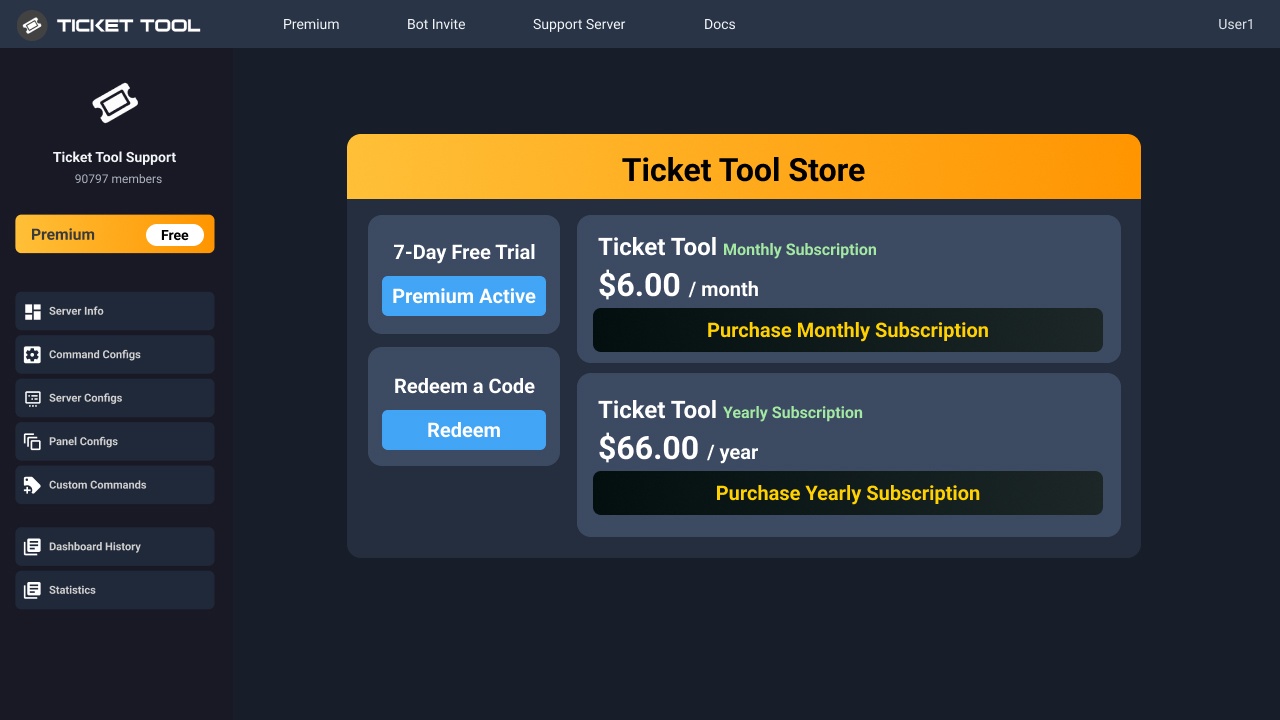
You can purchase Ticket Tool Premium here! Buying it on our website allows you to have full control over your subscription:
 Cancel your subscription at any time
Change your billing interval (yearly/monthly)
Change your payment method
Add or remove server slots to your subscription
 Transfer the subscription between servers
Note: This level of control is only available when purchasing the subscription from our website.
You can manage your current subscriptions here, any billing questions or concerns, feel free to create a Billing Ticket via #🎫│make-a-ticket
<:TTWarning:1034178155872784494> Important Notice <:TTWarning:1034178155872784494>
Starting 
 (October 7th, 2024) Ticket Tool Premium pricing will increase to comply with Discord's new Monetization Policy. You can learn more about the upcoming changes [here](#📣│bot-news message)
 dusk ermine
humble sequoia
dusk ermine
humble sequoia
I don’t have money
sacred garden
humble sequoia
will be there a lifetime option?
restive condor
dusk ermine
I don’t have money
There are tons of features you can use for free 😄
restive condor
sacred garden
will be there a lifetime option?
Not in the foreseeable future unfortunately. We offer monthly and yearly plans at this time
 onyx sentinel
How to insert logos?
restive condor
onyx sentinel
How to insert logos?
Hey there! Adding images to your embed messages is a premium feature
onyx sentinel
restive condor
Hey there! Adding images to your embed messages is a premium feature <:Premium:1...
Oh, okay, it's a shame but Ticket Tool has better features and and but the Ticket Bot has fewer features but you can insert logos xD
restive condor
Hey there! Yes, you can use the $deletedm command followed by the message link in the bot's DMs
 lyric hatch
Hello, I’ve some problem with Ticket Tool. Recently, it says that Ticket Tool doesn’t have permission to view the channel, I already gave him administration, but it still continues saying it. Is there anything I could do?
iron nightBOT
Gave +1 Rep to @restive condor (current: #1 - 1425)
restive condor
lyric hatch
Hello, I’ve some problem with Ticket Tool. Recently, it says that Ticket Tool do...
Hey there! Is that when attempting to send a panel?
lyric hatch
restive condor
Hey there! Is that when attempting to send a panel?
Yes, correct.
restive condor
Could I get your server name or ID please
lyric hatch
restive condor
Could I get your server name or ID please
Here is the server ID: 1285015126256259123
Server Name: The Mississippi Experience
restive condor
lyric hatch
Here is the server ID: 1285015126256259123
Server Name: **The Mississippi Experi...
Dashboard > Panel Configs > Buttons > Create Ticket Button
Please make sure you've selected still exists
lyric hatch
restive condor
``Dashboard`` > ``Panel Configs`` > ``Buttons`` > ``Create Ticket Button``
Pleas...
One moment.
lyric hatch
restive condor
``Dashboard`` > ``Panel Configs`` > ``Buttons`` > ``Create Ticket Button``
Pleas...
The only thing I see in button section is Create Ticket.
is that correct?
restive condor
Correct
lyric hatch
restive condor
``Dashboard`` > ``Panel Configs`` > ``Buttons`` > ``Create Ticket Button``
Pleas...
It still exists. Show this Button is on, and Button Emoji is on.
Here what it tells me.
 restive condor
lyric hatch
It still exists. Show this Button is on, and Button Emoji is on.
restive condor
lyric hatch
It still exists. Show this Button is on, and Button Emoji is on.
Alrighty, could you try selecting the emoji from the emoji editor on the Dashboard please
lyric hatch
restive condor
Alrighty, could you try selecting the emoji from the emoji editor on the Dashbo...
Is selected.

 gusty plaza
How do i change this text here?
 humble sequoiaBOT
The panel message is where people react to make a ticket. To customize it head over to your Dashboard --> Panel Configs -> Panel -> Edit Panel Message
 restive condor
lyric hatch
Is selected.
restive condor
lyric hatch
Is selected.
Click on 'Select' and go into the * tab, select the emoji from there please
lyric hatch
restive condor
Click on 'Select' and go into the * tab, select the emoji from there please
Can’t I use a custom one?
restive condor
Yes, select it from that menu though
 coral goblet
Hey, I would like to ask about one thing;
I'm in a situation where I create a ticket panel for every single developer in my server. That is awesome, it works fine. The "issue" I encounter is that when I want to do a change to these ticket panels, I have to individually go through all of them (right now ~35 and that number will be most likely rising). I'm trying to optimize these panels as much as possible, however every small change requires me to edit them all one by one.
Last time I wanted to add forms for every single developer that are same.. well I had to copy-paste a lot of text for every single forms which took me quite some time. Then I had to add a new embed to the message etc...
My question is, will something like Category Copying be added in the future? Let's say I want to copy whole Menu > Ticket from one panel and apply it to other panels, does something like that already exist?
lyric hatch
restive condor
Yes, select it from that menu though
There.

But, I want to use a custom one…
I can’t get it from “Select”.
pseudo ravine
coral goblet
Hey, I would like to ask about one thing;
I'm in a situation where I create a t...
Hey there. Unfortunately not
restive condor
lyric hatch
I can’t get it from “Select”.
Yes, you can. Please go into the * tab
lyric hatch
restive condor
Click on 'Select' and go into the * tab, select the emoji from there please
Wait, never mind! I saw it.
Yep, I see it.
 restive condor
Lovely, once you've selected, save the changes and see if it lets you send now 🙏
lyric hatch
Okay.
lyric hatch
restive condor
Lovely, once you've selected, save the changes and see if it lets you send now �...
No, it doesn’t let me.

Ticket Tool does have permission to type, and view the channel.
restive condor
lyric hatch
No, it doesn’t let me.
Alright, can you try sending the panel with the panel command please. Use $panel 1 in your server
lyric hatch
restive condor
Alright, can you try sending the panel with the panel command please. Use ``$pan...
Nothing happened.
coral goblet
pseudo ravine
Hey there. Unfortunately not
Well, that is a shame 😅
Either way, the TicketTool bot is much better than other ticket bots I've tried, it has already made my life much easier and I do plan to continue subscribing to it, but this would make it perhaps for others easier as well
I always want to have things.. perfect haha, that is why I do changes often, however thank you for the response!
iron nightBOT
Gave +1 Rep to @pseudo ravine (current: #6 - 719)
restive condor
lyric hatch
Nothing happened.
Can you use /debug instead please
lyric hatch
restive condor
Can you use ``/debug`` instead please
Yes, one moment.
restive condor
In the assistance channel, preferably

 restive condor
lyric hatch
restive condor
lyric hatch
Interesting. Can you try duplicating the panel in Dashboard and sending that new one?
lyric hatch
Yes.
restive condor
Use the ''CLONE'' button
lyric hatch
restive condor
Use the ''CLONE'' button
Didn’t worked.

This was posted by the ticket.
 restive condor
lyric hatch
Didn’t worked.
restive condor
lyric hatch
Didn’t worked.
Thanks. Dashboard > Panel Configs > Messages > Edit Panel Message
You can't have an empty embed
lyric hatch
restive condor
You can't have an empty embed
It worked! Thank You.
iron nightBOT
Gave +1 Rep to @restive condor (current: #1 - 1427)
restive condor
No problem, any time!
pseudo ravine
coral goblet
Well, that is a shame 😅
Either way, the TicketTool bot is much better than oth...
You're welcome, glad I could help!
 cursive canopy
Hey guys how do I transfer a subscription? The support docs don't match the screens I see when I follow the steps.
restive condor
cursive canopy
Hey guys how do I transfer a subscription? The support docs don't match the scr...
Hey there! How exactly are you subscribed?
 versed orbit
Can’t view my transcripts

 cursive canopy
When I click on manage my subsctiption it opens a discord window where i can click to view my app subscriptions and it's there but it says "In ***********". The *'s being the name of another server and not mine. So It appears that I am paying for ticket tool for someone elses server...
versed orbit
{"failed": "Invalid Request"}
humble sequoiaBOT
━━ Recon's inquiry has been moved to a ticket ━━
restive condor
cursive canopy
When I click on manage my subsctiption it opens a discord window where i can cli...
Apologies for the wait, I had to step away.
Unfortunately, Discord subscriptions cannot be cancelled. You would need to cancel it and re-subscribe on the new server.
I recommend you subscribe on our website to be able to transfer your subscription
humble sequoiaBOT
<:TicketToolOffline:1018980643092312155> Cancel your subscription
We're sorry to see you go!
To cancel your Ticket Tool Premium Subscription, just head over to your User Settings in Discord, then Subscriptions. Look for Premium Apps and click on Manage Subscriptions. There you can cancel your subscription at the end of your billing cycle.

User Settings > Subscriptions > Premium Apps > Manage Subscriptions > Cancel
You can purchase Ticket Tool Premium here! Buying it on our website allows you to have full control over your subscription:
Cancel your subscription at any time
Change your billing interval (yearly/monthly)
Change your payment method
Add or remove server slots to your subscription
Transfer the subscription between servers
Note: This level of control is only available when purchasing the subscription from our website.
You can manage your current subscriptions here, any billing questions or concerns, feel free to create a Billing Ticket via #🎫│make-a-ticket
<:TTWarning:1034178155872784494> Important Notice <:TTWarning:1034178155872784494>
Starting (October 7th, 2024) Ticket Tool Premium pricing will increase to comply with Discord's new Monetization Policy. You can learn more about the upcoming changes [here](#📣│bot-news message)
cursive canopy
What will happen to all of my existing tickets?
I'm thinking that maybe I am using the free version on mine and the other server I am somehow paying for is using the premium.
restive condor
cursive canopy
What will happen to all of my existing tickets?
Nothing should happen to them. If they're created with the premium bot, then the buttons might not work until you re-subscribe
restive condor
cursive canopy
I'm thinking that maybe I am using the free version on mine and the other server...
You can check from your User Settings > Subscriptions > Premium Apps, for which server you're paying
cursive canopy
on ticket toolz site or discord?
restive condor
Discord
 hollow spade
Hi im new, and how do i create a ticket?
echo yacht
hollow spade
Hi im new, and how do i create a ticket?
You mean, how to set up Ticket Tool in your server?
 stark runeBOT
1. Invite Ticket Tool to your server
First you will want to invite the bot to your server. Once the bot is in your server, you can manage your server in the dashboard.
2. Create a Panel
To create a panel we are going to need to head over to the panel configs on the dashboard.
Once at the dashboard we will need to click Create Panel.
Enter a panel name (Fill in any optional settings you want).
Click Create Panel and your ready to get started with configuring your panel.
An example of a creating a panel is shown below.
3. Send the Panel to a Channel
Once you've created a panel on the dashboard you will need to send it to a channel using send on the dashboard.
Select the channel you want your panel to be created in and click send.
For other questions checkout $help faq.
An example of a sending a panel is shown below.
Having a Problem Sending the Panel?
Do $debug in a channel with Ticket Tool and make sure it has all the necessary Discord permissions.
echo yacht
There's the guide for that, if you have any questions, feel free to ask. 
 jade topaz
Is there a way to have transcripts?
 crimson coral
jade topaz
Is there a way to have transcripts?
crimson coral
jade topaz
Is there a way to have transcripts?
Make a transcript channel then put the channel in the bot settings
jade topaz
crimson coral
Make a transcript channel then put the channel in the bot settings
Is it premium only ?
crimson coral
jade topaz
Is it premium only ?
no
jade topaz
Okay
crimson coral
Available for free version
 raven frigate
im with my friend have server (he owner) i need create a ticket BUT CANT, how i can create ticket tool?
 odd mason
How do I join the server
 old hornet
gm, i want to see the personal support person in the ticket
old hornet
How to add multiple panels below ticket selection?

 long niche
how to make them all go to seperate places
 old hornet
long niche
how to make them all go to seperate places
old hornet
long niche
how to make them all go to seperate places
How to add multiple panels below ticket selection? u use premium for this?
long niche
like how tyo make them go certain categories
worldly helm
long niche
how to make them all go to seperate places
Select your wanted panel, and go to —> Category and select ur wanted for each panel
worldly helm
old hornet
How to add multiple panels below ticket selection?
Hey there! Do you mean like in #🎫│make-a-ticket ?
 kindred hollow
odd mason
How do I join the server
kindred hollow
odd mason
How do I join the server
Which server?
kindred hollow
jade topaz
what should I do Warning: Claiming isn't enabled?
Claiming is a premium feature and needs to be enabled in your dashboard.
jade topaz
kindred hollow
Claiming is a premium feature and needs to be enabled in your dashboard.
I got it, thanks.
iron nightBOT
Gave +1 Rep to @kindred hollow (current: #120 - 6)
kindred hollow
raven frigate
im with my friend have server (he owner) i need create a ticket BUT CANT, how i...
What do you mean by you can't create a ticket?
 dusk shuttle
yall
i swear ive seen this somewhere. can i make it so that tickets start from a reaction to my message
instead of making the ticket tool panel
worldly helm
dusk shuttle
i swear ive seen this somewhere. can i make it so that tickets start from a reac...
Hey there!!
Sadly this is not possible with the ticket tool bot.
dusk shuttle
alright thanks @worldly helm
iron nightBOT
Gave +1 Rep to @worldly helm (current: #28 - 174)
 sonic grove
My language role is German, whether I have selected the channels and roles, can anyone help?
worldly helm
sonic grove
My language role is German, whether I have selected the channels and roles, can ...
Hallo!
Was genau ist dein problem?
sonic grove
worldly helm
Hallo!
Was genau ist dein problem?
das die sprach rolle deutsch fehlt
worldly helm
Was meinst du? Kannst du vielleicht ein Bildschirmfoto zeigen?
humble sequoiaBOT
⚠️ You're in the wrong place
We provide support for Ticket Tool Discord bot and cannot help you with whatever issue you have.
- We don't know which Support Team you should contact to get this issue resolved, and unfortunately we won't be able to accurately tell you.
If you don't have any further questions regarding our bot Ticket Tool, please close this ticket
 grand warren
$help
humble sequoiaBOT
grand warren
$help
First you will want to invite the bot to your server. Once the bot is in your server, you can manage your server in the dashboard.
To create a panel we are going to need to head over to the Panel Configs Tab on the Dashboard.
Once at the dashboard we will need to click Create Panel.
Enter a panel name (Fill in any optional settings you want).
Click Create Panel and you are ready to get started with configuring your panel.
An example of a creating a panel is shown below.
Once the panel has been created, use the blue Send button and select the channel you want the panel to be sent to.
The Panel wasn't send
Use the </debug:1029783024264564765> command to diagnose possible permission issues with the bot.
 ebon fox
my apologies....I am not very tech minded & trying to open a ticket
pseudo ravine
Do you need support regarding the Ticket Tool Discord bot?
ebon fox
I have been in touch with 2 people in my other account here, but I have done something & all the messages on the other account have disappeard...here I use to talk to Dani, but I am unable to contact her who helped me with Evony
pseudo ravine
You are in the wrong place
ebon fox
I apologise...sorry Jstitcj
pseudo ravine
No worries
ebon fox
Would yyou PLEASE advise/direct me as to how to get a message to Dani or about BOT ?
pseudo ravine
We don't know where you need to go
 latent hearth


 sonic grove
worldly helm
Achso, dass meinst du!
Gehe zu
sonic grove
worldly helm
Achso, dass meinst du!
Gehe zu
geht nicht da ich die rolle schon ausgewählt habe ich kan die rolle mir auch nicht weg nehmen
worldly helm
Bitte öffne ein ticket #🎫│make-a-ticket und frage nach der rolle.
sonic grove
ok
 storm pendant
How do I request support for my server?
humble sequoiaBOT
First you will want to invite the bot to your server. Once the bot is in your server, you can manage your server in the dashboard.
To create a panel we are going to need to head over to the Panel Configs Tab on the Dashboard.
Once at the dashboard we will need to click Create Panel.
Enter a panel name (Fill in any optional settings you want).
Click Create Panel and you are ready to get started with configuring your panel.
An example of a creating a panel is shown below.
Once the panel has been created, use the blue Send button and select the channel you want the panel to be sent to.
The Panel wasn't send
Use the </debug:1029783024264564765> command to diagnose possible permission issues with the bot.

 humble sequoiaBOT
فريق الدعم الفني العربي
عميلنا العزيز ان كنت تبحث عن مساعدة يرجى فتح تكت خاص بفريق الدعم الفني العربي
اذهب الى#🎫│make-a-ticket
ثم قم بلضغط على الايموجي الاتي (🇯🇴)
 balmy moon
why cant i use the bot? it says theres an issue is it a discord bug or is the bot down?
gilded verge
balmy moon
why cant i use the bot? it says theres an issue is it a discord bug or is the bo...
please provide a screenshot
balmy moon
i found it out nvm
 kindred raptor
Is it possible to automate the /add command? For example, the ticket owner sends another person's user/ID to the ticket and the bot adds that person to the ticket
humble sequoiaBOT
تحل قائمة الخيارات محل الأزرار الموجودة في رسالة لوحة التذاكر الخاصة بك وتستخدم القائمة مع جميع اللوحات الخاصة بك. لإعداد هذا، توجّه الى إعدادات اللوحة، وحدد لوحة التذاكر الرئيسية.
<:Numbericons1:1018864164032225340> تمكين نمط الخيارات
أولًا، عليك تفعيل نمط الخيارات. وبعدها يجب عليك إضافة عناصر في محرّر الخيارات. الآن يمكنك البدء بتعديل الخيارات الخاصة بك!
<:Numbericons2:1018864168041971712> محرر الخيارات
كل سطر في محرر الخيارات يمثّل سطر من قائمة الخيارات على الدسكورد. يمكنك إضافة المزيد من الخيارات، بواسطة الضغط على
أولًا، عليك إختيار لوحة تذاكر. هذه هي اللوحة التي سيفتح لها هذا الخيار تذكرة.
لا تقم بتحديد نفس اللوحة مرتين. يجب أن يكون لكل خيار لوحة مختلفة
وبعد ذلك يمكنك وضع عرض. هذا هو عنوان هذا الخيار وسيظهر في قائمة الخيارات. يمكن تعيين الوصف مباشرة بعد ذلك، والذي سيكون أسفل العنوان باللون الرمادي.
بالإضافة إلى ذلك، يمكنك تحديد رمز تعبيري (إيموجي) سيتم عرضه أمام كل خيار. يمكنك إما إدخال معرف الرمز التعبيري يدويًا أو تحديده في أداة التحديد.
المشاكل الشائعة ⚠️
- اللوحة لا تعمل؟ تأكد أنك قمت بإدخال رمز تعبيري صحيح.
- الخيار لا يظهر؟ تحقق مما إذا كان هناك خياران لهما نفس اللوحة في محرر الخيارات.
$ardropdown
lament prairie
 compact cove
السلام عليكم
compact cove
السلام عليكم
وعليكم السلام ، شيك الرسالة الي فوق
compact cove
lament prairie
وعليكم السلام ، شيك الرسالة الي فوق
مافهمت منها شي
@lament prairie
كيف اروح قائمه الخيارات
humble sequoiaBOT
Ticket Tool - Ticketing without clutter - The #1 Discord support bot
lament prairie
compact cove
كيف اروح قائمه الخيارات
يقصدون الداشبورد ، الرابط الي فوق ^
lament prairie
compact cove
شسوي بعدها
الشرح الي فوق ما فهمته؟
 tender dragon
guys i want to add the golden version of ticket tool how?
and when i add it the changes i did in the old one will stay in it?
lament prairie
compact cove
اكثر من مرا ولا فهمته
Dashboard -> Dropdown Style -> Enable select style -> Dropdown Item(s) -> اضغط على Add Item
وعبي الخيارات لو في شي مو فاهمه خبرني
compact cove
lament prairie
> Dashboard -> Dropdown Style -> Enable select style -> Dropdown Item(s) -> اضغط...
مالقيت الثاني
هنا صح؟
 lament prairie
compact cove
هنا صح؟
lament prairie
compact cove
هنا صح؟
صحيح ، دور كويس
humble sequoiaBOT
@' Mateo 𐓷 .'s issue has been solved in another channel.
lament prairie
compact cove
تعبتك معي كثير والله اعذرني
مو مشكلة يقلبي
compact cove
lament prairie
مو مشكلة يقلبي
بس لاهنت وش احط ب العرض؟
lament prairie
compact cove
بس لاهنت وش احط ب العرض؟
اسم التكت الي يشوفوه الناس
compact cove
lament prairie
اسم التكت الي يشوفوه الناس
تمام مشكور والله ❤️
lament prairie
الشكر لله حياك 
stark runeBOT
1. Invite Ticket Tool to your server
First you will want to invite the bot to your server. Once the bot is in your server, you can manage your server in the dashboard.
2. Create a Panel
To create a panel we are going to need to head over to the panel configs on the dashboard.
Once at the dashboard we will need to click Create Panel.
Enter a panel name (Fill in any optional settings you want).
Click Create Panel and your ready to get started with configuring your panel.
An example of a creating a panel is shown below.
3. Send the Panel to a Channel
Once you've created a panel on the dashboard you will need to send it to a channel using send on the dashboard.
Select the channel you want your panel to be created in and click send.
For other questions checkout $help faq.
An example of a sending a panel is shown below.
Having a Problem Sending the Panel?
Do $debug in a channel with Ticket Tool and make sure it has all the necessary Discord permissions.
jade topaz
how i add ticket in my server pls help me (im french)
echo yacht
stark rune
@jade topaz ⬆️
jade topaz
thx
echo yacht
Feel free to ask if you have any issues.
jade topaz
echo yacht
Feel free to ask if you have any issues.
i understand nothing
the bot is in my server
but how i activate
echo yacht
Please read the guy above which explain step by step how to set uo our bot.
jade topaz
k
 ruby widget
Hello, help me recover my account
I haven't logged into the game for a long time, I only remember my nickname and email
 humble sequoiaBOT
⚠️ You're in the wrong place
We provide support for Ticket Tool Discord bot and cannot help you with whatever issue you have.
- We don't know which Support Team you should contact to get this issue resolved, and unfortunately we won't be able to accurately tell you.
If you don't have any further questions regarding our bot Ticket Tool, please close this ticket
 tulip tiger
One of our admins ran into this error, but I'm having issues recreating. Perhaps anyone have any insight into this?
- Limitation of Discord yes? How does one prevent this error from happening again?

 chilly leaf
tulip tiger
One of our admins ran into this error, but I'm having issues recreating. Perhaps...
chilly leaf
tulip tiger
One of our admins ran into this error, but I'm having issues recreating. Perhaps...
Just as it says in that screenshot, the category that you’re opening the tickets in has a maximum of 45 channels due to Discord’s limitations. You’re most likely unable to reproduce this due to tickets being cleared out of that category. There isn’t any real way to prevent this, just don’t have as many tickets open at once or change categories when it fills up.
tulip tiger
chilly leaf
Just as it says in that screenshot, the category that you’re opening the tickets...
Thanks for the reply! I'll try to see how we can keep it from overflowing.
iron nightBOT
Gave +1 Rep to @chilly leaf (current: #339 - 1)
restive condor
Quick note, you can add additional categories so once you're main one is full, tickets can be created on the next one
humble sequoiaBOT
Discord only allows to stack up to 50 channels per category, meaning that if you have already 50 tickets in one category, the bot won't be able to place a ticket in that category, for such reason Ticket Tool counts with overflow categories, meaning that if your main category is filled, the bot will go ahead and place the ticket on the next one available, simply choose a second category in the category pickers:
chilly leaf
tulip tiger
Thanks for the reply! I'll try to see how we can keep it from overflowing.
No problem! Cheers 🥂
tulip tiger
restive condor
Quick note, you can add additional categories so once you're main one is full, t...
Legend
chilly leaf
restive condor
Quick note, you can add additional categories so once you're main one is full, t...
oops, my apologies. Didn’t know that feature existed as I keep the amount of tickets open at once very low 🙃
restive condor
Haha, no worries. Appreciate you helping out 
 inland marsh
does anyone know how to change the embed color on mobile i dont want it to be green and im really confused 😓
 fluid skiff
Does anyone know how to change roles that can access and claim tickets
 unkempt ocean
if I use thread tickets will that stop vencord scammers from dming my clients?
chrome mortar
How can I add multiple categories here
 humble sequoiaBOT
━━ Star's inquiry has been moved to a ticket ━━
For more convenient use of multipanels, you can now combine panels on the dashboard. This will allow you to directly send the multipanel from the dashboard or via the $panel ID command.
Where can I find this?
You can find this setting on the Dashboard -> Panel Configs -> Panel -> Attached Panels
Note: if you're attaching all the panels to a panel called English, don't include English in the attached panel's box (If you do this, it will create a duplicate)
This will put all buttons from all of your panels on one message. The message is the panel message from the panel you're combining these panels in.
austere forge
chrome mortar
How can I add multiple categories here
Hi there 🙂
see above ⬆️
chrome mortar
austere forge
Hi there 🙂
see above ⬆️
Thanks
iron nightBOT
Gave +1 Rep to @austere forge (current: #9 - 572)
 tawdry kindle
nice to meet you
I would like to automatically assign a role after creating a ticket. How can I do this? please tell me!
austere forge
tawdry kindle
nice to meet you
I would like to automatically assign a role after creating a t...
Hi there 🙂
Go to Dashboard > Panel configs > Ticket - Ticket Opened Roles
 ashen seal
@lament prairie سلام عليكم
ashen seal
جوكر عربي
strange delta
تمام
strange delta
طيب
humble sequoiaBOT
تتيح نماذج الدسكورد للمستخدم الإجابة على الأسئلة الفردية في النموذج المنبثق، والذي يعرض بعد ذلك الإجابات في رسالة التذكرة. يمكن أن يوفر هذا الوقت إذا كنت تعرف بالضبط ماذا تريد أن تطلبه من المستخدم.
إعداد النماذج
يمكنك تفعيل النماذج ضمن Panel Configs > Form Option > Edit Forms Option. في النافذه التي ظهرت، يمكنك الآن تفعيل وتعديل النموذج الخاص بك.
خيارات النموذج
يمكنك إضافة 5 أسئلة كحد أقصى في النماذج، وهو حد من قبل الدسكورد. ولكل سؤال يمكن أن يملك وصف يظهر في خانة الإجابة، حد أقصى وحد أدنى لعدد الحروف، متعدد الأسطر، وأيضًا الخيار لجعل السؤال مطلوب.
الخيارات
Question Title ➞ سؤالك هنا
Question Placeholder ➞ الوصف الذي سيظهر على خانة الإجابة
Required ➞ في حالة التفعيل، سيتوجّب على المستخدم الإجابة على هذا السؤال لإرسال النموذج
Multi-Line Input ➞ للسماح للمستخدم بإدخال نص متعدد الأسطر
Minimum and Maximum Input ➞ تعيين حد أدنى وحد أقصى للنص المُدخل بواسطة المستخدم
عرض الجواب
لعرض الإجابات من المستخدم، تحتاج إلى تفعيل
Auto display form results on the ticket message as an additional embed
إذا كنت لا تريد Embed آخر في رسالة التذكرة، فإنتقل إلى Panel Configs > Ticket Options > Edit Ticket Message. هناك ستستخدم المتغيّر (variable) {create.form.x} وإستبدل x برقم سؤالك. على سبيل المثال، يمكن عرض إجابة سؤال 1 بإستخدام المتغير {create.form.1}. إذا لم تستخدم هذا المتغير، فستفقد إجابة المستخدم على النموذج.
tawdry kindle
I have set this up, but when I create a ticket, the role is not assigned, please help!
worldly helm
Please make sure the bot has the permission MANAGE ROLES 
 narrow dome
 narrow dome
narrow dome
narrow dome
how to fix this ?
worldly helm
narrow dome
how to fix this ?
Hey there! Please make sure the bot has the permission MANAGE ROLES
narrow dome
worldly helm
Hey there! Please make sure the bot has the permission `MANAGE ROLES` <:Switch_e...
nvm the bot was actually got taken down by wick
charred crow
Hey support team i need help
i need a way to disable close perms for members if embed
restive condor
charred crow
i need a way to disable close perms for members if embed
Hey there! Dashboard > Panel Configs > Buttons > Close Ticket Button > Enable Support Team Only
 dawn perch
I need help cannot use my Discord account, when trying to verify my number it tells me someone else has an account with the same number
charred crow
restive condor
Hey there! ``Dashboard`` > ``Panel Configs`` > ``Buttons`` > ``Close Ticket Butt...
thanks for helping gives +rap
iron nightBOT
Gave +1 Rep to @restive condor (current: #1 - 1439)
restive condor
dawn perch
I need help cannot use my Discord account, when trying to verify my number it ...
Hi there, that's not a Ticket Tool issue unfortunately.
You may have used that phone number before, try using a new one. If you're still having issues with it, please reach out to Discord Support https://dis.gd/request
dawn perch
@restive condor It's only one account I have and it's saying I have to verify the number, being trying for weeks now, but thanks
iron nightBOT
Gave +1 Rep to @restive condor (current: #1 - 1440)
 supple veldt
If I don't have dashboard access (our server owner is OOO right now), is there any way I can set up the tickets so that when I close them, that the user can still view the contents of the ticket?
For some context, I want to redirect most of these support tickets to a different avenue and then close them to clean things up. However, I want to make sure that they'll still be able to see the last message I send where I tell them to reach out to a specific email address, even after I close the ticket
pseudo ravine
Hey there. Unfortunately you'll need access to the dashboard
supple veldt
Gotcha. Otherwise, if I close the ticket, will they not be able to see the historical messages?
pseudo ravine
Nope, as they'll have their access removed
supple veldt
And if I get dashboard access, I'll be able to adjust a setting so that they will be able to see my last message?
pseudo ravine
You can make it so their access will not get removed
supple veldt
But that is not the default setting right now
pseudo ravine
supple veldt
But that is not the default setting right now
Yep, you'll need to go on the dashboard to edit the permissions of closed tickets
compact cove
compact cove
السلام عليكم
@supppt
humble sequoiaBOT
فريق الدعم الفني العربي
عميلنا العزيز ان كنت تبحث عن مساعدة يرجى فتح تكت خاص بفريق الدعم الفني العربي
اذهب الى#🎫│make-a-ticket
ثم قم بلضغط على الايموجي الاتي (🇯🇴)
 brazen plover
 restive condor
@vapid shore Hey! Sorry your ticket automatically closed.
Right click (hold down, if on mobile) on the channel's name > Edit Channel > Permissions > Add Ticket Tool >  All the permissions marked with x below
 restive condor
brazen plover
restive condor
brazen plover
Hey there! Could I get your server name or ID?
 vapid shore
restive condor
<@535021717148532736> Hey! Sorry your ticket automatically closed.
Right click ...
vapid shore
restive condor
<@535021717148532736> Hey! Sorry your ticket automatically closed.
Right click ...
What do I do now?
restive condor
vapid shore
What do I do now?
Did you tick all permissions?
If so, you should be able to send your panel now
vapid shore
okie
vapid shore
restive condor
If so, you should be able to send your panel now
do I need to setup?
doing the /setup thingy
restive condor
By default, only the owner and users with administrator permissions but you can give your staff access as well
humble sequoiaBOT
1. Go into your Dashboard
2. Open your Panel Configs tab
3. Select the panel you want to grant access to
4. Open the General options menu
5. Select your Support Team Roles
6. Save changes
 vapid shore
restive condor
By default, only the owner and users with administrator permissions but you can ...
vapid shore
restive condor
By default, only the owner and users with administrator permissions but you can ...
Is the dashboard this?
 restive condor
Correct
vapid shore
thanks!
 honest pewter
i am trying to make the ticket to ask the user why they are creating it how do i do that?
worldly helm
Hey there!
You can use a feature called "Forms" to do that!
humble sequoiaBOT
A Discord Form lets the user answer individual questions in a pop-up Form, which then displays the answers in the ticket message. This can save time if you already know what you want to ask the user.
Setup Forms
Forms can be enabled under Panel Settings > Form Options > Edit Forms Options. In the new pop-up window, you can now enable and edit your own Form.
Form Options
You can add up to 5 questions in the Discord form. This is a Discord limitation. Each question can have a placeholder in the input field, a minimum and maximum input, multi-line, and also the option to have the answer required.
Options
Question Title ➞ Your Question goes here
Question Placeholder ➞ The placeholder text in the input field
Required ➞ If enabled, the user has to answer this question, to submit the form
Multi-Line Input ➞ Allows the user to input multiple lines
Minimum and Maximum Input ➞ Set a minimum and maximum input value for the user
Displaying the Answer
To display the answers from the user, you need to enable Auto display form results on the ticket message as an additional embed
If you don't want a second embed, go into your Panel Configs > Ticket Options > Edit Ticket Message. You use the variable {create.form.x} and replace x with the number of your question. For example, the response to Question 5 can be displayed with {create.form.5}.
honest pewter
thank you so much this helps alot
coarse helm
How do i make it so when a ticket is closed and transcript has been sent to user/and logging channel it auto deletes without needing to select delete manually? I swear I had it set up that way before but I was redoing our ticket system lol

 violet quiver
Hi guys how do I make this

I know this is a different bot but I wanna do it with ticket tool
I forgot what its calledA drop down list yk
 violet quiver
coarse helm
violet quiver
coarse helm
Youre the man
violet quiver
coarse helm
Where is this?
coarse helm
It's your main dashboard for the panel you are currently viewing. If you're viewing on desktop theres a button on the left called panel configs if it's not popping up automatically when you select the server you want to manage/edit
 restive condor
coarse helm
How do i make it so when a ticket is closed and transcript has been sent to user...
restive condor
coarse helm
How do i make it so when a ticket is closed and transcript has been sent to user...
Hey there! Please disable 
TWO STEP TICKET in your Dashboard > Panel Configs > General
coarse helm
Thanks Dan! Speedy service as always, you guys are the best. 🤍
restive condor
 dark spoke
Hey guys so when i have different categories for different tickets. Let's say i have a partner category and i only want managers to see it not the rest. But when someone makes a ticket aka creating a new channel it dosnt sync and i have to always sync it
Why is that can someone please help
violet quiver
How do I change this
 humble sequoiaBOT
1. Go into your Dashboard
2. Open your Panel Configs tab
3. Select the panel you want to grant access to
4. Open the General options menu
5. Select your Support Team Roles
6. Save changes
The panel message is where people react to make a ticket. To customize it head over to your Dashboard --> Panel Configs -> Panel -> Edit Panel Message
pseudo ravine
@violet quiver Read this ^
violet quiver
How do I change the place holder text
humble sequoiaBOT
The Drop-down menu or Select Menu replaces the buttons on your panel message and uses a drop-down menu with all of your panels. To set this up, go to your Panel Configs and select your main Panel.
<:Numbericons1:1018864164032225340> Enable Select Style
First you enable Select Style. Then you add an item in the Dropdown Editor. Now you can start editing your dropdown!
<:Numbericons2:1018864168041971712> Dropdown Editor
Each line in the dropdown editor represents a line in the drop down menu on discord. You can add more "Items", by clicking on
First you select a panel. That's the panel this option will open a ticket for. DONT select the same panel twice. Each option should have a different Panel
After that, you can put a Display. This is the title of this option and will appear in the drop down menu. The *Description can be set right after that, which will be below the title in grey.
Additionally you can select an emoji, that will be shown in front of each option. You can either manually input the ID of an emoji or select it in the selector.
Common Issues ⚠️
- Panel doesn't send? Make sure you have a valid emoji selected
- Option doesn't show up? Check if two options have the same panel in the DropDown Editor
$dropdown
dark spoke
humble sequoia
Will this help me with the issue I'm going through?
restive condor
Correct
dark spoke
restive condor
Correct
Ahh thank you so much
iron nightBOT
Gave +1 Rep to @restive condor (current: #1 - 1443)
restive condor
@pseudo ravine thanks
iron nightBOT
Gave +1 Rep to @pseudo ravine (current: #6 - 720)
restive condor
cooldown
dark spoke
restive condor
cooldown
Mhm ok
violet quiver
How can I make the bot ping a role when a ticket is made
humble sequoiaBOT
1. Go into your Dashboard
2. Open your Panel Configs tab
3. Select the panel you want to ping your support on
4. Open the Ticket options menu
5. Click on Edit Ticket Message
6. In the Message Content use one of the role mention syntax (**{@Role Name}**/**{Role ID}**)
7. Save changes
Note: For this to work properly, Ticket Tool requires the Mention Everyone permission. Or the role must have the Allow anyone to @mention this role setting enabled
restive condor
violet quiver
How can I make the bot ping a role when a ticket is made
Hey there! See above please ^
violet quiver
is there a way to chang the tickets from just numbers to "a name" 1234
humble sequoiaBOT
The ticket name is the default channel name of all tickets. To edit it, go to your Dashboard > Panel Configs > Ticket. There you can edit the channel name of opened and closed tickets. You can also use variables in there.

 Note: This is a premium feature
violet quiver
Note: This is a premium feature
violet quiver
premium feature?
pseudo ravine
Yep
violet quiver
rip
 old cloud
Yo can I turn off mod message? Just leaving it blank still sends an blank message
violet quiver
Is there a way to have auto transcripts
pseudo ravine
old cloud
Yo can I turn off mod message? Just leaving it blank still sends an blank messag...
Hey there. You should disable Two Step Ticket for your panels
pseudo ravine
violet quiver
Is there a way to have auto transcripts
That is also a premium feature
violet quiver
rip
pseudo ravine
Unfortunately not
old cloud
Ok fair thx
pseudo ravine
You're welcome, glad I could help!
honest pewter
how do make it so when someone creates a ticket it notifies me
honest pewter
hello?
humble sequoiaBOT
1. Go into your Dashboard
2. Open your Panel Configs tab
3. Select the panel you want to ping your support on
4. Open the Ticket options menu
5. Click on Edit Ticket Message
6. In the Message Content use one of the role mention syntax (**{@Role Name}**/**{Role ID}**)
7. Save changes
Note: For this to work properly, Ticket Tool requires the Mention Everyone permission. Or the role must have the Allow anyone to @mention this role setting enabled
honest pewter
i did that but it doesnt notify me it just pops up as regular text
nevermind i fixed it thank you
thanks @restive condor
iron nightBOT
Gave +1 Rep to @restive condor (current: #1 - 1444)
supple veldt
How does the server owner get to this page? Sorry he's still confused on how to grant me dashboard access
humble sequoiaBOT
Ticket Tool - Ticketing without clutter - The #1 Discord support bot
echo yacht
@supple veldt This is the link to the Dashboard ⬆️
In case you don't find your server, read below 
humble sequoiaBOT
Don't see your server in the dashboard?
Try using the Sync Servers button on your top center of the Dashboard page
You will possibly need to relog. Look below to see the steps on how to relog.
If this doesn't work
You should relog from the dashboard, you can do this by clicking here to log out immediately, and then log back in
Note:
You need one of these 3 things to access the dashboard.
1. Server Owner (Level: 6)
2. Server Administrator (Level: 4)
3. Dashboard Role (Level: 2)
:warning: You can check your level using the </permissionlevel:1029797400174399542> command on your Discord Server
If the bot's response is:
- @User is permission level: 0 (User)
You don't have any of the 3 levels required to access the server's dashboard
 brazen plover
restive condor
Hey there! Could I get your server name or ID?
brazen plover
restive condor
Hey there! Could I get your server name or ID?
Discord server Id-1012684771828187157
Discord Server Name-Apower Graphics | Partner By DesignXGaming
 ocean hamlet
alguém fala português?
 vernal herald
Eu
 spark quest
Where do I find this "Panel id" thing?
@help
Aw man 🙁
There are no rules so Imma just ping someone for support
scenic plinth
Yes.... there is... dont do it
spark quest
scenic plinth
*Yes.... there is... dont do it*
Oh
scenic plinth
ocean hamlet
alguém fala português?
Sim
scenic plinth
The number that appears in the panel selection dropdown is your panel ID.
 soft pecan
Hey there,
How can I invite a team mate of mine to the Ticket Tool dashboard and view the same server that I have access to?
 cedar pulsar
May i know how to get the history tickets that have been closed? Because i forgot to list my in game items
It just hapeens like few hours ago because someone just accidentally close it
 pseudo bough
Me banned in support , JUST BECAUSE I TALKED ABOUT MY PROBLEM?
IT'S ESPECIALLY COOL THAT THE RULES ARE NOT STATED IN EVERY UPDATE
THAT IS, THE PLAYERS THEMSELVES SHOULD UNDERSTAND WHAT IS CORRECT AND WHAT IS NOT?
I'm not even talking about how strict the rules are
JUST GAVE A UNIT TO A FRIEND AND GOT BANNED FOR IT
humble sequoiaBOT
@pseudo bough
⚠️ You're in the wrong place
We provide support for Ticket Tool Discord bot and cannot help you with whatever issue you have.
- We don't know which Support Team you should contact to get this issue resolved, and unfortunately we won't be able to accurately tell you.
If you don't have any further questions regarding our bot Ticket Tool, please close this ticket
worldly helm
soft pecan
Hey there,
How can I invite a team mate of mine to the Ticket Tool dashboard and...
Hey there! You can either give him administrator or set up a Dashboard role
humble sequoiaBOT
Any role you put there will have full access to the ticket tool dashboard. The server owner and users with admin permissions already have access to the dashboard.
Be careful of which roles to put here
restive condor
brazen plover
Discord server Id-1012684771828187157
Discord Server Name-Apower Graphics | Par...
It seems like you have enabled the premium bot but haven't invited it yet
humble sequoiaBOT
The first thing you will need to do is invite the premium bot, an invite can be found here
Once the bot is in your server we will head to the dashboard and manage your server. When you are managing your server, you want to head into "Server Configs" then click the drop down menu under "Select the bot you would like to use on this server" then click "Ticket Tool#6207" and then save.
 restive condor
There's an invite ^
worldly helm
cedar pulsar
May i know how to get the history tickets that have been closed? Because i forgo...
Hello there :)
You can ask the support team for the transkript of the ticket, if they didn‘t save it you cannot view it.
cedar pulsar
Oh i dont think we has the trans
worldly helm
then you cannot view the ticket.
 faint roost
heyy guyss I need help i dont know if this is possible but I want diff ticket buttons but each buttons they have access to diff staff/ticket admins
 chrome juniper
Hi I have a little question here
We all know that we can ping users when they open a ticket like this, but can I mention the channel?

does it also work like {channel id} or smth like that?
worldly helm
faint roost
heyy guyss I need help i dont know if this is possible but I want diff ticket bu...
Hey there! What do you mean different buttons, where?
faint roost
worldly helm
Hey there! What do you mean different buttons, where?
I saw this on youtube and I want like diff buttons too but each of them are diff admins
 worldly helm
Ohh okay! See below please
humble sequoiaBOT
For more convenient use of multipanels, you can now combine panels on the dashboard. This will allow you to directly send the multipanel from the dashboard or via the $panel ID command.
Where can I find this?
You can find this setting on the Dashboard -> Panel Configs -> Panel -> Attached Panels
Note: if you're attaching all the panels to a panel called English, don't include English in the attached panel's box (If you do this, it will create a duplicate)
This will put all buttons from all of your panels on one message. The message is the panel message from the panel you're combining these panels in.
faint roost
humble sequoia
Tysm
chrome juniper
chrome juniper
Hi I have a little question here

austere forge
chrome juniper
<a:GhostWave:607656953875005471>
Hi there 🙂
sorry for the late reply
sure, you can with the channel id and the discord variable :
<#ID CHANNEL> - [#🆘│community-support](/guild/509192800865353738/channel/776680605517742090/)
chrome juniper
austere forge
Hi there 🙂
sorry for the late reply
sure, you can with the channel id and the...
yayyy it works!! tysm
brazen plover
restive condor
It seems like you have enabled the premium bot but haven't invited it yet
Bot is offline

 full ocean
Hello, guys! How to delete all closed tickets in the server?
humble sequoiaBOT
━━ David Lee's inquiry has been moved to a ticket ━━
austere forge
brazen plover
Bot is offline
Hi there 🙂
did you invite the gold bot to your server?
brazen plover
No
humble sequoiaBOT
The first thing you will need to do is invite the premium bot, an invite can be found here
Once the bot is in your server we will head to the dashboard and manage your server. When you are managing your server, you want to head into "Server Configs" then click the drop down menu under "Select the bot you would like to use on this server" then click "Ticket Tool#6207" and then save.
austere forge
brazen plover
No
you must do this to have access to your dashboard.
brazen plover
Premium bot offline i switch gold bot but show bot is not active
austere forge
brazen plover
Premium bot offline i switch gold bot but show bot is not active
I see on your dashboard that you still haven't invited the gold bot - and you've switched to the white bot.
if you want to use bot gold follow instructions above pls ⬆️
humble sequoiaBOT

Deutsches Support-Team
Wenn du Hilfe vom Deutschen Support-Team erhalten möchtest gehe in #🎫│make-a-ticket und öffne durch einen Klick auf den :flag_de: Button ein Ticket.
austere forge
jade topaz
?
stark runeBOT
1. Lade Ticket Tool auf deinen Server ein
Im ersten Schritt laden wir den Bot auf deinen Server ein. Sobald du dies gemacht hast und der Bot auf deinem Server ist, kannst du über das Dashboard deinen Server verwalten.
2. Erstelle ein Panel
Um ein Panel zu erstellen gehen wir im Dashboard zu den Panel Configs.
Dort angekommen, klicken wir auf Create Panel.
Tippe nun einen Namen für das neue Panel ein (du kannst gerne noch weitere optionale Einstellungen vornehmen).
Nachdem du auf Create Panel geklickt hast, kann es mit der Konfiguration des Panels im nächsten Schritt weitergehen.
Ein Beispiel, um ein Panel zu erstellen, ist in der Abbildung unterhalb dieses Textes zu sehen.
3. Sende das Panel in einen Kanal
Nachdem du nun ein Panel über das Dashboard erstellt hast, müssen wir dieses noch über den send Knopf im Dashboard in einen Kanal schicken.
Wähle den Kanal aus, welchen du für dieses Panel verwenden möchtest und klicke anschließend auf send.
Um weitere Hilfe zu erhalten, verwende den Befehl $help faq.
Ein Beispiel um ein Panel in einen Kanal zu senden, findest du in der Abbildung unter diesem Text.
Hast du Probleme das Panel in einen Kanal zu schicken?
Um zu überprüfen ob alle notwendigen Berechtigungen vergeben sind, verwende den Befehl $debug.
Dies musst du in einem Kanal machen, in welchem der Ticket Tool Bot ist.
 wild spire
jade topaz
wie erstelle ich tickets🇩🇪
wild spire
jade topaz
wie erstelle ich tickets🇩🇪
Wenn du weitere Informationen brauchst, gehst du auf #🎫│make-a-ticket
wild spire
okido 👌🏻
ocean hamlet
scenic plinth
Sim
e pq eu n to conseguindo configurar o bot em um servidor meu
 young wraith
Someone Help... I am trying to upgrade my ticket bot to premium but it keep declining my card. I also try using paypal and it says unable to process payment. I need help.
humble sequoiaBOT
Equipa de Apoio Portuguesa
Se você está procurando ajuda, abra um ticket para entrar em contato com a equipe de suporte em português. Vá para #🎫│make-a-ticket e pressione o botão :flag_br:.
wild spire
young wraith
Someone Help... I am trying to upgrade my ticket bot to premium but it keep decl...
I suggest opening a billing ticket in #🎫│make-a-ticket
 chilly wharf
Help! What to do in this case? It doesn't want to publish the panel
 wild spire
chilly wharf
Help! What to do in this case? It doesn't want to publish the panel
wild spire
chilly wharf
Help! What to do in this case? It doesn't want to publish the panel
do /debug in that channel? does the bot have access?
 bold elm
hello, does anyone know what to do if this error appears?
 wild spire
bold elm
hello, does anyone know what to do if this error appears?
wild spire
bold elm
hello, does anyone know what to do if this error appears?
that means the server reached the max limit of channels. You need to delete some to create new.
 wild spire
chilly wharf
wild spire
chilly wharf
then u might have used an invalid emoji in a button or something.
bold elm
@wild spire i deleted all channels except one and it doesnt help
wild spire
bold elm
<@822579606074032178> i deleted all channels except one and it doesnt help
U tried opening a new ticket and the same error appears?
wild spire
bold elm
yes
can u send a screenrecord of the server and then pressing the make a ticket button?
if u want u can open a ticket in #🎫│make-a-ticket then we can look more closely as this is public and maybe some info is not for everyone to see
humble sequoiaBOT
The Ticket Message is the first message sent by the bot on a new ticket. To customize it head over to your Dashboard ➞ Panel Configs ➞ Ticket ➞ Edit Ticket Message
wild spire
embed editor
 austere oxide
Is claiming premium only?
austere forge
austere oxide
Is claiming premium only?
hi there 🙂
correct 👍
austere oxide
austere forge
hi there 🙂
correct 👍
What can you do with claiming?
austere forge
austere oxide
What can you do with claiming?
see below ⬇️
humble sequoiaBOT
Claiming allows you to change the ticket name, category and permissions. To use it you have to enable it first on your Dashboard > Panel Configs > Claiming

 Note: This is a premium feature
 past vortex
Why does /setup not work?
restive condor
past vortex
Why does /setup not work?
Hey there! Any error message?
past vortex
restive condor
Hey there! Any error message?
just not responding
Ticket Tool
APP
— Today at 7:14 PM
The application did not respond
restive condor
past vortex
just not responding
Could you use the /debug command please
past vortex
The application did not respond
restive condor
past vortex
The application did not respond
Ticket Tool seems to be missing the SEND MESSAGES permission for that channel
past vortex
oh ye, idk why it didint had it
restive condor
No worries
 blissful oak
humble sequoiaBOT
blissful oak
humble sequoiaBOT
⚠️ Está en el lugar equivocado
Brindamos soporte para el bot de Discord Ticket Tool y no le podemos ayudar con el problema que presenta.
- No sabemos a que equipo de soporte debería contactar para solucionar este problema, y desafortunadamente no podremos ayudarle acertadamente.
Si no tiene alguna duda relacionada a nuestro bot, Ticket Tool, por favor cierre este ticket.
jade topaz
is there a way to gift ticket tool premium?
restive condor
jade topaz
is there a way to gift ticket tool premium?
Hey there! Yes, we can:
- Redeem a time key bought via crypto onto a server of your choice (3 months minimum)
- You can subscribe to premium and then transfer it to their server
- You may be able to buy a premium code from us, but it might not be a possibility
 mighty finch
restive condor
Hey there! Yes, we can:
- Redeem a time key bought via crypto onto a server of y...
mighty finch
restive condor
Hey there! Yes, we can:
- Redeem a time key bought via crypto onto a server of y...
Can I change the ticket name to the first person who clicks claim?
jade topaz
restive condor
Hey there! Yes, we can:
- Redeem a time key bought via crypto onto a server of y...
They're transferring it to me, can they transfer it to me without having access to my server?
restive condor
mighty finch
Can I change the ticket name to the first person who clicks claim?
Hi there, yes. Dashboard > Panel Configs > Claiming > Use the {author.name} variable in your claim name
restive condor
jade topaz
They're transferring it to me, can they transfer it to me without having access ...
You'd need to give them temporal access to your server Dashboard while they transfer it.
Or, they could transfer the subscription to your account, but they'd be paying it for it
jade topaz
restive condor
You'd need to give them temporal access to your server Dashboard while they tran...
How can they transfer the subscription to my account? they already bought it for me
restive condor
jade topaz
How can they transfer the subscription to my account? they already bought it for...
Please ask them to join this server and I'll bring them into a ticket to make the change 😄
jade topaz
restive condor
Please ask them to join this server and I'll bring them into a ticket to make th...
thanksss they just joined, their id is 1240824791645290538
mighty finch
restive condor
Hi there, yes. ``Dashboard`` > ``Panel Configs`` > ``Claiming`` > Use the ``{aut...

Like that?
worldly helm
{} ;)
worldly helm
mighty finch
<@795710289425334303>
Use {author.name}
mighty finch
worldly helm
Use {author.name}
Okay
worldly helm
with the {}
mighty finch
worldly helm
with the {}
Like this?
 worldly helm
Yes sir!
mighty finch
I will try now
mighty finch
worldly helm
Yes sir!
Is this the correct way or does it not make a big difference?
 worldly helm
It doesnt make any diffenrence
mighty finch
Okay
mighty finch
worldly helm
It doesnt make any diffenrence
Not work
mighty finch
worldly helm
It doesnt make any diffenrence

It only worked for me because I have a street admin, so what's the problem?
I am sure the problem is with the permissions, but I do not know what the correct permission is.
He also changes the name to username and I want it to be nickname
restive condor
mighty finch
Dashboard > Panel Configs > Messages > Edit Claim Message
You cannot have an empty embed
mighty finch
restive condor
``Dashboard`` > ``Panel Configs`` > ``Messages`` > ``Edit Claim Message``
You c...
Its okay now? Right?

I want nickname not username its that okay?
restive condor
mighty finch
I want nickname not username its that okay?
Yes, that's fine. Can I get your server name or ID please
mighty finch
restive condor
Yes, that's fine. Can I get your server name or ID please
Okay
mighty finch
restive condor
Yes, that's fine. Can I get your server name or ID please
1020652371623280640
Not work

 restive condor
mighty finch
I want all of 1 to 5
restive condor
mighty finch
I want all of 1 to 5
Yes, but are all panels having the same error message when you try to claim it?
mighty finch
restive condor
Yes, but are all panels having the same error message when you try to claim it?
I will try wait
mighty finch
restive condor
Yes, but are all panels having the same error message when you try to claim it?
It work thx
but with username not with nickname
iron nightBOT
Gave +1 Rep to @restive condor (current: #1 - 1446)
restive condor
Glad to hear!
mighty finch
iron night
Gave +1 Rep to **<@795710289425334303>** (current: `#1` - `1446`)
You deserve it
mighty finch
restive condor
Glad to hear! <:PabloTiphat:983791053842837624>
I want with nickname
restive condor
mighty finch
I want with nickname
As the ticket name you mean?
mighty finch
With this panel its not work
 mighty finch
restive condor
As the ticket name you mean?
mighty finch
restive condor
As the ticket name you mean?
Yes
restive condor
mighty finch
Yes
Use {author.nickname} instead
mighty finch
mighty finch
With this panel its not work
Number 1 panel
restive condor
mighty finch
With this panel its not work
Same variable for the embed here
mighty finch
restive condor
Use ``{author.nickname}`` instead
Okay
mighty finch
restive condor
Same variable for the embed here
1+rep
 hushed yew
Hi can I add a photo in the embed? when sending a panel?
restive condor
hushed yew
Hi can I add a photo in the embed? when sending a panel?
Hey there! Adding images to your embed messages is a premium feature
 still delta
@restive condor how would I fix this I've tried removing and adding the bot that didn't work I've tried giving it more perms that didn't work I tried debugging but the bot doesn't work?
