#🆘│community-support
1 messages · Page 138 of 1
 restive condor
Hey there! You will either need administrator permissions enabled in your role settings (Level 4), or have someone with Dashboard access add your role as a Dashboard Role. (Level 2)

 humble sequoiaBOT
Any role you put there will have full access to the ticket tool dashboard. The server owner and users with admin permissions already have access to the dashboard.
Be careful of which roles to put here

 woven yew
Anyone around to help?
restive condor
woven yew
Anyone around to help?
Hey there! How can I help?
woven yew
restive condor
Hey there! How can I help?
In the last 5 minutes ive been locked out of tickettool dashboard for one of the servers i pay premium for
restive condor
woven yew
In the last 5 minutes ive been locked out of tickettool dashboard for one of the...
Could I get your server name or ID please so I can take a look?
 worldly helm
I just told you.
woven yew
restive condor
Could I get your server name or ID please so I can take a look?
Reborn Roleplay
restive condor
woven yew
Reborn Roleplay
It seems like you've enabled the premium bot but haven't invited it yet
humble sequoiaBOT
The first thing you will need to do is invite the premium bot, an invite can be found here
Once the bot is in your server we will head to the dashboard and manage your server. When you are managing your server, you want to head into "Server Configs" then click the drop down menu under "Select the bot you would like to use on this server" then click "Ticket Tool#6207" and then save.
 restive condor
There's an invite ^
woven yew
restive condor
There's an invite ^
Legend
 inland gazelle
I want the dashboard link
humble sequoiaBOT

Ticket Tool - Ticketing without clutter - The #1 Discord support bot
restive condor
inland gazelle
I want the dashboard link
There you go ^
inland gazelle
restive condor
There you go ^
Thanks
 iron nightBOT
Gave +1 Rep to @restive condor (current: #2 - 1365)
 soft pecan
restive condor
Hey there! You will either need administrator permissions enabled in your role s...
soft pecan
restive condor
Hey there! You will either need administrator permissions enabled in your role s...
Thanks I will look into this tomorrow.
iron nightBOT
Gave +1 Rep to @restive condor (current: #2 - 1366)
worldly helm
restive condor
Hey there! You will either need administrator permissions enabled in your role s...
didnt i already said that...?
 civic mantle
How can I do something like this?
 worldly helm
civic mantle
How can I do something like this?
worldly helm
civic mantle
How can I do something like this?
Enable the "Community" module in your server
civic mantle
worldly helm
Enable the "Community" module in your server
Do you have a video explaining this?
worldly helm
civic mantle
Do you have a video explaining this?
Here you go, this isnt a video. But a guide from discord itself
https://support.discord.com/hc/en-us/articles/360047132851-Enabling-Your-Community-Server
civic mantle
worldly helm
Here you go, this isnt a video. But a guide from discord itself
<https://support...
Thanks!
iron nightBOT
Gave +1 Rep to @worldly helm (current: #28 - 154)
 junior drift
I'm trying to do /setup and it's just saying the application did not respond and yes I gave it permissions and all that
worldly helm
Hey there!
Can you try to do the /debug command in that channel?
worldly helm
make sure the bot has these permissions.
 junior drift
just checked again and yea it's all on
worldly helm
Please #🎫│make-a-ticket
humble sequoiaBOT
━━ 𝓼𝔂𝓷𝓬𝓬's inquiry has been moved to a ticket ━━
 azure breach
Can I make a custom command so when used it will transcript and delete the ticket?
 odd hollow
سؤالي كيف اخلي في تكت الواحد كذا خيار يعني زر يضغط عليه و يظهر له خيارات التكت
 austere forge
azure breach
Can I make a custom command so when used it will transcript and delete the ticke...
austere forge
azure breach
Can I make a custom command so when used it will transcript and delete the ticke...
Hi there 🙂
This is not possible because ticket tool does not listen to its own commands
azure breach
austere forge
Hi there 🙂
This is not possible because ticket tool does not listen to its own ...
What about other bots?
austere forge
azure breach
What about other bots?
yes it's possible if you do it with your own bot and ticket tool commands
azure breach
austere forge
yes it's possible if you do it with your own bot and ticket tool commands
How do you make a custom command in the panel so that when the $ is sent the bot will transcript and delete the ticket?
austere forge
azure breach
How do you make a custom command in the panel so that when the ``$`` is sent the...
It's not possible - but you can do it with your own bot
for example, if you send a message like: transcript and your bot reply $transcript or/ $delete ticket tool will listen and be able to actions
azure breach
austere forge
It's not possible - but you can do it with your own bot
for example, if you sen...
Oh,ok
 hushed coral
How do I change the panel message? I went on panel message and it doesn't let me.
 humble sequoiaBOT
The panel message is where people react to make a ticket. To customize it head over to your Dashboard --> Panel Configs -> Panel -> Edit Panel Message
 austere forge
hushed coral
How do I change the panel message? I went on panel message and it doesn't let me...
austere forge
hushed coral
How do I change the panel message? I went on panel message and it doesn't let me...
Hi there 🙂
follow instruction above ⬆️
hushed coral
It' alr i just got someone rn to assist.
humble sequoiaBOT
تحل قائمة الخيارات محل الأزرار الموجودة في رسالة لوحة التذاكر الخاصة بك وتستخدم القائمة مع جميع اللوحات الخاصة بك. لإعداد هذا، توجّه الى إعدادات اللوحة، وحدد لوحة التذاكر الرئيسية.
<:Numbericons1:1018864164032225340> تمكين نمط الخيارات
أولًا، عليك تفعيل نمط الخيارات. وبعدها يجب عليك إضافة عناصر في محرّر الخيارات. الآن يمكنك البدء بتعديل الخيارات الخاصة بك!
<:Numbericons2:1018864168041971712> محرر الخيارات
كل سطر في محرر الخيارات يمثّل سطر من قائمة الخيارات على الدسكورد. يمكنك إضافة المزيد من الخيارات، بواسطة الضغط على 

أولًا، عليك إختيار لوحة تذاكر. هذه هي اللوحة التي سيفتح لها هذا الخيار تذكرة.
 لا تقم بتحديد نفس اللوحة مرتين. يجب أن يكون لكل خيار لوحة مختلفة
وبعد ذلك يمكنك وضع عرض. هذا هو عنوان هذا الخيار وسيظهر في قائمة الخيارات. يمكن تعيين الوصف مباشرة بعد ذلك، والذي سيكون أسفل العنوان باللون الرمادي.
بالإضافة إلى ذلك، يمكنك تحديد رمز تعبيري (إيموجي) سيتم عرضه أمام كل خيار. يمكنك إما إدخال معرف الرمز التعبيري يدويًا أو تحديده في أداة التحديد.
المشاكل الشائعة ⚠️
- اللوحة لا تعمل؟ تأكد أنك قمت بإدخال رمز تعبيري صحيح.
- الخيار لا يظهر؟ تحقق مما إذا كان هناك خياران لهما نفس اللوحة في محرر الخيارات.

$ardropdown
 lament prairie
odd hollow
سؤالي كيف اخلي في تكت الواحد كذا خيار يعني زر يضغط عليه و يظهر له خيارات التكت
lament prairie
odd hollow
سؤالي كيف اخلي في تكت الواحد كذا خيار يعني زر يضغط عليه و يظهر له خيارات التكت
تقصد زي الي فوق؟
 mild narwhal
How can I add blacklist users to prevent them to open ticket
Or block them, etc,....
humble sequoiaBOT
Any role you assign as a blacklisted role won't be able to use commands or buttons.
Selecting a blacklisted role
Go to your Dashboard ➞ Server Configs. There you will find the option to select blacklisted roles.
Note: Don't forget to save.
 worldly helm
mild narwhal
How can I add blacklist users to prevent them to open ticket
Or block them, etc,...
worldly helm
mild narwhal
How can I add blacklist users to prevent them to open ticket
Or block them, etc,...
Hey there! Look above ^^
odd hollow
lament prairie
تقصد زي الي فوق؟
كذا

 lament prairie
odd hollow
كذا
lament prairie
odd hollow
كذا
اي هو نفسه
odd hollow
lament prairie
اي هو نفسه
كيف اسويه؟
odd hollow
lament prairie
اي هو نفسه
طيب قول كيف اسويها
lament prairie
humble sequoia
 jade topaz
is there a way to copy a servers ticket tool setup onto another one
ping me once u reply
humble sequoiaBOT
User's issue has been solved in another channel.
mild narwhal
worldly helm
Hey there! Look above ^^
oke so I need to add user I want to BL to that role?
worldly helm
Yes, you can just add role BL role and give it to the users u want to ^ban^ from tickets
mild narwhal
oki it is very nice
 vivid geyser
Alguém brasileiro?
 quaint pendant
Where ticket
restive condor
quaint pendant
Where ticket
restive condor
vivid geyser
Alguém brasileiro?
Olá, como posso ajudar?
vivid geyser
restive condor
Olá, como posso ajudar?
Eu queria fazer uma revogação.
quaint pendant
 restive condor
vivid geyser
Eu queria fazer uma revogação.
restive condor
vivid geyser
Eu queria fazer uma revogação.
Para que?
vivid geyser
restive condor
Para que?
Para meu exílio permanente.
quaint pendant
quaint pendant
Where the ticket ?
restive condor
quaint pendant
It's a Discord issue, you have to click on Show All channels in server settings. You can find by going into the channel I provided
humble sequoiaBOT

Você está no lugar errado
Fornecemos suporte para Ticket Tool Discord bot e não podemos ajudá-lo com qualquer problema que você tenha.
- Não sabemos qual equipe de suporte você deve entrar em contato para resolver esse problema e, infelizmente, não poderemos informar com precisão.
Se você não tiver mais dúvidas sobre nossa ferramenta de ticket de bot, feche este ticket
vivid geyser
restive condor
It's a Discord issue, you have to click on Show All channels in server settings....
Poderia me informa em quando canal devo ir?
vivid geyser
restive condor
It's a Discord issue, you have to click on Show All channels in server settings....
Ou se existe algum vídeo ensinando.
jade topaz
Is there a way to have a ticket deleted without having to type $ delete
@restive condor
restive condor
vivid geyser
Poderia me informa em quando canal devo ir?
Você está no servidor errado. Não podemos ajudá-lo
restive condor
jade topaz
Is there a way to have a ticket deleted without having to type $ delete
Hey there! Deleted when exactly?
Just after being closed?
vivid geyser
restive condor
Você está no servidor errado. Não podemos ajudá-lo
Certo obrigado.
jade topaz
restive condor
Just after being closed?
Yeah
Like is there a way to do that
Tired of typing delete tbh
restive condor
jade topaz
Yeah
Dashboard > Panel Configs > General > Disable Two Step Ticket
jade topaz
restive condor
``Dashboard`` > ``Panel Configs`` > ``General`` > Disable Two Step Ticket
Still nothing
 zinc bone
Hello devs, I have a “unverified role” on my server which people automatically get it when joining my server.
Does anyone know if it’s against Discord TOS if I create a bot to DM all users with that role, reminding them to verify theirselves on my server?
restive condor
jade topaz
Still nothing
Make sure you disable two step ticket and not two step close

 jade topaz
@restive condor
restive condor
jade topaz
Sorry for the wait, please ensure you're disabling the option for the correct panel(s)
jade topaz
restive condor
Sorry for the wait, please ensure you're disabling the option for the correct pa...
English
restive condor
jade topaz
English
Please make sure you have disabled the Two Step Ticket option for the correct panel and/or panels
 hushed yew
Hi.
is there any command to see how many tickets a person claimed?
jade topaz
restive condor
Please make sure you have disabled the Two Step Ticket option for the correct pa...
I don’t get it
Oh
I’m slow
restive condor
hushed yew
Hi.
is there any command to see how many tickets a person claimed?
Hey there! If you have claiming enabled you can find the claiming statistics per user in your Dashboard > Statistics tab
hushed yew
restive condor
Hey there! If you have claiming enabled you can find the claiming statistics per...
No I want as a command so my staff can see their tickets
restive condor
There currently isn't a command unfortunately
 light summit
so I may be being thick however I cannot fathom this, in my ticket message i want to ping the committee role when the ticket is opened i have tried {@Role Name} and its not working - how do i do this please?
worldly helm
light summit
so I may be being thick however I cannot fathom this, in my ticket message i wan...
Hey there. just use the role id ;)
/id @role
light summit
ah brill thank you 🙂
sorry its still not working ill screenshot what ive written in the message editer on the dashboard, i tried with the space in as well
 hushed yew
hi.
can I disable any selection in the drop down style? and how ?
restive condor
light summit
sorry its still not working ill screenshot what ive written in the message edite...
Hey there! You must use the /id command on your server followed by the role to obtain the correct format.
$id <@&642118166243311646>
humble sequoiaBOT
restive condor
$id <@&642118166243311646>
<@&642118166243311646>
<@&642118166243311646>
restive condor
like so
light summit
okay thanks
restive condor
hushed yew
hi.
can I disable any selection in the drop down style? and how ?
Hey there! Yes, Dashboard > Panel Configs > Go into the panel whose option you'd like to disable > Buttons > Create Ticket Button > And simply disable the everyone role
hushed yew
restive condor
Hey there! Yes, ``Dashboard`` > ``Panel Configs`` > Go into the panel whose opti...
do I need to send the panel again so no one could open or it's just gonna update automatically?
restive condor
Automatically
hushed yew
thanks @restive condor
iron nightBOT
Gave +1 Rep to @restive condor (current: #2 - 1369)
 viscid trout
is it possible to do this with Dyno?
restive condor
viscid trout
is it possible to do this with Dyno?
If Dyno has a welcoming feature, then yes
 safe hearth
What is the setting to turn on so staff members can use the /add function. I turned on everything I can thing of
safe hearth
I pushed enough buttons. Made it work 😅
 marsh orbit
How do I subscribe for premium. It expired under a different user, and I need to signup on Discord for premium again.
humble sequoiaBOT
You can purchase Ticket Tool Premium here! Buying it on our website allows you to have full control over your subscription:
 Cancel your subscription at any time
Change your billing interval (yearly/monthly)
Change your payment method
Add or remove server slots to your subscription
 Transfer the subscription between servers
Note: This level of control is only available when purchasing the subscription from our website.
You can manage your current subscriptions here, any billing questions or concerns, feel free to create a Billing Ticket via #🎫│make-a-ticket
<:TTWarning:1034178155872784494> Important Notice <:TTWarning:1034178155872784494>
Starting 
 (October 7th, 2024) Ticket Tool Premium pricing will increase to comply with Discord's new Monetization Policy. You can learn more about the upcoming changes [here](#📣│bot-news message)
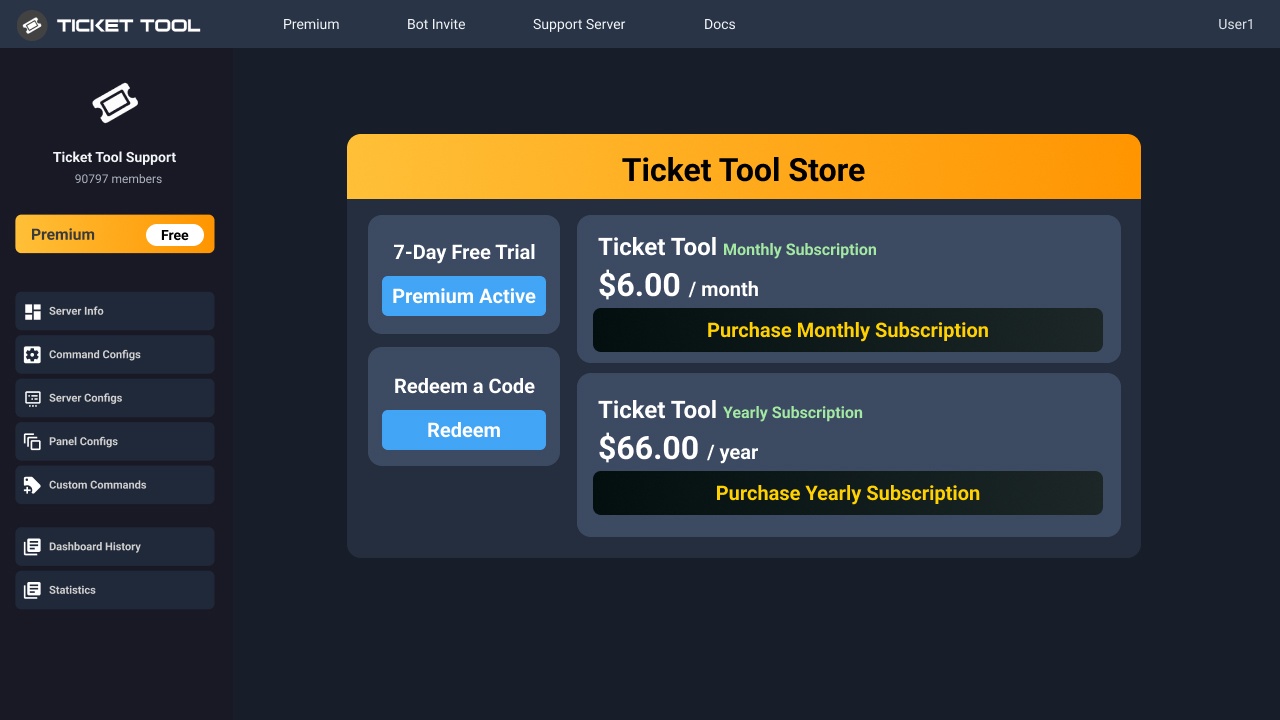 marsh orbit
I need to buy via discord, not your site
 pseudo ravine
We recommend purchasing on our website
marsh orbit
I don't have the ability to do that
pseudo ravine
May I ask why?
marsh orbit
Because the company card is added to the discord account, and I don't have access to use the company card on another website just through discord
pseudo ravine
Do you have the white bot in your server?
marsh orbit
Ticket tool premium bot
because that is what we had through the 12th
Billed under a different user
pseudo ravine
You'll need to invite the white bot
marsh orbit
Will we loose all of our configuration?
pseudo ravine
Nope
marsh orbit
ok, white bot on server now
pseudo ravine
Click on its profile > Click on Store
marsh orbit
Our configuration is gone!
marsh orbit
970163353542606888
marsh orbit
Hmmmm On the dashboard, it doesn't show any of the config
pseudo ravine
Did you kick the gold bot by chance?
marsh orbit
Let me check I don't think so, I used /botswitch after buying premium to switch back to the premium bot
both were there I kicked the white one
pseudo ravine
Have you bought premium yet?
marsh orbit
Yes
pseudo ravine
Please do not kick the white bot then, as the subscription is tied to that bot
marsh orbit
wait what? I already did
How was the subscription tied to the premium bot before today and I couldn't do that, and you made me get the white bot
pseudo ravine
More than likely it's because the subscription was purchased on the gold bot before we made changes regarding subscriptions
We're trying to move away from Discord subscriptions, and use our website for it
marsh orbit
So we can't use the premium bot????
let me check a couple things
Looks like the config is there
pseudo ravine
You can, you just can't kick the white bot from your server
marsh orbit
So we have to keep both bots on the server now. But only the 1 is active, and subscription is under white, we use gold premium. Do I understnd that?
pseudo ravine
Yep
marsh orbit
OK. I'm going to try to once again convince my manager in the company to subscribe via the web site, for the year.
pseudo ravine
Alright
 reef notch
Hey this is a stupid question but uhhh how do u create a ticket?
 lapis sand
reef notch
Hey this is a stupid question but uhhh how do u create a ticket?
lapis sand
reef notch
Hey this is a stupid question but uhhh how do u create a ticket?
#🎫│make-a-ticket you make a ticket right here
worldly helm
jade topaz
Is there a way to save a transcript of the ticket or
1: Please don't ping staff.
2: Yes you can , look below
humble sequoiaBOT
1. Go into your Dashboard
2. Open your Panel Configs tab
3. Select the panel you want to grant access to
4. Open the Transcript options menu
5. Using the Transcript Channel selector, pick the channel you want your transcripts to be sent to
6. Save changes

 opal terrace
Hey guys - hopefully a quick question. What do I need to enable for people who create a ticket to be able to rename the ticket using the $rename command?
currently support staff can use the command fine but not users themselves. Can't see any clear documentation on this at the moment
 wild spire
opal terrace
Hey guys - hopefully a quick question. What do I need to enable for people who c...
wild spire
opal terrace
Hey guys - hopefully a quick question. What do I need to enable for people who c...
go to command configs > rename > check if support team only is disabled 
opal terrace
wild spire
go to command configs > rename > check if support team only is disabled <:Switch...
thanks! That looks like it should be the fix
iron nightBOT
Gave +1 Rep to @wild spire (current: #22 - 280)
jade topaz
worldly helm
1: Please don't ping staff.
2: Yes you can , look below
Is there no way to have it auto transcribed
worldly helm
Yes there is, it's a premium only feature tho 
jade topaz
No lifetime option eh
worldly helm
Sadly, no.
worldly helm
 mint river
Help me pls
mint river
Help me pls
Hey there! What seems to be the issue?
mint river
How can I add a bot so that I can write a complaint on my server?
worldly helm
What do you mean make a complaint, about what?
mint river
Я имею ввиду я добавлю этого бота на свой сервер и как его настроить чтобы там были вопросы а пользователь давал ответ.
Second
I mean, I will add this bot to my server and how to configure it so that there are questions and the user gives an answer.
worldly helm
То есть вы имеете в виду бота, который задает вопросы, а участники на них отвечают?
mint river
worldly helm
То есть вы имеете в виду бота, который задает вопросы, а участники на них отвеча...
Типо да, тоесть вот я создал с друзьями сервер и там мы хотим создать бота с жалобами на игроков в игре
worldly helm
mint river
Ты русский?
Нет, я использую переводчик
worldly helm
mint river
Типо да, тоесть вот я создал с друзьями сервер и там мы хотим создать бота с жал...
К сожалению, это невозможно с предоставленным нами ботом.
mint river
Ok, Thanks
 ancient crown
We have a Discord channel which is posing as a support channel for our firm.
They're stealing information from customers and scamming people for thousands.
The channel is solely ran off the Ticket Tool app and we'd like to request Ticket Tools help to prevent more people from being scammed by revoking the app from the server.
worldly helm
ancient crown
We have a Discord channel which is posing as a support channel for our firm.
Th...
Hey there! What exacly is your issue with your bot?
ancient crown
I don't have an issue with the bot. I'm looking to prevent my clients from being scammed through a server which is using the TicketTool to obtain login details from my clients, allowing them to withdraw thousands from people.
The server is a fake support server for my company and soley using TicketTool to obtain information from my clients.
worldly helm
ancient crown
The server is a fake support server for my company and soley using TicketTool to...
Feel free to report the server at #🎫│make-a-ticket
 violet laurel
Hello I wanted to ask if the premium version of the bot allows to auto delete tickets that aren't claimed by people
The server (we have premium bot) I currently am in has a system in which people claim the tickets as they are created and wanted to know if it's possible that ticket tool can auto delete the tickets that have not been claimed for a certain time lets say 2 days)
I wanted to know if this is feature actually exists or not. If yes, then great.
 empty parrot
Hey how can i delete all the tickets once
 gilded verge
violet laurel
Hello I wanted to ask if the premium version of the bot allows to auto delete ti...
gilded verge
violet laurel
Hello I wanted to ask if the premium version of the bot allows to auto delete ti...
Hey, automation allows to check for only those 3 options in case of claiming so im afraid it's not possible yet but you can go to #🤖│bot-spam and use s!suggest your_message to send your suggestion
 empty parrot
Cuz i will explode if i delete em one by one bhaha
gilded verge
empty parrot
Hey how can i delete all the tickets once
Hey, if you're the owner of the server, you can use /purge command

 simple onyx
Hi. I seem to be having issues with the Category Closed option. Closed tickets are not ending up on any channel that I assign it to. It just stays on the category where it was opened. I'm not sure if I'm missing anything.
 worldly helm
simple onyx
Hi. I seem to be having issues with the Category Closed option. Closed tickets a...
worldly helm
simple onyx
Hi. I seem to be having issues with the Category Closed option. Closed tickets a...
Hey there!
Discord has a limit of 50 channels per category, are you sure there arent 50 in that channel?
simple onyx
worldly helm
Hey there!
Discord has a limit of 50 channels per category, are you sure there a...
Yup! There are only this many right now for the Closed Ticket category.


 grim ridge
grim ridge
grim ridge
ما المشكلة
worldly helm
simple onyx
Yup! There are only this many right now for the Closed Ticket category.
Is there any error message when closing the ticket?
simple onyx
worldly helm
Is there any error message when closing the ticket?
None at all. It closes normally like how it did in the past.
It just doesn't go to the correct category anymore.
We did switch from category to threaded, and now going back to category.
Not sure if that has anything to do with it.
worldly helm
Please #🎫│make-a-ticket. Sorry!
simple onyx
worldly helm
Please <#571706435449257997>. Sorry!
Np! Thanks for helping!
iron nightBOT
Gave +1 Rep to @worldly helm (current: #28 - 156)
grim ridge
grim ridge
 still lavaBOT
 Dan
Dan
يا أخي السلام عليك. لا يمكنك إغلاق التذكرة التي تم إغلاقها بالفعل.
From English (EN) To Arabic (AR)
restive condor
grim ridge
السلام عليكم
^
 native glade
My question is too
When people open a ticket, it ends up at the top for me, but I want to put it in a certain category so that the ticket ends up there
This is what I need for my team support
worldly helm
native glade
My question is too
When people open a ticket, it ends up at the top for me, but...
Hey there!
Dashboard--> Panel Configs--> Category--> Select your categories
 worldly helm
Make sure to give the bot permission to view the category
native glade
Thank you very much, now it works
 waxen girder
hey I'm a German guy, I want to use your verification bot in a Discord server but unfortunately I don't know how I submitted can you please help me, this message would be translated by Google Translate
humble sequoiaBOT

Deutsches Support-Team
Wenn du Hilfe vom Deutschen Support-Team erhalten möchtest gehe in #🎫│make-a-ticket und öffne durch einen Klick auf den :flag_de: Button ein Ticket.
 plush sand
Is it possible to change name and image of premium bot?
restive condor
plush sand
Is it possible to change name and image of premium bot?
Hey there! Not at this time but it's something that our development team is working on the releasing
humble sequoiaBOT
Ticket Tool Custom Avatar
As of now, you are not able to change Ticket Tool's profile picture, nonetheless, our Development Team is working on the release of white labels, this is your own custom bot!
For the time being, you can change the bot's nickname by right-clicking the bot in the user list on your server and clicking Change Nickname

$avatar
plush sand
restive condor
Hey there! Not at this time but it's something that our development team is work...
Thanks
iron nightBOT
Gave +1 Rep to @restive condor (current: #2 - 1370)
 sour vault
I want to run the ticket on my server
 stark runeBOT
1. Invite Ticket Tool to your server
First you will want to invite the bot to your server. Once the bot is in your server, you can manage your server in the dashboard.

2. Create a Panel
To create a panel we are going to need to head over to the panel configs on the dashboard.
Once at the dashboard we will need to click Create Panel.
Enter a panel name (Fill in any optional settings you want).
Click Create Panel and your ready to get started with configuring your panel.
An example of a creating a panel is shown below.

3. Send the Panel to a Channel
Once you've created a panel on the dashboard you will need to send it to a channel using send on the dashboard.
Select the channel you want your panel to be created in and click send.
For other questions checkout $help faq.
An example of a sending a panel is shown below.
Having a Problem Sending the Panel?
Do $debug in a channel with Ticket Tool and make sure it has all the necessary Discord permissions.
 restive condor
sour vault
I want to run the ticket on my server
restive condor
sour vault
I want to run the ticket on my server
Hey there! Here's a setup guide ^
Let me know if you have any questions 
 reef vine
Hello, I was wondering if you can make the transcript save automatically, because what I have seen is that I have to click the transcript button automatically and then it will save, but I want it to save everytime a ticket is closed.
restive condor
reef vine
Hello, I was wondering if you can make the transcript save automatically, becaus...
Hey there! Automatic transcripts are a premium feature
 austere zinc
Hi can someone help me make ticket verification TWT
restive condor
austere zinc
Hi can someone help me make ticket verification TWT
Hey there! How exactly would that work?
austere zinc
So like in the ticket I would request that they put their username , picture of their face for proof of age ,and the server name and then I need to figure out how to get them to only be able to access the verification,rules,ticket channels until verified
If that makes sene-?
Sense*
restive condor
It does
So you would need to create a ticket panel on the Dashboard and send it your verification/ticket channel
And then setup the permissions as follow so they can only see the verification channel until they're verified
humble sequoiaBOT
Creating a verification system with Ticket Tool <:TicketToolWhite:1073948900056105060>
Using Discord's permission system you can create a setup that allows your team to manually verify new server members while keeping the rest of the server hidden!
Please configure the permissions of your server's channel as depicted below:
Category Permissions
- Go to your category permissions, or channel permissions in case they are not synced with the category.
- Set the View Channels permission to
 for the @everyone role.
 - Set the View Channels permission to
 for your
 @Memberor@Verifiedrole. - Repeat this process for all of your server's categories.
Ticket Panel Channel
- Set the View Channel permission to for the @everyone role.
- (Optional) If you'd like for verified members to not be able to see that ticket channel anymore, set the View Channel permission to for your
@Memberor@Verifiedrole.
-# Note: Your staff team will still need to grant a verification role. If you have premium, you can check our Ticket Closed Roles feature
$manualverification
restive condor
Let me know if you need help configuring your panel or have any questions
 crimson seal
Is this the one that accepts Application System?
worldly helm
crimson seal
Is this the one that accepts Application System?
Hey there!
What do you mean?
austere zinc
So I made the ticket pannel
restive condor
Perfect, did you send it?
crimson seal
worldly helm
Hey there!
What do you mean?
I'm using an application system I just curious how to connect it to the ticket system. I don't know if this ticket tool dose that? Aka Appssystems.
austere zinc
restive condor
Let me know if you need help configuring your panel or have any questions <:Pabl...
Can I invite you to the server so u can help TWT?
restive condor
Unfortunately, I can't configure this for you. Try following the instructions above and let me know if you have any questions
iron nightBOT
Gave +1 Rep to @restive condor (current: #2 - 1372)
 strange flower
hello - i deleted a panel that had existing tickets open that were linked to that panel - is there anything i can do to transcript those open tickets?
restive condor
strange flower
hello - i deleted a panel that had existing tickets open that were linked to tha...
Hey there! Could you try using the $transcript command in the ticket channel please
strange flower
restive condor
Hey there! Could you try using the ``$transcript`` command in the ticket channel...

there is no panel anymore - i removed it by accident
restive condor
strange flower
Alrighty, try using the transcript command followed by your transcript channel please
$transcript #channel
strange flower
restive condor
Alrighty, try using the transcript command followed by your transcript channel p...
thank you! that works - I'll let my dev team know to do this for existing tickets
iron nightBOT
Gave +1 Rep to @restive condor (current: #2 - 1374)
restive condor
Glad to hear!
 scarlet ginkgo
the server i had my premium bot on got deleted,
can i transfer it to some other server?
humble sequoiaBOT
User's issue has been solved in another channel.
 sharp nest
How do I add the ticket to?
humble sequoiaBOT
First you will want to invite the bot to your server. Once the bot is in your server, you can manage your server in the dashboard.
To create a panel we are going to need to head over to the Panel Configs Tab on the Dashboard.
Once at the dashboard we will need to click Create Panel.
Enter a panel name (Fill in any optional settings you want).
Click Create Panel and you are ready to get started with configuring your panel.
An example of a creating a panel is shown below.
Once the panel has been created, use the blue Send button and select the channel you want the panel to be sent to.
The Panel wasn't send
Use the </debug:1029783024264564765> command to diagnose possible permission issues with the bot.
 winter garnet
Hey everyone! I want to finish the last touches on the Ticket System on my Discord, but I now had to notice, that only the "close" Button shows up on the Embed. All are enabled though... (Only made 1 Screenshot, because no need for 8)


Any Idea?
pseudo ravine
Hey there. The other buttons will appear on the Moderator Message when the ticket is closed (Assuming you have Two Step Ticket enabled)
winter garnet
AAAAaahhhhhh! I thought it would be showing up throughout the entire Time!
Thanks for the help! ;)
pseudo ravine
You're welcome, glad I could help!
 somber knot
i need help im trying to set it to give me a logging info when a tickets made
humble sequoiaBOT
With Ticket Tool, you can customize the behavior the bot takes when logging your tickets! For editing these options follow these steps:
Dashboard ➞ Panel Configs ➞ Logging Options
Logging Channel
Here you will define which channel @humble sequoia will save the Logs in (ticket created/deleted/closed, etc.)
Logs you can save:
➞ Ticket Created ➞ Logs when a ticket is created
➞ Ticket Closed ➞ Logs when a ticket is closed
➞ Ticket Opened ➞ Logs when a ticket is opened
➞ Ticket Renamed ➞ Logs when a ticket is renamed
➞ Ticket Deleted ➞ Logs when a ticket is deleted
➞ Transcript Saved ➞ Logs when a ticket is saved
Select with  (disable) or
  (enabled) which logs you would like
Below you can see an example of what the Logging Options will look like:
 restive condor
Hey there! Dashboard > Panel Configs > Messages > Edit Closed DM
 golden meadow
First time ticket tool user here. Gave it full permissions to my server and channel access, but whenever I put setup command I get this error. What am I missing??
 humble sequoiaBOT
A Discord Form lets the user answer individual questions in a pop-up Form, which then displays the answers in the ticket message. This can save time if you already know what you want to ask the user.
Setup Forms
Forms can be enabled under Panel Settings > Form Options > Edit Forms Options. In the new pop-up window, you can now enable and edit your own Form.
Form Options
You can add up to 5 questions in the Discord form. This is a Discord limitation. Each question can have a placeholder in the input field, a minimum and maximum input, multi-line, and also the option to have the answer required.
Options
Question Title ➞ Your Question goes here
Question Placeholder ➞ The placeholder text in the input field
Required ➞ If enabled, the user has to answer this question, to submit the form
Multi-Line Input ➞ Allows the user to input multiple lines
Minimum and Maximum Input ➞ Set a minimum and maximum input value for the user
Displaying the Answer
To display the answers from the user, you need to enable Auto display form results on the ticket message as an additional embed
If you don't want a second embed, go into your Panel Configs > Ticket Options > Edit Ticket Message. You use the variable {create.form.x} and replace x with the number of your question. For example, the response to Question 5 can be displayed with {create.form.5}.
 restive condor
See above please ^
We currently don't offer a rating system unfortunately. A workaround would be to direct users to a specific channel (eg. #📈│reviews) for them to rate the ticket
restive condor
golden meadow
First time ticket tool user here. Gave it full permissions to my server and chan...
Hey there! Could you try using the /debug command please
You can suggest it in #1019685143046279208
golden meadow
restive condor
Hey there! Could you try using the ``/debug`` command please
Getting the same message: "Application did not respond."
restive condor
golden meadow
Getting the same message: "Application did not respond."
Ticket Tool seems to be missing all the permissions marked with ❌ below for that channel
 golden meadow
restive condor
Ticket Tool seems to be missing all the permissions marked with ❌ below for that...
golden meadow
restive condor
Ticket Tool seems to be missing all the permissions marked with ❌ below for that...
Omg you're brilliant. Thank you!!
iron nightBOT
Gave +1 Rep to @restive condor (current: #2 - 1377)
worldly helm
You can use /close reason
 dreamy flax
How do I make it so that when someone creates a ticket, they notify the server administration?
humble sequoiaBOT
1. Go into your Dashboard
2. Open your Panel Configs tab
3. Select the panel you want to ping your support on
4. Open the Ticket options menu
5. Click on Edit Ticket Message
6. In the Message Content use one of the role mention syntax (**{@Role Name}**/**{Role ID}**)
7. Save changes
Note: For this to work properly, Ticket Tool requires the Mention Everyone permission. Or the role must have the Allow anyone to @mention this role setting enabled

 bronze ibex
guys does anyone know how to fix when ticket bot says this : Failed to send: Access Denied (Ticket Tool doesn't have permission to view or send into this channel)
worldly helm
bronze ibex
guys does anyone know how to fix when ticket bot says this : Failed to send: Acc...
Hey there!
Give the ticket tool bot permission to view and send messages into that channel
bronze ibex
worldly helm
Hey there!
Give the ticket tool bot permission to view and send messages into th...
i did i gave him owner and administration im rly confused
worldly helm
Please make sure the bot still has the permissions, sometimes people change these without you knowing.
bronze ibex
worldly helm
Please make sure the bot still has the permissions, sometimes people change thes...
i did ima try and it still aint working
gilded verge
bronze ibex
i did i gave him owner and administration im rly confused
Hi, bot can create server and thus be the owner, may transfer ownership to another bot or user but normal user can't transfer it into any bot so it only means that you added only roles with such names, not permissions
as Lias mentioned, you need to be sure that the bot has required permissions so if the bot doesn't have permissions on a given channel (View Channel, Send Messages, Read Message History), this is why it can't send the panel to your channel
btw, if you invite the bot again (you don't have to kick), it will update the permissions in it's role to default
bronze ibex
gilded verge
Hi, bot can create server and thus be the owner, may transfer ownership to anoth...
kk
worldly helm
yes, sorry i forgot to send my message. I already typed it out, but for some reason it didn't send. Sorry!
plush sand
Does anybody know when developers will add custom name and image feature for premium bot?
worldly helm
Hey there!
Your question confused me a bit, you can already change the name. (even with the normal bot). Look below
humble sequoiaBOT
Ticket Tool Custom Avatar
As of now, you are not able to change Ticket Tool's profile picture, nonetheless, our Development Team is working on the release of white labels, this is your own custom bot!
For the time being, you can change the bot's nickname by right-clicking the bot in the user list on your server and clicking Change Nickname
$avatar
wild spire
worldly helm
Hey there!
Your question confused me a bit, you can already change the name. (ev...
he means whitelabel.
It’s been talked about by the dev before but no ETA.
plush sand
Yes I mean to remove ticket tool discord id name
worldly helm
ohh okay, sorry!
 sterile dew
My ticket dashboard is messing up
pseudo ravine
Hey there. How is it messing up?
pseudo ravine
Ah, glad it managed to start working again!
 proven dove
how do i change the Avatar of the bot
humble sequoiaBOT
Ticket Tool Custom Avatar
As of now, you are not able to change Ticket Tool's profile picture, nonetheless, our Development Team is working on the release of white labels, this is your own custom bot!
For the time being, you can change the bot's nickname by right-clicking the bot in the user list on your server and clicking Change Nickname
$avatar
proven dove
how to edit private thread message
jade topaz
proven dove
how to edit private thread message
Text the support guide
sterile dew
What is the "ping command" and what does it do?

and is there a way to to make my ticket so when in the ticket for example the staff responds to the user then it pings then deletes the ping?
austere forge
sterile dew
What is the "ping command" and what does it do?
Hi there 🙂
it lets you know the bot's latency
austere forge
sterile dew
and is there a way to to make my ticket so when in the ticket for example the st...
and not possible.
 junior galleon
Hello I need help
humble sequoiaBOT
Hello, we would love to help you, but if you don't tell us what you need help with we can't help you :(
 long socket
humble sequoia
long socket
humble sequoia
Shut
 patent marten
How to make selection type ticket

 ionic yoke
I have the bot in a server but i can't seem to see it in dashboard. Can anyone help
humble sequoiaBOT
The Drop-down menu or Select Menu replaces the buttons on your panel message and uses a drop-down menu with all of your panels. To set this up, go to your Panel Configs and select your main Panel.
<:Numbericons1:1018864164032225340> Enable Select Style
First you enable Select Style. Then you add an item in the Dropdown Editor. Now you can start editing your dropdown!
<:Numbericons2:1018864168041971712> Dropdown Editor
Each line in the dropdown editor represents a line in the drop down menu on discord. You can add more "Items", by clicking on
First you select a panel. That's the panel this option will open a ticket for. DONT select the same panel twice. Each option should have a different Panel
After that, you can put a Display. This is the title of this option and will appear in the drop down menu. The *Description can be set right after that, which will be below the title in grey.
Additionally you can select an emoji, that will be shown in front of each option. You can either manually input the ID of an emoji or select it in the selector.
Common Issues ⚠️
- Panel doesn't send? Make sure you have a valid emoji selected
- Option doesn't show up? Check if two options have the same panel in the DropDown Editor
$dropdown
austere forge
patent marten
How to make selection type ticket
Hi there 🙂
see above ⬆️
humble sequoiaBOT
Don't see your server in the dashboard?
Try using the Sync Servers button on your top center of the Dashboard page
You will possibly need to relog. Look below to see the steps on how to relog.
If this doesn't work
You should relog from the dashboard, you can do this by clicking here to log out immediately, and then log back in
Note:
You need one of these 3 things to access the dashboard.
1. Server Owner (Level: 6)
2. Server Administrator (Level: 4)
3. Dashboard Role (Level: 2)
:warning: You can check your level using the </permissionlevel:1029797400174399542> command on your Discord Server
If the bot's response is:
- @User is permission level: 0 (User)
You don't have any of the 3 levels required to access the server's dashboard
 austere forge
ionic yoke
I have the bot in a server but i can't seem to see it in dashboard. Can anyone h...
austere forge
ionic yoke
I have the bot in a server but i can't seem to see it in dashboard. Can anyone h...
hi there 🙂
follow instructions above ⬆️
ionic yoke
austere forge
hi there 🙂
follow instructions above ⬆️
how do i change permission level?
patent marten
austere forge
Hi there 🙂
see above ⬆️
ty
austere forge
ionic yoke
how do i change permission level?
you need to ask the server owner to add your role as a dashboard role
humble sequoiaBOT
Any role you put there will have full access to the ticket tool dashboard. The server owner and users with admin permissions already have access to the dashboard.
Be careful of which roles to put here
patent marten
austere forge
Hi there 🙂
see above ⬆️
I did but option is not coming

 worldly helm
patent marten
I did but option is not coming
worldly helm
patent marten
I did but option is not coming
1: There is no need to reply to the last message of a staff member.
2: Please update the panel
patent marten
How to update panel
worldly helm
Here. If you don‘t want the (edited) message at your panel, click on send, and delete the other panel in the channel
 patent marten
Ty
worldly helm
You‘re welcome 
Feel free to reach out again, if you have any more questions🙏
patent marten
How to add custom emoji in dropdown i put the id of emoji after adding the emoji to my server
worldly helm
Do /id emoji and copy paste the ID into the dashboard
patent marten
Ty
 wild flame
Hi is there a way to show the users name on the ticket thats been created? thanks
austere forge
wild flame
Hi is there a way to show the users name on the ticket thats been created? thank...
Hi there 🙂
see below ⬇️
humble sequoiaBOT
The ticket name is the default channel name of all tickets. To edit it, go to your Dashboard > Panel Configs > Ticket. There you can edit the channel name of opened and closed tickets. You can also use variables in there.

 Note: This is a premium feature
wild flame
austere forge
Hi there 🙂
see below ⬇️
Note: This is a premium feature
wild flame
austere forge
Hi there 🙂
see below ⬇️
thank you
iron nightBOT
Gave +1 Rep to @austere forge (current: #9 - 560)
dreamy flax
How do I make it so that when someone creates a ticket, they notify the server administration?
humble sequoiaBOT
1. Go into your Dashboard
2. Open your Panel Configs tab
3. Select the panel you want to ping your support on
4. Open the Ticket options menu
5. Click on Edit Ticket Message
6. In the Message Content use one of the role mention syntax (**{@Role Name}**/**{Role ID}**)
7. Save changes
Note: For this to work properly, Ticket Tool requires the Mention Everyone permission. Or the role must have the Allow anyone to @mention this role setting enabled
restive condor
dreamy flax
How do I make it so that when someone creates a ticket, they notify the server a...
Hey there! See above please ^
 brisk escarp
كيف أخلي تكت مفتوح تروح لل كاتاغري إلى أسويهولها هيك
 lament prairie
brisk escarp
كيف أخلي تكت مفتوح تروح لل كاتاغري إلى أسويهولها هيك
lament prairie
brisk escarp
كيف أخلي تكت مفتوح تروح لل كاتاغري إلى أسويهولها هيك
Dashboard -> Category -> Category Created/Opened -> اختر الكتاجوري الي بدك تنفتح فيها التكت
dreamy flax
restive condor
Hey there! See above please ^
whyyy
 restive condor
dreamy flax
whyyy
restive condor
dreamy flax
whyyy
Make sure you don't leave any spaces
patent marten
I wrote this variable to show the form after creating ticket but it's not showing
 brisk escarp
lament prairie
> Dashboard -> Category -> Category Created/Opened -> اختر الكتاجوري الي بدك تنف...
brisk escarp
lament prairie
> Dashboard -> Category -> Category Created/Opened -> اختر الكتاجوري الي بدك تنف...
ماشتغلت
@lament prairie
 gentle arch
 lament prairie
brisk escarp
ماشتغلت
lament prairie
brisk escarp
ماشتغلت
سوي Update او Send
 restive condor
gentle arch
restive condor
gentle arch
Hey there! Is this on a server you're staff in?
gentle arch
No it's my server @restive condor
patent marten
patent marten
I wrote this variable to show the form after creating ticket but it's not showin...
..
 steady kelp
does the created ticket auto ping the role having perms to the tickets or no
is it possible to set that up if no
restive condor
gentle arch
No it's my server <@795710289425334303>
Could I get your server name or ID please
restive condor
patent marten
I wrote this variable to show the form after creating ticket but it's not showin...
Hey there! You must replace 'x' with your question number
For example, the variable to display the answer for question 1 would be {create.form.1}
humble sequoiaBOT
1. Go into your Dashboard
2. Open your Panel Configs tab
3. Select the panel you want to ping your support on
4. Open the Ticket options menu
5. Click on Edit Ticket Message
6. In the Message Content use one of the role mention syntax (**{@Role Name}**/**{Role ID}**)
7. Save changes
Note: For this to work properly, Ticket Tool requires the Mention Everyone permission. Or the role must have the Allow anyone to @mention this role setting enabled
gentle arch
DND ESPORTS OFFICIAL @restive condor
restive condor
steady kelp
is it possible to set that up if no
Hey there! See above please ^^
patent marten
restive condor
Hey there! You must replace 'x' with your question number
For example, the varia...
Same for question 2 and 3?
steady kelp
oh ok
restive condor
patent marten
Same for question 2 and 3?
Correct
Or you can enable the automatic embed with the form answers from the FORMS section
patent marten
Ty buddy
restive condor
gentle arch
DND ESPORTS OFFICIAL <@795710289425334303>
Looks good. Could you re-try?
brisk escarp
lament prairie
سوي Update او Send
 lament prairie
brisk escarp
lament prairie
brisk escarp
حط رابط الرسالة الي فيها الأزرار حقت التكت
 gentle arch
Thanks❤ @restive condor
brisk escarp
lament prairie
حط رابط الرسالة الي فيها الأزرار حقت التكت
/ شنو أسوي
brisk escarp
brisk escarp
/ شنو أسوي
سلاش
lament prairie
brisk escarp
/ شنو أسوي
وضح؟
brisk escarp
lament prairie
وضح؟
/// شنو اكتب عشان أرسل تكت لل كاتاغورى
lament prairie
brisk escarp
/// شنو اكتب عشان أرسل تكت لل كاتاغورى
بعد ما تسوي الشرح الي اعطيته لك فوق ارسل البانل مرة ثانية من Send
brisk escarp
lament prairie
بعد ما تسوي الشرح الي اعطيته لك فوق ارسل البانل مرة ثانية من Send
أي سويت وبعد
lament prairie
brisk escarp
أي سويت وبعد
خلاص الحين مفروض صار
brisk escarp
دقيقا أشوف
brisk escarp
lament prairie
خلاص الحين مفروض صار
تكت تجيني فوق مش في كاتاغوري تبع تكتز
 lament prairie
brisk escarp
تكت تجيني فوق مش في كاتاغوري تبع تكتز
lament prairie
brisk escarp
تكت تجيني فوق مش في كاتاغوري تبع تكتز
عملت Save بعد ما خلصت؟
 brisk escarp
lament prairie
عملت Save بعد ما خلصت؟
brisk escarp
lament prairie
عملت Save بعد ما خلصت؟
إستغلت شكرن للمساعدة
lament prairie
حياك الله
 placid basin

 quick tinsel
Hi where i can report a server that scam people using this bot?
restive condor
quick tinsel
Hi where i can report a server that scam people using this bot?
Hey there! Go ahead and #🎫│make-a-ticket and we'll take a look
restive condor
placid basin
Hey there! Ticket Tool seems to be missing the MANAGE CHANNELS permission for your tickets category
quick tinsel
restive condor
Hey there! Go ahead and <#571706435449257997> and we'll take a look
Okay thnkas
 tepid sierra
humble sequoiaBOT
tepid sierra
humble sequoiaBOT
1. Go into your Dashboard
2. Open your Panel Configs tab
3. Select the panel you want to grant access to
4. Open the General options menu
5. Select your Support Team Roles
6. Save changes

 tepid magnet
/setup
stark runeBOT
1. Invite Ticket Tool to your server
First you will want to invite the bot to your server. Once the bot is in your server, you can manage your server in the dashboard.
2. Create a Panel
To create a panel we are going to need to head over to the panel configs on the dashboard.
Once at the dashboard we will need to click Create Panel.
Enter a panel name (Fill in any optional settings you want).
Click Create Panel and your ready to get started with configuring your panel.
An example of a creating a panel is shown below.
3. Send the Panel to a Channel
Once you've created a panel on the dashboard you will need to send it to a channel using send on the dashboard.
Select the channel you want your panel to be created in and click send.
For other questions checkout $help faq.
An example of a sending a panel is shown below.
Having a Problem Sending the Panel?
Do $debug in a channel with Ticket Tool and make sure it has all the necessary Discord permissions.
 cyan pasture
ich bauch hilfe
humble sequoiaBOT
Deutsches Support-Team
Wenn du Hilfe vom Deutschen Support-Team erhalten möchtest gehe in #🎫│make-a-ticket und öffne durch einen Klick auf den :flag_de: Button ein Ticket.
placid basin
restive condor
Hey there! Ticket Tool seems to be missing the ``MANAGE CHANNELS`` permission fo...
How do i fix it
placid basin
@restive condor
restive condor
placid basin
How do i fix it
Right Click on the category's name > Edit Category > Permissions > Add Ticket Tool > MANAGE CHANNELS
 tacit venture
How do I edit a role so it can reply to tickets but not delete it?
I've been messing with the dashboard for a while, couldn't figure it out. So we own CS2 servers, we want our in-game admins to be able to send messages in tickets, close them, but not delete them without our confirmation.
jade topaz
tacit venture
How do I edit a role so it can reply to tickets but not delete it?
Don’t think that possible
tacit venture
that is bad news
restive condor
tacit venture
How do I edit a role so it can reply to tickets but not delete it?
Hey there! Yes, to give them access:
Dashboard > Panel Configs > General > Support Team Roles
To restrict both the delete button and the command:
1. Dashboard > Panel Configs > Buttons > Delete Ticket Button > Allowed/Disabled roles
2. Dashboard > Command Configs > DELETE > Allowed/Disabled roles
tacit venture
restive condor
Hey there! Yes, to give them access:
``Dashboard`` > ``Panel Configs`` > ``Gener...
Worked, thank you so much.
iron nightBOT
Gave +1 Rep to @restive condor (current: #2 - 1379)
 icy elm
Hi
I need help with the ticket bot
How do i ping a support team role once a ticket was created
humble sequoiaBOT
1. Go into your Dashboard
2. Open your Panel Configs tab
3. Select the panel you want to ping your support on
4. Open the Ticket options menu
5. Click on Edit Ticket Message
6. In the Message Content use one of the role mention syntax (**{@Role Name}**/**{Role ID}**)
7. Save changes
Note: For this to work properly, Ticket Tool requires the Mention Everyone permission. Or the role must have the Allow anyone to @mention this role setting enabled
restive condor
icy elm
How do i ping a support team role once a ticket was created
Hey there! See above please ^
humble sequoiaBOT
@pseudo bough
⚠️ You're in the wrong place
We provide support for Ticket Tool Discord bot and cannot help you with whatever issue you have.
- We don't know which Support Team you should contact to get this issue resolved, and unfortunately we won't be able to accurately tell you.
If you don't have any further questions regarding our bot Ticket Tool, please close this ticket
 proven needle
How do I add multiple buttons on one panel like this?
 humble sequoiaBOT
For more convenient use of multipanels, you can now combine panels on the dashboard. This will allow you to directly send the multipanel from the dashboard or via the $panel ID command.
Where can I find this?
You can find this setting on the Dashboard -> Panel Configs -> Panel -> Attached Panels
Note: if you're attaching all the panels to a panel called English, don't include English in the attached panel's box (If you do this, it will create a duplicate)
This will put all buttons from all of your panels on one message. The message is the panel message from the panel you're combining these panels in.
 proven needle
humble sequoia
proven needle
humble sequoia
I can’t find attached panels
 supple blaze
how do i fix this?
 humble sequoiaBOT
━━ Cuba bol's inquiry has been moved to a ticket ━━
restive condor
supple blaze
how do i fix this?
Hey there! You seem to have an invalid emoji. Could I get your server name or ID so I can take a look?
supple blaze
restive condor
Hey there! You seem to have an invalid emoji. Could I get your server name or ID...
1284461864763261028
 blazing sandal
Hi guys how do you create a category for the closed tickets to go in to?
restive condor
supple blaze
1284461864763261028
Dashboard > Panel Configs > Buttons > Create Ticket Button (For Panel 5 | Scams)
Make sure to select the emoji from the emoji picker on the Dashboard and not your phone
restive condor
blazing sandal
Hi guys how do you create a category for the closed tickets to go in to?
Hey there! Dashboard > Panel Configs > Category
supple blaze
restive condor
``Dashboard`` > ``Panel Configs`` > ``Buttons`` > ``Create Ticket Button`` (For ...
it worked tysm
restive condor
No problem!
blazing sandal
Thank you
 junior cargo
Hi there
Im interest in buying a Premium abo... Is there any Code to safe some money?
icy elm
restive condor
Hey there! See above please ^
Hi tysm it worked
gilded verge
blazing sandal
says message could not be delivered
is there any screenshot you could show?
restive condor
junior cargo
Hi there
Im interest in buying a Premium abo... Is there any Code to safe some m...
Hey there! Yes, you can use the codes provided as part as our promotion for th new payment provider.
6OFFYEAR for $6 during the first year or 1OFFMONTH for $1 during the first two months
junior cargo
restive condor
Hey there! Yes, you can use the codes provided as part as our promotion for th n...
Thx, then Im buying it^^
restive condor
Glad to hear
junior cargo
restive condor
Glad to hear <:PabloTiphat:983791053842837624>
Is the subscription only for one server at a time or is it possible to add multiple server on one subscription?
restive condor
1 server per subscription, you can transfer it between servers though
junior cargo
oh ok
Thats sad to hear:/
 golden hemlock
Am I able to add a form that people can fill if they open a ticket? Can I have 2 different panels for 2 different forms? How do I do that
humble sequoiaBOT
A Discord Form lets the user answer individual questions in a pop-up Form, which then displays the answers in the ticket message. This can save time if you already know what you want to ask the user.
Setup Forms
Forms can be enabled under Panel Settings > Form Options > Edit Forms Options. In the new pop-up window, you can now enable and edit your own Form.
Form Options
You can add up to 5 questions in the Discord form. This is a Discord limitation. Each question can have a placeholder in the input field, a minimum and maximum input, multi-line, and also the option to have the answer required.
Options
Question Title ➞ Your Question goes here
Question Placeholder ➞ The placeholder text in the input field
Required ➞ If enabled, the user has to answer this question, to submit the form
Multi-Line Input ➞ Allows the user to input multiple lines
Minimum and Maximum Input ➞ Set a minimum and maximum input value for the user
Displaying the Answer
To display the answers from the user, you need to enable Auto display form results on the ticket message as an additional embed
If you don't want a second embed, go into your Panel Configs > Ticket Options > Edit Ticket Message. You use the variable {create.form.x} and replace x with the number of your question. For example, the response to Question 5 can be displayed with {create.form.5}.
restive condor
golden hemlock
Am I able to add a form that people can fill if they open a ticket? Can I have 2...
Hey there! See above please ^
Let me know if you have any questions 🙏
golden hemlock
restive condor
Let me know if you have any questions 🙏
I made some edits in the message panel in embed editors but they are not registering on my server
Do I need to restart discord
And where can I see what features premium offers? I’m sorry for silly questions I’m new to all of this and my mod left
restive condor
golden hemlock
I made some edits in the message panel in embed editors but they are not registe...
You will need to update or re-send your panel to reflect changes to the panel message
 restive condor
golden hemlock
And where can I see what features premium offers? I’m sorry for silly questions ...
restive condor
golden hemlock
And where can I see what features premium offers? I’m sorry for silly questions ...
See below for that please
https://tickettool.xyz/premium
humble sequoiaBOT
 Faster Premium Bot
Automatic Transcripts
Full Customization
Direct Messages
Ticket Automation
Thread Style Ticketing
Premium Support
Scheduled Panel Availability
Integrations
Claiming
Advanced Ticket Statistics
You can purchase premium here:
Price
$6 - Monthly
$66 - Yearly (Open a billing ticket in #🎫│make-a-ticket to receive additional information on this matter)
 wind salmon
Is there a "White Label" Option where you can use your own bot tokens to have more customizability
pseudo ravine
Hey there. Unfortunately not yet
pseudo ravine
 dense fern
Nice to meet you. I am a beginner in ticket tools.
I was wondering if it is possible to create a voice channel using the ticket tool?
worldly helm
dense fern
Nice to meet you. I am a beginner in ticket tools.
I was wondering if it is poss...
Hey there! No, sadly not
dense fern
worldly helm
Hey there! No, sadly not
OK! Thank you so much!
iron nightBOT
Gave +1 Rep to @worldly helm (current: #28 - 160)
 zinc plover
it keeps saying this everytime i press the sync button and it doesnt work

 wet warren
How do I do it when someone opens a ticket and I automatically choose it?
 pseudo bough
Who can help?
worldly helm
wet warren
**How do I do it when someone opens a ticket and I automatically choose it?**
Hey there! What do you mean choose?
worldly helm
pseudo bough
Who can help?
Hey! What‘s up?
humble sequoiaBOT
⚠️ You're in the wrong place
We provide support for Ticket Tool Discord bot and cannot help you with whatever issue you have.
- We don't know which Support Team you should contact to get this issue resolved, and unfortunately we won't be able to accurately tell you.
If you don't have any further questions regarding our bot Ticket Tool, please close this ticket
pseudo bough
worldly helm
zinc plover
it keeps saying this everytime i press the sync button and it doesnt work
Hey there! Please log out, and log-in again.
humble sequoiaBOT
⚠️ Please read the messages previously sent by our team ⚠️
worldly helm
we cannot help you with your issue. We don‘t know what support you should contact.
wet warren
worldly helm
Hey there! What do you mean choose?
For example, I chose the technical support ticket. I want the ticket to be mentioned by the administration.
worldly helm
oooh, you want to auto ping your admins?
wet warren
Ping?
worldly helm
ping/mention
wet warren
yy
humble sequoiaBOT
1. Go into your Dashboard
2. Open your Panel Configs tab
3. Select the panel you want to ping your support on
4. Open the Ticket options menu
5. Click on Edit Ticket Message
6. In the Message Content use one of the role mention syntax (**{@Role Name}**/**{Role ID}**)
7. Save changes
Note: For this to work properly, Ticket Tool requires the Mention Everyone permission. Or the role must have the Allow anyone to @mention this role setting enabled
worldly helm
wet warren
yy
Look above ^^
wet warren
worldly helm
Look above ^^
** Thank you  **
**
worldly helm
wet warren
** __Thank you__ <:PabloTiphat:983791053842837624> <:TicketToolAlpha:10739488956...
You‘re welcome
If you have any more questions, feel free to reach out again🙏
one question, why do you use this only?
wet warren
worldly helm
You‘re welcome <:3v_smile:1187282191630204958>
If you have any more questions, ...
Ticket Tool?
worldly helm
no, big text.
worldly helm
not how, why?
wet warren
worldly helm
not how, why?
Because it makes the text look beautiful to me, because the font on my laptop is not nice.
 forest cipher
Wsp guys help me join gang
 cosmic patio
How does TicketTool handle returns abuse?
worldly helm
cosmic patio
How does TicketTool handle returns abuse?
Hello! What exacly do you mean?
 limber portal
cosmic patio
How does TicketTool handle returns abuse?
limber portal
cosmic patio
How does TicketTool handle returns abuse?
Hi, to report a server abusing ticket tool please make a support ticket in #🎫│make-a-ticket
cosmic patio
If a user buys premium then returns it over and over
Is there any sort of automatic detection for it or do you just hope to catch it manually?
limber portal
We don't reveal internal proceedures such as that - but if you have evidence of someone attempting fraud please #🎫│make-a-ticket and let us know
 unreal sky

hello so everytime someone open a ticket it pings everyone in my server how do i fix that
because it isnt there in my panel message for that category and its getting annoying
 worldly helm
unreal sky
because it isnt there in my panel message for that category and its getting anno...
worldly helm
unreal sky
because it isnt there in my panel message for that category and its getting anno...
Hey there! Make sure to check the ticket message settings for all of your panels
unreal sky
worldly helm
Hey there! Make sure to check the ticket message settings for all of your panels
i did
does same
worldly helm
Please #🎫│make-a-ticket
 rapid kernel
How do I change from regular bot to Premium Bot ?
humble sequoiaBOT
The first thing you will need to do is invite the premium bot, an invite can be found here
Once the bot is in your server we will head to the dashboard and manage your server. When you are managing your server, you want to head into "Server Configs" then click the drop down menu under "Select the bot you would like to use on this server" then click "Ticket Tool#6207" and then save.
restive condor
rapid kernel
How do I change from regular bot to Premium Bot ?
Hey there! There you go ^
rapid kernel
restive condor
Hey there! There you go ^
Yes
 icy ore
I need chat and support arabic


 gusty otter
How can I do options like this?
gusty otter
gusty otter
How can I do options like this?
.
humble sequoiaBOT
The Drop-down menu or Select Menu replaces the buttons on your panel message and uses a drop-down menu with all of your panels. To set this up, go to your Panel Configs and select your main Panel.
<:Numbericons1:1018864164032225340> Enable Select Style
First you enable Select Style. Then you add an item in the Dropdown Editor. Now you can start editing your dropdown!
<:Numbericons2:1018864168041971712> Dropdown Editor
Each line in the dropdown editor represents a line in the drop down menu on discord. You can add more "Items", by clicking on
First you select a panel. That's the panel this option will open a ticket for. DONT select the same panel twice. Each option should have a different Panel
After that, you can put a Display. This is the title of this option and will appear in the drop down menu. The *Description can be set right after that, which will be below the title in grey.
Additionally you can select an emoji, that will be shown in front of each option. You can either manually input the ID of an emoji or select it in the selector.
Common Issues ⚠️
- Panel doesn't send? Make sure you have a valid emoji selected
- Option doesn't show up? Check if two options have the same panel in the DropDown Editor
$dropdown
restive condor
gusty otter
How can I do options like this?
Hey there! See above please ^
Let me know if you have any questions or would like the instructions in Arabic
restive condor
icy ore
I need chat and support arabic
Hey there. Unfortunately, our arabic support is temporarly closed. I can help you using a translator if you wish
restive condor
sour vault
hi
Hi, how can I help?
lapis sand
restive condor
Hi, how can I help?
hi dan
humble sequoiaBOT
Hello, we would love to help you, but if you don't tell us what you need help with we can't help you :(
lapis sand
restive condor
Hi, how can I help?
i remember i needed help like a year ago and you were still here 😭 ur an og
restive condor
lapis sand
restive condor
<:PabloTiphat:983791053842837624>
keep up the good work brother
 gloomy isle
Does anyone know if the bot has any other prefixes? Or is it just slash commands
worldly helm
gloomy isle
Does anyone know if the bot has any other prefixes? Or is it just slash commands
Hey there! The default prefix of this bot is $
gloomy isle
worldly helm
Hey there! The default prefix of this bot is `$`
Oh, can i change it for my server? Just wondering.
worldly helm
gloomy isle
Oh, can i change it for my server? Just wondering.
Yes!
Dashboard —> Server configs —> prefix
gloomy isle
worldly helm
Yes!
Dashboard —> Server configs —> prefix
Oh tysm
jade topaz
Ы
humble sequoiaBOT
Deutsches Support-Team
Wenn du Hilfe vom Deutschen Support-Team erhalten möchtest gehe in #🎫│make-a-ticket und öffne durch einen Klick auf den :flag_de: Button ein Ticket.
worldly helm
 timber nebula
suppot german
timber nebula
suppot german
Was ist dein Problem?
worldly helm
Nein danke, wenn ich beleidigt werde, helfe ich dir NICHT.
 mellow sleet
How do I select the panel channel?
humble sequoiaBOT
First you will want to invite the bot to your server. Once the bot is in your server, you can manage your server in the dashboard.
To create a panel we are going to need to head over to the Panel Configs Tab on the Dashboard.
Once at the dashboard we will need to click Create Panel.
Enter a panel name (Fill in any optional settings you want).
Click Create Panel and you are ready to get started with configuring your panel.
An example of a creating a panel is shown below.
Once the panel has been created, use the blue Send button and select the channel you want the panel to be sent to.
The Panel wasn't send
Use the </debug:1029783024264564765> command to diagnose possible permission issues with the bot.
iron nightBOT
Gave +1 Rep to @pseudo ravine (current: #6 - 715)
pseudo ravine
You're welcome, glad I could help!
 restive condor
jade topaz
why cant anybody talk in the thread
restive condor
jade topaz
why cant anybody talk in the thread
Hey there! Please give the everyone role permission to 'SEND MESSAGES IN THREADS' for that channel
jade topaz
restive condor
Hey there! Please give the everyone role permission to 'SEND MESSAGES IN THREADS...
where do i do that
 jade topaz
restive condor
Right click on the channel's name > Edit Channel > Permissions
jade topaz
restive condor
Right click on the channel's name > Edit Channel > Permissions
cant it be done automatically?
do i have to do that with every ticket?
restive condor
No
Just give the everyone role permission to send messages in threads
and it will go work on all threads
jade topaz
restive condor
Just give the everyone role permission to send messages in threads

im confused what do i do
jade topaz
oh
jade topaz
restive condor
Not the thread
but i dont want everyone to type in that specifc channel
restive condor
You're giving the everyone role permission to send messages in threads, if they don't have access to the thread, they won't be able to send messages in it
jade topaz
restive condor
You're giving the everyone role permission to send messages in threads, if they ...
how do you add ppl in threads
restive condor
You just ping them
 restive condor
Are you sure?
jade topaz
yes
restive condor
That's not a Ticket Tool setting, that's how threads work in general on Discord
How are you testing if they have access?
jade topaz
restive condor
How are you testing if they have access?
it works, but how do i do so i can view all threads
restive condor
Are you the server owner?
 fathom hearth
I’m using the dropdown style for my tickets and when people open tickets they’re not the name I have set on the individual panels it’s just going to ticket-(number)
Any way I can fix this?
Also is there any way to add an open ticket button to a message already sent into the chat?
 ancient latch
I made a ticket system through tickettool, but I wanted to create when the user opens the dropdown adn clicks the ticket and the ticket that is made for him will be shown as a 'not seen message by other users' if that makes sense. I wanted to do this because I have a lot of channels, and want the user to go to that specific channel. They said that ticket tool
jade topaz
restive condor
Are you the server owner?
yes i am
humble sequoiaBOT
The ticket name is the default channel name of all tickets. To edit it, go to your Dashboard > Panel Configs > Ticket. There you can edit the channel name of opened and closed tickets. You can also use variables in there.
Note: This is a premium feature
 split root
I had a message about going on a fresh service at a lower price?
austere forge
fathom hearth
Also is there any way to add an open ticket button to a message already sent int...
Hi there 🙂
see above ⬆️
austere forge
fathom hearth
Also is there any way to add an open ticket button to a message already sent int...
and not possible.
austere forge
ancient latch
I made a ticket system through tickettool, but I wanted to create when the user ...
This is not possible, but you can edit the panel message
humble sequoiaBOT
The panel message is where people react to make a ticket. To customize it head over to your Dashboard --> Panel Configs -> Panel -> Edit Panel Message
austere forge
split root
I had a message about going on a fresh service at a lower price?
Hi there 🙂
Related to Ticket tool right ?
restive condor
jade topaz
yes i am
Then you should already have access to all threads. If you're not pinged in them, they won't appear on your channel list. You can find them by going into the threads icon in the channel where threads are created from
 fathom hearth
austere forge
and not possible.
fathom hearth
austere forge
and not possible.
It could be if you do it through reactions maybe? Just a possible feature suggestion
 honest ridge
.
austere forge
fathom hearth
It could be if you do it through reactions maybe? Just a possible feature sugges...
do you mean a message from ticket tool or a message that doesn't come from ticket tool?
fathom hearth
austere forge
do you mean a message from ticket tool or a message that doesn't come from ticke...
Not from ticket tool
austere forge
fathom hearth
Not from ticket tool
yep, unfortunately this is not possible in this case
fathom hearth
Ah okay no worries then
 opal skiff
Hi, I was banned from Bloxburg months ago because of the money error that happened before Bloxburg was free, and they said they would unban everyone but they never unbanned me 😦
what I do?
 fervent umbra
How do I use ticket tool in my server
humble sequoiaBOT
@opal skiff
⚠️ You're in the wrong place
We provide support for Ticket Tool Discord bot and cannot help you with whatever issue you have.
- We don't know which Support Team you should contact to get this issue resolved, and unfortunately we won't be able to accurately tell you.
If you don't have any further questions regarding our bot Ticket Tool, please close this ticket
restive condor
fervent umbra
How do I use ticket tool in my server
Hey there! See below please
stark runeBOT
1. Invite Ticket Tool to your server
First you will want to invite the bot to your server. Once the bot is in your server, you can manage your server in the dashboard.
2. Create a Panel
To create a panel we are going to need to head over to the panel configs on the dashboard.
Once at the dashboard we will need to click Create Panel.
Enter a panel name (Fill in any optional settings you want).
Click Create Panel and your ready to get started with configuring your panel.
An example of a creating a panel is shown below.
3. Send the Panel to a Channel
Once you've created a panel on the dashboard you will need to send it to a channel using send on the dashboard.
Select the channel you want your panel to be created in and click send.
For other questions checkout $help faq.
An example of a sending a panel is shown below.
Having a Problem Sending the Panel?
Do $debug in a channel with Ticket Tool and make sure it has all the necessary Discord permissions.
restive condor
 opaque schooner
No me deja generar un ticket para mi compra
opaque schooner
No me deja generar un ticket para mi compra
Hola, buenas tardes. Algún error?
opaque schooner
Si dice que hay más de 500 canales
Y no se cómo limpiar
No me deja hacer un ticket para reclamar la compra
restive condor
Tendrás que pedirle al staff del servidor que elimine canales
opaque schooner
Cómo hago eso
restive condor
No se, de cualquier manera que puedas. Mencionarlos, enviarles un mensaje...etc
Solo ellos pueden eliminar canales
O puedes esperarte un rato y volver a intentarlo, a lo mejor han cerrado unos cuantos tickets
opaque schooner
Me dijeron que no piden cerrar canales
restive condor
Entonces tendrás que esperar, no hay nada que podamos hacer
 tight delta
how do i setup dropdown menu, it will only let me choose one option
restive condor
tight delta
how do i setup dropdown menu, it will only let me choose one option
Hey there! Each dropdown option needs its own panel
tight delta
Okay
 median adder
how do i make it so that only specific roles can create a ticket??
and also is it free?
wild spire
blacklist the roles u dont want to open tickets if u want it for all panels
or go to create ticket button
disable everyone
enable the roles u do want to be able to open
wild spire
median adder
and also is it free?
also yes
median adder
sowhich section do i go to?
wild spire
Do u want for all ticket types or only one?
wild spire
go to your dashboard > panel configs > buttons > create ticket
in disabled roles you fill out the everyone role
in allowed roles you fill out the roles u want
median adder
THANKS SO MUCH!
wild spire
no probs
 median adder
wild spire
no probs
median adder
wild spire
no probs
sry just checking
jade topaz
restive condor
Then you should already have access to all threads. If you're not pinged in them...
btw it seems like only admins can add people to a ticket how do i fix that
wild spire
median adder
did u mean support team only?
the support team only needs to be disabled
restive condor
jade topaz
btw it seems like only admins can add people to a ticket how do i fix that
Dashboard > Panel Configs > Thread Style >  Can non-mods invite users
median adder
this is all i see
 wild spire
median adder
this is all i see
wild spire
median adder
this is all i see
perfect 👍
now only ur level 5 role can open that ticket type
median adder
so support team only is unchecked
wild spire
yes correct
support team is the roles u put to handle tickets
if u enable it, no one except them can press the button
median adder
ok that's confusing bc they put a switch to decide whether or not it does x filter or y filter
wild spire
just dont overthink it 😂
median adder
wild spire
just dont overthink it 😂
ok so this works for anyone with level 5 alr
wild spire
yes correct
wild spire
you too
 sinful girder
I am unable to uncheck this "Attach a private thread to each ticket"
Any ideas why I can't uncheck this?
 gilded verge
sinful girder
I am unable to uncheck this "Attach a private thread to each ticket"
Any ideas w...
gilded verge
sinful girder
I am unable to uncheck this "Attach a private thread to each ticket"
Any ideas w...
it's already explained in docs,
just create new panel to avoid any possible errors

 runic siren
How do you give someone dashboard access who isnt an administator in ur server?
sinful girder
gilded verge
it's already explained in docs,
just create new panel to avoid any possible erro...
o so i need premium to remove that thread feature from happening?
humble sequoiaBOT
Any role you put there will have full access to the ticket tool dashboard. The server owner and users with admin permissions already have access to the dashboard.
Be careful of which roles to put here
austere forge
runic siren
How do you give someone dashboard access who isnt an administator in ur server?
hi there 🙂
see above ⬆️
runic siren
Thank you so much!
gilded verge
sinful girder
o so i need premium to remove that thread feature from happening?
nope, i mentioned before that you can just create new panel
 dreamy prism
How to make the bot create a ticket?
humble sequoiaBOT
First you will want to invite the bot to your server. Once the bot is in your server, you can manage your server in the dashboard.
To create a panel we are going to need to head over to the Panel Configs Tab on the Dashboard.
Once at the dashboard we will need to click Create Panel.
Enter a panel name (Fill in any optional settings you want).
Click Create Panel and you are ready to get started with configuring your panel.
An example of a creating a panel is shown below.
Once the panel has been created, use the blue Send button and select the channel you want the panel to be sent to.
The Panel wasn't send
Use the </debug:1029783024264564765> command to diagnose possible permission issues with the bot.
 wispy wigeon
how do it up so tickets go to a specific category instead of the top of the channel lsit?
humble sequoiaBOT
1. Go into your Dashboard
2. Open your Panel Configs tab
3. Select the panel you want to grant access to
4. Open the Category options menu
5. Select the categories of your preference
6. Save changes
 austere forge
wispy wigeon
how do it up so tickets go to a specific category instead of the top of the chan...
austere forge
wispy wigeon
how do it up so tickets go to a specific category instead of the top of the chan...
Hi there 🙂
see above
wispy wigeon
thanks @austere forge
iron nightBOT
Gave +1 Rep to @austere forge (current: #9 - 562)
wispy wigeon
last thing, how do i make it so instead of saying ticket-001, say ticket and then the user's name
humble sequoiaBOT
The ticket name is the default channel name of all tickets. To edit it, go to your Dashboard > Panel Configs > Ticket. There you can edit the channel name of opened and closed tickets. You can also use variables in there.
Note: This is a premium feature
jade topaz
what is different between .......


 wheat cloud
how do i fix this?
 austere forge
jade topaz
what is different between .......
austere forge
jade topaz
what is different between .......
Hi there 🙂
1.
This allows you to limit the number of tickets per users you can open on each panel you have.
This is the number of open/closed tickets that can be opened at the same time
You can't reach 500 open/closed tickets because your servers maximum is 500 channels in total (imposed by Discord) and you probably have channels for things other than tickets.
humble sequoiaBOT
This error indicates you have selected an invalid emoji, i.e. an emoji the bot isn't capable of using, in a button field
Which Emoji?
This depends upon which action the error is appearing, the most common cases are the Create Ticket button or one of your Dropdown emojis. You can visit your Button's List to find all available buttons and find the conflicting one by yourself.
Why doesn't the bot accept it as valid?
- You selected an emoji that doesn't exist anymore, i.e. that has been deleted
- You wrote text there, instead of an emoji (or in addition to an emoji)
- You entered a code for a custom emoji from a server that the bot is not a member of
- You entered a custom emoji code incorrectly
- You're on iPhone and entered an emoji using the phone's emoji pad (use the emoji selector in the website instead)
 austere forge
wheat cloud
how do i fix this?
austere forge
wheat cloud
how do i fix this?
Hi there 🙂
see above
jade topaz
austere forge
Hi there 🙂
1.
This allows you to limit the number of tickets per users you can...
How can I set up a bot to have only a specific number of channels on the server, across all panels, including open and closed channels and those in storage categories?
 jovial island
median adder
sry just checking
jovial island
median adder
sry just checking
you can help me, how do I remove ticket?
 echo pelican
How to unban
 onyx pulsar
echo pelican
How to unban
onyx pulsar
echo pelican
How to unban
Wdym
 chilly leaf
jovial island
you can help me, how do I remove ticket?
chilly leaf
jovial island
you can help me, how do I remove ticket?
What do you mean “how do I remove ticket”? Do you mean close a ticket once it’s been completed? Remove the bot from your server? Be more specific please.
chilly leaf
jade topaz
How can I set up a bot to have only a specific number of channels on the server,...
Configuring the global open ticket limit meets the majority of your criteria. Not sure if that applies to closed tickets though.
 waxen spear
Hello ! So, the bot has been offline in my server for a couple of days now and i was wondering if that is a bug or if there is something wrong with the server specifically . If you could help in any way it'd be highly appreciated ! ☆
worldly helm
waxen spear
Hello ! So, the bot has been offline in my server for a couple of days now and i...
Hello there! What do you mean offline? Are there ans error messages?
waxen spear
worldly helm
Hello there! What do you mean offline? Are there ans error messages?
Correct, the bots status is offline, and unresponsive

 worldly helm
As you can see its online @pseudo glen
Please check if these 2 are the same bots.
waxen spear
worldly helm
As you can see its online <@557628352828014614>
Please check if these 2 are th...
Bots sometimes go offline in one seever and not the other, hence why i wanted to know if there was an issue in my specific guild (server). Yep, same bot
 worldly helm
Please #🎫│make-a-ticket .
I don't know how to fix that issue.
waxen spear
Alrighty ! Thank you regardless
jade topaz
chilly leaf
Configuring the `global open ticket limit` meets the majority of your criteria. ...
i want a limit for all users not just one
 covert swallow
jade topaz
i want a limit for all users not just one
covert swallow
jade topaz
i want a limit for all users not just one
Check out our documentation page on Limits, it should be able to help you figure out what you want to happen. It seems to me that these two options are going to be what helps you out the most.


Limits for Ticket Panels!
covert swallow
worldly helm
Please <#571706435449257997> .
I don't know how to fix that issue.
If you're curious the solution was to kick and re invite the bot
jade topaz
thx @covert swallow
iron nightBOT
Gave +1 Rep to @covert swallow (current: #18 - 330)
worldly helm
covert swallow
If you're curious the solution was to kick and re invite the bot
Thank you so much, i want to learn about this bot and how to solve these issues. THANKS MAN!
iron nightBOT
Gave +1 Rep to @covert swallow (current: #18 - 331)
 vagrant elbow
I want dishboard
humble sequoiaBOT
Ticket Tool - Ticketing without clutter - The #1 Discord support bot
vagrant elbow
Why
 austere forge
vagrant elbow
Why
austere forge
vagrant elbow
Why
Hi there 🙂
Make sure that the bot has: VIEW CHANNEL SEND MESSAGE and READ MESSAGE HISTORY perms in the channel
 unreal pecan
Hi guys, is there any way I can rename my tickets
like instead of "ticket-001 " can it be "xyz-001"
humble sequoiaBOT
The ticket name is the default channel name of all tickets. To edit it, go to your Dashboard > Panel Configs > Ticket. There you can edit the channel name of opened and closed tickets. You can also use variables in there.
Note: This is a premium feature
unreal pecan
humble sequoia
thanks
iron nightBOT
Gave +1 Rep to @humble sequoia (current: #17 - 336)
 graceful cliff
Как написать в поддержку
still lavaBOT
 Lias0_0
Эй! В чем, кажется, проблема?
From English (EN) To Russian (RU)

 obsidian remnant
restive condor
Hey there! Each dropdown option needs its own panel
obsidian remnant
restive condor
Hey there! Each dropdown option needs its own panel
thats so stupid

ok i managed to do it
worldly helm
obsidian remnant
thats so stupid
Hey. At first thoughts, yes. But for all the different kind of customazations it makes sense ;)
obsidian remnant
i just figured out how this shi works
i thought i could only have 1 dropdown option PER message
worldly helm
lmao!
 dawn ember
I might be brain farting but can anyone tell me why this would be happening? 😩😂
I’m trying to add the ticket panel into a forum channel and as you can see, I’ve done it before but now it won’t let me.
Is it the emojis in the forum title even tho they’ve been there since the start?
There’s no emojis inside the forms or drop downs apart from where it’s needed.
I’ve also removed the permissions and put them back but still no luck

 austere forge
dawn ember
I might be brain farting but can anyone tell me why this would be happening? 😩�...
austere forge
dawn ember
I might be brain farting but can anyone tell me why this would be happening? 😩�...
Hi there 🙂
Can i get your server ID / name, not a invite pls
dawn ember
austere forge
Hi there 🙂
Can i get your server ID / name, not a invite pls
A Twisted Sparrow 🙂
austere forge
dawn ember
A Twisted Sparrow 🙂
which panel does this occur on?
dawn ember
austere forge
which panel does this occur on?
“Donation Panel - Don’t Delete”
jade topaz
how do i fix this???
 austere forge
dawn ember
“Donation Panel - Don’t Delete”
austere forge
dawn ember
“Donation Panel - Don’t Delete”
alr, for panel number 5 - Element Pack Donation - Don't Delete it seems that the bot can't detect the emoji to use on the dropdown
the easiest way to solve this problem is to use our emoji selector via the Select button just to the right
 jade topaz
i was trying to report some hackers in Yielding arts
austere forge
jade topaz
how do i fix this???
Hi there 🙂
Discord has a limit of 500 channels per server.
It appears that server has reached such limit
Please contact server staff for them to clear tickets, in order for new tickets be created
dawn ember
austere forge
alr, for panel number 5 - `Element Pack Donation - Don't Delete` it seems that t...
Ooooh! Of course! Thank you so much! I appreciate the help 🙂
iron nightBOT
Gave +1 Rep to @austere forge (current: #9 - 563)
austere forge
You're welcome, I'm glad I could help! 
jade topaz
500 channels?
wild spire
jade topaz
500 channels?
500 channels is the limit by discord per server.
So there’s nothing else to do than to delete some.
 scarlet copper
Hello
 merry cradle
اش هالاداره النايمه
lament prairie
merry cradle
كل ما احذف التكت ما ينحذف
في شي يطلع لك؟
lament prairie
merry cradle
اش هالاداره النايمه
مافي غير اداري عربي واحد وحاليًا مو متوفر
merry cradle
lament prairie
في شي يطلع لك؟
اول ما اكتب امر الحذف على اساس انه ينحذف ما بنحذف الروم
lament prairie
merry cradle
بعرفش انجليزي انا
هساعدك انا بإذن الله
lament prairie
merry cradle
اول ما اكتب امر الحذف على اساس انه ينحذف ما بنحذف الروم
طيب في كتابة او شي يطلع لك يقلبي؟
 lament prairie
merry cradle
كذا يطلع يصير فاضي
lament prairie
merry cradle
كذا يطلع يصير فاضي
انت بتستخدم امر بوت ثاني ، استخدم
/delete او $delete
merry cradle
lament prairie
انت بتستخدم امر بوت ثاني ، استخدم
`/delete` او `$delete`
معقول؟
ثواني اجرب
جربت بالامر
نفس المشكله @lament prairie
 lament prairie
merry cradle
اذا بدك تعال شوف بنفسك
lament prairie
merry cradle
اذا بدك تعال شوف بنفسك
صورلي فيديو وانت تسوي الأمر لاهنت
hushed yew
Hi I need help
lament prairie
merry cradle
ماعندي نيترو بيكون طويل
ارسلي سيرفرك بالخاص
lament prairie
hushed yew
Hi I need help
بإيش
hushed yew
lament prairie
بإيش
مفعل dropdown style و اريد اعطل كم بانل بحيث ما يكدرون يفتحون تكت منهن
humble sequoiaBOT
رولات المحظورين
لن يتمكن أي رول تقوم بتعيينه كرول في قائمة المحضورين من استخدام الأوامر أو الرياكشن.
lament prairie
hushed yew
مفعل dropdown style و اريد اعطل كم بانل بحيث ما يكدرون يفتحون تكت منهن
شوف الشرح الي فوق
hushed yew
لا اريد الكل
lament prairie
hushed yew
لا اريد الكل
روح لخيار DropDown Style واحذف البانل الي ماتريدها واحذفها بعدين سوي Update
 hushed yew
lament prairie
روح لخيار DropDown Style واحذف البانل الي ماتريدها واحذفها بعدين سوي Update
hushed yew
lament prairie
روح لخيار DropDown Style واحذف البانل الي ماتريدها واحذفها بعدين سوي Update
احذفها شني اريد اسوي تعطيل بدون حذف
 midnight bronze
 stiff quail
 icy elm
Hi
I have a question
Can u make it so if someone claims ticket noone gets access to ticket except person who made ticket and claimed ticket
restive condor
icy elm
Can u make it so if someone claims ticket noone gets access to ticket except per...
Hey there! Yes, Dashboard > Panel Configs > Claiming > ''Change other support team members permissions when claimed'' - Edit Permissions > VIEW CHANNEL
icy elm
restive condor
Hey there! Yes, ``Dashboard`` > ``Panel Configs`` > ``Claiming`` > <:Switch_enab...
Ok ty
iron nightBOT
Gave +1 Rep to @restive condor (current: #2 - 1382)
 cerulean bay
Where does one choose to enable/disable the close DM to ticket owner? I can only find something in automation, which is turned off, but I'm still getting messages
NM, got after refreshing a few times
 icy spruce
how do i make it to where it sends a message when a ticket is open
 neat tinsel
how do i send my dropdown into my channel?
 long wolf
How does saving images in the transcript work? At times it is inconsistent, saving, and the other times not. Is there a particular... Way it saves?
humble sequoiaBOT
The Drop-down menu or Select Menu replaces the buttons on your panel message and uses a drop-down menu with all of your panels. To set this up, go to your Panel Configs and select your main Panel.
<:Numbericons1:1018864164032225340> Enable Select Style
First you enable Select Style. Then you add an item in the Dropdown Editor. Now you can start editing your dropdown!
<:Numbericons2:1018864168041971712> Dropdown Editor
Each line in the dropdown editor represents a line in the drop down menu on discord. You can add more "Items", by clicking on
First you select a panel. That's the panel this option will open a ticket for. DONT select the same panel twice. Each option should have a different Panel
After that, you can put a Display. This is the title of this option and will appear in the drop down menu. The *Description can be set right after that, which will be below the title in grey.
Additionally you can select an emoji, that will be shown in front of each option. You can either manually input the ID of an emoji or select it in the selector.
Common Issues ⚠️
- Panel doesn't send? Make sure you have a valid emoji selected
- Option doesn't show up? Check if two options have the same panel in the DropDown Editor
$dropdown
worldly helm
neat tinsel
how do i send my dropdown into my channel?
Heyy! Look above.
worldly helm
long wolf
How does saving images in the transcript work? At times it is inconsistent, savi...
Hey there! Unfortunately, images are only saved in transcripts for premium users.
Once a channel is deleted, so is everything in it, so Discord doesn't store any images.
We store images ourselves for premium users only up to 8MB
humble sequoiaBOT
━━ CubeOptix's inquiry has been moved to a ticket ━━
 coarse helm
Any idea why {claim.user} is giving me an # instead of a name?
 austere forge
coarse helm
Any idea why {claim.user} is giving me an # instead of a name?
austere forge
coarse helm
Any idea why {claim.user} is giving me an # instead of a name?
Hi there 🙂
You must use {author.nickname} to display the username of a claim on ticket
 jade ice
what if i purchase premium via ticketool site & my id got termed ?
humble sequoiaBOT
━━ User's inquiry has been moved to a ticket ━━
worldly helm
Dashboard--> Panel Configs --> Select a valid one.
lament prairie
hushed yew
احذفها شني اريد اسوي تعطيل بدون حذف
صارلي شغل ورحت ، ذا بيحذف الزر فقط ما بيحذف البانل كامل يعني تقدر تضيفه بإي وقت او تقدر تسوي بلاك ليست او
Dashboard -> Buttons -> Disabled Roles -> ضيف everyone
long wolf
worldly helm
Hey there! Unfortunately, images are only saved in transcripts for premium users...
But we quite literally have multiple tickets with the images still saved in the , without the premium sub...?
jade topaz
how can i set who can make a ticket
austere forge
jade topaz
how can i set who can make a ticket
Hi there 🙂
Go into Dashboard > Panel Configs > Buttons > Create Ticket > Allowed Roles
jade topaz
austere forge
Hi there 🙂
Go into Dashboard > Panel Configs > Buttons > Create Ticket > `Allow...
Thanks how can i set the amount of tickets that can be open by multiple people
iron nightBOT
Gave +1 Rep to @austere forge (current: #9 - 566)
austere forge
jade topaz
Thanks how can i set the amount of tickets that can be open by multiple people
Dashboard > Panel configs > Limits - Open tickets each user
worldly helm
long wolf
But we quite literally have multiple tickets with the images still saved in the ...
Thats really wierd, maybe they were stickers and not pictures.
long wolf
worldly helm
Thats really wierd, maybe they were stickers and not pictures.
Pretty sure they were pictures, as we currently don't have stickers with multiple pictures of my cat...
worldly helm
hmm okay, im not sure, but maybe they changed the pics in transkript ^rule^. that means, they used to changed the saving transkripts for normal users
long wolf
worldly helm
hmm okay, im not sure, but maybe they changed the pics in transkript ^rule^. tha...
wellllll if they did, how does this function then...?
jade topaz
How do you do a ticket
humble sequoiaBOT
━━ User's inquiry has been moved to a ticket ━━
 humble sequoiaBOT
This error indicates you have selected an invalid emoji, i.e. an emoji the bot isn't capable of using, in a button field
Which Emoji?
This depends upon which action the error is appearing, the most common cases are the Create Ticket button or one of your Dropdown emojis. You can visit your Button's List to find all available buttons and find the conflicting one by yourself.
Why doesn't the bot accept it as valid?
- You selected an emoji that doesn't exist anymore, i.e. that has been deleted
- You wrote text there, instead of an emoji (or in addition to an emoji)
- You entered a code for a custom emoji from a server that the bot is not a member of
- You entered a custom emoji code incorrectly
- You're on iPhone and entered an emoji using the phone's emoji pad (use the emoji selector in the website instead)
 idle flint
 rare pine
and one more thing, where i can create forms ? do i need premium ?
humble sequoiaBOT
A Discord Form lets the user answer individual questions in a pop-up Form, which then displays the answers in the ticket message. This can save time if you already know what you want to ask the user.
Setup Forms
Forms can be enabled under Panel Settings > Form Options > Edit Forms Options. In the new pop-up window, you can now enable and edit your own Form.
Form Options
You can add up to 5 questions in the Discord form. This is a Discord limitation. Each question can have a placeholder in the input field, a minimum and maximum input, multi-line, and also the option to have the answer required.
Options
Question Title ➞ Your Question goes here
Question Placeholder ➞ The placeholder text in the input field
Required ➞ If enabled, the user has to answer this question, to submit the form
Multi-Line Input ➞ Allows the user to input multiple lines
Minimum and Maximum Input ➞ Set a minimum and maximum input value for the user
Displaying the Answer
To display the answers from the user, you need to enable Auto display form results on the ticket message as an additional embed
If you don't want a second embed, go into your Panel Configs > Ticket Options > Edit Ticket Message. You use the variable {create.form.x} and replace x with the number of your question. For example, the response to Question 5 can be displayed with {create.form.5}.
worldly helm
rare pine
and one more thing, where i can create forms ? do i need premium ?
Hey there! See above ^^
And no, they aren‘t premium only :)
 native helm
Oie, algum suporte br ?
humble sequoiaBOT
Equipa de Apoio Portuguesa
Se você está procurando ajuda, abra um ticket para entrar em contato com a equipe de suporte em português. Vá para #🎫│make-a-ticket e pressione o botão :flag_br:.
rare pine
how do i make tickets to generate down there not up above all channels

(like in example)
austere forge
rare pine
how do i make tickets to generate down there not up above all channels
Hi there 🙂
You need to create a category so that your open tickets can move there
see below ⬇️
humble sequoiaBOT
1. Go into your Dashboard
2. Open your Panel Configs tab
3. Select the panel you want to grant access to
4. Open the Category options menu
5. Select the categories of your preference
6. Save changes
 vagrant pollen
Whys the bot down I can't open tickets
humble sequoiaBOT
━━ User's inquiry has been moved to a ticket ━━
 dawn galleon
how to check close ticket but not my server
austere forge
dawn galleon
how to check close ticket but not my server
Hi there 🙂
If you have not received a transcript in DM from our Ticket Tool bot, which allows you to view the entire ticket, it is not possible for you to view this ticket.
 thin barn
Anyway to disable ticket creation message, i got premium but idk how.
thin barn
austere forge
Hi there 🙂
If you have not received a transcript in DM from our Ticket Tool bot...
Tryna help me?
rare pine
how can i make bot to do a @every0ne when ticket opens ?
 rain grotto
Hello, is there a setting or an existing bot that allows tickets to be closed after 24 hours of inactivity?
 dense horizon
can we have acess to tickets that we closed but forgot to transcript ?
austere forge
thin barn
Anyway to disable ticket creation message, i got premium but idk how.
Hi there 🙂
Can you elaborate
humble sequoiaBOT
1. Go into your Dashboard
2. Open your Panel Configs tab
3. Select the panel you want to ping your support on
4. Open the Ticket options menu
5. Click on Edit Ticket Message
6. In the Message Content use one of the role mention syntax (**{@Role Name}**/**{Role ID}**)
7. Save changes
Note: For this to work properly, Ticket Tool requires the Mention Everyone permission. Or the role must have the Allow anyone to @mention this role setting enabled
austere forge
rare pine
how can i make bot to do a @every0ne when ticket opens ?
see above ⬆️
austere forge
rain grotto
Hello, is there a setting or an existing bot that allows tickets to be closed af...
hi there 🙂
see below ⬇️
humble sequoiaBOT
With Ticket Tool's automation, you'll be able to customize your ticket system workflow! Using the Automation Editor you can:
- Chose out of 6 different triggers
- Set a Message Watcher to wait for a message for a given time, or to wait for the absence of them
- Add delays on the execution of actions after the trigger or watcher finds a message!
Automation Command
Automations can be stopped, by running the /automation stop command inside the ticket you want it to stop in. Restart it with /automation start You'll also be able to view the current status of the automations with /automation.
__Important Notes__
- Automation is on ALPHA TESTING PHASE, things might work unexpectedly or not at all.
- Any automation will run for a maximum of 7 days or until the ticket is closed, afterward, it will stop checking
+ You can have 5 automations per panel

$auto
austere forge
dense horizon
can we have acess to tickets that we closed but forgot to transcript ?
Hi again 👋
Not possible 🙂
dense horizon
Hi 🤣 , aiight thx
 dark kraken
 burnt vault
I have a general question , can someone assist me
burnt vault
I have a general question , can someone assist me
Hey there ! , Can you specify your question please ?
rare pine
how do i permit other ranks to acces tickets ?
humble sequoiaBOT
1. Go into your Dashboard
2. Open your Panel Configs tab
3. Select the panel you want to grant access to
4. Open the General options menu
5. Select your Support Team Roles
6. Save changes
austere forge
rare pine
how do i permit other ranks to acces tickets ?
see above ⬆️
burnt vault
dark kraken
Hey there ! , Can you specify your question please ?
When we sent ss in tickets and after that delete it, do people with administrive privilages can still see it?
And does it get stored somewhere
dark kraken
burnt vault
When we sent ss in tickets and after that delete it, do people with administrive...
In case you made a transcript to the ticket , Yes they can see the pictures.
Tickets transcripts are saved in a specific channel specified by the Administrators. , or the ticket owner direct messages.
dark kraken
burnt vault
So EVEN after i delete the msg they still are able to see it?
Delete the message: they cant.
Delete the ticket: they can.
burnt vault
Lol , ok thanks
dark kraken
Welcome , Glad I could help .
 limpid gate
humble sequoiaBOT
limpid gate
humble sequoiaBOT
Hello, we would love to help you, but if you don't tell us what you need help with we can't help you :(
 split lily
guys how to do that when someone creates a ticket
The staff is pinged?
humble sequoiaBOT
1. Go into your Dashboard
2. Open your Panel Configs tab
3. Select the panel you want to ping your support on
4. Open the Ticket options menu
5. Click on Edit Ticket Message
6. In the Message Content use one of the role mention syntax (**{@Role Name}**/**{Role ID}**)
7. Save changes
Note: For this to work properly, Ticket Tool requires the Mention Everyone permission. Or the role must have the Allow anyone to @mention this role setting enabled
restive condor
split lily
guys how to do that when someone creates a ticket
The staff is pinged?
Hey there! See above please ^
split lily
okay
split lily
restive condor
Hey there! See above please ^
can i do it so that the person who opening the ticket don't see the staff ping?
restive condor
split lily
can i do it so that the person who opening the ticket don't see the staff ping?
No, but you could ping the everyone role instead I suppose
 bronze sundial
How do I add transcripts to a channel I forgot to put it on when i setup the bot
humble sequoiaBOT
1. Go into your Dashboard
2. Open your Panel Configs tab
3. Select the panel you want to grant access to
4. Open the Transcript options menu
5. Using the Transcript Channel selector, pick the channel you want your transcripts to be sent to
6. Save changes
thin barn
austere forge
Hi there 🙂
Can you elaborate
I dont want anything
to get sent when someone makes ticket

I dont need this
worldly helm
Dashboard --> Panel Configs --> Messages --> Ticket Message --> Remove {user}
thin barn
worldly helm
Dashboard --> Panel Configs --> Messages --> Ticket Message --> Remove `{user}`
🤓
tried that mate didnt work
worldly helm
Can u please show me your Ticket message on the dashboard

 worldly helm
What if you remove {user} and save settings
thin barn
When i remove user value
 worldly helm
Either make sure you remove {user} and go to --> Buttons --> Close ticket --> Show this button.
or it just isnt possible.
thin barn
worldly helm
Either make sure you remove {user} and go to --> Buttons --> Close ticket --> <:...
u blind?
there aint no button in the messagei sent
restive condor
Please be nice
worldly helm
first of all, there is no need to be disrespectful. I am doing my best to help you, if you arent okay with what i give you, #🎫│make-a-ticket.
And no, i am not blind, that is the whole reason i told u to check your button settings.
dreamy flax
Where can I make it possible to insert a picture above the message?
jade topaz
how do you add the premium bot after purchasing it on the website?
humble sequoiaBOT
The first thing you will need to do is invite the premium bot, an invite can be found here
Once the bot is in your server we will head to the dashboard and manage your server. When you are managing your server, you want to head into "Server Configs" then click the drop down menu under "Select the bot you would like to use on this server" then click "Ticket Tool#6207" and then save.
restive condor
jade topaz
how do you add the premium bot after purchasing it on the website?
Hey there! See above please ^
restive condor
dreamy flax
Where can I make it possible to insert a picture above the message?
Hey there! Where exactly do you mean?
jade topaz
restive condor
Hey there! See above please ^
Thank you, appreciate it!
iron nightBOT
Gave +1 Rep to @restive condor (current: #2 - 1388)
 silver imp
Hey i wanted to know if anyone has any idea if we can add two ticket tool bots in one server who then both work seprately
restive condor
silver imp
Hey i wanted to know if anyone has any idea if we can add two ticket tool bots ...
Hey there! You can only only have 1 Ticket Tool bot active at once unfortunately
silver imp
restive condor
Hey there! You can only only have 1 Ticket Tool bot active at once unfortunately
Hmm okay thanks
iron nightBOT
Gave +1 Rep to @restive condor (current: #2 - 1389)
dreamy flax
restive condor
Hey there! Where exactly do you mean?
What if you can insert any picture any way through your bot?
restive condor
You can have pictures in your embed messages, yes
dreamy flax
When I send a message to my channel about the ticket so that there is still a picture above it, I will insert
How do you do that?
restive condor
dreamy flax
When I send a message to my channel about the ticket so that there is still a pi...
You can add the image onto a custom command
Send the custom command with the image and then your panel message
If you do it quick enough, they will be one after the other one
 acoustic thistle
Este Recruta, estava escrevendo errado e me chamando de beta, só porque eu sou civil por isso tava me chamando de beta e faltando com gramática. NOME DELE: PLIQUEYT2023, está na imagem quando ele tava me chamando de beta e quando faltou com gramática não consegui tirar print a tempo.

 humble sequoiaBOT
@acoustic thistle
⚠️ You're in the wrong place
We provide support for Ticket Tool Discord bot and cannot help you with whatever issue you have.
- We don't know which Support Team you should contact to get this issue resolved, and unfortunately we won't be able to accurately tell you.
If you don't have any further questions regarding our bot Ticket Tool, please close this ticket
 pure jasper
Hey 👋
Can I use premium on multiple servers? Or how many
covert swallow
Premium is 1 subscription per server
 supple veldt
Hello, I recently got appointed a mod to the Shaga server and their admin just gave me permissions to access TicketTool, but I'm not seeing the Shaga server in my TicketTool dashboard after signing in. I tried signing out and signing back in, but it's still not showing up.
Can someone help me look into this?
jade topaz
I need help with creating a ticket tool, I followed all the steps like creating the channels and giving the bot all the permissions but when I try to get on the dashboard to add the ticket 🎟️ I can’t because when I click refresh the ticket to search for servers it says you’re going too fast try again in a few seconds it even said at some point refreshing please wait but it never did anything PLEASE HELP
restive condor
jade topaz
I need help with creating a ticket tool, I followed all the steps like creating ...
Hey there! Try logging out and back in please
restive condor
supple veldt
Hello, I recently got appointed a mod to the Shaga server and their admin just g...
Hey there! See below please
humble sequoiaBOT
Don't see your server in the dashboard?
Try using the Sync Servers button on your top center of the Dashboard page
You will possibly need to relog. Look below to see the steps on how to relog.
If this doesn't work
You should relog from the dashboard, you can do this by clicking here to log out immediately, and then log back in
Note:
You need one of these 3 things to access the dashboard.
1. Server Owner (Level: 6)
2. Server Administrator (Level: 4)
3. Dashboard Role (Level: 2)
:warning: You can check your level using the </permissionlevel:1029797400174399542> command on your Discord Server
If the bot's response is:
- @User is permission level: 0 (User)
You don't have any of the 3 levels required to access the server's dashboard
supple veldt
restive condor
Hey there! Try logging out and back in please
I tried logging out and logging back in, and I clicked "Sync Servers" as well
is there some sort of lag?
restive condor
jade topaz
Im a mod in my server
You either need a Dashboard Role (Level 2) or administrator permissions (Level 4) to access the Dashboard
humble sequoiaBOT
Any role you put there will have full access to the ticket tool dashboard. The server owner and users with admin permissions already have access to the dashboard.
Be careful of which roles to put here
restive condor
supple veldt
I tried logging out and logging back in, and I clicked "Sync Servers" as well
So your server doesn't show up on the Dashboard at all?
supple veldt
restive condor
So your server doesn't show up on the Dashboard at all?
No it doesn't 😦
restive condor
supple veldt
No it doesn't 😦
Are you the server owner?
jade topaz
restive condor
You either need a Dashboard Role (Level 2) or administrator permissions (Level 4...
But I can’t access the dashboard and modify it
restive condor
jade topaz
But I can’t access the dashboard and modify it
Someone with Dashboard access will need to give you access
 soft wedge
I really need help setting up the ticket bot.
stark runeBOT
1. Invite Ticket Tool to your server
First you will want to invite the bot to your server. Once the bot is in your server, you can manage your server in the dashboard.
2. Create a Panel
To create a panel we are going to need to head over to the panel configs on the dashboard.
Once at the dashboard we will need to click Create Panel.
Enter a panel name (Fill in any optional settings you want).
Click Create Panel and your ready to get started with configuring your panel.
An example of a creating a panel is shown below.
3. Send the Panel to a Channel
Once you've created a panel on the dashboard you will need to send it to a channel using send on the dashboard.
Select the channel you want your panel to be created in and click send.
For other questions checkout $help faq.
An example of a sending a panel is shown below.
Having a Problem Sending the Panel?
Do $debug in a channel with Ticket Tool and make sure it has all the necessary Discord permissions.
soft wedge
If anyone could give me a hand setting up for my server I'd appreciate it.
restive condor
soft wedge
If anyone could give me a hand setting up for my server I'd appreciate it.
Hey there! See above please ^^
Let me know if you have any questions 🙏
soft wedge
It's really over complicated for me.
I'm not seeing any of those things above, either.
 chilly kernel
supple veldt
restive condor
Are you the server owner?
chilly kernel
supple veldt
restive condor
Are you the server owner?
I am not -- someone else is
Do I need to be an admin to get access?
I am a mod, and the server owner showed me this

 boreal pier
Hello! uh @solid stream
So Ticket Tool has been working quite well for us (we've been using it for a few months now)
But for some reason (with no changes made, all of a sudden), regular users can now see tickets that have yet-to-be-created
so these are our tickets

and they can see from -0853 and 0854 and 0855 etc.
and they have message perms within them
(they've even formed little societies within them)

 solid stream
There's two big reasons this would have happened.
- Someone got access to the dashboard who shouldn't have and changed things
- There's another bot in the server changing the permissions of the channels (Check audit logs, usually this is a mee6 issue)
boreal pier
Gotcha, we'll investigate!
 silk ledge
Sever error.... Can't log in
 slate saddle
Still no update on this crap?
 pure hill
Am I missing something? I have thread tickets enabled. But I'm not getting notified of when someone creates a ticket and it opens a thread? It's just hidden in the channel until I click on it and there's nothing there.
 misty root
You are missing the Send Messages in Threads permission, which is required to open a ticket. Please ask a server administrator to grant this permission to you, and try again.
what is error

 echo yacht
misty root
echo yacht
misty root
That's not our bot 
misty root
echo yacht
That's not our bot <:XZ_momentoserio:1025406319831810079>
whatt
vagrant pollen
boreal pier
Gotcha, we'll investigate!
If you need help with this I can join and fix it.
vagrant pollen
misty root
whatt
Tickets is a total different bot not related to ticket tool bots
pseudo ravine
vagrant pollen
If you need help with this I can join and fix it.
No, you should not ask for invites and/or permissions
vagrant pollen
pseudo ravine
No, you should not ask for invites and/or permissions
Oh sry mbs.
worldly helm
supple veldt
I am a mod, and the server owner showed me this
Hey! Either you‘ll need a dashboard role (the owner has to set this up) or administrator permission.
humble sequoiaBOT
Any role you put there will have full access to the ticket tool dashboard. The server owner and users with admin permissions already have access to the dashboard.
Be careful of which roles to put here
worldly helm
silk ledge
Sever error.... Can't log in
Hey there! Please elaborate :)
 jovial dust
how the heck am I supposed to put them in all messages it just says question
 worldly helm
jovial dust
how the heck am I supposed to put them in all messages it just says question
worldly helm
jovial dust
how the heck am I supposed to put them in all messages it just says question
Hey, please elaborate
 novel trellis
HELP me
 novel trellis
HELP me
novel trellis
novel trellis
HELP me
 humble sequoiaBOT
This error indicates you have selected an invalid emoji, i.e. an emoji the bot isn't capable of using, in a button field
Which Emoji?
This depends upon which action the error is appearing, the most common cases are the Create Ticket button or one of your Dropdown emojis. You can visit your Button's List to find all available buttons and find the conflicting one by yourself.
Why doesn't the bot accept it as valid?
- You selected an emoji that doesn't exist anymore, i.e. that has been deleted
- You wrote text there, instead of an emoji (or in addition to an emoji)
- You entered a code for a custom emoji from a server that the bot is not a member of
- You entered a custom emoji code incorrectly
- You're on iPhone and entered an emoji using the phone's emoji pad (use the emoji selector in the website instead)
worldly helm
novel trellis
HELP me
Hey! see above ^^
worldly helm
novel trellis
Give the bot permission to view AND send into that channel.
 final arch
Gm , my members are havig issue creating a ticket pls help
worldly helm
final arch
Gm , my members are havig issue creating a ticket pls help
Hey! Any error messages?
 random plume
how do i make it so when someone makes a ticket i get pinged in the ticket?
humble sequoiaBOT
1. Go into your Dashboard
2. Open your Panel Configs tab
3. Select the panel you want to ping your support on
4. Open the Ticket options menu
5. Click on Edit Ticket Message
6. In the Message Content use one of the role mention syntax (**{@Role Name}**/**{Role ID}**)
7. Save changes
Note: For this to work properly, Ticket Tool requires the Mention Everyone permission. Or the role must have the Allow anyone to @mention this role setting enabled
 hollow galleon
hellooo everyone :) Is there an option that automatically deletes a closed ticket after a few days?
random plume
humble sequoia
thanks but whats the format to ping a role?
iron nightBOT
Gave +1 Rep to @humble sequoia (current: #17 - 337)
 languid dew
The ticket tool bot isn't tagging the role after a new channel is created
May I plz know if there is a way to enable it
languid dew
humble sequoia
Nvm this helped
random plume
oh
languid dew
Thank you!
jade topaz
Guys why every time i try to make a ticket it says channel limit at 500?
austere forge
jade topaz
Guys why every time i try to make a ticket it says channel limit at 500?
Hi there 🙂
Discord has a limit of 500 channels per server.
It appears that server has reached such limit
Please contact server staff for them to clear tickets, in order for new tickets be created
jade topaz
Ok ty
 misty idol
 near meteor
i have ticket tool premium but it says i dont have premium
austere forge
near meteor
i have ticket tool premium but it says i dont have premium
Hi there 🙂
Can you use  button on top on your dashboard
you redeemed 7 day free trial?
 turbid surge
i need support
the bot has been down in my server for 2 days now and i cannot use the $setup command
@limber portal @austere forge @echo yacht
 solar surge
Me redeemed chou thunderfist skin trial point to change me in an not sent help please sr.
worldly helm
turbid surge
the bot has been down in my server for 2 days now and i cannot use the $setup co...
Hey there!
1: Please dont ping staff.
2: Are there any error messages?
humble sequoiaBOT
@solar surge
⚠️ You're in the wrong place
We provide support for Ticket Tool Discord bot and cannot help you with whatever issue you have.
- We don't know which Support Team you should contact to get this issue resolved, and unfortunately we won't be able to accurately tell you.
If you don't have any further questions regarding our bot Ticket Tool, please close this ticket
 worldly helm
Please make sure that ticket tool has these following permissions.
 solar surge
thank you sr. For telling me.
turbid surge
worldly helm
Please make sure that ticket tool has these following permissions.
i do.
worldly helm
turbid surge
i do.
Can you please try to do the /debug command in that channel?
~Sorry for the late reply
turbid surge
ok