#🆘│community-support
1 messages · Page 123 of 1
 worldly helm
 steel dagger
worldly helm
Do you have any questions about the tickettool bot?
steel dagger
worldly helm
Do you have any questions about the tickettool bot?
Português?
 humble sequoiaBOT
Equipa de Apoio Portuguesa
Se você está procurando ajuda, abra um ticket para entrar em contato com a equipe de suporte em português. Vá para #🎫│make-a-ticket e pressione o botão :flag_br:.
 austere forge
Hey there 🙂
Our apologies for the late reply
Unfortunately this is not possible
 rain grotto
Can anyone help me in the vocal salon?
austere forge
rain grotto
Can anyone help me in the vocal salon?
Bonsoir, vous pouvez créer un ticket, ça serais un plaisir de vous aider. 🙂
#🎫│make-a-ticket -> 🇫🇷
humble sequoiaBOT
━━ Raphael's inquiry has been moved to a ticket ━━
 quasi tangle
how do i fix this ? Transcript failed to save to 𝕋𝕚𝕔𝕜𝕖𝕥-𝕊𝕦𝕡𝕡𝕠𝕣𝕥 Transcript channel #𝕋𝕚𝕔𝕜𝕖𝕥-𝕊𝕦𝕡𝕡𝕠𝕣𝕥 missing permission
 glad verge
How do change the message when it makes a ticket? the “@user welcome”
humble sequoiaBOT
━━ .hunnyb's inquiry has been moved to a ticket ━━
austere forge
quasi tangle
how do i fix this ? Transcript failed to save to 𝕋𝕚𝕔𝕜𝕖𝕥-𝕊𝕦𝕡𝕡𝕠𝕣𝕥 Tr...
Hey there 🙂
could you use /debug in your channel on set transcript pls
quasi tangle
austere forge
Hey there 🙂
could you use ``/debug`` in your channel on set transcript pls
Thank you
 iron nightBOT
Gave +1 Rep to @austere forge (current: #11 - 424)
 jade topaz
how do i cancle a free trail subscription
 trim vale
My friend, the server owner and I both cannot access our server, even though we have admin access.
 humble sequoiaBOT
━━ User's inquiry has been moved to a ticket ━━
 shut pier
How to you make tickets go into a category, and how to to make transcripts
I can’t seem to figure those two out
humble sequoiaBOT
1. Go into your Dashboard
2. Open your Panel Configs tab
3. Select the panel you want to grant access to
4. Open the Category options menu
5. Select the categories of your preference
6. Save changes

1. Go into your Dashboard
2. Open your Panel Configs tab
3. Select the panel you want to grant access to
4. Open the Transcript options menu
5. Using the Transcript Channel selector, pick the channel you want your transcripts to be sent to
6. Save changes
 austere forge
shut pier
How to you make tickets go into a category, and how to to make transcripts
austere forge
shut pier
How to you make tickets go into a category, and how to to make transcripts
Hey there 🙂
see above
shut pier
austere forge
Hey there 🙂
see above
W dude thank you!
iron nightBOT
Gave +1 Rep to @austere forge (current: #11 - 425)
 honest blade
Is it possible to make tickets automatically close?
 abstract gorge
Hi! I added myself to a new ticket panel, buuuuut I'm not getting pings on the tickets. I added the {user role id} before it. Did I mess something up somewhere? 😄
worldly helm
abstract gorge
Hi! I added myself to a new ticket panel, buuuuut I'm not getting pings on the t...
Hello there!
Could you Maybe provide a Screenshot of the Ticket Message?
abstract gorge
worldly helm
Hello there!
Could you Maybe provide a Screenshot of the Ticket Message?
Yeah, sorry! One sec!
worldly helm
No need to say sorry 😊
abstract gorge
worldly helm
Hello there!
Could you Maybe provide a Screenshot of the Ticket Message?

So it's got the owner role, which is me - but no ping!
It's copy & pasted from my other template, which is confusing
worldly helm
Not ur fault… I wasnt Talking corectly 😭
abstract gorge
I'm literally dumb
I got it LMAO. I can't believe it
That was an epic fail on my behalf LOL
worldly helm
What was the issue?
abstract gorge
I put the {role id} in the embed section, not the top section!
worldly helm
Ohh, Great to hear though!
iron nightBOT
Gave +1 Rep to @worldly helm (current: #50 - 32)
worldly helm
You‘re Welcome 
austere forge
honest blade
Is it possible to make tickets automatically close?
Hey there 🙂
close automatically after certain time of inactivity ?
honest blade
austere forge
Hey there 🙂
close automatically after certain time of inactivity ?
Uh yes
austere forge
honest blade
Uh yes
this is possible via Automation options, but this is a premium features
humble sequoiaBOT
With Ticket Tool's automation, you'll be able to customize your ticket system workflow! Using the Automation Editor you can:
- Chose out of 6 different triggers
- Set a Message Watcher to wait for a message for a given time, or to wait for the absence of them
- Add delays on the execution of actions after the trigger or watcher finds a message!
Automation Command
Automations can be stopped, by running the /automation stop command inside the ticket you want it to stop in. Restart it with /automation start You'll also be able to view the current status of the automations with /automation.
__Important Notes__
- Automation is on ALPHA TESTING PHASE, things might work unexpectedly or not at all.
- Any automation will run for a maximum of 7 days or until the ticket is closed, afterward, it will stop checking
+ You can have 5 automations per panel

$auto
honest blade
austere forge
this is possible via `Automation` options, but this is a premium features
Oh ok thanks!
iron nightBOT
Gave +1 Rep to @austere forge (current: #11 - 426)
 hushed yew
uh hi , I'm using drop down style, so basically i selected the category where every ticket should open and close and press save changes and I tested it the tickets don't open in the category I selected what's wrong?
austere forge
hushed yew
uh hi , I'm using drop down style, so basically i selected the category where ev...
Hey there 🙂
can i get your server ID
hushed yew
austere forge
Hey there 🙂
can i get your server ID
why?
austere forge
hushed yew
why?
to check your Dashboard
austere forge
hushed yew
1252405184689082431
sounds good, can you check if Ticket tool has the MANAGE CHANNELS permissions in the category set
hushed yew
Wait lemme check
it works now I give him manage channels and still didn't work but the bot says to give him View channels permissions
Thanks for your help
austere forge
good, glad it works! 
 sinful needle
In my server it gives this message whenever sometime tries to open a ticket. I checked all the perms and they’re fine and I did debug it said the same to everything
 austere forge
sinful needle
In my server it gives this message whenever sometime tries to open a ticket. I c...
austere forge
sinful needle
In my server it gives this message whenever sometime tries to open a ticket. I c...
Hey there 🙂
Ticket tool does not have MANAGE CHANNELS permissions
sinful needle
austere forge
Hey there 🙂
Ticket tool does not have `MANAGE CHANNELS` permissions
It does I just checked
 high bolt
Is it possible to have exactly this with ticket tool when a ticket is created? (I have premium)

 shut bolt
high bolt
Is it possible to have exactly this with ticket tool when a ticket is created? (...
shut bolt
high bolt
Is it possible to have exactly this with ticket tool when a ticket is created? (...
Exactly not, but in essence yes, you can have the Claim and Close. But the Reopen and Delete buttons are only available on the Moderator Message that is sent once the ticket has been closed
high bolt
shut bolt
Exactly not, but in essence yes, you can have the Claim and Close. But the Reope...
How about the pinging staff once the ticket is opened + all the nice embeds & perhaps a profile picture change?
Are any / all of those possible with premium?
shut bolt
high bolt
How about the pinging staff once the ticket is opened + all the nice embeds & pe...
All but the profile picture change are possible
 tropic bramble
how do i make all 4 dropdown selections in the same panel
 rustic siren
can i use panel in bluestack 64bit?
 kindred hollow
rustic siren
can i use panel in bluestack 64bit?
kindred hollow
rustic siren
can i use panel in bluestack 64bit?
Probably yes.
humble sequoiaBOT
The Drop-down menu or Select Menu replaces the buttons on your panel message and uses a drop-down menu with all of your panels. To set this up, go to your Panel Configs and select your main Panel.
<:Numbericons1:1018864164032225340> Enable Select Style
First you enable Select Style. Then you add an item in the Dropdown Editor. Now you can start editing your dropdown!
<:Numbericons2:1018864168041971712> Dropdown Editor
Each line in the dropdown editor represents a line in the drop down menu on discord. You can add more "Items", by clicking on 

First you select a panel. That's the panel this option will open a ticket for.  DONT select the same panel twice. Each option should have a different Panel
After that, you can put a Display. This is the title of this option and will appear in the drop down menu. The *Description can be set right after that, which will be below the title in grey.
Additionally you can select an emoji, that will be shown in front of each option. You can either manually input the ID of an emoji or select it in the selector.
Common Issues ⚠️
- Panel doesn't send? Make sure you have a valid emoji selected
- Option doesn't show up? Check if two options have the same panel in the DropDown Editor

$dropdown
kindred hollow
humble sequoia
@tropic bramble is that what you mean?
 clear depot
Is there a way that when I close tickets I do not Have to delete them after
 limber portal
clear depot
Is there a way that when I close tickets I do not Have to delete them after
limber portal
clear depot
Is there a way that when I close tickets I do not Have to delete them after
You want closed tickets to automatically delete?
clear depot
limber portal
You want closed tickets to automatically delete?
Yes
limber portal
clear depot
Yes
Dashboard > panel configs > general > disable 2 step ticket
honest blade
are transcripts saved automatically when tickets are closed? is there a max number of transcripts that can be saved?
 fierce bramble
What's wrong?
 austere forge
honest blade
are transcripts saved automatically when tickets are closed? is there a max numb...
austere forge
honest blade
are transcripts saved automatically when tickets are closed? is there a max numb...
Hey there 🙂
For your first question, this is a premium feature
Dashboard > Panel configs > Transcript - Auto Save Transcript
For your second question, there is no limit
humble sequoiaBOT
Claiming allows you to change the ticket name, category and permissions. To use it you have to enable it first on your Dashboard > Panel Configs > Claiming

 Note: This is a premium feature
fierce bramble
Note: This is a premium feature
fierce bramble
@austere forge
How do I clear that after receiving it, the user will appear as an admin?
austere forge
fierce bramble
How do I clear that after receiving it, the user will appear as an admin?
pls don't ping staff.
what do you mean?
fierce bramble
You mean, I won't mention you
look
how when He received a ticket that appears
Claimed by _g1t
honest blade
austere forge
Hey there 🙂
For your first question, this is a premium feature
Dashboard > Pan...
so there is no way to view transcripts if i dont have premium?
austere forge
fierce bramble
how when He received a ticket that appears
Claimed by _g1t
Go to Dashboard > Panel configs > Claiming - Enable claim name and use variable {auhtor.nickname}
austere forge
honest blade
so there is no way to view transcripts if i dont have premium?
You can, but it will not be automatic you will have to send the transcripts manually
humble sequoiaBOT
1. Go into your Dashboard
2. Open your Panel Configs tab
3. Select the panel you want to grant access to
4. Open the Transcript options menu
5. Using the Transcript Channel selector, pick the channel you want your transcripts to be sent to
6. Save changes
fierce bramble
austere forge
Go to Dashboard > Panel configs > `Claiming` - Enable claim name and use variabl...
Explanatory video
austere forge
fierce bramble
Explanatory video
I can't make a video.
Follow step by step
austere forge
 haughty glacier
This bot is not replying me
haughty glacier
This bot is not replying me
Hey there 🙂
Make sure that the bot has: VIEW CHANNEL SEND MESSAGE and READ MESSAGE HISTORY perms in the channel
 austere forge
haughty glacier
austere forge
haughty glacier
Don't ping staff pls.
If Ticket tool cannot answer you, it is missing one of these perms
haughty glacier
austere forge
Don't ping staff pls.
If Ticket tool cannot answer you, it is missing one of th...
Alright , and it Has
I checked
austere forge
haughty glacier
I checked
alr, could you use /debug in same channel on your server pls
fierce bramble
austere forge
I can't make a video.
Follow step by step
what I write
haughty glacier
Alr
austere forge
the bot doesn't have VIEW CHANNEL permissions in the channel where you're doing this command
 haughty glacier
Thank u
austere forge
You're welcome, glad I could help !
honest blade
austere forge
You're welcome, glad I could help ! <a:catlove:1264643648130125885>
could u help me? is it possible to blacklist people temporary so they wont be able to create tickets?
sorry for the ping
humble sequoiaBOT
Any role you assign as a blacklisted role won't be able to use commands or buttons.
Selecting a blacklisted role
Go to your Dashboard ➞ Server Configs. There you will find the option to select blacklisted roles.
Note: Don't forget to save.
 austere forge
honest blade
could u help me? is it possible to blacklist people temporary so they wont be ab...
austere forge
honest blade
could u help me? is it possible to blacklist people temporary so they wont be ab...
see above 🙂
honest blade
austere forge
see above 🙂
i have like 2 ticket systems with this bot, and i want to blacklist someone only from one of them, is it possible
austere forge
honest blade
i have like 2 ticket systems with this bot, and i want to blacklist someone only...
Unfortunately not possible, this option only works by role
fierce bramble
austere forge
Unfortunately not possible, this option only works by role
How do I write an admin name when a ticket is received?
for example Claimed by _g1t
austere forge
fierce bramble
How do I write an admin name when a ticket is received?
for example Claimed by ...
Go to Dashboard > Panel configs > Claiming - Enable claim name and use variable {auhtor.nickname}

 solar obsidian
I have a problem, Bro
When I close TikTok and delete it and delete it, it comes to the top of the server as if it were a normal channel
 ionic path
solar obsidian
When I close TikTok and delete it and delete it, it comes to the top of the serv...
ionic path
solar obsidian
When I close TikTok and delete it and delete it, it comes to the top of the serv...
I think you’ll need to rephrase that question a little bit…
solar obsidian
ionic path
I think you’ll need to rephrase that question a little bit…
When I close the tiktok and make a delete, it appears at the beginning of the server as if it were a normal channel, without any interference from the tiktok. What is this?
ionic path
I really don’t understand what you are saying. Are you translating from Arabic?
solar obsidian
solar obsidian
When I close the tiktok and make a delete, it appears at the beginning of the se...
The message was translated from TikTok to TikTok, sorry.
solar obsidian
ionic path
I really don’t understand what you are saying. Are you translating from Arabic?
Yes
ionic path
$articket
humble sequoiaBOT

فريق الدعم الفني العربي
عميلنا العزيز ان كنت تبحث عن مساعدة يرجى فتح تكت خاص بفريق الدعم الفني العربي
اذهب الى#🎫│make-a-ticket
ثم قم بلضغط على الايموجي الاتي (🇯🇴)
solar obsidian
ionic path
$articket
I did that and no one responded
ionic path
solar obsidian
I did that and no one responded
It will take some time for support members to respond. In Arabic support, the estimated wait time is 8 hours.
solar obsidian
ionic path
It will take some time for support members to respond. In Arabic support, the es...
Okay, thank you very much
iron nightBOT
Gave +1 Rep to @ionic path (current: #46 - 45)
ionic path
No worries. Have a great day!
solar obsidian
ionic path
No worries. Have a great day!
Good luck friend
jade topaz
Is it possible to prevent someone from creating a new ticket if they already have one opened?
ionic path
jade topaz
Is it possible to prevent someone from creating a new ticket if they already hav...
Hi there, yes! Dashboard, Panel Configs, Limits, Open Tickets each user.
jade topaz
ionic path
Hi there, yes! Dashboard, Panel Configs, Limits, Open Tickets each user.
Will that still work if I have multiple panels though? Right now I have multiple panels in different languages and people keep joining them opening 4 tickets in different languages
ionic path
Unfortunately no, that’s 1 for each panel.
jade topaz
Okay 😔 thank you anyways
austere forge
jade topaz
Will that still work if I have multiple panels though? Right now I have multiple...
you can do this if you have several panels
Dashboard > Servers configs - Global Ticket Limit set 1
jade topaz
O
Hii
So in my server the bot cant do any commands idk why like when i try to do setup it doesnt work
austere forge
jade topaz
So in my server the bot cant do any commands idk why like when i try to do setup...
Hey there 🙂
Make sure that the bot has: VIEW CHANNEL SEND MESSAGE and READ MESSAGE HISTORY perms in the channel
 kindred hollow
jade topaz
Yo it keeps saying this
kindred hollow
jade topaz
Yo it keeps saying this
Hi there! Are you logged into the correct account?
jade topaz
kindred hollow
Hi there! Are you logged into the correct account?
Hey, yes i am logged into the correct account
limber portal
Hiya @jade topaz, can I get your server id please
jade topaz
limber portal
Hiya <@456226577798135808>, can I get your server id please
1060647750389223585 Here you go!
limber portal
jade topaz
1060647750389223585 Here you go!
Can you confirm if the premium bot is in the server?
 runic vine
Hey guys, when players create tickets it doesn’t go in the category I set. It goes to the top of all the discord channels. How do I fix this?
jade topaz
limber portal
Can you confirm if the premium bot is in the server?
I dont know where to invite the premium bot
humble sequoiaBOT
━━ NAR's inquiry has been moved to a ticket ━━
limber portal
jade topaz
I dont know where to invite the premium bot
jade topaz
limber portal
https://discord.com/oauth2/authorize?client_id=722196398635745312&scope=bot&perm...
alr tysm
 small yacht
hi, how can i change bot's prefix please? because i currently have 2 bot with same prefix in my server and that's a bit porblematic 😅
limber portal
small yacht
hi, how can i change bot's prefix please? because i currently have 2 bot with sa...
Dashboard > server configs
 small yacht
limber portal
Dashboard > server configs
small yacht
limber portal
Dashboard > server configs
ty for your quick answer
iron nightBOT
Gave +1 Rep to @limber portal (current: #10 - 491)
jade topaz
Why does this happen after a little bit? Can I fix it so the transcript direct link stays forever and is accessible by everyone
 humble sequoiaBOT
Due to an update Discord enforced on their API on December 15, the attachment URLs are valid only for a certain time. In order to ensure you can visualize your transcripts on our website Ticket Tool provides you a Direct Link button that will provide you with the last valid URL for you to see your tickets!
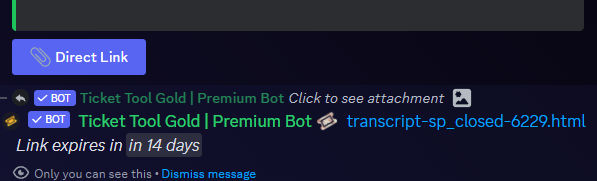
$transcripts
limber portal
jade topaz
Why does this happen after a little bit? Can I fix it so the transcript direct l...
See above ^^
jade topaz
Okay thanks!
humble sequoiaBOT
The Ticket Message is the first message sent by the bot on a new ticket. To customize it head over to your Dashboard ➞ Panel Configs ➞ Ticket ➞ Edit Ticket Message
 worldly helm
 wanton kestrel
How can i make a ticket to type sluk
wanton kestrel
How can i make a ticket to type sluk
look above ^^
wanton kestrel
When i sync for server it dosent work
 gaunt relic
How do i fix [$] Ticket Tool
APP
Failed: Invalid Form Body components[0].components[0].emoji.name[BUTTON_COMPONENT_INVALID_EMOJI]: Invalid emoji
it won't let me do it been trying to fix for 1 hour and half how do i fix this?
kindred hollow
gaunt relic
How do i fix [$] Ticket Tool
APP
Failed: `Invalid Form Body
components[0].compon...

 pulsar merlin
How do i get it that they need a certain role to open a ticket
austere forge
pulsar merlin
How do i get it that they need a certain role to open a ticket
Hey there 🙂
Go to Dashboard > Panel configs > Button > Create ticket - Support Team Only  and set allowed role
pulsar merlin
austere forge
Hey there 🙂
Go to Dashboard > Panel configs > Button > Create ticket - Support ...
Would that effect my support team in the tickets?
austere forge
pulsar merlin
Would that effect my support team in the tickets?
nothing
austere forge
pulsar merlin
Would that work if i have dropdown
yes
 pure lance
Does anyone know why my ticket won't work?
austere forge
pure lance
Does anyone know why my ticket won't work?
Hey there 🙂
can you elaborate ? with a screenshot maybe?
 austere forge
pure lance
So basically every time I try claiming it this happens
austere forge
pure lance
So basically every time I try claiming it this happens
can i get your server ID / name and the name of the role you have?
pure lance
I dunno how to get the server ID but here's the permission level I have
 austere forge
pure lance
I dunno how to get the server ID but here's the permission level I have
austere forge
pure lance
I dunno how to get the server ID but here's the permission level I have
If you are not a staff member of this server, you cannot use this button.
Only staff can
solar obsidian
ionic path
It will take some time for support members to respond. In Arabic support, the es...
I opened it at nine in the morning and did not receive a response
austere forge
solar obsidian
I opened it at nine in the morning and did not receive a response
Hey there 🙂
Arabic support may take longer than expected
We apologise for the delay you have experienced
I'm sure someone will get back to you shortly 🙏
solar obsidian
Well, thank you my friend, I really hope so
pure lance
austere forge
If you are not a staff member of this server, you cannot use this button.
Only ...
That's what I've been trying to find out how do I become a staff member
austere forge
pure lance
That's what I've been trying to find out how do I become a staff member
You should ask on the server, not here we won't be able to help you..
pure lance
Do you know like who in the server I could talk to? Bc I've been trying to find that out too.
austere forge
Unfortunately no
pure lance
Ah dang it. Well thx for the help anyways.
high bolt
How can I auto ping a role when a ticket opens I have premium
humble sequoiaBOT
1. Go into your Dashboard
2. Open your Panel Configs tab
3. Select the panel you want to ping your support on
4. Open the Ticket options menu
5. Click on Edit Ticket Message
6. In the Message Content use one of the role mention syntax (**{@Role Name}**/**{Role ID}**)
7. Save changes
Note: For this to work properly, Ticket Tool requires the Mention Everyone permission. Or the role must have the Allow anyone to @mention this role setting enabled 
austere forge
high bolt
How can I auto ping a role when a ticket opens I have premium
Hey there 🙂
see above
 unkempt pilot
i cant use the command no more

 clear oriole
Boa noite
Tem como eu dar um cargo ao bot, quando a pessoa preencher o registro de ticket ele vai ser setado automático no servidor com o cargo de membro ?
E também se é possível quando preencher o formulário nome que a pessoa colocar próprio boot alterar nome no servidor ?
Apelido da pessoa ?
worldly helm
unkempt pilot
i cant use the command no more
hey there!
Make sure the bot has all the permissions needed!
unkempt pilot
I’ll check if it does
unkempt pilot
worldly helm
hey there!
Make sure the bot has all the permissions needed!
It worked
worldly helm
unkempt pilot
It worked
Great to hear!
humble sequoiaBOT
Equipa de Apoio Portuguesa
Se você está procurando ajuda, abra um ticket para entrar em contato com a equipe de suporte em português. Vá para #🎫│make-a-ticket e pressione o botão :flag_br:.
austere forge
clear oriole
Boa noite
⬆️
 next sedge
I need help, when someone makes a ticket, it gives everyone access to it, but it’s set to staff-only and the ticket creator, can i get help?

How do I fix this?
austere forge
next sedge
How do I fix this?
Hey there 🙂
It seems that one of your server bots is change the ticket permissions
Check your audit logs which could do this
next sedge
austere forge
Hey there 🙂
It seems that one of your server bots is change the ticket permissi...
Can you help me with it?
humble sequoiaBOT
Hello, we would love to help you, but if you don't tell us what you need help with we can't help you :(
next sedge
What’s
 coral cove
@austere forge
worldly helm
coral cove
<@225349654974431232>
Please don’t Ping Support!
What‘s the issue?
 dire sun
how do I increase the limit
 humble sequoiaBOT
User's issue has been solved in another channel.
high bolt
austere forge
Hey there 🙂
what if I dont want it to be part of like the embed tho
I was hoping to be a completley different message
so i tried making a custom command and using automation
that didnt really work
austere forge
high bolt
what if I dont want it to be part of like the embed tho
If the ping is in the embed message, this doesn't work, since you're not actually pinging
high bolt
austere forge
If the ping is in the embed message, this doesn't work, since you're not actuall...
Mhm, what I’m tryna ask tho pretty much is you see how it says “@staff new ticket is here” and it’s a completely different message, is that possible with ticket tool? I know they are using a custom bot but yeah
 austere forge
high bolt
Mhm, what I’m tryna ask tho pretty much is you see how it says “@staff new ticke...
austere forge
high bolt
Mhm, what I’m tryna ask tho pretty much is you see how it says “@staff new ticke...
You can do this with a custom command and the Automation option
humble sequoiaBOT
With Ticket Tool's automation, you'll be able to customize your ticket system workflow! Using the Automation Editor you can:
- Chose out of 6 different triggers
- Set a Message Watcher to wait for a message for a given time, or to wait for the absence of them
- Add delays on the execution of actions after the trigger or watcher finds a message!
Automation Command
Automations can be stopped, by running the /automation stop command inside the ticket you want it to stop in. Restart it with /automation start You'll also be able to view the current status of the automations with /automation.
__Important Notes__
- Automation is on ALPHA TESTING PHASE, things might work unexpectedly or not at all.
- Any automation will run for a maximum of 7 days or until the ticket is closed, afterward, it will stop checking
+ You can have 5 automations per panel
$auto
 tawdry bolt
Alright so i've had ticket tool premium on my server for a long time, however recently I noticed it stopped working. I kicked the bot and managed to regain access to my dahsboard on the website however I cant get the bot to rejoin the discord server. I have attached a few photos.


I got passed the you don't have access to this server, but even on this discord when I press anything even the verify it just says this interaction failed. I try to invite the bot back to my server and nothing happens.
austere forge
tawdry bolt
I got passed the you don't have access to this server, but even on this discord ...
Hey there 🙂
Make sure that none of your security bot kicks the bot ticket tool each time you invite it
you can check your audit log that kicks it
high bolt
austere forge
You can do this with a custom command and the `Automation` option
I did that and it just does something like this maybe I’m just don’t know how to ping a role
 tawdry bolt
austere forge
Hey there 🙂
Make sure that none of your security bot kicks the bot ticket tool...
tawdry bolt
austere forge
Hey there 🙂
Make sure that none of your security bot kicks the bot ticket tool...
It says I added it but it doesnt say anything kicked it.
 austere forge
high bolt
I did that and it just does something like this maybe I’m just don’t know how to...
austere forge
high bolt
I did that and it just does something like this maybe I’m just don’t know how to...
moved the & and @ like: <@&123456789>
austere forge
tawdry bolt
It says I added it but it doesnt say anything kicked it.
Can i get your server ID pls
high bolt
Thank you
tawdry bolt
austere forge
Can i get your server ID pls
1054964429218910238
tawdry bolt
austere forge
yep, sounds good
My ticket tool stopped working, I couldn't access it anymore so I kicked it from the server it gave me access to my dashboard again but now I can't re-invite it? I checked my audit log like you told me and nothing seems to be kicking it
austere forge
tawdry bolt
My ticket tool stopped working, I couldn't access it anymore so I kicked it fro...
The Ticket tool bot is now on your server, you have access to your Dashboard again so everything seems to be working!
tawdry bolt
austere forge
The Ticket tool bot is now on your server, you have access to your Dashboard aga...
I see it now thank you! However anytime I click close ticket etc.... it just says interaction failed
iron nightBOT
Gave +1 Rep to @austere forge (current: #11 - 427)
austere forge
tawdry bolt
I see it now thank you! However anytime I click close ticket etc.... it just say...
can i get a screenshot pls
tawdry bolt
austere forge
can i get a screenshot pls

same thing its doing when I was trying to verify myself using your bot on this discord.
austere forge
tawdry bolt
same thing its doing when I was trying to verify myself using your bot on this d...
can you try a new ticket pls ?
austere forge
tawdry bolt
same thing its doing when I was trying to verify myself using your bot on this d...
it seems that this ticket is a bit dated
tawdry bolt
austere forge
it seems that this ticket is a bit dated
does the same thing
 austere forge
Alr, on your Dashboard you selected the white bot while on your server you used the gold bot
You need to enable bot gold
Go to Dashboard > Server configs - Premium bot and select Ticket tool gold
 tawdry bolt
austere forge
Alr, on your Dashboard you selected the white bot while on your server you used ...
tawdry bolt
austere forge
Alr, on your Dashboard you selected the white bot while on your server you used ...
Okay so I brought in the Gold Bot (Removed the White Bot) and its still doing the same thing.
and now I lost control of my dashboard
austere forge
tawdry bolt
Okay so I brought in the Gold Bot (Removed the White Bot) and its still doing th...
You must keep the white bot on your server, otherwise it will not work and you will no longer have access to the dashboard :)
tawdry bolt
Ohhhhhh shoot Ill need the white bot again.... I already got rid of it
austere forge
Alr, now you need to enable and select ticket tool gold 🙂
Go to Dashboard > Server configs - Premium bot and select Ticket tool gold
 tawdry bolt
austere forge
Alr, now you need to enable and select ticket tool gold 🙂
tawdry bolt
austere forge
Alr, now you need to enable and select ticket tool gold 🙂
God you're good! we are making progress however now it says this
 austere forge
tawdry bolt
austere forge
tawdry bolt
The Ticket tool bot does not have VIEW CHANNELS permissions in the OPENED TICKETS category
you must add it
tawdry bolt
Okay thank you
austere forge
You're welcome, glad I could help !
austere forge
Hey there 🙂
Go to Dashboard > Server configs > Global Ticket Limit set 1
You're welcome, glad I could help !
This is not possible, since there is no way to control users' accounts and DMs :)
 broken shuttle
 humble sequoiaBOT
━━ User's inquiry has been moved to a ticket ━━
 split skiff
How do I set more than one option when opening a tick? For example, when I press the button that opens a tick, the bot presents me with a list containing technical support, an inquiry, or a complaint. So how?
Example
 humble sequoiaBOT
The Drop-down menu or Select Menu replaces the buttons on your panel message and uses a drop-down menu with all of your panels. To set this up, go to your Panel Configs and select your main Panel.
<:Numbericons1:1018864164032225340> Enable Select Style
First you enable Select Style. Then you add an item in the Dropdown Editor. Now you can start editing your dropdown!
<:Numbericons2:1018864168041971712> Dropdown Editor
Each line in the dropdown editor represents a line in the drop down menu on discord. You can add more "Items", by clicking on
First you select a panel. That's the panel this option will open a ticket for. DONT select the same panel twice. Each option should have a different Panel
After that, you can put a Display. This is the title of this option and will appear in the drop down menu. The *Description can be set right after that, which will be below the title in grey.
Additionally you can select an emoji, that will be shown in front of each option. You can either manually input the ID of an emoji or select it in the selector.
Common Issues ⚠️
- Panel doesn't send? Make sure you have a valid emoji selected
- Option doesn't show up? Check if two options have the same panel in the DropDown Editor
$dropdown
kindred hollow
@split skiff See above.
split skiff
kindred hollow
<@1013384203074809866> See above.
Is there any Arabic language?
humble sequoiaBOT
فريق الدعم الفني العربي
عميلنا العزيز ان كنت تبحث عن مساعدة يرجى فتح تكت خاص بفريق الدعم الفني العربي
اذهب الى#🎫│make-a-ticket
ثم قم بلضغط على الايموجي الاتي (🇯🇴)
coral cove
How to active the tickets
 stark runeBOT
1. Invite Ticket Tool to your server
First you will want to invite the bot to your server. Once the bot is in your server, you can manage your server in the dashboard.

2. Create a Panel
To create a panel we are going to need to head over to the panel configs on the dashboard.
Once at the dashboard we will need to click Create Panel.
Enter a panel name (Fill in any optional settings you want).
Click Create Panel and your ready to get started with configuring your panel.
An example of a creating a panel is shown below.

3. Send the Panel to a Channel
Once you've created a panel on the dashboard you will need to send it to a channel using send on the dashboard.
Select the channel you want your panel to be created in and click send.
For other questions checkout $help faq.
An example of a sending a panel is shown below.
Having a Problem Sending the Panel?
Do $debug in a channel with Ticket Tool and make sure it has all the necessary Discord permissions.
 limber portal
See above
split skiff
I have a problem when I put the option to the top, I cannot put it below. What is the solution to this problem?

 acoustic lynx
how do i add hex color in this message?
 humble sequoiaBOT
━━ User's inquiry has been moved to a ticket ━━
 pale idol
Me ayudan a un error
 restive condor
pale idol
Me ayudan a un error
restive condor
pale idol
Me ayudan a un error
Hola. Por supuesto, cómo puedo ayudar?
pale idol
Compre una fruta permanente y no me deja conseguir mi ticket
humble sequoiaBOT

⚠️ Está en el lugar equivocado
Brindamos soporte para el bot de Discord Ticket Tool y no le podemos ayudar con el problema que presenta.
- No sabemos a que equipo de soporte debería contactar para solucionar este problema, y desafortunadamente no podremos ayudarle acertadamente.
Si no tiene alguna duda relacionada a nuestro bot, Ticket Tool, por favor cierre este ticket.
 restive condor
pale idol
Me aparece ese error no me pueden ayudar
restive condor
pale idol
Me aparece ese error no me pueden ayudar
Discord tiene un límite de 500 canales por servidor.
Parece que ese servidor ha llegado al límite.
Por favor, ponte en contacto con el staff del servidor para que eliminen canales
pale idol
Como me pongo en contacto
restive condor
No sabemos desafortunadamente
pale idol
Ok gracias
restive condor
Tendrás que mencionarlos o enviarles un mensaje
pale idol
Veré si puedo solucionarlo yo y si no volveré a preguntar
 shrewd viper
I just have a question, does Ticket Tool have ratings like Tickets? I don't plan on changing bots, but I was curious since this is a feature I'd love to have
(Example below)
 acoustic lynx
@restive condor you there sir? can you check my dm:3
limber portal
shrewd viper
I just have a question, does Ticket Tool have ratings like Tickets? I don't plan...
Hi, no, but this is something the developer wants to implement in the future 🙂
shrewd viper
That's awesome ! Would love to look forward to that if implemented :)
limber portal
acoustic lynx
<@795710289425334303> you there sir? can you check my dm:3
Hi, dming staff is against the server rules - if you need help you can ask here or #🎫│make-a-ticket 🙂
acoustic lynx
limber portal
Hi, dming staff is against the server rules - if you need help you can ask here ...
uh i saw his about me
it says dms opened
limber portal
Regardless of his bio the server rules remain the same - that is his preference for other servers
acoustic lynx
alr alr
limber portal
Can I help you with anything?
acoustic lynx
limber portal
Can I help you with anything?
how do i make the ticket created send in specific channel?
limber portal
Dashboard > panel configs > click the ‘send’ button at the top of your screen, next to the selection dropdown ^^
acoustic lynx
i mean if someone create a ticket how do i make it send in specific category^
limber portal
Ah
acoustic lynx
:3
humble sequoiaBOT
1. Go into your Dashboard
2. Open your Panel Configs tab
3. Select the panel you want to grant access to
4. Open the Category options menu
5. Select the categories of your preference
6. Save changes
limber portal
See above
limber portal
No worries
acoustic lynx
humble sequoia
wait what js category closed for?
limber portal
Thats the category closed tickets will move to
acoustic lynx
ohh alr alr, tysm!
 whole roost
Can I get access to creating a ticket please
limber portal
whole roost
Can I get access to creating a ticket please
In this server?
whole roost
limber portal
In this server?
Yes I’m having a few technical difficulties with the bot and seek help
limber portal
 uneven oar
may i ask why is my claim button not appearing
 limber portal
uneven oar
may i ask why is my claim button not appearing
limber portal
uneven oar
may i ask why is my claim button not appearing
Hiya, claiming is a premium feature
uneven oar
limber portal
Hiya, claiming is a premium feature
ahhh i see, thanks
iron nightBOT
Gave +1 Rep to @limber portal (current: #10 - 496)
limber portal
No problem
uneven oar
is there any affection if theres no claim function
limber portal
Affection?
uneven oar
or doesnt rlly matter
limber portal
Not entirely sure what you mean
uneven oar
i mean will it cause anything if i only reply to normal ticket without claiming it, like will the ticket disappear or so ?
limber portal
uneven oar
i mean will it cause anything if i only reply to normal ticket without claiming ...
You don’t need claiming, it’s optional when answering tickets
uneven oar
limber portal
You don’t *need* claiming, it’s optional when answering tickets
I see, how long will the ticket disappear, or it last until manually close
limber portal
There’s no time limit ^^
uneven oar
limber portal
There’s no time limit ^^
Alright thanks for the info.
iron nightBOT
Gave +1 Rep to @limber portal (current: #10 - 497)
uneven oar
iron night
Gave +1 Rep to **<@1065295463089180763>** (current: `#10` - `497`)
Wow how can I setup this @limber portal
 north pawn
Isa there a command for like tags so i can set it so support members can say like /tag> Buy a product> Then it will show the text i have set it
Like this
 limber portal
north pawn
Isa there a command for like tags so i can set it so support members can say lik...
limber portal
north pawn
Isa there a command for like tags so i can set it so support members can say lik...
Yes, you can use custom commands
humble sequoiaBOT
Custom Commands
Custom Commands are used to send a predefined response to your channels. Commands will only respond if the command itself is used, it will not function if you put the tag into a sentence.
To create commands, go to: Dashboard > Custom Commands > New. After creating and naming one, you can edit the command trigger and behaviors. Tap on the edit message button to edit the response of the command.
 uneven oar
limber portal
Yes, you can use custom commands
uneven oar
limber portal
Yes, you can use custom commands
is there any method for me to delete the dashboard history ?
limber portal
Currently not
uneven oar
alright thanks
jade topaz
Is there any guide on premium bot customization?
limber portal
jade topaz
Is there any guide on premium bot customization?
What are you looking to customise?
uneven oar
Why is it not pinging me, i already set the role ping as same as mine
after the ticket got created
limber portal
uneven oar
Why is it not pinging me, i already set the role ping as same as mine
Make sure ticket tool has the mention everyone / all roles permission
honest blade
if i set up a ticket system with multiple buttons is it possible to know which button a member clicked?
It just creates a ticket for me and it doesn't tell me which button they clicked
rustic siren
what are the difference between ingame headshot v1,v2,v3?
humble sequoiaBOT
The ticket name is the default channel name of all tickets. To edit it, go to your Dashboard > Panel Configs > Ticket. There you can edit the channel name of opened and closed tickets. You can also use variables in there.

 Note: This is a premium feature
worldly helm
honest blade
if i set up a ticket system with multiple buttons is it possible to know which b...
Note: This is a premium feature
worldly helm
honest blade
if i set up a ticket system with multiple buttons is it possible to know which b...
Hey there! Look above ^^
worldly helm
rustic siren
what are the difference between ingame headshot v1,v2,v3?
What do you mean?
rustic siren
i mean in panel what are the difference between ingame headshot v1,v2,v3?
worldly helm
rustic siren
i mean in panel what are the difference between ingame headshot v1,v2,v3?
Could you maybe provide a screenshot?
honest blade
worldly helm
Hey there! Look above ^^
Oh so without premium we can't know which button someone clicks?
And it just creates a ticket
worldly helm
It depens, you can make forms that theyll have to answer. From them you can see what ticket type theyve clicked. Or you can set the caterory for the tickets opened for every panel of yours "custom", so only Test v1 goes in "Testv1 open tickets" and Testv2 in "Testv2 open tickets"
restive condor
Or you can edit your ticket message to include the name of your panel for each
worldly helm
^^
honest blade
restive condor
Or you can edit your ticket message to include the name of your panel for each
oh thats smart ty!
honest blade
worldly helm
It depens, you can make forms that theyll have to answer. From them you can see ...
by form u mean this thing right?
 humble sequoiaBOT
A Discord Form lets the user answer individual questions in a pop-up Form, which then displays the answers in the ticket message. This can save time if you already know what you want to ask the user.
Setup Forms
Forms can be enabled under Panel Settings > Form Options > Edit Forms Options. In the new pop-up window, you can now enable and edit your own Form.
Form Options
You can add up to 5 questions in the Discord form. This is a Discord limitation. Each question can have a placeholder in the input field, a minimum and maximum input, multi-line, and also the option to have the answer required.
Options
Question Title ➞ Your Question goes here
Question Placeholder ➞ The placeholder text in the input field
Required ➞ If enabled, the user has to answer this question, to submit the form
Multi-Line Input ➞ Allows the user to input multiple lines
Minimum and Maximum Input ➞ Set a minimum and maximum input value for the user
Displaying the Answer
To display the answers from the user, you need to enable Auto display form results on the ticket message as an additional embed
If you don't want a second embed, go into your Panel Configs > Ticket Options > Edit Ticket Message. You use the variable {create.form.x} and replace x with the number of your question. For example, the response to Question 5 can be displayed with {create.form.5}.
 worldly helm
Look above ^^
worldly helm
honest blade
by form u mean this thing right?
That is the "DropDown" Style
honest blade
worldly helm
Look above ^^
cuz i wanted to know like what button they click

with buttons like this
humble sequoiaBOT
For more convenient use of multipanels, you can now combine panels on the dashboard. This will allow you to directly send the multipanel from the dashboard or via the $panel ID command.
Where can I find this?
You can find this setting on the Dashboard -> Panel Configs -> Panel -> Attached Panels
Note: if you're attaching all the panels to a panel called English, don't include English in the attached panel's box (If you do this, it will create a duplicate)
This will put all buttons from all of your panels on one message. The message is the panel message from the panel you're combining these panels in.
 worldly helm
These are Called "MultiPanels" you can see above for the guide^^
honest blade
worldly helm
These are Called "MultiPanels" you can see above for the guide^^
thx, is there a limit of transcripts i can save?
i dont have premium
rustic siren
worldly helm
Could you maybe provide a screenshot?
this is the screenshot'
humble sequoiaBOT
⚠️ You're in the wrong place
We provide support for Ticket Tool Discord bot and cannot help you with whatever issue you have.
- We don't know which Support Team you should contact to get this issue resolved, and unfortunately we won't be able to accurately tell you.
If you don't have any further questions regarding our bot Ticket Tool, please close this ticket
worldly helm
honest blade
thx, is there a limit of transcripts i can save?
There isn't, no
 long niche
hey guys how do I make it so that a role gets added to every ticket bc for some they go into like general support they do but gang reports they don't
???
humble sequoiaBOT
1. Go into your Dashboard
2. Open your Panel Configs tab
3. Select the panel you want to grant access to
4. Open the General options menu
5. Select your Support Team Roles
6. Save changes
 worldly helm
long niche
hey guys how do I make it so that a role gets added to every ticket bc for some ...
worldly helm
long niche
hey guys how do I make it so that a role gets added to every ticket bc for some ...
Hey there!!
Look above ^^
iron nightBOT
Gave +1 Rep to @worldly helm (current: #50 - 33)
worldly helm
You‘re Welcome :)
long niche
why arent u a helper g\
worldly helm
I am waiting to be Seen by a Manager…
long niche
why doesnt my ticket trskpt save into the area its supposed to?
humble sequoiaBOT
1. Go into your Dashboard
2. Open your Panel Configs tab
3. Select the panel you want to grant access to
4. Open the Transcript options menu
5. Using the Transcript Channel selector, pick the channel you want your transcripts to be sent to
6. Save changes
 pseudo ravine
Did you do this for all panels?
 hoary ember
(╯°□°)╯︵ ┻━┻
 low plank
 humble sequoiaBOT
⚠️ You're in the wrong place
We provide support for Ticket Tool Discord bot and cannot help you with whatever issue you have.
- We don't know which Support Team you should contact to get this issue resolved, and unfortunately we won't be able to accurately tell you.
If you don't have any further questions regarding our bot Ticket Tool, please close this ticket
 bright plover
Hello, I have this message since I activated then deactivated the premium on the bot, although I have an Administrator role.
 limber portal
bright plover
Hello, I have this message since I activated then deactivated the premium on the...
limber portal
bright plover
Hello, I have this message since I activated then deactivated the premium on the...
Hi, you might need to use /botswitcher to change the active bot
bright plover
limber portal
Hi, you might need to use /botswitcher to change the active bot
Thanks ! 🙂
iron nightBOT
Gave +1 Rep to @limber portal (current: #10 - 499)
low plank
worldly helm
Do you have any questions about the bot?
I'm trying to do this but make it so rough
humble sequoiaBOT
⚠️ You're in the wrong place
We provide support for Ticket Tool Discord bot and cannot help you with whatever issue you have.
- We don't know which Support Team you should contact to get this issue resolved, and unfortunately we won't be able to accurately tell you.
If you don't have any further questions regarding our bot Ticket Tool, please close this ticket
austere forge
low plank
I'm trying to do this but make it so rough
We're not related to this server, so we can't help you.
worldly helm
low plank
I'm trying to do this but make it so rough
Do you have a question about the Ticket Tool Setup itself?
low plank
I cant figure it out
 fallow slate
That's not nice bro is trying to help you : (
 muted mural
how would i put emojis in my panel message?
 zealous valley
How do i open a panel in a designated channel?
 harsh spoke
Hey, is there a way to recover Transcripts (Link) of a deleted server?
limber portal
harsh spoke
Hey, is there a way to recover Transcripts (Link) of a deleted server?
Hi, we don’t store transcripts - they are only stored in the channel, and on your pc if you downloaded them
humble sequoiaBOT
1. Go into your Dashboard
2. Open your Panel Configs tab
3. Select the panel you want to grant access to
4. Open the Category options menu
5. Select the categories of your preference
6. Save changes
worldly helm
zealous valley
How do i open a panel in a designated channel?
If You do to the Dashboard, you can select the Channel the Panel will be send into.
 tranquil salmon
hello! is there currently any issues occurring? my ticket tool is saying i need a transcript channel set, but it's set, and has been set. it's been transcripting with no issue until today, basically.
muted mural
how would i put emojis in my panel message? like the emojis from my discord server
worldly helm
muted mural
how would i put emojis in my panel message? like the emojis from my discord serv...
Hey there!
Do $id {emoji} and copy paste the ID of the emoji into the Panel Message.
muted mural
worldly helm
Hey there!
Do `$id {emoji}` and copy paste the ID of the emoji into the Panel M...
hey!
Do you mind sending a photo it still doesnt worrk for me
jade topaz
hi i just lost a server because of discord terminating it but i need acces to the panel of that server so i can put the exact same tickets in the new server
honest blade
How do i unable pings when a new ticket is created? Show me ss if possible thanks
worldly helm
honest blade
How do i unable pings when a new ticket is created? Show me ss if possible thank...
Hello there!
You have to edit your Ticket Message for that.
honest blade
worldly helm
Hello there!
You have to edit your Ticket Message for that.
Do you have a ss?
 carmine marsh
Do you guys know if there is a way to look at a ticket that has been already closed in a specific server
worldly helm
honest blade
Do you have a ss?
General Ticket Options-->Messages-->Edit Ticket Message--> Remove the ID of the Role
carmine marsh
Or for the owner of the server to look at it when it has already been closed?
worldly helm
carmine marsh
Or for the owner of the server to look at it when it has already been closed?
Hello there!
Without Saving the Transkript it is not possible, no.
honest blade
worldly helm
`General Ticket Options`-->`Messages`-->`Edit Ticket Message`--> *Remove the ID ...
Is it possible to unable pings ONLY for certain roles?
worldly helm
honest blade
Is it possible to unable pings ONLY for certain roles?
hmm, i dont understand what you mean. Do you maybe have an example?
worldly helm
muted mural
Tysm
You're welcome :))
honest blade
worldly helm
hmm, i dont understand what you mean. Do you maybe have an example?
Yeah i have different staff members in tickets, i wanna remove pings only for some
worldly helm
Do you mind showing me your Ticket Message?
worldly helm
tranquil salmon
hello! is there currently any issues occurring? my ticket tool is saying i need ...
maybe there has been some changes to the channel... follow the guide below again :)
humble sequoiaBOT
1. Go into your Dashboard
2. Open your Panel Configs tab
3. Select the panel you want to grant access to
4. Open the Transcript options menu
5. Using the Transcript Channel selector, pick the channel you want your transcripts to be sent to
6. Save changes
tranquil salmon
that is exactly how i have it done, yes
worldly helm
tranquil salmon
that is exactly how i have it done, yes
have you tried updating the panel?
tranquil salmon
it doesn't give me an option to save and update unless i change the channel
worldly helm
tranquil salmon
it doesn't give me an option to save and update unless i change the channel
hmm, wierd. please wait for Staff to assist you, i am not sure what to do in this type of situation :|
tranquil salmon
no worries! thank you for the assist you offered!
worldly helm
youre welcome :/
 versed orbit
I am trying to delete a custom command but then I get this error message. Please help me

 versed orbit
worldly helm
versed orbit
worldly helm
Yeah when I click delete and save then that error message pops up, and when I click reset the command comes back
worldly helm
That's wierd. Please wait for Someone from Staff to assist you.
versed orbit
worldly helm
That's wierd. Please wait for Someone from Staff to assist you.
alr thx
iron nightBOT
Gave +1 Rep to @worldly helm (current: #50 - 34)
worldly helm
(or someone who knows the issue)
worldly helm
Sorry that i cannot help you with that issue!
You can make one, but i think waiting on a response in this channel is faster. You dont need 3 channels to ask for Help.
humble sequoiaBOT
━━ V's inquiry has been moved to a ticket ━━
muted mural
anyone know how to change the number at which the ticket name starts at?
 gleaming onyx
I want to update the support roles in existing tickets, is that possible ?
limber portal
muted mural
anyone know how to change the number at which the ticket name starts at?
Dashboard > panel configs > set count button at the top
versed orbit
gleaming onyx
I want to update the support roles in existing tickets, is that possible ?
- /setup
- Edit & manage panels
- Select the panel
- Then you can click on the one that says support team roles
muted mural
limber portal
Dashboard > panel configs > `set count` button at the top
oh shoot ty
iron nightBOT
Gave +1 Rep to @limber portal (current: #10 - 500)
gleaming onyx
versed orbit
1. /setup
2. Edit & manage panels
3. Select the panel
4. Then you can click ...
Will that add the new roles to the existing tickets or only on new tickets ?
versed orbit
gleaming onyx
Will that add the new roles to the existing tickets or only on new tickets ?

I think it will also be for the existing ones
 reef narwhal
Any issues with server?
 gleaming onyx
versed orbit
I think it will also be for the existing ones
gleaming onyx
versed orbit
I think it will also be for the existing ones
Nope doesn’t update existing it seems
 fallow forum
whenever I try to add ticket tool it says this "Only admins and people with dashboard access can use this command."
limber portal
fallow forum
whenever I try to add ticket tool it says this "Only admins and people with dash...
You'll need either the administator permission or a dashboard role ^^
fallow forum
administator permission in the discord server?
limber portal
Yep
fallow forum
what do you mean dashboard role?
limber portal
fallow forum
what do you mean dashboard role?
Server admins / the owner can set a role with dashboard access in dashboard > server configs
fallow forum
limber portal
Server admins / the owner can set a role with dashboard access in dashboard > se...
I have administrator perms in the server though.
limber portal
Can you run $level and send a screenshot?
fallow forum
limber portal
Can you run $level and send a screenshot?
 limber portal
fallow forum
limber portal
fallow forum
You don't have the administrator permission.
Please get that or a dashboard role first
jade topaz
Trying to transfer roles in a server when I try to make a ticket it says this interaction failed
i bought premium but it doesnt show me the option to switch
pale idol
Me ayudan con un problema de mi compra
Alguien me ayuda a un problema
Support
Ayuda
worldly helm
#🎫│make-a-ticket (Billing)
humble sequoiaBOT
The first thing you will need to do is invite the premium bot, an invite can be found here
Once the bot is in your server we will head to the dashboard and manage your server. When you are managing your server, you want to head into "Server Configs" then click the drop down menu under "Select the bot you would like to use on this server" then click "Ticket Tool#6207" and then save.
 worldly helm
jade topaz
i bought premium but it doesnt show me the option to switch
worldly helm
jade topaz
i bought premium but it doesnt show me the option to switch
Hey there!
See above ^^
pale idol
Que es eso no hablo ingles
worldly helm
worldly helm
<#571706435449257997> (Billing)
.
humble sequoiaBOT

Equipo de Soporte Español
Querido usuario, si está buscando ayuda, por favor abra un ticket para contactar al Equipo de Soporte Español. Diríjase a #🎫│make-a-ticket y presione el botón :flag_es:.
worldly helm
3v no, he has issues with The Premium bot (Billing)
restive condor
That's not a billing issue
worldly helm
It isnt?
pale idol
Nadie me puede ayudar
restive condor
No, billing is more payment related and such
pale idol
No hablo inglés quiero saber si me pueden solucionar un problema
restive condor
Regarless, their inquiry was solved in a ticket
worldly helm
Okay.
restive condor
pale idol
No hablo inglés quiero saber si me pueden solucionar un problema
Como ya le dije con anterioridad, la única manera es contactar con el equipo del servidor
pale idol
Pero como lo contacto
restive condor
No estamos asociados con ese servidor. Solo damos soporte para el bot que utilizan
No sabemos. No sabemos quienes son ni lo que hacen
Tendrás que encontrar otra manera dentro del servidor
Pero desde aquí, no hay nada que podamos hacer
 fleet wigeon
Is there anyway to make it so that not all roles with the admin permission can change stuff
austere forge
fleet wigeon
Is there anyway to make it so that not all roles with the admin permission can c...
Hey there 🙂
On your Dashboard right?
fleet wigeon
Yes
austere forge
Unfortunately, this is not possible
Feel free to suggest this in #1019685143046279208 though

 echo yacht
 drifting current
Why can’t people in my server press create a ticket
drifting current
Why can’t people in my server press create a ticket
Cause they have to complete the on boarding process
See how it says “You must complete a few more steps before you can talk”
 cobalt minnow
why does my bot say the application didn’t respond every time I try to use a command?
 twilit stratus
how can i ping a role when tickets are created again sorry i forgot
 magic geode
I have a main server and an administration server. Would it be possible to use the bot across both of the servers. Ticket comes in through the main server, and admin responds to it from the admin server?
restive condor
cobalt minnow
why does my bot say the application didn’t respond every time I try to use a com...
Hey there! Could you run the /debug command please
restive condor
twilit stratus
how can i ping a role when tickets are created again sorry i forgot
Hey there! See below
humble sequoiaBOT
1. Go into your Dashboard
2. Open your Panel Configs tab
3. Select the panel you want to ping your support on
4. Open the Ticket options menu
5. Click on Edit Ticket Message
6. In the Message Content use one of the role mention syntax (**{@Role Name}**/**{Role ID}**)
7. Save changes
Note: For this to work properly, Ticket Tool requires the Mention Everyone permission. Or the role must have the Allow anyone to @mention this role setting enabled
restive condor
magic geode
I have a main server and an administration server. Would it be possible to use ...
Hey there! No, that's not possible at this time
twilit stratus
if i give ticket tool admin do they bypass the @ everyone mentioned and all roles
 fringe umbra
I need help setting up a ticket
 waxen grail
 humble sequoiaBOT
━━ User's inquiry has been moved to a ticket ━━
kindred hollow
fringe umbra
I need help setting up a ticket
Hi there! What exactly do you need help with?
kindred hollow
twilit stratus
if i give ticket tool admin do they bypass the @ everyone mentioned and all role...
What do you mean?
twilit stratus
nvm i got it
fringe umbra
kindred hollow
Hi there! What exactly do you need help with?
nvm i got it but when my members interacti with it it doesnt open a private channel
magic geode
restive condor
Hey there! No, that's not possible at this time
Gotcha. Thank you very much for the response!
iron nightBOT
Gave +1 Rep to @restive condor (current: #3 - 990)
 elfin nacelle
hi
 kind ginkgo
elfin nacelle
hi
kind ginkgo
elfin nacelle
hi
💀💀💀
 upbeat mauve
Hello there can i add people to the dashboard menu?
restive condor
upbeat mauve
Hello there can i add people to the dashboard menu?
Hey there! Dashboard > Server Configs > Dashboard Roles
humble sequoiaBOT
Any role you put there will have full access to the ticket tool dashboard. The server owner and users with admin permissions already have access to the dashboard.
Be careful of which roles to put here
 upbeat mauve
restive condor
Hey there! ``Dashboard`` > ``Server Configs`` > ``Dashboard Roles``
upbeat mauve
restive condor
Hey there! ``Dashboard`` > ``Server Configs`` > ``Dashboard Roles``
thanks alot
iron nightBOT
Gave +1 Rep to @restive condor (current: #3 - 992)
 upbeat sinew
why cant i edit these
 austere forge
upbeat sinew
why cant i edit these
austere forge
upbeat sinew
why cant i edit these
Hey there 🙂
This is a premium features
 glad matrix
I opened a ticket, but I do not see the ticket transcript get sent to my dms?
austere forge
glad matrix
I opened a ticket, but I do not see the ticket transcript get sent to my dms?
Hey there 🙂
This is a premium option
austere forge
yep, it's always a premium option the transcript in DM 🙂
glad matrix
alr
cobalt minnow
restive condor
Hey there! Could you run the ``/debug`` command please
even debug doesn’t work
it just says this application couldn’t respond
austere forge
cobalt minnow
it just says this application couldn’t respond
Hey there 🙂
Make sure that the bot has: VIEW CHANNEL SEND MESSAGE and READ MESSAGE HISTORY perms in the channel
abstract gorge
Hey! I have a bit of a "noob" question. I currently have 3 drop down options, but I want to add more. I'm in the menu style section, but I can't quite figure it out 😂
Can't quite figure out how to get the others over there haha
limber portal
Hiya!
Have you already made a new panel for each new option?
limber portal
abstract gorge
Hey! Yeah, I think so, I cloned them 😄
In that case press 'add item' in the top right and fill out the information for your new entry 🙂
abstract gorge
Okay, thank you! Can you re-organize the dropdown items?
limber portal
You can edit the order the panels are in with the item list.
iron nightBOT
Gave +1 Rep to @limber portal (current: #10 - 506)
limber portal
No worries, glad I could help 
abstract gorge
limber portal
You can edit the order the panels are in with the item list.
Okay, stuck on this one lol. Where can I find that?
Sorry!
Oh, think I sorted it!
limber portal
All good?
limber portal
abstract gorge
but yes! I sorted it! Thanks again 🙂
If you need anything else let us know, we are here to help
 steel void
well i changed the ticket tool on the website and it still doesnt seem to work. the claim option doesnt even appear when the ticket is created
 limber portal
steel void
well i changed the ticket tool on the website and it still doesnt seem to work. ...
limber portal
steel void
well i changed the ticket tool on the website and it still doesnt seem to work. ...
Please note claiming is a premium feature 🙂
steel void
😭
 quasi harbor
How can i get the free kits?
humble sequoiaBOT
⚠️ You're in the wrong place
We provide support for Ticket Tool Discord bot and cannot help you with whatever issue you have.
- We don't know which Support Team you should contact to get this issue resolved, and unfortunately we won't be able to accurately tell you.
If you don't have any further questions regarding our bot Ticket Tool, please close this ticket
 kind axle
؟
 worldly helm
kind axle
؟
worldly helm
kind axle
؟
Hello there!! See below if you want this Panel aswell
humble sequoiaBOT
The Drop-down menu or Select Menu replaces the buttons on your panel message and uses a drop-down menu with all of your panels. To set this up, go to your Panel Configs and select your main Panel.
<:Numbericons1:1018864164032225340> Enable Select Style
First you enable Select Style. Then you add an item in the Dropdown Editor. Now you can start editing your dropdown!
<:Numbericons2:1018864168041971712> Dropdown Editor
Each line in the dropdown editor represents a line in the drop down menu on discord. You can add more "Items", by clicking on
First you select a panel. That's the panel this option will open a ticket for. DONT select the same panel twice. Each option should have a different Panel
After that, you can put a Display. This is the title of this option and will appear in the drop down menu. The *Description can be set right after that, which will be below the title in grey.
Additionally you can select an emoji, that will be shown in front of each option. You can either manually input the ID of an emoji or select it in the selector.
Common Issues ⚠️
- Panel doesn't send? Make sure you have a valid emoji selected
- Option doesn't show up? Check if two options have the same panel in the DropDown Editor
$dropdown
worldly helm
$articket
humble sequoiaBOT
فريق الدعم الفني العربي
عميلنا العزيز ان كنت تبحث عن مساعدة يرجى فتح تكت خاص بفريق الدعم الفني العربي
اذهب الى#🎫│make-a-ticket
ثم قم بلضغط على الايموجي الاتي (🇯🇴)
hushed yew
is tickets claiming premium feature only?
worldly helm
hushed yew
is tickets claiming premium feature only?
Yes it is.
humble sequoiaBOT
The first thing you will need to do is invite the premium bot, an invite can be found here
Once the bot is in your server we will head to the dashboard and manage your server. When you are managing your server, you want to head into "Server Configs" then click the drop down menu under "Select the bot you would like to use on this server" then click "Ticket Tool#6207" and then save.
worldly helm
 pearl vector
i claim 7-Day Free Trial
pearl vector
i claim 7-Day Free Trial
See above ^^
 humble sequoiaBOT
The Drop-down menu or Select Menu replaces the buttons on your panel message and uses a drop-down menu with all of your panels. To set this up, go to your Panel Configs and select your main Panel.
<:Numbericons1:1018864164032225340> Enable Select Style
First you enable Select Style. Then you add an item in the Dropdown Editor. Now you can start editing your dropdown!
<:Numbericons2:1018864168041971712> Dropdown Editor
Each line in the dropdown editor represents a line in the drop down menu on discord. You can add more "Items", by clicking on
First you select a panel. That's the panel this option will open a ticket for. DONT select the same panel twice. Each option should have a different Panel
After that, you can put a Display. This is the title of this option and will appear in the drop down menu. The *Description can be set right after that, which will be below the title in grey.
Additionally you can select an emoji, that will be shown in front of each option. You can either manually input the ID of an emoji or select it in the selector.
Common Issues ⚠️
- Panel doesn't send? Make sure you have a valid emoji selected
- Option doesn't show up? Check if two options have the same panel in the DropDown Editor
$dropdown
 frail oxide
ohh, from dashboard only ?
limber portal
Yep 😄
frail oxide
i thought we have to do from messaging , slash cmnd
frail oxide
limber portal
Yep 😄
okie okie, i will be back if i need help in dashboard
frail oxide
limber portal
Yep 😄
i should call you maam or sir ?
limber portal
frail oxide
i should call you maam or sir ?
I'm a man, but you can call me whatever 🙂 sir isn't required ^^
frail oxide
how to create one ?
 frail oxide
limber portal
I'm a man, but you can call me whatever 🙂 sir isn't required ^^
frail oxide
limber portal
I'm a man, but you can call me whatever 🙂 sir isn't required ^^
okay bro 🤝
frail oxide
limber portal
Or are you completely barebones?
i just added the bot ☠️
frail oxide
limber portal
Have you got the panels you need?
there was one before, but i deleted the channel and forgot
the server is 3 year old, i forgot how to use ticket tool
:/
limber portal
frail oxide
i want to create one like this but i dont have nitro :/
Alright, so you'll want to go back into the main panel configs page and create some panels with the green + button at the top. You'll need a panel for every entry, so following this example you'd need a 'Help and Support' panel, a 'Server Shop' panel, etc.
frail oxide
 limber portal
Once that's done, head back into dropdowns and add the items and tie the panels to them
frail oxide
frail oxide
this one ?
limber portal
the + button yes
frail oxide

i have one , but isnt showing up in server
i want to delte that but it shows mismatch
 limber portal
You can't currently have 0 panels - you'll have to make another one then delete that
frail oxide
panel 2 ?
 frail oxide
limber portal
You can't currently have 0 panels - you'll have to make another one then delete ...
frail oxide
limber portal
You can't currently have 0 panels - you'll have to make another one then delete ...
so to delete panel 1 , we need panel 2 ?
i created one next ?
limber portal
Create ones for the dropdown items you want
You'll need a panel for every entry, so following the example you'd need a 'Help and Support' panel, a 'Server Shop' panel, etc.
frail oxide
limber portal
> You'll need a panel for every entry, so following the example you'd need a 'He...
okk
i will send ss of ech one here, so that u can guide me whats next ?
what is ticket padding ☠️ , ik its premium which i wont buy but curious
 worldly helm
Hover over it with the mouse, at the (?)
There is an explanation.
worldly helm
So, you know if you open a ticket it says "Ticket-0001" Or "Ticket-0002" The padding value is 4 at there. If you choose padding value 5, it says "Ticket-00003" (With 5 numbers)
frail oxide
hmm
what if its padding 4 and the server has already 9999, ehat will be the next 10000 or limit exceded
worldly helm
I don't think so, no
frail oxide
uhmm
worldly helm
It probably reset to Ticket-0001
frail oxide
ohhh
worldly helm
or atleast if you dont have premium. If you do, it may become "Ticket-10000"
 frail oxide
worldly helm
or atleast if you dont have premium. If you do, it may become "Ticket-10000"
frail oxide
worldly helm
or atleast if you dont have premium. If you do, it may become "Ticket-10000"
noice
worldly helm
For every Dropdown, you need a single panel.
so that you can fully customize the Dropdown style. For example: Appeal Tickets and Reporting Tickets Shouldnt go into the same category, so you need to have a panel for for every option.
frail oxide
ohh
so i have to create
giveaway
staff
booster perks
Donation
shop
help
like this 6 panels ?
damn
worldly helm
Yes, for every Option one single panel
frail oxide
what is the limit tho ?
worldly helm
pro tip: you can clone the panels and just rename them and change a bit, like categorys. you dont have to change the permission though ;)
frail oxide
worldly helm
pro tip: you can clone the panels and just rename them and change a bit, like ca...
uff, i created them now ☠️
im gone
 gilded verge
frail oxide
what is the limit tho ?
gilded verge
frail oxide
what is the limit tho ?
limit for panels you mean? none, just like that
frail oxide
gilded verge
limit for panels you mean? none, just like that
ohh nice
bro , is it a glitch or vot ?
like if i selct drop down from panel 1 , i can selct panel 2 in menu
but when i switch to panel 2 , the drop down list isnt showing up
gilded verge
i can do it in both so i think that may be an error since in the second one you can't
frail oxide
gilded verge
i can do it in both so i think that may be an error since in the second one you ...
see this
panel 2..

panel 1..

i slected panel 2, 3, 4, 5, 6, in menu for drop down


ig u understand , what im trying to say
gilded verge
you need to click there after you click "Add item" ^^
 frail oxide
gilded verge
you need to click there after you click "Add item" ^^
frail oxide
gilded verge
you need to click there after you click "Add item" ^^
bro .. :/
u didnt understand, well i will check if thats an issue
can you tell me how to send the ticket to the channel i want
gilded verge
i referred only to the first screenshot since i noticed that you don't have saved changes so it means you clicked to add item but it wasn't.... mmm nevermind ://
gilded verge
there are two ways, one is to use Send button

or second, in your discord channel, run /panel 1 if your panel id is 1
if explanation needed:
 frail oxide
gilded verge
if explanation needed:
frail oxide
gilded verge
if explanation needed:
uhm wait .. the ticket has no perms 🥲
frail oxide
gilded verge
if explanation needed:
does giving it mod perms work ?
or it wants admin ?
gilded verge
admin is not required, you can check the exact permissions when you'll try to invite the bot again
 iron nightBOT
Gave +1 Rep to @gilded verge (current: #9 - 527)
 dapper olive
Hi
worldly helm
You're welcome :)
dapper olive
i want to add a picture in the embed of the ticket who know how ?
gilded verge
frail oxide
u didnt understand, well i will check if thats an issue
*and sorry for that but today i can't think clearly so please ask again about it, others will help you ^^
worldly helm
dapper olive
i want to add a picture in the embed of the ticket who know how ?
That is a premium only feature 
dapper olive
worldly helm
That is a premium only feature <:Premium:1192403074157912144>
oh thanks
iron nightBOT
Gave +1 Rep to @worldly helm (current: #50 - 35)
worldly helm
you're welcome :D
frail oxide
gilded verge
*and sorry for that but today i can't think clearly so please ask again about it...
tbh it not an issue rn, but ig it needs to be fixed from dev side
humble sequoiaBOT
⚠️ You're in the wrong place
We provide support for Ticket Tool Discord bot and cannot help you with whatever issue you have.
- We don't know which Support Team you should contact to get this issue resolved, and unfortunately we won't be able to accurately tell you.
If you don't have any further questions regarding our bot Ticket Tool, please close this ticket
 wise mirage
Greetings, I purchased the Premium Bot but when I go to invite the bot to my server, it only offers me the white bot and not the gold one
limber portal
wise mirage
Greetings, I purchased the Premium Bot but when I go to invite the bot to my ser...
wise mirage
Thank you Sacrifice 🙂
 sour idol
Is it possible to ping a user (not the ticket opener) in the Ticket Message?
worldly helm
Yes there is!
humble sequoiaBOT
1. Go into your Dashboard
2. Open your Panel Configs tab
3. Select the panel you want to ping your support on
4. Open the Ticket options menu
5. Click on Edit Ticket Message
6. In the Message Content use one of the role mention syntax (**{@Role Name}**/**{Role ID}**)
7. Save changes
Note: For this to work properly, Ticket Tool requires the Mention Everyone permission. Or the role must have the Allow anyone to @mention this role setting enabled
worldly helm
sour idol
Is it possible to ping a user (not the ticket opener) in the Ticket Message?
See above ^^
sour idol
worldly helm
See above ^^
It doesnt seem to be working for a user. But I found a work around so all good
worldly helm
You can only ping roles
 lime shadow
i have ran the debug for the ticket tool and i am still getting this error. Im not sure what i am doing wrong. Can someone help me fix this please?\

 ionic path
lime shadow
i have ran the debug for the ticket tool and i am still getting this error. Im n...
ionic path
lime shadow
i have ran the debug for the ticket tool and i am still getting this error. Im n...
Hi there! That means that ticket tool doesn’t have access to send messages/view the channel you are trying to send the message into. Can you run debug in that specific channel please?
lime shadow
ionic path
Hi there! That means that ticket tool doesn’t have access to send messages/view ...
i ran the debug in the channel i want it in
ionic path
I am sorry but you will have to wait for a support member as I don’t have access to debug logs.
 lavish yew
i tried setting the bot but it keeps saying "the application did not respond". same with other commands of the bot.
limber portal
lime shadow
i have ran the debug for the ticket tool and i am still getting this error. Im n...
Hiya, can you try to send the panel with the $panel [panelid] command?
lime shadow
limber portal
Hiya, can you try to send the panel with the `$panel [panelid]` command?
how do i find the panel id?
limber portal
lime shadow
how do i find the panel id?
it's the number on the left

thats the panel selector in the dashboard
lime shadow
limber portal
it's the number on the left
this is what i got
 humble sequoiaBOT
This error indicates you have selected an invalid emoji, i.e. an emoji the bot isn't capable of using, in a button field
Which Emoji?
This depends upon which action the error is appearing, the most common cases are the Create Ticket button or one of your Dropdown emojis. You can visit your Button's List to find all available buttons and find the conflicting one by yourself.
Why doesn't the bot accept it as valid?
- You selected an emoji that doesn't exist anymore, i.e. that has been deleted
- You wrote text there, instead of an emoji (or in addition to an emoji)
- You entered a code for a custom emoji from a server that the bot is not a member of
- You entered a custom emoji code incorrectly
- You're on iPhone and entered an emoji using the phone's emoji pad (use the emoji selector in the website instead)
 limber portal
^^
lime shadow
limber portal
^^
Worked. awesome thank you so much
iron nightBOT
Gave +1 Rep to @limber portal (current: #10 - 508)
lavish yew
lavish yew
i tried setting the bot but it keeps saying "the application did not respond". s...
do i have to do anything to fix this or is this a bug that the devs have to deal with?
restive condor
lavish yew
do i have to do anything to fix this or is this a bug that the devs have to deal...
Hey there! Could you run the /debug command please
 restive condor
lavish yew
restive condor
lavish yew
Ticket Tool is missing the VIEW CHANNEL permission for that channel
iron nightBOT
Gave +1 Rep to @restive condor (current: #3 - 997)
worldly helm
Thank you so much @restive condor
iron nightBOT
Gave +1 Rep to @restive condor (current: #3 - 998)
 north yoke
how do i give a higher permission level to another user so that they can access the dashboard aswell
humble sequoiaBOT
Any role you put there will have full access to the ticket tool dashboard. The server owner and users with admin permissions already have access to the dashboard.
Be careful of which roles to put here
austere forge
north yoke
how do i give a higher permission level to another user so that they can access ...
Hey there 🙂
see above
 sour venture
how do u activate premium ?
austere forge
sour venture
how do u activate premium ?
Hey there 🙂
You can either subscribe on the website or open a ticket to buy a premium key for direct PayPal and Crypto purchases

Ticket Tool - Ticketing without clutter - The #1 Discord support bot
sour venture
i started the free trial and it said it was active but isnt letting me use options
austere forge
sour venture
i started the free trial and it said it was active but isnt letting me use optio...
try use button  on top on your dashboard
sour venture
ty must of been a time thing because i did do that.
also sorry for DM couldnt access server earlier.
thanks @austere forge
iron nightBOT
Gave +1 Rep to @austere forge (current: #11 - 430)
 celest iris
Hello! One question, is the ticket tool system down?
austere forge
celest iris
Hello! One question, is the ticket tool system down?
Hey there 🙂
no
celest iris
austere forge
Hey there 🙂
no
Ok! thanks 😄
iron nightBOT
Gave +1 Rep to @austere forge (current: #11 - 431)
hushed yew
Hi is this Premium feature only? It's on a text not an embed
 austere forge
hushed yew
Hi is this Premium feature only? It's on a text not an embed
austere forge
hushed yew
Hi is this Premium feature only? It's on a text not an embed
Hey there 🙂
to remove the embed you need a premium
hushed yew
So premium feature only
austere forge
yep
honest blade
Is it possible to put a cooldown before creating another ticket?
hushed yew
Okay can I ask about something in the server or I can't?
austere forge
honest blade
Is it possible to put a cooldown before creating another ticket?
Hey there 🙂
No, but you can limit the number of open tickets per panel or on all your panels
austere forge
hushed yew
Okay can I ask about something in the server or I can't?
let me know ?
hushed yew
austere forge
let me know ?
how can I make a partnership with ticket tool?
honest blade
austere forge
Hey there 🙂
No, but you can limit the number of open tickets per panel or on al...
How do i do that?
Btw thanks for helping me u are always online when i need help😭
iron nightBOT
Gave +1 Rep to @austere forge (current: #11 - 432)
humble sequoiaBOT

Partnership Program
Our partnership program is currently closed.
We appreciate you being interested in partnering with Ticket Tool! Unfortunately, the program for partnering is closed as of now. Nonetheless, make sure to keep an eye at #📣│server-news where we announce partner applications opening!
 TicketTool.xyz - Ticketing without clutter
austere forge
hushed yew
how can I make a partnership with ticket tool?
TicketTool.xyz - Ticketing without clutter
austere forge
hushed yew
how can I make a partnership with ticket tool?
 ^^
^^
hushed yew
austere forge
<:this:894279341108772914> ^^
Good.. where can I see what servers have you make partner with?
austere forge
honest blade
How do i do that?
Btw thanks for helping me u are always online when i need hel...
Per panels
On your Dashboard > Panel configs > Limit - Open tickets each user
All your panels
Server configs > Global Ticket Limit
austere forge
hushed yew
Good.. where can I see what servers have you make partner with?
We do not have a public list
honest blade
austere forge
Per panels
On your Dashboard > Panel configs > Limit - Open tickets each user
A...
It's for each user?
austere forge
honest blade
It's for each user?
for first option yes
hushed yew
austere forge
We do not have a public list
What? than how do you post another servers that have partnership with you? and what are the benefits of making partnership.?
honest blade
austere forge
for first option yes
Thank you!
iron nightBOT
Gave +1 Rep to @austere forge (current: #11 - 433)
austere forge
hushed yew
What? than how do you post another servers that have partnership with you? and w...
I can't answer your first question.
You can find all the information about partnerships here : #📣│server-news message
hushed yew
Thanks
austere forge
You're welcome, glad I could help !
 sour kraken
Can someone help me please
 austere forge
sour kraken
Can someone help me please
austere forge
sour kraken
Can someone help me please
Hey there 🙂
Are you user or owner / staff this server?
sour kraken
User
austere forge
sour kraken
User
Unfortunately you can't do anything about it, you have to contact the server staff.
However, your ticket was opened normally
sour kraken
I see thank you
austere forge
You're welcome, glad I could help !
 restive smelt
Is there a command to switch the ticket panel?
restive smelt
Yeah
pseudo ravine
Then nope
restive smelt
Hmm alright.
zealous valley
Is there a way for one panel to have different role access for example 1 panel be accessed by admins owners and one accessed by admin owner and mods etc?
austere forge
zealous valley
Is there a way for one panel to have different role access for example 1 panel b...
Hey there 🙂
On your Dashboard right ?
zealous valley
yh
austere forge
zealous valley
yh
not possible sadly
 modest pier
Says this interaction failed, I presume it's a discord glitch
austere forge
modest pier
Says this interaction failed, I presume it's a discord glitch
Hey there 🙂
Make sure that the bot has: VIEW CHANNEL SEND MESSAGE and READ MESSAGE HISTORY perms in the channel
 tough zephyr
how can i raise a ticket?
austere forge
tough zephyr
how can i raise a ticket?
Hey there 🙂
#🎫│make-a-ticket
tough zephyr
austere forge
Hey there 🙂
<#571706435449257997>
Thank you
iron nightBOT
Gave +1 Rep to @austere forge (current: #11 - 434)
 tiny wren
What is the Problem
 austere forge
tiny wren
What is the Problem
austere forge
tiny wren
What is the Problem
Hey there 🙂
Make sure that the bot has: VIEW CHANNEL SEND MESSAGE and READ MESSAGE HISTORY perms in the channel
tiny wren
Thanks it is working now
twilit stratus
why dont i have the perms to use this
 kindred hollow
twilit stratus
why dont i have the perms to use this
kindred hollow
twilit stratus
why dont i have the perms to use this
Are you the server owner/staff or just a member?
limber portal
twilit stratus
why dont i have the perms to use this
__ «You don't have permissions to use this»__
Are your members seeing this message when they try to create a ticket?
You may have accidentally denied them permission to use the Create Ticket button.
Look in the following places in your server's dashboard:
👉 Server Configs -> Blacklist Roles
Any roles there will be unable to interact with the bot in any way, including creating tickets.👉 Panel Configs -> Buttons -> Create Ticket -> Support team only
If this is enabled👉 Panel Configs -> Buttons -> Create Ticket -> Disabled Roles
Any roles there will be unable to use the button.
twilit stratus
ohhh thanks @limber portal
 old oriole
help
worldly helm
old oriole
>help
Hello, do you have an issue about the Ticket Tool Bot?
jade topaz
hola no me aparece el server en el dashboard
y tengo permisos de gestionar el server y el bot tiene todos los permisos
humble sequoiaBOT
Equipo de Soporte Español
Querido usuario, si está buscando ayuda, por favor abra un ticket para contactar al Equipo de Soporte Español. Diríjase a #🎫│make-a-ticket y presione el botón :flag_es:.
 tiny perch
What is the problem?
 ionic path
tiny perch
What is the problem?
ionic path
tiny perch
What is the problem?
Hey there! That means that the bot doesn’t have permission to see/send messages (to) that channel. Can you run /debug in the transcript channel please?
tiny perch
ionic path
Hey there! That means that the bot doesn’t have permission to see/send messages ...
Ok Thanks
iron nightBOT
Gave +1 Rep to @ionic path (current: #46 - 48)
worldly helm
Whats up?
old oriole
i need help
old oriole
worldly helm
Whats up?
dm
worldly helm
I can help you aswell. What is the issue?
humble sequoiaBOT
Hello, we would love to help you, but if you don't tell us what you need help with we can't help you :(
old oriole
worldly helm
could you maybe tell us what you need help with??
old oriole
2 min
here so basicelly i wonder if i can mak it in a way that it desent say ticket-so & so. i want it to say ticket=ticket-mod app
humble sequoiaBOT
The ticket name is the default channel name of all tickets. To edit it, go to your Dashboard > Panel Configs > Ticket. There you can edit the channel name of opened and closed tickets. You can also use variables in there.
Note: This is a premium feature
worldly helm
old oriole
here so basicelly i wonder if i can mak it in a way that it desent say ticket-so...
Its a premium only feature
tiny perch
How I can Make An Blacklisted Roles
humble sequoiaBOT
Any role you assign as a blacklisted role won't be able to use commands or buttons.
Selecting a blacklisted role
Go to your Dashboard ➞ Server Configs. There you will find the option to select blacklisted roles.
Note: Don't forget to save.
austere forge
tiny perch
How I can Make An Blacklisted Roles
Hey there 🙂
see above
ionic path
Hi humans :) what’s the command to see all tags? I forgot
restive condor
ionic path
Hi humans :) what’s the command to see all tags? I forgot
-$commands
or pinned in #🤖│bot-spam
ionic path
restive condor
-$commands
Ohh thankss
ionic path
restive condor
-$commands
Thanks
iron nightBOT
Gave +1 Rep to @restive condor (current: #2 - 1002)
restive condor
Might be a bit outdated, but most are there
tiny perch
austere forge
Hey there 🙂
see above
Ok Thanks
iron nightBOT
Gave +1 Rep to @austere forge (current: #11 - 436)
jade topaz
Is there any command to remove all tickets opened
worldly helm
There isnt, no.
 rigid kiln
anyone got a good tutorial on how to setup a claim button?
restive condor
jade topaz
Is there any command to remove all tickets opened
Hey there! Yes, you can use the /purge command and select all opened tickets
Please note transcripts will not be saved
cc: @worldly helm
restive condor
rigid kiln
anyone got a good tutorial on how to setup a claim button?
Hey there! Claiming is a premium feature
humble sequoiaBOT
Claiming allows you to change the ticket name, category and permissions. To use it you have to enable it first on your Dashboard > Panel Configs > Claiming
Note: This is a premium feature
iron nightBOT
Gave +1 Rep to @restive condor (current: #2 - 1003)
 tall oyster
hey, has anyone experienced an issue where tickets were made outside the category for tickets even though the category has been set in the ticket tool dashboard?
worldly helm
tall oyster
hey, has anyone experienced an issue where tickets were made outside the categor...
Hey there.
Does the Ticket Tool Bot have permission to create tickets into the category?
I would suggest you give the bot admin.
tall oyster
I just tested it by creating 2 new tickets and they went in there fine
worldly helm
So it works now?
tall oyster
I just checked, it has the administrator role too
yeah I was just wondering why it was creating them there
worldly helm
Glad to hear :)
tall oyster
kinda dangerous as everyone could see them and sensitive information was written in there
ill keep a close eye out
worldly helm
tall oyster
kinda dangerous as everyone could see them and sensitive information was written...
Hmm, wierd. Make sure to set the Permissions right.
tall oyster
yeah I havent changed them in months, they were all fine
suddenly just not creating them in the right category anymore
🤔
worldly helm
Wierd..
 ornate grail
I need help in claiming. When a guy claimed the ticket still some roles can access it . How to remove it?
worldly helm
ornate grail
I need help in claiming. When a guy claimed the ticket still some roles can acce...
Hello there!
Go to your dashboard-->Advanced Settings-->Scroll down--> Click on Edit Support Team Permissions
ornate grail
worldly helm
Hello there!
Go to your dashboard-->`Advanced Settings`-->Scroll down--> Click o...
Already done
Wait giving an example
Like there are 2 guy with exchanger role when a guy claimed it then other guy can't see it . But still he can see the ticket . How to turn of that?
worldly helm
Sorry what?
He cant see the ticket, but can see it?
ornate grail
worldly helm
Sorry what?
He cant see the ticket, but can see it?
Now he can see that ticket . I want to edit this setup
worldly helm
so if i understood correctly. everyone of the support team should be able to view the ticket. but if someone claims it, only the user who claimed and the ticket owner should be able to see it?
ornate grail
worldly helm
so if i understood correctly. everyone of the support team should be able to vie...
Yeah
 graceful iris
Hey folks!
Does anyone know how to enable ticket claiming?
worldly helm
Its a premium only feature
ornate grail
So ? How can I fix it?
worldly helm
ornate grail
Yeah
Okay, head to your dashboard-->Advanced Settings-->Claiming--> Enable: Only the user who claimed and ticket owner can use ticket actions (Does not include claim/un-claim)
ornate grail
worldly helm
Okay, head to your dashboard-->`Advanced Settings`-->`Claiming`--> Enable: <:Swi...
Done
worldly helm
Save Setting

 worldly helm
Is the Ticket New, or is it older
ornate grail
worldly helm
Is the Ticket New, or is it older
New
worldly helm
Could you please show me your Edit Support Team Permissions?
ornate grail
Sure
 worldly helm
Nono, if you click on claiming, scoll down
The "Change other support team permissions when claimed"
 worldly helm
Click on "Edit Support Team Permissions"
ornate grail
worldly helm
Click on "Edit Support Team Permissions"
After that?
worldly helm
Show me the permissions
ornate grail
worldly helm
Show me the permissions

 worldly helm
Disable Everything
ornate grail
worldly helm
Disable Everything
Ok
tranquil salmon
tranquil salmon
hello! is there currently any issues occurring? my ticket tool is saying i need ...
hello! if i ever received a response to this i believe i missed it. we attempted to create a new transcript channel and updated our dashboard, but we are still being told no transcript channel exists.
worldly helm
Hello there. Could you maybe show me the error message?
tranquil salmon
worldly helm
Hello there. Could you maybe show me the error message?
Yes! The error message + our dashboard.

 worldly helm
Thanks, do you mind doing the /debugCommand in your transcript channel?
ornate grail
@worldly helm still same
worldly helm
Update the Panel please.
ornate grail
worldly helm
Update the Panel please.
Main panel?
tranquil salmon
worldly helm
Thanks, do you mind doing the `/debug`Command in your transcript channel?
 worldly helm
Yes, the main panel
graceful iris
tranquil salmon
Yes! The error message + our dashboard.
Did you turn on administrator permission for the role the Ticket Bot has?
ornate grail
@worldly helm still not working
worldly helm
tranquil salmon
<https://discordapp.com/channels/509192800865353738/662692902245498910/126713414...
Please let me or another Staff Member help him. we dont need multiple people work in one problem. and the bot hes every permission needed, as you can see right here. @graceful iris
tranquil salmon
Yes I should add it's been working seamlessly before now.
worldly helm
ornate grail
<@972202754212782080> still not working
Wierd, sadly i dont know that much about the Ticket Tool Premium Version. Please wait for Someone from Staff to assist you.
graceful iris
worldly helm
Please let me or another Staff Member help him. we dont need multiple people wor...
Ok👍
restive condor
Please #🎫│make-a-ticket
ionic path
restive condor
Please <#571706435449257997>
Dan always saving everything
worldly helm
^^
ornate grail
worldly helm
Wierd, sadly i dont know that much about the Ticket Tool Premium Version. Please...
Thanks for helping. Should I make support ticket?
iron nightBOT
Gave +1 Rep to @worldly helm (current: #49 - 37)
worldly helm
Yes, you should.
worldly helm
You just gave me a rep point by saying "Thanks"
tranquil salmon
Thank you for your assistance @worldly helm! I've opened a ticket. 💖
iron nightBOT
Gave +1 Rep to @worldly helm (current: #49 - 38)
worldly helm
You're welcome :)
worldly helm
Hello, do you have any questions about the ticket tool bot?
 remote trail
Yes
I have a ticket panel in my server and i have two tocket one tickets is working and another one said that i dont have the premmision to open it
@worldly helm
Ark ticket isnt working
 worldly helm
So, the issue is that you dont have permission to open a ticket at the 2nd panel?
worldly helm
Go to your Dashboard --> Buttons-->Create Ticket--> Select your wanted roles to have access to open tickets. If you want everyone to have access, select everyone. Like this

Save the settings and youre done.
worldly helm
ornate grail
Can a Staff member please tell me how this issue and the Transcript issue has been resolved? I want to note it down.
remote trail
worldly helm
Go to your Dashboard --> `Buttons`-->`Create Ticket`--> Select your wanted roles...
Thx
iron nightBOT
Gave +1 Rep to @worldly helm (current: #49 - 39)
worldly helm
remote trail
Thx
You’re Welcome 😁
remote trail
worldly helm
You’re Welcome 😁
Every one can see the ticket why?
worldly helm
Go to your Dashboard-->Permissions-->Everyone Role Permission-->Edit opened--> View Channel ❌ --> Save Settings--> Edit Closed--> View Channel ❌ --> Save Settings
worldly helm
remote trail
Theat make the support role but see the ticket
Sorry what?
remote trail
worldly helm
Sorry what?
I want just the support roles see the ticket
worldly helm
Yes...
worldly helm
worldly helm
Go to your Dashboard-->`Permissions`-->`Everyone Role Permission`-->**Edit opene...
Follow This guide
remote trail
Okay
remote trail
worldly helm
Follow This guide
Thx for your help
iron nightBOT
Gave +1 Rep to @worldly helm (current: #48 - 40)
worldly helm
You're welcome!
jade topaz
How to automatically close tickets after some time ?
gilded verge
Automation tab in Panel Configs

 gilded verge
yup, this one should work as you want
although... one thing missing
(answer is the Ticket Owner)
 jade topaz
Thanks
worldly helm
gilded verge
Automation tab in Panel Configs
isnt that premium only?
gilded verge
indeed it is
worldly helm
okay, thanks i was a bit confused cuz he doesnt have premium..
 simple fiber
Hey
worldly helm
Hello, do you have any questions about the bot?
gilded verge
worldly helm
okay, thanks i was a bit confused cuz he doesnt have premium..
in their screenshot you may see that in "Automation Editor (ALPHA TESTING)" their server has  emoji which means that they can use this premium feature ^^
*if server doesn't have premium they can't click "Add Automation" so it would be not possible to do such screenshot of options inside
worldly helm
ohh, so when a the premium emoji is blue, it means they have access to it?
simple fiber
Whats this?
 gilded verge
worldly helm
ohh, so when a the premium emoji is blue, it means they have access to it?
gilded verge
worldly helm
ohh, so when a the premium emoji is blue, it means they have access to it?
- server has premium so you can use the premium feature
 - server requires premium to use the premium feature
 - you can use it without premium but there is limit
worldly helm
simple fiber
Whats this?
The command is a development only command, if you press enter it says it :D
worldly helm
gilded verge
<:premium_blue:880957870236127253> - server has premium so you can use the premi...
bet!
simple fiber
worldly helm
The command is a development only command, if you press enter it says it :D
No it dosent.
 gilded verge
"Ticket Tool dev command" means that's it's a command to use only for developers of Ticket Tool bot, you can just use it to see that message but nothing else - that's what i understood
 rugged obsidian
how do i add the background on the text, on my ticket panel
 worldly helm
gilded verge
"Ticket Tool dev command" means that's it's a command to use only for developers...
worldly helm
gilded verge
"Ticket Tool dev command" means that's it's a command to use only for developers...
hmm, i think its a command only useable in development...
gilded verge
rugged obsidian
how do i add the background on the text, on my ticket panel
please refer to this article https://support.discord.com/hc/en-us/articles/210298617-Markdown-Text-101-Chat-Formatting-Bold-Italic-Underline , there find the part with Code Blocks and you'll find what you need
 bitter parrot
gilded verge
Automation tab in Panel Configs
bitter parrot
gilded verge
Automation tab in Panel Configs
GM ser, As an Mod of a project, I want to make changes to the ticket robot settings on the server, but I don't have access to its dashboard, how can the team give me enough access?
humble sequoiaBOT
Any role you put there will have full access to the ticket tool dashboard. The server owner and users with admin permissions already have access to the dashboard.
Be careful of which roles to put here
 mortal coral
Hello, i have a question, if i want the bot to create threads instead of channels for tickets, how do i do that?
austere forge
bitter parrot
GM ser, As an Mod of a project, I want to make changes to the ticket robot setti...
Hey there 🙂
see above
humble sequoiaBOT
Thread Style Tickets allow for the grouping of tickets into threads under a parent channel, as opposed to channels that are grouped under categories.
You can enable this feature by heading to your server's Dashboard➞ Panel Configs ➞ Thread Style Tickets and selecting a channel under which Ticket Tool will create threads.
For this feature to work properly, Ticket Tool will need these additional permissions,
Create Private Threads,Send Messages in Threads, andManage Threads.
Support Team roles will not be able to see newly created tickets by default, to make this the standard behavior, enable the
Auto add team to threadoption in the dashboard. This will ping your support team roles so the ticket shows up in their channel list.
:warning: Note: Claiming, granular permission settings and the ability to use the
/addand/removecommands are incompatible with Thread Style Tickets.
-# Please note that this is a premium feature.
austere forge
mortal coral
Hello, i have a question, if i want the bot to create threads instead of channel...
Hey there 🙂
see above