#🆘│community-support
1 messages · Page 92 of 1
 buoyant karma
 humble sequoiaBOT
Claiming allows you to change the ticket name, category and permissions. To use it you have to enable it first on your Dashboard > Panel Configs > Claiming

 Note: This is a premium feature

 austere forge
 deep kite
anyone know?
deep kite
anyone know?
What exactly do you want to do?
deep kite
like a line
deep kite
austere forge
What exactly do you want to do?
like that
and the text to be not that much gap between space
deep kite
k
 fiery quiver
Is there a way to make ticket transcripts auto save?
 restive condor
fiery quiver
Is there a way to make ticket transcripts auto save?
restive condor
fiery quiver
Is there a way to make ticket transcripts auto save?
Hey there! Yes, but it's a premium feature
Dashboard > Panel Configs > Transcripts > Auto-Transcripts
 marble sedge
hello
how can i make a panel where there are buttons which will make you open different panel tickets
humble sequoiaBOT
For more convenient use of multipanels, you can now combine panels on the dashboard. This will allow you to directly send the multipanel from the dashboard or via the $panel ID command.
Where can I find this?
You can find this setting on the Dashboard -> Panel Configs -> Panel -> Attached Panels
Note: if you're attaching all the panels to a panel called English, don't include English in the attached panel's box (If you do this, it will create a duplicate)
This will put all buttons from all of your panels on one message. The message is the panel message from the panel you're combining these panels in.

 civic wagon
marble sedge
hello
how can i make a panel where there are buttons which will make you open di...
civic wagon
marble sedge
hello
how can i make a panel where there are buttons which will make you open di...
Please refer to the embed above ^
marble sedge
civic wagon
Please refer to the embed above ^

i can't find that
ohh
i found it
thanks
fiery quiver
restive condor
Hey there! Yes, but it's a premium feature
``Dashboard`` > ``Panel Configs`` > ...
Dang.
 oak sonnet
 tacit rock
hi
When someone creates a ticket on my server, everyone can see it, how do I make it private just for me and the person who created it?
 idle flint
tacit rock
When someone creates a ticket on my server, everyone can see it, how do I make i...
idle flint
tacit rock
When someone creates a ticket on my server, everyone can see it, how do I make i...
Check the @everyone permissions on the Dashboard. Ensure that "View Channel" is set to ❌
deep kite
can someone help me out
anyone know how to change the name of ticket when you open it

it shows me that whenever i open a ticket anyone know how to change?
humble sequoiaBOT
The ticket name is the default channel name of all tickets. To edit it, go to your Dashboard > Panel Configs > Ticket. There you can edit the channel name of opened and closed tickets. You can also use variables in there.

 Note: This is a premium feature
idle flint
deep kite
anyone know how to change the name of ticket when you open it
Note: This is a premium feature
idle flint
deep kite
anyone know how to change the name of ticket when you open it
see above ^^
deep kite
ok thank u
 loud goblet
Is there a way to remove that little message? ("TicketTool.xyz - Ticketing without clutter")
 restive condor
loud goblet
Is there a way to remove that little message? ("TicketTool.xyz - Ticketing witho...
restive condor
loud goblet
Is there a way to remove that little message? ("TicketTool.xyz - Ticketing witho...
Hey there! Yes, but it's a premium feature 
loud goblet
restive condor
Hey there! Yes, but it's a premium feature <:premium_red:662032717906444329>
uh, ok, thx
 iron nightBOT
Gave +1 Rep to @restive condor (current: #15 - 324)
 jade topaz
@humble sequoia
humble sequoiaBOT
@fluid halo, we would love to help you, but if you don't tell us what you need help with we can't help you :(
 kind forum
how do i change it so that people can put pictures and videos in the ticket?
restive condor
kind forum
how do i change it so that people can put pictures and videos in the ticket?
Hey there! Dashboard > Panel Configs > Permissions > Ticket Owner Permissions - Edit Opened >  ATTACH FILES
kind forum
restive condor
Hey there! ``Dashboard`` > ``Panel Configs`` > ``Permissions`` > ``Ticket Owner ...
great, thanks!
iron nightBOT
Gave +1 Rep to @restive condor (current: #15 - 325)
 stiff cobalt
everytime i try to open ticket it say application did not respond
 scenic plinth
stiff cobalt
everytime i try to open ticket it say application did not respond
scenic plinth
stiff cobalt
everytime i try to open ticket it say application did not respond
Use /debug in the ticket channel and provide the link it responds. If it does not give you a link, provide the server ID after you run the command.
 untold fog
can you gift ticket tool premium
also what are the uses for it and how does automation work
 formal bane
i have a question, why is the add field button gray and cant be clicked from the ticket tool dashboard?
the other parts for the embed too like the color, image url, title, thumbnail etc.
 scenic pike
Why Automatic server leave
idle flint
formal bane
the other parts for the embed too like the color, image url, title, thumbnail et...
The greyed out parts require Ticket Tool Premium to edit
idle flint
scenic pike
Why Automatic server leave
Can you elaborate on what you mean?
 ember kernel
How can I enable it and make it be shown in the ticket??
 humble sequoiaBOT
Claiming allows you to change the ticket name, category and permissions. To use it you have to enable it first on your Dashboard > Panel Configs > Claiming
Note: This is a premium feature
idle flint
ember kernel
How can I enable it and make it be shown in the ticket??
Here is the info for claiming ^^
marble sedge
how can i make that if you got a role you cant open tickets
idle flint
marble sedge
how can i make that if you got a role you cant open tickets
You can add the role to the Blacklist (Dashboard > Server Configs > Blacklist Roles)
This will prevent anyone with that role from doing anything related to Ticket Tool in your server
 fresh wraith
Bro please help my money add problem
idle flint
fresh wraith
Bro please help my money add problem
Is your issue related to the Ticket Tool bot?
fresh wraith
Yes
idle flint
Can you explain more? I don't understand what you mean "money add problem" - it doesnt sound like a Ticket Tool issue
 robust fulcrum
can you make it so it @s the staff members when someone makes a ticket?
humble sequoiaBOT
1. Go into your Dashboard
2. Open your Panel Configs tab
3. Select the panel you want to ping your support on
4. Open the Ticket options menu
5. Click on Edit Ticket Message
6. In the Message Content use one of the role mention syntax (**{@Role Name}**/**{Role ID}**)
7. Save changes
Note: For this to work properly, Ticket Tool requires the Mention Everyone permission. Or the role must have the Allow anyone to @mention this role setting enabled 
 civic wagon
robust fulcrum
can you make it so it @s the staff members when someone makes a ticket?
civic wagon
robust fulcrum
can you make it so it @s the staff members when someone makes a ticket?
Refer to the embed above ^
robust fulcrum
how does one make it so the tickets go under a certain category when opened since it creates a new channel
iron nightBOT
Gave +1 Rep to @idle flint (current: #23 - 211)
humble sequoiaBOT
For more convenient use of multipanels, you can now combine panels on the dashboard. This will allow you to directly send the multipanel from the dashboard or via the $panel ID command.
Where can I find this?
You can find this setting on the Dashboard -> Panel Configs -> Panel -> Attached Panels
Note: if you're attaching all the panels to a panel called English, don't include English in the attached panel's box (If you do this, it will create a duplicate)
This will put all buttons from all of your panels on one message. The message is the panel message from the panel you're combining these panels in.
jade topaz
Der server fehlt? Wenn ich auf "Manage servers" klicke fehlt da einfach ein server?
scenic pike
idle flint
Can you elaborate on what you mean?
severe automatic leave from my discord has happened 5 or 6
idle flint
scenic pike
severe automatic leave from my discord has happened 5 or 6
Are you saying that Ticket Tool is leaving your server? If so, check your discord servers Audit Log (in the server settings). It is most likely another one of your bots is kicking the Ticket Tool bot.
jade topaz
A server is missing? When i click on "Manage servers" the server i need just doesnt show up?
idle flint
jade topaz
A server is missing? When i click on "Manage servers" the server i need just doe...
Try hitting the "sync servers" button on the dashboard, if that doesnt work, try running a $permissionlevel command in the server that is missing and let us know what it says
jade topaz
k
scenic pike
Mere me se nibiru ka server leave ho gya hai join kaise kre fir se
 robust sandalBOT
Nibiru server is left from me, how to join again?
 Hindi (hi) → English (en)
jade topaz
idle flint
Try hitting the "sync servers" button on the dashboard, if that doesnt work, try...
Hindi (hi) → English (en)
jade topaz
idle flint
Try hitting the "sync servers" button on the dashboard, if that doesnt work, try...
it says the application is not responding
idle flint
jade topaz
it says the application is not responding
Can you do a $debug command in the same place
jade topaz
idle flint
Can you do a $debug command in the same place
same message
idle flint
Ensure that you enable it using the slider at the top and then send it to your discord
iron nightBOT
Gave +1 Rep to @idle flint (current: #23 - 212)
idle flint
jade topaz
same message
Two issues:
- the bot is missing the Read channel permission
- you have the User permission level (you cant access the dashboard with this level)

 humble sequoiaBOT
Any role you put there will have full access to the ticket tool dashboard. The server owner and users with admin permissions already have access to the dashboard.
Be careful of which roles to put here
 jade topaz
idle flint
Two issues:
- the bot is missing the Read channel permission
- you have the Use...
jade topaz
idle flint
Two issues:
- the bot is missing the Read channel permission
- you have the Use...
2nd could be the problem. Can i change that or do i just need to wait for the owner to be online and give me admin perms?
idle flint
jade topaz
2nd could be the problem. Can i change that or do i just need to wait for the ow...
You will need to either;
- have the owner set a Dashboard role (shown above)
or - have the owner give you the administrator permission
humble sequoiaBOT
The Ticket Message is the first message sent by the bot on a new ticket. To customize it head over to your Dashboard ➞ Panel Configs ➞ Ticket ➞ Edit Ticket Message
idle flint
See the above embed for how to change your ticket message
jade topaz
idle flint
You will need to either;
- have the owner set a Dashboard role (shown above)
o...
alr thx
iron nightBOT
Gave +1 Rep to @idle flint (current: #23 - 213)
 frosty kettle
What does this error mean?

Logging isn’t working, neither is the welcome message in the ticket.
restive condor
frosty kettle
What does this error mean?
Hey there! Could screenshot the panel message entirely?
jade topaz
can i create a botton to click for making ticket or sth ?
frosty kettle
restive condor
Hey there! Could screenshot the panel message entirely?
On the dashboard?
restive condor
frosty kettle
On the dashboard?
Nope, on your Discord server
restive condor
jade topaz
can i create a botton to click for making ticket or sth ?
Hey there! Yes, here's a simple guide
 stark runeBOT
1. Invite Ticket Tool to your server
First you will want to invite the bot to your server. Once the bot is in your server, you can manage your server in the dashboard.

2. Create a Panel
To create a panel we are going to need to head over to the panel configs on the dashboard.
Once at the dashboard we will need to click Create Panel.
Enter a panel name (Fill in any optional settings you want).
Click Create Panel and your ready to get started with configuring your panel.
An example of a creating a panel is shown below.

3. Send the Panel to a Channel
Once you've created a panel on the dashboard you will need to send it to a channel using send on the dashboard.
Select the channel you want your panel to be created in and click send.
For other questions checkout $help faq.
An example of a sending a panel is shown below.
Having a Problem Sending the Panel?
Do $debug in a channel with Ticket Tool and make sure it has all the necessary Discord permissions.
 frosty kettle
Check DMs, I sent it.
restive condor
Apologies for that @frosty kettle Checking your images now
frosty kettle
restive condor
Apologies for that <@603853426241175572> Checking your images now
All good, I know wick can be annoying.
restive condor
frosty kettle
All good, I know wick can be annoying.
Could you run /debug in that same channel please?
frosty kettle
restive condor
Could you run ``/debug`` in that same channel please?
It isn’t letting us close or transcript tickets either, due to the welcome message being deleted (commands don’t work)
restive condor
frosty kettle
It isn’t letting us close or transcript tickets either, due to the welcome messa...
What do you mean by welcome message?
frosty kettle
restive condor
What do you mean by welcome message?
The message that it sends in the ticket when opened.
restive condor
Ah, I see.
Your /debug and dashboard setup look good. I'll bring you into a ticket as I'll need a server invite
frosty kettle
restive condor
Ah, I see.
Your /debug and dashboard setup look good. I'll bring you into a tic...
Alright.
jade topaz
@restive condor thank you ! its work
iron nightBOT
Gave +1 Rep to @restive condor (current: #15 - 326)
 acoustic silo
Under which setting is the option to create 2 different ''create ticket'' buttons?
humble sequoiaBOT
For more convenient use of multipanels, you can now combine panels on the dashboard. This will allow you to directly send the multipanel from the dashboard or via the $panel ID command.
Where can I find this?
You can find this setting on the Dashboard -> Panel Configs -> Panel -> Attached Panels
Note: if you're attaching all the panels to a panel called English, don't include English in the attached panel's box (If you do this, it will create a duplicate)
This will put all buttons from all of your panels on one message. The message is the panel message from the panel you're combining these panels in.
restive condor
acoustic silo
Under which setting is the option to create 2 different ''create ticket'' button...
Hey there! See above ^^
acoustic silo
Thank you!
 sand silo
Does anyone know any BOT I can use to add other roles/permissions to a ticket? Ticket Tool only allows 2 types of role permissions, I wanted another and I was told it is only possible using another BOT
 feral walrus
Hi i bought the ticket tool premium but i dont find my key to redeem it can anyone help meplease
humble sequoiaBOT
━━ sosa's inquiry has been moved to a ticket ━━
restive condor
sand silo
Does anyone know any BOT I can use to add other roles/permissions to a ticket? T...
Hey there! We do not.
Just out of curiousity, what in particular you were you trying to achieve with 3 different role types?
 jaunty thunder
Quick question - dont know if anyone can help me out with this - I currently am using ticket tool for a 'support' channel to open a ticket. I also want to create a completely seperate ticket system in the same server but call it 'suggest an idea' and it can open tickets that are seperate. Does anyone know how to do this?
sand silo
restive condor
Hey there! We do not.
Just out of curiousity, what in particular you were you t...
- Admins. Can view closed tickets and delete them
- Mods. Can close tickets
- Viewers. Can view the tickets but not close
I made a ticket here asking the question and was told that it's only achievable with another bot adding the role to the tickets
 gentle scaffold
hello i have a question how can i add to the bot that if a member put in something in the ticket that the tool will automaticly write a command ?
like that
humble sequoiaBOT
━━ Foxtradez's inquiry has been moved to a ticket ━━
━━ Nova's inquiry has been moved to a ticket ━━
austere forge
 little wyvern
Hello
little wyvern
Hello
Hi there, how can I help you ?
little wyvern
austere forge
Hi there, how can I help you ?
I Want to Make a Multi-Panel Ticket Tool. Let It Offer Options When Opening a Ticket
humble sequoiaBOT
For more convenient use of multipanels, you can now combine panels on the dashboard. This will allow you to directly send the multipanel from the dashboard or via the $panel ID command.
Where can I find this?
You can find this setting on the Dashboard -> Panel Configs -> Panel -> Attached Panels
Note: if you're attaching all the panels to a panel called English, don't include English in the attached panel's box (If you do this, it will create a duplicate)
This will put all buttons from all of your panels on one message. The message is the panel message from the panel you're combining these panels in.
austere forge
little wyvern
I Want to Make a Multi-Panel Ticket Tool. Let It Offer Options When Opening a Ti...
see above 😄
little wyvern
austere forge
see above 😄
I'm giving an example

 real marlin
 austere forge
little wyvern
I'm giving an example
austere forge
little wyvern
I'm giving an example
yup, do you refer to the message sent just before pls
little wyvern
austere forge
see above 😄
Thank you
humble sequoiaBOT

⚠️ You're in the wrong place
We provide support for Ticket Tool Discord bot and cannot help you with whatever issue you have.
- We don't know which Support Team you should contact to get this issue resolved, and unfortunately we won't be able to accurately tell you.
If you don't have any further questions regarding our bot Ticket Tool, please close this ticket
iron nightBOT
Gave +1 Rep to @austere forge (current: #45 - 37)
austere forge
little wyvern
Thank you
no worries ^^
fiery quiver
How do you ping support member roles in the ticket message?
Is there a variable or do I have do @(roleId)
 prisma sorrel
hei how do i purge all tickets from panel`?
humble sequoiaBOT
1. Go into your Dashboard
2. Open your Panel Configs tab
3. Select the panel you want to ping your support on
4. Open the Ticket options menu
5. Click on Edit Ticket Message
6. In the Message Content use one of the role mention syntax (**{@Role Name}**/**{Role ID}**)
7. Save changes
Note: For this to work properly, Ticket Tool requires the Mention Everyone permission. Or the role must have the Allow anyone to @mention this role setting enabled
austere forge
fiery quiver
How do you ping support member roles in the ticket message?
hi there, see above ^^
austere forge
prisma sorrel
hei how do i purge all tickets from panel`?
hi there, run /purge on a channel
This action deletes all open/closed tickets
restive condor
sand silo
1. Admins. Can view closed tickets and delete them
2. Mods. Can close tickets
3....
Apologies for the wait.
How would this viewers role work? Is everyone in the server a viewer?
prisma sorrel
austere forge
hi there, run `/purge` on a channel
This action deletes all open/closed ticket...
sorry sir but i dont have owner in the discord its an alt i dont have access to is there any other way=
austere forge
prisma sorrel
sorry sir but i dont have owner in the discord its an alt i dont have access to ...
Unfortunately, Only the server owner can use the /purge command
sand silo
restive condor
Apologies for the wait.
How would this viewers role work? Is everyone in the se...
Not everyone no. It would be our subscribers and active members in voice chats
austere forge
prisma sorrel
sorry sir but i dont have owner in the discord its an alt i dont have access to ...
Apart from deleting tickets one by one there is no other way to delete all tickets
restive condor
sand silo
Not everyone no. It would be our subscribers and active members in voice chats
Perfect, just let me know if this is right:
Ticket Opened
Viewers, Mods and Admins can see the ticket
Viewers can't use any commands
Mods & Admins can use commands
Ticket Closed
Viewers & Mods can't see the channel
Admins can see it and are able to delete it
sand silo
Yeap.
gentle scaffold
hello i am setting up my bot right now how can i make it that i dont have the buttons i want to have it like in the picture

thx for help
restive condor
sand silo
Yeap.
Set the admin role as a support team role
The mods & viewers as an additional role
Go into the Command Configs > Only allow commands for Mods & Admins
Go into the Dashboard > Panel Configs > Buttons > Delete/Close/Claim...etc buttons and only allow the correct roles
sand silo
But in terms of channel permissions, mods & viewers are forced to have the same ones, right?
For instances, I wanted mods to be able to manage messages but not viewers
And use application commands (from other BOTs)
restive condor
sand silo
For instances, I wanted mods to be able to manage messages but not viewers
You can set those permission to  on the dashboard and allow/deny in the server role and category permissions
ember kernel
idle flint
Here is the info for claiming ^^
Thx very much
iron nightBOT
Gave +1 Rep to @idle flint (current: #23 - 214)
humble sequoiaBOT
━━ Nova's inquiry has been moved to a ticket ━━
sand silo
restive condor
You can set those permission to <:neutral:836268295778467840> on the dashboard a...
It doesnt sync with category, does it? We'd have to sync it manually
Honestly, creating tickets that sync with the category permissions would be great.
restive condor
sand silo
Honestly, creating tickets that sync with the category permissions would be grea...
If permissions are set to neutral on the dashboard, they will sync
sand silo
restive condor
If permissions are set to neutral <:neutral:836268295778467840> on the dashboard...
Do I need to set all permissions to neutral for them to sync? I had no idea this was a thing
 rapid kernel
$rename Why does something work?
I don't need to work /rename
restive condor
sand silo
Do I need to set all permissions to neutral for them to sync? I had no idea this...
Channels (tickets) copy role permissions, unless they're in a category, then category permissions.
Unless you have allowed/denied perms on the Dashboard (Which would be the same as manually allowing/denying for that channel)
restive condor
rapid kernel
$rename Why does something work?
I don't need to work /rename
Hi, so $rename doesn't work but /rename does?
rapid kernel
restive condor
Hi, so $rename doesn't work but /rename does?
Yup
restive condor
rapid kernel
Yup
Do other text commands work?
Like $close or $delete?
rapid kernel
restive condor
Do other text commands work?
Like $close or $delete?
One minute for sure
rapid kernel
restive condor
Do other text commands work?
Like $close or $delete?
not working
restive condor
rapid kernel
not working
Could you run /debug in that same channel you're trying to rename
rapid kernel
restive condor
Could you run ``/debug`` in that same channel you're trying to rename
From the bot website? Or from Discord?
rapid kernel
ok
restive condor
rapid kernel
ok
Your prefix is Free at the moment
So it should react to Freerename
To change the prefix, Dashboard > Panel Configs > Prefix
rapid kernel
restive condor
Your prefix is ``Free`` at the moment
What do I do ?
 restive condor
rapid kernel
What do I do ?
restive condor
rapid kernel
What do I do ?
Go to your server Dashboard
rapid kernel
restive condor
Go to your server Dashboard
Is it a link?
restive condor
rapid kernel
Is it a link?
Yep, see below
humble sequoiaBOT

Ticket Tool - Ticketing without clutter - The #1 discord Ticketing bot
restive condor
rapid kernel
Is it a link?
Once there, go to the Server Settings Tab > Prefix and update the prefix to $ , or any other character

 night scroll
Ive set one panel to auto delete a ticket once closed, but after a long time I need to do this with a new panel but for the life of me cant find where to set this. Anyone know where?
restive condor
night scroll
Ive set one panel to auto delete a ticket once closed, but after a long time I n...
Hey there! Dashboard > Panel Configs > General > Disable  TWO STEP TICKET
sand silo
restive condor
Channels (tickets) copy role permissions, unless they're in a category, then cat...
I mustve done something wrong. So I added the viewer role in the category and set its permissions. And I kept the mod and admin roles in the dashboard. But the viewer role wasnt added to the ticket
Do I need to setup the 3 roles in the category and remove from the dashboard?
night scroll
restive condor
Hey there! ``Dashboard`` > ``Panel Configs`` > ``General`` > Disable <:Switch_d...
Thank you appreciate it 🙂
iron nightBOT
Gave +1 Rep to @restive condor (current: #15 - 327)
rapid kernel
restive condor
Once there, go to the Server Settings Tab > Prefix and update the prefix to ``$`...
Thanks
iron nightBOT
Gave +1 Rep to @restive condor (current: #15 - 328)
restive condor
sand silo
I mustve done something wrong. So I added the viewer role in the category and se...
My apologies if I wasn't clear, permissions should sync with the category but you still need to add them as an additional role to gain access to the tickets
 vapid nymph
Hi, I was wondering where can I purchase Ticket tool premium?
humble sequoiaBOT

Premium can now be purchased directly through discord! Either in the app directory (server settings) or directly from the bots profile.
<:TTWarning:1034178155872784494> Important Information <:TTWarning:1034178155872784494>
ONLY purchase premium through ONE of the two Ticket Tool Bots. If you purchased premium on the primary bot (White logo) and plan to use the premium bot, don't kick the primary bot!
What's different?
 The Monthly price changed from
 $6.00 to $5.99

 Yearly subscriptions are not yet available
Don't kick the bot, otherwise, the subscription will be canceled automatically
You'll need to buy the subscription from a computer or on the Application Directory
You might need to run the /premium command on your server to sync the premium status with your dashboard
 A subscription can not be transferred between Servers
 idle flint
vapid nymph
Hi, I was wondering where can I purchase Ticket tool premium?
idle flint
vapid nymph
Hi, I was wondering where can I purchase Ticket tool premium?
See above how to get premium via Discord Subscriptions. Alternatively, we have paypal/crypto options if needed - for this just head to #🎫│make-a-ticket and open a billing ticket 🙂
vapid nymph
idle flint
See above how to get premium via Discord Subscriptions. Alternatively, we have p...
It's not working, can I buy it via Premium support
Nevermind, i've made a ticket
sand silo
restive condor
My apologies if I wasn't clear, permissions should sync with the category but yo...
Sorry for the late reply. I will only be able to try this tomorrow. Is it okay if I ping you if I have further questions regarding this issue?
restive condor
sand silo
Sorry for the late reply. I will only be able to try this tomorrow. Is it okay i...
Sure, you can reply to this message 😄
 fluid cairn
who can help me
restive condor
fluid cairn
who can help me
Hello, how can I help?
fluid cairn
restive condor
Hello, how can I help?
so when i add the tiket to my server it dont show up
humble sequoiaBOT
Don't see your server in the dashboard?
Try using the Sync Servers button on your top center of the Dashboard page
You will possibly need to relog. Look below to see the steps on how to relog.
If this doesn't work
You should relog from the dashboard, you can do this by clicking here to log out immediately, and then log back in
Note:
You need one of these 3 things to access the dashboard.
1. Server Owner (Level: 6)
2. Server Administrator (Level: 4)
3. Dashboard Role (Level: 2)
:warning: You can check your level using the </permissionlevel:1029797400174399542> command on your Discord Server
If the bot's response is:
- @User is permission level: 0 (User)
You don't have any of the 3 levels required to access the server's dashboard
 restive condor
fluid cairn
so when i add the tiket to my server it dont show up
restive condor
fluid cairn
so when i add the tiket to my server it dont show up
Please see above ^^
Or do you mean it doesn't show up on the server?
fluid cairn
restive condor
Or do you mean it doesn't show up on the server?
yes
restive condor
fluid cairn
yes
Make sure you are checking on a public channel (accessible to everyone by default)
fluid cairn
it is not there
fluid cairn
restive condor
Make sure you are checking on a public channel (accessible to everyone by defaul...
i checked every channel
restive condor
fluid cairn
i checked every channel
May you try re-inviting it
fluid cairn
ok
fluid cairn
restive condor
May you try re-inviting it
still dont work
restive condor
fluid cairn
still dont work
Server name?
fluid cairn
The Vampire Legacies RP
restive condor
fluid cairn
The Vampire Legacies RP
Ticket Tool is in the server
 fluid cairn
yes
restive condor
fluid cairn
yes
Copy and paste the following:
@pseudo glen
fluid cairn
in to?
restive condor
Go into it's profile, and see if it has any roles
restive condor
fluid cairn
in to?
Any channel in your server
fluid cairn
restive condor
Go into it's profile, and see if it has any roles
it has ticket tool
restive condor
fluid cairn
it has ticket tool
Then the bot is in the server 😄
fluid cairn
restive condor
Copy and paste the following:
``<@557628352828014614>``
it did nothing
umm
restive condor
Try using the $help command
restive condor
fluid cairn
we talking about dif thing i think
Looks like it
You mean your panel message wasn't sent?
 restive condor
fluid cairn
it is not on mine
restive condor
fluid cairn
it is not on mine
Ah, I see.
Go to your Dashboard > Panel Configs and use the send button to send the panel
 fluid cairn
restive condor
Ah, I see.
Go to your ``Dashboard`` > ``Panel Configs`` and use the send button ...
fluid cairn
restive condor
Ah, I see.
Go to your ``Dashboard`` > ``Panel Configs`` and use the send button ...
ok hold on ler me see
i got it but it wont show up
But
 fluid cairn
restive condor
Ah, I see.
Go to your ``Dashboard`` > ``Panel Configs`` and use the send button ...
fluid cairn
restive condor
Ah, I see.
Go to your ``Dashboard`` > ``Panel Configs`` and use the send button ...
But it is not In mine
 restive condor
fluid cairn
But it is not In mine
restive condor
fluid cairn
But it is not In mine
Did you use the ''SEND'' button and selected that channel?
fluid cairn
OH!
fluid cairn
restive condor
Did you use the ''SEND'' button and selected that channel?
i see it now
so like mb for the bother
and the video i saw it was in 2021 and the website had a update so it was not the same.
restive condor
fluid cairn
so like mb for the bother
No worries, yes those videos need updating 😅
We have a docs page though, which can help.
And you can always #🎫│make-a-ticket
humble sequoiaBOT

Ticketing without Clutter
fluid cairn
restive condor
No worries, yes those videos need updating 😅
We have a docs page though, whic...
ok thank you!
iron nightBOT
Gave +1 Rep to @restive condor (current: #15 - 329)
vapid nymph
How do I make where they have to out their question in a box?
humble sequoiaBOT
A Discord Form lets the user answer individual questions in a pop-up Form, which then displays the answers in the ticket message. This can save time if you already know what you want to ask the user.
Setup Forms
Forms can be enabled under Panel Settings > Form Options > Edit Forms Options. In the new pop-up window, you can now enable and edit your own Form.
Form Options
You can add up to 5 questions in the Discord form. This is a Discord limitation. Each question can have a placeholder in the input field, a minimum and maximum input, multi-line, and also the option to have the answer required.
Options
Question Title ➞ Your Question goes here
Question Placeholder ➞ The placeholder text in the input field
Required ➞ If enabled, the user has to answer this question, to submit the form
Multi-Line Input ➞Allows the user to input multiple lines
Minimum and Maximum Input ➞ Set a minimum and maximum input value for the user
Displaying the Answer
To display the answers from the user, you need to enable Auto display form results on the ticket message as an additional embed
If you don't want a second embed, go into your Panel Configs > Ticket Options > Edit Ticket Message. You use the variable {create.form.x} and replace x with the number of your question. For example, the response to Question 5 can be displayed with {create.form.5}.

 surreal moss
Hi, So I bought 3 extra slots today, And only 2 out out of the 3 slots show. and the game is deepwoken.
humble sequoiaBOT
⚠️ You're in the wrong place
We provide support for Ticket Tool Discord bot and cannot help you with whatever issue you have.
- We don't know which Support Team you should contact to get this issue resolved, and unfortunately we won't be able to accurately tell you.
If you don't have any further questions regarding our bot Ticket Tool, please close this ticket
 slender sky
@icy karma, I'm going to move this here, What is your native language?
 icy karma
spanish
icy karma
okay thanks
slender sky
Voy a utilizar Google Translate por ahora, pero ¿tu panel te muestra que tienes una suscripción premium?
No dudes en responder en español.
slender sky
Esperar
antes de hacer eso
Te recomiendo que abras un ticket de soporte aquí: #🎫│make-a-ticket message, selecciona la opción en español
slender sky
icy karma
te voy a mandar la captura de lo que hice
Una vez que alguien esté disponible, responderá a su ticket. ¡Gracias!
slender sky
Una vez que resuelvamos su problema de facturación, podremos continuar desde allí.
icy karma
slender sky
Una vez que resuelvamos su problema de facturación, podremos continuar desde all...
hola me dijeron que no me pudenen ayudar, no se me hace justo ya que yo ya pague
scenic plinth
No ofrecemos soporte para el juego o la aplicación "Play Agent".
icy karma
me mando para aca el soporte
scenic plinth
Bueno no sé que decirte lamentablemente, parece que te enviaron al lugar equivocado.
icy karma
ok gracias
iron nightBOT
Gave +1 Rep to @humble sequoia (current: #17 - 307)
slender sky
It is a Custom command. You go here then hit new at the top. Then you can put in (1) what the command is, (2) and a description of what it does that only you will see on the dashboard. (3) Can select if it's to be DM'd to the person that does the command or not. (4) Select if only someone with the Admin role can trigger it. (5) Edit what the message is to be, and whether it's to be in an embed or not. (6) What the command will be that triggers the response. (7) Whether you have to match the case for each letter to trigger or not. and (8) whether the trigger message is deleted after wards.


 thorn hinge
Is it possible to check deleted tickets?
thorn hinge
thorn hinge
Is it possible to check deleted tickets?
@slender sky
slender sky
No need to ping, whenever someone is available to answer they will. Next time someone in staff is pinged it'll be a warning. That being said I did answer you in #💬│general-chat
slender sky
thorn hinge
<@807100025686851596>
I'll answer here, with past tickets if the ticket doesn't have transcript enabled, you won't be able to as far as I'm aware. With tickets closed after enabling it, you can see all users that chatted in the ticket, and who closed said ticket. I'm not at my PC atm to double check everything.
I need to head to bed though, if you need further help you can open a ticket in #🎫│make-a-ticket , and wait for someone in support to get back to you 🙂
thorn hinge
slender sky
I need to head to bed though, if you need further help you can open a ticket in ...
I have opened a ticket
 outer stream
how to delete all tickets no metter closed or active, just all
idle flint
use the /purge command (must be the server owner)
outer stream
how to reset tiket numbers in all panels?
idle flint
outer stream
how to reset tiket numbers in all panels?
Head to the dashboard and use the "Set Count" button for each panel

 velvet rock
How to add support role in ticket system,
not in panel.
For eg:
using command $new support
and it opens a ticket, how to set so that every ticket will have accest to support members
each time to $new support
and there opens a ticket, but support team not able to see,
but in panel system they are already fixed as they can see all tickets
humble sequoiaBOT
1. Go into your Dashboard
2. Open your Panel Configs tab
3. Select the panel you want to grant access to
4. Open the General options menu
5. Select your Support Team Roles
6. Save changes

 limber portal
velvet rock
each time to $new support
and there opens a ticket, but support team not able t...
limber portal
velvet rock
each time to $new support
and there opens a ticket, but support team not able t...
^
velvet rock
limber portal
^
not in panels , when i use $new ticket
limber portal
velvet rock
not in panels , when i use $new ticket
thee $new command still makes a ticket under the panel you have the channel being watched's panel set to
iron nightBOT
Gave +1 Rep to @limber portal (current: #10 - 376)
 lost jetty
hello help please
humble sequoiaBOT
Hello, we would love to help you, but if you don't tell us what you need help with we can't help you :(
 lone tundra
Is there a way to have new tickets get opened in an existing channel vs creating a new channel for each ticket?
 vivid pelican
why are tickets expired after 2 weeks now??
humble sequoiaBOT
ᴛᴋ's issue has been solved in another channel.
restive condor
HI, here's the response @jade topaz
restive condor
lone tundra
Is there a way to have new tickets get opened in an existing channel vs creating...
Hey there! Yes, that's somewhat possible with Storage Mode
Dashboard > Server Configs > Server Storage Mode - There's a bit of information there, let me know if you have any questions 🙏
 restive condor
 tranquil adder
Hi there, could you run /debug in the channel where you're trying to post this?
left
 covert wing
How do I get the ID of a panel?
restive condor
covert wing
How do I get the ID of a panel?
Hi there, that's the number just beside the panel name

 clever summit
how to make categorys on the tickets
restive condor
clever summit
how to make categorys on the tickets
Hey there! Dashboard > Panel Configs > Category
covert wing
restive condor
Hi there, that's the number just beside the panel name
I can't find
 restive condor
covert wing
I can't find
restive condor
covert wing
I can't find
1 & 2 are the IDs
Support Ticket panel ID -> 1
Verification panel ID -> 2
covert wing
Ohh that makes sense lol thanks
 dreamy pivot
I have a question
so i have a done command but everytime I say done no prefix it runs the command
how can I do so only prefix
restive condor
dreamy pivot
so i have a done command but everytime I say done no prefix it runs the command
Hey there! You must specify a prefix in the command trigger -> (prefix)done eg. $done
iron nightBOT
Gave +1 Rep to @restive condor (current: #15 - 331)
dreamy pivot
how can I get the premium bot in my server
humble sequoiaBOT
The first thing you will need to do is invite the premium bot, an invite can be found here
Once the bot is in your server we will head to the dashboard and manage your server. When you are managing your server, you want to head into "Server Configs" then click the drop down menu under "Select the bot you would like to use on this server" then click "Ticket Tool#6207" and then save.
 restive condor
dreamy pivot
how can I get the premium bot in my server
restive condor
dreamy pivot
how can I get the premium bot in my server
^^
jade topaz
i keep getting failed to create ticket
restive condor
jade topaz
i keep getting failed to create ticket
Hi there, could you screenshot the error message?
jade topaz
System Failure: Invalid Form Body
components[0].components[0].emoji.id[BUTTON_COMPONENT_INVALID_EMOJI]: Invalid emoji
Anyone can help me with this error message?
restive condor
jade topaz
> **System Failure:** Invalid Form Body
components[0].components[0].emoji.id[BUT...
Hey there! Could I get your server name or iD?
jade topaz
restive condor
Hey there! Could I get your server name or iD?
1102669549142290526
restive condor
jade topaz
1102669549142290526
Do you know which of the 12 panels is causing issues?
 muted carbon
Help me the update by me is failed
I want to attach many buttons together
@deft cape
humble sequoiaBOT
For more convenient use of multipanels, you can now combine panels on the dashboard. This will allow you to directly send the multipanel from the dashboard or via the $panel ID command.
Where can I find this?
You can find this setting on the Dashboard -> Panel Configs -> Panel -> Attached Panels
Note: if you're attaching all the panels to a panel called English, don't include English in the attached panel's box (If you do this, it will create a duplicate)
This will put all buttons from all of your panels on one message. The message is the panel message from the panel you're combining these panels in.
restive condor
muted carbon
Help me the update by me is failed
Hi there, see above ^
muted carbon
i did but update failed
It failed to update i deleted all channels
to do all this again
restive condor
muted carbon
i did but update failed
Any error message when you attempted to update?
jade topaz
restive condor
Do you know which of the 12 panels is causing issues?
sorry for the late reply, all of them suddenly started giving this message while trying to close the ticket using the button. When I use the command it works perfectly fine
restive condor
jade topaz
sorry for the late reply, all of them suddenly started giving this message whil...
Which panel was the ticket you were trying to close from?
Or is this with all tickets (panels)?
muted carbon
i JUST DID SOMETHING WRONG BUT IDK WHAT
restive condor
muted carbon
i JUST DID SOMETHING WRONG BUT IDK WHAT
Could I get your server name or ID so I can check?
restive condor
Support doesn't generally take part in voice channels. I'll join so you can screenshare only
Use /debug in the channel where you're trying to post this in please
The bot is missing ''READ CHANNEL'' permission for that channel

Yes
Ticket tool website > Panel Configs > Category
No problem, is that all?
Great, have a nice day!
 fiery quiver
I tried to ping a role. But it isn't pinging it, how do I fix that?
 humble sequoiaBOT
This error indicates you have selected an invalid emoji, i.e. an emoji the bot isn't capable of using, in a button field
Which Emoji?
This depends upon which action the error is appearing, the most common cases are the Create Ticket button or one of your Dropdown emojis. You can visit your Button's List to find all available buttons and find the conflicting one by yourself.
Why doesn't the bot accept it as valid?
- You selected an emoji that doesn't exist anymore, i.e. that has been deleted
- You wrote text there, instead of an emoji (or in addition to an emoji)
- You entered a code for a custom emoji from a server that the bot is not a member of
- You entered a custom emoji code incorrectly
- You're on iPhone and entered an emoji using the phone's emoji pad (use the emoji selector in the website instead)
 austere forge
 raven crater
hey there, see above ^^
austere forge
fiery quiver
I tried to ping a role. But it isn't pinging it, how do I fix that?
remove @
fiery quiver
austere forge
remove @
I will try that.
humble sequoiaBOT
A Discord Form lets the user answer individual questions in a pop-up Form, which then displays the answers in the ticket message. This can save time if you already know what you want to ask the user.
Setup Forms
Forms can be enabled under Panel Settings > Form Options > Edit Forms Options. In the new pop-up window, you can now enable and edit your own Form.
Form Options
You can add up to 5 questions in the Discord form. This is a Discord limitation. Each question can have a placeholder in the input field, a minimum and maximum input, multi-line, and also the option to have the answer required.
Options
Question Title ➞ Your Question goes here
Question Placeholder ➞ The placeholder text in the input field
Required ➞ If enabled, the user has to answer this question, to submit the form
Multi-Line Input ➞Allows the user to input multiple lines
Minimum and Maximum Input ➞ Set a minimum and maximum input value for the user
Displaying the Answer
To display the answers from the user, you need to enable Auto display form results on the ticket message as an additional embed
If you don't want a second embed, go into your Panel Configs > Ticket Options > Edit Ticket Message. You use the variable {create.form.x} and replace x with the number of your question. For example, the response to Question 5 can be displayed with {create.form.5}.
austere forge
 bitter goblet
Is it possible for a form to pop up after they press a button on the panel?
bitter goblet
Is it possible for a form to pop up after they press a button on the panel?
hey there, see above
jade topaz
restive condor
Which panel was the ticket you were trying to close from?
It’s for all of them
 small basalt
do i need to close a ticket in order for it to be completed?
 pseudo ravine
Hey there. Can you elaborate on the "completed" part?
small basalt
I just finished doing an appeal, and there is a button that says "Close Ticket"
Completed like so it's validated to be reviewed by a staff
pseudo ravine
It depends on how they set their appeal system
small basalt
Got it. Thanks @pseudo ravine
pseudo ravine
You're welcome, glad I could help!
 vapid surge
Is there somewhere I could see some examples/template of how custom commands are being used? I am new to TicketTool and having a hard time visualizing how a custom command could be utilized
 obtuse tundra
@limber portal unban me from bleed server so i can purchase the bot
humble sequoiaBOT
⚠️ You're in the wrong place
We provide support for Ticket Tool Discord bot and cannot help you with whatever issue you have.
- We don't know which Support Team you should contact to get this issue resolved, and unfortunately we won't be able to accurately tell you.
If you don't have any further questions regarding our bot Ticket Tool, please close this ticket
 whole zinc
Uhm
 tight pumice
Can you help please, when creating a ticket, all participants are added, how can I do this so that only moderators and the participant who created the ticket are added?
 coral wave
i have 3 panels how can i have it say what pannel they chose when an admin sees the ticket
restive condor
coral wave
i have 3 panels how can i have it say what pannel they chose when an admin sees ...
Hi there, you will need to include that information in the ticket message or ticket name
humble sequoiaBOT
The ticket name is the default channel name of all tickets. To edit it, go to your Dashboard > Panel Configs > Ticket. There you can edit the channel name of opened and closed tickets. You can also use variables in there.
Note: This is a premium feature
The Ticket Message is the first message sent by the bot on a new ticket. To customize it head over to your Dashboard ➞ Panel Configs ➞ Ticket ➞ Edit Ticket Message
restive condor
tight pumice
Can you help please, when creating a ticket, all participants are added, how can...
Hi there, see below
Everyone can see my tickets!
There are two possible reasons for this issue:
-
1 The
@everyonerole being selected as a Support Team Role (Dashboard>Panel Configs>General), this by default will grant access to the tickets. To fix it you can simply remove the role from this set of roles and new tickets should be private again. -
2 The
@everyonerole opened permissions have granted access to tickets. To fix it mark as ❌ the View Channel permission and new tickets will be private. (Dashboard > Panel Configs Permissions)
 south tartan
hello how do i get the premium key i cant find it
restive condor
south tartan
hello how do i get the premium key i cant find it
Hey there! Did you subscribe via Discord?
south tartan
restive condor
Hey there! Did you subscribe via Discord?
i have the free trial
but i cant find the key
restive condor
south tartan
i have the free trial
Ah, you don't need a key. Just use the button and it should enable
 tacit pulsar
Hello, how can I setup ticket on my server because It doesn’t let me do it
humble sequoiaBOT
First you will want to invite the bot to your server. Once the bot is in your server, you can manage your server in the dashboard.
To create a panel we are going to need to head over to the Panel Configs Tab on the Dashboard.
Once at the dashboard we will need to click Create Panel.
Enter a panel name (Fill in any optional settings you want).
Click Create Panel and you are ready to get started with configuring your panel.
An example of a creating a panel is shown below.
Once the panel has been created, use the blue Send button and select the channel you want the panel to be sent to.
The Panel wasn't send
Use the </debug:ID> command to diagnose possible permission issues with the bot.
austere forge
tacit pulsar
Hello, how can I setup ticket on my server because It doesn’t let me do it
Hi there, see above
tacit pulsar
austere forge
Hi there, see above
Thx when I’m get home I’ll try
iron nightBOT
Gave +1 Rep to @austere forge (current: #45 - 38)
 slender minnow
check your permission level
 wide patrol
slender minnow
check your permission level
wide patrol
slender minnow
check your permission level
I'm an administrator, and the bot's role is lower than mine
slender minnow
run /permissionlevel and ss the response for me
 slender minnow
You're missing permission to access dashboard
You will either need administrator permission or a dashboard role.
humble sequoiaBOT
Any role you put there will have full access to the ticket tool dashboard. The server owner and users with admin permissions already have access to the dashboard.
Be careful of which roles to put here
wide patrol
Perfect, thank you 😄
 sturdy turret
Is editing the ticket message premium only
limber portal
sturdy turret
Is editing the ticket message premium only
Hi, some specific parts of customisation for messages is premium only yes
sturdy turret
👎
 balmy niche
I'm trying to send the bot panel for the ticket creation in my discord but everytime it says that the application didn't respond
limber portal
balmy niche
I'm trying to send the bot panel for the ticket creation in my discord but every...
can you run /debug please?
balmy niche
limber portal
can you run /debug please?
Not working, application did not respond
limber portal
balmy niche
Not working, application did not respond
The bot is missing the send messages permission in your channel
balmy niche
limber portal
The bot is missing the send messages permission in your channel
You were right, thanks
iron nightBOT
Gave +1 Rep to @limber portal (current: #10 - 380)
jade topaz
System Failure: Invalid Form Body
components[0].components[0].emoji.id[BUTTON_COMPONENT_INVALID_EMOJI]: Invalid emoji
can someone help me witht his error message?
 viscid jetty
can i make the bot send a ticket to a different server?
 magic rover
Guys how can I know the answers of the question that I put in the bot
Iam the admin of the server and I want to know how to read the answers of the new members who create tickets
sand silo
restive condor
Sure, you can reply to this message 😄
Sorry for the VERY late reply. Did not work, I set the permissions to neutral for the additional roles and set their accesses in the category the tickets are in, and they did not sync with the category. They just were set to neutral
humble sequoiaBOT
This error indicates you have selected an invalid emoji, i.e. an emoji the bot isn't capable of using, in a button field
Which Emoji?
This depends upon which action the error is appearing, the most common cases are the Create Ticket button or one of your Dropdown emojis. You can visit your Button's List to find all available buttons and find the conflicting one by yourself.
Why doesn't the bot accept it as valid?
- You selected an emoji that doesn't exist anymore, i.e. that has been deleted
- You wrote text there, instead of an emoji (or in addition to an emoji)
- You entered a code for a custom emoji from a server that the bot is not a member of
- You entered a custom emoji code incorrectly
- You're on iPhone and entered an emoji using the phone's emoji pad (use the emoji selector in the website instead)
limber portal
jade topaz
System Failure: Invalid Form Body
components[0].components[0].emoji.id[BUTTON_CO...
^
humble sequoiaBOT
A Discord Form lets the user answer individual questions in a pop-up Form, which then displays the answers in the ticket message. This can save time if you already know what you want to ask the user.
Setup Forms
Forms can be enabled under Panel Settings > Form Options > Edit Forms Options. In the new pop-up window, you can now enable and edit your own Form.
Form Options
You can add up to 5 questions in the Discord form. This is a Discord limitation. Each question can have a placeholder in the input field, a minimum and maximum input, multi-line, and also the option to have the answer required.
Options
Question Title ➞ Your Question goes here
Question Placeholder ➞ The placeholder text in the input field
Required ➞ If enabled, the user has to answer this question, to submit the form
Multi-Line Input ➞Allows the user to input multiple lines
Minimum and Maximum Input ➞ Set a minimum and maximum input value for the user
Displaying the Answer
To display the answers from the user, you need to enable Auto display form results on the ticket message as an additional embed
If you don't want a second embed, go into your Panel Configs > Ticket Options > Edit Ticket Message. You use the variable {create.form.x} and replace x with the number of your question. For example, the response to Question 5 can be displayed with {create.form.5}.
 real breach
how can i make new opened ticket to be the user name not like ticket count
example
ticket-3la2
insted of
ticket-0450
humble sequoiaBOT
━━ 3la2's inquiry has been moved to a ticket ━━
 frigid cobalt
Hi there, i wanted to activate ticket tool into my channel but after configing It on the app and clicking send, I says the bot doesn't have the permissions when on discord It does and I also gave it perms on the app too
restive condor
frigid cobalt
Hi there, i wanted to activate ticket tool into my channel but after configing I...
Hi there, could you run the /debug command in the channel where you're trying to post your panel in?
frigid cobalt
I just done It there and everything Is ticked but It still doesn't allow It in
If this is any help, this is the message I recieve
Failed:
Invalid Form Body components[0].components[0].emoji.name[BUTTON_COMPONENT_INVALID_EMOJI]: Invalid emoji
restive condor
frigid cobalt
> Failed: `Invalid Form Body
components[0].components[0].emoji.name[BUTTON_COMPO...
You can only have text in the button text field.
Please remove the text from the button emoji field
(Dashboard > Panel Configs > Buttons > Create Ticket Button)
 frigid cobalt
Oh, thank you! That worked

 humble sequoiaBOT
━━ isy's inquiry has been moved to a ticket ━━
sand silo
sand silo
Sorry for the VERY late reply. Did not work, I set the permissions to neutral fo...
@restive condor
restive condor
Sorry, it seems like I was mistaken.
What I said only applies to public channels, private channels must have their own permissions manually setup.
Permissions set to should sync with role permissions though. So if you allow to your mods to manage messages in the role settings and keep the additional role permissions for additional roles to it should work
Let me know if it doesn't work so we can take a closer look 
restive condor
sand silo
<@795710289425334303>
^ - Meant to reply ping
sand silo
Oh, my bad :(
restive condor
No worries, it was my fault
sand silo
restive condor
Let me know if it doesn't work so we can take a closer look <:PabloTiphat:983791...
Yeah I know that works and that setting to neutral syncs with the role permissions. But all roles in our server have all their permissions set to neutral so this method wouldnt work.
restive condor
sand silo
Yeah I know that works and that setting to neutral syncs with the role permissio...
Are your mods able to manage messages on all channels?
Or most?
sand silo
Yes because we set all those permissions in the channels
restive condor
sand silo
Yes because we set all those permissions in the channels
Sorry for the wait.
You can just allow them on their role and then deny for the channels (if any) where they can't delete message.
This would be the only way unfortunately.
(Unless you'd like for your mods to still be able to see tickets once closed but just not being able to delete them, or give your admin actual admin perms [not recommended])
sand silo
Yeah Im gonna have to resort to that, thank you for the thorough help.
Thanks @restive condor
iron nightBOT
Gave +1 Rep to @restive condor (current: #15 - 333)
restive condor
No problem and apologies for the inconvenience
sand silo
Nothing at all!
 strong mulch
What does the ticket mean by ticket slot a-z??
 glossy trout
Hey can someone help me it’s saying this when I try to do /setup
 austere forge
glossy trout
Hey can someone help me it’s saying this when I try to do /setup
austere forge
glossy trout
Hey can someone help me it’s saying this when I try to do /setup
pls use /debug command in same channel
glossy trout
Thank you
austere forge
glossy trout
Thank you
the bot lacks the authorization to send messages in the channel 🙂
 glossy trout
Oh yh thank you got it
austere forge
glossy trout
Oh yh thank you got it
You're welcome, glad I could help ! 
 naive oak
Hi, I don't see my ticket number, can someone help me
I don't see the code and it doesn't allow me to write
 austere forge
naive oak
I don't see the code and it doesn't allow me to write
austere forge
naive oak
I don't see the code and it doesn't allow me to write
Hi there,
Unfortunately we will not be able to help you, you will have to ask for help directly from the admin on server
naive oak
It would be possible to delete my ticket, so that I can open another one
Also I wonder if this is just a visualization problem of mine, the owner of the server, does he see my ticket?
 valid fable
I have a question, I added roles that can access to the tickets but I should open tickets for them manually. What should I do?
 fallow ingot
valid fable
I have a question, I added roles that can access to the tickets but I should ope...
fallow ingot
valid fable
I have a question, I added roles that can access to the tickets but I should ope...
I don’t quite understand, can you be more specific? When you say you added roles that can access the tickets - I’m assuming this is your support team roles? I’m lost lol
fallow ingot
naive oak
Also I wonder if this is just a visualization problem of mine, the owner of the ...
It’s likely your ticket was closed by server staff or you were removed from the ticket. When tickets are closed - the ticket opener’s ability to view the ticket is removed, hence why you’re unable to see it. Best way to solve your problem would be to contact an admin and ask them to look into it for you.
valid fable
fallow ingot
I don’t quite understand, can you be more specific? When you say you added roles...
Yes exactly. I added our support role to acccess to each ticket. But they can't access to this.
fallow ingot
Double check you saved the changes on the dashboard and the correct support role was assigned. If not, let me know and I can help you look into it further 
valid fable
fallow ingot
Double check you saved the changes on the dashboard and the correct support role...
Yes, I double checked many times. Still the same.
fallow ingot
Can we move to a ticket. I can open one for you, would this be okay?
valid fable
Sure.
fallow ingot
Awesome, one sec
 severe vine
My two accounts are stopped today.
 humble sequoiaBOT
⚠️ You're in the wrong place
We provide support for Ticket Tool Discord bot and cannot help you with whatever issue you have.
- We don't know which Support Team you should contact to get this issue resolved, and unfortunately we won't be able to accurately tell you.
If you don't have any further questions regarding our bot Ticket Tool, please close this ticket
 fossil lily
how can i create multiple buttons with the panel?
humble sequoiaBOT
For more convenient use of multipanels, you can now combine panels on the dashboard. This will allow you to directly send the multipanel from the dashboard or via the $panel ID command.
Where can I find this?
You can find this setting on the Dashboard -> Panel Configs -> Panel -> Attached Panels
Note: if you're attaching all the panels to a panel called English, don't include English in the attached panel's box (If you do this, it will create a duplicate)
This will put all buttons from all of your panels on one message. The message is the panel message from the panel you're combining these panels in.
austere forge
fossil lily
how can i create multiple buttons with the panel?
Hi there, see above
iron nightBOT
Gave +1 Rep to @austere forge (current: #45 - 39)
 mellow whale
Hey alll, any idea why I can't see the names of my tickets I have created under the multi select dropdown? They are all named correctly on the dashboard.

 void oriole
Can you not play a match in fortnite chapter 2 season 2
 pseudo ravine
void oriole
Can you not play a match in fortnite chapter 2 season 2
pseudo ravine
void oriole
Can you not play a match in fortnite chapter 2 season 2
Read below
humble sequoiaBOT
⚠️ You're in the wrong place
We provide support for Ticket Tool Discord bot and cannot help you with whatever issue you have.
- We don't know which Support Team you should contact to get this issue resolved, and unfortunately we won't be able to accurately tell you.
If you don't have any further questions regarding our bot Ticket Tool, please close this ticket
pseudo ravine
 sharp kernel
what is this bro
sharp kernel
what is this bro
Hey there. It seems like a security bot might have quarantined Ticket Tool. Could you double check that?
 south thicket
Is there a way to allow users who are timed out to still be allowed to open tickets?
pseudo ravine
Hey there. Unfortunately not
south thicket
pseudo ravine
Hey there. Unfortunately not
thank you 🥲
pseudo ravine
You're welcome, glad I could help!
 opal fox
How do i add custom emojis to panels
opal fox
pseudo ravine
You're welcome, glad I could help!
Hellooo do you think you can help me aswell rq
pseudo ravine
Hey there. Are you getting an error when trying to add your emoji?
austere forge
 lament geyser
HOw do i change the ticket limit on a panel??
lament geyser
HOw do i change the ticket limit on a panel??
Hi there,
Dashboard > Panel configs > Limits Open tickets each user
 sharp widget
theoretically what would happen if i spammed the /debug command
opal fox
pseudo ravine
Hey there. Are you getting an error when trying to add your emoji?
Im trying to add a custom emoji
But im not sure how
pseudo ravine
sharp widget
theoretically what would happen if i spammed the /debug command
Hey there. If you’re wondering about an internal ratelimit, most likely it won’t happen
pseudo ravine
 unkempt berry
i can't verify
unkempt berry
i can't verify
Hey there. How does this relate to Ticket Tool?
unkempt berry
by the bot
 rigid trench
Hello everyone who had to read this!
Could you please advise if it's possible to add a requirement for attaching a screenshot in the form?🙂
 pseudo ravine
unkempt berry
by the bot
pseudo ravine
unkempt berry
by the bot
Can you elaborate please
pseudo ravine
opal fox
But im not sure how
Have you looked at this part?
 pseudo ravine
rigid trench
Hello everyone who had to read this!
Could you please advise if it's possible to...
pseudo ravine
rigid trench
Hello everyone who had to read this!
Could you please advise if it's possible to...
Hey there. Unfortunately the modal only supports text boxes
pseudo ravine
unkempt berry
in this server i can't verify
This server?
rigid trench
pseudo ravine
Hey there. Unfortunately the modal only supports text boxes
Thanks! Have a good day❤️
iron nightBOT
Gave +1 Rep to @pseudo ravine (current: #11 - 371)
pseudo ravine
You’re already verified
unkempt berry
pseudo ravine
This server?
yes
unkempt berry
pseudo ravine
You’re already verified
nop
pseudo ravine
rigid trench
Thanks! Have a good day❤️
You’re welcome, glad I could help!
unkempt berry
i can't see rank
opal fox
pseudo ravine
Have you looked at this part?
Oh i was trying to do it through the drop down menu
pseudo ravine
Can you send a screenshot please
unkempt berry
yes
pseudo ravine
opal fox
Oh i was trying to do it through the drop down menu
It still applies to both places
opal fox
pseudo ravine
It still applies to both places
Ah alright bet
unkempt berry
pseudo ravine
It still applies to both places
so i am verified?
pseudo ravine
You are verified in this server
pseudo ravine
No
unkempt berry
why?
pseudo ravine
We don’t give out admin to random members

 unkempt berry
pseudo ravine
We don’t give out admin to random members
unkempt berry
pseudo ravine
We don’t give out admin to random members
how can you give me?
pseudo ravine
opal fox
Do yk what i ddi wrong?
You need an emoji for the Blaze panel
opal fox
Wdym
pseudo ravine
unkempt berry
how can you give me?
We will not give you admin
iron nightBOT
Gave +1 Rep to @pseudo ravine (current: #11 - 372)


 pseudo ravine
Are you 100% sure Ticket Tool can view the channel, and can send messages in it?
pseudo ravine
Can I get the server ID
 pseudo ravine
Please delete it from DMs, I didn’t ask for it in DMs
opal fox
Oh
1164580057226948709
I js dont rlly know what you can do with a server id
So i sent it to dms instead
pseudo ravine
Only Ticket Tool Staff can use it to view your dashboard
opal fox
Ah alrigjt
opal fox
opal fox
1164580057226948709
Well there it is ^
pseudo ravine
You’re 100% sure the eman emoji is valid?
opal fox
 pseudo ravine
I’m assuming you used the /id command?
opal fox
pseudo ravine
I’m assuming you used the /id command?
No i js right click
And copy the id
pseudo ravine
That works too
opal fox
 pseudo ravine
Just for testing, can you change the eman emoji to a default emoji
 pseudo ravine
Then there’s an issue with the emoji
pseudo ravine
Could you run the /id command on the eman emoji and send a screenshot
 pseudo ravine
You have a different ID in the dashboard
pseudo ravine
Copy that ID into the dashboard
opal fox
Aight
 vast quarry
as far as i know you can only have 2 types of tickets right? does premium allow me to have more?
opal fox
pseudo ravine
Copy that ID into the dashboard
Sorry something important came up but yes it did work tysm
 scenic jungle
Is it just for me the bot is down?
restive condor
Hi @agile sequoia @scenic jungle
Could I get your server IDs?
 agile sequoia
829140281412157450
scenic jungle
592427728498720772
 shadow lynx
Hello, how do I set up ticket claiming?
scenic jungle
It says interaction failed when trying to claim
agile sequoia
Says interaction failed for everything
humble sequoiaBOT
Claiming allows you to change the ticket name, category and permissions. To use it you have to enable it first on your Dashboard > Panel Configs > Claiming
Note: This is a premium feature
limber portal
shadow lynx
Hello, how do I set up ticket claiming?
^^
agile sequoia
@restive condor so is the bot having issues or is it just us?
scenic jungle
For the other server I am moderating it is working
restive condor
agile sequoia
<@795710289425334303> so is the bot having issues or is it just us?
Seems to be just you.
Could you run /debug please
restive condor
scenic jungle
For the other server I am moderating it is working
^
restive condor
agile sequoia
https://discordapp.com/channels/509192800865353738/662692902245498910/1217524267...
Ok so the bot is working.
Is this only when claiming?
agile sequoia
All interaction were failing before, not even /help was working. But now it is working again.
Ty for your help
restive condor
No problem
humble sequoiaBOT

Thank you
Thank you for purchasing Ticket Tool Premium @agile sequoia. You have now been given the <@&535595160189403136> role!
Found 6 servers in total and 1 with premium and permission
restive condor
There's your premium role
agile sequoia
Cheers
 umbral niche
hello! I've gone through trouble shooting and am still getting a 0% connection reading to my server
restive condor
umbral niche
hello! I've gone through trouble shooting and am still getting a 0% connection r...
Hi there, may you specify?
umbral niche
I have downloaded the grass extension, but on my dashboard it appears to not be connected
humble sequoiaBOT
⚠️ You're in the wrong place
We provide support for Ticket Tool Discord bot and cannot help you with whatever issue you have.
- We don't know which Support Team you should contact to get this issue resolved, and unfortunately we won't be able to accurately tell you.
If you don't have any further questions regarding our bot Ticket Tool, please close this ticket
umbral niche
restive condor
Hi there, may you specify?
I have downloaded the grass extension, but on my dashboard it appears to not be connected
humble sequoiaBOT
⚠️ Please read the messages previously sent by our team ⚠️
 drowsy flower
How I can delete all the ticket in the same time ?
 restive condor
drowsy flower
How I can delete all the ticket in the same time ?
restive condor
drowsy flower
How I can delete all the ticket in the same time ?
Hi there, you can use the /purge command
drowsy flower
restive condor
Hi there, you can use the ``/purge`` command
is there a way to save all the transcript ?
with purging all ?
restive condor
drowsy flower
with purging all ?
No, you will have to transcript before purging
Either by using the button or by copying and pasting $transcript on all tickets
drowsy flower
Thank a lot
 solemn grove
why i cant post a panel he have admin and cant post a panel can someone help me
jade topaz
hi, how can I put a description similar to this, how do I edit that?
 austere forge
jade topaz
hi, how can I put a description similar to this, how do I edit that?
austere forge
jade topaz
hi, how can I put a description similar to this, how do I edit that?
Hi there,
Dashboard > Panel configs > Panel Edit Panel Message -> Embed Editor
austere forge
solemn grove
why i cant post a panel he have admin and cant post a panel can someone help me
hi, can you tell more about your problem pls
jade topaz
austere forge
Hi there,
Dashboard > Panel configs > Panel `Edit Panel Message` -> **Embed Edi...
ty so much
iron nightBOT
Gave +1 Rep to @austere forge (current: #44 - 40)
solemn grove
austere forge
hi, can you tell more about your problem pls
i had deleted the panel in the chat in discord then i could not add a new one because he said he has no rights for it although he has admin role etc everything he needs now i deleted the old panel but created a new one on the homepage and tada it worked why do i now have to delete the panel on the homepage every time i change something and redo everything so he can post something ?
austere forge
solemn grove
i had deleted the panel in the chat in discord then i could not add a new one be...
Have you tried pressing the Update button instead of resubmitting each change to the panel?
solemn grove
austere forge
Have you tried pressing the `Update` button instead of resubmitting each change ...
yes he want a number but this have i in this time not i have delete the panel in the discord chat
austere forge
solemn grove
yes he want a number but this have i in this time not i have delete the panel in...
with the Update button it asks you for a message link
This is the link to which the panel appears in channel
solemn grove
austere forge
with the Update button it asks you for a message link
This is the link to which ...
yes i didn't have it because i had already deleted the panel in the discord channel
so it is normal that you have to create a complete new panel on the website?
austere forge
solemn grove
so it is normal that you have to create a complete new panel on the website?
to update your panel?
 copper owl
quick question, just making sure i didnt miss anything in the docs, there's no command to move to another category for tickets (like moving the ticket made in a specific panel to another one)
solemn grove
austere forge
to update your panel?
i think we are talking past each other i couldn't update it because i deleted the message so i had no massage link i tried to post it again with the send button a copy of it didn't work either only when i created a new panel he posted it
he always told me that he had no authorization although the bot has admin and all rights
restive condor
copper owl
quick question, just making sure i didnt miss anything in the docs, there's no c...
Hey Comet!! 👋
Currently, no.
You would need to manually move the panel and /add // /remove the corresponding people
copper owl
yikes alr
austere forge
solemn grove
he always told me that he had no authorization although the bot has admin and al...
pls use /debug command in same channel
solemn grove
austere forge
pls use `/debug` command in same channel
ohh thx make i for the next time
iron nightBOT
Gave +1 Rep to @austere forge (current: #44 - 41)
 gray lantern
hi, i had a question
2 things
the first thing is that tickets created go to the top instead of the ticket category
and the second thing is, i can see the form but the person making the ticket sees https://docs.tickettool.xyz/debugging/errors/ff941d18-0ee3-46fa-86d1-ebadb1ef0015

ff941d18-0ee3-46fa-86d1-ebadb1ef0015 hash errors, causes and solutions
and transcripts arent sending..
gray lantern
gray lantern
and the second thing is, i can see the form but the person making the ticket see...
fixed this
gray lantern
gray lantern
and transcripts arent sending..
fixed this as well
so the only issue is tickets aren't going into the proper category

this error as well
nvm fixed it all myself thanks guys
 sick pewter
How do I get this to display in my ticket chanel ? I cant work out how to do it and I dont know where the id is..:
 humble sequoiaBOT
1. Go into your Dashboard
2. Open your Panel Configs tab
3. Select the panel you want to send
4. Indicate to which channel it should be sent to
5. Send the panel
fallow ingot
Here is instructions that you can use to help you send the panel @sick pewter ^^
 summer plover
Hello, i have an issue closing tickets. it doesnt react anymore.
austere forge
summer plover
Hello, i have an issue closing tickets. it doesnt react anymore.
Hi there, Do you have an error message?
summer plover
austere forge
Hi there, Do you have an error message?
Hi, no i dont get a message at all.
austere forge
summer plover
Hi, no i dont get a message at all.
nothing happens when you react to the ticket to close it?
summer plover
no nothing
 limpid latch
How does this thing work?
austere forge
summer plover
no nothing
Can you try doing the $close command and tell me if anything happens
austere forge
limpid latch
How does this thing work?
Hi there
Looking to setup the Ticket Tool bot?
limpid latch
austere forge
Hi there
Looking to setup the Ticket Tool bot?
Yes
humble sequoiaBOT
First you will want to invite the bot to your server. Once the bot is in your server, you can manage your server in the dashboard.
To create a panel we are going to need to head over to the Panel Configs Tab on the Dashboard.
Once at the dashboard we will need to click Create Panel.
Enter a panel name (Fill in any optional settings you want).
Click Create Panel and you are ready to get started with configuring your panel.
An example of a creating a panel is shown below.
Once the panel has been created, use the blue Send button and select the channel you want the panel to be sent to.
The Panel wasn't send
Use the </debug:ID> command to diagnose possible permission issues with the bot.
austere forge
limpid latch
Yes
see above 
summer plover
austere forge
Can you try doing the `$close` command and tell me if anything happens
It says the application didnt react
austere forge
summer plover
It says the application didnt react
If the application didnt respond, please run the /debug command
summer plover
austere forge
If the application didnt respond, please run the `/debug` command
I did, still doesnt work. Do you need the link it gave me?
austere forge
summer plover
I did, still doesnt work. Do you need the link it gave me?
all good for me, the bot does not have permission to Read Channels* 🙂
in the ticket
summer plover
austere forge
all good for me, the bot does not have permission to `Read Channels*` 🙂
Alright ill check.
summer plover
austere forge
all good for me, the bot does not have permission to `Read Channels*` 🙂
That was it indeed. But how do i change it so the bot has permission for future tickets?
In my settings the bot has permission
austere forge
summer plover
That was it indeed. But how do i change it so the bot has permission for future ...
Unless I'm mistaken, the Ticket tool will have the necessary permissions for future tickets
maybe someone on your server's staff changed the permission in channel
summer plover
austere forge
Unless I'm mistaken, the Ticket tool will have the necessary permissions for fut...
Ill keep an eye on it! thanks for your help!
iron nightBOT
Gave +1 Rep to @austere forge (current: #44 - 42)
austere forge
summer plover
Ill keep an eye on it! thanks for your help!
You're welcome, glad I could help !
void oriole
i am having a problem where i can not load into a match on 12.41 ch2 season 2
limpid latch
Hey can I make it where other roles can access tickets
humble sequoiaBOT
⚠️ You're in the wrong place
We provide support for Ticket Tool Discord bot and cannot help you with whatever issue you have.
- We don't know which Support Team you should contact to get this issue resolved, and unfortunately we won't be able to accurately tell you.
If you don't have any further questions regarding our bot Ticket Tool, please close this ticket
pseudo ravine
@void oriole Read this ^
humble sequoiaBOT
1. Go into your Dashboard
2. Open your Panel Configs tab
3. Select the panel you want to grant access to
4. Open the General options menu
5. Select your Support Team Roles
6. Save changes
pseudo ravine
@limpid latch Read this ^
void oriole
Okay so there really is no way to fix this
pseudo ravine
We cannot help you with your issue, so we do not know
void oriole
Okay thats fine thanks for responding though
limpid latch
pseudo ravine
<@968124429722869851> Read this ^
Thanks
iron nightBOT
Gave +1 Rep to @pseudo ravine (current: #11 - 373)
pseudo ravine
You're welcome, glad I could help!
 visual oxide
Hello, i have a question. Is it possible to open the ticket but before you open it it has some questions?
humble sequoiaBOT
A Discord Form lets the user answer individual questions in a pop-up Form, which then displays the answers in the ticket message. This can save time if you already know what you want to ask the user.
Setup Forms
Forms can be enabled under Panel Settings > Form Options > Edit Forms Options. In the new pop-up window, you can now enable and edit your own Form.
Form Options
You can add up to 5 questions in the Discord form. This is a Discord limitation. Each question can have a placeholder in the input field, a minimum and maximum input, multi-line, and also the option to have the answer required.
Options
Question Title ➞ Your Question goes here
Question Placeholder ➞ The placeholder text in the input field
Required ➞ If enabled, the user has to answer this question, to submit the form
Multi-Line Input ➞Allows the user to input multiple lines
Minimum and Maximum Input ➞ Set a minimum and maximum input value for the user
Displaying the Answer
To display the answers from the user, you need to enable Auto display form results on the ticket message as an additional embed
If you don't want a second embed, go into your Panel Configs > Ticket Options > Edit Ticket Message. You use the variable {create.form.x} and replace x with the number of your question. For example, the response to Question 5 can be displayed with {create.form.5}.
jade topaz
How do I create a ticket on my discord server?
 golden epoch
How do i make it when, i make a ticket the ticket goes to a specific category?
humble sequoiaBOT
First you will want to invite the bot to your server. Once the bot is in your server, you can manage your server in the dashboard.
To create a panel we are going to need to head over to the Panel Configs Tab on the Dashboard.
Once at the dashboard we will need to click Create Panel.
Enter a panel name (Fill in any optional settings you want).
Click Create Panel and you are ready to get started with configuring your panel.
An example of a creating a panel is shown below.
Once the panel has been created, use the blue Send button and select the channel you want the panel to be sent to.
The Panel wasn't send
Use the </debug:ID> command to diagnose possible permission issues with the bot.
austere forge
jade topaz
How do I create a ticket on my discord server?
hi there, see above 🙂
austere forge
golden epoch
How do i make it when, i make a ticket the ticket goes to a specific category?
Hi there,
Dasboard > Panel configs > Category now specify a category where the open ticket will be moved
golden epoch
austere forge
Hi there,
Dasboard > Panel configs > `Category` now specify a category where th...
Okay, thank you so much
iron nightBOT
Gave +1 Rep to @austere forge (current: #44 - 43)
golden epoch
whats rep?
austere forge
golden epoch
whats rep?
reputation
golden epoch
austere forge
reputation
oh, so how do i do that?
austere forge
golden epoch
oh, so how do i do that?
Unfortunately, I wouldn't be able to tell you, but the reputations are made with the bot @iron night
golden epoch
austere forge
Unfortunately, I wouldn't be able to tell you, but the reputations are made with...
Oh, okay thank you
iron nightBOT
Gave +1 Rep to @austere forge (current: #44 - 44)
 grizzled quiver
I would like to add an icon to my questions on the drop down menu for tickets. How do I add this? Thanks
 tawny anchor
Can you tell me how to see who deleted tickets?
idle flint
tawny anchor
Can you tell me how to see who deleted tickets?
You can see it in the ticket transcript if it was saved, of in your ticket logs if you have that enabled
tawny anchor
idle flint
You can see it in the ticket transcript if it was saved, of in your ticket logs ...
Thanks, I'm going to try to figure out who did it right now.
 iron nightBOT
Gave +1 Rep to @idle flint (current: #23 - 218)
jade topaz
I need help. I'm trying to make a dropdown menu on my ticket system with Sapphire bot help but for some reason whenever I open a ticket it doesn't go to its assigned category and it remains public for everyone
 humble sequoiaBOT
The Drop-down menu or Select Menu replaces the buttons on your panel message and uses a drop-down menu with all of your panels. To set this up, go to your Panel Configs and select your main Panel.
<:Numbericons1:1018864164032225340> Enable Select Style
First you enable Select Style. Then you add an item in the Dropdown Editor. Now you can start editing your dropdown!
<:Numbericons2:1018864168041971712> Dropdown Editor
Each line in the dropdown editor represents a line in the drop down menu on discord. You can add more "Items", by clicking on 

First you select a panel. That's the panel this option will open a ticket for.  DONT select the same panel twice. Each option should have a different Panel
After that, you can put a Display. This is the title of this option and will appear in the drop down menu. The *Description can be set right after that, which will be below the title in grey.
Additionally you can select an emoji, that will be shown in front of each option. You can either manually input the ID of an emoji or select it in the selector.
Common Issues ⚠️
- Panel doesn't send? Make sure you have a valid emoji selected
- Option doesn't show up? Check if two options have the same panel in the DropDown Editor

$dropdown
limber portal
 potent kernel
^^
potent kernel
limber portal
^^
alright but i just send it to the channel and it doesnt show a dropdown menu
its just buttons
 calm parrot
 tardy isle
Hello, looking into this bot and wanted to see if there is a demo dashboard available to see after I create the demo ticket? I would like to see how they are managed and what the free v paid teirs have to offer.
 modest tendon
What is the benefit of this?
 idle flint
modest tendon
What is the benefit of this?
idle flint
modest tendon
What is the benefit of this?
Hard to tell what exactly you are asking, but in your screenshot, the automation / commands are enabled and can only be used by your support team. This would prevent anyone outside of your support team using those commands.
 cursive lantern
This is grave digging a bit, but how do I enable thread style ticket creation?
idle flint
On the Dashboard > Panel Configs > Thread Style. You will then enable and ensure you select an appropriate channel
 iron nightBOT
Gave +1 Rep to @idle flint (current: #23 - 219)
cursive lantern
idle flint
On the Dashboard > Panel Configs > Thread Style. You will then enable and ensure...
another question, for some reason my support staff can't talk in the threads
is that ticket tool? or is that my support stuff role I messed it up?
potent kernel
potent kernel
alright but i just send it to the channel and it doesnt show a dropdown menu
can someone help?
idle flint
cursive lantern
another question, for some reason my support staff can't talk in the threads
Did you select the "auto add team to thread" ?
cursive lantern
Yup, I did...they can see the thread but can't talk in it
idle flint
yeah, possibly check your permissions on discord to see if its blocking them from talking in threads
cursive lantern
yea gonna check that now
idle flint
potent kernel
can someone help?
What is your server name?
idle flint
this might be your issue

Once you enable, make sure you re-send your panel to your discord and hopefully it will show the drop down menu for you
potent kernel
idle flint
Once you enable, make sure you re-send your panel to your discord and hopefully ...
alright thanks
iron nightBOT
Gave +1 Rep to @idle flint (current: #23 - 220)
 jovial pike
How do i get the ticket bot to put the message with the ticket reaction in my ticket channel
humble sequoiaBOT
First you will want to invite the bot to your server. Once the bot is in your server, you can manage your server in the dashboard.
To create a panel we are going to need to head over to the Panel Configs Tab on the Dashboard.
Once at the dashboard we will need to click Create Panel.
Enter a panel name (Fill in any optional settings you want).
Click Create Panel and you are ready to get started with configuring your panel.
An example of a creating a panel is shown below.
Once the panel has been created, use the blue Send button and select the channel you want the panel to be sent to.
The Panel wasn't send
Use the </debug:ID> command to diagnose possible permission issues with the bot.
jovial pike
Thanks @pseudo ravine
iron nightBOT
Gave +1 Rep to @pseudo ravine (current: #11 - 374)
pseudo ravine
You're welcome, glad I could help!
potent kernel
how do i make it so that staff gets mentioned in a ticket
umbral niche
hello, has anyone successfully gotten help regarding network issues (mine isn't connected at all). I made a support ticket that seems to have been deleted
humble sequoiaBOT
⚠️ You're in the wrong place
We provide support for Ticket Tool Discord bot and cannot help you with whatever issue you have.
- We don't know which Support Team you should contact to get this issue resolved, and unfortunately we won't be able to accurately tell you.
If you don't have any further questions regarding our bot Ticket Tool, please close this ticket
1. Go into your Dashboard
2. Open your Panel Configs tab
3. Select the panel you want to ping your support on
4. Open the Ticket options menu
5. Click on Edit Ticket Message
6. In the Message Content use one of the role mention syntax (**{@Role Name}**/**{Role ID}**)
7. Save changes
Note: For this to work properly, Ticket Tool requires the Mention Everyone permission. Or the role must have the Allow anyone to @mention this role setting enabled
restive condor
potent kernel
how do i make it so that staff gets mentioned in a ticket
Hi there, see above ^
 hallow token
Ticket Closed by @hallow token
austere forge
hallow token
Ticket Closed by <@1203427691815239721>
hey, how can we help you?
austere forge
english pls, or opened a ticket in your language > #🎫│make-a-ticket
fiery quiver
I tried to do role pings but, it just doesn't ping.
 austere forge
fiery quiver
I tried to do role pings but, it just doesn't ping.
austere forge
fiery quiver
I tried to do role pings but, it just doesn't ping.
make a sure bot Ticket Tool requires the Mention Everyone permission. Or the role must have the Allow anyone to @mention this role setting enabled
fiery quiver
Ok.
fiery quiver
austere forge
make a sure bot Ticket Tool requires the `Mention Everyone` permission. Or the r...
It has admin so it shouldn't need to have role mention perms off.
Nvm it does, fixed.
Thanks
 elfin thorn
Ich habe das gleiche Problem deutsch
 median sail
hey, ticket tool isn't showing our server on the dashboard even though it's in our server.
elfin thorn
Can you speak German ? It is ok. My English isn’t good
median sail
If you need support in german then open a ticket under that in #🎫│make-a-ticket
elfin thorn
I have make this. I ask in this chanal too
median sail
Then i guess just wait till someone who is proficient in german can assist.
elfin thorn
median sail
Then i guess just wait till someone who is proficient in german can assist.
Ok
elfin thorn
median sail
hey, ticket tool isn't showing our server on the dashboard even though it's in o...
I translate with google. Do you have refresh the page
austere forge
elfin thorn
Ich habe das gleiche Problem deutsch
Hi there, you have just opened a ticket please wait for one of our members to respond to this one 🙂
austere forge
median sail
hey, ticket tool isn't showing our server on the dashboard even though it's in o...
Hi !
Try hitting the "sync servers" button on the dashboard, if that doesnt work, try running a $permissionlevel command in the server that is missing and let us know what it says
elfin thorn
austere forge
Hi !
Try hitting the "sync servers" button on the dashboard, if that doesnt work...
I do not make this with the website because my internet is low
median sail
austere forge
Hi !
Try hitting the "sync servers" button on the dashboard, if that doesnt work...
 austere forge
median sail
austere forge
median sail
You're missing permission to access dashboard
elfin thorn
median sail
Which is weird because I am an server manager
Im too my Server. I know my English is very bad 😅
humble sequoiaBOT
Don't see your server in the dashboard?
Try using the Sync Servers button on your top center of the Dashboard page
You will possibly need to relog. Look below to see the steps on how to relog.
If this doesn't work
You should relog from the dashboard, you can do this by clicking here to log out immediately, and then log back in
Note:
You need one of these 3 things to access the dashboard.
1. Server Owner (Level: 6)
2. Server Administrator (Level: 4)
3. Dashboard Role (Level: 2)
:warning: You can check your level using the </permissionlevel:1029797400174399542> command on your Discord Server
If the bot's response is:
- @User is permission level: 0 (User)
You don't have any of the 3 levels required to access the server's dashboard
austere forge
median sail
Which permissions do I need?
see above 🙂
median sail
Ah, I see now.
elfin thorn
By my server is this
 median sail
Do you have some instructions I can send to our owner on how to add roles so they can see the dashboard?
elfin thorn
austere forge
Hi there, you have just opened a ticket please wait for one of our members to re...
Oh sry. I don’t see this message
austere forge
median sail
Do you have some instructions I can send to our owner on how to add roles so the...
Sure,
Dashboard > Server configs > Dashboard Role and added the roles to which he wants to give access to the Dashboard
austere forge
elfin thorn
Oh sry. I don’t see this message
don't worries, try use the "sync servers" button on the dashboard
elfin thorn
austere forge
don't worries, try use the "sync servers" button on the dashboard
Unfortunately, I can't because my data volume
Is used up. Is this possible via an order?
austere forge
elfin thorn
Unfortunately, I can't because my data volume
Is used up. Is this possible via ...
unfortunately no, only on the Dashboard
potent kernel
restive condor
Hi there, see above ^
thanks
iron nightBOT
Gave +1 Rep to @restive condor (current: #15 - 336)
 tulip tulip
How can I see what questions are closed?
 buoyant hare
.
austere forge
tulip tulip
How can I see what questions are closed?
Hey there. Can you elaborate on the "question" part?
tulip tulip
austere forge
Hey there. Can you elaborate on the "question" part?
Hello.
A private channel was created with the ticket.
Then I closed that channel.
I can no longer see that channel and would like to see its contents again.
austere forge
tulip tulip
Hello.
A private channel was created with the ticket.
Then I closed that channel...
Unfortunately, if you have not set up transcripts, there will be no way to review the content of the ticket closed 🙂
austere forge
tulip tulip
Hello.
A private channel was created with the ticket.
Then I closed that channel...
Below you show how you can set this up, to view the contents of the ticket after it is closed
humble sequoiaBOT
1. Go into your Dashboard
2. Open your Panel Configs tab
3. Select the panel you want to grant access to
4. Open the Transcript options menu
5. Using the Transcript Channel selector, pick the channel you want your transcripts to be sent to
6. Save changes
 tulip tulip
austere forge
Below you show how you can set this up, to view the contents of the ticket after...
tulip tulip
austere forge
Below you show how you can set this up, to view the contents of the ticket after...
You are very kind.
Problem solved.
Thank you.
iron nightBOT
Gave +1 Rep to @austere forge (current: #43 - 46)
austere forge
 flat raptor
how to change bot's language
flat raptor
how to change bot's language
hey there, not possible at the moment 🙂
 olive holly
Invalid Form Body
components[0].components[1].emoji.id[BUTTON_COMPONENT_INVALID_EMOJI]: Invalid emoji
wth is this
humble sequoiaBOT
This error indicates you have selected an invalid emoji, i.e. an emoji the bot isn't capable of using, in a button field
Which Emoji?
This depends upon which action the error is appearing, the most common cases are the Create Ticket button or one of your Dropdown emojis. You can visit your Button's List to find all available buttons and find the conflicting one by yourself.
Why doesn't the bot accept it as valid?
- You selected an emoji that doesn't exist anymore, i.e. that has been deleted
- You wrote text there, instead of an emoji (or in addition to an emoji)
- You entered a code for a custom emoji from a server that the bot is not a member of
- You entered a custom emoji code incorrectly
- You're on iPhone and entered an emoji using the phone's emoji pad (use the emoji selector in the website instead)
austere forge
olive holly
Invalid Form Body
components[0].components[1].emoji.id[BUTTON_COMPONENT_INVALID_...
hey there, see above 🙂
olive holly
thanks @austere forge
 floral plinth
@austere forge hey i already setup ticket tool bot but i want to ask some quation with members before creating a ticket !!!! i know this service is available but how to setup this i dont know any one can help me @lament sandal
hopfully i get reply thnak you ❤️
austere forge
floral plinth
<@225349654974431232> hey i already setup ticket tool bot but i want to ask some...
Hey there,
Rules
4 | Actions against staff members
Pinging staff is prohibited. Do not do it anywhere, not inside of tickets, not anywhere.
Just ask, no need to ping a staff.
austere forge
floral plinth
<@225349654974431232> hey i already setup ticket tool bot but i want to ask some...
see below
humble sequoiaBOT
A Discord Form lets the user answer individual questions in a pop-up Form, which then displays the answers in the ticket message. This can save time if you already know what you want to ask the user.
Setup Forms
Forms can be enabled under Panel Settings > Form Options > Edit Forms Options. In the new pop-up window, you can now enable and edit your own Form.
Form Options
You can add up to 5 questions in the Discord form. This is a Discord limitation. Each question can have a placeholder in the input field, a minimum and maximum input, multi-line, and also the option to have the answer required.
Options
Question Title ➞ Your Question goes here
Question Placeholder ➞ The placeholder text in the input field
Required ➞ If enabled, the user has to answer this question, to submit the form
Multi-Line Input ➞Allows the user to input multiple lines
Minimum and Maximum Input ➞ Set a minimum and maximum input value for the user
Displaying the Answer
To display the answers from the user, you need to enable Auto display form results on the ticket message as an additional embed
If you don't want a second embed, go into your Panel Configs > Ticket Options > Edit Ticket Message. You use the variable {create.form.x} and replace x with the number of your question. For example, the response to Question 5 can be displayed with {create.form.5}.
 crimson furnace
Hi community
Is there any way to automatically hide or delete closed ticks?
Exemple

 burnt crown
crimson furnace
Exemple
burnt crown
crimson furnace
Exemple
There should be an option at the start of the ticket, to delete it i think.
 copper cloud
how do you make a custom dropdown ticket tool so i can have all tickets in one channel and it look clean
 balmy atlas
Hi All,
How we can create the channel like an automated-support channel in this TTS Server? (attached the screenshot)
Please advise.
NR
 crimson furnace
copper cloud
how do you make a custom dropdown ticket tool so i can have all tickets in one c...
crimson furnace
copper cloud
how do you make a custom dropdown ticket tool so i can have all tickets in one c...
Can you help me with how to create this drop-down list?
 atomic kernel
I haven't received any robo-bucks even though it's been five days
humble sequoiaBOT
⚠️ You're in the wrong place
We provide support for Ticket Tool Discord bot and cannot help you with whatever issue you have.
- We don't know which Support Team you should contact to get this issue resolved, and unfortunately we won't be able to accurately tell you.
If you don't have any further questions regarding our bot Ticket Tool, please close this ticket
jade topaz
Hi! Do I would like to ping my moderators in the ticket. Do I need premium for these?
humble sequoiaBOT
━━ User's inquiry has been moved to a ticket ━━
restive condor
crimson furnace
Can you help me with how to create this drop-down list?
Hey there! @crimson furnace & @copper cloud - See below
humble sequoiaBOT
The Drop-down menu or Select Menu replaces the buttons on your panel message and uses a drop-down menu with all of your panels. To set this up, go to your Panel Configs and select your main Panel.
<:Numbericons1:1018864164032225340> Enable Select Style
First you enable Select Style. Then you add an item in the Dropdown Editor. Now you can start editing your dropdown!
<:Numbericons2:1018864168041971712> Dropdown Editor
Each line in the dropdown editor represents a line in the drop down menu on discord. You can add more "Items", by clicking on
First you select a panel. That's the panel this option will open a ticket for. DONT select the same panel twice. Each option should have a different Panel
After that, you can put a Display. This is the title of this option and will appear in the drop down menu. The *Description can be set right after that, which will be below the title in grey.
Additionally you can select an emoji, that will be shown in front of each option. You can either manually input the ID of an emoji or select it in the selector.
Common Issues ⚠️
- Panel doesn't send? Make sure you have a valid emoji selected
- Option doesn't show up? Check if two options have the same panel in the DropDown Editor
$dropdown
restive condor
balmy atlas
Hi All,
How we can create the channel like an automated-support channel in thi...
Hi there, that's an external bot - not tickettool
 plush hull
thanks! this helped me tremendously -- i realized i hadn't given Ticket Tool bot access to the logging channel.
iron nightBOT
Gave +1 Rep to @pseudo ravine (current: #11 - 375)
 cedar mantle
Hi! I can't create a ticket even though I haven't been registered on 500 channels, why can't I create a ticket?
restive condor
cedar mantle
Hi! I can't create a ticket even though I haven't been registered on 500 channel...
Hi there, any error message when you attempt to open one?
cedar mantle
error 4f11290a-f4d3-11ed-a05b-0242ac120003
restive condor
cedar mantle
error 4f11290a-f4d3-11ed-a05b-0242ac120003
The bot seems to be missing permissions
Could you run the /debug command
cedar mantle
restive condor
The bot seems to be missing permissions
restive condor
cedar mantle
Is this on a server you're staff in?
cedar mantle
restive condor
Is this on a server you're staff in?
no
restive condor
cedar mantle
no
Then unfortunately, you will have to reach out to server staff and let them know the bot is missing permissions
cedar mantle
restive condor
Then unfortunately, you will have to reach out to server staff and let them know...
okey, thanks for your help
iron nightBOT
Gave +1 Rep to @restive condor (current: #15 - 337)
 lament halo
is it possible to create a automation where as soona s a new ticket is created, it send the same message to a webhook?
 dull crater
Is there still a way, to get the Premium Version for free (like with voting or something)?
restive condor
dull crater
Is there still a way, to get the Premium Version for free (like with voting or s...
Hey there! As of right now, no. As the voting system has been discontinued and there's no replacement yet.
(Other than our economy system #🤖│bot-spam)
jade topaz
How can I change perms for specific roles? I want only people with administrator perms to be able to delete / close tickets and the other ticket staffs shouldnt be able to do that
humble sequoiaBOT
━━ User's inquiry has been moved to a ticket ━━
 calm carbon
Hey guys, need help ASAP!
Is there any way i can send the exact same message with a document attached to every single open ticket i have? (about 500 tickets lol)
humble sequoiaBOT
━━ User's inquiry has been moved to a ticket ━━
calm carbon
calm carbon
Hey guys, need help ASAP!
Is there any way i can send the exact same message wit...
Still mb someone knows how can I achieve this with some 3rd party tool
balmy atlas
restive condor
Hi there, that's an external bot - not tickettool
Please inform the bot name or link of this bot... thanks.
iron nightBOT
Gave +1 Rep to @restive condor (current: #15 - 338)
restive condor
balmy atlas
Please inform the bot name or link of this bot... thanks.
That's a custom premium version of Sapphire
balmy atlas
restive condor
That's a custom premium version of Sapphire
Thanks.. 👍
iron nightBOT
Gave +1 Rep to @restive condor (current: #15 - 340)
rapid kernel
How do I do this?
 restive condor
rapid kernel
How do I do this?
restive condor
rapid kernel
How do I do this?
Hi there! Dashboard > Panel Configs > Transcripts
rapid kernel
ok
 sharp berry
Is there a way to fix this without turning on “Administrator” perms?

I’ve tried every other perm but only administrator seems to work…
 real owl
How do i fix the button names? i've configured them to have different names and it's just showing up as general support

never mind, i figured it out
 sullen granite
i pay for 3 month for wz agent and i dont have any acces ticket someone help me plzzz
humble sequoiaBOT
⚠️ You're in the wrong place
We provide support for Ticket Tool Discord bot and cannot help you with whatever issue you have.
- We don't know which Support Team you should contact to get this issue resolved, and unfortunately we won't be able to accurately tell you.
If you don't have any further questions regarding our bot Ticket Tool, please close this ticket
sullen granite
i buy a ticket for wzagent and i dont have my dashboard acces someone can help me plz
#🆘│community-support i buy a ticket for wzagent and i dont have my dashboard acces someone can help me plz
humble sequoiaBOT
⚠️ Please read the messages previously sent by our team ⚠️
 solemn kayak
How can I invest please
 runic lotus
The nba2k23 paid life key doesn't work. I keep getting error alarms. Creating tickets won't fix it.
humble sequoiaBOT
⚠️ You're in the wrong place
We provide support for Ticket Tool Discord bot and cannot help you with whatever issue you have.
- We don't know which Support Team you should contact to get this issue resolved, and unfortunately we won't be able to accurately tell you.
If you don't have any further questions regarding our bot Ticket Tool, please close this ticket
 vagrant sapphire
Hi, wondering how can I cancel premium
humble sequoiaBOT
<:TicketToolOffline:1018980643092312155> Cancel your subscription
We're sorry to see you go!
To cancel your Ticket Tool Premium Subscription, just head over to your User Settings in Discord, then Subscriptions. Look for Premium Apps and click on Manage Subscriptions. There you can cancel your subscription at the end of your billing cycle.

User Settings > Subscriptions > Premium Apps > Manage Subscriptions > Cancel
slender minnow
vagrant sapphire
Hi, wondering how can I cancel premium
Please see above
 fickle quarry
what is the solve?

 sacred hamlet
I made the first top-up of 50 dollars in gems and I didn't get the first top-up bonus, please. send me my diamonds
 humble sequoiaBOT
⚠️ You're in the wrong place
We provide support for Ticket Tool Discord bot and cannot help you with whatever issue you have.
- We don't know which Support Team you should contact to get this issue resolved, and unfortunately we won't be able to accurately tell you.
If you don't have any further questions regarding our bot Ticket Tool, please close this ticket
 azure tapir
I was wondering what the updated way of making a multiple button panel?
scenic plinth
sacred hamlet
I made the first top-up of 50 dollars in gems and I didn't get the first top-up ...
Como eu disse anteriormente, você está no lugar errado. Não podemos ajudá-lo com seu problema, pois ele não está relacionado à Ticket Tool. Também não podemos direcioná-lo ao local correto para obter ajuda relacionada ao seu problema. Este canal é para suporte relacionado à Ticket Tool.
slender minnow
azure tapir
I was wondering what the updated way of making a multiple button panel?
You can create multipanels if you know the panel IDs
$panel
humble sequoiaBOT
slender minnow
$panel
Send panel v2
How to send a panel?
To send a panel use the command /panel <id>
How do I find the ID?
The ID is located on the dashboard just before your panels name.
How to combine panels?
Add multiple ID's /panel <id1> <id2> <id..>
The first ID will have its message and buttons sent while the others will have only buttons sent.
You can combine up to 25 panels
 ionic ore
How do I find the id of a ticket to put in a multi panel
slender minnow
Its right next to the panel name in your dashboard.
You should see a number there.
 fluid gull
Where can I get the url link of my photo?
 humble sequoiaBOT
What are the direct URLs?
A direct access URL is an easy to read URL that users can enter to get to a specific item, document, page, category, or perspective, in which our bot TicketTool can read and get it displayed in your 'Panel Message' or your 'Ticket Message'.
Where can I get them?
The recommended way is to use 'Imgur', you can signup within a few minutes and then upload the image you want, and copy the URL of the uploaded image and paste it into one of the four boxes. There are alternatives to this, such as other image or video storing websites or using 'Open Original' of an image and paste it in (please be aware that if your image is deleted, Discord will automatically delete the link to it in a few days). Please note this requires 'Premium'. Imgur
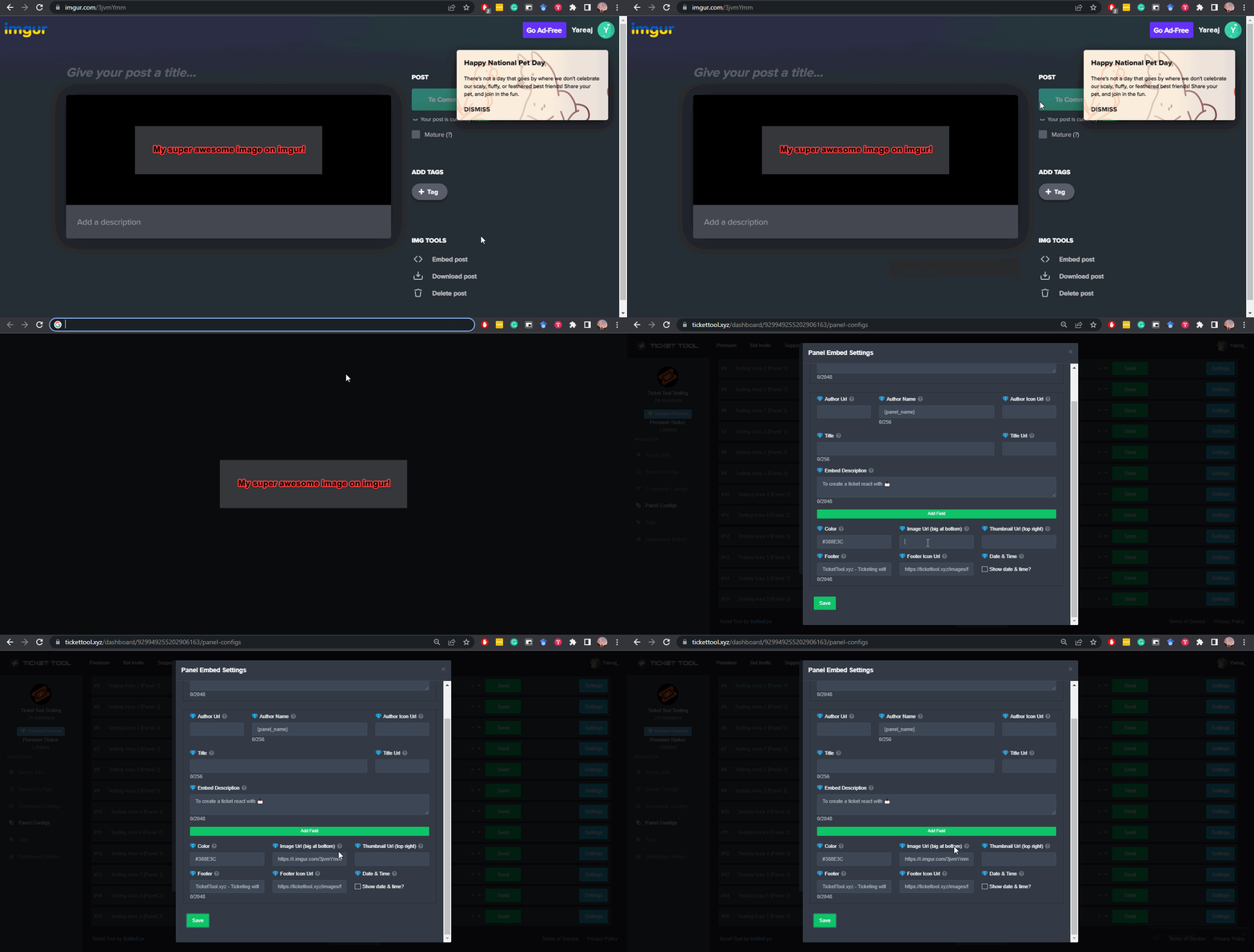 slender minnow
@fluid gull
 atomic socket
Bonjour voilà j'ai effectué la plus grosse recharge en Diamants étoilés. J'ai bien reçu la confirmation de paiement de la part de PayPal mais cela n'a pas était crédité sur mon compte.
Je précise par contre que lors de la fin de l'achat le message de recharge était pas le même sa m'a affiché un point d'exclamation rouge. Sa signifie quoi une erreur? Dois-je demander à annuler le paiement?
Should I write in English?
restive condor
atomic socket
Should I write in English?
Hi, if you speak English fluently then feel free to 😄
Otherwise open a french support ticket #🎫│make-a-ticket for our french support team members to assist
atomic socket
restive condor
Hi, if you speak English fluently then feel free to 😄
Otherwise open a french ...
Ho ok thanks sorry 🙂
iron nightBOT
Gave +1 Rep to @restive condor (current: #15 - 341)
 light yoke
For the support ticket system, is there anyway we can gather feedback/rating for whoever claimed and resolved the ticket?
jade topaz
Hi, how to do the same
 restive condor
light yoke
For the support ticket system, is there anyway we can gather feedback/rating for...
restive condor
light yoke
For the support ticket system, is there anyway we can gather feedback/rating for...
Hey there! No, we currently don't have a feedback/reviews system
restive condor
jade topaz
Hi, how to do the same
Hi there, see below
humble sequoiaBOT
The Drop-down menu or Select Menu replaces the buttons on your panel message and uses a drop-down menu with all of your panels. To set this up, go to your Panel Configs and select your main Panel.
<:Numbericons1:1018864164032225340> Enable Select Style
First you enable Select Style. Then you add an item in the Dropdown Editor. Now you can start editing your dropdown!
<:Numbericons2:1018864168041971712> Dropdown Editor
Each line in the dropdown editor represents a line in the drop down menu on discord. You can add more "Items", by clicking on
First you select a panel. That's the panel this option will open a ticket for. DONT select the same panel twice. Each option should have a different Panel
After that, you can put a Display. This is the title of this option and will appear in the drop down menu. The *Description can be set right after that, which will be below the title in grey.
Additionally you can select an emoji, that will be shown in front of each option. You can either manually input the ID of an emoji or select it in the selector.
Common Issues ⚠️
- Panel doesn't send? Make sure you have a valid emoji selected
- Option doesn't show up? Check if two options have the same panel in the DropDown Editor
$dropdown
 abstract gorge
Hi there! So I am noticing that the one ticket panel I have is opening tickets with our staff ping, and the other is not. They are both identical though, so I am confused. Is this something I can fix on my end? 🙂
 fierce summit
Hello 👋, Whenever I try to look at an attachment in a ticket transcript, it goes to the cdn site but it says "this site is not available." Any idea how to fix that?
restive condor
abstract gorge
Hi there! So I am noticing that the one ticket panel I have is opening tickets w...
Hey there! You edit the ticket message to add/remove the ping from your Dashboard > Panel Configs > Messages > Edit Ticket Message
humble sequoiaBOT
Within all the messages the bot sends (both embeds and text) you can mention either channels, roles, or even users, these mentions will only send a notification to the user if they are used within a text field, e.g: a role mentioned in an embed won't ping at all the users who have that role.
For mentioning a role you can use one out of three options:
{@Role Name} ➞ Which is Case Sensitive.
{RoleID} ➞ Replace RoleId with the Id of the role you are trying to ping.
<@&RoleID> ➞ Discord's native syntax to ping roles.
<#ChannelID> ➞ Mention a channel by its ID.
<@UserID> ➞ Mention a user by its ID.
abstract gorge
Hmm, it is in there
restive condor
fierce summit
Hello 👋, Whenever I try to look at an attachment in a ticket transcript, it goe...
Hey there! Unfortunately, attachments are deleted once a ticket (channel) is deleted unless the link is sent to a permanent channel or you have a premium subscription
restive condor
abstract gorge
Hmm, it is in there
On both?
abstract gorge
Yep! Hang on.
fierce summit
restive condor
Hey there! Unfortunately, attachments are deleted once a ticket (channel) is del...
Ah okay. Thanks for your help.
iron nightBOT
Gave +1 Rep to @restive condor (current: #15 - 342)
 restive condor
abstract gorge
(That is our staff role)
restive condor
abstract gorge
(That is our staff role)
Could I get your server name or ID please
abstract gorge
restive condor
Could I get your server name or ID please
I sent it in a PM. 🙂
restive condor
Please refrain from DMing staff members as it's against the server rules
It's perfectly safe to post your ID here as anyone is able to get it either by being on the server or with a server invite.
restive condor
abstract gorge
I sent it in a PM. 🙂
Which two panels is this for?
abstract gorge
Ah, ok. Thanks, Ill figure it out.
restive condor
abstract gorge
Ah, ok. Thanks, Ill figure it out.
I got the ID, just for the future 😄
Which panels are the ones affected?
Hi, how can I help?
abstract gorge
restive condor
I got the ID, just for the future 😄
Which panels are the ones affected?
Panel #3.
restive condor
Have you selected a category under Dashboard > Panel Configs > Category?
restive condor
abstract gorge
Panel #3.
Is the ping not working? Or is it skipped completely
Could you create a brand new channel under the desired category and run /debug there please
That's completely up to you, both would work
abstract gorge
restive condor
Is the ping not working? Or is it skipped completely
Completely skipped, not even a ping
restive condor
abstract gorge
Completely skipped, not even a ping
Interesting. I'll bring you into a ticket so you can provide a server invite, is that ok?
abstract gorge
restive condor
Interesting. I'll bring you into a ticket so you can provide a server invite, is...
Sure, thank you!
iron nightBOT
Gave +1 Rep to @restive condor (current: #15 - 343)
restive condor
They're both fine.
They will only be able to see their ticket
iron nightBOT
Gave +1 Rep to @restive condor (current: #15 - 344)
restive condor
Yes, Dashboard > Panel Configs > ''SET COUNT''
At the very top of your Dashboard, below the panel name

That's right
iron nightBOT
Gave +1 Rep to @restive condor (current: #15 - 345)
 cyan void
do ticket transcript url contain the user’s id?
pseudo ravine
Hey there. Only if the users ID was in the ticket name when it got transcripted
humble sequoiaBOT
The Drop-down menu or Select Menu replaces the buttons on your panel message and uses a drop-down menu with all of your panels. To set this up, go to your Panel Configs and select your main Panel.
<:Numbericons1:1018864164032225340> Enable Select Style
First you enable Select Style. Then you add an item in the Dropdown Editor. Now you can start editing your dropdown!
<:Numbericons2:1018864168041971712> Dropdown Editor
Each line in the dropdown editor represents a line in the drop down menu on discord. You can add more "Items", by clicking on
First you select a panel. That's the panel this option will open a ticket for. DONT select the same panel twice. Each option should have a different Panel
After that, you can put a Display. This is the title of this option and will appear in the drop down menu. The *Description can be set right after that, which will be below the title in grey.
Additionally you can select an emoji, that will be shown in front of each option. You can either manually input the ID of an emoji or select it in the selector.
Common Issues ⚠️
- Panel doesn't send? Make sure you have a valid emoji selected
- Option doesn't show up? Check if two options have the same panel in the DropDown Editor
$dropdown
تحل قائمة الخيارات محل الأزرار الموجودة في رسالة لوحة التذاكر الخاصة بك وتستخدم القائمة مع جميع اللوحات الخاصة بك. لإعداد هذا، توجّه الى إعدادات اللوحة، وحدد لوحة التذاكر الرئيسية.
<:Numbericons1:1018864164032225340> تمكين نمط الخيارات
أولًا، عليك تفعيل نمط الخيارات. وبعدها يجب عليك إضافة عناصر في محرّر الخيارات. الآن يمكنك البدء بتعديل الخيارات الخاصة بك!
<:Numbericons2:1018864168041971712> محرر الخيارات
كل سطر في محرر الخيارات يمثّل سطر من قائمة الخيارات على الدسكورد. يمكنك إضافة المزيد من الخيارات، بواسطة الضغط على
أولًا، عليك إختيار لوحة تذاكر. هذه هي اللوحة التي سيفتح لها هذا الخيار تذكرة.
لا تقم بتحديد نفس اللوحة مرتين. يجب أن يكون لكل خيار لوحة مختلفة
وبعد ذلك يمكنك وضع عرض. هذا هو عنوان هذا الخيار وسيظهر في قائمة الخيارات. يمكن تعيين الوصف مباشرة بعد ذلك، والذي سيكون أسفل العنوان باللون الرمادي.
بالإضافة إلى ذلك، يمكنك تحديد رمز تعبيري (إيموجي) سيتم عرضه أمام كل خيار. يمكنك إما إدخال معرف الرمز التعبيري يدويًا أو تحديده في أداة التحديد.
المشاكل الشائعة ⚠️
- اللوحة لا تعمل؟ تأكد أنك قمت بإدخال رمز تعبيري صحيح.
- الخيار لا يظهر؟ تحقق مما إذا كان هناك خياران لهما نفس اللوحة في محرر الخيارات.
$ardropdown
restive condor
Hey there! See above both English & Arabic
Let me know if you have any questions 🙏
 clever sage
Thx ❤️
clever sage
restive condor
Let me know if you have any questions 🙏
Can you change the language from Arabic to English because the website is English?
restive condor
clever sage
Can you change the language from Arabic to English because the website is Englis...
We currently don't have that feature built-in but you can use browser translators like google translate
 prisma cliff
Is there a way to lock a custom command to a role?
restive condor
prisma cliff
Is there a way to lock a custom command to a role?
Hey there! Currently no, unless that person has admin perms
prisma cliff
Ok, Thank you!
void oriole
Does project nova offer refunds
 muted wraith
i need help
void oriole
because i bought the subscription but when i go to play a match it never works and it was a scam
and i go to get help and nobody ever does they just say we don't have a team for that
 gilded verge
void oriole
Does project nova offer refunds
gilded verge
void oriole
Does project nova offer refunds
you are on Ticket Tool Support discord server (for Ticket Tool discord bot), not "project nova"-something, so why are you asking for help here?
muted wraith
can someone help me with this please
 gilded verge
muted wraith
can someone help me with this please
gilded verge
muted wraith
can someone help me with this please
this error says that Ticket Tool doesn't have required permissions in category
void oriole
gilded verge
you are on Ticket Tool Support discord server (for Ticket Tool discord bot), not...
because you guys have a max tickets
humble sequoiaBOT
⚠️ You're in the wrong place
We provide support for Ticket Tool Discord bot and cannot help you with whatever issue you have.
- We don't know which Support Team you should contact to get this issue resolved, and unfortunately we won't be able to accurately tell you.
If you don't have any further questions regarding our bot Ticket Tool, please close this ticket
gilded verge
you should really read it again
void oriole
you should really learn to not have attitude
pseudo ravine
Sorry to interrupt miro
gilded verge
*just to clarify, i wasn't trying to insult him in any way
pseudo ravine
void oriole
you should really learn to not have attitude
You've been told multiple times that we cannot help you. We are not affiliated with "Project Nova", they just use our bot for their server. Just because something is wrong with the bot in the server does not mean that we can fix it. You're going to get the same answer every time you ask for help regarding "Project Nova"
I hope this clears things up
muted wraith
@pseudo ravine can you help me please
pseudo ravine
You were already assisted by miroxik
muted wraith
gilded verge
this error says that Ticket Tool doesn't have required permissions in category
well what permisons do i need to give it
gilded verge
in your screenshot it says View Channel permission
austere forge
muted wraith
how do i let mods claim it
hi there,
The option to claim a ticket is a premium feature 🙂
void oriole
pseudo ravine
You've been told **multiple** times that we cannot help you. We are not affiliat...
Thank you
iron nightBOT
Gave +1 Rep to @pseudo ravine (current: #11 - 376)
pseudo ravine
You're welcome, glad I could help!
 strong anvil
how do i enabled /closerequest to ping the user who opened the ticket
restive condor
strong anvil
how do i enabled /closerequest to ping the user who opened the ticket
Hey there! Dashboard > Panel Configs > Messages > Close Question Message > Use the {ticket.user} variable
 hollow shuttle
Did anyone else's ticket tool just reset permissions for 20k+ users and all channels & bots?
restive condor
hollow shuttle
Did anyone else's ticket tool just reset permissions for 20k+ users and all chan...
Hi, no
What do you mean by reset permissions?
hollow shuttle
This happened for all roles, including the main one with 20k users
 restive condor
hollow shuttle
This happened for all roles, including the main one with 20k users
restive condor
hollow shuttle
This happened for all roles, including the main one with 20k users
Was this on all tickets?
hollow shuttle
This is in the audit log and happened for all channels
Every channel including generals, announcements, etc.
Nobody has touched the Ticket tool, I'm the only admin
restive condor
I'll bring you into a ticket