#🆘│community-support
1 messages · Page 80 of 1
 scenic plinth
 granite swallow
is there a lifetime option for premium?
 cursive phoenix
No there is not, sorry
granite swallow
cursive phoenix
No there is not, sorry
so only 1 month for $5 right?
where can i find the subscription thing
cursive phoenix
If you would like to prepay for 3+months you can do that with a direct payment. Would that be something you are insterested in?
granite swallow
just asking for another server that im admin in. i didnt know the prices for how many month(s).
cursive phoenix
Since support is currently closed you'd have to wait till they reopen to do so tho just FYI
 humble sequoiaBOT
Ticket Tool Premium (Chargebee)
If you bought your subscription within our website you can manage your subscriptions at https://tickettool.xyz/subscriptions
Why Premium?
Premium lets you customize the bot just how you want it. It also helps keep the bot running.
 iron nightBOT
Gave +1 Rep to @cursive phoenix
cursive phoenix
i didnt send that someone else did and it wasnt really the right thing
humble sequoiaBOT
 Faster Premium Bot
Automatic Transcripts
Full Customization
Direct Messages
Ticket Automation
Thread Style Ticketing
Premium Support
Scheduled Panel Availability
Integrations
You can purchase premium here:
Price
$6 - Monthly
$66 - Yearly
 Premium
cursive phoenix
Premium
cursive phoenix
that tells you a little about premium 🙂
 gusty kelp
Is there way to make my mods attach to a ticket?
humble sequoiaBOT
1. Go into your Dashboard
2. Open your Panel Configs tab
3. Select the panel you want to grant access to
4. Open the General options menu
5. Select your Support Team Roles
6. Save changes
 granite swallow
cursive phoenix
that tells you a little about premium 🙂
granite swallow
cursive phoenix
that tells you a little about premium 🙂
thanks again!
iron nightBOT
Gave +1 Rep to @cursive phoenix
 idle flint
gusty kelp
Is there way to make my mods attach to a ticket?
idle flint
gusty kelp
Is there way to make my mods attach to a ticket?
See the embed above ^^
gusty kelp
Sorry but I meant like my ticket support team can attach to the ticket not grant them access.
idle flint
Oh, head to the Dashboard > Panel Configs > Permissions > Support Team Open Permissions > Ensure that the Attach Files permission is set to ✅ (Also ensure you are not blocking the role from attaching files for your entire server too)
gusty kelp
Thank, you for the help
 sour ravine
Is there a way to change the name of a ticket that was created. For example when I create a ticket it says <username>’s ticket as the name
humble sequoiaBOT
The ticket name is the default channel name of all tickets. To edit it, go to your Dashboard > Panel Configs > Ticket. There you can edit the channel name of opened and closed tickets. You can also use variables in there.

 Note: This is a premium feature
gusty kelp
idle flint
Oh, head to the Dashboard > Panel Configs > Permissions > Support Team Open Perm...
Note: This is a premium feature
gusty kelp
idle flint
Oh, head to the Dashboard > Panel Configs > Permissions > Support Team Open Perm...
Is it suppose to show attach or something?
 odd saddle
Hello, i want to change welcome message for the tickets, is there any max len? Because i can't paste all my message there. If yes, will this length be unlocked with premium features?
Also, can i please pay with crypto? Purchasing with bank card is not possible from my country to outside
idle flint
odd saddle
Hello, i want to change welcome message for the tickets, is there any max len? B...
For non-premium users, yes there is a character limit, for Premium users, there is not.
idle flint
odd saddle
Also, can i please pay with crypto? Purchasing with bank card is not possible fr...
Yes, we have crypto options for paying for Premium (BTC and LTC).
You should head to #🎫│make-a-ticket and open a Billing Ticket once the holiday lockdown has been lifted
odd saddle
idle flint
Yes, we have crypto options for paying for Premium (BTC and LTC).
You should h...
Okay, thank you
iron nightBOT
Gave +1 Rep to @idle flint
odd saddle
idle flint
Yes, we have crypto options for paying for Premium (BTC and LTC).
You should h...
I can't access now to the billing tickets, i need to wait for the end of lockdown?
 jade topaz
odd saddle
I can't access now to the billing tickets, i need to wait for the end of lockdow...
jade topaz
odd saddle
I can't access now to the billing tickets, i need to wait for the end of lockdow...
yes dude
odd saddle
Okay, thank you, will wait, i just got 7 days trial
iron nightBOT
Gave +1 Rep to @iron night
jade topaz
 desert cedar
j'ai une question
desert cedar
j'ai une question
Salut, dis moi 🙂
desert cedar
comment on fait pour que genre
a l'ouverture du ticket ticket tools mentionne un rôle que je veux
desert cedar
jade topaz
Salut, dis moi 🙂
Est ce que je pourrais te mp ?
jade topaz
desert cedar
a l'ouverture du ticket ticket tools mentionne un rôle que je veux
- Accédez à votre tableau de bord
- Ouvrez l'onglet Configurations du panneau
- Sélectionnez le panel sur lequel vous souhaitez envoyer un ping à votre support
- Ouvrez le menu Ticket options
- Cliquez sur Editer le message du ticket
- Dans le contenu du message, utilisez l'une des syntaxes de mention de rôle ({@Nom du rôle} / {ID du rôle}).
- Sauvegarder les modifications
desert cedar
jade topaz
1. Accédez à votre tableau de bord
2. Ouvrez l'onglet Configurations du panneau
...
okay, merci
jade topaz
pas de soucis 
desert cedar
jade topaz
pas de soucis <:3v_smile:1187282191630204958>
mp ?
jade topaz
desert cedar
mp ?
tu peut dire ton aide ici, je t'aiderais 🙂
desert cedar
jade topaz
tu peut dire ton aide ici, je t'aiderais 🙂
Je pref en mp dsl
humble sequoiaBOT
⚠️ Please read the messages previously sent by our team ⚠️
 south topaz
If you use command ,you can by typing $new or $ticket ID(or @mention) REASON so: $new ID Reason or $new User Reason
 light violet
How do I recover a deleted ticket ?
jade topaz
light violet
How do I recover a deleted ticket ?
Hey there. You cannot recover a deleted ticket
 verbal totem
hi how do you add buttons
verbal totem
jade topaz
Hey there. You cannot recover a deleted ticket
hey, do you know how to add buttons to a panel ?
humble sequoiaBOT
For more convenient use of multipanels, you can now combine panels on the dashboard. This will allow you to directly send the multipanel from the dashboard or via the $panel ID command.
Where can I find this?
You can find this setting on the Dashboard -> Panel Configs -> Panel -> Attached Panels
Note: if you're attaching all the panels to a panel called English, don't include English in the attached panel's box (If you do this, it will create a duplicate)
This will put all buttons from all of your panels on one message. The message is the panel message from the panel you're combining these panels in.

 sweet thistle
hello
when I try to do /debug it doesnt work, says application did not respond, any help?
verbal totem
tyty\
 limber portal
sweet thistle
when I try to do /debug it doesnt work, says application did not respond, any he...
limber portal
sweet thistle
when I try to do /debug it doesnt work, says application did not respond, any he...
The bot is missing these perms in your channel
 sweet thistle
limber portal
The bot is missing these perms in your channel
sweet thistle
limber portal
The bot is missing these perms in your channel
just fixed it a minute ago
I tried everything and then it worked when I gave it all perms even tho i did it earlier, probably a issue.
limber portal
Glad you got it sorted
jade topaz
how to use form
 manic flint
I can't do the Setup for the tickrt
humble sequoiaBOT
A Discord Form lets the user answer individual questions in a pop-up Form, which then displays the answers in the ticket message. This can save time if you already know what you want to ask the user.
Setup Forms
Forms can be enabled under Panel Settings > Form Options > Edit Forms Options. In the new pop-up window, you can now enable and edit your own Form.
Form Options
You can add up to 5 questions in the Discord form. This is a Discord limitation. Each question can have a placeholder in the input field, a minimum and maximum input, multi-line, and also the option to have the answer required.
Options
Question Title ➞ Your Question goes here
Question Placeholder ➞ The placeholder text in the input field
Required ➞ If enabled, the user has to answer this question, to submit the form
Multi-Line Input ➞Allows the user to input multiple lines
Minimum and Maximum Input ➞ Set a minimum and maximum input value for the user
Displaying the Answer
To display the answers from the user, you need to enable Auto display form results on the ticket message as an additional embed
If you don't want a second embed, go into your Panel Configs > Ticket Options > Edit Ticket Message. You use the variable {create.form.x} and replace x with the number of your question. For example, the response to Question 5 can be displayed with {create.form.5}.
 jade topaz
how to use form
jade topaz
jade topaz
how to use form
 ^^
^^
jade topaz
manic flint
I can't do the Setup for the tickrt
What part didn't you get?
manic flint
When i do /Panel It doesnt work
jade topaz
manic flint
When i do /Panel It doesnt work
Can you show a screen?
jade topaz
here
 jade topaz
Can you run $debug in the channel with the create a ticket panel please
humble sequoiaBOT
When first invited to your server, Ticket Tool should have the permissions shown below in order to ensure an appropriate functioning:
When customizing permissions for the different ticket participants, you must make sure Ticket Tool has the permissions you want it to grant to others, you can learn more about this here.
Missing Permissions
This error is a direct outcome of the bot missing permissions as depicted above. When troubleshooting this error we suggest you go through these steps:
- Use the </debug:1029783024264564765> command to check if the bot is lacking core role or channel permissions.
- Compare the category/channel's overrides and contrast them with the bot's roles to identify any permission denial that is breaking the functioning
- If you can't still figure it out, let our <@&540295656720302081> know so they can guide you through
Additional Resources
- If you are a server administrator and would like to understand more how to set up your server's permissions, we suggest checking the Discord Support Knowledge Base
- If you are a bot developer and are interested in the internal permission hierarchy we suggest you this part of the Discord Developer Docs
Important Note
- Giving Administrator permissions is NOT required and we do NOT encourage you to do unless you are trying to troubleshoot your permissions setup.
 manic flint
?
jade topaz
manic flint
?
You must allow the above permissions for the bot to respond
jade topaz
jade topaz
Hello
hi, do you need ticket tool help?
 cyan prawn
Does anyone know if I can change this message here? "Support team ticket controls"
jade topaz
cyan prawn
Does anyone know if I can change this message here? "Support team ticket control...
This is a premium feature 
jade topaz
no worries dude
 radiant zodiac
can you put the ticket into a certain channel, or do they need to be in it's own category?
limber portal
radiant zodiac
can you put the ticket into a certain channel, or do they need to be in it's own...
You can make tickets all go into one channel if you use thread style tickets (premium only)
 merry trench
Hello.
Can someone help? So I am trying to set up a ticket to where only certain people can see new tickets and respond in them. However roles are not being shown that I want to have access to tickets.
limber portal
merry trench
Can someone help? So I am trying to set up a ticket to where only certain people...
^^
Dashboard > panel configs > general > add the role as acsupport team role
merry trench
limber portal
Dashboard > panel configs > general > add the role as acsupport team role
Thank you!
iron nightBOT
Gave +1 Rep to @limber portal
 humble vigil
How do I cancel a membership
humble sequoiaBOT
<:TicketToolOffline:1018980643092312155> Cancel your subscription
We're sorry to see you go!
To cancel your Ticket Tool Premium Subscription, just head over to your User Settings in Discord, then Subscriptions. Look for Premium Apps and click on Manage Subscriptions. There you can cancel your subscription at the end of your billing cycle.

User Settings > Subscriptions > Premium Apps > Manage Subscriptions > Cancel
limber portal
humble vigil
How do I cancel a membership
^^
cursive phoenix
Its per server so what ever server you purchase for thats the server that will have premium
jade topaz
so one server??
cursive phoenix
correct
jade topaz
thats expsnive
cursive phoenix
Well thats the way it is for premium.
jade topaz
How can I change this message? (To create a ticket react with 📩)
humble sequoiaBOT
The panel message is where people react to make a ticket. To customize it head over to your Dashboard --> Panel Configs -> Panel -> Edit Panel Message
 cursive phoenix
@jade topazsee above
jade topaz
cursive phoenix
<@456226577798135808>see above
But why can't I add the full message?
 cursive phoenix
With the free version you are limited to how much you can add.
jade topaz
cursive phoenix
With the free version you are limited to how much you can add.
Ok Thanks🤍
cursive phoenix
No worries.
jade topaz
premuim cost 6.99?
 solar dove
can anyone help me out, it says the ticket category was invalid but when i go to ticket category it says no options
ffs
 restive condor
jade topaz
premuim cost 6.99?
restive condor
jade topaz
premuim cost 6.99?
Hey there!
$5.99/month through Discord.
$6/month through PayPal/Crypto
jade topaz
restive condor
Hey there!
$5.99/month through Discord.
$6/month through PayPal/Crypto
Alr
restive condor
solar dove
can anyone help me out, it says the ticket category was invalid but when i go to...
Hey there! May you screenshot?
and they left
jade topaz
💀
 fallow ingot
yeah
 molten imp
Naww awesome 👌🏻
Lol I never win things, how is it we claim from the #🎉│giveaways 🥳
Thanks so much 🙏🏻
limber portal
molten imp
Naww awesome 👌🏻
Lol I never win things, how is it we claim from the <#7554874...
As kinzy said in that channel a ticket will be made for you
fallow ingot
molten imp
Naww awesome 👌🏻
Lol I never win things, how is it we claim from the <#7554874...
Congratulations 
molten imp
Awesome, thanks for the help, and happy holidays 😀
 robust sandalBOT
 onyx basin
كيف اوخذ الكود تبع البريميوم؟ اخذت فري اسبوع
onyx basin
كيف اوخذ الكود تبع البريميوم؟ اخذت فري اسبوع
How do I get the premium code? It took free a week.
 Arabic (ar) → English (en)
cursive phoenix
Arabic (ar) → English (en)
cursive phoenix
I'm not sure I understand what you mean.
Do you have a code you want to redeem or do you want to purchase premium?
onyx basin
cursive phoenix
I'm not sure I understand what you mean.
Do you have a code you want to redeem...
I get free premium for 7 day how can I take the code
To redeem primum
cursive phoenix
Are you trying to redeem a free trial ?
Also please do not ping
cursive phoenix
You dont need a code, you simply click the button to start the trial

if the button is not there then your server already had a free trial
onyx basin
cursive phoenix
You dont need a code, you simply click the button to start the trial
Ok then how to add
The bot to my server
humble sequoiaBOT
The first thing you will need to do is invite the premium bot, an invite can be found here
Once the bot is in your server we will head to the dashboard and manage your server. When you are managing your server, you want to head into "Server Configs" then click the drop down menu under "Select the bot you would like to use on this server" then click "Ticket Tool#6207" and then save.
 limber portal
onyx basin
The bot to my server
limber portal
onyx basin
The bot to my server
^^
cursive phoenix
thats the premium bot
onyx basin
Now I understand you
cursive phoenix
you can invite the bot here https://tickettool.xyz/invite
Discord
Discord is the easiest way to communicate over voice, video, and text. Chat, hang out, and stay close with your friends and communities.
onyx basin
Ok thx
limber portal
Ah thought you meant the premium bot, sorry ^^
cursive phoenix
I think they meant the regular bot first to start the trial
either way they have both invites now lol
 humble sequoiaBOT
For more convenient use of multipanels, you can now combine panels on the dashboard. This will allow you to directly send the multipanel from the dashboard or via the $panel ID command.
Where can I find this?
You can find this setting on the Dashboard -> Panel Configs -> Panel -> Attached Panels
Note: if you're attaching all the panels to a panel called English, don't include English in the attached panel's box (If you do this, it will create a duplicate)
This will put all buttons from all of your panels on one message. The message is the panel message from the panel you're combining these panels in.
cursive phoenix
@elfin seal see
 elfin seal
can i do this with /Setup?
cursive phoenix
im not sure
elfin seal
oh
onyx basin
How can I make onther buttons for open ticket
humble sequoiaBOT
For more convenient use of multipanels, you can now combine panels on the dashboard. This will allow you to directly send the multipanel from the dashboard or via the $panel ID command.
Where can I find this?
You can find this setting on the Dashboard -> Panel Configs -> Panel -> Attached Panels
Note: if you're attaching all the panels to a panel called English, don't include English in the attached panel's box (If you do this, it will create a duplicate)
This will put all buttons from all of your panels on one message. The message is the panel message from the panel you're combining these panels in.
cursive phoenix
this help explains @onyx basin
onyx basin
cursive phoenix
this help explains <@853193542448709632>
How I trans to ar?
elfin seal
cursive phoenix
this help explains <@853193542448709632>
i dont get it
cursive phoenix
onyx basin
How I trans to ar?
I dont have a translated version for that sorry.
cursive phoenix
elfin seal
i dont get it
Can you explain what the issue is where exactly are you getting stuck
elfin seal
cursive phoenix
Can you explain what the issue is where exactly are you getting stuck
uhh
i dont understand anything
cursive phoenix
what are you trying to do?
cursive phoenix
so you want a panel with different buttons for different ticket types right?
elfin seal
cursive phoenix
so you want a panel with different buttons for different ticket types right?
jup attached to that massage
cursive phoenix
Ok did you make all your panels for the different ticket types you wish to have?
elfin seal
cursive phoenix
Ok did you make all your panels for the different ticket types you wish to have?
nope i dont understand it
ill do it rq
cursive phoenix
ok
Lets say you wish to have two types of tickets. We will call them general and reports
You will need to have a panel called general and another one called reports
In the general panel you can attach the reports to it by following the steps here#🆘│community-support message
does that make sense now?
elfin seal
cursive phoenix
ok
Lets say you wish to have two types of tickets. We will call them `general` ...
ig so
nah i dont have attached pannels
like this setting
cursive phoenix
ok so what are the types of tickets you are wanting to have
 cursive phoenix
ok so you have a panel called Network services
Do you have any other panels?
elfin seal
cursive phoenix
ok so you have a panel called Network services
Do you have any other panels?
yes
 cursive phoenix
so are you wanting to attach those to the Network Services panel so they all show up on that panel ?
 elfin seal
elfin seal
elfin seal
like this
cursive phoenix
im not the best at providing support and im not sure I'm fully understanding so I'm going to allow someone else to assist you sorry.
Please wait and someone else will help you when ever they can
elfin seal
uhm you see the text messages above?
 pseudo ravine
Could I get a quick message summarizing? All I’ve seen is something about panels
elfin seal
uhm yeah i want the tickets attached to my text massage on my dc server
elfin seal
elfin seal
like this.
elfin seal
elfin seal
i want them to show up on this
on this
humble sequoiaBOT
For more convenient use of multipanels, you can now combine panels on the dashboard. This will allow you to directly send the multipanel from the dashboard or via the $panel ID command.
Where can I find this?
You can find this setting on the Dashboard -> Panel Configs -> Panel -> Attached Panels
Note: if you're attaching all the panels to a panel called English, don't include English in the attached panel's box (If you do this, it will create a duplicate)
This will put all buttons from all of your panels on one message. The message is the panel message from the panel you're combining these panels in.
elfin seal
pseudo ravine
Could I get a quick message summarizing? All I’ve seen is something about panels
you get it?
pseudo ravine
Yes, read the message from Ticket Tool
elfin seal
pseudo ravine
Yes, read the message from Ticket Tool
yeah i already did, i dont get it
pseudo ravine
What part is making you confused?
elfin seal
theres not network services
 pseudo ravine
Are you currently on the Network Services panel?
elfin seal
yes
pseudo ravine
Which part?
elfin seal
i only created the pannels not more
pseudo ravine
So you’re trying to send the panels?
pseudo ravine
Click on “Menu” > Click on the blue “Send” button
 pseudo ravine
Did you attach the panels and save the changes?
elfin seal
 pseudo ravine
Click on Menu and then send the panel, do all the panels show up?
elfin seal
 pseudo ravine
That looks like you sent each individual panel one at a time
pseudo ravine
You should be able to send the Network Service panel and all panel buttons will be there
elfin seal
pseudo ravine
You should be able to send the Network Service panel and all panel buttons will ...
and how?
pseudo ravine
Just like how you’ve sent the other panels
elfin seal
pseudo ravine
Just like how you’ve sent the other panels
i did
pseudo ravine
Did that send all of the panels?
pseudo ravine
Did multiple buttons show up on the embed?
 pseudo ravine
That’s not what I was asking about
elfin seal
what then?
pseudo ravine
The panel message, was there multiple buttons with it?
elfin seal
where`?
 pseudo ravine
The message sent to your Discord server
elfin seal
pseudo ravine
The message sent to your Discord server
what is there bro
jade topaz
is there a xmas sale?
pseudo ravine
No
jade topaz
is one planned?
pseudo ravine
elfin seal
what is there bro
You said you sent the panel, correct?
pseudo ravine
jade topaz
is one planned?
Probably not
elfin seal
 jade topaz
Ok ty
pseudo ravine
elfin seal
That’s from earlier
elfin seal
yes?
pseudo ravine
jade topaz
Ok ty
You’re welcome, glad I could help!
pseudo ravine
elfin seal
yes?
Have you sent the panel after I said it the last time?
Just trying to make sure we’re at the same point
elfin seal
i dont get it sry
pseudo ravine
Right now, go to the dashboard and click on the blue “Send” button
elfin seal
 pseudo ravine
Click on the send button
elfin seal
did
pseudo ravine
Did the message have 5 buttons?
elfin seal
 pseudo ravine
Ok good, all of the panels were sent
You just need to change the button text for each panel
Dashboard > Buttons > Create Ticket > Button Text > Change it to what you want it to say
Do that for all 5 of your panels, and then re-send the panel
elfin seal
nah i dont get it
pseudo ravine
Which part?
pseudo ravine
There’s no need
elfin seal
pseudo ravine
There’s no need
im gonna come back in 15min, can you show me then?
pseudo ravine
https://tickettool.xyz/dashboard/1188522855642710197/configs#pc-menu/pc-buttons/pc-button_create
Go here, and then change the text inside the “Button Text” for all 5 of your panels

Ticket Tool - Ticketing without clutter - The #1 discord Ticketing bot
elfin seal
can you show it to me on 10min?
pseudo ravine
The message is right there when you’re ready
elfin seal
i dont get it anymore bro
imma come back in 10min and delete everything and try again
elfin seal
But i dont fucking understand it anymore
theres to much now
i want it attached like this
 pseudo ravine
I’ve already showed you what you need to do
 ocean cliff
how do you make a ticket?
limber portal
ocean cliff
how do you make a ticket?
In this server you currently cannot, please read the message from @iron night
ocean cliff
limber portal
In this server you currently cannot, please read the message from <@204255221017...
I am trying to make a ticket channel in my server, incase people need help
humble sequoiaBOT
First you will want to invite the bot to your server. Once the bot is in your server, you can manage your server in the dashboard.

To create a panel we are going to need to head over to the Panel Configs Tab on the Dashboard.
Once at the dashboard we will need to click Create Panel.
Enter a panel name (Fill in any optional settings you want).
Click Create Panel and you are ready to get started with configuring your panel.
An example of a creating a panel is shown below.

Once the panel has been created, use the blue Send button and select the channel you want the panel to be sent to.
The Panel wasn't send
Use the </debug:ID> command to diagnose possible permission issues with the bot.
 limber portal
ocean cliff
I am trying to make a ticket channel in my server, incase people need help
limber portal
ocean cliff
I am trying to make a ticket channel in my server, incase people need help
^^
ocean cliff
$help setup
humble sequoiaBOT
ocean cliff
$help setup
First you will want to invite the bot to your server. Once the bot is in your server, you can manage your server in the dashboard.
To create a panel we are going to need to head over to the Panel Configs Tab on the Dashboard.
Once at the dashboard we will need to click Create Panel.
Enter a panel name (Fill in any optional settings you want).
Click Create Panel and you are ready to get started with configuring your panel.
An example of a creating a panel is shown below.
Once the panel has been created, use the blue Send button and select the channel you want the panel to be sent to.
The Panel wasn't send
Use the </debug:ID> command to diagnose possible permission issues with the bot.
humble sequoiaBOT
ocean cliff
$help setup
First you will want to invite the bot to your server. Once the bot is in your server, you can manage your server in the dashboard.
To create a panel we are going to need to head over to the Panel Configs Tab on the Dashboard.
Once at the dashboard we will need to click Create Panel.
Enter a panel name (Fill in any optional settings you want).
Click Create Panel and you are ready to get started with configuring your panel.
An example of a creating a panel is shown below.
Once the panel has been created, use the blue Send button and select the channel you want the panel to be sent to.
The Panel wasn't send
Use the </debug:ID> command to diagnose possible permission issues with the bot.
humble sequoiaBOT
<:TicketToolOffline:1018980643092312155> Cancel your subscription
We're sorry to see you go!
To cancel your Ticket Tool Premium Subscription, just head over to your User Settings in Discord, then Subscriptions. Look for Premium Apps and click on Manage Subscriptions. There you can cancel your subscription at the end of your billing cycle.
User Settings > Subscriptions > Premium Apps > Manage Subscriptions > Cancel
limber portal
@surreal marsh ^^ (I only saw ‘how can I cancel’ before wick deleted the message so sorry if I missed extra context)
 prime bridgeBOT
 Successful Removals:
 1
 Unsuccessful Removals:
 0
 Reason: No reason.
 Moderator: @cursive phoenix
cursive phoenix
I went ahead and lifted the mute sorry for the issue
 surreal marsh
Sorry I didn't realize that would count as image spam, basically I couldn't cancel it through my settings cause it didn't show up under subscriptions. If i clicked subscriptions and then premium apps (it said that I had 1) nothing showed up.
 limber portal
surreal marsh
Sorry I didn't realize that would count as image spam, basically I couldn't canc...
limber portal
surreal marsh
Sorry I didn't realize that would count as image spam, basically I couldn't canc...
Seems like a discord issue, try restarting your client or accessing it from another device
surreal marsh
Yeah that worked, thank you so much!
 graceful perch
Bot down?
 cursive phoenix
make sure the bot has the required permissions
humble sequoiaBOT
When first invited to your server, Ticket Tool should have the permissions shown below in order to ensure an appropriate functioning:
When customizing permissions for the different ticket participants, you must make sure Ticket Tool has the permissions you want it to grant to others, you can learn more about this here.
Missing Permissions
This error is a direct outcome of the bot missing permissions as depicted above. When troubleshooting this error we suggest you go through these steps:
- Use the </debug:1029783024264564765> command to check if the bot is lacking core role or channel permissions.
- Compare the category/channel's overrides and contrast them with the bot's roles to identify any permission denial that is breaking the functioning
- If you can't still figure it out, let our <@&540295656720302081> know so they can guide you through
Additional Resources
- If you are a server administrator and would like to understand more how to set up your server's permissions, we suggest checking the Discord Support Knowledge Base
- If you are a bot developer and are interested in the internal permission hierarchy we suggest you this part of the Discord Developer Docs
Important Note
- Giving Administrator permissions is NOT required and we do NOT encourage you to do unless you are trying to troubleshoot your permissions setup.
ah right thank you
iron nightBOT
Gave +1 Rep to @cursive phoenix
cursive phoenix
if that doesnt fix the issue let us know here and someone will further help you
graceful perch
How can i setup that people can own more than 1 Ticket at the same time?
 echo yacht
graceful perch
How can i setup that people can own more than 1 Ticket at the same time?
echo yacht
graceful perch
How can i setup that people can own more than 1 Ticket at the same time?
Dashboard > Panel Configs > Limits > Open ticket each user
 graceful perch
echo yacht
`Dashboard > Panel Configs > Limits > Open ticket each user`
graceful perch
echo yacht
`Dashboard > Panel Configs > Limits > Open ticket each user`
thank you
iron nightBOT
Gave +1 Rep to @echo yacht
 upper sail
 next dirge
hello! i am trying to set up ticket bot within my server when i go to put the panel in my category created/open it isnt showing my cchannel on the dashboard how do i fix it to show my channel
 shut bolt
next dirge
hello! i am trying to set up ticket bot within my server when i go to put the pa...
shut bolt
next dirge
hello! i am trying to set up ticket bot within my server when i go to put the pa...
A category is different from a text channel, you need to have at least 1 category for it to be displayed there. Once you have created one, refresh the website and you should be able to select one
 next dirge
shut bolt
A category is different from a text channel, you need to have at least 1 categor...
next dirge
shut bolt
A category is different from a text channel, you need to have at least 1 categor...
im trying to put it here i have done it before as my other server has it there i just dont remember how i did it
 shut bolt
next dirge
im trying to put it here i have done it before as my other server has it there i...
shut bolt
next dirge
im trying to put it here i have done it before as my other server has it there i...
So you want to send the panel, is that what you mean? By panel I refer to the message that has the button to create the ticket
next dirge
shut bolt
So you want to send the panel, is that what you mean? By panel I refer to the me...
yes im sorry to confuse! i am trying to send the panel to that channel and it isnt popping up on the drop down bar..
shut bolt
next dirge
yes im sorry to confuse! i am trying to send the panel to that channel and it is...
No worries, now that we are on the same page, have you tried reloading the website?
next dirge
shut bolt
No worries, now that we are on the same page, have you tried reloading the websi...
yes i restarted it as well and hit the reload buttton at the top of the screen
shut bolt
next dirge
yes i restarted it as well and hit the reload buttton at the top of the screen
Alright so I believe you are using the wrong menu. You want to use the Send green button on your Panel Configs tab instead of the Category Options you are on currently
next dirge
shut bolt
Alright so I believe you are using the wrong menu. You want to use the Send gree...
this is where it is not showing up..
 next dirge
this is where it is not showing up..
next dirge
next dirge
this is where it is not showing up..
oh im sorry i miss read what you said i will look in panel configs
shut bolt
next dirge
this is where it is not showing up..
And that's where you shouldn't be looking at, check the top of the screen, below the panel's name you'll have a row of buttons
next dirge
shut bolt
And that's where you shouldn't be looking at, check the top of the screen, below...
ohhh okay it just sent! thank you so much very thankful for your help 🙂
iron nightBOT
Gave +1 Rep to @shut bolt
shut bolt
next dirge
ohhh okay it just sent! thank you so much very thankful for your help 🙂
Sure thing, have a good one 
 normal hearth
I'm sorry for tagging your guys while you're on holiday 😔
May I know why my ticket tool disappeared from my channel? Tank guy!
It was there a day ago but I couldn't find it on my channel
Thank you!
elfin seal
help pls
 open aspen
Can anyone help me create a multi-panel, I looked at this video on how to make one, but it's outdated. https://youtu.be/iybEh346Bz4?si=ChAJ3mm58n63DpiG

Ticket Tool is the best Discord bot for tickets you'll find! Learn more about multipanels and how to improve your users' experience while asking for support.
Invite: https://tickettool.xyz/invite
Website: https://tickettool.xyz
Support Server: https://discord.gg/tickettool
00:00 Intro
00:11 What is a multipanel
00:32 How to do a multipanel
Ta...
humble sequoiaBOT
For more convenient use of multipanels, you can now combine panels on the dashboard. This will allow you to directly send the multipanel from the dashboard or via the $panel ID command.
Where can I find this?
You can find this setting on the Dashboard -> Panel Configs -> Panel -> Attached Panels
Note: if you're attaching all the panels to a panel called English, don't include English in the attached panel's box (If you do this, it will create a duplicate)
This will put all buttons from all of your panels on one message. The message is the panel message from the panel you're combining these panels in.
jade topaz
elfin seal
help pls
Hi, do you need help ?
elfin seal
jade topaz
Hi, do you need help ?
yes
humble sequoiaBOT
Hello, we would love to help you, but if you don't tell us what you need help with we can't help you :(
elfin seal
i want that this created ticket got the name, where you clicked at yk?
 humble sequoiaBOT
The ticket name is the default channel name of all tickets. To edit it, go to your Dashboard > Panel Configs > Ticket. There you can edit the channel name of opened and closed tickets. You can also use variables in there.
Note: This is a premium feature
elfin seal
wheres dashboard and pannel configs?
 limber portal
elfin seal
wheres dashboard and pannel configs?
limber portal
elfin seal
wheres dashboard and pannel configs?
That is the panel configs section of the dashboard
elfin seal
where can i change?
 limber portal
elfin seal
where can i change?
limber portal
elfin seal
where can i change?
What are you looking to change?
jade topaz
elfin seal
where can i change?
If you want to change the name of the tickets when opening them, this is a premium feature
elfin seal
jade topaz
If you want to change the name of the tickets when opening them, this is a premi...
oh
 strange widget
Hello, does the server owner account have to be the one to invite the bot? no matter what permissions i give to the account that invites the bot, it's always at permission level 0 according to tickettool
limber portal
strange widget
Hello, does the server owner account have to be the one to invite the bot? no ma...
Hey there, to invite the bot you need manage guild or administrator discord permissions.
Check below for the permissions you need to access the bot’s dashboard
humble sequoiaBOT
Don't see your server in the dashboard?
Try using the Sync Servers button on your top center of the Dashboard page
You will possibly need to relog. Look below to see the steps on how to relog.
If this doesn't work
You should relog from the dashboard, you can do this by clicking here to log out immediately, and then log back in
Note:
You need one of these 3 things to access the dashboard.
1. Server Owner (Level: 6)
2. Server Administrator (Level: 4)
3. Dashboard Role (Level: 2)
:warning: You can check your level using the </permissionlevel:1029797400174399542> command on your Discord Server
If the bot's response is:
- @User is permission level: 0 (User)
You don't have any of the 3 levels required to access the server's dashboard
 strange widget
limber portal
Hey there, to invite the bot you need manage guild or administrator discord perm...
strange widget
limber portal
Hey there, to invite the bot you need manage guild or administrator discord perm...
Yes, after reading that, just to test, I created a role with all permissions except for administrator. I then applied it to the account that will invite the bot. Even with that, it's permission level 0. No idea on how to get this "Dashboard Role" to get level 2. I'm not sure what manage guild is too.
humble sequoiaBOT
Any role you put there will have full access to the ticket tool dashboard. The server owner and users with admin permissions already have access to the dashboard.
Be careful of which roles to put here
 limber portal
strange widget
Yes, after reading that, just to test, I created a role with all permissions exc...
limber portal
strange widget
Yes, after reading that, just to test, I created a role with all permissions exc...
^^ these are dashboard roles.
Manage guild is just a discord permissions needed to invite all bots, however it won’t give you ticket tool dashboard permissions - administrator is needed for that
strange widget
limber portal
^^ these are dashboard roles.
Manage guild is just a discord permissions needed...
Ahh! so I do need to use an admin account to manage it in the dashboard. The way multiple permission levels that were listed in the help guide confused me since it seemed to state that there are 3 permission levels that can access the dashboard.
limber portal
strange widget
Ahh! so I do need to use an admin account to manage it in the dashboard. The way...
Yep - there are 3 separate levels, but only one of them is a discord permission
-
server owner
-
administrator
-
dashboard role
strange widget
limber portal
Yep - there *are* 3 separate levels, but only one of them is a discord permissio...
yeah, after I invited the bot with an admin role, it made so much more sense. Cause now, I know that the dashboard role can only be given after you're already in the tickettool dashboard lol maybe it would be easier to understand if it was explicitly stated that the account that invites the bot has to have at least the admin role for the server to manage the dashboard initially. Thank you so much for the help btw!
limber portal
strange widget
yeah, after I invited the bot with an admin role, it made so much more sense. Ca...
Understood - no worries and happy holidays 
onyx basin
How if any one claim ticket trans ticket name to user of who claim the ticket
 ionic path
onyx basin
How if any one claim ticket trans ticket name to user of who claim the ticket
ionic path
onyx basin
How if any one claim ticket trans ticket name to user of who claim the ticket
Hello! Dashboard → Ticket → Ticket Opened channel name → ticket-{claimed.user}
 timid stream
How can I turn off ticket message when the ticket created?
 civic wagon
Yes. All new logs will go to the new logging channel. May it be that of an already opened ticket
iron nightBOT
Gave +1 Rep to @civic wagon
 warped prawn
Hi, how is everyone?
I need urgent assistance and any help or advice is greatly appreciated. We have the tickettool installed in the server. We are using dropdown style panel. What is happening is that tickets are opened without categories. Is there any way to solve this?
ionic path
warped prawn
Hi, how is everyone?
I need urgent assistance and any help or advice is greatly...
Hello! Have you added your selected category in Dashboard → Categories?
warped prawn
ionic path
Hello! Have you added your selected category in `Dashboard → Categories`?
Yes we have, but they are still opening outside
Also set up overflow categories incase the categories are maxxing out somehow
ionic path
Try refreshing the dashboard. If your saved changes regarding the corresponding categories weren't saved after, redo the steps again.
warped prawn
ionic path
Try refreshing the dashboard. If your saved changes regarding the corresponding ...
I noticed we had another premium bot in the server as well although the subscription wasn't premium
ionic path
warped prawn
I noticed we had another premium bot in the server as well although the subscrip...
Have you enabled the 7-day trial by any chance?
warped prawn
ionic path
Have you enabled the 7-day trial by any chance?
Probably they would have. I'm just wondering if that premium bot was somehow conflicting with the settings? I have kicked it out now.
ionic path
Please check Server Configs → Premium Bot → Select the bot you would like to use on this server. Ticket Tool White is the main bot, Ticket Tool Gold is the premium bot.
timid stream
How can I turn off ticket message when the ticket created?
ionic path
timid stream
How can I turn off ticket message when the ticket created?
Hey there! If you don't want the bot to show any ticket message when a ticket is created, you can clear any already existing messages in the text in Dashboard → Tickets → Ticket Message and then tapping on "Remove" in the "Embed" option.
 warped prawn
ionic path
Please check `Server Configs → Premium Bot → Select the bot you would like to us...
warped prawn
ionic path
Please check `Server Configs → Premium Bot → Select the bot you would like to us...
Yeah didn't want to use premium. Anyway thanks for your help so far. How do I refresh the dashboard? Just by refreshing the page or is there any other way to do it. I've checked the categories are set properly.
The dropdown menu is used.
iron nightBOT
Gave +1 Rep to @ionic path
ionic path
warped prawn
Yeah didn't want to use premium. Anyway thanks for your help so far. How do I re...
You can refresh it with your browser's option, there isn't any built-in feature in the website.
limber portal
(You can use the ‘sync’ button in the top left of the dashboard to refresh - sorry for interrupting)
ionic path
limber portal
(You can use the ‘sync’ button in the top left of the dashboard to refresh - sor...
No need to be sorry, thanks for the help :)
iron nightBOT
Gave +1 Rep to @limber portal
timid stream
My own bot is sending ($close) and the ticket tool bot doesn't close the ticket why?
limber portal
timid stream
My own bot is sending ($close) and the ticket tool bot doesn't close the ticket ...
Add the bots id in dashboard > server configs
 warped prawn
ionic path
No need to be sorry, thanks for the help :)
warped prawn
ionic path
No need to be sorry, thanks for the help :)
Thanks @ionic path . I figured out what was the issue, permission issue with teh categories. Can you tell me what permissions does the bot need for the categories?
iron nightBOT
Gave +1 Rep to @ionic path
timid stream
limber portal
Add the bots id in dashboard > server configs
Thx , now is my last question , how can I setup the select menu in the tickets?
iron nightBOT
Gave +1 Rep to @limber portal
limber portal
Aha
humble sequoiaBOT
The Drop-down menu or Select Menu replaces the buttons on your panel message and uses a drop-down menu with all of your panels. To set this up, go to your Panel Configs and select your main Panel.
<:Numbericons1:1018864164032225340> Enable Select Style
First you enable Select Style. Then you add an item in the Dropdown Editor. Now you can start editing your dropdown!
<:Numbericons2:1018864168041971712> Dropdown Editor
Each line in the dropdown editor represents a line in the drop down menu on discord. You can add more "Items", by clicking on 

First you select a panel. That's the panel this option will open a ticket for.  DONT select the same panel twice. Each option should have a different Panel
After that, you can put a Display. This is the title of this option and will appear in the drop down menu. The *Description can be set right after that, which will be below the title in grey.
Additionally you can select an emoji, that will be shown in front of each option. You can either manually input the ID of an emoji or select it in the selector.
Common Issues ⚠️
- Panel doesn't send? Make sure you have a valid emoji selected
- Option doesn't show up? Check if two options have the same panel in the DropDown Editor

$dropdown
limber portal
timid stream
Thx , now is my last question , how can I setup the select menu in the tickets?
^^
warped prawn
timid stream
Thx , now is my last question , how can I setup the select menu in the tickets?
go to panel congis and then dropdown
 upbeat trellis
how can i see my deleted tickets?
limber portal
warped prawn
go to panel congis and then dropdown
Please don’t reply if someone else has already provided a solution ^^
limber portal
upbeat trellis
how can i see my deleted tickets?
Do you have transcripts set up?
upbeat trellis
what is that? how can i see?
humble sequoiaBOT
1. Go into your Dashboard
2. Open your Panel Configs tab
3. Select the panel you want to grant access to
4. Open the Transcript options menu
5. Using the Transcript Channel selector, pick the channel you want your transcripts to be sent to
6. Save changes
 limber portal
upbeat trellis
what is that? how can i see?
limber portal
upbeat trellis
what is that? how can i see?
^^
All tickets you transcribe will have a copy made there
You cannot restore or see tickets that were deleted before this was setup
ionic path
warped prawn
Thanks <@924197251880976414> . I figured out what was the issue, permission issu...
Manage Channels & Permissions, I don't think it needs anything else
timid stream
ionic path
Hey there! If you don't want the bot to show any ticket message when a ticket is...

I don't want the embed
ionic path
timid stream
I don't want the embed
You are unable to remove it as it would also remove any buttons attached to it forcefully.
timid stream
ionic path
You are unable to remove it as it would also remove any buttons attached to it f...
That's why I asked to add my bot Id in the server config , is there is any other way to remove the embed?
ionic path
timid stream
That's why I asked to add my bot Id in the server config , is there is any other...
I'm afraid there isn't
normal hearth
normal hearth
May I know why my ticket tool disappeared from my channel? Tank guy!
Anyone here? Pls solve my issue
timid stream
ionic path
I'm afraid there isn't
Thanks for supporting me guys , I appreciate it .☺️
iron nightBOT
Gave +1 Rep to @ionic path
restive condor
normal hearth
Anyone here? Pls solve my issue
Hey there! TicketTool was kicked/banned
You will have to re-invite it
timid stream
restive condor
Hey there! TicketTool was kicked/banned
Hi
How can I remove this message ticket embed ?
 restive condor
timid stream
How can I remove this message ticket embed ?
restive condor
timid stream
How can I remove this message ticket embed ?
Is that for the ticket message?
limber portal
timid stream
How can I remove this message ticket embed ?
Hey, this is only possible with premium
Dashboard > panel configs > messages > edit ticket message
timid stream
restive condor
Is that for the ticket message?
Yes
restive condor
limber portal
Hey, this is only possible with premium
Dashboard > panel configs > messages >...
@timid stream
Ty Sacri
normal hearth
restive condor
Hey there! TicketTool was kicked/banned
Thank you! You mean I'll need to to reinvite the ticket tool on my channel again ?
iron nightBOT
Gave +1 Rep to @restive condor
restive condor
normal hearth
Thank you! You mean I'll need to to reinvite the ticket tool on my channel again...
Yes, re-invite TicketTool to your server
normal hearth
May I know why the ticket got banned/kicked?
timid stream
Thanks @restive condor
iron nightBOT
Gave +1 Rep to @restive condor
normal hearth
So annoying! Thanks mate
restive condor
normal hearth
May I know why the ticket got banned/kicked?
You or another user in the server may have banned/kicked it.
You can check the Audit Log
 vague jasper





surreal marsh
Hi, I purchased the subscription for ticket tool but I would like to get a refund. I read on the site that if it’s been less than 5 days I can get a full refund. How can I do this?
humble sequoiaBOT
If you have purchased a Premium Subscription of Ticket Tool through Discord and want to request a refund, you will have to contact Discord Support.
We unfortunately can't handle any of these cases.
Am I eligible for a refund?
Discords Refund Policy states that you can request a refund within 5 days of your initial purchase date.
A prorated refund (partial) can be requested if the bot has been removed by either Discord or the bot developer.
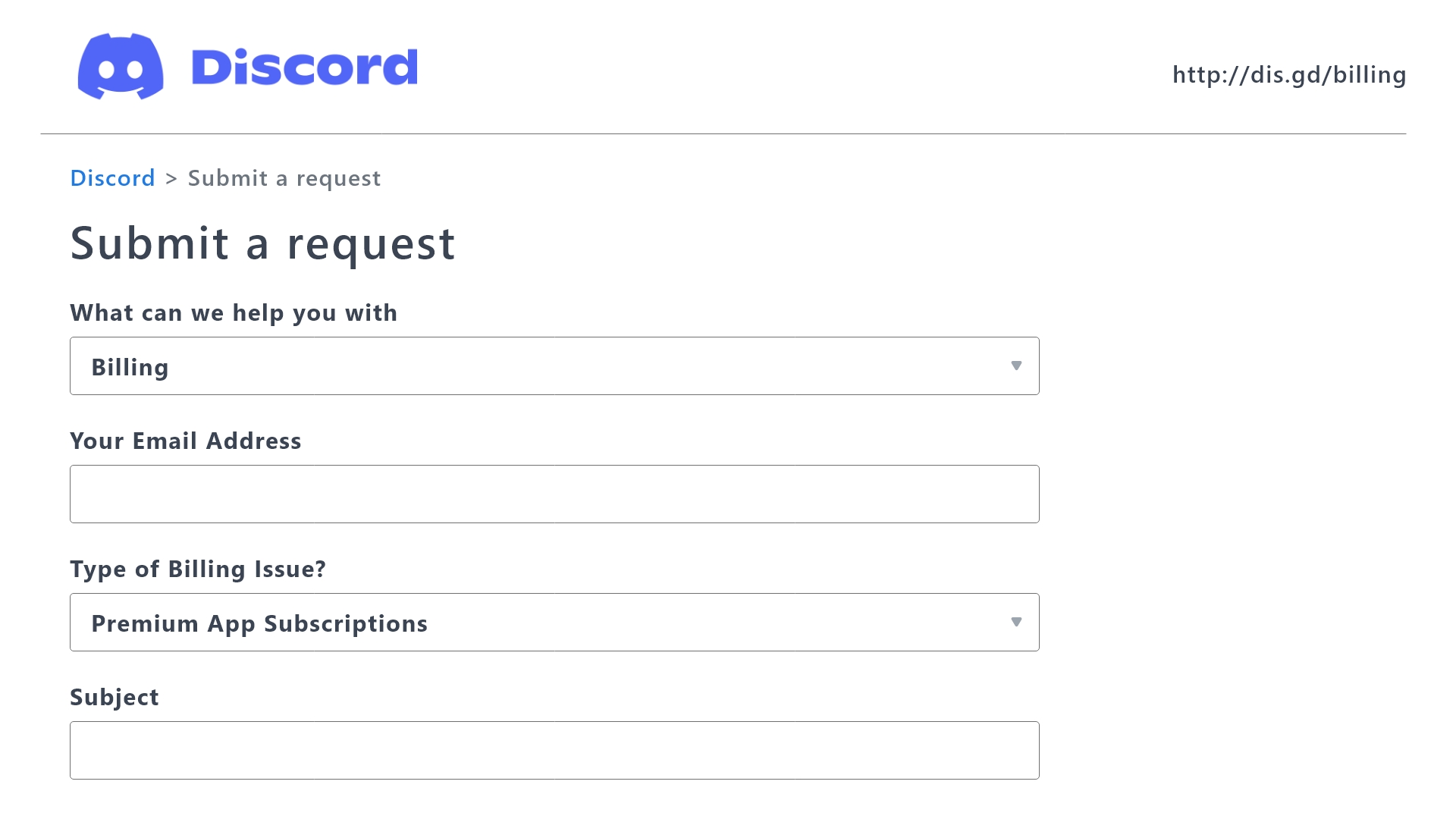
 Ticket Tool Premium Refund Request
jade topaz
surreal marsh
Hi, I purchased the subscription for ticket tool but I would like to get a refun...
Ticket Tool Premium Refund Request
jade topaz
surreal marsh
Hi, I purchased the subscription for ticket tool but I would like to get a refun...
^^
surreal marsh
jade topaz
<:this:894279341108772914> ^^
Thank you so much!
iron nightBOT
Gave +1 Rep to @harsh shuttle
jade topaz
no worries dude
 hollow condor
.
 pale vale
 humble sequoiaBOT

⚠️ You're in the wrong place
We provide support for Ticket Tool Discord bot and cannot help you with whatever issue you have.
- We don't know which Support Team you should contact to get this issue resolved, and unfortunately we won't be able to accurately tell you.
If you don't have any further questions regarding our bot Ticket Tool, please close this ticket
 split vigil
السلام عليكم ورحمه الله وبركاته❤️ كك
 solar jetty
in the open ticket channel i have buttons. Report player, help, etc.
when someone opens the ticket i cant see what button they pushed when the ticket is created. how do i fix that?
shut bolt
solar jetty
in the open ticket channel i have buttons. Report player, help, etc.
when someon...
You then need to customize your ticket messages to be able to tell which panel they are creating it from. You could also change the ticket default name if the server has premium
 buoyant wasp
hello, I have a question
how to make tickets not be deleted after closing?
If a person closes a ticket, it is deleted after some time, but how can I make it stay?
restive condor
buoyant wasp
hello, I have a question
how to make tickets not be deleted after closing?
If ...
Hey there! Dashboard > Panel Configs > General > Enable  Two Step Ticket
buoyant wasp
restive condor
Hey there! ``Dashboard`` > ``Panel Configs`` > ``General`` > Enable <:Switch_ena...
idk why this happened
 buoyant wasp
restive condor
Hey there! ``Dashboard`` > ``Panel Configs`` > ``General`` > Enable <:Switch_ena...
buoyant wasp
restive condor
Hey there! ``Dashboard`` > ``Panel Configs`` > ``General`` > Enable <:Switch_ena...
 restive condor
buoyant wasp
idk why this happened
restive condor
buoyant wasp
idk why this happened
Someone must have deleted the ticket, either by command or using the button
If you close the ticket and it's not immediately deleted, then someone has to be deleting it (unless you have an automation setup)
 viscid marsh
Is there a (free) way to increase the starting number of tickets? Like to manually set the ticket number to a higher number.
ionic path
viscid marsh
Is there a (free) way to increase the starting number of tickets? Like to manual...
Yes! Dashboard → Set Count
viscid marsh
ionic path
Yes! `Dashboard → Set Count`
Oh, it's a button on the top 😂 I was looking through the options searching for it
ionic path
viscid marsh
Oh, it's a button on the top 😂 I was looking through the options searching for ...
No worries
viscid marsh
ionic path
No worries
Thank you very much 🤍
iron nightBOT
Gave +1 Rep to @ionic path
ionic path
viscid marsh
Thank you very much 🤍
Np :)
 jolly quartz
how do i fix this application did not respond
 jade topaz
jolly quartz
how do i fix this application did not respond
jade topaz
jolly quartz
how do i fix this application did not respond
Can you run $debug in the channel with the create a ticket panel please
 humble sequoiaBOT
When first invited to your server, Ticket Tool should have the permissions shown below in order to ensure an appropriate functioning:
When customizing permissions for the different ticket participants, you must make sure Ticket Tool has the permissions you want it to grant to others, you can learn more about this here.
Missing Permissions
This error is a direct outcome of the bot missing permissions as depicted above. When troubleshooting this error we suggest you go through these steps:
- Use the </debug:1029783024264564765> command to check if the bot is lacking core role or channel permissions.
- Compare the category/channel's overrides and contrast them with the bot's roles to identify any permission denial that is breaking the functioning
- If you can't still figure it out, let our <@&540295656720302081> know so they can guide you through
Additional Resources
- If you are a server administrator and would like to understand more how to set up your server's permissions, we suggest checking the Discord Support Knowledge Base
- If you are a bot developer and are interested in the internal permission hierarchy we suggest you this part of the Discord Developer Docs
Important Note
- Giving Administrator permissions is NOT required and we do NOT encourage you to do unless you are trying to troubleshoot your permissions setup.
^^
jolly quartz
jade topaz
<:this:894279341108772914> ^^
ty
iron nightBOT
Gave +1 Rep to @harsh shuttle
jade topaz
no worries dude
jolly quartz
jade topaz
no worries dude <:3v_smile:1187282191630204958>
is there a way to get all my members to have a certain role when they join?
 dark kraken
Hello, If I bought the ticket tool premuim using this way, Can I transform the bot to another server later?
 limber portal
dark kraken
Hello, If I bought the ticket tool premuim using this way, Can I transform the b...
limber portal
dark kraken
Hello, If I bought the ticket tool premuim using this way, Can I transform the b...
Hello, purchasing ticket tool for through the app directory does not unfortunately offer transferring the server as its not something discord has implemented
dark kraken
limber portal
Hello, purchasing ticket tool for through the app directory does not unfortunate...
Thank you ! , Last question :
If I bought it , Can I see it in the subscribations list in the discord or something like this?
iron nightBOT
Gave +1 Rep to @limber portal
limber portal
dark kraken
Thank you ! , Last question :
If I bought it , Can I see it in the subscribation...
Yes, you would be able to view all the information in it in user settings > subscriptions
dark kraken
limber portal
Yes, you would be able to view all the information in it in user settings > subs...
Thank you.
 humble pike
what is that for? the $esticket
limber portal
Read this message, it was for the user speaking in spanish
 limber portal
normal hearth
limber portal
normal hearth
Can you please run /debug in the channel you are trying to send the panel to
normal hearth
Pls, how do I do that?
limber portal
normal hearth
Pls, how do I do that?
Head to the channel and run the command /debug
normal hearth
limber portal
Head to the channel and run the command /debug
I couldn't locate it
limber portal
normal hearth
I couldn't locate it
The channel in your server that you are trying to send the panel to
normal hearth
limber portal
The channel in your server that you are trying to send the panel to
Yes, I know
I couldn't locate where the debug is
limber portal
normal hearth
I couldn't locate where the debug is
 normal hearth
limber portal
normal hearth
limber portal
Do I find that command on my server or ticket tool?
So confusing right now
limber portal
In your server, with ticket tool
jade topaz
How do I set up the bot? Sry im dumb
humble sequoiaBOT
First you will want to invite the bot to your server. Once the bot is in your server, you can manage your server in the dashboard.
To create a panel we are going to need to head over to the Panel Configs Tab on the Dashboard.
Once at the dashboard we will need to click Create Panel.
Enter a panel name (Fill in any optional settings you want).
Click Create Panel and you are ready to get started with configuring your panel.
An example of a creating a panel is shown below.
Once the panel has been created, use the blue Send button and select the channel you want the panel to be sent to.
The Panel wasn't send
Use the </debug:ID> command to diagnose possible permission issues with the bot.
jade topaz
jade topaz
How do I set up the bot? Sry im dumb
^^
jade topaz
jade topaz
<:this:894279341108772914> ^^
Thx
iron nightBOT
Gave +1 Rep to @harsh shuttle
jade topaz
no worries dude
dark kraken
Hello , How can I auto change the name of the ticket when claimed , to : user_who_claimed-ticketnumber
humble sequoiaBOT
The ticket name is the default channel name of all tickets. To edit it, go to your Dashboard > Panel Configs > Ticket. There you can edit the channel name of opened and closed tickets. You can also use variables in there.
Note: This is a premium feature
limber portal
dark kraken
Hello , How can I auto change the name of the ticket when claimed , to : user_wh...
^^
dark kraken
limber portal
^^
When claimed not when opened
Like if I now claim a ticket, the ticket name will change to --> yahyia-10012
limber portal
dark kraken
Like if I now claim a ticket, the ticket name will change to --> yahyia-10012
dashboard > panel configs > claiming > claimed ticket name (also premium only)
dark kraken
limber portal
dashboard > panel configs > claiming > claimed ticket name (also premium only)
When I put this variable or {user} , the ticket name changes to my id , what variable should i use?
 limber portal
dark kraken
When I put this variable or {user} , the ticket name changes to my id , what var...
limber portal
dark kraken
When I put this variable or {user} , the ticket name changes to my id , what var...
use {claim.user.name}
 past gust
.
 candid blaze
so what happens if i dont get the email to transfer premium to another server?
candid blaze
this has to be the dumbest way to manage a premium subscription. What a joke
limber portal
candid blaze
so what happens if i dont get the email to transfer premium to another server?
Hey there, if you purchased from the app directory you currently cannot transfer servers - thats a discord limitation
jade topaz
the drop down style sum the tickets that are supposed to go ina diffreint catagory go all the way on top of the discord
shut bolt
jade topaz
the drop down style sum the tickets that are supposed to go ina diffreint catago...
Try creating a ticket yourself, in the ephemeral message the bot sends, is there any error shown?
jade topaz
shut bolt
Try creating a ticket yourself, in the ephemeral message the bot sends, is there...
no
shut bolt
jade topaz
no
100% sure of that?
jade topaz
yes
shut bolt
jade topaz
yes
Server ID?
jade topaz
1187788549752369193
shut bolt
jade topaz
1187788549752369193
Which of the panels is having the issue?
jade topaz
the nitro one and robux panel
shut bolt
jade topaz
the nitro one and robux panel
I'll open a ticket for you as I'll be needing an invite to your server to check what's going on
jade topaz
shut bolt
I'll open a ticket for you as I'll be needing an invite to your server to check ...

nitro and robux tickets going on top of discord
humble sequoiaBOT
━━ User's inquiry has been moved to a ticket ━━
 red glen
How do I make it that the user can say what the problem is before opening the ticket
 placid vortex
If a person creates a ticket and wants to keep the topic of the ticket as his own, then how do we do this setting in our server?
placid vortex
placid vortex
If a person creates a ticket and wants to keep the topic of the ticket as his ow...

Like this
humble sequoiaBOT
A Discord Form lets the user answer individual questions in a pop-up Form, which then displays the answers in the ticket message. This can save time if you already know what you want to ask the user.
Setup Forms
Forms can be enabled under Panel Settings > Form Options > Edit Forms Options. In the new pop-up window, you can now enable and edit your own Form.
Form Options
You can add up to 5 questions in the Discord form. This is a Discord limitation. Each question can have a placeholder in the input field, a minimum and maximum input, multi-line, and also the option to have the answer required.
Options
Question Title ➞ Your Question goes here
Question Placeholder ➞ The placeholder text in the input field
Required ➞ If enabled, the user has to answer this question, to submit the form
Multi-Line Input ➞Allows the user to input multiple lines
Minimum and Maximum Input ➞ Set a minimum and maximum input value for the user
Displaying the Answer
To display the answers from the user, you need to enable Auto display form results on the ticket message as an additional embed
If you don't want a second embed, go into your Panel Configs > Ticket Options > Edit Ticket Message. You use the variable {create.form.x} and replace x with the number of your question. For example, the response to Question 5 can be displayed with {create.form.5}.
restive condor
Hey there! @placid vortex @red glen See above
placid vortex
restive condor
Hey there! <@1153680500066619522> <@599902559750062080> See above
Thank you very much, just one more question, I want that if someone creates a ticket for a particular role, then the message should be sent only to those people for that role for which the ticket has been created.
iron nightBOT
Gave +1 Rep to @restive condor
placid vortex
+1 Rep @restive condor
restive condor
placid vortex
Thank you very much, just one more question, I want that if someone creates a ti...
As in, for the form to only show up if you have a specific role?
placid vortex
restive condor
As in, for the form to only show up if you have a specific role?
Yep I have
restive condor
placid vortex
Yep I have
That's not possible, unfortunately.
You can limit who can/cannot open tickets but can't 'skip' the form for certain roles if it's enabled
jade topaz
Can I buy premium via credit?
restive condor
jade topaz
Can I buy premium via credit?
Hey there! What do you mean by credit?
jade topaz
restive condor
Hey there! What do you mean by credit?
Discord credit
placid vortex
Suppose I have three rolls - carrot, radish and brinjal. If someone want to make a ticket to inform the brinjal seller, then the brinjal role members should be mentioned in the ticket.
restive condor
jade topaz
Discord credit
No, unfortunately that's only for nitro subscriptions
restive condor
placid vortex
Suppose I have three rolls - carrot, radish and brinjal. If someone want to make...
Dashboard > Panel Configs > Ticket > Edit Ticket Message > Include the correct role ID format - See below
humble sequoiaBOT
Within all the messages the bot sends (both embeds and text) you can mention either channels, roles, or even users, these mentions will only send a notification to the user if they are used within a text field, e.g: a role mentioned in an embed won't ping at all the users who have that role.
For mentioning a role you can use one out of three options:
{@Role Name} ➞ Which is Case Sensitive.
{RoleID} ➞ Replace RoleId with the Id of the role you are trying to ping.
<@&RoleID> ➞ Discord's native syntax to ping roles.
<#ChannelID> ➞ Mention a channel by its ID.
<@UserID> ➞ Mention a user by its ID.
jade topaz
How much does the premium bot ?
restive condor
jade topaz
How much does the premium bot ?
It's $5.99/month if you subscribe through Discord.
And, $6/month if you purchase premium via PayPal or Crypto
jade topaz
restive condor
It's $5.99/month if you subscribe through Discord.
And, $6/month if you purchase...
Thanks
iron nightBOT
Gave +1 Rep to @restive condor
red glen
restive condor
Hey there! <@1153680500066619522> <@599902559750062080> See above
I love you
 sweet crater
The tickets aren't shifting to # closed tickets channel category after closing them
what to do ?
restive condor
sweet crater
The tickets aren't shifting to # closed tickets channel category after closing t...
Hey there! There's a Discord limit of 50 channels per category. TicketTool limits it to 45.
If you've reached such limit, they won't move.
You'll have to create a new closed category or enable transcripts in order to delete them
odd saddle
How to pay with crypto now?
humble sequoiaBOT
PayPal - paypal@tickettool.xyz
BitCoin - 3HhKKAdb9eEvCe2tvzB8bAa8nebHY6qcPA
LiteCoin - MEQX3knLAuotrKnvk3HDNBK5gdRn6PZhHy

Prepay/Direct Payment
To prepay send the payment using your desired method - Available options listed bellow.
⚠️ $18 per 3 months. ⚠️
$66 per year.
(If using the direct payment option, you need to be paying for at-least 3+ months.)
Regular Prices when paying within Discord:
$5.99/per month
Once your payment is sent let us know so we can confirm and get you your key.
- Purchases done with this method are non-refundable.
<:paypal:924596360840372234> Paypal ("Goods and Services" or "Family and Friends")
paypal@tickettool.xyz
<:bitcoin:924638849135689749> BTC - Bitcoin
3HhKKAdb9eEvCe2tvzB8bAa8nebHY6qcPA
<:Litecoin:972176945972383815> LTC - LiteCoin
MEQX3knLAuotrKnvk3HDNBK5gdRn6PZhHy
I sent the payment now what?
After you send the payment, please send a screenshot with proof of payment, our <@&615146349700186112> will verify your payment and will get you setup. For crypto payments, we are waiting for at least ONE verification.

All prices in USD - 3 months min for direct payment
restive condor
odd saddle
How to pay with crypto now?
Hey there! See above
 queen stone
hi, the claim button dont show when i open a ticket why ?

 limber portal
queen stone
hi, the claim button dont show when i open a ticket why ?
limber portal
queen stone
hi, the claim button dont show when i open a ticket why ?
Hello there! Claiming is currently premium only
queen stone
limber portal
Hello there! Claiming is currently premium only
oh ok
the free trial of 7 days, what i need to activate it
this what i need ( like a visa or paypal ... )

 untold acorn
Hello, I have a small problem, I have a bot on the discord server, but I don't know how to give someone access to it so that someone can also look at tickets, can someone help?
queen stone
ok i activate it but how i add the premium bot
 hasty juniper
hey, how long the transcripted tickets stays in the servers?
humble sequoiaBOT
1. Go into your Dashboard
2. Open your Panel Configs tab
3. Select the panel you want to grant access to
4. Open the General options menu
5. Select your Support Team Roles
6. Save changes
pseudo ravine
@untold acorn Read this ^
humble sequoiaBOT
The first thing you will need to do is invite the premium bot, an invite can be found here
Once the bot is in your server we will head to the dashboard and manage your server. When you are managing your server, you want to head into "Server Configs" then click the drop down menu under "Select the bot you would like to use on this server" then click "Ticket Tool#6207" and then save.
pseudo ravine
@queen stone Read this ^
pseudo ravine
hasty juniper
hey, how long the transcripted tickets stays in the servers?
Hey there. They don't expire
hasty juniper
pseudo ravine
Hey there. They don't expire
okay thanks, and is it accessible by the owners of ticket tool and more ?
iron nightBOT
Gave +1 Rep to @pseudo ravine
pseudo ravine
No, we don't store any transcripts
hasty juniper
so how do they work, there is still a server who store them ?
pseudo ravine
 hasty juniper
oh okay, thanks!
pseudo ravine
You're welcome, glad I could help!
hasty juniper
thanks @pseudo ravine , have a good day, merry christmas and happy new year!
iron nightBOT
Gave +1 Rep to @pseudo ravine
pseudo ravine
You too!
 blazing stirrup
Why does this happen
 pseudo ravine
Hey there. That just means Ticket Tool does not have the View Channel permission inside your tickets category, make sure it has that permission
vague jasper

red glen
How do I make /claim work?
humble sequoiaBOT
Claiming allows you to change the ticket name, category and permissions. To use it you have to enable it first on your Dashboard > Panel Configs > Claiming

 Note: This is a premium feature
limber portal
red glen
How do I make /claim work?
Note: This is a premium feature
limber portal
red glen
How do I make /claim work?
^^
 glad violet
were i buy gold
manic flint
Hello i need help
I have the Panel for Ticket but when my members click It there Pops Up a Texts That says No permisson
Please i need help real quick
shut bolt
manic flint
I have the Panel for Ticket but when my members click It there Pops Up a Texts T...
Hi there, check your blacklist roles first, info on that below
humble sequoiaBOT
Any role you assign as a blacklisted role won't be able to use commands or reactions.
Selecting a blacklisted role
Go to your Dashboard ➞ Server Configs. There you will find the option to select blacklisted roles.
Note: Don't forget to save.
 manic flint
Ok
That Pops Up when i click the link
Cant send pictures
I have No Blacklistet roles
shut bolt
manic flint
I have No Blacklistet roles
Then go to your Dashboard > Panel Configs > Buttons > Create Button and check if there's any disabled role or if the button is set to Support Team Only mode
manic flint
Kk lemme check
blazing stirrup
pseudo ravine
Hey there. That just means Ticket Tool does not have the `View Channel` permissi...
How do I turn that permission on
pseudo ravine
Go to your ticket category > Tap and hold on its name > Edit Category > Permissions > Add Ticket Tool > View Channel > 
blazing stirrup
pseudo ravine
Go to your ticket category > Tap and hold on its name > Edit Category > Permissi...
Ty
iron nightBOT
Gave +1 Rep to @pseudo ravine
pseudo ravine
You're welcome, glad I could help!
 flint zephyr
Hey guys, I've added the bot to our server however when I check in the dashboard ticket tool doesn't recognise the bot being in the server. It was added around 10 mins ago, is there a wait period?
shut bolt
flint zephyr
Hey guys, I've added the bot to our server however when I check in the dashboard...
Have you tried pressing the Sync button on the manage servers page?
flint zephyr
Yep, I invited it twice. We use Mesee6 on the server, not sure if that would block it working?
And when I dm the bot, I can see that it's in the mutual server for streamflow
 shut bolt
flint zephyr
Yep, I invited it twice. We use Mesee6 on the server, not sure if that would blo...
shut bolt
flint zephyr
Yep, I invited it twice. We use Mesee6 on the server, not sure if that would blo...
Got confused there, you invited it twice or you pressed the Sync button twice? Need to make sure we are on the same page jajaja
flint zephyr
Yes I invited it twice and pressed the sync button quite a few times 🙂
shut bolt
Alright I see
humble sequoiaBOT
Don't see your server in the dashboard?
Try using the Sync Servers button on your top center of the Dashboard page
You will possibly need to relog. Look below to see the steps on how to relog.
If this doesn't work
You should relog from the dashboard, you can do this by clicking here to log out immediately, and then log back in
Note:
You need one of these 3 things to access the dashboard.
1. Server Owner (Level: 6)
2. Server Administrator (Level: 4)
3. Dashboard Role (Level: 2)
:warning: You can check your level using the </permissionlevel:1029797400174399542> command on your Discord Server
If the bot's response is:
- @User is permission level: 0 (User)
You don't have any of the 3 levels required to access the server's dashboard
shut bolt
Please check this message :D
 shut bolt
flint zephyr
Ok, looks like I have an issue beyond that
shut bolt
flint zephyr
Ok, looks like I have an issue beyond that
Run /debug
The bot is missing a permission
With the debug I'll be able to tell you which one
flint zephyr
I get the same error unfortunately with "the application did not respond"
shut bolt
That's fine one second
Actually nvm can't find the log for it jajaja. Care to check the bot has the View Channel, View Message History and Send Messages permissions for that specific channel?
 celest gull
hola perdona no me dejaba escribir
queria recuperar una cuenta que tengo pagada casi un año por favor como puedo recuperarla
humble sequoiaBOT
⚠️ Está en el lugar equivocado
Brindamos soporte para el bot de Discord Ticket Tool y no le podemos ayudar con el problema que presenta.
- No sabemos a que equipo de soporte debería contactar para solucionar este problema, y desafortunadamente no podremos ayudarle acertadamente.
Si no tiene alguna duda relacionada a nuestro bot, Ticket Tool, por favor cierre este ticket.
flint zephyr
shut bolt
That's fine one second
I must have missed that step in the onboarding, I've added the bot to a test support channel now and when I hit debug I get a bunch of info.
 shut bolt
flint zephyr
I must have missed that step in the onboarding, I've added the bot to a test sup...
shut bolt
flint zephyr
I must have missed that step in the onboarding, I've added the bot to a test sup...
Alright I can see it now yup
You should be able to run /permissionlevel now fine
flint zephyr
Ok, yeah you were right, I'm permission 0
Ok let me get updated, the next lowest role is dashboard right?
humble sequoiaBOT
Any role you put there will have full access to the ticket tool dashboard. The server owner and users with admin permissions already have access to the dashboard.
Be careful of which roles to put here
shut bolt
This is the information you need to provide to someone who can help you gaining the perm
flint zephyr
Great, thanks for your help - I'm checking with the admin
shut bolt
flint zephyr
Great, thanks for your help - I'm checking with the admin
Sure thing, have a good one
flint zephyr
Thanks @shut bolt
iron nightBOT
Gave +1 Rep to @shut bolt
flint zephyr
Hey @shut bolt sorry one more q, I've been elevated to an admin role with Advanced Permission: Administrator role true. But I'm still showing up as a user 0. Any ideas?
shut bolt
flint zephyr
Hey <@518666147441278998> sorry one more q, I've been elevated to an admin role ...
100% sure? The role doesn't only need to have the name but also this fancy permission enabled, even if you had all permissions but the administrator one, the bot wouldn't detect it as admin
 flint zephyr
Yep
 shut bolt
flint zephyr
Yep
shut bolt
flint zephyr
Yep
Care to hover over the ⭕ and show me what the message says?
flint zephyr
Figured it out - permissions are now set correctly - we elevated a fraud user by accident. They are kicked and banned now. I'm up and running and can see in the dashboard. Thanks @shut bolt
iron nightBOT
Gave +1 Rep to @shut bolt
shut bolt
 hazy osprey
Hey
Can i somehow add a role to all existing tickets instead of only new ones getting created?
pseudo ravine
Hey there. You'll have to add the role manually if there wasn't one set when it was created
 wild escarp
hello, is there someone who can help me with the launcher problems?
humble sequoiaBOT
⚠️ You're in the wrong place
We provide support for Ticket Tool Discord bot and cannot help you with whatever issue you have.
- We don't know which Support Team you should contact to get this issue resolved, and unfortunately we won't be able to accurately tell you.
If you don't have any further questions regarding our bot Ticket Tool, please close this ticket
 half musk
What permission Do I need for config the bot in a server?
shut bolt
half musk
What permission Do I need for config the bot in a server?
Note:
You need one of these 3 things to access the dashboard.
- Server Owner (Level: 6)
- Server Administrator (Level: 4)
- Dashboard Role (Level: 2)
Taken from$relog
half musk
shut bolt
> **Note:**
> You need one of these 3 things to access the dashboard.
> 1. Serve...
Tu eres el que hablas español, ¿no?
¿Se puede aquí?
shut bolt
half musk
¿Se puede aquí?
Sip sin problema
half musk
shut bolt
Cómo supiste
Te conozco desde hace banda
half musk
shut bolt
Sip sin problema
¿Cómo pongo el rol de dashboard?
humble sequoiaBOT
Any role you put there will have full access to the ticket tool dashboard. The server owner and users with admin permissions already have access to the dashboard.
Be careful of which roles to put here
shut bolt

half musk
shut bolt
<:This:1026406400777273344>
Gracias reyy
half musk
Felices fiestas
shut bolt
Igualmente rey
 zenith ledge
Good Evening
i need some help... anyone here for help?
I would like to give automatic roles to member ... i do the configuation in the dashboard... but the bot didnt change the roles of the membver
 gilded verge
ayo, could you please confirm that Ticket Tool has permissions to manage roles?
zenith ledge
ill take a look ... how can i see that?
gilded verge
ou there is faster way, please run /debug in your server ^^
zenith ledge
 gilded verge
seems like everything is correct
hm, could you please show where you added these roles?

 gilded verge
please check if Ticket Tool's role is higher than this Pilot role
 gilded verge
yup, i hope so, but if not, please come here again ^^
gilded verge
im glad i could help ^^
zenith ledge
thanks for support
one last thing.... is there a possibility to give ping to support team in a releated channel when a ticket is created?
@gilded verge
 shy harbor
Just set up this bot. I was wondering, is there a way for whoever is handling a ticket to have a button added before it gets closed that will add a role to the person who opened the ticket? (Or some other way to automate adding a role to the ticket-opener...)
gilded verge
zenith ledge
<@334671104704774154>
please avoid pinging, wait for someone else ^^
zenith ledge
sorry
limber portal
zenith ledge
one last thing.... is there a possibility to give ping to support team in a rele...
You can ping them in the ticket channel, not in a separate one however (threads are possible)
limber portal
shy harbor
Just set up this bot. I was wondering, is there a way for whoever is handling a...
Dashboard > panel configs > ticket > ticket opened roles (this is premium only)
shy harbor
Ok, thanks.
limber portal
No problem
zenith ledge
limber portal
You can ping them in the ticket channel, not in a separate one however (threads ...
how can i set this?
limber portal
zenith ledge
how can i set this?
Dashboard > panel configs > ticket > attach a private thread, and have auto add team to ticket enabled
jade topaz
How is the wildcard feature on Custom Commands supposed to work please?
limber portal
jade topaz
How is the wildcard feature on Custom Commands supposed to work please?
Wildcard allows a bit of flexibility for the trigger, such as having an s on the end of the word
jade topaz
I tried having it so when a user would ping me there would be a reply but i don't think its working
When the user pings me with nothing else in the message it replies, but if someone sends a message like this " @jade topaz hello " it doesn't respond.
Is this a issue with my setup or is it just not possible?
limber portal
jade topaz
I tried having it so when a user would ping me there would be a reply but i don'...
Have you set it as wildcard?
jade topaz
yep, i have selected that option
limber portal
Let me test that and get back to you
jade topaz

 jade topaz
limber portal
Let me test that and get back to you
jade topaz
limber portal
Let me test that and get back to you
ty ❤️
iron nightBOT
Gave +1 Rep to @limber portal
limber portal
jade topaz
ty ❤️
Just made a bug report about it #1189288738149376040
shut bolt
@jade topaz what's the use case?
shut bolt
so you want it to trigger to any message with that ping right?
shut bolt
jade topaz
ping reply if possible please
. 
jade topaz
15 second slowmode 😩
shut bolt
Ouch
prime bridgeBOT
3 seconds slowmode ratelimit has been enforced.
jade topaz
shut bolt
. <:yarDoggoSunglasses:1133969939942887474>
but yeah if possible
shut bolt
do this instead then *<@ID>*
jade topaz
ok let me check 🙂
shut bolt
@cursive phoenix @limber portal for reference https://docs.tickettool.xyz/dashboard/custom-commands
 jade topaz
shut bolt
do this instead then `*<@ID>*`
jade topaz
shut bolt
do this instead then `*<@ID>*`
yess it works, tysm ❤️
shut bolt
jade topaz
yess it works, tysm ❤️
Sure thing, have a great day
odd saddle
Can i pay with crypto now?
restive condor
odd saddle
Can i pay with crypto now?
Hey there! As we told you earlier, yes.
Follow the instructions below
humble sequoiaBOT
PayPal - paypal@tickettool.xyz
BitCoin - 3HhKKAdb9eEvCe2tvzB8bAa8nebHY6qcPA
LiteCoin - MEQX3knLAuotrKnvk3HDNBK5gdRn6PZhHy
Prepay/Direct Payment
To prepay send the payment using your desired method - Available options listed bellow.
⚠️ $18 per 3 months. ⚠️
$66 per year.
(If using the direct payment option, you need to be paying for at-least 3+ months.)
Regular Prices when paying within Discord:
$5.99/per month
Once your payment is sent let us know so we can confirm and get you your key.
- Purchases done with this method are non-refundable.
<:paypal:924596360840372234> Paypal ("Goods and Services" or "Family and Friends")
paypal@tickettool.xyz
<:bitcoin:924638849135689749> BTC - Bitcoin
3HhKKAdb9eEvCe2tvzB8bAa8nebHY6qcPA
<:Litecoin:972176945972383815> LTC - LiteCoin
MEQX3knLAuotrKnvk3HDNBK5gdRn6PZhHy
I sent the payment now what?
After you send the payment, please send a screenshot with proof of payment, our <@&615146349700186112> will verify your payment and will get you setup. For crypto payments, we are waiting for at least ONE verification.
All prices in USD - 3 months min for direct payment
odd saddle
restive condor
Hey there! As we told you earlier, yes.
Follow the instructions below
How i can contact billing team after?
restive condor
odd saddle
How i can contact billing team after?
You can #🎫│make-a-ticket
odd saddle
Oh lol, didn't see it
restive condor
No worries
 analog grove
Hi, I think I saw that there's a way to create messages that someone needs to respond to before a ticket is opened. How can I do this? Right now I just have them in the "ticket opened" message but people keep ignoring them.
 gray marlin
After i turn on dropdown style and add multiple options i can select panel for only one of the options, for the rest it shows nothing there
Why
humble sequoiaBOT
A Discord Form lets the user answer individual questions in a pop-up Form, which then displays the answers in the ticket message. This can save time if you already know what you want to ask the user.
Setup Forms
Forms can be enabled under Panel Settings > Form Options > Edit Forms Options. In the new pop-up window, you can now enable and edit your own Form.
Form Options
You can add up to 5 questions in the Discord form. This is a Discord limitation. Each question can have a placeholder in the input field, a minimum and maximum input, multi-line, and also the option to have the answer required.
Options
Question Title ➞ Your Question goes here
Question Placeholder ➞ The placeholder text in the input field
Required ➞ If enabled, the user has to answer this question, to submit the form
Multi-Line Input ➞Allows the user to input multiple lines
Minimum and Maximum Input ➞ Set a minimum and maximum input value for the user
Displaying the Answer
To display the answers from the user, you need to enable Auto display form results on the ticket message as an additional embed
If you don't want a second embed, go into your Panel Configs > Ticket Options > Edit Ticket Message. You use the variable {create.form.x} and replace x with the number of your question. For example, the response to Question 5 can be displayed with {create.form.5}.
jade topaz
analog grove
Hi, I think I saw that there's a way to create messages that someone needs to re...
^^
limber portal
gray marlin
After i turn on dropdown style and add multiple options i can select panel for o...
Refresh the dashboard with the sync button
gray marlin
limber portal
Refresh the dashboard with the sync button
Where is that...
limber portal
Top left of the dash
analog grove
jade topaz
<:this:894279341108772914> ^^
Thank you, I did this. I'm looking to get rid of this message (in the red). Where do I go to edit this? I can't find it. Thank you!
iron nightBOT
Gave +1 Rep to @harsh shuttle
analog grove
 gray marlin
After i select that panel for one of the options, the others dont show that panel to be selected
jade topaz
analog grove
Go to the Dashboard -> Panel configs -> Ticket and go to Edit Ticket message and modified or deleted the text :
 analog grove
jade topaz
Go to the Dashboard -> Panel configs -> `Ticket` and go to `Edit Ticket message`...
analog grove
jade topaz
Go to the Dashboard -> Panel configs -> `Ticket` and go to `Edit Ticket message`...
bless, thank u
iron nightBOT
Gave +1 Rep to @harsh shuttle
jade topaz
no worries dude
jade topaz
gray marlin
Have you previously created several panels so that they can appear?
jade topaz
You have to do it
gray marlin
jade topaz
You have to do it
Why? How? What?
jade topaz
gray marlin
Why? How? What?
So that the different panels can appear on your config
gray marlin
jade topaz
So that the different panels can appear on your config
But i need the options to be under one single panel
Its a drop down menu
Why is drop down meny even a thing if you cant add more than one possible options to it
Whats the point
pseudo ravine
Each dropdown item is a different panel
 visual fox
Is it possible to close all tickets at once?
jade topaz
visual fox
Is it possible to close all tickets at once?
not possible, unless I'm mistaken
 warm vault
Hello, I have created a form but when a ticket is created, it does not display, do you know how to fix it?
humble sequoiaBOT
A Discord Form lets the user answer individual questions in a pop-up Form, which then displays the answers in the ticket message. This can save time if you already know what you want to ask the user.
Setup Forms
Forms can be enabled under Panel Settings > Form Options > Edit Forms Options. In the new pop-up window, you can now enable and edit your own Form.
Form Options
You can add up to 5 questions in the Discord form. This is a Discord limitation. Each question can have a placeholder in the input field, a minimum and maximum input, multi-line, and also the option to have the answer required.
Options
Question Title ➞ Your Question goes here
Question Placeholder ➞ The placeholder text in the input field
Required ➞ If enabled, the user has to answer this question, to submit the form
Multi-Line Input ➞Allows the user to input multiple lines
Minimum and Maximum Input ➞ Set a minimum and maximum input value for the user
Displaying the Answer
To display the answers from the user, you need to enable Auto display form results on the ticket message as an additional embed
If you don't want a second embed, go into your Panel Configs > Ticket Options > Edit Ticket Message. You use the variable {create.form.x} and replace x with the number of your question. For example, the response to Question 5 can be displayed with {create.form.5}.
limber portal
warm vault
Hello, I have created a form but when a ticket is created, it does not display, ...
^^
restive condor
visual fox
Is it possible to close all tickets at once?
You may use the /purge command, which is only available to the server owner
warm vault
limber portal
^^
I've created the form, the questions, I've activated it but it doesn't appear
 jade topaz
warm vault
I've created the form, the questions, I've activated it but it doesn't appear
jade topaz
warm vault
I've created the form, the questions, I've activated it but it doesn't appear
Have you tried to update the panel?
 Simply press
 send and select the channel you want
warm vault
jade topaz
Have you tried to `update` the panel?
<:NewLineEnd:1025005377328259142> Simply p...
send ?
oh
jade topaz
warm vault
oh
Since configuring the panel, sorry forgot to specify 😄
limber portal
warm vault
I've created the form, the questions, I've activated it but it doesn't appear
Ensure you've set it for the correct panel, along with what 3v said
warm vault
i'm not sure how to update since i use sapphire for dropdown
limber portal
warm vault
i'm not sure how to update since i use sapphire for dropdown
What do you mean by that - sapphire is making your tickets?
You can update your panel by clicking the update button underneath the panel name at the top and provide the message link of the panel
At the top also ensure you have the correct panel name selected as I said earlier
 true kayak
Help
 limber portal
true kayak
Help
limber portal
true kayak
Help
__ «You don't have permissions to use this»__
Are your members seeing this message when they try to create a ticket?
You may have accidentally denied them permission to use the Create Ticket button.
Look in the following places in your server's dashboard:
👉 Server Configs -> Blacklist Roles
Any roles there will be unable to interact with the bot in any way, including creating tickets.👉 Panel Configs -> Buttons -> Create Ticket -> Support team only
If this is enabled, only your staff will be able to use the button.
👉 Panel Configs -> Buttons -> Create Ticket -> Disabled Roles
Any roles there will be unable to use the button.
warm vault
limber portal
What do you mean by that - sapphire is making your tickets?
You can update your...
it tells me that
 limber portal
warm vault
it tells me that
limber portal
warm vault
it tells me that
can you send a screenshot of the original panel?
warm vault
alr
can I use ticket tool to do the dropdown instead of sapphire?
I suppose that will solve the problem
 tall iris
.
 tall iris
Ok
 versed sentinel
How do I add support roles to older tickets?
If I just added the support role to the ticket now
limber portal
versed sentinel
How do I add support roles to older tickets?
You have to manually add via discord channel perms, or add a user with the /add command
 past fox
I have the Category Roles set up so @everyone can mention roles but for some reason when a ticket is made it wont transfer that permssion to the member is there a fix for this or do i need to give them a role to allow this?
limber portal
past fox
I have the Category Roles set up so \@everyone can mention roles but for some re...
Dashboard > panel configs > permissions > ticket owner edit opened > alllow the perms u want
past fox
limber portal
Dashboard > panel configs > permissions > ticket owner edit opened > alllow the ...
Thanks
iron nightBOT
Gave +1 Rep to @limber portal
 crisp pawn
How do i fix ts?
 jade topaz
crisp pawn
How do i fix ts?
jade topaz
crisp pawn
How do i fix ts?
This error is caused when the panel you tried creating a ticket from, has been deleted
You need to recreate a panel
crisp pawn
jade topaz
This error is caused when the panel you tried creating a ticket from, has been d...
Ah ok, thanks
humble sequoiaBOT
The Drop-down menu or Select Menu replaces the buttons on your panel message and uses a drop-down menu with all of your panels. To set this up, go to your Panel Configs and select your main Panel.
<:Numbericons1:1018864164032225340> Enable Select Style
First you enable Select Style. Then you add an item in the Dropdown Editor. Now you can start editing your dropdown!
<:Numbericons2:1018864168041971712> Dropdown Editor
Each line in the dropdown editor represents a line in the drop down menu on discord. You can add more "Items", by clicking on
First you select a panel. That's the panel this option will open a ticket for. DONT select the same panel twice. Each option should have a different Panel
After that, you can put a Display. This is the title of this option and will appear in the drop down menu. The *Description can be set right after that, which will be below the title in grey.
Additionally you can select an emoji, that will be shown in front of each option. You can either manually input the ID of an emoji or select it in the selector.
Common Issues ⚠️
- Panel doesn't send? Make sure you have a valid emoji selected
- Option doesn't show up? Check if two options have the same panel in the DropDown Editor
$dropdown
crisp pawn
Thanks
jade topaz
no worries dude
gray marlin
pseudo ravine
Each dropdown item is a different panel
Why? The sole purpose of drop down menus is to have multiple options to select from
pseudo ravine
Yes, multiple options is multiple panels
You can’t use the same panel for multiple options. They all have to be different
sour ravine
When a person tries to create a ticket it says they are now allowed to, how do I fix this
humble sequoiaBOT
Error: You do not have permission to use this
Blacklisted Roles
Head to your Dashboard. Proceed to Server Configs and make sure you have no role(s) selected under Blacklisted Roles.
Note that anyone with a blacklisted role cannot interact at all with Ticket Tool, for more information run $blacklist.
Buttons
Head to your Dashboard. Proceed to Panel Configs and click on Button Options. Choose the button(s) you have seen the error pop up:
- Check your Disabled roles, anyone with one of these roles can't use the button you are editing.
- Check your button is not Support team only, otherwise, only members with a Suppor Team Role can use this button.
Commands
Head to your Dashboard. Proceed to Command Configs and choose the command(s) you have seen the error showing up when running it:
- Check your Disabled roles.
- Check your command is not set to Support team only mode.
 slender minnow
@sour ravine
 quasi phoenix
How to remove default branding of the bot?
 dusky lodge
Hi there, I got electricity cut off yesterday, and after one of the node’s program is not starting.
 humble sequoiaBOT
⚠️ You're in the wrong place
We provide support for Ticket Tool Discord bot and cannot help you with whatever issue you have.
- We don't know which Support Team you should contact to get this issue resolved, and unfortunately we won't be able to accurately tell you.
If you don't have any further questions regarding our bot Ticket Tool, please close this ticket
limber portal
dusky lodge
Hi there, I got electricity cut off yesterday, and after one of the node’s progr...
^^
limber portal
quasi phoenix
How to remove default branding of the bot?
Hey, you can remove the ‘ticketing without clutter’ footer in dashboard > panel configs > messages (edit each one as you see fit)
quasi phoenix
limber portal
Hey, you can remove the ‘ticketing without clutter’ footer in dashboard > panel ...
ah ok, so I can't remove pfp
limber portal
quasi phoenix
ah ok, so I can't remove pfp
Not yet, as you’d need your entire own custom bot for that. It is on the roadmap though
 light forum
Hello there, is there a way to transform a ticket into a regular channel
limber portal
light forum
Hello there, is there a way to transform a ticket into a regular channel
What would your use case for this be?
light forum
limber portal
What would your use case for this be?
Like a permanent ticket
limber portal
light forum
Like a permanent ticket
Can’t you just create a new channel?
There’s not really a direct way, just asking so I can figure out what you actually want to do in case there are ways to do it
light forum
limber portal
Can’t you just create a new channel?
There’s not really a direct way, just ask...
I noticed that there is a limit of ticket that people can open
red glen
light forum
I noticed that there is a limit of ticket that people can open
You can change it in the dash board I believe
limber portal
light forum
I noticed that there is a limit of ticket that people can open
You can edit that limit yourself. Either:
-
per panel, inside dashboard > panel configs > limits
-
across the whole server, inside dashboard > server configs > global limit
limber portal
red glen
You can change it in the dash board I believe
Please don’t interrupt while someone else is helping ^^
red glen
Sorry sir
limber portal
No issue
limber portal
red glen
How often can I use the vote feature?
Voting no longer gives free premium, it’s been depreciated
limber portal
red glen
Is there a way to get free premium?
Yes, through the economy module in this server
Run .shop in #🤖│bot-spam
 vague marten
Hi There, is there a limit of 5 Questions in the Forms? Or am i missing somethin? If so, can i increase this?
limber portal
vague marten
Hi There, is there a limit of 5 Questions in the Forms? Or am i missing somethin...
Yes, discord limits 5 per form
tall iris
Can I apply for Arabic support while I use a translator to translate English speech?
limber portal
tall iris
Can I apply for Arabic support while I use a translator to translate English spe...
-
Applications are not open right now
-
When they are you are required to be fluent in english
tall iris
limber portal
1. Applications are not open right now
2. When they are you are required to be ...
Oh, I thought the application for Arabic support was open, but I did not understand the second point
limber portal
tall iris
Oh, I thought the application for Arabic support was open, but I did not underst...
Applications will be posted in #📣│server-news
tall iris
limber portal
Applications will be posted in <#509770538051305493>
Thank you
iron nightBOT
Gave +1 Rep to @limber portal
limber portal
It gets automatically renewed within discord, assuming you purchased via discord
Payments are no longer handled on the website
No need to keep pinging me please, I read this channel
humble sequoiaBOT
Command Style Tickets allow you to open tickets VIA the $new or $ticket commands. This feature also allows you to open tickets for people, by using the aforementioned commands with the user's ping or ID.
You can enable this feature by heading over to your server's dashboard. Then head over to Panel Configs ➞ Settings ➞ Command Style Tickets. (GIF below shows you how to get to it as well).
This section of the panel settings also contains the following features
- Bypass channel list and watch all of them → when you enable this option, Ticket Tool will create a ticket whenever someone uses the $new or the $ticket command in a channel it has access to .
- Channel to monitor for command $new and $ticket → This is the opposite of the previous option, you can actually select in which channels Ticket Tool should look for the $new command instead of looking in the whole server.
- Delete command after creating ticket → If enabled, Ticket Tool will delete the command (whether it's
$newor$ticket) a few seconds after you run it.
 limber portal
jade topaz
hi , why $new command not work
limber portal
jade topaz
hi , why $new command not work
You need to enable it ^^
jade topaz
thank you guys! ❤️
limber portal
Np
 reef creek
Algum brasileiro que possa me ajudar?
limber portal
reef creek
Algum brasileiro que possa me ajudar?
por favor faça sua pergunta aqui
reef creek
Então, eu estou com algumas dúvidas. Não estou conseguindo aproveitar o premium
Queria usar algumas funções para deixar meu servidor mais legal e organizado
limber portal
reef creek
Queria usar algumas funções para deixar meu servidor mais legal e organizado
Você pode fornecer uma captura de tela de um recurso que não pode usar?
reef creek
Bom, este é o problema
Estou com dificuldades para configura-lo
estou usando o premium gratis
 vapid tangle
Como que eu faço para quando eu abrir um ticket, ele enviar uma mensagem automática?
limber portal
reef creek
Estou com dificuldades para configura-lo
Qualquer captura de tela que você possa enviar me ajudaria a entender melhor
reef creek
1 minuto
limber portal
vapid tangle
Como que eu faço para quando eu abrir um ticket, ele enviar uma mensagem automát...
Isso já acontece automaticamente, você pode personalizar a mensagem em dashboard > configurações do painel > mensagens > mensagem do ticket
vapid tangle
O bot consegue mandar mensagens automáticas com base em comandos dentro do ticket?
limber portal
vapid tangle
O bot consegue mandar mensagens automáticas com base em comandos dentro do ticke...
sim, você pode configurá-los no painel> comandos personalizados
reef creek
Queria fazer algo parecido @limber portal
 humble sequoiaBOT
The Drop-down menu or Select Menu replaces the buttons on your panel message and uses a drop-down menu with all of your panels. To set this up, go to your Panel Configs and select your main Panel.
<:Numbericons1:1018864164032225340> Enable Select Style
First you enable Select Style. Then you add an item in the Dropdown Editor. Now you can start editing your dropdown!
<:Numbericons2:1018864168041971712> Dropdown Editor
Each line in the dropdown editor represents a line in the drop down menu on discord. You can add more "Items", by clicking on
First you select a panel. That's the panel this option will open a ticket for. DONT select the same panel twice. Each option should have a different Panel
After that, you can put a Display. This is the title of this option and will appear in the drop down menu. The *Description can be set right after that, which will be below the title in grey.
Additionally you can select an emoji, that will be shown in front of each option. You can either manually input the ID of an emoji or select it in the selector.
Common Issues ⚠️
- Panel doesn't send? Make sure you have a valid emoji selected
- Option doesn't show up? Check if two options have the same panel in the DropDown Editor
$dropdown
limber portal
reef creek
Queria fazer algo parecido <@1065295463089180763>
^^
Infelizmente não há tradução para isso, apenas em espanhol
reef creek
limber portal
^^
É possivel?
limber portal
sim
reef creek
Como?
limber portal
reef creek
Como?
confira painel> configurações do painel> dropdowns

 thorn ravine
No m deja poner mi cuenta
humble sequoiaBOT
⚠️ Está en el lugar equivocado
Brindamos soporte para el bot de Discord Ticket Tool y no le podemos ayudar con el problema que presenta.
- No sabemos a que equipo de soporte debería contactar para solucionar este problema, y desafortunadamente no podremos ayudarle acertadamente.
Si no tiene alguna duda relacionada a nuestro bot, Ticket Tool, por favor cierre este ticket.
limber portal
reef creek
- Primeiro você habilita Selecionar Estilo. Em seguida, você adiciona um item no Editor suspenso.
Agora você pode começar a editar seu menu suspenso! - Editor suspenso
Cada linha no editor suspenso representa uma linha no menu suspenso no discord. Você pode adicionar mais "Itens", clicando em
Adicionar Item
Primeiro você seleciona um painel. Esse é o painel para o qual esta opção abrirá um ticket.
NÃO selecione o mesmo painel duas vezes.
Cada opção deve ter um valor diferente
Painel,
Depois disso, você pode colocar um Display. Este é o título desta opção e aparecerá no menu suspenso. A *Descrição pode ser definida logo em seguida, que ficará abaixo do título em cinza.
tentei traduzir o guia para você
 autumn copper
Anyone know what I could be missing? I'm trying to make it so when I close a ticket, it auto-deletes the ticket. I have two step ticket off, and I've saved it, but it's still making me click delete to delete the closed ticket.
 pseudo ravine
Hey there. Most likely Two step Close is also enabled
autumn copper
I'm still getting this after disabling that as well
 pseudo ravine
Could I get the server ID
autumn copper
Sorry, how do I get that?
Never mind, found it
238237546960781312 is the server ID
pseudo ravine
Which panel is this happening on?
autumn copper
Oh my god, I'm dumb. I didn't see the drop down at the top to choose the panel 😭
pseudo ravine
No worries
autumn copper
Thank you for your help ❤️
pseudo ravine
You're welcome, glad I could help!
 rich sentinel
Hello, I am trying to help a friend make the ticket tool look like this when somebody opens a ticket. Which option on the ticket tool dashboard do I use to make payment options and stuff like that?
 humble sequoiaBOT
A Discord Form lets the user answer individual questions in a pop-up Form, which then displays the answers in the ticket message. This can save time if you already know what you want to ask the user.
Setup Forms
Forms can be enabled under Panel Settings > Form Options > Edit Forms Options. In the new pop-up window, you can now enable and edit your own Form.
Form Options
You can add up to 5 questions in the Discord form. This is a Discord limitation. Each question can have a placeholder in the input field, a minimum and maximum input, multi-line, and also the option to have the answer required.
Options
Question Title ➞ Your Question goes here
Question Placeholder ➞ The placeholder text in the input field
Required ➞ If enabled, the user has to answer this question, to submit the form
Multi-Line Input ➞Allows the user to input multiple lines
Minimum and Maximum Input ➞ Set a minimum and maximum input value for the user
Displaying the Answer
To display the answers from the user, you need to enable Auto display form results on the ticket message as an additional embed
If you don't want a second embed, go into your Panel Configs > Ticket Options > Edit Ticket Message. You use the variable {create.form.x} and replace x with the number of your question. For example, the response to Question 5 can be displayed with {create.form.5}.
 gloomy dirge
Where can I give suggestions?
jade topaz
gloomy dirge
Where can I give suggestions?
you can make a suggestion with s!suggest in #🤖│bot-spam
gloomy dirge
jade topaz
you can make a suggestion with `s!suggest` in <#910978476536905738>
Didn't worked
jade topaz
gloomy dirge
Didn't worked
the bot appears not to be online
 worn wing
Hola
Me podrian ayudar
Compre un rango y no me aparece
Como puedo hacer para reembolsarlo ?
 celest chasm
Hi Guys, pls help me, some users in my discord told me that when they open a ticket, after a few minutes the messages disappear, as if the ticket were refreshed
humble sequoiaBOT
⚠️ You're in the wrong place
We provide support for Ticket Tool Discord bot and cannot help you with whatever issue you have.
- We don't know which Support Team you should contact to get this issue resolved, and unfortunately we won't be able to accurately tell you.
If you don't have any further questions regarding our bot Ticket Tool, please close this ticket
jade topaz
worn wing
Me podrian ayudar
^^
worn wing
3v ?
humble sequoiaBOT
⚠️ Please read the messages previously sent by our team ⚠️
 mental sail
Is there a premium subscription using Credit Probot?
idle flint
mental sail
Is there a premium subscription using Credit Probot?
There is not. Premium can be purchased through Discord or via some crypto options
mental sail
idle flint
There is not. Premium can be purchased through Discord or via some crypto option...
What are the available payment methods?
humble sequoiaBOT
PayPal - paypal@tickettool.xyz
BitCoin - 3HhKKAdb9eEvCe2tvzB8bAa8nebHY6qcPA
LiteCoin - MEQX3knLAuotrKnvk3HDNBK5gdRn6PZhHy
Prepay/Direct Payment
To prepay send the payment using your desired method - Available options listed bellow.
⚠️ $18 per 3 months. ⚠️
$66 per year.
(If using the direct payment option, you need to be paying for at-least 3+ months.)
Regular Prices when paying within Discord:
$5.99/per month
Once your payment is sent let us know so we can confirm and get you your key.
- Purchases done with this method are non-refundable.
<:paypal:924596360840372234> Paypal ("Goods and Services" or "Family and Friends")
paypal@tickettool.xyz
<:bitcoin:924638849135689749> BTC - Bitcoin
3HhKKAdb9eEvCe2tvzB8bAa8nebHY6qcPA
<:Litecoin:972176945972383815> LTC - LiteCoin
MEQX3knLAuotrKnvk3HDNBK5gdRn6PZhHy
I sent the payment now what?
After you send the payment, please send a screenshot with proof of payment, our <@&615146349700186112> will verify your payment and will get you setup. For crypto payments, we are waiting for at least ONE verification.
All prices in USD - 3 months min for direct payment
idle flint
mental sail
What are the available payment methods?
See above, in addition to just though Discord Subscriptions (on the App Directory)
mental sail
Thank you, I will come back later
 errant leaf
how do I customize ticket tools profile picture I got premium
humble sequoiaBOT
Ticket Tool Custom Avatar
As of now, you are not able to change Ticket Tool's profile picture, nonetheless, our Development Team is working on the release of white labels, this is your own custom bot!
For the time being, you can change the bot's nickname by right-clicking the bot in the user list on your server and clicking Change Nickname

$avatar
idle flint
errant leaf
how do I customize ticket tools profile picture I got premium
Some info is above
errant leaf
oh so you cant change its pfp anymore currently?
jade topaz
errant leaf
oh so you cant change its pfp anymore currently?
only nickname
errant leaf
dangit thats why I got premium rip
errant leaf
how long till its back up do you think?
 light ice
its saying my members dont have permission to use the bot when they try to make a ticket
idle flint
light ice
its saying my members dont have permission to use the bot when they try to make ...
Check your Create Ticket button (you possible have disabled roles or set it to Support Team Only)
humble sequoiaBOT
Button Options
 Enable Button
Hide or show the button
 Emoji
Emoji
 Select an emoji to show on the button
You can either select one or use a valid Emoji ID
 Button Text
Edit the text that's shown on the button
 Button Color
Select one of four colors for the button. Grey, Green, Red, Blue.
 Support Team Only
Enable this to only let your support team click that button
 Allowed and disabled roles
Edit what roles can use or not use this button
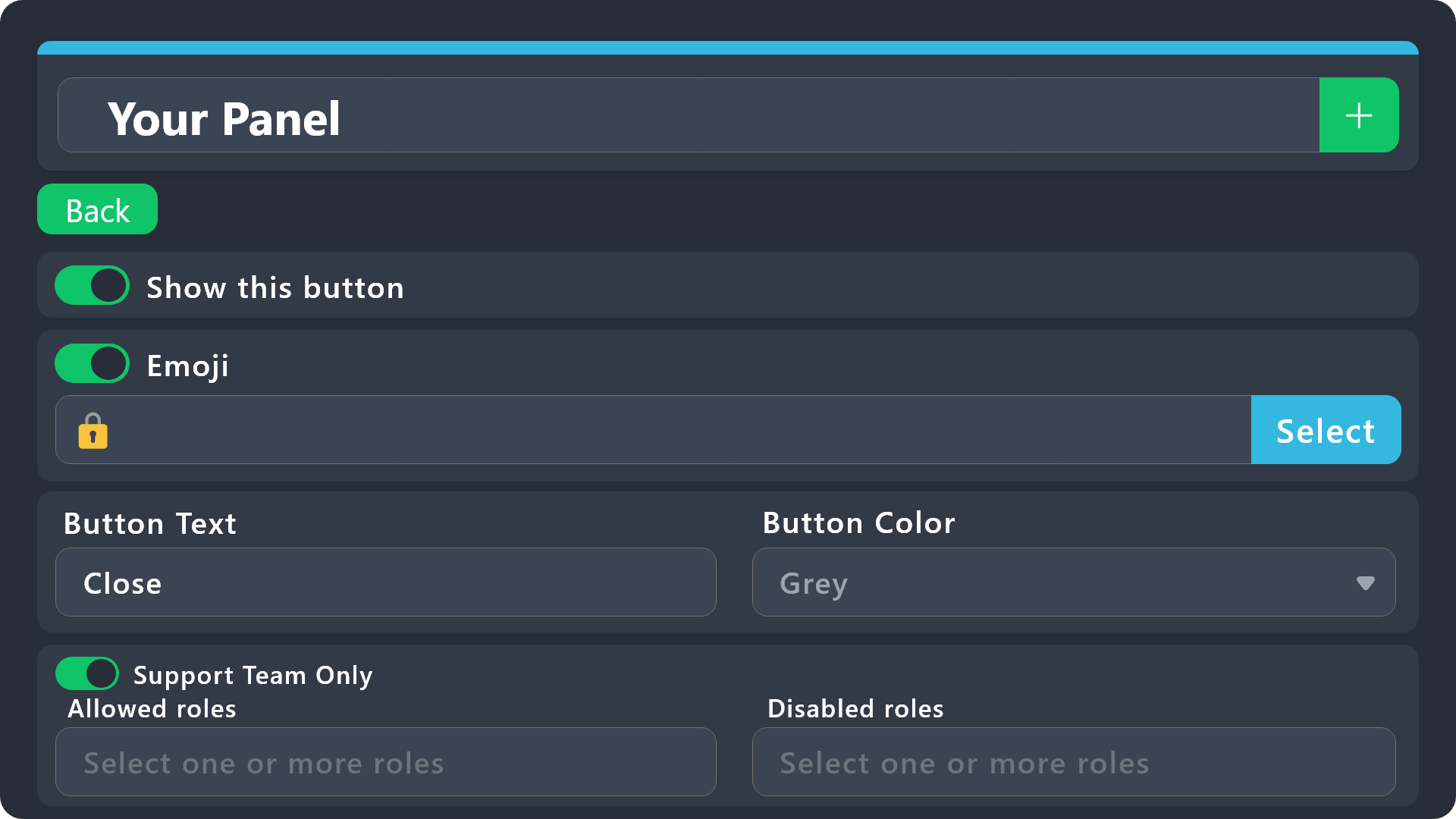
$buttonoptions
light ice
idle flint
Check your Create Ticket button (you possible have disabled roles or set it to S...
oh how do I check that
idle flint
light ice
oh how do I check that
Head to the Dashboard > Panel Configs > Buttons
Then check your Create Ticket button
iron nightBOT
Gave +1 Rep to @idle flint
jade topaz
I'm looking to configure my bot so that when a member opens a ticket it is automatically renamed to the person's name and not by number. I specify that I have the premium version
ionic path
@clear sphinx please don't ping the support team. You can rename a ticket with $rename.
@jade topaz in order to do that, you can go to the Dashboard → Tickets → Ticket Opened channel name → ticket-{ticket.user.name}
 clear sphinx
ionic path
<@1165518796166004779> please don't ping the support team. You can rename a tick...
clear sphinx
ionic path
<@1165518796166004779> please don't ping the support team. You can rename a tick...
ty and sorry
iron nightBOT
Gave +1 Rep to @ionic path
ionic path
No worries
blazing stirrup
can someone tell me how to make a ticket like this
 humble sequoiaBOT
First you will want to invite the bot to your server. Once the bot is in your server, you can manage your server in the dashboard.
To create a panel we are going to need to head over to the Panel Configs Tab on the Dashboard.
Once at the dashboard we will need to click Create Panel.
Enter a panel name (Fill in any optional settings you want).
Click Create Panel and you are ready to get started with configuring your panel.
An example of a creating a panel is shown below.
Once the panel has been created, use the blue Send button and select the channel you want the panel to be sent to.
The Panel wasn't send
Use the </debug:ID> command to diagnose possible permission issues with the bot.
echo yacht
@blazing stirrup ⬆️
blazing stirrup
echo yacht
<@952942724196237373> ⬆️
ty
iron nightBOT
Gave +1 Rep to @echo yacht
echo yacht
blazing stirrup
ty
Glad I could help!
blazing stirrup
echo yacht
Glad I could help!
ye
jade topaz
ok great thank you very much @ionic path knowing that I rename people when they arrive on my discord, can I ensure that the ticket has the name I gave them and not their base name? Another question, if a ticket no longer has a response, can I make sure that it closes and is automatically transcribed after 24 hours for example?
iron nightBOT
Gave +1 Rep to @ionic path
limber portal
jade topaz
ok great thank you very much <@924197251880976414> knowing that I rename people...
Yep.
You can set up an auto close automation in dashboard > panel configs > automations, and you can enable auto transcription on ticket close in dashboard > panel configs > transcripts
jade topaz
I can't do it too bad. is it possible to make the bot ask a question when opening the ticket where players will have to check the 1st or 2nd and depending on their answer this will mark an automatic message that I could program
limber portal
jade topaz
I can't do it too bad. is it possible to make the bot ask a question when openin...
you can take a look at forms
humble sequoiaBOT
A Discord Form lets the user answer individual questions in a pop-up Form, which then displays the answers in the ticket message. This can save time if you already know what you want to ask the user.
Setup Forms
Forms can be enabled under Panel Settings > Form Options > Edit Forms Options. In the new pop-up window, you can now enable and edit your own Form.
Form Options
You can add up to 5 questions in the Discord form. This is a Discord limitation. Each question can have a placeholder in the input field, a minimum and maximum input, multi-line, and also the option to have the answer required.
Options
Question Title ➞ Your Question goes here
Question Placeholder ➞ The placeholder text in the input field
Required ➞ If enabled, the user has to answer this question, to submit the form
Multi-Line Input ➞Allows the user to input multiple lines
Minimum and Maximum Input ➞ Set a minimum and maximum input value for the user
Displaying the Answer
To display the answers from the user, you need to enable Auto display form results on the ticket message as an additional embed
If you don't want a second embed, go into your Panel Configs > Ticket Options > Edit Ticket Message. You use the variable {create.form.x} and replace x with the number of your question. For example, the response to Question 5 can be displayed with {create.form.5}.
limber portal
 errant sky
Is the bot offline ?
errant sky
Is the bot offline ?
nope
 clear wigeon
everytime i use the bot it js says its not responding 🤷♀️
limber portal
clear wigeon
everytime i use the bot it js says its not responding 🤷♀️
please run /debug in that channel
limber portal
limber portal
please run /debug in that channel
same with @errant sky
clear wigeon
limber portal
please run /debug in that channel
cheers
errant sky
limber portal
same with <@633753916621979667>
Ok ty
iron nightBOT
Gave +1 Rep to @limber portal
clear wigeon
 limber portal
clear wigeon
limber portal
clear wigeon
The bot is missing the read messages channel permission
errant sky
limber portal
The bot is missing the `read messages` channel permission
The bot is offline in my server
limber portal
errant sky
The bot is offline in my server
Have you ran /debug?
errant sky
limber portal
Have you ran /debug?
I will try now
clear wigeon
limber portal
The bot is missing the `read messages` channel permission
thanksss
errant sky
clear wigeon
It worked thanks @limber portal
iron nightBOT
Gave +1 Rep to @clear wigeon
errant sky
How to send the message to open ticket ? @limber portal
clear wigeon
it worked tyyy, how do you add roles to the support team if select doesnt go blue
limber portal
errant sky
How to send the message to open ticket ? <@1065295463089180763>
With the send button underneath the panel name
limber portal
clear wigeon
it worked tyyy, how do you add roles to the support team if select doesnt go blu...
can you clarify? I don't 100% understand
 winter ember
Hello
errant sky
limber portal
With the send button underneath the panel name
Ok ty
iron nightBOT
Gave +1 Rep to @limber portal
clear wigeon
ill screen rec
winter ember
How to claim ticket
clear wigeon
limber portal
clear wigeon
try adding them in the dashboard, dashboard > panel configs > general
clear wigeon
thank youuuu
winter ember
How to claim ticket
restive condor
winter ember
How to claim ticket
Hey there! What exactly do you mean by that?
How to enable claiming in your server?
limber portal
clear wigeon
thank youuuu
np
 fluid heron
This is probably a dumb question, but is there any hope of recovering a deleted ticket
idle flint
fluid heron
This is probably a dumb question, but is there any hope of recovering a deleted ...
If it was deleted and a transcript was not saved, then unfortunatley, no
fluid heron
idle flint
If it was deleted and a transcript was not saved, then unfortunatley, no
That’s what I thought. Thank you
iron nightBOT
Gave +1 Rep to @idle flint
 olive pier
is bot down?
cursive phoenix
Can you explain whats not working?
olive pier
cursive phoenix
Can you explain whats not working?
look
cursive phoenix
at?
olive pier
cursive phoenix
at?
 cursive phoenix
can you try /debug
cursive phoenix
someone with more experiance will help you when they can
olive pier
k
idle flint
olive pier
The bot is missing the Send Messages permission within that channel (you are possibly blocking the @everyone role, which would also block the bot)
humble sequoiaBOT
When first invited to your server, Ticket Tool should have the permissions shown below in order to ensure an appropriate functioning:
When customizing permissions for the different ticket participants, you must make sure Ticket Tool has the permissions you want it to grant to others, you can learn more about this here.
Missing Permissions
This error is a direct outcome of the bot missing permissions as depicted above. When troubleshooting this error we suggest you go through these steps:
- Use the </debug:1029783024264564765> command to check if the bot is lacking core role or channel permissions.
- Compare the category/channel's overrides and contrast them with the bot's roles to identify any permission denial that is breaking the functioning
- If you can't still figure it out, let our <@&540295656720302081> know so they can guide you through
Additional Resources
- If you are a server administrator and would like to understand more how to set up your server's permissions, we suggest checking the Discord Support Knowledge Base
- If you are a bot developer and are interested in the internal permission hierarchy we suggest you this part of the Discord Developer Docs
Important Note
- Giving Administrator permissions is NOT required and we do NOT encourage you to do unless you are trying to troubleshoot your permissions setup.
so what do i do
idle flint
olive pier
so what do i do
Go to the channel settings > Permissions and add Ticket Tool ensuring that you have Send Messages set to ✅
(all of this is in your Discord server btw)
idle flint
olive pier
how do i make it send the thing ?
here is the basic setup guide for the bot:
humble sequoiaBOT
First you will want to invite the bot to your server. Once the bot is in your server, you can manage your server in the dashboard.
To create a panel we are going to need to head over to the Panel Configs Tab on the Dashboard.
Once at the dashboard we will need to click Create Panel.
Enter a panel name (Fill in any optional settings you want).
Click Create Panel and you are ready to get started with configuring your panel.
An example of a creating a panel is shown below.
Once the panel has been created, use the blue Send button and select the channel you want the panel to be sent to.
The Panel wasn't send
Use the </debug:ID> command to diagnose possible permission issues with the bot.
iron nightBOT
Gave +1 Rep to @idle flint
 open dew
How do I create different types of tickets?
 random loom
Hey
idle flint
open dew
How do I create different types of tickets?
At the top of the dashboard, there is a big green + symbol. Click that to create additional panels (ticket types)
 cosmic pond
Does anyone know why when I click the direct link transcript button nothing happens? It doesn't show a link to the transcript, it doesn't open a new browser tab to the transcript. I tried in both the browser and standalone app version of discord.
 open dew
idle flint
At the top of the dashboard, there is a big green + symbol. Click that to create...
open dew
idle flint
At the top of the dashboard, there is a big green + symbol. Click that to create...
Sweet! Thank you!
iron nightBOT
Gave +1 Rep to @idle flint
 blissful mortar
can someone help me in a talk ???
my problem is if someone create a ticket
everyone from the server can look in the ticket
 pale mesa
Can someone help me when I click play it says that wierd, we could not connect to the server
we could'nt connect to the match it says
humble sequoiaBOT
Due to an update Discord enforced on their API on December 15, the attachment URLs are valid only for a certain time. In order to ensure you can visualize your transcripts on our website Ticket Tool provides you a Direct Link button that will provide you with the last valid URL for you to see your tickets!

$transcripts