#🆘│community-support
1 messages · Page 67 of 1
 odd stump
odd stump
odd stump
you're in the wrong place i believe.
 humble sequoiaBOT

Ticket Tool is the only ticketing bot you'll ever need! Explore its features and set the best ticket system for your server!
<:CommandIcon:1018980659064221746> Commands
Browse through Ticket Tool's commands list and find new utilities!
<:TextIcon:1018980662881030144> FAQ
Solutions for the most frequent questions our users have when implementing the bot on their server.
<:Setup:1034174646788030664> Setup
The steps to follow when setting the bot for the first time on any server
odd stump
you can always save a transcript manually by clicking on Transcript after closing the ticket.

you should select a Transcript Channel here:
TTDashboard > Panel Configs > Transcript > Transcript Channel

make sure that you selected the transcript channel for the specific pannel and make sure that TT have the perms to send message and etc.. in the specific channel aswell.
you can do it from the dashboard to the specific panel easily.
then make sure that you selected a transcript channel for the specific panel that you're working in
if you choosed a transcript channel in panel number 2 and you opened a ticket in panel number 1 and tried to save a transcript it won't work with you , you've to select the transcript channel for the panel 1 ( the panel that you're opening a ticket in )
Goodluck!
 jade topaz
Alright so this is a recent problem my staff can’t see the ticket once it’s closed and they can’t access the support team controls is there a way to fix this?? ( have checked settings and all that jazz)
odd stump
you selected the Support Team Role from the dashboard?
wdym they cant access the support them controls?
it doesn't matter since im giving you the correct answers and trying to help 
jade topaz
odd stump
you selected the Support Team Role from the dashboard?
They can’t acuess them that’s what I’m saying
odd stump
my pleasure 
odd stump
jade topaz
They can’t acuess them that’s what I’m saying
they cant access the tickets after they're closed you mean?
jade topaz
Yes
odd stump
you selected the Support Team Role from the dashboard?
jade topaz
Yep I said I did it and all the other jazz
odd stump
you sure?
jade topaz
I’ll just wait for the support team if that’s cool
odd stump
#🎫│make-a-ticket then
humble sequoiaBOT
━━ moon's inquiry has been moved to a ticket ━━
jade topaz
Hello my last account had premium but its got banned , there is something i can do or support team can do?
i can even prove i had and the account is mine
 old steeple
jade topaz
Hello my last account had premium but its got banned , there is something i can ...
old steeple
jade topaz
Hello my last account had premium but its got banned , there is something i can ...
Was the subscription made on Discord?
 sage sparrow
Question, is there a way to keep the user submitting the ticket anonymous.
 vast crag
Hola, me podrian ayudar?
Necesito que al abrir un ticket se haga ping a un rol.
Me podrian ayudar con que debo hacer?

Hello, could somebody help me?
I need a role to be pinged when someone open a ticket.
Could you help me with what should I do?
 cyan needle
Help
 civic wagon
sage sparrow
Question, is there a way to keep the user submitting the ticket anonymous.
civic wagon
sage sparrow
Question, is there a way to keep the user submitting the ticket anonymous.
Nope.
Since creating a ticket = creating a channel, the user will be visible there
humble sequoiaBOT
@cyan needle, we would love to help you, but if you don't tell us what you need help with we can't help you :(
jade topaz
old steeple
Was the subscription made on Discord?
Yes.
 wild heath
Hello
 rustic gale
jade topaz
Yes.
rustic gale
jade topaz
Yes.
Nothing you can do in that case, sadly
jade topaz
rustic gale
Nothing you can do in that case, sadly
managers cant do nothing with this?
at least just cancel it maybe?
rustic gale
If your account got deleted, the subscription must have been automatically canceled.
If you got charged for premium from a deleted account, you should contact Discord about it:
humble sequoiaBOT
If you have purchased a Premium Subscription of Ticket Tool through Discord and want to request a refund, you will have to contact Discord Support.
We unfortunately can't handle any of these cases.
Am I eligible for a refund?
Discords Refund Policy states that you can request a refund within 5 days of your initial purchase date.
A prorated refund (partial) can be requested if the bot has been removed by either Discord or the bot developer.
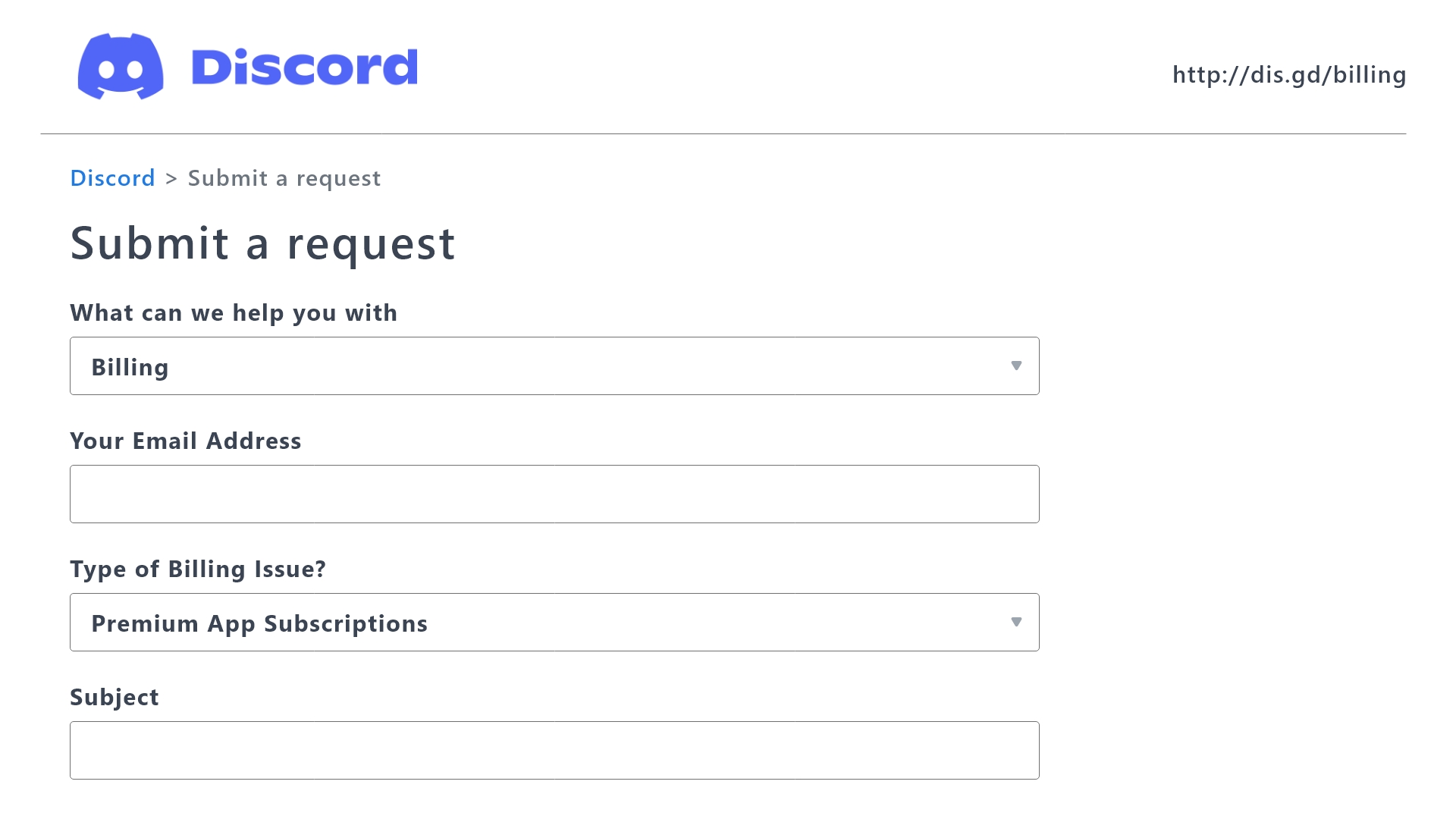
 Ticket Tool Premium Refund Request
 stoic isle
Is it possible to ping someone else when someone opens a ticket?
humble sequoiaBOT
Within all the messages the bot sends (both embeds and text) you can mention either channels, roles, or even users, these mentions will only send a notification to the user if they are used within a text field, e.g: a role mentioned in an embed won't ping at all the users who have that role.
For mentioning a role you can use one out of three options:
{@Role Name} ➞ Which is Case Sensitive.
{RoleID} ➞ Replace RoleId with the Id of the role you are trying to ping.
<@&RoleID> ➞ Discord's native syntax to ping roles.
<#ChannelID> ➞ Mention a channel by its ID.
<@UserID> ➞ Mention a user by its ID.
 lunar solar
@stoic isle
stoic isle
lunar solar
<@1066255568270012488>
Oh ok thanks!
stoic isle
lunar solar
<@1066255568270012488>
Also, how do you get a user's ID?
lunar solar
stoic isle
Also, how do you get a user's ID?
Discord
Users, individual messages, and entire Discord servers all have a multi-digit ID number that can be used in various cases. While you can use Discord entirely without knowing any of these ID numbers...
stoic isle
lunar solar
https://support.discord.com/hc/en-us/articles/206346498-Where-can-I-find-my-User...
Thanks!!!!
 iron nightBOT
Gave +1 Rep to @lunar solar
 rancid talon
 humble sequoiaBOT

⚠️ You're in the wrong place
We provide support for Ticket Tool Discord bot and cannot help you with whatever issue you have.
- We don't know which Support Team you should contact to get this issue resolved, and unfortunately we won't be able to accurately tell you.
If you don't have any further questions regarding our bot Ticket Tool, please close this ticket
lunar solar
@rancid talon ^
rancid talon
I wanted to know what was the reason never use anything
lunar solar
wrong server boss
rancid talon
but this server is not fivem?
lunar solar
No
We can't help
Don't know where you need to go
Wrong server all together nothing to do with whatever is in that screenshot
rancid talon
OK
 trail herald
Hi
jade topaz
rancid talon
but this server is not fivem?
💀
anybody know how to make custom command send in a box like this rather than the second one


not sure if you can tell the difference but. kinda forgot how i did it lol
civic wagon
jade topaz
anybody know how to make custom command send in a box like this rather than the ...
Using embed editor
 silk urchin
How to make menu drop tickets
humble sequoiaBOT
The Drop-down menu or Select Menu replaces the buttons on your panel message and uses a drop-down menu with all of your panels. To set this up, go to your Panel Configs and select your main Panel.
<:Numbericons1:1018864164032225340> Enable Select Style
First you enable Select Style. Then you add an item in the Dropdown Editor. Now you can start editing your dropdown!
<:Numbericons2:1018864168041971712> Dropdown Editor
Each line in the dropdown editor represents a line in the drop down menu on discord. You can add more "Items", by clicking on 

First you select a panel. That's the panel this option will open a ticket for.  DONT select the same panel twice. Each option should have a different Panel
After that, you can put a Display. This is the title of this option and will appear in the drop down menu. The *Description can be set right after that, which will be below the title in grey.
Additionally you can select an emoji, that will be shown in front of each option. You can either manually input the ID of an emoji or select it in the selector.
Common Issues ⚠️
- Panel doesn't send? Make sure you have a valid emoji selected
- Option doesn't show up? Check if two options have the same panel in the DropDown Editor

$dropdown
 restive condor
silk urchin
How to make menu drop tickets
restive condor
silk urchin
How to make menu drop tickets
Hey there! See above
humble sequoiaBOT

فريق الدعم الفني العربي
عميلنا العزيز ان كنت تبحث عن مساعدة يرجى فتح تكت خاص بفريق الدعم الفني العربي
اذهب الى#🎫│make-a-ticket
ثم قم بلضغط على الايموجي الاتي (🇯🇴)
 vital jewel
odd stump
hello
vital jewel
odd stump
hello
thx i faond a send
iron nightBOT
Gave +1 Rep to @odd stump
jade topaz
iron night
Gave +1 Rep to **<@1073014895785812049>**
How this rep thing works 
hello , goodmorning all . please eneyone help me . how to find my course ..?
odd stump
jade topaz
hello , goodmorning all . please eneyone help me . how to find my course ..?
hello, what is your main language?
odd stump
jade topaz
How this rep thing works <:smil:936485535403356221>
Thanks @user
or just reply with Thanks-thx etc..
jade topaz
odd stump
`Thanks @user`
or just reply with `Thanks-thx` etc..
and does that bot count how many reps they got
odd stump
ye i believe
jade topaz
hmmm
jade topaz
Help me pls

 scenic willow
Guys how do I go to the signal room
rustic gale
jade topaz
Help me pls
Like it says, it's missing permissions in that category
Give it those permisions in the category and that should solve the problem
 humble sequoiaBOT
━━ neko's inquiry has been moved to a ticket ━━
jade topaz
rustic gale
Like it says, it's missing permissions in that category
thank-you

 oak token
For some reason everyone can see my tickets when they are created. What am I doing wrong. It was working yesterday and I think I screwed something up. Anyway the Panel is in another category. It points to another category when the ticket is created but everyone can see it and I want it private between the ticket creator and certain roles. Please help. https://cdn.discordapp.com/attachments/828093729684062251/1144669885318828042/image.png
 rustic gale
oak token
For some reason everyone can see my tickets when they are created. What am I do...
rustic gale
oak token
For some reason everyone can see my tickets when they are created. What am I do...
Panel Configs -> Permissions -> Edit Everyone Open Permissions
Make sure View Channel is set to 
It's 100% unrelated to category permissions.
oak token
Yup that is what it is set on

 bronze scroll
hi, does anyone know of a way to make it so a user can open a ticket, paste something in the channel, and it automatically closes? I want to use the Tickettool as a sort of submission channel, with as little steps as possible.
rustic gale
bronze scroll
hi, does anyone know of a way to make it so a user can open a ticket, paste some...
Sounds like automation can do the trick, but it's a premium feature
You can also try setting up an external bot to send the close command when the user sends the message, but we don't offer support for external bots
rustic gale
oak token
Yup that is what it is set on
Better to make a ticket about it #premium-tickets
bronze scroll
rustic gale
Sounds like automation can do the trick, but it's a premium feature
that works, another qq how many tickets are allowed to be opened in total?
and is there a way to modify that number
jade topaz
bronze scroll
and is there a way to modify that number
yes
jade topaz
bronze scroll
that works, another qq how many tickets are allowed to be opened in total?
global ticket limit
dashboard > server configs
jade topaz
Com licença,eu tenho problema com esse ticket,ele não aparece quando Eu executo o comando

Alguém me ajude??????
 wheat night
How
️S̴̛̒e̷̽̚ŕ̶͝v̷͊̋e̷̽̚ŕ̶͝ I̸nfo
D̶͔̭o̯̊͢ṇ͛̒'t̲̂̓ R͉͡͠ẹ̿̕p̈̚ort
️S̴̛̒U̴̐͂P̴͐̔P̴͐̔O̸͗̒R̴͌̀T̶
jade topaz
?
rustic gale
jade topaz
Com licença,eu tenho problema com esse ticket,ele não aparece quando Eu executo ...
The bot is missing permissions in that channel.
Make sure it has View Channel and Send Messages, then try again
(or just give it Administrator, that solves all permission issues easily)
 rapid nymph
How do I put a link in a ticket message where I can give it a name?
Link a link will show up with a the name instead of the full link?
jade topaz
How to fix this issue?
 rustic gale
rapid nymph
Link a link will show up with a the name instead of the full link?
rustic gale
rapid nymph
Link a link will show up with a the name instead of the full link?
[text in brackets](link in parentheses)
 timber kernel
rapid nymph
How do I put a link in a ticket message where I can give it a name?
timber kernel
rapid nymph
How do I put a link in a ticket message where I can give it a name?
You think of something like this?
[Link text](http://example.com)
rapid nymph
Thanks!
jade topaz
how to make ticket auto delete once closded
 granite canyon
jade topaz
how to make ticket auto delete once closded
granite canyon
jade topaz
how to make ticket auto delete once closded
Turn two set ticket option off not green

 compact hawk
I was wondering if there's a way to make manually created tickets be put into a category? when I say manually created I mean when you use /new
rustic gale
Like, you want tickets from commands to go in a category and tickets from buttons to go in another?
compact hawk
yes
actually buttons do that already. Its just when a ticket is created with the command /new it doesn't go to a category and I don't see a option to configure that.
rustic gale
The same way you set up a category for the other tickets.
compact hawk
not very helpful.. I already configured catgegorys for my other panels but there's literally no option for me to do that for the manually made tickets
rustic gale
compact hawk
not very helpful.. I already configured catgegorys for my other panels but there...
What's the name of your server
Just the name. Do not post an invite here
Just tell me what it's called
rustic gale
compact hawk
not very helpful.. I already configured catgegorys for my other panels but there...
Your command style ticket panel does not have a category selected for it.
 compact hawk
Oh I see
 trail gazelle
i purchased premium but my server does not show the bot as the premium version, how do i fix this?
compact hawk
honestly thought there was no setting for categories for manually created tickets.
rustic gale
Like i said, literally the same thing.
 echo sentinel
Instead of creating a new channel, can I make the bot send a new message in a specific channel?
rustic gale
No
 sleek hinge
i want to delete the ticket instead of closing then deleting
civic wagon
sleek hinge
i want to delete the ticket instead of closing then deleting
Dashboard > Panel Config > General > Two Step Ticket 
 thick night
civic wagon
Dashboard > Panel Config > General > Two Step Ticket <:Switch_disabled:104173462...
thick night
civic wagon
Dashboard > Panel Config > General > Two Step Ticket <:Switch_disabled:104173462...
How to add drop down in the ticket
humble sequoiaBOT
The Drop-down menu or Select Menu replaces the buttons on your panel message and uses a drop-down menu with all of your panels. To set this up, go to your Panel Configs and select your main Panel.
<:Numbericons1:1018864164032225340> Enable Select Style
First you enable Select Style. Then you add an item in the Dropdown Editor. Now you can start editing your dropdown!
<:Numbericons2:1018864168041971712> Dropdown Editor
Each line in the dropdown editor represents a line in the drop down menu on discord. You can add more "Items", by clicking on
First you select a panel. That's the panel this option will open a ticket for. DONT select the same panel twice. Each option should have a different Panel
After that, you can put a Display. This is the title of this option and will appear in the drop down menu. The *Description can be set right after that, which will be below the title in grey.
Additionally you can select an emoji, that will be shown in front of each option. You can either manually input the ID of an emoji or select it in the selector.
Common Issues ⚠️
- Panel doesn't send? Make sure you have a valid emoji selected
- Option doesn't show up? Check if two options have the same panel in the DropDown Editor
$dropdown
civic wagon
thick night
How to add drop down in the ticket
^
thick night
@severe path
Hekp me plzzzz
@rustic gale Plzz helpppp
why the staff are sus
@wind hornet
;;-;;
 cursive phoenix
You will need to be patient and wait for someone to be able to assist you.
thick night
cursive phoenix
You will need to be patient and wait for someone to be able to assist you.
Can you help me ?
cursive phoenix
no i dont really provide support sorry
thick night
cursive phoenix
no i dont really provide support sorry
:(( plz
thick night
cursive phoenix
did you follow the embed?
Yeah
But it didn't worked
I want to create it like this

 cursive phoenix
you will have to wait till someone is able to assist you, sorry
thick night
cursive phoenix
you will have to wait till someone is able to assist you, sorry
;;-;; Okay
civic wagon
thick night
It didn't worked <@462819309446496257>
What exactly didn't work. What step from the embed are you facing issue? Please provide a screenshot if you're getting any errors.
thick night
civic wagon
What exactly didn't work. What step from the embed are you facing issue? Please ...
It didn't created the drop down menu
Even I have followed all the steps
civic wagon
thick night
It didn't created the drop down menu
Even I have followed all the steps
Did you re-send the panel?
thick night
civic wagon
Did you re-send the panel?
Nah
civic wagon
Do it.
thick night
Okay
But how ?
civic wagon
Dashboard > Panel Configs > Send
 thick night
I want to create it like this
thick night
thick night
I want to create it like this
And I have to create 2-3 down menu
But we can select the panel only once
thick night
civic wagon
Dashboard > Panel Configs > Send
Okay
civic wagon
thick night
And I have to create 2-3 down menu
But we can select the panel only once
Could you please share a screenshot from the dashboard, from where you mean this
thick night
thick night
I want to create it like this
@civic wagon like this
civic wagon
humble sequoia
Please follow this embed from Dropdown Editor
thick night
civic wagon
Please follow this embed from **Dropdown Editor**
But we can select panel only once
Now there's no option to select the same panel
civic wagon
Why would you need to select a panel multiple times?
thick night
thick night
I want to create it like this
To make it like this
civic wagon
You need to create different panels for it and then add it.
thick night
civic wagon
You need to create different panels for it and then add it.
So how they have done it
civic wagon
They made different panels for it, and added in the dropdown.
thick night
Ok let me try
civic wagon
Alright, and avoid pinging the staff too please
thick night
I have to create one more panel to do this
thick night
civic wagon
Alright, and avoid pinging the staff too please
Yeah
Sorry ;;-;;
civic wagon
It's alright
civic wagon
thick night
I am not able to understand
Would hindi be more comfortable with you?
thick night
civic wagon
Would hindi be more comfortable with you?
Yeah
civic wagon
Starting se step by step karte hai fir. Pehle to apne panels ka screenshot bhejdo ek, and batado ki kon kon sa panel dropdown mein dalna hai
This is the list of panels
 thick night
civic wagon
Starting se step by step karte hai fir. Pehle to apne panels ka screenshot bhejd...
thick night
civic wagon
Starting se step by step karte hai fir. Pehle to apne panels ka screenshot bhejd...
Okay
thick night
civic wagon
This is the list of panels
 civic wagon
thick night
civic wagon
thick night
Ye sabhi dropdown mein dalne hai?
civic wagon
Koi bhi ek panel select karke, go to "DropDown Style"
Fir "enable select style" enable krdo, sabse top par hi hai
thick night
okay

 thick night
okay
civic wagon
Ek baar screenshot bhejna us web page ka
 civic wagon
Click on "Add Item"
civic wagon
Display: panel ka naam
Select a panel: koi bhi panel select karlo, media applications ke alava
 thick night
okay
thick night
civic wagon
Display: panel ka naam
Select a panel: koi bhi panel select karlo, media applica...
Btw why not media ?
Done
Jasvir bhaiii
done
civic wagon
thick night
Btw why not media ?
Actually nvm, media bhi add krna padega.
Basically, vahi pe "add items" krte jao, jo jo panels aapko dropdown mein chahiye
thick night
civic wagon
Actually nvm, media bhi add krna padega.
nvm full form ?
civic wagon
Once you're done adding all, click on save
civic wagon
thick night
nvm full form ?
"Nevermind"
thick night
civic wagon
Basically, vahi pe "add items" krte jao, jo jo panels aapko dropdown mein chahiy...
ok
civic wagon
Jab save krdoge, Panel Configs mein jake send krdena media panel ko.
Why media? Because us panel pe hamne dropdown create kiya hai
 civic wagon
thick night
but.... I want to change this name
civic wagon
thick night
but.... I want to change this name
What name exactly?
Oh, media application.
thick night
civic wagon
What name exactly?
I want to put simply
Applications
civic wagon
Okay what i recommend is
- panel configs mein jake "Media Applications" panel ko rename krdo to "Applications". Top par hi option hoga.
- Dropdown options mein jake, remove the media applications one.
- create a new "Media Applications" panel.
- vo new media applications ko add krdo dropdown mein
Zarurat nahi hai itna sab karne ki par baad mein jake confusions hongi bahut.
 civic wagon
thick night
If I want to write a bio like this
So, how should I
civic wagon
thick night
If I want to write a bio like this
So, how should I
Dashboard > Panel Config > Panel > Edit Panel Message
Click on "Embed Editor" and you should be able to edit the embed description
 snow linden
how do you make a support channel require a ticket
civic wagon
snow linden
how do you make a support channel require a ticket
Could you please elaborate
snow linden
okay so like, I have a support channel but I want to make it so people have to create a ticket to ask for support... but like I want it to have an embed that says "Create a Ticket to ask for support" or sum like that
thick night
civic wagon
Dashboard > Panel Config > Panel > Edit Panel Message
Click on "Embed Editor" a...
ok
 stark runeBOT
1. Invite Ticket Tool to your server
First you will want to invite the bot to your server. Once the bot is in your server, you can manage your server in the dashboard.

2. Create a Panel
To create a panel we are going to need to head over to the panel configs on the dashboard.
Once at the dashboard we will need to click Create Panel.
Enter a panel name (Fill in any optional settings you want).
Click Create Panel and your ready to get started with configuring your panel.
An example of a creating a panel is shown below.

3. Send the Panel to a Channel
Once you've created a panel on the dashboard you will need to send it to a channel using send on the dashboard.
Select the channel you want your panel to be created in and click send.
For other questions checkout $help faq.
An example of a sending a panel is shown below.
Having a Problem Sending the Panel?
Do $debug in a channel with Ticket Tool and make sure it has all the necessary Discord permissions.
 civic wagon
snow linden
okay so like, I have a support channel but I want to make it so people have to c...
civic wagon
snow linden
okay so like, I have a support channel but I want to make it so people have to c...
Refer to the embed above from #2
snow linden
I did create a panel
civic wagon
Then #3
snow linden
thank you
 split comet
Has there been issues with ticket tool not working after latest update to Discord?
odd stump
split comet
Has there been issues with ticket tool not working after latest update to Discor...
Nope, what's your problem?
split comet
its ok i found issue, naughty admins that should not touch buttons lol. was more of a check incase . love the bot great work thank you.
odd stump
split comet
its ok i found issue, naughty admins that should not touch buttons lol. was more...
my pleasure
 candid nimbus
I have a problem.
I can't ping roles to my ticket.
I have mentions on and tried role ID and the @ already
odd stump
<@&id>
change id with the id of the specific role and it will work properly with you.
candid nimbus
I'll try thx
odd stump
candid nimbus
I'll try thx
yw
candid nimbus
It still doesn't work
candid nimbus
What's ss? 😄
odd stump
screenshot

 odd stump
check the Role's ID copy it again make sure its correct
humble sequoiaBOT
Within all the messages the bot sends (both embeds and text) you can mention either channels, roles, or even users, these mentions will only send a notification to the user if they are used within a text field, e.g: a role mentioned in an embed won't ping at all the users who have that role.
For mentioning a role you can use one out of three options:
{@Role Name} ➞ Which is Case Sensitive.
{RoleID} ➞ Replace RoleId with the Id of the role you are trying to ping.
<@&RoleID> ➞ Discord's native syntax to ping roles.
<#ChannelID> ➞ Mention a channel by its ID.
<@UserID> ➞ Mention a user by its ID.
 fierce scarab
trail gazelle
i purchased premium but my server does not show the bot as the premium version, ...
fierce scarab
trail gazelle
i purchased premium but my server does not show the bot as the premium version, ...
Same. Did you get a response on this?
rustic gale
fierce scarab
Same. Did you get a response on this?
How to switch to the premium bot
The first thing you need to know is: if you don't have long-term premium, switching to @humble sequoia is not recommended. This is because when your premium ends, the premium bot will go inactive and you will have to switch back to the free bot, which is inconvenient.
The second thing is this: the premium bot is not required for access to premium features. All premium features such as claiming, automation, custom messages... are active with the free bot as long as your server has active premium.
Here's how to switch to the premium bot:
- Make sure the free bot is working properly: first, invite @pseudo glen to your server if it's not there. Then use the /botswitcher command to select Ticket Tool White. (If you have any difficulty with this, ask support)
- Make sure you have active premium: in your server's dashboard, look at the Premium Status and make sure it says something other than “Free”, such as “Linked Subscription...” or “Time left...”.
- Invite the premium bot to your server: in Server Configs in your dashboard, there's an Invite Premium Bot button. Use it to invite @humble sequoia.
- Set up permissions for @humble sequoia: if you have many open tickets, the easiest way to do this is to give the bot the Administrator permission. Another option is to give the bot a support team role so it has access to existing tickets. Remember to also grant it access to channels that have panel messages.
- Enable the premium bot: you can do this with the /botswitcher command or with the select menu in Server Configs.
- Re-send any panel messages: Use the Send button in Panel Configs to do this. This is necessary because existing panel messages sent with @pseudo glen will go inactive while the free bot is inactive.
And that's all! Enjoy using the premium bot!
 silent sun
How do i Get permission to make a ticket in my server?
humble sequoiaBOT
Any role you put there will have full access to the ticket tool dashboard. The server owner and users with admin permissions already have access to the dashboard.
Be careful of which roles to put here

 empty goblet
The bot does not respond to commands! If you want, I have a print, but it's in Portuguese
rustic gale
empty goblet
The bot does not respond to commands! If you want, I have a print, but it's in P...
«The application did not respond»
Are you seeing this message when you use a Ticket Tool command in a channel? It may be because the bot is missing permissions in that channel.
Try the following:
- Right-click the channel, select Edit Channel, then Permissions
- Scroll down to Advanced Permissions and add Ticket Tool there
- Make sure that View Channel and Send Messages are
 for Ticket Tool
 - Save the changes
- In the channel, use the /debug command to check for any other missing permissions
- If needed, go back to the Permissions menu and grant Ticket Tool any missing permissions
- Retry using the command you wanted to use and confirm that it works properly now.
rustic gale
rustic gale
>>> **How to switch to the premium bot**
The first thing you need to know is: i...
@jade topaz
 desert vine
Anyone help me please. How do I load xcell onto my ipad please?
restive condor
desert vine
Anyone help me please. How do I load xcell onto my ipad please?
Wrong server
 digital sail
Is it possible to add multiple dropdown items to one pannel?
digital sail
odd stump
you can add 25 dropdown items per each (**1**) panel.
How?
I can't select ticket multiple times
 odd stump
well you can't choose the same panel twice
digital sail
odd stump
well you can't choose the same panel twice
Still got no clue
odd stump
you can't choose the same panel twice in these items
1 item = 1 different panel , that's it
digital sail
So theres no way for 1 pannel to have more than 1 dropdown?
odd stump
you can have a 25 dropdown item in a single panel maximum , but you cannot select a panel twice in the items
like you cant select panel number 1 twice

 edgy storm
Failed to send: Access Denied (Ticket Tool doesn't have permission to view or send into this channel) help me

 mellow scroll
Hi
edgy storm
hi
humble sequoiaBOT
━━ 1337pinalka's inquiry has been moved to a ticket ━━
 worldly heath
Does anyone know how to make this
 humble sequoiaBOT
A Discord Form lets the user answer individual questions in a pop-up Form, which then displays the answers in the ticket message. This can save time if you already know what you want to ask the user.
Setup Forms
Forms can be enabled under Panel Settings > Form Options > Edit Forms Options. In the new pop-up window, you can now enable and edit your own Form.
Form Options
You can add up to 5 questions in the Discord form. This is a Discord limitation. Each question can have a placeholder in the input field, a minimum and maximum input, multi-line, and also the option to have the answer required.
Options
Question Title ➞ Your Question goes here
Question Placeholder ➞ The placeholder text in the input field
Required ➞ If enabled, the user has to answer this question, to submit the form
Multi-Line Input ➞Allows the user to input multiple lines
Minimum and Maximum Input ➞ Set a minimum and maximum input value for the user
Displaying the Answer
To display the answers from the user, you need to enable Auto display form results on the ticket message as an additional embed
In case you don't want a second embed, go into your Panel Configs > Ticket Options > Edit Ticket Message. In there you use the variable {create.form.x} and just replace x with the number of your question. For example, the response to Question 1 can be displayed with {create.form.1}. If you don't use this variable, the response from the user is lost.

 cinder ridge
Hey, does anyone know why my form isn't working?
I've enabled it but it doesn't come up, the ticket just opens
 runic sentinel
Does anyone know why is this and I already gave ticket tool view channel manage channel and send messages in that channel
humble sequoiaBOT
This error indicates you have selected an invalid emoji, i.e. an emoji the bot isn't capable of using, in a button field
Which Emoji?
This depends upon which action the error is appearing, the most common cases are the Create Ticket button or one of your Dropdown emojis. You can visit your Button's List to find all available buttons and find the conflicting one by yourself.
Why doesn't the bot accept it as valid?
- You selected an emoji that doesn't exist anymore, i.e. that has been deleted
- You wrote text there, instead of an emoji (or in addition to an emoji)
- You entered a code for a custom emoji from a server that the bot is not a member of
- You entered a custom emoji code incorrectly
- You're on iPhone and entered an emoji using the phone's emoji pad (use the emoji selector in the website instead)
 civic wagon
runic sentinel
Does anyone know why is this and I already gave ticket tool view channel manage ...
civic wagon
runic sentinel
Does anyone know why is this and I already gave ticket tool view channel manage ...
^
runic sentinel
edgy storm
Failed to send: Access Denied (Ticket Tool doesn't have permission to view or se...
Use the emoji selector on the website and maybe ur on ios
I also tried on android using the emoji pad and it did not work so whether or not you have to use the emoji selector on the web
rustic gale
Interesting
 hasty geode
Hi, does anyone know why my server is not showing on TT dashboard?
humble sequoiaBOT
Don't see your server in the dashboard?
Try using the Sync Servers button on your top left corner on the Dashboard page
You will possibly need to relog. Look below to see the steps on how to relog.
If this doesn't work
You should relog from the dashboard, you can do this by clicking here to log out immediately, and then log back in
Note:
You need one of these 3 things to access the dashboard.
1. Server Owner (Level: 6)
2. Server Administrator (Level: 4)
3. Dashboard Role (Level: 2)
:warning: You can check your level using the </permissionlevel:1029797400174399542> command on your Discord Server
If the bot's response is:
- @User is permission level: 0 (User)
You don't have any of the 3 levels required to access the server's dashboard

 craggy geyser
hasty geode
Hi, does anyone know why my server is not showing on TT dashboard?
craggy geyser
hasty geode
Hi, does anyone know why my server is not showing on TT dashboard?
See above
Oh you made a ticket. Never mind then
 humble sequoiaBOT
@rustic leaf, we would love to help you, but if you don't tell us what you need help with we can't help you :(
 full pike
Guys I need help
When someone open ticket the bot give him role support management!!
How to remove that @craggy geyser
restive condor
full pike
How to remove that <@132147174212501504>
Hey there! Please don't ping staff for support as that's against the server rules & this channel's specific rules (See pins for more info)
Regarding your issue, remove the support management role from your Dashboard > Panel Configs > Ticket > Ticket Opened Roles
 restive condor
full pike
That is empty already
restive condor
full pike
That is empty already
And the second they open a ticket TicketTool assigns the support management role?
Did you check the Audit log? - It may be another bot or user assigning the role
 jade topaz
How do I fix this, one of my members sent me it?
 restive condor
full pike
Look
restive condor
full pike
Look
Please #🎫│make-a-ticket for the support team to look into your issue 
Have a nice day!
lunar solar
jade topaz
How do I fix this, one of my members sent me it?
Panel configs —> Buttons —> Create Ticket (Edit Button) —>  Support Team Only
Do this for each panel that’s effected (switch panels via the drop-down top centre screen)
jade topaz
lunar solar
Panel configs —> Buttons —> Create Ticket (Edit Button) —> <:Switch_disabled_neu...
Thank you.
iron nightBOT
Gave +1 Rep to @lunar solar
lunar solar
No worries
jade topaz
Hi, my main account got banned and I can’t access my server anymore and I didn’t have any other high roles that could manage the server. Is there any chance I can access and manage ticket tool from this account
lunar solar
jade topaz
Hi, my main account got banned and I can’t access my server anymore and I didn’t...
Best to #🎫│make-a-ticket and we’ll see what we can do. We will have to run some verification.
restive condor
full pike
Look
~~Hey @full pike
I'd just like to check a few more things, if that's ok with you.
As it can take a some time before support gets back to you in a ticket (in case you already opened it)~~
full pike
restive condor
~~Hey <@1133366913406345368>
I'd just like to check a few more things, if that'...
What do you want to check
humble sequoiaBOT
━━ ! MR.Nour's inquiry has been moved to a ticket ━━
 drifting magnet
hi
i have a premium subscription but i don't know how to invite the bot
humble sequoiaBOT
The first thing you will need to do is invite the premium bot, an invite can be found here
Once the bot is in your server we will head to the dashboard and manage your server. When you are managing your server, you want to head into "Server Configs" then click the drop down menu under "Select the bot you would like to use on this server" then click "Ticket Tool#6207" and then save.
 civic wagon
drifting magnet
hi
i have a premium subscription but i don't know how to invite the bot
civic wagon
drifting magnet
hi
i have a premium subscription but i don't know how to invite the bot
^
 shell sluice
Hola como modifico el ticket tool?
 bleak timber
How can I repair it? The bot isnt reacting, i kicked him and reinvited still doesnt work. Its going on for like a week and I cant setup a ticket channel.

Is it right channel?
To ask for help
restive condor
shell sluice
Hola como modifico el ticket tool?
¡Hola! Qué exactamente deseas hacer?
restive condor
bleak timber
How can I repair it? The bot isnt reacting, i kicked him and reinvited still doe...
Hey there! Double check TicketTool has all required permissions please (embed below)
shell sluice
restive condor
¡Hola! Qué exactamente deseas hacer?
Quiero personalizarlo , lo había hecho pero se me ha olvidado
humble sequoiaBOT
When first invited to your server, Ticket Tool should have the permissions shown below in order to ensure an appropriate functioning:
When customizing permissions for the different ticket participants, you must make sure Ticket Tool has the permissions you want it to grant to others, you can learn more about this here.
Missing Permissions
This error is a direct outcome of the bot missing permissions as depicted above. When troubleshooting this error we suggest you go through these steps:
- Use the </debug:1029783024264564765> command to check if the bot is lacking core role or channel permissions.
- Compare the category/channel's overrides and contrast them with the bot's roles to identify any permission denial that is breaking the functioning
- If you can't still figure it out, let our <@&540295656720302081> know so they can guide you through
Additional Resources
- If you are a server administrator and would like to understand more how to set up your server's permissions, we suggest checking the Discord Support Knowledge Base
- If you are a bot developer and are interested in the internal permission hierarchy we suggest you this part of the Discord Developer Docs
Important Note
- Giving Administrator permissions is NOT required and we do NOT encourage you to do unless you are trying to troubleshoot your permissions setup.
 restive condor
shell sluice
Quiero personalizarlo , lo había hecho pero se me ha olvidado
restive condor
shell sluice
Quiero personalizarlo , lo había hecho pero se me ha olvidado
Lo puedes personalizar desde el panel de control (dashboard) a continuación
humble sequoiaBOT

Ticket Tool - Ticketing without clutter - The #1 discord Ticketing bot
shell sluice
restive condor
Lo puedes personalizar desde el panel de control (dashboard) a continuación
Pero donde está esa opción?
restive condor
humble sequoia
https://tickettool.xyz/manage-servers
Usa este link para acceder al panel de control y hacer cambios @shell sluice
Si me dices lo que quieres cambiar, te puedo indicar con más detalle
shell sluice
restive condor
Usa este link para acceder al panel de control y hacer cambios <@112874576265060...
Quiero hacerlo tipo "Profesional".
bleak timber
restive condor
Hey there! Double check TicketTool has all required permissions please (embed be...
It Has
restive condor
shell sluice
Quiero hacerlo tipo "Profesional".
Perfecto. Para cambiar el mensaje del panel, también conocido como el panel desde donde se crean los tickets... Sigue las instrucciones a continuación
humble sequoiaBOT
El mensaje del panel es dónde la gente da click para hacer un ticket. Para personalizarlo, dirígete a tu Panel de Control → Panel Configs → Panel Options → Edit Panel Message
 restive condor
bleak timber
It Has
restive condor
bleak timber
It Has
Did you check the Docs page in the error message for troubleshooting?
bleak timber
 bleak timber
restive condor
Did you check the Docs page in the error message for troubleshooting?
bleak timber
restive condor
Did you check the Docs page in the error message for troubleshooting?
Ill check now
It stopped showing the error
shell sluice
restive condor
Perfecto. Para cambiar el mensaje del panel, también conocido como el panel desd...
No me deja apretarlo
restive condor
shell sluice
No me deja apretarlo
El que
shell sluice
humble sequoia
El enlace que dice en azul
bleak timber
bleak timber
It stopped showing the error
When I created a ticked it did not show the error again
Now it just says "application doesnt respond" when I try to use any command from that bot
restive condor
bleak timber
Now it just says "application doesnt respond" when I try to use any command from...
May you try again in a few minutes?
Let me know if that does not resolve it
bleak timber
restive condor
May you try again in a few minutes?
Let me know if that does not resolve it
Still doesnt work
restive condor
bleak timber
Still doesnt work
Please #🎫│make-a-ticket for support team to look into this.
As I've never encountered this issue before. Have a nice day
bleak timber
Okay ty
restive condor
bleak timber
Okay ty
No problem
 cursive island
Quck question, how do I add 3 buttons onto one embed
 rough laurel
why cant i edit the text the bot will show when the message is sent? 😭
 shell sluice
restive condor
https://tickettool.xyz/manage-servers
shell sluice
restive condor
https://tickettool.xyz/manage-servers
Ya entré pero no entiendo como configurarlo :/
restive condor
shell sluice
Ya entré pero no entiendo como configurarlo :/
Tienes el panel en inglés o español?
rough laurel
restive condor
Tienes el panel en inglés o español?
me ayudas porfa es que no se por que cuando voy a cambiar el mensaje de abrir ticket no me deja la captura esta 3 mensajes arriba
restive condor
rough laurel
me ayudas porfa es que no se por que cuando voy a cambiar el mensaje de abrir ti...
Claro, no hay problema.
Debes editarlo desde tu Panel de control > Panel Configs > Ticket > Ticket Message - y no desde ahí
rough laurel
sii ese me deja, pero el que va antes de abrir ticket, mira este

tipo no me deja cambiar lo que pone
restive condor
rough laurel
sii ese me deja, pero el que va antes de abrir ticket, mira este
Aaah, disculpa.
Entonces, desde tu Panel de control > Panel Configs > Messages > Edit Panel Message > Despliega el editor del embed
rough laurel
restive condor
Aaah, disculpa.
Entonces, desde tu ``Panel de control`` > ``Panel Configs`` > `...
no te preocupesss!! y si tambien probe eso pero no me deja cambiarlo mira

necesito tener premium?
restive condor
rough laurel
no te preocupesss!! y si tambien probe eso pero no me deja cambiarlo mira
Donde pone ''To create a ticket react with'' ahi puedes cambiarlo
restive condor
rough laurel
necesito tener premium?
No
rough laurel
ayyy muchisimas gracias de verdad 😭
restive condor
rough laurel
ayyy muchisimas gracias de verdad 😭
Ningún problema, que tengas buen día
 tawdry anvil
how can i add ticket tool gold instead of ticket tool white
humble sequoiaBOT
The first thing you will need to do is invite the premium bot, an invite can be found here
Once the bot is in your server we will head to the dashboard and manage your server. When you are managing your server, you want to head into "Server Configs" then click the drop down menu under "Select the bot you would like to use on this server" then click "Ticket Tool#6207" and then save.
 broken hollow
@tawdry anvil
 native pelican
hi, I am in a sever where tickets are been created. there is always a ticket tool pin message to chat that shows up and disapear in seconds.. I want to ask, is it normal or someone is botting the ticket ?
 hallow wind
how can i set the claimer name ?

 jaunty violet
where do I find the make panel button? am I crazy?
hallow wind
hallow wind
how can i set the claimer name ?
<@&540295656720302081>
 tall ridge
O que significa isso?

 formal bay

 halcyon rampart
How do I make the ticket tool delete the channel? It ends up only deleting the content then moving the channel to a category that wasnt even listed
drifting magnet
hello i don't understand this section

 earnest fox
how do i fix this permission for server members
 shell sluice
@restive condor Usted sabe hacerlo profesional el bot?
rustic gale
earnest fox
how do i fix this permission for server members
«You don't have permissions to use this»
Are your members seeing this message when they try to create a ticket?You may have accidentally denied them permission to use the Create Ticket button.
Look in the following places in your server's dashboard:
👉 Server Configs -> Blacklist Roles
Any roles there will be unable to interact with the bot in any way, including creating tickets.👉 Panel Configs -> Buttons -> Create Ticket -> Support team only
If this is enabled, only your staff will be able to use the button.
👉 Panel Configs -> Buttons -> Create Ticket -> Disabled Roles
Any roles there will be unable to use the button.
rustic gale
drifting magnet
hello i don't understand this section
Well, what are you trying to do?
rustic gale
native pelican
hi, I am in a sever where tickets are been created. there is always a ticket too...
A message that says “Ticket Tool has pinned a message to this channel”? That's normal. The bot itself deletes the notice.
rustic gale
jaunty violet
where do I find the make panel button? am I crazy?
It's the big green + button at the right of the dropdown at the top of the Panel Configs menu.
rustic gale
halcyon rampart
How do I make the ticket tool delete the channel? It ends up only deleting the c...
You have accidentally enabled a feature called Server Storage.
It's in Server Configs. Disable it and the channels should delete alright.
earnest fox
rustic gale
> **«You don't have permissions to use this»**
> Are your members seeing this me...
yooo thank you so much!
iron nightBOT
Gave +1 Rep to @rustic gale
 dry trail
when i do </new:0> to create a ticket on another server, it has 2 options, User and Reason. my confusion is the User. do i select who i am reporting, who i want the ticket to go to, or myself?
humble sequoiaBOT
━━ TURBO's inquiry has been moved to a ticket ━━
 orchid ether
Can you please give me a guideline with which I can create a flag with which the bot will specify a quantity if the same user creates a ticket in the panel multiple times (if that's even possible)?
 rustic leaf
ميزة الاستلام في التكت لازم نسخة بريم؟
rustic leaf
rustic leaf
ميزة الاستلام في التكت لازم نسخة بريم؟
@wind hornet
 wild spire
orchid ether
Can you please give me a guideline with which I can create a flag with which the...
wild spire
orchid ether
Can you please give me a guideline with which I can create a flag with which the...
can u try to give an example or be more clear? I’m not 100% sure what you mean 
orchid ether
wild spire
can u try to give an example or be more clear? I’m not 100% sure what you mean <...
What I mean is, so that the bot in the initial message when opening a ticket can specify a variable with the number of previous tickets of the same user who opened, in the same panel. For example, a user creates a ticket on one panel, and in the variable "Total number of requests: 1", the user creates a second ticket in the same panel: "Total number of requests: 2"
 sonic gulch
earnest fox
how do i fix this permission for server members
sonic gulch
earnest fox
how do i fix this permission for server members
i have this problem too
wild spire
orchid ether
What I mean is, so that the bot in the initial message when opening a ticket can...
cool idea, but unfortunately not possible right now.
Feel free to suggest it in #🤖│bot-spam using @lone condor
orchid ether
wild spire
cool idea, but unfortunately not possible right now.
Feel free to suggest it in...
Got it. Thank you! ♥️
iron nightBOT
Gave +1 Rep to @wild spire
wild spire
sonic gulch
i have this problem too
«You don't have permissions to use this»
Are your members seeing this message when they try to create a ticket?You may have accidentally denied them permission to use the Create Ticket button.
Look in the following places in your server's dashboard:
👉 Server Configs -> Blacklist Roles
Any roles there will be unable to interact with the bot in any way, including creating tickets.👉 Panel Configs -> Buttons -> Create Ticket -> Support team only
If this is enabled👉 Panel Configs -> Buttons -> Create Ticket -> Disabled Roles
Any roles there will be unable to use the button.
$articket
humble sequoiaBOT
فريق الدعم الفني العربي
عميلنا العزيز ان كنت تبحث عن مساعدة يرجى فتح تكت خاص بفريق الدعم الفني العربي
اذهب الى#🎫│make-a-ticket
ثم قم بلضغط على الايموجي الاتي (🇯🇴)
sonic gulch
wild spire
> **«You don't have permissions to use this»**
> Are your members seeing this me...
not this i have this problem in setup
wild spire
If u require support in Arabic I suggest making a ticket. I can only help in English, French or German.
If you do speak either of those languages well enough, feel free to explain your issue
sonic gulch
wild spire
If u require support in Arabic I suggest making a ticket. I can only help in Eng...
bro i learn 10+ languages you think can not speak english
wild spire
You replied to me in arabic
So then please explain it in English
sonic gulch
how i can fix it
 wild spire
Can you run /debug in that channel?
 wind hornet
rustic leaf
<@648982930500091907>
wind hornet
rustic leaf
<@648982930500091907>
$articket
humble sequoiaBOT
فريق الدعم الفني العربي
عميلنا العزيز ان كنت تبحث عن مساعدة يرجى فتح تكت خاص بفريق الدعم الفني العربي
اذهب الى#🎫│make-a-ticket
ثم قم بلضغط على الايموجي الاتي (🇯🇴)
wild spire
youre missing a channel permission
 humble sequoiaBOT
━━ seef_elameer's inquiry has been moved to a ticket ━━
 mental oasis
$articket
humble sequoiaBOT
فريق الدعم الفني العربي
عميلنا العزيز ان كنت تبحث عن مساعدة يرجى فتح تكت خاص بفريق الدعم الفني العربي
اذهب الى#🎫│make-a-ticket
ثم قم بلضغط على الايموجي الاتي (🇯🇴)
 north cobalt

 frozen mist
السلام
 versed sleet
Hello everyone. Can you tell me how I can delete the channel of a blocked deleted ticket?

 rigid pond
hello, how can I re open old tickets and where do I see those old tickets?
 uncut grove
Hey, Is there an option for escalating tickets, e.g. moderators get the ticket and then escalate it to the admins?
rustic gale
versed sleet
Hello everyone. Can you tell me how I can delete the channel of a blocked delete...
Clear your app's cache and close it and reopen it
rustic gale
rigid pond
hello, how can I re open old tickets and where do I see those old tickets?
Depends on what you mean by old tickets
A closed ticket is still a channel in your server and should appear in your channel list.
Under normal circumstances, there's a menu with a few buttons at the bottom of a closed ticket. Those buttons are Transcript, Open, and Delete
Just press the Open button and the ticket will be reopened.
As for deleted tickets, they're gone forever irretrievably.
rustic gale
uncut grove
Hey, Is there an option for escalating tickets, e.g. moderators get the ticket a...
Sadly no such feature, but feel free to leave the suggestion using the s!suggest command in #🤖│bot-spam
uncut grove
rustic gale
Sadly no such feature, but feel free to leave the suggestion using the s!suggest...
thanks !
iron nightBOT
Gave +1 Rep to @rustic gale
versed sleet
rustic gale
Clear your app's cache and close it and reopen it
It didn't help. And it's not just me. My coadministrator sees it too and can't delete it(
humble sequoiaBOT
For more convenient use of multipanels, you can now combine panels on the dashboard. This will allow you to directly send the multipanel from the dashboard or via the $panel ID command.
Where can I find this?
You can find this setting on the Dashboard -> Panel Configs -> Panel -> Attached Panels
Note: if you're attaching all the panels to a panel called English, don't include English in the attached panel's box (If you do this, it will create a duplicate)
This will put all buttons from all of your panels on one message. The message is the panel message from the panel you're combining these panels in.
 civic wagon
^
humble sequoiaBOT
1. Go into your Dashboard
2. Open your Panel Configs tab
3. Select the panel you want to grant access to
4. Open the Category options menu
5. Select the categories of your preference
6. Save changes
 civic wagon
^
 scenic plinth
@jade topaz O bot tem permissões para o canal em que você está usando o comando?
jade topaz
scenic plinth
<@456226577798135808> O bot tem permissões para o canal em que você está usando ...
Sim
scenic plinth
Você pode usar o comando /debug no canal, por favor.
Se você ainda receber o erro ao usar o comando no canal, basta me fornecer o ID do servidor, caso contrário, forneça o link que ele lhe envia.
 undone hollow
I wanted to know how to make a transfer from the Georgi network to the Sepolia network?
humble sequoiaBOT
⚠️ You're in the wrong place
We provide support for Ticket Tool Discord bot and cannot help you with whatever issue you have.
- We don't know which Support Team you should contact to get this issue resolved, and unfortunately we won't be able to accurately tell you.
If you don't have any further questions regarding our bot Ticket Tool, please close this ticket
jade topaz
scenic plinth
Se você ainda receber o erro ao usar o comando no canal, basta me fornecer o ID ...
Eu queria que tivesse ticket em português.
Mais não tem.
 obsidian grail
How do I put my tickets and boys in my discord??
scenic plinth
jade topaz
Eu queria que tivesse ticket em português.
Sim, infelizmente não temos membros de equipe suficientes para atender esses tickets. Se preferir ingressos, você pode abrir um em espanhol ou inglês, embora isso possa não ser exatamente o que você quer dizer. Que eu saiba, sou a única pessoa da nossa equipe que fala português aqui.
Também peço desculpas pela resposta tardia.
Se ainda precisar de suporte, sinta-se à vontade para fornecer o ID do servidor, o nome do servidor ou o link fornecido.
 shrewd basalt
how do i make my ticket tool have multiple drop downs / options. when u click create a ticket
shrewd basalt
Real
 gloomy swallow
scenic plinth
O que?
humble sequoiaBOT
The Drop-down menu or Select Menu replaces the buttons on your panel message and uses a drop-down menu with all of your panels. To set this up, go to your Panel Configs and select your main Panel.
<:Numbericons1:1018864164032225340> Enable Select Style
First you enable Select Style. Then you add an item in the Dropdown Editor. Now you can start editing your dropdown!
<:Numbericons2:1018864168041971712> Dropdown Editor
Each line in the dropdown editor represents a line in the drop down menu on discord. You can add more "Items", by clicking on
First you select a panel. That's the panel this option will open a ticket for. DONT select the same panel twice. Each option should have a different Panel
After that, you can put a Display. This is the title of this option and will appear in the drop down menu. The *Description can be set right after that, which will be below the title in grey.
Additionally you can select an emoji, that will be shown in front of each option. You can either manually input the ID of an emoji or select it in the selector.
Common Issues ⚠️
- Panel doesn't send? Make sure you have a valid emoji selected
- Option doesn't show up? Check if two options have the same panel in the DropDown Editor
$dropdown
 thin kayak
Hi, why does ticket tools needs to have manage role perm to delete ticket even though i did not add any support role? Is there anyway to go around this as i did not need roles related function . Thank you!


 swift hollow
Merhaba
 fallow ingot
thin kayak
Hi, why does ticket tools needs to have manage role perm to delete ticket even t...
fallow ingot
thin kayak
Hi, why does ticket tools needs to have manage role perm to delete ticket even t...
It is possible that it requires manage roles permissions to view roles. For example, you enabled it so only support team members can close/delete tickets. For that, it is necessary for the ticket tool to be able to view roles.
I could be wrong
 next sky
 solar kindle
Hi i need help with the bot
I want the bot to mention the support team’s role in the ticket’s message but when I write the role’s id it doesn’t mention it

 slender minnow
solar kindle
I want the bot to mention the support team’s role in the ticket’s message but wh...
slender minnow
solar kindle
I want the bot to mention the support team’s role in the ticket’s message but wh...
wrong format to mention the roles, use <@&id> instead
you are missing an & in between the @ and the ids
humble sequoiaBOT
━━ marthichaitanya's inquiry has been moved to a ticket ━━
 elfin hatch
Can someone help me with my DT account please
scenic plinth
How about... go to the ticket you asked about the same thing in and read the part it says "we cannot help you".
Because we still can't help you.
elfin hatch
Ok sir, is there any alternate to get a help
elfin hatch
Regarding my DT account sir
scenic plinth
Yes. Google.
elfin hatch
I'm just requesting
thin kayak
fallow ingot
It is possible that it requires manage roles permissions to view roles. For exam...
will there any update to help remove this obstabcle? manage roles is a big permission in my pov, since it is a global perm unlike manage channel, which you can give it in a specific category.
scenic plinth
Manage roles would allow the bot to manage your channel permissions, and since category permissions do not sync, thats what permissions the bot needs to function correctly, even if it isn't actually a role that it is removing, and just a user.
 naive python
Hi,
I have the problem that the channels that the bot creates has incorrect permissions. The user who opened the ticket cannot see the channel history, and therefore cannot answer questions. Could someone help me where to set this?
 loud hollow
How do I make it so people with a role is able to access a ticket but at the same time the people w it can't delete the ticket?
rustic leaf
wind hornet
$articket
ما فهمت
 unkempt jetty
Is there a way that when a ticket is created that its not labeled as Ticket-XXXX and it could contain the name of who created it?
 toxic sentinel
Admins Pls help I Russian
 steel patio
What is the Prefix?
unkempt jetty
where can i find that?
steel patio
The prefix?
unkempt jetty
yeah
steel patio
At thee.. dashboard its like with a t! There
unkempt jetty
im not seeing it,

 pseudo ravine
That's the wrong bot
unkempt jetty
that or its because its mobile
humble sequoiaBOT
Ticket Tool - Ticketing without clutter - The #1 discord Ticketing bot
pseudo ravine
Click the link > Select your server > Server Configs > General > Prefix
unkempt jetty
Now what command/prefix should i adD?
pseudo ravine
For what?
unkempt jetty
oh that was for Rotbraun, my bad.
steel patio
unkempt jetty
Now what command/prefix should i adD?
What?
unkempt jetty
okay lets back this up because im getting lost. Im trying to see that when a ticket is created that its not being created as "Ticket-XXXX" and could be created with "Ticket-(creators name)"
pseudo ravine
Do you have premium?
unkempt jetty
I do not, is that a premium feature?
pseudo ravine
Yes
unkempt jetty
Okay so if I get premium, where would that be found?
pseudo ravine
Dashboard > Ticket > Ticket Opened channel name
unkempt jetty
Perfect, thank you.
pseudo ravine
You're welcome, glad I could help!
toxic sentinel
Help!!
 rustic gale
toxic sentinel
Help!!
rustic gale
toxic sentinel
Help!!
«The application did not respond»
Are you seeing this message when you use a Ticket Tool command in a channel? It may be because the bot is missing permissions in that channel.
Try the following:
- Right-click the channel, select Edit Channel, then Permissions
- Scroll down to Advanced Permissions and add Ticket Tool there
- Make sure that View Channel and Send Messages are for Ticket Tool
- Save the changes
- In the channel, use the /debug command to check for any other missing permissions
- If needed, go back to the Permissions menu and grant Ticket Tool any missing permissions
- Retry using the command you wanted to use and confirm that it works properly now.
toxic sentinel
rustic gale
>>> **«The application did not respond»**
Are you seeing this message when you ...
I don't have pc
rustic gale
The same principle applies to mobile
 formal lotus
How do you change the colour of the embedd on the ticket in the server
 slow tangle
Why does my ticket say : Está com alguma duvida, deseja denunciar alguem ou comprar o Curso de SS? abra um ticket! Assim poderemos te ajudar!

It should be english not spanish.
civic wagon
slow tangle
Why does my ticket say : Está com alguma duvida, deseja denunciar alguem ou comp...
Because someone set it up that way
You may change the panel message by following the embed below
humble sequoiaBOT
The panel message is where people react to make a ticket. To customize it head over to your Dashboard --> Panel Configs -> Panel -> Edit Panel Message
 ocean basin
I set up ticket tool perfectly with one server.. now that I'm adding it to a new server, I can seem to get the panel to show up in the selected channel. Any help on making sure the panel is set up correctly
 thorny lynx
ocean basin
I set up ticket tool perfectly with one server.. now that I'm adding it to a new...
thorny lynx
ocean basin
I set up ticket tool perfectly with one server.. now that I'm adding it to a new...
The bot may not have the set up permissions to type in that channel. It's either that, or you could try re-sending it.
 covert swallow
Running the /debug command will help
 magic lily
how do you make it so there is a drop down with "ticket type" instead of the button saying "create ticket"?
humble sequoiaBOT
The Drop-down menu or Select Menu replaces the buttons on your panel message and uses a drop-down menu with all of your panels. To set this up, go to your Panel Configs and select your main Panel.
<:Numbericons1:1018864164032225340> Enable Select Style
First you enable Select Style. Then you add an item in the Dropdown Editor. Now you can start editing your dropdown!
<:Numbericons2:1018864168041971712> Dropdown Editor
Each line in the dropdown editor represents a line in the drop down menu on discord. You can add more "Items", by clicking on
First you select a panel. That's the panel this option will open a ticket for. DONT select the same panel twice. Each option should have a different Panel
After that, you can put a Display. This is the title of this option and will appear in the drop down menu. The *Description can be set right after that, which will be below the title in grey.
Additionally you can select an emoji, that will be shown in front of each option. You can either manually input the ID of an emoji or select it in the selector.
Common Issues ⚠️
- Panel doesn't send? Make sure you have a valid emoji selected
- Option doesn't show up? Check if two options have the same panel in the DropDown Editor
$dropdown
covert swallow
Make sure you change the Display Name
ocean basin
thorny lynx
The bot may not have the set up permissions to type in that channel. It's either...
Thanks.. that worked
iron nightBOT
Gave +1 Rep to @thorny lynx
thorny lynx
ocean basin
Thanks.. that worked
Of course.
ocean basin
Can you send transcript directly to user who opened ticket, when you close a ticket?
magic lily
how do i add more then one dropdown to a panel/ticket?
thorny lynx
ocean basin
Can you send transcript directly to user who opened ticket, when you close a tic...
It's possible to copy the transcript and send it to them directly.
thorny lynx
magic lily
how do i add more then one dropdown to a panel/ticket?
Is that to make a mult-panel?
magic lily
i need 3 drop downs on a single ticket. so i guess
thorny lynx
magic lily
i need 3 drop downs on a single ticket. so i guess
In the dashboard, did you click on multi-panel?
covert swallow
Dropdowns are not apart of multipanels
thorny lynx
covert swallow
Dropdowns are not apart of multipanels
I'm not entirely sure what they meant by drop-downs, so I assumed it had to do something with multi-buttons or the form format.
humble sequoiaBOT
The Drop-down menu or Select Menu replaces the buttons on your panel message and uses a drop-down menu with all of your panels. To set this up, go to your Panel Configs and select your main Panel.
<:Numbericons1:1018864164032225340> Enable Select Style
First you enable Select Style. Then you add an item in the Dropdown Editor. Now you can start editing your dropdown!
<:Numbericons2:1018864168041971712> Dropdown Editor
Each line in the dropdown editor represents a line in the drop down menu on discord. You can add more "Items", by clicking on
First you select a panel. That's the panel this option will open a ticket for. DONT select the same panel twice. Each option should have a different Panel
After that, you can put a Display. This is the title of this option and will appear in the drop down menu. The *Description can be set right after that, which will be below the title in grey.
Additionally you can select an emoji, that will be shown in front of each option. You can either manually input the ID of an emoji or select it in the selector.
Common Issues ⚠️
- Panel doesn't send? Make sure you have a valid emoji selected
- Option doesn't show up? Check if two options have the same panel in the DropDown Editor
$dropdown
covert swallow

Using Dropdowns for ticket creation!
thorny lynx
Now I get what they meant by drop downs. Thank you and make sure to ping them as well.
 crystal hull
How do I pull someone into a ticket?
rustic gale
crystal hull
How do I pull someone into a ticket?
Use the add command
 shrewd forge
Is it possible to select a certain amount of days when redeeming premium through voting?
pseudo ravine
Hey there. Unfortunately that's not possible
shrewd forge
Alr thanks.
pseudo ravine
You're welcome, glad I could help!
crystal hull
rustic gale
Use the add command
Thank you!
iron nightBOT
Gave +1 Rep to @rustic gale
shrewd forge
Do I need to keep the primary bot on my Server if I activated Premium & decided to select Ticket Tool Gold in the Dashboard?
pseudo ravine
I'm assuming you got premium through the votes?
shrewd forge
Yes I do
pseudo ravine
Then you do not have to keep it, however, it's recommended that you do keep it
shrewd forge
pseudo ravine
Then you do not have to keep it, however, it's recommended that you do keep it
Alright thanks
pseudo ravine
You're welcome!
 humble salmon
How do I make the bot mention me when someone else opens a ticket?
humble sequoiaBOT
1. Go into your Dashboard
2. Open your Panel Configs tab
3. Select the panel you want to ping your support on
4. Open the Ticket options menu
5. Click on Edit Ticket Message
6. In the Message Content use one of the role mention syntax (**{@Role Name}**/**{Role ID}**)
7. Save changes
Note: For this to work properly, Ticket Tool requires the Mention Everyone permission. Or the role must have the Allow anyone to @mention this role setting enabled
 shell sluice
Alguien me puede ayudar?
humble sequoiaBOT
Nos encantaría ayudarte, pero si no nos dices en que requieres ayuda no podemos ayudarte :(
 surreal fern
Alguien que me pueda ayudar a quitar unas estructuras mesh?
 oak vale
Is there a way to set the ticket tool support message to an already existing message?
surreal fern
No me pueden ayudar con ese problema o que ticket tengo que abrir
scenic plinth
No, como dijimos anteriormente en su ticket, no podemos ayudarlo con su problema.
 woven mountain
holaaa, tengo una pregunta
Que debo hacer para que me puedan desbanear mi cuenta ?
tenia tiempo sin entrar en mi cuenta y no entiendo la razon del baneo
scenic plinth
¿Te banearon de este Discord?
surreal fern
scenic plinth
No, como dijimos anteriormente en su ticket, no podemos ayudarlo con su problema...
Valiendo
Entonces, tengo que romperlo por mi cuenta
Algo bien pa
scenic plinth
De acuerdo
 pure veldt
Where is Arabic support ?
pure veldt
civic wagon
https://discord.com/channels/509192800865353738/571706435449257997/9722423535931...
Why does it appear like this
 humble sequoiaBOT
This error indicates you have selected an invalid emoji, i.e. an emoji the bot isn't capable of using, in a button field
Which Emoji?
This depends upon which action the error is appearing, the most common cases are the Create Ticket button or one of your Dropdown emojis. You can visit your Button's List to find all available buttons and find the conflicting one by yourself.
Why doesn't the bot accept it as valid?
- You selected an emoji that doesn't exist anymore, i.e. that has been deleted
- You wrote text there, instead of an emoji (or in addition to an emoji)
- You entered a code for a custom emoji from a server that the bot is not a member of
- You entered a custom emoji code incorrectly
- You're on iPhone and entered an emoji using the phone's emoji pad (use the emoji selector in the website instead)
 opal cradle
oak vale
can you set an already existing message or what
opal cradle
oak vale
can you set an already existing message or what
elaborate
oak vale
opal cradle
elaborate
Set ticket tool prompt, button, etc on an already existing message
 lethal vigil
how do I send the dropdown?

how do i send this
bruh your guys' dashboard confusing as hell
lunar solar
lethal vigil
how do I send the dropdown?
First:
 Enable select Style
Second:
Return to Panel Configs --> Send (Blue button, top centre screen) --> Pick your channel --> Send
lethal vigil
Thanks
 lilac matrix
How do i let the bot send a message when the ticket opens?
 sharp plover
Idk what to write to the ticket bot, somone knows?
 hidden tartan
 fathom cosmos
Everyone command i use it always says this, im just really confused 🥲🥲
 humble sequoiaBOT
When first invited to your server, Ticket Tool should have the permissions shown below in order to ensure an appropriate functioning:
When customizing permissions for the different ticket participants, you must make sure Ticket Tool has the permissions you want it to grant to others, you can learn more about this here.
Missing Permissions
This error is a direct outcome of the bot missing permissions as depicted above. When troubleshooting this error we suggest you go through these steps:
- Use the </debug:1029783024264564765> command to check if the bot is lacking core role or channel permissions.
- Compare the category/channel's overrides and contrast them with the bot's roles to identify any permission denial that is breaking the functioning
- If you can't still figure it out, let our <@&540295656720302081> know so they can guide you through
Additional Resources
- If you are a server administrator and would like to understand more how to set up your server's permissions, we suggest checking the Discord Support Knowledge Base
- If you are a bot developer and are interested in the internal permission hierarchy we suggest you this part of the Discord Developer Docs
Important Note
- Giving Administrator permissions is NOT required and we do NOT encourage you to do unless you are trying to troubleshoot your permissions setup.
No channel perms, do above ^
fathom cosmos
lunar solar
No channel perms, do above ^
Tysm 💕💕
 heady pecan
Bonjour, j'ai un ticket sur notre serveur RP qu'on peut pas supprimer, si qlq'un peut nous aider svp
wild spire
heady pecan
Bonjour, j'ai un ticket sur notre serveur RP qu'on peut pas supprimer, si qlq'un...
il dit quel erreur quand vous appuyez le bouton?
heady pecan
wild spire
il dit quel erreur quand vous appuyez le bouton?

il reste comme ça tt le temps
et on peut pas supprimer le ticket
wild spire
heady pecan
je crois c'est un probleme du chache. Allez a les parametres d'utilisateur dans votre discord et dessous vous pouvez trouvez "clear cache" ou "supprimer cache"
heady pecan
wild spire
je crois c'est un probleme du chache. Allez a les parametres d'utilisateur dans ...
si on fait ça, ca va pas supprimer les autres tickets je suppose ?
wild spire
heady pecan
si on fait ça, ca va pas supprimer les autres tickets je suppose ?
non, c'est juste un salon qui est deja supprimer, mais Discord n'a pas registrer correcte
heady pecan
wild spire
non, c'est juste un salon qui est deja supprimer, mais Discord n'a pas registrer...
je m'excuse mais je suis un peu con haha, je trouve pas le cache sur mes parametres d'utilisateurs
wild spire
heady pecan
je m'excuse mais je suis un peu con haha, je trouve pas le cache sur mes paramet...
dans un ordinateur vous pouvez aussi utiliser CTRL + R
 timid crystal
Bonjour, je ne sais pas comment intégrer le bot dans mon serveur
Il y est mais nous n’arrivons pas à la mettre pour cliquer dessu
heady pecan
wild spire
dans un ordinateur vous pouvez aussi utiliser `CTRL + R`
ça fait rien, j'ai meme effacerle cache dans le appdata de discord
 gusty zinc
the bot doesn't mention any role when someone open a ticket
wild spire
heady pecan
ça fait rien, j'ai meme effacerle cache dans le appdata de discord
ouvert un ticket svp? Donc je peux voire #🎫│make-a-ticket
humble sequoiaBOT
Within all the messages the bot sends (both embeds and text) you can mention either channels, roles, or even users, these mentions will only send a notification to the user if they are used within a text field, e.g: a role mentioned in an embed won't ping at all the users who have that role.
For mentioning a role you can use one out of three options:
{@Role Name} ➞ Which is Case Sensitive.
{RoleID} ➞ Replace RoleId with the Id of the role you are trying to ping.
<@&RoleID> ➞ Discord's native syntax to ping roles.
<#ChannelID> ➞ Mention a channel by its ID.
<@UserID> ➞ Mention a user by its ID.
wild spire
did u use proper formatting?
 elfin flame
Hello
I want to put the answer to the questions in the installation message when opening the ticket, but I do not know what above means
 elfin ocean
I need some help cause someone hacked my wallet that I got my persale crypto linked to and I want to know how can I link a new wallet to my persale account..
humble sequoiaBOT
⚠️ You're in the wrong place
We provide support for Ticket Tool Discord bot and cannot help you with whatever issue you have.
- We don't know which Support Team you should contact to get this issue resolved, and unfortunately we won't be able to accurately tell you.
If you don't have any further questions regarding our bot Ticket Tool, please close this ticket
 hardy dust
Who created @pseudo glen
cursive phoenix
Out of curiosity why are you wanting to know?
hardy dust
what
cursive phoenix
why you asking ?
hardy dust
I just wanted to know
cursive phoenix
Battleeye is the dev
hardy dust
Alr
hardy dust
cursive phoenix
Battleeye is the dev
But why I see the dev only have '#' badge??
cursive phoenix
im not sure what you mean.
Anyways if you need assistance with the bot you can just ask your questions or state the issues and we can assist you.
hardy dust
cursive phoenix
im not sure what you mean.
Anyways if you need assistance with the bot you can ...
I just wanted to know who's the real dev 🥲
cursive phoenix
ok well i told you who it is 😄
hardy dust
cursive phoenix
ok well i told you who it is 😄
But I searched the user it only have '#' badge thing
cursive phoenix
you can even see it on the bottom of the website 😄
 hardy dust
Who the real dev 😭😭😭
cursive phoenix
I told you
hardy dust
hardy dust
But I searched the user it only have '#' badge thing
Read please instead of saying 'i told you'
cursive phoenix
you must have looked at the wrong one. The dev has a nickname set for this server
hardy dust
cursive phoenix
you must have looked at the wrong one. The dev has a nickname set for this serve...
What's the nickName??????????????
can you give me any easy chance to know it?
I'm 1%
Nvm I don't want ur help I will maybe ask someone tomorrow then
cursive phoenix
im just unsure why you are wanting to know
are you wanting to contact them ? Which dming/pinging etc any staff on the server is against our rules
#📂│information
elfin flame
Hello
I want to put the answer to the questions in the installation message when opening the ticket, but I do not know what above means
humble sequoiaBOT
User's issue has been solved in another channel.
 atomic rune
Does anyone know if there's a way to make it so that creating a ticket gives the person a role?
atomic rune
rustic gale
It's set up in Panel Configs -> Ticket
Ohh ok thank you 😄
iron nightBOT
Gave +1 Rep to @rustic gale
atomic rune
Just a follow up question, if you use this feature on the free trial, would it "expire" once the trial ended?
rustic gale
Yes
atomic rune
rustic gale
Yes
Ok got it 😄
 dawn ember
I think I’m having a brain fart. I’m trying to post a panel in our discord.
The bot is in the channel and has all permissions.
What does this mean? 😭😭
 humble sequoiaBOT
This error indicates you have selected an invalid emoji, i.e. an emoji the bot isn't capable of using, in a button field
Which Emoji?
This depends upon which action the error is appearing, the most common cases are the Create Ticket button or one of your Dropdown emojis. You can visit your Button's List to find all available buttons and find the conflicting one by yourself.
Why doesn't the bot accept it as valid?
- You selected an emoji that doesn't exist anymore, i.e. that has been deleted
- You wrote text there, instead of an emoji (or in addition to an emoji)
- You entered a code for a custom emoji from a server that the bot is not a member of
- You entered a custom emoji code incorrectly
- You're on iPhone and entered an emoji using the phone's emoji pad (use the emoji selector in the website instead)
dawn ember
Thank you!
 upper flower
hardy dust
I just wanted to know who's the real dev 🥲
upper flower
hardy dust
I just wanted to know who's the real dev 🥲
he told u. whatchu want
 wise wasp
How to enable links in ticket?
wise wasp
wise wasp
How to enable links in ticket?
@cursive phoenix
 subtle latch
Google play wont update
humble sequoiaBOT
⚠️ You're in the wrong place
We provide support for Ticket Tool Discord bot and cannot help you with whatever issue you have.
- We don't know which Support Team you should contact to get this issue resolved, and unfortunately we won't be able to accurately tell you.
If you don't have any further questions regarding our bot Ticket Tool, please close this ticket
 floral ruin
@everyone кто может на русском?
 desert monolith
Hi is this the fairy
 scenic plinth
У бота нет разрешения на использование команд. Если вы используете команду /debug, мы можем попытаться помочь вам определить, какие разрешения вам нужны.
Кроме того, пожалуйста, не пытайтесь упоминать или пинговать всех и персонал, это очень ценно.
humble sequoiaBOT
━━ Ashley's inquiry has been moved to a ticket ━━
desert vine
How do I install xcell onto my ipad please?
humble sequoiaBOT
⚠️ You're in the wrong place
We provide support for Ticket Tool Discord bot and cannot help you with whatever issue you have.
- We don't know which Support Team you should contact to get this issue resolved, and unfortunately we won't be able to accurately tell you.
If you don't have any further questions regarding our bot Ticket Tool, please close this ticket
jade topaz
I am new how you give money to someone else
pseudo ravine
humble sequoia
Read this
jade topaz
Nevermind
 ocean birch
How to give permissions to others in your server so that they can close the ticket and ect
 elder dagger
If anyone is good at making custom bots dm me
 quiet temple
Opa
 shadow pebble
wild spire
shadow pebble
wild spire
$esticket
humble sequoiaBOT

Equipo de Soporte Español
Querido usuario, si está buscando ayuda, por favor abra un ticket para contactar al Equipo de Soporte Español. Diríjase a #🎫│make-a-ticket y presione el botón :flag_es:.
scenic plinth
quiet temple
Opa
O que?
@shadow pebble Además, evite escribir todo en mayúsculas sin ningún motivo.
scenic plinth
¿Por qué eso importa? Si tiene alguna pregunta relacionada con Ticket Tool, no dude en preguntar.
bronze scroll
hi, why are tickets being sent outside the dedicated category

no changes made on my end
is there a limit or something on tickets per category?
@severe path @lament sandal would really appreciate support, I am running a submission and getting a lot of tickets, need them to be in the correct category
wild spire
bronze scroll
is there a limit or something on tickets per category?
the limit is 50 channels per category
bronze scroll
wild spire
the limit is 50 channels per category
so they open outside of the category once it hits 50?
bronze scroll
wild spire
So either delete some or set a second category
how do you go abouts adding another category?
wild spire
$help
humble sequoiaBOT
wild spire
$help
1. Go into your Dashboard
2. Open your Panel Configs tab
3. Select the panel you want to grant access to
4. Open the Category options menu
5. Select the categories of your preference
6. Save changes
ocean birch
How to give permissions to others in your server so that they can close the ticket and ect
wild spire
Do u have any disabled roles in your button settings set?
ocean birch
Not sure it’s not my server I need to give it to the owner so they can do it
rustic gale
ocean birch
How to give permissions to others in your server so that they can close the tick...
By default everyone can use the Close (and Confirm Close) button.
There's multiple ways to deny permission to a user, though. If you have accidentally disabled permission to someone, it may be best to #🎫│make-a-ticket and tell us your server's ID and let us figure out the cause.
 neat vigil
Hello
humble sequoiaBOT
Within all the messages the bot sends (both embeds and text) you can mention either channels, roles, or even users, these mentions will only send a notification to the user if they are used within a text field, e.g: a role mentioned in an embed won't ping at all the users who have that role.
For mentioning a role you can use one out of three options:
{@Role Name} ➞ Which is Case Sensitive.
{RoleID} ➞ Replace RoleId with the Id of the role you are trying to ping.
<@&RoleID> ➞ Discord's native syntax to ping roles.
<#ChannelID> ➞ Mention a channel by its ID.
<@UserID> ➞ Mention a user by its ID.
thorny lynx
 unreal peak
Hello, i have problem with setup
unreal peak
Hello, i have problem with setup
Make sure that the bot is invited and that the permissions were given.
ocean basin
how do I make sure that only the person who creates a ticket can see it, along with support group.. right now, seems everyone in my server can see it
covert swallow
Panel configs > permissions > everyone opened/closed > view channel > 
jade topaz
hey is it possible to make the custom commands usable to only certain roles?


 robust ravine


Ive used ticket tool for a few servers in the past never ever have I had this error when my ticket bot has admin enabled especially


 robust ravine
What seems to be a invalid emoji is the default emojis.
It doesn’t make sense, when I go back to configure the buttons with no emojis at all the message remains the same
 ancient vale
Hi Ticket Took not works now?
 humble sequoiaBOT
━━ Donald Trump's inquiry has been moved to a ticket ━━
jade topaz
Hi how to change pannel message ?
timber kernel
jade topaz
Hi how to change pannel message ?
Via the dashboard.
Please go to:
Panel Configs -> Messages -> Edit Panel Message
jade topaz
timber kernel
Via the dashboard.
Please go to:
Panel Configs -> Messages -> Edit Panel Message
ok but it won't let me edit it after pressing the I don't understand where I should put the new message

it doesn't let me interact with message content
timber kernel
jade topaz
open the embed editor please, by clicking on the ">"
 jade topaz
timber kernel
open the embed editor please, by clicking on the ">"
jade topaz
timber kernel
open the embed editor please, by clicking on the ">"
Embed editor is for premium
No ?
timber kernel
jade topaz
No ?
Some parts are yes.
With the free version you can edit what I marked in red:
 jade topaz
timber kernel
Some parts are yes.
With the free version you can edit what I marked in red:
jade topaz
timber kernel
Some parts are yes.
With the free version you can edit what I marked in red:
Ahhh kkkkk tankssssss
quiet temple
(╯°□°)╯︵ ┻━┻
 pine violet
ocean basin
covert swallow
Panel configs > permissions > everyone opened/closed > view channel > <:redx:571...
pine violet
ocean basin
covert swallow
Panel configs > permissions > everyone opened/closed > view channel > <:redx:571...
I think I had it set there, but I'll test it again to see if it's working
 modern iron
Is there any way to show the form in the same format in opened ticket?

 ocean basin
Closing a ticket all of a sudden stopped sending to closed category.. what should be set here for it to work?
 trail fog
I have one ticket that can be seen by everyone. How do I prevent that? I have other open tickets that aren't seen
 stray nova
Opa
Eu entrei no local ali na mesma hora que eu entrei eu falei bom dia para os cara e o moleque mandou eu ir tomar naquele lugar duas vezes e ainda ficou falando palavrão só que na hora que eu comecei a gravar ele não falou tanto palavrão mas ele tava me xingando você pode até confirmar com outro cara que está lá
Tem uma gravação assim aqui só que ele ficou com medo na hora que eu falei que eu ia mandar para o suporte
Beleza gravação saiu sem áudio
jade topaz
hi everyone, could someone help me with ticket tool
I can't get it so that with the client system only the creator of the ticket and the moderator who requested the ticket can talk.
It's possible ?
jade topaz
modern iron
Is there any way to show the form in the same format in opened ticket?
add the anwser in an additionnal embed
stray nova
yes
modern iron
jade topaz
add the anwser in an additionnal embed
Thanks
iron nightBOT
Gave +1 Rep to @rough mesa
humble sequoiaBOT
⚠️ You're in the wrong place
We provide support for Ticket Tool Discord bot and cannot help you with whatever issue you have.
- We don't know which Support Team you should contact to get this issue resolved, and unfortunately we won't be able to accurately tell you.
If you don't have any further questions regarding our bot Ticket Tool, please close this ticket
 pseudo ravine
humble sequoia
pseudo ravine
humble sequoia
@stray nova Read this
modern iron
When closing a ticket , is there a way to show reason in here ?
 pseudo ravine
You can edit the transcript message, if you have premium
modern iron
pseudo ravine
You can edit the transcript message, if you have premium
yeh i am trying out premium, can you direct me to how to this pls
jade topaz
jade topaz
hi everyone, could someone help me with ticket tool
I can't get it so that with...
anyone have a solution for me ?
modern iron
pseudo ravine
You can edit the transcript message, if you have premium
also how do you create closing message in ticket ?
bronze scroll
hello, I am trying to use automation to automatically close tickets after 5 minutes of a message being detected, it seems as if the embeds are not being detected as a message, is that a common issue?


how else could I make it work?
jade topaz
bronze scroll
how else could I make it work?
wait the time and see, normaly it work
jade topaz
modern iron
also how do you create closing message in ticket ?
dashboard ==> message ==> close message (i dont remeber if you need premium)
bronze scroll
jade topaz
wait the time and see, normaly it work
its not working :/
its been like 15 min not closing

 modern iron
jade topaz
dashboard ==> message ==> close message (i dont remeber if you need premium)
modern iron
jade topaz
dashboard ==> message ==> close message (i dont remeber if you need premium)
is this a free text option (as closing message will be different each time )
 robust sandalBOT
Est-ce une option de texte libre (car le message de fermeture sera différent à chaque fois)
 English (en) → French (fr)
jade topaz
modern iron
is this a free text option (as closing message will be different each time )
English (en) → French (fr)
jade topaz
modern iron
is this a free text option (as closing message will be different each time )
I just looked and yes it's free.
Afterwards if you ever want to insert the reason for closing it is possible if you insert {delete.reason} or {close.reason} depending on how you operate in the personalized message,
namely this only works if the moderators use the /close or /delete commands and complete the command giving the reason
{reason?fallback=no reason given by{author}}
is the variable you additionally use to say that the moderator who closed the ticket didn't give a reason
jade topaz
bronze scroll
let me try
its work ?
modern iron
jade topaz
{reason?fallback=no reason given by{author}}
is the variable you additionally u...
thanks for info
iron nightBOT
Gave +1 Rep to @rough mesa
ocean basin
I want to send a direct message with transcript URL/info, to a user who opened a ticket... But I want to send it when we close the ticket... anyway to do this?
jade topaz
Hey so whenever i press sync my server doesnt come up. The bot is definitely in the server but it doesnt show up here

Can someone help me please?
robust sandalBOT
Je souhaite envoyer un message direct avec l’URL/info de la transcription, à un utilisateur qui a ouvert un ticket... Mais je veux l’envoyer quand nous fermerons le ticket... Quoi qu’il en soit pour faire ça?
English (en) → French (fr)
jade topaz
ocean basin
I want to send a direct message with transcript URL/info, to a user who opened a...
If I all understand just change this, the owner of the ticket automatelly get transcript in her private message
 jade topaz
Hey so whenever i press sync my server doesnt come up. The bot is definitely in ...
jade topaz
jade topaz
Hey so whenever i press sync my server doesnt come up. The bot is definitely in ...
log out and retry, be sure to get admin perm or a role defined as bot manager in the dashboard
magic lily
is there anyway to make the ticket name automatically change to the name of the person who created the ticket?
jade topaz
magic lily
is there anyway to make the ticket name automatically change to the name of the ...
{ticket.user} here, normally it's what you want
Panel setting ==> ticket
 ocean basin
jade topaz
If I all understand just change this, the owner of the ticket automatelly get tr...
ocean basin
jade topaz
If I all understand just change this, the owner of the ticket automatelly get tr...
Thank you.. found it!! Appreciate it!
 misty moth
{Ticket.user}
jade topaz
ocean basin
Thank you.. found it!! Appreciate it!
you select your panel, you go in transcript and normally you see it
only for premium
ocean basin
jade topaz
you select your panel, you go in transcript and normally you see it
Found it.. and yes thank you! Working now!
iron nightBOT
Gave +1 Rep to @rough mesa
jade topaz
ocean basin
Found it.. and yes thank you! Working now!
no problem
misty moth
@humble sequoia
 nova merlin
is it possible to make auto delete when i close ticket
civic wagon
nova merlin
is it possible to make auto delete when i close ticket
Dashboard > Panel Config > General
Make sure that "Two Step Ticket*" is disabled

Two Step Ticket*
jade topaz
jade topaz
log out and retry, be sure to get admin perm or a role defined as bot manager in...
Regarding to this ive got admin control now but i still am not able to see the server on the dashboard
jade topaz
jade topaz
Regarding to this ive got admin control now but i still am not able to see the s...
sync server, or log out of the dash board and retry
I've done that a few times, still doesnt appear
Ive even tried on my laptop, still nothing
hummm
I've never had this bug I can't help you more, but maybe an official support seeing your message will have a solution or another member of the server
 plain surge
Please run /debug in your server and send the link here @jade topaz
 plain surge
Well as you can see under Permission Level it says 0 - user
This means that you don't have a role with the permission Administrator enabled
The role name can be admin but you need the actual permission in settings to be enabled
Or you can ask the server owner to assign you a dashboard role
humble sequoiaBOT
Any role you put there will have full access to the ticket tool dashboard. The server owner and users with admin permissions already have access to the dashboard.
Be careful of which roles to put here
jade topaz
oh ok thanks so much
plain surge
No problem 👍
Also thanks @jade topaz for trying to assist.
This should give you an idea of the possible problem for future cases you encounter
iron nightBOT
Gave +1 Rep to @rough mesa
jade topaz
👍
jade topaz
go on the dash board and create a new panel
 burnt sequoia
Hello i face a problem,, in any server i want to play on it.. it showes me that there is something rong.. and we couldn,t connect to the match. you can try again. I have been facing this problem from 2 days.
none of the servers I can play on it.
jade topaz
burnt sequoia
Hello i face a problem,, in any server i want to play on it.. it showes me that ...
you can send a screen pls ?
robust sandalBOT
Bonjour un administrateur qui parle espagnol car je peux réclamer des billets qui seront sur mon serveur discord Alors dites votre billet à été réclamé par
Spanish (es) → French (fr)
burnt sequoia
jade topaz
you can send a screen pls ?
ok
jade topaz
No hablo español pero pude entender un poco traduciendo, si entendí todo lo que quieres traducir el mensaje del bot cuando un miembro solicita un boleto.
Vaya al tablero, seleccione el panel en cuestión, vaya a la categoría de mensaje, luego a “mensaje reclamado” y modifique el.
si quieres mencionar a alguien usa la variable {claim.user}
burnt sequoia
jade topaz
you can send a screen pls ?
no sorry I can,t.. but it showes me if the problem continus, check out http// epicgames....


 jade topaz
burnt sequoia
no sorry I can,t.. but it showes me if the problem continus, check out http// ep...
jade topaz
burnt sequoia
no sorry I can,t.. but it showes me if the problem continus, check out http// ep...
its not about ticket tool ?
burnt sequoia
jade topaz
its not about ticket tool ?
no,,
jade topaz
Para esto debes tener Ticket Tool Premium y activar el sistema de reclamos
 jade topaz
burnt sequoia
no,,
jade topaz
burnt sequoia
no,,
its a server for ticket, i can't do anything for you, contact epicstore support
burnt sequoia
jade topaz
its a server for ticket, i can't do anything for you, contact epicstore support
ok thx
iron nightBOT
Gave +1 Rep to @rough mesa
jade topaz
En realidad, Ticket es el mejor robot de venta de billetes, buena suerte para ti.
scenic plinth
@jade topaz Nuevamente, deja de usar esos términos, por favor.
 tired plover
 scenic plinth
No me importa cuál sea esa creencia. Te dije que dejaras de fumar más de una vez, así que por favor deja de hacerlo.
jade topaz
tired plover
Did you put an animated emoji in the button?
humble sequoiaBOT
━━ Layth's inquiry has been moved to a ticket ━━
jade topaz
tired plover
I found the solution, to put a personalized emoji in a button, just go to the server where the server is located, put a \ then the emoji in question and copy paste the result on the dashboard

 shut girder
Hello everyone, i have 2 questions.
1- In our server there is role called "Ban Appeal Staff". It is un-mentionable rolein every channel but we want to make it mentionable in ticket channels only by reporter. Is that possible? I set "@everyone mention @Ban Appeal Staff but it doesn't effect the Ticket Tools' opened channels (tickets) - if you didn't understand what i mean please tell me i will explain better.
2- How can i edit "@name welcome" message of the bot when someone opens ticket? Because i want to make the bot pings @support role.
humble sequoiaBOT
━━ User's inquiry has been moved to a ticket ━━
 raven pendant
how does one change the "support ticket" text below the purchase ticket text on the dropdown menu tickets
 robust sandalBOT
Bonjour à tous, j’ai 2 questions. 1- Dans notre serveur, il y a un rôle appelé « Ban Appeal Staff ». C’est un rôle innommable dans tous les canaux, mais nous voulons le rendre mentionnable dans les canaux de billetterie uniquement par journaliste. Est-ce possible? J’ai mis « @everyone mention @Ban personnel d’appel, mais cela n’affecte pas les canaux ouverts des outils de billetterie (tickets) - si vous n’avez pas compris ce que je veux dire, dites-moi que je vais mieux vous expliquer. 2- Comment puis-je modifier le message « @name bienvenue » du bot lorsque quelqu’un ouvre le ticket? Parce que je veux que les pings du bot @support rôle.
English (en) → French (fr)
jade topaz
shut girder
Hello everyone, i have 2 questions.
1- In our server there is role called "Ban A...
I don't fully understand the first, but I have an answer for the second.
You have to go to the server settings and copy the support role ID (requires developer mode ==> advanced discord account setting)
once on the panel you do <@&Id of the role>, and if you ever want it to ping the people activate the ping permission to ticket tool and do not put the mention of the role in the embed but in the part above (see screenshot)
 pseudo ravine
(They were already helped)
jade topaz
oh...
pseudo ravine
No worries 
jade topaz
I hadn't seen an answer to their message, I guess they got their answer in pm or ticket
cursive phoenix
#🆘│community-support message this was referring to maashg
pseudo ravine
humble sequoia
━━ *User's inquiry has been moved to a ticket* ━━
There was this message
cursive phoenix
lol
jade topaz
i see user only.
cursive phoenix
yeah but it was referring to that user
the person who ran that tag just didnt include the users name
jade topaz
oh ok
jade topaz
raven pendant
how does one change the "support ticket" text below the purchase ticket text on ...
you can change the description here in drop down menu
 desert monolith
Hi I need help
humble sequoiaBOT
Hello, we would love to help you, but if you don't tell us what you need help with we can't help you :(
humble sequoiaBOT
⚠️ You're in the wrong place
We provide support for Ticket Tool Discord bot and cannot help you with whatever issue you have.
- We don't know which Support Team you should contact to get this issue resolved, and unfortunately we won't be able to accurately tell you.
If you don't have any further questions regarding our bot Ticket Tool, please close this ticket
desert monolith
This makes no sense
scenic plinth
We can't help you.
jade topaz
I think ticket tool is down.
humble sequoiaBOT
━━ roneymac's inquiry has been moved to a ticket ━━
cursive phoenix
our support team will respond to you in your ticket asap
jade topaz
Hurry it’s an emergency 🆘
cursive phoenix
sadly you will have to wait for one of our support reps to be available.
 earnest veldt
 humble sequoiaBOT
━━ User's inquiry has been moved to a ticket ━━
 wild spire
 swift thorn
panel configs > messages > edit panel message
 ocean star
robust sandalBOT
ocean star
robust sandalBOT
Que la paix, la miséricorde et les bénédictions d’Allah soient sur vous !
Arabic (ar) → French (fr)
 livid moat
Hol tengo un problema
jade topaz
livid moat
Hol tengo un problema
Te escucharé si alguna vez puedo ayudarte.
 brave field
tengo un problema
livid moat
el ableton no se me quiere instalar
humble sequoiaBOT
⚠️ You're in the wrong place
We provide support for Ticket Tool Discord bot and cannot help you with whatever issue you have.
- We don't know which Support Team you should contact to get this issue resolved, and unfortunately we won't be able to accurately tell you.
If you don't have any further questions regarding our bot Ticket Tool, please close this ticket
 mighty patio
is it possible to automatically post a message depending on the answer on a form, cus i tried dyno bot, be it ignores other bots so
wild spire
mighty patio
is it possible to automatically post a message depending on the answer on a form...
That is a good question.
You could try the following as a test:
-
set {create.form.x} (replace X with the number of your question) in the ticket message outside the embed.
-
make a custom command, Regex type, and add the word you want the bot to respond to as the trigger.
(edit the output text of said custom command) -
Now test it by filling out the trigger word in your form and creating a new ticket
mighty patio
i am sorry to ask but whats a regex type
and were still talking about ticket tool right
wild spire
regex means your command will listen to the word at either beginning and end of the sentence
humble sequoiaBOT
Named Group: **{regex.hello} ** -> means your command will listen to the word at either beginning and end of the sentence
Number Index: {regex.0} -> regex means your command will listen to the word at either beginning and end of the sentence
Number Index: {regex.1} -> means your command will listen to the word at either beginning and end of the sentence
Number Index: {regex.2} -> {regex.2}
Trigger: ^regex (?<hello>.*)
wild spire
there ya go 😂
wild spire
mighty patio
and were still talking about ticket tool right
Yes we are
But I’m not 100% positive the bot will listen to itself.
So thats why I suggest you test it.
mighty patio
so if i need it to respond to either 'USD' or 'EUR' i say {regex.USD}
mighty patio
so like this
 wild spire
Yes
perfect 👍🏻
now test it by typing USD in your form, but be sure to add the variable {create.form.x} to your ticket message outside the embed
then we’ll know for sure
mighty patio
so i dont need to do anything with the 'command group' and other things
 wild spire
nothing?
Then I suggest editing the ticket message with a commands list.
*Hello {ticket.owner}
Use the following commands:
USD for information about purchasing with US Dollars.
EUR for information about purchasing with Euros.*
And make your custom commands on these trigger words
wild spire
no worries
 floral umbra
Yo i need a little help, i have a mod role in my server which has the permissions to view all channels and categories. But for some reason, when a ticket is created they're unable to view the tickets even though they're also in support team permissions with view messages and send messages enabled?
mighty patio
sorry to say this again, but can ticcket tool use a message he sent himself as a trigger for a command
wild spire
floral umbra
Yo i need a little help, i have a mod role in my server which has the permission...
can you open a ticket so I can look at the dashboard set up?
#🎫│make-a-ticket
wild spire
mighty patio
sorry to say this again, but can ticcket tool use a message he sent himself as a...
as you’ve tested before, no it wont respond to itself
jade topaz
Hey i need some help, so i created a ticket in a server for verification and everything was going great until i accidentally left the server while the ticket was open, When i joined the server back i didn't see the ticket so i wanted to create another one but it said that I already had one ticket so i wanted to see or view the ticket but i couldn't see the channel anywhere so do i have to ask the server owner from the other server not this server if i can view it or what do i do to see it again?
mighty patio
i should ask the owner to add you to the ticket
jade topaz
Oh okay
 light yoke
Hey is there anyway we can send a feedback link or something like that after the ticket closes? Need it to see how we're doing on handling customer support.
rustic gale
Not possible sadly
The closest is what we do: the close question tells the user to head to #📈│reviews and post a review there
With premium you can also set up a custom close DM that tells the user to go somewhere to give feedback.
Of course, the feedback system itself it not a feature the bot currently has.
mighty patio
how can the owner of a server give me permission to edit the ticket tool, if possible can u give me some steps so i can directly send it to the owner
rustic gale
mighty patio
how can the owner of a server give me permission to edit the ticket tool, if pos...
Have a look
humble sequoiaBOT
Any role you put there will have full access to the ticket tool dashboard. The server owner and users with admin permissions already have access to the dashboard.
Be careful of which roles to put here
rustic gale
Have a look at the Setup Guide in #📂│information
humble sequoiaBOT
Don't see your server in the dashboard?
Try using the Sync Servers button on your top left corner on the Dashboard page
You will possibly need to relog. Look below to see the steps on how to relog.
If this doesn't work
You should relog from the dashboard, you can do this by clicking here to log out immediately, and then log back in
Note:
You need one of these 3 things to access the dashboard.
1. Server Owner (Level: 6)
2. Server Administrator (Level: 4)
3. Dashboard Role (Level: 2)
:warning: You can check your level using the </permissionlevel:1029797400174399542> command on your Discord Server
If the bot's response is:
- @User is permission level: 0 (User)
You don't have any of the 3 levels required to access the server's dashboard
 vale nexus
Oki I have no clue how someone is supposed to give a higher level to their staff. I checked the Ticket Tool docs as well as the FAQ's, including the one that talks about levels, and nothing helps me understand HOW to make level permissions higher for a specific User
jade topaz
vale nexus
Oki I have no clue how someone is supposed to give a higher level to their staff...
this ?

 vale nexus
jade topaz
this ?
vale nexus
jade topaz
this ?
That doesn't allow them to access the Dashboard
jade topaz
Server Config on the dashboard if you want to add role can modifie the bot

@vale nexus
 mortal cave
I have permission to claim, but i am getting this error

 civic quartz
سلام عليكم


 jade topaz
 calm lichen
the maximum number of channels on a discord server is 500, we cannot go beyond that
given that ticket tool creates tickets, it cannot do so,
You need to delete channels on your server
jade topaz
mortal cave
I have permission to claim, but i am getting this error
you got support team rôle ? on this panel ?
mortal cave
jade topaz
you got support team rôle ? on this panel ?
i don’t understand what you mean but i can claim normally if i wait. but if am fast to claim, i get that error.
jade topaz
calm lichen
oh whoops
Did I manage to help you?
 zealous silo
anyone know why my admins cant acsess the bot even tho there on the list to be able to
civic quartz
ابي مساعده رجاء
thorny lynx
zealous silo
anyone know why my admins cant acsess the bot even tho there on the list to be a...
Make sure your admins have the support role. This can be setup via dashboard.
jade topaz
calm lichen
there isent 500 channels
do /debug and send me screen
zealous silo
yeah they do the role is Admin lol
thorny lynx
calm lichen
there isent 500 channels
Make sure the length of the name of the ticket doesn't go past 500 characters.
jade topaz
zealous silo
yeah they do the role is Admin lol
they got "admin" perm ?
zealous silo
admin perm.??
thorny lynx
zealous silo
yeah they do the role is Admin lol
Support role and admin perms are different.
calm lichen
 jade topaz
calm lichen
jade topaz
calm lichen
nop, use /debug command of ticket tool and send me the screen
jade topaz
calm lichen
how do i use that
/ and take debug of ticket tool
zealous silo
thorny lynx
Support role and admin perms are different.
were do i give them admin role for it they are on the support and additonal roles
jade topaz
calm lichen
i cant type in that chat
its not you server ?
calm lichen
no
zealous silo
yes its mine
thorny lynx
zealous silo
were do i give them admin role for it they are on the support and additonal role...
Do you have support roles set up in the dashboard?
jade topaz
calm lichen
no
oh ok, send DM of admin with the problem
zealous silo
ohh crap was that to me lol
zealous silo
thorny lynx
Do you have support roles set up in the dashboard?
yes
jade topaz
zealous silo
yes
Do you want your admins to be able to access the dashboard?
thorny lynx
zealous silo
yes
Did you check if the admins didn't have access to the dashboard? Or are you asking if they have access to it?
calm lichen
i dont know who is the admin there just bots
pseudo ravine
Please let only 1 person help someone, having multiple people help one person isn't needed
calm lichen
sorry