#🆘│community-support
1 messages · Page 52 of 1
 vague cosmos
مرحبًا ، كيف يمكنني مساعدتك؟
vague cosmos
تريد تغيير من يمكنه رؤية التذاكر ، أليس كذلك؟
vague cosmos
لوحة المعلومات> تكوين اللوحة> الإذن> تم فتح تحرير فريق الدعم
 teal grail
تحتاج مساعدة؟

 muted timber
teal grail
تحتاج مساعدة؟
muted timber
teal grail
تحتاج مساعدة؟
يب
teal grail
ماذا تحتاج؟
muted timber
muted timber
كيف احدد الرولات اللي يظهر عندها التكتات المفتوحه و يقدرون يكتبون فيها
.
teal grail
فريق الدعم؟
muted timber
vague cosmos
لوحة المعلومات> تكوين اللوحة> الإذن> تم فتح تحرير فريق الدعم
رد لو سمحت
لزت احتاج المساعده
@vague cosmos
muted timber
muted timber
أخبرني ماذا افعل هنا
vague cosmos
لا حاجة إلى ping ، لكنني أعتقد أن Hoodie يتحدث اللغة العربية ، فقد يكون قادرًا على مساعدتك
muted timber
vague cosmos
لا حاجة إلى ping ، لكنني أعتقد أن Hoodie يتحدث اللغة العربية ، فقد يكون قادرًا ع...
انهو لم يفهمني
muted timber
vague cosmos
لا حاجة إلى ping ، لكنني أعتقد أن Hoodie يتحدث اللغة العربية ، فقد يكون قادرًا ع...
ولم يرد علي ليس هناك افضل منك لمساعدتي
vague cosmos
teal grail
Dashboard > Panel Configuration > Permission > Edit Support Team opened
انظر الى هذا.
خلاف ذلك ، سوف تحتاج إلى شخص يتحدث العربية.
muted timber
teal grail
Dashboard > Panel Configuration > Permission > Edit Support Team opened
اول خيار اين هو
muted timber
vague cosmos
خلاف ذلك ، سوف تحتاج إلى شخص يتحدث العربية.
لكنك تتحدث العربيه
vague cosmos
نعم ، مع مترجم.
teal grail
muted timber
اول خيار اين هو
إنه موقع أداة التذاكر
vague cosmos
Hoodie, want to do this one as you speak Arabic? 😛
muted timber
teal grail
إنه موقع أداة التذاكر
اين اضغط ؟
teal grail
I speak Arabic yes
muted timber
teal grail
اتبع الطلب
هل يمكنك أن تأتي خاص
teal grail
👍
muted timber
لقد ارسلت لك رساله في الخاص رد علي هناك
 flat mulch
ازاى احدث تكت من غير ما امسح القديمه
vague cosmos
ماذا تقصد بالضبط؟ هل تريد للمستخدمين فتح المزيد من التذاكر؟

 vague cosmos
Typo...
 humble sequoiaBOT
رسالة لوحه التذكره هو المكان الذى يمكن للاشخاص منه عمل تذكره
لتعديلها وجعلها افضل اذهب الى
Dashboard --> Panel Configs -> Settings -> Panel Options -> Edit Panel Message
 vague cosmos
humble sequoia
vague cosmos
humble sequoia
@flat mulch
 graceful frigate
Hi TT guys, I have a couple questions for you. Most importantly, is there a way I can create a transcript of a ticket without having the proper perms to access the dashboard? Server manager never set a transcript channel and also doesn't seem to have the time to respond to my msgs lol
flat mulch
humble sequoia
بعد ما اعملتها
vague cosmos
graceful frigate
Hi TT guys, I have a couple questions for you. Most importantly, is there a way ...
Hey there, you can use the $transcript command.
graceful frigate
vague cosmos
Hey there, you can use the `$transcript` command.
Ok I try
vague cosmos
But you'll need to set a transcript channel for that, and it requires access to the dashboard.
vague cosmos
flat mulch
بعد ما اعملتها
تحتاج إلى تحديث اللوحة.
flat mulch
@teal grail نعم انا عملت تكت ظبطها عايز اعمل ليها تحديث من غير ما امسح تكت من شنل هل فى طريقه
flat mulch
vague cosmos
تحتاج إلى تحديث اللوحة.
نعم بظبط
graceful frigate
vague cosmos
But you'll need to set a transcript channel for that, and it requires access to ...
Yea the command didn't work. So basically the answer is no?
vague cosmos
graceful frigate
Yea the command didn't work. So basically the answer is no?
What error did you get?
That there is no transcript channel set?
graceful frigate
vague cosmos
What error did you get?
Transcript channel not set lol
teal grail
flat mulch
<@712689282413756417> نعم انا عملت تكت ظبطها عايز اعمل ليها تحديث من غير ما امس...
انا لا افهمك اسف
vague cosmos
graceful frigate
Transcript channel not set lol
Dashboard > Panel Config > Transcript
Set the transcript channel there and then it works.
teal grail
flat mulch
<@712689282413756417> نعم انا عملت تكت ظبطها عايز اعمل ليها تحديث من غير ما امس...
yes
بعد تحديث الروبوت ، لن تحتاج إلى حذفه
graceful frigate
vague cosmos
Dashboard > Panel Config > Transcript
nooo my specific issue is that I don't have proper perms to access the dashboard. And the guy who does doesn't have the time of day for me lol. And I just wanted to make a copy of this ticket before it gets deleted
vague cosmos
@graceful frigate does he have time to give you dashboard access, as that is pretty easy. See below:
humble sequoiaBOT
Any role you put there will have full access to the ticket tool dashboard. The server owner and users with admin permissions already have access to the dashboard.
Be careful of which roles to put here
 teal grail
flat mulch
<@712689282413756417> نعم انا عملت تكت ظبطها عايز اعمل ليها تحديث من غير ما امس...
teal grail
flat mulch
<@712689282413756417> نعم انا عملت تكت ظبطها عايز اعمل ليها تحديث من غير ما امس...
 vague cosmos
If not, there is no way to get the transcripts if you delete the ticket.
flat mulch
teal grail
Okay Thank you for helping me
 iron nightBOT
Gave +1 Rep to @teal grail
teal grail
❤️
graceful frigate
vague cosmos
<@783173537291960351> does he have time to give you dashboard access, as that is...
Ohh so he can let me manage the tt config and stuff without giving me additional perms in the server? Ok good idea I'll try that ty!
vague cosmos
Yea, then you can indeed manage the bot from the dashboard.
graceful frigate
I think this is just what I needed actually, tysm! And my other question was is there any way to earn tt premium aside from $? Like you know voting for the bot or maybe like a in-house server currency or smth?
vague cosmos
No problem and yes you can get @humble sequoia by voting. If you do $vote in #🤖│bot-spam it gives you all the information you need.
graceful frigate
🇹 🇾 😁
vague cosmos
No problem, did you have any more questions?
graceful frigate
vague cosmos
No problem, did you have any more questions?
Not atm, that was it 😄
vague cosmos
Alright, if you've any more questions feel free to ask them. ❤️
 raven totem
Hey, can someone please tell me how I can make custom buttons on the ticket tool? it says name:id but i have no idea how it works, tried like 20 diff things, i'd love some help
graceful frigate
Thank you for helping me @vague cosmos
iron nightBOT
Gave +1 Rep to @vague cosmos
vague cosmos
raven totem
Hey, can someone please tell me how I can make custom buttons on the ticket tool...
Hey, where do you want the custom buttons exactly? Do you mean a custom emoji?
raven totem
Custom emoji, yeah, on the opening panel so basically in the thread
it's like " ✉️ Open a ticket here"
but i want to change the emoji to a custom one
teal grail
hmm
vague cosmos
Dashboard > Panel Config > Buttons > Edit the Create Ticket Button
humble sequoiaBOT
How do I get the ID of Roles/Channels/Emojis?
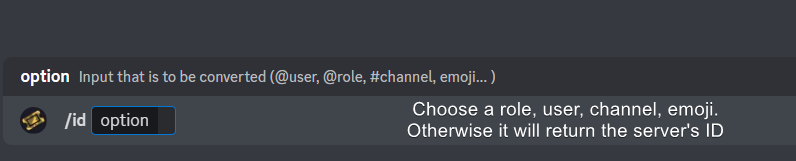
Ticket Tool has a useful command that helps you get the ID of various things like channels, roles, emojis, and your server.
Just use the command </id:1029797400174399546> <#channel/@role/:emoji:>. Now copy everything, including the brackets <...>, to your dashboard (or wherever you want it)
If you want the server ID, just use the command without any option.
Examples:
Server ID: $id ➝
509192800865353738
Roles: $id @Role ➝@humble sequoia
Channel: $id #channel ➝#🤖│bot-spam
User: $id @user ➝@copper owl
Emoji: $id➝

 vague cosmos
With the ID command you can get the ID of the emote you want to use; that is what you place at the button emoji.
@raven totem is this clear enough? 🙂
raven totem
Looks promising, going to give it a try, thank you so much.
vague cosmos
No worries! Did you have any other questions?
raven totem
got it, awesome thank you @vague cosmos
iron nightBOT
Gave +1 Rep to @vague cosmos
vague cosmos
No worries, happy to help! Did you have any other questions, @raven totem?
raven totem
not atm
vague cosmos
Alright, if you've any questions in the future let us know.
graceful frigate
Hey so sorry to ask such an off-topic question, but how do you do this exactly? Like how the command is highlighted or whatever? Been wanting to know for the longest but idk where to ask just general Q's about using discord at lol
 vague cosmos
Hey, if you link a user; votes you make will go to that user and not yourself.
graceful frigate
oh nooo sorry, I want to know how to make the command like that (with the black behind it) because I am a support staff on a server where I am telling ppl what commands to use all day lol but mine just look like this:
;s b 23 1
You see?
vague cosmos
Oh, that's not really a question for here but:
inline code = `inline code`
code block = ```code block```
graceful frigate
lol hence my apology for asking such an off topic question xD
vague cosmos
No worries.
graceful frigate
uh what's the difference between inline code and code block? ohhhh I think I see
like this?
vague cosmos
Codeblock is used to share code, while a inline is mostly for commands like $ping.
graceful frigate
AWESOME THANK YOU! LOL thank you for helping me @vague cosmos 🙂 cheers!
iron nightBOT
Gave +1 Rep to @vague cosmos
 pseudo ravine
Hey there. Are you receiving an interaction failed error?
Could you please run /debug in your server and send me the message link that it sends?
Take your time
Are you the owner of the server?
graceful frigate
try $debug
pseudo ravine
well that would be why
graceful frigate
nvm don't listen to me 😄
 jade topaz
where can i change this text
Support will be ...
 humble sequoiaBOT
The Ticket Message is the first message sent by the bot on a new ticket. To customize it head over to your Dashboard ➞ Panel Configs ➞ Ticket ➞ Edit Ticket Message
 jade topaz
Thanks
vague cosmos
No worries.
muted timber
السلام عليكم
teal grail
هل تحتاج شيئا؟
 safe stratus
Hi, how can I make it so I can open multiple tickets at once?
humble sequoiaBOT
There are mainly two ways to limit how many tickets an individual user can create:
Global Limit
You can restrict the amount a user can open across all your panels by following these steps:
> 1. Go into your Dashboard
> 2. Open the Server Configs tab
> 3. Update the Global Ticket Limit field
> 4. Save changes
Panel Limit
Secondarily you can also set a limit per panel, meaning that a single user can open a certain amount of tickets on the given panel. Note that the Global Limit takes precedence upon Panel Limit, to set the latter follow this procedure:
> 1. Go into the Dashboard
> 2. Open the Panel Configs
> 3. Open the Limits options menu
> 4. Update the Open tickets each user counter
> 5. Save changes
When the Open tickets all users limit is hit, users won't be able to create more tickets.

 floral jolt
hello, ticket tool bot won't work for me because it only says "application did not respond"
pseudo ravine
Could you please run /debug in your server and send the message link it sends?
 pseudo ravine
Does Ticket Tool have access to view that channel?
floral jolt
yes, it's a public channel
I had one and it was working and I deleted the message because I wanted to configure it (probably wasn't best idea in hindsight) and now it won't let me put it back
pseudo ravine
Ok, It seems like Ticket Tool does not have the Send Messages and Manage Messages permissions inside that channel. Which is why the application is not responding
pseudo ravine
You're welcome, glad I could help. If you have any other questions/issues, don't hesitate to reach out again 
floral jolt
alright!
jade topaz
how do i put where a role can see the tickets with out giving it kick/ban perms or like giving it administrador

humble sequoiaBOT
1. Go into your Dashboard
2. Open your Panel Configs tab
3. Select the panel you want to grant access to
4. Open the General options menu
5. Select your Support Team Roles
6. Save changes


 pseudo ravine
You will need to make a new ticket, it won't work on currently open tickets
iron nightBOT
Gave +1 Rep to @pseudo ravine
pseudo ravine
You're welcome, glad I could help. If you have any other questions/issues, don't hesitate to reach out again
 gloomy wind
hey yall, would you be able to make a ticket open up a post in a community forum?
i want to make a system where people can show off their artistic talents, where the forum post is titled "(name's) portfolio", but i'd like to make the ticket bot open these up inside a forum
nvm, dont think u can
 scenic plinth
No, ticket tool cannot open tickets in community forum style.
 uneven bear
Alright so my question is, i want to add a image to my ticket so that the person knows what to do.
 idle flint
uneven bear
Alright so my question is, i want to add a image to my ticket so that the person...
idle flint
uneven bear
Alright so my question is, i want to add a image to my ticket so that the person...
On the dashboard > Panel Configs > Ticket > Ticket Message, there are a few fields where images can be used. The images need to be entered in the form of a URL - therefore you should upload your image to a form of online storage (or post it to discord and use the "copy link" feature)
uneven bear
idle flint
On the dashboard > Panel Configs > Ticket > Ticket Message, there are a few fiel...
Thanks sir , do you mean the field editor button, there's a option to paste image link.
And plus i cant access that, is it a premium thing
vague cosmos
Most of editting of the embed is premium yes
vague cosmos
uneven bear
And plus i cant access that, is it a premium thing
This is one of them
uneven bear
vague cosmos
This is one of them
Is there anyway that when a person opens a ticket, there will be a page where they have to fill out the space so that the one seeing the ticket will automatically get the info.
humble sequoiaBOT
A Discord Form lets the user answer individual questions in a pop-up Form, which then displays the answers in the ticket message. This can save time if you already know what you want to ask the user.
Setup Forms
Forms can be enabled under Panel Settings > Form Options > Edit Forms Options. In the new pop-up window, you can now enable and edit your own Form.
Form Options
You can add up to 5 questions in the Discord form. This is a Discord limitation. Each question can have a placeholder in the input field, a minimum and maximum input, multi-line, and also the option to have the answer required.
Options
Question Title ➞ Your Question goes here
Question Placeholder ➞ The placeholder text in the input field
Required ➞ If enabled, the user has to answer this question, to submit the form
Multi-Line Input ➞Allows the user to input multiple lines
Minimum and Maximum Input ➞ Set a minimum and maximum input value for the user
Displaying the Answer
To display the answers from the user, you need to enable Auto display form results on the ticket message as an additional embed
In case you don't want a second embed, go into your Panel Configs > Ticket Options > Edit Ticket Message. In there you use the variable {create.form.x} and just replace x with the number of your question. For example, the response to Question 1 can be displayed with {create.form.1}. If you don't use this variable, the response from the user is lost.
 vague cosmos
No, I did give it a command.
Yes, that gives you the option to make questions they can fill in to show in the ticket.
uneven bear
Thanks buddy!!
vague cosmos
No worries. Did you have any other questions?
 distant blade
How do I ping a role in my welcome message? (Not embed)
humble sequoiaBOT
1. Go into your Dashboard
2. Open your Panel Configs tab
3. Select the panel you want to ping your support on
4. Open the Ticket options menu
5. Click on Edit Ticket Message
6. In the Message Content use one of the role mention syntax (**{@Role Name}**/**{Role ID}**)
7. Save changes
Note: For this to work properly, Ticket Tool requires the Mention Everyone permission. Or the role must have the Allow anyone to @mention this role setting enabled 
distant blade
Thank you.
vague cosmos
No worries, did you have any more questions?
distant blade
No.
uneven bear
vague cosmos
No worries. Did you have any other questions?
nope
uneven bear
vague cosmos
No worries, did you have any more questions?
Bro where can I see this option of enable creation form
In dashboard ofc
vague cosmos
humble sequoia
Read this.
uneven bear
vague cosmos
Read this.
And bro, if i want only my team to close the ticket how do I allow it
vague cosmos
uneven bear
And bro, if i want only my team to close the ticket how do I allow it
Dashboard > panel Config > buttons > edit close and make it support team only
Afk now
jade topaz
I want to make more than one button. 1. AUTHORIZED APPLICATION for 2. SUPPORT. How? İ use WHİTE TİCKET TOLL
uneven bear
vague cosmos
Dashboard > panel Config > buttons > edit close and make it support team only
A...
Are you there rn ?
I want the channel link to be showed, not like this in url form
 vague cosmos
jade topaz
I want to make more than one button. 1. AUTHORIZED APPLICATION for 2. SUPPORT. H...
vague cosmos
jade topaz
I want to make more than one button. 1. AUTHORIZED APPLICATION for 2. SUPPORT. H...
What do you mean exactly?
vague cosmos
uneven bear
I want the channel link to be showed, not like this in url form
Is it in a form? Then you can't show the channel link directly, as it will always be in a codeblock.
vague cosmos
jade topaz
I want to make more than one button. 1. AUTHORIZED APPLICATION for 2. SUPPORT. H...
Oh I gotcha, see below. Wasn't awake enough.
humble sequoiaBOT
For more convenient use of multipanels, you can now combine panels on the dashboard. This will allow you to directly send the multipanel from the dashboard or via the $panel ID command.
Where can I find this?
You can find this setting on the Dashboard -> Panel Configs -> Panel -> Attached Panels
Note: if you're attaching all the panels to a panel called English, don't include English in the attached panel's box (If you do this, it will create a duplicate)
This will put all buttons from all of your panels on one message. The message is the panel message from the panel you're combining these panels in.
 uneven bear
vague cosmos
Is it in a form? Then you can't show the channel link directly, as it will alway...
uneven bear
vague cosmos
Is it in a form? Then you can't show the channel link directly, as it will alway...
 vague cosmos
That's answered using a form, or?
I'll be afk again, but on pc when back.
uneven bear
vague cosmos
That's answered using a form, or?
I'll be afk again, but on pc when back.
Yes thats answered in a form.
vague cosmos
Gotcha, I'll take a look when I'm at pc soon
uneven bear
vague cosmos
Gotcha, I'll take a look when I'm at pc soon
Sure ping me pls while saying or i will miss it lol :dead:
vague cosmos
Hey @uneven bear can you try the following (see message below) and include the following in the message, where you replace x with the question number of the message:
{create.form.x}
humble sequoiaBOT
The Ticket Message is the first message sent by the bot on a new ticket. To customize it head over to your Dashboard ➞ Panel Configs ➞ Ticket ➞ Edit Ticket Message
uneven bear
vague cosmos
Hey <@879624464931885126> can you try the following (see message below) and incl...
howz that gonna help 😅
vague cosmos
Because then you might be able to display the link directly.
and that is what you wanted. 😛
uneven bear
vague cosmos
and that is what you wanted. 😛
💀
vague cosmos
But I think it just comes in a codeblock again, meaning it's not possible.
@uneven bear if you put it indeed as how I said, above the embed it will direct link.
Just tested it.
 uneven bear
vague cosmos
<@879624464931885126> if you put it indeed as how I said, above the embed it wil...
uneven bear
vague cosmos
<@879624464931885126> if you put it indeed as how I said, above the embed it wil...
Alright so it works thank
iron nightBOT
Gave +1 Rep to @vague cosmos
vague cosmos
Yep if you do it in the message and not the embed at least, didn't test the embed.
 dreamy monolith
How do I make a ticket
 fair idol
can someone help me to make a ticket
vague cosmos
@dreamy monolith @fair idol what do you both mean exactly? How to make a ticket in your server?
fair idol
yea
 stark runeBOT
1. Invite Ticket Tool to your server
First you will want to invite the bot to your server. Once the bot is in your server, you can manage your server in the dashboard.

2. Create a Panel
To create a panel we are going to need to head over to the panel configs on the dashboard.
Once at the dashboard we will need to click Create Panel.
Enter a panel name (Fill in any optional settings you want).
Click Create Panel and your ready to get started with configuring your panel.
An example of a creating a panel is shown below.

3. Send the Panel to a Channel
Once you've created a panel on the dashboard you will need to send it to a channel using send on the dashboard.
Select the channel you want your panel to be created in and click send.
For other questions checkout $help faq.
An example of a sending a panel is shown below.
Having a Problem Sending the Panel?
Do $debug in a channel with Ticket Tool and make sure it has all the necessary Discord permissions.
 dreamy monolith
Yea
vague cosmos
stark rune
See this message. 🙂
 vague cosmos
You can edit the close question, but the rest is premium. Since you made a panel, can you go to panel config on the dashboard, then you have a send button to send the panel.

 vague cosmos
Can you click on the avatar right top and try to login? Looks like you aren't logged in.
dreamy monolith
 vague cosmos
@fair idol there is.
@dreamy monolith can you do a /permissionlevel in the server and send a screenshot of the response?
 vague cosmos
No, run the command in your server and then make a screenshot of the response you get.
vague cosmos
stark rune
You're at the dashboard now? See this, start at step 2.
uneven bear
Wait i got lost again what do i do here
 dreamy monolith
When is the command thing I don’t know what to click on after I get to the screen

 rich cosmos
Hello, why can't I edit the Message Panel?
 fair idol
here is allowed roles the one that helps the people
 uneven bear
Ghost ping smh
fair idol
and also is this page im on what is it exactly for? is it for the opening ticket or is it for like the main message
vague cosmos
Discord decided to mute me for helping people.
vague cosmos
dreamy monolith
Can you relog the dashboard?
uneven bear
fair idol
and also is this page im on what is it exactly for? is it for the opening ticket...
The support thing, is where your specified people can only see the ticket like mod t mod and admin, isn't it @vague cosmos
vague cosmos
uneven bear
Wait i got lost again what do i do here
This is the message users see after creating a ticket.
dreamy monolith
uneven bear
vague cosmos
This is the message users see after creating a ticket.
wait dude i am a little confused here, what do I do to get it as link and not as blocks
fair idol
uneven bear
The support thing, is where your specified people can only see the ticket like m...
so if everyone was allowed to make a ticket the mods are the only ones to see THEIR ticket
dreamy monolith
What do I click on I don’t know how to get off this pAge
uneven bear
fair idol
so if everyone was allowed to make a ticket the mods are the only ones to see TH...
Yup, u can choose the roles
fair idol
kk thanks for the explanation
vague cosmos
And Discord decided to litteraly remove all messages from here for me.
uneven bear
vague cosmos
And Discord decided to litteraly remove all messages from here for me.
Discord is high dudr
vague cosmos
uneven bear
wait dude i am a little confused here, what do I do to get it as link and not as...
Ok, about what are you confused?
@dreamy monolith please do not DM for support.
uneven bear
vague cosmos
Ok, about what are you confused?
So yk what i want is link and not blocks, i just want that and i am confused how to do it is it possible for you to show again in pics or so
humble sequoiaBOT
The Ticket Message is the first message sent by the bot on a new ticket. To customize it head over to your Dashboard ➞ Panel Configs ➞ Ticket ➞ Edit Ticket Message
vague cosmos
You'll need to put the {create.form.x} where x is the question number in the opened message and not the embed.
First one, @uneven bear.
 uneven bear
So i have to come here, and do what then

 left compass
Is there Arabic technical support?
vague cosmos
Do you see {user} Welcome? There you can place the {create.form.x}.
 manic coyote
yo guys
left compass
Is there Arabic technical support?
manic coyote
who could help me with sum
humble sequoiaBOT
@manic coyote, we would love to help you, but if you don't tell us what you need help with we can't help you :(
vague cosmos
left compass
Is there Arabic technical support?
لا تطلب أن تسأل فقط اسأل.
fair idol
uneven bear
Yup, u can choose the roles
and also is the support team only should i enable it
left compass
vague cosmos
لا تطلب أن تسأل فقط اسأل.
يعني مافي دعم فني عربي ولا؟
vague cosmos
fair idol
and also is the support team only should i enable it
Depends, what you exactly want.
manic coyote
i wrote /debug and cleared the cache and then i tried to create a ticket and it said ticket not found
uneven bear
fair idol
and also is the support team only should i enable it
Depends if u want or not
manic coyote
in my serv.
vague cosmos
left compass
يعني مافي دعم فني عربي ولا؟
يوجد ، لكنه مغلق حاليًا. يجب أن يفتح اليوم مرة أخرى ، هل يمكنني مساعدتك؟
teal grail
Hi
vague cosmos
manic coyote
i wrote /debug and cleared the cache and then i tried to create a ticket and it ...
Can you send a screenshot of the error?
teal grail
Need help?
left compass
vague cosmos
يوجد ، لكنه مغلق حاليًا. يجب أن يفتح اليوم مرة أخرى ، هل يمكنني مساعدتك؟
صحيح هل اقدر اشتري البوت بل كرديت؟
manic coyote
vague cosmos
Can you send a screenshot of the error?
oke
vague cosmos
@teal grail can you do the Arabic one eventually?
teal grail
Ok
manic coyote
 teal grail
ماذا تحتاج @left compass
left compass
teal grail
ماذا تحتاج <@1020778977276743781>
هل اقدر اشتري البوت بكرديت.؟
vague cosmos
Did you delete a panel?
fair idol
uneven bear
Depends if u want or not
what is it for
manic coyote
and cleared the cache
teal grail
left compass
هل اقدر اشتري البوت بكرديت.؟
هل تنوي شراء الروبوت المميز؟
vague cosmos
If you go to the dashboard > panel config > click the update button you can update the Discord message; can you try that?
left compass
teal grail
هل تنوي شراء الروبوت المميز؟
صحيح ب عمله الكرديت
teal grail
مع بطاقة الائتمان؟
manic coyote
vague cosmos
If you go to the dashboard > panel config > click the **update** button you can ...
sure
how do i get into my dashboard?
vague cosmos
fair idol
what is it for
Support Team only?
It allows only support team roles you did set, to use it.
humble sequoiaBOT

Ticket Tool - Ticketing without clutter - The #1 discord Ticketing bot
teal grail
يمكنك شراء الروبوت على الفتنة
left compass
teal grail
يمكنك شراء الروبوت على الفتنة
يا اخي مافهمتني انت هل اقدر اشتري الروبوت بعمله الكرديت ليس بطاقه
teal grail
أعتقد ذلك
left compass
teal grail
أعتقد ذلك
كيف؟
uneven bear
vague cosmos
Support Team only?
It allows only support team roles you did set, to use it.
Brother just tried it works, but is there anyway I get it like this:-
 teal grail
vague cosmos
humble sequoia
https://tickettool.xyz/manage-servers
teal grail
vague cosmos
humble sequoia
https://tickettool.xyz/manage-servers
@manic coyote in case you missed it.
teal grail
Biling
manic coyote
yo yo
vague cosmos
uneven bear
Brother just tried it works, but is there anyway I get it like this:-
Did you save it? 👀
manic coyote
i cant find dashbooad
vague cosmos
humble sequoia
https://tickettool.xyz/manage-servers
@manic coyote see this link.
humble sequoiaBOT
Ticket Tool - Ticketing without clutter - The #1 discord Ticketing bot
manic coyote
ya
fair idol
vague cosmos
Support Team only?
It allows only support team roles you did set, to use it.
to use the tickets
humble sequoiaBOT
━━ Biscuit's inquiry has been moved to a ticket ━━
uneven bear
vague cosmos
Did you save it? 👀
uh yes, so is there anyway I get it like this lol
fair idol
so if i put staff would only staff be able to use it
vague cosmos
@fair idol yes.
@uneven bear can you send a screenshot of the dashboard and what you changed?
fair idol
so like
uneven bear
vague cosmos
<@949414421220974602> yes.
<@879624464931885126> can you send a screenshot of t...
Did not change anything my outcome was just like urs, it's the same
{User} welcome {create.forum.1}
vague cosmos
It's not, you're using {create.forum.1} while it has to be {create.form.1}.
@fair idol if you set support team roles and make for example the create ticket support team only, only people in the support team can use it.

 long sundial
@left compass مرحبا اخوي هل تمت مساعدتك بشكل صحيح ؟ اذا لا اطرح سؤالك مرة اخرى لي وسوف اقوم بمساعدتك معك الدعم الفني العربي .
vague cosmos
Yes, but you need to turn the Support Team Only on  and claiming is a premium only feature.
uneven bear
vague cosmos
It's not, you're using `{create.forum.1}` while it has to be `{create.form.1}`.
Sorry but what's the difference?
fair idol
i’m so confused
vague cosmos
uneven bear
Sorry but what's the difference?
The letter u. 😉
fair idol
so it to help people the allowed roles
uneven bear
fair idol
i’m so confused
Your question is so eazy and how u don't understand;-;
left compass
long sundial
<@1020778977276743781> مرحبا اخوي هل تمت مساعدتك بشكل صحيح ؟ اذا لا اطرح سؤالك م...
هل اقدر اشتري البوت ب الكرديت لان يقولو لا؟
long sundial
left compass
هل اقدر اشتري البوت ب الكرديت لان يقولو لا؟
، يمكنك الحصول على برميوم مجاني من خلال التصويت للبوت كل 12 ساعة. أنت بحاجة إلى 6 تصويت على الأقل عن طريق كتابة
$vote > #🤖│bot-spam .
vague cosmos
@uneven bear not everyone is even fast, @fair idol what isn't exactly clear? In what way do you want to use it, so I can explain it in a better way.
uneven bear
vague cosmos
The letter `u`. 😉
Nvm just checked i have written it {create.form.1} but it doesn't come as embedded like the ss I shared
fair idol
vague cosmos
<@879624464931885126> not everyone is even fast, <@949414421220974602> what isn'...
i want to use it to support people
uneven bear
vague cosmos
<@879624464931885126> not everyone is even fast, <@949414421220974602> what isn'...
Sowwy
fair idol
for help but i don’t understand the allowed roles
left compass
long sundial
، يمكنك الحصول على برميوم مجاني من خلال التصويت للبوت كل 12 ساعة. أنت بحاجة إلى ...
هل تتعاملو بل كرديت؟
vague cosmos
You can't do it in a embed @uneven bear, only in a message as far I was able to test.
uneven bear
vague cosmos
You can't do it in a embed <@879624464931885126>, only in a message as far I was...
Any idea how they did it?
vague cosmos
@fair idol okay, so you want people to see a ticket, if they're part of the "support team"?
muted timber
left compass
هل تتعاملو بل كرديت؟
انت لو تفهم في اعدادات البوت ساعدني في شي خاص
vague cosmos
@uneven bear no sorry, but maybe someone of the support team does ( #🎫│make-a-ticket)
fair idol
vague cosmos
<@949414421220974602> okay, so you want people to see a ticket, if they're part ...
yea
long sundial
left compass
هل تتعاملو بل كرديت؟
اذا كنت تقصد كرديت التابع الى بوت العربي المشهور فى لا
"لن اقوم بذكر اسم البوت لانه ممنوع"
uneven bear
vague cosmos
<@879624464931885126> no sorry, but maybe someone of the support team does ( <#5...
Should I make a ticket?
humble sequoiaBOT
1. Go into your Dashboard
2. Open your Panel Configs tab
3. Select the panel you want to grant access to
4. Open the General options menu
5. Select your Support Team Roles
6. Save changes
vague cosmos
@fair idol see above.
@uneven bear I think in your case it's the best, so someone of the support team might have a solution.
fair idol
i understand now
left compass
muted timber
انت لو تفهم في اعدادات البوت ساعدني في شي خاص
حياك
fair idol
do i turn on support team only
vague cosmos
It's not needed, if you follow the steps above.
fair idol
ok
uneven bear
vague cosmos
It's not needed, if you follow the steps above.
Bro i worked so much on tickets and the noob sv ownerr tells i don't like any of it i am deleting it all, and then she asks me how do u do this that. I mean how pissed off i am rn
teal grail
what you need @uneven bear?
fair idol
once i saved it what shall i do
uneven bear
teal grail
what you need <@879624464931885126>?
So i want this outcome but my outcome comes in blocks and all
 vague cosmos
fair idol
once i saved it what shall i do
vague cosmos
fair idol
once i saved it what shall i do
It should be fine then. 🙂
@uneven bear I told you what to do, also what you did wrong.
uneven bear
vague cosmos
<@879624464931885126> I told you what to do, also what you did wrong.
Nothing bro, i just want it to be embedded lol
teal grail
uneven bear
So i want this outcome but my outcome comes in blocks and all
Do you want to remove the black part?
vague cosmos
You're using {create.forum.1} instead of {create.form.1} and as I said, I don't think you can do it in a embed, with the direct link.
teal grail
vague cosmos
You're using `{create.forum.1}` instead of `{create.form.1}` and as I said, I do...
Yupe
teal grail
vague cosmos
You're using `{create.forum.1}` instead of `{create.form.1}` and as I said, I do...
You can
uneven bear
Noo bro i did it as {create.form.1} i wrote it wrong here
vague cosmos
Not sure what is causing it in that case, I'd suggest you to open a ticket in #🎫│make-a-ticket.
So the staff can take a look at it and assist you better.
teal grail
uneven bear
So i want this outcome but my outcome comes in blocks and all
this is a form?
uneven bear
vague cosmos
Just tested it.
My outcome comes like this whereas i wanted it to be just like the one I sent
uneven bear
teal grail
this is a form?
Yup
fair idol

 teal grail
Manage Channel
 vague cosmos
uneven bear
My outcome comes like this whereas i wanted it to be just like the one I sent
vague cosmos
uneven bear
My outcome comes like this whereas i wanted it to be just like the one I sent
As I said, open a ticket so the support team can assist you.
fair idol
i thought we where allowed to do custom emojis?
vague cosmos
fair idol
You're using a invalid emoji. You were using emoji text at the button text.
fair idol
oh
vague cosmos
Which button do you want to edit?
teal grail
uneven bear
Yup
Back
fair idol
vague cosmos
Which button do you want to edit?
i deleted the emoji in the button text
uneven bear
vague cosmos
As I said, open a ticket so the support team can assist you.
Did that but if someone knows...
fair idol
but it still says the same thing
teal grail
It is no longer possible to link to the conversation you want to post, due to Discord authorization.
vague cosmos
@fair idol what button are you trying to edit?
fair idol
the butting text
humble sequoiaBOT
━━ Abd!'s inquiry has been moved to a ticket ━━
fair idol
button
teal grail
fair idol
the butting text
What?
vague cosmos
fair idol
the butting text
Yes, but of which button? Create, close?
fair idol
create
vague cosmos
Gotcha, can you send a screenshot of what you got now at the dash?
fair idol
what
teal grail
Possibly the id must be wrong
fair idol
which dash ?
fair idol
teal grail
Possibly the id must be wrong
it Cant be i copied and paste it
vague cosmos
Dashboard > Panel Config > Buttons > Create Ticket > Edit button
 teal grail
fair idol
it Cant be i copied and paste it
teal grail
fair idol
it Cant be i copied and paste it
yes
vague cosmos
@teal grail I got it, lets not confuse him even more. ;P
@fair idol can you send a screenshot like that for me?
teal grail
@fair idol One question, is the emoji animated?
fair idol
 fair idol
vague cosmos
<@712689282413756417> I got it, lets not confuse him even more. ;P
<@9494144212...
fair idol
vague cosmos
<@712689282413756417> I got it, lets not confuse him even more. ;P
<@9494144212...
i’m not a he
teal grail
<:Name:ID>
fair idol
are u joking
teal grail
$id
vague cosmos
Sorry! Also, since it's a custom emoji can you see the following?:
humble sequoiaBOT
How do I get the ID of Roles/Channels/Emojis?
Ticket Tool has a useful command that helps you get the ID of various things like channels, roles, emojis, and your server.
Just use the command </id:1029797400174399546> <#channel/@role/:emoji:>. Now copy everything, including the brackets <...>, to your dashboard (or wherever you want it)
If you want the server ID, just use the command without any option.
Examples:
Server ID: $id ➝
509192800865353738
Roles: $id @Role ➝@humble sequoia
Channel: $id #channel ➝#🤖│bot-spam
User: $id @user ➝@copper owl
Emoji: $id
vague cosmos
In your case $id :emoji_19: which will give you the ID, what you need to place at the place where currently :emoji_19: is.
Then it will work.
fair idol
$id :emoji_19 :
teal grail
In your server
fair idol
like that???????
vague cosmos
Yes, but in your own server.
teal grail
Yes
uneven bear
It would take hours right, for someone to reply to my tickets, as they are pretty busy!
Ok thanks lol that was fast
vague cosmos
@teal grail can you stop interupting?
@uneven bear you'll get a reply, don't worry about that.
teal grail
you want put a link?
uneven bear
vague cosmos
<@712689282413756417> can you stop interupting?
<@879624464931885126> you'll ge...
Thanks brotha
iron nightBOT
Gave +1 Rep to @vague cosmos
teal grail
vague cosmos
<@712689282413756417> can you stop interupting?
<@879624464931885126> you'll ge...
I believe, I'm just helping
vague cosmos
teal grail
I believe, I'm just helping
You're currently interupting. Which is kinda annoying.
fair idol
i of
 vague cosmos
@fair idol
Is the emoji in the server?
Can you make sure the emoji shows, like  for example when you use the
 $id command?
fair idol
ok
teal grail
fair idol
i of
Do :emoji_19: you did :emoji_19 :
vague cosmos
@teal grail can you stop interupting?
teal grail
Ok,
fair idol
what now
teal grail
It's hard to compete with you
vague cosmos
@fair idol did the bot reply with an ID now?
 cursive phoenix
@teal grail please do not interrupt if another user is already helping someone
- Don't interfere if someone else is already helping someone, it confuses both parties and will make it less convenient. (You can intervene if the person who was helping hasn't answered in 5 mins)
cursive phoenix
Please see the full message here #🆘│community-support message
teal grail
cursive phoenix
<@712689282413756417> please do not interrupt if another user is already helping...
Ok
fair idol
i think it was being the emoji wasn’t a server emoji and it was an image but i made it now so it’s a server emoji
vague cosmos
Copy that whole message (the ID) and place that at the button emoji at the dashboard, if you send it then it will work.
fair idol
do i copy what the bot said
 vague cosmos
Yes, the above part.
fair idol
so the bot
vague cosmos
Exactly that.
 vague cosmos
Can you type it over in the channel and the copy it?
vague cosmos
You'll need to copy the ID and on the desktop you can select it indeed.
 civic wagon
vague cosmos
Just tested it.
civic wagon
vague cosmos
Just tested it.
Found the issue. It's because you've enabled this button and hence it creates a new embed with responses in codeblocks.
 fair idol
:emoji_19:
civic wagon
civic wagon
Found the issue. It's because you've enabled this button and hence it creates a ...
But if you were to edit the original ticket embed and put {create.form.1} in it, it'll actually mention the channel.
The image contains both ways, the original embed and by enabling that button.
 fair idol
i’ve got it now
teal grail
copy this
fair idol
no i’m supposed to copy the bot
vague cosmos
civic wagon
But if you were to edit the original ticket embed and put `{create.form.1}` in i...
Oh thanks and Hoodie again can you stop interupting?
iron nightBOT
Gave +1 Rep to @civic wagon
fair idol
that’s what miss hepburn said
teal grail
5min later
cursive phoenix
@teal grail I know your trying to be helpful, but again please do not interfere if someone is already assisting the user
fair idol
then maybe it shouldn’t be just one person helping everyone but you should get more mods
teal grail
As you said, if you spend 5 minutes I could help, right?
vague cosmos
But @fair idol if you put this in the button emoji text, it should work: :emoji_19:
cursive phoenix
They were still assiting and speaking in this channel
fair idol
i’m going to put the bot
cursive phoenix
so there is no need to interfere
teal grail
I quit
vague cosmos
@fair idol can you tell me where you're having issues exactly now?
 vague cosmos
fair idol
vague cosmos
fair idol
Click on the select to hide the emotes, then save te changes and try to send the panel.
fair idol
what do i do now it sent
vague cosmos
He's indeed, but he's not allowed to interupt.
Also, if you saved it; yes.
civic wagon
teal grail
As you said, if you spend 5 minutes I could help, right?
Precisely this. You may refer to the pinned message.
 vague cosmos
At the same page where you were recently to edit the emoji, you'll also see button text. You can change it there.

 vague cosmos
Which one exactly, as I now see multipe things.
I see a button, do you want to change that text or the Ticket created message?
fair idol
the bit where it says to create a ticket react with
vague cosmos
Oh gotcha!
humble sequoiaBOT
The panel message is where people react to make a ticket. To customize it head over to your Dashboard --> Panel Configs -> Panel -> Edit Panel Message
vague cosmos
Is this clear for you?
vague cosmos
Where on the dashboard are you, at the above location?
If so, do you see Embed editior - 1, which is collasped?
 fair idol
i don’t u deer stand 😭
vague cosmos
Can you send a screenshot of what you exactly see right now on the dashboard, so I can assist better.
 vague cosmos
Okay.
Can you click on the 3 lines, choose panel config then click on messages and then Edit Panel Message?
vague cosmos
You see the Embed Editor - 1 right?
fair idol
yea
vague cosmos
If you click on that, it will open up and then you can edit the content of the message. Once you did that save it and I'll help you to update the panel message.
fair idol
ok
teal grail
vague cosmos
Okay.
Can you click on the 3 lines, choose **panel config** then click on **mes...
She could just slide down....
vague cosmos
@fair idol just one quick question, you know how to get a message link from your Discord server? 🙂
fair idol
vague cosmos
<@949414421220974602> just one quick question, you know how to get a message lin...
yea
and also it won’t let me press thumbnail
URL for some reason ??
vague cosmos
That is premium only.
fair idol
oh
vague cosmos
Those options are premium only.
 vague cosmos
Changing that is a premium only feature too. You're limited to the embed text only with @pseudo glen.
fair idol
how do i get rid of the “panel name” at the top
 vague cosmos
You can't with the free bot.
fair idol
ok i’m done now
vague cosmos
Okay, did you save it?
fair idol
yea
vague cosmos
If so, click the 3 lines again and choose panel configs.
fair idol
yea
vague cosmos
You'll see a few buttons at the top, one of them is update, if you click that and enter the message link from the original message it will update the embed.
fair idol
what original message
vague cosmos
You did send your panel before, right?
From that message, you get the message link and fill it in when you click the Update button.
 vague cosmos
Yes, the second message send by Ticket Tool
@fair idol if you copy the message link from the message and place it on the update button from the dash, the message will update with your changes.
fair idol
ik ik i’ve done it but how do i make another button
humble sequoiaBOT
For more convenient use of multipanels, you can now combine panels on the dashboard. This will allow you to directly send the multipanel from the dashboard or via the $panel ID command.
Where can I find this?
You can find this setting on the Dashboard -> Panel Configs -> Panel -> Attached Panels
Note: if you're attaching all the panels to a panel called English, don't include English in the attached panel's box (If you do this, it will create a duplicate)
This will put all buttons from all of your panels on one message. The message is the panel message from the panel you're combining these panels in.
uneven bear
@vague cosmos they did it for me , do u wanna know how?
vague cosmos
Who did, support staff? Also sure.
 vague cosmos
What exactly?
Attached panels? The panels you add to the main pael.
Buttons per row? How many buttons you have on each line.
vague cosmos
There you can add the other panels you created do not add the one you're having active to show them under one message.
fair idol
still don’t understand
jade topaz
how can i see the tickets history
vague cosmos
@fair idol what isn't clear exactly?
@jade topaz what do you mean by ticket history?
fair idol
vague cosmos
<@949414421220974602> what isn't clear exactly?
<@456226577798135808> what do yo...
idk i’m tryna make another button for the ticket
jade topaz
i have delete the ticket but i want to see it
fair idol
so how do i do it
vague cosmos
jade topaz
i have delete the ticket but i want to see it
Did you enable logging and saved a transcript? If not, there is no way if it's deleted.
vague cosmos
fair idol
idk i’m tryna make another button for the ticket
Did you make a second panel?
jade topaz
vague cosmos
Did you enable logging and saved a transcript? If not, there is no way if it's d...
how can i know if that chose on or off
vague cosmos
What do you mean exactly?
jade topaz
vague cosmos
What do you mean exactly?
sorry my english so bad
vague cosmos
You can ask your question(s) in your native language.
jade topaz
How do I know if this is an option enable or not
fair idol
no
vague cosmos
jade topaz
How do I know if this is an option enable or not
Enable what exactly?
fair idol
vague cosmos
Did you make a second panel?
no
uneven bear
vague cosmos
Who did, support staff? Also sure.
Yes official staff btw it was pretty i blame myself for not being to explain it properly, so what we should have done was.
Put the {create.form.1} here:-
 jade topaz
vague cosmos
Enable what exactly?
jade topaz
vague cosmos
Enable what exactly?
saved a transcript
vague cosmos
@fair idol do you know how you make a second panel?
jade topaz
jade topaz
saved a transcript
@vague cosmos
vague cosmos
$transcript
vague cosmos
jade topaz
saved a transcript
Ugh...
Dashboard > Panel Config > Transcript > There you can change the settings for it.
fair idol
did u rlly put a sound affect in a text lmao 💀
vague cosmos
fair idol
no
Dashboard > Panel Config > Click on the + to create a second panel and no? ^
uneven bear
vague cosmos
Dashboard > Panel Config > Click on the **+** to create a second panel and no? ^
Saw it
fair idol
u put “ugh”
jade topaz
can you give the Website link
uneven bear
For what ?@jade topaz
humble sequoiaBOT
Ticket Tool - Ticketing without clutter - The #1 discord Ticketing bot
vague cosmos
You need to enter a panel name, enter one and then you save.
fair idol
where do i put the panel name
jade topaz
@uneven bear بتحكي عربي ؟ لانو الانجليزي عندي ميت
fair idol
it doesn’t make sense at all
vague cosmos
If you click the + you should be able to set a panel name, @fair idol.
fair idol
yea but where?
vague cosmos
 fair idol
i’m not on that
vague cosmos
Where are you exactly now?
fair idol
 vague cosmos
Can you save, scroll a bit up and send a new screenshot? SO I can see the top message (panel name).
scenic plinth
jade topaz
<@879624464931885126> بتحكي عربي ؟ لانو الانجليزي عندي ميت
Please make an Arabic ticket for your convenience in #🎫│make-a-ticket. Please quit pinging or tagging people here to get your question answered.
fair idol
 fair idol
scenic plinth
Please make an Arabic ticket for your convenience in <#571706435449257997>. Plea...
fair idol
scenic plinth
Please make an Arabic ticket for your convenience in <#571706435449257997>. Plea...
maybe u should’ve had translated that to Arabic
vague cosmos
scenic plinth
Please make an Arabic ticket for your convenience in <#571706435449257997>. Plea...
Hey sorry to ping you, but people aren't able to create a Arabic ticket.
@fair idol hmm, I think it's easier for you if someone of the staff helps you one on one. Do you mind open a ticket in #🎫│make-a-ticket?
I know the staff here is amazing to help.
I really think it's easier for you, to get the help you need. 🙂
vague cosmos
They will.
If you open a English ticket, the response time is ±30 minutes I believe.
I have to go now too.
cursive phoenix
Support responds as quicky as they can, but time of day etc can impact wait times but that being said it shouldnt be too long
scenic plinth
For people in America, most are asleep as it is ~4 in the morning. You will be waiting some time as stated when you created your ticket.
fair idol
cant someone just tell me in here how to do a 2nd panel
vague cosmos
I tried you to explain, but opening a ticket is the best. ^
 dire chasm
Does anyone know how I can get talking to someone about my account?
It’s saying it has expired (it’s an unlimited subscription so it hasn’t) and to contact support. This happens every few months or so.
I tried creating a ticket but got a response saying I’m in the wrong place.
humble sequoiaBOT

⚠️ You're in the wrong place
We provide support for Ticket Tool Discord bot and cannot help you with whatever issue you have.
- We don't know which Support Team you should contact to get this issue resolved, and unfortunately we won't be able to accurately tell you.
If you don't have any further questions regarding our bot Ticket Tool, please close this ticket
vague cosmos
humble sequoia
@dire chasm
 past gust
hello I don't know how to program the cool ticket bot please help me
stark runeBOT
1) **Inviter Ticket Tool sur votre serveur**.
Premièrement, vous devez inviter le bot dans votre serveur. Si le bot est déjà dans votre serveur, vous pouvez le personnaliser dans votre Dashboard.
**2) Créer un panneau**
Pour créer un panneau, merci de vous rendre dans Dashboard > Panel Configs > Create Panel.
Entrez un nom pour votre panneau (Personnalisez tous les paramètres optionnels comme vous les souhaitez).
Un exemple pour créer un panneau est illustré ci-dessous
3) **Envoyer le panneau dans un salon**
Si vous avez créé un panneau dans le Dashboard, vous pouvez l'envoyer par le bouton Send.
Sélectionnez le salon où vous voulez que votre panneau apparaisse.
Si vous avez d'autres questions, utilisez la commande /help > faq > option 1.
Un exemple pour envoyer un panneau est illustré ci-dessous.
Avez-vous un problème pour envoyer le panneau ?
Faite la commande /debug dans un canal avec Ticket Tool et assurez-vous qu'il a toutes les autorisations de Discord nécessaires.
vague cosmos
Depuis que je t'ai vu parler français, @past gust.
past gust
Ok
vague cosmos
Ce n'est pas ma langue maternelle, je vais donc utiliser un traducteur. Heureusement qu'il y a assez de balises françaises.
past gust
Ok merciiiii
vague cosmos
You can also open a French ticket in #🎫│make-a-ticket. 😄
fair idol
im creating a second panel and i’m confused on what it means by category closed
teal grail
hi
fair idol
hey
teal grail
fair idol
im creating a second panel and i’m confused on what it means by category closed
After the ticket has been closed, the ticket will automatically be moved to that category
fair idol
but i don’t want it to go to another category
cant it just disappear ? once it’s closed
teal grail
then leave it blank
teal grail
fair idol
cant it just disappear ? once it’s closed
you need to delete
fair idol
mk
teal grail
any more questions?
teal grail
You can do several things.
vague cosmos
@fair idol if you disable two step close: Dashboard > Panel Configs > General >  Two step close a ticket will be deleted if you use
 $close.
CC: @teal grail
teal grail
vague cosmos
<@949414421220974602> if you disable **two step close**: Dashboard > Panel Confi...
no
 vague cosmos
You have two step close , then you get that. ^
 vague cosmos
Must be a old ticket / you did create before the changes and I do.
vague cosmos
fair idol
so once i e created a second panel what do i do now
You wanted multiple panels right? If I remember your questions before.
vague cosmos
You want them both on the same panel right?
fair idol
idk
what does it look like on the same panel?
i js want them next to eachother yk what i mean
humble sequoiaBOT
For more convenient use of multipanels, you can now combine panels on the dashboard. This will allow you to directly send the multipanel from the dashboard or via the $panel ID command.
Where can I find this?
You can find this setting on the Dashboard -> Panel Configs -> Panel -> Attached Panels
Note: if you're attaching all the panels to a panel called English, don't include English in the attached panel's box (If you do this, it will create a duplicate)
This will put all buttons from all of your panels on one message. The message is the panel message from the panel you're combining these panels in.
vague cosmos
vague cosmos
<@949414421220974602> if you disable **two step close**: Dashboard > Panel Confi...
You need to turn this one off too.
 vague cosmos
humble sequoia
vague cosmos
humble sequoia
@fair idol just tell me what isn't clear and I'll help. 🙂
Also, you eventually have a desktop, which is easier.
- dont worry about being slow, we all learn.
teal grail
back
fair idol
i don’t understand any of it
vague cosmos
@fair idol do you eventually have access to a desktop to visit the dashboard?
vague cosmos
Okay, which panel is currently active for you at the top?
fair idol
the first one i made
vague cosmos
Okay. Do you see Panel Settings and Panel?
fair idol
i’m here
 vague cosmos
Okay, scroll a little bit down until you see Panel and then click on it, okay?
fair idol
yea
vague cosmos
Do you now see this?
 fair idol
mhm
vague cosmos
Okay! At the text field for Attached Panels you add the second panel you created.
fair idol
omg
vague cosmos
I have multiple in my test server, but it should look like that when you can choose them.
 fair idol
it’s gone the one i created wtf??
vague cosmos
Do you not see anything there?
fair idol
no
vague cosmos
When you created a panel, did you save it?
vague cosmos
You'll need to hit that save button, after you created the panel.

But don't worry, you know how to make a second one. 😄
vague cosmos
vague cosmos
Okay! At the text field for **Attached Panels** you add the **second panel** you...
@fair idol if you did this, follow this steps. Since the second panel you created might be active; the first one can appear there.
fair idol
i’ve made and saved my panel but when i go onto my panel it’s not there
even tho i saved it
vague cosmos
Can you try to refresh the dashboard?
vague cosmos
Are you able to use your computer instead of mobile?
fair idol
maybe i need to update it
mobile my dog ate my computer
should i update it and then maybe it will work?
vague cosmos
Update what exactly?
fair idol
like
you know the button update should i press it so then it will update n then maybe i can try
vague cosmos
After you created the panel? As long as you don't click that it wont save and I've tested it on my phone and button works fine.
Can you eventually try to relog?
humble sequoiaBOT
Don't see your server in the dashboard?
You will possibly need to relog. Look below to see the steps on how to relog.
How to relog in the Dashboard.
Note:
You need one of these 3 things to access the dashboard.
1. Server Owner (Level: 6)
2. Server Administrator (Level: 4)
3. Dashboard Role (Level: 2)
:warning: You can check your level using the </permissionlevel:1029797400174399542> command on your Discord Server
User permission level with Ticket Tool
@User is permission level: 0 (User)
```» *If it shows that your permission is **0**, you don't have any of the above **3 things** to manage the dashboard.*
**See the Image below on how to relog:** fair idol
done
vague cosmos
Do you see the newly created panel now?
fair idol
where
vague cosmos
Dashboard > Panel Config > At the top

You can click on it to pop them out and see other panels.
fair idol
 vague cosmos
Okay, both are there. Can you select the first one?
fair idol
mhm
vague cosmos
Okay. If you now scroll down and go to Panel, click it you will be able to add the second panel as multiple panel.
 vague cosmos
Click on the text field below the Attached Panels (Multi Panels)
Can you remove every text you typed, does it still not appear then?
fair idol
 vague cosmos
Okay, you've the second panel active (the one you just created) it will only switch the buttons in this case. Is that a problem for you?
fair idol
no
vague cosmos
Okay, if you click the ribbon it will appear there, after that you can click save.
vague cosmos
No worries. You click the ribbon, it appears in the text field right?
fair idol
yea
vague cosmos
Okay, do you see the save button at the bottom now?
fair idol
yea
vague cosmos
Click it.
fair idol
what but i cant???
vague cosmos
You should be able to, since you mande a change. Can you send a screenshot?
vague cosmos
Awesome! Do you want to update the message in Discord or re-send it?
vague cosmos
Yes I know, so could you answer my question?
fair idol
re send
vague cosmos
Okay. Click the 3 lines and choose Panel Configs again, now at the top select Send and choose the channel where you want it to be send.
vague cosmos
Do you see the two buttons now? 🙂
fair idol
yea
vague cosmos
Sure, you mean the staff apps button, right?
vague cosmos
You did not change the name of the buttons before, did you?
fair idol
no..
vague cosmos
Don't worry! I'll help you.
Can you tell me which panel is selected? (Can be seen at the top)
You may eventually send a screenshot too. 😄
fair idol
 vague cosmos
Okay and which panel is selected at the dashboard?
fair idol
the bow
vague cosmos
Can you send a screenshot?
fair idol
 vague cosmos
Okay. Do you want to change the text for this one or other one?
vague cosmos
Okay, do you see the small v at the end of the ribbon? If you click that you'll see your second panel can you click on it to select it?
 vague cosmos
Click ok staff apps, after you did that and see it where now the ribbon is scroll a bit down and click on buttons.
fair idol
i’m on buttons yep
vague cosmos
Do you see Create ticket and the Edit button?
fair idol
yes
vague cosmos
Alright if you click it you'll be able to change the text of the button.
Below at Button Text, do you see it?
fair idol
 vague cosmos
Hmm, that should be different since the same button did send twice. We will look at that next, can you change the button text to something you want and then save it?
fair idol
i want it to be my custom emoji
humble sequoiaBOT
How do I get the ID of Roles/Channels/Emojis?
Ticket Tool has a useful command that helps you get the ID of various things like channels, roles, emojis, and your server.
Just use the command </id:1029797400174399546> <#channel/@role/:emoji:>. Now copy everything, including the brackets <...>, to your dashboard (or wherever you want it)
If you want the server ID, just use the command without any option.
Examples:
Server ID: $id ➝
509192800865353738
Roles: $id @Role ➝@humble sequoia
Channel: $id #channel ➝#🤖│bot-spam
User: $id @user ➝@copper owl
Emoji: $id
vague cosmos
Run $id :emoji: in your server and copy/paste response you get from the bot.
vague cosmos
Paste that ID at Button Emoji.
vague cosmos
How do you mean exactly? This way it will change the emoji at the button.
vague cosmos
Did you change the button text?
fair idol
yea
vague cosmos
Okay, did you save it?
fair idol
yea
vague cosmos
Awesome! Can you now go to the panel config again and select the other panel? The ribbon one?
 vague cosmos
Yes. Can you add it so it shows in blue there?
If you did that, can you save it and send a new screenshot?
vague cosmos
Hmm, not sure what is going on. I'll ask something real quick, also is English not the only language you speak?
fair idol
only english and a Congolese tribe
vague cosmos
Okay - I've asked someone real quick about the fact you can't save.
 wild spire
fair idol
only english and a Congolese tribe
wild spire
fair idol
only english and a Congolese tribe
Are u from Congo?
fair idol
no
wild spire
Ah okay my bad
fair idol
I was born in UK but my dad came from a tribe and i spent almost my whole life in congo
speaking their language
vague cosmos
@fair idol since Maud is support on here, she'll try to help you. She has a bit more experience then I do.
Hopefully you two can fix this. ❤️
wild spire
Okay so u have references to Congo. Most people there know French, do you?
fair idol
no
vague cosmos
The fact she has issues with the multipanels and it can't be saved.
wild spire
She cannot save her multipanel?
vague cosmos
Ye, when she tries to add it she can't save it indeed.
wild spire
fair idol
no
Can I have your server ID?
fair idol
1100728725710045265
wild spire
okido one second
wild spire
fair idol
1100728725710045265
you selected the same panel here twice.
You need to remove 🎀 and add “staff apps” in the bottom box

 wild spire
fair idol
staff apps here
wild spire
fair idol
staff apps here
yes
fair idol
i’m saying it won’t let me put staff apps here
wild spire
fair idol
i’m saying it won’t let me put staff apps here
refresh your dashboard
wild spire
you send your panel
fair idol
what does this mean

 golden lintel
Normal for a closed ticket to not send ticket transcripts or do I have to click an option for that?
pseudo ravine
Hey there. Do you have Premium Ticket Tool?
golden lintel
No, I'm assuming that's a premium feature only?
pseudo ravine
You can have it save the transcript automatically with Premium, otherwise you can just click on the Transcript button before closing the ticket
fair idol
fair idol
what does this mean
can someone help?
iron nightBOT
Gave +1 Rep to @pseudo ravine
teal grail
fair idol
can someone help?
ys
pseudo ravine
You're welcome, glad I could help. If you have any other questions/issues, don't hesitate to reach out again
pseudo ravine
fair idol
what does this mean
You can only have 1 open ticket per panel. Which means you can only have 1 support ticket open, and only 1 staff app ticket open at once
teal grail
fair idol
what does this mean
You have to close the ticket that is open.
fair idol
how do i edit
pseudo ravine
Edit what?
 humble sequoiaBOT
The Ticket Message is the first message sent by the bot on a new ticket. To customize it head over to your Dashboard ➞ Panel Configs ➞ Ticket ➞ Edit Ticket Message
fair idol
the problem is i don’t want to edit the main message
pseudo ravine
Then what do you want to edit?
Do you want to have multiple tickets per panel open at once?
fair idol
no
pseudo ravine
You want to edit the message Ticket Tool sends when a user creates a ticket?
fair idol
yea
pseudo ravine
humble sequoia
Read this message
fair idol
where do i go to edit the bit where it says suppport will be with u shortly
 pseudo ravine
It's in the Embed Editor
fair idol
do i update it once i’m done
pseudo ravine
After you save your changes, it'll be updated once you make a new ticket
fair idol
why won’t my claim one come
 pseudo ravine
Claiming is a premium feature
pseudo ravine
Not sure what to say for that, but claiming is only for premium
 fair idol
i didn’t open that one someone else did
fair idol
i’ll ask him to do it again hang on
teal grail
fair idol
i’ll ask him to do it again hang on
ook
fair idol
he had to go and do something
teal grail
ok
 teal grail
fair idol
but when i do it it only works for me why?
teal grail
fair idol
but when i do it it only works for me why?
works for everyone
 vague cosmos
Did you change it for the staff apps panel too?
fair idol
no
vague cosmos
Thats why.
fair idol
how do i do that
humble sequoiaBOT
The panel message is where people react to make a ticket. To customize it head over to your Dashboard --> Panel Configs -> Panel -> Edit Panel Message
vague cosmos
Wait, no... ugh, Discord lagg...
humble sequoiaBOT
The Ticket Message is the first message sent by the bot on a new ticket. To customize it head over to your Dashboard ➞ Panel Configs ➞ Ticket ➞ Edit Ticket Message
vague cosmos
humble sequoia
@fair idol you need this one, make sure you select the right panel first
vague cosmos
Dashboard > Panel Config > Make sure the staff apps is being selected
@fair idol do you get it? ^
fair idol
yea
vague cosmos
Awesome, if the right panel is selected: Ticket > Edit Ticket Message and then you can edit it.
fair idol
once i’ve done it do i update it or leave it
vague cosmos
Once you changed the text and saved it, it should appear on tickets which get created.
@fair idol mind if you tell me if it works? 😄
 bright roost
Hello, me again, but how do i make it look like that? do you have a kind of tutorial?
 humble sequoiaBOT
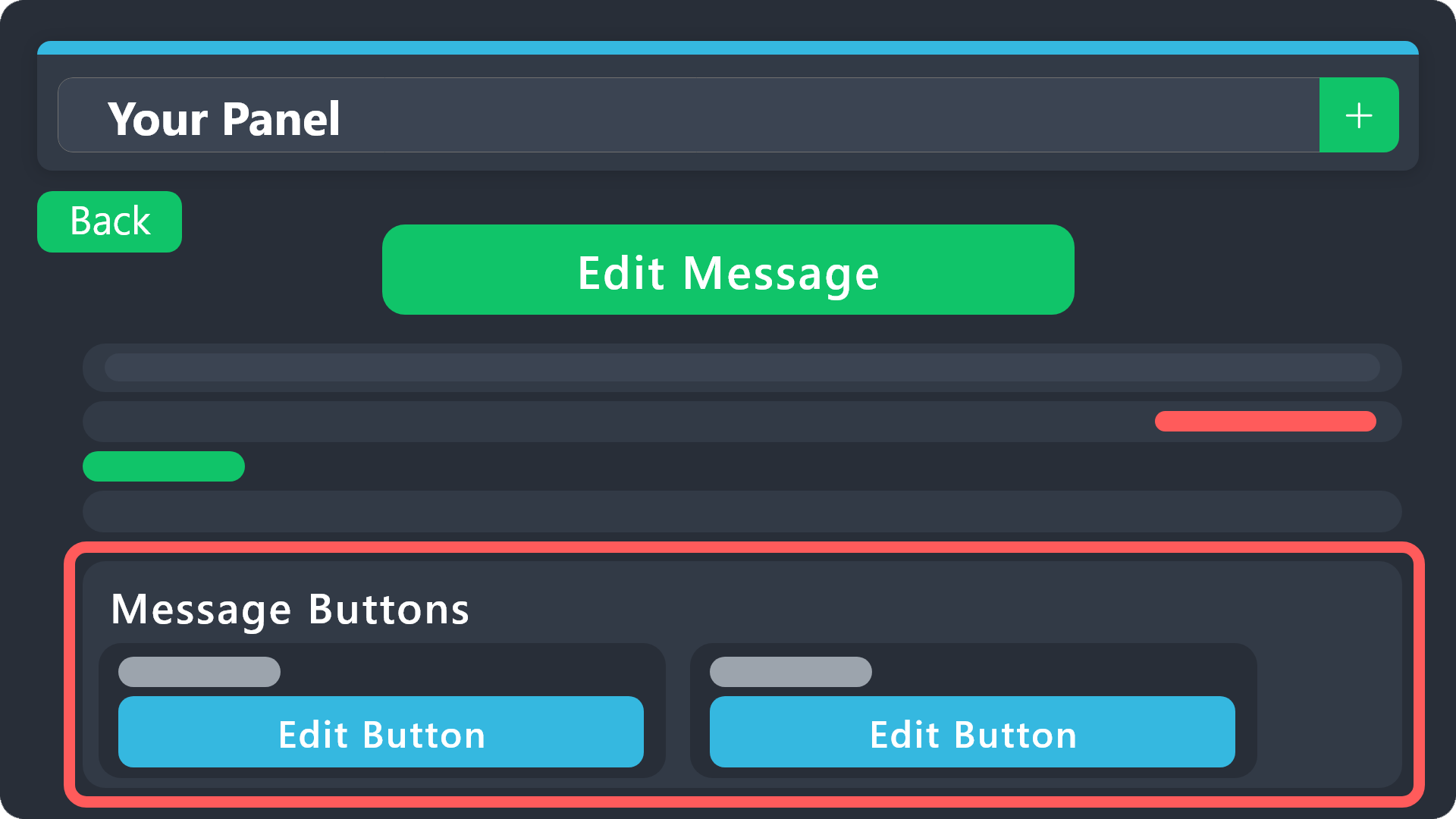
Buttons within Discord can have multiple functions and are used to control your tickets. With Ticket Tool, you can edit all the buttons however you like! Buttons can show emojis, text and can have 4 different colors.
Where can I edit them?
With the 
 Panel Config V2 Editor, buttons don't have their own place anymore. Now buttons can be found under the message settings for each message that has a button!
Example: The Close and Claim Buttons are on the Ticket Message. Therefore, you can edit the buttons under Ticket > Edit Ticket Message. The buttons are below the message editor.
 bright roost
I mean, so that the text is not visible, only the emoji
 brazen stream
How can I get transcripts from other servers I have made tickets in if they don’t dm me after
pseudo ravine
bright roost
I mean, so that the text is not visible, only the emoji
Oh, just hover over the message, and there should be an X next to the embed, click on it and it'll remove the embed
bright roost
Okay ty
pseudo ravine
brazen stream
How can I get transcripts from other servers I have made tickets in if they don’...
Hey there. The only way to get the transcript is for Ticket Tool to DM you, or ask a server admin to DM it to you
pseudo ravine
bright roost
Okay ty
You're welcome, glad I could help. If you have any other questions/issues, don't hesitate to reach out again
 floral garnet
alright so this one is oddly specific:
We have a carrying service on our server through ticket tool. When a ticket is opened one of the carriers can claim the ticket. Now we have the problem of mods not being able to see claimed tickets. Looked through every option, yet couldnt find anything.
vague cosmos
Hey @floral garnet. At the dashboard > claiming > Do you have the following enabled?
 floral garnet
i do
vague cosmos
Can you check if view channel is on ❌?
floral garnet
its on neutral
i tried putting it on ✅ and then all the carriers could see the claimed ticket
yet only the one who claimed and the mods are supposed to see the ticket
i might have found the problem
vague cosmos
Are your mods marked as Support Team?
floral garnet
do i need to put the carrier role as the "additional role"
 vague cosmos
No, it does the same but you would need to edit permissions for the aditonal role then in permissions on the dash.
What happens if you the change permission when a ticket is claimed?
floral garnet
ill check
somehow everyone could see it
i might have a potential fix, just need to test.
vague cosmos
After claiming? Are you moving them to a category, where permissions might be the issue?
floral garnet
nope
vague cosmos
The "additional role" isn't going to work either, since you can't edit permissions for it when claiming (support team roles perms only).
floral garnet
i could add a claim category where mods have permissions to see it all
would that work?
vague cosmos
That should work, but are mods marked as support team?
Because if you the change permission on claiming, everyone can see the ticket right?
@floral garnet - Because if so, you might try to enable it and make view channel a ✅
floral garnet
vague cosmos
That should work, but are mods marked as support team?
yes
alright so the current setting:
carrier role and mods are listed as support team
once ticket is claimed, it goes to a claimed ticket category where mods have permissions to see all channels
but when its moved to that category the permissions arent synced
vague cosmos
Do you change permissions if a ticket is claimed and is so, how?
floral garnet
specify please
vague cosmos
Is Change other support team permissions when claimed or ?
floral garnet
on right now
everything on neutral
vague cosmos
Can you try to put view channel on  ?
?
floral garnet
but the carriers are also listed as support team
they were also able to see it last time i tried, ill try again though, one second
vague cosmos
Yes and you want both to see it, right?
floral garnet
vague cosmos
Yes and you want both to see it, right?
when claimed, only mods and the one who claimed.
when unclaimed both.
yeah now both can see again when its claimed
vague cosmos
So, it's solved now?
floral garnet
nono
vague cosmos
I'm confused now.
floral garnet
let me explain again:
We have a carrying service on our server. When a ticket is opened, carriers can CLAIM the ticket. And due to mods not having admin perms, only the one who claimed the ticket and the ticket owner can see the channel. What i am trying to achieve is so that not only the claimer and the owner can see it but also the moderators.
vague cosmos
In that case, try to add the carrier role as aditional role.
But I am not sure if they can claim then.
floral garnet
they couldnt
i already tried that. I think its impossible because of the way the claiming permissions are managed
vague cosmos
Looks like it indeed. You might make a #🎫│make-a-ticket or #premium-tickets and see if the support team have a solution.
floral garnet
i think i have a fix. Ill let you know if it worked
 keen sail
I deleted a Panel by mistake, can I return it?
 vague cosmos
Hey; you'll need to re-make it @keen sail.
After that, you'll need to re-send in Discord.
floral garnet
@vague cosmos I got one step closer, i can put carrier role to additional roles and go on claiming button options and disable support team only. Now they can claim without being support team. Now i just need to figure out how to let only mods, claimer and owner see it
 celest junco
How do I make an embed popup for my ticket system?
humble sequoiaBOT
A Discord Form lets the user answer individual questions in a pop-up Form, which then displays the answers in the ticket message. This can save time if you already know what you want to ask the user.
Setup Forms
Forms can be enabled under Panel Settings > Form Options > Edit Forms Options. In the new pop-up window, you can now enable and edit your own Form.
Form Options
You can add up to 5 questions in the Discord form. This is a Discord limitation. Each question can have a placeholder in the input field, a minimum and maximum input, multi-line, and also the option to have the answer required.
Options
Question Title ➞ Your Question goes here
Question Placeholder ➞ The placeholder text in the input field
Required ➞ If enabled, the user has to answer this question, to submit the form
Multi-Line Input ➞Allows the user to input multiple lines
Minimum and Maximum Input ➞ Set a minimum and maximum input value for the user
Displaying the Answer
To display the answers from the user, you need to enable Auto display form results on the ticket message as an additional embed
In case you don't want a second embed, go into your Panel Configs > Ticket Options > Edit Ticket Message. In there you use the variable {create.form.x} and just replace x with the number of your question. For example, the response to Question 1 can be displayed with {create.form.1}. If you don't use this variable, the response from the user is lost.
vague cosmos
@celest junco see above. 🙂
celest junco
vague cosmos
<@398632540749037569> see above. 🙂
Thank you!!! Ur so quick
iron nightBOT
Gave +1 Rep to @vague cosmos
 dry rock
Can ticket tool be used to create a system of predefined questions?
vague cosmos
@floral garnet awesome, I'm not sure if that is directly possible.
vague cosmos
dry rock
Can ticket tool be used to create a system of predefined questions?
You mean forms? #🆘│community-support message
dry rock
vague cosmos
You mean forms? https://canary.discord.com/channels/509192800865353738/776680605...
No, I mean that when a member opens a ticket, they can try to find the answer themselves, in the preconfigured questions.
vague cosmos
Ah, no that is not a feature of Ticket Tool.
dry rock
oh so sad
vague cosmos
You can always make a suggestion s!suggest in #🤖│bot-spam or #1019685143046279208 for it.
keen sail
vague cosmos
Hey; you'll need to re-make it <@1092129695937605642>.
Ok thanks
iron nightBOT
Gave +1 Rep to @vague cosmos
vague cosmos
No problem. Can I elp you with anything else, @keen sail?
keen sail
vague cosmos
No problem. Can I elp you with anything else, <@1092129695937605642>?
😂 I need help
How do I make a Panel?
@vague cosmos
vague cosmos
Dashboard > Panel Configs > Click the + at the right top.
@keen sail is this clear? Can't attach files anymore for a reason.
keen sail
What do you mean right top?
vague cosmos
The + there, the right.
 floral garnet
vague cosmos
<@935649889155707011> awesome, I'm not sure if that is directly possible.
floral garnet
vague cosmos
<@935649889155707011> awesome, I'm not sure if that is directly possible.
yeah no its really not
tickettool doesnt give much playroom for claiming perms
vague cosmos
floral garnet
yeah no its really not
As I said, you can always make a suggestion for it.
floral garnet
yeah
thanks for your help though. How do i +rep you?
thanks @vague cosmos. Great help ❤️
iron nightBOT
Gave +1 Rep to @vague cosmos
vague cosmos
No worries, happy to help.
keen sail
vague cosmos
The + there, the right.
Ok but where click?
keen sail
yes
vague cosmos
Amazing!
 unborn quail
How do I setup the bot to allow multiple tickets to be opened by the same person
vague cosmos
Hey! Dashboard > Server Configs > Set the global limit to a higher number.
If it's for example on 5 a user can create 5 tickets in the server.
keen sail
@vague cosmos Where do I write a message Panel?
humble sequoiaBOT
The panel message is where people react to make a ticket. To customize it head over to your Dashboard --> Panel Configs -> Panel -> Edit Panel Message
keen sail
@vague cosmos Why can't I write in the first option or space?
vague cosmos
No need to ping me but can you send a screenshot of what you mean?
Because I think you want to change something that is premium only, but I'm not 100% sure now.
keen sail
@vague cosmos
 vague cosmos
Again, no need to ping me!
If you make the text field a bit bigger, you should be able to change the text.
Make the field bigger, click on it and start typing.
keen sail
I can not enlarge it lm tired 😔
vague cosmos
Try to refresh the dashboard, to see if it resizes again?
keen sail
Yes, the field has grown, but I cannot write in it
vague cosmos
Hang on let me check something.
keen sail
Ok
vague cosmos
You're right indeed, can you click on Embed Editior - 1 to open it up? The content there can be edited, the one where you want it is premium only.
keen sail
Yes, I can embed editor
vague cosmos
You'll be able to edit the message content there, but nothing of the embed itself.
keen sail
Now, how do I save the changes and send them to Discord? Explain to me with pictures, please
vague cosmos
Did you save it using the save button on the dashboard?
vague cosmos
Okay. Click on Panel Configs at the dashboard, you'll see six buttons.
Click on the Update one and fill in the message link and then update panel.
 keen sail
Should I change something here or keep the same Panel?
