#🆘│community-support
1 messages · Page 47 of 1
 subtle lintel
 stray bobcat
Lemon.... You are playing with fire.
 dull linden
i'm having some issues guys closing tickets creating tickets? hwelp pls?
 wanton fern
Bot is down guys
 shut bolt

 prime bridgeBOT
<:notallowed:660789872600285184> #🆘│community-support has been locked!
You will gain access again once the lockdown is lifted.
shut bolt
Hey there everyone, we are aware there are ongoing issues as of now with Ticket Tool, our developer is looking on the matter, thanks for your patience!
 scenic plinth
During this time please avoid direct messaging staff for any reason. We are actively working to resolve the issues at hand. Any direct message to support members during this time will result in a warning. Thanks!
 solid stream
It's back online.
 stark runeBOT
**Ticket Tool - All Systems are now __Online!__**
All Ticket Tool systems are fully online again! We apologize for any inconvenience this may have caused on your server.
If you are still experiencing any problem with Ticket Tool, please reach out to the <@&540295656720302081> within a ticket here, #🎫│make-a-ticket
 prime bridgeBOT
<:allowed:660789592647008258> #🆘│community-support has been unlocked!
Everyone now has access to this channel.
 fading vale
thanks for the quick fix 😄
btw, how can i make it so the tickets automatically go under a category?

 humble sequoiaBOT
1. Go into your Dashboard
2. Open your Panel Configs tab
3. Select the panel you want to grant access to
4. Open the Category options menu
5. Select the categories of your preference
6. Save changes
 shut bolt
@fading vale here you go
fading vale
i did, but the new tickets still dont go under the category
nvm it was permissions, thanks @shut bolt
 iron nightBOT
Gave +1 Rep to @shut bolt
shut bolt

 digital lagoon
I am getting "The application did not respond when using /botswitcher
anyone can help?
 timber wedge
How do I report a bug
 charred pier
timber wedge
How do I report a bug
charred pier
timber wedge
Ok but who should answer me how I do
charred pier
timber wedge
How do I report a bug
charred pier
timber wedge
Ok but who should answer me how I do
Wait
They will review it, patience.
timber wedge
Ok
But it doesn't work I can't create a post
I have to put what as a tag it tells me that I have no permission but how people manage to create it
 jade topaz
Hey
Ticket tool isint working guys? Im not getting responces to my commands
like before
timber wedge
jade topaz
Hey
you see you too have almost the same problem The problem is that there is no way to contact via the discord server that's why I don't recommend the server but rather to contact them by email as I just did just now
jade topaz
it wasnt working before and rarley it doesnt work
and ticket tool goes offline. Idk what happended
 pseudo ravine
Hey there. What exactly isn't working?
jade topaz
ticket tool wont respond to my commands and Ticket tool goes offline (Rarley but it happended today)
wanna know whats goin on is it just me or Ticket tool it self?
timber wedge
Contact them by email by going to the ticket tool site on the three lines on the left
pseudo ravine
It had issues earlier, but it was fixed
timber wedge
And in the search bar type contact us
jade topaz
pseudo ravine
It had issues earlier, but it was fixed
oh
pseudo ravine
timber wedge
Contact them by email by going to the ticket tool site on the three lines on the...
They can also get help here too
jade topaz
Thanks man i was wondeirin
pseudo ravine
You're welcome
jade topaz
pseudo ravine
You're welcome
ty
iron nightBOT
Gave +1 Rep to @pseudo ravine
timber wedge
pseudo ravine
They can also get help here too
Fuck me apparently we don't like it and I took an abusive warning
pseudo ravine
Is this relating to Ticket Tool?
pseudo ravine
Do you need any help with the Ticket Tool bot?
 cursive phoenix
@timber wedge to make a bug report you need to make sure you click the pending review tag

We had an outage earlier, so this "bug" you may have found might have been related.
Can you share what exactly seems to be the issue?
pseudo ravine
Hey Jayy, since you're here. Do you know what happened to the #make-a-ticket channel? (Sorry if this isn't the right place to ask or if I should ask a support member)
timber wedge
no, the problem is that it asks me to tag it
cursive phoenix
timber wedge
no, the problem is that it asks me to tag it
did you select the pending review tag?
cursive phoenix
pseudo ravine
Hey Jayy, since you're here. Do you know what happened to the #make-a-ticket cha...
one sec
pseudo ravine
Sure
timber wedge
I don't have any pending exam tags
cursive phoenix
timber wedge
I don't have any pending exam tags
can you just explain what your bug is ? it might not be a bug
cursive phoenix
pseudo ravine
Sure
you cant see #🎫│make-a-ticket ?
pseudo ravine
No
 gilded verge
cursive phoenix
you cant see <#571706435449257997> ?
gilded verge
cursive phoenix
you cant see <#571706435449257997> ?
 timber wedge
cursive phoenix
you cant see <#571706435449257997> ?
timber wedge
cursive phoenix
you cant see <#571706435449257997> ?
?
cursive phoenix
timber wedge
?
that wasnt a message to you
timber wedge
Oups sorry 🤣
cursive phoenix
@timber wedgecan you just explain the bug or what ever issue you are having here
timber wedge
well the problem is that on the ticket tool site when i go to command configuration i want to deactivate them all the problem is that when i go back to the discord application and type / all the commands are there again
cursive phoenix
i dont believe that is a bug, but rather a setting in discord for your slash commands. Im not a support rep and not the best at explaining
someone who can assist you will be along asap
timber wedge
ah a parameter in the discord I do not see at all?
pseudo ravine
It's not a bug, it'll show up like this if you disabled it
 timber wedge
cursive phoenix
someone who can assist you will be along asap
timber wedge
cursive phoenix
someone who can assist you will be along asap
Oh thank you very much that's very nice
iron nightBOT
Gave +1 Rep to @cursive phoenix
cursive phoenix
@pseudo ravine can you see #🎫│make-a-ticket now?
pseudo ravine
I can, thank you!
cursive phoenix
😄
 buoyant crystal
Hi guys, I made ticket transcript but the content of the messages are not viewable?
 rustic gale
buoyant crystal
Hi guys, I made ticket transcript but the content of the messages are not viewab...
rustic gale
buoyant crystal
Hi guys, I made ticket transcript but the content of the messages are not viewab...
Please #🎫│make-a-ticket, this is unusual
 vague cosmos
jade topaz
How do I activate my premium again?
vague cosmos
jade topaz
How do I activate my premium again?
Do you have a key? If yes, see https://docs.tickettool.xyz/general/faqs#i-have-a-premium-key-how-do-i-use-this
Common questions and troubleshooting.
jade topaz
vague cosmos
Do you have a key? If yes, see https://docs.tickettool.xyz/general/faqs#i-have-a...
It says my key is used or invalid.
vague cosmos
I'd suggest you to open a billing ticket in #🎫│make-a-ticket so the billing team can assist you.
 hallow thicket
how i can see logs
 wild spire
hallow thicket
how i can see logs
wild spire
hallow thicket
how i can see logs
set this up in your dashboard
 hallow thicket
its not my server
wild spire
hallow thicket
its not my server
then not unfortunately
vague cosmos
hallow thicket
its not my server
Ask the server owner to setup the above. ^~^
 median inlet
كيف افعله في سيرفري ؟
 robust sandalBOT
median inlet
كيف افعله في سيرفري ؟
robust sandalBOT
median inlet
كيف افعله في سيرفري ؟
How do I do it in the server?
 Arabic (ar) → English (en)
median inlet
Arabic (ar) → English (en)
median inlet
؟
vague cosmos
ماذا تقصد؟
median inlet
تتحدث العربية ؟
vague cosmos
لا ، باستخدام ترجمة جوجل.
median inlet
هههه حسنا كيف يمكنني تفعيل Ticket Tool في سيرفري ؟
humble sequoiaBOT
**١- دعوة البوت إلى سيرفرك**
يجب عليك اولاً دعوة البوت إلى سيرفرك من خلال رابط دعوة البوت، بعد ذلك يُمكنك تعديل خصائص البوت عبر لوحة التحكم.

**٢- إنشاء لوحة**
لإنشاء لوحة يجب عليك التوجه إلى لوحة التحكم ، ثم قم بإختيار سيرفرك ، بعد ذلك توجه إلى قسم "Panel Config".
بمُجرد وصولك إلى القسم المذكور أعلاه، يجب عليك الضغط على زر "Create Panel" لإنشاء اللوحة ، ومن ثمها قُم بإدخال اسم اللوحة (يمكنك ملء اي اعدادات اختياريه تريدها).
بعد إدخال اسم اللوحة و ملء الإعدادات ، قُم بالضغط على "Create Panel" لإتمام عملية انشاء اللوحة الخاصة بك بنجاح!
سيتم إرفاق صورة توضيحية لعملية إنشاء اللوحة بالطريقة الصحيحة؛

**٣- إرسال اللوحة إلى روم**
بعد الإنتهاء من عملية إنشاء اللوحة بنجاح ، يجب عليك الآن إرسالها إلى روم بإستخدام زر "Send" على لوحة التحكم بقسم الـ "Panel Config".
بعد الضغط على الزر ، قم بإختيار الروم المفضل لإرسال اللوحة.
بعد إختيار الروم قُم بالضغط على زر "Send" لإتمام عملية إرسال اللوحة!
سيتم إرفاق صورة توضيحية لعملية إرسال اللوحة بالطريقة الصحيحة؛
**هل تواجهك مشكلة أثناء محاولة إرسال اللوحة؟**
قُم بإرسال الامر `/debug" في اي روم يستطيع البوت رؤيته ، ثم تأكد أن البوت لدية جميع الصلاحيات اللازمة لإرسال اللوحة.
 vague cosmos
هل هذا يساعدك؟
median inlet
صحيح ساعدني شكرا لك
vague cosmos
لا شكر على واجب! يمكنك دائمًا فتح تذكرة للتحدث إلى عضو دعم يتحدث العربية ، ولكن بهذه الطريقة تعمل أيضًا. طاب يومك!
vague cosmos
vague cosmos
لا شكر على واجب! يمكنك دائمًا فتح تذكرة للتحدث إلى عضو دعم يتحدث العربية ، ولكن ...
 vague cosmos
يمكنك عمل تذكرة عربية ، ولكن ماذا يقول الخطأ؟
median inlet
فشل ارسال :تم رفض الوصول ليس لديها اذن او الارسال الى هذه التكت القناة
vague cosmos
/debug
هل يمكنك تشغيل الأمر التالي وإرسال لقطة شاشة للرد؟
 vague cosmos
الخطأ في الغالب هو أنك تفتقد الأذونات. هناك حاجة إلى التجاعيد التالية:
أضف ردود الفعل
قراءة القنوات
إرسل رسائل
إدارة الرسائل
روابط التضمين
إرفاق ملفات
قراءة التاريخ
إدارة الأدوار
إدارة القنوات
هل الأذونات أعلاه في القناة التي حصلت على الخطأ؟
median inlet
عندما ارسل من موقع التكت send يظهر لي هاذا الخطا
 humble sequoiaBOT

فريق الدعم الفني العربي
عميلنا العزيز ان كنت تبحث عن مساعدة يرجى فتح تكت خاص بفريق الدعم الفني العربي
اذهب الى#🎫│make-a-ticket
ثم قم بلضغط على الايموجي الاتي (🇯🇴)
vague cosmos
humble sequoia
@median inlet أعتقد أن هذا أسهل.
median inlet
vague cosmos
آه! هل تحاول إضافة رمز تعبيري مخصص إلى لوحتك؟
لا
median inlet
vague cosmos
آه! هل تحاول إضافة رمز تعبيري مخصص إلى لوحتك؟
no
vague cosmos
أنا ذاهب لتناول الطعام أولاً.
median inlet
صحة
rustic gale
Feel free to report the bug with the question mark #1020426768450080899
As for dashboard roles, they're roles with access to the dashboard
Roles with access to the website where you set up Ticket Tool
Anyone with that role could edit your panels or even delete them
So be very careful what roles you put there
Yed. The maximum is 500 anyway because there can't be more than 500 channels in a server
So 1000000 does the same thing as 500
median inlet
How do I add an icon to my server with a message to open a ticket??
؟?????????????????????????????
vague cosmos
@jade topaz it allows you to let other bots respond to @pseudo glen.
@median inlet what icon do you mean? The avatar of the bot?
median inlet
I didn't understand what you meant
vague cosmos
median inlet
I didn't understand what you meant
ماذا تقصد ب "إضافة رمز"؟ ما زلت أعتقد أنه من الأسهل فتح تذكرة حتى يتمكن أحد أعضاء الفريق العربي من مساعدتك.
humble sequoiaBOT
فريق الدعم الفني العربي
عميلنا العزيز ان كنت تبحث عن مساعدة يرجى فتح تكت خاص بفريق الدعم الفني العربي
اذهب الى#🎫│make-a-ticket
ثم قم بلضغط على الايموجي الاتي (🇯🇴)
median inlet
Do not respond to Arab support
vague cosmos
سوف يستجيبون ، لكن لا يوجد سوى عدد قليل من أعضاء الدعم الذين يتحدثون بها. الصبر هو المفتاح ، لكن هل يمكن أن تخبرني ماذا تقصد؟
median inlet
humble sequoia
كيف اضيف في سيرفري فتح تكت مثل هذا
vague cosmos
إنه أمر مخصص ، لا توجد ترجمة عربية بقدر ما يمكنني رؤيته ولكن انظر أدناه باللغة الإنجليزية:
humble sequoiaBOT
Custom Commands
Custom Commands are used to send a predefined response to your channels. Commands will only respond if the command itself is used, it will not function if you put the tag into a sentence.
To create commands, go to: Dashboard > Custom Commands > New. After creating and naming one, you can edit the command trigger and behaviors. Tap on the edit message button to edit the response of the command.
 vague cosmos
مرحبًا ، هل يمكنني مساعدتك؟
 keen socket
vague cosmos
مرحبًا ، هل يمكنني مساعدتك؟
keen socket
vague cosmos
مرحبًا ، هل يمكنني مساعدتك؟
أحتاج مساعدة
median inlet
keen socket
الدعم الفني ليش
وانا مثلك بدي الدعم العربي
keen socket
ابغا اسوي ريستارت لاعدادات البوت حست فيها ولا اعرف ارجعه نفس ماكان
humble sequoiaBOT
**١- دعوة البوت إلى سيرفرك**
يجب عليك اولاً دعوة البوت إلى سيرفرك من خلال رابط دعوة البوت، بعد ذلك يُمكنك تعديل خصائص البوت عبر لوحة التحكم.
**٢- إنشاء لوحة**
لإنشاء لوحة يجب عليك التوجه إلى لوحة التحكم ، ثم قم بإختيار سيرفرك ، بعد ذلك توجه إلى قسم "Panel Config".
بمُجرد وصولك إلى القسم المذكور أعلاه، يجب عليك الضغط على زر "Create Panel" لإنشاء اللوحة ، ومن ثمها قُم بإدخال اسم اللوحة (يمكنك ملء اي اعدادات اختياريه تريدها).
بعد إدخال اسم اللوحة و ملء الإعدادات ، قُم بالضغط على "Create Panel" لإتمام عملية انشاء اللوحة الخاصة بك بنجاح!
سيتم إرفاق صورة توضيحية لعملية إنشاء اللوحة بالطريقة الصحيحة؛
**٣- إرسال اللوحة إلى روم**
بعد الإنتهاء من عملية إنشاء اللوحة بنجاح ، يجب عليك الآن إرسالها إلى روم بإستخدام زر "Send" على لوحة التحكم بقسم الـ "Panel Config".
بعد الضغط على الزر ، قم بإختيار الروم المفضل لإرسال اللوحة.
بعد إختيار الروم قُم بالضغط على زر "Send" لإتمام عملية إرسال اللوحة!
سيتم إرفاق صورة توضيحية لعملية إرسال اللوحة بالطريقة الصحيحة؛
**هل تواجهك مشكلة أثناء محاولة إرسال اللوحة؟**
قُم بإرسال الامر `/debug" في اي روم يستطيع البوت رؤيته ، ثم تأكد أن البوت لدية جميع الصلاحيات اللازمة لإرسال اللوحة.
keen socket
No ar
vague cosmos
Hey! This allows you (if you are the server owner) to backup and restore the configs as you save them during the backup.
Panels etc.
vague cosmos
@keen socket يمكنك دائمًا فتح تذكرة باللغة العربية ويمكن لأي شخص من الفريق العربي مساعدتك. يرجى ملاحظة أن هناك عددًا محدودًا من الأشخاص وقد يستغرق الأمر بعض الوقت قبل أن تحصل على رد.
vague cosmos
@jade topaz hang on.
keen socket
vague cosmos
<@813005643681890314> يمكنك دائمًا فتح تذكرة باللغة العربية ويمكن لأي شخص من الف...
طيب يرجى زياده عدد الدعم العربي ، ليس من المعقول الانتظار اكثر من 24 ساعه
keen socket
median inlet
عددهم قليل
😅
I want to reset the bot
I messed up some stuff and want to keep it the way it was
vague cosmos
@keen socket not something I can do, but @craggy geyser can you do something about that? (Sorry for ping).
@jade topaz you can generate a backup key here: https://tickettool.xyz/dashboard/859522749575069746/server-configs
What do you not understand about the other thing?

Ticket Tool - Ticketing without clutter - The #1 discord Ticketing bot
It will re-use a channel.
keen socket
I want to add this thing that makes my support able to receive the ticket
 scenic plinth
vague cosmos
<@813005643681890314> not something I can do, but <@132147174212501504> can you ...
scenic plinth
vague cosmos
<@813005643681890314> not something I can do, but <@132147174212501504> can you ...
Not quite sure what is being requested here. ¨Reset¨ is very vague.
vague cosmos
keen socket
I messed up some stuff and want to keep it the way it was
What did you mess up by the way?
You can always remove a panel and create a new one.
 vague cosmos
If you go to the dashboard > server configs is there anything under blacklisted roles?
 keen socket
No
keen socket
vague cosmos
It's the same as these
vague cosmos
I'd suggest you to open a Arabic Ticket - if you didn't already - in #🎫│make-a-ticket and wait for someone who speaks Arabic to help you. Makes it easier for you to communicate, but also when you send screenshots with text.
keen socket
How do I add the option to the ticket so that technical support can receive the ticket?
 keen socket
How do I add the option to the ticket so that technical support can receive the ...
keen socket
keen socket
How do I add the option to the ticket so that technical support can receive the ...
Same thing
humble sequoiaBOT
Claiming allows you to change the ticket name, category and permissions. To use it you have to enable it first on your Dashboard > Panel Configs > Claiming

 Note: This is a premium feature
vague cosmos
Note: This is a premium feature
vague cosmos
@keen socket see above for claiming.
keen socket
Ok
 thick quest
help
 thick quest
 vague cosmos
Do you have @humble sequoia in your server? Can you run /botSwitcher?
 vague cosmos
Okay, can you run /debug and send a screenshot of the response you get?
 solid stream
thick quest
solid stream
thick quest
it's possible it was just a lag, please try that command again.
vague cosmos
What about $debug @thick quest?
solid stream
vague cosmos
What about `$debug` <@726198775311499264>?
the command $debug won't work if the bot isn't active
but /botswitcher will always work.
thick quest
 vague cosmos
Oh gotcha! Even as premium isn't there?
thick quest
does not work
solid stream
solid stream
but /botswitcher will always work.
The only time it won't is if there's a lag or it's offline for some reason.
Does the the bot show as online in your server?
 thick quest
not online
solid stream
can I get your server id?
vague cosmos
thick quest
and I can't change anything in the manager
What do you mean by this, the dashboard?
thick quest
 solid stream
I'm restarting the bot in your server
it should be back online in a moment.
It should show as online now.
if not, please try and kick & invite the bot again as it's bugged with discord.
Also, I've manually switched it back to the correct bot now.
thick quest
is online now
vague cosmos
Awesome to hear! You should be able to use the dashboard too now. 👍🏻 Do you need any help with setting something up?
thick quest
Is there a way to translate to Portuguese within my server?
 humble sequoiaBOT
The panel message is where people react to make a ticket. To customize it head over to your Dashboard --> Panel Configs -> Panel -> Edit Panel Message
 vague cosmos
@thick quest ^
thick quest
I tried to change it but nothing changes when I tried to change it, do you need to sign the plan for the changes to this information to work?
rustic gale
You should send the panel again with the Send button from the dashboard
thick quest
ok
thick quest
Thank you very much, it helped me a lot. @vague cosmos , @vague cosmos , @solid stream
vague cosmos
Happy to help, @thick quest!
 dusty pier
How can I make it where two different tickets can be handle with two different roles
rustic gale
dusty pier
How can I make it where two different tickets can be handle with two different r...
Use this button to create another panel

Each panel has its own separate settings
 dense prawn
this is off topic but does anyone know how to make a bot say a message?
rustic gale
dense prawn
this is off topic but does anyone know how to make a bot say a message?
Is this related to Ticket Tool?
dense prawn
rustic gale
Is this related to Ticket Tool?
I said off topic
humble sequoiaBOT

⚠️ You're in the wrong place
We provide support for Ticket Tool Discord bot and cannot help you with whatever issue you have.
- We don't know which Support Team you should contact to get this issue resolved, and unfortunately we won't be able to accurately tell you.
If you don't have any further questions regarding our bot Ticket Tool, please close this ticket
rustic gale
Your bot probably has its own support server. If you're coding a bot yourself, your API probably has its own support server. And if not, you can try asking in the Discord Developers community
There's an invite in the developer page https://discord.com/developers/docs/intro

Discord Developer Portal
Integrate your service with Discord — whether it's a bot or a game or whatever your wildest imagination can come up with.
 dull grail
For some reason the bot only allows the owner of the server (my friend) To manage/see a ticket, is it supposed to do that?
If it does, then tell me how can we change it? Im new to the bot.
humble sequoiaBOT
1. Go into your Dashboard
2. Open your Panel Configs tab
3. Select the panel you want to grant access to
4. Open the General options menu
5. Select your Support Team Roles
6. Save changes
 dull grail
humble sequoia
dull grail
humble sequoia
thxman
dull grail
humble sequoia
he added the roles but like it still woudlnt work?
Nvm! We got it fixed
 leaden rose
how do I invite the premium bot to my server?
vague cosmos
Do you have premium?
leaden rose
yes
vague cosmos
See ping in other chat.
humble sequoiaBOT
rabidkevin's issue has been solved in another channel.
vague cosmos
median inlet
hi
Hi, don't just say hi but ask your question.
median inlet
Thank you

 vague cosmos
I'm on phone rn, also info outdated
wild spire
vague cosmos
I'm on phone rn, also info outdated
wdym info outdated?
vague cosmos
Private threads don't require a boost
wild spire
vague cosmos
Private threads don't require a boost
ooh no that i’m aware off 😂
 gaunt zenith
How to ping the role when someone else creates a ticket
humble sequoiaBOT
1. Go into your Dashboard
2. Open your Panel Configs tab
3. Select the panel you want to ping your support on
4. Open the Ticket options menu
5. Click on Edit Ticket Message
6. In the Message Content use one of the role mention syntax (**{@Role Name}**/**{Role ID}**)
7. Save changes
Note: For this to work properly, Ticket Tool requires the Mention Everyone permission. Or the role must have the Allow anyone to @mention this role setting enabled 
 vague cosmos
@gaunt zenith ^ 🙂
gaunt zenith
thank
vague cosmos
No worries, happy to help.
 vestal widget
hi everyone 🙂 just wondering if anyone might know how to fix my panel showing two create ticket messages when i send it to my server?
vestal widget
No, I have no idea how it happened lmao
It was fine when I went to bed last night and I woke up to it being all weird
I had to delete it all and start again
vague cosmos
Are it two different messages?
Or was it one message with two buttons?
@vestal widget
vestal widget
one message with two buttons!
both identical buttons, just duplicates of each other
humble sequoiaBOT
For more convenient use of multipanels, you can now combine panels on the dashboard. This will allow you to directly send the multipanel from the dashboard or via the $panel ID command.
Where can I find this?
You can find this setting on the Dashboard -> Panel Configs -> Panel -> Attached Panels
Note: if you're attaching all the panels to a panel called English, don't include English in the attached panel's box (If you do this, it will create a duplicate)
This will put all buttons from all of your panels on one message. The message is the panel message from the panel you're combining these panels in.
 vague cosmos
Read that, it will explain everything.
 dapper smelt
need some help plz 🙂
vague cosmos
dapper smelt
need some help plz 🙂
Don't ask to ask.
humble sequoiaBOT
@dapper smelt's issue has been solved in another channel.
 south cove
How can I add more than 5 questions?
scenic plinth
Thats Discords limit.
keen socket
The bot does not make a mention, why?
 pseudo ravine
Hey there. Are you asking why Ticket Tool is not pinging the management role?
 limber hatch
is ticket tool offline for a reason?
 gray gust
 silent nest
the outage status on the dashboard says: "Identified - I've located the issue, it seems our database has performed an automatic update and something has gone wrong, we are working to get things back online asap."
gilded verge
Developers are working about offline problem, please just wait ^^
 tranquil urchin
Ok thanks

 tawny sail
why the interaction does't work?
prime bridgeBOT
<:notallowed:660789872600285184> #🆘│community-support has been locked!
You will gain access again once the lockdown is lifted.
scenic plinth
A full summary and updates can be also found here: https://status.tickettool.xyz/incidents/g2rz2qqjy2sr
 scenic plinth
Hey everyone! A simple and short update, the company we use for our database is currently experiencing issues which is why you are currently seeing the bot offline. Our developers are currently working on attempting to find a solution, but it may be a while before our systems are online again while we wait for the database to stabilize to get our bots online.
We apologize for any inconveniences! A small reminder as well pinging, mentioning, or direct messaging our staff during this time is prohibited and you will be disciplined accordingly.
Thanks for understanding! 
scenic plinth
We are actively restarting the bots. All goes well, both bots and the dashboard should be online in around 35 minutes.
prime bridgeBOT
<:allowed:660789592647008258> #🆘│community-support has been unlocked!
Everyone now has access to this channel.
scenic plinth
Sh, we dont talk about that.
 round falcon
Uh huuuh
 viscid prawn
One message removed from a suspended account.
gilded verge
viscid prawn
One message removed from a suspended account.
Hi, auto-saving transcript and sending to a this member, both are a premium feature.
Panel Configs->Transcript
without premium to save transcript you need to use transcript button or command manually, but to send transcript to user, use /transcript command
 spark marten
Is it possible to get transcript if the server doesn’t offer transcript to members ?
shut bolt
spark marten
Is it possible to get transcript if the server doesn’t offer transcript to membe...
If the user has access to the $transcript command you can still DM it to yourself
spark marten
shut bolt
If the user has access to the $transcript command you can still DM it to yoursel...
Otherwise there is no way to get the transcript?
shut bolt
spark marten
Otherwise there is no way to get the transcript?
Sadly not
jade topaz
How do you set up the system to where you have a selection “box” for different panels
humble sequoiaBOT
The Drop-down menu or Select Menu replaces the buttons on your panel message and uses a drop-down menu with all of your panels. To set this up, go to your Panel Configs and select your main Panel.
<:Numbericons1:1018864164032225340> Enable Select Style
First you enable Select Style. Then you add an item in the Dropdown Editor. Now you can start editing your dropdown!
<:Numbericons2:1018864168041971712> Dropdown Editor
Each line in the dropdown editor represents a line in the drop down menu on discord. You can add more "Items", by clicking on 

First you select a panel. That's the panel this option will open a ticket for.  DONT select the same panel twice. Each option should have a different Panel
After that, you can put a Display. This is the title of this option and will appear in the drop down menu. The *Description can be set right after that, which will be below the title in grey.
Additionally you can select an emoji, that will be shown in front of each option. You can either manually input the ID of an emoji or select it in the selector.
Common Issues ⚠️
- Panel doesn't send? Make sure you have a valid emoji selected
- Option doesn't show up? Check if two options have the same panel in the DropDown Editor

$dropdown
 timber kernel
jade topaz
How do you set up the system to where you have a selection “box” for different p...
timber kernel
jade topaz
How do you set up the system to where you have a selection “box” for different p...
There you go ^
jade topaz
Thanks
jade topaz
timber kernel
There you go ^
What if I don’t have a “main” panel?
Do I just make one to put the drop-down under? How should I go
rustic gale
jade topaz
Do I just make one to put the drop-down under? How should I go
You can pick any existing panel as the main panel, or make a new one
humble sequoiaBOT
Claiming allows you to change the ticket name, category and permissions. To use it you have to enable it first on your Dashboard > Panel Configs > Claiming
Note: This is a premium feature
 hearty gale
 vague cosmos
I've tested indeed myself right now, looks like you can only do that in channels - mostly like a permission thing.
@hearty gale so I don't think there is a way.
hearty gale
vague cosmos
<@786673468363374654> so I don't think there is a way.
ok thanks
maybe in future
iron nightBOT
Gave +1 Rep to @vague cosmos
vague cosmos
You can always make a suggestion in #🤖│bot-spam using s!suggest or make a #1019685143046279208. But the way how Discord works with threads, I don't think it's possible.
vague cosmos
Yes, you can make a review in #📈│reviews.
hearty gale
vague cosmos
Yes, you can make a review in <#509775046848282677>.
ok nice
same can be done in tickets?
Like rate the person who attended a ticket?
vague cosmos
No, but I believe that is been requested and might be added in the future.
hearty gale
ok wow
vague cosmos
 rancid rapids
السلام عليكم
vague cosmos
rancid rapids
السلام عليكم
مرحبا كيف يمكنني مساعدتك؟
rancid rapids
رابط الداش بورد
humble sequoiaBOT
Ticket Tool - Ticketing without clutter - The #1 discord Ticketing bot
humble sequoiaBOT
1. Go into your Dashboard
2. Open your Panel Configs tab
3. Select the panel you want to ping your support on
4. Open the Ticket options menu
5. Click on Edit Ticket Message
6. In the Message Content use one of the role mention syntax (**{@Role Name}**/**{Role ID}**)
7. Save changes
Note: For this to work properly, Ticket Tool requires the Mention Everyone permission. Or the role must have the Allow anyone to @mention this role setting enabled
wild spire
vague cosmos
Je ne sais pas s'il existe une commande française pour cela.
non il n’est pas
robust sandalBOT
wild spire
non il n’est pas
no it is not
French (fr) → English (en)
wild spire

There is not*
avez vous bien compris c’explication ?
c’est possible il ya eu un petit erreur
robust sandalBOT
wild spire
avez vous bien compris c’explication ?
Did you understand this explanation?
French (fr) → English (en)
 potent parcel
guys, how do i disable specific roles from opening a ticket?
vague cosmos
Hey @potent parcel you can blacklist those, but then they can't use the bot at all.
Dashboard > Server Configs
 potent parcel
thank you so much
btw, i have 2 roles, 1 that is ''newcommer'' and one ''member'' for some reason only the member was able to react to the ticket tool, but its supposed to be wiseversa
when ''newcommer'' reacts he gets an error
vague cosmos
What error does it show?
But if you only want "newcommer" to create tickets isn't it better to use Discord permissions and hide the channel where you can create a ticket for users with the "Member" role?
Like they do in here, normal users have access to #🎫│make-a-ticket but when you're a paying for @humble sequoia you get access to #premium-tickets.
humble sequoiaBOT
━━ User's inquiry has been moved to a ticket ━━
 pulsar dew
are Transcripts a premium feature?
vague cosmos
Automatic / DMing is.
But you can send the Transscript after a ticket is closed. @pulsar dew
 pulsar dew
where do I enable that
vague cosmos
Dashboard > Panel Configs > Transcript
pulsar dew
its premium
 humble sequoiaBOT
1. Go into your Dashboard
2. Open your Panel Configs tab
3. Select the panel you want to grant access to
4. Open the Transcript options menu
5. Using the Transcript Channel selector, pick the channel you want your transcripts to be sent to
6. Save changes
 vague cosmos
Automatic / DMing is.
vague cosmos
vague cosmos
Automatic / DMing is.
Read this message.
vague cosmos
vague cosmos
But you can send the Transscript after a ticket is closed. <@531227581081452550>
I said it there, but also said you can do it by hand here.
pulsar dew
so what you said is I can do that but i gotta pay
was it always premium
i thought it was normal for all users
vague cosmos
No, you can use the $transcript command or the button when a ticket is closed to save it, but you can NOT do it automatic.
pulsar dew
ah so the button saves it
vague cosmos
Yes if you have a channel set it does.
How it looks when you press the button, @pulsar dew.

And the transcript.

 mystic ruin
is there a way to make it so only a certain role can trigger a custom cmd
vague cosmos
You can make it admin only, I believe that's the same as people who can access the dashboard.
mystic ruin
vague cosmos
You can make it **admin only**, I believe that's the same as people who can acce...
there is no way to make it a role?
vague cosmos
No(t at the moment). You can always make a suggestion for this, using s!suggest in #🤖│bot-spam.
iron nightBOT
Gave +1 Rep to @vague cosmos
vague cosmos
No problem, happy to help. 🙂
 maiden bronze
I noticed the character limit on the ticket message displayed when a new ticket is created is 250 characters.
Is that a Discord limitation or Standard TicketTool limition (i.e. more at the Premium level)?
vague cosmos
I believe it's a limit by Ticket Tool.
maiden bronze
kk - thx!
vague cosmos
@maiden bronze but what happens if you enter 251 characters?
maiden bronze
It doesn't permit anything after 250
vague cosmos
You should be able to go up to 2000.
 maiden bronze
Hmm - Do you have Premium?
vague cosmos
Yes, but it shouldn't matter.
timber kernel
Free version limit is 250.
vague cosmos
Maybe something that should be placed somewhere? Cause it's nowhere documented, Tux.
maiden bronze
timber kernel
Free version limit is 250.
Makes sense. Looks like it may be time to get the Premium version! 😆
vague cosmos
Premium is amazing.
maiden bronze
There are a few other options on Premium that I've been eyeing, so it's time to make the jump!
vague cosmos
That's amazing! Can't wait to see you in yellow.
timber kernel
vague cosmos
Maybe something that should be placed somewhere? Cause it's nowhere documented, ...
Yeah, we might should add it on some more places in the doc. I think it is only mentioned at the moment for the closed ask message.
vague cosmos
timber kernel
Yeah, we might should add it on some more places in the doc. I think it is only ...
Can I help with the docs, so I can do something good?
timber kernel
vague cosmos
Can I help with the docs, so I can do something good?
it is not up to me to decide that
vague cosmos
Whob is?
shut bolt
Myself
timber kernel
vague cosmos
Whob is?
Pablo is the docs guardian (as mentioned in his profile)
vague cosmos
shut bolt
Myself
👋 - Can I help with the docs?
shut bolt
vague cosmos
👋 - Can I help with the docs?
Docs are restricted to the support team, but I'm always open to receive feedback
vague cosmos
vague cosmos
Maybe something that should be placed somewhere? Cause it's nowhere documented, ...
@shut bolt feedback ^
shut bolt
A time ago the dashboard itself had that limit counter, I'll add that to the docs sure
vague cosmos
Adding it to the dashboard would be greater!
Also maybe on the dashboard (or docs if not there already) you should inform users claiming doesn't work for thread style tickets.
shut bolt
It's on the dashboard
vague cosmos
Where? Also, the , at the first line should be a ..
 shut bolt
vague cosmos
Where? Also, the `,` at the first line should be a `.`.
shut bolt
vague cosmos
Where? Also, the `,` at the first line should be a `.`.

Thread Style menu
vague cosmos
Ah, didn't look there - but that one is outdated too - but I made a report about that already lol.
 echo tulip
How ca I make a ticket like this
 humble sequoiaBOT
The Drop-down menu or Select Menu replaces the buttons on your panel message and uses a drop-down menu with all of your panels. To set this up, go to your Panel Configs and select your main Panel.
<:Numbericons1:1018864164032225340> Enable Select Style
First you enable Select Style. Then you add an item in the Dropdown Editor. Now you can start editing your dropdown!
<:Numbericons2:1018864168041971712> Dropdown Editor
Each line in the dropdown editor represents a line in the drop down menu on discord. You can add more "Items", by clicking on
First you select a panel. That's the panel this option will open a ticket for. DONT select the same panel twice. Each option should have a different Panel
After that, you can put a Display. This is the title of this option and will appear in the drop down menu. The *Description can be set right after that, which will be below the title in grey.
Additionally you can select an emoji, that will be shown in front of each option. You can either manually input the ID of an emoji or select it in the selector.
Common Issues ⚠️
- Panel doesn't send? Make sure you have a valid emoji selected
- Option doesn't show up? Check if two options have the same panel in the DropDown Editor
$dropdown
timber kernel
echo tulip
How ca I make a ticket like this
Here you go^
echo tulip
timber kernel
Here you go^
Thx  ❤️
❤️
iron nightBOT
Gave +1 Rep to @timber kernel
echo tulip
i didnt understand too mush because my english is bad 
humble sequoiaBOT
فريق الدعم الفني العربي
عميلنا العزيز ان كنت تبحث عن مساعدة يرجى فتح تكت خاص بفريق الدعم الفني العربي
اذهب الى#🎫│make-a-ticket
ثم قم بلضغط على الايموجي الاتي (🇯🇴)
vague cosmos
@echo tulip ^ 💚
echo tulip
echo tulip
How ca I make a ticket like this
i can make ticket for this reason ?
vague cosmos
Yes and then you can use your native language. 🍀
iron nightBOT
Gave +1 Rep to @vague cosmos
 torpid grove
how do I have descriptions like this
 humble sequoiaBOT
The panel message is where people react to make a ticket. To customize it head over to your Dashboard --> Panel Configs -> Panel -> Edit Panel Message
gilded verge
humble sequoia
@torpid grove, check  , there you can edit your panel message
 fluid vapor
 humble sequoiaBOT
ᅠ
@pseudo glen requires the following permissions:
Add Reactions
Read Channels
Send Messages
Manage Messages
Embed Links
Attach Files
Read History
Manage Roles
Manage Channels
To change the role permissions, you can go to your Discord Server ➞ Server Settings ➞ Roles ➞ @Ticket Tool
To change the category permissions, you can got to your Channel List ➞ Select Category ➞ Options ➞ Permissions ➞ @Ticket Tool
To change the channel permissions, you can go to your Channel Settings ➞ Permissions ➞ Ticket Tool
ᅠ
Note:
You can give Ticket Tool Administrative Permissions instead of all the permissions listed above, but it's entirely optional and NOT necessary.
 gilded verge
humble sequoia
gilded verge
humble sequoia
@fluid vapor, Ticket Tool don't have required permissions or perms in your channel: View Channel, Send Messages, Read Message History
 tepid tapir
gilded verge
<@516669637568757763>, Ticket Tool don't have <:this:894279341108772914> require...
tepid tapir
gilded verge
<@516669637568757763>, Ticket Tool don't have <:this:894279341108772914> require...
i had the same issue, tried that and it still wont work.
fluid vapor
gilded verge
<@516669637568757763>, Ticket Tool don't have <:this:894279341108772914> require...
worket ty big man
iron nightBOT
Gave +1 Rep to @gilded verge
gilded verge
tepid tapir
i had the same issue, tried that and it still wont work.
please run /debug on your server on channel where you have problem, and then send link here from bot's message
 eager cedar
hello, I'm trying to figure out how to remove the bot from my server as i no longer need it, how do i remove it?
gilded verge
hi, you can just kick
jade topaz
i bought premium but cannot add the gold ticket bot to server?
gilded verge
jade topaz
i bought premium but cannot add the gold ticket bot to server?
what error you can see?
jade topaz
dont say anythign tbh i do the botswitcher and nothing happens
but then when i look from app directory it says no server has this applcation ro something
humble sequoiaBOT
The first thing you will need to do is invite the premium bot, an invite can be found here
Once the bot is in your server we will head to the dashboard and manage your server. When you are managing your server, you want to head into "Server Configs" then click the drop down menu under "Select the bot you would like to use on this server" then click "Ticket Tool#6207" and then save.
 gilded verge
this should help you
jade topaz
oh thank you ❤️
gilded verge
jade topaz
but then when i look from app directory it says no server has this applcation ro...
//little note: you can't find premium bot there because this bot is not for free for everyone so it has not been added there ^^
jade topaz
ahhh makes sense
 fickle aurora
I added questions to the ticket bot but it only shows me this rather than the ones I have typed in on the dashboard and I'm not sure how to fix it.
 gilded verge
fickle aurora
I added questions to the ticket bot but it only shows me this rather than the on...
gilded verge
fickle aurora
I added questions to the ticket bot but it only shows me this rather than the on...
please show questions from dashboard
fickle aurora
gilded verge
please show questions from dashboard
Here you go

 gilded verge
how many panels do you have? please make sure you sent correct panel 🤔
 frozen kiln
hoping to set up ticket tool in such a way that i can pass information in the ticket to a google sheet, for example, would like the user to create ticket, i approve the info then send a command like !send info1 info2 etc, but don't seem to be able to find webhooking settings for ticket tool, any suggestions or thoughts are appreciated !!!
rustic gale
frozen kiln
hoping to set up ticket tool in such a way that i can pass information in the ti...
Please make a ticket and mention that you're interested in the webhook feature #🎫│make-a-ticket
fickle aurora
gilded verge
how many panels do you have? please make sure you sent correct panel 🤔
I only have one for the server im using it on.
 vague cosmos
What happens if you re-send the panel?
vague cosmos
هل تقصد أداة التذاكر؟
 acoustic moon
لا كيف اسويه فالسيرفر حقي
humble sequoiaBOT
**١- دعوة البوت إلى سيرفرك**
يجب عليك اولاً دعوة البوت إلى سيرفرك من خلال رابط دعوة البوت، بعد ذلك يُمكنك تعديل خصائص البوت عبر لوحة التحكم.
**٢- إنشاء لوحة**
لإنشاء لوحة يجب عليك التوجه إلى لوحة التحكم ، ثم قم بإختيار سيرفرك ، بعد ذلك توجه إلى قسم "Panel Config".
بمُجرد وصولك إلى القسم المذكور أعلاه، يجب عليك الضغط على زر "Create Panel" لإنشاء اللوحة ، ومن ثمها قُم بإدخال اسم اللوحة (يمكنك ملء اي اعدادات اختياريه تريدها).
بعد إدخال اسم اللوحة و ملء الإعدادات ، قُم بالضغط على "Create Panel" لإتمام عملية انشاء اللوحة الخاصة بك بنجاح!
سيتم إرفاق صورة توضيحية لعملية إنشاء اللوحة بالطريقة الصحيحة؛
**٣- إرسال اللوحة إلى روم**
بعد الإنتهاء من عملية إنشاء اللوحة بنجاح ، يجب عليك الآن إرسالها إلى روم بإستخدام زر "Send" على لوحة التحكم بقسم الـ "Panel Config".
بعد الضغط على الزر ، قم بإختيار الروم المفضل لإرسال اللوحة.
بعد إختيار الروم قُم بالضغط على زر "Send" لإتمام عملية إرسال اللوحة!
سيتم إرفاق صورة توضيحية لعملية إرسال اللوحة بالطريقة الصحيحة؛
**هل تواجهك مشكلة أثناء محاولة إرسال اللوحة؟**
قُم بإرسال الامر `/debug" في اي روم يستطيع البوت رؤيته ، ثم تأكد أن البوت لدية جميع الصلاحيات اللازمة لإرسال اللوحة.
vague cosmos
يشرح ذلك كيفية إعداد الروبوت ، نظرًا لأنني أستخدم الترجمة من Google ، شاهد الرسالة أدناه أيضًا:
humble sequoiaBOT
فريق الدعم الفني العربي
عميلنا العزيز ان كنت تبحث عن مساعدة يرجى فتح تكت خاص بفريق الدعم الفني العربي
اذهب الى#🎫│make-a-ticket
ثم قم بلضغط على الايموجي الاتي (🇯🇴)
fickle aurora
vague cosmos
What happens if you re-send the panel?
How do I do that?
vague cosmos
Do you know how to send a panel, @fickle aurora?
Dashboard > Panel Configs > Select the Panel and click the Send button.
fickle aurora
Ok lemme try that
vague cosmos
Let me know how it goes.
jade topaz
humble sequoia
what even is that
solid stream
Arabic
vague cosmos
It's a command we can use here if someone needs support in Arabic, since there is an Arabic support team here.
It just tells them they can open a Arabic ticket in #🎫│make-a-ticket, but you should be able to understand that; looking at your roles. 😉
jade topaz
shhhhhh 😁
vague cosmos
But do you need any help?
 wheat lintel
how do i set a transcript channel
vague cosmos
Dashboard > Panel Configs > Transcript
Autosaving and DMing the transcript is premium only, @wheat lintel.
- You're Dutch, aren't you? "Klap stoel" sounds Dutch. ;P
humble sequoiaBOT

Premium can now be purchased directly through discord! Either in the app directory (server settings) or directly from the bots profile.
<:TTWarning:1034178155872784494> Important Information <:TTWarning:1034178155872784494>
ONLY purchase premium through ONE of the two Ticket Tool Bots. If you purchased premium on the primary bot (White logo) and plan to use the premium bot, don't kick the primary bot!
What's different?
 The Monthly price changed from
 $6.00 to $5.99

 Yearly subscriptions are not yet available
Don't kick the bot, otherwise, the subscription will be canceled automatically
You'll need to buy the subscription from a computer or on the Application Directory
You might need to run the /premium command on your server to sync the premium status with your dashboard
 A subscription can not be transferred between Servers
 vague cosmos
@wheat lintel - Dit zijn ze prijzen en aangezien je Nederlands bent vind je dit misschien fijner communiceren?
vague cosmos
Ja, je kunt ook voten en gratis TT krijgen.
humble sequoiaBOT
Votes
Current Votes: 0
Lifetime Votes: 0
Linked Votes: 0
Vote Links
Linking Info
Linked User: Not Linked
You can give your future votes to another user by linking with that user.
To link use $vote link (@user or userId)
To unlink use $vote unlink
Redeeming
Each vote is worth 12 hours of premium and can be redeemed once you have atleast 6 votes.
Your current votes are worth 0m
To redeem your current votes use $vote redeem
vague cosmos
Op die websites kun je voten, als je $vote in #🤖│bot-spam kun je je eigen votes zien.
@wheat lintel of hopen op giveaways.
wheat lintel
ja dankjewel
vague cosmos
Geen probleem, kan ik je nog ergens anders mee helpen?
 celest junco
HELP HELP - how do i stop ticket owners from being able to close their own ticket
 lean delta
PLZ HELP LOL, how can i put in the ticket message so that it pings the staff bc it’s such a slow reply unless the ticket opening message pings the staff
scenic plinth
celest junco
HELP HELP - how do i stop ticket owners from being able to close their own ticke...
Menu -> Buttons -> Button Close Ticket -> Disabled Roles
humble sequoiaBOT
Within all the messages the bot sends (both embeds and text) you can mention either channels, roles, or even users, these mentions will only send a notification to the user if they are used within a text field, e.g: a role mentioned in an embed won't ping at all the users who have that role.
For mentioning a role you can use one out of three options:
{@Role Name} ➞ Which is Case Sensitive.
{RoleID} ➞ Replace RoleId with the Id of the role you are trying to ping.
<@&RoleID> ➞ Discord's native syntax to ping roles.
<#ChannelID> ➞ Mention a channel by its ID.
<@UserID> ➞ Mention a user by its ID.
scenic plinth
lean delta
PLZ HELP LOL, how can i put in the ticket message so that it pings the staff bc ...
Put one of the above variables in the ticket message.
lean delta
Hmm I tried the {} things with the @young relicleader in it
Sorry for pinging the co guys oops 💀
lean delta
scenic plinth
Put one of the above variables in the ticket message.
It doesn’t work tho
scenic plinth
If that doesn't work, get the role ID using /id @role and place what is provides you there instead. The name itself is case sensitive and does not always work.
lean delta
scenic plinth
If that doesn't work, get the role ID using `/id @role` and place what is provid...
Hmm okay lemme try that

 rustic gale
lean delta
rustic gale
lean delta
/id is a slash command. Do you know how to use slash commands on Discord?
rustic gale
It works in your server
lean delta
Like other than in the app its self
rustic gale


<@&642118166243311646> This would be the ID that you're meant to copy into the bot's message
<@&642118166243311646> in the message becomes <@&642118166243311646> once it's sent by the bot
lean delta
So what do I type instead of the simple @ co leader
rustic gale
Whatever the bot sends when you use the /id command in your server to find the ID of the role
Look at the pictures i just sent
 lean delta
Can I not copy that lol
rustic gale
?
lean delta
I am on iPad does that make a difference
rustic gale
Long press it and it should show a “Text Copied” little message
It looks like your role is named Co Leader though?
Try this: {Co Leader}
In curly braces
It has to be written with the role's exact name or else it won't work
rustic gale
Actually
{@young relic Leader}
It has to be the exact name, in curly braces, preceded by an @
rustic gale
It has to be the exact name of the role
including uppercase/lowercase and any special symbols
lean delta
Thank u so much
Sorry for the hassle I am not the best with DC lol, have a great rest of ur day
rustic gale
Glad to help 
lean delta
And to @scenic plinth too thx
iron nightBOT
Gave +1 Rep to @scenic plinth
lean delta
@rustic gale thx
lean delta
iron night
Gave +1 Rep to **<@615207454443044904>**
Not sure what this does but I was trying to give u one of those
😭😭 I will go now I am just causing chaos rn. thanks tho guys
rustic gale
lean delta
Not sure what this does but I was trying to give u one of those
It has a cooldown

 zinc sandal
Transcripts stopped working?
rustic gale
zinc sandal
Transcripts stopped working?
Why would you say this?
pseudo ravine
Hey there. Could you elaborate please?
 vale dagger
I am trying to send a ticket multi panel to a channel but it keeps on saying unedentified
rustic gale
vale dagger
I am trying to send a ticket multi panel to a channel but it keeps on saying une...
Try sending it with the /panel command instead
You will likely see an error message. That will give us more information about the error
vale dagger
rustic gale
Try sending it with the /panel command instead
How do I get the id?
rustic gale
vale dagger
How do I get the id?
The ids are just the numbers of the panels from the dashboard
1, 2, 3...
 daring island
how do i get the bot to ping my support role?
humble sequoiaBOT
1. Go into your Dashboard
2. Open your Panel Configs tab
3. Select the panel you want to ping your support on
4. Open the Ticket options menu
5. Click on Edit Ticket Message
6. In the Message Content use one of the role mention syntax (**{@Role Name}**/**{Role ID}**)
7. Save changes
Note: For this to work properly, Ticket Tool requires the Mention Everyone permission. Or the role must have the Allow anyone to @mention this role setting enabled
vale dagger
rustic gale
The ids are just the numbers of the panels from the dashboard

I found the cause
rustic gale
vale dagger
I found the cause
Were you able to send the panel correctly?
vale dagger
rustic gale
Were you able to send the panel correctly?
Yes
 edgy trench
If I add the bot to my server, it automatically lefts the server.
 timber kernel
edgy trench
If I add the bot to my server, it automatically lefts the server.
timber kernel
edgy trench
If I add the bot to my server, it automatically lefts the server.
Do you have any moderation bot running, that may is kicking Ticket tool? Check the Audit Log please.
edgy trench
Ok let me check
vague cosmos
@edgy trench was it another bot who's kicking?
edgy trench
vague cosmos
<@800675598174650388> was it another bot who's kicking?
"Flantic bot" had kicked it. (Antiban)
 fathom haven
Morning, How do i make it so only certain roles can see a ticket?
vague cosmos
@fathom haven dashboard > general > Support Team roles.
@edgy trench should or kick the bot or find out how to disable that.
edgy trench
vague cosmos
<@307558023826505758> dashboard > general > Support Team roles.
<@80067559817465...
I had disabled it, thanks for support
iron nightBOT
Gave +1 Rep to @vague cosmos
vague cosmos
No worries.
@fathom haven the steps below might be more clear (slash commands work again so it's easier):
humble sequoiaBOT
1. Go into your Dashboard
2. Open your Panel Configs tab
3. Select the panel you want to grant access to
4. Open the General options menu
5. Select your Support Team Roles
6. Save changes
iron nightBOT
Gave +1 Rep to @vague cosmos
vague cosmos
No problem! Happy to help!
jade topaz
Question, website is in an automated loop rn, where when I click on manage servers it just sends me back to servers. I tested this on multiple devices is there anyway to fix this.
Also i forget how to link this acct with premium
vague cosmos
Hey! Did you try another browser? Are you able to logout and login again on the dash?
jade topaz
vague cosmos
Hey! Did you try another browser? Are you able to logout and login again on the ...
yeah I can try that
vague cosmos
jade topaz
Also i forget how to link this acct with premium
I checked it and you have 14 servers, but none have premium active. Did you pay for it with another account?
jade topaz
vague cosmos
I checked it and you have 14 servers, but none have premium active. Did you pay ...
yea lol unfortunately
my alts prob
all diff servers, but i should have like 2 permiums active
vague cosmos
For that, open a billing ticket in #🎫│make-a-ticket, they can help you.
I'll try to help you with your main issue (the website one).
 jade topaz
well ig not yet, i gotta adjust the one server
swapped web browsers
etc, same issue, and I logged out and logged back in
vague cosmos
What browser(s) are you using?
jade topaz
Chrome/Edge/Safari
vague cosmos
Can you try incognito and see if the issue appears there too?
jade topaz
same issue on incognito
vague cosmos
Hmm, thats weird and it happens on all browsers?
jade topaz
yep
on all servers
actually wait
not on all servers, only my 3 servers... On one server that im admin in, i have no issues
vague cosmos
Okay, that makes things different.
The one server where you are admin, are you the server owner?
jade topaz
no
vague cosmos
In the other three servers, are you a normal user?
vague cosmos
No.
vague cosmos
Can you ask the serverowner to give your role access to the dashboard?
Under Server Configs they'll see Dashboard Roles if your role is added there, you can access the dashboard.
Giving the administrator permission to a user is dangerous as it overrides all other permissions.
jade topaz
ahh yes I can, sorry
jade topaz
vague cosmos
Can you ask the serverowner to give your role access to the dashboard?
Under **...
Thank you, sorry about that kinda stupid on me.
iron nightBOT
Gave +1 Rep to @vague cosmos
vague cosmos
No problem, we are here to help. 🙂
 velvet sentinel
vague cosmos
No problem, we are here to help. 🙂
velvet sentinel
vague cosmos
No problem, we are here to help. 🙂
see
vague cosmos
آپ اپنے سوالات یہاں عربی میں پوچھ سکتے ہیں۔
velvet sentinel
vague cosmos
آپ اپنے سوالات یہاں عربی میں پوچھ سکتے ہیں۔
ده عربي ؟؟
velvet sentinel
vague cosmos
آپ اپنے سوالات یہاں عربی میں پوچھ سکتے ہیں۔
its arabic ??
vague cosmos
Yes, using a translator.
velvet sentinel
vague cosmos
oh shit, my bad: يمكنك طرح أسئلتك هنا باللغة العربية.
velvet sentinel
vague cosmos
oh shit, my bad: يمكنك طرح أسئلتك هنا باللغة العربية.
تمام
لما بخلص كل اجرات حط التكت في الروم المحدد يقولي تم و لا يظهر التكت ايش المشكله
vague cosmos
اختار مترجم جوجل لغة خاطئة ، آسف لذلك.
velvet sentinel
تمام
vague cosmos
velvet sentinel
لما بخلص كل اجرات حط التكت في الروم المحدد يقولي تم و لا يظهر التكت ايش المشكله
هذا لا علاقة له بأداة التذاكر ، أليس كذلك؟
velvet sentinel
vague cosmos
هذا لا علاقة له بأداة التذاكر ، أليس كذلك؟
لا ده امر setup
في النزكرة
vague cosmos
تريد إعداد أداة التذاكر ، أليس كذلك؟ اتبع الرسالة المرسلة أدناه:
humble sequoiaBOT
**١- دعوة البوت إلى سيرفرك**
يجب عليك اولاً دعوة البوت إلى سيرفرك من خلال رابط دعوة البوت، بعد ذلك يُمكنك تعديل خصائص البوت عبر لوحة التحكم.
**٢- إنشاء لوحة**
لإنشاء لوحة يجب عليك التوجه إلى لوحة التحكم ، ثم قم بإختيار سيرفرك ، بعد ذلك توجه إلى قسم "Panel Config".
بمُجرد وصولك إلى القسم المذكور أعلاه، يجب عليك الضغط على زر "Create Panel" لإنشاء اللوحة ، ومن ثمها قُم بإدخال اسم اللوحة (يمكنك ملء اي اعدادات اختياريه تريدها).
بعد إدخال اسم اللوحة و ملء الإعدادات ، قُم بالضغط على "Create Panel" لإتمام عملية انشاء اللوحة الخاصة بك بنجاح!
سيتم إرفاق صورة توضيحية لعملية إنشاء اللوحة بالطريقة الصحيحة؛
**٣- إرسال اللوحة إلى روم**
بعد الإنتهاء من عملية إنشاء اللوحة بنجاح ، يجب عليك الآن إرسالها إلى روم بإستخدام زر "Send" على لوحة التحكم بقسم الـ "Panel Config".
بعد الضغط على الزر ، قم بإختيار الروم المفضل لإرسال اللوحة.
بعد إختيار الروم قُم بالضغط على زر "Send" لإتمام عملية إرسال اللوحة!
سيتم إرفاق صورة توضيحية لعملية إرسال اللوحة بالطريقة الصحيحة؛
**هل تواجهك مشكلة أثناء محاولة إرسال اللوحة؟**
قُم بإرسال الامر `/debug" في اي روم يستطيع البوت رؤيته ، ثم تأكد أن البوت لدية جميع الصلاحيات اللازمة لإرسال اللوحة.
humble sequoiaBOT
فريق الدعم الفني العربي
عميلنا العزيز ان كنت تبحث عن مساعدة يرجى فتح تكت خاص بفريق الدعم الفني العربي
اذهب الى#🎫│make-a-ticket
ثم قم بلضغط على الايموجي الاتي (🇯🇴)
velvet sentinel
تمام
vague cosmos
أعتقد أن فتح تذكرة دعم هو الأفضل ، حيث لدينا فريق دعم يتحدث العربية دون استخدام مترجم. قد يكونون قادرين على مساعدتك بشكل أفضل.
velvet sentinel
vague cosmos
أعتقد أن فتح تذكرة دعم هو الأفضل ، حيث لدينا فريق دعم يتحدث العربية دون استخدام ...
حسنا شكرا علي المساعده
vague cosmos
لا شكر على واجب! لست متأكدًا من الوقت الذي تستغرقه قبل أن تتلقى ردًا على التذكرة ، لكنني أعلم أنك ستحصل على واحدة!
حظا سعيدا!
vague cosmos
@gritty bronze - You can't manage Ticket Tool you say, do you have dashboard access?
 gritty bronze
i cant get what uf sayin
vague cosmos
You said you can't manage the bot, even as you're admin. What can't you manage? Can you see the dashboard?
humble sequoiaBOT
Ticket Tool - Ticketing without clutter - The #1 discord Ticketing bot
gritty bronze
illl send u the image
vague cosmos
You can send the image here. 🙂
gritty bronze
oh vid
vague cosmos
Is okay too.
vague cosmos
I see, can you try the following:
- Logout on the website.
- On Discord go to User Settings and then Authorised Apps and search for Ticket Tool. Once you found it, Deautorise.
- Refresh the Ticket Tool website and login again, using the Discord oauth.
vague cosmos
@gritty bronze did it work?
gritty bronze
no
gritty bronze
vague cosmos
<@794029335698866196> did it work?
no bro it dint it shows that same again
vague cosmos
I see, it happens on both servers you can manage?
Also can you try another browser, @gritty bronze?
gritty bronze
vague cosmos
Also can you try another browser, <@794029335698866196>?
TYSMMMMMMMMMMMMM
vague cosmos
No worries! Happy to help! ❤️
gritty bronze
thank you :)
 vague cosmos
Try another browser?
Or this:
- Logout on the website.
- On Discord go to User Settings and then Authorised Apps and search for Ticket Tool. Once you found it, Deautorise.
- Refresh the Ticket Tool website and login again, using the Discord oauth.
 vague cosmos
I'm currently not able to assist more, I'd suggest you to open a ticket in #🎫│make-a-ticket.
vague cosmos
Be patient.
scenic plinth
 vague cosmos
scenic plinth
vague cosmos
scenic plinth
Where you got it from?
 slender minnow
its an ss from a ticket
 drifting sun
YESSS FINNALY ITS WORKING NOW YESS
rustic gale
drifting sun
YESSS FINNALY ITS WORKING NOW YESS
How did you make it work?
drifting sun
rustic gale
How did you make it work?
it was because i had a expiredd premium ticket bot on one of my other servers and i need to swithc bots
why isant my 6th panel showing up

for the attachted panel /muti panels thingy
vague cosmos
Try to type a part of it?
drifting sun
i did 😦
vague cosmos
Are you sure the panel is still there?
drifting sun

 vague cosmos
What happens if you add the others, save and try to add the last one?
vague cosmos
No, you add the panels, save it and then add the last one after yoiu saved the others
drifting sun
YES LETS GO THAT WORKED THANKS BRO
vague cosmos
Happy to help! ❤️
drifting sun
vague cosmos
Happy to help! ❤️
🙂
jade topaz
is gold ticket different from white ticket?
white: free
gold: when u pay, right? or am i wrong
timber kernel
jade topaz
white: free
gold: when u pay, right? or am i wrong
If you have Premium you can switch to the gold bot, but you don't have to.
You can use all Premium features with the white bot too, but the gold one is more responsive and has better uptime.
jade topaz
timber kernel
If you have Premium you can switch to the gold bot, but you don't have to.
You c...
how I switch to gold?
humble sequoiaBOT
The first thing you will need to do is invite the premium bot, an invite can be found here
Once the bot is in your server we will head to the dashboard and manage your server. When you are managing your server, you want to head into "Server Configs" then click the drop down menu under "Select the bot you would like to use on this server" then click "Ticket Tool#6207" and then save.
timber kernel
jade topaz
how I switch to gold?
Have a look at this please ^
jade topaz
timber kernel
Have a look at this please ^
I clicked save but still white ticket on server
timber kernel
jade topaz
I clicked save but still white ticket on server
You need to invite the gold one first, is it online in your server? And keep the white one too.
jade topaz
I invited but not showling online or offline in my server
timber kernel
Then it seems it is not on your server... do you might have a moderation bot that kicked the bot? Check your Audit logs please.
jade topaz
but dont show online
drifting sun
ok i just got the ticket tool prmeium thing now how do i add it to my server
jade topaz
humble sequoia
read this @drifting sun
drifting sun
oh'
jade topaz
timber kernel
Then it seems it is not on your server... do you might have a moderation bot tha...
:c what do u think it might be happening?
timber kernel
jade topaz
:c what do u think it might be happening?
It is on your server, but showing offline?
It is not doing what exactly? I do not understand sry
You are on the support server for the Ticket Tool bot. It seems that you are on the wrong server for your question.
where ?
jade topaz
timber kernel
It is on your server, but showing offline?
not showing offline either :c
timber kernel
jade topaz
not showing offline either :c
That is weird ....
You used this invite link?
https://discord.com/oauth2/authorize?client_id=722196398635745312&scope=bot&permissions=805432400
Can you just try again?
You may got any error?
jade topaz
 timber kernel
jade topaz
timber kernel
jade topaz
That looks fine... but it is still not joining the server? You may open a ticket then -> #🎫│make-a-ticket
We need to investigate it deeper.
jade topaz
timber kernel
Tell me please
my bad bro i had permission roles I had to give gold premium the role to see the rest of the server
timber kernel
jade topaz
my bad bro i had permission roles I had to give gold premium the role to see the...
😄
jade topaz
:p all solved tysm!
timber kernel
Don't worry 🙂
jade topaz
timber kernel
Don't worry 🙂
hey bro all settings I had on White tool I have to do again on Gold one?
timber kernel
jade topaz
hey bro all settings I had on White tool I have to do again on Gold one?
No, you just need to resend the panels again, so they are send by the gold one. Settings persists.
jade topaz
ah okok god
jade topaz
timber kernel
No, you just need to resend the panels again, so they are send by the gold one. ...
hey how can I create a form when a user clicks on the ticket?
I want user to provide some info before opening the ticket
hu
 humble sequoiaBOT
A Discord Form lets the user answer individual questions in a pop-up Form, which then displays the answers in the ticket message. This can save time if you already know what you want to ask the user.
Setup Forms
Forms can be enabled under Panel Settings > Form Options > Edit Forms Options. In the new pop-up window, you can now enable and edit your own Form.
Form Options
You can add up to 5 questions in the Discord form. This is a Discord limitation. Each question can have a placeholder in the input field, a minimum and maximum input, multi-line, and also the option to have the answer required.
Options
Question Title ➞ Your Question goes here
Question Placeholder ➞ The placeholder text in the input field
Required ➞ If enabled, the user has to answer this question, to submit the form
Multi-Line Input ➞Allows the user to input multiple lines
Minimum and Maximum Input ➞ Set a minimum and maximum input value for the user
Displaying the Answer
To display the answers from the user, you need to enable Auto display form results on the ticket message as an additional embed
In case you don't want a second embed, go into your Panel Configs > Ticket Options > Edit Ticket Message. In there you use the variable {create.form.x} and just replace x with the number of your question. For example, the response to Question 1 can be displayed with {create.form.1}. If you don't use this variable, the response from the user is lost.
 jade topaz
godd, ty
pseudo ravine
jade topaz
hu
Do you need any help with Ticket Tool?
jade topaz
yes
pseudo ravine
Just say your question/issue and someone will assist you
jade topaz
How can my brother, a second bot, be able to change the name of Tikt
pseudo ravine
You can only change the Server Nickname of Ticket Tool
pseudo ravine
Could you explain your question a bit more?
scenic plinth
pseudo ravine
Could you explain your question a bit more?
They mean have another bot rename a ticket.
scenic plinth
jade topaz
to get to know white list in ticket tool
Paste the bots ID you want to rename the ticket into Server Configs -> Bot, though you will need to configure the bots message being triggered.
drifting sun
how do i make it so someone creates a ticket it put the persons username in the ticket title

like instead of ticket-0001 it is username-0001
 inner robin
why does it say this when i try to use it:
The application did not respond
Only you can see this • Dismiss message
 normal axle
How do I make someone who opens one ticket can open another?
drifting sun
hello
how do i make it so someone creates a ticket it put the persons username in the ticket title

like instead of ticket-0001 it is username-0001
 nimble geyser
Check the website
 pseudo ravine
 trail pike
How do I make it look like this
trail pike
How do I make it look like this
Hey there. I would recommend to read through this:
humble sequoiaBOT
The Drop-down menu or Select Menu replaces the buttons on your panel message and uses a drop-down menu with all of your panels. To set this up, go to your Panel Configs and select your main Panel.
<:Numbericons1:1018864164032225340> Enable Select Style
First you enable Select Style. Then you add an item in the Dropdown Editor. Now you can start editing your dropdown!
<:Numbericons2:1018864168041971712> Dropdown Editor
Each line in the dropdown editor represents a line in the drop down menu on discord. You can add more "Items", by clicking on
First you select a panel. That's the panel this option will open a ticket for. DONT select the same panel twice. Each option should have a different Panel
After that, you can put a Display. This is the title of this option and will appear in the drop down menu. The *Description can be set right after that, which will be below the title in grey.
Additionally you can select an emoji, that will be shown in front of each option. You can either manually input the ID of an emoji or select it in the selector.
Common Issues ⚠️
- Panel doesn't send? Make sure you have a valid emoji selected
- Option doesn't show up? Check if two options have the same panel in the DropDown Editor
$dropdown
trail pike
pseudo ravine
Hey there. I would recommend to read through this:
Thanks
iron nightBOT
Gave +1 Rep to @pseudo ravine
pseudo ravine
You’re welcome, glad I could help. If you have any other questions/issues, don’t hesitate to reach out again or make a ticket in #🎫│make-a-ticket
trail pike
Ok
 valid summit
Is there a way to apply for staff?
 civic sparrow
Hi guys,
did anyone try to use ticket tool bot as kind of Looking for Group tool for a game? wondering if this would be possible ;>
to feel the ticket tool form with details like : level / map / experience / description and people would see that someone is looking for group like this and joinem them
dusty pier
Could I do something like this???
 gilded verge
dusty pier
Could I do something like this???
gilded verge
dusty pier
Could I do something like this???
yep but Automation is premium future, but generally you can use Custom Commands ^^
dusty pier
I am not good at that
gilded verge
you can also check docs to find what you need
// https://docs.tickettool.xyz/
generally you need:
{ticket.user} - This ticket still requires your attention
and add this to custom command ^^
vague cosmos
normal axle
How do I make someone who opens one ticket can open another?
Dashboard > Panel Configs > Limit
 covert ember
Hello! I'm relatively new to this tool, I'm currently having troubles setting up one of the ticket functions to only allow the server owner and one other role to see it. Its separated from other regular tickets. Could anyone point me in the right direction? Sorry if this is the wrong way to ask!
 viscid copper
guys i just got this in my server but how do u put more than one panel on it?
like, u know when u have multiple buttons that make different kinds of tickets
this format is confusing 😭
 humble sequoiaBOT
1. Go into your Dashboard
2. Open your Panel Configs tab
3. Select the panel you want to grant access to
4. Open the General options menu
5. Select your Support Team Roles
6. Save changes
vague cosmos
@covert ember see above
vague cosmos
viscid copper
like, u know when u have multiple buttons that make different kinds of tickets
See below:
humble sequoiaBOT
For more convenient use of multipanels, you can now combine panels on the dashboard. This will allow you to directly send the multipanel from the dashboard or via the $panel ID command.
Where can I find this?
You can find this setting on the Dashboard -> Panel Configs -> Panel -> Attached Panels
Note: if you're attaching all the panels to a panel called English, don't include English in the attached panel's box (If you do this, it will create a duplicate)
This will put all buttons from all of your panels on one message. The message is the panel message from the panel you're combining these panels in.
viscid copper
the changes didn't show up in my server, is this a bug or do i have to do something? soz i'm a bit useless
vague cosmos
You aren't, did you send the panel?
I'm currently at work so limited in what I can do as help. You can always #🎫│make-a-ticket to get support from the team.
gilded verge
changes are not automatic, so if you don't update the panel by Update button or resend it, nothing will change
 abstract forge
Why is that?
 vague cosmos
Not something we can discuss in public, but the message should be clear @abstract forge.
vague cosmos
If you disagree, open a staff report ticket in #🎫│make-a-ticket. It's not something they discuss here, you can get support here.
@abstract forge what is your issue?
 thick sonnet
sometimes ticket tool says that i don't have permission to create ticket, why
vague cosmos
What is the exact error? Is your role blacklisted on the dashboard?
vague cosmos
@thick sonnet was your issue solved?
 umbral cedar
hello,I transfered from polygon zkevm to era,but era didnt revceive the fund,can anyone help
humble sequoiaBOT
⚠️ You're in the wrong place
We provide support for Ticket Tool Discord bot and cannot help you with whatever issue you have.
- We don't know which Support Team you should contact to get this issue resolved, and unfortunately we won't be able to accurately tell you.
If you don't have any further questions regarding our bot Ticket Tool, please close this ticket
vague cosmos
umbral cedar
hello,I transfered from polygon zkevm to era,but era didnt revceive the fund,can...
Same answer as I gave you in #💬│general-chat.
 uncut gust
Yo! I have problem with running this tool on my server. When i want to submit the ticket, It works, all fine, but suddenly, then the panel disappears. Any idea how to fix it? Bot has all the permissions.
vague cosmos
Hey, what do you mean by "the panel disappears", the message send by @pseudo glen where users can open a ticket?
uncut gust
Yes! Exactly
vague cosmos
Can you check the Audit Log to see who deleted it?
uncut gust
You mean the dashboard history on web?
vague cosmos
No, Discord Audit log, because the message is deleted in Discord right?
uncut gust
Yes its is, but there is no mention about that
vague cosmos
Nothing if you filter it like this?

Because @pseudo glen shouldn't delete a panel message so I assume it's another bot or user.
uncut gust
Nah, nothing there. The thing is, that it disappears when i submit the ticket. I just click the dropdown button, select the option and then in 5 sec it disappears, but ticket can be still submited.
vague cosmos
Hang on, is it a "ticket has been created" message?
Does the message look like that?
 uncut gust
nah
vague cosmos
Are you able to send a screenshot of make a video of what happens, because it's currently confusing.
uncut gust


 vague cosmos
Is the form response in the ticket deleting (or not displaying)?
uncut gust
the form works, just the panel behind disappears
vague cosmos
So, the content doesn't appear when you send the form, right?
uncut gust
well i could prolly capture it for you on youtube, but i am not sure how long would take me to upload it 😄
vague cosmos
vague cosmos
So, the content doesn't appear when you send the form, right?
But is this what is happening?
uncut gust

I guess you are actually much more confused then you was before according to your nickname
vague cosmos
That message disappears, which is normal. It's an Ephemeral Message.
uncut gust
yes, but there should be the panel above
vague cosmos
Yes and you should check the audit logs to see who deletes it, because Ticket Tool doesn't do that.
 plush wren
Why its not sending my transcript


 gilded verge
because you forgot to use transcript command or button to save transcript
vague cosmos
@plush wren did you run $transcript in the ticket? Automatic sending/DMing is premium only.
plush wren
vague cosmos
<@1031229660928950343> did you run `$transcript` in the ticket? Automatic sendin...
Oh
gilded verge
sorry Meg, i didn't noticed you typing 😕
vague cosmos
@uncut gust maybe @gilded verge has an idea, but otherwise I would suggest you to open a ticket in #🎫│make-a-ticket so the support team can assist you, I'm out of ideas for this one.
Also sorry for ping and don't worry. 😛
plush wren
Thanks both ❤️
uncut gust
vague cosmos
Yes and you should check the audit logs to see who deletes it, because Ticket To...
this is as the last log.. it just created the text channel and then disappeared ¯_(ツ)_/¯
 vague cosmos
What does it exactly say? My English isn't that good. 😉
gilded verge
hm, im thinking about something but before... Anist, does your server has premium?
uncut gust
Nah
gilded verge
so I have to keep looking 🤔
uncut gust
it doesn't
uncut gust
vague cosmos
What does it exactly say? My English isn't that good. 😉
nvm, thank you for your time
vague cosmos
No problem, hopefully mirox can help.
gilded verge
but this isn't normal, so as Meg said before, please open a ticket on #🎫│make-a-ticket channel
uncut gust
i was thinking about any limitation settings which could be setted to one ticket, but there is not such a limitation
vague cosmos
Opening a ticket in #🎫│make-a-ticket is your best thing to do on this moment, sorry I wasn't able to help. 😢
gilded verge
generally it shouldn't happen that the panel is removed, so it's best to open a ticket ^^
uncut gust
Ok, don't be sorry, it's allright. Thank you for your time! Both
 frigid bear
guys, is there a way i can setup a waitlist ticketing system
vague cosmos
What do you mean by that exactly?
frigid bear
basically theres a waitlist, instead of directly making a ticket the person would enter a queue where they would have to wait for their turn to get support and stuff
vague cosmos
As far I know, that's not possible.
 lucid nexus
frigid bear
basically theres a waitlist, instead of directly making a ticket the person woul...
lucid nexus
frigid bear
basically theres a waitlist, instead of directly making a ticket the person woul...
Hello @frigid bear, I think the function you are describing is not possible in Ticket Tool. Maybe suggest it?
frigid bear
lucid nexus
Hello <@818704545902886912>, I think the function you are describing is not poss...
sure ig
thx anyways ig
vague cosmos
s!suggest in #🤖│bot-spam to make a suggestion, @frigid bear.
frigid bear
thank @vague cosmos
iron nightBOT
Gave +1 Rep to @vague cosmos
 astral anvil
wosup, we bought premium ticket tool how we can enable gold premium only bot ? /botswticher not working cuz after that it said that it is unactive on manage server list
vague cosmos
Hey! You should be able to switch it at the dashboard.
Can be found under Server configs.
@astral anvil did you invite the premium bot already?
vague cosmos
Awesome!
astral anvil
u cant put {user} to author name embed - ticket message ?
astral anvil
like there is no possibility to create 2 ticket by the user in the same category by dropdown style ?
 primal nexus
hey everyone 🙂 Getting an error when trying to close the ticket/create a new one. This is the error : This interaction failed
humble sequoiaBOT
━━ User's inquiry has been moved to a ticket ━━
primal nexus
@timber kernel hey, getting a This application did not respond error while trying to run /debug command
oops, sorry 😅
timber kernel
primal nexus
oops, sorry 😅
One sec please
timber kernel
primal nexus
oops, sorry 😅
Bot is missing the Read Channels permission in the channel you run the command:

Please have a look at the channel permissions for the bot and bot role.
primal nexus
timber kernel
Please have a look at the channel permissions for the bot and bot role.
works now, thanks again 😄 🔥
iron nightBOT
Gave +1 Rep to @timber kernel
timber kernel
np
timber kernel
primal nexus
works now, thanks again 😄 🔥
You may need also to check again your support channel on your server. 🙂

( If you not already did 😉 )
primal nexus
timber kernel
( If you not already did 😉 )
did that already, and can create/close tickets. All good now, thanks to your help 🙂
iron nightBOT
Gave +1 Rep to @timber kernel
timber kernel
primal nexus
did that already, and can create/close tickets. All good now, thanks to your hel...
Perfect 
 misty zenith
YEE
 crude hedge
Hi. Is it possible to reopen a ticket from transcript?
misty zenith
@rustic gale ISA DUB
 worldly grove
Hello:) i have made a panel with three buttons and none of them work for regular members. This is the message i get. I have no clue where to start looking, very thankful for any help
 worldly grove
I see i entered @ everyone in disabled roles. I think i did it so they wouldnt automatically be included in all tickets. Was that wrong ?
rustic gale
worldly grove
I see i entered @ everyone in disabled roles. I think i did it so they wouldnt...
«You don't have permissions to use this»
Are your members seeing this message when they try to create a ticket?
You may have accidentally denied them permission to use the Create Ticket button.
Look in the following places in your server's dashboard:
👉 Server Configs -> Blacklist Roles
Any roles there will be unable to interact with the bot in any way, including creating tickets.
👉 Panel Configs -> Buttons -> Create Ticket -> Support team only
If this is enabled , only your staff will be able to use the button.
👉 Panel Configs -> Buttons -> Create Ticket -> Disabled Roles
Any roles there will be unable to use the button.
rustic gale
crude hedge
Hi. Is it possible to reopen a ticket from transcript?
Not possible
worldly grove
Thank you , yeah support only was enabled.
crude hedge
rustic gale
Not possible
Thank you.
iron nightBOT
Gave +1 Rep to @rustic gale
jade topaz
Bot keeps saying The application did not respond every time I try to set up a panel
gilded verge
jade topaz
Bot keeps saying The application did not respond every time I try to set up a pa...
run /debug on your server 🤔 (on this channel where you have problems)
jade topaz
gilded verge
run `/debug` on your server 🤔 (on this channel where you have problems)
Same message
gilded verge
bot don't have perms to sending messages on this channel, that's the problem
jade topaz
I double checked, it has all of it's permissions
gilded verge
no
 jade topaz
Hmmm
The role it has gives it permission to send messages in all channels though... there's no reason for the bot to say that
All of my other bots work perfectly fine and are sending messages
gilded verge
are you sure the bot doesn't have any role that prohibits sending messages on this channel?
jade topaz
Positive, it has the same roles all the other bots (aside from it's embed role) they all have the exact same roles and I just checked the individual channels, the categories, and the role permissions and all of the send messages permissions are checked
gilded verge
in the settings of this channel add ticket tool as a user (not role) and grant him sending messages, it should help
//I can't concentrate now so this is all I found 😕
jade topaz
In fact I just banned someone and my other bots sent messages and embeds for that command
brb K
back
Hey thanks, it works again!
 burnt root
hey how do i use the dropdown style can someone help me
im trying to make the donation thing for a option not for for a description
 humble sequoiaBOT
The Drop-down menu or Select Menu replaces the buttons on your panel message and uses a drop-down menu with all of your panels. To set this up, go to your Panel Configs and select your main Panel.
<:Numbericons1:1018864164032225340> Enable Select Style
First you enable Select Style. Then you add an item in the Dropdown Editor. Now you can start editing your dropdown!
<:Numbericons2:1018864168041971712> Dropdown Editor
Each line in the dropdown editor represents a line in the drop down menu on discord. You can add more "Items", by clicking on
First you select a panel. That's the panel this option will open a ticket for. DONT select the same panel twice. Each option should have a different Panel
After that, you can put a Display. This is the title of this option and will appear in the drop down menu. The *Description can be set right after that, which will be below the title in grey.
Additionally you can select an emoji, that will be shown in front of each option. You can either manually input the ID of an emoji or select it in the selector.
Common Issues ⚠️
- Panel doesn't send? Make sure you have a valid emoji selected
- Option doesn't show up? Check if two options have the same panel in the DropDown Editor
$dropdown
 lunar solar
@burnt root ^
burnt root
thank you
timber kernel
 obtuse orchid
I buyed subscribe
obtuse orchid
I buyed subscribe
Hello
Directly through discord?
And what is the exact problem you have?
 stark runeBOT
1. Invite Ticket Tool to your server
First you will want to invite the bot to your server. Once the bot is in your server, you can manage your server in the dashboard.
2. Create a Panel
To create a panel we are going to need to head over to the panel configs on the dashboard.
Once at the dashboard we will need to click Create Panel.
Enter a panel name (Fill in any optional settings you want).
Click Create Panel and your ready to get started with configuring your panel.
An example of a creating a panel is shown below.
3. Send the Panel to a Channel
Once you've created a panel on the dashboard you will need to send it to a channel using send on the dashboard.
Select the channel you want your panel to be created in and click send.
For other questions checkout $help faq.
An example of a sending a panel is shown below.
Having a Problem Sending the Panel?
Do $debug in a channel with Ticket Tool and make sure it has all the necessary Discord permissions.
timber kernel
Have you done the initial setup?
obtuse orchid
I didn’t do this cus I know the old version
Yeah I did it and it work
But what this ???
 timber kernel
obtuse orchid
But what this ???
timber kernel
obtuse orchid
But what this ???
You can give something back to the dev etc. and you get some perks as a reward.
obtuse orchid
Can I cancel the subscribe
@timber kernel
Because I didn’t know I thought it was for ticket tool
vague cosmos
You should be able to cancel that at the user settings in Discord, subscriptions.
vague cosmos
No.
You can eventually contact Discord about a refund. https://dis.gd/billing
@obtuse orchid
obtuse orchid
Okay I will not cancel it but what I can do with it
vague cosmos
timber kernel
You can give something back to the dev etc. and you get some perks as a reward.
This. It unlocks #1052052347322388480 I believe only.
vague cosmos
- A channel, you should be able to see it.
- The name of the subscription.
obtuse orchid
1
rustic gale
obtuse orchid
Okay I will not cancel it but what I can do with it
You should cancel it and ask Discord for a refund.
vague cosmos
vague cosmos
You can eventually contact Discord about a refund. https://dis.gd/billing
<@770...
Which can be asked here.
vague cosmos
obtuse orchid
1
burnt root
how do i fix this i want it to be their name

 unique goblet
my dashboard didn't load. Anyone got the same issue like mine?
 burnt root
unique goblet
my dashboard didn't load. Anyone got the same issue like mine?
burnt root
unique goblet
my dashboard didn't load. Anyone got the same issue like mine?
try snyc or log out and log back in
unique goblet
burnt root
try snyc or log out and log back in
hit sync but nothing happened 😐
burnt root
unique goblet
hit sync but nothing happened 😐
log out and log back in
unique goblet
burnt root
log out and log back in
I just did that but still 😅
 rustic gale
unique goblet
my dashboard didn't load. Anyone got the same issue like mine?
rustic gale
unique goblet
my dashboard didn't load. Anyone got the same issue like mine?
Try a different browser
Or try enabling JavaScript in your browser
rustic gale
burnt root
how do i fix this i want it to be their name
use {ticket.user.name} instead of {ticket.user}
burnt root
rustic gale
use {ticket.user.name} instead of {ticket.user}
thanks
iron nightBOT
Gave +1 Rep to @rustic gale
 deft grove
Good morning. Is there a way to make a ticket auto-close if the ticket owner gets banned from our discord?
 visual linden
automation
 peak cave
Hey there I bought premium and was just wondering, what's the average time to wait for Premium features to unlock after subscribing?
visual linden
Is there a way to trigger a "Open Ticket" if button was sent by another Bot
timber kernel
peak cave
Hey there I bought premium and was just wondering, what's the average time to wa...
No waiting time. Please press the Sync Button in the dashboard (top left)
peak cave
timber kernel
No waiting time. Please press the Sync Button in the dashboard (top left)
Ah, that did the trick. Thank you!
iron nightBOT
Gave +1 Rep to @timber kernel
deft grove
visual linden
automation
Thanks. I do have this set, but it didnt close

Maybe a temporary glitch. I will check if it happens again
visual linden
visual linden
Is there a way to trigger a "Open Ticket" if button was sent by another Bot
so is this possible?
timber kernel
deft grove
Maybe a temporary glitch. I will check if it happens again
Have you tested it with a new created ticket after you made this change?
deft grove
timber kernel
Have you tested it with a new created ticket after you made this change?
this setting was active before i opened the server to public. But i will test it again this weekend and report back
peak cave
Hey again, is there a way to ping a select role (mod role) when a ticket has been created? Trying to find an option like it but can't seem see one.
Nevermind, I solved this by implementing a role mention into the "Message Ticket" edit feature.
humble sequoiaBOT
1. Go into your Dashboard
2. Open your Panel Configs tab
3. Select the panel you want to ping your support on
4. Open the Ticket options menu
5. Click on Edit Ticket Message
6. In the Message Content use one of the role mention syntax (**{@Role Name}**/**{Role ID}**)
7. Save changes
Note: For this to work properly, Ticket Tool requires the Mention Everyone permission. Or the role must have the Allow anyone to @mention this role setting enabled
vague cosmos
@peak cave in case you want it for the future.
peak cave
vague cosmos
<@755912410618921060> in case you want it for the future.
Thank you, I appreciate it
iron nightBOT
Gave +1 Rep to @vague cosmos
rancid rapids
السلام عليكم
vague cosmos
rancid rapids
السلام عليكم
يا! هل تحتاج أي مساعدة؟
unique goblet
rustic gale
Try a different browser
yeah tried that, also tried to clear cache, remove cookies and stuff but i think it's the issue from the site
 vague cosmos
Are you using any extensions that block stuff?
@unique goblet and did you try incognito?
unique goblet
vague cosmos
<@894451233849495583> and did you try **incognito**?
Ok i just tried incognito and it works
 vague cosmos
So can you answer my other question?
Because it looks like an extension is blocking stuff, @unique goblet.
 unique goblet
vague cosmos
So can you answer my other question?
unique goblet
vague cosmos
So can you answer my other question?
all of the extensions that im current having are the wallets
and https://jam.dev/
Report bugs in seconds, and get back to what you were doing. It's as easy as taking a screenshot. Fast for you, and perfect for the engineers.
vague cosmos
Try to disable that one and see if the website works normally.
Also, on the error you got (see here): #🆘│community-support message
Which extension does popup if you click the link?
vague cosmos
@jade topaz don't ping a random user for support, neither the support team (rule 4).
jade topaz
vague cosmos
<@456226577798135808> don't ping a random user for support, neither the support ...
can u help me?
humble sequoiaBOT
Buttons within Discord can have multiple functions and are used to control your tickets. With Ticket Tool, you can edit all the buttons however you like! Buttons can show emojis, text and can have 4 different colors.
Where can I edit them?
With the 
 Panel Config V2 Editor, buttons don't have their own place anymore. Now buttons can be found under the message settings for each message that has a button!
Example: The Close and Claim Buttons are on the Ticket Message. Therefore, you can edit the buttons under Ticket > Edit Ticket Message. The buttons are below the message editor.
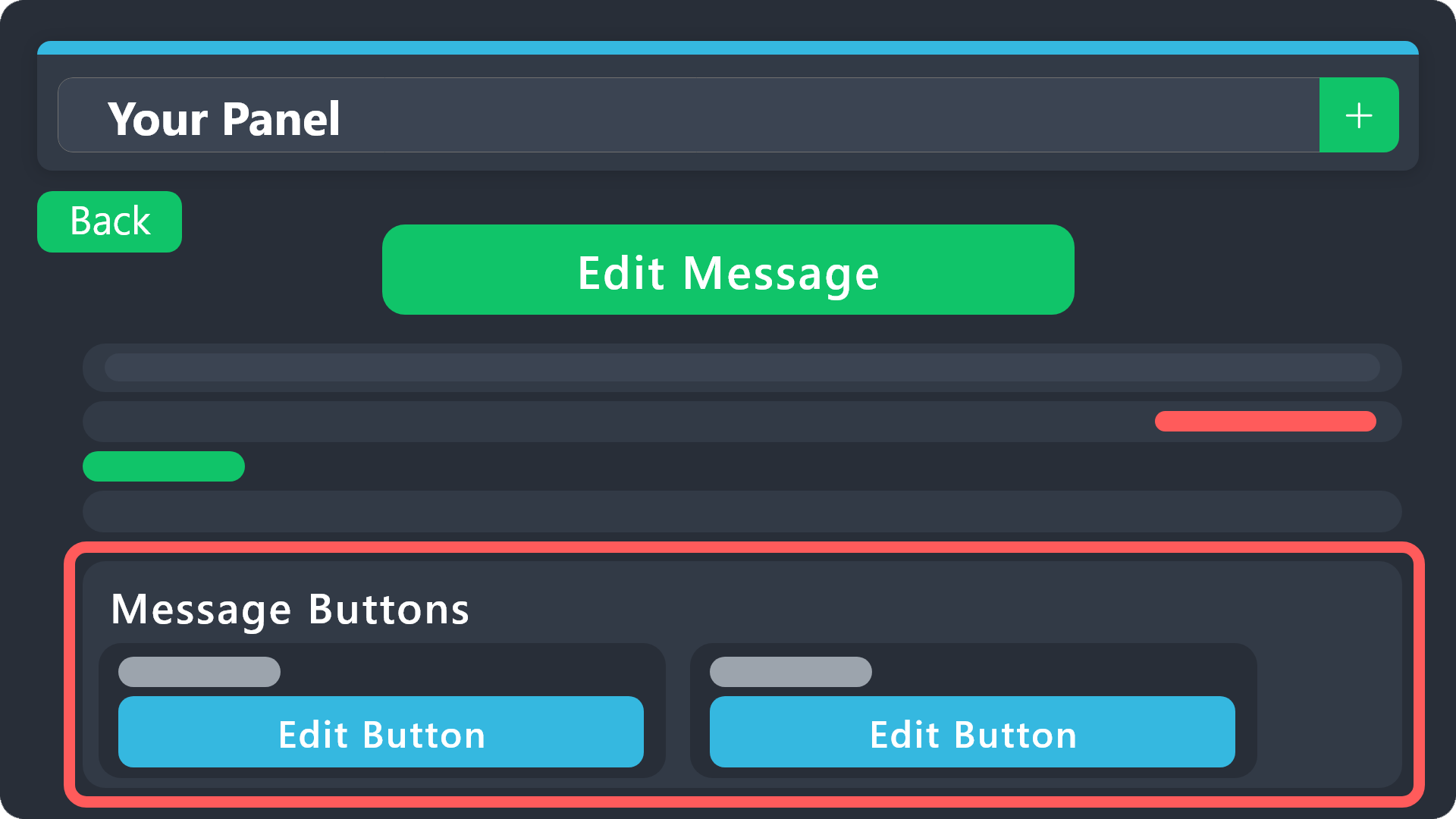 vague cosmos
Sure, see the message above.
jade topaz
@vague cosmosi did it the button isnt coming
vague cosmos
No need to ping me, but did you send the panel?
vague cosmos
No need, did you setup the buttons after you send the panel? Do you get any errors?
jade topaz
vague cosmos
No need, did you setup the buttons **after** you send the panel? Do you get any ...
yep the button isnt coming wait lemme give ss
 tribal ore
How to do a tickey
vague cosmos
tribal ore
How to do a tickey
You mean, how to setup @pseudo glen?
tribal ore
Nah
jade topaz
@vague cosmos
 tribal ore
How to make it
vague cosmos
@jade topaz can you go to: Dashboard > Panel Configs > Buttons > Claiming and send a screenshot?
@tribal ore what do you mean exactly? Make a ticket system in your server?
jade topaz
vague cosmos
<@456226577798135808> can you go to: **Dashboard** > **Panel Configs** > **Butto...
okay
tribal ore
vague cosmos
<@456226577798135808> can you go to: **Dashboard** > **Panel Configs** > **Butto...
Yes
jade topaz
vague cosmos
<@456226577798135808> can you go to: **Dashboard** > **Panel Configs** > **Butto...
 vague cosmos
@tribal ore see below: (slowmode so hang on).
@jade topaz if you create a new ticket, does the button appear?
stark runeBOT
1. Invite Ticket Tool to your server
First you will want to invite the bot to your server. Once the bot is in your server, you can manage your server in the dashboard.
2. Create a Panel
To create a panel we are going to need to head over to the panel configs on the dashboard.
Once at the dashboard we will need to click Create Panel.
Enter a panel name (Fill in any optional settings you want).
Click Create Panel and your ready to get started with configuring your panel.
An example of a creating a panel is shown below.
3. Send the Panel to a Channel
Once you've created a panel on the dashboard you will need to send it to a channel using send on the dashboard.
Select the channel you want your panel to be created in and click send.
For other questions checkout $help faq.
An example of a sending a panel is shown below.
Having a Problem Sending the Panel?
Do $debug in a channel with Ticket Tool and make sure it has all the necessary Discord permissions.
jade topaz
vague cosmos
<@1011748011434578042> see below: (slowmode so hang on).
<@456226577798135808> ...
nope
tribal ore
Ty


 vague cosmos
@tribal ore no worries, if you need more help feel free to ask.
@jade topaz can you check if claiming is enabled? Dashboard > Panel Configs > Claiming.
Also, I'm not going to "type fast", because you want fast help. I'm doing this as voltuneer, everyone is, even the support team. Patience is key. 😉
tribal ore
Ok