#🆘│community-support
1 messages · Page 27 of 1
 humble sequoiaBOT
 scenic plinth
Read above^
 grave dirge
Dropwdown style, it shows just 1 option
 jade topaz
im having an issue where when i create a ticket it sends as an open message, not in the category i want it to.
the panel created is set to create tickets in a certain category and has the permissions to. what could be the possible issue?
humble sequoiaBOT
How do be I become a Support Member?
You can become a support member in 2 ways:
1. You can be really active in #🆘│community-support gain <@&799500225579712543> role and get chosen by a Manager
2. You can apply VIA our applications that would be sent in #📣│server-news
We currently have Support Teams for the following languages:
:flag_us: English
:flag_jo: Arabic
:flag_fr: French
:flag_de: German
:flag_br: Portuguese
:flag_es: Spanish.
 slender minnow
@karmic rose this ^
 woeful berry
I have a question.
I see that there is 5 permission levels for ticket tool on my server. I own a Discord server, and my co-owner has the same permission level as lower ranks. How do I set her permission level to 5 for ticket tool? My permission level is 6, hers is 4. I am also in need to know for another server that I own.
 upbeat wolf
in my server, using ticket tool, I have 5 support team roles. When someone of those support team claims a ticket, all support team roles won’t be able to see the ticket. My question is, how do I make 1 of those support team roles be able to view claimed tickets while the other 4 roles can’t be able to view claimed tickets?
woeful berry
upbeat wolf
in my server, using ticket tool, I have 5 support team roles. When someone of th...
I think you put that 1 role under additional permissions, and make it so all additional permissions are able to view each ticket category. @upbeat wolf
upbeat wolf
woeful berry
I think you put that 1 role under additional permissions, and make it so all add...
How
Pls send in dms
 karmic rose
upbeat wolf
in my server, using ticket tool, I have 5 support team roles. When someone of th...
karmic rose
upbeat wolf
in my server, using ticket tool, I have 5 support team roles. When someone of th...
do you mean, That you have five tickets and you want each ticket a certain rank that you respond to a specific ticket?
upbeat wolf
karmic rose
do you mean, That you have five tickets and you want each ticket a certain rank ...
no I have 5 support team roles and I want 1 of these roles to view claimed ticjets
 exotic cave
When i try to send a panel to my new channel - and i Click send it jsut says " undefined"
karmic rose
upbeat wolf
no I have 5 support team roles and I want 1 of these roles to view claimed ticje...
One of them see all the tickets?
Or you mean that he sees the last tickets that were created
woeful berry
I answered it in DMs
 pure bridge
I went to FAQ, and the solution for pinging a role when opening a ticket doesn’t work bc the option for it has a red diamond… is there any other way? i’ve been struggling
i also don’t have the panel setting so
exotic cave
anyone else have the issue of undefined when u send a new panel to a channel?
exotic cave
is anyone faceing the error UNDEFINED upon trying to send the panel to ur channel?
 pale pilot
exotic cave
is anyone faceing the error UNDEFINED upon trying to send the panel to ur channe...
pale pilot
exotic cave
is anyone faceing the error UNDEFINED upon trying to send the panel to ur channe...
do you have dropdowns or forms enabled on the panel?
exotic cave
pale pilot
do you have dropdowns or forms enabled on the panel?
A form enabled - its a test ticket , because i am new to it however the first one i tested was a dropdown this one posted just fine, i removed it because i didn do anything else so thebutton didnt work , but now everything i try to send is undefined and i dont know what exaclty i am doing wrong
 pale pilot
exotic cave
A form enabled - its a test ticket , because i am new to it however the first on...
pale pilot
exotic cave
A form enabled - its a test ticket , because i am new to it however the first on...
then you probably have a field in your form that you didn't fill out
exotic cave
pale pilot
then you probably have a field in your form that you didn't fill out
The thing is , it keeps returning even if i removed the particular empty question and it doenst give me the save option
pale pilot
whats your server ID?
exotic cave
pale pilot
whats your server ID?
Guild id?
pale pilot
yes
exotic cave
pale pilot
yes
955436780352577556
exotic cave
pale pilot
yes
I am so sorry i just purchased and im new to it , but i dunno why the empty question keeps returning
pale pilot
you have an empty question. Try removing that
exotic cave
pale pilot
you have an empty question. Try removing that
I did that multiple times , but theres no save option , and if i go back or refresh my page the question returns, thats the issue
Undefined is probably like u said the empty question , if its js. than it doesnt like empty things, but i just cant seem to get rid of it.
Could it be because the particular empty question is in the middle?
pale pilot
Oh right, that's still not fixed... @solid stream can you take a look at this please? Save button is not appearing when trying to delete a question in the forms page
karmic rose
upbeat wolf
Yea
Honestly, I don't quite understand what you mean, but I'll explain two things، First, if you want someone to see all the tickets, go to "General" Then go to " Support Team Roles" Put the ranks you want and do this step in all tickets manually As for if you want the Role The only one who can do the climing go to the "Buttons" Then to "Claim Ticket" Edit Button Then put the ranks that you want to be able to make a feature Claimingin the ticket manually..

 upbeat wolf
karmic rose
Honestly, I don't quite understand what you mean, but I'll explain two things، F...
upbeat wolf
karmic rose
Honestly, I don't quite understand what you mean, but I'll explain two things، F...
When someone claims a ticket other support team members won’t be able to see it, what I mean is how do I make the support team see the claimed ticket
exotic cave
pale pilot
Oh right, that's still not fixed... <@279639060996292609> can you take a look at...
Oh i see its a technical issue - I will try and make another one and see if that fixes the situation as well please hold xD
karmic rose
upbeat wolf
When someone claims a ticket other support team members won’t be able to see it,...
Determine the Roles of the support team and it's over From here, I explained to you how in the previous message.
karmic rose
karmic rose
Honestly, I don't quite understand what you mean, but I'll explain two things، F...
a second picture
upbeat wolf
karmic rose
Determine the Roles of the support team and it's over From here, I explained to ...
I have 5 support team roles and I want only 1 to view the claimed tickets
karmic rose
Well select role his own And do not specify the rest
upbeat wolf
karmic rose
Well select role his own And do not specify the rest
How?
Is that possible??
exotic cave
pale pilot
you have an empty question. Try removing that
Lukas , Even when i make a new panel and have no empty question the issue "Undefined" remains
karmic rose
upbeat wolf
How?
go to the General In the control panel, you will find a list of its name Support Team Roles Put his role and save
And if you have more than one ticket, make the ticket you want and do the steps
pale pilot
exotic cave
Lukas , Even when i make a new panel and have no empty question the issue "Undef...
sorry about that. Our dev will take a look at this tomorrow and get this fixed
exotic cave
pale pilot
sorry about that. Our dev will take a look at this tomorrow and get this fixed
Shit happens , I just bought the bot today the premium version for my servers, i hope the issue will be resolved quickly
Any chance i can be notified?
pale pilot
exotic cave
Shit happens , I just bought the bot today the premium version for my servers, i...
If you create a bug report for that in #1020426768450080899 we can quickly contact you about that ^^
exotic cave
pale pilot
If you create a bug report for that in <#1020426768450080899> we can quickly con...
Splended thankyou so much ,
jade topaz
where can i see all the previous transcripts on the dashboard?
 covert swallow
Transcripts arent saved on the dashboard
 daring shale
oh I see, if a bot posts (Bots ID is specified in the dashboard) with a /new then it will respond? I think I get it now 🙂 I thought the bot had to interact with the bot directly somehow
 night wigeon
I made bot add closed tickets to one category but it keeps deleting closed tickets. How can I make bot stop it?
 rustic gale
night wigeon
I made bot add closed tickets to one category but it keeps deleting closed ticke...
rustic gale
night wigeon
I made bot add closed tickets to one category but it keeps deleting closed ticke...
Look in Panel Configs -> General -> Two Step Ticket
Is it disabled?
 keen lion
If i use basic bot when i pay for premuim bot do the benefits still get used on basic bot
 gilded verge
keen lion
If i use basic bot when i pay for premuim bot do the benefits still get used on ...
gilded verge
keen lion
If i use basic bot when i pay for premuim bot do the benefits still get used on ...
If I understand it correctly, then yes, you can use premium features in free bot ^^
keen lion
Ok thank you
 jade topaz
rustic gale
Is it disabled?
jade topaz
rustic gale
Is it disabled?
help😺
 modern grove
How can I make a mystery box with the tool that when I put a command it says the prize you won
 opaque forum
como configuro al ticket tool para poder crear tickets?
rustic gale
opaque forum
como configuro al ticket tool para poder crear tickets?
Si no se te da mal el inglés, consulta la Setup Guide en #📂│information
O usa el comando /setup en tu servidor y sigue las instrucciones
rustic gale
modern grove
How can I make a mystery box with the tool that when I put a command it says the...
That doesn't really sound like a Ticket Tool feature, but maybe it's because i don't really understand what you need
 iron nightBOT
Gave +1 Rep to @rustic gale
 grizzled nova
HELLO
i need help how can i add another botton?

i would like to do this...

any know?
humble sequoiaBOT
For a more convenient use of multipanels, you can now combine panels on the dashboard. This will allow you to directly send the multipanel from the dashboard or via the $panel ID command.
Where can I find this?
You can find this setting on the Dashboard -> Panel Configs -> Settings -> Panel
Note: if you're attaching all the panels to a panel called English, don't include English in the attached panel's box (If you do this, it will create a duplicate)
This will put all buttons from all of your panels on one message. The message is the panel message from the panel you're combining these panels in.



 oak pumice
helloo, how do i make members not to close the ticket?
 magic shadow
Does anybody know why people cant see message history ?
exotic cave
Are u able to customize the name of the ticket tool bot when u have premium?
pale pilot
magic shadow
Does anybody know why people cant see message history ?
it's the base permission they have. You can give that permission to your members globally, or through the TT Dashboard in the permission settings
magic shadow
👍🏼
 lapis mulch
how i get id of panel?
jade topaz
How do I create a ticket tool account? I want to purchase the premium options
karmic rose
lapis mulch
how i get id of panel?
What do you mean by id panel?
lapis mulch
karmic rose
What do you mean by id panel?
the id of the panel.
Because When i send $panel id
karmic rose
Well. In your dashboard, look at Panel Configs
See how they are all numbered 1, 2, 3, 4 and so on
That's the IDs
lapis mulch
Ok Wait I test it
lapis mulch
karmic rose
See how they are all numbered 1, 2, 3, 4 and so on
Can you send me a video of that
karmic rose
one minute
lapis mulch
Ok.
jade topaz
Any way to get free premium
 quick bone
Voting
jade topaz
What are the voting sites
quick bone
say $vote in #🤖│bot-spam
 rose ridge
Is there a way to assign roles specific to users who open a ticket then remove it when the ticket is closed ?
quick bone
rose ridge
Is there a way to assign roles specific to users who open a ticket then remove i...
you can use ticket opened roles but that's a premium feature
rose ridge
quick bone
you can use ticket opened roles but that's a premium feature
Ah that’s annoying 🥲
quick bone
rose ridge
Ah that’s annoying 🥲
yep but like i said above you can get free premium by voting
rose ridge
quick bone
yep but like i said above you can get free premium by voting
How long does the free premium last?
quick bone
depends how much times you vote
rose ridge
Ahh i see
lapis mulch
karmic rose
one minute
...
scenic plinth
You get 12 hours per vote, and 1 vote each site every 6 hours.
karmic rose
lapis mulch
...
I couldn't take a video though Panel IDs are displayed to the left of the edit option Find it
iron nightBOT
Gave +1 Rep to @karmic rose
karmic rose
Your Welcome 
 velvet rose

 ornate shoal
My tickets are not moving to the Closed Support Tickets section that we have assigned and I can't seem to move them there manually either. Is there any way to change this? The limits for closed tickets have not been reached, the section is assigned correctly, they were moving previously (just not anymore), and the tickets were closed through the buttons on the ticket.
karmic rose
ornate shoal
My tickets are not moving to the Closed Support Tickets section that we have ass...
Hello, Make sure that there is no error here, or remove it and put it back again and try it if nothing happens and you are sure that there is no error. Wait for one of the bot developers to respond to you..

in "Category Closed"
 woeful gyro
Hi, sorry I'm very new to this bot but would really like to add it to 2 of my servers C: I saw this bot many times and I just love that it works so well and contacts staff :D I want to do this as well but I'm having a small problem... It doesn't show a button where I can close the ticket D: Is there a way to fix this or did I do something wrong? Sorry I'm very new T_T
 ornate shoal
karmic rose
Hello, Make sure that there is no error here, or remove it and put it back again...
ornate shoal
karmic rose
Hello, Make sure that there is no error here, or remove it and put it back again...
Thank you. I tried that and it is still not working. and I synced between saves just in case that was it and still nothing.
iron nightBOT
Gave +1 Rep to @karmic rose
covert swallow
ornate shoal
My tickets are not moving to the Closed Support Tickets section that we have ass...
Any chance theres a permission issue?
ornate shoal
covert swallow
Any chance theres a permission issue?
Unless it changed on its own, no. I've been the main person handling all tickets and this is a new issue.
covert swallow
Server side changes?/
 river grail
Hey, Guys, quick question. I am an admin on several discord servers, and some give the Ticket Bot admin permissions, while others don't. Are admin permissions required for the bot to function? 🤔
jade topaz
Any1 could help me setup tickets please
 mint gazelle
Does ticket tool have an API? i.e. if I'm looking for an endpoint to listen for new tickets for a zapier integration would that be possible
rustic gale
mint gazelle
Does ticket tool have an API? i.e. if I'm looking for an endpoint to listen for ...
Nope, no it doesn't sadly
mint gazelle
Is there anyway to retrieve tickets created
karmic rose
river grail
Hey, Guys, quick question. I am an admin on several discord servers, and some gi...
No, But it is better to be there
rustic gale
mint gazelle
Is there anyway to retrieve tickets created
That's what transcripts are for
humble sequoiaBOT
1. Go into your Dashboard
2. Open your Panel Configs tab
3. Select the panel you want to grant access to
4. Open the Transcript options menu
5. Using the Transcript Channel selector, pick the channel you want your transcripts to be sent to
6. Save changes
 pure bridge
is there any way to change the embed color of the create ticket message and not just when you claim?
karmic rose
pure bridge
is there any way to change the embed color of the create ticket message and not ...
color change embed?
It's not possible
pure bridge
dsmn
jade topaz
Yo is there any way to close all tickets cause i got raided and they mass made servers i did suggest it but its gonna take me ages to clear them all
 glossy barn
i purchased lifetime but havnt recived a email what should i do
rustic gale
glossy barn
i purchased lifetime but havnt recived a email what should i do
We don't offer lifetime subscriptions
Are you sure you're in the right server?
 twilit yew
Hi I am just wondering could I make the bot not sending this message after making a new ticket
 rustic gale
twilit yew
Hi I am just wondering could I make the bot not sending this message after makin...
rustic gale
twilit yew
Hi I am just wondering could I make the bot not sending this message after makin...
Not possible
twilit yew
ooo, got it, thanks for the reply.
 vale swift
Is there a way to invite people into tickets?
rustic gale
Sure, with the /add command.
 turbid forge
how do I give access to other roles to assist in tickets?
rustic gale
turbid forge
how do I give access to other roles to assist in tickets?
Panel Configs -> General
There's support team roles, and there's additional roles
Support team roles are for your staff
Additional roles are for miscellaneous purposes that aren't necessarily staff
 copper sandal
Help pls
 rustic gale
copper sandal
Help pls
rustic gale
copper sandal
Help pls
/new is disabled by default and needs to be enabled manually.
The command you're looking for is probably /setup
Not /new
iron nightBOT
Gave +1 Rep to @rustic gale
turbid forge
rustic gale
Panel Configs -> General
hii, that did not work :((
rustic gale
turbid forge
hii, that did not work :((
Did you test in a new ticket?
The changes aren't automatically applied to old tickets.
 valid rune
hello, how do I make it so that the bot mentions a role when the ticket is opened. Right now it is {roleID}, however it isnt pinging
rustic gale
valid rune
hello, how do I make it so that the bot mentions a role when the ticket is opene...
Is the role displayed correctly at least?
If the role is displayed correctly but no notification is sent, all you have to do is give the bot the Mention everyone, here, and All Roles permission.
valid rune
ah kk
 velvet basalt
Hi, Support Team. Can someone let me know how to use the TicketTool for a Discord Channel?
rustic gale
velvet basalt
Hi, Support Team. Can someone let me know how to use the TicketTool for a Discor...
Look at the Setup Guide in #📂│information
velvet basalt
Thanks, @rustic gale
iron nightBOT
Gave +1 Rep to @rustic gale
 limpid cargo
Hey, I'm a little lost on categories. Been through the docs and through all the options on the dashboard and still don't really understand how to make new categories available, or what effect they have on a panel.
Added a panel before and only text and voice channels were available. Added one just now and only text channels and support are available and I don't know why 🥲
ohhhhhh. They are categories in my server. Nothing like asking a question on a support forum for immediately figuring something out. What happens if you put two categories for open tickets? Does it always open one in the first, using the second as overflow?
rustic gale
limpid cargo
ohhhhhh. They are categories in my server. Nothing like asking a question on a...
It uses the first available category
Available = the bot has permission to create channels in it + it's not full (less than 50 channels)
river grail
Guys does anybody knows why tickets end up in the suggested category? I think this maybe happens because the SUPPORT category is full with closed issues/channels. 🤔

It should end up under

For users themselves it is placed under the SUPPORT category only for me as a mod not.
O damn this has something to do with new discord filter feature.
I see them when I do browse channel.
Found it .

 timber hare
river grail
Guys does anybody knows why tickets end up in the `suggested` category? I think ...
timber hare
river grail
Guys does anybody knows why tickets end up in the `suggested` category? I think ...
How many tickets do you have open?
timber hare
river grail
7 or some
How many tickets do you have closed?
 timber hare
Make a ticket and close it
timber hare
river grail
I think closed tickets are deleted.
They shouldn’t be
Are you the owner of the server
timber hare
river grail
I think the other admin set them to auto delete.
Yeah you should probably change that
timber hare
It depends what kind of server you have
river grail
It's a NFT related server.
But I fixed it for now.
They stay until people click delete.
The main problem was this new discord feature called explore channels.
It hides channels when you don't enable show all channels. That is what confused me.
timber hare
I mean if you don’t think anyone’s going to be messing with the bot then you can have it delete but if anything can happen then like you should have it so it doesn’t delete unless you do it delete
timber hare
river grail
But I fixed it for now.
Ok cool
river grail
Discord
This feature was initially made available to a select number of random communities during an earlier testing phase - it is now available to communities with 5,000 or more people and Partnered serve...
Not sure when that was applied to the server.
I will ask the other admins
thanks for your help!
thanks @timber hare
iron nightBOT
Gave +1 Rep to @timber hare
timber hare
river grail
thanks <@796847726511783976>
Of course glad to help!
pale pilot
river grail
Guys does anybody knows why tickets end up in the `suggested` category? I think ...
You have some channels hidden in your channels list. When you have, new channels aka new tickets will only show up in your channel list, when you also follow the category. So discord suggests you new channels that you can't see normally.
Just in case that wasn't 100% cleared up, I didn't read the full convo here ^^
 formal saddle
hi, the premium bot was accidentally kicked on my server, how do i reinvite it? it only says purchase on the pop up
humble sequoiaBOT
The first thing you will need to do is invite the premium bot, an invite can be found here
Once the bot is in your server we will head to the dashboard and manage your server. When you are managing your server, you want to head into "Server Configs" then click the drop down menu under "Select the bot you would like to use on this server" then click "Ticket Tool#6207" and then save.
 pale pilot
@formal saddle
formal saddle
got it, ty
 silent haven
how i add photo to ticket panel message
silent haven
karmic rose
Oh. is it for the ticket message or panel message?
panel message
karmic rose
Go to the settings (panel, or ticket) and look for one the of two options in the screenshot

Add the image link
and that’s you all set
silent haven
Ok thx
karmic rose
 jovial geode
bot is down atm ?
" Failure to interact "
jovial geode
bot is down atm ?
" Failure to interact "
No, the bot works normally without any problems
 jovial geode
karmic rose
No, the bot works normally without any problems
jovial geode
karmic rose
No, the bot works normally without any problems
On my discord it's offline
rustic gale
jovial geode
What's the ID of your server
jovial geode
rustic gale
What's the ID of your server
765605642857349160
rustic gale
I've reported the issue to the developer. Please be patient
 solid stream
Restarting the shard
rustic gale
Actually nevermind, here he is
jovial geode
Ok no problem I was just checking if it was a problem of the bot or of me (the bot was working perfectly earlier in the day)
jovial geode
solid stream
Restarting the shard
the bot works
thank you for your reactivity
iron nightBOT
Gave +1 Rep to @solid stream
 coarse cobalt
hey.. bot has suddnely become unable to open tickets, not sure what is wrong
coarse cobalt
jovial geode
bot is down atm ?
" Failure to interact "
same issue as Traz
jovial geode
coarse cobalt
same issue as Traz
Give the id of your discord and they will restart the bot
coarse cobalt
but now its working, must have been temporary
 quartz schooner
How can i make a transcript log?
humble sequoiaBOT
━━ moved to ticket ━━
 wet nacelle
What’s a panel?
karmic rose
@quartz schooner
rustic gale
wet nacelle
What’s a panel?
A panel is a class of tickets basically.
rustic gale
All of the bot's setup is done through the dashboard, which is a website.
This website, specifically:
humble sequoiaBOT

Ticket Tool - Ticketing without clutter - The #1 discord Ticketing bot
wet nacelle
Thank you
 gilded verge
jade topaz
guys when i close my ticket its automaticly delete the ticket
gilded verge
jade topaz
guys when i close my ticket its automaticly delete the ticket
oh, just go to Panel Configs->General->enable Two step Ticket
 jade topaz
okay its working now thank you
 eternal wing
how can i edit panel
 sharp coyote
Help
karmic rose
Here' @eternal wing
karmic rose
sharp coyote
Help
How can i help you
sharp coyote
I have an ios account I need to transfer it to my android
eternal wing
karmic rose
Here' <@418083096253038592>
i still don't understand
gilded verge
sharp coyote
I have an ios account I need to transfer it to my android
not related to Ticket Tool bot
karmic rose
eternal wing
i still don't understand
Well, give me a few seconds so I can take a picture for you
 versed bone
So it isn't letting my server open the tickets, it just says "interaction failed" for them. But it works for me.
karmic rose
You can enter through the control panel to the settings from then "Panel" And you can adjust it @eternal wing

Hello, Check through ( settings » Permissions » User Permissions ) If it is set so that people cannot open tickets, open them @versed bone
 eternal wing
and how to make the bot mention a role when they open ticket?
karmic rose
at the checkbox "Message Content" Put the hands of the role
Example:<@idrole>
@eternal wing
 rustic gale
versed bone
So it isn't letting my server open the tickets, it just says "interaction failed...
rustic gale
versed bone
So it isn't letting my server open the tickets, it just says "interaction failed...
You can create tickets, but your users can't?
versed bone
karmic rose
Hello, Check through ( settings » Permissions » User Permissions ) If it is set...
Im looking through it rn. What exactly do i enable?
rustic gale
Can you have a user screenshot what they see when they try to create a ticket?
rustic gale
versed bone
Im looking through it rn. What exactly do i enable?
That's the wrong menu.
That menu's not related to whether users can create tickets or not
versed bone
Here it is.
 versed bone
I can create a ticket and type in it yes works fine for me but not my users.
rustic gale
That's very strange. What's your server's ID?
versed bone
How do i find that?
rustic gale
Just copy your dashboard URL here.
versed bone
Sorry im a bit slow. Is that just an invite link to the server?
rustic gale
Definitely not
versed bone
Oh, ok. What do i copy exactly?
rustic gale
Your dashboard = the website where you're editing the bot's settings
URL = the, uh, internet address of that website.
versed bone
Little link at the top of the search bar?
rustic gale
Exactly
versed bone
Ticket Tool - Ticketing without clutter - The #1 discord Ticketing bot
rustic gale
Let's have a look.
Okay, so here's the thing
In Server Configs there's a field called Blacklist Roles
Any roles there are 100% forbidden from interacting with the bot in any way
With the exception of the server owner and admins
Normally you'd see a “You don't have permissions to use this” error
But for some reason, your users are not seeing that error and instead getting “This interaction failed”
versed bone
ok yeah i goofed up lol, lemme ask them to try it again. do i have to update the ticket link thing now?
rustic gale
Update what?
eternal wing
;-; why
 versed bone
oh nvm lol ty
rustic gale
eternal wing
;-; why
Why what
eternal wing
i can't see the roles
rustic gale
Because you're mentioning them with user mentions instead of role mentions
user mentions are <@id>
Role mentions are <@&id>, with an extra &
eternal wing
OH
versed bone
Thanks bro it works now, ur a lifesaver.
rustic gale
Glad to help
eternal wing
;-; wut about the color, can i change it ? how?
 rustic gale
With premium, yes
eternal wing
O, thank you fore verything
 gilded verge
silent haven
i need to add a image in panel message
gilded verge
silent haven
i need to add a image in panel message
from what i saw, you got the answer before and you saw it
humble sequoiaBOT
The panel message is where people react to make a ticket. To customize it head over to your Dashboard --> Panel Configs -> Panel -> Edit Panel Message
 gilded verge
humble sequoia
gilded verge
humble sequoia
@jade topaz, please check 
silent haven
gilded verge
<@456226577798135808>, please check <:this:894279341108772914>
i can't add a image in the official message not embed
gilded verge
what you mean by "official message"?
 gilded verge
oh 🤔
silent haven
gilded verge
oh 🤔
any solution ??
gilded verge
I don't know yet, I'll check it
gilded verge
sometimes you just need to be patient 😕
 twilit hare
i need the command for change the name ticket
karmic rose
twilit hare
i need the command for change the name ticket
$rename
silent haven
karmic rose
``$rename``
ar?
karmic rose
صحيح، تفضل كيف اقدر اساعدك؟
gilded verge
silent haven
like this
so from what i see, here you have 2 separate messages on your screenshot, because when there is a link to the image and text, then the link is visible, look:

so you would have to first send a message with only the link and then send the panel with the text you put.
so from my example, these are 2 separate messages:
 gilded verge
silent haven
like this
gilded verge
silent haven
like this
in that case, i can suggest you to add this your text to Message Content,
 silent haven
how to separate it
gilded verge
then go to Tags, there create your tag and to Message Content add link to your image,


next, in channel where you want to send panel, first use your tag, and then send your panel to channel
gilded verge
gilded verge
so you would have to first send a message with only the link and then send the p...
is result
gilded verge
silent haven
thank you bro.
ofc, im trying my best ^^
jade topaz
covert swallow
/purge
bet tysm
jade topaz
thank you @gilded verge
iron nightBOT
Gave +1 Rep to @gilded verge
jade topaz
How the heck do you create a ticket tool
jade topaz
jade topaz
How the heck do you create a ticket tool
Excuse me, what do you mean? Are you wondering how to setup ticket tool?
Yeah
#📂│information > Setup Guide
solid stream
also checkout the /setup command
it will assist you in setting up the basic configs.
jade topaz
solid stream
also checkout the /setup command
@jade topaz ^^^^ Oh didn't know this 😓, sorry sir!
solid stream
jade topaz
<@456226577798135808> ^^^^ Oh didn't know this 😓, sorry sir!
All good, what you sent was also good.
jade topaz
👍!
 strong karma
I am the owner of a server with a hand full of mods and admins (myself and admins both have administrator powers) and recently I haven't been able to see the tickets (I can only see three but others can see ten, etc) and whenever they send the # and I press it, it puts that channel in a "suggested section" at the top of the server. It doesn't matter if it's part of a category either, I have tried and it still didn't show up, anyone know what's gone wrong?
rustic gale
strong karma
I am the owner of a server with a hand full of mods and admins (myself and admi...
Probably related to the new Browse Channels feature.
Make sure you and the staff follow the ticket categories.
If you right-click the server icon you should also see a Show All Channels toggle. Enable it, that should solve the issue.
strong karma
alright I will try that
wow, I feel silly XDD thank you so much
thanks @rustic gale
iron nightBOT
Gave +1 Rep to @rustic gale
 ivory goblet
Hey guys My categories stopped working. I have open tickets set to go to open-tickets and closed tickets to closed-tickets
But suddenly they stopped working today. How can I troubleshoot this issue?
rustic gale
ivory goblet
Hey guys My categories stopped working. I have open tickets set to go to open-ti...
Try creating a ticket and looking at the bot's response. It should be related to the cause of the issue
It can be that the bot's missing permissions in the category, or that the category's full
ivory goblet
whats the limit of a category?
rustic gale
50 channels
ivory goblet
rustic gale
50 channels
Can that be updated?
humble sequoiaBOT
Discord only allows to stack up to 50 channels per category, meaning that if you have already 50 tickets in one category, the bot won't be able to place a ticket in that category, for such reason Ticket Tool counts with overflow categories, meaning that if your main category is filled, the bot will go ahead and place the ticket on the next one available, simply choose a second category in the category pickers:
 rustic gale
I personally recommend clearing old tickets by transcripting them safely and deleting them.
ivory goblet
ohh I see thanks and is there a way to automatically delete a closed ticket? in the settings somewhere
rustic gale
Depends on what you mean by automatically
ivory goblet
i.e. when I close a ticket can it be just deleted or I have to explicitly tap the Delete button ?
rustic gale
Sure. Head to Panel Configs -> General and disable Two Step Ticket
(there's two switches there, one is “Two Step Close” and the other is “Two Step Ticket”. I refer to “Two Step Ticket”)
ivory goblet
thanks
 hollow flame
Help
Is there a way I can like
Let's say someone makes a ticket it will be shown in a specific category
Like if ticket is made the ticket channel will be in the specific category
humble sequoiaBOT
1. Go into your Dashboard
2. Open your Panel Configs tab
3. Select the panel you want to grant access to
4. Open the Category options menu
5. Select the categories of your preference
6. Save changes
rustic gale
Of course @hollow flame Have a look
hollow flame
rustic gale
Of course <@879025039805149234> Have a look
Thx mate
iron nightBOT
Gave +1 Rep to @rustic gale
karmic rose
 lone summit
Hey, is it possible to have multiple tickets opened per person?
humble sequoiaBOT
There are mainly two ways to limit how many tickets an individual user can create:
Global Limit
You can restrict the amount a user can open across all your panels by following these steps:
> 1. Go into your Dashboard
> 2. Open the Server Configs tab
> 3. Update the Global Ticket Limit field
> 4. Save changes
Panel Limit
Secondarily you can also set a limit per panel, meaning that a single user can open a certain amount of tickets on the given panel. Note that the Global Limit takes precedence upon Panel Limit, to set the latter follow this procedure:
> 1. Go into the Dashboard
> 2. Open the Panel Configs
> 3. Open the Limits options menu
> 4. Update the Open tickets each user counter
> 5. Save changes
When the Open tickets all users limit is hit, users won't be able to create more tickets.
 pale pilot
@lone summit
lone summit
Thank you, is it a free feature? or premium only?
 halcyon dew
How do I delete the ticket
 old geode
How do I put several options to open a ticket?
 urban mist
If I have premium, what else do I need to auto add a staff thread to each ticket please?
pale pilot
lone summit
Thank you, is it a free feature? or premium only?
Free
 unreal marsh
hello
how can i get a premium ticket tool for free or can i boost the server and get a ticket tool premium
?
humble sequoiaBOT
For a more convenient use of multipanels, you can now combine panels on the dashboard. This will allow you to directly send the multipanel from the dashboard or via the $panel ID command.
Where can I find this?
You can find this setting on the Dashboard -> Panel Configs -> Settings -> Panel
Note: if you're attaching all the panels to a panel called English, don't include English in the attached panel's box (If you do this, it will create a duplicate)
This will put all buttons from all of your panels on one message. The message is the panel message from the panel you're combining these panels in.
pale pilot
@old geode 
pale pilot
urban mist
If I have premium, what else do I need to auto add a staff thread to each ticket...
Under ticket options I believe. There is an option to auto add a thread to each ticket
old geode
ok tanks
urban mist
pale pilot
Under ticket options I believe. There is an option to auto add a thread to each ...
Yes, that is on, and the BOT/group has creat private/public threads but it does not create a thread?
pale pilot
urban mist
Yes, that is on, and the BOT/group has creat private/public threads but it does ...
Does the bot role have this permission to create private threads?
old geode
humble sequoia
@pale pilot
I can't add it
You can add it yourself?
pale pilot
old geode
<@336243658816749570>
I can't add it
You can add it yourself?
Do you already have multiple panels?
pale pilot
urban mist
Yes
Hmm, it might be that the bot still thinks it can only be done with boost level 2
old geode
pale pilot
Do you already have multiple panels?
Where is the add button?
You can call me, stream and then show me
urban mist
pale pilot
Hmm, it might be that the bot still thinks it can only be done with boost level ...
OK, how can I fix that?
pale pilot
old geode
Where is the add button?
Top right in your panel configs. You might want to look at #📌│automated-support for some basic setup questions
pale pilot
urban mist
OK, how can I fix that?
We have to fix that on our side. I will ask our developer
 primal raven
في دعم عربي؟
 untold ledge
Does anyone know why my ticket says invalid request?
gilded verge
untold ledge
Does anyone know why my ticket says invalid request?
please show screenshot 🤔
untold ledge
 gilded verge
you just tried to go to the main page, right?
 honest mica
Hello, why « interaction error » when am trying to open/close a ticket please?
Ty
untold ledge
gilded verge
you just tried to go to the main page, right?
I clicked on my ticket
gilded verge
oh so you tried to open transcript, i found this answer:
"If you delete the file from Discord it will make the link go dead returning a Invalid Request on link essentially deleting it"
gilded verge
honest mica
Hello, why « interaction error » when am trying to open/close a ticket please?
...
Hey, please show screenshot ^^
honest mica

 untold ledge
gilded verge
oh so you tried to open transcript, i found this answer:
> "If you delete the fi...
untold ledge
gilded verge
oh so you tried to open transcript, i found this answer:
> "If you delete the fi...
I see so uh how do I avoid deleting the file?
gilded verge
honest mica
hmmm, what's your server id?
gilded verge
untold ledge
I see so uh how do I avoid deleting the file?
so for example if i delete my transcript from the channel (i.e. bot message) then the link to the transcript might return you the error you got

wrong server, we're Ticket Tool Support
honest mica
gilded verge
hmmm, what's your server id?
server id?
gilded verge
oh, on your server you can use /id command to check your server id ^^
untold ledge
gilded verge
so for example if i delete my transcript from the channel (i.e. bot message) the...
Okii tq
honest mica
 gilded verge
oof, im sorry, my bad because i forgot commands can't work now 😅
so let's try with.... what's your server name?
Raven +, right?
or without + ?
okay
since when is the bot not working?
honest mica
maybe 1h something like that
gilded verge
hmmm we can test something so please go to Server Configs->and in Premium bot choose free bot, then Save 🤔

okay, now please try to use command on your server, o maybe /debug
honest mica
It still doesn’t work
gilded verge
in that case, please invite premium bot and switch to premium bot in dashboard
honest mica
Sorry, how do I switch it ?
gilded verge
gilded verge
hmmm we can test something so please go to `Server Configs`->and in `Premium bot...
in the same place ^^
iron nightBOT
Gave +1 Rep to @gilded verge
 normal axle
the bot is not working for us
 gilded verge
normal axle
the bot is not working for us
gilded verge
normal axle
the bot is not working for us
what's your server id?
normal axle
547436115741900801

 earnest garnet
Hey team, my ticket tool has gave me failed interactions since yesterday - can you look into this for me? server Id: 900837465189912596
gilded verge
earnest garnet
Hey team, my ticket tool has gave me failed interactions since yesterday - can y...
Hey, just to be sure, are you the only one getting this error or are others also getting it?
in addition, are you using the mobile Discord or pc?
earnest garnet
gilded verge
Hey, just to be sure, are you the only one getting this error or are others also...
Everyone including myself is getting this error and it's both mobile and desktop.
I did some ticket clean up and channel deletions in case it was a channel cap issue but that didn't seem to resolve it.
gilded verge
ookay, I will inform Staff, please be patient, thank you ^^
earnest garnet
gilded verge
ookay, I will inform Staff, please be patient, thank you ^^
patience is a virtue ❤️ Just ping me with an update. We have a really big event happening today and need our ticket system working.
pale pilot
earnest garnet
Hey team, my ticket tool has gave me failed interactions since yesterday - can y...
Does the bot appear offline? If so, can you send us a screenshot?
earnest garnet
checking
earnest garnet
pale pilot
Does the bot appear offline? If so, can you send us a screenshot?
How would I know if it's "offline"?
pale pilot
Click on the bots profile
 pale pilot
Or offline
earnest garnet
ah haha!
pale pilot
It should be back in a few minutes
earnest garnet
So yeah, I guess it's offline. I went to the dashboard and its still there - so assuming its still in our server. It's been "offline" since about 3pm EST yesterday
pale pilot
Yeah, we assume it's some kind of discord bug. Because it's only affecting very few servers and the connection is still there.
earnest garnet
pale pilot
Yeah, we assume it's some kind of discord bug. Because it's only affecting very ...
Okay - I know discord is a fickle beast haha. I just need to make sure we have a ticket system working in the next hour or so because we have a big event that requires ticket submissions. ❤️
gilded verge
earnest garnet
I don't see it here now - that would mean it's not in the server
If the server has a lot of members, you won't see if someone is offline, then it's best to use ping and click on it ^^

 elder yew
hello , how do i add a 'role' when someone will create a ticket , that role will be pinged as well
plz help im losing my mind , i tried going to panel settings but theres no settings option ? ugh i need help how to set it up
humble sequoiaBOT
Within all the messages the bot sends (both embeds and text) you can mention either channels, roles, or even users, these mentions will only send a notification to the user if they are used within a text field, e.g: a role mentioned in an embed won't ping at all the users who have that role.
For mentioning a role you can use one out of three options:
{@Role Name} ➞ Which is Case Sensitive.
{RoleID} ➞ Replace RoleId with the Id of the role you are trying to ping.
<@&RoleID> ➞ Discord's native syntax to ping roles.
<#ChannelID> ➞ Mention a channel by its ID.
<@UserID> ➞ Mention a user by its ID.
gilded verge
humble sequoia
Hey, please check and you need put your mention to Message Content
 elder yew
gilded verge
Hey, please check <:this:894279341108772914> and you need put your mention to `M...
elder yew
gilded verge
Hey, please check <:this:894279341108772914> and you need put your mention to `M...
im sorry but where i should click after clicking on 'panel configs' 🥹
gilded verge
oh i forgot to say that, im sorry 😅
Panel Configs->Ticket->Edit Ticket Message->here ^^
elder yew
gilded verge
oh i forgot to say that, im sorry 😅
Panel Configs->Ticket->Edit Ticket Message...
its not working , i added role id and saved , its still not tagging that role...
gilded verge
please copy and send what you have there
elder yew
{user} Welcome 1054491990244458586
gilded verge
humble sequoia
please read again
elder yew
this?
gilded verge
yup but you missed something
elder yew
oh shi
gilded verge
gilded verge
please read <:this:894279341108772914> again
.
elder yew
im suppose to add {
gilded verge
yep, exactly as you have this instructions ^^
elder yew
thank u so much , i wish if i could give u chocolates right now!
 blazing marsh
Hey everyone! Looking for some help here.
My tickets are not being created/opened in the designated category and it was previously working before. The category is not full so I'm not sure what happened? All generated tickets appear at the top or the categories now.
humble sequoiaBOT
━━ moved to ticket ━━
 tropic sonnet
Hi everyone! I’m a moderator in a server and I should be able to see new tickets made but they’re not showing up at all. Other mods (with the same discord roles) can see new tickets come through except for me. I seem to be the only mod not able to see new tickets as they come in (unless pinged directly in the ticket)
any idea how to fix this? unmodding and remodding me fixes it temporarily in that i can then see tickets already there but still can’t see new tickets as they come in
pale pilot
tropic sonnet
Hi everyone! I’m a moderator in a server and I should be able to see new tickets...
I'm guessing your server uses the onboarding feature and you have some channels hidden in your channel list. You can follow the ticket categories to always see newly created channels
karmic rose
Hello, How can i help you
rustic gale
You can help people out right here in #🆘│community-support
 radiant dock
Good evening, I can't change the settings of the display value and the panel in order to use the drop-down editor, Thanks in advance.
 rustic gale
 queen fossil
What is the problem?
queen fossil
What is the problem?
You probably left something empty that can't be left empty
radiant dock
Good evening, I can't change the settings of the display value and the panel in order to use the drop-down editor, Thanks in advance.
 quiet hearth
 queen fossil
rustic gale
You probably left something empty that can't be left empty
queen fossil
rustic gale
You probably left something empty that can't be left empty
No, there is nothing empty
quiet hearth
How do you set up a report form like this?
jade topaz
quiet hearth
Hi, one minute let me show you!
radiant dock
Hi, I can't find where is the location to change the number of displays and pannel ?

 jade topaz
@quiet hearth Alright, sorry about that! Follow the visual guide below!

 quiet hearth
jade topaz
<@1059130981543587911> Alright, sorry about that! Follow the visual guide below!
quiet hearth
jade topaz
<@1059130981543587911> Alright, sorry about that! Follow the visual guide below!
Sweet, thank you so much
iron nightBOT
Gave +1 Rep to @stoic dagger
jade topaz
quiet hearth
Sweet, thank you so much
No problem!
quiet hearth
jade topaz
No problem!
Do you know where the form goes after someone fills it out?
jade topaz
- To display the results from the form you need to add the
{create.form.x}variable to your Ticket Message. @quiet hearth
jade topaz
radiant dock
Hi, I can't find where is the location to change the number of displays and pann...
Hi. Go back and you should see "Update" insert the messageID then update it and it should work!
rustic gale
queen fossil
No, there is nothing empty
What's your server's ID
queen fossil
rustic gale
What's your server's ID
749660627940671599
 rustic gale
quiet hearth
How do you create multiple buttons instead of a dropdown list?
rustic gale
quiet hearth
How do you create multiple buttons instead of a dropdown list?
Have a look:
humble sequoiaBOT
For a more convenient use of multipanels, you can now combine panels on the dashboard. This will allow you to directly send the multipanel from the dashboard or via the $panel ID command.
Where can I find this?
You can find this setting on the Dashboard -> Panel Configs -> Settings -> Panel
Note: if you're attaching all the panels to a panel called English, don't include English in the attached panel's box (If you do this, it will create a duplicate)
This will put all buttons from all of your panels on one message. The message is the panel message from the panel you're combining these panels in.
queen fossil
queen fossil
749660627940671599
@rustic gale
quiet hearth
rustic gale
Have a look:
Awesome, thanks!
iron nightBOT
Gave +1 Rep to @rustic gale
quiet hearth
How can I get the Premium Subscriber role since I have premium in my server?
rustic gale
$pc @quiet hearth
humble sequoiaBOT
rustic gale
$pc <@1059130981543587911>

Thank you
Thank you for purchasing Ticket Tool Premium @quiet hearth. You have now been given the <@&535595160189403136> role!
Found 2 servers in total and 1 with premium and permission
quiet hearth
sweet, thanks
rustic gale
queen fossil
749660627940671599
I think it's best if you #🎫│make-a-ticket. We will need to take a closer look
queen fossil
rustic gale
I think it's best if you <#571706435449257997>. We will need to take a closer lo...
Ok
 remote canyon
how is it possible to enable a certain bot/member into created tickets?
rustic gale
remote canyon
how is it possible to enable a certain bot/member into created tickets?
Like automatically into every ticket, or manually into a specific ticket?
remote canyon
auto
rustic gale
Automatically, you can include roles in Support Team Roles or Additional Roles
Those are in Panel Configs -> General
humble sequoiaBOT
1. Go into your Dashboard
2. Open your Panel Configs tab
3. Select the panel you want to grant access to
4. Open the General options menu
5. Select your Support Team Roles
6. Save changes
 iron nightBOT
Gave +1 Rep to @rustic gale
 alpine hill
how do you change the text on this where the button is before you create a ticket? i want to change it to "click the button" instead of react with but i cant seem to find the place to edit that
 jade topaz
 weary wave
what do i write to get usernames in ticket names
weary wave
what do i write to get usernames in ticket names
You want the username of the person who opened the ticket? Or do you want to mention someone you pick on ticket open?
jade topaz
alpine hill
how do you change the text on this where the button is before you create a ticke...
Go to “Panel Configs”, Scroll down to “Panel Message” and edit that!
alpine hill
jade topaz
Go to “Panel Configs”, Scroll down to “Panel Message” and edit that!
thanks
iron nightBOT
Gave +1 Rep to @stoic dagger
jade topaz
alpine hill
thanks
No problem 🙂
@weary wave For the user who opened the ticket its {ticket.user}
For more information, please use https://docs.tickettool.xyz/dashboard/panel-configs/variables
Description of the variables you can use across your ticket system
 bleak stream
anyone else having issues with $claim not working
rustic gale
bleak stream
anyone else having issues with $claim not working
Claiming doesn't work unless you have premium. Does your server have premium?
rustic gale
Working on an off? What does it look like when it's not working?
bleak stream
it just doesnt respond. no message at all
rustic gale
When this happens, try using /ping to make sure the bot is online
Then /debug to make sure it's not a permission issue
bleak stream
it is telling me that those commands are not enabled
ill look. i did check that my premium was still active and that is fine
rustic gale
bleak stream
it is telling me that those commands are not enabled
How many panels does your server have?
Make sure claiming is enabled in all the panels where you want claiming to be enabled.
$pc @bleak stream
humble sequoiaBOT
rustic gale
$pc <@405107040231489567>
Thank you
Thank you for purchasing Ticket Tool Premium @bleak stream. You have now been given the <@&535595160189403136> role!
Found 44 servers in total and 7 with premium and permission
rustic gale
By default, if claiming is enabled, you should see a Claim button in the ticket message. If there's no claim button then claiming is disabled.
(Unless the claim button itself was hidden)
bleak stream
yeah the button is turned off but claiming is enabled
rustic gale
What's your server's ID?
 rustic gale
bleak stream
i dont know how to get the ID
rustic gale
bleak stream
i dont know how to get the ID
This is the ID
 bleak stream
1039344002765434900
rustic gale
Can you show me exactly what the error message says when you try to claim
rustic gale
Try the slash command /claim
 rustic gale
Use @humble sequoia's /claim command
bleak stream
ok i see the problem. ty
rustic gale
What was the problem?
 robust sandalBOT
How do I give myself money? Can anyone help me?
 German (de) → English (en)
bleak stream
rustic gale
What was the problem?
German (de) → English (en)
bleak stream
rustic gale
What was the problem?
seems like the premium bot has left/was booted from the discord
all i have is basic
rustic gale
bleak stream
seems like the premium bot has left/was booted from the discord
You will have to reinvite it
In your dashboard, in Server Configs, there's an Invite Premium Bot button
jade topaz
how do i get all log for transcrpit
 prime sapphire
how do i make it so when someone opens a ticket it makes the ticket name there disocrd name instead of it saying ticket#1233
humble sequoiaBOT
The ticket name is the default channel name of all tickets. To edit it, go to your Dashboard > Panel Configs > Ticket. There you can edit the channel name of opened and closed tickets. You can also use variables in there.

 Note: This is a premium feature
 harsh geyser
hiya, why is the "additional role" I added to a panel unable to view any tickets?
(end goal will be to have this role able to view certain open tickets and delete them)
rustic gale
harsh geyser
hiya, why is the "additional role" I added to a panel unable to view any tickets...
Lots of possible reasons. Tell me your server's ID and i'll take a look at your settings
harsh geyser
rustic gale
Lots of possible reasons. Tell me your server's ID and i'll take a look at your ...
.
rustic gale
harsh geyser
hiya, why is the "additional role" I added to a panel unable to view any tickets...
Quick question
Did you test the additional role on a new ticket?
If not, please do so
harsh geyser
rustic gale
If not, please do so
ah, I see it is indeed working on a new ticket. 🙂 so there is no way to have this new additional role view or otherwise engage with existing tickets? Just effective for new ones?
rustic gale
harsh geyser
ah, I see it is indeed working on a new ticket. 🙂 so there is no way to have th...
You can close them and reopen them
(This won't work if they're set to automatically delete on close, obviously)
harsh geyser
rustic gale
(This won't work if they're set to automatically delete on close, obviously)
Understood. Thanks for the help!
iron nightBOT
Gave +1 Rep to @rustic gale
 barren dagger
Hello, Although I've set the transcript channel it seems to transcript to the ticket channel itself. Is this a major issue?
It is set correctly on the dashboard

hmmm overriding the transcript channel by command did work, is there a way to change the default setting of transcript channel? thanks.
rustic gale
barren dagger
Hello, Although I've set the transcript channel it seems to transcript to the ti...
I've seen cases like that here and there
Try using the Sync button
testing on a different channel
then setting the original channel
barren dagger
sorry that does not seem to work...
 gritty osprey
Hello
 halcyon plover
Tolong sinyal dan jaringan diperbaiki mode online lengket ketika main.jadi gk enak mainnya
pale pilot
Select a different channel, then select the channel you want again. If that doesn't work, run the /debug command in your transcript channel
 stiff tendon
Hi
robust sandalBOT
halcyon plover
Tolong sinyal dan jaringan diperbaiki mode online lengket ketika main.jadi gk en...
Please signal and network fixed sticky online mode when playing.so gk good play
Indonesian (id) → English (en)
iron nightBOT
Gave +1 Rep to @karmic rose
stiff tendon
@iron night @iron night
 robust kiln
Hey guys, I'm a new admin with ticket tool and I have a question: my panel shows two "create ticket" buttons, and in the panel configuration shows only one button. Any idea why the duplicates?
pale pilot
robust kiln
Hey guys, I'm a new admin with ticket tool and I have a question: my panel shows...
You probably attached the panel to itself. Go to your panel settings, then attached panels. Remove the panel if it's attached to its own panel
 vale timber
is the bot down?
 south jetty
vale timber
is the bot down?
south jetty
vale timber
is the bot down?
Same question. Actions are all interactions failed.
vale timber
yea i was testing for another server
 devout dock
help?

 chrome hornet
is it possible that it just sends the normal transcript and not alos the <Server Info> thing?
slender minnow
chrome hornet
is it possible that it just sends the normal transcript and not alos the <Server...
the big box at the top?
slender minnow
devout dock
help?
try sending it using /panel command
our dev is looking into this issue
chrome hornet
slender minnow
the big box at the top?
exactly
chrome hornet
ok thank you for u fast answer
karmic rose
 spring bear
How can I delete all my tickets at once
spring bear
How can I delete all my tickets at once
You cannot, you must delete it manually
devout dock
slender minnow
try sending it using /panel command
it say this
 vale timber
slender minnow
our dev is looking into this issue
vale timber
slender minnow
our dev is looking into this issue
for me the bot went offline for a few minutes
karmic rose
By Hand
spring bear
karmic rose
You cannot, you must delete it manually
💀 dawg there has to be a way
vale timber
devout dock
it say this
its down right now apparently
scenic plinth
That doesnt mean its down...
slender minnow
devout dock
it say this
check which bot is set in dashboard
go to your server dashboard > server config and make sure that you have selected the primary bot
vale timber
mines saying interaction failed
 trail shell
Mine says application did not respond
robust kiln
pale pilot
You probably attached the panel to itself. Go to your panel settings, then attac...
Thank you, that worked perfectly!
iron nightBOT
Gave +1 Rep to @pale pilot
trail shell
How do I set up tickets? I do the commands but it says application did not respond
vale timber
I’m sad lol
 trail shell
vale timber
I’m sad lol
trail shell
vale timber
I’m sad lol
It does the same for me
vale timber
trail shell
It does the same for me
I don’t get it either it was working before
trail shell
vale timber
I don’t get it either it was working before
Me it dont work at all
pale pilot
@trail shell @vale timber what's your server ID?
pale pilot
If you don't know how to get that, the name of your server is sufficient too
The bot might be offline, just want to check your servers
vale timber
Kyle's Youtube Hangout
trail shell
pale pilot
If you don't know how to get that, the name of your server is sufficient too
Idk
pale pilot
You don't know the name of your server?
trail shell
IDK
vale timber
pale pilot
The bot might be offline, just want to check your servers
For me it’s online
 trail shell
Me too
pale pilot
Can you guys run the /debug command on your server?
vale timber
Nope
pale pilot
Okay then don't
vale timber
Says the application did not respond
trail shell
pale pilot
Can you guys run the `/debug` command on your server?
It said the application didn’t respond
 charred monolith
hi
got a problem when ever a normal person tries to create a ticket in my server it says no permissions although i have 0 blacklisted roles
pale pilot
vale timber
Says the application did not respond
How about now?
pale pilot
charred monolith
got a problem when ever a normal person tries to create a ticket in my server it...
Check the button settings of the Create Ticket button for that panel
vale timber
pale pilot
How about now?
samething
pale pilot
Okay, wait 5 minutes and then try again
vale timber
I think it hates me 🤣
pale pilot
Starting to think so too
charred monolith
pale pilot
Okay, wait 5 minutes and then try again
got it i wasnt having any allowed roles 🙂
tysm
vale timber
pale pilot
Starting to think so too
I was going to use it in a different server but the owner wanted me to test it first
pale pilot
charred monolith
got it i wasnt having any allowed roles 🙂
tysm
Should actually work without having any allowed roles set. Do you have support team only enabled or any blacklisted roles?
trail shell
Me it does not work at all
pale pilot
vale timber
I was going to use it in a different server but the owner wanted me to test it f...
Does it still not work?
Could you create a ticket here #🎫│make-a-ticket and send me an invite link in the ticket?
charred monolith
pale pilot
Should actually work without having any allowed roles set. Do you have support t...
yes i do have a blacklisted role
robust kiln
Is it possible to have the ticket created with the {user} in place of the number?
pale pilot
Ah yeah, then that's why ^^
karmic rose
covert swallow
Could you elaborate please?
pale pilot
robust kiln
Is it possible to have the ticket created with the {user} in place of the number...
{ticket.user.name} variable in the ticket name
trail shell
It says application did not work.
covert swallow
Can the bot see the channel?
trail shell
Yeah
covert swallow
Is it online?
trail shell
Yeah
robust kiln
pale pilot
`{ticket.user.name}` variable in the ticket name
Ahh ok, is this a free or premium feature?
covert swallow
Use /debug
pale pilot
robust kiln
Ahh ok, is this a free or premium feature?
The ticket name requires premium to be edited
trail shell
covert swallow
Use /debug
It says application did not respond
covert swallow
Do yoy have a blacklisted role
trail shell
covert swallow
Do yoy have a blacklisted role
?
pale pilot
trail shell
It says application did not respond
What happens when you run the /ping command?
trail shell
pale pilot
What happens when you run the `/ping` command?
It says the ping?
trail shell
pale pilot
<#571706435449257997>
I did.
robust kiln
Is it possible to auto transcribe and auto delete after the ticket is closed in the free version?
 willow forge
robust kiln
Is it possible to auto transcribe and auto delete after the ticket is closed in ...
willow forge
robust kiln
Is it possible to auto transcribe and auto delete after the ticket is closed in ...
unfortunately that is only possible if you buy premium
or vote for tickettool on top.gg or discords.com
robust kiln
willow forge
or vote for tickettool on top.gg or discords.com
If I vote for ticket tool on these platforms that unlocks something for me, can you clarify?
 warm bobcat
How do I close all tickets on the server in bulk?
rustic gale
warm bobcat
How do I close all tickets on the server in bulk?
/purge
It's owner-only
Wait no
Purge is for deleting, not closing
let me check
Yeah. If you don't want them deleted but only closed, there's no way to do that in bulk
willow forge
robust kiln
If I vote for ticket tool on these platforms that unlocks something for me, can ...
you get 12 hours of free premium for every vote. Other people can also vote and link the votes to you, so they count for you.
 hasty garnet
سلام عليكم
robust sandalBOT
hasty garnet
سلام عليكم
Peace be upon you
Arabic (ar) → English (en)
quick bone
you too mate
hasty garnet
quick bone
you too mate
Do you mean me ?
jade topaz
Hm
karmic rose
hasty garnet
سلام عليكم
3lekm slam ,Hello how can i help you
karmic rose
jade topaz
Hm
Hello,how can i help you
 marsh barn
كيف اغير اسم التيكت عن طريق الأمر
hasty garnet
marsh barn
كيف اغير اسم التيكت عن طريق الأمر
 hasty garnet
karmic rose
3lekm slam ,Hello how can i help you
hasty garnet
karmic rose
3lekm slam ,Hello how can i help you
تفهم عربي ولا اكلمك انجيليزي ؟
karmic rose
hasty garnet
تفهم عربي ولا اكلمك انجيليزي ؟
If you can speak English, ask your question, and if you want to speak Arabic, go to #🎫│make-a-ticket Open a ticket with ( الدعم العربي 🇯🇴 )
تفضل كيف اقدر اساعدك؟
robust sandalBOT
hasty garnet
تفهم عربي ولا اكلمك انجيليزي ؟
Do you understand Arabic or speak English?
Arabic (ar) → English (en)
quick bone
you can speak any language we can translate it
robust sandalBOT
quick bone
you can speak any language we can translate it
آپ کسی بھی زبان کو بول سکتے ہیں ہم اس کا ترجمہ کر سکتے ہیں
English (en) → Urdu (ur)
quick bone
oh wait
robust sandalBOT
quick bone
you can speak any language we can translate it
يمكنك التحدث بأي لغة يمكننا ترجمتها
English (en) → Arabic (ar)
quick bone
@hasty garnet ^
karmic rose
marsh barn
كيف اغير اسم التيكت عن طريق الأمر
$rename الاسم الي تبيه
hasty garnet
quick bone
<@900248499071901706> ^
كيف اظهر الزر في التكت واخلي اشخاص معينين يقدرو يستخدمو ؟
 robust sandalBOT
hasty garnet
كيف اظهر الزر في التكت واخلي اشخاص معينين يقدرو يستخدمو ؟
robust sandalBOT
hasty garnet
كيف اظهر الزر في التكت واخلي اشخاص معينين يقدرو يستخدمو ؟
How do I show the button in the ticket and let certain people use it?
Arabic (ar) → English (en)
quick bone
you can use the claim settings to set that up
robust sandalBOT
quick bone
you can use the claim settings to set that up
يمكنك استخدام إعدادات المطالبة لإعداد ذلك
English (en) → Arabic (ar)
quick bone
@hasty garnet ^
karmic rose
hasty garnet
كيف اظهر الزر في التكت واخلي اشخاص معينين يقدرو يستخدمو ؟
Panel Configs -> Claiming
ملاحظة: لمستخدمين الروبوت المدفوع فقط.
سؤال الثاني حق كيف تخلي ناس معينين
Panel Configs -> Buttons -> ومثل ما هو موضح بالصورة عند "Allowed Roles" تحط الرتب الي تبي تقدر تسوي.
 quick bone
i was helping but ok
 naive sail
you can use the claim settings to set that up
robust sandalBOT
naive sail
you can use the claim settings to set that up
يمكنك استخدام إعدادات المطالبة لإعداد ذلك
English (en) → Arabic (ar)
hasty garnet
karmic rose
Panel Configs -> Claiming
ملاحظة: لمستخدمين الروبوت المدفوع فقط.
-
سؤال الثاني...
عامل كدا
robust sandalBOT
hasty garnet
عامل كدا
Factor like this
Arabic (ar) → English (en)
karmic rose
hasty garnet
عامل كدا
تاكد ثاني ، وتاكد انك مفعل البوت المدفوع في سيرفر حقك
hasty garnet
karmic rose
تاكد ثاني ، وتاكد انك مفعل البوت المدفوع في سيرفر حقك
كيف الموجود @pseudo glen
بس مدفوع
karmic rose
تقدر تصور الي قائمة ال Claiming اذا ما عليك امر
karmic rose
 gaunt star
تكت متمشي عندس
gaunt star
تكت متمشي عندس
تفضل كيف اقدر اساعدك
 compact tusk
SAME
 kind salmon
 ocean spear
Bot is down in my server
ocean spear
Bot is down in my server
SAME
 main flower
Same
 fair garnet
yep
 wet hatch
Okay, cool. Not just me then.
jade topaz
Sheer panic rn
gilded verge
⬇️ ⬇️ ⬇️
 shut bolt
Hey there, we are aware of the current issues taking place right now, we are looking into it. Thanks for your patience
wet hatch
shut bolt
Hey there, we are aware of the current issues taking place right now, we are loo...
No worries. Thank you for being on it so quick. 😊
iron nightBOT
Gave +1 Rep to @shut bolt
kind salmon
shut bolt
Hey there, we are aware of the current issues taking place right now, we are loo...
ok sir
 split igloo
shut bolt
Hey there, we are aware of the current issues taking place right now, we are loo...
split igloo
shut bolt
Hey there, we are aware of the current issues taking place right now, we are loo...
Thank you for looking into it so swiftly
iron nightBOT
Gave +1 Rep to @shut bolt
 wheat torrent
Why is it turned off?
 split igloo
wheat torrent
Why is it turned off?
split igloo
wheat torrent
Why is it turned off?
Offline at present, they are looking into it.
gilded verge
shut bolt
Hey there, we are aware of the current issues taking place right now, we are loo...
shut bolt

 lyric moon
When just i was configuration the bot for a new sv hahah
lyric moon
shut bolt
https://media.discordapp.net/attachments/771887985931059200/813811437255393370/3...
No problem, we can wait
robust sandalBOT
lyric moon
When just i was configuration the bot for a new sv hahah
Cuando solo estaba configurando el bot para un nuevo sv hahah
English (en) → Spanish (es)
 dense kelp
hello, can someone help me with "this interaction failed" error? it's new as the button was recently working
 alpine hill
 broken wagon
tickettool does not work for me, am I the only one?
rustic gale
scenic plinth
**So in case many of you have not read #📣│bot-news as to why your bot is down, go read it before asking questions and why your bot is down, save the support team their sanity. **
jade topaz
I saw it was down and checked bot news hope it comes back soon. Ticket tool is the best ticket bot!!!
dense kelp
scenic plinth
**So in case many of you have not read <#571104498483986466> as to why your bot ...
totally fair request, but at the same time #📣│bot-news suggests checking the status and it appears everything is up and running so we are getting a little bit of a mixed message

 eternal mesa
I see #📣│bot-news says primary bot outage but I pay for premium and my bot is down. Any reason for this?
jade topaz
Still down?
robust sandalBOT
eternal mesa
I see <#571104498483986466> says primary bot outage but I pay for premium and my...
Veo #📣│bot-news dice interrupción principal del bot, pero pago la prima y mi bot está inactivo. ¿Alguna razón para esto?
English (en) → Spanish (es)
 stiff storm
Why bot is offline help plesse
 storm tapir
stiff storm
Why bot is offline help plesse
stiff storm
storm tapir
stiff storm
Why bot is offline help plesse
stiff storm
Ok thanks
solid stream
eternal mesa
I see <#571104498483986466> says primary bot outage but I pay for premium and my...
Do you have the @humble sequoia bot in your server or @pseudo glen?
premium bot is just a special version that's only available to premium servers.
dense kelp
solid stream
Do you have the <@722196398635745312> bot in your server or <@557628352828014614...
How to tell which one you have? I pay the $6 a month

i suppose the descriminator is the same as the primary bot although the nickname is slightly different
gilded verge
so you have primary bot, premium has different avatar

 midnight fox
the ticket tool on my discord server appears disconnected and when I go to make a ticket an error appears, I don't know what they can do about it
 gilded verge
scenic plinth
scenic plinth
**So in case many of you have not read <#571104498483986466> as to why your bot ...
gilded verge
scenic plinth
scenic plinth
**So in case many of you have not read <#571104498483986466> as to why your bot ...
Also read pins...
midnight fox
okay
 hot zinc
it wont let me invite the bot when i invite its not in the server
@gilded verge an you help
 tawny nova
Already fixed the bot?
 solid stream
tawny nova
Already fixed the bot?
solid stream
tawny nova
Already fixed the bot?
Mostly, the last few shard are almost back


 urban quartz


 plain scarab

 dense kelp
i'm on primary bot and it appears we are back online. Thank you dev team
 real goblet
gilded verge
real goblet
gilded verge
this channel is for help with Ticket Tool, do you need help? if no, please use #💬│general-chat
 small merlin
gilded verge
this channel is for help with Ticket Tool, do you need help? if no, please use <...
small merlin
gilded verge
this channel is for help with Ticket Tool, do you need help? if no, please use <...
Hello!
humble sequoiaBOT
We would love to help you, but if you don't tell us what you need help with we can't help you :(
iron nightBOT
Gave +1 Rep to @gilded verge
gilded verge
please stop trolling
 opaque dirge
Hello - I have premium Ticket Tool - how do I customize the name?
gilded verge
opaque dirge
Hello - I have premium Ticket Tool - how do I customize the name?
Hey, please use the right mouse button on the bot and there you can rename ^^

 upper socket
Hi ! Quick question, when i delete a ticket he's respawning but no one can see it
Anyone can help about that ?
rustic gale
upper socket
Hi ! Quick question, when i delete a ticket he's respawning but no one can see i...
Please give us more details. I really don't understand the issue you're experiencing
upper socket
rustic gale
Please give us more details. I really don't understand the issue you're experien...
Okay, so
I create my ticket

And when i delete him he's spawning in my logs category
 rustic gale
upper socket
And when i delete him he's spawning in my logs category
rustic gale
upper socket
And when i delete him he's spawning in my logs category
And the channel is empty?
upper socket
rustic gale
And the channel is empty?
Yes
rustic gale
upper socket
Yes
Then it's likely because you enabled the Server Storage setting
in Server Configs
What you're seeing is the normal Server Storage behavior
If you want tickets to be deleted normally, disable Server Storage
upper socket
OMG, it's ridiculous, i'm sorry for disturbing you for that
Thanks a lot; Have a good night!
rustic gale
Not at all, we're here to help
opaque dirge
gilded verge
Hey, please use the right mouse button on the bot and there you can rename ^^
How do I remove the "ticketing without clutter" slogan line?
humble sequoiaBOT
━━ moved to ticket ━━
gilded verge
jade topaz
its still off for me
please send screenshot with his status (online/offline) and server id ^^
and how long he is offline?
we don't know how, you didn't describe the issue with Ticket Tool bot
jade topaz
nvm the bot went online bearly
 ornate wing
How do make where u need to hit the envelope to make a ticket?
Ur going to help me?
Thank u
What me to inv u to my server or no?
rustic gale
ornate wing
Thank u
You're very much advised not to invite random users from here to your server
Anyone can type in here, including untrustworthy individuals
stiff tendon
Idk
karmic rose
stiff tendon
Idk
How Can I Help You?
 neon star
Any one tell how to rename ticket channel??
stiff tendon
Idk how
scenic plinth
Well, then dont talk here please.
scenic plinth
neon star
Any one tell how to rename ticket channel??
$rename {new name} or /rename {new name}. Your ticket number (ex ticket 001) is always replaced in the process as well unless you place it there.
Also please avoid pinging staff as I just saw your above request as well.
scenic plinth
stiff tendon
Idk how
Please avoid asking everyone to join your server, and avoid talking here if you do not need help related to ticket tool.
neon star
scenic plinth
`$rename {new name}` or `/rename {new name}`. Your ticket number (ex ticket 001)...
Kkk
karmic rose
Please if you do not want help go to #💬│general-chat
 hidden crow
I am facing some issu in @pseudo glen
In my server members can delete the ticket. How can i fix it?
 cyan dagger
Why would only my admins be able to start a ticket
karmic rose
hidden crow
I am facing some issu in <@557628352828014614>
In my server members can delete ...
Hello, You can modify this with
Settings -> Buttons -> Close Button
Then you can choose either the ranks that can do this feature, or only the support team

You can also do the same thing on an "Delete" Command
hidden crow
karmic rose
Hello, You can modify this with
Settings -> Buttons -> Close Button
Then you ...
Ok wait
karmic rose
cyan dagger
Why would only my admins be able to start a ticket
Hello,
Do the following steps to make all members open tickets
Settings -> Buttons -> Create Ticket -> if it is in place "Allowed Roles" One of the roles, remove it, and if you activate an option " Support Team Only" Deactivate it
 cyan dagger
Thanks I think that was it
karmic rose
cyan dagger
Thanks I think that was it
Your Welcome
 inner flare
i need help, im trying to make the ticket creators name show in the ticket name using the supported variables but it isnt working
i can make their ID string display but not their name
inner flare
just tried again its just giving the id string
karmic rose
inner flare
just tried again its just giving the id string
Do you mean that when someone opens a ticket, a call is made to the support team?
Of Your server
 karmic rose
I got you, This is for premium users
 jaunty charm
why are buttons showing up twice? like this?
 jaunty charm
this?
 jade topaz
jaunty charm
this?
jade topaz
jaunty charm
this?
Yes
jaunty charm
now where in there is it that is making two?
jade topaz
jaunty charm
now where in there is it that is making two?
You'll See below can you show ss

 jade topaz
@jaunty charm that is in the Panel (Multi Panel)
jade topaz
@jaunty charm nw
jaunty charm
?
stiff tendon

 coral lodge
@karmic rose
stiff tendon
@karmic rose
karmic rose
coral lodge
<@582107343085502485>
Hello How Can I Help You?
karmic rose
stiff tendon
<@582107343085502485>
Hello How Can I Help You?.
jade topaz
Hi, how can I make ticket tool message automatically upon ticket creation with buttons for options like it's done on #📌│automated-support ?
humble sequoiaBOT
For a more convenient use of multipanels, you can now combine panels on the dashboard. This will allow you to directly send the multipanel from the dashboard or via the $panel ID command.
Where can I find this?
You can find this setting on the Dashboard -> Panel Configs -> Settings -> Panel
Note: if you're attaching all the panels to a panel called English, don't include English in the attached panel's box (If you do this, it will create a duplicate)
This will put all buttons from all of your panels on one message. The message is the panel message from the panel you're combining these panels in.
quick bone
@jade topaz ^ is this what you're getting at?
stiff tendon
Go to make a ticket
quick bone
multiple buttons under one big panel that open tickets about different things
jade topaz
quick bone
<@456226577798135808> ^ is this what you're getting at?
I just want so after a user creates a ticket, the bot will immediately message them with button options for automated support
stiff tendon
@jade topaz
quick bone
jade topaz
I just want so after a user creates a ticket, the bot will immediately message t...
ah
stiff tendon
Go to make a ticket in panel
jade topaz
here?
 quick bone
jade topaz
I just want so after a user creates a ticket, the bot will immediately message t...
quick bone
jade topaz
I just want so after a user creates a ticket, the bot will immediately message t...
i don't believe that is possible
gilded verge
jade topaz
I just want so after a user creates a ticket, the bot will immediately message t...
automated support, hmmm 🤔
You can't do this what you see on #📌│automated-support because this is custom bot of @obtuse kraken
but you can do this what you see on #🎫│make-a-ticket -multipanels
jade topaz
is there another bot I can use to automate communication with users inside tickets?
karmic rose
gilded verge
jade topaz
is there another bot I can use to automate communication with users inside ticke...
could you give an example of how you would like to do this? because potentially you can use another bot (or create your own), then add the id of this bot so that Ticket Tool reacts to its commands/interactions 🤔
 jade topaz
gilded verge
could you give an example of how you would like to do this? because potentially ...
jade topaz
gilded verge
could you give an example of how you would like to do this? because potentially ...
I honestly don't have too much experience with Discord bots. I currently have ticket tool set up so people can create tickets. But I also want a bot to send a message to users as soon as the channel is created, give them options with buttons in help they need, etc
gilded verge
It is possible that someone else from the Staff will know how to help you with this. I'll pass it on to them ^^
jade topaz
Thanks
 tardy zenith
وط
karmic rose
tardy zenith
وط
تفضل كيف اقدر اساعدك؟
tardy zenith
karmic rose
تفضل كيف اقدر اساعدك؟
كيف اجيب تكت تول برايمر
@karmic rose
في اشتراكات ل بوت ولا كيف ؟
karmic rose
tardy zenith
كيف اجيب تكت تول برايمر
روح هنا #📌│automated-support بعدها على Billing واختار الخيار حق How Can I Buy Premium
tardy zenith
karmic rose
روح هنا <#977951125674291271> بعدها على Billing واختار الخيار حق How Can I Buy P...
في ب كرديت ؟
karmic rose
لا ، لا يتعامل البوت مع العملات الوهمية..
tardy zenith
karmic rose
لا ، لا يتعامل البوت مع العملات الوهمية..
😳
humble sequoiaBOT
PayPal - DiscordTicketTool@gmail.com
BitCoin - 3HhKKAdb9eEvCe2tvzB8bAa8nebHY6qcPA
Ethereum - 0xF47a27D6a3225bB8e71fd03B5C14bbb374b41149
LiteCoin - MEQX3knLAuotrKnvk3HDNBK5gdRn6PZhHy

Prepay/Direct Payment
To prepay send the payment using your desired method - Available options listed bellow.
⚠️ $18 per 3 months. ⚠️
$66 per year.
(If using the direct payment option, you need to be paying for at-least 3+ months.)
Regular Prices when paying on our website:
$6/per month
$66/per year
Once your payment is sent let us know so we can confirm and get you your key.
<:paypal:924596360840372234> Paypal ("Goods and Services" or "Family and Friends")
DiscordTicketTool@gmail.com
<:bitcoin:924638849135689749> BTC - Bitcoin
3HhKKAdb9eEvCe2tvzB8bAa8nebHY6qcPA
<:Ethereum:972177326580301835> ETH - Ethereum
0xF47a27D6a3225bB8e71fd03B5C14bbb374b41149
<:Litecoin:972176945972383815> LTC - LiteCoin
MEQX3knLAuotrKnvk3HDNBK5gdRn6PZhHy
I sent the payment now what?
After you send the payment, please send a screenshot with proof of payment, our <@&615146349700186112> will verify your payment and will get you setup. For crypto payments, we are waiting for at least ONE verification.
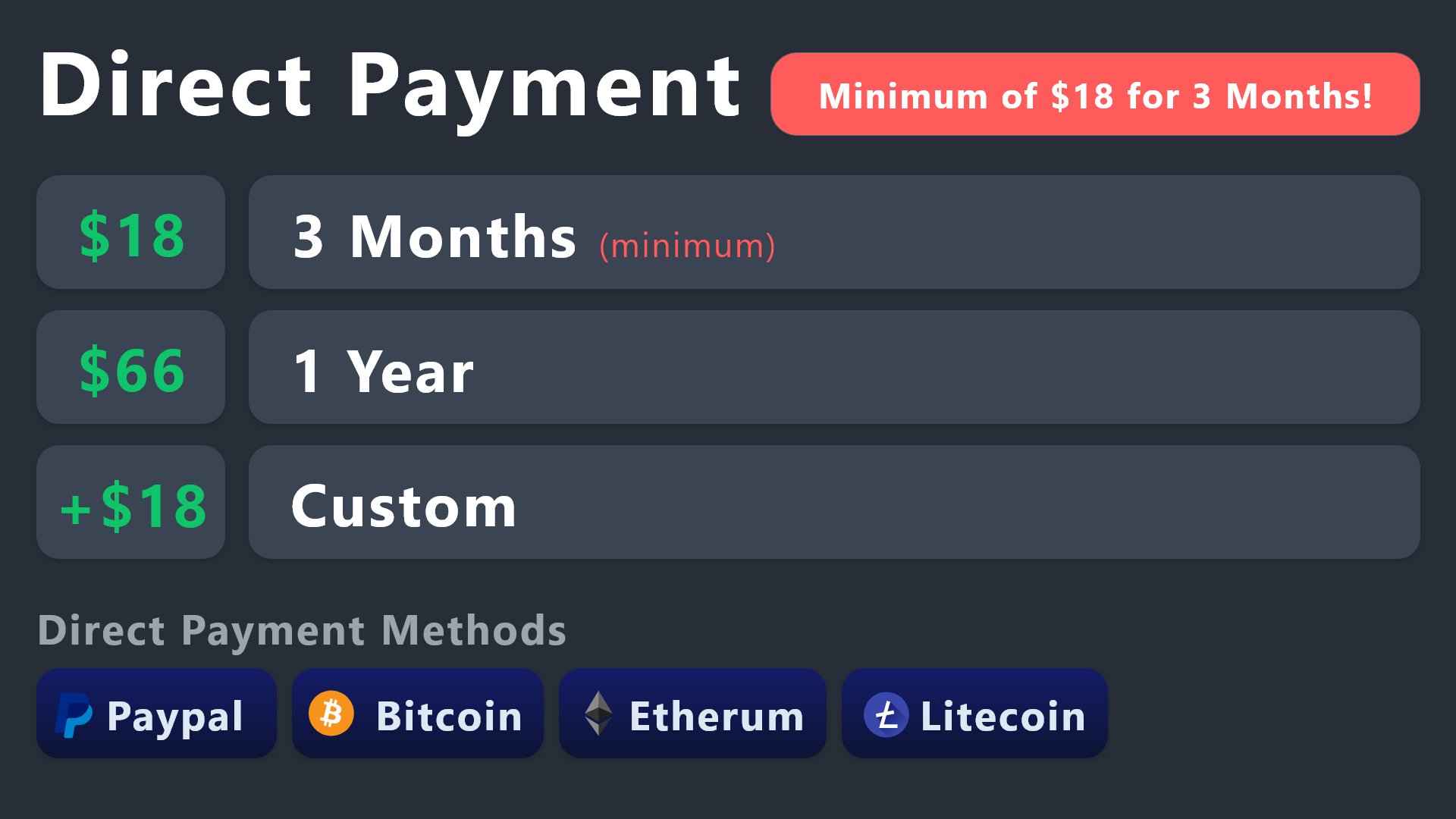
All prices in USD - 3 months min for direct payment
gilded verge
@tardy zenith, check if you want to buy with another method
 stoic flicker
How many free panel can you have with the ticket bot?
rustic gale
stoic flicker
How many free panel can you have with the ticket bot?
Dozens
stoic flicker
Thank you
 pearl apex
Does ticket-tool offer any free trial codes for preimum for maybe 7 days or so?
quick bone
pearl apex
Does ticket-tool offer any free trial codes for preimum for maybe 7 days or so?
there is a free premium trial already included.
however, you can also gain free premium from voting.

 gilded verge
quick bone
there is a free premium trial already included.
however, you can also gain free...
gilded verge
quick bone
there is a free premium trial already included.
however, you can also gain free...
im sorry, didn't notice your reply 😦
 fallow chasm
hi, can i transfer tickettool settings from one server to another?
rustic gale
fallow chasm
hi, can i transfer tickettool settings from one server to another?
Of course. Use the Backup & Restore menu in Server Configs
You have to be the owner to generate a backup key
and you have to be the owner to restore settings from a backup key
jade topaz
Is the key made by vote have expire time
Like if I redeem a key and not use it for log it get expire?
jade topaz
rustic gale
You have to be the owner to generate a backup key
Is there any expire time ?
rustic gale
fallow chasm
the server owner lost account
#🎫│make-a-ticket and explain the situation and give all the relevant details, and staff might help you transfer
rustic gale
jade topaz
Is there any expire time ?
Not as far as i know
jade topaz
rustic gale
Not as far as i know
Means it can be claimed after 1 year too 💀
solid stream
jade topaz
Means it can be claimed after 1 year too 💀
The backup keys are valid forever or until it's re-generated.
since they're just a link to the servers existing configs it doesn't take anything special to keep it around.
jade topaz
solid stream
The backup keys are valid forever or until it's re-generated.
I am asking about premium key
Which we get from votes
solid stream
jade topaz
I am asking about premium key
Which we get from votes
The generated key's also don't expire unless used.
jade topaz
Kk
 wary sparrow
how i create one form? i dont understand where i put {create.form.x} :S
rustic gale
wary sparrow
how i create one form? i dont understand where i put {create.form.x} :S
Is your question how to create a form for your users to answer, or is your question what the {create.form._} variables are for?
wary sparrow
rustic gale
Is your question how to create a form for your users to answer, or is your quest...
how to create a form for my server and where do i put the{create.form._}
rustic gale
wary sparrow
how to create a form for my server and where do i put the{create.form._}
You set up a form in the Panel Configs -> Forms menu
In the Question Editor you can add up to 5 form questions
wary sparrow
yes
rustic gale
Make sure the Enable form switch at the top is turned on 
wary sparrow
where i put {create.form.1} ?