#🆘│community-support
1 messages · Page 25 of 1
 river loom
 rustic gale
That's probably because you attached the panel to itself in *Attached Panels*
rustic gale
That's probably because you attached the panel to itself in *Attached Panels*
I managed to solve it, thanks! 🇧🇷😊
 iron nightBOT
Gave +1 Rep to @rustic gale
 wraith laurel
Need help can’t get movies or series
 humble sequoiaBOT

⚠️ You're in the wrong place
We provide support for Ticket Tool Discord bot and cannot help you with whatever issue you have.
- We don't know which Support Team you should contact to get this issue resolved, and unfortunately we won't be able to accurately tell you.
If you don't have any further questions regarding our bot Ticket Tool, please close this ticket
 stable jacinth
السلام عليكم
 robust sandalBOT
stable jacinth
السلام عليكم
robust sandalBOT
stable jacinth
السلام عليكم
Peace be upon you
 Arabic (ar) → English (en)

 fickle root
How do I reset the number to 0 again?

 shut bolt
fickle root
How do I reset the number to 0 again?
shut bolt
fickle root
How do I reset the number to 0 again?
Head to your Panel Configs tab
Then choose the panel
And use the Set Count button
 shut bolt
fickle root
shut bolt
fickle root
Here
 fickle root
shut bolt
Here
fickle root
shut bolt
Here
done thx ❤️
iron nightBOT
Gave +1 Rep to @shut bolt
shut bolt


 round belfry
I invited the gold bot, but tickets are still generated using the basic one, how do I make the gold one do the tickets and should I kick the basic one?
humble sequoiaBOT
The first thing you will need to do is invite the premium bot, an invite can be found here
Once the bot is in your server we will head to the dashboard and manage your server. When you are managing your server, you want to head into "Server Configs" then click the drop down menu under "Select the bot you would like to use on this server" then click "Ticket Tool#6207" and then save.

 covert swallow
round belfry
I invited the gold bot, but tickets are still generated using the basic one, how...
covert swallow
round belfry
I invited the gold bot, but tickets are still generated using the basic one, how...
Depends on how you purchased premium, as a general rule probably not
rustic gale
 trim citrus
no limit to this anymore?
trim citrus
no limit to this anymore?
Without premium, the limit is 250 characters
covert swallow
Feel free to drop a message in #📈│reviews
 blissful atlas
covert swallow
Feel free to drop a message in <#509775046848282677>
blissful atlas
covert swallow
Feel free to drop a message in <#509775046848282677>
Ups i been searching
covert swallow
blissful atlas
Lol
Yeah yagpdb is a bit silly sometimes
covert swallow
blissful atlas
Ups i been searching
No worries
 lean quail
K
trim citrus
rustic gale
Without premium, the limit is 250 characters
damn, maybe consider adding a warning then
 summer compass
Opa
rustic gale
 violet forge
who to add in the aditional roles and the support team roles?
violet forge
who to add in the aditional roles and the support team roles?
It depends on which roles you want to give which permissions in tickets
Support team is usually mods, support staff, or anyone able to handle users' tickets
By default, support team roles can view all tickets, open and closed. Then can close, re-open, delete and transcript them
Additional roles are a different kind of role which you can use for other purposes
By default they can view open tickets, but not closed tickets. And they can't use functions that are reserved for the support team
 uncut plinth
how can i change the ticket to another channel on my panel?
rustic gale
uncut plinth
how can i change the ticket to another channel on my panel?
I'm not sure i understand what you need. Please clarify
uncut plinth
i have 6 different Tickets in Channel A and want to change them to channel b
rustic gale
uncut plinth
i have 6 different Tickets in Channel A and want to change them to channel b
I don't know what you mean by tickets
Usually a ticket is a channel
So you can't have tickets in channels, because you can't have channels in channels
There's thread-style tickets, which can be in channels
But you can't move threads from one channel to another
uncut plinth
This 4 tickets from Bewerbungen to Content Creator
 rustic gale
Panels
Those are called panel messages
The way you move them is
- Open your server's dashboard
humble sequoiaBOT

Ticket Tool - Ticketing without clutter - The #1 discord Ticketing bot
rustic gale
- Head to Panel Configs
- Go panel by panel selecting the panel at the top and using the Send button to send them to the new channel
- Now you can delete the old messages from the old channel
violet forge
rustic gale
By default they can view open tickets, but not closed tickets. And they can't us...
Got it. Thank u
iron nightBOT
Gave +1 Rep to @rustic gale
 muted umbra
how do i give another role w/o admin, permission to see tickets
rustic gale
muted umbra
how do i give another role w/o admin, permission to see tickets
Make it a support team role
or an additional role (fewer permissions and can't see closed tickets by default)
Support team roles and additional roles are set up in Panel Configs -> General
muted umbra
rustic gale
Support team roles and additional roles are set up in Panel Configs -> General

does it matter if the roles are above/below each other
 mortal frigate
Noticed the {close.reason} variable and was wondering how I can make it so tickets have to closed with a reason? I don't see any buttons or dashboard options for it...
 sturdy pollen
how do I enable the Enable ticket Claiming because its not letting me?
rustic gale
mortal frigate
Noticed the {close.reason} variable and was wondering how I can make it so ticke...
Not possible, but you can suggest it in #premium-suggestions
rustic gale
sturdy pollen
how do I enable the Enable ticket Claiming because its not letting me?
It's a premium feature
You enable it in Panel Configs -> Claiming
mortal frigate
rustic gale
Not possible, but you can suggest it in <#856371282132205598>
So there's literally no way to make usage of the variable? Seems odd for it be in the variable list if there's nothing for it...
rustic gale
mortal frigate
So there's literally no way to make usage of the variable? Seems odd for it be i...
You can include the variable in the transcript message, the closed message, the moderator message
mortal frigate
Okay but once again.... no real way to make proper usage of it right? Can put it in the message but what good does that do if you can't even set a reason in the first place? or am I misunderstanding?
rustic gale
mortal frigate
Okay but once again.... no real way to make proper usage of it right? Can put it...
To set a reason you do, for example, this
$close By user request
or with a slash command
/close No response within 72 hours
mortal frigate
rustic gale
To set a reason you do, for example, this
$close By user request
or with a slash...
Thank you, will use this method and hope for a premium feature down the line 🙂
iron nightBOT
Gave +1 Rep to @rustic gale
rustic gale
 undone apex
like what command in my server
undone apex
like what command in my server
You don't set up the bot through commands
You do it through the website
humble sequoiaBOT
Ticket Tool - Ticketing without clutter - The #1 discord Ticketing bot
rustic gale
I recommend you check out the Setup Guide in #📂│information
 light osprey
is there a way to duplicate a panel config from one server to another? i have a test server i've been using to test things out, and want to implement it in my main server now. can i transfer it, or export from one server and import into the other?
rustic gale
light osprey
is there a way to duplicate a panel config from one server to another? i have a ...
If you're the owner, yes, absolutely
light osprey
rustic gale
If you're the owner, yes, absolutely
yes, i'm the server owner for both servers.
rustic gale
In Server Configs in your dashboard, you will find this section

Use it in the old server to generate a backup key
Use that backup key in the new server to transfer the settings
light osprey
will that overwrite everything on the new server or merge them together?
i just tried it and i'm getting an error, so the restore is failing.
rustic gale
light osprey
will that overwrite everything on the new server or merge them together?
If you check “keep existing panels” and “keep existing tags”, nothing will be deleted
rustic gale
light osprey
i just tried it and i'm getting an error, so the restore is failing.
What error do you see?
 slow echo
Trying to setup a panel with multiple dropdown options... how do I do this?
rustic gale
slow echo
Trying to setup a panel with multiple dropdown options... how do I do this?
First create a panel for each option
slow echo
I got it figured out 😉
rustic gale
Oh, okay
slow echo
Thanks for a speedy response 🙂
light osprey
rustic gale
What error do you see?
this is the error i get...
 rustic gale
Uh. Let me ask the <@&819975798584508456>. I'm not sure about this one
light osprey
ok. thanks!
 austere sonnet
Is autoclose back yet?
 rustic gale
austere sonnet
Is autoclose back yet?
rustic gale
austere sonnet
Is autoclose back yet?
Depends on what you mean by autoclose
 willow atlas
How do i make a ticket drop down
Ive been messing with it for a little bit now and cant seem to figure it out
austere sonnet
rustic gale
Depends on what you mean by _autoclose_
I mean ticket closes after a defined period of inactivity.
rustic gale
austere sonnet
I mean ticket closes after a defined period of inactivity.
There's not such feature currently, but the developer has confirmed that it's being worked on
Can't say more about that however
rustic gale
willow atlas
How do i make a ticket drop down
You create a panel in Panel Configs for each dropdown option
then, in the dropdown editor, you select the corresponding panel for each item
willow atlas
It keeps saying undefined after
willow atlas
rustic gale
then, in the dropdown editor, you select the corresponding panel for each item
^
rustic gale
willow atlas
It keeps saying undefined after
Try sending the panel with the /panel command instead
(the ID is the panel number in the selector in Panel Configs: 1, 2, 3 and so on)
(i.e. if you're trying to send panel 5, you do /panel 5)
 jolly fjord
Has anyone had any issues with the bot opening every ticket as “uncategorized” instead of in their designated category. Does anyone know how to fix that at all? It keeps happening
 lunar solar
jolly fjord
Has anyone had any issues with the bot opening every ticket as “uncategorized” i...
lunar solar
jolly fjord
Has anyone had any issues with the bot opening every ticket as “uncategorized” i...
Does the normal category where they open to have 50 tickets (channels) already in it?
jolly fjord
lunar solar
Does the normal category where they open to have 50 tickets (channels) already i...
Nope! It has maybe 6
lunar solar
Have you check to see if the category is still set correctly under:
Panel configs —> Category
 gilded verge
light osprey
this is the error i get...
gilded verge
light osprey
this is the error i get...
Hey, looks like you mistyped the key, so try to generate again and make sure you copied it correctly ^^
 jade topaz
i have an issue with my ticketing system
rustic gale
jade topaz
i have an issue with my ticketing system
People usually come here when they have an issue with their ticketing system
When they don't give details about their issue we usually tell them this
humble sequoiaBOT
We would love to help you, but if you don't tell us what you need help with we can't help you :(
jade topaz
thanks
i dont think its going to help with my issue though
it didnt
are you available for me to explain my issue, or are you busy at the moment?
hello?
lunar solar
jade topaz
hello?
You can explain your issue in here?
jade topaz
sorry, i was just waiting to make sure a staff member was avaliable.
lunar solar
Yes so what’s the issue?
jade topaz
so in my server, as part of my verification system, the at everyone role is set to not be able to view any channels, but the verify channel allows everyone to see it.
but when i create a new ticket, that is private and only has certain roles that should be able to see it, everyone can see the tickets, verified or not.
i can send a screenshot of it if you'd like
lunar solar
Panel configs —> Permissions —> Everyone Role Permissions (Edit opened) —> Make sure the View channel permission has a 
lunar solar
No just the everyone one is the important one for the first check
jade topaz
all three of the panels have everyone role view channel permissions deactivated in the panel configs
but all users in my server can still see them
rustic gale
How about in the channel's permissions in the server?
jade topaz
same thing
the at everyone role permissions have view channels off
and the opened tickets are private channels with only certain roles in them
rustic gale
Note that off means 
jade topaz
rustic gale
Note that off means <:deny_red:836268265821962341>
yes
rustic gale
 means neutral
jade topaz
each ticket opened has the at everyone view channel permission as
rustic gale
Note which roles have View Channel set to  in the channel permissions
jade topaz
the thing is
they can only see the tickets themselves, but not the place where you can open tickets. I want them to only be able to see the verify channel.
jade topaz
yes?
 rough hazel
Hey, does premium allow custom pfp and status for the bot?
rustic gale
I didn't notice a ticket from you, that's why i pinged
jade topaz
i was still making it.
rustic gale
rough hazel
Hey, does premium allow custom pfp and status for the bot?
Not currently, but it's being worked on for a future update
jade topaz
making sure you have all the info you could need
rough hazel
awesome, cheers!
jade topaz
done
 drowsy stirrup
Slam
 cerulean bay
Hey there
I am trying to use the ticket tool to allow the user who opened it to add more users, but keep failing at it 😦
Would appreciate some guidance if possible
 cerulean bay
I have the Can non-mods invite users? option toggled in my panel but doesnt seem like it does anything
lunar solar
Command Configs —> Add —> Ensure it’s enabled  —> After that click settings on Add and ensure Support Team Only is disabled
cerulean bay
Done
lunar solar
Can you use the Add command?
cerulean bay
Already did and seems to be working for a user as well
lunar solar
Awesome sauce
cerulean bay
Thank you very much @lunar solar 🙂
iron nightBOT
Gave +1 Rep to @lunar solar
 vivid imp
Hi there 👋 I'm not sure if this has been asked but, is there a way to obtain the image sent in a ticket from the transcript?
lunar solar
vivid imp
Hi there 👋 I'm not sure if this has been asked but, is there a way to obtain th...
If the channel containing the ticket has been deleted then it’s more than likely gone forever.
Off the top of my head premium users get about 8mb of upload to transcripts but for anything else once Discord deletes the data associated with the channel any media is gone for good.
The best way to avoid this is any media uploaded to a ticket should be uploaded to a seperate dedicated channel where it won’t get deleted and then copy the Discord message link associated and paste that in the ticket.
Therefore if reviewing transcripts when you click the link it’ll take you back to the desired media.
vivid imp
lunar solar
If the channel containing the ticket has been deleted then it’s more than likely...
Thanks for the assistance 🫶
iron nightBOT
Gave +1 Rep to @lunar solar
lunar solar
No worries
 harsh ledge
why my dropdown style don't show the another options?
 rustic gale
harsh ledge
why my dropdown style don't show the another options?
rustic gale
harsh ledge
why my dropdown style don't show the another options?
Because you selected the same panel for all of them
To create a dropdown menu, first you create a panel for each option, then in the dropdown editor you select the corresponding panel for each option, finally you send the panel message with the Send button
harsh ledge
rustic gale
To create a dropdown menu, **first** you create a panel for each option, **then*...
ohhh, ok
this worked now, thx
 silent grove
how do you fix the ticket tool count name theres a lot of 0000000 then 0000001
rustic gale
silent grove
how do you fix the ticket tool count name theres a lot of 0000000 then 0000001
That sounds like a ticket padding issue
Panel Configs -> General -> Ticket Padding
The padding is the number of figures. If you set padding to 10 then you get 0000000001
iron nightBOT
Gave +1 Rep to @rustic gale
rustic gale
Good luck
silent grove
can you link a ticket to a existed msg?
rustic gale
Not sure what you mean by link
silent grove
like make it to a existed message in the channel
so i dont ahve to make a new embed idk how to explain
silent grove
nope
rustic gale
Then no, it's not possible
silent grove
oh okay thanks @rustic gale for the help
iron nightBOT
Gave +1 Rep to @rustic gale
rustic gale
silent grove
oh okay thanks <@832864595726172162> for the help
What's the message from, anyway?
silent grove
its from my embed
rustic gale
Depending on what you made the embed with, it might be possible
For example, Sapphire (@obtuse kraken) can be linked to Ticket Tool with a bit of work
rustic gale
Use the /id command in your server to find the role's ID
then insert the ID in the ticket message
For example, <@&642118166243311646> is <@&642118166243311646>
 grizzled ridge
Thanks
 subtle urchin
Hello i have problem
Two button a create ticket
Pls help fix
 rustic gale
subtle urchin
Hello i have problem
Two button a create ticket
Pls help fix
rustic gale
subtle urchin
Hello i have problem
Two button a create ticket
Pls help fix
This is likely because you attached the panel to itself in Attached Panels
If you don't want extra buttons, leave Attached Panels empty
subtle urchin
rustic gale
If you don't want extra buttons, leave **Attached Panels** empty
how to unpin a panel?
rustic gale
There's a little x next to the panel name. Click it
subtle urchin
rustic gale
There's a little x next to the panel name. Click it
in the panel config?
rustic gale
subtle urchin
in the panel config?
Panel Configs -> Panel -> Attached Panels (Multi Panels)
 subtle urchin
Thanks
 umbral oyster
Why is it there twice?
 rustic gale
umbral oyster
Why is it there twice?
rustic gale
umbral oyster
Why is it there twice?
Because you attached the panel to itself
Attached Panels is for the other panels only
(in addition to the panel's own default button)
jade topaz
hello i have a question
light osprey
gilded verge
Hey, looks like you mistyped the key, so try to generate again and make sure you...
not sure what happened. it was a copy/paste of the key, but i regenerated it and it worked the second time.
rustic gale
jade topaz
hello i have a question
Everyone here has a question. They usually just ask it and wait for an answer
 wide eagle
Is the bot down at the min? We cannot open or close tickets in our server
rustic gale
wide eagle
Is the bot down at the min? We cannot open or close tickets in our server
What's the ID of your server?
(don't send an invite, the bot will kick you)
jade topaz
yo how do I like duplicate my ticketing to another server is there a option for that?
rustic gale
jade topaz
yo how do I like duplicate my ticketing to another server is there a option for ...
If you're the owner of both, you can use the Backup & Restore section in Server Configs to do it
jade topaz
are u allowed unlimited panels
 icy hound
How do I merge all my ticket options into one message like the one in #🎫│make-a-ticket ?
rustic gale
icy hound
How do I merge all my ticket options into one message like the one in <#57170643...
That's called a multipanel. Have a look
humble sequoiaBOT
For a more convenient use of multipanels, you can now combine panels on the dashboard. This will allow you to directly send the multipanel from the dashboard or via the $panel ID command.
Where can I find this?
You can find this setting on the Dashboard -> Panel Configs -> Settings -> Panel
Note: if you're attaching all the panels to a panel called English, don't include English in the attached panel's box (If you do this, it will create a duplicate)
This will put all buttons from all of your panels on one message. The message is the panel message from the panel you're combining these panels in.
 icy hound
rustic gale
That's called a multipanel. Have a look
icy hound
rustic gale
That's called a multipanel. Have a look
Thank you so much!
iron nightBOT
Gave +1 Rep to @rustic gale
 raw escarp
can i see a ticket transcript with my ios device ?
iphone
@rustic gale
sorry for mention but it’s kinda urgent
rustic gale
raw escarp
can i see a ticket transcript with my ios device ?
Yes, you should be able to. Are you having trouble with it?
raw escarp
yes
rustic gale
Where's the transcript file located?
 rustic gale
You would have to open it with a browser that enables Javascript
raw escarp
rustic gale
You would have to open it with a browser that enables Javascript
i did , it shows the same thing
rustic gale
Please confirm that Javascript is enabled

How to Enable JavaScript in Apple Safari (iPad, iPhone iOS) Browser and Why.
 lyric kiln
Yo I had either a admin or cheater come up to me and say I was cheating while flying and hitting me in the head with a rock, his name was WUKALOT is he a admin?
humble sequoiaBOT
⚠️ You're in the wrong place
We provide support for Ticket Tool Discord bot and cannot help you with whatever issue you have.
- We don't know which Support Team you should contact to get this issue resolved, and unfortunately we won't be able to accurately tell you.
If you don't have any further questions regarding our bot Ticket Tool, please close this ticket
humble sequoiaBOT
━━ moved to ticket ━━
 near perch
Can someone go through with me, how I can setup this bot or just link some kind of tutorial online... I tried looking at tutorials on YouTube and they are either outdated or very bad quality.
rustic gale
near perch
Can someone go through with me, how I can setup this bot or just link some kind ...
Have a look at the Setup Guide in #📂│information
You can ask me about anything in particular
near perch
rustic gale
You can ask me about anything in particular
thankyou in advance!
jade topaz
Hi 👋
How many panels do i get for free?
 jade topaz
Wow thx!@lunar solar
lunar solar
 digital thorn
How do you create a ticket?
digital thorn
How do you create a ticket?
Best to check out our setup guides
humble sequoiaBOT

You can check our documentation here;
You can also check #📂│information for the basic setup;
or run the </setup:1025379472167403530> command within #🤖│bot-spam
Our documentation contains all the info you need about the bot to be able to setup and configure the bot however you like.
 stark runeBOT
1. Invite Ticket Tool to your server
First you will want to invite the bot to your server. Once the bot is in your server, you can manage your server in the dashboard.

2. Create a Panel
To create a panel we are going to need to head over to the panel configs on the dashboard.
Once at the dashboard we will need to click Create Panel.
Enter a panel name (Fill in any optional settings you want).
Click Create Panel and your ready to get started with configuring your panel.
An example of a creating a panel is shown below.

3. Send the Panel to a Channel
Once you've created a panel on the dashboard you will need to send it to a channel using send on the dashboard.
Select the channel you want your panel to be created in and click send.
For other questions checkout $help faq.
An example of a sending a panel is shown below.
Having a Problem Sending the Panel?
Do $debug in a channel with Ticket Tool and make sure it has all the necessary Discord permissions.
 near perch
A) What does tag do? Is it where you can do /command and it send a custom embedded message?
B) Does tags work anywhere in the server or only in ticket area?
C) How many tags are there in the free tier?
D) Is there a way to create a template for the tag?
E) Can you delete transcript?
lunar solar
near perch
A) What does tag do? Is it where you can do /command and it send a custom embedd...
A. Essentially an information tool via a Discord message or Discord embed message that responds to a prompt command
B. Anywhere ticket tool can see and send messages it will respond to tag prompts
C. Let me check but I believe it’s unlimited
near perch
Thanks @lunar solar
iron nightBOT
Gave +1 Rep to @lunar solar
rustic gale
It's cool||down||
lunar solar
near perch
Thanks <@892854649172946985>
I believe it is unlimited, I can’t find anything else to suggest otherwise
Ignore the warnings haha 🙂
near perch
quickly,
D) Is there a way to create a template for the tag?
E) Can you delete transcript?
digital thorn
How do you create individual tickets 🎫 for your group you’re in?
lunar solar
lunar solar
A. Essentially an information tool via a Discord message or Discord embed messag...
@near perch correction on my last point
Discord Message responses are free
Discord Embed Message responses require premium
And there is a 2048 character limit on the Discord messages while free
Apologies about the misinformation
D. There isn’t a clone or edit raw function but it’s a good idea
E. If you delete the file from Discord it will make the link go dead returning a Invalid Request on link essentially deleting it
lunar solar
digital thorn
How do you create individual tickets 🎫 for your group you’re in?
Again like I said in your active ticket you are in the wrong Discord
near perch
lunar solar
D. There isn’t a clone or edit raw function but it’s a good idea
E. If you dele...
HOW?! I kicked the bot from the server and removed the transcript from discord it didn't do anything...
also how do you make a tag, I went to the tag tab and created one but when i do /test to test it out nothing happened!
rustic gale
What did you name the tag?
 alpine basin
Bruh my car full of loot despawned when the server reset. Can an admin help??
humble sequoiaBOT
⚠️ You're in the wrong place
We provide support for Ticket Tool Discord bot and cannot help you with whatever issue you have.
- We don't know which Support Team you should contact to get this issue resolved, and unfortunately we won't be able to accurately tell you.
If you don't have any further questions regarding our bot Ticket Tool, please close this ticket
raw escarp
rustic gale
Please confirm that Javascript is enabled
it is

 supple badge
I want to know where are the forms sent?
humble sequoiaBOT
━━ moved to ticket ━━
 summer tree
Does anyone know why it says this interaction failed when I try to open a ticket in a server?
 valid trellis
Hello 🙂 How are u guys?
We have some issue with ur Ticket system, can help us?
 valid trellis
summer tree
Does anyone know why it says this interaction failed when I try to open a ticket...
valid trellis
summer tree
Does anyone know why it says this interaction failed when I try to open a ticket...
The same...
lunar solar
**We are aware some services are down, we are already investigating.
We will update you as we know more.**
valid trellis
lunar solar
**We are aware some services are down, we are already investigating.
We will up...
Thanks ❤️
iron nightBOT
Gave +1 Rep to @lunar solar
lunar solar
How can we help?
**We are aware some services are down, we are already investigating.
We will update you as we know more.**
^^^^
No worries
 solid stream
Are we still locked down?
 scenic plinth
Not to my belief, I think.
 pale pilot
Yes we are
 copper canopy
Hey I was wondering if someone could help me with my problem. so I am having a problem with this bot because I can create a ticket on my staff account but when I switch to my account that only has member I cannot create a ticket it says "Interaction Failed" or something like that
rustic gale
copper canopy
Hey I was wondering if someone could help me with my problem. so I am having a p...
It says “interaction failed”?
copper canopy
rustic gale
It says “interaction failed”?
nvm I got it to work now but I got another question. How do I make it so where when the members make the ticket they can see the message history and type in it?
sorry for the ping btw
rustic gale
copper canopy
nvm I got it to work now but I got another question. How do I make it so where w...
It's kind of best if you just give the everyone role in your server the Read Message History permission
copper canopy
rustic gale
It's kind of best if you just give the everyone role in your server the Read Mes...
thank you I can be a dum dum sometimes
have a merry christmas if you celebrate it ❤️
 stray parrot
Hey, I've recently purchased a premium subscription through discord, however I tried to use the premium features and it doesn't seem to be working, may I please have a fix for this?
rustic gale
stray parrot
Hey, I've recently purchased a premium subscription through discord, however I t...
Sure. Use the /premium command in your server
And confirm that it shows “Discord: Active”
stray parrot
rustic gale
Sure. Use the /premium command in your server
Hey, also; Whenever I said the panel it sends with two buttons
How do I fix that?
lunar solar
stray parrot
Hey, also; Whenever I said the panel it sends with two buttons
You've attached the panel to itself:
Panel Configs --> Panel --> Attached Panels (Multi Panels) --> Empty this box
then
Resend to Discord
stray parrot
Thanks,
One last question, how do I change the ticket name to ticket-username rather than ticket-numbers?
humble sequoiaBOT
The ticket name is the default channel name of all tickets. To edit it, go to your Dashboard > Panel Configs > Ticket. There you can edit the channel name of opened and closed tickets. You can also use variables in there.

 Note: This is a premium feature
gilded verge
humble sequoia
Note: This is a premium feature
gilded verge
humble sequoia
@stray parrot, please check 
stray parrot
Thanks.
stray parrot
I got an issue, everyone can close the tickets can I make it so only specific roles can close the channels please?
rustic gale
stray parrot
I got an issue, everyone can close the tickets can I make it so only specific ro...
Head to Panel Configs -> Buttons -> Close Ticket
Add everyone to the denied roles
And add the roles you want to allow to the allowed roles
You may want to do the same for the Confirm Close button as well
 spare gale
Somehow it does not register that I resetted the count to 0…
rustic gale
spare gale
Somehow it does not register that I resetted the count to 0…
Are you still having this issue?
spare gale
rustic gale
Are you still having this issue?
Yes
rustic gale
spare gale
Yes
You reset the counts of two of the panels.
The counts are 1 and 4 right now.
spare gale
Yes
rustic gale
Are 1 and 4 incorrect?
spare gale
I want them to be 0 again. But somehow it doesn’t approves the change
spare gale
I set it to 0, and then save. And then I get the message that he is okay with it. And when I refresh, it still says 1 and 4
I can try on safari instead of inside Discord…
That didn’t worked.
I hope you see the issue
spare gale
Should I make the bugreport?
rustic gale
Create a new ticket and test whether the count starts from 1
rustic gale
Exactly
spare gale
Once you refresh, on the web-end it tells you the old number before the change.
I’m a web developer myself, and a bot developer, so I have a little understanding about this. Thanks anyways, and happy holidays 🙂
Thanks @rustic gale
iron nightBOT
Gave +1 Rep to @rustic gale
jade topaz
There is Glitch in dashboard i can use some premium options but i dont have premium
rustic gale
jade topaz
There is Glitch in dashboard i can use some premium options but i dont have prem...
What's the name of your server?
And which premium features do you have access to?
jade topaz
rustic gale
What's the name of your server?
الكشك
jade topaz
rustic gale
And which premium features do you have access to?
its not very important features like color embed
rustic gale
jade topaz
its not very important features like color embed
In which messages?
jade topaz
message_ticket
jade topaz
rustic gale
In which messages?
hello
rustic gale
jade topaz
message_ticket
And when you create a new ticket, the embed appears with the custom color?
jade topaz
rustic gale
And when you create a new ticket, the embed appears with the custom color?
yep.
 jade topaz
can i prize for the reporting :)))))
jade topaz
rustic gale
Thank you for reporting
:)
rustic gale
Well, you get to use the custom color... 😅
jade topaz
rustic gale
Well, you get to use the custom color... 😅
ok 😂
if you need to know i am used this glitch i can describe
i can edit on transcript message also
@rustic gale
rustic gale
jade topaz
i can edit on transcript message also
You can? Can you send a screenshot please
rustic gale
Can't do calls sadly
jade topaz
@rustic gale

;-;
i think i can edit all parts of embed

@rustic gale are you here?
 dusk sable
How i can fix this? i need to upgrade the bot
 lunar solar
dusk sable
How i can fix this? i need to upgrade the bot
lunar solar
dusk sable
How i can fix this? i need to upgrade the bot
If you can’t use Discord subscription we off direct payment methods.
Note: To utilise direct payment methods you have to pay 3mths minimum up front
humble sequoiaBOT
PayPal - DiscordTicketTool@gmail.com
BitCoin - 3HhKKAdb9eEvCe2tvzB8bAa8nebHY6qcPA
Ethereum - 0xF47a27D6a3225bB8e71fd03B5C14bbb374b41149
LiteCoin - MEQX3knLAuotrKnvk3HDNBK5gdRn6PZhHy

Prepay/Direct Payment
To prepay send the payment using your desired method - Available options listed bellow.
⚠️ $18 per 3 months. ⚠️
$66 per year.
(If using the direct payment option, you need to be paying for at-least 3+ months.)
Regular Prices when paying on our website:
$6/per month
$66/per year
Once your payment is sent let us know so we can confirm and get you your key.
<:paypal:924596360840372234> Paypal ("Goods and Services" or "Family and Friends")
DiscordTicketTool@gmail.com
<:bitcoin:924638849135689749> BTC - Bitcoin
3HhKKAdb9eEvCe2tvzB8bAa8nebHY6qcPA
<:Ethereum:972177326580301835> ETH - Ethereum
0xF47a27D6a3225bB8e71fd03B5C14bbb374b41149
<:Litecoin:972176945972383815> LTC - LiteCoin
MEQX3knLAuotrKnvk3HDNBK5gdRn6PZhHy
I sent the payment now what?
After you send the payment, please send a screenshot with proof of payment, our <@&615146349700186112> will verify your payment and will get you setup. For crypto payments, we are waiting for at least ONE verification.
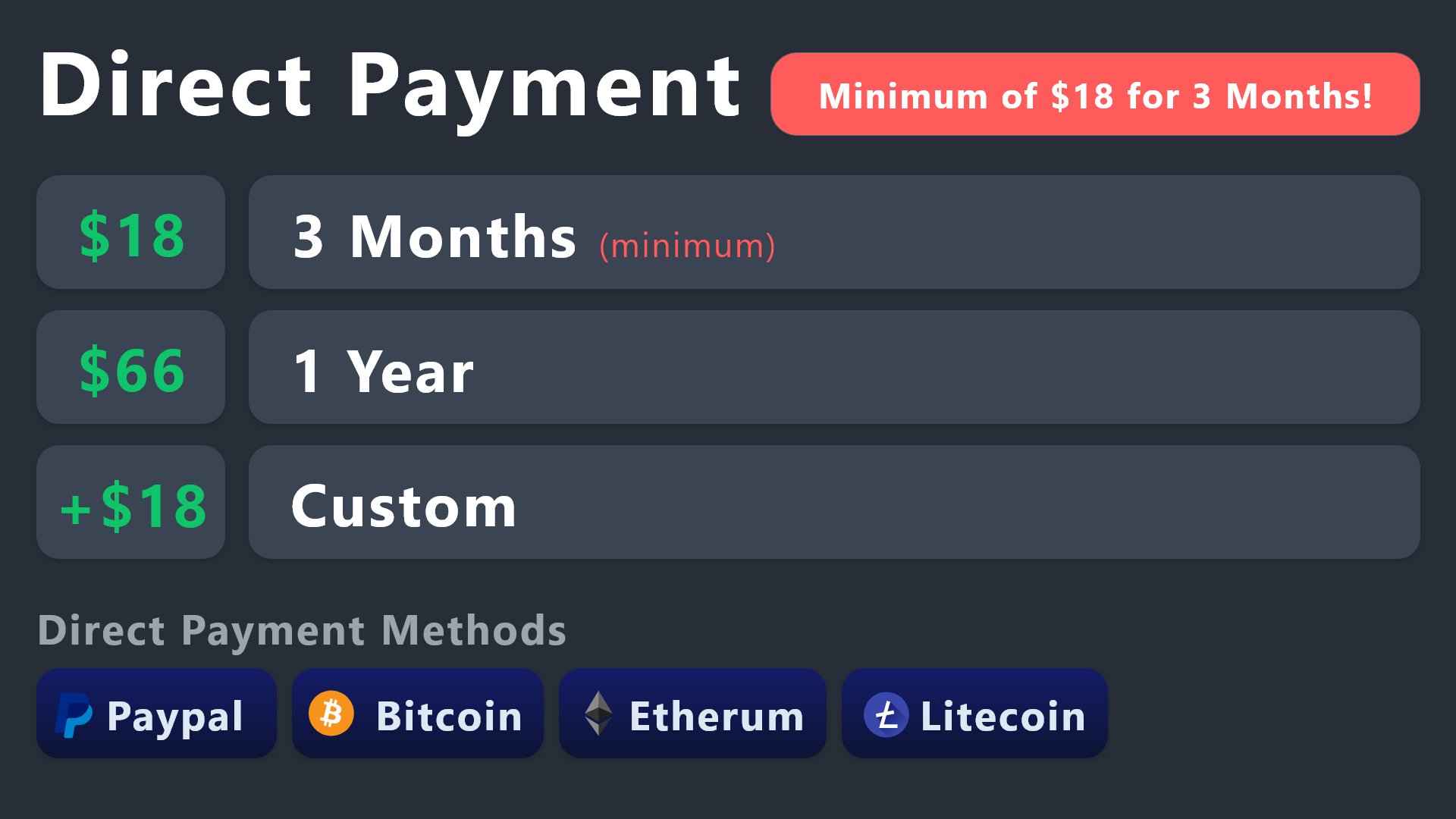
All prices in USD - 3 months min for direct payment
lunar solar
If you do directly subscribe please @ me so we can get a ticket sorted and organise your key
dusk sable
lunar solar
If you do directly subscribe please @ me so we can get a ticket sorted and organ...
Can we pay via Stablecoin?
lunar solar
Ahh let me ask
dusk sable
We would like to pay for 1 years
dusk sable
lunar solar
Ahh let me ask
Sure. Stablecoin will be easy for us. Many thanks!
iron nightBOT
Gave +1 Rep to @lunar solar
lunar solar
We are in a reduced tempo period due to the holidays so it may take a moment for me to get a response to your question. I will @ you with the answer.
dusk sable
lunar solar
We are in a reduced tempo period due to the holidays so it may take a moment for...
Oh okay sure
lunar solar
dusk sable
Can we pay via Stablecoin?
We only offer payment via the methods listed in the embed I sent above:
#🆘│community-support message
So if you can’t pay via one of these methods using stablecoin the answer is no.
dusk sable
lunar solar
We only offer payment via the methods listed in the embed I sent above:
https:/...
Sure. i will proceed it
and after i make payment and i DM u with the details?
lunar solar
No just @ me here and I will force a ticket open with you so we can get your key sorted as our ticket system is closed currently due to holidays.
ignore the warning from the bot about @ing staff as long as you only @ me
dusk sable
lunar solar
No just @ me here and I will force a ticket open with you so we can get your key...
I done the payment Ser
jade topaz
is the Glitch Solved?
rustic gale
jade topaz
is the Glitch Solved?
Apparently it's a known issue, so it might get addressed eventually
pale pilot
Can everyone chat here again?
 crystal topaz
pale pilot
Can everyone chat here again?
crystal topaz
pale pilot
Can everyone chat here again?
Yes
crystal topaz
pale pilot
<@823623703286907000>
Can talk, no premium role 👍
jade topaz
pale pilot
I'm primarily asking only members, not Premium members 😬
hey can I open a support ticket rn
kinda important
lunar solar
jade topaz
hey can I open a support ticket rn
yes, #🎫│make-a-ticket
 tame shoal
how do i create a ticket?
lunar solar
In this Discord or on your own server?
tame shoal
my own
humble sequoiaBOT
You can check our documentation here;
You can also check #📂│information for the basic setup;
or run the </setup:1025379472167403530> command within #🤖│bot-spam
Our documentation contains all the info you need about the bot to be able to setup and configure the bot however you like.
stark runeBOT
1. Invite Ticket Tool to your server
First you will want to invite the bot to your server. Once the bot is in your server, you can manage your server in the dashboard.
2. Create a Panel
To create a panel we are going to need to head over to the panel configs on the dashboard.
Once at the dashboard we will need to click Create Panel.
Enter a panel name (Fill in any optional settings you want).
Click Create Panel and your ready to get started with configuring your panel.
An example of a creating a panel is shown below.
3. Send the Panel to a Channel
Once you've created a panel on the dashboard you will need to send it to a channel using send on the dashboard.
Select the channel you want your panel to be created in and click send.
For other questions checkout $help faq.
An example of a sending a panel is shown below.
Having a Problem Sending the Panel?
Do $debug in a channel with Ticket Tool and make sure it has all the necessary Discord permissions.
lunar solar
See above @tame shoal
tame shoal
do i send it to the channel where tickets will be answered or do i send it to where people will use the ticket command to open a ticket?
tame shoal
whats the command they need to use? also can I change the name of the command?
lunar solar
No command unless you want commands its just a button click
See #🎫│make-a-ticket for examples
If you want commands:
Panel Configs --> Command Style --> Enable and adjust the other parameters to your liking
tame shoal
ok thank you
lunar solar
No worries
tame shoal
thanks @lunar solar
iron nightBOT
Gave +1 Rep to @lunar solar
tame shoal
@lunar solar how do I do so the ticked is opened under a different category?
lunar solar
Ignore the warning
lunar solar
tame shoal
<@892854649172946985> how do I do so the ticked is opened under a different cate...
Panel Configs --> Category --> Select the category of your choosing for both open and closed tickets. If you want both in the same place make the category the same in both boxes
tame shoal
alright thanks
lunar solar
No worries
 icy drift
Is premium bot £4.99 per discord server ?
rustic gale
It's 5.99 USD per server
humble sequoiaBOT
We would love to help you, but if you don't tell us what you need help with we can't help you :(
 faint hound
how do you make it so you can open multiple tickets under one panel? i cant figure out how
rustic gale
faint hound
how do you make it so you can open multiple tickets under one panel? i cant figu...
This can mean many different things, could you please clarify
Look, i'm not trying to be rude
You obviously need help with the bot
It's best if you just tell us what you need help with
And whoever can help will help
faint hound
oh sorry- like i am trying to open up multiple tickets at a time nder one panel but it will only let me open one?
idk if that makes any more sense i'm not the best at explaining things sorry
rustic gale
faint hound
oh sorry- like i am trying to open up multiple tickets at a time nder one panel ...
You can set up limits in Panel Configs -> Limits in your dashboard
The default limit is 1
You can increase it
or you can set up roles that bypass limits
faint hound
ok!
rustic gale
This is called a multipanel
humble sequoiaBOT
For a more convenient use of multipanels, you can now combine panels on the dashboard. This will allow you to directly send the multipanel from the dashboard or via the $panel ID command.
Where can I find this?
You can find this setting on the Dashboard -> Panel Configs -> Settings -> Panel
Note: if you're attaching all the panels to a panel called English, don't include English in the attached panel's box (If you do this, it will create a duplicate)
This will put all buttons from all of your panels on one message. The message is the panel message from the panel you're combining these panels in.
faint hound
thank you
faint hound
rustic gale
You can set up limits in Panel Configs -> **Limits** in your dashboard
thank you
iron nightBOT
Gave +1 Rep to @rustic gale
faint hound
there you go bot now you cant be mad
 trail storm
how do i do a ticketban?
rustic gale
Try using the /debug command in the channel where you want to send the panel. This will give us some information
rustic gale
trail storm
how do i do a ticketban?
What do you mean by a ticketban?
trail storm
i did it, dont worry
rustic gale
...
In your server, pal. Not here
In the channel where you want to send the panel to
faint hound
is there a way to edit what the bor names the tickets? like instead of ticket-0000 or whatever its like idk thisisaticket
humble sequoiaBOT
The ticket name is the default channel name of all tickets. To edit it, go to your Dashboard > Panel Configs > Ticket. There you can edit the channel name of opened and closed tickets. You can also use variables in there.
Note: This is a premium feature
 tawdry needle
hello! I've gone through the inital setup, but I'm getting lost somewhere.
How do I make it so that the tickets are private to the support role and the ticket creator?
 fluid echo
is there a way for me to be notified when a ticket is opened?
rustic gale
tawdry needle
How do I make it so that the tickets are private to the support role and the tic...
That's how they're supposed to be by default
By default, the only users that can view tickets are
- Ticket Tool
- The ticket user
- Support roles and additional roles if any
- The server owner and admins
tawdry needle
hmmm....maybe I didn't have roles set? or maybe someone's mod role allowed them to see the ticket channels
rustic gale
The Administrator permission grants all permissions in all channels and it can't be overridden.
Thus, users with the Administrator permission are always able to see tickets.
tawdry needle
Thanks!
thanks @rustic gale ! I had one of my roles with Admin permissions. So just removing that fixed the issue.
iron nightBOT
Gave +1 Rep to @rustic gale
rustic gale
 sharp portal
how do i look at my past transcripts
sharp portal
how do i look at my past transcripts
Where were the transcripts sent?
 sharp knoll
can somebody tell me why the game put me banned:ban evasion?
humble sequoiaBOT
⚠️ You're in the wrong place
We provide support for Ticket Tool Discord bot and cannot help you with whatever issue you have.
- We don't know which Support Team you should contact to get this issue resolved, and unfortunately we won't be able to accurately tell you.
If you don't have any further questions regarding our bot Ticket Tool, please close this ticket
lunar solar
@sharp knoll see above ^
sharp knoll
what can i do them?
lunar solar
sharp knoll
what can i do them?
We can’t help, you’re in the wrong place and we don’t know where you need to go to get help with this matter. We have no association with the server that banned you.
rustic gale
sharp portal
it shouldn't be in my ticket tool
So where were the transcripts sent?
sharp portal
idk it only shows 2
rustic gale
When you set up transcripts for your server, you're meant to set up a transcript channel.
Otherwise you can pick a channel to send the transcript to when you use the transcript command
(or a user to DM it to)
sharp portal
im not talking about my server im talking about like where are they sent usually
rustic gale
Yes, and that's a channel in your server
sharp portal
no. like said if i made a ticket in a server and closed it shouldnt send the transcript to my dm
rustic gale
If you didn't set up a transcript channel, and didn't select a place to send it when using the transcript command, then the place it's sent to is the ticket itself
So you delete the ticket... and the transcript is deleted along with it
 grim surge
Is there any way to transfer a premium subscriber from one to another?
shut bolt
grim surge
Is there any way to transfer a premium subscriber from one to another?
As in a subscription? Or in the role within our server?
grim surge
shut bolt
As in a subscription? Or in the role within our server?
Both. My friend bought it, but he's got no time to enjoy all premium advantages. So, from now on, I'll renew it myself
But only when his subscription is over
shut bolt
grim surge
Both. My friend bought it, but he's got no time to enjoy all premium advantages....
If you have access to the server's dashboard you can use the </checkpremium:1029783278481326180> and gain the role. Due to Discord limitations you can't transfer the premium among users
grim surge
tysm!
 echo ravine
My ticket buttons are duplicated, I don't how I did it neither how to fix it
 rustic gale
echo ravine
My ticket buttons are duplicated, I don't how I did it neither how to fix it
rustic gale
echo ravine
My ticket buttons are duplicated, I don't how I did it neither how to fix it
That's because you attached the panel to itself in Attached Panels
If you don't want extra buttons, Attached Panels should be empty
 buoyant hinge
can i make it auto delete the ticket when its closed?
shut bolt
buoyant hinge
can i make it auto delete the ticket when its closed?
Yes you can, head to your Dashboard (https://tickettool.xyz/manage-servers), select your server, then click on the Panel Configs option within your navigation bar. Once there click on General, then mark as  the Two Step Ticket option and make sure to save changes! Note that this will only affect new tickets
buoyant hinge
thanks
shut bolt
 hearty hornet
Correct that the bot doesnt allow you to change its server pfp?
rustic gale
hearty hornet
Correct that the bot doesnt allow you to change its server pfp?
Correct, for now
hearty hornet
rustic gale
Correct, for now

Lol hopefully one day! ❤️ my brand is hell so i named mine after the Pit Fiend 😂
shut bolt
hearty hornet
Lol hopefully one day! ❤️ my brand is hell so i named mine after the Pit Fiend �...
It's a planned feature, custom bots are on the roadmap and should be here soon next year 
hearty hornet
shut bolt
It's a planned feature, custom bots are on the roadmap and should be here soon n...
Wooohooo
 silent briar
Is there any way to change the name of the opened ticket.
Example: Someone opens a support ticket, that opened ticket is named #support-0001 instead of #ticket-0001.
jade topaz
How come it keeps saying https://gyazo.com/aaa7702c3d9d2f884364c04992799e6b

When I create a ticket or someone else does
lunar solar
silent briar
Is there any way to change the name of the opened ticket.
Example: Someone opens...
Yes,
Panel Configs --> Ticket --> Ticket Opened channel name
Note: This is a premium feature
lunar solar
jade topaz
How come it keeps saying https://gyazo.com/aaa7702c3d9d2f884364c04992799e6b
Many reasons why this may be happening, please #🎫│make-a-ticket
 fiery lake
How can I write a chat using the ticket tool when I have a ticket tool?
I want to make it like the information on this channel
lunar solar
fiery lake
How can I write a chat using the ticket tool when I have a ticket tool?
I want t...
Can you send a screenshot of what you are after please?
fiery lake
I want to create a ticket with the ticket tool in the same channel as the ticket tool.
 lunar solar
fiery lake
I want to create a ticket with the ticket tool in the same channel as the ticket...
lunar solar
fiery lake
I want to create a ticket with the ticket tool in the same channel as the ticket...
This is a custom version of @obtuse kraken
Click on the bot for more info. Thats as much help as I can provide on this.
 opal cradle
Do commands ($transcript) count as an "action" for the {author} variable ?
rustic gale
opal cradle
Do commands *($transcript)* count as an "action" for the {author} variable ?
Yes, they should
opal cradle
this is the transcript message

but it doesnt show the person who transcripted
it shows the ticket owner
 opaque nacelle
Similar to #📌│automated-support , when a user selects 'FAQs' how can i allow for a dropdown to open that redirects that would open different tickets?
humble sequoiaBOT
The Drop-down menu or Select Menu replaces the buttons on your panel message and uses a drop-down menu with all of your panels. To set this up, go to your Panel Configs and select your main Panel.
<:Numbericons1:1018864164032225340> Enable Select Style
First you enable Select Style. Then you add an item in the Dropdown Editor. Now you can start editing your dropdown!
<:Numbericons2:1018864168041971712> Dropdown Editor
Each line in the dropdown editor represents a line in the drop down menu on discord. You can add more "Items", by clicking on 

First you select a panel. That's the panel this option will open a ticket for.  DONT select the same panel twice. Each option should have a different Panel
After that, you can put a Display. This is the title of this option and will appear in the drop down menu. The *Description can be set right after that, which will be below the title in grey.
Additionally you can select an emoji, that will be shown in front of each option. You can either manually input the ID of an emoji or select it in the selector.
Common Issues ⚠️
- Panel doesn't send? Make sure you have a valid emoji selected
- Option doesn't show up? Check if two options have the same panel in the DropDown Editor

$dropdown
opaque nacelle
So got the drop-down setup, how do I get the “faq” button to be the trigger for the drop-down?
scenic plinth
Buttons within Ticket Tool do not trigger dropdown menus as of current.
 brisk solstice
I can not create new tickets. When I go to dashboard it blocks me/ or is not available . Should I kick and reinstall
 low sequoia
How to make @ to the owners when the ticket open
humble sequoiaBOT
Within all the messages the bot sends (both embeds and text) you can mention either channels, roles, or even users, these mentions will only send a notification to the user if they are used within a text field, e.g: a role mentioned in an embed won't ping at all the users who have that role.
For mentioning a role you can use one out of three options:
{@Role Name} ➞ Which is Case Sensitive.
{RoleID} ➞ Replace RoleId with the Id of the role you are trying to ping.
<@&RoleID> ➞ Discord's native syntax to ping roles.
<#ChannelID> ➞ Mention a channel by its ID.
<@UserID> ➞ Mention a user by its ID.
lunar solar
@low sequoia see above ^
Has to go in the message content section outside of the embed
As @ mentions do not actually mention a user or a role within an embed
low sequoia
How to get role id
humble sequoiaBOT
How do I get the ID of Roles/Channels/Emojis?
Ticket Tool has a useful command that helps you get the ID of various things like channels, roles, emojis, and your server.
Just use the command </id:1029797400174399546> <#channel/@role/:emoji:>. Now copy everything, including the brackets <...>, to your dashboard (or wherever you want it)
If you want the server ID, just use the command without any option.
Examples:
Server ID: $id ➝
509192800865353738
Roles: $id @Role ➝@humble sequoia
Channel: $id #channel ➝#🤖│bot-spam
User: $id @user ➝@copper owl
Emoji: $id➝

 lunar solar
low sequoia
How to get role id
lunar solar
low sequoia
How to get role id
See above
near perch
rustic gale
What did you name the tag?
test, because i wanted to test the tag feature out... so i tried doing /tag test it didnt work and then i did /test and still nothing happened...
lunar solar
near perch
test, because i wanted to test the tag feature out... so i tried doing /tag test...
Try $test
Tags don’t respond to slash commands
near perch
nothing....
lunar solar
near perch
nothing....
What’s your server ID so I can take a look
If need be #🎫│make-a-ticket
near perch
1037439654733021224?
lunar solar
near perch
1037439654733021224?
I can’t find this server
Please #🎫│make-a-ticket so we can investigate further
 gentle maple
how can i make multiple buttons like this one? #📂│information message
near perch
lunar solar
Please <#571706435449257997> so we can investigate further
ok....
lunar solar
gentle maple
how can i make multiple buttons like this one? https://discord.com/channels/5091...
For the information system seen there that is a custom version of @obtuse kraken
Click on it to find out more info
gentle maple
alright thanks
lunar solar
No worries
 stiff thistle
Hey, who can help me with the Transcript? I installed the bot and wanted the transcript to be sent to another channel, I selected it but it won't, what happens?
lunar solar
stiff thistle
Hey, who can help me with the Transcript? I installed the bot and wanted the tra...
Panel configs —> Transcript —> Choose your channel and select Auto save Transcript on your desired event whether that be close or delete or both
Then make sure Ticket Tool actually has perms to that channel
humble sequoiaBOT
ᅠ
@pseudo glen requires the following permissions:
Add Reactions
Read Channels
Send Messages
Manage Messages
Embed Links
Attach Files
Read History
Manage Roles
Manage Channels
To change the role permissions, you can go to your Discord Server ➞ Server Settings ➞ Roles ➞ @Ticket Tool
To change the channel permissions, you can go to your Channel Settings ➞ Permissions ➞ Ticket Tool
ᅠ
Note:
You can give Ticket Tool Administrative Permissions instead of all the permissions listed above, but it's entirely optional and NOT necessary.
 stiff thistle
lunar solar
Panel configs —> Transcript —> Choose your channel and select <:Switch_enabled:1...
stiff thistle
lunar solar
Panel configs —> Transcript —> Choose your channel and select <:Switch_enabled:1...
Thanks Lupus, Yes apparently everything is right, but the transcript does not go there.
iron nightBOT
Gave +1 Rep to @lunar solar
stiff thistle
I'm testing with my own account, would that be the problem?
open and close tickets for test
 lunar solar
stiff thistle
I'm testing with my own account, would that be the problem?
lunar solar
stiff thistle
I'm testing with my own account, would that be the problem?
Run /debug in the transcript channel and send me the results
 lunar solar
Try creating a new ticket and closing it?
stiff thistle
yes, i changed the transcript channel to the same as the ticket and it went there, but I can't create a history-ticket channel and send the transcript.
I don't understand why it doesn't work. All rules, all config its ok
lunar solar
stiff thistle
yes, i changed the transcript channel to the same as the ticket and it went ther...
Yeah you need to give ticket tool perms to the history channel
Run /debug in the history channel
And send results
stiff thistle

When I click the button, it says save there, but it doesn't.

I had already installed the ticket and used it in the past, and I had the same problem, I can't save the transcript in another channel, I don't know where the problem is, I've looked a lot!
It just doesn't work, and history is very important to me.
lunar solar
stiff thistle
It just doesn't work, and history is very important to me.
Do me a favour and #premium-tickets so we can investigate. This is definitely a fixable problem.
stiff thistle
Last question, how long is the transcript available online at the link?
lunar solar
stiff thistle
Last question, how long is the transcript available online at the link?
As long as the file exists in Discord forever
stiff thistle
Nice, understand
Lupus, I appreciate your support, congratulations, I'm going to take some advantage of that.
To add a user to the ticket, what's the best way to do it? add a tag on the user to access the ticket? This must be manual
lunar solar
Add a user to a specific ticket? or all tickets?
stiff thistle
He will be able to see other open tickets, how do I control that.
stiff thistle
lunar solar
Add a user to a specific ticket? or all tickets?
Yes that would be better.
only one ticket
lunar solar
$add or /add followed by their user id
e.g. $add 892854649172946985
You can also do this with roles
stiff thistle
oh nice
$add 892854649172946985 so it should work? Will it stay active on the ticket until it closes?
I have the id of the users.
lunar solar
yes
 vapid spoke
help

 golden osprey
it says its offline for me
 gloomy tinsel
Hi on the status page it says everything is online but in my server the bot is completely offline
golden osprey
^^ same issue
 golden osprey

 limber hatch
oh, so that's why
golden osprey
says its online nbow
gloomy tinsel
working now
limber hatch
it's online, but is it working now?
golden osprey
yes
why isnt hyperlink working?


bottom is a ticket top is preview on the dashboard
 wild juniper
Ok
limber hatch
i think embeds can't display hyperlinks? no idea honestly
golden osprey
yes they can bc it was working fine before
limber hatch
oh
btw, did anyone try opening a ticket yet? my server still says interaction failed
golden osprey
mine works
rustic gale
What's going on?
limber hatch
i try to /debug and it says app isn't responding
rustic gale
What's your server's ID
limber hatch
rustic gale
What's your server's ID
1020751208203432016
rustic gale
A few minutes while i check
It doesn't look like there's anything wrong with your shard
Try giving the bot the Administrator permission just for the sake of testing
limber hatch
oh, it's working now
rustic gale
But if you remove Administrator it stops working again?
 rustic gale
The bot doesn't have the Send Messages permission in that channel
pale pilot
limber hatch
somewhat
give it a few minutes. The Shard has restarted 7 minutes ago
limber hatch
rustic gale
Well, unrelated to the reset, the bot doesn't have Send Messages in that channel
oh okay, now debug works :p
rustic gale
And finally, the ticket limit message is just informing you of the ticket limit
limber hatch
rustic gale
And finally, the ticket limit message is just informing you of the ticket limit
yup, before that i was getting interaction failed :p, i guess the shard restart fixed everything
pale pilot
@limber hatch but everything is working fine now?
limber hatch
pale pilot
<@168553735759331329> but everything is working fine now?
yes
pale pilot
Perfect!
limber hatch
jade topaz
the bot just went offline in my server
rustic gale
What's your server's ID
jade topaz
1050586453236793374
rustic gale
Let me take a look
jade topaz
ty
rustic gale
jade topaz
1050586453236793374
It should be back online, or getting back online. Please check again
jade topaz
rustic gale
It should be back online, or getting back online. Please check again
not online
 main swallow
Yeah still not online rn
pale pilot
main swallow
Yeah still not online rn
what is your server ID?
jade topaz
same for me
pale pilot
I'll let our developer now
jade topaz
ty
main swallow
pale pilot
what is your server ID?
871520582779420692
pale pilot
Alright, you both have the same shard. Our developer will look into this
main swallow
It works now
pale pilot
Perfect
main swallow
Thank you kindly
jade topaz
thank you for the help
humble sequoiaBOT
⚠️ You're in the wrong place
We provide support for Ticket Tool Discord bot and cannot help you with whatever issue you have.
- We don't know which Support Team you should contact to get this issue resolved, and unfortunately we won't be able to accurately tell you.
If you don't have any further questions regarding our bot Ticket Tool, please close this ticket
 drowsy kraken
ok so um everytime i send out it says undifined idk whats the problem help me pls
covert swallow
Send the full error please
silent briar
im confused by this, could somebody give me a better explanation on what this does?

 thick apex
I can't edit the ticket message in any way, I click edit but I can't write anything
 rustic gale
thick apex
I can't edit the ticket message in any way, I click edit but I can't write anyth...
rustic gale
thick apex
I can't edit the ticket message in any way, I click edit but I can't write anyth...
Click the text that says Incorporar Editora
That's the Embed Editor and it's an expandable menu
thick apex
very ty
 gilded jackal
How do i add the premium bot when subscribing trough discord?
rustic gale
gilded jackal
How do i add the premium bot when subscribing trough discord?
The same way you add it when obtaining premium through any other means
You use an invite
There's an invite in this embed
humble sequoiaBOT
The first thing you will need to do is invite the premium bot, an invite can be found here
Once the bot is in your server we will head to the dashboard and manage your server. When you are managing your server, you want to head into "Server Configs" then click the drop down menu under "Select the bot you would like to use on this server" then click "Ticket Tool#6207" and then save.
rustic gale
There's also an invite in Server Configs in your dashboard, in the Invite Premium Bot button
gilded jackal
thx 😄
thick apex
what is it?

 thin pelican
Hey there i have a problem. Well i buy this tool with my discord account but when i´m in dashboard it isnt premium. How can i do now it just 100% work?
rustic gale
thin pelican
Hey there i have a problem. Well i buy this tool with my discord account but whe...
Use the /premium command
it should say “Discord: Active”
After that, refresh the dashboard
thin pelican
thank you very much and best greetings from germany 😛
 blazing dagger
Hello I have a question
lunar solar
Hello I have an answer
lunar solar
blazing dagger
Hello I have a question
Send
stark runeBOT
1. Invite Ticket Tool to your server
First you will want to invite the bot to your server. Once the bot is in your server, you can manage your server in the dashboard.
2. Create a Panel
To create a panel we are going to need to head over to the panel configs on the dashboard.
Once at the dashboard we will need to click Create Panel.
Enter a panel name (Fill in any optional settings you want).
Click Create Panel and your ready to get started with configuring your panel.
An example of a creating a panel is shown below.
3. Send the Panel to a Channel
Once you've created a panel on the dashboard you will need to send it to a channel using send on the dashboard.
Select the channel you want your panel to be created in and click send.
For other questions checkout $help faq.
An example of a sending a panel is shown below.
Having a Problem Sending the Panel?
Do $debug in a channel with Ticket Tool and make sure it has all the necessary Discord permissions.
blazing dagger
Thank you
opaque nacelle
Question - i know this isn't the sapphire bot support channel but, i'm trying to get the ticket tool to recongize the $new command from sapphire (in a ticket tool monitored channel) to trigger a ticket creation - but for some odd reason it isnt
the $new command works when i manually input it, but won't recognize the bots command
jade topaz
opaque nacelle
Question - i know this isn't the sapphire bot support channel but, i'm trying to...
I don’t think it works
opaque nacelle
I was following @lunar solar directions here (thank you for the original message it's been really helpful in setting this up thus far)
but yeap, just need to figure out how to get ticketool to recognize another bots commands (sapphire bot)
rustic gale
opaque nacelle
but yeap, just need to figure out how to get ticketool to recognize another bots...
You insert Sapphire's ID in the Bot ID field in Server Configs
opaque nacelle
rustic gale
You insert Sapphire's ID in the **Bot ID** field in Server Configs
just realized that :D, is there typically lag time associated after the update has been made?
or, is the premium version of the bot required?
rustic gale
No, and no
opaque nacelle
rustic gale
No, and no
thank you all for your help, this bot has helped me organize my teams workflow a ton - truly appreciate you all
iron nightBOT
Gave +1 Rep to @rustic gale
rustic gale
What premium status does the dashboard show?
 rustic gale
Can you try pressing the Refresh button?
 outer field
Still free
rustic gale
You will have to use the /premium command in your server
and confirm that it shows “Discord: Active”
iron nightBOT
Gave +1 Rep to @rustic gale
lunar solar
opaque nacelle
I was following <@892854649172946985> directions here (thank you for the origina...
Mans digging back to some old messages haha, glad it was helpful
opaque nacelle
Back with another question, is it possible to timeout the ephemeral messages after x amount of seconds? (make them disappear)
rustic gale
opaque nacelle
Back with another question, is it possible to timeout the ephemeral messages aft...
They disappear on their own sooner or later
lunar solar
opaque nacelle
Back with another question, is it possible to timeout the ephemeral messages aft...
Discord v14.7 has the functionality but sapphire hasn’t caught up yet
Most bots haven’t caught up yet
opaque nacelle
Good info, thank you fellas - additional question here while i'm smoke testing everything, for the menu dropdowns - is it possible to limit users to one selection? Currently, i'm able to select all 5 options
rustic gale
Limit users to one selection?
opaque nacelle
rustic gale
Limit users to one selection?
yep!
 boreal mantle
Como activo el InviteLogger en mi servidor? How i can active the InviteLogger in my server ???
humble sequoiaBOT
⚠️ Está en el lugar equivocado
Brindamos soporte para el bot de Discord Ticket Tool y no le podemos ayudar con el problema que presenta.
- No sabemos a que equipo de soporte debería contactar para solucionar este problema, y desafortunadamente no podremos ayudarle acertadamente.
Si no tiene alguna duda relacionada a nuestro bot, Ticket Tool, por favor cierre este ticket.
rustic gale
opaque nacelle
yep!
Like what? hiding certain items from certain users?
Not possible
Anyone who can view the dropdown sees the same items.
Just like anyone who can view a panel with buttons sees the same buttons
You can prevent users from using the buttons
Just like you can prevent users from using the dropdown items
The way you do it is you restrict the Create Ticket button in the corresponding panel's Buttons -> Create Ticket menu
boreal mantle
rustic gale
Like what? hiding certain items from certain users?
Como activo el InviteLogger en mi servidor? How i can active the InviteLogger in my server ???
rustic gale
boreal mantle
Como activo el InviteLogger en mi servidor? How i can active the InviteLogger in...
Ni idea, amigo. Acá somos un servidor de soporte de Ticket Tool, no de InviteLogger
boreal mantle
rustic gale
Ni idea, amigo. Acá somos un servidor de soporte de Ticket Tool, no de InviteLog...
Bueno, igual Muchas gracias
 leaden light
@lunar solar hi sry for the ping 😭
rustic gale
Don't ping people for help. It's rude and it doesn't get you help any faster.
And pinging staff for help is against the rules
 prisma lodge
Hello, we just got premium on our server and we turned on the save transcript at close, but it's not saving a transcript
It's not in the ticket or where we send the logs
lunar solar
prisma lodge
It's not in the ticket or where we send the logs
Run /debug in the channel where you’ve set the transcripts to appear
And post the results here
prisma lodge
lunar solar
prisma lodge
https://discordapp.com/channels/509192800865353738/662692902245498910/1058266149...
Sorry for the delay had to attend to a work matter, please make #premium-tickets so we can take a look
 vocal canyon
One question, where exactly can I register for unbanning? I m still new to the server.
humble sequoiaBOT
⚠️ You're in the wrong place
We provide support for Ticket Tool Discord bot and cannot help you with whatever issue you have.
- We don't know which Support Team you should contact to get this issue resolved, and unfortunately we won't be able to accurately tell you.
If you don't have any further questions regarding our bot Ticket Tool, please close this ticket
lunar solar
@vocal canyon
 glad cedar
hey, is it a bug? why does it appear twice?
 glad cedar
lol how did i mange to do that
lunar solar
Panel Configs --> Panel --> Attached Panels (Multi Panels) --> Empty this box
After this either resend the panel message to Discord or update it using our update button
glad cedar
tnx a lot! what was the use case for that?
lunar solar
glad cedar
tnx a lot! what was the use case for that?
Sorry?
I don’t understand “use case”
Like what that section is used for?
glad cedar
in what scenario would i want to attach a panel to another one
lunar solar
Ohh heaps, let’s say you want different tickets created for different issues:
Support
Reports
Donations
Etc
You could have a button for each on the one panel message instead of multiple channels for different tickets
See #🎫│make-a-ticket for an example
glad cedar
ohhh i see i see
lunar solar
So you make a panel for each type you want
glad cedar
this is great, love what you did with this bot!
lunar solar
And then attach it to a “primary” panel
lunar solar
glad cedar
this is great, love what you did with this bot!
Thanks, I did nothing haha but our Dev is quite awesome at what he does
iron nightBOT
Gave +1 Rep to @glad cedar
glad cedar
so you can have different logic for different type of ticket
lunar solar
Yeah you can also enable forms for each ticket
So users have to fill out up to 5 questions before being able to open the ticket
And then that info would appear in your ticket message or attached to it
So you have all the info you need from a user so you don’t have to play who, what, when, where and why with a user

 lunar solar
 gilded vector
How do I fix it to say the users name in the server
gilded vector
How do I fix it to say the users name in the server
{ticket.user.name} or {ticket.user.nickname}
gilded vector
lunar solar
{ticket.user.name} or {ticket.user.nickname}
Thanks
iron nightBOT
Gave +1 Rep to @lunar solar
lunar solar
Np
 gentle drift
After making a ticket in a channel I got this message
Category THE FRACTURED is missing or blocking permissions ManageChannels, ViewChannel, SendMessages, ManageMessages, EmbedLinks, AttachFiles for Ticket Tool - Skippi
debug it to check permissions?
lunar solar
Ticket tool is missing permissions to your specified category
humble sequoiaBOT
ᅠ
@pseudo glen requires the following permissions:
Add Reactions
Read Channels
Send Messages
Manage Messages
Embed Links
Attach Files
Read History
Manage Roles
Manage Channels
To change the role permissions, you can go to your Discord Server ➞ Server Settings ➞ Roles ➞ @Ticket Tool
To change the channel permissions, you can go to your Channel Settings ➞ Permissions ➞ Ticket Tool
ᅠ
Note:
You can give Ticket Tool Administrative Permissions instead of all the permissions listed above, but it's entirely optional and NOT necessary.
gentle drift
Bless
lunar solar
Go into the settings of the category and give it the ones listed in the error
gentle drift
Thanks @lunar solar, much obliged
lunar solar
No worries
 opaque terrace
Hey guys 👋
Little question: it possible to change the green colour of the embed of the ticket?
Thanks for your help 🙏
 lunar solar
opaque terrace
Little question: it possible to change the green colour of the embed of the tick...
lunar solar
opaque terrace
Little question: it possible to change the green colour of the embed of the tick...
Yes,
Panel configs --> Panel --> Edit Panel Message (Green button) --> Embed Editor --> Change the hex code in the field editor to your desired colour.
Note: This is a premium feature
 dense harness
I am not able to create the ticket, can someone tell me the step by step to create it?
stark runeBOT
1. Invite Ticket Tool to your server
First you will want to invite the bot to your server. Once the bot is in your server, you can manage your server in the dashboard.
2. Create a Panel
To create a panel we are going to need to head over to the panel configs on the dashboard.
Once at the dashboard we will need to click Create Panel.
Enter a panel name (Fill in any optional settings you want).
Click Create Panel and your ready to get started with configuring your panel.
An example of a creating a panel is shown below.
3. Send the Panel to a Channel
Once you've created a panel on the dashboard you will need to send it to a channel using send on the dashboard.
Select the channel you want your panel to be created in and click send.
For other questions checkout $help faq.
An example of a sending a panel is shown below.
Having a Problem Sending the Panel?
Do $debug in a channel with Ticket Tool and make sure it has all the necessary Discord permissions.
lunar solar
Have a look through that @dense harness
If you are still having trouble let me know and I can help
dense harness
thank you so much I got it @lunar solar
iron nightBOT
Gave +1 Rep to @lunar solar
lunar solar
Awesome!
 lunar solar
Means there's an issue with the emoji you've set for create ticket button
jade topaz
lunar solar
Means there's an issue with the emoji you've set for create ticket button
oh i'll double check, thank you!
iron nightBOT
Gave +1 Rep to @lunar solar
 wintry orbit
Hi
Does someone know where I can cancel my subscription?
lunar solar
wintry orbit
Hi
Does someone know where I can cancel my subscription?
Hi,
How did you subscribe?
wintry orbit
Paypal over the web interface
But when I wanna manage my subscription it’s says i don’t have an account with ticket tool
lunar solar
wintry orbit
But when I wanna manage my subscription it’s says i don’t have an account with t...
Can you make a billing ticket #🎫│make-a-ticket please
humble sequoiaBOT

فريق الدعم الفني العربي
عميلنا العزيز ان كنت تبحث عن مساعدة يرجى فتح تكت خاص بفريق الدعم الفني العربي
اذهب الى#🎫│make-a-ticket
ثم قم بلضغط على الايموجي الاتي (🇯🇴)
jade topaz
Failed: Invalid Form Body components[0].components[0].emoji.id[BUTTON_COMPONENT_INVALID_EMOJI]: Invalid emoji
I Got This
 quick bone
jade topaz
Failed: `Invalid Form Body
components[0].components[0].emoji.id[BUTTON_COMPONENT...
quick bone
jade topaz
Failed: `Invalid Form Body
components[0].components[0].emoji.id[BUTTON_COMPONENT...
what emoji are you giving it?
jade topaz
My Server Emoji
quick bone
jade topaz
My Server Emoji
are you sure you are giving the correct id?
jade topaz
quick bone
are you sure you are giving the correct id?
How Do I put it
humble sequoiaBOT
Button Options
 Enable Button
 Hide or show the button
 Emoji
Emoji
 Select an emoji to show on the button
You can either select one or use a valid Emoji ID
 Button Text
Edit the text that's shown on the button
 Button Color
Select one of four colors for the button. Grey, Green, Red, Blue.
 Support Team Only
Enable this to only let your support team click that button
 Allowed and disabled roles
Edit what roles can use or not use this button
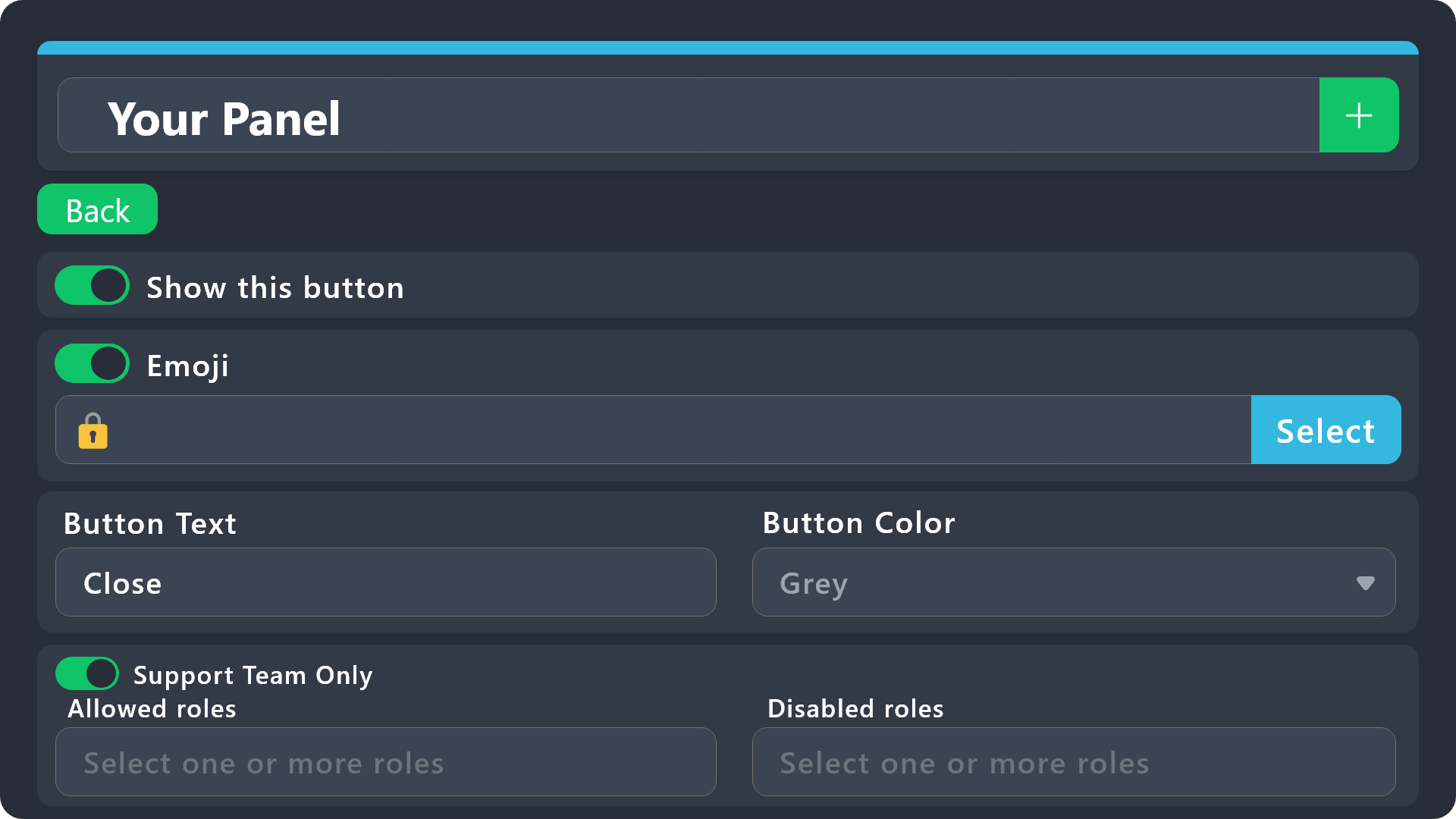
$buttonoptions
quick bone
to get the emoji id:
\emoji
\:flushed:
jade topaz
like this Not Working
quick bone
jade topaz
like this Not Working
send an image of what you put there
jade topaz
 quick bone
that is your own emoji right?
jade topaz
Yes
quick bone
say \:Frozen:
jade topaz
What
quick bone
then put what it shows in the box instead
quick bone
jade topaz
What
you need to provide your emoji id and name and to get that you can say that as it's the quickest way
jade topaz
quick bone
you need to provide your emoji id and name and to get that you can say that as i...
Give Me Ex
quick bone
huh?
!this

all you need to do is \ then your emoji name
once you've gotten the message above the picture then copy it and paste it into that box
jade topaz

 quick bone
hm?
 ocean cobalt
hm?
quick bone
i don't understand what you're saying
 slender minnow
ocean cobalt
<@615207454443044904>
slender minnow
ocean cobalt
<@615207454443044904>
please do not ping
i am not sure what exactly you are asking for
quick bone
slender minnow
i am not sure what exactly you are asking for
i believe he wants to know how to do that formatting
 magic flume
hey guys, is there a way to add a button to a ticket, if i click this button it gives a role to the user who created the ticket?
 crystal basin
I have been asking to pay my sub for weeks now please can someone get back to me to pay this?
pale pilot
crystal basin
I have been asking to pay my sub for weeks now please can someone get back to me...
huh? This is the first time you joined this server
crystal basin
What do you mean? I just message usually and someone gives me the link to pay then send me a new username and password
pale pilot
crystal basin
What do you mean? I just message usually and someone gives me the link to pay th...
you're not talking about a ticket tool subscription, are you?
crystal basin
No what’s a ticket tool?
pale pilot
Thats a discord bot. And we are the support team for that bot
crystal basin
So can I not pay my sub then coz no one is getting back to me for weeks now?
pale pilot
crystal basin
So can I not pay my sub then coz no one is getting back to me for weeks now?
you will have to contact the appropriate support team. You're not in the right place here
 ashen geyser
how do i get the dropdown to work properly? as in, having multiple options on the dropdown
rustic gale
ashen geyser
how do i get the dropdown to work properly? as in, having multiple options on th...
Create a panel for each item
Then select the corresponding panel for each item in the dropdown
ashen geyser
okay, thank you!
opaque terrace
lunar solar
Yes,
Panel configs --> Panel --> Edit Panel Message (Green button) --> Embed Edi...
Thanks a lot man! And this feature isn't premium 🥳
I find that the backoffice of Ticket Tool is really badly made, the UX/UI is to be redone, I never understand anything there (or I take a looot of time to find it out)!
It's too bad because the Ticket Tool itself is really great and sooo powerful (customizable, fast, etc.) tool!
iron nightBOT
Gave +1 Rep to @lunar solar
ashen geyser
thanks @rustic gale
iron nightBOT
Gave +1 Rep to @rustic gale
ashen geyser
sorry for the ping :P
 sterile dew
humble sequoia
sterile dew
humble sequoia
@everyone Sorry for the ping but does anyone know how to make more buttons
shut bolt
sterile dew
@everyone Sorry for the ping but does anyone know how to make more buttons
Don't try pinging, and check the message below
humble sequoiaBOT
For a more convenient use of multipanels, you can now combine panels on the dashboard. This will allow you to directly send the multipanel from the dashboard or via the $panel ID command.
Where can I find this?
You can find this setting on the Dashboard -> Panel Configs -> Settings -> Panel
Note: if you're attaching all the panels to a panel called English, don't include English in the attached panel's box (If you do this, it will create a duplicate)
This will put all buttons from all of your panels on one message. The message is the panel message from the panel you're combining these panels in.
 dark orbit
The bot doesn’t work in my server I press send and it does nothing
 short lily
How do i have multiple buttons.
Like :
 dark orbit
jade topaz
U sending to a specific channel
dark orbit
jade topaz
U sending to a specific channel
This
humble sequoiaBOT
For a more convenient use of multipanels, you can now combine panels on the dashboard. This will allow you to directly send the multipanel from the dashboard or via the $panel ID command.
Where can I find this?
You can find this setting on the Dashboard -> Panel Configs -> Settings -> Panel
Note: if you're attaching all the panels to a panel called English, don't include English in the attached panel's box (If you do this, it will create a duplicate)
This will put all buttons from all of your panels on one message. The message is the panel message from the panel you're combining these panels in.
iron nightBOT
Gave +1 Rep to @dark orbit
dark orbit
What did I do
quick bone
short lily
Thx
you thanked the wrong person :/
dark orbit
What did I do
quick bone
dark orbit
The bot doesn’t work in my server I press send and it does nothing
Did you select a channel to send it to
dark orbit
Yes
humble sequoiaBOT
ᅠ
@pseudo glen requires the following permissions:
Add Reactions
Read Channels
Send Messages
Manage Messages
Embed Links
Attach Files
Read History
Manage Roles
Manage Channels
To change the role permissions, you can go to your Discord Server ➞ Server Settings ➞ Roles ➞ @Ticket Tool
To change the channel permissions, you can go to your Channel Settings ➞ Permissions ➞ Ticket Tool
ᅠ
Note:
You can give Ticket Tool Administrative Permissions instead of all the permissions listed above, but it's entirely optional and NOT necessary.
dark orbit
 quick bone
$buttons
humble sequoiaBOT
Buttons within Discord can have multiple functions and are used to control your tickets. With Ticket Tool, you can edit all the buttons however you like! Buttons can show emojis, text and can have 4 different colors.
Where can I edit them?
With the 
 Panel Config V2 Editor, buttons don't have their own place anymore. Now buttons can be found under the message settings for each message that has a button!
Example: The Close and Claim Buttons are on the Ticket Message. Therefore, you can edit the buttons under Ticket > Edit Ticket Message. The buttons are below the message editor.
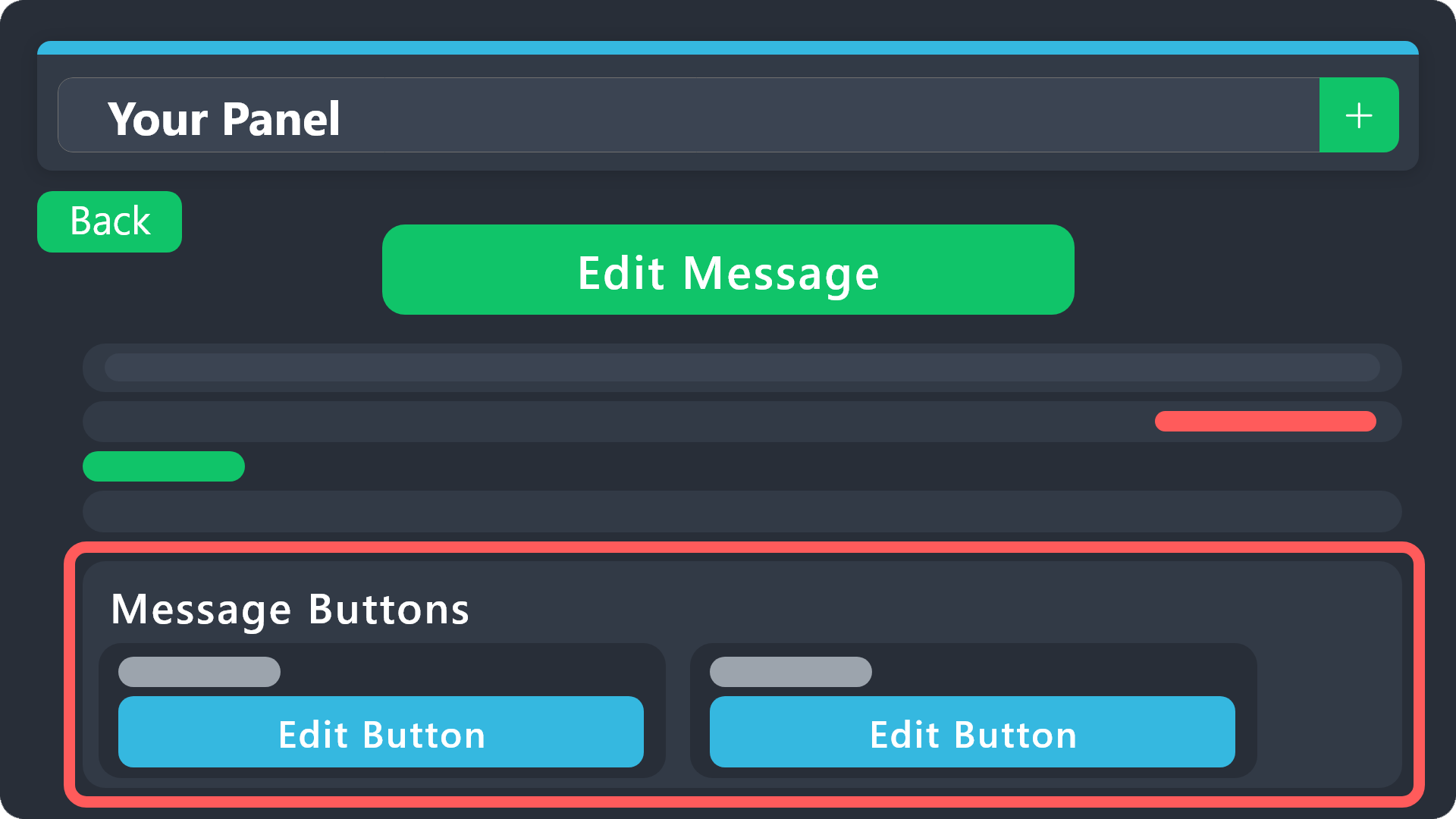 quick bone
You can edit who can create a ticket there iirc.
dark orbit
?
quick bone
dark orbit
?
Read what it says press edit button then it should say allowed roles somewhere
dark orbit
For which one
 quick bone
not that
dark orbit
Where
quick bone
wait panel message mb
 wraith stump
I opened a panel but I couldn't find where to add to the channel
 dusk dawn
How to close a ticket?
quick bone
dusk dawn
How to close a ticket?
$close
quick bone
wraith stump
I opened a panel but I couldn't find where to add to the channel
Should be at the top of your screen when you selected a panel.
wraith stump
no there is not
dark orbit
I’m so annoyed
ashen geyser
wraith stump
I opened a panel but I couldn't find where to add to the channel
Try going to the channel and typing /panel (panel ID)
dark orbit
It keeps not working not letting members open a ticket
 quick bone
dark orbit
It keeps not working not letting members open a ticket
quick bone
dark orbit
It keeps not working not letting members open a ticket
did you do what i said
dark orbit
Yes
wraith stump
ashen geyser
Try going to the channel and typing /panel (panel ID)
how can i get the id
humble sequoiaBOT
Any role you assign as a blacklisted role won't be able to use commands or reactions.
Selecting a blacklisted role
Go to your Dashboard ➞ Server Configs. There you will find the option to select blacklisted roles.
Note: Don't forget to save.
 ashen geyser
wraith stump
how can i get the id
ashen geyser
wraith stump
how can i get the id
It's in the name of the panel, a little number in the name
quick bone
humble sequoia
@dark orbit ^
 jade topaz
Pannel options
rustic gale
What's going on?
quick bone
dark orbit
has your issue been fixed?
dark orbit
Yes
quick bone
your welcome ig
 hollow heart
Hi, I have a problem. When creating a ticket, it says this to me: Invalid Form Body
components[0].components[0].emoji.name[BUTTON_COMPONENT_INVALID_EMOJI]: Invalid emoji
 ancient girder
Is there a way to add a role to access all the tickets made
dark orbit
What the
opaque terrace
dark orbit
What the
?
dark orbit
I got pinged
dark orbit
And no message
opaque terrace
dark orbit
And no message
Cause I deleted my message (I saw you find a solution to your problem)
dark orbit
Oh lol
 coral cargo
hi, does anyone know how to stop it from adding me to every ticket created? i want just the person who started the ticket to see it but i keep getting added to every ticket. is it because im server owner and i added the bot?

 lost grove
Please help how to change the text Ticket Created? I will be very grateful
 rustic gale
lost grove
Please help how to change the text Ticket Created? I will be very grateful
rustic gale
lost grove
Please help how to change the text Ticket Created? I will be very grateful
Not possible currently
rustic gale
 short fjord
How do I set up a menu in the bot message?
short fjord
How do I set up a menu in the bot message?
Have a look:
humble sequoiaBOT
The Drop-down menu or Select Menu replaces the buttons on your panel message and uses a drop-down menu with all of your panels. To set this up, go to your Panel Configs and select your main Panel.
<:Numbericons1:1018864164032225340> Enable Select Style
First you enable Select Style. Then you add an item in the Dropdown Editor. Now you can start editing your dropdown!
<:Numbericons2:1018864168041971712> Dropdown Editor
Each line in the dropdown editor represents a line in the drop down menu on discord. You can add more "Items", by clicking on
First you select a panel. That's the panel this option will open a ticket for. DONT select the same panel twice. Each option should have a different Panel
After that, you can put a Display. This is the title of this option and will appear in the drop down menu. The *Description can be set right after that, which will be below the title in grey.
Additionally you can select an emoji, that will be shown in front of each option. You can either manually input the ID of an emoji or select it in the selector.
Common Issues ⚠️
- Panel doesn't send? Make sure you have a valid emoji selected
- Option doesn't show up? Check if two options have the same panel in the DropDown Editor
$dropdown
lost grove
Thanks you !
 humble sequoiaBOT
For a more convenient use of multipanels, you can now combine panels on the dashboard. This will allow you to directly send the multipanel from the dashboard or via the $panel ID command.
Where can I find this?
You can find this setting on the Dashboard -> Panel Configs -> Settings -> Panel
Note: if you're attaching all the panels to a panel called English, don't include English in the attached panel's box (If you do this, it will create a duplicate)
This will put all buttons from all of your panels on one message. The message is the panel message from the panel you're combining these panels in.
quick bone
@zinc swallow ^
 zinc swallow
ty
jade topaz
Does ticket tool allow you to view who's saving the transcripts? I'm a moderator in a 50k member server. Recently, there has been support members spam saving tickets. Due to me not having the perms, I'm not able to view the dashboard. If anyone knows if it's possible then lmk. If not, the owner of the server will be online soon
scenic plinth
You would have had to have the transcript log "transcript saved" to see who is save transcripts and when. There is a chance that youy can view the transcript, scroll to the bottom, and see the persons user ID of who is saving transcripts, but it depends on when the bot saves the transcript.
jade topaz
scenic plinth
You would have had to have the transcript log "transcript saved" to see who is s...
👍
coral cargo
is there a perm needed or something to let people use /add to add users?
right now theyre getting a message saying they dont have the perms to do that
lunar solar
coral cargo
is there a perm needed or something to let people use /add to add users?
Command Configs --> Add --> Settings --> Support team only
coral cargo
thank you very much
jade topaz
Hey guys. I havent looked yet but is there a way to make it so everytime a ticket is closed it send the transcript to the user. Without sending it to another channel also
lunar solar
jade topaz
Hey guys. I havent looked yet but is there a way to make it so everytime a tick...
Panel Configs --> Direct Message Transcript --> Close event
jade topaz
Lupas bro. Evertime i need help you are here instantly.
lunar solar

jade topaz
I apreaciate you brother
iron nightBOT
Gave +1 Rep to @lunar solar
jade topaz
Lol wait what. Dont ping but it told me too
jade topaz
Hahaha cheers no problem service that fast each time deserves it
 wicked valve
how can you make it where a person is able to close the ticket but not delete it
covert swallow
Assuming you have 2 step close setup, dont allow their role to use the delete button
wicked valve
covert swallow
Assuming you have 2 step close setup, dont allow their role to use the delete bu...
what is 2 step close setup
covert swallow
Panel settings > general
And i misspoke
Its 2 step ticket
Not 2 step close, my mistake
wicked valve
covert swallow
Panel settings > general
ok im there what do i do now where is the option to not allow them to delete
wicked valve
am i in the right place?
 covert swallow
You can edit the permissions for the delete button
covert swallow
wicked valve
am i in the right place?
For the last step yeah, now go back to the main page
wicked valve
covert swallow
For the last step yeah, now go back to the main page
thx so much
iron nightBOT
Gave +1 Rep to @covert swallow
 silent yew
Hey can I be added please?
lunar solar
silent yew
Hey can I be added please?
Can you elaborate?
 river sun
Hi can someone help me o nthis whe ni click on the transcript this keep popping up

whe ni keep one of the images on the transcreipts
 royal gale
Hello my members seems to not be able to open a ticket, what perms am i missing?
