#electronics
1 messages · Page 32 of 1
 eager bison
 warm fable
 sour pelican
oh ok
 weary slate
Ayn announced a Windows handheld too now. Should be Arm based instead of x86 and cheap :0 competition is getting tough
Ayn made the Ayn Odin, an android gaming handheld with a snapdragon 845. I'm still waiting on mine (indiegogo campaign). The Ayn Loki will be their Windows Handheld. Will probably be similar specs(CPU and RAM, storage might change) as they have shown the Ayn Odin running windows 11 Already. Due to Windows running on Arm. Specifically Snapdragon 845 and 850 mobile devices. 😮
weary slate
it can run Skyrim, thats good enough for me!
These handhelds like the Ayn Odin/Loki and The Anbernic Win600 are not desktop replacements. The budget ones are for indie games, emulation and older pc games.
weary slate
 chrome dust
Gettin pretty old tbh
chrome dust
Gettin pretty old tbh
Thats how they keep the price down.
The Odin is great for like Gamecube/PS2 and older emulation. I think it can also do some Xbox Original Emulation since thats improved a lot lately
chrome dust
Fair
weary slate
if you compare them to consoles, it makes a lot more sense. Like the Steam Deck is like having a portable PS4. Ayn Odin/Loki and Anbernic Win600 is like having a portable Xbox 360 essentially.
weary slate
chrome dust
845 is like
Woah, they aren't going with an arm chip.
The original speculation was wrong 0.0 ryzen 6600u
Incredible
chrome dust
oh nice
weary slate

The alder lake one for 299 makes me curious
Cause unlike the Ayaneo and other Intel based ones. It's price might actually match it's performance lol
But the max also looks good too. Not too much more than the steam deck but will probably have better performance :0
weary slate
6600u and 6800u are ya
6600u has 6 GPU cores and the 6800u has 12 .The Steam Deck has 8.
But the 6600u and 6800u are both Zen 3+ Cores as well as having more cores. being 6 and 8 respectively
I'm curious as to which Alder Lake CPU they are gonna use.
 echo parrot
sheeesh
so performance could be more than steamdeck
however for that 6800u pricier
also build quality and battery life are to be questioned
and replacement parts
 kindred yacht
$800 for basically a gaming PC in your hands is totally reasonable to me
Given that we know how strong that 6800U is
kindred yacht
Exciting time to live in for people on the go a lot. I won't be surprised to see 5G models soon so you don't need wifi.
 kindred yacht
I can see it. But PSP had more bezel and buttons on the bottom
weary slate
No that's the Loki mini
weary slate
echo parrot
also build quality and battery life are to be questioned
Ayn has really good quality with the Odin this far. If they can keep that standard it'll be alright. Although for a windows handheld I'd like touch pads like the steam deck.
echo parrot
yeahh
weary slate
If I get the Loki, I'd probably put steam os on it lol
I'm still waiting on my Odin Pro though.
Didn't want to use the Steam Deck for emulation. The Odin is replacing my Nvidia shield Portable.
Almost 9 years for a decent android handheld lmao
weary slate
Woah! Ayaneo just undercut Ayn! 289$ for their cheapest one. Dual core Zen 2 + RDNA 2 Apu :0
The competition is intense. This is great.
So many options
 oblique gazelle
weary slate
Woah! Ayaneo just undercut Ayn! 289$ for their cheapest one. Dual core Zen 2 + R...
oblique gazelle
weary slate
Woah! Ayaneo just undercut Ayn! 289$ for their cheapest one. Dual core Zen 2 + R...
rdna2 apu phone when
weary slate
oblique gazelle
rdna2 apu phone when
There is one
oblique gazelle
wait wat
weary slate
The newest Samsung CPU has RDNA2 cores. It sucks
oblique gazelle
oh rip
weary slate
Exynos 2200
Well, i wouldn't say it shcks
Sucks*
Beats Snapdragon 888 but loses to the a15 bionic
weary slate
I think this is all the info thats been released so far

GPD and OneXplayer confirmed they got 6800u's but those handhelds haven't been revealed yet
Anbernic has shown the win600 but we still don't know whats in it.
I believe its still a vega apu though.
echo parrot
gundam edition onexplayer ooooga
weary slate
echo parrot
gundam edition onexplayer ooooga
Yeah. Just need intels drivers to improve for the XE graphics
weary slate
or should I use this chart for a better comparison

or is including CPU and GPU core counts pointless
kindred yacht
weary slate
or is including CPU and GPU core counts pointless
Having core/eu counts is good for comparing between the same gpu at least.
weary slate
The only ones not on RDNA2 are the Air and the 2 intel ones.
Probably the Win600 as well, Expected to be Vega 3 unless its RDNA 2 but the time it was revealed should almost guarantee it'll be Vega 😭
as it was revealed before the Mendocino APU's for budget laptops were announced.
They've been showing PS3 emulation on it though, so maybe not?
kindred yacht
PS3 emulation is notoriously difficult because of the weird asynchronous processor it used
weary slate
kindred yacht
PS3 emulation is notoriously difficult because of the weird asynchronous process...
Ya
weary slate
added storage to it 😂 I'd add ram but they are LPDDR5, asides from the Ayaneo Air. Which also varies in quantity. the lowest option having only 8GB's LPDDR4 which is kinda wild tbh.
Curious as to figure out more about the Loki and Neo Air Plus.
should get more info about the Loki's today
sour pelican
I bought a new switch
weary slate
sour pelican
I bought a new switch
The OLED? Best screen
 kindred yacht
Ooh fun. What's the "turbo" button for?
 split turtle
kindred yacht
Ooh fun. What's the "turbo" button for?
split turtle
kindred yacht
Ooh fun. What's the "turbo" button for?
Back in the old days that is how you would get turbo features for a system lol
Instead of going in the bios or using a program it was a one press of the button
 indigo badger
eager bison
"new" toys
indigo badger
eager bison
"new" toys
Me on the far right... the guy my girl told me I had nothing to worry about on the far left.
eager bison
kindred yacht
Ooh fun. What's the "turbo" button for?
it downclocks the chip to be cycle accurate for 8086/286 applications
eager bison
indigo badger
Me on the far right... the guy my girl told me I had nothing to worry about on t...
lol
chrome dust
split turtle
Back in the old days that is how you would get turbo features for a system lol
that's actually wrong
sour pelican
indigo badger
Me on the far right... the guy my girl told me I had nothing to worry about on t...
lol
 near oyster
What board is this?
I'm a complete beginner in electronics with a software major. Where can I get started? Like i want to get into IOT and stuff
Build and Program on own at a later point.
No one is there to guide me. So I'm putting it here. Also sorry if I broke any rule or if it's a regular question here
 fleet latch

 eager bison
near oyster
What board is this?
eager bison
near oyster
What board is this?
its just a qualcomm csr8675 som with an opamp, nothing special
its nothing more than a cheap, application specific aliexpress board
you want a more general purpose tinker board i presume
as a "complete beginner", you really only have two options, an arduino or a raspberry pi
eager bison
good
near oyster
like what all will i need, some kit?
eager bison
depends on what youre looking to do
these boards are designed to be plug and play for the most part
so you dont really need much of anything other than a cable and the IDE on your laptop
near oyster
just learn, most of it. if not all
near oyster
eager bison
so you dont really need much of anything other than a cable and the IDE on your ...
ya right, but I dont see anything happen
eager bison
true
eager bison
think of something you wanna do, order parts on digikey or mouser
like leds, buzzers, etc
i think it might be easier to check out a place like adafruit for parts
near oyster
ok let me have look at those
 green stream
some arduinos have a built in led that you can program
eager bison
although those are mostly designed for the raspberry pi, you can still get general purpose parts
near oyster
green stream
some arduinos have a built in led that you can program
I have uno r3, ig it doesnt have
near oyster
eager bison
although those are mostly designed for the raspberry pi, you can still get gener...
ok
thanks
eager bison
its tough to teach yourself this kind of thing if you dont have direction. i find it best to think of something semi-complicated you want to accomplish, then do research and learn along the way
green stream
it looks like its pin 13 or 12?
near oyster
green stream
it looks like its pin 13 or 12?
13
near oyster
eager bison
its tough to teach yourself this kind of thing if you dont have direction. i fin...
semi compli means basic and simple?
green stream
with arduino I know they have beginner tutorials and projects online people post
eager bison
green stream
with arduino I know they have beginner tutorials and projects online people post
this might be a better option if you dont know what you want to make
although it can be boring if you arent invested in it
eager bison
how familiar are you with scripting/programming languages?
might be best to start with software only
write simple programs, games, etc
near oyster
Im good at programming but not embedded. I can learn programming quickly like embedded c++ or anything
eager bison
if your lost on what you want to do, i suppose your best bet would be to hit up ebay for large kits of misc parts compatible with the uno
then just do something with em
near oyster
I though the the parts would be compatible with all boards like rasp or uno
eager bison
rasp pi has many distributors, not sure about uno
if you get a large rasp pi kit, most things wont work with the uno
eager bison

eBay
This kit is high quality and is prepared for those novices who want to learn Arduino from basics to be skilled. So it's deserved for you to own. Besides the lessons for Arduino Learning, we’ve also prepared several lessons for “ Processing ” learning.

eBay
1 x Arduino 37 Sensor Kit. - 1 x Hunt sensor module KY-033. - 1 x 3-color full-color LED SMD modules KY-009. - 1 x Mini magnetic reed modules KY-021. - 1 x Hit sensor module KY-031. - 1 x Infrared emission sensor module KY-005.
these ones look fun
cheap chinese electronics are the best
weary slate
The Alder U in the Loki Mini and Loki Mini pro were revealed. Mini will have Celeron 7300 and the Mini Pro will have the Pentium 8500
But they both have Mendocino alternatives but with Mendocino only having 2 CU's compared to the Steam Decks 8 its debatable how well it'll perform
Low end games? Yes for sure. but AAA games are doubtful tbh
kindred yacht
Disappointing
kindred yacht
CUs are really only comparable between the same GPU architecture anyway
kindred yacht
Ah ok, well that just makes the ones with 2 CU even more disappointing
weary slate
Mendocino, Aerith(Steam Deck), 6600u, and 6800u all use RDNA 2.
for "consoles" we have:
Mendocino: 2 CU
Loki(660m): 6 CU
Steam Deck: 8 CU
Various 680M Handhelds: 12 CU
Xbox Series S: 20 CU
PS5: 36 CU
Xbox Series X: 52 CU
the 6 Zen 3+ cores might help the 660m catch up to the Steam Deck performance. but who knows.
weary slate
Also depends on if it has the same Power limit as the Steam deck (15W) There are handhelds that allow up to 25W which would definitely be nice
weary slate
To be fair. it should handle emulation and indie games just fine.
Which is really what it seems to be for.
the price isn't too bad. like instead of getting a steam deck for solely using for emulation you can use that instead.
chrome dust
It's aimed for chromebooks mainly
Which would be a huge upgrade, if.. anyone puts it in em
Ryzen chromebooks basically doesn't exist
weary slate
I dunno which I'd preorder tbh
only 8 GB LPDDR5 6400
The intel one has USB 4.0 so would that be thunderbolt?
imagine putting an EGPU with a 3090 in it on the Intel pentium 8500 or celeron 7300 🥲 @chrome dust
weary slate
I mean I could try it. would make an interesting youtube video
oh not only is mendocino 2 CU's. But its up to 4 Cpu cores. which means there is likely a dual core model
weary slate
ye lol
 weary slate
The Ayaneo 2 Geek is not replacing the Ayaneo 2 that I have on my sheet. That one is still in the works too.
Found the price for the pentium
 craggy flintBOT
 TopPercent#8947 has been warned
Reason: Duplicated text
kindred yacht
Aya Neo Air Plus (Intel Pentium 8505) 249$ (239 Early Bird)
Aya Neo Air Plus (AMD Mendocino) 289 (269 Early Bird)
Aya Neo Air Plus (I3 1215U) 299 (279 Early Bird)
Aya Neo 2 Geek (6600U) 699 (619 Early Bird)
Aya Neo 2 Geek (6800U) 799 (689 Early Bird)
Much better options on the budget side.
Although the 6600u and 6800u are a little bit more expensive than Ayns, I wonder how they will all compare.
There's your message back lol
weary slate
ty
kindred yacht
Gotta split it up sometimes
weary slate
thats the updated one too where I added the 8505's price. sweet
it sent until I updated the 8505's price lol
I see they are saving money on Wifi, Gyro's, Storage, and the like on Ayaneo 2 Geek. So in that sense if you're streaming games, Ayn's budget option is better as the cheapest one has wifi 6e
But tbf, wifi 6 is good enough for streaming at 800p
still probably going to go with Ayn I think.
its not my fault the bot is mean when I updated it
kindred yacht
Only when it's the bot being naughty or overly sensitive
 wild frost
does anyone know what you need to go from ethernet cord to a Samsung phone
 sturdy jolt
wild frost
does anyone know what you need to go from ethernet cord to a Samsung phone
sturdy jolt
wild frost
does anyone know what you need to go from ethernet cord to a Samsung phone
Dunno why you'd need it but something like
https://www.amazon.com/Ethernet-Adapter-ABLEWE-Network-Compatible/dp/B0837QGZMY/

USB C to Ethernet Adapter, ABLEWE Type-C to RJ45 Gigabit Ethernet Adapter, Thunderbolt 3 to RJ45 LAN Network Adapter Compatible for MacBook Pro 2020/2019/2018/2017, MacBook Air, Dell XPS, Galaxy S20
wild frost
thanks. it's so I can use the internet on my phone while its on airplane mode
its a galaxy A51
sturdy jolt
Fair I guess
wild frost
sturdy jolt
Fair I guess
can you see anything that would work.. not sure which one
sturdy jolt
I mean, wouldn't what I linked work?
wild frost
sturdy jolt
I mean, wouldn't what I linked work?
yes just not sure which one works with the Samsung galaxy A51
sturdy jolt
wild frost
yes just not sure which one works with the Samsung galaxy A51
It should just be usb-c so it should work
wild frost
weary slate
Can't you enable wifi in airplane mode?
yah I don't want wifi on would rather have it wired in
wild frost
sturdy jolt
It should just be usb-c so it should work
thanks Mr 2s.
weary slate

I removed the unrevealed ones from OneXPlayer and GPD with the 6800u as well as the win600 from anbernic because they haven't revealed the specs yet.
GPD and OneXPlayer just confirmed they got them in, so they're working on them(6800u's). But who knows how long it'll take.
sour pelican

weary slate
Nice. When's movie night?
 stray creek
which phone is the most recommended for a long period time?
i thought about a galaxy s22 ultra or wait until September for the iphone 14 pro max
i currently have the oneplus 7 pro and i hate that phone so much because of the luck of software updates the terrible battery the bugs in the software and the phone starting to show its age
 small meadow
stray creek
i currently have the oneplus 7 pro and i hate that phone so much because of the ...
small meadow
stray creek
i currently have the oneplus 7 pro and i hate that phone so much because of the ...
If you can wait i would personally even if the new phones don't add anything that will interest you last years will drop in price especially Samsung phones
The s22 lineup is nice, keep in mind the ultra is basically a note so it's kinda square and has an S pen
stray creek
small meadow
If you can wait i would personally even if the new phones don't add anything tha...
i dont care if it square i just want the phone that will last the longest
small meadow
Personally would grab the s22 plus instead of the ultra unless you want the s pen
But I'd also personally wait for s23 lineup
stray creek
i like big phones lol
stray creek
small meadow
But I'd also personally wait for s23 lineup
why?
also what about the iphone 14 lineup
coming in September
i think they will survive the longest in that time
i dont really use the features android has like customization third party apps
i like it stock
small meadow
stray creek
why?
As i mentioned above, even if the new phones don't interest you at least the s22 lineup will drop in price
small meadow
stray creek
also what about the iphone 14 lineup
Sure i just hate ios but if you don't mind it I'm sure they're gonna be good phones
stray creek
small meadow
As i mentioned above, even if the new phones don't interest you at least the s22...
i know they will drop in price but i really need a phone that survive the longest i really hate upgrading so if i buy the s22 when the s23 comes out they gonna be behind in support so for long use i think its not good also i dont care to pay a lot of money if it worth it
stray creek
small meadow
Sure i just hate ios but if you don't mind it I'm sure they're gonna be good pho...
i dont know if i like i ios
i tried before it was ok
i tried it in the store and friends phone seems fine just need to get used to it i think
small meadow
stray creek
i know they will drop in price but i really need a phone that survive the longes...
That's fine too, i was saying it's a win win whichever you choose, one way you'll save money, other way you'll have newer slightly better phone
small meadow
stray creek
i dont know if i like i ios
Completely personal
stray creek
small meadow
Completely personal
yeah you right
stray creek
small meadow
That's fine too, i was saying it's a win win whichever you choose, one way you'l...
so there is no a simple answer oh lol
its personal after all
small meadow
Up to you
 thorn gulch
stray creek
i currently have the oneplus 7 pro and i hate that phone so much because of the ...
thorn gulch
stray creek
i currently have the oneplus 7 pro and i hate that phone so much because of the ...
Id recommend custom ROMs tbf. Phones like OP that rely on the community for updates, but are still popular (as this won't always work for obscure phones), tend to last the longest. OP is also generally easier to get replacement parts for and do repairs.
Gotta think about whether you want to put the effort in changing ROMs and such. Then choose the phones that last the longest out of whichever path you choose.
stray creek
thorn gulch
Id recommend custom ROMs tbf. Phones like OP that rely on the community for upda...
custom rom improve battery life performance and the software in general more stable? also features that the phone can do but oneplus didn't add in update like volte and vowifi can be added?
thorn gulch
All those seems to be software related, so yes. Tho, I do not know how many ROMs support VoLTE/WiFI as it's not smth Ive looked into before.
stray creek
thorn gulch
All those seems to be software related, so yes. Tho, I do not know how many ROMs...
really thats sound amazing i should look about that more to get more information
i never used a custom rom before so lets see
i hope i just not break the phone and he will be a brick forever
i can download pixel experience thats amazing but it has some issues
thorn gulch
stray creek
i hope i just not break the phone and he will be a brick forever
It's easy to soft brick a phone, but difficult to hard brick a phone. Definitely back up all data on the phone and make sure all phone drivers are installed on the computer before trying it (you should have that install drivers thing when you plug in the phone, make sure to run that even if the phone seems to work. Then after running, make sure your phone is detected in device manager in fastboot mode. I've had the pleasure of having to download the drivers off a semi-sketchy place cuz I forgot to make sure I had fastboot drivers for my phone).
stray creek
thorn gulch
It's easy to soft brick a phone, but difficult to hard brick a phone. Definitely...
there is a guide on YouTube about the 7 pro and how to download pixel experience i think it will be more easy if i watch that lol
thorn gulch
stray creek
there is a guide on YouTube about the 7 pro and how to download pixel experience...
Yeah, but I find most guides fail to make you precheck stuff to make sure stuff will work. Lots of people get lost in ADB and fastboot detection, some without an OS on the phone. If it's one first time it probably wont be fun stressing over trying to figure out why it isnt working as the phone is soft bricked until you can find out the issue (No OS).
Thus why Im recommending some prechecks to do before uninstalling OSes/Recoveries/Firmware.
stray creek
thorn gulch
Yeah, but I find most guides fail to make you precheck stuff to make sure stuff ...
yeah you right
even he in the guide fail in the precheck lol
he had a 3 different adb on the pc
so it always choose the wrong one
stray creek
thorn gulch
Yeah, but I find most guides fail to make you precheck stuff to make sure stuff ...
i will do a precheck for sure but im still thinking if it worth it
thorn gulch
Yeah. Just make sure before you do anything that you can find the device in ADB and fastboot. Then, make sure to download OSS and some standard recovery (Maybe a basic TWRP version. Do note that there are a couple different versions of TWRP, like you need a special one for LineageOS iirc). Even if it isnt what you want, you have smth you can easily install if you give up for the day/night and need a working phone the next day.
stray creek
thorn gulch
Yeah. Just make sure before you do anything that you can find the device in ADB ...
ok i understand thanks for the help i think about that and search more info of that custom roms because that is really new to me
thorn gulch
stray creek
ok i understand thanks for the help i think about that and search more info of t...
NP. There are usually always a few popular ones that usually never stop being supported. LineageOS was one I used for a bit, it was okay.
I dont know all the other ones, but Im sure there is a few that stay updated
stray creek
pixel experience looks very cool but i see it doesn't work well on the 7 pro
it's quite the same like oxygen os with more bugs
not even a improvement
 nova pond
thorn gulch
All those seems to be software related, so yes. Tho, I do not know how many ROMs...
nova pond
thorn gulch
All those seems to be software related, so yes. Tho, I do not know how many ROMs...
on oneplus its easy
so most should have it
unless trash dev
Samsung volte is the problem
there is no fix for it
small meadow
stray creek
custom rom improve battery life performance and the software in general more sta...
It definitely can if you do it right
kindred yacht
Mostly from eliminating bloat
small meadow
With custom roms you can also lower cpu/gpu clock speed which is what I'd do with a flagship especially I don't need this much power
sour pelican
thorn gulch
Yeah, but I find most guides fail to make you precheck stuff to make sure stuff ...
Your right
chrome dust
tfw custom roms hates my phone
 dusk nebula
Hello again my current razor headset is falling apart after a good couple of years and it is time for me to get a new pair. my budget is $60+, closed ear. I do not need a microphone attached since I have a free standing mic. Any suggestions?
I am looking for good sound quality.
sturdy jolt
dusk nebula
Hello again my current razor headset is falling apart after a good couple of yea...
CAL SE would be good
https://www.amazon.com/dp/B07MF7J3JK

Creative Aurvana Live! SE – Over-Ear Headphones with Padded Headband and Leatherette Earpads, Expert-Tuned Foster Drivers, Super X-Fi Certified for Optimized Cinematic Audio Experience
dusk nebula
I do also have the Behringer U-PHORIA UM2 USB Audio Interface and microphone from https://www.amazon.com/gp/product/B07YGMT5WL/ref=ppx_yo_dt_b_asin_title_o09_s00?ie=UTF8&psc=1

Audio Technica AT2020 Cardioid Condenser Microphone Bundle with Behringer U-PHORIA UM2 USB Audio Interface, Samson SR350 Over-Ear Stereo Headphones, Blucoil Boom Arm Plus Pop Filter and 10' XLR Cable
sturdy jolt
um2 is a start as an xlr interface, although you might still get better audio quality with an apple dongle for use with cal se
dusk nebula
sturdy jolt
um2 is a start as an xlr interface, although you might still get better audio qu...
I am sorry I do not know that kinda tech lingo.
sturdy jolt
this thing can make things sound better because of the decent built-in digital to analog converter
https://www.amazon.com/Apple-USB-C-Headphone-Jack-Adapter/dp/B07K25P3N1/

The USB-C to 3.5 mm Headphone Jack Adapter lets you connect devices that use a standard 3.5 mm audio plug — like headphones or speakers — to your USB-C devices.
What you have is a decent start, but the dongle might be able to make it sound better
dusk nebula
So grab the headphones you recommended and this adapter?
sturdy jolt
That's my suggestion, there are other options though
dusk nebula
sturdy jolt
That's my suggestion, there are other options though
Well you gave me advice before and it has worked out pretty well
kindred yacht
Seems legit
sour pelican
chrome dust
tfw custom roms hates my phone
Why
nova pond
indigo badger
Oof that was days ago. Sorry lol
just yesterday
indigo badger
It's 9th for me. That says 7th

 nova pond
whack
indigo badger
 thorn gulch
@uneven barn Was the good MSI laptop GF65 or GF66 (or are both confirmed to have good BIOSes)?
 uneven barn
i dunno, i have gp66
im 100% sure that the GP and GE laptops have the good bios
not sure about the others
thorn gulch
Wonder if I should just buy a GF65 to check. But am also lazy
dusk nebula
@sturdy jolt this seems too small for a computer USB...
 sturdy jolt
oops that's the lightning to 3.5mm dongle, not the usb-c to 3.5mm dongle
Amazon might be falsely advertising since the page says usb-c to 3.5mm
https://www.amazon.com/Apple-USB-C-Headphone-Jack-Adapter/dp/B07K25P3N1/

The USB-C to 3.5 mm Headphone Jack Adapter lets you connect devices that use a standard 3.5 mm audio plug — like headphones or speakers — to your USB-C devices.
See if you could get your money back for that
dusk nebula
sturdy jolt
See if you could get your money back for that
I used amazon credit for it I got it for free pretty much
dusk nebula
sturdy jolt
oops that's the lightning to 3.5mm dongle, not the usb-c to 3.5mm dongle
So what can I do?
sturdy jolt
Maybe ask amazon for a replacement since you didn't get what you bought
 green stream
ye that's why I got mine in store
My usb c jack on my pc broke so this is what i do
 dusk nebula
Well I got in contact with customer support and they claim they are sending me the USB version. I don't think they could mess up twice...
echo parrot
oh they can my friend
one time I ordered something that was supposed to be a pack of 10 and got a single one then after I requested they resend the item I got another single one lol then after that they gave me refund so all was ok I guess but still was a lil upset
indigo badger
Antec through Amazon sent me pwm fans with a controller that had a DC connector, after contacting them they sent me another pack with the same thing.
This was the 5 pack. Their 3 pack came with the right pwm connector. Both 3 packs did, the 2 5 packs did not.
dusk nebula
I'm guessing I can't use this either?
 dusk nebula
But it's so small compared to my regular USB'S?
sturdy jolt
You should have a usb-c port on the back of your mobo, most of the time at least
At this point, I'm really hoping you don't have to go buy another adapter lol
dusk nebula
B450 Tomahawk
sturdy jolt
this thing here on the back
 dusk nebula
Would it say "Type C"?
green stream
Possibly
dusk nebula
Well it went in and it says device ready
dusk nebula
sturdy jolt
this thing here on the back
Thank you! Is there any software I need to install, or?
sturdy jolt
Nah, don't need software
echo parrot
should just be plug and play
 tepid hazel
what's the general consensus on OLED display panels and battery life:
Do they drain more or less power ?
(and in which scenarios ? )
small meadow
tepid hazel
what's the general consensus on OLED display panels and battery life:
Do they dr...
Less power but can cause burn in on static items
Generally richer colours especially blacks
tepid hazel
small meadow
Less power but can cause burn in on static items
I'm curious as someone's saying his iPhone XS with OLED drains way more than LCD,
and then Apple returned to LCD with XR
I'll stick with the Purdue study for now,
basically if u got OLED and tend to crank up higher brighness,
=> use dark mode on everything
and lower brightness if looking at brighter scenes, as OLED has the potential to be much brighter than LCD
small meadow
Nah they did that cuz lcd is cheaper
tepid hazel
small meadow
Nah they did that cuz lcd is cheaper
also worse tech
 small meadow
iPhone xr is 720p whereas xs is like 1080p iirc
tepid hazel
makes sense hah
not sure if I should continue with convincing this person that his conclusion may not be sound 👀
small meadow
Their reasoning is wrong lol
weary slate
Depending on what you do, Burn in isnt really an issue on a small handheld.
Someone did a test with the switch Oled and it took like 3000 hours to get a small amount of burn in. Looking at the exact same picture the whole time.
Phones I guess would get iffy because the main screen would be commonly displayed.
Here's the test.

There has been an update in my burn in test on the Nintendo Switch OLED Model. After 3600 hours, I've finally started to see some ghosting...
ORIGINAL VIDEO https://youtu.be/crFifvVwSaQ
🔔GET NOTIFIED: SUB! http://www.youtube.com/user/WulffDen?sub_confirmation=1
▶️New Videos AT LEAST weekly
👕W U L F F D E N A P P A R E L 👕
http://wulffdenappa...
small meadow
weary slate
Depending on what you do, Burn in isnt really an issue on a small handheld.
Som...
I was just generalising oled not specifically to phones
weary slate
Ye
gotta have those protective screen savers if you leave your TV on for too long.
I just don't think the fear for handhelds and phones should be as prevalent as it is.
small meadow
The real issue for oleds is pcs imo
weary slate
That's why QLED and the QDOLED or whatever the new one is are better for pc huh?
small meadow
I think qdoled helps a bit with burn in and colour?
tepid hazel
weary slate
https://youtu.be/PaC5RbGAeVo
Here's the test.
nice thanks
weary slate
small meadow
I think qdoled helps a bit with burn in and colour?
QLED doesn't have burn in either. at least not that someone has reported.
But QLED is just a fancy LED screen with it separated into Zones instead of being one panel or each pixel having their own light source iirc.
kindred yacht
Like that new monitor panel LTT just reviewed?
Sorry, J2C

Check out the full list of specs and features of the new Viewsonic XG321UG Mini-LED panel here! https://www.viewsonic.com/global/products/lcd/XG321UG
Learn more about the EVGA Z690 Classified and Z690 KINGPIN cards at https://www.evga.com
Get your JayzTwoCents Merch Here! - https://www.jayztwocents.com
○○○○○○ Items featured in this video avai...
Mini LED is pretty close. Tons of dimming zones and very bright.
eager bison
qd-oled pog
waiting for that
mini led is just LCD with a funny backlight
oled, amoled, and qd-oled are where its at
its what the pc monitor industry refuses to give us
altho it is understandable
but now with qd-oled
that becomes a reality
weary slate
QD-OLED > OLED > QLED > Mini LED
QLED is better than OLED in some situations, but I think OLED is still preferred over it.
Avoids the issues of both Led and Mini Led screens like backlight Bleed but also won't burn in like an OLED and can get crazy bright.
I like my FV43U, really nice with the Ps5
 warped yew
small meadow
iPhone xr is 720p whereas xs is like 1080p iirc
warped yew
small meadow
iPhone xr is 720p whereas xs is like 1080p iirc
fr and then they discontinued the XS for some reason and overhyped the XR
the XR had nothing going for it other than a better-than-usual iPhone battery and nothing else
nova pond
XR was a GREAT phone
nova pond
better battery life, phone screens are small anyway ro res doesnt really make a difference, rounded edges just feel nicer than sharp, and i like they weightyness that the xr brings
warped yew
ah
I'm surprised that it has better battery life than a 12. I'm on a 12 rn and I'm surprised by its battery life
I guess that comes down to the resolution (primarily)
nova pond
my dad dailied the xr and now dailies the 12 and he said it lasts him a lot less than xr did
xr used to go a day and a half, while 12 goaes a day
warped yew
my mom had an XR and it lasted her a pretty long time. then she upgraded to 13 Pro kinda recently
I'm surprised by how long the XR lasted for on a daily basis. that, and it didn't need a battery replacement before she upgraded to her 13
my stepfather is still on his XR. I might ask him to see his daily battery usage just because I'm curious now lol
small meadow
warped yew
but why discontinue the XS lol
Because it's like 4 years old
warped yew
small meadow
Because it's like 4 years old
nah I mean at the time of when they were still selling the XR
small meadow
warped yew
I'm surprised that it has better battery life than a 12. I'm on a 12 rn and I'm ...
All comes down to that 720p screen imo
small meadow
warped yew
nah I mean at the time of when they were still selling the XR
They discontinued it at the same time they discontinued every other old iphone
warped yew
ah
 inner elm
I'd like opinions on a laptop choice - buying one for work. Looking for integrated graphics, good battery, great IO w/ usb c charging, 15".
Currently trying to decide between an HP ENVY x360 15z-ey000 (https://www.hp.com/us-en/shop/pdp/hp-envy-x360-2-in-1-laptop-15z-ey000-54l31av-1?pStoreID=hp_education) and a Thinkpad X1 10th gen (https://www.lenovo.com/us/en/p/laptops/thinkpad/thinkpadx1/thinkpad-x1-carbon-gen-10-14-inch-intel/21cbcto1wwus1)
thoughts?
HP is ~1k, Thinkpad around ~1.8k with discounts, Thinkpad has better processer and fingerprint reader
 old vapor
do you prefer having touch and 2 in 1 capabilities?
if not, thinkpad
if yes, x360
both are good devices from what I know
small meadow
inner elm
HP is ~1k, Thinkpad around ~1.8k with discounts, Thinkpad has better processer a...
You should be getting 12th gen intel or ryzen 5000/6000 for those prices
 worthy sonnet
What word
kindred yacht
"S" ton
worthy sonnet
Ahhh
So I am moving into my own place soon and I am thinking of switching to a laptop from desktop for the time being so I have less to bring and hook up. I already know the pros and cons, I just wanna know if Im making the right decision.
kindred yacht
Laptops are good for that until you get permanently set up yeah
worthy sonnet
Awesome, thing is which specs should I look for? I currently have a 3600 with an rx 6600 in my pc so something close to that or better. Someone told me shoot for a 3060 laptop at most.
kindred yacht
For something like that yeah I'd probably go 3060
Keep in mind you'll probably have to turn down the settings to get the same frame rates


 heavy tundra
wireless earbud recommendations? for apple iphone se2
small meadow
Airpods obviously but if you want better pc/android support - look at the Samsung/pixel buds
weary slate
Get Dollar store earbuds
chrome dust
lol
weary slate
Foxy knows I speak the truth
 fiery bay
So i got this problom where my G Locitech 535 keeps on like glitching out, I did all things I could think off, return and change for new ones, updated drivers, reinstalled drivers, software, dongle, and its still keeps on glitching\
 tame tiger
glitching like youre using it, its fine, and then randomly disconnects or possibly everything logitech just shuts down or something?
or like youre using it and the mouse on screen just starts going crazy and moving around a bit
if the first one, mainly a problem with ghub im pretty sure. second one, problem with the sensor or mousepad or combo of both just messing with each other and could try a different mousepad or surface
 hasty mesa
I know Apple smartwatches can call 911, but can Samsung smart watches do the same? I can't find the information anywhere.
tame tiger
is it being flagged by discord?
 calm mural
Maybe?

There
Anyways not sure what a parallel port is doing in the wall here…
Would it just be for a really old printer?
kindred yacht
I dare you to plug a computer into it and find out
calm mural
Well uhh
Only computer i’ve got with serial is 20 years old and it’s very heavy
One day i will find out
kindred yacht
Serial to USB exists
calm mural
 kindred yacht
Sorry, parallel
 odd scroll
calm mural
odd scroll
calm mural
Dammm I haven't seen those in a long while.
nova pond
lol @kindred yacht I find it kinda funny that like under a year ago when I got my first android phone I was such a noob and you had to help me with literally every aspect of rooting and custom rom and now im building and maintaining my own rom
kindred yacht
Yep, you had the talent then and just needed a push in the right direction
nova pond
kindred yacht
Yep, you had the talent then and just needed a push in the right direction
 indigo badger
Aww
weary slate
People in the Steam Deck subreddit get pretty upset when you say the Switch Oled has a better screen. Even though it's true in a handheld.
kindred yacht
OLED in a handheld is pretty revolutionary on its own
The screens that size are pricy
weary slate
Yeah. All I'm saying is that they don't have to make up stuff. There are plenty of things better about the Steam Deck.
kindred yacht
Right, like how you can mod it to have a fat heatsink over the GPU
You just need a CNC
 warped bough

 rancid crystal
i got my raspberry pi fightstick working on composite!!
old vapor
those are words I do not understand in that sequence but I'm glad it works!
rancid crystal
thank!! the fightstick is just a fighting game controller used for arcades
and it happens to be compressed in a box running a raspberry pi
the composite is just those old yellow white red cables from ages ago
old vapor
ohh that's sick
rancid crystal
thank you!! i’m really happy with it
old vapor
sleeper pc with apu?
eager bison
???????
old vapor
slap a next gen amd apu in there
eager bison
its a DYNABYTE
eager bison
if someone gutted a dynabyte to use as a sleeper i would crucify them
i would have little to no hesitation sending them to the hospital
calm mural
Hi can anyone tell me if the Gigabyte GA-EX58-UD5 Motherboard is compatible with the GIGABYTE GeForce RTX 3050 GAMING OC 8G Graphics Card, 3x WINDFORCE Fans, 8GB GDDR6 128-bit GDDR6, GV-N3050GAMING OC-8GD Video Card
small meadow
If it has a pcie 3.0 x16 slot then yes
kindred yacht
calm mural
Hi can anyone tell me if the Gigabyte GA-EX58-UD5 Motherboard is compatible with...
It has PCIe 2.0 but should still work with modern 4.0 stuff since the spec is fully backwards compatible. I'd be more worried about finding drivers because windows 7 is the highest officially supported OS on that board, and it's been out of support for years.
warped yew
he’ll probably never be heard from again lmao
weary slate
the Ayaneo Air and Air Pro are up for order on IGG, Ryzen 5560u and 5825u So not RDNA 2, but the vega in them can match pretty closely with something like the Steam Deck in older games and having 6 or 8 Zen 3 cores instead of 4 Zen 2 cores is also pretty nice.
if you really want a Steam Deck specifically for older games or emulation, This is an option. Oled 1080p screen too. And its lighter than the Switch OLED. so it definitely has its use.
echo parrot
eh but with the ayaneo air being basically the same price as the steamdeck id take better gpu performance over cpu
weary slate
echo parrot
eh but with the ayaneo air being basically the same price as the steamdeck id ta...
With them being able to go to a higher wattage they can match the Steam Deck graphics wise.
At least the other Aya Neo's with the 5825U could. cause it can go up to 28W instead of being at 15W. not sure if this ones locked to 15W.
in certain games^
Personally I'm waiting for the 6600u, 6800u handhelds.
As well as the one with the I5 1215U from Ayaneo(289$)
 brisk crypt
lookin to get new headphones. Microphone isn’t necessary, but it’s fine if it has one. No price target
Give me all good and bad suggestions
sturdy jolt
If you don't have a budget, HE-1
warped yew
I feel like you can’t enjoy headphones of that caliber
as in, you probably shouldn’t abuse them by turning up the bass too high or having them too loud
it’s like purchasing a Ferrari California only to never drive. probably one of the most expensive classic Ferraris, so you’d rather not mess it up
brisk crypt
sturdy jolt
If you don't have a budget, HE-1
I’ll buy 10
rancid crystal
hey i realized what my final electronic project can be before i graduate my uni
after my sixth one, the hitbox pi, i decided my seventh one to end them all will be a mech that has a tablet/nuc head, a speaker torso, power supply / low end gpu arms, and not sure what to put on the legs other than chassis
but i’ll have to paint the beast and design it after super robots that have animal motifs
it’ll also make sense for my art major too
as a sendoff project
kindred yacht
Throw in an unrestricted AI and I'm in. Let's start us a robot revolution.
rancid crystal
the theme is functional electronics in art pieces
nice
i wish
if this were using a jetson nano i’d consider
might even need to make the arms move somehow
kindred yacht
We could name it Edi
rancid crystal
i was going to go for an inside joke sorry
about the lcd as the face
not sure if i should run a linux distro meant for ai
or just have a display
kindred yacht
Not very "inside" if you're referencing Fallout NV
rancid crystal
no
its a pokemon community thing
called smogon cap
and the thing is about shadow voters
which while a non-entity, theyre joked about as rigging cap processes when they go worse than optimal
the joke is that their typing is normal/ghost
kindred yacht
Ah yes the pokemon creator thing
rancid crystal
yeah
funny thing is that shadow voters arent a thing, those people are just active elsewhere on smogon
kindred yacht
We were going for parallel inside jokes it seems as well, I was referencing Mass Effect if you didn't get it right away
rancid crystal
yeah i figure
no worries
i was also going to design it like a megazord or gundam
super robots as a whole
kindred yacht
Megazord might make sense but you'll have to make each limb unique in some way
rancid crystal
all will have function if possible
maybe i’ll make a monster rancher themed one of mocchi, suezo, golem, rygar, and ham
mocchi head and back covering, suezo torso, golem arms, rygar legs, and hare feet/ears, possibly phoenix wings
small meadow
Anyone know how I can get rid of the comma, it wasn't there before reset :/

 lunar wind
I'm trying to find a power strip / surge protector that can plug into a 250 volt wall outlet (typically used for air conditioner units), but that still has regular outlets on the panel. Any suggestions?
kindred yacht
By "regular outlets" are you referring to the standard North American blade plugs?
If so you need more than a simple power strip, you'd need something to convert the voltage.
kindred yacht
lunar wind
I'm trying to find a power strip / surge protector that can plug into a 250 volt...
Which is the receptacle you're talking about?
 lunar wind
kindred yacht
Which is the receptacle you're talking about?
lunar wind
kindred yacht
Which is the receptacle you're talking about?
It's "NEMA" 6 in the wall. And yes, by "regular outlets", I mean standard North American blade plugs. Is there a single product that both converts voltage AND serves as a surge protector?
kindred yacht
Nema 6 covers quite a few outlets, which does it look most like on the chart? Those are all nema plugs, there's a row for type 6
lunar wind
kindred yacht
Nema 6 covers quite a few outlets, which does it look most like on the chart? Th...
6-15R I think
kindred yacht
Voltage converters definitely exist, and if it uses an inverter it's essentially a UPS
It's 15 and not 30? They look the same but 30 is larger
lunar wind
kindred yacht
It's 15 and not 30? They look the same but 30 is larger
How would I know the difference?
without a scale?
kindred yacht
If you have a ruler that would help, or we can go by finger width.
How many fingers wide is it? About 2-3 would be 15, about 4 is going to be 30
lunar wind
thank you so much!
small meadow
eager bison
were you using a keyboard other than the default before the reset?
I don't think so same gboard but i swore o didn't have the comma it was just emoji
Never mind i was tripping apparently

Why is it square instead of rounded tho
lunar wind
kindred yacht
Give me a minute to search
Any promising leads?
kindred yacht
Single units that do what you want cost over $1000, I'm looking for a dual unit solution to cheapen that
lunar wind
kindred yacht
Single units that do what you want cost over $1000, I'm looking for a dual unit ...
ok
kindred yacht
lunar wind
ok
How much peak wattage do you expect to use through this setup?
lunar wind
kindred yacht
How much peak wattage do you expect to use through this setup?
Two laptop computers and two monitors will be plugged in here.
Not sure what wattage is typical for laptops and external monitors
kindred yacht
So maybe 500W peak, ok
lunar wind
kindred yacht
So maybe 500W peak, ok
That sounds appropriate, yes
kindred yacht
I need to hop off for a while but I was looking into whether a normal UPS would work on a step down transformer, from what I can tell it should
lunar wind
kindred yacht
I need to hop off for a while but I was looking into whether a normal UPS would ...
Ok, be in touch
kindred yacht
lunar wind
Ok, be in touch
Do you happen to know if the outlet is 50Hz or 60Hz? If it's 50Hz then only an expensive online, double conversion system would work. A transformer only converts electricity and not frequency.
It would literally be cheaper to have an electrician swap the outlet or add another at that point, we're talking about $1000 minimum.
On that note though, most laptop chargers can handle the higher voltage lines and many monitors can too with the right cord. So a simple splitter might work after all if they work at 240V.
eager bison
all ready for the printer
 lunar wind
kindred yacht
Do you happen to know if the outlet is 50Hz or 60Hz? If it's 50Hz then only an e...
lunar wind
kindred yacht
Do you happen to know if the outlet is 50Hz or 60Hz? If it's 50Hz then only an e...
How does one find out the outlet's Hz number?
kindred yacht
lunar wind
How does one find out the outlet's Hz number?
You could use a multimeter on Hz mode
eager bison

there is NO COPPER in this effing wire
im so mad
soldered it in place with the rest of them and everything
kindred yacht
lol what
green stream
stick a iron on the end and melt the plastic who knows, maybe a tiny drop will become more visible
hahaha
eager bison

replaced the crap cable, pita. everythings wired up and ready to drop into the car, just need to add terminals inside the car now
 steep spire
Hi... I need an HDMI (arc) to analog (red/white) converter. I am trying to pull sound from my Sony Bravia TV and play it thru a Bose Sound Wave radio (red/white). This is for audio only.
eager bison
steep spire
Hi... I need an HDMI (arc) to analog (red/white) converter. I am trying to pull ...
you need an amplifier
eager bison
well, is the speaker you are trying to use powered or non-powered?
probably should have asked that first
eager bison
nova pond
no u?
O_O
eager bison
well then why dont you help him
 amber idol
It has RCA inputs.
nova pond
BRO I didnt have my damn glasses on and ive read rose like 3 times now instead of bose
eager bison
thanks
amber idol
Something simple like this should work.
https://www.amazon.com/Converter-Composite-Adapter-Supports-Blu-Ray/dp/B0814Z34XG/
This is what you want. @steep spire

HDMI to RCA Converter, HDMI to Composite Video Audio Converter Adapter, HDMI to AV, Supports PAL/NTSC for PS4, Xbox, Switch, TV Stick, Roku, Blu-Ray, DVD Player,
steep spire
Thanks all !!!
 cursive ether
Trying to fix a PS2 that doesn't turn on. I tested the PSU and see it has a 0V output, so I ordered a new one from AliExpress.
However it seems that they sent the wrong board. This one wants to be mounted upside down, and doesn't properly fit in the casing due to the shielding being too tall:

Is there anything I can do? Maybe swap the shields? Bit scared to touch the broken one near that 400V capacitor though...
kindred yacht
cursive ether
Is there anything I can do? Maybe swap the shields? Bit scared to touch the brok...
There's multiple versions of the PS2 and for the most part they are not cross compatible parts
kindred yacht
Potentially yes
cursive ether
peck
So how can I make sure I get the right one next time?
I bought the listing that looked the same as this one.
kindred yacht
Which model do you have
Should be a SCPH code on the sticker
You probably have a 3XXX model and they sent you the power supply for the 5XXX ones
kindred yacht
Were you in North America? I forget
cursive ether
nah I'm in France
kindred yacht
Ok so you need the one for 220V
cursive ether
Yes. This one is good for that.
kindred yacht
How's the cost and shipping look on this for you https://www.ebay.com/itm/195120116273?hash=item2d6e10b231:g:7RgAAOSwFwZioPI3

eBay
Model: 1-468-758-21. Gebraucht, gereinigt und getestet. Original OEM-Teil. Modell: 1-468-758-21. Used, cleaned and tested. Original OEM part. ABOUT THE ITEM.
cursive ether
Not bad!
 turbid trout
My pc light turn on and fans spin but no display. I have had this issue for 4 days but in the last 3 days I only needed to turn the pc on and off 3-4 times but now that doesn’t work
weary slate
This 6800u performance is nice.
Although this won't be the same as the handheld as it's 4800mhz ddr5 instead of 6400mhz ddr5, the cooling is likely to be better and it can do higher wattage. But it's sick :0

Ryzen 7 6800u handhelds are poised to dominate the Windows handheld gaming market for the foreseeable future. In this video, we benchmark the 6800u at different TDP levels across a wide selection of games to see how it will perform in a handheld.
Ryzen 6000 series: https://amzn.to/3I3RquT
Camera: https://amzn.to/3cUAyc8
Discord: https://disco...
Hes using it on a laptop.
 graceful latch
I have just upgraded from a Ryzen 3 3200g to a Ryzen 5 5600x in a B450M DS3h v2. It turns on lights and fans but no display
echo parrot
graceful latch
I have just upgraded from a Ryzen 3 3200g to a Ryzen 5 5600x in a B450M DS3h v2....
likely you forgot to update the bios for it. your motherboard may have a bios flash available for it.
for 5000 series on B450 requires a bios update
graceful latch
Ya I’ll do that thanks
echo parrot
👍
https://www.gigabyte.com/Motherboard/B450M-DS3H-V2-rev-1x/support#support-dl-bios @graceful latch scroll down and you will see an update bios download for it.
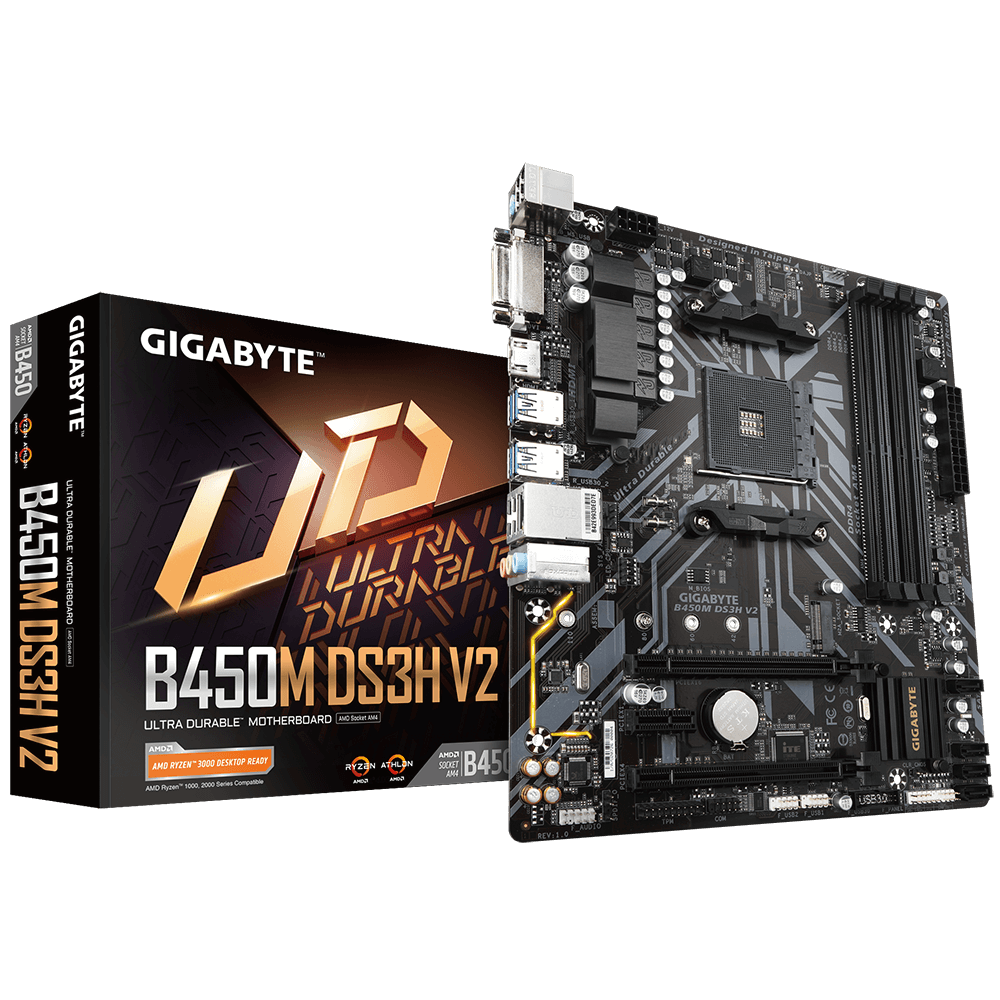
GIGABYTE
Lasting Quality from GIGABYTE.GIGABYTE Ultra Durable™ motherboards bring together a unique blend of features and technologies that offer users the absolute ...
you will need to download it to a usb then update it within the bios
 torpid moss
Hello people
 pallid cove
hy guys
weary slate
lmao, the Early bird price for the Win600 from Anbernic is 300$, and thats with an athlon 3020e, when you could wait and get a handheld with a i3 1215u for 30$ less in Q4
 warped yew
rancid crystal
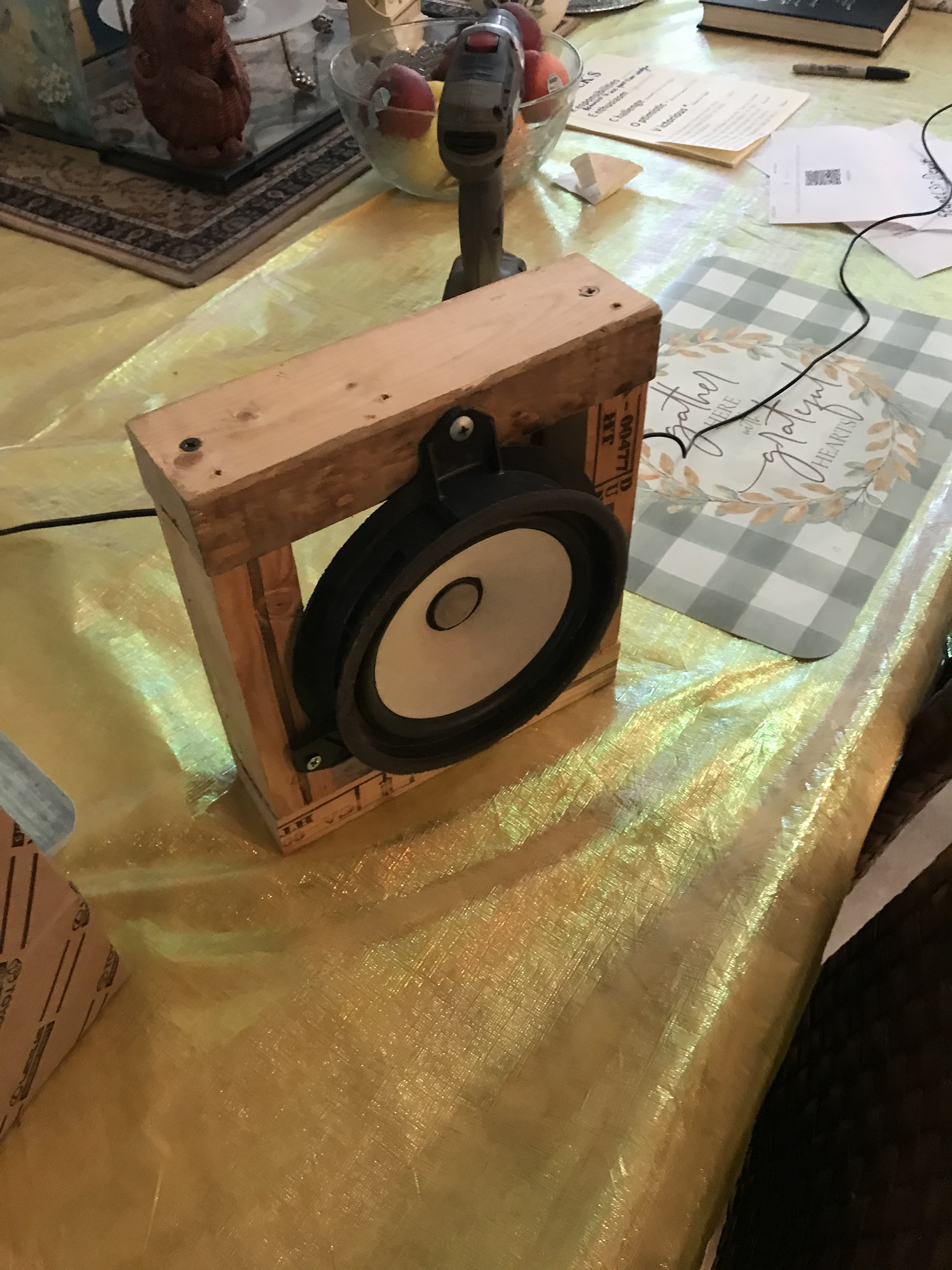
https://imgur.com/PiTKpzh
warped yew
rancid crystal
https://imgur.com/PiTKpzh
homemade?
rancid crystal
yeah i salvaged parts from an older speaker and the driver is from a car
weary slate
https://www.youtube.com/watch?v=Bcfy6DaY5W8&ab_channel=ETAPRIME 6800u/680m with DDR5 6400mhz :0 This is crazy performance ngl.
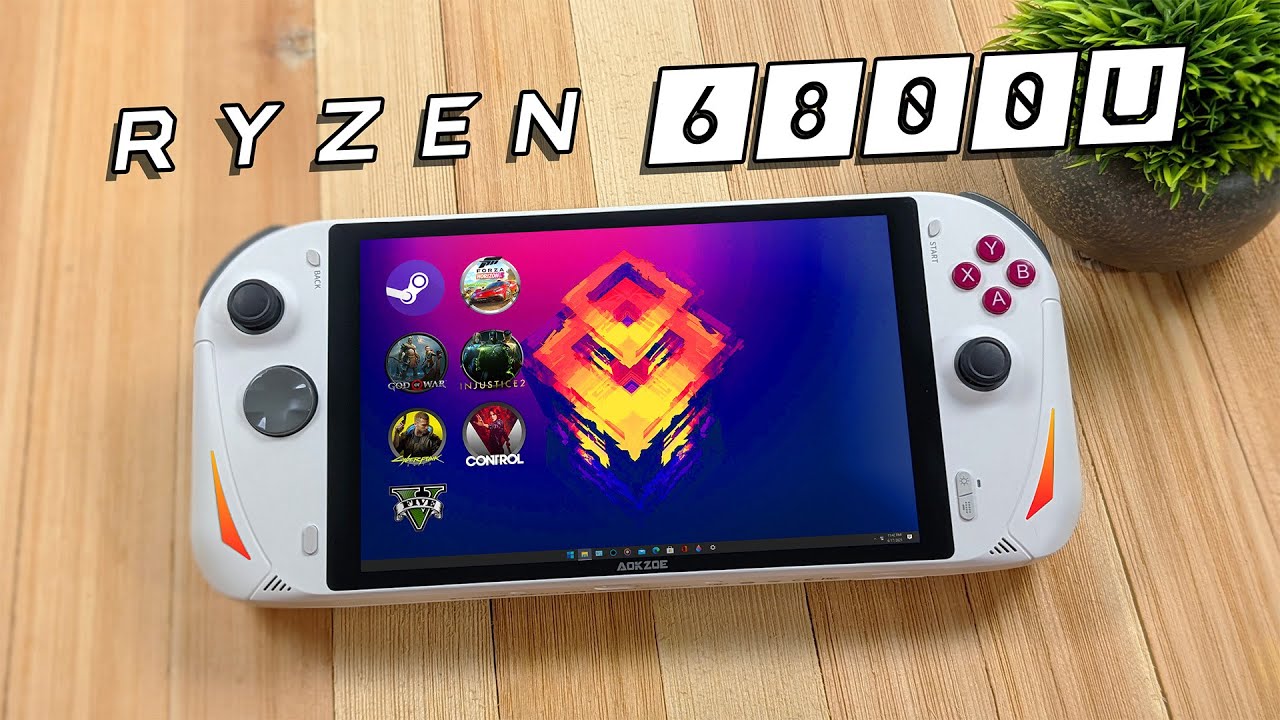
Finally! The First Ryzen 6800U Hand-Held Is Here! and is The Fastest handheld We've Tested so far! It Can Run Everything! The new AOKZOE is powered by the Ryzen 7 6800U RDNA2 APU and blows the steam deck out of the water when it comes to raw performance! 1080P AAA Gaming on a handheld is now possible. Packing a powerful Zen 3+ RDNA2 APU and back...
all of the Handhelds with the 6800u have DDR5 at 6400mhz from what I've seen so performance will be similar
kindred yacht
Ooooh I can't wait to see how iGPUs do on DDR5
weary slate
it can legit due 1080p on some games, like Forza Horizon 5.
1080p low 15w 60fps is pretty easy for FH5.

 split turtle
weary slate
https://www.youtube.com/watch?v=Bcfy6DaY5W8&ab_channel=ETAPRIME 6800u/680m with ...
split turtle
weary slate
https://www.youtube.com/watch?v=Bcfy6DaY5W8&ab_channel=ETAPRIME 6800u/680m with ...
Problem with these handhelds is that they are worth over 1000$
kindred yacht
Nope
split turtle
nope what?
kindred yacht
It's not "worth" $1000
split turtle
I never said it was worth 1000$
kindred yacht
 split turtle
Ok did i say exactly 1000$
kindred yacht
I could be wrong but I don't think any recent handhelds have launched near the $1000 mark
split turtle
Well lets see the Aya Neo 2 is priced at 799 but that is because the resolution is also smaller while it still uses the same APU
Bump it up to a 1080p display the cost goes up
kindred yacht
weary slate
That's the highest I've seen too, the Neo 2
split turtle
This is the full part list

The AOKZOE A1 is a 8 inch 1080p display and if it uses lets say a 1TB NVMe drive then yes you would be looking at a handheld that would cost over a grand
Also the 799 price point for the Aya Neo 2 would most likely be for the 512gb model
kindred yacht
Assuming they scale it that way
split turtle
The AOKZOE A1 display is confirmed on their official site that it is a 8 inch 1080p display
kindred yacht
Right but costs don't always scale between brands
split turtle
Well we're going to have to wait later this month when they announce the cost
kindred yacht
Guess so
 kindred yacht
There's always stick on pads that help with control
split turtle
It is just for fighting games that i would play is the reason i don't like that type
Just noticed this as well which makes me a little worried
 kindred yacht
Looks like the original Switch stand that always broke
split turtle
Yep and since that system looks like it would be heavier than a Switch i have a feeling that would snap
kindred yacht
Still, DDR5 with APUs is going to be epic
split turtle
If i was to try that out i would install the HaloISO (Steam 3.0) OS just to have a little more control and also to test out if the FSR mode would work on it
nova pond
kindred yacht
Still, DDR5 with APUs is going to be epic
so is zen 4 on am4
small meadow
nova pond
so is zen 4 on am4

weary slate
split turtle
Problem with these handhelds is that they are worth over 1000$
No
The most expensive one that was revealed so far starts at 899. and thats AOKZOE (OneXPlayer)
Ayn Loki Max and Aya Neo can both be got for less than 700$ during their preorder campaigns. Those will be with 6800U's
This is missing the Win600, Ayn Loki Zero and the AOKZOE. but this is all sub 1000$

But ye, Aya Neo 2 Geek will be on IGG for 689$ later this year. That'll be sweet
weary slate
as a clarification, the Aya Neo 2 Slide and Aya Neo 2 (Non Geek) should end up being more "premium" and will be priced at their usual pricing of over 1000$. The Geek line is to compete with the Loki and the Steam Deck hardware wise. As Aya Neo doesn't sell games. just the hardware.
 wintry citrus
i’ve got a security webcam thing that’s not in use and i want to get the camera and use it for something else. there’s this ribbon cable which i think is a standard ribbon cable for cameras, i looked it up and it looks pretty similar

i’m wondering if all i would need to do is put that ribbon cable into a usb adapter so i can use it as a usb webcam
the only weird thing is, what would all these components be for?

this is the camera itself. all this seems very overkill for a camera module, so part of me isn’t expecting a normal camera signal to go through that ribbon cable

i’ve got nothing to test it with though
i think that ribbon cable has 20 pins
a standard one has 15 i think
wintry citrus
i think i have a dash cam, that one might be better
warped yew
I wouldn't know anywhere or any website specifically, but see if you can lookup the specific camera and its specs and see if there are any ribbon-to-USB adapters for it. I've completed a similar project with a laptop monitor (well, somewhat completed it, but it completely works)
split turtle
weary slate
No
You should of followed the conversation after that ping
weary slate
split turtle
You should of followed the conversation after that ping
Too long, didn't read
split turtle
weary slate
Too long, didn't read
It is actually not long just like Fal and i saying a few things
weary slate
Nah its too long.
I've been watching the handhelds. They aren't 1000$ anymore. its fine. They're doing lower end screens and allowing for lower storage options to save money as they need to since the Steam Deck did.
The fact that the 512gb Steam Deck(649$ 4 Zen 2 cores, 8 RDNA2 CU's) and the Ayaneo 2 Geek(689$ Preorder price 8 Zen 3+ cores, 12 RDNA2 CU's) are only 50$ apart is insane.
split turtle
Well there is no announced price for the AOKZOE A1 which out of all the handhelds out there now has the biggest screen and resolution not to mention that they never said what their based storage might be which if they go for a 1TB storage they could be charging a lot more
weary slate
The hardware specs aside from the resolution are the same as the Aya Neo Geek 2 so its expected to be similar performance.
split turtle
If you were to try and mention about the storages how they would be cheaper than why are people buying the 64gb steam deck and spending like 70$ for a 512gb NVMe stick instead to replace

Not the same resolution
weary slate
aside from the resolution
Which really doesn't matter because in most games on a handheld you'll run at a lower resolution anyway to conserve battery.
most people are running games on the SD at 720p 40 to 45 FPS for maximum battery life despite it being an 800p screen
split turtle
yes but 720p isn't that far off from 800p
weary slate
800p high > 1080p low
split turtle
not compared when the A1 uses a 1080p display
The Neo 2 would be the better buy option overall than the A1 because at least the screen for it makes sense and this is why Valve didn't go for a 1080p display as well
weary slate
No duh
I'm excited about the performance the 6800u is capable of, not the A1
The Ayaneo 2 Geek is the one I'm looking at because its trying to compete with the steam deck price wise.
The Ayn Loki Max is tentative. They have a lot of production issues
split turtle
Battery life is expected on a laptop with that to be around 8 to 10 hours
This is a laptop test with the 6800U for heavy work loads

And for lighter loads
 weary slate
I'd be willing to pay extra for an OLED screen to have the battery lost longer.
split turtle
Id rather have a better battery life
weary slate
Thats the compromise you make with a handheld due to thermals, and size
split turtle
Id also buy the Neo 2 if there is an option with no OS on it
weary slate
You aren't paying for the windows license on them.
Anything with less than a 9inch screen gets a windows license for free. Been that way since 2014.
split turtle
https://www.youtube.com/watch?v=qb805CHWeks Well this is the reason for my statement

You can now install Steam OS 3 on any device using HALOISO! Ever wanted to install the Steam Deck Operating system on a Laptop? Desktop, Mini PC, or other handheld PC like The AYA Neo Next or The ONEXPLAYER? Well, now we can with the release of HALOISO. This allows you to run Archlinx with steam deck Ui on other devices and it's pretty awesome! ...
weary slate
its to keep prices of windows tablets affordable.
weary slate
split turtle
https://www.youtube.com/watch?v=qb805CHWeks Well this is the reason for my state...
You can do that anyway regardless of the fact its there
split turtle
Anyways the overall reason is if you can have the options like the built in FSR to use on any game that would be a big helper
weary slate
I know, I'd expect a lot of people to use Steam OS.
But theres no reason to send it out as a blank slate. It won't save you any money and is simpler for them and the consumer in the end.
split turtle
Well some companies does tend to offer windows or linux and sometimes they can sell it without an OS installed in case you want to use your own
Oh ya and the HoloISO now has full Nvidia support for 9xx and up
I already downloaded it and going to install it on my 960gb NVMe when i get it
weary slate
split turtle
Well some companies does tend to offer windows or linux and sometimes they can s...
Thats usually if the license costs money to them.
split turtle
You do know there is some companies that it wouldn't cost additional money for it but will still give the option no matter what
weary slate
None of the windows tablets do it. None of the handhelds have done it.
Anything with less than a 9" screen. so 8" and below doesn't leave a lot.
Aya Neo, Ayn, Valve, Onexplayer, GPD have not offered any blank slates. They all come with an OS with the user understanding they could get another. Thats how it works.
split turtle
GDP made systems that was pretty much windows only or android only
weary slate
They literally use it in marketing, "Hey this comes with windows but it supports Steam OS"
 weary slate
All of them say that now that Steam OS works on their marketing.
Odds are it won't have a Steam OS option on the IGG page when it launches on thursday. but we'll see
split turtle
Oh that image is from their actual site https://aokzoestore.com/
And for the steam os it would most likely be 2.0
SteamOS 2.0 also just looks like steam in big picture mode
weary slate
Aya Neo advertises their own version of linux more now. but they do also mention it can do Steam OS
weary slate
split turtle
SteamOS 2.0 also just looks like steam in big picture mode
So why not just do Holo Iso yourself instead of worrying about what version of SteamOS they'll use if they send it to you
split turtle
Who said i was worried about what version they would have installed?
I said what they would most likely have installed i never said i would be worried on what they would have installed
weary slate
if you've used Steam OS 2.0 you'd understand why thats probably not the one they'd install
its garbage
HoloISO or the official release of Steam OS 3.0 is the only way to go
split turtle
Would be HoloISO cause the steam deck version you would download to try and install on anything other than a steam deck would detect that it isn't a steam deck which is why HoloISO was made
weary slate
split turtle
Would be HoloISO cause the steam deck version you would download to try and inst...
Steam OS 3.0 hasn't been officially released yet but is coming. and will also replace the big picture mode on the desktop steam app with something that looks similar
We don't know how soon after their IGG campaign starts that things will be sent out so its not unreasonable to think that the release of Steam OS 3.0 might coincide with the actually release of the handheld.
Should be expected that these handhelds will come out in Q4 at some point. which is around the time all the others will be sent out too.
thorn gulch
split turtle
Not entirely relevant to the convo, but HNNNNNGGGGGGG

Also dumb that one is called "Full Screen" and other is "Ultra Narrow Screen"
Also "Special Function" is annoying. Both are so non-specific it's cringe.
weary slate
GPD Win Max 2 prices were revealed.
6800u + 16GB's Ram 1TB storage $999
but you can go up to 32gbs of ram and 2 TB storage for 1299.
Gross imo.
They will have an 899 model, but its not for retail, will come with 128gb ssd. Like why
Lenovo's ThinkBook 13s Gen 4 AMD model with the 6800u is a better buy imo, just bring a bluetooth controller with ya. 512 GB SSD, 6800u 16gbs ddr5 (soldered)
and is an actual laptop for 1071$ right now.
dusk nebula
I would like to play Game Cube games on stream is there any adapter piece that I can use to plug into my computer to stream?
weary slate
dusk nebula
I would like to play Game Cube games on stream is there any adapter piece that I...
Plug your GameCube into your pc? You'd need a AV to Hdmi converter and then a capture card I believe.
dusk nebula
That simple?
weary slate
Should be.
dusk nebula
No adapter piece like the switch?
weary slate
This is me capturing my OG Xbox on PC
weary slate
dusk nebula
No adapter piece like the switch?
The switch needs a dock, then the Capture card.
most capture cards are HDMI, haven't seen one that was AV so you just need to change the AV output to HDMI with a converter. then it should work. Adapters are iffy imo.
https://www.amazon.com/Converter-ABLEWE-Composite-Supporting-Blue-Ray/dp/B07RX69KR8/
This is the one I got. just a cheap one. and it works fine

RCA to HDMI,AV to HDMI Converter,ABLEWE 1080P Mini RCA Composite CVBS Video Audio Converter Adapter Supporting PAL/NTSC for TV/PC/ PS3/ STB/Xbox VHS/VCR/Blue-Ray DVD Players
@dusk nebula Read above
dusk nebula
What capture card would you recommend?
weary slate
Not really sure tbh. I went overkill because I capture other things. But you could probably find a cheaper one that uses USB.
dusk nebula
Well what do you have?
kindred yacht
AV is analog and HDMI is digital so you need an active converter, they often have external power by USB or something
weary slate
kindred yacht
AV is analog and HDMI is digital so you need an active converter, they often hav...
The one I sent has USB power yes
I have elgato's 4k one that uses pcie in side my pc lol. Overkill for a GameCube or in general really.
dusk nebula
I see so elgato's

HD60 S+ lets you play your high-fidelity console games in stunning 4K60 HDR10, while capturing your gameplay in superb 1080p60 HDR10 quality. Compatibility with any streaming software gives you full creative control, and Instant Gameview powers your workflow with ultra-low-latency technology.
Is this what I am looking for?
weary slate
Yeah that would work.
I'm not sure of software with other ones. I had 2 other capture cards but neither had software that worked. So they were useless. So I just went with elgato. Someone could probably find other ones, but the 60 S+ would be good ya
dusk nebula
Thank you! Also one more thing I am looking to get Switch > PC and is this what I am looking for? https://www.amazon.com/dp/B01N9DTRSB?tag=amz-mkt-chr-us-20&ascsubtag=1ba00-01000-org00-win10-other-nomod-us000-pcomp-feature-pcomp-feature-pcomp-wm-8&ref=aa_pcomp

Network adapter - USB - Ethernet
weary slate
Uh no for the switch you'd just use the dock that came with it and hdmi it through the capture card the same way
dusk nebula
Oh really?
kindred yacht
If you use the dock for the switch you'll need a HDMI splitter unless your capture card doubles as a display in
dusk nebula
Okay so what all do I need exactly?
This?
And this?
HD60 S+ lets you play your high-fidelity console games in stunning 4K60 HDR10, while capturing your gameplay in superb 1080p60 HDR10 quality. Compatibility with any streaming software gives you full creative control, and Instant Gameview powers your workflow with ultra-low-latency technology.
RCA to HDMI,AV to HDMI Converter,ABLEWE 1080P Mini RCA Composite CVBS Video Audio Converter Adapter Supporting PAL/NTSC for TV/PC/ PS3/ STB/Xbox VHS/VCR/Blue-Ray DVD Players
weary slate
kindred yacht
If you use the dock for the switch you'll need a HDMI splitter unless your captu...
No, the switch doesn't require a TV output like Playstation does. If he uses an Elgato capture card it will display in a window on his pc just fine. If he wants it on another TV it does have Hdmi passthrough
weary slate
dusk nebula
This?
- https://www.amazon.com/dp/B07XB6VNLJ?tag=amz-mkt-chr-us-20&ascsubtag=1b...
Just the capture card and converter. Not that thing you sent.
dusk nebula
dusk nebula
This?
- https://www.amazon.com/dp/B07XB6VNLJ?tag=amz-mkt-chr-us-20&ascsubtag=1b...
These two things?
Thats it?
weary slate
Yeah. As long as you still have your switch dock.
dusk nebula
@steady vector
dusk nebula
dusk nebula
This?
- https://www.amazon.com/dp/B07XB6VNLJ?tag=amz-mkt-chr-us-20&ascsubtag=1b...
You need these two things
dusk nebula
weary slate
Yeah. As long as you still have your switch dock.
Thank you!
 steady vector
Thank you so much!!!
weary slate
dusk nebula
Thank you!
Np
If either of you need help with them. I gotchu. I have a similar thing set up right now cause of my OG Xbox.
I also use my switch through the capture card too if I'm not in handheld mode as well lol
eager bison
i wanna die

 mossy otter
does anyone know if the nakamichi bx-125 is good? im looking at getting it to make tapes b/c most of the cars in my price range only have tape decks
eager bison
get a tape to aux adapter
eager bison
mossy otter
does anyone know if the nakamichi bx-125 is good? im looking at getting it to ma...
you can pick em up at most of your local walmarts
 mossy otter
eager bison
https://www.walmart.com/ip/onn-Cassette-Audio-Adapter-3ft-with-AUX-Cable-Play-Di...
mossy otter
eager bison
https://www.walmart.com/ip/onn-Cassette-Audio-Adapter-3ft-with-AUX-Cable-Play-Di...
my phone doesnt have an aux. curse you apple!
eager bison
mossy otter
my phone doesnt have an aux. curse you apple!
get a lightning to aux then
and leave it plugged into the cassette adapter
boom
mossy otter
fair
btw, my dad has a recorder/player from the 80s-90s but idk if he will let me have it
like, a good 2 deck one
eager bison
if you wanna use cassettes because its a chad thing to do, no reason not to
warped yew
mossy otter
my phone doesnt have an aux. curse you apple!
they make Bluetooth to 3.5mm adapters
eager bison
shut up
weary slate
Beat em up
tepid hazel
in case anyone's had experience with power inverters to charge their laptops in car,
which (budget) one would u recommend ?
 obtuse path
Is the AKG n700nc any good for 125
 stiff compass
tepid hazel
in case anyone's had experience with power inverters to charge their laptops in ...
stiff compass
tepid hazel
in case anyone's had experience with power inverters to charge their laptops in ...
I’ve been using this for the past year and had no problems with it at all to charge my laptop

YSOLX 150W Car Power Inverter DC 12V to 110V AC Converter with 3.1A Dual USB Car Charger Adapter Blue
tepid hazel
stiff compass
I’ve been using this for the past year and had no problems with it at all to cha...
interesting thanks
what kinda laptop (or other devices) have u been using this with ?
stiff compass
I’ve blown up air mattresses with it and charged my Asus Scar 17 multiple times with it
As long as you don’t go over the 150w you’ll be fine
 ruby vessel
Also be sure of the fuse your car uses
Typically they range from 10-20amps, depending on the vehicle
So if you had a 10 amp fuse for that port, after pulling ~120w, you'd blow a fuse
stiff compass
^^
old vapor
i learned this today
ruby vessel
luckily its a pretty cheap mistake if you do blow a fuse so whatever
kindred yacht
That's what fuses are for, to keep you from overloading the rest of the circuit. 5 cent fix.
 wraith steppe
But hey, if you blow a fuse on a gpu - it takes $.001 cents of solder to "fix" it
kindred yacht
If you do it the ultra sketchy way yeah
You're lucky if you have fuses on a GPU
Even luckier if nothing died when it popped
wraith steppe
I've only seen them on high end stuff, like an asus mars
ruby vessel
Guys.... The pcie cable is the fuse... Duh?
Dw about the connector literally melting first
That's just a myth
kindred yacht
Totally not spiking 800W on my FE 12 pin cable when I OC it
 kindred yacht
Nah I wouldn't be caught dead with those extensions (literally), they look flimsy AF
chrome dust
oof
kindred yacht
They claim to be 16g but I'm not so sure based on the remains
chrome dust
kindred yacht
Could be one of those that's disguising 18/20g wires in a thick shield and braiding
Just look at how much copper there is in that burned wire, maybe 1/2 of the thickness is copper
stiff compass
No way that’s actually 16g
If anything it’s 16g including the insulation thickness
 peak yarrow
Hello
Need advice between sinology 920+ and qnap TS-453D
Anyone here have any input on these
It's for plex
wraith steppe
The connectors are usually the failure points, you really have to put a lot of current through 18awg to make it burn like that, rare even on ln2.
 north tide
HELLO,
So here's the story I was given a ^promise iscsi san 1080i with more than 60tb of harddrive space^
Me being playing the guessing game and clicking reset on the settings not realizing I can break it.
Apparently I need to ssh into the box
After speaking with the previous owner he advised me to buy a
^ usb to serial ftdi^
never used serial ports before.
Just wondering if somebody could make my day and give a point to the right direction
eager bison
north tide
HELLO,
So here's the story I was given a ^promise iscsi san 1080i with more than...
get putty
find out what the configuration of the serial interface is
connect
rancid crystal
i got my custom handheld working

 weary slate
rancid crystal
i got my custom handheld working
weary slate
rancid crystal
i got my custom handheld working
What is it
rancid crystal
it's a raspberry pi 3 running a 5" tft lcd screen, a pisugar s power supply with included 5000mah battery, and real nintendo switch joycon within a custom case
only need speakers and cooling left
 half cedar
any AV nerds in here that could hopefully answer a few questions for me? I'm trying to find a way to plug my Nintendo Switch, PS4, and maybe a couple other HDMI consoles into something, and then into my Elgato HD60 plus. I've tried several different a/b switch type things but none support HDCP which borks the PS4 especially. My next resort is forking out $$ for an AV receiver. Overkill, yes...unless it works. Thoughts/suggestions?
half cedar
half cedar
any AV nerds in here that could hopefully answer a few questions for me? I'm tr...
I'm trying to get setup for streaming console games without having to plug/unplug cables everytime i want to change consoles.
old vapor
rancid crystal
i got my custom handheld working
nintendo would be so mad
rancid crystal
half cedar
any AV nerds in here that could hopefully answer a few questions for me? I'm tr...
too bad the aux jack plus a trrs composite cable isnt enough
oblique gazelle
I need a Bluetooth adapter for my pc, any reccs or does it not really matter
kindred yacht
As long as it's BT 5.2/5.3 it doesn't matter much unless lots of reviews complain about drops
oblique gazelle
Ty
oblique gazelle
kindred yacht
As long as it's BT 5.2/5.3 it doesn't matter much unless lots of reviews complai...
All the ones I'm seeing are 5.0, is there a difference?
And 5.1
kindred yacht
Features and range mostly
oblique gazelle
Nvm found a 5.2 one
rancid crystal
i'm gonna make my pi smitch even smaller
and actually smaller than the real switch lite
it might have cost somewhat more to make than getting a switch lite
but i paid that price for the experience and to avoid nintendo's wrath
 shy beacon
anyone ever have a problem with their graphics card rgb? It works just fine except the rgbs sometimes dont come on
3070 ti asus tuf
kindred yacht
Probably a software thing if I had to guess
I prefer openrgb, less weird problems and conflicts
shy beacon
I tried updating the drivers and it didnt help. I havent tried any software. I was content with them just turning on and cycling colors lol
Shut it down turned off the power supply and then turned everything back on and they started working again for now lol Still having issues with my elgato devices for some reason. I give up with that at this point lol
small meadow
oblique gazelle
I need a Bluetooth adapter for my pc, any reccs or does it not really matter
I have a decent tp link usb one
Bluetooth 5.0 nano usb adaptor
 rain fulcrum
anyone here work with putty?
kindred yacht
Assuming you mean the program and not silly putty... Well I guess I've used both
rain fulcrum
yeah the program
so im tryna console into a juniper
my laptop did a force update to win11 from win10
it worked before on win10 but now doesnt work on win 11
and by not working i mean my cables that i am using to console in....i can console in via putty through ip....but not through console port
kindred yacht
Sounds like a compatibility issue and you could try running in compatibility mode. You'll probably also want to update drivers to be 11 compatible.
rain fulcrum
thats a lot of switches to run driver updates on to be compatible with win11
or are you thinking that the win 11 laptop is not compatible with the USB 2.0 To Serial DB9 Male (9 Pin) im tryin to run?
before the win11 update putty would show com1(1-4) but now it doesnt show or see...
 safe dust
is this a good ups
 neon girder
I found a used-but-like-new canakit raspberry pi 4 4gb on Craigslist for $80. Worth it?
warped yew
safe dust
is this a good ups
you have a link or something?
green stream
80 for rasp pi sounds expensive
warped yew
unless it's a Canakit
neon girder
green stream
80 for rasp pi sounds expensive
They are literally all sold out, I have been looking for more than a year and a half. And I dont want to pay for an amazon one thats over 150
green stream
If you’re just looking for a lightweight system you can look for a used dell wyse or thinclient pc for 20-40usd
safe dust
safe dust
https://www.newegg.ca/apc-be670m1-2-x-nema-5-15r-5-x-nema-5-15r/p/N82E1684230170...
is this a good ups
green stream
Ye apc has some nice ups’ but that one is only 675va I’d aim for 1000 or 1500 if you are using it to power a gaming pc
safe dust
craggy flintBOT
 RobotPlayz#8156 has been warned
Reason: Duplicated text
safe dust
Ignore above
Would these ups be good :
If those are bad I found them here https://www.newegg.com/p/pl?d=UPS&N=100160974 600013480 8000&LeftPriceRange=0+200&Order=2
 quaint kelp
I wonder what the smallest scroll compressor part you can buy is. All I see is stuff that you have to contact a company for a quote.
green stream
That might be difficult most companies I know of that would sell individual parts are usually just suppliers for contractors, you would normally contact them with the specifications of the unit or design, if you search whole consumer products you’d probably have better luck
quaint kelp
was trying to see what it would take to make a DIY phase change unit and the compressors are usually absolutely huge for what i would limit myself
and noisy if it is anything that isnt a scroll compressor
kindred yacht
quaint kelp
and noisy if it is anything that isnt a scroll compressor
Well yeah you don't make a phase change cooler to run it daily so ofc it's noisy
wraith steppe
Reciprocating compresors are meta if you want quiet. Nobody uses scrolls for computer stuff
Check the pinned single stage/cascade post in #overclocking
rancid crystal
could i turn an old early 2000s pc into a new server if i upgrade the ram a bit
i wanted to make a server or few for some people
to host it at my residence and possibly charge them a small fee per month