#overclocking
1 messages · Page 69 of 1
 orchid flame
 real prawn
Oddly, I was playing CSGO today, and I noticed that it performed best when I gave it access to all 32 threads. On a single CCX it was dipping below 200 FPS, avg about 240. 32 Threads was almost always above 350+, but never dipped below 300.
This is the exact opposite of the behavior I saw months ago, so they must've had updates.
orchid flame
Source 2 is weird
real prawn
Wait, they updated CSGO to source 2 already?
orchid flame
I have literally no consistent data on how it behaves
real prawn
I thought that didn't happen yet.
orchid flame
real prawn
Wait, they updated CSGO to source 2 already?
elements of it
not a full port
real prawn
I see
 dense sandal
how do I know if I'm thermal throttling, if my motherboard can't handle the OC, or if my CPU itself just isn't stable enough to handle the OC
 forest radish
thermal throttling means that frequency will be reduced in order to keep the processor from getting too hot
so you'll be able to see the frequency drop and the fact that temps will be very near tjmax
 quick rose
Keep in mind also regular boosting behavior relies on temps. Don't have to get near TJMax to see clocks decrease.
forest radish
not boosting as high as it could isn't the same as thermal throttling tho. thermal throttling implies it will drop below the frequency you set because protections are kicking in
quick rose
Right but you'll see a decrease in clock speed before you thermal throttle is the point
 foggy trellis
I need a bit of help overclocking my gpu
forest radish
with a manual oc you won't. frequency decreasing IS thermal throttling
 mystic agate
i need some help to oc my ram
quick rose
Some reading should be done first, 🙂 #overclocking message
 lavish tundra
quick rose
Some reading should be done first, 🙂 https://discord.com/channels/5000854402218...
lavish tundra
quick rose
Some reading should be done first, 🙂 https://discord.com/channels/5000854402218...
Or just tag fitz lol
 tall pelican
lavish tundra
Or just tag fitz lol
tall pelican
lavish tundra
Or just tag fitz lol
good luck with that
lavish tundra
Speak of the legend
mystic agate
@lavish tundra told me about you fitz and i haven’t a clue what to do, i require your assistances
lavish tundra
Take a pic of the white sticker on the ram stick and send here
mystic agate
what white sticker
mystic agate
you want me to take it apart again?
lavish tundra
Send a pic of that
lavish tundra
mystic agate
you want me to take it apart again?
Just 1 stick of ram
Not both
There should be a sticker with a lotta numbers
Send that
tall pelican
gskill and corsair go off the sticker, rest is 🤷♂️
mystic agate
where do i send the picture
tall pelican
pm to one of us since you might not be able to post it
lavish tundra
tall pelican
gskill and corsair go off the sticker, rest is 🤷♂️
Hope thaiaphoon is right
tall pelican
its reve
dense sandal
forest radish
thermal throttling means that frequency will be reduced in order to keep the pro...
thank you for the explanation
I'm running a ryzen 5 3600 with a wraith prism cooler, and I was able to get to 4.375ghz at like 1.51 volts, but anything past that and I blue screened/crashed
 clever epoch
dense sandal
I'm running a ryzen 5 3600 with a wraith prism cooler, and I was able to get to ...
clever epoch
dense sandal
I'm running a ryzen 5 3600 with a wraith prism cooler, and I was able to get to ...
Holy crap dude. Don't do that. You don't want any more than 1.3V unless you're prepared to burn/degrade your chip or go sub-ambient
 proven canopy
More like 1.25 to be truly safe, but yeah
 sudden torrent
No, that's the idle voltage
tall pelican
"stock" during a very specific load
sudden torrent
It uses less under load
clever epoch
Stock voltage can vary quite a bit, and ryzen can boost up to 1.5V but it does that automatically and under low load (current). A static voltage of 1.5V is far, far too much. If you load up prime95 or even cinebench you'll see voltage drop to 1.1-1.2V
If you want to overclock your ryzen processor, just enable PBO. Static overclocks aren't effective
lavish tundra
proven canopy
More like 1.25 to be truly safe, but yeah
Up to 1.3 is fine on amd
proven canopy
potato potahto
lavish tundra
Eh im running my 3600x 4.4ghz all core at 1.286V
Stable for gaming and light benchmarking
clever epoch
At that point it depends on how long you plan to keep the chip, how intense your workloads are, and your LLC settings
tall pelican
llc on zen2/3 (arguement can be made for zen/+ too) should be left on auto
 keen basin
could I get a simple explenation of PBO and how to turn it on, what expectations to have when oc'ing memory, and how to match memory clock to cpu clock
is the arctic liquid freeze 2 good cpu cooling?
real prawn
Hello all. I've sucked myself back into overclocking my 3950X, and I feel like I'm missing something.
I was trying to watch AHOC's videos on Load Line Calibration, but he is impossible to follow, and doesn't seem to really address a comment he made about how SVI2 TFN measures VRM only (which I knew already).
In my case, SVI2 TFN is set to 1.38V and it droops to 1.31V under load. As far as I can tell, this is basically safe, kind of, except that when it comes off load, I can only guess that it's boosting to about 1.36V or so. So right there I guess I need to lower my VRM vcore voltage to something like 1.35.
However, there is then Core VID (Effective) and Core VID in HWiNFO. Core VID (Effective) is (as someone blanketly stated for all VID on Ryzen) is just showing what the CPU is requesting. In my case, this is set to 1.325V.
However, higher up there is just "Core VID", which I can see go from 1.325V on idle, all the way down to 1.219V under load. But at the same time, my 3950X is hitting over 90C and then crashing with P95 (at 4.25 Ghz).
So what do I need to do here? Bump the Core VID to match the external so it can match up during droop?
I know that stock, most Zen 2 and Zen 3 CPUs hit around 1.4-1.5V, but then droop as low as 1.2V. So what could I do here?
Also, before you say it, no I do not want to do PBO. It is basically ineffective for Zen 2, especially my 3950X. GN basically proved that in their tests. I mainly just care about all-core speed for multi-threaded workloads.
quick rose
Mmmm, I'd disagree. PBO can work wonders if you set it up right by unrestricting power and other limits. Play around with EDC, PPT and TDC limits and SOC voltages. PBO can do a lot if you know how to make it work. PBO will get my 3700x to 4.3 all core and I haven't been able to do much better manually.
 sterile flame
keen basin
could I get a simple explenation of PBO and how to turn it on, what expectations...
sterile flame
keen basin
could I get a simple explenation of PBO and how to turn it on, what expectations...
Automatic clock/voltage tuning depending on how good your silicon is, Just turn it on, Memory look at the guides, idk
Yes
real prawn
I feel like I'd rather learn from this all-core experience and apply it to PBO if I ever wish to, than to just turn on PBO, have my CPU run at 120C (like it normally does when I enable PBO), and ignore what SVI2 TFN and VID are saying because I apparently don't understand what they actually mean in the context of a Zen 2 processor.
real prawn
Yeah, everytime I've used PBO that has happened.
sterile flame
What cooler?
real prawn
240mm NZXT X52. It actually had been working fine with my all-core OC. 4.15 and 4.25 are very stable when not using Prime95. It even stays under 85C on R20 and R23. It just is Prime95 that causes it to crash and run at 90-95C.
But, even just R20 with PBO hits over 100C no problem. Granted, because I never really tweaked it, but still. The point is that I want to understand voltage on this processor properly before even touching PBO.
I honestly don't see a point in learning PBO if I can't understand how to overclock all-core, mainly what my SVI2 TFN and VID should be hitting under load and at idle.
tall pelican
if r20 is hitting such high temps with pbo on, then lower the limits
real prawn
Right, but the point of PBO is to push single-core, as well as allow other cores to push higher frequencies when under 50-90% load, right?
tall pelican
the point of pbo is to push all core, while maintaining most of the stock single core
real prawn
Right, so to allow a higher all-core frequency (when not all cores are being 100% utilized) while maintaining or also pushing stock single core
But what's the point in playing with that if I can't even get an all-core OC to be stable under p95? Shouldn't I understand what the voltage regulation on the processor is before I even touch PBO?
All-core OC is simple, usually, but Ryzen's power is weird
So why should I play with frequency limits on PBO when I may be missing out on more voltage, or completely over-cooking my CPU?
Does that make sense?
Maybe I will get to PBO at some point, but it's useless if my power isn't right, right?
tall pelican
given that you were running 1.3v+ under load, that will degrade it, especially if you do all core workloads
with stock and pbo, the SMU still have full voltage control, and will throttle to stay safe in all workloads
real prawn
Okay. So the chip does automatic voltage contol, and all I need to do are contol the frequency limits that it stays within?
Also, under load, the SVI2 TFN (VRM) was at 1.300-1.313V, and the VID (vcore) was at 1.219V.
I just had them set to 1.38V and 1.325V in the BIOS. They droop significantly lower than what they're set to with LLC 2 (1 max).
My main issue with the guides I've seen is that they seem to throw a ton of information at you in not a very easily digestible way.
The information is there, but it requires a ton of reading and for me to piece together the information. The way PBO is shown is as this really easy thing to do, but all the documentation and information surrounding it seem overly complicated.
tall pelican
you have 3 options:
- leave it stock (best single core)
- pbo with power/current limits set for your situation (not as good single core as stock, but better multicore)
- manual, with 1.25v (best all core if pbo doesnt reach the same clocks)
clever epoch
1.38V is far too high for your 3950X. I would set at 1.3 at most, with low-medium LLC to let it drop 1.25 or less under load
also you must have disabled or adjusted your safety limits if PBO is hitting more than 95C
lavish tundra
real prawn
I just had them set to 1.38V and 1.325V in the BIOS. They droop significantly lo...
1.3 is max safe voltage for ryzen cpus
Atleast for daily
real prawn
I think I've explained that numerous times already, that I know that. However, that number doesn't help me if I don't understand when that voltage is unsafe, because stock Ryzen CPUs often hit 1.4-1.5V on idle or light loads.
Is it only unsafe under full load? Or is is unsafe all the time? Because stock voltages kind of disagree with that latter point.
So in the case then which one is not safe over 1.3V? Is it SVI2 TFN (VRM External Voltage), Vcore VID, or both? Because clearly under load, I am hitting 1.3V on VRM, and 1.22V on vcore.
 robust aurora
When i overclock do i want the llc to be more flat ?or the other way around?
Because i noitced my voltage is pretty high during stress test with auto on llc
clever epoch
real prawn
Is it only unsafe under full load? Or is is unsafe all the time? Because stock v...
it's unsafe whenever your CPU is drawing substantial amounts of current. How much is "substantial", is very difficult to find out unless you can beat the information out of somebody from AMD who programmed the SMU (they certainly won't willingly tell you), or if you very carefully and methodically induce a known amount of current into individual cores and attempt to document the SMU/boosting behavior. Good luck with that unless you write your own OS.
As for the voltage readings, SVI2 TFN (from my understanding) is the voltage that the core/SMU itself reports, and is the most accurate, as claimed by the author of HWInfo and tests that (attempt to) measure voltage on the chip.
lavish tundra
real prawn
I think I've explained that numerous times already, that I know that. However, t...
Thats fine for idle. Not all core
On load
Vcore shouldnt be higher than 1.3V
clever epoch
VID is simply the voltage that the core requests, and Vcore is usually a motherboard-reported voltage which can be accurate if it's a mirror of SVI2 TFN, but is usually measured from VRM side which can be substantially offset due to socket impedance under high current
The reason why you should not set a manual voltage above 1.3V is that OSes (windows especially) will perform high power/current operations basically on their own whim, with no care for processor safety (OSes assume the processor/mobo regulate themselves for safety) and will thus cause dangerous levels of current draw due to scheduled processes, like AV scans or updates
not to mention the processor load of simply loading up the OS and its modules
lavish tundra
Very true
Anything above 1.3V on a ryzen chip daily driver is basically slowly killing the cpu
clever epoch
Also ryzen will boost to ~1.5V usually when most/all cores are inactive and something is loading a single core. So it needs the voltage to drive enough current through a core so it can reach high clocks
lavish tundra
Up to 1.5V for ln2 extreme is fine
Just to get the high scores
Then you come back to under 1.3
clever epoch
Bear in mind that the impedance of a processor changes dynamically, and transistor frequency scales with current, so if the impedance is high, you also need more voltage to reach the same current, which allows for enough clocks
The Ryzen boosting algorithm is written by people with much greater understanding of this behavior (as well as degradation) than most of us could ever hope to achieve, myself included.
I'm sure you're an intelligent person, but I doubt you will outsmart them on this field, at least at this moment.
 boreal herald
The issue with high voltages is with semiconductors P = (I^2)V so as you increase the voltage you also increase the current quadradicly through the CPU which can burn out the power plane on the CPU
lavish tundra
boreal herald
The issue with high voltages is with semiconductors P = (I^2)V so as you increas...
Exactly 0 things about what u said are correct
boreal herald
lavish tundra
Exactly 0 things about what u said are correct
Current is quadratically proportional to Vgs
And you very much can burn out the power plane or the base layers that carry the power
tall pelican
current goes up ^2, power is quad afaik
real prawn
In that case then I'll probably just pull the voltage back down to where it was and never do P95 I guess. Can't seem to get accurate answers on what does what, so I don't know who to trust.
clever epoch
SVI2 TFN is the most accurate voltage reading you're going to get from your processor. That's a fact
real prawn
So is the reality that you actually can not measure the actual vcore at all?
Even though there's two VID values on HWiNFO and the top VID values seem to change pretty dynamically under load?
clever epoch
you can use a multimeter to probe parts of the CPU. People have done that and found that SVI2 TFN is very close, to the degree of measurement error of the multimeter contacts themselves
SVI2 readings are, for all practical purposes, perfect measurements of vcore. I would be more concerned about sampling frequency than the (in)accuracy of the reading
tall pelican
Svi2 tfn is treated as the vr vout for amd
 chrome smelt
So i've been thinking and it's a big question:
Does overclocking an overclocked cpu means it's in Overclocked 2.0, or it's Re-overclocking a Overclocked cpu ?
I was thinking about this while learning how to overclock a cpu
 zenith palm
Just more overclock
sterile flame
real prawn
I think I've explained that numerous times already, that I know that. However, t...
its because its idle
if you want to reach those voltages idle, dynamic OC switching (or offset if i remember correctly)
but your motherboard likely doesn't have it :p
tall pelican
There's overclocking, then there's turbo boost, both are different
 dusty gulch

3DMark.com
AMD Ryzen 7 2700X, NVIDIA GeForce RTX 2060 SUPER x 1, 16384 MB, 64-bit Windows 10}
That there is bonkers
proven canopy
Not bad, #34 for config
 compact plaza
can you overclock a ps5?
 weary valley
No
sterile flame
is the 1650 worth overclocking
zenith palm
you can gain some extra performance for free quite easy, imo yes but its up to you if its worth your time also depends on the silicon lottery some chips will OC well others wont
zenith palm
sterile flame
it says oc edition on the box
that just means its slighty overclocked above nvidias defaults spec out of the box, its quite easy you can just use msi afterburner (works for any brand of card)
zenith palm
you just up the core and memory in steps, hold on ill link a vid for you to help
sterile flame
alright
zenith palm
Play World of Warships for free: http://bit.ly/2ldpyOX New players will receive 1 Million Credits, the USS Langley Aircraft Carrier, 3 days premium time, and more by using my code PLAYLANGLEY2019. Big thanks to Wargaming for sponsoring this video.
○○○○○○ Items featured in this video available at Amazon ○○○○○○
► Amazon US - http://bit.ly/1meybO...
 rough yew
Depends what you want to do, do you wanna overclock or undervolt or what
quick rose
Use bios instead. Ryzen master kinda meh and requires reboots anyway.
 dense kelp
Overclock
But i dont know how stable my cpu is at 4.2 as ive never done any kinds of tests before. Ive just done thermal testing
lavish tundra
Hehe my 3600x go brrrr at 4.4
 rough cairn
Anyone managed 5ghz on 5600x yet?
 dull ginkgo
@rough cairn of course
https://hwbot.org/submission/4632374_baby_j_cpu_frequency_ryzen_5_5600x_6132.34_mhz
there's multiple people who got it to 6ghz
well one core but whatever
rough cairn
dull ginkgo
<@!408341878547808266> of course
https://hwbot.org/submission/4632374_baby_j_cpu...
haha nice but that's one core on liquid nitrogen. i was thinking about conventional oc that allows offsetting core clock higher than 200mhz in the bios. no option to offset higher than 200mhz on mine.
rough cairn
dull ginkgo
set multiplier
all core oc instead of pbo that is? why?
dull ginkgo
uh what
I thought you want 5ghz?
all core or set single ccx 5ghz then
pbo is good for everything else
rough cairn
dull ginkgo
pbo is good for everything else
ok i see, so i can either try all core multiplier 5.0 or single ccx to 5.0 but i cannot combine for example single ccx to 5.0 with a pbo. if i choose pbo than im stuck to whatever max offset mb manufacturer had imposed, correct?
dull ginkgo
I mean
the point to PBO is for the chip to choose how high it wants to boost
not to force PBO to boost to a certain frequency
if you want to force PBO, just set manual
rough cairn
dull ginkgo
if you want to force PBO, just set manual
well the benefit of offsetting the pbo to 200mhz on 5600x is that it allows the chip to boost to 4.85 (pbo + 200mhz offset) instead of 4.65 (pbo at default settings).
When you combine pbo + offset + curve optimizer = the chip boosts to 4.85ghz whenever possible while staying at around 1.27 volt on load and dropping to 0.965 volt on idle.
When you set all core oc to 4.85ghz instead = the chip remains at the voltage you choose (stable at 1.3125 in my case). With LLC level 3 the chip drops a bit to 1.293 volt on load but remains at 1.304 volt on idle.
To revamp, i guess my question is:
**Has anyone managed to OC 5600x to 5ghz: **
- either with all core OC (if so, what voltage and LLC)
- or with pbo+offset (if so, what mobo, bios version, curve optimizer settings)

 lavish tundra
Good stuff
sudden torrent
@robust aurora For my PBO settings, I've got a +175 offset, for curve -30 on best 2 cores and -15 on the rest, -0.025v voltage offset, load line level 4, and the rest varies by motherboard.
A cheaper motherboard with smaller VRM heatsinks might throttle the boosting behaviors, and heat plays a huge factor in how high and how long it boosts.
robust aurora
He has a decent mb b550 arous elite so should be fine. Thanks
sudden torrent
Tier A on the VRM for that board, should do nicely
lavish tundra
sudden torrent
Tier A on the VRM for that board, should do nicely
Aorus elite very nais
 torn wedge
i dont do over thing it may kill u pc
weary valley
Incredibly unlikely, any modern PC has protections.
zenith palm
The only thing i could imagine is an unsafe daily driving votlage that would take a bit tho
zenith palm
Yikes
 worn seal
Or deciding you've seen enough sub ambient videos to do it yourself and don't insulate your mobo and kill it with condensation
sudden torrent
1.65v on Samsung b-die is fine though, if you have a ram fan. I wouldn't do that daily though.
dull ginkgo
I think "kill your pc" as in kill CPU
But yea b die can take 1.65v without too many problems
 short blade
weary valley
Incredibly unlikely, any modern PC has protections.
short blade
weary valley
Incredibly unlikely, any modern PC has protections.
tell that to all the redditors claiming their ryzen 5 3600 is stable for daily use at 4.7ghz 1.5V
(because they passed cinebench)
seriously, i've encountered people putting MORE than 1.5V into zen 2 and believing that was a daily oc
i saw someone just last night running their 5600X at 1.35V and when someone said "your volts too high bro" he was like NUH UH GAMERS NEXUS SAID IT'S OK
and linked a video from GN about overclocking zen... 1
never underestimate the ability of people to be willfully and dangerously ignorant
I've even seen people link intel oc guides to justify running 1.4v on zen 2
weary valley
Incredibly unlikely for anyone with common sense*
which is not super common now that I think about it
 weary valley
smh i had too much hope for people
short blade
having common sense puts you in the top 1%
proven canopy
Given how hard it seems to even intentionally degrade a 3700x - I have no idea how redditors seem to do it https://www.youtube.com/watch?v=3TYesViAsTE
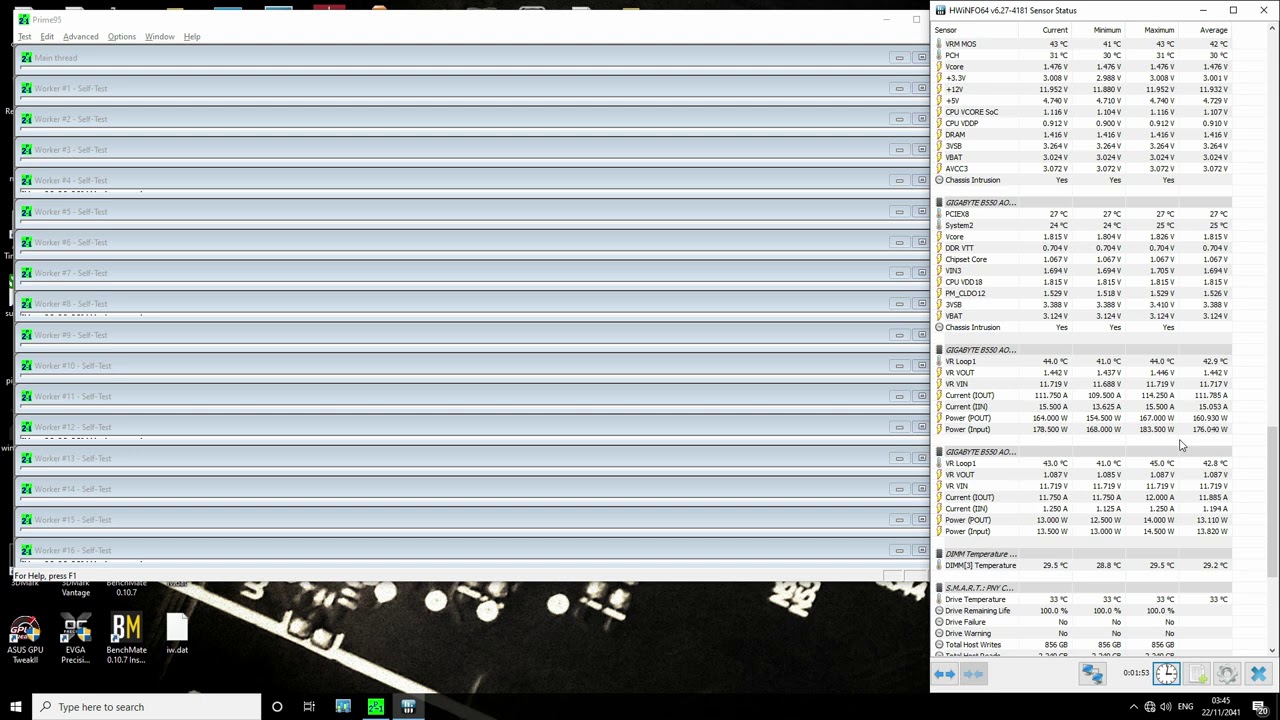
My Patreon: https://www.patreon.com/buildzoid
Teespring: https://teespring.com/stores/actually-hardcore-overclocking
The Twitch:https://www.twitch.tv/buildzoid
The Facebook: https://www.facebook.com/actuallyhardcoreoverclocking
#overclocking #Ryzen #AMD
sterile flame
proven canopy
Given how hard it seems to even intentionally degrade a 3700x - I have no idea h...
Buildzoid living in the future 
22/11/2041
short blade
proven canopy
Given how hard it seems to even intentionally degrade a 3700x - I have no idea h...
simple
they just don't stop at 1.4v
highest reddit™️ manual voltage I've seen was 1.52
sudden torrent
More power = more better right? 
sterile flame
sudden torrent
More power = more better right? <:kekw:741678350791081994>
yea bro my 5900x running 300W 5.5GHz all core is way better than the 5900x running 5.9GHz at 250W
 urban forge
does undervolting decrease the cost of a electric bill?
zenith palm
I doubt it will be noticeable but probably
urban forge
oh ok
 wintry sleet
 quick rose
urban forge
does undervolting decrease the cost of a electric bill?
quick rose
urban forge
does undervolting decrease the cost of a electric bill?
Not enough to notice
 proper dome
Hmmm... I have to reset cmos upon every. Single. Oc crash.
Anyone got an idea? My cmos batt is under my gpu
quick rose
Use something conductive and use the CMOS jumper pins instead
Hold something on them for 10 seconds or so
Usually located down by FP connector, 2 pins all by themselves labeled CMOS
quick rose
I mean if the OC fails and you need to reset BIOS, then yes, it's normal
But only one or the other, not both
 left bladeBOT
 VFox#0699 has been warned
Reason: Bad word usage
proper dome
Which has be confused why it mucks subseq. Boots
quick rose
OC's fail at the BIOS level always
SO if the OC keeps failing, ratchet it back a little bit
proper dome
You free to call? I think I have it this time and I want someone to witness me xd
quick rose
Ahhh, I don't do calls, nothing personal. But if you're having crashing and non-boot issues with BIOS and having to reset it, dial back the OC or add a tad more voltage
proper dome
Bsod this time.
No cmos reset needed woo
well
I'm running into a weird issue now.
I'm windows stable @dusky orchidplet1 4.5 all core and @dusky orchidplet2 4.3 all core (3900x) though I get Thread12 (Chiplet0 Core 6 I assume) crash on prime95, so I lowered C03 and C06 to 4400mhz... and they downclock to 3600mhz.

result during stability test
 proper dome
Aye
proper dome
So it's technically better already
proper dome
yeah it's moving to 1.4 most things I checked said 1.4 and under is ailgith.
proper dome
I'm not saying you're wrong haha
1.376 underload
prime95 stable.
can confirm that C3/6 are stuck at 3.6ghz through hwinfo
I didn't mean to piss you off btw, I'm very thankful for you even looking at what I'm sayin'
 quick rose
How long you been running 1.4
proper dome
Was running the default 1.5v before that, idk, a bit more than a year?
quick rose
I mean load voltage
quick rose
Really should be 1.35 or less under load if I remember Fitz properly
proper dome
highest it seems to get under load is 1.356v
still weird it doesn't accept single core clock speeds when it gives me the option. Is that a zen3 only feature?
4.45 all core is stable @1.4PeakVoltage
tall pelican
zen2 I'd stay below 1.25-1.3 set, and definitely below 1.25 under load
 tall pelican
you work for mersenne?
proper dome
hmm?
dull ginkgo
I assume prime95 smallfft
Prime95, the software, is meant to be used for finding mersenne primes, but just happens to have a good stress test on top.
proper dome
Yeah, I ended up unstable way quicker on smallfft, I had to pull the clocks down, don't want instability 😄
though it seems my Asetek is betraying me
water temp 36c
coretemp 80c
tall pelican
sounds right
robust aurora


Which voltage readout should i be looking at
?
Vcore, vid,vrvout?
I have tried 5ghz with 1.3 fixed vcore on medium llc .
My vr vout is at 1.231 and vcore at 1.284 but the vid is at 1.4 and im not sure if its safe or not.
robust aurora
@zenith palm still stuck on 80%
zenith palm
robust aurora
<@191276897227898880> still stuck on 80%
Maybe power off then
robust aurora
Ok
@zenith palm sorry if im anoying but do you know if the vid on hwinfo is something i should care about or only vcore and vr vout. I have seen people in reddit said the vid values doesnt matter when you use fixed vcore but i dont know if i can trust them-_-.
zenith palm
robust aurora
<@191276897227898880> sorry if im anoying but do you know if the vid on hwinfo...
I have no idea sorry
robust aurora
Ok thanks anyway👍
proven canopy
Vid doesn't matter
 dark ferry
What you got there? 10700k/Gigabyte z490?
robust aurora
dark ferry
What you got there? 10700k/Gigabyte z490?
Yes
dark ferry
I had better luck with High LLC. Mine ended up stable at 1.345 set in bios. VR Vout is your real voltage. Came out to 1.26v max load and 1.3-1.33 while gaming. This was for 5ghz all core 4.7ghz uncore. Dunno what you're trying to reach though.
robust aurora
@dark ferry oh, i have rn stable 5ghz on 1.22v on vr vout on load. But when i raise the ring clock hwinfo showing windows error after 5-10 min stress test, but i dont crash or get bsod . Any ideas why ? Maybe i need to raise the voltage a bit im on 1.29 on bios rn
dark ferry
How do you know it's stable? What are you testing with?
robust aurora
Well i did cinebench r23 first and then prime 95 with avx off
dull ginkgo
Occt is nice
robust aurora
ok i will try it later👍
dark ferry
Neither of those sound very taxing to be considered stable.
robust aurora
What are you using?@dark ferry
dark ferry
OCCT
robust aurora
Oh ok will test it when i get home then
dark ferry
How are your temps?
robust aurora
High 80s on prime 95 and high 70s on cinebench
dark ferry
Cooler?
dark ferry
I'm going to assume not enough voltage and/or too much vdroop.
But all you can do is test.
Then test more.
And more.
robust aurora
@dull ginkgo what should i run
 zenith palm
robust aurora
<@278694081440251905> what should i run
zenith palm
robust aurora
<@278694081440251905> what should i run
I'd say extreme if you want good stability
robust aurora
And leave other settings like they are now?@zenith palm
zenith palm
robust aurora
And leave other settings like they are now?<@191276897227898880>
Yeah I'd say so
robust aurora
Ok thanks
dull ginkgo
Ye
proven canopy
Change instruction set to avx2
robust aurora
Just started
Auto is doing it on avx 2 anyway
Should i let it run the full hour?
zenith palm
i would
robust aurora
Temps are realy low rn the highest it was was 73 for a single core

Settings are ok right?
zenith palm
sounds fine, what cooler do you have and what temps do you usually get?
robust aurora
I have h115 its corsair 280mm and on cinebench im getting high 70s
Like 78 max
I thought it will be higher then r23
zenith palm
🤷♀️
robust aurora
Ok i guess it is stable then
Passed
Im still on stock ring ratio tho i will do the ring oc tommorow
 proper grove
I'm still using an manually overclocked penintium processor ;-;
And 4gb of DDR3 RAM
And integrated graphics
It runs csgo so it's whatever
 narrow schooner
My best stable oc

Drivers are out of date asf but its ok
If the voltage wasn't limited i could've prolly pushed +150 core and +900 mem
dark ferry
Now when you say 900 on memory, do you mean the total effective vram speed or the actual base clock?
zenith palm
dark ferry
Now when you say 900 on memory, do you mean the total effective vram speed or th...
900 above the base clock
dark ferry
So then what is your effective speed?
zenith palm
¯_(ツ)_/¯ 3355mhz but idk how you calc effective because imo its means less than just the mhz
sterile flame
zenith palm
¯\_(ツ)_/¯ 3355mhz but idk how you calc effective because imo its means less tha...
divide by 4
zenith palm
Ohh lol
narrow schooner
dark ferry
What card?
750......
sterile flame
narrow schooner
750......
he said nvm
 zenith palm
But 100% fan :/
zenith palm
Oof
narrow schooner
i was pushing 90+c on cpu
zenith palm
Stock cooler ?
zenith palm
Block of metal X)
zenith palm
narrow schooner
Thermal paste was changed like 6 years sgo
Mb change again
zenith palm
Maybe add some intake fans so the air is filtered
narrow schooner
Its too old
I barely use it anymore
I just wanted to push my 750 for the memes
zenith palm
Okay lol
narrow schooner
zenith palm
For your old cpu?
Yeh
narrow schooner
I could care less about getting a knew one
sterile flame
when next gen intel comes out
dull ginkgo
why not better cpu
left bladeBOT
 YoSon#7038 has been warned
Reason: Bad word usage
narrow schooner
i-
zenith palm
sterile flame
b560
I would b560 but it's a 10100 and theres b460s for like 60$ ish
narrow schooner
dull ginkgo
why not better cpu
I have a 8700, just want to possibly sell the old one

Id have to get a mounting bracket
zenith palm
Don't bother getting a new cooler for a cpu that old tbh
 thick schooner
not sure if this goes in here, but my cpu seems to be doing a dance with its usage after I enabled XMP on my RAM.

I don't see any performance losses though
like when I play games and such
thick schooner
that and minecraft, yes
quick rose
That's why CPU spikes then
thick schooner
but I get the usage spikes even when I'm not running minecraft
quick rose
wallpaper engine
thick schooner
alright I'll close that and see what happens after a few mins
dark ferry
Yea. Wallpaper Engine has never affected my CPU like that.
I would re-install it, choose a different wallpaper in it, lock the wallpaper fps lower, set it to auto pause when not focused, or just plain pause it when you're gaming.
quick rose
Depends on what wallpaper you're using
thick schooner
I know what it was
the nvidia container
for whatever reason
20% of my GPU and making the cpu have a heart attack
granted I noticed no perf drops, still
quick rose
Wallpaper engine uses that for moving wallpapers
quick rose
nvidia container is your gpu driver
thick schooner
I did figure that out by you telling me lmao
dont mean to sound rude on that sorry
but I just haven't seen it happen before, so it could potentially be a driver issue too?
either way its ifne
tall pelican
You can check task manager for what's using the cpu
thick schooner
I have also done that 😂
it switches between like lots of things, discord, firefox, AWCC(for my monitor, alienware thing), it was like all my normal applications but 50+% useage
which all went away when I killed the nvidia container
proven canopy

Slickdeals
ITEMS INCLUDED IN THIS PACKAGE
•3DMark
•3DMark Time Spy Upgrade
•3DMark Port Royal upgrade
•3DMark Night Raid benchmark
•3DMark Sky Diver benchmark
•3DMark API Overhead feature tes ...
thick schooner
I actually bought that today
and got a pretty bangin result https://www.3dmark.com/spy/20072479
3DMark.com
Intel Core i7-10700KF Processor, NVIDIA GeForce RTX 2080 SUPER x 1, 32768 MB, 64-bit Windows 10}
dull ginkgo
fun
thick schooner
I know, like a solid 6-700 points more than most others with my setup
proven canopy
Dumb that these leaderboards show duplicates, no way afaik to filter to highest score per user
tall pelican
you cant filter, the individual user has to go in and clear lesser subs
 prisma seal
how much do you think i could overclock a 3700x with a stock cooler?
quick rose
Can't even PBO with the stock cooler
 minor fulcrum
What's the best way to put a floor on your vcore? I don't want it going below a certain level due to some instability Im seeing, but I want it to go higher as needed. R5 3600 / Asus Tuf B550
sudden torrent
minor fulcrum
What's the best way to put a floor on your vcore? I don't want it going below a...
Load line calibration
minor fulcrum
sudden torrent
Load line calibration
But that doesnt let me choose a specific value right, just a "level"?
sudden torrent
The higher the LLC level, the less it droops under load. If it's getting too close to the unstable level, LLC will flatten it out. If that still doesn't work, you can set a small positive dynamic voltage offset.
Maximum LLC level is the closest thing to no droop at all, but will increase heat system wide
minor fulcrum
sudden torrent
Maximum LLC level is the closest thing to no droop at all, but will increase hea...
I'm actually just trying to prevent idle vcore from going too low, as that's where this PC is BSODing. Under load it works fine, which is annoying to diagnose actually
sudden torrent
It's crashing on idle? Odd. Normally the vcore is higher at idle.
How are you setting the voltage? In bios as a manual voltage, offset, or auto?
minor fulcrum
sudden torrent
How are you setting the voltage? In bios as a manual voltage, offset, or auto?
No at idle most CPUs drop vcore since it's not needed. This 3600 hovers around 1-1.1
quick rose
at idle my 3700x is higher
minor fulcrum
This is totally stock
sudden torrent
My 5800X and 2700 were both higher on idle too
It's not about voltage, it's about current
Low load it'll be higher voltage since it doesn't need to worry about being flooded with current
sudden torrent
Only a couple gigabyte boards do that iirc, LLC shouldn't make idle less than loaded
robust aurora
Yeah my mb has it lol
minor fulcrum
Dont know how else to explain that Im BSODing at idle sitting on desktop, but I can run Cinebench looped and play warzone without issue
minor fulcrum
BSOD erros are different
minor fulcrum
quick rose
Download WhoCrashed
will try that thanks
on a couple of BSODs, the full text doesnt even display, almost like it hard froze while drawing the BSOD
sudden torrent
Make sure your bios is updated and maybe try cmos clear and redo your settings
minor fulcrum
sudden torrent
Make sure your bios is updated and maybe try cmos clear and redo your settings
all done
swapped RAM, fresh OS install
tried LLC already and no change
sudden torrent
Could be a motherboard defect then. It's not supposed to do that.
minor fulcrum
sudden torrent
Could be a motherboard defect then. It's not supposed to do that.
yeah maybe, but the board is brand new and the cpu is used. probably shouldve mentioend that he told me it was doing the same thing for him. I figured it was his own setup, but now I dont think so
sudden torrent
Possibly a hardware defect then in the cpu, yeah. Something in the voltage regulator.

 robust aurora
Hmm there is no way 50mhz memory and 40 core increased preformance by 30%@storm kettle
 storm kettle
idk it still went up, only story mode tho
zenith palm
Has to have been a peak or something that's not right
zenith palm
It's a very moderate overclock
I would push further
Try +25 core +50 mem and stress test with furmark or something every time
storm kettle
ok
storm kettle
zenith palm
Try +25 core +50 mem and stress test with furmark or something every time
so 1465 instead of 1440mhz?
clock or voltage?
storm kettle
dowloading latest edition of furmark rn
 sullen wind
.\
zenith palm
@storm kettle how long where your stress tests?
storm kettle
under a minute
sterile flame
tweak 2 is inaccurate af for some cards
zenith palm
storm kettle
under a minute
Do like 5 min runs
storm kettle
sterile flame
tweak 2 is inaccurate af for some cards
i have an asus card
zenith palm
storm kettle
i have an asus card
Would recommend msi afterburner but up to you
storm kettle
gpu tweak works fine
storm kettle
ok
sterile flame
That was fun
restarted my computer to install it and i was stuck in a boot loop for 10 minutes
Just a casual 19GHz
 zenith palm
Wow 19ghz :o
lavish tundra
sterile flame
Just a casual 19GHz

clever epoch
that's an underclock... 3080 (and 3090) have 19.5 Gbps stock
dull ginkgo
Mhz
 barren ridge
^
 wheat ice
sterile flame
Just a casual 19GHz
wheat ice
sterile flame
Just a casual 19GHz
and i thought 4.5 was good
chrome smelt
Is there a specific number to overclock a 3600 ?
Like i just put 1.35v and boom leave it at that
zenith palm
On a 3600 pbo with decent tweaks will do better than manual oc anyway
chrome smelt
I always wondered what a 14ghz cpu would feel like, How much performance it would give ?
(Not about the thermals, more of the performance)
chrome smelt
dull ginkgo
Silicon lottery makes every single chip different
Sad, I had to RMA a 3600 because it kept Bsod on everything
 gritty robin
What do you think would be a safe oc for a 9600k
 sand fulcrum
gritty robin
What do you think would be a safe oc for a 9600k
sand fulcrum
gritty robin
What do you think would be a safe oc for a 9600k
each chip is diff, but i get 4.9GHz @ 1.35v
lavish tundra
zenith palm
On a 3600 pbo with decent tweaks will do better than manual oc anyway
Not true. PBO on zen 2 is NOWHERE near pbo on zen 3
My 3600x PBOs to only 4.2 all core while I can do 4.4 all core
at lower voltages as well
clever epoch
manual is better for all-core than PBO, but it's worse for (most) games which will hit higher single core boosts
lavish tundra
clever epoch
manual is better for all-core than PBO, but it's worse for (most) games which wi...
For majority of the cpus
not all
zenith palm
lavish tundra
Not true. PBO on zen 2 is NOWHERE near pbo on zen 3
Really? I thought it was about the same? I couldn't manual oc mine better than pbo ¯_(ツ)_/¯
lavish tundra
zenith palm
Really? I thought it was about the same? I couldn't manual oc mine better than p...
They really improved the PBO algorithm in zen 3
zenith palm
lavish tundra
They really improved the PBO algorithm in zen 3
Ahh i thought it was just a big boost from zen+ to zen 2
 mint mountain
https://www.3dmark.com/compare/spy/20132903/spy/20017592 stock 10600k and 3060ti vs oc
3DMark.com
zenith palm
mint mountain
https://www.3dmark.com/compare/spy/20132903/spy/20017592 stock 10600k and 3060ti...
V nice
mint mountain
zenith palm
V nice
Yeah I left it and let it run and was actually really surprised when I came back and it hadn’t BSOD
Only thing was that temps were around 92 max so I’ll try to do 5.2ghz on Saturday with an AIO in an ice bucket
zenith palm
Good luck
zenith palm
mint mountain
Only thing was that temps were around 92 max so I’ll try to do 5.2ghz on Saturda...
What cooler you have on it atm?
mint mountain
zenith palm
What cooler you have on it atm?
Fuma 2
mint mountain
I set auto voltage because I was too lazy and was too busy to incrementally increase voltage
So if I fine tune it it probably won’t be so hot
robust aurora
@mint mountain how is the gpu temp 15c higher without oc compare to oc
mint mountain
robust aurora
<@403698294892789780> how is the gpu temp 15c higher without oc compare to oc
Oc was on my test bench cause that’s where I have my good 10600k, non oc was in my case with side panel on
robust aurora
Oh okk nice oc!
mint mountain
Thanks
robust aurora
I thought you undervolted it or something

 zenith palm
Lol
Is that for building your parents the pcs or for you testing for the fun of it lol?
sudden torrent
Well I got my new 3090 to go over 110 MH/s but it very quickly thermal throttled due to memory junction temp hitting 110C. Turning the fan to max drops it to a still throttled 100C. This is all on stock memory clock and core is around 50C lol.
It's very obvious that I need better thermal pads. I've got a couple options in mind but which ones would you guys recommend? I need 3mm if it's the same pads as the air cooled model.
zenith palm
sudden torrent
Well I got my new 3090 to go over 110 MH/s but it *very* quickly thermal throttl...
I watched a mining channel when i was deciding if i should put thermal pads on my 3070 and they said they just used the generic pads on Amazon and they were pretty good
dull ginkgo
Mando is mining person so @sterile flame might know smth about thermal pads for vram
robust aurora
zenith palm
I watched a mining channel when i was deciding if i should put thermal pads on m...
Do you think we need it for 3070 im wondering too and not sure
sterile flame
You could just put a fan on the backplate
sudden torrent
zenith palm
I watched a mining channel when i was deciding if i should put thermal pads on m...
That may be fine for a 3070 but I feel like a 3090 would be too much for generic ~3W pads. I've got pads already, they're about that rating probably, and woefully inadequate.
zenith palm
robust aurora
Do you think we need it for 3070 im wondering too and not sure
ehh i dont think so my hotspot only gets to 60c max
zenith palm
sudden torrent
That may be fine for a 3070 but I feel like a 3090 would be too much for generic...
well they were actually doing a 3080 but 🤷♀️
robust aurora
Mine is 62 max most of the time 60 but hotspot might be very different from vram temp
sudden torrent
3070 doesn't have vram temp sensor
robust aurora
Yeah i know it doesnt have one
sudden torrent
I'm at 50 core, 62 hotspot, 100 memory
sterile flame
Nope
zenith palm
but g6x gets a lot hotter than g6 anyway
sterile flame
Most definitely like 90c+
robust aurora
Isnt 6x alot hotter
sudden torrent
Do you think a good 12W pad set would be enough? Or should I spring for 17W?
sterile flame
12w should be fine
sudden torrent
robust aurora
I might just buy it to be safe
Certainly won't hurt
zenith palm
sterile flame
Isnt 6x the same wattage?
i thought g6x was more efficient but runs a lot faster so cancels out the extra efficiency
sterile flame
6x is for sure not efficient lmao
zenith palm
its more energy efficient is what i meant?
sterile flame
Not at all
sudden torrent
6x is just overclock 6
sterile flame
Its faster but efficient isnt the right term to use
zenith palm
ohh woops
sterile flame
aSUS > evga
robust aurora
The pads that needed arent the same for all 3070s right?
sudden torrent
Correct
robust aurora
I need to search my model
sudden torrent
Look up a teardown of your model, they usually measure
sterile flame
Generally the same for same brand
Gigaturd you need to look at height between pcb and backplate
zenith palm
robust aurora
I guess i do then
yeah theres like 3 different sizes for gigabyte iirc
robust aurora
zenith palm
yeah theres like 3 different sizes for gigabyte iirc
I will look today and share with you what i find since we have same model
zenith palm
robust aurora
I will look today and share with you what i find since we have same model
Thanks
robust aurora
https://www.reddit.com/r/gigabytegaming/comments/n2ne4n/gigabyte_rtx_3070_gaming_oc_8g_thermal_pads/
reddit
2 votes and 10 comments so far on Reddit
so 2 mm for the back it looks like and 0.5 and 1 for the front i think
zenith palm
@sterile flame do you think the 3080 version would have the same thermal pads needed? because there is very little to none agreed on info about 3070 model
robust aurora

Buy Thermal Pads Here: https://www.ebay.com/sch/i.html?_from=R40&_trksid=p2057872.m570.l1313&_nkw=thermal+pads+2mm&_sacat=0&mkcid=1&mkrid=711-53200-19255-0&siteid=0&campid=5337982317&customid=&toolid=10001&mkevt=1
Or Here: https://www.ebay.com/sch/i.html?_from=R40&_trksid=p2047675.m570.l1313&_nkw=Thermalright+ODYSSEY+Silicone+Pad&_sacat=0&mkcid=...
yeah like this one is a good one but for a 3080
zenith palm
fal said probably the same but
 willow cobalt
Is overclocking a gpu a bad idea
sudden torrent
willow cobalt
Is overclocking a gpu a bad idea
Quite the contrary, it's free performance
willow cobalt
How does one do so
sudden torrent
MSI afterburner
zenith palm
msi afterburner
willow cobalt
Thanks
sudden torrent
Jinx
 robust aurora
are Thermalright pads good?
zenith palm
i think just the thermal conductivity matters
zenith palm
thats good afaik
robust aurora
will cost me like 50$ for the pads and a paste with the shipping
 zenith palm
smh
robust aurora
do i need to change thermal paste tho?
like its a new card
not sure if i need too
willow cobalt
Do you need a specific kind of intel cpu to overclock?
willow cobalt
Oh
dull ginkgo
Intel CPUs with a -k ending, and the motherboard need to be a Z series for consumer
zenith palm
and a z board
dull ginkgo
You can take off power limit and cool it well and let it boost higher
willow cobalt
I’ve heard stock intel coolers are trash, should I get a better one?
robust aurora
zenith palm
i thought you couldnt use liq metal on the gpu
you are right "after opening up the GPU I found the coolers base plate was made out of aluminium so I couldn't use liquid metal."
zenith palm
gammaxx 400 is also 23$ atm steal
mint mountain
zenith palm
Is that for building your parents the pcs or for you testing for the fun of it l...
This is the pc I’m going to build last, but for the time being I’m using it to do benchmarks and oc
zenith palm
mint mountain
This is the pc I’m going to build last, but for the time being I’m using it to d...
ahh nice nice
 dark bone
zenith palm
dark bone
zenith palm
probs not worth you time but you can try
clever epoch
it actually overclocks pretty well... but the base performance is pretty low in the first place

Stock

OC
14% uplift
dull ginkgo
gud
zenith palm
mint mountain
https://www.3dmark.com/compare/spy/20132903/spy/20017592 stock 10600k and 3060ti...
You've convinced me to buy 3d mark cuz it's like €3.50 atm now lol so oc gpu time
 lavish pecan
How good is the Corsair Vengeance RGB Pro for overclocking? I can potentially acquire 32gb of it at cl18 and 3600mhz for a decent price and it is version 4.31, which is supposed to be b-die
mint mountain
lavish pecan
How good is the Corsair Vengeance RGB Pro for overclocking? I can potentially ac...
If it’s b die then pretty good, depends how much it costs though
lavish pecan
150 USD
 lavish pecan
According to the ddr4 section of the overclocking wiki in the pins, Corsair ram version 4.31 is supposed to be b-die
dull ginkgo
I mean, Corsair is wacky as heck
zenith palm
lavish pecan
How good is the Corsair Vengeance RGB Pro for overclocking? I can potentially ac...
4.31 is confirmed b die according to the list
quick rose
RIght but the speed and timings seem odd for B-Die
lavish pecan
The timings on the label on the sticks appears to be 18-19-19-39
quick rose
Seems like Hynix timings to me. Double check the kit number itself also?
dull ginkgo
Just try to make sure you know what die it is
since yaknow, b die likes 1.5v, a lot of other dies don't
lavish pecan
How does one correlate the kit number with die type on Corsair ram?
 lavish pecan
Yes, on that list version 4.31 is b-die, which is the version on the label under the barcode
dull ginkgo
As long as you're sure, I don't have access to any good sources.
zenith palm
dull ginkgo
As long as you're sure, I don't have access to any good sources.
I got that list from falcie ao should be accurate, and was for my ram
sudden torrent
zenith palm
I got that list from falcie ao should be accurate, and was for my ram
That's from the r/overclocking wiki page so there's no confusion
zenith palm
Ahh nice
sudden torrent
Nothing says they can't change their numbering system halfway through a series, other manufacturers are guilty of that already.
Also it could just be low bin b-die like my kit was
dull ginkgo
But usually lower bin b die is like 3600 16-16-36 yaknow
sudden torrent
Yeah so it's odd but who really knows. It could be they just needed more sets to fill out that series so they deliberately took ICs that can do much better and lowballed it.
tall pelican
dull ginkgo
Most b die bins
my sheet is the good bdie that you want to buy, you dont want to get 3600c18 bdie
dull ginkgo
ah
tall pelican
the sheet is like top 5-10% bdie, there's oem and server bdie that cant do 3000mhz
then bdie that doesnt scale past 1.3v
dull ginkgo
wack
lavish pecan
So what you are saying is that it could be pepeg b-die? 🤔
tall pelican
if its 4.31, its sadge bdie
lavish pecan
Well, guess that settles that then
 dull ginkgo
You can say you have one of the OG lamborghinis
tall pelican
antique™️
zenith palm
Also does anyone know a good gaming oc for a 3070? I've got about +150 core and +300 mem atm, +200 core didn't work and I'm going to try +175 core and upping the mem more tomorrow but just wanted to know if any others had experience with theirs?
dull ginkgo
just keep going
silicon lottery is fun
I'm guessing you can up the mem a good bit more
zenith palm
I was doing timespy and +200 black screened tho lol
But mem should go a bit higher i guess
I'm able to get +1300 stable while mining so
quick rose
Mine is happy at 150 core and 1100 mem
zenith palm
Hm okay thanks
Was hoping to crank the core up more but most likely not by much more then
proven canopy
dull ginkgo
3600 cl18 doesn't sound like a b die bin
It'd be a real potato bin if it was
But I think there's some 3200c16 bdie out there
proven canopy
lol at fitz's analogy
dull ginkgo
it's a good analogy
proven canopy
zenith palm
Also does anyone know a good gaming oc for a 3070? I've got about +150 core and ...
Adjust core in 15 mhz increments
<+200 core, ~800 mem should be normal
zenith palm
proven canopy
Adjust core in 15 mhz increments
Thanks forks 👍
proven canopy
Mine topped out at 2145 core, 2000 mem https://hwbot.org/submission/4701882_forks_3dmark___time_spy_geforce_rtx_3070_15175_marks

HWBOT
The GeForce RTX 3070scores getScoreFormatted in the 3DMark - Time Spy benchmark. Forksranks #null worldwide and #9 in the hardware class. Find out more at HWBOT.
quick rose
how so high! hmmmmmm, time to tinker
 proven canopy
Yeah, just compare graphics score in that case
zenith palm
15430 👀👀
quick rose
Maybe my mem too high
zenith palm
Forks are you liquid cooling thar bad boy?
quick rose
I'll back that off and try more core
proven canopy
It's kinda annoying that 5950x's steamroll most of the 3d benches, but eh, that's just how tech evolves
dull ginkgo
lol
zenith palm
Me sitting here with 6k ish cpu score 😢
dull ginkgo
does hwbot have an option to just use graphics score?
proven canopy
dull ginkgo
does hwbot have an option to just use graphics score?
This is common for comps
Same reason you saw me run ln2 gpu with a ryzen on a stock cooler kek
zenith palm
That seems so wrong
proven canopy
Couldn't fit a gpu pot on that card because the 8 pin plugs block it
dull ginkgo
ln2 itself is fairly cheap afaik, it's just not reusable
proven canopy
It's not too bad if you buy used hardware or make your own, cost of the ln2 itself is usually <= $2 a litre in most of the US
dull ginkgo
also pot costs like 300$ iirc
proven canopy
Bryce got a kp pot + socket heater for 250 shipped
dull ginkgo
fair
proven canopy
You can get gpu pots for <$200
sudden torrent
dull ginkgo
ln2 itself is fairly cheap afaik, it's just not reusable
Just don't get medical grade LN2, the other stuff is suitable to use and much cheaper
dull ginkgo
aight
zenith palm
proven canopy
It's not too bad if you buy used hardware or make your own, cost of the ln2 itse...
Ohh nice so like 50c more than petrol per litre here cool lol
proven canopy
I mean, 30 litres can be hours of benching entertainment depending on the platform
sudden torrent
"Entertainment" he calls it
proven canopy
Lol, I certainly don't get paid for it
dull ginkgo
lol
zenith palm
Mmm need good quality board mem and the pots sounds like ln2 isn't so cheap, even with it being 2$/l
proven canopy
Well, everyone who does ln2 oc is probably already into hwbot/competitive benching anyway
sudden torrent
The LN2 itself is cheap, the setup is not so much. It's also very time consuming.
proven canopy
I know this guy who pushed 8Ghz on an FX chip with a really junk low tier board and a $30 chip and only a 10 litre dewar
zenith palm
Damm
sudden torrent
FX was easy though
zenith palm
Still have my old fx 6300 in my dads system and an asrock no idea chipset board time to whip it out and get big ghz XD
lavish pecan
Sounds like my old system. It was a FX-8350 in an Asrock 990fx
I put it in a new case and shoved it on top of a book case. Now it looks on with shame and self-loathing as I game on my Ryzen build
proven canopy
Those fx chips just scale really well with cold, can do -196C no bugs
zenith palm
Damm
lavish pecan
Can you get the 9590 working with ln2 cooling? The world may never know
proven canopy
I'd guess almost all of those world records with the chip are ln2 or cascade phase change
If it's not been run on ln2, it's because it's not worth a lot of points
clever epoch
proven canopy
But I think there's some 3200c16 bdie out there
got a friend who received RMA kits from G Skill for 2x16 3200 CL16 that was reported as B Die in thaiphoon burner
proven canopy
taiphoon just guesses really, but yeah, possible
 proven canopy
lol, do you know bones?
Funny thing about his chip (I think that's the one) one of the memory channels is dead
proven canopy
ahpcb?
clever epoch
nah, private one by Cheese
proven canopy
ah
clever epoch
dead memory channel = stonks OC? 🤔
proven canopy
Bones is a good dude
I think it was just a strong chip to begin with, I forget how the channel died
clever epoch
I'm very new to the scene so I don't know many people
proven canopy
Again, not certain that's the same chip
clever epoch
I see
tall pelican
insert weird overclocking noises
 tall pelican
Requested a feature, dropped aida latency from 38 to 36 with it
dull ginkgo
lol
tall pelican
With a clean os, it should be 34ns range
This os has seen 4 cpus, like 6 mobos
(yes I had ryzen power plans on an intel platform)
x470, b550, x570 and z590 chipset drives 
dull ginkgo
lol
clever epoch
Mine has seen 5 CPUs but only 2 mobos (1700x C6H, 2x 5800X, 5950, 5900 C8H)
7 GPUs though
3 of those were less than a day though lol
tall pelican
Gpus are just registry files that get wiped when you ddu
zenith palm
quick rose
how so high! hmmmmmm, time to tinker
btw vintage this was my gpu score with no oc so i think youre high mem clock is hurting your perf
 quick rose
zenith palm
btw vintage this was my gpu score with no oc so i think youre high mem clock is ...
quick rose
zenith palm
btw vintage this was my gpu score with no oc so i think youre high mem clock is ...
Nah that was my non-OC score come to find out LMAO

I had the original timespy screengrab saved but not my OC one
zenith palm
quick rose
I had the original timespy screengrab saved but not my OC one
That was my non oc too, mb just better factory oc or something
quick rose
Not sure gen 3 vs gen 4 makes a difference but I'm on a riser cable
zenith palm
Tried +165 core it didn't work lol
zenith palm
quick rose
Not sure gen 3 vs gen 4 makes a difference but I'm on a riser cable
I'm on a b450 anyway so don't think i have gen 4
quick rose
I don't think B450 does no
zenith palm
Alright guess all i get is +150 core, time to start upping from 800 mem now
quick rose
Mine topped out there too
zenith palm
Forks must have gotten his silicon hand picked from jenson then lol
quick rose
Or he tinkered with voltage/clock curves more
zenith palm
More likely lol but 2.1ghz is what they had like jeez
zenith palm
Ahh okay i just did a run with +850 mem but performaned like 50 points worse than 800 for some reason so I'm redoing +800 to see if it was just a freak higher score than it should be
zenith palm
ntb, final results, might be able to push another 25 mhz or so on mem but meh
 proven canopy
feels
 tall pelican
through just a powerplan?
you'd still be limited by bios as far as power limits go, power plans dont alter much aside from cstates
proven canopy
Probably not a tangible benefit for bench scores I guess, but I was intrigued by how many parameters come up running powercfg /help
proven canopy
zenith palm
Forks must have gotten his silicon hand picked from jenson then lol
It was a rando newegg shuffle 3070 TUF, not a good card by any means
zenith palm
Nice, how did you get the score so high then?
proven canopy
Cold ambient air, stripped down benching windows
zenith palm
Ahh yes ofc
proven canopy
Also 5.3 10900k 4300 16 16 16 28 280 65535 memory etc
Could probably do 5.4 for 3d, haven't tried
Same chip can't even do 5.2 for x265 4k
Don't remember if I flashed the vbios, don't think I did
There were a few vbios with higher power limit than the tuf
zenith palm
I just meant of graphics score lol i only have a 3600 so nowhere near getting cpu score lol
proven canopy
Fast cpu will help graphics score - but tbh, in this specific case, probably <10 pts
It'll start to hurt if you're benching a 3080 ln2 on a 7700k stock etc
zenith palm
Yeah that's what i figured lol
proven canopy
I no longer have the card, so can't test further
proven canopy
IME gddr6 (non x) doesn't really need it if you crank the fans
Especially samsung memory, the micron chips like cold, the samsungs can be happy naked
zenith palm
I didn't crank the fans as i wanted a realistic gaming oc but i mine while not gaming anyway so might as well not a fan of high temps anyway lol
Just something about them don't seem right
proven canopy
for mining
 zenith palm
Cheers
 primal loom

Does anyone know how to get this xmp profile 2 panel to light up and become selectable?
tall pelican
do your sticks have 2 xmp profiles?
tall pelican
that's still just profile 1, not profile 2
some sticks have a super high xmp, then a more realistic xmp
primal loom
When I originally selected xmp, my pc wouldn’t boot up until I cleared the cmos
tall pelican
are your sticks in slots 2 and 4?
primal loom
Yes
sterile flame
There's a general spot to where you can set the voltage


Idk the ones for ampere though
Probably gonna wanna find somebodies rig list like this with mixed cards
zenith palm
can someone answer me a question? does whea erros/ kernel power error just from ram oc? i have my ram OC'd to 3600cl18 but its samsung c die 3200cl16 (thanks corsair)
 lavish tundra
zenith palm
can someone answer me a question? does whea erros/ kernel power error just from ...
lavish tundra
zenith palm
can someone answer me a question? does whea erros/ kernel power error just from ...
secondaries?
My c die does 3600 18 20 20 40
with procodt at 36.9
zenith palm
 zenith palm
i used occt for like an hour on 95% load
lavish tundra
Try tm5
with the extreme anta config
for 1.5 hrs
thats TM5
chrome might put up a warning
do advanced and proceed

Google Docs
Load that config
zenith palm
lavish tundra
Load that config
OCCT is fine tho, thats what the techies use so
lavish tundra
zenith palm
OCCT is fine tho, thats what the techies use so
They use both actually
zenith palm
ahh well occt should be fine
also any idea about the kernal error?
might just hop back on to xmp for the moment
lavish tundra
Well if you run TM5 with extreme anta for 1.5hrs we can rule it out for sure
zenith palm
okay
zenith palm
Anyway can't test atm will try later but was reading up on kernel error 41 and their last resort was bios update basically
clever epoch
zenith palm
can someone answer me a question? does whea erros/ kernel power error just from ...
can you post the specific details of the WHEA error(s) you're getting?
you can get WHEA errors on AMD if your FCLK is unstable
zenith palm
 clever epoch
ryzen 3000 series can sometimes fail at 1800 FCLK. I also know somebody with a 5900x that can't do 1800 FCLK either (extremely unlucky)
zenith palm
oof
clever epoch
ah that seems like an issue with a PCIE device
are you on AMD? Did you adjust your BCLK?
clever epoch
it's one of the clock multipliers you can adjust in BIOS. You should know if you adjust it
although you can get PCIE errors with unstable FCLK
lavish tundra
clever epoch
ryzen 3000 series can sometimes fail at 1800 FCLK. I also know somebody with a 5...
not very unlucky actually
zen 3 has a LOT of flck issues
tall pelican
unstable IF can show up as pcie bus errors during 3d loads
lavish tundra
clever epoch
try reducing your memory to 3466 and FCLK to 1733
I would update bios first and then test the current OC you have on extreme anta
clever epoch
TM5 doesn't show IF instability most of the time
lavish tundra
it will still cause a crash if there is a problem
clever epoch
I can run a full TM5 test with stable memory but have hundreds of WHEAs
not necessarily
you can get corrected errors
which is what I got when I ran one of my 5800X samples at 1900 with DR B die
zenith palm
clever epoch
try reducing your memory to 3466 and FCLK to 1733
i couldnt post 3466 when i tried last time lol
clever epoch
zenith palm
i couldnt post 3466 when i tried last time lol
if you could post 3600, there's no reason you can't post 3466
zenith palm
acc fal said its quite common
clever epoch
I know some boards have a clock hole at 3800, but I've never heard of one at 3466
try 3533 then
keep the same timings as 3600
zenith palm
ive never heard of that speed?
clever epoch
and make sure you adjust FCLK accordingly
idk some boards skip over the 133 increases
you could also just keep the same memory settings and just lower FCLK
and run tests to eliminate the FCLK issues
zenith palm
ehh dont want to desync the fclk heard it runs worse
clever epoch
you will get performance penalties running desynced, but you're just doing it to test stability without too much hassle
zenith palm
but ill try some of those
i cant atm but ill try update bios then see if that helps because my bios kinda old
think this bios update at least might help?
 tall pelican
what board are you on? 1.0.0.6 is like zen2 launch agesa
 tall pelican
look at the date



 tall pelican
just update to f60 or f61a
zenith palm
yeah i will i was just looking up the agesa update improvements
 final tundra
How much should I overclock an Ryzen 5 5600x
zenith palm
silicon lottery
but precision boost overdrive will most likely outperform a manual oc on ryzen 5000
clever epoch
final tundra
How much should I overclock an Ryzen 5 5600x
just set PPT to 120W if you have a decent cooler (more if you have a really good one), set TDC/EDC to 80.
if you're on stock cooler I wouldn't bother
lavish tundra
final tundra
How much should I overclock an Ryzen 5 5600x
if you go manual OC make sure to not cross 1.3V
sterile flame
bruh i might need help in overclocking my RAM
i bought it at 4266 Mhz but im able to clock it stably at 3666Mhz
idk much about RAM overclocking so any help would be appreciated
sterile flame
yea i did
zenith palm
also what mobo and cpu
sterile flame
thats how i clocked it at 3666Mhz
sterile flame
zenith palm
also what mobo and cpu
mobo - Asus ROG Strix X570E
CPU - Ryzen 9 3950x
zenith palm
ahh well 4266 is usually quite hard to post
sterile flame
but can i get anything further 3666Mhz?
lavish tundra
sterile flame
i bought it at 4266 Mhz but im able to clock it stably at 3666Mhz
What now?
tall pelican
shouldnt be hard to do 4266 is 2:1 mode, but it'll be worse performance than 3800 in 1:1
lavish tundra
Ahh i see whats going on
zenith palm
hmm 3rd gen ryzen might not post 4266
lavish tundra
i need sleep
sterile flame
lavish tundra
What now?
i meant i am able to run my pc 3666Mhz but anything above that doesnt post
lavish tundra
brain no workey
sterile flame
zenith palm
hmm 3rd gen ryzen might not post 4266
well thats fine. I wanted to know whats the max clocking i can get from it
even a 3800Mhz would be fine
i dont necessarily need 4266Mhz
zenith palm
yeah it should be able to do 3800
does it have a 2nd lower xmp profile ?
it should if its 1st profile is so hgih
tall pelican
leave xmp off for now, see how high you can set fclk, once you find that, set memory frequency to 2x that, and we can sort out timings from there
sterile flame
zenith palm
does it have a 2nd lower xmp profile ?
there was only one
zenith palm
yeah try what fitz said then
sudden torrent
I imagine that 4266 memory should be b-die, nice overclocking potential if so
lavish tundra
sudden torrent
I imagine that 4266 memory should be b-die, nice overclocking potential if so
ayymd tho
fclk
sudden torrent
Yeah, I know. Overclocking includes tightening timings. 3800c14 should be easy on a 5000 series CPU.
sterile flame
mine is C19
sudden torrent
Yeah but it's probably rated 4266c19 (which is nice but fclk complicates things)
If you've got a 5000 series CPU then 3800 is likely the highest you'll get with fclk at 1900 (half of memory speed)
sudden torrent
3600 maybe then, possibly more if you're lucky