#overclocking
1 messages · Page 59 of 1
 sterile flame
Does Cinebench R23 run at a fixed resolution unaffected by system/monitor resolution?
 tall pelican
is cinema4d not an irl task?
tall pelican
Cinebench is cinema4d
 dull ginkgo
well, time spy extreme runs 4k fixed, time spy 1440p fixed
And cinebench is like a bench made on cinema4d, which is a cinema program
tall pelican
No idea
 vague gull
its a cpu render iirc
 proven canopy
Well ya, look at how long it takes to render a real-ish looking scene at only a few megapixels
Vs how many fps a modern gpu gets in similar quality
 lunar mirage
its given a smaller area of pixels to render per thread of the CPU as it is more efficient with the smaller size, while GPUs are able to render more pixels because their many small cores handle the large number of pixels well, they wil commonly be given significantly larger tiles than CPUs in rendering tasks. They are both doing basically the same thing but the efficiency varies.
 clever epoch
CPUs are designed to do a large variety of simple things (instructions).
GPUs are designed to do a relatively specific, complex thing (rendering, large floating point operations)
sterile flame
Yo
sterile flame
is 1.29 volts safe for r5 3600
 quick rose
Yes
 fallen olive
Hey guys. I hope this is the right place to ask this question. I have Ryzen 5 2600 and Gigabyte B450M-S2h V1. With the latest bios update, I think my cpu got slower. Should I use core performance boost?
sterile flame
Overclock
quick rose
Some baords dont recommend bios updates for pinnacle ridge cpu. Did you check the notes first?
sterile flame
Or flashback bios
fallen olive
quick rose
Some baords dont recommend bios updates for pinnacle ridge cpu. Did you check t...
To be honest, I did not see any notes including informations about my cpu.
quick rose
I would recommend updating the chipset driver also
All of the drivers for the board, actually,if you haven't done so recently
sterile flame
@quick rose what’s the maximum amount of safe voltage for r5 3600
sterile flame
Ok
dull ginkgo
I mean uh
1.25v is the definite safe voltage for Zen 2
everything above are iffy
there are reports of chips degrading at 1.3v
sterile flame
Well I don’t need my cpu to last 10 years lol
proven canopy
dull ginkgo
mine degraded for sure from dailying at 1.35v
Never saw that coming 
dull ginkgo
@proven canopy I mean I was running like 1.375 on a 2700
with no degrading visible (prob was, just wasn't aggressive with it)
proven canopy
Different node, different die etc
sterile flame
I thought 3000 series is zen 3
dull ginkgo
yea
quick rose
No
proven canopy
(prob was, just wasn't aggressive with it)
yes
quick rose
Zen 2
dull ginkgo
Responding to forky with the yea
sterile flame
Then what’s 2000 series
dull ginkgo
3000 is Zen 2
sterile flame
Because 1000 is zen one
quick rose
Ye
quick rose
So if 1.25 is the "safe" voltage for Zen 2, why does the stock BIOS go higher than that?
Srs question
proven canopy
That's why they're so insane for memory oc
dull ginkgo
boosting behavior
quick rose
If I turn off PBO, my voltage never sees 1.2v except at idle
dull ginkgo
1.25 is the known safe spot, 1.3v could be safe for your chip, could be not safe
sterile flame
What’s the worst thing that could happen at 1.3
proven canopy
Unless you're a hwbot nerd, just run pbo if you wanna oc
quick rose
So what you're telling my is my cpu is ded because 2 years at 1.35
dull ginkgo
nah
sterile flame
proven canopy
Unless you're a hwbot nerd, just run pbo if you wanna oc
Manual is more fun
proven canopy
sterile flame
Manual is more fun
Buy an intel chip lol
dull ginkgo
it can't push as well an OC after 2 years at 1.35, if zen 2 chip
sterile flame
proven canopy
Buy an intel chip lol
Too much more money lol
 olive portal
sterile flame
Too much more money lol
olive portal
sterile flame
Too much more money lol
Intel is budget
quick rose
Mine has been relilable 4.3 at 1.3-1.35 since release 🤷
i don't wanna kill it because I'm waiting for AM5
sterile flame
I got 4.3 on 1.28 Lul
quick rose
Was that mnual or PBO though?
sterile flame
Manual
quick rose
I meant @dull ginkgo
sterile flame
Oh my bad
quick rose
Cuz now I'm paranoid of burnt CPU kek
olive portal
dull ginkgo
then I couldn't push 4.3ghz without 1.375v
Was that like when u were stress testing or just bluescreened in windows?
dull ginkgo
Manual
quick rose
Ah
dull ginkgo
@olive portal now it's 4.3ghz doesn't boot without at least 1.3625v, 1.375v is barely stable, not p95 stable
I think I need like 1.3825 or so to be p95 stable
olive portal
What was the llc
dull ginkgo
didn't touch it
olive portal
Llc can help with stable I think
dull ginkgo
don't even think there's an LLC setting in my bios
olive portal
May be wrong
quick rose
To a point
olive portal
sterile flame
Turning voltage up is fine if used with sufficient cooling right
Depends I think
sterile flame
2 volts kek
olive portal
dull ginkgo
don't even think there's an LLC setting in my bios
If it’s asus it’s in vrms settings
sterile flame
I really want to get 4.4 on my 3600
sterile flame
I like the anything under 1.4 is ok
olive portal
sterile flame
I really want to get 4.4 on my 3600
That likely won’t happen
Didn’t amd oc their advertised speeds to the absolute limit?
Or something
quick rose
Yeah, the first runs never reached advertised boost clocks
olive portal
Yea zen 3 looking pretty good
dull ginkgo
agesa soon though
sterile flame
Theoretically, what would happen if you just set the cpu to 2 volt
Is there a fail safe?
quick rose
Not really
olive portal
dull ginkgo
didn't find any llc
My Patreon: https://www.patreon.com/buildzoid
Teespring: https://teespring.com/stores/actually-hardcore-overclocking
The Twitch:https://www.twitch.tv/buildzoid
The Facebook: https://www.facebook.com/actuallyhardcoreoverclocking
dull ginkgo
I like it when hwbot like losses it's css
olive portal
This might help u find where llc is
dull ginkgo
dull ginkgo
it's also the stripped down version for zen 2 on b450
@olive portal see this
olive portal
Idk msi boards
dull ginkgo
I have the grey one with a weird layout
olive portal
Is it this one?
dull ginkgo
what
no
Pro carbon ac
16MB bios
I know tomahawk max got the 32MB bios and the full bios
sterile flame
I have the B450 tomahawk max
olive portal
Well your board has 9 power phases whatever that means
dull ginkgo
4 true phases for CPU VCC with a doubler
8 virtual phases for CPU, plus 2 true phases for SoC VCC
sterile flame
Overclock 3600 to beat 5600x 
dull ginkgo
4C029N high side mosfet, 4C024N low side mosfet for both
but that doesn't have anything to do with the bios
olive portal
im a couple points below u
tall pelican
olive portal
im a couple points below u
Mine's at stock lmao
olive portal
tall pelican
Mine's at stock lmao
YeA MiNeS aLsO tOtTaLy At sToCk As wElL
sterile flame
3.8GHZ that’s just sad
olive portal
sterile flame
3.8GHZ that’s just sad
u do know it always show the base speed right
sterile flame
Mine doesn’t
olive portal
mine doe for some reason
sterile flame
Shows overclocked speed for me
tall pelican
It shows the base clock
If you changed the base clock, then it changes in cinebench
 olive portal
wait u guys can do a 4.35 ghz. i always thought they had to be whole numbers
sterile flame
olive portal
wait u guys can do a 4.35 ghz. i always thought they had to be whole numbers
Mine doesn’t have to be whole
I use msi b450 tomahawk max
olive portal
well imma try that later
tall pelican
Ryzen can go .XX cpu ratio
olive portal
never tried putting a decimal
sterile flame
@olive portal it’s only for Ryzen
tall pelican
But its like .25, .5 and .75
tall pelican
there's overclocked to 4.65/4.45
dull ginkgo
@tall pelican 4.5/4.35 as in per-ccx clocks?
olive portal
tall pelican
1.35
doe it drop volts while stress testing or benchmarking? and how much doe it drop
 short spruce
so
what would a good 5 1600AF silicon be able to do with 1.3V on ryzen master
cause mine cant stable 3.8Ghz with it
short spruce
ok
so
cpu vcore states higher than what i set on ryzen master
why is that?
i put 1.3V on RM
but cpu VCORE is stating 1.32V
what should I take in consideration when comparing voltages?
olive portal
short spruce
what should I take in consideration when comparing voltages?
llc i think but i may be wrong
when i max out llc it pushes volts up when needed
short spruce
it doesnt even have an option on overclocking
short spruce
olive portal
and i dont think those volts are safe
isnt max safe voltage 1.45V
olive portal
short spruce
isnt max safe voltage 1.45V
yea but not zen 1 i think
olive portal
still
1.387v
1.387v sounds pretty reasonable for a 24/7 oc. I wouldnt even remotely worry about that for short durations as zen 1 goes as high as 1.55v for a sec or 2 with xfr, assuming your temps arent outlandishly high of course
short spruce
yeah
sterile flame
short spruce
what would a good 5 1600AF silicon be able to do with 1.3V on ryzen master
1600AF SUCKS for overclocking
olive portal
this what i got from a google serach
sterile flame
Just btw
short spruce
sterile flame
1600AF SUCKS for overclocking
isnt it supposed to be godlike for overclocking
short spruce
ppl hit like 4.2Ghz with 1600
tall pelican
dull ginkgo
<@193597009360453633> 4.5/4.35 as in per-ccx clocks?
yes
tall pelican
olive portal
doe it drop volts while stress testing or benchmarking? and how much doe it drop
1.35 drops to ~1.3 in cinebench with stock load line
quick rose
You shouldn't daily it that way but 4.1/4.2 isn't un heard of with a good cooler
olive portal
tall pelican
1.35 drops to ~1.3 in cinebench with stock load line
increase llc and u might be able to lower the voltage
tall pelican
why?
olive portal
tall pelican
why?
vdroop
tall pelican
there's no reason other than getting worse transients
tall pelican
that's not how vdroop really works
the reason you increase llc from the stock is so that you can hold the same load voltage with a lesser set voltage
and by increasing llc, you also increase how much voltage you'll need under load for a given clock
olive portal
well i did it and reduced my volts
was at 1.345 for 5ghz then brought it down to 1.305v after increasing llc
oh i meant 1.345
tall pelican
what's load voltage?
olive portal
tall pelican
what's load voltage?
1.305
tall pelican
and what was it for the 1.45?
olive portal
tall pelican
and what was it for the 1.45?
dropped down to 1.31
tall pelican
so that's within sensor resolution
tall pelican
what 3080 do you have?
 wary tapir
hmmm
wary tapir
why can't i post a picture here?
 wicked current
i sow sow speak english
tall pelican
probably just has a higher pl than you
dull ginkgo
I mean, the 100th place with a single 5600x+3080 is 16,546
I'll paste some of the scores so you can take a look at the setup

3DMark.com
AMD Ryzen 5 5600X, NVIDIA GeForce RTX 3080 x 1, 32768 MB, 64-bit Windows 10}
3DMark.com
AMD Ryzen 5 5600X, NVIDIA GeForce RTX 3080 x 1, 32768 MB, 64-bit Windows 10}
3DMark.com
AMD Ryzen 5 5600X, NVIDIA GeForce RTX 3080 x 1, 32768 MB, 64-bit Windows 10}
tall pelican
and are you just 2x8 mem?
wary tapir
darn so can't post pictures here
dull ginkgo
not yet
wary tapir
nope i did try
vague gull
just talk and stuff
dull ginkgo
lvl 3
wary tapir
anyway with 5600x and 3080 i got a score in TimeSpy of 16456
core +195 mem +1000, cpu all cores 4.7ghz
in pbo instead prestation are better but seems benchmarks doesn't see that
the aorus waterforce, the one with the aio
sterile flame
Aorus AIO GPU or EVGA hybrid is what I really wanted, but I'm happy for having what I have that performs better than most other gaming oc
wary tapir
in pbo CPUZ was able to show a 655 single core, had to curve -10 and put a core boost of 350 (plus all the lvl 4 on 130% on cpu voltage etcetc)
still 3D Mark likes more the normal oc (All cores multipiers) even if pbo should be better mah
what i mean is that i did the same test on timespy with pbo, and the 5600x stable at 5ghz was like 500point less in score (cpu score) then when i had it at 4.7 all cores lol
wary tapir
its strange because temps hit max 66 C on my 5600x at 5ghz
but i guess 46 C at 4.7 give you more boost
sterile flame
My temps hit 80-82° at 4.8Ghz with PBO Advanced
I am receiving my Artic Liquid Freezer II 360 soon so I won't have to deal with the NZXT Kraken 280 and it's noise
I have it set to Motherboard in PBO Advanced because I don't know what to put in for Manual.
PPT adjustment apparently lowers temps better than simply voltage with less loss.
sterile flame
Ryzen Zen 3 is rated for up to 1.5v so I think that's okay.
Motherboard, X3, 200Mhz, 20 Negative Offset All Core Curve Optimizer.
wary tapir
Auto, x5 350mhz, 10 negative offset
i think very few know what they are doing, lol
i have more fun ocing then play games
a month top and i think i'm gonna sell my pc lol
i'll be done benchmarking i guess
 left bladeBOT
 RH_BLOCK43#1113 has been warned
Reason: Duplicated text
vague gull
lmao that actually made me choke on my drink
wary tapir
uh
sterile flame
So this is with a 160+ core, and same +400 memory
Can't go higher than 160
Also I might crash in War Zone at 150+ or that was simply 6068 errors fault
sterile flame
What's with your driver?
 manic helm
it was a beta hotfix that nvidia never posted. 27.21.14.6097
memory clock was around +600. Dont remember the exact numbers
sterile flame
What specific model 3080 do you have?
manic helm
gigabyte vision
manic helm
installed the new drivers earlier today. I don't use GFE.
score with stock clocks on the new driver
just ran it
sterile flame
GFE I use to get the latest drivers, where do you get yours?
manic helm
from the nvidia website. When you install the drivers the first thing it asks you during the install is if you want the driver with GFE or just the driver
same installer with or without
sterile flame
Well that's better than GFE and it's useless features. "Optimal performance" preset for my games 80% from maximum quality on the bar, is RTX on every time, or maximum anti aliasing. Stupid sh¡t like that
manic helm
usually there is nothing wrong with GFE for most people. I just don't like the optimizations
and that it requires an account
sterile flame
I guess the recording option? But people should just get a capture card or something. Overlay function can cause weird problems in game so I turn that off immediately.
manic helm
a lot of the stuff built into gfe is very useful.
tall pelican
@sterile flame are you on the higher pl vbios?
manic helm
shadowplay and nvenc are a powerful combination if you actually use it. I don't stream and I dont record so it serves me no purpose. if I want to record something I have an old elgato and obs.
and during the install you will see this.
sterile flame
tall pelican
<@456226577798135808> are you on the higher pl vbios?
What's that?
tall pelican
pull up gpuz
sterile flame
Shadowplay is good
manic helm
I wish I had a higher powerlimit
wary tapir
tall pelican
if bios vers ends in 4D = 💩
if ends in 3C = ✅
4D: https://www.techpowerup.com/vgabios/225676/gigabyte-rtx3080-10240-200903-2
3C: https://www.techpowerup.com/vgabios/225554/gigabyte-rtx3080-10240-200903-3
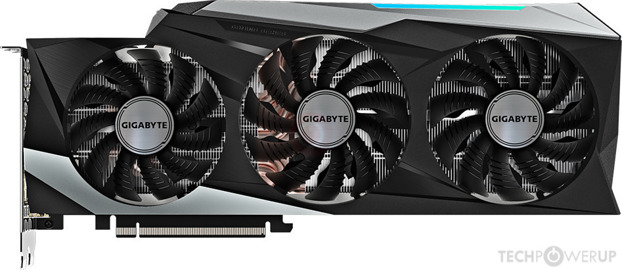
vision only has 1 official bios, but its a 370w, so not as important
gaming oc is a 340 and 370
manic helm
its 3c with 370, but it starts bouncing off the limit at 350
sterile flame
Bios version has not letters only numbers
manic helm
it will spike to 370 for a few seconds and drop down
sterile flame
No letters
manic helm
sterile flame
Nope
manic helm
should look like that
tall pelican
which model do you have?
sterile flame
Gigabyte Gaming OC
tall pelican
all else being equal, a higher pl will score higher
sterile flame
How do I flash a bios or should I not? I don't have a bios like you two.
tall pelican
Im on an amd card, so it wont tell me, but you should see it in yours
pl = power limit
what drop downs do you have in adv tab?
sterile flame
It just says 100% which is useless
tall pelican
F might just have a leaky chip
sterile flame
Me?
tall pelican
yeah
sterile flame
Wym?
tall pelican
arent your clocks reported high compared to others with higher scores?
sterile flame
2100Mhz max clock
tall pelican
so say at 2100mhz with 1.05v, someone else's card pulls 350w, but your's at 2100 with 1.05v pulls 370w
the other person has 20w spare to pull more power because your's is "leaking" power out
generally, leakier chips will clock higher for a given voltage than less leaky chips
so your's will undervolt better than someone else's
sterile flame
I don't even have the same vbios wym
tall pelican
you have a 370w pl
sterile flame
I haven't seen my voltage either
My 3080 doesn't pull more than 316 watts after 3DMark Timespy 1440p
1.075v
tall pelican
if you run furmark, how much does it pull?
sterile flame
Don't have it downloaded
But I'm leaving rn for work
I can do it tomorrow if you'd like
lunar mirage
It doesn’t affect performance, and you can’t really fix it, but changing power limits can help
Power limits on cpu or GPU, but some PSUs won’t change much with the change
manic helm
not so much
wait on a higher power limit bios to release or learn to mod bios and how to flash unsigned bios
tall pelican
you wont be able to mod modern nvidia
you can hardmod the pwm signal or shunt mod
or flash diff bios
proven canopy
No?
tall pelican
and does your card not draw power from the slot? 🙃
quick rose
I mean, you can shunt mod the power connectors
Just have to know what you're shunting
sterile flame
The shunt mod was an attempted solution to the problem.
tall pelican
if shunt modding doesnt work, they did something wrong
sterile flame
This is the correction
sterile flame
tall pelican
if shunt modding doesnt work, they did something wrong
The individual or EVGA?
tall pelican
individual
sterile flame
I mean based on what?
It's EVGA's custom board design
If it works with XC3 and any other vendor, but not FTW3 boards then who is at fault.
tall pelican
you're telling me shunt modding ftw3 doesnt work?
sterile flame
Can you answer the question? I was expecting an explanation bruv
olive portal
So since volts x amps = watts. Does that mean a board with more amp things will get better undervolt
The evga 3080 and 3090 were always power hungry cards. Consuming 350w to 400w at stock for the 3080
sterile flame
@quick rose In BIOS cpu overclocking, what does it mean when you type a clock speed for cpu eg. 4.5GHZ and the numbers show up red
sterile flame
quick rose
Uhhhh, IDK, I've never seen that before
At 4.4 it doesn’t show up red
B450 tomahawk max btw
Also look at this freaking epic result https://www.3dmark.com/3dm/56532485? 3600 OC to 4.4 GPU +1200mem +50gpu
3DMark.com
AMD Ryzen 5 3600, NVIDIA GeForce RTX 2060 SUPER x 1, 16384 MB, 64-bit Windows 10}
I’m very pleased with it
proven canopy
olive portal
So since volts x amps = watts. Does that mean a board with more amp things will ...
no
sterile flame
4.2
quick rose
Yeah IDK. I've never seen that.
sterile flame
Lol
sterile flame
What does red for voltage mean
quick rose
Over the max recommended rating
CPU go poof so don't do it if you don't know what you're doing
sterile flame
@quick rose setting the multiplier to high won’t damage cpu right, only if you set voltage too high
quick rose
Or tag the jumper with a screwdriver
SHould be a CMOS jumper you can use to reset it, can just use a screwdriver to connect the pins
quick rose
ye
sterile flame
It’s a little pain in the butt to get out sometimes hahaha
So if needed I’ll try the jumper
If I can find where it’s at
quick rose
Usually near the battery
sterile flame
I got 4.45 @1.35V on wraith spire cooler lmao
R5 3600
Pretty dang good I think
That’s higher than 3600X’s boost clock
sterile flame

3DMark.com
AMD Ryzen 5 3600, NVIDIA GeForce RTX 2060 SUPER x 1, 16384 MB, 64-bit Windows 10}
olive portal
@sterile flame fanboy alert
sterile flame
Lmao
 final whale
i overclocked my cpu to 4 ghz all cores for 2600 and run about 85 celsius full load
seems ok?
quick rose
Stock cooler?
final whale
yea
quick rose
Little warm but not bad
final whale
ill go in bios and turn fan speed up
 drowsy meadow
Which one should i choose
 knotty flame
I got an Alienware Aurora R9 with a intel i7 9700 3.00 Ghz CPU, but looking in the built in hardware monitoring software I can see that the CPU is often running at like 3.5-4.2 ghz even with all overclocking settings off
my computer is running cool and this is when no games are even on
is this normal?
I mean I know it probably won't effect me, but I just noticed it was strange that it looks like my CPU is constantly overclocked even if it's running cold with overclocking off
 acoustic crane
So in Ryzen Master it says my 3600x has a max clock speed of 4.4ghz, but it never goes above like 4.25 during a cinebench run. I don't think I actually need the extra performance b/c its paired with an rtx 2060 but I'm just curious how the boost clocks work
quick rose
Temperature and voltage
acoustic crane
Oh actually task manager was showing it as 4.25 during a single core run but Ryzen Master shows between 3-3.9
It says the max voltage is "auto"
Temps never really go above 70c
Lower during single core
clever epoch
boost clocks are for a single thread
you rarely find scenarios that stress a single core at a time (outside of benchmarks)
manic helm
sterile flame
manic helm
That’s epic, gamer
 lunar mirage
I don’t get it
sterile flame
knotty flame
I got an Alienware Aurora R9 with a intel i7 9700 3.00 Ghz CPU, but looking in t...
Thermal limitations. Don't expect any better from a pre-built as badly designed as an Alien Aurora.
 solemn cloak
knotty flame
sterile flame
Thermal limitations. Don't expect any better from a pre-built as badly designed ...
solemn cloak
knotty flame
sterile flame
Thermal limitations. Don't expect any better from a pre-built as badly designed ...
I'm not really sure what you mean by thermal limitations. There's nothing wrong thermally with my set up as it runs at a good 30 degrees (celcius) idle and 60-80 during heavy gameplay. It's got plenty of fan in and outlets on the back so I'm not sure what you mean by bad design. Am I missing something?
sterile flame
knotty flame
I'm not really sure what you mean by thermal limitations. There's nothing wrong ...
Because of the interior design can't support anything high powered. Running an 9700 non K at 3.7 is nothing impressive by the temps you claim.
It's absolutely choked and gets overwhelmed when you put something with high wattage
knotty flame
sterile flame
Because of the interior design can't support anything high powered. Running an 9...
Alright well it works on like any game so I'm happy. If it isn't really affecting me currently it's not a huge deal right?
sterile flame
knotty flame
Alright well it works on like any game so I'm happy. If it isn't really affectin...
Upgrades will be extremely limiting. No better, quieter coolers, PSU, and limited GPU support.
knotty flame
sterile flame
Upgrades will be extremely limiting. No better, quieter coolers, PSU, and limite...
So if I did decide to buy a RTX 3080 and put it in, it wouldn't work well?
sterile flame
knotty flame
So if I did decide to buy a RTX 3080 and put it in, it wouldn't work well?
Doubt you can fit it, and if you could fit one, enjoy the temps. Especially the overheating memory.
The idea of a stock Intel cooler with millimeters of headroom because the entire PSU is covering it while the intake is like one fan at the bottom right is like a repellent. But if you want to take things slow, and you're new to PC and got the extra cash. Then a gaming pre-built is fine.
knotty flame
sterile flame
The idea of a stock Intel cooler with millimeters of headroom because the entire...
In the future would it be possible to just transfer the internal parts to a new case?
sterile flame
knotty flame
In the future would it be possible to just transfer the internal parts to a new ...
CPU, GPU, RAM, sure. Maybe RAM.
quick rose
most likely slow ram, I'd buy new
knotty flame
sterile flame
CPU, GPU, RAM, sure. Maybe RAM.
I can afford a new motherboard, PSU and such, but it's those three things that are worrying
sterile flame
Proprietary motherboards are almost always super sh¡tty
knotty flame
quick rose
most likely slow ram, I'd buy new
I haven't had any issues with the RAM even playing something like Teardown with almost everything broken having to handle all those pieces
quick rose
It's not a matter of issues, it's a matter of lost performance becuase OEM's tend to go cheap and slower
sterile flame
RAM is a latency and FPS difference. You wouldn't think something is wrong to start.
quick rose
Exactly. You don't know what you're missing because you've never had it. 😉
knotty flame
quick rose
Exactly. You don't know what you're missing because you've never had it. 😉
I'm not sure if it's a matter of quantity or quality. Will like 32 GB of DDR3 RAM be equivalent to like 16GB of DDR4 which is what i have. Or is it an issue of which brand I'm buying from
quick rose
That's not how ram works
knotty flame
yeah I'm not a genius
quick rose
Quantity is not equal to speed
sterile flame
Throwing excess ram at things don't fix ddr3
quick rose
more speed plus lower latency = perofrmance improvement
knotty flame
Is DDR4 good enough at this point?
sterile flame
Mandatory
quick rose
OH yeah for sure
It's just the speed
For example, most prebuilts are 2666mhz
or 2400mhz
You'll get more performance with say 3200 mhz ram
Just like CPU speed
knotty flame
Mine's 2926mhz
sterile flame
The laws of diminishing returns plays here. Going higher and higher doesn't scale linearly
quick rose
Right, just examples
knotty flame
But with what I have, how I have it, in the present case, I should be perfectly fine playing like a 1440p monitor at 144hz on most if not all games right?
I just came from a severely underpowered laptop and my standards are rock bottom low
sterile flame
I'm a get off the headache is pounding me
knotty flame
ok
quick rose
GTX1070?
It's oK, little aged
I wouldn't recommend upgrading it until you get a larger case with better airflow
knotty flame
RTX 2070 Super
knotty flame
alright yeah
I'm not intending on upgrading for at least another year and a half at least
thanks for the advice
knotty flame
awesome
 open token
anyone have any experience with Patriot Viper 4 RAM? XMP wont boot. I have it set to 3133/1567 or whatever the respective number is but thats the max mhz i can get it to boot at. I am new at this but i do lots of research and learn quickly. That and i love this shiz. Just built my first pc.
Specs:
Ryzen 7 3700x, msi mpg x570 gaming edge wifi, rx550xt, 870 evo plus, Patriot Viper 4 3200mhz cl16 running at 3133
 jolly oracle
hey yall quick question
im running occt with no overclocks (on cpu or gpu) and its already showing hella errors and a few whea errors
anyone know y
 sand fulcrum
@scenic trellis 
clever epoch
open token
anyone have any experience with Patriot Viper 4 RAM? XMP wont boot. I have it se...
sounds like you got some faulty memory. Try to do an RMA and get yourself a replacement kit
clever epoch
jolly oracle
anyone know y
one of your components is faulty. Run tests on each to figure out what. Do memtest first
jolly oracle
alright
sterile flame
clever epoch
one of your components is faulty. Run tests on each to figure out what. Do memte...
Memtest is bad at finding errors
From what I’ve heard
clever epoch
¯_(ツ)_/¯
I used it to test my mem OC
memtest is fine for testing memory, and that's a potential source of error so... might as well
jolly oracle
ill do that starting tonight lol
just wondering
could i just run test 8 only since thats when the error occured to see if it will come up again?
quick rose
Best to run the whole test
quick rose
Probably means you'll need to RMA it or return it
Depends on what the tests show
If ALL the sticks test bad, for example, need to try another slot because the motherboard may be bad
If only 1 stick tests bad, then only that one stick needs to be returned
jolly oracle
lol 1 more
would the error have anything to do with my ram consisting of ram from 2 different kits (same specs and model number and everything, but i got 2 2x8gb kits instead of a 4x8gb kit due to reasons)
quick rose
most likely not, it's most likely a faulty stick
jolly oracle
thanks, ill start testing tonight
btw since im only using 1 stick i plug it into the 2nd slot (from left to right) right?
quick rose
not sure, depends on the motherboard
wary tapir
at least he found 12 cpus!!
jolly oracle
how many passes should i do?
 tame knoll
I am so glad there is a way to reset your bios
I overclocked to 6.1 GHz
and my pc
it just kept turning on and turning off
over and over again
i think i need a better psu
quick rose
WHy do you think that?
sterile flame
tame knoll
i think i need a better psu
What PSU
tame knoll
its an i7 9700k
sterile flame
Dude
tame knoll
yeah...................................
sterile flame
Out of curiosity, what voltage did you use
tame knoll
i forgot what i set it too
 lavish pecan
Has anybody here had to deal with Critical Process Died bsods when tinkering with ram? Any recommendations on how to make it stop?
tall pelican
be stable
lavish pecan
Like I haven't tried that lol
tall pelican
if you're getting bsods, then you arent stable and should go back to last "stable" and mem test it
lavish pecan
Nothing turned up with the test
So I assume the ram isn't borked, I guess that is something
 paper tulip
Mmm
lavish pecan
Guess Imma just redownload Windows, cause that always works right? 
tall pelican
a 20 min mem test isnt nearly long enough
quick rose
Run this with the Extremeanta777 config if you want to test ram

Overclock.net
Hello everybody
I am just making a very light tutorial with a collection of custom config files and a DOWNLOAD LINK for TM5 v0.12
None of the work is mine but it seems like a pretty good and fast testing app
lavish pecan
I was already running it in
sterile flame
lavish pecan
Guess Imma just redownload Windows, cause that always works right? <:uh:66128066...
Why would you re-download Windows when the problem is you and your bios tinkering
lavish pecan
I wasn't being serious
sterile flame
Sarcasm does not travel well in text 👀
lavish pecan
Yeah, I realize that now
sterile flame
lavish pecan
Though question on the memory test, was standard sufficient or should I rerun it using the extended option?
sterile flame
Are you using a DRAM calculator
lavish pecan
Nah, I was just using the bog standard windows test
quick rose
Ah, use the test I linked. Followed with "Hit 'Load config and exit' browse to your TestMem/bin folder, load Extreme1@anta777 or 1usmus_v3, program will exit, restart TestMem"
That'll flog it and expose any flaws
lavish pecan
Sure thing
lavish pecan
...Well, I did some stuff and managed to get my pc to stop blue screening, it just required a system restore to December 20th. Before I had installed all of my stuff 
 novel slate
can you overclock a gaming laptop (mine's asus tuf a15 ryzen 7 4800h), if so, is it worth it?
pls hlp
olive portal
novel slate
can you overclock a gaming laptop (mine's asus tuf a15 ryzen 7 4800h), if so, is...
no
dont oc a laptop

this is what happens when u oc
a laptop
vague gull
novel slate
can you overclock a gaming laptop (mine's asus tuf a15 ryzen 7 4800h), if so, is...
technically yes practically no
olive portal
vague gull
technically yes practically no
if he messes up. hes frickied bc theres no manual reset i think
vague gull
olive portal
if he messes up. hes frickied bc theres no manual reset i think
for cpu its not advisable
u can tweak the gpu a bit tho
 pure fulcrum
What is the point of overclocking and what is it’s downsides
quick rose
There are some GREAT guides in the pinned messages 😉
acoustic crane
Most laptop CPUs are locked anyways
Maybe not in high end laptops idk
OC'd my laptops GTX 1050 and upgraded to dual channel ram a while ago, actually had a fair performance bump
quick rose
Dual channel made ALL the difference
acoustic crane
Nah cause I OC'd before the memory upgrade and there was fps gains
The dual channel and extra 8gb memory was still soo nice though
My laptop has a weird gpu
It's a GTX 1050 non ti with 4gb VRAM
acoustic crane
It's not the 1050m but yeah its some sort of weird OEM thing
lavish pecan
I've got a 1060 mobile in mine, it is pretty oof on its own but the onboard graphics makes it a bit better by taking over processing of lighter duties and dedicating the gpu to gpu intensive activities
 bleak sable
How much past 1.35v can ram typically go
lunar mirage
i think 1.5, but wait for someone who knows more
vague gull
acoustic crane
Maybe not in high end laptops idk
some arent
source: have overclockable i9 in my laptop lul
acoustic crane
yeah i figured at least some manufacturers would use unlocked chips
clever epoch
All DDR4 can do 1.45V stable.
Samsung B die can do 1.5V stable
but it's best to run the minimum voltage for whatever speed/timings you're stable at
especially samsung B Die, which can have temperature-induced instability (and more voltage = more power = more temps)
@bleak sable
tall pelican
olive portal
if he messes up. hes frickied bc theres no manual reset i think
Still has cmos battery
dull ginkgo
I mean, cpu&gpu OC via software that doesn't apply on startup is fairly safe
clever epoch
also, setting clocks too high isn't necessarily bad (for the hardware). You could potentially corrupt windows if you have an unstable clock with some errors but not enough to crash, but you should stress test your clocks anyways to check for stability
it is a PITA without an easy BIOS/CMOS reset though
setting voltage too high on the other hand can insta-fry your CPU
or anything for that matter
olive portal
So can I set specific voltages for ghz and the + and - are which offset mode to pick ?
sterile flame
CPU Z says DRAM frequency is 1796Mhz and Windows Task Manager says the RAM is 3600Mhz
olive portal
1796 x2
sterile flame
The only way I can make sense of this is thinking in terms of dual channel and multiplying it by 2
quick rose
Real freq is 1800
quick rose
ye
olive portal
olive portal
Do u guys know what this doe?
sterile flame
?
olive portal
V/f point offset
sterile flame
U pinged yourself.
olive portal
Yea I pinged my self to my question
sterile flame
Only shows you pinging your name
dull ginkgo
what
olive portal
dull ginkgo
click on it
sterile flame
Mmmmmmmmmmno
lunar mirage
How far should I be a able to get with a 3600 @1.1v?
 cold jolt
use pbo
lunar mirage
Why so?
cold jolt
because the PB algorithm is simply the better option if your chasing after performance
also because the answer to your question is "nobody knows until you test the chip"
cold jolt
if you wanted to spend hours learning how overclocking works, sure, check the pins here and learn.
if you just wanted to overclock properly without spending a ton of time manually tweaking and stress testing, PBO is your only option
olive portal
Manual oc on intel is number one
lunar mirage
I have nothing but time on my hands rn so I’ll take a look at the pins, I’ll think of pbo for possibly my daily oc
sterile flame
lunar mirage
I have nothing but time on my hands rn so I’ll take a look at the pins, I’ll thi...
Make sure you have the latest bios/chipset updates installed in the order of release from your current versions.
Use PBO Advanced, if not, then PBO
Don't bother with manual.
How far you can go depends on your luck. Silicon lottery and all
jolly oracle
hey guys quick question
ive ran memtest86 on all 4 of my ram sticks in at the same time 4 passes no errors, should i still test 1 stick at a time now or am i fine?
tall pelican
you're fine
tall pelican
managed to capture 2.7ghz on the 6900xt, still on the stock cooler too
sterile flame
Damn I wouldn't haven seen it without the arrow. Multiple red circles and emojis would've been a little more helpful.
olive portal
tall pelican
managed to capture 2.7ghz on the 6900xt, still on the stock cooler too
put that thing on those nzxt aios or a loop. your gonna get much lower temps
sterile flame
my question is very simple, my prebuilt comes with 2x 8gb of the T-FORCE VULCAN 16GB 2666MHz, can i buy more 2 units of 8gb and overclock it to 3000mhz or is there something preventing that, the motherboards is a 490H Gaming
olive portal
sterile flame
my question is very simple, my prebuilt comes with 2x 8gb of the T-FORCE VULCAN ...
It might be possible but I don’t think u can oc a pair of 2666 to 3000
olive portal
No phone battery life
sterile flame
alright
if i put it above what it can support will it just not turn on or will it damage the computer
olive portal
 wintry sleet
i over clocked my amd phenome ii x2 550 to 4.00 ghz
wintry sleet
i over clocked my amd phenome ii x2 550 to 4.00 ghz
What do u need 4ghz on a phone 4. It’s not like your editing a video on 4 cores
Idk how to oc ram
wintry sleet
its a desktop
sterile flame
me neither oof
olive portal
Oh ok
sterile flame
well thanks a lot
wintry sleet
2 core
sterile flame
i will look into it
wintry sleet
im getting a quad core of it tom
olive portal
Thought it was a phone
sterile flame
worse case scenario i replace the current units with 3200mhz ones from corsair with the money i would use to upgrade them
wintry sleet
oh lol
olive portal
sterile flame
worse case scenario i replace the current units with 3200mhz ones from corsair w...
I don’t recommend Corsair
Get ballistic ram instead
wintry sleet
corsairs expensive
olive portal
And bad binning
sterile flame
alright
thankis
tbh i'm just going with the cheapest one i find that isn't some shaddy chinese company with 6 months of warranty
wintry sleet
lol
sterile flame
wintry sleet
corsairs expensive
also they were the cheapest ones i found
wintry sleet
oh wow!
dull ginkgo
@sterile flame ram oc depends on the die, and when you go cheapo ram, you get cheapo die
dull ginkgo
I mean
My team Vulcan ram can't meet xmp stable
It was also the cheapest sticks I found
sterile flame
here they are more expensive than corsair
i think they have an assembly line here
so they can avoid tax
dull ginkgo
Lol
sterile flame
if i could i would have went with the cheapest good brand one
but since it's a prebuilt it was either that or paying 10% more and have to build it myself
 echo sun
 olive portal
i scored like 400pts higher compared to a non oc i7 10700k i think
olive portal
thats really shrexy
 royal quiver
 lavish pecan
dull ginkgo
My team Vulcan ram can't meet xmp stable
lavish pecan
dull ginkgo
My team Vulcan ram can't meet xmp stable
Oof, yeah Vulcan is not very oc friendly, mine can meet xmp stable, but the max oc it can safely do is a speed boost to 3333mhz. Accidentaly reducing the cl by one at 3200mhz literally broke my system and required a system restore
dull ginkgo
I mean that's normal
cl16 ram won't do cl15 usually
but my vulcan ram was rated for 3200mhz
except rust crashes unless I turn it down to 2666mhz
lavish pecan
Oof, yeah that is a bad kit
dull ginkgo
yup
lavish pecan
I've known people who managed to get the cl down to 14 and 15 with Vulcan, but the general quality is poor so it just never works any other time
dull ginkgo
I mean you could sacrifice other timings to get tCL down
lavish pecan
Maybe with a different kit, but I've never managed to successfully get tcl down even by increasing the other timings, it just isn't stable or, like with the accident while the timings were at the standard xmp, gives me bsods. Only had a critical process error once though, so that is something
Though I haven't tried reducing the clock speed and then trying to tighten my timings, so maybe that'd work, I dunno if I'd see any noteable performance increases though
 twin jetty
anyone need help?
 wind prairie
yeah 30 points is big
olive portal
mulicore
wind prairie
dull ginkgo
run to run variation
this too
olive portal
200 more points
wind prairie

dull ginkgo
I can prob cherry pick results and show 4ghz performs better than 4.2ghz by a reasonable margin
tall pelican
30 points single is out of run to run variance
olive portal
no look at the muticore not the singlecore
tall pelican
wow, and if you do the math, it lines up perfectly
wind prairie
yeah 200 points isnt that big
dull ginkgo
not sure if cinebench is rock solid in terms of scoring, but 3% sounds like within variance
wind prairie
sorry to break your bubble
tall pelican
1362/1336 x 5 and you get 5.097
clever epoch
Different test version 🤔
manic helm
wary tapir
Yes
manic helm
avx2 test will always skew towards intel
olive portal
clever epoch
Different test version 🤔
first one was the same
olive portal
manic helm
avx2 test will always skew towards intel
EaSy wIn i GuEsS
tall pelican
manic helm
avx2 test will always skew towards intel
when og zen launched, there was a cpuz update because "zen processors were performing too well" or something along those lines
had to do with smt being more efficient than ht
jolly oracle
quick question
is there a problem i need to take care of if memtest86 shows a single error (test 8) for 1/4 passes or should i be fine (e.g. no need to replace ram or anything)? i know it shouldnt show any errors at all but was still wonder, and im running my ram with an xmp profile on but no other overclocks or adjustments
clever epoch
There's a chance it's caused by CPU, but you really shouldn't have any errors
if you're willing to deal with the occasional crash and slight chance of OS corruption, then you can run with it
olive portal
tall pelican
when og zen launched, there was a cpuz update because "zen processors were perfo...
So your saying my i7 10700k is secretly better then the zen 3
tall pelican
Im saying benchmarks had to be retuned to make intel look better
as evident by the avx2 (beta)
tall pelican
its literally just cpuz bench not knowing how to measure avx2 lol
sterile flame
Anyone got the 2021 AGESA update yet?
olive portal
Is 1.4v safe for an i7 10700k everyday use?
clever epoch
no
I wouldn't go higher than 1.35
well let me put it this way
you will degrade at 1.4V after a few years
if you don't want to degrade, 1.35 should be fine
the less load you put on your CPU the longer it will last at 1.4V
clever epoch
that's normal boosting behavior
acoustic crane
so its not harmful to be at 1.4 unless you're like locking it there?
clever epoch
so the reason why high voltage isn't safe isn't due to the voltage itself
the chips can technically run up to 1.7V without immediate degradation
the issue has to do with the current induced by higher voltages
so when the cores aren't particularly loaded, and you have a small or single threaded task, it will bump up the voltage so that one core can clock higher
and because only a single core is loaded, it's not using as much power/current
acoustic crane
ah I understand
clever epoch
but as more and more cores are used, that's more and more power required by the chip, so the voltage lowers, the boost lowers
clever epoch
now keep in mind that doesn't mean you can set an arbitrary voltage
there is a voltage limit inherent to the silicon
that's why sticking a working CPU into a dead motherboard can be dangerous. If the power delivery fails, it's possible that the motherboard will load a whole 12 (twelve) volts right onto your chip, and that will insta-fry it
olive portal
clever epoch
the less load you put on your CPU the longer it will last at 1.4V
so i have my cpu on 1.39v at 5.2ghz. so how many years u think my cpu will last with like 40% usage
clever epoch
the correct question to ask is how long until you have to turn the voltage up to maintain the same clocks
and the answer is that it depends
olive portal
clever epoch
the correct question to ask is how long until you have to turn the voltage up to...
so if i have my cpu below 1.35v will the cpu still do that
clever epoch
assuming by 40% you mean 40% all-core, you can probably pull a year without noticeable degradation
unless you're very unlucky, you shouldn't get any noticeable degradation at 1.35V for at least 5 years
I'm not entirely sure at 1.4V but it really depends (temperature is also a factor). I think you could pull 3 years with minor degradation, and then run stock indefinitely. But IMO, just safest to run 1.35 and not worry about the inevitable blue screen of degradation
(or rather, not really worry for at least 3 years at 1.35)
again, depends on temperature, usage, and silicon lottery
clever epoch
Yeah, totally not worth for that theoretical peak improvement of 2%
you'll never notice it in practice
but you will notice the inevitable blue screen
olive portal
lmao
jolly oracle
hey yall noob question
why is my 5600x not going above 3.7ghz even when under load? isnt the boost supposed to be 4.6ghz
lunar mirage
Check thermals
jolly oracle
thermals r about 30 - 45
olive portal
Idk I don’t use amd
olive portal
Yea turn on pbo
jolly oracle
ik its perceision boost overdrive but what exactly does it do?
olive portal
It will boost the cpu under load
It’s capped tho so u won’t be hitting 4.6 I think
Manual overclocks are way better btw
I’ve see 4.7 and 4.8 on a 5600 on a manual oc
jolly oracle
i would manual oc but im kinda new and ass to ocing
olive portal
Just turn on pbo
olive portal
jolly oracle
i would manual oc but im kinda new and ass to ocing
Btw u using the stock cooler?
jolly oracle
nope, 240mm aio
olive portal
Yea definitely possible for a 4.7 or 4.8 manual oc
jolly oracle
what would i set the voltage at?
olive portal
jolly oracle
what would i set the voltage at?
Idk
What is safe for amd
Voltage
Below 1.3v I think
jolly oracle
alright thx for ur help imma go read a few sites to see how to oc properly lol
jolly oracle
thanks
sterile flame
jolly oracle
alright thx for ur help imma go read a few sites to see how to oc properly lol
Just don't
As a 5600X user. You will never get as good as PBO or PBO Advanced. Manual is basically dead. If you do manage to get more from manual oc the differences will be so slim to none as already seen by so many overclockers on YouTube.
Update your BIOS in order of oldest to newest starting at your current version. Update your chipset. Turn on PBO, then enjoy the benefits.
You're not using the stock 5600X cooler, right?
Because that'll be stupid to oc with that.
jolly oracle
ha nope im using a 240 aio
sterile flame
If you do it right you should see 4.8Ghz All Core
Or if you're unlucky with silicon, 4.5-4.6 all core oc with PBO
jolly oracle
so what im getting from this is i shouldnt manual overclock and just enable pbo instead?
sterile flame
I get all cores at 4.8Ghz as I'm monitoring it live on cinebench and 3DMark
dull ginkgo
Yes PBO is good
I seriously doubt pbo goes 4.8 all core 3dmark
3dmark doesn't even hit all cores
sterile flame
Boosting is 4.6 single core. That's without PBO. That's how it used to be for me.
dull ginkgo
I mean PBO doesn't set multiplier for all cores
it just boosts
mostly on higher per-core clock
sterile flame
I said I monitored my chip. This is via HWMonitor. A guy here got 4.9
jolly oracle
do i also turn on auto oc in amd ryzen master or just leave it to default?
sterile flame
You doubt a lot while not owning my or others 5600X
dull ginkgo
From watching how pbo worked on my 3800x this is
left bladeBOT
 Zžźżz#8227 has been warned
Reason: Bad word usage
sterile flame
It was bad until the latest AGESA update.
dull ginkgo
Don't think they updated pbo in the agesa update?
sterile flame
And 5600X isn't like 3800X. You can't compare the two here. Also it's a unified vs not
dull ginkgo
pretty sure 5600x isn't single ccx, but yes, pbo might be different, but I'd still like to doubt
sterile flame
It's a unified CCD
 neon rapids
hm yes overclocking
 sage crescent
im a newbie to manually ocing but i have my 5600x at 4.85ghz boost (holds nicely) and an xc3 ultra 3080 at around 120 core and 250 memory. is that good or can I go higher?
quick rose
memory on the 3080 can probs go higher
neon rapids
keep going until it crashes :p
jolly oracle
@sterile flame do u know why it now tops out below 3.7ghz? i just turned on pbo and tried cinebench and the cpu doesnt even go above 3.7ghz, and ryzen master says the max clock speed is 3700mhz
sterile flame
sage crescent
im a newbie to manually ocing but i have my 5600x at 4.85ghz boost (holds nicely...
400Mhz memory
sage crescent
neon rapids
keep going until it crashes :p
see that’s a little spooky, how high can mem go without being detrimental?
sterile flame
sage crescent
im a newbie to manually ocing but i have my 5600x at 4.85ghz boost (holds nicely...
130 core
sterile flame
quick rose
I've seen some cards go 1200 mhz lol
I go 1200Mhz - _-
quick rose
Actually, nVidia GPU's like 15 mhz bumps so it should be in multiples of 15
sage crescent
sterile flame
400Mhz memory
i use px1 since im most familiar with evgas software, is 130 and 400 usually stable? ive generally heard 3080s don’t have much head room
sterile flame
jolly oracle
<@456226577798135808> do u know why it now tops out below 3.7ghz? i just turned ...
Why are you using Ryzen Master? Update your bios and enable PBO in the BIOS
neon rapids
as long as you dont do anything dangerous like shunt modding or xoc vbios it shouldnt damage it, just go up until slowly until its not stable and then back down a little
sage crescent
neon rapids
as long as you dont do anything dangerous like shunt modding or xoc vbios it sho...
gotcha ty
sterile flame
Turn off Eco Mode, Turn off Cool & Quiet, Match your fabric clock to half your RAM speed.
jolly oracle
my bios is updated and i just enabled pbo, i just checked ryzen master to see if it still said the max clock speed is 3700mhz
neon rapids
lots of tutorials/help/people here to help also if you need help :)
sterile flame
Stop with Ryzen Master already Jesus christ.
Uninstall it and do it from a BIOS level.
left bladeBOT
 j.trshy#3141 has been warned
Reason: Bad word usage
sterile flame
👀👌
jolly oracle
so im guessing ryzen master is just bad lol
sorry if im annoying u im new to all this
sterile flame
I only got annoyed when you still tried using Ryzen Master, but it's fine.
sterile flame
sage crescent
i use px1 since im most familiar with evgas software, is 130 and 400 usually sta...
I have 130 clock , and 400Mhz mem. It's stable for me. 150 clock and anything higher than 400 is not.
sage crescent
sterile flame
I have 130 clock , and 400Mhz mem. It's stable for me. 150 clock and anything hi...
ty ty
sterile flame
I'm replacing my Aorus X570 motherboard with an Asus B550-F. I think the coil whine is my damn motherboard. I hear whining through my external DAC, through my separate Amp, in my headphones, whenever the GPU is under load. Definitely not the CPU. Apparently bad grounding is a possibility.
Hopefully this sh¡te works
jolly oracle
uninstalled ryzen master and enabled pbo in bios, is it normal for the cpu speed in task manager to be hard stuck in 3.7 ghz even when under load from cinebench?
sterile flame
sage crescent
ty ty
150 clock can be perfectly stable in benchmarks, but not games. Test in every way possible.
jolly oracle
hard stuck below 3.7ghz i should say
sterile flame
jolly oracle
uninstalled ryzen master and enabled pbo in bios, is it normal for the cpu speed...
Use HWMonitor. Maybe task manager is acting stupid?
Did you install the latest chipset update in Windows yet?
jolly oracle
i think so, ill just install the latest amd chipset driver and get hwmonitor to be sure
sterile flame
What mobo do you have
jolly oracle
msi b550 gaming carbon
jolly oracle
hwmonitor says the max is 3700mhz
sterile flame
HWMonitor running in the background while cinebench was running?
jolly oracle
i just opened hwmonitor when cinebench is running and it says the max is still 3700mhz
sterile flame
Do you have your clocks and voltages set to auto in bios?
jolly oracle
they should be, i dont think ive touched them but i can send pics of it if u want
sterile flame
We can try to reset the BIOS by taking the battery out.
Ye pics will be good
Also info on BIOS
What's your RAM speed?
jolly oracle
3600 with xmp
sterile flame
Not related, just want to see if improvements need to be made.
Ok so Fabric Clock needs to be set to 1800
If it's not already
sterile flame
Not laggy
Slow yes
At least in all my experiences
Bro
Why tf is your CPU set to 37
jolly oracle
idk I didn't change anything
sterile flame
Select it and type 0
Click enter
You did
Or someone else
That's not the default settings
jolly oracle
idk it's auto now so ig that's gonna fix it
jolly oracle
which option is fabric?