#overclocking
1 messages · Page 46 of 1
 latent wolf
 slow skiff
okay so it throttles always because of temps
latent wolf
You need more Airflow into the case then
slow skiff
my case has 4 intake fans and then 2 output
not counting the radiator for cpu
140mm all fans
latent wolf
If your GPU is temp throttling its not getting enough air
slow skiff
i cleaned it last week
slow skiff
are blower fans just dumb
slow skiff
well this is what happens when 60% of your parts come from a prebuilt
slow skiff
for this link you gave me how do i put this onto gpu
from the top where the transistors are or do i unscrew everything and replace the blower fan
 orchid flame
remove everything, slap this on
latent wolf
I would just take that POS plastic housing off and replace it.
slow skiff
can i find videos on how to do the swap cause i really don't want to mess up the card
latent wolf
Its like 4 screws that hold down tha plastic housing
slow skiff
oh ok
orchid flame
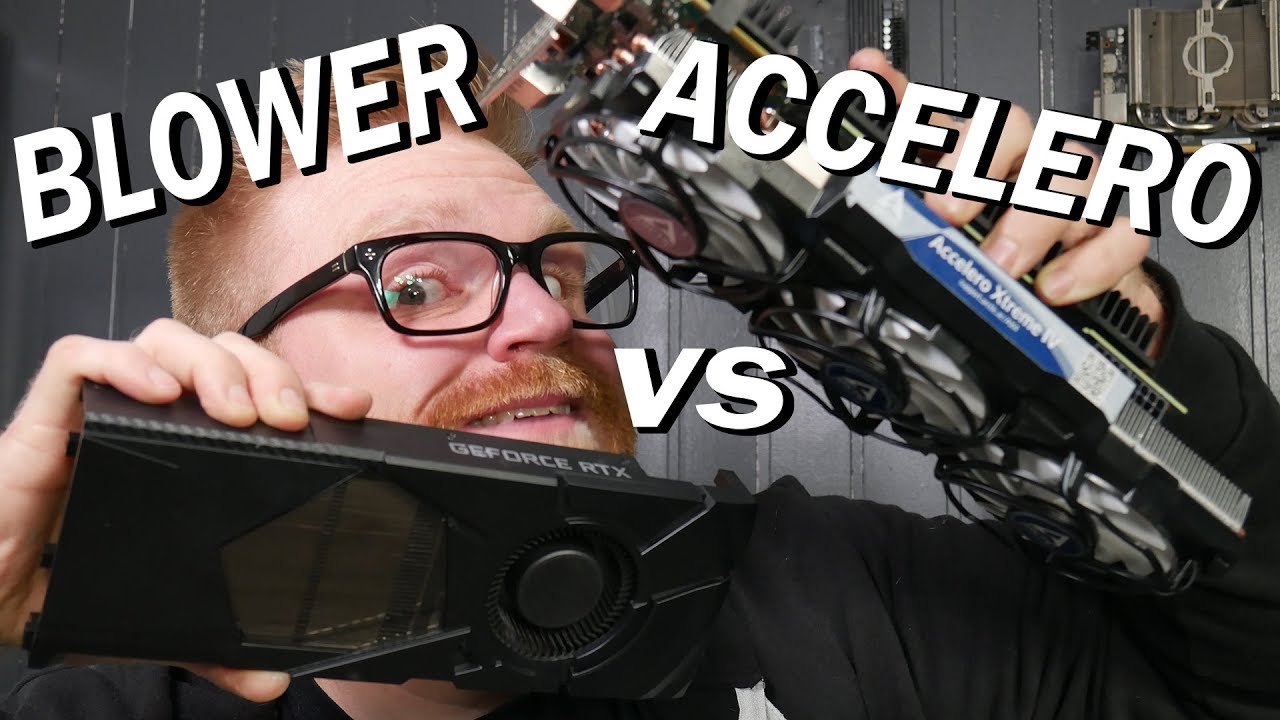
Although the I got the blower working on the cheapest RTX 2080 ti I have had many a request to put the Arctic Accelero Xtreme iv on it to see how much better things get. I gave it a shot and it's GOOD!
Consider Supporting Me On Patreon? https://www.patreon.com/timmyjoe
Arcti...
slow skiff
Will i be reapplying thermal paste of any kind
orchid flame
yes
slow skiff
@orchid flame thank you
orchid flame
you will
slow skiff
i see i have the cheapest rtx 2080ti
latent wolf
That stuff ahs a high thermal transfer rate
slow skiff
ok thank you guys
latent wolf
I just rethermalled my CPU and GPU and its the non curing kind as well. its a no name brand but i checked it online and it had a good thermal transfer rate and My temps dropped by 10c on both my CPU and GPU at full load
slow skiff
what is that blue stuff the guy put on his gpu
orchid flame
it liekly isnt no-curing paste if it is no name
its likely thermal grease
but alas
latent wolf
No It says it doesnt harden
slow skiff
okay
orchid flame
Type Z9, 1 fluid ounce. Silicone base, extra high-efficiency heat transfer. Made in USA. For mounting transistors, diodes, rectifiers, and resistors. Thermal joint compound for any device where efficient cooling is desired. For effective transfer of heat between components & h...
this isnt meant for CPus
and its more of a grease than a paste
latent wolf
On the Box it said CPU
I dunno My temps dropped on my CPU
Mine does say Heatsink on the Tube
It is a Silicone Based grease but it is very effective I will admit that
Temperature, Rating -40 to 400 °F
 manic helm
Wow, thats really not good
Most computer specific pastes are somewhere in the range of 6+ W/m.-K. and I think some of the new ones are around 10
 proven canopy
Lol ya - AS5/chinesium goop generics are ~6, kryonaut claims 12, conductonaut 79, copper 400 W/mK.
 cold jolt
I wonder if you used a thin pad of soft enough metal and enough mounting pressure you could fill the gaps between the cooler and the IHS
Like a thin layer of gold 😁
 slim ledge
rip gallium over time tho
orchid flame
Galvanic Corrosion
Indium is quite common
as is gallium
I have yet to see tin used
Intel uses Indium iirc
doesnt perform as well as a gallium blend like conductonaut
@slim ledge galvanic corrosion likely wont cause anything to the die, its more of a concern with the IHS and CPU block (whether it be a waterblock or air)
orchid flame
yeah.
the point is that there are particular IHS and block materials often used to mitigate or stop galvanic corrosion
the most common ones are gold and silver
proven canopy
Gallium won't harm the silicon/die in any sane use case.
The problem is gallium/alloys in contact with IHS's that aren't nickel etc -
Gallium will displace Al for example, never heard that process referred to as galvanic corrosion, but it's to be avoided
Silver and gold work very differently to prevent galvanic corrosion - in a semi-conductive coolant loop made from parts of mixed metals - e.g alluminum and nickel. Silver is a great sacrificial anode, gold is just noble
orchid flame
either way, both are quite effective
proven canopy
Yes.. as long as you coat everything important in gold. Counts as rgb ? 🙂
People used to put little silver "kill coils" in their reservoir - most people know better now.
orchid flame
lol
latent wolf
so what about zinc being used in thermal compound then? Thats what is in my Z9 compound and it does seem to transfer the heat pretty well. Thankfully i have a water cooling loop with a non conductive coolant that thermaltake makes
But It does lower my temps and gives me a higher OC margin at the same time
proven canopy
Makes for great sunscreen in a pinch
proven canopy
But does sunscreen work well as white grease
latent wolf
I dont know. Never Used sunscreen really. I have a permanant tan from Fishing all day everyday during the summer when schoolw as out
 jolly blaze

My Patreon: https://www.patreon.com/buildzoid
Teespring: https://teespring.com/stores/actually-hardcore-overclocking
The Twitch:https://www.twitch.tv/buildzoid
The Facebook: https://www.facebook.com/actuallyhardcoreoverclocking
 hard goblet
geniuses gathered here xD
 placid night
Buildzoid is the best
 agile flame
Planning to get an EVGA 2080 super FTW 3 with a r7 3700x in an
MSI MPG X570 GAMING EDGE WIFI
Do u guys think I can get consistent 1440p 144fps with a minor CPU OC and GPU Max stable OC?
memory is ddr4 3600mhz CL 16
latent wolf
Easily with a 2080
I have my RX-470 OCed to RX-570 speeds and I have no problems with stability issues
So I Dont see why a 2080 Super FTW would have any issues with running 144fps as long as the refresh rate of the monitor supports that type of frame rate
agile flame
My monitor is fine, It supports 144fhz I am just confused with triple A tittles
latent wolf
I Run Modern warfare at 96fps on high settings. But I have to limit it to 60fps due to my Monitor
I use a 32inch Toshiba Regza 1080p TV for my monitor and it has a 60hz Refresh Rate
at 96fps I would periodically get screen lock
proven canopy
Look up benchmarks specific to your expected use case.
guru3d, gamersnexus, techdeals, whoever happens to have solid data on your game(s) of choice.
 dull ginkgo
should be okay
agile flame
after doing some research I found out that the card is basically a monster compared to other 2080s
factory OC with about a 4-6% OC headroom on the GPU and an average of 100+ fps on triple A games at max settings 2k
THX guys
😅
latent wolf
NP
 sterile ridge
@agile flame ive heard the msi gaming edge is kinds bad
sterile ridge
Get t he tuf x570
 jade pulsar
ehh ryzen cpus don't really get much from overclocking and that board doesn't really look to be suitable for overclocking
 thorny oriole
yeah board doesn't look fun, but you can still benefit from overclocking a 2600. i got mine to 4ghz, others to 4.1-4.2ghz, but dunno how well the stock cooler can handle it
with lower voltage
jade pulsar
I don't think the stock cooler can handle heavy overclocking
jade pulsar
yeah gpu should be fine
I think that mobo can oc ram too, might want to double check about that tho
 sterile flame
So gpu and ram are good but cpu isn’t?
Cause I building a specific build called spectre v2 and the motherboard intended is the AsRock b450m Pro4 but it is oos rn so I went with that cause that was advised as a good alternative
Or what might be better if you guys could send me a motherboard that is compatible with all my parts and is good to overclock I could just get that one
 hard ice
@sterile flame just curious, but the "Spectre v2" build you are talking about, could you link the original buildlist for that?
sterile flame
@hard ice everything the same just motherboard is called AsRock b450m Pro4 but it’s currently oos
hard ice
i asked because it is not exactly a good build
do yourself a favour, and ask in #building-and-recc-chat what kind of build can be made with whatever budget you have. Because it must be possible to beat that build. @sterile flame
(i would do a list myself, if i was not on my way to bed (the joys of timezones))
orchid flame
@sterile flame check out the MSI Pro VDH max
costs the same
is overall better and presents a better upgrade path
as for Zen+
Overclockign Zen+ is fine
it does the job
2600 can OC
I dont see it as the MOST important though
you''d really benefit from that ram and GPU
 tacit solstice
so i've got 3000 mhz RAM and i want a performance boost on 3rd gen ryzen, do you think i could OC to 3200?
proven canopy
https://www.reddit.com/r/Amd/comments/cdjpnk/ryzen_3xxx_series_ram_overclocking_community_sheet/
is a great resource for all things ryzen overclocking

reddit
113 votes and 92 comments so far on Reddit
sterile flame
@hard ice https://pcpartpicker.com/list/DCWpDx
This is my full build
It’s seems good to me
Can run most games fine. Like oc is not necessary at all for me just wanted to see if I could
@orchid flame so with this build ^ could I oc cpu to 4ghz a long gpu and ram
orchid flame
I mean GPU and ram woudlnt hit 4ghz if thats waht you are asking
sterile flame
No cpu only 4ghz I was just wondering about any oc for gpu and ram
 charred marten
Yo sup all so i have a 8gbx2 sticks in my mbo running at 2400. The max my mbo can go is only 2666. Is it safe if i overclock my ram to that speed? @ me with answers, ty.
sterile ridge
@charred marten depends on what the rams max speed is
charred marten
@sterile ridge idk some sites said its safe to overclock since they don’t produce much heat but i wanna be sure lol
sterile ridge
@charred marten send your ram and mobo
hard ice
@charred marten read the subtitle for this channel and make certain you understand what it means
latent wolf
@charred marten Yes it is safe to overclock your RAM to that speed. I had 16gb DDR3 1600mhz and safely overclocked it to 2200mhz with no problem by changing timings on it. It was stable and never had any issues with it either. RAM doesnt produce as much heat as a processor does and will only go as fast as you set it essentially. Now The MOBO does have OC capabilites of what the MAX RAM speed is in OC mode. if its 2666 from 2400 that is a safe OC as most overclocks are safe anywhere from 10-15%. anything over that you run the risk of burning components out.
proven canopy
Attempting and failing a high memory clock only risks corrupting your windows install.
Increasing your memory (or other) voltage(s) can risk component failure.
latent wolf
True. With the Overclock he is looking for though is a Safe one as it wont stress the RAM much and shouldnt need any additional voltage to get that frequency. Its more of a timings change to go from 2400 to 2666
sterile ridge
@latent wolf but would it even be worth it at that point?
latent wolf
Depends on the Processor you have @sterile ridge If its a Ryzen yes. Ryzen loves RAM clock speeds. Intel no it wouldnt. Intel processors prefer amount over clock speed.
sterile ridge
Amount of ram? Lol what
I mean if the timings rn are 16 2400, having 18 2666 isnt gonna be the best
latent wolf
Intel Likes more RAM available
sterile ridge
Not so sure about that
latent wolf
You can get CL16 2666
sterile ridge
It depends on his ram
latent wolf
That to
sterile ridge
If he has e die, sure
latent wolf
I know my RAM is D die and I have it clocked at 3000mhz using XMP with CL15
But I do have a Ryzen 5 2600X CPU with 32gb of RAM
sterile ridge
Why does the ram amount matter?
latent wolf
More available channels if all 4 DIMMS are being used
Sure 4x16gb would enable Dual Channel on the motherboard but you can do the same with 2x4 depending on the slots
Its just from my experience that Intel CPUs are RAM hungry and the more you have in the system the better they work.
sterile ridge
4x16? You mean 4x8?
sterile ridge
It will only work better if you need more ram
If you arent using 16gb on intel, its fine
Same with ryzen
latent wolf
May be. I can only speak from my experience with Intel processors
Ryzen responds better with a higher RAM clock. You can have 8gb at 3600mhz and Ryzen will run amazing but 8gb at 2200mhz the system will seem slow.
Something to do with the drivers or just the way the CPU is coded. Im not sure which one it is. It might be neither
sterile ridge
Neither
sterile ridge
Most Ryzen CPUs are built with what they call CCX's. One CCX is generally composed of four full fledged cores and some amount of L3 cache. A typical Ryzen 7 chip will have two of these CCX's on one package.
The thing is that these two CCXs need to communicate with each other. That's where something what AMD calls Infinity Fabric comes in. This technology allows these two CCXs (and more if we're talking about Threadripper) to communicate with each other. However, as fast as it needs to be, priority of resources are often "bottlenecked" by the RAM speed since the infinity fabric is tied with the speed of the memory controller.
Therefore, if the memory speed is faster, communication and processing becomes more efficient. This is different with Intel as I believe the memory controller is fully separate from their processing cores (keep in mind it's still all in one package).
Word blob sorry
latent wolf
Its cool
Ok That would make sense why a Ryzen Works better with RAM speed
It allows the CCX's to communicate faster and not be bottlenecked
sterile ridge
Exactly
latent wolf
So the theory that Ryzen runs better at highere clock speeds is correct
It was just more detailed than I originall thought
sterile ridge
Much more
latent wolf
Yeah
I have my R5 clocked at 4.0ghz on all cores. Max Turbo Ive seen is like 4.8ghz on all cores. But If I used LN2 cooling I could clock it at like 5.6ghz. Thats a crazy clock speed
 blazing venture
Nice copy pasta Flex.
sterile ridge
I never said I knew that myself
Thought it was quite obvious I didnt write that in 2 minutes
latent wolf
One of the techies sent me a list of CPU and RAM overclock settings. On LN2 its possible but with plain Liquid Cooling I highly doubt it
dull ginkgo
5.8 is world record rn
latent wolf
That would explain the High Clock speed
dull ginkgo
They had the cpu at like 1.76v
dull ginkgo
@latent wolf the highest they get on aio is 4.5ghz
latent wolf
Ok Makes sense
dull ginkgo
Highest on custom water is 4.5ghz too
latent wolf
Probably with a 240mm RAD. I get 4.0ghz on a single 120mm RAD
And I ahve no thermal issues at all
have**
sterile ridge
Maybe on a 360mm?
dull ginkgo
lol the record on air for R7 2700 is higher than the record on aio, and is only 20mhz below highest on custom water
 neon rapids
🤔 what do they count ln2 as
neon rapids
yeah probably xoc or something like that
latent wolf
Yeah
Only problem is it deteriorates so fast once it hits the heat and there is no way to cycle it that I know of
neon rapids
wydm?
latent wolf
Be Cool if someone created a LN2 Cooling loop without having to put padding around all the circuits
neon rapids
oh ic yeah
latent wolf
it Looses its cooling ability once it has passed over heat from what I understand unless it is cooled back down again
I could be wrong
neon rapids
yeah
latent wolf

We were among the first to look at the EVGA "Roboclocker" at Computex 2018, EVGA's new liquid nitrogen recirculation hardware for extreme overclocking.
Ad: Buy Thermal Grizzly Kryonaut on Amazon (http://geni.us/gntgkryo) or Conductonaut Liquid Metal on Amazon (http://geni.us/g...
Oh Crap
neon rapids
they use wonk stuff like blowtorches for ln2 pots
they heat it up so they can cool it more
latent wolf
Ok
proven canopy
Bearded Hardware live streaming some LN2 x299 OC'ing
https://www.youtube.com/watch?v=d1pmuxzgSwM

Watch TechOdin as he goes through 3 of his 18 cores to bin and find the best one! We will be going for our longest live stream we have ever done.
We will be lapping the Cpus, the Liquid Nitrogen Pots, Going through settings on the Asrock X299 Oc Formula, the Best X299 Board e...
proven canopy
The rare dual core 4Ghz 7700k
jade pulsar
only 1 in the world like it
hard goblet
decent. below average. bad. jk .. looks cool
ur result is kinda bit low but not that low @blazing venture
hard goblet
yes
hard goblet
yours is oc?
hard goblet
yeah both test is stock then u loosing 100+ points not biggie ..
i cant imagine rendering a film frame by frame xD thats why it cost a lot to make it... yay
hard goblet
grind it xD
tap that score above
ow you beat it
nice
wait round 2 @blazing venture
blazing venture
??
blazing venture
😮
hard goblet
go on xD take your time hahaha
blazing venture
I didn't know it was a competition.
hard goblet
yes until you tap the full potential ahaha to go further and beyond.
jade pulsar
it's better than my score
hard goblet
round 3 box you will be amaze haha
hard goblet
i cant wait longer @blazing venture heres round 3 xD
 errant carbon
I know there's some silicon lotto involved, but does anyone know a safe method of GPU overclocking? I'm experimenting to try and get the most I can out of my ROG 1660 super and am not having much luck. I've been going in 50 MHz core clock increments and 75 MHz memory clock speed increments and been having inconsistent results
and by inconsistent results I mean random windows UI crashes
I'll just see a spike to 100% GPU utilization in afterburner for no reason and then bam
errant carbon
really?
afterburner makes it seem so insignificant lol
I'll try 10 MHz increments then
how about memory clock speeds?
hard ice
@errant carbon consider this: there was a reason why we got real happy back in the day when we could finally do 1mhz increments when doing any OC
errant carbon
I'm just a zoomer man, I'm new to this stuff haha
neon rapids
i usually do 25mhz, if it crashes then its not stable
 robust cipher
is there any way to bypass the monitor firmware limit on how fast it can go
like I oc'd my 75 hz to 80, but past it, it gives me a warning from my monitor
latent wolf
Yeah I wouldnt even know how to do that on a TV. Im Stuck at 60fps thanks to a 60hz Refresh
 dim plank
hello guys. I have a ryzen 5 3400G and it's idling at 1.4v. Any solution in the BIOS? I am currently using a negative offset to lessen the voltage spike when in full load.
manic helm
negative offset is really the only option. Fixed voltage will never idle at anything lower than the fixed voltage. Some programs will keep the system from idling properly like icue and cam and certain temperature monitoring software. You can set the windows power plan to power saver and it should let it idle properly if software is whats causing it.
@dim plank
 bright briar
Who knows how to Overclock am locked Pentium?
 uneven ermine
cant overclock locked processors
hard ice
not in the system he has
its a custom dell all in one
with a entirely custom mainboard
hard ice
and i am mentioning it, so he doesnt get any ideas about it being possible and potentially fries something
 lone igloo
lol
latent wolf
It can be done by overclocking the RAM. By Doing that You can also increase the Speed of the CPU. I was able to on a old DDR3 Rig I had from ASUS. When I overclocked the RAM it increased my CPU speed. Not by Much but every little bit helped on that system. Now Dell May have locked that option out of the BIOS. I wouldnt know without knowing what system it is that he has.
latent wolf
Yeah that Is AMD though. Usually You have to use XTU for Intel CPUs and that can only OC Extreme Edition CPUs typically.
 swift anvil
l
proven canopy
Keeph8n streaming some 980ti liquid nitrogen OC
https://www.twitch.tv/keeph8n
 latent wolf
WTH??? How long will it run like that on LN2
 dark linden
Forever if I keep adding ln2
proven canopy
Lol ya, sandy is quite hard to kill
latent wolf
Ive never Fried a AMD processor. Never LN2 cooled a CPU. But The most I got was a No Boot to OS from system instability.
manic helm
only cpu I ever killed from overclocking was a duron using a peltier. I don't remember the exact voltage I was giving it but the cooler couldnt cope and it went into a feedback loop and things escalated quickly. I don't know how hot it actually got but it didn't like it.
My thermal probes at the time were too large to get right next to the die so temps were coming from the heatsink a few mm away. I just remember looking over and seeing it way over 100C and jumping to shut everything off
I had these huge industrial temp probes that came from the factory my dad worked at. they were used on a machine that did rubber extrusion and they were used to keep track of the temperature on the extrusion line. They replaced them every couple of years and threw out the old ones so my dad brought them home to me. They went up to something like 800C but they only went down to something like -4C. I probably still have some of them somewhere.
dark linden
I've only ever killed two chips. Athlon 64 3200+ when I stepped on it and a few of the pins got stuck in my foot and a 7350K when I forgot to clear cmos after running it on ln2. It didn't die but it degraded by about 150mhz on air
 hushed sky
So my friend tried overclocking his pc, both cpu and ram at the same time. Which once he did that and restarted his pc and nothing booted up. His pc turned on but his keyboard and mouse wasnt receiving power, and his monitors were not displaying anything. Anyone can help me?
tacit solstice
does it boot to BIOS at all?
 proud tree
im a friend of strafe and he says no it does not
 violet condor
reset the cmos
unplug the power, take out the little round battery, and let it sit for about 10 minutes or so and then put the battery back in and try turning it on again. that should reset the bios
violet condor
the back side?
unplug it from the wall or that cord from the psu
but make sure its off first
proud tree
ok
violet condor
then take out the battery and let it sit
 mild moat
This guy sent his whole squad in here to find the fix lol
violet condor
lol
proud tree
there is no display on moniter and the keyboard does not turn on
violet condor
how long has he left it on?
proud tree
he turns it off everynight
violet condor
i mean after reseting the cmos
proud tree
he said less than a minute
proud tree
he changed it from 3500 to 3600
violet condor
changed what from 3500 to 3600?
violet condor
but in DDR3? i dont think that ram really went that high
hard ice
First rule of tech support: Try not to assume anything
hushed sky
his motherboard is ga-78lmt-usb3 r2
violet condor
yeah the highest DDR3 I can find is 2800.
 left bladeBOT
 Cold#0761 has been warned
Reason: Bad word usage
hard ice
the fx 6300 has a normal clock of 3500mhz
violet condor
oh alright.
I'm not really knowledgeable on OC but im assuming he did it in the bios correct?
hushed sky
yes
he overclocked his cpu and ram at the same time. which i think caused the problem maybe?
proven canopy
That just makes troubleshooting harder.
violet condor
do you know exactly what all he changed?
proud tree
:0
 sullen patio

hushed sky
yes he tried overclocking his fx 6300 from 3500mhz to 3600mhz and his ddr3 ram from 1600mhz to 1833mhz, or somewhere around there
violet condor
i mean resetting the cmos just reset it back to normal right forks?
proven canopy
That's the first thing I would do.
left bladeBOT
 ChristOnAStick#9977 has been warned
Reason: Bad word usage
violet condor
ok I told him to unplug the power source and remove the battery for 10 minutes. Is that sufficient enough to reset it on all boards?
mild moat
Weggbot is going off in here
violet condor
alright do me a favor, shut down the pc, unplug it, take out all ram except one and then try to turn it on again
 echo zenith
I have a similar system but it’s a bit worse
It’s a FX-4300, 1050ti, 8gb ddr3, gigabyte ga-78lmt-s2 and 1tb hard drive
I’m still unsure about an over clock bc I don’t wanna fry my cpu
 vapid berry
what kind of cooling does it have?
hushed sky
air cooling
echo zenith
Air
violet condor
So it shouldn't have fried the cpu if it wasn't left on with the OC for to long
vapid berry
what air cooler?
sullen patio
honestly if you dont know how to properly overclock get a professional to do it
violet condor
at least I don't think, but again I'm not a big OC guy
left bladeBOT
 Strafe#7952 has been warned
Reason: Bad word usage
echo zenith
Yeah I’m having my friend do it the next LAN party
violet condor
guys watch the language geez lol
echo zenith
I don’t wanna ruin my system
violet condor
I wouldn't OC that cpu though
mild moat
Weggbot is going to act up
echo zenith
Yeah no
proven canopy
The frequency increases alone don't seem problematic - but maybe some voltages were changed
hard ice
@echo zenith just because someone else does it, does not mean it cant go wrong.
echo zenith
I plan on going with a better mobo with a Ryzen chip and 16gb ddr4
violet condor
one, the power gained on those cpu's aren't really worth it, and 2, theyre old enough that the chances of frying are more probable than a new pc (at least according to a friend of mine)
proven canopy
ryzen's kinda auto-clock themselves - better to let them do their thing. Unless you're going for hwbot scores.
violet condor
My mobo has a "boost" mode or something which does a light OC for me lol
echo zenith
I want to find a good mobo
But I’m unsure what to buy. Also unsure about which Ryzen I want
violet condor
I like the ASUS x470 or x570 🙂
hard ice
post your budget and question in #building-and-recc-chat @echo zenith
proven canopy
ryzen 3600, x570 TUF
hard ice
@hushed sky your friend still not getting the machine to post?
violet condor
asus prime x470 pro to be more specific
violet condor
what did he do to fix
hushed sky
well
mild moat
What was i
hushed sky
its booting up
mild moat
It
hushed sky
he did the thing where he removed the battery
violet condor
alright
mild moat
Ok 👌
latent wolf
Ah He reset the BIOS
vapid berry

vapid berry
o man
 fallow bison
thats a funny looking ice cream machine
jade pulsar
lol
dark linden
@bright briar that's probably not possible with the rampage extreme
bright briar
Oh ok
sterile flame
are the asrock b450m pro 4 and the gigabyte ds3h have the same amount of overclockability? I used a youtube pc build guide that used the asrock pro 4 but i ended up getting the ds3h and i now want to oc the same as the build guide video showed. Is it safe?
dark linden
What chip?
sterile flame
ryzen 5 2600
dark linden
You can probably overclock it a little bit but I would not push it too far on that board
dull ginkgo
@sterile flame ds3h is a worse board, and you have to remember that OCing differs greatly between person to person.
sterile flame
should i not oc at all?
dull ginkgo
Also, at that point in the video, he's talking about GPU overclocking
GPU is not dependent on motherboard
CPU overclocking depends on the motherboard
sterile flame
i have no NEED to oc i would just like to get the most out of it
so i can oc gpu the same safely?
dull ginkgo
You could always push it a little and see what you can get
dull ginkgo
Do a stress test
Furmark works as a good way to test stability
If anything crashes, dial it back a bit
sterile flame
okay great, so i just set my ram to 3000 mhz like 30 min ago and things seem fine. Mobo can handle that ram right
dull ginkgo
Should be able to
Run a game or something
I'm forgetting what you can use to check ram stability
So just a game works
sterile flame
alright, ill try and copy his video stress test then set it up accordingly
lone igloo
I dont believe in bad boards I say overclock anyway 😝
sterile flame
far cry 5 seems good right
lone igloo
all I know is I have a gigabyte z370 hd3p which is also a tier terrible and it is having no trouble OCing my 8700k to 5.3 on all cores... I'm just saying. I know vrms are not created equal and maybe I am lucky but I would still try.
sterile flame
my pc is fine as it is rn and i would like to get the max but i wouldnt wanna break anything for no reason
lone igloo
and either way you would want to also have aggressive cooling if not a better motherboard
sterile flame
i have 4 120mm fans
lone igloo
I mean the cpu cooling solution
sterile flame
oh
latent wolf
@sterile flame Is it a Ryzen 5 2600X?
Cause the X One has Overclock capabilities that surpass the Regular 2600
dark linden
Bottle of r404a is on the way for my single stage that will be part of the 5ghz daily zen build
dark linden
Cascade phase change for the cpu so it will idle at about negitive 105C and run at about negative 97C
Gpu will be on single stage
I am getting in some r404a so if everything goes to plan with building the single stage I should hopefully be able to run -35C on the gpu
dull ginkgo
Let's hope that you don't get any condensation issues, but that all sounds pretty damn neat
Idk why but at first I thought you had smth like this
https://youtu.be/kgnfvb2t-TQ
We were among the first to look at the EVGA "Roboclocker" at Computex 2018, EVGA's new liquid nitrogen recirculation hardware for extreme overclocking.
Ad: Buy Thermal Grizzly Kryonaut on Amazon (http://geni.us/gntgkryo) or Conductonaut Liquid Metal on Amazon (http://geni.us/g...
dark linden
That is halla expensive
My setup will cost about 2700 total
Which is still a lot but nowhere near what that would cost
proven canopy
He's lying - mythical is actually TiN's alt
dark linden
That setup is probably 10 times what mine costs
And needs to be refilled
He's lying - mythical is actually TiN's alt
I wish
proven canopy
lol, really tho- TiN is in a league of his own.
dull ginkgo
They're not human
sterile flame
@latent wolf its a normal 2600
manic helm
2600 on the gigabyte board should be good for a 4ghz all core overclock. most 2600's will max out around 4-4.1
if you are on the stock cooler you might be limited by temperature. It will easily get into the 80's at 4ghz on the stock cooler.
and that board does not have fixed cpu voltage. it only uses offset. So the offset is additive or subtracted from whatever the motherboard is calling for. If the motherboard wants 1.25v and you have a offset of +0.1v then it will actually get 1.35v.
dark linden
That gigabyte vrm is not very good and the cooling go the vrm is awful
manic helm
ya, but the 2600 isnt too bad going to stress it too much. as long as there is any airflow in the case I think they should be fine
dark linden
A 1400 is probably already a lot of stress for that motherboard
I personally would not bother overclocking
You won't see that much of an improvement
manic helm
at 4ghz its noticable. I tested my 2700x on a asrock b450m pro 4 at 4.2 and never ran into issues with the vrm. Its vrm solution is also pretty horrible.
ran my 2600 in the asrock board at 4.1ghz for about a year without issue
Now it powers my mighty athlon 3000g
dark linden
The pro 4 has a better vrm and cooling for the vrm that the gigabyte
I overclock everything I can get my hands on and I would not overclock on that board
And if he is using something besides the stock cooler there probably isn't going to be much airflow
manic helm
I wouldn't necessarily say its better. its a doubled 3 phase on the asrock vs true 4 phase on the ds3. The vrm cooling is similar on the actual cpu vrm, but the asrock has the advantage of the soc also having a heatsink. Atleast neither board covered the minimal surface area with giant stickers with their logo slapped on it. Neither board is ideal, but I still don't think it would be an issue getting to 4ghz and not having to worry.
lone igloo
I still refuse to believe in bad vrms until I see some 😝
Tier D Basic manages to get to 5.3ghz on all cores without issue
Tier D Basic (pentium, celeron, i3, i5)
Asus: TUF, Prime-P, Prime-Plus, Prime-C
Asrock: hxxx-Pro4, HDV, DGS, HDVP
EVGA: Stinger
Gigabyte: D3, XP, HD3, DS3H, N-wifi, s2p, n, m h, d3, S2, DS2V, HD2
MSI: A-Pro, PC-pro, Gaming Plus, Pro-VDH, Pro-VD, Pro-VH, Pro-D, Pro-VHL, Pro-VL
proven canopy

Tom's Hardware
Achieve higher clock speeds from your AMD Ryzen CPU.
dark linden
@lone igloo I will try to dig up the picture of my z370 board that had a hole burned almost all the way through it
All of those have dead vrms
Top one is the z370 one
manic helm
but how many of those died on normal overclocking? Killing a board isnt something that most people will every manage
dark linden
All died on ambient
Not all were vcore death
Some were memory
Dark was pch vrm death
Z370 gaming was memory death. It was rubbing 3800 cl14 4x8 at 1.8 so nothing that far out of spec
manic helm
😄
dark linden
Z270 apex were vcore
But admittedly I didn't have the vcore heat sink on for those at the time
manic helm
how did you kill pch vrm.
manic helm
the poor aorus z370 boards like lots of other z370 boards werent designed with good vrm heatsinks. so many people with thottling issues with a 9900k.
a buddy of mine ended up having to add the vrm's to his loop to keep a stock 9900k from throttling on the gaming 7
I can't afford to play with high end stuff anymore. My wife would kill me
I have thrown all kinds of voltage at my athlon though. took my 6600k up to almost 1.6v on air for a short run, but decided to save it for my itx VR build instead of killing it.
although I do still have some of my old 775 stuff laying around I could try some fun stuff with. I would need a new board though since my motherboard died
manic helm
I had a p5nt deluxe, but it always had issues. Chinese power supply finally killed it when it caught on fire.
I also had a p5n7a matx board that overclocked well with some heatsinks on the vrm but it ran out of voltage adjustment and I never felt like volt modding it. I killed that one when I dropped a hdd on it while it was running. shorted something and I never took the time to try and figure it out
Only functional 775 board I have left is one that I got for free. an msi p6ngm-l I think. single channel memory. Very limited voltage options. I managed to get an e8300 to around 4ghz I think it was, but it was just sad.
It cant handle the q6600 very well.
The p5nt had bad issues with corrupting the bios. I ordered some extra preflashed chips on ebay at the time and would just swap them out whenever one corrupted and then swap the bad one back in and flash
soldered legs on one later so I could just piggy back them to get it to boot
I was done with asus boards after that. I have owned probably a dozen different asus boards over the years, but that one always had trouble. RMA'd it 3 times and asus just kept sending the same board back.
latent wolf
@sterile flame Ok I have a 2600X and If I try to go over 4.1ghz My System Fails to boot properly and the Bios Gets Reset
dark linden
Does 4ghz work?
 dull kiln
really? my 2600 is booting at 4.2 currently
dull ginkgo
Overclocking is different for everyone, and can depend on a huge variety of factors, including just quality of the chip itself.
cold jolt
ya, a cpu is literally a lazer cut rock
but because its so small, its cut imprecisely
well, super precisely from our point of view, but still loaded with manufacturing errors, so every chip behaves differently
lone igloo
sorry just got back home so I couldnt reply earlier. I get that some boards have vrm issues I have just either been really lucky or others are using far more extreme overclocks I have 3 tier D boards all with 8700k's all overclocked to 5.1-5.3ghz none of them have melted any holes through them yet....
all 3 are the gigabyte HD3 so maybe it just shouldnt be where it is on the list
dull kiln
I got my 2600 to the 4.2 I said earlier on a MSI B350 PC mate
lone igloo
I just personally cheaped out on my motherboards and then after I had everything and wanted to upgrade the motherboards down the line I couldnt find a single reason to
Not a single person on here would recommend that I upgrade so I think its silly to tell people with similar boards to not even attempt an OC and tell them their motherboard will melt a hole in itself...
dark linden
I have run an 8700k at 6.4 on an f tier board and not had an issue and also run a 9900k at 5.3 on a low midrange board and blown the vrm @lone igloo
lone igloo
seems pretty random lol
lone igloo
6.4 with LN I assume
lone igloo
nice bet that was neat
dark linden
Yeah but my room was in the mid 90's during December
And my room was constantly shaking from the compressors
Not to mention the noise
You could hear it from outside
lone igloo
did you insulate the mobo too?
dark linden
No need to
lone igloo
nice
dark linden
Socket heater
And cartridge heaters around the ram and first pcie slot
That was my 7740x on cascade with f tier tim and no delid
lone igloo
did you delid the 8700k? I did it to all 3 of mine after the great results I had on the first (I sent them off didnt do it myself)
dark linden
Probably another 150-200 mhz left in the tank
lone igloo
the delid got me from 5.0 to 5.3 on all cores on the first one
dark linden
Delid is very helpful
lone igloo
the other 2 cant get past 5.1 though
dark linden
But the chip isn't mine so I could not delid it
lone igloo
that is true
lone igloo
I dont want to steer anyone wrong and I am not too familiar with AMD anymore but I have had pretty good luck with these tier D boards
Jesus
thats insane
bet that was super fun to put together
dark linden
New one is currently in the making using reciprocating compressors instead of rotery. I will have to be careful with liquid floodback on the second stage so as not to explode my dorm but it should be near silent
That one I sent a picture of is so loud it drowns out thee delta fans at full speed
dark linden
Rotery compressors are better but too loud for long benching
But are much more resistant to flood back
They have a build it suction like accumulater
lone igloo
isnt reciprocating more effecient?
dark linden
But not as powerful and doest handle liquid at all
lone igloo
now we are slightly in my wheel house as I help design cold/hot beverage dispensers for a living lol
dark linden
And a system failure with r1150 in the second stage is not something you walk away from without some nice hospital visits
lone igloo
yeah that wouldnt be good
lone igloo
like what 700psi
lone igloo
someday a metric conversion is going get me in trouble lol
dark linden
The compressors need to be robust to handle near vacuum
And rotery are much better at it
And normally have more displacement
lone igloo
whats the power draw
dark linden
1200-1600W
New one will be closer to 700-900
Dual danfoss SC compreeors one 12cc for second stage and one 15cc for first
lone igloo
I want to see pics when the new one is ready
you should film the build get some youtube views
dark linden
Pictures of phase change units now that I can do.
Middle one is built by the best builder around
lone igloo
yeah it looks nice and clean
dark linden
Bottom one is a dual sc12 single stage
Chippy over on hwbot has that one
My ram on cascade
lone igloo
when the dorm catches on fire we will know where to look 🤫
lone igloo
did the 8700k survive to this day?
dark linden
That's the compressor I am going to be using for my chiller. Almost 4hp and 80cc displacement . The unit should do - 45C at 2kw load
did the 8700k survive to this day?
Yes it still works
lone igloo
jesus 4hp
dark linden
Yeah I am going to have to unplug the oven to use it
lone igloo
its a beast
dark linden
Got it for free
My work was changing out the ice machine and thew away the old one so I cut it out
1400$ compressor
lone igloo
yep a large ice machine sounds about right lol
dark linden
Going to be using a 50 plate heat exchanger
Two actually
Going to be doing a water cooling loop instead of a condenser
lone igloo
lol which one could probably cool that cpu at stock speeds just set on top of it
dark linden
Yeah
proven canopy
700 psi ethylene gas leak? big oof lol
dark linden
It is at 500 now
lone igloo
hopefully on the first floor....
dark linden
I am slowly getting the gas out
lone igloo
what does one even normally use a 50 plate heat exchanger for? a wood furnace? heated driveway?
dark linden
Moon heating
dark linden
Because I want it to be more compact and I am already going to have a massive loop
More modular
dark linden
I am planning on mostly benching quad Fermi cards with it
lone igloo
whats that like up to 6000?
dark linden
100000
latent wolf
@dark linden Yeah 4ghz Works No Problem. It could just be my motherboard. I have a Gigabyte B450 AORUS M, 32gb Corsair Vengence LPX 3000mhz DDR4 RAM, Ryzen 5 2600X OC to 4.0ghz ON all 6 cores
dark linden
What voltage?
manic helm
my 2600 will get to 4.1ghz stable on a wraith prism from my 2700x, but it took too much voltage to get it there. I usually run it at 4ghz now. When it was just a system to play with and ran maybe a few hours a week I kept it at 4.1, but since my kids use it now for school work and gaming it was running at 4ghz. When school got cancelled for the rest of the year and I had to setup it up for homeschool out in their playroom I set it back to stock so it will idle its running about 18 hours a day so I am trying to save a little electricity. 4ghz was around 1.27v, 4.1 took a jump to 1.38v, 4.2 was just to attempt for benchmark runs but was never really stable even at 1.45v and I never pushed it any harder.
every cpu hits a voltage wall, and the increase to get it stable on ambient goes up exponentially from there.
My 6600k will do 4.7ghz at 1.3ish volts. 4.9ghz is in the neighborhood of 1.45v and will crash from time to time. Never managed to get 5ghz stable and went up to 1.6v. If I had the equipment to get cold like forks and mythical it would have probably gone past 5ghz.
to be young and have have money/debt to spend on fun stuff again. I gave up in the early 2000s when all the big names started getting sponsored. Hard to justify to the wife why I need a stack of motherboards and cpus.
dark linden
Even a complete potato skylake and later chip will do 6-6.2 ghz on ln2 minimum
And really good ones can d 6.8+ in avx all core
latent wolf
@dark linden Im not sure on my Voltage since I have it set to Auto for that.
 mild moat
Box went 
hard goblet
that's a car engine

 hasty hill
Overclocking seems to have changed
 formal wadi
Hey i need help
latent wolf
@formal wadi What ya need help with
formal wadi
Can i dm you so I can show u pics of my over clocking I have no clue what I’m doing tbh
latent wolf
Sure
proven canopy
Feel free to share overclocking related pics here as well.
mild moat
Ya id like to see them too
latent wolf
He had His GPU way Overclocked and it would have fried
mild moat
Thats a yikes. Good job saving him 
 obsidian delta
Okay well this is unusual.
I've been bodging together a server from an old Asus laptop I took apart about a year ago (it was in terrible condition).
It has an AMD A10-8700p CPU inside.
I've done away with its original cooler and am now using a desktop cooler on it.
latent wolf
Thats Actually a Decent CPU
obsidian delta
I'd like to try overclocking it and see how it performs.
latent wolf
I had a A10-6700K in my DDR3 system
obsidian delta
Yeah, I think it was thermal throttling like crazy inside the laptop though.
latent wolf
Has to be a black edition or a K series chip to really do any OC to it
obsidian delta
I decided to take it apart once it started smelling of magic smoke..
latent wolf
OOOFFFFF
obsidian delta
Oh peck really?
latent wolf
Yeah As far as I know. Thats with the Socket FM2 and FM2+ mainboards anyway
obsidian delta
I've never done any overclocking before.
latent wolf
Now with Ryzen that all went out the window
obsidian delta
How come I can't overclock? Is it locked?
latent wolf
AMD locks out CPUs designed for laptops due to the thermal solutions that would be needed typically dont fit inside a laptop
obsidian delta
The current setup that I have is a desktop cooler, strapped on tightly using some spare jumper wire and powered with more jumper wire taking 12V IIRC from the sata power pins, since the fan header broke I think when the original laptop died.
So the fan runs at pretty much top speed at all times. The voltage it's getting is over what the fan is rated for. It's really silent though and keeps the CPU super cool.
Which is why I was hoping to get a decent overclock.
latent wolf
I mean dont get me wrong keeping the CPU cooled down is a good thing. But that Processor doesnt have any OC ability unless you can change the RAM timings in the BIOS. Then you might be able to get a little bit of a overclock but not much.
obsidian delta
That'd just be a RAM overclock though, right?
The CPU isn't being oc'd in that situation.
latent wolf
Actually on ASUS Boards a Overclock on the RAM does affect the Clock Speed of the CPU. I used to have a ASUS F2A55-M motherboard and when I overclocked the RAM it also overclocked the CPU. Not by Much but every little bit helped
proven canopy
yes
 odd inlet
Yayyy
Forks isn't a doe hard amd fanboy
Die*
You have no idea how many there are on the pcmr server
Also why'd the stream end?
orchid flame
it has nothing to do with fanoyism
lol
it just has to do with the reality of products
if someone says "Intel bad" just ignore them
brand generalizations are utterly pointless
unless we're talking about Corsair's ram
proven canopy
Why would you think I'm a diehard amd fanboy lol
orchid flame
anyone with half a braincell has the decency not to fanboy
@proven canopy we told him its really not worth it to get a 9700k over a 3600 cause he's gonna be playing at 1440p and he probs isnt gonna do a proper OC
and he thinks its about fanboyism
smh
you know chiller
I know what you're doing here
you come to the overclocking channel
which is mostly popul;ated by Intel CPUs
and you ask if a 9700k is good
and say that those who say no are AMD fanboys
lol
kinda petty ngl
 minor harness
O_O
dull ginkgo
9700k bad
for budget
latent wolf
Not Only that But I personally Dont Like Intel. I have had nothing but bad luck with them in the past when it comes to certain programs that I run for my graphic design stuff that I do for College and for Clients. I have had less problems with a AMD processor. Its not Fanboy type stuff with me its more of a practicality reason and past issues with Intel. Dont get me wrong Intel Based CPUs have their uses. They have better Server processors than AMD does. That I will give them. When it comes to Desktop Processors its my opinion that AMD is better at that.
 steel oriole
I think mine was stable at 4.375 but I haven't done much testing on it yet
It sure made a difference after I plugged in the +4 cpu cable
latent wolf
I bet
dull ginkgo
It isn't safe to keep it there for any extended period of time
can "handle" it but
That's prob going to eat away at it's life near 1.5v
latent wolf
Yeah. Maybe a Year or 2 at most at that voltage. Most CPUs run for quite a long time. Also we dont know the cooling solution being used to achieve that either. Heat will Kill a CPU faster than Voltage and Clock speed
latent wolf
Yeah Thats 185 Farenheit
dull ginkgo
I like using celsius
latent wolf
Thats to hot.
Still The thermal Solution isnt working very well. Must be air cooled then. Would need a Liquid Cooling Solution to bring those therms down
Im running a 2600X at 4.0ghz and My Therms dont even get that high
dark linden
Most aio liquid coolers are not better than a good tower cooler
latent wolf
I hit 65c under full load while gaming
Then again I am running a Custom 120mm Rad Liquid Cooling Setup
My Case Supports 240mm I just cant afford a 240mm Rad at this time
dark linden
Custom is different but most aios have really underpowered pumps and don't work better than a 60$ air cooler
dark linden
I honestly would never suggest an aio to anyone. They can leak, their pumps tend to die after a few years, they have mixed metal and they are not any better than a good tower cooler
latent wolf
Be less If I had a 240mm RAD
dark linden
What cpu?
dark linden
240 might only drop it a few degrees
latent wolf
Really? Even Though Right Now I have a single 120mm? I thought with a larger cooling area and a Top Mount RAD setup in my case it would drop further than that
dark linden
You probably aren't putting off more than 200W of heat. Unless you have a really skinny rad it probably won't help a ton
It will help but you aren't going to be seeing massive gains
latent wolf
I wasnt really looking for massive gains. Just some drop in overall themrs to extend the life of my CPU
dark linden
You won't extend the life of the cpu
latent wolf
Maybe even get a little bit faster of a overclock
dark linden
And 2000 series zen does not overclock much
Even if you drop temps by 150 degrees you would probably only gain 500 mhz
latent wolf
Ah
dark linden
You can crank the voltage but if you are really worried about degradation it is not worth it
latent wolf
Right
I do both gaming and Graphic Design on the same rig. Adobe doesnt seem to like the fact I have a 6 core 12 thread CPU
dull ginkgo
Well anyways
dark linden
Adobe does not like amd
latent wolf
Thats a good point as well
dull ginkgo
Going from 4275mhz to 3800mhz dropped temps by like 30c
so :p
I'm underclocking it for folding
orchid flame
as much as Adobe can try, truth is AMD just makes up for Intels optimization advantage by just providing more performance
 lofty totem
Okay I will get yelled at but I like AIOs for the look they look cleaner than tower coolers and I’d pay the price premium
dull ginkgo
Ok
@lofty totem if you're willing to pay the price premium for a good AIO, we don't have anything for ya
hard ice
@dull ginkgo that sounds like we cannot help?
dull ginkgo
I was speaking on the behalf of #NoctuaGang
hard ice
that context was not there :)
hard ice
aye :)
dull ginkgo
I'm not against a H115i If your budget allows and you want the look
or a evga clc 280 whatever its called
hard ice
i am personally quite against AIO's unless everything else is in your system is already absolutely pushed to the max
OR
you have a very specific environment where it makes logical sense to actually use a AIO
lets say, stacked systems with the aio's all moved to a gathered section for managed intake/outtake
(air wise that is)
manic helm
aio's are great for silent systems as well. My little h50 on my pentium in my hackintosh build is so quiet and I have the other fans turned down to low. its the quietest system I have ever owned probably.
I do hear that the pumps on some new AIO's are loud though. both my corsairs were extremely quiet
hard ice
this is a personal quirk, i cannot help but notice the sound of the water, which just adds to my dislike for AIO's :)
blazing venture
not all aio's you can hear 😄
hard ice
very true Box
hasty hill
I like watee
mild moat
I actually like the sound of running water so that would be kinda cool if when u turned your pc on it sounded like a little waterfall :)
hasty hill
My aio does that but I have to be really close
 vale nymph
you have your own white noise machine
hasty hill
If I use my PC as a pillow sure
mild moat
Sign me up
mild moat
I wouldnt since its the wraith stealth but if you got a wraith spire for it you could do a little
proven canopy
I was shocked by how quiet a d5 pump is, bit of a high pitched whine - but I'm sure that it'd be nearly inaudible if mounted in a case.
proven canopy
dark linden
 spiral gyro
buy an old fx cpu oc and cook dinner on it👌
tacit solstice
lmao
vapid berry
Old Celeron cpu
manic helm
trying to convince the wife to let me get a 3900x or maybe a 3950x. Not sure I will buy one now, but it will give me enough ammo if I hold out till zen 3 I can probably get one of those.
 peak flint
Stupid question, is Intel game mode that good or am I better leaving it off? (I also have an rx 580 for my gpu and 16gb of RAM)
mild moat
Watchu doing
proven canopy
just testing something
mild moat
To a search for water spigot lol
jade pulsar
aahh
peak flint
Hello?
proven canopy
Intel game mode?
peak flint
Yeah
proven canopy
Mind sharing a screenshot?
proven canopy
I think it just sets an auto-oc.
peak flint
But should I keep it on or off?
proven canopy
I can't imagine it'd be that harmful - I'd prefer to just set things manually, but if you like it on, go for it.
dull ginkgo
@proven canopy iirc that sets a +300mhz or something like that frequency boost over stock
 loud hinge
What voltage should I try for a 3700x at 4050mhz?
blazing venture
😮
mild moat
 I like that voltage
dull ginkgo
Try 1.3v
 last pumice
What’s a good cooler for oc on a ryzen 5 3600? Or should I oc at all?
dull ginkgo
depends on if you want to
proven canopy
No reason to oc the chip for practical use - it does a great job managing itself.
Do so for fun/benchmarks/internet points.
mild moat
I have it and that is true

 mild moat
Quite possibly

 latent wolf
Change the security settings on it through the security tab. I did that and I gained access and everything still works properly. Its just a locked folder where Xbox Games and other Windows Based Apps are installed at
@jade pulsar ^^^^^
 noble terrace
help a homie out
latent wolf
What Ya need
noble terrace
how to safely oc
latent wolf
Ah thats easy Dont go anything over 15% of the CPU Base Clock Speed
Also depends on the CPU
noble terrace
hm
latent wolf
What CPU you have?
latent wolf
Ah yeah GPU overclocks are alot trickier than a CPU
noble terrace
Im using msi afterburner
latent wolf
Like I have my RX-470 running at RX-570 clock speeds and I havent had any problems
What GPU you have?
noble terrace
5700xt
latent wolf
I would still go with the 15% margin though
noble terrace
ok
latent wolf
Thats more due to thermal issues that may come up.
You may or may not get more FPS by overclocking
latent wolf
Yeah thats not much
When I overclocked my GPU to RX-570 specs I got better FPS but it got even better when I increased the Overclock on my CPU
Like I can run Modern Warfare at like 92fps but am limited to 60fps by the TV screen I use for my monitor
latent wolf
Yeah. Its a 32" 1080p Flat screen TV
noble terrace
thats pretty good
latent wolf
Yeah thats pretty dam good if you ask me
It is OCed to 570 specs though so that helps it out as well
latent wolf
Yeah. Its mostly the Clock speeds that changed
Thats why I can run my 470 at 570 speeds
latent wolf
Probably
 sour marsh
is the wraith stealth cooler that comes with the Ryzen 5 3600 able to cool it when your overclocking it?
violet condor
when overclocking you should get a better cooler, however any decently good cooler should work
sour marsh
thx
 pulsar tinsel
can someone help me overclock my GPU? I have it maxed and ran the benchmark and nothing really happened. All worked but no clue
I have an i5 8500H and a 1050TI.
 somber bolt
dull ginkgo
somber bolt
dull ginkgo
......
mild moat
Lmao
dull ginkgo
you're going back to intel
mild moat
So much time wasted...
dull ginkgo
yep...
mild moat
Also whats up with that case choice?
mild moat
Ya lol
dull ginkgo
kinda funny they wanted us to move the budget down to 1500$ when we mentioned amd
and the 1500$ amd build has as much processing power as that
mild moat
Every time I look at that list I wince at something else 😂
mild moat
Totally
latent wolf
My System is a Ryzen build and it would cost about 1200 new. Not bad when I can play MW at 92fps with OCs applied to both CPU an GPU
 knotty talon

 dull ginkgo
@knotty talon Intel or ryzen
 ornate yacht
@hard ice im going to toss in a thermaltake throughpower platinum and hope that the psu was the root of the issue /fingerscrossed wont be here till next week though. the other PSU i have on hand is a 650 and it wont power this system
toughpower*
hard ice
@ornate yacht hmm
something else for you to perhaps play around with
scale down the system as much as you can, component wise that is
its tedious work, i know.
but that is what i would be doing myself IF launching it into low orbit wasn't a viable option
 plain grove
I can’t over clock my i7 8700 no k right
proven canopy
Not really
plain grove
Ok
mild moat
Heh
sterile flame
Basically idk what’s happened but on aida 64 cache memory benchmark the results i got ages ago for my 4000mhz ram 4.8 core 4.7 cache i now get the same bandwidth but higher latency on the memory and all caches, any ideas? Tried upping core/cache voltage and vccio/sa, lowering ram clocks and raising timings didn’t fix the high latency
 winter acorn
asking for someone else could you over clock a non k cpu if its a pre built by changing things in intel xtu
dull ginkgo
No
 small spindle
^
mild moat
^
jade pulsar
^