#overclocking
1 messages · Page 27 of 1
 steady lance
Wait, so is it like tREFI where I want to just keep upping till unstable?
 sudden torrent
Yes
 kind walrus
Until stable
The lower you go, the less temp headroom
And the slightly faster you are
Until a theoretical limit per the ic
steady lance
So tune all the tRFC as high as I can?
sudden torrent
tRFC you want low, tREFI you want high
kind walrus
Start at the expected number, increase until stable
steady lance
Oh okay.
kind walrus
Start at 500 400 300
kind walrus
I run 720 because anything lower and I can't daily my ram over like 60C
steady lance
Do I repeat this for all the tRFC valuies like tRFC1, 2, 3?
sudden torrent
The max for tREFI is 65535 iirc
kind walrus
I'd much rather having up to 90C headroom
sudden torrent
steady lance
Do I repeat this for all the tRFC valuies like tRFC1, 2, 3?
AMD only cares about tRFC1, the other two might as well not exist
kind walrus
steady lance
Do I repeat this for all the tRFC valuies like tRFC1, 2, 3?
Mhm
They work in blocks of 4 8 or 16
steady lance
sudden torrent
The max for tREFI is 65535 iirc
for whatever reason my pc did not like to boot at max tREFI but 65k boots and works fine.
kind walrus
Which is fine
steady lance
sudden torrent
AMD only cares about tRFC1, the other two might as well not exist
So just leave them on auto?
kind walrus
Like I said, 64K, 32K or don't bother
steady lance
also idk what is going on but somehow my average ram temps keep getting lower with each tighted timing?
sudden torrent
tRFC2 and tRFC4 can be auto, the memory controller doesn't use them
steady lance
Wait. 🤦♂️ just realized why.
I was not running my AC during testing before, been keeping my ac at 20c lately.
steady lance
sudden torrent
tRFC2 and tRFC4 can be auto, the memory controller doesn't use them
Thanks for the heads up.
kind walrus
It's ambient then
Which you should really run your maximum ambient if you plan to run this in an inch of it's life
1.6v will show temp errors quick if it's only a couple C over what's comfortable
steady lance
Any specific things i gotta do for the other timings in primaries or do I just lower everything from here on out and turn FCLK up as high as I can?
steady lance
kind walrus
1.6v will show temp errors quick if it's only a couple C over what's comfortable
I have not seen my ram go past 50c since I installed the fan.
steady lance
usually around 45c during load
kind walrus
Also
kind walrus
steady lance
I have not seen my ram go past 50c since I installed the fan.
You haven't done trfc yet so you probably have a lot of headroom
steady lance
Is it possible for it to be whatever that B die you guys mentioned before?
steady lance
Gotcha.
kind walrus
If you're unsure, send a pic of the sticker
steady lance
Kingston has a code system?
steady lance
Ahh will definitely check that later.
kind walrus
But this will show you it's hynix
steady lance
sticker on the ram right?
kind walrus
Mhm
sudden torrent
Find the vSOC sweet spot, it's usually around 1.1-1.15v iirc. Exact number varies by bin.
kind walrus
Just run 1.25vsoc
Ask @proven canopy for a good fclk test
I used mlc gui and ran 10 passes of each
To check theoretical speed
sudden torrent
From what I've seen vsoc too high causes regression
kind walrus
Since it's perma desync
Meh maybe
I think basically everyone runs either 1.25v or 1.3v
sudden torrent
That might have been because that was the auto setting on the board before the agesa patch that keeps them from blowing up
kind walrus
Mhm
A lot of boards just auto 1.25+ to my knowledge
It's a bit different to AM4, fclk just spits perf regression not stability regression
You don't really get wheas just ecc scaling back
sudden torrent
Yeah and I've seen the oscilloscope to prove it, silent errors
kind walrus
Yep
Forks has a better test that I can't remember the name of
I used mlc gui tho and ran 10 passes of each fclk over 2000, took the fastest of average 10 (2133)
sudden torrent
ycruncher?
steady lance
Hynix confirmed
kind walrus
Told u
Now if you manage a low trfc then you 100% have A
I'm like 95% sure from the sub 50C 1.6v behaviour though
sudden torrent
low trefi or trfc
sudden torrent
Happens to the best of us
kind walrus
I feel like the old wise man and fal is my aid
"No felix you meant trfc"
"WHAT? WHAT DID YOU SAY?"
"LEMONS?"

sudden torrent
 kind walrus
Oh man I'd kill for one of those rn
sudden torrent
Enjoying your summer then?
sudden torrent
Gotta love when it's so humid you can't even sweat
steady lance
kind walrus
Now if you manage a low trfc then you 100% have A
Gotcha.
steady lance
kind walrus
Oh man I'd kill for one of those rn
Agreed.
steady lance
Felix do you by any chance know at what voltage A die starts having deteriorating?
Based on what I've read 1.6v is kinda the upper limit so long as it's cooled but I am not sure what voltage A die can handle beyond that.
steady lance
to my surprise, tRRDS just booted at 4.
kind walrus
tRRDL at 8 should too
steady lance
kind walrus
tRRDL at 8 should too
I got it stable at 6.
tRRDL 5 did not wanna work.
Just booted tWTRL 23 from 26.
22 refused to boot
Just got tWRLS 5 to boot.
4 was a literal 50/50 shot of boot or not boot.
kind walrus
Are you stress testing these changes?
steady lance
kind walrus
Are you stress testing these changes?
My strategy is to get a handful of timings to boot, run TM5 if it passes TM5 then I later run OCCT at 90% for a few hours.
If a error occurs I go through each one of the timings I tuned one at a time with same strategy.
got these settings to pass TM5, temps peaked at exactly 50c, averaged around 47c under load.

with that I've tuned all my tertiary and secondary timings at 1.6v
tRFC1 did not boot at 450. Trying 500 now.
tRFC1 500 boots.
steady lance
sudden torrent
tRFC2 and tRFC4 can be auto, the memory controller doesn't use them
Should I leave tRFCsb on auto as well?
steady lance
steady lance
tRFC1 500 boots.
Gonna try 475 if this passes.
passed TM5, gonna try 475 also tempts went up by about 2c in the left dimm.
Welp it did not boot, reverting back to tRFC1 500.
sudden torrent
No but it does influence tRAS
sudden torrent
tRP will have the most effect of those
steady lance
Just saw your message and I've been tuning tRAS? Will double check in a second.
sudden torrent
I'd do tRP, tRCD, tRAS, then tRC
steady lance
Kay.
No formulas required?
tRC = tRP + tRAS right?
Any formulas for the other 3?
sudden torrent
tRAS = tRCD(RD) + tRTP
tRC = tRP + tRAS
Obviously if any of those make it unstable, increase it
steady lance
sudden torrent
tRAS = tRCD(RD) + tRTP
tRC = tRP + tRAS
Where do I find RD?
sudden torrent
It's one of the tRCD ones, one says WR the other is RD
sudden torrent
Yeah
steady lance
If anyone asks in the future apparently MSI X670-P does not separate.
tRCD 35 booted, trying 33.
32 failed.
33 failed, trying 34.
34 failed.
Tuning tRC now.
got the primaries to boot, current timings.

now running TM5.
Dang it, we got errors.
steady lance
Turning tRFC1 up it seems to be messing with boot.
 steel grove
Hello, I just installed this (https://pcpartpicker.com/product/zcH8TW/gskill-ripjaws-v-32-gb-2-x-16-gb-ddr4-3600-memory-f4-3600c16d-32gvkc) set of RAM on my PC and have docp turned on but cpuz is reading it as cas 18.

G.Skill Ripjaws V 32 GB (2 x 16 GB) DDR4-3600 CL16 Memory (F4-3600C16D-32GVKC)


Should I try to boot it up like this?


Or do I need to switch something else up? Thanks in advance!
And voltage like this
 steady lance
Are you trying to overclock or?
steel grove
Just set it to default timings since docp is setting it up to CAS 18
And my ram is cas 16
steel grove
steady lance
Does your X.M.P settings work?
Isn't docp just xmp for amd right?

The docp on bios is appearing like it should
steady lance
Oh okay, for me it's just called X.M.P on all platforms I've been on.
steel grove
But on boot up on cpu z its like this

The timings are a bit higher
Like my previous cas 18 kit
steady lance
You have any auto-tuning enabled?
Also when sending picture send whole screen as it's easier to analyze.
steel grove
steady lance
You have any auto-tuning enabled?
I turned it off because the docp auto tuning set them to 16-19-19-39 like they should but when I booted up they appear higher like on the CPU z screenshot
steel grove
steady lance
Also when sending picture send whole screen as it's easier to analyze.

This is how it appears when I just installed the RAM
It appears as it should be working
steel grove
steel grove
But on boot up on cpu z its like this
But when I boot I get cas 18 on cpu z
steady lance
steel grove
I turned it off because the docp auto tuning set them to 16-19-19-39 like they s...
Strange, what board and cpu is this?
5600x?
steady lance
Cl16 works fine if you tune it manually?
steel grove
Haven't tried bc I'm scared I might screw something up.
Is this how you should set it up manually?
steady lance
Go to your ram section and manually set the cas.
Worst that can happen is your PC won't boot in which case you clear the close to restore stock settings
 steady lance
Yes but make sure you are changing DRAM CAS LATENCY.
Leave voltage the same so we can check if the issue is your ram.
steel grove
steel grove
So this is correct?
Just change the values that I changed there?
And leave everything else at auto and the voltage at 1.350 like it is atm?
steady lance
steel grove
If those are the same timings as your ram's XMP is then yes.
steady lance
steel grove
And leave everything else at auto and the voltage at 1.350 like it is atm?
Correct.
 steady lance
Look at the sticker on your ram.
steel grove
For 3600mhz
steady lance
That shows what settings you are running once in boot which can vary.
 steel grove
steel grove
steel grove
That's why I set 19 three times
steady lance
steel grove
Just occured to me, this is the wrong sticker. Was referring to the one on your ram but this works.
steady lance
steel grove
It's that I have 6 slots
Odd but yeah try booting it.
steel grove
Okay I'll leave everything like in the screenshot incl the voltage

The dram voltage changed by itself should I manually set it to 1.35?
steel grove
steady lance
Odd but yeah try booting it.
Or leave it on auto
steady lance
steel grove
The dram voltage changed by itself should I manually set it to 1.35?
Set it to 1.35
We are testing to see if the issue is ram or board
 steady lance
If your ram fails to boot at X M.P settings then it's most likely the ram.
steel grove
hmm
so it booted perfectly fine
but i now have 2133mhz of speed lol
I forgot to set it to 3600
 steady lance
Yeah set the speed.
steel grove
the timings are right now though no?
steady lance
Currently I am tuning my own ram to figure out what's erroring lmao.
Yeah looking good also for Ryzen, use ZenTimings.
Gives you all your ram info and I think more accurate.
steady lance
Yeah.
steel grove
Can I try to set it to 3800mhz?
steady lance
Start with 3600.
steel grove
Okay
steady lance
Done right you'd do frequency, then timings.
steady lance
Yeah AMD can be annoying with ram from my experience lmao.
Set it to 3600mhz see if it boots, if it doesn't try adding 0.5v to Dram.
steel grove

Okay so it booted and I have the full 1799.6mhz
Does this mean that everything is as it should?
steady lance
Technically yes.
I would install TM5 (in the pins) and run at least one round to test for stability.
steel grove
 steady lance
Much easier to read right.
steel grove
steady lance
I would install TM5 (in the pins) and run at least one round to test for stabili...
Is this the right app? https://www.overclock.net/threads/memory-testing-with-testmem5-tm5-with-custom-configs.1751608/
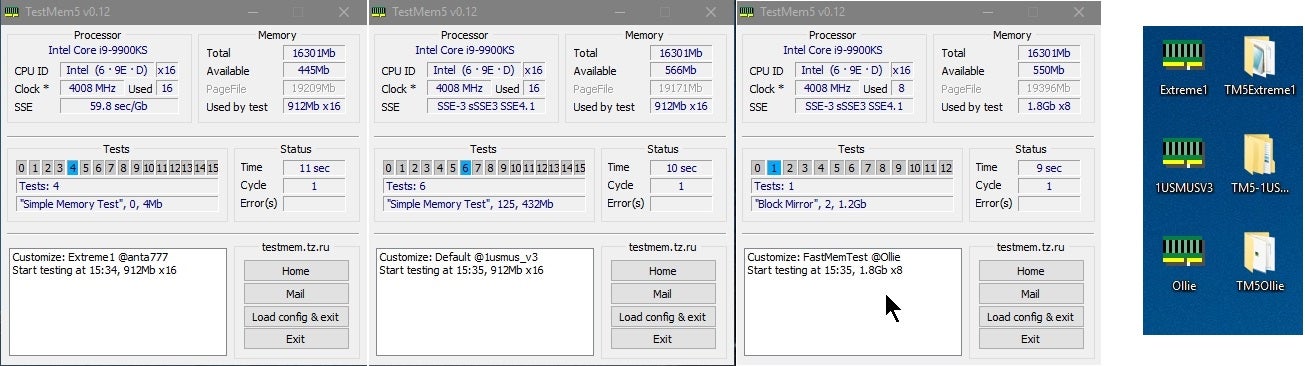
Overclock.net
steady lance
steel grove
Is this the right app? https://www.overclock.net/threads/memory-testing-with-tes...
Yeah.
Just the default config is fine btw.
sudden torrent
No, default is not stressful enough. You want one like anta extreme or pcbdestroyer
steady lance
How do I get those configs to work? I think I followed all the steps but they never work.
sudden torrent
steel grove
I forgot to set it to 3600
Make sure to enable xmp even if you're manually setting everything. It does affect a lot more than you think.
steel grove
it doesnt let me apply both
sudden torrent
What do you mean by both?
steel grove
i mean, it doesn't let me manually set and have xmp on at the same time
steady lance
Found the wrong timing. It was tRCD.
sudden torrent
That... Shouldn't happen
Every motherboard I've seen has let you enable profile 1 xmp and use that as a baseline
steel grove
steady lance
Just the default config is fine btw.
how long does the test last?
steel grove
sudden torrent
Every motherboard I've seen has let you enable profile 1 xmp and use that as a b...
okay, ill let the test finish and check again
sudden torrent
steady lance
How do I get those configs to work? I think I followed all the steps but they n...
I often have trouble with the anta profiles but pcbdestroyer usually just works on mine
steel grove
I probably didnt see it since I didnt scroll long enough
steady lance
sudden torrent
I often have trouble with the anta profiles but pcbdestroyer usually just works ...
Could you send me the link to the pcbdestroyer config?
 steady lance
steel grove
steady lance
steel grove
Test takes about 10m.
steel grove
should I stop it, enable xmp, leave the timings as I set them now and restart the test then?
steady lance
Nah let it finish
sudden torrent
steady lance
Could you send me the link to the pcbdestroyer config?

GitHub
C# WPF to automate HCI MemTest. Contribute to integralfx/MemTestHelper development by creating an account on GitHub.
steady lance
Ty
steel grove
sudden torrent
That... Shouldn't happen
I'm sorry yeah I didn't scroll down enough lol
I'm leaving everything else as I had it

Or should I change something else while I'm here?
steady lance
Could try seeing if 3800mhz boots.
sudden torrent
For now reboot and go back into bios so it sets voltages and sub timings correctly
steel grove
 steady lance
Btw if you send us a picture of the sticker on your ram, we can help you identify what ram chip (die) you have.
steel grove
sudden torrent
For now reboot and go back into bios so it sets voltages and sub timings correct...
Okay so no rebooting into 3800?
Just leave it at 3600?
 sudden torrent
steel grove
Just leave it at 3600?
sudden torrent
steel grove
Just leave it at 3600?
For now yeah, you can try 3800 after reboot but I'd recommend finding your memory die first
steel grove
Okay only changed docp to on
steady lance
I got the same frustrating error.

opens, gives a ton of error messages, then closes.
sudden torrent
Are you running as admin
steady lance
Yes.
steel grove
steel grove
Okay only changed docp to on
rebooted and got this

is everything as it should be?
should I retest or should I try 3800mhz?
steady lance
On Reddit it says it has smth to do with the config.
steel grove
ahhh, let me take out the ram and send you a pic
steady lance
Like the "Testing Window Size"
sudden torrent
steel grove
is everything as it should be?
At a glance yeah. That looks like micron memory dies to me.
You can get the other sensor data by updating bios and installing chipset drivers.
steady lance
Ram is in binary right? So 1024MB = 1 GB
sudden torrent
steady lance
On Reddit it says it has smth to do with the config.
Sometimes I've seen the program itself be corrupted, and you need to delete it and re-extract it to fix
steel grove
sudden torrent
At a glance yeah. That looks like micron memory dies to me.
You can get the othe...
Let me get the latest chipset drivers
sudden torrent
steady lance
Ram is in binary right? So 1024MB = 1 GB
Technically 1024 MiB = 1 GiB but yes
steel grove
And update my BIOS
steady lance
@sudden torrent it worked!
I had to change the Testing Window Size in the config because it was trying to test the wrong amount of ram or smth acoording to reddit,
steel grove
sudden torrent
At a glance yeah. That looks like micron memory dies to me.
You can get the othe...
I should say yes to everything here right?
 sudden torrent
yes
steady lance
formula in config is 0.8 multiplied by RAM AMOUNT divided by thread count
Which config is best for TM5 stress test?
sudden torrent
Extreme anta is good for a gaming stable test
Pcbdestroyer is a longer test that can find errors late in testing from heat
steady lance
gotcha.
steel grove
Omg I had a mini heart attack
I updated the bios but forgot to backup the tpm code
And it didn't let me boot
But I remembered that I had my old bios still downloaded
sudden torrent
TPM backup is only needed if you're using bitlocker
steel grove
I don't know if I'm using it 😅
I don't remember
I went back to the previous bios to verify if I had it on
sudden torrent
If you don't know then you aren't most likely, it's not something you can set up when you install windows. It's done after.
steady lance
Fal, any idea why sometimes all of a sudden when I exit out of bios my PC LEDs don't turn on past CPU lights?
sudden torrent
The debug lights or the RGB?
steady lance
Debug light shows CPU/dram, it gets past that then no lights but everything is spinning
sudden torrent
Fast boot
steady lance
Turn that off?
sudden torrent
If it's a problem for you then yes
Disabling that will force bios to recheck things like the GPU even if it registered as ok on the last boot
 sudden torrent
That is a separate but related thing
steel grove
sudden torrent
If you don't know then you aren't most likely, it's not something you can set up...
okay its off lol
 sudden torrent
Then you're safe to update and hit "Y" when it warns you about the TPM reset
steady lance
sudden torrent
That is a separate but related thing
Any idea where I can find fast boot?
sudden torrent
MSI right?
steady lance
Yes
steel grove
sudden torrent
Then you're safe to update and hit "Y" when it warns you about the TPM reset
Yeah that's what scared me lol
I'm updating again to 3404
I'm thinking of getting a 5700x3d when it comes out, It should just be a simple switch when I get it no? Bc I have the latest chipset drivers and BIOS
sudden torrent
steady lance
Any idea where I can find fast boot?
Looks like they removed it from newer bios versions. They probably rolled it into that memory context restore option.
steady lance
sudden torrent
Looks like they removed it from newer bios versions. They probably rolled it int...
Gotcha so I wasn't going crazy.
I tried looking for it the other day when Felix mentioned I should turn it off but could not find it at all.
How long does PCBdestroyer usually take?
sudden torrent
Between 3 and 8 hours depending on factors
sudden torrent
Yeah that's fine
 sudden torrent
Nice now you can see the fclk and such to make sure it's synced
steel grove
should I go for 3800 with everything as is?
or do you want me to take out the ram to see the sticker?
steel grove
G.Skill Ripjaws V 32 GB (2 x 16 GB) DDR4-3600 CL16 Memory (F4-3600C16D-32GVKC)
yeah this is my kit
sudden torrent
Perfect, g.skill has a code starting with 042 or 043 that tells you exactly what die the kit uses
So yes a sticker pic will help speed things up
steel grove
okay no prob, let me shut it down and take out the panel real quick
Do you need a pic of both?
Or just one of the sticks
sudden torrent
Nah just one
steel grove
Okay
sudden torrent
They're a matched pair so it'll be the same code
 sudden torrent
8821C is CJR
Dual rank CJR so 8Gb
So, the overclocking potential of those sticks will be limited
steel grove
Okay
sudden torrent
You might be able to run 3800 but don't spend too much time trying
steel grove
Should I just leave it as is?
Or should I try 3800 with everything else like it currently is?
sudden torrent
Try 3800 with tCL at 20
If that fails there's little hope of it working at that speed
steel grove
All three that are 19 at 20?
 sudden torrent
Just DRAM CAS
steel grove
Leave the rest as is?
sudden torrent
Yes
If it boots, go back into bios and set dram cas to 18 and see if it still boots
steel grove
Okay
sudden torrent
You can set up to 1.4v safely to help with higher speeds and lower CAS
1.45v is on the edge of safety for that die
Any higher and it degrades quickly
 sudden torrent
Awesome. Looks like you'll need to manually set fclk but that's a minor thing.
Yes
 sudden torrent
steel grove
Yeah that's weird it's different lol
sudden torrent
steel grove
Yeah that's weird it's different lol
It's because Zen 3 is coded to have a ceiling of 1800 fclk/uclk on auto, but most chips can do 1900 with little effort.
 sudden torrent
From here you can follow this guide, lots of tips and "why you should do this" https://github.com/integralfx/MemTestHelper/blob/oc-guide/DDR4 OC Guide.md#amd
GitHub
C# WPF to automate HCI MemTest. Contribute to integralfx/MemTestHelper development by creating an account on GitHub.
Or I can walk you through things one by one if you want the TL:DR version
steel grove
Hmm, can I test cl 16? And if not try that?
Or should I just go through those steps instead?
Also you told me to set this to 1900 right?
 sudden torrent
Yes fclk 1900. You'll probably need to adjust other voltages to get that working.
CAS 16 is a good goal but one for later
1.10 V SOC
0.95 V VDDP
0.95 V VDDG CCD
1.05 V VDDG IOD
Asus might call SOC "VDDCR SOC"

 steel grove
I can set them individually
sudden torrent
Oh I think asus calls manual control mode "override" mode
Then the setting appears below
 steel grove
sudden torrent
CLDO VDDP
steel grove
sudden torrent
CLDO VDDP
Ahh it's right there like that lol
Should I leave the vddp standby on auto?
sudden torrent
Yes
These are the voltage settings that are known to work for most chips and are perfectly within the safe margin
 sudden torrent
For now no, you want to check fclk and uclk for errors before you do anything else
Boot windows and open zentimings again
 steel grove
sudden torrent
Boot windows and open zentimings again
steel grove
sudden torrent
Boot windows and open zentimings again
With these settings right?
sudden torrent
yes
 steel grove
sudden torrent
yes
steel grove
sudden torrent
yes
what should I do now?
sudden torrent
Do you have hwinfo
steel grove
yeah
sudden torrent
Ok, have that running and watch the very last sensor. That's the WHEA error one, which is the kind of error the infinity fabric will throw if it's not running right.
A single error means it's not stable
steel grove
it doesnt have any errors rn
sudden torrent
Run your memory test again and watch it
sudden torrent
A good 30 minutes should tell you if fclk is stable enough
Oof, well no worries we play with resistances now
steel grove
I should just stop it right?
sudden torrent
Yeah no point continuing
steel grove
and go back to BIOS
steel grove
Omw there
steel grove
sudden torrent
Next thing is SOC to 1.15v and VDDP to 1v
Just that?
sudden torrent
For now yes
 sudden torrent
Better to let voltage handle the instability than tweak resistances up to a point
steel grove
Just run the test again right
sudden torrent
Yep, watching that WHEA counter again
sudden torrent
Define stable
"Able to run games without losing performance or blue screens" is a common one
sudden torrent
There's also "cannot lose any data or reboot under any circumstances" stable
This is enough for the first type lol
steel grove
Can I use discord on the PC while running the test? Or should I just leave it running alone?
sudden torrent
You can
Just open discord first before the test
The test will use whatever memory is available
 steel grove
sudden torrent
The test will use whatever memory is available
steel grove
sudden torrent
The test will use whatever memory is available
What should I do next?
sudden torrent
Excellent, next you can do trrds and trrdl to 4, tfaw to 16, twr to 16, and trtp 8
Those should all be easy enough for the memory to do at 1.4v
And they speed up testing time
steel grove
Okay I'm going to BIOS
steel grove
sudden torrent
Excellent, next you can do trrds and trrdl to 4, tfaw to 16, twr to 16, and trtp...
That's in dram timing control right?
steel grove
sudden torrent
Those should all be easy enough for the memory to do at 1.4v
This and retest?
 sudden torrent
Yep
sudden torrent
trrdl 6
steel grove
Will do
sudden torrent
If it survives this test then I'd save a profile in bios so you can get back to this point quickly
sudden torrent
100% good practice to do that periodically
steel grove
I want to do a profile of just the regular 3600 cas 16 stock profile too
For regular use
sudden torrent
Well for that all you need to do is reset to defaults and then load the xmp profile
sudden torrent
After you save the profile you can set trfc to 500, which sets it to a little over 260ns at 3800. CJR should be able to do 260ns, or if you're unlucky 280ns which would be setting 530.
Don't worry about trfc2 or trfc4, AMD doesn't use those so you can ignore them
steel grove
I'm sorry to ask, but theoretically, how far am I from cas 16 no data loss stable? lol
sudden torrent
We'll find out soon
 sudden torrent
You want to get SCLs stable before CAS, since they have a higher impact on performance
steel grove
Where do I make a profile
NVM sorry found it

I should be able to reset now right?
sudden torrent
Yep
steel grove
Can I just default the AI tweaker?
sudden torrent
Technically yes
steel grove
I can't find an option for this lol
sudden torrent
You'd need to reset each option to auto lol
sudden torrent
Easier to just "reset to defaults" on the exit menu
steel grove


This should be it right?
Just for regular use and gaming while I'm finished OCing
I'm leaving it at this for regular use.

Atleast we did some good progress today right?
Thank you for everything! I won't be able to continue today, but I'll try Sunday. I'll leave it as is meanwhile.
sudden torrent
Sounds good. Enjoy your saturday.
steel grove
thank you again for introducing me to OC lol
I've been scared of trying it for the longest time haha
sudden torrent
Happy to help. It can be scary at first with all the warnings and disclaimers but it's really hard to hurt anything in reality.
steel grove
yeah that's what kept me away
sudden torrent
The only thing that can potentially damage things is voltage, and I'm keeping you well under the safe limits so no worries there
For example, vsoc is safe up to about 1.3v
steel grove
so voltage is the only dangerous thing here?
the rest only should be harmless bluescreens no?

I'm leaving it like this.
I'll be heading to sleep, thanks again.
sudden torrent
Yep the only risk with timings is losing data or corrupting the OS, which are generally easy to avoid or fix
steady lance
@sudden torrent, my ram survived PCB Destroyer at 52c.
steady lance
What speeds can most A-die do de-synced?
kind walrus
That's really open ended
Like, 8000+
I'd have no idea for 64gb
Desynced is also a huge push to make it in any way worth a small gain
Bit like PBO in a way lol
steady lance
I am just curious how high my ram can clock to.
steady lance
kind walrus
Bit like PBO in a way lol
I plan on over locking my CPU next once I finish fclk and final primaries. Does 7950x3D also have that 200mhz limitation?
sudden torrent
64GB will be the limiting factor in your RAM speed. You'll hit the memory controller limit before you hit the die limit.
You can't overclock X3D, you can only use curve optimizer.
steady lance
sudden torrent
64GB will be the limiting factor in your RAM speed. You'll hit the memory contro...
X3D I can use PBO and CO right?
kind walrus
steady lance
I plan on over locking my CPU next once I finish fclk and final primaries. Does...
If it's anything like mine, you'll probably have zero headroom on the vcache chip
kind walrus
steady lance
X3D I can use PBO and CO right?
Can, not much point to it tho
steady lance
I just can't mess with voltages like I did on my 5700G right?
steady lance
kind walrus
Can, not much point to it tho
I enjoy the tuning process.
kind walrus
I can see that since you've spent like a week or two on what I spent a day 
steady lance
xD yes
steady lance
Hoping when I get back home that my ram passed PCBdestroyer.
steady lance
I am reading about 7950x3D over locking and noticed is it really abnormal that my CPU stays around low to mid 70c during load?
Every article I am reading shows their cpus hitting 89c under load at stock.
 steady lance
Oh custom loop?
kind walrus
Yes
steady lance
How's the maintenance on a custom loop and when you move the PC do you need to take the whole thing apart?
Custom loops seem super fun to me cause I can picture all kinds of layouts.
kind walrus
I don't need to take it apart
It's heavy af for basically no benefit
If I didn't already have the loop I'd be on air cooling now
Maintenance is 6 months to a year but depends on a lot of factors
steady lance
What would some of the big factors be?
Weight isn't a big issue for me, I am used to moving my 60lb PC everywhere I move.
 proven canopy
Custom loop because you want to, not because you need to
Are you running maxed negative co?
steady lance
Just got home to check my TM5 run and these timings passed PCB-Destroyer!

Just need to tune tWR and FCLK and I'm finished for ram.
steady lance
proven canopy
Are you running maxed negative co?
If you're asking me, then no. I have not tuned my CPU yet, that's next in line though.
proven canopy
steady lance
Just got home to check my TM5 run and these timings passed PCB-Destroyer!
I would sure hope so at 1.6 vdimm lol. You don't need nearly that much
steady lance
proven canopy
I would sure hope so at 1.6 vdimm lol. You don't need nearly that much
xD, the jump from 1.5 to 1.6v made a decent difference for me.
steady lance
proven canopy
I would sure hope so at 1.6 vdimm lol. You don't need nearly that much
Do you by any chance know if it's fine to leave VDDIO and VDDQ at 1.6v? My mobo sets those equal to Dram voltage by default. I'm running likely Hynix A.
my temps are 48-52c during long stress tests.
sudden torrent
He has a fan over it at least so it's at about 50-52C
You are right though, 500 sounds more like M die
 wheat lintel
It’s safe ik but I feel 1.6V is still high for his frequency and timings
sudden torrent
We've tried to convey that to him before
wheat lintel
Ahh
steady lance
wheat lintel
This is A-die? tRFC seems high for it
tRFC refused to boot at 450.
And yeah my ram peaks at about 52c with PCBdestroyer and is usually in the mid 30s to low 40s
sudden torrent
400 is pretty common for A die so it very well could be M die
Which is still good
sudden torrent
A is better technically but both are more than enough for AMD
sudden torrent
Even Samsung would be good enough for AMD really, but not as good for the future carrying it forward once DDR5-7200 becomes a common jedec standard that everything can run
The benefit of A/M die is it can hit 8000 on common sticks, but it's not stable on many current memory controllers
sudden torrent
Probably not on your current CPU
There might be one or 2 timings you can get down but nothing significant
steady lance
what are those?
sudden torrent
tWTRL and tWR possibly
steady lance
I already tuned tWTRL, only timings left are tWR and tRFC2/SB
sudden torrent
Those last 2 you can ignore on AMD, they're not used
steady lance
My new stable timings.
- tWR dropped to 66 from 90.
- FCLK upped to 2200
I will try FCLK 2300 later today.
 steady lance
kind walrus
higher fclk ≠ faster performance
steady lance
kind walrus
higher fclk ≠ faster performance
I forgot, what does that symbol mean again?
kind walrus
does not equal, does not mean, is not the same as
steady lance
How do I check for FCLK performance?
proven canopy
steady lance
Thanks.
steady lance
FCLK 2200 definitely was not 100% stable, I had a idle crash.
sudden torrent
If it's crashing then you're way above where you should be. Normally it'll just silently correct the errors, losing a little performance in the process.
steady lance
Just incase it was tWR I've returned fCLK to 2000 and ran multiple rounds of pcbdestroyer, it was definitely fclk.
 abstract merlin
Im thinking about overclocking my ram since it seems like free performance, I guess. It doesn’t look like much of a boost from what I’ve seen but why not
I have 3200 dimms right now. I don’t remember my timings completely but I think its 16-18-18-something
Gotta check later
I dont think my performance increase will be that large because I am not using a high end gpu pushing out really high frame rates
sudden torrent
Odds are pretty high that you have a C die kit with those specs, so your overclocking options will be limited but there's still a few things you can tighten on subs, if you're lucky you can get it to 3600 18-20-20.
proven canopy
If you have Hynix CJR - check the ddr4 guide in the pins #overclocking message
abstract merlin
sudden torrent
Odds are pretty high that you have a C die kit with those specs, so your overclo...
I was thinking about going to 3600 with timings similar to that too 
I will check now
abstract merlin
sudden torrent
Odds are pretty high that you have a C die kit with those specs, so your overclo...
I dont know who makes that kit, but all I can find is sk hynix in software. All I know is sk hynix, micron and samsung b-die
sudden torrent
What software are you looking at?
abstract merlin
sudden torrent
What software are you looking at?
There was a program I dont remember the name of that I am looking for but I used cpuz and just downloaded some pcmark thing 
sudden torrent
Was it thaiphoon burner?
abstract merlin
The program im trying to remember even showed theoretical configs you should be able to run at
abstract merlin
sudden torrent
Was it thaiphoon burner?
Not sure, maybe
sudden torrent
Well if the CPU-Z SPD tab says "Hynix" by DRAM Manuf. I'd be inclined to guess you have CJR, aka H8C
So you can follow the DDR4 guide with that in mind when you get to the timings
abstract merlin
Ok burner is showing A-die under the die density
abstract merlin
sudden torrent
So you can follow the DDR4 guide with that in mind when you get to the timings
Sure
sudden torrent
Thaiphoon really only guesses at it. It said my Samsung C die kit was B die
It is good for finding the manufacturer at least
abstract merlin
sudden torrent
Thaiphoon really only guesses at it. It said my Samsung C die kit was B die <:ke...

sudden torrent
Do you know the brand of memory the sticks are from? After double checking, AFR could be possible but that's a very old die.
If it's g.skill or corsair there's a code on the label that will tell you exactly what it is
Patriot too, to a lesser extent
If you're not sure you can find that in CPU-Z too, it's the "Module Manuf."
abstract merlin
sudden torrent
If it's g.skill or corsair there's a code on the label that will tell you exactl...
I have some 5 year old g.skill trident sticks
During the ram shortage of that time
sudden torrent
Perfect, there's a code starting with 042 or 043 on the label. The last 5 digits of that code tell you exactly what they used. You might need to take out a stick to get at it.
abstract merlin
sudden torrent
Perfect, there's a code starting with 042 or 043 on the label. The last 5 digits...
Yeah thats a thing I can only find by taking it out
Last 5 are 8820C
sudden torrent
Yeah that's AFR which is not good for overclocking.
abstract merlin
Brutal
sudden torrent
That doesn't mean you shouldn't try, you can always tighten timings even if it's not likely to go above 3200
You can start with the "safe" timings in the guide
abstract merlin
sudden torrent
Yeah that's AFR which is not good for overclocking.
Yet typhoon said it was hynix a die
abstract merlin
Oh is afr and a die the same thing?
sudden torrent
Yes different naming schemes but same die
sudden torrent
It's not really common knowledge even among an average overclocker so it's fine
 abstract merlin
kind walrus
Don't use over 1.45v
abstract merlin
kind walrus
Don't use over 1.45v
Alr. About degradation, how long does ram typically last when not touched? These sticks I have are going towards 6 years
kind walrus
Just don't take it above what's suggested
Work with an even lower voltage limit if you want to be sure
abstract merlin
True, im just curious
kind walrus
Well when someone says observed degradation it's probably a few months or a bit longer in the case of the internet
abstract merlin

abstract merlin
Brutal dyno pill
There are a lot of secondary timings. Do I have to worry about any of these or am I good focusing on the 4 main timings
We bouta find out
Ima test this with the testmem version you guys linked
I ran it for 3 minutes at 3600 18-20-20-40 with no errors
abstract merlin
abstract merlin
I ran it for 3 minutes at 3600 18-20-20-40 with no errors
Now I wanna try 3600 but with the old timings. Ima run it for longer to see if it crashes or something
abstract merlin
abstract merlin
Now I wanna try 3600 but with the old timings. Ima run it for longer to see if i...
2 immediate errors
kind walrus
abstract merlin
There are a lot of secondary timings. Do I have to worry about any of these or a...
The 4 main don't do much
Seconds and terts do a lot
abstract merlin
I went from 3200 16-18-18-38 to 3600 18–20-20-40 at the same voltage. I think ima leave it for now because I dont know much about this
abstract merlin
kind walrus
The 4 main don't do much

kind walrus
abstract merlin
<:hmmyesinteresting:891742808749277194>
It's the whole reason XMP doesn't really matter much in a lot of cases unless the frequency difference (MHz/MT.s) is huge
abstract merlin
im having frame drops so ima leave it on default and take the L
sudden torrent
kind walrus
8gbit hynix CJR
You'd think that but according to the ddr4 overclocking wiki 8820C is AFR. Granted there's only 2 entries and they're guesses based on SPD so it could be wrong, but that's the only AFR on the table.
kind walrus
sudden torrent
You'd think that but according to the ddr4 overclocking wiki 8820C is AFR. Grant...
I used the guide lol
C is the revision
 tall pelican
thaiphoon absolutely reads cjr as afr

there's no way in hell 8gbit afr is even posting 4500mts
 faint tangle
tall pelican
there's no way in hell 8gbit afr is even posting 4500mts
faint tangle
tall pelican
there's no way in hell 8gbit afr is even posting 4500mts
But what if it tried really really hard...
kind walrus
faint tangle
But what if it tried really really hard...
It would get an A for effort and a C for lying about it.
steady lance
Okay, that was odd. I had a random crash earlier, turned tWR up to 72 and been running same stuff for a few hours, no crashes thus far.
steady lance
Does HWinfi read dram bus read/write in MB or Mb?
steady lance
mvm
 zenith palm
 deft quiver
Increase voltage
deft quiver
Increase voltage
No necessarily depends on the die
Increasing voltage can be an awful idea they may be on the max of what is safe for their die currently
 sonic brook
Can ram overclocking go any amount over what the motherboard is listed to be capable of? and is it good to have a buffer of the motherboard's stated ram speed limit over the overclocking target speed?
sonic brook
What can I get up to with this ram kit, this CPU, and this motherboard?
https://www.newegg.com/g-skill-64gb/p/N82E16820374432?Item=N82E16820374432
https://www.newegg.com/intel-core-i9-12900k-core-i9-12th-gen/p/N82E16819118339?Item=N82E16819118339
https://www.newegg.com/asus-tuf-gaming-z690-plus-wifi/p/N82E16813119554?Item=N82E16813119554
kind walrus
I wouldn't know
It's early z690 with 64gb of A die
Better than xmp but not sure how much, it would vary board to board
6800+?
faint tangle
6600-6800 prolly
sonic brook
And I think you said going over 6800 wasn't worth it?
sudden torrent
It starts to get unstable above that
Random errors and blue screens for no apparent reason, but it passes every memory test except for the week long test that it gets one error 5 days in
deft quiver
sudden torrent
Random errors and blue screens for no apparent reason, but it passes every memor...
Bruhhhh that's to long
That error could of been cosmic rays
sudden torrent
No other explanation existed for that result. 7200 - error. 6800 - pass the 7 day test.
And it is repeatable
faint tangle
^
wheat lintel
kind walrus
6800+?
Doubt, daily stable? I’d say 6400 at best
6600 was kinda doable and 6400 still was hit or miss with a lot of voltage tuning on my 2x32 A-die with a Z790
steady lance
Is it possible for 1.6v on Hynix A or M die to cause my ram to degrade to the point where XMP requires extra voltage to work within a week?
My pc has been having some random crashes here and there so I am trying to figure out what might be the cause.
Crashes never happen during gaming even on the infamous game ark. I notice it during browsing on Chrome or when using Curseforge launcher.
kind walrus
wheat lintel
6600 was kinda doable and 6400 still was hit or miss with a lot of voltage tuni...
Yeah but yours was gigacope
kind walrus
steady lance
Is it possible for 1.6v on Hynix A or M die to cause my ram to degrade to the po...
1.6 is definitely high and unnecessary for your 6400 tune
That said, degrade? I don't think so
I'd say crashes and bsods slowly occuring is a strong sign your tune isn't stable
Like the slow creep in of a corrupted windows install basically
Been there, done that, many years ago 💀
wheat lintel
kind walrus
Yeah but yours was gigacope <:kekw:741678350791081994>
That same gigacope board can do 7800MT/s daily stable on 2x16
kind walrus
That's not translating very well
It should do better on 2x32
The gap isn't that huge
steady lance
kind walrus
1.6 is definitely high and unnecessary for your 6400 tune
Is it possible Chrome and Curseforge got currupted on my end?
Cause that tune I did was completely stable on everything except Curseforge and Chrome and when I changed everything back to XMP I was still experiencing issues with specifically those two apps.
kind walrus
steady lance
Cause that tune I did was completely stable on everything except Curseforge and ...
What did you stress test with
steady lance
PCBdestroyer and whatever that other one you guys recommend for TM5 was called.
Passed multiple rounds of both.
TM5 with PCBdestroyer and Anta Extreme profile. I had done multiple rounds of both back to back without issue.
kind walrus
Did you do a large test like vst?
steady lance
what is VST?
kind walrus
Y cruncher
steady lance
Is it free? If so, I will test that out.
kind walrus
Yes
steady lance
I am also gonna reinstall chrome and curseforge before hand on my current XMP profile with slightly extra voltage just to see if corruption is the issue.
kind walrus
Also try this
Reddit
Explore this post and more from the Amd community
Or also set power supply to "typical current idle" in bios
Those are a couple potential fixes for idle/low power state crashes
Otherwise, I'd go back and start dialling back the ram tune imo
Run xmp for a few days for example and see if the crashes still occur
If they do try reinstall windows and see if it's better again
if so
The tune was unstable
Or rather, even if they don't occur anymore then the answer would be the tune was unstable still
steady lance
Hmm okay.
just reinstalled chrome and curseforge, updating gpu drivers while I am at it.
well so far so good.
reverted back to old settings after reinstalling and so far no crashes within the first like 10m of browsing
proven canopy
vst in the pins
wheat lintel
steady lance
PCBdestroyer and whatever that other one you guys recommend for TM5 was called.
Definitely not stable if that’s all you tested with
sonic brook
Is it better to have a higher limit on ram from the motherboard than you need?
faint tangle
sonic brook
Is it better to have a higher limit on ram from the motherboard than you need?
I mean, not really but it also doesn't necessarily mean you should max it out
Like b550s support 4400mhz but no way you should try it
sonic brook
I was thinking more like going up to 6400 on a 7800 board
Is that preferrable to going up to 6400 on a 6400 board? (I don't know if a board with that exact limit exists, this is for sake of argument)
steady lance
Since re-installing chrome I have not had any crashes so far.
Beginning to think the problem was that chrome had become corrupted during the testing phases earlier on.
sudden torrent
sonic brook
I was thinking more like going up to 6400 on a 7800 board
6400 on current AMD chips may or may not work without desynchronized UCLK. If it does work, unless you're very lucky it will require manual tuning.
Don't desync if you can avoid it. 6000 is generally considered the "safe" spot on AMD that most chips can run with little effort on your part.
You can overcome the latency penalty you get, but you need to get a very high end board to do it by getting the memory above 8000.
sonic brook
What about Intel?
faint tangle
Intel can do in the 7000s and beyond fairly consistently
Well 13th-14th gen, I can't say that for certain with 12th gen
kind walrus
sonic brook
Is it better to have a higher limit on ram from the motherboard than you need?
Usually means better compatibility yes but there are way more factors than just that one number
sonic brook
kind walrus
Usually means better compatibility yes but there are way more factors than just ...
Go on...
faint tangle
What cpu you have, what mobo, what ram costs, if you're ram tuning, a lot
sudden torrent
sonic brook
What about Intel?
Intel can get weird instability at extremely high speeds. Exactly what point varies by CPU, motherboard, and pure luck in the silicon lottery. The point of instability is usually 7000-7400 but I have seen cases where 7600 was perfectly stable long term.
When I say instability here, I mean random errors and blue screens. You can still pass benchmarks and many stability tests, unless you get that one random error.
sonic brook
faint tangle
What cpu you have, what mobo, what ram costs, if you're ram tuning, a lot
I have
https://www.newegg.com/intel-core-i9-12900k-core-i9-12th-gen/p/N82E16819118339?Item=N82E16819118339
https://www.newegg.com/asus-tuf-gaming-z690-plus-wifi/p/N82E16813119554?Item=N82E16813119554
Thinking of replacing with
https://www.newegg.com/intel-core-i7-14700k-core-i7-14th-gen/p/N82E16819118468?Item=N82E16819118468
https://www.newegg.com/p/N82E16813162149?Item=N82E16813162149
faint tangle
Get an a die kit and you could likely easily do 7000, I dont know what timings. I dont know A die tuning at all
kind walrus
sonic brook
Go on...
cpu imc, motherboard trace signal quality, ram quality, motherboard training algorithms, bios version, mounting pressure, cooling capability, cosmic rays, alignment of the planets
etc etc
sudden torrent
I don't know about "easily," a fair bit of luck is involved for it to be considered easy as xmp. Lots of tuning and voltage tweaking is often required. 12th gen is also weird in that it's very particular about what is stable and what isn't when you're running on the edge.
I assume it's similar on 13/14th since Intel didn't change the memory controller much, just the motherboards got better generally.
tall pelican
sudden torrent
Intel can get weird instability at extremely high speeds. Exactly what point var...
to 2nd this, I just had a cyberpower prebuilt come in with a 13900k, asus tuf z790 and 7200c34 gskills, and it was instantly unstable in occt mem
wheat lintel
sudden torrent
I don't know about "easily," a fair bit of luck is involved for it to be conside...
3rd this, I’m running Teamgroup 7200c34 2x24 on my 13900k, Z790 Aorus Master on auto voltages and everything and perfectly stable
A whole lotta luck on high freq XMPs
 granite canyon
I'm absolutely sure you guys get this along. I am upgrading to 14900k and 7200mhz memory. On cpu specs online it says its limited to 5600mhz ddr5
Is this accurate?
kind walrus
That's the rated jedec
I.e the base speed it's validated up to
14900K should be able to do well north of 7200
with the right motherboard
*and ram capacity
granite canyon
32gb 7200 (2 x 16) nzxt n7 z790
kind walrus
I have no idea how good that n7 is but it's asrock derivative and a 4 dimmer so I'd say good luck for trying to get 7200
The outlook is bleak
faint tangle
Yeah I'd try like 6800
Nzxt lga1700 mobos have not historically been good for ram tuning
granite canyon
faint tangle
Nzxt lga1700 mobos have not historically been good for ram tuning
I don't need full speed 🙂
granite canyon
kind walrus
I have no idea how good that n7 is but it's asrock derivative and a 4 dimmer so ...
Dude at the pc shop said i could get it to 7200 but I saw the online info so I got scared
But I get you
I took it in cos my old 11900kf wasn't working properly with my 4080. Crazy bottleneck.
kind walrus
Believable
granite canyon
Showed him my upgrade plan and he said it should work
kind walrus
Is this just for gaming
granite canyon
kind walrus
Is this just for gaming
And music production and editing
granite canyon
Was saying performance was awful and I got the same fps as my 3060 and 11600k. Old cooler new thermal paste
Temps don't go above 65
kind walrus
What cooler is it
kind walrus
H-
granite canyon
H?
kind walrus
Ok can I make a couple suggestions
granite canyon
Yup
granite canyon
I want a 360mm one but I'm stuck on 240for now
kind walrus
@granite canyon https://pcpartpicker.com/list/sZtJqR
Part List
I would suggest these options
The ram you can swap in, clock up
Or change to a nicer board, one I could ascertain 7200
granite canyon
kind walrus
<@775477723048181830> https://pcpartpicker.com/list/sZtJqR
Sick the. My ram is g skill trident z5
granite canyon
kind walrus
The aio I would swap to regardless
Cos it's corsair? Lmao
granite canyon
OK OK cool thanks
granite canyon
But thermalright works? I might just get kraken 360
kind walrus
Kraken uses a new asetek pump but it's so expensive for very little benefit
kind walrus
The thermalright should hit 98% of your requisite for $55
kind walrus
granite canyon
Wanted lcd luke a dunce
Go get an old phone out with a usb cable
And install "superdisplay"
Wire it into your case
Full blown screen for a couple $
Much better than a tiny little aio lcd
granite canyon
Lmao. May just buy an old smart watch and 3d print a housing
kind walrus
Those you pay too much for
faint tangle
granite canyon
But thermalright works? I might just get kraken 360
If you want "better" go ek 360 at $100-110
But the thermalright edge is plenty
kind walrus
granite canyon
Lmao. May just buy an old smart watch and 3d print a housing
Hey that's a great idea
I'll remember that
Keep us updated on it
I would love to see it work
kind walrus
Sure
granite canyon
To ask
granite canyon
kind walrus
I would love to see it work
Gonna be doing a bunch of cool stuff using lcd and watch quartzes. Some motors too (haptic knobs for software control)
As soon as I'm set up with oc
Pc


 blazing blade
anyone know what die this is?
 sudden torrent
All I can tell is it's 3200c16 so it could be just about anything
kind walrus
Unlikely to be anything too amazing
I don't know how to read hyperx codes either unfortunately
kind walrus
If it's c die stick to 1.35v and no more
C die can degrade above that iirc
If you mean
samsung c die
blazing blade
Ok
Might be Hynix but I’m not sure
Thaiphoon burner said Samsung but when I search my ram stick online it says Hynix
sudden torrent
Thaiphoon reads the SPD data off the stick so the manufacturer's usually correct. It guesses on the die.
kind walrus
Thaiphoon is often hilariously incorrect
Ye if you can read the spd then that would be right
Manus often change their supplier
You can double check with cpu-z
Cpu-z I'd trust more
sudden torrent
blazing blade
Thaiphoon burner said Samsung but when I search my ram stick online it says Hyni...
It wouldn't be the first time they used multiple different dies in the same model of stick
Especially something as generic as 3200c16 which could be almost anything
sudden torrent
I've even seen the most cursed stick ever. 3200c16 Corsair B-die. The worst bin B-die I've ever seen on the worst PCB.
kind walrus
We witnessed this together
It ran like c die
Corsair lpx 5.31
Or was it 4.31
It was def a b die
Either way it refused to go above 3600
sudden torrent
4.31 is B die
sudden torrent
Was it you that had the Corsair 3200c16 B-die
 late topaz
Believe so
sudden torrent
Well it's gone down in legend at this point
late topaz
sudden torrent
Well it's gone down in legend at this point
I was wondering why I was pinged in a server I was dead in
I still have them mainly because I can't get myself to buy better ram
wheat lintel
kind walrus
They were black lpx sticks iirc
Corsair also does some funny stuff with DDR5 too
Cutdown H16A 
sudden torrent
At least the PCB isn't awful like DDR4
sudden torrent
They probably dug them out of the reject bin like they've always done, and just chopped off the bad part
wheat lintel
True, the XMP was like 5600c36 iirc
steady lance
Been a few days since reinstalling curseforge and chrome. Since then I've had no issues on my OC.
Software was definitely corrupted I think from the unstable OCs haha.
steady lance
Welp, as much as I hate to say it I think my Windows might be corrupted.... Reverted back to XMP and still getting rare once in a blue moon crashes,
If everything is running stock (XMP) and I still experience crashes now and then completely randomly is it safe to assume my windows likely got corrupted during the period where I was overclocking?
sudden torrent
Generally you don't use your main OS for overclocking for this reason
steady lance
sudden torrent
Generally you don't use your main OS for overclocking for this reason
Think it's likely a windows corruption then?
Worst case I don't keep anything important on my boot drive so I am just trying to figure out what the issue is then the solution.
Gonna leave my pc on overnight to see if it crashes cause when it crashed, both times one thing that was consistent is that I had the CurseForge launcher open vs all the time that I didn't have it open and my pc was just fine.
sudden torrent
It's entirely possible that reinstalling windows will fix it
But narrowing down common factors is good too
steady lance
cursegorge and proton vpn have been common factors
steady lance
sudden torrent
It's entirely possible that reinstalling windows will fix it
i think i will just do this tomorrow to wipe out a long list of possible issues
steady lance
Left the pc on overnight, no crashes.
steady lance
gonna reinstall windows.
steady lance
Run the highest frequency you can with the tightest timings, benchmark, then compare between the different combinations to see which performs best.
I'd do at least 5 runs on each freq/timing combination of your choice to get an average to compare with.
kind walrus
C die usually caps at about 3600
Run it with 1.35v or less to avoid degradation
If you can see higher, play with it, but posting ≠ stable
P95 large or small
Mmm.... I'd still do a bit of a proper test
VST is pretty solid
Ye
I've heard of vram+large before
Though I don't use it myself, feels more like a more outward test than something I would consider to be direct
Tools I use are tm5 for am4 especially
Vst
FFT*
Occt large
Occt vram I'd use more for a gpu lol
Tm5 anta777 is really good
Absolut too
Tm5 I would make the case has been historically the most thorough for am5
Play with 3733 and 3800 tho, test them on a dummy windows
If they work that's an impressive result for c die
Higher freq. Is the most linear uptick for AM4 due to fclk sync
But yeah you should test each, sometimes you can be stable on a higher frequency but less fast
wheat lintel
That’s not specifically for ram, that’s testing your fclk for stability
Actually testing ram for stability you’re looking for ycruncher FFTs and VST, TM5 PCBD and Anta777Extreme and OCCT mem test
kind walrus
Oh it was fft's I was trying to think of
Not vtt
I knew there was a second test I just can never remember the name
 short blade
if you want to be really rigorous with your testing you can run occt 3d alongside ram tests so your gpu is dumping heat into your case
not sure how heat sensitive c-die is though
sudden torrent
It's not because it'll rarely be above 1.35v
 misty socket
Has anyone run into the issue where they cant undervolt in Intel Extreme Tuning Utility even after turning on the microcode selection on MSI bios? Im running the one from january 2024 on an MSI MEG Z690 Unify
kind walrus
@misty socket what cpu
kind walrus
Use bios
misty socket
kind walrus
<@170682312340668416> what cpu
I7-14700K