#building-and-recc-chat
1 messages · Page 1219 of 1
 jagged ember
jeez
 earnest olive
at that point I'd just keep the EVGA 3070 lol
 cursive wharf
Yeah I'd just tell him to replace the EVGA fans with the noctua fans right there
earnest olive
he wants to straight trade his non-LHR 3070 for a noctua 3070 that's going to be LHR
jagged ember
does he just want it because he wants noctua fan
earnest olive
it's not worth paying effectively $250 for a fatter heatsink that you'll have to deshroud
jagged ember
cause he could just duct tape the fans into it
earnest olive
jagged ember
does he just want it because he wants noctua fan
he said he wants it for the theme lol
jagged ember
dude just hydro dip the damn thing
cursive wharf
I mean, who doesnt want to support an overrated company that doesnt really even have the best fans
 autumn wolf
for noctua theme build since he has a noctua cooler, theme cables and fans below the gpu so why not noctua theme gpu. problem is it wont fit unless he gets a new case
jagged ember
that would theme it up a lot
earnest olive
autumn wolf
for noctua theme build since he has a noctua cooler, theme cables and fans below...
and he's effectively paying $250 for it
cursive wharf
Except GPU shroud is black isnt it?
earnest olive
non-LHR 3070 to LHR 3070
jagged ember
also
autumn wolf
cursive wharf
Except GPU shroud is black isnt it?
gpu shroud on the noctua is slighly brown ish
jagged ember
wait what is his cpu fan configuration
autumn wolf
its pulling air from the back
cursive wharf
Literally tiny bit of brown lol. Just do some painting on the EVGA GPU
 jagged ember
rises to the top?
oh yeah it is black!
just literally custom print the Asus x noctua lmao
on a sticker
boom, done
earnest olive
imagine noctua 3090 that has that 4.3 slot cooler below and then an extra layer of small heatsink and 15mm fans over the backplate
to fill the slot above it lol
gotta get some active vram cooling
gonna break compatibility with a lot of mobos though
cursive wharf
Just put a D15 on both sides
cursive wharf
Dont forget the two on the side, and one on back/front
earnest olive
giving my 3080 active vram cooling did almost nothing :(
cursive wharf
Best case for 3080 I heard was 5c less or smth
earnest olive
I put intel heatsink on top of vram area on pad modded backplate
with thermal paste
and put a case fan on top of the intel heatsink
earnest olive
yup
jagged ember
sad
earnest olive
still 82c
cursive wharf
I mean that do be lotta inefficiencies. Kinda gotta do direct heatsink
jagged ember
lmao I just remembered I just held amd heatsink to the back of my laptop
when it was running really hot
earnest olive
I thought it would do something cause the backplate gets hot enough to burn skin
earnest olive
I wanted to remove heat from the backplate so it could absorb more from the vram
cursive wharf
I was lazy with my RAM cooling. Literally just AMD heatsink+fan sitting on RAM. Thinking about removing heatsink for better airflow soon tho
earnest olive
since it's metal and has direct pad contact
jagged ember
my ram cooling is just 2 p12s
 jagged ember
earnest olive
I wanted to remove heat from the backplate so it could absorb more from the vram
jagged ember
earnest olive
I wanted to remove heat from the backplate so it could absorb more from the vram
actually maybe do that
earnest olive
jagged ember
actually maybe do that
that's what I was doing tho
cursive wharf
My bdie normally gets to like 40c just gaming. Stress tests be like 43c. I get errors on anta at like 45c
jagged ember
ohh
earnest olive
it just didn't actually help the vram temps
earnest olive
my rev. e chills at like 47c during normal use/gaming
55c during stress test with a 3080 blowing heat over it
 fossil cedar
Lmao that's a 4 slot card why would you put in an itx
jagged ember
for the aesthetic bro
earnest olive
tRFC starts having problems at 63c
jagged ember
he needs everything to be noctua
earnest olive
I included ram temp as a sensor for my case fan curves
so it went down from 63c to 55c
cursive wharf
fossil cedar
Lmao that's a 4 slot card why would you put in an itx
Gotta get that brown plate
https://media.discordapp.net/attachments/589689072692494356/906920153147666432/w800203_678x452.png
 earnest olive
and no problems at 55c
jagged ember
aw yeah
earnest olive
cursive wharf
My bdie normally gets to like 40c just gaming. Stress tests be like 43c. I get e...
maybe b-die is a bad idea in california lmao
fossil cedar
cursive wharf
Gotta get that brown plate
https://media.discordapp.net/attachments/589689072692...
Heard of idk paint?
cursive wharf
fossil cedar
Heard of idk paint?
Paint?? TF is that????
fossil cedar
earnest olive
I've had 42c ambient in my room before
How where you alive
jagged ember
cursive wharf
Gotta get that brown plate
https://media.discordapp.net/attachments/589689072692...
totally couldn't 3dprint a heatsink for the 3070 and attach noctua fans to it
earnest olive
fossil cedar
How where you alive
I abandoned PC to hide downstairs
jagged ember
what even is 3d printing
 obsidian wigeon
just don't print one
obsidian wigeon
slap noctuas on bare heatsink
fossil cedar
cursive wharf
Paint?? TF is that????
Idk some sort of liquid people slap on their walls cars, among other things
jagged ember
linus level engineering
earnest olive
linus:
obsidian wigeon
linus engineering actually works
earnest olive
we water cooled paint!
cursive wharf
fossil cedar
Idk some sort of liquid people slap on their walls cars, among other things
Witchcraft
jagged ember
actually yeah it kinda did lol
fossil cedar
obsidian wigeon
linus engineering actually works
Well it kinda works, noctua asus gpu still cooler
fossil cedar
earnest olive
we water cooled paint!
Well i mean if linus can do it with cement x)
obsidian wigeon
true
earnest olive
waiting for the linus video where he water cools linus

 thick jungle
need help or opinions on this build
it's a build for gaming, streaming, school, and accounting
changes on motherboard, cpu, and gpu would be apprectiated
:)
fossil cedar
thick jungle
it's a build for gaming, streaming, school, and accounting
What's your budget?
 stoic island
The peripherals there aren't great but to start off, what's with the extra fans?
thick jungle
fossil cedar
What's your budget?
currently 2.7 cad
fossil cedar
Okay
thick jungle
stoic island
The peripherals there aren't great but to start off, what's with the extra fans?
case doesn't have fans
stoic island
4000d airflow comes with 2
fossil cedar
Do you need wifi?
thick jungle
yeah
stoic island
Anyways, do you already have the 3080?
thick jungle
not atm but i'm waiting
stoic island
Do you have it pre-ordered...?
thick jungle
i have plans
fossil cedar
I'd recommend getting a cpu with integrated graphics so you can build now instead of waiting months
earnest olive

earnest olive
stoic island
The peripherals there aren't great but to start off, what's with the extra fans?
starts with R and ends in GB
thick jungle
earnest olive
starts with R and ends in GB
that too lol
stoic island
2.7k cad including or excluding expenses for peripherals?
thick jungle
fossil cedar
I'd recommend getting a cpu with integrated graphics so you can build now instea...
alright
stoic island
earnest olive
starts with R and ends in GB
My second worst enemy
thick jungle
stoic island
2.7k cad including or excluding expenses for peripherals?
i already have my mouse keyboard headset
earnest olive
are you only allowed the R
stoic island
Rip
thick jungle
i'm teetering on the 5600x and the 5800x
earnest olive
get the 3080 first then decide with the rest of your budget
stoic island
Or go 10400/11400/11500
thick jungle
i'm pretty sure i'm going for a ryzen build but thanks
thick jungle
earnest olive
get the 3080 first then decide with the rest of your budget
alright
stoic island
It's just 11400/11500 has a decent iGPU and a better CPU than 5600g
fossil cedar
Is budget including peripherals btw?
stoic island
fossil cedar
Is budget including peripherals btw?
It wasn't
thick jungle
no i already have my mouse key headset
fossil cedar
Ahh good
thick jungle
stoic island
It's just 11400/11500 has a decent iGPU and a better CPU than 5600g
ahhhh i see
fossil cedar
Including monitor or no?
thick jungle
no
fossil cedar
Okay
thick jungle
i don't have monitor
stoic island
Only if 5600g didn't skimp on the l3 cache :p
fossil cedar
thick jungle
i don't have monitor
Wait so budget is including or excluding monitor?
Ohh
thick jungle
fossil cedar
Wait so budget is including or excluding monitor?
including
fossil cedar
Can you return
fossil cedar
I would heavily advice returning
thick jungle
for what reason
fossil cedar
Psu is fine but better for cheaper
Fans are bleh
Ram is bleh and overpriced
3600cl18 is fine but 3600cl16 is what you should be getting for that price
https://ca.pcpartpicker.com/list/QZfywz this is what I'd do
fossil cedar
How much did you pay for them?
Also the fans are just meh
No need for that many and overpriced
thick jungle
well i'm pretty sure psu was 149.99
fans were 154
ram was 107
earnest olive
please mark them as purchased and put the price you paid
 sand falcon
oof
fossil cedar
Yikes
earnest olive
alternatively, ask before buying
fossil cedar
Then you heavily overpayed for the psu
stoic island
Btw 256mb wd blue is also smr so basically same thing as barracuda
earnest olive
lol i got that backwards
fossil cedar
stoic island
Btw 256mb wd blue is also smr so basically same thing as barracuda
But cheaper
sand falcon
keep in mind it is CAD, but still a bit pricey
earnest olive
5600g 🤢
fossil cedar
sand falcon
keep in mind it is CAD, but still a bit pricey
Well yeah but the rm is 139 on pcpp
earnest olive
5600g + 3080ti 🤢
sand falcon
yee
 little osprey
I surprised my ryujin aio already had bracket for lga1700 
sand falcon
earnest olive
5600g 🤢
Nothing wrong with the 5600g
thick jungle
fossil cedar
Well yeah but the rm is 139 on pcpp
that price is incorrect actually
fossil cedar
earnest olive
5600g + 3080ti 🤢
Well that or wait months with no pc
fossil cedar
Well definitely return if you can
fossil cedar
Still tho, better psu
earnest olive
12600k 😳
stoic island
Ddr5 annoying to get
earnest olive
could use it with ddr4
sand falcon
thick jungle
it's 150
It's $129 with $10 shipping
little osprey
I got 12900k on hand already
thick jungle
sand falcon
It's $129 with $10 shipping
on newegg?
fossil cedar
If you can I'd return everything you got @thick jungle
sand falcon
No, on amazon
stoic island
We don't have enough reviews on the lower end boards tbh
little osprey
Only missing thing is ram and its coming monday
thick jungle
fossil cedar
If you can I'd return everything you got <@505353449416818698>
alright
stoic island
Don't really want to see something like ASRock z490 again
sand falcon
stoic island
We don't have enough reviews on the lower end boards tbh
We could use more reviews on all boards tbh
fossil cedar
The lowest end 12th gen boards I've seen are like 200$ anyway lol
stoic island
True
earnest olive
are there UHD 770 reviews yet 😳
stoic island
I still need to watch gn testing on win10 vs win11 on 12th gen
sand falcon
12th gen is undercutting amd on a per cpu price, but with the mobo and ram...
sand falcon
stoic island
I still need to watch gn testing on win10 vs win11 on 12th gen
tldr, big
stoic island
Fun
earnest olive
ive seen good ddr4 beating average ddr5 in gaming on alder lake
stoic island
I need to spend some time to find reviews though
sand falcon
Drop em in techie if you find some good ones
earnest olive
first gen ddr5 latency too high
fossil cedar
sand falcon
tldr, big
Tldr not very much, 1% less in most apps, 6% in csgo
fossil cedar
Yes
earnest olive
not really
stoic island
Oh fun
 earnest olive
it uses less power than previous gens
cursive wharf
Feel like Zhrooms might do an okay DDR4 test
stoic island
sand falcon
Drop em in techie if you find some good ones
Anandtech always good to look at
earnest olive
241w pl2 when 10900k can easily be pushed past 400w
stoic island
But yea
earnest olive
and 11900k as well
little osprey
Gotta pair 12900k with white strix 3090 
earnest olive
12900k also looks to be more efficient than ryzen in gaming
stoic island
12900k up to like 350w oc compared to 11900k up to 400w adaptive boost iirc
cursive wharf
earnest olive
241w pl2 when 10900k can easily be pushed past 400w
Never really understood why peeps complained that 12th gen was super high power. All other stuff has been as well
earnest olive
people will complain about anything intel makes
sand falcon
cursive wharf
Never really understood why peeps complained that 12th gen was super high power....
Intel is actually listing boost power now so they see that and think big
little osprey
stoic island
12900k up to like 350w oc compared to 11900k up to 400w adaptive boost iirc
I saw someone overclocked 12900k to 8ghz 
earnest olive
it was fake
sand falcon
5950x unlocked and oc'd draws almost as much as the 12900k
earnest olive
exploiting a cpu-z bug
fossil cedar
earnest olive
could use it with ddr4
Can leave a good bit of perf on table

 earnest olive
highest real oc was around 7.4-7.5
stoic island
@fossil cedar that's read/write
earnest olive
fossil cedar
Can leave a good bit of perf on table
in a literal synthetic bandwidth benchmark sure
not in gaming
sand falcon
This is not okay lol
 earnest olive
you can see they're basically equal in that pubg lol
little osprey
I got cheap crucial ddr5 ram for now and gonna upgrade when high speed rams comes out
fossil cedar
earnest olive
in a literal synthetic bandwidth benchmark sure
The 2nd one is pubg?
 earnest olive
fossil cedar
The 2nd one is pubg?
earnest olive
fossil cedar
The 2nd one is pubg?
yeah and they're basically equal?
cursive wharf
tbf XMP stuff is meh, I want fully tuned benchmarks of each
earnest olive
whats your point
stoic island
It gets further in some tests but they're close enough in general it seems
sand falcon
As of right now, no major advantage to ddr5 for gaming
earnest olive
the best ddr5 tested beats mediocre ddr4 3600c16 by a whopping 1.2%
big deal
and yeah, most timings not listed
this could be xmp
sand falcon
When ddr5 gets better and we start to get some good tuning going that should change
little osprey
Ddr5 rams not making huge difference now but soon it will
fossil cedar
earnest olive
yeah and they're basically equal?
3600cl16 is but look at 3800 for some reason
stoic island
Anandtech tests at jedec, so yea
sand falcon
The question is is it worth getting a ddr5 board
little osprey
Yes
earnest olive
fossil cedar
3600cl16 is but look at 3800 for some reason
because it's in gear 2

3600c16 gear 1 > 3800c16 gear 2
no surprises there
cursive wharf
Wait 12900k should be able to do 3800 G1 no?
earnest olive
i'd like to see 3733c12 or c13 gear 1 smoke all of the ddr5 lol
sand falcon
Personally I'd say ddr5 board is worth even if there isn't any significant performance difference right now
sand falcon
cursive wharf
Wait 12900k should be able to do 3800 G1 no?
Theoretically yeah
little osprey
Hopefully I'll build 12900k next week
fossil cedar
Look at the 3600cl16 diff in far cry tho wtf
 little osprey
Im so excited
sand falcon
Maybe they couldn't get it stable without tweaking?
earnest olive
it's lottery
cursive wharf
That also looks like bdie too. Which, idk who buys bdie and runs at not that great timings
earnest olive
alder lake's ddr4 imc got basically no optimization over RKL
and 3733 tends to be the common limit on RKL
sand falcon
There's a lot of info that we still need to get lol
earnest olive
so yeah
little osprey
Does trident z royal already have ddr5 ram ? 🤔
earnest olive
3733 13-14-14 b-die with tight subtimings and gear 1 im sure would smack all the results on this chart
sand falcon
earnest olive
alder lake's ddr4 imc got basically no optimization over RKL
Think it might even be the same basic controller for ddr4
earnest olive
wouldn't be surprised
sand falcon
I'd have to find a die analysis though, that might be a bit
earnest olive
ddr4 is a compatibility feature not a main feature
fossil cedar
little osprey
Does trident z royal already have ddr5 ram ? 🤔
Don't think so
earnest olive
ddr4 is still very viable for the time being and in gaming can be better than ddr5
fossil cedar
@little osprey how much ram you looking for 32gb?
earnest olive
only downside is if you want to get ddr5 you need new mobo
but that's only a downside if you were planning to upgrade again in less than 2 gens
little osprey
fossil cedar
<@456226577798135808> how much ram you looking for 32gb?
Yeah 32gb at least lol
 frank stirrup
Rawr need help
earnest olive
so it's not a major downside cause most people don't upgrade every single gen
fossil cedar
Okay I'll see
fossil cedar
frank stirrup
Rawr need help
Who rawr daIIas?
frank stirrup
https://www.tp-link.com/us/home-networking/pci-adapter/archer-t4e/
What chipset is used in this adapter?
Up to 1200Mbps WiFi speed and AC dual-band, Archer T4E is made for high-intensity networks. Beamforming focuses signals towards devices for stable connections and boosted range.
little osprey
Ordered 215$ crucial one and rgb heatsing for it lol
frank stirrup
73mb file
earnest olive
67.74 MB
frank stirrup
 little osprey
Im so happy that my aio which bought 2 months ago already had bracket for lga1700 lol
sand falcon
It's high res lol
sand falcon
Can see the P and E cores nicely though
little osprey
Lol
frank stirrup
fossil cedar
Who rawr daIIas?
A fren
little osprey
I just wonder can you assign apps to cores separately lol
frank stirrup
frank stirrup
https://www.tp-link.com/us/home-networking/pci-adapter/archer-t4e/
What chipset ...
But fr I really need to know what chipset is used in that adapter
earnest olive
time for nintendo to copyright strike intel
 fossil cedar
Wow ddr5 stock sucks
sand falcon
Look up core affinity
fossil cedar
frank stirrup
A fren
Hmmm
little osprey
Yeah we all expected ddr5 shortage lol but im happy i had pre-ordered one at least lol
cursive wharf
little osprey
I just wonder can you assign apps to cores separately lol

I assume more fun stuff will come where you can just tell it to goto e cores
little osprey
cursive wharf
Thats pretty impressive 
sand falcon
I fully expect a program to come out soon that lets you set what you want to run on the P cores and E cores
If it isn't out already
cursive wharf
sand falcon
I fully expect a program to come out soon that lets you set what you want to run...
Should be pretty easy. Just setting affinity to correct core IDs
fossil cedar
frank stirrup
But fr I really need to know what chipset is used in that adapter
I'll have a look but their site says nothing grr
sand falcon
cursive wharf
Should be pretty easy. Just setting affinity to correct core IDs
Yeah, just needs some nice gamer friendly interface
frank stirrup
fossil cedar
I'll have a look but their site says nothing grr
I looked on many of the interwebs before asking
sand falcon
Anyone see any alderlake benchmarks with SMT off yet?
obsidian wigeon
lmao
little osprey
In gaming , it automatically moving light tasks to e cores
sand falcon
Sets affinity for every program except your game to E cores
little osprey
I think you can play light games on E cores too lol
sand falcon
Disables thread scheduler on your game so you never have any context switch latency
fossil cedar
frank stirrup
I looked on many of the interwebs before asking
Realtek RTL8812AE
fossil cedar
frank stirrup
How in the...

"2052500653" is silkscreened on the board in the FCC photos.
frank stirrup
This why u tekkie
fossil cedar
Welc
 weary cliff
i cant send media but im getting the same "hardware error" with the exact parameters and code every time. multiple times a day
 worn wave
LiveKernelEvent 141 has something to do with the GPU or RAM possibly
Is your GPU overclocked or anything?
Updated drivers and such?
weary cliff
ive swapped those already. essentially everything but my motherboard is brand new
no oc, drivers all up to date
weary cliff
ive tried the new ram and then just the old ram and then both at the same time so i know its not ram. could be gpu, but i have no way to swap that as i dont have another gpu
worn wave
That error code is most of the time ia a GPU issue
weary cliff
i can send a ss of the error
worn wave
If you want
Do you know anyone that you could quickly borrow a GPU from to test?
Just to test before you would be spending money on a new motherboard.
weary cliff
worn wave
Do you know anyone that you could quickly borrow a GPU from to test?
possibly an rx580 yes
worn wave
I highly suggest trying that first because the error you are getting is GPU related
weary cliff
im replacing the mobo either way cause this board and its software has been terrible
but if the gpu is causing the errors then thats a whole new battle to fight lol
fossil cedar
 uncut pelican
https://pcpartpicker.com/list/VMrvHz
uncut pelican
https://pcpartpicker.com/list/VMrvHz
do you already own anything in here?
uncut pelican
only the ssd
fossil cedar
because id definitely change cpu mobo
uncut pelican
to what
fossil cedar
10100
uncut pelican
im open to all suggestions
fossil cedar
b560
uncut pelican
is it cheaper?
fossil cedar
a lot
uncut pelican
oh swag
fossil cedar
idk if you need 16gb of ram either
uncut pelican
i will do that rq
fossil cedar
not too familiar with nas's tho
sand falcon
uncut pelican
Opinions on this for a nas?
What sort of load will you have on the nas?
uncut pelican
I have no idea but I need lots of storage and to be able for multiple people in my home to have access to it
so mainly my own cloud storage
but idk which mobo to put in it as a lot of these b560s are expensive
sand falcon
Just file backups etc, no movie streaming or such?
uncut pelican
nope
uncut pelican
And I'd prefer for the case to look half decent because it will be in my living area
uncut pelican
sand falcon
All looks good except that you have no graphics capability at all
I switched it to the i3 10300
fossil cedar
https://pcpartpicker.com/list/xtbL68 id do this
fossil cedar
if you dont mind doing 15$ rebate
uncut pelican
I need atleast 2 3.5s to be able to fit
sand falcon
Ooh that's a nice deal on the psu
uncut pelican
it is wow
fossil cedar
uncut pelican
I need atleast 2 3.5s to be able to fit
3.5s? why
also internal or external
fossil cedar
wait nvm ik why i had smooth brain moment
uncut pelican

fossil cedar
https://pcpartpicker.com/list/yMgBNP maybe something like this
sand falcon
uncut pelican
that cpu has ig?
sand falcon
Yup
uncut pelican
ooo and its cheaper
uncut pelican
sand falcon
https://pcpartpicker.com/list/FDFsy4
Mebbe
and its able to handle all of the stuff?
frank stirrup
uncut pelican
and its able to handle all of the stuff?
4 users at a time easy
uncut pelican
frank stirrup
Athlon 200ge very good enough for about 4 concurrent users
its not likely that 4 of us will be using it at the same time
awesome
seems to work out
uncut pelican
frank stirrup
4 users at a time easy
Does it come with a cooler?
sand falcon
uncut pelican
Although I have an extra wraith cooler I would switch it to
 fossil cedar
https://pcpartpicker.com/list/RXGP2V if you want to have 3 slots
https://pcpartpicker.com/list/VgmD68 for only 2 slots
fossil cedar
yw :)
 frank stirrup
fossil cedar
https://pcpartpicker.com/list/VgmD68 for only 2 slots
frank stirrup
fossil cedar
https://pcpartpicker.com/list/VgmD68 for only 2 slots
This has only 2 3.5"
uncut pelican
I think I would go for the cougar
frank stirrup
worn wave
Everything is a 2.5" SSD mount as long as you have surface area
Guy wants 3.5" tho
uncut pelican
acutally
fossil cedar
frank stirrup
woops thought i pulled slider to 4
fossil cedar
frank stirrup
This has only 2 3.5"
that was mistype
frank stirrup
Nerd
frank stirrup
frank stirrup
Phil the case in the list I sent
fossil cedar
frank stirrup
https://pcpartpicker.com/list/zXGP2V
https://pcpartpicker.com/list/dmjHkX id do this instead, save 2$ and get mesh ish
fossil cedar
frank stirrup
An h510 will keep it cool
Yeah ik but cheaper
frank stirrup
Fair enuf
fossil cedar
uncut pelican
Whats the deal with os?
Unactivated windows or linux distro of your choice
uncut pelican
Is this a local thing or can it be modified to be accessed anywhere
fossil cedar
Depends what way you set it up
uncut pelican
TrueNAS Open Storage | ZFS for the Home to the Data Center
TrueNAS is the World’s #1 Open Source Storage. Based on OpenZFS, it is trusted by millions and deployed worldwide.
What is this people have talked abt
frank stirrup
fossil cedar
Unactivated windows or linux distro of your choice
Windows for server is asking for problems
Its so painful
Use linux
frank stirrup
Nah
uncut pelican
Now, I am confused
fossil cedar
uncut pelican
https://www.truenas.com/
I've heard good things about it, never used it though
uncut pelican
Ok I can do some research
frank stirrup
Truenas is nice
uncut pelican
I'm assuming it's not free
frank stirrup
It is
frank stirrup
 uncut pelican
Pretty swag if I do say so myself
I think I had a magazine a while back that had a nas article
uncut pelican
frank stirrup
so is this the like os?
 limber oyster
Im not going Alder lake
frank stirrup
uncut pelican
so is this the like os?
Yeah
uncut pelican
frank stirrup
Yeah
Is there any way to make the Nas accessible from anywhere
 potent portal
Yes but you usually need a static ip address for that to work. That's usually business grade internet.
 subtle gyro
can someone tell me radeon graphics card that can be compared to 306- performance
3060*
frank stirrup
My ISP does only static ip
potent portal
6600 or 6600XT
potent portal
frank stirrup
My ISP does only static ip
You're in the minority then, the vast majority does dynamic shared IP
frank stirrup
Yeah
My other isp does dyn ip
Just main does static
Didnt have to pay extra either
potent portal
Lucky. My IP doesn't even do ipv4. I only get ipv6 and it's routed through a tunnel.
potent portal
Weird because ipv4 ran out of addresses ages ago. We're at over 12 billion internet devices.

 rugged spear
Was about to ask the exact same question, but you had already answered it for me, thank you!
little osprey
frank stirrup
This isp gives me speeds pushing 300mbps on their 100mbps plan too
wait what
how
my isp gives me 98.5
on a 100mbps plan
uncut pelican
potent portal
Yes but you usually need a static ip address for that to work. That's usually bu...
Hmmm is there any other way in terms of software or nah?
potent portal
There's ways using a vpn service that offers static ip
 dense hinge
Is this a good place to ask about laptops?
potent portal
Sure
dense hinge
I was looking for suggestions on a +17" laptop with no numpad. (That way the keyboard is centralized.)
There is the Dell XPS 17, but that's a tad bit expensive with the 3060 and all.
uncut pelican
potent portal
There's ways using a vpn service that offers static ip

TurboFuture
A network-attached storage (NAS) device is a great way to share files in your home and provide always-on storage. A NAS device isn’t just useful for local storage; it can also give you access to your files wherever you are in the world. Learn how to make that connection.
jagged ember
what purpose is it for?
potent portal
What's your budget and what will you use it for?
dense hinge
I was looking $1500 or under area. I don't need a dedicated gpu, mostly for college work, so lots of browser tabs, some excel/word, and probably a few obscure non-heavy duty programs.
jagged ember
no gaming?
dense hinge
Nah. Mainly a CHONKER of a screen, and centralized keyboard.
potent portal
uncut pelican
https://turbofuture.com/computers/How-to-Remotely-connect-to-your-NAS-device wha...
That might work but involves paid services as well
jagged ember
I'm not super familiar with laptops lol
uncut pelican
potent portal
That might work but involves paid services as well
Ugh I'll just build it for local storage at first then lmao
jagged ember
I think I know lg gram has a 17 inch model
 neat lagoon
Hey. I'm working on a build for myself using Newegg but I am not 100% certain if it will all work correctly. Is someone able to help?
uncut pelican
And is truenas a good os for it?
jagged ember
but it might have a numpad?
potent portal
neat lagoon
Hey. I'm working on a build for myself using Newegg but I am not 100% certain if...
Pcpartpicker.com is better than the newegg builder
dense hinge
Yeah, those are good, a bit pricy, but yeah, have a numpad.
neat lagoon
potent portal
Pcpartpicker.com is better than the newegg builder
In what way exactly?
potent portal
Well for one newegg doesn't always have the best prices, pcpartpicker searches lots of sites
dense hinge
Ohh, the envy has a numpad. It has the right specs, and price, but not a centralized keyboard.
potent portal
I've also seen lots of bugs in the newegg builder also, like one person would select the power supply they wanted and it would say nothing is compatible with it
neat lagoon
I'll have a look at this then and see what happens.
Thanks!
jagged ember
dense hinge
Ohh, the envy has a numpad. It has the right specs, and price, but not a centra...
rip, what about external keyboard?
 eager flower
Wait
jagged ember

 idle nimbus
hey guys i was wondering if the nzxt starter pc plus is a good buy. im thinking of buying it for black friday but before i do i wanted to ask a few questions on it…
- can it run for long hours?
- does it run well in fortnite, valorant, and minecraft?
- would it be good for rendering stuff in blender?
if anyone knows please clarify these questions for me ty
also @ me when u answer mu questions plez
autumn wolf
for the most part pc's can run for long hours but its a matter of what temperatures youre getting thatll determine whether you should or not
for fortnite and valorant itll run those fine since for the most part assuming youre playing competitively, youll be running all or mostly all low settings. minecraft itll be fine unless youre running shaders then itll hit some bumbs depending on what shaders
for rendering stuff in blender? depends on what youre rendering and resolution and everything.
imo look at different prebuilts like from ABS on newegg as you can find some better spec stuff.
if you REALLY dont want anything and want nzxt, i recommend not getting that pc and getting the Starter Pro BLD Kit instead. at the same price you get a better cpu, better gpu, slightly faster ram and more storage however you have to build the pc yourself but they give you a step by step booklet to help you with building the pc
 desert gulch
autumn wolf
for the most part pc's can run for long hours but its a matter of what temperatu...
desert gulch
autumn wolf
for the most part pc's can run for long hours but its a matter of what temperatu...
Keep in mind, REPLACE THE CRAP BOMB IN THE KIT IF YOU DECIDE TO GO THAT ROUTE
idle nimbus
ah, well thank you for the answers i appreciate it very much
desert gulch
Yeah if you do go for bld kit, just buy a much better quality PSU, it's like 40-50 bucks
S12iii is beyond horrible
desert gulch
Idk
autumn wolf
not sure, they recently had a sale though
autumn wolf
wasnt a big sale, think it was like 10% off but they could potentially have a sale for black friday
desert gulch
For value rn, their BLD kits aren't bad
autumn wolf
eh, its hit or miss with build quality. pricing wise its kinda gown down other than the bld kit
idle nimbus
oh
desert gulch
Their customer support is kinda clueless but at least you'll get a response really quick
idle nimbus
oh ok
worn wave
Having built in multiple NZXT H510 cases I can say their build quality is not that great
idle nimbus
oh
obsidian wigeon
h510 is also not a great case for airflow
idle nimbus
then ill reconsider my thoughts on buying a nzxt pc
worn wave
Nor is the performance of many of their products but, if you get one of their systems at a great price it could be worth it
idle nimbus
ok well ty
desert gulch
obsidian wigeon
h510 is also not a great case for airflow
It's not as big of a deal as them using a s12iii in their BLD kits
obsidian wigeon
true
worn wave
But it would have to be a really good price imo, otherwise buy a ABS pre-built from Newegg with a mesh front panel
desert gulch
No ocp on any rails as far as we know is really bad
desert gulch
Abs prolly has some on newegg
idle nimbus
alr ty
desert gulch
Yea
worn wave
idle nimbus
it has a lot of bad reviews
Just looking at all the bad reviews right now it looks like people who most likely do not know what they are talking about
Most of the time 1 star reviews are human error or people not informed correctly about certain things
desert gulch
Id say tho for that price that abs system isn't amazing
idle nimbus
oh
desert gulch
Nzxt BLD kit is a 11400f and 3060ti and has a 1tb sn550
I'd say that's worth the extra 130 bucks but it's up to you
idle nimbus
i mean ill think about the bld thing
desert gulch
Yeah for sure
desert gulch
Yea np
idle nimbus
if u guys want to u can find me some good pcs which are under 1.3k, that is if u want to
desert gulch
I'll ping you if I find a deal on one
desert gulch
Yeah sure
idle nimbus
alr gtg ty everyone for helping me find a pc that would satisfy me, byee
 steep berry
hey everyone! i was just wondering, if I were to upgrade my current build, what would you suggest i upgrade first? this is it right now: CASE - NZXT H510i (Black - Red)
CPU COOLING - NZXT Kraken X63
MOTHERBOARD - ASUS ROG Maximus XI Hero (Wi-Fi)
GPU(GRAPHICS) - Nvidia GeForce RTX 2080 SUPER - ZOTAC Twin Fan
CPU - Intel Core i9-9900K 8-Core 3.6 GHz
POWER SUPPLY - EVGA SuperNOVA 850W G3 Gold
RAM - G.SKILL TridentZ RGB 16GB (2 x 8GB) 3200MHz
SSD - Samsung 970 EVO Plus (1.0 TB)
SSD - WD Blue 3D NAND (1.0 TB)
 full atlas
https://pcpartpicker.com/list/BcWcdD how’s this
desert gulch
full atlas
https://pcpartpicker.com/list/BcWcdD how’s this
Free microcenter ssd's?
Lol
Not bad tho
full atlas
desert gulch
Free microcenter ssd's?
Yea
obsidian wigeon
steep berry
hey everyone! i was just wondering, if I were to upgrade my current build, what ...
don't upgrade atm ngl
with that thing
ya gotta swap mobo and cpu
earnest olive
steep berry
hey everyone! i was just wondering, if I were to upgrade my current build, what ...
upgrade the case if you are itching for an upgrade lol
h510 is pretty bad for CPU thermals, might be able to push more out of your 9900K with a better case
but it's not really a big deal anyways
if your system works it works
obsidian wigeon
^
steep berry
ok thanks!
earnest olive
you have a pretty balanced build overall so there's no one piece that really screams "upgrade" you know?
 vague oracle
earnest olive
you have a pretty balanced build overall so there's no one piece that really scr...
vague oracle
earnest olive
you have a pretty balanced build overall so there's no one piece that really scr...
Lmao looks like a quarter of the budget went into the mobo 
limber oyster
Anyone know why my desktop won't boot when plugged into a tv, but will when plugged into a monitor?
earnest olive
vague oracle
Lmao looks like a quarter of the budget went into the mobo <:kekw:74167835079108...
oh I know I meant cpu and gpu
I'm not about to suggest a mobo upgrade
for a 9900K

storage and ram is fine
etc
what's he gonna do, downgrade the board?
little osprey
funny.

 wide sparrow
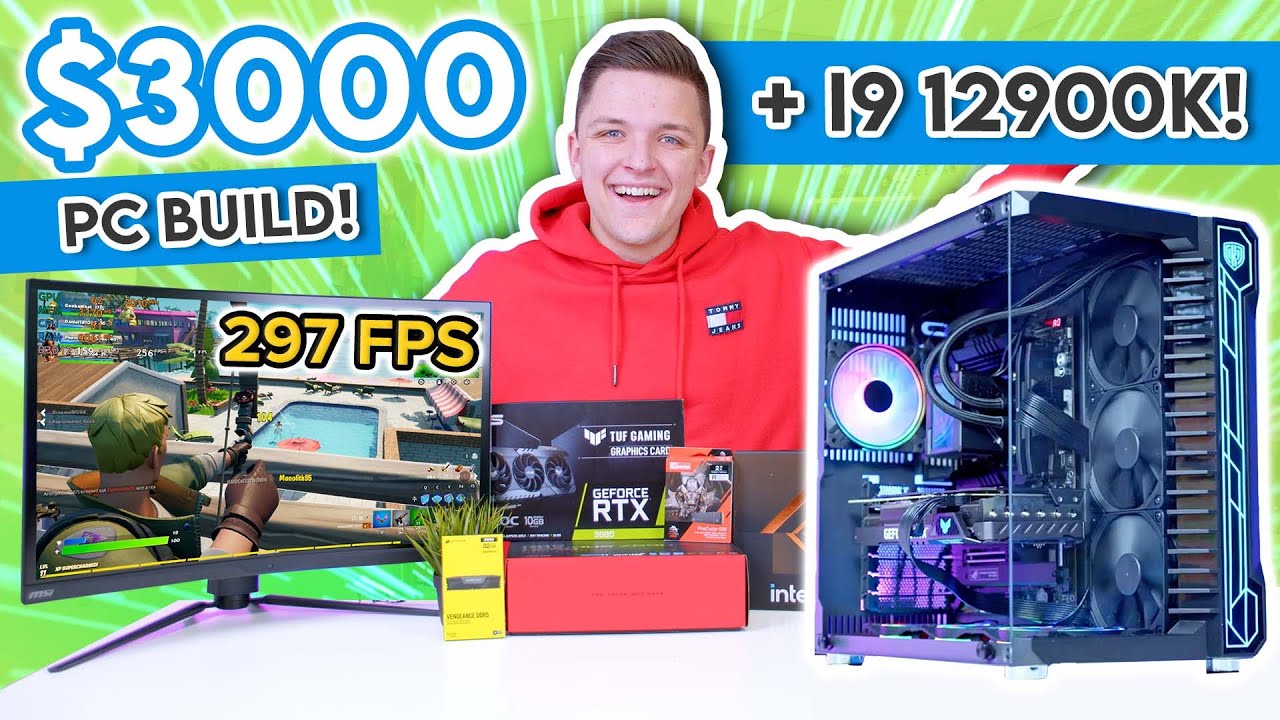
It's time to pair up the new Intel Core i9 12900K with an RTX 3080, DDR5 memory and an ASUS Z690 Maximus Hero motherboard in an awesome PC build for 2021 & 2022! In this full build guide, I cover off the entire build process from start to finish, the parts I selected for this system and the performance later on. We've tested over 15 of the most ...
little osprey
im so tired of "wow expensive computer" builds and videos
i wanna see something unique
obsidian wigeon
budget badly allocated man
3k coulda had a beast psu
and 700w on a 3080
yikes
this dude really doesn't know things
obsidian wigeon
ye
frank stirrup
little osprey
wait what
how
my isp gives me 98.5
Sad
 obsidian wigeon
scalping at its finest
little osprey
[insert trash can joke here]
little osprey
I may finally get my rams and build my 12900k today too
 flint sapphire
I’m just gunna wait for second gen on tht ddr5 hopefully price on those bad boys will go down a bit and the performance uplift will be there by then
I mean processor’s btw
little osprey
im not changing platform in my main system for another 3 years probably
doing fine on my b450 and 3900x
flint sapphire
I’m hoping the prices drop on the 5900x right before amds next release so I can just do a tiny upgrade and waste a bit of money
flint sapphire
It’s fine if they don’t but the cpu seems to be in stock
little osprey
need to get an ln2 pot, a cpu (probably gonna get a 1680v2), and a bunch of other stuff
already have the board though
flint sapphire
Auto correct is driving me crazy
little osprey
yeai hate typing on phones
flint sapphire
I’m prob never going to get into ln2 overclocking but it seems like a good time.
flint sapphire
Been watching Steve doing it and you got a urge huh? Lol
little osprey
nah actually but i have watched his stuff before
I dont remember how I got so interested in it lol
flint sapphire
Damn lol I’ve seen some of his livestreams so I’ve been a bit interested but I don’t think I can actually afford to be too interested 👀
little osprey
well ln2 OCing can get a bit pricey pretty quick i think, but you can still put together a really effective cooling solution for pretty cheap
Just this weekend actually, I put together an ice-water setup for an event at my college. you can see it in #build-pics
just have to scroll up a bit
flint sapphire
Ah very cool
little osprey
funny pun 🗿
flint sapphire
Yeah my build isn’t too wild, 3800x 2080ti. And thank you 🗿
Pretty much muted besides accent light in a meshify c
little osprey
my personal system isnt too crazy either
pretty much all my focus goes on putting together and messing around with other platforms and stuff, part of that is overclocking, but yea
flint sapphire
I have a pretty moderate overclock on my gpu and a minor one on cpu… nothing you can’t do on air tho
little osprey
I just did a super quick and dirty OC on my 3900X. its at 1.25V at 4.3GHz or something
ok... and for some reason cpu-z cant get some info from my cpu now lmao
 flint sapphire
I’m at work so can’t really hop on and post everything but… I know my cpu is overvolted like crazy lol… msi… I think it’s at around 4.2-4.3 kinda got a bad one 
little osprey
do you remember what its at?
flint sapphire
Nah think the voltage is pretty close to 1.4
little osprey
im not really that familiar with AMD overclocking, ive always been more focused on intel architectures, even before i got into XOCing
oh alright
flint sapphire
Yeah pretty much
Messed with it for a while with my brother. Nothing seemed to really help
little osprey
hmm
flint sapphire
I’m very happy with it as it is, doesn’t get super hot under full load, around 72c on air
little osprey
well thats not bad
flint sapphire
Again no real issues with performance just that weird overvolt to get anywhere on the oc, probably killing the longevity of it but 🤷♂️
little osprey
possibly
I definitely degraded the 1660v3 I was overclocking though lmao
Got it around 1.58V on ice water, temps were under control, but i guess that CPU had had enough overclocking after being run at around 1.36V for about 3 weeks before that lol
flint sapphire
Oh god it started just giving up on ya huh? Lol
little osprey
yup.
I was trying really hard to hit that 5GHz milestone
But I probably would've needed upwards of 1.6V to do that speed all-core, and i just couldnt push that high on ice water
I got some good scores though, and some really good ones that i wasnt freaking able to screenshot to submit to HWBot
got a 1958 on r15 and 4480 on r20 that are lost now
so bummed
flint sapphire
Awww dang, how high up is tht on the board even
little osprey
also wasted 4 hours because i tried reinstalling W7 to see if maybe the OS was getting corrupted, although unlikely, and when i reinstalled benchmate it wouldnt freaking work
so after that i just manually installed each benchmark and monitoring software
wasted so much time
flint sapphire
Ah that’s rough man rip
little osprey
here's what I was able to submit
https://hwbot.org/submission/4848707_ r15
https://hwbot.org/submission/4848711_ superpi1M
https://hwbot.org/submission/4848057_ 11.5

HWBOT
The Xeon E5 1660 v3 @ 4899MHzscores getScoreFormatted in the Cinebench - R15 benchmark. FarawayThrowerranks #649 worldwide and #2 in the hardware class. Find out more at HWBOT.

HWBOT
The Xeon E5 1660 v3 @ 5199MHzscores getScoreFormatted in the SuperPi - 1M benchmark. FarawayThrowerranks #1672 worldwide and #2 in the hardware class. Find out more at HWBOT.

HWBOT
The Xeon E5 1660 v3 @ 4893MHzscores getScoreFormatted in the Cinebench - R11.5 benchmark. FarawayThrowerranks #390 worldwide and #2 in the hardware class. Find out more at HWBOT.
flint sapphire
Noottt tooo shabby well done
little osprey
yea thats what i heard from other people, and i guess it is alright but im still super unsatisfied
i was on almost no sleep and barely any food because of the event's time limit i was participating in, and i lost such good scores :(
flint sapphire
I try not to touch overclocking because I’m worried about the unsatfaction of the whole thing lol
little osprey
4.9GHz at somehow only 1.475V in a friggin AVX benchmark. was never able to do that run again anywhere near those settings
flint sapphire
My brother got wrapped up in ocing his newest gpu for his entire work shift a couple weeks ago
little osprey
flint sapphire
I try not to touch overclocking because I’m worried about the unsatfaction of th...
you know, its just sort of a weird hobby. it can be really tedious, but REALLY satisfying, and just fun messing with hardware
flint sapphire
Oh yeah I get it man that’s why I’m avoiding it lol
Specially if I start bricking components in this market
Lol
little osprey
flint sapphire
Specially if I start bricking components in this market
this market? nah you dont need to worry about that. you dont have to buy the latest hardware to oc
heck, im about to OC some hardware from 2013
x79
if old hedt is sitll expensive, you could do z87 too
just as an example
flint sapphire
True true, but I buy pc hardware for most practical uses and just prefer the newer stuff, I wouldn’t just buy stuff just for overclocking. Guess you could make a server or something out of it but still
little osprey
that older hardware i was using to OC is still pretty capable hardware
The 1660v3 I used, still pretty good
8 core haswell
100 bucks on ebay
heck you can get 14 core haswell xeons for about 200 bucks, although that one (e5 2697v3) is locked
flint sapphire
Definitely a great budget rig for most of anything. Still though all I see it as is kinda a money drain. Unlike buying a new 5900x to replace my barely old 3800x 👀
little osprey
depends on what you'd do with the hardware
flint sapphire
Just gaming and spreadsheets aka my current hardware is already overkill and totally unnecessary
little osprey
well just remember you could put together an OCing setup for really cheap
another example on x79, the e5 1650 only goes for about 25 bucks
1650v2 goes for around 35-40
flint sapphire
Lol
little osprey
25 dollar lunch? thats an expensive lunch
you'd throw away a whole experience just for a single meal or two? 😔
dont knock it till you try it
flint sapphire
Food is the experience, don’t knock it till you try it. I completely agree with everything your saying, just don’t think I want to get into another potentially expensive hobby is all
flint sapphire
Yeahhhh
 little osprey
yea i got it on fb marketplace for 135 + all its original accessories and box
i was like


 flint sapphire
Def a great option 👀
little osprey
yea the board came with its sound card too
im into audio so that was a bonus lol
 flint sapphire
Gotta watch out for parents punishing kids by selling their entire gaming setup on fb marketplace btw… my buddy a few years ago got a full setup like complete chair desk peripherals for 1200
2070super
Like dang fb marketplace
Some crazy good deals on there
little osprey
yea
actually i just came across this earlier https://www.facebook.com/marketplace/item/590936705365104/?
See posts, photos and more on Facebook.
the CPU is pretty much crap but 200 + 20 for shipping just for the board isnt a bad deal
flint sapphire
Oooo I’ve always loved taichi boards
limber oyster
Anyone know why my desktop won't boot when plugged into a tv, but will when plugged into a monitor?
flint sapphire
Is it just not showing a image?
Or no lights/fans working in the pc when you go to boot it
🗿
I am now thinking you figured it out and feel bad 👀
fossil cedar
flint sapphire
Oooo I’ve always loved taichi boards
So pricey thoo
flint sapphire
Psshhh I wanted the taichi x570 a little while ago, was around 180 on sale
Has plenty of features for the price though
Pretty sure it has thunderbolt support even 👀
Ah I seem to be remembering wrong
fossil cedar
Might have thunderbolt header or something
little osprey
im upgrading to windows 11
fossil cedar
I'd advise not to tbh
vague oracle
I think only like one or two have thunderbolt
flint sapphire
little osprey
do you remember what its at?
1.352-1.44 under load 1.44 is the max ive seen it hit, it tops out at 4300MHz when it spikes 
frank stirrup
vague oracle
I think only like one or two have thunderbolt
Yeah. I cant remember any of the top of my head
flint sapphire
frank stirrup
Yeah. I cant remember any of the top of my head
im looking at the board now, it says thunderbolt 3 ready 👀
i was right 
"Thunderbolt 3 AIC Header"
frank stirrup
That means you can add thunderbolt 3 using an add in card
Slap it into a slap it into a pcie gen 3 x4 slot
And ur off to the races
Works with any board
Has an intel thunderbolt chipset in the card
Taichi doesnt have thunderbolt 3 support
@flint sapphire
worn wave
I have a Z170 board with Thunderbolt 3
frank stirrup
Yeah
Thunderbolt was designed by apple and intel and a few others
Amd wasnt involved
So its semi proprietary
fossil cedar
frank stirrup
Yeah. I cant remember any of the top of my head
ProArt does and one of the like 500$ boards
limber oyster
flint sapphire
Is it just not showing a image?
Just goes thru post for hours on end
 twilit salmon
Didnt know where to ask this but does anyone know if microcenter sells PSU cables?
fossil cedar
twilit salmon
Didnt know where to ask this but does anyone know if microcenter sells PSU cable...
Psu cables come with your psu, very few psu cables are sold separately cuz the pinouts are different on most psus
twilit salmon
Alright
I knew they came with it but i was wanting to buy a separate one since i only have one 4+4 pin connector for CPU
fossil cedar
twilit salmon
I knew they came with it but i was wanting to buy a separate one since i only ha...
That's plenty ,that supports up to like 420w ish
twilit salmon
Alright thanks
Was trying to ask about it yesterday and asked 3 times but no one ever responded
fossil cedar
Np
frank stirrup
fossil cedar
ProArt does and one of the like 500$ boards
Yeah I was talking mobo names exclusively tbh
Like they rare
fossil cedar
Yis
 untold vessel
Can anyone here make a $1,500 Gaming PC Build (No Graphics Card, I’ll use the best iGPU) that MAXIMIZES PERFORMANCE and takes advantage of Any and All Black Friday Deals? I absolutely only care about Performance
 carmine tinsel
can someone help me with a build, i like to use an i7 10th or 11th gen for roughly around 1,500
fossil cedar
untold vessel
**Can anyone here make a $1,500 Gaming PC Build (No Graphics Card, I’ll use the ...
Why no graphics card at that price?? You can straight up buy a 3070 prebuilt for that
fossil cedar
carmine tinsel
*can someone help me with a build, i like to use an i7 10th or 11th gen for roug...
I'd go for an i5 10400/11400 depending on country
untold vessel
fossil cedar
Why no graphics card at that price?? You can straight up buy a 3070 prebuilt for...
Okay okay, Could you make a $1,500 that is Maxed-Out for 4K gaming?
carmine tinsel
fossil cedar
I'd go for an i5 10400/11400 depending on country
US
fossil cedar
untold vessel
Okay okay, Could you make a $1,500 that is Maxed-Out for 4K gaming?
Not really, 3070 can do like 4k 60 but why not just do 1440p, best of both worlds, better than 1080p, can have larger screen and more fps
fossil cedar
carmine tinsel
US
Then I'd go for 10400 and b560 motherboard
If you want me to put a list together i can
untold vessel
fossil cedar
Not really, 3070 can do like 4k 60 but why not just do 1440p, best of both world...
Hmm, Fair enough, would $2,000 work for you?
carmine tinsel
fossil cedar
Or you could get this https://www.newegg.com/abs-ali586/p/N82E16883360221?item=N...
this is great thanks
untold vessel
fossil cedar
If you want me to put a list together i can
Yes please, I need that Pato-Genius Special
fossil cedar
untold vessel
Hmm, Fair enough, would $2,000 work for you?
I mean all depends on your luck with gpu prices
fossil cedar
carmine tinsel
this is great thanks
Np
carmine tinsel
fossil cedar
If you want me to put a list together i can
and also if you wouldn't mind
unless it's cheaper for the prebuilt
fossil cedar
untold vessel
Yes please, I need that Pato-Genius Special
Any visual preferences?
fossil cedar
carmine tinsel
unless it's cheaper for the prebuilt
It can be cheaper, depends what you can get a graphics card for, but you cant buy them right now, whereas with the prebuilt you can so, depends if you're okay with waiting a few months
And a good bit of work to get a gpu
carmine tinsel
fossil cedar
And a good bit of work to get a gpu
yeah i can just get a 6600XT from Microcenter
so not the worst concern
fossil cedar
carmine tinsel
yeah i can just get a 6600XT from Microcenter
6600xt is a good bit worse than 3070
carmine tinsel
fossil cedar
6600xt is a good bit worse than 3070
yeah ik
fossil cedar
6600xt is about 3060 level
carmine tinsel
and the drivers aren't the best
fossil cedar
Nah drivers are good
 mossy venture
3070=2080 ti, 6600xt is around 2070s
fossil cedar
Problem is price and 3070 being way better
fossil cedar
mossy venture
3070=2080 ti, 6600xt is around 2070s
2070 not 2070 super
carmine tinsel
well i got a guy
fossil cedar
....
mossy venture
fossil cedar
2070 not 2070 super
I thought it was about 5% better than 5700xt?
carmine tinsel
fossil cedar
....
he works there
mossy venture
The 6600xt that is
carmine tinsel
so if they get a shipment i'll know yk
fossil cedar
carmine tinsel
so if they get a shipment i'll know yk
Yes but thats not really the problem, you can ring and ask their restock days
It's the price and 6600xt probs being like 600$ which is like 3060 ti/3070/6700xt/6800 price
Imo your best bet is the prebuilt
@untold vessel https://pcpartpicker.com/list/KmNywz I'd do something like this
@carmine tinsel https://pcpartpicker.com/list/ZG2rz7 or you can do this
carmine tinsel
fossil cedar
Yes but thats not really the problem, you can ring and ask their restock days
yeah
 autumn tide
How do you update the ryzen motherboards for the current amd cpus?
fossil cedar
autumn tide
How do you update the ryzen motherboards for the current amd cpus?
Do you have a previous gen ryzen cpu or not?
fossil cedar
autumn tide
That’s why I’m asking now
What motherboard you got?
stoic island
some boards have flashback, some don't
autumn tide
Honestly i was thinking about getting a gigabyte motherboard
fossil cedar
Depends on what one
autumn tide
X570
autumn tide
B550 is my other option
stoic island
if you need wifi, b550 aorus pro ac/ax great
autumn tide
Also looking at four usb 2.0 ports
fossil cedar
That has that
4 usb 2.0 ports is a pretty easy ask
Also usb 3.0 is backwards compatible too so
Basically all of them have at least 4
autumn tide
Oh yeah 3.0
 sharp tangle
the gigabyte aorus pro ac b550 is on sale for like 162 on amazon rn if you do that
i ordered it last night
 shrewd fjord
Daym I found an old office computer my dad had with windows 7 pro and I downloaded Minecraft and it opens just fine but it tells me that I need to update video drivers. I tried to do that and it seems like every little thing pops up an error message and wont let me download the drivers.
autumn tide
That’s not good
shrewd fjord
Yeah...
fossil cedar
autumn tide
Honestly I’m doing my build one by one
Buying one by one? Horrible idea
If you get dead on arrival part, rip
twilit salmon
So since im buying my parts 2 weeks apart would it be better to buy motherboard and cooler first or CPU?
twilit salmon
Alright
twilit salmon
Yeah thats why i wasnt sure
fossil cedar
twilit salmon
So since im buying my parts 2 weeks apart would it be better to buy motherboard ...
Why not just buy both at same time? Literally 0 point buying 1 at a time
twilit salmon
Was wanting to cover it with my paycheck
So i know i still have about the same amount i had before it
fossil cedar
twilit salmon
Was wanting to cover it with my paycheck
Huh? Just keep the money until you have enough to buy both?
twilit salmon
I have enough to buy both just figured itd be a good idea to separate the purchases
fossil cedar
Nah, if you only technically have enough and want money for food etc just wait 2 weeks or so and buy both at same time
twilit salmon
Alright
 pastel cobalt
Hi, everyone! I was lucky enough to buy a 3070, but I’ve been debating whether or not to keep it. I currently have a 5600xt in my PC, but im on the causal side of gaming. Is it worth the upgrade from a 5600xt to a 3070 or should I just save my money? I’m not too educated on how to tell the difference. Thanks!
 lyric thistle
should've checked before buying lol
 analog hearth
pastel cobalt
Hi, everyone! I was lucky enough to buy a 3070, but I’ve been debating whether ...
analog hearth
pastel cobalt
Hi, everyone! I was lucky enough to buy a 3070, but I’ve been debating whether ...
i would say definitely keep it. you never know when you’ll come across such a find again
lyric thistle
but honestly sell the 5600xt for an effective discount :^)
 ocean oxide
hello, im wondering if my pc would be able to run a VR? im not very good with pc stuff so i wouldnt know
also what vr would you guys recommend if i could use it
also i have a gtx 970, not the gpu listed there
mossy venture
Gtx 970 would struggle with a lot of vr games I think
frank stirrup
Depends what you wanna run on vr
fossil cedar
ocean oxide
hello, im wondering if my pc would be able to run a VR? im not very good with pc...
Have you already bought this? If not delete like the whole list
If you have and it's recent return everything bar the WiFi module maybe
@ocean oxide if you haven't had that for a while, what's your budget?
frank stirrup
Im pretty sure guy has all that stuff pato
Saved list
And a gpu upgrade later on
BUT it does say christmas build
So yeah
Might be
HMMM
ocean oxide
fossil cedar
Have you already bought this? If not delete like the whole list
yes i already got it. its name is christmas build from last year
ocean oxide
fossil cedar
<@667122348129779741> if you haven't had that for a while, what's your budget?
probably like $250, but i dont know the price range of vrs so it could go higher if needed
fossil cedar
ocean oxide
yes i already got it. its name is christmas build from last year
Ahhhh that makes way more sense
ocean oxide
i didnt get the gpu until like 4 months later, thats why its changed to a 970
fossil cedar
Oculus quest is probs your best bet for vr, it's standalone but you can plug in to pc if you wish and or its like 300$
ocean oxide
fossil cedar
Oculus quest is probs your best bet for vr, it's standalone but you can plug in ...
ah alright thanks. ill look into that one
fossil cedar
Also I'd highly consider getting better ram
ocean oxide
i know, i should have gotten two sticks of 8 instead of 1 16
fossil cedar
ocean oxide
i know, i should have gotten two sticks of 8 instead of 1 16
That and it's really slow ram, definitely holding back your cpu
ocean oxide
o
fossil cedar
You'd want something like 3200mhz cl16, which for a 16gb kit is like 50$
32gb is 100$
ocean oxide
if i do get a faster ram like that one, do i have to take out the old one and put that in?
or can i put both
and it would be 32gb
fossil cedar
No you'll have to take out the old stick
You might be able to sell it for like 25-30$ though
ocean oxide
oh okay thank you
and i can just take it out and put the new one in without having to change anything on my pc?
 random latch
Hey guys, I am in Kenya, and I would like to build my first PC. Does Newegg ship to Kenya? Or rather, where can I get parts that are fair?
Then, can anyone make a list of the best mid gaming gadgets? I will really appreciate
fossil cedar
ocean oxide
and i can just take it out and put the new one in without having to change anyth...
Yep
fossil cedar
random latch
Hey guys, I am in Kenya, and I would like to build my first PC. Does Newegg ship...
I don't know if they do, they have a store in saudi arabia though, they might ship from there to kenya
random latch
fossil cedar
I don't know if they do, they have a store in saudi arabia though, they might sh...
So I will be charged from the US to Saudi, the Saudi to Kenya?
fossil cedar
random latch
So I will be charged from the US to Saudi, the Saudi to Kenya?
Nope they have a store in saudi, so it would be just saudi to kenya, assuming they ship to kenya
fossil cedar
Np
shrewd fjord
shrewd fjord
Daym I found an old office computer my dad had with windows 7 pro and I download...
@fossil cedar can you help maybe?
fossil cedar
shrewd fjord
<@191276897227898880> can you help maybe?
whats your gpu
fossil cedar
shrewd fjord
Its intel graphics

Intel
The Intel® Driver & Support Assistant helps keeps your system up-to-date by detecting when updates are available.
@little osprey probs because your gpu is in the bottom slot, why would you do that? Bad for airflow and some baoards are only x8 wiring to x16 slots fyi
frank stirrup
Its also routed through chipset so a lil more latency
And its not reinforced so more sag
Just put it in top slot
 digital trail
hi
frank stirrup
Hello
digital trail
@frank stirrup i want play a game use ps controler what is best ps4 , ps5 ?