#building-and-recc-chat
1 messages · Page 1200 of 1
 obsidian wigeon
 fossil cedar
Very odd
obsidian wigeon
Might just be the fan being misaligned
 cobalt path
Speaking of fans
cobalt path
Only the 140mm makes that high pitched sound the 120mm dont. It’s not air noise it sounds like the bearings.
fossil cedar
✈️
cobalt path
Don’t really notice too much until it hits like 70%+
Take the reading with a grain of salt because it’s not ducted, but it is moving a butt load of air lol keeping the fan curves tuned I’ve been able to avoid any annoyance so far lol those fans move more air than the exhaust fan in my bathroom 😂
 cobalt path
Oh I was more going for cfm lol
cobalt path
That’s a tool I use for work happened to be laying around the house lol
 earnest olive
@untold vessel if you want max settings at 4k
even a 3090 isn't enough to get 60 fps in everything
sooo
are you settling for sub 60 fps or are you settling for high settings
my friend is not happy with his 3090 strix lol

1440p gang
 frank stirrup
Lmao
 austere condor
fossil cedar
austere condor
fossil cedar
Damm shame
 pulsar veldt
Anyone know if any Prebuilt gaming Towers are on sale anywhere?
 stoic island
What budget
pulsar veldt
1500-2000?
maybe lower if possible
It has to have the works
Looking for a friend of mine
pulsar veldt
if a keyboard and mouse is included what do they look like?
stoic island
pulsar veldt
if a keyboard and mouse is included what do they look like?
included keeb and mouse, if any are included, tend to be crap sooo
just buy new peripherals if you want nice peripherals
 edgy hemlock
stoic island
this for cheaper range
https://www.newegg.com/abs-ali568/p/N82E16883360198
edgy hemlock
stoic island
this for cheaper range
https://www.newegg.com/abs-ali568/p/N82E16883360198
that actually seems like a awesome deal :0
To bad i spent my money already on a 1650 super and i3 10100
fossil cedar
The 3060 ti is way better value than the 3070 ti one
stoic island
3070ti prebuilt definitely isn't bad value, 3060ti prebuilt just great value
fossil cedar
10400->10600k, and 3060 ti-> 3070 ti is mb worth like 200$ generously considering bit better cooler and mobo
stoic island
Imo worth 300-400$ upgrade considering GPU prices
fossil cedar
Yikes
stoic island
Not talking street price, but it's just overall a bit better in everything and GPU
Street price 3070ti is prob 500$ more than 3060ti
fossil cedar

 compact girder
how many pins does the 3060ti have, my gpu has a 8 pin connector, do i need a adapter
what kind of adapter does the 3060ti need
stoic island
Depends on the model
compact girder
im getting the msi gaming X 3060ti
MSI NVIDIA GeForce RTX 3060 Ti Gaming X LHR 8GB GDDR6 VRAM Graphics Card X RGB Dual TORX 4.0 Fans 4864 CUDA Cores PCIe 4.0 x 16 DirectX 12 3 x DisplayPort 1 x HDMI Mazepoly Accessory https://www.amazon.com/dp/B09FVLSNZ2/ref=cm_sw_r_cp_api_glt_fabc_Z0SJPS7S5B3X7MKXTNH2?_encoding=UTF8&psc=1 this
compact girder
can u please send me a link to a adapter that would be good for the gpu
compact girder
compact girder
can u please send me a link to a adapter that would be good for the gpu
@stoic island
stoic island
What
Just use two different power cables
You can't make a cable carry more power than it's designed for
There's a reason why it's two different plugs
compact girder
but what kind of adapter do i need from 8 pin to the 8+6 pin thing
stoic island
What
stoic island
compact girder
but what kind of adapter do i need from 8 pin to the 8+6 pin thing
You just take two cables
Plug them into PSU
Plug them into GPU
Done
It's standard
No adapter needed
compact girder
is there a certain spot in the psu, that i need to plug the new cable into
or any where on the gpu, i have a fully modular
stoic island
PSU should've came with cables
 teal musk
Could I get some advice from someone on upgrading my rig?
stoic island
Plug into where it says pcie or vga
compact girder
ok
stoic island
teal musk
Could I get some advice from someone on upgrading my rig?
Wat about it
teal musk
So I have a PC I built from parts from Newegg about 10 years ago. My friend says I need to scrap everything and start over. But it’s not bad at all except this new game new world requires a better graphics card than I have. Currently a 750TI… can’t I just upgrade the graphics card to one of the newest ones are so I really need to start from scratch?
stoic island
I mean, CPU and memory probably holding you back assuming it's actually that long ago
stoic island
And we'll, new world seems to still be killing some graphics cards
stoic island
teal musk
Memory is at 4TB and 250GB of SSD
Memory is referring to ram btw
teal musk
I mean it’s not killing mine. I’m just getting under 30 fps
stoic island
Ddr3?
teal musk
Probably
Don’t think it was 4
Rams cheap. If I need to upgrade that that’s fine. What I don’t wanna do is new mother board. PSU etc etc
stoic island
Yes that's the annoying bit
teal musk
So you’re saying I need to start from scratch?
stoic island
That's what I'd suggest if you're planning on spending more than like 500$
teal musk
So what, a ten year old motherboard. A really good one btw can’t handle a new graphics card?
My PSU is overkill
stoic island
If it's pcie 2.0, will limit it, pcie 3.0, okay, but CPU being old can slow you down
teal musk
It’s MSI one second I might be able to look it up. Sorry it’s been awhile since I’ve been into computers
Anyway to just look it up on device manager or something’s
?**
stoic island
grab like cpuz or hwinfo64
teal musk
Ok one sec
stoic island
@teal musk also, take a look at this as an example for why I say old cpu will still limit you
https://youtu.be/c_Gcg-tFfu0
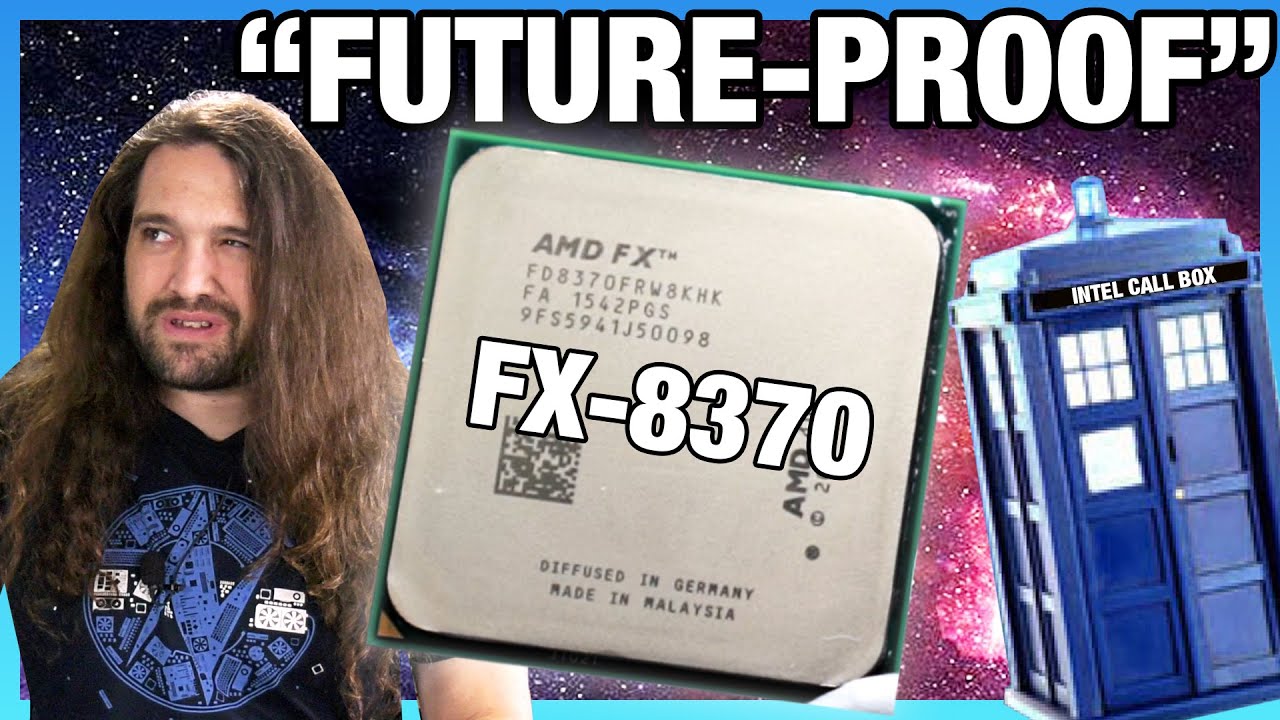
AMD's FX-8370 CPU was supposed to be future-proof with its 8 "cores," so we're benchmarking the Bulldozer / Piledriver FX-8370 in 2020 vs. AMD Ryzen CPUs and Intel 10-series CPUs.
Sponsor: Corsair Dark Core RGB Pro SE (Amazon https://geni.us/kdu9FK)
Watch our recent Intel 4000-series (4790K, 4770K, 4690K) revisit here: https://www.youtube.com/w...
teal musk
I know the CPU can limit me but I bought most of this stuff to be future proof at that point in time. Except maybe the graphics card. The computer doesn’t even sound like it’s working hard at all. I OCd the Graphics card and got 35 FPs I really just think it’s the graphics card. But I don’t wanna leave it on OC mode for fear of the whole new world trying graphics cards thing
stoic island
(sounds like the video will demonstrate some things I'm saying then)
teal musk
Ok
stoic island
teal musk
I know the CPU can limit me but I bought most of this stuff to be future proof a...
but also I don't think it's a good idea to buy a better GPU if you're worried about the game frying cards still
teal musk
I mean I’m not worried. Hasn’t fried my old ass graphics card. Just don’t wanna leave it on OC mode
For long periods of time**
DLing that hwinfo
Just hit run?
Ok got it. CPU is I5 4670
Looks like PCIE 3?
 little osprey
yea a lot of older CPUs are still pretty capable
stoic island
8 years old, at least less than 10 years old
little osprey
which is why i love ivybridge and haswell xeons...
teal musk
Mother board is MSI z87-g45
little osprey
x79 x99 best platform ❤️
stoic island
but yea pcie 3.0
stoic island
x299 nicer >:p
teal musk
Any other stats you need?
stoic island
good nuff for now
teal musk
So Whatchya think? Scrap or nah?
stoic island
could try grabbing a decent gpu for now
little osprey
x299 was kind of disappointing, but yea it still has some neat CPUs
X99 is just WAY higher value at this point in time
well, LGA-2011v3 i mean
stoic island
little osprey
x299 was kind of disappointing, but yea it still has some neat CPUs
10980xe is just so fun to say
little osprey
teal musk
So Whatchya think? Scrap or nah?
theres no reason to throw away that system, it's perfectly capable
stoic island
I don't care how well if it performs
teal musk
So bump the ram up and GPU and think I’ll be okay?
little osprey
tbh the RAM is probably fine
but yea, toss in a decent 2nd hand GPU and you're good
stoic island
teal musk
So bump the ram up and GPU and think I’ll be okay?
anyways I was expecting like bulldozer, I think you're inbetween not ok and ok
little osprey
whats the PSU?
stoic island
new world is a wacky game
teal musk
It was like gold or plat standard or something….. um coolermaster?
Can I see that info on HWINFO
little osprey
lol im sitting ifnront of a shelf that has two z87 boards, both have 4770s in them
little osprey
oh i thought you meant opening the PSU for a second lmao
compact girder
Mini 6 Pin male to 8(6+2) Pin male PCI Express Video Card Power Adapter Cable for Mac Pro Tower/Power Mac G5 20-inches TeamProfitcom https://www.amazon.com/dp/B07J4T413G/ref=cm_sw_r_cp_api_glt_fabc_7YGWMYS5F9AR3EB390JE?_encoding=UTF8&psc=1 would this work @stoic island

Mini 6 Pin male to 8(6+2) Pin male PCI Express Video Card Power Adapter Cable for Mac Pro Tower/Power Mac G5 20-inches TeamProfitcom
teal musk
I think my powers fine tbh I bought it with plenty of overkill
stoic island
little osprey
oh i thought you meant opening the PSU for a second lmao
real men open the PSU up to look at the platform smh
stoic island
compact girder
Mini 6 Pin male to 8(6+2) Pin male PCI Express Video Card Power Adapter Cable fo...
no
what the heck is that even
@compact girder what psu do you have
compact girder
ill dm u a pic
little osprey
sus
stoic island
8 pin is standard
6 is also standard
you really should not have to buy an adapter
stoic island
like my dongle?
 little osprey
WHy yes I do
compact girder
the vga 2 spot has 8 pins to it, so i was think, get a 8 pin to 6 pin connector
teal musk
Before I go buying. Is there anything that WONT fit my setup
little osprey
an rtx 3090
teal musk
What’s the reason. Just curious
stoic island
teal musk
Before I go buying. Is there anything that WONT fit my setup
might need to check your case for physical clearance
also open it up to see what exact PSU you have
teal musk
I have the largest case you can buy lmao
 desert gulch
Mr1 you heard the noctua x Asus crossover coming?
stoic island
some older PSUs have tripping issues with ampere gpus
stoic island
desert gulch
Mr1 you heard the noctua x Asus crossover coming?
ye
asus vietnam leaked it
gonna be nice
 potent portal
teal musk
What’s the reason. Just curious
potent portal
teal musk
What’s the reason. Just curious
3090 has been known to trip protections on 850-1000W power supplies
little osprey
oh i was joking, but a 3090 wouldnt go well with your setup because the PSU probably wont handle it well, and the CPU will bottleneck it severely
desert gulch
Altho brown color kinda not my favorite but some ppl like it ig
stoic island
well, not even older, some new PSUs have tripping issues even
little osprey
plus idk if itd even fit in your case
little osprey
full tower?
teal musk
Yeah
 still roostBOT
 DeathVice#5637 has been warned
Reason: Bad word usage
teal musk
Oh wow
little osprey
what did you say lol
little osprey
filter acting up huh
teal musk
My PSU is covered in a bracket I don’t have time
To open it all up
It’s a coolermaster. Maybe someone can look this up one second
Rs850afbag1132500190
teal musk
teal musk
Idk
I op l
Fully modular 750 or 850 sounds right
What’s a safe bet? Double the number? So from 750 ti to 1500 or 1650 or go with an RTX or?
teal musk
I have a 750TI nvidia. What’s a safe bet to upgrade to
stoic island
they got a 4670
teal musk
This has been like a whole prior convo lol
desert gulch
Lol
stoic island
It should be fine w pcie 3.0x16
desert gulch
Nah
Pcie gen 4 no need imo
Except maybe when directstorage comes out, I havent researched that too much tho
stoic island
direct storage we'll have to see
desert gulch
Yeah
teal musk
So the PCIE 4 graphics card can fit a PCIE 3 slot? I guess I just don’t understand how that works lol
desert gulch
That's the speed
teal musk
Oh so the slots pretty standard then?
desert gulch
16x, 4x, etc is the length of the slot
stoic island
it's the same slot
desert gulch
Yeah
stoic island
desert gulch
16x, 4x, etc is the length of the slot
it's how many lanes
desert gulch
Slots haven't changed too much over the years
stoic island
16x and 8x would be same length
desert gulch
stoic island
it's how many lanes
Yeah I'm kinda simplifing a bit
 analog hearth
they’re the same physical size, pinout, etc. it’s just that one is faster than the other
stoic island
but yea
desert gulch
But yeah a 3060 will work good
teal musk
You recommend that high of a card tho? If 750 ti handles the game at 30 FPS I feel like rtx 3060 is overkill is it not? Lol
stoic island
Here's the thing
teal musk
That’s like a huge generational gap
stoic island
don't look at the number as a number
desert gulch
Yeah you'll feel that performance upgrade for sure tho
teal musk
Ok.
desert gulch
What games you play?
stoic island
desert gulch
What games you play?
new world is the goal
earnest olive
you can run a 3090 off of pcie 1.1 x1
desert gulch
Oh yeah they'll feel a huge upgrade then
earnest olive
technically you can even run a 3090 on an old PCI slot with an adapter
teal musk
I’m trying to play new world with a friend. My rig I built is like 8 years old. I don’t want to replace the whole rig if I can.
desert gulch
30fps is basically minimum you can even play somewhat good on
stoic island
earnest olive
technically you can even run a 3090 on an old PCI slot with an adapter
technically you can run 3090 off u.2 with a crap ton of converters tbh
earnest olive
3080ti has been benchmarked on a PCI slot. it's not pretty
it loses to a GT 710 on a PCIe slot
earnest olive
but the funny thing is
despite the massive interface bottleneck
the 3080ti still reports 100% load and uses full tdp and hits full boost
so I wonder
do those frames get generated and then just get lost at the interface
?_?
stoic island
teal musk
You recommend that high of a card tho? If 750 ti handles the game at 30 FPS I fe...
anyways quick benchmark to show how it actually scales

3060 sounds like bigger number than 2080
but 2080 better
earnest olive
anyways I'd expect an MMO to be more CPU bound
I don't think i5-4670 in a 2021 MMO will be a great experience
stoic island
earnest olive
anyways I'd expect an MMO to be more CPU bound
prob cpu and gpu bound, since new world seems pretty heavy on the gpu too
earnest olive
like black desert is what 6 years old? and ryoku says it hammers all 8 cores of his 3700x to 100% sometimes
stoic island
earnest olive
like black desert is what 6 years old? and ryoku says it hammers all 8 cores of ...
bdo has been remasted tbf
and bdo looks really nice
I'm often GPU bound on remastered mode
earnest olive
even maplestory slammed the hell out of my 3600x in certain bosses lol
drops to 30 fps
stoic island
ryo is on 3080ti, I'm on 2070
earnest olive
in a 2d pixel art game
teal musk
Is there a way I can check that stat for the CPU while new world is on?
earnest olive
well yeah I was GPU bound in remastered mode on my 3080
stoic island
OSD is useful for stats while in-game
https://linustechtips.com/topic/977649-guide-how-to-setup-msi-afterburner-on-screen-display-using-rtss/
Linus Tech Tips
A fair few people have asked me how to setup MSI Afterburner On Screen Display (OSD). I checked this subforum and to my surprise there was no guide on how to do it. So I figured Id make a guide for everybody out there struggling. 1. Downloading and Installing You will need to download a few thing...
@earnest olive shouldn't we have that pinned actually
earnest olive
can OSD show CPU frametimes?
stoic island
not sure if it has to be, but I use it as graph
some random screenshot off ddg, @earnest olive bottom chart is frametime
 earnest olive
I'll look into it later
wow that is a huge osd
are they playing the game or the osd
earnest olive
can you distinguish between cpu and gpu frametimes though
stoic island
so probably a few years old screenshot
earnest olive
or just frametimes only
earnest olive
I guess any spikes are more likely to be CPU anyhow
stoic island
but you can check per-core CPU usage on graphs alongside GPU usage on graph
if GPU usage is maxed, the spike is prob GPU, if some CPU cores are maxed, spike prob CPU, yaknow
OSD can be resized too and all
earnest olive
yeah I heavily customized my osd
stoic island
anyways the ab osd is nice and useful
teal musk
Okay downloading will try in a minute
earnest olive
it doesn't get in the way
teal musk
So this will tell me if it’s GPU or CPU issue or both?
stoic island
You can set it to tell you CPU and GPU usage
if one is being used more than the other when you have frametime spikes, you kinda can tell where the issue is
earnest olive
i5-4670 will probably struggle in towns or raids
stoic island
prob, but we'll see
earnest olive
when I played blade and soul on i7-7700HQ + GTX 1050M I'd have 50 fps in normal gameplay
stoic island
afaik BDO is actually good at utilizing multithread
therefore maxing out ryo's 3700x
earnest olive
but the first time I tried to raid I got everyone killed cause I had 5 fps and couldn't do the mechanics
stoic island
lol
teal musk
That’s the thing is it’s not really bogging down in town or anything. It’s just the graphics have to be low. When I turn on OC for GPU I get 45 FPS steady. There isn’t any spikes.
earnest olive
and that's a stronger CPU on an older game
stoic island
tbf older games aren't really optimized for newer hardware
teal musk
When I do that it looks horrible and I get like 120 FPS lol
earnest olive
basically testing removing GPU bottleneck
I've seen valorant played at 72p
and fortnite "played" at 7p
try some 24 person raid or something idk I don't play the game
my 7700HQ failed trying to do 24 person raid in blade and soul
 abstract quarry
not gonna lie, is anyone else excited for that new corsair aio?
teal musk
Do I care to look at CPU 1,2,3,4 or just the CPU overall?
earnest olive
abstract quarry
not gonna lie, is anyone else excited for that new corsair aio?
I'll die before I get excited for c*rsair

abstract quarry
D; why? What am I missing....
earnest olive
wake me up when c*rsair lighting isn't proprietary and doesn't consume 12% cpu on an overclocked ryzen 7 5800x to run 3 effects on a keyboard
teal musk
@stoic island so my GPU is constant at 100%
earnest olive
at 360p?
abstract quarry
earnest olive
wake me up when c*rsair lighting isn't proprietary and doesn't consume 12% cpu o...
You've got me at proprietary... you're not wrong
earnest olive
teal musk
No 4K
change it to the lowest it will go
abstract quarry
Either get in the Eco system or use it and 5 others
earnest olive
the point is to test how well your cpu performs when gpu is not the bottleneck
still roostBOT
DeathVice#5637 has been warned
Reason: Bad word usage
earnest olive
lol, i can control my rgb using bios
teal musk
Ahhh
teal musk
The lowest it’ll go is 1024 x 728 some weird number anyways
When moving the character cpu is maxed
teal musk
Yeah it’s bouncing. Now at 60-70
abstract quarry
With your feelings on Corsair, I don't think you'd like my build then 😂
teal musk
Steady around 60-70 while moving
 potent portal
Corsair wouldn't be so bad on something with 2 cpus so you can dedicate one to the effects
 potent portal
Maybe intel is on to something, new big/little cores might be good there
abstract quarry
I've been thinking that too
earnest olive
corsair gonna use all 8 little cores
teal musk
@earnest olive so what does this mean?
abstract quarry
As much as I don't want to.. The Intel stuffs sounding pretty cool
earnest olive
i couldn't believe 3 effects took over 10% cpu usage on 5800x
earnest olive
teal musk
<@!122901618369757184> so what does this mean?
are all graphics settings also at lowest
render scale lowest if it's there
make it look as potato as you possibly can
teal musk
I’m trying lol I think
teal musk
This is the worst it’s gonna go I think.
earnest olive
byebye 
teal musk
Later
desert gulch
earnest olive
lmao corsair needs a quad core cpu dedicated to it
This is the reason that Intel 12th gen went to big little lol
desert gulch
All the little cores are for gaming, big cores are for icue
stoic island
earnest olive
time to watch a movie with the gf
msi a-gf is best gf
bye
I've returned
desert gulch
stoic island
msi a-gf is best gf
 stoic island
lol
teal musk
That’s at lowest resolution like@he was telling me to do
 stoic island
just my pains
 stoic island
teal musk
That’s at lowest resolution like@he was telling me to do
stoic island
teal musk
That’s at lowest resolution like@he was telling me to do
in afterburner, with the settings where you can add more things, I say you add in FPS, and the frametime in chart format
teal musk
Sorry the game doesn’t come in 4K I read the numbers wrong. That was 1920x 1080 so 1080 P
Sorry been awhile
teal musk
FPS is at 60
stoic island
take a screenshot of usage
 stoic island
huh
stoic island
teal musk
What about if you go somewhere else in-game, somewhere more populated, towns or hunting grounds or anywhere like that?
 stoic island
hows fps look
teal musk
Bouncing 43-44
stoic island
ick, still running into gpu bottleneck eh
can't really simulate a place where you're not gpu bound
at least we can say you should at least be able to do like 60fps at 1080p, but a very low bar
teal musk
So you think it’s more GPU than CPU?
At least for now. I should@be able to get away with GPU upgrade?
stoic island
Basically, this bit was about if we take away everything the GPU has to do, how much could the CPU do, but since we're still GPU bound, all we can say is a GPU upgrade will help
still can't answer if you need to upgrade CPU after you upgrade GPU or not
teal musk
Hmm… any other way to judge this before I make purchases?
teal musk
Lowest is 1024X 768
stoic island
try that
and go to some populated area
(more people more calculations = more work for cpu = better indications of how well the cpu does)
 stoic island
still gpu bound
sad
@teal musk can you go set up frametime chart in ab?
would be good to check for spikes while we're at it
(first you'll have to check the checkmark thingy to enable monitoring for frametime, then somewhere in the middle there's an option for showing in OSD, and then there's the format, like in text or chart form, chart form nice)
teal musk
I got it
Steady at 60 right now. Going into population it’s around 40’with drops to 30 for like a split second
stoic island
if the chart is showing up on-screen, can ya take a screenshot?
the dropping to 30fps for a split second is what I'm interested in rn
since generally more of a CPU issue when you have spikes in frametime
teal musk
 stoic island
no graph/chart still sadly

 granite imp
Who can help me with some drive setup/formatting issues?
stoic island
granite imp
Who can help me with some drive setup/formatting issues?
wipe it again and format it again prob easy way to troubleshoot it
granite imp
2 4tb hdd drives
 stoic island
teal musk
SorryZ there’s a graph option?
stoic island
teal musk
SorryZ there’s a graph option?
after you go to frametime, this lets you choose things
 granite imp
When I click OK I get this
 teal musk
 granite imp

 teal musk
 stoic island
@granite imp can you just right click on disk 0 and only disk 0?
and then do the thing
granite imp
The one shows unknown and not initialized but it shows the storage amount, the other one shows unknown and not intialized but doesn’t show any storage amount
granite imp
stoic island
<@!147162174614274048> can you just right click on disk 0 and only disk 0?
Yes but it doesn’t allow me to format or add a new volume or anything
stoic island
right click where disk 0 is and then initialize it
granite imp
Oh ok lemme try
stoic island
(disk box itself on the left side, not the big white box with the big black bar)
granite imp
Okay I did that and I unchecked disk 4 so that it would only itialize disk 0
Same error
stoic island
ick
I can't remember things and can't check things because can't open disk management on this thing
granite imp
Okay so if I do just 0, it takes a minute and then the error comes on
potent portal
Have you done diskpart clean yet?
granite imp
potent portal
Have you done diskpart clean yet?
No, do I need to download that? How do I do that?
potent portal
It's a windows utility, used in cmd
granite imp
Okay. I think I may be done messing with it tonight
I’ll check it out tomorrow
When I do it for disk 4 this pops up immediately
 potent portal
Ping me when you get a chance then. I know all the commands.
stoic island
teal musk
could just walk around for a bit and take a glance at the chart once in a while, if it's not spikey, should be okay, if it's spikey, would pin some blame on the CPU
otherwise, I think that's about as much as we can easily do to test CPU
GPU would need an upgrade either way is the conclusion for the day basically
teal musk
@stoic island thanks man. It’s a little spikey but not unbearable and not constant either. Can my motherboard handle just a new CPU and GPU?
stoic island
motherboard won't be doing any modern CPUs
mobo change sockets ever few generations
stoic island
just intel things, every 2 gens or so
obsidian wigeon
^
earnest olive
@teal musk if you really really don't want to upgrade mobo
look into a xeon e3-12xxv3 as a stopgap solution
a customer gave me his old i5-4670 + z87 mobo after I upgraded for him
sold the i5-4670 for $37 and bought a xeon e3-1241v3 for $65
it's effectively an i7-4780
having 8 threads will help your mobo hold on for a bit longer
if you upgrade to a modern intel system, you will need new cpu + mobo + ram, but you will be able to keep the cooler, since cooler mounting has stayed the same from 4th gen to 11th gen
if you switched to ryzen you might need a new cooler if you don't have amd mounting hardware for your current cooler
but yeah stuff like case, fans, power supply (if it's good enough for the new hardware) can stay, you don't have to scrap everything
 icy sinew
i need to build a new computer. have a good graphics card the repair shop says will fit any MB. everything is about 8 yrs old. MB got damaged by a power surge about 18 m ago, been limping along since. HD just died today. looking for suggestions what to look for. have used AMD in the past.
desert gulch
What's your budget?
icy sinew
$800-900
earnest olive
icy sinew
i need to build a new computer. have a good graphics card the repair shop says w...
what graphics card
if power supply is 8 years old and was involved in a power surge that damaged components, you should replace it
obsidian wigeon
^^^
earnest olive
case is reusable
obsidian wigeon
depends on what case
earnest olive
cooler is potentially reusable
icy sinew
was planning on replacing the power supply
 icy sinew
think the graphics card is razor
obsidian wigeon
Which exact model?
earnest olive
razer does not manufacture graphics cards
obsidian wigeon
Like say GTX 1060 for example for numbers
icy sinew
planning on replacing the case, since one of the switches was damaged. don't remember the number of the graphics card and the computer is at the repair shop to see what can be salvaged from the HD
earnest olive
well
we can't do much to help you without knowing what the graphics card is sir
do you have any pictures of it
icy sinew
i can look on my order history on Newegg
earnest olive
do it
icy sinew
ASUS GeForce GT 740 1GB GDDR5 PCI Express 3.0 Video Card GT740-OC-1GD5
earnest olive
...oh
that is uhh
:|
weaker than most modern integrated graphics
how much did you pay for that?
you might as well do an integrated graphics build instead
hopefully it's in the return window..
earnest olive
oh, 2014
whew
I thought you bought it recently for your new upgrade
okay
that's much better
icy sinew
open to getting a new graphics card, but was told those are in short supply rn
earnest olive
yeah
you could buy something used
or just build an integrated graphics build for $800
or build something for like $500-600 and wait until low end new GPUs exist again
earnest olive
you could
just know that modern integrated graphics are almost twice as powerful by now
icy sinew
well, can always replace it later when the supply is better and i have more $
icy sinew
what do i need for that?
frank stirrup
A 5600g or a 5700g
icy sinew
either one, dont know what the difference is, my newest desktop was built in 2014
 tight sorrel
frank stirrup
And a b550 mobo
tight sorrel
frank stirrup
And a b550 mobo
B550 bud
frank stirrup
tight sorrel
B550 bud
You saw nothing
I hate that 5 and 6 are so clxose to each other
I make so many typos on my phone
Grrrrr
tight sorrel
 cosmic wraith
While building a RTX 2080ti build
cosmic wraith
While building a RTX 2080ti build
ooh! pics!
cosmic wraith
I’m not finished yet but I can show it when it’s done
tight sorrel
for sure
little osprey
I'm building a new system tomorrow too for my dad. It's a video editing/streaming workstation.
It's on the x79 platform too, my 2nd favorite platform, the first being x99 B)
fossil cedar
True dat


 celest horizon
little osprey
<:NYEHE:641084949746679831>
celest horizon
little osprey
<:NYEHE:641084949746679831>
What is that? R610?
little osprey
R620
Not sure why the RAM came configured that way, it was only running in single channel 💀
I already added some extra DDR3 I had anyway, although it definitely is not ideal...
6 mis-matching sticks of 2 and 4GB capacity, none of which are ECC LOL
but hey if it works it works
celest horizon
Ah, I have a bunch of r420s and other dell/similar boxes, the internals look similar.
Yeah, those often run in triple channel, weird config.
little osprey
Nah, this one on the c602 platform
it has two e5 2650s right now
so yea it can run in quad channel, i just dont have enough dimms lol
celest horizon
That board can't do quad channel
celest horizon
Sure doesn't look like it, but check the manual
Just look at the dimm slots
oh, nvm, maybe
little osprey
im looking at the manual rn
celest horizon
yeah, nvm, it's early 
little osprey
yea it doesnt explicitly say it supports quad channel (because im too lazy to look for it right now), but it has 24 dimm slots so i dont see why it wouldnt
lol i dont even try using my brain in the morning
i mess anything and everything up
 undone gorge
i need help, i rly need and want a pc thats it powerful for games like, rainbow six siege, gta, valorant, fortnite etc. but im having a hard time i only have alittle over 1k, can anyone help?
 peak ginkgo
Where do you live? US? Outside the US?
potent portal
All those games are more cpu dependent than gpu. If you find a prebuilt with a good processor (think 10700 or 5600 or better) and a somewhat weaker gpu like a 1660 super you'll be fine
peak ginkgo
Soemting like this would work for you @undone gorge https://www.newegg.com/abs-ali519/p/83-360-119
undone gorge
i live in australia btw
potent portal
Oh so 1000 AUD? Yikes
undone gorge
potent portal
Oh so 1000 AUD? Yikes
yeah 😦
peak ginkgo
Yeah, 1k AUD won't get you far
Considering that most things are easily found here in the US
I would just save up until you get 1600 aud
undone gorge
peak ginkgo
Considering that most things are easily found here in the US
well that sucks
undone gorge
peak ginkgo
I would just save up until you get 1600 aud
damn okay AUSTRALIA!
peak ginkgo
1000 AUD is $726 USD roughly, really hard to buy a PC for gaming at that price
undone gorge
1600 to usd is 1.1k
peak ginkgo
Which is better but if you can save more, you have more options
undone gorge
why are prices so much different, like the one u showed me 1k more in australia
no wonder its so hard
peak ginkgo
Because it has to be exported and USD is bigger than AUD
undone gorge
peak ginkgo
Because it has to be exported and USD is bigger than AUD
ty for trying 🙂
peak ginkgo
You're welcome!
fossil cedar
undone gorge
why are prices so much different, like the one u showed me 1k more in australia
Tbf that's cuz its from the us, you can find local ones cheaper
 olive kraken
can someone help me with a photo/video editing rig for my friend? In terms of budget probably $2,000 he hasn't told me a firm price yet. ( He already has a 3080 and an msi spatium m470 1tb so don't need to budget for these) he does need a new monitor
olive kraken
Couldn't be me
stoic island
olive kraken
can someone help me with a photo/video editing rig for my friend? In terms of bu...
Prob can do a 5950x build, grab a M27q, nice times for everyone
olive kraken
Same, I'm taking notes
olive kraken
Nah
fossil cedar
Ohhh lovely
olive kraken
He's balling
fossil cedar
Think they'll want rgb?
olive kraken
Probably some
Nothing crazy cuz I'll be building it and I don't wanna deal with it lol
fossil cedar
Yeah but allows 128gb if wanted
olive kraken
Yes I agree whatever that means, jkjk
fossil cedar
Ohh woops didn't realize he already had a 1tb ssd
https://pcpartpicker.com/list/mCWx4d you could do this then so they could add another 2 nvme drives if they want
little osprey
@celest horizon @fossil cedar here's that x79 board lol. And yup, it's one of the Chinese ones

Forgot to send the picture with the message lol
Not 8 slots like typical boards, but I can still take advantage of quad channel
fossil cedar
Cool
little osprey
I've used this board about 2 times before now, it's actually pretty good. Goes for around 75 usd
Yea lol
 silk estuary
@granite imp what case and fan controllers are those?
granite imp
little osprey
Huanzai or soemthing with an H lol
granite imp
silk estuary
<@147162174614274048> what case and fan controllers are those?
Thermaltake Commander MS-I and a Kingwin fan controller
 worn wave
little osprey
<@546791995830566912> <@191276897227898880> here's that x79 board lol. And yup, ...
worn wave
little osprey
<@546791995830566912> <@191276897227898880> here's that x79 board lol. And yup, ...
I have been wanting to buy a X99 one but I just have other priorities with buying PC parts
little osprey
granite imp
Huanzai or soemthing with an H lol
Yup. They're one of the businesses who use this model of mobo and rebrand it
Well they used to, I got mine from atermiter
little osprey
What build should I do this one https://ca.pcpartpicker.com/user/JRocks4511/saved/#view=JRwxHx
or this one https://ca.pcpartpicker.com/user/JRocks4511/saved/#view=yw8fyc
fossil cedar
little osprey
What build should I do this one https://ca.pcpartpicker.com/user/JRocks4511/save...
Both lists are private
little osprey
Oh hold on
little osprey
fossil cedar
Both lists are private
K it should work now
fossil cedar
little osprey
K it should work now
Nope
little osprey
K try
fossil cedar
Still denied
little osprey
Why isn’t it working
fossil cedar
Just send new links
fossil cedar
Nope
fossil cedar
Send the links from the editor instead

@little osprey are these the builds?

If so neither
X570 is no point and 2x8gb 3600cl18 with that setup 
fossil cedar
Whats the budget?
 urban oyster

Hynix 8GB PC4-19200 DDR4 2400MHz 288-Pin Dimm Memory Module Mfr P/N HMA81GU6AFR8N-UH
I got two of these from an older dell unit.
was hoping to do a build with them if possible.
like is it even possible?
fossil cedar
Ye it's just ram
little osprey
fossil cedar
Whats the budget?
$3000 cad
fossil cedar
little osprey
$3000 cad
Including gpu ? And it's for gaming?
little osprey
Yeah
urban oyster
what kind of board would i need to run this ram? @fossil cedar
little osprey
fossil cedar
Including gpu ? And it's for gaming?
And a bit editing
fossil cedar
Okey
urban oyster
can i use a gaming motherboard to run it?
fossil cedar
urban oyster
what kind of board would i need to run this ram? <@!191276897227898880>
One that supports ddr4
urban oyster
fossil cedar
One that supports ddr4
 fossil cedar
urban oyster
can i use a gaming motherboard to run it?
fossil cedar
urban oyster
can i use a gaming motherboard to run it?
"gaming motherboard" is just marketing
fossil cedar
@little osprey do you want to keep the meshify 2?
little osprey
I like it
urban oyster
fossil cedar
"gaming motherboard" is just marketing
honestly thank you.
now i don't have to use a stock psu.
little osprey
fossil cedar
<@456226577798135808> do you want to keep the meshify 2?
But if there’s better than no
little osprey
urban oyster
now i don't have to use a stock psu.
Is that build for the 2400mhz ram
fossil cedar
urban oyster
honestly thank you.
Np
 fossil cedar
Dell makes good psus
urban oyster
seriously?
little osprey
Really
fossil cedar
Yeah
urban oyster
hmm.
fossil cedar
Nothing wrong with 450w in right build
urban oyster
maybe it would be worth my time to rebuild it
fossil cedar
Just annoying proprietary bs
urban oyster
fossil cedar
Just annoying proprietary bs
i can reset that.
little osprey
urban oyster
maybe it would be worth my time to rebuild it
Yeah cheaper
little osprey
fossil cedar
<@456226577798135808> do you want to keep the meshify 2?
Is there a better case than the meshify
fossil cedar
@little osprey do you want rgb ram?
fossil cedar
little osprey
Is there a better case than the meshify
Yeah good few lol
little osprey
fossil cedar
<@456226577798135808> do you want rgb ram?
Yeah
little osprey
fossil cedar
Yeah good few lol
K than put that
little osprey
fossil cedar
<@456226577798135808> do you want rgb ram?
And if there’s a good rgb cooler that’s as good as the freezer 11
fossil cedar
little osprey
And if there’s a good rgb cooler that’s as good as the freezer 11
You want white or black aio?
 green laurel
hey quick question i have 3 pin connections on my fans and only 4 pin headers on my mother board it wouldn't be an issue to just plug them in would it?
fossil cedar
green laurel
hey quick question i have 3 pin connections on my fans and only 4 pin headers ...
You're all good
little osprey
fossil cedar
You want white or black aio?
All black
fossil cedar
@little osprey https://ca.pcpartpicker.com/list/CGNR2V
green laurel
ok also on the back of the fans is says the fans are 12V DC 0.30A will that have any negative affect if the mother board headers are 5V or it that not a thing?
little osprey
fossil cedar
<@456226577798135808> https://ca.pcpartpicker.com/list/CGNR2V
Thx
fossil cedar
green laurel
ok also on the back of the fans is says the fans are 12V DC 0.30A will that hav...
Uhh are there 2 cables coming out of the fan
green laurel
nope just one
fossil cedar
little osprey
Thx
Yw, went 10850k cuz same price as 5800x and going Ryzen left no budget for gpu
fossil cedar
green laurel
nope just one
Then i wouldn't worry
green laurel
ok thank you
little osprey
fossil cedar
Yw, went 10850k cuz same price as 5800x and going Ryzen left no budget for gpu
Oh I wanted Ryzen everyone says it’s better
The 5900x
 fossil cedar
little osprey
The 5900x
fossil cedar
little osprey
The 5900x
5900x doesn't fit in your budget of 3000$ cad and fit a 3080
little osprey
Ik but I’m gonna get it when the prices are Down
 idle nimbus

Best Buy
Shop Razer BlackShark V2 X Wired 7.1 Surround Sound Gaming Headset for PC, PS4, PS5, Switch, Xbox One, Series X|S Black at Best Buy. Find low everyday prices and buy online for delivery or in-store pick-up. Price Match Guarantee.
is this a good headphones?
sorry i sent it in build chat
i didnt know where to send
 ancient crown
idle nimbus
ancient crown
idle nimbus
alr ty
little osprey
fossil cedar
Then the whole list is invalid in a years time
Why
worn wave
Because there will be better parts in a year
little osprey
Ik
fossil cedar
little osprey
Why
What cody said, no point in making a list for now and buying it in a year when it's invalid
A year if you're lucky
I budgeted 1500 for the gpu for a reason lol
little osprey
Well most of the parts this year an then the gpu next year
fossil cedar
And how you expecting to use the pc without a display out?
I mean at least you can do that with the 10850k
And if you mean by them one by one and let them sit on the shelf for at least a year horrible decision, 1 stuff will be out dated, 2 if you have dead on arrival parts your warranties up and your screwed
little osprey
So what should I do start making a setup then getting a pc
little osprey
Why
desert gulch
If you get keeb + mouse + monitor and stuff you won't really be able to use it much until you get a setup
little osprey
desert gulch
Just wait until you're ready to buy and buy everything at once
But then I can put my current build and upgrade my desk
desert gulch
Also things change
A new great budget monitor or keeb or mouse may come out before you get a pc
Then you'll wish you waited
little osprey
desert gulch
If you get keeb + mouse + monitor and stuff you won't really be able to use it m...
I have a pc already I just need to upgrade it
desert gulch
O
little osprey
And need better gear
I need a new setup bad
@fossil cedar what is the best custom keyboard
@sand falcon what is the best custom keyboard
worn wave
There is no "best" custom keyboard
little osprey
What is it
 sand falcon
Mine
little osprey
worn wave
There is no "best" custom keyboard
Like a good one
little osprey
sand falcon
Mine
What brand
sand falcon
I made it, it's no brand
worn wave
I really want to build an Alps keeb at some point
little osprey
sand falcon
I made it, it's no brand
Ik but what parts did you get to make it
Like what frame what switch’s what pcb
sand falcon
60% rosewood, boba u4 silent tactile, dz60
Also elvish DSA keycaps and a milled brass plate
worn wave
I got a M0116 with alps salmons but sadly a few stitches are broken and keycaps are missing
I would love a M0116 with alps oranges
little osprey
Is there a good 75%
sand falcon
75 stuff is harder to find
little osprey
I was thinking going with the gmmk pro
sand falcon
That's not a custom keyboard
sand falcon
You want hotswap just go with keychron tbh
little osprey
Ok
sand falcon
One of the hotswap ones, Q1 supports qmk
little osprey
sand falcon
That's not a custom keyboard
Or I was think going with the drop crtl
sand falcon
Fwiw it's not really that hard to build a keyboard from scratch
little osprey
Ik but I can only do a hot swap
sand falcon

KBDfans® Mechanical Keyboards Store
Specs Type-C interface 75% fixed Layout ( 84 keys ) RGB underglow, without Per-key RGB QMK, VIA support ( Pre-flashed with VIA compatible firmware already ) Only Compatible with KBD75 v3/ v3.1, D84 case Flash Manual KBD75 Hot-swap QMK Flash Manual Firmware link: kbdfans_kbd75hs_via.hex TRANSLATE with x English Arabic H
You can get PCBs with hotswap sockets
worn wave
You should watch a youtube video on how to
little osprey
Ok
sand falcon
PCB, stabs (sometimes modded), plate (sometimes), lube (sometimes), switches, foam (sometimes), case, caps
stoic island
Stabs you usually want to lube
Need to check if the stabs are screw-in or clip in and what fits on your plate and such
Some switches have okay factory lube, some you'll want to lube yourself
 vague oracle
obsidian wigeon
vague oracle
obsidian wigeon
lmao
potent portal
@quasi heart If you mean "What case is this" for this post, #build-pics message
I believe that's an O11 Dynamic.
The pics channel is for pics (and descriptions of them) only
earnest olive
potent portal
<@!435596915158286349> If you mean "What case is this" for this post, https://di...
it's an O11 dynamic XL
potent portal
Hard to tell sometimes when they look so similar if you don't have any real point of reference
potent portal
Can't even count the PCI slot covers in the pic too, they've covered them with the gpu
earnest olive

no need
non xl doesnt have the lian li logo down there
nor does it have that much space between pcie slots and fans
potent portal
Such small details I'm not trained to see. You'd know more being able to see something to compare for sure.
earnest olive
yeah for sure i wouldn't be able to tell if i wasn't literally looking at mine
potent portal
@floral ore That channel only allows pictures (and descriptions of them)
 floral ore
potent portal
<@!688932335273639950> That channel only allows pictures (and descriptions of th...
floral ore
potent portal
<@!688932335273639950> That channel only allows pictures (and descriptions of th...
That makes marginal sense
Ty
sand falcon
New case came in
fossil cedar
sand falcon
New case came in
Nice whatcha get
sand falcon
Meshify 2 compact
sand falcon
Shipped in two days, I was very impressed
fossil cedar
Nice
worn wave
I just built 3 workstations using the Meshify 2 Compact
floral ore
worn wave
I just built 3 workstations using the Meshify 2 Compact
What is the definiton of workstation used here
fossil cedar
Hedt cpus and gpu(s) probs
sand falcon
System not primarily for gaming but still primarily used by a single person at any time
worn wave
floral ore
What is the definiton of workstation used here
Solidworks workstations
and programming
floral ore
worn wave
Solidworks workstations
Is that that kind of thing that has a 64core cpu lol
worn wave
No?
floral ore
oh
worn wave
Most CAD applications to not need high core count CPUs but many simulations can benefit from higher core count CPUs
Higher core counts will also help with rendering CAD images
 jagged hill
Hey, I bought a B550 Gaming Plus last week after my B450 micro ATX fried and I sent it to MSI, only to receive that model back. Should I build a backup PC with the B450? If so, I wanted to build for a close irl friend.
analog hearth
I mean there's nothing wrong with having a backup build. However, I personally do it if you already have most of the parts
jagged hill
I only have the spare mobo.
analog hearth
My backup build has a 3600 and 5700 only because I've accumulated these parts
I would wait before building a backup system
prices way too high
jagged hill
Then I’ll build it for a friend, assuming he’s willing to buy the other parts he wants.
analog hearth
sounds like a plan
jagged hill
I’ve heard even RAM went up in price lately.
And that’s usually a more common item.
Power Supplies do not seem to have this issue.
analog hearth
come to think of it, I'm surprised RAM isn't extremely priced like it usually is when there's high prices for anything else
usually RAM is always at a high price
jagged hill
Yeah it’s more reasonable by comparison.
At least for now.
I got my Teamgroup 16GB for 50-60 USD in 2020.
analog hearth
I remember we were running out of silicon a few years ago so you would basically have to get an 8 GB kit for $150 or something crazy
analog hearth
I believe around 2016 or 2017
jagged hill
Oh! I’m glad I waited, as awkward as a time as it was to build mine.
analog hearth
I really wanted a computer for school and my FX system (at the time) gave out. so I just decided to try Ryzen for the first time
analog hearth
I needed memory, so I got some. everybody I knew was like "bro wtf why'd you get memory"
FX is the predecessor to Ryzen (basically)
jagged hill
So it’s an older brand of AMD?
jagged hill
I don’t rember those days, as I used proprietary PCs until 2020.
analog hearth
that was technically my first system. It was an FX 8350 and an RX 480
analog hearth
FX only supported PCIe 2.0 lol
jagged hill
I guess I didn’t need a gaming PC as a kid, haha. But it was even weak for a daily driver.
That’s ancient nowadays
 spice urchin
I am looking to upgrade my MB. https://www.newegg.com/p/N82E16813145263?quicklink=true I currently have a Intel Core i5-8400 2.80 GHz. Will that CPU work with this? I am going to upgrade the CPU later but just looking to get by for now
little osprey
spice urchin
I am looking to upgrade my MB. https://www.newegg.com/p/N82E16813145263?quickli...
No, the 8400 is an LGA 1151 socket, that motherboard uses the lga 1200 socket.
spice urchin
ok thanks
 quaint swan
if I install windows with the install media tool, is it possible to then get a legitimate key and install activated windows?
on the same pc
 scenic turret
Yeah you can install the key after you install windows
 indigo hornet
Does anybody know a good white matx case with a clear front panel
fossil cedar
spice urchin
I am looking to upgrade my MB. https://www.newegg.com/p/N82E16813145263?quickli...
There's no point upgrading your motherboard without upgrading your cpu, what motherboard do you have atm?
fossil cedar
quaint swan
if I install windows with the install media tool, is it possible to then get a l...
Ye
fossil cedar
indigo hornet
Does anybody know a good white matx case with a clear front panel
Good case and clear front panel are mutually exclusive, closest thing would be a lian li o11 dynamic mini
peak ginkgo
You got to pay to play
fossil cedar
Basically front glass panel =oven 90% of the time
peak ginkgo
And why a solid glass front panel? Are you going to have a custom water loop? Otherwise, they’re going to be an oven for all of your internals
fossil cedar
@indigo hornet why do you even want matx? Its only smaller in height compared to atx anyway
indigo hornet
fossil cedar
<@684523515797569597> why do you even want matx? Its only smaller in height comp...
Empty slots look ugly to me if I only got one gpu what’s the point of having so much room
fossil cedar
indigo hornet
Empty slots look ugly to me if I only got one gpu what’s the point of having so ...
It's for expansion if you want i suppose but why not just put an matx board in an atx case, also atx cases are just better for airflow
indigo hornet
fossil cedar
It's for expansion if you want i suppose but why not just put an matx board in a...
empty room in cases is ugleeeee if i could find a small screen to put in there then it would be worth it
fossil cedar
indigo hornet
empty room in cases is ugleeeee if i could find a small screen to put in there t...
But will you even see the gap lol?
indigo hornet
I see a lot of prebuilts have the gap and I can’t stand it I think it would be ok if I could get a small screen in there
 indigo hornet
 vernal dirge
Small screen in PC lmfao.
vernal dirge
Small screen in PC lmfao.
Tech source has a video on it he put a screen in a computer and it looks badass
vernal dirge
indigo hornet
Tech source has a video on it he put a screen in a computer and it looks badass
Idk man, maybe it’s just because I’m old fashioned. Minimal RGB will always look the best for me. TF do you need a screen in your computer for?
Even this is too much RGB for me.

Maybe if it was solid instead of rainbow puke.
indigo hornet
I love rgb but I don’t like it to be a million colors at one
I like a base computer color than a second Marty rgb color
fossil cedar
indigo hornet
I see a lot of prebuilts have the gap and I can’t stand it I think it would be o...
What i meant by that question is if you'll be having the pc on the floor or desk cuz if it's floor you honestly can't see the bottom
fossil cedar
vernal dirge
What has the world come to?
@earnest olive
indigo hornet
fossil cedar
What i meant by that question is if you'll be having the pc on the floor or desk...
I wanna have it on my desk so I can admire how pretty it’s gonna be
vernal dirge
Haha he already knows about my 4 H510s.
fossil cedar
indigo hornet
I wanna have it on my desk so I can admire how pretty it’s gonna be
Fair, i mean I'll see what there is but it's really not popular to have white matx that's good and glass front
indigo hornet
Yea I might bite the bullet and get a atx since glass front panels but with spacers idk why it just looks cool to me
There’s a case that’s atx that has it
fossil cedar
@indigo hornet this the closest https://pcpartpicker.com/product/cW9tt6/silverstone-ps15-microatx-mid-tower-case-sst-ps15w-g
Corsair 4000x yeah
indigo hornet
Yea
fossil cedar
earnest olive
i like my 7 inch monitor in my pc
 earnest olive
I am currently using it to watch my test bench's ram oc progress via teamviewer
 vernal dirge
earnest olive
i like my 7 inch monitor in my pc
vernal dirge
earnest olive
i like my 7 inch monitor in my pc
Still don’t see the point to it unless you’re messing with OCs a lot.
Don’t see the point to monitoring your temps if you’re not messing with OCs.
If your temps are fine from the start then no need to keep watching them.
earnest olive
when it's not doing that it's a decorative panel
i don't use it to monitor temps
it is purely for decoration
vernal dirge
That’s even worse.
I guess I just don’t like the extra stuff.
If you like it, all power to you.
earnest olive
i don't mind paying extra to make my pc look pretty
fossil cedar
vernal dirge
Don’t see the point to monitoring your temps if you’re not messing with OCs.
It's for pretty pictures 
earnest olive
not like i have a budget and i'm sacrificing performance for it
vernal dirge
I just wouldn’t put it in any of my personal builds.
earnest olive
like i had a customer with a super tight budget tell me that tempered glass + argb fans was non negotiable
i told them "okay then we have to go without a graphics card is that acceptable?"
they said yes
i think that's dumb
but i don't have a budget so might as well splurge on whatever i want
fossil cedar
Ewwww
indigo hornet
That’s sad
fossil cedar
earnest olive
like i had a customer with a super tight budget tell me that tempered glass + ar...
From working interacting with customers i can confirm the customer is wrong bout 75% of the time kek
earnest olive
no matter how wrong the customer is, as long as their preference doesn't make the pc not work, i will only suggest otherwise once
if i keep telling them they're wrong they will just go buy their flawed pc from someone else
fossil cedar
earnest olive
no matter how wrong the customer is, as long as their preference doesn't make th...
Yeah that's fair, i mean 100% still should be done, they still wrong tho
earnest olive
vernal dirge
I just wouldn’t put it in any of my personal builds.
it makes me happy every time I look at my PC, that's worth whatever I spent on decorations imo
should be somewhere in the ballpark of $300
earnest olive
whoever said money doesn't buy happiness doesn't have rgb cables
vernal dirge
That’s really sad lmfao.
vernal dirge
earnest olive
it makes me happy every time I look at my PC, that's worth whatever I spent on d...
Well if it makes you happy then it’s money well spent, no?
earnest olive
my build still ended up below 2k with all decorations included
with 5800x, 360 aio, 3080, 3800c14 ram, 1tb gen 4 ssd, 2tb gen 3 ssd

some people paid over 2k for just a 3080
doesn't matter to me if someone else thinks it's sad
it's my PC not theirs
fossil cedar
earnest olive
with 5800x, 360 aio, 3080, 3800c14 ram, 1tb gen 4 ssd, 2tb gen 3 ssd
Cries in eu
earnest olive
i regret nothing
 fossil cedar
You're the only build I've see pull off the o11 sips
fossil cedar
earnest olive
i regret nothing
1 pcie cable no rgb reeeeee
fossil cedar
The one on the right
 earnest olive
wdym
vernal dirge
earnest olive
i regret nothing
Gotta admit, for all light I find this a nice build.
earnest olive
that's just the side of the cable
vernal dirge
Even the screen.
fossil cedar
Ohh i see now