#building-and-recc-chat
1 messages · Page 1160 of 1
 inland parrot
 frank stirrup
no, are you worth my time
inland parrot
idk tbh
 fossil cedar
Don't waste your time if they don't listen rawr
inland parrot
i am listening Rawr, but i feel like there are better m.2 out there that are better than the one that you suggested
am I wrong
frank stirrup
fossil cedar
Don't waste your time if they don't listen rawr
yeh
 worn wave
For more money, yes
But price to performance is important
The reality is you most likely won't see that performance in a real workload
Just listen to what RAWR says.
worn wave
Unless you want to waste money, don't spend money on stuff that you will not see / feel a difference.
frank stirrup
inland parrot
is there another m.2 that performs the same as the sn550
another sn550
worn wave
What do you have against the SN550?
Is there a reason you don't like Western Digital or something?
inland parrot
I have nothing against it
Linus Tech Tips
Welcome to the SSD tier list. SSD or Solid State Drive is a storage device containing non-volatile flash memory, used in place of hard drive because of its much greater speed. Unlike a hard drive, a solid state drive doesnt have any moving parts. It has two main components - A flash controller an...
i found this
worn wave
Okay and?

GitHub
Contribute to lQUBEXl/Gamezoid-Consumer-SSD-Buying-Guide development by creating an account on GitHub.
Use this.
Just get the SN550 like everyone says
inland parrot
k
 versed rock
Or if you absolutely hate Western Digital, you can get a Mushkin Pilot-E
 marsh kiln
How much should a used 1650 go for?
versed rock
SHOULD? Probably like, 100 bucks.
The regular 1650 is, not really worth owning.
The 1650Ti at the very least has utility as an ultra-budget 1080p card.
But, the normal 1650 isn't that great.
 timber crescent
If I have an old 4690k with 8gb of ram (2 slots on motherboard) a evga 750ti ftw and 400w or 500w psu. What sould i be looking at upgrading to squeeze the most out of the computer? Trying to just spend a little to make it run better know its getting old and due an upgrade.
versed rock
More RAM, A 4790K, and a new GPU, Probably a new PPSU too.
*PSU
@neon oasis https://pcpartpicker.com/list/tFvj68 I fixed your abomination of a build.
 marble gust
@versed rock Do you have a microcenter near you?
 vague oracle
I’d change the PSU to an Enermax Rev DF 850watt
750watts I wouldn’t say is enough for a 3080ti
versed rock
marble gust
<@100710174137798656> Do you have a microcenter near you?
What do you mean?
I'm not the one building this PC.
I just fixed the abomination that person had.
 little osprey
versed rock
little osprey
versed rock
https://pcpartpicker.com/list/DYshht Here's the original abomination.
vague oracle
little osprey
https://pcpartpicker.com/list/Rwv3LP
Can the scythe Fuma even fit in that case?
little osprey
little osprey
https://pcpartpicker.com/list/Rwv3LP
thoughts?
little osprey
vague oracle
Can the scythe Fuma even fit in that case?
Yes, fits exactly
versed rock
vague oracle
Can the scythe Fuma even fit in that case?
If he picked the CPU Cooler first, then the case, it should fit.
little osprey
Confirmed on reddit and the clearance is exactly enough to fit it
vague oracle
Ok then yeah looks good
little osprey
versed rock
If he picked the CPU Cooler first, then the case, it should fit.
had to turn off filter to allow it to add
versed rock
Oh, if you have a Reddit post about clearance, then go for it.
little osprey
But others have the same case and cooler and said it fit perfect
You know which case is good?
Lancool2 mesh fits up to 384mm
versed rock
He's going for Small Form Factor my guy.
 versed rock
Also, the Lancool 2 Mesh is... a mediocre case.
little osprey
versed rock
He's going for Small Form Factor my guy.
Ok 🤤🤤🤤
versed rock
P400A is better.
little osprey
P400a is amazing
versed rock
It's Cheaper, and runs basically the same thermals as the Lancool 2 Mesh.
vague oracle
versed rock
Also, the Lancool 2 Mesh is... a mediocre case.
Elaborate
versed rock
P400A is Cheaper, and has 99.9% the same thermals.
little osprey
Which provides more space
versed rock
And, if you want a MORE expensive case, then the Lancool 2 Mesh is also worse. Because Fractal Design created the Torrent.
vague oracle
versed rock
P400A is Cheaper, and has 99.9% the same thermals.
Thermals not really, the Lancool II Mesh runs about 4-5 degrees cooler
versed rock
The Fractal Design Torrent is, hands down the best case of 2021.
worn wave
The Torrent is far more expensive than the Lancool II Mesh though
versed rock
And? Most of that cost is in the Fans.
worn wave
Yeah obviously
versed rock
Which is very justified.
Basically the Lancool 2 Mesh is outclassed.
And was arguably outclassed the day it released.
vague oracle
Lancool II Mesh is $120, Torrent is almost $200
versed rock
Because the P400A already existed.
vague oracle
Even if you add better fans it still will be cheaper
worn wave
I personally would take the P400a over the Lancool II Mesh, but some people might like the Lancool II Mesh more for the looks
little osprey
Hmm can the p400A or the torrent fit the 3080ti without problem? Or do i have to “figit” and play around to squeez it?
versed rock
little osprey
Hmm can the p400A or the torrent fit the 3080ti without problem? Or do i have to...
Both would comfortably fit a 3080Ti
The Torrent is a big boi case.
vague oracle
Personally I don’t really like the side panel mounting of the P400A, I find the hinges on the Lancool II to be a lot build friendlier
little osprey
versed rock
The Torrent is a big boi case.
Really havent seen it hold on 😂
versed rock
It's smaller than the 7000D, but larger than the Lancool 2 Mesh.
vague oracle
Does the Torrent even have a glass side panel?
vague oracle
There’s the Enermax rev SFX
versed rock
vague oracle
Does the Torrent even have a glass side panel?
It has the option for one.
vague oracle
Ahh ok, yeah didn’t see it on the website
It’s an interesting case to say the least
versed rock
Honestly, I think it's the only case you should buy if you are looking for an airflow focused build.
The P400A is good, but... The Torrent is a chart-topper
little osprey
Supernova gm is cheaper
vague oracle
It looks as if the only place to mount a normal 360 rad is on the bottom which is the worst place to mount it
vague oracle
Cant mount it on the top because of the PSU, and can’t front mount with the 2 180mm fans
versed rock
False
vague oracle
Huh?
versed rock
You clearly didn't watch the Gamer's Nexus video on the Torrent
vague oracle
Yeah I didn’t, rn I’m looking at the products page on the fractal website
Nvm I just saw that part about the swapping plates
versed rock
WTF. Gamer's Nexus didn't even TOUCH on the included GPU Support Bracket!
little osprey
versed rock
Both would comfortably fit a 3080Ti
Between both which has best thermals?
little osprey
So torrent has better thermals
Could it possibly be “too cold” and mess up the MB
lol
versed rock
This thing doesn't inject Liquid Nitrogen into your cooling system or anything.
It's just got a lot of airflow.
little osprey
Haha yeah, that’s actually good, i might get that, im not sure if i want to get a 3080ti 😦
Why does everything need to be about $$$$
versed rock
I ask the same question every day. Money is a human construct. We made it because we are greedy people. If money didn't exist, the world would be a better place.
little osprey
Im stuck between which 3080ti i would want, anyone want to pick for me? 🥺
Msi suprim x, Evga FTW3, Asus TUF
This 3080ti is for future lol
Not now
 stoic island
versed rock
Currently, the Torrent is the coldest running case out of the box.
stoic island
versed rock
Currently, the Torrent is the coldest running case out of the box.
Just for CPU, other cases still do better for gpu temps
vague oracle
Do you want RGB?
stoic island
Also, very loud at full fan speed
It's great, but it's not the best case of all time
 obsidian wigeon
little osprey
Msi suprim x, Evga FTW3, Asus TUF
obsidian wigeon
little osprey
Msi suprim x, Evga FTW3, Asus TUF
Whatever you could get that's in stock tbh
Those are all good lol
vague oracle
I also find it weird that there’s no possibility for a top mount rad
Kind of a bad design in that sense imo
versed rock
vague oracle
Kind of a bad design in that sense imo
Not really. Top Mount PSU is superior anyway.
Cooler PSU = Better
And the PSU is gonna be taking in a ton of cooler air because of the sheer amount of airflow in the case.
stoic island
I still prefer top mount rad with bottom mount PSU, heat goes up.
vague oracle
Also isn’t the fan on the PSU usually facing the outside of the case and not the inside?
marble gust
little osprey
Msi suprim x, Evga FTW3, Asus TUF
EVGA best price and warantee. $1399 for the EVGA when Msi is like 1500+ same with Asus
little osprey
apparently the cooler master argb fan hub only supports their proprietary 4pin?
vague oracle
little osprey
apparently the cooler master argb fan hub only supports their proprietary 4pin?
Not really, you can file down the sides of the ARGB connectors to fit
That’s what I did and I don’t have problems
little osprey
so like the regular 4pin is too wide to fit
little osprey
marble gust
EVGA best price and warantee. $1399 for the EVGA when Msi is like 1500+ same wit...
But i think msi has better thermals no?
obsidian wigeon
The three are just equal
fossil cedar
little osprey
https://pcpartpicker.com/list/kCfy68
Non nr200 non p is a lot cheaper btw and the 550w would save a good bit if not planning to upgrade to better gpu soon
 boreal arch
Hello! So, problem. I just had my first crash. Everything turned off, except RAM RGB. I tried pressing the On/Off button on my case AND MOBO, and nothing happened. I am unsure if turning the on/off switch on my PSU might help, but since the RAM RGB is still on I don’t want to risk anything.
versed rock
It's incredibly hard to damage your PC by just doing a hard-shut down from the PSU switch.
Any time your PC is stuck hard enough to where the Power button is doing nothing, just flick the PSU Switch.
 desert gulch
Holding power button may work too
Since it forces immediate shutdown while pressing it just tells PC to go thru shutdown sequence and shutdown
versed rock
I've had PC's so hard locked up that they don't respond to that even.
It's rare, but I've had it happen
desert gulch
Yeah but worth a shot
boreal arch
desert gulch
Holding power button may work too
tried
So, I turned off the psu and turned it back on. That turned off the ram rgb. Pressing the case power button turned the pc, but everything turned off again except m rgb and keyboard (keyboard wasn’t on last time)
desert gulch
Weird
versed rock
Are your displays getting anything?
desert gulch
CMOS time? If not posting
boreal arch
Nothing on display, My BIOS are stock. I only enabled XMP
I don’t know if to keep trying on and off PSU.
versed rock
Time to Clear CMOS I guess.
Enabling XMP can sometimes be finicky. You'd be better off manually setting the RAM Voltage, Timings and Clock Speed.
vague oracle
What ram is it?
 cerulean trellis
i cant enter my bios anymore for some reason it just goes straight to windows
 balmy patio
I removed the m.2 drive cuz I placed it in the wrong slot, should I remove the heat spreader on this? Or is it fine if I leave it as is
 cerulean trellis
why would you remove it?
balmy patio
I’ve got a b560 board, but I’m using a 10th gen so I can’t use the top slot
Forgot that was a thing while building
cerulean trellis
i think its fine if you put it back
balmy patio
I think it’ll be safer if I remove it ngl, I don’t think I’ll be buying another m.2 drive anytime in the future
cerulean trellis
i mean if you want to
balmy patio
And for your bios thing, search up what button you have to press for your mb manufacturer and press that when you see the logo on screen when you boot up
cerulean trellis
but when i turn on my pc it doesent show up
the screen is blank until i got to windows
frank stirrup
cerulean trellis
i cant enter my bios anymore for some reason it just goes straight to windows
fastboot
cerulean trellis
how
frank stirrup
you enabled it
 white blaze
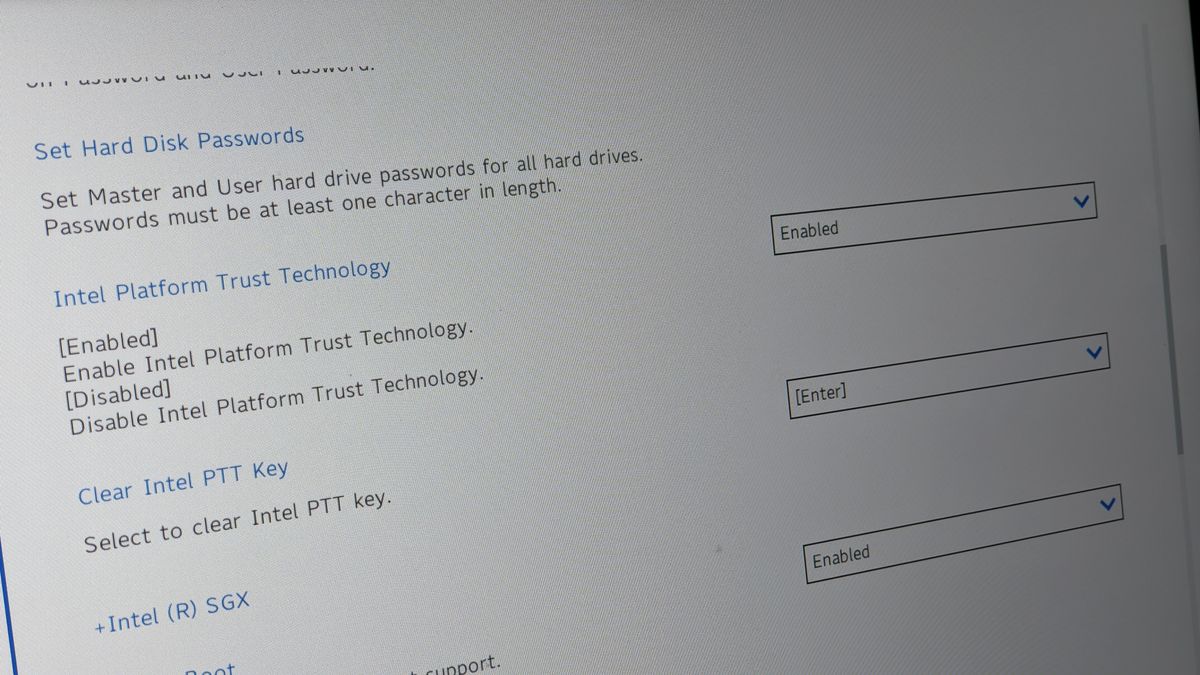
One of the major reasons for the inaccessibility of the BIOS in Windows can be due to the fast booting process
frank stirrup
which is why its doing that
frank stirrup
white blaze
One of the major reasons for the inaccessibility of the BIOS in Windows can be d...
Already said that
cerulean trellis
i turned that of
 white blaze
frank stirrup
Already said that
white blaze
frank stirrup
Already said that
good for you, I was typing as you did
boreal arch
versed rock
Enabling XMP can sometimes be finicky. You'd be better off manually setting the ...
I don’t know how to do those things. Also, i’ve had xmp on since i built it, weird that it now happened, but i’ll try the cmos
boreal arch
vague oracle
What ram is it?
GSKILL trident z
frank stirrup
cerulean trellis
to go to uefi setting
If the option doesn’t show up ur using mbr not gpt
boreal arch
boreal arch
I don’t know how to do those things. Also, i’ve had xmp on since i built it, wei...
i left it off for a while and removed the power cable ti try and get things to lose all the energy from capacitors, and when i turned it back on it kept on till i made it to the home screen (around a minute) and then it turned off again. Ram rgb is still on.
@versed rock how do i clear cmos? Before turning computer on? Immediately after i turn it on. What’s the process?
frank stirrup
versed rock
Enabling XMP can sometimes be finicky. You'd be better off manually setting the ...
No
vague oracle
boreal arch
<@100710174137798656> how do i clear cmos? Before turning computer on? Immediate...
Do you see a round battery on your motherboard?
Take it out and press the power button on the case to get rid of residual power in it
versed rock
frank stirrup
No
Every motherboard I've ever had or worked on has never taken XMP settings. Regardless of company.
vague oracle
Then wait like 10 minutes before putting it back in
boreal arch
vague oracle
Do you see a round battery on your motherboard?
no
frank stirrup
versed rock
Every motherboard I've ever had or worked on has never taken XMP settings. Regar...
Strange.
frank stirrup
boreal arch
no
Under gpu
vague oracle
boreal arch
no
What motherboard is it?
boreal arch
it’s a bit dirty😅
 vague oracle
Take out the GPU
vague oracle
Reverse the steps you took putting it in
Unscrew the screws, and then press down the clip
boreal arch
ik there is a clip
frank stirrup
boreal arch
it’s a bit dirty😅
Ouch
That actually hurts me
The sag on the gpu
Use something to prop it up and keep it level
Having it sit like that isnt very good for the slot
vague oracle
Do you see the battery?
boreal arch
yes
frank stirrup
Unplug pc from the wall
Press the power button a few times
Remove battery
Wait 5 mins
Put everything back together
vague oracle
We’re idiots, that mobo has a clear cmos button
frank stirrup
vague oracle
We’re idiots, that mobo has a clear cmos button
Battery better
Always
boreal arch
vague oracle
We’re idiots, that mobo has a clear cmos button
yeah…
vague oracle
frank stirrup
Battery better
Why is it better?
frank stirrup
Works 100% of the times
But fr @boreal arch that gpu sag is NOT good for the pcie slot
I would 100% get a gpu brace or heck even put a tower of legos under it
fossil cedar
Feel like a pop figure would be the right size in a few cases too
boreal arch
frank stirrup
I would 100% get a gpu brace or heck even put a tower of legos under it
i’ll look into it! thanks
frank stirrup
boreal arch
it’s a bit dirty😅
@fossil cedar
fossil cedar
I saw
boreal arch
oh gosh
i feel violated xD
placed battery back in
what now
gpu, psu and power?
fossil cedar
@boreal arch what's going on?
boreal arch
boreal arch
Hello! So, problem. I just had my first crash. Everything turned off, except RAM...
^
fossil cedar
Okay
marble gust
Yes Alopez install everything. If it doesn't solve the issue. Then there other steps we could do
boreal arch
gonna try now
fossil cedar
I'd try that before anything else
 fossil cedar
Can you try take out your ram and put it back in again to the 2nd and 4th slots(from right to left)
marble gust
Turn off the computer/ unplug it before you remove the ram. Make sure you press the blue/black tab before removing the ram.
and then do what Pato said
boreal arch
so place them on the blue arrowed one?
 marble gust
I think Pato wants you do take it off and put it back in the same slot.
boreal arch
removed ram and placed on blue arrowed ones
damn
xD
i knew it didnt make sense
or i think
marble gust
see if it helps. If not put them on the arrows
boreal arch
i have them on arrows
fossil cedar
marble gust
I think Pato wants you do take it off and put it back in the same slot.
Just this
boreal arch
one sec xD
fossil cedar
boreal arch
i have them on arrows
Nono put them back the wat they were ye
little osprey
Are there any budget alternatives to the nr200(p)
boreal arch
Pato, from right to left 2nd and 4th is same as left to right 1st and 3rd
just so you know
I appreciate the help!
fossil cedar
little osprey
Are there any budget alternatives to the nr200(p)
If going nr200p you might as well go ssupd meshilicous
fossil cedar
boreal arch
I appreciate the help!
Sorry i meant left to right not right to left
fossil cedar
@little osprey you debating going itx?
little osprey
Kinda
fossil cedar
Uwu
little osprey
i sent a list earlier i think you saw it
little osprey
is the meshilicious inverted?
boreal arch
boreal arch
yurn pc back on?
?
fossil cedar
little osprey
Are there any budget alternatives to the nr200(p)
Phanteks p200a works
fossil cedar
boreal arch
?
Yes try turn back on
boreal arch
nope
little osprey
Hmm i’ll look
debating p200a or nr200p
p200a probably has better airflow but nr200p has the cleaner look
boreal arch
press button, fans spin for a second, monitor refreshes screen, ram rgb turns on.
and keyboard just now turned on
marble gust
does it do a loop? or just no fans spins. Just the ram lighrs on?
marble gust
turn on and off again that loop is
boreal arch
marble gust
turn on and off again that loop is
sorry, still not understanding
only ram rgb too
fossil cedar
Loop=repeat
fossil cedar
Just out of curiosity, when you try turn on the pc, mash delete, see if you get into the bios
fossil cedar
boreal arch
does what loop?
Like the whole process
boreal arch
trying
I mean, it literally happened like i said. The fans spins for a second and stop. The rgb does not turn on.
there is a “click” sound
i’ll try a video this time to see
little osprey
That happened to me before but i didn’t have any ram issues. i just changed boot device to my windows drive and it fixed it
boreal arch
i only have a windows drive xD
marble gust
Also what CPU you have in there?
fossil cedar
fossil cedar
Just out of curiosity, when you try turn on the pc, mash delete, see if you get ...
@boreal arch did you try this?
Cuz it sounds like it's booting to a different drive
Or trying to
 smoky wolf
hello all! big big noob here, in need of help for buying the right components/building/customizing proper machine
little osprey
Sure
What's your budget and what are you going to be using the computer for
Country / region of residence helps too
smoky wolf
hey cameron!
so, using it for photoshop, i'm a concept artist, rather big documents
budget is 650
$
fossil cedar
Any other uses?
boreal arch
marble gust
Also what CPU you have in there?
5800x
smoky wolf
florida, US
marble gust
smoky wolf
hello all! big big noob here, in need of help for buying the right components/bu...
Usually the first questions are. Your budget, the way you're going to use the PC. Also, you have any old components wanna keep using? [GPU,case, SSD HD]?
fossil cedar
boreal arch
im in
Into windows or bios?
smoky wolf
it will be dedicated to photoshop, pairing it with a xp-pen 16tp
boreal arch
i pressed escape and it said cmos was cleared
fossil cedar
smoky wolf
it will be dedicated to photoshop, pairing it with a xp-pen 16tp
Is that the drawing display/tablet?
boreal arch
went to bios
smoky wolf
yes
smoky wolf
yes
boreal arch
fossil cedar
<@628941558300803072> did you try this?
yes, idk what it did but its working xD
fossil cedar
Great
boreal arch
fossil cedar
Cuz it sounds like it's booting to a different drive
maybe? buyt it made it once into regular drive and turned off
fossil cedar
smoky wolf
yes
Okay I'll put a list together for you
marble gust
Ok. Maybe it needed a reset on ram. Or a glitch and needed a cmos reset. Awesome
boreal arch
fossil cedar
You're in windows ye?
for now hehe
little osprey
smoky wolf
yes
Are you going to build it yourself or buy a prebuilt machine?
fossil cedar
boreal arch
maybe? buyt it made it once into regular drive and turned off
Id it works it works lol
boreal arch
marble gust
Ok. Maybe it needed a reset on ram. Or a glitch and needed a cmos reset. Awesome
hope so
thank you peeps!
i was fgreaking out
smoky wolf
if that helps, I was thinking of this guy: https://www.newegg.com/asrock-4x4-box-4500u/p/N82E16856158070?Item=N82E16856158070 then adding the 16gb ram and 512 memorym
boreal arch
not everyday i can make a pc and i also dont have the money haha
boreal arch
fossil cedar
Id it works it works lol
true!
marble gust
@boreal arch I know, not sure how your PC literacy is. But is a bit nerve-wracking
smoky wolf
little osprey
Are you going to build it yourself or buy a prebuilt machine?
prebult plus some adding to it?
smoky wolf
fossil cedar
Okay I'll put a list together for you
thank you!
boreal arch
marble gust
<@628941558300803072> I know, not sure how your PC literacy is. But is a bit ner...
as long as it works haha
once again, thank you all!
smoky wolf
fossil cedar
Okay I'll put a list together for you
if that helps, I was thinking of this guy: https://www.newegg.com/asrock-4x4-box-4500u/p/N82E16856158070?Item=N82E16856158070 then adding the 16gb ram and 512 memory
fossil cedar
Oh if you wanna do prebuilt no point in my doing this
marble gust
Usually is hard to add things on those super mini PC. But Pato would do a good job on that
smoky wolf
fossil cedar
Oh if you wanna do prebuilt no point in my doing this
imagine I'm 5years old, and I don't know what's best for me
little osprey
Do you have a costco membership?
smoky wolf
no
fossil cedar
smoky wolf
if that helps, I was thinking of this guy: https://www.newegg.com/asrock-4x4-box...
That's looking pricey for no ram or storage
smoky wolf
see...I need you
fossil cedar
smoky wolf
imagine I'm 5years old, and I don't know what's best for me
Okay prebuilt prob best then
@smoky wolf do you need it to be really small?
marble gust
@boreal arch Any issues or if you wish to learn there are good videos about troubleshooting and PC in generals.
smoky wolf
fossil cedar
<@879086173119713311> do you need it to be really small?
trying to build a travel workstation, so yes
little osprey
smoky wolf
trying to build a travel workstation, so yes
low cost travel workstations dont exactly exist
marble gust
I would agree with Pato. Some laptops can let you update ram, M.2, SSD some CPU too
little osprey
what pato said basically
if you're consistently moving around i'd say to get a laptop
smoky wolf
little osprey
low cost travel workstations dont exactly exist
what would be more reasonnable budgetwise then?
marble gust
is your budget
boreal arch
IT TURNED OFF
marble gust
oh
smoky wolf
little osprey
if you're consistently moving around i'd say to get a laptop
not consistently, I have a pc with a cintiq at home
marble gust
no blue acreen or anything? @boreal arch
boreal arch
I was checking the temps on amd radeon
boreal arch
marble gust
no blue acreen or anything? <@628941558300803072>
just a click sound and off
I was trying to record the click sound
ram rgb still on
smoky wolf
little osprey
low cost travel workstations dont exactly exist
so I was right to don't jump on these beelink gtr's?
marble gust
i think there an issue with PSU[I think]
boreal arch
marble gust
i think there an issue with PSU[I think]
any way to check?
fossil cedar
smoky wolf
what would be more reasonnable budgetwise then?
Thing is laptops are just easier to move then separate keyboards and monitors, and those super small desktops use laptop cpus anyway
boreal arch
I hope not 😅
marble gust
is not huge. Nothing burned or such. So relax Alopez
boreal arch
Let me check the back of case
fossil cedar
boreal arch
just a click sound and off
What power supply do you have and what graphics card
marble gust
He has a xfx radeon GPU
fossil cedar
marble gust
He has a xfx radeon GPU
Want to know 6700xt 6800 etc
boreal arch
fossil cedar
What power supply do you have and what graphics card
I have a SeaSonic Focus 850 Plat. and a 6700XT XFX Hero
fossil cedar
boreal arch
I have a SeaSonic Focus 850 Plat. and a 6700XT XFX Hero
Hmm that should be okay, but you might just have a faulty power supply
boreal arch
I’ve had it for 4 months now
fossil cedar
@boreal arch are you using the power lead it came with?
boreal arch
Never had a prob. like this
boreal arch
fossil cedar
<@628941558300803072> are you using the power lead it came with?
power lead? the cables?
smoky wolf
fossil cedar
Thing is laptops are just easier to move then separate keyboards and monitors, a...
good point... what if my heart was set on mini pc + drawing tablet?
marble gust
yes, the cables, are the same that came with the PSU?
boreal arch
Everything
marble gust
@smoky wolf Some laptops can let you draw. If they have touch screens
boreal arch
I have it on a PSU
smoky wolf
marble gust
<@879086173119713311> Some laptops can let you draw. If they have touch screens
I have the tablet already
but ok, open to laptops now
boreal arch
I can’t contact MSI because it’s weekend
and i didn’t want to imagine contactinng SeaSonic
fossil cedar
Why would you contact msi?
fossil cedar
boreal arch
and i didn’t want to imagine contactinng SeaSonic
Why not
boreal arch
fossil cedar
Why would you contact msi?
thinking it might have been a mobo problem
boreal arch
fossil cedar
Why not
i was in denial of it being a psu prob
fossil cedar
Say "my power supply is tripping"
boreal arch
i mean, not sure if it is, but eould not like it to be
boreal arch
fossil cedar
Say "my power supply is tripping"
NO!😡😂
fossil cedar
boreal arch
thinking it might have been a mobo problem
Sounds like a psu problem
marble gust
Is this issue just started today? Or is been happening for a while?
fossil cedar
boreal arch
NO!😡😂
Seriously that's the term for click and turn off
boreal arch
marble gust
Is this issue just started today? Or is been happening for a while?
today, i’ve been away from home for a month. Came back yesterday and went to turn it on today.
got on, went to update apps and it shut down
inland parrot
https://pcpartpicker.com/list/CWL94d what about now
marble gust
OK, was it left unplug while you were gone? Have there been storms or power issues recently? Or when you were gone?
boreal arch
marble gust
OK, was it left unplug while you were gone? Have there been storms or power issu...
No, I left the on my UPS and turned it off as well as the pc
i actually turned the breaker off for the room
boreal arch
marble gust
OK, was it left unplug while you were gone? Have there been storms or power issu...
the power might have gone, but the breaker was off anyways
marble gust
ok. Just wondering. Good choice have a UPS and you turn the breaker off
boreal arch
and it’s in the ups, so it should be okay
boreal arch
marble gust
ok. Just wondering. Good choice have a UPS and you turn the breaker off
Thanks, wasn’t trying to risk anything
fossil cedar
@boreal arch just check that the cables aren't loose but it really sounds like your psu is just tripping
marble gust
^agreed
 modest kestrel
How do i know what is a good prebuilt gaming pc
I want learn what are good components and what arent
fossil cedar
modest kestrel
How do i know what is a good prebuilt gaming pc
What's the budget?
modest kestrel
1,000$ USD
fossil cedar
Do you mind open box?
fossil cedar
Kinda, it's like just returned really
modest kestrel
Oh then i dont mind
marble gust
Someone brought the PC, and returned it on the 7 or 14 day return period. Could have been turned on, or just open and didn't like it
marble gust
When it says open box what does it means ? – Learn about Apple Watch Series 1 42mm Space Gray Aluminum Case Black Sport Band - Space Gray Aluminum with 8 Answers – Best Buy
there an example
fossil cedar
modest kestrel
Oh then i dont mind
modest kestrel
I kind of know how to do build a pc, its just the part where i connect the cables is where i dont understandstand
fossil cedar
modest kestrel
Would it be more better for me to build the pc?
Usually cheaper/better perf but atm no we be in a massive graphics card shortage
modest kestrel
Oh
fossil cedar
So this would be your best bet
modest kestrel
So when im looking for a pc what is a good processor and GPU to look for ?
marble gust
Ahh the cables is alwaya the issue. I would use youtube video or the manual. You could get PC parts slowly. That what I did. Still missing monitor, cooler and GPU
modest kestrel
Oh
marble gust
right now 3070 3080 or 3080ti. 6700, 6700xt 6800xt. But GPU prices are crazy. Unless you get it on newegg shuffle drop from Best buy or get lucky. For CPU is 11700K or AMD 5600x 5800x
modest kestrel
Would they drop around the cyber Monday time?
little osprey
modest kestrel
Would they drop around the cyber Monday time?
Lmfao
marble gust
the drops are every other week on ransom day of that week. That's for BEst Buy. The newegg shuffle is every day
little osprey
You’re funny
marble gust
little osprey
You’re funny
Some people are not in the loop. Lol
fossil cedar
modest kestrel
So when im looking for a pc what is a good processor and GPU to look for ?
For your price of 1k usd, 2060 is probs the best your gonna get atm
fossil cedar
modest kestrel
Would they drop around the cyber Monday time?
They'll drop in about a year when the shortage ends
modest kestrel
Will 2060 be good for games like Call Of Duty Modern Warfare?
fossil cedar
Year at least
marble gust
No need to repeat. However if you're patient and lucky can get in the newegg shuffle, or best buy drop
fossil cedar
modest kestrel
Will 2060 be good for games like Call Of Duty Modern Warfare?
Ye will do nicely might have to tweak the odd settings
marble gust
rtx 2060 is good.
modest kestrel
I play on low settings im not into good quality stuff
I just want good performance
marble gust
you don't need to be in low with the 2060. Maybe high. If you get too high FPS you gave issues with the game engine or lag. Or screen tearing
modest kestrel
Oh ok
How do i know what motherboard to get and what components to get? The 1 component I know I'll get is the GPU
marble gust
Some people decide by price, other by color or styles, and prevous experience with the product.
Also, is the budget, what are you going to use it for? If this not your first PC will you be using any old components like HDD or SSD
But if is this your first PC. Then busget and usage are the main questions. Also, will you be moving frequently[mobile gaming] or just want PC at home only.
@modest kestrel
fossil cedar
marble gust
But if is this your first PC. Then busget and usage are the main questions. Also...
They said 1k so i linked them the 2060 abs pc for 1020
marble gust
oh. he said about components and what to get. My bad
fossil cedar
Is g
 neat helm
I need help in finding a monitor

Gpu is rx6800xt, and CPU is i7 11700F if that is any aid
fossil cedar
 fresh haven
Led fans dim overtime right??
fresh haven
Led fans dim overtime right??
Only if you make them do it
fossil cedar
neat helm
Gpu is rx6800xt, and CPU is i7 11700F if that is any aid
I'd get an m27q
neat helm
Thank you pato
 vestal charm
neat helm
Gpu is rx6800xt, and CPU is i7 11700F if that is any aid
vestal charm
neat helm
Gpu is rx6800xt, and CPU is i7 11700F if that is any aid
I'm interested to know y u went Intel on cpu and amd for a gpu
fossil cedar
vestal charm
I'm interested to know y u went Intel on cpu and amd for a gpu
Also nothing wrong with having intel cpu and amd gpu lmao
neat helm
@fossil cedar i found the m27q out of stock, so is this a good replacement? ://www.amazon.co.uk/gp/aw/d/B07KP34NMJ/ref=ox_sc_act_image_1?smid=A3P5ROKL5A1OLE&psc=1
 earnest olive
watch
earnest olive
I'm gonna go ryzen cpu and intel arc gpu
total gamer move

waiting for nvidia cpu
earnest olive
neat helm
I dont need 4k
you have a 6800xt, 1440p is perfect gaming resolution for that gpu
neat helm
earnest olive
you have a 6800xt, 1440p is perfect gaming resolution for that gpu
You see, I am budgeted 250£
Meaning
I am broke
earnest olive
who said you can't get a great monitor below 250 pounds
1440p, 144hz, IPS, 350 nits, "1ms", freesync, even has speakers
neat helm
Its 28u on amazon

287
Nvm found it
You are very cool and awesome @earnest olive
Epic person
earnest olive

fossil cedar
neat helm
<@191276897227898880> i found the m27q out of stock, so is this a good replaceme...
Ahh region important lol, us is usually default m27q isn't as good outside us value wise
fossil cedar
Np
little osprey
earnest olive
<:BBOsproutmole:866883526591119380>
What is this from
earnest olive
omori
little osprey
O
 jaunty cipher
I am trying out Neweggs PC Builder for the first time and this morning I am no longer able to select ram. It keeps telling me there is none. Any idea? I have tried every MB and also swapped out other parts.
 restive halo
Anyone have time to help me please
little osprey
What’s up? i may not be able to help but could you repeat your issue so others can see
little osprey
So your pc will not power on. period
stoic island
No fan spin no nothing?
stoic island
How are you turning it on
restive halo
Jumper
little osprey
And this is a new build?
little osprey
Did you try rebuilding the whole thing?
marble gust
maybe missing plug somewhere
jaunty cipher
 flint sapphire
restive halo
Bad Motherboard?
flint sapphire
restive halo
Bad Motherboard?
Oh the fan started spinning? Could be mobo then
restive halo
Anything else I can do to test
flint sapphire
Nothings turning on and you determined the psu to be good. We tested almost everything about 12 hours ago.
Is it the same psu?
restive halo
I tested with 2 psu's
flint sapphire
Ah wouldn’t turn on with the 500w?
flint sapphire
Like on the case? If it is you can just short the pwr header with a screw driver
restive halo
?
flint sapphire
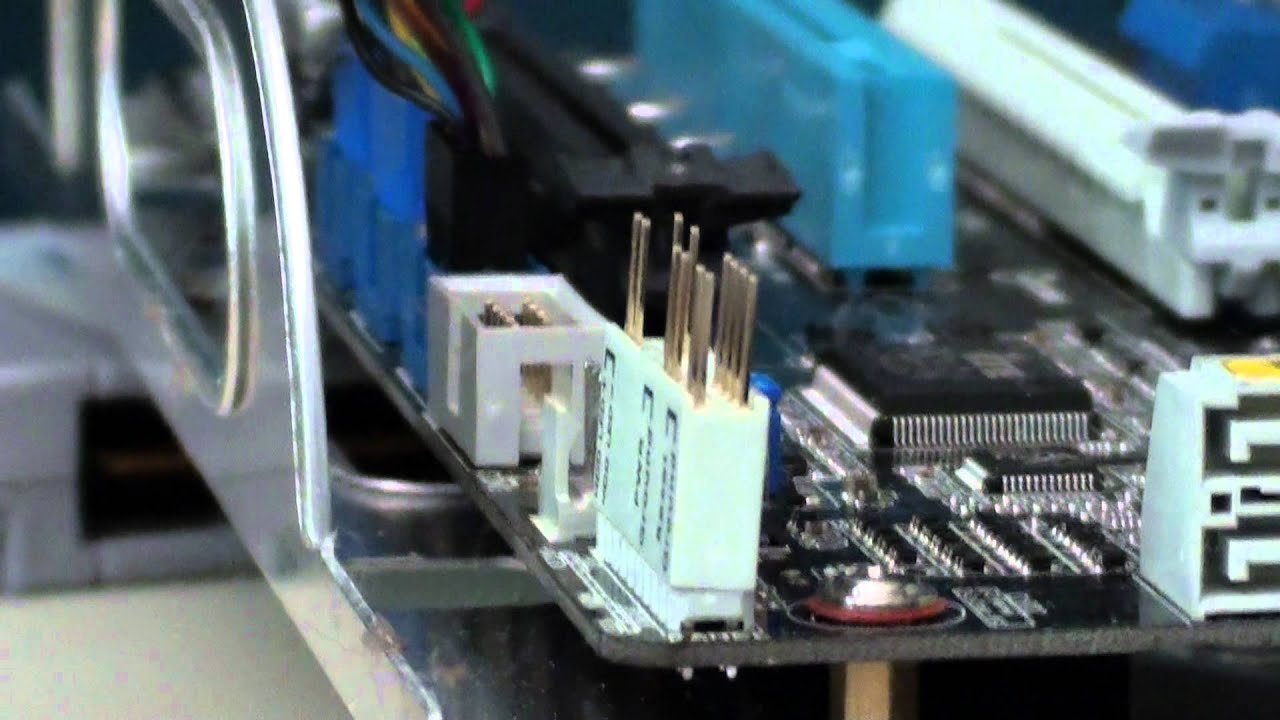
In this tutorial I tell you how to start a computer without a power button, it is very quick and easy, all you need is a screwdriver!
restive halo
Ok still nothing
flint sapphire
No lights no red light on the mobo?
flint sapphire
Do you see where a led might be towards the top right of your board usually there’s at least one
restive halo
Is there a switch or battery or something I could be missing?
worn wave
No
restive halo
flint sapphire
Do you see where a led might be towards the top right of your board usually ther...
No
flint sapphire
If it’s not going off at all… I don’t know what to tell you. I don’t think there’s a switch
worn wave
You have taken your PSU cables out and put it back in?
Your PSU switch is turned to the on position right?
restive halo
worn wave
You have taken your PSU cables out and put it back in?
Yes
worn wave
What motherboard and CPU?
restive halo
 worn wave
Have you tested the motherboard outside of the case?

 flint sapphire
Was last night if you wanna read up on what we did
worn wave
Have you tried removing the CPU, RAM, and GPU and putting it back in yet?
flint sapphire
We didn’t remove any components
Besides the cables
Nothing was spinning up and it seemed plugged in correctly
We thought it was a dead psu because this didn’t work
 worn wave
Have you tried removing the CPU, RAM, and GPU and putting it back in yet?
worn wave
worn wave
Have you tried removing the CPU, RAM, and GPU and putting it back in yet?
Try this and try running the system outside of the case
worn wave
There is a small chance a lead from a component is grounding out on the case
I have had it happen before, rare case tho
Other than that motherboard most likely is dead and you should contact the store where you got it from for a replacement
flint sapphire
Maybe it’s a bios issue. But something would turn on even if it wouldn’t start I’d imagine
 restive halo
What do I need to hook up. Everything
worn wave
yup
restive halo
K 1 sec
worn wave
https://www.youtube.com/watch?v=G4FOBL1c3pA
Once everything is plugged in do this to turn it on
In this tutorial I tell you how to start a computer without a power button, it is very quick and easy, all you need is a screwdriver!
restive halo
 worn wave
Uh is your CPU cable in
It looks like its not fully in
Try not using the cable extenstions
restive halo
Yes
worn wave
Does the system turn on now
 worn wave
Alright then you are going to have to get a motherboard replacement most likely

 cursive tusk
 little osprey
GPU power
cursive tusk
Hey guys I bought a cable extension kit and I’m having trouble with connecting it to the main psu cables
so
basically
little osprey
6 pin and an included adapter to make it 8 pin
cursive tusk
Do the shapes have to align exactly to fit in? Or does it not matter
little osprey
they should fit in perfectly
little osprey
Idk but if it fits put it in that way…
jaunty cipher
I am trying to use the Newegg PC Builder and it is telling me "We’re sorry, there are no items that match your selections. Please adjust your selections to try again." This is my system build https://newegg.io/2f2d181. I have tried to swap out motherboard. Power supply, and case. Any ideas? Are they just out of RAM?
 vernal dirge
What are you trying to add?
jaunty cipher
any ram
Any at all
I have the whole system picked out but there dose not seem to be any RAM available.
I just tried a new build picked a motherboard and tried to add ram and got same message.
little osprey
Maybe they dont have any ram at the warehouse
jaunty cipher
that is what I am thinking.
vernal dirge
Why not use PCPartPicker?
jaunty cipher
I tried contacting them and the support person could not help.
I have never used PCPartPicker. I just like Newegg 🙂
I might try them now though
vernal dirge
It’s pretty similar to that list builder.
stoic island
pcpp won't build it for you
jaunty cipher
I do like the idea of not building it.
vernal dirge
Does Newegg build it for you?
jaunty cipher
they do now.
stoic island
Newegg has an option of building it for you
vernal dirge
I see, I didn’t know that.
stoic island
pcpp is just better for making a list, but Newegg does kinda have the option of building it for you
 jaunty cipher
When I was younger I would have agreed now I just want to though money at it 🙂
jaunty cipher
I seem to have less and less time to use it these days.
obsidian wigeon
building atm is difficult to control gpu prices ngl
vernal dirge
jaunty cipher
I seem to have less and less time to use it these days.
I feel that.
jaunty cipher
That is the other part. To get a 3080 without a whole system the cost is closer to 2k while they are around 1k with a built system.
vernal dirge
Hmmm.
jaunty cipher
Anyone willing to check if I am just inept? Can anyone add RAM to there PC builder?
vernal dirge
I tried on my phone.
But it wouldn’t let me add anything there.
Not just ram though.
Anything.
jaunty cipher
well that is not good
jaunty cipher
ya might not be. I try to never use my phone 🙂
vernal dirge
I don’t browse discord on my computer lol.
obsidian wigeon
I could add in pcpp on my phone just fine, lemme see
wait it's newegg.io
ehh that doesn't like mobile
jaunty cipher
thanks for checking
obsidian wigeon
rip
jaunty cipher
Is it worth tagging Newegg staff here?
vernal dirge
No they won’t help.
obsidian wigeon
just dm neweggservice
vernal dirge
You could dm Newegg service.
obsidian wigeon
and wait
stoic island
Prob outside service hours now tho
obsidian wigeon
rip
vernal dirge
I wonder why people are mad about my mining setup in #build-pics.
Is it from the amount of GPUs or what?
 jagged hill
probably
stoic island
because 'miners taking all the gpus'
obsidian wigeon
yeah
vernal dirge
We bought them at scalper price.
obsidian wigeon
they love to blame miners
vernal dirge
That’s what they’re being scalped for.
obsidian wigeon
it's us that is wrong, yes
jagged hill
it’s the reason i had to settle for an entry level lol
obsidian wigeon
im wrong for mining lol
vernal dirge
I mean, it’s irritating sure that people can’t get GPUs.
jagged hill
some miners are more to blame than others
obsidian wigeon
sorry, had to vent cause it's been bottling up
vernal dirge
Fair enough.
obsidian wigeon
they really think it's 2017 all over again tbh
when it's definitely different situation
vernal dirge
The worst part is there will probably continue to be GPU shortage.
Even though mining is slowing down a lot.
Like, even PS5s are being scalped.
vernal dirge
I don’t want to mine at home.
I like how cold it is here.
And my electricity bill is already expensive.
obsidian wigeon
my bills are cheap
i could even mine with a 1660s and still have profit after power
marble gust
Did @restive halo problem got resolved?
@jaunty cipher What kind of ram you want. So
much capacity (16gb or 32gb) color, speed, Cas Latency/timing(if you care), manufacture, RBG(Yes/Or no)
jaunty cipher
I am looking for 32GB was considering 3200 for speed
marble gust
ok, any RGB or color you care?
jaunty cipher
would prefer no RBG but if it is the only option that is fine
jaunty cipher
you are ok cool thanks
obsidian wigeon
if it's 3200 just make sure it's c16
marble gust
worn wave
Jeez that is overpriced
marble gust
well atm
I paid 169.99
usually that been steady at 189. I can't find any other ram with those timmings and Samsung Bdie for cheaper
worn wave
https://www.newegg.com/ballistix-32gb-288-pin-ddr4-sdram/p/N82E16820164177?
Better off just getting a kit like this
jagged hill
How long until 32GB RAM becomes necessary? I hope that takes its time.
worn wave
Depends on your application
jagged hill
blender
marble gust
BTW I fix susurrus issue on the website. By removing GPU and the Newegg assembly help. Then you can see the ram list again
vernal dirge
You should @ him.
little osprey
marble gust
BTW I fix susurrus issue on the website. By removing GPU and the Newegg assembly...
Yes that’s basically what i was saying
marble gust
I'm talking to him in DM. Just giving this chat a headup with the solution
little osprey
They don’t have any RAM at the newegg warehouse where they get parts to assemble the pcs
👍
marble gust
Could be. Or the PC Builder Assembly Service
is glitched. who knows. I added the card and the option after putting the ram, and it worked
 formal mauve
Does anyone that has a asus mobo and a Corsair commander pro ever have random disconnects if so do you know how to fix it
earnest olive
as someone who dislikes asus and hates corsair
that's really not helpful if he already has them
earnest olive
formal mauve
Does anyone that has a asus mobo and a Corsair commander pro ever have random di...
full system specs please?
wondering if it's ryzen usb dropout issue
cursive tusk
I got a kraken x63 brand new and there’s this: that looks like dust but isn’t any clues?
 formal mauve
@earnest olive ryzen 5800x asus 570x prime pro 3080 fe
earnest olive
any other devices disconnecting? or just that
are you overclocking anything? (xmp counts as overclocking)
formal mauve
just the commander pro and no xmp yet just trying to fix this first
earnest olive
can you open event viewer, go to administrative events, and look for any WHEA errors?
also check your bios version
asus released a new version for your board 5 days ago with agesa 1.2.0.3 patch c which is supposed to address the dropouts
ASUS Prime series is expertly engineered to unleash the full potential of AMD and Intel processors. Boasting a robust power design, comprehensive cooling solutions and intelligent tuning options, Prime series motherboards provide daily users and DIY PC builders a range of performance tuning options via intuitive software and firmware features.
 clever eagle
earnest olive
as someone who dislikes asus and hates corsair
clever eagle
earnest olive
as someone who dislikes asus and hates corsair
what why?
earnest olive
i hate asus bios
their products are also either mediocre for the price
or good for exorbitant prices
corsair is the epitome of everything i hate in pc building
meme prices
proprietary everything
rgb software that takes more cpu than some games
i put 3 effects on my keyboard to try it and saw 12% cpu usage on CO tuned 5600x lmao
frank stirrup
gigabyte bios master race
earnest olive
also corsair charges premium price for ram that often can't even run xmp
customer asked me to use his $180 corsair aio on his i5-10600K
thermal throttled 
1.325V medium LLC
with AVX disabled saw 100C after 30 mins
with AVX enabled saw 100C in 1 second
 tight sorrel
earnest olive
i put 3 effects on my keyboard to try it and saw 12% cpu usage on CO tuned 5600x...
tight sorrel
earnest olive
i put 3 effects on my keyboard to try it and saw 12% cpu usage on CO tuned 5600x...
now im going to have to go an check how much iCUE is using on my PC, seeing as I have keyb, mouse and fans
earnest olive
it was 3 effects on my keyboard cause that's my only corsair thing
found it used for $50
i just use hardware profiles and uninstalled icue
obsidian wigeon
Anything with at least 3600mhz and C16
restive halo
Thank you
 sly sapphire
What are some good airflow cases that aren’t super expensive. Ideally under 150
sly sapphire
What’s the difference between 4000d and 5000d
obsidian wigeon
Size
4000D is smaller, but it's not really a small case tbh, still decently big
Just depends if you want 5000D I suppose
Also make sure the corsairs are the airflow version
Non airflow sucks
sly sapphire
Okay thanks
tight sorrel
sly sapphire
What are some good airflow cases that aren’t super expensive. Ideally under 150
lian li lancool ii mesh
lian li lancool 215
 peak ginkgo
tight sorrel
lian li lancool ii mesh
peak ginkgo
tight sorrel
lian li lancool ii mesh
This
peak ginkgo
obsidian wigeon
Corsair 4000/5000D, Phanteks P300A/P400A/P500A
And these
restive halo
sly sapphire
What’s the difference between 4000d and 5000d
You can fit alot in the 4000d
 fossil cedar
restive halo
What is the best white RGB ram to use with the Ryzen 5 5600g
fossil cedar
restive halo
What is the best white RGB ram to use with the Ryzen 5 5600g
Ballistix 3600mhz usually is the cheapest and best bet
fossil cedar
obsidian wigeon
Corsair 4000/5000D, Phanteks P300A/P400A/P500A
Don't forget p360a too
 fossil cedar
4000d airflow is pretty big ye
obsidian wigeon
yep that's the one
fossil cedar
restive halo
Yeah, must it be white and rgb tho?
Because if not there are some nice 4000mhz kits
flint sapphire
I like my smol meshify 
restive halo
fossil cedar
Yeah, must it be white and rgb tho?
Yeah that's what they want
restive halo
fossil cedar
Because if not there are some nice 4000mhz kits
White?
fossil cedar
restive halo
White?
Nah just black
fossil cedar
Well your CPU won't be able to do 4000mhz
restive halo
Oh ok
tight sorrel
fossil cedar
Nah just black
 fossil cedar
Oh no
fossil cedar
restive halo
Oh ok
So unless you were upgrading size as well not worth it imho
restive halo
fossil cedar
So unless you were upgrading size as well not worth it imho
I thought I had a good CPU
 jagged ember
A few generations ago
Yes
Its not a bad cpu by any stretch of the imagination though, just gets stomped by modern cpus
So it's relatively bad?
fossil cedar
restive halo
I thought I had a good CPU
3700x is a decent cpu but unless you're upgrading ram capacity not worth the money to go from 3200 to 3600
fossil cedar
jagged ember
So it's relatively bad?
Ehh nah it's only 2ish years old, only bad if you buy it in 2021
restive halo
What would be my next step for CPU
tight sorrel
restive halo
What would be my next step for CPU
5900x
obsidian wigeon
Ryzen 5000XT, the end of AM4
Those has 3D stacked cache, gonna make the chips even faster
Just wait for those as they're coming pretty soon
tight sorrel
obsidian wigeon
Those has 3D stacked cache, gonna make the chips even faster
have the details been anounced for these yet?
obsidian wigeon
Yeah, AMD did show
obsidian wigeon
Up to 128 megs of 3D cache
tight sorrel
cos the 3d stacked cache is a tasty meatball
jagged ember
Spicy, too
restive halo
That will pair well with my 3060ti
frank stirrup
obsidian wigeon
5900XT sure is gonna be speedy
Probably
frank stirrup
Depends on how stacked cache translates to latencies
obsidian wigeon
Stacked wouldn't increase latency afaik
fossil cedar
restive halo
What would be my next step for CPU
What motherboard you got?
frank stirrup
obsidian wigeon
Stacked wouldn't increase latency afaik
Shouldn’t wouldnt isnt will or has
restive halo
fossil cedar
What motherboard you got?
B550 PRO VDH WIFI
fossil cedar
restive halo
That will pair well with my 3060ti
What you have now is a nice pair
frank stirrup
obsidian wigeon
No need to connect together
Of course you need to
obsidian wigeon
Unless I'm thinking of it wrong lel
obsidian wigeon
ye
fossil cedar
restive halo
B550 PRO VDH WIFI
I wouldn't put a 5900x or 5800x on that tbh
stoic island
5800x should be fine
frank stirrup
restive halo
B550 PRO VDH WIFI
Ouch
frank stirrup
stoic island
5800x should be fine
PBO?
restive halo
frank stirrup
Ouch
?
frank stirrup
restive halo
?
Ryzen 9 on that board is ouch
frank stirrup
stoic island
pro vdh wifi should be able to do 5900x 1.2v
Hmm
stoic island
5800x pbo should be fine
restive halo
frank stirrup
Ryzen 9 on that board is ouch
I was told it was a decent board
fossil cedar
Wouldn't put an r9 on the board tho
restive halo
🤦♂️
stoic island
also, 5900x would be fine in general too, it shouldn't be in the throttling temperature territory, just personally wouldn't
like wouldn't do 5900x pbo
restive halo
Why would I need to upgrade my CPU
frank stirrup
restive halo
I was told it was a decent board
I mean it is still leagues better than what @fossil cedar has
fossil cedar
restive halo
Why would I need to upgrade my CPU
You dont
tight sorrel
just dont even try overclock
 stoic island
restive halo
What would be my next step for CPU
stoic island
restive halo
What would be my next step for CPU
didn't you ask us what cpu to upgrade to
restive halo
fossil cedar
You dont
I mean what would be a resmason to upgrade
frank stirrup
tight sorrel
just dont even try overclock
Overclocking can reduce power draw if done well
restive halo
stoic island
didn't you ask us what cpu to upgrade to
Yes I was just curious
fossil cedar
Only if you going from r5 to r7 for example
stoic island
fossil cedar
Only if you going from r5 to r7 for example
no don't use that terminology >:(
5600x -> 1800x is sad
restive halo
What can't i do with my system that I would be able to do if I upgraded my cpu?
fossil cedar
stoic island
no don't use that terminology >:(
True but i said gen to gen
frank stirrup
fossil cedar
Only if you going from r5 to r7 for example
Gen> lineup
tight sorrel
fossil cedar
Only if you going from r5 to r7 for example
Hardware Unboxed will come find you
stoic island
anyways
fossil cedar
stoic island
no don't use that terminology >:(
Twas unclear but meant to be continuation of sentence
stoic island
restive halo
What can't i do with my system that I would be able to do if I upgraded my cpu?
you can play cyberpunk 2077 on an iGPU, but do you really want to play at lowest settings and 5fps at 480p?
fossil cedar
tight sorrel
Hardware Unboxed will come find you
Hw unboxed is a 6 core simp
stoic island
it's not really a matter of what you can and can't do, it's a matter of what you can do better
peak ginkgo
fossil cedar
~~Hw unboxed is a 6 core simp~~
Lol
restive halo
stoic island
you can play cyberpunk 2077 on an iGPU, but do you really want to play at lowest...
No I mean my set up. The icpu is a build for someone. I have the 3700x and a 3060ti
stoic island
I don't think you understand my point then
fossil cedar
restive halo
No I mean my set up. The icpu is a build for someone. I have the 3700x and a 306...
you don't need to upgrade it if it's doing a good enough job for you
restive halo
I get it. I will be able to run what I run better and smoother
tight sorrel
restive halo
What can't i do with my system that I would be able to do if I upgraded my cpu?
render 3d animation in 10s of minutes instead of hours
restive halo
So I'm good then. Because I have no issues with my build. Just asking more for the knowledge
By the way the issue with the wife's build was the MB so the new one comes in tomorrow
stoic island
hopefully
restive halo
?
stoic island
hopefully the new mobo will work
restive halo
Yeah. I was up till 3am after work building hers and making sure cables were clean and then the damn thing did not turn on


I was not happy lol
stoic island
I'm too lazy to do cable management
peak ginkgo
Lol, my OCD will not allow me to ignore it even if I tried
little osprey
Damn should have tried to post before doing all that
stoic island
it's good advice to try to boot outside of case
little osprey
Cool build though
restive halo
It's only my 3rd ever build. I have not had any issues before so I did not think about it
stoic island
but if I'm too lazy to do that myself, not exactly right for me to tell other people to do it
restive halo
What is your process to check everything before building?
fossil cedar
stoic island
it's good advice to try to boot outside of case
Good practice? Yes, do i ever do it? No
stoic island
it's a "you should, but I kinda just don't"
restive halo
Ok
fossil cedar
stoic island
it's a "you should, but I kinda just don't"
Yeah lol, screw taking out that 24 pin connector
restive halo
I'll do that thus time
restive halo
fossil cedar
Yeah lol, screw taking out that 24 pin connector
Such a pain
stoic island
you know what we need
peak ginkgo
restive halo
What is your process to check everything before building?
Trace cables from the PSU to mobo, all fans. Make sure that all connectors on the mobo to all devices are connected
stoic island
wd-40 for the 24pin
fossil cedar
stoic island
wd-40 for the 24pin

 fossil cedar
restive halo
What is your process to check everything before building?
fossil cedar
restive halo
What is your process to check everything before building?
Wack it together and it boots first time usually 😛