#building-and-recc-chat
1 messages · Page 1133 of 1
 potent portal
Correct, it's got 2x 4 pin headers like my MSI does
 last fractal
falcie can u help me
last fractal
no newegg
potent portal
I'm playing a game so I'll look in a bit, unless someone beats me to it
 austere wagon
Just going through fans on Amazon if they don’t say ARGB anywhere they should be good correct?
potent portal
Check if the RGB header is 3 or 4 pins. You want 4 pin.
austere wagon
The current fans im looking at connect to a central hub and the hub only seems to connect to the power supply via sata cable
And there is a wireless controller
 little osprey
last fractal
any 1500 diollor pc
little osprey
last fractal
any 1500 diollor pc
I know one for 1600
little osprey

Best Buy
Shop ASUS ROG Gaming Desktop Intel Core i7-11700F 16GB Memory NVIDIA GeForce RTX 3070 1TB HDD + 512GB SSD at Best Buy. Find low everyday prices and buy online for delivery or in-store pick-up. Price Match Guarantee.
austere wagon
Ah nvm it says ARGB totally missed it onto looking for another set
little osprey
little osprey
https://www.bestbuy.com/site/asus-rog-gaming-desktop-intel-core-i7-11700f-16gb-m...
this one a pretty good deal
last fractal
thanks
little osprey
Ye np
 desert gulch
little osprey
https://www.bestbuy.com/site/asus-rog-gaming-desktop-intel-core-i7-11700f-16gb-m...
desert gulch
little osprey
https://www.bestbuy.com/site/asus-rog-gaming-desktop-intel-core-i7-11700f-16gb-m...
just gotta upgrade that mega crap cpu cooler
little osprey
Yup
 pure briar
Actually one of the systems I had on my list.
 slow nimbus
Question, what would be a good build to build around a Rx 550?
potent portal
Something with a B560 and 10400 probably
last fractal
@little osprey yo it needs better cooling
@potent portal is this fine
i mean its kinda of a rip off

Best Buy
Shop Lenovo Legion Tower 7i Gaming Desktop Intel Core i7-10700K 16GB Memory NVIDIA GeForce RTX 3060 -512GB SSD Black at Best Buy. Find low everyday prices and buy online for delivery or in-store pick-up. Price Match Guarantee.
last fractal
i mean i dont trust it
potent portal
It's about $500 overpriced
little osprey
last fractal
<@456226577798135808> yo it needs better cooling
you can buy a new cooler
like 40 usd
or 30
last fractal
is 3070 5600x 16gb ram 1tb nvme m.2 and a 2tb harddrive and windows for 2148 dollors a good deal
little osprey
no
should be worth like 1700
or jess
less
get the asus one
and buy a better cooler
last fractal
wats a good cooler
potent portal
SE 224 XT, Vetroo V5, gammaxx 400
All should be under $30
If you want to go even better get scythe fuma 2 for $50-60
last fractal
i cant find a good titorial i lookeed on utube
 worn wave
What?
last fractal
to add a cpu cooloer to ur prebuilt pc
worn wave
The CPU cooler comes with a manual on how to install it.
last fractal
it does
 earnest olive
make sure it doesn't have a proprietary cooler mounting system first
if you feel the need to upgrade the cooler... there's a pretty good chance that you have a dell
lol
 obsidian wigeon
That lenovo should have all standard stuff, but eh if it's overpriced by that much, might as well build one yoself
obsidian wigeon
ye
earnest olive
maybe a case upgrade
obsidian wigeon
it even has aio
earnest olive
280mm aio is more than enough
worn wave
EVGA AIOs are not the worst honestly
earnest olive
z590 aorus elite ax is a good board too, they didn't skimp on that
obsidian wigeon
the case certainly is meh but it should work
obsidian wigeon
^
earnest olive
yeah i mean worst case just toss it in a new case
get some cable extensions to hide the ketchup and mustard
it's 700w gold, should be fine
practically a nice custom build at that point
abs doesn't use any proprietary parts
earnest olive
yeah i mean it depends on whether you're buying a prebuilt because you don't want to build or because you can't find a 3070 otherwise
obsidian wigeon
yep
earnest olive
if you're the target market of a prebuilt then a case upgrade is nonsense because it's literally more work than building the thing yourself
but if you're just buying it for the gpu
then this + case upgrade + extensions and you're absolutely solid
obsidian wigeon
tru
Kinda unrelated, but, how do I say ground myself when taking apart a rig? I don't like it zapping me
earnest olive
i just go touch a doorknob every once in a while
obsidian wigeon
My room's floor are made out of tiles
earnest olive
tiles are fine
worn wave
If you are on tiles you do not need to worry then
obsidian wigeon
I think I'll find a towel or something and sit on it
earnest olive
ive built pc on a plastic sheet placed above carpet
nah skip the towel
tiles are fine
worn wave
Just touch a doorknob or something metal to discharge static
obsidian wigeon
I just hate how it zaps me
earnest olive
you can prob get static electricity off of a towel lmao
ive never been zapped before
obsidian wigeon
I unplugged it and it still zaps me ree
earnest olive
somethings wrong with your pc if its zapping you bro
earnest olive
i never get zapped when i kiss my pc goodnight dust off the pc
obsidian wigeon
I don't get zapped as long as I don't touch metal parts of the case
potent portal
Static discharge can happen more in dry, cold climates
earnest olive
idk i touched my gpu directly
obsidian wigeon
I wanna rip the damn psu out while cleaning it every time
earnest olive
this case has a little window for the psu to peek out
potent portal
Bad ground maybe
 earnest olive
why did silverstone make the outward facing side this ugly poop panel

it looked so much nicer when my corsair psu was in here
but i took it out to reuse in my new build cause it's better
my pc is now a hazardous area smh
obsidian wigeon
But I'm fine as long as I cover my hands in a piece of cloth
potent portal
obsidian wigeon
How is bad ground an issue when it's unplugged?
If it's not plugged in it's not grounded, that's how lol
obsidian wigeon
Oh
obsidian wigeon
Well even if it's plugged in, it still zaps me
earnest olive
also that is massively overpaying for a 1660
obsidian wigeon
If I have no way to fix this without relying on a glove or something, I guess I'll have to do
earnest olive
idk how the used hardware market is in australia
worn wave
There's no reason to not have a SSD in 2021
earnest olive
but surely $366 usd is not worth it for a 1660
obsidian wigeon
just igpu does it fine
earnest olive
yeah im sure you got a 6 core cpu and gtx 1660 so you could watch spongebob
definitely
 weak anvil
This is my actual list
earnest olive
if you dont want any advice then dont ask for it
 obsidian wigeon
budget allocation gone wrong
weak anvil
the ssd is literally just a cheaper wd m.2 blue
 chrome bear
^
earnest olive
dramless ssd + $200 fans
worn wave
Cheaper does not mean anything its about price to performance
earnest olive
your budget allocation is wack
weak anvil
Revise my list
earnest olive
my 5800x + 3080 + 1tb gen 4 ssd + 9 argb fans + custom laser engraved gpu stand + all the fancy bells and whistles is $200 more than this
just dont spend $200 on unifans lmao
weak anvil
They look nice asf tho
earnest olive
my argb fans were $3 each
weak anvil
U can’t lie they look good
earnest olive
nah i dont like the design
obsidian wigeon
sn550 is dramless, while the m.2 sata blue has one
weak anvil
Wack
worn wave
It's stupid to spend that much money on the fans
obsidian wigeon
but tho just save the cash
obsidian wigeon
arctic fans do be nice
weak anvil
Fr
obsidian wigeon
but rgb ones are not that cheap
weak anvil
The matte white ones look nice
earnest olive
unifans are alright but no way im spending what they cost on them
weak anvil
But I need rgb for the performance
potent portal
RGB arctic p12 is like $14 each
weak anvil
Obviously
potent portal
Ye
 obsidian wigeon
should be a lot cheaper than the unifans
weak anvil
weak anvil
https://pcpartpicker.com/list/8jBkNP
Revise the list I want to see what I could do better
worn wave
Fractal Design has some new RGB fans but I am not sure how well they perform yet so I bought a pack of the 140mms, I plan on testing them.
 earnest olive
provide enough airflow to jam a 3080 and a 3070 in the same system
potent portal

ARCTIC GmbH
Silent at low load, the highest performance when needed: ARCTICs semi passive A-RGB case fans with 0-decibel mode.
 obsidian wigeon
tightly jammed together
earnest olive
yeah
weak anvil
Yea that’s too close
earnest olive
0.3 slots of space under the 3070
 still roostBOT
 Nitro#9635 has been warned
Reason: Bad word usage
earnest olive
and more like 0.6 slots of space under the 3080
weak anvil
Bruh
weak anvil
Yo
obsidian wigeon
not bad
weak anvil
weak anvil
https://pcpartpicker.com/list/8jBkNP
Revise it I wanna see what I could do better
earnest olive
literally just the unifans
if you really insist on getting unifans over performance then theres nothing to revise
obsidian wigeon
wait the aio wouldn't have space with those unifans
weak anvil
?
earnest olive
hes prob gonna replace aio fans
weak anvil
Yea
earnest olive
i dont like the look of getting aios that dont fill out a whole side of the case
240mm in a case that supports 360 just looks bad to me
weak anvil
U can’t fit 3 fans on the top of 4000d?
earnest olive
240mm in a case that only supports 240 top is fine
obsidian wigeon
you can
weak anvil
Oh
 obsidian wigeon
seems so
worn wave
 earnest olive
i put a 360mm aio in a 4000d but it was front mounted
obsidian wigeon
whelp only 240 and 280
weak anvil
Yea
worn wave
Why does it say only two 120mm fans in front lmao if it supports a 360mm rad
earnest olive
well
obsidian wigeon
Fitting
earnest olive
you have to remove part of the psu shroud to put the third fan in
but
it's supported
earnest olive
this pic shows it well

the third fan is kinda useless
but ig it's there for looks
it do be blowing over empty drive cages
earnest olive
i dont think air is even gonna get through bro
obsidian wigeon
oh
earnest olive
i jammed a nonmodular psu in there
obsidian wigeon
lol
earnest olive
there is a snake den of cables in there
obsidian wigeon
it looks small in a pic tbh
earnest olive
i mean it's big enough
obsidian wigeon
but ^
earnest olive
what more do you really need
360mm gpu support
atx mobo support
easiest cable management ever
obsidian wigeon
but it can fit long gpus fine
weak anvil
If the o11 dynamic mini wasn’t 25 more I would get that
 weak anvil
Remove the hard drive cage
obsidian wigeon
dem cable management stuff
earnest olive
why
weak anvil
That’s what I’ll be doing anyway
earnest olive
dont need to remove it
weak anvil
Oh
earnest olive
in case he decides he wants a hard drive eventually
actually wait nvm
i just remembered
weak anvil
I’m gonna remove mine and then if I wanted an hdd I would just put it back
earnest olive
he actually asked me to transfer his hard drives from his old pc to this one after i took that pic
weak anvil
Oh
weak anvil
The case is smaller
earnest olive
was too lazy to walk to the park tables for a 5 minute job
weak anvil
Than what I remember
obsidian wigeon
It's just a mid tower
obsidian wigeon
But not small
worn wave
Define 7 Compact with Custom Cables looks beautiful
 earnest olive
best security against getting your pc stolen
obsidian wigeon
it's huge
potent portal
Just get O11D at that point
earnest olive
make it too big and heavy to carry
obsidian wigeon
can support e-atx
weak anvil
Hold on I’m looking it up
earnest olive

Corsair's new 7000D Airflow & 7000X cases are now out, priced high and XL-sized. These are for "E-ATX" builds and compete vs. the Fractal Meshify 2 XL and O11 XL. Review tests thermals.
Sponsor: Thermaltake TOUGHRAM XG RGB on Amazon: https://geni.us/mClGL8X
Get the new Explosion & Repair poster! https://store.gamersnexus.net/products/tear-down-...
little osprey
That's giant
earnest olive
 little osprey
Wtf...
little osprey
He a garden gnome
potent portal
Camera angles too
little osprey
Gamers Nexus
weak anvil
Holy
little osprey
it looks nicer than the o11 though
earnest olive
 little osprey
the o11 is a giant metal box
earnest olive
pretty sure it supports 360
weak anvil
Nvm
obsidian wigeon
10000D when
little osprey
8000 D
weak anvil
If I get the o11d mini I would be too tempted to buy another 3unifans
little osprey
Lmao
earnest olive
yeah

o11d mini is not very mini
it has mini in its name but it supports eatx
xd
obsidian wigeon
"mini"
potent portal
It's a mini giant
little osprey
Do you do intake on the top and exhaust on the side
potent portal
I'd do top in the rest out
obsidian wigeon
^
potent portal
Or flip it and do top out the rest in
obsidian wigeon
those works too
earnest olive
dont wanna be pulling intake air from the top
weak anvil
Dusty
obsidian wigeon
actually i think sips has the best idea
little osprey
Smh my brain is too big for this
earnest olive
i have my o11 as 3 side intake 3 bottom intake 3 top exhaust
worn wave
I still really want this case to be released to build a Hackintosh
 little osprey
earnest olive
i have my o11 as 3 side intake 3 bottom intake 3 top exhaust
little osprey
earnest olive
i have my o11 as 3 side intake 3 bottom intake 3 top exhaust
Doubles as hand dryer?
little osprey
that's a fugly case
earnest olive
little osprey
Doubles as hand dryer?
yeah gotta dry that gamer sweat
worn wave
Its quite ugly but I want one lmao
obsidian wigeon
i kinda like that case
earnest olive
weak anvil
Ugly
but think of all the cheese you can grate on the front of your case
weak anvil
True true
obsidian wigeon
lmao
weak anvil
If I need extra Parmesan ima take out my front panel and start grating
earnest olive
idk why but my hands sweat a little when i game
worn wave
MSRP was meant to be $60
earnest olive
gotta put my hands over my exhaust fans
worn wave
It was shown at CES2020 so I hope they still have it on their roadmap
obsidian wigeon
my hands sweat so hard when i game
earnest olive
and turn fan speed to 100%
obsidian wigeon
for no reason
little osprey
earnest olive
yeah gotta dry that gamer sweat
you don't want to see my xbox controller or my old mouse bruh
earnest olive
i didnt even realize my hands got sweaty from gaming
until i held hands with gf after a league game
and she was like eww why is it sweaty
obsidian wigeon
I need to wipe my mouse all the time when I gane
little osprey
I sweat a ton because i'm a teenager so i mean
earnest olive

little osprey
earnest olive
and she was like eww why is it sweaty
Sadge
obsidian wigeon
Just so that it doesn't get icky sticky
earnest olive
im an old man
potent portal
Put a fan at your desk
earnest olive
but i still have that gamer sweat
little osprey
My old mouse is 🤢
earnest olive
bro my fan is aimed at my head
earnest olive
not enough airflow on my hands
obsidian wigeon
bruh
little osprey
😆😆😆
earnest olive
my room is an h510
little osprey
Oh god
earnest olive
but seriously my room ventilation sucks
obsidian wigeon
get him a new 7000D room
little osprey
Cpu cooler applied to your chair
earnest olive
when it's 1am and i'm trying to sleep and it's still 95 degrees in my room
earnest olive
we have central ac
little osprey
You pay back though right..
earnest olive
bro
little osprey
Right?
earnest olive
i told my mom i'd pay her back for the power costs of mining
obsidian wigeon
lmao
earnest olive
and she said "nah"
little osprey
BRO
SHE GOT YOU
Sheesh
that's one RESPECTABLE mom
Speaking of parents

I just assembled this for my dad 😆
little osprey
I got my dad this boomer setup with a 32 inch monitor for free from fb market
earnest olive
per-key rgb too none of the 4 zone garbage
it has macro and media keys too

my mom loves rgb
the only time i ever built a pc with no rgb she asked why this one was so boring
little osprey
i can't take a photo of his desk because there's slightly confidential stuff for his company and a bunch of our tax stuff etc
obsidian wigeon
im kinda sad some people hates mining so much
little osprey
I wish i could get a rig
obsidian wigeon
i used to be one but i turned into a miner 
earnest olive
i started mining because i realized i was wasting my 3080 after watching it sit at 0% usage for 8 hours of stardew

 obsidian wigeon
"nooo gpu gonna dieeee"
little osprey
earnest olive
this was the boring pc
Is this the blackout build
earnest olive
yeah
little osprey
(the power button)
earnest olive
tfw mining is healthier for gpus than gaming if done right
obsidian wigeon
yep
earnest olive
little osprey
(the power button)
shut
little osprey
Oc
obsidian wigeon
i did it right at least
obsidian wigeon
did everything but im too lazy to uv it
earnest olive
do you like this rgb build

 earnest olive
rgb cables 
obsidian wigeon
i just slap core clock as low as vbios allows, and power limit at 65%
works fine
little osprey
earnest olive
do you like this rgb build
sick
earnest olive
peep that cable management
little osprey
Bro i done peeped it
earnest olive
aka i tied all the unused nonmod cables into the optical drive bay
little osprey
I rate it 💯
Oh my dad is home time to ask if he wants the 30 hz 4k monitor or the dual 60hz 1080p monitor setup 😈
earnest olive
give him 30hz
little osprey
setup transformation ⁉️
little osprey
earnest olive
give him 30hz
He already has that 😆
earnest olive
dual 1080p60 better for gaming
little osprey
i still have another extra 1080p 60hz monitor downstairs that collects dust
little osprey
He plays simcity 4
 little osprey
Lol
earnest olive
can i duo with your dad in fortnite
 earnest olive
can i duo with your dad in robloxcraft
little osprey
earnest olive
can i duo with your dad in robloxcraft
Sir you're 22
earnest olive
what are you trying to say
little osprey
You're acting out of character
earnest olive
roblox gaming
 weak anvil
little osprey
weak anvil
little osprey
He's eating dinner 😐
desert gulch
weak anvil
https://pcpartpicker.com/list/Lny6wz
have fun cooling a 5600x on pbo with that crap aio
weak anvil
Pbo?
 bitter flint
Would you trust this power supply with a 3060ti? https://www.newegg.com/rosewill-photon-650-continuous-650w-at-40-degrees-celsius/p/N82E16817182322?Item=N82E16817182322&Source=socialshare&cm_mmc=snc-social-_-sr-_-17-182-322-_-07192021
desert gulch
weak anvil
Pbo?
precision boost overdrive
weak anvil
What does that mean
desert gulch
its like factory boosting except a lil higher
weak anvil
So the aio isn’t good enough?
desert gulch
id go liquid freezer ii, galahad, or ek aio tbh
that 5600x will run stock but if you want to push it any further than stock...
weak anvil
Idk bruh
potent portal
bitter flint
Would you trust this power supply with a 3060ti? https://www.newegg.com/rosewill...
B tier, should be fine
bitter flint
potent portal
B tier, should be fine
Cool cool, thanks! I was looking through the list but I must have missed it.
potent portal
There's a few different entries, the series is all over the place but the ones with less than 750W are B tier
bitter flint
Perfect, much appreciated
 charred knot
hey guys are the prices on the mobo, cooler, ram and case good rn or should i wait? any changes i should make?
https://pcpartpicker.com/list/bZj6wz
 charred knot
weak anvil
charred knot
weak anvil
i'm no expert but i'm guessing your mobo might need an update to work with the cpu you chose
but the only way to update it would be to have an older cpu that is compatible with the unupdated BIOS to be able to boot the BIOS and update it
hopefully someone can verify
weak anvil
I got info from another server that it most likely will be pre updated but if not a usb flash is needed
charred knot
ahh i'm not sure, that might be the case
hopefully someone can verify
potent portal
These days it's quite likely it's updated enough to support 5000 series but just in case make sure it has flashback so you can update without the CPU installed
potent portal
charred knot
hey guys are the prices on the mobo, cooler, ram and case good rn or should i wa...
Looks good to me
potent portal
weak anvil
https://pcpartpicker.com/list/Lny6wz
No need to spend that much on the motherboard unless you plan on doing extreme overclocks, use those savings for a better cooler
weak anvil
potent portal
No need to spend that much on the motherboard unless you plan on doing extreme o...
The 5600x won’t need a better cooler
I think the zoomflow should do the job but if you think otherwise could u give me a reason pls?
Thx
potent portal
I'm sure it's ok for stock clocks but if you plan on doing any kind of overclock you'll need something better
charred knot
potent portal
Looks good to me
for the case: is the Lancool II Performance better than the RGB Mesh??
https://www.newegg.com/black-lian-li-lancool-atx-mid-tower/p/2AM-000Z-00063
I wouldn't mind not having RGB if the performance is better for airflow or just better features
potent portal
As long as it's a mesh panel and not solid plastic or glass it won't make that much difference
Both appear to be mesh and are probably using similar fans, so probably comparable
charred knot
like the performance includes a fan hub but don't know if that is any good
potent portal
Not really a big difference if you have enough fan headers for all the fans
Or use splitters. Each header is rated at 1A, enough to run 3 fans (or 2 high power ones).
charred knot
potent portal
Not really a big difference if you have enough fan headers for all the fans
alright cool
as far as the rad, i'm getting a 360 which would only be mountable in the front
is that the best place to put it? would the fans push air out or bring air in for it?
desert gulch
I'd go intake on the front
potent portal
The top supports a max of 240/280 so front intake through the radiator is your only choice
Top is technically best, front is still fine
charred knot
but i was asking to see if i should get another case that can support it in another spot
desert gulch
P500a and 5000d can prolly support a 360 top right fal?
Kinda expensive cases but super gud airflow
potent portal
I know the 5000D supports it, I think the 4000D did too
charred knot
let me check those out
earnest olive
potent portal
The top supports a max of 240/280 so front intake through the radiator is your o...
cursed front exhaust time
potent portal
With a rear/top intake? No.
earnest olive
ok but lowkey what if there was a case designed to have bottom intake and front exhaust so it blows air on you while you're gaming LOL
earnest olive
cpu needs airflow, gpu needs airflow, gamer needs airflow too? 
desert gulch
One of those Walmart ones that sits on desk
potent portal
Hot air blowing on me? No thanks
earnest olive
yeah but this is s p a c e e f f i c i e n t
honestly ive never felt exhaust air get anything more than warm
charred knot
or should i downsize rad to 240?
potent portal
I'll give you space efficient, get one of those fans you can clip onto things and attach to the top of your monitor
earnest olive
your gpu temps will be a few degrees higher
but it's fine
ooh usb fan?
my monitor has some usb ports
could work
potent portal
earnest olive
honestly ive never felt exhaust air get anything more than warm
You've never met my PC, exhaust air makes my legs sweat
I need a new case though 😫
Meshify C has been good to me
weak anvil
Is this aio good?
Or are there alternatives for relatively the same or maybe a bit more expensive
earnest olive
potent portal
You've never met my PC, exhaust air makes my legs sweat
how much power are you pushing through it?
potent portal
A lot lol
earnest olive
i pushed 600 watts and the exhaust air was just mildly warm
potent portal
500W in GPU and 170W in CPU
desert gulch
Imma mod my exaust on my pc
potent portal
I have your answer: 3090
desert gulch
Straight pipe time 
potent portal
No, custom loop time
desert gulch
Straight pipe PC to make it loud
potent portal
desert gulch
Straight pipe PC to make it loud
If I wanted loud I'd get Vardar fans
desert gulch
Lol
Uphere fans are hella loud too
I've calculated mine have done about 1 billion revolutions lol
potent portal
At least the EK fans are loud for a reason, those are just bad fans
earnest olive
i wonder if anyone has wrapped up their entire pc into something with an exhaust pipe leading outside
no room heat created
desert gulch
earnest olive
i wonder if anyone has wrapped up their entire pc into something with an exhaust...
I mean for servers and mining rigs that's def a possibility
potent portal
earnest olive
i wonder if anyone has wrapped up their entire pc into something with an exhaust...
It exists, you just make sure all the heat goes into AC ducting and is exhausted outside
earnest olive
like
im picturing the pc in a plastic bag
with a pipe in the front for intake
and a pipe out the door
potent portal
Restricting intake is bad, m'kay
desert gulch
At that point just put whole PC in backyard
earnest olive
just so you can really force that air
potent portal
Oh like those 12k rpm fans? lol
 lyric thistle
lyric thistle
lyric thistle
no
earnest olive
or cheat by turning off the lights before taking the pic
potent portal
You can route all those cables behind the screens into one channel and it'll look 100x better
charred knot
did you recommend the 4000D airflow? or 4000D?
lyric thistle
left monitor has down facing ports, right one has straight back ports
either one is good
glass panel has enough gap on either side for airflow
potent portal
charred knot
did you recommend the 4000D airflow? or 4000D?
If you do the 4000D go for the airflow, it has the mesh panel
It can only do your 360 rad on the front, though, but it is cheaper
earnest olive
just remember this
fans pressed against glass do not have any air to pull
that's literally all you have to know to pick a good case tbh
weak anvil
potent portal
Put simply, yeah
weak anvil
This good?
earnest olive
well, glass or solid plastic*
weak anvil
Aio wise
earnest olive
that aio would be fine for the 5600x
expect to see 90c in all core loads but gaming will be fine
i mean
90c is fine too for zen 3 as long as you haven't disabled the built in silicon protections
potent portal
weak anvil
Is there a better aio?
earnest olive
well, yes
potent portal
potent portal
https://pcpartpicker.com/product/njvqqs/crucial-ballistix-16-gb-2-x-8-gb-ddr4-36...
Unless you really want that RGB
earnest olive
i have a 5600x under a 360mm aio right now
and it still hits 90c in all core loads
potent portal
weak anvil
In white
Galahad
earnest olive
potent portal
Unless you really want that RGB
he spent 200 on unifans, of course he does
potent portal
weak anvil
For 130 or les
weak anvil
Yea I’ve seen it
potent portal
One of the best, in white
potent portal
Galahad by a long shot
earnest olive
galahad
weak anvil
Alr
earnest olive
zoomflow isn't like, bad or anything
but it tends to be near the bottom of its size class
while galahad three way ties ek d-rgb and freezer ii at the top
weak anvil
Hm
earnest olive
but an aio is an aio, not much variance between same size aios
potent portal
It'll make the difference of 85 down to 75C under full load, leaving more room to boost or overclock
earnest olive
couple degrees at most
weak anvil
Is it enough to watch spongebob in 69k tho🤔🤔
potent portal
(yes I kinda pulled those numbers out of thin air, I can get the real ones)
earnest olive
that's a consideration
weak anvil
No?
earnest olive
if we're talking 360 galahad vs 240 zoomflow
weak anvil
Not the 240
earnest olive
galahad is pretty pricey
potent portal
240 is fine until you get to extreme OC
earnest olive
unless you get it for as cheap as i did
i think 240 should be fine to hit the limits of pbo in gaming
earnest olive
my 5600x boosts to 4.9 and hits like 60c in games
manual ocing on ryzen is worthless if you game
my 5800x does 5.05ghz on pbo but manual oc maxes out at 4.3ghz
tbh it's even not very good for non-gaming usually
earnest olive
240 will be fine honestly
weak anvil
Galahad > zoomflow
earnest olive
if you just play games
weak anvil
But they are both fine for the task
earnest olive
if you are gonna do video rendering 24/7 then a 360 is worth it
earnest olive
this 360 is so overkill for this 5600x for just gaming
weak anvil
Well sometimes but not a lot
earnest olive
and it's not as good as a galahad
potent portal
The nice thing about PBO2 is you can just turn it on and call it good, it'll increase the boosts according to thermal headroom
earnest olive
yeah but the not nice thing is
if you want to actually tune it it takes 15 times as long as manual oc
weak anvil
So
potent portal
Yeah the detailed tuning is worth it but there's always the set-and-forget option
weak anvil
How much a difference will it be from zoomflow to Galahad (240)
A couple degrees or a solid amount
earnest olive
no point getting a galahad 240
a cheap 360 will outperform a galahad 240 for the same price
 jagged ember
Arctic freezer II?
earnest olive
galahad below 360 is only worth it if you specifically really like the look
weak anvil
So
potent portal
jagged ember
Arctic freezer II?
I forget, does it come in white
earnest olive
front intake is fine
weak anvil
True
potent portal
I know they have RGB now, don't know about white
earnest olive
but anyways
jagged ember
Nop
earnest olive
240mm really is fine for gaming on a 5600x
earnest olive
if you want to top mount
jagged ember
WAIt
weak anvil
So a zoomflow snow will do just fine yeah?
potent portal
It'll be ok until you try to overclock, yeah
jagged ember
 earnest olive
just don't bother overclocking
it actively decreases your gaming performance
by a lot
use PBO
weak anvil
Alr
 vague oracle
earnest olive
it actively decreases your gaming performance
vague oracle
earnest olive
it actively decreases your gaming performance
Really?
jagged ember
No hang on that's the box
earnest olive
vague oracle
Really?
like i said
the best safe manual oc i can get on my 5800x is 4.3ghz
jagged ember
My brain finally clicked lmao
potent portal
With a lower performing cooler I guess it can, technically. Increasing the voltage means more heat and less headroom.
earnest olive
meanwhile pbo will do 2 cores at 5.05 and 6 cores at 4.9
zen 3 is even more voltage sensitive than zen 2
going above 1.2v manual is not recommended
vague oracle
Yeah I know that much
earnest olive
which really limits the clocks you can push
vague oracle
PBO is the best bet then
earnest olive
anyways just think what's gonna perform better
4.9ghz+ or 4.3
you have a 5900x so it's probably more like
vague oracle
PBO just boosts as long as temps are fine or is it more complicated than that
earnest olive
4.9-5.15 vs. 4.1-4.2
well you have the right idea but temp isn't the only limit
temp, power, voltage, current limits
vague oracle
Ahh ok
earnest olive
it will stop as soon as it hits any limit
temp just happens to be the most common limit in synthetics because zen 3 burns like the sun in synthetics
potent portal
The motherboard has access to a LOT more info than any software, so it can see and analyze every sensor in much more detail to make decisions
vague oracle
So PBO could bring voltage up to say like 1.5v?
vague oracle
Oh that’s good
earnest olive
as long as you didn't set llc or override scalar
jagged ember
Probably idle
vague oracle
what’s llc?
potent portal
jagged ember
Probably idle
No, short bursts
jagged ember
Oh
potent portal
Load will be less but as long as it's not sustained too high it's fine
earnest olive
nothing important for ryzen
vague oracle
Makes sense
earnest olive
just reduces voltage droop at high load for manual overclocking
vague oracle
I’m finally actually taking advantage of my mobo lol
jagged ember
Pbo on is good
vague oracle
Yeah that ain’t good
jagged ember
Good tip
vague oracle
5v straight to the CPU 
earnest olive
ehh
potent portal
Me with LLC level 4:
earnest olive
more like slowly degrading it by giving it 0.05v more than it should
vague oracle
Yeah I know
potent portal
I only hit 1.28v under load, if I do P95 I hit 90C but CB hits like 82
I have a negative voltage offset
earnest olive
im scared to mess with anything having firsthand experience with how voltage sensitive zen 3 is
ok i gotta go now byebye
potent portal
Laters
jagged ember
using a triple a battery in the g304 really makes light
charred knot
i'm considering getting the 5000D but it only had 2 120mm fans or the P500A that comes with 3 140mm fans(rgb)
are fans cheap enough to be negligible?
overall i like the 5000D design a bit better but it cost more and has smaller and less fans
@potent portal hope you don't mind the @
potent portal
I'd go for the P500A RGB, then your 360 rad can go on top and all you need to buy is one fan for exhaust out the back, but even that is optional.
charred knot
okay got you
thanks for the help!
jagged ember
Mm
 restive violet
Hello! Can someone help me with trouble shooting my newly built PC. Few hours ago it booted and I was able to set it up and install an OS. Then i shutted it down for cable management. Now when i turn it on. It only powers on for a few seconds until the aorus logo and it automatically shuts down.
Things I tried:
Remove all the accessories and plug only the important ones.
Swapping out ram sticks
Clear cmos
Removing hdd but retaining nvme (OS).
Tested the PSU with a PSU tester (working)
PC SPECS:
X570 xtreme rev 1.2 Gigabyte
5950x
3090 xtreme Gigabyte
8x4 3600 ram Corsair Dominator Platinum RGB
Z73 AIO
1200w Corsair AX1200i PSU
 fossil cedar
pure briar
Actually one of the systems I had on my list.
fossil cedar
pure briar
Actually one of the systems I had on my list.
It's a nice deal
fossil cedar
restive violet
Hello! Can someone help me with trouble shooting my newly built PC. Few hours ag...
Does your motherboard have a debug led
restive violet
fossil cedar
Does your motherboard have a debug led
It doesnt show any code. When it shutdown the debug led also turns off
fossil cedar
restive violet
It doesnt show any code. When it shutdown the debug led also turns off
Maybe just double check everything is plugged in correctly and the correct places for the cords into the power supply
 stoic island
@restive violet try reseating the GPU
And the next main thing is to probably try reset cmos again, except with only 1 stick of ram installed, see if that helps at all
Another thing you can probably try is to flash a new bios on
Pretty sure gigabyte calls bios flashback q flash plus or something, check your motherboard manual for more documentation
fossil cedar
Yeah it's easy flash or q flash or something
restive violet
Tried reseating the gpu doesnt work.
Tried with one stick doesnt work also.
stoic island
restive violet
Tried reseating the gpu doesnt work.
Tried with one stick doesnt work also.
Reset cmos with just one stick installed?
Remember to unplug the computer and might as well try waiting longer for reset cmos
restive violet
Okay i will try that
Right now i will try to download an updated bios and flash the motherboard
stoic island
Do read the documentation carefully before flashing though
restive violet
stoic island
Remember to unplug the computer and might as well try waiting longer for reset c...
I tried this one it worked
But will observe it
stoic island
Alright
fossil cedar
Cmos probs didn't clear properly last time or something

 restive violet
Problem keeps on coming back. I tried doing the 1 stick cmos reset only plugging important cables still the same

Now error code is AA = reserved
restive violet
Okay i will try.
I was also wondering if just change the cmos battery with a new one. But my board has an armor so if ever i remove the armor and return it later on will it void my warranty?
The armor covers the cmos battery
vague oracle
Do you mean the mobo’s heatsink?
Anyway there should be a clear CMOS button on your board
stoic island
I assume there's some m.2 cover there that also covers the cmos battery
But you could try and see if the clear CMOS button or the clear CMOS headers work
restive violet
I cannot reach the cmos battery without removing the armor
 frank stirrup
restive violet
I cannot reach the cmos battery without removing the armor
frank stirrup
restive violet
I cannot reach the cmos battery without removing the armor
photo
restive violet
Can I bios flash it with my processor GPU and ram attached?
frank stirrup
restive violet
Can I bios flash it with my processor GPU and ram attached?
What mobo and send a pic of what armor u keep talking about
restive violet
frank stirrup
What mobo and send a pic of what armor u keep talking about
X570 xtreme
 restive violet
It wont void my warranty right? The screws of it are at the back
Can i qflash that board with ram and cpu attached?
frank stirrup
restive violet
It wont void my warranty right? The screws of it are at the back
If removing that is gonna void ur warranty how are you supposed to install m.2 ssds
frank stirrup
restive violet
Can i qflash that board with ram and cpu attached?
yes
make sure the pendrive is mbr fat32
and in the right slot
make sure you have the correct file renamed to what it needs to be
and press the button
restive violet
frank stirrup
If removing that is gonna void ur warranty how are you supposed to install m.2 s...
Problem is even if remove the heatsink from the m.2 slot i still wont be able to reach the cmos battery unless i remove the large heatsink covering the board which is screwed at the back
restive violet
frank stirrup
make sure the pendrive is mbr fat32
Okay i will try qflashing it with only the cpu attached
frank stirrup
restive violet
Okay i will try qflashing it with only the cpu attached
keep everything plugged in
its fine
you dont need to take everything apart
frank stirrup
restive violet
Problem is even if remove the heatsink from the m.2 slot i still wont be able to...
board has multiple m.2 slots. not just one
restive violet
I tried qflashing my board it shut down on its own
It didn’t last even for a minute
frank stirrup
restive violet
I tried qflashing my board it shut down on its own
did you press any button other than the qflash button
restive violet
Just the q flash
frank stirrup
is the pendrive mbr
restive violet
I followed this video https://youtu.be/FSInRBQELqI
This video shows you how to use the Q-Flash Plus button to flash the BIOS of a Gigabyte B550 AORUS MASTER motherboard, even if no CPU is installed. This is very useful if you have bought a new Ryzen 5000 Series CPU that won't work in this motherboard with an old BIOS version.
Link to download page:
https://www.gigabyte.com/Motherboard/B550-AORU...
Only says fat32 flash drive
restive violet
Now the main bios have power but it led lights (aesthetic) doesn’t even turn on. Only the debug and power indicator are turning on.
frank stirrup
restive violet
Only says fat32 flash drive
also needs to be mbr
restive violet
frank stirrup
also needs to be mbr
How do i revert the main bios considering the qflash failed?
frank stirrup
restive violet
How do i revert the main bios considering the qflash failed?
motherboard manual
give it a read
restive violet
I checked the manual it doesn say any about a failed q flash. It only shows troubleshooting procedures
frank stirrup
page 23...
 restive violet

Yeah my question is how do i revert back the main bios considering it was a failed q flash
fossil cedar
Reverting bios is just flashing the old bios
frank stirrup
restive violet
read whats written here
frank stirrup
fossil cedar
Reverting bios is just flashing the old bios
dual bios mobo
frank stirrup
restive violet
If you cant read the manual and look at the picture next to it and understand theres no way to help you
restive violet
So i have to bios flash the main bios again? Or should i tick it to single bios mode?
I am reading the manual but quite dont get it and this is the first time for me to build a pc so please bear with me. I am trying my best to follow all the instructions.
frank stirrup
restive violet
So i have to bios flash the main bios again? Or should i tick it to single bios ...
what does single mean?
do u want that?
no.
theres 2 switches
toggle the bios_sw
sb needs to be on dual bios
Im assuming you can look the picture and understand what the up and down switch positions mean?
and that you read the warning?
fossil cedar
frank stirrup
dual bios mobo
Ohh fancy
restive violet
Okay 2 switches Bios_SW and SB.
Right now i am on backup bios. My question is that how do I revert the main bios back to its prior state since the qflash failed.
frank stirrup
I give up
There is no way to explain it to you
you even have images in front of you
I told you what you want the switches to be
RMA the board
restive violet
Because the problem is that the main bios isnt lighting up aside from led indicators. So how can I fix that? You meant the fix for that is switching to backup bios?
restive violet
I already toggled it to number 2 which is backup bios…. My question is if ever i am going to switch back to 1 which is main bios and still no lights aside from led indicator how can I fix the main bios/switch 1?
frank stirrup
what is the sb switch set to?
stoic island
Default looks to be dual bios
frank stirrup
Yeah but they might have switched it
stoic island
restive violet
I already toggled it to number 2 which is backup bios…. My question is if ever i...
Theoretically, the solution is q flash plus to flash a new bios over the unusable bios, but will need to check for other methods
frank stirrup
stoic island
Theoretically, the solution is q flash plus to flash a new bios over the unusabl...
That does it
frank stirrup
I bricked my aorus elite a while back. reflashed the bios using qflash plus and it was good to go
restive violet
When i qflashed it its on switch 1. It failed. So i turn off the system and plugged everything off. Then switched to 2 now all the lights are working but my system wont boot still.
The default is switch 1 main bios and switch 1 dual bios
frank stirrup
restive violet
When i qflashed it its on switch 1. It failed. So i turn off the system and plug...
How do you know it failed
did you wait for 10 mins
restive violet
frank stirrup
How do you know it failed
The qflash was blinking then the system powered off on its own and based on the video i sent a qflash lasts 3-4 minutes but mine powered off not even lasting to a minute
restive violet
How do i setup an mbr pen drive?
frank stirrup
diskmanagement
stoic island
Grab a separate computer and format the USB drive again
restive violet
Okay so format will do the trick or disk management?
stoic island
You format it in disk management
frank stirrup
stoic island
Grab a separate computer and format the USB drive again
that wont change the partition scheme
gpt will stay gpt
stoic island
frank stirrup
that wont change the partition scheme
I mean, just format the drive again and it should let you do everything from scratch
restive violet
Is there a step by step instruction for this. These are all news to me sorry.
frank stirrup
stoic island
I mean, just format the drive again and it should let you do everything from scr...
Just erase all data and format to fat32 yes. Convert partition scheme from gpt to MBR no
restive violet
Okay so bottomline is if I qflash the main bios again it should fix it right?
frank stirrup
restive violet
Okay so bottomline is if I qflash the main bios again it should fix it right?
maybe
vague oracle
Hopefully
stoic island
frank stirrup
Just erase all data and format to fat32 yes. Convert partition scheme from gpt t...
Too lazy to check, but last I checked, every time windows formatted it, it also asks you if you want to change the partition scheme
vague oracle
Btw mr1111 whatever happened to vintage? I haven’t seen him in like ages
stoic island
And well, good to make sure it's not on ntfs
Dunno, haven't seen him, he might've just gotten more irl work like Naed
restive violet
https://techrrival.com/create-bootable-pendrive-windows-cmd/
So this is how i should do it right?

3rd Party software can build bootable disks, but sometimes they are messy. So learning to create bootable pendrive using CMD can come in quite handy.
 edgy prairie
hey guys im in need of help
restive violet
vague oracle
Fat32 not mbr
The guy earlier said to use mbr instead of fat32…. Which is which?
stoic island
I'll just check my own USB drive rq
vague oracle
He said to go to fat32
restive violet
I followed the instructions here. https://youtu.be/1E2IJ4qCc64
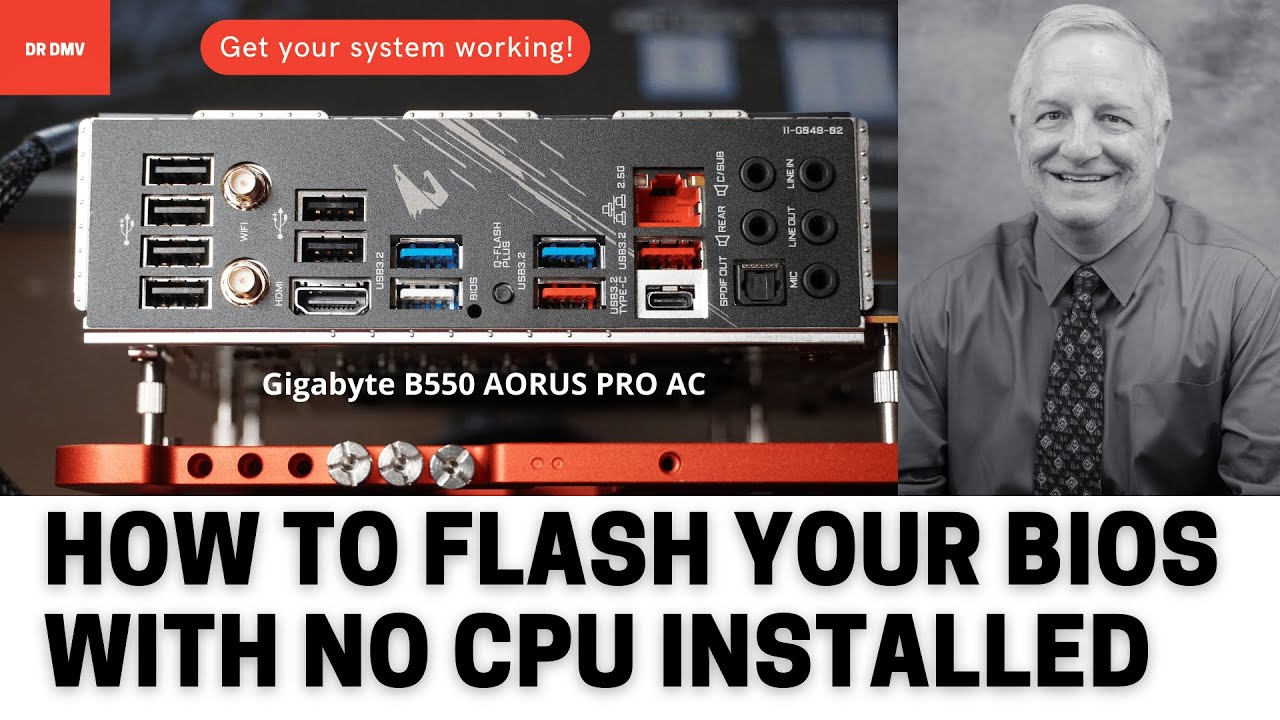
This video shows you how to use the Q-Flash Plus button to flash the BIOS of a Gigabyte B550 AORUS PRO AC motherboard, even if no CPU is installed. This is very useful if you have bought a new Ryzen 5000 Series CPU that won't work in this motherboard with an old BIOS version.
This technique will also work on a fully assembled system, so there i...
And yes my pen drive is fat 32 with only the gigabyte.bin file in my pen drive
So is mbrt fat 32 different from fat 32?
frank stirrup
stoic island
Too lazy to check, but last I checked, every time windows formatted it, it also ...
It has never done that for me. Just fat32 or ntfs and stuff
stoic island
just checked, seems like I might be wrong?
frank stirrup
restive violet
So is mbrt fat 32 different from fat 32?
mbr fat32 is different from gpt fat32
stoic island
restive violet
So is mbrt fat 32 different from fat 32?
Fat 32 is the file system while MBR/GBT is the partition scheme
it's different things
restive violet
frank stirrup
mbr fat32 is different from gpt fat32
Okay got it. So just diskmanagement then pick myself up from there.
frank stirrup
restive violet
Okay got it. So just diskmanagement then pick myself up from there.
yea
start diskmanagement
send a pic
ill tell you what your next step is
restive violet
Ill just do it tomorrow, I don’t have a spare pc/laptop with me. Would it be okay to send it to you via private message once I get my hands on a PC/laptop?
restive violet
Okay thank you for helping me out and pardon for the troubles and stressed I caused.
restive violet
stoic island
I can make a video for you
That would be great!
stoic island
Sorry for not being clear and causing trouble and stress for you
restive violet
It is okay I think its my fault anyways considering its really my first time and had no prior experience building a pc
stoic island
non-fast-format format on my usb drive is gonna take a good bit though... was wondering if that'd give me the option to change the partition scheme, but formatting 32gb of space 25mb/s at a time is gonna take a bit
frank stirrup
stoic island
non-fast-format format on my usb drive is gonna take a good bit though... was w...
it does
stoic island
restive violet
It is okay I think its my fault anyways considering its really my first time and...
Don't worry about it, this knowledge is not expected from anyone really
stoic island
frank stirrup
it does
damn it, now I have to wait like 15 minutes for this to finish formatting...
Guess I'll go make breakfast
frank stirrup
right click

on the drive

and then there
delete the volume first
the option becomes available
then just do that and quick format
restive violet
Okay ill make a screen shot of this and follow it tomorrow
stoic island
Yea, just follow that
stoic island
frank stirrup
it does
by the way, it doesn't, have to change it separately seems, my usb drive finally finished formatting
restive violet
frank stirrup
<@!234576776196653067> follow this
Okay. Thank you so much. This is easier for me to follow and understand.
frank stirrup
stoic island
by the way, it doesn't, have to change it separately seems, my usb drive finally...
Oh yeah I read what you said again and I misread my bad
I thought you were talking about not needing to format to change partition scheme
frank stirrup
restive violet
Okay. Thank you so much. This is easier for me to follow and understand.
Yep np. Sorry for losing my patience on you.
restive violet
Sure no worries. Ill just update you guys tomorrow if qflashing it again fixes it. Thank you.
desert gulch
frank stirrup
Yep np. Sorry for losing my patience on you.
You'd rly be losing patience if you went to bb today lol, you hear Abt them selling gpus?
frank stirrup
desert gulch
You'd rly be losing patience if you went to bb today lol, you hear Abt them sell...
I heard there was a massive drop today
Never been to a best buy tho
Approx a 12 hr airplane journey to a bestbuy
Ill lose patience going to a bestbuy regardless of what they sell
little osprey
Amazon.com: USB C to Dual HDMI Adapter 4K @60hz,Type C to HDMI Converter for MacBook/MacBook Pro 2020/2019/2018,MacBook Air,Chromebook Pixel,LenovoYoga 920/Thinkpad T480,Dell XPS 13/15,Surface Book 2, etc
this look any good?