#building-and-recc-chat
1 messages · Page 1117 of 1
 fossil cedar
Just pigtail the 3rd 8 pin to stress test it
 earnest olive
with another 3070 running 220 watts off a daisy chained cable on the same psu
and it was fine
 potent portal
You'd have to put the 1kw vbios onto the card to put any real strain
fossil cedar
Kingpin 3090 prob
potent portal
Lemme double check
earnest olive
anyways i wouldn't trust those cables to handle 1kw
but a normal 3080 sure
im sure you would run into other limits before hitting 1kw though
potent portal
Checked through the stock vbios page on techpowerup and the most I see is 450W, I don't even think there's a kingpin card on here. Maybe under unverified.
That's SERIOUS BS by the way that there's 3080s with a way higher power limit than my 3090
Weird, no kingpin under there either
Yep just checked EVGA website and there isn't even a kingpin 3080 in existence
@earnest olive Here's that 450W vbios if you wanted to bump your power limit btw https://www.techpowerup.com/vgabios/227515/asus-rtx3080-10240-201119
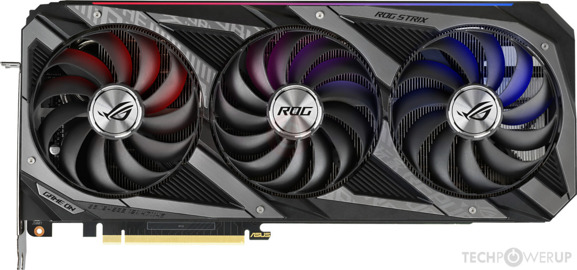 earnest olive
it'll decrease my power limit
i only have 2 8-pin connectors
the bios expects 3 so it does weird stuff
my understanding is that the power draw of the first connector gets copied as a phantom third
so you get roughly 2/3
potent portal
Shunt it
potent portal
Suit yourself
fossil cedar
What tool would you use to even do a vbios flash?
fossil cedar
Is that an Nvidia official program?
earnest olive
i'm an idiot and i don't want to break my card
 frank stirrup
fossil cedar
What tool would you use to even do a vbios flash?
frank stirrup
fossil cedar
What tool would you use to even do a vbios flash?
I can link the ones I use but they do be for ayymd cards
earnest olive

frank stirrup
ive done like 6-7 flashes on my gpu at this point
potent portal
fossil cedar
Is that an Nvidia official program?

TechPowerUp
NVIDIA NVFlash is used to flash the graphics card BIOS on Ampere, Turing, Pascal and all older NVIDIA cards.
NVFlash supports BIOS flashing on NVID
potent portal
At least that one has a GUI
fossil cedar
earnest olive
ive done bios modding but i draw the line at shunting
That's messing with resistors that measure the input of the card or something right?
frank stirrup
potent portal
At least that one has a GUI
yep
fossil cedar
Nvflash only terminal :/?
earnest olive
i can live with not having the last 1-2% performance for 80+ watts
potent portal
fossil cedar
Nvflash only terminal :/?
Yes but it's only 2 commands you need to worry about, protectoff and flash
potent portal
fossil cedar
That's messing with resistors that measure the input of the card or something ri...

The goal for today is to trick an nVidia GPU into drawing more power than its Boost 3.0 power budget will allow it. The theoretical result is that more power will provide greater clock stability; we won’t necessarily get better overclocks or bigger offsets, but should stabilize and flatline the frequency, which improves performance overall. -
fossil cedar
Ohh fair lol
frank stirrup
fossil cedar
That's messing with resistors that measure the input of the card or something ri...
shorting a lil piece

We demonstrate how to short shunts on an nVidia graphics card, which allows us to increase overclock stability on our Titan V (or 1080 Ti/1070/etc).
Pre-order the GamersNexus Modmat! https://store.gamersnexus.net/modmat
Article: https://www.gamersnexus.net/guides/3185-how-to-short-shunts-on-gpu-for-better-overclocks-titan-v
Buy Thermal Grizzly...
fossil cedar
potent portal
https://www.gamersnexus.net/guides/3185-how-to-short-shunts-on-gpu-for-better-ov...
Ohhh i seee
frank stirrup
potent portal
Yes but it's only 2 commands you need to worry about, protectoff and flash
with the amd program you open 1 program to install the drivers required, close it, open the flasher, flash, open the driver program boi again and uninstall the drivers and restart
fossil cedar
That sounds like way more work lol
potent portal
Yeah I kinda like just doing nvflash /protectoff and nvflash /flash lol
frank stirrup
fossil cedar
That sounds like way more work lol
ehhh program 1-press a key
program 2- select file and press a button
program 1 press a key
restart pee cee
I over complicated the explanation the first time
fossil cedar
And how the hell do i swap my vbios to silent because i cannot see a switch on my card just the writing, ive looked for the switch or something before
fossil cedar
frank stirrup
ehhh program 1-press a key
program 2- select file and press a button
program 1 p...
Peee cee
potent portal
That's usually a setting embedded in vbios, minimum fan speed
frank stirrup
fossil cedar
And how the hell do i swap my vbios to silent because i cannot see a switch on m...
hehe fan speed 0 for all temps in afterburner
still wont work
fossil cedar
potent portal
That's usually a setting embedded in vbios, minimum fan speed
I just mean my 2nd bios, the first bios is called gaming and the 2nd one is called silent
frank stirrup
but yee
frank stirrup
fossil cedar
I just mean my 2nd bios, the first bios is called gaming and the 2nd one is cal...
which geepeeyou?
potent portal
Oh which GPU?
fossil cedar
frank stirrup
which geepeeyou?
Gigabyte gaming oc 3070
 potent portal
Right as I was typing it too lol
frank stirrup
Im also on a massive sugar high because I ate a lotta cake
fossil cedar
I have looked there and i stg there's no switch lol but I'll have again, mb I'm seeing it but not recognising it as a switch, this my first dual bios card so
potent portal
It's really small so easily overlooked
fossil cedar
I figured but i couldn't see it last time i went looking lol
potent portal
Under the fin stack to the left of the text
potent portal
Probably don't need to but it's small so a small flathead might help
frank stirrup
just dont use force with that driver or it will screw a component up
hehe
i likey that pun
potent portal
Double pun
GeForce Driver
frank stirrup
hehehe
fossil cedar
Okay kewl thank
 still roostBOT
 dnger#9842 has been warned
Reason: Bad word usage
 vagrant olive
i give up on this lian li introduces o11 air mini with atx psu support two weeks after i get an sfx psu to fit my o11d mini
 little osprey
yoo
i wanna build a pc but idk what parts to use
i wanna spend about like 5k to 10k
 stoic island
uh, usd?
little osprey
i wanna build one
stoic island
what currency is the 5k to 10k in
frank stirrup
stoic island
what currency is the 5k to 10k in
watch it be inr or something
stoic island
mmm
 vague oracle
Or like Czech crowns
fossil cedar
frank stirrup
watch it be inr or something
Was about to say the same thing lol
fossil cedar
 obsidian wigeon
then imma die inside
obsidian wigeon
then imma die inside
Just buy them a 500gb ssd kek that's all
frank stirrup
fossil cedar
Just buy them a 500gb ssd kek that's all
Ehhh I can probably toss together a 10k build
also 10k inr gets you 2 500 gb sn550s
fossil cedar
frank stirrup
also 10k inr gets you 2 500 gb sn550s
Ohh wow so many monie
frank stirrup
mad budget
fossil cedar
frank stirrup
Ehhh I can probably toss together a 10k build
Ebay 9100 and h310 or something lol
frank stirrup
but yee a 3rd gen i3 on a cheap board and a hdd to boot with a sus psu will be doable
fossil cedar
And no case kek
frank stirrup
fossil cedar
Ebay 9100 and h310 or something lol
10k inr is 125$
frank stirrup
fossil cedar
And no case kek
yep
fossil cedar
frank stirrup
10k inr is 125$
I mean it's possible mb if you get lucky on fb market or ebay
frank stirrup
fossil cedar
I mean it's possible mb if you get lucky on fb market or ebay
none of those do india
fossil cedar
Oof
frank stirrup
even the few sellers might will charge way too much on shipping
fossil cedar
Rip
 spiral flame
Are there 3pin 5v rgb to 4pin 12v rgb things I forgot to check what volt rgb my mobo has
stoic island
no
spiral flame
So mobo is 12v and fans are 5v
spiral flame
The fan is 4 pin the fan rgb is 3 pin
stoic island
different voltage kinda needs a vrm and no one really bothers to put a vrm on a converter :P
spiral flame
 spiral flame
stoic island
different voltage kinda needs a vrm and no one really bothers to put a vrm on a ...
spiral flame
stoic island
different voltage kinda needs a vrm and no one really bothers to put a vrm on a ...
So return the fans?
stoic island
there are some sata powered argb hubs
that's the only option besides not using the argb
also, what board
spiral flame
Prime b 550 a wifi
stoic island
b550m-a wifi has an argb header
depends on mobo
different mobos have different sharing
fossil cedar
Some mobos all them are enabled
Some it's the top 2
Some bottom 2
¯_(ツ)_/¯
Yep lol
 rich helm
earnest olive
just forget sata and plug in 4 256gb usb drives
rich helm
earnest olive
just forget sata and plug in 4 256gb usb drives
Or 1 1tb usb drive
 desert gulch
rich helm
Or 1 1tb usb drive
desert gulch
rich helm
Or 1 1tb usb drive
But then you cant run a bunch in raid 0
To get the epic speeds
little osprey
desert gulch
Change CPU and mobo
Go for a 10400f/11400f and b560
Better performance for less money
little osprey
Confused
desert gulch
And change that SSD, adata has been downgrading it for a long time
desert gulch
little osprey
Confused
It's the Intel equivalent of the R5 3600
Just a little better and cheaper
little osprey
I also know nothing about pcs and someone else made this list for me
desert gulch
Ohh ok
Basically another company makes better value product that performs a little better
For cheaper
In basic terms
rich helm
I can do it
little osprey
I don't mind buying used products
desert gulch
Alright
earnest olive
1080p144 monitor for gtx 960 is pretty questionable unless you only play league of legends
desert gulch
Yea
little osprey
I can go from New egg and get it cheaper
desert gulch
Maybe upgrade someday tho
earnest olive
that case doesn't really look like it has any room to upgrade gpu in

it's kinda tiny
little osprey
earnest olive
1080p144 monitor for gtx 960 is pretty questionable unless you only play league ...
I'm playing modded sims 4 and maybe vr
earnest olive
hm
little osprey
earnest olive
it's kinda tiny
I don't have a huge space and that would work best for me
earnest olive
idk about sims 4, vr will be a pain on a 960
little osprey
desert gulch
Could you fit an matx PC?
Dunno what that means lol
earnest olive
the next size up from itx
earnest olive
meh give me a bit I'm on mobile too
little osprey
Lol
earnest olive

desert gulch
rich helm
https://pcpartpicker.com/list/wf6Prr
Isn't 10400f cheaper?
I thought it was like 150
rich helm
Yeah but the igpu worth it for 15 bucks
little osprey
Whats a psu
 upper vault
power supply unit
desert gulch
Power supply unit
earnest olive
case includes psu
desert gulch
rich helm
Yeah but the igpu worth it for 15 bucks
At that point you can get a 11400 lol
little osprey
Oh, no the case comes with one
earnest olive
you already bought this case?
rich helm
desert gulch
At that point you can get a 11400 lol
The 11400 super over priced rn
earnest olive
it's going to severely limit your gpu upgrade options
rich helm
For some reason cheapest price listed is 270
earnest olive
and you are going to need an upgrade to play VR
id say gtx 960 has a 102% chance to make you vomit if you try
desert gulch
rich helm
The 11400 super over priced rn

Best Buy
Shop Intel Core i5-11400 11th Generation 6 Core 12 Thread 2.6 to 4.4 GHz LGA1200 Locked Desktop Processor at Best Buy. Find low everyday prices and buy online for delivery or in-store pick-up. Price Match Guarantee.
Kek
little osprey
earnest olive
id say gtx 960 has a 102% chance to make you vomit if you try
It's just a maybe tho, idk for sure if I'll like it or not
earnest olive
you won't with a 960
getting high enough fps is really important for vr
stutters/drops will make you physically sick
little osprey
I can always upgrade if I wanna do it in the future
little osprey
How so
vague oracle
Small
earnest olive
it's small
only one out of the 4 graphics cards i currently own would fit in it
and the one that fits would certainly overheat
earnest olive
https://pcpartpicker.com/product/vDhmP6/cooler-master-masterbox-mb311l-argb-microatx-mid-tower-case-mcb-b311l-kgnn-s02 would you have enough space for a micro atx tower like this
earnest olive
yeah i'd shop around for a micro atx tower that you like then
it would give you much more room to upgrade gpu
and micro atx mobos are cheaper than mini itx mobos
little osprey
Kk
desert gulch
matx better upgrade and stuff aswell
earnest olive
rich helm
B560 itx/ac only 110
just looking at this board theres not a chance it will run 10400/11400 at full power imo
little osprey
https://www.amazon.com/dp/B08VMNWFTW/ref=cm_sw_r_cp_apa_glt_fabc_CZAWYXXSBNP3ZM8NC8MF
I'm sorry but qhat the hell is this
Buy Vetroo K2 M-ATX Mid-Tower Computer Case, Black Round Airflow Gaming PC Case with 200mm RGB Fan, Tempered Glass & Mesh Front Panel, Air & Water Cooler Support: Computer Cases - Amazon.com ✓ FREE DELIVERY possible on eligible purchases
What*
desert gulch
lol
rich helm
desert gulch
itx building sucks
As a man who had to build 18 itx PCs I wholeheartedly agree with you
desert gulch
im amazed vetroo would even make that
earnest olive
you ever just build a pc and decide you want to put it in an rgb trash can
little osprey
I'm not wanting it but wtf is that
earnest olive
literally i look at this thing and the first thought i have is
its an rgb trash can..
rich helm
With a stand
desert gulch
earnest olive
its an rgb trash can..
looks like a giant speaker to me lol]
little osprey
This is nice
Buy Montech X3 Mesh 6pcs, 3 x 140mm& 3 x 120mm Fixed RGB Lighting Fans ATX Mid-Tower PC Gaming Case, USB3.0, Door Open Tempered Glass Side Panel, High Airflow, White: Computer Cases - Amazon.com ✓ FREE DELIVERY possible on eligible purchases
earnest olive
thats a gigantic case
desert gulch
yeah thats huge
earnest olive
if you are space restricted stick to microatx
earnest olive
that's
little osprey
https://www.amazon.com/dp/B08NDDNDX2/ref=cm_sw_r_cp_apa_glt_fabc_CH4EB13W202W3PYY610F?psc=1
They have this one too
Buy Montech X2 MESH White - Compact ATX Mid Tower Case, Fine Mesh Front Panel, Pre-Installed 2 x 140mm, 1 x 120 mm Autoflow Rainbow Led Fans, High Airflow, Full Glass Side Panel: Computer Cases - Amazon.com ✓ FREE DELIVERY possible on eligible purchases
earnest olive
triple
front
140
mm
fans
prob bigger than 99% of cases on the market
big problem with montech is that the fans cannot be controlled whatsoever
and build quality is generally flimsy
they have to cut corners to meet the price point that they do
you cannot control fan speed or lighting
lighting can only go on or off

 gusty nymph
Hey folks. So I have an AMD a83870 processor , 24gb ram and onboard Radeon video. I am streaming video at 720p and things aren't going well when I have even minimal other applications running. Will a new video card make a difference or am I looking at a full update ?
earnest olive
gusty nymph
Hey folks. So I have an AMD a83870 processor , 24gb ram and onboard Radeon video...
the processor is the problem
amd's a series apus are quite notorious
earnest olive
this is how it compares against a modern i3

well the cpu you currently have runs on DDR3 RAM so you'd need to buy some DDR4 as well unless you want to buy some used hardware
if you are just watching videos you probably don't need anything TOO new
gusty nymph
I stream video from a webcam
earnest olive
oh like streaming to twitch or something like that?
gusty nymph
Yes exactly
gusty nymph
It's my only PC but really that's all I do with it
earnest olive
are you running a game while streaming or are you a just chatting streamer or smth like that
earnest olive
the most cost effective option would be to find a GTX 1650 based on TU106 or TU116 (or a GTX 1650 SUPER if you can't be bothered to figure out die type of gpu) and stream off of the turing nvenc engine
i did a test recently of different recording options
my ryzen 5 5600x (roughly 10x the cpu power of yours) completely and utterly failed to produce a watchable 1440p 30 fps video, dropping 42% of frames
however, ampere nvenc (which is almost identical to turing nvenc) was able to produce a butter smooth 1440p 30 fps video with no dropped frames
fossil cedar
Cpu encode also tanks game perf
earnest olive
so 720p or even 1080p 60 fps would not be a problem
earnest olive
fossil cedar
Cpu encode also tanks game perf
the game i was recording is light enough that it was not a major problem
but he is not gaming anyways
gusty nymph
Ya no gaming so no worries there
fossil cedar
earnest olive
the game i was recording is light enough that it was not a major problem
I tried 720p 30fps on a 3600 stream just too see on overwatch back when i had my r9 380 and big yikes it was choppy af and like 40fps but not consistent lol
earnest olive
either way i stand by what i said, gpu prices are a little jacked up right now so GTX 1650 SUPER may cost around $300 but it's still much cheaper than the alternative
the alternative being an upgrade to minimum ryzen 9 3900x + new mobo + new ddr4 ram + basic gpu for display output as 3900x lacks integrated graphics
fossil cedar
earnest olive
this is how it compares against a modern i3
The price of that 10105 💀
earnest olive
you'd be looking more at the $650-700 range for that
i would not recommend anything lower than a ryzen 9 3900x for cpu based encoding
gusty nymph
Ya at some point an updated whole PC seems a better plan !
earnest olive
the gtx 1650 super can drop into your current pc and work fine
gusty nymph
Hmmm ok
earnest olive
as long as you set OBS to use nvenc for streaming, your experience will be smooth
^ this is with a ryzen 5 5600x, h264 preset to medium
fps is okay but quality is terrible
^ this is with the same cpu but h264 preset on veryslow, quality is good but fps is unwatchable
^ this is with the graphics card
gusty nymph
Ya big difference there
earnest olive
it's an rtx 3070 but the encoder in the gtx 1650 super is practically identical
so you'd surely have a good experience streaming through it
fossil cedar
earnest olive
you'd be looking more at the $650-700 range for that
Or just an 11500? Instead of 3900x?
earnest olive
fossil cedar
Or just an 11500? Instead of 3900x?
watch the videos man
no way a 11500 will work when the 5600x gets destroyed that hard
12 cores MINIMUM
fossil cedar
earnest olive
watch the videos man
I seen but they're not gaming tho?
 golden sail
anyone else with a 3060ti FE who either overclocked or undervolted? i would love to hear your results! (@ me so i get notified of responses, ty)
earnest olive
that game uses like 5% cpu dude
fossil cedar
Ohh
rich helm
golden sail
anyone else with a 3060ti FE who either overclocked or undervolted? i would love...
I did, overclocking worked fairly well
earnest olive
there's a reason I chose it to test h264
fossil cedar
That's fair lol
earnest olive
and don't forget
while 11400 and co. might be identical to 5600x in gaming
they still do lose by a significant margin in MT below the 11600k
golden sail
rich helm
I did, overclocking worked fairly well
how big of a boost do you think you achieved vs more power used? Not running too much hotter than default?
earnest olive
uhh does 3070 opinion count
I pushed my 3070 to like 20% higher performance than stock
rich helm
@earnest olive what’s the link for 3D mark results
rich helm
golden sail
how big of a boost do you think you achieved vs more power used? Not running too...
I didn’t test it for oc but put like a decent oc and got 7.5% gain in graphics score
I only boosted core from 1920 to 2010
 merry cove
it gtx1650 good for the first pc
earnest olive
depends on price
merry cove
earnest olive
depends on price
400
earnest olive
no
golden sail
rich helm
I didn’t test it for oc but put like a decent oc and got 7.5% gain in graphics s...
nice, i was planning on buying another (3060ti) for my little brother to replace the 7yo PNY blower GTX 970 he is using. was curious about how OC or undervolt may have affected it's performance
rich helm
@golden sail heres results if you are interested https://www.3dmark.com/compare/spy/20132903/spy/20017592#
3DMark.com
 earnest olive
1650 is not worth 400
golden sail
rich helm
<@!303429360449224704> heres results if you are interested https://www.3dmark.co...
nice, thanks!
gusty nymph
I'm in Canada nothing unddr $400 for that here @earnest olive
earnest olive
try looking on /r/hardwareswap
fossil cedar
@rich helm
Before https://www.3dmark.com/spy/19332378
After https://www.3dmark.com/spy/20545482
I got one with 15 222 on 3070 but can't find in results as i have saved on pc but on mobile atm
3DMark.com
AMD Ryzen 5 3600, NVIDIA GeForce RTX 3070 x 1, 24576 MB, 64-bit Windows 10}
3DMark.com
AMD Ryzen 5 3600, NVIDIA GeForce RTX 3070 x 1, 16384 MB, 64-bit Windows 10}
fossil cedar
golden sail
nice, i was planning on buying another (3060ti) for my little brother to replace...
Gl, 3060 ti's are mythical
fossil cedar
gusty nymph
I'm in Canada nothing unddr $400 for that here <@122901618369757184>
Wait 400 cad or usd?
gusty nymph
CAD
fossil cedar
Is it just 1650 or just super?
earnest olive
1650 super for 400 cad doesn't sound too far off in this market
fossil cedar
If it's a super, 320 usd is an acceptable price
earnest olive
https://www.reddit.com/r/hardwareswap/comments/ob0vt0/usapa_h_evga_gtx_1650_bstock_2x_evga_rtx_2070 see if this guy will ship to canada

reddit
0 votes and 1 comment so far on Reddit
it's the TU106 variant of the gtx 1650
so it'll have the upgraded streaming encoder just like the 1650 super
earnest olive
if he is willing to ship to canada then that's quite a good price
don't have to pay tax on r/hws

 edgy moon
Hey everyone, I've been looking to build a new PC and I'm trying deside between two options and was hoping for a little help deciding. Should I...
A. Build a small form factor PC
Or
B. Build a rack mount PC
I'm kinda leaning to the rack mount one because it's something I usual and unique, but would require a bit of work.
 honest stone
have you tried e10?
edgy moon
E10? Not sure what that is...
 neat reef
My Ryzen 5 3600 with stock cooler is idling at about 70C on Ryzen Master, I've used the PC for 6 months with no issues, just noticed the high temps recently. It got up to 87C on Battlefield V, the settings are enough for my 3080 to handle and the 3600 was doing fine for the 6 months too so. My room temp is about 72F (22C)
I am pushing it pretty hard but most of the stress should be on the 3080 at 4K
I feel like its super high and probs more than just bad thermal paste
frank stirrup
neat reef
My Ryzen 5 3600 with stock cooler is idling at about 70C on Ryzen Master, I've u...
Do you have an OC running or just stock?
neat reef
stock
When I got it, it idled pretty high, when I applied the thermal paste I had to pull it off to align it better
When I installed the cooler I mean, the thermal paste was on it already
I'm gonna get new thermal paste just to be sure
Before I buy a cooler
having a 1080p60 twitch stream on my second monitor and discord on my main monitor brings it up 10 degrees, having google open instead of twitch brings it down 10 degrees
 formal garnet
Some stuff came in today @stoic island 😀
 stoic island
:)
formal garnet
This is going to be fun
stoic island
Ya
formal garnet
Had to make room for it on my desk today
 stoic island
Mmm
little osprey
If I get a ASRock Radeon RX 6700XT Phantom and I have 16GB 3200mhz ram, a 360mm aio, 2 nvmes, a Sata SSD, a 3700x, and 7 case fans will I need a PSU stronger than 750W?
stoic island
750w would work
earnest olive
assuming overclocked to the teeth and 100% load on cpu and gpu
stoic island
Well, no oc, but 6700xt draws around 220w max, 3700x 88w, plus 100w for placeholder rest of system power, everything stock
6700xt spikes to 300w max
 arctic jungle
750w is a good amount for that system if you like quite some wiggle room
little osprey
I will be OC CPU and GPU
That's my full build, though I don't have the GPU rn and that PSU is a placeholder
 wicked frigate
Guys can someone help me find a good modem
 latent storm
yo
a friend wants to buy a pc and she wants to spend around 1500 but she said its kinda flexible but she wants a prebuilt and i think these are alright but im not sure

Best Buy
Shop CyberPowerPC Gamer Xtreme Gaming Desktop Intel Core i7-11700F 16GB Memory NVIDIA GeForce RTX 3060 1TB HDD + 500GB SSD Black at Best Buy. Find low everyday prices and buy online for delivery or in-store pick-up. Price Match Guarantee.
those are the thre i found
 vague wave
Those are some pretty good specs for 1500
neat reef
my stock R5 3600 with stock cooler is going from 55-60 degrees to 75-80 with a twitch stream maximized, minimizing it immediately goes down to 55-60
Goes to 80 when the stream is on the 4K monitor and 65 when its on the 1080p monitor
at 720p60 quality stream
Could that just be bad thermal paste or a ruined CPU?
The cooler worked fine for 6 months
wicked frigate
Guys what’s a really good modem you guys would recommend
 smoky jay
latent storm
a friend wants to buy a pc and she wants to spend around 1500 but she said its k...
smoky jay
latent storm
a friend wants to buy a pc and she wants to spend around 1500 but she said its k...
Go with the Cyberpower one with a 3060 and intel
ABS one has ass case with probably terrible airflow and what looks to be a terrible cooler
neat reef
Should I lower the voltage of my CPU to get lower temps? Its at 1.35 volts just watching twitch
smoky jay
ASUS one is out of stock
neat reef
i changed the power settings so the voltage would go down, its at 60 with the same thing as what had it at 80
it was just way overvolted
neat reef
i guess ur not supposed to do what i did, setting the max power to 99% instead of 100%
it shouldnt be at 1.35v just watching a twitch stream though
supposedly temperature monitors make the CPU go full boost
which explains why it was cool with the BIOS monitoring
 dire dagger
Can anyone name a good EarBuds with a good mic at a reasonable price range
 visual tundra
hello i need help does anyone here know how to purge a app i need help if you do
 stable lark
Anyone good at figuring out fans and helping me find decent RGB ones?
vague oracle
Arctic P12 RGB
Solid choice
Could someone help me set up a description for a listing on Craigslist I’m setting up?
 queen dagger
little osprey
https://pcpartpicker.com/list/yhB968
queen dagger
little osprey
https://pcpartpicker.com/list/yhB968
fans are overpriced, sn550/pilot-e would most likely be a more cost efective build, You can get a Gigabyte M27Q, which is a 1440p 170 hz monitor, isnt too much more. if you wanted to, you could probably go 750 watt PSU.
desert gulch
little osprey
That's my full build, though I don't have the GPU rn and that PSU is a placehold...
aresgame = i wouldnt trust
and theres much better aios for the price
latent storm
smoky jay
ABS one has ass case with probably terrible airflow and what looks to be a terri...
that’s what i was thinking but it has perforated side panel so like maybe it was good idk
yeah asus one was in stock when i found it that’s really unlucky
smoky jay
sad
latent storm
also i found one a really good discount but it’s open box, should i recommend that one or no
smoky jay
I mean IMO i'd get the first ABS one, switch case and cooler
spend like 100 bucks to upgrade them
oh wait
nvm
still roostBOT
 Smokey#0060 has been warned
Reason: Bad word usage
latent storm
thats wha ti was thinkning
but the open box disclaimer is kinda weird
it mentions it could come without things like cables and fans lol
 smoky jay
I doubt newegg wont manually check for the most important things atleast
Imo cables mean like power cables
But you decide
 cold sorrel
Open box is quite often "changed my mind" or "the case is slightly scratched/dented"
 dim belfry
i got xc3 3080 today and trying to build a pc around it, is there a decent build that anyone would recommend between 3-4k cad.
desert gulch
cold sorrel
Open box is quite often "changed my mind" or "the case is slightly scratched/den...
Or "oh crap I bought a R5 3600 and everyone in the wegg discord told me 10400f was much better" lol
visual tundra
my pc black screens when i switch from my game to like apple music
can someone help me lol
cold sorrel
My 3060 box had a corner that looks like it got dinged in shipping, but the card itself was fine.
earnest olive
visual tundra
my pc black screens when i switch from my game to like apple music
did you overclock anything
visual tundra
nothing at all
earnest olive
not even xmp?
frank stirrup
visual tundra
my pc black screens when i switch from my game to like apple music
is ur game running in fullscreen?
earnest olive
is it a temporary black screen or do you need to hard restart
frank stirrup
or fullscreen bordered
visual tundra
yes
frank stirrup
yes to what?
earnest olive
thats normal
visual tundra
oh ok lol
earnest olive
pc has to take a sec to switch out of full screen mode
frank stirrup
completely normal
earnest olive
if it bothers you set your games to borderless window and/or get a second monitor
frank stirrup
if you want a workaround use fullscreen borderless
 slender lance
Is it bad that when I turn on my psu, the lighting on my mobo flashes and then goes off, but the RGB on the ram sticks stay on?
frank stirrup
on the latest version of win 10 fullscreen borderless is recommended anyway
frank stirrup
slender lance
Is it bad that when I turn on my psu, the lighting on my mobo flashes and then g...
nope
normal
visual tundra
ima mst likely get A Second monitor so it wont do this
frank stirrup
visual tundra
ima mst likely get A Second monitor so it wont do this
it will still do that
but only on 1 monitor
the one you are gamin on
slender lance
frank stirrup
nope
Okay. I'm having a super hard time figuring out which psu cables to use and I'm hoping that I'm not going to hurt anything at all. I'm just worried now because I dont' have a power button to bench test everything.
frank stirrup
slender lance
Okay. I'm having a super hard time figuring out which psu cables to use and I'm ...
short the power pins
visual tundra
oh ok well i mean at least ima be able to multitask better with two monitor
slender lance
frank stirrup
short the power pins
That seems dangerous and scary and I'm a first time builder so I wouldn't know which ones
Yes please
frank stirrup
tell me what mobo u got
earnest olive
man
slender lance
I have a Gigabyte B450 Aorus Pro Wifi
earnest olive
today i stuck a knife in my computer cause i was too lazy to get the screwdriver
worked fine
frank stirrup
earnest olive
today i stuck a knife in my computer cause i was too lazy to get the screwdriver
you also snapped a cpu in half just cuz
earnest olive
gamer moment
slender lance
So ya I don't want to hurt anything
earnest olive
i also taught my mom how to turn on a caseless computer with a knife
slender lance
I have literally all of my parts except for the case which arrives tomorrow
earnest olive
so now my mom is an epic gamer
slender lance
Bruh I'm just a first time builder...I've been gaming for a long time but this is the first time I've actually built a pc...I'm nervous and really hoping I do everything right.
slender lance
Cuz if I don't, I won't know much troubleshooting stuff
earnest olive
so i took it off and it dripped thermal paste into the ram slots
i got electric toothbrush and isopropyl alcohol and brushed it out
build proceeded to work perfectly
slender lance
DRIPPED THERMAL PASTE???
I didn't even know that stuff drips
Mine is super thick and pasty
I'm also using the stock cooler so it already has thermal on it
frank stirrup
 earnest olive
depends on what kind of paste
frank stirrup
tis those 2 pins
earnest olive
different pastes have different compositions
slender lance
Ah okay
slender lance
frank stirrup
tis those 2 pins
Okee I might have to try that
Or I could just wait until I use the power button in my case tomorrow
slender lance
Another question and this may seem really stupid...I have an Asus TUF VG24VQ monitor, and I can't get it to switch to DP from HDMI 2. Will it change automatically when it gets a signal from the gpu?
MAYBE OKAY...MAYBE I'LL DO IT
frank stirrup
slender lance
Another question and this may seem really stupid...I have an Asus TUF VG24VQ mon...
itll put up a prompt
earnest olive
prob have to mess with the monitor buttons
after i turned on the pc i used the knife to cut an apple
10/10 would recommend
frank stirrup
you literally cant
just touch the screwdriver to both the pins I circled
literally just tap em
and hold the tap
for a seconf
earnest olive
make sure u take the screwdriver off after it turns on or it'll turn back off lol
slender lance
Like when I took the CPU out of the package...2 corner pins were bent...but surprisingly I was able to carefully move them back straight and get it to set correctly and lock in...hopefully I didn't screw that up
slender lance
Could that be bad if I moved them just a tad?
frank stirrup
slender lance
Could that be bad if I moved them just a tad?
nah
slender lance
Okay I'm not too worried then...all I have to do now is just get the M.2 installed and then drop that thing into the case and hopefully make it all pretty and hope it all works once installed.
I'm working on making installation media right now for Windows 10
frank stirrup
slender lance
Okay I'm not too worried then...all I have to do now is just get the M.2 install...
you can test if it boots with no storage attached
slender lance
Where do you all suggest I get an inexpensive key at?
frank stirrup
ittl get you into bios
frank stirrup
slender lance
Where do you all suggest I get an inexpensive key at?
ebay
slender lance
frank stirrup
ittl get you into bios
Ya I know that
slender lance
frank stirrup
ebay
Aren't there websites out there that sell them?
frank stirrup
ebay
slender lance
I mean like windows 10 key...not a door key...
earnest olive
if u get scammed by ebay key
u have 100% near instant refund
cause those ebay key sellers get their accounts closed every few hours
and ebay auto refund you if you open a dispute with a seller who has a closed account
slender lance
What about this place I was given?
Once sec,,,,

URcdkey.com
Buy Microsoft Windows 10 Pro OEM CD KEY GLOBAL at Urcdkeys with immediately delivery now. Full of stock, Fantastic Prices.
earnest olive
- it's 6 times more expensive than ebay
- ebay is much more trustworthy lol
slender lance
Idk...
frank stirrup
ebay sells em for 5$ max
slender lance
Could I use the key that is in my laptop right now? Can two keys activate two different pcs?
frank stirrup
slender lance
Could I use the key that is in my laptop right now? Can two keys activate two di...
not oem ones usually
frank stirrup
very stupid
slender lance

Buy Windows 10 and you'll get more flexibility than ever before. If you're already a Windows user, download a Windows 10 upgrade so you can experience the latest in Windows technology. If you work with big data, create large graphics, edit videos or need CAD (Computer Aided Design), Windows 10 Pro for Workstations is for you.
This is even cheaper
@frank stirrup
slender lance
One of the reviews said that it is hard to find on ebay, and these are cheaper anyway
frank stirrup
if you dont do whatever ya want
slender lance
Send me a link then
frank stirrup
slender lance
One of the reviews said that it is hard to find on ebay, and these are cheaper a...
its win 10 home lmao
frank stirrup
slender lance
Send me a link then
open ebay
you should see a search bar at the top
type in windows 10 pro keys
slender lance
Okay okay...I'm not stupid and illiterate
Whats the difference between pro and home...I've never known
slender lance
But what's the difference...
It's like Elon Musk on SNL not being able to answer what Dogecoin is
 robust lake
frank stirrup
ebay sells em for 5$ max
robust lake
frank stirrup
ebay sells em for 5$ max
5$ for windows???? Pro cost 1.5$ on ali express
frank stirrup
robust lake
5$ for windows???? Pro cost 1.5$ on ali express
see the "max"
robust lake
oh-_-
stoic island
slender lance
But what's the difference...
not that much that matters
bitlocker
group policy
that kinda thing
If you haven't heard of it, you don't need it
slender lance
stoic island
If you haven't heard of it, you don't need it
Well it's the same price as home on the website I found it on so I think I'm gonna d othat
frank stirrup
stoic island
If you haven't heard of it, you don't need it
home needs ms account iirc
frank stirrup
you can disconnect internet when it comes to home ig
 next hound
Gigabyte GeForce GTX 1650 MINI ITX OC 4G, 4GB GDDR5 (GV-N1650IXOC-4GD)
Is this gpu decent?
robust lake
Depends for what usage
For 1080 low-mid settings yes its decent
Also what price are you paying for this?
next hound
250 euros, thats like the only gpu rn in my country in that price
https://pcpartpicker.com/list/cbzjF8 should i make any last changes before i start ordering the parts, ignore the prices and the gpu is little bit different with 2 fans
frank stirrup
next hound
250 euros, thats like the only gpu rn in my country in that price
sheesh
frank stirrup
next hound
https://pcpartpicker.com/list/cbzjF8 should i make any last changes before i st...
11400
instead of 10400
next hound
Yeah i thought i changed it
next hound
Ok, and what cpu cooler should i get again?
frank stirrup
vetroo v5 or gammax 400 or id cooling se 224xt
next hound
Im not sure, ill see if i have enough for it, if i do ill probably get a water cooler
frank stirrup
artic freezer II or a lian li galahad or an ek aio are good
dont buy other ones tbh
also an aio under 240mm size isnt werf it
 tight sorrel
frank stirrup
artic freezer II or a lian li galahad or an ek aio are good
tight sorrel
frank stirrup
artic freezer II or a lian li galahad or an ek aio are good
someone needs to do a proper comparative test.
frank stirrup
tight sorrel
someone needs to do a proper comparative test.
GN did em iirc
 gaunt moat
Im building an ITX with a 5800x rx 6800xt and 32 gb 2x16 but my main current system is a i7 9700k @ 5.0 ghrz gtx 1080ti and 32gb 4x8
fossil cedar
Nice
tight sorrel
gaunt moat
Im building an ITX with a 5800x rx 6800xt and 32 gb 2x16 but my main current sys...
what case?
little osprey
@queen dagger @desert gulch I have all that but the mx500s, the GPU, and the PSU
I also got the monitors for $165.43 including tax
I have a 750w 80+ gold fully modular Asus rog strix PSU
little osprey
rog strix psu :wicked
neat reef
whats the best CPU air cooler thats like one level above the grammaxx 400
or two levels.. just im willing to pay more than the grammaxx 400 for serious cooling
on the R5 3600
like a noctua one, theres just so many noctua ones, idk which one
 hallow glen
 sinful vessel
<@!544309693963829248> What cpu cooler are you getting?
sinful vessel
<@!544309693963829248> What cpu cooler are you getting?
vetroo v5. then ballistix 3600 cl16 32gb
 fading crypt
where is a good place to find pre-builts
fading crypt
so like nzxts thing is not that great?
 smoky sapphire
Hello - I was wondering if I can get a review on the build I have?
earnest olive
@smoky sapphire go for it
smoky sapphire
So I have this build - but not built yet
https://pcpartpicker.com/user/iamthePanda7/saved/#view=rvyrvK
I was wondering should I return the case as the MOBO doesn't uave a type-c connector to the front panel i/o
Or should I buy an adaptor for the MOBO.
I am sort of conflicted.
earnest olive
there are a lot of questionably overpriced choices in here
this is approaching double the price of my 5800x + 3800c14 + 3080 build
buy a windows key off of ebay for like $3 instead of paying retail price
price is pretty steep on that 10700k when they've been available for 230-250 before
mobo is overpriced
hallow glen
fading crypt
so like nzxts thing is not that great?
Yeah Nzxt is bad
fossil cedar
neat reef
whats the best CPU air cooler thats like one level above the grammaxx 400
Really no point, for the 3600 you won't see a massive difference, but scythe fuma 2
smoky sapphire
earnest olive
there are a lot of questionably overpriced choices in here
I didn't change the prices but I got the processor for 240, ram sticks for 130, SDDs for 100 each, psu for 90.
Only the MOBO, AIO and case remains the same price as listed on the link.
The monitor/keyboard/headset not really a worry atm
earnest olive
not bad then
anyways
front usb-c not being functional isn't that big of a deal to me
but I prefer having all functional ports for resale value
buyers don't like it when they see a port but it doesn't work
consider the msi z490-a pro
has front usb-c header and is significantly cheaper while still being good enough to oc the 10700k
I put a 10700k on one and got 5.1ghz all core or 5.5ghz single core
 frosty onyx
@fading crypt buy a prebuilt by ABS from the newegg site
 violet crown
5 rx580s... will a 750psu and 850psu supply enough power for that
fossil cedar
fading crypt
so like nzxts thing is not that great?
Nzxt like choking with cases
fading crypt
pato what is a good but not too pricy monitor or place to find them
smoky sapphire
Would a MSI MPG Z490 GAMING EDGE WIFI ATX Gaming Motherboard work too?
earnest olive
for that one I cannot say
there is limited info about it
in terms of vrm quality
then again, I suspect the cooler would present an issue before the vrms
considering I saw cpu thermal throttling on a 360mm aio in an airflow case with 5 fans and no gpu
5.1ghz 1.35v in prime95 small ffts avx resulted in 98-100C on all 8 cores
fossil cedar
fading crypt
pato what is a good but not too pricy monitor or place to find them
Msi g241/g242 is a nice 144hz monitor for around 150$
 sharp pelican
Should I go for https://www.amazon.com/dp/B08F9VP2RC?tag=pcpapi-20&linkCode=ogi&th=1&psc=1 this motherboard or a x570 board?
Buy ASUS ROG Strix B550-A Gaming AMD AM4 Zen 3 Ryzen 5000 & 3rd Gen Ryzen ATX Gaming Motherboard (PCIe 4.0, 2.5Gb LAN, BIOS Flashback, Dual M.2 with heatsinks, Addressable Gen 2 RGB Header and Aura Sync: Motherboards - Amazon.com ✓ FREE DELIVERY possible on eligible purchases
fossil cedar
sharp pelican
Should I go for https://www.amazon.com/dp/B08F9VP2RC?tag=pcpapi-20&linkCode=ogi&...
B550
sharp pelican
you recommend a good board with good I/O and its white?
fossil cedar
sharp pelican
you recommend a good board with good I/O and its white?
That board or b550 prime a
sharp pelican
fossil cedar
That board or b550 prime a
 hollow grail
bad hdd
stoic island
4tb might as well grab a x300
hollow grail
any size might as well not get seagate 
fossil cedar
sharp pelican
https://pcpartpicker.com/list/rr7Hy4
Get a p31 instead of sn850 imo and i would just get an enermax revolution df 850w or at least an 850w version of the psu you had if you want a 3080
hollow grail
p31 isnt golden answer to everything
is god tier drive but sn850 is extremely good as well
@sharp pelican swap the hdd for a toshiba x300, i'd probs go higher on the psu as well but that's up to u
violet crown
Would a 750w and a 850w psus power 5 rx580s okay?
earnest olive
sharp pelican
you recommend a good board with good I/O and its white?
I like my b550 steel legend
7 rear usb ports, 1 rear usb-c, has front usb and usb-c
the only b550 with white accents that has front usb-c as far as I know
earnest olive
violet crown
Would a 750w and a 850w psus power 5 rx580s okay?
I mean since you're clearly mining how much power is each one drawing
that wouldn't be enough for 5 rx 580s at full power but nobody mines at full power
oh wait
you said AND, not OR
violet crown
OC at 31mh per gpu
I was using a 1200w and 750w but plugged something in backwards years ago... don't want to spend $300 on a psu
earnest olive
yeah that's giga overkill if they're decent psus
violet crown
Okay
earnest olive
I asked for power draw not hashrate
I think properly tuned rx 580s should be getting 30-32 mh/s at around 90W
but I don't know, I've never owned an rx 580
violet crown
Updating drivers but I assume around 100w
earnest olive
you're fine
violet crown
Alright I was doing 1200+750w in plans for a 6 card rig... but plugging in a riser backwards apparently friend a port in the motherboard and melted a few pci cables
So any of these should link with a corsair rm 750psu
 fossil cedar
violet crown
fossil cedar
violet crown
Enermax revolution 850w same price ish and i would take hands down over the others
violet crown
Yeah I'm not sure on any of those brand si have in the cart
I was also looking at the gigabyte gp-p850gm
Whats the difference between the 2
Ah I see in the compare list... looks like more pci-e slots and sata
Does it matter that the other connection is ATX?
fossil cedar
violet crown
Yeah I'm not sure on any of those brand si have in the cart
I was also looking a...
DO NOT BUY THAT POWER SUPPLY

violet crown
Yeah trying to prevent fire for sure
fossil cedar
Enermax revolution df has a good few sata ports but you really shouldn't be running sata to pcie
violet crown
I'm chaining a 750w to *****... using a 24 pin cable that connects to the Motherboard in a port that says ATXpwr1 and thats currently connected to my partially melted 1200w
So Enermax will work with that?
I wasnt saying plug a sata into a pci I think that could have been the reason for the melting in the first place
fossil cedar
Lmao
fossil cedar
violet crown
So Enermax will work with that?
I wasnt saying plug a sata into a pci I think th...
Should do ye
Yep sata is rated for 75w iirc
Pcie is like 150w or something
Not good lol
violet crown
Woof, sounds good I appreciate the help....
I'll be looking for your help to do a final build here soon, maybe watercooled,
when I can convince myself to stop investing
 topaz oar
what cpu should i get
fossil cedar
topaz oar
what cpu should i get
Depends on the budget and use case
hollow grail
3990x
hallow glen
hollow grail
3990x
Lol
hollow grail
then dont say unlimited budget dummy
topaz oar
 hallow glen
topaz oar
anything
hallow glen
topaz oar
anything
Wym anything. What are u gonna be using it for
topaz oar
gaming 🙂
hallow glen
hollow grail
3990x would be excellent pairing with a 3090
True but why
Then no 3990x
hollow grail
hallow glen
True but why
it's the best workstation cpu in the world
fossil cedar
topaz oar
anything
For gaming, Ryzen 9 5900x
hallow glen
hollow grail
it's the best workstation cpu in the world
Gaming
topaz oar
hmm
hollow grail
Buy AMD Ryzen Threadripper 3990X 64-Core, 128-Thread Unlocked Desktop Processor: Motherboards - Amazon.com ✓ FREE DELIVERY possible on eligible purchases

fossil cedar
Well they didn't answer my use case question lol so liki went with generic lel
hallow glen
fossil cedar
Well they didn't answer my use case question lol so liki went with generic lel
It's gaming
fossil cedar
topaz oar
hmm
Why you hmmming lol
fossil cedar
hallow glen
It's gaming
Yeah but they said way after lili said 3990x lol
hallow glen
hollow grail
<:coole:801859096092606466>
Maybe wait for 5990x lol
hollow grail
5900x-5950x for gaming, 3990x for workstation
hallow glen
fossil cedar
Yeah but they said way after lili said 3990x lol
True
hollow grail
hallow glen
Maybe wait for 5990x lol
i almost got a few
hollow grail
ended up going with epyc 7302p
fossil cedar
topaz oar
feel like wouldn't get much more better performance then like
Lol no
5900x curb stomps a 10700
:)
topaz oar
yea but its half the price
hollow grail
validating it rn
topaz oar
gpu harder to get
fossil cedar
And you said no price limit ;-;
hallow glen
topaz oar
gpu harder to get
Huh
hollow grail

 hallow glen
You already have one
topaz oar
still want better price to performance
hallow glen
hollow grail
<a:capplerun:836746299269054544>
Stop flexing
topaz oar
kingpin is harder to get which is why i have kingpin
fossil cedar
topaz oar
still want better price to performance
5900x is the best upmarket price to performance for gaming

 hallow glen
hollow grail
<a:capplerun:836746299269054544>
hallow glen
hollow grail
<a:capplerun:836746299269054544>
That emote is too good. I don't care about the cores, but that emote...
hollow grail
hallow glen
That emote is too good. I don't care about the cores, but that emote...
they runnin fr
fossil cedar
topaz oar
i meant gpu
Still makes no sense bruh
hallow glen
hollow grail
they runnin fr
Yes
fossil cedar
IF YOU GET 3090 YOU GOING 10850K MINIMUM FFS LOL
hallow glen
I'm having burger for dinner
 hallow glen
Are you a troll?
topaz oar
9900k and 3090fe rn
hallow glen
Then why did you lie about having a kingpin
fossil cedar
hallow glen
Are you a troll?
Ye they gotta be
hallow glen
K
hallow glen
Goodbye build chat
topaz oar
im building new pc and selling old one
fossil cedar
🙄
 fossil cedar
IF YOU GET 3090 YOU GOING 10850K MINIMUM FFS LOL
fossil cedar
fossil cedar
IF YOU GET 3090 YOU GOING 10850K MINIMUM FFS LOL
I'm gonna say it once and not again
topaz oar
ok
hallow glen
hollow grail
if ur doing 3090 meme build just get threadripper or 5950x
indeedily doodily
topaz oar
i don't know amd mobos but do they have white
vague oracle
Buy ASUS ROG Strix B550-A Gaming AMD AM4 Zen 3 Ryzen 5000 & 3rd Gen Ryzen ATX Gaming Motherboard (PCIe 4.0, 2.5Gb LAN, BIOS Flashback, Dual M.2 with heatsinks, Addressable Gen 2 RGB Header and Aura Sync: Motherboards - Amazon.com ✓ FREE DELIVERY possible on eligible purchases
hollow grail
nzxt rebrands some white ones
nah not white enough

NZXT
Love your gaming PC | We meticulously design a curated suite of premium products to make extraordinary gaming experiences achievable and fun.
vague oracle
Is there a gigabyte vision AMD mobo?
Also avoid the NZXT X570 it ain’t good
At least that’s what I heard about it
topaz oar
Check this out on @Newegg: ASUS PRIME X570-PRO AM4 AMD X570 SATA 6Gb/s ATX AMD Motherboard https://www.newegg.com/asus-prime-x570-pro/p/N82E16813119246?Item=9SIAFVFEMJ9659&Source=socialshare&cm_mmc=snc-social-_-sr-_-9SIAFVFEMJ9659-_-07012021
this good?
fossil cedar
vague oracle
Is there a gigabyte vision AMD mobo?
It'd like 400$ tho lol
 blazing aurora
$400 mobo 
fossil cedar
topaz oar
Check this out on @Newegg: ASUS PRIME X570-PRO AM4 AMD X570 SATA 6Gb/s ATX AMD M...
Get the b550 prime instead or the B550 n7
blazing aurora
that makes it slightly better
vague oracle
Ehh get a bucket of white paint and dip the mobo in, white motherboard instantly
Ggez
topaz oar
paint my eyes white
fossil cedar
vague oracle
Ehh get a bucket of white paint and dip the mobo in, white motherboard instantly

blazing aurora
fossil cedar
<:stonks1:839967161845284956>
how did i never know this emote existed
fossil cedar
blazing aurora
how did i never know this emote existed
It's beautiful isn't it
blazing aurora
truly
 thorn heart
blazing aurora
$400 mobo <:monkaW:759581245104455693>
thorn heart
blazing aurora
$400 mobo <:monkaW:759581245104455693>
I paid $300 and that was the cheapest for ATX
 urban trellis
hallow glen
urban trellis
hallow glen
latent storm

eBay
Model Number: GTX 1050 Ti 4GB GDDR5. Graphic Interface: DVI-D compatible with vgajhdmi. Graphics and plug: PCI-E3.0. It has a fast cooling. This graphics card has durable material and good heat dissipation, making it very suitable for desktop use.
why is this so cheap
blazing aurora
likely a scam
desert gulch
latent storm
why is this so cheap
Prolly a scam

eBay
Model Number: GTX 1050 Ti 1GB GDDR5. Graphics and plug: PCI-E3.0. This graphics card has durable material and good heat dissipation, making it very suitable for desktop use. It has a fast cooling. Due to the difference between different monitors, the picture may not reflect the actual color of the item.
Foind another listing with the same exact pics
fossil cedar
Holy link
latent storm
i thought so
stoic island
desert gulch
https://www.ebay.com/itm/284353276547?_trkparms=aid%3D1110011%26algo%3DHOMESPLIC...
eBay
Model Number: GTX 1050 Ti 1GB GDDR5. Graphics and plug: PCI-E3.0. This graphics card has durable material and good heat dissipation, making it very suitable for desktop use. It has a fast cooling. Due to the difference between different monitors, the picture may not reflect the actual color of the item.
 desert gulch
stoic island
desert gulch
stoic island
Was on mobile lol and it took hours to scroll thru that so I didn't even try
 steep fern
Thanks! Idk why the pic makes the light so bright tho
 steady atlas
Could i ask someone a question about a prebuilt?
 vocal remnant
No
 white frost
topaz oar
white frost
topaz oar
1050 for 1100$ hmm
dire dagger
Can anyone name a good EarBuds with a good mic at a reasonable price range
 languid pewter
dire dagger
Can anyone name a good EarBuds with a good mic at a reasonable price range
languid pewter
dire dagger
Can anyone name a good EarBuds with a good mic at a reasonable price range
Jlabs jbuds air. Some of the best affordable earbuds with sound quality on par with my 200$ headphones. Definitely one of my favorites
dire dagger
languid pewter
Jlabs jbuds air. Some of the best affordable earbuds with sound quality on par w...
Is the mic good
languid pewter
Dunno. I don't have any friends or family to call with so I wouldn't know
dire dagger
languid pewter
Dunno. I don't have any friends or family to call with so I wouldn't know
Ok
 jagged ember
Can look up a review
neat reef
why is my CPU going from 50 degrees at 1 volt to 75 degrees at 1.375 volts within 5 seconds of opening a twitch stream?
ryzen 5 3600
and vice versa with closing it, like the second i click the x it drops 10-15 degrees
earnest olive
perfectly normal
it's called boosting
decoding video is a load
just let it do its thing
it's running at 1V when you're not doing anything in order to save power when you don't need performance
neat reef
just seems like it doesnt need to be at 1.375V just for a twitch stream, it goes down to 1V with the stream and power saving mode on, from ryzen balanced
and the stream runs fine with it at 1V
Theres a big post on reddit about 3rd gen ryzen running at high idle voltages
still roostBOT
 Dapro#3297 has been warned
Reason: Bad word usage
earnest olive
if it seriously bothers you that much just keep it in power saving mode permanently
neat reef
yeh just seems like a hassle, that was a solution for someone else basically saying the same stuff as me, referring to the big reddit post and everything
neat reef
yeh same here, i havent cared about it till the last couple days cause it got up to the 90s
neat reef
and even since the 90 temps ive been like f it and gaming anyways, just waiting for the blue screen
its a ryzen 5 3600 with stock cooler in a phanteks p400a
earnest olive
i've overclocked 3 3600s on stock cooler and didn't manage to hit 90C on them in anything but prime95 small ffts avx
neat reef
with just fans no radiators
it was getting up to like 85 degrees last night in a 70-72 room temp, and just watching a twitch stream
idk why its so much better tonight
earnest olive
try undervolting or stick a $30 cooler on it
neat reef
yeh im gonna get a new cooler but also just use it
and not worry, but wanting it fixed tugs at me lol
and just accept that twitch streams need the same voltage as games lol
the big reddit post doesnt really have any real solution
earnest olive
my 5800x goes up to 1.494v
neat reef

reddit
3,428 votes and 2,244 comments so far on Reddit
neat reef
yeh
 small tinsel
is this the right channel to ask, not about computer parts, but in similar universe, keyboard trays?
neat reef
more reading and seems the ryzen cpu's just run really high voltages and are very aggressive with their boosts, combined with the trash stock cooler
hollow grail
small tinsel
is this the right channel to ask, not about computer parts, but in similar unive...
no
but...

earnest olive
neat reef
more reading and seems the ryzen cpu's just run really high voltages and are ver...
trash stock cooler?
have you seen intel?
frank stirrup
neat reef
more reading and seems the ryzen cpu's just run really high voltages and are ver...
also high voltages on very low load is completely fine
slender lance
@frank stirrup Hello its me again. I am installing my corsair sp120 iCUE RGB Pro fans...and each fan has 2 cables, 1 labeled rgb hub, and another 3 pin not labeled. Where does that 3 pin go? I think it's the system fan spot on the mobo, but there aren't 6 spots for that.
frank stirrup
slender lance
<@499525349109923844> Hello its me again. I am installing my corsair sp120 iCUE ...
what rgb hub you got?
some of em do fan pwm as well
 balmy creek
Hi guys, just joined and thought i'd introduce myself. I'm an Australian PC builder and thr only in my state that does loops. I have a question. I have a 5900x and was looking to do a slight overclock. Any sugegstions on voltage and speeds?
slender lance
frank stirrup
what rgb hub you got?
It's the one that came with the fans. The two cables it has is the power and USB (iCUE)
I got the 3 pack of fans...well 2 of the 3 packs
frank stirrup
balmy creek
Hi guys, just joined and thought i'd introduce myself. I'm an Australian PC bui...
1.3 is usually max safe on zen3 tho
frank stirrup
slender lance
It's the one that came with the fans. The two cables it has is the power and USB...
lemme see
slender lance
If I just plug in 1 fan, will they all follow at the same speed?
frank stirrup
slender lance
If I just plug in 1 fan, will they all follow at the same speed?
Hmmm
1 sec im checking out the fans
balmy creek
Alright thanks @frank stirrup Also @slender lance Your multi-fan pack should of came with a second cable usually with 3 fan adapters so you can plug them all in the same slot
slender lance
Yea I know...but there are 2 cables on each fan. 1 of them goes into the hub...the other I have no idea
frank stirrup
slender lance
Yea I know...but there are 2 cables on each fan. 1 of them goes into the hub...t...
theres only 2 cables and they have only 2 ends yeah?
total
frank stirrup
send a pic to be sure?
slender lance
Also I should tell you, all of the lights came on...they just didn't spin
Kk one sec
frank stirrup
slender lance
Also I should tell you, all of the lights came on...they just didn't spin
yep the cables you havent used are fan power
balmy creek
Your regular fans won't plug into the hub, they will plug into a sys_fan plug on the mb
Fan cables i should say*
frank stirrup
problem being he doesnt ahve 6 fan headers on the mobo
hence im checking if they have daisy chain
lol
slender lance
Yea I'm looking...
balmy creek
Did the multi-fan pack not come with a 2-1 adapter?
slender lance
And getting a pic
frank stirrup
balmy creek
Did the multi-fan pack not come with a 2-1 adapter?
theres another model with a very similar name
that one does iirc
slender lance
One seccc
frank stirrup
slender lance
One seccc
send a pic of all the cables coming off a fan
slender lance
 frank stirrup
slender lance
frank stirrup
slender lance
off the fan
slender lance

I know for sure where the rgb ones go cuz it says...but the other ones idk...there is a pic of the other one
slender lance
frank stirrup
ok so ya need a fan hub
Bruh there is a hub right there
frank stirrup
slender lance
Bruh there is a hub right there
for the RGB
RGB runs on 5V
fans do 12
see the problem?
slender lance
Oh...hmmm
balmy creek
The ones with no listing on them are the fan power cables. The RGB hub only powers the lights. The other cable powers the fan (makes it spin) which needs to be plugged into a dedicated fan hub, or daisy chained to the motherboard (3 per slot)
frank stirrup
balmy creek
The ones with no listing on them are the fan power cables. The RGB hub only pow...
mate I got this covered
you are just repeating what ive explained at this point
slender lance
Okay I will do some more research and let you guys know