#building-and-recc-chat
1 messages · Page 1089 of 1
 stoic island
 jagged ember
11700k is real hot
 frigid island
For everything, monitor and everything included
 fierce elk
ok
 obsidian wigeon
yes but it's more hungry lel
stoic island
Oo dedicate like 600$ of it to peripherals xD
jagged ember
Mm
 young fox
for a video card how much memory is good
obsidian wigeon
you're better off focusing on the gpu's perf than its vram amount
and how well does it work for your needs
or wants
young fox
i want to get a pc in a year
bc my computer=trash
so would 4 or 3gb be reasonable for a video card
jagged ember
But again, focus more on it's performance in desired applications
young fox
im not planning on gaming tho
jagged ember
3060 vs 3060ti is good example
 tight sorrel
young fox
im not planning on gaming tho
tight sorrel
young fox
im not planning on gaming tho
what you planning to do?
jagged ember
Ti has less vram but better performance overall
fierce elk
kinda embarassing but what motherboard is compatable with a 7 5800x
tight sorrel
fierce elk
kinda embarassing but what motherboard is compatable with a 7 5800x
any one with a B550/X570 chipset
fierce elk
alr
 hallow glen
hi
young fox
what do u think ab this
 stoic island
neither
jagged ember
Neither
stoic island
please neither
tight sorrel
young fox
what do u think ab this
those are workstation GPUs. for doing 3d /CAD
 stoic island
Quadro 6000 is 11 years old btw
hallow glen
yeah
stoic island
W7100 is 7 years old
obsidian wigeon
work? what kind of work
tight sorrel
@young foxwhat are you going to do with your PC?
obsidian wigeon
if it's general office, you don't even need a gpu
jagged ember
Might as well get igpu
obsidian wigeon
many cpus with decent igpu exists
stoic island
yea
jagged ember
10400
obsidian wigeon
11500 can game a bit too
stoic island
11th gen gets a better iGP so
obsidian wigeon
cause rocket lake die is so big
stoic island
11400/11500 over 10400
obsidian wigeon
rip full xe
jagged ember
Yeah I need to remember 11th gen has better igpu
jagged ember
2600 has no igpu
fierce elk
lol 64 gb of ram is soooo overkill
tight sorrel
young fox
then what would be a good mobo with these. Im not completely done
get rid of the Ryzen processor, add a Intel 11500 and a B560 motherboard
young fox
umm im a noob just like the other person so...
obsidian wigeon
that's plenty
jagged ember
Not for a work pc
obsidian wigeon
lots of wiggle room
jagged ember
I'm sure someone will beat me to it
obsidian wigeon
am just lazy rn lol
jagged ember
But I'll send a list when I'm on my pc
young fox
tight sorrel
get rid of the Ryzen processor, add a Intel 11500 and a B560 motherboard
what ab a i7 with integrated graphics
obsidian wigeon
11500 is i5
young fox
yea ik
young fox
but i kinda what a i7 or i9
obsidian wigeon
that's overspending
young fox
k
tight sorrel
obsidian wigeon
that's overspending
and the 11th gen intel i7s and i9s are not good
tight sorrel
young fox
like whats good ab it
its all you need
jagged ember
Upgradeable too
fierce elk
this is what i have https://pcpartpicker.com/list/jcvwQD, leaves some room for graphics card, and perifs
fierce elk
his budget was kinda high end
stoic island
also uh
tight sorrel
jagged ember
It's 1000 bucks
different guy
jagged ember
Gpus cost a lot now
young fox
so hows thishttps://pcpartpicker.com/list/34vwQD
jagged ember
And the build overall is just wack yeah
stoic island
fierce elk
this is what i have https://pcpartpicker.com/list/jcvwQD, leaves some room for g...
remember you need like 1200$ for a good GPU nowadays
young fox
jagged ember
Not 2000 lol
i think he talking ab the first person
frigid island
Hi ye I’m the guy with the 2400 budget lol
tight sorrel
this dude
stoic island
add another I'd say 600$ for peripherals
jagged ember
Oh
stoic island
hehe
jagged ember
Well ping next time it's confusing
stoic island
anyways, I'll make a 1000$ list rq and a 2600$ full list in a moment
young fox
k i gtg
frigid island
You guys are great thank you so much, I’m around just ping me, I’m at work
tight sorrel
fierce elk
this is what i have https://pcpartpicker.com/list/jcvwQD, leaves some room for g...
not much room for GPU and mouse and keyboard. I suggest putting in a Gallahad AIO insetad of the NZXT, and reducing RAM to 16GB
frigid island
I’ve got a decent mouse so no need for that to be considered, just really need a keyboard and monitor with it as well
fierce elk
tight sorrel
not much room for GPU and mouse and keyboard. I suggest putting in a Gallahad AI...
or it could be 32 gigs, but i agree with the AIO
jagged ember
lol why do you want more than 16gb
fierce elk
i odnt but i feel like for a budget so high, it shouldnt have 16 gb
frigid island
I do a lot of video editing and music production too, so I could use the power
jagged ember
like, i'd rather save money as much as I can without compromising performance
stoic island
@young fox my 1000$ submission
https://pcpartpicker.com/list/YxQCht
tight sorrel
fierce elk
or it could be 32 gigs, but i agree with the AIO
yes, 32GB will be great
frigid island
Lol gaming is definitely a big part, but yeah I could use the extra lil boost for that stuff
stoic island
@frigid island My submission for full list
https://pcpartpicker.com/list/XGMG4d
Yes it's expensive, but it's good.
900$ might be on the lower end for an estimate for the price of a 3080 but eh
3070 could work if necessary
tight sorrel
Mac Keyboard?
stoic island
(a 3080 by itself is 900$ in shuffle today)

smh people keep thinking that about keychron
keychron is great keeb, can switch between mac and windows
tight sorrel
it literally says its for mac. pictures show option and apple keys
jagged ember
keychron is good
stoic island
all of them have options to swap out keycaps and switch between them
jagged ember
works on both platforms
frigid island
Thank you so much, man! That looks great to me. That lil compatibility thing that pops up talking about the bios update, is that an issue or
stoic island
actually didn't droq buy another one?
jagged ember
what Mr1111 said also
stoic island
anyways
stoic island
tight sorrel
it literally says its for mac. pictures show option and apple keys
From Keychron's website:

image in higher quality
 jagged ember
it is kinda funky how the keys are flipped lol
 cosmic wagon
frigid island
stoic island
<@!453379295608569856> My submission for full list
https://pcpartpicker.com/list...
cosmic wagon
frigid island
stoic island
<@!453379295608569856> My submission for full list
https://pcpartpicker.com/list...
You da best, probably ordering this tonight sometime. Thanks for the suggestions and advice everyone, y’all made this so much easier.
tight sorrel
stoic island
From Keychron's website:
I do apologise
stoic island
@frigid island Might need to delay the ordering until you make sure you can get a 3080 imo
just in case budget allocated for the 3080 needs to be increased, or need a 3070, etc.
Since no iGP on 5800x.
frigid island
Is a 3070 easier to find? Could just get that
 jagged hill
this isn't about my own build, but has anyone heard of that one huge build that had a custom pc and all three 8th-gen consoles in it?
is that even practical if someone wanted to work with a ps4/xbone they already had?
fierce elk
frigid island
Is a 3070 easier to find? Could just get that
do u live near a microcenter?? its not that hard to get a graphics card from there
frigid island
I’m pretty close to Chicago if anything like that is out there
fierce elk
also @frigid island if you dont mind me asking, what will this pc be used for, gaming, workstation?'
frigid island
fierce elk
also <@!453379295608569856> if you dont mind me asking, what will this pc be us...
Gaming, video editing, music production. As well as general work
fierce elk
frigid island
Gaming, video editing, music production. As well as general work
there is a microcenter in chicago, just look up Microcenter on google maps and see if it is close to you
jagged hill
is microcenter more common back east?
frigid island
Cool, thank you
jagged hill
the closest in cali is a county or two away from me
stoic island
3070 is generally harder
do enter this today @frigid island
https://www.newegg.com/product-shuffle

Checkout Newegg’s popular product drawing queue. Enter your product of choice, submit your email, and wait to see if you win! All customers who win will be given the chance to purchase highly popular products.
fierce elk
frigid island
Cool, thank you
but keep in mind that it is not a 100% chance of you getting one of a 30 series cards, but i have seen 3070's in my microcenter location, and one of my friends has got a 3090 from there, and another one of my friends got a 3070, so it is not impossible either. i reccomend asking when their restock day for 30 series graphics cards is and going ASAP, when they restock
tight sorrel
fierce elk
but keep in mind that it is not a 100% chance of you getting one of a 30 series ...
yes. FIRST get a GPU, then once you have it, buy the rest
stoic island
frigid island
I’m pretty close to Chicago if anything like that is out there
Decently sized MC is in Chicago btw
fierce elk
tight sorrel
yes. FIRST get a GPU, then once you have it, buy the rest
yes i agree, but i cannot say i have done the same. i have recently built my pc, but i am using integrated graphics until i find one for a good price. i have a i5 11400
frigid island
Great, thanks everyone!
fierce elk
stoic island
Decently sized MC is in Chicago btw
there is also one in westmont
is there any rgb ram, 16 gb 3200 speed for like 80 bucks?
stoic island
y
fierce elk
 fossil cedar
No cheapest good rgb is ballistix 3600
fossil cedar
No cheapest good rgb is ballistix 3600
well is 3200mhz cheaper?
fierce elk
frigid island
Great, thanks everyone!
also i would love to see a pic of this pc when it is finished
fossil cedar
fierce elk
well is 3200mhz cheaper?
Nah that's the cheapest 16gb kit atm iirc
frigid island
fierce elk
also i would love to see a pic of this pc when it is finished
You got it, probably will be another month until I get it all together and built but bet I’ll update y’all. 🤘🏻
young fox
stoic island
<@!811693212074246186> my 1000$ submission
https://pcpartpicker.com/list/YxQCht
thanks
man that helped alot
stoic island
:)
frigid island
young fox
man that helped alot
Ikr lol this server saved me a lot of headaches, shoutout to derpycow and mr1111 ❤️
hallow glen
is it better to go with a worse processor so i can fit a better gpu in
stoic island
depends on how much worse and how much better
stoic island
eh, can't cut budget anywhere else? I'd prefer at least 10400+3080
hallow glen
hmmm... ill try
 rich helm
hallow glen
11400 to 10100. 3070 for 500 to 3080 for 700
rich helm
hallow glen
11400 to 10100. 3070 for 500 to 3080 for 700
10100 with 3080 
hallow glen
about a thousand with parts at msrp. i also am using a best buy gift card for 300. i have it applied to some of the parts in this: https://pcpartpicker.com/list/qWHMHz
maybe 100 over 1k
hallow glen

stoic island
Fun
 modern shadow
is this alright? maybe I should change cooler

and I need suggestions because budget without gpu is 1200
anything I can add?
 zinc ermine
@modern shadow If you're gonna go 11600k you want to overclock
a b560 board is not cpu overclock capable
zinc ermine
Z490 or z590 both work
zinc ermine
I'd go with another case with better airflow
like the mb511 argb or the Lian li lancool 215
modern shadow
that actually mean I can choose a cheaper z490 board
modern shadow
zinc ermine
like the mb511 argb or the Lian li lancool 215
this should be fine, mesh front and 2 140 and 1 120 stock
zinc ermine
you sure its mesh?
can you link the list
Oh wait nvm
Also there are other decent options for ssds
the 980 is decent but its on the pricier side
Might want to look in the a80, sx8200 or pilot-e
all decent and slightly less expensive ssds
modern shadow
zinc ermine
all decent and slightly less expensive ssds
k thx
fossil cedar
modern shadow
and I need suggestions because budget without gpu is 1200
You need a z590 board to oc that cpu, the 212 black is meh, get a scythe fuma 2 for 60$ get ballistix 3600mhz ram rgb for like 3$ less and better, 980 is meh, get a mushkin pilot e
P400a or p360a for a case around that price as well
fossil cedar
modern shadow
thx
And what gpu do you want to use?
modern shadow
allocating 800 for a 3060/3060ti restock
stoic island
zinc ermine
Might want to look in the a80, sx8200 or pilot-e
sx8200 pro not great suggestion nowadays imo
 frank stirrup
^

 frank stirrup
stoic island
agesa 1.0.0.2 <:Oh_No:641084812161056769>
frank stirrup
stoic island
agesa 1.0.0.2 <:Oh_No:641084812161056769>
I mean its great for zen 2 tbh
stoic island
meh
frank stirrup
also the higher agesa was giving me usb disconnect issues
stoic island
1.0.0.8 at least then
 scenic turret
Me with all the issues back on older agesa
Oh I didn't have usb issues just PCIe issues
frank stirrup
stoic island
1.0.0.8 at least then
Ill wait till 1.2 is out of beta on my bios
scenic turret
Wifi and additional m.2 cards kept disconnecting and BSODing till I updated
stoic island
oh the 1.2.0.2?
frank stirrup
stoic island
oh the 1.2.0.2?
yep
stoic island
ye should be neat for usb fix
frank stirrup
exactly
 little osprey
Buy Sapphire Radeon R9 280X 3GB GDDR5 DVI-I/DVI-D/HDMI/DP Dual-X OC Version (UEFI) PCI-Express Graphics Card 11221-00-20G: Graphics Cards - Amazon.com ✓ FREE DELIVERY possible on eligible purchases
is this a decent gpu if i could get it for $110 on ebay or would there be anything better?
 potent portal
A GTX 970 beats the 280X by a fairly big margin
See if you can get one of those if you're looking at circa 2013 GPUs
stoic island
Eh, it's basically like a RX 470
potent portal
The guy double posted, we continued in #graphics-cards
 ripe wedge
so right now im helping out @fossil maple and was thinking this is a pretty good pc for his budget but not extremely sure if it would be better elsewhere but I did look at xotic pc and it was about the same price (little bit more if tried getting better ram in it) https://www.newegg.com/abs-ala238/p/N82E16883360102?
stoic island
Xotic is expensive, so that's to be expected
 marble knot
So I'm about to install a new cpu cooler and ram sticks. I could definitely use some help lol
ripe wedge
stoic island
Xotic is expensive, so that's to be expected
would you say that ABS one is fine?
looks fine to me and has a decent mobo
ripe wedge
with the current market how it is its decent
little osprey
hi, i joined this server because I am having trouble finding a pc. Does anyone know a good pc build that is under 800?
stoic island
Can you get a 3060 at msrp?
little osprey
i dont think so
little osprey
i cant even find a 1660 at msrp
 muted patio
Prebuilt time but most of those start at $1,000 now for a 1650
little osprey
i want to start small for my first pc build then keep upgrading
thats why im starting with the amd ryzen 3200
marble knot
My main man Vintage! Pc has been running great! I got that cooler you reccomended and I'm about to install it!
little osprey
and 8 gb ram
little osprey
why?
potent portal
10100 over 3200
potent portal
10100 beats the 3200g in every way
little osprey
ok sorry im asking for a lot but do any of you have a good combination of a pc that is under 1000?
excluding windows 10
stoic island
little osprey
k
 ancient wraith
What is this
 stoic island
where does it come from
ancient wraith
A three way splitter
hallow glen
this has a 2060 and a 1660ti https://www.ebay.com/itm/194155119138?ul_noapp=true kinda weird

eBay
custom gaming pc. Condition is "Used". Shipped with USPS Parcel Select Ground.
ancient wraith
I thought it was too power fans but idk
stoic island
prob fan
 muted patio
Only 2 pins tho
stoic island
I mean
muted patio
Most fan extenders are 3
stoic island
@muted patio you can run dc fans off 2 pins
muted patio
I know
stoic island
:P
ancient wraith
Look at the fans
 muted patio
I'm just saying most fan extenders are 3 pin
stoic island
most are
ancient wraith
What's a good fan hub
muted patio
$20 for 3 fans
ancient wraith
Can I just buy splitters
stoic island
My discord is just dying smh
ancient wraith
Ita coming may 30th
stoic island
NA-FC1 has the capability of running 50 fans >:p
marble knot
Soo. I think I'm in alittle over my head in trying to replace my cpu cooler
muted patio
yeah, splitter into splitter into splitter, messy
ancient wraith
Ok
I was having issues with the hub I had
It was having trouble powering all the fans
What do u put here
 stoic island
It's a naed approved product


 neon anchor
Yeah
ancient wraith
What is it
neon anchor
Sata
Wait no its not
Its nothing, if you already have sata and power to the hdd then you’re good
marble knot
So I've gotten to the point where I've Uninstaller my old cpu cooler and I Think I'm ready to install the new one but I'm hella scared to do it wrong.
ancient wraith
Wym
potent portal
ancient wraith
And also what's this
It's a jumper, don't worry about it
 marble knot
 muted patio
ancient wraith
muted patio
ancient wraith
Where does it come from
marble knot
How do I know which socket I have?
 desert gulch
marble knot
How do I know which socket I have?
desert gulch
marble knot
How do I know which socket I have?
What cpu or motherboard do you have?
potent portal
ancient wraith
But idk why's it 2 pins
The third pin only reports RPM data, which is unnecessary in a hub as long as one fan reports it.
marble knot
I9-9900k and Z370-A Pro
desert gulch
marble knot
I9-9900k and Z370-A Pro
Okay so LGA 1151
 marble knot
@muted patio so I've removed the old cpu cooler. There's still what looks like a mount on the otherside?
 desert gulch
Yeah the backing plate
 muted patio
Did your new cooler come with a new one?
marble knot
These also came with it
 marble knot
So do I remove the silver thing too then?
desert gulch
Just the black part
marble knot
That's wa I thought but it seems stuck on there pretty good
I pull and I see the moba flexing a little
Nvm got it
 earnest olive
many backplates come with adhesive to stick to the mobo
needs a little pull to get off
it's intended to make installation easier
a little mobo flex is okay
practically unavoidable when unplugging 24-pin power tbh
marble knot
How do I know which way the new plate gets installed.
muted patio
It'll only fit one way
earnest olive
they tend to have markings for your socket (LGA115x for you)
marble knot
Are these the little adhesive things?
 earnest olive
and yeah it will only fit in the correct orientation regardless
fossil cedar
marble knot
Are these the little adhesive things?
I thought these were pills for a sec lol
muted patio
Those look like insulating washers for between the radiator and case
marble knot

ARCTIC Liquid Freezer II 280 Rev 4 - User Manual
Get your ARCTIC Liquid Freezer II 280 Rev 4 user manual. Detailed explanation with coloured schematics, photos, animations and videos.
I'm following this Manuel

 ancient wraith
Ok thnx papi
scenic turret
Np
marble knot
These screws are supposed to go in there, but they seem striped and no other screws fit. Thoughts?
 muted patio
ALl the holes are stripped?
marble knot
No but if I tighten them they seem to strip. I feel like I can't tighten them for fear of striping the hole
ancient wraith
I spend like 2 hours for it too look so bad
scenic turret
ancient wraith
I spend like 2 hours for it too look so bad
Oh yea it takes time XD
Welcome to PC building
marble knot
Well I managed to get it kinda

Does anyone know if my cooler only has one plug in to the moba? My last one had two but this one only seems to have on on the heatsync
muted patio
Yeah, Arctic only has one connection for the pump and the fans
marble knot
This connection right?
 marble knot
I also seem to have to install my new ram at the same time. How easy is that
 muted patio
Depends on how much room you have to work with. You'll need to press down on the end fairly hard to have it seat correctly
marble knot
Just took the cooler out again. Do I just take out the old ram and put in the new ones in the same spots?
ancient wraith
What's this
 stoic island
prob reset button
muted patio
stoic island
prob reset button
yes
potent portal
Life hack: wire that to your cmos clear jumper if you do a lot of overclocking/modding
stoic island
ye
marble knot
@muted patio I just had an idea to use the old screws from my old cpu and they fit way better than the ones that seemed striped
 quiet dust
Hello, Im new here. Wanted to say hi! I came in search of finding deals/notifications on graphics cards. Any pointers would be helpful!
stoic island
bunch of different notification services if you look around
muted patio
marble knot
I see cpu_fan 1
Ahem, lol
quiet dust
i tried StockRadar
stoic island
CPU_Fan_1 will do for whatever CPU cooler you have
quiet dust
but turns out there is a delay
stoic island
NerdSpeak has been decent, Stock Informer is decent, and Stock drops is fairly decent
there's also just streams that'll notify you
 vast cosmos
Fix it fix it fix it is fine
quiet dust
stoic island
NerdSpeak has been decent, Stock Informer is decent, and Stock drops is fairly d...
Thanks a ton, will check them out!
stoic island
:)
marble knot
Since i installed new ram and cooler, do I need to do anything in the bios?
ancient wraith
Yah
marble knot
What's that
marble knot
Xmp is turned on. Anything else for ram? And how do I do the bios stuff for the cooler?
muted patio
Should be a fan section where you can check the Fan Curve and set it up based on temps
marble knot

Also my ram is set to 2666 instead of 3200. Which I just realized they sent me the wrong ram
Looks like Amazon says my ram is still out for delivery but I've got this ram too??
Odd
fossil cedar
Make sure there's not a 2nd xmp option available?
fossil cedar
marble knot
Looks like Amazon says my ram is still out for delivery but I've got this ram to...
Huh? They sent you different ram?
marble knot
fossil cedar
Huh? They sent you different ram?
They sent me 3200 mhz but I ordered rgb 3600
Which is what shows as still out for delivery.
fossil cedar
Oof
marble knot
So it's all set up for cooler and fans?
marble knot

Yeah. So I'll use this ram until my actual ram gets here. How do I boost it to the 3200 instead of 266
2666
muted patio
Should be able to turn on XMP then save and exit
It won't take effect until you save and exit
marble knot
Ahhhhh
So when my actual ram comes, if I'm able to keep the other ram, should I keep the 3200 sticks installed?
And for some reason my bios runs on the wrong screen. Not the end of thebworld but mildly annoying.
muted patio
Mmm, no. You system will run at the speed of the slowest stick installed. So your 3600 will run at 3200 mhz
 wicked frigate
Hey guys can I use 50% isopropyl alcohol to remove thermal paste of the cooler and the cpu
They are not very old
marble knot
Ahh. Gotcha. Wasnt sure if there was a way to use it as backup memory or something.
desert gulch
wicked frigate
Hey guys can I use 50% isopropyl alcohol to remove thermal paste of the cooler a...
Yeah you can
Just make sure it fully dries before applying the new stuff
wicked frigate
@desert gulch
marble knot
Thanks everyone that helped me!!!!
obsidian wigeon
Any that doesn't collect lint
Or has any potential to scratch stuff
Like micro fiber cloths are horrible
Just a cotton ball should do tbh
Or q tip but that's gonna take more time unless it's a laptop
desert gulch
Yeah I use a isopropyl wipe when I do it, and that works for me
 hollow rain
need a little assistance
my usb for my aio came in but it’s a bit too short to be plugged in and routed behind the motherboard and up thru the psu shroud cutouts, my only choice is to route it as neatly as possible from the front and this is what i came to

 exotic saddle
Display Port No Signal
HDMI No Signal
Monitor Works on different PC
What should I do?
Notes
- When installing my GPU (3080 FE), I let it sag without the screws so I think I may have bent it
- I dropped my screwdriver on my mobo
- When installing the motherboard with the x570, there is the possibility I could of damaged the ports
exotic saddle
I mean as long as it works
obsidian wigeon
The gpu may be loose I guess
exotic saddle
If you wanna go get a longer cable for looks, go ahead
GPU clicked in
I heard a click/crack
hollow rain
oof
obsidian wigeon
Or the mobo's pcie slot being bad
exotic saddle
wait was I supposed to hear a crack
obsidian wigeon
I don't think it's the gpu much
exotic saddle
more of a crack than a click
hollow rain
no lmaoo
 obsidian wigeon
I wouldn't worry much considering rma exists, but ofc the wait is painful
exotic saddle
hope so
The fans spinning and the lights coming on doesn't necessarily mean its healthy right
 neat adder
can anyone help? my pc is randomly restarting when playing games.
neon anchor
Do you have a way of checking your temps while under load?
neon anchor
Alright, whats are your specs and what are you running? Is it just one game or any game
Also OS
neat adder
MB ASRock Fatal1ty Z270 Gaming K6 LGA 1151 Intel Z270 HDMI SATA 6Gb/s USB 3.1 ATX Motherboards GPU EVGA GeForce GTX 1080 FTW CPU Intel Core i7-6700 Skylake Quad-Core 3.4 GHz LGA 1151 65W G.SKILL Ripjaws V Series 16GB (2 x 8GB) 288-Pin DDR4 SAMSUNG 840 Pro Series 2.5" 256GB SATA III Corsair HX Series 1050-Watts 2TB HDD WD
most games like COD/MCC and even non taxing games
I also have CORSAIR - Hydro Series H100i RGB Platinum 240mm
potent portal
hollow rain
any advice?
Try routing under the gpu to the left side of the case and see if that looks cleaner. If not, extensions exist.
hollow rain
potent portal
Try routing under the gpu to the left side of the case and see if that looks cle...
i routed it under the dims and then to the side of the mobo, under the shroud and back up thru a hole
looks fine to me, new pic in pics channel
neon anchor
neat adder
MB ASRock Fatal1ty Z270 Gaming K6 LGA 1151 Intel Z270 HDMI SATA 6Gb/s USB 3.1 AT...
Should be fine for most things although I wouldn’t call warzone stable. Do you get any crash reports? Maybe try whocrashed or whatever the software is called. And make sure drivers are all up to date too, i know nvidia likes to push geforce updates out often
neat adder
I thought it was my heat sync so i removed and reapplied the thermal, I do not just a unknown black screen flash and restart,
neon anchor
Thats the thing, is usually if you crash without a report it’s hardware related. How old is the hard drive?
neat adder
2013 lol
my first build with os so I just added it to my 2017 update. same with the psu
neon anchor
Yeaahhh
Thats about the lifespan I would expect from an hdd you use for gaming, if not more
neat adder
do you think my psu needs to be replaced as well or just HDD?
neon anchor
Thats the only thing I can think of if thermals are fine and you have plenty of power with that psu
Well make sure the psu is cleaned out as well, take it out (without removing cables) and really blow it out. Should be some vids on it
Give everything a good cleaning
neon anchor
Oh dang
neat adder
whenever this chipandemic ends I will rebuild
neon anchor
Yeah then well start with the hard drive. Ssd is of course preferred, or just do a boot 256 and use hdd for storage
neat adder
any recomendations for SSD?
neon anchor
Lemme pull prices
Pretty positive you have an open M.2 on that z270 mobo
Or spend the $200 for a 2tb
neat adder
I appreciate that. the specs on Asrocks site says it has 2 M.2 ultra
neon anchor
Be sure to remember not to use the same pci lane as your graphics card
neat adder
okay. if this doesn't fix it. what else could be the issue?
neon anchor
Wouldn’t be your graphics card. Just Psu, cpu, or mobo, and that’s if you’re definitely still not getting any crash codes.
neon anchor
Np
 vague oracle
Can someone help me out with this black screen on my pc after updating the bios
It’s the same on every single version of the bios
ancient wraith
what fans come with the td500 mesh
rich helm
ancient wraith
what fans come with the td500 mesh
Probably coolermaster sickleflow rgb 120mm if I had to guess
Probably says on the product page tho
 tulip aurora
Could someone be so kind and help me find out why my pc won’t display anything on my monitor 💀
 languid nimbus
Where do you have hdmi/dp plugged in to?
obsidian wigeon
^
earnest olive
I did a lot of looking around trying to find matching fan for td500 mesh white
as far as I can tell they do not sell it
ancient wraith
i think they are there own
ancient wraith
anyone know if exitlag is good
frank stirrup
ancient wraith
anyone know if exitlag is good
none of those type of programs do much imo
ancient wraith
ok
 meager badge
Any video guides for doing a full PC from scratch? I don't care what components, as long as it's newish
I am getting close to having all the pieces, I only lack the CPU which will arrive soon, and I want to study a bit, I want to install it myself.
I am afraid of the case part, since it's a complicated one, the motherboard and the CPU
I mean it's a 5090 so I have to install both the CPU and the paste and the cooler, which I never did
I don't want to pay anyone else to do it because I live in a small city and I had only bad experiences with cleaning/assembling
frank stirrup
meager badge
Any video guides for doing a full PC from scratch? I don't care what components,...
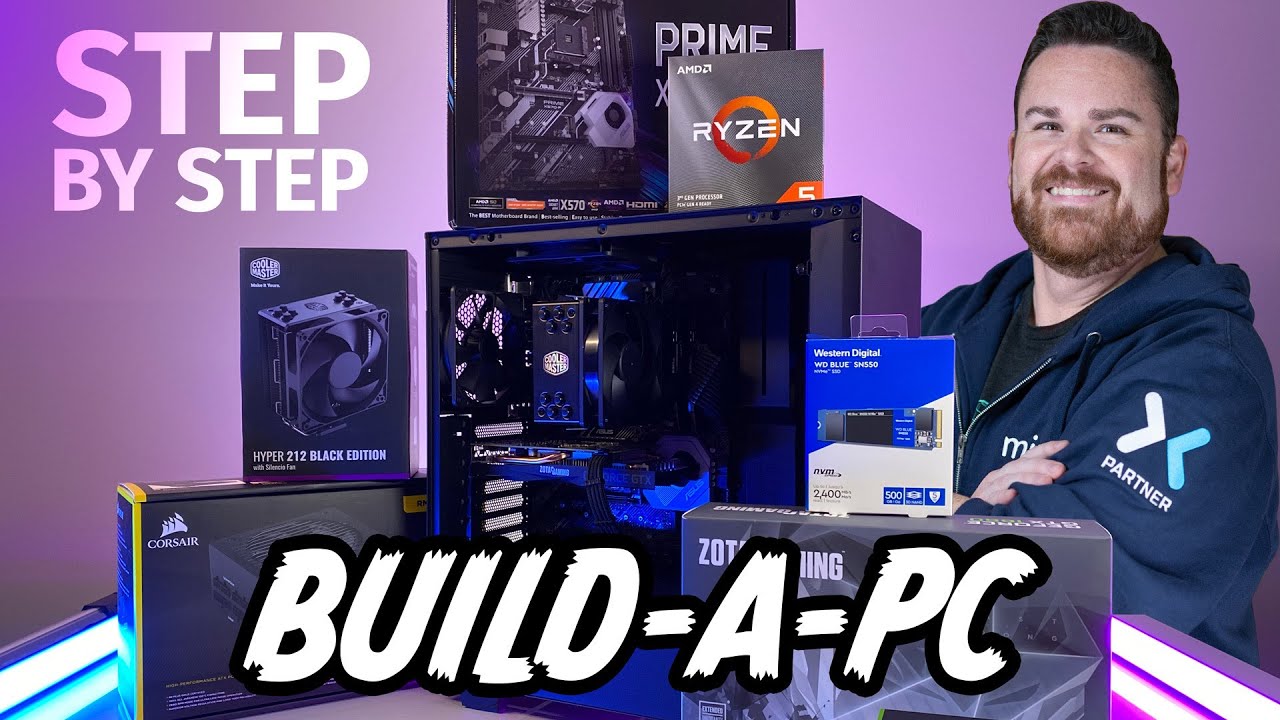
This is a step by step guide on how to build a PC in 2020. This walks through all of the steps needed on how to build a PC in 2020, what parts you need, how to hook everything up and even some initial setup when you are done. This is a great guide on how to build a pc for beginners and can be used as a how to build a pc guide later on! This PC i...
cooler will be slightly different since its an AIO
but not too different
frank stirrup
make sure to check that the pipes coming from the rad reaches and fits the cpu before you paste
like get where the rad gonna go done before paste
meager badge
The CPU part sounds like brain surgery to be honest 😄
frank stirrup
meager badge
The CPU part sounds like brain surgery to be honest 😄
damn easy
meager badge
Hopefully :))
frank stirrup
line triangle on cpu with triangle on mobo and just drop in into the socket
it falls into place
frank stirrup
yep you can always ping me and I can come on a vc to help you out
if im free at the time that is
meager badge
Thanks very much, I will when it arrives, whenever you will have the time, if I have issues.
frank stirrup
Yep NP!
jagged ember
Yeah, just don't press and drag the cpu
And don't vigorously wiggle the components in their slots
Cause that's how you break stuff
meager badge
Easier said than done 😄 I am not the most delicate person
tight sorrel
meager badge
Easier said than done 😄 I am not the most delicate person
be gentle, but firm. when in doubt, stop applying pressure
frank stirrup
jagged ember
And don't vigorously wiggle the components in their slots
except ram
you shove that stuff in with body weight sometimes
depending on slot
tight sorrel
frank stirrup
you shove that stuff in with body weight sometimes
PILE DRIVE IT IN!
from the TOP ROPE
frank stirrup
tight sorrel
PILE DRIVE IT IN!
GET MY HAMMER!
jagged ember
Don't actually
It requires force but not the amount of force it takes to crush a baby's skull
frank stirrup
jagged ember
It requires force but not the amount of force it takes to crush a baby's skull
I mean
yes
it was a joke
but ram does take some force to slot in
jagged ember
tight sorrel
PILE DRIVE IT IN!
But, OOOOH YEAAH BRROOTHERRRRR
tight sorrel
meager badge
Easier said than done 😄 I am not the most delicate person
You're not alone. Im quite ham fisted myself. The key is pateince. IF you are getting frustrated, take a moment, breathe in, breathe out. have a drink, and try again.
frank stirrup
ancient wraith
uplay and siege uninstalled themselves
that means nothing
you built pc in new case yeah?
the ssd is sata im guessing?
ancient wraith
no
nvme
can unplugging my sata on my hdd cause stuff too uninstall
it was on my hdd
when i was moving stuff into the case i unplugged my hard drive
meager badge
If the drive changed letter, the installed programs won't work.
IF they were installed on that drive 😄
tight sorrel
ancient wraith
can unplugging my sata on my hdd cause stuff too uninstall
nothing short of a virus will uninstall SPECIFIC programs
tight sorrel
meager badge
If the drive changed letter, the installed programs won't work.
this is probably what happened
ancient wraith
i have a virus
fossil cedar
Are you sure it wasn't a false positive?
meager badge
What virus would uninstall uplay?...
tight sorrel
when you plugged out your drive and plugged it back in, did you plug it back into the exact same port?
tight sorrel
meager badge
What virus would uninstall uplay?...
no idea. I was being more hypothetical. no hadware change would cause SPECIFIC program uninstallaiton, only malware can do that
meager badge
tight sorrel
no idea. I was being more hypothetical. no hadware change would cause SPECIFIC p...
To be fair nowadays you can't be sure of anything :)) So you are right
earnest olive
lol
pc parts are more durable than you think
i purposely broke my 8700k in half
dropped it in the sink
picked it up and dropped it on the counter
spread liquid metal on it
dropped it in the socket
held the unsealed ihs on it while closing socket
works perfectly
granted the sink was dry
lol
neon anchor
Lmao wow
earnest olive
but yeah i dropped that bare cpu more times than i should have
frank stirrup
earnest olive
i purposely broke my 8700k in half
ayo removing heat spreader shouldnt be called breaking it in half
earnest olive
hard to hold onto when it's so small and light
frank stirrup
even tho it technically is
earnest olive
it's funny to say
and technically the truth
it is literally breaking the cpu in half with a wrench
frank stirrup
earnest olive
it's funny to say
gives the wrong impression tho
earnest olive
it's just... controlled breaking
ancient wraith
so what could be causing the app too uninstall itself
 frank stirrup
ancient wraith
so what could be causing the app too uninstall itself
frank stirrup
ancient wraith
so what could be causing the app too uninstall itself
is it uninstalled or does the the app shortcut on desktop not work anymore?
ancient wraith
and in start
frank stirrup
but a virus wont delete a game and call it a day lol
tight sorrel
ancient wraith
i didnt see it
what do you mean, you dont see it? is the shortcut gone? is it gone from the start menu?
ancient wraith
but in like settings where you can see all the apps it was there
earnest olive
it's not easy for an attacker to code a virus and get it onto your computer
doing it just to delete a game is sus
tight sorrel
ancient wraith
but in like settings where you can see all the apps it was there
so its not uninsalled
ancient wraith
i couldnt open it
tight sorrel
in the start menu, type the name of the game
ancient wraith
it said it could not be found
fossil cedar
earnest olive
it do be two halves
It implies a snap down the middle of the pins/pads tho lol
frank stirrup
ancient wraith
it said it could not be found
dont search for it in the search bar...
search for it by opening the place where u installed it...
meager badge
ancient wraith
but in like settings where you can see all the apps it was there
Right click it, More, Open file location. What happens when you do that?
 frank stirrup
meager badge
Right click it, More, Open file location. What happens when you do that?
frank stirrup
meager badge
Right click it, More, Open file location. What happens when you do that?
nah
wont work
the program isnt showing up in start to right click it
ancient wraith
i reinstalled it
 slate gale
Is there anyone here that can help me resolve an issue with my pc crashing due to my graphics card (driver probably) being a bitch? I have a 2070 super. I installed DDU and reinstalled it already (in safe mode) and tried a whole bunch of other small fixes. nothing really seemed to work.
wicked frigate
Guys was a good deal selling ek vardar fans for 150 3 pack
wicked frigate
slate gale
Is there anyone here that can help me resolve an issue with my pc crashing due t...
Just use GeForce experience
It will download all the drivers for u I am pretty sure @slate gale
slate gale
@wicked frigate yee that's what I did. somehow it still doesn't appear to be fixed
muted patio
If it's crashing, download WhoCrashed and see what the DMP files say
If it's just a game crashing, need more details on the game
 muted patio
What was the rest of the text though
the codes
Like this #graphics-cards message
I've seen things like Armoury Crate or in game overlays cause a driver crash
So the driver crashed but it wasn't the fault of the driver
slate gale
The following dump files were found but could not be read. These files may be corrupted:
C:\WINDOWS\LiveKernelReports\PoW32kWatchdog-20210523-1807.dmp
there were 3 crash dumps
my pc has been crashing more, but it's a different type of crash
muted patio
So you've got those dump files and time stamps
Look in Event Viewer
at those times
Under Windows Logs - System and Windows Logs - Application


 still roostBOT
 t.tv/Buds4ever#1407 has been warned
Reason: Duplicated text
 languid nimbus
Hmmm
slate gale

meager badge
Quick one. I have all pieces for the new PC, and the 5090 CPU is on the way. While waiting for it, do I have to purchase the cooler paste separately? I got an arctic liquid 360. So I don't have to wait then for the paste 😄
5900
If I do, what should I purchase?
As a note, the cooler is still boxed up, so I have no idea if it has paste. Everything is boxed for now.
meager badge
Well that's the point, the CPU is on the way, so if it doesn't have, I will have to wait again until the paste arrives :))
Or use some cheap paste which I won't
I so carefully picked this PC with quality everything, the paste will be the same :))
meager badge
jagged ember
i believe it has preapplied paste
Or you mean to check the cooler? That I already have.
jagged ember
yeah, take a look at the cooler
meager badge
That I can, thank you.
jagged ember
the cpu block to be specific
meager badge
No need, just googled and it has some MX4 paste.
I have no idea if that's good or bad :))
jagged ember
that's good thermal paste
stoic island
good paste
meager badge
Thank you both.
slate gale
is there anyone here who can help me for a while? I have some issues with my graphics card.
vague oracle
@meager badge It comes with a 0.8g tube of MX5, at least that’s what came with mine
meager badge
vague oracle
<@243456826589315072> It comes with a 0.8g tube of MX5, at least that’s what cam...
Did you make a video of the CPU cooler merger? 😄
vague oracle
Huh?
 stuck sonnet
https://pcpartpicker.com/list/8mMzcT How does this build look? I got the cpu and mobo already at a 70$ less price.
fossil cedar
stuck sonnet
https://pcpartpicker.com/list/8mMzcT How does this build look? I got the cpu and...

stuck sonnet
Like a fine women lol. Just doing a final check before I finishing buying everything
 tough shell
stoic island
Could go for df 850w or a-gf 750w
tough shell
stoic island
Could go for df 850w or a-gf 750w
going for a gf 
zinc ermine
stuck sonnet
https://pcpartpicker.com/list/8mMzcT How does this build look? I got the cpu and...
Looks good! 👍
 frank stirrup
Theres a lotta connectors on the board... which ones you need?
 gleaming hill
The four-pin white ones two pin white one the little gold one on the left bottom I don't know what these things are called and a little sensors tiny little ones
gleaming hill
How about the two little black ones next to the pink switches on the bottom right
tight sorrel
what is that?
gleaming hill
Circuit board for a hot tub
potent portal
What hot tub model
gleaming hill
The board is a mas260
This is a replacement board the old board 17 years old they don't make anymore
potent portal
stoic island
4 pin white ones look like molex
It's not molex it's keyed weird
stoic island
Hm
potent portal
Closeup

 lyric thistle
what this 👀
potent portal
Circuit board for a hot tub
lyric thistle
interesting 
fossil cedar
Bubbles m water n stuff
potent portal
gleaming hill
This is a replacement board the old board 17 years old they don't make anymore
Personally I'd ask the support team on that website, they're going to be a lot more familiar with these than us
They don't look like any standardized PC connectors at least
Except the jacks on the right
gleaming hill
The support doesn't have any diagrams or any knowledge on the wires either they told me to go to Newegg and New egg sent me here
gleaming hill
I might just solder everything
potent portal
You can still call up a local shop and they can tell you what you need at least
gleaming hill
I'll try that
stuck sonnet
stuck sonnet
https://pcpartpicker.com/list/8mMzcT How does this build look? I got the cpu and...
Any recommendations for a liquid cooler just noticed the air cooler will cover a good portion of the ram so no point in rgb lol
potent portal
stuck sonnet
Any recommendations for a liquid cooler just noticed the air cooler will cover a...
EK-AIO, liquid freezer ii, lian li galahad
potent portal
or the d-rgb one is good too if you have the addressable rgb header
stoic island
And well, even with thicc coolers, if you take off or move the front fan, rgb still chillin
 stuck sonnet
Ohhh
stoic island
That's a d15
tight sorrel
stoic island
And well, even with thicc coolers, if you take off or move the front fan, rgb st...
can you close your case?
stuck sonnet
So no ek about basic or elite , just ek- aoi d-rgb?
stoic island
Acrylic on the side panel comes out a bit @tight sorrel

ye, normal d-rgb one only neat one
stuck sonnet
Copy
ancient wraith
My eathernet on my pc is not working
tight sorrel
ancient wraith
My eathernet on my pc is not working
your options are: usb dongle or PCI expansion card
 tight sorrel
nice
potent portal
It probably just reset your DHCP address from the router
lyric thistle
troubleshooter only works for resetting network adapters from my experience 
 dire dagger
What’s a good motherboard for a ryzen 3500 and a 1650 super
tough shell
Ok so when im taking my stuff outta boxes to repair my pc, i meed to leave the mobo and cpu in the box until everything else is out right? And what should I do with my gpu once I get it out? Just set it on a box fans down?
dire dagger
What’s a good motherboard(with WiFi) for a ryzen 3500 and a 1650 super
earnest olive
did you already buy the ryzen 5 3500
dire dagger
earnest olive
did you already buy the ryzen 5 3500
Yes
earnest olive
can you return it
lyric thistle
do you want a b550
dire dagger
lyric thistle
do you want a b550
Yea I don’t know much about motherboard
lyric thistle
some a520 is probably enough
earnest olive
https://pcpartpicker.com/product/jfzFf7/asrock-a520mac-micro-atx-am4-motherboard-a520mac this is the cheapest option and it's not too bad
will handle a ryzen 5 3500 fine
but if you want to spend a little more on a better motherboard
this is a solid budget b550 wifi motherboard
dire dagger
Ok thanks 🙏
earnest olive
if you can afford it, i would buy the b550
so that it will be easier to upgrade down the line
dire dagger
Oh ok
earnest olive
a520 technically has the same compatibility
but whether or not the board can actually handle an upgrade is another story
i would not trust that a520 board with anything higher than a ryzen 5 3600 - but do note that if you are running the ryzen stock cooler it does help lower end boards perform a bit since it blows downwards and provides the board's power delivery with a meager amount of cooling
on the other hand that b550m board should be fine with a ryzen 7 3700x or ryzen 7 5800x with whatever cooler you want
and 3700x are getting pretty cheap lately
dire dagger
Ok thanks also is 600 w power supply good for upgrade later on
earnest olive
it depends more on the specific model than the wattage
there are 600w psus that are fire/explosion risks
and there are 600w psus that are excellent quality
wattage says nothing about quality
there are even 1000w/1200w psus that are bad
 earnest olive
yeah, 600w n1 is a fire hazard if you try tossing a 3080 into that or something lol
did GN finish their p-gm testing yet?
from what i saw it only had issues at extreme overload
lyric thistle
pop
dire dagger
Do you know any good power supply’s
still roostBOT
 Whatever#5038 has been warned
Reason: Bad word usage
dire dagger
Ok
 worldly sierra
p-gm is crap value anyways when there’s better / safer options for the same price
earnest olive
depends
some people selling brand new pgm 850 from shuffle for 30 due to all the bad press
worldly sierra
Maybe from shuffle
earnest olive
if it only explodes at 1000w+ like the initial review found then could be decent budget option
surely 850 pgm is better than 500 n1
worldly sierra
AGF, D.F, AMP all exist for the same or less
earnest olive
yes i mean buying it from the scalpers that are selling it for $30-40
worldly sierra
Oh yeah, true
earnest olive
could be a decent option for ultra budget builds
worldly sierra
muted patio
Neither should the S12III Seasonic
What does the s12iii lack?
worldly sierra
I know it lacks UVP on the 12v rail
muted patio
I think OCP or something too
worldly sierra
Oh yea, just found. Lacks OTP, and OCP is set incorrectly
muted patio
Ya
worldly sierra
At least it’s not gr
worldly sierra
Oh :/
muted patio
Page 3 - Physical Look - Inside
 last fractal
worldly sierra
last fractal
worldly sierra
@last fractal https://linustechtips.com/main/topic/1122694-why-group-regulated-units-shouldnt-be-boughtsold-in-2019-and-on/
Linus Tech Tips
These days the 12v is known to power almost everything: GPUs, CPUs, fans, part of the motherboard, sometimes DRAM (but is generally still 3.3v) and some PCs already fully work with it (converting it on the motherboard normally). This used to be different, with 5v being much more important than it...
The rest are all,”protections” that basically protect the power supply lol. OCP = over current protection, OTP = over temperature protection, UVP = under voltage protections iirc, OPP = over power protection
earnest olive
i would wait for GN review before drawing conclusions but the initial review found that the 750w pgm exploded at almost 1000w meaning incorrectly set OCP/OPP
if that remains the case it would be a fine budget psu for like x60 gpu lol
its being sold cheaper than evga br
just need to put it in a situation where its flaw will never manifest
muted patio
I'm definitely waiting for GN review before recommending it for anything
muted patio
Their photo of pretty sparks isn't confidence inspiring XD
earnest olive
if it's simply a matter of OPP/OCP and nothing else then it can be safely paired with budget gpus if the price is right
earnest olive
and scalpers/shuffle winners are offloading them at VERY budget prices
 vale bobcat
Hello there newegg gang,
I have a question? I currently have a 9900k paired with a 2070 super, was looking to upgrade in the future, if GPUS ever go back to normal stock and price wise, what would be a good pairing with my 9900k on the 3000 series cards?
muted patio
What resolution do you play at?
vale bobcat
I play at 1440p off stream and 1080p when I am streaming
muted patio
3070 then. 3060 TI isn't a huge upgrade from a 2070 super
vale bobcat
3070 huh? Why not a 3080? Just curious? I built my computer last year, it will be a year old late next month
muted patio
3080 is more 4K oriented
Once you start pushing a certain number of frames you become CPU reliant
High FPS 1080 while streaming for example will lean on the CPU more than GPU
1440p won't as much
stoic island
3080 may make a bit more sense if you only do 1440p
muted patio
Ya
vale bobcat
oh ok! thank you for sharing your knowledge on the matter @muted patio and @stoic island
muted patio
I personally live by a minimum 25% performance increase before I upgrade
vale bobcat
well I do not plan on upgrading my cpu for at least another 4 years or so since it's barely a year old yet
but with the new AAA games, I want to be gpu ready if I can
my 2070 struggled with cyberpunk
desert gulch
Lol that's cause it's cyberpunk
muted patio
Yeah
vale bobcat
also true lol
muted patio
cyberpunk is the new Crysis
desert gulch
Cyberpunk kinda sucks for optimization
tough shell
With uninstalling my old mobo, is there anything that can't be unplugged or anything right away? or can I unplug my GPU right away and put it off to the side and then do the other stuff such as ram
potent portal
If it's unplugged there's nothing to worry about
tough shell
should I put my gpu, ram, and processsor in my mobo before putting it back in the case?
potent portal
RAM and CPU yes you can do that, GPU will need to be after. CPU cooler I would do after as well if it's a larger air cooler or water cooler so it's not in the way.
tough shell
Do I need to put on these new sata cables, or should my old ones work fine?

And what would this be?
 lyric thistle
looks like the antenna mount
look at the rear io
should be a spot to put that when you use wifi antennas
tough shell
Oh
 cold sorrel
I mean, SATA cables are SATA cables. Long as the old ones aren't damaged, no reason you can't use them.
tough shell
do I attach my standoffs to the board first? There seems to be only 2 included with the mobo
 snow hatch
does anybody have any suggestions for a good wifi card or bluetooth adapter
muted patio
Anything intel ax200 chipset
tough shell
Do I bend these pins on my io shield before putting my mobo in
 potent portal
No
jagged ember
You don't need to worry about them
tough shell
Does the board just pop into place then or what?
potent portal
It's designed to slide right in
lyric thistle
sometimes the little tabs get in the way if they're not bent around
in which case, just take out all the computer parts, bend those tabs, and reinstall the computer parts
ezpz
then you can use those ports that were obscured before
potent portal
Or use tin snips and cut them from the back, even easier
lyric thistle
I guess
tough shell
Where do I plug this in? Prime b560m-a board
 muted patio
Usb 3 port on motherboard. Usually neae ram slots on the fae right edge
Should be blue to match
 ancient wraith
when will gpu prices be noemal
muted patio
Next year maybe
tough shell
What about these? @muted patio
