#building-and-recc-chat
1 messages · Page 1058 of 1
 vagrant olive
that theres an error
 stoic island
I assume b560
vagrant olive
look at it and see if theres a label on it
stoic island
And also, I don't think that's a debug led down there
 odd cosmos
stoic island
I assume b560
odd cosmos
stoic island
I assume b560
Yea
 green laurel
hello is anyone in here familiar with corsair commander pro?
odd cosmos
vagrant olive
that theres an error
Alr but what could cause it?
vagrant olive
stoic island
And also, I don't think that's a debug led down there
true, seems a bit odd placement for a normal led tho
vagrant olive
odd cosmos
Alr but what could cause it?
CPU error, VGA error, boot error, ram error, thats why i need you to see if theres a label on it
odd cosmos
 odd cosmos
vagrant olive
try reseating it
odd cosmos
vagrant olive
try reseating it
Wdym?
 tulip notch
Mr1111
vagrant olive
also try just using one stick for now
tulip notch
?
vagrant olive
and see if it boots
stoic island
take both sticks out, place only single stick in A2
ASRock is too lazy to tell us which slot is preferred for single stick, but for dual channel:
 tulip notch
Mr1111 ?
stoic island
Yes?
tulip notch
Do you know what i mean by stop codes?
stoic island
Windows?
tulip notch
yes
 clear moat
@stoic island is the rm series corsair 750 any good?
odd cosmos
Alright I did that
stoic island
Yea, bsods usually give you a stop code
odd cosmos
Lemme c if it works
stoic island
@clear moat Depends on the price
tulip notch
what causes them
stoic island
A ton of different things, if you have a specific stop code, I could look it up for you
vagrant olive
nice!
stoic island
oh boy
tulip notch
memory management
stoic island
@odd cosmos next thing to try is the other stick in the same slot
vagrant olive
sometimes ram is weird, i was having semi frequent crashes with a ram error light a few weeks ago, i just took it out and put it back in, and i havent had any since
stoic island
@tulip notch Well, to start off, lemme give you some stuff for general windows fixes, and memory management can either be hardware or software issues
stoic island
General fix for random windows problems
From an admin command prompt or powershell, run:
sfc /scannow
If that doesn't work, try:
dism /online /cleanup-image /checkhealth
dism /online /cleanup-image /scanhealth
dism /online /cleanup-image /restorehealthThen, try running sfc again.
Repeat as necessary
vagrant olive
odd cosmos
2133 but mine is supposed to be 3600
yeah thats normal
bc XMP isnt on yet
stoic island
odd cosmos
2133 but mine is supposed to be 3600
Need to enable XMP for that, it's normal to run at JEDEC defaults (2133c15 usually) before enabling XMP
stoic island
In bios
vagrant olive
wait until you have both sticks in to do that
odd cosmos
Ohhhh yea
odd cosmos
Lemme test out the other stick
vagrant olive
oh yeah make sure both sticks are working before you enable xmp
tulip notch
i have had maybe 6 stop codes. i found a utility program and the all have the same xause
cause
odd cosmos
Alr Alr
stoic island
stoic island
> General fix for random windows problems
>
> From an admin command prompt or p...
@tulip notch but yea try this if you haven't before
 vagrant olive
yep that looks fine
odd cosmos
The case fans supposed to be on idk it’s not
stoic island
Fan curves sometimes just turns the fan off below a certain temp/load
vagrant olive
oh wait
tulip notch
what does the SFC Do as for the DISM it gets about quater to have way then the blue screen pops up
stoic island
SFC is System File Checker
tulip notch
did and it came out fine
stoic island
DISM stands for Deployment image servicing and management, basically allows you to check your current windows download with what it should be
those basically checks for any file corruption in windows
stoic island
Next, it may be useful to do some stress tests on memory to see if the memory sticks themselves are the issue
TM5 is a nice tool
https://www.overclock.net/threads/memory-testing-with-testmem5-tm5-with-custom-configs.1751608/

Overclock.net
Hello everybody
I am just making a very light tutorial with a collection of custom config files and a DOWNLOAD LINK for TM5 v0.12
None of the work is mine but it seems like a pretty good and fast testing app
stoic island
Reasonable to assume that stick may be defective, you should probably contact Crucial about a RMA now.
stoic island
I mean, the only thing that changed was the stick of ram, so unlikely to be anything else, but just in case, reset cmos real quick
odd cosmos
Ok how do u do that?
stoic island
works with AMD and Intel, battery method.
https://www.intel.com/content/www/us/en/support/articles/000025368/processors.html
Intel
Defines CMOS technology and how to clear CMOS using the jumper or battery methods.
 near garden
Should I go with a Corsair cx650x or a evga supernova 650 gt
tulip notch
Mr1111
near garden
Yea my bad
stoic island
Yea?
near garden
Cx-m
stoic island
CXm has some coil whine issues
near garden
Yeah I’ve heard of that kinda worries me
stoic island
It's just very annoying
near garden
But I could always return
stoic island
and it's lower quality than CX anyways
near garden
Yeah I heard
tulip notch
of the DISM Should i run all of the the tech from microsoft only mwntioned restorehealth only
odd cosmos
Wait so u have to plug out the battery and replug it?
near garden
I’m probably going to test out the cx650m if the coil whine is there or if I don’t like it I’ll go with the evga 650 gt
clear moat
@stoic island it's 120 usd
stoic island
tulip notch
of the DISM Should i run all of the the tech from microsoft only mwntioned resto...
Run all 3, checkhealth, scanhealth, and restorehealth
odd cosmos
Or Should I just send the ram back
stoic island
clear moat
<@278694081440251905> it's 120 usd
I'd grab a Revolution D.F. 850w at that kind of price
@near garden What price do you see for it?
stoic island
odd cosmos
Wait so u have to plug out the battery and replug it?
that's the gist of reset cmos
odd cosmos
Also, should I send both ram back or only one?
stoic island
basically power cycling
tulip notch
in that order
stoic island
Yes
odd cosmos
For defective ram
tulip notch
i will try thatand then get back to you
stoic island
:)
odd cosmos
Should there be visible damage?
tulip notch
one other thing
stoic island
No need for visible damage
stoic island
odd cosmos
Should there be visible damage?
Though you should try to clean the contacts on the currently not-working stick with a clean cloth just in case
odd cosmos
Ok
WAIT
I put the single ram stick into the 2nd slot (the one that we thought was broken)
And it worked
By itself the
Btw*
And this one displays that it’s faster
At 2666
clear moat
@stoic island will the corsair rm series handle tue 3080?
stoic island
Phanteks amp 750w if possible
https://www.amazon.com/dp/B07W5RSX99
Amazon may have fast enough shipping
odd cosmos
Mr111 do u know why that may be?
stoic island
odd cosmos
At 2666
this is making me think it might have a weird xmp profile, but is this also after reset cmos?
odd cosmos
No before
stoic island
xmp and jedec
odd cosmos
I didn’t do it yet
stoic island
do it
tulip notch
0
 stoic island
pull that bit and it should come right off

Unplugged from the wall
and then after the battery is out, press the power button on front panel a few times
and wait a few minutes
tulip notch
Mr1111
stoic island
Yea?
odd cosmos
And after waiting?
stoic island
Put it back in and try again.
odd cosmos
Wait do I put it back in before waiting or not?
stoic island
Take battery out
wait
and then put it in
the point is to drain the power in the system
so the cmos memory gets reset
clear moat
Just going to cop the 750 at best buy the corsair one
odd cosmos
It doesn’t let me move it onto my USB drive
stoic island
downloaded the iso..?
odd cosmos
iso file
clear moat
Also question you think my mobo a z370-i will fit into an h710? It's mini itx board
odd cosmos
Yk how u download windows from their store
stoic island
macos windows install is weird
odd cosmos
That file
clear moat
Because I have the 3080 stuffed into a nzxt manta LOL
odd cosmos
Oh should I get a Windows computer to do it then?
clear moat
Cards hitting 85c
stoic island
@odd cosmos Yes, use the media creation tool on a windows machine if possible
https://support.microsoft.com/en-us/windows/create-installation-media-for-windows-99a58364-8c02-206f-aa6f-40c3b507420d
Learn how to create installation media for installing or reinstalling Windows 7, Windows 8.1, or Windows 10.
@clear moat why still go nzxt :(
If the card is getting hot
clear moat
Simple and cheap imo
stoic island
w a t
odd cosmos
Ok so mac wouldn’t work right
clear moat
100 bucks for 710
odd cosmos
Also haas it been enough time to put back the battery
stoic island
5 minutes is usually the recommendation
 still roostBOT
 Bucko#1337 has been warned
Reason: Bad word usage
clear moat
Rip
stoic island
But yea, NZXT not known for good airflow
clear moat
Anything better than the manta
odd cosmos
if i wait too long will it be bad?
stoic island
No
clear moat
Anything will be better than the manta and it's UGLY
stoic island
the longer the more sure you are that it's reset
odd cosmos
alr so ill wait another 5 minutes
stoic island
General good ~100$ cases wise, TD500 mesh, H500(Coolermaster, no suffix version with mesh), Lancool ii mesh, P400a, 4000d airflow
clear moat
I'll upgrade later when I make new pc
stoic island
It's just if you haven't gotten it yet, or can exchange it back, might as well get a better case you can use for a few builds
clear moat
Just need better air flow for now and a box has better air flow than current case
stoic island
It's just a "why not better for the same price" thing
clear moat
Tru
odd cosmos
Uh
So after reset
The computer turned on and then off straight away then turned back on by itself
And instead of a proper error message
It says this
stoic island
wat
 odd cosmos
 stoic island
and that's normal after resetting settings
odd cosmos
And now those lights are on
stoic island
as long as you have display, it's fine
stoic island
See what it does after setup and/or boot
Because it doesn't really matter when it posts
odd cosmos
Alright
It booted up
Back to the old screen
Set up screen
And now ram are both 2666
That’s it right?
stoic island
Both sticks work?
and I'm guessing for some reason one stick has defults at 2133c15 and the other 2666c16 or whatever
 odd cosmos
stoic island
and I'm guessing for some reason one stick has defults at 2133c15 and the other ...
odd cosmos
stoic island
and I'm guessing for some reason one stick has defults at 2133c15 and the other ...
Yea prob
Gud that I didn’t send em back lmao
How do I set up the xmp files now?
stoic island
It's a setting to enable XMP
it's in there somewhere
likely memory or oc settings
tulip notch
Mr1111
stoic island
Yea?
odd cosmos
Ok should I wait till I get Windows on a USB drive?
Then set up everyone
Everything
stoic island
Might as well set XMP now
tulip notch
i tried the first one no problems, the second i got the BSOD
stoic island
Second as in, TM5 or the second DISM command?
tulip notch
dism
 odd cosmos
Kay
stoic island
if it doesn't work, might as well try skipping and doing restore health
tulip notch
did it twice same result
 tulip notch
ok
stoic island
@odd cosmos I'm guessing it's in OC tweaker
and it's in bios so there's some storage device xD
I'm guessing that page doesn't show everything
 stoic island
@odd cosmos look in dram configeration

 stoic island
Yes, XMP profile 1
odd cosmos

 frank stirrup
Ugh asrock bios
 stoic island
Yes
odd cosmos
 stoic island
apply all
 stoic island
Ye, should ask you if you want to save, and save it.

 frank stirrup
PSU cultists it mate
odd cosmos
Mr111?
frank stirrup
 junior sky
frank stirrup
odd cosmos
This exit?
junior sky
frank stirrup
odd cosmos
This exit?
Yes.
odd cosmos
Ok
odd cosmos
Ok after saving
It just shut down
By itself
What should I do?

Turned it back on
It’s still not 3600
frank stirrup
It should shut down
odd cosmos
Yea and i turned it back on
frank stirrup
Dont go into bios again
odd cosmos
Oh
frank stirrup
Just go into windows
frank stirrup
junior sky
im not going through that
Me neither
odd cosmos
I still don’t have it ready lol
Is it an issue that it’s not at max
3600
But rather 3433
frank stirrup
The list is cancer to go through on mobile
odd cosmos
3466*
frank stirrup
3466 isnt jdec so its definitely applying the xmp
Are you sure you have a 3600 kit?
odd cosmos
Alr
stoic island
back
odd cosmos
Hey
stoic island
I'm guessing bios being weird
 lyric thistle
frank stirrup
The list is cancer to go through on mobile
lyric thistle
frank stirrup
The list is cancer to go through on mobile
What kind of mobile are you using 
stoic island
just wait until you have windows ready
frank stirrup
lyric thistle
What kind of mobile are you using <:da_heck:686724785275011095>
iPhone 7
stoic island
don't you have some sort of find-in-page search feature
frank stirrup
On desktop you can ctrl+f it
lyric thistle
Shouldn't be bad
tulip notch
Mr1111
stoic island
hai
frank stirrup
stoic island
don't you have some sort of find-in-page search feature
I do but its big poop
odd cosmos
lyric thistle
Specifically looking for sfx psus is ezpz since they're all green
odd cosmos
Couldn’t find the box lol
And ok I will wait till I have Windows
Btw there are a lot of loose cables and screws I didn’t use
Is that an issue
stoic island
@tulip notch Try TM 5 now then
tulip notch
what does it do?
stoic island
Basically stress tests the ram to see if the physical hardware is the issue
link again:
https://www.overclock.net/threads/memory-testing-with-testmem5-tm5-with-custom-configs.1751608/
Overclock.net
Hello everybody
I am just making a very light tutorial with a collection of custom config files and a DOWNLOAD LINK for TM5 v0.12
None of the work is mine but it seems like a pretty good and fast testing app
frank stirrup
Extreme anta config best
tulip notch
oabd if everything turns out alright
stoic island
yeye anta is the default with this download
odd cosmos
Guys the temperature of the cpu is somehow at 38
It was 28
Before
And I haven’t even done anything
odd cosmos
Ok
And yk how the case fans may not turn on without high temp
How do I know if it’s working or not
 desert gulch
Case fans are always on
odd cosmos
Yea like spinning
desert gulch
Exactly
odd cosmos
They are on with rgb but not spinning
desert gulch
Should be a 3 or 4 pin
odd cosmos
Since rgb is on
desert gulch
Rgb is a different connecter
desert gulch
Ye
desert gulch
One thing too
odd cosmos
And where is that cable in the first place?
desert gulch
Should be coming off the fan
odd cosmos
Where is the port on the mob?
 odd cosmos
Ok found the cables
desert gulch
Kool
desert gulch
Idk
 dire osprey
Does anyone know at what point in wattage you need to step up to a 16 or 14 gauge power cable?
odd cosmos
Um that picture you sent
Doesn’t correlate with my case
Wait found em
Only 2 and 3 tho somehow
U see them? Only 2 and 3
 tulip notch
Mr1111 I ran the TM 5
stoic island
Results?
tulip notch
140 errors
stoic island
Might be the time for some new ram then...
tulip notch
is turboboost the same as overclock
stoic island
Turbo boosting on Intel is normal behavior
tulip notch
then no overclocking then
stoic island
But anyways, if the ram is throwing out that many errors, the hardware may be the culprit
Is XMP on?
tulip notch
what is xmp?
frank stirrup
eXtreme Memory Profile
stoic island
Basically makes ram run at advertised speeds instead of JEDEC defaults (2133c16 usually)
frank stirrup
Basically sets your ram speeds to what’s advertised when you buy the kit
tulip notch
never heard of that
frank stirrup
stoic island
Basically makes ram run at advertised speeds instead of JEDEC defaults (2133c16 ...
Ahh yes very basic
tulip notch
should i turn it off
frank stirrup
That stuff is probably more basic than sodium hydroxide to someone who hasn’t heard of XMP
stoic island
Well, if it's on, it may be worth trying with it off
stoic island
@frank stirrup yes but we're testing memory errors
frank stirrup
stoic island
Well, if it's on, it may be worth trying with it off
He hasnt even heard of it so it’s definitely off
Unless prebuilt
tulip notch
if its on turn off
frank stirrup
Did you get a prebuilt?
tulip notch
store bought add 32GB
 south jewel
Guys when in bios u don’t touch XMP until after the OS is installed right?
frank stirrup
So you added more ram into a system that already had some ram
Did you remove the old ram?
frank stirrup
south jewel
Guys when in bios u don’t touch XMP until after the OS is installed right?
Doesn’t matter
At all
tulip notch
no
south jewel
frank stirrup
Doesn’t matter
Alr I was watching a robeytech vid and did xmp later
frank stirrup
tulip notch
no
Then what exactly did you do?
frank stirrup
south jewel
Alr I was watching a robeytech vid and did xmp later
Personal preference
tulip notch
me
tulip notch
just installed in the empty slots that it
stoic island
Oh fun
frank stirrup
Thats the problem
Take out the old ram sticks
Keep in only the new ones
@stoic island i dont think its the xmp lol
tulip notch
then what
stoic island
It's possible old sticks were xmp and new sticks aren't or smth xD
frank stirrup
Take out the old ram sticks
stoic island
Oh well, either way, try taking out the old sticks
frank stirrup
Keep in only the new ones
stoic island
Sometimes ram can just decide not to like each other :p
frank stirrup
True
tulip notch
remove old ram then what
frank stirrup
Then test again
tulip notch
tm5
frank stirrup
Btw send a pic of the ram in ur system
Like all sticks before taking the old ones out
frank stirrup
tulip notch
tm5
Yes
tulip notch
what about the photo
frank stirrup
Send it here
tulip notch
hold on
frank stirrup
tulip notch
hold on
Yep
frank stirrup
 stoic island
On mobile, press the + or > button, on PC, same thing
frank stirrup
That button right there
 tulip notch
i don't have that button
frank stirrup
Dm me it
 tulip notch
explain
frank stirrup
You have different types of ram sticks
Ram has various models of chips on it
Like samsung b die and c die and stuff
Different does dont play well together
frank stirrup
Like the storage chips on the ram sticks are different because you didn’t get the exact same model of ram as your old ram
So storage chips of different make dont play well together
So taking either kit out will fix stability
tulip notch
i always thought thats ram was the same
frank stirrup
@stoic island can explain better
 tulip notch
yes
stoic island
Different manufacturers different versions
One stick may have some Samsung b die, another may have Hynix CJR, another may have Micron Rev e, another may have Micron Rev J, etc.
tulip notch
i will take out the what came with it should i leave the others where they are?
frank stirrup
tulip notch
i will take out the what came with it should i leave the others where they are...
Yep
frank stirrup
Ram should be in 2nd slot and 4th slot counting from the cpu
So the slot closest to the cpu is slot 1
stoic island
It's conventional enough, shouldn't have dell weirdness xD
tulip notch
the corsairs are in 2 & 4
frank stirrup
Dell is on a different level of trip with their prebuilts for sure
stoic island
yea
frank stirrup
tulip notch
the corsairs are in 2 & 4
Are those the new ones?
tulip notch
yes 16gb each
frank stirrup
Perfect then
stoic island
So take out the other sticks, leave the Corsair sticks where they are.
frank stirrup
Just take the old ones out and you should be good to go
stoic island
and then we'll do TM5, if no errors, XMP, and then happy days :D
tulip notch
if i wanted to max out memory get the exact same corsairs
frank stirrup
This was probably the easiest troubleshoot that Ive ever done even tho it started off as very scuffed
frank stirrup
tulip notch
if i wanted to max out memory get the exact same corsairs
Yes
stoic island
You should
frank stirrup
But keep in mind that the manufacturer can decide to change the storage chips at any point
tulip notch
i will have to shut the PC down then remove
frank stirrup
So today they might be using c die but tomorrow they could just change to cjr
So buying the same kit doesn’t guarantee anything
Just your best shot
frank stirrup
tulip notch
i will have to shut the PC down then remove
Obviously
tulip notch
so if i wanted to max out buy them all at once
stoic island
frank stirrup
So today they might be using c die but tomorrow they could just change to cjr
generally, when you match model number, not an issue, but just going by "Corsair 2x16gb" they may change the model that's being sold
tulip notch
hello
stoic island
hey
tulip notch
if i wanted to max the RAM Buy all of it at the same time or if i am lucky find the exact same corsairs
stoic island
You'll want to look at the model number on your current sticks, and find that exact kit to have a good chance at compatibility
Of course, grabbing a different 2x16gb kit MAY work, but it's not recommended, since there's a higher chance of weird compatibility issues.
frank stirrup
stoic island
generally, when you match model number, not an issue, but just going by "Corsair...
Generally yes but there having been cases of it straight up being changed
stoic island
Generally I haven't seen any changes to the same model number lol
tulip notch
i got them from Amazon
stoic island
usually if they change die, they change model number
frank stirrup
True as well
tulip notch
Mr1111
stoic island
Yea?
tulip notch
i will take a photo of 1 of the corsairs and see if i can find the exact same ones
stoic island
Well, on the side, there should be a sticker with the model number on it
if that isn't present, in windows, there are various tools that'll help you find the model
cpuz can tell you
frank stirrup
stoic island
if that isn't present, in windows, there are various tools that'll help you find...
Arent very accurate tho
frank stirrup
Oh like just subtimings
stoic island
pretty sure they tell you model too
tulip notch
what is cpuz
stoic island
CPUz can't read my crappy laptop ram but model should be here
 stoic island
frank stirrup
Thaiaphoon detected my c die as b
stoic island
frank stirrup
Thaiaphoon detected my c die as b
maybe you just read it wrong >:D
frank stirrup
Just does its best to guess from what sir fitz said
stoic island

CPU-Z is a freeware that gathers information on some of the main devices of your system :
			Processor name and number, codename, process, package, cache levels.
			Mainboard and chipset.
			Memory type, size, timings, and module specifications (SPD).
			Real time measurement of each core's internal frequency, memory frequency.

		T...
but eh
CPUz should tell you model number
frank stirrup
Its good enough
tulip notch
i will try it and then get back to you
stoic island
Once you have it downloaded, go to SPD tab, and in the selection bit, click on it, and click on slot 2 or slot 4, where you have your ram.
tulip notch
what SPD Tab
stoic island
stoic island
CPUz can't read my crappy laptop ram but model should be here
The tab I was on here
tulip notch
the problem is on my desktop which is not the one i am using right now
stoic island
Yea, I mean access that on the desktop with the issue
tulip notch
s212212
stoic island
Can you take a photo or a screenshot?
tulip notch
where do i find it
stoic island
I'll just outline the steps again
Download CPUz,
https://www.cpuid.com/softwares/cpu-z.html
Open CPUz, Open SPD Tab, Select Slot #2
CPU-Z is a freeware that gathers information on some of the main devices of your system :
			Processor name and number, codename, process, package, cache levels.
			Mainboard and chipset.
			Memory type, size, timings, and module specifications (SPD).
			Real time measurement of each core's internal frequency, memory frequency.

		T...
Can you take a photo or screenshot?
Then we can find the model and find which exact kit you currently have.
tulip notch
which slot
stoic island
Should be slot 2
tulip notch
hold on
stoic island
Take your time

 odd cosmos
does the B560M steel legend come with wifi?
 fossil cedar
odd cosmos
does the B560M steel legend come with wifi?
fossil cedar
odd cosmos
does the B560M steel legend come with wifi?
Only boards with wifi, ac or ax in the name will have wifi
tulip notch
anyone
stoic island
Alright, I'll look for that
clear moat
What
 kindred temple
Yoooo anyone got a few to take a gander at a list im putting together?
https://pcpartpicker.com/list/KCwxqp
The 3600 is not my CPU of choice but I got a chance at a freebee if I can fix it. If I cannot then I will upgrade to a 5xxx
stoic island
CMK32GX4M2B3000C15 is the important bit
@tulip notch So yea, this should be the same kit
https://www.amazon.com/Corsair-32GB-3000MHz-Memory-Systems/dp/B014UYPEXE/
@kindred temple So, what's with the GPU and case?
tulip notch
nvidia 2080 super and NZXT Phantom Gaming Full tower
stoic island
@tulip notch Oh and also, after leaving the 2x16gb of ram in, have you tried to run TM5 again?
tulip notch
i got errors
tulip notch
bsod just appeared
stoic island
Might as well do a reset cmos just in case it helps
https://www.intel.com/content/www/us/en/support/articles/000025368/processors.html
Intel
Defines CMOS technology and how to clear CMOS using the jumper or battery methods.
fossil cedar
kindred temple
Yoooo anyone got a few to take a gander at a list im putting together?
https://p...
Get an arctic freezer ii or an ek aio if you want rgb
fossil cedar
kindred temple
Yoooo anyone got a few to take a gander at a list im putting together?
https://p...
Also cl18 ram is meh
vagrant olive
yeah id recommend galahad
stoic island
I'm mainly concerned about gpu choice if it's available or they already have it and what's up with the case
stoic island
@tulip notch But yea, try reset cmos, it's power cycling, and it clears the cmos memory chip, which stores bios settings, in case there was some weird bios setting that was set.
odd cosmos
fossil cedar
Only boards with wifi, ac or ax in the name will have wifi
wait but mine doesn't include those letters, and in some websites it shwos that it has wifi
tulip notch
how do i do it
fossil cedar
odd cosmos
wait but mine doesn't include those letters, and in some websites it shwos that ...
They should say wifi or ac or something along those lines
stoic island
B560m steel legend doesn't have wifi
vagrant olive
also @kindred temple if you're not too concerned about having rgb ram id recommend this for ur white build (3600mhz cl16)
https://pcpartpicker.com/product/njvqqs/crucial-ballistix-16-gb-2-x-8-gb-ddr4-3600-memory-bl2k8g36c16u4w
fossil cedar
odd cosmos
wait but mine doesn't include those letters, and in some websites it shwos that ...
Sometimes there's WiFi and non WiFi versions but yeah
vagrant olive
much cheaper too
odd cosmos
stoic island
B560m steel legend doesn't have wifi
oh alright
fossil cedar
vagrant olive
also <@!197130401385283594> if you're not too concerned about having rgb ram id ...
Even if white rgb, ballistix has some for like 10 or 20 more than non rgb
odd cosmos
so i have to get a separate wifi card?
stoic island
@tulip notch First, unplug PC from the wall,
Second, take the cmos battery out (image attached), it may be under where the GPU is
Third, press the case power button a few times to help discharge the power left
Fourth, wait a few minutes (5 minutes will work)
And Lastly, put battery back in and boot up again.

Intel's steps if needed, battery method
https://www.intel.com/content/www/us/en/support/articles/000025368/processors.html
Intel
Defines CMOS technology and how to clear CMOS using the jumper or battery methods.
stoic island
@potent portal Hei had experiences where full power cycle helped where jumper didn't, so I like going all the way with battery method
fossil cedar
 potent portal
The battery likes to hide under gpu
potent portal
The battery likes to hide under gpu
Same but mr1111 doesn't trust the mobo lol
odd cosmos
any good wifi card suggestions?
potent portal
Each brand does the jumper different. Most say to leave the power supply on when doing it even.
stoic island
@odd cosmos Any AX200 card will do, example:
https://www.newegg.com/fenvi-fv-ax3000-pci-express/p/0XM-00JK-00075
Welp, battery method reset cmos is the most reliable in the end, and universal.
potent portal
True enough
clear moat
Is a bronze 750 watt corsair rm series any good?
potent portal
Yes
clear moat
Yeah
stoic island
Oh then it's fine
clear moat
Lookin at wrong one lmao
clear moat
I shouldn't have any problem putting it in a 710 right?
 little osprey
do z490 board need bios update for 11th gen cpu ? 🤔
stoic island
Hm, I don't remember if RM was long boi or not even
stoic island
little osprey
do z490 board need bios update for 11th gen cpu ? 🤔
Should
little osprey
hmm
clear moat
Is xtm50 any good?
stoic island
the what
clear moat
Thermal paste
 muted patio
little osprey
do z490 board need bios update for 11th gen cpu ? 🤔
muted patio
little osprey
do z490 board need bios update for 11th gen cpu ? 🤔
yes
stoic island
I don't think it's great
little osprey
And I cant find much thing about this topic which is about thunderbolt
stoic island
Might as well go with any conventional decent paste like nt-h1/nt-h2 or mx-4/mx-5
little osprey
I have thunderbolt Audio interface but idk how to connect it to pc lol
stoic island
It'll work if it's the only easily accessable option tho
might need to check testing in a bit
tulip notch
battery is out and it was not under GPU
little osprey
only found this mobo that have thunderbolt 3 🤔 https://www.newegg.com/p/N82E16813119290
its kinda expesive tho
tulip notch
if my GPU WAS IN THE OTHER SLOT IT'S in right now then the battery would have been under it
little osprey
and my interface is thunderbolt 2 but i think i can use thunderbolt 2 to thunderbolt 3 cable and connect it to that mobo but idk ugh
stoic island
You can put the battery back in now
tulip notch
now what
little osprey
why there's no any adapter thunderbolt to usb or something lol
potent portal
little osprey
why there's no any adapter thunderbolt to usb or something lol
Because Apple
little osprey
that's why I hate apple
I had really good deal on that audio interface and bought it but I can't find any way to connect lol
tulip notch
help
odd cosmos
wait does mob have bluetooth?
 earnest olive
you'll need a thunderbolt pcie card
trying to make a thunderbolt to usb adapter would be a bad idea
wanna draw 100W through a usb port?
i did a build for a customer that required a thunderbolt pcie card cause he had an audio interface that used thunderbolt
south jewel
earnest olive
wanna draw 100W through a usb port?
Idk do I feel like destroying a usb?
earnest olive
that thunderbolt card had 2 6-pin pcie power connectors lol
running that through usb wouldn't work
little osprey
earnest olive
you'll need a thunderbolt pcie card
oh here we go
earnest olive
you are also going to need to check if that audio interface is compatible with windows
cause the audio interface my customer has ended up having issues with windows
so i sent him a guide to turn his pc into a hackintosh
luckily i chose intel cpu for him
little osprey
earnest olive
you are also going to need to check if that audio interface is compatible with w...
it is . its apollo x8
earnest olive
don't think ryzen plays nice with hackintosh
little osprey
it supports win10 latest updates
tulip notch
can anyone tell me what to do next
earnest olive
his is a "Universal Audio Apollo Twin X QUAD 10x6 Thunderbolt Audio Interface with UAD DSP"
little osprey
yeah
earnest olive
it started up with windows but used codecs that were only supported by mac os apparently
stoic island
@tulip notch yea go and setup
Since the settings got reset, the bios needs to do setup again
tulip notch
what next
little osprey
@earnest olive is buying mobo with thunderbolt 3 connection good idea ? 🤔
earnest olive
what mobo has thunderbolt 3 built in
stoic island
See if tm5 throws any errors
little osprey
this interface is thunderbolt 2 but I think theres adapters thunderbolt 2 to 3
asus proart z490
earnest olive
thunderbolt is backwards compatible
little osprey
I found that mobo have 2 thunderbolt 3 ports 🤔
 marble seal
earnest olive
what mobo has thunderbolt 3 built in
marble seal
earnest olive
what mobo has thunderbolt 3 built in
mine has 2x thunderbolt 4 if that counts
earnest olive
$300 board?
you could put a thunderbolt pcie card in a cheaper mobo and it would cost less
but if you want it integrated sure
marble seal
oh much more than that lol, just saying it exists
earnest olive
these integrated ports are only capable of supplying 15W power though
while thunderbolt official spec is 100W power output
so it may cause issues
little osprey
earnest olive
$300 board?
im ok paying it (my bobo is 200$ so 100 more wouldn't be problem) if I'm sure it will work
earnest olive
does the audio interface come with its own external power source
because it says it uses a maximum of 72W
so if it's getting power from TB3 port then it will overload that mobo
little osprey
earnest olive
does the audio interface come with its own external power source
yeah it connected to wall ofc its super power hungry
earnest olive
but if it has its own external power source you will be fine
 rich helm
little osprey
asus proart z490
rich helm
little osprey
asus proart z490
I’m in the same boat as you lol was looking at this board
earnest olive
i am not very knowledgeable about audio interfaces so worth an ask
rich helm
Well some are smoll but even those have external power
little osprey
it have amps and preamps so it need to be connected to wall
rich helm
^
little osprey
earnest olive
i am not very knowledgeable about audio interfaces so worth an ask
thanks for helping 😇
earnest olive
72W peak power draw would be able to draw power off of a full spec TB3 port
since TB3 can supply 100W
so it could be possible
little osprey
my device is tb2 actually 🤔
little osprey
ok i think I can buy this mobo and tb2 to tb3 cable and see what happens
@earnest olive btw any suggestions for pcie tb3 🤔
little osprey
rich helm
I’m in the same boat as you lol was looking at this board
lol whats ur interface
earnest olive
what mobo
rich helm
little osprey
lol whats ur interface
It would be for my dad and I have to go look it up lol
little osprey
300$ one lol
earnest olive
ideally buy a pcie card by the same brand as mobo brand to avoid compatibility issues
little osprey
my mobo is asus tuf z490 wifi 🤔
rich helm
little osprey
300$ one lol
Not super expensive but decent for what he does https://www.sweetwater.com/store/detail/Quantum2626--presonus-quantum-2626-26x26-thunderbolt-3-audio-interface

Sweetwater
26-in/26-out Thunderbolt 3 Audio Interface with 8 XMAX Preamplifiers, ADAT Optical and S/PDIF Digital I/O, Studio One Artist DAW, and Studio Magic Plug-in Suite - Mac/PC
little osprey
rich helm
Not super expensive but decent for what he does https://www.sweetwater.com/store...
mine is apollo x8 .. had very good deal and bought it for 1500bucka
little osprey
earnest olive
ideally buy a pcie card by the same brand as mobo brand to avoid compatibility i...
https://www.amazon.com/dp/B01HDUVJ54/ref=cm_sw_r_cp_apa_glt_fabc_4D1X00EBK4TQD5A6FVH3 is this what you meant
rich helm
My dad has like one mic and one guitar hooked up to it max
little osprey
yeah I had just regular focusrite interface but bought this one couse it was good deal lol
earnest olive
yeah
rich helm
My dad would rather spend money on guitars or plugins
Idk if he’s going to expand his guitar collection any more
He’ll just randomly buy one
little osprey
rich helm
My dad would rather spend money on guitars or plugins
this one comes with good uad plug ins lol and yeah I'm huge guitar fan too lol I really understand him lmao
rich helm
little osprey
this one comes with good uad plug ins lol and yeah I'm huge guitar fan too lol I...
Yeah he kinda was just like, you know I kinda want a fender telecaster and bought one
little osprey
earnest olive
yeah
but where that cable connector on mobo 🤔🤔
rich helm
That’s his most recent guitar purchase
little osprey
rich helm
Yeah he kinda was just like, you know I kinda want a fender telecaster and bough...
lol Once I almost bought 2500$ Gibson custom like that but I was like waken up from dream and like wth are you doing man 😂
when I go to guitar shop for just pickips I always buying pedal or something too lol xd
rich helm
My dad just decided that now that he makes lots of money he’s going to buy stuff for his hobby too
Most of his guitars he got a long time ago tho
He has like 6 or 7 now
little osprey
I still have only 3 🤔 I think I need more lol
little osprey
I just have one les paul one ES335 and one telecaster 🤔 should add V shape or something too lol
little osprey
anyways thanks for helps 😇 I'll buy TB2 to TB3 cable and gonna decide for mobo or pcie card later 🤔
rich helm
little osprey
I just have one les paul one ES335 and one telecaster 🤔 should add V shape or s...
Guitar rack minus one
 muted patio
 earnest gorge
https://ca.pcpartpicker.com/list/2PszLP what do yall think
earnest gorge
https://ca.pcpartpicker.com/list/2PszLP what do yall think
SN550 overpriced, get Mushkin Pilot E for $109, it's faster too
earnest gorge
muted patio
SN550 overpriced, get Mushkin Pilot E for $109, it's faster too
canadian prices
little osprey
muted patio
SN550 overpriced, get Mushkin Pilot E for $109, it's faster too
I was about to say get sn750 but .. xd
muted patio
SN750 pricey too
muted patio
earnest gorge
canadian prices
Still, SN550 kinda slowish
Can do better with that build
little osprey
umm yeah but its WD lol
muted patio
Check Samsung and WD SN750 prices in Canada
stoic island
sn550 is actually good pricing tho
little osprey
rich helm
Guitar rack minus one
really nice xd
stoic island
iirc pilot e was 150cad, sn750 180cad
tulip notch
Mr1111 what next
stoic island
earnest gorge
https://ca.pcpartpicker.com/list/2PszLP what do yall think
I'd personally grab a Toshiba x300 for a bit more, at least it's 7200rpm, and I think reliability might be a bit better
earnest gorge
k
stoic island
Did you run TM5? Did it throw any errors?
tulip notch
yes
stoic island
Yes to both?
tulip notch
yes to both
stoic island
aw
tulip notch
is there anything in bios i should do
stoic island
uh
muted patio
Like an ID cooling SSE 24XT
stoic island
look at the link again
stoic island
look at the link
stoic island
it's the wrong link
muted patio
Ye it is
 muted patio
It's pulling up one of me last builds XD
vagrant olive
i just showed you
muted patio
Go to the build
Hit Edit Parts
Copy the link in the upper left
Nope
no 212
3900x is overpriced
And shouldn't be paired with a B450
Ram is slow
vagrant olive
no offense but i just had a heart attack from seeing that list
muted patio
Should be 3600
muted patio
Price/Performance
vagrant olive
is this a pc that you're building for yourself @odd abyss ?
stoic island
this place is good research for price to perf
vagrant olive
oh ok
muted patio
B550 or X570
B450 old and outdated
3900x shouldn't be purchased, either 5800x or 5900x
Kraken AIO is hella overpriced with middling cooling performance
Never recommended
vagrant olive
muted patio
Never recommended
counterpoint: led screen for le cool gif
fr tho yeah kraken aios are pricey af for meh performance
muted patio
vagrant olive
counterpoint: led screen for le cool gif
$100 LED screen not worth
vagrant olive
muted patio
$100 LED screen not worth
counterpoint once again: le cool gif
vagrant olive
EK aios are pretty top tier if i remember right
muted patio
Arctic Freezer II for no RGB or EK AIO for RGB
muted patio
vagrant olive
counterpoint once again: le cool gif
Counterpoint again, make your own screen for $40 that's bigger and can put whatever you want on it
tulip notch
Mr1111
vagrant olive
muted patio
Counterpoint again, make your own screen for $40 that's bigger and can put whate...
truetrue
muted patio
vagrant olive
truetrue
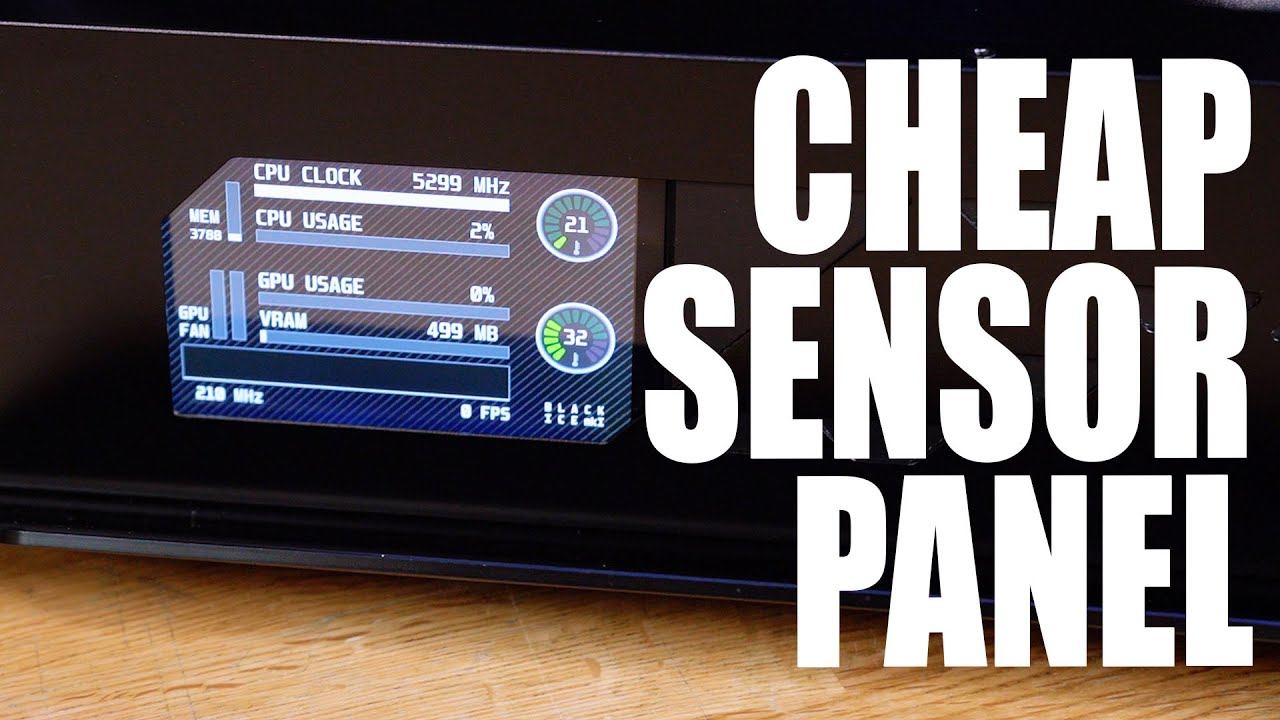
I have been asked MANY times for a tutorial on how to make the custom sensor panel found in Phil's PC, and now my latest gaming rig... well, today we show you how!
Learn more about the Viewsonic Elite XG270QG and see current price at https://amzn.to/37fXdtZ
Recommended Raspberry Pi Panels for this mod
5" Panel - https://amzn.to/386roXY
7" Pan...
vagrant olive
yea i watched that it looks pretty cool
muted patio
5900x
desert gulch
Of both worlds
muted patio
Faster single core
desert gulch
Isn't 5950x a few extra fps in games tho?
Go x570
Since it's gonna be a super epic build
stoic island
chipset
desert gulch
And why not
Ye
Like what's in the motherboard
Like what it runs on
X570 is basically a better b550
More features and stuff
Sure why not
Get an x570 godlike
vagrant olive
@odd abyss this list could be drastically improved but its still a better price/perf build https://pcpartpicker.com/list/3Jyvt8
for that wild price point
desert gulch
vagrant olive
<@!600835815265796121> this list could be drastically improved but its still a b...
He's just making a meme one
vagrant olive
ik but he wants to know like how to spot good parts and stuff
desert gulch
ye ill make a better list
mobo may need bios update
since that mobo came out before 5000 series of ryzen
vagrant olive
that mobo...
chipset fans 🤢
stoic island
Basic Input Output System
But also
It contains what you could call drivers for everything
vagrant olive
i might be wrong but ur bios like tells the computer what to do
yes its compatible you just may have to update it if you buy a ryzen 5000 cpu, since most b550 and x570 mobos were made before those cpus came out so they dont ship with the compatible bios
desert gulch
yessss
stoic island
uh
desert gulch
stoic island
uh
spend 2k on 4x16 on ram is big brain
especially when its super pog ballistix
stoic island
If you want half sensible overkill list:
https://pcpartpicker.com/user/Mr1111/saved/pLkXkL
desert gulch
stoic island
If you want half sensible overkill list:
https://pcpartpicker.com/user/Mr1111/sa...
gotta love the price of that mobo
stoic island
yep
desert gulch
yes
stoic island
but that's only half sensible
still roostBOT
 rocket#8423 has been warned
Reason: Bad word usage
stoic island
stoic island
but that's only half sensible
@desert gulch
desert gulch
stoic island
<@!473206416782655508>
ballistix max is fully sensible
vagrant olive
well rip that dude, hopefully he finds the right parts for his 200k build
desert gulch
lol
kindred temple
@stoic island @vagrant olive @fossil cedar
Sorry dinner came and I dropped off for a while.
The GPU is what I was able to get for a reasonable price. 2070 supa is on the way now :)
The case is mostly for the size and minimalist nature.
Will take the advice on the ram and see to change that before
kindred temple
The price is wrong. 70 on newegg
For some reason it's showing the amzn price over the cheap one. Pretty sure it's because of a marketplace seller
stoic island
I'd also change the case to one with better airflow
vagrant olive
^
stoic island
Example good white airflow cases:
TD500 mesh white, Lancool ii mesh white, 4000d white airflow
kindred temple
Pc part picker didn't have many options at a mATX factor. Not sure how accurate that was
stoic island
(all ~100$, should still fit in budget)
And you can fit mATX boards in ATX cases without any issues
mATX is just ATX slightly cut down
kindred temple
Yup. I'm kinda aiming for a smaller factor.
I would go itz but I don't trust myself lol
kindred temple
Ok I'll try to look up dimensions
Thank you again 😊. Really appreciate all the advice. Super excited for my real first build in 15+ years
kindred temple
Swapped the ram.
Whats the difference between the P360a and the Lancool II mesh. Both seem very close in size
Almost exact cept for price
stoic island
hm, thought p360a would be a bit smaller since just 2 front fans instead of 3
oh well
kindred temple
Yeah I thought the same till I dug in
Either way it cool
If I go that route I might look into a full atx then. If I got the space might as well be able to use it
tulip notch
Mr1111 ?
earnest gorge
muted patio
There ya go.
odd cosmos
ok i connnected me pc to my monitor and got windows set up!
but it doesn't allow for high refresh rate
and btw can u uninstall edge?
muted patio
You using dp or hdmi?