#building-and-recc-chat
1 messages · Page 1005 of 1
 wanton cliff
wdym by 'bad'?
 muted patio
best Buy dropping right now, GO GO GO!
wanton cliff
its not exactly an 'old' GPU
tfw too many ads and pop-ups on BB for me to get that sweet 3080
every few minutes they release, inventory, huh?
 mighty sapphire
Like maybe it’s defective I don’t know what else to try
wanton cliff
I suppose I'll have to be a bit patient
wanton cliff
mighty sapphire
Like maybe it’s defective I don’t know what else to try
you can try RMAing it
no harm in doing so
mighty sapphire
What’s that?
wanton cliff
send it back under warranty
mighty sapphire
Oh yea that’s what I’m looking at now.
mighty sapphire
muted patio
TRied a different output port on the board?
I haven’t I’ll do that now
If it’s really that simple 🤦🏼♀️
mighty sapphire
Didn’t think of it lol
I went into apex and it didn’t black out but having edge open playing a video and opening chrome it flashes bad still
muted patio
Is this a new to you used card you bought?
mighty sapphire
Cod is the one it blacked out on bad. So I’m trying to open it but it won’t work half the time because of our router
I got it off Newegg
I think it was new but I’m not sure. It’s the white one with 3 fans
mighty sapphire
I think it’s ocd automatic
About a year ago
I think April will be a year we’ve had it. And it was fine at first. The whole computer was built in April or around there so everything was new
The bios that was on it was from 2019
muted patio
SO it only flashes using a web browser?
mighty sapphire
muted patio
SO it only flashes using a web browser?
Yea so far
muted patio
Interesting, have you done DDU?
 obsidian mist
Question about ASUS Prime Z590-A LGA 1200 (Intel 11th/10th Gen) ATX Motherboard: when i try to select a GPU and SSD to go with it, there is nothing available. I assume this means nothing compatible but find that hard to believe. Trying a first build so not confident in just checking it myself for compatibility
mighty sapphire
muted patio
Interesting, have you done DDU?
Yea
muted patio
mighty sapphire
Yea
Safe Mode DDU or just within Windows?
mighty sapphire
Safe mode
obsidian mist
muted patio
Any GPU and SSD will work
why wouldn't any show up then... seems odd, other Z590s are just fine
muted patio
What site?
I've never used any kind of compatibility option. It's most likely because the Z590 is brand new
But any SSD and GPU should work with it, whether SATA, M.2 PCI-E etc
Those are pretty universal for a lot of boards
obsidian mist
newegg.ca... just putting things through the builder and no options for SSD or GPU
I figured so, but this threw me for a loop. ty
muted patio
YW
wanton cliff
As I said before though when we had that argument about terminology
dont get anything too slow or too old
 hollow grail

mighty sapphire
muted patio
What site?
Were you asking me that?
muted patio
mighty sapphire
Were you asking me that?
no
mighty sapphire
Okay lol I didn’t think so but I figured I’d check
 fast dust
Hey I need some help with one of my customers builds
They say that sometimes it refuses to turn on and shuts off after a few minutes of use when it does turn on
When they brought it over to my house I had that thing running for a good 3 hours, even played some games on it
But then it gets back and it does it again
Anyone know what could be causing this?
wanton cliff
nah fam
muted patio
Power strip
wanton cliff
do the standard things
fast dust
Wdym power strip vintage
muted patio
They're using a power strip
fast dust
Like a power strip jot giving enough power?
muted patio
A cheap crappy one
fast dust
Yeah I asked if they were
muted patio
or too many other things plugged in
fast dust
They said no
muted patio
Or they have it next to a heater
They said no
Ask for pics where the PC was installed
And what else is plugged in on the circuit they're using
fast dust
Alright just asked them, I’ll wait on a response
muted patio
Also ask them EXACTLY what they're doing when it crashes
Attempt to replicate exactly what they do
fast dust
Mhm, they said it just randomly happens
muted patio
Ask for more details
 limber light
Does anyone have a cost efficient recommendation got an 850W or 1000W psu? Gonna run an overclocked 5950X + 3090
fast dust
Think that could handle both those overclocked though vintage?
fast dust
Doesn’t mean it’s not still power hungry, especially overclocked
muted patio
180W
fast dust
Hungy
muted patio
1000W PSU ain't gonna be cheap
fast dust
Yeah
fast dust
Unless you got a Rosewill hive 1000w 😏
 sharp tundra
muted patio
scalper tho
sharp tundra
muted patio
scalper tho
What you mean? The HX1200i is $310 from corsaor right now
sharp tundra
Oh, okay
Thought maybe you were talking about the HX1000
Yeah, 1000w psu market is toast from what I hear
sharp tundra
Cause everyone thinks they need 1000w for a 3060
muted patio
Still, overclocked 5950X at 200W with a 3090 even at 400W is still only 600W
DF 850W will do just fine
sharp tundra
Yup
muted patio
limber light
Does anyone have a cost efficient recommendation got an 850W or 1000W psu? Gonn...
Enermax Revolution DF 850W
sharp tundra
But no one seems to understand how TDP works
limber light
Thanks
limber light
I was thinking about seasonic
muted patio
limber light
I was thinking about seasonic
more expensive. That Enermax is top of the line for $129
Multi rail too
sharp tundra
Well yeah, but theoretically you only need to get like maybe 3-400 watts more if you OC
But if not, maybe you just want to chill with that boost clock, if your TDP says 394, then get a 500w
muted patio
The numbers I posted were OC
Also, 3-400 more watts overclocked is way too much
At most, ~100W or so
5950X TDp, for example is 105W. With PBO on and overclocked, it will pull ~200W
sharp tundra
I was including both cpu and gpu oc
muted patio
3090 TDP is 350W, it will pull 450W maybe
muted patio
Overclocking doesn't use that much more power tho
sharp tundra
Then why people be talking about needing 2 1600w psu for trying to beat clock records on 3090
muted patio
sharp tundra
Then why people be talking about needing 2 1600w psu for trying to beat clock re...
Because for those, you can get a custom BIOS that will let the cards pull 1000W 😉
sharp tundra
Ah
muted patio
But it requires a lot of know how, custom BIOS and physical card mods
And the people who are going to do those types of things typically don't come asking for help about which PSU to get lol
sharp tundra
They just like, "oh let me pick up a AX1600i from the local MC right quick
I wish I was rich so I can just build wild PCs and give them away
Like a pc with 4 3090s paired with a 3600
limber light
Lol
limber light
I wish I wasnt rich so I could live a normal life without expectations
 potent portal
Just because you have a business doesn't mean you're rich
sharp tundra
limber light
I wish I wasnt rich so I could live a normal life without expectations
I'll gladly take that richness off your hands
limber light
I can 100% garuentee you've never been back handed out of your chair by your parents for saying "can't" instead of "cannot"
sharp tundra
limber light
I can 100% garuentee you've never been back handed out of your chair by your par...
No but I've had my phone broke over an argument that I wasn't Involved in.
There we go
We just pretend that didn't happen loll
limber light
sharp tundra
I'll gladly take that richness off your hands
If you take all the stipulations and ecpectations with it (:
potent portal
Yep already forgotten
limber light
Imagine your parents firing your favourite teacher because they didnt like his name
sharp tundra
I only REALLY trust myself, and it's not that I don't trust others, it's just that I don't feel like others should have to worry about what I got going on, so I don't tell them
limber light
It was a "distrustful" name
 quasi hemlock
I need help, I have been trying to screw in the fan that came with my Ryzen 5 5600x and the screws won't make contact with the threaded holes on the bracket
I've tried doing a diagonal pattern and looked up videos but none seem to answer the problem
sharp tundra
Did you take off the AM4 clip bracket?
quasi hemlock
like the thing that covers the cpu
quasi hemlock
let me check
sharp tundra
No, the Mounting hardware that comes on almost every AM4 MOBO
Did you take that off
quasi hemlock
let me send a pic
muted patio
You also have to hold the bracket from the back side while you install
The back plate
quasi hemlock
i did not do that
muted patio
that's why then
sharp tundra
🤦♂️
muted patio
have to hold the back plate in place
quasi hemlock
I've been enlightened
sharp tundra
😇
muted patio
It's the little things lol
sharp tundra
Hey, at least we wasn't trying to mount a cooler on an AM4 board with LGA hardware
quasi hemlock
Actually I’m gonna send a picture anyway because that didn’t change the result
sharp tundra
Oof
muted patio
I saw a picture of someone that destroyed a board trying to use an aftermarket cooler. The mounting screw went down into the VRM and sparks happened
quasi hemlock
 sharp tundra

muted patio
pegs aren't sticking up far enough looks like
sharp tundra
Ew
quasi hemlock
could it be that I have the bracket backwards
muted patio
Take off the backplate
sharp tundra
Why are you running single channel?
fast dust
Nice thermal paste spread
quasi hemlock
tell me what to do first
muted patio
Take off the backplate
See if there's anything under it, pegs should be sticking up further I think
quasi hemlock
Is it supposed to look like this
 muted patio
Also, the screws on the cooler are spring loaded
sharp tundra
quasi hemlock
tell me what to do first
Dod your mobo come with a separate backplate?
quasi hemlock
and that is the black plate right
muted patio
Are you trying to screw it on by hand without a screwdriver?
quasi hemlock
i'm using a screwdriver
sharp tundra
Is the cooler facing the right way?
quasi hemlock
I've flipped the cooler and bracket multiple times
muted patio
Watch how this guy puts it on https://youtu.be/omNtKUVIChg?t=288
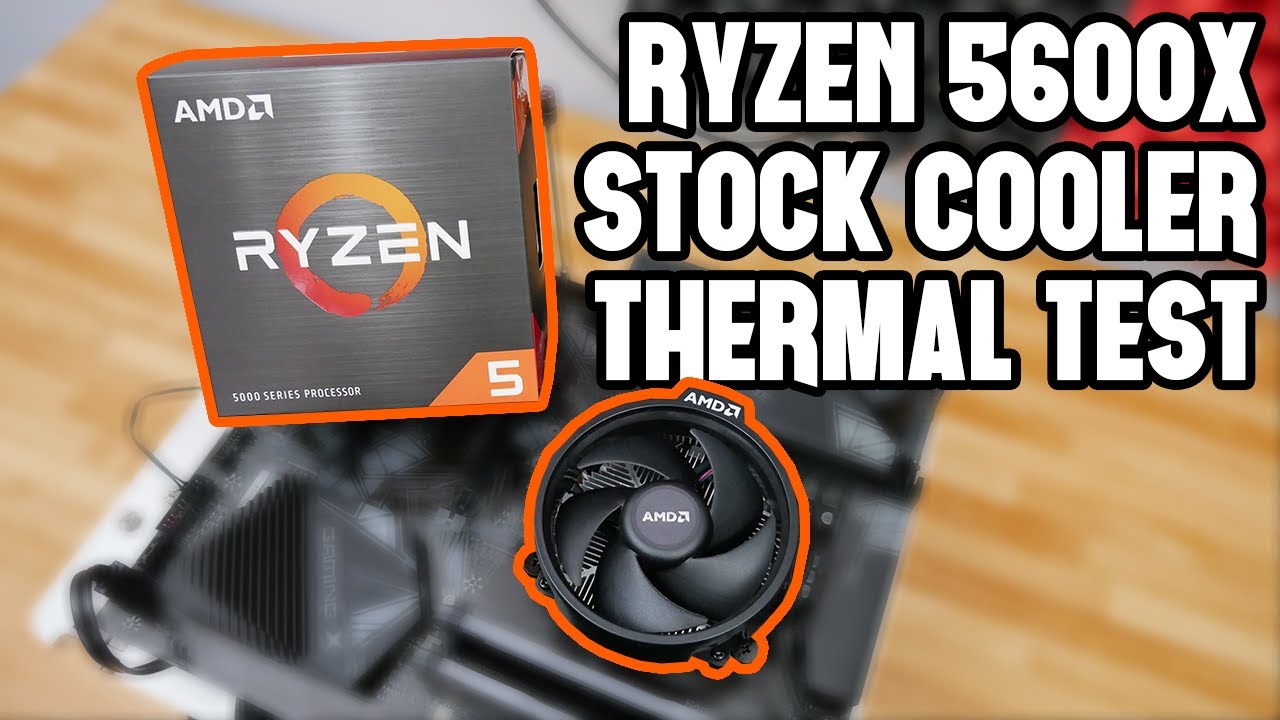
~Sponsor~
Use offer code "HHW" for 20% off Windows and Office Keys.
Win 10 Pro: https://bit.ly/2NHKS9S
Win 10 Pro (2PCs): https://bit.ly/2VsM9pm
Win 10 Home: https://bit.ly/2AfoCkB
Office 2019: https://bit.ly/3iceDxv
~Ryzen 5000 CPU Amazon Links~
Ryzen 5600X: https://amzn.to/34YOcqz
Ryzen 5800X: https://amzn.to/34YO4r5
Ryzen 5900X: https://amzn...
quasi hemlock
ok
muted patio
SLight angle to line up two holes, start threads then the rest
sharp tundra
AMD logo should be flipped to the left towards IO
 uncut wadi
i need help choosing PC parts for a white build my budget is about $1500
quasi hemlock
what do they look like
muted patio
All you should need is that backplate and the stock cooler
No reason it shouldn't go together
quasi hemlock
I'll keep trying it
sharp tundra
Put the backplate in from the top, and put the cooler on the back, that may work
Lol
muted patio
uncut wadi
i need help choosing PC parts for a white build my budget is about $1500
$1000 white build less a GPU which will be difficult to find https://pcpartpicker.com/list/YQV7Bc
sharp tundra
Don't knock it till you try it
muted patio
On the stock cooler, can you push the screws down with it not installed?
uncut wadi
@muted patio thanks for the build but im looking for something a bit more powerful
sharp tundra

muted patio
uncut wadi
<@!618616722840223754> thanks for the build but im looking for something a bit m...
With a $1500 budget, that's about it
GPU will cost you at least $500-700
So that takes you to $1500 right there
quasi hemlock
muted patio
On the stock cooler, can you push the screws down with it not installed?
Yeah, the screws all touch evenly until I screw in the second one
sharp tundra
Well hold on, i could probably put so.ething together
muted patio
quasi hemlock
Yeah, the screws all touch evenly until I screw in the second one
Diagonal or side to side?
quasi hemlock
diagonal
muted patio
Try side to side
Like, same side left and right
more powerful? here you go. https://pcpartpicker.com/list/4D27Bc
quasi hemlock
would it matter if I don't do that one
muted patio
yes lol
Need all of them for good CPU contact and cooling
Something else to try is to take the back plate off and screw the cooler to it without the motherboard to make sure all the threads are good
quasi hemlock
yeah
muted patio
After you start one screw, are you pressing down lightly on the cooler to flatten it out and line up the other screw?
sharp tundra
@uncut wadi https://pcpartpicker.com/list/zK4nqp
@muted patio isn't that gpu $900
The asus white edition
muted patio
That was the point. To show that more HP would need more money
uncut wadi
@sharp tundra how about cpu cooler
sharp tundra
I changed the case too lol
muted patio
Which I left open because white GPU's are spendy
quasi hemlock
@muted patio I did it without the board and it worked perfectly
muted patio
Ok then
get one screw started then use light pressure to press the CPU cooler down and align a diagonal screw
sharp tundra
@uncut wadi better? https://pcpartpicker.com/list/FhgJXb
uncut wadi
@sharp tundra thanks for the help
sharp tundra
PeRfOrMaNcE
muted patio
Mushkin has the same performance
sharp tundra
😉
quasi hemlock
@muted patio the side I start screwing always connects then the opposite side never does
muted patio
Lightly push down on the cooler to line it up
sharp tundra
Are you screwing it in all the way before putting in the other screw?
muted patio
Samsung drives are overpriced and should never be purchased lol
quasi hemlock
sharp tundra
Are you screwing it in all the way before putting in the other screw?
no
sharp tundra
muted patio
Samsung drives are overpriced and should never be purchased lol
Take that back
muted patio
What about it?
sharp tundra
It's the same price as the mp600 pro, and the sn850
muted patio
overpriced, gen 4 is pointless
sharp tundra
7000 read and 5000 write is pointless?
sharp tundra
bet
muted patio
Also, just saying, $150 https://www.amazon.com/Sabrent-Internal-Extreme-Performance-SB-ROCKET-NVMe4-1TB/dp/B07TLYWMYW
sharp tundra
When I get my 980pro, I'll compare it to my 970 evo, I'll download the same game on both drives, open them at the same time, and then I'll see which one opens faster
muted patio
Unless you're doing content creation where drive speed is a must have, you'll never notice Gen 3 vs Gen 4
uncut wadi
well this is kinda what im looking for im going to be selling my old pc parts except case and storage
muted patio
sharp tundra
When I get my 980pro, I'll compare it to my 970 evo, I'll download the same game...
Don't need to, benchmarks have been done
 sharp tundra
Seems alright to me
uncut wadi
if not ill settle with 3070
muted patio

TechSpot
What sort of storage do you need to play today's games and provide the best loading times? Do you need a PCIe drive? Do you need something...
muted patio
uncut wadi
well this is kinda what im looking for im going to be selling my old pc parts ex...
You want max performance yet are using slow ram with the AMD. Should at least be 3600
Which does make a difference in FPS and load times
uncut wadi
@muted patio thanks for the help
sharp tundra
muted patio
Which does make a difference in FPS and load times
Drives matter too🙄
uncut wadi
i dont know much so if you have anytips let me know


 sharp tundra
I don't see the 980 pro on there
muted patio
It's not going to matter
muted patio
sharp tundra
I don't see the 980 pro on there
Ok, fine. Your Gen 4 drive gets beat by a Gen 3.
 sharp tundra
Fake news
muted patio
Gen 4 over rated
hollow grail
gen4 stupip
sharp tundra
Okay, so not because I still think gen 4 is faster, but find benchmarks for mp600 pro and sn850
hollow grail
lililabs uses gen3 ssds
sharp tundra
You try and plug every chance you get🙃
hollow grail

hollow grail
im throwing together a really ugly somewhat functional site while i wait for devs
wanton cliff
muted patio
Should we summon windshields?
@mental steeple
bet
Windshields, yell at Nomad
sharp tundra
Huh
 mental steeple
sharp tundra
Okay, so not because I still think gen 4 is faster, but find benchmarks for mp60...
mental steeple
sharp tundra
Okay, so not because I still think gen 4 is faster, but find benchmarks for mp60...
PCIE 4.0 is just a higher bandwith PCIE standard
slapping support for it onto your SSD doesn't magically make it faster
mental steeple
sharp tundra
When I get my 980pro, I'll compare it to my 970 evo, I'll download the same game...
LOL
Load times are going to differ like
between 3 seconds ish max on nand based SSDs
muted patio
mental steeple
between 3 seconds ish max on nand based SSDs
or not at all https://cdn.discordapp.com/attachments/589689072692494356/820010021097701406/missing-image.png

 desert gulch
p31 so good
desert gulch
not faster than p31
muted patio
That's because was before ADATA pulled some garbage
mental steeple
meh
adata pulled a "happens fairly frequently in the industry"
didn't communicate it well
made a bunch of redditors angry
mental steeple
they didn't really like
sharp tundra
Gen 4 good, gem 3 bad 🙉
mental steeple
commit a crime though
the drive still meets its advertised spec so
it's not false advertising
all it does is skew reviews but this happens every time SSD componentry changes
the thing about the sx8200 pro is that it changes ridiculously often
points towards the possibility that this is some inner supply struggle with adata
and isn't them trying to scam consoomers
muted patio
O, I doubt they're trying to scam also
mental steeple
drive still performs fine otherwise
it's about on par with pilot-E, MP34, etc right now
muted patio
And changing every website their stuff is listed on isn't realistic
mental steeple
sx8200 pro has schrodingers nand
it's gonna be shipping with Z-nand one of these days
fast dust
@muted patio he doesnt have it connected to a power strip at all and it happens randomly, when watching a video, when on the desktop, when playing a game
muted patio
mental steeple
sx8200 pro has schrodingers nand
SCHRODINGERS NAND!!
desert gulch
helix L 1tb is 94 USD rn, so pretty pog
mental steeple
desert gulch
helix L 1tb is 94 USD rn, so pretty pog
decent
muted patio
desert gulch
helix L 1tb is 94 USD rn, so pretty pog
Pilot E faster
desert gulch
yeah
 stoic island
mental steeple
adata pulled a "happens fairly frequently in the industry"
stoic island
mental steeple
adata pulled a "happens fairly frequently in the industry"
they keep going beyond the realm of science
desert gulch
pilot e more expensive tho right?
stoic island
qubits are 0 or 1 or 1 and 0
mental steeple
they both occupy different price tiers
desert gulch
like 110 last i heard
stoic island
sx8200 pro has like 10 different possibilities
sharp tundra
Sn850 pog
muted patio
$20 more, just do it. Skip your starbucks and McDonalds for a day
sharp tundra
Mp600pro pog
stoic island
it's a sn550 in real perf, the latest one, afaik
sharp tundra
980pro pog
stoic island
(non-seq)
mental steeple
"nooo they changed the controller i dont know what it was or what they switched it to but it's as bad as the sn550 now"
desert gulch
980-non-pro is the non pog
mental steeple
stoic island
it's a sn550 in real perf, the latest one, afaik
not even close
it's not possible
mental steeple
an sm2263+generic 3d TLC drive will outperform the sn550
muted patio
The only reason gen 4 drives exist is so people can brag they spent moneys for a number
mental steeple
an sm2262+whatever schrodingers 3d TLC adata uses will stomp on the ladder
when is the PCIE 4.0 3dxpoint going to be in
desert gulch
yo windshields you a pilot?
mental steeple
desert gulch
yo windshields you a pilot?
yep
stoic island
lets see
 desert gulch
so cool
sharp tundra
mental steeple
yep
Teach me to fly?
mental steeple
lol they went back to the EN
mental steeple
stoic island
back to the decent controller?
LOL
there's barely a difference between sm2262 and en
it's like comparing 3700x to 3800x
or 10850k to 10900k
mental steeple
sharp tundra
Teach me to fly?
not qualified for that sir
sharp tundra
Wut u meen?
mental steeple
stoic island
something depth
DOESNT MATTER
stoic island
aaaaaaaaaaaa
mental steeple
from what i understand sm2262 is actually more consistent in some regards compared to
mental steeple
stoic island
1k 4k 32k thingy
1k
SSDs can't address 1kb chunks but OK GAMER
4KB is the smallest you can address
4KB is a sub page
4kb in a page
i mean
16kb in a page
ok so like
you know how
traditionally
nand is only page addressible right?
like
if you google it\
"bro you can only address nand by the page"
it's wrong
you can address 4kb sub pages
for reasons
unknown
because on 3d nand a page is just a bunch of cells sharing a word line
where as on planar nand i believe it is the cells sharing a bit line
which on 3d nand is what we call a string
MAKE SENSE
?!?!??!
 pliant lake
do you know what a paragraph is?
 lyric thistle
Where's the hard drive platter on the ssd?
sharp tundra
I want a phome case that has expandable storage via NVMe
 austere vale
Wow.
muted patio
lyric thistle
Where's the hard drive platter on the ssd?
In the SCHRODINGERS NAND
 mental steeple
pliant lake
do you know what a paragraph is?
mental steeple
pliant lake
do you know what a paragraph is?
no im talking about pages not paragraphs
SSDs cant address paragraphs
lyric thistle
To find the coveted nand
mental steeple
but
is a paragraph a sub-page?
🤔


a sub-page just describes anything that's smaller than a page
so
yes
a paragraph would be a sub-page
and a super-page is multiple pages
austere vale
I think they meant stop spamming three word comments and write more in each reply..
mental steeple
austere vale
I think they meant stop spamming three word comments and write more in each repl...
what do you mean
i can type faster than i think im sorry
austere vale
Lol all good.
desert gulch
sharp tundra
Wut u meen?
he has to be certified to teach ppl to help you get pilots liscence
technically could teach oyu how to fly, just those hours wouldnt go towards anything
muted patio
It's not a problem
mental steeple
desert gulch
technically could teach oyu how to fly, just those hours wouldnt go towards anyt...
do you want to know how a VOR works
muted patio
I think like that too sometimes
desert gulch
mental steeple
do you want to know how a VOR works
sure
mental steeple
desert gulch
sure
google it
desert gulch
ok
mental steeple
😎
austere vale
Is it a rule all pilots must wear aviator sunglasses?
muted patio
Yes
desert gulch
yes
muted patio
I'm pretty sure that's in the FAR handbook
austere vale
What happens if you turn up wearing $2 petrol station sunglasses?
muted patio
They revoke your license
austere vale
Fascinating. All those hours down the drain..
😋
Does the test include at least one take off while danger zone is playing?
desert gulch
vintage you fly?
muted patio
Once upon a time
desert gulch
how many hours you have total?
desert gulch
ooh nice
muted patio
Was 20 years ago
desert gulch
tiny planez
muted patio
Scared the crap out of myself so bad I never got back into it
desert gulch
scared of heights?
austere vale
Did you have a close call?
desert gulch
yikes
muted patio
ASI was in the yellow close to red
desert gulch
vintage you should get a diamond plane
desert gulch
those diamond planes have rly nice wings
that make it rly hard to spin

like a da62 or sumthin
closest call i had was a ton of sink on landing
was full flaps
muted patio
Gotta get certified for a twin though
desert gulch
all the back on yoke
yup
i just about slammed the plane into the ground lol
perfect approach ruined by stupid sink
going plenty fast too
muted patio
I probably should take up flying again but motorcycle racing now
 muted patio
nice
sharp tundra
When people say that want a plane^^^
desert gulch
lol yup
sharp tundra
When I say I want a plane
 potent portal
Those jumbos are far more trouble than they're worth
 desert gulch
mpg per person is better in a plane than a one person in a car
potent portal
A Learjet makes a good private jet
sharp tundra
But is I wanted a nice single man aircraft, this would be it


 rich helm
America 🇺🇸
sharp tundra
Well, I didn't see that
Anyways
Anything made by Lockheed Martin, I would probably want
Too bad all the stuff they make anymore is not available to civilians market and is considered Classified
lyric thistle
 wanton cliff
sharp tundra
Too bad all the stuff they make anymore is not available to civilians market and...
wanton cliff
sharp tundra
Too bad all the stuff they make anymore is not available to civilians market and...
but muh medicinal M1A1 Abrams
sharp tundra
The gear ratio for that prop must be like 1:1000000 for how heavy that flying box is
sharp tundra
wanton cliff
but muh medicinal M1A1 Abrams
I want one so bad
lyric thistle
Kid has infinite torque
wanton cliff
According to the 2nd amendment to the US Constitution I am allowed to own and use a Hellfire Missile
as well as an A-10 Warthog
sharp tundra
Spitfire is a classic
wanton cliff
I must protect against GOVERNMENT TYRRANY
austere vale
I like the sound of the engine on the spitfires
wanton cliff
I like how ** I C O N I C** they are
sharp tundra
Amd the folding wings😍
austere vale
They are a beautiful piece of engineering hey
stoic island
@mental steeple Wait, how exactly does addressing sub-pages work? iirc you can only address everything that's on the bit line, no way to just cut it off and read it..?
It's not like stuff like DINOR literally has divided bit line in the name
it's just NAND
stoic island
tryna remember
sharp tundra
😤
stoic island
iirc it's the bit line that's controlled by voltage that you can get the data from reading the threshold voltage in each cell to determine what the content of the cell is right?
rich helm
Is this plane chat now
stoic island
@mental steeple or am I going crazy again
sharp tundra
4 blade props are better fpr stability but are slower?
Unlike 3 blad props that are sped
sharp tundra
rich helm
Is this plane chat now
Yes
wanton cliff

Ded memes galore...
I didn't do the flying, there's no way I could pull off something that awesome.
Clips used:
- Blend S Opening: https://www.youtube.com/watch?v=dv7MYtlnNus
- Squire's Top 5 Epic Plays! #21: https://www.youtube.com/watch?v=bZeD-Vfs1_0&index=21&list=PL7sctUVE_PhRVdz2mFphmXZvngOAOce95
Music:
- Spitfire by GO2: https://www.yout...
yes it does
lyric thistle
We still talking about gorgeous planes

The original H-1 racer was designed and built by Howard Hughes back in 1935 and was far ahead of its time during that era. http://en.wikipedia.org/wiki/Hughes_H-1_Racer
Jim Wright’s “Wright Machine Tool Company” reproduction had been built up over several years and was a work of art. Sadly Mr. Wright and the plane were lost in 2003 during a ret...

The New Zealand Catalina Preservation Society's Catalina is shown here during its display at the Classic Fighters 2007 airshow held at Omaka Aerodrome, Blenheim, New Zealand.
This is a new widescreen upscale version of this previously uploaded clip.
--
Copyright © 2016 Historical Aviation Film Unit
This video ma...
 jaunty nacelle
any tips on how to get a 1660s
lyric thistle
Money
 alpine thunder
@wanton cliff @muted patio
wanton cliff
what
alpine thunder
So remember how I RMA'd my board right?
wanton cliff
yeah?
alpine thunder
Well I just got it back today and the issue still exists
rich helm
alpine thunder
<@305102062121648138> <@618616722840223754>
Pinging a veteran and a mod assist in one message, pretty brave
 little osprey
OLLOLOLOLOOLOLLOLOLOLOLO
alpine thunder
rich helm
Pinging a veteran and a mod assist in one message, pretty brave
They just ppl to me man
Makes no difference
little osprey
RMA and issue still exists 
alpine thunder
It's awful dude. Them 2 put alot of effort into trying to help me
So I owe them alot, but now idk wtf to do
 balmy patio
jaunty nacelle
any tips on how to get a 1660s
balmy patio
jaunty nacelle
any tips on how to get a 1660s
tbh just wait until prices come down in the used market, i don't think nvidia is still manufacturing them
 jaunty nacelle
maybe ill just get a laptop instead
little osprey
alpine thunder
It's awful dude. Them 2 put alot of effort into trying to help me
What was problem?
Sorry
what is problem
alpine thunder
No display
alpine thunder
You were there for it to mando
desert gulch
sure its not gpu?
little osprey
Yeah i slightly remember
alpine thunder
They had me send videos of everything
The gpu is fine
Threw it in another system and no issue
alpine thunder
So I thought thought mobo was the problem, and according to ASUS it isnt
desert gulch
try dif pcie slot
alpine thunder
I only have 1 slot
rich helm
Are you using a riser?
alpine thunder
Itx x570 strix
desert gulch
you try switching ram around?
alpine thunder
I am using a riser
alpine thunder
In the Deepcool Tristellar
desert gulch
that may be the problem
little osprey
No what GPU
alpine thunder
Msi rx570
balmy patio
set the slot to pcie 3.0 instead of 4.0
rich helm
That’s probably the problem
desert gulch
mhmm
alpine thunder
I cant even get the thing to display
desert gulch
try it without riser
alpine thunder
Just a black screen
rich helm
Take mobo out of case amd use without riser
alpine thunder
I tried without the riser, plugging directly into the board and still no display
rich helm
Oh ok
alpine thunder
Only things I can think of are RAM, or CPU
rich helm
Is it mini itx board I’m assuming?
alpine thunder
But both or fine from the looks of them
little osprey
are you able to change ram?
alpine thunder
Yes mini itx boars
I can swap the 2 slots they are in but thats it
Problem still persists
balmy patio
have you tried it outside the case?
rich helm
Do you have ram from another pc that you could try in slots
alpine thunder
rich helm
Do you have ram from another pc that you could try in slots
No but if it comes down to it I'll get more ram to test it out
It's 2x16 DDr4 4000mhz gskill trident
rich helm
You said you tested card in another pc where is that
alpine thunder
They cycle through rgb and everything and seem fine
rich helm
alpine thunder
Other pc is at a friend's dorm
Snatch his ram
alpine thunder
Just no display
little osprey
Can you get into bios?
alpine thunder
little osprey
you try clearing CMOS battery yet?
Yup
Actually
Sara and vintage both forced me to do that
little osprey
Yeah i would figure
Im thinking its definitely the ram though
you only try 1 stick each yet?
alpine thunder
Is it RMA RAM?
little osprey
No
alpine thunder
And I have not tried 1 stick yet
little osprey
Try 1 stick
alpine thunder
I will when I get back
I'm already in the car on the way to the other side of campus
rich helm
Like, stick 1 in slot 1, then stick 1 in slot 2, then repeat for other stick
little osprey
Is the ram default 4000mhz or do you have to set it
alpine thunder
I'm bout to rob this dude of his memory
alpine thunder
little osprey
Is the ram default 4000mhz or do you have to set it
You have to set it
rich helm
Nice
alpine thunder
I'll be back guys
I'll ping you when I return
Thanks for the assist
Fingers crossed on this one
little osprey
Originally thought the ram isn't a high enough bin to run 4000mhz but now its likely just bad ram
jaunty nacelle
any good $1k usd builds that you can actually buy rn
mental steeple
stoic island
<@!261617855257116672> Wait, how exactly does addressing sub-pages work? iirc y...
pages don't come off the bit line
a page is a row of cells which share a word line on 3d-nand
on planar nand (the traditional diagram) i BELIEVE what we call a string on 3d nand (a row of cells coming off of a bit line) is a page
on 3D nand a page is a 16kb row of cells which share a word line
which is then split it into 4kb chunks called sub-pages
 cursive wharf
subpages stayed 4kb on NAND cuz that's what HDDs use for data blocks or smth
stoic island
mental steeple
pages don't come off the bit line
hm, so it's the other line?
Is the bit line or the word line the line which increases or decreases the voltage for the data to be available to be read?
mental steeple
cursive wharf
subpages stayed 4kb on NAND cuz that's what HDDs use for data blocks or smth
hmmmmmmmmm
mental steeple
stoic island
Is the bit line or the word line the line which increases or decreases the volta...
word line controls control gate
allowing current to pass through
stoic island
what does bit line do then..?
I thought one adjusted voltage, one let current and data through
am bad with nand
 wanton mauve
should i get a 1tb ssd or a 4tb hdd for my steam library
desert gulch
How much do you need
desert gulch
ohhh ok
 rancid lodge
Mmm okay so I need some Rgeebee support, I have a x570 tuf gaming pro with two RGB headers and one “aura addressable RGB header”, I have a i150 AIO with it’s RGB commander, I have 3 (will have 4) SP RGB Pro fans, I have the AIO pump’s RGB (which I believe just works via the pump controller) and I have my case’s RGB on the front panel
Should I be able to fit all that in those three RGB headers?
And does it matter which one I put in the gen 2 ARGB header
desert gulch
you could get a hub
may be easier than trying to cable manage and control a bunch of stuff individually
rancid lodge
The i150 and the three fans both came with hubs
desert gulch
ohh ok
rancid lodge
I mean I’m building the thing rn lol
potent portal
The two 4 pin RGB headers are 12v and the one with the missing pin is the aRGB at 5v, it very much matters which you use
rancid lodge
Alright what’s the difference between the two
The two can just control the color and the other one can enable it to control patterns of the colors?
potent portal
The aRGB things tend to be more customizable, like individual LEDs instead of the entire thing
rancid lodge
Okay yeah, wish it had more of those...
potent portal
If you had a controller you can use that one aRGB header for everything
rancid lodge
So for now could I just hook up all 6 of the fans (the 3 ones from the AIO and the 3 case ones) into one hub? They look to be the same
I have one fan more coming though so
potent portal
Yeah if all the connectors are the same it should work if there's room in the hub
rancid lodge
Mhm I’ll see if they connect
Okay yeah the AIO fan hub works with the case fan RGB connectors
So for the rear exhaust fan it won’t have enough room to go into a hub ig
Probably just hook it up on a normal RGB, as for the front of my case I can still probably manually adjust it
 desert scarab
Yoo
desert gulch
yooooo
desert scarab
I need help rq
desert gulch
i cant for long
leaving my house in 10 minutes
but if you have a quick question i can answer
desert scarab
Is it ok if the mobo isn’t screwed in all the holes in the case
muted patio
yes
desert scarab
like some of the holes in the mobo I can’t screw in
desert gulch
id do like 4
desert scarab
No stand off
desert gulch
bruh
muted patio
Oh
desert scarab
I did 4
desert gulch
standoffs are in wrong spots?
desert gulch
move them then if you can
desert gulch
yea
desert scarab
does it matter?? I already have like 4 screwed in in close to four corners
desert gulch
4 is easily enough to hold a mobo still
desert gulch
mhmm
desert scarab
let me unscrew the mobo off
desert gulch
ok
try to get the wrong spot ones out
if you can
try fingers, if not crescent wrench or something would work
muted patio
next to the standoffs it will be labeled
desert gulch
they can be in wrong spots
muted patio
Something like ATX or M
desert gulch
yeah
muted patio
Depending on the board format you have, the holes need to be filled appropriately
desert gulch
if you couldnt screw into it with the mobo installed, take it out
desert scarab
I hold
desert gulch
ight cyall later
desert scarab
Could
desert gulch
going skiing now
desert scarab
have fun :>
desert gulch
thx 🙂
 scenic quiver
It has arrived! Damn that was fast. Ordered Wednesday night.. now to gather my strength and attempt this bios update.
 potent portal
Awesome! Liquid cooling probably OP for that processor but it'll look sweet
scenic quiver
i put the same AIO on the work pc i built, and that pc likes it.
 foggy briar
What would lot lot say the average cost of watercooling a gpu is?
potent portal
Not much point watercooling just one part, might as well go full loop at that point. About $700.
What GPU are you asking about though? If it's a 3070 there's probably not any water blocks and your problems can be solved by thermal pads anyway.
scenic quiver
I used to think EK waterblocks stayed on top of new cards release water block production. may have changed with the covid crap.
potent portal
It's not so much that as they don't typically make mid and low tier card blocks like the XX70 or below
potent portal
For a basic block (if one exists for that card), radiator, pump, fittings, and reservoir? $300?
cursive wharf

aliexpress.com
Smarter Shopping, Better Living! Aliexpress.com
Dont overpay on EK bs
pay another $30 or smth for a 360mm upgrade (done on request)
wait lol, CPU+GPU block barely more then GPU block only
with 360mm rad
foggy briar
potent portal
Not much point watercooling just one part, might as well go full loop at that po...
Was just gonna use a aio for the cpu
foggy briar
cursive wharf
$225
https://www.aliexpress.com/item/32899782878.html?spm=a2g0o.productlist.0.0....
AliExpress don't count
cursive wharf
GPU AIOs kinda meh rn until nice brackets come out
cursive wharf
foggy briar
AliExpress don't count
Dont see why not, pay another $25 and get it from Formulamod site
It's about the company (Bykski, Barrow, Bitspower, etc)
potent portal
Yeah there's not really any good 30 series brackets and full blocks aren't very available on mid tier stuff.
What GPU was it though, including model?
foggy briar
cursive wharf
Dont see why not, pay another $25 and get it from Formulamod site
AliExpress is like shopping in a Indian corner store instead of a supermarket ...
cursive wharf
Aliexpress is just chinese Amazon
cursive wharf
lol no
foggy briar
Lol yes
cursive wharf
wish is for scams, Aliexpress isnt
I've bought probably $1k of watercooling stuff off Aliexpress now
potent portal
Ali Express is fine, I've gotten things from there before, just know what you're buying
foggy briar
I'm not waiting 4 month to get my order and for it to end up at my neighbours house designated in shipping
potent portal
Anyway, you still didn't answer which GPU it was so we can tell you if it's even possible to water cool it
foggy briar
I live in the uk it’s gonna get lost over sea anyway
muted patio
NSXT makes brackets for a lot of GPU's to use their AIO's with them, might be an option
foggy briar
muted patio
NSXT makes brackets for a lot of GPU's to use their AIO's with them, might be an...
And if I want a gpu to replace a fire pit I’d let u know
cursive wharf
nzxt makes fine brackets
muted patio
What does a bad PCI-E bracket have to do with an AIO?
cursive wharf
not 30 series compatible tho
foggy briar
I don’t like that brand
muted patio
That's fine
cursive wharf

muted patio
Doesn't mean they don't make some good stuff tho
foggy briar
Nah have any nzxt components takes away u flex/bragging rights for anything u have
cursive wharf
no?
foggy briar
Yes
potent portal
And yet we still don't know what GPU you have to figure out if this is even worth discussing
cursive wharf
AIO cooled 20 series was the best you could do
g12 + lapped 280mm AIO or x63 with replaced fans was very, very good
almost best cooling for Turing apart from dry ice/LN2
foggy briar
Nzxt is a budget brand
cursive wharf
Inb4 you say Kingpin is trash
stoic island
Kp cooling pot time?
foggy briar
Ok let me put it like this if u want the chipset and most decent case what case would u get
potent portal
I'm halfway convinced he's trying to troll us now
cursive wharf
Im more concerned about what the chipset has to do with this
stoic island
Maybe form factor?
foggy briar
What r u going on about
muted patio
foggy briar
Ok let me put it like this if u want the chipset and most decent case what case ...
What does a chipset have to do with NZXT?
cursive wharf
the one/two mobos nzxt showed off?
muted patio
Also, some of their power supplies are TIer A, which are good NZXT | C-series - H1 / NP-S-M
Just trying to figure out what you're asking so we can answer
foggy briar
muted patio
What does a chipset have to do with NZXT?
Oops I meant to type cheapest
cursive wharf
while nzxt as a company is 💩 , that doesnt change the quality of their nice products

 foggy briar
There u go cheap
muted patio
nah, this is cheap and a better case
and actually flows air XD
Just because something is expensive doesn't make it good either
potent portal
foggy briar
Everyone just has this Cus it’s cheep
No, people buy it because they think it looks cool and they don't know about the problems it has
muted patio
Metalic gear even comes with straps for cable management preinstalled
potent portal
That's a nice feature, I might look at that one for a build for a friend
foggy briar
It really doesn’t it looks like one of them really old cases from early 2000 and they just added a glass panel
potent portal
3/4 convinced
scenic quiver
im double checking my stuff, and verifying that i'm doing this right. I have the msi mpg b550 gaming plus mobo, and i downloaded bios update: "7C56v15". This is the update I need, correct? Since the most newest other than that one is a beta version.
muted patio
Yes
rancid lodge
Anyone know if this would work? I’ve got SP RGB pro fans and i150 fans going into the i150 hub

Both of them fit in the fan slot and have the same RGB connector
muted patio
rancid lodge
Anyone know if this would work? I’ve got SP RGB pro fans and i150 fans going int...
That may not control fan speeds with 3 pin fans
They might run at 100% speed, I'm not completely sure
potent portal
Yeah not sure if the controller does DC mode instead of PWM detection
muted patio
Not going to hurt anythig so you'll know when you start it up
potent portal
It'll "work" at least
scenic quiver
bios flash button LED indicator is lit red. it's blinked several times at teh start of me pushing the button, and I saw my USB being accessed because it has a light on it also. but now, usb isn't lit, and the bios flash button indicator light is just steady red. how long should I wat before freaking out about bricking my mobo?
cursive wharf
is the controller input a 4pin?
potent portal
scenic quiver
bios flash button LED indicator is lit red. it's blinked several times at teh st...
If it was flashing before, solid light probably means done. What board exactly? I'll check the manual
muted patio
The LED will be turned off when the process is complete
scenic quiver
to MSI.ROM yes i did, and placed it in root of usb
potent portal
Yep what Vintage said, it'll turn off when done
scenic quiver
no it doesn't the manual is very vague.
muted patio
Solid red means the flash failed
scenic quiver
oh joy. $130 bricked mobo now.
potent portal
Probably not. But yay troubleshooting flashback x2
muted patio
Is the CPU installed?
scenic quiver
negatice.
muted patio
Perfect
scenic quiver
nothing but ATX power and CPU power is installed
scenic quiver
by 'shut it off' i assume flip the switch on PSU?
muted patio
yeah
scenic quiver
I did using some program msi recommended.
muted patio
Renaming program?
scenic quiver
no, it was Rufus program
muted patio
Anyway, put the USB drive into a working PC and do the following
Open file explorer and right click on This PC on the left side then right click on your USB drive then click on Format
Select FAT32 filesystem
Tick in the quick formatting to finish fast
Leave the rest of the settings on default
Click Format
Copy the MSI.ROM file to the USB
Oh
scenic quiver
I did all that previously.
muted patio
Try it again, if it still fails try a different USB drive
scenic quiver
using a 2gb usb drive cause I read that some larger than 16gb stick dont act right,
muted patio
If you have another drive, might be worth a shot. I'm reading a post where the user had the same light as you did
scenic quiver
the other drives I have are 16gb drives =/
scenic quiver
alrighty. i'll reformat a new drive and try this again.
muted patio
👍
If the light stays on and is SOLID don't worry about powering down, it just means flash failed and no harm done
The BIOS file you renamed
scenic quiver
yes?
scenic quiver
it did.
 cosmic basin
Hi new here not sure if this would be the right chat spot but wondering if there is a good prebuilt for video editing, illustrator and photoshop that can handle 3 monitors thanks in advance
 fossil cedar
cosmic basin
Hi new here not sure if this would be the right chat spot but wondering if there...
fossil cedar
cosmic basin
Hi new here not sure if this would be the right chat spot but wondering if there...
Budget?
cosmic basin
Under a 1000$ would be good if possible
fossil cedar
Ohh that's gonna run those things quite slow for only 1000
cosmic basin
Any suggestions
little osprey
Figured
alpine thunder
Even though the RGB lights up and they look perfectly fine
Apparently they are dead
little osprey
is even 1 stick good?
alpine thunder
So im just gonna send these back as well and wait for a new set
Not even 1 stick
I tried each stick in each slot
Nothing
 brittle pagoda
who is good in build pc please dm me !
fossil cedar
cosmic basin
Any suggestions
https://www.dell.com/en-us/shop/desktop-computers/dell-g5-gaming-desktop/spd/g-series-5000-desktop/gd5090g530s?configurationid=2ee7c6ae-2c9d-41c1-a2bf-bf7333069048 this should do fine, it's 1100 but there's a code atm at the top of the page, save 17%, there could be better options but i cba looking at loads of different oem builds

Dell
Powerful, compact gaming desktop with easy upgradeability and up to 10th Gen Intel Core i9 CPUs, VR-capable GPUs and up to 64GB DDR4 RAM.
cosmic basin
@fossil cedar thanks do you know would this run 3 monitors sorry far better artist than tech guy haha
pliant lake
it will, maximum of 4 monitors.
potent portal
That's not a terrible deal if you can get past the brand name
cosmic basin
@pliant lake thanks
scenic quiver
anyone used rufus? What should "cluster size" be when formatting a usb drive?
cosmic basin
@potent portal haha does the name brand matter
fossil cedar
cosmic basin
<@191276897227898880> thanks do you know would this run 3 monitors sorry far be...
Yeah
muted patio
I wouldn't use Rufus to format a drive
Just right cllick the drive in Windows and choose Format
Actually, that desktop is running in single channel mode
Single 16 GB stick
fossil cedar
potent portal
That's not a terrible deal if you can get past the brand name
Yeah, that 17% code makes it something like 920 instead of 1100
potent portal
Brand kinda matters, I (and several others) don't like Dell for various reasons
muted patio
scenic quiver
anyone used rufus? What should "cluster size" be when formatting a usb drive?
Just right click the drive in Windows Explorer and choose Format
scenic quiver
I did, assuming ticking "quick format" is irrelevant?
muted patio
fossil cedar
https://www.dell.com/en-us/shop/desktop-computers/dell-g5-gaming-desktop/spd/g-s...
Make sure you choose the dual channel option
cosmic basin
@fossil cedar thank you
muted patio
scenic quiver
I did, assuming ticking "quick format" is irrelevant?
Quick format is fine but not necessary
cosmic basin
@potent portal what’s the brand problem
muted patio
Dell tends to use proprietary parts making upgrades a PITA