#building-and-recc-chat
1 messages · Page 1003 of 1
 urban dove
 brittle tinsel
So anyway back to the gpu thing, do I just plug the second gpu in and it works or what?
brittle tinsel
urban dove
Hi
#general-chat bro
brittle tinsel
 muted patio
For nVenc encoding?
muted patio
For nVenc encoding?
No, for separate display
brittle tinsel
muted patio
Don't hook a display to it, should work
Wait why?
muted patio
For encoding
 wanton cliff
you dont need another display for an encoder
muted patio
Why do you need a separate GPU for a disply? Most have multiple out puts
Just assign nVenc encoding to that GPU in OBS
 olive kraken
*when you have enough money to buy a prebuilt with a 3070 but the DIYer in you keeps telling you that you'll snipe a 3070 and build your system for cheaper
I cry
brittle tinsel
Yeah but I don’t know if a 30 series could have my game, my chat and discord open 3 1080p monitors and a 800x480 hardware monitor
While streaming
urban dove
I hate that chat
brittle tinsel
My 1060 3gb struggled with that
urban dove
No it s not
muted patio
So 1080p be fine also, even 3 displays
brittle tinsel
Oh yeah, another thing is the 30 series says it has 3 dp and 1 hdmi
brittle tinsel
But I have an old tv and little 5 inch screen that don’t take dp so I need 2 hdmi
Nvme
Nvm *
Damn phone
muted patio
lol
brittle tinsel
muted patio
Just get DP to HDMI cables on Amazon if you need them
Those work? Without causing screen tear or anything like that?
muted patio
brittle tinsel
Those work? Without causing screen tear or anything like that?
OH yeah
Not a problem
 desert gulch
yeah ive used them
work perfectly good
lol parents downstairs have all hdmi monitors but a 2080ti gpu soooo
kinda the only option
brittle tinsel
I have 2 new monitors that take dp, but the tv would be the issue
desert gulch
doesnt your gpu have one hdmi?
brittle tinsel
I don’t know what ports 2080 ti has
desert gulch
most do at least
brittle tinsel
desert gulch
doesnt your gpu have one hdmi?
Yeah but I’ll probably use that one for the 7 inch hardware monitor
desert gulch
ohh ok
yeah parents 2080ti has 1 hdmi and 3 dp
got it for them for 400 when ppl got scared of 3k series xd
brittle tinsel
I decided to do hardware monitor instead of z73 allows more things to be seen and the 7 inch lcd was $50 and an arctic liquid aio is $120 ish, nowhere close to $300 for an aio and I get hardware monitor with more capabilities
urban dove
Hi
 balmy patio
just be part of the conversation
urban dove
To this app
balmy patio
don't go around saying hi
balmy patio
you can dm me if you want and i'll tell you more info about it
desert gulch
lol
balmy patio
smh
 fluid warren
Afternoon everyone, I just popped in because I'm looking for some advice on a purchase.
desert gulch
ok
wanton cliff
ask
desert gulch
got a link?
balmy patio
fluid warren
Afternoon everyone, I just popped in because I'm looking for some advice on a pu...
what kinda purchase?
fluid warren
A gaming laptop.
wanton cliff
Xotic
fluid warren
I've been out of the build game for years.
balmy patio
what kinda laptop are you looking for?
fluid warren
Last PC I built was in 2006. Still running strong with slight upgrades.
desert gulch
ooh nice
fluid warren
But it just is not up to par anymore.
fluid warren
and I have been out of the game for so long I don't really know what to buy, i'm not trying to spend an arm and leg on something so fancy that I could use it at NASA or anything.
balmy patio
lmao
wanton cliff
what do you want to play?
balmy patio
so yeah what kinda laptop you want and what will you be doing with it
wanton cliff
fluid warren
I boutgh Baulder gate 3
gimme a budget
wanton cliff

XOTIC PC
17.3" QHD 165Hz AMD® Ryzen™ 9 5900HX GeForce RTX™ 3080 Up to 64GB 1TB NVMe SSD ~1-2 Hrs 5.95 lbs Description Beat the Best. Be the Best. Compete at the highest level of Windows 10 Pro gaming with the ROG Strix SCAR 17. Take on any challenge with the powerful AMD Ryzen™ 9 5900HX CPU and GeForce RTX™ 3080 GPU. Go all-i
fluid warren
I wa slooking at that
urban dove
Im back
wanton cliff
fluid warren
I wa slooking at that
look at the link I sent
wanton cliff
balmy patio
lemme pull up a comparison rq
it is
fluid warren
I was wondering how AMD is hanging next to Intel these days.
I always used to buy AMD.
wanton cliff
AMD wins in super high end but Intel better for budget rn
fluid warren
My work sticks with Intel and I always have issues.
balmy patio
smh
urban dove
Hi
fluid warren
Yeah we still are working on 7th gen.
desert gulch
amd nice too for workstation stuff
wanton cliff
Like I said, just customize this one and get under way
XOTIC PC
17.3" QHD 165Hz AMD® Ryzen™ 9 5900HX GeForce RTX™ 3080 Up to 64GB 1TB NVMe SSD ~1-2 Hrs 5.95 lbs Description Beat the Best. Be the Best. Compete at the highest level of Windows 10 Pro gaming with the ROG Strix SCAR 17. Take on any challenge with the powerful AMD Ryzen™ 9 5900HX CPU and GeForce RTX™ 3080 GPU. Go all-i
wanton cliff
oooh
urban dove
How old are hall
desert gulch
whos hall
wanton cliff
the 3080 in that laptop has 16 gigs of G6
fluid warren
This laptop I was recently issues is i7 -7600U
desert gulch
wanton cliff
the 3080 in that laptop has 16 gigs of G6
damn thats rly good
balmy patio
i wonder how chonky it is
desert gulch
lol
balmy patio
lmaoa
desert gulch
just carry a generator around with you
balmy patio
if only hot swap batteries were a thing
balmy patio
oh makes sense
balmy patio
6 lbs lmao
wanton cliff
1tb NVME ssd
balmy patio
isn't that like a gallon of milk
wanton cliff
5900hx
desert gulch
pretyy nice
wanton cliff
1440p 165hz screen
desert gulch
like a gallon of gas yeah
wanton cliff
pretty nice for price tbh
wanton cliff
32 gigs of 3200mhz
balmy patio
wanton cliff
1440p 165hz screen
if only it had 240hz display smh
desert gulch
what latency?
wanton cliff
desert gulch
what latency?
doesnt specify, as usual
considering speed I'd guess 16ns tho
 fluid warren
@wanton cliff Thanks XoticPC seems to be the way to go 🙂
wanton cliff
speaking of, Sapphire has a 6800 XT in the shuffle rn with 20 gigs of G6
wanton cliff
fluid warren
<@!305102062121648138> Thanks XoticPC seems to be the way to go 🙂
No problem, have fun!
balmy patio
damn i'm all ready to build a pc but no 3060ti in sight rn smh
wanton cliff
unluck
desert gulch
mhmm
since you only have a 30 day return period for most stuff
and some stuff has no warranty past 30 days
fluid warren
1 other question for you guys, as I think this Laptop is the one I will purchase.
desert gulch
go for it
fluid warren
What are some good places to look for a docking station for when I am at home?
 wanton cliff
fluid warren
What are some good places to look for a docking station for when I am at home?
wanton cliff
fluid warren
What are some good places to look for a docking station for when I am at home?
no idea tbh
 little osprey
I’m trying to upgrade some more storage is this where I connect it to ?
 wanton cliff
well I need to know
 autumn wolf
sata youd connect it to the top one or bottom under the other sata depending on your mobo
desert gulch
you also need power for it
 unique rapids
Are the last tile renders in Cinebench more heavier compared to the earlier tiles? I noticed the temp going high in the last tiles.
wanton cliff
¯_(ツ)_/¯
I havent had that problem
if anything, temp lowers on later tiles and drops half a degree after every pass
what cooler do you have?
@unique rapids
unique rapids
@wanton cliff stock. Just noticed that my temps are fine from the start but around the last 5-10 tiles my temps goes way up.
desert gulch
stealth?
unique rapids
amd 3400g. I think I am using spire.
desert gulch
yeah its a spire
wanton cliff
that thing cools my 3600x nicely
but yeah, Forks answered your question in #overclocking
little osprey
stock coolers are eww
wanton cliff
coughs in prism
balmy patio
at least the amd ones don't look terrible
intel stock coolers smh, except the one that came withe the 10700 and 10900 i think, but it was still ass
little osprey
oh they changed stock cooler on 10700 and 10900 but still eww
liquid cooling gang here xd
balmy patio
aio or custom?
little osprey
@wanton cliff I dont have a budget per sei I plan to save up, the thing is I can only buy from amazon three times a year and each shipment has to be under 200 bucks cause of dumb customs laws I have in my country
little osprey
uruguay, yes 200USD tops per shipment
I know, stupid but I gotta do with what I have
balmy patio
is that including the shipment cost?
wanton cliff
well you could get a P500a or something
little osprey
nono without shipment cost
balmy patio
yeah a p500a is a nice case
little osprey
I'd like to start looking up for 2021 cases but theres so much out there
balmy patio
were you looking for any specific features in the case?
such as airflow oriented, noise normalized, hard drive mounts, etc
wanton cliff
P500a has it all
dont worry
they just a graphic designer, they dont need anything special
balmy patio
fair
little osprey
maximum cooling and the best one for beefed up components, I know nothing about builds btw I'm using a 2013 laptop with an i5 and a ge force740m and its gonna die anytime soon
wanton cliff
P500a
little osprey
at least I wanna get a i9 I need at least 16gb of ram, storage nothing special
wanton cliff
👏 P 👏 500 👏 A
wanton cliff
little osprey
at least I wanna get a i9 I need at least 16gb of ram, storage nothing special
why an i9?
little osprey
ok ok I just type p500a case?
wanton cliff
yes
wanton cliff
Phanteks Eclipse P500a is full name but yeah
balmy patio
there's a digital versiono and non digital version
little osprey
because I cant run a lot of heavy programs of the adobe suite and I want to build something that holds up over time
I dont want to upgrade in a long time if I can
balmy patio
p500a
wanton cliff
I'm watching someone cool a PC with vodka right now
balmy patio
send link
wanton cliff
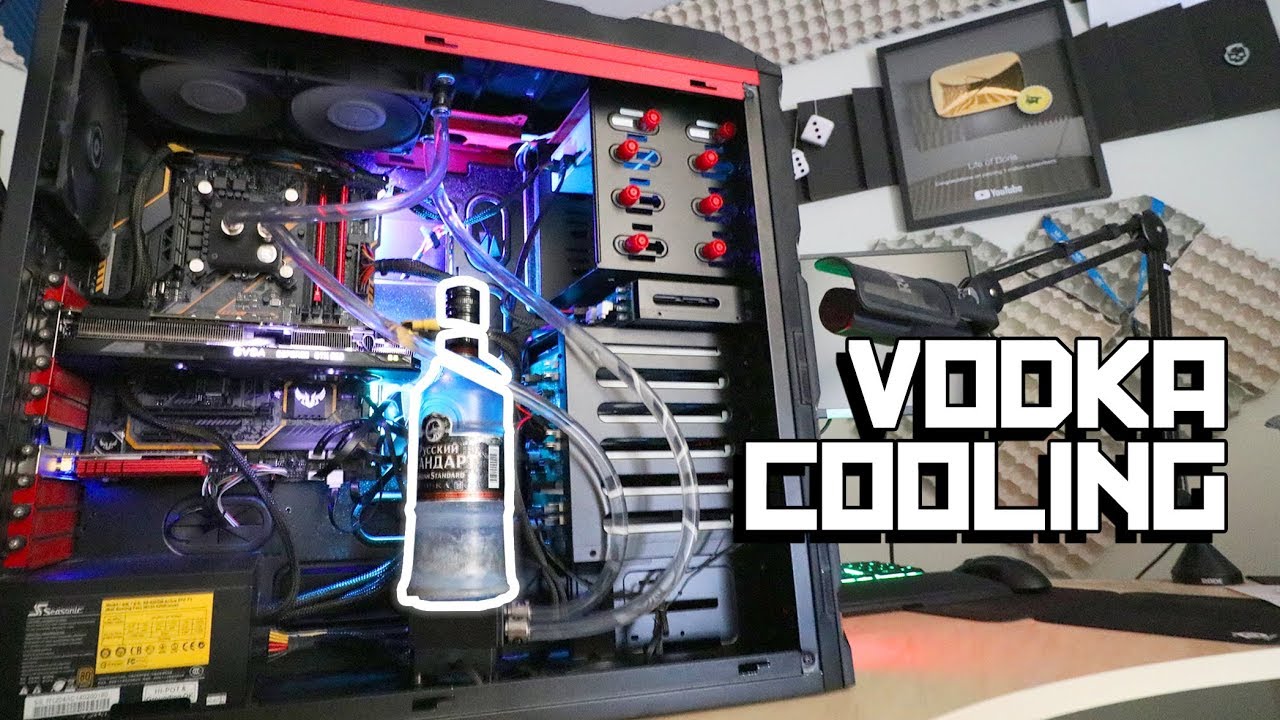
Buy Boris ushanka: https://www.weslav.com/products/ushanka
This is my vodka cooled PC build.
Inspired by Cheeky Russian aka Cossack-HD. I thought about improving his method.
His video here: https://www.youtube.com/watch?v=nSUbgzlZcZE
Music:
DJ Blyatman - Sputnik 2018
https://www.youtube.com/watch?v=H5oEUZOHUH4
Timecodes:
0:00 Introduction
0:...
balmy patio
thx
i saw some pic on reddit of someone who had a beer-themed build
reservoir was a corona bottle and it looked awesome
little osprey
Im seeing the case, is it better than fractal and asus tuf?
 little osprey
wanton cliff
https://www.youtube.com/watch?v=IYTJfLyo_vE&t=6s
little osprey
wanton cliff
https://www.youtube.com/watch?v=IYTJfLyo_vE&t=6s
russian made cooling xd
balmy patio
fractal has nice noise-normalized cases if you're into that
and big cases with lots of hard drive mount options
but yeah a p500 is basically all you need
little osprey
p500 is bulletproof I gather
little osprey
got it, the thing is I wanna keep it as low cost but good quality as possible
are there any cheaper options than the p500?
balmy patio
lemme check rq
little osprey
thanks!
balmy patio
there's the 4000d/5000d airflow, p400a, meshify c, meshify 2, lancool II, lancool 215, 5000dx
little osprey
got it, is it like a link wth the 101 of building pcs? casue I dont want to bother
balmy patio
there's this https://pcpartpicker.com
wanton cliff
PCPP aint always correct tho, as far as guides go
balmy patio
pretty cool website ngl
little osprey
thanks!!!!!
wanton cliff
you can make a list on PCPP but dont expect it to give you any good kind of guide
little osprey
got it
balmy patio
yeah it's mainly a tool to make sure parts are compatible
ram height and cpu heatsink fan clearance is still a problem they can't check but that's about it
little osprey
thats what I need cause I fear buying stuff and not being compatible
wanton cliff
also Uruguay kinda cringe
little osprey
i know
balmy patio
uruguay has a nice soccer team tho
little osprey
thanks thats all we got Jose, suarez and cavani lol
balmy patio
lmaoao
little osprey
I plan to move after I get to save money, but to do so I need to work more, and I need to save to build a decent pc
balmy patio
yeah it'll be worth it, as long as you know where to go
such as here in cali, living costs are big compared to some place like idaho or michigan
wanton cliff
little osprey
thats what I need cause I fear buying stuff and not being compatible
just make sure you come here with your list before anything else so we can minmax your list
little osprey
yep other designers told me there are some good states, and if I dont see a future in the us I can try europe but I wont get ahead of myself
little osprey
wanton cliff
just make sure you come here with your list before anything else so we can minma...
thank u so much!!!!! u saved my day
wanton cliff
little osprey
yep other designers told me there are some good states, and if I dont see a futu...
curiosity: why not the US?
not trying to argue yes or no but why not?
little osprey
neh im impartial to the us or europe, ill go to the place that offers the best job and life for me
wanton cliff
fair
little osprey
im like 50-50 with both places
balmy patio
fair
wanton cliff
"europe" is a pretty broad term
little osprey
ill look for cases and make a list, I have a gazillion things to learn OH before i go, any good yt channel to watch and learn? I stumbled upon greg salazar's channel is it good?
balmy patio
hehe
linus tech tips, jayztwocents, hardware unboxed, austin evans, bitwit, gamers nexus, hardware unboxed
wanton cliff
^
little osprey
yeah I know its broad, I have at least a year of work and savings before deciding where to go first as a trip and then decide all the options, long way to go
got it
balmy patio
gamers nexus and hardware unboxed are boring but they explain in detail
linus, austin and bitwit are more for entertainment
jayz for both
wanton cliff
Lithuania is pretty pogchamp but you would have to learn Lithuanian
little osprey
lol why lithuania
little osprey
i understand, im way way thinking ahead but first things first CASES lol
wanton cliff
coughs in P400a
little osprey
hmm interesting also if it looks cooler, better
the main concern for me is that it has the most updated components
ports and such
balmy patio
it does have a usb-c port
but make sure your mobo has the correct header for it
or else it's useless
wanton cliff
it is mid tower ATX sized, the ports and stuff are where the motherboard matters
not the case
balmy patio
^
little osprey
im so useless I didnt understand anything
little osprey
thanks, but really i need to learn a lot cause I have zero idea of components
balmy patio
you can start by watching the yt channels i mentioned
i started watching linus around last year and that's how i got into it
balmy patio
sure at first i was dumb but then it just started to attach to me
 formal cosmos
should i get 2 more fans for outake on the top? rn i have 3 intake and 1 outake

and my temps are pretty bad rn
muted patio
At least one more
little osprey
it would be good
muted patio
Or just move a front fan there
formal cosmos
i’m just thinking of buying 2 more
little osprey
yeah it will make it better
little osprey
lol
balmy patio
3 in and 3 out if you're willing to buy two more
formal cosmos
should i just leave it as 3 intake on the front panel
balmy patio
if not then move the bottom fan up there and have it as 2 in 2 out
formal cosmos
balmy patio
3 in and 3 out if you're willing to buy two more
alright
i’m just gonna but 2 more fans
little osprey
just add that 2 fans as out
formal cosmos
yeah
balmy patio
yeah
 hollow grail
wanton cliff
Lithuania is pretty pogchamp but you would have to learn Lithuanian
hollow grail
wanton cliff
Lithuania is pretty pogchamp but you would have to learn Lithuanian
it sucks
formal cosmos
hopefully my temps decrease
hollow grail
usa number 1
little osprey
its too high
formal cosmos
ik
muted patio
Seriously
balmy patio
you do have the stock cooler
muted patio
just move a fan
formal cosmos
my tempsare terrible
muted patio
Meh
hollow grail
its like the 212
muted patio
Yeah
hollow grail
if u mean the air cooler
muted patio
Not worth $40 IMO
balmy patio
more fans doesn't always mean better cooling smh
little osprey
RMAd my coolermaster ml240 and using gammaxx400 for now but looking for better cooler 🤔
little osprey
i just wonder why notcua fans are so ugly lol
9700k
and price umm im not sure like 50-60 or someting
little osprey
come on this is so ugly xd

 worn wave
Nah
balmy patio
nah
worn wave
I love the tan and brown
little osprey
even gammaxx400 looks better
autumn wolf
chromax 
 autumn wolf
not enough noctua
autumn wolf
noctua
 worn wave
Waiting to buy a Quadro
little osprey
quadro cards are pog
but i dont need it anymore lol
i only using cad mostly
does notcua have black coolers at least ? xd
little osprey
actually i need rgb for add fps lol
worn wave

Q3 actually
I'm excited for the Redux CPU coolers
hopefully they will be great for the price
muted patio
Black versions, might finally get some noctuas
little osprey
Noctua NH-U12S chromax is about 70$ 🤔
little osprey
out of stock at newegg / 70$ at amazon
balmy patio
i can't wait to see how a black u12a would look like
little osprey
everything is red in my case and brown not gonna fit there xd
balmy patio
worn wave
Scythe Mugen 5
isn't scythe louder than other coolers?
worn wave
Not sure
 gusty abyss
scythe is silence focused lol
little osprey
i dont mind noise much to be honest
balmy patio
i think it was that it just stayed behind when it came to noise-normalized performance
little osprey
my room is already loud couse cad system xd
muted patio
One of scythes coolers topped out really early with relatively poor performance due to the silent slow fans
Can't remember which one
GN tested it
 stoic island
Ninja 5 was too quiet for the noise normalized chart lel
worn wave
How's the Fuma 2?
brittle tinsel
Now I know tarkov isn’t optimized well but my brother has a better system than what I had, only thing I had was 16 gig ram he has 8 would upgrading his ram make enough difference? His game locks up completely and sutures a lot
Stutter
stoic island
Fuma 2 good, still quiet tho
@brittle tinsel dual channel contributes a lot to performance if he's running single stick
little osprey
ugh i gonna buy aio again ig lol
brittle tinsel
2 x 4 but his mobo only has 2 slots it’s a intel h61 or something like that
little osprey
what about ID-COOLING SE-225-XT
stoic island
I don't think tarkov is supposed to run well on that
stoic island
Se 224 xt is great
brittle tinsel
But I had an i5 3570 that ran no problem only difference in builds is his has a slightly better cpu and half the ram
little osprey
brittle tinsel
But my build surged and we want to try out my ram on his build but afraid if the ram was damaged it would cause issues on his pc
And screw us both out of a pc
stoic island
That looks so dumb imo but uh
stoic island
@brittle tinsel took a look at tarkov reccomend specs, 8gb min 12+gb reccomended, so that is quite likely the issue
little osprey
ID-COOLING SE-225-XT is for 45$ 🤔
stoic island
Se-224-xt for 30$
brittle tinsel
stoic island
<@266043765100118034> took a look at tarkov reccomend specs, 8gb min 12+gb recco...
Will my ram cause issues since it surrferd a surge?
They are both ddr3
little osprey
i wonder how much difference between 224 and 225
ID-COOLING SE-234-ARGB that one looks so cool 🤔
 little osprey
im not overclocking my 9700k i need just mid range cooler tbh
stoic island
brittle tinsel
Will my ram cause issues since it surrferd a surge?
It's always hope for the best, assume the worst, but for testing if it works in their system, shouldn't cause issues other than the sticks not being able to boot
brittle tinsel
Ok
desert gulch
@stoic island what do you think of this new ssd https://www.amazon.com/Samsung-MZ-V8V1T0B-AM-980-SSD/dp/B08V7GT6F3?tag=slickdeals&ascsubtag=8dda142c82b511ebb7159633568f93140INT
seems decent for price but idk
def not better than a p31 1tb value tho
 rich helm
Wouldn’t like a 970 evo for slightly cheaper be better
desert gulch
yeah idk
stoic island
Samsung's first hmb drive afaik
stoic island
No
 desert gulch
oof

Ars Technica
Samsung's ever-shifting consumer branding drops "EVO" suffix entirely this time.
heres a review on it
muted patio
still spendy for 500 GB
muted patio
$70
stoic island
Huh
"Moving on to the Heavy test, the Samsung SSD 980 improves its standings considerably. Performance when running the test on an empty drive is now competitive with mainstream TLC NVMe drives, including the latency scores. When the test is run on a full drive, the SSD 980's performance drops considerably, and it ends up on par with the WD Blue SN550."
I like anandtech
Only people I like for ssd review is anandtech, tpu, and tom's hardware, mainly because I actually know what their charts are about

 stoic island
Light.
 desert gulch
they have a 250 gig one
so maybe a good boot drive if you had 45 bucks to drop on it
stoic island
Pretty nice slc cache it seems
desert gulch
you think it justifies the price tag?
hollow grail
i mean there is upcoming ssd shortage
so
im pretty sure we might say goodbye to $100/tb soon enough
desert gulch
mhmm
brittle tinsel
If a room is really hot and you boot the pc, will it instantly crash before the fans kick on?
This pc I swear is sooo stupid
Constant issues since we bought it
muted patio
Shouldn't. Room temp, even 100F is far below CPU max temp
stoic island
Aw
muted patio
this is the one in the reptile room with the spoop PSU, no?
Aresgame or something?
Or the 500W unknown
Lyte PC?
brittle tinsel
muted patio
this is the one in the reptile room with the spoop PSU, no?
I haven’t opened it to see
It yes
muted patio
Ah
brittle tinsel
It freezes like this than roboots into windows
 muted patio
Gamdias
stoic island
hollow grail
im pretty sure we might say goodbye to $100/tb soon enough
Nand shortage or just like controller or
muted patio
Gamdias PSU
brittle tinsel
The gpu driver is 2 months out of date but I don’t think it’s gpu when the pc freezers all usb power is lost
muted patio
Nope
brittle tinsel
Front and back panel
brittle tinsel
It’s litterally in a boot loop as we speak
So it loads into windows and may or may not freeze then it will reboot back into windows never ending loop
muted patio
Well, that PC is all second hand parts when it comes to the MB and CPU, those aren't made any more
brittle tinsel
My brothers rat did get lose maybe a chewed wire?
brittle tinsel
muted patio
https://lytetechnology.com/product/hyper/
Yeah but when we ordered they sent rtx 570 then got mad at us for wanting the 1060 because it’s more expensive
muted patio
Oh, so they have RX570's in them?
brittle tinsel
Even though it says 1060
No we got them to send gtx
All 3 have gtx
But only one does the reboot loop
And it’s in the hottest room of the house
urban dove
Im back
muted patio
brittle tinsel
And it’s in the hottest room of the house
I know we checked CPU temps, what about GPU under load? You said it reboots just while sitting in Windows?
urban dove
Hi
muted patio
I'd be calling Lyte Technologies and asking about warranty on that things TBH
You shouldn't have to put any money into it
brittle tinsel
muted patio
I know we checked CPU temps, what about GPU under load? You said it reboots jus...
How?
Like right now as soon as I try to open anything it crashes
We plugged it straight into the wall and so far the issue stopped
brittle tinsel
A surge protector
One of the smaller ones not the big one that has status lights
That says grounded and such
muted patio
Never would have thought to ask about that but sounds sus
brittle tinsel
Well it’s running fine now
muted patio
SO it was a power issue, just not what we thought
brittle tinsel
I started the gpu update and it didn’t crash
muted patio
See if it lasts
brittle tinsel
muted patio
SO it was a power issue, just not what we thought
I guess
It finished the update no problem
The temps are down a bit too
Now why would giving it access to more power drop temps by 12-15 degrees
 prisma bronze
Whats your best bang for your buck motherboard for 5900x?
muted patio
brittle tinsel
Now why would giving it access to more power drop temps by 12-15 degrees
If voltage is low, amperage goes up. Amperage makes heat just like voltage does.
muted patio
prisma bronze
Whats your best bang for your buck motherboard for 5900x?
Something B550 with flash back
stoic island
Something like a b550-a pro usually at 130$ could work
stoic island
prisma bronze
Whats your best bang for your buck motherboard for 5900x?
Also, any other requirements? Like wifi, usb headers, rgb, etc?
prisma bronze
Wifi isnt a requirement, yes usb 3.0 headers and rgb
stoic island
Rgb or argb
prisma bronze
RGB
stoic island
This does have rgb and argb headers so it'll work either way actually
https://www.amazon.com/dp/B089CZSQB4
brittle tinsel
This is awesome, someone wanna give me $25 thousand for it lol
https://www.techspot.com/amp/news/88891-got-23000-spare-you-could-buy-custom-pc.html

As reported by Kotaku Australia, the incredible machine was put together by Melbourne-based retailer Aftershock PC, which specializes in custom PCs, builds and high-end laptops. Ali Kaos...
stoic island
smh
only 128gb of ram
bad
why would they use aorus gen 4 ssds when they could use SN850 or 980 pros :P
desert gulch
Lol they should have at least 256 gigs
Of ram
Mr1 even those are cringe
We need like project honey badger in that pc
desert gulch
But fast
desert gulch
Practicalities are not needed
stoic island
not rocket 4 plus for seq
desert gulch
We need pure speeeeeed
stoic island
smh
brittle tinsel
If you read into it it’s got a finger scan door and a lot of wild stuff
brittle tinsel
I know but why $25,000
That’s way too much
My dream pc setup is only $2500
But I may go with a $1800-$2000 setup depending on when I get paid
 verbal quarry
https://pcpartpicker.com/list/ZVhPDc I got the mobo and the case with $314 in my pocket. What should I get next?
desert gulch
I woulda gotten gpu first
Since it's hardest to find
I'd wait honestly rn
Until you have enough to buy everything
It could be months before you snag a 3070 at a decent price
verbal quarry
Well the goal is to just watch stocks on the gpu and buy everything else as I wait for them to become easier to get
desert gulch
But whh
Most stuff has a 30 day return period
So if it's doa you won't know
Rly bad idea to piece buy imo
Best thing is to buy whatever is hardest to find then once you confirm that's shipping you buy everything else
verbal quarry
desert gulch
So if it's doa you won't know
I have a pre-built rn with expansion to test things as they come in
little osprey
verbal quarry
https://pcpartpicker.com/list/ZVhPDc I got the mobo and the case with $314 in my...
PSU Ram and storage
find a random gpu lying around house and make sure stuff works
verbal quarry
little osprey
find a random gpu lying around house and make sure stuff works
Funny enough I got a 550 in my pre-built xD
I have one more question
And this is about a cpu I have
I have a 1700 in my pre-built. Do you think it'll work in my Asus b550-f?
@little osprey sorry for the ping but im curious
muted patio
👍
 winged lion
Plus if u getting a b550 u prob gonna upgrade
verbal quarry
Why?
winged lion
Sorry, I worded that wrong
I just assumed that you were go ngl to upgrade if you’re getting a b550 mobo
Cuz it’s newer
verbal quarry
I have it rn and I dont plan on upgrading for a long time
Considering a 1700/550 combo got me through 5 years
Looking to do a 5600x/3070
 jovial cave
Hi everyone! Referred here by newegg tech. Trying to upgrade my 'Seeking to upgrade hardware components for a 'Dell: - Alienware Area-51 R2' Desktop system. i.e. - motherboard, cpu, ram, Nvidia graphics card.' Are the any suggestion as to how I should go about doing so?
verbal quarry
Well first whats your budget?
muted patio
And what's in there now?
Full specs for those looking https://www.dell.com/support/kbdoc/en-us/000178577/alienware-area-51-r2-system-specifications
jovial cave
currently system specs are Intel i7 - 5930k cpu @ 350GHz, 16 gig ram, NVIDIA GeForce GTX 970.
system is 5 years old.
 earnest olive
i'd honestly just sell it and build new imo
jovial cave
ouch, really?
earnest olive
here's the thing
dell cases
might not support non-dell motherboards
might be a proprietary power supply that doesn't support a better graphics card
might be a proprietary motherboard that doesn't support non dell power supply
jovial cave
ahhh. got it. just spoke with a Geek Squad tech, he didn't think there would be a problem.
earnest olive
it would be a massive pain to figure out what you can upgrade
brittle tinsel
So I installed different ram (took old ram out and now my pc won’t display
earnest olive
did you clear cmos
jovial cave
I have the AREA - 51 tower case. not really easy to shift things around.
brittle tinsel
3
earnest olive
if it's expecting one thing and getting another it can get confused
just clear cmos
brittle tinsel
I don’t know what cmos is or how to reset it
My buddy added ram and it didn’t do this
Well he added to it not replaced
earnest olive
look for cmos jumper on board
brittle tinsel
What will it say
earnest olive
cmos
jovial cave
remove you motherboard battery to flash you CMOS
brittle tinsel
Do I need to have it plugged in to do that
jovial cave
no
brittle tinsel
Because my workbench doesn’t have a plug for it
earnest olive
no
brittle tinsel
Will I need a screw driver
earnest olive
no
ive cleared cmos with a kitchen knife before

you can either short cmos or pull battery
brittle tinsel
Well I pressed power and it won’t shut down
jovial cave
ooooh, painful.
earnest olive
hold it
brittle tinsel
Ok I have the pc open now what
jovial cave
did you kill the power?
earnest olive
earnest olive
you can either short cmos or pull battery
.
jovial cave
looking for your battery on motherboard.
brittle tinsel
Or 51 whatever
brittle tinsel
I don’t see em is all I didn’t say it didn’t have one
jovial cave
be nice. we all have been there.
brittle tinsel
I was letting you know in case you wanted to look it up
earnest olive
it's just a watch battery
jovial cave
you may have to remove your graphics card.
 jovial cave
wrong angle, try again.
brittle tinsel
Wrong angle or side?
jovial cave
angle. shoot shot from overhead, straight down.
brittle tinsel
 jovial cave
seems your fan is in the way.
earnest olive
look for a jumper that says cmos near the bottom of the board might be easier
brittle tinsel
 earnest olive
if you have an exact model name i can find it for you
jovial cave
yeah, remove your fan.
brittle tinsel
That’s all I know
jovial cave
motherboard.
earnest olive
1150 is socket
wanton cliff
brittle tinsel
Chipset is 1150

earnest olive
chipset is h61
jovial cave
seems you have a Asus motherboard.
brittle tinsel
This is all I have

 little leaf
Ye he did
brittle tinsel
I didn’t pay that price so I’m not worried
earnest olive
ah
jovial cave
you have to search etchings on motherboard.
Unknow-Target current budget is around 2K.
earnest olive
for now just start by entering newegg shuffles to try to get rtx 30 series
really bad gpu shortage rn
if you manage to win a 30 series gpu then plan a new build around it
little leaf
I found just buyin the gpus without the raffle is easier
jovial cave
okay, can anyone inform me regarding what compatibility conflicts I need to be aware of?
stoic island
Every compatibility conflict?
little leaf
Psu size
stoic island
Or a certain part
little leaf
Cooler clearance
stoic island
Not being itx takes a lot off the list
little leaf
Psu not having enough connectors
wanton cliff
Just use PCPartPicker, it sorts out most of the conflicts for you
Be careful for bottlenecks tho
stoic island
Pcpp doesn't check ram clearance
jovial cave
for example...
wanton cliff
stoic island
Pcpp doesn't check ram clearance
AIO time
stoic island
And is not completely accurate with cooler clearance
@wanton cliff and pcpp is dumb with parts sometimes
But mostly good
wanton cliff
Yeah, especially some of the B560 boards
jovial cave
trying to go from an R2 up to an R4.
wanton cliff
But it irons most of it out
stoic island
R2 to R4 ..?
 scenic quiver
is 70-75°c for a 2060super anywhere near red flag of worry territory?
little leaf
Fine
scenic quiver
under load
stoic island
@scenic quiver getting hot territory, not immediately threatening
jovial cave
Dell Alienware motherboard, transfer speed.
scenic quiver
it gets to about 74-77 @100% fan speed kicking in at 73ish
 wanton cliff
stoic island
R2 to R4 ..?
wanton cliff
stoic island
R2 to R4 ..?
Ryzen 2 to Ryzen 4 I think but Ryzen 4 is for laptops
stoic island
Was it 95c or 85c when turing throttles
wanton cliff
So Ryzen 5000
stoic island
@wanton cliff doubt
stoic island
jovial cave
Dell Alienware motherboard, transfer speed.
Full name please?
wanton cliff
stoic island
Was it 95c or 85c when turing throttles
85, I believe
brittle tinsel
I can’t remove the fan either because I don’t have any thermal pads or paste to replace it
jovial cave
not really sure, saw mention on dell forum regarding upgrading mob.
brittle tinsel
Wait who is talking to who?
wanton cliff
Yes
brittle tinsel
jovial cave
not really sure, saw mention on dell forum regarding upgrading mob.
Was that for me or someone else?
jovial cave
good question.
wanton cliff
brittle tinsel
Was that for me or someone else?
That was for us
brittle tinsel
Ah
jovial cave
someone else. sorry.
stoic island
Kinda expected, need better mobo for more recent chips
stoic island
wanton cliff
And you said you were on *checks notes* an AMD processor?
Don't think they ever said so
jovial cave
yes, that is my goal.
wanton cliff

jovial cave
yes, I know that, forum didn't pin point reference to mob.
stoic island
Anyways
@jovial cave let's start from the beginning again,
What are you trying to accomplish with buying more hardware, how much are you willing to spend, and what preferences do you have? And since we know you have a prebuilt as of now, is there anything you'd like to keep from the prebuilt?
brittle tinsel
Alright I took the mobo battery out what now to reset cmos
brittle tinsel
Psu isn’t plugged in
stoic island
Keep it out for a few minutes, press case power button a few times to help drain the power
wanton cliff
Good
stoic island
Psu should be unplugged and off
brittle tinsel
It is
stoic island
Aight, just need to chill for a few minutes now
jovial cave
budget stops at 2K. want to increase speed, render ability, and ram capacity. Have 3 monitor system, and I am a 3D modeler, animator, and video production.
will be heavily dependent on ray-tracing capabilities.
wanton cliff
So 3000 series card
jovial cave
working with CODA criteria.
wanton cliff
Maybe the rumored 3080 Ti, once/if it comes out?
brittle tinsel
Alright it’s been 8 minutes, I’m probably good right ?
jovial cave
@stoic island would also like to get tower case.
jovial cave
@brittle tinsel yes, you should be good.
wanton cliff
 desert scarab
I need help rq
desert scarab
I need help rq
How so
jovial cave
@stoic island sorry, meant that I would like to keep the tower case.
brittle tinsel
jovial cave
<@!266043765100118034> yes, you should be good.
Alright it’s in, is it should boot right? Before it never even posted
jovial cave
have you completely re-assemble all of your components and cables?
brittle tinsel
Well I’m working on that as we speak
jovial cave
make sure before you power up.
stoic island
So, why do you want to keep the tower?
jovial cave
so that I can devote all monies to components purchase.
stoic island
From what I remember, most alienware towers are horrible for working in, and power supply mount might've been custon
desert gulch
mhmm
stoic island
Well, you have enough budget where a new case wouldn't hurt
As in, 50$ in the 2000$ means very few compromises
I'll make an example list rq
Making the assumption you can get parts at msrp
Any storage you will carry over?
jovial cave
true, it is posible, but have a small area for studio, and it heats up pretty quickly.
stoic island
Keep in mind, heat is heat, no case will change how much heat is produced, the heat will still be radiate out in any config.
 stoic island
4 pin fan is standard
desert scarab
Not the 4 pin
stoic island
3pin 5v argb might not be on your board
desert scarab
The socket
stoic island
what mobo
desert scarab
B460m pro4
stoic island
Snippet from Noctua
 stoic island
Yes
stoic island
@jovial cave Any noise requirements/considerations?
@desert scarab if you have a 3 pin 5v argb header on your mobo
if not, leave it unplugged, it'll just run without argb
 wanton cliff
Is it CPU cooler?
desert scarab
yea
wanton cliff
If so, should be around the top somewhere
jovial cave
@stoic island my Dell spec sheet doesn't list the mob model or manuf.
wanton cliff
By the RAM
desert scarab
Tryna find 5V ARGB
stoic island
Hm? I'm just starting on a new build list for ya, so if you had a completely new system, do you have any noise requirements/considerations? @jovial cave
desert scarab
But I also need the 5V ARGB
stoic island
@desert scarab
 jovial cave
no, noise not a prob, though somewhat quieter would be nice. Heat is my major concern, almost never power system down, unless I am leaving location.
stoic island
aka 5v 3 pin argb
desert scarab
Alr ty sir
brittle tinsel
@jovial cave the new ram I installed is in and I’m booting, but still no display
stoic island
Booting how?
As in, how do you know it's posting without display..?
 sour fox
iGPU?
brittle tinsel
stoic island
Booting how?
As in, how do you know it's posting without display..?
I don’t, I mean the fans and all are on but no post
 glad walrus
egpu?
brittle tinsel
Bad terminology
stoic island
fun
brittle tinsel
Gtx 1060 3gb
jovial cave
hardwire ethernet, @ cat 8
stoic island
Got it
brittle tinsel
Do you know how to fix it?
sour fox
integrated/onboard graphics?
brittle tinsel
Who?
sour fox
or PCIe GPU?
stoic island
@jovial cave Got an idea of how much ram you'll need?
@brittle tinsel debug leds or nah
jovial cave
would like to go up to 64gig
brittle tinsel
stoic island
<@!266043765100118034> debug leds or nah
No
stoic island
got it
brittle tinsel
Just no post
stoic island
@jovial cave as in, 64gig to start, or 64gig is nice to have, some headroom left
hm
fun debugging time?
jovial cave
to start, if not, then 32
brittle tinsel
Does i5 4570s have a ugly?
sour fox
brittle tinsel
Just no post
what is your video card?
sour fox
well are you plugging your display into the motherboard or a GPU?
brittle tinsel
Gpu
sour fox
try the Motherboard just to rule out GPU issue
little osprey
hi
desert gulch
yeah i think it has one
brittle tinsel
Ok both gpu and igpu won’t display
sour fox
yes has integrated 4600 intel HD graphics
desert gulch
you sure monitor is working?
desert gulch
and cable
brittle tinsel
Surge
sour fox
oof
brittle tinsel
Is the ram dead?
desert gulch
no way to know
unless you put ram in good system and good system wont post
or wont work properly
jovial cave
@brittle tinsel can you get your on-screen bios to show, try f1 or f2
sour fox
when in doubt replace components with known working ones
brittle tinsel
Nothing
desert gulch
jovial cave
<@!266043765100118034> can you get your on-screen bios to show, try f1 or f2
he just said it wouldnt post
brittle tinsel
Like their isn’t even usb power
desert gulch
not posting means no display on monitor
jovial cave
oops, sorry.
brittle tinsel
The opd one
stoic island
hmm
brittle tinsel
Old
sour fox
I thought my setup was dead after moving it into another case but turned out the iGPU wouldn't display without going into bios and enabling it
desert gulch
mr1 oyu go thru resettting cmos or no?
stoic island
ram might be dead, since iirc you reset cmos already, everything else was known to be working, right?
brittle tinsel
This is ram out of the old system in my brothers pc because I had more ram than him
brittle tinsel
stoic island
ram might be dead, since iirc you reset cmos already, everything else was known ...
Yeah it worked fine before unplugging it
stoic island
yey
sour fox
or it was no picture on DP but was on HDMI