#building-and-recc-chat
1 messages · Page 957 of 1
 muted patio
muted patio
muted patio
Different game, still freezes. IMO, RMA the card.
You got anything else about the bootlooping issue?
muted patio
Dangit
muted patio
Did that already TBH
 wanton cliff
Unfortunate
 blazing pilot
any black case
wanton cliff
blazing pilot
any black case
P500a
blazing pilot
under 99
wanton cliff
P400a
blazing pilot
wanton cliff
P500a
had that one in ym build for 116 i think cant find it
wanton cliff
P400a should be cheaper
 alpine thunder
Is there anyway I could post a video?
wanton cliff
Get a CPU with an iGPU
We’ve ruled out that it’s not the card itself
It could be the board
muted patio
alpine thunder
Is there anyway I could post a video?
Upload to YouTube and post here
wanton cliff
Or a Google drive thing
 remote kelp
there's no weird error in the event viewer even this time
wanton cliff
RMA the card
muted patio
The card isn't stable in any slot even though everything is as it should be
wanton cliff
Last thing to do is try another rig, if you haven’t done that already
alpine thunder
Gonna do the Google drive thing
remote kelp
should probs mention putting it in the x8 got rid of the afterburner underclock
and suddenly everything is fine
i mean
it got rid of the underclock and it was crashing still but suddenly everything is now fine
 tawdry lance
Anything I should know before I start building my PC?
muted patio
tawdry lance
Anything I should know before I start building my PC?
Read ALL the manuals. Get familiar with ALL the parts
tawdry lance
How much thermal paste is too much?
wanton cliff
tawdry lance
How much thermal paste is too much?
Just do a pea sized drop
wanton cliff
muted patio
If it doesn't fit DON'T force it 🙂
Looks at DIMM slots
muted patio
what did you do
 fossil halo
tawdry lance
How much thermal paste is too much?
fossil halo
tawdry lance
How much thermal paste is too much?
good question
muted patio
I was meaning more about motherboard screws and power plugs lol
fossil halo
oh shoot is this man building?
 potent portal
tawdry lance
How much thermal paste is too much?
potent portal
tawdry lance
How much thermal paste is too much?
Technically? It doesn't matter but you'll have more mess the more you put.
fossil halo
put like a small x
wanton cliff
Most of the parts are a lot less delicate that people make them out to be. This does not, however, mean that the parts shouldn’t be handled delicately
tawdry lance
I think imma stick to the pea size blob
fossil halo
yea
wanton cliff
tawdry lance
I think imma stick to the pea size blob
^^^^
fossil halo
pea sized is good
potent portal
The processor is pretty delicate though, other parts you could drop and they're fine
wanton cliff
potent portal
The processor *is* pretty delicate though, other parts you could drop and they'r...
Depends on if you are talking AMD or Intel
fossil halo
lol
potent portal
Even the GPU would be fine
fossil halo
intel cpu u can put it through a sawmill and it would be fine
amd processor you touch it it dies
wanton cliff
Not quite
AMD, the only thing you have to worry about is the pins and heatsink
The pins can be fixed most of the time
The heatsink is harder to damage enough where it doesn’t work as intended
 tropic ginkgo
@hollow grail
tropic ginkgo
askin sumthin
tawdry lance
How do you damage the heatsink?
wanton cliff
Just DM her
wanton cliff
tawdry lance
How do you damage the heatsink?
Scratch it or something
tropic ginkgo
ok
tawdry lance
any tips for working with huge air coolers
potent portal
Make sure your case has enough room
wanton cliff
At this point, it’s too far past the point of no return
tawdry lance
Yeah case says 165mm of clearance and the cooler is 162.8mm in height so it should fit
potent portal
It'll be tight but yeah it should fit
wanton cliff
potent portal
It'll be tight but yeah it should fit
3mm off is more than enough
tawdry lance
td500 mesh and dark rock pro 4
wanton cliff
Oooh
potent portal
2.2 mm is pretty tight to me
wanton cliff
Nice
Not really
It’s black and white with clearance like this
Either it fits or doesn’t
potent portal
Right, which Is why I said it will still fit but there's not much more room than that
wanton cliff
I’m just trying to say there is no such thing as ‘tight’ and ‘not tight’ in situations like this
tawdry lance
I am just happy to start gaming on a desktop instead of my loud flaming laptop
wanton cliff
fossil halo
tawdry lance
I am just happy to start gaming on a desktop instead of my loud flaming laptop
did u finish building
tawdry lance
I just started
alpine thunder
@wanton cliff
wanton cliff
What
wanton cliff
 alpine thunder
Do you have a macro to respond or something?
fossil halo
pc building is easy
alpine thunder
I'm bout to send you the video
wanton cliff
Waiting
fossil halo
i wanna try a speed build
eating whta
i had burgers today
pretty good
oh i thought she was eating LMFAO
 little osprey
One question. Are the RAM Qvl lists on the x570 platform something you have to pay attention to?
fossil halo
hello mr yung rey what would you like help with today my good sir
little osprey
😂
 ripe wedge
little osprey
One question. Are the RAM Qvl lists on the x570 platform something you have to p...
ripe wedge
little osprey
One question. Are the RAM Qvl lists on the x570 platform something you have to p...
for weird offbrand ones yes
but for more main stream ram they should work
little osprey
Okay thanks @ripe wedge
wanton cliff
G.Skill and Crucial are two brands that you should buy from, unless you get an amazing deal on something else
ripe wedge
but most ram works anyways
wanton cliff
Corsair is alright
ripe wedge
corsair vengeance are meh
little osprey
I looked at the Corsair Dominator rgb ones
muted patio
Here's the thing
If all you're gonna do is XMP
Just get ram for your speed and timings
little osprey
3600mhz cl16 18 18 36
muted patio
only pay attention to Micron E die and all the other stuff if you're going to try to OC or care about eeking every last drop of performance
muted patio
little osprey
One question. Are the RAM Qvl lists on the x570 platform something you have to p...
No
ripe wedge
well like I said you should check if its a weird brand like Oloy
but regardless they should work
little osprey
Okay thank you for your help @muted patio @ripe wedge
 ripe wedge
lol np
wanton cliff

little osprey
@wanton cliff you too 😂
little osprey
💪🏾
wanton cliff
False
Oloy sketch as hell and bad die and timings
Plus I’m p sure it has a high failure rate but I have to check that
 deft harbor
yo guys should i just get a nzxt starter pc for my first pc
potent portal
Link it
wanton cliff
No
muted patio
iu'd have a look at these folks over NZXT https://buildredux.com/

Build Redux
Pick your budget, select your games, choose your recommended build, or customize it to make it your own.
wanton cliff
NZXT = 
ripe wedge
redux good
wanton cliff
NZXT is also for people who are
ripe wedge
I love that redux allows you to install your own OS to make it cheaper
wanton cliff
Really nice
remote kelp
i put my gpu back in the 16x just in case, didnt fiddle around with it after i put it in this time, same thing (after forgetting to plug in pcie cables and freaking out at why it wasnt displaying a screen), probs gna contact the seller on monday, the majority of those huge dips in mem clock rpm is basically crash
deft harbor
is there a prebuilt that is around the $700-800 mark
wanton cliff
It basically becomes a PC you built at that point
wanton cliff
deft harbor
is there a prebuilt that is around the $700-800 mark
I wouldn’t prebuild
wanton cliff
remote kelp
i put my gpu back in the 16x just in case, didnt fiddle around with it after i p...
100% do that
tawdry lance
I do not have to activate windows right?
ripe wedge
deft harbor
is there a prebuilt that is around the $700-800 mark
ill have a look
deft harbor
ok well do you know a good pcp list thats around $700
ripe wedge
it would be hard as heck to get a gpu
deft harbor
ik but im still saving up
ripe wedge
https://www.newegg.com/abs-ali467/p/N82E16883360052? something like this would be good
wanton cliff
tawdry lance
I do not have to activate windows right?
Correct, but you lose out on some features
Mostly cosmetic stuff
ripe wedge
it is kinda oof cuz its just a normal gtx 1660 which has GDDR5 but it would still be ok for 1080p gaming
deft harbor
i might just build one myself instead
ripe wedge
GL finding a gpu
fossil halo
nzxt is basically like
ripe wedge

Love your gaming PC | We meticulously design a curated suite of premium products to make extraordinary gaming experiences achievable and fun.
wanton cliff
Bigga bout to say something dumb
ripe wedge
there is a gtx 1660 super up here for $190
tawdry lance
Do people actually buy windows keys at retail price?
wanton cliff
tawdry lance
Do people actually buy windows keys at retail price?
Nope 
ripe wedge
smooth brained
wanton cliff
eBay has them for pennies
ripe wedge
not literal pennies
fossil halo
🤏 🧠
ripe wedge
like $5
fossil halo
is better
tawdry lance
Do they work?
deft harbor
1660 s or ti
fossil halo
deft harbor
1660 s or ti
neither
ripe wedge
deft harbor
1660 s or ti
S
deft harbor
fossil halo
neither
wdym
fossil halo
deft harbor
wdym
they are both miles above msrp rn and they are otudated cards
ripe wedge
ti is also good but harder to find cuz discontinued and also tad more expensive than super
fossil halo
just get a 3060 its boutta drop jan 25th
wanton cliff
Show the video
ripe wedge
3060 will be like $250 probs
deft harbor
just found a refurbushed 2060 s for 340
ripe wedge
no
wanton cliff
ripe wedge
3060 will be like $250 probs
$330
ripe wedge
bad
fossil halo
ripe wedge
3060 will be like $250 probs
329 msrp
wanton cliff
@alpine thunder show the video
fossil halo
but hAsNT beEn ConFIrMeD
wanton cliff
It hasn’t though
fossil halo
that is true
fossil halo
its done everything except been confirmed
wanton cliff
False
fossil halo
that is true there wasnt a 2050 but there was a 1650
wanton cliff
I haven’t heard anything about it
fossil halo
really?
wanton cliff
16 series was a weird generation
alpine thunder
 wanton cliff
Outdated a few days after it came out smh
alpine thunder
Need help with this
fossil halo
it was it was supposed to be like pascal but better bnut turing but worse
alpine thunder
Everything comes one but no display
fossil halo
what motherboard
muted patio
OH
alpine thunder
X570 strix itx
wanton cliff
Strix X570 ITX, but don’t pay attention to bigga @alpine thunder
wanton cliff
muted patio
need to do the battery CMOS reset
That’s literally what I said earlier but alright
muted patio
That doesn't always work
fossil halo
bruh
muted patio
Well, they said they did a CMOS reset
muted patio
wanton cliff
That’s literally what I said earlier but alright
I know but I didn't realize they did the screwdriver on the pins
muted patio
That doesn't always work
wanton cliff
Is there a time when you know for sure shorting it won’t work for some reason?
alpine thunder
Gotta find cmos battery now
muted patio
Take a picture of the board
Right by the ethernet part
Where the ethernet plugs in
I thikn you'll see a button cell with wires there
wanton cliff
alpine thunder
Gotta find cmos battery now
Should be under GPU
wanton cliff
By the PCIe 16x lane
muted patio
Looked like a button cell tho HA
deft harbor
what cpu should i get for my $700 build
little osprey
That‘s some nasty cable management
wanton cliff
deft harbor
what cpu should i get for my $700 build
Hold on, lemme make a build for you
deft harbor
oh ok thx
muted patio
little osprey
That‘s some nasty cable management
It's outside the case for testing
alpine thunder
little osprey
That‘s some nasty cable management
It's only gonna get worse
ripe wedge
deft harbor
what cpu should i get for my $700 build
10400
ill try and make a cheap list
little osprey
@muted patio oh okay didn‘t see ist
muted patio
alpine thunder
It's only gonna get worse
I found your battery
alpine thunder
Where is?
deft harbor
thx a lot guys
muted patio
Plugged into the board in the red circle
Please tell me you have one
because if not, that's your issue
deft harbor
thx a lot
wanton cliff
Wait
Before you go
I want someone to check that list
I think I put some bad parts in there
Oh wait
deft harbor
should i add a barracuda 2tb to that list
deft harbor
ok
deft harbor
thx
wanton cliff
Oof that’s $800 tho
Also about your 2tb drive
Do you already own the barracuda?
Or are you asking about adding some time soon?
fossil halo
barracuda kinda lame right
ripe wedge
better airflow and 2 fans included
deft harbor
i just added a hdd int it and now its $870. is that a good price for a beginner
wanton cliff
deft harbor
i just added a hdd int it and now its $870. is that a good price for a beginner
Which HDD?
ripe wedge
id recommend getting 3600mhz ram vz 3200mhz
wanton cliff
Change it then, Jake
ripe wedge
im assuming its the seagate 2tb
deft harbor
barracuda for 2tb
wanton cliff
No
ripe wedge
its meh
wanton cliff
WD Blue or Toshiba X300
ripe wedge
it would be fine its cheap
 granite lily
CPU coolin in a gaming PC that I want to run a 3090 and a 3070 in to mine when im not gaming, AKA at work or sleeping. Go with a AIO CPU cooler ot noctua NH d15?
remote kelp
last ditch effort i tried plugging pc directly into mains, same thing, 2 errors each for gpc 0 to 5
wanton cliff
granite lily
CPU coolin in a gaming PC that I want to run a 3090 and a 3070 in to mine when i...
What CPU?
Hello?
Which CPU are you going to be using?
granite lily
Hi! {Probably a 3600x or 3800x w\if its owrth the upgrade
I can fit up to a 360mm radiator
not sure about depth
granite lily
Not a thing, fresh build
wanton cliff
Oh ok
wanton cliff
I would try going for a 5600x then and then getting either any EK/Arctic 240mm AIO or the NH-D15
alpine thunder
Vintage bout to have me do something
wanton cliff
It’s preference at that point really
wanton cliff
alpine thunder
Vintage bout to have me do something
Ok
wanton cliff
Tell me what happens
wanton cliff
granite lily
https://pcpartpicker.com/user/sefdgsDG/saved/
It’s blank
wanton cliff
First thing I notice
Mighty overkill motherboard
Lemme check the rest
Im sure you can get better cases at $200
There isn’t any RAM on the list
granite lily
still deciding on that too
wanton cliff
P500a is good
granite lily
open to suggestions
wanton cliff
Yeah
Arctic or EK 240mm
360 is way overkill
And the NH-D15 performs about the same if not better than a 240mm AIO
Well
It’s not that 360 is overkill
You just don’t benefit from having a 360mm AIO on most CPUs
A 5800x or better (or, hell, even a 3990x) might need a 360mm AIO
But not much else
potent portal
Yeah I'm finding out the hard way my 5800X might want a 360 😅
granite lily
so 5800x if I get it is ok with 260mm?
wanton cliff
5800x generates almost as much heat as your average Intel CPU
wanton cliff
granite lily
so 5800x if I get it is ok with 260mm?
240*
And yes, it should be.
Hopefully
potent portal
If it's a good 240, mine's a "budget" one that was fine for my 2700 overclocked but now...
potent portal
Hey that 2700 pulled almost 150 Watts
granite lily
wanton cliff
240*
And yes, it should be.
sorry meant to type 360
wanton cliff
Oh
Then yeah
I would get a P500a or O11 also
One of the few times I recommend an O11
Since you could probably put a water block on that 3090
wanton cliff
potent portal
Hey that 2700 pulled almost 150 Watts
It’s not about the wattage, it’s about how much electricity was lost to ambient electricity loss
little osprey
true
wanton cliff
Because that electricity turns into heat when lost
potent portal
True enough but it was hot enough to prompt me to move to water cooling to overclock it
wanton cliff
You lose less electricity, you make less heat
wanton cliff
potent portal
True enough but it was hot enough to prompt me to move to water cooling to overc...
Well, yeah
wanton cliff
The more electricity you lose, the more heat you make
little osprey
oh sorry
wanton cliff
And you tend to lose a pretty constant amount of electricity relative to wattage right now
So, in essence, yes
The more wattage, the more heat
potent portal
All other things being equal, yes
wanton cliff
Until we (humanity) can come up with a better way to keep electricity from being lost
potent portal
We'll get there. We'd already be there if NASA wasn't so underfunded, but that's another discussion.
wanton cliff
A whole different pickle
Which starts to break the ‘no politics’ rule
I agree but that’s not the point here
potent portal
I saw it as more an "avoid politics" so a light mention of one topic shouldn't matter
wanton cliff
Who knew it would be cold in Colorado, 5000 feet in the air XD
I’m shivering and I’m inside
Under a blanket
Next to a fire
little osprey
colorado is away fromthe sun
wanton cliff
I’m above the clouds 
little osprey
wanton cliff
Until we (humanity) can come up with a better way to keep electricity from being...
yea but electricity can move around a circuit in two different ways. ... The bigger appliances in your home use a different kind of electricity called alternating current (AC). Instead of always flowing the same way, the electrons constantly reverse direction—about 50–60 times every second
potent portal
AC appliances still lose energy to heat though
wanton cliff
Modern PSUs are inefficient at the exchange from AC to DC
remote kelp
is there a way to undo factory overclock other than msi afterburner underclocking? maybe it could be an unstable oc causing the nvlddmkm errors (that afterburner somehow doesn't counteract)
wanton cliff
No
If the factory overclock is broken then you just need to RMA the card
Because that shouldn’t happen
potent portal
You can turn down the clocks on most cards, how much depends on vBIOS, but only do that for testing
remote kelp
ah okay
 uneven mist
trying to trouble shoot a pc
basically getting no output or signal
and tried multiple gpus
integrated graphics
wanton cliff
Indicator lights when you turn it on?
uneven mist
andjust have a boot led
wanton cliff
It’s probs your monitor then
Try with a different Pc
Or use a laptop or something
uneven mist
tried 2 monitors
potent portal
I'm assuming you've tried unplugging the monitor and leaving it for a few minutes, possibly reset settings to factoty
wanton cliff
CMOS clear your board
potent portal
2 different monitors? Yeah CMOS clear
wanton cliff
Keep it out for 10 minutes minimum
little osprey
1
Turn off your computer.
2
Unplug the cable running from your monitor to your PC and plug it back in, making sure the connection is firm. The most common cause of this error is a loose cable.
3
Reattach the cable running from your monitor to your PC. If the monitor is still not displaying a signal after firmly reattaching the cable, the problem could lie with the cable, especially if the cable has visible damage.
4
Replace your monitor with another monitor if possible. If the "No Input Signal" error still appears, the problem does not rest with the cables or the monitor, but with your PC.
5
Open your PC case and locate your video card. Remove the card and then replace it firmly in its slot or, if possible, insert the video card into another slot on your motherboard. A video card that is not making a firm connection will not display images to the monitor. Close your PC case and test the monitor again.
6
Replace your video card completely. Your video card may suffer from internal damage that is not allowing it to output a signal.
wanton cliff
little osprey
1
Turn off your computer.
2
Unplug the cable running from your monitor to your ...
We already went through the fact that it’s not the monitor’s fault
And we are currently testing everything else
remote kelp
i found this answer on the microsoft answers website, it sounds kinda similar to what im experiencing maybe(?) the OP in question also experiences crashing every time they reboot
wanton cliff
We got boot lights from both dGPU and iGPU, so it’s likely not a GPU problem
wanton cliff
remote kelp
i found this answer on the microsoft answers website, it sounds kinda similar to...
Try the solution it suggests
wanton cliff
uneven mist
so is my cmos good
Keep it out for 10 minutes, and make sure your PSU is off
uneven mist
ok
wanton cliff
Unplug it if you have to
uneven mist
hehe
potent portal
Newer nvidia drivers can auto overclock, but it usually needs to be enabled (no I don't mean boosting)
potent portal
No it's a literal auto overclock, you can access it from the GeForce Experience OSD

Tom's Hardware
Bye Bye MSI Afterburner!
potent portal
It automates the trial and error process of testing overclocks, and automatically applies as needed
 small osprey
that look cool
alpine thunder
@wanton cliff
wanton cliff
Nani
alpine thunder
It's done
wanton cliff
Is it fixed?
alpine thunder
alpine thunder
Unplugged the battery hasn't been a minute yet
Also I minor in Japanese so its instilled in me now
wanton cliff
It’s only my first year and I just barely finished the first semester a few weeks ago
alpine thunder
Howd it go?
wanton cliff
So I’m not even fluent in Hiragana yet
wanton cliff
alpine thunder
Howd it go?
It went alright. I slid by with a D because I didn’t study, but I’m doing much better this semester so far
alpine thunder
That's good dude. Keep it up. I'm on to learning Korean now.
wanton cliff
First Japanese now Korean
remote kelp
i found somewhere that apparently the normal operating specs for 3070 is 1500-1750mhz on gpu and 1725mhz on memory(?) but mine tends to spike to 7kmhz on memory randomly, would that be a faulty overclock on the factory side? (but the most i can do is -500mhz on the memory via afterburner)
alpine thunder
Yup I speak Japanese, French, mandarin and hopefully Korean soon
And some sign language
Also I think its been a minute
Gonna try to plug it back in
uneven mist
just put battery in and got a boot
wanton cliff
I’m trying to learn Japanese but it’s a hard language in comparison
wanton cliff
uneven mist
just put battery in and got a boot
Is it working?
potent portal
remote kelp
i found somewhere that apparently the normal operating specs for 3070 is 1500-17...
*1750 memory
It shouldn't spike like that, memory isn't even supposed to boost. Might be a program bug.
wanton cliff
Yeah I would get an RMA for that card
potent portal
Core boost clock varies by model
wanton cliff
Seems like it has some clock bugs in it’s VBIOS
remote kelp
yeah, possibly
every time i restart it seems to be trying to fix those bugs
hence crashing and error
potent portal
Potentially. A vBIOS flash maybe?
wanton cliff
potent portal
Potentially. A vBIOS flash maybe?
I don’t even know how to do that
potent portal
It's pretty simple, I've done it on a lot of cards. Miners do it all the time.

TechPowerUp
Find your model, they have a database of all the known vBIOS versions, you can flash the latest
wanton cliff
Fun
remote kelp
yikes, okay
potent portal
TechPowerUp
NVIDIA NVFlash is used to flash the graphics card BIOS on Turing, Pascal and all older NVIDIA cards.
NVFlash supports BIOS flashing on NVIDIA Graph
If you're worried:
5.660.0 (September 30th, 2020) - Adds support for NVIDIA GeForce 30 Ampere
muted patio
remote kelp
way to save the current vbios
I mean, that's the base freq
Something like afterburner will report more
Mine for example is like 10 GHZ memory or something
1700x6
remote kelp
ahh right the x6 part
wait i may have confused gddr6 with x6
so mine would be 4x base
wanton cliff
3070 has G6, not G6X
remote kelp
oh i confused the gddr6 vram thing with the boost multiplier XD
muted patio
I mean
It's actual 1750mhz
14 GBPS effective
MSI Afterburner will report it at like 7000 or 14000
wanton cliff
Vintage
remote kelp
oh, okay 7000 is normal then(?)
wanton cliff
Make-a-me as smart as you
muted patio
yes
potent portal
But why would it switch between the 2? I thought that was what was happening
muted patio
wanton cliff
Make-a-me as smart as you
My dear, I'm 41 years old
muted patio
potent portal
But why would it switch between the 2? I thought that was what was happening
Clocks down when at rest
potent portal
Ah true
muted patio
I know you don't want to but I honestly believe you need to RMA the card
remote kelp
it's actually outside their business hours rn lol
i'll contact them on monday about it
potent portal
Yeah, you can try the vBIOS flash but it really does probably just need to be replaced.
remote kelp
i dont wanna accidentally void warranty if vbios flash messes up though
potent portal
muted patio
Was checking to see if it had a vbios switch but it does not
remote kelp
oh, yeah msi ventus 2x oc
potent portal
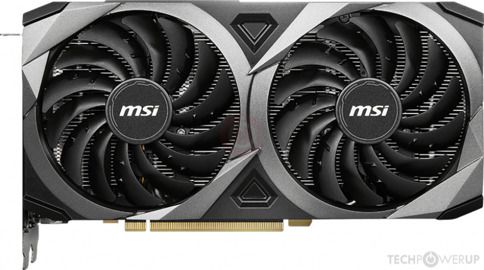 remote kelp
(gpu re-stabilised itself and i can use it properly right now i think)
LOL, nvm, closed game and entire screen went poof, had to restart
remote kelp
oh, i found a different error, happened around 40mins ago
ripe wedge
RMA moment
remote kelp
kay then it is rma time
remote kelp
i have no idea
remote kelp
i mean, i accidentally dragged the gpu clock to +1000 at one point in msi afterburner but i think since i was fiddling around in there something had already happened
ripe wedge
oof
remote kelp
card was delivered on 9th, put it in, was fine, then restarted and noticed it i think
and then i started asking around and poking in msi afterburner
so i'm pretty sure that was after the card started doing weird things
heaven working again
phasmo just killed it
lol
wanton cliff
Until it doesn’t and you get another error log
remote kelp
yup tried launching phasmo and it did the thing again
i can move around, do stuff, game is just frozen
wanton cliff
Check other Unity games
Try launching SCP: Secret Laboratory
Free on Steam, good unity game to test on
remote kelp
first thing i ever noticed was when i tried twin saga
like right after i got the card installed
and it blackscreened on the ending of the x-legend logo
but then fixed itself on the splash loading screen thing
wanton cliff
I have no idea what you are talking about but ok
remote kelp
oh, it's a 2016 game
at the start right after you launch you get this sequence with the developer logo
and towards the end of that sequence i get a blackscreen until it finishes
that's always happened no matter what i did
 vital rover
Feels bad. I haven’t had any problems with my 3070
remote kelp
i had a gt 710 installed previously just to set the pc up
so at first i thought it was some remnants of that thing
there wasnt any issues but i tended to overload it by accident since it was 1gb
vital rover
That might be why. But, hopefully you fix it somehow. I was sitting around for like an hour and a half wondering why my build wasn’t turning on, turns out I had one thing connected to the wrong place, which was the power button.
Could also be static, though kind of unlikely, I was warned about that too
remote kelp
im usually pretty paranoid about static
vital rover
Then hopefully, but unfortunately, it’s a manufacturing problem. Don’t know how else to put that. I’ve been told by a bunch of people(before I got my 3070) that it isn’t even guaranteed that I’ll get it. Bought it from eBay brand new. Nothing wrong with it. When I was asking for help trying to figure out why it wasn’t turning on one said it could be dead, which could also be your case in some way. Like I said I haven’t had any problems with mine, so I could only imagine what it is
remote kelp
i ended up queuing for 2 months, not sure what'll happen if im gna need an rma lol
vital rover
Depends on who or what company you got it from. I’ve seen people having to wait months, some a few weeks
remote kelp
you have got to be kididng me
tawdry lance
So I am currently trying to q flash my bios, but the bios light is not turning on
 main whale
Boy, I sure hope my mobo/cpu/whatever doesn't fry after my return/warranty expires.
potent portal
remote kelp
you have got to be kididng me
Disabling that microcode is a very bad idea. It could leave you open to those spectre and meltdown exploits that were going around a little bit ago, among other issues.
remote kelp
ah, noted
i changed the extension back after gpu crashed again
i'll just let it stabilise itself and contact the seller on monday
tawdry lance
can anyone help with flashing bios
 balmy patio
yeah, what's up
tawdry lance
So I m trying to q flash my mobo and the bios light to indicate if it is flashing is not lighting up
balmy patio
on what motherboard?
tawdry lance
b550 aorus pro ac
balmy patio
are you using the correct usb port?
tawdry lance
yeah the white one
little osprey
https://pcpartpicker.com/list/vKLsBc I revised my build. Opinions? (144fps 1440p low settings)
Or should I change out for z490
balmy patio
tawdry lance
yeah the white one
ight, so far so good, are you sure that you have the correct bios version on the flash drive?
 earnest olive
why 1440p 144hz low?
probably looks worse than 1080p 144hz high on a 1080p monitor
balmy patio
little osprey
https://pcpartpicker.com/list/vKLsBc I revised my build. Opinions? (144fps 1440p...
looks good to me, i'd recommend sticking to 1080p high and changing the 2tb drive to this https://pcpartpicker.com/product/bskwrH/western-digital-internal-hard-drive-wd20ezrz
little osprey
Ok if I were to run games 1440p on low-medium, could I get 144-165fps on that build?
little osprey
Fortnite and valor ant
earnest olive
i'm just not sure why you would choose 1440p low over 1080p high
ah
yeah those will be fine
little osprey
Ok. I just don’t like high settings on fortnite
little osprey
Yeah true.
little osprey
Jeez.
tawdry lance
joesr my usb stick lights up but no bios light
i mean i click the q flash and my usb lights up for a little so would you think that it is updating it, but the bios light is just not turning on
earnest olive
honestly you can get away with something lower end than the 3060 for those games
the rtx 2060 averages 230 fps at 1440p low paired with a ryzen 5 3600
balmy patio
earnest olive
5400 rpm 😐
mainly just put it in there for the cmr aspect of the drive, figured that he was gonna put games innit and not just use it for mass storage
earnest olive
and the 3600 is probably the bottleneck there
little osprey
I see. what do you think about a i5-10400f and 2060s
tawdry lance
joesr do you think I should build the pc to see if it boots?
or would it just be a wste of time
earnest olive
even an i3-9100f + gtx 1070 will do 230 fps at 1440p competitive settings
gtx 1060 hitting 171 fps average, but i'd do 1070 or better just to up the 1% lows
gtx 1070 or 2060 will be fine
just look for whatever deals you can with how doomed the gpu market is right now
balmy patio
tawdry lance
i mean i click the q flash and my usb lights up for a little so would you think ...
idk if this'll help, but have you tried updating to bios f10?
earnest olive
valorant runs on a half eaten potato
225 fps avg at 1440p low with a gtx 1060
i just wouldn't bother joining the ampere dogfight with the games you play
it's not worth the emotional stress

little osprey
I am super tempted to go with those cheaper options, but you never know if you’ll need an upgrade right after. I just want to get something very good to start off so I don’t have to make changes
earnest olive
well
if you need an upgrade later
later is a better time than now
trust me buying gpus right now is pain
the card i bought for 770 is being scalped for 1650
hahahaha
little osprey
True, but if I need an upgrade, how will I make money back from the previous part I spent money on?
earnest olive
i had to stop selling pcs because it was getting too annoying to look for gpus
sell it
i bought a gtx 1060 for $125 4 months while waiting for my 3080
sold it for $175 1 month ago
tawdry lance
it does the same thing with bios f10
little osprey
Ok. So do you recommend going cheaper to begin with?
earnest olive
if you can get a better gpu at a decent price without sweating too much then go for it
but i wouldn't go through the effort of fighting for an ampere gpu when you only really need a 1060-class gpu
just save yourself the trouble unless an opportunity presents itself
1070, 1660, 1660 super, 1660ti, 2060 would all do great for you
balmy patio
tawdry lance
it does the same thing with bios f10
have you checked the atx and cpu connectors on the mobo? if not, then do so and if you have a fully modular unit, check on the other side as well
little osprey
Does the 1660ti differ from the the 1660ti with maxq design
balmy patio
also, if you're willing to, try to flash it outside of the case using the mobo box as a test bench just to make sure the board isn't getting shorted or anything
earnest olive
max-q is a laptop thing
little osprey
It’s worse?
earnest olive
yeah
max-q means severely power limited basically
but it also only exists in laptops
so no reason to care about it building a desktop
little osprey
Cuz I play on a laptop (i5-9300h and that gpu) and get like 70 frames
little osprey
I believe so
earnest olive
could see if your laptop's ram is upgradeable to dual channel
when i upgraded my laptop from single to dual channel
league fps went from 120 to 150 avg
minimums went from 25 to 120
buy external laptop pad and try to oc gpu
little osprey
Ok. Is it worth it build a pc then?
little osprey
I personally would rather build a pc. Let me send you a revised parts list real quick. Would you recommend 1070, 1080, or 2060
And should I build an atx or a microatx? @earnest olive
tawdry lance
i am doing it on mobo box and evrything is connected
balmy patio
how is it so far?
tawdry lance
legit nothing is happening
balmy patio
try doing it with just the motherbaord and psu connected to each other, if you haven't done so already
if crappy things keep happening, then it might be rma moment or contact gigabyte's technical support though i haven't heard great things about them
little osprey
https://pcpartpicker.com/list/6X8rht Hows this build (may swap for 1070 or 1070ti)
144fps 1080p fortnite and valorant
 jagged ember
Lili would not approve of the hdd
balmy patio
haha
jagged ember
And then tell you to get wd
balmy patio
bruh i got induced by lili's ideas
jagged ember
Because they've experienced more seagate drive crashes than wd ones
little osprey
@jagged ember how about the build otherwise?
balmy patio
jagged ember
Build seems fine to me
balmy patio
little osprey
https://pcpartpicker.com/list/6X8rht Hows this build (may swap for 1070 or 1070t...
go with a 1660s if you can't find a 1070ti for about 230-250
little osprey
is it possible to find a 1070ti for htat much
balmy patio
yee
jagged ember
Prices right now are very unstable
muted patio
jagged ember
Because they've experienced more seagate drive crashes than wd ones
Not just them
Check BackBlaze
jagged ember
And backblaze
 worn wave
$180 1660 Super on NZXT Refurbished
worn wave
Love your gaming PC | We meticulously design a curated suite of premium products to make extraordinary gaming experiences achievable and fun.
balmy patio
i forgot about that, thx cody
jagged ember
Eh refurb is
worn wave
For the price though
jagged ember
Well, you know
worn wave
Currently a really good option
balmy patio
it's better than sum run of the mill 1070ti that was probably abused to its max for hours on lol or wow
worn wave
Not all of them might have been broken perhaps
jagged ember
No, all of them are broke from what I know
worn wave
Any source?
jagged ember
Returns due to someone not wanting a working product is open box
It doesn't go into refurbished
little osprey
What are good places to dig for good prices on gpus. like 2060 and 1070
balmy patio
little osprey
What are good places to dig for good prices on gpus. like 2060 and 1070
offerup, fb marketplace, ebay, craig, etc
fossil halo
yea
jagged ember
Hardware swap
balmy patio
basically any used retailer webiste
fossil halo
1070 is not worth more than 200$
jagged ember
Might work too
little osprey
How do you know that they arent broken or something?
fossil halo
u dont
jagged ember
Buyers protection
fossil halo
u gotta trust the seller to that point
yea
well
most buyers protection is just two words
jagged ember
eBay good for that
fossil halo
yea
jagged ember
If it comes dead you get all your money back
fossil halo
yea
jagged ember
Idk if marketplace has that tho
worn wave
eBay does not care if the buyer is trying to scam you
jagged ember
It should if you have Facebook money
worn wave
I almost got scammed
little osprey
Should i check ebay. And if I find a good price on either 2060 super, 2060, 2070, 1080, or 1070, or 1070ti, what is the best option
jagged ember
And please buy with buyer protection lol
fossil halo
2070 obv
jagged ember
2070 is the best of all those options
worn wave
I doubt it's going to be easy to get a 3060
little osprey
What about the 6700 and 6700xt from amd also coming out feb 25
balmy patio
just wait like 5 years until it becomes irrelevant smh
jagged ember
Not gonna be easy either
jagged ember
Anything under msrp lol
fossil halo
little osprey
What about the 6700 and 6700xt from amd also coming out feb 25
really?
6700 coming out feb 25th confirmed?
little osprey
Nevermind it isnt confirmed
jagged ember
That would be 499 fyi
fossil halo
yea
little osprey
How do you check for buyer's protection on ebay?
fossil halo
im gonna stick to the 3060 bc lets be real here amd isnt exactly trading blows with nvidia just quite yet
jagged ember
It should be pretty prominent on the sellers page
fossil halo
amd is getting closer but not quite there yet
balmy patio
i mean, they are trading blows, but when it comes with ray tracing and all that, nvidia wins
fossil halo
close but not quite there
i think that by rdna 3 or 4 there should be a real competition
but yea i think rtx is the only thing they fall back on
and nvidia has all the ai stuff like dlss
jagged ember
True, in software regards amd is also behind
fossil halo
yea like their drivers are literal dogwater
balmy patio
nvidia also has their sweet encoder, rtx voice, and stuff like that
fossil halo
ye
nvenc
well then again like nvidia really only makes money off gpus
or thats a FAT chunk of their revenue
amd got other stuff to focus on too
like shatting on intel's face
and making their processors easier to break
imagine tho
if the whole nvidia arm acquisition happens
have a all nvidia pc
arm desktop processors 😳
little osprey
How does the rx580 compare to 1070ti/1660s
balmy patio
1070/ti 1660/s is better iirc
balmy patio
580 is still decent if you find it cheaper than a 1650s
little osprey
What would be a good price for rx 580
balmy patio
eh, i'm not really familiar with the 570 and 580, lemme look up some quick benchmarks on the tube
balmy patio
and the 1650s draws in less power iirc
little osprey
IM just trying to find a cheap nividia card that will run 144fps 1080p low settings
on fort and val
balmy patio
oh 1080p low yeah fs that'll be enough if you're aiming for 100+ on those gamings
might even be able to push low/med settings
little osprey
What card will get me to 144-165 pretty consitently with i5-10400f
balmy patio
the 580 does have a 8gb variant, but idk if that's sum you're looking for
fossil halo
little osprey
What card will get me to 144-165 pretty consitently with i5-10400f
1650 is prob ur best bet bc nvidia
little osprey
super or nah
balmy patio
little osprey
What card will get me to 144-165 pretty consitently with i5-10400f
at what price point?
little osprey
under 400
balmy patio
jus get a 3060 smh
 sage moss
um... odd question, Build-pics doesn't say anything about PCs.... so can I like.. ya know drop a picture of a different type of tech project?
little osprey
How am I going to get one?
vital rover
Waiting
balmy patio
dm it to me or someone so we can post it here @sage moss
vital rover
I waited months to get a 3070
balmy patio
rookies can't post pics in this chat
sage moss
pretty sure i can post it (i have the icon)
balmy patio
try it
little osprey
Would I be able to get 144 fps 1080p performance mode on fortnite with 1650 super
sage moss
ima just go for it and see what happens lol
vital rover
little osprey
Would I be able to get 144 fps 1080p performance mode on fortnite with 1650 supe...
Probably not
little osprey
Not even performance mode? wow
balmy patio
lmao
vital rover
Well. It might. It might not. My brother has a 1650S so you could try
balmy patio
sage moss
go check out mk85 lol
imagine if you were able to build a pc innit, that would've been cool
but only a pi smh
sage moss
yea, been trying to build a HUD for it but raspi is giving me brain pain lol
tawdry lance
is this enough thermal paste?
worn wave
yes
sage moss
tawdry lance
is this enough thermal paste?
ngl propably
balmy patio
it is
balmy patio
the cooler will disperse it
 jade ledge
Anyone know anything about WiFi/Bluetooth drivers ?
fossil halo
didnt u start to build like 6 hours ago
wth
i lowkey wanna do a speedbuild but i have no parts
balmy patio
ikr
sage moss
im still trying to find a gpu 😦
balmy patio
i hope it stabilizes sometime soon, at least till summer
sage moss
I feel like im not alone on that
balmy patio
i just want to get my hands on a 3060ti xc
smoll 3060ti for the sff build i'm planning on doing
little osprey
Do you guys think gpu market will fix by june/july
sage moss
I would too, but like also on a budget soooooo like RIP
fossil halo
little osprey
Do you guys think gpu market will fix by june/july
i think q2 should better
although it could either be amazing
or absolute dogwater
so we just wait and see
but now with the vaccine going out and stuff
i think it should get better
but rn bc of lunar new year i think the factory workers might get a bit of slack so its not right for us to like expect stock lmfao
sage moss
yea Im just hoping to snag something old off offerup or facebook lol, dont do anything GPU heavy so shouldnt be too bad for me
fossil halo
sage moss
yea Im just hoping to snag something old off offerup or facebook lol, dont do an...
poggers
cpu isnt too bad
gpu is the worst tho
like shortage wise
little osprey
Nice. Say the GPU market gets way better during q2. With this parts list https://pcpartpicker.com/list/TrNcPV what GPU should I go for ?
sage moss
yea its the only part i have to get to finish my new rig 😦
jagged ember
A 3000 series
little osprey
Can I buy the rest of my parts now? Are the rest of the markets pretty good?
little osprey
All at once?
jagged ember
You can't know until you get all your parts
And by the time you get a gpu your return/rma window might be over
fossil halo
yo
is it just me who noticed
rams did a bit of a sneaky price increase through the whole market
like every ram kit is at least 10-15$ more than it was like 3 motnths ago
jagged ember
Especially rgb ram
fossil halo
yea
i got my rgb 3200 cl16 2x8
for like
80$
now its like 90+
wasnt even on sale
fossil halo
yea lmao
jagged ember
And it didn't have rgb
fossil halo
little osprey
Nice. Say the GPU market gets way better during q2. With this parts list http...
verify psu with psu tier lsit
list

little osprey
Ok i will.
jagged ember
Psu is good
fossil halo
b460 cappedn to 2666 mhz
jagged ember
Antec earthwatts is a tier a single rail
If you can afford a z490 sure
But intel doesn't really care about ram speed
Ryzen gets a much bigger boost when it has higher speeds
balmy patio
or just wait for b560
earnest olive
jagged ember
But intel doesn't really care about ram speed
false
2666mhz to 3200mhz on intel is like 10% more fps in cpu bound situations
 near panther
guys im wondering what I should upgrade in my pc so i can stream/record videos without having my frames drop. I have a Prime B450M-A motherboard, AMD Ryzen 5 3600 6 core processor CPU, GTX 1660 ti GPU, 24 gigs of ram and a RM550x power supply, ik cpu and gpu are the important ones but Im wondering if something else could be holding the other components back
 pliant lake