#building-and-recc-chat
1 messages · Page 809 of 1
 iron needle
f
iron needle
do cpu stock coolers come with thermal paste installed?
 hoary lichen
Any suggestions then?
 stoic island
@hoary lichen edit out the Mobo and psu on this
https://pcpartpicker.com/user/Mr1111/saved/HhWv3C
iron needle
yes to thermal paste?
 deep skiff
@stoic island you mean i cant draw 800w with my 1070 ti :(
stoic island
Mobo can get better since you have budget wiggle room
iron needle
im gonna say they come with preinstalled to be safe
stoic island
@deep skiff well, shunt mod the hell out of it, and do custom VRMs like forky, and you might be able to about half that with custom water or chilled
Well shunt mod isn't necessary if you can get a unlimited PL from a custom vbios somewhere
:p
deep skiff
nah thers like no custom vbios and idk how to make one :v for 1070 tis lol pl is lame its like 230w or something
deep skiff
wait you cant make custom vbioses for pascal?
stoic island
No I mean other people makes em
 wanton cliff
Pascal was 1000 series right?
stoic island
No idea how someone gets to making it, but they are made
deep skiff
no im trying to find one but somebody says you cant make custom ones you can just shunt them or flash an xoc bios
yeah 1000 series
deep skiff
1070 ti bios's are extra lame cause they had to limit them even more than normal so it wouldnt beat the 1080
 little leaf
Hey a friend of mine wiped his computer and now his ethernet won't work
any Ideas what happened?
 grim island
Anyone got a pc
hoary lichen
https://pcpartpicker.com/list/KwjVDc mr1111 here
stoic island
@hoary lichen why
stoic island
That aio
That paste
That board
Xd
You can get a 3080
For the same price if you cut back on those
hoary lichen
Its hard to get one🗿
stoic island
As seen in ma list
It's even harder to get a 3070
I actually see people getting 3080s but not really 3070s
hoary lichen
Im just trying to send my friend a pc build
 still roostBOT
 waifus are baes#1886 has been warned
Reason: Bad word usage
hoary lichen
Bruh
stoic island
that hdd also not required, 1tb ssd good nuff to start off and last a while
do they need wifi
if not, easy and done with here
https://pcpartpicker.com/list/KGw22V
 stoic verge
 thorny tusk
hey whats the techie role mean
 little osprey
I was just wondering
 severe axle
well what do you define as best then
 velvet yacht
Can I get som help
thorny tusk
maybe
velvet yacht
My specs:
MSI mag b550 a-pro AM4
AMD Ryzen 5 3600XT
Samsung Evo Plus 1TB
PowerColor Reddevil 5700xt
Azza 650W PSU
I plugged all this correctly and I didn't recieve any power into my mobo
thorny tusk
ok
velvet yacht
Like the power switch doesn't turn it on
stoic island
Plug it more correctly >:p
 still bay
did u do ur front IO properly
thorny tusk
is the power suppy on
stoic island
Check front io cluster
velvet yacht
I even tried doing the power switch jump start but that doesn't even work either
stoic island
Then paperclip test
little osprey
hello my names is osman my is turkey living
stoic island
Reset cmos
velvet yacht
Take out battery?
thorny tusk
the mother board could be dead
stoic island
@velvet yacht try a new mobo if you got one around
thorny tusk
why do you have ps
velvet yacht
PS?
thorny tusk
when construction what did you do
velvet yacht
stoic island
Flash a new bios on because why not
currently doing this
thorny tusk
did you drop or
stoic island
@velvet yacht don't forget to rename bios file
velvet yacht
stoic island
<@327574293707882496> don't forget to rename bios file
👍🏽 MSI.ROM
velvet yacht
thorny tusk
did you drop or
def not
stoic island
@velvet yacht unplug literally everything from the motherboard other than 24pin power and 8 pin power
velvet yacht
MHM
velvet yacht
Those are the only thing that's currently plugged in
Atm
Only the flash usb is plugged into the mobo to flash
Should the CPU ez debug led suppose to be on?
Should I try restart the bios update? If so, do I just turn off the PSU?
stoic island
I say no for both
stoic island
I'd leave it for a bit more before trying to stop it
velvet yacht
okay
stoic island
just in case
stoic island
@velvet yacht take another like 20 min, if nothing, it's likely not gonna do much.
stoic island
But yea, bios flashback for some reason sometimes have issues if you have literally anything else plugged in
Might as well
velvet yacht
Restart bios flashback?
stoic island
well, make sure every single connector is unplugged, might as well take mobo out of case, and put on mobo box
velvet yacht
already is 👍🏽
stoic island
yea, only thing to do is like reset cmos again, and then try to flash bios again
mostly just in case the bios flash got stuck on smth and wrote things into the bios, clearing it up, then try it again.
velvet yacht
resetting cmos is by removing the battery, is that correct?
velvet yacht
oh
stoic island
@velvet yacht well, unplug from wall, then take battery out, and yea
 chrome maple
Anyone have recommendations of addl power supply cable/cable kits, look nice and allow better cable management?
velvet yacht
stoic island
<@!327574293707882496> well, unplug from wall, then take battery out, and yea
will try
in 10 mins
can I pm you?
stoic island
Eh, I suggest just keep it in here so others can help since I'm not always around
velvet yacht
Okay, thank you for helping me!
stoic island
:)
little osprey
mr1111
quickquestion
i have a gaming laptop thats amd based and i want to see if i can change the ram speeds
cause as of now its running at 2400mhz
 agile folio
have you gone into your bios?
wanton cliff
press delete when you are booting up
wanton cliff
and did it bring you to a bios?
little osprey
or ram
little osprey
wanton cliff
what does it say in MAIN?
little osprey
just information about my laptop
little osprey
1 sec
https://www.amazon.com/dp/B07QQB6DC1/ref=cm_sw_r_oth_api_fabc_UEOYFbRMHQ6G7?_encoding=UTF8&psc=1
ASUS TUF (2019) Gaming Laptop, 15.6” 120Hz FHD IPS-Type, AMD Ryzen 7 R7-3750H, GeForce GTX 1660 Ti, 16GB DDR4, 256GB PCIe SSD + 1TB HDD, Gigabit Wi-Fi 5, RGB KB, Windows 10 Home, TUF505DU-EB74 https://www.amazon.com/dp/B07QQB6DC1/ref=cm_sw_r_oth_api_fabc_UEOYFbRMHQ6G7?_encoding=UTF8&psc=1
wanton cliff
little osprey
https://www.amazon.com/dp/B07QQB6DC1/ref=cm_sw_r_oth_api_fabc_UEOYFbRMHQ6G7?_enc...
they may have ripped you off a bit
little osprey
😞
wanton cliff
RAM speed isnt specified
just that it is DDR4
companies (looking at you Alienware) frequently do this
to save a couple of pennies
little osprey
im hoping to get a new desktop for my birthday on the 12th so
i can last until then
ive had the laptop for 2 years and plan to keep it for another 2 or so
little osprey
ye
dont plan on playing anything on it thats too intensive
just rocket league and minecraft
tried playing cold war but uhhhh
stoic island
@velvet yacht I suggest non-beta since beta is, beta, and unstable
 exotic vault
stoic island
exotic vault
stoic island
lol ok
 worn cedar
Chainmail
worn cedar
That’s obv fake lol
 balmy patio
might play minecraft with him
 vagrant olive
oh i know sh aian thats my alt
thorny tusk
funny
little osprey
Lmao, that copy pasta is like 2-3 years old.
 formal edge
lol i guess i should update that picture I took, that picture is a few months old and I've upgraded the ram since then
balmy patio
lmao and it's a tik tok one as well
formal edge
do you want to read a wall of text about why my PC build is completely cursed? (the dusty pic i posted in buld-pics)
 near garden
What’s the closest gpu to the rtx 3060ti or should I wait till there back in stock ?
severe axle
2080 super
stoic island
kursk
near garden
What’s happening to the 30series gpus Im confused
 hexed dew
there just getting out of stock a lot mate
formal edge
miners are buying them
hexed dew
and scalpers
formal edge
i would reckon that miners are getting dibs before the scalpers honestly
 cursive haven
can somone make me a $750 build mostly for gaming
near garden
So where would you guys recommend I buy one microcenter bb Newegg ?
cursive haven
k
cursive haven
near garden
So where would you guys recommend I buy one microcenter bb Newegg ?
if u live near a microcenter then do that buit if not do newegg or amazon
near garden
30mins away from one
near garden
Yeah I guess I’ll have to stalk there page and see when they come back in stock
balmy patio
look into companies that are inferior to those retailers
like adorama, b&h, staples, office depot, etc
little osprey
formal edge
do you want to read a wall of text about why my PC build is completely cursed? (...
Still that pc isn't that dusty as mine lol
formal edge
There's no case on the market that has mounts for four SATA SSDs. Additionally, the bracket for mounting 3.5 inch HDDs got irreparably warped due terrible design, so I threw it away.The front io stopped working so I routed the front io headers out the back using a custom-made PCIE bracket with some after-market internal header adapters. The fans are absolute garbage but they produce less noise than any other fan I've tested, assuming they work. I had to buy around nine of these fans before I found a set of three that didn't produce any bearing rattle. I've additionally disabled all RGB lighting either by unplugging things or by physically desoldering LEDs that aren't needed for its function. This build is optimized for idle noise output. I have this tucked under my desk where the inside of it cannot be seen, and in normal use I have thirteen USB extension cables running from the back of the case up to the top of my desk. Due to my line of work I end up using about ten of those ports at any given time.
severe axle
2.5" sata ssds fit in 3.5" slots no?
formal edge
well the bracket that came with the case only had mounts for two (i need four) and additionally there was no such way to screw one into it anyway
hexed dew
@cursive haven
cursive haven
yea
velvet yacht
If a motherboard was dead, then it wouldn't be able to input any power, is that correct?
stoic island
um it looks like there's a lot of cases with 4+ 2.5in slots
@velvet yacht there's different ways a mobo can be bricked
velvet yacht
oh
stoic island
like 400+ compatible products, I know pcpp is wrong about a good amount of them, but still
velvet yacht
I guess mine is dead, because It's been another 30 mins and still blinking after rersetting
stoic island
@velvet yacht you stopped the flashing right?
velvet yacht
After you told me to reset the CMOS, I tried again
velvet yacht
Yeah
It's been 30 mins and still blinking
I even tried redoing the usb download
this says that it will support 3rd gen, and future gens will require a bios update is that correct?
velvet yacht
yes sir, I shall do that
 bitter flint
My first build! Waiting for the last of the parts to come in but all the necessaries are purchased 😁 https://pcpartpicker.com/list/cs822V
bitter flint
Western digital not reliable?
stoic island
(It's not bad, just I don't like M.2 SATA drives, M.2 supports NVMe so why not get a NVMe drive, you could just get a 2.5in SATA drive if you want a SATA drive :P)
bitter flint
Ah, it was recommended to me by a friend who builds computers regularly. I don't know what exactly the benefits and differences are between SATA and NVMe 😅
bitter flint
So would this m.2 be slower than others ssds?
stoic island
Well, let's take a MP34 for example, 3000/2700MB/s read write, compared to WD Blue's 560/500MB/s read write
bitter flint
Oh dang
stoic island
it's not a huge difference in real world perf, but if you're ever moving large files around, quite a big difference
SATA SSDs can only obtain around 500MB/s read write
Good PCIe 3.0 NVMe drives can obtain around 3000MB/s read write
cheapo PCIe 3.0 NVMe drives, like P1/P2/Swordfish, are around 2000MB/s read write
bitter flint
Ah, thanks for taking the time to explain it to me! That's good to know. I personally don't think it'll be that relevant for me but if it gets unbearable then I'll look into switching
 modern pagoda
don't make that mistake cause thats what i did and i regreted it
stoic island
Of course, just bringing it up because, again, it's not bad, but you can get better. @bitter flint :)
bitter flint
Much appreciated!
modern pagoda
yea
 hollow grail
Yessss
balmy patio
i love builds with no rgb
 golden wave
Now just need a 5800x and a 3070 or 3060ti 
hollow grail
Meanwhile im looking at ricing my servers lol
balmy patio
especially when the sun hits it
golden wave
I heard trying to load windows is hard on these mobos for some reason
Something about the wifi or whatever
balmy patio
hollow grail
Haha oops
balmy patio
that's not my pic but sum like that
hollow grail
I filled up my boot ssd
And now i need to offload to nas before next wave of archiving begins
 wide sparrow
mmm
golden wave
I wish I could say how close that exhaust fan is to the mobo, I couldn't put a piece of paper in between if I wanted to
balmy patio
haha that does look like a tight fit
 fallen escarp
i need help with finding a motherboard
vagrant olive
ok, so go to https://pcpartpicker.com and go to system builder
then put ur intel cpu on and then go to motherboard
and itll give u any motherboards that are compatible with that cpu
vagrant olive
as well as all the specs
fallen escarp
lga1200 btw
vagrant olive
most gaming motherboards dont come with a wifi card included but you can buy one theyre like $40 usually
whats your price range?
@fallen escarp
fallen escarp
$150 or lower
vagrant olive
kk
 dapper hornet
Hey folks - I have a recurring issue with my PC that's really beginning to prevent me using it and I have no idea how to pinpoint exactly what's causing it.
Long story short, ever since I built it last year, I have this issue where all the USB 3 ports self shut down, sometimes resulting in a plethora of BSODs or causing which ever application (primarily games) to force close to desktop
How would I diagnose the issue/any ideas?
It seems to only effect USB3 ports and applications that are video intensive - games, Adobe Media Encoder etc
 verbal quarry
was it running fine before?
dapper hornet
Nah, it's always been like this since built
vagrant olive
ok @fallen escarp if you're trying to get your mobo very soon thisll work, but its a limited offer so ill find a different one if you're not buying right now
dapper hornet
Oh, it also causes all my PC fans to ramp up to 100% speed, then after about 6 seconds, it all goes back to normal
verbal quarry
thats odd
fallen escarp
thanks so much @vagrant olive :)
vagrant olive
np
i do encourage you to look at pcpartpicker yourself though to see if theres a different one that you like
but the one i put will do just fine
dapper hornet
verbal quarry
thats odd
It's real strange. I''ve had it in a PC shop (granted, they looked scared of my PC lol) and the LTT forums couldn't provide much help either
verbal quarry
hmm alright i cant really help you on that but you should try talking to the techies
but if i were to trouble shoot myself i would check to see if everything is sitting properly in the psu and mobo
dapper hornet
It could be a couple of unrelated issues all failing at once, I feel like the BSODs are due to ram not receiving enough power and the USB 3s going into what I''m guessing is sleep mode is something different, but they do both happen at once on extremely heavy tasks
 eager flower
Immigrate here
verbal quarry
i would check the psu
because if it only does it on heavy tasks that tells me when everything is taking power at once its messing with things
dapper hornet
I should have enough power - System specs are:
Ryzen 9 3900X
RTX 2070 Super
Asus PRIME X570 PRO
G.Skill Trident Neo 64 GB @ 3200
Corsair RM850x
verbal quarry
whats your psu?
dapper hornet
Corsair RM850x
dapper hornet
It's all good xD
The BSODs I can deal with tbh, it's more the USB3 issue I need fixed, it's stopping me from using my audio card and it's cutting power to my monitors, causing really bad popping, which is damaging them over time
But also, if I am in say, Minecraft for example, anytime it happens, Minecraft force closes then hits me with an error code
dapper hornet
Just says Error code 0
Sorry, Exit Code 0
Which just means "game successfully exited"
verbal quarry
it actually has a meaning from what im reading
dapper hornet
But it happens to every game I play really, just Minecraft gets it like, literally within 30 seconds of gameplay
verbal quarry
it could be incompatible programs, not enough memory, or a bad gpu driver
dapper hornet
Well it can't be lacking memory, I got 64 gigs. So that''s safe
dapper hornet
GPU ddrivers, I've tried uninstalling and reinstalling well over 50 times at this
nah 4x16
vagrant olive
do you guys think ram is going to go up after the holidays
verbal quarry
probably
vagrant olive
its been at a low for a while and im considering jsut buyign it now
while its cheap
verbal quarry
i would
vagrant olive
kk
verbal quarry
well it cant be programs if its been happening since the start
dapper hornet
verbal quarry
well it cant be programs if its been happening since the start
It''s such a strange issue, it's not one I've found anyone else having to be honest. Every time it happens Windows makes the sound it does when you unplug a USB pen
And the fans only do the ramp up when I have something physically plugged into a USB3 port
The fans don't do it when nothing is connect to a USB3 port
verbal quarry
your issue is so bizarre
verbal quarry
are you looking to push air out or in?
 tardy lintel
Intake
 fleet pagoda
Does it mattee where i plug the rest of these
All the rest of the cables look the same
tardy lintel
I don’t think so?
verbal quarry
i would try looking it up because i dont fully know
also does anyone know how to fix soundcranks issue?
its so bizarre
dapper hornet
verbal quarry
i would try looking it up because i dont fully know
I've tried so many avenues, I even got Anthony from LTT helping ouut on the LTT forums and he wasn't able to replicate the issue from his end :/
verbal quarry
jesus
dapper hornet
And He's a PC wizard by literal definition
It's so persistent too, for example, if I plugged my webcam into any of the USB3 ports (on MoBo or Case), the camera would crash every 30 seconds or so
And due to the nature of these devices, anytime it happens, all my audio drivers change as the PC registers it as me unplugging my audio device, then reconnecting it
verbal quarry
maybe a programming issue
vagrant olive
@fleet pagoda its a modular power supply so you only need to use the cables that you need
 sonic root
tardy lintel
Intake
sonic root
tardy lintel
Intake
The back of the fans should have an "X-shape" (Not always in the shape of an X) that connects to the spinning part of the fan.
 earnest olive
@stoic island speaking of wacky usb devices
I had a usb wifi adapter that was faulty
stoic island
rip
earnest olive
and it made the entire system refuse to boot
stoic island
what happened with it?
earnest olive
i was saved because it was a board that showed post code
and the post code said usb error
stoic island
I just remember Naed telling me how sometimes systems just don't boot because the usb driver was corrupted, once USB devices was pulled out, it booted fine
earnest olive
removed it and system booted perfectly
dapper hornet
oo some techies arrived! Think I could wrack your brains for a moment on my nightmare? xD
earnest olive
if anthony doesn't know I probably don't know
stoic island
Defer to Naed
dapper hornet
earnest olive
if anthony doesn't know I probably don't know
Fair point - to be fair, I couldn't get his atttention for too long, he's a busy man
earnest olive
so am I but I happen to be on a walk right now
fallen escarp
is the difference between 2400mbps and 3000mbps wifi big?
earnest olive
does your internet plan even go that high
fallen escarp
can i question the swastikas in your name
dapper hornet
So a quick summary.
My USB3 ports self reset randomly, anywhere between 10 and 50 times a day. If anything is connected when it happens, my fans ramp up to 100% for about 6 seconds until the USB3 port kick back into action. When the reset, windows makes the sound it does when you unplug a device
fallen escarp
oh LMAO
earnest olive
it's a buddhist peace symbol
earnest olive
I went on a humanitarian trip to Nepal and it was amusing seeing random business have decor decked out in them
@dapper hornet what board you got?
dapper hornet
earnest olive
<@364179168847462413> what board you got?
Asus PRIME X570 Pro
earnest olive
have you tried installing amd chipset drivers
fallen escarp
is the difference between 2400mbps and 3000mbps wifi big?
dapper hornet
Honestly, I don't know - I built the PC, but I got a guy in the local tech shop to install all the software
fallen escarp
talking about a wifi card
earnest olive
@fallen escarp don't reask your question if you are going to ignore the response lol
@dapper hornet might as well give it a try
fallen escarp
oksorry
dapper hornet
Ryzen 9 3900X
earnest olive
do you know if he updated the bios too?
the first thing I would try is updating both chipset drivers and bios
if it's a very early bios it could have some weird instabilities that got fixed later on
dapper hornet
No bother, I'll give that a try and get back to you folk - thanks for the pointers. Is upgrading bios something you do from bios itself or do you do it inside windows?
earnest olive
usually you download the bios file onto the usb drive and then go into bios and use the built in flash utility
do be aware that it will clear any overclocking settings you have applied including XMP
so you will need to reenable any of that
fan curves as well unless you use software fan control
fallen escarp
msi afterburner moment
earnest olive
if the cable is not fitting try the other side
dapper hornet
No bother, I have fans controlled via the Corsair app thing and no overclocking - Ram runs the stock XMP profiles, so should be straight forward to get back to normal
fallen escarp
read the manual perhaps
earnest olive
xmp is not stock
 foggy hazel
you have a manual for a very good reason @fleet pagoda :)
earnest olive
you will need to reenable the xmp
just a heads up on that
don't want you to be losing performance after bios update
oh naed is here
he probably knows more about your usb pains than I do
fleet pagoda
foggy hazel
you have a manual for a very good reason <@!508410138068254735> :)
I must find it
dapper hornet
earnest olive
don't want you to be losing performance after bios update
Honestly, performance isn''t my stress anymore, I just years for a stable system at this stage lol
foggy hazel
i was just swinging by before going to bed @earnest olive
foggy hazel
g'night
 karmic trellis
I have a few questions about booting on an M.2 any experts on that? (feel free to shoot me a dm)
earnest olive
what about it
dapper hornet
Okay, thanks a lot folks, going to try the things you've stated and let you know how I get on 🙂
earnest olive
good luck
karmic trellis
I have an SSD that I'll be keeping, but I would like a fresh windows install on the M.2.
 steep wedge
yey
earnest olive
so you have an ssd with windows
and want to add another m.2 ssd
and put a new windows on it
karmic trellis
Yes.
karmic trellis
2.5" SSD 512GB, M.2 SSD 1TB
earnest olive
alright
so first turn off your pc
unplug your existing data ssd
install the m.2 ssd and go through the normal windows installation process
once that's done move over files from the old ssd to the m.2 and format that drive to get rid of the windows partitions so you get all of the storage space back
then you can move back files if you wish
karmic trellis
Do I need a boot stick? Or will I be able to get the window install done with just the new M.2 (and new MB)?
earnest olive
you will probably need a windows installation media like a usb
hollow grail
are you asking if you need a usb?
earnest olive
my friend tried to do this recently but tried to reinstall windows using the old drive
and apparently it wiped her data
and I'm not 100% sure if it's just because she did something wrong
hollow grail
lol bleach u have fun friends
earnest olive
but might as well take precaution and unplug old drive
hollow grail
100%
karmic trellis
Okay. So a USB with the windows install software on it.
karmic trellis
The MB should use the M.2 and not the SSD to boot when I plug that back in?
earnest olive
you can guarantee the system boots into the m.2 drive by going into bios and selecting it for boot override
otherwise it may or may not choose the m.2
hollow grail
why do u want 2 separate windows installs?
hollow grail
why not just clone
fleet pagoda
Should i unscrew the mobo bc i forgot the io shield
hollow grail
weird
fleet pagoda
I feel so stupid haha
earnest olive
perhaps he didn't know about cloning
@karmic trellis would you rather clone or fresh install
hollow grail
true
i like to ask people why theyre doing something before jumping in to help lol
saves time later on
earnest olive
yeah idk I just took him at his word
hollow grail
fair
earnest olive
I cloned my sister's laptop hdd when I was upgrading it to ssd
karmic trellis
I was thinking fresh install over the clone. I considered it.
earnest olive
EaseUS software worked well
earnest olive
I had purchased a sabrent external hdd exclosure for her old internal hdd instead of wasting it
karmic trellis
I could clone it's not like it's going to a smaller drive.
hollow grail
adore sabrent
hollow grail
acromis?
earnest olive
she went from 1tb hdd to 250gb ssd
but she was only using 180gb so cloning was fine
hollow grail
cloning down is smth aomei does well
karmic trellis
Such an amazing upgrade. I was going from 5 minute boots to in browser watching a video in 15 seconds.
earnest olive
one of my old laptops once took 45 minutes per boot
hollow grail
im listing to meh soundcloud rapand feeding my dog popcorn rn lol
karmic trellis
Now I'm going to M.2 I'm even more excited.
earnest olive
I would turn it on, get lunch, come back and it would still be booting
hollow grail
m.2 has like 0 usability upgrade
karmic trellis
Oh I never sat infront of it when it was booting lol.
earnest olive
yeah it's honestly hard to perceive a difference between sata and nvme for most use cases
hollow grail
great if ur doing unrar tho
fleet pagoda
So do i unscrew my mobo since i forgot io shiled
earnest olive
for gaming and system booting the difference is negligible
karmic trellis
Aww poor Dom.
earnest olive
yes
hollow grail
lol dom
fleet pagoda
It happens
earnest olive
9 screws is not that bad to take out
karmic trellis
I 100% have to remember that.
fleet pagoda
First build it happens lolll
earnest olive
I had to unscrew mobo once cause the EPS cable routing hole was being blocked by it
karmic trellis
Well it might be hard if they have more plugged in.
earnest olive
had to route the cable before screwing in mb
hollow grail
i remember on one personal build i forgot io shield
and was just like
meh
lived with it for like 6 months
earnest olive
on my 20th build
I forgot to plug in cpu fan
and was wondering why I had 70C in bios
I am not smart
hollow grail
nowadays all my personal builds are stupid xeon stuff
earnest olive
that's kinda hot
 blazing aurora
I got the rx580 for $95 is that a good price
hollow grail
its alr
earnest olive
I want to do a build with older hardware
earnest olive
for 4gb it's okay, for 8gb it's great
hollow grail
inb4 listing says never mined
earnest olive
eh
hollow grail
i got like 30 or so 470s for $30 each
earnest olive
a card handled by a miner who knows what they're doing is gonna be in better shape than a gaming card
heating and cooling cycles
hollow grail
back when i had money
earnest olive
my first build was a ryzen 5 3600x and 1080ti on a b450 board
hollow grail
and true but a lot of polaris miners had 0 clue what they were doing
earnest olive
never got to play with older hardware
hollow grail
my first build was like
earnest olive
the oldest hardware I have ever touched was a ryzen 5 2600
earnest olive
😳
hollow grail
uwu
jk im stupid i cant even figure malice out
its really funny cause idk if it even does what i want
 hollow grail
its like open source selfhosted VT
karmic trellis
Okay, final verification,before I tear down and rebuild this thing, OOO:
- Install all the new bits.
- Boot using SSD.
- Clone SSD to M.2 using EaseUS
- Switch BIOS to M.2 boot.
- Format SSD.
hollow grail
i want it to monitor the ingest folder i have for warez and alert me if any of them have actually dangerous sigs
i dont want to archive just normal viruses lmao
those have a separate folder
hollow grail
yeah use easeus, clonezilla, stuff like that
karmic trellis
I am. I think that's best, after thinking about all the things I would need to reinstall, and change.
earnest olive
I'd uninstall EaseUS after you're done with it though
it has an annoying tendency to randomly wake up your system
earnest olive
I had no idea why that was happening until command prompt snitched
powercfg /lastwake
hollow grail
still not 100% sure that its not spyware 
karmic trellis
deep breath here I go.
verbal quarry
@dapper hornet hey man you still having issues?
dapper hornet
As always - my issue right now is finding a USB pen for this BIOS profile xD
verbal quarry
so you trying something now?
dapper hornet
Aaaand BSOD
-.-
I just ran a check to make sure windows 10 was upto date and it's bsoded me
still roostBOT
 Gray#1126 has been warned
Reason: Bad word usage
 ember finch
Where this thing go
fleet pagoda
Whats that
little osprey
why does that look broken
the pins
i mean it isnt
is that connected to the power supply?
ember finch
There isn’t a plug for it on the psu, no
little osprey
what's that for then
 merry fulcrum
That’s a sata cable
ember finch
literally that’s what I’m asking
 hasty raptor
Can someone help me reinstall my cpu cooler?
merry fulcrum
Do you have a 2.5 inch ssd or 3.5 inch hdd?
hasty raptor
I just got a i7 9700k but I don’t know why my screws on the cpu cooler aren’t going into place
dapper hornet
Oh my 😅
dapper hornet
ember finch
literally that’s what I’m asking
What's at the other end of the cable
 wild heath
hi guys i just built my pc, and for some reason my monitors are saying "no signal"what should i do
little osprey
dapper hornet
What's at the other end of the cable
what i wanted to know
little osprey
i think so too
dapper hornet
Right, so installing the chooser driver, do I literally just run the .exe?
hollow grail
the what driver
@ember finch prolly powers either rgb hub or case lighting, goes to a sata power connector on your psu
vagrant olive
the hoover driver
wild heath
can anyone help me
hollow grail
too much work lol
ur on ur own bud
make sure your display isnt plugged into your board

dapper hornet
hollow grail
the what driver
Sorry, just seen the typo. The AMD chipset driver
hollow grail
oh yeah just run the exe
dapper hornet
Ty 🙌
hollow grail
❤️
hollow grail
honestly not the best with PSU
might be 
i just tell people to get be quiet units lol
dapper hornet
It should be okay, but only cause the CPU isn't that thirsty. 3060 is 200 watt rated, but in benchmarking can go higher. A 750 would definitely be safer
hollow grail
yeah 1111 i just dont know too much but i know that fsp units are 100% fine for the most part
so i just try to point ppl at BQ
dapper hornet
Wouldn't it be cutting it close if planning to overclock etc?
stoic island
Meh
I don't like going by OEMs
Like CWT, makes amazing and bad units at the same time
@dapper hornet uh PL exists
And power testing exists
hollow grail
stoic island
I don't like going by OEMs
thats the only reason why i go BQ, afaik they have no bad units
stoic island
220w pulled while OCed
https://youtu.be/t9H2PfYDFok
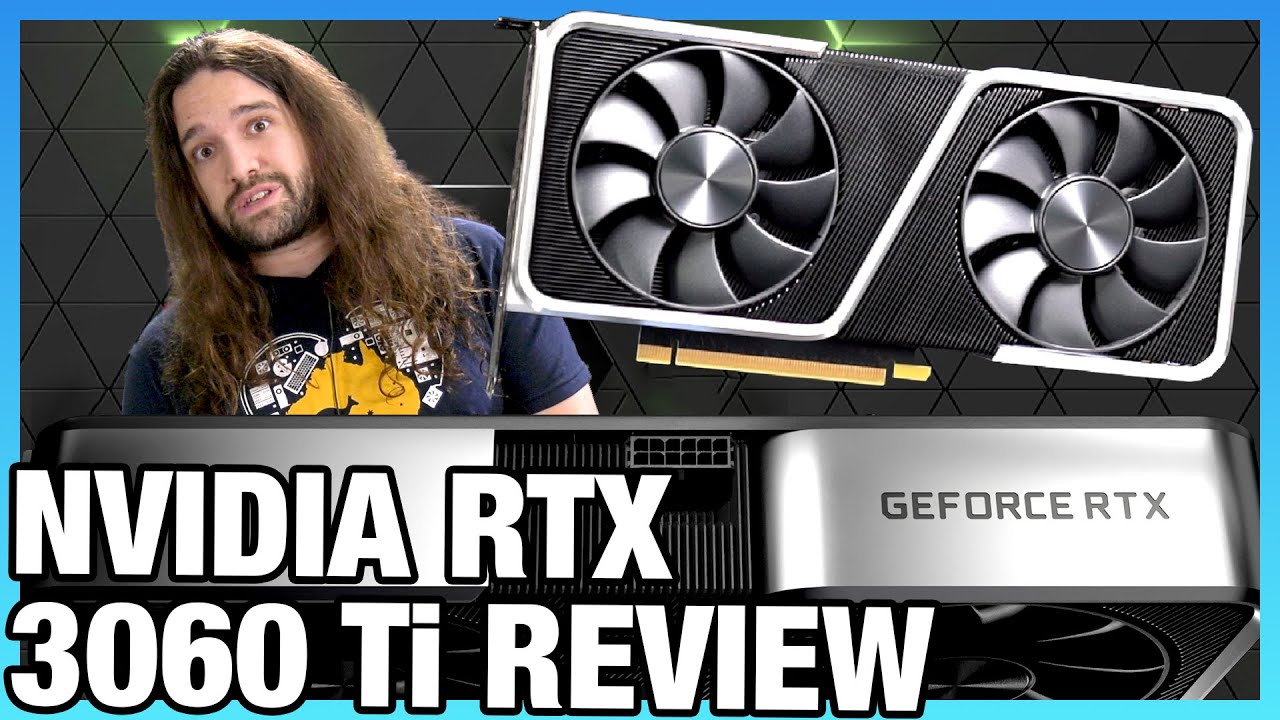
Our review of the NVIDIA RTX 3060 Ti Founders Edition video card comes out after the AMD RX 6800, 6800 XT, and NVIDIA RTX 3070 (among others). Gaming benchmarks, noise, power, & more.
Sponsor: Buy Thermal Grizzly Conductonaut on Amazon (https://geni.us/1D8Eeq) or Hydronaut paste (https://geni.us/Fsray)
GN is working with Eden Reforestation Proj...
 fleet cairn
Anyone wanna give me some advice?
stoic island
Maybe
fleet cairn
k
hollow grail
sure whats up
stoic island
@wild heath by the way, reset cmos, don't forget to plug into gpu
wild heath
what are cmos?
hollow grail
yeah i think they might have plugged it into the mobo
the little watch battery on the board
fleet cairn
I'm looking at getting an msi tomohawk MB, but I also need a newCPU. Which one would work best with the tomohawk. I was thinking an AMD Ryzen 3700x.
stoic island
Intel
Defines CMOS technology and how to clear CMOS using the jumper or battery methods.
Tomahawk max?
wild heath
its amd
stoic island
@fleet cairn which board
fleet cairn
The max, yes
hollow grail
was waiting for it lol
stoic island
@wild heath it's universal
stoic island
Power cycling exists to reset bios
@hollow grail feel like there's a way to power cycle
hollow grail
apple is weird for bios resets
stoic island
On apple
stoic island
Eh close enough
fleet cairn
I mainly just need a new CPU. I have an i7 4770k and oof it's not going well right now.
hollow grail
no hardware level way to powercycle
stoic island
@fleet cairn well, let's not get a b450 board
hollow grail
for some reason
wild heath
i got the new amd 5800 do u think that could be a reason?
fleet cairn
What board should I look at?
hollow grail
what board did you get axel
stoic island
B550, but wait a moment
@fleet cairn what are you trying to do with it, and when are you building?
hollow grail
may have gotten a non updated board lol
wild heath
Asus TUF GAMING X570-PLUS (WI-FI) ATX AM4 Motherboard
stoic island
@wild heath any way you can borrow a friend's 3rd gen chip?
wild heath
nope
stoic island
Amd does do the loaner thing
wild heath
all my friends have intel
stoic island
But there's a good chance your board doesn't have the right bios update to support it
@wild heath got a microcenter anywhere near?
wild heath
like an hour away
hollow grail
unlucky
stoic island
They do offer a bios flashing service iirc
wild heath
ASUS Global
TUF Gaming series distills essential elements of the latest AMD and Intel® platforms, and combines them with game-ready features and proven durability. Engineered with military-grade components, an upgraded power solution and a comprehensive set of cooling options, this motherboard delivers rock-solid performance with unwavering gaming stability.
hollow grail
time to drive to microcenter lol
stoic island
Yes
hollow grail
nyoom
wild heath
is this wht i need?
fleet cairn
My gaming rig is entirely from 2013. I just want to upgrade it so I can get better performance and maybe even stream off of it as well. I already got a new graphivs card. Just need new RAM, and new board, and a new CPU.
stoic island
You can't flash it yourself @wild heath
You don't have bios flashback on that board
wild heath
bruh so i have to go to microcenter?
wild heath
is it expensive
wild heath
thats fine
stoic island
@wild heath check with them to make sure they can do it just in case
hollow grail
yea
stoic island
@fleet cairn what's gonna be the budget?
stoic island
Right now 3600 prices are wacky asf, so I'd actually reccomend Intel atm
stoic island
And ofc 5600x stock is gone
Eh I'm thinking like 10600k+z490 board+nice 2x8gb ram
That'll be ~500$
wild heath
please say cap
fleet cairn
Really? Just 400?
stoic island
Ima make list
hollow grail
the only issue with intel is no upgrade path past 11th gen
fleet cairn
Ah, 500. That's not bad.
wild heath
is there any way i can get it tonight
wild heath
and do u think if i get there right when they open the line will be faster?
hollow grail
line is there before they open lol
stoic island
@fleet cairn need wifi or no?
wild heath
okay so get there like 25 minutes before they open?
stoic island
Nice
fleet cairn
I appreciate the help.
hollow grail
even then there will be a line most likely
stoic island
@fleet cairn example list 1
https://pcpartpicker.com/list/gbnDJf
@wild heath call ahead of time or check on their website to check the pricing and how bios flashing will work tho
fleet cairn
Will my RTX 2060 Super work fine with it?
stoic island
Yea
fleet cairn
Sweet. Thank you
stoic island
:)
stoic island
You too!
hollow grail
:)))
 crude dagger
is this the best place to post an issue im having with my pc? o
stoic island
Sure
crude dagger
thanks
little osprey
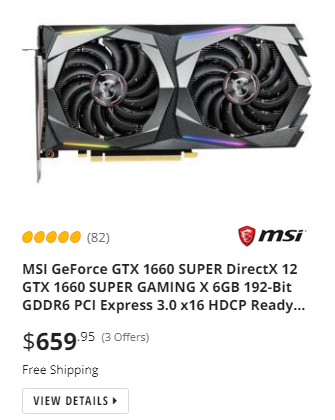
https://i.imgur.com/aTqyrm1.png explain 
 crude dagger
i just installed an xc3 ultra 3080 but getting post code 62 then it boots. Tried several things to fix it. My 1080ti posts normally.
still bay
crude dagger
i just installed an xc3 ultra 3080 but getting post code 62 then it boots. Tried...
google what post code 62 is for your motherboard
what mobo do u have
 iron brook
Do ya'll have a good 1500$ build?
still bay
With only the CPU/MOBO/RAM, upon bootup the LED cycles through a series of numbers and then finally settles on '62'. Per the manual, this means "Installation of the PCH runtime services".
crude dagger
its PCH runtime services
still bay
so its not registering ur gpu
crude dagger
@wary tundra DDU?
stoic island
Mine needs a bit of editing, but I have a semi-workable 1500$ list
Display Driver Uninstaller
stoic island
@crude dagger Display Driver Uninstaller
iron brook
alright thanks
crude dagger
i did do nvidia clean uninstall
stoic island
on the 1080ti?
crude dagger
so i should put the 1080ti back in and do DDU?
stoic island
yea I think you should
crude dagger
i also updated my bios as well
and did clear cmos
which was suggested
ok ill try that thanks
fleet pagoda
Do i need a bootable flashdrive to install windows
wild heath
guys my microcenter doesnt have a # to call @stoic island what do u reccomend i do
fleet pagoda
I dont have a microcenter
 wary tundra
I need to change my @
dapper hornet
So, before I update my bios, the latest two editions have "beta" next to them. Would you advise the newest or the latest non beta version?
vagrant olive
@fleet pagoda yes
hollow grail
you uh
you realize modular means you dont have to plug in every cable right?
just use what you need jfc why are you using every cable u can
crude dagger
@stoic island no luck with DDU. Still post code 62.
dapper hornet
hollow grail
just use what you need jfc why are you using every cable u can
perhaps they are required?
vagrant olive
a
vagrant olive
i'd go more with Devon or something but your choice
ember finch
Well the MAGI not only sounds cool but is also a cool reference
hollow grail
reference to what
ember finch
Evangelion
vagrant olive
Magi were priests in Zoroastrianism and the earlier religions of the western Iranians. The earliest known use of the word magi is in the trilingual inscription written by Darius the Great, known as the Behistun Inscription.
oh
 worthy flare
Hi all! I recently built a gaming PC for the first time! But I've been running into issues getting it to boot :(
Motherboard: MSI B550 - A Pro
Graphics Card: Gigabyte Radeon RX 580 Gaming 8GB
I had to reset the BIOs by downloading a previous software for my motherboard on MSI's website onto a flash drive, then install that. Once it got to 100%, I lost all visibility on my monitor. I've reset it several times, took the battery out of my motherboard, etc. Does anyone have any clue what's happening?
DISCLAIMER: I'm not very educated w/ computers. I relied heavily on guides for my build, so I don't know much outside of that.
vagrant olive
uh
hollow grail
:))
balmy patio
sheesh
balmy patio
laughter
vagrant olive
big
little osprey
b o n e
little osprey
h o w s t h i s https://i.imgur.com/2AfWDiA.png
 hollow grail
i dont think you can be named that 
balmy patio
try this https://pcpartpicker.com/list/mdCgz7
hollow grail
brum
- Don't misrepresent yourself as a Newegg employee or affiliated person. ALL NEWEGG TEAM MEMBERS WILL HAVE THE NEWEGG STAFF TAG.
vagrant olive
true..'
little osprey
@hollow grail mike told me personally its fine to use it as long as i dont tell people im afilliated with newegg
hollow grail
oh nice then
vagrant olive
@little osprey are you affiliated with newegg
little osprey

dapper hornet
little osprey
h o w s t h i s https://i.imgur.com/2AfWDiA.png
has no drives though xD
little osprey
i got d r i v e s
dapper hornet
fair then, shhould be a solid rig 🙂
dapper hornet
Damn right. I got a 2070 Super in mine and I really struggle to push it to it's limit, but I don't play Triple A titles to be fair
earnest olive
play minesweeper
earnest olive
yeah that's not abnormal just hit f1 it'll take you into bios
dapper hornet
No bother, done that and re-enabled my DOCP profile, I take it Save and Exit?
dapper hornet
Yeah I installed that first :)
earnest olive
alright hopefully that works out for you
dapper hornet
And made sure I had most up-to-date windows update :)
Woo, we're in 🙌
Thanks for walking me through that, I've never done bios updates before 😅
earnest olive
no problem
if the issue still persists it could be a problem with the usb device itself
vagrant olive
im 100% convinced all mobo manufacturers purposefully make bios as confusing as possible
dapper hornet
Well, it's not actually any specific devices, it happens regardless of anything being plugged into the ports
Even with all ports empty it happens
But we'll see if this helps :)
I was very out of date
dapper hornet
I've updated from version 1208 to 2818 xD
Aaaand still doing it :(
Well at least it rules out those
hollow grail
owo
earnest olive
CPU: Ryzen 5 3600X (Year 2020 Week 31)
Motherboard: Gigabyte B550 AORUS ELITE Motherboard
RAM: 2x8 GB G.Skill Ripjaws V 3600C16 RAM (Hynix DJR A1)
Bios version F2 (out of box) 7/7/2020, AGESA v1.0.0.2: Stable 3733MHz 16-16-20-22-38 1.37Vdimm, 1867MHz FCLK, 1.1V SoC; does not even boot at 3800MHz with loose timings.
Bios version F11d 10/29/2020, AGESA v1.1.0.0: Stable 3800MHz 16-16-19-21-36 1.4Vdimm, 1900MHz FCLK, 1.1V SoC
just my personal experience
results may vary 👀
hollow grail
uhhhh
earnest olive
probably enough for at least 4 chrome tabs
 summer pasture
Are there any good 1440p monitors from 150-300 usd
earnest olive
@summer pasture https://www.newegg.com/p/N82E16824569005?Item=N82E16824569005
little osprey
https://pcpartpicker.com/list/RbQ44d
thoughts?
earnest olive
https://smile.amazon.com/dp/B07NBM6KYH if you would prefer 27" instead of 31.5"
hollow grail
MY SITE IS DOWN
little osprey
lmao
hollow grail

little osprey
ok
earnest olive
yeah a few questionable things in this build
240mm aio for the price of 360mm aio
itx board in non itx build
summer pasture
Thanks
earnest olive
wd blue sn550
 lyric thistle
SN550 😭
earnest olive
https://pcpartpicker.com/list/XTcXnL i made a few changes for you
dapper hornet
earnest olive
<@!730975292755279933> updating bios got me higher ram speed
I have too actually, before it would only go to 3200, now it's 3600 😄
So thank you for that!
earnest olive
neat
dapper hornet
Is there anything else you can think of to try?
It's almost like Windows detects no activity so puts the ports to sleep, then instantly detects activity so relaunches the,m
 long granite
can anyone think of a good build under 1k?
crude dagger
in addition to the post code 62 im getting really low 3dmark timespy results.
 sudden jolt
Hi
earnest olive
@dapper hornet hmm... you mentioning sleep gives me an idea
Keyboard or mouse not working after your PC wake up from sleep? This tutorial shows you 2 methods to set Windows to power on or off USB devices in sleep mode.
go ahead and check if this is on
USB ports actually can go to sleep..
i don't believe it's supposed to be on by default but i guess it doesn't hurt to take a look
actually it seems to be on on my pc, but i don't experience any usb problems
regardless you can see if it does anything for you i guess
dapper hornet
Yo.... That was enabled on all USB 3 ports only... we could have a winner here
dapper hornet
I will, thank you again for you time btw, you've no idea how much I appreciate this!
I also took time to disable USB ESD protection, but it was still happening so I'm going to re-enable it now, and see what happens 🙂
fleet pagoda
How many front panel connectors are there suppose to be
 viral ore
fleet pagoda
viral ore
fleet pagoda
I only have 3
summer pasture
I want to get a 3060 ti but dont want to pay $300 for a 1440p monitor, any ideas on what i should do


 summer pasture
Yeah i might get the normal 3060 when it comes out, i want to stick to 30 series
 obsidian wigeon
ye
 still leaf
will a MSI MAG B550 TOMAHAWK ATX work with AMD Gen 4?
obsidian wigeon
You meant 5000?
still leaf
yeah
obsidian wigeon
But ye