#building-and-recc-chat
1 messages · Page 483 of 1
 compact yoke
 foggy hazel
aye aye, i have enough :)
give me a moment
well, just on a pure "raw" compute-power level, it is easy enough to negate the MacOs advantage with the hardware that is available now, vs what you have in your work machine
what is your home machine like?
 wispy matrix
@serene geode you must be rich
foggy hazel
cpu/gpu is what i am actually asking about here @compact yoke
compact yoke
Windows 10
Intel i5-4670K Quad-Core 3.4GHz
NVIDIA Geforce GTX 780 Ti
I'm not at home so I forget what ram I have
compact yoke
Yeah I had it built in 2013
foggy hazel
aye aye
the "simple" solution to your overall question is easy, just throw "silly" amounts of computing power at it.
considering what you are currently working with, a fair spec'ed high end machine will behave as IF you had multiple machines
as in, the compute power available now vs your current stuff is that much higher now
compact yoke
Yeah of course
foggy hazel
so there is not (imo) a need for multiple machines as such
what are your local storage needs like ?
compact yoke
So one GPU is enough?
foggy hazel
aye, should be plenty
compact yoke
Ah alright thank you
foggy hazel
also, please note: There are no stupid questions, only silly answers.
compact yoke
The reason why I want a second drive is because I've had a drive corrupt on me because of After Effects
foggy hazel
aye, a single drive is imo not a smart solution for you
having a "scratch" drive will benefit you a fair deal
compact yoke
I had a colleague of mine tell me it would be a good idea to get two drives. One for the local storage and one for the read-write of After Effects
Yeah exactly
foggy hazel
aye
and he spoke true on that :)
at work, what is your network like? 10gbit or below?
because i imagine you have a storage server setup
compact yoke
Yeah we have a storage server
I'm not exactly sure what the speed is
I'll have to ask
foggy hazel
please make a note for that (i am in no hurry to get the answer, it is just practical to know)
you are located in the US right?
compact yoke
Canada
foggy hazel
okay :)
i am just searching for a particular set of ram for a proposed build for you. give me about 5-10 minutes
compact yoke
Thanks!
foggy hazel
@compact yoke keep in mind, this is on consumer hardware
and yes, it is on purpose that there isnt a case selected
because that is entirely dependant on what "fits" at your workplace
what i can promise about that build however is that it is quiet.
compact yoke
Great! Thank you so much! This is actually cheaper than some of the parts I was looking at!
foggy hazel
might i hear about those parts?
foggy hazel
@upper condor kinda yes, short answer? its complicated
 upper condor
Mk
compact yoke
Well I was looking at the RTX 2080 for example
foggy hazel
yes, that one is "technically" a bit faster, but the performance advantage is imo not worth the cost
compact yoke
Looking at the kid you built, asides from the Intel Core i9-9900k, those are the only differences
Good to know!
foggy hazel
the main "problem" is that adobe is clear as mud about their actual support
"you just need something between X and Y"
that does not really help anyone adobe!
compact yoke
Yeah Adobe are a big pain
foggy hazel
aye
Davinci loves the 16 core 3950x, this i know.
and yes, the 9900k is again, while doing a limited set of things, technically faster
the moment you start hitting the system with more workloads at the same time ... it is not faster, technically or not technically.
sidenote: something like this could be a nice case for it https://ca.pcpartpicker.com/product/y6K2FT/fractal-design-define-7-atx-mid-tower-case-fd-c-def7a-09
and yes, it is on purpose that there isnt a window, because there is no need for stuff like that
foggy hazel

The Define 7 is the latest pinnacle of the renowned Define series, setting a new standard for what you should expect from a mid-tower case when it comes to modularity, flexibility and ease of use.
compact yoke
Unlike our servers, the PC won't be in a cooled area
foggy hazel
here you can see the different colours it comes in
and just to get the details out of the way
the reason for that specific mainboard is that i have build multiple systems with that one
and a number of them have been with 128 gig ram installed
and that is the reason for that specific ram kit too [edit: ram]
i know it works in that board
compact yoke
Hey the more ram available, the better
foggy hazel
on the consumer side of things, that is the limit
we move into pro-sumer/HEDT if you want/need more ram than that.
compact yoke
No no 128 for what we're doing is plenty
foggy hazel
fair enough
but again, as mentioned earlier, i would not be doing due diligence if i dont inform you about it :)
compact yoke
Of course! Thanks for all the help! I'll speak with my colleagues with the info you gave me!
foggy hazel
you are very welcome @compact yoke
and please do come back and ask if you have any questions
and as a frame of reference, the next "step" after the above linked build is about 6700-ish CAD
for a 32core, 256gig build
 cursive wharf
@foggy hazel Even using PBO can put the VRMs on that board on a heck ton of stress im pretty sure
x570 Gaming Pro Carbon with 3950x
Let alone actual OCing (which I dont think will be done, but should mention anyways)
foggy hazel
not had any problems at all with it, in any of the systems i have deployed with it
but i hear you.
cursive wharf
Based on reviews Ive heard, VRMs get quite hot. Looked a little into it (not much) after the whole Hardware Unboxed vs Toms Hardware thing few days ago
to the point of downclocking CPU a tad bit apparently (need to look into it properly tho)
foggy hazel
keep in mind that we have a fair bit of "false positives" from the early days in regards to clock speed readings
as in, the early reports need to be inspected in detail
cursive wharf
afaik it was from the VRMs on this board. 115c is the max before underclocking happens. VRMs were 111c - 119c depending on reviews or smth
with a 3900x tested
on PBO I think
foggy hazel
as i said, i have not seen any weird behaviour on the ones i have deployed
cursive wharf
well idk then
foggy hazel
but thank you for voicing your concerns/opinions.
well thought out comments are always very welcome :)
wispy matrix
Hello naed and hei
cursive wharf
welcome
and
'Ello
upper condor
Have a good sleep?
wispy matrix
I need to fix up my build to make it look better this is a temporary place rn and I’m getting a better monitor
Any cheap monitors that would look good
cursive wharf
dont know of any cheap monitors that're good. Not much into knowing them
and gn Naed
 blissful garden
you need a bigger mousepad bruh
 austere condor
working on parting out a new flip build
looking for opinions on what y'all think its worth
 floral zephyr
Help! Just installed my new motherboard and cpu but my pc won’t boot. I have the x570 steel legend and the 3950x. I checked all the wires/connections. Even tried the screwdriver trick to eliminate a bad power switch wire.
austere condor
thats the specs
 viral ore
i think i would pay about 800USD for that, but I'm sure you could easily get someone who isn't an enthusiast to pick it up for 1200USD
upper condor
Yet sells for 994
viral ore
its not super desirable as a part, considering its pretty much just a blower
sells for 994, eh?
source?
austere condor
amazon 3rd part seller has one listed for $994 which is absurd
viral ore
o look
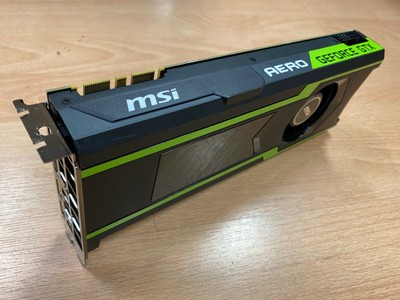
eBay
Cleaned and tested. no accessories, this is for video card only.
389
thats about right
austere condor
i was thinking i could get $1000-$1200 for the PC
upper condor
1https://pcpartpicker.com/product/k9zZxr/msi-geforce-gtx-1080-ti-11gb-aero-oc-video-card-gtx-1080-ti-aero-11g-oc
viral ore
yeah, that sounds about right
upper condor
No me
viral ore
yeah, you have to understand what pcpp is used for, and what it isnt used for
austere condor
cheap 1080ti's like that are worth $400~
viral ore
pcpp is good for mocking up a build quickly, and thats about it
viral ore
if you wanna get accurate pricing for anything that isnt brand new, you gotta pull up avg market prices on sites where people sell them
exactly
austere condor
recently sold listings on ebay
upper condor
I said thats how much it sells new
austere condor
is pretty reliable
austere condor
if i can get at least $1000 for it, i'd be alright with that profit
$1200 would be ideal though
upper condor
How much did it cost?
austere condor
i havent bought the CPU/mobo/cooler yet
viral ore
tbh, 1100+ shouldnt be hard for a system like that
austere condor
but it in the end it will be $850-$900 depending on what i want to do with it
to build
upper condor
Throw in the 1080ti, say it sells for almost 1000 new, and "discount" it to 500
austere condor
thats scummy
viral ore
lol
austere condor
so no
viral ore
but its still only worth 400
 still roostBOT
 Demonmit1#9106 has been warned
Reason: Bad word usage
upper condor
Again, what its worth and what its sold for is different
viral ore
i dont think you understand
upper condor
I do
austere condor
misrepresenting an item saying its worth signifigantly more than it is, isnt technically a scam, but its scummy and immoral
upper condor
Yes indeed
upper condor
Thats a powerful build if it needs a 1000w psu
viral ore
ok
upper condor
I never said he should do that, just that he could
@viral ore @austere condor hes triggered because I kept correcting his grammar when he pmed me calling me a donkey
viral ore
ok
viral ore
idc either
upper condor
Yeah depending on the 9900Ts performance, id buy that for 1200 if I was uneducated
Maybe up the ram speed just a bit? Unless you just have that lying around
@austere condor
viral ore
9900T is literally a 9900k but it boosts to 4.4 instead of 5.0
so
not really a ton of performance loss
viral ore
600mhz wont make a huge difference
like, single core perf will be lower
but overall with 8c/16t will still be better than the 9700k
upper condor
How much does it cost?
upper condor
Ah
viral ore
eh, more like 270
upper condor
So then you cant OC it?
upper condor
Whats its base?
viral ore
yep
upper condor
If I had just waited 3 weeks for my build.........
viral ore
why? did you get a 9900k?
upper condor
Nope
upper condor
Lol id still be happy
austere condor
PCPP doesnt have the kit of ram i have, the kit i have is a ballistics elite 3200 Cl14 @upper condor
upper condor
Ah ok
I have a 3600, great value but for around 40$ I coulda gotten the 9900t
Which is probably better
austere condor
9900T is essentially a R7 2700x, but with the i9 logo
upper condor
Gotta love hyper-threading
viral ore
im mostly saying for things that like utilizing lots of cores, the 9900t isnt bad for the price
viral ore
the 3600 is still better
viral ore
lmao
viral ore
i dropped 1300 on a meh system, and I still have no regrets
austere condor
$1350 today 😄
upper condor
Dang
You must have ana amazing market near you
To be able to make a career out of this
@viral ore I accidently got a crappy monitor, mobo is a bad choice, and gpu
Id return it but.......
Still happy
viral ore
u gotta take your time planning this kinda stuff
viral ore
oof
upper condor
But, the monitor was just really cheap
upper condor
I didnt think i would with the monitor
 sullen spoke
you learn more from your mistakes then you do your successes
upper condor
I ordered my mobo right when manufacturers started putting 3rd gen ready on the board pages
So I got the tomahawk max instead of the aorus pro wifi or b450f
But hey, a builds a build
upper condor
Eh
I feel like it should be better
Only getting 70 fps on apex 1080p max everything
16x aa tho so.....
upper condor
5700 XT
viral ore
antisotropics on the other hand, not as much
upper condor
Max overclock stable
sullen spoke
anti aliasing?
viral ore
wdym max oc?
upper condor
I overclocked it to the max I could
sullen spoke
usually doesn't make much of a difference
sullen spoke
aa is usually one of those settings where it doesn't matter too much if you have on or off
viral ore
you should only use one software for stuff like that
upper condor
I use radeon to look at performance
viral ore
oh ok
upper condor
Afterburner to set settinfs
sullen spoke
good
upper condor
But yeah, it does well on everything else
viral ore
amd has their own builtin ocing software tho
you should try that first
watt master
i think
sullen spoke
auto oc stuff doesn't always work the best
sullen spoke
csgo is often cpu bound
sullen spoke
lol minecraft is so weird
viral ore
optifine maxed?
upper condor
Yes
sullen spoke
one day I got 180fps the next I had 700
viral ore
good
upper condor
Any mod you think of, I have
sullen spoke
electricalage?
upper condor
Its called the omega adventure pack
sullen spoke
pneumaticCraft?
sullen spoke
galaticraft
sullen spoke
hmm lemme think
viral ore
oh, i just bought another 768GB ssd
upper condor
Nice
viral ore
now i have 2 identical ones
upper condor
Yay
sullen spoke
I need another 1tb ssd
viral ore
its gonna look so dope i cant wait
upper condor
I have 1tb nvme
sullen spoke
What about ReactorCraft?
upper condor
Yep
viral ore
the IOPS of my NVMe is crazy fast
sullen spoke
what is the center part of the nuclear fusion reactor called then
viral ore
the core
upper condor
Bruh idk
sullen spoke
lol
viral ore
idk
upper condor
I just started today
upper condor
Its hard not to die instantly
viral ore
i play vanilla + optifine mc only
upper condor
Because there arr mafia bees everywhere
Watch socksfor1 series on it
He survived 600 days hardcore with it
He uses a nuclear reactor I think
sullen spoke
it is hard to build
 floral zephyr
Had issues getting it up and running but here’s my new build.
It’s a ryzen 9 3950x with a strix 1080ti oc. First time using an aio.
sullen spoke
oh lol didn't even realize this is #building-and-recc-chat
wispy matrix
@sullen spoke how do I hook up my audio
sullen spoke
wdym?
wispy matrix
I can’t hear anything
sullen spoke
speakers? headphones?
wispy matrix
Spekers
sullen spoke
3.5mm jack?
wispy matrix
When I go to my specs for my pc it says audio n/a
sullen spoke
are there audio ports on the mobo io?
wispy matrix
sullen spoke
what mobo is it?
oh nvm
lol
did you plug in the audio jack into the green middle port on the mobo
wispy matrix
Yes
sullen spoke
like on the bottom of it near ethernet
do you see anything in sound settings
like in sound control panel
wispy matrix
Which one
sullen spoke
front speaker out
wispy matrix
Still Not working
sullen spoke
can you check your default device
ez way to see audio devices is down here
also where did you get that system specs window
wispy matrix
NZXT cam
sullen spoke
can you go to sound control panel and screenshot that
wispy matrix
sullen spoke
are there any other devices
wispy matrix
I set my sound to the 4-hp w2207
sullen spoke
ye I did the same thing when I got my pc
wispy matrix
My gaming pc is to big for it and my monitors has a black hole
sullen spoke
lol
 real brook
I need help
Idk what to pic
Palit Jetstream GTX 1070
Gigabyte GTX1070 G1
GALAX SNIPER GTX 1070
From these 3
viral ore
whatever is cheapest
sullen spoke
check clock speeds
real brook
Uh
viral ore
well, idk about the first one, so def not that one
gigabyte is well known
galax is less known, but they still have decent cards
which one looks the coolest of those 2
literally just pick it based on that
real brook
Galax is white :)
sullen spoke
galax is in asia i believe
real brook
Not really
 vivid atlas
Hello, I'm planning to pair a B450 Aorus Elite with the CM MB511 RGB. There are 4 included fans in the case and I'm adding 2 Arctic P14 140mm. Do I need a fan splitter to power all these fans or no ?
6 total
 tranquil dust
i would assume yes
vivid atlas
How many splitters would I need ? @tranquil dust
tranquil dust
says it has 3 system fan headers, not including cpu
id get like 3 or 4 to be safe
also allows you to make it slightly longer if needed
vivid atlas
thank you @tranquil dust
tranquil dust
yw
 little osprey
Can someone make me a $800-900 PC? Ryzen cpu, no preference on gpu
little osprey
@stoic island yes
 stoic island
(like streaming, video editing, etc)
little osprey
Gaming
stoic island
Monitor or no
little osprey
No thanks
stoic island
How much storage do you need?
like only 1tb, or do you need 500gb boot drive + 2tb hard drive
little osprey
Boot ssd and like 1- 2tb
stoic island
something like this should work
https://pcpartpicker.com/list/dCrrp8
little osprey
Ty :)
 true comet
Hey Chat - buying my build today https://pcpartpicker.com/list/rqYn9G
any suggestions before purchasing?
thoughts on moving to 2060 vs 2070 GPU
to save some money?
stoic island
2070 is a fair bet better than the 2060, definally work getting a 2070 over a 2060 imo
 violet lichen
@cerulean burrow You didn't link your part list
 teal bison
you have to link that part @cerulean burrow
stoic island
Lol phone autocorrect messed me up
Meant to type "worth", it typed work
But anyways, @true comet good luck on your build.
 cerulean burrow
If it has multiple lists, click on the one that says "ITX build"
I get bored a lot lol
teal bison
the x53 is $20 cheaper
and i think its pretty much the same but the 53 you can rotate the logo
cerulean burrow
The AIO?
cerulean burrow
The X53 is $10 more on PCPartPicker
I was looking at the wrong price lol. You were right
stoic island
Samsung SSDs so expensive
teal bison
oh lol ya i was double checking to make sure i wasnt going crazy
cerulean burrow
Do you think that case has enough room to do a push pull configuration on that AIO?
teal bison
also ya 150 for a 1tb is a pretty steep price, if you need fast storage might as well get the sabrent rocket for the same price
stoic island
Also you already have a sabrent rocket 4.0 1tb in there sooo
cerulean burrow
That's fair
teal bison
and what are you using it for? if it is just for gaming then storage speed isnt a big deal
stoic island
Yea
teal bison
but if you do need fast storage, the sabrent gen4 2tb is 175 more so you are spending 25 extra for a lot more speed
25 more than getting a sabrent gen3*
stoic island
Nvme 3.0 to 4.0 real world differences are small unless you're dragging around 10gb files all the time
cerulean burrow
It will be for gaming, VR, and maybe music production
teal bison
i would just get a 2tb sata if you want that much fast storage
teal bison
ya and the ssd you were going to get was 150
cerulean burrow
Oh okay.
Do you think that the case with that GPU would work with a push-pull configuration on the AIO?
Does this look better?
teal bison
also i just noticed that psu is wayy overkill
cerulean burrow
Recommendation?
teal bison
well the phanteks amp 650W is $40 cheaper and its a good one, i would go with that
and the ram timings arent great
cerulean burrow
Okay. Recommendations?
teal bison
well i assume you went for the trident z for the aesthetics
cerulean burrow
Yeah. I chose the non-rgb version
teal bison
are you ok with having rgb? you can always turn it off
for the same price
and better performance
cerulean burrow
Sure!
teal bison
oh wait im dumb i just realized that you have 32gb
ok so there are 2 options
cerulean burrow
It has been updated! Any other recommendations?
teal bison
well i personally would go with cheaper storage but if you do want the fast storage that is a good one so its up to you
cerulean burrow
Awesome! Thank you!
 wide sparrow
Need some good rgb strips
stoic island
Reference 2080 super might not be the best idea, you could get something like this for cheaper.
https://pcpartpicker.com/product/fpbCmG/evga-geforce-rtx-2080-super-8-gb-black-gaming-video-card-08g-p4-3081-kr
@cerulean burrow
stoic island
ah okay
@cerulean burrow you completely sure though? You won't be able to see the front of the GPU in your build, unless you're doing a vertical GPU build
cerulean burrow
Yeah, but I like the silver of it
stoic island
gotcha
stoic island
oh, you going for a white build?
foggy hazel
@cerulean burrow perhaps have a look at the msi ventus?
stoic island
@foggy hazel the ventus only has the white on the face-plate-fan-section-thing, but the top is basically black
foggy hazel
aye, ventus for a "vertical"/sideways mount
stoic island
yea, I believe they were running a normal mount
foggy hazel
my mistake on not including that context [edit: context]
cerulean burrow
Thanks for the advice! I think I am going to stick with the RTX 2080 Super Reference Edition
 deep skiff
I’d try to avoid the h200 line if you can with a air cooled card
cerulean burrow
Because it hampers air flow?
deep skiff
the gpu is fine, good airflow itx cases and budget don’t really go together
I’ll see if I can help you later
cursive wharf
Temps will be bad. You're choosing a case with poor airflow (even in the ITX space) with a GPU that has a poor cooler
cerulean burrow
Okay. And it would not get better with an SFX PSU?
I also won't be playing super taxing games
cursive wharf
Doesn't matter too much for SFX. If the case supports ATX then no reason to waste money/quality on SFX
stoic island
Just getting a different better case will make a nice difference
cursive wharf
@cerulean burrow seems to be worse
stoic island
650ti..?
cursive wharf
So you already bought everything?
 wraith stag
no i havent
wraith stag
its a 3600 6 core for the cpu
 strange garden
Anyone have a recommendation for a CPU cooler for an I7-8700 that I can sync up with Aura Sync? Hoping to not break the bank but want a little extra flare and performance over the stock intel cooler
cursive wharf
Going to maybe want an SFX PSU as it covers the CPU cooler @stoic island
Even then, idk CPU cooler perf. Good apart from that tho
@wraith stag okay, so what are you buying and what aren't you buying from that list?
wraith stag
hdd and gpu
cursive wharf
@strange garden might be something from upHere if looking on the cheap side
@wraith stag is what you're keeping?
wraith stag
yeah
cursive wharf
Because for $500 you can make a build with what is probably a slightly better CPU then what you currently have with a much better GPU then what you currently have
GTX1650S, maybe 1660S
wraith stag
AMD - Ryzen 5 3600 Six-Core 3.6 GHz Socket AM4 Desktop Processor <- is what i would be getting
forgot to change that
stoic island
@cursive wharf did you mean to ping someone else..?
cursive wharf
@wraith stag as for $500 you can just go for this and due to the GPU would be a better gaming system https://pcpartpicker.com/list/cCyKn7
@stoic island you asked for how good the CM H100 ITX was didn't you?
 latent bronze
@little osprey are you using a TV as your main display?
 pale sundial
can you guys help me? so i got one of my monitors plugged into my gpu and one plugged into my motherboard and 1 isn't turning on
latent bronze
you have to plug both in the GPU
GPU will usually override the motherboard so called on board GPU
If your monitor is both HDMI and your GPU only has 1 HDMI you would need to get an gender adapter to make the other one like a HDMI
pale sundial
ok thank you it turned on now
wraith stag
@cursive wharf can I just switch out my processor?
cursive wharf
@wraith stag sure
wraith stag
It's an i5 2500
cursive wharf
You'd be best off just switching out the GPU instead of the CPU as a first step. Second step is to save a bit more money and switch out the CPU/mobo/RAM
wraith stag
With my current setup, can I do that without running into issues?
floral zephyr
Got my boot time down to 12 seconds from the time I press power. Now I just need to reroute my 24 pin cable, reapply some thermal paste and install my m.2 sata to ssd when it comes. After that I want some more Corsair fans to go with my h115i platinum. Thinking 2 140mm top mount and a 120mm rear mount.
foggy hazel
@wraith stag as we talked about previously, yes.
latent bronze
@wraith stag You can use 2nd and 3rd gen without any issues but still good to see if your bios needs an update
wraith stag
So I'll just upgrade the gpu today
latent bronze
If you plan on swapping out the 2500 i would say go for the 3770
wraith stag
MSI - GAMING X NVIDIA GeForce GTX 1660 SUPER 6GB GDDR6 PCI Express 3.0 Graphics Card - Black/Gray
latent bronze
The i5 2500 is good but when i built my new system i saw that the CPU was coming close to its end
foggy hazel
consider what GPU he currrently has Ecks :)
latent bronze
I have used his GPU in the past as well
wraith stag
A 650 TI boost!
latent bronze

System Specs
Core i5 2500 3.30GHz
Asus GTX 650 Ti Boost 2GB GDDR5
8GB Kingston HyperX Blu 1333MHz
recorded using fraps always remember that fraps always removes about 5-10 fps from recording
like to give credit to Capcom for the use of this benchmark program
Same CPU and GPU back in the days
stoic island
self plug xD
latent bronze
Back then i was using a 720p 26" LCD TV
wraith stag
So is a 1660 gonna be okay with everything I have now?
latent bronze
Well 1660 Super cause more performance for like the same price
might see a little bit of a bottleneck but not much
wraith stag
I plan on going with a super
latent bronze
But if you do ever plan on swapping out the i5 2500 for something else i would say the 3770
wraith stag
I'm upgrading everything in time.
But if a gpu is all I need for right now I'm gonna stick with it
 sharp perch
I'm tryna make a mac/ windows setup but idk what I should get can anyone help me
latent bronze
If you're making a hackintosh system with a dual boot for windows you should have 2 separate drives for each OS
sharp perch
so what do you recommend
latent bronze
for the drives or the whole system?
For a whole system i do know that mac tends to favor AMD more for the GPU
sharp perch
yes the whole system
@latent bronze
so like for the macos il do music and video production and windows for gaming
and school work
latent bronze
To be honest for the Mac portion of your system you should see GPU supported list cause like i said it does tend to favor AMD more
latent bronze
Sadly i can't cause i am doing a lot of other things right now and it would take me time to look up the support list
@foggy hazel if you're still here you wanna help out
sharp perch
wait why is his role taken away
latent bronze
I don't know the reason and something you shouldn't pry into
sharp perch
okay
foggy hazel
@sharp perch https://www.tonymacx86.com/
start by reading up on stuff there
there are a number of builds there that will give you an idea about parts etc etc
for more details etc, it will have to wait until tomorrow at the earliest
but i cannot promise anything, as it stands right now, i have a 18hour work day tomorrow
and with that, i am out.
 subtle halo
@foggy hazel i admire ur xD passion to work that straight
floral zephyr
so thinking about replacing my stock case fans to match my h115i platinum fans and turning the case switch into a clear cmos button
the switch addresses the rgb for the case fans btw
true comet
Hey chat - thoughts on a different HD and potentially doubling up on the Storage?
Looking to buy today https://pcpartpicker.com/list/rqYn9G
teal bison
do you need 6tb of storage?
the storage right now is fine imo
oh wait
its out of stock
dont know why but the exact same hdd is in stock
true comet
Okay thats why I was asking
I did not see it in stock
Thank you
Will this require a bios update?
There is a Compatibility warning
 sharp solstice
Okay can anyone help me? Im looking to build a pc to play overwatch and other fps games. I have $600 that i can spend.
sullen spoke
it's a gpu
I'd say the 1660 super is better value but if you can find for same price 1660ti is slightly better
little osprey
Hey I'm needing some hel0
Help
So just built my new pc, but I'm having issues using the dvi port on it, I tested the Cord it works same with the monitor so any ideas
 quick ledge
I have a asus maximus ix hero and i see theres a m.2 e-key slot so what kind of network card should i be looking at
 floral tree
Yeah. I have a pc with like 2tb right now and it’s not quite enough
I changed it a little
vivid atlas
are you gaming only or also streaming/multi tasking ? @floral tree
floral tree
gaming
vivid atlas
alright
foggy hazel
and?
floral tree
idk I am looking for a full sized bui,d
foggy hazel
just FYI, the chance of you using all the expansion slots are very close to zero
foggy hazel
yes
you can
https://pcpartpicker.com/list/7tt3Wb <- here is the same board in its ATX format
floral tree
oh ok
foggy hazel
just remember, you are the one choosing to pay the money for it :)
floral tree
or its a gift 😉
foggy hazel
your choice either way
upper condor
https://uk.pcpartpicker.com/list/Q2npDx @little osprey
sharp perch
idk which headset is good for gaming and editing and music production
sullen spoke
Probably want to look at audio technica or sennheiser
 obsidian sand
Will I be able to take advantage of the full speed for the Samsung Evo 970 plus NVME M.2 Internal SSD using it with an Asus 970 Pro Aura AMD 970 motherboard?
latent bronze

obsidian sand
@latent bronze anything I can get to turn that intoa YES?
sullen spoke
If you don’t already have a ssd a sata ssd might be a better option
floral zephyr
So my mobo has clear cmos headers, my case has a button on the front that controls my rgb case fans but if I switch those out with Corsair fans and make them addressable I could essentially repurpose that button into a clear cmos button.
 late ice
Would love some other opinions on cable colors for the build I just posted over in #build-pics
viral ore
Damb that's kinda cool, but what will the rest of the build end up looking like?
Unless everything else is also purple, grey and black, those are gonna stick out like a sore thumb
Oh haha, just looked at your build
What color fluid are you thinking about?
I think it would look best if you used only black and silver, or you made all of the cables entirely the same color as your fluid
Anything else would stand out too much, and wouldn't compliment the rest of the color scheme
Srry for the rant lol
viral ore
then def get solid purple
well, if you can get cable really close to the same color, it would look cool
 spice mauve
5600xt or 2060 (for ~$300, around me, 5600xt's are 320, about the same price for a 2060KO)
upper condor
2060 KO
 sudden turret
why gilbert
sullen spoke
Cuz nvidia ofc
 vestal cove
How should I install my aio, should I place the pump on my cpu first, then put the motherboard in the case, then screw the fans into the radiator and screw the radiator in, or should I put the motherboard in, then screw in the pump then the radiator
sullen spoke
I don’t know much about aios but I’d say put the fans in the radiator first, then pump on the cpu, mobo in case, mount radiator
sudden turret
fans/rad first
 naive viper
should I connect these two together?
is this for the rgb on the case fans?
the RGB controller
I think it does connect
 icy plume
if it looks like they connect, it probably does in my experience
naive viper
just wanna make sure
 prime spear
Yo guys whats the best proccessor for the rtx2060super
with new mobo
And just to let you know i play Fortnite COMPETITIVELY i get 60+ Players Endgame with lots of people bulding/rotating all the time.
 celest horizon
I thought the same, but caps lock makes me think more like 3900x
 real epoch
I want to pimp my computer build out, aesthetically only. Budget of $100 per item
violet lichen
What do you think of my build
(The reason I choose most of the parts was because I found a deal somewhere)
violet lichen
I agree it's a little underpowered but I found an amazing deal and plan to see what 3000 series brings
real epoch
Yeah good idea
violet lichen
@real epoch I think you should get rgb fans if you like that sort of thing and get cable extensions
real epoch
I'm thinking of getting strimmers because y'know...RGB
wide sparrow
@violet lichen your Build's quite expensive
violet lichen
also I got the power supply and cpu cooler used so those were 100 together
and actually got 970 evo plus 500
cursive wharf
@violet lichen oof. You have been fooled by the name branding. That is the 2012 CX model and not the 2017 one
cursive wharf
well it'll probably fail soon, being an old model and used
iirc the bad old model was green CXM. Green CX was eh
 worthy narwhal
hi guys can someone dm me gonna upgrade cpu and want SSD
wanna make sure my motherboard supports
 wispy lynx
@violet lichen hey
I hope that isnt actually what you are getting
thats quite bad
given that this has double the SSD size, a much better PSU, a better case, much better ram, a much better motherboard and a much faster GPU
violet lichen
@wispy lynx I got the smaller case because I will be moving this pc a bit and don't usually have much living space, I got the 3800x and 32gb of ram because I am also using it as a workstation
violet lichen
I get that it isn't the most price to performance 😕
little osprey
What’s better the Zotac gtx 1660 super twin fan or the Zotac gtx 1660 Super amp?
upper condor
@real brook with what
real brook
Is vega 64 good
upper condor
Not for price
real brook
300$
real brook
Like
upper condor
Wait where are you buying it for 300?
 graceful epoch
My current build is i7-8700k @4.7ghz, rtx 2080 super, 32gb gskill tridentz @ 3200, msi z370 gaming pro carbon...would it be worth upgrading to a 9700k as i dont want to upgrade mobo right now
late ice
@real brook I'd personally spend the extra $50-100 and get a new 2060 super. 🤷♂️
violet lichen
@graceful epoch I would not upgrade yet just wait and upgrade everything
 half temple
Should I get the Rx 5700xt or the 2070 super?
subtle halo
depends on what game you are playing search benchmark for it
sullen spoke
2070 super
subtle halo
if you are happy with the result then decide
sullen spoke
2070s has better drivers, and has better recording and streaming with nvenc. 5700xt might be better for productivity
subtle halo
Battlefield V for example 5700 xt got higher frames ... but then AC odessy .. 2070 is higher
foggy hazel
@upper condor where did you get your current audio driver?
upper condor
the motherboards website
foggy hazel
remind me of your MB again?
upper condor
b450 tomahawk max
little osprey
Long beep from mobo alarm?
little osprey
Im talkin about mine
upper condor
ah ok
subtle halo
maybe xD u dint wear that anti static band haha
foggy hazel
@little osprey look in your mainboard manual
subtle halo
zap those ports xD
@upper condor for real what did you do yesterday?
before you got 2 sec shoutdown last time
little osprey
Ight
upper condor
I changed the mic volume, let radeon auto oc, and played minecraft til 2am
subtle halo
its working before right?
subtle halo
xD
subtle halo
the headphones still working before?
foggy hazel
the 258meg one
upper condor
mk
foggy hazel
@little osprey a bit more info for you: the manual should have the "decoder" list for the beeps :)
upper condor
@subtle halo how to reset bios im in it
subtle halo
u already did lol right?
upper condor
No I didnt
foggy hazel
on the "save and exit" screen, there should be a "load defaults" option
subtle halo
ow you resit the cpu ?
latent bronze
should be an option to restore to default
subtle halo
bios menu
upper condor
Well duh
latent bronze
Anyways be back in an hour
subtle halo
check the mobo manual or google it xD mine is at before i exit..
sav, exit, restore and exit
exit and save
 foggy hazel
yes, because it doesnt have anything to do with your current trouble @upper condor
so it is not a wonder it didnt do anything
little osprey
Manual says nothing about a single long beep
foggy hazel
@cyan plaza because he/she listended to the sales rep.
 cyan plaza
O ok sorry
foggy hazel
nothing to be sorry about.
and your experience is quite normal
the local retailers in general are under quite a bit of pressure (biz wise), so the "not so consumer friendly" practices are coming out again (from the hiding hole they have been in since the early 00's)
@little osprey mainboard?
little osprey
I have almost everything there with a 2080 super. For 1800
foggy hazel
yes, and if you look at the cost of the machine alone (with license) it is 1400
cyan plaza
Just a small shop that does computer repair and sells parts
foggy hazel
the 400 difference goes a long way towards that 2080 super @little osprey
little osprey
Your paying 1900 for a $50 case
 shut spoke
rather take a ryzen or what ever
or a lower 3600 cpcu or a 9600k to get a better graphics
foggy hazel
@little osprey re: your problem (whatever it is): what does the debug leds say?
little osprey
Lights aren’t on
foggy hazel
which ones?
little osprey
Im also having a problem where the cpu hits 100% and stays there for a bit and either it freezes or i get fps drops
still roostBOT
 Dot_ex.3#2522 has been warned
Reason: Bad word usage
 little osprey
Maybe cus my dog cpu
foggy hazel
okay, considering the absolute cluster of random info. Start from the beginning and lets have a chat about your system @little osprey
little osprey
Mobo: msi z390 pro carbon. Msi 2080 super. I7-9700. Corsair vengeance pro 16gb/pny xlr8 16gb
Starts gettin insane fps drops@240 down to like 60-70
foggy hazel
and what has been tried?
foggy hazel
(also, for those complaining about the price on what @cyan plaza listed earlier: https://pcpartpicker.com/list/bgpzp8 <- as i said, the price wasnt "that" insane/crazy (this is not about it being the right/wrong parts, it is about the price) )
@little osprey "Tas y im asking" <- i only understand the later half of that sentence. so could you elaborate?
foggy hazel
who did the assembly of the machine @little osprey ?
cursive wharf
I have heard about audio drivers causing issues before, if on the newer Windows update
foggy hazel
i dont see a cooler mentioned up above
foggy hazel
@cursive wharf that was aimed at the talk with gilbert right?
cursive wharf
Fps issues, causing stuttering due to audio drivers
foggy hazel
yes, that is true
cursive wharf
Idk if it pegs CPU tho, just have heard of stuttering
foggy hazel
had to ask about context, because it could apply to both cases
(and you have a habit of commenting a fair amount of time after the fact @cursive wharf :) )
cursive wharf
Yeah, I like to try to backread a bit
foggy hazel
aye :)
@little osprey okay, so based on the things you have said so far. Where does the beep thing come into play?
little osprey
Idk. Thats the first time i heard it
foggy hazel
how long ago did you build/assemble your machine?
foggy hazel
and the stutters have only "just" started happening?
little osprey
Ya
foggy hazel
congratulations, i think you might just have won yourself a new windows installation.
little osprey
And theres like a whining noise that comes from mobo sometimes
cursive wharf
When was an update that happened? Win update, GPU driver update, game update
foggy hazel
"whining" noise?
little osprey
I updated the gpu a couple weeks ago
foggy hazel
the gpu itself or the driver?
cursive wharf
@foggy hazel any way to check when a Windows update last happened?
foggy hazel
@little osprey do me a favour and look up coil whine (look at a couple of videoes please) tell me if it sounds like that?
@cursive wharf under the windows update screen, there is a list of them
cursive wharf
Could be worth looking into the update history
little osprey
Ya. Does sound like coil whine
That doesn’t bother me to much tho
Im only worried about the fps drops and stuttering
foggy hazel
see above about the congratulations @little osprey
upper condor
@foggy hazel I finally finished installing those drivers, and it didnt work.
foggy hazel
installing them is the first step
upper condor
what next then?
foggy hazel
figuring out what you are doing wrong
so, in other words, we are going to be here a while :P
foggy hazel
hm
sorry for the following request:
but please tell/describe what seems to be wrong
upper condor
no prob
foggy hazel
(and yes, i know, you did in general earlier, but it was disjointed as all heck)
upper condor
Can you give me a second?
foggy hazel
no rush
upper condor
So basically, heres the whole story. This morning I got up and turned pc on, it shut down. I figured out the problem, fixed it, and then tried to play games. There was no audio so I thought ill just use to IO and try a different headset. That did nothing. I am using an xbox headset with an adapter for pc, ive uninstalled and reinstalled drivers multiple times, and clearing cmos or resetting bios does nothing(not that I expected it to, just in case)
Sidenote, I was tweaking with the microphone settings last night to try and make it not play all game audio
So what im wondering is, could having the headset in while my pc shut down break it somehow?
foggy hazel
technically it could happen.
upper condor
But both headsets still work on my phone, so that shouldnt be the problem
foggy hazel
realistically it is unlikely thou
upper condor
And only 1 was plugged in
foggy hazel
and you have tested it in a different output device (so that rules out the headset(s) being broken)
upper condor
Yes
And I unplugged and replugged front panel audio connector
But that leaves the mobo, why doesnt it detect it? Did I fry something?
foggy hazel
so, just to sum it up: currently you only have sound output from the front connectors?
little osprey
Out of these two which is the better choice ?
latent bronze
Zotac
shut spoke
if it fits you then zotac if your the bigger cars fan then gigabyte
latent bronze
You always have to look at cards for their quality and services not the size of the card
shut spoke
yes
little osprey
With the Zotac 1660 super there’s two different version the super amp and super twin fan
foggy hazel
@little osprey whichever one you pick is the one.
shut spoke
if you have a litle more then see if you can take a rtx 2060 im not pressing or that just saying
subtle halo
i still choose x3 fan
latent bronze
This costs less and i personally find would be better https://www.newegg.com/evga-geforce-gtx-1660-super-06g-p4-1061-kr/p/N82E16814487484?&quicklink=true
subtle halo
so i can disable 0 rpm mode.. and put them into 100rpm each