#building-and-recc-chat
1 messages · Page 455 of 1
 cursive wharf
has HBM so yee
edit: now im dum dum. I really shouldnt talk about SSDs till I learn more. Dont listen to all this
 latent bronze
The whole point of having benefits is to use them really but if there is no difference in the performance if you're not doing anything heavy you could save like 4$ instead for the same storage but going with a 2.5" SSD
 cedar portal
well, until i get a case, HD space is an issue, i've collected several smaller(1TB and smaller) drives over the years and haven't consolidated them into a large one
latent bronze
Well you have options like this SSD https://pcpartpicker.com/product/MC3H99/team-gx2-512-gb-25-solid-state-drive-t253x2512g0c101
and also if you already own a SSD and HDD i would suggest using the SSD you have now for your OS and games on the HDD
 rapid ridge
should i get an AIO or the Noctua DH-15 chromax.black? I've heard it's better and quieter than most aios at it's price point
rapid ridge
planning on getting the i5-9600k
latent bronze
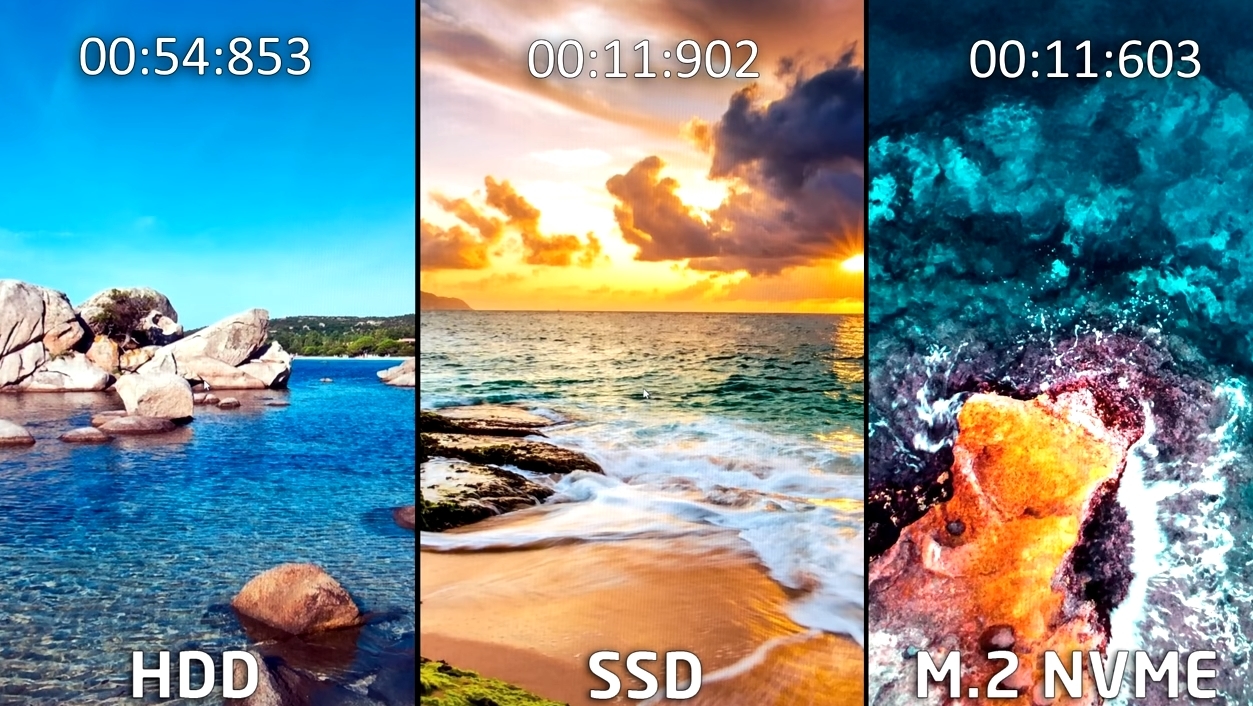
@cedar portal just showing you this is just the difference for loading windows https://i.gyazo.com/230b10e3677890e1d9989263a7daf1d4.jpg
 cursive wharf
@latent bronze GX2 is dram-less, so not that good
no HMB for that "close to DRAM speeds" either
latent bronze
@cursive wharf I have that one in my laptop right now as the only drive and i haven't had any issues for a few months now
cedar portal
I would say that it depends on whether you want the cooler to be, open for increased air flow or large surface for increased cooling
latent bronze
I would only recommend something i have personally use and the only other one i would of suggested would of been like 100$ for him but a 1TB instead
cursive wharf
For comparing to competition it isnt good. But as it's an SSD and DRAM isnt crucial to everything in perf it doesnt change everything
 muted patio
Nice thing about AIO's is that the heat never goes into the case from the CPU if they're used as exhaust
latent bronze
Bekora unless someone messed up on the fans
rapid ridge
@muted patio yeah, they're also a lot louder tho. and if you're getting a case with good airflow (as i am) it shouldn't really matter either way
muted patio
Nah, AIO's aren't louder
cursive wharf
however if you lack DRAM then perf will drop. If it has HMB you can get close to DRAM speeds on average
muted patio
My system is silent with an AIO, even when it gets warm it's still quiet
rapid ridge
At the under-100 price point, would you recommend getting the DH-15 or a cheap aio?
 eager chasm
since my fans are not system controlled I set the controller to max and leave it there
muted patio
under $100 go air
latent bronze
The only way an AIO would be louder if you have the fans on the rad working 100% all the time
muted patio
$125 is the price point for an AIO IMO, a good one
rapid ridge
alright cool
latent bronze
@muted patio There has been some good one's that are under 100$
muted patio
Deepcool?
rapid ridge
Deepcool and cooler master
latent bronze
Back and you have Rosewill and Gamdias
cedar portal
i couldn't find any literature that declared that that silicon power id dram less, but the info dump on both newegg and amazon said it has Host Memory Buffer
latent bronze
Paging @muted patio
muted patio
?
latent bronze
Deepcool i wouldn't recommend as a AIO
cursive wharf
@cedar portal Yes, the a60 has HMB, which gives close to DRAM perf
however I rarely see the a60 be much cheaper than actual DRAM drives
rapid ridge
I bought a fairly cheap mesh case off of newegg, what do you guys think of this: (https://bit.ly/35rFApu)
latent bronze
Want to give an actual link and not a shortcut like that
rapid ridge
 lime forge
please avoid shortened links, we dont mind long links 🙂
rapid ridge
my bad boys
lime forge
no problem
lime forge
id suggest it, but mee6 isnt that good at detecting words.
and my bot is dead
gone
along with all the other data
when MacOS ate my hard drive
D:<
lime forge
nah
my hard drive is gone
my ssd is fine tho
its okay...
i only lost a couple of things
80gbs of crap
WAIT
ALL MY EMULATORS ARE GONE
NOOOOOOOOOOOOOOOOOOOOOOOOOOOOOOOOOOOOOOOOOOOOOO
latent bronze

lime forge
thanks ecks
latent bronze
no problem
muted patio
sigh
latent bronze
This is why i have external drives to back everything up
lime forge
only things that i lost that were important was my minecraft servers, emulators, and discord bot
rapid ridge
rip
lime forge
other than that, i have no clue what was on it
latent bronze
Zack i suggest something like this for the future https://www.newegg.com/corsair-model-cmfss3b-512gb/p/N82E16820236060
muted patio
Or just not installing MacOS
lime forge
my dad has a 70tb home server that i can backup my pc to, but thank you
rapid ridge
but anyway boys how does this look: https://www.newegg.com/black-montech-air900-elegant/p/2AM-00CN-00003?Item=9SIAK919MC2418
i already made the impulse purchase but if it doesn't look good i can return it
muted patio
Case looks fine to me
latent bronze
Ill still rely more on external drives than a home server
something happens to the server you have no idea what could happen to the drives in it
This is why external storage devices will never die
 rapid ridge
w i d e b o i
lime forge
but ecks
simple solution
take out the hard drives, plug them into the pc
get data off
furthermore, we have another 50tb backup
¯_(ツ)_/¯
all on different drives too
i think they might be raided also
latent bronze
@cedar portal why not got for this https://www.newegg.com/p/N82E16811147308 or this https://www.newegg.com/p/N82E16811147300
lime forge
wrong ping
latent bronze
what wrong ping i don't see it
lime forge
k
latent bronze
Also the good thing about pen drives is you don't have to lug around something that could be heavy to bring to your system 😛
Cullinan PX is actually a good case
cedar portal
the only thing I'd probably change would be to install some RGB fans instead of the static blue
latent bronze
@cedar portal the 2 cases i linked there comes with 4 RGB fans
 little osprey
Hey anyone on to look at these to builds and tell me what they think and which one I should buy
 daring hare
Yeah sure
 mossy citrus
Dont say anything is overpriced
I just have 3 questions
Should i sacrifice sata ssd for a rtx or keep this
And is this a good build
muted patio
RTX2060 isn't worth it for ray tracing
so no
But
I would swap out the Corsair for an NVME Sabrent Rocket 1 TB, it's another $10
and get a 500 GB SSD
mossy citrus
Im on a budget
muted patio
soooooooooo................
mossy citrus
This is my max
Its fine
I just need some fans
This was my max for everything except cooling
Also should i get a cooler
Cpu
muted patio
I never said you had to go more expensive. I was gonna do a swaperoo but k
mossy citrus
I just wanan kno
muted patio
its fin
 fossil hedge
I found a 75 USD computer

craigslist
ASRock H77m micro ATX Gaming mother board features include USB 3.0; 4 PCI slots, 2 Ram slots and more. Here is is a link to more info http://www.asrock.com/mb/intel/h77m/ Intel i3-2120 processor and...
muted patio
That's literally no newer or better than what you have. 2 cores/cores
fossil hedge
wait me or infinity2437
muted patio
Oh ffs
I had you confused with someone else
@mossy citrus Those fans are spendy....can get a 5 pack on Amazon for like, $25-30
mossy citrus
Hold up
fossil hedge
yeah I know its a bit random I just thought it was funny
 muted dawn
@mossy citrus i got those fans for my pc im building today waiting gor gpu and case to come today so yeah 🙂
muted patio
It's not funny, dood's been coming in here for like 7 days straight asking if they should buy something like that to replace their Pentium G620 lol
fossil hedge
those are some expensive fans.
mossy citrus
Its 5 in 1
fossil hedge
yeah, thats roughly 13.1 USD per fan
I mean its not awfull but I like things lower then 10
muted dawn
more than 4 fans do not provide extra cooling
fossil hedge
yeah there are actually a lot of tests by gamers nexus on youtube, as for what are the best configs for cumputer fans and which cases need more fans
muted dawn
3-4 fan max and good cpu fan cooler all u need
fossil hedge
in some cases putting fans in certan locations can impeded cooling
mossy citrus
Ok
muted dawn
3 fan min u need 2 front 1 rear
 sacred obsidian
wait so you're saying this pc isnt ultra cooled?
i actually did not know that more than 3 is no more cooling why is that
muted dawn
protection first 😉
sacred obsidian
before that i just did like mega positive airflow. most cases were 3 in 1 out. i guess this one is too though 🤔 but this one got them filters
but i havent had a dust problem since i had the og hp that started this pc lol
mossy citrus
I need a rgb hub for this https://pcpartpicker.com/product/LjfhP6/inwin-sirius-loop-asl120-50-cfm-120mm-fan-asl120fan-1pk
latent bronze
You might need to buy the version in bulk for the hub
 hardy fractal
 latent bronze
cause of background programs running
 cosmic ridge
@hardy fractal I had that exact same problem. Win+R > devmgmt.msc > Run > Network Adapters EVERY SINGLE ONE, open Properties, go to the Power Management tab, and deselect "Allow this device to wake the computer from sleep." Should fix.
You should also check your windows update management settings and see if that also might be a problem
latent bronze
@celest horizon for any file that requires downloading it is not a good idea to take a chance
I have seen in the past virus and malware transfer that way
 celest horizon
While I'm not advocating to allow any kind of file uploads, if you suffer a malware infection from a .txt file, that's a user error.
e.g. someone could just upload "%0 | %0" in a .bat file and you'd be safe to download it and open in a text editor, while running the file .. oof. Points if you get the reference to my handle
latent bronze
Still not worth the risks
celest horizon
I agree, you should probably refrain from any discord mystery file downloads.
little osprey
Which build do you think I should go with or does anyone have a better build for around 700
 clever shadow
what would be a good SSD to get for a comp i want to run ark survival on?
 rapid forum
Would I still need to install mother board mounts onto this? There are those raised points in every screw point. (Sorry for trivial question, building my first pc)
cursive wharf
CS900 is a pretty sucky SSD
eager chasm
Yea those raised standoffs are what you screw the board into
rapid forum
Aight. So no need for screw standoffs?
eager chasm
🤔 that second picture looks like it has a screw standoff
If that is what that is, yes use those
rapid forum
No it's apart of the case
eager chasm
Well if they are all that height, go for it
rapid forum
Aight. Thanks
cursive wharf
@little osprey https://pcpartpicker.com/list/GddJk6
eager chasm
^ technically the AM cooler could be cut to save cost but get it if you can.
fossil hedge
hey bet sombody remembers me
and I also bet there largly annoyed with me
but does anybody know if a 970 might be a ok card for cad?
it does happen to be going for 75 USD
 polar holly
I was one helping you it will be useful but not the best. But it won’t make more sense than getting a large amount of quad channel fast ram and a solid psu
fossil hedge
I have a solid psu, and I have rather cheap quad channel ram. I found G.Skill Trident Z RGB 32 GB ddr4 3200 speed for 95 USD total.
the power supply is in the tear A catogory,
so its ok I suppose according to ltt. it also got a recomndation by gamers nexus.
thats really nice ram for cheaper then 32 gbs 2x16,
its quad, and my psu is good this time.
my total system cost withoguht a gpu is 712.6
which means that I have a 148 USD gpu budget.
which is not great but for solid works I could just get a good quadro, and my ram is covered.
eager chasm
@fossil hedge what Quadro are you looking at getting?
Cause you're not gonna get a "good" one for $148
You're gonna get an ancient one
You over spent on the rest of the system compared to the GPU, general rule of thumb is that the GPU should be about 1/2 the cost in a somewhat balanced system. If you are using an older Quadro model you won't get the performance to match the rest of your system.
fossil hedge
its a wx 3100
for 120
its a pretty well rounded card. beat out quite a few newer high end video cards for cad things.
I also found a gtx titan for 140, 150 with shipping.
(AMD Radeon Pro WX 3100)
I mean its not to top most high end one out there but its not badly priced.
 foggy hazel
the launch price of that card was 199
it was released in june of 2017 (edit: spelling)
foggy hazel
lack of details makes us unable to even start answering that.
 jaunty karma
This is the pc that keeps dieing
eager chasm
It's still an "entry level" CAD card, if it's for personal/light progressional use it should be fine, but for heavier progressional use I'd try to step it up a to a mid range cad card
Depends on what you are gonna use it for
foggy hazel
solidworks is his usecase
jaunty karma
He just said
When hes using it
Its just shuts down randomly
He cant even play on it properly
foggy hazel
its a 1920x build that is put together with a very low budget for the parts that make it stable
fossil hedge
well. to be fair I found good ram and a good psu
foggy hazel
@eager chasm if you are curious enough, go back about 20 hours or so in this chat
eager chasm
Ah
fossil hedge
@jaunty karma have you attempted to boot the system? I can telepathically tell you what's wrong with it by looking at a picture and there is nothing obvious.
eager chasm
@jaunty karma random shutting off sounds like it's something doing a safety shut off cause of exceeding thermal limits. When was the paste last changed/applied? 🤔
But really not enough information is given
fossil hedge
I mean saying I thought something similar is useless but you could attempt to re-seet the cooler otherwise.
foggy hazel
@eager chasm that board is from 2008 or so
asus P5Q SE
and no, i did not mistype the year
eager chasm
 paste could have been changed since then, but unlikely
jaunty karma
Sorry my friend is just asking whats wrong with it
Cause he bought it 2nd hand
And he said it was pretty cheap
foggy hazel
considering it is running with original colour sata cables and with 3 dimm sticks
eager chasm
A good paste change might help, if not then I'm out of idea
foggy hazel
best of luck with that @jaunty karma
jaunty karma
He doesnt want to pay money
Which is a lose for me
But a friend is a friend
Cause
eager chasm
Tell your friend a cheap paste is like $5
jaunty karma
He thinks im the techy guy
Im fancy with computers
I only got into that summer of 2019
Or the start of 2019
the paste your talking about right its thermal paste
eager chasm
Yes
eager chasm
If the paste is from 2008 and has never been changed it might not be transferring heat any more
jaunty karma
Cheapest on the market
eager chasm
Anything is better than 12 year old paste
eager chasm
Don't forget to repaste both the CPU and GPU
 shut rampart
Just got this for $30 bucks
https://amzn.to/35mXpWx
eager chasm
Nice, I got something similar
shut rampart
What is it?
shut rampart
The link
eager chasm
The giant mouse pads
shut rampart
Oof
eager chasm
I used a flat chess board for years 
shut rampart
Oof
 sinful torrent
Guys i need a hand on choosing a CPU cooler. Currently got my stock cooler for my intel core i7-8700. My case is an inwin 101 and my budget is around £100. What does anyone reccomend? I dont mind liquid coolers and or fans but Rgb would be nice.
 tight bluff
For air, Noctua NH-U14S. Its very hard to beat
tight bluff
For AIOs theres not really many, corsair RGB AIOs are over £100. Like 115+. And fans are often just better than AIOs
There's aesthetics or performance. If you're on a budget, you can't have both.
sinful torrent
fair point
tight bluff
Personally Im a big fan of the looks of beige noctuas.
sinful torrent
A lot of people do recommend them im just not a fan of the brown XD
tight bluff
If you can go above £100 then around 115 you can get like a corsair h100i RGB AIO. Ofc it wont be quite as good as a great fan cooler like a noctua but.
sinful torrent
Didn't even know they were a thing
tight bluff
There's a U12S in black, not U14s though.
sinful torrent
oh yeah found it
tight bluff
Id personally prefer the 14 when its literally a couple pounds of difference but, I guess if you wanted to sacrifice some performance for looks while still being good enough a U12s would do.
Oh I just realised I wasn't finding the NH-D15 in black because it's out of stock everywhere in the UK, but its a good deal for when its back: https://www.amazon.co.uk/dp/B07Y87YHRH?tag=pcp0f-21&linkCode=ogi&th=1&psc=1
muted dawn
I just finished building my first pc and my fans are on full and very loud how I fix
tight bluff
You asked this before, Zack told you that your fans are non adjustable and run at 100% all the time.
sinful torrent
oh yeah i think i may choose the NH-D15 seems like a good choice
muted dawn
so no way to make them quiet?
tight bluff
Its less than two weeks until they are back in stock and its amazon fulfilled so wont take long to get to you.
sinful torrent
Cheers for the help btw
tight bluff
Plus I find amazon's back in stock dates are always overestimates, I got my 4tb WD Blue on the 30th of december, it was only supposed to come back in stock yesterday
muted dawn
Hmm
sinful torrent
oh fair enough. Well i'm going to order it! thanks again. Just been fed up of my Intel stock cooler
muted dawn
Says I can change fan speed by lowering voltage
 still roostBOT
tight bluff
still roostBOT
tight bluff

Level1Techs Forums
http://ecmweb.com/design/highs-and-lows-motor-voltage Im an electrician and I shit you not. Dont mess with voltage on that motor if you want to use it for any length of time. A high end fan might be able to handle different set voltages like the noise reducer but then again i...
eager chasm
If your fan is one speed 3 pin, it's probably crap enough that you want it to only run at full speed anyway
muted dawn
I can change fan speed by lowering voltage
eager chasm
That's usually for 4 pin fans
... my fans aren't even MB controlled at all any more, I have to punch the speed i want on a remote

But they sure do look pretty
But Velcro exists so my remote is strapped to my case lol
muted dawn
Can I use a speed controller to change 3pin fan soeed?
clever shadow
i have a question about a motherboard which one is better out of the two this onehttps://www.amazon.com/dp/B07FKTZC4M/ref=psdc_1048424_t3_B07WF6ZQST
foggy hazel
@eager chasm not quite true
something like the fanmate 1 from zalman does the trick
cursive wharf
@muted dawn @tight bluff controlling speed through a 3 pin was through voltage. At light loads it isn't super hard on the motor for a voltage change. 4 pin was introduced for efficiency and not needing to use resistance on the voltage line to simply lower voltage for the fans, causing heat and waste of energy.
@eager chasm both 3 and 4 pin can change speeds. 3 pin is done through voltage and 4 pin is through PWM
 proud belfry
so I'm looking to build a pc and I'm looking to spend around 1000 CAD the most fast running games i have now would be sea of thieves and csgo so what would u all recommend for me??
tight bluff
The number one thing youll hear about 20xx coolers: Never Ventus.
little osprey
That bad?
I went with it after reading the reviews from customers on the marketplace
Haven't read or watched any other reviews
Do you advise holding off until next gen Nvidia GPUs?
tight bluff
Nah they probably wont be around for a while, and they have no reason to give a big improvement over the current gen.
little osprey
tight bluff
Can you get the EVGA XC Ultra gaming 2070S for the same price as that?
@little osprey #storage-devices If nobody answers then nobody knows
little osprey
It's over budget and it's 3 slot
Won't fit in that case
tight bluff
I said XC, not FTW3
little osprey
Screenshot (7 Jan 2020 20:25:01)
little osprey
whats a good ssd
1tb
It's like 5 dollars cheaper than the ultra
Haha
I'll check reviews and find a better 2070s
Thanks
tight bluff
@little osprey Sabrent Rocket m.2
little osprey
i want sata no m.2
tight bluff
Like the go-to m.2 right now is the sabrent rocket.
Why do you want a 1tb SSD on a machine that doesn't have m.2 on the mobo?
little osprey
it does have a m.2 on it
i just dont want to put one on it
i just want a sata ssd
tight bluff
They are about the same price as m.2s, with about 4x the speed. 20% more expensive for a reasonable one at best.
tight bluff
WD Green's 2.5" SSD if you care about budget.
little osprey
is it fast
tight bluff
About as fast as SSDs go
The Samsung 860 QVO 1tb also seems to be quite cheap at the moment.
little osprey
the one i picked out is $80
tight bluff
I dont see anything trustable below 95.
little osprey
this is my board where would the m.2 go https://www.newegg.com/asrock-x570-phantom-gaming-4/p/N82E16813157884?Item=N82E16813157884
i never had a m.2 before
 warped moat
The crucial mx500 is pretty good
little osprey
im using a amd 3 socket
little osprey
does it just slide right in
warped moat
Then you screw one screw in
tight bluff
You push it in at a 45 degree angle, then lower it and screw it into the standoff
warped moat
To hold it down
little osprey
where
tight bluff

M.2 solid state drives (SSD) are replacing SATA Gen 3 drives with their insane performance. Learn how to install an M2 drive with this how to / tutorial video!
To install an M.2 Drive do the following. Turn off your PC. Unscrew the small phillips head screw from the prope...
Just watch that. Literally two minutes.
tight bluff
Yeah, but you also have another slot which you probably want to use
tight bluff
Theres 3 on that board.
The two I put arrows to are the ones that you can use for an m.2 drive
The middle is for an m.2 wifi card
little osprey
i saw it now
tight bluff
little osprey
do you just use a screw driver
tight bluff
This might not be the cheapest place to buy it in the US, but this is generally the most reliable now
Yes, as I said, that video explains the ENTIRE process, which is 30 seconds.
Youll be looking at read and write speeds around the 2000 mb/s mark, as opposed to 500mb/s with a normal sata SSD
little osprey
mine doesnt show screws where the m.2 is
tight bluff
Your standoff might have come seperately from your board and be in the mobo box.
little osprey
in english
tight bluff
Your standoff might have come seperately from your board and be in the mobo box.
little osprey
like i know what that means
tight bluff
What are you struggling with?
 tranquil dust

tight bluff
Do you physically have the motherboard or just looking at pictures of it?
 blissful garden
No case=best airflow
Also wdym it doesn’t look like a screw?
The SSD usually comes with a mounting screw and the motherboard sometimes has one pre installed
Just unscrew it and push the SSD down, then screw it in
 stoic island
sadly mine didnt come with a mounting screw
tight bluff
From what I can tell, M.2s don't usually come with screws. Mobos should all have standoffs though
 blissful crescent
Would buying my friends i5 6600k, r9 390 with plans to buy a 1060 6gb, and pairing it with 16gb 3200mhz ram be a good idea?
He's selljng me the processor, gpu, and mobo all for $200
stoic island
sounds good I think
 graceful falcon
Seems like it. I'm selling a buddy my old rig (i5-4670K, Asus Z87-A, GTX770 2GB, and 120GB 2.5" SSD in an NZXT Phantom 410) with a 24" 1080p 60hz for the same amount, and all the hardware you're getting is notably better
 blissful crescent
are rosewill fans decent?
 old charm
are there consequences to changing my bootup order in my bios from SSD to HDD?
tight bluff
Nope, aside from you need an operating system installed on your HDD for it to work, and also it'd load much slower.
If there isnt one youll get a small bit of delay, and itll just go onto the next drive which will be your SSD and boot from that
cursive wharf
@little osprey a55 isnt a good SSD
 sharp juniper
Hello everyone. Im new here. Mostly because i can't figure out how to install the recent sabrent rocket 1tb nvme pcie ssd that i just got
Hopefully this is the right chat to ask for help
tight bluff
M.2 solid state drives (SSD) are replacing SATA Gen 3 drives with their insane performance. Learn how to install an M2 drive with this how to / tutorial video!
To install an M.2 Drive do the following. Turn off your PC. Unscrew the small phillips head screw from the prope...
sharp juniper
I tried searching and youtubing but nothing comes up as the same issue i have i believe
tight bluff
What is your issue specifically that prevents you from doing what that guide suggests?
tight bluff
On your PC, go to disk management
sharp juniper
I cant get on my pc with it installed
tight bluff
Go into your bios and set your boot device to be the one that has your OS installed.
sharp juniper
Windows is on a wdc sata ssd and ny computer wont detect it while the sabrent is installed
tight bluff
Plug your sata SSD into a different sata port.
You might have to try a couple.
M.2 drives disable 1-2 sata ports. Possibly always 2, I haven't checked to see if some do more or less than others.
cursive wharf
An M2 slot will almost always disable a slot. Whether it is a SATA or NVMe M2 will depend on which slots are disbled
sharp juniper
So i can try formatting now
tight bluff
Yeah you should be pretty much good to go.
sharp juniper
And if i wanted to move windows onto the sabrent do i just move the files and then change the boot option to it?
tight bluff
You can't do that whilst its running.
Someone suggested this for doing it whilst its running: https://www.macrium.com/reflectfree
Macrium Software - the creators of Macrium Reflect backup, imaging and cloning software.
I've yet to try it myself
tight bluff
foggy hazel
they have a guide on their site for it
tight bluff
Just follow their site I suppose
sharp juniper
Would it be easier and more reliable/known outcome to just uninstall everything. Boot from sabrent with dc'd sata ssd. And install windows there from the usb with windows ct?
foggy hazel
depending on your comfort levels. A fresh install is recommended.
sharp juniper
I dont have files im really keeping. And i can just reinstall everything
tight bluff
I mean Id always recommend a fresh windows install but it can also be inconvenient for some people so. Entirely up to you whether you want easy now or more convenient
sharp juniper
But yes after formatting the sabrent first?
foggy hazel
you do however NOT need to uninstall anything, just unplug the sata
 strange garden
Ok looking for any ideas for cooling in this HP Omen Obelisk I bought with an i7-8700 and an RTX 2080. Was looking into Arctic accelero for the GPU but I don’t know if I’ll quite have the clearance under the card due to the power connector to the motherboard. Any tips or advice would be much appreciated
foggy hazel
the format happens in the install
little osprey
Anyone one and could tell me which of these 3 builds I should go with and if they have any suggestions
sharp juniper
Do i have to format the sabrent before trying to install on it?
foggy hazel
technically it happens in the install process (of the OS)
tight bluff
When you do a windows install youll be able to format it in the installer
sharp juniper
Let me try that then
tight bluff
If its not been formatted before itll show up ass unallocated in the installer
foggy hazel
@sharp juniper remember to unplug your sata drive
sharp juniper
I unplugged it from the motherboard
foggy hazel
that is plenty :)
sharp juniper
But bios isn't detecting the sabrent
tight bluff
Probably because its just unallocated space.
Boot from a windows install USB and itll recognise it
sharp juniper
A windows install usb means i need to install windows on the usb right?
tight bluff
No
sharp juniper
So im installing twice in this scenario?
tight bluff
You put the installer on the USB via the free tool microsoft gives you
sharp juniper
I have the usb with the creation tool plugged in
sharp juniper
Which option would that be?
tight bluff
If it doesnt work, then you probably downloaded the tool and put it onto the USB
When you're supposed to download the tool to your PC, run it and itll turn your USB into an installation usb
sharp juniper
tight bluff
Doesnt your post screen have a "Press X to choose boot option" rather than having to go into the bios
foggy hazel
the Sandisk option
sharp juniper
It just turned on straight to this
I didnt press anything after power with the sata ssd removed
foggy hazel
just select the sandisk option
sharp juniper
That's already first
tight bluff
Done working out. Lets see
You did definitely run the creation tool when you downloaded it right, not just stuck it on the USB?
sharp juniper
Not sure on that
tight bluff
What you download isnt the installer
tight bluff
You run it, and itll create the installer onto the USB drive
Run it when your PC is booted up into windows.
sharp juniper
I already installed windows onto the sata ssd through this usb
So what is the difference or did i do it right the first time?
tight bluff
Then it's a bit confusing why it's not booting into the USB this time
sharp juniper
I have boot mode select. And it shows uefi
Not uefi legacy
Yes
I can try again with a second usb though
cursive wharf
@strange garden Can get the GPU only kit for $128 USD
https://www.aliexpress.com/item/32918824371.html

aliexpress.com
Smarter Shopping, Better Living! Aliexpress.com
foggy hazel
no, that should not be needed
if it worked for the sata, it should work for the nvme
what mainboard do you have?
just brand name
sharp juniper
Msi b450 tomahawk
foggy hazel
that is F11 iirc for the boot menu
press f11 when it boots
that should give you a "select what to boot from now" screen
sharp juniper
foggy hazel
aye, just select the usb stick and press enter
foggy hazel
hm
sharp juniper
Setup goes to bios
foggy hazel
aye, that is normal
foggy hazel
@sharp juniper turn of the machine, unplug usb, plug in the sata drive again. boot into windows
sharp juniper
Wait actually
 pseudo agate
foggy hazel
pseudo agate
foggy hazel
@sharp juniper and i am sorry, but i am being called out on a job, so i am going to have to leave you with the other knowledgeable people here.
strange garden
@cursive wharf I’m concerned with space in my current case. I don’t think I have the room in there for an open loop, I’m pretty set on getting an AIO for the CPU and mounting it to that top bracket, my real concern is the gpu, I currently have to keep the fan pretty much maxed to run a load on it and keep it below 80c. The case is pretty small and I don’t have a lot of extra clearance below the current card
sharp juniper
Alright thanks for your help
strange garden
https://www.evga.com/products/product.aspx?pn=400-HY-1184-B1 Also considering this as an option but not sure of its compatibility with my card since it’s an HP
EVGA
The EVGA HYBRID cooler for the GeForce RTX 2080/2070 is an All-in-One water cooling solution that significantly lowers the GPU and VRAM operating temperature. Best of all? The water cooler is completely self-contained with the included 120mm radiator and fan. No filling, no c...
cursive wharf
@strange garden There is enough space for an open loop. Just need to be careful about which parts to pick
sharp juniper
So i installed the creation tool onto the usb. But when trying to download windows onto the sabrent rocket 1tb nvme pcie it it isnt detected as a driver i can install on
tight bluff
Did you try and run the program while booted up into windows, or did you try boot from the USB?
Send a picture of what you see when on the drive selection
sharp juniper
This is doing custom installation
My options. I only have the sabrent and usb attached
Windows ct is the sandisk flashdrive
tight bluff
I am willing to bet you ran the installater from the usb stick, rather than booted using the usb stick as the boot drive
Even unallocated it should show up as an unallocated space and let you use it when you run the installer properly.
tight bluff
Yeah set it so you boot from usb stick and the installer should be the first thing that comes up
sharp juniper
It already said it booted from the usb key sandisk
tight bluff
What mobo are you using?
sharp juniper
Selected boot device has usb key sandisk partition 1
Brought me to same screen
B450 tomahawk
Msi
 woven horizon
@worthy cypress I like how compact your desk is where did you get it?
woven horizon
I have about 40 inches of space and that looks about the same size.
 worthy cypress
Its alot bigger of a desk just cut it off
woven horizon
Looks like I'm going to buy a big desk and cut it in half
worthy cypress
Big brain
 waxen apex
Good day everyone. I planed to build my first pc. Im so exited and worried. I create a build.
celest horizon
Nice build, open to suggestions/input? I have a very similar config myself
polar holly
Dont by oem windows you can buy keys for cheaper.
celest horizon
Fact
HNDHT-PC76K-J326T-2WW4P-3YGVD
cursive wharf
That's a lot of money spent on AIOs
Can spend half the amount that was on cooling for a full custom loop
waxen apex
Thank you. I will. I have some questions. My ram choose is 14 cas 3600 2x8. I will buy 1 more same. But corsair vengange use 1.45w. Normal cpu give 1.25. Will it be problem?
cursive wharf
RAM is max rated for 1.5v iirc
waxen apex
I living florida. So summer is really hot. Thats why i need good cooling system. What do you reccomend about cooling?
cursive wharf
Also 970 Evo is pretty sucky. Just get a 2tb Sabrent Rocket for same/close to same price
Bykski or Barrow. Good quality for budget brands. Problem being they are Chinese brands. Leaving you to higher shipping and more annoying buying places with slightly worse buyer protections (ALiexpress for example)
celest horizon
Are you generally looking to have a system that work out of the box, minimal troubleshooting/tweaking? Or are you interesting in overclocking/ playing with settings for funs sake
Haha I just ordered a barrow pump top today
polar holly
The drive also depends on if he needs the write endurance
celest horizon
So very few people need to worry about total lifetime write endurance
cursive wharf
waxen apex
Actually i have atx full tower case. Thats why there is no case. I try to create good enough pc to keep is maybe 4-5 years for all games.
cursive wharf
That is the kit im looking at
rapid forum
Anyone familiar with asrock beep error codes?
cursive wharf
@polar holly If that is the case then Samsung Pro. Other then that other competitors make Evo/Evo Plus make little difference
waxen apex
@cursive wharf look nice. I will check. Aliexpress delivers took a lifetime. If it gonna take less than 1 months i can take this cooling system.
celest horizon
Uxcell is a decent us based amazon seller where you can pick up some g1/4 plumbing parts and build "that kind" of loop.
cursive wharf
There are a few other kits with different shipping from different sellers. Search up "Bykski kit" or "Barrow kit" on Ali
Apparently the one I linked is expected 16 days max shipping to Canada
which I assume is usually correct?
waxen apex
Other question is about power supplying. I choosed 80+titanium for less heating. Is it important that much?
cursive wharf
actually do you plan to OC?
9900k will consume like 250w with OC, 375w GPU, 70w system
695w
waxen apex
Not right now. Probably this set up can be enough for many games. My main focus is cyberpunk. Maybe i gonna need oc in the future.
celest horizon
That gpu's power limit is 373, you definitely want headroom though. Personally, I'd say go for an ax1000 , a 1200plat/ti EVGA or corsair equivalent.
waxen apex
@celest horizon evga or corsair 1000 plat. Got it.
celest horizon
My personal opinion is that builds with $500 cpus, $1300 gpu's pair well with a $200-$500 psu that has a 12 year warranty and will likely actually last that long - but others advocate to go a bit cheaper
cursive wharf
Just get this. Best of the best PSUs
https://pcpartpicker.com/product/qMh9TW/antec-power-supply-hcp1000
@celest horizon When it's a 3k+ PC I'd advocate a fair bit to the PSU as well
celest horizon
I'm a hug fan of ebay 1600 T2's, I check the serial number against newly bought units shared by others to gauge mfg date and verify the seller's claimed info.
polar holly
3/10
lime forge
you can do a lot better for that $600 budget
along with this

eBay
Find many great new & used options and get the best deals for Sapphire Radeon RX 570 8GB Nitro+ Graphics Card at the best online prices at eBay! Free shipping for many products!
ok well
i said a lot better lol
but i was wrong
its about on par, a bit better
the thing is, if you have a micro center near you, you can find a bundle for a motherboard and cpu which will save a bit
 severe chasm
Hey guys, im planning on building a pc by the end of January, I currently have a Ryzen 3 1300X, an Asrock B450 Gaming K4 Motherboard with 8gb of Ram and a 1070ti.
I am planning on getting a bundle which includes a Ryzen 7 3700X, MSI Meg Ace X570 and 16gb of 3600Mhz Ram. However I will be keeping the 1070ti. I am not sure what to go with and whether or not I should look for cheaper items? I am planning on streaming and would like to be able to run OBS and any games in decent quality without too much of a frame drop. Any thoughts?
 warm orbit
I'm nervous about having 16gb of RAM going into the future and I wonder if eyeballing 32 gig kits is something rational or am I freaking out over nothing? I just built this PC and I bought 16 instead of 32 because I wanted to save money.
muted patio
16 gigs is perfectly fine
warm orbit
I'm going to keep losing my mind over my setup until Cyberpunk 2077 is out
I'm using a 9700k with 2070 Super and I keep eyeballing new cards and watching processor news. I'm using a 1080p monitor and I think about Ampere. It's absolutely stupid.
cursive wharf
@lime forge @blissful crescent You can still do better with $600
https://pcpartpicker.com/list/6Hbrcq
Dont even need to go used
eager chasm
@coarse coral help in general please
celest horizon
yikes
eager chasm
Thanks
 ripe osprey
we are wokriung on it
 violet jay
best cpu to pair with 1660 ti?
eager chasm
Probably some form of Ryzen 5
A Ryzen 5 pairs well with almost anything
It's the Swiss army knife of CPUs
 edgy leaf
I have an OC'd R5 1600 working with an RX 580. You can probably get even better results with even just a 2600
cursive wharf
@austere condor why RX580 when 1650S is same price and GD when CX is better?
 keen depot
tight bluff
keen depot
tight bluff
@celest horizon Grats on the rank
celest horizon
$1200 well spent I guess, hope theo enjoys that 2080 ti

 celest horizon
I kid, I kid.
celest horizon
Lol - mac user luddite role?
mossy citrus
1660 super and more storage or less storage and rtx 2060
tight bluff
A normal non super 2060? There's almost no reason to buy that
What are your storage numbers looking at with either option? Im guessing you'll be in a position where a 1660S is a better value buy anyway.
old charm
okay, so whenever i plug my flash drive into my pc to try to update my bios, it never recognizes the files on my flash drive
blissful crescent
@cursive wharf wdym
stoic island
You might need to rename the file
 mortal void
I posted my specs in the build.pics
originally it only had 4 gigs but I pulled RAM from the slightly worse tower I was using before I found my current one
mortal void
yes
stoic island
no way I was guessing dat cpu tho
mortal void
haha true
but I also didn't wanna attempt to take off the Cooler and have everyone witness the disgustingness that's probably under there
also lazy
tight bluff
Is that an actual socketed CPU or is it one of those soldered onto the board?
mortal void
you know, I have no idea
foggy hazel
if the model is right, it is a socketed oem cpu (iirc)
mortal void
dumb question. The hell does IIRC mean?
tight bluff
"If I recall correctly"
foggy hazel
if i recall/remember correctly
stoic island
theres always new acromyms and stuffs
foggy hazel
@stoic island a tell tale sign of it is the no-heatsink chipset you can see below the socket
foggy hazel
that automatically kicks you X generations back (is what i mean)
stoic island
Ah ok
foggy hazel
also, notice the blue part of the IO at the back?
stoic island
What would that be? USB?
stoic island
looked pretty rectangular on first look so yea lol
foggy hazel
if you saw a big pink block, you would have a LPT there
muted patio
I was thinking PS/2 ports, it's kinda tall
tight bluff
I was going to go for ps/2.
foggy hazel
ps2 is at the top of the picture
stoic island
I thought PS/2 normally looked slimmer?
tight bluff
Seems a bit low on the board tbf
foggy hazel
Mr1111 / it is slimmer, hence look at the top left.
tight bluff
Then again, why are we thinking over an ancient PC.
foggy hazel
you can see the housing for it
foggy hazel
it is
foggy hazel
there is a good chance that is a double ps/2 port in that block
unlike the "combo" ports a lot of boards have now
mortal void
stoic island
yea this is what IO on like my mobo looks like
foggy hazel
aye
stoic island
that red thing kinda just replaced the double PS/2 thing
foggy hazel
because we moved away from the mouse using ps/2
stoic island
I dont know why we still have it tho
even though we moved onto like only htmi and dp for integrated
I dont even know of any ps/2 keyboards
mortal void
do... do you have Coax Ports on your MOBO...?
stoic island
nah wifi
tight bluff
Those are wifi aerials.
Its the same reason sometimes "gamers" still play on CRTs. Like very tiny nuances like interrupt based KBM > USB KBM for example. It's not worth fighting over
mortal void
between the HDMI and USB ports?
tight bluff
Yes
stoic island
ah
tight bluff
Those two antenna spots are for wifi.
tight bluff
I mean they havent been made in many years, unless some hipster company has started making some
mortal void
fair enough
stoic island
the port is RP-SMA if I remember
tight bluff
Wifi mobos seem to be pretty common now. At least a lot of variants of things like x570s have them
muted patio
Yeah, it's an X570 thing because it doesn't take lanes away from SATA like the B450, etc did
stoic island
I have wifi on my b450
doesn't restrict SATA lanes in of itself, I think it might share some lanes with PCIE
muted patio
Right, which is part of the reason the second M.2 takes SATA ports
tight bluff
I love the guy delivering my 2080S's route. I live on a road on one side of a hill. He went a 10 second walk from my house (I could see out the window) and then circled the hill in the opposite direction from me so Id be the last stop on it.
muted patio
x570 has enough lanes that losing them isn't a thing any more
stoic island
I see
muted patio
Only becaue you're watching him......... 😉
stoic island
tho I thought it was bc of lanes supported by CPU that was restricting it..?
tight bluff
The guy's a pratt, had a few DPD deliveries from him before.
Once had him complain that a company that sent me a parcel before only specified my house number, not street address, but included post code. And post codes are specific to streets and all GPS use them to identify streets
stoic island
at least he doesnt like steal your packages
tight bluff
He's seen me, he knows if he did he'd get his head kicked in
Its a pretty decent courier company so I won't really complain.
Tbf mail in the UK is generally okay. Hermes and Yodel are the only awful couriers
But the royal mail, UPS (different than in the US), DPD and TNT are all pretty solid. Even Amazon's courier service is pretty good.
 shadow flume
my mobo is an asrock extreme. it has wifi and bluetooth
tight bluff
Whatever happened to sata express anyway?
tight bluff
For me it started on the Z97 pro gamer mobo, but that also had USB 3.0 ports. Makes me pretty curious
 honest furnace
I have an H710 which has front USB 3 and USB C, but only a single USB 3 header on my motherboard. Is there a way to split that header to be able to use all the front ports or is that not a good idea? Right now I have the USB 3 ports connected to the board and the USB C is just kind of ... there.
muted patio
What motherboard?
honest furnace
TUF X570 plus wifi
honest furnace
Yea I know but I've seen there are ways to convert your usb 3 to a usb c header, even though you lose some of the functionality. i was just curious what the opinions on that are
Yea the front C header is 3.1 gen 2
muted patio
That mobo has a USB-C port in the back
honest furnace
was just curious if i could split the gen 1 header then use an adapter to usb c to be able to at least use the connection
muted patio
No idea on that one
honest furnace
i know it does but i don't like having dead connections lol
unfortunately i bought the board then upgraded the case not knowing about the front usb thing
muted patio
USB-C allows for higher voltage and more amperage to charge things. Any conversion would be kind of moot and limited to USB 3.1 speeds and charging
honest furnace
fair, but it would at least be usable at that point
tight bluff
So I want to test my 2080S before the rest of the system comes for me to put it in, by putting it in my current system. The problem is, its a 450W PSU. And Ive ran the numbers through PCPP, and it estimates with my 2080S in, itll be just under 450W
I suppose the worst that can happen would be a random shutdown if it peaks.
Or is it not worth the risk of overdrawing from the PSU?
sacred obsidian
idk how bad it is but i wouldnt over draw. it might cause something else to corrupt
 sour violet
Buy a better psu 
tight bluff
Can I buy you some reading classes?
sour violet
Please, lol. I wouldnt test it on low end.. it would just be wrong.
Putting a 2080s into a gigabyte ga lmt. =)
lime forge
@broken anchor keep self promo in #links-and-selfpromotion please
 broken anchor
Oh nice thx
blissful crescent
can someone give me advice to fix up this build?
 coarse coral
Are you stuck with that cpu/Mobo @blissful crescent
blissful crescent
i've played on cpu/gpu/mobo and they work really nicely
like the exact one im buying
buying it from a good frie d
coarse coral
o
sacred obsidian
for under 800 you can build a better pc than that
actually for 600 thats not bad at all imo
blissful crescent
impressive
8 cents short lmaoo
that looks really good
do you think itd be worth it to buy the parts and flip the pc, and buy this for myself?
sacred obsidian
that looks much better but 550w doesnt give much expandability later on tho right
 knotty quiver
Hey peeps can I have some advice on my build
sacred obsidian
flipping pcs isnt super easy
 austere condor
550W is more thn enough for any modern system
austere condor
unless you're going dual GPU, or extreme edition CPU's, you rarely ever need more than 550W
knotty quiver
Is this the right place
austere condor
obviously doesnt come with the red LED fans, but it has 3 stock fans in it
i built it a while ago yeah, but its not my personal system, one built to flip
blissful crescent
how big is it? i have an old corsair tower that's massive and am trying to keep it smaller than that
sacred obsidian
hmm i havent dealt with psus in a few years now but what about in a few years when prices drop and a 2080 ti is affordable, id assume thatd max out his psu wouldnt it?
not saying thats what he should do but 550 would struggle on a 2080 no?
@knotty quiver what are you trying to install
when i build i always try to look for upgradability so i can minimize the parts im buying later lol
knotty quiver
I'm trying to install the cpu cooler and the screws won't line up correctly
blissful crescent
do you think i could build a system with the i5 6600k and the r9 390 to flip?
sacred obsidian
what cpu and what cooler?
you need to barely catch them one at a time before tightening them down
austere condor
justifying buying a higher wattage PSU today, by either going over budget, or losing actual performance to afford a higher wattage PSU "just in case" he wants to buy a 2080ti? no...
knotty quiver
The stock cooler for the Ryzen 5 3600x
Like the screws are just barely off so I can't screw two of them in
sacred obsidian
well no i dont mean going over budget but for that price point you could get a 650 watt cant you
austere condor
not one i would recommend, or within budget because of PSU's doubling/tripling in price over the past year due to chinese tariffs
sacred obsidian
oof. last time i went looking at em was about a year in a half ago we got a 750 evga gold for 80 lol
knotty quiver
When two line up the other 2 wont
sacred obsidian
is it orientated right
sacred obsidian
yes pls
knotty quiver
I don't know if you can see the exact problem
But the first pic they both fit
But the second one they don't
knotty quiver
No
I just have them placed there
I know you are supposed to do the diagonal thing
sacred obsidian
can you pivot the screws a little?
knotty quiver
Nope. They are pretty firm
sacred obsidian
hmmm iunno they should just fit like that. thats pretty weird.
knotty quiver
Maybe my backplate is just messed up
 ember sierra
Is there any way that the ECS A780LM-M2 - 1.0 mobo and any athlon ii can form a decent setup?
foggy hazel
@knotty quiver have you tried holding the board with the backplate resting on your hand?
knotty quiver
I'll try that
foggy hazel
on some boards, when you unscrew the original retention mechanism, the backplate slides out a bit, which sounds like that you are a encountering
because the backplate should not touch the surface that the mainboard is resting on
also @knotty quiver only screw in each screw enough to "catch" the threads.
foggy hazel
hm, want to jump in a voice call and try and figure this out?
knotty quiver
Yeah but he warned it is phone audio
foggy hazel
aye aye, no problem. give me a moment to grab a headset
knotty quiver
Which vc should we join
tight bluff
!levels
still roostBOT
Here is Newegg's leaderboard: https://mee6.xyz/leaderboard/500085440221806603
old charm
okay, so I think I fixed it
I just had to disable "quick startup"
but knock on wood still
 safe marsh
i have a question what’s a good PSU? I’m new to pc gaming and i’m about to build a gaming pc i just need a PSU and then i can finally build the PC
 sudden turret
gold or better
tight bluff
Good brands and generally not cheap. Theres a few things that go into it
safe marsh
umm i’m not sure what’s better is gold good like i said i’m kind of new to this stuff
tight bluff
If @ Hei is around, then @ him
safe marsh
ok
safe marsh
ok
tight bluff
Or to be fair you can scroll up there and you might see some good suggestions
safe marsh
ok thanks
old charm
@safe marsh corsair is one i see referenced a lot. I've got one as per the recommendation from this discord but I couldn't objectively tell you how "good" they are
safe marsh
is that a PSU
tight bluff
Its a brand that make PSUs. Some bad some good.
safe marsh
mk
blissful crescent
so would this be flippable?
tight bluff
I wouldnt stick a 390 in it at all
Id buy a used 580 with a good cooler from ebay for 100-120
Like the sapphire nitro or red devil
ember sierra
Is there any way that the ECS A780LM-M2 - 1.0 mobo and an athlon ii x4 610e can form a decent setup?
foggy hazel
it can be a machine. And depending on what your expectations are, it can be called decent.
ember sierra
If my expectations are 1080p60 gaming with mid-tier games?
foggy hazel
mid-tier from what generation?
ember sierra
Modern day, like the 2020 releases
foggy hazel
i would not be willing to put my name on that promise.
ember sierra
Okay, thanks
foggy hazel
the main challenge is the cpu, it is not exactly fast
ember sierra
I’m aware
foggy hazel
kk
foggy hazel
by todays standard? no
by the standard of the time it was manufactured (the board), it was middle of the road
ember sierra
"There are 1 PCIe x16 slots on this motherboard. This means it is perfectly capable of accommodating the latest graphics cards, although it is important to try and use a graphics card with the same graphics card interface of PCIe v1.x, as anything below will not reach the motherboard's potential, and anything above will have its performance slashed to the bandwidth maximum of the ECS A780LM-M2's PCIe v1.x"
I read this under https://www.pc-specs.com/mobo/ECS/ECS_A780LM-M2/1778
Best PC compatible ECS ECS A780LM-M2 Motherboard. Build a ECS ECS A780LM-M2 Mobo PC with our PC builder
Which gpus fit in these specifications
?
foggy hazel
not anything modern, if you take the words at their value
ember sierra
U reckon I can trust the website just like that?
foggy hazel
what you are reading is the info from when it was released
on the flipside, any gpu will work in the pci-e slot
stoic island
It should be pcie 3.0 right
foggy hazel
that mainboard is so old it has 1.0
from the manual: "The motherboard incorporates the AMD RS780L Northbridge (NB) and SB710
Southbridge (SB) chipsets. The Northbridge supports the HyperTransportTM 3.0 interface.
It supports two DDR3 slots with maximum memory size of 8 GB. One PCI
Express x16 slot, intended for Graphics Interface, is fully compliant to the PCI
Express Base Specification Revision 1.1."
ember sierra
If we take the ECS A780LM-M2 - 1.0 mobo and the athlon ii x4 610e CPU. And ram and gpu maxed for what’s allowed or possible. Could we run this?
And that
Oh, it’s in german. U understand tho?
foggy hazel
aye, i read german (slowly, but i do read it)
ember sierra
Okay
foggy hazel
and the details in what you posted is universal :)
ember sierra
Yup
foggy hazel
and in theory, you might be able to get it to run, but you would have to be lucky, because you are below specs
gpu can be made to comply with the specs, that is not a problem as such.
it comes back to that CPU
also, the manufacturer claims that the board can only handle 8 gigs of ram total
foggy hazel
nope, 4 gigs per slot
ember sierra
The website won’t load for me, but I’ve read differently
foggy hazel
but let me double check, because it is written "weirdly"
ember sierra
Okay
foggy hazel
"MEMORY
Dual-channel DDR3 memory architecture
2 x 240-pin DDR3 DIMM socket support up to 8 GB
Support DDR3 up to 1800(OC)/1600(OC)/1333/1066 DDR3 SDRAM
*(Due to AMD CPU spec limitation, please refer to Memory QVL for more information)" <- direct copy from the site
ember sierra
Yeah, I might have misread earlier
I think, I thought the 8GB were meant per slot but are actually maximum
 ember sierra
Omfg, how can you place adverts on top of the text... seriously?!