#building-and-recc-chat
1 messages · Page 393 of 1
 bitter mason
okay ya 1070
 glossy narwhal
I have a psi with 600watts
 tough matrix
at least good
tough matrix
glossy narwhal
I have a psi with 600watts
model please
i had a buddy who had a PSU thats 850 but literally caught fire if you drew more than 500
bitter mason
600w might be low but in most instances should be fine
glossy narwhal
Prestige
tough matrix
prestiege what
glossy narwhal
That’s the name
bitter mason
1000 series was great
tough matrix
Apevia ATX-PR600W Prestige
glossy narwhal
Also has apivia on the box
bitter mason
tough matrix
1000 series was fire
except for the 16xx lol
tough matrix
apevia prestiege
glossy narwhal
Ye
tough matrix
bitter mason
except for the 16xx lol
nah man
i got 12 friends with 1650 supers
that card is still going strong
bitter mason
okay fair. The only 16xx I used was in my laptop & it only sucked cuz the cooling for it was so horrible
 glossy narwhal
Ima go to micro center I’m so confused
bitter mason
I got a GTX780 the other day for like $45 with shipping
sad it's so old I can't find a waterblock for it tho
bitter mason
I have the universal one
bitter mason
I used the universal one to benchmark my GTX970 HOF
tough matrix
tough matrix
1650 super vs darktide in its prime unoptimized state
also this game was so unoptimized
somehow i got more fps
upscaling to 4k
than being on 1440p
???
bitter mason
had to put little copper heatsinks on it for memory lol

I think upscaling to 4k often uses 1080p as the render resolution?
tough matrix
bitter mason
I think upscaling to 4k often uses 1080p as the render resolution?
maybe
still
flits shucked
bitter mason
those heatsinks are still on it cuz I didn't think it through enough
I'm worried if I try to take them off, one or more memory ICs will come too
tough matrix
bitter mason
had to put little copper heatsinks on it for memory lol
looks very silly
bitter mason
got the job done lol
 icy hull
bitter mason
I think upscaling to 4k often uses 1080p as the render resolution?
icy hull
bitter mason
I think upscaling to 4k often uses 1080p as the render resolution?
I think that would be performance mode.
 snow dragon
yes
 gentle pollen
If you had the option to choose a case color for a case where the visible interior will be the Radiator, Vertical GPU, and some other stuff like say a PSU cage, and fans, would you rather choose:
-
A (all white case)
-
B (all black case)
-
C (White top/bottom panels with Black left/right/front/rear panels)
-
D (Black top/bottom, White left/right/front/rear panels)
gentle pollen
 crisp sun
I'm down to ask that in a poll sometime soon.
I'd say all white for me.
crisp sun
I'm down to ask that in a poll sometime soon.
I'd say all white for me.
Please do. I am curious because I am designing a PC case for travelling and I plan to make it a product.
It will fit within Airline Carry-On standards.
 fallen sphinx
gentle pollen
It will fit within Airline Carry-On standards.
fallen sphinx
gentle pollen
It will fit within Airline Carry-On standards.
doesnt the SSUPD meshroom do that
gentle pollen
crisp sun
AIRLINE CARRYON STANDARDS????
Current design enables mATX board, 6.5 slot thick gpus (vertical) up to 155mm tall, and two 480mm rads with a SFX or SFX-L psu.
gentle pollen
fallen sphinx
doesnt the SSUPD meshroom do that
Sort of. The base size yes, but with add-ons for larger rad and gpu support quickly make it only work with some airlines.
fallen sphinx
gentle pollen
Sort of. The base size yes, but with add-ons for larger rad and gpu support qui...
im looking at airline standards and carry ons can have like 40-45l
gentle pollen
A lot of airlines require it to be within 45 linear inches and that it fits within a standardized L-W-H size.
 frigid edge
crisp sun
AIRLINE CARRYON STANDARDS????
frigid edge
crisp sun
AIRLINE CARRYON STANDARDS????
SMUGGLE OPERATION MUHAHHAAA
fallen sphinx
gentle pollen
A lot of airlines require it to be within 45 linear inches and that it fits with...
oh
ic
gentle pollen
The meshroom with add-ons is within 45 linear inches but does not fall within the L-W-H standards that a lot of international flights enforce.
What got me to do this is having had my computer damaged on 3 separate accounts by the Luggage crew, paying check-in fees, over-weight fees, and having to prep the PC for travel every time
So instead I am making a case that can be ready for travel within a few minutes that fits within carry-on standards without sacrificing performance.
 void mango
ummmm i accidently spilled coke on my mechchanical keyboard, help xD
 weary galleon
Unplug it, clean it (ideally with isopropyl alcohol if possible), let it dry completely before using again
void mango
it suddenly went black with no rgb, caps lock light and logo still shows up but keys dont work, imma clean it up with alcohol
 stoic island
You may need to open it up completely and wipe off the pcb itself
void mango
i opened it up to the pcb and unscrewed everything, i can clean one back side of the pcb but not the keys side
it doesnt come out
tough matrix
void mango
ummmm i accidently spilled coke on my mechchanical keyboard, help xD
i broke 3 mechanical keyboards in under a year and got sick of how fragile they were
drop of water touched it, dead
keys randomly not working
and the last one just died for no reason

Logitech K120 Wired Keyboard Experience comfortable typing with a wired keyboard that's built to last - Logitech K120. This keyboard brings a familiar typing experience thanks to the deep-profile keys with a springy, responsive bounce-back and standard layout with full-size F-keys and number pad....
got it on sale at bestbuy for 10 dollars
and now ive been using it for nearly 10 years
i once accidentally spilt an entire glass of dr pepper on it
wiped it down with a paper tower with water on it
worked 5 minutes later no problems
not even sticky
i could probably beat someone to death with this thing, put the popped out keys back in
and it would be fine
stoic island
membrane will be more resistant to spilling stuff on it
void mango
tough matrix
so i bought this https://www.amazon.com/Logitech-920-002478-K120-USB-Keyboard/dp...
id definitely use one if i wasnt a gamer and just used my pc for typing
well thanks everyone for the help
i gave it an alcohol bath and dried it and it works now i think
time to put all the keys back 🥀
tough matrix
void mango
id definitely use one if i wasnt a gamer and just used my pc for typing
i am a gamer :C
void mango
tough matrix
i am a gamer :C
well membrane is good for most games but not competitive sadly :C
tough matrix
i mean i did fine when i used to play cs and tf2 but i never was the best of the best
didnt blame the keyboard
idk what rank you are in whatever comp game you play but if you just play them for fun membrane is fine
if its your job then yeah mechanical
but if you're just another gamer the keyboard isnt the problem
void mango
tough matrix
but if you're just another gamer the keyboard isnt the problem
well yeah but i got ocd lol i cant relax unless i know everything in my setup is as perfect as possible like im the same when it comes to sound quality especially :C
 cinder gulch
Hey everyone, have a question here. NEWEGG had a promotion for this past holiday season on an MSI Powersupply I purchased that is supposed to come with a $30 steam code. I finally got an email response back from MSI basically saying they ran out and it was a while supplies last situation and offered an international one that after currency exchange only amounts to $10.11.
Anyone ever heard of this?
crisp sun
cinder gulch
Hey everyone, have a question here. NEWEGG had a promotion for this past holiday...
sounds normal, it's good that they tried to work with you at least. While supplies last is a good way to still offer deals for Users than offering none at all.
cinder gulch
crisp sun
sounds normal, it's good that they tried to work with you at least. While suppli...
Little confused though because it clearly said $30 steam code with purchase during a major sale holiday.
Seems a bit of bait and switch to offer $30 steam code on a $109 product only to say “sorry we ran out” once you register it?
crisp sun
It's with the "while supplies last" tagline. I'm really sorry that you got it after supplies ended. I understand that it can be a frustrating situation
cinder gulch
crisp sun
It's with the "while supplies last" tagline. I'm really sorry that you got it a...
Ok then, since you’re familiar…I didn’t see anywhere it said while supplies last when I actually purchased it. I didn’t think I would have to scroll way down for fine print when I see “$30 steam code with purchase.” I see some that say obviously front facing “while supplies last” or “up to” but this particular product didn’t say that
crisp sun
sent you a DM to take care of the rest in DMs @cinder gulch
frigid edge
crisp sun
sounds normal, it's good that they tried to work with you at least. While suppli...
how hard is it for them to have a simple system that checks how many are bought and makes sure it doesnt go above stock???
crisp sun
frigid edge
how hard is it for them to have a simple system that checks how many are bought ...
that's not a bad idea, let me send someone a DM about that
frigid edge
uh ok lol
crisp sun
I will look into that
frigid edge
i was yelling at msi not newegg dont worry bro
crisp sun
🙂 you're great, dw about it.
icy hull
Good luck.
crisp sun
I'm going to delete a few CS related topics here. That's why I took it to DMs.
cinder gulch
Understood, my apologies
crisp sun
no worries!
 jovial berry
Can anyone tell me the DRAM manufacturer for CMK64GX5M2B5600C40?Thanks!
Is it Hynix, Samsung, or Micron?
icy hull
jovial berry
Can anyone tell me the DRAM manufacturer for CMK64GX5M2B5600C40?Thanks!
It's corsair. They have different versions (not advertised numbers) but probably whatever was cheapest at the time. You'd need to have it in hand to tell.
First number 3 is micron/spectek, 4 is samsung, 5 is hynix.
 jovial berry
thanks
 pulsar onyx
Used 5070 for $380 worth it?
 crimson zinc
pulsar onyx
Used 5070 for $380 worth it?
crimson zinc
pulsar onyx
Used 5070 for $380 worth it?
Yes
 severe hull
What causes a driver problem ? I have to do a ddu all the time now for my son’s pc ? How do I stop this
frigid edge
pulsar onyx
Used 5070 for $380 worth it?
Super worth it bro
frigid edge
severe hull
What causes a driver problem ? I have to do a ddu all the time now for my son’s ...
What gpu does he have
 static skiff
Would a 750 watt power supply be enough for an rx6950xt egpu? Software shows the power draw as maxing out at 350 watts, and I'd assume power spikes would top out at around 500 watts, and the GPU controller board probably doesn't use more than 30 watts, so I'd assume everything would be fine, but I just want to double check with people who probably know better than me
tough matrix
static skiff
Would a 750 watt power supply be enough for an rx6950xt egpu? Software shows the...
if you undervolt it sure
but 850 is the reccomended minimum
fallen sphinx
static skiff
Would a 750 watt power supply be enough for an rx6950xt egpu? Software shows the...
yeah thats totally fine
just make sure its like idk prolly c+ tier or higher
static skiff
It's a corsair rm750x 2018 which is rated a tier so it should be fine
 unique sand
Is this a normal amount of time

 obsidian wigeon
It runs infinitely btw
41 passes looks good though
Oh, I take that back
Memtest86 as far as I remember takes a long time to finish, so you'll have to keep waiting
unique sand

unique sand
How many passes can I expect?
icy hull
unique sand
How many passes can I expect?
I usually tell people to leave it overnight, looks like you had already done 47 hours.
 sage osprey
I am looking to build my first gaming pc and I have very little knowledge on what I am doing when it comes to parts and all of that?
fallen sphinx
sage osprey
I am looking to build my first gaming pc and I have very little knowledge on wha...
i would recommend waiting for a while, unless you really really want it
icy hull
sage osprey
I am looking to build my first gaming pc and I have very little knowledge on wha...
Do you know what kind of games you're interested in? Do you have a monitor already or looking to get a new one? Do you have an idea of what you'd be comfortable spending? Picking out the best deals for stuff to match a budget does take some specialty knowledge and keeping up with markets but there are a lot of competent people who can help with that. Prices have gotten pretty bad on ram, ssds and some gpus recently but it's not likely to get better any time soon. If you're open to used options there are still some decent deals to be had too, especially on gpus.
For an assembly guide I think Paul did a good job with his. https://www.youtube.com/watch?v=vUu7N8tq4RE

How To Build a Gaming PC in 2023 for $900 - Step-by-Step Guide (Part 2)
⇨ Sponsor: Micro Center! New Customer Exclusive - $25 Off ALL Processors: https://micro.center/qej
Monitor Madness Deals: https://micro.center/mi9 | Custom PC Builder: https://micro.center/pv2
▷ MY STORE - shirts, pint glasses & hoodies: http://paulshardware.net
▷ H...
sage osprey
icy hull
Do you know what kind of games you're interested in? Do you have a monitor alrea...
I already have a monitor and I just bought a tower I would like to keep it under 2,000 dollars, and I play open world games like fallout, and Skyrim and I am looking to explore new games as well I would even play COD on it.
sage osprey
fallen sphinx
i would recommend waiting for a while, unless you really really want it
I am building it slowly I am not really in a hurry.
crimson zinc
I’d suggest going with an nvidia gpu. Those games like nvidia’s architecture better.
Lemme make a list rq
Part List - AMD Ryzen 7 7800X3D, GeForce RTX 5070
My take
Get other’s opinions first though as well
snow dragon
Nah cod loves amd
crimson zinc
Thought cod was NVIDIA?
icy hull
Cod is one of the biggest outliers that favors radeon.
icy hull
sage osprey
I am building it slowly I am not really in a hurry.
$2000 is enough to get a great pc. If you're piecing stuff together over time that's more difficult. You have to be on top of prices yourself and know what's a good deal and what is a normal sort of sale that will be back again. If you buy stuff over time instead of all at once you can also run into the issue where you have a part sitting in your closet a few months and then you go to put your pc together and that part was broken and instead of just returning it to the store you have to use the manufacturer warranty which would be slower and you might have to pay shipping.
Another question would be are you close to a microcenter? https://www.microcenter.com/site/stores/default.aspx
weary galleon
crimson zinc
Thought cod was NVIDIA?
Modern cod (2019 forward iirc) gets a huge perf bump on AMD cards
 sage osprey
icy hull
$2000 is enough to get a great pc. If you're piecing stuff together over time th...
sage osprey
icy hull
$2000 is enough to get a great pc. If you're piecing stuff together over time th...
No unfortunately I am not close to a microcenter.
 left hare
anyone know or have a good build for around 2.5k that has a 9070xt or handles 1440p excellently
 wheat zealot
left hare
anyone know or have a good build for around 2.5k that has a 9070xt or handles 14...
wheat zealot
left hare
anyone know or have a good build for around 2.5k that has a 9070xt or handles 14...
https://pcpartpicker.com/list/qQDTW9
Under 2k
Part List - AMD Ryzen 7 9800X3D, Radeon RX 9070 XT, Montech XR ATX Mid Tower
motherboard and ram is combo on newegg
if you really dont care about looks you could probably throw a 5080 in there
for $30 over budget
but then again I think 9070 xt gets 80% performance of the 5080. Only go 5080 if you use blender or care about RT I suppose, even tho AMD RT has came along way.
left hare
Thank you thank you
left hare
wheat zealot
but then again I think 9070 xt gets 80% performance of the 5080. Only go 5080 if...
Ngl only reason I’d go w the 5080 is go w dlss or nvidia but ion really mind that anymore
left hare
wheat zealot
motherboard and ram is combo on newegg
Peak
This reminds me of a marketplace find ngl
Rm1200e watt psu from corsair for 150 got sold tho
fallen sphinx
crimson zinc
I’d suggest going with an nvidia gpu. Those games like nvidia’s architecture bet...
Roomba… COD is incredibly AMD bias….
fallen sphinx
left hare
Rm1200e watt psu from corsair for 150 got sold tho
That’s kinda a meh deal
You can get new 1200w psus around that price
crimson zinc
fallen sphinx
Roomba… COD is incredibly AMD bias….
I am not smart
fallen sphinx
sage osprey
I am building it slowly I am not really in a hurry.
https://pcpartpicker.com/list/97LHxf
but imo id try to get used ram/gpu and maybe a different cpu used
Part List - AMD Ryzen 7 9850X3D, Radeon RX 9070 XT, Phanteks Eclipse G370A ATX Mid Tower
crisp sun
Hey Chat! Check this poll out and please respond to the poll! It's about PC builds.#polls-polls-polls message
sage osprey
fallen sphinx
https://pcpartpicker.com/list/97LHxf
but imo id try to get used ram/gpu and mayb...
I bought this case for my build CORSAIR 4000D RS ARGB Frame Modular Mid-Tower ATX PC Case, High Airflow, 3X Pre-Installed RS Fans, InfiniRail™ Mounting System, ASUS BTF, MSI Zero, Gigabyte Stealth, Black
, I will look into those other parts
fallen sphinx
sage osprey
I bought this case for my build CORSAIR 4000D RS ARGB Frame Modular Mid-Tower AT...
yeah thats fine everything else listed will work
https://pcpartpicker.com/list/MLtqsK that ssd i had sold out so here
Part List - AMD Ryzen 7 9850X3D, Radeon RX 9070 XT, Corsair FRAME 4000D RS ARGB ATX Mid Tower
 pale dust
crisp sun
Hey Chat! Check this poll out and please respond to the poll! It's about PC buil...
pale dust
crisp sun
Hey Chat! Check this poll out and please respond to the poll! It's about PC buil...
8gb of ram is a pretty hard sell imo
though i understand ram is super expensive and all right now
left hare
fallen sphinx
And better models
Which psu would you recommend?
wheat zealot
left hare
Which psu would you recommend?
how many watts?
left hare
Around that 800 to 1000 watt for the future new build
fallen sphinx
left hare
Around that 800 to 1000 watt for the future new build
Cheapest psu in that range that is a B tier or higher
wheat zealot
left hare
Around that 800 to 1000 watt for the future new build
Montech Century II is 850 watt & around $90 I think
A tier
If you want to go cheaper look at the Rose will VMG B tier or the Asrock Pro series 850g. However, the asrock one doesn’t have a official tier but speculative around B tier.
icy hull
Century II or Steel Legend for $90 are both good picks.
fallen sphinx
Could get Sama GT (pretty sure it’s B tier but my tab isn’t loading)
 wheat crane
Hey all, I'm looking at maybe getting this rig: https://www.newegg.com/abs-kaze-ii-ruby-gaming-desktop-geforce-rtx-5080-amd-ryzen-7-9800x3d-team-t-force-delta-rgb-32gb-2x16gb-288-pin-pc-ram-ddr5-6400-pc5-51200-ram-2tb-nvme-ssd-kiir9800x3d5080-black/p/N82E16883360943?srsltid=AfmBOorexUkcX_Td51i51naRDeUp4D2k8TiQvNaYh6a4vzQI5Y7qETS4
I want the 9800x3. I am thinking 5080 to keep me relevant longer.
I'm a more casual gamer but I keep my games open all day while I work and jump in for 5-20m sessions when I get breaks. So longevity and ability to stay on long periods in-game and not burn out over time is key.
I currently have a very old comp, would like to play newer games and yeah hoping this new tower lasts me a decade or so even if the final couple years I'm not playing the newest stuff or highest settings.
I know this rig is way overpowered for my current games (zomboid, rome total war ii) and likely overpowered for me in general being more casual, but hoping it'll help me stay good for a decade rather than upgrade again in a few years.
What should I keep in mind? And is building cheaper? I know I want the 360 cooling not 240 which is also why going w this over the abs with the 5070 ti and 240 cooling
obsidian wigeon
There's honestly not a good way to predict if a given PC will last a decade
wheat crane
Could potentially build but seems just as expensive for this setup to build and I don't have like soldering equipment if needed
obsidian wigeon
If you are a casual gamer who plays lighter titles, it's better to spend on a midrange PC and upgrade every once in a while when the need arises
Building a PC at this time is.. sub-optimal due to the ram and ssd prices
I'd aim for a 5070 at most, though it can be a little redundant depending on the resolution you wish to run your games at
wheat crane
But can I still rock newer games in a midrange? Like I'll want to get gta6 and maybe a few other nice new games given I haven't upgraded in a while
Not 5070ti?
obsidian wigeon
Yes, you absolutely will be able to
If you really want a 5070ti, there's no problem in getting it
It'll at least eliminate any worries regarding running the latest AAA games
If you run your games at 1080p however, a 5070ti is overkill
The 5070 can handle 1440p, though I can't guarantee how much longer it'll remain to be the case. Probably 3-4 years at worst, 5 if you hold out
fallen sphinx
wheat crane
Not 5070ti?
5070ti is not only overkill but incredibly overpriced
wheat crane
Ok awesome thanks for the support. Do you think in 5 years games will be mostly 4k and need a higher rig? I'm also thinking staying value of the cost. 2700 now versus what, 1500 for mid range but maybe paying 5k in five years if prices keep flying?
wheat crane
Is 1080 viable longer term or will it hurt in some games? I can barely run project zomboid right now in my old laptop so just don't want to hit a spot where everything I play lags like wild
fallen sphinx
1080p is fine but I recommend 1440p
obsidian wigeon
1440p is a sweet spot between sharpness and performance
fallen sphinx
Looks a whole lot better and not super taxing on performance
obsidian wigeon
1080p is fine too if your monitor isn't larger than 24"
And 1440p does allow for better upscaling if you choose to utilize stuff like DLSS and FSR
wheat crane
But a 5070 maybe only handles 1440 well for a few more years then need to upgrade? Is it easy to swap that unit out for a 5090 or whatever at the time, in most rigs?
obsidian wigeon
Yes, upgrading your GPU is fairly simple
You'll have to watch out for your power supply though
Make sure it has enough power to feed a 5090 if you desire to upgrade to it
But you'll be fine with a 5070 class gpu
fallen sphinx
I would also recommend building your own pc, you have a lot more freedom and it’ll be cheaper
fallen sphinx
obsidian wigeon
But you'll be fine with a 5070 class gpu
If he wants longevity, don’t get a 12gb gpu
wheat crane
Just feels like a lot more to learn and lot more time to try to build my own, I liked that abs pre build bc good power supply, cooling, name brand ram etc. I'll look around for more at 5070, what do you think is a good price, and any target specs for cooking and other stuff?
Rx9070 also was interesting but it seemed like 5070ti outperformed
fallen sphinx
https://pcpartpicker.com/list/ksVzyF
Id get this
It has a super overkill psu for any upgrades, solid board and cpu (8core for longevity), and plenty of airflow and cooling
Part List - AMD Ryzen 7 7700X, Radeon RX 9070, Phanteks Eclipse G370A ATX Mid Tower
obsidian wigeon
You won't need 5070ti power, but you can substitute it with 9070XT
obsidian wigeon
fallen sphinx
https://pcpartpicker.com/list/ksVzyF
Id get this
It has a super overkill psu fo...
This one's a good built list btw
wheat crane
Cost isn't really an issue I'd rather pay 2700 now and it work well for a long time than pay and have to run into issues and troubleshoot and upgrade again
fallen sphinx
wheat crane
Rx9070 also was interesting but it seemed like 5070ti outperformed
Rx9070 is 620$ while a 5070ti is 970$
wheat crane
Thanks! I'm gonna click that link and just in case I get lost in there thank you both for the help this morning
fallen sphinx
If the 5070ti didn’t outperform that’d be an issue
wheat crane
Will 9070 last long tho? Or that's just strong for now and bc of cost I can upgrade later
obsidian wigeon
Part List - AMD Ryzen 7 7700X, Radeon RX 9070 XT, Phanteks Eclipse G370A ATX Mid Tower
fallen sphinx
It’ll last a good while
obsidian wigeon
I threw in a 9070XT on top of quok's list, just to give you an idea
Performs just like 5070ti but costs a big margin less
fallen sphinx
Here’s the performance of them all relative to a 9070xt

9070 is like 10% less and the 5070ti is 5% more
wheat crane
Oh wow didn't realize the 5070ti was only 5% better than 9070
What about 9800x3 instead of the 7700? Why 7700, same idea just high cost for slight margin difference?
fallen sphinx
wheat crane
What about 9800x3 instead of the 7700? Why 7700, same idea just high cost for sl...
I mean the 9800x3d would be better if you’re fine spending that money, I’d also get a better board then
wheat crane
If I bought everything in this pre built list, I'd just need to install in the tower and hook up my monitor, is it like all clip/screw in and straightforward or I gotta get a solder iron? Never done this
fallen sphinx
wheat crane
If I bought everything in this pre built list, I'd just need to install in the t...
Oh no solder
wheat crane
I think I want 9800x3 let's assume that! I liked the MSI b850 from the Newegg rig
fallen sphinx

From May 10th until May 31st, you can get a whopping 20% off select iFixit Toolkits! Check out the sale over at https://ifix.gd/ltt-toolkits
Building a PC is can be tricky, but now you can see exactly how to do it through the eyes of a professional! This is our 2024 POV PC Build guide!
Discuss on the forum: https://linustechtips.com/topic/1569...
wheat crane
But what else would I need to upgrade for a 9800x3?
fallen sphinx
wheat crane
But what else would I need to upgrade for a 9800x3?
That’s it
https://pcpartpicker.com/list/kWmcfp
Would be your list
Part List - AMD Ryzen 7 9800X3D, Radeon RX 9070 XT, Phanteks Eclipse G370A ATX Mid Tower
Building a pc is basically just grownup LEGO, it’s just putting pieces where they need to go and screwing stuff in
wheat crane
I might do a b850 if that's better for motherboard to be safe! Tho my home wifi isn't fancy so idk if I need wifi 7 or anything so maybe I compromise on that, but could the 650 have issues later on?
I was reading that having CL30 is important for lag also do you know if this rig meets that spec or that's overkill?
fallen sphinx
B650 vs b850 isn’t anything major
It’s a “faster slot” that gives you maybe 1% gains
For the CL30 there’s 2 things
1 Ram is so expensive you can’t afford to be picky at all rn
2 the X3D chips have extra cache in them which makes RAM speed/timings have less effect, so you’ll again have a maybe 1% fps difference in this ram or a cl30 kit
wheat crane
You all rock thanks a lot
fallen sphinx
Ofc
wheat crane
Yo it shows the Patriot viper elite 5 for $130? Even cheaper for cl30, 16gb
Patriot Viper Elite 5 16 GB
Am I missing something on that?
fallen sphinx
16gb
fallen sphinx
How are you seeing 130$?
I’m seeing 200
If it’s 1 16gb stick for 130 I’d get 2 of those sticks
wheat crane
Sorry 200 yorue right
fallen sphinx
Ah alr
wheat crane
Looks like storage selection is not avUlable on that list, what should I keep in mind for shopping storage? 2tb, what other criteria are important?
Form factor or interface important?
fallen sphinx
Part List - AMD Ryzen 7 9800X3D, Radeon RX 9070 XT, Phanteks Eclipse G370A ATX Mid Tower
It’s pretty expensive but it’s a good drive and SSDs are skyrocketing up
wheat crane
Thanks again. Saving for now, waiting for a new CC to try to hit a sign up bonus with this! May be back for updates in a week or so if I can't find any parts by then!
 bronze geyser
Hey y’all! I’m new to PC building and I’m wondering if I can improve this setup at all. My PC https://newegg.io/7bb3db5
icy hull
bronze geyser
Hey y’all! I’m new to PC building and I’m wondering if I can improve this setup ...
https://pcpartpicker.com/list/chPpg3 I would change a few things yeah.
https://www.newegg.com/tools/combo-builder/6675
Part List - AMD Ryzen 7 9800X3D, GeForce RTX 5070, Montech XR Wood ATX Mid Tower

Unlock Savings with Newegg's Dynamic Combos: Select a processor and a compatible motherboard, along with GPM, Memory, and an SSD. Enjoy exclusive discounts when you bundle these components together. The more you buy, the greater your discounts!
It thinks that power supply is a case for some reason.
-Much better motherboard
-Slightly better ram for $15 more
-2tb ssd instead of getting absolutely wrecked paying 275 for a 1tb
-Better cooler, if you want to get an air cooler I'd look at a phantom spirit instead, it's big enough it partially blocks the ram from view though
-Couple different gpu options, if you want to pay more for an upgraded/quieter model of 5070 I'd go $10 more than the prime for the msi gaming trio oc but I'd -get a 9070xt instead, that's more like a 5070ti in performance and you get the extra vram.
-Better deal on a psu.
-You didn't have a case so I put a few options.
-I'm assuming you did want lights because you picked rgb ram. If you don't want lights then air cooler and a plain case like a montech 903 base would make sense. There is also a slightly slower timings plain corsair ram kit for $312, it being slower won't really make much of a difference with you getting an x3d cpu.
 fallen sphinx
https://pcpartpicker.com/list/bM9D3R much better list
Part List - AMD Ryzen 7 9800X3D, Radeon RX 9070 XT, Phanteks Eclipse G370A ATX Mid Tower
Could also get this on the motherboard for some crazy savings

 gaunt dawn
anyone have a deal on a 750-850w psu?
bronze geyser
icy hull
https://pcpartpicker.com/list/chPpg3 I would change a few things yeah.
https://...
Thank you so much! I wasn’t expecting so much help. I’m mainly building a PC for flight sim and I wasn’t quite sure what I needed to be looking for.
icy hull
bronze geyser
Thank you so much! I wasn’t expecting so much help. I’m mainly building a PC for...
9800x3d and as good of a GPU as fits your budget goal is what I'd be going with. So you seem to have had it right.
bronze geyser
icy hull
9800x3d and as good of a GPU as fits your budget goal is what I'd be going with....
I should be able to do a 9070xt. MSFS 2024 it’s pretty vram heavy.
bronze geyser
icy hull
9800x3d and as good of a GPU as fits your budget goal is what I'd be going with....
Here’s my revised build.
icy hull
Depends what you're doing. For multicore it would be around an am5 r9, for gaming it's about even with any of the non-x3d ones.
frigid edge
gaunt dawn
of
did bro really paste the entire web page 💀
gaunt dawn
frigid edge
did bro really paste the entire web page 💀
Yes oops
 frozen oriole
What’s up guys, I’m building my first PC ever, I got all the parts except for a SSD would anyone be down to help me put it together sometime?
snow dragon
Dawg you chose a bad time
Oh nvm you already have all parts
Yeah you can reach out to anyone here and we can help
frigid edge
frozen oriole
What’s up guys, I’m building my first PC ever, I got all the parts except for a ...
yeah i gotchu just come back in like 9 hours
 fading junco

The 4070 ti super I just bought is chopped cheese. Top vrm is crooked to all hell and most of the solder on the right sides of them are just non existent
frigid edge
fading junco
The 4070 ti super I just bought is chopped cheese. Top vrm is crooked to all hel...
did you buy it used or for parts
fading junco
frigid edge
did you buy it used or for parts
Used, guy said that he sent it into a repair shop to find out why his games were pixelating and crashing (that’s why there’s marker on the pcb) and they “fixed it”
I’m sending in an RMA with ZOTAC with everything I can give them, hopefully they can send it back in a useable state
frigid edge
fading junco
I’m sending in an RMA with ZOTAC with everything I can give them, hopefully they...
goodluck
 haughty void
 weary galleon
might be ok actually, I think it's a defect in the injection molding of the plastic cover
 dawn thistle
 proper night
I’m planning a home storage server I can use as a private cloud.
I’m trying to reuse an old APU, memory, and MOBO while building something with a clear expansion path.
The PCIe expansion cards are there to get the full SATA I/O for the case when fully loaded with ten HDDs and a boot SSD. The PSU was chosen for the number of HDD power connections.
The initial rig only has four HDDs due to cost.
The plan is to rig this up as a headless Linux server on my home network with a software RAID solution for redundancy.
Feedback and suggestions are appreciated.
Part List - AMD A8-7600, DARKROCK Classico Storage Master ATX Mid Tower
snow dragon
proper night
I’m planning a home storage server I can use as a private cloud.
I’m trying to...
Do you already have that small ssd?
What about two 20 tb reds? They are cheaper per gigabyte
fallen sphinx
snow dragon
What about two 20 tb reds? They are cheaper per gigabyte
You can probably have a better RAID with 4 drives instead of 2
snow dragon
Yeah I don't know which one is gonna be used
proper night
snow dragon
What about two 20 tb reds? They are cheaper per gigabyte
I’m concerned about time to rebuild a drive. The larger they are, the longer it takes.
I don’t have that small SSD
The SSD is the boot disk. The reds are for everything else
stoic island
The 12tb n300s seem like a better option for $/tb, can still do some fun stuff like raid 5 with 3 12tb drives
fallen sphinx
I’m officially done with my pcs, gonna try to sell em now.
https://pcpartpicker.com/list/NMBcfp
main pc, ignore the peripherals, but I will be selling the monitors separately
https://pcpartpicker.com/list/RRWV3R
second pc, I will probably (?) put that 1tb spare ssd in here to make it sell better
I’m debating eBay or fbmp, since I don’t have a great market around me. Any help with exact prices and selling strategies would be helpful
Part List - AMD Ryzen 7 7800X3D, Radeon RX 9070 XT, Thermaltake View 380 XL TG ARGB ATX Mid Tower
Part List - AMD Ryzen 5 3600X, GeForce RTX 3060 Ti, Zalman P10 MicroATX Mini Tower
Here are picture of them

 stoic island
throw it up at higher prices on fbm first, since you don't have to deal with the ebay cut
if it doesn't sell, lower the price on fbm a bit, then list it for the higher price on ebay
fallen sphinx
Alr
I was thinking 1.9-2k for main pc starting price, 750? for second pc starting price, and like… 600? for the monitors
stoic island
Put it at higher than expected and let people haggle it down a bit
Something like $2k and $900 maybe
 valid oasis
Hey everyone, I have not been able to get my PC to boot up whatsoever and it is all I have for my schoolwork. Would anyone be able to help me out?
unique sand
This case is apparently missing a bottom dust guard 
Before I ask newegg for one, am I gonna have to send the entire case back
wheat zealot
unique sand
Before I ask newegg for one, am I gonna have to send the entire case back
Probably. You could reach out to the case manufacturer and see if they can send you the part. I know Razer did it when there was a part missing from one of their AIO coolers.
unique sand
thanks
left hare
Would yall say 165 for a Kraken 360 a good deal? Sealed
stoic island
No
crimson zinc
No
 languid nimbus
No
fallen sphinx
No
gentle pollen
left hare
Would yall say 165 for a Kraken 360 a good deal? Sealed
No
gentle pollen
left hare
Would yall say 165 for a Kraken 360 a good deal? Sealed
Get a Thermalright Frozen Edge AIO it will perform just as good if not better while costing only $60 usd
left hare
Yee I did some searching after cus a lcd screen is smth I want n the thermalsright grand vision is what I found to be the better option
weary galleon
left hare
Would yall say 165 for a Kraken 360 a good deal? Sealed
No
frigid edge
left hare
Yee I did some searching after cus a lcd screen is smth I want n the thermalsrig...
Yes
crisp sun
@tranquil cairn
frigid edge
crisp sun
<@695251789443891210>
@crisp sun
crisp sun
YOOOO
 tranquil cairn
@crisp sun
 slender whale
Okay so I want to host and run local AI models. I'm thinking of the m5 Ultra (whenever that comes out with 512 gb ram) what other options in that range are there? For clarity I currently use 2x 20x Claude Max and instead of wasting my precious claude tokens on automated research / task handling I figure I can use a good local model to work /accomplish what is needed on that end
crimson zinc
slender whale
Okay so I want to host and run local AI models. I'm thinking of the m5 Ultra (wh...
@buoyant aurora
 buoyant aurora
slender whale
Okay so I want to host and run local AI models. I'm thinking of the m5 Ultra (wh...
buoyant aurora
slender whale
Okay so I want to host and run local AI models. I'm thinking of the m5 Ultra (wh...
Honestly, the M5 Max is a very capable device. The only issue is you will be paying an exorbitant amount of money out of pocket
The M5 Max is also not that high performance, but in a lot of cases, having more memory to run a smarter model at a slower speed is better than having less memory to run a smaller model at a higher speed
If you just want to run a local deep research, there are significantly better setups for that
512 GB of RAM is absurdly overspect for what you would need. 32 GB of RAM and maybe a 50-90 would mostly cover what you need, and would likely be significantly faster at the same time
Using a local model like Q3.5 35b a3b, you could likely get over 150t/s and over 4000 prompt processing tokens a second. Which would be significantly faster than even the highest speed Claude offers
I'd be surprised if an M5 Max Mac could even hit 1/3 that performance
fallen sphinx
buoyant aurora
Using a local model like Q3.5 35b a3b, you could likely get over 150t/s and over...
I mean… you could probably get a pretty dang good threadripper system (if you can get the microcenter bundles) for the same price as a 512gb m5 Max mac right?
buoyant aurora
fallen sphinx
I mean… you could probably get a pretty dang good threadripper system (if you ca...
Yeah, on paper
I don't think this person is open to that though
I have a feeling they are after a single solution that doesn't really need any tinkering or building. Having 2x Claude max subs just gives that vibe haha
fallen sphinx
Then
High end windows laptop?
I feel like macOS is an… interesting choice for AI models
buoyant aurora
If they were after high performance local and portable the only option is strix halo swapped for Linux over windows. A friend of mine runs that
fallen sphinx
I love strix halo
buoyant aurora
The Asus Flow 13 strix halo is around $2700 last time I checked
fallen sphinx
Oh god
buoyant aurora
That's what my friend runs
 buoyant aurora
There are extremely few strix halo laptops. The only reliable option is Z13 flow
fallen sphinx
Nearly… 4000$… for 512gb… for just the ram…
buoyant aurora
fallen sphinx
Nearly… 4000$… for 512gb… for just the ram…
Yeah, my guess is a M5 Ultra 512GB would be north of $8000
Which at that point you could build a multi channel server with like 64 cores, and 3x3090's in parallel like one of my friends
Her server cost like $6000 and has 1TB of RAM (granted she built it before the RAM crisis)
Local AI is an insane spectrum lol
fallen sphinx
buoyant aurora
There are extremely few strix halo laptops. The only reliable option is Z13 flow
I was looking at them, and there’s the OneXPlayer Super X from Weeliao, it has trustworthy reviews but it’s not worth it over the Z13 if you don’t care about screen quality
Cause it’s one of 2 OLED strix halo laptops, only other one is a 60hz more expensive variant from asus
buoyant aurora
I have 64GB RAM and 2x GPU's for 40GB VRAM and a total of 104GB pooled mem. There are others on strix halo, or people with multiple PC's connected through Ethernet or thunderbolt
Then you have the server nerds usually 512GB+ of RAM and at least 100GB of VRAM
Then you have.... My friend. His local AI setup is well in excess of $650,000 now
fallen sphinx
buoyant aurora
I have 64GB RAM and 2x GPU's for 40GB VRAM and a total of 104GB pooled mem. Ther...
That’s a bit of money, B200 gpus?
buoyant aurora
8x B200's in an active water cooled water chiller cooling loop
fallen sphinx
Ah
buoyant aurora
1,440GB of VRAM
He can run any local model in the world, faster than the cloud can inference it haha
fallen sphinx
Wait aren’t they “only” 30k each? Where’s the other 300k+ coming from
buoyant aurora
They are around $500,000 for a basic 8x setup because of space, power, and hyper speed Ethernet interconnect from my understanding
fallen sphinx
Ah
buoyant aurora
Plus his is built into his house with the active water cooling
He also bought it like right when B200 came out
But yeah, he's multi millionaire rich so lol
fallen sphinx
my friend is gonna get the Meshroom S V2 case, is there any downside in going from an sfx to an atx psu (matx motherboard, gigabyte gaming oc 9060xt, 240mm aio)
fallen sphinx
@honest knot https://pcpartpicker.com/list/Xb3sJw is this good? idk what else to improve on this
Part List - AMD Ryzen 5 9600X, Radeon RX 9060 XT
ik its 8gb but my friend only plays esports games
 honest knot
fallen sphinx
ik its 8gb but my friend only plays esports games
honest knot
fallen sphinx
ik its 8gb but my friend only plays esports games
It's fine i guess, dunno if 8gb is gonna last with the build in the long run even if he's running esports titles but eh it'll do
man seeing those prices now is just wild
icy hull
fallen sphinx
my friend is gonna get the Meshroom S V2 case, is there any downside in going fr...
That's an itx board not matx. If you do get matx I think you might need one that has the primary x16 in the first position, with itx that's always the case. If they don't care about cpu overclocking the a620i version of that board is basically the exact same. I'd either get that or pay an extra $10 for the b850i lightning instead of the b650i. You might have to manually set the pcie slot to gen 4 if you get a gen 4 riser.
https://www.newegg.com/tools/combo-builder/6675 If you wanted to save a bit, rgb ram can be annoying to turn off but that's a pretty good savings. Free cooler with the cpu too. Maybe take the hundred bucks saved there and get a 2tb ssd or a 16gb gpu.
I wouldn't get a p400. For a cheap one probably a crucial p3+ which is $125. I'm really not a fan of qlc as a primary but something better is more in the $160+ for 1tb range, there is the sn7100 in the combo builder deal too for $165 or 990 pro for 170 either of those are pretty efficient too which can be nice in crap airflow sff builds.

Unlock Savings with Newegg's Dynamic Combos: Select a processor and a compatible motherboard, along with GPM, Memory, and an SSD. Enjoy exclusive discounts when you bundle these components together. The more you buy, the greater your discounts!
fallen sphinx
icy hull
That's an itx board not matx. If you do get matx I think you might need one that...
Would this not be best?

Matx + sfx psu or itx + atx psu (bit worse tbf) are the only options
icy hull
Should work, you know that's the ethernet only one right. No wifi/bluetooth built in. It's one of the better cheap boards for sure. Does it have to be itx to use an atx psu? Their site isn't as clear about what works with what as lian li is for something like the a3 where it's got a bunch of charts or the ncase m2 where it has a bunch of example builds.

It looks like there should be enough room for the psu to fit with a longer board, (it would be blocking the fan headers and audio and stuff along the bottom of the itx so there has to be some room there) you'd just have to care about the riser fitting which is why I mentioned the x16 in the top position on an matx board. They don't seem to spell it out anywhere though.
That could be a bad angle and it's not actually blocking that stuff though.
 brittle spindle
how is this diddy blud motherboard inside the case
slender whale
buoyant aurora
I have a feeling they are after a single solution that doesn't really need any t...
I work in security, so the 2x max subs is just so i can keep up with use
I definitely dont know the right answer, I am open to many dieas and solutions as I dont think my idea is perfect and I'm not a mac lover , but it just seemed what was needed according to my rough calcs
 trim bridge
seems your motherboard got some psu in it
 manic cloak
Is there any good NASs on the market for a decent price atm?
crimson zinc
manic cloak
Is there any good NASs on the market for a decent price atm?
@fallen sphinx
 bronze juniper
Hello everyone hope everyone is doing great I was wondering if anyone would be able to help me solve this issue with my loop build, I’ve been at it pretty much all day searching online as much as I can but can’t seem to get it to flow around the system I can’t attach a video show you here if anyone can help that would be great trying to get it up and running before crimson desert
fallen sphinx
crimson zinc
<@981674102215569408>
why am i being pinged
crimson zinc
I thought you used NAS
Oh wait
@bronze juniper go to #networks-security-and-home-servers
bronze juniper
Sorry it’s a custom water loop build
crimson zinc
fallen sphinx
https://pcpartpicker.com/list/kfyd6B anything to improve? Microcenter bundle swapped out motherboard
Part List - AMD Ryzen 7 7800X3D, Radeon RX 9060 XT, Jonsbo C6 MAX MicroATX Desktop
 dapper karma
fallen sphinx
https://pcpartpicker.com/list/kfyd6B anything to improve? Microcenter bundle swa...
dapper karma
fallen sphinx
https://pcpartpicker.com/list/kfyd6B anything to improve? Microcenter bundle swa...
pretty sweet lineup for the budget. be careful with that cpu/micro atx case combo, it can get quite hot
 sharp gorge
I need wise informed help and advice.
My first gaming PC is a prebuild from 2020, Ryzen 7 3700X with a RTX 3070 8GB. Will I be able to upgrade my CPU to the 9800X3D & add a 50 series GPU card without changing my motherboard (ASRock X570 Pro4), and still be able to run 64GB of DDR4 RAM? Or is this just a really stupid question because I have no idea what I'm doing and I've never built a PC before. If I have to upgrade my motherboard, then I'm going to gift my 2020 pre-built PC to my 2nd cousin who turned 18 this year and will be enrolling in college to study Computer Engineering in the fall.
I know there's ppl here who can help me.
DDR5 RAM prices are insane right now, along with SSD prices. I'd much rather take the wallet hit for that than him since he's young and starting out, plus it'll leave him room for growth throughout college.
Can someone please help me? I want to save money where I can but I'm also willing to be poor for the next few years so that my favorite cousin can get a decent care package from me for college whilst I use my new rig for work, Blender, UE5 and gaming.
Please be kind with your answers. I'm doing my best.
stoic island
sharp gorge
I need wise informed help and advice.
My first gaming PC is a prebuild from 202...
It's impossible, 3700x is on socket AM4, and only supports ddr4, while 9800x3d is on socket am5, and only supports ddr5, the best upgrade you can get without swapping sockets would be a 5800x3d
GPU upgrade doesn't really care about the CPU/motherboard though, but you'll have to double check your power supply
sharp gorge
stoic island
It's impossible, 3700x is on socket AM4, and only supports ddr4, while 9800x3d i...
Thank you for responding. I apologize if these seem like stupid questions. I tremendously thank you for helping me.
So basically to upgrade I'd need a whole new...everything except the case. That's good to know! I appreciate the 5800X3D knowledge as well; that gives me hope I won't be gifting a potato to my kinfolk who'll know more about PCs than me after he graduates.
It's in the Ryzen 7 family so I figured it would be all the same. I'm so glad I asked here.
This is going to be a bigger hit to me than I thought, however, it'll be worth it! No doubt. A 3700X with a RTX3070, and 64GB of RAM isn't all that bad, esp if it's free and saves his parents money on other college fees. Won't be the most powerful PC but free is free.
sharp gorge
stoic island
GPU upgrade doesn't really care about the CPU/motherboard though, but you'll hav...
I'd rather give him what I got now. Sure it's a prebuild, and isn't the most luxurious rig either, however, It'll save him money, and his educational workload can handle it. Hopefully he'll be able to find the perfect generational happenstance for both his studies and eventually PC hobby building...unlike me.
stoic island
Good luck
 wary stone
Btw did I seat the cable correctly

 analog hearth
Yes it's fine
crisp sun
sharp gorge
Thank you for responding. I apologize if these seem like stupid questions. I tre...
these aren't dumb questions, you're doing good bro
crisp sun
sharp gorge
Thank you for responding. I apologize if these seem like stupid questions. I tre...
what PSU are you using?
wary stone
Do u guys think the bend radius of my gpu 12v high power cable is safe?
snow dragon
wary stone
Do u guys think the bend radius of my gpu 12v high power cable is safe?
If you were using 8 pins, it wouldn’t be a big deal, but you would ideally want to have that bend start later with this cable
wary stone
So here's an example of how the cable is bent probably not the greatest example
 snow dragon
If it’s the best you can do, then it is what it is. But I think you have room to let the cable go out more before bending
wary stone
I mean don't think it's to much of deal since im just powering a 5070
I swear the 12v high power cable is a nightmare
snow dragon


 fallen sphinx
dapper karma
pretty sweet lineup for the budget. be careful with that cpu/micro atx case comb...
fallen sphinx
dapper karma
pretty sweet lineup for the budget. be careful with that cpu/micro atx case comb...
A… low power cpu in a small case? Why would that get hot lmao
dapper karma
lmao the 7800x3d does get hot even being "low power" with air coolers..
or it has the potential too
😭 i guess i dont live in the pc elitist world anymore is air cooling a 7800x3d a normal thing now
oh i must have been thiinking of the 9800 or w/e
my mistake
icy hull
That one uses more power but air cooler on either is fine. 7800x3d the vcache was on the top instead of the bottom so it's a bit different. 9850x3d is hotter yet and still fine on air. Unless someone wanted to do rendering or other heavy multithreaded stuff on an i7/i9/r9 a big air cooler like that is going to be fine for pretty much everyone.
dapper karma
thats why i feel its so critical to not just blindly trust big reviewers or creators, ive seen so many recommendations that the x3D variants are a "must" for liquid cool
icy hull
There are people using smaller air coolers for 400W+ threadrippers.
That has a much bigger contact patch though, there is an element of heat density to it as well for how efficienty you can get the heat out of the ihs.
fallen sphinx
dapper karma
lmao the 7800x3d does get hot even being "low power" with air coolers..
I mean not rly, it’s only a 65w cpu and that’s a pretty beefy air cooler
There is the X3d cache making it hotter, but nothing the air cooler can’t handle
dapper karma
yeah i thought wrong
snow dragon
Yeah it is hotter than traditional processors, but not because it is actually pulling more power. It's just harder for the heat to leave the cores with the cache stacked on top of it
Plus you can still apply a curve optimizer offset to these
sharp gorge
crisp sun
what PSU are you using?
I have no idea. It's a PowerSpec pre-built PC from 2020 Microcenter. I needed it for work during the pandemic because I was forced to stay home. I'm not sure how to look that up without taking the case and components apart. I've never had any PSU issues so I'm gonna guess it's a min of 850W gold standard..?!
sharp gorge
crisp sun
what PSU are you using?
Is there a way to find out what PSU I'm using without opening up the back of the case? Mind you, I have no idea what I'm doing. I'm here to gather knowledge. I had to use my PC system interface to find out what my CPU and GPU was. For the motherboard I used the flashlight on my phone to make sure I could see the correct numbers and make.
crisp sun
sharp gorge
Is there a way to find out what PSU I'm using without opening up the back of the...
do u have the product page of the pc u have?
sharp gorge
crisp sun
do u have the product page of the pc u have?
It doesn't exist anymore. It's a prebuild from 2020 HTX MicroCenter, and unfortunately I didn't keep the papers and box. 6 years is a long time and I've moved twice in those years. I'm sorry. I don't have that.
stoic island
sharp gorge
Is there a way to find out what PSU I'm using without opening up the back of the...
Easiest is to take off the case side panel on the back and take a picture
crisp sun
sharp gorge
It doesn't exist anymore. It's a prebuild from 2020 HTX MicroCenter, and unfortu...
i think u'd have to open the side panel to see if u can see the sticker
yea
exactly what @stoic island said
sharp gorge
Okay. I'll do that now.
sharp gorge
Don't mind the dust, plz. Yeah I don't feel comfortable nor confident getting to the PSU. I got anxious and backed out. I took some photos though. I'd have to open up a lot more than just a couple side panels and screws.

 icy hull
You already unscrewed the PSU from the case, that's what the 4 screws around where it plugs into the wall are for. If you wanted to get it out to look at the labels on the other side you'd have to take off that little bracket bar on the case and then it should slide out. Shouldn't need to unplug any of the wires or anything.

Other way to maybe find out would be to find the serial number and contact microcenter support to ask if they have it on file. You said power spec right? That's their store brand.
sharp gorge
Oh wow! Okay...I'll take a breather and try that in a few min. Thank you.
Yes, I guess? I'm not familiar with what's store brand for micorcenter or not. I did register it though under a haphazardly created email so that I could get a free USB drive sent to me. Microcenter likes to give away free stuff like that.
icy hull
Powerspec are ones they put together themselves, if it's skytech or cyberpower or some other brand then they're just a reseller and you'd want support for that brand.
stoic island
sharp gorge
Don't mind the dust, plz. Yeah I don't feel comfortable nor confident getting to...
Try taking a picture of the front side, there's usually a sticker on both sides that tells you the model but sometimes only one side
sharp gorge
It's looking like I just keep this PC enact. Clean it up free of dust for my cousin and bite the bullet to build my own.
sharp gorge
stoic island
Try taking a picture of the front side, there's usually a sticker on both sides ...
Okay
 stoic island
Power spec g707, it's the model for the prebuilt but not the power supply
sharp gorge
Please be kind. I know it's dusty, I can see that.
I'm working on getting to the PSU.


 crisp sun
sharp gorge
Please be kind. I know it's dusty, I can see that.
I'm working on getting to t...
crisp sun
sharp gorge
Please be kind. I know it's dusty, I can see that.
I'm working on getting to t...
ur good bro, everyone starts somewhere.
sharp gorge
crisp sun
ur good bro, everyone starts somewhere.
I'm trying.
icy hull
Some cases have a cutout there where you can see the model of the psu and some are solid.
 sharp gorge
icy hull
Some cases have a cutout there where you can see the model of the psu and some a...
sharp gorge
icy hull
Some cases have a cutout there where you can see the model of the psu and some a...
Whoa. Did you use AI to help you or are you just that good?! That image looks 👌🏾
I mean...that's the same exact case I'm working with rn. I came to the right place!
icy hull
I searched powersepc g707 to get the reference image and took a pic from ebay, then it's snipping tool to crop a screenshot and that has a pen tool built in for the blue outline.
stoic island
It's a bit annoying that there isn't a cutout in the shroud for the PSU and there isn't a sticker on the back with the info, but you may have to remove the PSU from the back to check what it says on the PSU
sharp gorge
icy hull
I searched powersepc g707 to get the reference image and took a pic from ebay, t...
Old school. I love that. I'm gonna clean it up for him as a care package gift of course. It's so cool finding out that there's ppl wherever they are in the world to help me. I'm looking forward to this. I don't exist in or come from old or new money so this is very exciting! Thanks so much for helping me.
crisp sun
i might contact microcenter to see if they can answer what psu u have if u want to find out. but if ur just upgrading the cpu, u "should" be ok
stoic island
Yea it's not a problem for a CPU upgrade but it's something you should check if you're going for a GPU upgrade
sharp gorge
I'm immensely grateful to have asked these questions here. I'm not a hardware chick. I deal mostly in productivity, rendering, ini files, and software type stuff etc.
Build the hardware and I'll use it like an jungle-gym. I'm kinda working backwards here. I thank you all for your grace and understanding.
dapper karma
My peerless assassin isn’t working for this cpu and it reasonably should. It’s a 7600x, kind of mind boggling
Cinnebench doesn’t even go though, system halts halfway due to overheating. I know first things first is to check the thermal paste. Say that the paste is bad or not applied properly- Can I remove it with some alcohol (isopropyl) and some Q-tips? Or generally what is recommended
I put HWInfo up during gaming sessions lately and it’s always hitting 97C on the hotspot, 95 on the others - stupid question but that means somethings wrong right
dapper karma
sharp gorge
Please be kind. I know it's dusty, I can see that.
I'm working on getting to t...
Dust is inevitable , it’s completely normal for most systems. Nothing to judge ♥️
And I’m learning to. Everyone is in a constant state of learning . We can’t all be gamers nexus lol
icy hull
dapper karma
I put HWInfo up during gaming sessions lately and it’s always hitting 97C on the...
Probably something wrong yeah. Does the temp drop straight back down to ~50 or lower after you stop cinebench?
And yes, a little bit of isopropyl and paper towel or q tip or similar.
dapper karma
icy hull
Probably something wrong yeah. Does the temp drop straight back down to ~50 or l...
Not instantaneously but quick enough, yeah.
I’m scared to work in the system now, ever since I got my 9070xt and knowing I’m broke scares me to death knowing the AI market but
I’m worried about the longevity of the CPUs health if it’s getting that hot
icy hull
If it's fine temps in gaming or whatever your normal use case is then you can call it good enough and just check it periodically.
Synthetic tests like cinebench or prime95 will push it a lot harder than most typical use cases.
dapper karma
Hmm. If HWinfo is constantly reporting those high temps it might be worth it to check if the things are all good.
I do get the occasional micro stutter
And frame drop
And throttling can (theoretically) cause that lol
As far as I know.
Damn. My nerves are going to be shot. Thanks, Covante
weary galleon
icy hull
If it's fine temps in gaming or whatever your normal use case is then you can ca...
They said 97c hotspot and 95c core when gaming, I don't think that's normal
icy hull
Oh I read that wrong. I thought that was the cinebench temps.
icy hull
dapper karma
And throttling can (theoretically) cause that lol
It can yeah and if you're hitting the max temp of 95 in gaming then there is almost certainly something going on with the cooler.
dapper karma
I’m prepared to be made fun of .. is this bad??
 snow dragon
Not ideal
Should at least be easier than usual to clean though, since it’s all in the center
frigid edge
dapper karma
I’m prepared to be made fun of .. is this bad??
not ideal
need some more
frigid edge
snow dragon
Not ideal
i swear i typed my message without seeing yours
 dapper karma
Is there a danger of over putting too much paste?
For am5 just one decent sized pea in the middle or
icy hull
dapper karma
For am5 just one decent sized pea in the middle or
I like a thin X. Too much won't make your temps worse but it can squish out and make the clean up worse the next time you take the cooler off.
snow dragon

That was a fat blob, so a little less than what I put


This is still fine though
I think I put a little less after that
dapper karma
Okay, thanks. One decent sized blob in the middle and I assume some slight-but decent pressure to even out . I used the paste the Peerless came with , and I pressed down but that’s all that happened. I’m guessing that was a big mistake.
 toxic nacelle
Hi guys need some help here. Long story short. I changed my motherboard and then this light came on on my GPU (it has a battery symbol). It's a 6650 XT, actually. Then I changed my PSU to an 850W one (it was 550W before) thinking it was a power issue, but it's still on. The PC turn on normally btw. Has anyone else experienced this?
 weary galleon
toxic nacelle
Hi guys need some help here. Long story short. I changed my motherboard and then...
weary galleon
toxic nacelle
Hi guys need some help here. Long story short. I changed my motherboard and then...
Noticed a white light (not blinking) on top of the eight pin connector of the gpu today. This is a recent issue and everything else seems to be…

 Reddit
snow dragon
dapper karma
Okay, thanks. One decent sized blob in the middle and I assume some slight-but d...
Reddit
snow dragon
dapper karma
Okay, thanks. One decent sized blob in the middle and I assume some slight-but d...
You gotta screw it in dog
Brotha left
gentle pollen
@wary stone one thing I recommend is after inserting the connector, try pushing each individual cable in further incase some of them are a bit loose to ensure full and even insertion.
 manic mango
Finally, now the whole case can be uggo
 obsidian wigeon
ultimate uggo pc
toxic nacelle
weary galleon
https://www.reddit.com/r/gigabytegaming/comments/12d37kq/what_does_white_light_a...
Thank you! 🙏
wary stone
@gentle pollen which side u believe ain't fully plugged in
gentle pollen
wary stone
<@217356391675985921> which side u believe ain't fully plugged in
Always double check both sides. Once the connector is fully inserted, grab each individual cable and try inserting it lightly incase any wiggled slightly out of position
I do this with 8pin connectors as well.
 stoic island
That shouldn't be a motherboard light, it's possible that it's an activity light on your m.2 SSD though
 mighty oasis
It is not SSD it is on motherboard.
stoic island
Right there should either be a standoff or just a hole in your motherboard, if your SSD is not there
mighty oasis
m2 SSD is fully covered by heat sink
 dusky hearth
From product images, it looks like something is silkscreened onto the board
Do you see any text to say what it might be
frigid edge
mighty oasis
why there a pcie on the bottom
stoic island
Can you take a picture of it from outside?
mighty oasis
stoic island
Can you take a picture of it from outside?
Yes.
frigid edge
mighty oasis
Pull out at least GPU
that’s light work
mighty oasis
 frigid edge
interesting cable
dusky hearth
Btw your wifi antennas are not connected
mighty oasis
dusky hearth
Btw your wifi antennas are not connected
I don't need Wi-Fi
I'm aware about it
obsidian wigeon
This angle doesn't show the exact location of the LED
dusky hearth
Tho youre using Ethernet but maybe it's the wifi adapter doing the light?
That's the typical location for the wifi adapter after all, and a fair bit of boards don't have it soldered on
Just underneath the io shield
obsidian wigeon
Hmm that's a possibility
frigid edge
mighty oasis
don’t be shy we can’t hack your pc by seeing the inside of it, take a pic of above the gpu but on the inside so we see the light
dusky hearth
Take off the side panel ideally

 dusky hearth
Damn that's a huge cpu cooler
obsidian wigeon
Is there an SSD installed in that slot?
mighty oasis
obsidian wigeon
Is there an SSD installed in that slot?
Yes
obsidian wigeon
It's definitely the SSD's light
mighty oasis
dusky hearth
Damn that's a huge cpu cooler
Its absolute and utter b###ch to install
obsidian wigeon
It seems to be shining under the beatsink
dusky hearth
What ssd do you have
dusky hearth
mighty oasis
Its absolute and utter b###ch to install
I wonder how it compares with the nh-d15 for installation since that one is fairly easy if you do the clips in the right order
Hmm
mighty oasis
dusky hearth
I wonder how it compares with the nh-d15 for installation since that one is fair...
You need to blindly screew 2 screews in between 2 heat sinks
obsidian wigeon
It seems to be an activity light
dusky hearth
That shouldn't have a led then
obsidian wigeon
That red led
dusky hearth
Weird place to have it though
mighty oasis
obsidian wigeon
It seems to be an activity light
But it goes 24/7
I'm scared it is borked in some way
obsidian wigeon
Means it's being used constantly
frigid edge
obsidian wigeon
It seems to be shining under the beatsink
No it’s behind the connector
obsidian wigeon
It's a boot drive right?
dusky hearth
This is one of those instances where a borescope would be quite handy
mighty oasis
obsidian wigeon
It's a boot drive right?
Y
mighty oasis
dusky hearth
This is one of those instances where a borescope would be quite handy
lol
dusky hearth
I still need to buy a borescope ngl
mighty oasis
frigid edge
interesting cable
Is somethign wrong with my cables?
frigid edge
mighty oasis
Is somethign wrong with my cables?
no lol
mighty oasis
So, waht should i do? Should i be scared? Should i do something?
obsidian wigeon
frigid edge
No it’s behind the connector
the m.2 connector is right handed on this board
frigid edge
obsidian wigeon
the m.2 connector is right handed on this board
Oh
mighty oasis
frigid edge
it’s got personality
It is orange, and it is going to build a wall
frigid edge
Is there an led on the back of a 990 pro
obsidian wigeon
i believe you might be able to turn that red led off in samsung magician software
mighty oasis
obsidian wigeon
i believe you might be able to turn that red led off in samsung magician softwar...
Let me check it out
dusky hearth

rxddit.com
Comment by u/Prize-Ground6638:
Hi there, yes sorry for not updating this post, i had not removed a very little and not obvious plastic layer on the heat cache on top of it, once i removed it the little light disappeared, hope it helps you
---- Original Post ----
Hi guys, i built my pc today, everything is working fine but i have a red led lit ...
frigid edge
Yeah motherboard
dusky hearth
Read text in embed
obsidian wigeon
It's weird as hell that the manuals don't state the existence of this led
frigid edge
Fr
dusky hearth
Yeah 0 mention at all
mighty oasis
I'm REALLY confused what "heat cache" he is talking about.
dusky hearth
I assume heatsink/spreader
Honestly no clue how that would cause it
But it fixed it for them
 obsidian wigeon
There's usually a thin piece of protective plastic underneath the m.2 cover that the motherboard comes with
mighty oasis
obsidian wigeon
There's usually a thin piece of protective plastic underneath the m.2 cover that...
I did removed it.
dusky hearth
If it's working fine I'd say just ignore it until it doesn't work fine lol
mighty oasis
Otherwise the spoongy heat interface would be obscured.
stoic island
mighty oasis
You generally shouldn't remove that, the sticker on the SSD is generally has a layer of copper within
obsidian wigeon
I guess you might wanna try reseating the SSD? But yeah it could just be an annoying led rather than something serious
mighty oasis
dusky hearth
If it's working fine I'd say just ignore it until it doesn't work fine lol
I did that for 3 years with crackling sound. My CPU and MB fried themselves literary next week after warranty was off.
 mighty oasis
So i'm making sure I can nail all issues within 2 weeks, where i can return stuff "no questions asked"
dusky hearth
You could try contacting msi to ask what that led is for
mighty oasis
Not available in my country
mighty oasis
obsidian wigeon
i believe you might be able to turn that red led off in samsung magician softwar...
Do you know where i can find settings for this?
obsidian wigeon
Actually I don't think the 990 evo plus actually has an LED at all
I was cross referencing with a 990 pro that has a heatsink included
dusky hearth
rxddit.com
🖼️ Gallery: 3 Images
Comment by u/SmokeyGrayPoupon:
This same question has popped up on the MSI Community Forums over the last few years and the answer is.........No one knows.
Hope this helps.
---- Original Post ----
Does anyone know what this bright red LED on my MSI PRO X870-P WIFI motherboard indicates?
A bright red LED lit up ...


Apparently nobody knows
mighty oasis
dusky hearth
https://www.rxddit.com/r/MSI_Gaming/s/gus38js1jG

Anyway, thank you for helping me dudes. Stay cool.
And dudettes if any of you. Thanks gotta go and sleep.
dusky hearth
From a forum post, it might be a bug in the bios that causes the led to be lit
It does appear to be supposed to be a drive activity indicator
 covert vapor
gentle pollen
covert vapor
gentle pollen
@crisp sun what is your plan for those cables when you change a part or do maintenance?
frigid edge
Frrr
frigid edge
dusky hearth
https://www.rxddit.com/r/MSI_Gaming/s/gus38js1jG
Just desolder it bruh
dusky hearth
frigid edge
Just desolder it bruh
more risk than it's worth
frigid edge
true just put electrical tape
 vagrant anvil
 rare plover
So my friend said he can give me some ram he has no use for but its kinda bad, can I undervolt my current set and overclock his set so they both match the same specs
I have 3200 cl16, he has 2666 cl22 or cl19
Is it possible to OC his ram without the risk of my current components being damaged
stoic island
It's unlikely to be stable without taking a lot of time, mem oc is annoying
frigid edge
intricate
rare plover
stoic island
It's unlikely to be stable without taking a lot of time, mem oc is annoying
can i just run them both at 2666
stoic island
That you can do
fallen sphinx
rare plover
can i just run them both at 2666
You’d lose a boatload of performance
rare plover
fallen sphinx
You’d lose a boatload of performance
i was told its like a 5 fps difference
fallen sphinx
rare plover
i was told its like a 5 fps difference
Well you’re going from 3200 cl16 to 2666 cl19/22, which is slower and worse timings
You’ll lose a good amount of fps
icy hull
The 3200 16 might even have a jedec profile for 2666 19 natively on it. For how much of a difference it makes you'd just have to see. Anything that wants to use more than 16gb it's going to be a much bigger difference there than it being slower is for the stuff that uses less. Ddr4 had a ton of different ICs and bins within those ICs so overclocking isn't really something you can anticipate without having it in hand and figuring out what exactly it is or just trying and seeing. The typical 1.35v xmp profile isn't going to break it and worst that realistically happens is you have to reset cmos.
snow dragon
Yeah ddr4 had a lot of different models and the one I had back then did not have much out there
So I did not bother tuning it because I did not want to spend all that time on it
gentle pollen
@rare plover for ram sensitive games I'd realistically expect about 5-10% fps difference. For my in Halo Infinite on DDR4 2666 JEDEC to 3200cl18 I went from about 90 frames up to low 100s. When I went 3200cl18 to 4000cl18 I averaged about 115fps. Minecraft showed similar scaling.
rare plover
ok
gentle pollen
That said, having a lower speed will still net you better performance if you're reaching max memory because it has to then store information on the ssds.
rare plover
i only have 2x8 currently so idk if i should wait or something
gentle pollen
Are you actually using all 16GB?
gentle pollen
gentle pollen
<@530780597082390529> for ram sensitive games I'd realistically expect about 5-1...
This testing was all done on my 2x16 DDR4 kit.
rare plover
gentle pollen
Are you actually using all 16GB?
i reach like 14.6 gb sometimes
then lose performance a bit
gentle pollen
Probably won't help much overall if you're only occasionally hitting 16GB.
You will lose average in exchange for solving the occasional spikes. If that is worth it is up to you.
rare plover
i'll just wait then
 untold robin
any other recommendations adding to the build? I mostly focus on aesthetics

Maybe adding some 8.8 led screen sounds nice?
 valid hollow
Anyone have a true 2 slot (40mm, possibly 45mm) 4070 or similar? Need it for a Ghost S1 build, and found out the hard way that the Zotac Twin Edge OC doesn’t fit.
frigid edge
valid hollow
Anyone have a true 2 slot (40mm, possibly 45mm) 4070 or similar? Need it for a G...
gotta check around ebay and jawa man
valid hollow
frigid edge
gotta check around ebay and jawa man
Doing that, just casting a wide net. Thanks!
frigid edge
valid hollow
Doing that, just casting a wide net. Thanks!
no problem im just pretty sure you cant sell or buy things from members here
its POSSIBLE if the mods locked in...
weary galleon
frigid edge
its POSSIBLE if the mods locked in...
Still really iffy, if someone got scammed they'd def be complaining about Newegg
Better to just use r/hardwareswap anyways
gentle pollen
weary galleon
Still really iffy, if someone got scammed they'd def be complaining about Newegg
Personally I think it would be like FB Marketplace. Provides a place to say hey I am selling this or that for this then all discussions, payment, etc is and should be handled privately between buyer and seller.
gentle pollen
gentle pollen
Personally I think it would be like FB Marketplace. Provides a place to say hey...
@crisp sun
#buy-sell-trade
Also limit it so only people who have either been here for a month or reach the 3rd level can post any listing there to avoid spammers or people just joining to place a post.
obsidian wigeon
I am honestly not into this idea as this is the official newegg server
Allowing a marketplace would imply that people can expect the actual Newegg company to assist them in case of scams
And newegg doesn't have a marketplace
weary galleon
Yeah I kinda agree
obsidian wigeon
If this were to be a fan server, it would be doable in my opinion
weary galleon
Mhm
gentle pollen
obsidian wigeon
Allowing a marketplace would imply that people can expect the actual Newegg comp...
Put in a notice like FB does that essentially states Newegg is only providing a place to find listing and is not responsible for anything you do with the listing.
Personally I'd really like to see this happen since we already have dozens of members in this server that buy/sell/trade with each other and did so by talking within this servers chats before moving onto DMs. I won't be listing any of their names for privacy and safety purposes.
obsidian wigeon
I personally don't trust people's ability to read the rules and terms
The potential bad PR for newegg could become a liability for the company itself
gentle pollen
I do understand what you mean. I wish to also point out that people have put their items on eBay and listed it in #tech-deals so it'd just simplify the process imo.
So it's not as if, we haven't been facilitating this even if indirectly. Also might be better if we move to #general-chat
frigid edge
obsidian wigeon
Allowing a marketplace would imply that people can expect the actual Newegg comp...
can make a big ol pinned message that "this section of the server is not affiliated with the company and by using it you agree that newegg is not responsible for anything"
frigid edge
gentle pollen
I do understand what you mean. I wish to also point out that people have put th...
lol
wheat crane
Can I ask for help reviewing my build?
First time upgrading from an old gaming laptop from like 2013... Want to play baldurs gate, zomboid, civ, Manor lords, GTA 6. Potentially heavy sim games.
I am using an old 1080p 60hz monitor for now, so going cheap on graphics but thinking s 9060xt also give me space to upgrade to 1440 if I want to, and just keep playing new games on 1080 for longer bc of the 16gb.
I keep the games open all day and pop in when I can during breaks, so going 9600x for the low watt and efficiency rather than pure gaming speed.
But also building e all modern generation stuff so I can easily throw a new cpu or monitor in if I want to upgrade drastically at some point, or just a CPU upgrade to mid-tier in 2036 to stay relevant longer
This rig feels super high end in some stuff I could prob sacrifice on in little ways here and there, but still strong value. But also seeing prebuilts w 9070xt and 7800x3d for same price gets me a little sad to be spending this much on a 1080 rig, even though I know it give me good runway and room to scale up
icy hull
wheat crane
Can I ask for help reviewing my build?
First time upgrading from an old gaming ...
https://pcpartpicker.com/list/nzFZR4
https://www.newegg.com/tools/combo-builder/6675
Psu is likely a bit loud but it's also free and this is cheaper while getting a 9070xt. I would definitely make the upgrade to a 1440p monitor, you can get a fairly nice ips one in the $150-200 range.
https://www.amazon.com/KTC-Speakers-Adaptive-Vertical-H27T6/dp/B0FZ45M9RF


Part List - AMD Ryzen 5 9600X, Radeon RX 9070 XT, Antec P30 AIR ATX Mid Tower
Unlock Savings with Newegg's Dynamic Combos: Select a processor and a compatible motherboard, along with GPM, Memory, and an SSD. Enjoy exclusive discounts when you bundle these components together. The more you buy, the greater your discounts!

This 27-inch gaming monitor is designed to offer an exceptional visual and auditory experience across multiple scenarios. It employs a Fast IPS panel with a 2K QHD resolution of 2560x1440, providing a native refresh rate of up to 200Hz, extendable to 210Hz when overclocked, and a rapid response t...
If you're leaving stuff running all day it's going to be the gpu using way more power than the cpu btw, I wouldn't be doing that.
wheat crane
Thanks. What do you mean wouldn't be doing it? And I'm restricted to this monitor for a while. I've got it hooked up to my second work monitor so I can game when I get breaks.
In theory of games load wicked fast I won't need tk keep them open as much, but right now it takes me 20m to load in so I just pause game all day and jump in for 5-10 a handful of times if I can
icy hull
wheat crane
Thanks. What do you mean wouldn't be doing it? And I'm restricted to this monito...
I wouldn't be doing it because it's wasting power, if you want to use the pc as a space heater then I guess it's not really wasting.
Are you running the games off an HDD rather than an SSD? Even then 20 minutes seems awfully excessive. Should be like a few minutes at worst on something like gta V which is quite slow to load on even a crappy HDD. Maybe if you were using an external HDD on a usb 2.0?
I have a similar quality SSD and cpu, cyberpunk goes from clicking launch to in game in < 1 minute for me and most of that is the title screens it doesn't let you skip.
wheat crane
Sorry if I didn't say this, I'm playing on a laptop from 2013 right now lol. I can't even play most games. 940m i5. Project Zomboid takes about 20m to load (both game and load save w mods) and is so laggy it's nearly unbearable. Rome 2 total war takes a few minutes up to maybe 8ish to load a deeper save
icy hull
Oh is it like 4gb of ram? That could probably do it too.
wheat crane
I think maybe 8? But I can't play games that ask 4vram or something, idk I just stopped trying to find anything modern that would play well
Appreciate the time and tips!
icy hull
Good luck with your new pc.
 mental hazel
wheat crane
Can I ask for help reviewing my build?
First time upgrading from an old gaming ...
mental hazel
wheat crane
Can I ask for help reviewing my build?
First time upgrading from an old gaming ...
my only issue with 16GB 9060 xt is that 9070 is often better price/performance and will definitely give you a wayyy better experience for GTA6. i would just go with the cheapest AM5 platform you can throw together and upgrade to better ram/zen 6 or 7 once you have the budget
wheat crane
Ya for sure, I just don't need at all the output of it since I'm so restricted by the GPU. I'm considering it though for longevity and performance even if I do like a 1080 monitor w better frame rates
mental hazel
wheat crane
Ya for sure, I just don't need at all the output of it since I'm so restricted b...
monitors are really cheap. spend the extra $100 to get something ~50% faster, and then save up another $150 over the next few months and grab a high refresh 1440p
if you wanted to go a little higher end, you can get 1440p 240hz OLEDs for $300-400 now if you're patient
could even save that $100 extra by going with a used 7000 series cpu and a used b650 or smth
wary stone
Can I plug fan splitter Into the long cable extension


And then have my radiator fans plugged into the splitter and hidden in the back
Im doing an all noctua build
stoic island
wary stone
And then have my radiator fans plugged into the splitter and hidden in the back
If you need multiple sets of splitters, you may want to just get the na-fc1
wary stone
The fan hub?
I actually have the fan hub but this is strictly just for my aio fans @stoic island
stoic island
As long as the total current draw from the fans is lower than the rated max current for the mobo header you're using, it's fine
stoic island
0.2a/fan, so max of 5 per 1a mobo header
stoic island
 wary stone
And then is it safe to use a fan extender cable on the pump cable? Not that it's necessary just want have a but nicer looking cable on visible side of my case?
stoic island
Yes, the cables don't matter much with such relatively low power
wary stone
Ok thanks so much ok it's kinda of a silly question to ask
 fallow patrol
So, I was doing a case swap, and I got to the end, but my GPU wasn't getting power, so I swapped some cables, and now I'm not getting any signs of life at all
crimson zinc
Reseat everything
manic cloak
Is it worth it to get a b650 + 9600x for 200$?
Some guy is selling it in my area, I really doubt it’s worth to change over with my own CPU & motherboard though
icy hull
That's a decent deal or maybe a great deal depending on which motherboard. Whether it's worth it for you is subjective.
manic cloak
icy hull
That's a decent deal or maybe a great deal depending on which motherboard. Wheth...
B650 Aorus Elite
icy hull
That's pretty good then.
mental hazel
manic cloak
Is it worth it to get a b650 + 9600x for 200$?
seems good yeah. just test it before money changes hands
you can get pretty okay pricing on OEM hynix A die if you're alright with tuning it manually. i'd just punch in buildzoid hynix timings and call it a day though
Ryzen doesn't really benefit above 6400mb/s, and the gap from 6000-6400 is really minimimal. i'd just call it at easy hynix 6000 settings
manic cloak
mental hazel
seems good yeah. just test it before money changes hands
would replacing my current 13600k/d4 work out or not really?
icy hull
You'd have to buy new ram too if you're on ddr4 and that's likely going to be $300+.
mental hazel
manic cloak
would replacing my current 13600k/d4 work out or not really?
oh if you're already on 13600k don't bother. at most you're losing like 10% vs 9600x
in games anyway
just wait for Novalake or Zen 6 or smth
manic cloak
mental hazel
just wait for Novalake or Zen 6 or smth
Novalake is supposedly lga1700 right? I’ve been out of the loop
mental hazel
LGA 1954, socket doesn't yet exist
iirc end of 2026/early 2027 release, alongside Zen 6
snow dragon
Yeah it got pushed to 2027
trim bridge
my 11 fans are 7 intake 4 exhaust
weary galleon
 still minnow
whats the best exhaust and intake ratio fan for a 11 fan pc
still minnow
whats the best exhaust and intake ratio fan for a 11 fan pc
Doesn't matter too much as long as you have more intake than exhaust
still minnow
weary galleon
Doesn't matter too much as long as you have more intake than exhaust
9 intake 2 outtake 😮💨😮💨
 rapid radish
Just doing some simple non funded shilling bought the z890 aorus master + Ultra 7 270k plus combo for only $469 to replace my z690 aorus master and 12900k for that easy 20% faster singlecore 40% faster multicore at like a 3rd of what the old build cost
Thank you newegg (and love you fr staff people)
 golden echo
how good is the MSI MAG FORGE 321R AIRFLOW case?
crimson zinc
golden echo
how good is the MSI MAG FORGE 321R AIRFLOW case?
There are better cases. A lot of better cases.
crimson zinc
golden echo
how good is the MSI MAG FORGE 321R AIRFLOW case?
Montech X3 Mesh, montech air 100, Sama 3509, Montech XR, Thermaltake View 270, Lian Li Vector V100R. Similar price point. Better cases.
golden echo
crimson zinc
Montech X3 Mesh, montech air 100, Sama 3509, Montech XR, Thermaltake View 270, L...
What makes them better tho? The aesthetics? Personally im just looking for a case with good airflow and don’t rlly want fishtank cases
stoic island
It's the airflow that makes them better, MSI keeps adding aesthetics elements to the front of their cases that blocks airflow for some reason
gentle pollen
mental hazel
Ryzen doesn't really benefit above 6400mb/s, and the gap from 6000-6400 is reall...
Depends on the tuning and games. Ram sensitive games like Minecraft and Marvel Rivals can get 5-10% with a good 6400 tune over 6000 XMP. Just bumping up frequency with slightly tighter timings can make a ~2-3% difference.
gentle pollen
golden echo
how good is the MSI MAG FORGE 321R AIRFLOW case?
If size and budget aren't a concern I vouch for the Fractal Torrent and highly recommend the HAVN HS420.
Both have good compatibility, and best of the best in terms of airflow.
gentle pollen
golden echo
What makes them better tho? The aesthetics? Personally im just looking for a cas...
Fractal Torrent or Fractal North give those a peek. Not fishtank.
gentle pollen
gentle pollen
Depends on the tuning and games. Ram sensitive games like Minecraft and Marvel ...
This said, most AM5 CPUs can't do 6400 fully stable. A lot can but not the majority.
mental hazel
gentle pollen
Depends on the tuning and games. Ram sensitive games like Minecraft and Marvel ...
6400 tune vs 6000 XMP is wayyy different from 6000 tune vs 6400 tune. almost all of the difference is FCLK and timings
the meager bandwidth difference is negligible per my testing on crappy Rev G
5600 vs 6000 made almost no difference if i ran both with OC FCLK and minimized timings
gentle pollen
mental hazel
the meager bandwidth difference is negligible per my testing on crappy Rev G
May be dependent on IC. I have Hynix A and it does make a noticable difference because I tried (same pri/2nd/tert) at 5600 vs 6400 and I gained about 8% FPS.
Rev G that's Micron correct?
mental hazel
gentle pollen
May be dependent on IC. I have Hynix A and it does make a noticable difference ...
same values or proportional values?
same absolute values at higher clock speed is reduced latency/real value
would be ~15% lower latency, which makes sense given your uplift
gentle pollen
mental hazel
same values or proportional values?
Same values. 117ns tRFC, max tREFI, 26tCL, SCLs at 5/5, GDM disabled, etc.
gentle pollen
The primaries were already floored.
mental hazel
you have more clock cycles per second and the same delay in clock cycles per operation
mental hazel
gentle pollen
The primaries were already floored.
yes but your timings are measured in clock cycles. you have the same clock cycle delay, but more clock cycles happening per second
so the actual time delay in nanoseconds is reduced
your uplift is in latency primarily, very little of that is bandwidth
gentle pollen
mental hazel
yes but your timings are measured in clock cycles. you have the same clock cycle...
I'm aware, just pointing out that the tune was as low as it could go.
mental hazel
Ryzen bandwidth is bottlenecked to hell anyway, so you don't really get much from theoretical bw improvements anyway
mental hazel
gentle pollen
I'm aware, just pointing out that the tune was as low as it could go.
but then the argument that bandwidth increase improved performance is flawed
gentle pollen
Agreed on the bandwidth, only things that made a noticable difference was increasing fCLK.
gentle pollen
mental hazel
but then the argument that bandwidth increase improved performance is flawed
My argument is in regards to 6400 vs 5600 at the same timings. The latency is a expected change.
Bandwidth won't change much but the latency will, and that latency makes a noticable difference.
golden echo
gentle pollen
If size and budget aren't a concern I vouch for the Fractal Torrent and highly r...
budget lowk might be a concern, looking for a case under 85-90
stoic island
sama 3509 is pretty budget friendly
https://www.amazon.com/dp/B0CKRGT2MX

1.Hinged tempered glass with open window, easy to open and close with magnetic suction design. 2.Support vertical graphics card with a maximum length of 345mm. 3.Supports vertical ATX, M-ATX, ITX, E-ATX motherboard types. 4.Enough space for cable management, can accommodate 8 120mm or 5 140mm fan...
icy hull
golden echo
budget lowk might be a concern, looking for a case under 85-90
Antec p30 is what I'd be looking at for a budget case. Like the flux's little brother. Should be about $70.
mental hazel
gentle pollen
My argument is in regards to 6400 vs 5600 at the same timings. The latency is a...
if you can run 6400 at a given timing you can certainly tun 5600 at a lower timing? so it's apples to oranges
you will nearly never run into a circumstance where you have significantly non-linear latency scaling when reducing bandwidth. pushing bandwidth tends to make it nonlinear insofar as you increase latency to maximize throughput. in this case you're going backwards though. if the limit is the registry that's one thing, but it doesn't change the fact that very little is gained from bandwidth, it's the difference in timings and therefore latency that are affecting performance
weary galleon
Bandwidth can definitely show gains, just depends on the application
For gaming, once you have a "good enough" bandwidth it's then typically better to tighten timings for better latency
But iirc for more memory heavy tasks it can sometimes be more beneficial to have higher bandwidth and worse latency
golden echo
Are fishbowl pc cases bad? I heard theyre more fragile and have worse cooling/ventilation than non fishbowl ones
gentle pollen
weary galleon
But iirc for more memory heavy tasks it can sometimes be more beneficial to have...
This is correct.
And vice versa for very latency sensitive applications like Protein Folding to my understanding
gentle pollen
golden echo
Are fishbowl pc cases bad? I heard theyre more fragile and have worse cooling/ve...
Depends entirely on the setup. Some have very restricted intakes
 severe condor
hello is there someone i can speak to about what I should focus on upgrading in my pc?
gentle pollen
mental hazel
you will nearly never run into a circumstance where you have significantly non-l...
Without Sub-ambient and +1.8v VDD anything below tCL 24 is not attainable right now on DDR5. I ran tCL 26 which is as low as realistically can go with sufficient active air cooling and around 1.6-1.7v VDD unless you have one of G.Skill's 6000cl26 kits rated for 1.4-1.45v VDD though that's $1,500 USD or more in this economy.
I agree that the bandwidth gain is not what increases the performance in most cases, however increasing the frequency at the same timing has a large benefit towards decreasing latency which has a benefit towards performance in most applications.
icy hull
golden echo
Are fishbowl pc cases bad? I heard theyre more fragile and have worse cooling/ve...
There are different styles of fishtank and different qualities across models but generally true. The fishtanks with the bottom intake open are better than the ones with just the side. https://www.newegg.com/lian-li-atx-mid-tower-steel-tempered-glass-cases-black-o11dmiv2/p/2AM-000Z-000G2 One like that is pretty decent.
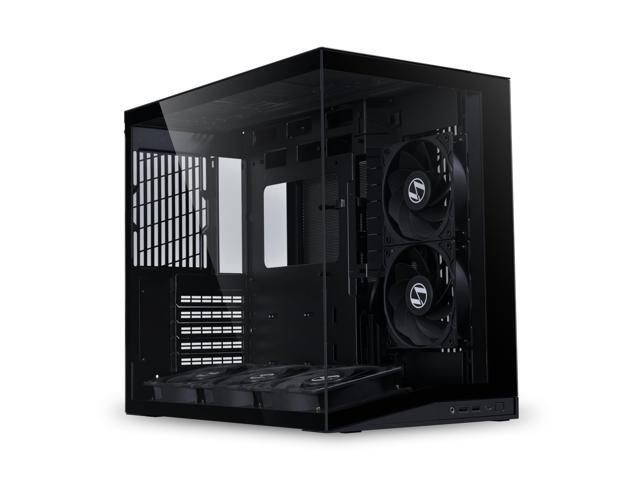
Buy LIAN LI O11D MINI V2 Flow | Compact ATX Mid-Tower Airflow Computer Case | Panoramic View | High-Performance Airflow | Includes 5 x 120mm Reverse Blade Fans | Cable Management | Black (O11DMIV2FX) with fast shipping and top-rated customer service. Once you know, you Newegg!
crimson zinc
severe condor
hello is there someone i can speak to about what I should focus on upgrading in ...
Ask in here!
frigid edge
severe condor
hello is there someone i can speak to about what I should focus on upgrading in ...
people can help here
severe condor
Hello I am looking to upgrade some parts of my PC as I have had issues with some video games/premiere pro crashing more and more often (built it myself in 2020). I have a limited budget of around $500 but I currently have the following
BASEBOARD PRODUCT -    MPG B550 GAMING EDGE WIFI (MS-7C91) Installed Physical Memory (RAM)    32.0 GB
GPU - AMD RADEON RX 5700 XT
DISK DRIVES - ADATA SX8200PNP (500gb SSD used for Windows 11 as C drive) / CT1000P1SSD8 (1TB Extra Storage Drive)
POWERSUPPLY - Enermax Revolution D.F 850W 80+ Gold Certified Power Supply; ERF850EWT - NO COOLING SYSTEM INSTALLED```
What are the things i should focus on as I want to be able to edit videos faster with less hiccups? My main issue recently is when i have too big of a project it seems my VRAM maxes out and causes the entire project to essentially freeze and i am unable to continue until a hard reset of the program. I plan on working on bigger projects so i need to upgrade100% gpu and cpu upgrade.
Everything else is fine.
You could get a 5700x, and a 3070ti.
frigid edge
severe condor
Hello I am looking to upgrade some parts of my PC as I have had issues with some...
everything you have is great
as the red name guy said, just upgrade your cpu and gpu
golden echo
icy hull
There are different styles of fishtank and different qualities across models but...
do you think the Gamdias Aura GC12 is a good option? It comes with 6 fans
icy hull
Not familiar with it but it looks decent.
crimson zinc
golden echo
do you think the Gamdias Aura GC12 is a good option? It comes with 6 fans
It’s fine, but it’s cheaply made
severe condor
crimson zinc
You could get a 5700x, and a 3070ti.
does it matter specifically which 3070ti? or can you link me a good one theres a few options but im unsure all the other specifications that decipher them. Also 5700x im assuming any of those work too? Sorry for all the questions
crimson zinc
5700x is an AMD cpu. You can get any.
Most 3070ti are gonna be fine nowadays. Whatever’s cheapest.
severe condor
sounds good thanks for the help 😄
crimson zinc
Forgot to ask @severe condor
What’s your cpu cooler?
severe condor
i dont have one!
was just using the fan that came with my 3600XT for last 6 years 🤦♂️
any recommendations?
i have the 'Cooler Master MasterBox TD500 Mesh Airflow ATX Mid-Tower with Polygonal Mesh Front Panel, Crystalline Tempered Glass, E-ATX up to 10.5", Three 120mm ARGB Lighting Fans' it has 3 fans and i think i have one additional one on the back panel
i think the one extra fan i have is at top slot
nope
severe condor
thanks! is there much of difference between 3060ti and 3070ti? i think the ebay link is a 3060ti
crimson zinc
3060ti is less powerful
frigid edge
crimson zinc
3060ti is less powerful
 crimson zinc

frigid edge
severe condor
all good!
severe condor
hahah i saw that too, but i mean if it works!
severe condor
crimson zinc
If you don’t want an AIO, thermalright peerless assassin is a good idea
ive never had a liquid cooler to begin with so idek if i wouldnt want it haha
yall are the best, thanks for being so helpful
crimson zinc

Jawa.gg
Chipset: AMD, Brand: MSI, Series: Radeon RX 6700 XT, Memory: 12GB
severe condor
haha “Fortnite was played on it several times.” also no wires come with it but i guess mine from my 5700xt are fine still
severe condor
i wonder if vram more important because it might be causing my premiere pro freezing issues
its still more vram than my 5700xt though right?
crimson zinc
severe condor
i wonder if vram more important because it might be causing my premiere pro free...
Nah, that’s cpu bound
crimson zinc
severe condor
its still more vram than my 5700xt though right?
Same vram, better architecture
Could try to find a 5060ti 8GB
Its newest gpu generation, less powerful than 3070ti though
severe condor
shoot i mean personally i wouldnt want to switch away from radeon if i already have a radeon gpu (+ all software downloaded for it/familiarilty with adrenaline). Even though it has been mentioned that either work. Does it really matter though
i guess end of the day whichever one will be best for my premiere pro editing is the one i go with. But i'm sure any are much better than what i currently havae
crimson zinc
crimson zinc
https://www.jawa.gg/product/97867/msi-mech-2x-rx-6700xt
Then if you wanna stick with it, this, or a 9060xt 8GB.
mental hazel
weary galleon
Bandwidth can definitely show gains, just depends on the application
referring specifically to current gen Ryzens which have a severely bottlenecked memory subsystem. write speeds are capped really heavily by FCLK
can sometimes fine b580 for the price of that 6700 xt. slightly worse performance/overall stability, but better (usable) upscaling and RT
crimson zinc
$300! Used
mental hazel
also worth considering imo
i should sell my fiancé's 4060 ti, why are they still so expensive?
severe condor
mental hazel
can sometimes fine b580 for the price of that 6700 xt. slightly worse performanc...
intel makes gpus?? lol
mental hazel
severe condor
intel makes gpus?? lol
yeah they have for several years now
looks like they might be on the way out, but oh well. enjoy em while they last
i have quite a few, less now than before. i had 2 a770's and 3 b580's. now just 1 a770 and 2 b580's
one of the b580's i need to repair
frigid edge
severe condor
haha “Fortnite was played on it several times.” also no wires come with it but i...
gpus are not supposed to come with wires unless its an adapter included in high end 40/50 series NVIDIA cards, your power cables are part of your power supply
and yes the cables powering your 5700xt will be fine powering a newer gpu
frigid edge
crimson zinc
If it’s cheap enough
Cheapest brand new one is 290 rn
mental hazel
there's one on ebay for $260 incl shipping rn
frigid edge
nice could you send it for em
mental hazel

eBay
Intel arc b580 12gb from ONIX. Only been used for a couple months for gaming. Everything works great. No international shipping.
frigid edge
onix's look nice too
severe condor
mental hazel
looks like they might be on the way out, but oh well. enjoy em while they last
yea idk if i will end up making the jump to intel. I think im gonna go with 3070ti, ryzen 7 5700x, and the Thermalright Peerless Assassin 120 SE V3 CPU Air Cooler. But you guys are really pushing for the B580 haha why is that
crimson zinc
severe condor
yea idk if i will end up making the jump to intel. I think im gonna go with 3070...
Honestly, b580 is better than 3070ti
mental hazel
severe condor
yea idk if i will end up making the jump to intel. I think im gonna go with 3070...
having owned a 3070 ti, i definitely prefer my b580
frigid edge
severe condor
yea idk if i will end up making the jump to intel. I think im gonna go with 3070...
Value and the driver support and qol has gotten very nice
mental hazel
the vram truly helps, and Intel is stable enough for day to day gaming at this point
crimson zinc
More vram, just about as good ray tracing, and intel has made HUGE driver support updates
frigid edge
Take it from me who has a B580, its all I could ask for for the price
mental hazel
there are weird edge cases but i haven't had major issues in a long time
crimson zinc
I don’t even have a b580 and I’m recommending it
severe condor
hmm what about suportability in the future. Like if they do stop making them
crimson zinc
They won’t
mental hazel
crimson zinc
More vram, just about as good ray tracing, and intel has made HUGE driver suppor...
tbf the updates are only huge bc they're behind, but at this point they're not behind enough to matter for most people
frigid edge
severe condor
hmm what about suportability in the future. Like if they do stop making them
Nah
a 3070ti is more likely to lose support than a B580 lol the B580 is much newer
crimson zinc
mental hazel
tbf the updates are only huge bc they're behind, but at this point they're not b...
Unless you’re like a super up to date consumer, like Theo, it won’t matter lmao
mental hazel
severe condor
hmm what about suportability in the future. Like if they do stop making them
i suspect they will, but consider that this is a low end GPU at this point. by the time support ends (probably whenever they sunset Panther Lake, so a good 5 years minimum), the GPU is going to be irrelevant anyway
so it's kinda moot
severe condor
is it better for video editing? i know that generic question probably
frigid edge
good power efficiency for the performance too
mental hazel
if my second b580 was functional i'd give it to you on the cheap but i don't have time to fix it rn
it's wall candy for the time being
severe condor
what about software similar to radeon adrenaline
severe condor
yea i really dont use it much lol idk why i even mentioned it
frigid edge
severe condor
what about software similar to radeon adrenaline
Intels software is very simple and easy to use
mental hazel
don't bother overclocking though, the GPU control panel has been broken since launch lol. not a priority feature seemingly
frigid edge
compared to adrenaline its like a car and a plane
 frigid edge
i dont work for intel
severe condor
😂
crimson zinc
I only have amd
severe condor
jk
crimson zinc
mental hazel
frigid edge
i dont work for intel
i've historically been a huge Arc hater, your situation is one of very few where i would recommend b580
crimson zinc
This is why we also value community here
frigid edge
mental hazel
i've historically been a huge Arc hater, your situation is one of very few where...
not my situation lol his
crimson zinc
Different people will have different opinions
On rare occasion, we all agree
mental hazel
oops i swiped on the wrong message
mental hazel
severe condor
you sure yall dont work for intel
meant to reply to this lolol
crimson zinc
Best case for you is a 5700x and a b580
frigid edge
crimson zinc
Different people will have different opinions
On rare occasion, we all agree
This is The Way
severe condor
i do game though too, like just CS2 and Rocket league lol. B580 good for gaming?
frigid edge
very good for gaming for its value
especially in 1440p
so in 1080p it will crush those games
crimson zinc
Yeah
mental hazel
severe condor
i do game though too, like just CS2 and Rocket league lol. B580 good for gaming?
yah, older games are cursed sometimes (like dx9 and earlier) but they tend to be so old that even really "bad" performance is like 100+ fps
frigid edge
what resolution do you game at?
mental hazel
1440p
frigid edge
not you
mental hazel
yes me
frigid edge
unless he said it earlier
frigid edge
mental hazel
yes me
nuh uh

 frigid edge
severe condor
i do game though too, like just CS2 and Rocket league lol. B580 good for gaming?
frigid edge
severe condor
i do game though too, like just CS2 and Rocket league lol. B580 good for gaming?
What resolution do you play at
severe condor
frigid edge
what resolution do you game at?
1920x1080 i think lol
mental hazel
oh yah ur fine mate
severe condor
im convinced!
frigid edge
eBay
Intel arc b580 12gb from ONIX. Only been used for a couple months for gaming. Everything works great. No international shipping.
mental hazel
the driver still has some nasty overhead, but it's more to do with max framerates than a flat % drop in performance. so you may see lower than expected performance at 1080p, but as newer more demanding games come out it will begin to appear faster as it doesn't lose as much performance as its counterparts
kinda like Nvidia 30 series lol
frigid edge
the frame gen also works really nicely in supported games
mental hazel
they performed measurably worse at 1080p vs 4k for a long time, then next gen games came out and now it's negligible
severe condor
so a B580, ryzen 7 5700x, and the Thermalright Peerless Assassin 120 SE V3 CPU Air Cooler. does that sound good? or should i go AIO cooling?
frigid edge
Aio cooling is only if you want to
its more future proof and looks better
and is quieter
mental hazel
severe condor
so a B580, ryzen 7 5700x, and the Thermalright Peerless Assassin 120 SE V3 CPU ...
don't bother for a 5700x, it cooled it's 95w cousin 5800x on a stock cooler for years
PA120se is more than enough
frigid edge
or like this thing lol https://pcpartpicker.com/product/9Gstt6/thermalright-assassin-king-se-argb-6617-cfm-cpu-cooler-ak120-se-argb-d6
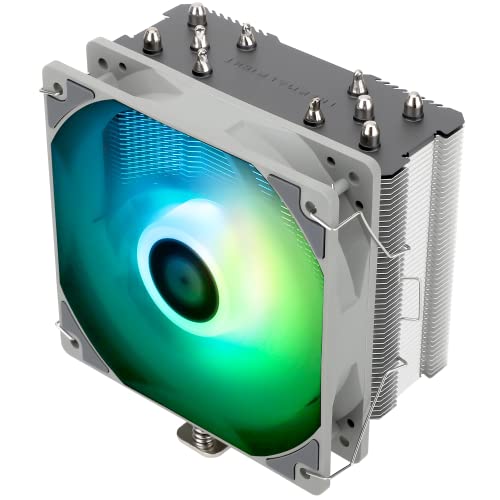
Thermalright Assassin King SE ARGB 66.17 CFM CPU Cooler (AK120 SE ARGB-d6)
frigid edge
I would say its the smallest one itd be comfortable with
it depends on however much you want to spend on a cooler atp
smaller cooler or an aio are also much easier to install
a dual fan tower is huge
severe condor
that b580 is only $250/5700x is $200/Thermalright is $15. So i guess i have a little bit of room on the cooler. Should i just go with the AIO for $50?
frigid edge
If you are set on buying a B580 which is great by the way you should buy as soon as you can, this is the best price we can find right now https://www.ebay.com/itm/358374862784
eBay
Intel arc b580 12gb from ONIX. Only been used for a couple months for gaming. Everything works great. No international shipping.
severe condor
or whats a tier up from the b580?
frigid edge
9060XT
severe condor
yea i might have to jump on it soon
frigid edge
severe condor
that b580 is only $250/5700x is $200/Thermalright is $15. So i guess i have a li...
does your case fit a 240mm or 360mm aio?
severe condor
frigid edge
9060XT
oh okay thats too much of a gap probably
frigid edge
severe condor
oh okay thats too much of a gap probably
around $200 more, if ur lucky lol
Unless you got an 8gb instead of 16gb
severe condor
 frigid edge
and given the games you play you might actually be fine with 8gb
frigid edge
severe condor
ah ok 360mm
Choose A CPU Cooler
this has thermalrights aios sorted by price
I dont personally recommend going past the V6 as any more expensive are just for looks
Ok upon checking 9060xt prices its worse than I remembered like 2 days ago so never mind on that
severe condor
can you link a v6 for me by any chance. o, ;pplomg tjrpigj ;ost bit lomda cpmfised
whoops
frigid edge
sure thing
frigid edge

Thermalright Aqua Elite 360 V6 ARGB Black CPU Liquid Cooler, 360 Cooling Row Size,3x120mm Water Radiator,AMD: AM4/AM5,Intel LGA115X/1200/2011/1700/1851, AIO CPU Cooler

Thermalright Aqua Elite 360 V6 ARGB White CPU Liquid Cooler, 360 Cooling Row Size,3x120mm Water Radiator,AMD: AM4/AM5,Intel LGA115X/1200/2011/1700/1851, AIO CPU Cooler
Black and white version