#building-and-recc-chat
1 messages · Page 379 of 1
 plucky timber
 autumn moon

Why build good products and reputation when you can scam masses with right marketing
Need ink ? 1k usd year subscription is here to save you! Only from hp

plucky timber
autumn moon
Why build good products and reputation when you can scam masses with right marke...
They're built like crap
Worse than all of their competitors
autumn moon
Built like crap advertised as dreams for dreamers
plucky timber
Like
autumn moon
People love them
plucky timber
You actually either run into a physical quality issue
Or a software one
They're just that bad
 lyric thistle
 plucky timber
Their mini pcs are decent tho
autumn moon
plucky timber
Or a software one
Good luck getting drivers support after 3 years five if you’re lucky
plucky timber
plucky timber
Their mini pcs are decent tho
But that's enterprise
You DO NOT want to screw over enterprise
Massive cash cow
lyric thistle
my experience with hp was at school next to the optiplexes, some ivy lake hardware in either of them, in like 2015-2019
they both worked
the end :3
lyric thistle
forget when my lenovo power supply coughed and pooped
2020
I think the hardware was from around 2014/2015
plucky timber
HP's enterprise stuff is decent
But that's literally because they can't screw over their biggest cash cow
 fickle bolt
what's a good cable extension kit for under 30$?
 north echo
Could I ask for some input? I want to build my first F you pc. I just started my first high income job and got my doctorate so this is gonna be around 5K USD budget. What im looking for is ideally all white, some anime bs if possible, and to do the smallest build possible. I have an ROG QD oled 4K 240hz monitor already
 muted shore
Felix left? Sad, he was cool and helped build me a pc
 stoic island
north echo
Could I ask for some input? I want to build my first F you pc. I just started my...
stoic island
north echo
Could I ask for some input? I want to build my first F you pc. I just started my...
how small are you looking to do lol
like velka case 3 kinda small or are you looking for matx kind of small
north echo
stoic island
how small are you looking to do lol
never done a small pc before but it has to fit a 5090 and not totally sacrifice performance
north echo
nice but not absolutely necessary
stoic island
north echo
nice but not absolutely necessary
lemme run some case ideas by you then, would you rather have something bigger but with front touchscreen, or something plainer, smaller, but with a good amount of argb, or something small and sleek?


 north echo
I love the cleaner smaller look
stoic island
north echo
I love the cleaner smaller look
Would you rather have the terra there or the lian li a3 here
 north echo
love the lian li
stoic island
lemme go look around and see what other itx options are available now
stoic island
north echo
love the lian li
How about this jonsbo case that has a front oled panel?

 snow dragon
that lian li is not itx
north echo
thats actually cool i love it
stoic island
snow dragon
that lian li is not itx
yea it's matx but looking at vibes not being particular on size, especially if the goal is 5090 lol
stoic island
tryna figure out GPU thickness constraints in it rn lol
snow dragon
If you want smaller you can look at the d32 pro, which is not as deep as the d31 but still as wide and tall

You will lose the screen though
snow dragon
stoic island
tryna figure out GPU thickness constraints in it rn lol
I think basically anything will fit but you may have to use slim fans if the card is chungus
stoic island
yea I mean I want to figure out if the usual 3.5 slot 5090s would fit lol
 stoic island
length shouldn't be too much of an issue since its up to 400mm
 stoic island
Manual says 342-360 with bigger PSU but I'm trying to figure out what determines that range lol
snow dragon
 stoic island

 dense ridge
Hello, anyone have a build list for about $1200-$1500? ive built a pc in the past but sold it and now i wanna build one again. I have peripherals and monitors already just need the pc
 polar void
dense ridge
Hello, anyone have a build list for about $1200-$1500? ive built a pc in the pas...
polar void
dense ridge
Hello, anyone have a build list for about $1200-$1500? ive built a pc in the pas...
What type of monitor do you have
like resolution and refresh rate
and is it only for gaming
and how much storage and ram do you want
and are you ok with it being only amd cpu and gpu
dense ridge
polar void
What type of monitor do you have
i have an asus tuf monitor 240hz. Yes it would be pretty much just gaming and casual use. 2tb minimum. 32gb ram and yeah im fine with amd platform. my old pc was just amd as well
polar void
dense ridge
i have an asus tuf monitor 240hz. Yes it would be pretty much just gaming and ca...
1440p?
meh it doesnt matter
i gotchu
polar void
dense ridge
nah its 1080
Part List - AMD Ryzen 5 9600X, Radeon RX 9070, Montech XR ATX Mid Tower
in that case price can go down
your choice
dense ridge
i think its fine. I've heard alot about montech recently
dense ridge
polar void
https://pcpartpicker.com/list/DrnF2x
if i were to get a new monitor that's 1440, which would be best for that pc list?
polar void
dense ridge
i think its fine. I've heard alot about montech recently
they’re good
polar void
dense ridge
if i were to get a new monitor that's 1440, which would be best for that pc list...
you mean like the pc budget? It’d stay the same
currently that list is perfect for 1440p
probably overkill for 1080p
if you do not plan on getting a 1440p monitor
then the action would be to lower the budget maximum
dense ridge
polar void
currently that list is perfect for 1440p
alright, how much would a monitor add to the budget? keeping this list
plucky timber
errrrrrrrrrrrrrr
what is this value
jesus christ I'm going to fix this up
pretty atrocious ngl
plucky timber
dense ridge
alright, how much would a monitor add to the budget? keeping this list
Part List - AMD Ryzen 5 9600X, GeForce RTX 5070 Ti, SAMA 3509 ATX Mid Tower
This is significantly better for the same price
I'm not even joking the price different is 14 cents
polar void
you made everything uglier and upgraded the gpu
polar void
dense ridge
alright, how much would a monitor add to the budget? keeping this list
a good 1440p 240hz is around 200 bucks these days
polar void
@dense ridge do you want asthetics and stuff or a sleeper pc
plucky timber
and even on the aesthetic front
there is literally nothing wrong with the parts I've selected
Part List - AMD Ryzen 5 9600X, GeForce RTX 5070 Ti, SAMA 3509 ATX Mid Tower
I've swapped out the gpu because the other 5070ti wasn't in stock
same price
This will, by no means, be ugly
while offering significantly better performance
polar void
ok boomer
plucky timber
dense ridge
polar void
<@1125282763029889105> do you want asthetics and stuff or a sleeper pc
i dont really care, my last pc wasnt aesthetic at all
polar void
then yeah get his list
plucky timber
dense ridge
i dont really care, my last pc wasnt aesthetic at all
is it a 1080p list?
because you can probably just get a 9060XT and save a crap ton of money
dense ridge
i have 1080 monitors
plucky timber
Part List - AMD Ryzen 5 9600X, Radeon RX 9060 XT, SAMA 3509 ATX Mid Tower
down to $989
dense ridge
but i might upgrade
polar void
plucky timber
for a 9060 XT 8GB
ok don't recommend that trash cmon
plucky timber
what?
polar void
even if 1080p
plucky timber
If he's using 1080p it's fine
polar void
do not buy an 8gb card today
they can do whatever they want but I will not stand by an 8gb card
plucky timber
polar void
they can do whatever they want but I will not stand by an 8gb card
that is your opinion
polar void
it's shared with 90% of pc gamers and builder today
polar void
that's besides the point
plucky timber
the 9060 XT 8GB is $279 and the 9060 XT 16GB is $379 on average
It's perfectly fine for the price
If he's on 1080p it's not that big of a problem
polar void
atp get a b580 actually
plucky timber
according to the vast majority of sources online
the software isn't quite there yet
polar void
well they're wrong
and intel is updating it very often
this is my firsthand experience i can provide
do you happen to have a 9060xt 8gb
plucky timber
"works on my pc" is not a valid argument
plucky timber
This isn't about you
polar void
i'm not making it about me
i'm saying a b580 is a better investment for the same or lower price of an 8gb 9060xt
plucky timber
that is quite debatable
polar void
well then isnt that what we're doing
i know how we can settle this
@dense ridge what games do you play
plucky timber
I don't have time for this so I'm just going to lay out my final recommendation
https://pcpartpicker.com/list/XFnF2x
This list has the 5070 TI,
alternatively:
9060 XT 8GB for $279
9060 XT 16GB for $379,
depending on how much money you want to spend
Part List - AMD Ryzen 5 9600X, GeForce RTX 5070 Ti, SAMA 3509 ATX Mid Tower
ultimately it's up to you too choose, but any of the options would be solid in terms of price/performance
arguably it might not be a bad idea to go for the 16GB 9060XT + a 1440p monitor rather than the 5070 TI, however it's also fine to just stay on 1080p if that's what you would prefer
polar void
my final advice: no 8gb cards, they literally asked about a 1440p monitor so that might be the idea for the future and that thing will destroy that gpu, with a b580 itll be great at 1080p and at least be able to carry into 1440p without 1000% vram usage
dense ridge
polar void
<@1125282763029889105> what games do you play
i dont play demanding games but i do enjoy having the higher framerate and better video setting. i know frame gen helps with that now. i mostly play fps tac shooters
polar void
ok then yeah unless you really want to fully max out a high end 1440p monitor then get a 9060xt 16gb or a b580
heck even at 1440p a b580 would stomp rivals, ow, and valorant
not sure abt battlefield
dense ridge
so stick with the 1080 and get a 9060xt 16gb for room to upgrade to 1440p if i end up doing that
polar void
perfecto
an 8gb would need to be resold bc it is not gonna have a good time at 1440p
9060xt 16gb will do very nice in comparison to a 5700xt and in general to a 1440p
polar void
dense ridge
so stick with the 1080 and get a 9060xt 16gb for room to upgrade to 1440p if i e...
https://pcpartpicker.com/list/6cKbMC this leaves you with room to get more aesthetically pleasing parts, fancy way of saying rgb and pretty colors
Part List - AMD Ryzen 5 9600X, Radeon RX 9060 XT, SAMA 3509 ATX Mid Tower
if you like that case i recommend a 240mm aio though
that air cooler is very bulky
dense ridge
i was gonna say that i was leaning more towards an aio than just an air cooler
polar void
alr one second
polar void
dense ridge
i was gonna say that i was leaning more towards an aio than just an air cooler
some nice options from a great brand
https://pcpartpicker.com/product/Zcgrxr/thermalright-frozen-prism-argb-704-cfm-liquid-cpu-cooler-frozen-prism-240-black-argb
https://pcpartpicker.com/product/qJcgXL/thermalright-frozen-infinity-240-argb-689-cfm-liquid-cpu-cooler-frozen-infinity-240-black
https://pcpartpicker.com/product/zP88TW/thermalright-frozen-notte-argb-7237-cfm-liquid-cpu-cooler-frozen-notte-240-black-argb

Thermalright Frozen Prism ARGB 70.4 CFM Liquid CPU Cooler (Frozen Prism 240 Black ARGB)

Thermalright Frozen Infinity 240 ARGB 68.9 CFM Liquid CPU Cooler (Frozen Infinity 240 BLACK)

Thermalright Frozen Notte ARGB 72.37 CFM Liquid CPU Cooler (Frozen Notte 240 BLACK ARGB)
of course you can get any brand and model, these are just what I recommend based on price to value
dense ridge
that last one is pretty nice
polar void
indeed
polar void
dense ridge
that last one is pretty nice
and if you are going with that, do you want your ram to light up too
dense ridge
hm, i dont mind seeing some options but im kinda eh about ram lighting up
polar void
one momento
polar void
dense ridge
hm, i dont mind seeing some options but im kinda eh about ram lighting up
https://pcpartpicker.com/product/2JLFf7/teamgroup-t-force-delta-rgb-32-gb-2-x-16-gb-ddr5-6000-cl30-memory-ff3d532g6000hc30dc01
https://pcpartpicker.com/product/CXKKHx/gskill-trident-z5-neo-rgb-32-gb-2-x-16-gb-ddr5-6000-cl30-memory-f5-6000j3038f16gx2-tz5nr
https://pcpartpicker.com/product/NWhv6h/kingston-fury-beast-rgb-32-gb-2-x-16-gb-ddr5-6000-cl30-memory-kf560c30bbeak2-32

TEAMGROUP T-Force Delta RGB 32 GB (2 x 16 GB) DDR5-6000 CL30 Memory (FF3D532G6000HC30DC01)

G.Skill Trident Z5 Neo RGB 32 GB (2 x 16 GB) DDR5-6000 CL30 Memory (F5-6000J3038F16GX2-TZ5NR)

Kingston FURY Beast RGB 32 GB (2 x 16 GB) DDR5-6000 CL30 Memory (KF560C30BBEAK2-32)
dense ridge
yeahh, no. i think im good with just plain sticks. the case he recommended and the aio you did has plenty of rgb for me
this is what i ended up with
snow dragon
dense ridge
yeah. OW, marvel rivals, battlefield, valorant
I dont think you would even use 8 gigs even at 1440p
battlefield is light on vram too
stoic island
hey @north echo gonna continue from yesterday, gonna start with a VERY overpriced and wasting a lot of money list to work DOWN from, but starting with some ideas for looks and options
https://pcpartpicker.com/list/7D6jFZ
Part List - AMD Ryzen 7 9800X3D, GeForce RTX 5090, Jonsbo D31 STD Screen MicroATX Mini Tower
snow dragon
Last night I learned that mobo bifurcation is binary
If there is another m.2 installed on the board that will bifurcate, then it bifurcates no matter what
I thought it would be able to tell if there was a drive not using 4 lanes but it cannot
The slots are physically wired to use 4 lanes and will use 4 no matter what
Now I have no idea why the 990 evo plus exists
stoic island
snow dragon
Now I have no idea why the 990 evo plus exists
It's built to be a 4.0x4 drive, they just add a 5.0x2 option so they can say it's PCIe 5.0 lol
snow dragon

north echo
stoic island
hey <@187788178181062656> gonna continue from yesterday, gonna start with a VERY...
this is a great list! ive never heard of super flower tho
 naive anchor
Can somebody help me change my build?
I need to get the graphics card below 800
Part List - AMD Ryzen 7 7800X3D, GeForce RTX 4080 SUPER, Phanteks XT PRO ULTRA ATX Mid Tower
Is a 5070ti good?
I just don’t know which model
stoic island
north echo
this is a great list! ive never heard of super flower tho
They're a pretty big OEM, Leadex iii has a pretty good reputation for example, they were also the OEM for EVGA's G2/P2/T2 line. The Leadex VII Pro itself has been reviewed very well, but the biggest reason it's in the list instead of like cybercore is that it's white and fits the theme lol
https://hwbusters.com/psus/super-flower-leadex-vii-xp-1200w-atx-v3-0-psu-review/
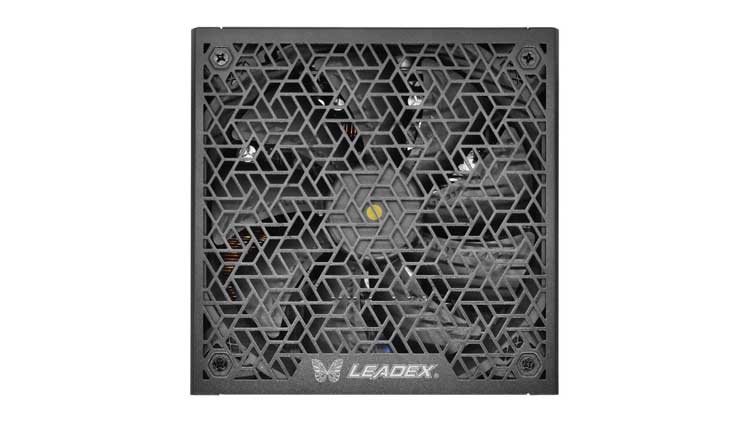
Hardware Busters - Super Flower Leadex VII XP 1200W ATX v3.0 PSU Review - PSUs
stoic island
naive anchor
https://pcpartpicker.com/list/TKr7QP
You can probably shave a bit of money off CPU, mobo, and PSU and then fit in a 5080 depending on budget, if not, 9070xt would be nice, but any 5070ti can work too
naive anchor
stoic island
You can probably shave a bit of money off CPU, mobo, and PSU and then fit in a 5...
What should I change the items to?
stoic island
What are you going to use it for?
naive anchor
stoic island
What are you going to use it for?
Gaming and editing
stoic island
can shave $100 off and do 7700x, good enough performance for gaming and practically same performance in editing, the main goal is the money saved going into a GPU upgrade that outweighs a slight CPU downgrade
stoic island
naive anchor
https://pcpartpicker.com/list/TKr7QP
Assuming original total budget was ~$2000, something like this
https://pcpartpicker.com/list/XDxjFZ
Part List - AMD Ryzen 7 7700X, GeForce RTX 5080, Phanteks XT PRO ULTRA ATX Mid Tower
 stoic island
as long as you got it at a good price
would just return and buy again if it's more than like $20 over what's in the list lol
plucky timber
snow dragon
I dont think you would even use 8 gigs even at 1440p
Yeah that was what I was going at too
Was in a rush to get to a lecture so
Well if it's 1440p I'd get 16GB regardless to accommodate all games
But for 1080p 8GB is fine
Especially if it's $279
snow dragon
plucky timber
Yeah that was what I was going at too
I think I had like 5 gigs used in bf6
plucky timber
On 1440p?
This really just shows that the high vram usage is a studio being stingy issue
They have incentive to optimize here because the game relies on a large and active playerbase
snow dragon
plucky timber
On 1440p?
Yeah
I was on medium though
But the game still looked good so I didnt bother to turn it up
polar void
dense ridge
https://pcpartpicker.com/list/mjrhHW
Are you ok with mounting the aio on the front?
That case won't fit a 360 on top itll fit a 240 on top
and a 360 on the front
dense ridge
polar void
Are you ok with mounting the aio on the front?
wouldnt front mount be ideal since the pump shouldnt be taller than the cpu block? or does that only apply when its front mounted
polar void
dense ridge
wouldnt front mount be ideal since the pump shouldnt be taller than the cpu bloc...
 dense ridge
i see
polar void
not saying therell be that much air in it at the start
but itll eventually, gradually build up
dense ridge
i like the top mount look more tbh
polar void
and besides its only a ryzen 5, a 240mm would be perfect for it
 crimson zinc
Who tf puts an AIO on the bottom what the hell
polar void
crimson zinc
Who tf puts an AIO on the bottom what the hell
the fact its in the demonstration means someone did at one point 😔
fickle bolt
crimson zinc
Who tf puts an AIO on the bottom what the hell
hopefully nobody
fickle bolt
polar void
the fact its in the demonstration means someone did at one point 😔
when today's saftey meeting is about what you did yesterday
polar void
lol
stoic island
crimson zinc
Who tf puts an AIO on the bottom what the hell
It used to be pretty frequent in ITX cases
snow dragon
If the pump isn’t in the center then maybe could you have it be on the bottom by rotating the block and get away with the bottom rad mount

If the punp is somewhere else then it doesn’t matter
polar void
punp
snow dragon
fr
polar void
 snow dragon

 autumn wolf
imma post here as well chat since idk how many people actually use the network channel, but is this a good or decent enough router? replacing the spectrum router
https://www.amazon.com/ASUS-AX1800-Router-RT-AX1800S-Subscription-Free/dp/B09M9477NS/

The growing number of connected personal and IoT devices has led to an overall increase in network density that is pushing the limits of the current WiFi standard. RT-AX1800S is a 2x2 dual-band WiFi router that provides 80MHz bandwidth and 1024-QAM for dramatically faster wireless connections, gr...
stoic island
autumn wolf
imma post here as well chat since idk how many people actually use the network c...
Rtings says decent enough
https://www.rtings.com/router/reviews/asus/rt-ax1800s

RTINGS.com
The ASUS RT-AX1800S is a dual-band Wi-Fi 6 router with 2.4GHz and 5GHz bands. It features four 1Gbps LAN ports and a 1Gbps WAN port. It's compatible with ASUS' A...
autumn wolf
actually for $10 more this is better, no?

The ASUS RT-AX57 is a dual-band Wi-Fi router that provides 160MHz bandwidth. With up to 4X higher network capacity, it can handle more streaming, gaming, and smart home devices simultaneously. The more efficient transmission scheduling can also greatly extend the battery life of your IoT gadgets ...
oh wait thats why i linked that first one cause this one is out of stock

might wait for it to come back in stock and get that one instead
autumn wolf
nvm, just gonna buy the first one when i get paid tomorrow
spectrum is so ass. shit went out again
 plucky timber
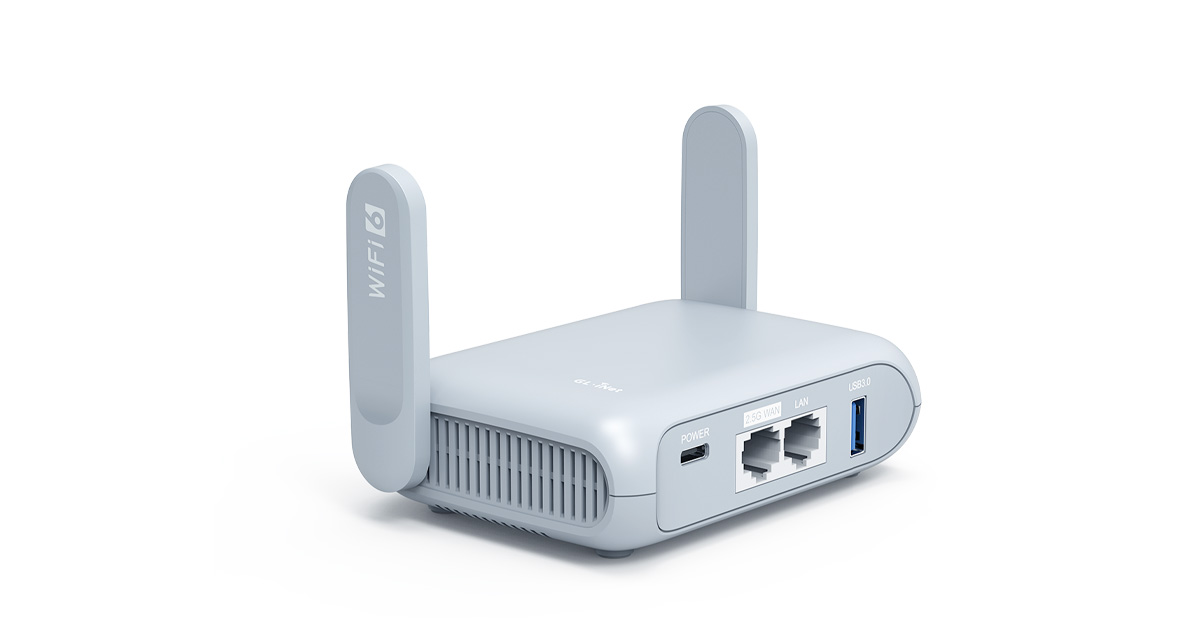
Beryl AX (GL-MT3000) is an OpenWrt multi-gigabit Wi-Fi 6 wireless router for frequent travelers and remote workforces to protect their digital assets and footprints online.
I got this
snow dragon
There is a wifi 7 one too

travel router, ax3600, wifi7, wirelss, OpenVPN and WireGuard, MLO dual-band aggregation

 valid hollow
Will finish this tonight- but my personal build is almost complete. 1800$ 7800X3D/5080 FE


 rare plover
is the 7600xt a good gpu for general use and light 1440p gaming? since its the only gpu that isnt pre owned and has 16gb of vram i found that is in my budget, and i dont really want to gamble with the arc b580
paired with a 7400 or 7500f
9060xt 8gb is the same price and ive seen it also performs well, but the extra vram can help
or should i go with a 13400 build for a similar price
 weary galleon
rare plover
or should i go with a 13400 build for a similar price
weary galleon
rare plover
or should i go with a 13400 build for a similar price
Nah stick with 7500F
weary galleon
Uhh lemme check
rare plover
its like a 40 dollar difference and only a 5% increase in performance
weary galleon
Yeah probably worth it, looks like the difference is 4.7ghz vs 5.0 and thermal paste instead of solder
You're right that for 1440p you want more than 8gb
rare plover
weary galleon
You're right that for 1440p you want more than 8gb
would an arctic 34 be enough for the 7400f?
6 pipes i think and a 120mm fan
weary galleon
7600xt is ok but if you could stretch to a 9600xt 16gb that might be more worth it
rare plover
weary galleon
7600xt is ok but if you could stretch to a 9600xt 16gb that might be more worth ...
no too much
weary galleon
Idk. If you don't have a cooler just get a thermalright assassin 120
rare plover
could try to do that but then i have to cut corners for the mb or case fans
weary galleon
Do you have a pcpp list?
rare plover
weary galleon
Idk. If you don't have a cooler just get a thermalright assassin 120
not available in my country and i prefer to buy everything locally cus my father has a tax return thing
rare plover
weary galleon
Do you have a pcpp list?
no cus not us market
weary galleon
The Arctic cooler should be fine if you can't get thermalright
rare plover
weary galleon
The Arctic cooler should be fine if you can't get thermalright
ok thx
can also get an uh
wait
freezer xtreme
holy cooling
 rare plover
ok
rare plover
weary galleon
You don't need anything crazy for the 7400f
i'll try to make a list 1 sec
rare plover
weary galleon
You don't need anything crazy for the 7400f
between these 2 which one should i get

non plus cheaper but also has 2 ram slots and a vga port i will never ever use
weary galleon
Am5 doesn't really like 4 ram sticks anyways
Plus model has better VRMs likely but that shouldn't matter for a 7400f
rare plover
oke
rare plover
weary galleon
Am5 doesn't really like 4 ram sticks anyways
should i get aegis or flare x
 weary galleon
If you could get 6000cl32 or 6200cl30 those would be more ideal
rare plover
no too much
rare plover
weary galleon
If you could get 6000cl32 or 6200cl30 those would be more ideal
are gigabyte cards good or should i go with a sapphire pulse for safety
kinda want a 3 fan card but only the gigabyte is available for the 7600
rare plover
i heard sapphire has better quality tho
rare plover
weary galleon
You don't need 3 fans for a 7600/9600
ok so ill take the pulse
weary galleon
rare plover
i heard sapphire has better quality tho
Only really matters for high-end cards
rare plover
ok
bruh why google translate so shit
CPU – AMD Ryzen 5 7400F AM5 (Tray)
CPU Cooler – Arctic Cooling Freezer 34 (AMD/Intel compatible, AM5/AM4/1200/115X)
Motherboard – Gigabyte B650M GAMING WIFI6E
Memory (RAM) – G.Skill Flare X5 DDR5 32GB (2x16GB) 6000MHz CL36 EXPO/XMP 3.0
Case – Lian-Li A3 Wood and Glass Edition (Black)
Case Fans – Antec P12 PWM 120mm (x3 Fans)
Power Supply (PSU) – CoolerMaster MWE GOLD 750W - V2 Full Modular
Graphics Card (GPU) – Sapphire Pulse Rx 7600XT 16gb ddr6
Storage (SSD) – Apacer SSD 1TB AS350 Panther 2.5" SATA3
weary galleon
rare plover
CPU – AMD Ryzen 5 7400F AM5 (Tray)
CPU Cooler – Arctic Cooling Freezer 34 (AMD/...
Just FYI the 9600xt is a lot faster than the 7600xt, I'd highly recommend going for it instead. Could get a cheaper case, single 16gb stick, and cheaper mobo

Or just wait a bit and save up
rare plover
weary galleon
Just FYI the 9600xt is a lot faster than the 7600xt, I'd highly recommend going ...
i like a3 cus its well built for my desk layout, and i need a wifi motherboard
rare plover
rare plover
i like a3 cus its well built for my desk layout, and i need a wifi motherboard
And the plain gray one is ugly as shit
i mean this could work
 polar void
one stick of ddr5
rare plover
polar void
one stick of ddr5
 polar void
yes one stick of ddr5
rare plover
 weary galleon
You can get wifi cards as well to put in a non wifi mobo. Might save $ depending on the prices of each
Could also do a 7700xt if that's cheaper than 9600xt
rare plover
weary galleon
Could also do a 7700xt if that's cheaper than 9600xt
Pulse 7700 is 1960 and pulse 9060 is 1930
rare plover
Yea
rare plover
weary galleon
Also how much is the 7600xt?
1650
same price as 8gb 9060
I dont get why they didn’t do like the 7600
For the 9060, xt being 16gb and non xt being 8gb
weary galleon
So 1930/1650=1.17
70/49=1.429
you'd pay 17% more for 40% more perf
rare plover
weary galleon
So 1930/1650=1.17
70/49=1.429
you'd pay 17% more for 40% more perf
7700 has more raw power but 9060 can top cus of mroe vram and better architecture right
weary galleon
7700xt and 9060xt are both 16gb I think? And have similar performance, see the chart I sent
rare plover
weary galleon
7700xt and 9060xt are both 16gb I think? And have similar performance, see the c...
No 7700 is 12
rare plover
Yea but 9060xt has better ray tracing
rare plover
weary galleon
7700xt and 9060xt are both 16gb I think? And have similar performance, see the c...
^
weary galleon
Ok recap: ignore 7700xt, try and save up to get the 9060xt16gb instead of the 7600xt
rare plover
Oke
rare plover
weary galleon
Ok recap: ignore 7700xt, try and save up to get the 9060xt16gb instead of the 76...
What if i get a 16gb stick and get the same one again later
weary galleon
9060xt 16gb is about 17% more $ for 40% more perf
rare plover
So i have 32gb
weary galleon
Yeah that's what I was suggesting. 16gb will be alright in most games and then you can upgrade later
Also a single stick of ddr5 works better than single stick ddr4 did
rare plover
weary galleon
Yeah that's what I was suggesting. 16gb will be alright in most games and then y...
If i get a motherboard without wifi and put a pcie wifi card will it be worse than a motherboard with built in wifi tho
weary galleon
As long as you get a decent wifi card (pcie slot not USB) it should be just as good
rare plover
weary galleon
As long as you get a decent wifi card (pcie slot not USB) it should be just as g...
Do i need drivers and stuff for that tho
weary galleon
Windows typically handles it iirc
Ive used a wifi card for years but I don't recall the install
rare plover
and since its a micro atx build i dont think there will be enough room tho
weary galleon
Probably should be an open pcie slot to use
rare plover
Eh just gonna go with a built in wifi mb
rare plover
weary galleon
Probably should be an open pcie slot to use
Im planning to buy around November so if i dont have enough for a 16gb 9060xt by that time should i get a 16 gb 7600xt or 8gb 9060xt
weary galleon
Probably the 7600xt. 8gb is getting rough for 1440p these days
rare plover
Ok
rare plover
weary galleon
Probably the 7600xt. 8gb is getting rough for 1440p these days
My 1060 got good fps at wt in 1440p movie but vram was maxed
So i think the 7600xt will be even better
weary galleon
yeah it will be a big jump but the 9060xt 16gbbis much better value. Def try and get it if you can. Maybe ask for a bit of extra $ as an early holiday present or something idk
fickle bolt
one stick of ddr5
rare plover
fickle bolt
one stick of ddr5
fickle bolt
one stick of ddr5
 lunar abyss
Should I buy this I only play games like gta Roblox Fortnite small stuff nothing really big


 rare plover
lunar abyss
Should I buy this I only play games like gta Roblox Fortnite small stuff nothing...
rare plover
lunar abyss
Should I buy this I only play games like gta Roblox Fortnite small stuff nothing...
How much
lunar abyss
rare plover
How much
It’s listed for 250 but I can prob get it for 200
lunar abyss
rare plover
How much
He has good reviews on Facebook
rare plover
Euro? Or usd?
lunar abyss
USD
 rare plover
lunar abyss
USD
rare plover
lunar abyss
USD
Uh idk seems pretty good for Fortnite and Roblox but no idea about GTA it can get pretty demanding sometimes i think
lunar abyss
The only problem he said is the screen but it don’t look like that big of a problem
lunar abyss
rare plover
Uh idk seems pretty good for Fortnite and Roblox but no idea about GTA it can ge...
Is it a good starter laptop for the price
rare plover
yes
lunar abyss
Starter gaming
rare plover
could work
lunar abyss
Is it worth me buying
rare plover
lunar abyss
Is it worth me buying
i dont really trust laptops for gaming anymore so idk, maybe try getting like 500 more bucks and get a better one or build a pc
lunar abyss
rare plover
i dont really trust laptops for gaming anymore so idk, maybe try getting like 50...
I already have a gaming pc
lunar abyss
rare plover
i dont really trust laptops for gaming anymore so idk, maybe try getting like 50...
I just wanted a laptop for developing
rare plover
then why do you need a laptop
lunar abyss
rare plover
then why do you need a laptop
I’m a Roblox developer
lunar abyss
All the games I play are on my pc
So I don’t really need the laptop for playing games just mainly developing
rare plover
then could work ig but idk if roblox developing is more cpu or gpu intense, i assume cpu
wait for someone else who isnt an idiot (not me) to answer ig
lunar abyss
Ok
 icy thunder
Anyone able to join vc and help me get this pc to post
Just built the thing and not getting any video sadly
Everything lights up and all fans turn on
Mobo doesnt have debug lights and there are no beeps
If i unplug the hdmi cable the monitor says no signal like it detected something
polar void
icy thunder
Just built the thing and not getting any video sadly
do you still need help
icy thunder
Please
icy thunder
polar void
do you still need help
Yes please
polar void


The motherboard diagnostic card is also called a POST card (Power On Self Test) or a PC analyzer. It is a code that displays the motherboard BIOS self-test procedure.
Specifications:
System: for Windows 98 SE/ ME/ NT/ 2000/ XP / VISTA
Size: Approx. 89mm x 82mm(L*W)
Support for desktop comput...
Gl
 dusty orbit
My pc keeps crashing every 30-40 min, when i went to event viewer these are the error codes I got for the crash 0x00000116 (0xffffce82355f1010, 0xffff8073dbbaae0, 0xfffffffc00009a, 0x0000000000000004).
It says it is a problem with the GPU but I just replaced it with a brand new one and updated drivers
Any idea what it could be?
crimson zinc
dusty orbit
My pc keeps crashing every 30-40 min, when i went to event viewer these are the...
Did you ddu it?
dusty orbit
crimson zinc
Did you ddu it?
Yep
also the gpu uses a gpu riser/exteension idk if that matters
stoic island
good old nvldmkm lol
https://learn.microsoft.com/en-us/windows-hardware/drivers/debugger/bug-check-0x116---video-tdr-failure

The VIDEO_TDR_FAILURE bug check has a value of 0x00000116. This value indicates that an attempt to reset the display driver and recover from a timeout failed.
stoic island
dusty orbit
My pc keeps crashing every 30-40 min, when i went to event viewer these are the...
DDU and roll back drivers to pre-572
dusty orbit
stoic island
DDU and roll back drivers to pre-572
i did a ddu i dont think its drivers I literally replaced the gpu as well
some ppl tell me it could be motherboard
cpu
ram
psu
stoic island
Unless it's a very weird edge case, it's storage or drivers
The bug check itself has to do with the graphics drivers hanging and timing out
Either it's a driver issue, or it's something stopping the drivers from restarting correctly
stoic island
dusty orbit
i did a ddu i dont think its drivers I literally replaced the gpu as well
Nvidia GPU? Replacing GPU doesn't do anything for the drivers, it's still the same install of the same drivers, no matter what Nvidia GPU you use
Same thing applies to AMD GPU too on that front too
It's just Nvidia drivers have been very buggy
dusty orbit
stoic island
Nvidia GPU? Replacing GPU doesn't do anything for the drivers, it's still the s...
ok il try to do what u said, if that doesnt work then what do i do
stoic island
I'd start with DDU and then installing an old driver version, like 566.36
if nothing, suspect the drive and something to do with windows corruption, check drive health, run dism and sfc
dusty orbit
stoic island
if nothing, suspect the drive and something to do with windows corruption, check...
What makes you think its the drive
snow dragon
He is just saying if not the driver then maybe the drive
Probably your driver though
dusty orbit
stoic island
I'd start with DDU and then installing an old driver version, like 566.36
I did the DDU and still same thing
I don’t see how it could be the drive tho
Maybe fault mobo?
snow dragon
Did you install the same driver
dusty orbit
snow dragon
Did you install the same driver
I installed the newest one
snow dragon
Yea he said to roll back
dusty orbit
But I had an older driver a few days ago and it was still happening
snow dragon
What was the old one
dusty orbit
I don’t remember
snow dragon
Oh you said a few days ago
So still pretty recent
Get an older one and then ddu again
dusty orbit
Probably but if it’s a problem with nvidias drivers then more ppl would be having this issue
snow dragon
Maybe there are
But these can be a person to person thing
I have used radeon for 7 years and have had no problems
Some people have actual nightmare scenarios with radeon
snow dragon
snow dragon
I have used radeon for 7 years and have had no problems
*major problems
Everyone has some kind of small issue at some point but I never had something crazy happen
dusty orbit
I bought the pc off marketplace so I think it’s a hardware problem
I replaced the GPU so it’s def not that
So I think either the mobo, gpu extension or the drive like he said
snow dragon
oh so thats completely ruled out then
snow dragon
dusty orbit
also the gpu uses a gpu riser/exteension idk if that matters
is this a pcie 5 card
snow dragon
snow dragon
oh so thats completely ruled out then
actually no
still try an older driver first
dusty orbit
K I’ll try now
snow dragon
ok i still want you to try an older nvidia driver just to be sure
then we move on to the other things instead
some people are still on the older nvidia drivers because nvidia drivers have been all over the place this year
dusty orbit
The case is very small, to the point where the gpu has to be on the backside of the case with rhe riser. How would I directly connect it to the mobo since it won’t fit in the front
I’m installing them now
dusty orbit
snow dragon
some people are still on the older nvidia drivers because nvidia drivers have be...
Same shit
snow dragon
Damn
 tulip swift
Hi all, hopefully this is the right channel to ask this in. it's been a while since I've built a pc and I read that applying your own thermal paste isn't needed as much anymore? this build isn't going to be top of the line, but i am using a liquid-cooled cpu cooler for the first time. thoughts?
lyric thistle
when the cooler comes with paste preapplied, you don't need to bring your own or apply it
you just need to peel the plastic on the cooler that's covering the paste, then install it
tulip swift
lyric thistle
you just need to peel the plastic on the cooler that's covering the paste, then ...
ok great. this one does. ty!!
 pseudo pollen
quick question, does higher speed ram really make a difference? (eg: ddr5 6000 cl28 vs 7600 cl36)
plucky timber
pseudo pollen
quick question, does higher speed ram really make a difference? (eg: ddr5 6000 c...
Depends on the scenario
And depends on the silicon
Most Zen 5 can't actually run 6400 CL32
If the given application is highly cpu dependent you will see improvements
weary galleon
pseudo pollen
quick question, does higher speed ram really make a difference? (eg: ddr5 6000 c...
Lower cas latency can help with 1/0.1% lows
You can also calculate the latency with something like https://www.techpowerup.com/dram-latency/
6000cl28 is 9.3ns while 7000cl36 is 10.3
pseudo pollen
plucky timber
Most Zen 5 can't actually run 6400 CL32
I'm running a 14700k rn
pseudo pollen
weary galleon
Lower cas latency can help with 1/0.1% lows
I think I'll still be GPU bottlenecked in most games, I'm just wondering if it's worth spending the extra $50 more
During photo editing/upscaling I'm definitely cpu bound
dusty orbit
My pc keeps crashing every 30-40 min, when i went to event viewer this is the error codes I got 0x00000116 (0xffffce82355f1010, 0xffff8073dbbaae0, 0xfffffffc00009a, 0x0000000000000004).
It says it is a problem with the GPU but I just replaceed it with a brand new one, did a DDU, and updated drivers
Any idea what it could be?
rare plover
are f12 5 packs good for a budget build
ik theyre non pwm
would it be better to buy 2 5 packs of f12s which are DC fans or 2 3 packs of p12s which are PWM fan
s
weary galleon
rare plover
would it be better to buy 2 5 packs of f12s which are DC fans or 2 3 packs of p1...
PWMs
rare plover
weary galleon
PWMs
Ok
 oak sequoia
Hi guys, i was wondering if someone could help me find a laptop suitable to play marvel rivals for my girlfriend. she'd prefer if the look of the laptop was simple and not over the top. if anyone could find one in the 700 and below range thatd be great. thank you
pseudo pollen
depends on the resolution you're playing at (I'm assuming 1080p), but you might want to look on facebook marketplace for something like a asus zephyrus g14 with a 3060
not sure if you're ok with used but this is a good option https://www.ebay.com/itm/116757806792

eBay
ASUS ROG Zephyrus G14 GA401QM, FHD resolution at 144Hz, Nvidia 3060 6GB GPU. Laptop was always plugged in.
oak sequoia
thank you. ill ask her to see if shes interested in that one
fickle bolt
https://a.co/d/dgkhtI8 is this a good kit

Okinos, PSU Cables, Cable Extension PC
 dusty cedar
fickle bolt
whats the issue?
dusty cedar
fickle bolt
whats the issue?
you spent a whole lot of time typing absolutely nothing and not asking a single thing.
- i turned my pc off
- didn't build pc
- one massive run on sentenace about asking a question and then never asking a question.
fickle bolt
Noted
polar void
 dusty cedar
why dont you just ask the question instead of forwarding whatever that rambling nonsense was?
plucky timber
I don't see anything wrong with what he did
The other guy asked a question in a channel he is unlikely to get help in
This gentlemen here forwarded it to the correct channel and asked for additional context
The hostility towards someone who's just trying to refer another person to get help in the proper channel is quite unneeded
That being said
@leaden wigeon could you provide more context on your inquiry earlier in #gaming ?
fickle bolt
dusty cedar
why dont you just ask the question instead of forwarding whatever that rambling ...
Because he didn't actually ask the question, and I want to know what he was asking, obviously
dusty cedar
fickle bolt
Because he didn't actually ask the question, and I want to know what he was aski...
ObViOuSlY it wasnt very obvious now was it
dusty cedar
speaking of. when did the name get changed?
plucky timber
Let's focus on actually helping the guy
fickle bolt
dusty cedar
ObViOuSlY it wasnt very obvious now was it
Dude if your gonna be like that you can just be quiet
I'm actually tryna help someone
You're just creating a conflict for some reason
dusty cedar
its pretty annoying when its just 1 run on sentence with no question. how can help be provided with no question and the only clue is "i turned my pc off tee hee" bro come on
fickle bolt
The fact that they don't know how to ask questions should not be a reason for them to not be helped
plucky timber
dusty cedar
its pretty annoying when its just 1 run on sentence with no question. how can he...
It's also no excuse to be rude
dusty cedar
should i instead pretend i am jesus and can say no wrong and only unicorns and rainbow farts are the norm. ask a question and help can be received. its pretty straightforward. no reason to beat around the bush
fickle bolt
dusty cedar
should i instead pretend i am jesus and can say no wrong and only unicorns and r...
Ok first of all that is not what Jesus said at all
I would know, being a devout Anglican
Second, that's religion shaming and ragebait, which I'm pretty sure is breaking some rule
plucky timber
Ok gentlemen
If you two want to argue
Take it elsewhere
Not in #building-and-recc-chat
dusty cedar
oh my mighty blue role techy. since you are clearly the superior neckbeard in this conversation and above all with your infinite amounts of wisdom and endless amounts of politeness and political correctness, forgive me for i am at your not at all hypocritical mercy. please tell me how i can be a "better" person and answer questions where none were asked. 
plucky timber
@sullen spoke
dusty cedar
hi @sullen spoke

 wide sparrow
what happened?
dusty cedar
did it ever occure to you that i'm trying to help but none can be proveded since there is no question
plucky timber
wide sparrow
what happened?
Excessive toxicity after QMK forwarded a message from another user
dusty cedar
dude taking everything im syin out of context and is mad about it
wide sparrow
Hmmm
fickle bolt
wide sparrow
what happened?
Called vim a neckbeard, shamed religion, and acted in a toxic manner
After I asked a guy what his tech issue was
dusty cedar
shamed religion? lmfao what a reach you got
plucky timber
Mind you, he wasn't even involved in the conversation
wide sparrow
I’m reading…
plucky timber
He just decided to come in and insult people
dusty cedar
anyways, where is the question so help can be provided
fickle bolt
dusty cedar
should i instead pretend i am jesus and can say no wrong and only unicorns and r...
This is defo religion shaming
dusty cedar
you should change your name to stretch armstrong
plucky timber
Ok that's a stretch
That's a figure of speech
That doesn't constitute religion shaming
dusty cedar
its all a figure of speech. long and drawn out
fickle bolt
plucky timber
That doesn't constitute religion shaming
Wait actually yeah no ur right
plucky timber
smh
wide sparrow
dusty cedar
you should change your name to stretch armstrong
Alright now, settle down. I’ve read what happened so far and you seem to be on edge here. Just forget about what happened and move on or I might have to mute you for awhile.
No need to be agitated. Mistakes were made…but nothing serious
dusty cedar
wide sparrow
Alright now, settle down. I’ve read what happened so far and you seem to be on e...
im not on edge. im being attacked by being confused about the post. someone wants help, talks endlessly about questions and about wanting help but never asks a question to get help. it would be cool to help but how? but i do actually think its awesome that you took the time to read the sequence of events instead of kneejerk reacting to the first accusation. youre an awesome person for that one. not many like you left on social media.
wide sparrow
Well thank you. We can just end this peacefully. You seem reasonable
dusty cedar
i try to be. anyways, off to go do goose things in goose land
rare plover
For around the same price would it be better to get an am4 R7 build or an am5 R5 build
 mortal kayak
rare plover
For around the same price would it be better to get an am4 R7 build or an am5 R5...
mortal kayak
rare plover
For around the same price would it be better to get an am4 R7 build or an am5 R5...
Always go AM5 at this point. DDR5 already costs the same as DDR4, and the upgrade path will treat you well down the road
rare plover
Ok
mortal kayak
@leaden wigeon
What issue did you have when turning on your PC?
Can you list out all your specs? Or if it's a prebuilt PC can you tell us the model number?
What did you do to resolve it?
polar void
i think he isnt gonna respond
mortal kayak
Well if he does, feel free to ping me
 restive halo
Anyone build retro gaming set ups? I have a couple questions
plucky timber
restive halo
Anyone build retro gaming set ups? I have a couple questions
Define "retro"
snow dragon
polar void
i think he isnt gonna respond
bro annoying ngl
restive halo
@plucky timber Looking to build a console for my kids to play gameboy up to ps3 games on the tv
Sorry I was putting my kids to bed
anyone on?
polar void
restive halo
<@339248198084198401> Looking to build a console for my kids to play gameboy up ...
we don't really specialize in custom modded consoles
we build pcs
I recommend you find a server for console modding or smth like that
plucky timber
That is not what he is looking for
plucky timber
restive halo
<@339248198084198401> Looking to build a console for my kids to play gameboy up ...
PS3 would be the most tricky part
What is your budget?
The hardware requirements for RPCS3 is quite high compared to other emulators
Might unironically be cheaper to have a ps3 + emulation machine
In which case you can just get an optiplex and just slap in a gpu
A ryzen APU might be cheaper though?
Zen+ APUs might be cheap on ebay so I would suggest that you start your search there (If you do decide to limit your scope to exclude PS3)
Although it is noteworthy that ps3 emulation is not that consistent
Some titles have less hardware requirements than other
Cell architecture shenanigans
restive halo
polar void
we don't really specialize in custom modded consoles
I already build pc's. I just never tried the console route. Im intrigued
plucky timber
You don't even need a modded console
restive halo
plucky timber
PS3 would be the most tricky part
I have extra parts
Ryzen 5 2600
Asus Prime B550
Rx 6500xt
restive halo
Just trying to find the cheapest parts to make it a full set and as small as possible
plucky timber
Would you need an optical drive
restive halo
Ok the as small as cheap will allow hahahaha

Shiny Snake G300, 340mm GPU, 164mm radiator or 240/280 AIO, max 3 fans, ATX/SFX/SFX-L Power Supply, horizontal PSU design, full mesh panels.
plucky timber
How much storage do you need?
restive halo
Im not sure 1tb?
I have never done this before so im not sure how much space it takes honestly
 tribal hedge
Can anyone help me find a good white rgp cooler and also lmk if i need to change anything? My budgets £1000
restive halo
@plucky timber I saw a video on Batocera that looked nice.
plucky timber
Is the motherboard matx?
If it is
Part List - Lian Li A3-mATX MicroATX Mini Tower
plucky timber
tribal hedge
Can anyone help me find a good white rgp cooler and also lmk if i need to change...
Do you prefer an AIO
Completely unnecessary
In terms of performance
You're only considering aesthetics here
tribal hedge
Not really, most of the people ive spoken too have said its a good build
the aesthetics are a preference but this should be able to handle high end gaming + me streaming
tribal hedge
plucky timber
Gonna fix up the list a bit
Okay
 molten pebble
so one of my best friends plays RPCS3 on his computer which has a R7 3800X and 1660Ti, he built at the end of 2019
plucky timber
Part List - AMD Ryzen 5 7500F, Radeon RX 9060 XT, Montech XR ATX Mid Tower
plucky timber
molten pebble
Is a 6500XT slower than a 1660Ti
It's also free so
Even if he can't play ps3 he can still play most of games
No loss here
molten pebble
restive halo
I have extra parts
Ryzen 5 2600
Asus Prime B550
Rx 6500xt
Officially, B550 motherboards don't support Ryzen 2000 CPUs. You'll wanna check for your particular motherboard on the CPU support list.
Additionally if it does work, 6500XT will suffer a bit of performance loss since the R5 2600 can only handle PCIe3.0, and it's already only about the same speed as a 1650 Super or RX580.
polar void
rx 580 level is plenty
restive halo
Let me check
plucky timber
Ps3 emulation has some quirks
molten pebble
This was a shortage launch
they didn't need it to be good, they needed it to exist
molten pebble
It's not, I'm simply stating why they got away with it
plucky timber
Fair
tribal hedge
plucky timber
https://uk.pcpartpicker.com/list/xdjcXR
What are the differences from the mother boards?
plucky timber
tribal hedge
What are the differences from the mother boards?
It's cheaper
Neither of these boards can take an X3D so
No reason to splurge when it doesn't matter
tribal hedge
Oh i see
molten pebble
can't take an X3D what
plucky timber
The vrms on the msi can handle most Ryzens fine
tribal hedge
is the performance better or worse?
plucky timber
You don't really measure performance on a motherboard
tribal hedge
I meant between the two builds
plucky timber
Oh wait this is 7+2+1 hmmm
Ehhhh
Cutting it fine
With an X3D
It might actually not be unreasonable to put an X3D in here
I wouldn't personally do it
plucky timber
tribal hedge
I meant between the two builds
It's not worse
molten pebble
It depends on the X3D chip tbh.
7000 X3D chips don't draw power like you're making it seem
they can't with the way they're designed
plucky timber
I have a high margin of safety
molten pebble
9000X3D though, those take real power
tribal hedge
So that build has better airflow
molten pebble
in a vacuum, that's totally fair
plucky timber
tribal hedge
So that build has better airflow
Eh?
molten pebble
When we know somebody's getting a case that doesn't suck completely
plucky timber
No
molten pebble
then we can factor that in
plucky timber
It's also a rather mundane point
plucky timber
Since they are in fact not using an X3D
It's points to consider on the future
But not really that relevant at this time
restive halo
@plucky timber @molten pebble
 plucky timber
I personally still wouldn't put an X3D on anything less than an 8 phase
plucky timber
restive halo
<@339248198084198401> <@418236212407566346>
Should just work
ASUS officially says they don't support it
Doesn't mean that the bios doesn't contain the microcode
Reddit
Explore this post and more from the Amd community
Not the most reliable source
But there's no reason to indicate that it won't work unless you've installed a recent bios version that had zen+ microcode removed for newer cpus
restive halo
Ok ill just have to try it and hope for the best lol
plucky timber
restive halo
Ok ill just have to try it and hope for the best lol
It wouldn't hurt to try
restive halo
Do you think 1tb will be enough?
plucky timber
Worse case scenario you get a used b450
plucky timber
restive halo
Do you think 1tb will be enough?
That's something that you'll have to figure out
It depends on how many games you want to install
If you want to keep literally everything
Even the ps2 library can fill up a 1TB ssd
plucky timber
restive halo
<@339248198084198401> <@418236212407566346>
Although that looks like a B550M-A wifi?
If it's a more recent board it might not have the zen+ microcode
In any case, doesn't cost (additional) money to test it
I'd also recommend getting used memory
8gb ddr4 3200 cl16 sticks shouldn't be too uncommon for low prices on eBay or such
plucky timber
Although with $30...
If it had free shipping it might end up being cheaper
In any case it'd be a good idea to be on the lookout for used memory and potentially a b450
restive halo
plucky timber
In any case it'd be a good idea to be on the lookout for used memory and potenti...
I dont buy used only because I dont know enough about the market. Unless you have links lol
mortal kayak
restive halo
<@339248198084198401> <@418236212407566346>
This is a motherboard that got pulled from a prebuilt
Where did you get this motherboard from?
It originally was supplied as part of an Asus ROG pre-built that would have looked like this:

CPU support is going to be rough because, frankly, Asus made this board specifically for the pre-built it came in, and they typically don't have a reason to add a bunch of CPU support on this type of board. So your idea to use a Ryzen 5 2600 on it may be out the window. I'll check
https://www.asus.com/us/supportonly/g15dk/helpdesk_bios/
You'd have to specifically use the BIOS files located on this support page, using the ones for the Asus Prime B550M-K (that's the model number, partially blocked by the SSD thermal pad) may or may not work, and may or may not straight-up brick the board if you were to try flashing one of those.
Still doesn't guarantee any particular CPU support, I'm still looking into that piece of this
mortal kayak
The retail version of the Asus Prime B550M-K doesn't support any Ryzen 2000 CPUs, so it's extremely unlikely the OEM version you have would
AMD chipsets are a bit finicky with this stuff.
B550 and A520 don't officially support Ryzen 2000, when they launched they only supported Ryzen 3000, and BIOS updates added support later for newer AM4 chips from the 4000G and 5000 series. Some B550 boards got support later for Ryzen 2000 series chips, but it wasn't supported at launch, so that's on a board-by-board basis. Yours is unfortunately not one that got support. A motherboard with a B450 chipset would be a good match for your Ryzen 5 2600, and earlier boards with A320 or B350 chipsets would also work with the Ryzen 5 2600 provided the BIOS on the board is new enough to support it.
restive halo
Thank you
icy thunder
polar void
Gl
Twas the cpu
polar void
icy thunder
Twas the cpu
I knew it
icy thunder
Sad but at least its working
icy thunder
Yeah
 cyan citrus
Don't know if asking in here is the best place or another channel, but I was hoping to chat with folks about 5080 or 5090 powered laptops. Before you say "don't" and "you don't need it", my use case very much supports it.
anyone own one and care to share anything good or bad?
crimson zinc
@obsidian wigeon ?
 crisp sun
cyan citrus
Don't know if asking in here is the best place or another channel, but I was hop...
crisp sun
cyan citrus
Don't know if asking in here is the best place or another channel, but I was hop...
I'm guessing it'll run real hot and take a lot of power depending on the power setting and how optimized the power draw is. Laptop will need cooling. Bigger laptops will be better for airflow, but bulkier overall.
polar void
cyan citrus
Don't know if asking in here is the best place or another channel, but I was hop...
carterpcs has a 5090 laptop and did a couple shorts on it i believe
on yt

How hot/loud does a RTX 5090 Gaming Laptop Get? #carterpcs #tech #techtok #techfacts #gaming #gaminglaptop
fickle bolt
unless portability and power are two things you absolutely need to maximize, I'd get a pc
plucky timber
fickle bolt
unless portability and power are two things you absolutely need to maximize, I'd...
I'm pretty sure that is exactly what they're looking for
This isn't really constructive advice
The RTX 5090 mobile is a terrible product but "just get a pc" isn't good advice either
I'm not too familiar about the specifics of the 50 series gpus but iirc there were... Quirks that make them quite mediocre even compared to 40 series
Foxy would be able to provide more details regarding the specifics
polar void
@versed current #build-pics message
that is a 6400mts ddr4 kit?
that exists i mean?
bc thats a normal ddr5 speed not ddr4
the 5700x takes ddr4 only
 versed current
polar void
<@1035254544688484502> https://discord.com/channels/500085440221806603/574740748...
versed current
polar void
<@1035254544688484502> https://discord.com/channels/500085440221806603/574740748...
Yea
polar void
no way
versed current
Yea I didn’t know either
polar void
versed current
Yea I didn’t know either
no
ddr4 does not come in this speed
only ddr5
versed current
Did I put ddr4?
versed current
Oh…
polar void
am4 motherboards only support ddr4
versed current
No I didn’t?
polar void
 versed current
I don’t know what cpu it was
Yea
It was prolly a 5800x then
It’s fine
My bad
 fallen sphinx
versed current
It was prolly a 5800x then
fallen sphinx
versed current
It was prolly a 5800x then
thats still an am4 cpu
ddr4 doesnt go that fast
fickle bolt
fallen sphinx
ddr4 doesnt go that fast
Not yet anyway
fallen sphinx
fickle bolt
Not yet anyway
it never will
fickle bolt
Bruh
cyan citrus
polar void
carterpcs has a 5090 laptop and did a couple shorts on it i believe
That's precisely one of the things I was wanting to know -- is this going to be a jet engine that drives my family out of the room. I do reviews on games, and having a laptop means I can do it wherever I am, including the living room. Benchmarking is a part of that. Seems like I might keep the benchmarking to when people aren't around, but gaming should be quiet enough to not be obnoxious. Thanks for the links!
cyan citrus
fickle bolt
unless portability and power are two things you absolutely need to maximize, I'd...
I have one. All set with that. This has to be portable and powerful, as you say.
cyan citrus
plucky timber
The RTX 5090 mobile is a terrible product but "just get a pc" isn't good advice ...
Had a 4080 laptop that just failed for the fifth time in 8 months. So that got sent back to the mfg. What would you say makes it a terrible product? Value proposition, certainly, but that's not the question.
I think that'll be the last Gigabyte laptop I ever buy. Yeesh
mortal kayak
cyan citrus
Don't know if asking in here is the best place or another channel, but I was hop...
The biggest thing you need to understand about RTX 5080 and RTX 5090 laptops is that they are not the chips they claim to be.
RTX 5090 Mobile is a GB203 GPU die with 10496 cores, 24GB VRAM on a 256-bit bus. This makes it basically an RTX 5080 GPU die with an extremely low power limit. Desktop RTX 5080 has 400W of power to play with, while the mobile equivalent is dependent upon the individual device, somewhere in the 95W to 150W range.
RTX 5080 Mobile is also a GB203 but it only has 7680 cores, placing it below a desktop 5070 Ti in core count. In practical application it will perform somewhere between the desktop RTX 5070 and RTX 5060 Ti cards.
As long as you keep your expectations in check for what you're actually getting, you'll be good.
Depending upon your application, if you don't need to run off battery power and simply go back and forth between a few locations with your PC, then you might be much better served with an SFF desktop. Something in a Fractal Ridge, for instance.
plucky timber
cyan citrus
Had a 4080 laptop that just failed for the fifth time in 8 months. So that got ...
What is the question?
I don't think we've ever gotten enough context
We can't really give you any in depth answers unless we have more of the specifics
valid hollow
I was selected and plan to purchase. What other deals exist that I can bundle with this? Thinking a MOBO?
 snow dragon
valid hollow
I was selected and plan to purchase. What other deals exist that I can bundle wi...
snow dragon
valid hollow
I was selected and plan to purchase. What other deals exist that I can bundle wi...
Anything but asrock
plucky timber
snow dragon
Anything but asrock
I'd add anything with a vrm heatsink that's not an asrock
I'd say the worst of those would be I believe 6 phase boards?
Should be enough
Actually I think there are 5 phase ones
Shouldn't be too bad though
fickle bolt
snow dragon
Anything but asrock
Initially read this as assrock
valid hollow
These were the other two options but I’m already heavy on ITX boards and didn’t wanna step down MOBO and CL36 ram for a 20-30$ delta

 plucky timber
Eagle AX is better for $159
Btw you doxxed yourself
So I've deleted that message for your benefit
valid hollow
Thanks. I appreciate it.
There we go. But not sure if the eagle AX would still have taken then-20$ combo off?
 plucky timber
valid hollow
There we go. But not sure if the eagle AX would still have taken then-20$ combo ...
plucky timber
valid hollow
There we go. But not sure if the eagle AX would still have taken then-20$ combo ...
Ah I see
Whatever's cheaper would do then
crisp sun
snow dragon
Anything but asrock
why anything but ASRock?
snow dragon
Their boards are still killing chips
Majority still x3d
But there are plenty of dead 9950X as well
molten pebble
crisp sun
why anything but ASRock?
What's up Saint!
I'm Doug -> the one who writes everything for ArsenalPC on the forum
rare plover
is the Lenovo Legion 5-15IRX10 a good gaming laptop
my father is trying to get a pc for me through the university he works at but they said he can only get a laptop so gg
can just weld it to the back of a 27 inch 1440p 
 obsidian wigeon
that's a great laptop
very good
gorgeous screen
good build quality
good keyboard
good cooling
rare plover
obsidian wigeon
good cooling
8gb vram tho
For a 5070
But oled screen and an I9 🤑
Or i7
rare plover
obsidian wigeon
i'd get an amd one
Lemme check
rare plover
obsidian wigeon
battery life is much better
M4 mac pro with 20 gpu cores surely
What gpu does it even compare to
rare plover
Ok
rare plover
obsidian wigeon
the 5070 mobile beats that in gaming
is 8gb of vram a limiting factor here tho
rare plover
Its alot of money i can get a 5070 and 7700x/non x desktop for that but i was told the university is paying for it or something
obsidian wigeon
i'd probably go for a strix instead, best buy has one for about 1.6k with a 5070ti laptop gpu
it has 12gb vram
ah, severance pay
rare plover
obsidian wigeon
i'd probably go for a strix instead, best buy has one for about 1.6k with a 5070...
Would the laptop 5070 be more powerful than a desktop 9060?
Or 5060 ti
obsidian wigeon
the laptop market at the time isn't all that interesting
as good of a value as you can do rn with gaming laptops
rare plover
Cant find this here
plucky timber
obsidian wigeon
ah, severance pay
 fickle bolt
Scambot
We know what you did
@polar void hit em with the screenshots
Huh
What do you want to ask...
Speak now or forever hold your peace
polar void


you are scammer lol
you’re not in the steam database and are not getting our logins
fickle bolt
So does everyone🤦♂️
polar void
is he banned
fickle bolt
polar void
is he banned
No
 analog hearth
Write me a 2-page essay in MLA format regarding how you're a terrible scammer
 honest knot
BOT ALERT BOT ALERT
 mental hazel


 tame kindle
HELP, I can't tell if it's in or not, but I can take it off with a little force
 crimson zinc
Push in until you hear a click.
tame kindle
crimson zinc
Push in until you hear a click.
I'm pushing down quite hard, I still don't hear a click
tame kindle
tame kindle
HELP, I can't tell if it's in or not, but I can take it off with a little force
Though it feels pretty solid in, like the force I'd need to take it out like the case will lift with it
tame kindle
tame kindle
Though it feels pretty solid in, like the force I'd need to take it out like the...
Actually no I can take it out pretty easily with some pull
crimson zinc
tame kindle
Actually no I can take it out pretty easily with some pull
Take it out. Make sure the pcie slot isn’t broken
tame kindle
crimson zinc
Take it out. Make sure the pcie slot isn’t broken
Pcie slot of gpu or motherboard and what's that
Here, you look
crimson zinc
tame kindle
Pcie slot of gpu or motherboard and what's that
Motherboard
tame kindle
crimson zinc
Motherboard
I don't think so
polar void
tame kindle
I don't think so
send a close up of the latch on the end of the slot
tame kindle
Q
 tame kindle
Q
tame kindle
tame kindle
Q
@polar void
polar void
looks fine
tame kindle
polar void
looks fine
So ?
tame kindle
Alr one sec
polar void
until you hear even the slightest click
if you dont hear it
inspect the latch with the gpu in and see if you can push it upwards to manually make sure its locked into the gpu
valid hollow
Make sure you have the rear frame of the GPU properly slotted into the case on the rear side of the MOBO as you put it in. You should not have to press that hard at all.
polar void
i know for a fact the gigabyte latches are a lil bit weird
tame kindle
polar void
inspect the latch with the gpu in and see if you can push it upwards to manually...
I pushed with all my weight still this is the catch


I mean this is as far as it gets
polar void
tame kindle
I pushed with all my weight still this is the catch
looks fine
tame kindle
polar void
looks fine
No click tho
polar void
now flip the pc upright if possible
polar void
tame kindle
No click tho
it wont always click with gigabyte latches, theyre built weird
tame kindle
polar void
now flip the pc upright if possible
Nope I'm pretty sure it won't fall
polar void
tame kindle
Nope I'm pretty sure it won't fall
do it anyway, listen
tame kindle
I need to pull almost basically lifting up the entire casing
tame kindle
polar void
do it anyway, listen
Alr
polar void
then while screwing the gpu in
use your other hand and gently apply lift pressure to it
so its as high as itll go
when its tightened
do you have a sag bracket?
valid hollow
^
tame kindle
polar void
use your other hand and gently apply lift pressure to it
Even though I didn't hear any click I should do that?
tame kindle
polar void
do you have a sag bracket?
Nope.. I'll get one later a few days
polar void
tame kindle
Nope.. I'll get one later a few days
yes do that promptly
tame kindle
polar void
yes
Alr I'll trust you and let you know how it goes
Before I plug it in, one video confirmation
All good?
It works

Thanks @polar void , I was having a heart attack
polar void
tame kindle
yes lol all good
polar void
tame kindle
Thanks <@1287854594482901005> , I was having a heart attack
no problem, i know my tech
tame kindle
polar void
no problem, i know my tech
by the way, i use a rx 6700xt with i7 12700k, 650w gold+ coolermaster should be fine right ? i see furmurk and cyberpunk crashing at launch, is this amd issue or my psu ?
all other games like fh5, clair obscur 33, dbz kakarot, ran fine at max settings
polar void
tame kindle
by the way, i use a rx 6700xt with i7 12700k, 650w gold+ coolermaster should be ...
might be drivers
Your psu should be fine
fickle bolt
Idek nvidia had a dsc
tame kindle
polar void
might be drivers
like 100% sure ? i've played fh5, horizon forbidden wes, naraka blade point, like all at max settings and it was fine
just furmurk, it runs when its not on screen but when it is it just stops
and cyberpunk crashes at launch
polar void
to test it out
search up Heavyload
Download it and run every test at the same time
If it can run it without crashing then it’s not psu
polar void
fickle bolt
Idek nvidia had a dsc
you can’t even talk there
fickle bolt
Oh?
polar void
just make tech support posts lol
fickle bolt
💀
tame kindle
polar void
If it can run it without crashing then it’s not psu
i ticked all of them but some of them automatically got unticked after a bit, so it didnt crash but it hit 100% usage them dipped to like t10% like not a stutter more like a slow lowering

i clicked this one it ran all tests with max settings, and it ran just fine for 40 seconds then i closed it


so do i take that as my psu is enough and fine just the drivers?