#building-and-recc-chat
1 messages · Page 348 of 1

 bitter mason
lol ya
 gentle bay
Sorry I didn’t mean it as an insult to your expertise 😭I’m just worried about some hacker mining Bitcoin on my pc
bitter mason
you won't mine crypto by accident don't worry. Plus it lets your GPU access your storage drives directly
bitter mason
which in some cases, increases performance but not all
gentle bay
Ah I see
Actually I have a side question for you—do you think that the credibility of chip makers have gone down ?
And uh
Bad news
 bitter mason
Intel sure hasn't done itself any favors recently. I guess AMD might be at its highest level credibility-wise... well except for non-X3D claims for 9000 series CPUs
claiming to outperform 13700K when you severely limit the 13700K with memory speed isn't really fair
okay back in Settings>Boot are there any changes to the Boot Options
 bitter mason
no changes for UEFI Hard Disk? still not showing it as having : & somethign next to it?

 bitter mason
ah okay let me see what that light indicates
"Booting device is not detected or failed"
gentle bay
Ah
bitter mason
okay shut down real quick by just pressing power button
gentle bay
Ok
bitter mason
turn off the PSU
bitter mason
where the cord connects to the wall on the back
there's usually a switch that has either an I or an O
it's like a rocker switch
bitter mason
 gentle bay
It’s off now
bitter mason
ah okay well that is worth noting but shouldn't have been impacted by BIOS update
bitter mason
okay press the power button & hold it for like 10 seconds or so
so it drains capacitors or any other power still there even tho PSU is off
 gentle bay
Held for 25 seconds
bitter mason
might be kinda annoying to get to
gentle bay
Conductive ?
bitter mason
paperclip, screwdriver, anything metal really
bitter mason
and you want to use the metal object to short the two pins on the little JBAT1 header together
this will reset BIOS to factory state (don't worry your update won't go away)
i.e., clear CMOS
gentle bay
Wait wait wait wait wait
How do you short something? Do you mean just to touch the metal onto the surface or ?
bitter mason
yes like there are two little pins that stick out
gentle bay
And is this the backside or I’m confused
bitter mason
you want to use the paperclip to complete an electrical circuit between those two pins

a "jumper cap" is just a little piece of plastic that will do the same thing as touching both at the same time with a metal object
gentle bay
Oh unplug the power cord
Wait was I supposed to hold the power button after unplugging or
bitter mason
turning off the PSU switch will do the same
gentle bay
Ok
So I’ve never worked with circuitry outside of battery and light bulb from third grade
So bear with me
Tell me if my steps are wrong
bitter mason
no worries
I know it's a little strange & probably hard to get to since your GPU is there lol
gentle bay
-
Unscrew the tempered glass panel off
-
Shine a light directly at the JBAT1 (front side of the motherboard)
-
Prepare a paper clip to bend into a U shape.
-
Put both end on both pins of JBAT1?
Do I need to wear rubber gloves or anything
bitter mason
that should work. Try to keep it shorted for about 5 seconds or so if you can. & no need for gloves, it's very low voltage. it might hurt a little if you licked it or something but it's not hazardous otherwise
bitter mason
should be just above the lower x16 PCIe slot (where GPUs usually go) & next to the battery which is easy to find cuz it's relatively large & round
bitter mason
send a picture if you want & maybe I can help
gentle bay
Okie dokie
Also please ignore the dust in these photos
It’s overdo for a spring clean up 😭
bitter mason
haha no worries
gentle bay
 bitter mason
with system off, I recommend swiffer sweeper
heckin thing is a dust magnet
okay those are your memory slots
we're looking under the GPU
gentle bay
I was gonna ask about this as The glowing light might’ve been the pc but I’ll take a pic of the JP area
Oo
Okay I’ll try that
And oh I know I wanted to just clearly tell you you that the light was cpu
bitter mason

I think it was the bottom one. if it was CPU, GPU, or RAM, it usually wouldn't even let you into BIOS lol
gentle bay
My bad not cpu
Right yeah
Sorry about that 😅
And to reconfirm yes it says boot
😭sorry for wasting time here
bitter mason
no worries
gentle bay


 bitter mason
lol is that a thing?
bitter mason
it'd have to be like online multi-player lol
gentle bay


1000% would be a fun game
So I see the two pins
It’s the ones that are perpendicular to the board itself right?
gentle bay
Could I use a small screwdriver technically to join the two sides ? Or still paper clip is better? Seeing it now I don’t think I need to bend the clipboard
bitter mason
these little heckers
 gentle bay
Ah I see
bitter mason
gentle bay
Could I use a small screwdriver technically to join the two sides ? Or still pap...
screwdriver works just fine
gentle bay
Flathead ? Or does a + work too
 dusky hearth
any conductive object that wont accidentally scrape or short anything else
bitter mason
flathead is probably easier but philips (+) works. Anything that's a good conductor
gentle bay
5 seconds you say ?
bitter mason
just like set the flathead down on the two pins for a few seconds lol
gentle bay
Okok
bitter mason
ya 3-5 seconds is plenty
bitter mason
dusky hearth
also make sure to flip off the psu switch
we turned off PSU & held power button for like 25 seconds to be sure
I reset CMOS in Windows sometimes lmfao
dusky hearth
💀
well, shutting off the psu is just to make sure that if there is power, you wont be able to accidentally short the board and damage something
bitter mason
ya you're right for sure
I only do that cuz there's a button on the back of the board
dusky hearth
yeah button is definitely way safer than prodding some pins while the pc is on 
dusky hearth
1984
bitter mason
I remember B550 Strix was so annoying cuz I had to clear CMOS every time it didn't like my memory OC
I had to run a little wire
wish I'd known back then that I should've just repurposed my reset button
gentle bay
Can I just use a paper clip 😭I realize that the screw driver I’m using is lowkey bulky and I don’t wanna short anything important
 cyan ravine
bitter mason
I remember B550 Strix was so annoying cuz I had to clear CMOS every time it didn...
cyan ravine
bitter mason
I remember B550 Strix was so annoying cuz I had to clear CMOS every time it didn...
Wasn't that one like the most prime that an asus board ever strix'd
bitter mason
gentle bay
Can I just use a paper clip 😭I realize that the screw driver I’m using is lowke...
whatever you're comfortable with is the best option
cyan ravine
Strix b550 iirc was quote "The most meh overclocker"
bitter mason
but also, I beat the crap out of hardware & rarely break it so don't worry too much
cyan ravine
Lol
bitter mason
cyan ravine
Strix b550 iirc was quote "The most meh overclocker"
so meh
my B550 Master was way better
cyan ravine
Gigglebit stonks
dusky hearth
gentle bay
Can I just use a paper clip 😭I realize that the screw driver I’m using is lowke...
if the psu is powered off, you can technically short where ever without risk of damage outside of physically scraping things
bitter mason
so imagine how crappy B550 Strix had to be for that horrible configuration to feel like a huge win
dual BIOS & the profiles for each were mutually exclusive
so I'd try an OC, it would fail, & go to the other BIOS that didn't have my settings saved there at all
so I'd purposely set like tCL at 4 just to force it to freak out & go back to the other BIOS lol
 bitter mason
it was so incredibly stupid
gentle bay
I see
bitter mason
like how did this leave R&D?
gentle bay
The more you know
cyan ravine
But my vision also overclocked a lot more smoothly

 bitter mason
Settings>Advanced>Integrated Peripherals
gentle bay
 bitter mason
Enable Hot Plug on SATA 1-6
not sure why this would work tbh but apparently it did for someone
if it doesn't well heck, we might have to move the SATA connection from port 6 to 1-4 cuz Ports 5 & 6 are those heckin Asmedia ones
gentle bay
Okie dokie
I’m just
Hhhh
Did not work
And could reattempt to short JBAT1 again but…
bitter mason
back in Settings>Boot still no UEFI Hard Disk option for the drive?
nah doing that again won't accomplish much
 gentle bay
I do yeah

 bitter mason
what the heck why would it not be supported
bitter mason
unless it's an MBR drive & it needs to be GPT
bitter mason
cyan ravine
But my vision also overclocked a lot more smoothly
you think this is cuz the drive is MBR & we need it to be GPT thanks to BIOS update?
 plucky timber
Does bios do that?
cyan ravine
?
plucky timber
Feels like bios updates don't disable booting from MBR
bitter mason
gentle bay
Rufus set the usb drive to MBR
did it change the Samsung drive to GPT cuz otherwise that shouldn't matter
cyan ravine
Idk what is the issue here
plucky timber
I think changing the partition table would literally wipe the drive
bitter mason
updated BIOS now drive won't show as a boot drive
gentle bay
bitter mason
did it change the Samsung drive to GPT cuz otherwise that shouldn't matter
I don’t recall seeing GPT….
cyan ravine
What's the drive model
bitter mason
gentle bay
I don’t recall seeing GPT….
sorry I meant did it change the Samsung 1tb drive to MBR cuz I doubt rufus would do that
Evo 860 iirc
gentle bay
Samsung EVO 860 1 Terabyte
bitter mason
it's on QVL
cyan ravine
The boot drive?
gentle bay
bitter mason
sorry I meant did it change the Samsung 1tb drive to MBR cuz I doubt rufus would...
Potentially I don’t know for sure if it did. It only set the USB to mbr
cyan ravine
Ok and so it's showing right now yes
gentle bay
No
bitter mason
 cyan ravine
It's in ez view
bitter mason
cyan ravine
Is the 860 the only drive
yes
it's showing as SATA 6 device but for whatever reason doesn't recognize that Windows is on there
Win10 btw
cyan ravine
gentle bay
No
It not showing would be probably due to one of two things
The board not in ahci mode
bitter mason
so TPM shenanigans is less likely at fault
cyan ravine
Or the data cable is loose
bitter mason
it's in ACHI
gentle bay
It has to be the ladder
cyan ravine
Try another sata iii data cable then
gentle bay
How would I tighten the cable ?
 bitter mason
 gentle bay
And where would I locate it again?
bitter mason
Settings\Advanced\Integrated Peripherals
gentle bay
Oh I meant like physical cable
cyan ravine
gentle bay
How would I tighten the cable ?
I see it there
bitter mason
gentle bay
you moved the SATA connection from SATA 6 to SATA 2 already?
cyan ravine
It's reading it no?
cyan ravine
gentle bay
How would I tighten the cable ?
 gentle bay
bitter mason
you moved the SATA connection from SATA 6 to SATA 2 already?
gentle bay
bitter mason
you moved the SATA connection from SATA 6 to SATA 2 already?
I did not move any cables today
bitter mason
lol it knows it's there but ignores that it has Windows on it
gentle bay
There is an off chance that I might’ve loosened something by moving my tower forward
cyan ravine
bitter mason
lol it knows it's there but ignores that it has Windows on it
Then your boot priorities aren't set correctly
gentle bay
Lets go to that screen again
bitter mason
I'm not sure moving it to Port 1-4 would help but because 5 & 6 are ASMedia ports v. 1-4 connect to chipset, I thought it might be worth trying
cyan ravine
Yes
Move the sata plug on the board
And then check your boot priorities are correct after a reboot
bitter mason
cyan ravine
Then your boot priorities aren't set correctly
it doesn't show BBS Priorities for UEFI Hard Disk & no UEFI Hard Disk options include :[drive name or windows boot or something else], just generic "UEFI Hard Disk"
gentle bay
Yeahhh
 jagged ember
Sounds like it doesn't see Windows
cyan ravine
bitter mason
it doesn't show BBS Priorities for UEFI Hard Disk & no UEFI Hard Disk options in...
Then change the port and see if it works then
If it reads it then it's a nuance issue
It's not a fault
gentle bay
Change SATA port?
jagged ember
Unless that
bitter mason
jagged ember
Sounds like it doesn't see Windows
seems like that yes
gentle bay
I don’t even know how to 😭
cyan ravine
Only situation that it is a fault is if windows was so nuked it went 6 feet under
bitter mason
or it can't find the bcd boot manager thing
cyan ravine
gentle bay
I don’t even know how to 😭
The cable that goes from the ssd to the motherboard
The motherboard has 6 slots of them
bitter mason
which ig worst case, you could use macrium rescue iso to rebuild windows boot manager
gentle bay
hmm
gentle bay
I wish it was easy 😭 let me try to locate everything
cyan ravine
 gentle bay
Do I need to unplug and power off PSU again?
cyan ravine
Just switch it off then look where the yellow circle is
gentle bay
Ok turning it off
cyan ravine
There will be a little singular cable poking out of 1 of 6 plugs
bitter mason
we want to disconnect from the green & move to the yellow if possible
 cyan ravine
Move it up to the top two and pick one to plug it into
Plug it in, turn pc on
See if it works then
I gotta go again but good luck
I think the change plug might do it
bitter mason
lol thanks
bitter mason
jagged ember
Unless that
lol well, this is still better than my Z490 Gaming Carbon Wifi. Even tho this is X570 Gaming Carbon Wifi, at least BIOS update only made the drives hecky instead of in my case, bricked the whole board
bitter mason
gentle bay
I will update you guys ina minute
take your time
dusky hearth
gentle bay
Rufus set the usb drive to MBR
MBR is legacy, afaik windows 11 only supports GPT
gentle bay
Once more,
Pls ignore the dust and the atrocious cable management

I can’t find the SATA slot 😭
dusky hearth
yeah windows 11 only supports UEFI (which MBR doesnt support) so you have to use GPT to install windows 11
sata is usually on the bottom right edge of the board
gpu might be blocking it
gentle bay
Oh I found it
And I see
Ah I see
I’m trying to hold off on getting WIN11
Not a big fan of it 😅
dusky hearth
oh, iirc windows 10 works on MBR since it doesnt need secureboot or such
make sure you have the "enable legacy boot" enabled in your bios for MBR
(we call the modern BIOS "bios" even though it's actually UEFI, and legacy mode allows legacy (aka BIOS and MBR partitions) to be bootable)
gentle bay
Oh I see
Ah I see
Hopefully it allows me to enable legacy
It only did when I had my USB inserted
I opened up the back cover
Now try to move the SATA cable is gonna be hell
bitter mason
probably approximately there behind the GPU
 bitter mason
dusky hearth
yeah windows 11 only supports UEFI (which MBR doesnt support) so you have to use...
bitter mason
dusky hearth
yeah windows 11 only supports UEFI (which MBR doesnt support) so you have to use...
they're using win10
you think we should enable CSM again & see?
 crimson zinc
Sata also may be on the bottom left
bitter mason
not sure why the partition for win10 install would be set to MBR unless it was done a pretty long time ago?
dusky hearth
yeah idk either
personally if possible i would try to download a new iso and try formatting again?
bitter mason
ya I was thinking either try to fix it with windows installation ISO or even macrium rescue to rebuild the bcdboot thing
maybe latest BIOS just acts like everyone is gonna be on win11
dusky hearth
also afaik as long as any OS is using MBR, it would require CSM/legacy mode to be enabled to work
bitter mason
eh... I wonder if disable secure boot might get us anywhere?
if moving from ASMedia to chipset SATA port doesn't work, CSM & disable secure boot are kinda the last things that come to mind
dusky hearth
it is possible? idk about that part hmm
bitter mason
gentle bay
this is what's strangest to me
 bitter mason
really crazy cuz it's on the QVL lol
gentle bay
fml
dusky hearth
the "blue wire" is the usb3 header lol
gentle bay
Are you fr
 bitter mason
below RAM & 24-pin but not that low
 gentle bay
But I don’t love the blue wire ?
dusky hearth
if not, you may need to take the gpu out
bitter mason
that might be one
 dusky hearth
it would be below that, you're currently plugged into uhh
 dusky hearth
 bitter mason

 bitter mason
yes
it has a little release thing on it
you need to push down to remove
don't just pull hard lol
gentle bay
Oh I realize it’s not too bad then
bitter mason
 gentle bay
but before that
bitter mason
push down on the little metal part
bitter mason
some have the little release thing & some don't
just sqeeze the top & bottom of the connector just in case
gentle bay
Hmmm ok
bitter mason
 dusky hearth
it takes a small amount of force to remove
bitter mason
there's one I have for example
dusky hearth
in terms of the amount of force needed to remove a sata cable, it's like about how much gravity weighs down your hand
bitter mason
Both ends usually have it

 tawny violet
dusky hearth
in terms of the amount of force needed to remove a sata cable, it's like about h...
tawny violet
dusky hearth
in terms of the amount of force needed to remove a sata cable, it's like about h...
Well my cable is a whole lot stiffer than that
Like I actually have to push fairly hard with my finger to unlock
tawny violet
But it works fine so I guess it's just very new?
Ah
Yeah once it unlocks it comes out pretty easy
But the clip is SUPER stiff
dusky hearth
if it doesnt come out with that much force, it just means you havent pressed the clip hard enough was what i was trying to say probably explained it without enough context though lol
tawny violet
Kek yes
@dusky hearth do the clips get weaker over time?
With like a lot of use
Or it's always gonna be that stiff
dusky hearth
i mean, they shouldn't get weaker with age since they are usually not constantly in tension
if you use it a bunch then maybe it'll loosen a bit, but honestly the clip would probably stay as stiff
tawny violet
Alright
bitter mason
that's good cuz GPU would've needed screwdrive & all sorts of not fun nonsense
gentle bay
Factual
bitter mason
hopefully the cable makes it to the other connections without needing zip ties cut or anything
gentle bay
I don’t even know how to put it back in 😭
dusky hearth
just have wicked finger grip and twist the screw off by hand frfr
dusky hearth
also you dont have to press the clip to get the sata in usually
bitter mason
true
dusky hearth
just push till it makes a click sound
bitter mason
ya & if it's hard to connect flip it over
cuz it only fits one way
it's like an L shape connection inside
dusky hearth
thank you engineers for making everything keyed so you cant plug anything in backwards 🙏
dusky hearth
except for 4 pin RGB
bitter mason
dusky hearth
thank you engineers for making everything keyed so you cant plug anything in bac...
Unless it's regular rgb lol
bitter mason
& usb 3.2 until you've already bent two pins & then realize the stupid little slot thing doesnt line up lol
tawny violet
dusky hearth
middle finger to the engineers that didnt make 4 pin rgb keyed
Would it still work?
dusky hearth
no
bitter mason
Lol I don't think so
tawny violet
fries header when turning on
dusky hearth
iirc ground is the first pin, and the rest are like 5v r g and b led power
tawny violet
Oh wait 4 pin
That's 12v tho
The old non-addressable one
Addressable 5v is 3 pins
dusky hearth
wait yeah i remembered it wrong
dusky hearth
pin 1 is +12v, pin 2 is green (ground) 3 red (ground) 4 blue (ground)
tawny violet
But yeah
dusky hearth
yeah i mixed up which was 12v and 5v 💀
tawny violet
4pin 12v RGB sucks anyway
bitter mason
I don't remember how but I burned out all the rgb on that silly corsair RAM cooler
dusky hearth
though honestly, i think 12v would be a better choice since most psus have more 12v capacity than 5v (and it just helps with more rgb)
tawny violet
Addressable is much better as a standard
But the software side is 💩
bitter mason
OpenRGB is our only hope since it's been like two years & Microsoft has still gotten nowhere integrating it into windows
It supports like 4 razer devices so far lol
dusky hearth
lmao
they probably realized how much effort it would take to support every device
or even most devices
and then gave up because it probably wasnt profitable
tawny violet
bitter mason
OpenRGB is our only hope since it's been like two years & Microsoft has still go...
I still hate how clunky the interface is
SignalRGB just works but that requires a subscription
bitter mason
it's very uh windows 7 looking
dusky hearth
i like old uis
because they arent bloated
well, assuming the backend code is also optimized
dusky hearth
but people who use basic windows UIs generally are also the ones who know enough programming to make something that isnt bloated to hell with silly animations and unnecessary graphics
bitter mason
fingers crossed
 cyan ravine
No
Go to boot section
Look for the boot drive to set it correctly
You can also in those menus force override into windows
gentle bay
 cyan ravine
Yep
gentle bay
I’m confused
cyan ravine
Boot option 1
gentle bay
Click it ?
cyan ravine
Select it and see if the 860 appears
dusky hearth
all the boot options are UEFI, and their usb is MBR
gentle bay
 cyan ravine
dusky hearth
all the boot options are UEFI, and their usb is MBR
cyan ravine
dusky hearth
all the boot options are UEFI, and their usb is MBR
Then they need to use CSM
dusky hearth
wait are they installing windows or trying to boot into an already existing install
bitter mason
gosh darnit
cyan ravine
CSM will let them boot if it's mbr
gentle bay
Boot
bitter mason
existing
gentle bay
I’m just trying to boot
dusky hearth
ahh
cyan ravine
Meaning they need to reinstall as gpt
gentle bay
So let me get this straight
dusky hearth
yeah you need CSM
gentle bay
What do I do
cyan ravine
gentle bay
What do I do
Look for the boot override option
 cyan ravine
But if not then your boot drive is mbr and you need to run csm in bios to read it
dusky hearth
manual boot selection
bitter mason
😠 heckkk
dusky hearth
cyan ravine
But if not then your boot drive is mbr and you need to run csm in bios to read i...
they mentioned it was mbr before
cyan ravine
MBR also won't let you avoid CSM so GPT needs to be the reinstall to make it run normally
bitter mason
I thought just the usb used for bios update was mbr
dusky hearth
hmm
cyan ravine
The usb?
gentle bay
Yeah
cyan ravine
Was it a stick?
gentle bay
Idk what other type there is
cyan ravine
Bios updates are fat32
cyan ravine
dusky hearth
you dont need a MBR or GPT partition for a usb stick
More than you can't
But mbr will be forced if 64gb
dusky hearth
it's just for booting yeah?
cyan ravine
Cos fat32 tables are too small
I would try looking for the csm option
Compatibility support mode
cyan ravine
If it lets you run windows like that then you need to reinstall to turn off csm
dusky hearth
it might be called legacy boot as well
cyan ravine
Yeah legacy boot
bitter mason
isn't there a way to convert mbr to gpt in cmd?
dusky hearth
use the search feature on the bios
gentle bay
dusky hearth
use the search feature on the bios
I didn’t realize it had one thank you
cyan ravine
Ideally you want csm off like ggood said
dusky hearth
bitter mason
isn't there a way to convert mbr to gpt in cmd?
afaik you'll need to make a new gpt partition?
bitter mason
that windows OS options
gentle bay
 cyan ravine
But if the windows is installed incorrectly then you need it on to get to windows
cyan ravine
gentle bay
Yep csm
Flip it and try it
If it works you should reinstall windows properly as gpt
gentle bay
Back to CSM?
cyan ravine
Yes
cyan ravine
If it works
 cyan ravine
Just leave it at that
gentle bay
Okie dokie
dusky hearth
bitter mason
isn't there a way to convert mbr to gpt in cmd?
apparently it can even be done on gui lmao
 cyan ravine
Save and reboot
cyan ravine
dusky hearth
apparently it can even be done on gui lmao
Doesn't always work
gentle bay
Okay let’s see
cyan ravine
Flat reinstall from wipe is the best method
bitter mason

Use MBR2GPT.EXE to convert a disk from the Master Boot Record (MBR) to the GUID Partition Table (GPT) partition style without modifying or deleting data on the disk.
seems risky tho lol
dusky hearth
yeah, reinstall would be the best choice
 dusky hearth
MBR confirmed
gentle bay
 cyan ravine
Told u
tawny violet
It just works
tawny violet
Still you should reinstall with GPT later
cyan ravine
Now @gentle bay
gentle bay
Please allow me to give you guys $5 for beer money or something
bitter mason
besides disabling secure boot & attempting to do that wipe keys thing for TPM, I'm running out of ideas here wth
cyan ravine
No
tawny violet
Yeah you'll want to reinstall Windows with a GPT partition
tawny violet
It's just much more secure and stable
cyan ravine
gentle bay
But why
Your drive was borked from the beginning mate
tawny violet
Like better in every way as far as I can tell
dusky hearth
cyan ravine
It takes having this issue yourself to know what it is
funny, i know what this is from me originally not knowing what legacy boot was while i was exploring the bios and then finding out the difference between MBR and GPT
the knowledge i gained from googling like 5 years ago at this point has finally come in clutch 
gentle bay
Oh
tawny violet
Yeah Secure Boot is pretty big
gentle bay
Oh man
cyan ravine
Consider it like this as "not ideal"
gentle bay
Question but
tawny violet
It's alright
gentle bay
Does that bottle neck performance or ?
tawny violet
It's not that scary, we're here to help
gentle bay
Just better not to gamble the secure boot ?
tawny violet
gentle bay
Does that bottle neck performance or ?
You lose security
gentle bay
Oh
tawny violet
You shouldn't lose fps
cyan ravine
gentle bay
Just better not to gamble the secure boot ?
It's fine until it's not
gentle bay
Hmm
tawny violet
But it's gonna make it less secure and stable over time
tawny violet
Now would be ideal
But at THE WORST when you reinstall windows next time
bitter mason
lmao how did this not work 3 hours ago??
bitter mason
ah heck well
gentle bay
Also do I need to install any of these or jsut preference ?

 bitter mason
all's well that ends well ig
gentle bay
bitter mason
lmao how did this not work 3 hours ago??
Uhhh…. Idk
gentle bay
cyan ravine
It's fine until it's not
Understandable
dusky hearth
tbf, how likely is it that you would accidentally get like a bootkit or whatever malware randomly nowadays 🧐
bitter mason
gentle bay
Also do I need to install any of these or jsut preference ?
nooooooo
gentle bay
I suppose so
gentle bay
Uhhh very very likely
dusky hearth
gentle bay
Also do I need to install any of these or jsut preference ?
nothing but the ones labeled drivers
gentle bay
Norton bad I agree
bitter mason
no drop box
dusky hearth
everything else is just bloatware
bitter mason
cpu-z is alright aida sucks without paying for it
bitter mason
MSI center is bloatware just to change rgb
dusky hearth
it's one of the most useless pieces of software in existence
dusky hearth
dont need
bitter mason
openrgb instead of msi center
gentle bay
Okie dokie
bitter mason
isn't there an msi rgb thing that doesn't include the rest of msi center?
ehh aura is asus... umm
bitter mason
mystic light
gentle bay
I’ll lyk when it’s done then onto gpt
bitter mason

Get hyped with the glowing vibes! Check out MSI Mystic Light compatible products and build the light-synchronized RGB gaming pc of your own.
I think thatll control rgb without all the other nonsense
or this https://openrgb.org/

Open source RGB lighting control that doesn't depend on manufacturer software
gentle bay
dusky hearth
tbf, how likely is it that you would accidentally get like a bootkit or whatever...
You know
bitter mason
haha np
bitter mason
sorry we didn't get here sooner
dusky hearth
If anybody is deserving of a beer it's you to take the edge off lol
bitter mason
haha nah no worries. Let us know if anything else goes awry lol
gentle bay
still, its worth celebrating with you guys since you all cared and pitched in to help
will do
i wish i can leave a 5 star review somewhere
bitter mason
I just see it as people helped me before so I should do the same lol
gentle bay
You all have my genuine thanks---thank you for your patience in dealing with my inexperience. fr lmk if yall need a drink some time. It'll be an I.O.U
ah i see
the ripple effect
as they call it
bitter mason
plus I sent you in circles anyway haha
gentle bay
nawww the circles was needed for the debugging process
to eliminate the possibilities
so i understand that
dw
bitter mason
haha okay
gentle bay
yesyes
drivers should be done shortly, but i had no clue that my boot was chalked from the start..
bitter mason
you may wanna check amd website to make sure chipset drivers are latest
bitter mason
also in windows update>advanced>optional updates
cyan ravine
gentle bay
You all have my genuine thanks---thank you for your patience in dealing with my ...
It's no worries mate. I do it often while I'm just watching tv lmao
bitter mason
they hide drivers there sometimes
cyan ravine
Comes from going through these things myself messing with hardware
gentle bay
bitter mason
also in windows update>advanced>optional updates
ah gotcha yeah ill check that out
gentle bay
cyan ravine
It's no worries mate. I do it often while I'm just watching tv lmao
haha i appreciate it 🫡
i see
gaining knowledge through troubleshooting
cyan ravine
Tech is so fickle, takes sometimes knowing the exact problem else you spend hours trying every other idea
Little tip for ya, we often keep our pinned notes up to date
gentle bay
true
cyan ravine
Helpful tools
gentle bay
very specific
bitter mason
fr activate xmp/dhcp in bios next time you're there
gentle bay
kinda similar to enzymes with lock & key mechanisms
tawny violet
It can especially be annoying when you have a modern PC
cyan ravine
Like #windows-ios has a great debloat script
tawny violet
gentle bay
kinda similar to enzymes with lock & key mechanisms
You into biology?
bitter mason
can't have that pretty trident z running at 2133
gentle bay
bitter mason
fr activate xmp/dhcp in bios next time you're there
okie dokie no clue what they may be but ill find out
tawny violet
gentle bay
okie dokie no clue what they may be but ill find out
Could be called DOCP
bitter mason
make RAM run faster
gentle bay
tawny violet
You into biology?
Yeap. I am a horticulture major 😭 plant focused
bitter mason
oh ya docp close enough lol
tawny violet
It's like an automated thing to make memory run at the speeds it's supposed to be
gentle bay
tawny violet
Could be called DOCP
hmm ill see it after this then actually
cyan ravine
cyan ravine
Like <#657753562247462922> has a great debloat script
Gets rid of a lot of windows junk on an install
Internet buggin
Yay
tawny violet
To get the performance you paid for lel
cyan ravine
Ah there it is
gentle bay
i was wondering why my ram was bottle necking so hard for 5 years 😭
cyan ravine
@dusky hearth I think ima turn off cake now
gentle bay
oo icic
cyan ravine
I keep getting intermittent breaks
tawny violet
Don't worry man I've done stupider things in my time
cyan ravine
gentle bay
i was wondering why my ram was bottle necking so hard for 5 years 😭
Yeah csm plays into this btw
tawny violet
You're fine
tawny violet
Wait
cyan ravine
Oh PC's are a huge rabbit hole
tawny violet
Can't you use XMP with CSM?
cyan ravine
tawny violet
Can't you use XMP with CSM?
You can but if a board defaults to it most people don't realise it's like a full reset
dusky hearth
cyan ravine
<@297812853174566913> I think ima turn off cake now
The cake is a lie
cyan ravine
dusky hearth
The cake is a lie
It throttled my net for good latency but it's been annoying me for a few days now
I don't like dropouts
dusky hearth
I wonder if that has to do more with the inconsistent Aussie internet or cake 
gentle bay
dusky hearth
The cake is a lie
🍰
cake
but back to this
uh
So what first?
GPT right?
but if i have to reinstall windows would that mean
gentle bay
hmm
cyan ravine
Then you'll wipe the ssd in bios
gentle bay
oh jeez
cyan ravine
Then you'll reinstall with a windows formatted usb
cyan ravine
gentle bay
oh jeez
You don't have to do it today man
But make sure you wipe specifically
gentle bay
that is true 😭
cyan ravine
And redo it soon
The good news is, if you do this reinstall correctly once, you won't need to do it again
And again, it's technically ok like this, just not ideal
Consider it a healthy recommendation but you can still eat junk food 
gentle bay
Will do, ill probably call it a night here. Moving forward, Ill keep it in mind to back up my stuff and use GPT (mostlikely ill be back here just to make sure i dont accidentally brick my pc 😭 ), and then to deal with the RAM throttling.
And noted, Ill keep that in mind.
Most importantly, Thank you all again @cyan ravine @dusky hearth @bitter mason for your patience, guidance, and willingness to help 🫡
ooo ic
cyan ravine
Oh one more thing, sign into windows settings now
gentle bay
interesting
bitter mason
npnp
gentle bay
now?
cyan ravine
So you won't need to scramble for another one
cyan ravine
gentle bay
not my gmail
If your gmail is your account then that one
gentle bay
oh okok
cyan ravine
Whatever you use windows with
cyan ravine
But you'll save your key that way, saves headache
There are other ways, this is the most straightforward
You sign into the new install as well and boom
Ez
gentle bay
true i was most owrried about the key process and thinking about getting one off ebay again 😭
okie dokie
i like the sound of that
ez
So that i will do
cyan ravine
Yeah figured I'd mention it
cyan ravine
We have other ways but this is easiest
cyan ravine
Oh I mean the licenses
cyan ravine
But yeah true
gentle bay
ic
hmmm
well im just glad that I am able to sleep on this now 😭
thank you once more for all your help
cyan ravine
All g
cyan ravine
No worries
gentle bay
yessir
dusky hearth
Lmao
cyan ravine
 vivid gale
Oh its this
vivid gale
Oh its this
Yeah new roles lol
 shut rampart
 worth the wait selling my 7900xt for 9070xt prob not
shut rampart
I mean I have a microcenter like 1 mile away
tawny violet
Once you have the 70XT then put it up for sale (though the uplift won't be huge)
Don't sell it before you have the replacement in hand tbh
You never know if you get a DOA one or whatnot
Besides I wouldn't feel rushed to upgrade from an XT rn
It's still very good
But that's just my 2 cents it do be your money
shut rampart
hmm alright, im guessing performance will be minimal
tawny violet
It's gonna be very much comparable
Like the 9070 XT is supposed to be roughly XTX performance
 mossy venture
There's still no saying if we're heading back into 2020-2022 pricing
I 100% agree with blackhole on keeping the 7900xt
tawny violet
You already have a REALLY good GPU in hand
It pays to wait in this environment
shut rampart
mossy venture
There's still no saying if we're heading back into 2020-2022 pricing
idk the pricing on microcenter but it should be msrp
tawny violet
It's not the price itself tbh
mossy venture
If they're in stock
tawny violet
But what you can get for it
See: 5070 Ti launch
It was TECHNICALLY possible to buy MSRP
But even the second to lowest end models cost more than MSRP
And MSRP stock was
Maybe 3 cards?
shut rampart
dam
tawny violet
See the problem?
shut rampart
but didn't they said something about amd sending stock like 2 months in advance
tawny violet
MSRP means very little if the street price (what you actually have to pay for the model you want) is 2-300 bucks more
Yes they said "wide availability"
That can mean anything between "We have one more card than nGreedAI did at their launch" to "There's more cards available than demand"
Never, EVER buy into a promise
As I said, in this situation it pays to wait a little
shut rampart
ok I wait
tawny violet
Besides 3rd party benchmarks are not available yet
We don't properly know what the cards can actually do
They become available on launch day (5th)
shut rampart
thought it was the 6th
tawny violet
Wait for those and then you can see what prices and stock is
tawny violet
shut rampart
thought it was the 6th
Could be, NGL I'm swamped with work so might misremember
Sometime later this week
Really just a few days
 broken barn
tawny violet
Could be, NGL I'm swamped with work so might misremember
broken barn
tawny violet
Could be, NGL I'm swamped with work so might misremember
nice to see you again gangy, i decided i wanna get a 14900K
people told me it’s good asf for multitasking and doing stuff
ima wait till better deals come out
the 3080 ti for $500 refurb is out of stock 😔
tawny violet
broken barn
nice to see you again gangy, i decided i wanna get a 14900K
Wow
That's technically true but like
14700K exists
It's also cheaper
And still super capable in multitasking
Like it's ~90-95% of a 14900K for way less and probably less likely to kill itself
AM5 does have the upgrade path tho
 charred garden
$375 is a good price for a Sapphire 6700xt new?
mossy venture
No
New pricing as a whole sucks atm. They were $290-330 for the longest time
$375 was 7700xt pricing
mossy venture
Just make sure you're not getting scammed and nah
There's a seller i have saved on ebay that refurbs gpus, he doesn't have any good deals up atm but he posts solid deals during the week days
$330 6800, $260 6700xt, 260-300 2080 ti, etc

eBay
The Wazno Store is America’s #1 source for refurbished GPUs. We specialize in selling new, certified refurbished, open box, and second hand GPUs and CPUs. Our components are certified pre-owned and are guaranteed to deliver high performance standards or your money back.
charred garden
Found some used on ebay for $250 ish, seems like the right choice
charred garden
mossy venture
There's a seller i have saved on ebay that refurbs gpus, he doesn't have any goo...
Thanks for the tip I'll keep an eye out
mossy venture
Np
broken barn
tawny violet
Like it's ~90-95% of a 14900K for way less and probably less likely to kill itse...
ykw, that’s a good asf point
ima go on my to do list and tell myself to consider a 14700K
also how is it “less likely to kill itself”
tawny violet
14900K is really pushing power consumption and voltages to get every ounce of benchmark score
broken barn
tawny violet
14900K is *really* pushing power consumption and voltages to get every ounce of ...
you’re a smart ahh feller
thank you bruh
tawny violet
np
broken barn
idk what gpu to get tho i was gonna rely on the refurb
and people take it away 😔
sighhhhh
sighhhhhdhehehhe
hmm these pc casss advertise good airflow, what if i just build my pc without the case
my room can be the case
best airflow ever
 analog hearth
Actually could be worse than having a case lol
Indirect airflow
Plus dust can accumulate faster
broken barn
analog hearth
Actually could be worse than having a case lol
maybe i’ll use a vacuum chamber
analog hearth
Sure I guess lol
broken barn
chat is this a good case https://a.co/d/7BOxuK1

The Torrent is built to maximize cooling potential straight out of the box. Main standouts include a brand-new component layout, the open front grille and five included fans – two of which are our 180 x 38 mm Dynamic PWM or Prisma RGB fans custom-made to achieve maximum air cooling while maintain...
 onyx oxide
Hello everyone! I'm currently working on redesigning my living room, and since tax refunds are around the corner, I've received the green light to get a living room PC. This will allow me to avoid dragging my computer out just to play games. However, it must fit within the designated area of our console table.
Here are some stats I can also give you if you are willing to help me (still a novice at building computers from scratch)
- My TV is a Samsung - 65" Class Q80T Series QLED 4K UHD (Model - QN65Q80TAFXZA)
- The Living room is a Modern style, so a clean, simple-looking case would be a plus
- Budget is about 500 - 1,000 (would like to stay closer to 500 if possible)
- I mostly play single-player story-driven games. Currently, I'm playing Cyberpunk for her, and we have a bunch of mods on it, so I would like to play it with the mods. Ray tracing isn't needed, but it's a plus if possible.
- Would like to play in HDR in 4k or at least comparable
- I forgot the height is about 5in tall in the space
That is it. If you are willing to help and have any questions, I'll try my best to answer them! Thank you in advance!
Edited*
 dusky hearth
onyx oxide
Hello everyone! I'm currently working on redesigning my living room, and since t...
dusky hearth
onyx oxide
Hello everyone! I'm currently working on redesigning my living room, and since t...
You forgot to add height measurements for the space
Also you may need to use a hole saw to add some holes for ventilation
Also if your gaming PC is already good, you could get away with a minipc and streaming the game from your gaming PC to the minipc without needing to build a new system
As long as you use a wired connection, you will have low latency and good quality image
Hell
Ignore the mini PC recommendation, a steam deck with dock will also be great for this application
Because you can also take the steam deck on the go
Or if you want to lay down while playing games, you can do that as well
Way more versatile
Though the steam deck is less ideal for that due to the weight
onyx oxide
dusky hearth
Also you may need to use a hole saw to add some holes for ventilation
Thank you! I actually realized that just before you mentioned it, haha. I've already considered the holes in my plan, but I wasn't sure if my computer could handle streaming games to a mini-PC. I've been looking into it, but I'd appreciate your advice. Here’s what I have currently.
NVIDIA system information report created on: 03/03/2025 10:09:29
NVIDIA App version: 11.0.2.337
Operating system: Microsoft Windows 11 Home, Version 10.0.22631
DirectX runtime version: DirectX 12
Driver: Game Ready Driver - 572.60 - Thu Feb 27, 2025
CPU: AMD Ryzen 5 5600X 6-Core Processor
RAM: 32.0 GB
Storage (4): HDD - 931.5 GB,SSD - 931.5 GB,+2 more
Graphics card
GPU processor: NVIDIA GeForce RTX 3070
Direct3D feature level: 12_1
CUDA cores: 5888
Graphics clock: 1725 MHz
Resizable bar: No
Memory data rate: 14.00 Gbps
Memory interface: 256-bit
Memory bandwidth: 448.064 GB/s
Total available graphics memory: 24526 MB
Dedicated video memory: 8192 MB GDDR6
System video memory: 0 MB
Shared system memory: 16334 MB
Video BIOS version: 94.04.46.40.a0
IRQ: Not used
Bus: PCI Express x16 Gen4
Device ID: 10DE 2488 136F196E
Part number: G142 0012
Display (2): Asustek Computer Inc VG245
Resolution: 1080p, 1920 x 1080 (native)
Refresh rate: 60 Hz
Desktop color depth: Highest (32-bit)
HDCP: Supported
Display (1): HP Inc. HP 27ec
Resolution: 1080p, 1080 x 1920 (native)
Refresh rate: 60 Hz
Desktop color depth: Highest (32-bit)
HDCP: Supported
onyx oxide
that's why I'm looking to see if it's possible with a new one. Mine would hit like 45 mostly, but we don't notice it being too jarring for us.
So... I guess it's not super needed. I mostly just want it to look nice lol
dusky hearth
I wonder
You might be able to downsize the current build (either by just changing the case or you might need to swap to a smaller motherboard) and put it in media cabinet, then spend your tax return on a 4k capable pc
onyx oxide
hmmm...that's a thought...
dusky hearth
I'm sure bacca or someone could probably whip up a 4k capable 1k build fairly easily
onyx oxide
The only problem with that idea is that then I would have the 4k compatible computer. I'm mostly just wanting the living room to be one. Plus I got my PC from NZXT and I don't want to void anything lol
 sage thunder
whats better for 32 gigs of ram? (i already have 8x2 so 8x4 would be cheaper) 8x4 or 16x2 and is there a massive difference
dusky hearth
mixing kits are generally not a great idea
2x 16gb is a better choice most of the time
dusky hearth
onyx oxide
The only problem with that idea is that then I would have the 4k compatible comp...
hmm.. a bit more difficult then
idk how nzxt warranties their prebuilt? computers
honestly, i just noticed your monitors and i think i would recommend you spend your tax return on a minipc or steam deck for the tv, and upgrade your pc monitor(s) since they're only 1080p at 24 and 27" lmao
3070 can handle 1440p gaming easily
onyx oxide
dusky hearth
hmm.. a bit more difficult then
idk how nzxt warranties their prebuilt? compute...
That's what i was thinking mostly, I just don't know what I should be looking fo in a mini pC
dusky hearth
recent ryzen would be great as the igpu can run light games by itself
if used for purely just streaming from your pc, then even stuff several gens old will probably handle it, since all the minipc needs to do is decode the video signal and display it
and send controller/kb&m inputs back to the pc
onyx oxide
hmmmm... ok... anywhere I should start at?
crimson zinc
Nzxt has some strict policies. I’d consult their support first.
@onyx oxide
They’re a really poor company to buy from.
onyx oxide
That's what I thought. What about Geekom? Are they any good?
broken barn
chat somebody pls find me a gpu for nearly $500, for productivity and gaming hear and there, ai rarely, exporting stuff like videos and audio sometimes, live audio.
Part List - Intel Core i7-14700K, GeForce RTX 3080 Ti, Fractal Design Torrent ATX Mid Tower
 manic cloak
broken barn
chat somebody pls find me a gpu for nearly $500, for productivity and gaming hea...
manic cloak
broken barn
chat somebody pls find me a gpu for nearly $500, for productivity and gaming hea...
do you have everything?
if not is there anything that can be changed?
broken barn
manic cloak
do you have everything?
i dont have anything yet, it’s only a plan for now what’s on that list
i don’t even got a mobo idea
manic cloak
👍
manic cloak
broken barn
i dont have anything yet, it’s only a plan for now what’s on that list
what do you plan on doing for you PC anyways?
broken barn
manic cloak
what do you plan on doing for you PC anyways?
gaming here and there, realistically nothing more than fortnite
mainly for productivity is what i wanna focus on, i use ableton for live audio, i wanna talk on discord, i wanna have a lot of shi open at once, lots of chrome tabs, exporting videos here and there, ai stuff here and there, multitasking in general
which is why i chose the 14700K
dusky hearth
onyx oxide
That's what I thought. What about Geekom? Are they any good?
they look decent as a company; they were founded in 2003 which actually says a fair bit considering how cutthroat the tech industry is, but make sure to look at specific product reviews from several sources if possible
and if you're still not sure, you can send one you find in chat and we might be able to help check as well
idk any specific models to recommend
onyx oxide
so fa I was thinking this one https://www.geekompc.com/geekom-a7-mini-pc-ryzen-7000/
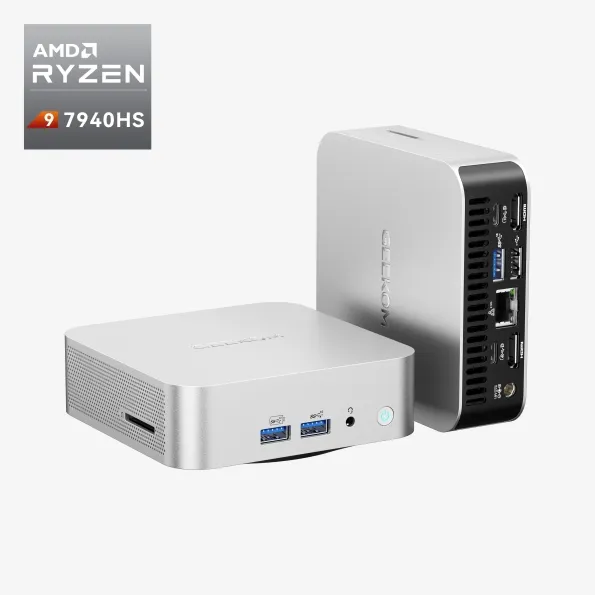
GEEKOM
Discover the GEEKOM A7 Mini PC, featuring the powerful AMD Ryzen 7000 Series. Compact, sleek, and perfect for gaming, multitasking, and creative work. Get yours today!
dusky hearth
honestly overkill for your usecase lol
onyx oxide
lol. I figured I might as well go a little overkill so I don't have to think about it for a while