#building-and-recc-chat
1 messages · Page 336 of 1
 plucky timber
I'm talking about the am5 list
 calm dove
1 min
Gigabyte B650M DS3H 190$
ASUS PRIME B650-PLUS 230$
Gigabyte B650 EAGLE AX 210$
MSI PRO B650-S WIFI 200$
thats it
you see thats the cheapest b650
plucky timber
That's converted to USD?
calm dove
yes sir
plucky timber
Jesus christ
Well in this case
The $300 markup is well
Abysmal value in the US market
But considering how marked up everything is
It's not too bad in your market
This is a 6900XT build price tag but ya know
Market shennaigans
I'd go AM5 for upgradability
AM4 is a dead end platform
calm dove
plucky timber
This is a 6900XT build price tag but ya know
i know i know
plucky timber
Especially because of your market
Rebuilding is going to be costly if he does want to upgrade in the future
If you're already getting marked up anyways
Might as well go full am5
If budget's not too much of an issue
calm dove
plucky timber
I'd go AM5 for upgradability
good theory
but doesnt work good here
just buy what you can afford
plucky timber
Well the thing is
calm dove
sell it after 5 years maybe
plucky timber
It's going to be cheaper long term
calm dove
then build another budgetone
plucky timber
AM4 will have worse resale value
Upgrading or reselling AM5 is still a better option
calm dove
plucky timber
It's going to be cheaper long term
do you wanna know how much cost a 9600x right now ?
350$
ez
plucky timber
Still good resale value
calm dove
yeeahh
plucky timber
If he's upgrading in say
A decade
By upgrade I mean selling and rebuilding
AM5 will retain a lot more value than AM4 in 10 years
 wheat zealot
Is AMD’s next socket still 2027?
calm dove
plucky timber
A decade
bro a decade this pc will be worth 200$ max hhh
plucky timber
AM4 will be worth less
calm dove
- u cant put future budget x3d cpu in this board
plucky timber
A more realistic upgrade window of 5 years
plucky timber
calm dove
+ u cant put future budget x3d cpu in this board <:kekw:741678350791081994>
You can't in the AM4 build either
plucky timber
plucky timber
A more realistic upgrade window of 5 years
You'd still be seeing better resale value with AM5
calm dove
so its dead hhhh
plucky timber
?
calm dove
ok last question
calm dove
rtx 4060 ti 8gb 470$/rtx 4060 ti 580$ /7700 xt 520$/7800xt 650$ for the am5 build
calm dove
choose one 
plucky timber
plucky timber
Is there any other DDR5 CL30 6000MHz?
Not sure if it's this kit but some launch TridentZ kits are unstable
plucky timber
calm dove
choose one <:KnucklesThinking:641081208532500493>
They're both equal in price/performance
calm dove
plucky timber
Not sure if it's this kit but some launch TridentZ kits are unstable

Corsair Vengeance DDR5 32Go (2 x 16Go) 5600 MHz CL36
for the same price
plucky timber
That is even worse
calm dove
only this 2 options
plucky timber
At least with the TridentZ you can bump up the voltage a bit to fix it
Vengeance is just crap
There is the chance that this is a decent kit
And not a launch kit
calm dove
plucky timber
Vengeance is just crap
built 2 pcs with this ram
no problems
but okey i will choose g skill
plucky timber
Don't buy vengeance
They have a high DOA rate
They are quite literally worse than the cheapest kit
calm dove
plucky timber
You can't in the AM4 build either
my idea is just build a pc under 1k$ play with it until it doesnt work or doesnt run games 1080p 60 ultra low
then build another one again
because used pc parts here is not big and expensive
plucky timber
I see
Makes sense considering the market
Sounds like Albania or something
Depends on the games
calm dove
last time i built in 2015 a 4790k/980/16 ram/1to ssd cost me 1800-2200$
look now worth nothing
hhhhhhhhhhhh
calm dove
plucky timber
Sounds like Albania or something
nope africa
plucky timber
Where in Africa?
calm dove
north
calm dove
yeah
plucky timber
Bros still using Pentium 4s
calm dove
lol
plucky timber
I'd still go with AM5 tbh
In the remote chance that you build a new pc
You may be able to reuse that ram kit
If DDR6 doesn't become a thing
Still better long term value
If you sell and upgrade at the right time it'd sell for a couple hundred
calm dove
yes agree
plucky timber
Better long term value than AM4
Considering how your used market is pretty bad
You could take advantage of that by selling the AM5 build when it has pretty decent resale value
calm dove
used like new (2015)
plucky timber
Say AM6 comes out
With how bad your used market is you could probably still sell the AM5 build for a decent price
AM4's resale value wouldn't scale as well in this scenario

 plucky timber

Sponsor: Phanteks G300A Mesh Mid-Tower Case on Amazon https://geni.us/2i3nqpE
This review of the AMD Radeon RX 7700 XT GPU mostly focuses on comparing it directly against the AMD RX 7800 XT, answering the question of whether or not it's worth it to spend an extra $50 (against MSRP, anyway) to buy the technically higher-end model. In this compari...
This shows a bigger gap between the 4060ti 8gb vs the 7700xt
 random rapids
when i try to play games my gpu gets used for 100% and my cpu almost tot none how do i fix this anyone know?
 wheat zealot
random rapids
when i try to play games my gpu gets used for 100% and my cpu almost tot none ho...
wheat zealot
random rapids
when i try to play games my gpu gets used for 100% and my cpu almost tot none ho...
what are your specs?
random rapids
wheat zealot
what are your specs?
Ryzen 7 7800x3d
Rtx 3070
32gb ram
X670 elite
And 2 m.2 ssd
Like I made it my self and don’t know if it’s the ddr5 parts or software problem I recently upgraded
only the motherboard and cpu I hope it’s software
random rapids
3440 x 1440
wheat zealot
It’s not necessarily a bad thing that it’s at 100% usage. Are you experiencing low fps? or anything when you play your games?
 jagged ember
random rapids
when i try to play games my gpu gets used for 100% and my cpu almost tot none ho...
jagged ember
random rapids
when i try to play games my gpu gets used for 100% and my cpu almost tot none ho...
Play at a lower resolution if there's not enough fps
Thar widescreen is half of 4k
That, or lower game settings
 gentle pollen
random rapids
when i try to play games my gpu gets used for 100% and my cpu almost tot none ho...
gentle pollen
random rapids
when i try to play games my gpu gets used for 100% and my cpu almost tot none ho...
Bottleneck, means your GPU can't keep up with the CPU. I run a very similar rig (look at my username).
Only thing you can do is optimize your game settings or as Vibes pointed out lower your resolution.
3rd option is try over clocking your 3070 and ram to squeeze some more frames out. If your lucky and done right you can net somewhere between 5-10%.
 marble delta

FOIFKIN PC Case -Wood Walnut Front Pane, Pre-Installed 3 PWM ARGB Fan, ATX Mid-Tower Gaming PC Case, 270° Panoramic Glass, M3 Black
Does this have a good airflow as the other one I show before?

Introducing the C8 Curve Wood Full-View PC Case, which combines cutting-edge design with exceptional quality. The single 4mm curved steel-tempered glass offers an unobstructed view of your hardware. The right side of the front adopts the real wood panel, seamlessly fitting in your living room. Cr...
 swift comet
Good morning Everyone. I'm finally building my new PC tomorrow and just want to ask for advice on how to check my hardware if they are functioning as stated. Like should I play games and have Riva Tuner on to display performance or can I just run a small all in 1 stress test?
marble delta
I wish can help but it’s been a while. But I used to run certain games that have a stress test option with a score just to see if I can run it or not.
 weary galleon
If you're doing a new build it will likely 1) work as expected or 2) not work at all
But you could run cinebench for CPU and 3Dmark for gpu if you wanted to
swift comet
How long should run them for?
marble delta
Does anyone know if the 2 cases have the same exact airflow?
 weary galleon
Bro is a master of posting images trying to point out something no one else can notice
 vocal hare
Big mfing bulge out of the box
plucky timber
What bulge
vocal hare
Like half of the panel is bulging

 potent portal
Isn't that intentional as a design choice
potent portal
It looks too even for it to not be
vocal hare
Well unlike the lian li there is no middle part that’s magnetic as well
And when removed from the case it flexes rather easily
@potent portal like idk if that’s normal
Plus the tenders online don’t seem to show a bulge
Renders *
potent portal
If it bothers you then reach out to the manufacturer. It shouldn't affect performance unless it's bulging inward enough to rub on a fan.
vocal hare
It bothers me because I paid $120 for it
wheat zealot
vocal hare
Like half of the panel is bulging
what case is it?
 mossy venture
vocal hare
And when removed from the case it flexes rather easily
mossy venture
vocal hare
And when removed from the case it flexes rather easily
Afaik that's just what metal side panels do, my p360a does the same thing
 little osprey
vocal hare
Like half of the panel is bulging
little osprey
vocal hare
Like half of the panel is bulging
It looks ramped so it seems intentional
vocal hare
I’m just confused because if it was intentional fine
mossy venture
Contact customer support imo
Though knowing customer support lines they won't know either
vocal hare
Yeah idk if antecedent is gonna get back to me fast
Antec*
I just wanna be done with my bloody build
little osprey
If it was intentional, it was a dumb design imo
Because now as a business owner you'll have customers thinking it's broken
 cyan ravine
vocal hare
Cases have bulges on purpose?
cyan ravine
vocal hare
Cases have bulges on purpose?
Almost every single case I've bought has a bulging back panel
Because funny that it feels like only a handful of brands actually provide adequate space for cables
vocal hare
I guess I find it weird because it’s the opposite for me
cyan ravine
You can flatten it pretty easily
vocal hare
Wdym
cyan ravine
Find some heavy book and rest it on top for like a day
But even then
The cables at the back will likely bulge it again
vocal hare
It’s deep
cyan ravine
Wym
cyan ravine
It has more than 5mm cable space?
That'd be a record if true
Well if you think you can make it work then just bend the panel into shape
Relatively easy to do even with two hands
vocal hare
It just flexes to one side
cyan ravine
It can be done
Just don't be too aggressive or you'll make it a worse bend the other way lmao
vocal hare
No it just like freely bends picking it up without pressure
cyan ravine
Then it should be really easy to bend
vocal hare
I lay it down and it looks flat but then I pick it up and it’s bent
cyan ravine
If it's that flimsy books will very likely flatten it if heavy enough
2 or 3 encyclopaedias
Good to go lol
vocal hare
Man I just wanna buy something and have it just be fine
cyan ravine
A case with a feature set like that at that price and no drawbacks would be sold out everywhere lad
There's going to always be a compromise
Unless you spend like $300 there will always be an issue
vocal hare
Why can’t I just buy something use it as intended without having to mess with it
cyan ravine
Even for the higher end ones
Just bend the panel lad, it's really not that much stress
vocal hare
So what I keep it on its back side?
cyan ravine
Ye lay have stuff on it for like a day
Or pinch it both sides perpendicular to the bend and push it gently into shape
You'd have said this about the Dan A3, it has this issue bad
The fix is strength lol
cyan ravine
If you wanted this same case without any flex issues they'd have had to price it way higher due to steel thickness
cyan ravine
vocal hare
Like man I was this close to starting the return and ordering a frame
My corsair cases have this issue too dude
Lol
Especially the newer ones
You want a flawless case spend $300
vocal hare
sigh
cyan ravine
I'm absolutely serious
vocal hare
My nr600 doesn’t have this
potent portal
Get a case with glass panels on all sides, you'll still probably have flex issues on the frame
cyan ravine
Yeah but that is an old af cm right
vocal hare
cyan ravine
Yeah but that is an old af cm right
Yeah
cyan ravine
Older cases were made when steel was cheap
vocal hare
It was 2020 man
cyan ravine
They have to use less material now for the same result
Yeah 2020 is pre covid
It's completely valid
vocal hare
End of 2020
wheat zealot
vocal hare
Antec*
Looks like it’s part of the design
cyan ravine
vocal hare
End of 2020
Made in 2020 is still during old spec
potent portal
vocal hare
It was 2020 man
Which means it's a design from late 2019 at the earliest
cyan ravine
We had sharp cost rises 2021 onwards
vocal hare
wheat zealot
Looks like it’s part of the design
Where did you find that
So what lay it like this and put some old text books in the center?
 wheat zealot
vocal hare
Where did you find that
wheat zealot
vocal hare
Where did you find that
I just looked up the case and it looks like yours. Unless I’m just missing something.
cyan ravine
Known as elastic and plastic deformation
If you exceed elastic deformation into plastic, you can change the shape of it permanently
In this case thin steel is very malleable
So it's the same as bending per se
It's quite easy to bend, so enough pressure against it should help shape it
cyan ravine
In heavy industry they use roller machines for this
cyan ravine
vocal hare
Ugh no I have greasy fingers everywhere
Just wipe it down later no biggie
Wet paper towel
vocal hare
Like just an alcohol wipe
vocal hare
Strips paint
cyan ravine
Ye
vocal hare
Yeah I figured
cyan ravine
Wet paper towel is fine
vocal hare
I mean it’s used to remove naip polish
cyan ravine
In the meantime build the rest of the pc lad
Make the most of the moment
By the time the panel is ready to go on you'll feel chuffed with yourself
cyan ravine
You'll be fine
You can use the pc without the panel if needed
If this were me, I'd rather fix this small defect in short time and move on
Returning another case
Waiting 5 more days
When you got school to do lad
And then there's the chance the new one has issues too
To the same degree
A slightly bent panel is an easy fix imo
cyan ravine
I understand you want everything perfect but reality isn't like that unless you spend an actual fortune
 shut rampart
How do I put on combos that won’t do this
cyan ravine
shut rampart
How do I put on combos that won’t do this
?
shut rampart
 vocal hare
Yeah I guess
shut rampart
Put more on or less
cyan ravine
Oh combs
vocal hare
Oh combs lol
cyan ravine
You need to pull the bottom strands
vocal hare
Combos
cyan ravine
So they don't overlap the top ones


 dusky hearth
get more slack up in front, comb the cable, then carefully pull it back into the back without disturbing the wires
cyan ravine
The top strands need more slack than underneath lad
shut rampart
Good enough?
 cyan ravine
Yea now you're gettin it
shut rampart
I need more zip ties 😦
vocal hare
damn that thing did not wanna go in
ya'll said some scrape around the mobo screws is ok right?
think i scraped it a bit trying to get it in because the io shield area wouldnt line up
cyan ravine
Yes boards are designed for it
vocal hare
even if i see a lil copper?
vocal hare
like around the area mobo makes contact with standoffs
not my picture but kinda like this but like not so thick

and on the backside
well just on the back side
cyan ravine
You really screwed that in tight whoa
It should be fine
If you're worried, a little plumbers tape over the copper and it'll be perfectly fine
That little ring is intended to be scratched
But uh
Try not to screw in as tight next time
vocal hare
nonono thats not me
i just found a pic on the internet
its on the backside of the mobo, I was readjusting a lot because the io area didnt wanna line up
cyan ravine
If it's directly around the screw hole it should be ok
No traces or smds/pads under the scratch
vocal hare
case is a lil weird
you know how there is the center standoff that is raised?
there were 2 in this case but not quite raised as the center one
if i remember it correctly it looked like this

I'd unscrew it to take a picture but I think that'd make things worse
cyan ravine
vocal hare
there were 2 in this case but not quite raised as the center one
You need to stop looking at things so carefully lol
Again, you won't get "perfect" for this price
The standoffs were likely just not fully screwed in
I've seen it tons of times before
potent portal
Only the ground plane will be around the screws, so even if the screw did contact the ground plane it would just ground the case, which is what you want anyway.
vocal hare
cyan ravine
Need* to stop screwing as hard
I dont screw hard
cyan ravine
Well that's a really unusual scuff
vocal hare
it was on the standoff side
potent portal
Which is fine
vocal hare
I assume there was slight scuff when adjusting
because while the screws lined up the io did not for some reason
dusky hearth
it would be a terrible design choice if anything but a ground plane was somewhere that could be scratched up by a screw being torqued down too tight
potent portal
Unless you scratched it so deep that you broke through multiple layers of the PCB then it's fine. Assuming that it's near the mounting hole like that.
cyan ravine
It's again, designed to be like this
That's still a really big scuff
You don't get that with normal screwing
vocal hare
idk if i've ever ran into this even with a more scuffed build
well it wasnt that large
looked more faint like this
 dusky hearth
as long as you're not scratching around outside of where the screw/mount points is, you're fine lmao
vocal hare
now its driving me insane that i dont have a picture of it
vocal hare
just worried you know, my money and all
guess when i'm building for someone else i dont have the yi[s
dusky hearth
 vocal hare
yeah no it was def around the screw hole
honestly i wonder why it was that one
i feel like it was the other screws that I had more trouble adjustung
dusky hearth
whereever there is an obvious point of contact for mounting, no engineer/designer is going to put something fragile over there (unless you're nzxt)
cough h1 cough
 potent portal
dusky hearth
whereever there is an obvious point of contact for mounting, no engineer/designe...
potent portal
dusky hearth
whereever there is an obvious point of contact for mounting, no engineer/designe...
Fractal made the same mistake on the Torrent but caught it early on and did a full recall before it ever became a problem, going so far as to take product off shelves.
dusky hearth
(the correct way to respond)
potent portal
It's a prime example of even the best companies having problems. It's how they address it that separates them.
vocal hare
honestly now im more confused than ever
I undestand why the screw makes that dmg
but the solder like wasnt even flattened
dusky hearth
you dont have to continue worrying about it for your case lmao
potent portal
Waiting until after there's several fires and videos detailing the exact problem and how to avoid it is the wrong way lol (nzxt)
potent portal
vocal hare
but the solder like wasnt even flattened
It doesn't matter
dusky hearth
like felix said, it's probably just a standoff not being perfectly straight
vocal hare
I guess
as you can tell I over think waaaaay too much
got i from my mom
honestly its nice this case opens up the top
eps cable will be easier
Ok no I’m not crazy it’s like a second grounding screw

 lone flame
cyan ravine
Need* to stop screwing as hard
lone flame
cyan ravine
Need* to stop screwing as hard
 vocal hare
Okay while I was taking it out to replace the stand off my brother took a pic
I'm good

It is for sure just in that area
Ok motherboard and imo line up a heck of a lot easier when there isn’t the wrong stand-off, thanks antec
potent portal
What budget and style would you look for?
 severe lava
black or wood accent and anywhere under 200
potent portal
Something like this then? https://pcpartpicker.com/product/Gd26Mp/fractal-design-north-xl-atx-full-tower-case-fd-c-nor1x-02

Fractal Design North XL ATX Full Tower Case (FD-C-NOR1X-02)
potent portal
They said full size
vocal hare
But then they said micro
So idk
The current case I’m building in, the antec flux is quite nice as well
$110 on Newegg
potent portal
It read to me as "I found one similar but it was micro so it wasn't a good match"
vocal hare
Ah
Well antec flux is still technically mid tower
Flux pro is slightly bigger
But has an increased cost because of its extra goodies
But they can technically fit eatx
potent portal
Mid vs full tower is purely marketing terms anyway that have no basis in physical specs
I've seen "mid towers" that are larger than "full towers"
vocal hare
And there are mid towers on the verge of mini tower
dusky hearth
is there
potent portal
There's 23L mid towers https://pcpartpicker.com/products/compare/qfBv6h,Hc3RsY,FPX2FT/
Athenatech A3712BB.450 ATX Mid Tower Case w/450 W Power Supply vs. Logisys CS136BK ATX Mid Tower Case w/480 W Power Supply vs. Xion Xon-350 ATX Mid Tower Case
And then this one calls itself "mini tower" at 55L https://pcpartpicker.com/product/bwgPxr/cooler-master-mastercase-pro-3-microatx-mini-tower-case-mcy-c3p1-kwnn

Cooler Master MasterCase Pro 3 MicroATX Mini Tower Case (MCY-C3P1-KWNN)
Same with Corsair 2500X
 topaz rose
is this better than a 13600kf on ddr4

 steep basalt
topaz rose
is this better than a 13600kf on ddr4
steep basalt
topaz rose
is this better than a 13600kf on ddr4
yes for two reasons: 1. AM5 so not a dead end socket and 2. Not Raptor Lake.
topaz rose
steep basalt
yes for two reasons: 1. AM5 so not a dead end socket and 2. Not Raptor Lake.
speed wise
performance
frames per second
steep basalt
Well the DDR5 is certainly going to help with that. The single thread benchmark is slightly higher on the 7700x too.
dusky hearth
No sense in ddr4 in 2025 unless ultra budget
OH MAH GAHHH
Wait
This isn't general
topaz rose
dusky hearth
No sense in ddr4 in 2025 unless ultra budget
im asking cause me and my friend both use 13600kf on ddr4 lol and hes lookin at upgrades
dusky hearth
topaz rose
im asking cause me and my friend both use 13600kf on ddr4 lol and hes lookin at...
In that case, if they don't need maximum performance, I wouldn't upgrade still personally
Sure, upgrading to like 9800x3d or whatever would be a decent upgrade, but in terms of what more you can run, not much more? Unless you get a high end GPU as well
Like, I run a 3700x and 6750xt, and I don't feel any pressing need to upgrade still, outside of the mediocre single core performance
Which only matters for me when I'm in VR, which is not the main use I use my PC for anyways
topaz rose
dusky hearth
In that case, if they don't need maximum performance, I wouldn't upgrade still p...
he needs something cause his fortnite fps is so bad
he ddrops to like 90
i dont think his rx 6700 is a isue, it doesnt even have high usage
dusky hearth
It could be caused by the ddr4 tbh
If they play competitively, maybe they should sell the current rig and make a new rig based on am5
I don't think it's worth swapping the MOBO just for ram?
mossy venture
13600k can easily do above 90 fps in fortnite
I speak from experience
Have him turn 3d resolution down
dusky hearth
90 minimums I assume
topaz rose
mossy venture
13600k can easily do above 90 fps in fortnite
on the same maps even i suffer lmfao
mossy venture
3d resolution is awful on fortnite
topaz rose
ill tell him to lower it
mossy venture
He could also try rendering with a diff engine on settings
Dx12 I think?
I dont know game engines that well
topaz rose
dx12 for radeon in my testing is smoother
mossy venture
I know one of the options limits you to horrible settings and 30 fps
topaz rose
better 1% lows but highs cansuffer sometimes
mossy venture
Then there's the default which is i think dx11
dusky hearth
mossy venture
I dont know game engines that well
Dx12 is a graphical API and not a game engine specifically
mossy venture
And then I think amd likes dx12 yeah
dusky hearth
Does fortnite support Vulkan
topaz rose
correct
mossy venture
dusky hearth
Does fortnite support Vulkan
Idts
topaz rose
if you play with a amd card is basicly stuck with dx12
mossy venture
But its also been a while since I played
topaz rose
dusky hearth
Does fortnite support Vulkan
no
dusky hearth
Welp
topaz rose
forntie likes nvidia cause u can use perfromance mode
swift comet
Let the build commence (Minus the RTX 5090)
https://newegg.io/8d710970
 dusky hearth

cyan ravine

weary galleon
mossy venture
3d resolution is awful on fortnite
...isn't "3d resolution" just their name for the game resolution slider?
cyan ravine
dusky hearth
<a:Aware:960235150577397911>
I just realised I forgot to change my name
Lmao
mossy venture
weary galleon
...isn't "3d resolution" just their name for the game resolution slider?
Yes but the way fortnite renders it is horrible on your gpu
I was getting under 60 fps on a 13600k/3060 ti with it at 80%
Wait do you mean the resolution it's displaying on your monitor?
weary galleon
Yeah cause Fortnite UE5 performance suuuucks on some systems
mossy venture
Like 1920x1080?
weary galleon
Yes
mossy venture
Oh no
dusky hearth
cyan ravine
I just realised I forgot to change my name

mossy venture
Thats different
3d resolution is how detailed the images look, idk the proper terminology
Maybe it is just increasing the resolution the game is rendering it
Idk
weary galleon
From what I remember it's just a resolution slider and then it upscales back up
I think the reason they add the 3d part is because it doesn't apply to 2d hud elements
GENERAL
Added “3D Resolution” slider to Video options on PC and Mac.
This new preference allows you to set the resolution of the 3D world, without affecting the user interface.
The range goes between 640×360 and your selected Display Resolution. Using a lower 3D Resolution may greatly improve frame rate.
When selecting an overall Quality option, an appropriate 3D Resolution will be chosen automatically.
mossy venture
Thanks for the info, I can stop lying to fortnite players now
weary galleon
UE5 slop
 frigid jackal
guys is my gpu cooked https://cdn.discordapp.com/attachments/589689072692494356/1337359629914603562/image.png?ex=67a87a36&is=67a728b6&hm=040626b150d5c667ac680e47da16f76a24e3197feaa964b8460f4b920b5a84f1& 😞
 potent portal
Normal
potent portal
It's shorter so that it can detect if it's not in all the way
frigid jackal
I had uninstalled it a while ago
used i t to test something out
took it out and it looked like thjat and im like hrmm
ohh
potent portal
There will be another like that on the reverse side
swift comet
Quick Q: I have the Artic MX-6 Thermal paste. Should I replace the Thermal paste that came with the Corsair Titan 360 RX?
 wheat zealot
topaz rose
if you play with a amd card is basicly stuck with dx12
wheat zealot
topaz rose
if you play with a amd card is basicly stuck with dx12
I use performance mode
cyan ravine
wheat zealot
I use performance mode
You should get better perf with dx12
Slightly lower average, much better lows
wheat zealot
I used to play on dx12 but too much delay
cyan ravine
If you find it better on your end then I mean, you're the one using it
But the typical advice is DX12 performs better
That said they say literally anything about nvidia cards
Lmao
wheat zealot
Honestly I think it just depends on your drivers. I remember, when I started I was on performance mode but then it became unplayable so I switch to dx12 but then I switched back and it was fine.
 rain carbon
Curious why vulkan isn't used more?
wheat zealot
probably cause dx just has more market dominance & is already been used for a while now.
cyan ravine
There's a lot of tests out there that demonstrate dx12 pro being typically the best
But again, if you're doing better on perf mode and you've tested it, well 
I mean I'm not gonna deny reality like that without a seriously good reason lmao
cyan ravine
rain carbon
Curious why vulkan isn't used more?
Vulkan is like several degrees more difficult to code for
It is also much much better running
But takes a lot more work
You also wouldn't see vulkan on an epic game
💀
 pearl gulch
I hate trying to figure out my mobo...
rain carbon
Vulkan my beloved
pearl gulch
when choosing a mobo, is there a good resource to understand these lists in the stats?
 weary galleon
When implemented correctly dx12 has very similar performance to vulkan iirc
Most games where you see a huge jump when swapping to vulkan is because the other option is dx11 not 12
For example R6 was dx11/vulkan and recently dropped vulkan support for dx12
 stoic island
pearl gulch
when choosing a mobo, is there a good resource to understand these lists in the ...
stoic island
pearl gulch
when choosing a mobo, is there a good resource to understand these lists in the ...
For m.2 slots? It's pretty simple, M key is normal nvme SSDs, E key is for m.2 wifi cards, and 2242/2260/2280/22110 are sizes, where 2280, 22x80mm is the most common size
pearl gulch
whoa didn't know there were m.2 wifi cards... and didn't realize there were different sizes either... darn. adds a bit of complexity on top of my laziness.
stoic island
most of the time all you care about will be 2280 M key
pearl gulch
ok thanks
stoic island
B+M on older boards will support M key and B key, B key for old sata m.2 ssds
dusky hearth
Except for the edge cases where sata m.2 isn't supported
(falcie had one of those boards)
stoic island
Specifics for the support will be on the mobo page, you won't be able to tell by just the specs for that
pearl gulch
this might explain why i had trouble in my last computer build... I didn't really know and had weird issues with my nvme
dusky hearth
^ always check
Though at the same time nvme is cheap enough now
stoic island
b+m sata ssds will fit in m.2 key m slots but won't always be supported
potent portal
dusky hearth
(falcie had one of those boards)
It's most AM5 tbh
dusky hearth
Am5 wasn't out at that time though iirc wasn't it
Been a while so I forget the specifics
dusky hearth
Ahh
potent portal
They're putting less sata ports on things in general too. We're down to 4 without tapping chipset lanes.
dusky hearth

TBF I don't actually care about that
I don't think you should use your PC as the main storage
pearl gulch
I tried to move away from using my PC as main storage... didn't work as great as I hoped. 12 TB of NAS storage later and I still struggle to keep the programs on my computer that I want, while being able to access media at the speeds you get if stored directly
potent portal
Now that faster networking is standard you can pop a USB into your router to use as network storage too
pearl gulch
so my newest build will be all direct to my PC
dusky hearth
pearl gulch
I tried to move away from using my PC as main storage... didn't work as great as...
Depends on what you're using it for
The ideal solution probably would have been tiered storage
For your use case
pearl gulch
downloads, video media, steam games I don't need to load fast.
dusky hearth
Though to be honest
Many applications would benefit from tiered storage
pearl gulch
hol' up, tiered storage?
from my gurgle search, I think I've only done tiered storage manually so far.
potent portal
RAID 50 or nothing
 pearl gulch
hmm maybe I just need to upgrade my NAS and network setup to handle the load of data transfer
potent portal
6 drives
dusky hearth
Another application where that 5 bay NAS doesn't work in
potent portal
Could do RAID 60 too, 8 drives
dusky hearth
Wouldn't the parity calculations negate any speed gains obtained from raid 0
potent portal
Fast parity drive
dusky hearth
Hmm
pearl gulch
After all these years, I still haven't observed a use case for setting up RAID in a personal environment. I've also only ever replaced 2 failing drives in 2 RAIDS at 2 different companies... but I have moved away from service and into app administration over hardware.
dusky hearth
pearl gulch
from my gurgle search, I think I've only done tiered storage manually so far.
Yeah that's the "easy" way that takes 0 setup
Mfw my phone died in the middle of typing that
pearl gulch
rip dude. what's your preference on automatic storage tiering?
dusky hearth
Honestly, idk if there are any good free options? The last time I used it was for a college project with windows server lol
Maybe there's some open source one
pearl gulch
that's what I expected actually. sounds too complex to wrap around the windows OS
I'll keep it to manual tiering 😛
dusky hearth
Technically some NAS software does do tiering, though on like HDD, SSD, and ramdisk
Though this requires sufficiently fast networking (though used 10g enterprise nics are relatively cheap)
pearl gulch
my friend was asking me why I had a HDD and a SSD in my PC instead of 2 SSD's... I had a hard time explaining my logic of having more volatile data stored in the HDD. He basically told me that SSD tech has changed a lot over the years and I should be just doing all SSD.
dusky hearth
pearl gulch
my friend was asking me why I had a HDD and a SSD in my PC instead of 2 SSD's......
Always keep backups no matter the medium (also HDD reliability as it's becoming less popular, has been on a downwards trend it seems like)
But an all flash system with no spinning rust will no longer cost significantly more than if you used HDDs
Just avoid qlc flash I believe it was
pearl gulch
yea, keeping backups was interesting for a while, but I don't really keep anything I can't re-acquire from the cloud... it mostly just saves time, like storing receipts from e-bills and whatnot.
i mean i don't have anything I can't re-acquire
maybe some pet projects for trying to learn game dev or coding, but all my code is backed up at least.
dusky hearth
Ok then additional backups aren't strictly required then since you already have a backup (though it's still best to have 3 copies)
pearl gulch
lol yea, I got lazy as I got older.
dusky hearth
I can't imagine how much lazier I'll get when I'm older, as a youngling
I think I'm already lazy enough
I'll be one of those wall-e characters by the time I'm 40
pearl gulch
well, I've lived a lazy lifestyle of 'laziness is a form of efficiency'
dusky hearth
Lol
Until we end up deciding that the more efficient method (auto tiering) is more effort than you want to try to figure out
So we end up manual tiering
pearl gulch
Is there a reason that DDR5-5000 are recommended by some websites over DDR5-8000 variants? I imagine it could be due to heat or something
or just bad or old info on the website
pearl gulch
was looking for some of the reasoning
pearl gulch
im still trying to decide 😦
i think i have the cpu, but I'm willing to bend depending on what else I pick
mossy venture
sorry playing rivals atm lol
potent portal
There's not a lot of performance difference past 6000 or so, and a lot of motherboards struggle to run more than ~7000
mossy venture
i think fals typing an explanation out
afaik any 7000/9000 series amd cpu doesn't like over 6400mhz without putting effort into ram tuning, so if youre looking to plug and play 6000/6400 makes sense
potent portal
If you're getting an AMD CPU then you want 6000 specifically because that's the highest speed that you can do while keeping everything synced up. Some CPUs are lucky and can do 6400 synced.
pearl gulch
np np, im watching tv and trying to pick out my build items. Intel Core i7-12700K 3.6 GHz 12-Core Processor
mossy venture
also, the ram die in a 6000c30 kit and a 7200c34 kit are both either hynix A or M die
pearl gulch
I'm more of a software guy, so some of that didn't make much sense to me 😦
potent portal
The most that the 12700K can do without instability issues will be 7200, and that's assuming the motherboard likes that speed too
mossy venture
if you're gaming id suggest the 7600, unless pricing is weird where you live
potent portal
7600 in this case being a CPU model, not a ram speed
pearl gulch
oh
mossy venture
alr ima stop confusing you and let fal help
pearl gulch
I told myself my current pc would be my last one I built myself, but when I look at PC builder copmanies... their configurations feel a bit lacking.
plucky timber
pearl gulch
I told myself my current pc would be my last one I built myself, but when I look...
Indeed
They overcharge and put the cheapest low quality parts in
They charge 6900XT build prices for a 4060ti
potent portal
pearl gulch
im still trying to decide 😦
Did you need wifi on the motherboard?
pearl gulch
I need bluetooth more than wifi, but both are fine. I settled temporarily on " Asus ROG STRIX Z790-A GAMING WIFI II ATX LGA1700 Motherboard"
my last 3 computers have had faulty bluetooth
potent portal
If you're set on using the 12700K and you want to get as high end as is reasonable, here's my recommendation https://pcpartpicker.com/list/tWXnyW
Part List - Intel Core i7-12700KF
pearl gulch
pearl gulch
np np, im watching tv and trying to pick out my build items. Intel Core i7-12700...
was this not the same thing?
oh there's an F on that
potent portal
Yep that just means it doesn't have an integrated GPU, which sometimes can help with high memory speeds funny enough
pearl gulch
weird
potent portal
The Intel wifi chip used on that motherboard is known to be pretty decent, but bluetooth issues are a constant no matter what you go with
pearl gulch
ah, it still bothers me that bluetooth works flawlessly on business computers, but not on personal.
potent portal
Different drivers mostly
Business machines emphasize stability over all else
Consumer machines will compromise some stability to get extra features or speed
pearl gulch
yea, I used to deploy business PC's a lot and it always bothered me
the list you linked said there were incompatibilities?
potent portal
Yeah I didn't put a cooler
pearl gulch
oh ez.
mossy venture
potent portal
If you're set on using the 12700K and you want to get as high end as is reasonab...
could do a 13600kf or 14600kf
better imc too no?
potent portal
Sliiightly better
mossy venture
or this would be am5, gives you an upgrade path but a bit worse performance https://pcpartpicker.com/list/WJyj6D
Part List - AMD Ryzen 5 7600
pearl gulch
yea im aiming for expensive, but not top notch. like the level just below top end (to save on cost)
potent portal
A 13600KF would be a good match for you then it sounds like
mossy venture
whats the budget?
pearl gulch
4k
potent portal

Intel Core i5-13600KF 3.5 GHz 14-Core Processor (BX8071513600KF)
pearl gulch
yea... i'd probably aim for 3k, but 4k is the limit
mossy venture
oh bruh
pearl gulch
i haven't built a computer in 4 years and am still reading up, assuming a 5090 is a gpu
potent portal
Yes it's currently the highest end one, and it also costs over $2000
pearl gulch
oh ew
pearl gulch
I was using this as a guide:https://www.logicalincrements.com/
Helping you build a PC, at any budget.
potent portal
Hoo boy, let's see how bad this one is
mossy venture
Part List - AMD Ryzen 7 9800X3D, Montech XR ATX Mid Tower
threw it together bc im still playing rivals lmao so it might not be great
potent portal
Ok that site is far from the worst I've seen. But still could do much better.
pearl gulch
oof
potent portal
Like, I would never, ever suggest a 9900X to a gamer
Or a 9950X for that matter, but it's listed under the "monstrous" build even though that CPU loses to the 9800X3D badly
pearl gulch
hmm, good thing I'm just using it as a guide to making decisions instead of as a rule
Maybe I should start by looking at some high rated builds on pcpartpicker?
potent portal
I'll throw one together for you in a couple minutes
pearl gulch
sure. As I'm trying to build my own list, I had a few instances of decision paralysis and figured I'd reach out.
mossy venture
Part List - Intel Core i5-14600KF, Montech XR ATX Mid Tower
pearl gulch
Not sure if this is tmi:
Keys for me are high end storage speed, memory speed was mostly something I thought was interesting, but I don't know if I really need it. aiming to stick to 64 GB memory.
I'm using 3 monitors at 1920x1080 res, technically have a KVM setup for swapping to work, but I had to remove the KVM because one of my computers couldn't support it properly (right now I manually swap the keyboard, have an extra mouse that i physically swap between, and manually swap the input from the buttons on the monitors).
I currently have a lot of v sync looking issues when gaming, suggesting I need to do more with my graphics card. preferably without SLI bridging (bad experience with it, unless it has become better over the years).
potent portal
I'd consider this to be a quite high end machine. No real compromises. The GPU is a placeholder, it's hard to get one right now. Any similar GPU will do.
https://pcpartpicker.com/list/7RKcGJ
Part List - AMD Ryzen 7 9800X3D, Radeon RX 7900 XTX, Fractal Design Pop XL Air ATX Full Tower
pearl gulch
and im unsure if keeping a separate SSD for the OS is still a thing
potent portal
64GB of memory hurts your memory speed potential, 48GB is the max without compromising that
pearl gulch
oh interesting
I was running into issues because I sometimes try to run a bunch of VM's. guess that's more reason to get my server up and running again.
potent portal
Oh and SLI is dead. They don't even put the interfaces on the GPU anymore.
pearl gulch
lol, at least I confirmed that myself ~4 years ago...
mossy venture
Id def suggest an upgrade from 1080p for a pc like this
pearl gulch
I like 1080 😛 but my monitors support 4k
potent portal
Separate drive for the OS is optional, I'd just go with partitioning a single drive instead. That makes it easy to reinstall windows without worrying about losing data.
 crimson zinc
pearl gulch
I was using this as a guide:https://www.logicalincrements.com/
crimson zinc
pearl gulch
I was using this as a guide:https://www.logicalincrements.com/
The recommend using HDDs at $800
What
pearl gulch
lol
pearl gulch
guess that list is now dead to me
crimson zinc
If your budget is $4500+, just get a 8tb nvme tf
 covert vapor
I don't object to the use of hard drives as budget storage for things that do not need speed, but after a certain point budget wise it makes no sense to not just go all in on SSDs
crimson zinc
covert vapor
I don't object to the use of hard drives as budget storage for things that do no...
Speaking of, how’s this?
 potent portal
2019 model, not too bad
 languid nimbus
Slow
crimson zinc
Should I grab it? @potent portal
pearl gulch
lol
crimson zinc
Dude has 2 other interested
potent portal
Is that jawa?
crimson zinc
Mercari
potent portal
Ah
 potent portal
Hmm idk how good their buyer protection is if the drive has bad smart info
Yeah ok with that rep I'd take the risk
crimson zinc
Got it

 😆
😆 potent portal
As long as it closes, who really cares what the back looks like right?
lone flame
mine is so bad im scared to ever go back there
whatever the next iteration of my build is i'll try and be more patient and manage my cables better lol
pearl gulch
potent portal
64GB of memory hurts your memory speed potential, 48GB is the max without compro...
is there a reference for this somewhere? I'm curious and so is my friend
dusky hearth

i find it funny that a somewhat similar technique is actually used to get "rid" of wrinkly skin
you kinda use a clear somewhat skin coloured tape, and you pull your skin taught under where it isnt seen normally
so that your skin still looks supple or whatever the adjective was
smooth
potent portal
pearl gulch
is there a reference for this somewhere? I'm curious and so is my friend
The issue is that 32GB sticks are dual rank (chips on both sides) which is a lot harder to run than single rank. 24GB sticks are the fastest around right now.
The reason for dual rank being harder to run is the memory controller has to manage the extra bank groups. The more bank groups it has, the slower it has to go to avoid causing an error.
 serene onyx
Hey guys
I have a serioys question
I have a friend thats installing windows 11 to a freshly built pc
but as soon as the usb was placed into the system and loaded into the installer it gives him a system 32 driver error
but it doesnt even have an os installed yet
any help?
potent portal
Did you enable XMP/EXPO
serene onyx
oh ok
 jolly riverBOT
How to clear CMOS (works for AMD and Intel)
https://www.intel.com/content/www/us/en/support/articles/000025368/processors.html

Intel
Defines CMOS technology and how to clear CMOS using the jumper or battery methods.
serene onyx
I will do that and then update you
potent portal
If that doesn't work try making the USB installer again, preferably on a different USB stick
serene onyx
potent portal
If that doesn't work try making the USB installer again, preferably on a differe...
Ok sounds good
pearl gulch
that awkward moment when you're talking with your friend about memory speeds and he's like, wait... share your screen... you know that's you're on the default lowest setting for DDR4, right?
And I've been using my computer for 4 years not knowing i was using half the performance value I paid for...
pearl gulch
i built it myself 😛
dusky hearth
Me running it knowingly
pearl gulch
just assumed that if it was on auto, i didn't have to check it
pearl gulch
potent portal
The issue is that 32GB sticks are dual rank (chips on both sides) which is a lot...
friend wants to know if you mean single stick ram in that context or not
potent portal
That is per stick, per channel
A set of 2x 24GB sticks for example
Avoid using 4 sticks on DDR5 if possible, it severely cripples your speed
 pearl gulch
potent portal
Avoid using 4 sticks on DDR5 if possible, it severely cripples your speed
pearl gulch
potent portal
Avoid using 4 sticks on DDR5 if possible, it severely cripples your speed
whoa what
pearl gulch
damn, it's like you were reading our minds lol
potent portal
lol I don't even know how many times I've had this discussion
Same with @cyan ravine
It's been like that since the first DDR5 motherboards
But back in the early days like that it was possible to be limited to 4400, below the minimum speed, and effectively impossible to run
cyan ravine
@pearl gulch just think of 1x16 ddr5 like 2x8 ddr4
dusky hearth
potent portal
Avoid using 4 sticks on DDR5 if possible, it severely cripples your speed
Time to use 4 sticks of dual rank frfr
potent portal
dusky hearth
Time to use 4 sticks of dual rank frfr
A lot of boards will simply refuse to POST with that
cyan ravine
It's impossible to run 8x8 on normal ddr4 desktops
But that's just a vague representation of how stupid hard it is to run
Ddr5 is dramatically different
swift comet
Running into a weird issue. Just built my New PC but when installing Windows 11 I get this message: "This PC doesn't currently meet Windows 11 system requirements". How does my new PC not meet requirements?
cyan ravine
Ftpm/secure boot not enabled in bios.
 potent portal
Update your bios and that usually solves it
dusky hearth
tpm
swift comet
Where do I go for tpm?
potent portal
Press F9 for search

 potent portal
Yep that's enabled
Ok so it's a bug in the windows installer
You can bypass the hardware checks by creating the install USB using Rufus
Rufus: Create bootable USB drives the easy way
You can get the iso to do so from the Windows media creation tool, just tell it you want to use a different device and to download the iso
swift comet
I think I got it. I selected Yes on this option
new cpu installed ftpm nv corrupted.
Press y to reset ftpm. If you have bitlocker or encryption enabled the system will not not without a recovery key.
press n to keep previous ftpm record. And continue system reboot. Ftpm will not enable in new cpu. You can swap back to the old cpu to B recover tpm related keys and date.
Will I have to set up bitlocker by choosing Yes?
potent portal
No that's warning you that if you already have bitlocker that you'd need your recovery key if you reset it
potent portal
I'm just glad it was that easy
pearl gulch
trying to figure out why my PC is stuck using my memory at 2133 mhz
it's rated 4400, when i try to set the xmp profile, it fails to boot and has to default back to prior settings.
changed the slots per someone else's guidance (I had it in the 1 slot pairing instead of the 2 slot pairing), but same effect.
 crimson zinc
@pearl gulch what’s your cpu
pearl gulch
crimson zinc
<@347042413165936650> what’s your cpu
Intel Core i7 10700KF
mossy venture
What motherboard?
A higher speed kit doesn't just mean you'll run 4400mhz. Your cpu and mobo need to be able to actually handle ram that fast, which afaik no 10th/11th gen cpu can without heavy ram tuning
If you enable xmp and set it to 3600mhz that should be fine
If not 3200mhz
pearl gulch
mossy venture
What motherboard?
Z590 Phantom Gaming 4
I have a 2nd stick, just collapsed the view to give details.
and I thought my mobo could handle the ddr4 speeds when I bought it
mossy venture
Do you feel like spending hours dealing with ram tuning?
If not, 4400mhz won't happen, it might not even be possible with ram tuning I've never looked at how 10th gen does with ram tuning
pearl gulch
i've already spent 2 hours diagnosing
mossy venture
Then go look at the tutorial in #overclocking
pearl gulch
oh, the one thing I've avoided doing all these years lol
pearl gulch
im ok with pretty much any decent sized performance boost. doesn't have to be the number I bought
so it's probably a limitation I couldn't identify when purchasing my parts
mossy venture
Then you can enable xmp and turn down the speed
You could probably get lower latency than the xmp sets it to
Or, third option
Return the ram and get a (likely) cheaper kit you don't need to mess with
If you were already on 32gb 3200mhz+ it's not going to be a very noticeable difference
pearl gulch
hmmm whatever i need to do, it's noticeable when comparing my loading speeds in games with other friends
I really think it's my mobo though... because my m.2 slot closest to my cpu doesn't register my ssd, I had to use the 3rd closest one
I got censored on a bunch of 'additional issues' the PC has 😦
Short version, ssd bad blocks since purchase, bluetooth adapters and wifi adapters don't work.
all leading me to think the mobo wants me to suffer
so I'll try turning the memory speed up to 32 or 3600
mossy venture
pearl gulch
hmmm whatever i need to do, it's noticeable when comparing my loading speeds in ...
What storage do you use
And what was your ram before this?
pearl gulch
Samsung 980 pro 2TB (and the interface is listed as unknown), then a HDD
ram was always the same, since I built the PC.

and the SSD works slower than I thought it would as well.
mossy venture
Is it every game is loading slow, or is it games you're running from the hdd?
Did you put windows on the ssd?
pearl gulch
no, I know when to pay attention to which games are on my HDD and SSD
and yes, OS is on SSD
mossy venture
Do you have at least 100gb free on the os drive?
pearl gulch
cleared 1 TB of space troubleshooting my SSD speeds
mossy venture
What ram did you have before?
pearl gulch
pearl gulch
Samsung 980 pro 2TB (and the interface is listed as unknown), then a HDD
ram was...
always the same ram, since computer's inception
mossy venture
I dont see the ram in that screen shot
pearl gulch
I never noticed my memory speeds were on default until a friend told me to screenshare while we were wondering why my PC wasn't performing
mossy venture
Oh wait
pearl gulch
 pearl gulch
np
mossy venture
So ram defaults to jedec speeds until you enable xmp/docp in bios, which i imagine you've seen by now
Jedec is either 2133 2333 or 2666 depending on the ram
You should be able to just enable xmp and try a diff speed, but if you want to still increase performance after that bringing down ram timings will help with 1% lows and maybe loading times
pearl gulch
problem is, when I enable xmp profile (set to auto) it fails to boot and reverts back
mossy venture
Yeah auto is at 4400
It should give you the option to try a lower speed, if you send a pic of bios I can maybe help
pearl gulch
oh yea that's the one thing there I haven't tried and was going to try at next boot
 cursive wharf
RAM in correct slots?
pearl gulch
swapped them to the correct slots last night
pearl gulch
didn't help
mossy venture
My pc didn't even get to windows with the ram in the wrong slots lmao
pearl gulch
lol
my friend was wondering how i got the system to boot as well
but we're at a point where he's got no clue other than adjusting the speeds to lower speeds and seeing if it takes.
actually, guess I'll try that now
pearl gulch
well, i was able to hit 3200 without failing to boot to os... so guess that's it. gotta read more fine print before i buy my memory and cpu next time.
dusky hearth
pearl gulch
well, i was able to hit 3200 without failing to boot to os... so guess that's it...
I'd recommend running the occt memory test just to make sure it's stable
Sometimes it's stable enough to "run" until it gets used in a game or other software and it blue screens suddenly
little osprey
is it easy to build a fully water cooled pc?
mossy venture
No
little osprey
mossy venture
No
do you think I could do it with a budget of 3600
mossy venture
Sure but it won't give you extra performance
dusky hearth
little osprey
i just want my pc to be cooler temperature wise
cpu and gpu are perfectly fine 90% of the time on air cooling, at stock speeds
little osprey
dusky hearth
cpu and gpu are perfectly fine 90% of the time on air cooling, at stock speeds
ok ok
mossy venture
You can also do a water cooled gpu and cpu without needing a custom loop
little osprey
mossy venture
You can also do a water cooled gpu and cpu without needing a custom loop
what kit would be good to use
mossy venture
There's tons of aio options.
https://pcpartpicker.com/product/b8MXsY/thermalright-core-vision-argb-7237-cfm-liquid-cpu-cooler-core-vision-360-black
This one has an lcd display on the coldplate

Thermalright Core Vision ARGB 72.37 CFM Liquid CPU Cooler (Core Vision 360 BLACK)
Cheaper just as good
https://pcpartpicker.com/product/ZQBzK8/thermalright-aqua-elite-v3-6617-cfm-liquid-cpu-cooler-aqua-elite-360-black-v3
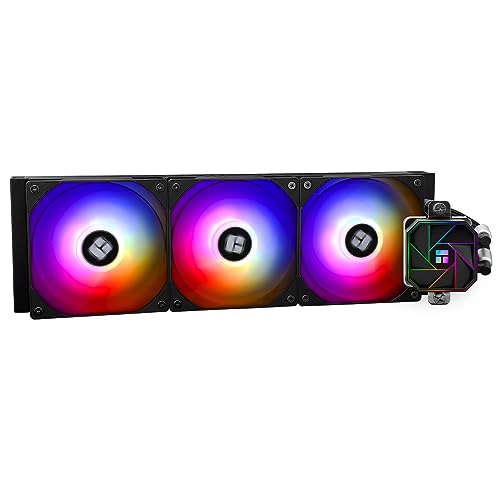
Thermalright Aqua Elite V3 66.17 CFM Liquid CPU Cooler (Aqua Elite 360 Black V3)
Gpu depends on the specific model you want
calm dove
hi
5600(120$)or5600x(140$)or5700x(180$) for 7700xt (1080p)
wich one is a good deal ?
little osprey
calm dove
5600(120$)or5600x(140$)or5700x(180$) for 7700xt (1080p)
what brand though?
calm dove
little osprey
what brand though?
why ?
stoic island
calm dove
5600(120$)or5600x(140$)or5700x(180$) for 7700xt (1080p)
how are you supposed to read this? 5600 the CPU for $120 or $140? or 5600xt the GPU for $120 or $140? 5700x the CPU for $140 or 180? or 5700/xt the GPU for $140 or 180? 7700xt for $180 or missing a price?
calm dove
stoic island
how are you supposed to read this? 5600 the CPU for $120 or $140? or 5600xt th...
sorry 5600x 140$
mossy venture
They will all perform near identically in games
If you don't have anything you might be able to move budget around for a 12600k/kf or 7600
Part List - Intel Core i5-12600KF
Part List - AMD Ryzen 5 7600
calm dove
mossy venture
They will all perform near identically in games
no use for 8c/16t in 2025 or future games
useless ?
mossy venture
Imo these cpus will be irrelevant before 8c will be noticeably better for gaming
If you alr have a mobo/ram, 5700x3d would be my choice
Otherwise 5600
calm dove
okey
mossy venture
mossy venture
If you alr have a mobo/ram, 5700x3d would be my choice
This is abt 20% better than the other choices for games
calm dove
mossy venture
Otherwise 5600
even 6800xt
mossy venture
The 5600/5700x will limit the 6800xt a fair bit tbh
mossy venture
Depends on the game and resolution
1080p definitely more than 10%
Do you have a pcpartpicker list?
Is this an upgrade or new build?
mossy venture
Ah what country?
calm dove
north africa
mossy venture
Or if you have a store you're looking at i can check pricing
calm dove
yes i have a list
mossy venture
Do you alr have the 6800xt?
calm dove
nope
mossy venture
For 1080p id go for a bit worse gpu and a better cpu
Like a 7700xt, 6800, 6750xt/6700xt, something along those lines
calm dove
i will give choices that i have here
mossy venture
Is there an online store i can look at?
Either way is fine, it'd just be easier for you that way
calm dove
@mossy venture https://pcpartpicker.com/list/8szpzP
Part List - AMD Ryzen 5 5600X, Radeon RX 7700 XT, Cooler Master MasterBox TD500 Mesh V2 ATX Mid Tower
650w enough for 7700xt ?
cyan ravine
I would pick something a little better than a BN
And that board is pretty poor for an X chip
Would take something with heatsinks
Otherwise PBO PPT set 65W max
pearl gulch
any recommendations for cases?
Someone recommended Lian Li, but
Mostly looking to confirm the recommendation or hear others
Aiming for:
ATX Full Tower (Actually, I'm kind of unsure I even need a full tower)
Good air flow.
If there are good ways to make it light, I'm it would help a lot since I'm a shell of my former self and struggle to pick up a full tower and move it every time i have to fix something.
calm dove
cyan ravine
And that board is pretty poor for an X chip
its not the us
cyan ravine
calm dove
its not the us
I am already aware and my answer doesn't shift despite this
Lol
calm dove
its 65w and no oc where the problem ?
cyan ravine
pearl gulch
any recommendations for cases?
Someone recommended Lian Li, but
Mostly looking...
Can you do an matx motherboard, if so, you can get some hella small cases
cyan ravine
calm dove
its 65w and no oc where the problem ?
Not stock, you need to set it to run that with pbo
pearl gulch
cyan ravine
Can you do an matx motherboard, if so, you can get some hella small cases
i actually only just started thinking about whether i can. not sure yet... haven't done any resxearch on anything outside of atk
atx
cyan ravine
I've built two 5600x systems in the last 12 months, I know what they behave like lol
cyan ravine
pearl gulch
i actually only just started thinking about whether i can. not sure yet... haven...
Nowadays atx is like, barely any point of needed contention these days as extra slots are often cheap and provide basically nothing for the motherboarda capabilities
You'll get all these extra slots that have minimal connectivity
calm dove
5600is good for a520 + 7700xt ?
cyan ravine
The only real benefit nowadays is more m.2
So if you can do matx, I can think of a bunch of cases, even ones with carry handles, you can use for easy lifting
pearl gulch
hmmmmm
cyan ravine
Not necessarily light, but very practical for safe carrying
pearl gulch
so i only need a max of 2 m.2 unless wifi needs to be on m.2 as well
calm dove
cyan ravine
I would pick something a little better than a BN
- im building under 1k$
pearl gulch
but I do need enough space for 3 monitor inputs on the gpu
cyan ravine
pearl gulch
so i only need a max of 2 m.2 unless wifi needs to be on m.2 as well
Ye that's ez on matx
cyan ravine
calm dove
5600is good for a520 + 7700xt ?
A520 is fine just again, I would be noting this requirement as the 5600x would otherwise throttle and run slower at times
Good a520s have heatsinks, this one does not
cyan ravine
pearl gulch
but I do need enough space for 3 monitor inputs on the gpu
That's easy, specifically gpu can do that no issue
Have a look up of these 3 cases mate
Lian li dan a3
Jonsbo D32
Jonsplus Z20
pearl gulch
ty
cyan ravine
The last one has a carry handle
cyan ravine
calm dove
ASUS PRIME B450-PLUS 100$
Again, just set the cpu to ppt 65W and it's fine
You want a better psu definitely by comparison
Also this may help
Used 6800≈7700XT
Less RDNA RT gains
calm dove
cyan ravine
You want a better psu definitely by comparison
Cooler Master MWE Bronze 550W V3
same price
calm dove
+90$
cyan ravine
Xpg kyber?
cyan ravine
Highest I'd go on ABN is like, 6750xt
calm dove
only these 2
cyan ravine
I wouldn't run a 7700XT on those
Can you find a used good unit
Can you wait a week and save $50 more
Like I just can't give my blessings on those psus with that gpu sorry
calm dove
not USA
calm dove
cyan ravine
I wouldn't run a 7700XT on those
because of 650w or bronze ?
cyan ravine
Because the psu safeties aren't enough for the kind of power of that tier of gpu
Rdna 3 is very spike happy
calm dove
MSI MAG A750BN PCIE5 80PLUS Bronze 750W 100$ ?
cyan ravine
6800 is also very spike happy
calm dove
cyan ravine
6800 is also very spike happy
we dont have that
cyan ravine
calm dove
MSI MAG A750BN PCIE5 80PLUS Bronze 750W 100$ ?
Mmmm a little better. It's not the wattage
calm dove
bad used market
cyan ravine
It's the psu quality
calm dove
then
calm dove
Cooler Master G Gold V2 ATX 3.1 650W 90$
cyan ravine
calm dove
Cooler Master G Gold V2 ATX 3.1 650W 90$
That one is good enough
calm dove
cyan ravine
ABN is very basic
btw i recommended a mwe 650 cooler master bronze for a friend using 4070 super