#building-and-recc-chat
1 messages · Page 331 of 1
 stable cove
 dusky hearth
Also if the top exhaust is radiators, the fins will slow down the CFM due to it being restrictive
Even less to worry about
Negative case pressure isn't going to cause an issue asides from more dust intake as long as the air is flowing
stable cove
Yeah I'd need a filter for the back fan to avoid dust clogging
dusky hearth
Filters aren't going to prevent that, preventive maintenance will
stable cove
There's only enough room on the rear from one fan
Kind of a shame because we could possibly need more fans
dusky hearth
Honestly speaking, you don't even need a dust filter for most houses as long as you dust out your PC once every 6 months
Or even 12 months would probably still be fine but perhaps starting to clog without any filters
 echo depot
guys should I get the R7 5800x as a budget cpu
its on sale and it only costs 140$
dusky hearth
If you already have am4, I guess
stable cove
Yeah its just most PC cases seem to have the some rectange box design so You can only put in the same number of fans
stable cove
7
 potent portal
echo depot
guys should I get the R7 5800x as a budget cpu
its on sale and it only costs 14...
potent portal
echo depot
guys should I get the R7 5800x as a budget cpu
its on sale and it only costs 14...
You'll need a very strong CPU cooler for that, mine would throttle under an AIO when gaming
That was the second hottest CPU on AM4
The hottest being the 5800X3D
potent portal
It doesn't even come with one
echo depot
fr?
 echo depot
ill build the pc if its expensive I might downgrade the cpu maybe 5600 or something else idk
cause I think I will need a good psu and liquid cooler
stable cove
Why is everyon in the server so worried about saving money on pcs and not picking high end pc parts for vr to get insane resolution and performance through the lenses?
echo depot
stable cove
Why is everyon in the server so worried about saving money on pcs and not pickin...
im broke
stable cove
and the gpu is $2k so the whole pc definitely will be $4000
dusky hearth
echo depot
ill build the pc if its expensive I might downgrade the cpu maybe 5600 or someth...
Why would you need a liquid cooler
stable cove
echo depot
im broke
Well this situation isn't for everyone
potent portal
dusky hearth
Why would you need a liquid cooler
5800X
stable cove
It's just about me being on a high $10k budget and trying to get high end specs for the Pimax Crystal Super
potent portal
In which case the stock cooler would work
fr tho people just need to save up more, less lattes and more g.skill royals
dusky hearth
No more avocado toast
stable cove
PC build above $4,000 coming up. Tell me if there are stability issues https://pcpartpicker.com/list/L4fXnp
Part List - AMD Ryzen 7 9800X3D, GeForce RTX 5090, be quiet! Shadow Base 800 FX ATX Mid Tower
Imagine the first thing someone here is worried about is the price because I would be spending that $4-5k
potent portal
9800X3D sux now, need 9950X3D
stable cove
When was that statement made
potent portal
Just now, by me, representative of pc gamers everywhere ||within 5 feet of myself||
stable cove
Is the 9950 any better for gaming at all?
potent portal
But if it's honest feedback you're looking for I'd say not that cooler since the GPU will dump all of it's heat directly into it, it's rotated 90 degrees from the normal air cooler, and I don't really like the white case with the rest of the parts being black
potent portal
stable cove
Is the 9950 any better for gaming at all?
No clue tbh it's not out yet
stable cove
Fine I'll change the cooler
Part List - AMD Ryzen 7 9800X3D, GeForce RTX 5090, be quiet! Shadow Base 800 FX ATX Mid Tower
potent portal
Could go with this one, has a LCD on the pump block https://pcpartpicker.com/product/6Rkqqs/thermalright-core-vision-argb-7237-cfm-liquid-cpu-cooler-core-vision-360-black-argb

Thermalright Core Vision ARGB 72.37 CFM Liquid CPU Cooler (Core Vision 360 BLACK ARGB)
stable cove
Just know price isn't my biggest concern. Just trying to get a PC with high pc specs so went on a few sites to select a motherboard based off the information I got like this one https://www.pcgamer.com/best-gaming-motherboards/#section-best-amd-x870-gaming-motherboard

pcgamer
The best gaming motherboards from the top Intel and AMD chipsets.
Need to see if I can find a black case
potent portal
Fair warning: pc gamer does get paid by those brands to advertise so they can't be neutral in their reviews
stable cove
Where'd you guys research high end mobos then?
Theres a lot of websites but whihc one is tru for high end specs?
potent portal
Hardware unboxed has a good reputation for this stuff https://youtu.be/keJHego7neI?si=V9yxwsdiGAhqGAUg
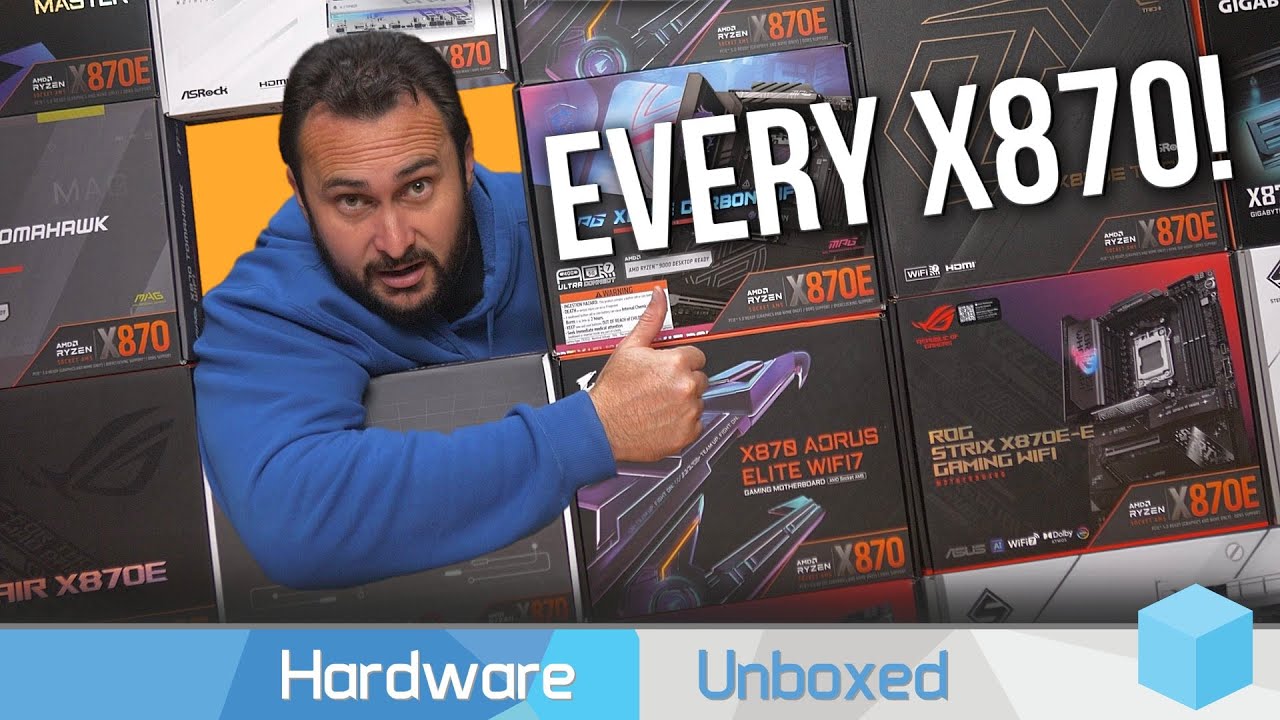
Support us on Patreon: https://www.patreon.com/hardwareunboxed
YT Membership: https://www.youtube.com/channel/UCI8iQa1hv7oV_Z8D35vVuSg/join
Buy relevant products from Amazon, Newegg and others below:
Asrock X870 Pro RS WiFi - https://geni.us/V5Nlh
Asrock X870 Riptide WiFi - https://geni.us/2qJ6uF
Asrock X870 Steel Legend - https://geni.us/3pziZ...
stable cove
So one video said more ram doesn't slow your pc down or make it faster more ram prevents your pc from getting slowed down
potent portal
How old is that video
stable cove
3 months
So did my ram or storage have stability issues? Anything else that might cause my pc to explode or anything? https://pcpartpicker.com/list/s6HPKq
Part List - AMD Ryzen 7 9800X3D, GeForce RTX 5090, be quiet! Shadow Base 800 FX ATX Mid Tower
potent portal
Hmm, well they're not entirely wrong but there's a few things missing from that statement. Getting more memory capacity only helps when you're near or above the memory capacity already, and running 4 sticks of DDR5 will definitely slow you down significantly.
potent portal
stable cove
So did my ram or storage have stability issues? Anything else that might cause m...
Nothing critical, just a few things that I would have chosen differently. 1000W should be enough for the 5090, I think. It can spike REALLY high on power though.

If it were me I'd probably switch to 1200W
Just to be on the safe side
stable cove
Thats what Reddit said I'll do it
potent portal
Maybe this one then https://pcpartpicker.com/product/ZcQKHx/super-flower-zillion-fg-1250-w-80-gold-certified-fully-modular-atx-power-supply-sf-1250z12fg

Super Flower Zillion FG 1250 W 80+ Gold Certified Fully Modular ATX Power Supply (SF-1250Z12FG)
stable cove
Well just glad I finally managed to put a good build together this time and all I had to do was go on a few websites
 tawny violet
potent portal
Nothing critical, just a few things that I would have chosen differently. 1000W ...
tawny violet
potent portal
Nothing critical, just a few things that I would have chosen differently. 1000W ...
Holy
I don't think an 850 could do that
 wet hare
Isn’t adjusting I can do to stop COD BO6 from lagging brand new build 4080super
dusky hearth
potent portal
Nothing critical, just a few things that I would have chosen differently. 1000W ...
DAMNNNNN
 restive halo
So price went up on cpu lol now I'm out of budget
The last build I did they gave me the old cpu and motherboard if that helps
 glacial umbra
im so torn between waiting for a 5080 or even amds next gen or just going and picking up a 7900 xtx for $300 less than a 5080
 rain carbon
glacial umbra
im so torn between waiting for a 5080 or even amds next gen or just going and pi...
rain carbon
glacial umbra
im so torn between waiting for a 5080 or even amds next gen or just going and pi...
just grab the xtx
you wont be at all dissappointed
 mossy venture
restive halo
The last build I did they gave me the old cpu and motherboard if that helps
mossy venture
restive halo
The last build I did they gave me the old cpu and motherboard if that helps
Link the pcp list
mossy venture
glacial umbra
im so torn between waiting for a 5080 or even amds next gen or just going and pi...
$700? That's a pretty good price
glacial umbra
its canadian pricing so they're sitting at around $800 USD rn because canadacomputers is trying to get rid of stock
mossy venture
And it has more vram than an xtx, and likely will be within 10% performance. Downsides include worse power control (likely, but i technichally can't say confirmed,) and no nvidia features
That said, nvidia features are overrated asf
glacial umbra
im not too big into ray tracing or anything anyways
mossy venture
Dlss 4.0 looks to fix some of the big issues with current dlss/frame gen, but i highly doubt it's anything monumental
Xtx can do great ray tracing anyways, 7000 series made leaps and bounds compared to 6000/5000
glacial umbra
ive heard fsr has improved a good ways as well
mossy venture
Not as good as 40 series, but not terrible by any means
mossy venture
glacial umbra
ive heard fsr has improved a good ways as well
In marvel rivals, FSR works better for me than DLSS on a 2080 ti
Ofc the newer the card the better dlss works
glacial umbra
yeah thats good to hear i really like having upscaling
especially if im saving $300 cad

 weary galleon
mossy venture
Dlss 4.0 looks to fix some of the big issues with current dlss/frame gen, but i ...
weary galleon
mossy venture
Dlss 4.0 looks to fix some of the big issues with current dlss/frame gen, but i ...
Transformer model lowkey cooks tho
 cyan ravine
glacial umbra
im so torn between waiting for a 5080 or even amds next gen or just going and pi...
cyan ravine
glacial umbra
im so torn between waiting for a 5080 or even amds next gen or just going and pi...
300 less?? That's a no brainer pick for the XTX
weary galleon
Like, a step down in quality (i.e quality -> performance) and going from CNN to transformer looks as good or better
cyan ravine
Used 4080/4080S is a good idea too btw
If you MUST HAVE frame gen, dlss 4 etc
It's compelling
weary galleon
Just no 5080 lol
cyan ravine
Yeah 5080 is gross
You won't get one at msrp
And even then it's almost doa
Actually even more so
Cheaper XTX
Then get a 5700X3D
You'll be all set to run your system properly, with even budget left for a psu upgrade
Absolute no brainer
potent portal
cyan ravine
If you MUST HAVE frame gen, dlss 4 etc
I don't think anyone needs frame gen tbh. I've not seen a single person that's singing Jensen's praises for his gift to mankind. It's always just a passing "oh that's cool."
Even the fanboys are pretty meh on it
 stoic island
I think people have grown on framegen now that mfg is the thing being criticized
potent portal
On the contrary, I think they just got tired of criticizing frame gen and this is the new thing to hate on
Yes frame gen has improved since the early days dramatically, especially once game devs figured out how to decouple the UI from the game world, but there's still noticeable artificacting and especially at lower source frame rates.
cyan ravine
Reflex 2 fixed the latency issue of frame gen along with the transformative model making it passable
So in a sense future frame gen only has the issue of visual quality
My main issue with frame gen was pc latency got as bad as 60ms or more, which is physically noticeable
Now that reflex 2 exists we are mostly a long way away from that
Is it perfect? Far from it imo
But a looonnnggg way better than it was a month ago
Night and day I feel
MFG has revealed further issues of clarity which are tangent to base frame rate (Which is similarly tied to latency)
Atm it needs a playable frame rate to even be considerable, which flies in the face of the marketing lmao
 cyan ravine
Do I think anyone needs? No, but if they can't compromise on it, I think a used 40 card is way better value
potent portal
Yes definitely agree on that point. If using Nvidia in general is a requirement 40 series is the better option, especially for tinkerers.
cyan ravine
Ye
potent portal
That 5% that the 5080 has over the 4080 is a simple power limit change away
cyan ravine
Indeed
And all that said, my personal gripe with FG is now gone
So I am leaning into it a bit now
But this is purely only because of reflex
I'd never consider it otherwise
tawny violet
cyan ravine
So in a sense future frame gen only has the issue of visual quality
It's crazy that it took this far to make FG really viable
cyan ravine
What I'd consider the like, nirvana, would be perfect clarity FG of any degree, down to a system latency as close to 0ms as possible
potent portal
Almost as long as it took for RT
cyan ravine
That way there's 0 drawback
tawny violet
Mostly viable (besides being mandatory for some games)
rain carbon
But viable
cyan ravine
RT will develop over the coming couple years to the point it's expectant
tawny violet
4080 can do 1440p RT?
cyan ravine
tawny violet
4080 *can* do 1440p RT?
Ofc
restive halo
mossy venture
Link the pcp list
Part List - AMD Ryzen 5 7500F, Radeon RX 6750 XT, SAMA ARGB-Q5 MicroATX Mini Tower
cyan ravine
It can do 4K
 vague oracle
4k RT when?
cyan ravine
Not great 4K, but hey, frame gen kinda hits the mark
tawny violet
The Master Chart™️
 potent portal
When properly implemented and on modern hardware, RT is quite viable and does have a decent impact on visual quality
tawny violet
now obviously out of date until 50 series is added but still
vague oracle
...is there really that little difference between the 4080 and 4080S?
cyan ravine
Yes
vague oracle
Bruh
tawny violet
it's just an official price drop
tawny violet
same die, slightly clocked higher and
200 dollar price drop
vague oracle
Goddamnit Nvidia
cyan ravine
Cos the 4080 has a 1.1v unlock
vague oracle
Ahh 200 dollar cheaper is hype
tawny violet
you can OC your 4080 into a 4080S
vague oracle
Yeah higher voltage makes worlds of difference
tawny violet
cyan ravine
Cos the 4080 has a 1.1v unlock
Wait hold up, 4080 better technically?
cyan ravine
tawny violet
Wait hold up, 4080 *better* technically?
On older AD102 and not AD103 yes
tawny violet
I didn't even know that
cyan ravine
Technically
vague oracle
1.2V 4090 is hype af
potent portal
tawny violet
you can OC your 4080 into a 4080S
Hell it's closer than that, silicon lottery variance can get you a 4080 that beats a 4080S
tawny violet
how do I know what die a 4080 has?
cyan ravine
There's an even bigger unlock for the 4080 but I will not elaborate
I'm not gonna plant any ideas
vague oracle
EVC is best unlock
stoic island
Funny chokes?
cyan ravine
tawny violet
how do I know what die a 4080 has?
Opening it tbh
tawny violet
but realistically if I'm just gonna game on it
Die is p much irrelevant right?
It's still gonna perform to that level
stoic island
Should only be OC headroom diff
cyan ravine
It's basically irrelevant
If same cores, basically same layout
You'll get minor differences
But nothing worth talking about
tawny violet
cuz I don't wanna spend extra and waste time looking for a specific model
cheapest 4080 within 5% margin is what I need
stoic island
Not worth here
tawny violet
Gainward Phantom GS :3
stoic island
Whatever works works
cyan ravine
Pretty much
tawny violet
This ugly box of awesome hardware
 potent portal
All the 4080 coolers are overbuilt anyway
tawny violet
that's currently the cheapest one
cyan ravine
It's not even like the 4090
tawny violet
with the 4090 power limits actually matter right?
cyan ravine
The coolers are so much better all the 4090 issues disappear virtually
Yes
It has meaning
cyan ravine
Yes but the pcbs are in some cases minor upgrades for nearly double power
vague oracle
Most 4090 coolers are still able to cool that fairly easily
cyan ravine
The 4080 was extremely overbuilt
cyan ravine
Very little issues to speak of
tawny violet
Power bill (living in bumheck nowhere Eastern Europe)
tawny violet
so really
cyan ravine
If you have good airflow it is mostly fine
vague oracle
True power bill definitely went up ever so slightly with the 4090
vague oracle
tawny violet
Power bill (living in bumheck nowhere Eastern Europe)
What country?
tawny violet
it's more that I don't really have the power budget for it
And my room is tiny with no AC
tawny violet
vague oracle
What country?
Hungary
Power prices are among the highest in Europe
like
60 cents US a kWh (converted)
vague oracle
Ahh yeah im from Poland so similar case over here
At least the few months i had my setup there, it was like that
tawny violet
and rn I have a 650w PSU
I'd probably need to move up to an 850 for a 4090
not to mention I intend to use the nCore 100 Max
which does have an 850
But the included native 12vhpwr is onlyy 450w
vague oracle
Yeah i had to up my PSU to a 1000w one when I upgraded to a 6950xt so I got lucky with that when I moved to a 13900k 4090
tawny violet
9800X3D
cyan ravine
And that's implying good units
tawny violet
anything other than X3D is pretty stupid with a 4090
vague oracle
...I still don't get how i maxed out that 1000w PSU with a 3700x and 6950xt when benching but no issues with the 13900k and 4090
tawny violet
and especially a 5090
cyan ravine
vague oracle
...I still don't get how i maxed out that 1000w PSU with a 3700x and 6950xt when...
4090 has good transients
tawny violet
vague oracle
...I still don't get how i maxed out that 1000w PSU with a 3700x and 6950xt when...
transients is my guess
vague oracle
Probably but even then the 6950 maxed out at ~700w at its peak
That 3700x be drawing a ton of power at 1.4V which i don't even know was possible
cyan ravine
6950 is as bad if not worse tbh
Lmao
4090 had one of it's selling points being transients
~ 40% where it counts
Meanwhile 6950 is like nearly 90%
Lmfao
vague oracle
Bruh thats actually wild
 covert vapor
700w for a 6950xt? Was that one of the top tier models? My XFX Merc doesn't spike anywhere near that high or my PC would bork
cyan ravine
Most psus ignore it is why
6900XT I know for a fact spikes over 600W
Some are sensitive to transients like this tho, the seasonic focus gx had this issue years ago with 30 series
tawny violet
That appears to have quietly fixed
Which is good cuz my next PSU will be a 750w Focus GX that I can get for a great price here
potent portal
The real transient spikes won't be readable in software. Most software polls at a 1000-2000ms rate, but the spikes can last less than 1ms.
 lone flame
cyan ravine
Meanwhile 6950 is like nearly 90%
lone flame
cyan ravine
Meanwhile 6950 is like nearly 90%
What does that mean
potent portal
If it's running at 450W average then it can spike to 850W
cyan ravine
lone flame
What does that mean
Usual tgp ≈ 320W, spikes up to near 550-600W and higher on aib models
However spikes so short most psus ignore
RDNA improved on this, the highest spikes on their cards is about 550W on a normal vbios
cyan ravine
30 series was pretty similar
40 and 50 series, no
5090, possible, never checked properly
 analog hearth
cyan ravine
1000W+ for anything else
analog hearth
cyan ravine
1000W+ for anything else
So, 1000W+ for my 12500T
cyan ravine
analog hearth
So, 1000W+ for my 12500T
Not even on the map for 4090 bruv
mossy venture
restive halo
The last build I did they gave me the old cpu and motherboard if that helps
You can get an $86 8400f off aliexpress instead. Yes it's a good bit worse for games, but you get to keep the upgradability of am5, and you can just resell the cpu when you replace it
https://pcpartpicker.com/list/DmyJt3
Part List - AMD Ryzen 5 7500F, Radeon RX 6750 XT, SAMA ARGB-Q5 MicroATX Mini Tower
potent portal
cyan ravine
5090, possible, never checked properly
5090 spikes to 900W <1ms
Source is Igor's lab
restive halo
mossy venture
You can get an $86 8400f off aliexpress instead. Yes it's a good bit worse for g...
It's for a build I'm doing for someone else
vague oracle
covert vapor
700w for a 6950xt? Was that one of the top tier models? My XFX Merc doesn't spik...
OC formula with almost everything unlocked
mossy venture
Part List - AMD Ryzen 5 7600, Radeon RX 7600, GameMax Defender MB MicroATX Mini Tower
glacial umbra
mossy venture
$700? That's a pretty good price
ty for convincing me lol

not that it was that hard lol
mossy venture
Lmao I gotchu
 plucky timber
Is that an XTX
mossy venture
Si
mossy venture
Yeah $85 above all time low 7900xt price (new)
Ill take that any day of the week
Solid model too
plucky timber
Colourful?
cyan ravine
Xfx
weary galleon
speedster i think
cyan ravine
It's the unlocked merc310
Basically tier 1
It sits up there with the nitro+ and such
plucky timber
👀
lone flame
glacial umbra
ty for convincing me lol
beast of a card, 5080 makes it look even better
XFX 🫡
 sleek agate
I'm not precisely sure this is a "build" question so much as a home office question so feel free to direct me elsewhere if that's the case. I have recently been provided a m3 MacBook Pro for work purposes, and based on my experiences and a call I had with Apple's helpline, it doesn't seem to support both HDMI and display port monitors at the same time, even with usb-C adapters. From the conversation I had, it seems like it supports 1 non-Thunderbolt monitor at a time. So I'm looking around at USB-C/Thunderbolt monitors. I will be straight up, I'm not 100% familiar with the difference between thunderbolt and USB-C. I'm looking for a about 27 inch monitor for less than 400 CAD, preferably less than 300 CAD
weary galleon
thunderbolt and USB-C are the same connector, Thunderbolt is just a specification
You might be able to get a dock/dongle that plugs into the laptop thunderbolt and has an HDMI or DP for the monitor
sleek agate
Nah, that's the setup I currently have but it just black screens
 dusty coyote
Hey guys. I have another interesting problem to see if you can help with.
I just built a PC with an MSI MPG B650I Edge Wifi motherboard
32GB RGB Corsair DDR5 RAM
And an AM5 Ryzen 7 7700X CPU
Both the red light for the CPU is on and the yellow light for DRAM (or vice versa I can’t remember) but I can’t figure out why they’re both showing up. I’ve tried resetting the CMOS and I have tried seeing if it needed to train the memory like some videos have suggested but still no progress. Any ideas?
cyan ravine
Have you waited 10 minutes
dusty coyote
I did. It’s actually still running with one stick in and it’s been going for about 15 minutes
cyan ravine
What's the lights showing rn
15 minutes is long enough but describe the light pattern on the motherboard
Is it just solid red, orange or is it doing something else
 shrewd gale
Might need help, so I might need to find a replace ment that does the same performances https://ca.pcpartpicker.com/product/H4MMnQ/deepcool-px850g-850-w-80-gold-certified-fully-modular-atx-power-supply-r-px850g-fc0b-us

Deepcool PX850G 850 W 80+ Gold Certified Fully Modular ATX Power Supply (R-PX850G-FC0B-US)
cyan ravine
shrewd gale
Might need help, so I might need to find a replace ment that does the same perfo...

ADATA XPG Core Reactor II 850 W 80+ Gold Certified Fully Modular ATX Power Supply (COREREACTORII850G-BKCUS)
Sent this before and it's still same price so
Or if you want braided cables included for aesthetics (unit isn't quite as good tho)
https://ca.pcpartpicker.com/product/zBbypg/corsair-rm850e-2025-850-w-fully-modular-atx-power-supply-cp-9020296-na

Corsair RM850e (2025) 850 W Fully Modular ATX Power Supply (CP-9020296-NA)
dusty coyote
It’s just solid red and solid yellow. As soon as I hit the power button, they’re immediately on. Not flashing on or off at any point
cyan ravine
They're just both on?
No flicking or anything
Cycling
Hmm
Try switching it off
Make sure the psu plugs are all properly in
Take both ram sticks out (yes)
Then turn it on
What lights come on
Just red?
Just orange?
dusty coyote
One moment and I’ll let you know
 crimson zinc
anyone have any experience with the SAMA SV01 case?
dusty coyote
With no ram In, it still pulls up the red and the yellow light. No flickering or anything. They just come on immediately
stoic island
It'll be worth reseating the CPU and checking the mobo pins
 winged prawn
How do I install without any internet I go into the settings and it says not connected, I have the WiFi installed and everything, but it won’t let me connect to a internet source
stoic island
What exactly do you have? You might need to get the wifi drivers
winged prawn
GIGABYTE X870E AORUS Elite WIFI7 AMD AM5 LGA 1718 Motherboard, ATX, DDR5, 4X M.2, PCIe 5.0, USB4, WIFI7, 2.5GbE LAN, EZ-Latch, 5-Year Warranty
I downloaded the drivers and it did nothing
I used a usb stick
I’m in my bios but I can’t find what version I’m on and the latest bios change was in 2024
stoic island
Did you install the wifi drivers? And did you get the drivers from gigabyte?
winged prawn
Yes yes
dusty coyote
stoic island
It'll be worth reseating the CPU and checking the mobo pins
That was my next course of a action
stoic island
Can you double check which wifi chip you have on your board? That board has multiple revisions with different wifi chips
winged prawn
Can I post the drivers here or will I get banned ?
winged prawn
Or can I least show you the website where I got them so you can confirm
winged prawn
stoic island
It could be mediatek or realtek
It’s realtek
stoic island
it should be
https://www.gigabyte.com/Motherboard/X870E-AORUS-ELITE-WIFI7-rev-10-11/support#support-dl-driver-wlanbt

GIGABYTE
Lasting Quality from GIGABYTE.GIGABYTE Ultra Durable™ motherboards bring together a unique blend of features and technologies that offer users the absolute ...
stoic island
Have you tried using ethernet or using a hotspot and/or usb tethering for testing?
winged prawn
I can’t even use a hot spot 😭
It just says network not available
I can only use Ethernet
Which the mobo didn’t come with nor does my house have a Ethernet cable
I’m going to reset the bios is there any chance I can call or show you what I did ?
stoic island
Try doing the following one by one in an admin command prompt
ipconfig /release
ipconfig /flushdns
ipconfig /renew
netsh int ip reset
netsh winsock reset
winged prawn
So for the first prompt it’s says no operation can be performed on Bluetooth network connection while it has media disconnected
stoic island
oh it just straight up doesn't recognize it?
what does it say in device manager
under network adapters
winged prawn
There’s a lot
Bluetooth device
Realtek pcie 2.5 gig Ethernet
WAN Miniport (IKEv2)
WAN Miniport (IP)
There’s a lot of WAN Miniport that I’m not going to keep typing
Unless there’s one in specific if you need
stoic island
yea only looking for if there's like an "unknown device" or if it sees your realtek chip
or if it says a mediatek chip and it was mislabeled elsewhere
shrewd gale
cyan ravine
https://ca.pcpartpicker.com/product/Bjhv6h/adata-xpg-core-reactor-ii-850-w-80-go...
Thanks, so I have order basically everything, only thing left is the graphic card and the processor.
winged prawn
Under “other devices”
It says unknown device if that’s what we’re looking for
And unknown network controller
stoic island
my suspicion is still that it's a mediatek chip, try downloading the mediatek wifi drivers and installing it
stoic island
Where does it say realtek?
winged prawn
When you go to download the driver and when you install it
I can send a picture rn if I could
stoic island
On the downloads page, it's right here
 winged prawn
I’m on windows 10
That’s the problem so if I have to update to windows 11
To download thag driver ?
stoic island
the only listed driver for w10 is the lan driver not wifi anyways, try using it on w10 and see if it'll work, usually it's compatible with both
winged prawn
Ok
So I downloaded the the windows 11 file on for the bios elite wifi
What do I do now
dusky hearth
install on pc
winged prawn
I did
winged prawn
It asked to extract the files
So i did
It didn’t install like the last ones didn’t
Did
winged prawn
If you read up you’ll see I’m what we’ve been doing
dusky hearth
run the setup file
run 2682_5.4.0.2859_DCHSETUP.EXE and it should start installing
if you don't see this file in the extracted folder, you probably downloaded the wrong file
winged prawn
I installed it right
And it said
May not have installed correctly
This could’ve been because it’s meant for Windows11 and I’m on 10
The driver installs but then says
potent portal
Windows 10 does not support wifi 7
winged prawn
So I should update then
potent portal
If you need the wifi/bluetooth yes
winged prawn
So how do I update with no wifi
I have it on a usb stick but someone said I have to wipe my drive clean or ssd
But i have a 600gigs on the ssd, unless there’s a way to back it up or transfer it to a second ssd i dont know what to do
potent portal
Nah no need to wipe it, unless you run into issues like the drive being MBR format
You can pop that windows 11 install usb in and just run the installer from inside windows
dusky hearth
potent portal
Windows 10 does not support wifi 7
oh
interesting
potent portal
If you can't find said usb then you can download the iso on another computer and copy it to the target machine. Double click an iso to mount it and it'll act like a CD.
potent portal
dusky hearth
oh
interesting
Officially it's because Windows 10 lacks support for some of the features, unofficially it's because only Intel chipsets even have Windows 10 drivers and they don't have all the features.
dusky hearth
hmm....
winged prawn
I’m go to sleep since I have work and school tmmr but I will try it later that night, thank you so much for the help and hopefully I won’t have to be here if it works
 manic cloak
My pc was being weird, I didn’t turn it off, walked away for like an hour, came back and the fans weren’t spinning along with the screen off
I tried pressing my keyboard, power button, nothing worked until I flipped the psu
Now my current issue is that no Bluetooth or WiFi is working even after resetting. is it possible that something could have shorted?

 glacial umbra
yeah all 4 of em are like that
manic cloak
what fan model actually
glacial umbra
NF-F12
manic cloak
glacial umbra
this normal for noctua fan screws? can't seem to get them to thread lol
where are you mounting this to?
cause I don't think that screw in general is long enough to even mount a case fan, let alone anything else
glacial umbra
it's just an exhaust fan, it'll hold onto the back i can't just seem to thread em lol
manic cloak
oh you're supposed to use the brown silcone part that you got with the fan then uhhh

the rest of the page is half loaded on my phone
stable cove
There an issue with trusting that pcgamer website. Is it false advertising?
 jagged ember
Or use the rubber things
manic cloak
jagged ember
Or use the rubber things
I thought they had to screw the screw inside the silcone thing
but I guess the screws are cosmetic..?
manic cloak
stable cove
There an issue with trusting that pcgamer website. Is it false advertising?
which website?
stable cove
https://www.pcgamer.com/best-gaming-motherboards/ any of you think this pcgamer website a scam?
pcgamer
The best gaming motherboards from the top Intel and AMD chipsets.
manic cloak
stable cove
https://www.pcgamer.com/best-gaming-motherboards/ any of you think this pcgamer ...
you don't need what they recommend best tbh
it isn't a scam, just not so great advice
stable cove
That’s kinda why I gotta read through the specs and details
manic cloak
like I can call the asus rog maximus thor thunder e atx whatever etension name z990
the best board ever
stable cove
Don’t think any website will give Great advice
manic cloak
and you could believe me, but you wouldn't need the 16 usb ports in the back of it
manic cloak
stable cove
Don’t think any website will give Great advice
what motherboard are you looking for?
potent portal
stable cove
https://www.pcgamer.com/best-gaming-motherboards/ any of you think this pcgamer ...
"Best" in this case is only about 3-4% above the "worst"
Motherboard makes very little difference to performance, nothing noticeable
stable cove
Don’t you need a good quality one though? Especially if you need to overclock or use a powerful gaming cpu you’re gonna need a durable mobo
That’s where you basically attach everything else onto
manic cloak
yes and no
potent portal
Also PC Gamer does take sponsorships from the tech companies that they review so it makes it impossible to do an impartial assessment
stable cove
potent portal
Also PC Gamer does take sponsorships from the tech companies that they review so...
That means?
manic cloak
stable cove
That means?
very bias ratings, fake ratings
potent portal
stable cove
Don’t you need a good quality one though? Especially if you need to overclock or...
To a point, you definitely don't want to just get the cheapest thing with the highest end processors, but a good $150 motherboard should handle any modern CPU
No need to spend $500
At all
Even for overclocking
manic cloak
It's like the difference between a 2021 camry and a 2024 camry
potent portal
These days, they mostly just have more pretty lights and heatsinks
manic cloak
and more than enough ports in the back for usb
potent portal
There's a few semi-useful features for edge cases like a power button on the board directly for when you use it on an open bench
stable cove
Are heat sinks important? They said mobos and ssds both had heat sinks
manic cloak
they do, but it's not like they'll put nasa grade heatsinks on mobos that cost 500$
it's a basic thermal pad for SSD's that most motherboards have (if you buy one above 130$) and the heatsinks are universal you could say
potent portal
They can be important in some cases
manic cloak
some heatsinks could be smaller than other motherboards, but those are usually cheaper ended
stable cove
Because one guy on Reddit if both your SSd and mobo had heatsinks on them you’d have to remove a heatsink from one of the parts
potent portal
Sometimes, not all SSDs come with one
manic cloak
^
potent portal
I generally recommend ones that don't unless specifically requested
manic cloak
the mobo you won't have to remove heatsinks for.
potent portal
Well you'd have to take off the heatsink to install the SSD anyway
manic cloak
i'm saying as in the heatsinks for the motherboard, but the ssd heatsink is like a bandaid held down by 2 screws
potent portal
They're made to be removeable, sometimes even toolless with a magnet latch or something
manic cloak
oh
stable cove
We didn’t even need to worry about the heatsink. You could just take the SSD heatsink off with a magnet?
potent portal
Depends on the motherboard model
They all do it differently
Basic screws are typically going to be on cheaper boards but greedy brands like to put them on high end stuff too
stable cove
Someone freaked out in a different discord server because I selected a 1200 watt psu that was $300
potent portal
Yeah I'd only pay $150 for one of those
Gets you one of the brand new top of the line models
This is one of the boards we recommend often. Even for overclocking purposes, it's plenty. The 8 vcore power phases can handle at least 400A of power, which works out to about 500W. No AM5 processor uses nearly that much. Even with LN2 the most I see is about 300-350W. https://www.asrock.com/mb/AMD/B650M Pro RS/index.asp

Supports AMD Socket AM5 Ryzen™ 9000, 8000 and 7000 Series Processors; 8+2+1 Power Phase, Dr.MOS; 4 x DDR5 DIMMs, Supports Dual Channel, up to 7200+ (OC); 1 PCIe 4.0 x16, 1 PCIe 3.0 x16, 1 M.2 Key E for WiFi; Graphics Output Options: HDMI, DisplayPort; Realtek ALC897 7.1 CH HD Audio Codec, Nahimic Audio; 4 SATA3, 1 Blazing M.2 (PCIe Gen5x4), 1 H...
plucky timber
jagged ember
Or use the rubber things
they're for vibration prevention or whatever it's called
some acoustic thing

Noctua pays pretty good attention to detail when it comes to acoustics
 cyan ravine
glacial umbra
this normal for noctua fan screws? can't seem to get them to thread lol
cyan ravine
glacial umbra
this normal for noctua fan screws? can't seem to get them to thread lol
Many fan screws are like this, it's intentional
They add grooves to help thread them into plastic
I have tons of them, it's not an error lol
glacial umbra
glacial umbra
dram light on with no post <:sobbingcat:1316820632117444730>
im giving up on this no post build for tonight
glacial umbra
did that yeah
cyan ravine
If still nothing then rma the ram
You need to wait like 10 minutes each time tho
Cos all DDR5 platforms (AM5 especially) take their time training ram (When the light is orange)
glacial umbra
oh I didn't know that
only seen it red lmao
ill give that a try again tomorrow then thanks
cyan ravine
Alr
rain carbon
https://pcpartpicker.com/list/zz8hKq
server build, anything yall would recommend changing without changing the general nature of it?
Part List - AMD Ryzen 7 5700G, Lian Li Lancool 207 ATX Mid Tower
mossy venture
Part List - AMD Ryzen 7 5700G, GameMax Defender MB MicroATX Mini Tower
Worth mentioning
https://pcpartpicker.com/list/GnFWfd
Part List - AMD Ryzen 5 8600G, GameMax Defender MB MicroATX Mini Tower
analog hearth
mossy venture
Worth mentioning
https://pcpartpicker.com/list/GnFWfd
This is much more ideal. I suggested to him the 5700G as an "entry-level" server platform. There's a lot of value in that, the way I look at it
Yeah not much to upgrade but super cheap and 8 cores with just a 65W TDP
mossy venture
Only a $60 diff for a newer platform and better resale/reusability tho
Better performance too, between multi core single core and gpu perf
Oh wait
I thought you were saying the 5700g was more ideal
My bad
Didn't actually look at what you replied to lmao
analog hearth
Fair lol. I didn’t look at the build you sent until you mentioned that it's only $60 more lolll
The 5700G list doesn't include the price of the case either (at least for me. That might just be my filters though)
I guess neither list the price for me
analog hearth
yeah just Amazon for me
Personally I would go with this motherboard instead just for the two extra RAM slots
https://pcpartpicker.com/product/LdHqqs/msi-pro-b650m-p-micro-atx-am5-motherboard-pro-b650m-p

MSI PRO B650M-P Micro ATX AM5 Motherboard (PRO B650M-P)
mossy venture
Eh ddr5 doesn't like 4 sticks and worse vrms, but if he needs expandability ram wise maybe
 swift comet
My Build list is almost Complete. Just waiting on the GPU & CPU https://newegg.io/60243eb
mossy venture
Thisd be my choice
https://pcpartpicker.com/product/FcbRsY/asrock-b650m-pro-rs-micro-atx-am5-motherboard-b650m-pro-rs

ASRock B650M Pro RS Micro ATX AM5 Motherboard (B650M Pro RS)
But no wifi
rain carbon
mossy venture
Eh ddr5 doesn't like 4 sticks and worse vrms, but if he needs expandability ram ...
I do like your second list a bit more, and nah id rather upgrade to 2x32 versus 4x16 any day
analog hearth
mossy venture
Eh ddr5 doesn't like 4 sticks and worse vrms, but if he needs expandability ram ...
Isn't that a Windows thing? If he's doing servers, he should be doing either Linux or Proxmox. I'd also say he doesn't have to use four sticks, but the availability is there
(I also don't know whether the "four sticks of DDR5" thing is just Windows or if it's a hardware thing, just kinda figured it's a Windows thing)
analog hearth
rain carbon
I do like your second list a bit more, and nah id rather upgrade to 2x32 versus ...
I was thinking 2x32 now and then double it later
analog hearth
That's fine enough if you're hosting for only yourself
I was hosting a couple of Minecraft servers with 40 Mbps up
rain carbon
Maybe maybe
Id be doing more ark servers or valheim
Only one of each at a time
I def need to get new wifi anyway, its verizon home 5g 
"Top of the line"
analog hearth
Definitely go with Ethernet when self hosting btw
rain carbon
When i move out for sure (im 18), this is mostly prospecting since my parents keep the router downstairs and wont let me touch it
analog hearth
L parents fr
rain carbon
Fr
Im curious
i5 8265U
16gb ram
Laptop that i own
Would that be able to host ark ascended? 
The screen is broken and i dont use it for anything else
rain carbon
analog hearth
L parents fr
Replying so you can see i sent this
analog hearth
I wouldn't
isn't that a 4c/8t i5?
I wouldn't do less than 6 cores
idk what ark is like to host though
analog hearth
Beelink mini PCs also exist. There's a lot of good value in those
I have Proxmox on mine
rain carbon
Not really sure what my best options would be there
 analog hearth
Yeah just make sure it'll let you upgrade the RAM. I recently got an EQi12 and I think it's basically their only model that doesn't let you upgrade the RAM 🫠
I was annoyed when I found that out
But yeah I would suggest that
rain carbon
 analog hearth
yeah perfect
mossy venture
analog hearth
Isn't that a Windows thing? If he's doing servers, he should be doing either Lin...
Nah its an IMC thing, mobo/cpu
analog hearth
oh gotcha
 shrewd nova
 glacial umbra
back at it again
dram light on, no post:
- ram has been reseated
- tried one module at a time, in different slots
- reset cmos battery
- re-checked all cable connections
dusky hearth
possible faulty cpu or mobo?
glacial umbra
any easy way to check that?
oopsie
yeah the cpu light came on alongside it thats new
cyan ravine
glacial umbra
dram light on, no post:
- ram has been reseated
- tried one module at a time, ...
You tried no ram ye
Reseat the cpu
mossy venture
rain carbon
Not really sure what my best options would be there
If you went build yourself
glacial umbra
cyan ravine
Reseat the cpu
yeah no luck so far
might go return the ram and see if that's the issue
no bent pins or nothing on the cpu, light went off on its own before I reseated it
cyan ravine
No luck reseating cpu then yeah start returning stuff @glacial umbra
Something's not playing nice
Board, cpu, ram
One of those three
If not a bad cable/device plugged into it
rain carbon
mossy venture
Hear me out
https://www.newegg.com/g-skill-96gb-ddr5-5200/p/N82E16820374537
Im curious why id need that much ram, i wouldnt do any intensive server hosting
Just some small stuff for a small pack of friends
mossy venture
You need at least 64gb to run a vanilla minecraft server smh
mossy venture
rain carbon
Just some small stuff for a small pack of friends
Out of curiosity, do you need to use port forwarding to do this?
Or could I do that with a secondary pc i have
mossy venture
cyan ravine
Board, cpu, ram
Couldn't be psu?
mossy venture
Paperclip test time
weary galleon
mossy venture
Out of curiosity, do you need to use port forwarding to do this?
Typically yes, you need port forwarding to run a server
There's this as a possible alternative though

Reddit
Explore this post and more from the admincraft community
dusky hearth
mossy venture
Out of curiosity, do you need to use port forwarding to do this?
You don't need to port forward if you have a tunneling service
E.g. TCP shield or playit gg
weary galleon
There are also fabric mods that let you use the "open to LAN" function with people not actually on your network
But you have to have the game running
dusky hearth
dusky hearth
E.g. TCP shield or playit gg
Both have a free version
TCP shield has better uptime but is more expensive if you want more of the features
mossy venture
weary galleon
There are also fabric mods that let you use the "open to LAN" function with peop...
I use essential for this, but was just curious if I had other options potentially for other games
Ty for the info guys
 teal dome
mossy venture
I use essential for this, but was just curious if I had other options potentiall...
teal dome
mossy venture
I use essential for this, but was just curious if I had other options potentiall...
yo
i have a question
winged prawn
Is there anyway I can download windows11 without wiping my drive
teal dome
winged prawn
Is there anyway I can download windows11 without wiping my drive
shouldnt ur drive already have windows?
winged prawn
It has windows 10
teal dome
winged prawn
It has windows 10
just upgrade, it doenst wipe ur files
winged prawn
But it can’t update to windows 11
Without WiFi
That’s the problem
My mobo doesn’t support wifi features for windows 10 so I have to update to 11
But I don’t want to wipe my drive to do that
mossy venture
teal dome
yo
Wsp
teal dome
winged prawn
My mobo doesn’t support wifi features for windows 10 so I have to update to 11
update using ethernet maybe?
teal dome
mossy venture
Wsp
so my friend wants a pc build, and they dont game as much. what do u suggest?
mossy venture
Budget?
mossy venture
Hmm
Would they rather cpu performance and ease of upgradability, or gpu performance and a nicer monitor
teal dome
mossy venture
Would they rather cpu performance and ease of upgradability, or gpu performance ...
honeslty easier upgradabitlity would be nice since they dont game, we dont need to get a crazy gpu
mossy venture
Also wifi or wired
teal dome
mossy venture
Also wifi or wired
wifi
mossy venture
Could throw a better psu in there, this is somewhat B tier ish
https://pcpartpicker.com/list/VVmGnp
Part List - AMD Ryzen 5 7600, Radeon RX 7600, GameMax Defender MB MicroATX Mini Tower
winged prawn
teal dome
update using ethernet maybe?
This the last time I buy gigabyte, not only does windows 10 not work, they didn’t include a Ethernet cable
teal dome
winged prawn
This the last time I buy gigabyte, not only does windows 10 not work, they didn’...
u gotta buy ur own ethernet cable lol, it should work tho
mossy venture
7600 won't play well with 1440p in a fair number of games, but if they can afford a decent 1440p monitor, it will be much nicer for whenever they upgrade
mossy venture
winged prawn
This the last time I buy gigabyte, not only does windows 10 not work, they didn’...
No mobo does...?
mossy venture
My msi asrock and gigabyte boards all haven't
teal dome
5 years ago companies werent as greedy ig
mossy venture
mossy venture
7600 won't play well with 1440p in a fair number of games, but if they can affor...
This is referring to the gpu
Not the cpu
7500f is also a thing
Or a used gpu
teal dome
mossy venture
This is referring to the gpu
yeah its fine, they wanted the pc for school work and browsing internet, as long as it runs videos well for streaming
mossy venture
Oh this is insanely overkill for that lol
A decent 7000/8000 series laptop would probably be the move imo
Then they also have a great device for school, and save a good chunk of money
teal dome
mossy venture
A decent 7000/8000 series laptop would probably be the move imo
true, i can suggest them that, ill let you know what they say
mossy venture
Alr, the decent ones start somewhere around 325-375 for reference
teal dome
mossy venture
Alr, the decent ones start somewhere around 325-375 for reference
i asked them, they said they have a laptop already 💀
if we do decide to go ahead build a pc, the monitor is tech deals is fine?
mossy venture
Yeah
 wheat zealot
teal dome
if we do decide to go ahead build a pc, the monitor is tech deals is fine?
wheat zealot
teal dome
if we do decide to go ahead build a pc, the monitor is tech deals is fine?
whats your budget?
teal dome
wheat zealot
whats your budget?
for?
wheat zealot
teal dome
for?
The pc?
glacial umbra
cyan ravine
No luck reseating cpu then yeah start returning stuff <@308774908190785537>
returned the ram, same issue
I don't wanna have to take it apart 😭
teal dome
wheat zealot
The pc?
1k but i got a build list already
wheat zealot
teal dome
1k but i got a build list already
oh alright, what did you go with?
teal dome
wheat zealot
oh alright, what did you go with?
7600,7600
wheat zealot
For a 1k build?
teal dome
wheat zealot
For a 1k build?
with kb, m and monitor
wheat zealot
Ohhh I see
cyan ravine
glacial umbra
returned the ram, same issue
Cpu next
After that mobo
After that psu
If you're adverse to this process take the whole pc into one of your stores and claim warranty on it
In accordance to whatever you bought that has to do with them
Odds are they'll figure out the issue
And then you return the correct item

glacial umbra
cyan ravine
Cpu next
ram was the issue 🙏
it took about 45m to an hour of me leaving it on but it posted 🙏
glacial umbra
I wasn't exactly keeping track of the time but it was at least 30m
 wheat zealot
cyan ravine
10 minutes should be the longest
wheat zealot
cyan ravine
10 minutes should be the longest
First boot always takes longer no?
glacial umbra
cpu light is still on 😨
cyan ravine
wheat zealot
First boot always takes longer no?
Not an hour
cyan ravine
glacial umbra
cpu light is still on 😨

cyan ravine
glacial umbra
at least it posted though I'll take it
You're gonna hate me, but save your settings and try posting again
If you take another hour something is genuinely wrong
I'd suspect faulty cpu die
wheat zealot
cyan ravine
Not an hour
oh an hour?
cyan ravine
Yeah an hour is way too long
My 7950X3D was in the process of dying when it was posting after an hour
Normal is under 10 minutes
And usually only first post
glacial umbra
gotcha ill give it a whirl
wheat zealot
cyan ravine
My 7950X3D was in the process of dying when it was posting after an hour
what kind of system do you have now?
cyan ravine
Well I got refunded the full price of that cpu so now I'm on a 9800X3D
cyan ravine
It just happened to die days before 9800X3D released
glacial umbra
glad it was just the RAM being wonky
cyan ravine
glacial umbra
locked in
It's posting fine now?
glacial umbra
yeah no issues at all
wheat zealot
cyan ravine
It just happened to die days before 9800X3D released
dang haha, how long did you have it for?
wheat zealot
glacial umbra
glad it was just the RAM being wonky
do you still have both sticks in?
cyan ravine
wheat zealot
dang haha, how long did you have it for?
2 years
glacial umbra
wheat zealot
do you still have both sticks in?
yeah i went and got a new kit
glacial umbra
cyan ravine
Keep an eye on it
will do yeah
cyan ravine
I was lucky and got a new chip from a cancelled preorder
I landed an msrp one
Basically free upgrade lmao
glacial umbra
idle temps and voltage are fine so far
wheat zealot
glacial umbra
yeah i went and got a new kit
Oh gotcha, I had the same issue with my system. It wouldn’t post at all until I took out a ram stick & so I thought the other one was defective but like 3 weeks later I put it back in & it started working perfectly.
glacial umbra
ill run a benchmark once i get windows installed
glacial umbra
wheat zealot
Oh gotcha, I had the same issue with my system. It wouldn’t post at all until I ...
yeah thats weird glad it ended up working out for you 💪
cyan ravine
glacial umbra
ill run a benchmark once i get windows installed
Just keep an eye on things. If you find games crash, fps low, or failed installs, blue screens
Rma the cpu
It sounds sus
wheat zealot
cyan ravine
Basically free upgrade lmao
Yeah that’s sick & considering the 9800x3d is the best cpu now.
wheat zealot
glacial umbra
yeah thats weird glad it ended up working out for you 💪
Thanks haha, I think I might have shorted it or something for a brief time. not 100% sure though.
 proper night
Sister PC Build Alt Version - Intel Core i5-12400F, Radeon RX 580, GameMax M60 MicroATX Mid Tower
I've recently become aware that using additional PCIe periferials can cut into your GPU's available bandwidth. Will this configuration have that problem with the wifi card impacting GPU performance?
stoic island
Not here, the x1 slots run off chipset lanes, there's no lane splitting required here
It's rarely ever an issue, it only shows up on most boards where you're trying to use 2 x16 devices
mossy venture
580 also doesn't need the full pcie 3.0 x16
stoic island
Yea it'll also be just fine with 3.0 x8
mossy venture
12400f has 20 lanes and mobo has 4, so currently there's 4 unused
potent portal
Some boards with tons of M.2 slots can steal lanes from the primary GPU but that is not one of them
stoic island
potent portal
Some boards with tons of M.2 slots can steal lanes from the primary GPU but that...
And that's usually only sharing lanes with one of the secondary pcie slots, not your main x16 slot
potent portal
Usually yes but not always
stoic island
Yea, I don't know any popular consumer boards that do that, it's not a problem for most people
potent portal
It's mostly a problem on boards with like 8 M.2 slots
proper night
mossy venture
580 also doesn't need the full pcie 3.0 x16
Oh, wait. The actual card I'm using is an RTX 2060. I left the 580 on the list by mistake
stoic island
2060 doesn't need it either
potent portal
Same deal
proper night
Cool
stoic island
Need more than a 3090 to see a difference
potent portal
Specifically more than a 3090 on PCIe 3.0
dusky hearth
Time to buy threadripper for more PCIe lanes 
potent portal
Here's an example, this is the MSI Z790 Godlike Max which has 7x M.2 slots
 plucky timber
dusky hearth
Time to buy threadripper for more PCIe lanes <:smart:796809019721252864>
plucky timber
dusky hearth
Time to buy threadripper for more PCIe lanes <:smart:796809019721252864>
X299
 iron dragon
anyone know any good laptops i want one for school and wanna play cs2 but dont need nothing crazy can anyone help
also don’t know if it matters but im in the military and csn get a discount for some places
just need a little help
stable cove
It’s just if I switch out my pc parts I may have to switch out many including the power supply due to lack of compatibility
At that point might as well wait until you have money for a new computer
potent portal
The only things that you need to worry about for compatibility are the motherboard, RAM, and CPU
Pretty much everything is standardized
manic cloak
https://a.co/d/jflpDLS I got this a few weeks ago for about 126$ for a 2nd monitor but the lenovo one in #tech-deals is just an extra 10$

27 inch Wide Quad High Definition 2560 x 1440p, 1500R, Curved HVA Fast Panel, 120% sRGB, HDR10, 180Hz, 1ms(MPRT) Ultimate eSports Gaming Monitor. Experience the next innovation in PC gaming performance. With FreeSync Premium & G-Sync Compatible,the graphic card and monitor refresh rates are synch...
should I return it?
 shut rampart
@cyan ravine I got my new cables in and I plugin it in and everything and its still crashing my whole pc do you think its a psu problem or bad cables again
dusky hearth
iron dragon
anyone know any good laptops i want one for school and wanna play cs2 but dont n...
afaik it runs on anything with a gpu pretty much
what are you studying? do you need to do CAD or such
dusty coyote
Can someone please tell me what the heck I’m supposed to do with these? Lol

 obsidian wigeon
potent portal
obsidian wigeon
potent portal
Those will be to hold down your M.2 drive, the manual will explain with pictures how to do it
dusty coyote
It’s a brand new board so I have all the papers and manuals that came with it and it’s nowhere lol
potent portal
Looks like they just rotate to me
dusty coyote
It’s the gigabyte B650 Eagle AX
manic cloak
No I think they’re detachable, it looks like it pops up, slide the m.2 in, then clamp it down instead of screwing into the standoff
dusty coyote
That’s what I thought too but I can’t get them to pop loose and I’m starting to get scared of breaking it lol
manic cloak
Kinda like a button/lego almost
dusty coyote
Yeah I’m not sure
potent portal

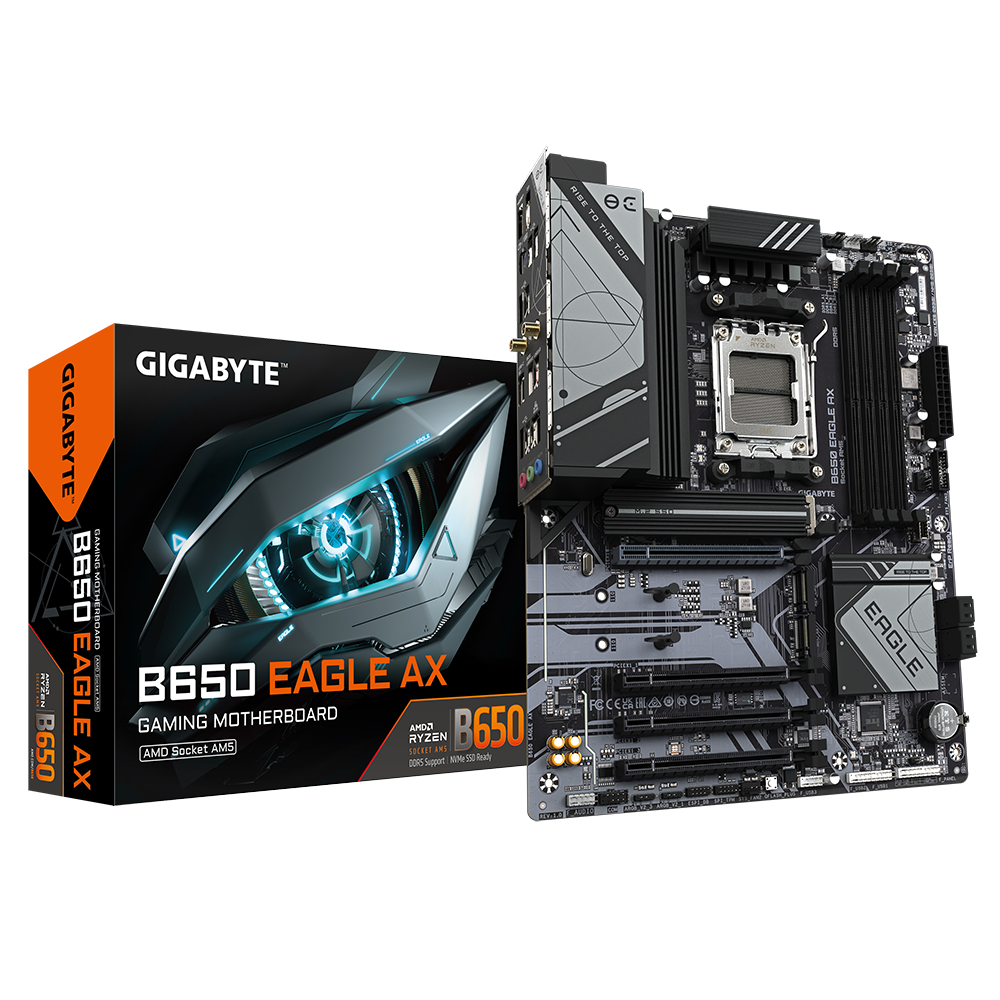
GIGABYTE
Lasting Quality from GIGABYTE.GIGABYTE Ultra Durable™ motherboards bring together a unique blend of features and technologies that offer users the absolute ...
So it's just like a peg that holds it down is all
dusty coyote
Yeah even the manual in that link doesn’t show it. Or wait did I look in the wrong spot?
potent portal
No pictures for this one but I did screenshot the steps
Page 25
Under "M2P_CPU/M2C_SB"
dusty coyote
Would you mind sending the screenshot? For some reason when I pull up the manual it only pulls up like 10 pages
potent portal
potent portal
https://www.gigabyte.com/Motherboard/B650-EAGLE-AX/support#support-manual
It's right here
manic cloak
There’s different types of manuals on the page but I’m even having a hard time finding it lol
Probably cause mobile?
dusty coyote
Maybe
potent portal
You probably pulled up the bios setup guide by accident
potent portal
Oh weird

 dusty coyote
Yeah that’s really strange I can’t find it at all.
potent portal
Copy paste version of the steps then
Pull the clip's tab up and out of the mounting hole. Slide the M.2 SSD into the connector at an angle. Press
down on the front end of the M.2 SSD and then secure it by pressing the clip's tab into the mounting hole.
dusty coyote
So weird. I can’t get them to pull up lollll
I think if I put anymore pressure, it going to yank it out of the board lolll
manic cloak
@dusty coyote there should be an upper gen 5 slot if i'm not wrong
or is that filled?
dusty coyote
manic cloak
<@370985218443706369> there should be an upper gen 5 slot if i'm not wrong
Yeah it’s filled already. My second M.2 is just an extra 1TB to add to it
manic cloak
ya your going have to yank on the plastic
thing is
the video i'm watching his doesn't include those tabs
so don't try pulling the tab but the head of the plastic piece that holds down the m.2
even wiggling it a little bit can help out
potent portal
Oh when you're installing the secondary drive make sure to use the lowest slot so you don't share lanes between the 2 drives
That would kill your speed
dusty coyote
Thank you guys for helping me to the best of your ability I greatly greatly appreciate it!
shrewd gale
So, the fans that are already in the case, can I replace them for the ones I order?
shrewd gale
Hm, getting lucky every day, 7900 XTX prize just got up and same for the ryzen 7 9800X3D
potent portal
9800X3D is still having supply problems from extreme demand, it's mostly scalpers that are selling it on Amazon at this point
XTX happened to beat the 5080 in some games (pathetic showing) so it was a backup option for a lot of people that were hoping to get one of those
shrewd gale
potent portal
XTX happened to beat the 5080 in some games (pathetic showing) so it was a backu...
Shoot, well, I can backorder from canada computer (hope it allowed to say this) and for the ryzen 7, I will buy the one that for less, I still got a lost of sapce in my budget
HopeI am not wrong for the backorder
potent portal
Backordering is fine, just keep in mind it can be a few months before it's fulfilled
shrewd gale
potent portal
Backordering is fine, just keep in mind it can be a few months before it's fulfi...
Hm, or pay 1700 dollars on amazon for it
dusky hearth
shrewd gale
Shoot, well, I can backorder from canada computer (hope it allowed to say this) ...
you can talk about any retailer here
you're just not allowed to buy/sell/trade with other members
(in the server specifically, dms is fine)
potent portal
Yeah we're all about deals wherever they might be found
dusky hearth
not newegg employees, so no sales quotas to meet here 
shrewd gale
I can buy the processor, but the graphic card 1200 to 1700. It kind of a big jump
dusky hearth
parts in canada just tend to be more expensive
shrewd gale

ASRock Phantom Gaming OC Radeon RX 7900 XTX 24 GB Video Card (RX7900XTX PG 24GO)
potent portal
Alternative option is waiting until March when things start to settle down, and the 9070 XT launches then too
shrewd gale
Was suppost to be that, but I could find a alternative
shrewd gale
potent portal
Alternative option is waiting until March when things start to settle down, and ...
.
shrewd gale
potent portal
Alternative option is waiting until March when things start to settle down, and ...
So, I am suppost to wait 1 month with all the other stuff I got except the graphic card...
potent portal
Or drop down a tier on the GPU, it probably won't make that much difference unless you're doing 4k gaming
shrewd gale
potent portal
Or drop down a tier on the GPU, it probably won't make *that* much difference un...
I am on 4k
Hm
potent portal
In which case a 7900 XT would still do fine, especially if you use FSR to render in 1440p and upscale to 4k
Also you can drop down a tier on the CPU since most of the load will be on the GPU
shrewd gale
potent portal
Also you can drop down a tier on the CPU since most of the load will be on the G...
huh
Kind of to late
potent portal
It is what it is then
shrewd gale
Yes, I am lucky....
(joke)
Alright , need to find a solution
It think I will backorder the 7900XTX
I will just wait
mossy venture
shrewd gale
It think I will backorder the 7900XTX

Sapphire PULSE Radeon RX 7900 XTX 24 GB Video Card (11322-02-20G)
$1220
rain carbon
And its a good card, even among the xtx line which are pretty much all solid
potent portal
mossy venture
https://ca.pcpartpicker.com/product/RRfnTW/sapphire-pulse-radeon-rx-7900-xtx-24-...
If you click through the links it's out of stock, on backorder
Vuugo has it at a LEET price (1337)
shrewd gale
mossy venture
https://ca.pcpartpicker.com/product/RRfnTW/sapphire-pulse-radeon-rx-7900-xtx-24-...
Perfect
mossy venture
potent portal
If you click through the links it's out of stock, on backorder
Oh oof
mossy venture
shrewd gale
https://ca.pcpartpicker.com/product/gCBG3C/asrock-phantom-gaming-oc-radeon-rx-79...
Thought he was buying this one
potent portal
Back ordering it more like
But yes afaik
Also the price was higher than pcpp reported for the pulse
We can effectively watch the GPU prices rise in real time
shut rampart
hmm I think I need a new psu
 marble delta
question with this case if they announce 50 series Ti, will it be supportive like will it fit like the 5070ti for example?
potent portal
marble delta
question with this case if they announce 50 series Ti, will it be supportive lik...
That's a lot of "ifs" but I can say that case doesn't include a GPU support bracket but it would be easy to put one in
https://www.techpowerup.com/review/montech-xr/10.html
dusty coyote
Hey guys! I finally got things going! Now I’m running into one final issue that I can’t remember how I used to fix. The M.2. SSD that was being used in the other PC can’t be read by this new motherboard. The motherboard is that same Gugabyte B650 Eagle AX. It reads the new 1TB SSD that I’m adding to it but it won’t read the old SSD with the boot drive on it and all of my buddy’s games and stuff.
potent portal
dusty coyote
Hey guys! I finally got things going! Now I’m running into one final issue that ...
Was the old drive on an Intel system by chance?
stoic island
What exactly is the old SSD you're using, and which slot are you putting it in?
winged prawn
I fixed the problem
I dragged my Ethernet and wifi router across my hosue
And am now downloading windows 11 so I can use wifi
dusky hearth
winged prawn
That was 5 years ago but yeah
my msi mobo didnt include an ethernet cable either 5 years ago 🧐
(i was looking at what the issue was and saw this lmao)
also i feel like it would have been easier to move your pc to the router to do the driver installations
though that also depends on how far away it is
dusty coyote
potent portal
Was the old drive on an Intel system by chance?
Actually yes, it was used on an Intel board prior but since then, it was used on an AM4 board, and now I’m trying to use it on AM5. It’s not a typical brand you would see. I think it’s called TellTech or something. I’ll have to look when I get back. I just left the house for a bit.
potent portal
dusty coyote
Actually yes, it was used on an Intel board prior but since then, it was used on...
Ah so what probably happened was that drive was installed under Intel Rapid Storage Technology, which requires not just a special driver but also BIOS level support. You'll need to backup the data using the original PC it was in and wipe it to reuse it. (wipe with diskpart clean)
 wild oxide
any improvements? (ps: it is 1800 but i can get it for 1600 because of a deal in microcenter)
potent portal
Not corsair to start with
Unless that's part of the bundle and you can't change it
Becuase that memory in particular is pretty bad
Also you very likely don't need to spend extra for an X670E board. A $150 B650 board would be more than enough for 98% of users, just make sure it has flashback. (again, unless that's part of the bundle)
dusty coyote
potent portal
Ah so what probably happened was that drive was installed under Intel Rapid Stor...
Oof! The old PC kind of gave up on life so that’s the main reason I built this new one lol oh well. Maybe if I can get into it with my new SSD, I can fix it with disk part like you said and he’ll still have the extra 500 gigs
potent portal
The good news is it's easy to wipe a drive. The bad news is you likely won't be able to pull the data off of it first, not without an Intel system of the same platform at least.
dusty coyote
potent portal
The good news is it's easy to wipe a drive. The bad news is you likely won't be ...
Yeah it shouldn’t be a big deal since it’s my buddy’s pc. He has WiFi that he can basically redownload everything in an hour. My WiFi, it takes me a week lol
By the way thank you so much for all your help and being so quick to jump in and help. I seriously appreciate it!
potent portal
No trouble at all
Once you pop the drive into the new system you can load the Windows installer and press shift+F10 after selecting language etc. Then enter:
diskpart
list disk [take note of which drive you're targeting, you should be able to tell by size, call it disk X]
select disk X
clean
exit
Then the drive should show up in the regular installation steps later as a target for installation
 silent olive
Just took my before pics with all my parts on the desk. I look forward to sharing the completed before and after
 fair raven
hi team, is this green wire important? I understand it to be a grounding wire?

the manual didn't say anything as far as I can tell.
stoic island
What part did that come with?
dusty coyote
potent portal
Once you pop the drive into the new system you can load the Windows installer an...
So what do I do if it doesn’t even show that M.2 on disk part? Lol
stoic island
fair raven
hi team, is this green wire important? I understand it to be a grounding wire?
There's a chance it's meant to be a grounding wire but what PSU is it?
fair raven
stoic island
There's a chance it's meant to be a grounding wire but what PSU is it?
enermax revolution df2
cyan ravine
That'll be a ground you attach to something
So a metal pole
Or ideally a water pipe (rare)
cyan ravine
dusty coyote
So what do I do if it doesn’t even show that M.2 on disk part? Lol
Two possibilities, the m.2 isn't detected in bios because the slot isn't configured correctly, or the ssd simply isn't readable
The latter can be a fault either by slot, ssd, or power
Bios is where you'd change the slot configuration but you should only need to do that I would think if it's a sata m.2
So I'd try reseating the ssd
stoic island
fair raven
enermax revolution df2
Does it not come with a normal 3 pronged kettle lead? seems weird that it would make you ground it yourself
fair raven
stoic island
Does it not come with a normal 3 pronged kettle lead? seems weird that it would...
It doesn't yeah
I might message and see if I can get a replacement wire or something.
cyan ravine
You can often buy 3 pronged ones from electronic stores
stoic island
What country are you in?
cyan ravine
Food for thought
Those are just kettle cables really
I forget what the spec is officially called
stoic island
iec something
cyan ravine
Iec c13 to us plug
stoic island
but I'm wondering if there's some standard out there for the power outlet to need a separate cable for ground
fair raven
cyan ravine
You can often buy 3 pronged ones from electronic stores
Does it matter between PSUs? I still have the one from my fried one lmao but idk if that's a great idea
fair raven
stoic island
What country are you in?
us
cyan ravine
fair raven
Does it matter between PSUs? I still have the one from my fried one lmao but idk...
It doesn't
They're standardised for a reason
C13 is famously called "Kettle lead"
Lol
stoic island
yea the spec determines every dimension, if it meets spec, it has to fit
 dusty coyote
cyan ravine
Two possibilities, the m.2 isn't detected in bios because the slot isn't configu...
dusty coyote
cyan ravine
Two possibilities, the m.2 isn't detected in bios because the slot isn't configu...
Yeah I tried it all. I was speaking to the other person about it earlier. I think it’s just not compatible with the motherboard
fair raven
So it'd be safe to use my other one? I don't wanna scuff anything up with the new psu in case the issue could've been in the wires, idrk what it does
cyan ravine
dusty coyote
Yeah I tried it all. I was speaking to the other person about it earlier. I thin...
Which m.2 is it
And what motherboard (and slot)
stoic island
fair raven
So it'd be safe to use my other one? I don't wanna scuff anything up with the ne...
I'm not aware of any reason why another kettle lead wouldn't work here
dusty coyote
cyan ravine
Which m.2 is it
The brand is TIMETEC
stoic island
Which model
cyan ravine
dusty coyote
The brand is TIMETEC
Did it look like which one


Note the right side
The gold fingers
dusty coyote
cyan ravine
Did it look like which one
The right one is a closer resemblance
stoic island
Then it's likely b+m keyed, so a sata ssd, try using the M2C_SB slot, that's the only listed m.2 slot on the b650 eagle ax that supports sata
stoic island
dusty coyote
The right one is a closer resemblance
Can you take it out and double check if it is keyed like that, where it has 2 notches? If possible, can you also find what model it is? It's usually written on the sticker
cyan ravine
Yeah agree
fair raven
stoic island
I'm not aware of any reason why another kettle lead wouldn't work here
Just because I'm a little bit anxious. If the connectors are the same, any kettle lead itself would be good to use? including the one from my psu that died (different brands?)
There's no issues with different power draws or anything like that?
Just trying to make sure I understand before I jump down and fix it lol
cyan ravine
fair raven
Just because I'm a little bit anxious. If the connectors are the same, any kettl...
Yes
Yes
dusty coyote
stoic island
Can you take it out and double check if it is keyed like that, where it has 2 no...
Oh shoot I didn’t even realize that’s what he was asking about the pins themselves. Yeah give me one minute and I’ll take it out and see
cyan ravine
It's a standard cable
fair raven
Okay, thank you.
stoic island
fair raven
Just because I'm a little bit anxious. If the connectors are the same, any kettl...
It will have no problem unless the cable is physically damaged or anything of that sort
cyan ravine
PREFERABLY you'd want the one in the box, but the kettle leads are pretty robust
Yeah
Even the cheap ones from your local hardware should be fine
As long as it has a ground pin
fair raven
yeah. my main concern I guess is just causing issues with my new psu cause my old one was like actually fried.
stoic island
it's a thick cable, I think the standard is like 14awg?
shrewd gale
So, I backorder the 7900XTX and order the processor
stoic island
wait is it just 18awg?
cyan ravine
shrewd gale
So, I backorder the 7900XTX and order the processor
Nice
stoic island
Actually yea it makes sense, it's a current rating
dusty coyote
stoic island
It will have no problem unless the cable is physically damaged or anything of th...
Yes yes yes it is a Sata M.2
shrewd gale
cyan ravine
I seen 9800x3d came back
Thanks, also got a new monitor and got everything today execpt graphic card
dusty coyote
 stoic island
Unfortunately you won't be able to directly use that on the b650 eagle ax, you'll need some way to convert it to use one of the dedicated SATA ports
shrewd gale
 shrewd gale
Starting to look great execpt pc
cyan ravine
Lol
dusty coyote
stoic island
Unfortunately you won't be able to directly use that on the b650 eagle ax, you'l...
Gotcha!! Thank you that makes so much sense. I forgot to even look at the pin difference
cyan ravine
dusty coyote
Gotcha!! Thank you that makes so much sense. I forgot to even look at the pin di...
It's an honest mistake
You should be able to fix this with an adapter
A sata iii adapter, usb enclosure for msata, or an NGFF adapter might do it
Or if you haven't used it yet
stoic island
You should be able to get like a 2.5in enclosure that converts sata to m.2 and be able to mount it in your case
stoic island
I think it's their old ssd?
stoic island
something of this sort, can't vouch for quality but this would be what you're looking for
https://www.amazon.com/NFHK-Socket-Adapter-Black-Metal/dp/B09F5GK4MG

B+M Key Socket 2 M.2 NGFF (SATA) SSD to 2.5 SATA Adapter Card Adapter with Black Metal Case
Soket 2 B key M.2 NGFF SSD(SATA transfer mode) to 2.5" SATA adapter.
The speed and other properties is not changed,only form conversion interface.
Support the 2230 mm/2242 mm/2260 mm/2280 mm size...
you don't have to get 2.5in, it's just that most cases still support mounting 2.5in drives so you don't have to have it dangling somewhere
cyan ravine
Some pcie cards also support msata
The key is msata, it needs to read that
Otherwise return for a new one/swap around with another in old pc*
stoic island
The ssd looks like standard m.2 b+m keyed, should just need something that does b key