#building-and-recc-chat
1 messages · Page 310 of 1
 cyan ravine
Part List - Intel Core i5-14600KF, Radeon RX 7700 XT, Montech AIR 1000 PREMIUM ATX Mid Tower
There you go
If you prefer no rgb (colours) I can do that too
 distant yoke
yeah, no rgb
cyan ravine
You want really high performance ones? Or just nice ones that are simple
Starting to look like my kinda build now
I dig no rgb
distant yoke
well I know reliable is just an understatment, right?
cyan ravine
Oath
Spend on decent ones, save for when you need more
Do you like RGB on the ram @distant yoke
I can change that
distant yoke
I just don't care for rgb
cyan ravine
Easy
distant yoke
it looks cool how others have it, but can't see it for me
cyan ravine
ONE HIGH QUALITY SPECIAL ORDER UP
Part List - Intel Core i5-14600KF, Radeon RX 7700 XT, Montech AIR 1000 PREMIUM ATX Mid Tower
How's that
P12 max fans are super quiet fans
So you'll have a super quiet pc here
Though the gpu might be a little bit noisy sometimes 💀
distant yoke
you think?
cyan ravine
XFX make really good gpus, but the cooling solution is a little bit minimalistic
It definitely works no issues
Just they tend to use the fans a bit aggressively
It's something you can fix with a little bit of time using software so I wouldn't be worried
It's loud to the degree of like...a new-ish air conditioner?
So still not all that loud
distant yoke
new-ish air conditioner? 
cyan ravine
Haha
I'm tryna think of something to compare
What about your car's air conditioner 💀
That's a little more accurate if you have one
distant yoke
on full blast or lkow?
cyan ravine
Low to medium
distant yoke
ok
cyan ravine
That's the pc at full power
That's about where I'd estimate it
So pretty quiet honestly
distant yoke
I trust your word
cyan ravine
Haha glad to help man
Anyway you rest
Ask me later if you have any more questions
No stress
distant yoke
my other concerns were that to mostly order from newegg and the end result
but guess that can't be helped
thanks anyway though
cyan ravine
Ah yeah
It's better to order from multiple places
I kept it to mainly amazon and Newegg
The reason is the sales aren't the same on both
distant yoke
yeah
cyan ravine
Just by using several stores you can save hundreds
So it's a very worthwhile thing to do
distant yoke
you right


 flint sapphire
🫡
 untold orbit
 sour sage
cpu benchmarks to be specific
sour sage
cpu benchmarks to be specific
You want to perform a benchmark or research benchmarks?
untold orbit
https://www.pcgamebenchmark.com/fps-calculator
This one you can pick your pc components and it will show you scores
PCGameBenchmark
Gaming GPUs & CPUs benchmarked against the biggest PC games
There's also this: https://www.tomshardware.com/reviews/gpu-hierarchy,4388.html

Tom's Hardware
We've run hundreds of GPU benchmarks on Nvidia, AMD, and Intel graphics cards and ranked them in our comprehensive hierarchy, with over 80 GPUs tested.
 analog hearth
untold orbit
https://www.pcgamebenchmark.com/fps-calculator
This one you can pick your pc co...
analog hearth
untold orbit
https://www.pcgamebenchmark.com/fps-calculator
This one you can pick your pc co...
Do yourself a favor and delete this. And instead of ever using this again, look up Gamers Nexus or Hardware Unboxed on YouTube
Also don't use bottleneck calculators (due to the same type of innaccurace, which is that they make zero sense)
cyan ravine
We can be a little cleaner in the way we say this I think
Though it's not wrong
There's a reason we have a command for this
?bottleneck
 jolly riverBOT
"TL;DR Bottleneck calculators take massive generalisations and will cause someone to almost completely miss the entire snapshot of the performance that they wanted to know in the first place.
Bottleneck calculators are a commonly searched tool on the internet to make a generalised comment on a pairing of hardware for things such as games, workstation software, rendering and the like.
Bottlenecks are regarded as a limit for a pc in a given task, and each different workload, each different game, each different task may and will push a pc to a limit in a certain way, and it's never the same way. Some games will push the cpu to a limit, most the GPU, some the ram, etc.
Bottleneck calculators try to generalise this and this is why you should never use them. It isn't a true outlook of the hardware you'd be working with and doesn't give you a real take on the performance, especially when you consider your own individual needs. Some bottlenecks are good for example, a lot are expected and normal, some are caused by the application itself and don't bring out the full pc performance either, the games or apps you use might be very specific and unique in their behaviour and have an entirely different realm of performance altogether."
cyan ravine
There's a huge gamut of reasons for having a bottleneck, and as above, a lot of the time it's considered a normal situation
Like for one, almost no benchmarking reference really details the type of software or configuration of windows, and windows comes preloaded with tons of vampiric telemetry programs that eat into cpu and PC performance
That alone can make an enormous difference, something that reviewers themselves only picked up on a few months ago with the whole "Admin account" concept
I've seen PC's jump like 30% or more in games just by having a much cleaner install
Windows can be increasingly taxing the lower in the PC parts pile you go
analog hearth
Yo didn’t know we had a command for it
 tawny violet
Ye that's a thing
distant yoke
cyan ravine
https://pcpartpicker.com/list/csvHh7
Yo, now when I actually look at the case, the specs show it comes wit 4 fans but doesn't say if can hold more. Also, the sizes being 1 120mm and 3 140mm, doesn't say if I can place 120mm where th 140s are too unless its implied. Was gonna ask about hhd but it has space for that.
 dusky hearth
distant yoke
Yo, now when I actually look at the case, the specs show it comes wit 4 fans but...
dusky hearth
distant yoke
Yo, now when I actually look at the case, the specs show it comes wit 4 fans but...
looks like you could probably fit a 240mm or maybe even a 280mm radiator on the top as well from the image

looking at the specs im right
 cyan ravine
distant yoke
Yo, now when I actually look at the case, the specs show it comes wit 4 fans but...
cyan ravine
distant yoke
Yo, now when I actually look at the case, the specs show it comes wit 4 fans but...
Part List - Intel Core i5-14600KF, Radeon RX 7700 XT, Montech AIR 1000 PREMIUM ATX Mid Tower
I did forget the montech cases are like one of the only decent ones that use 140's lol
903 is the same
distant yoke
Were did the specs for the fans show, went to the amazon link and don't see it. Also, is the 240mm a double fan instead of the single actauly fit. Or a radiator fit and work better?
cyan ravine
distant yoke
Were did the specs for the fans show, went to the amazon link and don't see it. ...
I can give a couple links but I feel like I'll burn out your brain again
distant yoke
Well, not sure if they meant for the a620 or for the place of the case fans or both and just jumbled it
cyan ravine
https://www.arctic.de/en/P14-Max-White/ACFAN00304A
https://www.arctic.de/en/P12-Max/ACFAN00280A
https://hwbusters.com/cooling/arctic-p14-max-140mm-review-the-best-140mm-fan/
https://hwbusters.com/cooling/arctic-p12-max-showdown-black-dbb-vs-white-fdb/10/

ARCTIC GmbH
ACFAN00304A | The P14 Max (White) is a High-Performance 140 mm PWM Fan | PWM Sharing Technology (PST) | Fast Processing and Delivery | P14 Max | P14 Max White | P14 Max Weiß | Case Fans | Fans

ARCTIC GmbH
ACFAN00280A | The P12 Max is a High-Performance 120 mm PWM Fan | PWM Sharing Technology (PST) | Fast Processing and Delivery | ARCTIC Store

Hardware Busters - Arctic P14 Max Review - The Best 140mm Fan? - Cooling
Hardware Busters - Arctic P12 Max Showdown - Black (DBB) vs White (FDB) - Cooling
distant yoke
Its morning, just trying to really look and ask whatever I can actually think of
cyan ravine
Last link has fdb vs dbb, ignore the dbb, they're all fdb now
Even the black ones
Without explaining it, fdb is just better
cyan ravine
distant yoke
Well, not sure if they meant for the a620 or for the place of the case fans or b...
You can stick to the ones it comes with imo
The extra fans were for the case fans, I figured that's what the goal was lol
Understanding fan science can be really difficult, but these are basically really strong performance for a ridiculously low price
I use tons of arctic stuff these days, I'd swear by them
All my PC's use their fans as they're the cheapest best pick in my country
Thermalright would be an alternative pick imo if you want something that's still good but a different brand
I normally run my max fans up to about, 40-50%? Fan speed
They stay dead quiet that way
But are more than strong enough for my PC cooling
distant yoke
I mean, I'm fine with the fans you setup in the recent build to fit the need. Just wasn't sure about other spot and size pllacement
cyan ravine
Ah alr
distant yoke
Like could I put them in the top and put 120mm in the front
cyan ravine
You could if you want to
distant yoke
Replacing the 140mm
cyan ravine
As long as you do 3 front 1 rear the case will be strong
The front to back layout is the ideal layout for standard cases and airflow
distant yoke
Ok, airflow was another priority for my build
cyan ravine
Especially since you will have a big tower cooler in the middle with the gpu, it'll push it all towards that, the top fans can sometimes siphon cool air away from the PC parts if they're exhaust
1 exhaust fan in the back is usually quite effective
Just having an open top for heat to convect upwards can be fine as it is
Though with the fans running in that situation it'll just be pushed almost entirely rearwards
I think I'm overcomplicating a bit again
Basically either way it'll be fine lmao
As long as the standard layout for the case is obeyed, then extra fans or changed fans won't hurt it, only help at most
 devout ocean
So I think I've decided to return this i912900 for the i5 14600, but question-
I already got this Lian Li AIO. It's around 15 bucks more expensive than the air cooler I had my eye on. Would it last long enough for future use with a more powerful CPU if I ever needed to get one, or am I trying to think way too far ahead and complicate things 
Also I know I won't NEED an AIO for this CPU, but could I still receive any benefit from it later down the road with wear and tear of other stuff?
distant yoke
@cyan ravine apologizes to bother ya some more. I k ow you put 2 ssds, would it be a good idea to leave one out and add an hdd/keep both and still add hdd/just use hdd as an external drive? Or it'd be too much?
 stoic island
devout ocean
Also I know I won't NEED an AIO for this CPU, but could I still receive any bene...
stoic island
devout ocean
Also I know I won't NEED an AIO for this CPU, but could I still receive any bene...
Very long term reliability wise, AIOs will do worse than tower coolers, the pump is an extra moving part that can fail and ruin it. All you really need is a thermalright peerless assassin 120 or equivalent, and thermalright does also have cheaper AIOs too.
stoic island
distant yoke
<@101107951401455616> apologizes to bother ya some more. I k ow you put 2 ssds, ...
Since SSD prices are still good, I'd rather not recommend getting hdds at this point unless you need more than 4tb of storage that you won't need to touch, as you can always just buy and add extra hdds down the line as your storage needs grow
distant yoke
I mean, i already have a 2tb, that why I asked if just use as a external
So if that nakes sense to not really go for setting up an hdd if ssd alreay combines for more storage
stoic island
If you really don't see yourself using more than 2tb right now, you can just not take the second SSD
Personally I ran out of space on my 2tb SSD and grabbed an extra 4tb SSD so I'd recommend starting with 4tb
distant yoke
Good point, I know that 1tb isn't alot already if you're just downloading games as they just starting becoming filling storage more from updates or new games being much larger
Leave less space for more games and have 4tb makes it almost no problem
Also that ssds are faster at processing compared to hdds
 rain bloom
https://pcpartpicker.com/list/KfNJ8Q any ways to optimize this with all the deals going on? I also think the GPU is out of stock unfortunately
Part List - AMD Ryzen 5 7600, Radeon RX 7900 XT, Montech XR ATX Mid Tower
 crimson zinc
rain bloom
https://pcpartpicker.com/list/KfNJ8Q any ways to optimize this with all the deal...
crimson zinc
rain bloom
https://pcpartpicker.com/list/KfNJ8Q any ways to optimize this with all the deal...
You can save money by going for the 7500f on aliexpress
rain bloom
The intel card? Doesn't that make me have to reconfigure the whole build?
dusky hearth
amd
rain bloom
Oh, gotcha. How much of a downgrade is it?
https://www.amazon.com/gp/product/B0D2V4VH2C/ref=ox_sc_act_title_4?smid=ATVPDKIKX0DER&psc=1
This mobo is basically the same as the one I have in my part list?

A new era is here. The B650M GAMING PLUS WIFI supports AM5 Processors and features unparalleled performance. GIGABYTE B650 motherboards come with upgraded power design, high grade storage standards, and outstanding connectivity that enables you to optimize your performance.
stoic island
rain bloom
https://pcpartpicker.com/list/KfNJ8Q any ways to optimize this with all the deal...
$350 for CPU, mobo, ram, and a free 1tb SSD
rain bloom
Sweet! GPU and PSU stay the same? Case is saying it will take until january to get here so a bit nervous on that too
stoic island
Would probably change the case if it takes that long, GPU and PSU looks fine price wise
tawny violet
rain bloom
Sweet! GPU and PSU stay the same? Case is saying it will take until january to g...
I'd recommend avoiding that motherboard
Asus Prime boards are absolutely terrible on AM5, hard avoid
(Speaking from personal experience)
rain bloom
Hmm, assuming there's not a way to bundle without that one?
tawny violet
It's only gonna give you headaches
stoic island
Havent seen this case before, but this looks decent at a glance
https://www.newegg.com/black-sama-matx-atx-micro-atx-mid-tower/p/2AM-009W-00047
stoic island
tawny violet
I'd recommend avoiding that motherboard
It's not good but that deal would save you at least $100 either way, and you can work around memory wackiness, and it does still have flashbacks for any other issues
tawny violet
stoic island
It's not good but that deal would save you at least $100 either way, and you can...
I haven't tried to flash it again yet, but it's been a complete nightmare
Not just mem wackiness, but generally completely non-functional wifi and BT
And other random stuff that made no sense
stoic island
I don't like Asus bios, and iirc that board is not good for mem OC and might take some tweaking for xmp, but that's fine
tawny violet
EXPO worked, but it's only been headaches at every step, it just doesn't want to work
What good is saving money if you'll have to replace it anyway?
rain bloom
Slight problem with that case, I think the GPU might be too long
It says it supports 345 nm and the card says the length is 353 nm max
tawny violet
Yeah you want to verify that, got myself burned with it before
rain bloom
https://www.newegg.com/asus-tuf-gaming-tuf-rx7900xt-o20g-gaming-amd-radeon-rx-7900-xt-20gb-gddr6/p/N82E16814126628?Item=N82E16814126628
I had to switch to this one because the ASROCK is out of stock, sorry I didn't mention that earlier
tawny violet
Is there any cheaper?
Asus cards are usually priced very high for a given GPU
XFX is a good alternative, or Powercolor if you can (assuming you didn't get Asus for looks)
stoic island
tawny violet
Not just mem wackiness, but generally completely non-functional wifi and BT
It's an off the shelf mediatech chip afaik so I'd blame it on just having a bad board/chip instead of the product in general
rain bloom
https://www.newegg.com/asrock-creator-rx7900xt-ct-20g-amd-radeon-rx-7900-xt-20gb-gddr6/p/N82E16814930128
This one but I was told to stay away from the asrock that aren't the phantoms
tawny violet
Do you care about aesthetics?
rain bloom
This one is out of stock
tawny violet
Cuz the XFX is gonna be significantly cheaper for like the same performance
Same with Powercolor
rain bloom
I was super sad when I checked today!
tawny violet
But GPUs are sometimes aesthetic choices which I can respect, hence asking
stoic island
It's all out of stock below $700 rn
rain bloom
stoic island
It's all out of stock below $700 rn
That's what I'm seeing too unforunately
I should have probably bought yesterday but I was super sick so I kinda played myself
stoic island
rain bloom
It says it supports 345 nm and the card says the length is 353 nm max
Unfortunate long card things
rain bloom
Should I wait for the asrock to go back in stock?
stoic island
I wouldn't bet on the price if it's still out of stock by Monday
rain bloom
But waiting until Monday is safe for most of these deals?
 mossy venture
stoic island
Havent seen this case before, but this looks decent at a glance
https://www.newe...
mossy venture
stoic island
Havent seen this case before, but this looks decent at a glance
https://www.newe...
Hey just saw this case, the mobo in the bundle is ATX
stoic island
The case should support ATX, but I didn't realize it wouldn't support the GPU in the list
stoic island
rain bloom
But waiting until Monday is safe for most of these deals?
Tech deals generally transfer into Cyber Monday, all the deals are gone after that
rain bloom
I'll have to see if I can find a bundle without that mobo since I'm worried about what was said
stoic island
I'm not aware of any with a different mobo so I'd try to work with it
 rose torrent
hey guys, what part causes an entire pc to instantly crash to reboot under load?
stoic island
rose torrent
hey guys, what part causes an entire pc to instantly crash to reboot under load?
Basically all of it can, what other symptoms are there?
rose torrent
well i have some specifics: It crashes during games but not during OCCT CPU test
I know for sure its not the ram because its doing this on both the old and new kit as well
rose torrent
stoic island
Basically all of it can, what other symptoms are there?
it crashed during OCCT Power test in the morning as well
stoic island
How about the GPU test?
And is windows crashing and giving bsod or is it just turning off?
rose torrent
Nothing happened during heavens benchmark, havent tried OCCT gpu test yet
its turning off as in someone just unplugged my psu
rose torrent
stoic island
And is windows crashing and giving bsod or is it just turning off?
and rebooting by itself right after
stoic island
Sounds like the PSU, what PSU are you using and what are the other parts?
rose torrent
yeah it sounds like my PSU but it can't be that thing is an AX1600i, literally the best on the market
CPU is 12900KS
mossy venture
rain bloom
I'll have to see if I can find a bundle without that mobo since I'm worried abou...
I'd just change case, unless you have it
mossy venture
rose torrent
yeah it sounds like my PSU but it can't be that thing is an AX1600i, literally t...
It might be the most expensive but it also is an old model, and no psu is immune to defects or flaws
stoic island
How is your GPU connected? Any daisy chaining and any adapters?
rain bloom
mossy venture
I'd just change case, unless you have it
There were concerns with the MOBO not doing well with AM5 chips, not just the case
mossy venture
Its got meh vrms but it's more than enough for a 7600x
stoic island
I think there's a chance you're just tripping ocp on one of the rails on the AXi
mossy venture
At $350 it is unbeatable value, but you do you
mossy venture
stoic island
I think there's a chance you're just tripping ocp on one of the rails on the AXi
Especially with a 12900ks and 4090. The transients between those two are no joke
rain bloom
mossy venture
At $350 it is unbeatable value, but you do you
That's a good point. I'm only playing at 1440 so I probably shouldn't be taxing it too badly
stoic island
Yea how the 4090 is connected is going to be important
rose torrent
stoic island
How is your GPU connected? Any daisy chaining and any adapters?
four 8 pins going into each of the 12vhpwr sockets like its suppsoed to
mossy venture
Did you use two cables daisy chained
stoic island
All single cables? Which ports on the AXi are you using for those?
mossy venture
And what part of the psu did you plug them into. The axi is a multi rail psu, if its trying to pull too much power from one rail it shuts down
rose torrent
stoic island
All single cables? Which ports on the AXi are you using for those?
yes all single cables
let me check
stoic island
Oh apparently OCP on AXi can be selectable through software..? Might want to try upping that in corsair link
mossy venture
Or if psu is returnable...
rose torrent
stoic island
Oh apparently OCP on AXi can be selectable through software..? Might want to tr...
ocp??
mossy venture

be quiet! Pure Power 12 1000 W 80+ Gold Certified ATX Power Supply (BP005US)
stoic island
over-current-protection
rose torrent
mossy venture
And what part of the psu did you plug them into. The axi is a multi rail psu, if...
well its been in the same place for the last 2 years
stoic island
looks like it defaults to 30a per port, you can try upping it to 40a per port
rose torrent
no problems until today
stoic island
transients are wacky, it could be as simple as a driver update that pushes it slightly over the edge
rose torrent
so theres a software i can use to raise the amperage?
stoic island
Corsair Link
rain bloom
Cases usually come with enough air flow plus the flow from the CPU and GPU to not need more?
stoic island
rain bloom
Cases usually come with enough air flow plus the flow from the CPU and GPU to no...
The usual 3 stock fans are enough
It is pretty rare to even be able to configure anything on the PSU through software lol
rain bloom
stoic island
that only comes with 2 stock, would prefer to add 1 or 2 more for intake, I don't like how it's at the same pricepoint as most cases with 3 or 4 fans stock lol
stoic island
like this thing is 10$ cheaper and has 4 fans stock
https://www.newegg.com/white-montech-air-903-max-e-atx-mid-tower-chassis/p/2AM-00CN-00059
rain bloom
rose torrent
stoic island
like this thing is 10$ cheaper and has 4 fans stock
https://www.newegg.com/white...
so get this
I downloaded corsair link and found out that it was preset to multirail
at 40A per rail
stoic island
hm
rose torrent
I just changed it to single rail and booted up deep rock galactic and havent crashed yet (usually wouldve crashed by now)
stoic island
well, that would help since it wouldn't trip off each rail going over due to transients
 stoic island
If it starts crashing again on multi rail then you know tripping ocp on singular rails is the problem
I'd leave it on single rail in general here if you're getting close to the tripping points
AXi is a good enough PSU that has proper OTP even if it gets close to any problems on the singular rails, OCP being single rail and looser is fine
rose torrent
stoic island
I'd leave it on single rail in general here if you're getting close to the tripp...
So why did this start all of a sudden? Is it because of degredation? Or maybe the other day when i pulled the main breaker on the house
should I RMA?
stoic island
My guess is that you were close to the tripping points before, and either degredation on the PSU by capacitor leakage or something like that, or increase in power draw due to driver updates or something of that sort on a single rail.
You can try to RMA and try to get a new PSU from Corsair if you think that's warranted
rose torrent
stoic island
My guess is that you were close to the tripping points before, and either degred...
But how? how can i get close to tripping when I have 1600 watts?
its always been on multirail
rain bloom
Oofda, the $700 7900xt just sold out
stoic island
rose torrent
But how? how can i get close to tripping when I have 1600 watts?
It's because it's on multirail, when it's on multirail, the OCP protections are separate by each rail
you're probably nowhere near pulling 1600w total
mossy venture
rose torrent
But how? how can i get close to tripping when I have 1600 watts?
Thats not really how psus work
Wattage isn't the only factor
stoic island
but you can be going over the 480w limit on the singular slot
mossy venture
mossy venture
The axi is also what, 12 years old?
Yep, 2012
stoic island
Stock board power limit on 4090 is 450w, max on partner boards is 600w, 20ms spikes can be ~10% higher, and sub 1ms spikes can go way higher
AXi being older is likely more sensitive to those sub 1ms spikes
mossy venture
And transients on KS cpus, especially oced aren't something to ignore either
Hell could buy a 13600k/14600k and sell the 12900ks for $250+
stoic island
there were some good data from testing back when 30 series were tripping psus, lemme see if I can find it
mossy venture
stoic island
there were some good data from testing back when 30 series were tripping psus, l...
I tripped ocp on a thermaltake smart like five times and somehow didn't kill anything
With a 3060 ti
Gotta love skytech
rain bloom
https://www.newegg.com/asrock-creator-rx7900xt-ct-20g-amd-radeon-rx-7900-xt-20gb-gddr6/p/N82E16814930128
Thoughts on this GPU? My other one went out of stock
stoic island
Here's I believe a 2070 super spiking to a max of 70a and 1000w in the timescale of microseconds
 rose torrent
damn
stoic island
rain bloom
https://www.newegg.com/asrock-creator-rx7900xt-ct-20g-amd-radeon-rx-7900-xt-20gb...
would not trust a blower card for a 7900xt lol
rain bloom
What makes it a blower card?
stoic island
usually we talk about like 20ms spikes, that's spiking in the timescale of 0.4ms
stoic island
rain bloom
What makes it a blower card?
single fan that blows out to the back
it's mainly designed for servers where you have ridiculous airflow and don't care about noise and only want density
that blower fan will get very loud
rain bloom
Gotcha. Should I check amazon for a 7900xt since I'm not seeing any that arent refurbished?
mossy venture

Gigabyte GAMING OC Radeon RX 7900 XT 20 GB Video Card (GV-R79XTGAMING OC-20GD)
stoic island
mossy venture
XFX RX-79GMERCBR Radeon RX 7900 GRE 16 GB Video Card (RX-79GMERCBR)
rain bloom
mossy venture
https://pcpartpicker.com/product/DNHqqs/xfx-rx-79gmercbr-radeon-rx-7900-gre-16-g...
Would this start to struggle on 1440 stuff? I know the XT is supposed to be able to
stoic island
Most games will be fine, it'll struggle on newer stuff like stalker 2
although everything struggles with stalker 2
rain bloom
Hmm, that might be worth the save money
stoic island
rain bloom
Hmm, that might be worth the save money
you can just look through reviews and look at the FPS at 1440p and see if you'll be fine with it
https://www.techpowerup.com/review/sapphire-radeon-rx-7900-gre-pulse/
distant yoke
I need some advice about os for a new build I've had help with. I know that windows 10 is basically done next year. Should I go for a windows 10 key, if possible upgrade to windows 11 or just go straight for windows 11?
I know based on meeting requirements
I'm just asking if I should try to cheapout on getting a windows 10 key if its possible to upgrade to windows 11 that way
just don't want to pay for 11 if I can upgrade free even if paying for 10 if its cheaper
any suggestions of where to checkout?
oh, alright
rose torrent
@stoic island Earlier I had narrowed down the possible culprits to my motherboard, my psu, or my cpu. Seeing that changing my PSU to single rail has (seemingly) fixed the problem. Is it safe to assume that this was solely a PSU issue?
stoic island
rose torrent
<@278694081440251905> Earlier I had narrowed down the possible culprits to my m...
I would say it's safe to assume the symptoms so far came from the PSU, if anything else happens, it'll be time to do more testing
distant yoke
distant yoke
I need some advice about os for a new build I've had help with. I know that wind...
anyone else have advice or suggestions?
stoic island
W10 key just transfers over still, install whichever one you feel like, and upgrade if you need to down the line
devout ocean
So based on this benchmark test, would anyone say the i5 14400f is more worth it than the i5 14600k for the extra near 10c extra cooling, considering in the video description they claim they used a custom liquid cooler?
Oh it doesnt expand lemme just get the whole video
stoic island
Extra cooling...?
devout ocean
The test shows the 14400 at a 40c where the others hover at 50c
Having OBS on top of that just sounds blech
stoic island
It's a chip with a lower power limit and boost clocks and less cores
devout ocean
Well of course they're likely recording with something OBS adjascent but streaming tends to demand more
stoic island
I wouldn't really call it more cooling, it's just unable to take advantage of any thermal headroom
devout ocean
Well the i5 14400 is a total of 187 USD, and the i5 14600 is 201 USD. Would that price change make much a difference
stoic island
Also I just looked at the video, keep in mind that even though performance difference is minimal, running stuff like cyberpunk with rt is not very representative of actual performance differences between the CPUs when you would be GPU bound
stoic island
devout ocean
Well the i5 14400 is a total of 187 USD, and the i5 14600 is 201 USD. Would that...
Depends on what you're using it for, gaming, not really, productivity, maybe the 4 e cores will help
devout ocean
Content creation. Streaming, gaming, moderate amount of multitasking
stoic island
If you're just doing content creation on the side, there won't be a big difference
But if you're doing a new build rn, the 7600x bundle is a lot more enticing price wise
devout ocean
Nah just some upgrades
One day I'd like to learn about AMD. Just seemed more daunting back when
Kinda still does
stoic island
devout ocean
Nah just some upgrades
Upgrading from what? 14th gen is not a big upgrade from 13th gen
devout ocean
Upgrading from an i3 10th gen
Too many instances where the CPU hit 100 in the task manager
stoic island
That's a different platform, you'd have to buy a new mobo and ram either way
devout ocean
I bought one a year ago last black friday
And new DDR5 ealier this month
slowly gettin things together
stoic island
Yea the reason I would usually advise against that is stuff like the current 7600x bundle with ram and mobo and an SSD for $350
But if it was a year ago you're probably outside the return window for the mobo
rain bloom

SAPPHIRE 11323-02-20G PULSE AMD Radeon RX 7900 XT Gaming Graphics Card with 20GB GDDR6, AMD RDNA 3
stoic island
It's good, nothing wrong with it
rain bloom
Wait does the 7600x not come with a cooler?
 potent portal
It does not. The non-X does. The 7600X has a higher power limit and AMD knows the Wraith isn't enough for 120W.
rain bloom
Well that kinda stinks
potent portal
(not that a 7600X will ever get near 120W but that's not the point)
rain bloom
So I pay more for the X and have to buy a cooler huh
potent portal
It's technically higher performance too, by a little bit
stoic island
Free ssd and also the bundle lol
rain bloom
stoic island
Free ssd and also the bundle lol
Yeah but add in a cooler cost, which I have no idea how much that costs or what to buy
potent portal
$15
rain bloom
That makes me feel a bit better
stoic island
Like a $20 assassin X
potent portal

ID-COOLING SE-214-XT ARGB CPU Cooler 4 Heatpipes CPU Air Cooler ARGB Light Sync with Motherboard(5V 3-PIN Connector) CPU Fan for Intel/AMD, LGA 1700 Compatible
stoic island
7600x is not a hard chip to cool
potent portal
stoic island
Like a $20 assassin X

Thermalright Assassin X 120R SE V2 CPU Cooler, Fixed Lamp Colour,4×6mm Heat Pipes, 1550RPM Speed 120mm PWM Quiet Fan CPU Cooler with S-FDB Bearing, for AMD AM4 AM5/Intel 1700/1150/1151/1200
$18 and change right now
crimson zinc
I have officially paid for the 1080ti and it’s here on Tuesday
devout ocean
Is AMD typically considered to be cheaper for equal quality to Intel? I remember a couple years back it was about even
stoic island
Currently reputation wise Intel has really blundered
Performance wise the mid end are about equivalent, but x3d beats out everything Intel has
For gaming that is
potent portal
AMD is cheaper for better in a lot of places
crimson zinc
Intel CPUs are a bit of a blunder, as he said
AMD has a lot of deals a lot of the time
Intel gpus and AMD gpus are around the same price/perf at low range
potent portal
Gaming? 9800X3D > 7800X3D > 14900K
And of course there's the new embarrassment of the 285K which can often be worse than the 12400 at gaming
stoic island
We don't talk about core ultra smh
devout ocean
I've heard it was bad but damn
 glass loom
can anyone help me with some questions about downloading and installing windows for a new pc
cyan ravine
distant yoke
Good point, I know that 1tb isn't alot already if you're just downloading games ...
Agree with what Mr1111 said. If you are comfortable with the SSD storage you already have though, you can just use that and ignore the SSD's I put. I saw you had 4TB in your original list so I mimicked that. I normally suggest 2TB lol
But yeah if you need more, that specific SSD is excellent performance and value right now
distant yoke
cyan ravine
Agree with what Mr1111 said. If you are comfortable with the SSD storage you alr...
2tb i have is an harddrive I got way before
cyan ravine
Ah yeah you definitely, absolutely want at least 1 SSD for windows
Lol
The difference in speed is tremendous having windows on there
cyan ravine
Nowadays you'll find having many games on SSD to be almost necessary
But yeah many things you can still tuck away on an old HDD
Including older games or single player games
distant yoke
cyan ravine
Including older games or single player games
that sounds like a good idea, a friend actually does that
 brittle spindle
My eBay m.2 died
distant yoke
hey @cyan ravine I would like to know if there are other gpus that are similar to the one you put in the build that would be fine too, price can vary. just like other options if that's doable. if not, that's alright https://pcpartpicker.com/list/7TZnHW
Part List - Intel Core i5-14600KF, Radeon RX 7700 XT, Montech AIR 1000 PREMIUM ATX Mid Tower
cyan ravine
Sure
Used 3080, RX 6800 (new/used)
6800XT used
The 1st and 3rd suggested are faster
7800XT is a little more for a lot more performance
6750XT/6700XT new/used
A little slower, but great value
 shut rampart
hmm do I use h.264 or 264x for video encoder on obs
cyan ravine
Often a little cheaper
cyan ravine
shut rampart
hmm do I use h.264 or 264x for video encoder on obs
You should use h.265 these days for most stuff
shut rampart
dont have 265 
cyan ravine
Or AV1 if the website you use or app supports it
Well 264 is pretty universal
I think quicktime is also pretty good too
shut rampart
isn't that mac
cyan ravine
Next to newer codecs tho you can def notice a difference
Yes
Vlc plays quicktime tho iirc
It's been many years however, I may be wrong on that last part
distant yoke
cyan ravine
Used 3080, RX 6800 (new/used)
ok, I might be confused on the gpu brand. is it the same one or other brand name?
shut rampart
3080 is nvdia 6800 is amd
cyan ravine
As long as the gpu doesn't say "ventus" or "mech" you should be fine
And yeah they'll be amd or nvidia
And from several sub brands of either
distant yoke
cyan ravine
As long as the gpu doesn't say "ventus" or "mech" you should be fine
ah, ok
no ventus which I obviously wasn't looking at right now

cyan ravine
Haha
shut rampart
downgrade  is there an ignore button
 shut rampart
what does enhanced do
cyan ravine
Isn't that the av1 stuff
shut rampart

cyan ravine
I think it might be
shut rampart
ok how to disable
cyan ravine
You just continue streaming ig?
shut rampart
yeah but annoying pop up
shut rampart
hmm I bought a 7900x and the 8000 comes out jan can I just return my 7900
mossy venture
distant yoke
no ventus which I obviously wasn't looking at right now

eBay
The card is in working condition; the middle fan is dead/broken. The card runs hot. The card is very dirty. Comes with an Original box and accessories.
Oh read desc
Maybe not lmao
shut rampart
dead / broken
distant yoke

shut rampart
and very dirty
mossy venture
Just a fan dead
Card works but would need work
Id pass
$390 good condition
https://www.ebay.com/itm/176712358970?

eBay
GIGABYTE GeForce RTX 3080 GAMING OC 10GB GDDR6X Graphics Card (GV-N3080GAMING OC-10GD)
distant yoke
honestly, anything ebay is a big nah fam, from me
 loud oxide
https://pcpartpicker.com/list/JKhMcx Is this good (for Minecraft)
cyan ravine
Can make that a fair bit better I think
distant yoke
@cyan ravine would this still be good, it a model below the gpu in the build. https://www.amazon.com/XFX-Speedster-QICK309-Graphics-RX-76TQICKBP/dp/B0CRZFB47P/ref=sr_1_6?c=ts&dib=eyJ2IjoiMSJ9.1Q4GdqjbTsLmOKyU-3zJZgVCfSHvduPgXw2orzzpfKfSfqxiSGcweTBlk7R2cO_jx5psqGk3sQ3rgcQ_ibHniQY9EW-qfTV3znvUMm1kO5dQdZaiEsFvVPYb3ADXh8d5HzAjx1WFEV9P0tQPxXBbmv3pVcnmqlT3KK0ToxoGHb0zdvxyYjwzE3RQNzHZBVVeJNthdoBnhp4wWUlHLv4buxeJaXJs30HIxkrAGRA9cY5BNGsmlaZQ33WExOrmScrDrPr2DRyri9o0pNXbD4aewRNSIQ0kGZQPgWWcwmCOx5o.DTt9C3CiBIiMuB3hkve3EtF9YVXjcr5tHrlWNV9nS9g&dib_tag=se&keywords=Computer%2BGraphics%2BCards&qid=1733022404&refinements=p_36%3A-64000%2Cp_n_feature_browse-bin%3A23883927011|23883932011%2Cp_n_feature_twenty_browse-bin%3A23572110011&rnid=23572106011&s=electronics&sr=1-6&ts_id=284822&th=1

The XFX AMD Radeon RX 7000 Series graphics cards, featuring the groundbreaking AMD RDNA 3 architecture, deliver ultra-high frame rates for your favorite games
mossy venture
distant yoke
<@101107951401455616> would this still be good, it a model below the gpu in the...

Gigabyte GAMING OC Radeon RX 7600 XT 16 GB Video Card (GV-R76XTGAMING OC-16GD)
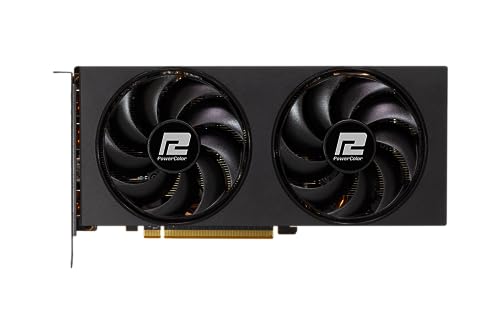
PowerColor Fighter Radeon RX 6750 XT 12 GB Video Card (AXRX 6750 XT 12GBD6-3DH)
One of those
cyan ravine
Here we go@loud oxide
Part List - AMD Ryzen 5 7600X, Radeon RX 7700 XT, Montech AIR 1000 PREMIUM ATX Mid Tower
Same price, same specs
WAY BETTER quality
The board especially
The b650-s is ewaste, gaming is $10 more and can handle upgrades unless the other one
Case is pretty similar, if you don't like it, can flick back
Cooler slightly better
Ram slightly better
Gpu way better
$10 for much better QC
The mouse you can go back to the G502 if you like the shape but the G305 is a much better reviewed mouse if you're fine with a more general shape
Keyboard way better
Though idk if you can increase budget at all, if you could do another $100 I'd bump the monitor up as Joe said to 1440p
There's a really nice mini-LED one for 190
The SSD btw is free
Which is why that all fit
But you need to buy newegg
cyan ravine
distant yoke
<@101107951401455616> would this still be good, it a model below the gpu in the...
Personally I'd steer clear of a 7600XT, they're literally 7600's just with extra vram they can't really use
But they do work in workstations better than the 4060ti 16gb despite marketing to similar people which is ironic
But for games yeah, just a glorified 7600
Gaming wise they're about 1-2% different
The 7700XT is a huge jump over both
distant yoke
ok, guess I should stick with the build you crafted for me
cyan ravine
I mean I'm happy to answer to curious questions haha
They don't really tell you this stuff in the marketing
distant yoke
yeah, I would figure
only way is from people who actually look into it and check em out
cyan ravine
Hell yeah
distant yoke
anyway, thanks for your and others help this weekend
cyan ravine
All good, happy to help
distant yoke
gonna holdout till cyber monday and see if certain things change if not, I'll just go for it 
mossy venture
cyan ravine
Though idk if you can increase budget at all, if you could do another $100 I'd b...
g2724d is 150 still iirc
and there's open box/refurb options in the 120ish area
cyan ravine
mossy venture
and there's open box/refurb options in the 120ish area
If you know a good one for 120 I'd get behind that
The mini LED at 190 is just so good tho otherwise lol
 manic cloak
So recently I updated my bios & my OpenRGB won't work
Redownloaded it, tried turning the aura on and off, slient (asus tuf gaming) nothing is working though
Do I have to redownload armory crate?
cyan ravine
Have you tried windows dynamic lighting settings
If it's not in there then yeah, you may need to re-download armoury crate to get the drivers needed to handshake the RGB control to windows again
A little annoying but if it added WDL control then I'd look to transition to that
What's better than one unified RGB app? OS-based control. Windows dynamic lighting

The future
manic cloak
cyan ravine
What's better than one unified RGB app? OS-based control. Windows dynamic lighti...
Ya WDL is on but nothing's working
amazing future
manic cloak
cyan ravine
Have you tried windows dynamic lighting settings
strange though is that openrgb detects my motherboard and my mouse
but it can't detect my case fan or CPU fan
I changed through all the settings too
 bitter mason
manic cloak
but it can't detect my case fan or CPU fan
bitter mason
manic cloak
but it can't detect my case fan or CPU fan
are they connected to the motherboard with a typical 3-pin? If so, detecting the motherboard is all you need
manic cloak
bitter mason
are they connected to the motherboard with a typical 3-pin? If so, detecting the...
Ya open RGB can detect the motherboard and armory crate is changing all the fan lights, I know the CPU fan is connected to one of the RGB 3 pins, then the case fans are on another
 marsh kiln
What cpu should I keep a look out for? Looking at am4 platform, needs to be able to do some games like gta 5, phas, FiveM, stardew, minecraft, Sims. I have been looking at ryzen 5 5500 and up or like a ryzen 7 3700x maybe depending what deal I can find used. Like to stay around 100 or under. I'd say anything ryzen 5 3600 and down is out as I'd like it to last for a bit before needing to replace it
manic cloak
Just OpenRGB can't control the fans weirdly
manic cloak
marsh kiln
What cpu should I keep a look out for? Looking at am4 platform, needs to be able...
Are you building a PC or do you already own parts?
bitter mason
manic cloak
Just OpenRGB can't control the fans weirdly
any chance armoury crate is interfering? tbh I'd uninstall that. It's just crap bloatware imo
manic cloak
bitter mason
any chance armoury crate is interfering? tbh I'd uninstall that. It's just crap ...
not kidding with you I just reinstalled it to see if armory crate would fix the issue cause I few days ago I updated bios & it wiped most of my settings
marsh kiln
manic cloak
Are you building a PC or do you already own parts?
Building, actually building one for my gf for Christmas
analog hearth
marsh kiln
What cpu should I keep a look out for? Looking at am4 platform, needs to be able...
Go with the 3700X
manic cloak
Or if you have a microcenter nearby, 5500 + 25$ off any cpu coupon
bitter mason
manic cloak
Redownloaded it, tried turning the aura on and off, slient (asus tuf gaming) not...
in my Z790 Apex's BIOS, there's a thing at the top for "Aura" you can click on to turn it on/off/stealth. Is it set to on?
marsh kiln
manic cloak
Or if you have a microcenter nearby, 5500 + 25$ off any cpu coupon
2.5 hour drive one way
manic cloak
marsh kiln
2.5 hour drive one way
might aswell just go with a used version or 3700x
loud oxide
cyan ravine
Here we go<@994381390357467217>
Got busy, I’ll read this thanks
bitter mason
marsh kiln
Building, actually building one for my gf for Christmas
no way you can squeeze $25 into the budget?
 manic cloak
bitter mason
no way you can squeeze $25 into the budget?
manic cloak
bitter mason
no way you can squeeze $25 into the budget?
I think it's on off, but also Night might aswell go buy a 7500F and a cheap a620/b650
marsh kiln
Could, I'll keep that on my mind
Finding cpu hold their value going by used prices so if can't find a decent deal on one might just go spend the extra and get a new one
bitter mason

eBay
MSI motherboard, including AMD Ryzen 5 5600 XI have not tested the motherboard but last time I used it the board worked fine.
$200 OBO
marsh kiln
If I could get a bent pin cpu that'd be amazing but them things are still almost new prices
manic cloak
@bitter mason it’s on all on weirdly enough
bitter mason
manic cloak
<@808772530017665024> it’s on all on weirdly enough
is there a splitter or extension?
manic cloak
bitter mason
is there a splitter or extension?
Wdym?
Like on the headers itself?

If you meant bios that’s all I have
Plus I’m trying to also not have the issue where the RGB stays on after I shut down
cyan ravine
manic cloak
Plus I’m trying to also not have the issue where the RGB stays on after I shut d...
Think open RGB makes that a constant problem iirc
I never used that program for very long, very flakey
manic cloak
I was recommended it 😭
bitter mason
manic cloak
Like on the headers itself?
I meant is it possible that there's a physical issue with the connection
hmm it's weird to me to disagree with Felix but I've used OpenRGB without issues for like 3-4 years now lol
manic cloak
But the RGB staying on after is a bios problem itself, I had that changed with the aura tab way before I uninstalled armory
bitter mason
it's a little beta ig but lol
manic cloak
bitter mason
I meant is it possible that there's a physical issue with the connection
Possibly, cause my fans weren’t detected from the start
They were only considered under the motherboard tab, no separate section
bitter mason
if they're connected to the 3-pin, it's not going to detect them directly tho
it has no idea what's on the header
like LED-strip, pump, fan, it has no idea
cyan ravine
manic cloak
I was recommended it 😭
They ain't wrong I just personally struggle with it
manic cloak
 bitter mason
the issue is that the fans don't light up at all or that it doesn't identify the fans in OpenRGB
manic cloak
Just to reference, I have top right and the one beneath my finger plugged in
Both 3 pins
bitter mason
something is borked on my discord rn cuz the last two pictures haven't come in. Let me restart it
manic cloak
😭 all good
manic cloak
I’ll try uninstalling armory crate
But I don’t think that’s the issue atm, I think bios resetting really goofed it up
bitter mason
manic cloak
I’ll try uninstalling armory crate
are you using the header next to it?
manic cloak
Wdym?
bitter mason
try moving it over unless it's hard to get to lol
bitter mason
aren't both of these aRGB headers?
 bitter mason
oh so both are currently in use?
loud oxide
cyan ravine
Though idk if you can increase budget at all, if you could do another $100 I'd b...
I think I can do another hundred, so can you help me find one?
bitter mason
top one too?
 manic cloak
bitter mason
oh so both are currently in use?
manic cloak
bitter mason
oh so both are currently in use?
Nono, at the bottom is “2 and 3” only 2 is used for the case fans, 1 is being used for the cpu cause it’s the only closest RGB header.
bitter mason
ah okay so you could move it to 3 since it's not used currently
also, I'd set OpenRGB to run as admin or it acts kinda borked sometimes. The first time it has to be run as admin afik
manic cloak
I’ll try ya
cyan ravine
loud oxide
I think I can do another hundred, so can you help me find one?
XV275U P3 on B&H only, is a top-class 1440p mini-LED monitor that beats basically everything else near it in price
https://www.rtings.com/monitor/reviews/acer/nitro-xv275u-p3biipx
https://pcpartpicker.com/product/7QsV3C/acer-nitro-xv275u-p3-270-2560-x-1440-170-hz-monitor-umhxxaa302

RTINGS.com
The Acer Nitro XV275U P3biipx is a lower mid-range 27-inch, 1440p gaming monitor with a 170Hz refresh rate. It sits below the Acer Nitro XV275K P3biipruzx, which...

Acer Nitro XV275U P3 27.0" 2560 x 1440 170 Hz Monitor (UM.HXXAA.302)
cyan ravine
I can't click that link @loud oxide but it should say $189.99
bitter mason
if you have a desktop icon to launch OpenRGB you can set it to always run as admin by right clicking on it & going to properties then Shortcut>Advanced & checking the Run as Administrator box
loud oxide
cyan ravine
I can't click that link <@994381390357467217> but it should say $189.99
Which one?
manic cloak
bitter mason
if you have a desktop icon to launch OpenRGB you can set it to always run as adm...
Ya it’s running as admin after uninstalling, nothing. I’ll try swapping
bitter mason
Also on OpenRGB, is "Zone" set to "All Zones"
 bitter mason
see if you drop down the menu & select a specific addressable header if it changes anything
another thing that's really odd on my board at least
you see where it says "Mode"
cyan ravine
loud oxide
Which one?
I linked it just now in the chat scroll up a bit lol
bitter mason
if I leave it on "direct" it doesn't light all the LEDs
if I change it to "Static" it affects all LEDs lol
 loud oxide
cyan ravine
I linked it just now in the chat scroll up a bit lol
loud oxide
cyan ravine
I linked it just now in the chat scroll up a bit lol
I see it now, yea I think I can do it
cyan ravine
Worth imo
manic cloak
I changed all zones, it affects all of the board but no fans, I changed to static, I can’t change the zone.
cyan ravine
Mini-LED is like, just below OLED for high end screens
bitter mason
it shows the name of your motherboard?
cyan ravine
So I'm all for it, but the 1080p screen is fine if you change your mind
loud oxide
cyan ravine
Worth imo
I see, is there anything else I should change? Btw I’m going to use the build you said to use.
manic cloak
bitter mason
it shows the name of your motherboard?
Indeed it does
cyan ravine
loud oxide
I see, is there anything else I should change? Btw I’m going to use the build yo...
Apart from that nah it's decent now
Enjoy the PC man
bitter mason
I only know of one motherboard it had issues with which was my MSI Z490 Gaming Carbon Wifi not Asus... heck let me check something
loud oxide
cyan ravine
Enjoy the PC man
Thanks a lot
bitter mason
which TUF board do you have again?
bitter mason
btw AromouryCrate gets so deep into your system that Asus has a tool to uninstall it lol

ASUS TUF GAMING Z690-PLUS WIFI D4 is an Intel® Z690 (LGA 1700) ATX gaming motherboard with 16 DrMOS power stages, PCIe 5.0, four M.2 slots, WiFi 6, USB 3.2 Gen 2x2 Type-C®, and Aura Sync RGB lighting.
 manic cloak
😭
bitter mason
you gotta click there to see it on the website
The description says:
Use the Uninstall tool to remove Armoury Crate and AURA Creator related components if encounter any issue that need to re-trigger Armoury Crate & AURA Creator Installer to fix.
so maybe using the tool might even unbork it
manic cloak
I remember doing this like a year ago
analog hearth
Don't use their uninstalled. Use Revo Uninstaller. It'll get rid of all of Armoury Crate
manic cloak
Uhhh I don't think it's normal that all of my lights just went from solid of each rainbow color before going rainbow
And Open still doesn't work, downloading revo now
bitter mason
did you do any of these firmware updates? I thought there might be lighting control firmware update but unfortuntely I don't see one. Maybe at least run the FW check tool
 bitter mason
tbh usually they say, "don't update BIOS unless you have a problem" but here, you kinda have to because the Intel Microcode update prevents your CPU from degrading itself
manic cloak
my last bios update was from 11/30/22
but then again who knows how long ago that issue started
bitter mason
I have a 13600K I beat the crap out of doing benchmarking & tried to use it in my son's PC & it would crash loading any Unreal Engine games so it's definitely possible to bork them
analog hearth
I’m surprised you can even get OpenRGB to function on your Asus motherboard. For some reason, it crashes my whole system, which has happened on two separate Asus motherboards
bitter mason
I think I've only ever had one Asus board & haven't tried using it on there lol
manic cloak
I think my 13600k has been cooked for awhile
I wouldn't be surprised
plus with ddr4?
analog hearth
Honestly wonder if it's my memory that blocks OpenRGB. After all, troubleshooting goes back to memory, rather than my specific motherboard. The only similarity in systems between these two boards I’ve tried ORGB on is the memory
bitter mason
btw you tried clicking this ig?
 manic cloak
bitter mason
btw you tried clicking this ig?
manic cloak
bitter mason
btw you tried clicking this ig?
Oh i've been clicking it
manic cloak
analog hearth
Honestly wonder if it's my memory that blocks OpenRGB. After all, troubleshootin...
I wonder if that's also why my openrgb takes a fat minute to open up too
cause it will load and load before even popping up
bitter mason
eh do you have any monitoring software running? like hwinfo or something
manic cloak
bitter mason
eh do you have any monitoring software running? like hwinfo or something
well running atm? no
except for the hundreds of razer, windows, amd, and somehow asus software in the lower 0.10% usage in task manager, nothing else
bitter mason
apparently there can be an issue with accessing the SMBus or something
manic cloak
SMBus?
bitter mason
Razer?
bitter mason
can't that control RGB?
manic cloak
On the mouse yes
only if I ever touched the RGB settings on there
which I haven't
plus OpenRGB allows me to change my mouse led's
bitter mason
I have a couple of those Razer ARGB boxes
manic cloak
so I doubt that's the issue
 bitter mason
& changes RGB on it?
manic cloak
maybe that's why
bitter mason
Opera GX?
manic cloak
I don't know how
But if razer is telling me opera.. somethings up

hmm
I turned it off, nothing
bitter mason
can you turn off Opera GX entirely?
manic cloak
Ya I just closed it
manic cloak
no it doesn't, and I haven't
I'm going to change it to stealth in bios
Or enable ErP
hold on
bitter mason
I think that only applies to when it's in shut down state
but if you think it might help ig it can't hurt
btw iirc OpenRGB has an OpenRazer plug-in to control Razer devices
cyan ravine
Still going???
cyan ravine
Has he updated all the drivers using armoury crate
cyan ravine
bitter mason
did you know Opera Browser can control RGB?
Like, all??
bitter mason
cyan ravine
Like, all??
these at least lol #building-and-recc-chat message
bitter mason
the problem with RGB is there's too many damn programs lol
cyan ravine
Does it need internet
bitter mason
I have no clue I just found out it existed like 10 minutes ago lol
cyan ravine
Wtf
Man if they weren't dumping data to China then I'd be all over that like a house on fire
bitter mason

@ROG
The Opera GX ROG Edition browser is loaded with game-changing features like ASUS Aura Sync integration.
cyan ravine
Someone needs to extract that module and run it in a contained html
bitter mason
maybe Asus gets more data to mine or something than just ArmouryCrate alone? lol
cyan ravine
bitter mason
maybe Asus gets more data to mine or something than just ArmouryCrate alone? lol
I'm dying to know if that can work standalone
Wild if it can
bitter mason
There's a ROG edition of Opera apparently https://www.opera.com/computer/thanks?ni=eapgx&utm_source=ASUS&utm_medium=ASUS&utm_campaign=ASUS&edition=ASUS

Opera is a secure, innovative browser used by millions around the world with a built-in ad blocker, free VPN, units converter, social messengers, battery saver and much more - all for your best browsing experience. Download Opera browser now and enjoy the Internet once again. Want to know more? Visit opera.com and discover yourself.
manic cloak
cyan ravine
Has he updated all the drivers using armoury crate
nope
bitter mason
cyan ravine
I'm dying to know if that can work standalone
lol I have a Thermaltake Mouse that doesn't sync with TTRGB+
I hate RGB lately
mostly cuz my Thermaltake fan/rgb boxes have been acting like TT fan/rgb boxes
randomly doing rainbox nonsense during games
even after I set them to not turn off for power saving in device manager
bitter mason
do you need Synapse for mouse-related things?
manic cloak
figure out what needs updated
manic cloak
bitter mason
do you need Synapse for mouse-related things?
ya, I have modes on there to switch between for gaming
But the RGB part of synapse isn't even downloaded
cyan ravine
When Asus updates bios often need driver updates with armoury crate
bitter mason
& always updates Intel Management Engine irreversibly lol
manic cloak
so what's intel management engine
bitter mason
lol I'm not even really sure tbh
useless bloatware from the looks of it https://www.intel.com/content/www/us/en/support/articles/000008927/software/chipset-software.html

at least on desktops
manic cloak
Okay well
Drivers are updated
somehow OpenRGB has priority over armory
Armory can detect the "addressable RGB strips" aka my fans
but openrgb can't
 wraith trail
can some one tell me if this is good or should change somethings https://pcpartpicker.com/list/jQPskf
Part List - AMD Ryzen 7 7700X, GeForce RTX 3060 Ti LHR, Asus Prime AP201 MicroATX Mini Tower
mossy venture
The list is privated
wraith trail
fixed it
cyan ravine
wraith trail
fixed it
Part List - Intel Core i5-13600KF, GeForce RTX 3060 Ti LHR, Lian Li A3-mATX MicroATX Mini Tower
Cheaper, same performance
If you're adverse tho
https://pcpartpicker.com/list/v44CLc
Part List - AMD Ryzen 7 7700X, GeForce RTX 3060 Ti LHR, Lian Li A3-mATX MicroATX Mini Tower
By the time you upgrade, flipping the board and cpu will net less value loss
I lean the way of AM5 if the difference is less than 50
The A850GL is fine btw if you prefer Pebble
The Dan A3 however is a much better AP201
wraith trail
if i plan to upgrade in the future what would u recomend
cyan ravine
You could spend a little more on it and get the would panel
cyan ravine
wraith trail
if i plan to upgrade in the future what would u recomend
A850GL
wraith trail
becase i plan on getting a 4070 ti super or 4080s
wraith trail
ok then. thanks
cyan ravine
Here
Part List - AMD Ryzen 7 7700X, GeForce RTX 3060 Ti LHR, Lian Li A3-mATX MicroATX Mini Tower
Included the wood version of the case if you're curious
$15 over the regular/AP201
wraith trail
hmm still cheaper than what i had so I guess ill get it
cyan ravine
A3 is a really nice case
The wood panel makes the whole package premium feeling
The standard front panel feels a little cheap
Side by side it's not a dealbreaker though
Pick by your preference
wraith trail
yeah I was plann to keep on my desk this time around cause ive always had my computer on the flor or a shelf
cyan ravine
Think the only thing to remember with the Dan is if you get the standard one then the psu fan can't be against it
If you get the wood then you can
The wood one has mesh behind it
But this is purely the front panel
They're otherwise identical
wraith trail
so wood one also make my life easier. you sold me on it
cyan ravine
Yeah if you like the look haha
Very nice case, it fits just about anything with an mATX motherboard
manic cloak
@bitter mason @cyan ravine Just realized that "aura addressable 1, 2, and 3" means which 3 pin on the board.
So it's definitely a openRGB/asus problem, cause neither 1 or 2 is being detected
cyan ravine
manic cloak
So it's definitely a openRGB/asus problem, cause neither 1 or 2 is being detecte...
If you don't pick all on in bios iirc it causes issues
Specifically for when it's running, if you want RGB off when it's off you use the separate option
analog hearth
cyan ravine
A3 is a really nice case
Can confirm this. I love my A3
Makes for an adorable little server
 frail valve
My brother bought Stalker 2 and forgot his pc was only mid-end, from before the pandemic. Its underpowered and barely gets above the minimum specs of the game. (both the amazon listing and pcp approximation is linked)
https://pcpartpicker.com/list/y66Xv4
https://a.co/d/6ZbBv7T
now i've made a build of what may be a good upgrade in pcp as well (keeping the motherboard, case, and psu), but i'd like some advice/second opinions because i know im not the best when it comes to higher end pc building
https://pcpartpicker.com/list/zxxYHW
also before you ask, no he didnt give a budget. he just said to get "whatever is good". I respect his flexibility buy, respectfully, I don't think he understands just how expensive GPUs are
Part List - AMD Ryzen 5 3600, GeForce GTX 1660 SUPER

CyberpowerPC Gamer Master series is a line of gaming PCs powered by AMD's newest Ryzen CPU and accompanying AM4 architecture. The Ryzen 5 CPU is the core to the series with fast processing speeds and up to 6 cores/12 threads for effortless multi-tasking. The Gamer Master also includes the latest ...
Part List - AMD Ryzen 7 5700X3D, Radeon RX 7800 XT
mossy venture
frail valve
My brother bought Stalker 2 and forgot his pc was only mid-end, from before the ...
I'm not too sure that psu will handle a 7800xt
 limpid hatch
So I'm looking to upgrade my rig since my old one's a bit old in the tooth; some newer and upcoming games - such as Monster Hunter: We've Got Fluffy Babby Raptors Now - are no longer supporting my graphics card since it's just That Old, and I've been led to believe that my MoBo would bottleneck peformance from a lot of newer graphics cards.
I'd like to make sure I only upgrade, but unfortunately, I've never been able to get into keeping up with hardware. Which is to say: I don't know what ranges of products I shold be looking at at a minimum.
At present, I've got:
Intel Core i7 4790k
32 GB of RAM (DDR3, because it's that old)
GTX 980 Ti
Can anyone give me a baseline on what I should be looking for now?
frail valve
mossy venture
Could also do this instead
https://www.newegg.com/Product/ComboDealDetails?Item...
Bring the micro center shill that I am, if I were to do that I'd rather get tgdbunfle that's here. That is good deal tho
 mossy venture
frail valve
Bring the micro center shill that I am, if I were to do that I'd rather get tgdb...
mossy venture
frail valve
Bring the micro center shill that I am, if I were to do that I'd rather get tgdb...
Thats fair, the 7600x3d is around 15% better and that mobo is much better
The one on wegg does also come with a 1tb ssd
frail valve
mossy venture
I'm not too sure that psu will handle a 7800xt
You're right, upped the power supply to an rm750e
 boreal notch
I'm looking at upgrading to DDR5 which includes getting a new motherboard. With that I was also considering switching to a Ryzen CPU instead of intel. My CPU is good but l want something more powerful for the stuff I run. My GPU is a RX 6900 XT and CPU is i7-12700F. I'm looking for a motherboard, ram, and CPU and I don't know where to start.
mossy venture
boreal notch
I'm looking at upgrading to DDR5 which includes getting a new motherboard. With ...
Unfortunately the most sensible upgrade from that, either the 7800x3d or 9800x3d, are both very overpriced atm, unless you have a micrcocenter nearby
If you can get one ~$450, or if you want to check out the used market that would be a good option
Otherwise there wouldn't be a very noticeable increase over the 12700f. 13600kf at $175 is solid, but 13600k with ddr5 is maybe 15% better than a 12700f on ddr4
boreal notch
I think I found one at my micro center, its showing a r7 7800x3d for $439. are there any differences in specs or are all 7800x3d the same?
mossy venture
boreal notch
I think I found one at my micro center, its showing a r7 7800x3d for $439. are t...
Get the 7600x3d, 7800x3d, or 9800x3d bundle there
Thats your best bet 100%
dusky hearth
they're all binned to be around the same performance, but the main benefit for x3d is the extra cache
mossy venture
7600x3d is about 5% worse than the 7800x3d in games. 9800x3d is 10-15% better than the 7800
Any of them is more than enough for your 6900xt at any resolution
boreal notch
its showing the 9800x3d as out of stock
yeah unfortunately its showing all the bundles as out of stock
mossy venture
boreal notch
yeah unfortunately its showing all the bundles as out of stock
Ooof
What about the 7700x bundle?
Idk if you mean all the bundles or just the x3d bundles, sorry if that was a stupid question
boreal notch
I found a bundle with the r7 7700x, gigabyte B650 gaming x ax v2, G.skill flare x5 series 32GB DDR5-6000 kit for $399.99
is that a worthwhile investment over my current rig?
I've also been assuming my current cooler is compatible with a new CPU but I'm not entirely sure
I've got a DeepCool AK620
its saying its got AM4 socket compatibility and this new CPU is AM5
dusky hearth
boreal notch
its saying its got AM4 socket compatibility and this new CPU is AM5
iirc am5 uses the same mounting as am4
boreal notch
from what I've looked up, the 7700x outperforms my current CPU better than a 7800x3d would
stoic island
What are you going to be using it for?
7800x3d is noticeably better than 7700x for gaming
boreal notch
Mainly gaming, is it worth holding off for the 7800x3d?
I’m mostly doing this for DDR5 but if I’m not gonna get that big of a jump for my cpu then I can wait
rain bloom
Any chance 7900XT will come back in stock tomorrow? I'm not seeing anything under $700 anywhere anymore
If not is there an equivalent NVIDIA card or am I price spiking at that point?
stoic island
boreal notch
I found a bundle with the r7 7700x, gigabyte B650 gaming x ax v2, G.skill flare ...
If you're looking at microcenter bundles, 7600x3d bundle has been in stock near me at least
boreal notch
Not at mine unfortunately
The 7700x is the only bundle they have. It seems like a solid upgrade and a decent deal but if won’t change my performance much I can hold off
Or I guess if it’s just smarter to wait until I can get a 7800x3d or 9800x3d
stoic island
rain bloom
Any chance 7900XT will come back in stock tomorrow? I'm not seeing anything unde...
This seems to be in stock and sold by asrock if you look at options
https://www.amazon.com/dp/B0CST1D8CD

Combine AMD Radeon RX 7000 Series graphics cards and AMD Ryzen processors to activate AMD smart technologies3. You can unleash outstanding performance to give you an edge in the game. Advance your AMD Radeon RX 7000 Series GPU with the AMD Software: Adrenalin Edition application, featuring bullet...
 stoic island
boreal notch
Or I guess if it’s just smarter to wait until I can get a 7800x3d or 9800x3d
stoic island
boreal notch
Or I guess if it’s just smarter to wait until I can get a 7800x3d or 9800x3d
Upgrading from 12700 right? You can get an idea of the relative performance here, this is TPU's charts, tested with 4090, game specific benchmarks are available on their review page

Oh discord compression kinda ruins it, actual review here:
https://www.techpowerup.com/review/amd-ryzen-7-9800x3d/19.html
9800x3d review since newer and also has numbers from 7800x3d
boreal notch
So that’s not really a jump in performance for 7700x I guess. So probably better to wait?
Will I see anything drastic when switching to DDR5 as well or is it nothing crazy?
stoic island
Upgrading to ddr5 will help, it's another like 5% performance gain
manic cloak
cyan ravine
If you don't pick all on in bios iirc it causes issues
All on has been on though
shut rampart
my pc sucks
 hearty oracle
cant decide if i wanna upgrade my current pc or look for a decent prebuild and leave this one as a garage computer. here are the specs: MSI B550M PRO-VDH, RTX 3050 8GB GDDR6, AMD Ryzen 5 5600G , Ripjaws DDR4 RAM 32GB (4x16GB)CL18-22-22-42, Segotep 600W Power Supply 80 Plus Gold. in a Metallic Gear Neo Air White ATX Mid-tower.
thoughts? budget is about 500 to 1000 ( i have more but depends on other projects in the house hahah)
main use is gaming, 3d modeling/coding (dabbling not professional), and heavy multi-tasking.
mossy venture
hearty oracle
cant decide if i wanna upgrade my current pc or look for a decent prebuild and l...
Imo I'd replace and build your own
$356 for cpu mobo ram and ssd
Part List - Radeon RX 7700 XT, SAMA ARGB-Q5 MicroATX Mini Tower
hearty oracle
thanks ill take a look at these, about how much more "power" would this be? im about 60% cpu usage, and 45% memory, and 25% gpu with just 2 programs for models and 3 tabs of google open.
mossy venture
3050 is slightly worse than a 2060, 7700xt is like 10% better than a 2080 ti
Thats gotta be like a 60% upgrade?
Cpu something like a 40-45% upgrade
hearty oracle
so a decent upgrade then!
mossy venture
100%
And that cpu mobo ram bundle is fantastic value
If you'd spend a bit more 7800xt is worth the extra imo
analog hearth
If Dell can put a 320W PSU with an i7 and a Radeon GPU, 750W should be fine
 fleet pagoda
Dell is so real for that
mossy venture
fleet pagoda
Is a 750w psu enough for an i7 14700k 4070
What model?
 plucky adder
so like this list has all the things my current pc has but I changed the monitor to one that I am going to get soon. Could someone review this real quick and let me know if there are any things that won't work together? Primarily the GPU with the monitor's capabilities. the main use is for fps gaming. https://pcpartpicker.com/list/ZF2x6Q
Part List - Intel Core i5-12400F, Radeon RX 6650 XT, Cougar MX330-G Air ATX Mid Tower
mossy venture
plucky adder
so like this list has all the things my current pc has but I changed the monitor...
Yes it's all compatible but that gpu will not handle 1440p high refresh rate
It honestly might not handle 1440p60fps in some games
plucky adder
are there any gpu that you would recommend that won’t break my bank acc
mossy venture
The wording in your message is a bit unclear, you alr own everything but the monitor?
plucky adder
yes i have everything on there except the monitor
mossy venture
Ah alr
Id just downgrade monitor to 1440p 144-170hz and then upgrade gpu when you can
plucky adder
i built this pc about 2 years ago but i wanted to upgrade the monitor
mossy venture
I wouldnt do the m27q-x anymore anyways, there's better priced monitors
Mini LED would be a much nicer experience for most people
https://pcpartpicker.com/product/7QsV3C/acer-nitro-xv275u-p3-270-2560-x-1440-170-hz-monitor-umhxxaa302
Acer Nitro XV275U P3 27.0" 2560 x 1440 170 Hz Monitor (UM.HXXAA.302)
plucky adder
i’d prefer an ips panel if you have any recommendations for those
mossy venture
Or $150 for an IPS panel thats actually better than the m27q-x, just lower refresh rate
https://pcpartpicker.com/product/vyqrxr/dell-g2724d-270-2560-x-1440-165-hz-monitor-g2724d

Dell G2724D 27.0" 2560 x 1440 165 Hz Monitor (G2724D)
mossy venture
plucky adder
i’d prefer an ips panel if you have any recommendations for those
Why?
I just went from an x27q to a mini led slightly nicer than the acer p3, real HDR is very nice for games
Colors look better than anything the x27q could show
plucky adder
i don’t mind slightly worse colors in exchange for faster performance
plucky adder
i also just don’t like VA panels
mossy venture
Mini LED is nothing like regular VA.
https://youtu.be/W9669HalZoM?si=UD0ygnTTMlqZ_WhS

Support us on Patreon: https://www.patreon.com/hardwareunboxed
Join us on Floatplane: https://www.floatplane.com/channel/HardwareUnboxed
Buy relevant products from Amazon, Newegg and others below:
Acer Nitro XV275U P3 - https://geni.us/oWxmf
Acer Nitro XV275K P3 - https://geni.us/kDEq1
Cooler Master GP27U - https://geni.us/zHJRw9
Samsung Odysse...
This is technichally "faster" than the acer one, but by a very small margin and is not really worth the $60 difference
https://pcpartpicker.com/product/kJP8TW/aoc-q27g3xmn-270-2560-x-1440-180-hz-monitor-q27g3xmn

AOC Q27G3XMN 27.0" 2560 x 1440 180 Hz Monitor (Q27G3XMN)
plucky adder
thanks, i’ll look into that monitor
if i do get this one, would i have to upgrade my gpu/would it still be able to take advantage of the specs?
the Nitro
mossy venture
Yes, 1440p is much more than the 6650xt can handle
But getting a nice monitor with the intention to upgrade soon makes sense
devout ocean
Anyone have any experience with the Thermal Grizzly Kryosheets, and their contact plates? Any validity to getting em?
mossy venture
plucky adder
thanks, i’ll look into that monitor
You could throw up to a 7900 gre in there and be fine with that power supply, and you could either drop a 13600k/14600k in there or upgrade cpu mobo and ram to a ddr5 platform altogether
Not necessarily at the same time
The build would end up looking something like this
https://pcpartpicker.com/list/DH6QqH
Part List - Intel Core i5-14600KF, Radeon RX 7900 GRE, Cougar MX330-G Air ATX Mid Tower
plucky adder
thanks, one question
plucky adder
mossy venture
Mini LED would be a much nicer experience for most people
https://pcpartpicker....
what if instead of this one, i were to get a acre Nitro WQHD
or GIGABYTES M27Q
mossy venture
Link the acer nitro
The Dell g2724d at $150 is better than the m27q.
https://www.rtings.com/monitor/tools/compare
 plucky adder

In competitive gaming, every frame matters. Introducing Acer's XV271U gaming monitor - the WQHD (2560 x 1440) resolution monitor that can keep up with your game play. This AMD FreeSync Premium monitor takes gameplay to the next level of smooth, the game’s frame rate is determined by your graphics...
mossy venture
Again, mini LED is better
https://www.rtings.com/monitor/tools/compare
Wait
The link didn't link right
plucky adder

27” 2560x1440 IPS Display with 165Hz Refresh Rate, 0.5ms (MPRT) Response Time Smooth Gameplay with AMD FreeSync Premium Studio Grade VESA Display HDR400 and 92% DCI-P3 (140% sRGB) Color Gamut GIGABYTE Classic Tactical Features with OSD Sidekick GIGABYTE Auto-Update.
plucky adder
mossy venture
The link didn't link right
which one

 plucky adder
oh cool
mossy venture
M27q>g2724d>acer mini led> aoc mini led
mossy venture
plucky adder
https://www.amazon.com/Acer-Monitor-FreeSync-Premium-M3bmiiprx/dp/B0C4Z8RFY9/ref...
This is solid, iirc still worse than the g2724d
Also
The aoc mini led has a faster response time, better brightness, and better hdr than the g2724d as well
Same is true when compared to the m27q
shut rampart
does the 650m pro rs have 2 m.2
 shut rampart
I dont see 
 lone flame
just had my pc do a glitchy/artifact blue screen for the first time in months, whocrashed said this

my temps are fine
flint sapphire
shut rampart
does the 650m pro rs have 2 m.2
It has 3
 lone flame
just had my pc do a glitchy/artifact blue screen for the first time in months, w...
lone flame
lone flame
just had my pc do a glitchy/artifact blue screen for the first time in months, w...
just happened when i was on YT, wasnt under any sort of load

 cyan ravine
lone flame
just had my pc do a glitchy/artifact blue screen for the first time in months, w...
cyan ravine
lone flame
just had my pc do a glitchy/artifact blue screen for the first time in months, w...
Did event viewer say anything
shut rampart
bruh
lone flame
shut rampart
on a sidenote that asrock card looks way better in your pictures than it does on websites like amazon lol
cyan ravine
manic cloak
All on has been on though
Did you update drivers with armoury crate then
lone flame
cyan ravine
Did event viewer say anything
what is that oh smart felix
shut rampart
lone flame
on a sidenote that asrock card looks way better in your pictures than it does on...
nvm
cyan ravine
lone flame
what is that oh smart felix
Program in windows
Open it
Go to windows > system
Look for the time of the event
shut rampart
I have to remove gpu to get to the m.2
cyan ravine
The event code is also important
lone flame
cyan ravine
Go to windows > system
in here?


 cyan ravine
lone flame
cyan ravine
lone flame
What does the code say under this part of the windows
lone flame
cyan ravine
What does the code say under this part of the windows
guide me to that im sorry ive never used this before
lone flame
oh im sorry
manic cloak
cyan ravine
Did you update drivers with armoury crate then
Updated, only needed like 2 updates but nothing related to drivers. I tried using Open again, nothing. Will try uninstalling and restarting
 lone flame
 cyan ravine
Ok it's still 41
Cheers
Sometimes 41 can report as 141
Wildly different error
So likely to do with this then

Did you do any pbo
lone flame
i dont think i touched any cpu settings no
cyan ravine
So with your aio it's probably imc then
Bad vsoc training
Ok one sec
Go to bios
Advanced settings
lone flame
manic cloak
Like you got your pcpp?
not on hand let me find it in a bit
cyan ravine
Find "CPU vSOC Voltage"
Or something similar to that
It MUST say vSOC
Change it to 1.15v and manual override
Save your settings down then reset
Go to windows
Download this
Then open it
Run component stress tester
You want to run "VT3"
You type in the codes of what you want to run or not to run to enable or disable
Enabled is green, disabled red
Run this test for
About an hour?
If it doesn't come back with any errors, you'll be fine
 cyan ravine
You use numbers to navigate all the settings
lone flame
i might do this tomorrow after work as i dont have a full hour i have to go to bed pretty soon for work in the morning
cyan ravine
manic cloak
Updated, only needed like 2 updates but nothing related to drivers. I tried usin...
Does armoury crate work without openrgb?
cyan ravine
lone flame
i might do this tomorrow after work as i dont have a full hour i have to go to b...
Is fine
manic cloak
cyan ravine
Does armoury crate work without openrgb?
Yup
lone flame
i will ss and save ur instructions
cyan ravine
What likely happened
Is you had either bad vdroop or the board trained a dumb vsoc
And this one time you experienced it crash
Auto settings can be a little stupid sometimes
If you experience it again it'll likely need a vcore +0.010v offset
cyan ravine
manic cloak
Yup
Then it sounds like an open rgb issue if the motherboard works fine with armoury crate
Changed driver signatures or updates can break compatibility
manic cloak
Armory crate can set everything to a color (red for example), and only openrgb can control the motherboard colors (to blue) but can’t change the fans
lone flame
cyan ravine
If you experience it again it'll likely need a vcore +0.010v offset
where you keep this knowledge is fascinating
manic cloak
cyan ravine
Changed driver signatures or updates can break compatibility
Bios update prolly did
cyan ravine
lone flame
where you keep this knowledge is fascinating
I've spent months overclocking and years playing diagnosis puzzles
I've learnt a thing or two
Lol
lone flame
manic cloak
Like you got your pcpp?
see if that link works https://pcpartpicker.com/list/wsNRcH
Part List - AMD Ryzen 5 7600, Radeon RX 6950 XT, NZXT H6 Flow ATX Mid Tower
lone flame
cyan ravine
Lol
i dont doubt it
cyan ravine
manic cloak
Armory crate can set everything to a color (red for example), and only openrgb c...
Can you try just armoury crate alone
Nuke open rgb if you can or completely disable it
lone flame
i use signalrgb for my whole system
manic cloak
cyan ravine
Nuke open rgb if you can or completely disable it
Ya I removed openrgb from my system and it works just fine
Only issue is bloatware
lone flame
i have 7 rgb fans + my pump plugged into a single header
not a header
a
whats the name
fan hub
manic cloak
Controller?
manic cloak
😭
lone flame
i think an asia horse one
trust me if i could do my stuff over again i would
its a rat nest back there
im scared to touch it
cyan ravine
manic cloak
Only issue is bloatware
May have to wait for openrgb to update then
lone flame
im going full black next time
manic cloak
cyan ravine
May have to wait for openrgb to update then
That’s like waiting for a terraria update tbh
cyan ravine
Well
lone flame
manic cloak
That’s like waiting for a terraria update tbh
based