#building-and-recc-chat
1 messages · Page 288 of 1
 dusky hearth
actually, iirc more latency
for frame gen
you get more fps but at a slightly higher latency
 burnt dawn
hold up
 sand plover
dusky hearth
you get more fps but at a slightly higher latency
sand plover
dusky hearth
you get more fps but at a slightly higher latency
How big is the difference?
dusky hearth
probably like 5ms idk
 muted patio
Not sure latency matters in Roblox 🤣
burnt dawn
🤣
dusky hearth
i vaguely remember there being conversations about how frame gen isnt useful in comp shooters
sand plover
muted patio
Not sure latency matters in Roblox 🤣
I wanna play beamng and other stuff
dusky hearth
due to the added latency
burnt dawn
just get an used 4080 and settle.
muted patio
I do that on my 3070 OC just fine
burnt dawn
or ^
dusky hearth
muted patio
Not sure latency matters in Roblox 🤣
roblox by default has terrible latency fr
well, from the servers
burnt dawn
or AMD 6000/7000 series
sand plover
burnt dawn
just get an used 4080 and settle.
Wb 7900xtx
burnt dawn
i have a 7900xt and im quite happy with it
 potent portal
The "AI" (which is just an algorithm) takes 2 frames and fills in a third frame in the gaps between, which gives the appearance of displaying at a higher frame rate. Possible funkiness includes blurred image, UI looking like garbage, latency, ghosting, straight lines looking curved and vice versa... etc etc.
muted patio
XT not xtx
sand plover
potent portal
The "AI" (which is just an algorithm) takes 2 frames and fills in a third frame ...
So it’s good but it can also be bad?
What games is it best for?
potent portal
Basically yes. If you're running at a higher fps to start with it's less noticeable.
sand plover
muted patio
XT not xtx
sand plover
potent portal
Basically yes. If you're running at a higher fps to start with it's less noticea...
Alrighty do you think it’s worth it?
muted patio
Get the XT not xtx
burnt dawn
^
sand plover
muted patio
Get the XT not xtx
Whyyyy
dusky hearth
potent portal
The "AI" (which is just an algorithm) takes 2 frames and fills in a third frame ...
nobody:
the prescribed medication:
muted patio
Same perf but cheaper
potent portal
sand plover
Alrighty do you think it’s worth it?
That's up to you. It's one of those things you have to try for yourself in each game to see if it bothers you.
More than 12 doesn't matter (yet)
Only one game I know of gets above 12GB, even at ultra quality
sand plover
potent portal
Only one game I know of gets above 12GB, even at ultra quality
Beamng?
Doesnt that game take a lot of ram?
sand plover
potent portal
RAM yes, VRAM no
How much ram would you think it uses at most?
potent portal
I've personally seen it use 20GB with tons of mods and physics going on
But again that's system RAM
Not video
burnt dawn
I wonder if 16GB RAM (2x8gb) kit is still valid for new pc build to this date?
sand plover
burnt dawn
I wonder if 16GB RAM (2x8gb) kit is still valid for new pc build to this date?
My friend has that he’s doing great and happy
potent portal
Technically yes, but only for DDR4
burnt dawn
Not 5?
potent portal
8GB sticks of DDR5 are ass
sand plover
potent portal
8GB sticks of DDR5 are ass
I WANT 4x16 RAM
potent portal
You only have half the banks filled so you only get half the speed (it's more complicated than that but that's the gist of it)
 burnt dawn
time to download beamng and see what kind of performance i get with 5800x3d/7900xt and 32gb ram 3600mhz.
potent portal
sand plover
I WANT 4x16 RAM
Don't do 4 sticks with DDR5, you'll regret it when your memory only runs at 3600
sand plover
potent portal
Don't do 4 sticks with DDR5, you'll regret it when your memory only runs at 3600
How come?
potent portal
The memory controllers aren't good enough to handle it
sand plover
I don’t know that type of stuff
sand plover
potent portal
The memory controllers aren't good enough to handle it
So 2x32 not 4x16
potent portal
Yes
sand plover
Is there ever a reason to use 4
burnt dawn
HEDT chips
potent portal
Keep in mind you will also get a speed penalty with any configuration above 48GB
sand plover
potent portal
Keep in mind you will also get a speed penalty with any configuration above 48GB
Penalty?
sand plover
burnt dawn
mainly used as server and workstation I think.
Ohhh ok
sand plover
potent portal
Keep in mind you will also get a speed penalty with any configuration above 48GB
3x16?
potent portal
sand plover
3x16?
2x24
sand plover
potent portal
2x24
That’s a thing?
potent portal
We have 24GB sticks now and they're amazing
sand plover
potent portal
We have 24GB sticks now and they're amazing
How are they better again?
Like how is 48gb good and not 64
potent portal
The reason is SUPER technical but effectively the more RAM you have the harder it is on the memory controller. The harder the controller has to work, the slower the RAM has to go.
The limit of having the best speeds works out to 48GB on current systems
sand plover
potent portal
The reason is SUPER technical but effectively the more RAM you have the harder i...
Ohhh ok wouldn’t a more expensive motherboard be better for more ram
sand plover
potent portal
The memory controller is on the CPU
Ok
I found this
.
Ummmm that’s a lil bit of a big link
potent portal
There's lots of expensive boards that are just terrible at memory overclocking
burnt dawn
Just loaded into BeamNG
potent portal
You can erase everything from the ? and after
sand plover
burnt dawn
Just loaded into BeamNG
Lucky
sand plover
burnt dawn
Just loaded into BeamNG
Is it free?
potent portal
 potent portal
4k?
sand plover
potent portal
https://www.newegg.com/team-32gb/p/N82E16820985152
How’s your link short
burnt dawn
RAM or vram.
potent portal
burnt dawn
RAM or vram.
VRAM usage goes up as resolution increases. System RAM goes up with extra effects and physics (such as ray tracing).
burnt dawn
Gotcha
sand plover
sand plover
And is it free
Guys
sand plover
sand plover
Can a bad laptop play it?
^
burnt dawn
sand plover
And is it free
not free but you can get it on sale
and depends on the specs
if it got an discrete graphics card.
can play at low-med settings
sand plover
burnt dawn
can play at low-med settings
Oki ill see what I can do
sand plover
potent portal
https://discord.com/channels/500085440221806603/589689072692494356/1269484596190...
Removed all after the ?
burnt dawn
just post the laptop specs
potent portal
sand plover
Removed all after the ?
Yes
sand plover
burnt dawn
just post the laptop specs
Don’t have it rn
sand plover
potent portal
Yes
Thx
potent portal
You can do the same with amazon links, but with the ref= part instead of ?
Oh and that kit of memory is good, it'll be a Hynix die based on those timings
burnt dawn
It hovered around 10 GB
btw any mobile phone can play genshim impact
so ur "bad laptop" can play genshin impact
sand plover
burnt dawn
so ur "bad laptop" can play genshin impact
Still need a Rgb 4090 that I made pink
Or light blue
burnt dawn
the what
sand plover
burnt dawn
the what
I need the strix 4090 and I’ll make the Rgb blue or pink when playing genshin
I NEED IT
sand plover
burnt dawn
Strix 4070 Ti Super
It’s mean
burnt dawn
Huh?
sand plover
burnt dawn
Huh?
Idk I just don’t want that one
burnt dawn
At the point you're unnecessary spending on a 4090 that you may not make full use of it.
But hey.
Your money.
sand plover
burnt dawn
Your money.
I’m dumb
burnt dawn
If you want the help from this server, better listen and take suggestions.
So you maximze your $ for performance.
sand plover
burnt dawn
So you maximze your $ for performance.
I got everything from here except the gpu that’s it
burnt dawn
ah. what is the specs
sand plover
I’ll send the list here
sand plover
burnt dawn
ah. what is the specs
https://pcpartpicker.com/list/qyWGyg forget the monitor and the gpu there will be a 4090
Part List - AMD Ryzen 7 7800X3D, Radeon RX 7900 XTX, NZXT H6 Flow ATX Mid Tower
muted patio
 sand plover
muted patio
https://tenor.com/view/riguelzito-gif-21220368
sand plover
muted patio
https://tenor.com/view/riguelzito-gif-21220368
Hissss
sand plover
muted patio
https://tenor.com/view/riguelzito-gif-21220368
Is it at least a good pc?
muted patio
It's been 5 days of this. 4090, NZXT AIO with screen, B tier PSU, QLC drive, no changes
burnt dawn
☠️
sand plover
muted patio
It's been 5 days of this. 4090, NZXT AIO with screen, B tier PSU, QLC drive, no...
What’s the QLC drive?
sand plover
muted patio
It's been 5 days of this. 4090, NZXT AIO with screen, B tier PSU, QLC drive, no...
No more nzxt aio im getting a cheaper one for 150 with a screen
sand plover
:(
potent portal
sand plover
What’s the QLC drive?
We already had a full conversation about changing the drive
burnt dawn
was about to say scroll up
sand plover
potent portal
We already had a full conversation about changing the drive
The storage?
potent portal
sand plover
Ohh I didn’t see this link
burnt dawn
sand plover
:(
I meant no rude or bad remarks, its how people will simply ignore and save their energy for people that actually listen and take their advice.
2 years ago I asked for a PSU recommedation
here
they told me brand doesnt matter.
I listened, took the S or A tier PSU i think
and here I am, PSU running well ever since.
muted patio
This is slightly aged but still very relevant for PSU https://cultists.network/140/psu-tier-list/

PSU Tier List will help you to choose the best PSU out of hundreds of models on the market. From budget to the highest end Power Supplies.
burnt dawn
has that been updated?
burnt dawn
defo needs update since theres a weird connector L shaped psus coming around
muted patio
Yeah, I like the idea of those
Can't see why they'd be worse unless they change the PSU internal parts
Which they'll probably do
burnt dawn
the L shaped psus, its better for dual chamber pc cases or any normal ATX sized?
sand plover
burnt dawn
I meant no rude or bad remarks, its how people will simply ignore and save their...
It’s fine I’ll be quiet about the computer I want rn till I make it
potent portal
I can ask Luke what's up with the list
burnt dawn
sand plover
It’s fine I’ll be quiet about the computer I want rn till I make it
get whatever u want and be happy, nobody else is coming to stop u
sand plover
burnt dawn
get whatever u want and be happy, nobody else is coming to stop u
Always told it’s not needed but I get it
muted patio
burnt dawn
the L shaped psus, its better for dual chamber pc cases or any normal ATX sized?
Any normal sized, kinda declutters the PSU area, provided your case is large enough
Some ATX cases won't have room for them
burnt dawn
Neato
potent portal
It's not needed and the money is better spent on a new monitor, but we can't stop you if that's what you really want
sand plover
potent portal
It's not *needed* and the money is better spent on a new monitor, but we can't s...
Yea ik
muted patio
Have a Phanteks AMP 750, all I need for now
potent portal
My 3080 ti managed to trip my RM850x a few times before Nvida finally got the transients under control
muted patio
Oof
burnt dawn
damn.
muted patio
Those had HUGE transients though along with the 3090's
people cooking PSU's left and right
burnt dawn
potent portal
It's not *needed* and the money is better spent on a new monitor, but we can't s...
dani, check out Alienware AW3423DWF 34.2" 3440 x 1440 165 Hz Curved Monitor.
potent portal
At least I know the protections work 🙃
burnt dawn
the XTX is more than enough to run the DWF
 strong raft
L shaped psu talk, like this 1 I have?
 burnt dawn
no
 potent portal
burnt dawn
the XTX is more than enough to run the DWF
potent portal
burnt dawn
the XTX is more than enough to run the DWF
Nvidia is still somewhat favored if VR is a consideration
muted patio
Power ports on a separate strip
burnt dawn
DWF has AMD freesync Premium
then again it can use both
it just wont tell your display is G sync ready lol
muted patio
I like the idea but not sure about the practicality
potent portal
Freesync/Gsync are interchangeable
muted patio
My old Dell says otherwise, Gsync only lol
I really should upgrade someday but 165 hz IPS Gsync is fine
potent portal
Old stuff can be an exclusion, before VRR was standardized
potent portal
It came out first
dusky hearth
muted patio
Not since 11/2023
why did it stop getting updated anyways
at least from my perspective as someone who just uses it occasionally, they seemingly just randomly stopped like shortly after they switched to cultists
muted patio
dusky hearth
why did it stop getting updated anyways
at least from my perspective as someone ...
I don't honestly know
burnt dawn
potent portal
It came out first
Ah.
Well then Im happy i didnt face same dilemna the first gen users did
Burn in issues and stuff.
potent portal
Actual burn in doesn't seem as bad as we initially thought, since a lot of the burn in turned out to be temporary image retention and the long term tests weren't allowing the pixel cleaning cycles to complete properly

It’s been over 8 months since we started running 100 TV models for an average of 18 hours a day to simulate 10 years of usage in just two years. We’re testing the reliability of TVs by running them to the limit.
In this video, we'll discuss the nature of OLED image retention and what automatic functions a TV has to mitigate it. We'll also explo...
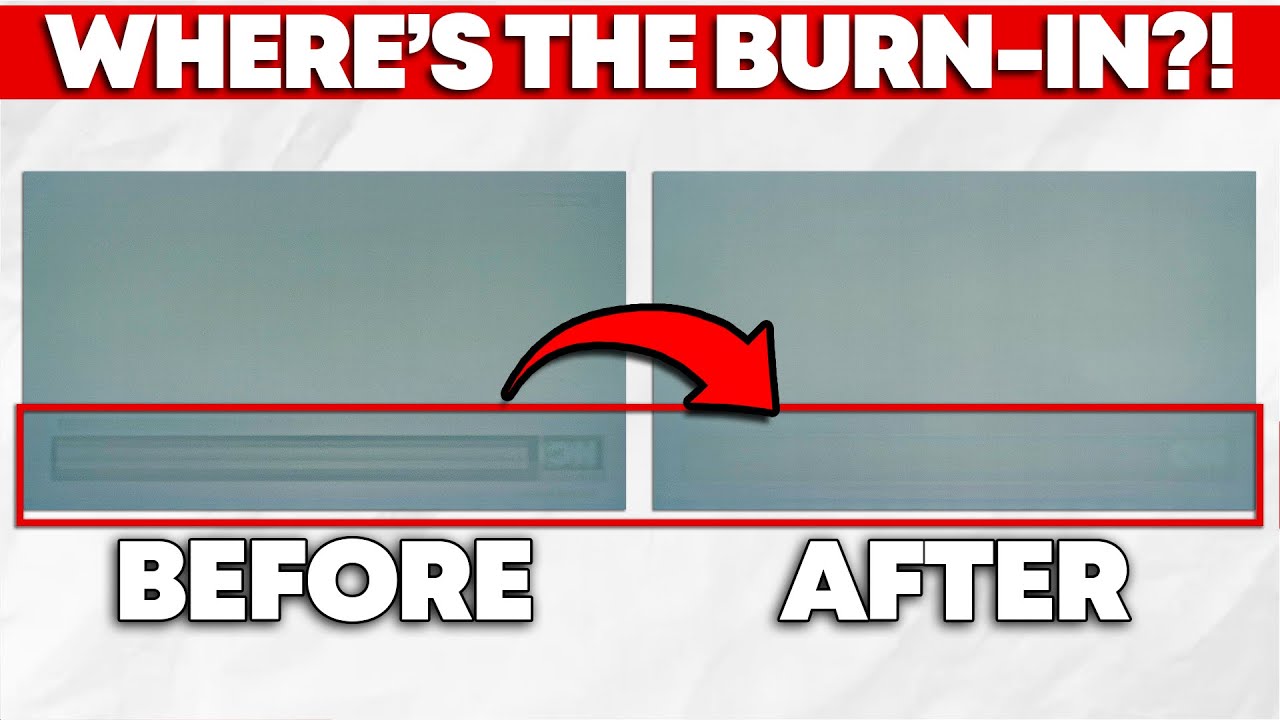
While burn-in is inherent to OLED technology, manufacturers can compensate for it through software designed to improve the useable life of your panel. Fortunately for you, manufacturers implement this well, meaning that permanent burn-in isn't that big of a concern for most folks—unless you're using an ultrawide OLED monitor, that is.
In this ...
 burnt bough
guys i have 7800x3d but the GPU I can get 4070 ti s for 1000$ or I can add it 100$ and get the 7900xtx i play lots of FPS like overwatch idk what I should get?
burnt bough
 obsidian wigeon
how about 7900xt?
obsidian wigeon
how about 7900xt?
it around 900$ but i think am getting a good deal on the 7900xtx
obsidian wigeon
hm alright
in all cases i'd not buy the ti super
so it's either xt or xtx
unless you do blender, then nvidia can be worth it (tho 1k for a 4070ti super is crazy)
burnt bough
obsidian wigeon
unless you do blender, then nvidia can be worth it (tho 1k for a 4070ti super is...
true
 vale epoch
burnt bough
guys i have 7800x3d but the GPU I can get 4070 ti s for 1000$ or I can add it 10...
vale epoch
burnt bough
guys i have 7800x3d but the GPU I can get 4070 ti s for 1000$ or I can add it 10...
What abt the gre? How much is that going for? It is slower than the cards ur looking for but depending on the price could be great value
burnt bough
vale epoch
What abt the gre? How much is that going for? It is slower than the cards ur loo...
it's for 700$
burnt bough
same 700$
 analog hearth
I kinda wish I had gotton a 4080 Super
all my friends got a 4080 Super after I upgraded to a 4070 Super bruh
vale epoch
burnt bough
same 700$
Ok wbt the 4080s? Most of ur options are overpriced but if its the same price as the xtx or range might be a good contender too
burnt bough
vale epoch
Ok wbt the 4080s? Most of ur options are overpriced but if its the same price as...
I see the 4080 s for around 1300$
analog hearth
Yeah that's about their normal price. Adjusting for inflation, they should be like $900. But you know, Nvidia
 mossy venture
1300 isn't a normal price...?
muted patio
I'm seeing a lot of them sold out
 burnt bough
analog hearth
Yeah that's about their normal price. Adjusting for inflation, they should be li...
burnt bough
analog hearth
Yeah that's about their normal price. Adjusting for inflation, they should be li...
So the 7900 xtx is a good deal right?
 wild peak
Does anyone have a suggestion for an $850 build
muted patio
For less than $1,000, this is a better buy IMO https://www.amazon.com/dp/B0CS6XC69Y

NVIDIA® GeForce RTX™ 40 Series GPUs are beyond fast for gamers and creators. They're powered by the ultra-efficient NVIDIA Ada Lovelace architecture which delivers a quantum leap in both performance and AI-powered graphics. Experience lifelike virtual worlds with ray tracing and ultra-high FPS ga...
UNless you need mass quantities of VRAM for design or some other function
burnt bough
muted patio
For less than $1,000, this is a better buy IMO https://www.amazon.com/dp/B0CS6XC...
I got this one from pny for 1200$
mossy venture
If 7900xtx is >50 cheaper than the 4080 super I would grab it
50 or less I'd take the 4080 super
 cyan ravine

sand plover
muted patio
For less than $1,000, this is a better buy IMO https://www.amazon.com/dp/B0CS6XC...
Hey vintage I took people’s opinions and stuff for my build and I will be getting a 7900xtx since it’s cheaper

 hexed scarab
Heller never built a pc before was told to use pcpartpicker i made one and was hoping for critique and suggestions to what i have im not sure what to look for and what to avoid im trying to have a computer good for gaming but still be good for work https://pcpartpicker.com/list/JZsZh3
Part List - AMD Ryzen 7 7800X3D, GeForce RTX 4090, Fractal Design Pop XL Air ATX Full Tower
mossy venture
hexed scarab
Heller never built a pc before was told to use pcpartpicker i made one and ...
Part List - AMD Ryzen 7 7800X3D, GeForce RTX 4090, Phanteks XT PRO ULTRA ATX Mid Tower
Personally I wouldjt bother with a 4090 unless you need it for work
And at that point you'd likely want a cpu with better multi core performance, that being the 7950x3d
Storage is also very overkill
sand plover
mossy venture
And at that point you'd likely want a cpu with better multi core performance, th...
If I want to game and do modeling and stuff should I get the 7950x3d or still get the 7800x3d
obsidian wigeon
modeling hits the gpu
sand plover
obsidian wigeon
modeling hits the gpu
Oh it does?
sand plover
So what would you need a 7950x3d for?
hexed scarab
So different case, potentially different gpu and a better cpu is what im looking at so far
sand plover
obsidian wigeon
VMs, coding, compiling, decompiling
I wanna learn coding
People always say get a 4090 if you need it for work but what work would need that gpu for
obsidian wigeon
Then you don't need all the cpu cores
And it's because when you earn money from your expenses, it becomes practically free
Paying itself with your work
sand plover
obsidian wigeon
Then you don't need all the cpu cores
What difference would it make coding with the 7800x3d and the 7950 one
sand plover
obsidian wigeon
Paying itself with your work
Ohh ok
obsidian wigeon
There's a fairly big difference but I don't think you'd need more than 8 cores for a good while
sand plover
Alrighty
What if in the future I make a second pc for like coding/working what would that need?
Like a job because right now this is more for games.
mossy venture
hexed scarab
So different case, potentially different gpu and a better cpu is what im look...
Basically I cut $800 off the list without losing performance and getting better reliability (and better performance in some places)
 vague oracle
sand plover
People always say get a 4090 if you need it for work but what work would need th...
vague oracle
sand plover
People always say get a 4090 if you need it for work but what work would need th...
Professional work where saving a few seconds would net you profits
In your case completely unnecessary
vague oracle
I use mine mostly for CAD and Rendering, but it’s also used in training AI models and similar things to that
mossy venture
Music production is ram and single core performance focused (don't quote me on that)
vague oracle
Pretty much
Multicore sometimes help with music production when a lot of plugins are being used but yeah it’s mostly just single core and ram
mossy venture
Oh virtual machines, you def want a good multi core cpu with plenty of ram, and depending in what you're doing a good gpu
 crimson zinc
Quote me on this
Idk what uses what, probably somethin i dunno
vague oracle
That’s what it’s called lol, machine learning 
sand plover
mossy venture
Blender, 3d modeling, ai, uhhh
I may do those and try to learn how to make music
vague oracle
Here’s the thing, you can do those as a hobby and even semi professionally with worse GPUs than a 4090 to the exact same effect as having a 4090
sand plover
vague oracle
Here’s the thing, you can do those as a hobby and even semi professionally with ...
What would be better Nvidia or AMD?
vague oracle
I started out learning all of that on an RX480 and didn’t have any issues when I was learning
vague oracle
sand plover
What would be better Nvidia or AMD?
For blender specifically nVidia but it really depends on the program you’re using
sand plover
vague oracle
For blender specifically nVidia but it really depends on the program you’re usin...
Should I get a 4080S or a 7900xtx
Let me make a list of exactly everything I wanna do
vague oracle
I’d say 4080S
Just because it seems like you don’t know what you’ll be doing exactly
NVidia will be more likely to be more effective for most beginner CAD programs
sand plover
vague oracle
I’d say 4080S
Blender, 3d modeling, ai, coding, 5m, beamng, genshin impact, gta and I wanna make games and try and learn to make music
vague oracle
Then yeah 4080S
sand plover
vague oracle
Then yeah 4080S
I added something to the bottom
vague oracle
Music isn’t reliant on GPU whatsoever
sand plover
vague oracle
Music isn’t reliant on GPU whatsoever
Oh ok
Help my cat is attacking a spider
muted patio
Huh. So much for "can't tell you what it's for because legal reasons"
 crimson relic
Yo does anybody know if this is fine for the heat sink and cooling of my system? I got new ram and it is slightly taller and thus pushed the fan slightly above the heat sink

 cyan ravine
If it wasn't fine then they wouldn't have designed them to do that
 stoic island
As long as the case can still close
crimson relic
stoic island
As long as the case can still close
alright, thank you!
sand plover
muted patio
Huh. So much for "can't tell you what it's for because legal reasons"
Took so long of you typing for you to say that and thsts not even all
🙄
Also it’s called a joke
 stuck laurel
cyan ravine
If it wasn't fine then they wouldn't have designed them to do that
stuck laurel
cyan ravine
If it wasn't fine then they wouldn't have designed them to do that
i have a question
i have my case and ssd and ram and motherboard would it be okay to go ahead and install those into my motherboard and put it in my case
and i can just install cpu when ever it comes in ?
sand plover
stuck laurel
i have my case and ssd and ram and motherboard would it be okay to go ahead and ...
Personally I’d like to do it all at once so I can see if everything works right away and the experience of building the whole thing at once
Is it true the 7900xtx is better at 4k then 4080s?
dusky hearth
stuck laurel
i have my case and ssd and ram and motherboard would it be okay to go ahead and ...
Technically nothing wrong with doing so
Just make sure to keep the protective cover on the socket
Usually it's better to assemble pretty much everything on the mobo box first, then make sure it POSTs before putting it in the case
stuck laurel
dusky hearth
Usually it's better to assemble pretty much everything on the mobo box first, th...
I just not sure what screws to use
dusky hearth
stuck laurel
I just not sure what screws to use
The mobo screws? They look small ish with an integrated washer pretty much
Make sure that you have the standoffs installed in the right locations first
cyan ravine
stuck laurel
i have a question
If you prefer
 thorn mural
so I have a z390 mobo and i want to upgrade the cpu, should i find a used lga1151 cpu or just get a new cpu/mobo?
i currently have a 9400f but to my understanding i have pretty limited upgrade options within lga1151, as well as having to deal with extra heat output from higher tdp
stuck laurel
dusky hearth
Make sure that you have the standoffs installed in the right locations first
Which are wich
mossy venture
thorn mural
i currently have a 9400f but to my understanding i have pretty limited upgrade o...
I would upgrade cpu mobo and ram
dusky hearth
stuck laurel
Which are wich
Seems like it's the left most and right most bags? I can barely see from the glare
Grab a tray or 2 and take out the screws
Middle bottom screws are for fans, top middle seems to be for HDDs/SSDs
I think PSU and MOBO screws are mixed in the left bag
I assume standoffs were pre-installed potentially
stuck laurel
let me get my case out and see
sand plover
sand plover
Is it true the 7900xtx is better at 4k then 4080s?
Guys what do you think ^^
crimson zinc
https://pcpartpicker.com/list/6qkXKX
Can someone help me fill in the ram and PSU with something decent? But not too expensive.
Part List - AMD Ryzen 5 7600
I wanna maximize efficiency
I had mid die so I’m just gonna ask for some assistance
analog hearth
the ones for the motherboard, of course
analog hearth
the ones that go with the motherboard
bruh
that one
I'm pointing right at them
lol
Did you buy the parts without watching a tutorial first?
stuck laurel
Yes
potent portal
The ones on the left since they're paired with the motherboard standoffs
analog hearth
this guy
stuck laurel
These right ?

 analog hearth
no
stuck laurel
 analog hearth
yes
stuck laurel
Ok
potent portal
In that video, the section on the left has them.
These go under the motherboard, screwed into the case. The other screws then screw into these.

 stuck laurel
potent portal
In that video, the section on the left has them.
These go under the motherboard,...
stuck laurel
potent portal
In that video, the section on the left has them.
These go under the motherboard,...
These right
potent portal
Many cases will have at least one that acts to hold the motherboard in place while you screw in the others.
analog hearth
some (a lot of) cases have the standoffs built in
 jagged ember
or they are already pre-screwed in
potent portal
Also, pro tip, don't tighten screws all the way in until you have all the screws in place.
potent portal
jagged ember
or they are already pre-screwed in
This is likely since there's only a few extra standoffs in the bin
vague oracle
sand plover
Is it true the 7900xtx is better at 4k then 4080s?
Not for what you want to do with it
sand plover
vague oracle
Not for what you want to do with it
But is the 7900xtx better at 4k then the 4080s
muted patio
 analog hearth
Kinda wish I was old enough to hear this gif
muted patio
I gotchoo boo https://www.youtube.com/watch?v=WyF8RHM1OCg

You're watching the official music video for Whitesnake - "Here I Go Again '87" from the album 'Whitesnake'. "Here I Go Again" reached No. 1 on the Billboard Hot 100 in 1987.
Subscribe to the Rhino Channel! https://Rhino.lnk.to/YouTubeSubID
Check Out Our Favorite Playlists:
Classic Rock https://Rhino.lnk.to/YTClassicRockID
80s Hits https://Rh...
jagged ember
Now you can
dusky hearth
analog hearth
Kinda wish I was old enough to hear this gif
I'm not old enough but still can because this is my music taste lmao
vague oracle
sand plover
But is the 7900xtx better at 4k then the 4080s
That don’t mean 💩, there are too many variables to make a blanket statement like that
analog hearth
Thanks for the support guys
burnt dawn
Just uhh look up gpu insert name 1 vs gpu insert name 2 on YouTube benchmarks and make your decision from there.
vague oracle
Istg
stoic island
can look at GN's review, can look at tom's hardware, can look at hub, can look at TPU, etc
sand plover
vague oracle
That don’t mean 💩, there are too many variables to make a blanket statement lik...
I was looking at a benchmark and it said the 7900xtx was better at 4k
muted patio
Or listen to the people here that have already answered questions, that's a fantastic option as well
vague oracle
Not in 5M or anything else you want to do
Sure it can be better at 4K in some programs but not in blender, 5M, or the rest of the things you listed
sand plover
vague oracle
Not in 5M or anything else you want to do
So 4080s is better for 4k in 5m
potent portal
sand plover
I was looking at a benchmark and it said the 7900xtx was better at 4k
If all you look at is pure rasterization performance across a wide array of games then yes the XTX is better, but the 4080 has other features and better compatibility that makes it still worth considering.
stoic island
I don't know the context but if blender is a requirement, the XTX won't be able to keep up
 cursive wharf
Maybe
potent portal
I haven't checked benchmarks using that new cuda converter so idk there
vague oracle
sand plover
Blender, 3d modeling, ai, coding, 5m, beamng, genshin impact, gta and I wanna ma...
.
Generally programs where NVidia comes out on top
potent portal
AI in particular NV comes out very far ahead currently
muted patio
nVidia wins in just about everything outside of gaming
cursive wharf
Blender 4.2 had some new thing that is apparently competitive to Optix for rendering. There is also ZLUDA and SCALE. Also, Blender has a lot of stuff besides rendering.
vague oracle
CAD and 3d modeling it’s a big toss up depending on the program but NVidia is the safer bet since most beginner CAD programs favor NVidia
doubt someone learning CAD will be using Catia, NX or any other professional softwares
cursive wharf
Just saying "blender" doesn't actually help for AMD/Nvidia GPU cuz there are still too many factors.
dusky hearth
I'm gonna use blender to make a blender to blend stuff to make a blend file of blended blends of smoothies
vague oracle
I feel like when someone says they want to learn blender it’s mostly on how to model/animate/render which doesn’t NVidia shine for that?
potent portal
So it'll be a Blender blender blender blender?
dusky hearth
Blended blender blend blender blender
vague oracle
I should blend myself
dusky hearth
Real
cursive wharf
3d modeling is also very all over the place cuz there are so many types of it. Vector based stuff is usually CAD for real life things, and CAD programs are kinda random. Non-vector based stuff tends to not care (Blender, Maya, etc).
stoic island
cursive wharf
Blender 4.2 had some new thing that is apparently competitive to Optix for rende...
Looking at some benchmarks, it looks like zluda does help but it doesn't let xtx catch up
cursive wharf
stoic island
Looking at some benchmarks, it looks like zluda does help but it doesn't let xtx...
I'd be more looking at SCALE or new 4.2 thing that I can't remember the name of.
OpenSomething
stoic island
I'm not too familiar with any of this but I'm just looking around for some numbers for reference
cursive wharf
To be clear tho, I don't know the answers, just the variables (for rendering)
stoic island
ZLUDA improves the xtx's performance in classroom from 20.89s -> 18.44s, but still falling significantly behind 4080 at 14.5s
potent portal
Why would you use a transparent png for that 
stoic island
potent portal
Why would you use a transparent png for that <:pepehmmm:903335097305034783>
dont blame me I'm copy pasting from a review page
:p
dusky hearth
It's all your fault
stoic island
actually I'll just do this
 potent portal
Why would you they use a transparent png for that
burnt dawn
Light Discord Theme
stoic island
happy now? :p
burnt dawn
Should help.
 cursive wharf
potent portal
Why would ~~you~~ they use a transparent png for that
cursive wharf
potent portal
Why would ~~you~~ they use a transparent png for that
So they can have PNG graph and not get complaints about people who have a custom pink background to their site.
dusky hearth
I give my money to discord (they are so poor they can't survive frfr) so I don't have light theme nor dark theme
vague oracle
potent portal
https://tenor.com/view/flashbang-gif-22572243
Ow
dusky hearth
Nobody:
HDR 1000 monitors:
vague oracle
Out of curiosity, what’s that AMD ProRender thing for blender? I remember seeing something about it a while back
vague oracle
dusky hearth
Nobody:
HDR 1000 monitors:
Me with my phone brightness on max by accident
cursive wharf
cursive wharf
To be clear tho, I don't know the answers, just the variables (for rendering)
But anyways, my main concern isn't really this but rather that Blender has way more than just rendering. Nvidia only properly wins at rendering.
vague oracle
cursive wharf
OpenSomething
Is it OpenCl?
vague oracle
dusky hearth
Also render times don't matter as much when like
You're not doing it as a job
Real
We already convinced them to not get a 4090 just to say they have a 4090
cursive wharf
vague oracle
Is it OpenCl?
Maybe? But I feel like that was before 4.2. Idk, I'll prolly look at it when PC exists again.
cursive wharf
I swear I heard smth from 4.2 that was in the realms of being competitive with Optix
But I'm phone and I hate searching for stuff on phone. So don't feel like looking for it rn.
burnt dawn
vague oracle
We already convinced them to not get a 4090 just to say they have a 4090 <:KEK:8...
💀
vague oracle
Only thing I can find in the patch notes is something about Open Image Denouise being added to AMD gpus but not sure if that’s performance related or something else
I haven’t used Blender in a hot minute
jagged ember
Remember to plug it in before you run it
muted patio
Those are just denoising functions
jagged ember
And probably chop up those fruits
vague oracle
muted patio
Those are just denoising functions
That’s what I thought
Can’t find anything else with open in the name though
vague oracle
jagged ember
Remember to plug it in before you run it
I just crank the blade to start it right?
stoic island
unfortunately it looks like I can't see any SCALE benchmarks
jagged ember
vague oracle
I just crank the blade to start it right?
Yeah or you run the auto program
vague oracle
I like my NX with the KeyShot plugin for rendering, can’t be beaten 
cursive wharf
vague oracle
Only thing I can find in the patch notes is something about Open Image Denouise...
Hm, I'll def have to look at it at some point. I could've very well also just heard bogus.

 formal girder
vague oracle
Only thing I can find in the patch notes is something about Open Image Denouise...
formal girder
vague oracle
Only thing I can find in the patch notes is something about Open Image Denouise...
So quick context to this open image denoise was added to GPU devices to render and AMD got their portion in 4.2 LTS it offered a more open alternative to users on any GPU to render and in some cases performance uplift is likely, but vram may take a hit, and compositor was added for GPU selection as well but that's for cycles rendering
burnt bough
has anyone got a tray CPU from Trendyol that was good?
formal girder
it gave the Intel Arc A770 upper hands in rendering times over 3090
potent portal
 manic cloak
I don’t think that’s normal
manic cloak
I don’t think that’s normal
Possibly an audio driver misbehaving, or it's doing some sort of automatic conversion to surround sound. Update your audio drivers (all of them, you likely have more than one) and double check settings in the drivers and in Windows for any kind of "adaptive" option.
potent portal
burnt bough
has anyone got a tray CPU from Trendyol that was good?
Do you have a link? We can usually pick out a bad one from that
potent portal
Nope, bad store, and they appear to run an active "task scam"
As well as refund scams
Trustpilot has only negative reviews and obviously fake reviews
burnt bough
potent portal
Trustpilot has only negative reviews and obviously fake reviews
what is Trustpilot?
potent portal
They rank the trustworthiness of websites based on several factors, from user reviews to the owner of the site and how long it's been operating.

Trustpilot
Do you agree with Trendyol International's TrustScore? Voice your opinion today and hear what 2,853 customers have already said.
If you look at 5 star reviews they're all clearly fake
mossy venture
"Trendyol International are my first class shopping, fast delevry, trusted, cash on delevry"
potent portal
I can forgive a few misspellings since they're from Qatar, but that reads like it was written by a robot
For reference though, Temu is famously bad and they have the same "trust" rating.
Also by using fake reviews I might note
 idle wedge
Can someone help me with build that includes phanteks XT pro ultra atx case and that includes, an aio cooler with rgb memory, and 2 tb of storage around 1000?
mossy venture
idle wedge
Can someone help me with build that includes phanteks XT pro ultra atx case and ...
Gaming?
Also black or white
mossy venture
Wifi or ethernet
idle wedge
ethernet
mossy venture
idle wedge
ethernet
Part List - AMD Ryzen 5 7600, Radeon RX 6700 XT, Phanteks XT PRO ULTRA ATX Mid Tower
I would rather
https://pcpartpicker.com/list/WX2kxH
Part List - AMD Ryzen 5 7600, Radeon RX 7700 XT, Phanteks XT PRO ULTRA ATX Mid Tower
idle wedge
mossy venture
I would rather
https://pcpartpicker.com/list/WX2kxH
how about a option with rgb ram, intel and nvidia
dusky hearth
why intel now
idle wedge
dusky hearth
why intel now
is it bad now
dusky hearth
intel currently is in hot water and is (mildly) dubious if they will still exist
teetering on the edge
jagged ember
I love intel invest 700k right now
jagged ember
Literally only reason for nvidia is broadcast and better RT
idle wedge
dusky hearth
intel currently is in hot water and is (mildly) dubious if they will still exist
i see intekl/ nvidia like apple vs samsung
jagged ember
Bruh
idle wedge
samsung got better features and stuff for the price but i still go for apple for osme reason
dusky hearth
it still is going down
 jagged ember
Brand loyalty will get you nowhere tbh
 covert vapor
The class actions haven't even kicked in, that is just the recession worries
dusky hearth
how much is that 700k inheritence worth now in stocks lol
jagged ember
Just wastes money lol
jagged ember
dusky hearth
how much is that 700k inheritence worth now in stocks lol
Its down by how much now?
34%
 sacred obsidian
i mean they shoulda stress tested their stuff better before sending it out into the world. Making that big of a goof as a huge tech company is bound to drop your stocks like crazy lol
covert vapor
Tbh most of it was mass layoffs and cancelling the dividend
idle wedge
jagged ember
456,610 down now
ight
mossy venture
idle wedge
how about a option with rgb ram, intel and nvidia
intel cpus have a major quality control issue
jagged ember
They love intel
And they read some Intel Glazer's reddit post and was like yeah great idea
mossy venture
and if you want nvidia, i would suggest an open box 3070 here for $270https://www.ebay.com/itm/387248528833

eBay
NVIDIA® GeForce Experience™. Quad simultaneous display capable. HDCP 2.3 support. Engine boost clock: 1755 MHz.
or 3080 ti for $470 https://www.ebay.com/itm/387248416303

eBay
SPECTRA 2.0 RGB LightingIceStorm 2.0 Advanced CoolingActive Fan Control with FREEZE Fan StopMetal Frontplate and RGB LED Backplate2nd Gen Ray Tracing Cores3rd Gen Tensor CoresVR Ready, NVIDIA DLSSNVIDIA® GeForce Experience™NVIDIA G-SYNC® , NVIDIA GPU Boost™Game Ready Drivers and NVIDIA Studio Drivers10240 CUDA cores12GB GDDR6X memory384-bit memo...
 idle wedge
mossy venture
https://pcpartpicker.com/list/hLyF7R
idle wedge
mossy venture
https://pcpartpicker.com/list/hLyF7R
is there a any good monitors thats 240 hz ips less than 200 or no
mossy venture
idle wedge
is there a any good monitors thats 240 hz ips less than 200 or no
If you can go $30 over, this is a great 1440p 170hz IPS panel, one of the best
https://pcpartpicker.com/product/k8GnTW/gigabyte-m27q-270-2560x1440-170-hz-monitor-m27q

Gigabyte M27Q 27.0" 2560 x 1440 170 Hz Monitor (M27Q)
And very worth the money
$160, meh panel
https://pcpartpicker.com/product/XFkH99/koorui-27e1qa-270-2560-x-1440-144-hz-monitor-27e1qa
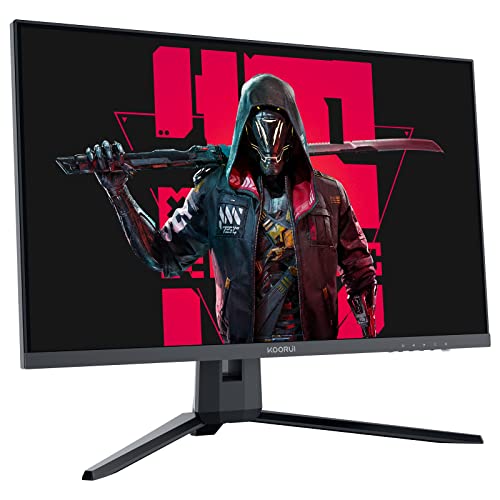
KOORUI 27E1QA 27.0" 2560 x 1440 144 Hz Monitor (27E1QA)
And $200, overall solid but below the m27q for sure
https://pcpartpicker.com/product/vyqrxr/dell-g2724d-270-2560-x-1440-165-hz-monitor-g2724d

Dell G2724D 27.0" 2560 x 1440 165 Hz Monitor (G2724D)
idle wedge
mossy venture
If you can go $30 over, this is a great 1440p 170hz IPS panel, one of the best
...

MSI G2412F 24.0" 1920 x 1080 180 Hz Monitor (G2412F)
would you say this is fine?
mossy venture
It's acceptable but 1440p is definitely worth the extra
idle wedge
mossy venture
It's acceptable but 1440p is definitely worth the extra
is it that much of a difference from 1080p
mossy venture
Yes
mossy venture
idle wedge
is it that much of a difference from 1080p
What type of games do you play
idle wedge
mossy venture
What type of games do you play
its for my brother
mossy venture
Bc this could be a valid option
https://www.amazon.com/dp/B0D4P8XBD3

Introducing the KTC Monitor, your ultimate visual companion for gaming and working. This 24-inch IPS Computer Monitor offers a stunning high-definition resolution of 2560×1440, ensuring crisp and detailed imagery for an immersive viewing experience. With a refresh rate of 100Hz, enjoy smooth and ...
What type of games does he play
mossy venture
mossy venture
Bc this could be a valid option
https://www.amazon.com/dp/B0D4P8XBD3
Then the 1080p one would be a better option than this one
crimson zinc
Average 12-38 year old male activities
mossy venture
mossy venture
$160, meh panel
https://pcpartpicker.com/product/XFkH99/koorui-27e1qa-270-2560-...
$50 extra if possible is worth it tho
idle wedge
mossy venture
Then the 1080p one would be a better option than this one
ok thanks'
mossy venture
Could even just not buy the aio and add it in later
crimson zinc
^^
idle wedge
mossy venture
Could even just not buy the aio and add it in later
is the msi monitor that bad
it looks decent
mossy venture
It's not that it's bad, it's just that 1440p is much sharper and cleaner looking
I went from a 1080p 24" VA 165hz panel to 1440p 27" 165hz ips and the difference was night and day
Looking at the 1080p one, colors looked so much less vibrant and muted (tbf that's probably the difference between ips and VA too,) and images looked much more defined
idle wedge
mossy venture
Looking at the 1080p one, colors looked so much less vibrant and muted (tbf that...
honestly i dont think he cares that much
mossy venture
It's your decision, your money and his computer
 little osprey
im packing up the inside of my case, moving 3 states pc will be in the back of a uhual, probably some bumpy roads idk. what materials r safe for the inside
and what should i use for the outside
double box? more bubble wrap? what’s the deal :)
sacred obsidian
Idk but remove your gpu
it's the part I see break the most on those road trips
especially if it's a bigger heavier one
mossy venture
little osprey
im packing up the inside of my case, moving 3 states pc will be in the back of a...
@austere condor you around?
Or @bitter mason
sacred obsidian
other than that, I usually just pack it, don't bother wrapping more than maybe a blanket around it, and it's been fine. But i haven't gone 3 states away lol
little osprey
what’s safe for the inside
i have packing paper and like bubble wrap and stuff but idk if it’s safe
mossy venture
Only experience I have transporting a pc was on the floor of my camry and I wedged stuffed animals between each side, between the front and back seat
sacred obsidian
you can get something like these https://www.amazon.com/Instapak-Quick-Packing-Shipping-Solution/dp/B01BU5VXVS?th=1

Instapak Quick RT Packaging from American Bubble Boy: All the cost-saving benefits and proven performance of Instapak foam packaging without the need for equipment. Quick RT provides general duty cushioning and light blocking and bracing for products of all different sizes and weights. It is desi...
mossy venture
Did the same thing for the monitor lol. Both were fine (do not follow my example)
sacred obsidian
mossy venture
Did the same thing for the monitor lol. Both were fine (do not follow my example...
when I moved out to my current location my PC was just put in the back of the moving truck and the monitors were wedged inbetween the wall of the truck and a nightstand so it wouldn't move to much lol. No problem occured. (this is also not reccomended)
idle wedge
mossy venture
It's your decision, your money and his computer
ight also i have thermal paste from like a year ago, can i still use that stuff on this build or it expired
sacred obsidian
lol i just used a tube of past i bought 5 years ago
strong raft
I had 5+ year old paste on my i5 3rd gen that was still liquid, just sayin.
idle wedge
ight
mossy venture
idle wedge
ight also i have thermal paste from like a year ago, can i still use that stuff ...
Ye also coolers come with some
Including the stock cooler
sacred obsidian
as long as it's not dry and not separating, you're fine to use it
 bitter mason
little osprey
double box? more bubble wrap? what’s the deal :)
bitter mason
little osprey
double box? more bubble wrap? what’s the deal :)
you definitely wanna support the GPU
you may want to consider even removing it & packaging it separately since you're obviously not paying for shipping or anything like that
little osprey
bitter mason
you definitely wanna support the GPU
i have a bunch of air bag things i can support the gpu with on both sides
if i can’t remove it in the morning
i leave tmrw lmaoo
should it be like, right
tight *
also i do have my anti sag bracket but idk if i should leave it in there for support
it’s like magnetic to the case and like rigid, vertical top to bottom
bitter mason
little osprey
i have a bunch of air bag things i can support the gpu with on both sides
ah okay. definitely support it from below
little osprey
is leaving it gpu up a good idea in the truck
bitter mason
I'd think the worst case scenario is a big bump or something damages the PCIe x16 slot
little osprey
like laying it on the side, gpu facing up
bitter mason
the anti-sag bracket should reinforce it
oh okay then ya just do your best to prevent it from bouncing around I'd think
bitter mason
& if it's tight in the van/truck
little osprey
yes, tons of stuff it’s not gonna be sliding around
bitter mason
maybe you can put a pillow, towel, or something of the like folded under it to kind of absorb the bouncing?
I wouldn't worry that much tho
little osprey
i was planning to wrap it in blankets inside the box, and then another box with more blankets towels
bitter mason
it's not like FedEx is going to throw it into the back of an airplane
little osprey
and rhen leaving it on a blanket inside the truck
tons of shock absorption i think???
bitter mason
it sounds good to me. if it's lying with the motherboard facing up, you shouldn't have to worry as much about the PCIe slot getting damaged compared to standing up like it would be on your desk
so ya maybe blankets, towels, pillows, etc. under it to prevent it from bouncing too much & the air bag things to prevent it from moving side to side
it can have a little play. I'd think it's safer to put the bags in slightly loose than if you stuffed as much as you could in there since it could potentially damage something else on the motherboard
& good luck! I know moving is a hassle lol
little osprey
okay yeah igu homie
little osprey
bitter mason
& good luck! I know moving is a hassle lol
tysm man, uve been a big help
stuck laurel
When putting in my mother board in my LIAN li case can I just keep this up plate off ?


Like is that gap okay on top or no ?
 dusky hearth
it's one of the larger gaps i've seen though
but as long as your mobo is in and all the mobo screws match up, then you should be fine
stuck laurel
Ok
stuck laurel
It’s tomahawk b650 motherboard and the case is lianli lancool 216
stuck laurel
sacred obsidian
Wait yeah that is weird
?
sacred obsidian
Does your IO shield fill in the whole slot?
 stuck laurel
sacred obsidian
Does your IO shield fill in the whole slot?
stuck laurel
sacred obsidian
Does your IO shield fill in the whole slot?
That the piece I took off
sacred obsidian
The metal piece at the top?
stuck laurel
Because if i didn’t it wasn’t line up
stuck laurel
sacred obsidian
The metal piece at the top?
Yes
stuck laurel
The screw holes
On the motherboard
They didn’t line up with that metal piece there
 flint sapphire

stuck laurel
But since I took it off I was able to fit the mob in
sacred obsidian
ok but what I'm saying is now that you have the mobo in, right? Can you put that piece back on? Does it have adjustability to go back on?
stuck laurel
But there just that gap
stuck laurel
sacred obsidian
ok but what I'm saying is now that you have the mobo in, right? Can you put that...
No
Cause it’s not just the tap
Tab
It’s a big rectangle piece
sacred obsidian
ok well It should all fit cause the IO is a standard size. However, if you're sure it doesn't fit, it's not neccesarily gonna hurt anything to leave it off.
jagged ember
thats kinda suppsoed to go in first before the mobo does
sacred obsidian
You might have a bit more dust build up but it's unlikely to cause to much more of an issue than what you'd already would deal with
bitter mason
little osprey
tysm man, uve been a big help
np! as long as you don't go offroading or over speed bumps at 40mph, I'm confident you'll be just fine lol
stuck laurel
jagged ember
and should not interfere at all with installation of screws
It did
jagged ember
it's fine without it
jagged ember
it's a flat piece of metal that pops into the back of the case lol
sacred obsidian
Was the thick metal bit at the top or bottom?
cause in your case it should be at the top
stuck laurel
I tried both ways
jagged ember
what the devil is that
stuck laurel
To see if it would fit
jagged ember
why does the IO need a damn bracket lmao
stuck laurel
And still would
jagged ember
thats crazy lol
sacred obsidian
I think it's so you can adjust it up or down
jagged ember
doesn't fit the shield without it yeah?
stuck laurel
Because first time building
sacred obsidian
I'm wondring if it has 2 sets of screw holes
stuck laurel
sacred obsidian
I'm wondring if it has 2 sets of screw holes
For that piece ?
jagged ember
oh yeah no its probably just so you can shift the io shield up or down
sacred obsidian
no for the mobo itself
stuck laurel
sacred obsidian
no for the mobo itself
Yes
And I did try those to
But the lower ones what fit
The higher holes
We’re not working they were to hight
I hope I didn’t mess up my mob for touching it with hand
sacred obsidian
so you may have to slightly push it up against that bracket in order to line up the holes. Not with hard force or anything, but just to push it into alignment. You could also try fliping the bracket if it's not perfectly flat. Or maybe try to put the bracket on the outside? I can't tell without seeing the case myself and I've never seen a lian li
stuck laurel
Like barley
stuck laurel
sacred obsidian
so you may have to slightly push it up against that bracket in order to line up ...
I was but it wasn’t working with little force
And I didn’t want to break anything
So I just took that plate off
😭
sacred obsidian
I mean like I said, it will be fine.
It should fit though, somehow
jagged ember
which lian li case is it
sacred obsidian
Can the bracket be mounted on the outside or only the inside?
stuck laurel
jagged ember
which lian li case is it
216 lan cool
jagged ember
ah
stuck laurel
sacred obsidian
Can the bracket be mounted on the outside or only the inside?
Inside
But yea like I said I’m just very paranoid for it being my first build and everything and I just hope everything still works
sacred obsidian
It wont affect performance


 sacred obsidian
yes the verification code is 5243908543209 pls give me free minutes
jagged ember
looks like you need to shift all the standoffs to the "upward arrow position"
because it comes in it's water cooling mode by default

Get your user manual for Lian Li Lancool 216 RGB Mid Tower Computer Case and elevate your gaming and working experience
sacred obsidian
yeh but it being in "water cooler mode" wouldn't really make a diff
jagged ember
apparently it does because he cant' get it to fit
sacred obsidian
But we need to know if he has a watercooler first too
sacred obsidian
I'm wondering if it's just user error, cause it is kinda a weird case
dusky hearth
jagged ember
looks like you need to shift all the standoffs to the "upward arrow position"
The transformers movies would have been so much worse if they had to manually disassemble everything, shift a few screws, then reassemble to switch modes
sacred obsidian
lmao
jagged ember
real
stuck laurel
I have liquid cool
dusky hearth
Idk why either mode would cause anything to not fit though
jagged ember
huh yeah not sure why then lol
standard position has the wide piece on the top
your motherboard isn't eatx is it

cause from what i can see it shouldn't get in the way at all
eh, would still work fine without the io shield tho
just maybe be a little more concious about plugging things in and out of the rear io lol
 jagged ember
yeah that's atx
jagged ember
kekw
yeah the io shield is supposed to go in first
then you kinda like, place the motherboard down and align it with the io shield
jagged ember
but then the screws aren't in the right place
jagged ember
so the shield goes on separately at least lol
stuck laurel
😂
jagged ember
you pop in the shield from the inside of the case and push it in until it clicks and latches
usually its from the inside
the nice looking side of the shield faces outwards from the case
jagged ember
the metal piece you can rotate 180 degrees that came with the case right
stuck laurel
Idk how many degrees it can go I just know you can unscrew it
Then turn it upside down
😂
stuck laurel
Yes
jagged ember
cause that's not the io shield
jagged ember
that's the bracket for the io shield
stuck laurel
😭
jagged ember
so yeah install it with the thick side on the top again and screw it in
stuck laurel
But it’s screwed in perfect now without the place and that where it was at first on top and it would not fit
And watch vids they all used smaller boards
That allowed it to stay on top
Imma bout to just leave it how it is and pay someone to do it
Cause I’m stressing over this lol
 stuck laurel
Yes
jagged ember
yeah you just kinda need to push that shield into the bracket until it fits
stuck laurel
jagged ember
yeah you just kinda need to push that shield into the bracket until it fits
Like I said lol imma just pay someone to do it so I don’t break anything
Wouldn’t suprise me if i already did break something
😭
jagged ember
nah
highly doubt it
i'd say its just the fact that you didn't push the io shield into the bracket until it clicks
you could just try attaching the bracket to the shield itself and then put the mobo in
and screw in the bracket that way
manic cloak
potent portal
Possibly an audio driver misbehaving, or it's doing some sort of automatic conve...
Is there any way I can do this by like an explanation or video?
Cause I’m not at his laptop atm and he’s having a hard time trying to find everything, audio keeps cutting in and out
analog hearth
Nah not the laptop audio
Laptop audio is always garbage. Always for no reason too. Just is
potent portal
manic cloak
Cause I’m not at his laptop atm and he’s having a hard time trying to find every...
What is the exact model of the laptop? Including any extension, like "15-fd1000 RCTO".
I'll dig up the drivers you need and then all they need to do is download and install, or reinstall if they're up to date.
manic cloak
analog hearth
Laptop audio is always garbage. Always for no reason too. Just is
Like bluetooth, sorry I didn't say exactly what was happening
not the audio from speakers
He just wasn't getting any audio randomly
analog hearth
Bro I’m not giving tech help for an issue like that
Don't have that kind of patience lol
manic cloak
potent portal
What is the exact model of the laptop? Including any extension, like "15-fd1000 ...

Micro Center
Get it now! The Victus 15 is packed with the power of desktop to keep up with the biggest games and the best players. This all in one gaming powerhouse is ready to roll with an AMD CPU and graphics, all sleekly designed in a mighty little package.
exact model
potent portal
HP keeps a nice repository of drivers, and I'll double check with manufacturers too
Give me a few
manic cloak
I did notice HP does a few things differently, considering they installed and pinned a help desk/app to the hotbar
potent portal
That app is worse than useless
manic cloak
Ehh, it helped me turn off the Cap locks on and off pop up
otherwise that's the only use I found out of it 😭
potent portal
Win 11 right
manic cloak
Home yes
potent portal
23H2 or 24H2
potent portal
What version is the bios on
Wow I knew that HP nerfed their website but I didn't realize it was THIS bad. I can't even find a spec sheet on their own website.
That should be the bluetooth driver, give that a shot
https://support.hp.com/us-en/drivers/closure/victus-by-hp-15.6-inch-gaming-laptop-15-fb2000/2101821639
Install the downloaded file for your Victus by HP 15.6 inch Gaming Laptop 15-fb2000
manic cloak
potent portal
What version is the bios on
He said he'll do it tomorrow, I don't know why he's putting all on himself but i'll make sure to reply to you here
Oh
I'll send that to him
He's probably doing it in the morning
Ty though
potent portal
I'm going to be totally honest here. These AMD Realtek wifi chipsets are HORRIBLE.
Dropping connections and taking extra time to connect to devices are par for the course.
But Realtek seems to be the only ones allowed to provide wifi/bluetooth for AMD computers by whatever exclusive agreement they made, even though they're known trash.
potent portal
A potato can play that at 500 fps
sand plover
potent portal
A potato can play that at 500 fps
But not at 4k tho
potent portal
Correct, at 4k that same potato would be running at 150 fps instead
sand plover
potent portal
Correct, at 4k that same potato would be running at 150 fps instead
So what would something like a 4080S do
potent portal
sand plover
So what would something like a 4080S do
350-400 on max settings paired with a 7800X3D
obsidian wigeon
at the time of the discussion
240hz is the limit for 4k monitors
so getting that much fps just becomes pointless
240hz oled is 500hz on ips/tn
potent portal
If you're serious about playing CS2 then you wouldn't be playing at 4k anyway
obsidian wigeon
ya
potent portal
I can barely find any benchmarks of the 4080S at 4k in that game because NO ONE DOES THAT
potent portal
obsidian wigeon
no nvidia gpu can display 240hz 4k anyway
tbf neither can AMD, turned out the DP 2.0 ports were gimped
 upper condor
potent portal
tbf neither can AMD, turned out the DP 2.0 ports were gimped
upper condor
potent portal
tbf neither can AMD, turned out the DP 2.0 ports were gimped
So it’s true the XTX isn’t actually up to standard for DP 2.1?
For 4k240 at least
potent portal
upper condor
So it’s true the XTX isn’t actually up to standard for DP 2.1?
54Gbps, not the 80 from the spec
upper condor
Dang I was hoping it wasn’t true
obsidian wigeon
lmao
potent portal
Once we do have full bandwidth ports, 4k240 10bit (HDR) takes 72Gbps
jagged ember
jesus
sand plover
What’s the difference between the nzxt elite aio and the normal one?
sand plover
I’m cooked I’m getting the elite since it has a bigger display
wild peak
Does anyone have recommendations for an $850 gaming pc? I was thinking a 5 7600 and maybe a 6700XT? Are those alright?
mossy venture
You could grab this and just upgrade ram/storage
https://www.ebay.com/itm/155985526773?mkcid=16&mkevt=1&mkrid=711-127632-2357-0&ssspo=92chrSivS8C&sssrc=4429486&ssuid=r8em-zv_qyc&var=&widget_ver=artemis&media=COPY

eBay
Nvidia GeForce RTX 4070. 16 GB DDR5.
Wait wrong link

eBay
NVIDIA GeForce RTX 3060 Ti.
Oh wait that has a 1tb ssd
So just needs more ram
mossy venture
wild peak
Does anyone have recommendations for an $850 gaming pc? I was thinking a 5 7600 ...
Custom build I'd say
https://pcpartpicker.com/list/fCZzt7
Part List - AMD Ryzen 5 7600, Radeon RX 6700 XT, BitFenix FLOW ATX Mid Tower
cursive wharf
potent portal
If you're serious about playing CS2 then you wouldn't be playing at 4k anyway
Gotta go super duper ultra wide, 3840 x 360
360 degree horz FOV
little osprey
Ik it's probably a stupid question but I don't see anywhere that I can plug this into. I'm tired and I've been working on this for some 4-6 hours into nighttime and about to stop for the night.
-
Case: Core V71
-
Motherboard: ASUS Z690 PG Velocita


 strong raft
@little ospreyCha_Fan / sys_fan headers (part on mobo) for case fans. Cpu_fan is 1 of the 3 above ram slots and usually be for the cpu cooler, for example.

 sand plover
I looked for a cheaper case and I was wondering if this one was good. https://a.co/d/6oyu4u4

C5 ARGB White Constellation Series Introducing the C5 ARGB Mid Tower Case, a stunning fusion of form and function. The sleek design showcases 4mm tempered glass front & side panel, revealing a panoramic view enhanced by an ARGB lighting strip. The case boasts tool-free front panel removal, accomm...
Never have heard of the company but it looks good
dusky hearth
sand plover
I looked for a cheaper case and I was wondering if this one was good. https://a....
idk how antec quality is nowadays, but they were one of the OG pc companies
actually, iirc antec is the oem for a bunch of psus on the market?
or im remembering the wrong company
sand plover
dusky hearth
idk how antec quality is nowadays, but they were one of the OG pc companies
Well I used the case in a build using people's OPINIONS and its a lot cheaper too https://pcpartpicker.com/list/p4MMjH
Part List - AMD Ryzen 7 7800X3D, GeForce RTX 4080 SUPER, Antec C5 ARGB ATX Mid Tower
dusky hearth
honestly all that i remember about antec is like
that they're older than corsair and such
sand plover
dusky hearth
that they're older than corsair and such
Wow
Also do you like that build its with the things that people recommended me
dusky hearth
i would like it more if it were cheaper
sand plover
dusky hearth
i would like it more if it were cheaper
What else could I change at that point to make it cheaper without losing a lot of stuff?
dusky hearth
idk
jagged ember
wow the 4000D airflow is cheaper than it
sand plover
jagged ember
wow the 4000D airflow is cheaper than it
Huh?
dusky hearth
case
sand plover
Oh
sand plover
dusky hearth
case
The AIO I have picked can I change the screen without having the time cover my images?
The vid I saw with it didnt show how to remove the time stuff or if it was possible
dusky hearth
it's probably a togglable option
sand plover
How come?
dusky hearth
less reliable than air cooling
sand plover
THey are?
jagged ember
tubes also
dusky hearth
more points for failure
sand plover
How can they fail?
dusky hearth
pump
jagged ember
pump failure, leak
sand plover
Oh soooo Id have to buy a new one?
dusky hearth
also fluid just evaporates out over time through the tubes
dusky hearth
yeah, like once every 5-7 years ish
jagged ember
bubbles bad
sand plover
dusky hearth
yeah, like once every 5-7 years ish
Oh thats not bad
in like 3-4 years once I get a good job I wanna get a better aio
jagged ember
compared to once every forever?
dusky hearth
compared to air coolers which pretty much will last more than a lifetime? it's pretty bad
sand plover
I get it
also
does a mini atx fit good in that case I picked or will it be to small?
dusky hearth
matx always looks a bit goofy in an atx case
obsidian wigeon
it'll look kinda small
obsidian wigeon
h9 is a terrible case anyway
jagged ember
one sec lemme see if i can pull it up
sand plover
Look at it though the mobo will cover the bottom anyways
 sand plover
obsidian wigeon
~~h9 is a terrible case anyway~~
sand plover
obsidian wigeon
~~h9 is a terrible case anyway~~
Cheaper case this tiem
sand plover
sand plover
Well I used the case in a build using people's OPINIONS and its a lot cheaper to...
@obsidian wigeon
obsidian wigeon
an antec?
sand plover
Yea
obsidian wigeon
ah alright
sand plover
Is that good?
dusky hearth
maybe someday you'll understand
 sand plover
The case looks smaller then like a full tower or something so I feel like the mini atx is good
jagged ember
 sand plover
Is that yours?
jagged ember
it is
burnt dawn
dusky hearth
maybe someday you'll understand
REAL
dusky hearth
jagged ember
bro your pc is on fire
sand plover
Looks nice
sand plover
I personally like dual chambered cases more though but thats for me
jagged ember
but thats what a matx motherboard looks like in an ATX case
sand plover
jagged ember
but thats what a matx motherboard looks like in an ATX case
Mine doesnt have the psu spot at the bottom so its shorter and the fans will go there on the bottom so I think that it will look good with mini atx plus the reviews say its hard to put a atx and 3 fans on the bottom
 jagged ember
wack
look up some actual video reviews too
the two glass panels having a gap is definitely gonna take points away from the aesthetics
little osprey
can someone help me plan a mini itx build 😩
potent portal
little osprey
can someone help me plan a mini itx build 😩
Budget, use case, and country?
dusky hearth
Return of the mack
sand plover
jagged ember
look up some actual video reviews too
Oki
sand plover
jagged ember
the two glass panels having a gap is definitely gonna take points away from the ...
:c
sand plover
jagged ember
the two glass panels having a gap is definitely gonna take points away from the ...
THE CASE HAS RGB ON IT
IT COMES WITH 7 fans
little osprey
USA, no budget, mini ITX AM5 and going for a 4080 super or 4090 with liquid cooling. i have an idea of a case i want to use but not entirely sure if everything will fit lol
use case: to flex
potent portal
Black or white, RGB or no
potent portal
Blackout, my favorite style too
little osprey
i wanna be awful at my games in 4k
don’t need the computer reminding me how much i spent on it by taunting me in the corner of my eyes with lights lmao
 celest horizon
little osprey
i wanna be awful at my games in 4k
celest horizon
little osprey
i wanna be awful at my games in 4k
I feel personally attacked
little osprey
the problem is finding decent ddr5 that doesn’t have rgb. i found 16gb x 2 teamgroup t-force ddr5 6000 mhz cl30 but ive honestly never even heard of that brand
celest horizon
But I'd say asus gene, whatever x3d or 9700x that comes out first, best 4090+block you can find on the market.
dusky hearth
Me asf
 little osprey
dusky hearth
Me asf
little osprey
dusky hearth
Me asf
absolutely called me out
celest horizon
edit, nvm, this is nice, but white https://www.amazon.com/TEAMGROUP-T-Create-Overclocking-7200MHz-PC5-57600/dp/B0C4NL1SQY

TEAMGROUP T-CREATE EXPERT Overclocking 10L DDR5 48GB Kit (2 x 24GB) 7200MHz (PC5-57600) CL34 M-DIE Desktop Memory Module Ram White - CTCWD548G7200HC34ADC01
mossy venture
little osprey
don’t need the computer reminding me how much i spent on it by taunting me in th...
For an matx option on the cheaper end
https://pcpartpicker.com/list/gjqrZJ
Part List - AMD Ryzen 5 7600, GeForce RTX 4080 SUPER, SAMA IM01 Pro MicroATX Mini Tower
dusky hearth
Silicon Power also decent
mossy venture
Very small matx
little osprey
that sama case is pretty slick