#building-and-recc-chat
1 messages · Page 253 of 1
 dusky hearth
 crimson zinc
eBay hooks me UP
I got like a $25 off purchase of $75 a few months back
Got myself some new shoes
after using my pair for 4 years
dusky hearth
wait a minute
"GTX (RTX) 3060 ti"
 dusky hearth
crimson zinc
~~after using my pair for 4 years~~
dusky hearth
crimson zinc
~~after using my pair for 4 years~~
i've been using mine for around 5 years now
maybe even 6
yeah over 6 years literally lmao
this summer would be the 7th year of wearing my shoe
crimson zinc
I had to get rid of them cuz the back had that little plastic thing coming out and it actually was causing me injuries
crimson zinc
dusky hearth
this summer would be the 7th year of wearing my shoe
Go get new shoes holy heck
dusky hearth
if it aint broke, why get new ones
crimson zinc
Those soles probably worn to heck and back
crimson zinc
I do, so that’s probably why I break them
dusky hearth
lmfao
dusky hearth
the 3060 ti one is a bit more trustworthy
The 3060 one would have better value technically
also it's dirtier
 crimson zinc
3060ti being the white one?
dusky hearth
yea
crimson zinc
Okay
I’m gonna disinfect anything I buy, and put new paste on it
dusky hearth
wait a minute
crimson zinc
I don’t trust ANYONE to not do crack on a pc
dusky hearth
the first one is using an external drive as one of their main storages
er, the 3060 one
 crimson zinc
Is there no ssd?
dusky hearth
oh there is "one"
crimson zinc
uh oh
dusky hearth
external hard drive is an ssd as well it looks like, assuming the one on top of the case is one
idk why they used an external drive though 
just the sheer absurdity of this makes me believe this probably is a legit listing
seagate as well
 crimson zinc
Not a big fan of the liquid cooler on the ti
I could probably just get an id cooling single tower to replace
dusky hearth
yeah... that might be going to die
huh.
the 3060 ti one uses 3 ram sticks for some reason
crimson zinc
I saw that
dusky hearth
it totals to 32gb so i assume they got 2x8 and 1x16
crimson zinc
I’m assuming it’s 2x8 and a 16
dusky hearth
yea
crimson zinc
No issue tbh
dusky hearth
didnt list the cpu either for some reason
WAIT
i see
it doesnt include a cpu or ssd
that changes things
crimson zinc
Oh shooot
I think the first is what I’d have to go with then
Since that’s WITH the monitor
dusky hearth
idk if the monitor is any good though, only 1080 60
crimson zinc
I’d resell that
I have another old 75 I can use until I get a better one
Maybe snag that $100 in #tech-deals
dusky hearth
but yeah 500 for essentially a mobo, case, and gpu, idk if that's worth that
 dusky hearth
but the 3060 build seller isnt as known, while the 3060 ti seller is rated for buying a bunch of stuff at least

 crimson zinc
Yeah, seems like he’s either scamming or desperate
 mossy venture
If its legit, crazy deal
crimson zinc
If I could message; I would
dusky hearth
they seem to have double posted

also they crazy for only having rgb ram sticks as bright as the sun on god
why is there so much bloom
damn if they actually have a 7800x3d, that would be hella recent
crimson zinc
If you can message, ask em
dusky hearth
they wrote local pickup only on the description of the first one
crimson zinc
dusky hearth
why are you unable to
Cuz my phone is off, so I can’t log in to verify myself
dusky hearth
💀
 small sail
Improved the Aurora R15 test results on Cinebench:


Not a bad pc if you get a discount but still you're a bit better off upgrading if you can find a RTX 4090
Or doing a full rig
 hollow crag
anyone up for a while and can help me with my computer restarting?
dusky hearth
hollow crag
anyone up for a while and can help me with my computer restarting?
I will probably fall asleep in like 5 minutes
- is this a new build or an existing build? Did you add/remove/move any hardware?
- what were you doing when the restarts happened?
- Is it constantly restarting in short succession without the system fully booting?
Well, too tired now
Gonna sleep
hollow crag
all cool, wanna work on it tomorrow with me?
prob wont see this but shoot me back if yea
Its a new build from about 7 months ago, i added an hdd from my last pc
when i play specific games the restart happen quicker, when i dont play specific games they take long to restart.
I diont understand the last question but it the monitor goes black but my pc light is still on, then it puts me to the windows login screen (basically restarted but i dont think the whole pc turns off )
 cerulean plinth
I'm about to start building my pc right now
Do I need an anti static wristband? Or can I continue without it
I don't have one
@mossy venture
 obsidian wigeon
You don't need one
cerulean plinth
Do I plug one of the fans from my phantom spirit 120 evo into the CPU OPT fins? I only see one cpu fan set of pins on my motherboard (gigabyte b650 Eagle)
 dusky hearth
cerulean plinth
Do I need an anti static wristband? Or can I continue without it
dusky hearth
cerulean plinth
Do I need an anti static wristband? Or can I continue without it
take your psu, turn off the switch on the back and plug it in to the wall, and put your hand on the case every once in a while to ground yourself
cerulean plinth
Where do I plug my 3 thermalright TL-C12C fans into my AMD Ryzen socket am5 Gigabyte B650 Eagle?
mossy venture
The 3 pin connectors, typically they're around the outside of the mobo
Maybe labeled fan header
Not the ones labeled rgb or argb
cerulean plinth
cerulean plinth
Do I plug one of the fans from my phantom spirit 120 evo into the CPU OPT fins? ...
.
mossy venture
Should be cpu fan header or smthn like that
Maybe that's what it's called on your mobo
cerulean plinth
mossy venture
The 3 pin connectors, typically they're around the outside of the mobo
Do you know where I'd put the fans? Would it be here?

And also I had 3 thermalright TL-C12C fans. Do I use all of them? I only see 3 system fan pin connectors. One of them is for the fan that came with the case I believe, so I feel like I only have room for 2 fans
 frigid night
cerulean plinth
Do you know where I'd put the fans? Would it be here?
frigid night
cerulean plinth
Do you know where I'd put the fans? Would it be here?
Yes fans will go there. Also, it looks like your case supports fans on top. There is most likely a spot in the back for a fan or 2 as well.
Typically, fans nowadays are what we call daisy chainable. This means that they can be plugged into each other so they can run off of one fan header from the motherboard. I'm pretty sure the c12c are capable of this.
cerulean plinth
frigid night
Yes fans will go there. Also, it looks like your case supports fans on top. Ther...
Ok cool I think they are daisy chainable. I cant figure out another way to install them at the location in the picture other than to use zip ties? Is that a viable solution or no.
Zip ties came with my motherboard so idk
frigid night
cerulean plinth
Ok cool I think they are daisy chainable. I cant figure out another way to insta...
You use screws to secure them to the frame.
Have you looked at any build videos?
I urge you to do so before you continue. Lest you mess up expensive components.
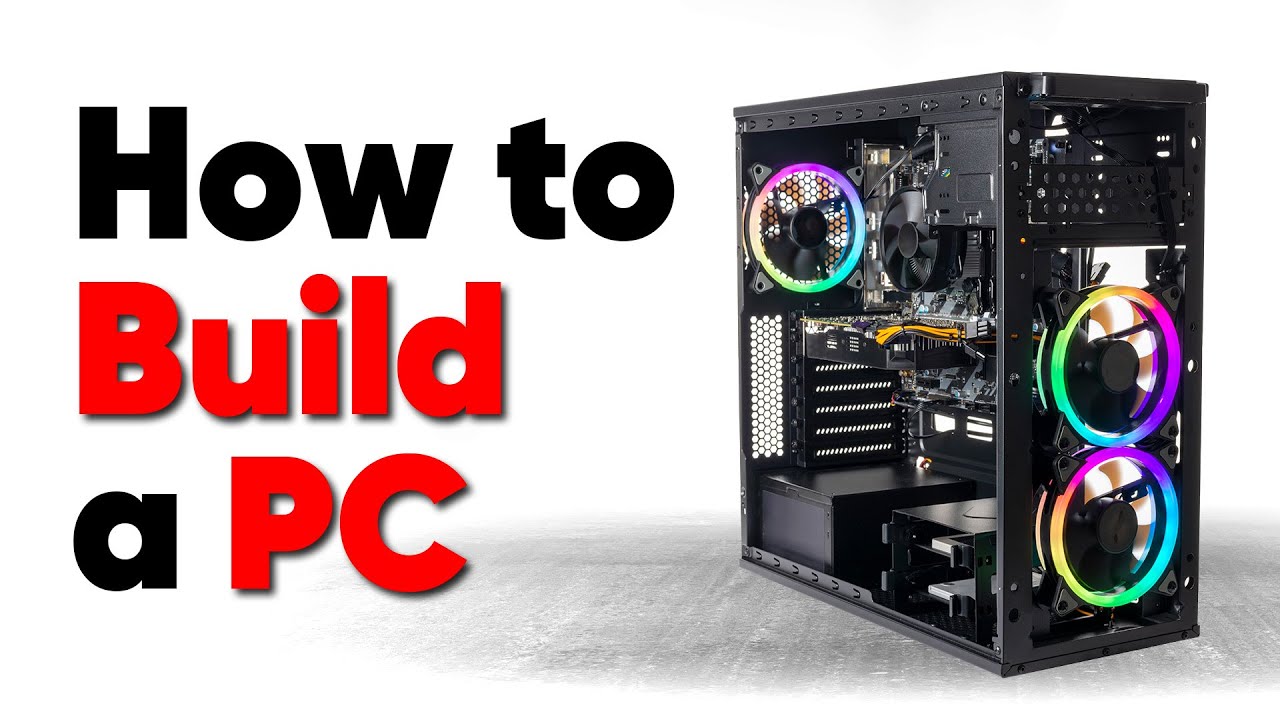
Thanks to Seasonic for sponsoring this video! Buy a Seasonic TX 1000 PSU today at https://geni.us/aryiquT
We’ve done plenty of build guides before – But now we’re taking it to the next level. Not only will you know how to build a PC, you’ll know how to build ANY PC – This is the LAST guide you’ll ever need!
Discuss on the forum: https://linust...
cerulean plinth
I haven't watched a video but most of parts came with a guide
I'm 90% sure I did everything correct up until now maybe besides this one CPU OPT thing I plugged my second cpu cooler fan into
frigid night
I would watch the video I linked before going any further. Attaching fans is very simple compared to everything else so I'm a little worried for you.
cerulean plinth
yeah I'll watch the vid. Idk I just don't see how the fans will fit into the screws in the picture I attached. The space between is too big
 cyan ravine
that looks like it might be the 903 base
in which case the 120mm in the front are not the biggest option but still work fine
cerulean plinth
cyan ravine
that looks like it might be the 903 base
What's 903 base?
And yeah they are 120mm
In the vid for cooling it said to have the intake on front and bottom and outtake on back and top
cyan ravine
mhm
cerulean plinth
The case I have though the PSU is on the bottom which I would assume is outtake
cerulean plinth
The case is Phanteks XT pro
cyan ravine
ah
interesting
try put one in at the top front, then work your way down
if they're spaced apart it'll be fine
if they're not symmetrical, still fine
frigid night
cyan ravine
if they're not symmetrical, still fine
For you. I'd fricken die if my fans weren't perfect.

cerulean plinth

I think I'm supposed to have 3 in the front but the fans just seems too small
Actually if I take the front panel off and put on the other side I think it works
Cuz in the pic the panel is off
cyan ravine
yeah that would be correct
3 on the front
3 on the front, 1 on the back is the most normal way to do it
cerulean plinth
I'll have 0 on the top tho is that fine
frigid night
You will want to screw the fans in from the front of the case, but the fans you'll want inside the case.
cerulean plinth
Ok bet I think I got it thank you all
After this it's the GPU and I'm done I think
Where's the best place to put these cables

Underneath where the PSU is?
Or do I thread it thru the hole in the middle
frigid night
cerulean plinth
Where's the best place to put these cables
cough video I linked cough 
dusky hearth
cerulean plinth
Where's the best place to put these cables
Depends on the cable
cerulean plinth
If I were to start the pc with something plugged in wrong / not plugged in would I brick the pc
Really vague question Ik
 old remnant
6600xt or 2070 super?
cerulean plinth
I think I'm done 🥳

Does anyone see anything abnormal from this
I gotta do some cable management
Do I need to set up the RGB? I don't really want to tbh. Will it work without it?
 lyric thistle
cerulean plinth
lyric thistle
cerulean plinth
and I'm pretty sure the tower cooler fans are backwards
they'd be pulling air the wrong way, towards the front of the case, fighting against the other fans' airflow
 lone flame
@cyan ravine i need a list
lyric thistle
I'll put you on a list 
lone flame
lone flame
<@101107951401455616> i need a list
Friend wants to do a first build just for gaming;
Wants the Fractal North black case.
Budget of 2k.
No RGB.
Prefers Nvidia.
I was thinking 7800X3D and 4080s if you could fit that into 2k idk
dusky hearth
cerulean plinth
If I were to start the pc with something plugged in wrong / not plugged in would...
Depends again
Most of the time, probably not
mossy venture
lone flame
Friend wants to do a first build just for gaming;
Wants the Fractal North black ...
7800x3d b650 eagle ax phantom spirit evo 32gb 6000c30 2tb mp44l be quiet Pure power 12m 850 with whatever gpu
I dont feel like going to pcpartpicker
Can do b650 plus wifi instead
dusky hearth
dusky hearth
Depends again
Most of the time, probably not
Only a low voltage short circuit that will trip the self resetting fuse, which won't damage anything most likely
Assuming that you have all the right PSU cables for the PSU, in the case of that, you can kill components
But under normal circumstances, the PSU cable won't fit in the wrong spots
hollow crag
@dusky hearth yo you think you can help me??
cerulean plinth
lyric thistle
and I'm pretty sure the tower cooler fans are backwards
Yeah I thought so too ngl
Was worried it wouldn't fit cuz that's where memory is, also what's the reason for having memory in slot 2 and 4? @lyric thistle
mossy venture
it just doesnt work properly otherwise
cerulean plinth
mossy venture
it just doesnt work properly otherwise
Got it. Do you also think the cpu cooler fans are on reversed as well?
cerulean plinth
cerulean plinth
.
mossy venture
i think so
cerulean plinth
So just move it from left to the right then
Also how do I tell which memory slot is which? Is it in 3/4 rn or 1/2
dusky hearth
cerulean plinth
Was worried it wouldn't fit cuz that's where memory is, also what's the reason f...
2 and 4 for dual channel
3 and 4 or 1 and 2 is single channel
1 and 3 has worse stability
cerulean plinth
Ok. Is this something I can fix easily or do I have to take out stuff
Worried I might have to take out the cpu cooler which was the hardest thing to put together 😭😭
dusky hearth
cerulean plinth
Ok. Is this something I can fix easily or do I have to take out stuff
Well, for your case, it should be easy
Move the ram stick closer to your cpu cooler one slot closer to the cpu cooler
cerulean plinth
Hopefully that's all I have to do. I might have to take it out in order to access slot 2.
I'll know tomorrow as im going sleep soon.
dusky hearth
Also you should ping me when replying because I switch channels and servers quickly so I miss messages
Also now that you know how to install your cpu cooler, it should be faster and easier next time
cerulean plinth
dusky hearth
Also now that you know how to install your cpu cooler, it should be faster and e...
Sounds good. Do you think If I have to take the cpu cooler out, it'll mess up the thermal paste?
Yeah hopefully so
 dusky hearth
It might mess it up a little? Just add another rice grain of thermal paste if you do take it off, no need to clean it off since it's fresh anyways
cerulean plinth
Cool, thanks for the help I'll update tomorrow
dusky hearth
Np
crimson zinc
@mossy venture @dusky hearth either of you around?
mossy venture
Yep, what's up?
crimson zinc
Could you, on eBay, send me links to a cpu, PSU, pink/white case, 16gb ram, and a motherboard? With a limit of $425-450? I have that 1080ti on the way and shipping it cost more than I would’ve liked.
mossy venture
Sure give me a few
crimson zinc
You’re much more skilled than anyone I know with eBay.
Thank you:D
Save money where you can. Don’t need RGB, I’ll just grab c12s from Newegg or something if she wants it. @mossy venture
mossy venture

eBay
Socket AM4. CPU For AMD Desk. Socket AM3. Socket FM1. Socket FM2+. Socket TR4. Socket sp3. Solid State Drives.
Ima take this to dms so I'm not spamming here
crimson zinc
Okay
crimson zinc
@potent portal you available?
lone flame
@mossy venture thoughts https://pcpartpicker.com/list/YXd8wg
Part List - AMD Ryzen 7 7800X3D, GeForce RTX 4080 SUPER, Fractal Design North ATX Mid Tower
mossy venture
Ram mobo and psu nah
One sec
Mobo isn't a need, but $20 more for better quality of life.
https://pcpartpicker.com/list/QxkvkJ
Part List - AMD Ryzen 7 7800X3D, GeForce RTX 4080 SUPER, Fractal Design North ATX Mid Tower
mossy venture
Yes
lone flame
mossy venture
Yes
I am also going to recommend him an xtx just cause
do you have a brand prefrence?
i imagine sapphire or just whatevers cheapest
i just recommended the merc
not much rgb and I have good things to say about xfx so
also like 2nd cheapest option i think
mossy venture
Anything $930 or under is fair game imo
 woven wedge
https://pcpartpicker.com/list/LxhsCd
Its been a minute since I have built a pc so I was behind on where things were at but Ive done a little research over the last couple days and have ended up here with a roughly $2k build. I wanted to get am5 thinking that it will stick around for a bit like am4. I do 1440p ultrawide gaming. and wanted something with more than 12gb vram for future proofing. I lean toward NVidia for gpu. I have always had a good seamless experience with them. Case cause I like it 🙃. And IK the fans are probable a little much but i think they will go very well in the case.
Just wanted to check here to see if there was anything I could be overlooking or if yall have any suggestions.
(IK the psu is a little over speced but there is room for growth and it wasnt much different for a 850)
Part List - AMD Ryzen 7 7700X, GeForce RTX 4070 Ti SUPER, Lian Li O11 Vision ATX Mid Tower
mossy venture
woven wedge
https://pcpartpicker.com/list/LxhsCd
Its been a minute since I have built a pc ...
Gonna five you a few options
This is very similar gaming performance, while far cheaper, basically the best value option of what I'm making, ignoring aesthetics for the most part
https://pcpartpicker.com/list/NpkvkJ
Part List - AMD Ryzen 5 7600X, Radeon RX 7900 GRE, Montech AIR 100 ARGB MicroATX Mid Tower
Getting nicer, better perf especially cpu, nvidia gpu, nice aesthetic but different from what you were going for
https://pcpartpicker.com/list/8kryTY
Part List - AMD Ryzen 7 7800X3D, GeForce RTX 4070 Ti SUPER, Montech SKY TWO ATX Mid Tower
Previous list with 4080 super
https://pcpartpicker.com/list/LRxZKX
Previous list, aesthetic you went for, can swap fans as you please
https://pcpartpicker.com/list/LV9j7R
Part List - AMD Ryzen 7 7800X3D, GeForce RTX 4080 SUPER, Montech SKY TWO ATX Mid Tower
Part List - AMD Ryzen 7 7800X3D, GeForce RTX 4070 Ti SUPER, Lian Li O11 Vision ATX Mid Tower
woven wedge
awesome. my gears are turning looking at these options
for the motherboard, I want to keep the 2 usb c. that port is more and more common and wanting to try and keep this future proofed what i can
i have see that the 7800x3d is defenitly the best but was looking at that price tag lol. I am seeing some big room to move with the power supply
I was also wanting to do an aio in the build
chose that kraken since i was going to be swapping the fans
mossy venture
Why the kraken other than the fan change?
This would be better than both choices, though any are already overkill
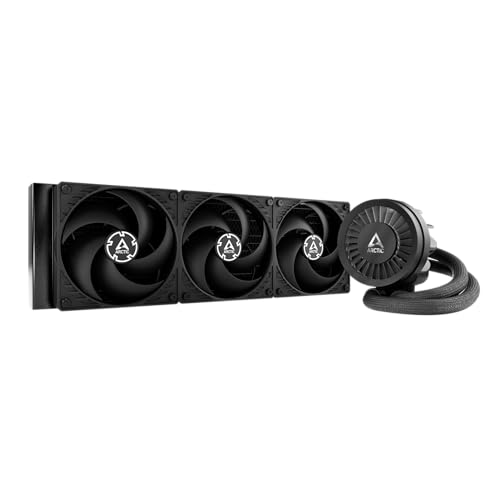
ARCTIC Liquid Freezer III 56.3 CFM Liquid CPU Cooler (ACFRE00136A)
This would be best for longevity

Deepcool LS720S ZERO DARK 85.85 CFM Liquid CPU Cooler (R-LS720-BKNNMM-G-1)
Rgb version is $90
lyric thistle
cerulean plinth
Was worried it wouldn't fit cuz that's where memory is, also what's the reason f...
Just need to flip the fans direction, you can keep them to the left. Take them off of the wire clip, flip, and put them back on and you're good to go
woven wedge
mossy venture
Why the kraken other than the fan change?
it was a cheaper option and a brand that was more familiar to me
also the lcd
swapping out the psu and hard drive, i was able to fit the 7800x3d in to the same price
4080 super would be cool from what i am seeing it would be roughly 10 - 30 fps more depending on the title
mossy venture
woven wedge
it was a cheaper option and a brand that was more familiar to me
It isn't exactly a bad aio, but its worse than some $55-75 ones
I believe there's an lcd display option around $120, let me check
woven wedge
hmmm ok
i was kinda wanting the lcd. Obviously does not do anything to performance but I do want a couple features
mossy venture
240mm, but it will be the exact same on the 7800x3d
https://pcpartpicker.com/product/6Lqrxr/id-cooling-sl240-78-cfm-liquid-cpu-cooler-sl240

ID-COOLING SL240 78 CFM Liquid CPU Cooler (SL240)
7800x3d is super easy to cool, the amd stock cooler is enough
A 240mm and 360mm would likely be within 5c of eachother on the cpu, if not less
woven wedge
gotcha
i was looking at 360 to fit fully in the case and symmetrically if you will
I have not seen ID - cooling. are they a reputable brand?
mossy venture
Well not any other options I'm seeing, but you could also add a separate lcd display aside from the aio
Yeah, the model is solid. No company has 100% good products
especially nzxt cough cough
mossy venture
mossy venture
Well not any other options I'm seeing, but you could also add a separate lcd dis...
If you dont like this option either, get the kraken
woven wedge
i did see something pop up for a lcd you could put on top of a genaric one. I guess if the others are that much better and cheaper. it would probably be worth it to find one
Im guessing arctic and deepcool are pretty trusted aio brands?
mossy venture
Any of the three listed are bettee than the kraken
woven wedge
gatcha
Feel like the software of this would be asking for a virus lol

Waveshare 2.8inch CPU/GPU Cooler Round LCD Display, AIO Computer Temp Monitor for Water Cooling Systems, PC Sensor Panel for PC Computer Accessories in Side Prebuilt Gaming PC Parts, Black
Part List - AMD Ryzen 7 7800X3D, GeForce RTX 4070 Ti SUPER, Lian Li O11 Vision ATX Mid Tower
super appreciate the input @mossy venture 
mossy venture
id grab gm7000
its closer to the 990 pro than the sn770
I'd also avoid corsair for ram

TEAMGROUP T-Force Delta RGB 32 GB (2 x 16 GB) DDR5-6000 CL30 Memory (FF3D532G6000HC30DC01)
woven wedge
mossy venture
I'd also avoid corsair for ram
Oh.. really!?
mossy venture
yeah, they have a bad habit of mixing ram dies within the same kit
meaning it won't run xmp if youre unlucky enough to get a set
they also lock a certain voltage on their ddr5 kits that makes it worse than almost any other brand
woven wedge
Ah. Interesting
mossy venture
that teamgroup kit is also jsut far better specced and same price
woven wedge
Cool cool. I’ve always seen they were cheaper but expected less reliability/quality
mossy venture
nope, brand is nearly irrelevant especially with ram
3 brands make the ram dies
the other brands just make the heatspreader
woven wedge
Does their rgb needs its own software?
mossy venture
hynix, samsung, and micron
on ddr5 hynix A die and M die are best
nope, openrgb or a similar program can control most argb products
woven wedge
Awesome. I don’t have much rgb in my current build but it was always a pain having so many softwares.
woven wedge
mossy venture
its closer to the 990 pro than the sn770
In what way. Just curious
mossy venture
just regular read speeds
in real world performance theyd be no different than an mp44l
well, in gaming and most other tasks
hollow crag
anyone up for a while and can help me with my computer restarting?
Its a new build from about 7 months ago, i added an hdd from my last pc
when i play specific games the restart happen quicker, when i dont play specific games they take long to restart.
the monitor goes black but my pc light is still on, then it puts me to the windows login screen (basically restarted but i dont think the whole pc turns off )
mossy venture
what psu, gpu, and cpu
typically means psu, but could also just be cables or smthn along those lines
hollow crag
i already made sure everything was plugged in, and ive switched from extension cord to wall to diff wall
hollow crag
mossy venture
make sure gpu is fully slotted in, maybe reseat ram
ive done both sadly...
i also individually tested the ram
1 by 1
cerulean plinth
lyric thistle
Just need to flip the fans direction, you can keep them to the left. Take them o...
I don't need to put a fan right here?

I feel like I would need to move the fan on the left, over the right where I circled, and with the middle fan just attaching it to the opposite side (still keeping it in the middle)
Does that sound correct
cyan ravine
see this

move the left stick 1 slot to the left
you're running them both in the same channel which (albeit mild for ddr5) is a performance tank
swapping the fan doesn't matter
it'll work pretty much the same front or back
 little osprey
Just have a quick question, fortnite randomly freezes for 1 sec
Am thinking its because of my CPU and GPU combo
DISCORD IS STILL TAKING UP 50% DDR5 32GB bruhhh

This is displaying DDR5-4800 @6000mhz don’t think that’s right
 weary galleon
I think 4800 might be the base speed and 6000 the xmp profile
little osprey
weary galleon
I think 4800 might be the base speed and 6000 the xmp profile
Am just not understanding how discord is taking up so much, and why fortnite freezes a couple of seconds randomly
weary galleon
If you close discord does FN still freeze?
little osprey
My combo of a 4060ti and a 7800 x3d is the issue?
let me double chefck
same problom
@weary galleon
weary galleon
little osprey
My combo of a 4060ti and a 7800 x3d is the issue?
Probably not the combo itself.
Is this the only gpu you've had in the build?
If you had a different one in the past you might want to uninstall/reinstall gpu drivers
little osprey
weary galleon
Is this the only gpu you've had in the build?
First one
Pc was built 1month ago
weary galleon
Ok
Beyond that I'm not sure what I'd do. Could reseat ram or try a different xmp profile maybe
weary galleon
Oh also do the freezes happen elsewhere besides Fortnite?
little osprey
Nope
weary galleon
Could be something to do with shader cashe
But if you've been playing for a while that should go away
If the issue is specific to Fortnite my last advice would be to look on forums/YouTube for people with a similar issue
little osprey
All the forums are saying "Inadequate system resources"
Like I don't got a 7800 x3d with 1% usage
weary galleon
Yeah the power of your hardware shouldn't be the issue
lyric thistle
cyan ravine
swapping the fan doesn't matter
They've got the fans running back to front, just needs to rotate them 180 in place on their clips but I don't think they're understanding what I mean
cyan ravine
lyric thistle
They've got the fans running back to front, just needs to rotate them 180 in pla...
oh wow you're right
I didn't even know you could glean that until you said something
Well spotted
lyric thistle

From the pic I was like "hey I could probably find out what direction they are just from the sides" and lo and behold
mossy venture
Peak air cooler
cerulean plinth
lyric thistle
They've got the fans running back to front, just needs to rotate them 180 in pla...
So they are in the right place just blowing the wrong direction?
 cerulean plinth
Thanks
lyric thistle
 👍
👍
 dry remnant
https://pcpartpicker.com/product/XYPQzy/thermalright-tl-c12cw-s-x3-6617-cfm-120-mm-fans-3-pack-tl-c12cw-s-x3-d6 quick question, are these fans daisy chainable? like can I connect all three together and then have 2 connectors, one for RGB and the other for PWM or is that not how it works? I plan to get two of these 3 packs, and I also have 3 that come with the case that I know are daisy chained. do I have to buy a fan controller?
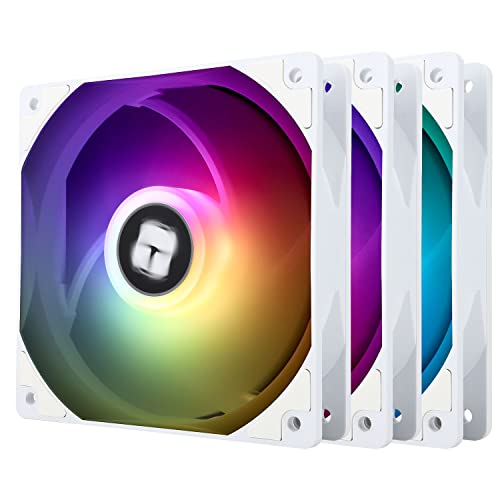
Thermalright TL-C12CW-S X3 66.17 CFM 120 mm Fans 3-Pack (TL-C12CW-S X3 D6)
 azure falcon
Quick question. If an 7800 xt is on sale for like 30% off (400). Should I get it or should I wait for it to drop half off? (Missed a sale earlier)
dry remnant
azure falcon
Quick question. If an 7800 xt is on sale for like 30% off (400). Should I get it...
if you find the PCPartPicker link itll show you the price history of said product

Asus TUF GAMING OC Radeon RX 7800 XT 16 GB Video Card (TUF-RX7800XT-O16G-GAMING)
take this gpu for example

not a very popular one but you get the point
cyan ravine
azure falcon
Quick question. If an 7800 xt is on sale for like 30% off (400). Should I get it...
Half off probably won't happen for a long long time
400 is a decent price
cyan ravine
dry remnant
https://pcpartpicker.com/product/XYPQzy/thermalright-tl-c12cw-s-x3-6617-cfm-120-...
Yes daisy chain, no need for controller if you have the plugs
Try not to do more than a couple per chain
dry remnant
cyan ravine
Try not to do more than a couple per chain
yeah I was going to do 3 per chain. so for every 3 fans that I chain together its one PWM connector and one 12v 4pin ARGB connector?
dry remnant
ahhh ok
cerulean plinth
I turned my pc on all the fans are spinning except the gpu
And there's nothing on my screen
 gentle pollen
For reference, my 7950x3D first time took like 10m to train 2x32GB of memory.
cerulean plinth
I got it on and working 🥳🥳🥳
little osprey
dry remnant
https://pcpartpicker.com/product/XYPQzy/thermalright-tl-c12cw-s-x3-6617-cfm-120-...
I daisy chained that
It comes with 3 chains
Since there is 3 fans
cerulean plinth
How do I get wifi
My mobo comes with it integrated I think
Gigabyte B650 EAGLE AX ATX AM5 Motherboard
@cyan ravine do you have any advice?
cyan ravine
windows should default install it, if not, type in your motherboard into google
go to the website for it
click on support
and the driver will be in there
cerulean plinth
I got a prompt
To install a control center for the mobo
Do I use Ethernet to install that
Then I'd get wifi
cyan ravine
it can do yes
cerulean plinth
I turned off pc to do better cable management tho
Ok thank you
I'm almost done 😄
cyan ravine
I don't normally use control center tho
it's kinda bleh
motherboard website is more straightforward
cerulean plinth
Ight appreciate it 😄
cyan ravine

 cerulean plinth
Cool I'm all done then 🥳 thank you all for the help over the past couple days, really appreciate it
I didn't actually think I'd be able to put it together
cerulean plinth
Idk what just happened but now I'm stuck In "bootlooping"
I was moving my mouse around in desktop, screen randomly flickered black and now it's stuck on this screen

 bitter mason
can go to advanced options & restart to UEFI settings
also I think if you just click the power button in Recovery Environment, it'll shut down. It does that every time? did you enable XMP recently, any other changes?
cerulean plinth
Nah I literally just started it up moved mouse for like 5 seconds and it started flickering
It was perfectly fine earlier when I first set it up, i built at my dads, came home to my place set it up and this happened
bitter mason
everytime you restart it happens?
do you have more than one storage drive? did you just install windows?
cerulean plinth
Yes every time, I have 1 SSD. And yes just installed windows 10 at my dads, then brought it to my place
The only thing I had plugged in differently was an Ethernet cable
bitter mason
oh & you don't have a usb or anything to reinstall windows? tried clear CMOS?
or reseating the memory DIMMs. possible those could get loose in a car ride I suppose
cerulean plinth
I have the usb with windows on it but I also downloaded the drivers on it if that matters
Should I try to boot in safe mode? A friend of mine told me to
bitter mason
might as well see if it works. If not in advanced options you can restart to BIOS & maybe try loading optimized settings
weird it just stopped working tho. Any chance it was in the middle of updates when you turned it off & left with it? that could bork windows
 flint sapphire
CMOS would be a pretty good step 1 imo
cerulean plinth
No clue tbh. I also have a display port plugged in now I was using hdmi before, different monitor too if that matters
Safe boot didn't work same thing
What is CMOS
bitter mason
I'd reinstall Windows anyway to see if that fixes it since you're not at risk of losing anything since you just installed it. I mean, do you really want your windows install to be having issues before you even use it? lol
cerulean plinth
Nah idc I'll reinstall it
bitter mason
CMOS is the battery on the motherboard that remembers settings
cerulean plinth
Just worried there's something wrong with like a part or something in my pc
bitter mason
what motherboard? there's usually a header you can short or even a button to clear CMOS
cerulean plinth
Gigabyte B650 EAGLE AX ATX AM5 Motherboard
bitter mason
you said you only have one storage drive? could also check BIOS to make sure it's loading the right partition instead of some other random thing. Before you deal with that you can usually press F12 when you see the gigabyte logo to select boot drive
cerulean plinth
 bitter mason
if it was running before it shouldn't be an issue with the board having BIOS too old to run the CPU (like if you are using an x3d or something that came out later)
cerulean plinth
There's a red light on my mobo
lyric thistle
step off the brakes
bitter mason
heck did you install Windows on an HDD? just making sure lol
cerulean plinth
I had it on a usb I plugged it into the pc and it just loaded up idk
cerulean plinth
So press f7?
bitter mason
ya just to see. I kinda doubt it'll fix it but can't hurt since you haven't changed anything anyway
bitter mason
yes F10 then Enter
bitter mason
also newest BIOS is F3b so may be worth updating
 cerulean plinth
How would I go about that
bitter mason
 cerulean plinth
Yeah it's still doing the thing
bitter mason
well if you can't get into windows, you'd need another computer to download the BIOS then a USB drive (usually has to be formatted as FAT32) to put the BIOS on & then run the update in BIOS
you said red light was on?
cerulean plinth
"Preparing automatic repair" -> "diagnosing your pc" -> blue screen pc did not start correctly
Yeah
It keeps turning on and off
"Boot"
Is where the light is
bitter mason
ya that's like windows pretending to do something lol
cerulean plinth
My dad used to build servers for work and had an old windows copy so that's what I used idk if that's ok
bitter mason
the green is the clear CMOS header. If you're going to clear CMOS, you need to turn the PC completely off (PSU off) then press the power button a few times to make sure caps & stuff are drained then touch both metal pins at the same time with a paperclip or something else that conducts electricity for like 5 seconds

the pink is the Q flash button. If you have a USB (FAT32 formatted) that has updated BIOS on it, you can turn on the PSU, not start the computer, put the USB in the port (usually labeled BIOS) on the back of the board (not case USBs), then update BIOS without even turning on the computer
bitter mason
cerulean plinth
Really appreciate you helping me sorry I'm dumb first build
no worries. Appreciate it if we fix it lol
bitter mason
cerulean plinth
My dad used to build servers for work and had an old windows copy so that's what...
I mean, that should work but you can download an updated windows installer directly from Microsoft & it'll do the whole formatting the USB drive, etc. for you. It's better in that you don't have to do 10000 updates once Windows is installed lol
cerulean plinth
bitter mason
the green is the clear CMOS header. If you're going to clear CMOS, you need to t...
I'm ngl I don't know any of this and feel like I might mess something up. The paper clip thing kinda freaks me out lol
bitter mason
since you went for a ride with the PC, it's probably worth trying to reseat the GPU & both memory DIMMs just in case they came loose
bitter mason
cerulean plinth
I'm ngl I don't know any of this and feel like I might mess something up. The pa...
lol I rip IHSs off CPUs, computer components aren't as fragile as they look
cerulean plinth
Would it just randomly stop working like that tho if it was something loose?
bitter mason
but I get it, I was worried I'd break something too
but if it makes you feel any better, I broke a 7200mt/s memory kit & destroyed an 11600K so a healthy respect for the hardware is a good idea
btw if you have another computer available, you can make a Windows 10 (or 11 even at https://www.microsoft.com/software-download/windows11) install USB from here https://www.microsoft.com/en-us/software-download/windows10
cerulean plinth
Yeah I have another pc
Do you think it's worth to try to reinstall windows before opening up the pc? My buddy's saying to do that, he's not as smart as you tho
bitter mason
you want this one not the Update Assistant nonsense

I think your buddy is right. It seems like Windows is borked not like you're having hardware issues since it was working before
& if you installed a really old Win10 version, Windows would get to work downloading updates as soon as you had internet anyway
so it's reasonable that it got corrupted in the process
cerulean plinth
Ok. That's good to hear it's more likely windows being annoying 😅. Can I install the same one that's on the USB I used before
bitter mason
& again, since it's a brand new install, you won't lose anything reinstalling
cerulean plinth
Or would you recommend reformatting it and downloading a new copy
bitter mason
probably the new copy since you have a really new CPU & all
plus you either wait for the media creation tool to download now or deal with 9000 updates & windows wanting to restart probably 2-10x after you reinstall
plus maybe if your dad works on servers, you installed some data center version or windows or something? That would suck cuz then to activate windows you'd probably need a key that costs some really dumb high amount
if you install like, regular win10 pro, a key is way cheaper
do you have a windows key already? if it's a key for home, pro, etc., make sure you select that version when you install
cerulean plinth
Nah I don't
This is where I installed earlier if that makes a difference

Was windows 10 home
I'm gonna boot up my old pc now and install the new windows version onto the USB I guess
I reformat it first right
Or does the tool do it for me
bitter mason
cerulean plinth
Was windows 10 home
eh I'd install pro cuz it has more features but otherwise it doesn't really matter
like uh remote desktop is only on pro
I forget what else
cerulean plinth
Would "reset this pc" be good enough or do I gotta do the usb thing
bitter mason
ya give it a shot then
cerulean plinth
Also the pc smells kinda funny. Not like burning but idk just weird. Is that normal for a new Build?
The temp was like 30c
Should I click remove everything
bitter mason
cerulean plinth
Also the pc smells kinda funny. Not like burning but idk just weird. Is that nor...
PSUs usually smell kinda funny when they're new. I wouldn't worry unless you see smoke or something. You could check your PSU cables just to be sure they're in all the way & what not for peace of mind
bitter mason
cerulean plinth
Should I click remove everything
I mean, didn't you just install? there isn't much to remove, no? I'd do that so it deletes any updates or other crap that may be the reason your install is corrupted in the first place
cerulean plinth
Ok sounds good
Good to know about the PSU thing was starting to worry my cpu was on fire or something lol
Cloud download or local reinstall?
bitter mason
if the smell intensifies at all, turn off PSU & unplug immediatley tho lol
does Cloud download want you to restore from another install? I'd do cloud download anyway so it gets at least most of the updates over with
will likely take a little longer but the updates are mostly a good thing anyway
cerulean plinth
I prolly need my Ethernet cable for that right
bitter mason
oh ya unless you're on wifi
cerulean plinth
Nah I couldn't get wifi yet cuz the drivers weren't installed
Do you think plugging the Ethernet cable in before the drivers could have caused it?
bitter mason
I doubt it. Windows usually has basic drivers like that built in
BUT
if you're using a really old installation, it's possible their drivers don't work for it
well more like, the old installation doesn't have drivers built-in that work for your ethernet
cerulean plinth
 bitter mason
so it's not outside the realm of possibility
just remove
wait no
let it fully clean
cerulean plinth
Alright it's downloading.
bitter mason
it's gonna download latest windows 10 anyway
& apparently your ethernet drivers work fine since it's downloading without any issues
cerulean plinth
Yeah hopefully it works 🙏 so nerve racking
bitter mason
you have GPU installed too?
bitter mason
I can't remember but I think newer AM5 CPUs have integrated GPU
cerulean plinth
Part List - AMD Ryzen 7 7800X3D, Radeon RX 7900 XTX, Phanteks XT PRO ATX Mid Tower
bitter mason
ah okay you got a real nice GPU haha
cerulean plinth
Ye @mossy venture made the build on Reddit lol
bitter mason
good one that @mossy venture lol
cerulean plinth
Anyways it's on 39% of "resetting this pc" now, idk how long you'll be on for but I'll keep you updated
Thanks again for the help
bitter mason
ya np. I'll likley be around anyway
once it's working alright, we can enable EXPO in BIOS so your memory will run at 6000mt/s instead of 4800mt/s default no fun mode
which is worth doing since you paid for 6000mt/s anyway & it's otherwise a pretty decent, free performance improvement
bitter mason
heck Newegg refurbs looking kinda nice
 flint sapphire
👀 500?
bitter mason
some decent deals ya

 bitter mason
well time for the big restart lol
HOW'D IT KNOW
jk
ya see how it does this time around
cerulean plinth
Alright 🤞
bitter mason
hopefully that's the end of the nonsense. Dunno why it wouldn't be
btw iirc if you download Gigabyte's little motherboard software thing you can not only control RGB but update BIOS through it. I've always been a little sketched out by updating BIOS like that but apparently Gigabyte has enough confidence in it to offer it as an option
cerulean plinth
Yeah I had a prompt for that whenever I first turned it on
But didn't have wifi
Gigabyte control center I think
It's asking me to create an account this time around so I think this windows is updated
Or at least different from the one earlier
It's normal that my GPU fans aren't spinning right
I think I'm good!

@bitter mason I'm scared to move my mouse 😅
No way it's doing it again
Wtf
Wait nvm it's fine I think. This so scary
It flickered like 5 times then my other monitor turned on
Yeah I think I'm chilling
bitter mason
probably just installing GPU driver no worries
Definitely install GPU drivers & Chipset drivers
cerulean plinth
You think I should hit install on the prompt for gigabyte control center?
Or do it manually
bitter mason
if you're gonna install it anyway, you can just hit install
bitter mason
might as well
cuz then I think if you ever see that dreaded screen again
you can select last known good configuration or restore point (something to that effect) in Advanced options
 bitter mason
ya usually it's best to just restart as soon as it tells you something like that
cerulean plinth
Alright. Restarted and created a restore point. All is good so far
cerulean plinth
I was about to but I was reading Reddit "reviews" of gigabyte control center and everything is just ragging on it saying it keeps crashing their pc
I have the drivers manually installed on a USB, does that work?
My dad did it earlier, installed the exe from the website
Think it's like chipset, Bluetooth, and wifi
How do I know which gpu driver to get
Is there like a nvidia GeForce experience equivalent for my card @bitter mason?
lyric thistle
what card do you have?
cerulean plinth
lyric thistle
what card do you have?
PowerColor Hellhound Radeon RX 7900 XTX 24 GB Video Card
lyric thistle
lyric thistle
yeah pretty much
cerulean plinth
Thanks
I don't have windows activated right now, does everything save when I restart
It's just customization I miss out on right
lyric thistle
yeah you don't need a key to use windows
bitter mason
looks huge?
lyric thistle
is the scaling wrong?
cerulean plinth
It might be I haven't customized anything
The taskbar is so tiny
The resolution is correct so idk why it looks weird. Maybe just cuz I've always played on a curved 1080 and this is a flat 1440 idk
lyric thistle
I've tried hooking up to a 4k tv
it made everything tiny lol
gotta bump the scaling I guess
bitter mason
you can set it to like 110-120% scaling
I set 125% cuz my old people eyes can't see it very well at 100%. It looks tiny as heck
 cerulean plinth
Yeah just changed it to 125 much better lol
bitter mason
cerulean plinth
Yeah just changed it to 125 much better lol
I think HDR is disabled by default so may wanna check that if you like HDR

& monitor supports it
but more than anything
in Advanced display, make sure it's set to the right refresh rate. Windows sets 60hz by default
cerulean plinth
It let me go up to 165, my monitor is 170 tho. My 2nd monitor is 165
How do I know if I have all the correct drivers installed
lyric thistle
sound, networking, & video working?
bitter mason
cerulean plinth
It let me go up to 165, my monitor is 170 tho. My 2nd monitor is 165
when you run out of things to do in Windows, go back to BIOS & enable EXPO

no clue what those "XMP/EXPO High Bandwidth Support" & "Low Latency Support" options do but play a game with & without them on & see if it helps lol
cerulean plinth
lyric thistle
sound, networking, & video working?
I believe so
I haven't installed any games yet tho
bitter mason
lyric thistle
always running out of things to do in windows
lol open Registry & try to figure out wth any of that crap does
cerulean plinth
Is there a driver or something I'm missing with my new monitor? It almost seems like there's an orange tint on it?
Almost like night mode on IPhone if you've ever had that
bitter mason
go to Windows Security>Device Security>Core Isolation & disable Memory Integrity. Then press Windows+R & type secpol.msc. Go to Local Policies>User Rights Assignment and double click on Lock Pages in Memory. Double click on Add User or Group then type your username & click check names then click OK then apply. Windows won't move things in memory to paging file on SSD & go faster
jk don't do that I dunno if there are security implications
bitter mason
cerulean plinth
Is there a driver or something I'm missing with my new monitor? It almost seems ...
it might be that there is software to configure your monitor. Does it have a USB from the monitor that you're supposed to connect to the PC?
cerulean plinth
Nah
lyric thistle
I think the orange tint might be the eye thingy
bitter mason
might also be something you can change with the buttons on the monitor
might also be that low blue light eye saver thing I should probably start using
cerulean plinth
There's only a power button lol
lyric thistle
I haven't used it
cerulean plinth
And a red button/knob on the back
lyric thistle
idk if I'd even benefit from using it
cerulean plinth

MSI G272QPF 27.0" 2560 x 1440 170 Hz Monitor (G272QPF)
bitter mason
in WIndows store you can download HDR calibration if you wanna set it to your liking
also even if the monitor doesn't connect via USB
there could be a driver/color profile for it
only shows Win11 64 under select operating system but shouldn't really matter
bitter mason
cerulean plinth
https://pcpartpicker.com/product/W6QKHx/msi-g272qpf-270-2560-x-1440-170-hz-monit...
there's a "Navi key" on the back

which I assume is like a joystick for the menus lol

ah good luckily it has an alarm clock
I dunno about you but a monitor turning on would for sure wake me up lol
jk it could flicker violently & I'd sleep right thru it
cerulean plinth
Oh ok that makes sense
Speaking of sleep I gotta get some I'm falling asleep in my chair lol
I'll be In here tomorrow asking more questions prolly
bitter mason
my guess is the "Night Vision" setting is where you might wanna look first
haha okay I'll likely be here or ping me otherwise
don't forget to enable EXPO haha
cerulean plinth
Sounds good thanks again. Was worried my pc broke for a sec
Yeah that's prolly the first thing I'll do tomorrow
bitter mason
nah apparently you built it just fine & windows was being windows
bitter mason
which it has a horrible tendency to do
I mean I don't think there's any need really
it'll just be in like barely on state
maybe if some LEDs on the motherboard bother you while you're asleep
I almost never turn my PC off
I usually turn off all rgb crap & change power plan to Power saver in Control Panel
I think "Balanced" is fine too
cerulean plinth
Alright cool
bitter mason
I also disable sleep & hibernate
just turn off screen lol
hibernate will waste a decent amount of storage space tho cuz it basically moves everything in RAM to disc so it can grab it all back when you bring it out of hibernate
TLDR: pretty much a matter of preference
cerulean plinth
Does it harm if I shut down every night
lyric thistle
no
and it doesn't hurt to not do that either lol
I had my computer on for 24 days up until today
frigid night
I only restart my PC when I'm having issues. Otherwise, on 24/7 for me.
lyric thistle
you must restart your pc every 40 seconds or it will explode
 fossil cedar
frigid night
I only restart my PC when I'm having issues. Otherwise, on 24/7 for me.
fossil cedar
frigid night
I only restart my PC when I'm having issues. Otherwise, on 24/7 for me.
Electricity waste tho unless you're one of those people who games take overnight cuz of crap internet
lyric thistle
the fact that a regular desktop cpu can run at 2 watts these days is remarkable
fossil cedar
lyric thistle
the fact that a regular desktop cpu can run at 2 watts these days is remarkable
Well the cpu yeah but the pc no
You'd be very suprised how much the pc is actually using idle

I run about the house with a wattimeter and discover some cold hard Intel about ...Intel
0:00 - WHAT WATTS?
0:17 - Small stuff
0:58 - Drying clothes
1:33 - Kitchen
2:58 - Screens
4:00 - Laptop
6:19 - Mini PC
7:00 - 32" HDR Monitor
8:09 - Gaming PC
Really interesting watch
lyric thistle
I'd guess around 60 watts altogether
Stereo on the other hand is probably another 60 tbf
fossil cedar
lyric thistle
Stereo on the other hand is probably another 60 tbf
Think the number was in there can't find it now
But it was in the hundreds iirc
frigid night
fossil cedar
Electricity waste tho unless you're one of those people who games take overnight...
Or someone who doesn't pay electricity
fossil cedar
frigid night
Or someone who doesn't pay electricity
Still waste is waste
No gains leaving it on overnight
frigid night
fossil cedar
No gains leaving it on overnight
Heat
 fiery nova
Idk wtf happened to my discord
I have it on top my phone and I woke up and was signed out of discord
So anyways this is my new account @cerulean plinth is my old one which I don't remember the login to.
 analog hearth
Skill issue
fiery nova
Actually tho
I'm lost
If I run games on old versions of bios / drivers or just with drivers that aren't installed does that brick my pc
Cuz idk how to tell which drivers I need still
I downloaded a bunch of amd adrenalin
fiery nova
How tf do I read and understand Hwinfo
Most confusing thing I've ever seen in my life lol
crimson zinc

eBay
Western Digital PC SN720 NVMe 1TB M.2 2280 Internal SSD SDAPNTW-1T00All drives were put through the wipe method NIST SP 800-88R1 CLEAR, SMART test to ensure all drives have been fully tested and wiped. Pulled from a working environment and are in excellent condition.
Is this fine?
crimson zinc
Trying to avoid internal SSDs
So that would be my primary storage
@obsidian wigeon could you help me find a good PSU for these on eBay? $40-$50

 crimson zinc
Sweet.
mossy venture

eBay
Good condition. Item has been tested and visually inspected for defects. This unit only comes with the cables shown. Only items pictured are included. Please see the listing pictures. If a part is not pictured, then it is not included in the sale.
crimson zinc
Remember, I’m sticking a 1080ti in there too @mossy venture @obsidian wigeon
430w skirts the line a little too close.
obsidian wigeon

eBay
Model: CX650F. As Pictured. Cables or accessories are NOT included.
this?
oh
mossy venture
Foxy do you remember if the tr2 is decent?
https://www.ebay.com/itm/296297297239?mkcid=16&mkevt=1&mkrid=711-127632-2357-0&ssspo=vCs3jA-UROy&sssrc=4429486&ssuid=r8em-zv_qyc&var=&widget_ver=artemis&media=COPY

eBay
Get the power and reliability you need for your computer with the Thermaltake TR2 600W power supply. This power module, designed by Thermaltake, delivers up to 600 watts of stable power to your desktop computer. With connectors for floppy drive, 4+4 CPU, 6 Pin PCI Express, 4 Pin Peripheral, SATA I, 6+2 Pin PCI Express, and 20+4 Pin, this power m...
obsidian wigeon
cables missing
crimson zinc
Cables
mossy venture
Rip, that's a great deal otherwise
obsidian wigeon
mossy venture
Foxy do you remember if the tr2 is decent?
https://www.ebay.com/itm/29629729723...
tr2 is explosive so no
mossy venture
Not sure what cables would cost
crimson zinc
mossy venture
Rip, that's a great deal otherwise
Fr
mossy venture
obsidian wigeon
tr2 is explosive so no
Ah mb
430w as long as it's OK would handle a 1080 ti
 crimson zinc

eBay
Find many great new & used options and get the best deals for NEW SEALED EVGA 550 Power Supply 550W Modular PSU at the best online prices at eBay! Free shipping for many products!
crimson zinc
Explosive?
obsidian wigeon
idk, feels suspicious to me
the new segotep would be a safer buy
iirc it's a c or b tier?
crimson zinc
OH

eBay
Equipped with a powerful plus 12 Volt rail, superior performance under all types of system loading.
crimson zinc
Oh it’s smart series
mossy venture
Yeah really bad
crimson zinc

eBay
Rated up to 500W of continuous power output at 40ºC. The extra long, sleeved cables allow easy integration into a wide variety of cases, and the large number of connectors assures compatibility with nearly all components.
CX is b-tier
How’s it look
obsidian wigeon
also meh
crimson zinc
I’ve gotta stay closest to $40 as I’ve gone over the budget
obsidian wigeon
oof
crimson zinc
This is the last part too
I also want a 500w in case I can get any small upgrades to any of the parts within return windows
obsidian wigeon

eBay
It is a good 550 watt PSU. It was bought new and used for a year or so. It still works perfectly. If you have any questions, feel free to ask me!
this one looks nice
obsidian wigeon
hm?
obsidian wigeon
mwe gold is either c or b tier depending on versions
crimson zinc
@heady ember get help
crimson zinc
One of those “matrix” people too

 crimson zinc
Me, Felix, Bacca, and you have spent the last 4 days finding the cheapest parts
obsidian wigeon
lol
crimson zinc


 mossy venture
I miss tiktok shop deals
Technox did a 5600 6700xt build for like $480 after tax with a used 6700xt
fiery nova
Where is there 1 extremely small red pixel on my monitor
fiery nova
Rma?
obsidian wigeon
warranty claim
 tawny violet
@cyan ravine check the pic I sent in #build-pics
I'm damn proud of what I have rn
But there's still a lot to improve
Realistically it'll only get better over time though that's gonna take a while
It almost looks semi-professional
Almost
lone flame
tawny violet
<@101107951401455616> check the pic I sent in <#574740748801540107>
I'm damn pr...
very solid
tawny violet
My next spending is probably going to be a new case, fans and storage
lone flame
i do hope that either you have really high mouse sensitivity or you move the keyboard over a bit when you play not much mouse space lol
tawny violet
and definitely a new mouse because the current one is CRAP
fiery nova
obsidian wigeon
warranty claim
So I have to return no way to fix it?
obsidian wigeon
yep
tawny violet
lone flame
i do hope that either you have really high mouse sensitivity or you move the key...
I have high sense in normal desktop use but I switch it over before gaming and angle the keyboard
obsidian wigeon
that's what a dead pixel is
tawny violet
it's ~12 inches of width when I game
obsidian wigeon
pixels are arranged in red green and blue anyway
some colors might show the defect
while others not
tawny violet
Oh almost forgot the new monitor
cheap 144hz 1080p IPS (but it's the AOC one so it's not crap)
fiery nova
Do I go thru Amazon for the return or MSI
fiery nova
Alright thanks
tawny violet
Sadly I still have some debt to pay off to my sister
so the actual upgrades will have to wait
probably in 6 months I'll have a fully realized setup and get an opportunity to upgrade to 1440p and a 7900 GRE
The long-term plan is to switch the placement of the drawer under my desk, put the PC on my right, move the mic over to the left and have a monitor arm with the main screen in front of me and the secondary off to the left portrait
because the tower takes up an unnecessarily large amount of space rn
fiery nova
Is 65c okay for my Amd Radeon rx 7900 xtx under like medium load
I haven't done anything really intensive yet
tawny violet
Yeah that sounds fair enough
little osprey
i am trying to power up the system outside the case first
gpu cable split into 3 things
can this power cable plug into 2 of them (they meet as one cable to the psu)


gpu power cable
little osprey
okay, thanks
i know i need 3 i just
wanted to make sure that 2 split cable would work
for 2 of them
cyan ravine
Yeah that's fine in a pinch
Most of the psus we suggest use 18awg or.better daisies
Should be no problem
cyan ravine
Yeah that should be 16awg pigtails iirc
crimson zinc
mossy venture
I miss tiktok shop deals
Same
cyan ravine
cyan ravine
Yeah that should be 16awg pigtails iirc
Smaller number better btw
cyan ravine
@mossy venture @potent portal
https://amazon.com/dp/B0CCP76TGZ

Thermalright Assassin X 120 V2 Plus CPU Cooler 4 Heat Pipes with AGHP Technology, 120mm PWM Fan CPU Air Cooler,Double Quiet CPU Fan,154mm High, for Intel 1700/1150/1151/1200, AMD:AM4 AM5,PC Cooler
Much better single tower, almost the same price as se-214-xt, better
Also assassin spirit evo **dark I can confirm now is good btw
cyan ravine
cyan ravine
Also assassin spirit evo **dark I can confirm now is good btw
Slight correction
The non-dark uses a different fan design
lyric thistle
fossil cedar
Think the number was in there can't find it now
His numbers were like 90 idle and 900 full tilt
And I think for the monitor like 20-200
I wanna get a killawatt to find out my numbers lol
 wild peak
is there anything i should change about this build?
https://pcpartpicker.com/list/gm2HDZ
Part List - AMD Ryzen 5 7600X, GeForce RTX 4070 SUPER, Phanteks Eclipse G360A ATX Mid Tower
mossy venture
wild peak
is there anything i should change about this build?
https://pcpartpicker.com/lis...
the 7600x comes with the free 1tb mp33, are you already including that?
for psu id grab https://pcpartpicker.com/product/zF4Zxr/msi-mag-a850gl-pcie5-850-w-80-gold-certified-fully-modular-atx-power-supply-mag-a850gl-pcie5
or
https://pcpartpicker.com/product/vwHqqs/thermaltake-toughpower-gf-a3-snow-850-w-80-gold-certified-fully-modular-atx-power-supply-ps-tpd-0850fnfagu-n

MSI MAG A850GL PCIE5 850 W 80+ Gold Certified Fully Modular ATX Power Supply (MAG A850GL PCIE5)

Thermaltake Toughpower GF A3 Snow 850 W 80+ Gold Certified Fully Modular ATX Power Supply (PS-TPD-0850FNFAGU-N)
also if you don't plan to mess with ram tuning whatsoever, I'd spend $10 more for the 6000c30 kit from teamgroup
or get 6000c30 for cheaper that isnt rgb
cyan ravine
more or less echoing this rn
Part List - AMD Ryzen 5 7600X, GeForce RTX 4070 SUPER, Phanteks Eclipse G360A ATX Mid Tower
mossy venture

TEAMGROUP T-Force Delta RGB 32 GB (2 x 16 GB) DDR5-6000 CL30 Memory (FF4D532G6000HC30DC01)
cyan ravine
spend the price difference on a set of white extension psu cables
mossy venture
valid
cyan ravine
You can also step down the cooler, though I could go either way with this, the peerless has futureproofing for the platform honestly
not really anything else to say, do your cable runs that connect to the bottom of the motherboard, under the motherboard before you put it in the case
will look really nice given it's matx in atx
omg it didn't override to newegg seller for the cpu
fixed it now
wild peak
do i need 850 W
crimson zinc
I’ll never understand why people go for the bland Corsair 4000d
cyan ravine
wild peak
do i need 850 W
not really, it's just the most reasonable priced psu in that category
and the prime doesn't come with white cables, if that's your goal
wild peak
cyan ravine
and the prime doesn't come with white cables, if that's your goal
i was just going to buy those seperately, is that not a good idea
cyan ravine
ye it's a great idea
but you won't see the psu anyway
not in that case
It's up to you, only $10
A-GL is slightly better performing than prime (not because it's a higher wattage) but it's more than fine for the specs either way you go
wild peak
cyan ravine
A-GL is slightly better performing than prime (not because it's a higher wattage...
ok ty
 lone flame
I was stalking and about to comment on how that 50 dollar case was a steal
lone flame
Look into montech cases the AIR100 ARGB I have in white is nice and was like 70 bucks
crimson zinc
I gotta find it for $50 on eBay in particular.
This build has very strict guideline
woven wedge
the gpu i was looking at getting went out of stock I found this has a $40 off code which brings the price close to what i wsa aiming at. Idk much about pny but are there cards decent?
https://www.newegg.com/pny-geforce-rtx-4070-ti-super-vcg4070ts16tfxxpb1-o/p/N82E16814133866
lone flame
woven wedge
the gpu i was looking at getting went out of stock I found this has a $40 off co...
i recommend a 7900 XT over the TI super
or spend closer to 910 for the XTX
but I believe PNY is decent
woven wedge
aight. yeah i saw a bunch of different things on the 7900s. Its tempting but I ways hear of driver issues and that sort of thing. Ive alway had a good experience with nvidia tho
lone flame
woven wedge
aight. yeah i saw a bunch of different things on the 7900s. Its tempting but I w...
I've had 3 AMD cards over the past 5 years and have good things to say, went from a RX 580 in my first pc (prebuilt) that had no issues, a 6700 XT in my first pc I build a year ago that had a few issues but ppl in here helped me get it sorted, and my 6950 XT now that I got in mid feburary
crimson zinc
AMD has stepped up significantly in their support btw. @woven wedge
lone flame
7900 XT is 699 on newegg rn and beats the TI Super in rast. performance
mossy venture
woven wedge
the gpu i was looking at getting went out of stock I found this has a $40 off co...
That's fine
crimson zinc
They used to be booty cheeks.
But now, more often than not, they’re better quality for the price.
mossy venture
Could also do
https://pcpartpicker.com/product/jmvD4D/pny-verto-oc-geforce-rtx-4070-ti-super-16-gb-video-card-vcg4070ts16tfxpb1-o

PNY VERTO OC GeForce RTX 4070 Ti SUPER 16 GB Video Card (VCG4070TS16TFXPB1-O)
woven wedge
back order
lone flame
woven wedge
hmm
tempting
but I am way more familiar with nvidia driver updates and stuff. not that i can learn anything though
 hollow flax
I plan to use $40 to match a host. May I know how to choose accessories
lone flame
woven wedge
but I am way more familiar with nvidia driver updates and stuff. not that i can ...
thing ive learned with amd is just turn off auto updates
a new driver can occasionally cause issues but i believe the same can be said for nvidia as well
plus radeon's software is miles ahead of say nvidia control panel
woven wedge
yeah the control panel is ancient
fiery nova
Why does my monitor blur when moving left to right
I have a dead pixel so gonna get it replaced anyways but
 unique rapids
I am planning to install a chipset driver for the x570-p motherboard. Should I install the driver from asus x570-p website? In AMD only x570 chipset driver is available.
 manic cloak
Hey there so my PC's been running a bit slow at the moment
Earlier it wasn't able to display and I had to unplug my monitor n replug it in order for it to do so
obsidian wigeon
lone flame
plus radeon's software is miles ahead of say nvidia control panel
it got updated a lot btw lol
manic cloak
When it came on, the background was pixelated and I got a notification that the software had reverted into basic mode or something because of an issue
obsidian wigeon
way better now
manic cloak
Stress testing it, I’ve gotten worse performance about 10-15 FPS
manic cloak
I will but I wanna try removing the windows basic display driver
Mhm
Cause GPU 2 is appearing
Which has never happened
Is there any way to remove WBDD
aka windows display driver
obsidian wigeon
by disabling it in device manager i believe
i haven't had this problem, so it's unusual
 potent portal
The second GPU is likely the iGPU on the CPU
manic cloak
potent portal
The second GPU is likely the iGPU on the CPU
Ehhh I mean would my VGA light be on if that's the case?

This is it on windows n everything
Usually its never on
potent portal
The intel display drivers
potent portal
Intel
This download installs Intel® Graphics Driver 31.0.101.5333 (WHQL Certified) for Intel® Arc™ A-Series Graphics, Intel® Iris® Xe Graphics, and Intel® Core™ Ultra Processors with Intel® Arc™ Graphics.
manic cloak
potent portal
https://www.intel.com/content/www/us/en/download/785597/intel-arc-iris-xe-graphi...
So this should be doing..?
potent portal
That should be the second GPU's driver so it doesn't show up as "basic display adapter"
manic cloak
potent portal
That should be the second GPU's driver so it doesn't show up as "basic display a...
 potent portal
This is the system in your nickname right? With the 13600K and not a KF?
manic cloak
potent portal
This is the system in your nickname right? With the 13600K and not a KF?
Correct.
No other system, no changes in the past 2 months.
potent portal
And you have the chipset drivers installed?
manic cloak
Well
I wouldn't be 100% certain but i'm quite certain they should.
@potent portal anyway I could check? 😭
potent portal
Intel makes the mobo vendors distribute them so they'd be on your mobo support page
If you had armoury crate installed before you probably have them but they might be outdated